Walking Trip

📅
Python Matplotlib Pie Chart Labels Tutorial
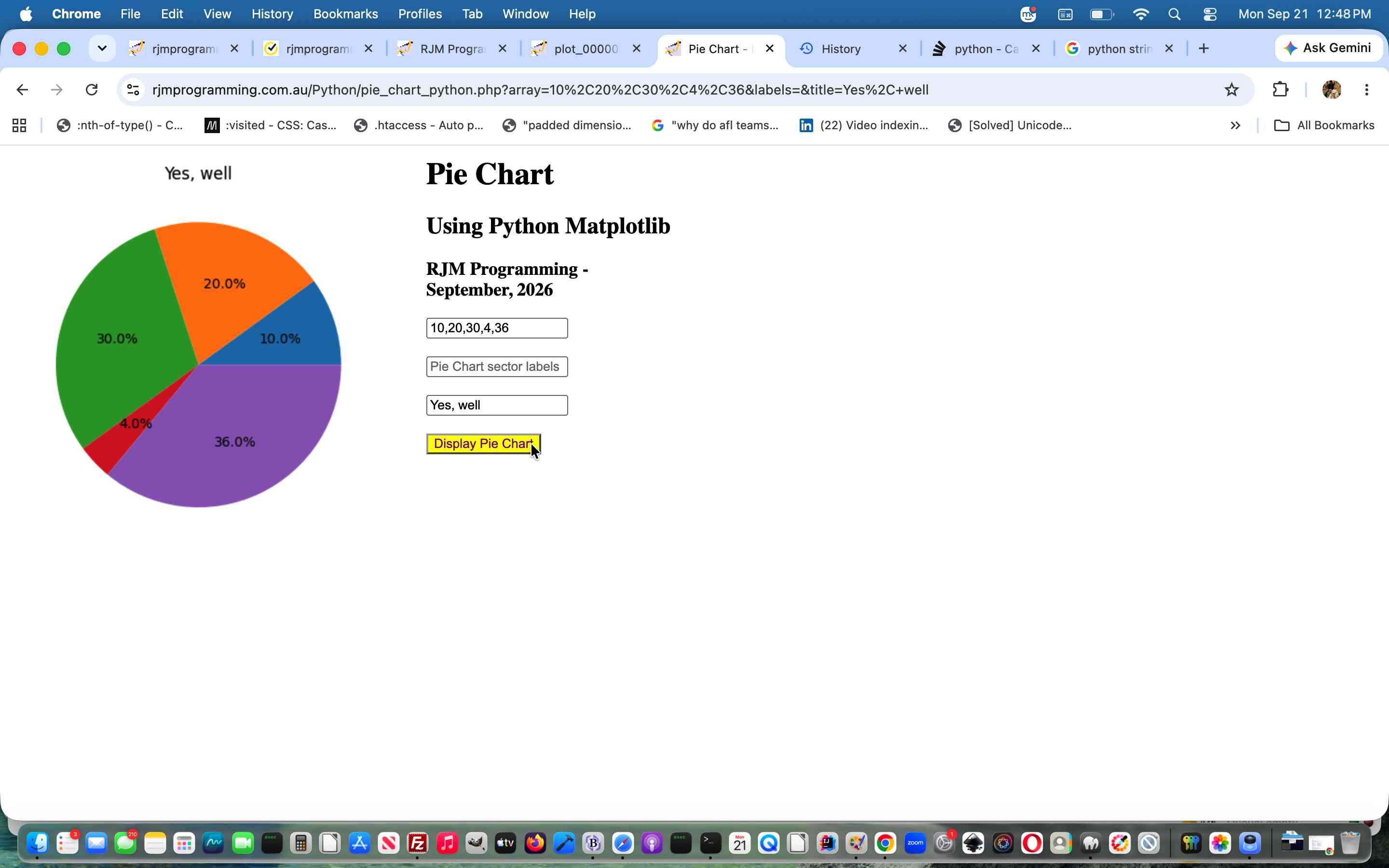
Today, further to yesterday’s Python Matplotlib Pie Chart PHP Crontab Tutorial‘s Pie Chart via Python Matplotlib “guinea pig” phase, fleshing out Pie Chart labelling …
… begging the question …
Guinea pig to what?
Do you cavye in?! Chortle, chortle. Well, our answer is …
Cater for lots of other chart types Python Matplotlib can help interface to.
… and we have a bit of a strange idea we want to try regarding this, while today’s second “not so strange” task preparatory work was to “abstract” the term “Pie Chart” and associated phrases out of being hardcodings to be a derivative of what URL is showing in the web browser address bar. Even if our “strange idea” disappoints, and we’ll let you know tomorrow, we think, we’d want to embark on this genericization anyway, the Earth being the distance away from Mars and Venus the way it is. As such …
… are definitely worth a peruse.
Previous relevant Python Matplotlib Pie Chart PHP Crontab Tutorial is shown below.
Python Matplotlib Pie Chart PHP Crontab Tutorial
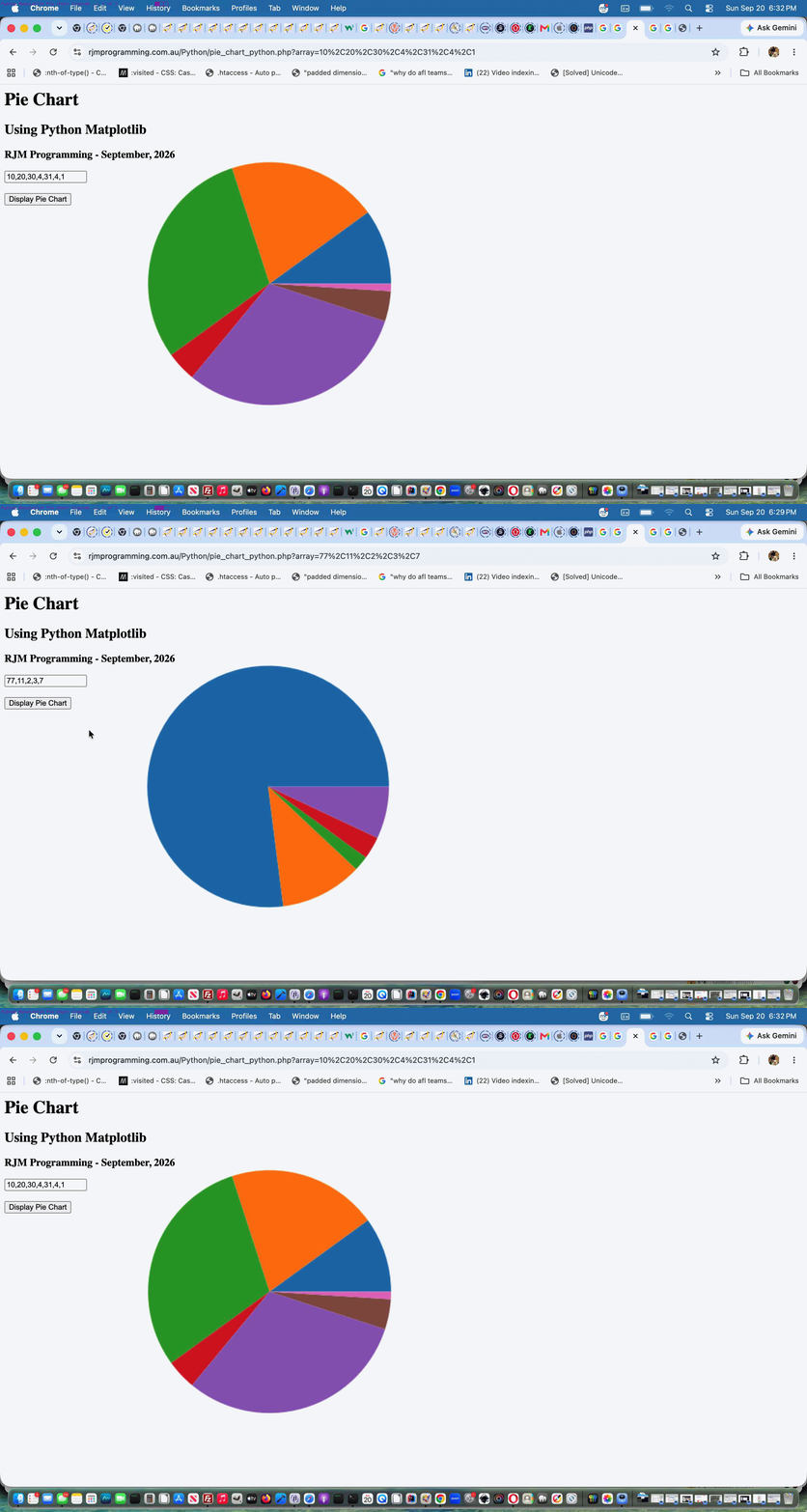
Onto yesterday’s Python Matplotlib Pie Chart Primer Tutorial‘s work …
ksh -c 'for i in `find /home/rjmprogr/public_html/Python -name "piechartpython_*.py"`; do /usr/bin/python3 $i ${i##*/} /home/rjmprogr/public_html/Python/ ; done'

ksh -c 'for i in `find /home/rjmprogr/public_html/Python -name "piechartpython_*.py"`; do rm -f "$i"; done'

ksh -c 'for i in `find /home/rjmprogr/public_html/Python -name "plot_*.png" -mmin +122`; do rm -f "$i"; done'

ksh -c 'for i in `find /home/rjmprogr/public_html/Python -name "output_image_*.png" -mmin +122`; do rm -f "$i"; done'
… all still dealing with a minimalist Pie Chart we’ll add complexity to into the future with …
Previous relevant Python Matplotlib Pie Chart Primer Tutorial is shown below.
Python Matplotlib Pie Chart Primer Tutorial
We’re off on a new discovery tour regarding …
… starting down this road with a simple …
# pie_chart_python.py

# September - 2026

# RJM Programming

# Thanks to https://www.w3schools.com/python/default.asp


import os

import matplotlib


# Set backend to Agg before importing pyplot

matplotlib.use('Agg')


import matplotlib.pyplot as plt

import matplotlib.image as mpimg


import numpy as np

#import plotly.express as px

from PIL import Image


nums = []

sofar = 0


if len(nums) <= 0:

  while sofar < 100:

     print(f"Enter your percentage value regarding a pie chart where so far {sofar} has already been allocated.")

     anum = input()

     nums.append(int(anum))

     sofar += int(anum)


y = np.array(nums)


fig, ax = plt.subplots()


ax.pie(y)


fig.savefig("plot.png")


# 1. Load the image

img = mpimg.imread('plot.png')


# 2. Process or manipulate the image (Optional)

# For example, let's look at the shape or apply changes

#print(f"Image shape: {img.shape}")


# 3. Create the plot without displaying it

plt.imshow(img)

plt.axis('off')  # Hide axis lines and labels


# 4. Save the result to a file instead of showing it

plt.savefig('output_image.png', bbox_inches='tight', pad_inches=0)

plt.close()


# Open the PNG image file

#with Image.open("plot.png") as img:

    # Display the image using your system's default viewer

    #img.show()


    # Optional: Load the data into memory so you can safely close the file

    #img.load()


exit()
<?php

// pie_chart_python.php

// RJM Programming - September, 2026

if (php_sapi_name() === 'cli') {

$command = '/usr/local/bin/python3 ' . dirname(__FILE__) . DIRECTORY_SEPARATOR . 'piechartpython.py'; // Your command

if (1 == 1) {

exec($command);

} else {

// Open the process pointer for reading

$handle = popen($command, 'r');


if ($handle) {

    // Read and output the buffer until the end of the file

    while (!feof($handle)) {

        echo fread($handle, 2048);

        flush(); // Send it to the browser immediately

    }

    pclose($handle);

}

}

exit;

} else if (strpos(str_replace('?','',$_SERVER['QUERY_STRING']), '&') === false) {

$waspy=file_get_contents(dirname(__FILE__) . DIRECTORY_SEPARATOR . 'pie_chart_python.py');

if (strpos($waspy, "nums = []") !== false) {

    if (isset($_GET['array'])) {

      file_put_contents(dirname(__FILE__) . DIRECTORY_SEPARATOR . 'piechartpython.py', str_replace("nums = []","nums = [" . str_replace('+',' ',urldecode($_GET['array'])) . "]",$waspy));

    }

}

//exec('php ' . dirname(__FILE__) . DIRECTORY_SEPARATOR . 'pie_chart_python.php > /dev/null 2> /dev/null');

exec('cd ' . dirname(__FILE__) . DIRECTORY_SEPARATOR . ' ; /Applications/MAMP/bin/php/php7.4.33/bin/php -n ./pie_chart_python.php > /dev/null 2> /dev/null ; open ./plot.png');

sleep(3);

}

echo "<html><body style=\"background:url(./plot.png);background-repeat:no-repeat;background-size:contain;\"></body></html>";

?>
… allowing a web browser address bar URL such as …
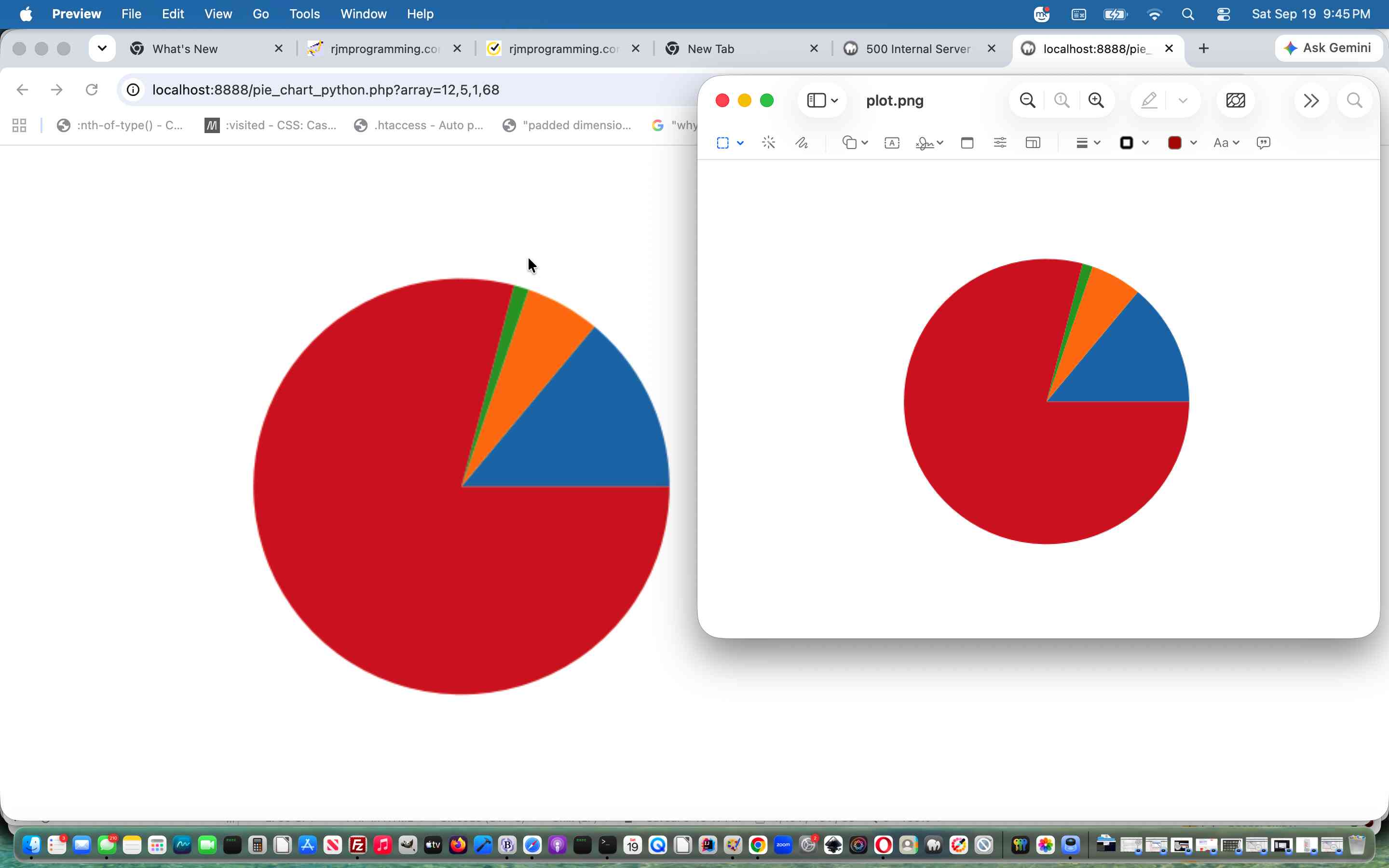
http://localhost:8888/pie_chart_python.php?array=12,5,1,68
… working for us, here, locally, displaying a Pie Chart …
… via our local Python3 Matplotlib modularized environment.
Did you know?
Your installer for Python modules is likely to be one of, for the example of matplotlib module …
pip install matplotlib
… or …
pip3 install matplotlib
… corresponding to whether command line …
python pie_chart_python.py
… or …
python3 pie_chart_python.py
… works for you at your local system command line.
If this was interesting you may be interested in this too.
If this was interesting you may be interested in this too.
If this was interesting you may be interested in this too.
Python Matplotlib Pie Chart PHP Crontab Tutorial
Onto yesterday’s Python Matplotlib Pie Chart Primer Tutorial‘s work …
ksh -c 'for i in `find /home/rjmprogr/public_html/Python -name "piechartpython_*.py"`; do /usr/bin/python3 $i ${i##*/} /home/rjmprogr/public_html/Python/ ; done'

ksh -c 'for i in `find /home/rjmprogr/public_html/Python -name "piechartpython_*.py"`; do rm -f "$i"; done'

ksh -c 'for i in `find /home/rjmprogr/public_html/Python -name "plot_*.png" -mmin +122`; do rm -f "$i"; done'

ksh -c 'for i in `find /home/rjmprogr/public_html/Python -name "output_image_*.png" -mmin +122`; do rm -f "$i"; done'
… all still dealing with a minimalist Pie Chart we’ll add complexity to into the future with …
Previous relevant Python Matplotlib Pie Chart Primer Tutorial is shown below.
Python Matplotlib Pie Chart Primer Tutorial
We’re off on a new discovery tour regarding …
… starting down this road with a simple …
# pie_chart_python.py

# September - 2026

# RJM Programming

# Thanks to https://www.w3schools.com/python/default.asp


import os

import matplotlib


# Set backend to Agg before importing pyplot

matplotlib.use('Agg')


import matplotlib.pyplot as plt

import matplotlib.image as mpimg


import numpy as np

#import plotly.express as px

from PIL import Image


nums = []

sofar = 0


if len(nums) <= 0:

  while sofar < 100:

     print(f"Enter your percentage value regarding a pie chart where so far {sofar} has already been allocated.")

     anum = input()

     nums.append(int(anum))

     sofar += int(anum)


y = np.array(nums)


fig, ax = plt.subplots()


ax.pie(y)


fig.savefig("plot.png")


# 1. Load the image

img = mpimg.imread('plot.png')


# 2. Process or manipulate the image (Optional)

# For example, let's look at the shape or apply changes

#print(f"Image shape: {img.shape}")


# 3. Create the plot without displaying it

plt.imshow(img)

plt.axis('off')  # Hide axis lines and labels


# 4. Save the result to a file instead of showing it

plt.savefig('output_image.png', bbox_inches='tight', pad_inches=0)

plt.close()


# Open the PNG image file

#with Image.open("plot.png") as img:

    # Display the image using your system's default viewer

    #img.show()


    # Optional: Load the data into memory so you can safely close the file

    #img.load()


exit()
<?php

// pie_chart_python.php

// RJM Programming - September, 2026

if (php_sapi_name() === 'cli') {

$command = '/usr/local/bin/python3 ' . dirname(__FILE__) . DIRECTORY_SEPARATOR . 'piechartpython.py'; // Your command

if (1 == 1) {

exec($command);

} else {

// Open the process pointer for reading

$handle = popen($command, 'r');


if ($handle) {

    // Read and output the buffer until the end of the file

    while (!feof($handle)) {

        echo fread($handle, 2048);

        flush(); // Send it to the browser immediately

    }

    pclose($handle);

}

}

exit;

} else if (strpos(str_replace('?','',$_SERVER['QUERY_STRING']), '&') === false) {

$waspy=file_get_contents(dirname(__FILE__) . DIRECTORY_SEPARATOR . 'pie_chart_python.py');

if (strpos($waspy, "nums = []") !== false) {

    if (isset($_GET['array'])) {

      file_put_contents(dirname(__FILE__) . DIRECTORY_SEPARATOR . 'piechartpython.py', str_replace("nums = []","nums = [" . str_replace('+',' ',urldecode($_GET['array'])) . "]",$waspy));

    }

}

//exec('php ' . dirname(__FILE__) . DIRECTORY_SEPARATOR . 'pie_chart_python.php > /dev/null 2> /dev/null');

exec('cd ' . dirname(__FILE__) . DIRECTORY_SEPARATOR . ' ; /Applications/MAMP/bin/php/php7.4.33/bin/php -n ./pie_chart_python.php > /dev/null 2> /dev/null ; open ./plot.png');

sleep(3);

}

echo "<html><body style=\"background:url(./plot.png);background-repeat:no-repeat;background-size:contain;\"></body></html>";

?>
… allowing a web browser address bar URL such as …
http://localhost:8888/pie_chart_python.php?array=12,5,1,68
… working for us, here, locally, displaying a Pie Chart …
… via our local Python3 Matplotlib modularized environment.
Did you know?
Your installer for Python modules is likely to be one of, for the example of matplotlib module …
pip install matplotlib
… or …
pip3 install matplotlib
… corresponding to whether command line …
python pie_chart_python.py
… or …
python3 pie_chart_python.py
… works for you at your local system command line.
If this was interesting you may be interested in this too.
If this was interesting you may be interested in this too.
Python Matplotlib Pie Chart Primer Tutorial
We’re off on a new discovery tour regarding …
… starting down this road with a simple …
# pie_chart_python.py

# September - 2026

# RJM Programming

# Thanks to https://www.w3schools.com/python/default.asp


import os

import matplotlib


# Set backend to Agg before importing pyplot

matplotlib.use('Agg')


import matplotlib.pyplot as plt

import matplotlib.image as mpimg


import numpy as np

#import plotly.express as px

from PIL import Image


nums = []

sofar = 0


if len(nums) <= 0:

  while sofar < 100:

     print(f"Enter your percentage value regarding a pie chart where so far {sofar} has already been allocated.")

     anum = input()

     nums.append(int(anum))

     sofar += int(anum)


y = np.array(nums)


fig, ax = plt.subplots()


ax.pie(y)


fig.savefig("plot.png")


# 1. Load the image

img = mpimg.imread('plot.png')


# 2. Process or manipulate the image (Optional)

# For example, let's look at the shape or apply changes

#print(f"Image shape: {img.shape}")


# 3. Create the plot without displaying it

plt.imshow(img)

plt.axis('off')  # Hide axis lines and labels


# 4. Save the result to a file instead of showing it

plt.savefig('output_image.png', bbox_inches='tight', pad_inches=0)

plt.close()


# Open the PNG image file

#with Image.open("plot.png") as img:

    # Display the image using your system's default viewer

    #img.show()


    # Optional: Load the data into memory so you can safely close the file

    #img.load()


exit()
<?php

// pie_chart_python.php

// RJM Programming - September, 2026

if (php_sapi_name() === 'cli') {

$command = '/usr/local/bin/python3 ' . dirname(__FILE__) . DIRECTORY_SEPARATOR . 'piechartpython.py'; // Your command

if (1 == 1) {

exec($command);

} else {

// Open the process pointer for reading

$handle = popen($command, 'r');


if ($handle) {

    // Read and output the buffer until the end of the file

    while (!feof($handle)) {

        echo fread($handle, 2048);

        flush(); // Send it to the browser immediately

    }

    pclose($handle);

}

}

exit;

} else if (strpos(str_replace('?','',$_SERVER['QUERY_STRING']), '&') === false) {

$waspy=file_get_contents(dirname(__FILE__) . DIRECTORY_SEPARATOR . 'pie_chart_python.py');

if (strpos($waspy, "nums = []") !== false) {

    if (isset($_GET['array'])) {

      file_put_contents(dirname(__FILE__) . DIRECTORY_SEPARATOR . 'piechartpython.py', str_replace("nums = []","nums = [" . str_replace('+',' ',urldecode($_GET['array'])) . "]",$waspy));

    }

}

//exec('php ' . dirname(__FILE__) . DIRECTORY_SEPARATOR . 'pie_chart_python.php > /dev/null 2> /dev/null');

exec('cd ' . dirname(__FILE__) . DIRECTORY_SEPARATOR . ' ; /Applications/MAMP/bin/php/php7.4.33/bin/php -n ./pie_chart_python.php > /dev/null 2> /dev/null ; open ./plot.png');

sleep(3);

}

echo "<html><body style=\"background:url(./plot.png);background-repeat:no-repeat;background-size:contain;\"></body></html>";

?>
… allowing a web browser address bar URL such as …
http://localhost:8888/pie_chart_python.php?array=12,5,1,68
… working for us, here, locally, displaying a Pie Chart …
… via our local Python3 Matplotlib modularized environment.
Did you know?
Your installer for Python modules is likely to be one of, for the example of matplotlib module …
pip install matplotlib
… or …
pip3 install matplotlib
… corresponding to whether command line …
python pie_chart_python.py
… or …
python3 pie_chart_python.py
… works for you at your local system command line.
If this was interesting you may be interested in this too.
Worldwide Country Quiz Game Revisit Tutorial
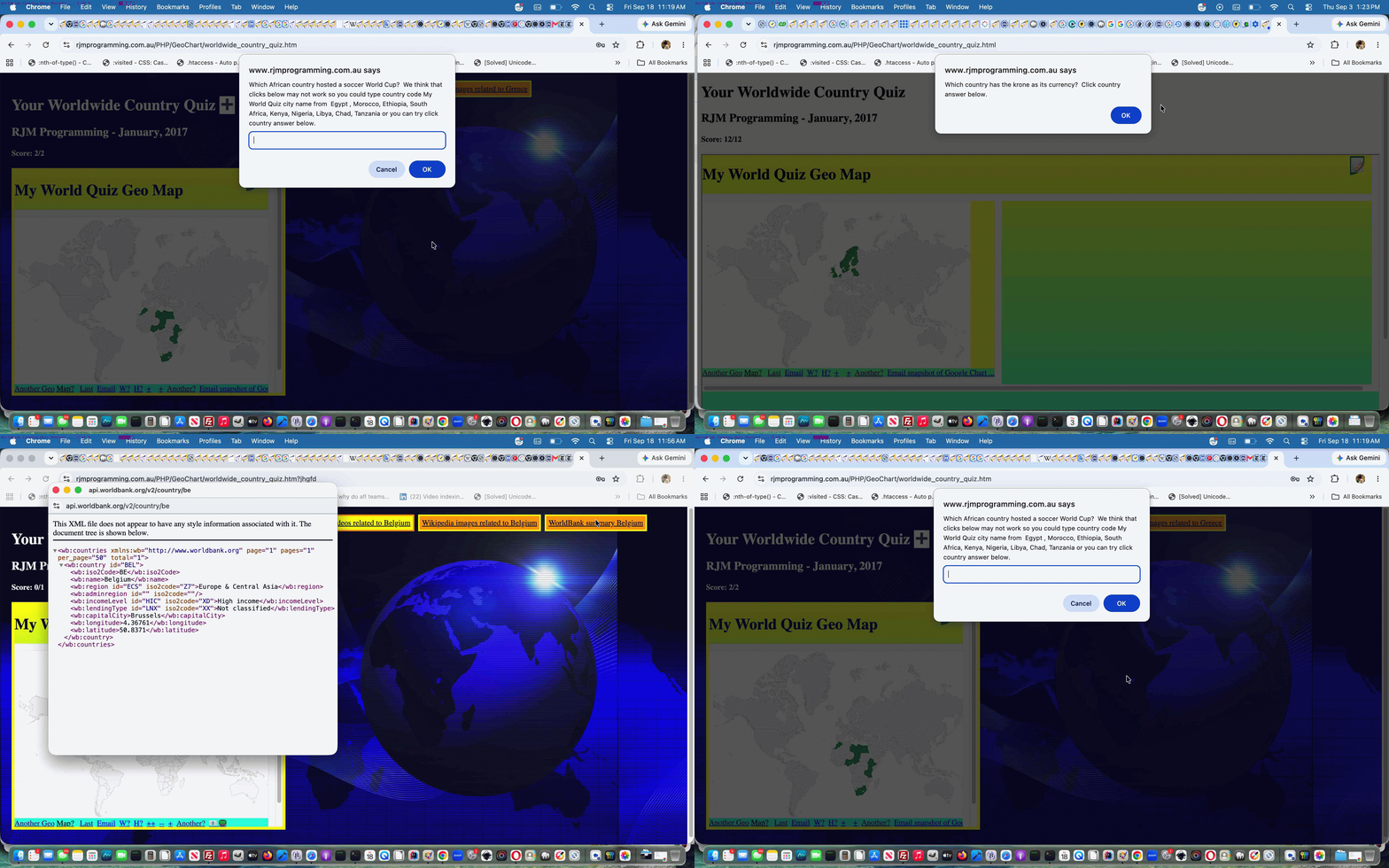
We’re revisiting the Worldwide Quiz of Worldwide Country Quiz Game Wikipedia Images Tutorial to …
… via …
… you can also try below clicking here.
Previous relevant Worldwide Country Quiz Game Wikipedia Images Tutorial is shown below.
Worldwide Country Quiz Game Wikipedia Images Tutorial
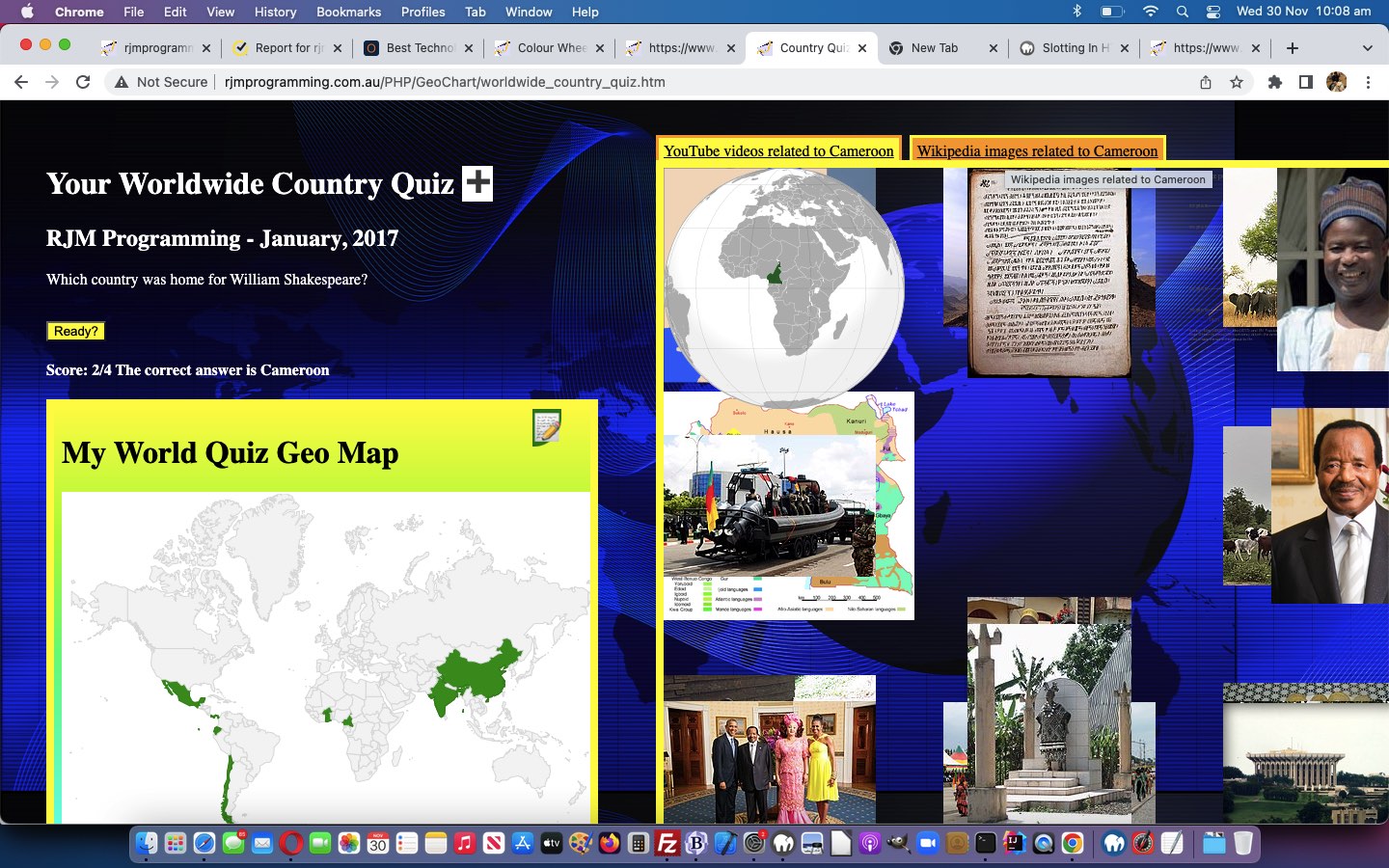
We’re revisiting the Wordwide Country Quiz web application of Worldwide Country Quiz Game Moderation Tutorial for a few reasons …
Here’s the new Javascript function for the new “Wikipedia images related to …” a link onclick logic …
 function startwt(selovalue) {

    var was=document.title;

    notsofast=false;

    document.getElementById('addthis').value='';

    if (was.indexOf('Country ') != 0) document.title='Country ' + was;

    document.getElementById('tdmydiv').style.width='800px;'

    document.getElementById('tdmydiv').style.height='720px;'

    document.getElementById('mydiv').style.width='800px;'

    document.getElementById('mydiv').style.height='720px;'

    document.getElementById('mydiv').innerHTML=document.getElementById('mydiv').innerHTML.split('<br>')[0] + '<br><iframe id=ourcanvas style="border:6px solid yellow;width:800px;height:690px;cursor:progress;" src="/PHP/fgc/?tzexact=' + encodeURIComponent(selovalue.substring(0,1).toUpperCase() + selovalue.substring(1)) + '&tznickname=' + encodeURIComponent(selovalue.replace(/_/g,' ')) + '' + '" title="Thanks, Wikipedia"></iframe>';

    document.getElementById('mydiv').style.cursor='progress';

    if (document.getElementById('iready')) { document.getElementById('iready').style.cursor='progress'; }

    setTimeout(mydivptr, 1000);

 }


 function mydivptr() {

   if (document.getElementById('addthis').value != '0') {

     if (document.getElementById('iready')) { document.getElementById('iready').style.cursor='progress'; }

     setTimeout(mydivptr, 1000);

   } else {

     document.getElementById('mydiv').style.cursor='pointer';

     if (document.getElementById('ourcanvas')) {  document.getElementById('ourcanvas').style.cursor='pointer'; }

     if (document.getElementById('iready')) { document.getElementById('iready').style.cursor='pointer'; }

   }

 }
… a “progress” cursor or two hopefully showing the user it might take some time displaying these Wikipedia images.
The “Andorra annoyance” was a bit of a kludge whereby, previously, we’d placed Andorra in every answer set for all the questions. Why? Well, sorry Andorra, but you do not show up in the overall GeoChart map of the wooooooorrrrlllllddd, and this has the advantage that a map is still produced for a data set that is “only Andorra” (rather than using Latitude 90 or -90 which can cause issues). But one question had dual correct answers as a result, and that is not fair, so we separated “display” data set members from “answer” data set members, enabling us to give Andorra less exposure, so to speak!
Feel free to try the Worldwide Country Quiz‘s worldwide_country_quiz.htm, changed in this way, benefitting from the adage “every picture is worth a thousand words”.
Previous relevant Worldwide Country Quiz Game Moderation Tutorial is shown below.
Worldwide Country Quiz Game Moderation Tutorial
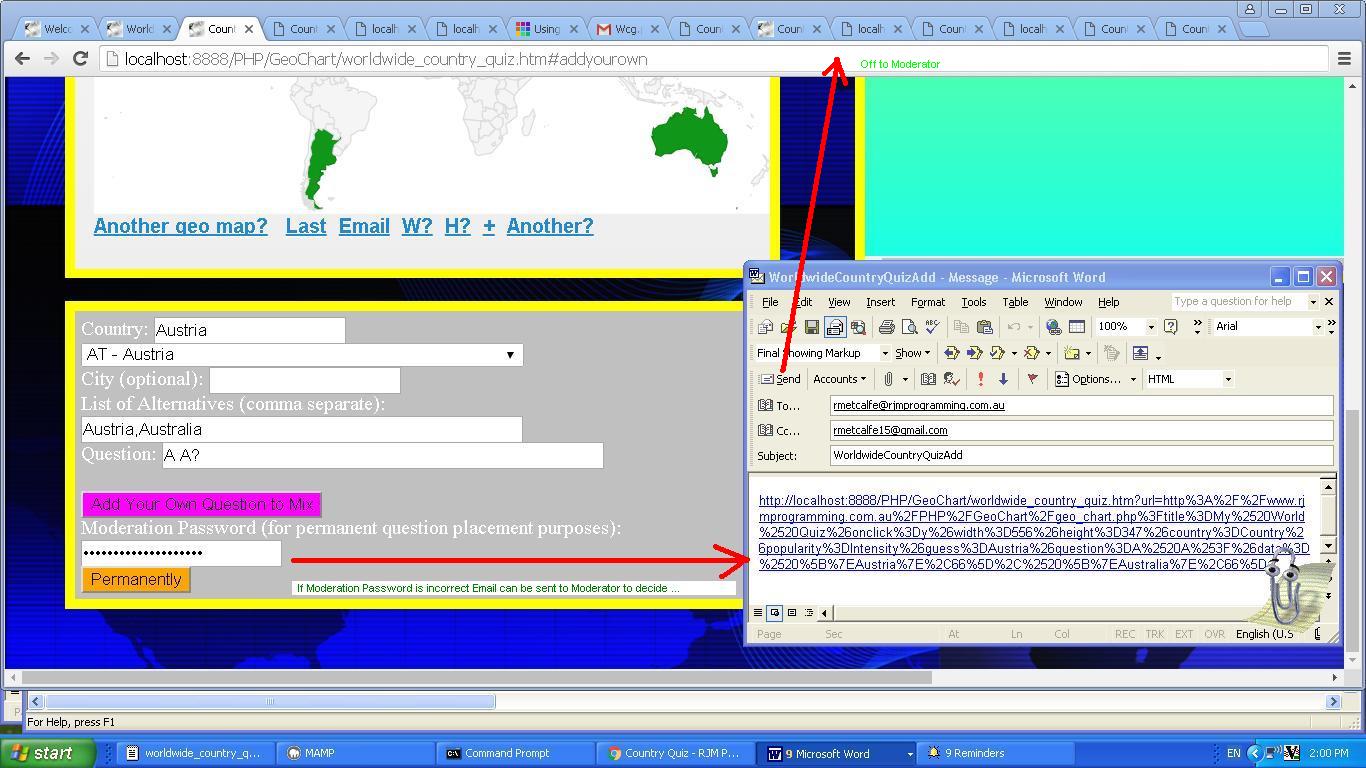
Blogs have become a bigger and bigger force in the online world. They allow for various forms of moderation from fully vetted to “allowed through to the keeper”. Today, for our quiz we add some functionality that is …
With these matters, we find, many heads are better than one, and we hope we get some of your suggestions here. If they are suitable, we’ll definitely add them into the mix (of questions) permanently.
Obviously, on the scale of Moderation seriousness, our email moderation arrangement is pretty loose. More stringent ones normally involve the use of an underlying database, and queueing suggested question entries, that a Moderator user, on a blog or CMS system, would, hopefully, monitor, to various levels of immediacy.
The issue of bots or software robots is very pertinent for uploaders of information, these days. Telling whether something uploaded to a website is for real or not, was a question long ago, broached with the many different kinds of CAPTCHA challenge-response tests that are so often seen at blog websites and CMS and eCommerce websites these days, to try to weed out those software robots, and only have an audience of real people … oh, by the way … this is for real … know you can’t see it, but we just spilled something, like any normal robotperson would do. We’ve done little bits and pieces with CAPTCHA here at this blog.
Another idea you can try for feedback on a blog or CMS is a poll, and there are heaps of ideas for polls programmers (like us) have written.
Adding onto day before yesterday’s Worldwide Country Quiz Game Personalization Tutorial, this time around, the supervising “parent” HTML and Javascript now looks like this (and whose code you could peruse and/or download via worldwide_country_quiz.htm,changed from yesterday in this way) was introduced to a new piece of PHP whose job it is to …
… and its code you could call worldwide_country_quiz.php for your perusal.
Previous relevant Worldwide Country Quiz Game Personalization Tutorial is shown below.
Worldwide Country Quiz Game Personalization Tutorial
You often come across the term “Personalization” with regard to software functionality. In broad brush terms we see the idea of …
Personalization of software is a means by which functionality is handed over to the user to shape its function, and quite often its appearance, on top of default settings built into the software
… which might be an important consideration, especially if the software is going to be sold and/or used widely.
Around here, we see “Personalization” closely related to “Accountability” …
“accountability” with a web application, for us, goes along the lines of having a web application whose data can be recalled and reused for another time
… in that we like to give users more control, by them being able to record a previous set of instructions they “lobbed onto” that was interesting to them.
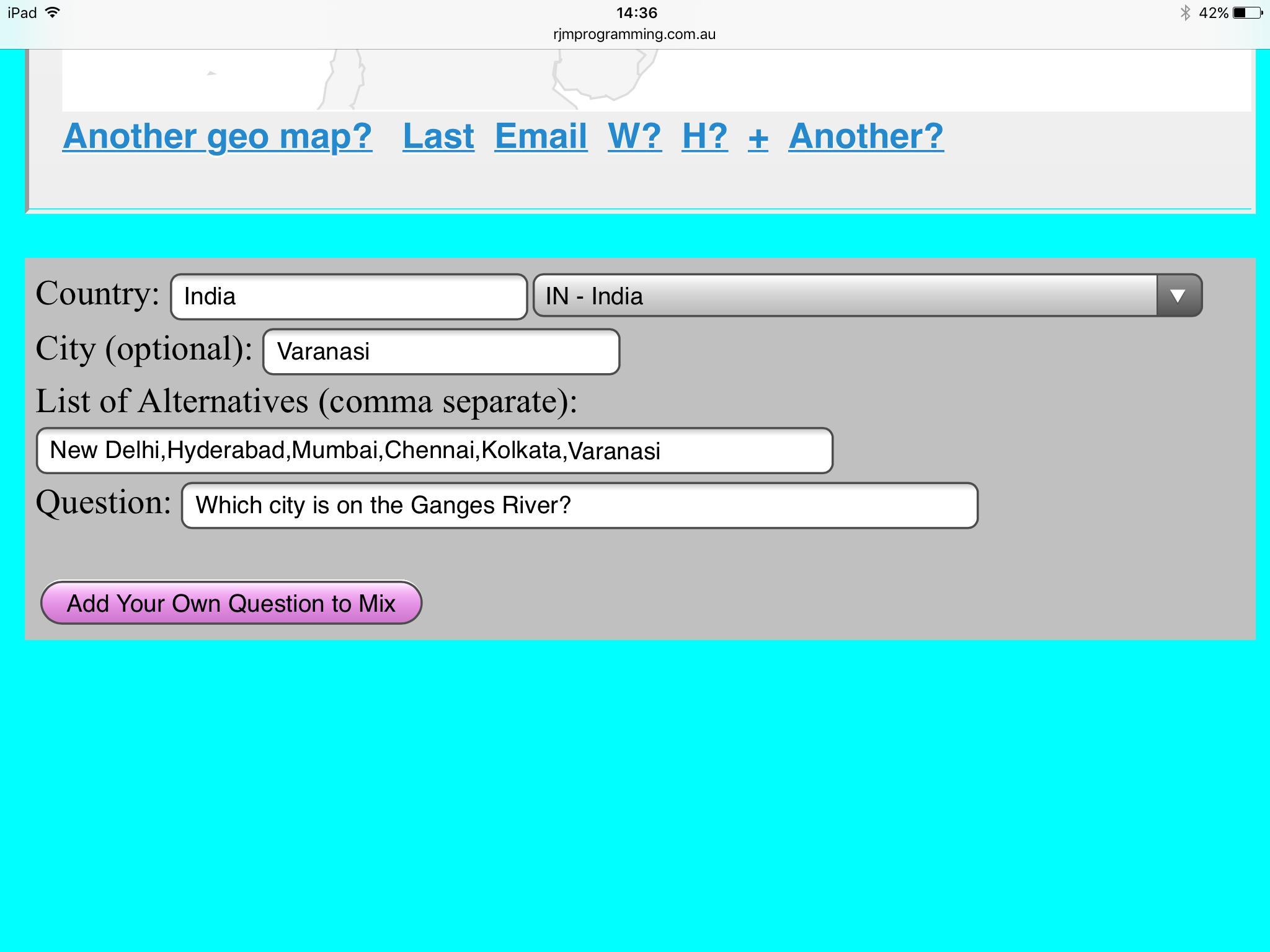
With today’s “Personalization” work, building on yesterday’s Worldwide Country Quiz Game YouTube Tutorial, we want the user of our “Worldwide Country Quiz” to be able to add their own tailored questions into the mix of questions stored in the Javascript url_array[] array containing URLs to Google Chart Geo Chart executions for each quiz question. This new functionality is based on ISO Two Character Country Codes you might remember us also using when we presented TimeZone Country Places Primer Tutorial …
Into the mix of the logic here, we need to venture into the world of two letter ISO Country Codes, and we work this with help from http://php.net/manual/en/datetimezone.getlocation.php and http://stackoverflow.com/questions/17842003/php-intl-country-code-2-chars-to-country-name and http://php.net/manual/en/function.timezone-identifiers-list.php and http://www.timezoneconverter.com/ to “hardcode” our HTML select “dropdown” elements we create in the process, and offer TimeZone information HTML select “dropdown” elements as well.
… some time back.
Yesterday’s YouTube video functionality introduced some potential “roadblocks” to a good UXy experience with too many Javascript alert and/or prompt windows getting in the way of setting up this YouTube viewing, so we’ve hived off alert and prompt windows to only happen after a button press if a number of other webpage interactions occur, as well, and then “transmission” is resumed … haven’t we ALL heard that?!
This time around, the supervising “parent” HTML and Javascript now looks like this (and whose code you could peruse and/or download via worldwide_country_quiz.htm, changed from yesterday in this way) or played in that other method mentioned above, just with the Google Chart Geo Chart, with this alternative live run (with its amended PHP code you could call geo_chart.php, unchanged from yesterday).
Thanks to pixabay for the free background image.
Previous relevant Worldwide Country Quiz Game YouTube Tutorial is shown below.
Worldwide Country Quiz Game YouTube Tutorial
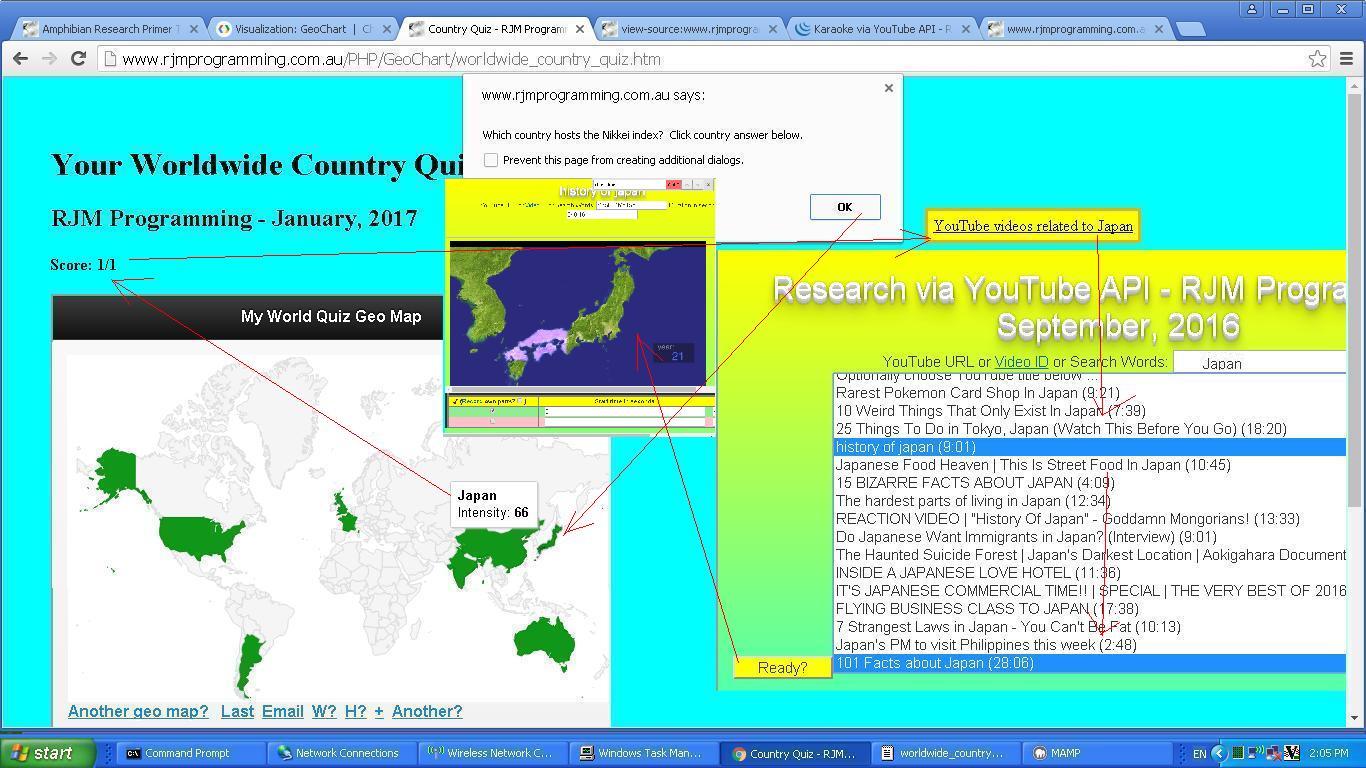
Building on our start to our “Worldwide Country Quiz” (game) project with Worldwide Country Quiz Game Primer Tutorial as shown below, today we add functionality that uses the marvellous YouTube API for embedding videos into HTML iframe elements, to offer the user a video viewing experience in parallel, and optional, regarding their Worldwide Quiz question followup thoughts.
The primary followup thought is to interface to the biggest online Video repository, YouTube, and use their great API to embed YouTube videos within HTML iframe elements on your webpage. Perusing YouTube you may have noticed that for many years now at YouTube Share button options, there have been ways to have YouTube help you to “cut” the video embedding HTML code necessary to display a video. Well, we do that in an HTML iframe element, optionally, in our quiz (game). The use of this added YouTube video playing functionality is dynamic by nature, and only changing the flow of the rest of the quiz if the user decides to click an HTML a element to start the ball rolling, and so we use Javascript DOM techniques on those wonderfully flexible HTML div elements to achieve this.
Another matter we have started out on today is the support the Google Chart Geo Chart has for Regional work, rather than just Country based lookups. Here, the Geo Chart accepts an International ISO Two Character Country Code to hone in on City names that we can display within those countries. We might be refining this functionality as time goes on, with a less restrictive and “hardcoded” regime.
The supervising “parent” HTML and Javascript now looks like this (and whose code you could peruse and/or download via worldwide_country_quiz.htm, changed from yesterday in this way) or played in that other method mentioned above, just with the Google Chart Geo Chart, with this alternative live run (with its amended PHP code you could call geo_chart.php, modified in this way).
We again hope you enjoy the quiz.
Previous relevant Worldwide Country Quiz Game Primer Tutorial is shown below.
Worldwide Country Quiz Game Primer Tutorial
It feels like we’ve been here before, because of Country Quiz Game Suite YouTube Tutorial‘s Flag/Capital/Currency “listy” approach, but the fact is, as you program, you find interesting alternative ways to do things, and you hope that alternative ways of doing things also present themselves. This latter concept is primarily good, in our eyes, because it is likely you’ll improve on an earlier effort, given its thinking and logic “added on” to your current thinking and logic.
And so today’s “Worldwide Country Quiz” came about for us thinking about that previous Country Quiz Game Suite YouTube Tutorial idea with a Google Chart mapping component addition (thanks). Then we thought of the Google Chart Geo Chart and wondered where it could fit into our line of thinking. We’d forgotten how it worked, and indeed, revisiting the Google Chart Geo Chart webpage, as with the MAMP “revisit” recently, we saw that “functionality” had extended, and moved on. It this like the John Lennon song? But the new Geo Chart functionality added to the traditional “marker” functionality we knew, might need to be looked at another day, whereas a rethink of the “marker” functionality and some additional user passed data, we decided, would be enough to swing it so that we could create this new “Worldwide Country Quiz” via …
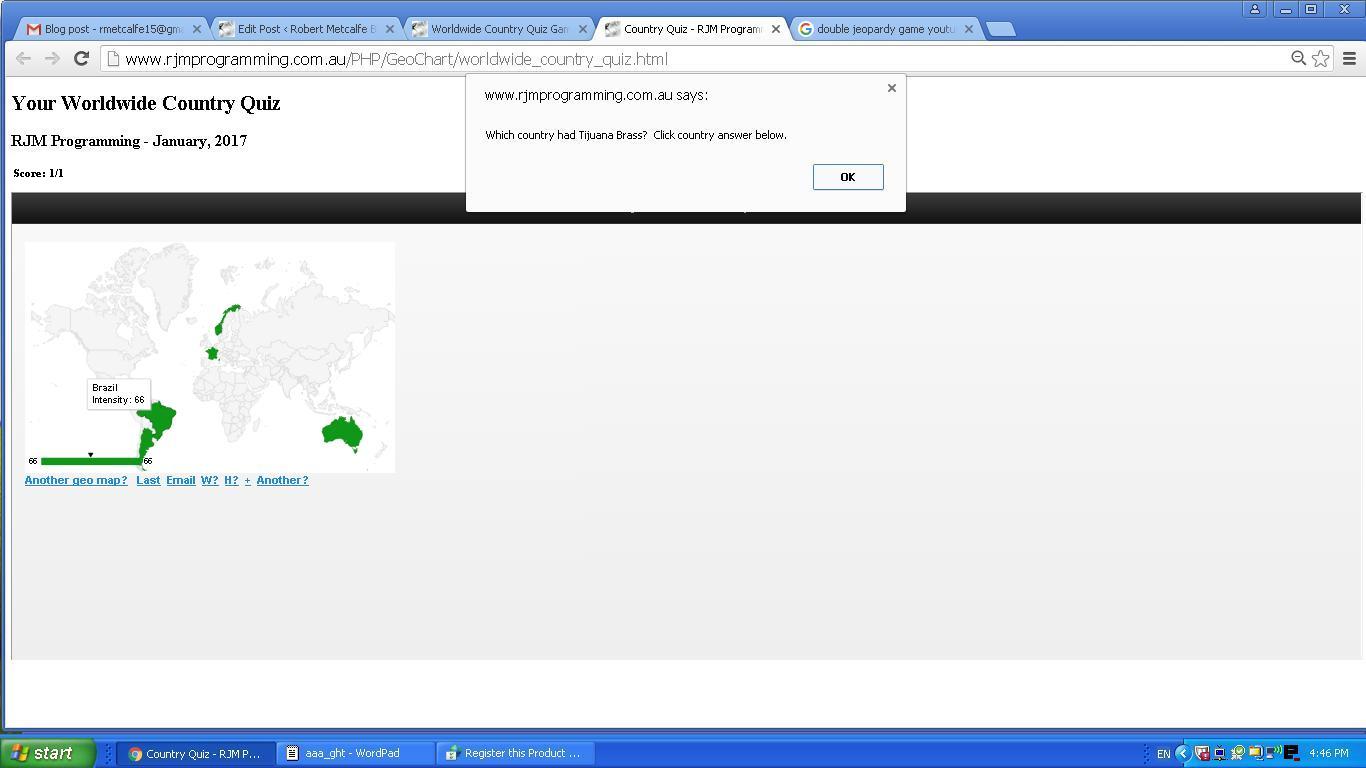
The pleasing we found about this design, that we didn’t plan, but it became apparent, was that this “quiz” functionality can be used by just using the Google Chart Geo Chart web application on its own, have two players hovering, and while one player looks away, the other “questioning” player can, at the “rejigged” title.Javascript prompt window designate a guess and question data item, specifying the [&]onclick[=]Y as they do this, and proceed pretty much as normal with the rest of the normal Google Chart Geo Chart specification steps they normally do, but perhaps best off giving every Country they give a Value too the same Value, so that later when the “answering” player is allowed to turn around, what they see is a Javascript prompt window showing the “questioning” player’s quiz question with several equally tinted Country outlines (that are the only ones whose onclick “select” logic will trigger, when clicked or tapped) will show as the Multiple Choice choices constructed by the “questioning” player as the challenge for the “answering” player to pick (or click or tap) correctly.
Only in the case of that Google Chart Geo Chart being supervised by a (probably) HTML and Javascript web application that has any innerHTML type HTML element named “score”, a correct answer scores (all of) one point, but even if wrong, triggers an incrementing of the “goes” count part of the. …
parent.document.getElementById('score').innerHTML='Score: ' + [childDeterminedScoreValue] + '/' + [childDeterminedGoesBit];
… design, enough to give the supervising “parent” the means by which to know that the “show” (quiz) should go on.
This “Double Jeopardy” feeling game can be played via this supervised “parent” HTML and Javascript live run (whose code you could peruse and/or download via worldwide_country_quiz.html) or played in that other method mentioned above, just with the Google Chart Geo Chart, with this alternative live run (with its amended PHP code you could call geo_chart.php, modified in this way).
We hope you enjoy either or both of the quiz (game) itself, or the design features of it.
Previous relevant Country Quiz Game Suite YouTube Tutorial is shown below.
Country Quiz Game Suite YouTube Tutorial
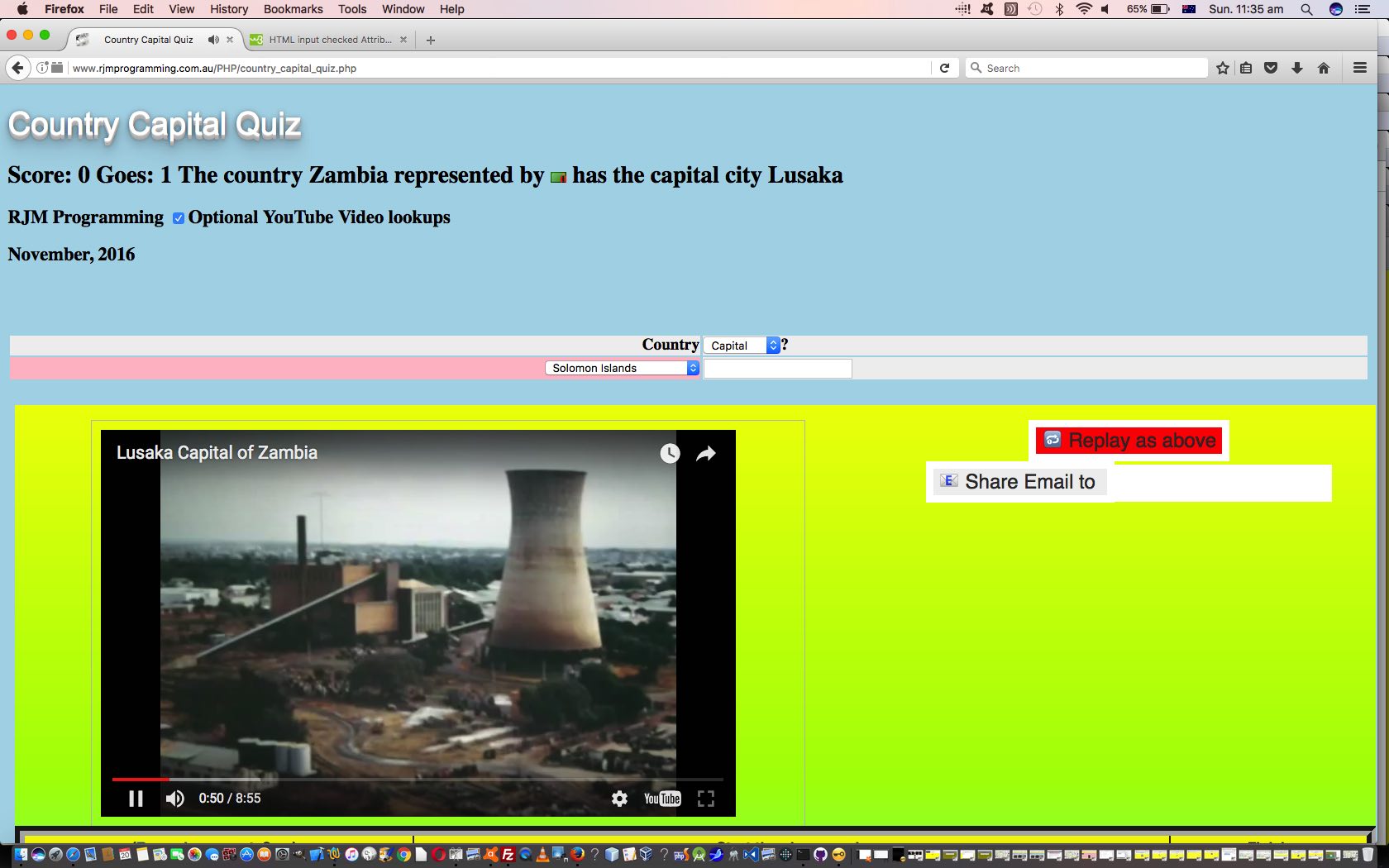
Today we are adding optional functionality to our previous web application from Country Quiz Game Suite Tutorial as shown below, and so it seems apt that we add one word for the title of today’s tutorial called “Country Quiz Game Suite YouTube Tutorial”, and that added word is “YouTube”, the biggest repository of videos in the online world.
So we are trying to spice up the “dry” look of the “Country Quiz Game Suite” of web applications by adding optional lookups of YouTube so that the user can choose to watch a video about the last question that was asked about in the quiz. Is there a reason to use a “YouTube” search for this, rather than a search engine search? For us, yes, and this can be put down to the wonders of the YouTube API designed for embedding in HTML iframe elements, which you can read a thread of blog posts about from Karaoke via YouTube API in Iframe Email Tutorial down. This ability is a huge UX positive for use of these web applications, on mobile platforms in particular, because the YouTube video “interface” parts of the webpage can be placed on the webpage the user is currently using, rather than having to open any new windows, and have the user be in danger of “losing the plot”.
Added to that advantage is the way the user can do research and development on topics that may interest them. To us, the most important point here.
So far we’ve talked about what the changes involve, and now we’ll turn our attention to how these changes were achieved. In broad brush terms …
… using a call like …
<script type='text/javascript' src='country_quiz.js' defer='defer'></script>… this setTimeout methodology remaining as independent from any potential logic clashes with parent HTML Javascript onload event logic
Nothing changes about the peer to peer nature of this “Country Quiz Game Suite” of web applications, so we encourage you to try any/all of them … let’s try … flags.
Previous relevant Country Quiz Game Suite Tutorial is shown below.
Country Quiz Game Suite Tutorial
Think we may have done a (web application software) set before, but honestly cannot locate it, but in any case we are here today to tell you about one of the joys of server side programming, in our case PHP.
That joy, for us, is when you get into a pattern of completely peer to peer software components, in our case PHP serverside web applications. What do we mean by peer to peer in the way we feel about the thought? It means that several, usually small, completely independent web applications can …
… and this really appeals to us. Sometimes such an arrangement can be thought of as a “suite” of web applications (or programs).
So what is that really simple mechanism of linking …
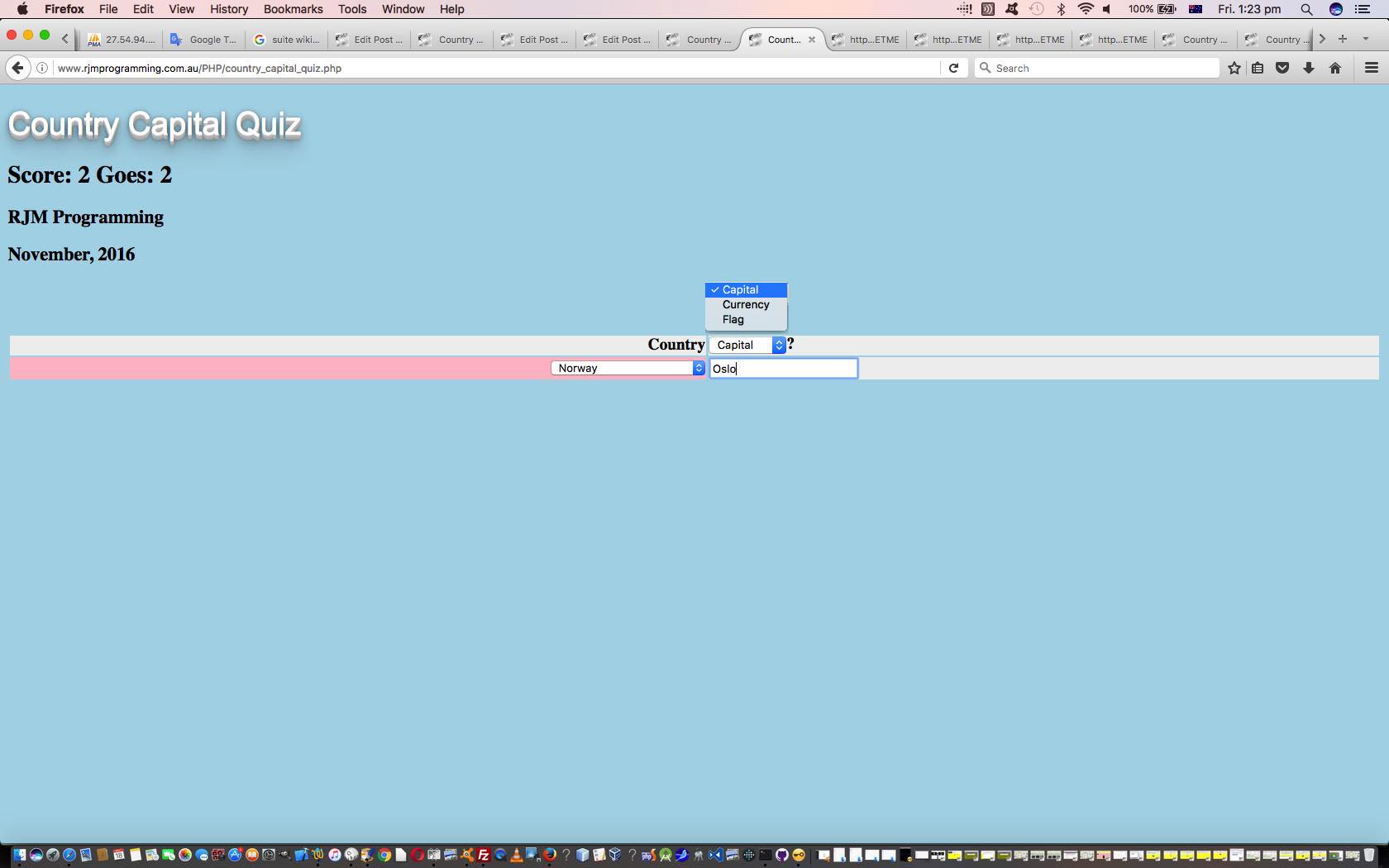
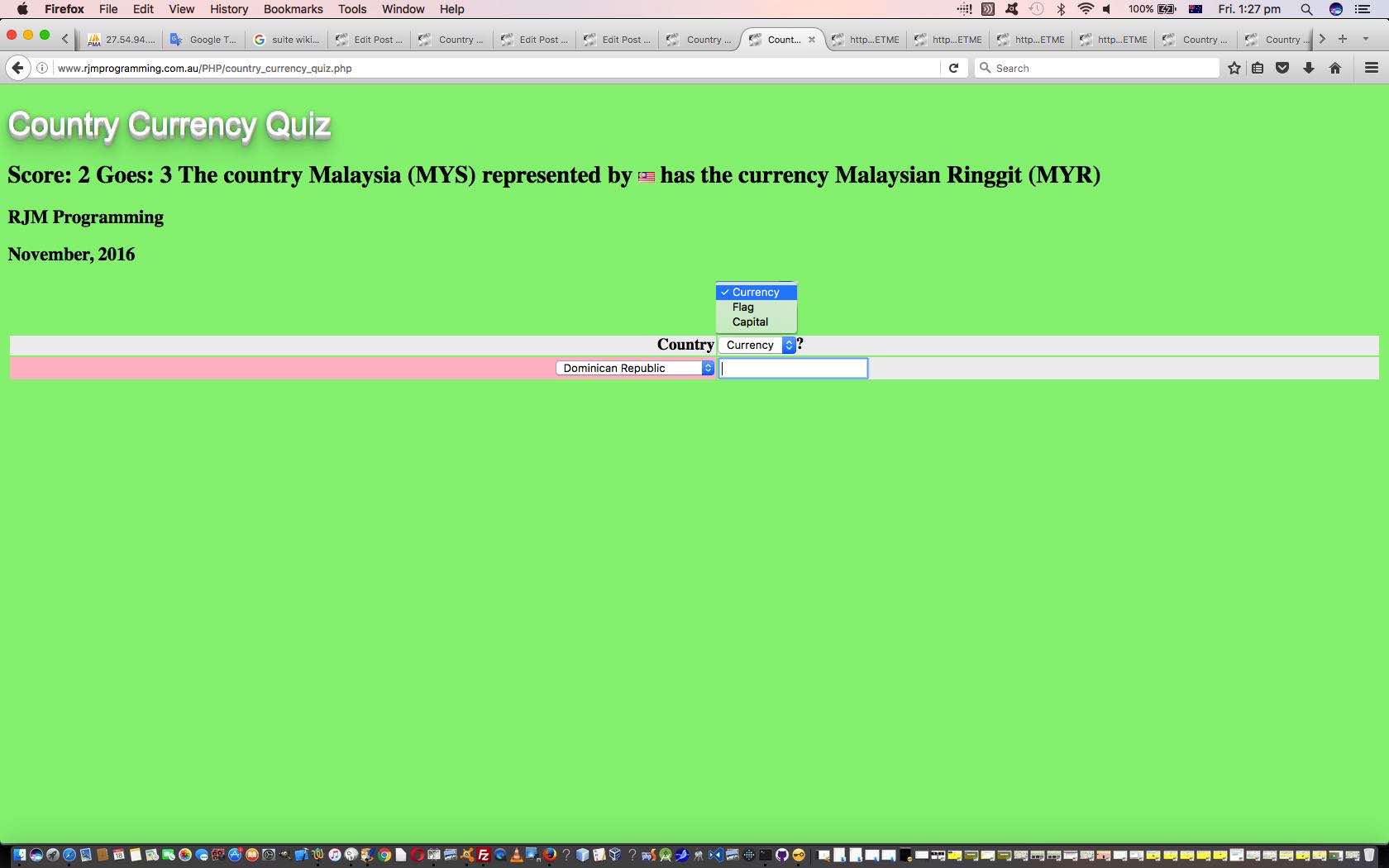
? We just have a rearranged HTML select (dropdown) element as below (exemplified below for the “Country Capital Quiz”) …
<select onchange=' location.href="http://www.rjmprogramming.com.au/PHP/country_" + this.value.toLowerCase() + "_quiz.php"; '><option value=Capital>Capital</option><option value=Currency>Currency</option><option value=Flag>Flag</option></select>
… but just arrange for the “home” top HTML option element to point at the quiz theme of interest for that piece of web application PHP software.
And the placement of such a dropdown? Well, we often annoy our HTML h1 elements with such dropdowns, but we’ve been a little more UXy today, by replacing an otherwise less dynamic (HTML (table) th element) heading (single word), with something dynamic, and perhaps useful, to some quizzer users out there in “net” land!
And this is what we like to think of as “clobbering” (but we encourage you to think of a less aggressive word perhaps) something not very dynamic with something dynamic, but optionally so, in that it is up to the user whether they make use of the added functionality, or not, is another way “some of us we like to roll”.
Now, perhaps you are thinking it rather cheeky to say that this is so peer to peer with the quiz concepts being so different, and yes, that is so, but what does bring things together is the generosity of the “net” and its data resources to find out information, so, we’d like to thank …
If you don’t have an interest in a server side language like PHP to glean such information, please consider Ajax programming techniques to be able to (just) stick with HTML and Javascript and CSS (client side) coding. But if you do … your PHP homework for today is to read about the file_get_contents method.
Previous relevant Country Flag Quiz Game Primer Tutorial is shown below.
Country Flag Quiz Game Primer Tutorial
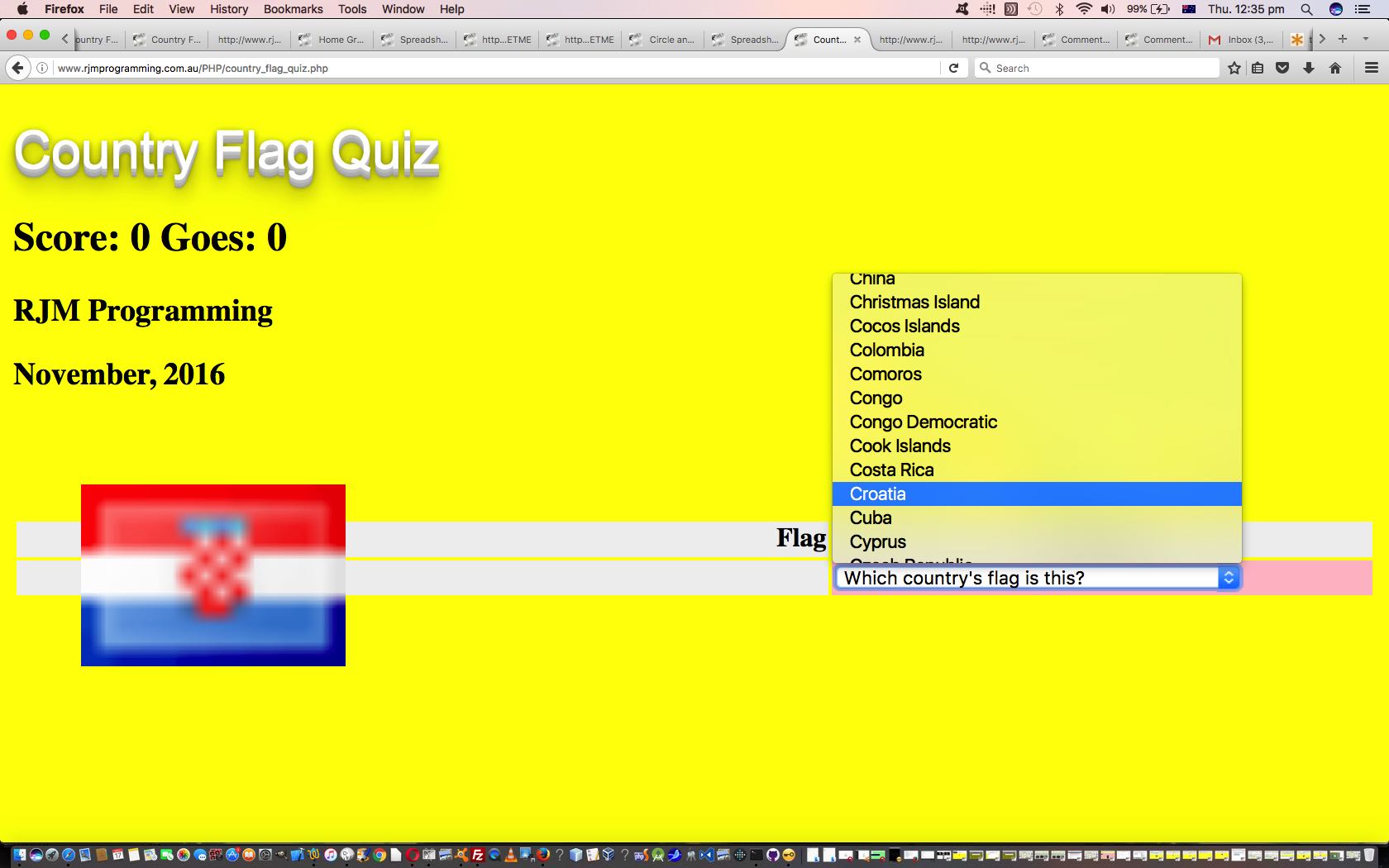
Often, the simpler you make the working of a web application, the more appealing it is. Not always, but often. Lots of us like to test our knowledge with a quiz, and lots of us have our specialty subjects. So, today’s “Country Flag Quiz” web application, that we also talk about at WordPress 4.1.1’s Country Flag Quiz Game Primer Tutorial, will be right up the alley of some people. Got to say that it felt like a huge challenge to get a decent score in this game, speaking personally, and found myself resorting to … but we digress … to come up with a pass mark for the game.
Today’s game we wrote in PHP (that you could call country_flag_quiz.php and which you can try with today’s live run link) and used its Supercalifragilisticexpialidocious glob method … we’ve spoken about (quite a bit) here.
We need to thank the excellent Tiki Wiki CMS product (which you can try for yourself at this test website) for the help with the country flag imagery, as well, today.
If this was interesting you may be interested in this too.
If this was interesting you may be interested in this too.
If this was interesting you may be interested in this too.
If this was interesting you may be interested in this too.
If this was interesting you may be interested in this too.
If this was interesting you may be interested in this too.
If this was interesting you may be interested in this too.
If this was interesting you may be interested in this too.
If this was interesting you may be interested in this too.
ComboBox Idea Datalist Tutorial
Onto yesterday’s ComboBox Idea Primer Tutorial‘s …
| Button/Select | Input/Datalist ( … today, as a second Combobox idea we add …) |
||||
|---|---|---|---|---|---|
|
|
||||
|
|||||
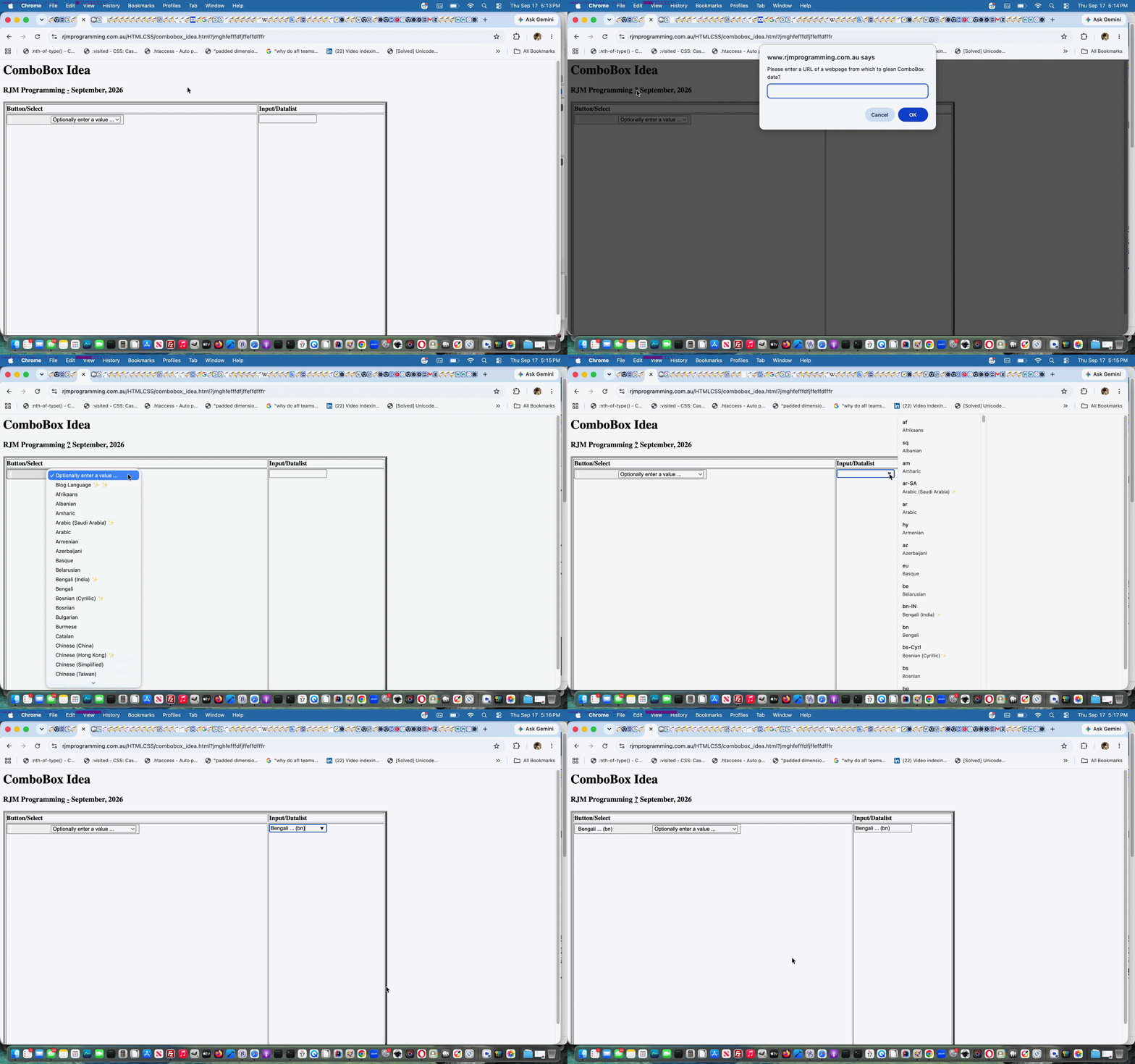
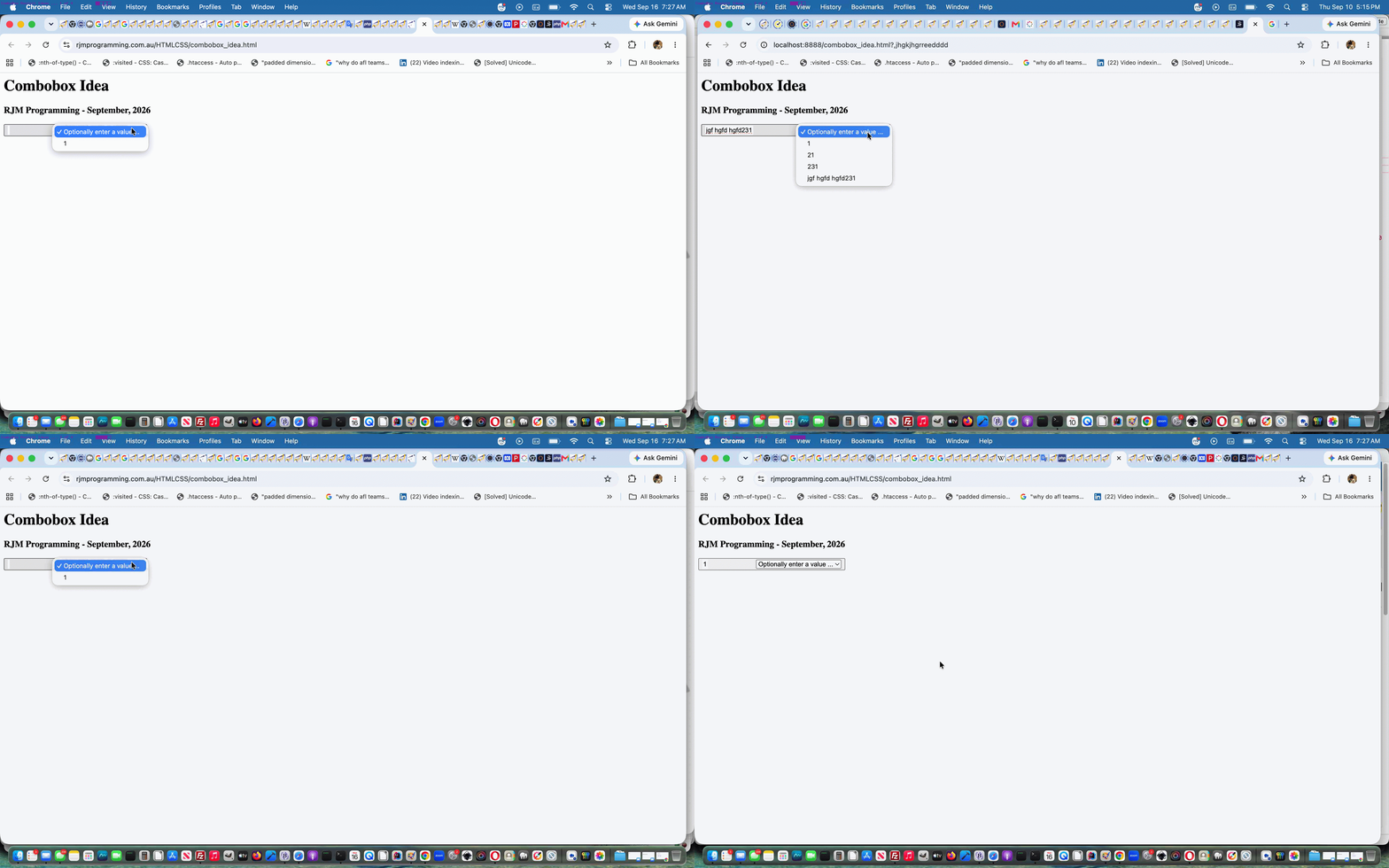
… and decided, as a Javascript ploy to use, with either idea, if an option value differs from it’s associated text (ie. it’s innerHTML or innerText) we’d represent a dropdown or datalist selected button or input element representation as …
innerHTML (value)
… which becomes more interesting, we’re hoping, by today’s additional functionality allowing a user to enter a URL (when the ? link appears) whose content is scoured for either …
… first such element to glean content (especially as the ComboBox concept is all to do with “data”) to adopt for either guise of ComboBox. With the Input/Datalist one you maybe select a datalist option, but to have another go, you may have to change the input value to nothing for a datalist to be offered again. The Button/Select is more our hybrid not having this idea in place.
Feel free to try the changed second draft ComboBox ideas further explorations …
Previous relevant ComboBox Idea Primer Tutorial is shown below.
ComboBox Idea Primer Tutorial
We’ve long been interested in what used to be a cute feature of GUI widgetry desktop web applications (before any mobile anything) called “ComboBox” as talked about at Button Innards Primer Tutorial. To us, what a “ComboBox”‘s essence is …
Combination of interactively keyboard entry and/or a dropdown means of data definition
… and, like with that tutorial linked to above, it is an HTML button element we start with …
<button onclick="document.getElementById('ssave').focus();" id=bsave><span style='background-color:white;min-width:40px;padding:2 2 2 2;' onclick="event.stopPropagation();" id=ssave onblur=lsit(this); contenteditable="true"></span><select onclick="event.stopPropagation();" style='margin-left:100px;' contenteditable=yes onchange=recallsm(this); id=savedd><option value=''>Optionally enter a value ...</option><option value=1>1</option></select></button>
… in our revisit to the concept, today, with a first draft ComboBox ideas exploratory effort.
Previous relevant Button Innards Primer Tutorial is shown below.
Button Innards Primer Tutorial
Yesterday’s …
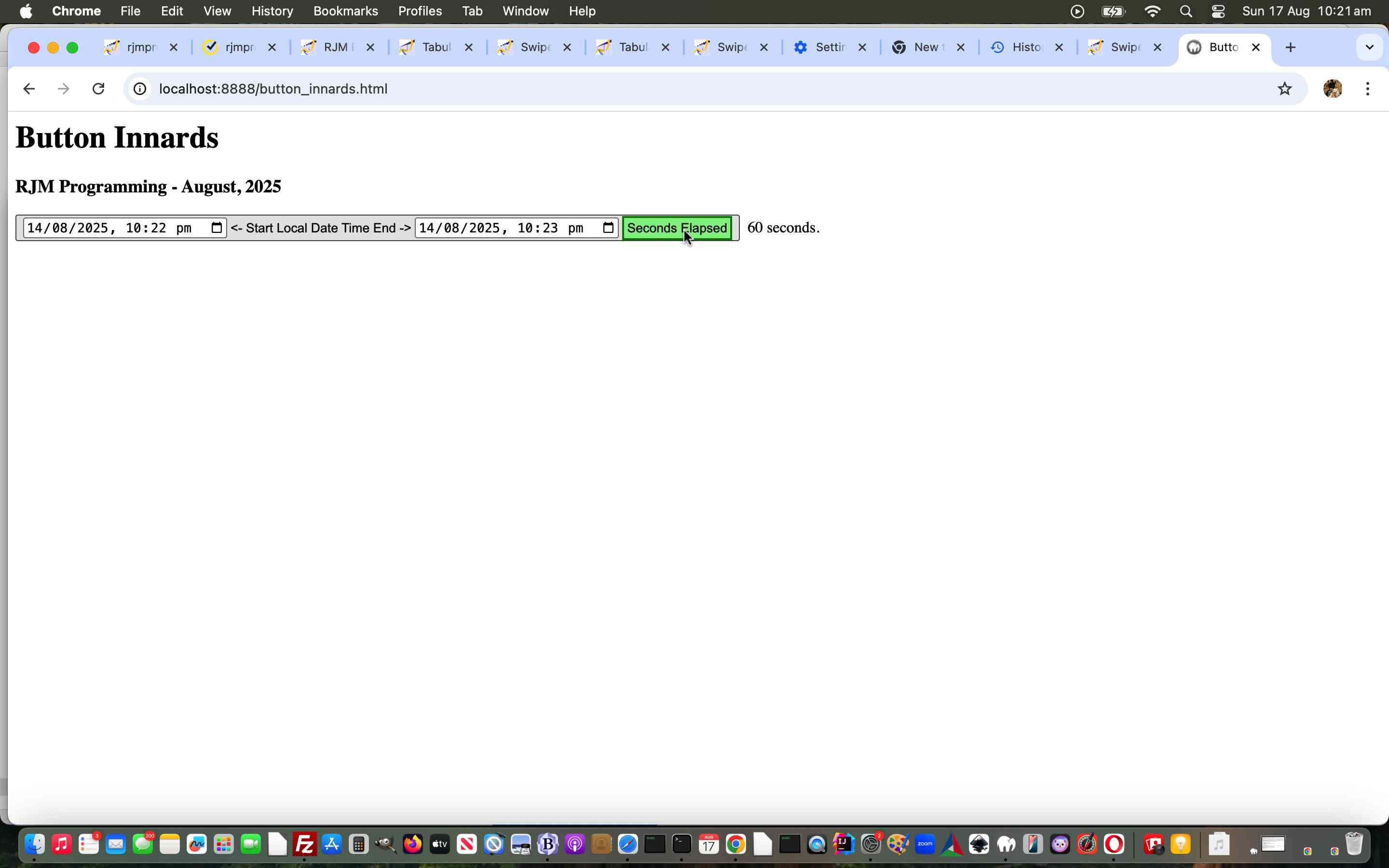
… combine, today, starting down, again, the road to “button innards” interest.
We thought the “how we got there” concept of embedding the form elements of data into “button innards” (ie. it’s innerHTML) in our new “button innards” web application interesting. Of course you don’t have to do this simple exercise of calculating time elapsed between two datetimes this way, but what we wanted to show was that with lots of things in web design, by now, there is more than one way to crack an egg …
Previous relevant Bookmark Exporting Filtering Sharing Tutorial is shown below.

Bookmark Exporting Filtering Sharing Tutorial
Yesterday’s Making of Ffmpeg Video Overall Effects Tutorial‘s “first draft” feel of our inhouse Bookmark Export Filtering web application showed just that. Yes, there was quite a lot to improve on, the way we saw it being …
  function yesthreethree(restis) {

   if (document.getElementById('bmkdata')) {

    if (restis.indexOf('data:') == 0) {

      if (restis.indexOf(';base64,') != -1) {

        document.getElementById('bmkdata').value='' + window.atob(restis.split(';base64,')[1]);

        analyze(document.getElementById('bmkdata')); //document.getElementById('bmkdata').blur();

      } else if (restis.indexOf(';utf8,') != -1) {

        document.getElementById('bmkdata').value='' + (restis.split(';utf8,')[1]);

        analyze(document.getElementById('bmkdata')); //document.getElementById('bmkdata').blur();

      }

    } else {

      document.getElementById('bmkdata').value=restis;

      analyze(document.getElementById('bmkdata')); //document.getElementById('bmkdata').blur();

    }

   }

  }
… and because the amounts of data can be large (and too big for a method=GET HTML form arrangement that clientside HTML/Javascript is capable of servicing) we were glad adding this Sharing functionality that yesterday we’d already started down the line of thinking that the …
… because with these methodologies the web server restrictions on (address bar) URL lengths (ie. error 414) melt away, at least for data lengths we’ve encountered with our testing so far, and that applies also to …
… Sharing …
  var mysubject='My Bookmarked Links ...', xlocationhref='';

  if (('' + location.hash).indexOf('bmkdata=') != -1) { locationhash=location.hash;  }


  function doemail() {

     if (document.getElementById('bmkdata').value.trim() != '') {

       locationhash='#bmkdata=' + window.btoa(encodeURIComponent(document.getElementById('bmkdata').value));

       mysubject='My Bookmarked Links ...';

       if (document.getElementById('dtone').value.trim() != '' && document.getElementById('dttwo').value.trim() != '') {

          mysubject='My Bookmarked Links from ' + document.getElementById('dtone').value.trim() + ' to ' + document.getElementById('dttwo').value.trim() + ' ... ';

       } else if (document.getElementById('dtone').value.trim() != '') {

          mysubject='My Bookmarked Links from ' + document.getElementById('dtone').value.trim() + ' ... ';

       } else if (document.getElementById('dttwo').value.trim() != '') {

          mysubject='My Bookmarked Links up until ' + document.getElementById('dttwo').value.trim() + ' ... ';

       }

       if (ulli && !utable) {

        recipient=prompt('Please enter email address to send to?  Will output UL/LI else if some blanks will output Table.  Default email Subject is ' + mysubject + ' ... but if you want a different one append a hash (#) followed by your own Subject for the Email.', '');

        if (recipient == null) { recipient=''; } else if (recipient.indexOf('@') == -1) { recipient='';  } else if (eval('' + recipient.indexOf('#')) > eval('' + recipient.indexOf('@'))) {  mysubject=recipient.split('#')[1]; recipient=recipient.split('#')[0];  }

        if (recipient.indexOf(' ') != -1) {

        locationhref=document.URL.split('?')[0].split('#')[0] + '?table=y&dtone=' + encodeURIComponent(document.getElementById('dtone').value) + '&dttwo=' + encodeURIComponent(document.getElementById('dttwo').value); // + '#bmkdata=' + encodeURIComponent(document.getElementById('bmkdata').value);

        } else {

        locationhref=document.URL.split('?')[0].split('#')[0] + '?ulli=y&dtone=' + encodeURIComponent(document.getElementById('dtone').value) + '&dttwo=' + encodeURIComponent(document.getElementById('dttwo').value); // + '#bmkdata=' + encodeURIComponent(document.getElementById('bmkdata').value);

        }

        xlocationhref=locationhref;

        if (recipient.trim() != '') {

           if (1 == 1) {

           processit();

           } else {

           document.getElementById('spareshare').href='mailto:' + recipient.replace(/\ /g,'') + '?subject=' + encodeURIComponent(mysubject) + '&body=' + encodeURIComponent(locationhref + locationhash);

           document.getElementById('spareshare').click();

           recipient='';

           }

        }

       } else if (utable) {

        recipient=prompt('Please enter email address to send to?  Will output UL/LI else if some blanks will output Table.  Default email Subject is ' + mysubject + ' ... but if you want a different one append a hash (#) followed by your own Subject for the Email.', '');

        if (recipient == null) { recipient=''; } else if (recipient.indexOf('@') == -1) { recipient='';  } else if (eval('' + recipient.indexOf('#')) > eval('' + recipient.indexOf('@'))) {  mysubject=recipient.split('#')[1]; recipient=recipient.split('#')[0];  }

        if (recipient.indexOf(' ') != -1) {

        locationhref=document.URL.split('?')[0].split('#')[0] + '?table=y&dtone=' + encodeURIComponent(document.getElementById('dtone').value) + '&dttwo=' + encodeURIComponent(document.getElementById('dttwo').value); // + '#bmkdata=' + encodeURIComponent(document.getElementById('bmkdata').value);

        } else {

        locationhref=document.URL.split('?')[0].split('#')[0] + '?ulli=y&dtone=' + encodeURIComponent(document.getElementById('dtone').value) + '&dttwo=' + encodeURIComponent(document.getElementById('dttwo').value); // + '#bmkdata=' + encodeURIComponent(document.getElementById('bmkdata').value);

        }

        xlocationhref=locationhref;

        if (recipient.trim() != '') {

           if (1 == 1) {

           processit();

           } else {

           document.getElementById('spareshare').href='mailto:' + recipient.replace(/\ /g,'') + '?subject=' + encodeURIComponent(mysubject) + '&body=' + encodeURIComponent(locationhref + locationhash);

           document.getElementById('spareshare').click();

           recipient='';

           }

        }

       }

     }

  }


  function dosms() {

     if (document.getElementById('bmkdata').value.trim() != '') {

       locationhash='#bmkdata=' + window.btoa(encodeURIComponent(document.getElementById('bmkdata').value));

       if (ulli && !utable) {

        recipient=prompt('Please enter SMS number to send to?   Will output UL/LI else if some blanks will output Table.', '');

        if (recipient == null) { recipient=''; } else if (recipient.trim() != '' && recipient.trim().replace(/0/g,'').replace(/1/g,'').replace(/2/g,'').replace(/3/g,'').replace(/4/g,'').replace(/5/g,'').replace(/6/g,'').replace(/7/g,'').replace(/8/g,'').replace(/9/g,'') != '') { recipient='';  }

        if (recipient.indexOf(' ') != -1) {

        locationhref=document.URL.split('?')[0].split('#')[0] + '?table=y&dtone=' + encodeURIComponent(document.getElementById('dtone').value) + '&dttwo=' + encodeURIComponent(document.getElementById('dttwo').value); // + '#bmkdata=' + encodeURIComponent(document.getElementById('bmkdata').value);

        } else {

        locationhref=document.URL.split('?')[0].split('#')[0] + '?ulli=y&dtone=' + encodeURIComponent(document.getElementById('dtone').value) + '&dttwo=' + encodeURIComponent(document.getElementById('dttwo').value); // + '#bmkdata=' + encodeURIComponent(document.getElementById('bmkdata').value);

        }

        xlocationhref=locationhref;

        if (recipient.trim() != '') {

           if (1 == 1) {

           processit();

           } else {

           document.getElementById('spareshare').href='sms:' + recipient.replace(/\ /g,'') + '&body=' + encodeURIComponent(locationhref + locationhash);

           document.getElementById('spareshare').click();

           recipient='';

           }

        }

       } else if (utable) {

        recipient=prompt('Please enter SMS number to send to?   Will output UL/LI else if some blanks will output Table.', '');

        if (recipient == null) { recipient=''; } else if (recipient.trim() != '' && recipient.trim().replace(/0/g,'').replace(/1/g,'').replace(/2/g,'').replace(/3/g,'').replace(/4/g,'').replace(/5/g,'').replace(/6/g,'').replace(/7/g,'').replace(/8/g,'').replace(/9/g,'') != '') { recipient='';  }

        if (recipient.indexOf(' ') != -1) {

        locationhref=document.URL.split('?')[0].split('#')[0] + '?table=y&dtone=' + encodeURIComponent(document.getElementById('dtone').value) + '&dttwo=' + encodeURIComponent(document.getElementById('dttwo').value); // + '#bmkdata=' + encodeURIComponent(document.getElementById('bmkdata').value);

        } else {

        locationhref=document.URL.split('?')[0].split('#')[0] + '?ulli=y&dtone=' + encodeURIComponent(document.getElementById('dtone').value) + '&dttwo=' + encodeURIComponent(document.getElementById('dttwo').value); // + '#bmkdata=' + encodeURIComponent(document.getElementById('bmkdata').value);

        }

        xlocationhref=locationhref;

        if (recipient.trim() != '') {

           if (1 == 1) {

           processit();

           } else {

           document.getElementById('spareshare').href='sms:' + recipient.replace(/\ /g,'') + '&body=' + encodeURIComponent(locationhref + locationhash);

           document.getElementById('spareshare').click();

           recipient='';

           }

        }

       }

     }

  }


  function fillin() {

    if (document.getElementById('rt') && document.getElementById('rd') && document.getElementById('rs')) {

      if (document.getElementById('rd').innerHTML == document.getElementById('rs').outerHTML) {

         document.getElementById('rd').innerHTML=document.getElementById('rs').outerHTML + document.getElementById('rt').value;

      }

    }

  }


// Coming back from an email or SMS link click ...


  if (document.URL.indexOf('?') == -1 && ('' + location.hash).indexOf('bmkdata=') != -1) {

     setTimeout(function(){

        document.getElementById('resulting').innerHTML=decodeURIComponent(('' + location.hash).split('bmkdata=')[1]).replace('><summary', ' open><summary').replace('<details title=', '<details data-title=');

        fillin();

     }, 5000);

  }
… concepts, happily. Keeping it all “just clientside” means we can be talking meaningfully to a larger chunk of audience … if you’re listening, that is?!
So, again, feel free to try our “second draft” dated_bookmarks.html Dated Bookmark Export web application, yourself, perhaps below.
Previous relevant Making of Ffmpeg Video Overall Effects Tutorial is shown below.
Making of Ffmpeg Video Overall Effects Tutorial
At the end of yesterday’s Ffmpeg Video Overall Effects Tutorial there was an Unordered List …
- curves — ffmpeg examples
- Converts GIMP colour curve to something the FFmpeg can read in the curve filter · GitHub
- Top 20 best commands for FFmpeg
- Create video with 5 images with fadeIn/out effect in ffmpeg
- ffmpeg Color Correction: Gamma, Brightness and Saturation
- Accidentally applied an “incandescent light” video filter on a video I filmed on my Sony RX100. Is there any way to remove or reverse this effect on the video?
- More Cool FFmpeg Tricks
- Creating Retro Glow Effects with FFmpeg
- Is it possible to generate such effects purely with ffmpeg?
- Creating a retro glow effect with FFmpeg
- FFmpeg Filters Documentation
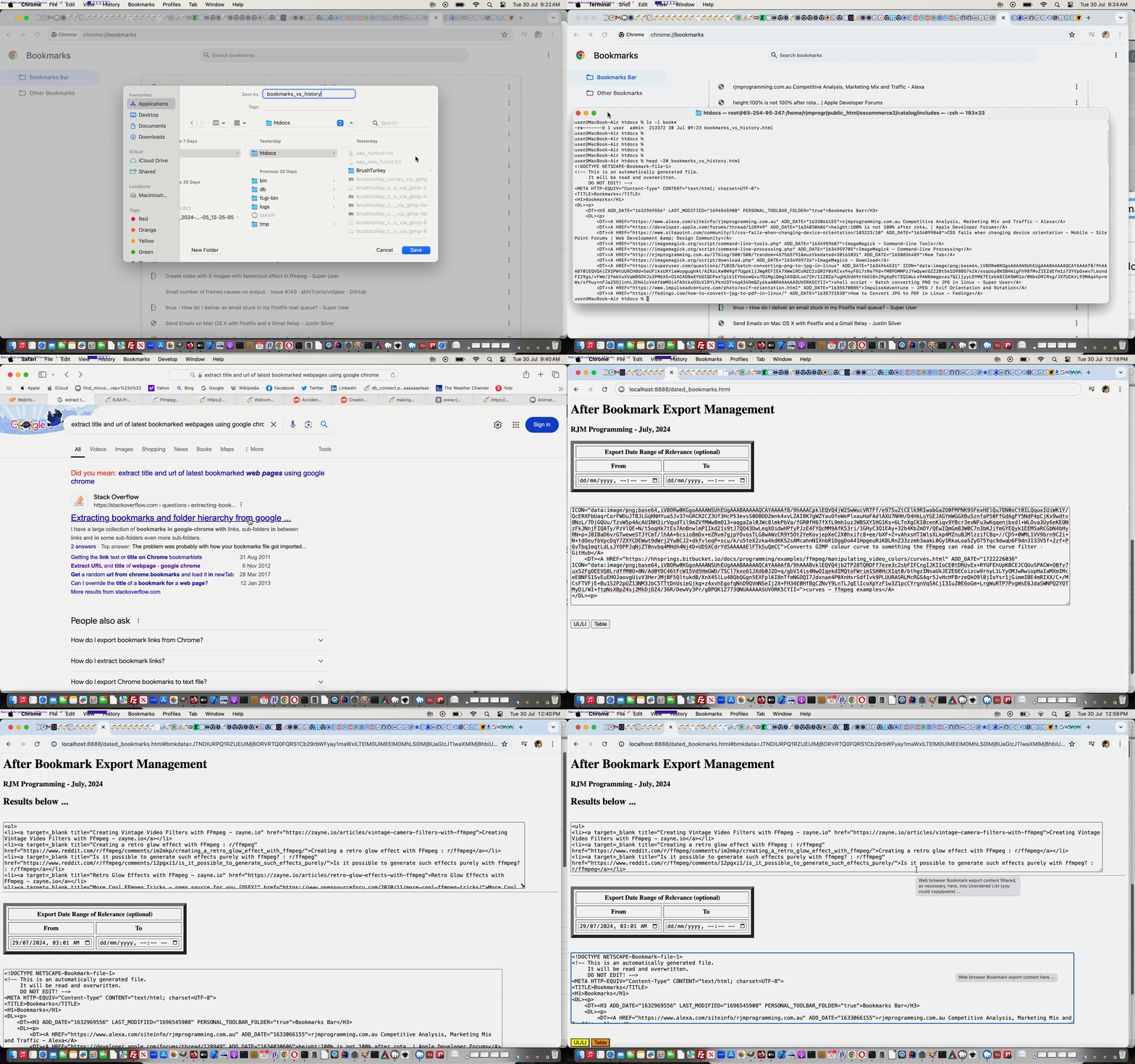
… of links, am sure a lot of you would guess, were gleaned (within our Google Chrome web browser History (of that day)) Bookmarked (by us) webpages. We actually compiled via (the clunky and fairly slow) …
… and we wish we could have got that hour and a half back, from yesterday, via swapping yesterday for today?!
Feel free to try our “first draft” proof of concept Dated Bookmark Export web application, yourself.
Did you know?
Not all web browser brands have any Export Bookmarks functionality, like Google Chrome offers here on macOS. We’re going to be examining others, over time, and try to make our inhouse logic fit in with how that Bookmark data looks, on export, should we find any other Web Browser brands offering this functionality.
Previous relevant Ffmpeg Video Overall Effects Tutorial is shown below.
Ffmpeg Video Overall Effects Tutorial
Today’s work (all on our macOS MAMP local Apache/PHP/MySQL web server environment) is only “toe dipping” in a “great big sea of possibilities” regarding the great ffmpeg‘s “filtering style abilities” further to yesterday’s Ffmpeg Video Subliminal Message Tutorial, but …
… we’re hoping. And it’s not as if ffmpeg was on it’s own here with the second concept below …
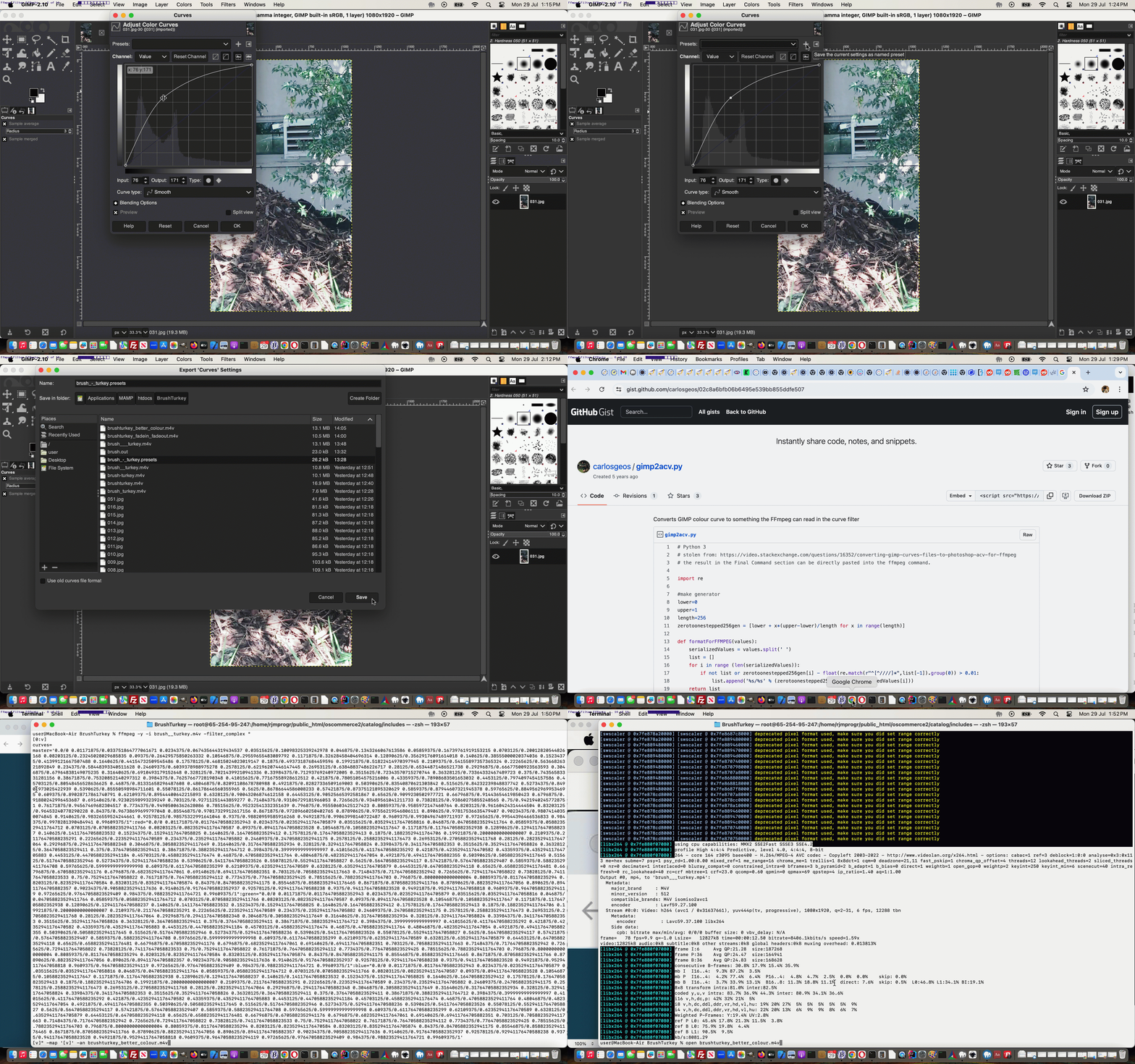
ffmpeg -i brush__turkey.m4v -vf "fade=in:0:5,fade=out:73:5" brushturkey_fadein_fadeout.m4v
… as the …
… enacting …
python3 ../gimp_curves_ffmpeg.py
ffmpeg -y -i brush__turkey.m4v -filter_complex "

[0:v]

curves=

master='0.0/0 0.01171875/0.033751864777061671 0.0234375/0.067435644319434537 0.03515625/0.10098325339242978 0.046875/0.1343266067613586 0.05859375/0.16739761919153215 0.0703125/0.20012820544826168 0.08203125/0.23245028029685835 0.09375/0.26429575850263332 0.10546875/0.29559655483089792 0.1171875/0.32628458404696314 0.12890625/0.35629176091614018 0.140625/0.38555000020374036 0.15234375/0.41399121667507488 0.1640625/0.44154732509545486 0.17578125/0.46815024023019147 0.1875/0.49373187684459596 0.19921875/0.51822414970397945 0.2109375/0.54155897357365324 0.22265625/0.56366826321892849 0.234375/0.58448393340511628 0.24609375/0.6039378988975278 0.2578125/0.62196207446147445 0.26953125/0.63848837486226717 0.28125/0.65344871486521738 0.29296875/0.66677500923563593 0.3046875/0.67964838149075235 0.31640625/0.6910493179152648 0.328125/0.70214399210941336 0.33984375/0.71293769240972005 0.3515625/0.72343570715270744 0.36328125/0.73364332467489723 0.375/0.74356583331281156 0.38671875/0.75320852140297312 0.3984375/0.76257667728190348 0.41015625/0.77167558928612512 0.421875/0.78051054575216006 0.43359375/0.78908683501653032 0.4453125/0.7974097454157586 0.45703125/0.80548456528636625 0.46875/0.81331658296487608 0.48046875/0.82091108678780988 0.4921875/0.82827336509169003 0.50390625/0.83540870621303842 0.515625/0.84232239848837742 0.52734375/0.84901973025422939 0.5390625/0.85550598984711601 0.55078125/0.86178646560355965 0.5625/0.86786644586008233 0.57421875/0.87375121895320629 0.5859375/0.87944607321945378 0.59765625/0.88495629699534695 0.609375/0.89028717861740791 0.62109375/0.89544400642215893 0.6328125/0.90043206874612158 0.64453125/0.90525665392581867 0.65625/0.9099230502977721 0.66796875/0.91443654619850423 0.6796875/0.91880242996453687 0.69140625/0.92302598993239249 0.703125/0.92711251443859277 0.71484375/0.93106729181966053 0.7265625/0.93489561041211733 0.73828125/0.93860275855248565 0.75/0.94219402457728751 0.76171875/0.94567469682304517 0.7734375/0.94905006362628086 0.78515625/0.95232541332351639 0.796875/0.95550603425127423 0.80859375/0.9585972147460764 0.8203125/0.96160424314444504 0.83203125/0.96453240778290228 0.84375/0.96738699699797048 0.85546875/0.97017329912617156 0.8671875/0.97289660250402765 0.87890625/0.97556219546806111 0.890625/0.97817536635479407 0.90234375/0.98074140350074845 0.9140625/0.98326559524244661 0.92578125/0.98575322991641046 0.9375/0.98820959585916268 0.94921875/0.99063998140722487 0.9609375/0.99304967489711937 0.97265625/0.99544396466536833 0.984375/0.9978281390484941 0.99609375/1":red="0.0/0 0.01171875/0.011764705882352943 0.0234375/0.023529411764705879 0.03515625/0.035294117647058816 0.046875/0.047058823529411764 0.05859375/0.058823529411764712 0.0703125/0.07058823529411766 0.08203125/0.082352941176470587 0.09375/0.094117647058823528 0.10546875/0.10588235294117647 0.1171875/0.11764705882352938 0.12890625/0.12941176470588237 0.140625/0.14117647058823532 0.15234375/0.15294117647058825 0.1640625/0.1647058823529412 0.17578125/0.17647058823529413 0.1875/0.18823529411764706 0.19921875/0.20000000000000007 0.2109375/0.21176470588235291 0.22265625/0.22352941176470589 0.234375/0.23529411764705882 0.24609375/0.24705882352941175 0.2578125/0.25882352941176473 0.26953125/0.27058823529411768 0.28125/0.28235294117647064 0.29296875/0.29411764705882348 0.3046875/0.30588235294117649 0.31640625/0.31764705882352934 0.328125/0.3294117647058824 0.33984375/0.3411764705882353 0.3515625/0.35294117647058826 0.36328125/0.3647058823529411 0.375/0.37647058823529411 0.38671875/0.38823529411764712 0.3984375/0.39999999999999997 0.41015625/0.41176470588235292 0.421875/0.42352941176470582 0.43359375/0.43529411764705883 0.4453125/0.44705882352941184 0.45703125/0.45882352941176474 0.46875/0.47058823529411764 0.48046875/0.48235294117647054 0.4921875/0.49411764705882355 0.50390625/0.50588235294117645 0.515625/0.51764705882352946 0.52734375/0.52941176470588236 0.5390625/0.54117647058823526 0.55078125/0.55294117647058827 0.5625/0.56470588235294117 0.57421875/0.57647058823529407 0.5859375/0.58823529411764708 0.59765625/0.59999999999999998 0.609375/0.61176470588235299 0.62109375/0.62352941176470589 0.6328125/0.63529411764705879 0.64453125/0.6470588235294118 0.65625/0.65882352941176481 0.66796875/0.6705882352941176 0.6796875/0.68235294117647061 0.69140625/0.69411764705882351 0.703125/0.70588235294117663 0.71484375/0.71764705882352942 0.7265625/0.7294117647058822 0.73828125/0.74117647058823533 0.75/0.75294117647058822 0.76171875/0.76470588235294112 0.7734375/0.77647058823529425 0.78515625/0.78823529411764703 0.796875/0.80000000000000004 0.80859375/0.81176470588235294 0.8203125/0.82352941176470584 0.83203125/0.83529411764705874 0.84375/0.84705882352941175 0.85546875/0.85882352941176465 0.8671875/0.87058823529411766 0.87890625/0.88235294117647056 0.890625/0.89411764705882357 0.90234375/0.90588235294117636 0.9140625/0.91764705882352937 0.92578125/0.92941176470588238 0.9375/0.94117647058823528 0.94921875/0.95294117647058818 0.9609375/0.96470588235294119 0.97265625/0.97647058823529409 0.984375/0.98823529411764721 0.99609375/1":green="0.0/0 0.01171875/0.011764705882352943 0.0234375/0.023529411764705879 0.03515625/0.035294117647058816 0.046875/0.047058823529411764 0.05859375/0.058823529411764712 0.0703125/0.07058823529411766 0.08203125/0.082352941176470587 0.09375/0.094117647058823528 0.10546875/0.10588235294117647 0.1171875/0.11764705882352938 0.12890625/0.12941176470588237 0.140625/0.14117647058823532 0.15234375/0.15294117647058825 0.1640625/0.1647058823529412 0.17578125/0.17647058823529413 0.1875/0.18823529411764706 0.19921875/0.20000000000000007 0.2109375/0.21176470588235291 0.22265625/0.22352941176470589 0.234375/0.23529411764705882 0.24609375/0.24705882352941175 0.2578125/0.25882352941176473 0.26953125/0.27058823529411768 0.28125/0.28235294117647064 0.29296875/0.29411764705882348 0.3046875/0.30588235294117649 0.31640625/0.31764705882352934 0.328125/0.3294117647058824 0.33984375/0.3411764705882353 0.3515625/0.35294117647058826 0.36328125/0.3647058823529411 0.375/0.37647058823529411 0.38671875/0.38823529411764712 0.3984375/0.39999999999999997 0.41015625/0.41176470588235292 0.421875/0.42352941176470582 0.43359375/0.43529411764705883 0.4453125/0.44705882352941184 0.45703125/0.45882352941176474 0.46875/0.47058823529411764 0.48046875/0.48235294117647054 0.4921875/0.49411764705882355 0.50390625/0.50588235294117645 0.515625/0.51764705882352946 0.52734375/0.52941176470588236 0.5390625/0.54117647058823526 0.55078125/0.55294117647058827 0.5625/0.56470588235294117 0.57421875/0.57647058823529407 0.5859375/0.58823529411764708 0.59765625/0.59999999999999998 0.609375/0.61176470588235299 0.62109375/0.62352941176470589 0.6328125/0.63529411764705879 0.64453125/0.6470588235294118 0.65625/0.65882352941176481 0.66796875/0.6705882352941176 0.6796875/0.68235294117647061 0.69140625/0.69411764705882351 0.703125/0.70588235294117663 0.71484375/0.71764705882352942 0.7265625/0.7294117647058822 0.73828125/0.74117647058823533 0.75/0.75294117647058822 0.76171875/0.76470588235294112 0.7734375/0.77647058823529425 0.78515625/0.78823529411764703 0.796875/0.80000000000000004 0.80859375/0.81176470588235294 0.8203125/0.82352941176470584 0.83203125/0.83529411764705874 0.84375/0.84705882352941175 0.85546875/0.85882352941176465 0.8671875/0.87058823529411766 0.87890625/0.88235294117647056 0.890625/0.89411764705882357 0.90234375/0.90588235294117636 0.9140625/0.91764705882352937 0.92578125/0.92941176470588238 0.9375/0.94117647058823528 0.94921875/0.95294117647058818 0.9609375/0.96470588235294119 0.97265625/0.97647058823529409 0.984375/0.98823529411764721 0.99609375/1":blue="0.0/0 0.01171875/0.011764705882352943 0.0234375/0.023529411764705879 0.03515625/0.035294117647058816 0.046875/0.047058823529411764 0.05859375/0.058823529411764712 0.0703125/0.07058823529411766 0.08203125/0.082352941176470587 0.09375/0.094117647058823528 0.10546875/0.10588235294117647 0.1171875/0.11764705882352938 0.12890625/0.12941176470588237 0.140625/0.14117647058823532 0.15234375/0.15294117647058825 0.1640625/0.1647058823529412 0.17578125/0.17647058823529413 0.1875/0.18823529411764706 0.19921875/0.20000000000000007 0.2109375/0.21176470588235291 0.22265625/0.22352941176470589 0.234375/0.23529411764705882 0.24609375/0.24705882352941175 0.2578125/0.25882352941176473 0.26953125/0.27058823529411768 0.28125/0.28235294117647064 0.29296875/0.29411764705882348 0.3046875/0.30588235294117649 0.31640625/0.31764705882352934 0.328125/0.3294117647058824 0.33984375/0.3411764705882353 0.3515625/0.35294117647058826 0.36328125/0.3647058823529411 0.375/0.37647058823529411 0.38671875/0.38823529411764712 0.3984375/0.39999999999999997 0.41015625/0.41176470588235292 0.421875/0.42352941176470582 0.43359375/0.43529411764705883 0.4453125/0.44705882352941184 0.45703125/0.45882352941176474 0.46875/0.47058823529411764 0.48046875/0.48235294117647054 0.4921875/0.49411764705882355 0.50390625/0.50588235294117645 0.515625/0.51764705882352946 0.52734375/0.52941176470588236 0.5390625/0.54117647058823526 0.55078125/0.55294117647058827 0.5625/0.56470588235294117 0.57421875/0.57647058823529407 0.5859375/0.58823529411764708 0.59765625/0.59999999999999998 0.609375/0.61176470588235299 0.62109375/0.62352941176470589 0.6328125/0.63529411764705879 0.64453125/0.6470588235294118 0.65625/0.65882352941176481 0.66796875/0.6705882352941176 0.6796875/0.68235294117647061 0.69140625/0.69411764705882351 0.703125/0.70588235294117663 0.71484375/0.71764705882352942 0.7265625/0.7294117647058822 0.73828125/0.74117647058823533 0.75/0.75294117647058822 0.76171875/0.76470588235294112 0.7734375/0.77647058823529425 0.78515625/0.78823529411764703 0.796875/0.80000000000000004 0.80859375/0.81176470588235294 0.8203125/0.82352941176470584 0.83203125/0.83529411764705874 0.84375/0.84705882352941175 0.85546875/0.85882352941176465 0.8671875/0.87058823529411766 0.87890625/0.88235294117647056 0.890625/0.89411764705882357 0.90234375/0.90588235294117636 0.9140625/0.91764705882352937 0.92578125/0.92941176470588238 0.9375/0.94117647058823528 0.94921875/0.95294117647058818 0.9609375/0.96470588235294119 0.97265625/0.97647058823529409 0.984375/0.98823529411764721 0.99609375/1'

[v]" -map '[v]' -an brushturkey_better_colour.m4v
… was crucial to our discoveries today …
Further reading for you here, could involve …
Previous relevant Ffmpeg Video Subliminal Message Tutorial is shown below.
Ffmpeg Video Subliminal Message Tutorial
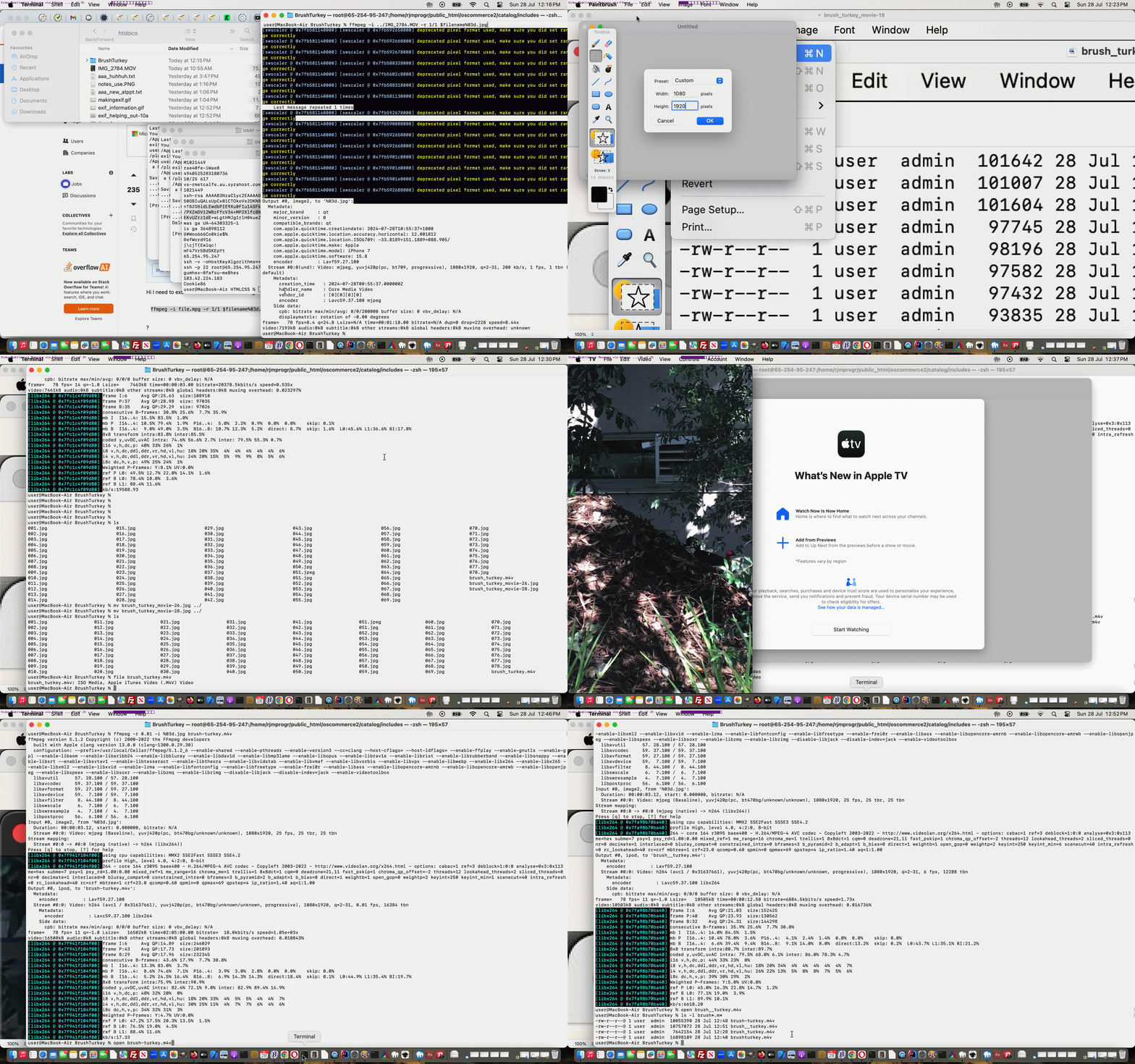
Revisiting the brilliant ffmpeg, as discussed at the recent Ffmpeg Install and Public Face Tutorial …
And that’s where we are at here, thinking this would be a good opportunity to try creating a Subliminal Message video. But before we go on and “give the game away” you may want to see the result of our Subliminal Message insertion via ffmpeg theme to our work, in action, below. Unlock or give up to unlock the content below the video quiz below …
| What is the secret word? | |
|---|---|
| Raw video … to it’s slides … | |
| ffmpeg -i ../IMG_2784.MOV -r 1/1 %03d.jpg ffmpeg -i %03d.jpg brush_turkey.m4v |
|
| Hard guess? | |
| ffmpeg -r 8 -i %03d.jpg brush-turkey.m4v | |
| Easier guess? | |
| ffmpeg -r 6 -i %03d.jpg brush__turkey.m4v | |
Congratulations! Yes, in between the “Raw Video” ffmpeg work and onto the other ffmpeg commands we renamed one slide to a *.jpeg equivalent and then set about replacing the *.jpg original slide with our Subliminal Message slide, as you can see here.
Previous relevant Ffmpeg Install and Public Face Tutorial is shown below.
Ffmpeg Install and Public Face Tutorial
Our recent web server VPS migration can not only be …
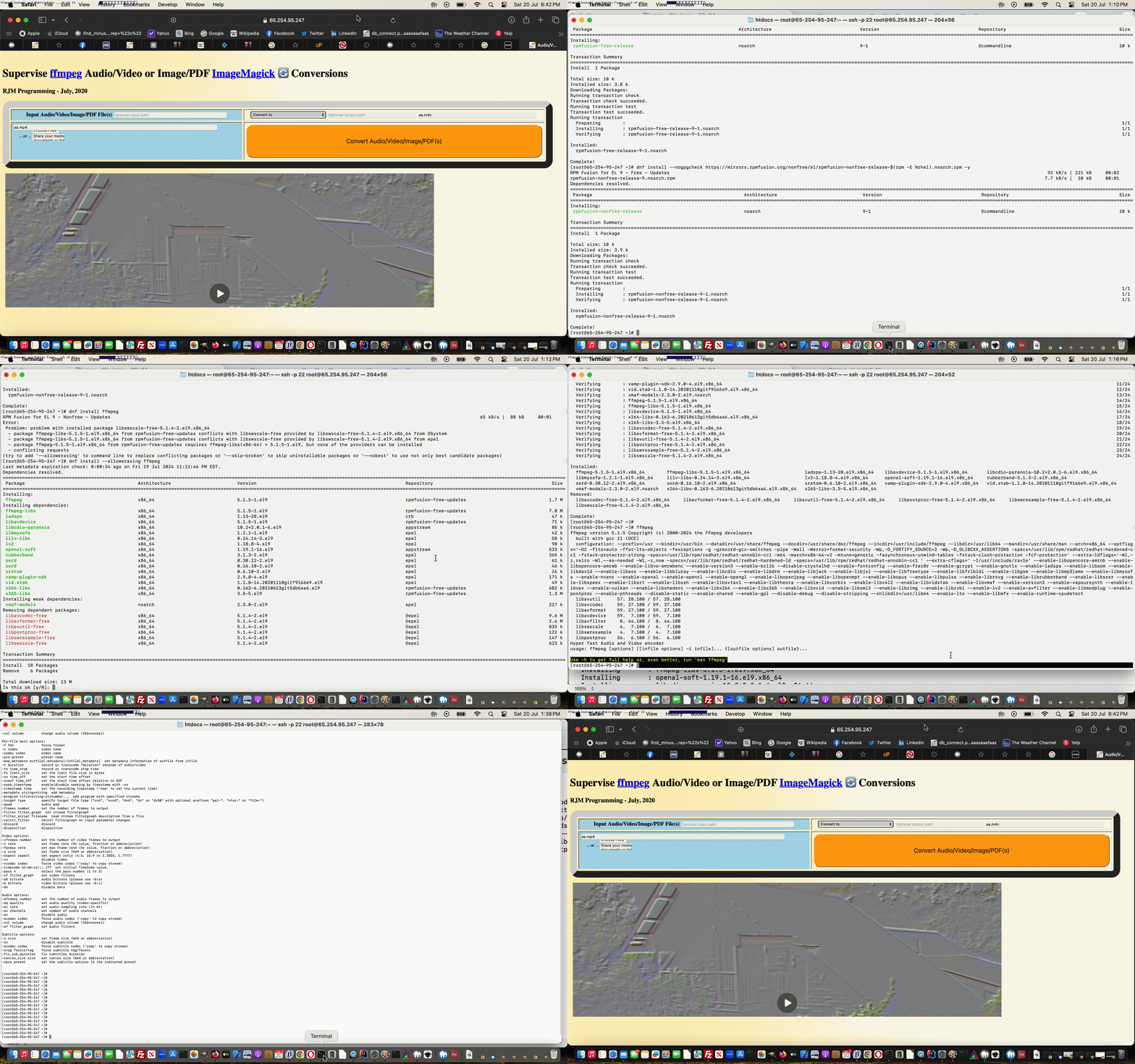
… such as today’s ffmpeg install, which is only feasible because of the …
dnf config-manager --set-enabled powertools

dnf install --nogpgcheck https://mirrors.rpmfusion.org/free/el/rpmfusion-free-release-$(rpm -E %rhel).noarch.rpm -y

dnf install --nogpgcheck https://mirrors.rpmfusion.org/nonfree/el/rpmfusion-nonfree-release-$(rpm -E %rhel).noarch.rpm -y

dnf install ffmpeg
… on this new “public face” (even more public when DNS is applied later).
Codewise this involved …
… further to recent work touching these ideas with Animated GIF Creator Overlayed Images Top Left Tutorial.
See some of this public install of ffmpeg here.
Previous relevant Animated GIF Creator Overlayed Images Top Left Tutorial is shown below.
Animated GIF Creator Overlayed Images Top Left Tutorial
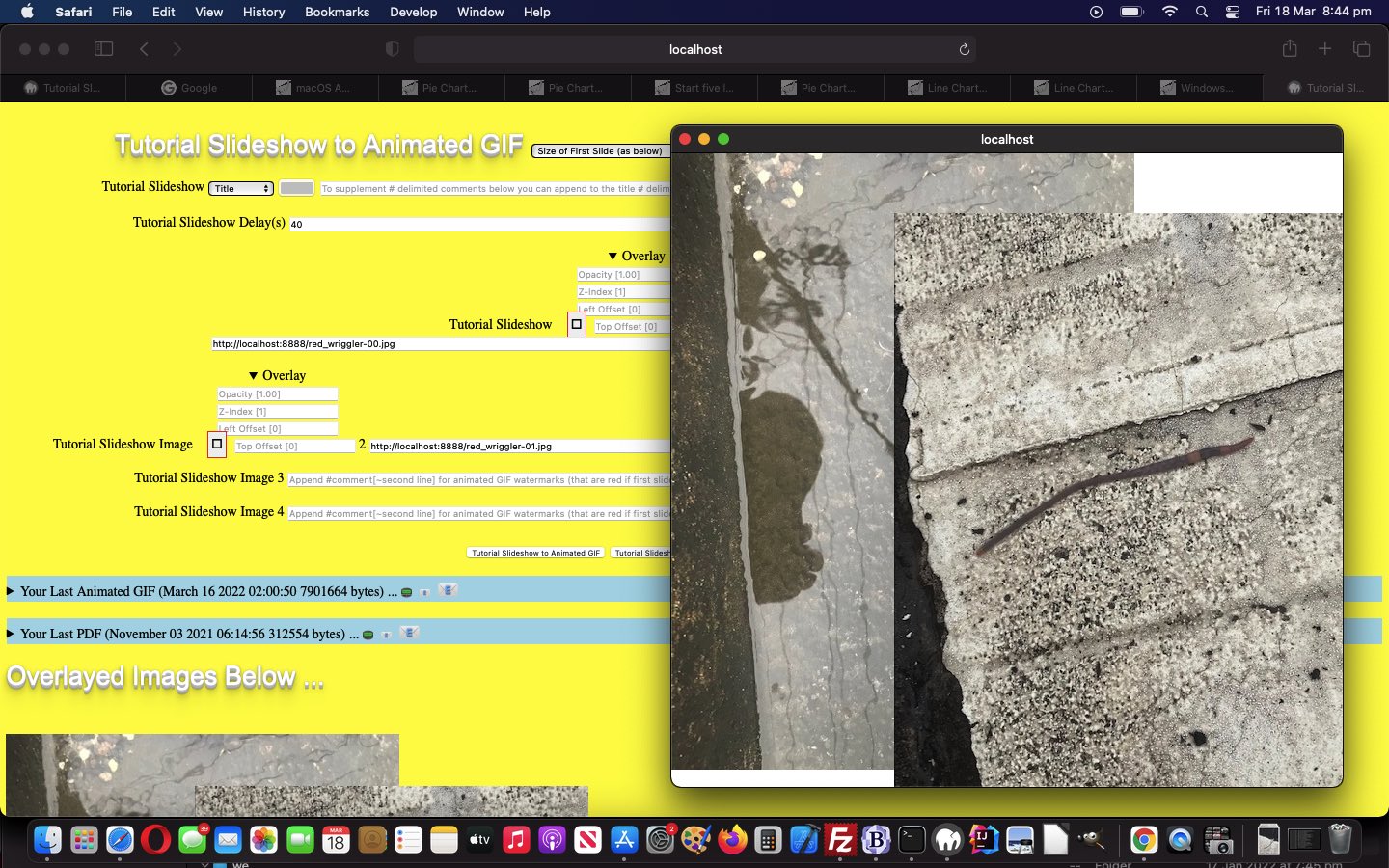
To add to the recent Animated GIF Creator Overlayed Images Tutorial‘s user interaction logic, we add a way to control those two “overlay” CSS properties …
… but more in the sense that we allow CSS …
… come into the picture, after a dalliance with CSS calc thoughts.
This allows for offsetted images be part of the “overlay mix” that you can retry this at our changed tutorial_to_animated_gif.php inhouse public domain Animated GIF Creator.
Previous relevant Animated GIF Creator Overlayed Images Tutorial is shown below.
Animated GIF Creator Overlayed Images Tutorial
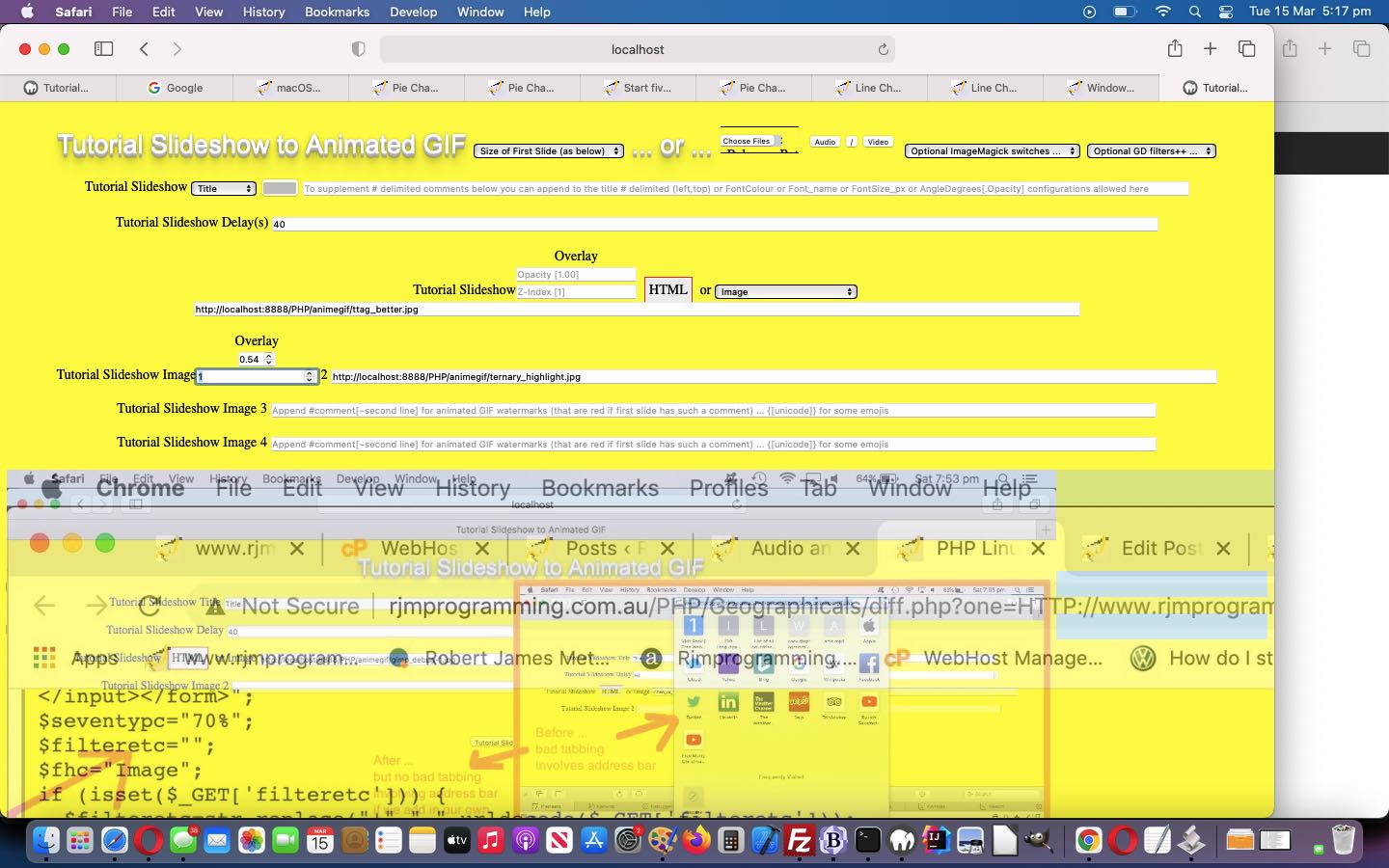
We wanted to add an “Overlayed Images” functionality component to the “Animated GIF Creator” of Animated GIF Creator Video Intranet Tutorial, today.
The work involves both of the HTML design “big concepts” we are keen on at this blog …
… the latter being the “container” for our interactive input be able to control overlay items 2 and 3, which affect the “overlayed images” output display via the clicking of a new “Overlay Images” button. That button …
<input disabled onclick="overlaythem();" id="overlayit" type="button" title='Overlay Images' value='Overlay Images'></input>
… starts off as disabled … and works with new HTML div elements …
<div id=overlayedj><h1> </h1><br></div><div id=overlayedi></div>
… until at least two images are defined, at which time the button becomes enabled …
function onfit(ithis) {
if (ithis.value == '' && ('' + ithis.placeholder).indexOf(']') != -1) {
ithis.value=('' + ithis.placeholder).split('[')[1].split(']')[0];
}
ithis.type='number';
}
function overlayds(inm, newop, newzi) {
var outdets='';
var divrect=null;
var poslt=' data-style=\"position:absolute;left:px;top:px;\" ';
var reposit='';
if (!document.getElementById('detsum' + ('' + inm))) {
if (document.getElementById('overlayedi').innerHTML == '') {
document.getElementById('overlayedi').title='Overlayed Images Below ... Click for It in New Window ...';
document.getElementById('overlayedj').innerHTML='<h1>Overlayed Images Below ...</h1><br>';
divrect=document.getElementById('overlayedi').getBoundingClientRect();
poslt=' data-style=\"position:absolute;left:' + ('' + divrect.left).split('.')[0].trim() + 'px;top:' + ('' + eval(200 + eval('' + ('' + divrect.top).split('.')[0]))).trim() + 'px;\" ';
} else {
poslt=' data-style=\"' + document.getElementById('detsum1').getAttribute('data-style') + '\" ';
}
outdets=' <details ' + poslt + ' id=\"detsum' + ('' + inm) + '\" style=\" display:inline-block; \" open><summary id=\"sumdet' + ('' + inm) + '\">Overlay</summary><input onchange=overlayds(' + inm + ',this.value,String.fromCharCode(32)); onblur=overlayds(' + inm + ',this.value,String.fromCharCode(32)); type=text onfocus=onfit(this); id=\"opacity' + ('' + inm) + '\" style=\" display:inline-block; \" placeholder=\"Opacity [1.00]\" value=\"\" step=0.01 min=0.00 max=1.00></input><br><input onfocus=onfit(this); onchange=overlayds(' + inm + ',String.fromCharCode(32),this.value); onblur=overlayds(' + inm + ',String.fromCharCode(32),this.value); type=text id=\"zindex' + ('' + inm) + '\" style=\" display:inline-block; \" placeholder=\"Z-Index [1]\" value=\"\" min==999 max=999 step=1></input><br></details>';
reposit=poslt.replace(' data-',' ');
reposit=reposit.replace('\"', '\"opacity:1.0;z-index:1;');
if (document.getElementById('overlayedi').innerHTML == '') {
document.getElementById('overlayedi').innerHTML='<img id=\"imgdet' + ('' + inm) + '\" src=\"' + document.getElementById('slideshow' + ('' + inm).replace(/^1$/g,'')).value + '\" ' + reposit + '></img>';
document.getElementById('overlayedi').style.width=('' + document.getElementById('imgdet' + ('' + inm)).width).replace('px','') + 'px';
document.getElementById('overlayedi').style.height=('' + document.getElementById('imgdet' + ('' + inm)).height).replace('px','') + 'px';
document.getElementById('overlayedi').onclick = function(){ var woo=window.open('','_blank','top=100,left=100,width=' + document.getElementById('overlayedi').style.width.replace('px','') + ',height=' + document.getElementById('overlayedi').style.height.replace('px','')); woo.document.write('<html><head><title>Overlayed Images Below ...</title></head><body>' + document.getElementById('overlayedi').outerHTML.replace(/left\:[\ ]*/g,'left:0.0').replace(/top\:[\ ]*/g,'top:0.0') + '</body></html>'); woo.document.title='Overlayed Images Below ...'; };
} else {
document.getElementById('overlayedi').innerHTML+='<img id=\"imgdet' + ('' + inm) + '\" src=\"' + document.getElementById('slideshow' + ('' + inm).replace(/^1$/g,'')).value + '\" ' + reposit + '></img>';
}
} else {
document.getElementById('detsum' + ('' + inm)).style.display='inline-block';
if (newop != ' ') {
if (newop.trim() == '') {
document.getElementById('imgdet' + inm).style.opacity='1.0';
} else {
document.getElementById('imgdet' + inm).style.opacity='' + newop;
}
}
if (newz != ' ') {
if (newz.trim() == '') {
document.getElementById('imgdet' + inm).style.zIndex='1';
} else {
document.getElementById('imgdet' + inm).style.zIndex='' + newzi;
}
}
}
return outdets;
}
function overlaythem() {
var suffidea=1;
while (document.getElementById('slideshow' + ('' + suffidea).replace(/^1$/g, '')).value != '') {
document.getElementById('ours' + ('' + suffidea)).innerHTML+=overlayds(suffidea,'','');
suffidea++;
}
}
You can try this at our changed tutorial_to_animated_gif.php inhouse public domain Animated GIF Creator.
Previous relevant Animated GIF Creator Video Intranet Tutorial is shown below.
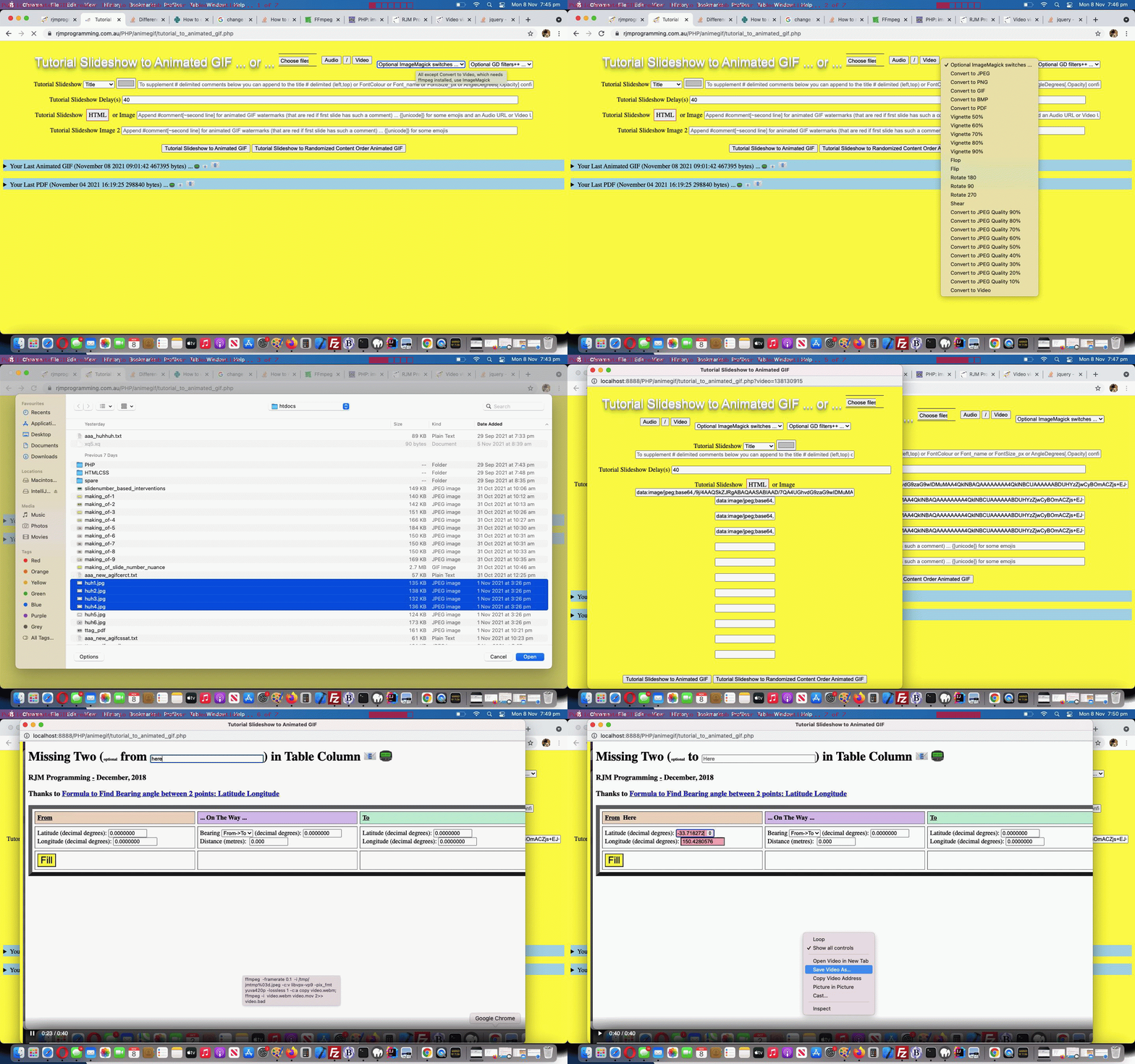
Animated GIF Creator Video Intranet Tutorial
With the recent Animated GIF Creator Video Revisit Tutorial (preceding Animated GIF Creator Video Share Tutorial) we wrote …
… one reason being that we do not want to install the wonderful ffmpeg (command line video creation tool) on the RJM Programming domain, but, in macOS, here with MAMP, we are quite happy to live with the Homebrew (Terminal application’s) install …
… setting up what could be “lost functionality”, but today, we come around to either adding a new …
Convert to Video
… dropdown option should all be ritchy ditch, and if not, often we will add new “Advice” dropdown options to remind the user what they’d need to arrange to get to a “Convert to Video” scenario.
Selecting “Convert to Video” sets up a hydrid “Internet/Intranet” feeling scenario where …
HTTP://localhost:8888/PHP/animegif/tutorial_to_animated_gif.php?video=1687644
ffmpeg -framerate 0.1 -i /tmp/jmtmp%03d.jpeg -c:v libvpx-vp9 -pix_fmt yuva420p -lossless 1 -c:a copy video.webm; ffmpeg -i video.webm video.mov 2>> video.bad
Which begs the question …
How do we know when to offer the "Convert to Video" option on that dropdown?
This logic is centred around a few useful ideas (with this cross domain scenario ruling out Ajax and Iframe src= definitions, as useful ways to go) …
            var tryit='http://localhost:8888/PHP/animegif/amhere.jpg';


            document.getElementById('ctvopt').value='advice';

            document.getElementById('ctvopt').innerHTML='Advice on Convert to Video';


            if (tryit != '') {

            var im=new Image();


    im.onload = function() {

            document.getElementById('ctvopt').value='video';

            console.log('this.height=' + eval('' + this.height));

            if (eval('' + this.height) >= 20) {

            document.getElementById('ctvopt').innerHTML='Convert to Video';

            } else {

            document.getElementById('ctvopt').innerHTML='Convert to Video (but ffmpeg not installed or in unexpected place)';

            }

            document.getElementById('imsel').title='All except Convert to Video, which needs ffmpeg installed, use ImageMagick';

    };


            im.src=tryit;

            tryit='';

            }
Previous relevant Animated GIF Creator Video Revisit Tutorial is shown below.
Animated GIF Creator Video Revisit Tutorial
We hope you realize that our changed tutorial_to_animated_gif.php inhouse Animated GIF Creator (helped out by a changed emailhtml.php inhouse email creator helper serverside PHP web application) can be accessed …
… and check the code for the validity of any ImageMagick paths … and if not all these conditions, simulate the same and cobble it together in the code
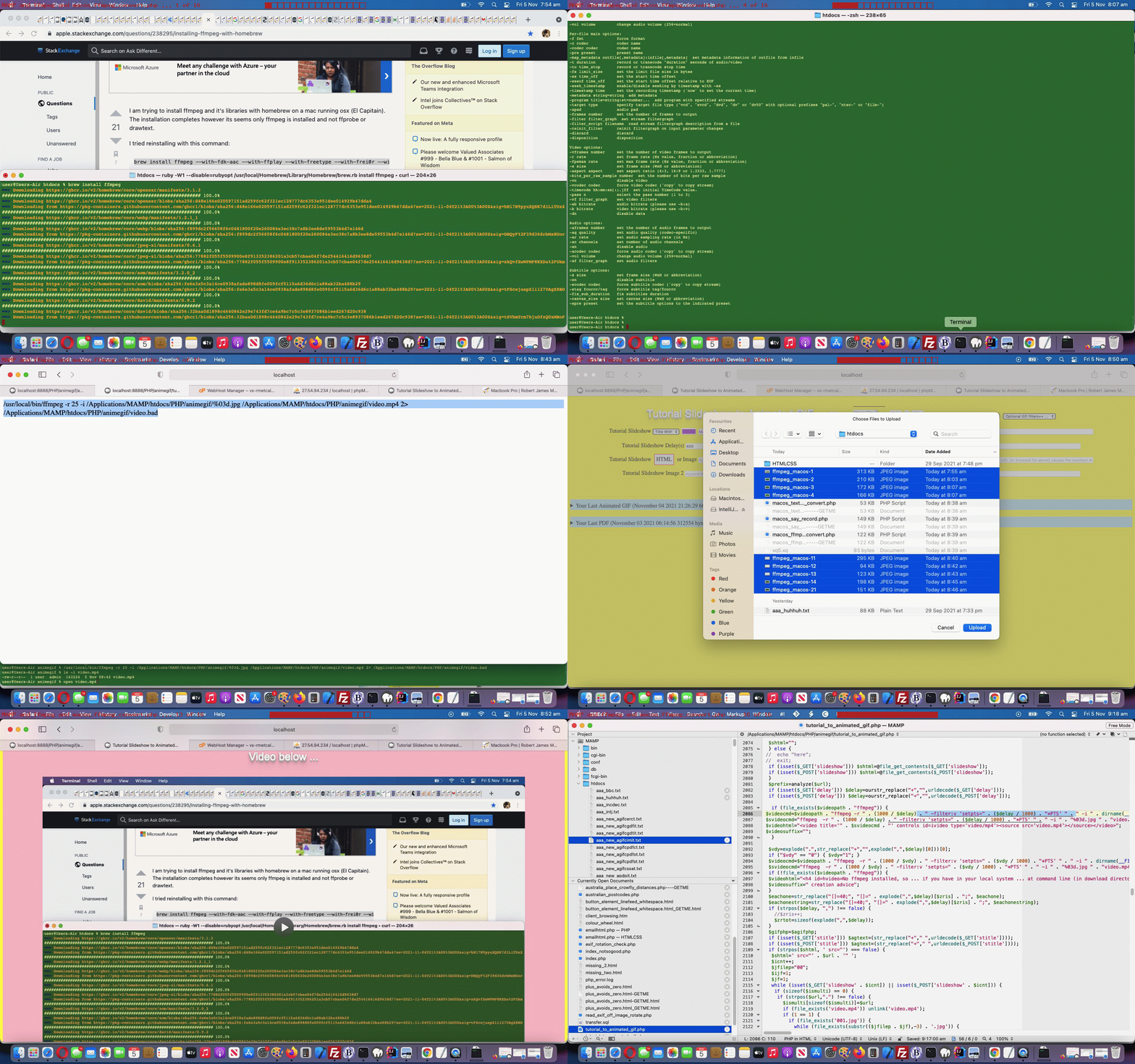
… one reason being that we do not want to install the wonderful ffmpeg (command line video creation tool) on the RJM Programming domain, but, in macOS, here with MAMP, we are quite happy to live with the Homebrew (Terminal application’s) install …
brew install ffmpeg
… to open a whole new woooooorrrrlllllddd of video creation opportunities using this MAMP local web URL …
HTTP://localhost:8888/PHP/animegif/tutorial_to_animated_gif.php# Animated GIF Creator on MAMP local web server
And so, onto yesterday’s Animated GIF Creator PDF Last Reveal Tutorial we decided to revisit video creation parts of our inhouse Animated GIF Creator on this MacBook Air. We needed to reinstall ffmpeg, and we show that in today’s animated GIF tutorial picture and also created the “video.mov” video below, in the process …
… we tweaked out of “video/mp4” ffmpeg created videos thinking towards “video/webm” or “video.mov” ffmpeg created videos that suit the “few frames but spaced out video” we wanted to achieve for all practical purposes, that “video/mp4” playing too fast for us to see anything much but the first and last slide …
<?php
$videofr=" -r " . (1000 / $delay) . " ";

$videofr=" -r " . (1000 / $delay) . " -filter:v setpts=" . ($delay / 1000) . "*PTS ";

$videomime="video/mp4";

$videoext=".mp4";


$videofr=" -framerate 0.1 ";

$videoext=".webm";

$videomime="video/webm";

$videomidbit="-c:v libvpx-vp9 -pix_fmt yuva420p -lossless 1 -c:a copy";

//$videocmd=$videopath . "ffmpeg  -r " . (1000 / $delay) . " -filter:v setpts=" . ($delay / 1000) . "*PTS " . " -i " . dirname(__FILE__) . DIRECTORY_SEPARATOR . "%03d.jpg " . dirname(__FILE__) . DIRECTORY_SEPARATOR . "video.mp4 2> " . dirname(__FILE__) . DIRECTORY_SEPARATOR . "video.bad";

//$svideocmd="ffmpeg  -r " . (1000 / $delay) . " -filter:v setpts=" . ($delay / 1000) . "*PTS " . " -i " . "%03d.jpg " . "video.mp4";

  $videocmd=$videopath . "ffmpeg " . $videofr . " -i " . dirname(__FILE__) . DIRECTORY_SEPARATOR . "%03d.jpg " . $videomidbit . " " . dirname(__FILE__) . DIRECTORY_SEPARATOR . "video" . $videoext . " 2> " . dirname(__FILE__) . DIRECTORY_SEPARATOR . "video.bad";

  $svideocmd="ffmpeg " . $videofr . " -i " . "%03d.jpg " . $videomidbit . " " . "video" . $videoext;

  $videocmd.="; " . $videopath . "ffmpeg -i " . " " . dirname(__FILE__) . DIRECTORY_SEPARATOR . "video" . $videoext . " " . dirname(__FILE__) . DIRECTORY_SEPARATOR . "video.mov 2>> " . dirname(__FILE__) . DIRECTORY_SEPARATOR . "video.bad";

  $svideocmd.="; " . "ffmpeg -i " . " " . dirname(__FILE__) . DIRECTORY_SEPARATOR . "video" . $videoext . " " . dirname(__FILE__) . DIRECTORY_SEPARATOR . "video.mov 2>> " . dirname(__FILE__) . DIRECTORY_SEPARATOR . "video.bad";

$videohtml="<video title='" . $svideocmd . "' controls id=ivideo type='" . $videomime . "'><source src='video.mov'></source><source src='video" . $videoext . "'></source></video>";

$videosuffix="";
?>
Previous relevant Animated GIF Creator PDF Last Reveal Tutorial is shown below.
Animated GIF Creator PDF Last Reveal Tutorial
As a web application programmer we like buttons. There are “buttons” and there are buttons. Yes, there is an HTML button element, and it and the input type=button element render as that part of a webpage most recognizable to users the world over. You click or tap this button and something usually happens.
But we also enjoy “Emoji Buttons” for we graphically challenged programmers. Using an emoji text and graphic can make span elements or p elements or lots of other HTML elements that have an innerHTML property, be like a very succinct button like entity, also appreciated around here because it takes up so little webpage “real estate”.
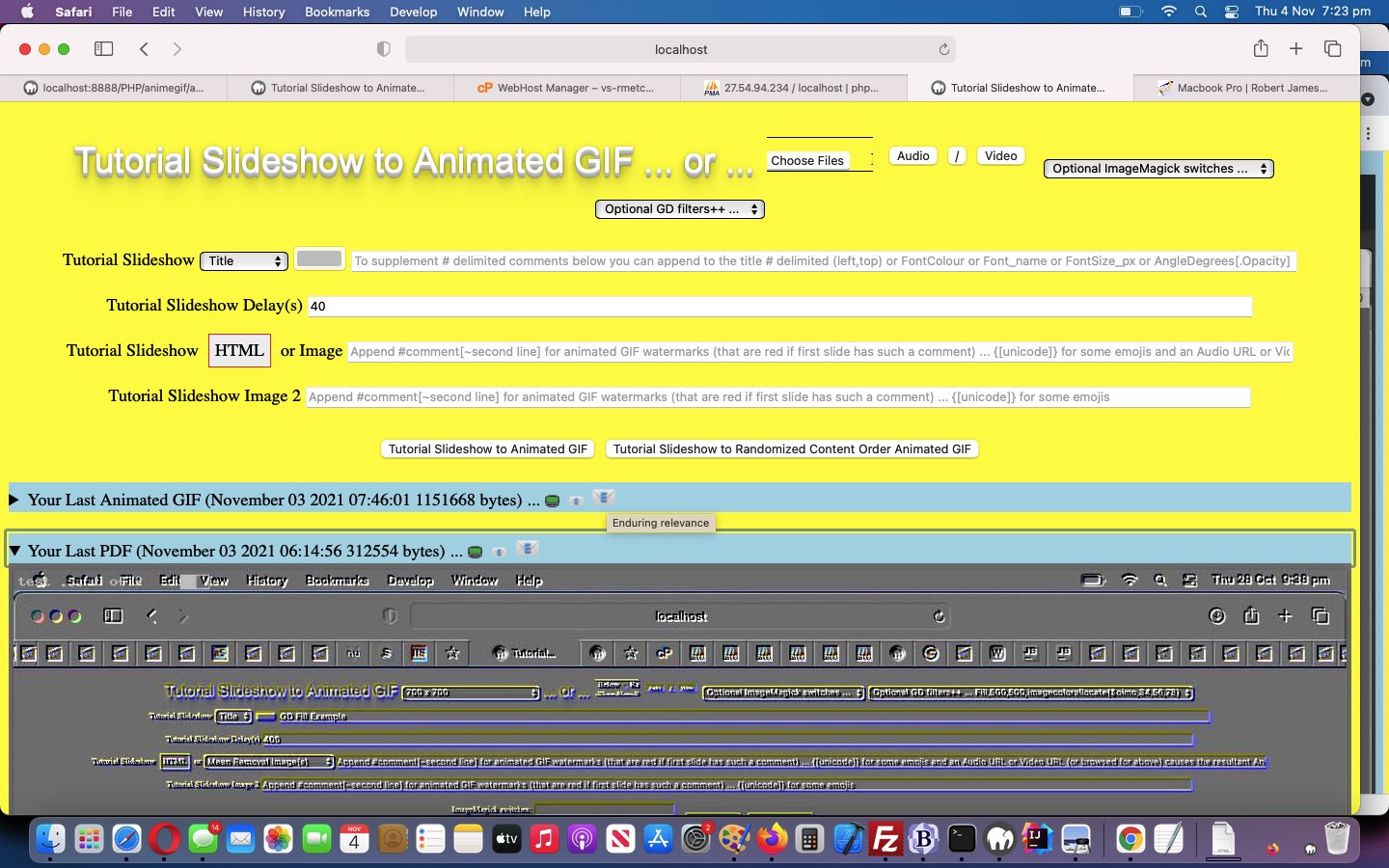
And so onto yesterday’s Animated GIF Creator PDF Order Tutorial we set about, today, “revealing” any enduring animated GIF and/or PDF created during a previous session, using Emoji Buttons as the email/SMS sharing action buttons.
We say “revealing” because, like the way “Emoji Buttons” save webpage “real estate”, so can the use of the HTML5 details/summary element combination. It is in that summary “enduring” header part of that combination we can place some “Emoji Buttons”. You will (once you start creating and sharing animated GIFs and/or PDFs) see from our changed tutorial_to_animated_gif.php inhouse Animated GIF Creator (helped out by a changed emailhtml.php inhouse email creator helper serverside PHP web application) that we place three Emoji Buttons …
Yes, “Emoji Buttons” can have their size controlled but not by the usual CSS width and height properties, but by the CSS font-size property. Here is the new Javascript function that those Emoji Button “onclick” logic points to …
<?php eho ”
function askes(isemail, isoab) {

  var esask='', izhr=null, izform=null;

  var isoa=document.getElementById(isoab.id.replace('b',''));

  if (isemail) {

    esask=prompt('Please enter email address to send this to', '');

    if (esask != null) {

      if (esask.indexOf('@') != -1) {

        if (isoa.outerHTML.indexOf('<img') == 0) {

        //alert('More Animated GIF to come');

  izhr = new XMLHttpRequest();

  izform=new FormData();

  izform.append('to', esask.trim());

  izform.append('inline', '" . dirname(__FILE__) . DIRECTORY_SEPARATOR . server_remote_addr() . ".gif" . "');

  izform.append('subj', 'My Latest Animated GIF via RJM Programming ... ');

  izform.append('tdhuhta', ('<body><div title=\"" . explode('/animegif',$durlis)[0] . '/animegif/' . server_remote_addr() . "\" style=\"overflow:auto;-webkit-overflow-scrolling:touch;height:100%;\"><img style=\"width:100%;height:900px;\" src=\"" . dirname(__FILE__) . DIRECTORY_SEPARATOR . server_remote_addr() . ".gif" . "\"></img></div></body>'));

  izhr.open('post', '//www.rjmprogramming.com.au/HTMLCSS/emailhtml.php', true);

  izhr.send(izform);

        } else if (isoa.outerHTML.indexOf('<a') != 0) {

        //alert('More PDF to come');

  izhr = new XMLHttpRequest();

  izform=new FormData();

  izform.append('to', esask.trim());

  izform.append('inline', '" . dirname(__FILE__) . DIRECTORY_SEPARATOR . server_remote_addr() . "_animegif.pdf" . "');

  izform.append('subj', 'My Latest PDF via Animated GIF via RJM Programming ... ');

  izform.append('tdhuhta', ('<body><div title=\"" . explode('/animegif',$durlis)[0] . '/animegif/' . server_remote_addr() . "_\" style=\"overflow:auto;-webkit-overflow-scrolling:touch;height:100%;\"><object style=\"width:100%;height:900px;\" type=\"application/pdf\" data=\"" . dirname(__FILE__) . DIRECTORY_SEPARATOR . server_remote_addr() . "_animegif.pdf" . "\"></object></div></body>'));

  izhr.open('post', '//www.rjmprogramming.com.au/HTMLCSS/emailhtml.php', true);

  izhr.send(izform);

        } else {

        isoa.href='mailto:' + esask.trim() + '?' + isoa.href.split('?')[1];

        isoa.click();

        }

      }

    }

  } else {

    esask=prompt('Please enter SMS number to send this to', '');

    if (esask != null) {

      if ((esask.trim() != '' && esask.trim().replace(/0/g,'').replace(/1/g,'').replace(/2/g,'').replace(/3/g,'').replace(/4/g,'').replace(/5/g,'').replace(/6/g,'').replace(/7/g,'').replace(/8/g,'').replace(/9/g,'') == '')) {

         isoa.href='sms:' + esask.trim() + '&' + isoa.href.split('&')[1];

         isoa.click();

      }

    }

  }

}
“; ?>
Cute, huh?!
Previous relevant Animated GIF Creator PDF Order Tutorial is shown below.
Animated GIF Creator PDF Order Tutorial
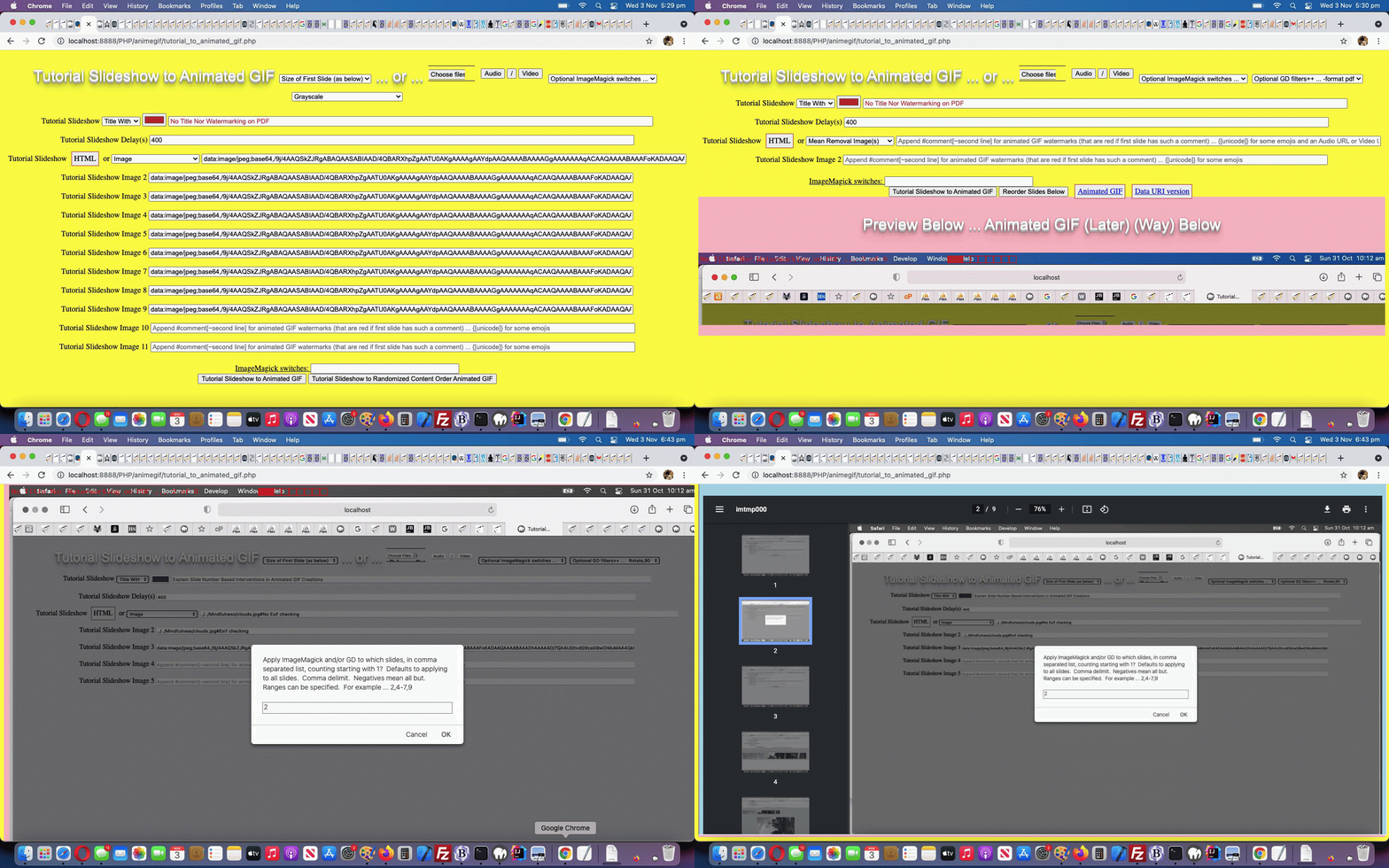
Order becomes an interesting subject to us today regarding the PDF conversions possible in amongst the Animated GIF creating of yesterday’s Animated GIF Creator PDF Share Tutorial.
That is because we may have some advanced users out there that want that possibility of differentiating the data of …
… perhaps as a “before and after” tool regarding presentations, maybe?
No dropdowns used here (enforcing an order), just the user’s order in which they choose to select the “PDF conversion” option from the ImageMagick dropdown (in relation to other selections) determining how and when this PDF conversion occurs in the workflow through to creating the animated GIF with our changed tutorial_to_animated_gif.php inhouse Animated GIF Creator serverside PHP web application. Just remember to select PDF Conversion as early as possible to do that “light PDF conversion” option above and last thing if you are interested in “full PDF conversion” (where you can create PDF documents with the bells and whistles ImageMagick and GD modifiers can offer) and today’s tutorial picture is an example of “medium PDF conversion” (when we ordered our settings by first Grayscale, second PDF conversion and last title and watermarking options). Clicking or tapping the ImageMagick link can get the user to the Javascript popup window where they might define the email or SMS recipient for that PDF conversion data file download.
Previous relevant Animated GIF Creator PDF Share Tutorial is shown below.
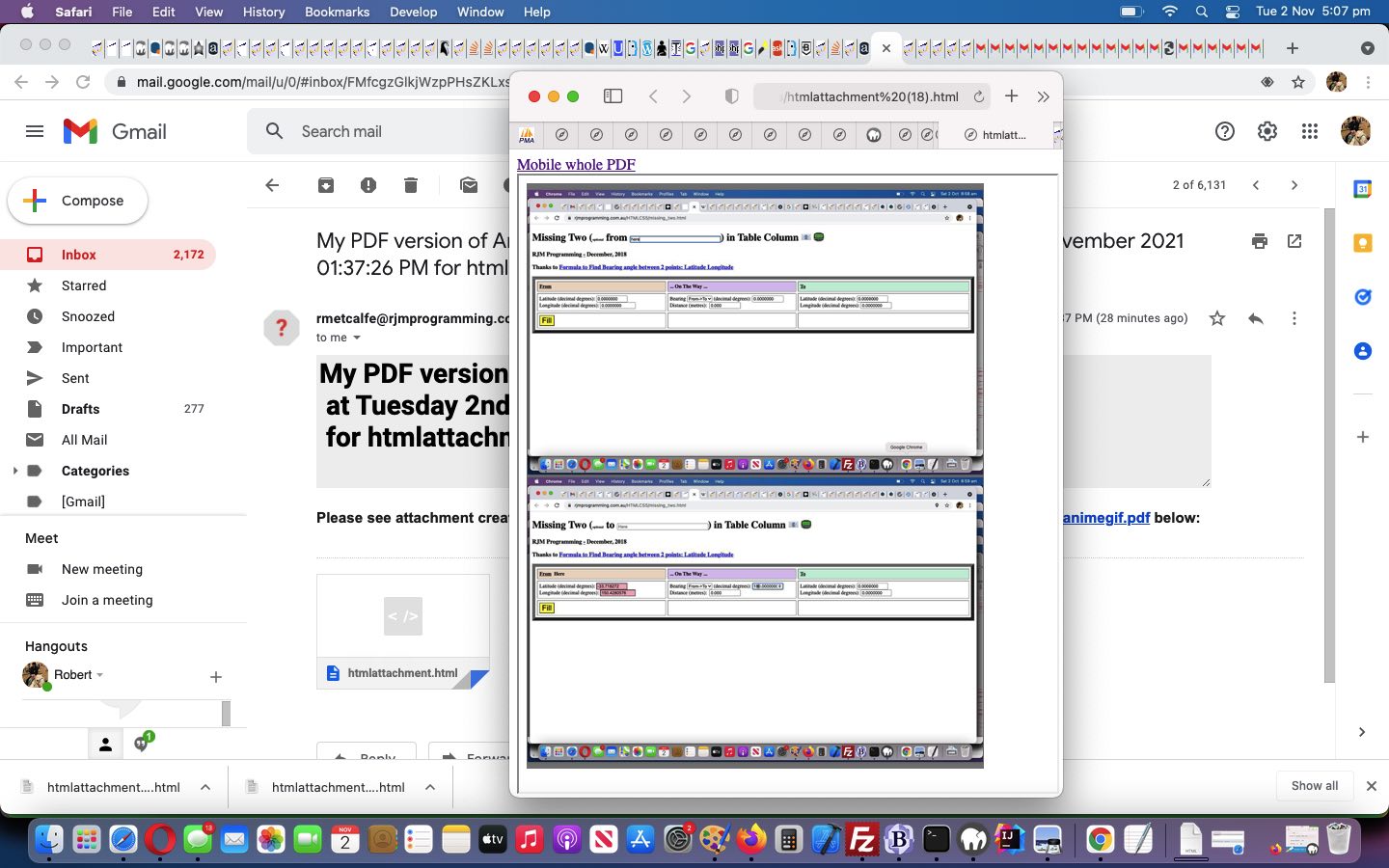
Animated GIF Creator PDF Share Tutorial
To share yesterday’s Animated GIF Creator PDF Conversion Tutorial PDF data formatted image slides (and then onto an animated GIF) would be a step forward, wouldn’t you say?
What sharing conduits do we code for? We always intended …
… the email methodology used being that “midair feeling” Ajax/FormData approach in our changed tutorial_to_animated_gif.php inhouse Animated GIF Creator serverside PHP web application …
<?php echo ”
function emailhtmlit() {

 var induri=ginduri;

 var pemail='" . urldecode($_GET['outpdf']) . urldecode($_POST['outpdf']) . "';

 if (pemail != null) {

   if (pemail.indexOf('@') != -1 || (pemail.trim() != '' && pemail.trim().replace(/0/g,'').replace(/1/g,'').replace(/2/g,'').replace(/3/g,'').replace(/4/g,'').replace(/5/g,'').replace(/6/g,'').replace(/7/g,'').replace(/8/g,'').replace(/9/g,'') == '')) {

   if (induri.trim() == '') {

   if (induri == '') {

   document.getElementById('pdfproposed').src='./animegif.pdf?rand=' + Math.floor(Math.random() * 19854654);

   } else {

   ginduri='found';

   }

   setTimeout(emailhtmlit, 15000);

   } else {

   ginduri='';

  var zhr = new XMLHttpRequest();

  var zform=new FormData();

  if (pemail.indexOf('@') != -1) { zform.append('to', pemail); }

  zform.append('inline', '" . dirname(__FILE__) . DIRECTORY_SEPARATOR . "animegif.pdf" . "');

  zform.append('subj', 'My PDF version of Animated GIF via RJM Programming ... ');

  zform.append('tdhuhta', ('<body><div title=\"" . explode('/animegif',$durlis)[0] . '/animegif/' . server_remote_addr() . "_\" style=\"overflow:auto;-webkit-overflow-scrolling:touch;height:100%;\"><object style=\"width:100%;height:900px;\" type=\"application/pdf\" data=\"" . dirname(__FILE__) . DIRECTORY_SEPARATOR . 'animegif.pdf' . "\"><embed style=\"width:100%;height:900px;\" type=\"application/pdf\" src=\"" . dirname(__FILE__) . DIRECTORY_SEPARATOR . 'animegif.pdf' . "\"></embed></object></div></body>'));

  //zform.append('tdhuhta', ('<body><iframe srcdoc=\"" . dirname(__FILE__) . DIRECTORY_SEPARATOR . 'animegif.pdf' . "\"></iframe></body>'));

  zhr.open('post', '//www.rjmprogramming.com.au/HTMLCSS/emailhtml.php', true);

  zhr.send(zform);

  if (pemail.indexOf('@') == -1) {

    var hrefp=document.getElementById('pdfsms').href.split('&body=')[0];

    hrefp+=pemail.trim() + '&body=' + document.getElementById('pdfsms').href.split('&body=')[1];

    document.getElementById('pdfsms').href=hrefp;

    document.getElementById('pdfsms').click();

  }

  }

   }

 }

}
“; ?>
… and this called on our PHP email creator helper to better interface in its $_POST arguments reading section in our changed emailhtml.php inhouse email creator helper serverside PHP web application …
<?php
$psacv="";

$okayin=true;

$subd="";

$subptitle='';

$subdata="";

$subfile="";

$getpostfound=false;

<br>

foreach( $_POST as  $name=>$val ) {

  if ($val != "") {

// blah blah blah    //file_put_contents("jnv." . $name, "jnv.inv00 " . strlen($phpcont));

  if ($name == "tdhuhta" && $subfile != "" && $subdata != "" && strpos(str_replace("+"," ",urldecode($val)), $subfile) !== false) {

   if (strpos(str_replace("+"," ",urldecode($val)), ' srcdoc="') !== false || strpos(str_replace("+"," ",urldecode($val)), ' data="') !== false) {

      if (strpos(str_replace("+"," ",urldecode($val)), ' title="') !== false) {      //file_put_contents('haaa.aaa',explode('/animegif/', explode('"', explode(' title="', str_replace("+"," ",urldecode($val)))[1])[0])[1]);

        if (!file_exists('../PHP/animegif/' . explode('/animegif/', explode('"', explode(' title="', str_replace("+"," ",urldecode($val)))[1])[0])[1] . 'animegif.pdf')) {

        if (file_exists('../PHP/animegif/animegif.pdf')) {

          copy('../PHP/animegif/animegif.pdf', '../PHP/animegif/' . explode('/animegif/', explode('"', explode(' title="', str_replace("+"," ",urldecode($val)))[1])[0])[1] . 'animegif.pdf');

        }

        }

        $psacv=explode('"', explode(' title="', str_replace("+"," ",urldecode($val)))[1])[0] . 'animegif.pdf';

        $subptitle='<a target=_blank href="' . explode('"', explode(' title="', str_replace("+"," ",urldecode($val)))[1])[0] . 'animegif.pdf">Mobile whole PDF</a><br>';

      }

     $vrest=explode('"', explode(' srcdoc="',str_replace("+"," ",urldecode($val)))[1])[0];

     $val=urlencode("<body>" . $subptitle . "<iframe style='width:100%;height:95vh;overflow:auto;-webkit-overflow-scrolling:touch;' srcdoc='<div style=width:92%;height:95vh;overflow:auto;-webkit-overflow-scrolling:touch;><object id=myobj style=width:95%;height:95vh; type=application/pdf data=\"" . $subdata . "\"></object></div>'></iframe></body>");

   }

// blah blah blah

   if ($name == "inline") {

    if (strpos(str_replace("+"," ",urldecode($val)), 'animegif.pdf') !== false && isset($_POST['tdhuhta'])) {

     if (file_exists(str_replace("+"," ",urldecode($val)))) {

      $subfile=str_replace("+"," ",urldecode($val));

      $subdata='data:application/pdf;base64,' . base64_encode(file_get_contents(str_replace("+"," ",urldecode($val))));

      $val="";

      $name="x";

      $okayin=false;

     }

    }

// blah blah blah

  }

}
?>
Creating the PDFs got helped out in “reliability terms” via the introduced animegif.php inhouse Wait Around Longer serverside PHP web application.
Previous relevant Animated GIF Creator PDF Conversion Tutorial is shown below.
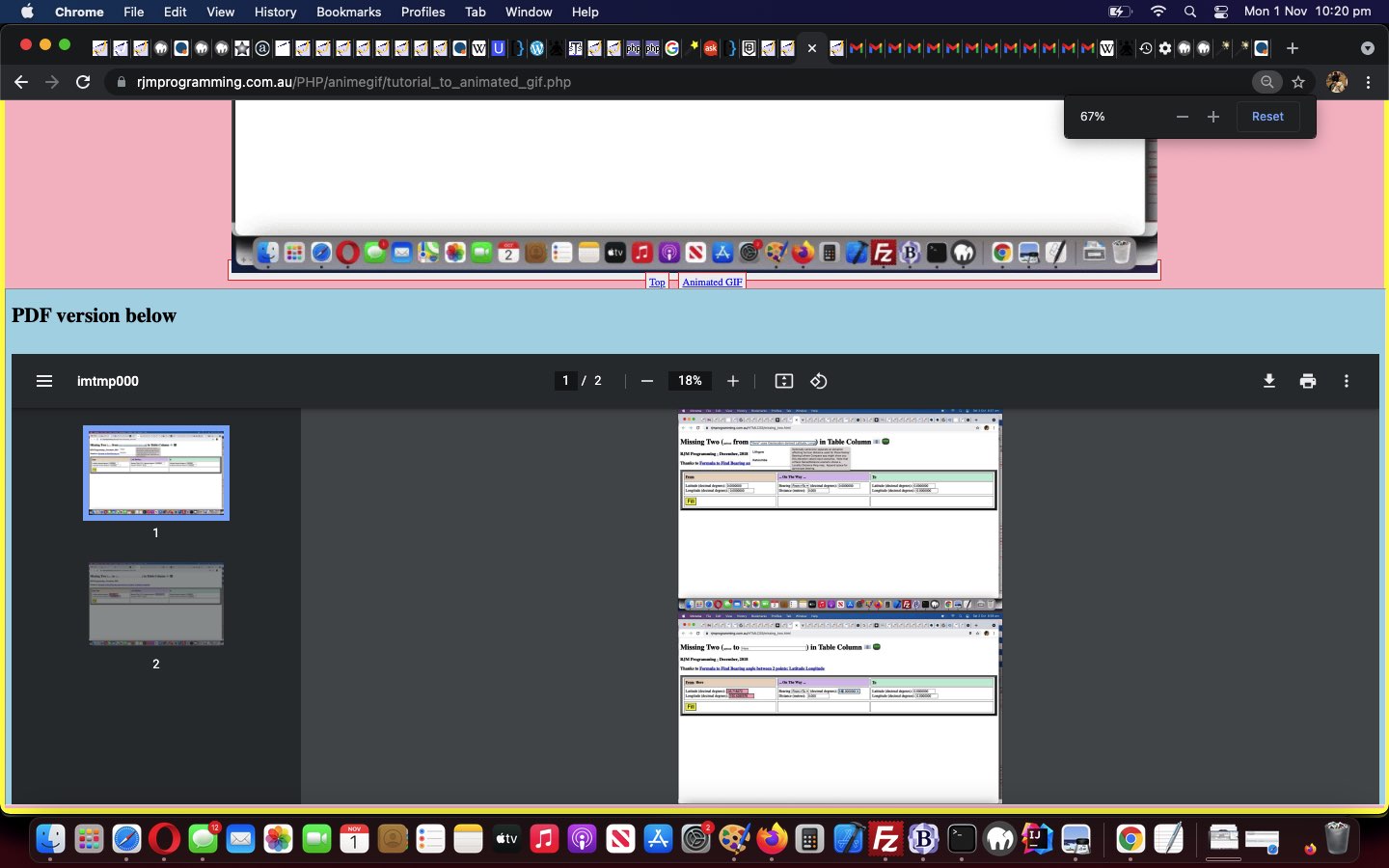
Animated GIF Creator PDF Conversion Tutorial
Up to yesterday’s Animated GIF Creator Slide Specific Application Tutorial the recent progress had us …
… with our changed tutorial_to_animated_gif.php inhouse Animated GIF Creator serverside PHP web application.
We have more “reliability work” and “email sharing work” to go after today’s start, but it primarily called on ImageMagick command line’s talent for a command like …
convert /tmp/imtmp0*.*[gGmMiI]* /tmp/imtmp000.pdf
… to “concatenate” into the one output PDF file (called “/tmp/imtmp000.pdf”) the slides, arranged by our code into that “/tmp/imtmp0*.*[gGmMiI]*” (file specification) arrangement above. Yes, we meant “convert” above, as “mogrify” (batch work) appears not to be able to perform this task.
We hope you stay the course!
Previous relevant Animated GIF Creator Slide Specific Application Tutorial is shown below.
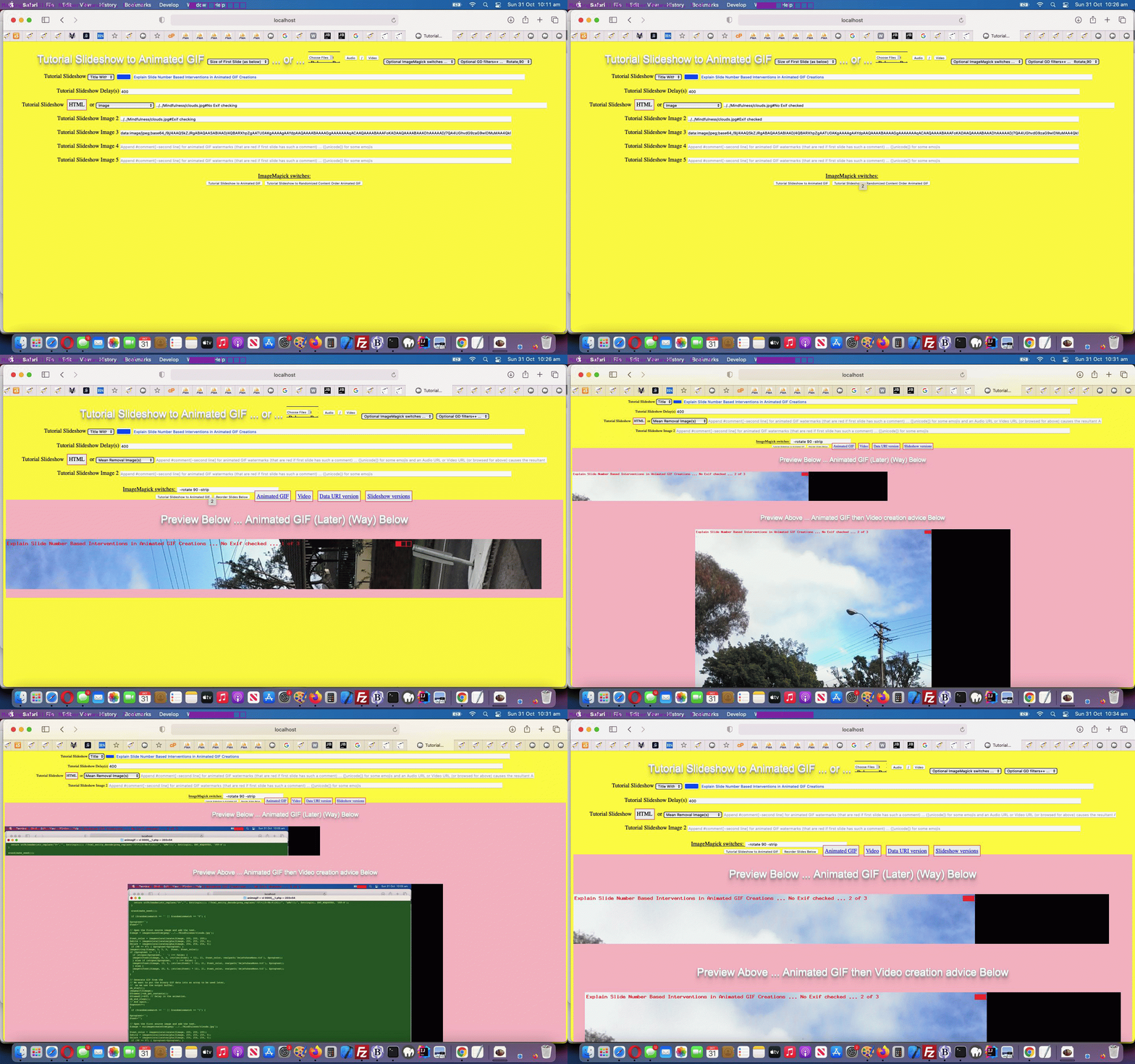
Animated GIF Creator Slide Specific Application Tutorial
It’s all fine and good improving on the ImageMagick and GD and Exif functionality modifications like with yesterday’s Animated GIF Creator Exif Rotation Compensation Tutorial, but in reality, if you are going to start creating animated GIFs to explain a process, you are going to want to apply these “slide modifiers” on a slide by slide basis, rather than enforcing a “whole of animated GIF slide set” paradigm, as for the last few days worth of work.
And so, we decided to do what we often do, “sliding in” more functionality (chortle, chortle). We tend to want to …
<span id="smyim"></span>
document.getElementById('smyim').innerHTML='ImageMagick switches: '; // and yes, it remains that way even now, but read on ...
<span id=smyim title=Application onclick=applyto(); style=cursor:pointer;text-decoration:underline;></span>
function applyto() {

  var huhto=prompt('Apply ImageMagick and/or GD to which slides, in comma separated list, counting starting with 1?  Defaults to applying to all slides.  Comma delimit.  Negatives mean all but.  Ranges can be specified.  For example ... 2,4-7,9', document.getElementById('appliedto').value);

  if (huhto == null) { huhto=''; }

  if (huhto.trim() == '') {

    document.getElementById('appliedto').value='';

    document.getElementById('smyim').title='Application';

  } else {

    document.getElementById('appliedto').value=huhto.trim();

    document.getElementById('smyim').title=huhto.trim();

  }

}
So that’s the clientside of this work … “alerting the user to the existance of the functionality” you might say.
And then there’s “the application” of that nuanced user requirement. And that’s where the “inhouse ‘our’ prefix to wrapper function name paradigms” come in handy. We introduced “blanket” functionality thoughts via this approach, and so to “partially undo” that thinking, we make the “our” prefix conditional, as is available to us with our changed tutorial_to_animated_gif.php inhouse Animated GIF Creator serverside PHP web application (helped out by a changed exif_rotation_check.php inhouse Exif detector PHP helper), as per …
<?php
function ourcomplicated($inio, $iappl) {

  $ideasl=explode(",", str_replace(' ','',$iappl));

  $xour="our";

  for ($iqa=0; $iqa<sizeof($ideasl); $iqa++) {

    if (trim($ideasl[$iqa]) != '') {

      $xour="";

      if (('-' . $inio) == trim($ideasl[$iqa])) { return "";  }

      $ideasr=explode("-", str_replace(' ','',trim($ideasl[$iqa])));

      for ($iqb=0; $iqb<sizeof($ideasr); $iqb++) {

        if (('' . $inio) == trim($ideasr[$iqb])) {

          return "our";

        }

        if ($iqb == 1) {

          if (trim($ideasr[1]) == "") { $ideasr[1]="99999999"; }

          if ($inio >= $ideasr[0] && $inio <= $ideasr[1]) { return "our";  }

        }

      }

    }

  }

  return $xour;

}
?>
… teamed with …
<?php
$ours="our";
for ($io=1; $io
// blah blah blah
if (strpos($aphoto[0], ";base64,") !== false) {
$gifphp.=str_replace("imagecreatefromjpeg('source01.jpg');", "" . $ours . "imagecreatefromstring(base64_decode('" . explode(";base64,",$aphoto[0])[1] . "'));", str_replace("\$text='';", "\$text=\"" . str_replace("+"," ",urldecode($atext)) . "\";", $eachonestring));
} else if (strpos(strtolower($aphoto[0]), "//") !== false) {
$gifphp.=str_replace("imagecreatefromjpeg('source01.jpg');", "" . $ours . "imagecreatefromstring(@file_get_contents('" . $prefix . $aphoto[0] . "'));", str_replace("\$text='';", "\$text=\"" . str_replace("+"," ",urldecode($atext)) . "\";", $eachone));
} else if (strpos(strtolower($aphoto[0]), ".jp") !== false) {
if (strpos($prefix, "../../") !== false && !file_exists($prefix . $aphoto[0]) && file_exists(str_replace("../../","../",$prefix) . $aphoto[0])) {
$prefix=str_replace("../../","../",$prefix);
}
//file_put_contents('qpqp.qpqp', $eachone . "\n\n" . $atext . "\n\n" . str_replace("\$text='';", "\$text=\"" . str_replace("+"," ",urldecode($atext)) . "\";", $eachone));
$gifphp.=str_replace("imagecreatefromjpeg('source01.jpg');", "" . $ours . "imagecreatefromjpeg('" . $prefix . $aphoto[0] . "');", str_replace("\$text='';", "\$text=\"" . str_replace("+"," ",urldecode($atext)) . "\";", $eachone));
//file_put_contents('qpqpqp.qpqpqp', $gifphp);
} else if (strpos(strtolower($aphoto[0]), ".png") !== false) {
if (strpos($prefix, "../../") !== false && !file_exists($prefix . $aphoto[0]) && file_exists(str_replace("../../","../",$prefix) . $aphoto[0])) {
$prefix=str_replace("../../","../",$prefix);
}
$gifphp.=str_replace("imagecreatefromjpeg('source01.jpg');", "" . $ours . "imagecreatefrompng('" . $prefix . $aphoto[0] . "');", str_replace("\$text='';", "\$text=\"" . str_replace("+"," ",urldecode($atext)) . "\";", $eachone));
} else if (strpos(strtolower($aphoto[0]), ".gif") !== false) {
if (strpos($prefix, "../../") !== false && !file_exists($prefix . $aphoto[0]) && file_exists(str_replace("../../","../",$prefix) . $aphoto[0])) {
$prefix=str_replace("../../","../",$prefix);
}
$gifphp.=str_replace("imagecreatefromjpeg('source01.jpg');", "" . $ours . "imagecreatefromgif('" . $prefix . $aphoto[0] . "');", str_replace("\$text='';", "\$text=\"" . str_replace("+"," ",urldecode($atext)) . "\";", $eachone));
} else if (strpos(strtolower($aphoto[0]), ".bmp") !== false) {
if (strpos($prefix, "../../") !== false && !file_exists($prefix . $aphoto[0]) && file_exists(str_replace("../../","../",$prefix) . $aphoto[0])) {
$prefix=str_replace("../../","../",$prefix);
}
$gifphp.=str_replace("imagecreatefromjpeg('source01.jpg');", "" . $ours . "imagecreatefrombmp('" . $prefix . $aphoto[0] . "');", str_replace("\$text='';", "\$text=\"" . str_replace("+"," ",urldecode($atext)) . "\";", $eachone));
}
// blah blah blah
}
?>
We use these “new abilities” better explaining “the abscence or otherwise of Exif checking”, and the implications of that in the animated GIF creator woooooorrrrrrlllllddd, contrasting the first two slides, showing one with “No Exif checking” (the bad old days) versus “With Exif checking” (the renaissance of liberated thinking in the South South East woooorrrrrlllldddd) in today’s animated GIF presentation.
Get the picture?!
Previous relevant Animated GIF Creator Exif Rotation Compensation Tutorial is shown below.
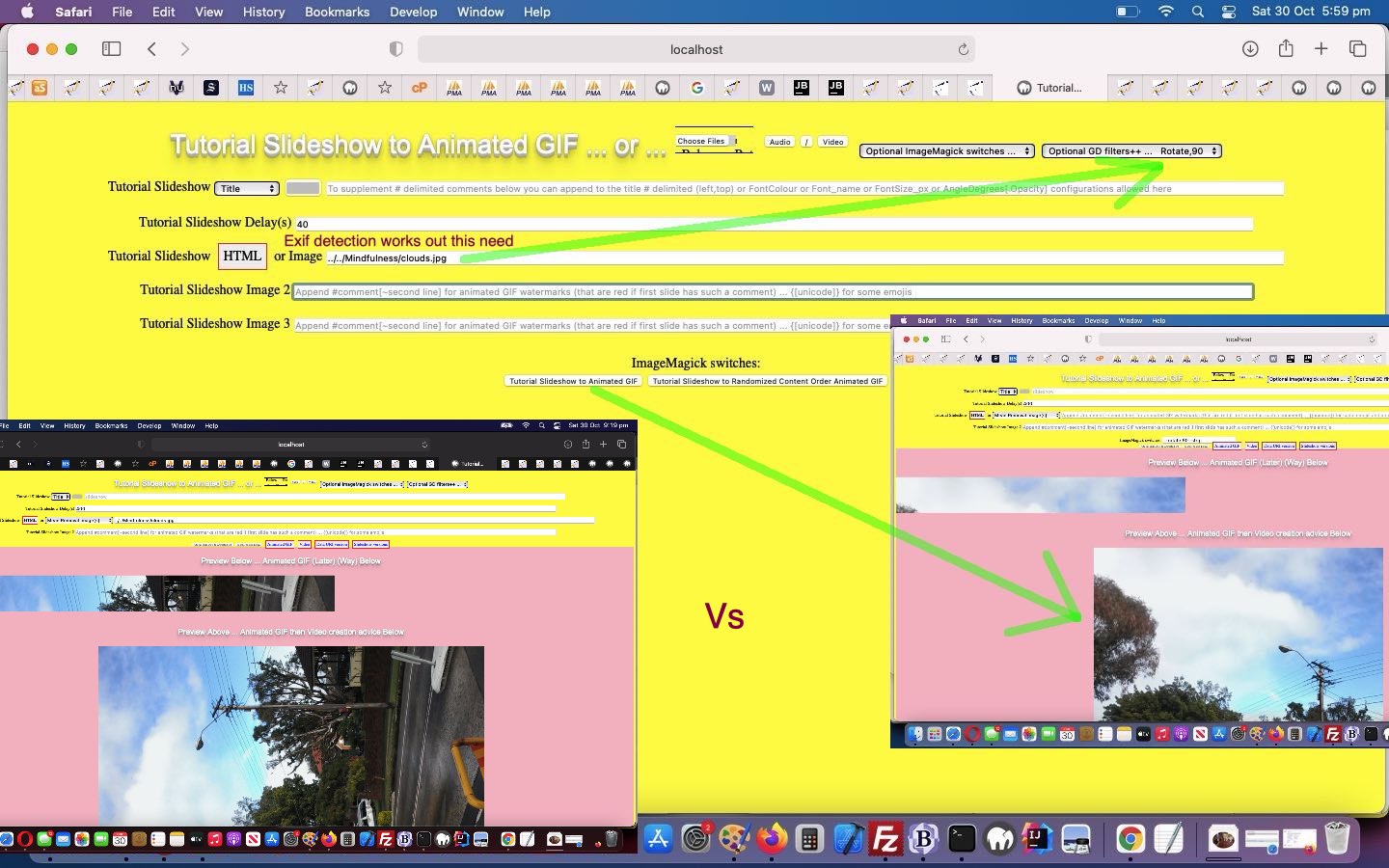
Animated GIF Creator Exif Rotation Compensation Tutorial
The recent couple of days of work like yesterday’s Animated GIF Creator GD Transformations Interfacing Tutorial have given us “rotation functionality” tools to counteract the unusual effects Exif …
Exchangeable image file format (officially Exif, according to JEIDA/JEITA/CIPA specifications) is a standard that specifies the formats for images, sound, and ancillary tags used by digital cameras (including smartphones), scanners and other systems handling image and sound files recorded by digital cameras.
… can have converting mobile device camera created images into animated GIFs via our changed tutorial_to_animated_gif.php inhouse Animated GIF Creator PHP web application.
But with some photos it’s there in the photo’s metadata information letting the future user know what orientation the camera of that mobile device was in as you took the photo. In order to help our animated GIF creator, the first slide image is scoured for Exif metadata and if found, a suitable rotation correction can be applied to the slides there and then. In order to scour for Exif metadata we needed to write a exif_rotation_check.php inhouse Exif detector PHP helper.
Previous relevant Animated GIF Creator GD Transformations Interfacing Tutorial is shown below.
Animated GIF Creator GD Transformations Interfacing Tutorial
The PHP GD image library is so much more useful than for the “filters” interfaced to with yesterday’s Animated GIF Creator GD Filter Interfacing Tutorial. Under an “umbrella term” transformations, today we add interfacing to GD functionality …
… into our changed tutorial_to_animated_gif.php inhouse Animated GIF Creator PHP web application. We found it more user friendly to tailor the asking of numerical parameters for these GD calls work via …
<?php
 $gfcds='';

 $gdfs=[];

 if (strpos(($imvgn . $imafn . $imqty . $imgds), '|') !== false) {

    $gdfs=explode(';', trim(explode('|', $imvgn . $imafn . $imqty . $imgds)[1]));

    for ($itf=0; $itf<sizeof($gdfs); $itf++) {

     if (trim($gdfs[$itf]) != '') {

      if (trim($gdfs[$itf]) == strtolower(trim($gdfs[$itf]))) {

      $gfcds.=chr(10) . " imagefilter(" . "$" . "oimo, IMG_FILTER_" . strtoupper(trim($gdfs[$itf])) . "); " . chr(10);

      } else if (trim($gdfs[$itf]) == strtoupper(trim($gdfs[$itf]))) {

      $gfcds.=chr(10) . " image" . explode(',',explode(" ",strtolower(trim($gdfs[$itf])))[0])[0] . "(" . "$" . "oimo, IMG_" . str_replace(" ","_",strtoupper(trim(  str_replace(explode(' ',$gdfs[$itf])[0] . ' ','',$gdfs[$itf])   ))) . "); " . chr(10);

      } else if (strpos(strtoupper(trim($gdfs[$itf])), "SCALE") !== false) {

      $gfcds.=chr(10) . " $" . "oimo=image" . explode(',',explode(" ",strtolower(trim($gdfs[$itf])))[0])[0] . "(" . "$" . "oimo" . str_replace(" ","_",(trim(  str_replace(explode(',',explode(" ",(trim($gdfs[$itf])))[0])[0],'',$gdfs[$itf])   ))) . "); " . chr(10);

      } else if (strpos(strtoupper(trim($gdfs[$itf])), "COPY") === false) {

      $gfcds.=chr(10) . " image" . explode(',',explode(" ",strtolower(trim($gdfs[$itf])))[0])[0] . "(" . "$" . "oimo" . str_replace(" ","_",(trim(  str_replace(explode(',',explode(" ",(trim($gdfs[$itf])))[0])[0],'',$gdfs[$itf])   ))) . "); " . chr(10);

      } else {

      $gfcds.=chr(10) . " image" . explode(',',explode(" ",strtolower(trim($gdfs[$itf])))[0])[0] . "(" . "$" . "oimo" . "," . "$" . "oimo" . explode("," . "$" . "oimo", $gdfs[$itf])[1] . "); " . chr(10);

      }

     }

    }

 }
?>
… to work with modified PHP writes PHP of the ilk …
<?php echo ”
function ourimagecreatefromstring(\$inidis) {

global \$imvgn, \$imafn, \$imqty, \$imgds, \$gfcds;

  if ((\$imvgn . \$imafn . \$imqty . \$imgds) != '' && strpos(\$inidis, ';base64,') !== false) {

    \$extis=str_replace('jpeg','jpg',explode('/', explode(';base64,', \$inidis)[0])[1]);

    \$inextis=\$extis;

    \$sofarout='/tmp/imtmp.' . \$extis;

    foreach (glob('/tmp/imtmp.*') as \$imfilename) {

       unlink(\$imfilename);

    }

    file_put_contents(\$sofarout, base64_encode(explode(';base64,', \$inidis)[1]));

    \$fzis=filesize(\$sofarout);

    if (trim(explode('|', \$imvgn . \$imafn . \$imqty . \$imgds)[0]) != '') {

    exec('" . $immogpath . "mogrify ' . explode('|', \$imvgn . \$imafn . \$imqty . \$imgds)[0] . ' /tmp/imtmp.' . \$extis);

    }

    foreach (glob('/tmp/imtmp.*') as \$imfilename) {

       if (filesize(\$imfilename) != \$fzis) {  // strpos(\$imfilename, '.' . \$extis) === false ||

         \$sofarout=\$imfilename;

         \$extis=explode('.', \$imfilename)[1];

       }

    }

    \$oimo=null;

    if (strtolower(\$extis) == 'png') {

      \$oimo=imagecreatefrompng('/tmp/imtmp.' . \$extis); " . $gfcds . "

    } else if (strtolower(\$extis) == 'bmp') {

      \$oimo=imagecreatefrombmp('/tmp/imtmp.' . \$extis); " . $gfcds . "

    } else if (strtolower(\$extis) == 'gif') {

      \$oimo=imagecreatefromgif('/tmp/imtmp.' . \$extis); " . $gfcds . "

    } else if (strpos(strtolower(\$extis), 'jp') !== false) {

      \$oimo=imagecreatefromjpeg('/tmp/imtmp.' . \$extis); " . $gfcds . "

    }

    if (\$oimo) { return \$oimo; }

  } else if ((\$imvgn . \$imafn . \$imqty . \$imgds) != '') {

    \$extis=str_replace('jpeg','jpg','" . $inextis . "');

    \$inextis=\$extis;

    \$sofarout='/tmp/imtmp.' . \$extis;

    foreach (glob('/tmp/imtmp.*') as \$imfilename) {

       unlink(\$imfilename);

    }

    file_put_contents(\$sofarout, \$inidis);

    \$fzis=filesize(\$sofarout);

    if (strpos(strtolower((\$imvgn . \$imafn . \$imqty . \$imgds)), '-format ') === false) { \$imvgn.=' -format " . str_replace('jpg','jpeg',$inextis) . " ';  }

    if (trim(explode('|', \$imvgn . \$imafn . \$imqty . \$imgds)[0]) != '') {

    exec('" . $immogpath . "mogrify ' . explode('|', \$imvgn . \$imafn . \$imqty . \$imgds)[0] . ' /tmp/imtmp.' . \$extis);

    }

    foreach (glob('/tmp/imtmp.*') as \$imfilename) {

       if (filesize(\$imfilename) != \$fzis) {  // strpos(\$imfilename, '.' . \$extis) === false) {

         \$sofarout=\$imfilename;

         \$extis=explode('.', \$imfilename)[1];

       }

    }

    \$oimo=null;

    if (strtolower(\$extis) == 'png') {

      \$oimo=imagecreatefrompng('/tmp/imtmp.' . \$extis);  " . $gfcds . "

    } else if (strtolower(\$extis) == 'bmp') {

      \$oimo=imagecreatefrombmp('/tmp/imtmp.' . \$extis);  " . $gfcds . "

    } else if (strtolower(\$extis) == 'gif') {

      \$oimo=imagecreatefromgif('/tmp/imtmp.' . \$extis);  " . $gfcds . "

    } else if (strpos(strtolower(\$extis), 'jp') !== false) {

      \$oimo=imagecreatefromjpeg('/tmp/imtmp.' . \$extis);  " . $gfcds . "

    }

    if (\$oimo) { return \$oimo; }

  }

  return imagecreatefromstring(\$inidis);

}
“; “?>
… and to get there clientwise, in the Javascript …
function gdadd(oselo) {

 var pari=1, thispari='0';

 if (oselo.value != '') {

  //alert(oselo.value);

  var oselovalue=oselo.value.replace(',' + '$' + 'oimo','~' + '$' + 'oimo').split(',')[0];

  //alert(oselovalue);

  var oseloval=oselo.value;

  if (document.getElementById('imgds')) { if (document.getElementById('imgds').value == '') { document.getElementById('imgds').value='|';  } else { document.getElementById('imgds').value+=';'; } }

  oseloval=oseloval.replace(',' + '$' + 'oimo','~' + '$' + 'oimo');

  oseloval=oseloval.replace(oseloval.split(',')[0], '');

  while (oseloval.indexOf(',') != -1) {

  //alert(oseloval);

      if ((oseloval + ' ').substring(1).split(',')[0].trim() != '') {

      if ((' ' + (oseloval + ' ').substring(1).split(',')[0].trim() + ' ').toLowerCase().indexOf(' colour ') != -1) {

      thispari=prompt('Enter' + (' ' + (oseloval + ' ').substring(1).split(',')[0].trim() + ' ').toLowerCase().replace(' colour ', ' red,green,blue colour ') + 'parameter for GD ' + oselo.value.split(',')[0] + ' ' + pari + ' of ' + eval(-1 + oselo.value.replace(',' + '$' + 'oimo','').split(',').length)  + '?', '0');

      if (thispari == null) {

        thispari='0';

      } else if (thispari.trim() == '') {

        thispari='0';

      } else if (thispari.indexOf(',') == -1) {

        oselovalue+=',' + thispari + '';

      } else {

        oselovalue+=',imagecolorallocate(' + '$' + 'oimo,' + thispari + ')';

      }

      } else {

      thispari=prompt('Enter ' + (oseloval + ' ').substring(1).split(',')[0].trim() + ' parameter for GD ' + oselo.value.split(',')[0] + ' ' + pari + ' of ' + eval(-1 + oselo.value.replace(',' + '$' + 'oimo','').split(',').length)  + '?', '0');

      if (thispari == null) {

        thispari='0';

      } else {

        oselovalue+=',' + thispari;

      }

      }

      oseloval=oseloval.replace(',' + (oseloval + ' ').substring(1).split(',')[0].trim(),'').trim();

      } else {

      thispari=prompt('Enter numerical parameter for GD ' + oselo.value.split(',')[0] + ' ' + pari + ' of ' + eval(-1 + oselo.value.replace(',' + '$' + 'oimo','').split(',').length)  + '?', '0');

      oseloval=oseloval.replace(',','');

      if (thispari == null) {

        thispari='0';

      } else {

        oselovalue+=',' + thispari;

      }

      }

      //oseloval=oseloval.replace(oseloval.split(',')[0] + ',', '');

      //oseloval=oseloval.replace(',','');

      pari++;

  }

  if (document.getElementById('gdopt')) {

    document.getElementById('gdopt').innerHTML+='  ' + oselovalue.replace('~',',');

  }

  if (document.getElementById('imgds')) {

    document.getElementById('imgds').value+=oselovalue.replace('~',',');

    //document.getElementById('imgds').style.display='inline-block';

    //document.getElementById('imgds').style.width='300px';

    if (document.getElementById('smyim').innerHTML == '') {  document.getElementById('smyim').innerHTML='ImageMagick switches: '; }

  } else if (document.getElementById('myim')) {

    document.getElementById('myim').innerHTML='<span is=smyim>ImageMagick switches: </span><input id=imqty name=imqty type=text style=display:inline-block; value=\"\"></input><input id=imgds name=imgds type=hidden style=display:inline-block; value=\"|' + oselovalue.replace('~',',') + '\"></input>';

    document.getElementById('imqty').style.width='300px';

  }

  oselo.value='';

 }

}
Previous relevant Animated GIF Creator GD Filter Interfacing Tutorial is shown below.
Animated GIF Creator GD Filter Interfacing Tutorial
We are into image modification on the way to creating “compiled” animated GIF images, at the moment. Yesterday’s Animated GIF Creator ImageMagick Interfacing Tutorial got us interfacing (or integrating) …
… into our changed tutorial_to_animated_gif.php inhouse Animated GIF Creator PHP web application.
Previous relevant Animated GIF Creator ImageMagick Interfacing Tutorial is shown below.
Animated GIF Creator ImageMagick Interfacing Tutorial
Yes, you guessed it! On top of yesterday’s ImageMagick Vignette Primer Tutorial, today we want to interface the ImageMagick batch processing “mogrify” ideas into our changed tutorial_to_animated_gif.php inhouse Animated GIF Creator PHP web application.
“Interfacing” (or integrating) into code often has you asking the question …
Where do we intervene to place our logic?
We’ve decided to “wrap” our PHP GD calls …
… into inhouse “our” prefixed function versions as per (PHP writing out PHP) …
<?php echo ”
 \$imvgn='" . $imvgn . "'; /" . "/ vignette factor

 \$imafn='" . $imafn . "'; /" . "/ affine transformation

 \$imqty='" . $imqty . "'; /" . "/ image conversion and/or quality RE jpeg


function ourimagecreatefromstring(\$inidis) {

global \$imvgn, \$imafn, \$imqty;

  if ((\$imvgn . \$imafn . \$imqty) != '' && strpos(\$inidis, ';base64,') !== false) {

    \$extis=str_replace('jpeg','jpg',explode('/', explode(';base64,', \$inidis)[0])[1]);

    \$inextis=\$extis;

    \$sofarout='/tmp/imtmp.' . \$extis;

    foreach (glob('/tmp/imtmp.*') as \$imfilename) {

       unlink(\$imfilename);

    }

    file_put_contents(\$sofarout, base64_encode(explode(';base64,', \$inidis)[1]));

    \$fzis=filesize(\$sofarout);

    exec('" . $immogpath . "mogrify ' . \$imvgn . \$imafn . \$imqty . ' /tmp/imtmp.' . \$extis);

    foreach (glob('/tmp/imtmp.*') as \$imfilename) {

       if (filesize(\$imfilename) != \$fzis) {  // strpos(\$imfilename, '.' . \$extis) === false ||

         \$sofarout=\$imfilename;

         \$extis=explode('.', \$imfilename)[1];

       }

    }

    if (strtolower(\$extis) == 'png') {

      return imagecreatefrompng('/tmp/imtmp.' . \$extis);

    } else if (strtolower(\$extis) == 'bmp') {

      return imagecreatefrombmp('/tmp/imtmp.' . \$extis);

    } else if (strtolower(\$extis) == 'gif') {

      return imagecreatefromgif('/tmp/imtmp.' . \$extis);

    } else if (strpos(strtolower(\$extis), 'jp') !== false) {

      return imagecreatefromjpeg('/tmp/imtmp.' . \$extis);

    }

  } else if ((\$imvgn . \$imafn . \$imqty) != '') {

    \$extis=str_replace('jpeg','jpg','" . $inextis . "');

    \$inextis=\$extis;

    \$sofarout='/tmp/imtmp.' . \$extis;

    foreach (glob('/tmp/imtmp.*') as \$imfilename) {

       unlink(\$imfilename);

    }

    file_put_contents(\$sofarout, \$inidis);

    \$fzis=filesize(\$sofarout);

    if (strpos(strtolower((\$imvgn . \$imafn . \$imqty)), '-format ') === false) { \$imvgn.=' -format " . str_replace('jpg','jpeg',$inextis) . " ';  }

    exec('" . $immogpath . "mogrify ' . \$imvgn . \$imafn . \$imqty . ' /tmp/imtmp.' . \$extis);

    foreach (glob('/tmp/imtmp.*') as \$imfilename) {

       if (filesize(\$imfilename) != \$fzis) {  // strpos(\$imfilename, '.' . \$extis) === false) {

         \$sofarout=\$imfilename;

         \$extis=explode('.', \$imfilename)[1];

       }

    }

    if (strtolower(\$extis) == 'png') {

      return imagecreatefrompng('/tmp/imtmp.' . \$extis);

    } else if (strtolower(\$extis) == 'bmp') {

      return imagecreatefrombmp('/tmp/imtmp.' . \$extis);

    } else if (strtolower(\$extis) == 'gif') {

      return imagecreatefromgif('/tmp/imtmp.' . \$extis);

    } else if (strpos(strtolower(\$extis), 'jp') !== false) {

      return imagecreatefromjpeg('/tmp/imtmp.' . \$extis);

    }

  }

  return imagecreatefromstring(\$inidis);

}


function ourimagecreatefromjpeg(\$inidis) {

global \$imvgn, \$imafn, \$imqty;

  if ((\$imvgn . \$imafn . \$imqty) != '') {

    \$extis='jpg';

    \$inextis=\$extis;

    \$sofarout='/tmp/imtmp.' . \$extis;

    foreach (glob('/tmp/imtmp.*') as \$imfilename) {

       unlink(\$imfilename);

    }

    file_put_contents(\$sofarout, \$inidis);

    \$fzis=filesize(\$sofarout);

    exec('" . $immogpath . "mogrify ' . \$imvgn . \$imafn . \$imqty . ' /tmp/imtmp.' . \$extis);

    foreach (glob('/tmp/imtmp.*') as \$imfilename) {

       if (filesize(\$imfilename) != \$fzis) {  // strpos(\$imfilename, '.' . \$extis) === false) {

         \$sofarout=\$imfilename;

         \$extis=explode('.', \$imfilename)[1];

       }

    }

    if (strtolower(\$extis) == 'png') {

      return imagecreatefrompng('/tmp/imtmp.' . \$extis);

    } else if (strtolower(\$extis) == 'bmp') {

      return imagecreatefrombmp('/tmp/imtmp.' . \$extis);

    } else if (strtolower(\$extis) == 'gif') {

      return imagecreatefromgif('/tmp/imtmp.' . \$extis);

    } else if (strpos(strtolower(\$extis), 'jp') !== false) {

      return imagecreatefromjpeg('/tmp/imtmp.' . \$extis);

    }

  }

  return imagecreatefromjpeg(\$inidis);

}


function ourimagecreatefrompng(\$inidis) {

global \$imvgn, \$imafn, \$imqty;

  if ((\$imvgn . \$imafn . \$imqty) != '') {

    \$extis='png';

    \$inextis=\$extis;

    \$sofarout='/tmp/imtmp.' . \$extis;

    foreach (glob('/tmp/imtmp.*') as \$imfilename) {

       unlink(\$imfilename);

    }

    file_put_contents(\$sofarout, \$inidis);

    \$fzis=filesize(\$sofarout);

    exec('" . $immogpath . "mogrify ' . \$imvgn . \$imafn . \$imqty . ' /tmp/imtmp.' . \$extis);

    foreach (glob('/tmp/imtmp.*') as \$imfilename) {

       if (filesize(\$imfilename) != \$fzis) {  // strpos(\$imfilename, '.' . \$extis) === false) {

         \$sofarout=\$imfilename;

         \$extis=explode('.', \$imfilename)[1];

       }

    }

    if (strtolower(\$extis) == 'png') {

      return imagecreatefrompng('/tmp/imtmp.' . \$extis);

    } else if (strtolower(\$extis) == 'bmp') {

      return imagecreatefrombmp('/tmp/imtmp.' . \$extis);

    } else if (strtolower(\$extis) == 'gif') {

      return imagecreatefromgif('/tmp/imtmp.' . \$extis);

    } else if (strpos(strtolower(\$extis), 'jp') !== false) {

      return imagecreatefromjpeg('/tmp/imtmp.' . \$extis);

    }

  }

  return imagecreatefrompng(\$inidis);

}


function ourimagecreatefromgif(\$inidis) {

global \$imvgn, \$imafn, \$imqty;

  if ((\$imvgn . \$imafn . \$imqty) != '') {

    \$extis='gif';

    \$inextis=\$extis;

    \$sofarout='/tmp/imtmp.' . \$extis;

    foreach (glob('/tmp/imtmp.*') as \$imfilename) {

       unlink(\$imfilename);

    }

    file_put_contents(\$sofarout, \$inidis);

    \$fzis=filesize(\$sofarout);

    exec('" . $immogpath . "mogrify ' . \$imvgn . \$imafn . \$imqty . ' /tmp/imtmp.' . \$extis);

    foreach (glob('/tmp/imtmp.*') as \$imfilename) {

       if (filesize(\$imfilename) != \$fzis) {  // strpos(\$imfilename, '.' . \$extis) === false) {

         \$sofarout=\$imfilename;

         \$extis=explode('.', \$imfilename)[1];

       }

    }

    if (strtolower(\$extis) == 'png') {

      return imagecreatefrompng('/tmp/imtmp.' . \$extis);

    } else if (strtolower(\$extis) == 'bmp') {

      return imagecreatefrombmp('/tmp/imtmp.' . \$extis);

    } else if (strtolower(\$extis) == 'gif') {

      return imagecreatefromgif('/tmp/imtmp.' . \$extis);

    } else if (strpos(strtolower(\$extis), 'jp') !== false) {

      return imagecreatefromjpeg('/tmp/imtmp.' . \$extis);

    }

  }

  return imagecreatefromgif(\$inidis);

}


function ourimagecreatefrombmp(\$inidis) {

global \$imvgn, \$imafn, \$imqty;

  if ((\$imvgn . \$imafn . \$imqty) != '') {

    \$extis='bmp';

    \$inextis=\$extis;

    \$sofarout='/tmp/imtmp.' . \$extis;

    foreach (glob('/tmp/imtmp.*') as \$imfilename) {

       unlink(\$imfilename);

    }

    file_put_contents(\$sofarout, \$inidis);

    \$fzis=filesize(\$sofarout);

    exec('" . $immogpath . "mogrify ' . \$imvgn . \$imafn . \$imqty . ' /tmp/imtmp.' . \$extis);

    foreach (glob('/tmp/imtmp.*') as \$imfilename) {

       if (filesize(\$imfilename) != \$fzis) {  // strpos(\$imfilename, '.' . \$extis) === false) {

         \$sofarout=\$imfilename;

         \$extis=explode('.', \$imfilename)[1];

       }

    }

    if (strtolower(\$extis) == 'png') {

      return imagecreatefrompng('/tmp/imtmp.' . \$extis);

    } else if (strtolower(\$extis) == 'bmp') {

      return imagecreatefrombmp('/tmp/imtmp.' . \$extis);

    } else if (strtolower(\$extis) == 'gif') {

      return imagecreatefromgif('/tmp/imtmp.' . \$extis);

    } else if (strpos(strtolower(\$extis), 'jp') !== false) {

      return imagecreatefromjpeg('/tmp/imtmp.' . \$extis);

    }

  }

  return imagecreatefrombmp(\$inidis);

}
“; ?>
… and change existant calls into (equivalent inhouse) “our” function calls as above.
Previous relevant ImageMagick Vignette Primer Tutorial is shown below.
ImageMagick Vignette Primer Tutorial
Continuing on with the ImageMagick batch processing “mogrify” ideas of yesterday’s ImageMagick Batch Image Conversion Affine Transformation Tutorial and the “vignette” image editing ideas of Gimp Vignette Primer Tutorial, as below, today, we took some pet photos with an iPad’s Camera app and shared them off the Photos app via two Mail sharing option emails containing seven attachments each. Using an iPad, the JPEG “jpg” output files were too big for our inhouse Animated GIF Creator PHP web application to handle, and so to perform the …
… on the way to compiling into an animated GIF image, and we turned to ImageMagick again, using its affine transformation talents, along with its awesome vignetting talents …
… where the last two dropdown options will be similar, the last showing the input image into ImageMagick can be an animated GIF that is truely treated like an animated GIF.
By the way, should you be interested in photo orientation off a mobile device camera, have a read of PHP Exif Image Information Revisit Tutorial.
Nala and Luna and Charlie bid you a fond farewell!
Previous relevant Gimp Vignette Primer Tutorial is shown below.
Gimp Vignette Primer Tutorial
The last time we talked about the miraculous, redolent and amazing image editor called Gimp am sure there was someone in a shower … it stands to reason … and one of those showerers, surely, would have been singing The Gimp Song … and if not … why not? … but we digress … anyway we had the Gimp Transparency Primer Tutorial as shown below go into some image transparency issues with Gimp.
In today’s tutorial we make use of a great tutorial (even so far as with direct quotes below) called Add a Vignette to a Photograph with GIMP (thanks) to try a photographic technique called vignetting on one of the photographs we added, recently, into the mix of those of the Custom Header Image mix at this blog … specifically the one of Nala, the dog, on the door ledge. Need to warn you here and now that if there was the time all over again, it would be better achieved that second time around, but this is not the point with learning, but rather getting some starting point with a great “product” like Gimp, and trying it yourself, once you have a method. It boils down to:
Here is an image comparison link.
As with most Gimp ideas, jump in and give it a go, as you’ll find your own ways and means of using this great product … am pretty sure.
Link to Gimp “spiritual home” … here.
Link to Gimp forum … here.
Previous relevant Gimp Transparency Primer Tutorial is shown below.
Gimp Transparency Primer Tutorial
Here is a tutorial that adds to a previous Gimp Layers Primer Tutorial as shown below, and gives you more insight into the massive possibilities of using a sophisticated image editor and use layers with various amounts of transparency, especially suited to use with png image files.
Today’s tutorial where we construct a Birthday Card that needs tweaking for the words in front to be seen a bit more clearly, by making the image behind a bit more transparent, changes the transparency of a single image via:
As with most Gimp ideas, jump in and give it a go, as you’ll find your own ways and means of using this great product … am pretty sure.
Link to Gimp “spiritual home” … here.
Link to Gimp forum … here.
Previous relevant Gimp Layers Primer Tutorial is shown below.
Gimp Layers Primer Tutorial
Here is a tutorial that gives you an insight into the massive possibilities of using a sophisticated image editor and use layers with various amounts of transparency, especially suited to use with png image files.
Transparency (or its obverse, opacity) can be used to have the one image achieve several “ends” (ie. purposes). Although it is a bit of a clumsy example in the tutorial, you can see that the technique can be used for artistic purposes … often called “Photoshopping” (named after the more famous, and also brilliant, rival product, Photoshop).
Lots of those classic “Photoshopping” techniques can be achieved in Gimp, and some other tutorials at this blog touch on that.
Am sure you can imagine what the concept of a layer is with regard to image manipulation. Within Gimp, for beginners not used to this concept, you find yourself underestimating and underplaying what can be achieved with the various layers of a multi-layered image. In simplistic terms each layer has the functionality in Gimp to be treated as a whole new image, and this is the best way to think of it when trying to achieve what you want to achieve with Gimp.
Link to Gimp “spiritual home” … here.
Link to Gimp forum … here.
If this was interesting you may be interested in this too.
If this was interesting you may be interested in this too.
If this was interesting you may be interested in this too.
If this was interesting you may be interested in this too.
If this was interesting you may be interested in this too.
If this was interesting you may be interested in this too.
If this was interesting you may be interested in this too.
If this was interesting you may be interested in this too.
If this was interesting you may be interested in this too.
If this was interesting you may be interested in this too.
If this was interesting you may be interested in this too.
If this was interesting you may be interested in this too.
If this was interesting you may be interested in this too.
If this was interesting you may be interested in this too.
If this was interesting you may be interested in this too.
If this was interesting you may be interested in this too.
If this was interesting you may be interested in this too.
If this was interesting you may be interested in this too.
If this was interesting you may be interested in this too.
If this was interesting you may be interested in this too.
If this was interesting you may be interested in this too.
If this was interesting you may be interested in this too.
If this was interesting you may be interested in this too.
If this was interesting you may be interested in this too.
If this was interesting you may be interested in this too.
If this was interesting you may be interested in this too.
ComboBox Idea Primer Tutorial
We’ve long been interested in what used to be a cute feature of GUI widgetry desktop web applications (before any mobile anything) called “ComboBox” as talked about at Button Innards Primer Tutorial. To us, what a “ComboBox”‘s essence is …
Combination of interactively keyboard entry and/or a dropdown means of data definition
… and, like with that tutorial linked to above, it is an HTML button element we start with …
<button onclick="document.getElementById('ssave').focus();" id=bsave><span style='background-color:white;min-width:40px;padding:2 2 2 2;' onclick="event.stopPropagation();" id=ssave onblur=lsit(this); contenteditable="true"></span><select onclick="event.stopPropagation();" style='margin-left:100px;' contenteditable=yes onchange=recallsm(this); id=savedd><option value=''>Optionally enter a value ...</option><option value=1>1</option></select></button>
… in our revisit to the concept, today, with a first draft ComboBox ideas exploratory effort.
Previous relevant Button Innards Primer Tutorial is shown below.
Button Innards Primer Tutorial
Yesterday’s …
… combine, today, starting down, again, the road to “button innards” interest.
We thought the “how we got there” concept of embedding the form elements of data into “button innards” (ie. it’s innerHTML) in our new “button innards” web application interesting. Of course you don’t have to do this simple exercise of calculating time elapsed between two datetimes this way, but what we wanted to show was that with lots of things in web design, by now, there is more than one way to crack an egg …
Previous relevant Bookmark Exporting Filtering Sharing Tutorial is shown below.
Bookmark Exporting Filtering Sharing Tutorial
Yesterday’s Making of Ffmpeg Video Overall Effects Tutorial‘s “first draft” feel of our inhouse Bookmark Export Filtering web application showed just that. Yes, there was quite a lot to improve on, the way we saw it being …
  function yesthreethree(restis) {

   if (document.getElementById('bmkdata')) {

    if (restis.indexOf('data:') == 0) {

      if (restis.indexOf(';base64,') != -1) {

        document.getElementById('bmkdata').value='' + window.atob(restis.split(';base64,')[1]);

        analyze(document.getElementById('bmkdata')); //document.getElementById('bmkdata').blur();

      } else if (restis.indexOf(';utf8,') != -1) {

        document.getElementById('bmkdata').value='' + (restis.split(';utf8,')[1]);

        analyze(document.getElementById('bmkdata')); //document.getElementById('bmkdata').blur();

      }

    } else {

      document.getElementById('bmkdata').value=restis;

      analyze(document.getElementById('bmkdata')); //document.getElementById('bmkdata').blur();

    }

   }

  }
… and because the amounts of data can be large (and too big for a method=GET HTML form arrangement that clientside HTML/Javascript is capable of servicing) we were glad adding this Sharing functionality that yesterday we’d already started down the line of thinking that the …
… because with these methodologies the web server restrictions on (address bar) URL lengths (ie. error 414) melt away, at least for data lengths we’ve encountered with our testing so far, and that applies also to …
… Sharing …
  var mysubject='My Bookmarked Links ...', xlocationhref='';

  if (('' + location.hash).indexOf('bmkdata=') != -1) { locationhash=location.hash;  }


  function doemail() {

     if (document.getElementById('bmkdata').value.trim() != '') {

       locationhash='#bmkdata=' + window.btoa(encodeURIComponent(document.getElementById('bmkdata').value));

       mysubject='My Bookmarked Links ...';

       if (document.getElementById('dtone').value.trim() != '' && document.getElementById('dttwo').value.trim() != '') {

          mysubject='My Bookmarked Links from ' + document.getElementById('dtone').value.trim() + ' to ' + document.getElementById('dttwo').value.trim() + ' ... ';

       } else if (document.getElementById('dtone').value.trim() != '') {

          mysubject='My Bookmarked Links from ' + document.getElementById('dtone').value.trim() + ' ... ';

       } else if (document.getElementById('dttwo').value.trim() != '') {

          mysubject='My Bookmarked Links up until ' + document.getElementById('dttwo').value.trim() + ' ... ';

       }

       if (ulli && !utable) {

        recipient=prompt('Please enter email address to send to?  Will output UL/LI else if some blanks will output Table.  Default email Subject is ' + mysubject + ' ... but if you want a different one append a hash (#) followed by your own Subject for the Email.', '');

        if (recipient == null) { recipient=''; } else if (recipient.indexOf('@') == -1) { recipient='';  } else if (eval('' + recipient.indexOf('#')) > eval('' + recipient.indexOf('@'))) {  mysubject=recipient.split('#')[1]; recipient=recipient.split('#')[0];  }

        if (recipient.indexOf(' ') != -1) {

        locationhref=document.URL.split('?')[0].split('#')[0] + '?table=y&dtone=' + encodeURIComponent(document.getElementById('dtone').value) + '&dttwo=' + encodeURIComponent(document.getElementById('dttwo').value); // + '#bmkdata=' + encodeURIComponent(document.getElementById('bmkdata').value);

        } else {

        locationhref=document.URL.split('?')[0].split('#')[0] + '?ulli=y&dtone=' + encodeURIComponent(document.getElementById('dtone').value) + '&dttwo=' + encodeURIComponent(document.getElementById('dttwo').value); // + '#bmkdata=' + encodeURIComponent(document.getElementById('bmkdata').value);

        }

        xlocationhref=locationhref;

        if (recipient.trim() != '') {

           if (1 == 1) {

           processit();

           } else {

           document.getElementById('spareshare').href='mailto:' + recipient.replace(/\ /g,'') + '?subject=' + encodeURIComponent(mysubject) + '&body=' + encodeURIComponent(locationhref + locationhash);

           document.getElementById('spareshare').click();

           recipient='';

           }

        }

       } else if (utable) {

        recipient=prompt('Please enter email address to send to?  Will output UL/LI else if some blanks will output Table.  Default email Subject is ' + mysubject + ' ... but if you want a different one append a hash (#) followed by your own Subject for the Email.', '');

        if (recipient == null) { recipient=''; } else if (recipient.indexOf('@') == -1) { recipient='';  } else if (eval('' + recipient.indexOf('#')) > eval('' + recipient.indexOf('@'))) {  mysubject=recipient.split('#')[1]; recipient=recipient.split('#')[0];  }

        if (recipient.indexOf(' ') != -1) {

        locationhref=document.URL.split('?')[0].split('#')[0] + '?table=y&dtone=' + encodeURIComponent(document.getElementById('dtone').value) + '&dttwo=' + encodeURIComponent(document.getElementById('dttwo').value); // + '#bmkdata=' + encodeURIComponent(document.getElementById('bmkdata').value);

        } else {

        locationhref=document.URL.split('?')[0].split('#')[0] + '?ulli=y&dtone=' + encodeURIComponent(document.getElementById('dtone').value) + '&dttwo=' + encodeURIComponent(document.getElementById('dttwo').value); // + '#bmkdata=' + encodeURIComponent(document.getElementById('bmkdata').value);

        }

        xlocationhref=locationhref;

        if (recipient.trim() != '') {

           if (1 == 1) {

           processit();

           } else {

           document.getElementById('spareshare').href='mailto:' + recipient.replace(/\ /g,'') + '?subject=' + encodeURIComponent(mysubject) + '&body=' + encodeURIComponent(locationhref + locationhash);

           document.getElementById('spareshare').click();

           recipient='';

           }

        }

       }

     }

  }


  function dosms() {

     if (document.getElementById('bmkdata').value.trim() != '') {

       locationhash='#bmkdata=' + window.btoa(encodeURIComponent(document.getElementById('bmkdata').value));

       if (ulli && !utable) {

        recipient=prompt('Please enter SMS number to send to?   Will output UL/LI else if some blanks will output Table.', '');

        if (recipient == null) { recipient=''; } else if (recipient.trim() != '' && recipient.trim().replace(/0/g,'').replace(/1/g,'').replace(/2/g,'').replace(/3/g,'').replace(/4/g,'').replace(/5/g,'').replace(/6/g,'').replace(/7/g,'').replace(/8/g,'').replace(/9/g,'') != '') { recipient='';  }

        if (recipient.indexOf(' ') != -1) {

        locationhref=document.URL.split('?')[0].split('#')[0] + '?table=y&dtone=' + encodeURIComponent(document.getElementById('dtone').value) + '&dttwo=' + encodeURIComponent(document.getElementById('dttwo').value); // + '#bmkdata=' + encodeURIComponent(document.getElementById('bmkdata').value);

        } else {

        locationhref=document.URL.split('?')[0].split('#')[0] + '?ulli=y&dtone=' + encodeURIComponent(document.getElementById('dtone').value) + '&dttwo=' + encodeURIComponent(document.getElementById('dttwo').value); // + '#bmkdata=' + encodeURIComponent(document.getElementById('bmkdata').value);

        }

        xlocationhref=locationhref;

        if (recipient.trim() != '') {

           if (1 == 1) {

           processit();

           } else {

           document.getElementById('spareshare').href='sms:' + recipient.replace(/\ /g,'') + '&body=' + encodeURIComponent(locationhref + locationhash);

           document.getElementById('spareshare').click();

           recipient='';

           }

        }

       } else if (utable) {

        recipient=prompt('Please enter SMS number to send to?   Will output UL/LI else if some blanks will output Table.', '');

        if (recipient == null) { recipient=''; } else if (recipient.trim() != '' && recipient.trim().replace(/0/g,'').replace(/1/g,'').replace(/2/g,'').replace(/3/g,'').replace(/4/g,'').replace(/5/g,'').replace(/6/g,'').replace(/7/g,'').replace(/8/g,'').replace(/9/g,'') != '') { recipient='';  }

        if (recipient.indexOf(' ') != -1) {

        locationhref=document.URL.split('?')[0].split('#')[0] + '?table=y&dtone=' + encodeURIComponent(document.getElementById('dtone').value) + '&dttwo=' + encodeURIComponent(document.getElementById('dttwo').value); // + '#bmkdata=' + encodeURIComponent(document.getElementById('bmkdata').value);

        } else {

        locationhref=document.URL.split('?')[0].split('#')[0] + '?ulli=y&dtone=' + encodeURIComponent(document.getElementById('dtone').value) + '&dttwo=' + encodeURIComponent(document.getElementById('dttwo').value); // + '#bmkdata=' + encodeURIComponent(document.getElementById('bmkdata').value);

        }

        xlocationhref=locationhref;

        if (recipient.trim() != '') {

           if (1 == 1) {

           processit();

           } else {

           document.getElementById('spareshare').href='sms:' + recipient.replace(/\ /g,'') + '&body=' + encodeURIComponent(locationhref + locationhash);

           document.getElementById('spareshare').click();

           recipient='';

           }

        }

       }

     }

  }


  function fillin() {

    if (document.getElementById('rt') && document.getElementById('rd') && document.getElementById('rs')) {

      if (document.getElementById('rd').innerHTML == document.getElementById('rs').outerHTML) {

         document.getElementById('rd').innerHTML=document.getElementById('rs').outerHTML + document.getElementById('rt').value;

      }

    }

  }


// Coming back from an email or SMS link click ...


  if (document.URL.indexOf('?') == -1 && ('' + location.hash).indexOf('bmkdata=') != -1) {

     setTimeout(function(){

        document.getElementById('resulting').innerHTML=decodeURIComponent(('' + location.hash).split('bmkdata=')[1]).replace('><summary', ' open><summary').replace('<details title=', '<details data-title=');

        fillin();

     }, 5000);

  }
… concepts, happily. Keeping it all “just clientside” means we can be talking meaningfully to a larger chunk of audience … if you’re listening, that is?!
So, again, feel free to try our “second draft” dated_bookmarks.html Dated Bookmark Export web application, yourself, perhaps below.
Previous relevant Making of Ffmpeg Video Overall Effects Tutorial is shown below.
Making of Ffmpeg Video Overall Effects Tutorial
At the end of yesterday’s Ffmpeg Video Overall Effects Tutorial there was an Unordered List …
- curves — ffmpeg examples
- Converts GIMP colour curve to something the FFmpeg can read in the curve filter · GitHub
- Top 20 best commands for FFmpeg
- Create video with 5 images with fadeIn/out effect in ffmpeg
- ffmpeg Color Correction: Gamma, Brightness and Saturation
- Accidentally applied an “incandescent light” video filter on a video I filmed on my Sony RX100. Is there any way to remove or reverse this effect on the video?
- More Cool FFmpeg Tricks
- Creating Retro Glow Effects with FFmpeg
- Is it possible to generate such effects purely with ffmpeg?
- Creating a retro glow effect with FFmpeg
- FFmpeg Filters Documentation
… of links, am sure a lot of you would guess, were gleaned (within our Google Chrome web browser History (of that day)) Bookmarked (by us) webpages. We actually compiled via (the clunky and fairly slow) …
… and we wish we could have got that hour and a half back, from yesterday, via swapping yesterday for today?!
Feel free to try our “first draft” proof of concept Dated Bookmark Export web application, yourself.
Did you know?
Not all web browser brands have any Export Bookmarks functionality, like Google Chrome offers here on macOS. We’re going to be examining others, over time, and try to make our inhouse logic fit in with how that Bookmark data looks, on export, should we find any other Web Browser brands offering this functionality.
Previous relevant Ffmpeg Video Overall Effects Tutorial is shown below.
Ffmpeg Video Overall Effects Tutorial
Today’s work (all on our macOS MAMP local Apache/PHP/MySQL web server environment) is only “toe dipping” in a “great big sea of possibilities” regarding the great ffmpeg‘s “filtering style abilities” further to yesterday’s Ffmpeg Video Subliminal Message Tutorial, but …
… we’re hoping. And it’s not as if ffmpeg was on it’s own here with the second concept below …
ffmpeg -i brush__turkey.m4v -vf "fade=in:0:5,fade=out:73:5" brushturkey_fadein_fadeout.m4v
… as the …
… enacting …
python3 ../gimp_curves_ffmpeg.py
ffmpeg -y -i brush__turkey.m4v -filter_complex "

[0:v]

curves=

master='0.0/0 0.01171875/0.033751864777061671 0.0234375/0.067435644319434537 0.03515625/0.10098325339242978 0.046875/0.1343266067613586 0.05859375/0.16739761919153215 0.0703125/0.20012820544826168 0.08203125/0.23245028029685835 0.09375/0.26429575850263332 0.10546875/0.29559655483089792 0.1171875/0.32628458404696314 0.12890625/0.35629176091614018 0.140625/0.38555000020374036 0.15234375/0.41399121667507488 0.1640625/0.44154732509545486 0.17578125/0.46815024023019147 0.1875/0.49373187684459596 0.19921875/0.51822414970397945 0.2109375/0.54155897357365324 0.22265625/0.56366826321892849 0.234375/0.58448393340511628 0.24609375/0.6039378988975278 0.2578125/0.62196207446147445 0.26953125/0.63848837486226717 0.28125/0.65344871486521738 0.29296875/0.66677500923563593 0.3046875/0.67964838149075235 0.31640625/0.6910493179152648 0.328125/0.70214399210941336 0.33984375/0.71293769240972005 0.3515625/0.72343570715270744 0.36328125/0.73364332467489723 0.375/0.74356583331281156 0.38671875/0.75320852140297312 0.3984375/0.76257667728190348 0.41015625/0.77167558928612512 0.421875/0.78051054575216006 0.43359375/0.78908683501653032 0.4453125/0.7974097454157586 0.45703125/0.80548456528636625 0.46875/0.81331658296487608 0.48046875/0.82091108678780988 0.4921875/0.82827336509169003 0.50390625/0.83540870621303842 0.515625/0.84232239848837742 0.52734375/0.84901973025422939 0.5390625/0.85550598984711601 0.55078125/0.86178646560355965 0.5625/0.86786644586008233 0.57421875/0.87375121895320629 0.5859375/0.87944607321945378 0.59765625/0.88495629699534695 0.609375/0.89028717861740791 0.62109375/0.89544400642215893 0.6328125/0.90043206874612158 0.64453125/0.90525665392581867 0.65625/0.9099230502977721 0.66796875/0.91443654619850423 0.6796875/0.91880242996453687 0.69140625/0.92302598993239249 0.703125/0.92711251443859277 0.71484375/0.93106729181966053 0.7265625/0.93489561041211733 0.73828125/0.93860275855248565 0.75/0.94219402457728751 0.76171875/0.94567469682304517 0.7734375/0.94905006362628086 0.78515625/0.95232541332351639 0.796875/0.95550603425127423 0.80859375/0.9585972147460764 0.8203125/0.96160424314444504 0.83203125/0.96453240778290228 0.84375/0.96738699699797048 0.85546875/0.97017329912617156 0.8671875/0.97289660250402765 0.87890625/0.97556219546806111 0.890625/0.97817536635479407 0.90234375/0.98074140350074845 0.9140625/0.98326559524244661 0.92578125/0.98575322991641046 0.9375/0.98820959585916268 0.94921875/0.99063998140722487 0.9609375/0.99304967489711937 0.97265625/0.99544396466536833 0.984375/0.9978281390484941 0.99609375/1":red="0.0/0 0.01171875/0.011764705882352943 0.0234375/0.023529411764705879 0.03515625/0.035294117647058816 0.046875/0.047058823529411764 0.05859375/0.058823529411764712 0.0703125/0.07058823529411766 0.08203125/0.082352941176470587 0.09375/0.094117647058823528 0.10546875/0.10588235294117647 0.1171875/0.11764705882352938 0.12890625/0.12941176470588237 0.140625/0.14117647058823532 0.15234375/0.15294117647058825 0.1640625/0.1647058823529412 0.17578125/0.17647058823529413 0.1875/0.18823529411764706 0.19921875/0.20000000000000007 0.2109375/0.21176470588235291 0.22265625/0.22352941176470589 0.234375/0.23529411764705882 0.24609375/0.24705882352941175 0.2578125/0.25882352941176473 0.26953125/0.27058823529411768 0.28125/0.28235294117647064 0.29296875/0.29411764705882348 0.3046875/0.30588235294117649 0.31640625/0.31764705882352934 0.328125/0.3294117647058824 0.33984375/0.3411764705882353 0.3515625/0.35294117647058826 0.36328125/0.3647058823529411 0.375/0.37647058823529411 0.38671875/0.38823529411764712 0.3984375/0.39999999999999997 0.41015625/0.41176470588235292 0.421875/0.42352941176470582 0.43359375/0.43529411764705883 0.4453125/0.44705882352941184 0.45703125/0.45882352941176474 0.46875/0.47058823529411764 0.48046875/0.48235294117647054 0.4921875/0.49411764705882355 0.50390625/0.50588235294117645 0.515625/0.51764705882352946 0.52734375/0.52941176470588236 0.5390625/0.54117647058823526 0.55078125/0.55294117647058827 0.5625/0.56470588235294117 0.57421875/0.57647058823529407 0.5859375/0.58823529411764708 0.59765625/0.59999999999999998 0.609375/0.61176470588235299 0.62109375/0.62352941176470589 0.6328125/0.63529411764705879 0.64453125/0.6470588235294118 0.65625/0.65882352941176481 0.66796875/0.6705882352941176 0.6796875/0.68235294117647061 0.69140625/0.69411764705882351 0.703125/0.70588235294117663 0.71484375/0.71764705882352942 0.7265625/0.7294117647058822 0.73828125/0.74117647058823533 0.75/0.75294117647058822 0.76171875/0.76470588235294112 0.7734375/0.77647058823529425 0.78515625/0.78823529411764703 0.796875/0.80000000000000004 0.80859375/0.81176470588235294 0.8203125/0.82352941176470584 0.83203125/0.83529411764705874 0.84375/0.84705882352941175 0.85546875/0.85882352941176465 0.8671875/0.87058823529411766 0.87890625/0.88235294117647056 0.890625/0.89411764705882357 0.90234375/0.90588235294117636 0.9140625/0.91764705882352937 0.92578125/0.92941176470588238 0.9375/0.94117647058823528 0.94921875/0.95294117647058818 0.9609375/0.96470588235294119 0.97265625/0.97647058823529409 0.984375/0.98823529411764721 0.99609375/1":green="0.0/0 0.01171875/0.011764705882352943 0.0234375/0.023529411764705879 0.03515625/0.035294117647058816 0.046875/0.047058823529411764 0.05859375/0.058823529411764712 0.0703125/0.07058823529411766 0.08203125/0.082352941176470587 0.09375/0.094117647058823528 0.10546875/0.10588235294117647 0.1171875/0.11764705882352938 0.12890625/0.12941176470588237 0.140625/0.14117647058823532 0.15234375/0.15294117647058825 0.1640625/0.1647058823529412 0.17578125/0.17647058823529413 0.1875/0.18823529411764706 0.19921875/0.20000000000000007 0.2109375/0.21176470588235291 0.22265625/0.22352941176470589 0.234375/0.23529411764705882 0.24609375/0.24705882352941175 0.2578125/0.25882352941176473 0.26953125/0.27058823529411768 0.28125/0.28235294117647064 0.29296875/0.29411764705882348 0.3046875/0.30588235294117649 0.31640625/0.31764705882352934 0.328125/0.3294117647058824 0.33984375/0.3411764705882353 0.3515625/0.35294117647058826 0.36328125/0.3647058823529411 0.375/0.37647058823529411 0.38671875/0.38823529411764712 0.3984375/0.39999999999999997 0.41015625/0.41176470588235292 0.421875/0.42352941176470582 0.43359375/0.43529411764705883 0.4453125/0.44705882352941184 0.45703125/0.45882352941176474 0.46875/0.47058823529411764 0.48046875/0.48235294117647054 0.4921875/0.49411764705882355 0.50390625/0.50588235294117645 0.515625/0.51764705882352946 0.52734375/0.52941176470588236 0.5390625/0.54117647058823526 0.55078125/0.55294117647058827 0.5625/0.56470588235294117 0.57421875/0.57647058823529407 0.5859375/0.58823529411764708 0.59765625/0.59999999999999998 0.609375/0.61176470588235299 0.62109375/0.62352941176470589 0.6328125/0.63529411764705879 0.64453125/0.6470588235294118 0.65625/0.65882352941176481 0.66796875/0.6705882352941176 0.6796875/0.68235294117647061 0.69140625/0.69411764705882351 0.703125/0.70588235294117663 0.71484375/0.71764705882352942 0.7265625/0.7294117647058822 0.73828125/0.74117647058823533 0.75/0.75294117647058822 0.76171875/0.76470588235294112 0.7734375/0.77647058823529425 0.78515625/0.78823529411764703 0.796875/0.80000000000000004 0.80859375/0.81176470588235294 0.8203125/0.82352941176470584 0.83203125/0.83529411764705874 0.84375/0.84705882352941175 0.85546875/0.85882352941176465 0.8671875/0.87058823529411766 0.87890625/0.88235294117647056 0.890625/0.89411764705882357 0.90234375/0.90588235294117636 0.9140625/0.91764705882352937 0.92578125/0.92941176470588238 0.9375/0.94117647058823528 0.94921875/0.95294117647058818 0.9609375/0.96470588235294119 0.97265625/0.97647058823529409 0.984375/0.98823529411764721 0.99609375/1":blue="0.0/0 0.01171875/0.011764705882352943 0.0234375/0.023529411764705879 0.03515625/0.035294117647058816 0.046875/0.047058823529411764 0.05859375/0.058823529411764712 0.0703125/0.07058823529411766 0.08203125/0.082352941176470587 0.09375/0.094117647058823528 0.10546875/0.10588235294117647 0.1171875/0.11764705882352938 0.12890625/0.12941176470588237 0.140625/0.14117647058823532 0.15234375/0.15294117647058825 0.1640625/0.1647058823529412 0.17578125/0.17647058823529413 0.1875/0.18823529411764706 0.19921875/0.20000000000000007 0.2109375/0.21176470588235291 0.22265625/0.22352941176470589 0.234375/0.23529411764705882 0.24609375/0.24705882352941175 0.2578125/0.25882352941176473 0.26953125/0.27058823529411768 0.28125/0.28235294117647064 0.29296875/0.29411764705882348 0.3046875/0.30588235294117649 0.31640625/0.31764705882352934 0.328125/0.3294117647058824 0.33984375/0.3411764705882353 0.3515625/0.35294117647058826 0.36328125/0.3647058823529411 0.375/0.37647058823529411 0.38671875/0.38823529411764712 0.3984375/0.39999999999999997 0.41015625/0.41176470588235292 0.421875/0.42352941176470582 0.43359375/0.43529411764705883 0.4453125/0.44705882352941184 0.45703125/0.45882352941176474 0.46875/0.47058823529411764 0.48046875/0.48235294117647054 0.4921875/0.49411764705882355 0.50390625/0.50588235294117645 0.515625/0.51764705882352946 0.52734375/0.52941176470588236 0.5390625/0.54117647058823526 0.55078125/0.55294117647058827 0.5625/0.56470588235294117 0.57421875/0.57647058823529407 0.5859375/0.58823529411764708 0.59765625/0.59999999999999998 0.609375/0.61176470588235299 0.62109375/0.62352941176470589 0.6328125/0.63529411764705879 0.64453125/0.6470588235294118 0.65625/0.65882352941176481 0.66796875/0.6705882352941176 0.6796875/0.68235294117647061 0.69140625/0.69411764705882351 0.703125/0.70588235294117663 0.71484375/0.71764705882352942 0.7265625/0.7294117647058822 0.73828125/0.74117647058823533 0.75/0.75294117647058822 0.76171875/0.76470588235294112 0.7734375/0.77647058823529425 0.78515625/0.78823529411764703 0.796875/0.80000000000000004 0.80859375/0.81176470588235294 0.8203125/0.82352941176470584 0.83203125/0.83529411764705874 0.84375/0.84705882352941175 0.85546875/0.85882352941176465 0.8671875/0.87058823529411766 0.87890625/0.88235294117647056 0.890625/0.89411764705882357 0.90234375/0.90588235294117636 0.9140625/0.91764705882352937 0.92578125/0.92941176470588238 0.9375/0.94117647058823528 0.94921875/0.95294117647058818 0.9609375/0.96470588235294119 0.97265625/0.97647058823529409 0.984375/0.98823529411764721 0.99609375/1'

[v]" -map '[v]' -an brushturkey_better_colour.m4v
… was crucial to our discoveries today …
Further reading for you here, could involve …
Previous relevant Ffmpeg Video Subliminal Message Tutorial is shown below.
Ffmpeg Video Subliminal Message Tutorial
Revisiting the brilliant ffmpeg, as discussed at the recent Ffmpeg Install and Public Face Tutorial …
And that’s where we are at here, thinking this would be a good opportunity to try creating a Subliminal Message video. But before we go on and “give the game away” you may want to see the result of our Subliminal Message insertion via ffmpeg theme to our work, in action, below. Unlock or give up to unlock the content below the video quiz below …
| What is the secret word? | |
|---|---|
| Raw video … to it’s slides … | |
| ffmpeg -i ../IMG_2784.MOV -r 1/1 %03d.jpg ffmpeg -i %03d.jpg brush_turkey.m4v |
|
| Hard guess? | |
| ffmpeg -r 8 -i %03d.jpg brush-turkey.m4v | |
| Easier guess? | |
| ffmpeg -r 6 -i %03d.jpg brush__turkey.m4v | |
Congratulations! Yes, in between the “Raw Video” ffmpeg work and onto the other ffmpeg commands we renamed one slide to a *.jpeg equivalent and then set about replacing the *.jpg original slide with our Subliminal Message slide, as you can see here.
Previous relevant Ffmpeg Install and Public Face Tutorial is shown below.
Ffmpeg Install and Public Face Tutorial
Our recent web server VPS migration can not only be …
… such as today’s ffmpeg install, which is only feasible because of the …
dnf config-manager --set-enabled powertools

dnf install --nogpgcheck https://mirrors.rpmfusion.org/free/el/rpmfusion-free-release-$(rpm -E %rhel).noarch.rpm -y

dnf install --nogpgcheck https://mirrors.rpmfusion.org/nonfree/el/rpmfusion-nonfree-release-$(rpm -E %rhel).noarch.rpm -y

dnf install ffmpeg
… on this new “public face” (even more public when DNS is applied later).
Codewise this involved …
… further to recent work touching these ideas with Animated GIF Creator Overlayed Images Top Left Tutorial.
See some of this public install of ffmpeg here.
Previous relevant Animated GIF Creator Overlayed Images Top Left Tutorial is shown below.
Animated GIF Creator Overlayed Images Top Left Tutorial
To add to the recent Animated GIF Creator Overlayed Images Tutorial‘s user interaction logic, we add a way to control those two “overlay” CSS properties …
… but more in the sense that we allow CSS …
… come into the picture, after a dalliance with CSS calc thoughts.
This allows for offsetted images be part of the “overlay mix” that you can retry this at our changed tutorial_to_animated_gif.php inhouse public domain Animated GIF Creator.
Previous relevant Animated GIF Creator Overlayed Images Tutorial is shown below.
Animated GIF Creator Overlayed Images Tutorial
We wanted to add an “Overlayed Images” functionality component to the “Animated GIF Creator” of Animated GIF Creator Video Intranet Tutorial, today.
The work involves both of the HTML design “big concepts” we are keen on at this blog …
… the latter being the “container” for our interactive input be able to control overlay items 2 and 3, which affect the “overlayed images” output display via the clicking of a new “Overlay Images” button. That button …
<input disabled onclick="overlaythem();" id="overlayit" type="button" title='Overlay Images' value='Overlay Images'></input>
… starts off as disabled … and works with new HTML div elements …
<div id=overlayedj><h1> </h1><br></div><div id=overlayedi></div>
… until at least two images are defined, at which time the button becomes enabled …
function onfit(ithis) {
if (ithis.value == '' && ('' + ithis.placeholder).indexOf(']') != -1) {
ithis.value=('' + ithis.placeholder).split('[')[1].split(']')[0];
}
ithis.type='number';
}
function overlayds(inm, newop, newzi) {
var outdets='';
var divrect=null;
var poslt=' data-style=\"position:absolute;left:px;top:px;\" ';
var reposit='';
if (!document.getElementById('detsum' + ('' + inm))) {
if (document.getElementById('overlayedi').innerHTML == '') {
document.getElementById('overlayedi').title='Overlayed Images Below ... Click for It in New Window ...';
document.getElementById('overlayedj').innerHTML='<h1>Overlayed Images Below ...</h1><br>';
divrect=document.getElementById('overlayedi').getBoundingClientRect();
poslt=' data-style=\"position:absolute;left:' + ('' + divrect.left).split('.')[0].trim() + 'px;top:' + ('' + eval(200 + eval('' + ('' + divrect.top).split('.')[0]))).trim() + 'px;\" ';
} else {
poslt=' data-style=\"' + document.getElementById('detsum1').getAttribute('data-style') + '\" ';
}
outdets=' <details ' + poslt + ' id=\"detsum' + ('' + inm) + '\" style=\" display:inline-block; \" open><summary id=\"sumdet' + ('' + inm) + '\">Overlay</summary><input onchange=overlayds(' + inm + ',this.value,String.fromCharCode(32)); onblur=overlayds(' + inm + ',this.value,String.fromCharCode(32)); type=text onfocus=onfit(this); id=\"opacity' + ('' + inm) + '\" style=\" display:inline-block; \" placeholder=\"Opacity [1.00]\" value=\"\" step=0.01 min=0.00 max=1.00></input><br><input onfocus=onfit(this); onchange=overlayds(' + inm + ',String.fromCharCode(32),this.value); onblur=overlayds(' + inm + ',String.fromCharCode(32),this.value); type=text id=\"zindex' + ('' + inm) + '\" style=\" display:inline-block; \" placeholder=\"Z-Index [1]\" value=\"\" min==999 max=999 step=1></input><br></details>';
reposit=poslt.replace(' data-',' ');
reposit=reposit.replace('\"', '\"opacity:1.0;z-index:1;');
if (document.getElementById('overlayedi').innerHTML == '') {
document.getElementById('overlayedi').innerHTML='<img id=\"imgdet' + ('' + inm) + '\" src=\"' + document.getElementById('slideshow' + ('' + inm).replace(/^1$/g,'')).value + '\" ' + reposit + '></img>';
document.getElementById('overlayedi').style.width=('' + document.getElementById('imgdet' + ('' + inm)).width).replace('px','') + 'px';
document.getElementById('overlayedi').style.height=('' + document.getElementById('imgdet' + ('' + inm)).height).replace('px','') + 'px';
document.getElementById('overlayedi').onclick = function(){ var woo=window.open('','_blank','top=100,left=100,width=' + document.getElementById('overlayedi').style.width.replace('px','') + ',height=' + document.getElementById('overlayedi').style.height.replace('px','')); woo.document.write('<html><head><title>Overlayed Images Below ...</title></head><body>' + document.getElementById('overlayedi').outerHTML.replace(/left\:[\ ]*/g,'left:0.0').replace(/top\:[\ ]*/g,'top:0.0') + '</body></html>'); woo.document.title='Overlayed Images Below ...'; };
} else {
document.getElementById('overlayedi').innerHTML+='<img id=\"imgdet' + ('' + inm) + '\" src=\"' + document.getElementById('slideshow' + ('' + inm).replace(/^1$/g,'')).value + '\" ' + reposit + '></img>';
}
} else {
document.getElementById('detsum' + ('' + inm)).style.display='inline-block';
if (newop != ' ') {
if (newop.trim() == '') {
document.getElementById('imgdet' + inm).style.opacity='1.0';
} else {
document.getElementById('imgdet' + inm).style.opacity='' + newop;
}
}
if (newz != ' ') {
if (newz.trim() == '') {
document.getElementById('imgdet' + inm).style.zIndex='1';
} else {
document.getElementById('imgdet' + inm).style.zIndex='' + newzi;
}
}
}
return outdets;
}
function overlaythem() {
var suffidea=1;
while (document.getElementById('slideshow' + ('' + suffidea).replace(/^1$/g, '')).value != '') {
document.getElementById('ours' + ('' + suffidea)).innerHTML+=overlayds(suffidea,'','');
suffidea++;
}
}
You can try this at our changed tutorial_to_animated_gif.php inhouse public domain Animated GIF Creator.
Previous relevant Animated GIF Creator Video Intranet Tutorial is shown below.
Animated GIF Creator Video Intranet Tutorial
With the recent Animated GIF Creator Video Revisit Tutorial (preceding Animated GIF Creator Video Share Tutorial) we wrote …
… one reason being that we do not want to install the wonderful ffmpeg (command line video creation tool) on the RJM Programming domain, but, in macOS, here with MAMP, we are quite happy to live with the Homebrew (Terminal application’s) install …
… setting up what could be “lost functionality”, but today, we come around to either adding a new …
Convert to Video
… dropdown option should all be ritchy ditch, and if not, often we will add new “Advice” dropdown options to remind the user what they’d need to arrange to get to a “Convert to Video” scenario.
Selecting “Convert to Video” sets up a hydrid “Internet/Intranet” feeling scenario where …
HTTP://localhost:8888/PHP/animegif/tutorial_to_animated_gif.php?video=1687644
ffmpeg -framerate 0.1 -i /tmp/jmtmp%03d.jpeg -c:v libvpx-vp9 -pix_fmt yuva420p -lossless 1 -c:a copy video.webm; ffmpeg -i video.webm video.mov 2>> video.bad
Which begs the question …
How do we know when to offer the "Convert to Video" option on that dropdown?
This logic is centred around a few useful ideas (with this cross domain scenario ruling out Ajax and Iframe src= definitions, as useful ways to go) …
            var tryit='http://localhost:8888/PHP/animegif/amhere.jpg';


            document.getElementById('ctvopt').value='advice';

            document.getElementById('ctvopt').innerHTML='Advice on Convert to Video';


            if (tryit != '') {

            var im=new Image();


    im.onload = function() {

            document.getElementById('ctvopt').value='video';

            console.log('this.height=' + eval('' + this.height));

            if (eval('' + this.height) >= 20) {

            document.getElementById('ctvopt').innerHTML='Convert to Video';

            } else {

            document.getElementById('ctvopt').innerHTML='Convert to Video (but ffmpeg not installed or in unexpected place)';

            }

            document.getElementById('imsel').title='All except Convert to Video, which needs ffmpeg installed, use ImageMagick';

    };


            im.src=tryit;

            tryit='';

            }
Previous relevant Animated GIF Creator Video Revisit Tutorial is shown below.
Animated GIF Creator Video Revisit Tutorial
We hope you realize that our changed tutorial_to_animated_gif.php inhouse Animated GIF Creator (helped out by a changed emailhtml.php inhouse email creator helper serverside PHP web application) can be accessed …
… and check the code for the validity of any ImageMagick paths … and if not all these conditions, simulate the same and cobble it together in the code
… one reason being that we do not want to install the wonderful ffmpeg (command line video creation tool) on the RJM Programming domain, but, in macOS, here with MAMP, we are quite happy to live with the Homebrew (Terminal application’s) install …
brew install ffmpeg
… to open a whole new woooooorrrrlllllddd of video creation opportunities using this MAMP local web URL …
HTTP://localhost:8888/PHP/animegif/tutorial_to_animated_gif.php# Animated GIF Creator on MAMP local web server
And so, onto yesterday’s Animated GIF Creator PDF Last Reveal Tutorial we decided to revisit video creation parts of our inhouse Animated GIF Creator on this MacBook Air. We needed to reinstall ffmpeg, and we show that in today’s animated GIF tutorial picture and also created the “video.mov” video below, in the process …
… we tweaked out of “video/mp4” ffmpeg created videos thinking towards “video/webm” or “video.mov” ffmpeg created videos that suit the “few frames but spaced out video” we wanted to achieve for all practical purposes, that “video/mp4” playing too fast for us to see anything much but the first and last slide …
<?php
$videofr=" -r " . (1000 / $delay) . " ";

$videofr=" -r " . (1000 / $delay) . " -filter:v setpts=" . ($delay / 1000) . "*PTS ";

$videomime="video/mp4";

$videoext=".mp4";


$videofr=" -framerate 0.1 ";

$videoext=".webm";

$videomime="video/webm";

$videomidbit="-c:v libvpx-vp9 -pix_fmt yuva420p -lossless 1 -c:a copy";

//$videocmd=$videopath . "ffmpeg  -r " . (1000 / $delay) . " -filter:v setpts=" . ($delay / 1000) . "*PTS " . " -i " . dirname(__FILE__) . DIRECTORY_SEPARATOR . "%03d.jpg " . dirname(__FILE__) . DIRECTORY_SEPARATOR . "video.mp4 2> " . dirname(__FILE__) . DIRECTORY_SEPARATOR . "video.bad";

//$svideocmd="ffmpeg  -r " . (1000 / $delay) . " -filter:v setpts=" . ($delay / 1000) . "*PTS " . " -i " . "%03d.jpg " . "video.mp4";

  $videocmd=$videopath . "ffmpeg " . $videofr . " -i " . dirname(__FILE__) . DIRECTORY_SEPARATOR . "%03d.jpg " . $videomidbit . " " . dirname(__FILE__) . DIRECTORY_SEPARATOR . "video" . $videoext . " 2> " . dirname(__FILE__) . DIRECTORY_SEPARATOR . "video.bad";

  $svideocmd="ffmpeg " . $videofr . " -i " . "%03d.jpg " . $videomidbit . " " . "video" . $videoext;

  $videocmd.="; " . $videopath . "ffmpeg -i " . " " . dirname(__FILE__) . DIRECTORY_SEPARATOR . "video" . $videoext . " " . dirname(__FILE__) . DIRECTORY_SEPARATOR . "video.mov 2>> " . dirname(__FILE__) . DIRECTORY_SEPARATOR . "video.bad";

  $svideocmd.="; " . "ffmpeg -i " . " " . dirname(__FILE__) . DIRECTORY_SEPARATOR . "video" . $videoext . " " . dirname(__FILE__) . DIRECTORY_SEPARATOR . "video.mov 2>> " . dirname(__FILE__) . DIRECTORY_SEPARATOR . "video.bad";

$videohtml="<video title='" . $svideocmd . "' controls id=ivideo type='" . $videomime . "'><source src='video.mov'></source><source src='video" . $videoext . "'></source></video>";

$videosuffix="";
?>
Previous relevant Animated GIF Creator PDF Last Reveal Tutorial is shown below.
Animated GIF Creator PDF Last Reveal Tutorial
As a web application programmer we like buttons. There are “buttons” and there are buttons. Yes, there is an HTML button element, and it and the input type=button element render as that part of a webpage most recognizable to users the world over. You click or tap this button and something usually happens.
But we also enjoy “Emoji Buttons” for we graphically challenged programmers. Using an emoji text and graphic can make span elements or p elements or lots of other HTML elements that have an innerHTML property, be like a very succinct button like entity, also appreciated around here because it takes up so little webpage “real estate”.
And so onto yesterday’s Animated GIF Creator PDF Order Tutorial we set about, today, “revealing” any enduring animated GIF and/or PDF created during a previous session, using Emoji Buttons as the email/SMS sharing action buttons.
We say “revealing” because, like the way “Emoji Buttons” save webpage “real estate”, so can the use of the HTML5 details/summary element combination. It is in that summary “enduring” header part of that combination we can place some “Emoji Buttons”. You will (once you start creating and sharing animated GIFs and/or PDFs) see from our changed tutorial_to_animated_gif.php inhouse Animated GIF Creator (helped out by a changed emailhtml.php inhouse email creator helper serverside PHP web application) that we place three Emoji Buttons …
Yes, “Emoji Buttons” can have their size controlled but not by the usual CSS width and height properties, but by the CSS font-size property. Here is the new Javascript function that those Emoji Button “onclick” logic points to …
<?php eho ”
function askes(isemail, isoab) {

  var esask='', izhr=null, izform=null;

  var isoa=document.getElementById(isoab.id.replace('b',''));

  if (isemail) {

    esask=prompt('Please enter email address to send this to', '');

    if (esask != null) {

      if (esask.indexOf('@') != -1) {

        if (isoa.outerHTML.indexOf('<img') == 0) {

        //alert('More Animated GIF to come');

  izhr = new XMLHttpRequest();

  izform=new FormData();

  izform.append('to', esask.trim());

  izform.append('inline', '" . dirname(__FILE__) . DIRECTORY_SEPARATOR . server_remote_addr() . ".gif" . "');

  izform.append('subj', 'My Latest Animated GIF via RJM Programming ... ');

  izform.append('tdhuhta', ('<body><div title=\"" . explode('/animegif',$durlis)[0] . '/animegif/' . server_remote_addr() . "\" style=\"overflow:auto;-webkit-overflow-scrolling:touch;height:100%;\"><img style=\"width:100%;height:900px;\" src=\"" . dirname(__FILE__) . DIRECTORY_SEPARATOR . server_remote_addr() . ".gif" . "\"></img></div></body>'));

  izhr.open('post', '//www.rjmprogramming.com.au/HTMLCSS/emailhtml.php', true);

  izhr.send(izform);

        } else if (isoa.outerHTML.indexOf('<a') != 0) {

        //alert('More PDF to come');

  izhr = new XMLHttpRequest();

  izform=new FormData();

  izform.append('to', esask.trim());

  izform.append('inline', '" . dirname(__FILE__) . DIRECTORY_SEPARATOR . server_remote_addr() . "_animegif.pdf" . "');

  izform.append('subj', 'My Latest PDF via Animated GIF via RJM Programming ... ');

  izform.append('tdhuhta', ('<body><div title=\"" . explode('/animegif',$durlis)[0] . '/animegif/' . server_remote_addr() . "_\" style=\"overflow:auto;-webkit-overflow-scrolling:touch;height:100%;\"><object style=\"width:100%;height:900px;\" type=\"application/pdf\" data=\"" . dirname(__FILE__) . DIRECTORY_SEPARATOR . server_remote_addr() . "_animegif.pdf" . "\"></object></div></body>'));

  izhr.open('post', '//www.rjmprogramming.com.au/HTMLCSS/emailhtml.php', true);

  izhr.send(izform);

        } else {

        isoa.href='mailto:' + esask.trim() + '?' + isoa.href.split('?')[1];

        isoa.click();

        }

      }

    }

  } else {

    esask=prompt('Please enter SMS number to send this to', '');

    if (esask != null) {

      if ((esask.trim() != '' && esask.trim().replace(/0/g,'').replace(/1/g,'').replace(/2/g,'').replace(/3/g,'').replace(/4/g,'').replace(/5/g,'').replace(/6/g,'').replace(/7/g,'').replace(/8/g,'').replace(/9/g,'') == '')) {

         isoa.href='sms:' + esask.trim() + '&' + isoa.href.split('&')[1];

         isoa.click();

      }

    }

  }

}
“; ?>
Cute, huh?!
Previous relevant Animated GIF Creator PDF Order Tutorial is shown below.
Animated GIF Creator PDF Order Tutorial
Order becomes an interesting subject to us today regarding the PDF conversions possible in amongst the Animated GIF creating of yesterday’s Animated GIF Creator PDF Share Tutorial.
That is because we may have some advanced users out there that want that possibility of differentiating the data of …
… perhaps as a “before and after” tool regarding presentations, maybe?
No dropdowns used here (enforcing an order), just the user’s order in which they choose to select the “PDF conversion” option from the ImageMagick dropdown (in relation to other selections) determining how and when this PDF conversion occurs in the workflow through to creating the animated GIF with our changed tutorial_to_animated_gif.php inhouse Animated GIF Creator serverside PHP web application. Just remember to select PDF Conversion as early as possible to do that “light PDF conversion” option above and last thing if you are interested in “full PDF conversion” (where you can create PDF documents with the bells and whistles ImageMagick and GD modifiers can offer) and today’s tutorial picture is an example of “medium PDF conversion” (when we ordered our settings by first Grayscale, second PDF conversion and last title and watermarking options). Clicking or tapping the ImageMagick link can get the user to the Javascript popup window where they might define the email or SMS recipient for that PDF conversion data file download.
Previous relevant Animated GIF Creator PDF Share Tutorial is shown below.
Animated GIF Creator PDF Share Tutorial
To share yesterday’s Animated GIF Creator PDF Conversion Tutorial PDF data formatted image slides (and then onto an animated GIF) would be a step forward, wouldn’t you say?
What sharing conduits do we code for? We always intended …
… the email methodology used being that “midair feeling” Ajax/FormData approach in our changed tutorial_to_animated_gif.php inhouse Animated GIF Creator serverside PHP web application …
<?php echo ”
function emailhtmlit() {

 var induri=ginduri;

 var pemail='" . urldecode($_GET['outpdf']) . urldecode($_POST['outpdf']) . "';

 if (pemail != null) {

   if (pemail.indexOf('@') != -1 || (pemail.trim() != '' && pemail.trim().replace(/0/g,'').replace(/1/g,'').replace(/2/g,'').replace(/3/g,'').replace(/4/g,'').replace(/5/g,'').replace(/6/g,'').replace(/7/g,'').replace(/8/g,'').replace(/9/g,'') == '')) {

   if (induri.trim() == '') {

   if (induri == '') {

   document.getElementById('pdfproposed').src='./animegif.pdf?rand=' + Math.floor(Math.random() * 19854654);

   } else {

   ginduri='found';

   }

   setTimeout(emailhtmlit, 15000);

   } else {

   ginduri='';

  var zhr = new XMLHttpRequest();

  var zform=new FormData();

  if (pemail.indexOf('@') != -1) { zform.append('to', pemail); }

  zform.append('inline', '" . dirname(__FILE__) . DIRECTORY_SEPARATOR . "animegif.pdf" . "');

  zform.append('subj', 'My PDF version of Animated GIF via RJM Programming ... ');

  zform.append('tdhuhta', ('<body><div title=\"" . explode('/animegif',$durlis)[0] . '/animegif/' . server_remote_addr() . "_\" style=\"overflow:auto;-webkit-overflow-scrolling:touch;height:100%;\"><object style=\"width:100%;height:900px;\" type=\"application/pdf\" data=\"" . dirname(__FILE__) . DIRECTORY_SEPARATOR . 'animegif.pdf' . "\"><embed style=\"width:100%;height:900px;\" type=\"application/pdf\" src=\"" . dirname(__FILE__) . DIRECTORY_SEPARATOR . 'animegif.pdf' . "\"></embed></object></div></body>'));

  //zform.append('tdhuhta', ('<body><iframe srcdoc=\"" . dirname(__FILE__) . DIRECTORY_SEPARATOR . 'animegif.pdf' . "\"></iframe></body>'));

  zhr.open('post', '//www.rjmprogramming.com.au/HTMLCSS/emailhtml.php', true);

  zhr.send(zform);

  if (pemail.indexOf('@') == -1) {

    var hrefp=document.getElementById('pdfsms').href.split('&body=')[0];

    hrefp+=pemail.trim() + '&body=' + document.getElementById('pdfsms').href.split('&body=')[1];

    document.getElementById('pdfsms').href=hrefp;

    document.getElementById('pdfsms').click();

  }

  }

   }

 }

}
“; ?>
… and this called on our PHP email creator helper to better interface in its $_POST arguments reading section in our changed emailhtml.php inhouse email creator helper serverside PHP web application …
<?php
$psacv="";

$okayin=true;

$subd="";

$subptitle='';

$subdata="";

$subfile="";

$getpostfound=false;

<br>

foreach( $_POST as  $name=>$val ) {

  if ($val != "") {

// blah blah blah    //file_put_contents("jnv." . $name, "jnv.inv00 " . strlen($phpcont));

  if ($name == "tdhuhta" && $subfile != "" && $subdata != "" && strpos(str_replace("+"," ",urldecode($val)), $subfile) !== false) {

   if (strpos(str_replace("+"," ",urldecode($val)), ' srcdoc="') !== false || strpos(str_replace("+"," ",urldecode($val)), ' data="') !== false) {

      if (strpos(str_replace("+"," ",urldecode($val)), ' title="') !== false) {      //file_put_contents('haaa.aaa',explode('/animegif/', explode('"', explode(' title="', str_replace("+"," ",urldecode($val)))[1])[0])[1]);

        if (!file_exists('../PHP/animegif/' . explode('/animegif/', explode('"', explode(' title="', str_replace("+"," ",urldecode($val)))[1])[0])[1] . 'animegif.pdf')) {

        if (file_exists('../PHP/animegif/animegif.pdf')) {

          copy('../PHP/animegif/animegif.pdf', '../PHP/animegif/' . explode('/animegif/', explode('"', explode(' title="', str_replace("+"," ",urldecode($val)))[1])[0])[1] . 'animegif.pdf');

        }

        }

        $psacv=explode('"', explode(' title="', str_replace("+"," ",urldecode($val)))[1])[0] . 'animegif.pdf';

        $subptitle='<a target=_blank href="' . explode('"', explode(' title="', str_replace("+"," ",urldecode($val)))[1])[0] . 'animegif.pdf">Mobile whole PDF</a><br>';

      }

     $vrest=explode('"', explode(' srcdoc="',str_replace("+"," ",urldecode($val)))[1])[0];

     $val=urlencode("<body>" . $subptitle . "<iframe style='width:100%;height:95vh;overflow:auto;-webkit-overflow-scrolling:touch;' srcdoc='<div style=width:92%;height:95vh;overflow:auto;-webkit-overflow-scrolling:touch;><object id=myobj style=width:95%;height:95vh; type=application/pdf data=\"" . $subdata . "\"></object></div>'></iframe></body>");

   }

// blah blah blah

   if ($name == "inline") {

    if (strpos(str_replace("+"," ",urldecode($val)), 'animegif.pdf') !== false && isset($_POST['tdhuhta'])) {

     if (file_exists(str_replace("+"," ",urldecode($val)))) {

      $subfile=str_replace("+"," ",urldecode($val));

      $subdata='data:application/pdf;base64,' . base64_encode(file_get_contents(str_replace("+"," ",urldecode($val))));

      $val="";

      $name="x";

      $okayin=false;

     }

    }

// blah blah blah

  }

}
?>
Creating the PDFs got helped out in “reliability terms” via the introduced animegif.php inhouse Wait Around Longer serverside PHP web application.
Previous relevant Animated GIF Creator PDF Conversion Tutorial is shown below.
Animated GIF Creator PDF Conversion Tutorial
Up to yesterday’s Animated GIF Creator Slide Specific Application Tutorial the recent progress had us …
… with our changed tutorial_to_animated_gif.php inhouse Animated GIF Creator serverside PHP web application.
We have more “reliability work” and “email sharing work” to go after today’s start, but it primarily called on ImageMagick command line’s talent for a command like …
convert /tmp/imtmp0*.*[gGmMiI]* /tmp/imtmp000.pdf
… to “concatenate” into the one output PDF file (called “/tmp/imtmp000.pdf”) the slides, arranged by our code into that “/tmp/imtmp0*.*[gGmMiI]*” (file specification) arrangement above. Yes, we meant “convert” above, as “mogrify” (batch work) appears not to be able to perform this task.
We hope you stay the course!
Previous relevant Animated GIF Creator Slide Specific Application Tutorial is shown below.
Animated GIF Creator Slide Specific Application Tutorial
It’s all fine and good improving on the ImageMagick and GD and Exif functionality modifications like with yesterday’s Animated GIF Creator Exif Rotation Compensation Tutorial, but in reality, if you are going to start creating animated GIFs to explain a process, you are going to want to apply these “slide modifiers” on a slide by slide basis, rather than enforcing a “whole of animated GIF slide set” paradigm, as for the last few days worth of work.
And so, we decided to do what we often do, “sliding in” more functionality (chortle, chortle). We tend to want to …
<span id="smyim"></span>
document.getElementById('smyim').innerHTML='ImageMagick switches: '; // and yes, it remains that way even now, but read on ...
<span id=smyim title=Application onclick=applyto(); style=cursor:pointer;text-decoration:underline;></span>
function applyto() {

  var huhto=prompt('Apply ImageMagick and/or GD to which slides, in comma separated list, counting starting with 1?  Defaults to applying to all slides.  Comma delimit.  Negatives mean all but.  Ranges can be specified.  For example ... 2,4-7,9', document.getElementById('appliedto').value);

  if (huhto == null) { huhto=''; }

  if (huhto.trim() == '') {

    document.getElementById('appliedto').value='';

    document.getElementById('smyim').title='Application';

  } else {

    document.getElementById('appliedto').value=huhto.trim();

    document.getElementById('smyim').title=huhto.trim();

  }

}
So that’s the clientside of this work … “alerting the user to the existance of the functionality” you might say.
And then there’s “the application” of that nuanced user requirement. And that’s where the “inhouse ‘our’ prefix to wrapper function name paradigms” come in handy. We introduced “blanket” functionality thoughts via this approach, and so to “partially undo” that thinking, we make the “our” prefix conditional, as is available to us with our changed tutorial_to_animated_gif.php inhouse Animated GIF Creator serverside PHP web application (helped out by a changed exif_rotation_check.php inhouse Exif detector PHP helper), as per …
<?php
function ourcomplicated($inio, $iappl) {

  $ideasl=explode(",", str_replace(' ','',$iappl));

  $xour="our";

  for ($iqa=0; $iqa<sizeof($ideasl); $iqa++) {

    if (trim($ideasl[$iqa]) != '') {

      $xour="";

      if (('-' . $inio) == trim($ideasl[$iqa])) { return "";  }

      $ideasr=explode("-", str_replace(' ','',trim($ideasl[$iqa])));

      for ($iqb=0; $iqb<sizeof($ideasr); $iqb++) {

        if (('' . $inio) == trim($ideasr[$iqb])) {

          return "our";

        }

        if ($iqb == 1) {

          if (trim($ideasr[1]) == "") { $ideasr[1]="99999999"; }

          if ($inio >= $ideasr[0] && $inio <= $ideasr[1]) { return "our";  }

        }

      }

    }

  }

  return $xour;

}
?>
… teamed with …
<?php
$ours="our";
for ($io=1; $io
// blah blah blah
if (strpos($aphoto[0], ";base64,") !== false) {
$gifphp.=str_replace("imagecreatefromjpeg('source01.jpg');", "" . $ours . "imagecreatefromstring(base64_decode('" . explode(";base64,",$aphoto[0])[1] . "'));", str_replace("\$text='';", "\$text=\"" . str_replace("+"," ",urldecode($atext)) . "\";", $eachonestring));
} else if (strpos(strtolower($aphoto[0]), "//") !== false) {
$gifphp.=str_replace("imagecreatefromjpeg('source01.jpg');", "" . $ours . "imagecreatefromstring(@file_get_contents('" . $prefix . $aphoto[0] . "'));", str_replace("\$text='';", "\$text=\"" . str_replace("+"," ",urldecode($atext)) . "\";", $eachone));
} else if (strpos(strtolower($aphoto[0]), ".jp") !== false) {
if (strpos($prefix, "../../") !== false && !file_exists($prefix . $aphoto[0]) && file_exists(str_replace("../../","../",$prefix) . $aphoto[0])) {
$prefix=str_replace("../../","../",$prefix);
}
//file_put_contents('qpqp.qpqp', $eachone . "\n\n" . $atext . "\n\n" . str_replace("\$text='';", "\$text=\"" . str_replace("+"," ",urldecode($atext)) . "\";", $eachone));
$gifphp.=str_replace("imagecreatefromjpeg('source01.jpg');", "" . $ours . "imagecreatefromjpeg('" . $prefix . $aphoto[0] . "');", str_replace("\$text='';", "\$text=\"" . str_replace("+"," ",urldecode($atext)) . "\";", $eachone));
//file_put_contents('qpqpqp.qpqpqp', $gifphp);
} else if (strpos(strtolower($aphoto[0]), ".png") !== false) {
if (strpos($prefix, "../../") !== false && !file_exists($prefix . $aphoto[0]) && file_exists(str_replace("../../","../",$prefix) . $aphoto[0])) {
$prefix=str_replace("../../","../",$prefix);
}
$gifphp.=str_replace("imagecreatefromjpeg('source01.jpg');", "" . $ours . "imagecreatefrompng('" . $prefix . $aphoto[0] . "');", str_replace("\$text='';", "\$text=\"" . str_replace("+"," ",urldecode($atext)) . "\";", $eachone));
} else if (strpos(strtolower($aphoto[0]), ".gif") !== false) {
if (strpos($prefix, "../../") !== false && !file_exists($prefix . $aphoto[0]) && file_exists(str_replace("../../","../",$prefix) . $aphoto[0])) {
$prefix=str_replace("../../","../",$prefix);
}
$gifphp.=str_replace("imagecreatefromjpeg('source01.jpg');", "" . $ours . "imagecreatefromgif('" . $prefix . $aphoto[0] . "');", str_replace("\$text='';", "\$text=\"" . str_replace("+"," ",urldecode($atext)) . "\";", $eachone));
} else if (strpos(strtolower($aphoto[0]), ".bmp") !== false) {
if (strpos($prefix, "../../") !== false && !file_exists($prefix . $aphoto[0]) && file_exists(str_replace("../../","../",$prefix) . $aphoto[0])) {
$prefix=str_replace("../../","../",$prefix);
}
$gifphp.=str_replace("imagecreatefromjpeg('source01.jpg');", "" . $ours . "imagecreatefrombmp('" . $prefix . $aphoto[0] . "');", str_replace("\$text='';", "\$text=\"" . str_replace("+"," ",urldecode($atext)) . "\";", $eachone));
}
// blah blah blah
}
?>
We use these “new abilities” better explaining “the abscence or otherwise of Exif checking”, and the implications of that in the animated GIF creator woooooorrrrrrlllllddd, contrasting the first two slides, showing one with “No Exif checking” (the bad old days) versus “With Exif checking” (the renaissance of liberated thinking in the South South East woooorrrrrlllldddd) in today’s animated GIF presentation.
Get the picture?!
Previous relevant Animated GIF Creator Exif Rotation Compensation Tutorial is shown below.
Animated GIF Creator Exif Rotation Compensation Tutorial
The recent couple of days of work like yesterday’s Animated GIF Creator GD Transformations Interfacing Tutorial have given us “rotation functionality” tools to counteract the unusual effects Exif …
Exchangeable image file format (officially Exif, according to JEIDA/JEITA/CIPA specifications) is a standard that specifies the formats for images, sound, and ancillary tags used by digital cameras (including smartphones), scanners and other systems handling image and sound files recorded by digital cameras.
… can have converting mobile device camera created images into animated GIFs via our changed tutorial_to_animated_gif.php inhouse Animated GIF Creator PHP web application.
But with some photos it’s there in the photo’s metadata information letting the future user know what orientation the camera of that mobile device was in as you took the photo. In order to help our animated GIF creator, the first slide image is scoured for Exif metadata and if found, a suitable rotation correction can be applied to the slides there and then. In order to scour for Exif metadata we needed to write a exif_rotation_check.php inhouse Exif detector PHP helper.
Previous relevant Animated GIF Creator GD Transformations Interfacing Tutorial is shown below.
Animated GIF Creator GD Transformations Interfacing Tutorial
The PHP GD image library is so much more useful than for the “filters” interfaced to with yesterday’s Animated GIF Creator GD Filter Interfacing Tutorial. Under an “umbrella term” transformations, today we add interfacing to GD functionality …
… into our changed tutorial_to_animated_gif.php inhouse Animated GIF Creator PHP web application. We found it more user friendly to tailor the asking of numerical parameters for these GD calls work via …
<?php
 $gfcds='';

 $gdfs=[];

 if (strpos(($imvgn . $imafn . $imqty . $imgds), '|') !== false) {

    $gdfs=explode(';', trim(explode('|', $imvgn . $imafn . $imqty . $imgds)[1]));

    for ($itf=0; $itf<sizeof($gdfs); $itf++) {

     if (trim($gdfs[$itf]) != '') {

      if (trim($gdfs[$itf]) == strtolower(trim($gdfs[$itf]))) {

      $gfcds.=chr(10) . " imagefilter(" . "$" . "oimo, IMG_FILTER_" . strtoupper(trim($gdfs[$itf])) . "); " . chr(10);

      } else if (trim($gdfs[$itf]) == strtoupper(trim($gdfs[$itf]))) {

      $gfcds.=chr(10) . " image" . explode(',',explode(" ",strtolower(trim($gdfs[$itf])))[0])[0] . "(" . "$" . "oimo, IMG_" . str_replace(" ","_",strtoupper(trim(  str_replace(explode(' ',$gdfs[$itf])[0] . ' ','',$gdfs[$itf])   ))) . "); " . chr(10);

      } else if (strpos(strtoupper(trim($gdfs[$itf])), "SCALE") !== false) {

      $gfcds.=chr(10) . " $" . "oimo=image" . explode(',',explode(" ",strtolower(trim($gdfs[$itf])))[0])[0] . "(" . "$" . "oimo" . str_replace(" ","_",(trim(  str_replace(explode(',',explode(" ",(trim($gdfs[$itf])))[0])[0],'',$gdfs[$itf])   ))) . "); " . chr(10);

      } else if (strpos(strtoupper(trim($gdfs[$itf])), "COPY") === false) {

      $gfcds.=chr(10) . " image" . explode(',',explode(" ",strtolower(trim($gdfs[$itf])))[0])[0] . "(" . "$" . "oimo" . str_replace(" ","_",(trim(  str_replace(explode(',',explode(" ",(trim($gdfs[$itf])))[0])[0],'',$gdfs[$itf])   ))) . "); " . chr(10);

      } else {

      $gfcds.=chr(10) . " image" . explode(',',explode(" ",strtolower(trim($gdfs[$itf])))[0])[0] . "(" . "$" . "oimo" . "," . "$" . "oimo" . explode("," . "$" . "oimo", $gdfs[$itf])[1] . "); " . chr(10);

      }

     }

    }

 }
?>
… to work with modified PHP writes PHP of the ilk …
<?php echo ”
function ourimagecreatefromstring(\$inidis) {

global \$imvgn, \$imafn, \$imqty, \$imgds, \$gfcds;

  if ((\$imvgn . \$imafn . \$imqty . \$imgds) != '' && strpos(\$inidis, ';base64,') !== false) {

    \$extis=str_replace('jpeg','jpg',explode('/', explode(';base64,', \$inidis)[0])[1]);

    \$inextis=\$extis;

    \$sofarout='/tmp/imtmp.' . \$extis;

    foreach (glob('/tmp/imtmp.*') as \$imfilename) {

       unlink(\$imfilename);

    }

    file_put_contents(\$sofarout, base64_encode(explode(';base64,', \$inidis)[1]));

    \$fzis=filesize(\$sofarout);

    if (trim(explode('|', \$imvgn . \$imafn . \$imqty . \$imgds)[0]) != '') {

    exec('" . $immogpath . "mogrify ' . explode('|', \$imvgn . \$imafn . \$imqty . \$imgds)[0] . ' /tmp/imtmp.' . \$extis);

    }

    foreach (glob('/tmp/imtmp.*') as \$imfilename) {

       if (filesize(\$imfilename) != \$fzis) {  // strpos(\$imfilename, '.' . \$extis) === false ||

         \$sofarout=\$imfilename;

         \$extis=explode('.', \$imfilename)[1];

       }

    }

    \$oimo=null;

    if (strtolower(\$extis) == 'png') {

      \$oimo=imagecreatefrompng('/tmp/imtmp.' . \$extis); " . $gfcds . "

    } else if (strtolower(\$extis) == 'bmp') {

      \$oimo=imagecreatefrombmp('/tmp/imtmp.' . \$extis); " . $gfcds . "

    } else if (strtolower(\$extis) == 'gif') {

      \$oimo=imagecreatefromgif('/tmp/imtmp.' . \$extis); " . $gfcds . "

    } else if (strpos(strtolower(\$extis), 'jp') !== false) {

      \$oimo=imagecreatefromjpeg('/tmp/imtmp.' . \$extis); " . $gfcds . "

    }

    if (\$oimo) { return \$oimo; }

  } else if ((\$imvgn . \$imafn . \$imqty . \$imgds) != '') {

    \$extis=str_replace('jpeg','jpg','" . $inextis . "');

    \$inextis=\$extis;

    \$sofarout='/tmp/imtmp.' . \$extis;

    foreach (glob('/tmp/imtmp.*') as \$imfilename) {

       unlink(\$imfilename);

    }

    file_put_contents(\$sofarout, \$inidis);

    \$fzis=filesize(\$sofarout);

    if (strpos(strtolower((\$imvgn . \$imafn . \$imqty . \$imgds)), '-format ') === false) { \$imvgn.=' -format " . str_replace('jpg','jpeg',$inextis) . " ';  }

    if (trim(explode('|', \$imvgn . \$imafn . \$imqty . \$imgds)[0]) != '') {

    exec('" . $immogpath . "mogrify ' . explode('|', \$imvgn . \$imafn . \$imqty . \$imgds)[0] . ' /tmp/imtmp.' . \$extis);

    }

    foreach (glob('/tmp/imtmp.*') as \$imfilename) {

       if (filesize(\$imfilename) != \$fzis) {  // strpos(\$imfilename, '.' . \$extis) === false) {

         \$sofarout=\$imfilename;

         \$extis=explode('.', \$imfilename)[1];

       }

    }

    \$oimo=null;

    if (strtolower(\$extis) == 'png') {

      \$oimo=imagecreatefrompng('/tmp/imtmp.' . \$extis);  " . $gfcds . "

    } else if (strtolower(\$extis) == 'bmp') {

      \$oimo=imagecreatefrombmp('/tmp/imtmp.' . \$extis);  " . $gfcds . "

    } else if (strtolower(\$extis) == 'gif') {

      \$oimo=imagecreatefromgif('/tmp/imtmp.' . \$extis);  " . $gfcds . "

    } else if (strpos(strtolower(\$extis), 'jp') !== false) {

      \$oimo=imagecreatefromjpeg('/tmp/imtmp.' . \$extis);  " . $gfcds . "

    }

    if (\$oimo) { return \$oimo; }

  }

  return imagecreatefromstring(\$inidis);

}
“; “?>
… and to get there clientwise, in the Javascript …
function gdadd(oselo) {

 var pari=1, thispari='0';

 if (oselo.value != '') {

  //alert(oselo.value);

  var oselovalue=oselo.value.replace(',' + '$' + 'oimo','~' + '$' + 'oimo').split(',')[0];

  //alert(oselovalue);

  var oseloval=oselo.value;

  if (document.getElementById('imgds')) { if (document.getElementById('imgds').value == '') { document.getElementById('imgds').value='|';  } else { document.getElementById('imgds').value+=';'; } }

  oseloval=oseloval.replace(',' + '$' + 'oimo','~' + '$' + 'oimo');

  oseloval=oseloval.replace(oseloval.split(',')[0], '');

  while (oseloval.indexOf(',') != -1) {

  //alert(oseloval);

      if ((oseloval + ' ').substring(1).split(',')[0].trim() != '') {

      if ((' ' + (oseloval + ' ').substring(1).split(',')[0].trim() + ' ').toLowerCase().indexOf(' colour ') != -1) {

      thispari=prompt('Enter' + (' ' + (oseloval + ' ').substring(1).split(',')[0].trim() + ' ').toLowerCase().replace(' colour ', ' red,green,blue colour ') + 'parameter for GD ' + oselo.value.split(',')[0] + ' ' + pari + ' of ' + eval(-1 + oselo.value.replace(',' + '$' + 'oimo','').split(',').length)  + '?', '0');

      if (thispari == null) {

        thispari='0';

      } else if (thispari.trim() == '') {

        thispari='0';

      } else if (thispari.indexOf(',') == -1) {

        oselovalue+=',' + thispari + '';

      } else {

        oselovalue+=',imagecolorallocate(' + '$' + 'oimo,' + thispari + ')';

      }

      } else {

      thispari=prompt('Enter ' + (oseloval + ' ').substring(1).split(',')[0].trim() + ' parameter for GD ' + oselo.value.split(',')[0] + ' ' + pari + ' of ' + eval(-1 + oselo.value.replace(',' + '$' + 'oimo','').split(',').length)  + '?', '0');

      if (thispari == null) {

        thispari='0';

      } else {

        oselovalue+=',' + thispari;

      }

      }

      oseloval=oseloval.replace(',' + (oseloval + ' ').substring(1).split(',')[0].trim(),'').trim();

      } else {

      thispari=prompt('Enter numerical parameter for GD ' + oselo.value.split(',')[0] + ' ' + pari + ' of ' + eval(-1 + oselo.value.replace(',' + '$' + 'oimo','').split(',').length)  + '?', '0');

      oseloval=oseloval.replace(',','');

      if (thispari == null) {

        thispari='0';

      } else {

        oselovalue+=',' + thispari;

      }

      }

      //oseloval=oseloval.replace(oseloval.split(',')[0] + ',', '');

      //oseloval=oseloval.replace(',','');

      pari++;

  }

  if (document.getElementById('gdopt')) {

    document.getElementById('gdopt').innerHTML+='  ' + oselovalue.replace('~',',');

  }

  if (document.getElementById('imgds')) {

    document.getElementById('imgds').value+=oselovalue.replace('~',',');

    //document.getElementById('imgds').style.display='inline-block';

    //document.getElementById('imgds').style.width='300px';

    if (document.getElementById('smyim').innerHTML == '') {  document.getElementById('smyim').innerHTML='ImageMagick switches: '; }

  } else if (document.getElementById('myim')) {

    document.getElementById('myim').innerHTML='<span is=smyim>ImageMagick switches: </span><input id=imqty name=imqty type=text style=display:inline-block; value=\"\"></input><input id=imgds name=imgds type=hidden style=display:inline-block; value=\"|' + oselovalue.replace('~',',') + '\"></input>';

    document.getElementById('imqty').style.width='300px';

  }

  oselo.value='';

 }

}
Previous relevant Animated GIF Creator GD Filter Interfacing Tutorial is shown below.
Animated GIF Creator GD Filter Interfacing Tutorial
We are into image modification on the way to creating “compiled” animated GIF images, at the moment. Yesterday’s Animated GIF Creator ImageMagick Interfacing Tutorial got us interfacing (or integrating) …
… into our changed tutorial_to_animated_gif.php inhouse Animated GIF Creator PHP web application.
Previous relevant Animated GIF Creator ImageMagick Interfacing Tutorial is shown below.
Animated GIF Creator ImageMagick Interfacing Tutorial
Yes, you guessed it! On top of yesterday’s ImageMagick Vignette Primer Tutorial, today we want to interface the ImageMagick batch processing “mogrify” ideas into our changed tutorial_to_animated_gif.php inhouse Animated GIF Creator PHP web application.
“Interfacing” (or integrating) into code often has you asking the question …
Where do we intervene to place our logic?
We’ve decided to “wrap” our PHP GD calls …
… into inhouse “our” prefixed function versions as per (PHP writing out PHP) …
<?php echo ”
 \$imvgn='" . $imvgn . "'; /" . "/ vignette factor

 \$imafn='" . $imafn . "'; /" . "/ affine transformation

 \$imqty='" . $imqty . "'; /" . "/ image conversion and/or quality RE jpeg


function ourimagecreatefromstring(\$inidis) {

global \$imvgn, \$imafn, \$imqty;

  if ((\$imvgn . \$imafn . \$imqty) != '' && strpos(\$inidis, ';base64,') !== false) {

    \$extis=str_replace('jpeg','jpg',explode('/', explode(';base64,', \$inidis)[0])[1]);

    \$inextis=\$extis;

    \$sofarout='/tmp/imtmp.' . \$extis;

    foreach (glob('/tmp/imtmp.*') as \$imfilename) {

       unlink(\$imfilename);

    }

    file_put_contents(\$sofarout, base64_encode(explode(';base64,', \$inidis)[1]));

    \$fzis=filesize(\$sofarout);

    exec('" . $immogpath . "mogrify ' . \$imvgn . \$imafn . \$imqty . ' /tmp/imtmp.' . \$extis);

    foreach (glob('/tmp/imtmp.*') as \$imfilename) {

       if (filesize(\$imfilename) != \$fzis) {  // strpos(\$imfilename, '.' . \$extis) === false ||

         \$sofarout=\$imfilename;

         \$extis=explode('.', \$imfilename)[1];

       }

    }

    if (strtolower(\$extis) == 'png') {

      return imagecreatefrompng('/tmp/imtmp.' . \$extis);

    } else if (strtolower(\$extis) == 'bmp') {

      return imagecreatefrombmp('/tmp/imtmp.' . \$extis);

    } else if (strtolower(\$extis) == 'gif') {

      return imagecreatefromgif('/tmp/imtmp.' . \$extis);

    } else if (strpos(strtolower(\$extis), 'jp') !== false) {

      return imagecreatefromjpeg('/tmp/imtmp.' . \$extis);

    }

  } else if ((\$imvgn . \$imafn . \$imqty) != '') {

    \$extis=str_replace('jpeg','jpg','" . $inextis . "');

    \$inextis=\$extis;

    \$sofarout='/tmp/imtmp.' . \$extis;

    foreach (glob('/tmp/imtmp.*') as \$imfilename) {

       unlink(\$imfilename);

    }

    file_put_contents(\$sofarout, \$inidis);

    \$fzis=filesize(\$sofarout);

    if (strpos(strtolower((\$imvgn . \$imafn . \$imqty)), '-format ') === false) { \$imvgn.=' -format " . str_replace('jpg','jpeg',$inextis) . " ';  }

    exec('" . $immogpath . "mogrify ' . \$imvgn . \$imafn . \$imqty . ' /tmp/imtmp.' . \$extis);

    foreach (glob('/tmp/imtmp.*') as \$imfilename) {

       if (filesize(\$imfilename) != \$fzis) {  // strpos(\$imfilename, '.' . \$extis) === false) {

         \$sofarout=\$imfilename;

         \$extis=explode('.', \$imfilename)[1];

       }

    }

    if (strtolower(\$extis) == 'png') {

      return imagecreatefrompng('/tmp/imtmp.' . \$extis);

    } else if (strtolower(\$extis) == 'bmp') {

      return imagecreatefrombmp('/tmp/imtmp.' . \$extis);

    } else if (strtolower(\$extis) == 'gif') {

      return imagecreatefromgif('/tmp/imtmp.' . \$extis);

    } else if (strpos(strtolower(\$extis), 'jp') !== false) {

      return imagecreatefromjpeg('/tmp/imtmp.' . \$extis);

    }

  }

  return imagecreatefromstring(\$inidis);

}


function ourimagecreatefromjpeg(\$inidis) {

global \$imvgn, \$imafn, \$imqty;

  if ((\$imvgn . \$imafn . \$imqty) != '') {

    \$extis='jpg';

    \$inextis=\$extis;

    \$sofarout='/tmp/imtmp.' . \$extis;

    foreach (glob('/tmp/imtmp.*') as \$imfilename) {

       unlink(\$imfilename);

    }

    file_put_contents(\$sofarout, \$inidis);

    \$fzis=filesize(\$sofarout);

    exec('" . $immogpath . "mogrify ' . \$imvgn . \$imafn . \$imqty . ' /tmp/imtmp.' . \$extis);

    foreach (glob('/tmp/imtmp.*') as \$imfilename) {

       if (filesize(\$imfilename) != \$fzis) {  // strpos(\$imfilename, '.' . \$extis) === false) {

         \$sofarout=\$imfilename;

         \$extis=explode('.', \$imfilename)[1];

       }

    }

    if (strtolower(\$extis) == 'png') {

      return imagecreatefrompng('/tmp/imtmp.' . \$extis);

    } else if (strtolower(\$extis) == 'bmp') {

      return imagecreatefrombmp('/tmp/imtmp.' . \$extis);

    } else if (strtolower(\$extis) == 'gif') {

      return imagecreatefromgif('/tmp/imtmp.' . \$extis);

    } else if (strpos(strtolower(\$extis), 'jp') !== false) {

      return imagecreatefromjpeg('/tmp/imtmp.' . \$extis);

    }

  }

  return imagecreatefromjpeg(\$inidis);

}


function ourimagecreatefrompng(\$inidis) {

global \$imvgn, \$imafn, \$imqty;

  if ((\$imvgn . \$imafn . \$imqty) != '') {

    \$extis='png';

    \$inextis=\$extis;

    \$sofarout='/tmp/imtmp.' . \$extis;

    foreach (glob('/tmp/imtmp.*') as \$imfilename) {

       unlink(\$imfilename);

    }

    file_put_contents(\$sofarout, \$inidis);

    \$fzis=filesize(\$sofarout);

    exec('" . $immogpath . "mogrify ' . \$imvgn . \$imafn . \$imqty . ' /tmp/imtmp.' . \$extis);

    foreach (glob('/tmp/imtmp.*') as \$imfilename) {

       if (filesize(\$imfilename) != \$fzis) {  // strpos(\$imfilename, '.' . \$extis) === false) {

         \$sofarout=\$imfilename;

         \$extis=explode('.', \$imfilename)[1];

       }

    }

    if (strtolower(\$extis) == 'png') {

      return imagecreatefrompng('/tmp/imtmp.' . \$extis);

    } else if (strtolower(\$extis) == 'bmp') {

      return imagecreatefrombmp('/tmp/imtmp.' . \$extis);

    } else if (strtolower(\$extis) == 'gif') {

      return imagecreatefromgif('/tmp/imtmp.' . \$extis);

    } else if (strpos(strtolower(\$extis), 'jp') !== false) {

      return imagecreatefromjpeg('/tmp/imtmp.' . \$extis);

    }

  }

  return imagecreatefrompng(\$inidis);

}


function ourimagecreatefromgif(\$inidis) {

global \$imvgn, \$imafn, \$imqty;

  if ((\$imvgn . \$imafn . \$imqty) != '') {

    \$extis='gif';

    \$inextis=\$extis;

    \$sofarout='/tmp/imtmp.' . \$extis;

    foreach (glob('/tmp/imtmp.*') as \$imfilename) {

       unlink(\$imfilename);

    }

    file_put_contents(\$sofarout, \$inidis);

    \$fzis=filesize(\$sofarout);

    exec('" . $immogpath . "mogrify ' . \$imvgn . \$imafn . \$imqty . ' /tmp/imtmp.' . \$extis);

    foreach (glob('/tmp/imtmp.*') as \$imfilename) {

       if (filesize(\$imfilename) != \$fzis) {  // strpos(\$imfilename, '.' . \$extis) === false) {

         \$sofarout=\$imfilename;

         \$extis=explode('.', \$imfilename)[1];

       }

    }

    if (strtolower(\$extis) == 'png') {

      return imagecreatefrompng('/tmp/imtmp.' . \$extis);

    } else if (strtolower(\$extis) == 'bmp') {

      return imagecreatefrombmp('/tmp/imtmp.' . \$extis);

    } else if (strtolower(\$extis) == 'gif') {

      return imagecreatefromgif('/tmp/imtmp.' . \$extis);

    } else if (strpos(strtolower(\$extis), 'jp') !== false) {

      return imagecreatefromjpeg('/tmp/imtmp.' . \$extis);

    }

  }

  return imagecreatefromgif(\$inidis);

}


function ourimagecreatefrombmp(\$inidis) {

global \$imvgn, \$imafn, \$imqty;

  if ((\$imvgn . \$imafn . \$imqty) != '') {

    \$extis='bmp';

    \$inextis=\$extis;

    \$sofarout='/tmp/imtmp.' . \$extis;

    foreach (glob('/tmp/imtmp.*') as \$imfilename) {

       unlink(\$imfilename);

    }

    file_put_contents(\$sofarout, \$inidis);

    \$fzis=filesize(\$sofarout);

    exec('" . $immogpath . "mogrify ' . \$imvgn . \$imafn . \$imqty . ' /tmp/imtmp.' . \$extis);

    foreach (glob('/tmp/imtmp.*') as \$imfilename) {

       if (filesize(\$imfilename) != \$fzis) {  // strpos(\$imfilename, '.' . \$extis) === false) {

         \$sofarout=\$imfilename;

         \$extis=explode('.', \$imfilename)[1];

       }

    }

    if (strtolower(\$extis) == 'png') {

      return imagecreatefrompng('/tmp/imtmp.' . \$extis);

    } else if (strtolower(\$extis) == 'bmp') {

      return imagecreatefrombmp('/tmp/imtmp.' . \$extis);

    } else if (strtolower(\$extis) == 'gif') {

      return imagecreatefromgif('/tmp/imtmp.' . \$extis);

    } else if (strpos(strtolower(\$extis), 'jp') !== false) {

      return imagecreatefromjpeg('/tmp/imtmp.' . \$extis);

    }

  }

  return imagecreatefrombmp(\$inidis);

}
“; ?>
… and change existant calls into (equivalent inhouse) “our” function calls as above.
Previous relevant ImageMagick Vignette Primer Tutorial is shown below.
ImageMagick Vignette Primer Tutorial
Continuing on with the ImageMagick batch processing “mogrify” ideas of yesterday’s ImageMagick Batch Image Conversion Affine Transformation Tutorial and the “vignette” image editing ideas of Gimp Vignette Primer Tutorial, as below, today, we took some pet photos with an iPad’s Camera app and shared them off the Photos app via two Mail sharing option emails containing seven attachments each. Using an iPad, the JPEG “jpg” output files were too big for our inhouse Animated GIF Creator PHP web application to handle, and so to perform the …
… on the way to compiling into an animated GIF image, and we turned to ImageMagick again, using its affine transformation talents, along with its awesome vignetting talents …
… where the last two dropdown options will be similar, the last showing the input image into ImageMagick can be an animated GIF that is truely treated like an animated GIF.
By the way, should you be interested in photo orientation off a mobile device camera, have a read of PHP Exif Image Information Revisit Tutorial.
Nala and Luna and Charlie bid you a fond farewell!
Previous relevant Gimp Vignette Primer Tutorial is shown below.
Gimp Vignette Primer Tutorial
The last time we talked about the miraculous, redolent and amazing image editor called Gimp am sure there was someone in a shower … it stands to reason … and one of those showerers, surely, would have been singing The Gimp Song … and if not … why not? … but we digress … anyway we had the Gimp Transparency Primer Tutorial as shown below go into some image transparency issues with Gimp.
In today’s tutorial we make use of a great tutorial (even so far as with direct quotes below) called Add a Vignette to a Photograph with GIMP (thanks) to try a photographic technique called vignetting on one of the photographs we added, recently, into the mix of those of the Custom Header Image mix at this blog … specifically the one of Nala, the dog, on the door ledge. Need to warn you here and now that if there was the time all over again, it would be better achieved that second time around, but this is not the point with learning, but rather getting some starting point with a great “product” like Gimp, and trying it yourself, once you have a method. It boils down to:
Here is an image comparison link.
As with most Gimp ideas, jump in and give it a go, as you’ll find your own ways and means of using this great product … am pretty sure.
Link to Gimp “spiritual home” … here.
Link to Gimp forum … here.
Previous relevant Gimp Transparency Primer Tutorial is shown below.
Gimp Transparency Primer Tutorial
Here is a tutorial that adds to a previous Gimp Layers Primer Tutorial as shown below, and gives you more insight into the massive possibilities of using a sophisticated image editor and use layers with various amounts of transparency, especially suited to use with png image files.
Today’s tutorial where we construct a Birthday Card that needs tweaking for the words in front to be seen a bit more clearly, by making the image behind a bit more transparent, changes the transparency of a single image via:
As with most Gimp ideas, jump in and give it a go, as you’ll find your own ways and means of using this great product … am pretty sure.
Link to Gimp “spiritual home” … here.
Link to Gimp forum … here.
Previous relevant Gimp Layers Primer Tutorial is shown below.
Gimp Layers Primer Tutorial
Here is a tutorial that gives you an insight into the massive possibilities of using a sophisticated image editor and use layers with various amounts of transparency, especially suited to use with png image files.
Transparency (or its obverse, opacity) can be used to have the one image achieve several “ends” (ie. purposes). Although it is a bit of a clumsy example in the tutorial, you can see that the technique can be used for artistic purposes … often called “Photoshopping” (named after the more famous, and also brilliant, rival product, Photoshop).
Lots of those classic “Photoshopping” techniques can be achieved in Gimp, and some other tutorials at this blog touch on that.
Am sure you can imagine what the concept of a layer is with regard to image manipulation. Within Gimp, for beginners not used to this concept, you find yourself underestimating and underplaying what can be achieved with the various layers of a multi-layered image. In simplistic terms each layer has the functionality in Gimp to be treated as a whole new image, and this is the best way to think of it when trying to achieve what you want to achieve with Gimp.
Link to Gimp “spiritual home” … here.
Link to Gimp forum … here.
If this was interesting you may be interested in this too.
If this was interesting you may be interested in this too.
If this was interesting you may be interested in this too.
If this was interesting you may be interested in this too.
If this was interesting you may be interested in this too.
If this was interesting you may be interested in this too.
If this was interesting you may be interested in this too.
If this was interesting you may be interested in this too.
If this was interesting you may be interested in this too.
If this was interesting you may be interested in this too.
If this was interesting you may be interested in this too.
If this was interesting you may be interested in this too.
If this was interesting you may be interested in this too.
If this was interesting you may be interested in this too.
If this was interesting you may be interested in this too.
If this was interesting you may be interested in this too.
If this was interesting you may be interested in this too.
If this was interesting you may be interested in this too.
If this was interesting you may be interested in this too.
If this was interesting you may be interested in this too.
If this was interesting you may be interested in this too.
If this was interesting you may be interested in this too.
If this was interesting you may be interested in this too.
If this was interesting you may be interested in this too.
If this was interesting you may be interested in this too.


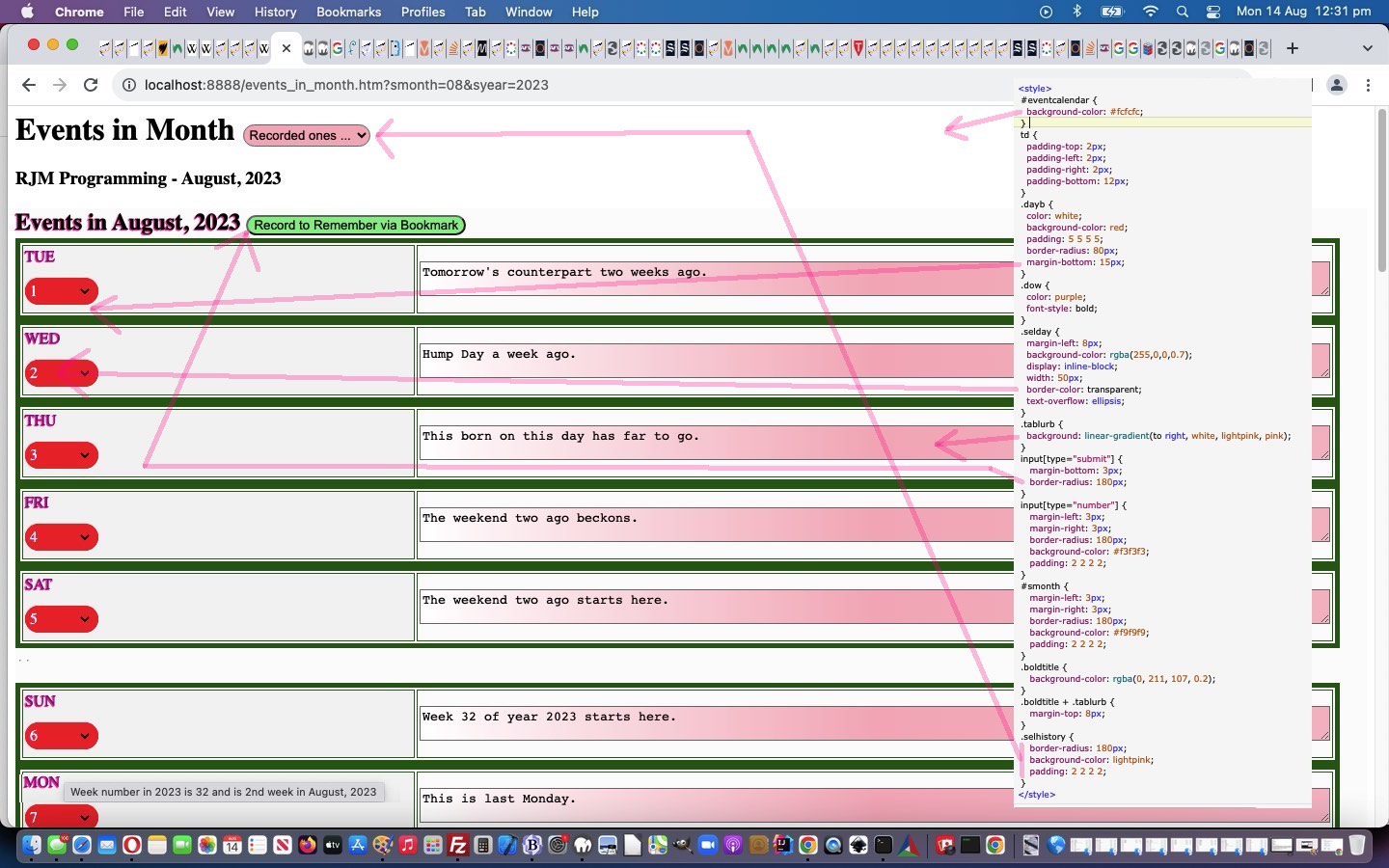
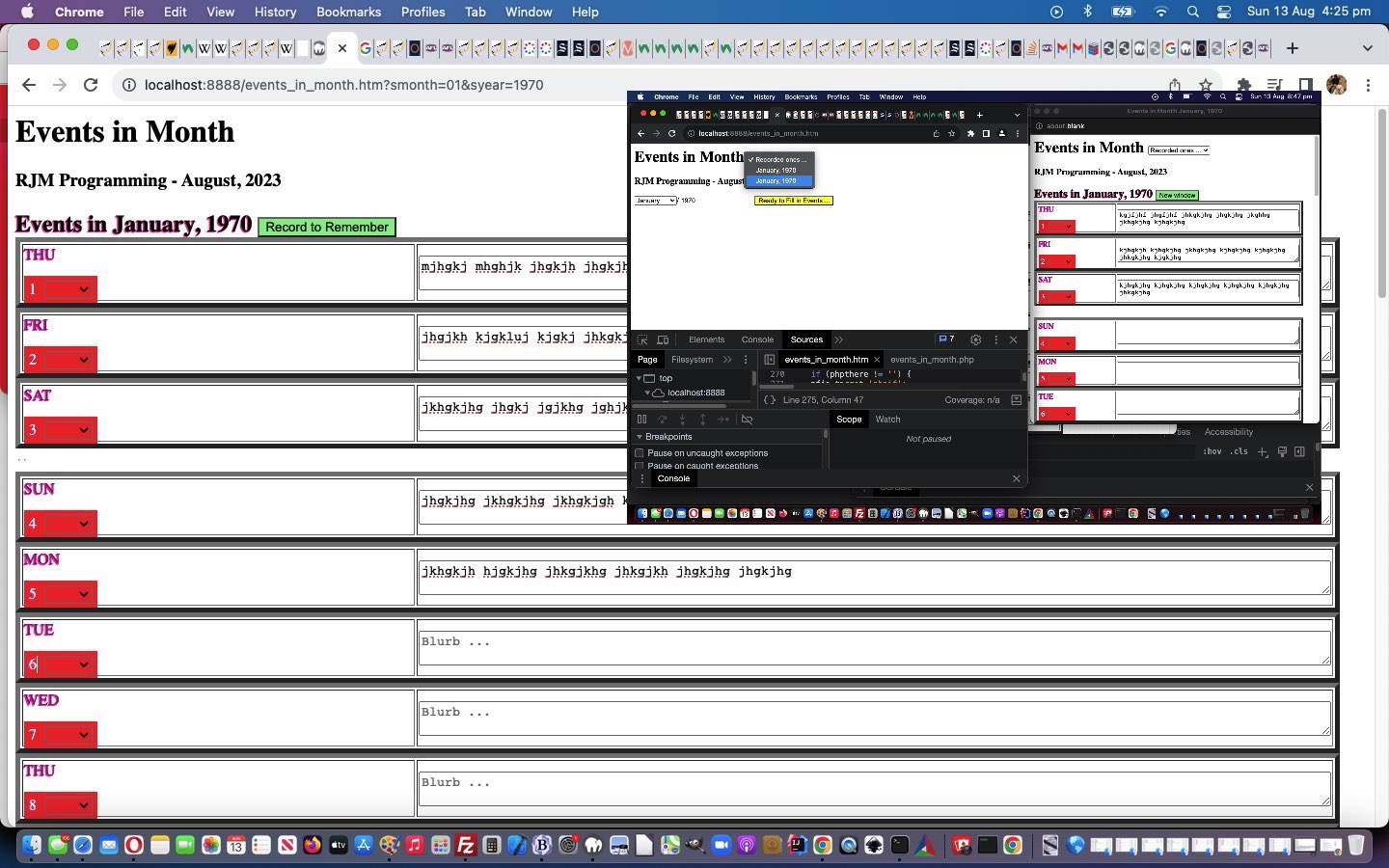
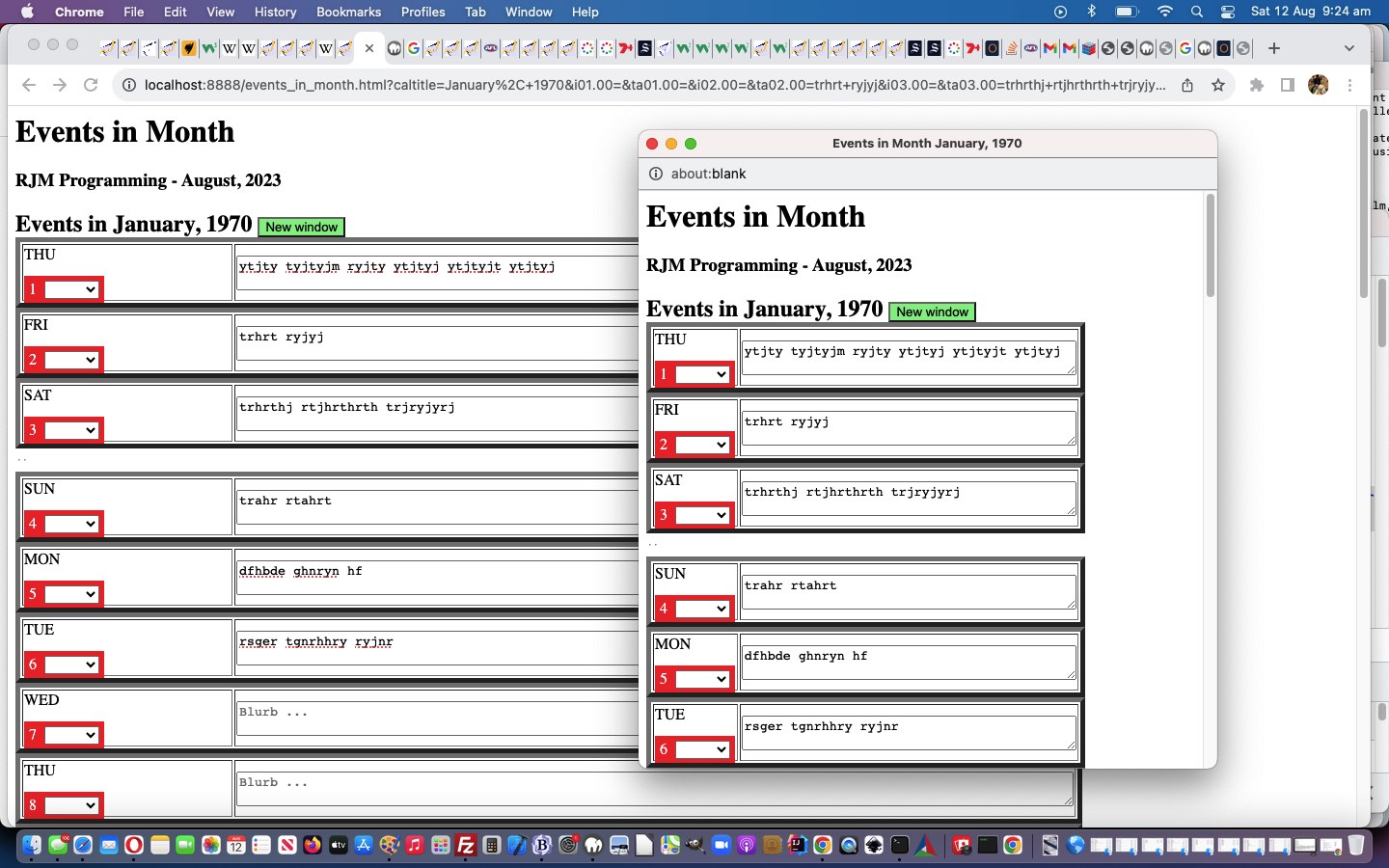
 always resulting in a message wondering whether we had the microphone set to “mute on”, which wasn’t the case. But what was the case, and remedied this problem was to use a

 is, as explained in