
WordPress Javascript Coding Rearrangements Primer Tutorial
If you are a regular reader here reading yesterday’s Window Object Function Equals Function Primer Tutorial‘s …
… using (from within the clientside realms of the coding of this WordPress.org blog’s) Javascript …
… what might have zipped through your mind could have been the connecting phrase …
… from within good ol’ TwentyTen theme’s header.php …
… or somesuch. Because that has been what we normally do. Don’t get me wrong though, with the rearrangement idea blurb below, we could persist arranging it that way (and if the Javascript relies on PHP, we still do), but that recent Performance Review we last referenced with PHP MySql WordPress Blog Apache Restart Watchdog Tutorial got us to “see the light” somewhat and reorganize a bit regarding how Javascript code within this WordPress.org blog is organized. And so, read on.
Did you feel let down with PHP MySql WordPress Blog Performance PHP-FPM Configuration Tutorial when we said …
Codex loop.php WordPress error 404 event PHP Overuse of file_get_contents Rearrange use of file_get_contents …
passing more work to crontab/curl overnight run
… and did not go into more detail?! So were we, but we had to think on this a lot to flesh it out, and looked into the often used around here PHP function …
To our reckoning, until recently, we’d never tried PHP file_get_contents with more than one parameter. But, perhaps, it helps website bandwidth to start using those other parametersarguments (you say either, but we say neither … let’s call the whole thing off!)?
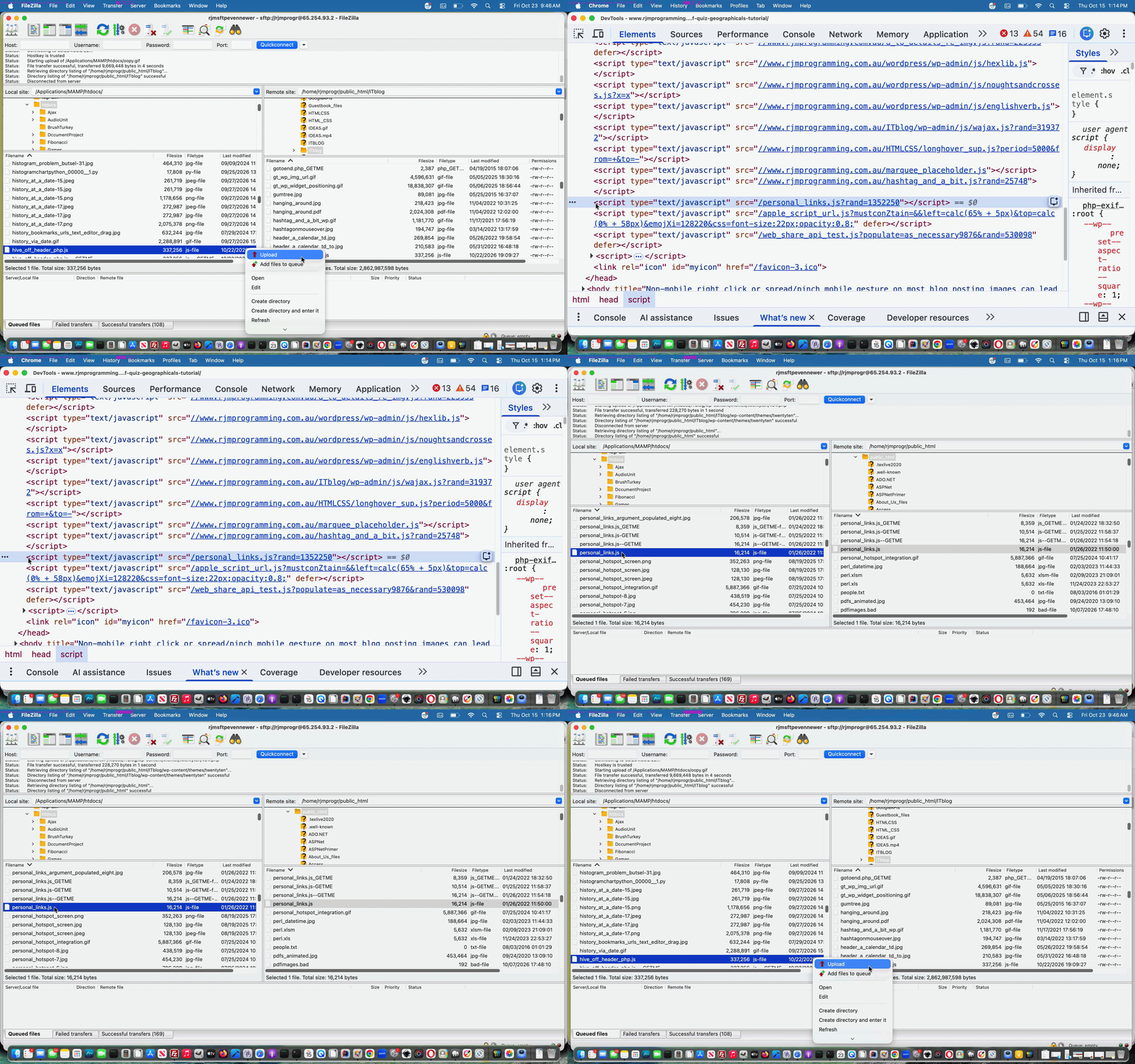
Within the 404.php (HTTP Error 404 “Not Found”) PHP file_get_contents calls what was being asked content wise included all that webpage Javascript written into good ol’ TwentyTen theme’s header.php … ouch regarding bandwidth! And so it led us to rearrange as per …
- set aside Javascript that was interspersed with PHP as the Javascript we’d still keep in good ol’ TwentyTen theme’s header.php … but the rest, and it was considerable …
- as for the rest, it could be placed into a new external Javascript file called hive_off_header_php.js (first draft of several, at time of writing) … called via the less wordy …
<?php
<script type='text/javascript' src='//www.rjmprogramming.com.au/ITblog/hive_off_header_php.js?rand=<?php echo rand(0,1986754); ?>'></script>
?>
… to, we’re thinking …
- potentially save on file_get_contents call website load bandwidth …
- be able to design, in 404.php,
parametersarguments (you say either, but we say neither … let’s call the whole thing off!) that are measurable and definitive hence the 150000 below) … to end up with the modified 404.php codeline …
$thisbpc=file_get_contents('http://www.rjmprogramming.com.au/ITblog/?p=' . $pnumis, FALSE, NULL, 0, 150000);
However, that is part one of two, to this part of the Performance Review. Part two will be explained in days to come.
Previous relevant Window Object Function Equals Function Primer Tutorial is shown below.
Window Object Function Equals Function Primer Tutorial
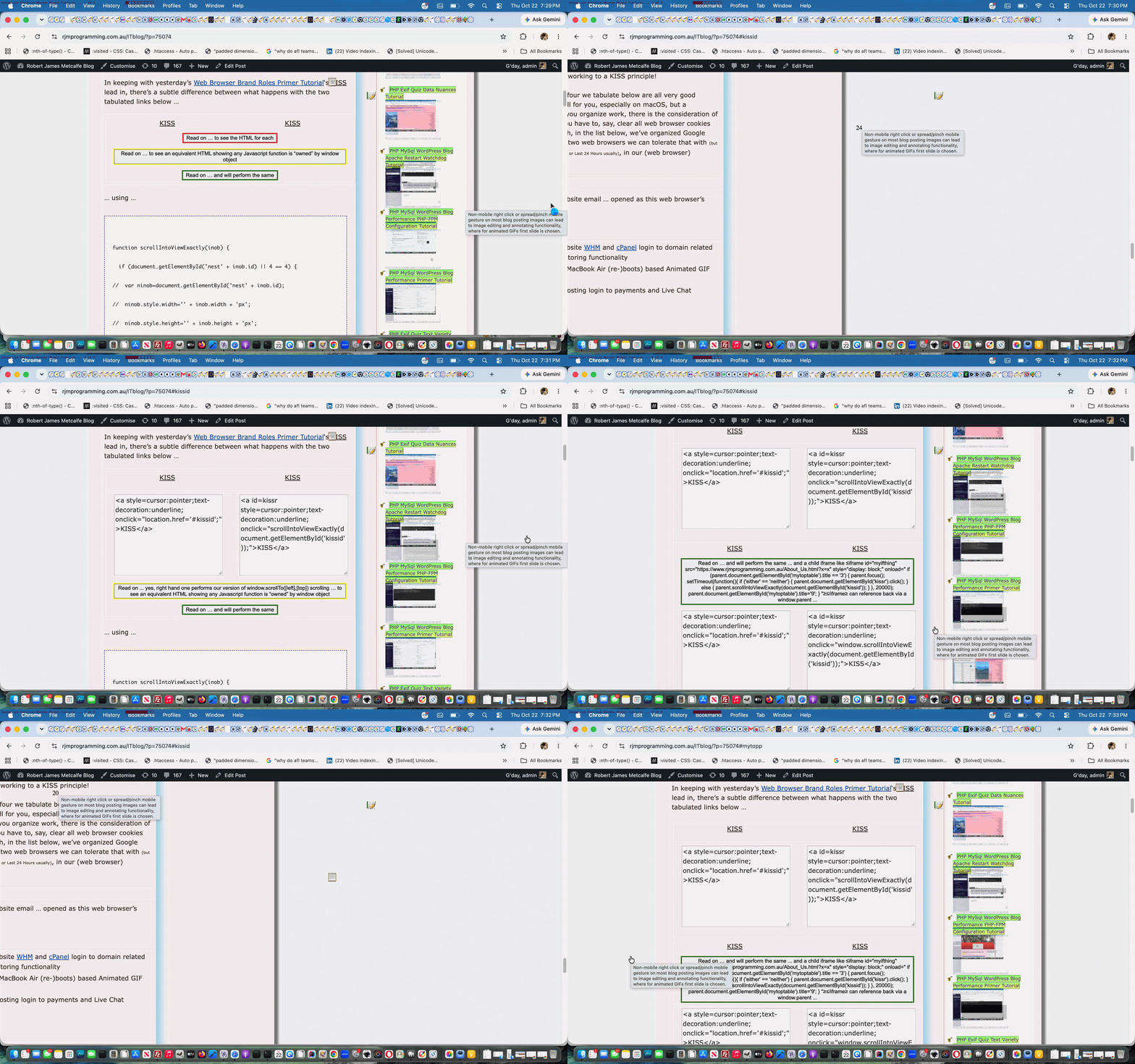
In keeping with yesterday’s Web Browser Brand Roles Primer Tutorial‘s KISS lead in, there’s a subtle difference between what happens with the two tabulated links below …
| KISS | KISS |
… using (from within the clientside realms of the coding of this WordPress.org blog’s) Javascript …
function scrollIntoViewExactly(inob) {

  if (document.getElementById('nest' + inob.id) || 4 == 4) {

//  var ninob=document.getElementById('nest' + inob.id);

//  ninob.style.width='' + inob.width + 'px';

//  ninob.style.height='' + inob.height + 'px';

  //inob.style.display='inline-block';

//  ninob.style.display='inline-block';

//  forceVerticalOverflow(ninob);

  //document.body.style.whiteSpace='nowrap';

//  document.body.style.overflow='scroll';// Safely sets horizontal scroll across all modern browsers

  var inobr=inob.getBoundingClientRect();

  //alert('' + inobr.width + ',' + inobr.height);

  //alert('' + document.body.scrollLeft);

  //alert('' + eval('' + inobr.left) + ',' + eval('' + inobr.top));

  //alert('{ left:' + Math.floor(eval('' + inobr.left) + eval('' + document.body.scrollLeft)) + ', top:' + Math.floor(eval('' + inobr.top) + eval('' + document.body.scrollTop)) +  ", behavior: 'smooth' }");

//  ninob.style.overflowX='scroll';

//  ninob.style.maxWidth='' + ninob.style.width;

  //inob.innerHTML+=' ';

  //ninob.style.maxHeight='200px';

//  ninob.style.overflowY='scroll';

//  alert(ninob.outerHTML);

  //var innardsare='{ left:' + Math.floor(eval('' + inobr.left) + eval('' + document.body.scrollLeft)) + ', top:' + Math.floor(eval('' + inobr.top) + eval('' + document.body.scrollTop)) + ", behavior: 'smooth' }";

  // left: Math.floor(eval('' + inobr.left) + eval('' + document.body.scrollLeft)),

  var ioffis=eval(eval(screen.width - eval('' + document.getElementById('content').getBoundingClientRect().width)) / 2);

  thenx=Math.floor(eval('' + inobr.left) + eval('' + document.body.scrollLeft) + eval('' + document.body.offsetLeft) + ioffis);

  const innardsare = {

   top: eval(120 + Math.floor(eval('' + inobr.top) + eval('' + document.body.scrollTop))),

   behavior: 'smooth'

  };

  const xinnardsare = {

   left: Math.floor(eval('' + inobr.left) + eval('' + document.body.scrollLeft) + eval('' + document.body.offsetLeft) + ioffis),

   behavior: 'auto'

  };

  if (7 == 7) {

  location.href='#' + inob.id;

  } else {

//  alert(isScrollable(ninob));

  forceVerticalOverflow(document.body);

  //alert(isScrollable(document.body));

  //alert(innardsare);

  window.scrollTo(innardsare);

  //alert(Math.floor(eval('' + inobr.left) + eval('' + document.body.scrollLeft)));

  //setTimeout(function(){ document.body.style.overflowX = 'auto';  document.body.scrollBy(xinnardsare); }, 8000);

  //setTimeout(function(){ alert(thenx); document.scrollingElement.scrollLeft='' + thenx + ''; }, 8000);

  }

  setTimeout(function(){

  //document.body.overflowX='scroll';

  document.body.style.cursor='progress';

  document.body.style.marginLeft='-' + thenx + 'px'; //inob.scrollLeft=thenx;

  inob.setAttribute('data-cb', '25');

  setTimeout(countback, 1000);

  setTimeout(function(){

  document.body.style.cursor='pointer';

  document.body.style.marginLeft='0px'; //inob.scrollLeft=thenx;

  }, 25000);

  }, 1000);

  if (3 == 5) {

  setTimeout(function(){

  //document.body.style.whiteSpace='nowrap';

  //document.body.style.overflow='scroll';// Safely sets horizontal scroll across all modern browsers

if (document.scrollingElement) {

    document.scrollingElement.scrollLeft = thenx;

} else {

    // Fallback for older browsers

    document.documentElement.scrollLeft = thenx;

    document.body.scrollLeft = thenx;

}

  }, 5000);

  }

  } else {

  window.scrollIntoView(inob);

  }

}
Previous relevant Web Browser Brand Roles Primer Tutorial is shown below.
Web Browser Brand Roles Primer Tutorial
With a job, the day to day organization can be important, and is likely to be crucial to achieving goals.
We spend a lot of time around web browser applications, being into I.T. and creating web applications, in particular.
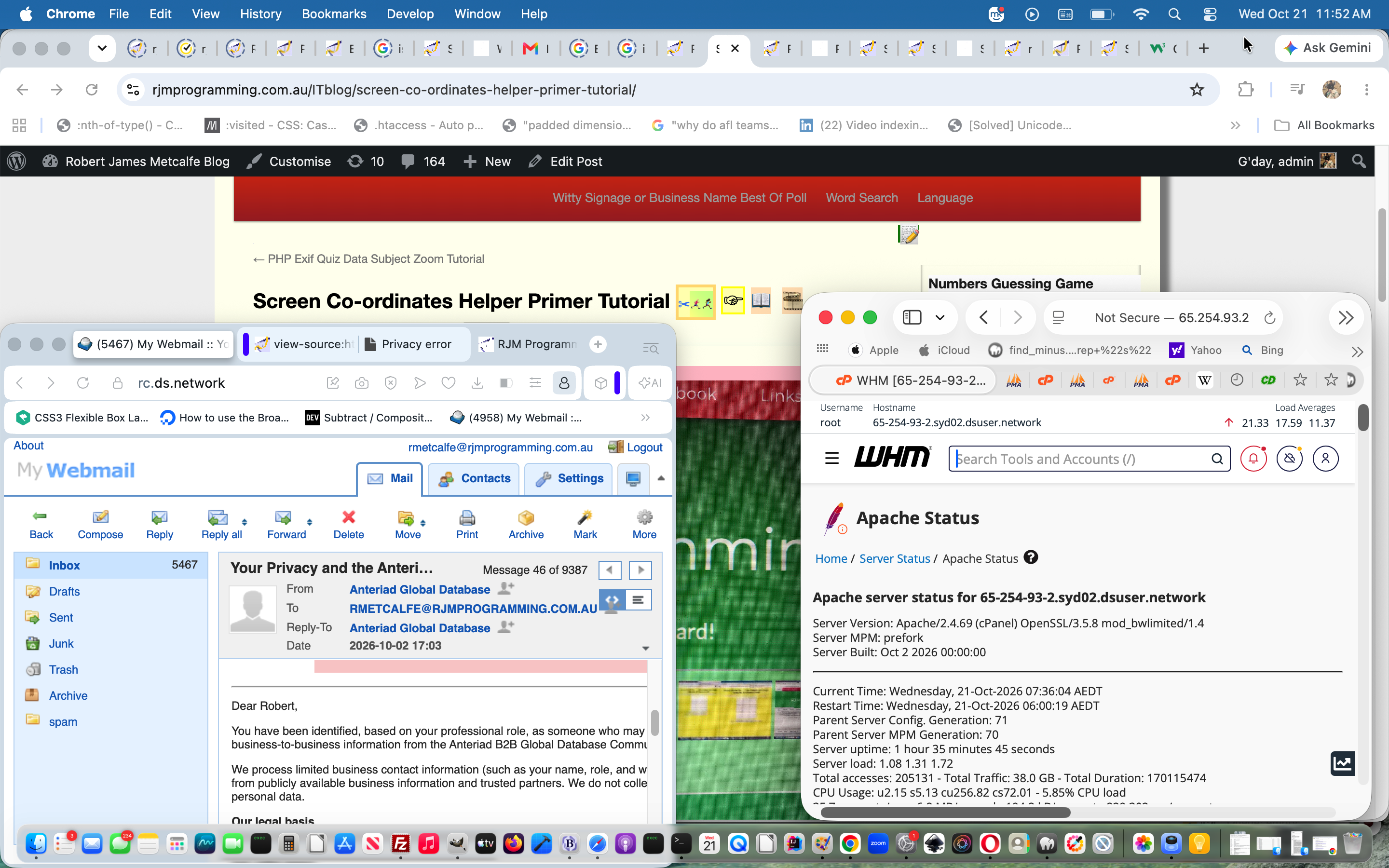
We’ve organized macOS MacBook Air usage mainly, around one major disk folder and four brands of web browser, the folder being, for us is …
/Applications/MAMP/htdocs
Huh?! Well, being into PHP as our “all things server” programming language, and having installed (many versions) of MAMP, as our Apache/PHP/MySql local web server brand of choice, and by default /Applications/MAMP/htdocs is MAMP’s Document Root (and defaulting to port 8888) corresponding to URL …
http://localhost:8888
Even with compiling language work, we’ll often use subfolders off /Applications/MAMP/htdocs … working to a KISS principle!
Turning to web browsers, the four we tabulate below are all very good products, and can all work well for you, especially on macOS, but a consideration to do with how you organize work, there is the consideration of what work life will be like if you have to, say, clear all web browser cookies and data, for instance. As such, in the list below, we’ve organized Google Chrome and/or Firefox as the two web browsers we can tolerate that with (but prefer to just clear Last Hour or Last 15 Minutes or Last 24 Hours usually), in our (web browser) Organization Table below …
| Opera |
|---|
|
| Safari |
|
| Firefox |
|
| Google Chrome |
|
When there are jobs requiring command line needing to be seen next to a web browser rendition, macOS Terminal application windows can easily be arranged to not overlap any web browser brand window from the list above.
Screenshots on macOS have moved on from good ol’ Grab with the very easy keyboard shortcut …
control-command-shift-3
… working really well with good ol’ macOS version of PaintBrush‘s File->New from Clipboard functionality. Preview is good for PDF creation and compilation functionality. Gimp is good for blurring and other filtering requirements.
More and more we’ll use AirDrop to transfer from iPad or iPhone to the macOS MacBook Air, or use that iOS device’s Mail sharing option to download to the macOS MacBook Air Downloads folder usually, and then, usually, this will be copied to good ol’ /Applications/MAMP/htdocs (or a subfolder off this, especially if what is copied is a *.zip file (extracted)).
Crontab on the macOS MacBook Air has an “every minute” check of good ol’ /Applications/MAMP/htdocs changed (within last minute) *.png (primarily coming out of Paintbrush File->Save As… functionality) or *.[Hh][Ee][Ii][Cc] (off iPhone or iPad Camera app usage) ready for (PHP calling of) ImageMagick‘s convertion to versions of *.[Jj][Pp]*[Gg] images.
Uploads to (and downloads from) the RJM Programming domain are all conducted via sftp connections using the FileZilla macOS desktop application.
TextWrangler is our favourite text editor by a very large margin!
If this was interesting you may be interested in this too.
If this was interesting you may be interested in this too.
If this was interesting you may be interested in this too.




The idea of mapping a video's key scenes, mood, pacing, and audio before production resonates with me — it's a lot like working out an anagrampuzzle, where the same pieces only make sense once you rearrange them into the right order. Do you usually sketch the mind map before or after the script is locked?