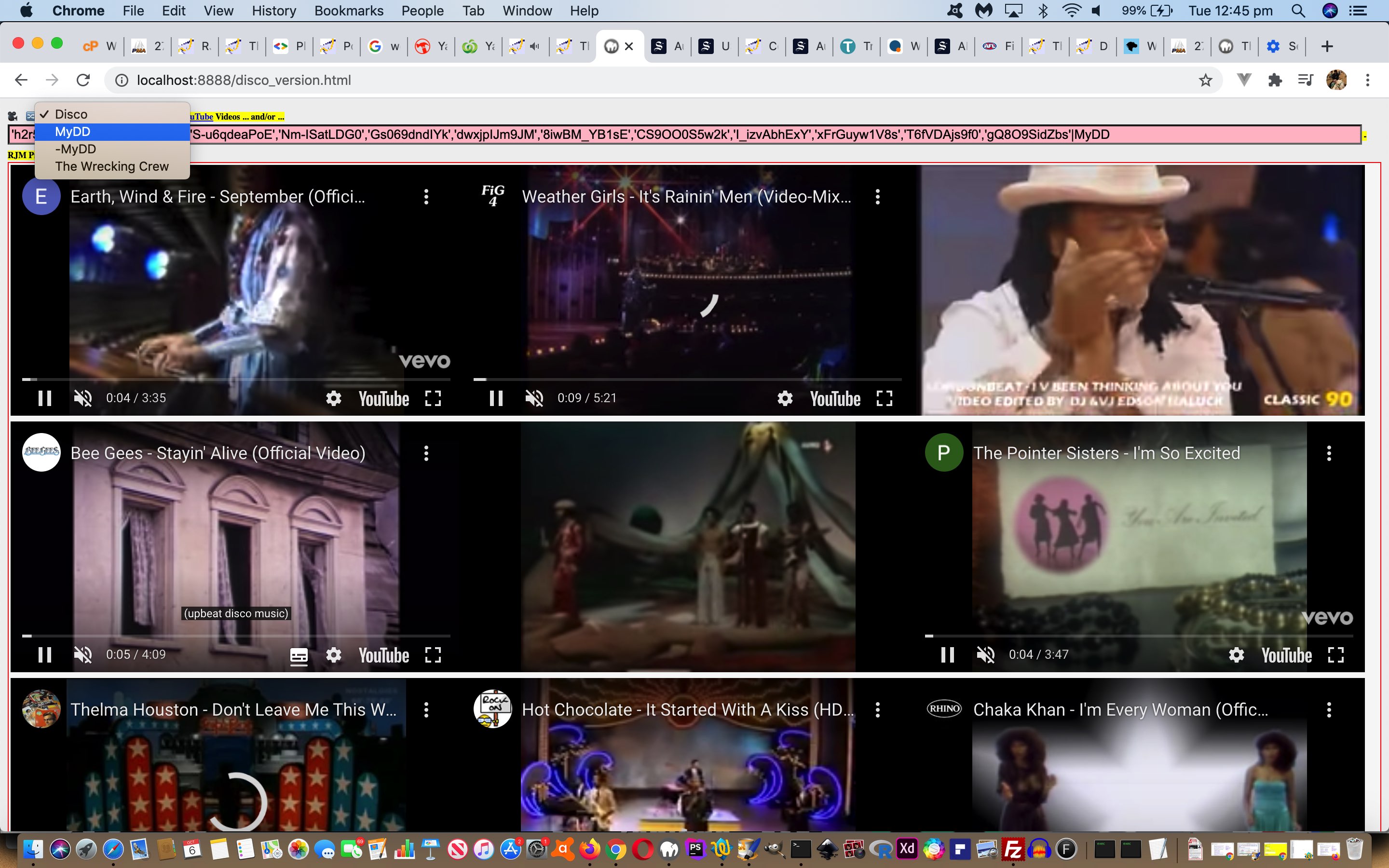
… and it is that second more involved advantage we want to chase down today, and into the future.
Today, we’ve made our first only to external Javascript generic changes, which flow through to the three parent web applications by …
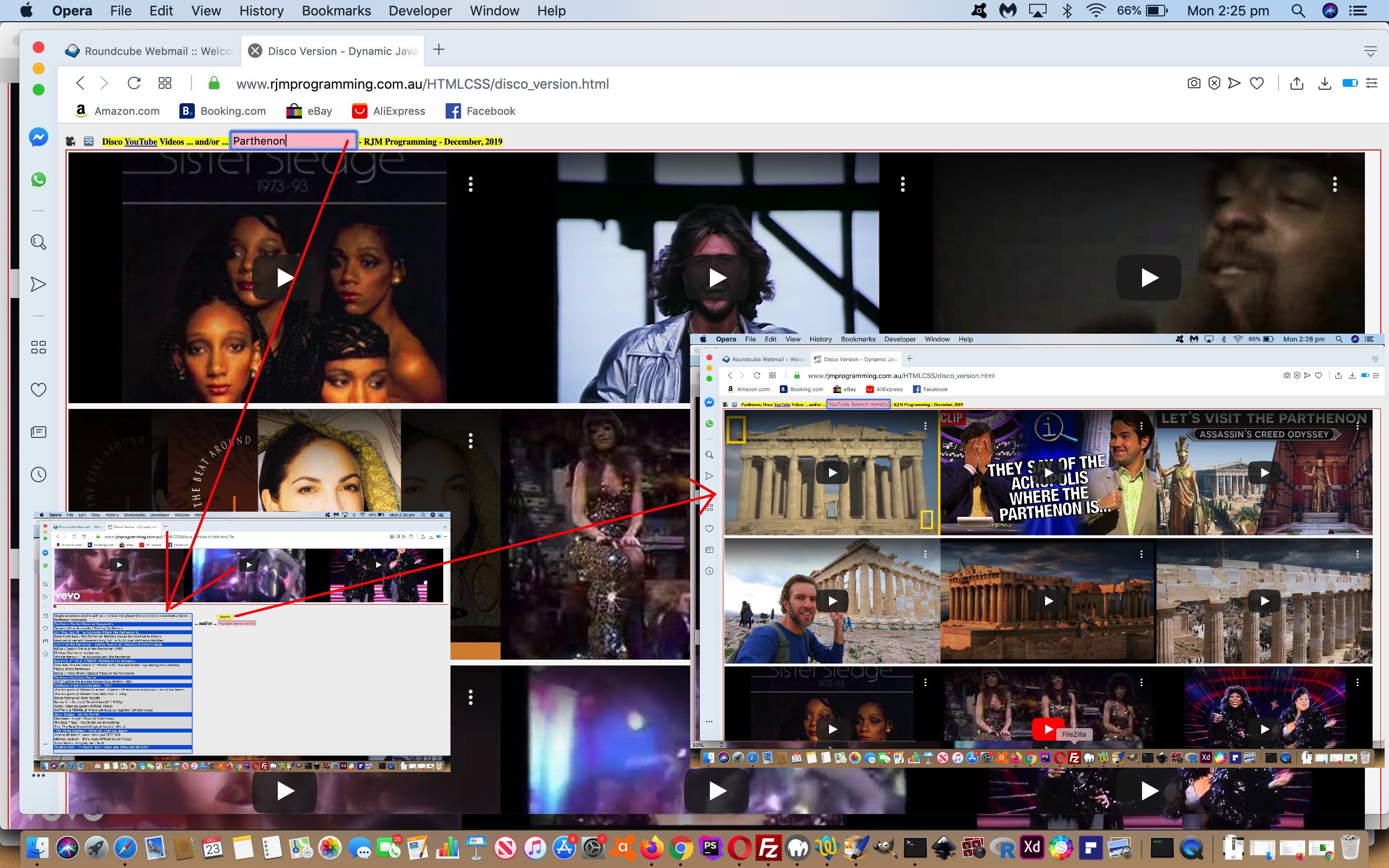
honing in on top textbox …
improving its placeholder information … thereby …
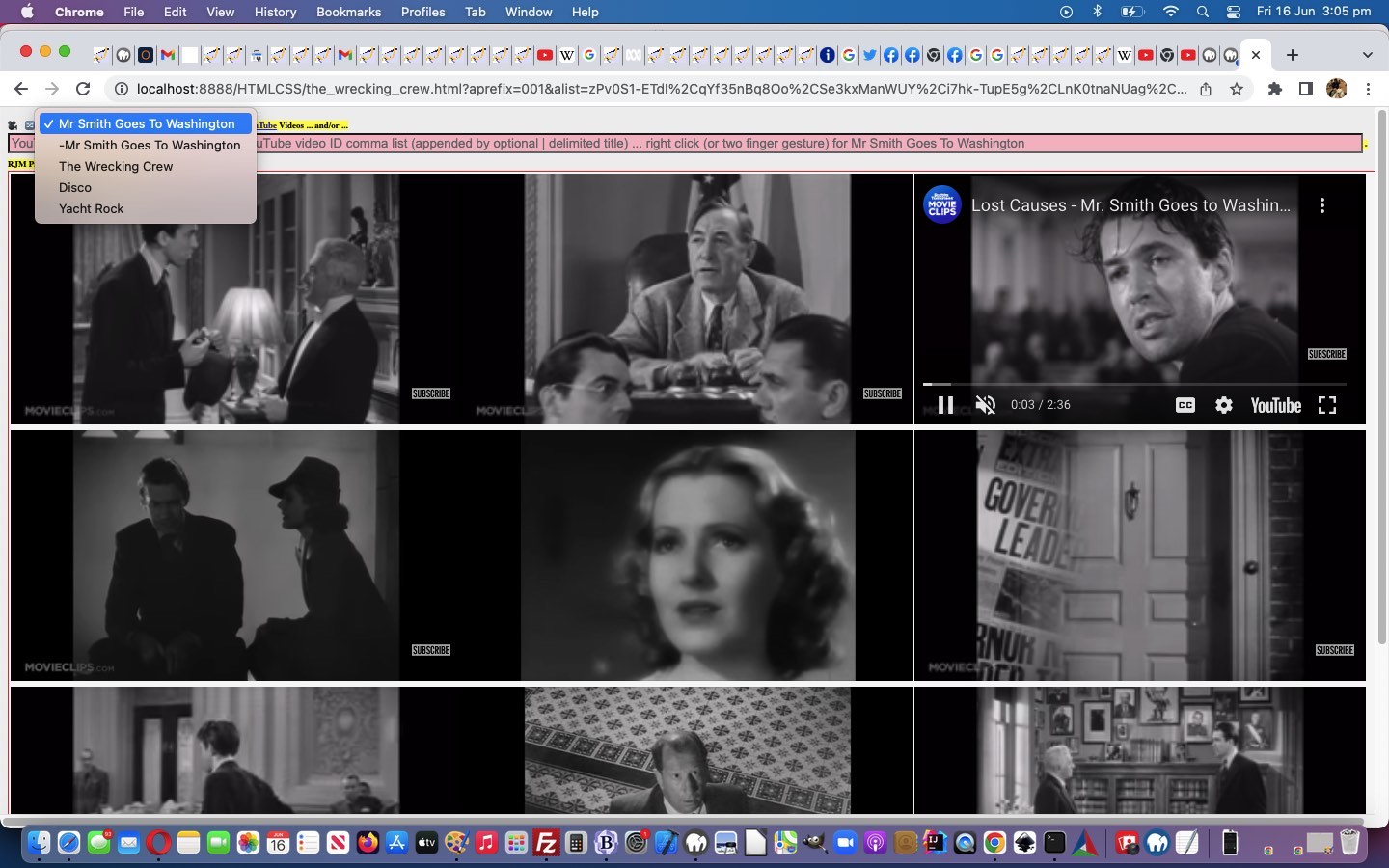
informing the user that a right click (or two finger gesture) will lead to a list of comma separated YouTube video IDs,Title (our first cab off the rank being title “Mr Smith Goes To Washington”) being mapped onto the textbox’s value … then …
[textboxObject].blur(); (ie. the onblur event logic is called)
… via …
// youtube_brady_bunch.js
// RJM Programming
// June, 2023
// Help out (eg. peer to peer twinning) ...
var ptplisturls=['./the_wrecking_crew.html','./disco_version.html','./yacht_rock.html'];
var newoptideas=[];
var betterhc='', ourhc='';
var ourhashis='';
var curvalis=0;
var inpvals=['zPv0S1-ETdI,qYf35nBq8Oo,Se3kxManWUY,i7hk-TupE5g,LnK0tnaNUag,dbH4Amzn-Rk,BL-Jg7CyqLQ,0v7Ea7kg2gA,NRjWEE0hmjQ'];
var inpttls=[encodeURIComponent('Mr Smith Goes To Washington')];
Javascript makes the online wooooorrrrllllddd go around. External Javascript, we find, can help twin this wooooorrrrllllddd with another wooooorrrrllllddd in a “peer to peer” manner. After all, with …
// youtube_brady_bunch.js

// RJM Programming

// June, 2023

// Help out (eg. peer to peer twinning) ...

var ptplisturls=['./the_wrecking_crew.html','./disco_version.html'];

var newoptideas=[];


function capitfl(intl) {

  var intwords=intl.split(' ');

  var outwords=intl;

  for (var mn=0; mn<intwords.length; mn++) {

    outwords=outwords.replace(intwords[mn], intwords[mn].replace(intwords[mn].substring(0,1),intwords[mn].substring(0,1).toUpperCase()));

  }

  return outwords.replace(/\ Version$/g, '');

}


function checksytitle() {

  var ols='';

  var vsbn=document.URL.split('.htm')[0].split('/')[eval(-1 + document.URL.split('.htm')[0].split('/').length)].replace(/\_/g,' ');

  if (document.getElementById('sytitle')) {

    var hc=document.getElementById('sytitle').innerHTML.replace(/\ \;/g,' ');

    ols='<option value="' + document.URL + '">' + hc + '</option>';

    //alert(45);

    if (hc.toLowerCase().indexOf('<select') == -1) {

    //alert(145);

      for (var inb=0; inb<ptplisturls.length; inb++) {

        if (ptplisturls[inb].toLowerCase().indexOf(hc.toLowerCase()) != -1) {

    //alert(ptplisturls[inb] + ' vs ' + hc);

          if (ols.indexOf('>' + hc + '<') == -1) {

          newoptideas.unshift('<option value="' + ptplisturls[inb] + '">' + hc + '</option>');

          }

        } else {

    //alert(ptplisturls[inb] + ' Vs ' + hc);

          if (ols.indexOf('>' + capitfl(ptplisturls[inb].split('.htm')[0].split('/')[eval(-1 + ptplisturls[inb].split('.htm')[0].split('/').length)].replace(/\_/g,' ')) + '<') == -1) {

          newoptideas.push('<option value="' + ptplisturls[inb] + '">' + capitfl(ptplisturls[inb].split('.htm')[0].split('/')[eval(-1 + ptplisturls[inb].split('.htm')[0].split('/').length)].replace(/\_/g,' ')) + '</option>');

          }

        }

      }

    }

    if (eval('' + newoptideas.length) != 0) {

      for (var jnb=0; jnb<newoptideas.length; jnb++) {

        ols+=newoptideas[jnb];

      }

      document.getElementById('sytitle').innerHTML='<select id=selsytitle onchange="location.href=this.value;">' + ols + '</select>';

      newoptideas=[];

    }

  }

}


setInterval(checksytitle, 8000);
… called via (near bottom of body element (but the defer should mean you do not have to do that)) …
… external Javascript (called by the parent “twins” (the mind boggles?!)), with the added advantage that this application of external Javascript into the equation opens up ways for us to just change this external Javascript into the future for either …
more twinning possibilities, easily applied, as per today’s Stop Press
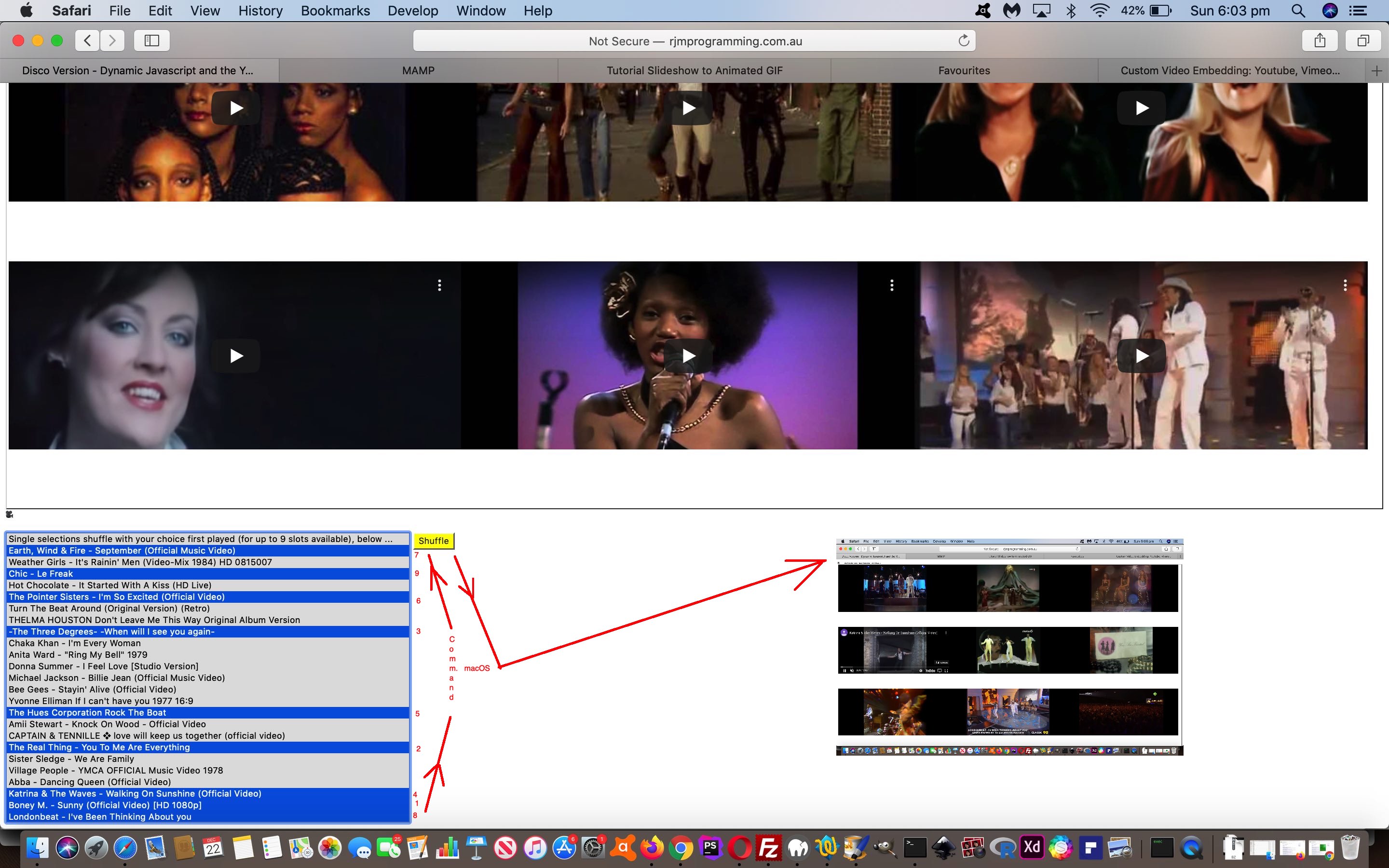
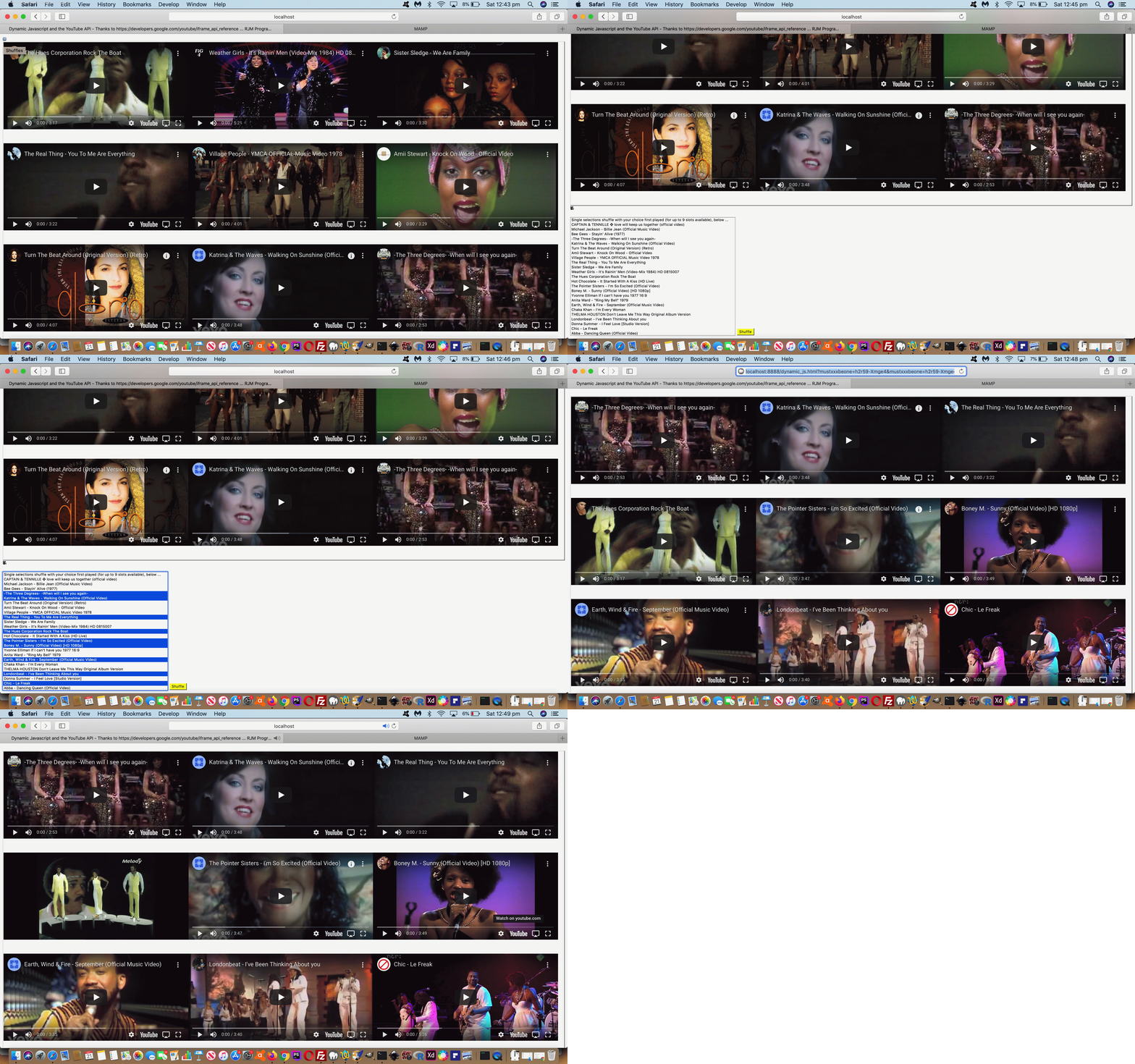
if multiple dropdown choice number correspond to number of clicks used, that order of clicking becomes the video order within that (potentially) 3x3 grid
… as we sometimes are very interested in “order” and “context” and “sequencing” with video content …
comma separated YouTube video ID list (that can be entered into the topmost textbox)
vertical bar delimited user defined video list Title
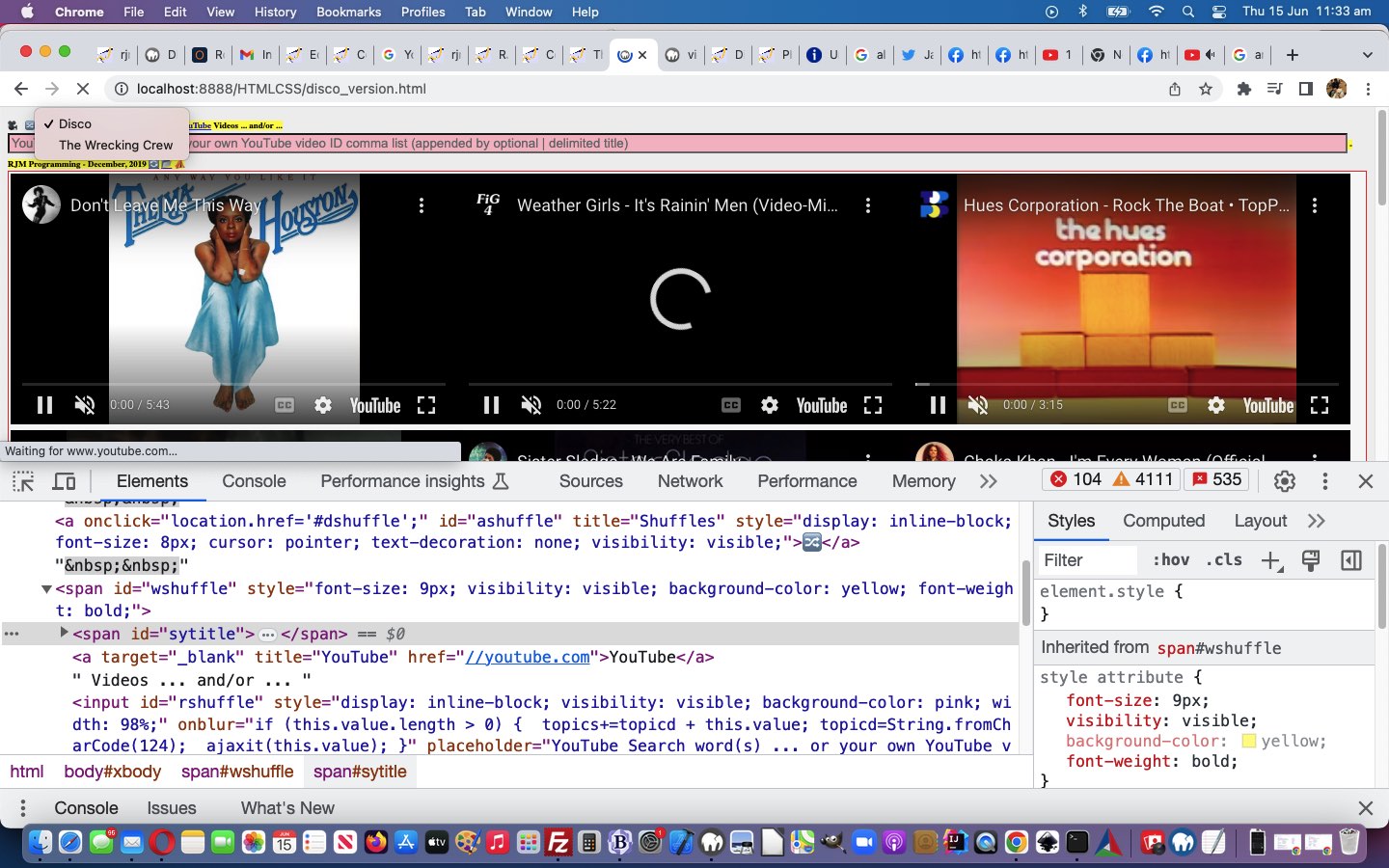
But what are we getting at by saying we are developing a peer relationship? It means via new select (dropdown) elements up the top of each, have URL values that when selected, can navigate you to, and the form of these URLs can be …
the “home” default web application
the “other” web application (ie. for “The Wrecking Crew” the “other” web application is “Disco”, and vice versa)
user defined comma separated YouTube video ID list URLs …
… saved away for optional recall via window.localStorage logic, that is reflected by a hard coded web application title within a span element mapped to a select (dropdown) element within that same span element when the user has stored such a user defined list in localStorage …
var ourtwc=location.search.split('aprefix=')[1] ? decodeURIComponent(location.search.split('aprefix=')[1].split('&')[0]) : 'disco';
var yourtwc="Disco";
if (ourtwc != 'disco') { yourtwc=location.search.split('atitle=')[1] ? decodeURIComponent(location.search.split('atitle=')[1].split('&')[0]) : "Your List"; }
if (document.URL.indexOf('clear=') != -1) {
if (window.localStorage) {
localStorage.removeItem('list' + ourtwc);
localStorage.removeItem(ourtwc + 'list');
if (ourtwc != 'disco') { location.href=document.URL.split('?')[0].split('#')[0]; }
}
}
The Wrecking Crew Dynamic Javascript YouTube Embedded API Web Inspector Tutorial
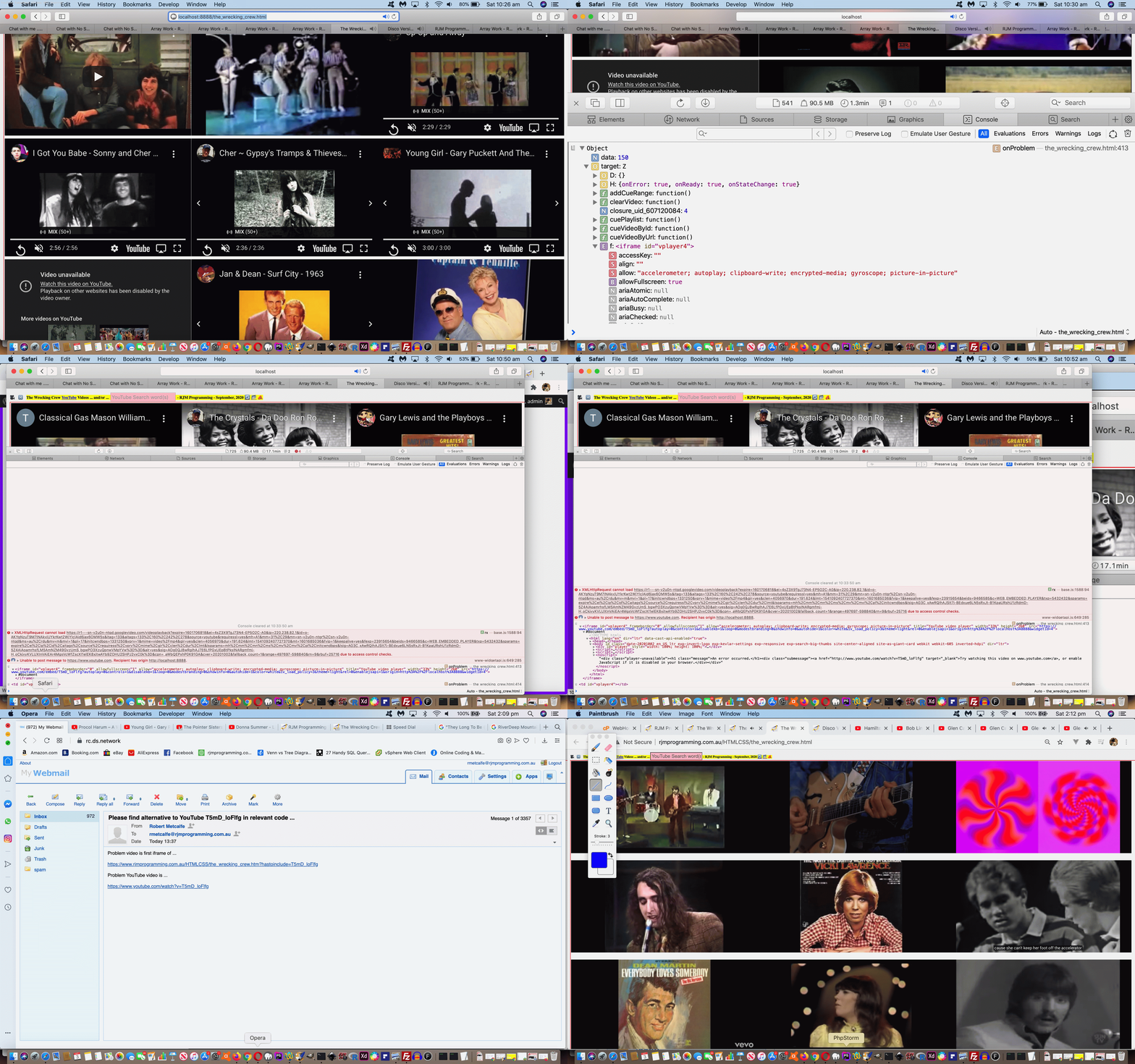
With the last couple of days of blog posting, including yesterday’s The Wrecking Crew Dynamic Javascript YouTube Embedded API Onerror Tutorial we risked the ire of many an internet reader by including in the blog posting itself HTML iframes of those twin “The Wrecking Crew” and “Disco” YouTubeIFrame Player API web applications. Por que? Well, it is a bit of a sin to not give fair warning of future sound coming from a computer source of the internet. And, unless we were dreaming, earlier on this morning Australian Eastern Standard Time, that faux pas was possible. Sorry, if you were caught out.
We noticed the problem on an iPad, but never, so far, on our MacBook Pro. And this is quite possible. The stringency with which Apple tries to stop this happening with iOS is very noticeable to this programmer. It is understandable, though, that Apple would want to precede the creation of sound after an action (like a button press), so that a real human is part of the decision making.
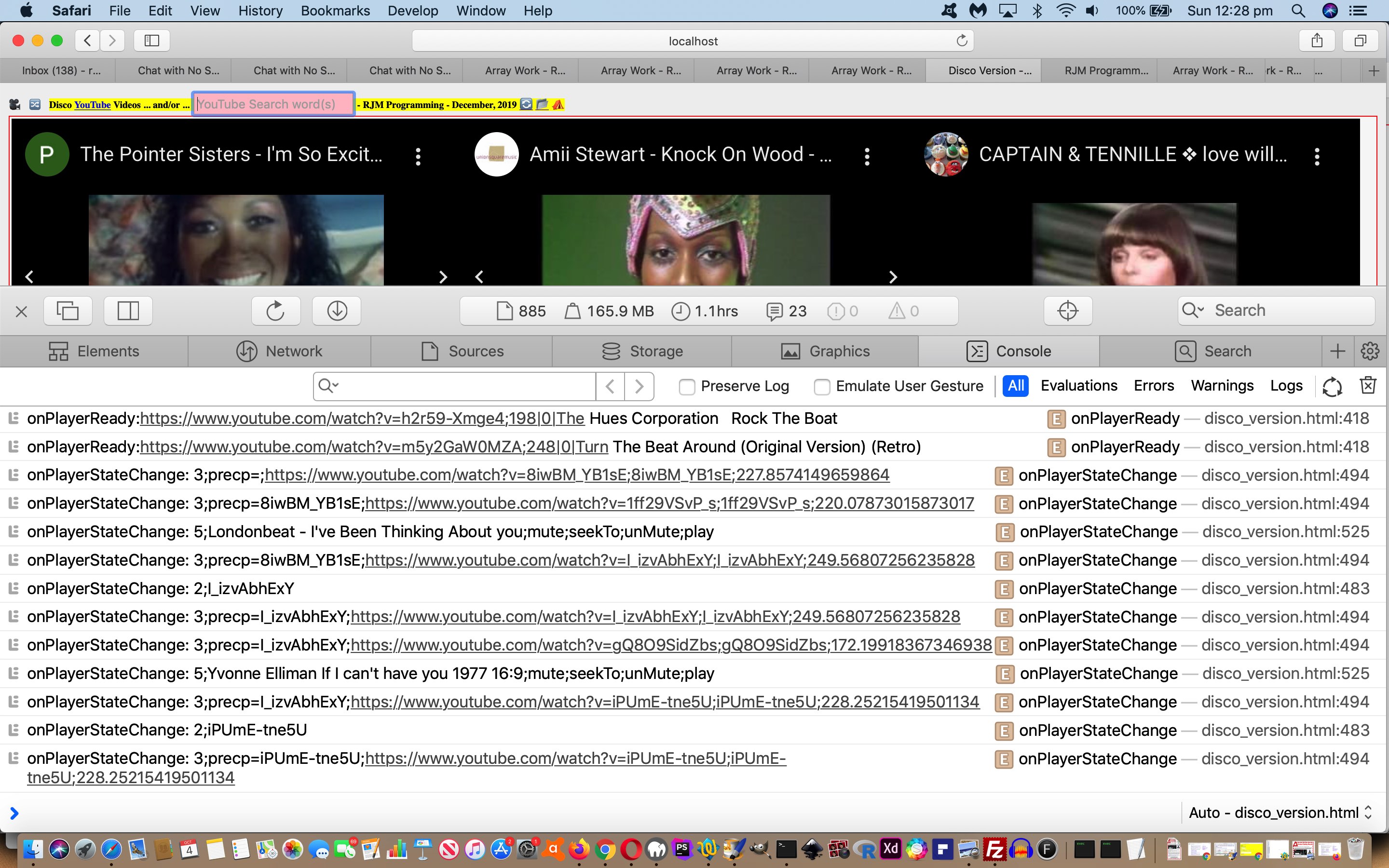
We weren’t there ready with the tools to “scoop up” the information necessary to debug our “one off” iPad disappointment, alas. What is the next best? We have a lot of time for the web inspectors of the web browsers back at macOS (for the MacBook Pro). Team their use with Javascript …
console.log([Informational messaging]);
… (not alert([Informational messaging]); as we often settle for, but not today with the emphasis on trying to understand …
the order
the relationship
… among the YouTube IFrame Player API events, without the interference alert([Informational messaging]); (Javascript popup windows) could cause) … and you have a powerful debugging tool at your disposal. Even better if you can test on the iPad itself with the macOS Safari web browser Web Inspector (and the Apple white lead) as outlined with HTML5 Web Audio Piano Mobile Safari Web Inspector Debug Tutorial.
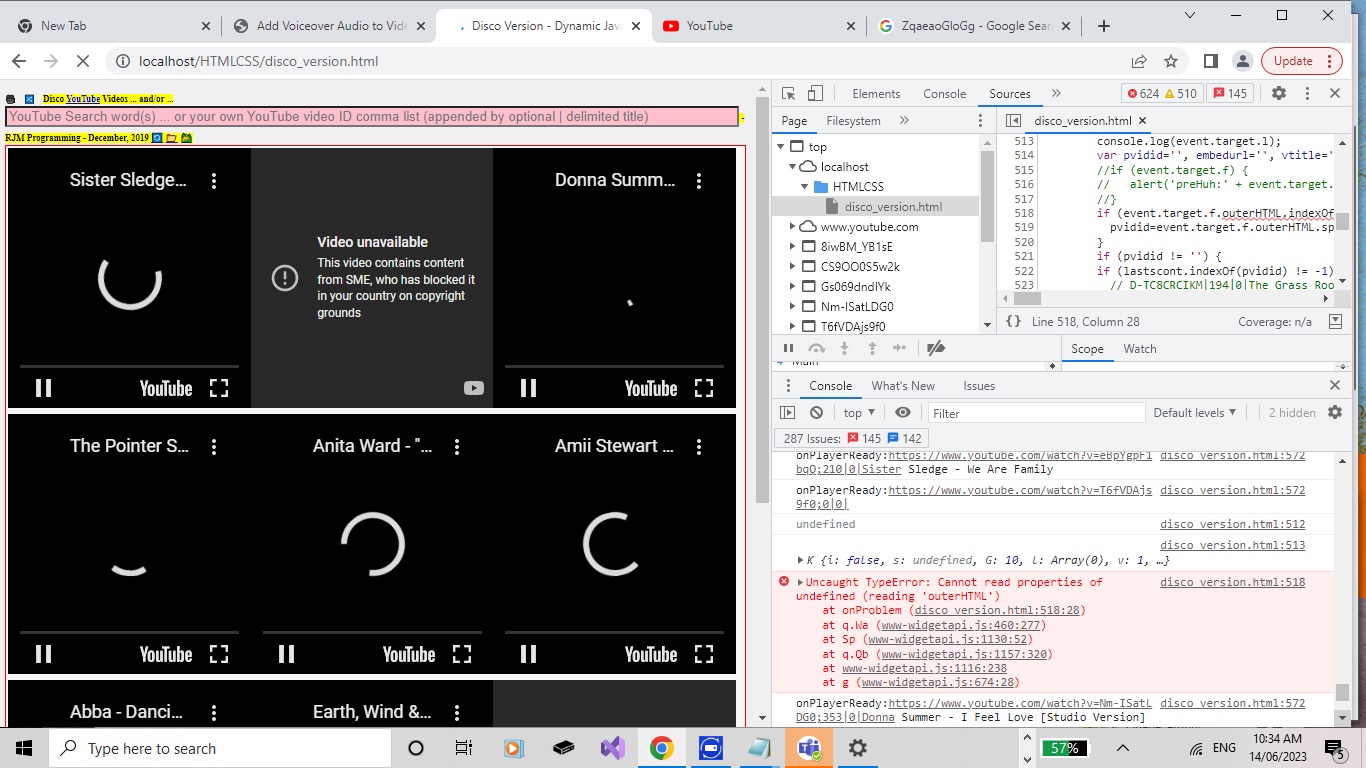
Video unavailable Watch this video on YouTube.
Playback on other websites has been disabled by the
video owner.
…. issue we are talking about here? That issue is annoying in two parts …
cannot play video in that embedded iframe element … and …
if playing on a non-mobile platform, encountering an iframe with this error halts any thoughts of “continuous play” (like a playlist that repeats and keeps playing, like on the radio) that the user may like (on in the background, while they do something else, for instance)
Well, it’s an event we have to “kick into play”, that you ordinarily might be able to ignore, as per …
      function onProblem(event) {

        console.log(event.target.f);

        console.log(event.target.l);

        var pvidid='', embedurl='', vtitle='';

        if (event.target.f.outerHTML.indexOf('embed/') != -1) {

          pvidid=event.target.f.outerHTML.split('embed/')[1].split('?')[0];

        }

        if (pvidid != '') {

        if (lastscont.indexOf(pvidid) != -1) {

          // D-TC8CRCIKM|194|0|The Grass Roots - Sooner Or Later - [original STEREO]

          //alert(lastscont.split(pvidid)[1]);

          var vbs=lastscont.split(pvidid)[1].split('|');

          if (eval('' + vbs.length) >= 4) {

            vtitle='' + vbs[3];

          }

        }

        if (event.target.f.outerHTML.indexOf(' class="player-unavailable"') != -1 || pvidid != '') {

          embedurl='http' + event.target.f.outerHTML.split('http')[1].split('"')[0];

          if (document.URL.toLowerCase().indexOf('rjmprogramming.com.au/') != -1) {

  var zzhr = new XMLHttpRequest();

  var zzform=new FormData();

  zzform.append('inline', '');

  zzform.append('to', 'rmetcalfe@rjmprogramming.com.au');

  zzform.append('subj', 'Please find alternative to YouTube ' + pvidid + ' in relevant code ... ' + vtitle);

  zzform.append('body', encodeURIComponent('Problem video is first iframe of ... ' + String.fromCharCode(10) + String.fromCharCode(10) + document.URL.split('#')[0].split('?')[0] + '?hastoinclude=' + pvidid + String.fromCharCode(10) + String.fromCharCode(10) + 'Problem YouTube video is ... ' + String.fromCharCode(10) + String.fromCharCode(10) + "https://www.youtube.com/watch?v=" + pvidid));

  zzhr.open('post', '//www.rjmprogramming.com.au/HTMLCSS/emailhtml.php', true);

  zzhr.send(zzform);

            //var remurl='mailto:rmetcalfe@rjmprogramming.com.au?subject=' + encodeURIComponent('Please find alternative to YouTube ' + pvidid + ' in relevant code ... ' + vtitle) + '&body=' + encodeURIComponent('Problem video is first iframe of ... ' + String.fromCharCode(10) + String.fromCharCode(10) + document.URL.split('#')[0].split('?')[0] + '?hastoinclude=' + pvidid + String.fromCharCode(10) + String.fromCharCode(10) + 'Problem YouTube video is ... ' + String.fromCharCode(10) + String.fromCharCode(10) + "https://www.youtube.com/watch?v=" + pvidid);

            //if (('' + document.getElementById('badvideo').href).indexOf('mailto') != 0) { document.getElementById('badvideo').href=remurl; document.getElementById('badvideo').click(); }

          } else {

            var emurl='mailto:rmetcalfe@rjmprogramming.com.au?subject=' + encodeURIComponent('Please find alternative to YouTube ' + pvidid + ' in relevant code ... ' + vtitle) + '&body=' + encodeURIComponent('Problem video is first iframe of ... ' + String.fromCharCode(10) + String.fromCharCode(10) + document.URL.split('#')[0].split('?')[0] + '?hastoinclude=' + pvidid + String.fromCharCode(10) + String.fromCharCode(10) + 'Problem YouTube video is ... ' + String.fromCharCode(10) + String.fromCharCode(10) + "https://www.youtube.com/watch?v=" + pvidid);

            if (('' + document.getElementById('badvideo').href).indexOf('mailto') != 0) { document.getElementById('badvideo').href=emurl; document.getElementById('badvideo').click(); }

          }

        }

        }

      }
… which, as you may have gleaned, provides us an email mechanism by which we, here at RJM Programming, can be informed about when a YouTube video ID we reference, perhaps into the future, becomes restrictive, this way (and hopefully we can find an alternative YouTube video ID to use) … see table up the webpage.
We use the window.localStorage now to gradually store all the content those dropdowns could hold. So it is as if the web application “learns its lines” over time with these improvements …
var lsdone=false;
if (document.URL.indexOf('clear=') != -1) {
if (window.localStorage) {
window.localStorage.removeItem('twclist');
}
}
function lessopt(selih) {
var outih=selih, opttoadd='';
var opta=selih.split('</option>');
if (opta.length > 1) {
outih='';
for (var iop=0; iop<opta.length; iop++) {
if (opta[iop] != '') {
opttoadd='<option' + opta[iop].split('<option')[1] + '</option>';
if (outih.indexOf(opttoadd) == -1) {
outih+=opttoadd;
}
}
}
}
return outih;
}
function tryls() {
var lastscont='';
if (window.localStorage) {
lastscont=decodeURIComponent(('' + window.localStorage.getItem('twclist'))).replace(/\+/g,' ').replace(/^null$/g,'');
}
return lastscont;
}
function setls(towhat) {
var lastscont='';
if (window.localStorage) {
window.localStorage.setItem('twclist', encodeURIComponent(towhat));
}
return lastscont;
}
// 4. The API will call this function when the video player is ready.
function onPlayerReady(event) {
var dis, cti, gvd, uri, jis, prv='', iyi=0, huht='';
if (!lsdone) {
lsdone=true;
scont=scont.replace('</option>', '</option>' + tryls());
}
// Rest of code
}
… gleaning information about the videos as they load them (especially the video titles and durations) via the YouTube Embedded Iframe API code for … see table up the webpage.
User Controlled Dynamic Javascript YouTube Embedded API Ajax Tutorial
Around here we have our favourite Javascript and PHP function names. And in that list, the Javascript “ajaxit([argument1])” features strongly and commonly. After reaching below the sink After talking excitedly to the kitchen taps about my plans … oddly, receiving no reply … probably because it’s a Monday here … we expect … we use that Javascript client Ajax approach that can do for you what you would often call on a serverside language, like PHP, to do?! Anyone, anyone? No, Barbara Woodhouse, we do not wrelease the tap dancing dogs on Mondays … ever … any more serious suggestions please? Yes, Jesse James Garrett it’s interesting your blurtings include …
the asynchronous technology behind emerging services like Google Maps and Google Suggest, as well as the resulting user experience which made it possible to browse without interruption by eliminating the reloading of the whole page
… though I’d like you to run a plagorism checker on all “blurtings” and “lerts” for the next lesson please.
Yes, under certain conditions, Ajax (methodologies) can retrieve information and not have to leave what you are interacting with on the current webpage, to do this.
Can you imagine how we might apply this with our current project? Yes, patently not everyone is in the mood for “Disco”, especially on the first draft way back when, when we allowed sound to happen before a decently “flagged” button press to forewarn … a fairly big “Internet sin”, since fixed. And so, we now add HTML input textbox (ie.type=text) element, with onblur event “ajaxit([argument1])” logic (passing across the textbox’s value) as per …
var zhr=null;
var url='';
var zok=0;
function ajaxit(qsel) {
if (qsel != '') {
url="//www.rjmprogramming.com.au/HTMLCSS/legend_via_map.php?url=" + encodeURIComponent("http://www.youtube.com/results?search_query=" + encodeURIComponent(qsel));
if (!zhr) {
zhr = getXMLHttpRequest();
}
… to add new concepts into the mix of option (sub)elements offered off that aforesaid mentioned (multiple selection mode) dropdown (of YouTube videos). As an optional “off default workflow” piece of functionality we show it prominently (above the fold) now, as well as “below the fold” where the dropdown is positioned on the webpage of the Ajax changeddisco_version.html‘s live run.
User Controlled Dynamic Javascript YouTube Embedded API Ordered Tutorial
We think that whenever you …
deprive many people of “order” in their lives … they’ll crave for (and maybe seek out) “order” … and when you …
deprive many people of “randomosity” in their lives … they’ll crave for (and maybe seek out) “randomosity”
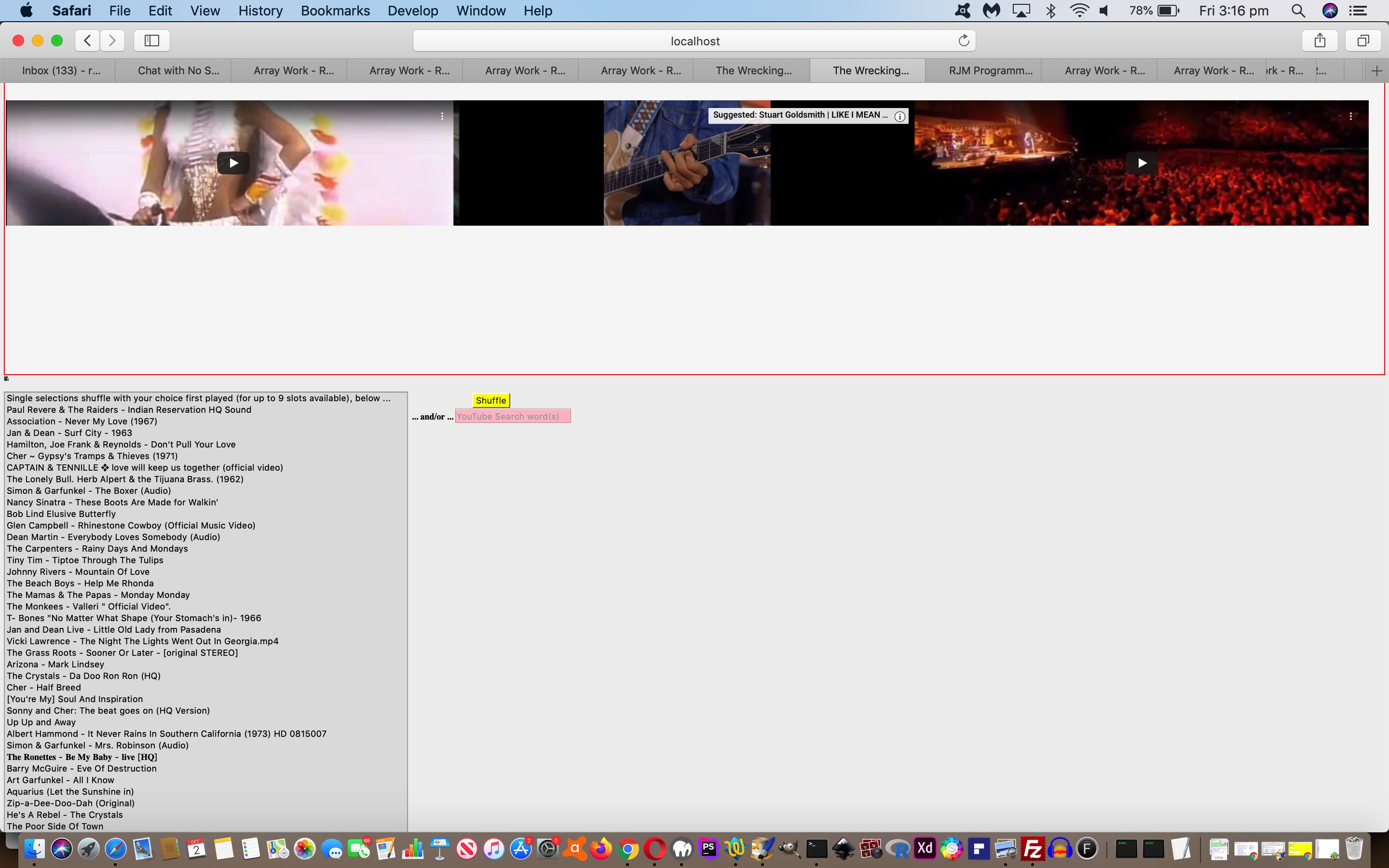
… and so we see a mix of both in a web application as an advantage. Today, for the first time we can remember, extending onto yesterday’s User Controlled Dynamic Javascript YouTube Embedded API Tutorial functionality, definitely lacking some “order” we feel, we’ve allowed a …
select “dropdown” element …
multiple mode … have its …
button press “finish of selections” event logic …
function process(bsin) {

  var jj=0, mbo='', mlist='', mdelim='', vscnt=0;

  var sin=document.getElementById(bsin.id.replace('b','s'));

  for (var i=0; i<sin.options.length; i++) {

    if (sin.options[i].selected) {

      if (sin.options[i].value != '') {

       jj++;

       vscnt++;

       mbo=sin.options[i].value.split('|')[0];

       mlist+=mdelim + sin.options[i].value.split('|')[0];

       mdelim=',';

      }

    }

  }

  if (jj == 1) {

    location.href=(document.URL.split('#')[0].replace('mustbeone=','mustxxxbeone=') + '&mustbeone=' + encodeURIComponent(mbo)).replace('.html&','.html?').replace('.htm&','.htm?').replace('.php&','.php?').replace('/&','/?');

  } else if (jj > 1) {

    if (oclickcnt == vscnt) { mlist=olist; }

    location.href=(document.URL.split('#')[0].replace('mustbeone=','mustxxxbeone=').replace('videolist=','videoxxxlist=') + '&videolist=' + encodeURIComponent(mlist)).replace('.html&','.html?').replace('.htm&','.htm?').replace('.php&','.php?').replace('/&','/?');

  }

  oclickcnt=0;

  occ=[];

  olist='';

  odelim='';

}
take into account the order the user clicked select element option elements …
    var oclickcnt=0;

    var occ=[];

    var olist='';

    var odelim='';


      function oclick(opto) {

       oclickcnt++;

       olist+=odelim + opto.id.split('|')[0];

       odelim=',';

      }
… option element onclick event Javascript event logic… so long as …
these two or more clicks/touches on option elements (via their onclick event logics) (total in) number (to) the same (total) as the final number of options selected (ie. most “shift” key arrangement selections cannot be catered for in this logic, but totally “ctrl” (Windows) / “command” (macOS) key may work)
… allowing for the user to control the video list, and its order.
And on non-mobile platforms, we allow for a natural “sequencing” of play, once the first video is played and unmuted. That way, on non-mobile, your changeddisco_version.htmllive run web application can act like a continuous (radio like) “stream” of music. Even so, on non-mobile, a user can “pause” a video, and start another via their own user actions, and the “stream” sequencing will change to fit in with the changed arrangements.
Dynamic Javascript and the YouTube Embedded API Tutorial
Webpages without Javascript are generally pretty static and boring. Javascript is that dynamic client addition to webpage functionality, but perhaps you only think of it as that statically written part of the webpage unable to be reloaded into effect after that initial webpage load. Well, that is not taking into account Javascript such as …
<script>

      var tag = document.createElement('script');

      tag.src = "https://www.youtube.com/iframe_api";

      var firstScriptTag = document.getElementsByTagName('script')[0];

      firstScriptTag.parentNode.insertBefore(tag, firstScriptTag);

</script>
… taken from the excellent YouTube IFrame Player API we really like to use around here to embed and control YouTube videos embedded into an HTML iframe element.
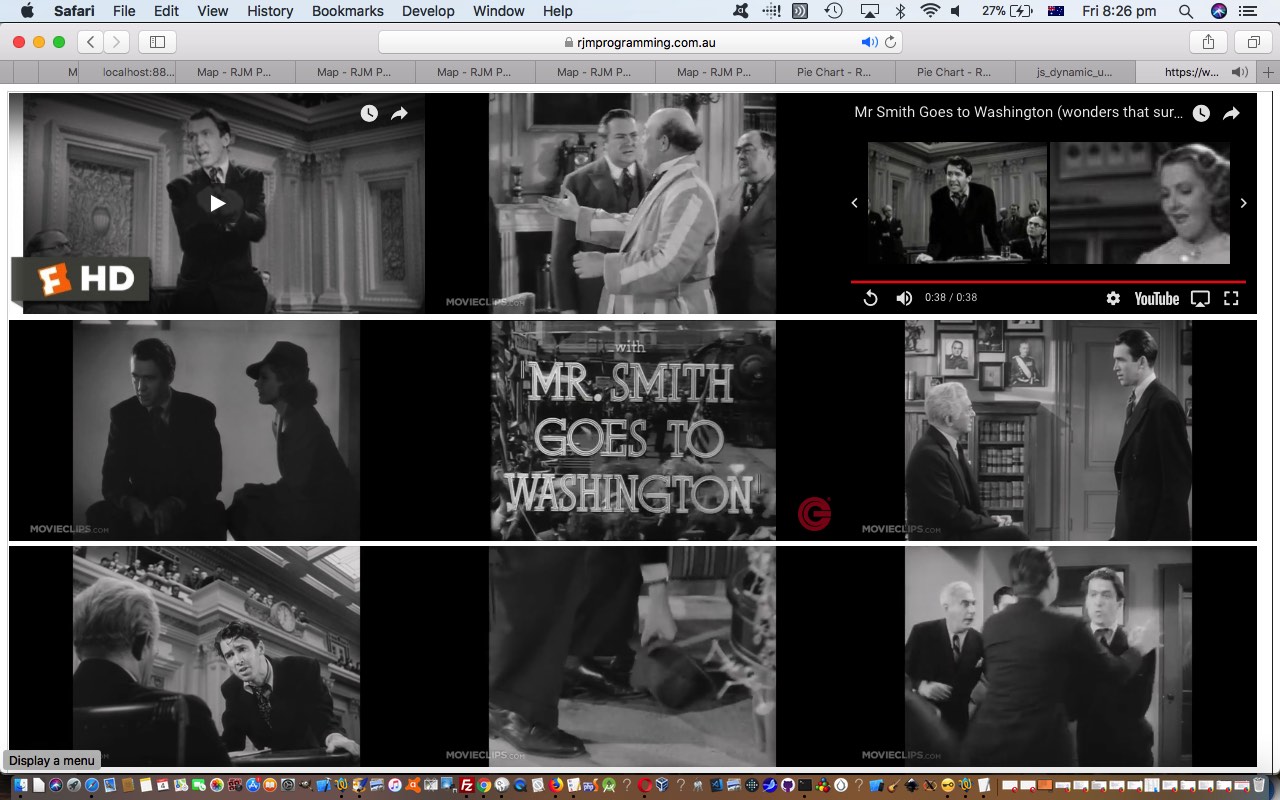
In today’s small extension of that we load nine such HTML iframe embedded YouTube videos into a 3×3 grid. We resisted the previous Brady Bunch usage of such an arrangement (perhaps you’ll be sad to hear?!) in favour of showing you a “collage” of video snippets from one of my favourite films ever, Mr Smith Goes to Washington.
We hope the HTML and Javascript dynamic_js.html‘s code will be food for thought, that you can test for yourself at this live run link.
If this was interesting you may be interested in this too.
If this was interesting you may be interested in this too.
If this was interesting you may be interested in this too.
If this was interesting you may be interested in this too.
If this was interesting you may be interested in this too.
If this was interesting you may be interested in this too.
If this was interesting you may be interested in this too.
If this was interesting you may be interested in this too.
If this was interesting you may be interested in this too.
If this was interesting you may be interested in this too.
If this was interesting you may be interested in this too.
… might have changed, or we didn’t test on Windows or some web browser platforms, because some YouTube video IDs pointed to videos whose content was blocked, and we were not informed via email, as we’d coded for. So, we …
remedied the YT Player onerror event logic (using more event.data member and event.target.getVideoUrl() method rather than event.target.fanything) …
      function onProblem(event) {

        problemcount++;

        //if (problemvid.replace(',','') != '' && !problemthere) {  problemthere=true; setTimeout(postonp, 8000); }

        console.log(event.target.f);

        console.log(event.target.l);

        var pvidid='', embedurl='', vtitle='';

        //if (event.target.f) {

        //   alert('preHuh:' + event.target.f.outerHTML);

        //}

        console.log('event.data: ' + event.data + ' ' + event.target.getVideoUrl());

        pvidid=event.target.getVideoUrl().split('=')[1];

        if (pvidid == '') {

        if (event.target.f.outerHTML.indexOf('embed/') != -1) {

          pvidid=event.target.f.outerHTML.split('embed/')[1].split('?')[0];

        }

        }

        if (pvidid != '') {

        if (lastscont.indexOf(pvidid) != -1) {

          // D-TC8CRCIKM|194|0|The Grass Roots - Sooner Or Later - [original STEREO]

          //alert(lastscont.split(pvidid)[1]);

          var vbs=lastscont.split(pvidid)[1].split('|');

          if (eval('' + vbs.length) >= 4) {

            vtitle='' + vbs[3];

          }

        }

        if ((('' + event.data + ' ').substring(0,1) == '1' ||  ('' + event.target.f.outerHTML).indexOf(' class="player-unavailable"') != -1) || pvidid != '') {

          if (1 == 1) {

          embedurl=event.target.getVideoUrl()

          } else {

          embedurl='http' + event.target.f.outerHTML.split('http')[1].split('"')[0];

          }

          if (document.URL.toLowerCase().indexOf('rjmprogramming.com.au/') != -1) {

  var zzhr = new XMLHttpRequest();

  var zzform=new FormData();

  zzform.append('inline', '');

  zzform.append('to', 'rmetcalfe@rjmprogramming.com.au');

  zzform.append('subj', 'Please find alternative to YouTube ' + pvidid + ' in relevant code ... ' + vtitle);

  zzform.append('body', encodeURIComponent('Problem video is first iframe of ... ' + String.fromCharCode(10) + String.fromCharCode(10) + document.URL.split('#')[0].split('?')[0] + '?hastoinclude=' + pvidid + String.fromCharCode(10) + String.fromCharCode(10) + 'Problem YouTube video is ... ' + String.fromCharCode(10) + String.fromCharCode(10) + "https://www.youtube.com/watch?v=" + pvidid));

  zzhr.open('post', '//www.rjmprogramming.com.au/HTMLCSS/emailhtml.php', true);

  zzhr.send(zzform);

            //var remurl='mailto:rmetcalfe@rjmprogramming.com.au?subject=' + encodeURIComponent('Please find alternative to YouTube ' + pvidid + ' in relevant code ... ' + vtitle) + '&body=' + encodeURIComponent('Problem video is first iframe of ... ' + String.fromCharCode(10) + String.fromCharCode(10) + document.URL.split('#')[0].split('?')[0] + '?hastoinclude=' + pvidid + String.fromCharCode(10) + String.fromCharCode(10) + 'Problem YouTube video is ... ' + String.fromCharCode(10) + String.fromCharCode(10) + "https://www.youtube.com/watch?v=" + pvidid);

            //if (('' + document.getElementById('badvideo').href).indexOf('mailto') != 0) { document.getElementById('badvideo').href=remurl; document.getElementById('badvideo').click(); }

          } else {

            var emurl='mailto:rmetcalfe@rjmprogramming.com.au?subject=' + encodeURIComponent('Please find alternative to YouTube ' + pvidid + ' in relevant code ... ' + vtitle) + '&body=' + encodeURIComponent('Problem video is first iframe of ... ' + String.fromCharCode(10) + String.fromCharCode(10) + document.URL.split('#')[0].split('?')[0] + '?hastoinclude=' + pvidid + String.fromCharCode(10) + String.fromCharCode(10) + 'Problem YouTube video called ' + event.target.getVideoData().title + ' is ... ' + String.fromCharCode(10) + String.fromCharCode(10) + "https://www.youtube.com/watch?v=" + pvidid);

            if (document.URL.indexOf('rjmprogramming.com.au') == -1 || ('' + document.getElementById('badvideo').href).indexOf('mailto') != 0) { document.getElementById('badvideo').href=emurl; document.getElementById('badvideo').click(); }

          }

        //} else {

          //alert('huh:' + ('' + event.target.f));

        }

        //} else {

          //alert('Huh:' + ('' + event.target.f));

        }

        //alert('http' + ('' + event.target.f).split('http')[1].split('"')[0]);

      }
… now allowing local web server testing hook into a mailto: “a” link email methodology, so that …
changing our Disco YouTube video list …
yid=location.search.split('videolist=')[1] ? eval("['" + decodeURIComponent(location.search.split('videolist=')[1].split('&')[0]).replace(/\,/g,"','") + "']") : shuffle((location.search.split('alist=')[1] ? ourdecodeURIComponent(location.search.split('alist=')[1].split('&')[0]) : [('h2r59-Xmge4').replace('h2r59-Xmge4','iKr9wZpjBqE'),'yT1iDKkZNYU','S-u6qdeaPoE','Nm-ISatLDG0','Gs069dndIYk','dwxjpIJm9JM','8iwBM_YB1sE','CS9OO0S5w2k','I_izvAbhExY','xFrGuyw1V8s',('T6fVDAjs9f0').replace('T6fVDAjs9f0','5OpuZzsPBhQ'),'gQ8O9SidZbs','_QNEf9oGw8o','1ff29VSvP_s','4-Vz6tNfV1Y','Zi_XLOBDo_Y','xfmZRiePkEM','iPUmE-tne5U','m5y2GaW0MZA',('ZqaeaoGloGg').replace('ZqaeaoGloGg','rUdw7V-FC_Q'),'XKuJUxGntRI','vsBak0oCgdY','eBpYgpF1bqQ','DVDCNmdi7QI']));
… could bring us more joy …
… in the changeddisco_version.htmllive run web application can act like a continuous (radio like) “stream” of music on non-mobile platforms. Even so, on non-mobile, a user can “pause” a video, and start another via their own user actions, and the “stream” sequencing will change to fit in with the changed arrangements.
User Controlled Dynamic Javascript YouTube Embedded API Ordered Tutorial
We think that whenever you …
deprive many people of “order” in their lives … they’ll crave for (and maybe seek out) “order” … and when you …
deprive many people of “randomosity” in their lives … they’ll crave for (and maybe seek out) “randomosity”
… and so we see a mix of both in a web application as an advantage. Today, for the first time we can remember, extending onto yesterday’s User Controlled Dynamic Javascript YouTube Embedded API Tutorial functionality, definitely lacking some “order” we feel, we’ve allowed a …
select “dropdown” element …
multiple mode … have its …
button press “finish of selections” event logic …
function process(bsin) {

  var jj=0, mbo='', mlist='', mdelim='', vscnt=0;

  var sin=document.getElementById(bsin.id.replace('b','s'));

  for (var i=0; i<sin.options.length; i++) {

    if (sin.options[i].selected) {

      if (sin.options[i].value != '') {

       jj++;

       vscnt++;

       mbo=sin.options[i].value.split('|')[0];

       mlist+=mdelim + sin.options[i].value.split('|')[0];

       mdelim=',';

      }

    }

  }

  if (jj == 1) {

    location.href=(document.URL.split('#')[0].replace('mustbeone=','mustxxxbeone=') + '&mustbeone=' + encodeURIComponent(mbo)).replace('.html&','.html?').replace('.htm&','.htm?').replace('.php&','.php?').replace('/&','/?');

  } else if (jj > 1) {

    if (oclickcnt == vscnt) { mlist=olist; }

    location.href=(document.URL.split('#')[0].replace('mustbeone=','mustxxxbeone=').replace('videolist=','videoxxxlist=') + '&videolist=' + encodeURIComponent(mlist)).replace('.html&','.html?').replace('.htm&','.htm?').replace('.php&','.php?').replace('/&','/?');

  }

  oclickcnt=0;

  occ=[];

  olist='';

  odelim='';

}
take into account the order the user clicked select element option elements …
    var oclickcnt=0;

    var occ=[];

    var olist='';

    var odelim='';


      function oclick(opto) {

       oclickcnt++;

       olist+=odelim + opto.id.split('|')[0];

       odelim=',';

      }
… option element onclick event Javascript event logic… so long as …
these two or more clicks/touches on option elements (via their onclick event logics) (total in) number (to) the same (total) as the final number of options selected (ie. most “shift” key arrangement selections cannot be catered for in this logic, but totally “ctrl” (Windows) / “command” (macOS) key may work)
… allowing for the user to control the video list, and its order.
And on non-mobile platforms, we allow for a natural “sequencing” of play, once the first video is played and unmuted. That way, on non-mobile, your changeddisco_version.htmllive run web application can act like a continuous (radio like) “stream” of music. Even so, on non-mobile, a user can “pause” a video, and start another via their own user actions, and the “stream” sequencing will change to fit in with the changed arrangements.
Dynamic Javascript and the YouTube Embedded API Tutorial
Webpages without Javascript are generally pretty static and boring. Javascript is that dynamic client addition to webpage functionality, but perhaps you only think of it as that statically written part of the webpage unable to be reloaded into effect after that initial webpage load. Well, that is not taking into account Javascript such as …
<script>

      var tag = document.createElement('script');

      tag.src = "https://www.youtube.com/iframe_api";

      var firstScriptTag = document.getElementsByTagName('script')[0];

      firstScriptTag.parentNode.insertBefore(tag, firstScriptTag);

</script>
… taken from the excellent YouTube IFrame Player API we really like to use around here to embed and control YouTube videos embedded into an HTML iframe element.
In today’s small extension of that we load nine such HTML iframe embedded YouTube videos into a 3×3 grid. We resisted the previous Brady Bunch usage of such an arrangement (perhaps you’ll be sad to hear?!) in favour of showing you a “collage” of video snippets from one of my favourite films ever, Mr Smith Goes to Washington.
We hope the HTML and Javascript dynamic_js.html‘s code will be food for thought, that you can test for yourself at this live run link.
If this was interesting you may be interested in this too.
If this was interesting you may be interested in this too.
If this was interesting you may be interested in this too.
If this was interesting you may be interested in this too.
We had occasion to revisit the “peer to peer” web application arrangements of the PHP Wikipedia List Genericization Tutorial thread of blog postings, and wondered whether its …
… button click event Javascript logic window.scrollBy(100,0) repercussions could be improved upon. Why? Well, within the “broad brush” design view of these web application webpages of …
<html>

<body>

<div align=center><h1> ... menu type contents ... </h1></div>

<table><tr><td> ... scrollable individual cell place information pods ... </td></tr></table>

<div align=center><iframe> ... Google Chart Map Chart Iframe ... </iframe></div>

</body>

</html>
… too many clicks of that “More … That a Way ->” button could result in menu type contents and Google Chart Map Chart Iframe disappearing from the user’s view, off to the left of screen.
Thinking about solutions to this, our first thought was the use of CSS position:absolute but as we coded, we started to realize that would …
shift the remaining position:relative scrollable individual cell place information pods up to clash with menu type contents (re-)positioning
the div align=center initial thinking above would mean the menu type contents and Google Chart Map Chart Iframe still disappear, albeit slower to disappear
… but that …
keeping the position:relative default … combined with …
adjusted CSS style margin-left settings could match the amount of horizontal scrolling … and …
make the div align=center be div align=left for first div and be div align=right for last div … and …
also increase the width of <div align=centerright><iframe> … Google Chart Map Chart Iframe … </iframe></div> by the horizontal scrolling amount
… was a better approach …
var lastscp=0;
var lasthonex=0, lastiframex=0, lastdivw=0;
Today we’ve started genericizing those “business rules” to add a new option to …
not have to relate the job to Australia, necessarily … but …
ask for a Wikipedia URL that starts with “List_of_” as a lot of such webpages have as the start of their URLs …
then have concept word(s) follow in the URL …
then follow that by _of_ or _in_ or _on_ … followed by …
a placename (eg. country name) … then …
look for some latitude and longitude data within that data
… and as you can imagine with that last one we can’t cater for everything, but we try hard to cater for quite of few combinations of what the latitude and longitude data could look like.
This is a PHP writes PHP job building webpages like those of the tutorial below, dynamically (and ephemerally), with the new bit of PHP running the show and in these early days we have not catered for it being used a lot, so if you start using it and get somebody else’s “run” data, that’s how the cookie crumbles for now.
We’ll leave you with some that worked for us during the quiet times of our development cycle …
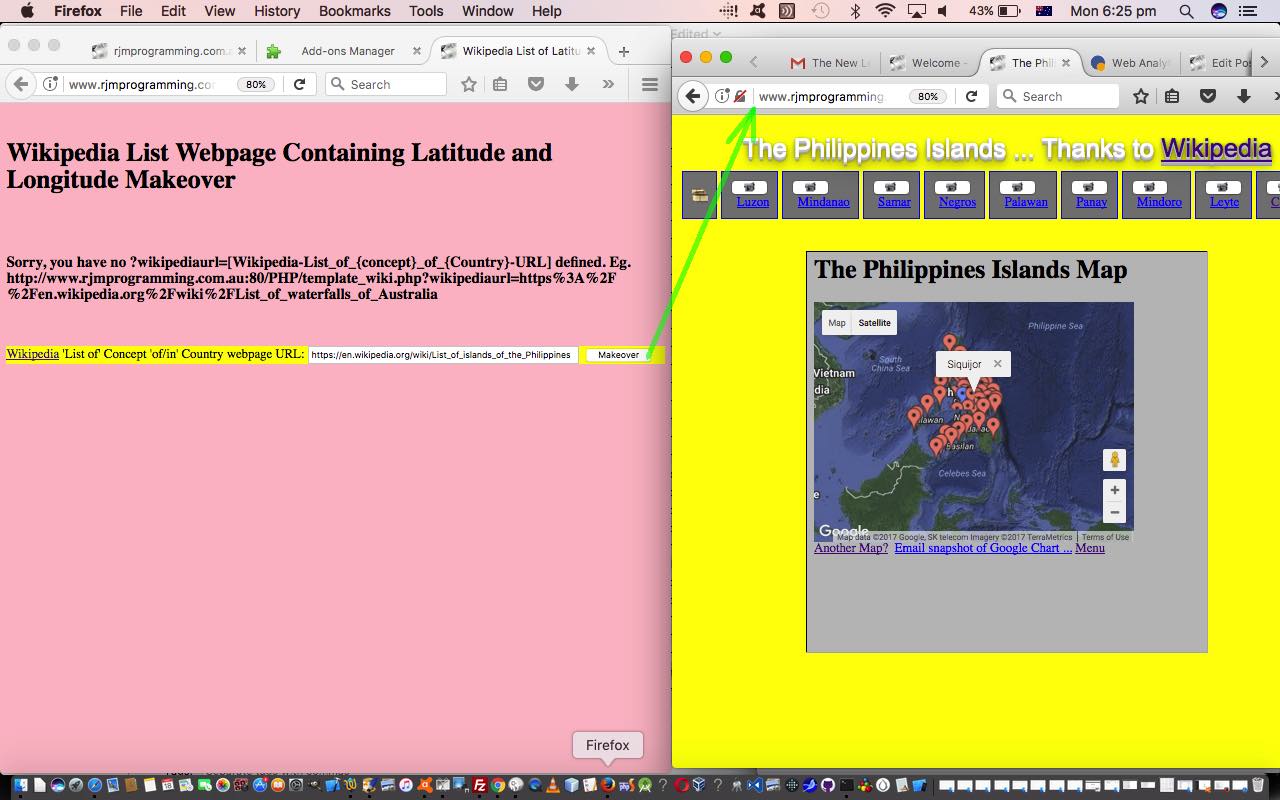
To run what we refer to as a “makeover”, click this live run link and the PHP is downloadable via this template_wiki.php link, as the chance to learn some geography you never knew.
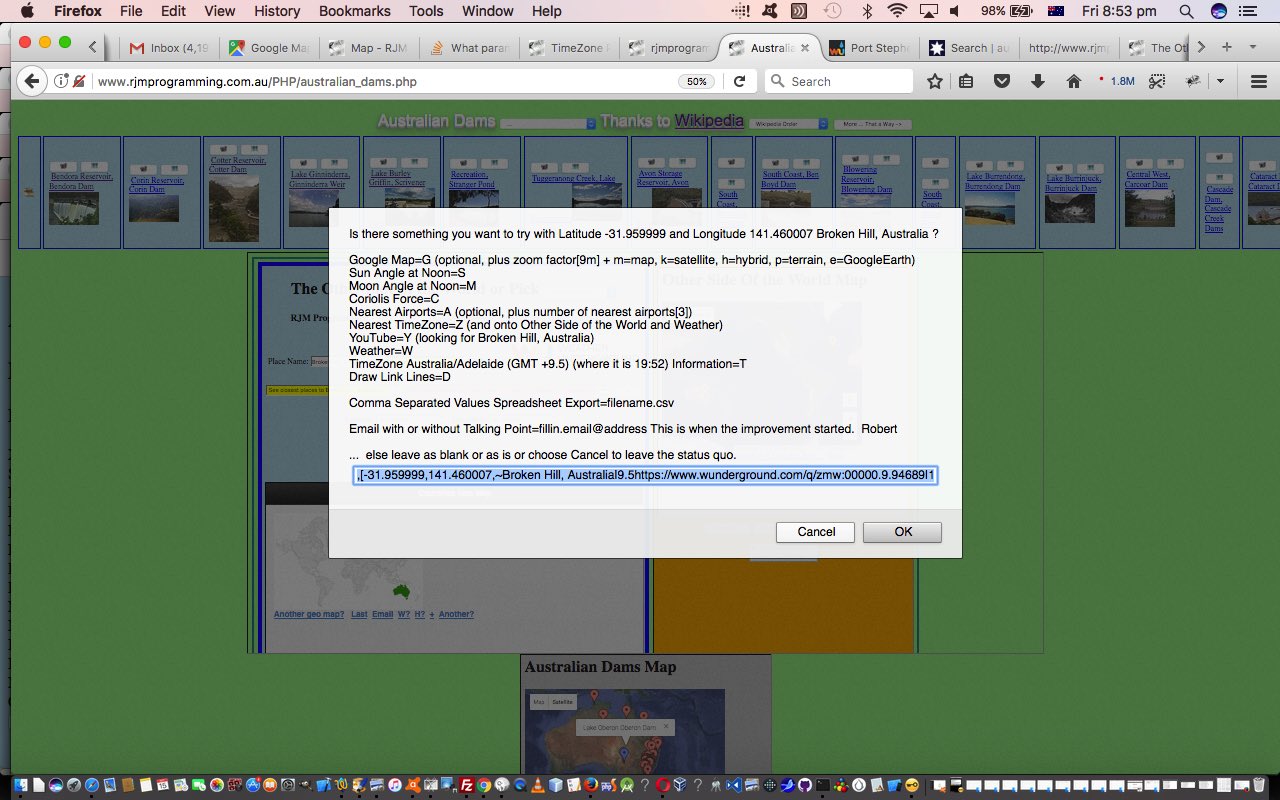
For us, with many “where of life” web applications, the Google ChartsMap Chart is a core part of the functionality, as the receptacle, and more and more often as time goes on, also a launching pad out to other concepts, such as …
Nearest TimeZone=Z (and onto Other Side of the World and Weather)
YouTube=Y (looking for placename)
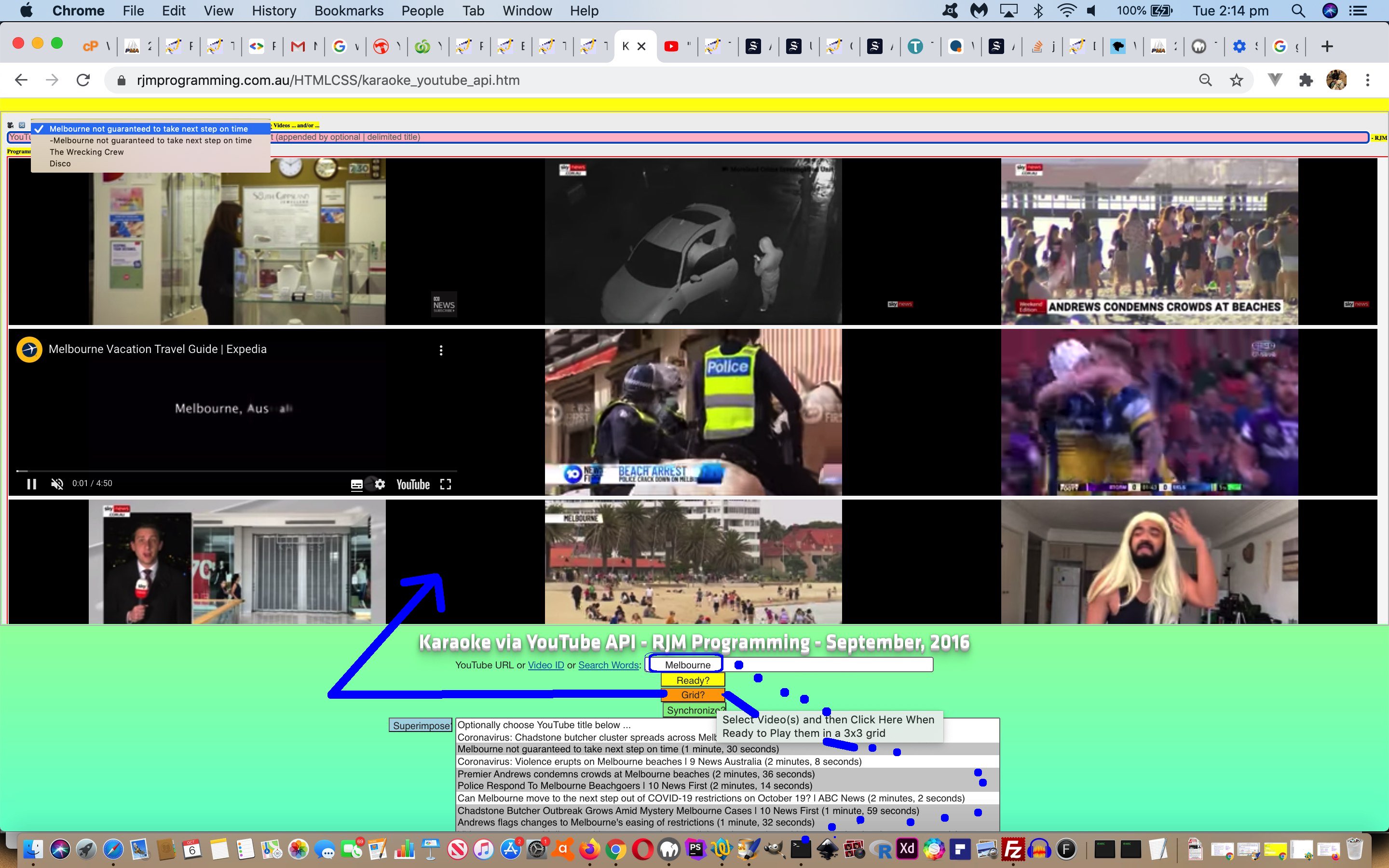
… the latter integrating us with YouTubeAPI for Iframe embedded videos interface HTML/Javascript “parent” web application called karaoke_youtube_api.htm HTML iframe elements in another direction additional to yesterday’s usage. Along the way, we tweak the Google Map=G menu option, adding more map type options and zooming in a little less by default, and with the Nearby Airports=A option making the default be a search for 3 (rather than 4) nearby airports. A lot of this all happens because of the changes to …
… which all got changed to allow for an “Animate” feature, allowing for an automated right to left “animation” (via hashtagging) of the Wikipedia based slides near the top of this suite of web application’s webpages. We hope you get to try all this out for yourself.
We were inspired to take on this “makeover” of “where of life” functionalities because earlier on today we discovered a stupendous online resource for Australian geography enthusiasts, the Bonzle Digital Atlas of Australia, with incredibly detailed and flexible search mechanisms, thanks heaps!
We’ve decided to include extra buttons (to those already linking to Google Maps links and to the relevant Wikipedia webpage) for that suite of web applications above for …
PHP Modularization for Lighthouses in Australia Tutorial
Today we want to try two more things …
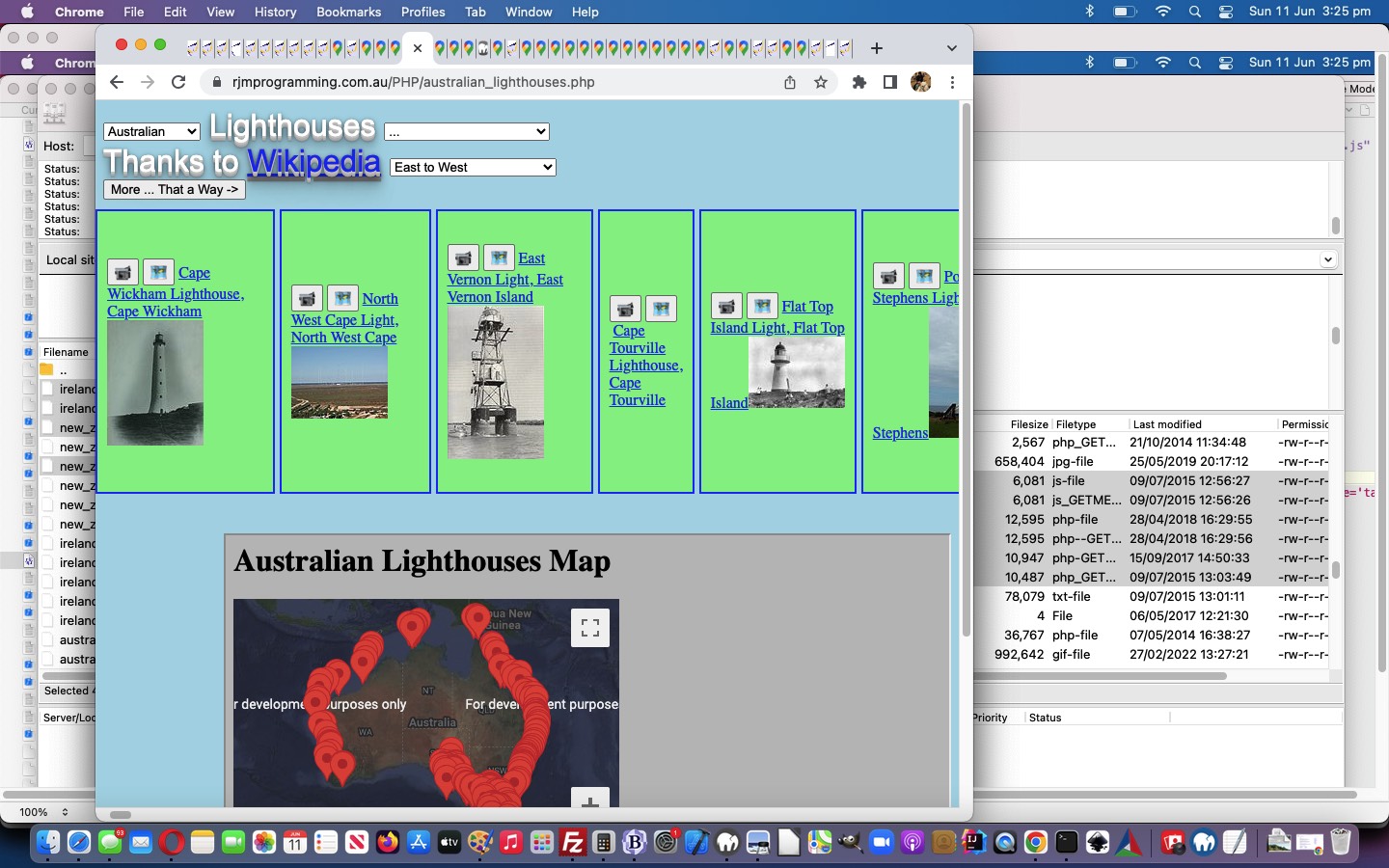
continuing on with our PHP code (you could call australian_lighthouses.php) for our Australian Lighthouses project
talk about PHP glob and its modularization sensibilities
… so let’s talk about the second one first … it’s south of north … chortle, chortle.
What does PHP’s glob do? It is doing functionality like the “underworkings” of any browse button you would see would do when you have a hard disk (in your life) … unfortunately, this is no longer a given (with mobile technology and the “cloud” challenging this thinking, sometimes). Give glob a file specification and a directory to start with, and it will happily (if you were both “globular” and “modular” you would be, too) provide you with a list of filenames, so that we use it to construct this PHP function for use with our lighthouses web application …
… and hope you can see that glob could be used for PHP code to self-detect sibling variation programs, so that, for instance, if we “plonked” (ie. eg. (s)ftp it) an egypt_lighthouses.php (probably with an egypt_lighthouses.js accompanying Javascript file) into the same directory as our …
… it would automatically be added into the functionality of its siblings without you having to change any code of those siblings … and that egypt_lighthouses.php is free to be a web application with a totally different method of functionality … cute, huh?!
You see, there are so many many different ways to “skin a cat” in Information Technology, quite often … not always … but “quite often” … and why be cornered into thinking there is only one way to do things?
The other thing you’ll find is that even though ireland_lighthouses.php differs a lot to its nearest matching sibling (in terms of methodology), new_zealand_lighthouses.php the Javascript corresponding codesets called ireland_lighthouses.js and new_zealand_lighthouses.js are only superficially different … in other words our PHP coalesces concepts into a similar “client” look … a “modularization” of sorts … not everybody’s sort, but a sort none the less … and this begs a question?
Why is “modularization” a good thing? Well, to me, you don’t have to have any “modularization” going on at all, and this is fine by me, but you must deal with issues that allow you to modify many many codesets efficiently and accurately in vastly different ways to be efficient, or be “modular” and be able to, perhaps, even, automate your changes, because of these “modular” patterns you’ve created … many people find “modularization” blissful … and often it suits the work patterns for teams of programmers. Perhaps you want to read about MVC (and its like) as a coding modularization idea for PHP (or many other programming languages, for that matter).
PHP/Javascript Asynchronous Lighthouses in Australia Tutorial
Today we want to try two things …
continuing on with our PHP code (you could call australian_lighthouses.php) for our Australian Lighthouses project
talk about Javascript asynchronous script tag option
… so let’s talk about the second one first … it’s south … chortle, chortle.
Why should you be interested in the HTML’s script tag attributes …
asynch=”asynch”
defer=”defer”
? Well, we want our web pages to load as fast as possible. Yaaaaaa?! So if there was the mechanism to do more than one bit of ((client) Javascript) thinking at a time would you avail yourself of the opportunity … or would you pick what’s behind door 3?
Do you want to hear more on this theory wise? It seems to me, there are web application mission critical parts, and there are embellishments, quite often … “nice to haves” but not “mission critical” … well, if those “nice to haves” could be arranged not to hog all the web application designated CPU that would be good, wouldn’t it?! Yaaaaaaaaaaa?!
So, that, in theory, is y why.
Now back to the project at hand … Australian Lighthouses … don’t you think some geographical sorting options and place name sorting options might be useful? Yaaaaaaaaaaaaaaaaa?! But for us it doesn’t feel mission critical … so we …
we load it from the PHP via
<script type=”text/javascript” src=”australian_lighthouses.js” async=”async”></script>
… and this amounts to the only change to today’s PHP code from yesterday as per this link
… and this becomes a way to modularize your thinking regarding a project … please don’t think there are not a myriad of other ways … this is just one idea here.
With regard to how we approached our external Javascript we did not demand anything (much) of our parent PHP and this may not be the fastest way to approach this. What we mean by that is that, perhaps, as a general rule, external Javascript can perform faster with the parent PHP or HTML leaving it with a lot more HTML element id=”[elementId]” to hang its hats on, so to speak … instead, here, we acted innocently with our Javascript and used lots of calls to the Javascript DOM method getElementsByTagName() (which results in an array return value). Perhaps calls to getElementById() via (parent) arranged id=”[elementId]” would be faster?! Today, as with the previous Static HTML Javascript Primer Tutorial we concentrated on the “modular” feel to additional external Javascript code ideas.
Today we examine some of the methodology behind a project idea.
Projects need …
an idea … ours came from listening to the radio and hearing about Lighthouses, and how the technologies had changed what they look like and how they function these days … to quote Wikipedia with respect to Australian Lighthouses (thanks) …
The first lighthouse was Macquarie Lighthouse, which was lit in 1793 as a tripod mounted wood and coal fired beacon. The last manned lighthouse was Maatsuyker Island Lighthouse, off the south coast of Tasmania, which was automated in 1996.
a means to access information … much easier these days with the search engines … we went with a Google Search as per list of lighthouse positions … which led to …
the source data format … initially, at least, via View->Page Source, relative to the webpage … to get ideas for how to parse the data … so that we can determine a …
programming language of choice … which is PHP … no surprise here … will need a server-side language … and a method like PHP’s file_get_contents() … from there …
PHP coding to parse the data and put it into another format that value adds … otherwise why do it, as the Wikipedia information is fine as is … that is where we determine that we should …
include an iframe that uses the Google Chart Map Chart to add that extra overall positional view of Lighthouses … a definite asset to the reader’s understanding of the subject … definitely a “where” web application … and in doing this we notice that …
Google Chart Map Chart map.php web application needed to be able to handle much larger input data streams than it could in its previous incarnation of only allowing PHP $_GET[] parameters … so we change it to allow $_POST[] parameters … maybe you noticed this with yesterday’s PHP/Javascript/HTML Google Chart Map Onclick Tutorial as shown below … as this meant that …
we need an HTML form that POSTs to the iframe with the Google Chart Map Chart map.php web application allowable because we are on the same domain with this thinking … and using an HTML textarea element to store the huge string of Lighthouse data that will be passed across via urldecode($_POST[‘data’]) at map.php … using PHP’s urldecode() and urlencode() methods and Javascript’s decodeURIComponent() method … as well as utilizing …
Google Chart Map Chart map.php web application onclick and tooltip functionality we’ve been working on lately … hence the talk about this below … working out what (component) tools could do with a “makeover” is an extremely important part of any project and can be a useful compartmentalizing of the project
… and so we end up with our live run behind which is the PHP programming source code you could call australian_lighthouses.php for your perusal.
PHP/Javascript/HTML Google Chart Map Onclick Tutorial
They say “the knee bone’s connected to the thigh bone” then they say “the thigh bone’s connected to the … hip bone” then they say “let’s call the whole thing off” … sometimes.
Today we say “the onmouseover event is connected to the onclick event” then we say “the onclick event is connected to the online woooooorld” … “do … the hokey pokey” x3 … “that’s what the onclick event preceeded by the onmouseover event within the environs you are encountering … is all about”.
That news is pretty good actually, because it means mobile users are not missing out on much not having easy access to any onmouseover (ie. hover) functionality … they’ll still reach any onclick logic you present them, in the default case of events where onclick is a valid “touch” event as well.
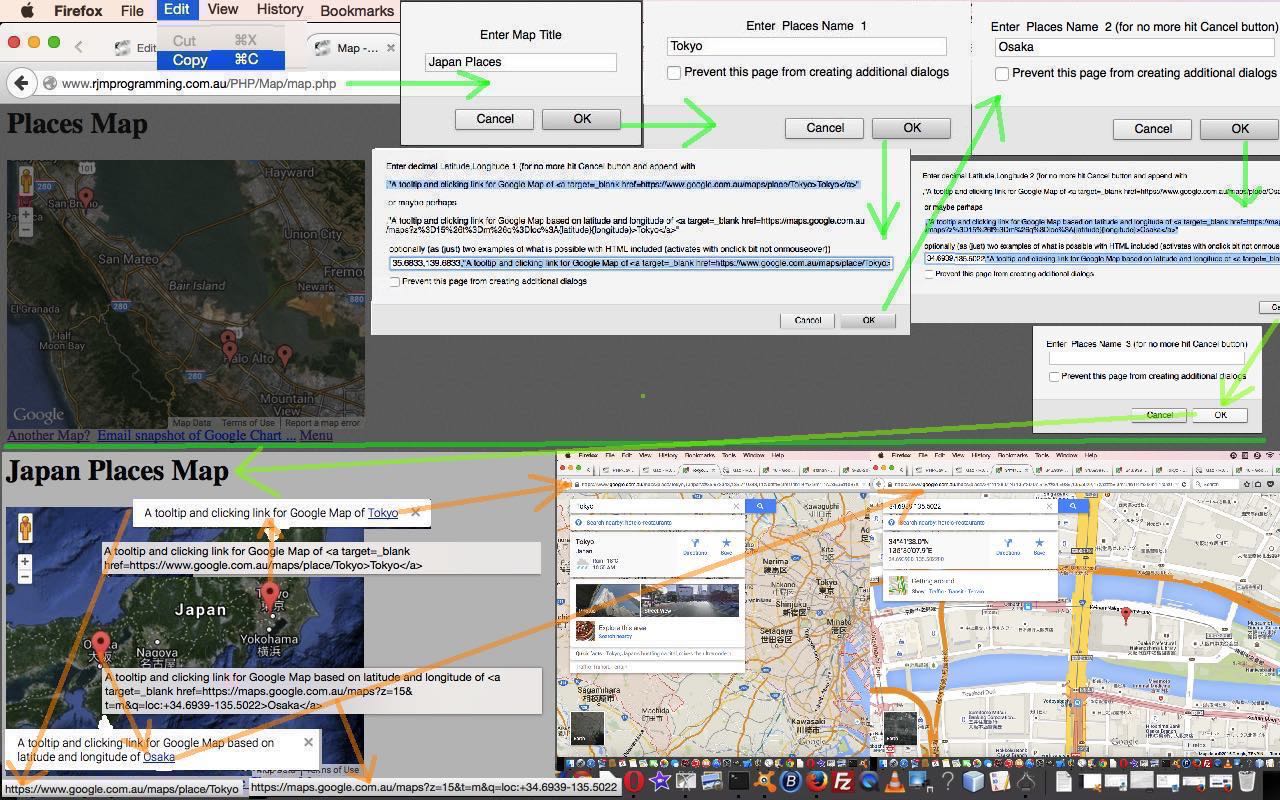
So the data structure of arrangements to allow for this onclick functionality is intrinsically the same as allowed for yesterday with the PHP/Javascript/HTML Google Chart Map Tooltips Tutorial as shown below, but we just check for some more delimitation issue matters, and our updated prompting window logic gets quite “blurby” as per the Javascript (via PHP) …
 echo " datalinesuffix = prompt('Enter decimal Latitude,Longitude ' + thisline + extra +  ' (for no more hit Cancel button and append with ' + '\\n\\n' + ',\"A tooltip and clicking link for Google Map of <a target=_blank href=https://www.google.com.au/maps/place/' + encodeURIComponent(dlp2) + '>' + dlp2 + '</a>\" ' + '\\n\\n' + ' or maybe perhaps ' + '\\n\\n' + ',\"A tooltip and clicking link for Google Map based on latitude and longitude of <a target=_blank href=https://maps.google.com.au/maps?' + encodeURIComponent('z=15&t=m&q=loc:') + '{latitude}{longitude}>' + dlp2 + '</a>\"' + '\\n\\n' + ' optionally (as (just) two examples of what is possible with HTML included (activates with onclick bit not onmouseover))', thisdef); " . "\n";

 echo ' if (datalinesuffix != null) { if (datalinesuffix.indexOf("{latitude}") != -1) { dlsa=datalinesuffix.split(","); if (dlsa[0].indexOf("-") == -1) { datalinesuffix=datalinesuffix.replace("{latitude}",encodeURIComponent("+" + dlsa[0]));  } else { datalinesuffix=datalinesuffix.replace("{latitude}",encodeURIComponent(dlsa[0]));  }  } if (datalinesuffix.indexOf("{longitude}") != -1) { dlsa=datalinesuffix.split(","); if (dlsa.length > 1) { if (dlsa[1].indexOf("-") == -1) { datalinesuffix=datalinesuffix.replace("{longitude}",encodeURIComponent("+" + dlsa[1]));  } else { datalinesuffix=datalinesuffix.replace("{longitude}",encodeURIComponent(dlsa[1])); }  }  }    } ' . "\n";
… as again we are making use of $_GET[] parameters coming into the PHP at the server side.
The bigger picture plan for how this helps something else we are trying will become apparent over time … in the fullness of time … at the appropriate juncture of juxtapositions.
Let’s see some PHP code in live action for this tutorial where you define your map characteristics and data.
Link to Google Chart Tools “spiritual home” … via Google.
Link to Google Chart Tools Map information … via Google.
Link to Google Chart tooltips information … via Google.
Link to some downloadable PHP programming code … rename to map.php which changed from yesterday as per this link.
PHP/Javascript/HTML Google Chart Map Tooltips Tutorial
Here is a tutorial that is revisiting Google Graphs API, or Google Chart Tools, and its Map functionality, which we first talked about with PHP/Javascript/HTML Google Chart Map Tutorial as shown below. Please read …
Google Chart Tools provide a perfect way to visualize data on your website. From simple line charts to complex hierarchical tree maps, the chart galley provides a large number of well-designed chart types. Populating your data is easy using the provided client- and server-side tools.
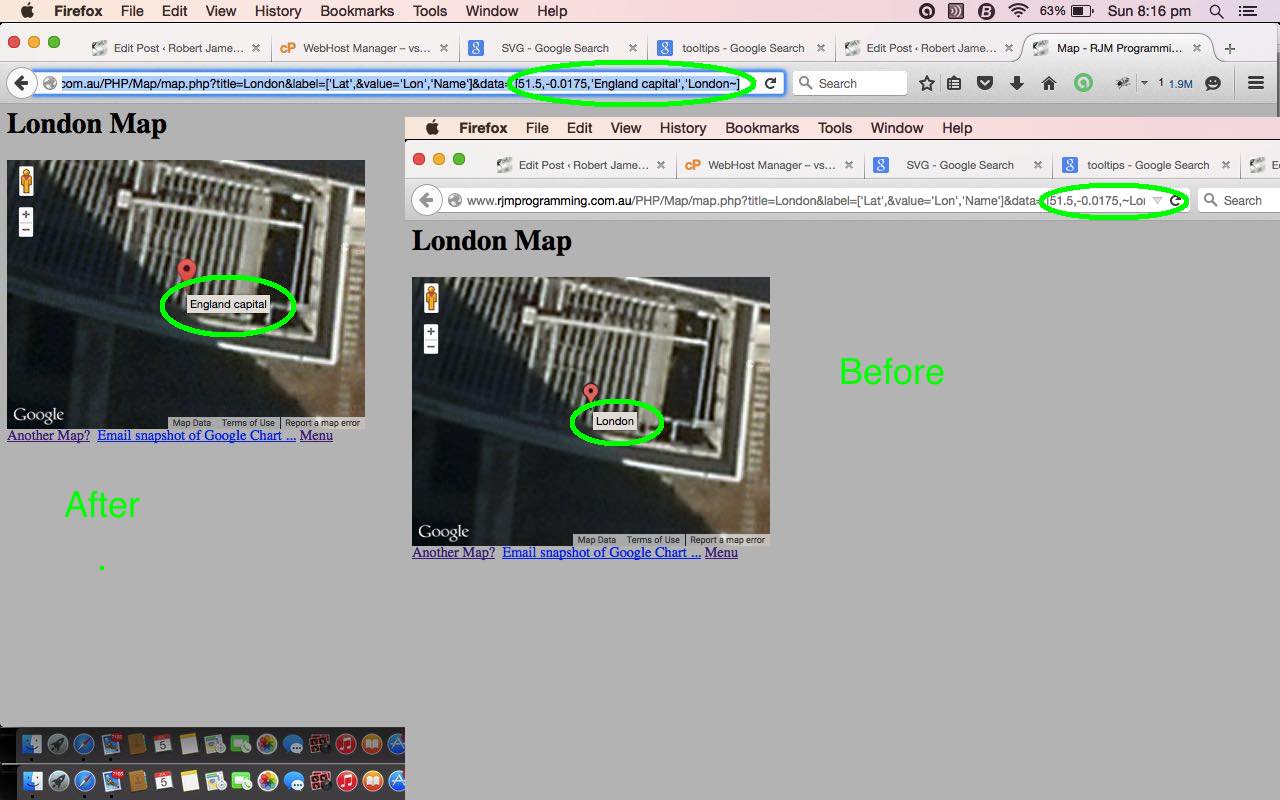
Why are we revisiting? Well, we are interested in the interactive side to this wonderful product. We are going to start with a look into “tooltips”. Tooltips are those optional informational features of some webpages that happen when hovering over an HTML element, principally through the filling out of an HTML element’s title global attribute.. Google Charts functionality amounts to the use of Javascript, and, these days, SVG HTML elements, so “tooltips” are very relevant to the “user experience” when using Google Charts. With the Map Chart, the latitude, laongitude set is combined with a title, which can be the default “tooltip” shown, as this is all fine for many usages, but we want to extend it so that that title doesn’t have to be the tooltip.
The integration of this added functionality into the Google Chart Map Chart involves adding an extra “string” column to the data table as per the bold bits of the new Javascript (via PHP) snippet …
… making use of $_GET[] parameters coming into the PHP at the server side … you’ll find that Javascript loves to work with PHP as one of those Fred and Ginger relationships of the programming world … you’ll be happier writing Javascript from your PHP too … try it and you’ll see the advantages time and again and again and again … did we leave out one? … and again.
The bigger picture plan for how this helps something else we are trying will hopefully become apparent over time.
Let’s see some PHP code in live action for this tutorial where you define your map characteristics and data.
Link to Google Chart Tools “spiritual home” … via Google.
Link to Google Chart Tools Map information … via Google.
Link to Google Chart tooltips information … via Google.
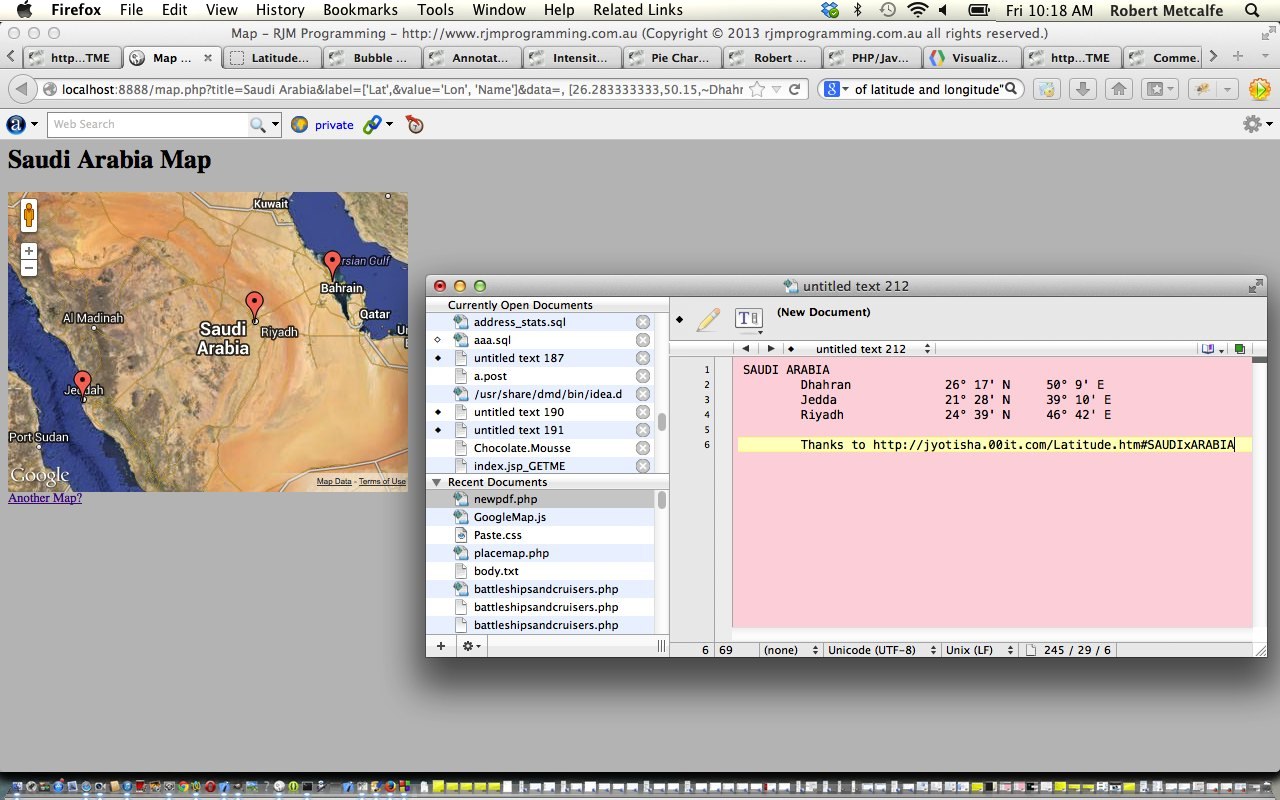
Here is a tutorial that introduces you to Google Graphs API, or Google Chart Tools, and its Map functionality.
Google Chart Tools provide a perfect way to visualize data on your website. From simple line charts to complex hierarchical tree maps, the chart galley provides a large number of well-designed chart types. Populating your data is easy using the provided client- and server-side tools.
Let’s see some PHP code in live action for this tutorial where you define your map characteristics and data.
Link to Google Chart Tools “spiritual home” … via Google.
Link to Google Chart Tools Map information … via Google.
Link to some downloadable PHP programming code … rename to map.php.
If this was interesting you may be interested in this too.
If this was interesting you may be interested in this too.
If this was interesting you may be interested in this too.
If this was interesting you may be interested in this too.
If this was interesting you may be interested in this too.
If this was interesting you may be interested in this too.
If this was interesting you may be interested in this too.
If this was interesting you may be interested in this too.
If this was interesting you may be interested in this too.
If this was interesting you may be interested in this too.
we cater for answer concern regarding non-ascii characters as per …
optsare[ii].setAttribute('data-answer', blurbs[iii].replace('Galápagos tortoise', 'Galapagos tortoise'));
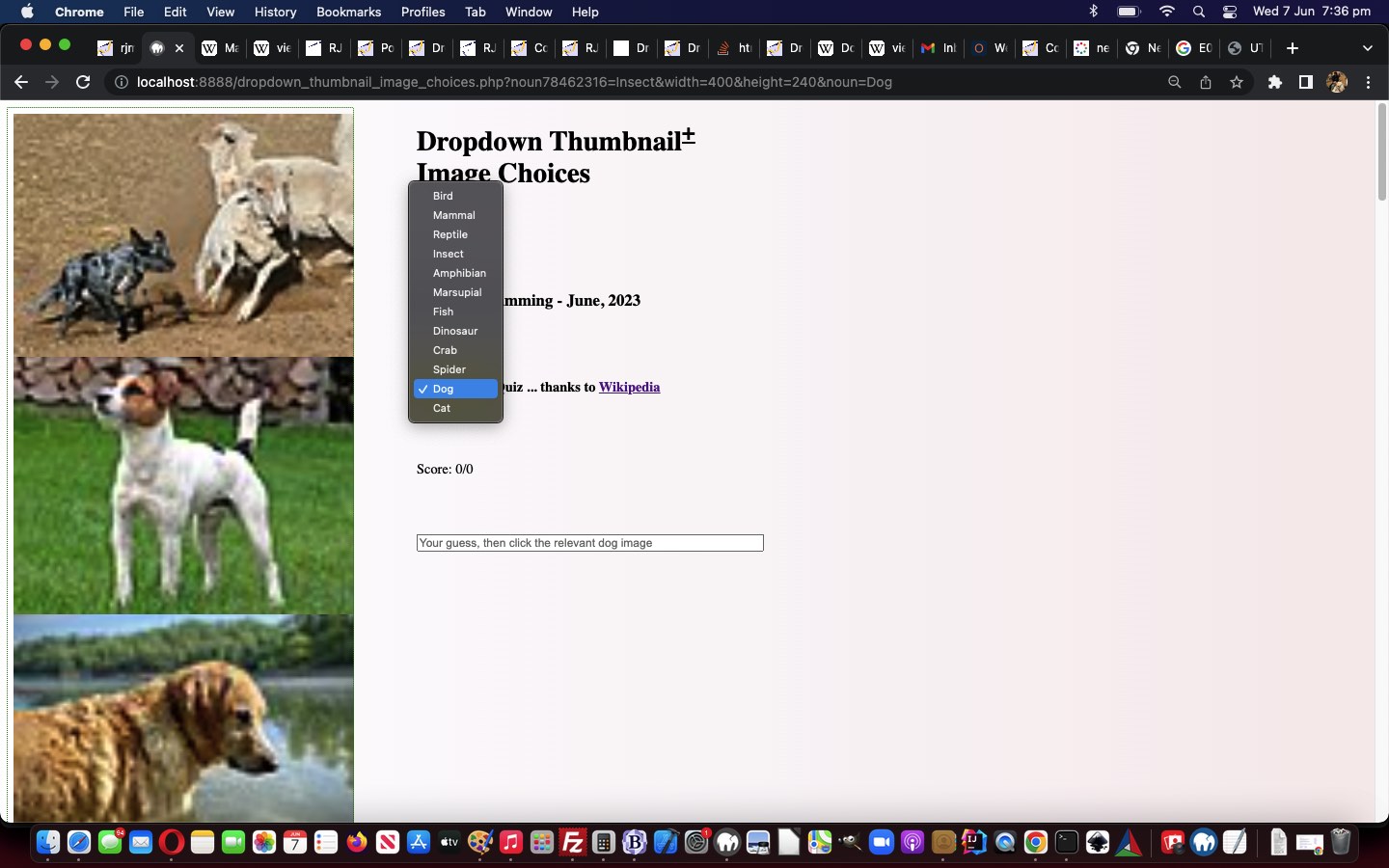
we keep width and height dimension user settings as user changes Biology Quiz animal option …
location.href=(document.URL.split('#')[0].replace('noun=', 'noun' + Math.floor(Math.random() * 198675453) + '=') + '&noun=' + encodeURIComponent(this.value.trim())).replace('.php&', '.php?');
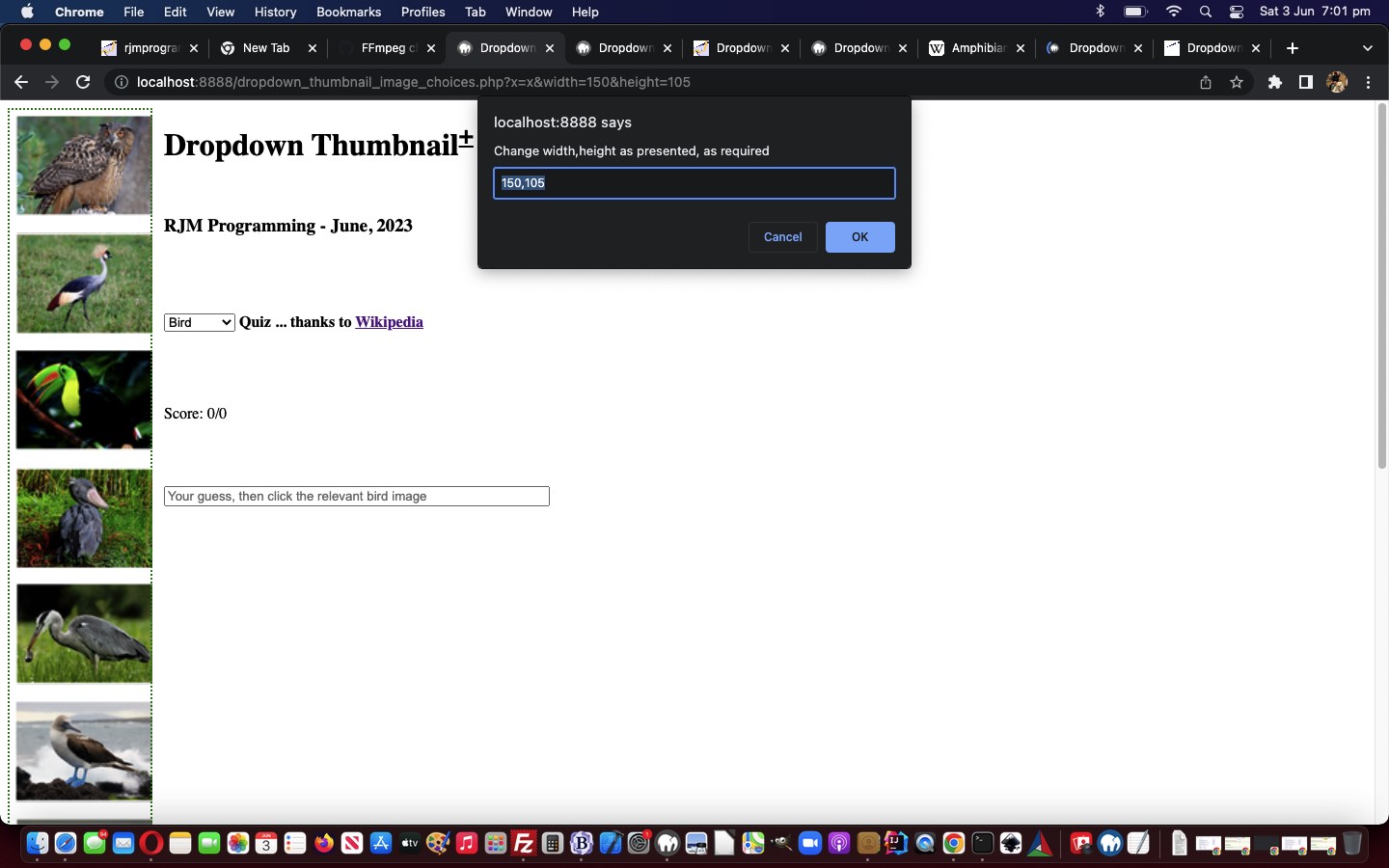
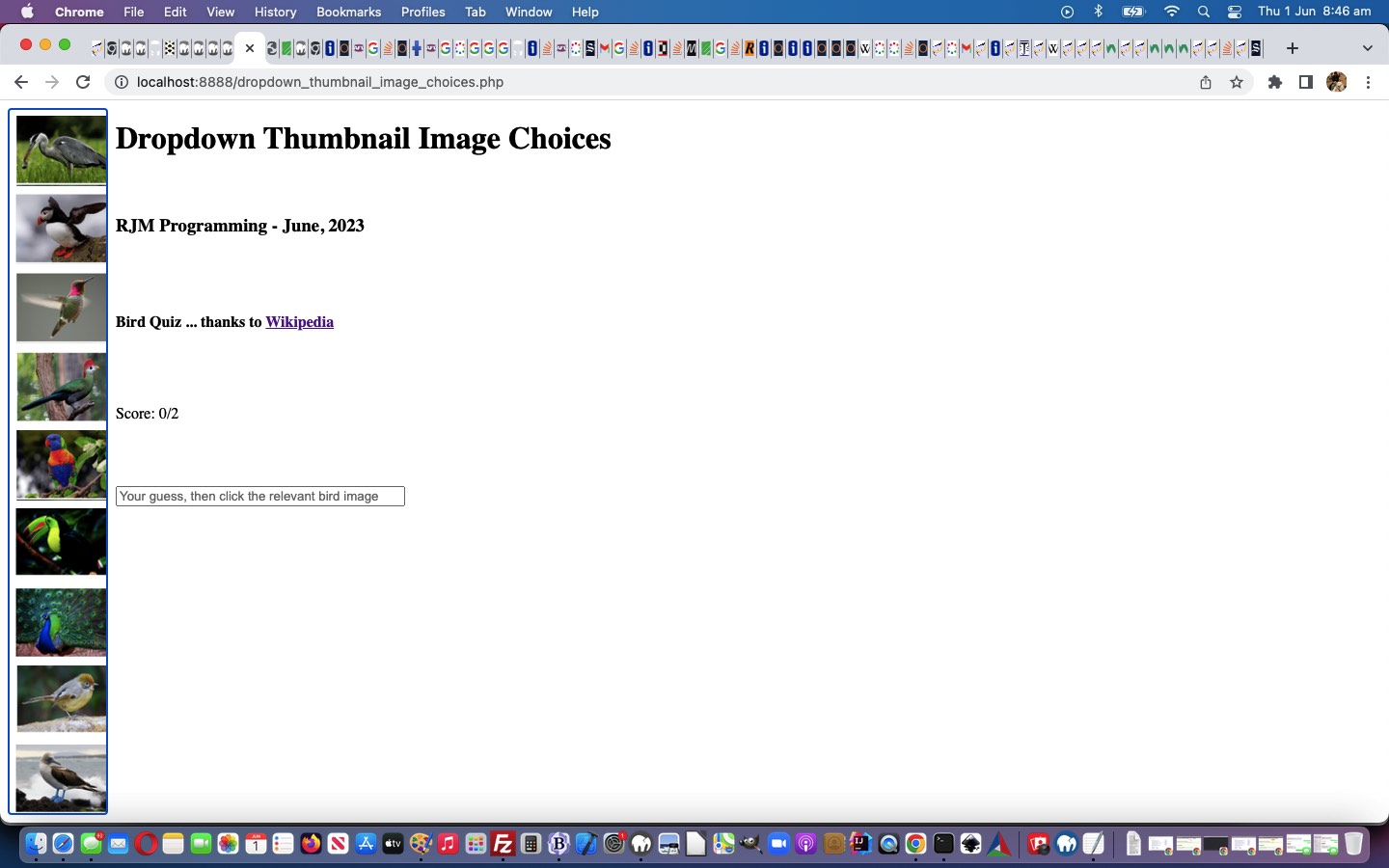
Thumbnail images are all well and good, but for web applications, such as our quiz one, that might benefit from scrutiny of images, in the recent Dropdown Image Idea Map Genericization Tutorial, it would be good to offer the user some control over the size of the images in their biology themed Quiz.
We want to funnel this ask through a Javascript window.prompt scenario, given it is optional functionality, and we think it is over the top to dedicate one or two textboxes to the asking of …
image display width … and …
image display height
… dimensions. And then, as far as the arrangements go to make use of these collected user settings go, we just start using GET URL arguments for width= and height= respectively …
<?php
  $three="3"; // number of image map columns

  $six="6"; // number of image map rows

  $restl="calc(50% - 600px)";

  $onehundred="100";

  $seventy="70";

  if (isset($_GET['width'])) {

    $onehundred=str_replace('+','_',urldecode($_GET['width']));

    $restl="" . (20 + $onehundred) . "px";

  } else if (isset($_POST['width'])) {

    $onehundred=str_replace('+','_',urldecode($_POST['width']));

    $restl="" . (20 + $onehundred) . "px";

  }
?>
… in the pure PHP initializations. Then up the top of the PHP written Javascript we now have …
There is a certain level of genericization we can apply to yesterday’s Dropdown Image Idea Primer Tutorial‘s Bird Quiz “proof of concept” start, to begin to extend its functionality, today.
We say “certain level” because Wikipedia content is written by a myriad of expert Wiki Page Writers out there, thanks one and all. There are not hard and fast rules about how that content is formed, any more than the content here, in this WordPress blog, is presented, and appears as a webpage before your very (yes, very) eyes! But, there can be patterns, and in this biology field of content, we’ve noticed, our biology images can often be presented in the form …
HTML image map element contains the answer data we need for our current (biology) quiz project … and …
HTML img element accompanying that image map element can contain the base graphics we need
… to derive data URI image thumbnails via an inhouse canvas element’s talents regarding …
… slicing and dicing of imagery. If you’d have looked yesterday at this Javascript function you’d have seen much less PHP interventional code, and this increased “intervention” forms the basis for our “genericization drive” today, where we identify tasks that PHP can help with in that initial phase …
… and use them, rather than hardcodings, where we see those hardcodings that used to just involve our guinea pig project topic, “Birds”, in the context of a quiz, so we now offer dropdown selectable …
We’ve long mused about the idea that an HTML select (ie. dropdown) element can have images as a background. Well, we’re here to tell you that a dropdown element on its own is not capable of this, it being an element associated with operating system functionality. But we can …
dropdown background transparency … combined with …
underlaid, precisely, div z-index smaller
… and what’s to stop us setting a multiple background image arrangement for the div element above? Anyone? Anyone? Yes, Aristotle, it is clearly self-evident that an earthquake might stop us, yes, or an anti-clockwise hurricane, perhaps, yes … but you do realize our class is taking place in the Blue Mountains, near Sydney, Australia?!
the server side file and database and operating system smarts of the great serverside language PHP is … all while …
PHP writing out HTML (with its CSS and Javascript) has a web application able to access all that clientside intelligence
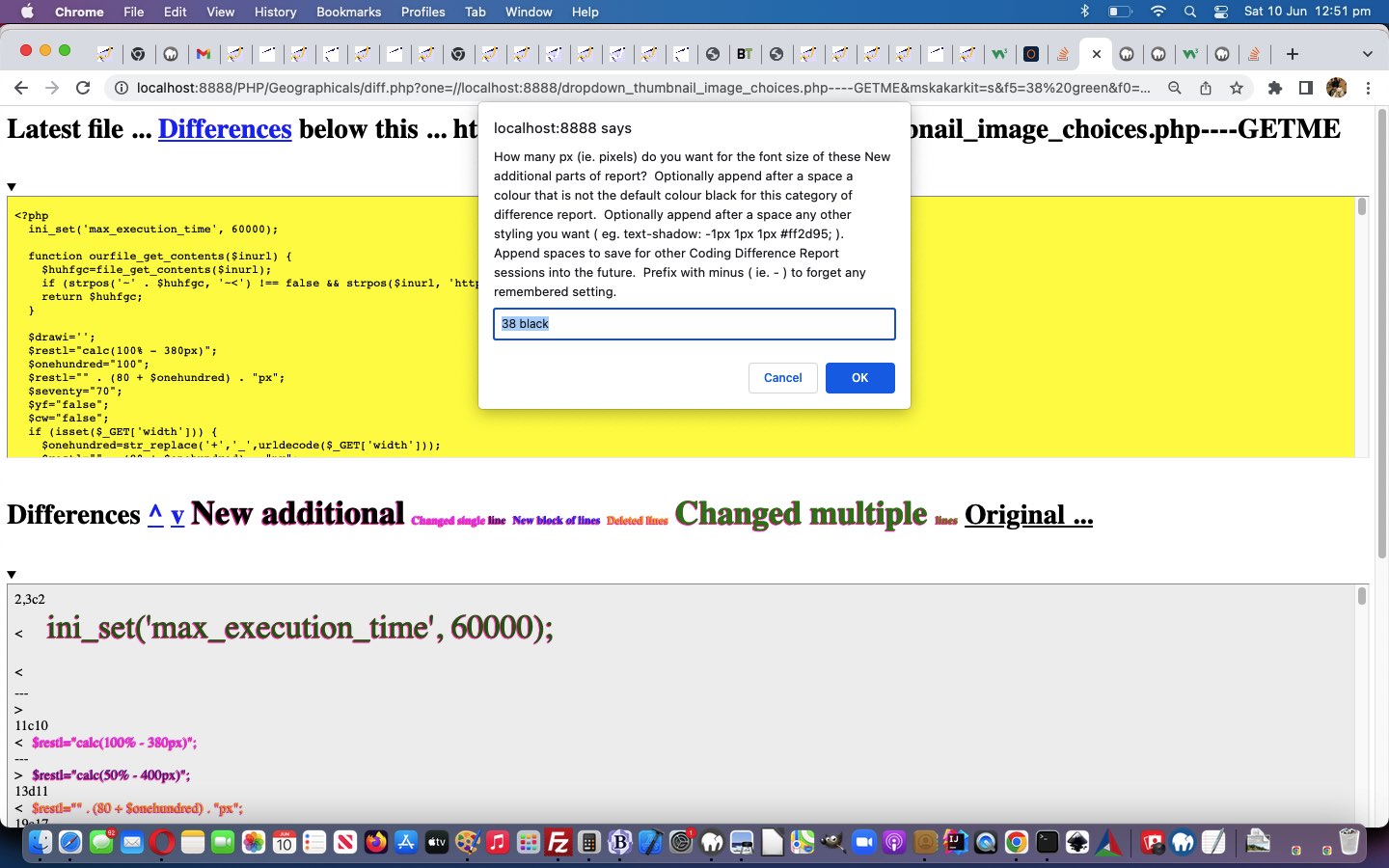
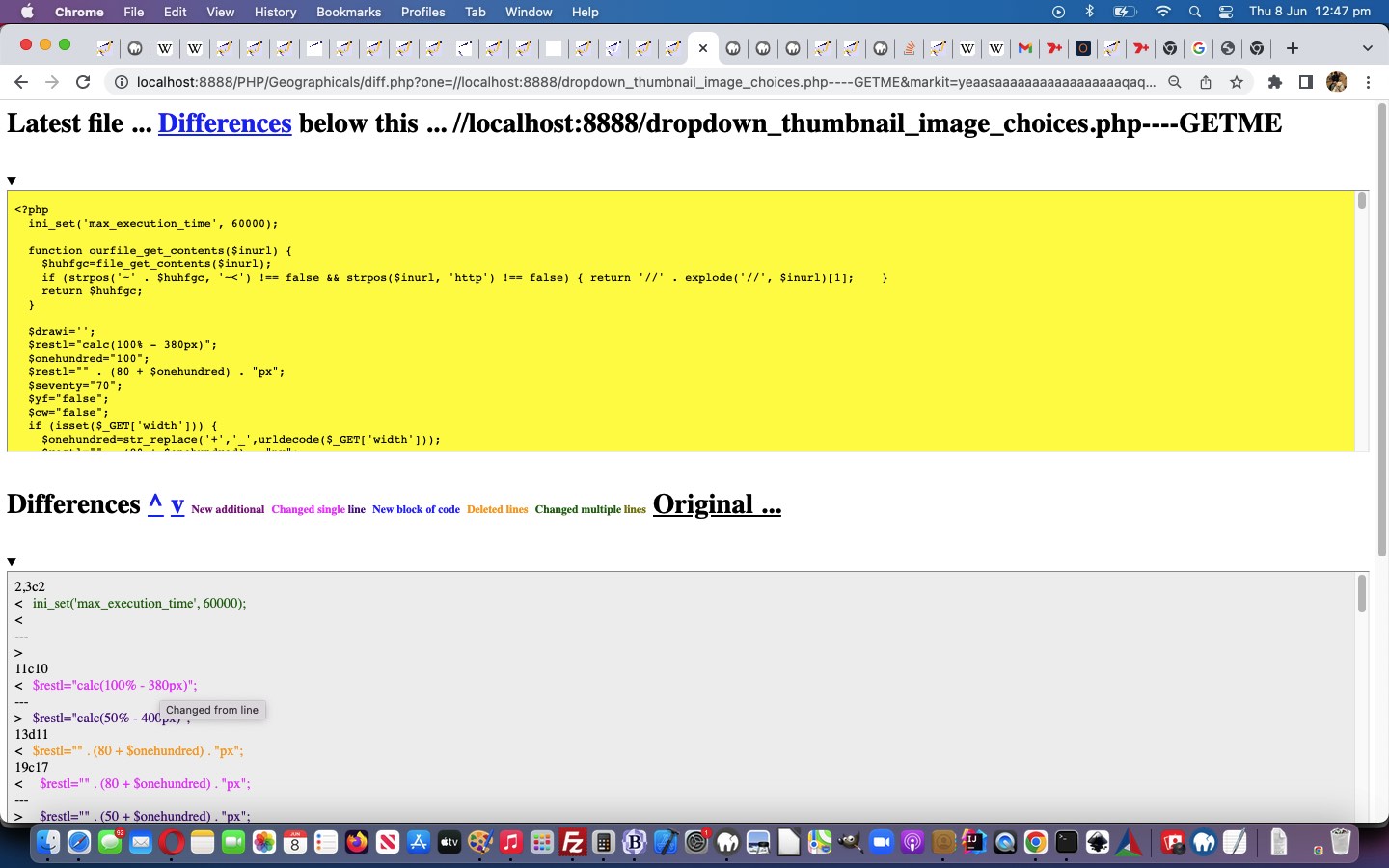
… and with this in mind, we allow for saved CSS styling user settings, as of today, with our Difference Report web application arrangements.
Don’t we need a database for this? Well, that is possible, and with serverside PHP, could be done, but we opt for clientside window.localStorage usage to …
Save user CSS styling settings
Recall user CSS styling settings
… so that a user might opt to “set and forget” their preferred set of …
New additional
Changed single line
New block of lines
Deleted lines
Changed multiple lines
… (CSS Selector) sensitive “categories” of Difference Report data type settings.
<?php
$style="<style> font { text-shadow: -1px 1px 1px #ff2d95; } </style>";

$legend="";

$mx="";

$onecommand=" function nocaret(invx) { var outvx=decodeURIComponent(invx); while (outvx.indexOf('<') > outvx.indexOf('>')) { outvx=outvx.replace('>' + outvx.split('>')[1].split('<')[0] + '<','');  }  return encodeURIComponent(outvx); } function onb(event) { var othis=event.target, cih='';  if (('' + othis.id + ' ').substring(0,1) == 'f') {  cih=('' + window.localStorage.getItem('diff_' + othis.id)).replace(/^undefined$/g,''.replace(/^null$/g,'')); if (('' + othis.innerHTML.replace(/\ \;/g,' ') + '~~').indexOf(' ~~') != -1) { if (cih == '') { window.localStorage.setItem('diff_' + othis.id, encodeURIComponent('14 >' + othis.innerText + '<'));  } else { window.localStorage.removeItem('diff_' + othis.id);  window.localStorage.setItem('diff_' + othis.id, nocaret(cih) + encodeURIComponent(' >' + othis.innerText + '<'));  } }  } } function blurize(othis) { if (1 == 2) { othis.onblur=function(event) { onb(event); }; } return othis; } function perhapsih(insg,ofo) { if (insg.indexOf('<') > insg.indexOf('<') && insg.indexOf('<') != -1) { ofo.innerHTML=insg.split('>')[1].split('>')[0]; ofo.setAttribute('data-ih', insg.split('>')[1].split('>')[0]); return insg.replace('>' + insg.split('>')[1].split('>')[0] + '<', '');  } } function givef(idn,cssis) { if (('' + document.getElementById('f' + idn).title).indexOf(' ' + decodeURIComponent(cssis) + ' ') == -1) { document.getElementById('f' + idn).title=document.getElementById('lspan').title + '  You have user CSS styling friendly one off setting of ' + decodeURIComponent(cssis) + ' for this category of Difference Reporting'; } } function getmaybe(foin,defis) { var mgs=document.URL.split(foin.id + '='); thatget=('' + window.localStorage.getItem('diff_' + foin.id)).replace(/^undefined$/g,'').replace(/^null$/g,''); if (thatget != '') { if (eval('' + mgs.length) == 1) { return decodeURIComponent(thatget); } else if (mgs[1].split('&')[0].split('#')[0] == '') { return decodeURIComponent(thatget); } } if (eval('' + mgs.length) > 1) { if (mgs[1].split('&')[0].split('#')[0] != '') { return decodeURIComponent(mgs[1].split('&')[0].split('#')[0]); } } return defis; } function getany() { var mgs=[],addget='',thisget=''; if (document.URL.replace('?','&').indexOf('&f') == -1 || 1 == 1) { for (var iig=0; iig<=6; iig++) { mgs=document.URL.split('f' + iig + '='); thisget=('' + window.localStorage.getItem('diff_f' + iig)).replace(/^undefined$/g,'').replace(/^null$/g,''); if (thisget != '') { document.getElementById('f' + iig).title=document.getElementById('lspan').title + '  You have user CSS styling friendly setting of ' + decodeURIComponent(thisget) + ' for this category of Difference Reporting'; } if (eval('' + mgs.length) > 1) { if (mgs[1].split('&')[0].split('#')[0] != '') { document.getElementById('f' + iig).title=document.getElementById('lspan').title + '  You have user CSS styling friendly setting of ' + decodeURIComponent(mgs[1].split('&')[0].split('#')[0]) + ' for this category of Difference Reporting'; } } if (document.URL.replace('?','&').indexOf('&f' + iig + '=') == -1) { addget+='&f' + iig + '=' + thisget; } }  } if (addget != '') { location.href=(document.URL.split('#')[0] + addget).replace('.php&','.php?');  } } setTimeout(getany,2000); function removeany(newfo) { window.localStorage.removeItem('diff_' + newfo.id); } function addany(newishfo,newwhat) { removeany(newishfo);  window.localStorage.setItem('diff_' + newishfo.id, newwhat); } function askabout(fo) { var defd='14', ccol='black', ccols=fo.outerHTML.split(' color=' + String.fromCharCode(34)), psizes=fo.outerHTML.split('px'); if (eval('' + ccols.length) > 1) {  ccol=ccols[1].split(String.fromCharCode(34))[0];  }  if (eval('' + psizes.length) > 1) {  defd=psizes[0].split(':')[eval(-1 + psizes[0].split(':').length)].trim();  }  var numis=prompt('How many px (ie. pixels) do you want for the font size of these ' + fo.innerHTML + ' parts of report?  Optionally append after a space a colour that is not the default colour ' + ccol + ' for this category of difference report.  Optionally append after a space any other styling you want ( eg. text-shadow: -1px 1px 1px #ff2d95; ).  Append spaces to save for other Coding Difference Report sessions into the future.  Prefix with minus ( ie. - ) to forget any remembered setting.    An entry can be > followed by a new wording for this category followed by <', getmaybe(fo,defd)); if (numis != null) { if ((perhapsih(numis,fo) + 'x').trim().substring(0,1) == '-') { removeany(fo); numis=numis.replace('-','');  } if (('' + numis).trim() != '') { if (numis.replace(/\ $/g,'') != numis) { addany(fo,encodeURIComponent(numis.trim())); } location.href=(document.URL.split('#')[0] + '&' + fo.id + '=' + encodeURIComponent(numis.trim())).replace('.php&','.php?'); } } } ";

if (isset($_GET['f0']) || isset($_GET['f1']) || isset($_GET['f2']) || isset($_GET['f3']) || isset($_GET['f4']) || isset($_GET['f5']) || isset($_GET['f6'])) {

   $onecommand.=" function sizefonts() {   }     setTimeout(sizefonts, 3000); ";

   for ($ij=0; $ij<=6; $ij++) {

   if (isset($_GET['f' . $ij])) {

     $ihbit="";

     $words=str_replace('+',' ',urldecode($_GET['f' . $ij]));

     if (strpos($words, '<') !== false && strpos($words, '>') !== false) {

       if (strpos($words, '<') > strpos($words, '>')) {

         $ihbit=" document.getElementById('f" . $ij . "').innerHTML='" . str_replace("'", "' + String.fromCharCode(39) + '", explode('<',explode('>',$words)[1])[0]) . "'; ";

       }

     }

     if (trim($words) != '') {  $onecommand=str_replace("}    ", " givef(" . $ij . ",'" . $_GET['f' . $ij] . "'); }    ", $onecommand);  }

     $wordsa=explode(' ', trim($words));

     if (sizeof($wordsa) > 1) {

        $words=substr($words,(1 + strlen($wordsa[0])));

        for ($ijj=1; $ijj<sizeof($wordsa); $ijj++) {

          if (strpos($wordsa[$ijj], ':') === false && $ijj == 1) {

            $words=trim(substr($words,(0 + strlen($wordsa[$ijj]))));

            $style.='<style>  .f' . $ij . " { font-color: " . trim($wordsa[$ijj]) . '; } </style>';

            $onecommand=str_replace("}    ", " document.getElementById('f" . $ij . "').color='' + '" . trim($wordsa[$ijj]) . "'; document.getElementById('f" . $ij . "').style.fontColor='' + '" . trim($wordsa[$ijj]) . "'; }    ", $onecommand);

          }

        }

        if (trim($words) != '') {

          if (strpos($words, "{") !== false && strpos($words, "}") !== false) {

            $style.='<style> ' . $words . ' </style>';

            $onecommand=str_replace("}    ", " document.getElementById('dstyle').innerHTML+='<style> ' + '" . $words . " </style>'; }    ", $onecommand);

          } else {

            $style.='<style>  .f' . $ij . " { " . $words . ' } </style>';

            $onecommand=str_replace("}    ", " document.getElementById('dstyle').innerHTML+='<style>  .f" . $ij . " { ' + '" . $words . " } </style>'; }    ", $onecommand);

          }

        }

     }

     $onecommand=str_replace("}    ", $ihbit . " document.getElementById('f" . $ij . "').style.fontSize='' + '" . trim($wordsa[0]) . "px'; }    ", $onecommand);

     $style.='<style>  .f' . $ij . " { font-size: " . trim($wordsa[0]) . 'px; } </style>';

   }

   }

}
?>
… to start making this happen (including being able to change our “inhouse category” names, if you like) in our changeddiff.php‘s more colourful Code Differences helper.
Yesterday’s Code Difference Privacy Tutorial represented too much of an echo chamber for our liking. Where possible, we prefer functionality that the users out there can tweak themselves.
In thinking about this, those 5 categories (involving 2 subcategories) …
New additional
Changed single line
New block of lines
Deleted lines
Changed multiple lines
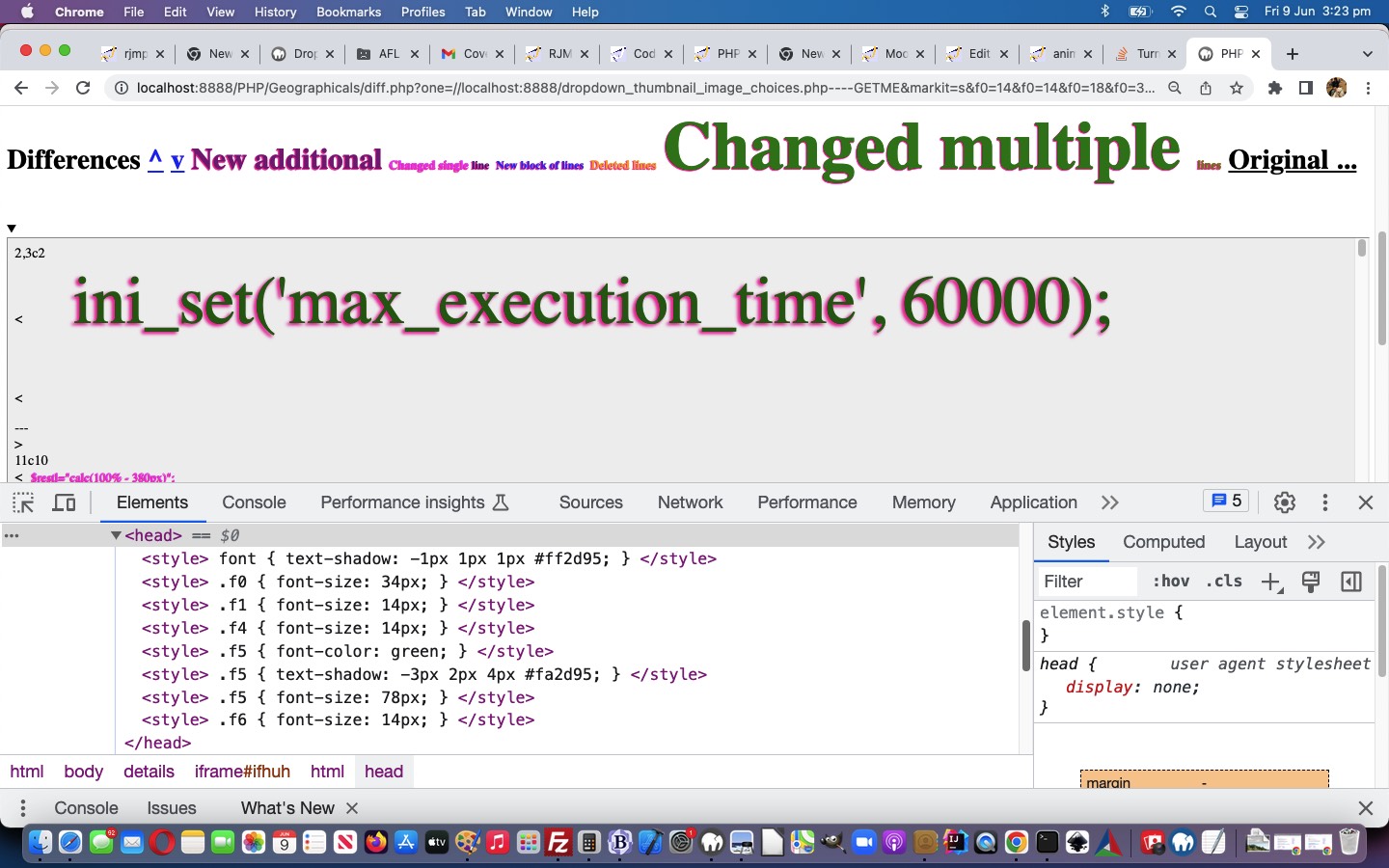
… were what occurred to us could be the CSS Selector basis for us to improve the Code Difference reporting via CSS styling functionality.
Up to today the deployment of that CSS selector logic would have had to be more complex than necessary, but today’s …
giving new id and class attributes to the “legend” span id=lspan elements … and …
equivalent class attribute to report matching element data
… makes the deployment of CSS selector logic really easy, in PHP, as per …
<?php
$style="<style> font {  text-shadow: -1px 1px 1px #ff2d95; } </style>";

$legend="";

$mx="";

$onecommand=" function askabout(fo) { var defd='14', ccol='black', ccols=fo.outerHTML.split(' color=' + String.fromCharCode(34)), psizes=fo.outerHTML.split('px'); if (eval('' + ccols.length) > 1) {  ccol=ccols[1].split(String.fromCharCode(34))[0];  }  if (eval('' + psizes.length) > 1) {  defd=psizes[0].split(':')[eval(-1 + psizes[0].split(':').length)].trim();  }  var numis=prompt('How many px (ie. pixels) do you want for the font size of these ' + fo.innerHTML + ' parts of report?  Optionally append after a space a colour that is not the default colour ' + ccol + ' for this category of difference report.  Optionally append after a space any other styling you want ( eg. text-shadow: -1px 1px 1px #ff2d95; )', defd); if (numis != null) { if (('' + numis).trim() != '') { location.href=(document.URL.split('#')[0] + '&' + fo.id + '=' + encodeURIComponent(numis.trim())).replace('.php&','.php?'); } } } ";

if (isset($_GET['f0']) || isset($_GET['f1']) || isset($_GET['f2']) || isset($_GET['f3']) || isset($_GET['f4']) || isset($_GET['f5']) || isset($_GET['f6'])) {

   $onecommand.=" function sizefonts() {   }     setTimeout(sizefonts, 3000); ";

   for ($ij=0; $ij<=6; $ij++) {

   if (isset($_GET['f' . $ij])) {

     $words=str_replace('+',' ',urldecode($_GET['f' . $ij]));

     $wordsa=explode(' ', trim($words));

     if (sizeof($wordsa) > 1) {

        $words=substr($words,(1 + strlen($wordsa[0])));

        for ($ijj=1; $ijj<sizeof($wordsa); $ijj++) {

          if (strpos($wordsa[$ijj], ':') === false && $ijj == 1) {

            $words=trim(substr($words,(0 + strlen($wordsa[$ijj]))));

            $style.='<style>  .f' . $ij . " { font-color: " . trim($wordsa[$ijj]) . '; } </style>';

            $onecommand=str_replace("}    ", " document.getElementById('f" . $ij . "').color='' + '" . trim($wordsa[$ijj]) . "'; document.getElementById('f" . $ij . "').style.fontColor='' + '" . trim($wordsa[$ijj]) . "'; }    ", $onecommand);

          }

        }

        if (trim($words) != '') {

          if (strpos($words, "{") !== false && strpos($words, "}") !== false) {

            $style.='<style> ' . $words . ' </style>';

            $onecommand=str_replace("}    ", " document.getElementById('dstyle').innerHTML+='<style> ' + '" . $words . " </style>'; }    ", $onecommand);

          } else {

            $style.='<style>  .f' . $ij . " { " . $words . ' } </style>';

            $onecommand=str_replace("}    ", " document.getElementById('dstyle').innerHTML+='<style>  .f" . $ij . " { ' + '" . $words . " } </style>'; }    ", $onecommand);

          }

        }

     }

     $onecommand=str_replace("}    ", " document.getElementById('f" . $ij . "').style.fontSize='' + '" . trim($wordsa[0]) . "px'; }    ", $onecommand);

     $style.='<style>  .f' . $ij . " { font-size: " . trim($wordsa[0]) . 'px; } </style>';

   }

   }

}
it was possible, but unlikely, for users to see other user generated reports, if they happened to be asking for reports at exactly the same time … because …
we had not catered for busy traffic here … but, today …
we cater, better, for busy online traffic … and at the same time …
improve the privacy of the reporting on an IP address basis
The downside, at least for us managing this, is that we do not want a build up of files belonging to difference reports long gone. We arrange it, then, that as soon as the report is created, a window.open scenario is coded for …
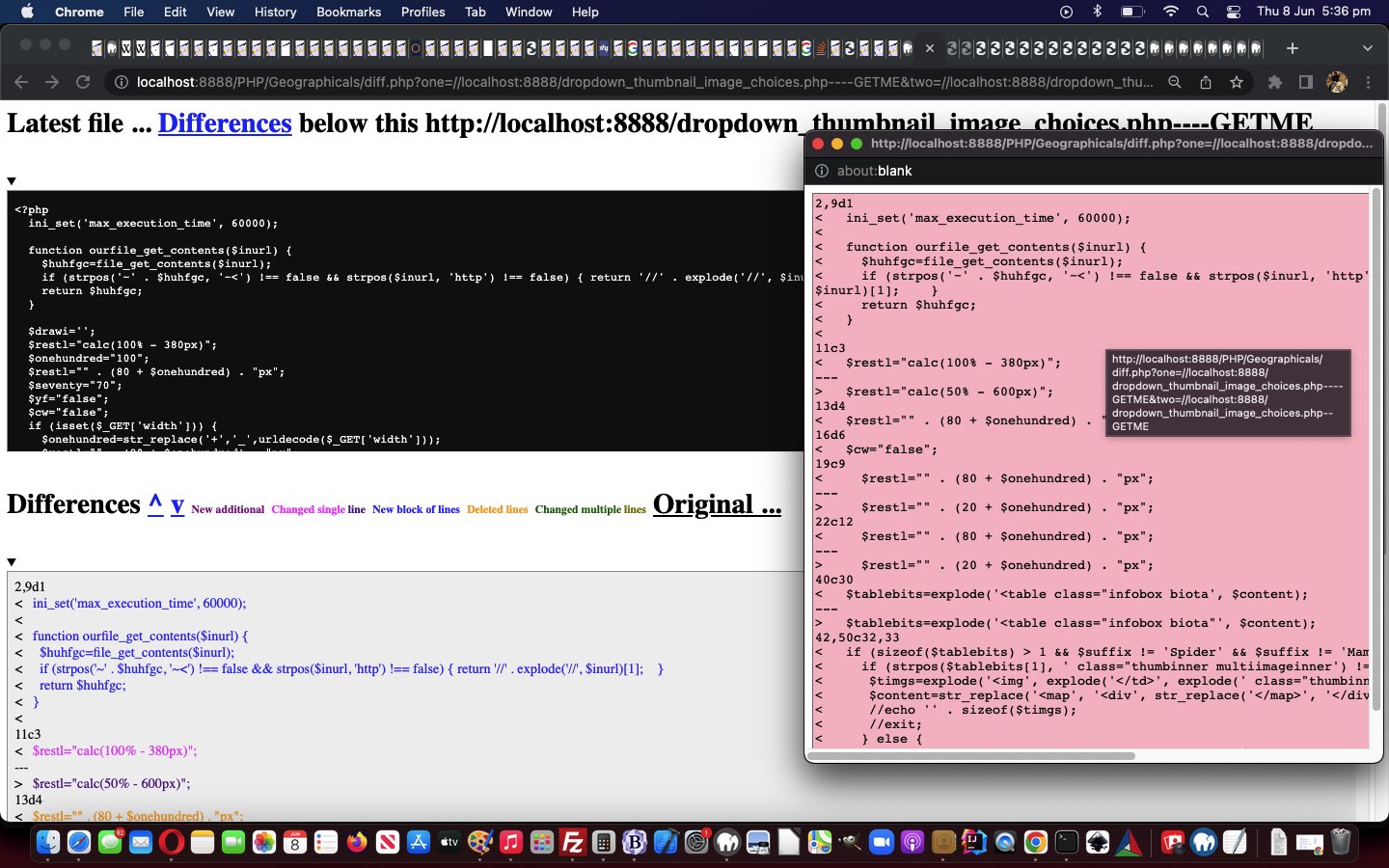
It’s coming up to a few years now, since we looked at the code differences reporting we offer the reader, as a way to scrutinize code changes, around here, when we presented Code Download Table Difference Functional Hover Tutorial. Well, we thought we might try some colour coding to perhaps lift the fog on the cryptic nature of Linux diff (difference) command based reports. They can be cryptic because they can feed into the automation feeding of the report into other Linux commands to facilitate ongoing editing endeavours, but we do not want to go into that here, at least today.
But on examining the reports we came up with the following difference report “categories” if you will …
New additional
Changed single line
New block of lines
Deleted lines
Changed multiple lines
… the header (of a block of interest) the dead give away, depending on the existence of “a” or “c” or “d” and/or “,” for a common sense reinterpretation by us not visiting “man diff” ourselves, yet, regarding this work.
Is it worth adding “onmouseover” event logic onto yesterday’s Code Download Table Difference Functional Linking Tutorial? You bet it is! Just because “onmouseover” has no relevance to mobile platforms, so, obversely, developing software with version control systems is irrelevant to mobile platforms.
… we figure. But this is of relevance to the programmer. Sometimes, rather than cater for all the platforms, settling on a subset (of those platforms) can be apt because …
one of mobile or non-mobile subsets of platforms is irrelevant to the scenario … as for today … or …
you try to reinvent the wheel on the pretext that you are waiting for a particular web browser or platform to allow the functionality in, into the future … you could be waiting a while, with the complexity of app arrangements going on around the net these days
Anyway, back to the “onmouseover” event on non-mobile platforms … it was the case that this event was a favourite for the conduit towards Ajax (client) functionality. And thinking on what we do today to nuance our Code Differences PHP web application, we were thinking …
What would Ajax (like to) do?
… and we decided Ajax would really like to …
populate a “div” style=display:inline-block; element adjacent to the functional detail to inform about … but this was not possible … so, instead, we …
populate a popup window near to the functional detail to inform about
… for a non-mobile “hover” (ie. “onmouseover”) event.
Along the way we add some more hashtag navigations and set up more colour coding to the output of (the optional) “functional links” Code Difference reporting.
So take a look at our changeddiff.php Code Differences helper applied to itself below …
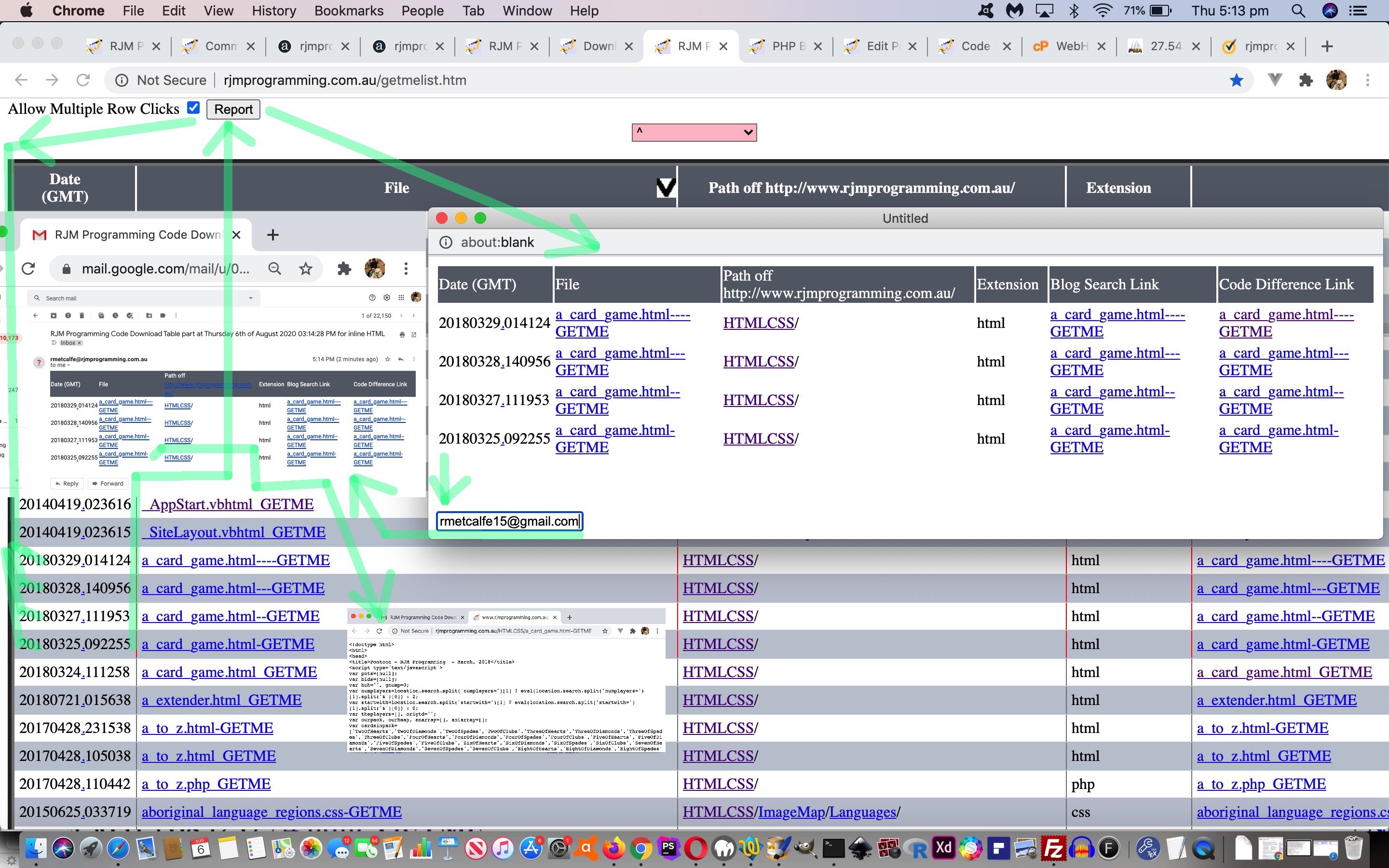
“Report” button shows to its right …
function domrows() {

  document.getElementById('dawrc').innerHTML='<input style=inline-block; type=button onclick=treportdo(); value=Report></input>';

  var trsis=document.getElementsByTagName('tr');

  for (var itrsis=0; itrsis<trsis.length; itrsis++) {

    trsis[itrsis].onclick = function(e) { if (e.target.innerHTML != '') { var trs=document.getElementsByTagName('tr'); for (var itrs=0; itrs<trs.length; itrs++) { if (trs[itrs].outerHTML.indexOf(e.target.innerHTML) != -1) {  trs[itrs].style.border='2px dotted red'; } } } };

  }

}
… and table row onclick logic is dynamically applied to those “tr” elements
User clicks somewhere within rows they are interested in seeing be included in a report (which is a snippet of the whole Code Download Table, perhaps to do with a project of interest, or a learning topic of interest)
User optionally clicks the “Report” button …
function treportdo() {

  var trsis=document.getElementsByTagName('tr');

  webc='<html><head><script type="text/javascript"> function emailto(eto) { window.opener.parentemailto(eto); } function xemailto(eto) { if (eto.indexOf("@") != -1) {  var zhr=new XMLHttpRequest(); var zform=new FormData(); zform.append("inline",""); zform.append("to",eto);  zform.append("subj","Code Download Table part");   zform.append("body",document.getElementById("mytable").outerHTML);   zhr.open("post", "//www.rjmprogramming.com.au/HTMLCSS/emailhtml.php", true);  zhr.send(zform); alert("Email sent to " + eto);  } }  </script></head><body><table id=mytable></table><br><br><br><input onblur=emailto(this.value); placeholder="Email to" type=email></input></body></html>';

  for (var itrsis=0; itrsis<trsis.length; itrsis++) {

    if (itrsis == 0) {

      webc=webc.replace('</table>', trsis[itrsis].outerHTML + '</table>');

    }

    if (trsis[itrsis].outerHTML.indexOf('>') > trsis[itrsis].outerHTML.indexOf('border:')) {

    if (trsis[itrsis].outerHTML.indexOf('dotted') > trsis[itrsis].outerHTML.indexOf('border:')) {

      webc=webc.replace('</table>', trsis[itrsis].outerHTML + '</table>');

    }

    }

  }

  var woois=window.open('','_blank','top=20,left=20,width=600,height=600');

  woois.document.write(webc);

}
… which causes a …
New popup window opens showing the relevant snippet of Code Download Table of interest to the user … including …
Textbox for an optional emailee entry that can be filled in … to …
Set off Ajax/FormData methodology means …
function parentemailto(eto) {

 if (eto.indexOf("@") != -1) {

  var zhr=new XMLHttpRequest();

  var zform=new FormData();

  zform.append("inline","");

  zform.append("to",eto);

  zform.append("subj","RJM Programming Code Download Table part");

  zform.append("body", reltoabs('<table' + webc.split('</table>')[0].split('<table')[1] + '</table>'));

  zhr.open("post", "//www.rjmprogramming.com.au/HTMLCSS/emailhtml.php", true);

  zhr.send(zform);

  alert("Email sent to " + eto);

 }

}
… to send off an Inline HTML Email report to the emailee … including …
Links of email can be clicked to get back to source code and other links back at the RJM Programming domain web server
… and … lo and behold … we saw a good use for the idea of …
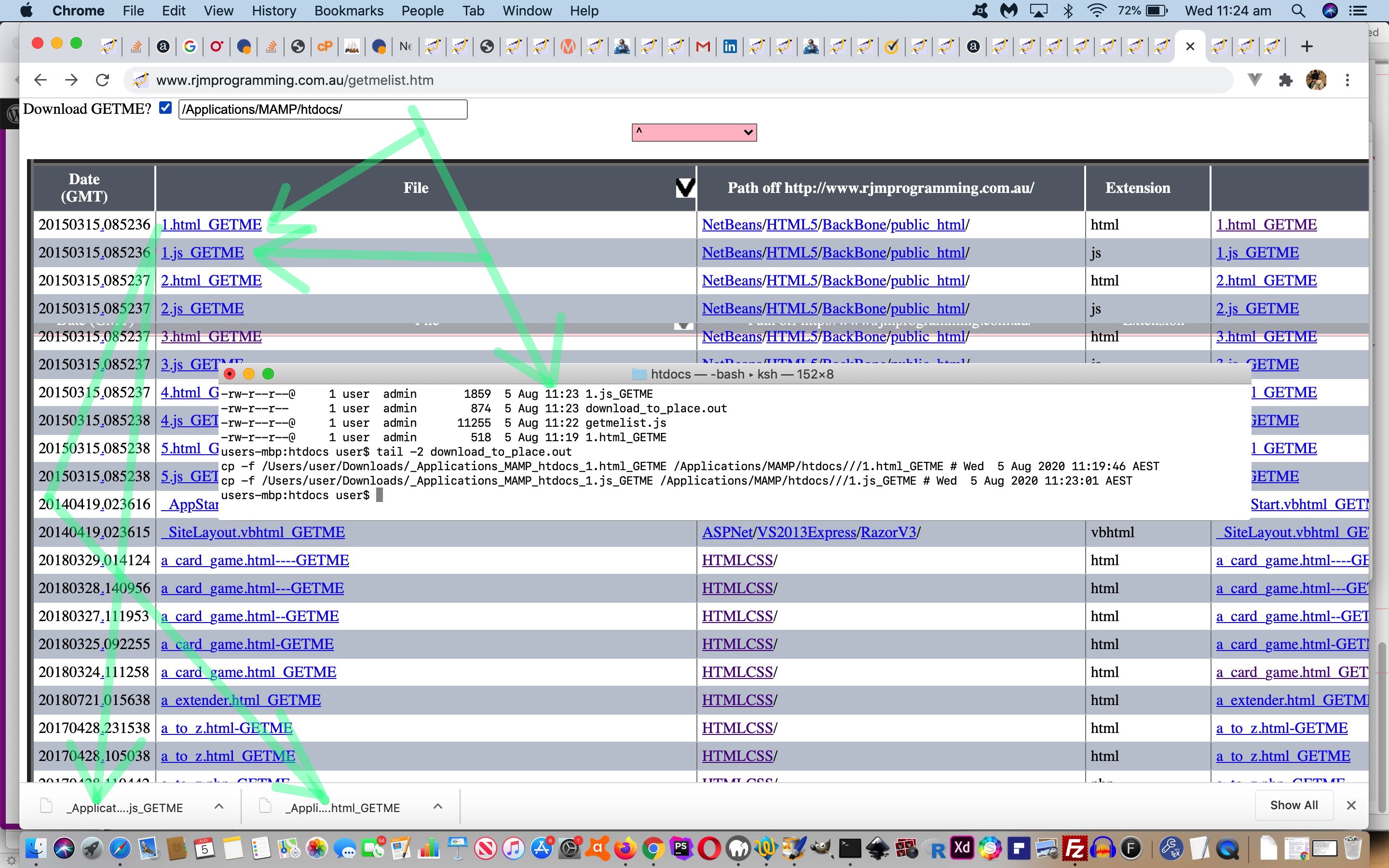
download from “the net” to a Downloads folder on your computer or device … and more often than not …
you, the user, copies or renames this data to another location on your computer or device with command line or with operating system GUI
… and allowing for that second step above be programmatical with the most apt functionality that had ever passed our cotton pickin’ mind … our Code Download Table … wi’ all tho’ GETME’s!
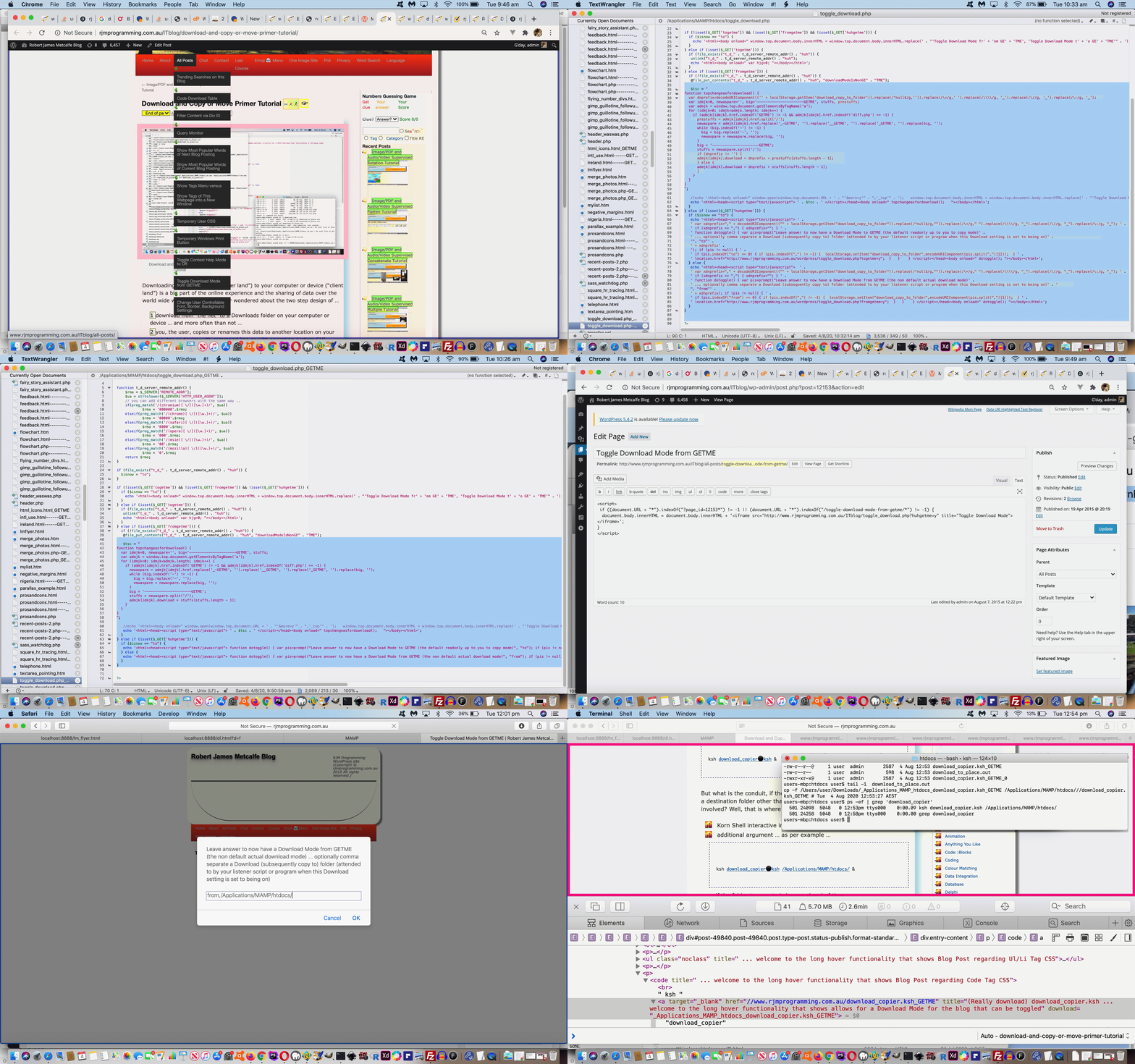
But we don’t want to interfere too much with the Code Download Table “flow” here, so create up the top left 20 seconds worth of time (extendable by their actions) available to the user to create “download” attributes on all …
“a” links … with …
“href” attribute containing “GETME” …
but not “diff.php” … and …
“download” attribute (the attribute necessary to “download” rather than our default displaying of source code in a new webpage)
… plus no href attribute containing “?s=” either, for today’s purposes with a changedgetmelist.js external Javascript code file (that you can try out for yourself at this live run link) … via its new …
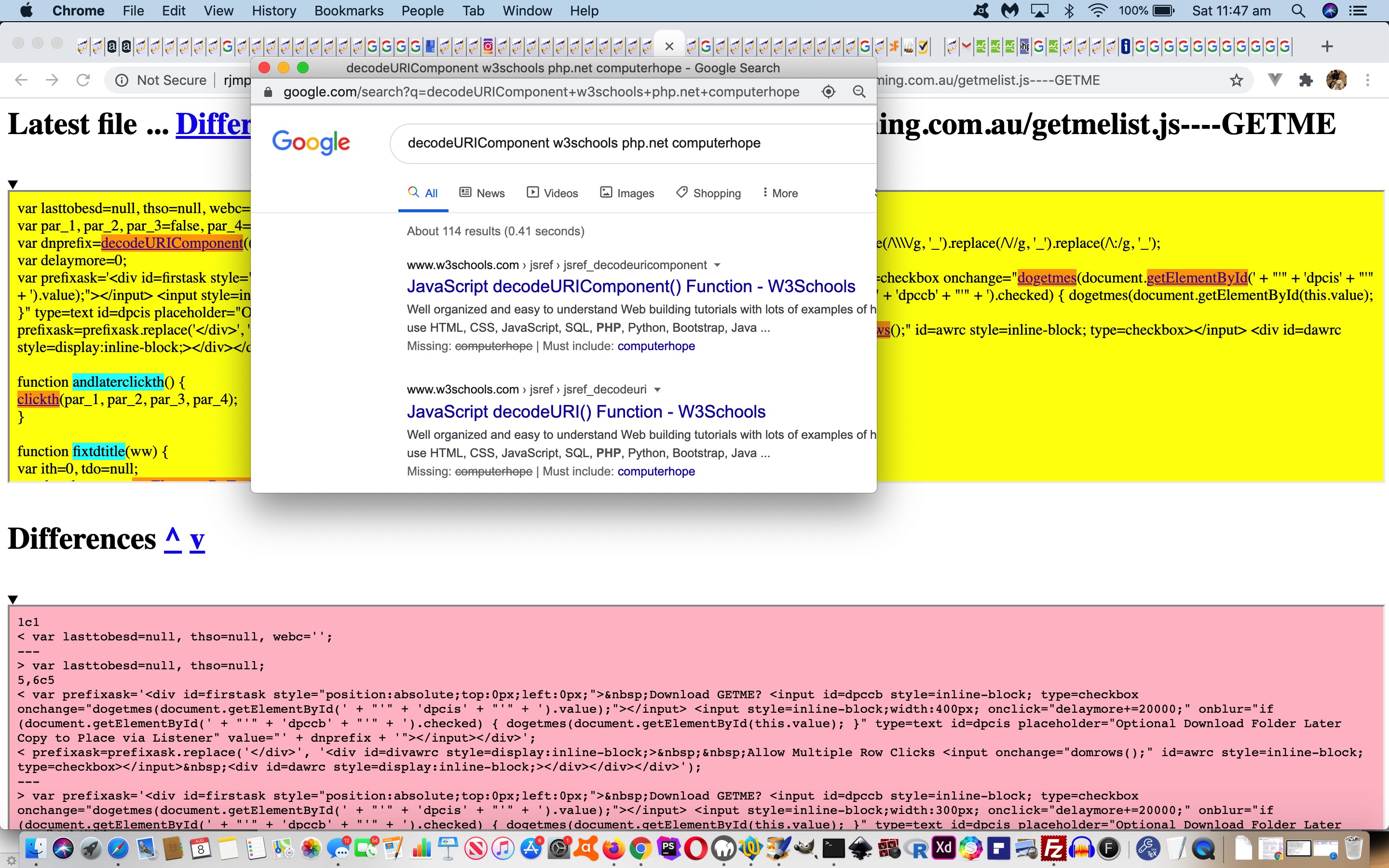
var dnprefix=decodeURIComponent(('' + localStorage.getItem('download_copy_to_folder')).replace(/^null$/g,'')); //.replace(/\+/g,' ').replace(/\\\\/g, '_').replace(/\//g, '_').replace(/\:/g, '_');
var delaymore=0;
var prefixask='<div id=firstask style="position:absolute;top:0px;left:0px;"> Download GETME? <input id=dpccb style=inline-block; type=checkbox onchange="dogetmes(document.getElementById(' + "'" + 'dpcis' + "'" + ').value);"></input> <input style=inline-block;width:300px; onclick="delaymore+=20000;" onblur="if (document.getElementById(' + "'" + 'dpccb' + "'" + ').checked) { dogetmes(document.getElementById(this.value); }" type=text id=dpcis placeholder="Optional Download Folder Later Copy to Place via Listener" value="' + dnprefix + '"></input></div>';
function dogetmes(dpprefix) {
delaymore+=20000;
var asis=document.getElementsByTagName('a');
if (dpprefix != dnprefix && 1 == 7) {
localStorage.setItem('download_copy_to_folder', dpprefix);
}
for (var iasis=0; iasis<asis.length; iasis++) {
if (asis[iasis].href.indexOf('diff.php') == -1 && asis[iasis].href.indexOf('?s=') == -1 && asis[iasis].href.indexOf('GETME') != -1) {
asis[iasis].download=dpprefix.replace(/\//g,'_').replace(/\\\\/g,'_').replace(/\:/g,'_') + asis[iasis].href.split('/')[eval(-1 + asis[iasis].href.split('/').length)];
}
}
}
function nomorepa() {
if (eval('' + delaymore) == 0) {
if (document.getElementById('firstask')) {
document.getElementById('firstask').innerHTML='';
}
} else {
setTimeout(nomorepa, eval('' + delaymore));
delaymore=0;
}
}
function lastdivpop() {
var wasih='';
if (document.getElementById('lastdiv')) {
if (document.getElementById('lastdiv').innerHTML == '') {
wasih=wasih;
setTimeout(lastdivpop, 3000);
} else if (document.getElementById('lastdiv').innerHTML.indexOf('firstask') == -1) {
wasih=document.getElementById('lastdiv').innerHTML;
document.getElementById('lastdiv').innerHTML=prefixask + wasih;
prefixask='';
setTimeout(nomorepa, 20000);
} else {
setTimeout(lastdivpop, 3000);
}
}
}
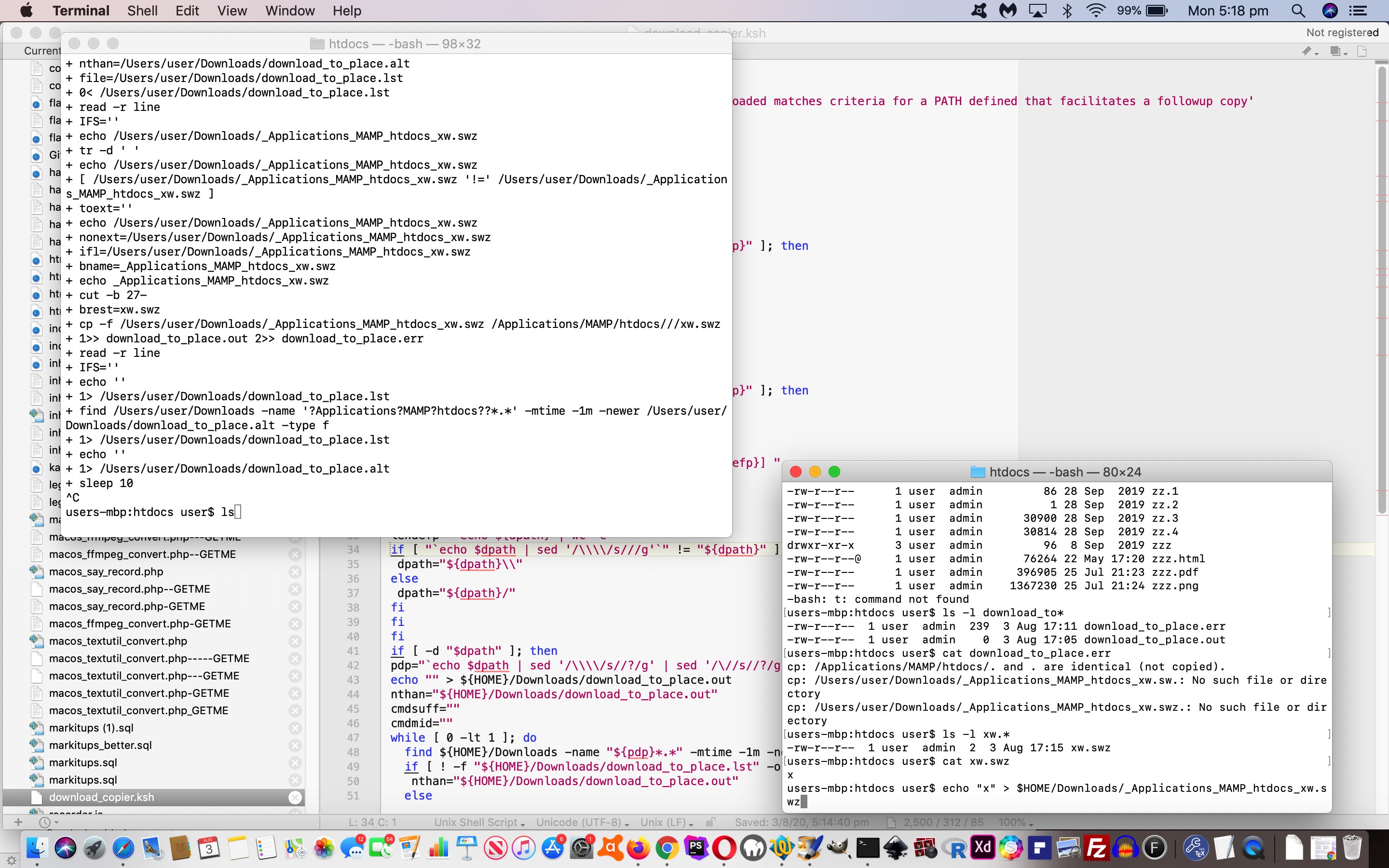
… and we’ve just “tweaked” (albeit, very importantly, in our books (… but the pamphlettes are still not playing ball)) to ensure no “file clobbering” takes place so that the Korn Shell now does …
    suf=""

    isuf=-1

    while [ -f "${dpath}/${brest}${suf}" ]; do

      ((isuf=isuf+1))

      suf="_${isuf}"

    done

    if [ ! -z "$suf" ]; then

      echo "mv ${dpath}/${brest} ${dpath}/${brest}${suf} # `date`" >> download_to_place.out

      mv ${dpath}/${brest} ${dpath}/${brest}${suf} >> download_to_place.out 2>> download_to_place.err

    fi
But today is mainly about filling in the missing bits on the “server” side. This (need for a) “conduit” we referred to yesterday is because we accept no folder paths can be mentioned at the “server” end. Suppose, though, that the “non-pathed” filename we supply to an “a” link’s “download” attribute can be prefixed by a mildly mashed up version of that path we copy to from the Downloads folder of your “client” computer or device, as you perform a “download” via the clicking of an “a” link.
Well, at this blog we’d already started functionality to toggle the use or not of …
“a” links … with …
“href” attribute containing “GETME” …
but not “diff.php” … and …
“download” attribute (the attribute necessary to “download” rather than our default displaying of source code in a new webpage)
displaying of source code in a new webpage for GETME “a” links … versus …
use the changed PHPtoggle_download.php in conjunction with a changed good ‘ol TwentyTen Theme header.php as below …
<?php
if (outs == null) {
var dnprefix=decodeURIComponent(('' + localStorage.getItem('download_copy_to_folder')).replace(/^null$/g,'')).replace(/\+/g,' ').replace(/\\\\/g, '_').replace(/\//g, '_').replace(/\:/g, '_');
for (idmjk=0; idmjk<admjk.length; idmjk++) {
if (admjk[idmjk].href.indexOf('GETME') != -1 && admjk[idmjk].href.indexOf('diff.php') == -1) {
big = '----------------------GETME';
stuffs = newaspare.split('/');
if (dnprefix != '') {
admjk[idmjk].download = dnprefix + prestuffs[stuffs.length - 1];
} else {
admjk[idmjk].download = dnprefix + stuffs[stuffs.length - 1];
}
admjk[idmjk].title = "(Really download) " + admjk[idmjk].title + ' ... welcome to the long hover functionality that shows allows for a Download Mode for the blog that can be toggled';
admjk[idmjk].onmouseover = " getDownloadMode(); ";
admjk[idmjk].onmouseout = " yehBut(); ";
admjk[idmjk].ontouchstart = " getDownloadMode(); ";
admjk[idmjk].ontouchend = " yehBut(); ";
}
} else if (admjk[idmjk].href.indexOf('GETME') != -1 && origcafd < 0) { //!cafd) {
xp=admjk[idmjk].href.split("GETME");
prexp=xp[0].split("/");
postprexp=prexp[-1 + prexp.length].split(".");
extis = postprexp[-1 + postprexp.length].replace(/_/g,"").replace(/-/g,"").replace(/GETME/g,"");
outs="//www.rjmprogramming.com.au/getmelist.htm?topoff=150&tsp=" + (Math.floor(Math.random() * 1999900) + 100) + "#" + postprexp[0] + "." + postprexp[-1 + postprexp.length].replace(extis,"").replace(extis,"").replace(extis,"") + "GETME" + extis;
aorig=admjk[idmjk].innerHTML;
selbitis=allthecombos((admjk[idmjk].href + '=').split('=')[1].split('&')[0]);
admjk[idmjk].innerHTML=admjk[idmjk].innerHTML.replace(".","<span data-alt='" + outs + "' id='spn" + cafd + "' title=\" + Code Download Table\" onclick=\"if (cafd == cafd) { cafd=" + cafd + "; changeasfordownload(); } else { window.open('" + outs + "','_blank','top=100,left=100,width=500,height=500'); } return false; \"><select onchange=\" if (this.value.length > 0) { window.open(this.value,'_blank'); } return false; \" style='margin-bottom:0px;width:40px;' id='sel" + cafd + "'><option value=>⚫</option>" + selbitis + "</select></span>");
if (aorig == admjk[idmjk].innerHTML && admjk[idmjk].innerHTML.indexOf('er posts') == -1) admjk[idmjk].innerHTML=admjk[idmjk].innerHTML.replace(" ","<span data-alt='" + outs + "' id='spn" + cafd + "' title=\" + Code Download Table\" onclick=\"if (cafd == cafd) { cafd=" + cafd + "; changeasfordownload(); } else { window.open('" + outs + "','_blank','top=100,left=100,width=500,height=500'); } return false; \"><select onchange=\" if (this.value.length > 0) { window.open(this.value,'_blank'); } return false; \" style='margin-bottom:0px;width:40px;' id='sel" + cafd + "'><option value=>⚪</option>" + selbitis + "</select></span>");
cafd++;
} else if ((admjk[idmjk].innerHTML.indexOf('live run') != -1 || admjk[idmjk].title.toLowerCase().indexOf('click picture') != -1) && origcafd < 0) { //!cafd) {
outs="//www.rjmprogramming.com.au/slideshow.html#tuts";
admjk[idmjk].innerHTML=admjk[idmjk].innerHTML.replace(" ","<span data-alt='" + outs + "' id='spn" + cafd + "' title=\" + Cut to the Chase ... see the blog post list related to live runs and slideshows ... ie. the main point of the blog posting\" onclick=\"if (cafd == cafd) { cafd=" + cafd + "; changeasfordownload(); } else { window.open('" + outs + "','_blank','top=100,left=100,width=650,height=100'); } return false; \">✂</span>");
cafd++;
}
}
}
?>
… to, depending on whether the user specifies in the “All Posts” toggling’s Javascript prompt window presented, specifies a new comma separated “client folder of interest to copy to” place (stored in window.localStorage), will …
download with the GETME to the Downloads folder and copy off to the specified folder of interest (backing up as necessary) … versus …
the default download mode downloads to the Downloads folder without the GETME parts
See these changes in action below, contextualizing “server” and “client” codes in the full picture of assisted Downloads (copied on to a folder of the user’s interest) …
Downloading from “the net” (“server land”) to your computer or device (“client land”) is a big part of the online experience and the sharing of data over the world wide web. But have you ever wondered about the two step design of …
download from “the net” to a Downloads folder on your computer or device … and more often than not …
you, the user, copies or renames this data to another location on your computer or device with command line or with operating system GUI
… ? Why not allow the “server” side define where it can download to on the “client”? Well, that would be a security nightmare, allowing a highjacking of mission critical files on your computer or device. So, I get it, that is a “no no”. But could we have a controlled “arrangement” between …
… ? We think that sounds reasonable and so, today, we start our (two parts or more) mini-project (making step 2 above be considered to be programmatically handled, sometimes) designing a Korn Shell (“client” side) listener to suit our macOS “client” computer, executed as a background process via …
But what is the conduit, if the “server” web applications/pages cannot define a destination folder other than the macOS Downloads folder for the user involved? Well, that is where we need either …
Korn Shell interactive input (via read command) … or …
… to define a “client land” folder to copy to (from the user’s Download folder (receiving the downloaded data).
That first Korn Shell read command interactive input was interesting to us for a command backgrounded via the “&” command suffix. But if stdin and stdout are not mentioned in the command you can answer this interactive input and then the processing the Korn Shell performs proceeds in the background. Exactly what we were hoping for, but weren’t sure that this was the case!
The picture is filled in better tomorrow as we discuss the conduit in more detail tomorrow.
If this was interesting you may be interested in this too.
If this was interesting you may be interested in this too.
If this was interesting you may be interested in this too.
If this was interesting you may be interested in this too.
If this was interesting you may be interested in this too.
If this was interesting you may be interested in this too.
If this was interesting you may be interested in this too.
If this was interesting you may be interested in this too.
If this was interesting you may be interested in this too.
If this was interesting you may be interested in this too.
Yesterday’s Code Difference Privacy Tutorial represented too much of an echo chamber for our liking. Where possible, we prefer functionality that the users out there can tweak themselves.
In thinking about this, those 5 categories (involving 2 subcategories) …
New additional
Changed single line
New block of lines
Deleted lines
Changed multiple lines
… were what occurred to us could be the CSS Selector basis for us to improve the Code Difference reporting via CSS styling functionality.
Up to today the deployment of that CSS selector logic would have had to be more complex than necessary, but today’s …
giving new id and class attributes to the “legend” span id=lspan elements … and …
equivalent class attribute to report matching element data
… makes the deployment of CSS selector logic really easy, in PHP, as per …
<?php
$style="<style> font {  text-shadow: -1px 1px 1px #ff2d95; } </style>";

$legend="";

$mx="";

$onecommand=" function askabout(fo) { var defd='14', ccol='black', ccols=fo.outerHTML.split(' color=' + String.fromCharCode(34)), psizes=fo.outerHTML.split('px'); if (eval('' + ccols.length) > 1) {  ccol=ccols[1].split(String.fromCharCode(34))[0];  }  if (eval('' + psizes.length) > 1) {  defd=psizes[0].split(':')[eval(-1 + psizes[0].split(':').length)].trim();  }  var numis=prompt('How many px (ie. pixels) do you want for the font size of these ' + fo.innerHTML + ' parts of report?  Optionally append after a space a colour that is not the default colour ' + ccol + ' for this category of difference report.  Optionally append after a space any other styling you want ( eg. text-shadow: -1px 1px 1px #ff2d95; )', defd); if (numis != null) { if (('' + numis).trim() != '') { location.href=(document.URL.split('#')[0] + '&' + fo.id + '=' + encodeURIComponent(numis.trim())).replace('.php&','.php?'); } } } ";

if (isset($_GET['f0']) || isset($_GET['f1']) || isset($_GET['f2']) || isset($_GET['f3']) || isset($_GET['f4']) || isset($_GET['f5']) || isset($_GET['f6'])) {

   $onecommand.=" function sizefonts() {   }     setTimeout(sizefonts, 3000); ";

   for ($ij=0; $ij<=6; $ij++) {

   if (isset($_GET['f' . $ij])) {

     $words=str_replace('+',' ',urldecode($_GET['f' . $ij]));

     $wordsa=explode(' ', trim($words));

     if (sizeof($wordsa) > 1) {

        $words=substr($words,(1 + strlen($wordsa[0])));

        for ($ijj=1; $ijj<sizeof($wordsa); $ijj++) {

          if (strpos($wordsa[$ijj], ':') === false && $ijj == 1) {

            $words=trim(substr($words,(0 + strlen($wordsa[$ijj]))));

            $style.='<style>  .f' . $ij . " { font-color: " . trim($wordsa[$ijj]) . '; } </style>';

            $onecommand=str_replace("}    ", " document.getElementById('f" . $ij . "').color='' + '" . trim($wordsa[$ijj]) . "'; document.getElementById('f" . $ij . "').style.fontColor='' + '" . trim($wordsa[$ijj]) . "'; }    ", $onecommand);

          }

        }

        if (trim($words) != '') {

          if (strpos($words, "{") !== false && strpos($words, "}") !== false) {

            $style.='<style> ' . $words . ' </style>';

            $onecommand=str_replace("}    ", " document.getElementById('dstyle').innerHTML+='<style> ' + '" . $words . " </style>'; }    ", $onecommand);

          } else {

            $style.='<style>  .f' . $ij . " { " . $words . ' } </style>';

            $onecommand=str_replace("}    ", " document.getElementById('dstyle').innerHTML+='<style>  .f" . $ij . " { ' + '" . $words . " } </style>'; }    ", $onecommand);

          }

        }

     }

     $onecommand=str_replace("}    ", " document.getElementById('f" . $ij . "').style.fontSize='' + '" . trim($wordsa[0]) . "px'; }    ", $onecommand);

     $style.='<style>  .f' . $ij . " { font-size: " . trim($wordsa[0]) . 'px; } </style>';

   }

   }

}
it was possible, but unlikely, for users to see other user generated reports, if they happened to be asking for reports at exactly the same time … because …
we had not catered for busy traffic here … but, today …
we cater, better, for busy online traffic … and at the same time …
improve the privacy of the reporting on an IP address basis
The downside, at least for us managing this, is that we do not want a build up of files belonging to difference reports long gone. We arrange it, then, that as soon as the report is created, a window.open scenario is coded for …
It’s coming up to a few years now, since we looked at the code differences reporting we offer the reader, as a way to scrutinize code changes, around here, when we presented Code Download Table Difference Functional Hover Tutorial. Well, we thought we might try some colour coding to perhaps lift the fog on the cryptic nature of Linux diff (difference) command based reports. They can be cryptic because they can feed into the automation feeding of the report into other Linux commands to facilitate ongoing editing endeavours, but we do not want to go into that here, at least today.
But on examining the reports we came up with the following difference report “categories” if you will …
New additional
Changed single line
New block of lines
Deleted lines
Changed multiple lines
… the header (of a block of interest) the dead give away, depending on the existence of “a” or “c” or “d” and/or “,” for a common sense reinterpretation by us not visiting “man diff” ourselves, yet, regarding this work.
Is it worth adding “onmouseover” event logic onto yesterday’s Code Download Table Difference Functional Linking Tutorial? You bet it is! Just because “onmouseover” has no relevance to mobile platforms, so, obversely, developing software with version control systems is irrelevant to mobile platforms.
… we figure. But this is of relevance to the programmer. Sometimes, rather than cater for all the platforms, settling on a subset (of those platforms) can be apt because …
one of mobile or non-mobile subsets of platforms is irrelevant to the scenario … as for today … or …
you try to reinvent the wheel on the pretext that you are waiting for a particular web browser or platform to allow the functionality in, into the future … you could be waiting a while, with the complexity of app arrangements going on around the net these days
Anyway, back to the “onmouseover” event on non-mobile platforms … it was the case that this event was a favourite for the conduit towards Ajax (client) functionality. And thinking on what we do today to nuance our Code Differences PHP web application, we were thinking …
What would Ajax (like to) do?
… and we decided Ajax would really like to …
populate a “div” style=display:inline-block; element adjacent to the functional detail to inform about … but this was not possible … so, instead, we …
populate a popup window near to the functional detail to inform about
… for a non-mobile “hover” (ie. “onmouseover”) event.
Along the way we add some more hashtag navigations and set up more colour coding to the output of (the optional) “functional links” Code Difference reporting.
So take a look at our changeddiff.php Code Differences helper applied to itself below …
“Report” button shows to its right …
function domrows() {

  document.getElementById('dawrc').innerHTML='<input style=inline-block; type=button onclick=treportdo(); value=Report></input>';

  var trsis=document.getElementsByTagName('tr');

  for (var itrsis=0; itrsis<trsis.length; itrsis++) {

    trsis[itrsis].onclick = function(e) { if (e.target.innerHTML != '') { var trs=document.getElementsByTagName('tr'); for (var itrs=0; itrs<trs.length; itrs++) { if (trs[itrs].outerHTML.indexOf(e.target.innerHTML) != -1) {  trs[itrs].style.border='2px dotted red'; } } } };

  }

}
… and table row onclick logic is dynamically applied to those “tr” elements
User clicks somewhere within rows they are interested in seeing be included in a report (which is a snippet of the whole Code Download Table, perhaps to do with a project of interest, or a learning topic of interest)
User optionally clicks the “Report” button …
function treportdo() {

  var trsis=document.getElementsByTagName('tr');

  webc='<html><head><script type="text/javascript"> function emailto(eto) { window.opener.parentemailto(eto); } function xemailto(eto) { if (eto.indexOf("@") != -1) {  var zhr=new XMLHttpRequest(); var zform=new FormData(); zform.append("inline",""); zform.append("to",eto);  zform.append("subj","Code Download Table part");   zform.append("body",document.getElementById("mytable").outerHTML);   zhr.open("post", "//www.rjmprogramming.com.au/HTMLCSS/emailhtml.php", true);  zhr.send(zform); alert("Email sent to " + eto);  } }  </script></head><body><table id=mytable></table><br><br><br><input onblur=emailto(this.value); placeholder="Email to" type=email></input></body></html>';

  for (var itrsis=0; itrsis<trsis.length; itrsis++) {

    if (itrsis == 0) {

      webc=webc.replace('</table>', trsis[itrsis].outerHTML + '</table>');

    }

    if (trsis[itrsis].outerHTML.indexOf('>') > trsis[itrsis].outerHTML.indexOf('border:')) {

    if (trsis[itrsis].outerHTML.indexOf('dotted') > trsis[itrsis].outerHTML.indexOf('border:')) {

      webc=webc.replace('</table>', trsis[itrsis].outerHTML + '</table>');

    }

    }

  }

  var woois=window.open('','_blank','top=20,left=20,width=600,height=600');

  woois.document.write(webc);

}
… which causes a …
New popup window opens showing the relevant snippet of Code Download Table of interest to the user … including …
Textbox for an optional emailee entry that can be filled in … to …
Set off Ajax/FormData methodology means …
function parentemailto(eto) {

 if (eto.indexOf("@") != -1) {

  var zhr=new XMLHttpRequest();

  var zform=new FormData();

  zform.append("inline","");

  zform.append("to",eto);

  zform.append("subj","RJM Programming Code Download Table part");

  zform.append("body", reltoabs('<table' + webc.split('</table>')[0].split('<table')[1] + '</table>'));

  zhr.open("post", "//www.rjmprogramming.com.au/HTMLCSS/emailhtml.php", true);

  zhr.send(zform);

  alert("Email sent to " + eto);

 }

}
… to send off an Inline HTML Email report to the emailee … including …
Links of email can be clicked to get back to source code and other links back at the RJM Programming domain web server
… and … lo and behold … we saw a good use for the idea of …
download from “the net” to a Downloads folder on your computer or device … and more often than not …
you, the user, copies or renames this data to another location on your computer or device with command line or with operating system GUI
… and allowing for that second step above be programmatical with the most apt functionality that had ever passed our cotton pickin’ mind … our Code Download Table … wi’ all tho’ GETME’s!
But we don’t want to interfere too much with the Code Download Table “flow” here, so create up the top left 20 seconds worth of time (extendable by their actions) available to the user to create “download” attributes on all …
“a” links … with …
“href” attribute containing “GETME” …
but not “diff.php” … and …
“download” attribute (the attribute necessary to “download” rather than our default displaying of source code in a new webpage)
… plus no href attribute containing “?s=” either, for today’s purposes with a changedgetmelist.js external Javascript code file (that you can try out for yourself at this live run link) … via its new …
var dnprefix=decodeURIComponent(('' + localStorage.getItem('download_copy_to_folder')).replace(/^null$/g,'')); //.replace(/\+/g,' ').replace(/\\\\/g, '_').replace(/\//g, '_').replace(/\:/g, '_');
var delaymore=0;
var prefixask='<div id=firstask style="position:absolute;top:0px;left:0px;"> Download GETME? <input id=dpccb style=inline-block; type=checkbox onchange="dogetmes(document.getElementById(' + "'" + 'dpcis' + "'" + ').value);"></input> <input style=inline-block;width:300px; onclick="delaymore+=20000;" onblur="if (document.getElementById(' + "'" + 'dpccb' + "'" + ').checked) { dogetmes(document.getElementById(this.value); }" type=text id=dpcis placeholder="Optional Download Folder Later Copy to Place via Listener" value="' + dnprefix + '"></input></div>';
function dogetmes(dpprefix) {
delaymore+=20000;
var asis=document.getElementsByTagName('a');
if (dpprefix != dnprefix && 1 == 7) {
localStorage.setItem('download_copy_to_folder', dpprefix);
}
for (var iasis=0; iasis<asis.length; iasis++) {
if (asis[iasis].href.indexOf('diff.php') == -1 && asis[iasis].href.indexOf('?s=') == -1 && asis[iasis].href.indexOf('GETME') != -1) {
asis[iasis].download=dpprefix.replace(/\//g,'_').replace(/\\\\/g,'_').replace(/\:/g,'_') + asis[iasis].href.split('/')[eval(-1 + asis[iasis].href.split('/').length)];
}
}
}
function nomorepa() {
if (eval('' + delaymore) == 0) {
if (document.getElementById('firstask')) {
document.getElementById('firstask').innerHTML='';
}
} else {
setTimeout(nomorepa, eval('' + delaymore));
delaymore=0;
}
}
function lastdivpop() {
var wasih='';
if (document.getElementById('lastdiv')) {
if (document.getElementById('lastdiv').innerHTML == '') {
wasih=wasih;
setTimeout(lastdivpop, 3000);
} else if (document.getElementById('lastdiv').innerHTML.indexOf('firstask') == -1) {
wasih=document.getElementById('lastdiv').innerHTML;
document.getElementById('lastdiv').innerHTML=prefixask + wasih;
prefixask='';
setTimeout(nomorepa, 20000);
} else {
setTimeout(lastdivpop, 3000);
}
}
}
… and we’ve just “tweaked” (albeit, very importantly, in our books (… but the pamphlettes are still not playing ball)) to ensure no “file clobbering” takes place so that the Korn Shell now does …
    suf=""

    isuf=-1

    while [ -f "${dpath}/${brest}${suf}" ]; do

      ((isuf=isuf+1))

      suf="_${isuf}"

    done

    if [ ! -z "$suf" ]; then

      echo "mv ${dpath}/${brest} ${dpath}/${brest}${suf} # `date`" >> download_to_place.out

      mv ${dpath}/${brest} ${dpath}/${brest}${suf} >> download_to_place.out 2>> download_to_place.err

    fi
But today is mainly about filling in the missing bits on the “server” side. This (need for a) “conduit” we referred to yesterday is because we accept no folder paths can be mentioned at the “server” end. Suppose, though, that the “non-pathed” filename we supply to an “a” link’s “download” attribute can be prefixed by a mildly mashed up version of that path we copy to from the Downloads folder of your “client” computer or device, as you perform a “download” via the clicking of an “a” link.
Well, at this blog we’d already started functionality to toggle the use or not of …
“a” links … with …
“href” attribute containing “GETME” …
but not “diff.php” … and …
“download” attribute (the attribute necessary to “download” rather than our default displaying of source code in a new webpage)
displaying of source code in a new webpage for GETME “a” links … versus …
use the changed PHPtoggle_download.php in conjunction with a changed good ‘ol TwentyTen Theme header.php as below …
<?php
if (outs == null) {
var dnprefix=decodeURIComponent(('' + localStorage.getItem('download_copy_to_folder')).replace(/^null$/g,'')).replace(/\+/g,' ').replace(/\\\\/g, '_').replace(/\//g, '_').replace(/\:/g, '_');
for (idmjk=0; idmjk<admjk.length; idmjk++) {
if (admjk[idmjk].href.indexOf('GETME') != -1 && admjk[idmjk].href.indexOf('diff.php') == -1) {
big = '----------------------GETME';
stuffs = newaspare.split('/');
if (dnprefix != '') {
admjk[idmjk].download = dnprefix + prestuffs[stuffs.length - 1];
} else {
admjk[idmjk].download = dnprefix + stuffs[stuffs.length - 1];
}
admjk[idmjk].title = "(Really download) " + admjk[idmjk].title + ' ... welcome to the long hover functionality that shows allows for a Download Mode for the blog that can be toggled';
admjk[idmjk].onmouseover = " getDownloadMode(); ";
admjk[idmjk].onmouseout = " yehBut(); ";
admjk[idmjk].ontouchstart = " getDownloadMode(); ";
admjk[idmjk].ontouchend = " yehBut(); ";
}
} else if (admjk[idmjk].href.indexOf('GETME') != -1 && origcafd < 0) { //!cafd) {
xp=admjk[idmjk].href.split("GETME");
prexp=xp[0].split("/");
postprexp=prexp[-1 + prexp.length].split(".");
extis = postprexp[-1 + postprexp.length].replace(/_/g,"").replace(/-/g,"").replace(/GETME/g,"");
outs="//www.rjmprogramming.com.au/getmelist.htm?topoff=150&tsp=" + (Math.floor(Math.random() * 1999900) + 100) + "#" + postprexp[0] + "." + postprexp[-1 + postprexp.length].replace(extis,"").replace(extis,"").replace(extis,"") + "GETME" + extis;
aorig=admjk[idmjk].innerHTML;
selbitis=allthecombos((admjk[idmjk].href + '=').split('=')[1].split('&')[0]);
admjk[idmjk].innerHTML=admjk[idmjk].innerHTML.replace(".","<span data-alt='" + outs + "' id='spn" + cafd + "' title=\" + Code Download Table\" onclick=\"if (cafd == cafd) { cafd=" + cafd + "; changeasfordownload(); } else { window.open('" + outs + "','_blank','top=100,left=100,width=500,height=500'); } return false; \"><select onchange=\" if (this.value.length > 0) { window.open(this.value,'_blank'); } return false; \" style='margin-bottom:0px;width:40px;' id='sel" + cafd + "'><option value=>⚫</option>" + selbitis + "</select></span>");
if (aorig == admjk[idmjk].innerHTML && admjk[idmjk].innerHTML.indexOf('er posts') == -1) admjk[idmjk].innerHTML=admjk[idmjk].innerHTML.replace(" ","<span data-alt='" + outs + "' id='spn" + cafd + "' title=\" + Code Download Table\" onclick=\"if (cafd == cafd) { cafd=" + cafd + "; changeasfordownload(); } else { window.open('" + outs + "','_blank','top=100,left=100,width=500,height=500'); } return false; \"><select onchange=\" if (this.value.length > 0) { window.open(this.value,'_blank'); } return false; \" style='margin-bottom:0px;width:40px;' id='sel" + cafd + "'><option value=>⚪</option>" + selbitis + "</select></span>");
cafd++;
} else if ((admjk[idmjk].innerHTML.indexOf('live run') != -1 || admjk[idmjk].title.toLowerCase().indexOf('click picture') != -1) && origcafd < 0) { //!cafd) {
outs="//www.rjmprogramming.com.au/slideshow.html#tuts";
admjk[idmjk].innerHTML=admjk[idmjk].innerHTML.replace(" ","<span data-alt='" + outs + "' id='spn" + cafd + "' title=\" + Cut to the Chase ... see the blog post list related to live runs and slideshows ... ie. the main point of the blog posting\" onclick=\"if (cafd == cafd) { cafd=" + cafd + "; changeasfordownload(); } else { window.open('" + outs + "','_blank','top=100,left=100,width=650,height=100'); } return false; \">✂</span>");
cafd++;
}
}
}
?>
… to, depending on whether the user specifies in the “All Posts” toggling’s Javascript prompt window presented, specifies a new comma separated “client folder of interest to copy to” place (stored in window.localStorage), will …
download with the GETME to the Downloads folder and copy off to the specified folder of interest (backing up as necessary) … versus …
the default download mode downloads to the Downloads folder without the GETME parts
See these changes in action below, contextualizing “server” and “client” codes in the full picture of assisted Downloads (copied on to a folder of the user’s interest) …
Downloading from “the net” (“server land”) to your computer or device (“client land”) is a big part of the online experience and the sharing of data over the world wide web. But have you ever wondered about the two step design of …
download from “the net” to a Downloads folder on your computer or device … and more often than not …
you, the user, copies or renames this data to another location on your computer or device with command line or with operating system GUI
… ? Why not allow the “server” side define where it can download to on the “client”? Well, that would be a security nightmare, allowing a highjacking of mission critical files on your computer or device. So, I get it, that is a “no no”. But could we have a controlled “arrangement” between …
… ? We think that sounds reasonable and so, today, we start our (two parts or more) mini-project (making step 2 above be considered to be programmatically handled, sometimes) designing a Korn Shell (“client” side) listener to suit our macOS “client” computer, executed as a background process via …
But what is the conduit, if the “server” web applications/pages cannot define a destination folder other than the macOS Downloads folder for the user involved? Well, that is where we need either …
Korn Shell interactive input (via read command) … or …
… to define a “client land” folder to copy to (from the user’s Download folder (receiving the downloaded data).
That first Korn Shell read command interactive input was interesting to us for a command backgrounded via the “&” command suffix. But if stdin and stdout are not mentioned in the command you can answer this interactive input and then the processing the Korn Shell performs proceeds in the background. Exactly what we were hoping for, but weren’t sure that this was the case!
The picture is filled in better tomorrow as we discuss the conduit in more detail tomorrow.
If this was interesting you may be interested in this too.
If this was interesting you may be interested in this too.
If this was interesting you may be interested in this too.
If this was interesting you may be interested in this too.
If this was interesting you may be interested in this too.
If this was interesting you may be interested in this too.
If this was interesting you may be interested in this too.
If this was interesting you may be interested in this too.
If this was interesting you may be interested in this too.
it was possible, but unlikely, for users to see other user generated reports, if they happened to be asking for reports at exactly the same time … because …
we had not catered for busy traffic here … but, today …
we cater, better, for busy online traffic … and at the same time …
improve the privacy of the reporting on an IP address basis
The downside, at least for us managing this, is that we do not want a build up of files belonging to difference reports long gone. We arrange it, then, that as soon as the report is created, a window.open scenario is coded for …
It’s coming up to a few years now, since we looked at the code differences reporting we offer the reader, as a way to scrutinize code changes, around here, when we presented Code Download Table Difference Functional Hover Tutorial. Well, we thought we might try some colour coding to perhaps lift the fog on the cryptic nature of Linux diff (difference) command based reports. They can be cryptic because they can feed into the automation feeding of the report into other Linux commands to facilitate ongoing editing endeavours, but we do not want to go into that here, at least today.
But on examining the reports we came up with the following difference report “categories” if you will …
New additional
Changed single line
New block of lines
Deleted lines
Changed multiple lines
… the header (of a block of interest) the dead give away, depending on the existence of “a” or “c” or “d” and/or “,” for a common sense reinterpretation by us not visiting “man diff” ourselves, yet, regarding this work.
Is it worth adding “onmouseover” event logic onto yesterday’s Code Download Table Difference Functional Linking Tutorial? You bet it is! Just because “onmouseover” has no relevance to mobile platforms, so, obversely, developing software with version control systems is irrelevant to mobile platforms.
… we figure. But this is of relevance to the programmer. Sometimes, rather than cater for all the platforms, settling on a subset (of those platforms) can be apt because …
one of mobile or non-mobile subsets of platforms is irrelevant to the scenario … as for today … or …
you try to reinvent the wheel on the pretext that you are waiting for a particular web browser or platform to allow the functionality in, into the future … you could be waiting a while, with the complexity of app arrangements going on around the net these days
Anyway, back to the “onmouseover” event on non-mobile platforms … it was the case that this event was a favourite for the conduit towards Ajax (client) functionality. And thinking on what we do today to nuance our Code Differences PHP web application, we were thinking …
What would Ajax (like to) do?
… and we decided Ajax would really like to …
populate a “div” style=display:inline-block; element adjacent to the functional detail to inform about … but this was not possible … so, instead, we …
populate a popup window near to the functional detail to inform about
… for a non-mobile “hover” (ie. “onmouseover”) event.
Along the way we add some more hashtag navigations and set up more colour coding to the output of (the optional) “functional links” Code Difference reporting.
So take a look at our changeddiff.php Code Differences helper applied to itself below …
“Report” button shows to its right …
function domrows() {

  document.getElementById('dawrc').innerHTML='<input style=inline-block; type=button onclick=treportdo(); value=Report></input>';

  var trsis=document.getElementsByTagName('tr');

  for (var itrsis=0; itrsis<trsis.length; itrsis++) {

    trsis[itrsis].onclick = function(e) { if (e.target.innerHTML != '') { var trs=document.getElementsByTagName('tr'); for (var itrs=0; itrs<trs.length; itrs++) { if (trs[itrs].outerHTML.indexOf(e.target.innerHTML) != -1) {  trs[itrs].style.border='2px dotted red'; } } } };

  }

}
… and table row onclick logic is dynamically applied to those “tr” elements
User clicks somewhere within rows they are interested in seeing be included in a report (which is a snippet of the whole Code Download Table, perhaps to do with a project of interest, or a learning topic of interest)
User optionally clicks the “Report” button …
function treportdo() {

  var trsis=document.getElementsByTagName('tr');

  webc='<html><head><script type="text/javascript"> function emailto(eto) { window.opener.parentemailto(eto); } function xemailto(eto) { if (eto.indexOf("@") != -1) {  var zhr=new XMLHttpRequest(); var zform=new FormData(); zform.append("inline",""); zform.append("to",eto);  zform.append("subj","Code Download Table part");   zform.append("body",document.getElementById("mytable").outerHTML);   zhr.open("post", "//www.rjmprogramming.com.au/HTMLCSS/emailhtml.php", true);  zhr.send(zform); alert("Email sent to " + eto);  } }  </script></head><body><table id=mytable></table><br><br><br><input onblur=emailto(this.value); placeholder="Email to" type=email></input></body></html>';

  for (var itrsis=0; itrsis<trsis.length; itrsis++) {

    if (itrsis == 0) {

      webc=webc.replace('</table>', trsis[itrsis].outerHTML + '</table>');

    }

    if (trsis[itrsis].outerHTML.indexOf('>') > trsis[itrsis].outerHTML.indexOf('border:')) {

    if (trsis[itrsis].outerHTML.indexOf('dotted') > trsis[itrsis].outerHTML.indexOf('border:')) {

      webc=webc.replace('</table>', trsis[itrsis].outerHTML + '</table>');

    }

    }

  }

  var woois=window.open('','_blank','top=20,left=20,width=600,height=600');

  woois.document.write(webc);

}
… which causes a …
New popup window opens showing the relevant snippet of Code Download Table of interest to the user … including …
Textbox for an optional emailee entry that can be filled in … to …
Set off Ajax/FormData methodology means …
function parentemailto(eto) {

 if (eto.indexOf("@") != -1) {

  var zhr=new XMLHttpRequest();

  var zform=new FormData();

  zform.append("inline","");

  zform.append("to",eto);

  zform.append("subj","RJM Programming Code Download Table part");

  zform.append("body", reltoabs('<table' + webc.split('</table>')[0].split('<table')[1] + '</table>'));

  zhr.open("post", "//www.rjmprogramming.com.au/HTMLCSS/emailhtml.php", true);

  zhr.send(zform);

  alert("Email sent to " + eto);

 }

}
… to send off an Inline HTML Email report to the emailee … including …
Links of email can be clicked to get back to source code and other links back at the RJM Programming domain web server
… and … lo and behold … we saw a good use for the idea of …
download from “the net” to a Downloads folder on your computer or device … and more often than not …
you, the user, copies or renames this data to another location on your computer or device with command line or with operating system GUI
… and allowing for that second step above be programmatical with the most apt functionality that had ever passed our cotton pickin’ mind … our Code Download Table … wi’ all tho’ GETME’s!
But we don’t want to interfere too much with the Code Download Table “flow” here, so create up the top left 20 seconds worth of time (extendable by their actions) available to the user to create “download” attributes on all …
“a” links … with …
“href” attribute containing “GETME” …
but not “diff.php” … and …
“download” attribute (the attribute necessary to “download” rather than our default displaying of source code in a new webpage)
… plus no href attribute containing “?s=” either, for today’s purposes with a changedgetmelist.js external Javascript code file (that you can try out for yourself at this live run link) … via its new …
var dnprefix=decodeURIComponent(('' + localStorage.getItem('download_copy_to_folder')).replace(/^null$/g,'')); //.replace(/\+/g,' ').replace(/\\\\/g, '_').replace(/\//g, '_').replace(/\:/g, '_');
var delaymore=0;
var prefixask='<div id=firstask style="position:absolute;top:0px;left:0px;"> Download GETME? <input id=dpccb style=inline-block; type=checkbox onchange="dogetmes(document.getElementById(' + "'" + 'dpcis' + "'" + ').value);"></input> <input style=inline-block;width:300px; onclick="delaymore+=20000;" onblur="if (document.getElementById(' + "'" + 'dpccb' + "'" + ').checked) { dogetmes(document.getElementById(this.value); }" type=text id=dpcis placeholder="Optional Download Folder Later Copy to Place via Listener" value="' + dnprefix + '"></input></div>';
function dogetmes(dpprefix) {
delaymore+=20000;
var asis=document.getElementsByTagName('a');
if (dpprefix != dnprefix && 1 == 7) {
localStorage.setItem('download_copy_to_folder', dpprefix);
}
for (var iasis=0; iasis<asis.length; iasis++) {
if (asis[iasis].href.indexOf('diff.php') == -1 && asis[iasis].href.indexOf('?s=') == -1 && asis[iasis].href.indexOf('GETME') != -1) {
asis[iasis].download=dpprefix.replace(/\//g,'_').replace(/\\\\/g,'_').replace(/\:/g,'_') + asis[iasis].href.split('/')[eval(-1 + asis[iasis].href.split('/').length)];
}
}
}
function nomorepa() {
if (eval('' + delaymore) == 0) {
if (document.getElementById('firstask')) {
document.getElementById('firstask').innerHTML='';
}
} else {
setTimeout(nomorepa, eval('' + delaymore));
delaymore=0;
}
}
function lastdivpop() {
var wasih='';
if (document.getElementById('lastdiv')) {
if (document.getElementById('lastdiv').innerHTML == '') {
wasih=wasih;
setTimeout(lastdivpop, 3000);
} else if (document.getElementById('lastdiv').innerHTML.indexOf('firstask') == -1) {
wasih=document.getElementById('lastdiv').innerHTML;
document.getElementById('lastdiv').innerHTML=prefixask + wasih;
prefixask='';
setTimeout(nomorepa, 20000);
} else {
setTimeout(lastdivpop, 3000);
}
}
}
… and we’ve just “tweaked” (albeit, very importantly, in our books (… but the pamphlettes are still not playing ball)) to ensure no “file clobbering” takes place so that the Korn Shell now does …
    suf=""

    isuf=-1

    while [ -f "${dpath}/${brest}${suf}" ]; do

      ((isuf=isuf+1))

      suf="_${isuf}"

    done

    if [ ! -z "$suf" ]; then

      echo "mv ${dpath}/${brest} ${dpath}/${brest}${suf} # `date`" >> download_to_place.out

      mv ${dpath}/${brest} ${dpath}/${brest}${suf} >> download_to_place.out 2>> download_to_place.err

    fi
But today is mainly about filling in the missing bits on the “server” side. This (need for a) “conduit” we referred to yesterday is because we accept no folder paths can be mentioned at the “server” end. Suppose, though, that the “non-pathed” filename we supply to an “a” link’s “download” attribute can be prefixed by a mildly mashed up version of that path we copy to from the Downloads folder of your “client” computer or device, as you perform a “download” via the clicking of an “a” link.
Well, at this blog we’d already started functionality to toggle the use or not of …
“a” links … with …
“href” attribute containing “GETME” …
but not “diff.php” … and …
“download” attribute (the attribute necessary to “download” rather than our default displaying of source code in a new webpage)
displaying of source code in a new webpage for GETME “a” links … versus …
use the changed PHPtoggle_download.php in conjunction with a changed good ‘ol TwentyTen Theme header.php as below …
<?php
if (outs == null) {
var dnprefix=decodeURIComponent(('' + localStorage.getItem('download_copy_to_folder')).replace(/^null$/g,'')).replace(/\+/g,' ').replace(/\\\\/g, '_').replace(/\//g, '_').replace(/\:/g, '_');
for (idmjk=0; idmjk<admjk.length; idmjk++) {
if (admjk[idmjk].href.indexOf('GETME') != -1 && admjk[idmjk].href.indexOf('diff.php') == -1) {
big = '----------------------GETME';
stuffs = newaspare.split('/');
if (dnprefix != '') {
admjk[idmjk].download = dnprefix + prestuffs[stuffs.length - 1];
} else {
admjk[idmjk].download = dnprefix + stuffs[stuffs.length - 1];
}
admjk[idmjk].title = "(Really download) " + admjk[idmjk].title + ' ... welcome to the long hover functionality that shows allows for a Download Mode for the blog that can be toggled';
admjk[idmjk].onmouseover = " getDownloadMode(); ";
admjk[idmjk].onmouseout = " yehBut(); ";
admjk[idmjk].ontouchstart = " getDownloadMode(); ";
admjk[idmjk].ontouchend = " yehBut(); ";
}
} else if (admjk[idmjk].href.indexOf('GETME') != -1 && origcafd < 0) { //!cafd) {
xp=admjk[idmjk].href.split("GETME");
prexp=xp[0].split("/");
postprexp=prexp[-1 + prexp.length].split(".");
extis = postprexp[-1 + postprexp.length].replace(/_/g,"").replace(/-/g,"").replace(/GETME/g,"");
outs="//www.rjmprogramming.com.au/getmelist.htm?topoff=150&tsp=" + (Math.floor(Math.random() * 1999900) + 100) + "#" + postprexp[0] + "." + postprexp[-1 + postprexp.length].replace(extis,"").replace(extis,"").replace(extis,"") + "GETME" + extis;
aorig=admjk[idmjk].innerHTML;
selbitis=allthecombos((admjk[idmjk].href + '=').split('=')[1].split('&')[0]);
admjk[idmjk].innerHTML=admjk[idmjk].innerHTML.replace(".","<span data-alt='" + outs + "' id='spn" + cafd + "' title=\" + Code Download Table\" onclick=\"if (cafd == cafd) { cafd=" + cafd + "; changeasfordownload(); } else { window.open('" + outs + "','_blank','top=100,left=100,width=500,height=500'); } return false; \"><select onchange=\" if (this.value.length > 0) { window.open(this.value,'_blank'); } return false; \" style='margin-bottom:0px;width:40px;' id='sel" + cafd + "'><option value=>⚫</option>" + selbitis + "</select></span>");
if (aorig == admjk[idmjk].innerHTML && admjk[idmjk].innerHTML.indexOf('er posts') == -1) admjk[idmjk].innerHTML=admjk[idmjk].innerHTML.replace(" ","<span data-alt='" + outs + "' id='spn" + cafd + "' title=\" + Code Download Table\" onclick=\"if (cafd == cafd) { cafd=" + cafd + "; changeasfordownload(); } else { window.open('" + outs + "','_blank','top=100,left=100,width=500,height=500'); } return false; \"><select onchange=\" if (this.value.length > 0) { window.open(this.value,'_blank'); } return false; \" style='margin-bottom:0px;width:40px;' id='sel" + cafd + "'><option value=>⚪</option>" + selbitis + "</select></span>");
cafd++;
} else if ((admjk[idmjk].innerHTML.indexOf('live run') != -1 || admjk[idmjk].title.toLowerCase().indexOf('click picture') != -1) && origcafd < 0) { //!cafd) {
outs="//www.rjmprogramming.com.au/slideshow.html#tuts";
admjk[idmjk].innerHTML=admjk[idmjk].innerHTML.replace(" ","<span data-alt='" + outs + "' id='spn" + cafd + "' title=\" + Cut to the Chase ... see the blog post list related to live runs and slideshows ... ie. the main point of the blog posting\" onclick=\"if (cafd == cafd) { cafd=" + cafd + "; changeasfordownload(); } else { window.open('" + outs + "','_blank','top=100,left=100,width=650,height=100'); } return false; \">✂</span>");
cafd++;
}
}
}
?>
… to, depending on whether the user specifies in the “All Posts” toggling’s Javascript prompt window presented, specifies a new comma separated “client folder of interest to copy to” place (stored in window.localStorage), will …
download with the GETME to the Downloads folder and copy off to the specified folder of interest (backing up as necessary) … versus …
the default download mode downloads to the Downloads folder without the GETME parts
See these changes in action below, contextualizing “server” and “client” codes in the full picture of assisted Downloads (copied on to a folder of the user’s interest) …
Downloading from “the net” (“server land”) to your computer or device (“client land”) is a big part of the online experience and the sharing of data over the world wide web. But have you ever wondered about the two step design of …
download from “the net” to a Downloads folder on your computer or device … and more often than not …
you, the user, copies or renames this data to another location on your computer or device with command line or with operating system GUI
… ? Why not allow the “server” side define where it can download to on the “client”? Well, that would be a security nightmare, allowing a highjacking of mission critical files on your computer or device. So, I get it, that is a “no no”. But could we have a controlled “arrangement” between …
… ? We think that sounds reasonable and so, today, we start our (two parts or more) mini-project (making step 2 above be considered to be programmatically handled, sometimes) designing a Korn Shell (“client” side) listener to suit our macOS “client” computer, executed as a background process via …
But what is the conduit, if the “server” web applications/pages cannot define a destination folder other than the macOS Downloads folder for the user involved? Well, that is where we need either …
Korn Shell interactive input (via read command) … or …
… to define a “client land” folder to copy to (from the user’s Download folder (receiving the downloaded data).
That first Korn Shell read command interactive input was interesting to us for a command backgrounded via the “&” command suffix. But if stdin and stdout are not mentioned in the command you can answer this interactive input and then the processing the Korn Shell performs proceeds in the background. Exactly what we were hoping for, but weren’t sure that this was the case!
The picture is filled in better tomorrow as we discuss the conduit in more detail tomorrow.
If this was interesting you may be interested in this too.
If this was interesting you may be interested in this too.
If this was interesting you may be interested in this too.
If this was interesting you may be interested in this too.
If this was interesting you may be interested in this too.
If this was interesting you may be interested in this too.
If this was interesting you may be interested in this too.
If this was interesting you may be interested in this too.