
Animated GIF Creation Slide Annotating Tutorial
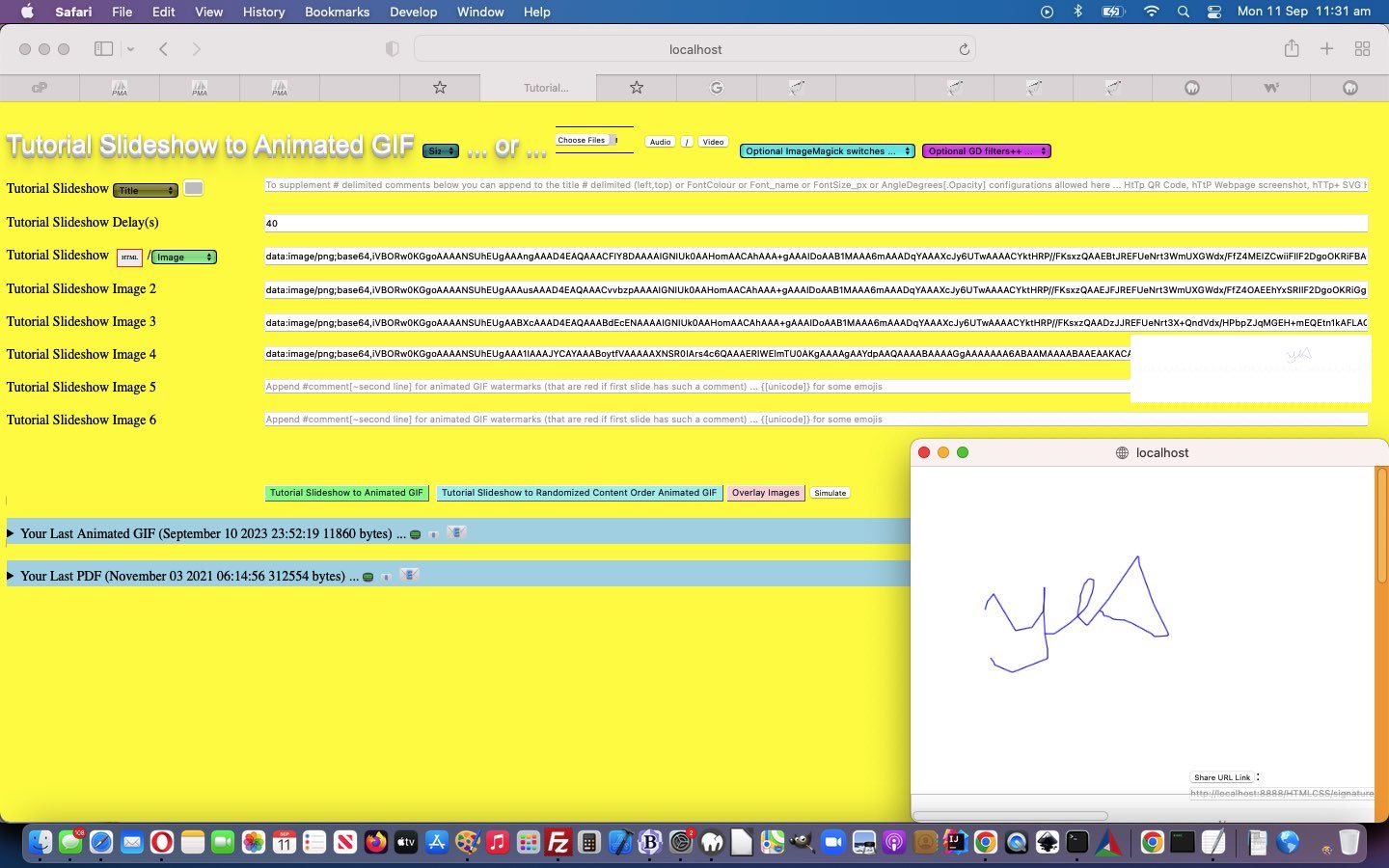
The main purpose of today’s Animated GIF Creator web application improvements onto yesterday’s Animated GIF Creation Text Slide Styling Tutorial revolve around …
- interfacing our changed link’s user_of_signature_signature.htm canvas based Scribble and Annotation Tool we last talked about with Shortcuts iOS App Web URL Desktop Icon Tutorial … via slide entries that are just …
+
… using a window.open “child” looks back at window.opener “parent” communication conduit paradigm …
Parent calls Child <?php echo ”
      var convwo=[];


      canvwo.push(window.open('/HTMLCSS/user_of_signature_signature.htm?slide=' + tid.replace(/^slideshow1$/g,'slideshow'), '_blank', 'top=' + eval(screen.height - hw) + ',left=' + eval(screen.width - hw) + ',width=' + hw + ',height=' + hw));
“; ?>Child references Parent
var wocheck=false, woop=null, lastwoopj='';

var slideis=location.search.split('slide=')[1] ? (location.search.split('slide=')[1].split('&')[0]) : "";


 if (!wocheck) {

   wocheck=true;

   if (window.opener && slideis != '') {

     woop=window.opener;

     setTimeout(function() { document.getElementById('topcanvas').title=slideis; setInterval(topcwoop, 5000); }, 3000);

   }

 }


function topcwoop() {

  var thiswoopj=document.getElementById('topcanvas').toDataURL('data/jpeg', 10);

  if (thiswoopj != lastwoopj) {

    lastwoopj=thiswoopj;

    document.getElementById('topcanvas').style.cursor='progress';

    woop.document.getElementById(slideis).value=lastwoopj;

    setTimeout(function(){ document.getElementById('topcanvas').style.cursor='pointer'; }, 2000);

  }

}
… and …
- improved the functionality of “text” slides by allowing the user to use \n to indicate they would like to place a line feed in the resultant slide “text” look …
function bsn(dv) {

  var newdv=dv, twf=25, addon=25;

  var bsnds=dv.split(String.fromCharCode(92) + 'n');

  if (eval('' + bsnds.length) <= 1) {  return dv; }

  addon=Math.floor(eval(65 / eval('' + bsnds.length)));

  //alert(dv + ' 00:' + newdv + ' ... ' + addon);

  twf+=addon;

  newdv=bsnds[0] + '</text><text y=' + String.fromCharCode(34) + twf + '%' + String.fromCharCode(34) + '>';

  //alert(dv + ' 0:' + newdv);

  for (var iop=1; iop<eval(-1 + eval('' + bsnds.length)); iop++) {

   twf+=addon;

   newdv+='' + bsnds[iop] + '</text><text y=' + String.fromCharCode(34) + twf + '%' + String.fromCharCode(34) + '>';

  //alert('1:' + newdv);

  }

  newdv+='' + bsnds[eval(-1 + eval('' + bsnds.length))];

  //alert('2:' + newdv);

  return newdv;

}
… so that, now, the advice goes …
To supplement # delimited comments below you can append to the title # delimited (left,top) or FontColour or Font_name or FontSize_px or AngleDegrees[.Opacity] configurations allowed here … HtTp for QR Code, hTtP for Webpage screenshot, hTTp[+ for other image types too and/or ( ++ for a links to QR Code or ++++ for a links to Webpage Screenshot ) and/or ++++++++ for text SVG based slides ] for SVG HTML or just enter text into slide textboxes to create SVG text based slides (where, in slides below, ` delimitation separates optional SVG text from (all uppercase to keep) font colour [black] and background colour [white] and font family [Verdana] and font size [36] px) … or single + for Canvas Based Annotations to fill slide content. Use \n to place line feeds in text entries.
So, yet again, feel free to try our changed animated GIF creator PHP tutorial_to_animated_gif.php inhouse animated GIF creator web application.
Previous relevant Animated GIF Creation Text Slide Styling Tutorial is shown below.
Animated GIF Creation Text Slide Styling Tutorial
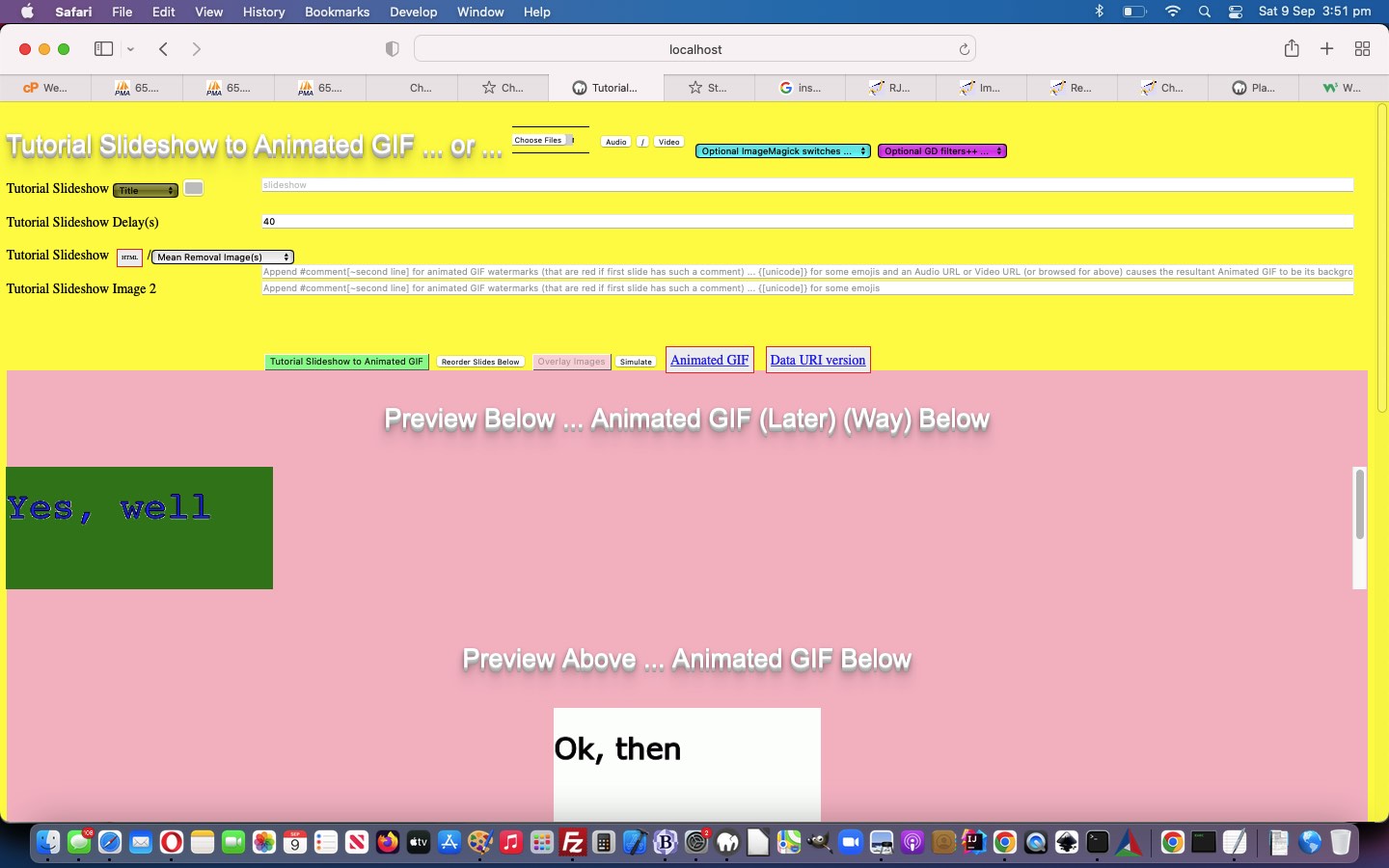
We’re revisiting, again, the Animated GIF Creator of Animated GIF Creation Slide Specific Effects Tutorial notoriety. And why might that be the case, for readers who have not read the blog posting title? We thought the previous …
- text slide … restrictions to …
- font-color:black;
- background-color:white;
- font-family:Verdana;
- font-size:36px;
… were …
- a tad restrictive … and so we opened slide entries up to some new (optional) rules …
To supplement # delimited comments below you can append to the title # delimited (left,top) or FontColour or Font_name or FontSize_px or AngleDegrees[.Opacity] configurations allowed here … HtTp for QR Code, hTtP for Webpage screenshot, hTTp[+ for other image types too and/or ( ++ for a links to QR Code or ++++ for a links to Webpage Screenshot ) and/or ++++++++ for text SVG based slides ] for SVG HTML or just enter text into slide textboxes to create SVG text based slides (where, in slides below, ` delimitation separates optional SVG text from (all uppercase to keep) font colour [black] and background colour [white] and font family [Verdana] and font size [36] px)
We thank this excellent link for ImageMagick advice regarding background colour ideas when converting SVG to PNG images.
Again, feel free to try our changed animated GIF creator PHP tutorial_to_animated_gif.php inhouse animated GIF creator web application, where we have started coding for emojis as well …
Previous relevant Animated GIF Creation Slide Specific Effects Tutorial is shown below.
Animated GIF Creation Slide Specific Effects Tutorial
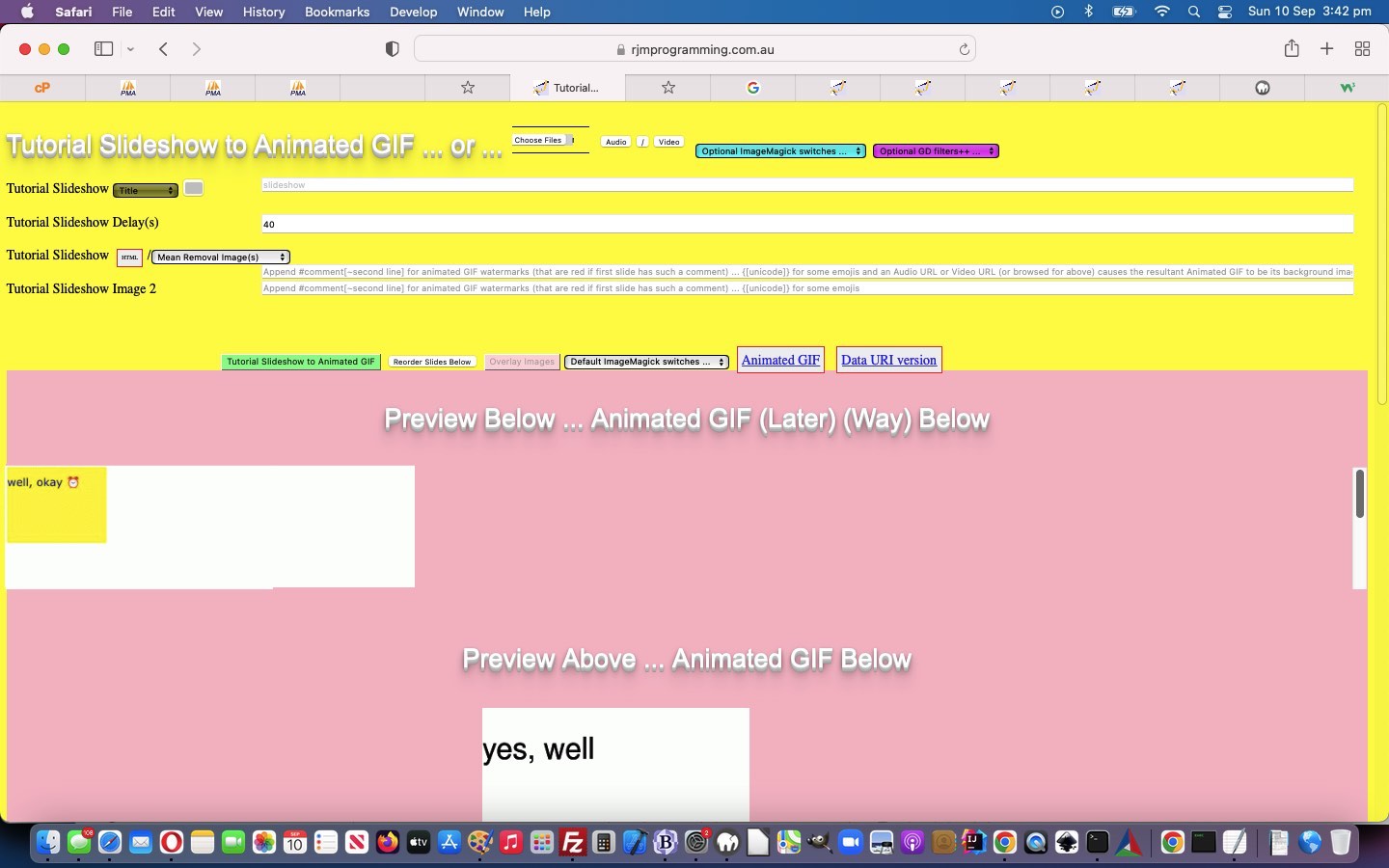
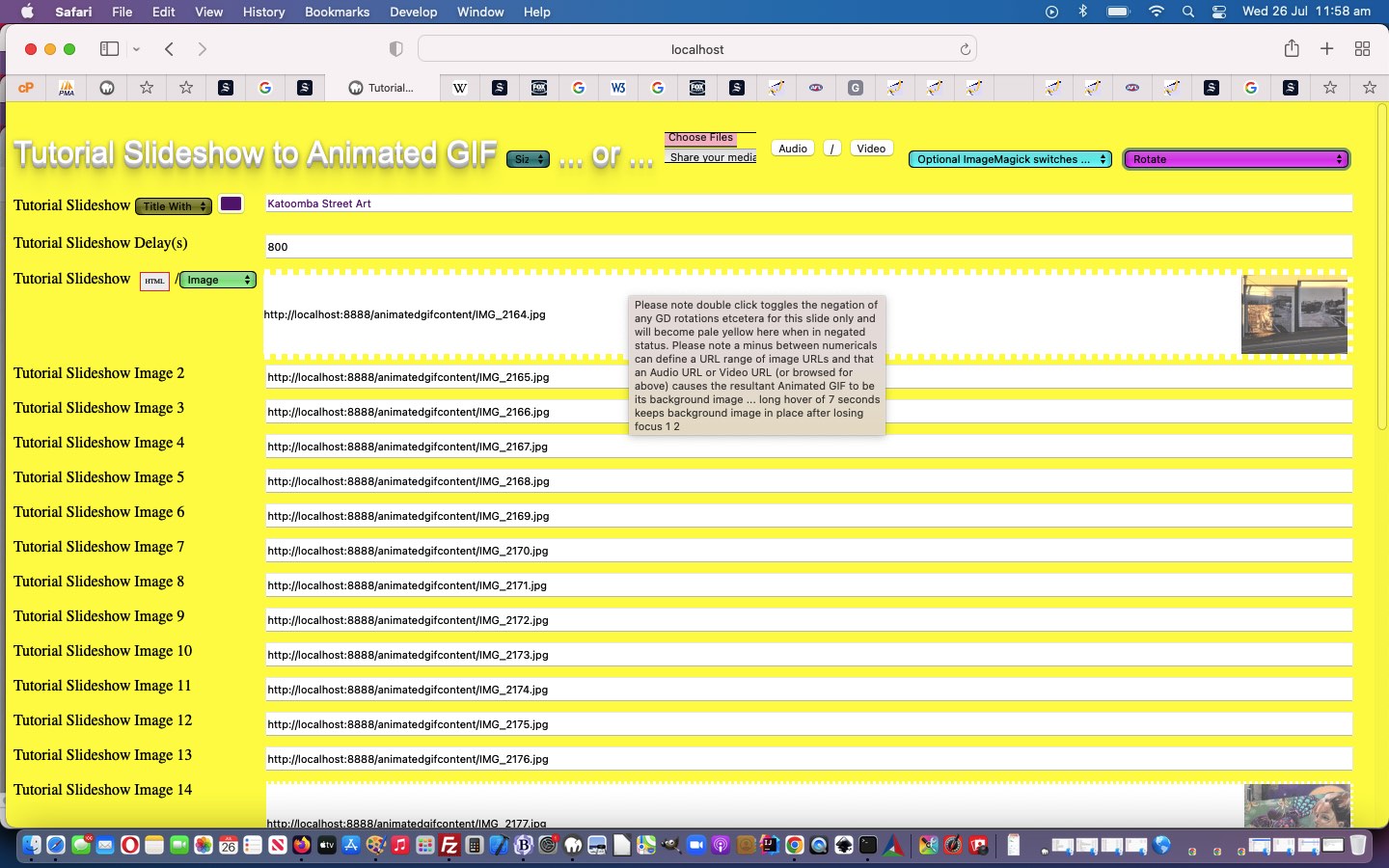
With our animated GIF creator, last referenced with Ffmpeg Shelling Peas Tutorial, we wanted to nuance the way the ImageMagick and GD effects could operate …
- they being only applicable to the entire animated GIF output image … before today’s work which makes it so that …
- optionally they can be turned on or off for individual animated GIF slides
… thereby allowing more flexibility for the user, we’re hoping.
Feel free to try our changed animated GIF creator PHP tutorial_to_animated_gif.php inhouse animated GIF creator web application which now features the additional “slide blurb additional snippet” …
Please note double click toggles the negation of any GD rotations etcetera for this slide only and will become pale yellow here when in negated status, and that a 4x click on first selection reverses logic to be only 2x click selections from then on for a pale orange slide textbox background.
Previous relevant Ffmpeg Shelling Peas Tutorial is shown below.
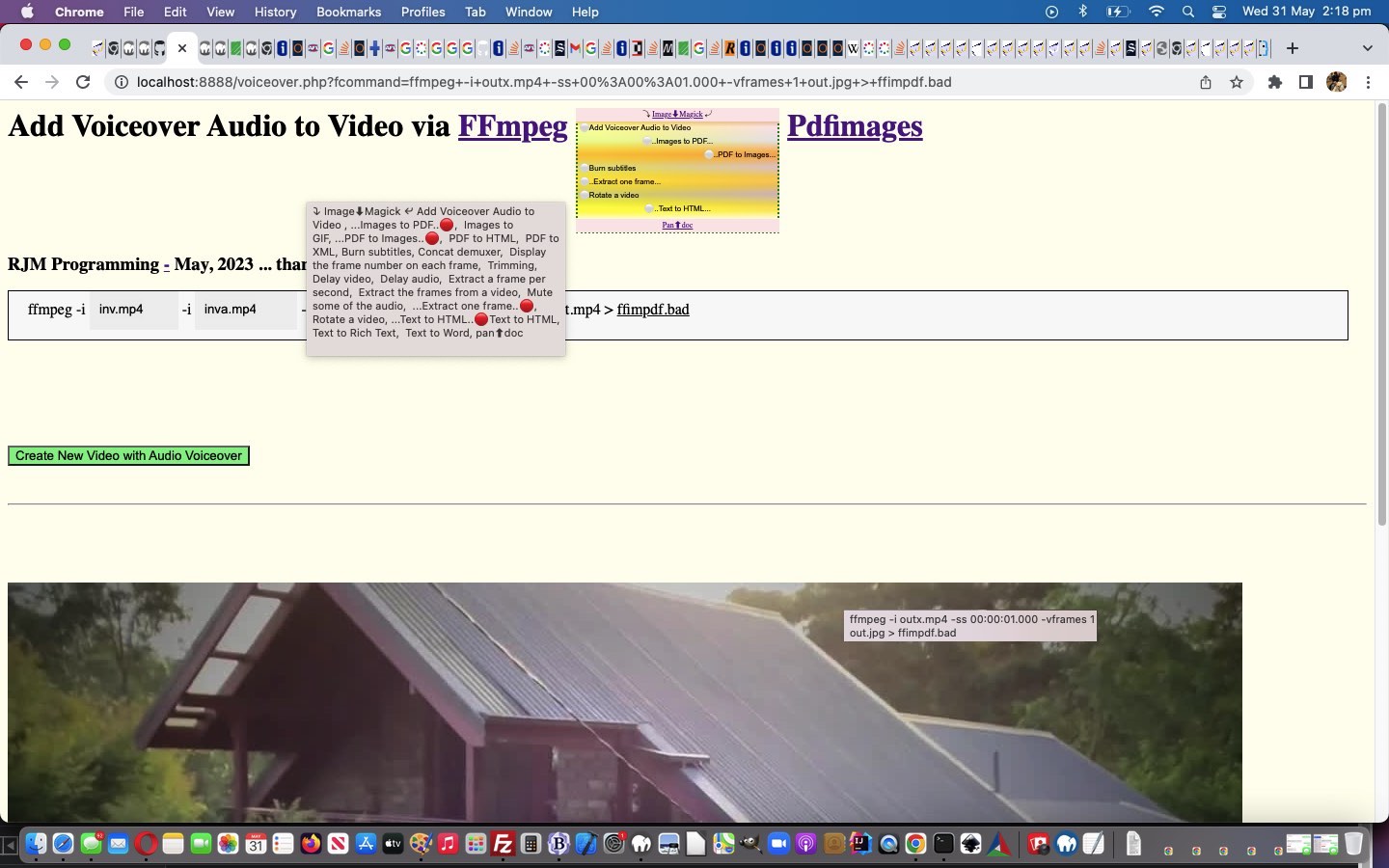
Ffmpeg Shelling Peas Tutorial
Well, our wish to “shell peas” setting up more ffmpeg media options based on the excellent FFmpeg cheat sheet, thanks, today, had its ups and downs for speed of progress, but, yes, to have a solid “framework” to work within, that you are happy with, barring those tweaks you inevitably discover in projects as they gain complexity, is the best first endeavour you might need to do, to feel more relaxed about the parts of the project requiring that third party expertise, which it is your job to test that you have successfully merged into the project. And so, onto yesterday’s Ffmpeg and Pandoc and ImageMagick and Pdfimages Dropdown Linear Gradient Tutorial, we have included new …
<?php
$vssfi='img%03d.png';

$bn='*';

$bntwo='.*';


foreach (glob('newfolder_*') as $idfilename) {

  if (file_exists($idfilename) && $vssfi == 'img%03d.png') {

    foreach (glob($idfilename . DIRECTORY_SEPARATOR . '*') as $idifilename) {

      if ($vssfi == 'img%03d.png' && strpos($idifilename, '.') !== false) {

        $bnis=basename($idifilename);

        $bn='';

        $bntwo='';

        for ($ibn=0; $ibn<strlen(explode('.', $bnis)[0]); $ibn++) {

           if (substr(substr($bnis, $ibn),0,1) >= '0' && substr(substr($bnis, $ibn),0,1) <= '9') {

             if ($bntwo == '') {

               if (substr(substr($bnis, $ibn),0,1) == '0') {

                 $bntwo='%0' . strlen(substr(explode('.', $bnis)[0], $ibn)) . 'd' . '.' . explode('.', $idifilename)[-1 + sizeof(explode('.', $idifilename))];

               } else {

                 $bntwo='%d' . '.' . explode('.', $idifilename)[-1 + sizeof(explode('.', $idifilename))];

               }

             }

           } else if ($bntwo == '') {

             $bn.=substr(substr($bnis, $ibn),0,1);

           }

        }

        if ($bntwo == '') {

         $bn='*';

         $bntwo='.' . explode('.', $idifilename)[-1 + sizeof(explode('.', $idifilename))];

        }

        $vssfi=$idfilename . substr(DIRECTORY_SEPARATOR . DIRECTORY_SEPARATOR,0,1) . $bn . $bntwo;

      }

    }

  }

}
?>
<?php echo ”
  var ffstr='  Concat demuxer,  Display the frame number on each frame,  Trimming,  Delay video,  Delay audio,  Extract a frame per second,  Extract the frames from a video,  Mute some of the audio,  Extract one frame,  Create a video slideshow from images,', offstr=null, kffstr=0, affstr=[];


    //

    // And then ... later ...

    //

    if (newv == 'Trimming') {


       document.getElementById('moreb').innerHTML=firstdivih;


       document.getElementById('precmds').innerHTML=' ';

       document.getElementById('secondi').innerHTML='';

       document.getElementById('minusi').innerHTML=' -ss 00:00:00.000 -i ';

       document.getElementById('minusi').title='Start time';


       document.getElementById('sswitches').innerHTML='-t 60 -c copy ';

       document.getElementById('sswitches').title='Duration';


       document.getElementById('mysub').value=newv;

    } else if (newv == 'Delay video') {


       document.getElementById('moreb').innerHTML=firstdivih;

       document.getElementById('precmds').innerHTML=' ';


       document.getElementById('betweenis').innerHTML='-itsoffset 1.00';

       document.getElementById('betweenis').title='Delay in seconds';


       document.getElementById('sswitches').innerHTML='-map 1:v -map 0:a <span id=svac contenteditable=false>-vcodec copy -acodec copy </span>';

       document.getElementById('sswitches').title='The 1:v 0:a represents video track else use 0:v 1:a for audio track';


       document.getElementById('mysub').value=newv;

    } else if (newv == 'Delay audio') {


       document.getElementById('moreb').innerHTML=firstdivih;

       document.getElementById('precmds').innerHTML=' ';


       document.getElementById('betweenis').innerHTML='-itsoffset 1.00';

       document.getElementById('betweenis').title='Delay in seconds';


       document.getElementById('sswitches').innerHTML='-map 0:v -map 1:a <span id=svac contenteditable=false>-vcodec copy -acodec copy </span>';

       document.getElementById('sswitches').title='The 0:v 1:a represents audio track else use 1:v 0:a for video track';


       document.getElementById('mysub').value=newv;

    } else if (newv == 'Extract a frame per second') {


       document.getElementById('moreb').innerHTML=firstdivih.replace(' out.mp4',' ');

       document.getElementById('precmds').innerHTML=' ';

       document.getElementById('secondi').innerHTML='-filter:v fps=fps=1 -vsync 0';

       document.getElementById('secondi').title='The 1 represents 1 per second';

       document.getElementById('sswitches').innerHTML=\"<span id=sfolder contenteditable=false>newfolder_" . rand(0,784534) . str_replace("\\","\\\\",$ddn) . "out%d.png\" + '</span>';


       document.getElementById('mysub').value=newv;

    } else if (newv == 'Extract the frames from a video') {


       document.getElementById('moreb').innerHTML=firstdivih.replace(' out.mp4',' ');

       document.getElementById('precmds').innerHTML=' ';

       document.getElementById('secondi').innerHTML=\"-vf \" + String.fromCharCode(34) + \"select='between(t,1,5)+between(t,11,15)'\" + String.fromCharCode(34) + \" -vsync 0\";

       document.getElementById('secondi').title='To extract all frames from between 1 and 5 seconds, and also between 11 and 15 seconds';

       document.getElementById('sswitches').innerHTML=\"<span id=sfolder contenteditable=false>newfolder_" . rand(0,784534) . str_replace("\\","\\\\",$ddn) . "out%d.png\" + '</span>';


       document.getElementById('mysub').value=newv;

    } else if (newv == 'Mute some of the audio') {


       document.getElementById('moreb').innerHTML=firstdivih;

       document.getElementById('secondi').innerHTML='';

       document.getElementById('precmds').innerHTML=' ';


       document.getElementById('sswitches').innerHTML=\"-vcodec copy -af \" + String.fromCharCode(34) + \"volume=enable='between(t,80,90)'<span id=svolume contenteditable=false>:volume=0\" + String.fromCharCode(34) + \" </span>\";

       document.getElementById('sswitches').title='To replace all audio between 1:20 and 1:30 with silence';


       document.getElementById('mysub').value=newv;

    } else if (newv == 'Create a video slideshow from images') {


       document.getElementById('moreb').innerHTML=firstdivih;


       document.getElementById('minusi').innerHTML='-r 1/5 -i ';

       document.getElementById('minusi').title='Parameter -r marks the image framerate (inverse time of each image); -vf fps=25 marks the true framerate of the output';


       document.getElementById('secondi').innerHTML='';

       document.getElementById('precmds').innerHTML=' ';

       document.getElementById('scbi').innerHTML='" . $vssfi . "';


       document.getElementById('sswitches').innerHTML=' -c:v libx264 -vf fps=25<span id=shat contenteditable=false> -pix_fmt yuv420p </span>';


       document.getElementById('mysub').value=newv;

    } else if (newv == 'Extract one frame') {


       document.getElementById('moreb').innerHTML=firstdivih.replace(' out.mp4',' out.jpg');

       document.getElementById('secondi').innerHTML='';

       document.getElementById('precmds').innerHTML=' ';


       document.getElementById('sswitches').innerHTML='-ss 00:00:10.000<span id=svframes contenteditable=false> -vframes 1 </span>';

       document.getElementById('sswitches').title='Extract one frame at 10 second mark';


       document.getElementById('mysub').value=newv;

    }
“; ?>
… ffmpeg media functionality talents for you to try yourself, today, in the changed voiceover.php PHP (we’d want you to download to a local MAMP Apache web server’s Document Root folder and which you can run that PHP there).
Previous relevant Ffmpeg and Pandoc and ImageMagick and Pdfimages Dropdown Linear Gradient Tutorial is shown below.
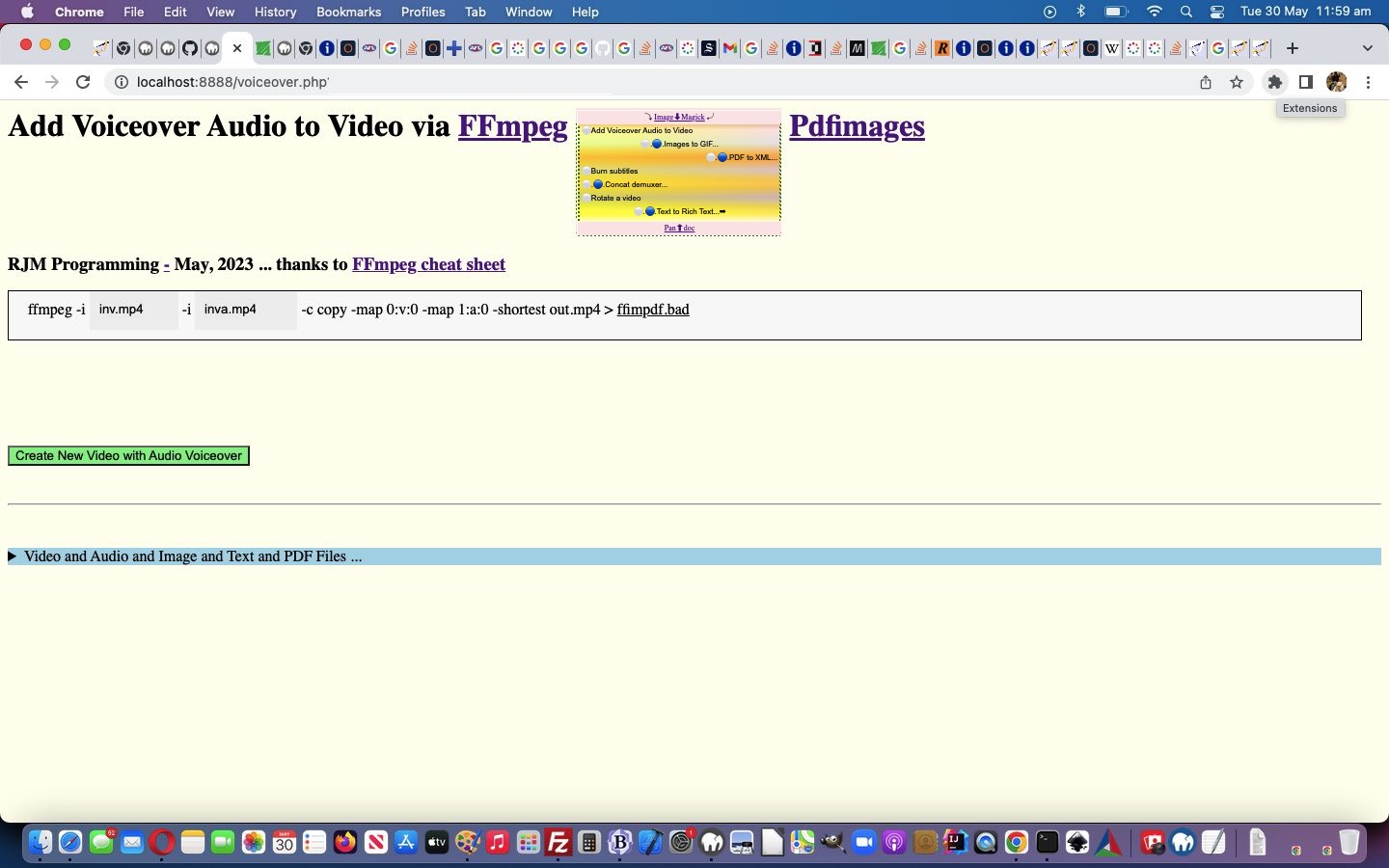
Ffmpeg and Pandoc and ImageMagick and Pdfimages Dropdown Linear Gradient Tutorial
There were two weakness with the logic in yesterday’s Ffmpeg and Pandoc and ImageMagick and Pdfimages Dropdown Hover Swipe Tutorial, we reckon, those being …
- it is hard to “hover swipe” with no linework to show where one option starts and another ends, in Y (or top) co-ordinates … and …
- the user has trouble knowing whether their swipe attempt worked
… for which we supply ideas …
- linear-gradient background, in the form of a colourful “underlay” div element under (now transparent backgrounded) select (ie. dropdown) element (and associated “overlay” div) … and …
- emoji for swipe left ⬅ (⬅) and for swipe right ➡ (➡) shown briefly
… featuring relevant code snippets …
-
<?php echo ”
  function overlay() {

   origval=document.getElementById('schoices').value;

   var rect=document.getElementById('fcommand').getBoundingClientRect();

   document.getElementById('moreb').style.position='absolute';

   document.getElementById('moreb').style.left='' + rect.left + 'px';

   document.getElementById('moreb').style.top='' + rect.top + 'px';

   document.getElementById('moreb').style.width='96%'; //' + rect.width + 'px';

   document.getElementById('moreb').style.height='' + rect.height + 'px';


   document.getElementById('moreb').style.border='1px solid black';

   document.getElementById('moreb').style.paddingLeft='20px';

   document.getElementById('moreb').style.backgroundColor='#f9f9f9';

   document.getElementById('fcommand').style.opacity='0.0';

   document.getElementById('fcommand').style.cursor='pointer';


   document.getElementById('moreb').innerHTML='<span id=precmds></span><span id=verb>ffmpeg" . $ffmpegsuf . "</span> <span id=prescbi></span><span id=minusi> -i </span><span id=scbi><iframe onload=checkif(this,\"inv.mp4\"); scrolling=no frameborder=0 id=cbi data-type=file data-value=inv.mp4 data-accept=\"video/*\" style=\"display:inline-block;height:40px;width:92px;vertical-align:middle;\" src=\"/HTMLCSS/client_browsing.htm?d=69075964842271&left=y\"></iframe></span> <span id=betweenis></span> <span id=secondi>-i <span id=scbix><iframe onload=checkiftwo(this,\"inva.mp4\"); scrolling=no frameborder=0 id=cbix data-type=file data-value=inva.mp4 data-accept=\"video/*\" style=\"display:inline-block;height:40px;width:106px;vertical-align:middle;\" src=\"/HTMLCSS/client_browsing.htm?d=69075964842271&right=y\"></iframe></span></span> <span id=sswitches>-c copy -map 0:v:0 -map 1:a:0 -shortest</span> out.mp4 > <a target=_blank title=ffimpdf.bad onclick=getvb(); style=cursor:pointer;text-decoration:underline; data-href=./ffimpdf.bad>ffimpdf.bad</a>';

   if (firstdivih == '') { firstdivih=document.getElementById('moreb').innerHTML; }

   if (firstbutval == '') { firstbutval=document.getElementById('mysub').value; }

   document.getElementById('schoices').style.display='inline-block';


   rect=document.getElementById('schoices').getBoundingClientRect();


   if (eval('' + rect.height) > 100 || 1 == 1) {


   document.getElementById('schoices').style.backgroundColor='transparent';

   document.getElementById('tf').style.position='absolute'; // using new <div id=tf></div>

   document.getElementById('tf').style.left='' + rect.left + 'px';

   document.getElementById('tf').style.top='' + rect.top + 'px';

   document.getElementById('tf').style.width='' + rect.width + 'px';

   document.getElementById('tf').style.height='' + rect.height + 'px';

   // Thanks to https://stackoverflow.com/questions/49660659/css-gradients-inside-gradients

   document.getElementById('tf').style.background='linear-gradient(0deg, #ffffff 10%, rgba(255,255,0,0.6) 20%, rgba(192,192,192,0.6) 31%, rgba(255,215,0,0.6) 42%, rgba(211,211,211,0.6) 53%, rgba(255,165,0,0.6) 63%, rgba(224,255,255,0.6) 74%, rgba(254,254,254,0.6) 85%, #CC7722 100%), linear-gradient( to right, yellow, pink )'; // #fcfafc #f9f6f8 #f8f1f3

   document.getElementById('tf').style.zIndex='-1';


   document.getElementById('doverlay').style.position='absolute';

   document.getElementById('doverlay').style.left='' + rect.left + 'px';

   document.getElementById('doverlay').style.top='' + rect.top + 'px';

   document.getElementById('doverlay').style.width='' + rect.width + 'px';

   if (eval('' + rect.height) < 30) {

   document.getElementById('doverlay').style.height='' + rect.height + 'px';

   } else {

   document.getElementById('doverlay').style.height='' + eval(eval('' + rect.height) / eval('' + document.getElementById('schoices').size)) + 'px';

   }

   document.getElementById('doverlay').style.zIndex='96';

   document.getElementById('doverlay').style.textAlign='center';

   document.getElementById('doverlay').style.display='block';

   document.getElementById('doverlay').title=document.getElementById('mydefopt').title;

   //document.getElementById('mydefopt').style.fontColor='transparent';

   document.getElementById('mydefopt').innerHTML='';


   document.getElementById('doverlaytwo').style.position='absolute';

   document.getElementById('doverlaytwo').style.left='' + rect.left + 'px';

   //document.getElementById('doverlaytwo').style.top='' + eval(eval('' + rect.height) - eval(2 * eval('' + rect.height) / eval('' + document.getElementById('schoices').size))) + 'px';

   document.getElementById('doverlaytwo').style.top='' + eval(eval('' + rect.height) - eval(0.5 * eval('' + rect.height) / eval('' + document.getElementById('schoices').size))) + 'px';

   //document.getElementById('doverlaytwo').style.bottom='' + rect.bottom + 'px';

   document.getElementById('doverlaytwo').style.width='' + rect.width + 'px';

   if (eval('' + rect.height) < 30) {

   if (1 == 2) { document.getElementById('doverlaytwo').style.height='' + rect.height + 'px'; }

   } else {

   document.getElementById('doverlaytwo').style.height='' + eval(eval('' + rect.height) / eval('' + document.getElementById('schoices').size)) + 'px';

   }

   document.getElementById('doverlaytwo').style.zIndex='96';

   document.getElementById('doverlaytwo').style.textAlign='center';

   document.getElementById('doverlaytwo').style.display='block';

   document.getElementById('mydefopttwo').innerHTML='';


   rect=document.getElementById('mysub').getBoundingClientRect();

   document.getElementById('mysub').style.position='absolute';

   document.getElementById('mysub').style.left='' + rect.left + 'px';

   document.getElementById('mysub').style.top='' + rect.top + 'px';


   setInterval(fhoc, 1000);

   }


  }
“; ?>
… using a multiple linear-gradient element style background for the first time we can remember -
<?php echo ”
var swipel='', swipelcp='', swiper='', swipercp='';
var ra='➡', racp=String.fromCodePoint(10145);
var la='⬅', lacp=String.fromCodePoint(11013);
function isplace(thiso, e) {
var kkk=0;
e = e || window.event;
e.preventDefault();
if (e.touches) {
if (e.touches[0].pageX) {
pos3 = e.touches[0].pageX;
pos4 = e.touches[0].pageY;
} else {
pos3 = e.touches[0].clientX;
pos4 = e.touches[0].clientY;
}
//console.log('pos3=' + pos3 + ',pos4=' + pos4);
} else if (e.clientX || e.clientY) {
pos3 = e.clientX;
pos4 = e.clientY;
} else {
pos3 = e.pageX;
pos4 = e.pageY;
}
if (lasto == e.target) {
if (Math.abs(pos1 - pos3) >= 70) {
if (pos3 > pos1) { // swipe right
swiper=ra;
swipercp=racp;
if (e.target == opastr) {
kkk=eval(1 + eval('' + kpastr));
if (kkk >= eval('' + apastr.length)) {
kpastr=eval('' + kpastr);
} else {
kpastr=kkk;
}
} else if (e.target == opdstr) {
kkk=eval(1 + eval('' + kpdstr));
if (kkk >= eval('' + apdstr.length)) {
kpdstr=eval('' + kpdstr);
} else {
kpdstr=kkk;
}
} else if (e.target == oimstr) {
kkk=eval(1 + eval('' + kimstr));
if (kkk >= eval('' + aimstr.length)) {
kimstr-=eval('' + kimstr);
} else {
kimstr=kkk;
}
} else if (e.target == offstr) {
kkk=eval(1 + eval('' + kffstr));
if (kkk >= eval('' + affstr.length)) {
kffstr-=eval('' + kffstr);
} else {
kffstr=kkk;
}
}
} else { // swipe left
swipel=la;
swipelcp=lacp;
if (e.target == opastr) {
kkk=eval(-1 + eval('' + kpastr));
if (kkk < 0) {
kpastr=eval(-1 + eval('' + apastr.length));
} else {
kpastr=kkk;
}
} else if (e.target == opdstr) {
kkk=eval(-1 + eval('' + kpdstr));
if (kkk < 0) {
kpdstr=eval(-1 + eval('' + apdstr.length));
} else {
kpdstr=kkk;
}
} else if (e.target == oimstr) {
kkk=eval(-1 + eval('' + kimstr));
if (kkk < 0) {
kimstr=eval(-1 + eval('' + aimstr.length));
} else {
kimstr=kkk;
}
} else if (e.target == offstr) {
kkk=eval(-1 + eval('' + kffstr));
if (kkk < 0) {
kffstr=eval(-1 + eval('' + affstr.length));
} else {
kffstr=kkk;
}
}
}
}
//alert('swipe distance = ' + Math.abs(pos1 - pos3));
}
lasto=e.target;
}
function betweeneatatjoes() {
var origt='', origrest='', kkprefix=swipelcp + '...', kksuffix='...' + swipercp;
var origkkprefix='', origkksuffix='', origkprefix='', origksuffix='';
if (kprefix == '' && ksuffix == '') {
kprefix=swipel + '🔵..';
kkprefix=swipelcp + String.fromCodePoint(128309) + '..';
ksuffix='...' + swiper;
//document.getElementById('doverlaytwo').style.marginTop='20px';
} else if (kprefix == swipel + '🔵..') {
kprefix=swipel + '.🔵.';
kkprefix=swipelcp +'.' + String.fromCodePoint(128309) + '.';
ksuffix='...' + swiper;
} else if (kprefix == swipel + '.🔵.') {
kprefix=swipel + '..🔵';
kkprefix=swipelcp + '..' + String.fromCodePoint(128309) + '';
ksuffix='...' + swiper;
} else if (kprefix == swipel + '..🔵') {
ksuffix='🔵..' + swiper;
kksuffix=String.fromCodePoint(128309) + '..' + swipercp;
kprefix=swipel + '...' + swiper;
} else if (ksuffix == '🔵..' + swiper) {
ksuffix='.🔴.' + swiper;
kksuffix='.' + String.fromCodePoint(128308) + '.' + swipercp;
kprefix=swipel + '...';
} else if (ksuffix == '.🔴.' + swiper) {
ksuffix='..🔴' + swiper;
kksuffix='..' + String.fromCodePoint(128308) + '' + swipercp;
kprefix=swipel + '...';
} else {
kprefix=swipel + '󠀠..';
kkprefix=swipelcp + '..' + String.fromCodePoint(917536) + '..';
ksuffix='...' + swiper;
//document.getElementById('doverlaytwo').style.marginTop='0px';
}
origkkprefix=kkprefix;
origkksuffix=kksuffix;
origkprefix=kprefix;
origksuffix=ksuffix;
if (oimstr) {
origt=oimstr.getAttribute('data-title');
if (lasto == oimstr) {
kkprefix=origkkprefix;
kksuffix=origkksuffix;
kprefix=origkprefix;
ksuffix=origksuffix;
} else if (swipel + swiper != '') {
kkprefix=origkkprefix.replace(swipelcp,'');
kksuffix=origkksuffix.replace(swipercp,'');
kprefix=origkprefix.replace(swipel,'');
ksuffix=origksuffix.replace(swiper,'');
}
if (kimstr == 0) {
oimstr.innerHTML=' ' + kprefix + aimstr[kimstr] + ksuffix;
origrest=(origt.split('' + aimstr[kimstr])[1] + ',' + origt.split('' + aimstr[kimstr])[0]).trim().replace(/\,\,/g,'').replace('undefined','');
oimstr.title=kkprefix + aimstr[kimstr] + kksuffix + origrest;
} else {
oimstr.innerHTML=' ' + kprefix + aimstr[eval(-1 + kimstr)] + ksuffix;
origrest=(origt.split('' + aimstr[eval(-1 + kimstr)])[1] + ',' + origt.split('' + aimstr[eval(-1 + kimstr)])[0]).trim().replace(/\,\,/g,'').replace('undefined','');
oimstr.title=kkprefix + aimstr[eval(-1 + kimstr)] + kksuffix + origrest;
}
}
if (opdstr) {
origt=opdstr.getAttribute('data-title');
if (lasto == opdstr) {
kkprefix=origkkprefix;
kksuffix=origkksuffix;
kprefix=origkprefix;
ksuffix=origksuffix;
} else if (swipel + swiper != '') {
kkprefix=origkkprefix.replace(swipelcp,'');
kksuffix=origkksuffix.replace(swipercp,'');
kprefix=origkprefix.replace(swipel,'');
ksuffix=origksuffix.replace(swiper,'');
}
if (kpdstr == 0) {
opdstr.innerHTML=' ' + kprefix + apdstr[kpdstr] + ksuffix;
origrest=(origt.split('' + apdstr[kpdstr])[1] + ',' + origt.split('' + apdstr[kpdstr])[0]).trim().replace(/\,\,/g,'').replace('undefined','');
opdstr.title=kkprefix + apdstr[kpdstr] + kksuffix + origrest;
} else {
opdstr.innerHTML=' ' + kprefix + apdstr[eval(-1 + kpdstr)] + ksuffix;
origrest=(origt.split('' + apdstr[eval(-1 + kpdstr)])[1] + ',' + origt.split('' + apdstr[eval(-1 + kpdstr)])[0]).trim().replace(/\,\,/g,'').replace('undefined','');
opdstr.title=kkprefix + apdstr[eval(-1 + kpdstr)] + kksuffix + origrest;
}
}
if (opastr) {
origt=opastr.getAttribute('data-title');
if (lasto == opastr) {
kkprefix=origkkprefix;
kksuffix=origkksuffix;
kprefix=origkprefix;
ksuffix=origksuffix;
} else if (swipel + swiper != '') {
kkprefix=origkkprefix.replace(swipelcp,'');
kksuffix=origkksuffix.replace(swipercp,'');
kprefix=origkprefix.replace(swipel,'');
ksuffix=origksuffix.replace(swiper,'');
}
if (kpastr == 0) {
opastr.innerHTML=' ' + kprefix + apastr[kpastr] + ksuffix;
origrest=(origt.split('' + apastr[kpastr])[1] + ',' + origt.split('' + apastr[kpastr])[0]).trim().replace(/\,\,/g,'').replace('undefined','');
opastr.title=kkprefix + apastr[kpastr] + kksuffix + origrest;
} else {
opastr.innerHTML=' ' + kprefix + apastr[eval(-1 + kpastr)] + ksuffix;
origrest=(origt.split('' + apastr[eval(-1 + kpastr)])[1] + ',' + origt.split('' + apastr[eval(-1 + kpastr)])[0]).trim().replace(/\,\,/g,'').replace('undefined','');
opastr.title=kkprefix + apastr[eval(-1 + kpastr)] + kksuffix + origrest;
}
}
if (offstr) {
origt=offstr.getAttribute('data-title');
if (lasto == offstr) {
kkprefix=origkkprefix;
kksuffix=origkksuffix;
kprefix=origkprefix;
ksuffix=origksuffix;
} else if (swipel + swiper != '') {
kkprefix=origkkprefix.replace(swipelcp,'');
kksuffix=origkksuffix.replace(swipercp,'');
kprefix=origkprefix.replace(swipel,'');
ksuffix=origksuffix.replace(swiper,'');
}
if (kffstr == 0) {
offstr.innerHTML=' ' + kprefix + affstr[kffstr] + ksuffix;
origrest=(origt.split('' + affstr[kffstr])[1] + ',' + origt.split('' + affstr[kffstr])[0]).trim().replace(/\,\,/g,'').replace('undefined','');
offstr.title=kkprefix + affstr[kffstr] + kksuffix + origrest;
} else {
offstr.innerHTML=' ' + kprefix + affstr[eval(-1 + kffstr)] + ksuffix;
origrest=(origt.split('' + affstr[eval(-1 + kffstr)])[1] + ',' + origt.split('' + affstr[eval(-1 + kffstr)])[0]).trim().replace(/\,\,/g,'').replace('undefined','');
offstr.title=kkprefix + affstr[eval(-1 + kffstr)] + kksuffix + origrest;
}
}
kcnt++;
swipel='';
swipelcp='';
swiper='';
swipercp='';
if (kcnt < 7) { setTimeout(betweeneatatjoes, 1000); }
}
“; ?>
… in the changed voiceover.php PHP (we’d want you to download to a local MAMP Apache web server’s Document Root folder and which you can run that PHP there).
Previous relevant Ffmpeg and Pandoc and ImageMagick and Pdfimages Dropdown Hover Swipe Tutorial is shown below.
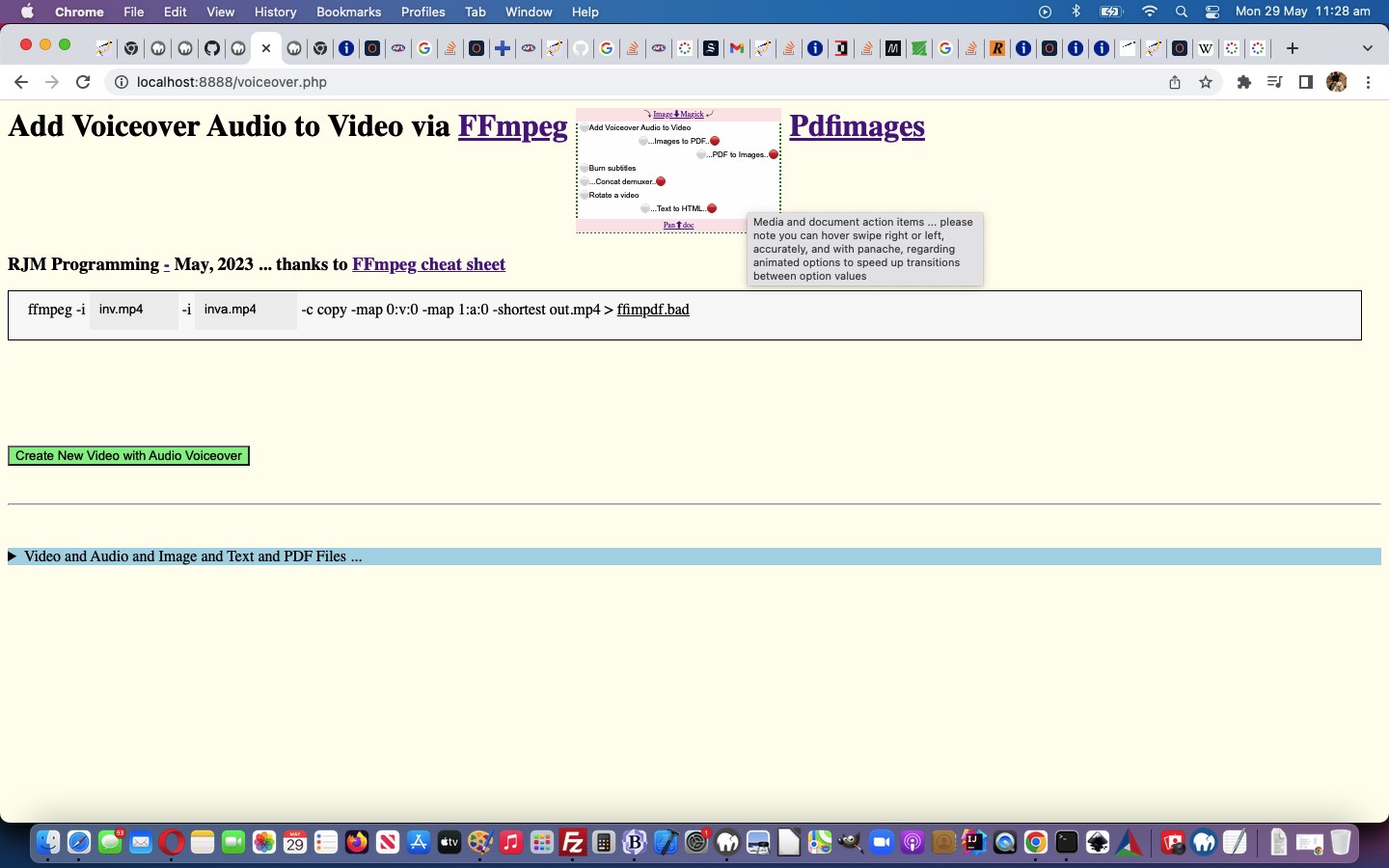
Ffmpeg and Pandoc and ImageMagick and Pdfimages Dropdown Hover Swipe Tutorial
Some users are impatient, we grant you. Maybe some don’t want to wait the whole time of an 8 second “Eat at Joes” rotation. Well, we thought about this, and got an idea to extend yesterday’s Ffmpeg and Pandoc and ImageMagick and Pdfimages Dropdown Onhover Marquee Tutorial‘s non-mobile functionality via …
- dropdown option (with animation) element onmouseover (hover swipe (maybe) in x,y) … call such as oimstr.onmouseover=function(event) { wasplace(oimstr, event); }; … uses …
<?php echo ”
  var pos1=0, pos2=0, pos3=0, pos4=0, lasto=null;


  function wasplace(thiso, e) {

    e = e || window.event;

    e.preventDefault();

       if (e.touches) {

       if (e.touches[0].pageX) {

       pos1 = e.touches[0].pageX;

       pos2 = e.touches[0].pageY;

       } else {

       pos1 = e.touches[0].clientX;

       pos2 = e.touches[0].clientY;

       }

       //console.log('pos3=' + pos3 + ',pos4=' + pos4);

       } else if (e.clientX || e.clientY) {

        pos1 = e.clientX;

        pos2 = e.clientY;

       } else {

        pos1 = e.pageX;

        pos2 = e.pageY;

       }

       lasto=e.target;

  }
“; ?>
…and onmouseout (hover swipe out x,y) events … if deltax >= 70 … call such as oimstr.onmouseout=function(event) { isplace(oimstr, event); }; … uses …
<?php echo ”
  function isplace(thiso, e) {

    var kkk=0;

    e = e || window.event;

    e.preventDefault();

       if (e.touches) {

       if (e.touches[0].pageX) {

       pos3 = e.touches[0].pageX;

       pos4 = e.touches[0].pageY;

       } else {

       pos3 = e.touches[0].clientX;

       pos4 = e.touches[0].clientY;

       }

       //console.log('pos3=' + pos3 + ',pos4=' + pos4);

       } else if (e.clientX || e.clientY) {

        pos3 = e.clientX;

        pos4 = e.clientY;

       } else {

        pos3 = e.pageX;

        pos4 = e.pageY;

       }

       if (lasto == e.target) {

        if (Math.abs(pos1 - pos3) >= 70) {

          if (pos3 > pos1) { // swipe right

            if (e.target == opastr) {

              kkk=eval(1 + eval('' + kpastr));

              if (kkk >= eval('' + apastr.length)) {

                kpastr=0;

              } else {

                kpastr=kkk;

              }

            } else if (e.target == opdstr) {

              kkk=eval(1 + eval('' + kpdstr));

              if (kkk >= eval('' + apdstr.length)) {

                kpdstr=0;

              } else {

                kpdstr=kkk;

              }

            } else if (e.target == oimstr) {

              kkk=eval(1 + eval('' + kimstr));

              if (kkk >= eval('' + aimstr.length)) {

                kimstr=0;

              } else {

                kimstr=kkk;

              }

            } else if (e.target == offstr) {

              kkk=eval(1 + eval('' + kffstr));

              if (kkk >= eval('' + affstr.length)) {

                kffstr=0;

              } else {

                kffstr=kkk;

              }

            }

          } else { // swipe left

            if (e.target == opastr) {

              kkk=eval(-1 + eval('' + kpastr));

              if (kkk < 0) {

                kpastr=eval(-1 + eval('' + apastr.length));

              } else {

                kpastr=kkk;

              }

            } else if (e.target == opdstr) {

              kkk=eval(-1 + eval('' + kpdstr));

              if (kkk < 0) {

                kpdstr=eval(-1 + eval('' + apdstr.length));

              } else {

                kpdstr=kkk;

              }

            } else if (e.target == oimstr) {

              kkk=eval(-1 + eval('' + kimstr));

              if (kkk < 0) {

                kimstr=eval(-1 + eval('' + aimstr.length));

              } else {

                kimstr=kkk;

              }

            } else if (e.target == offstr) {

              kkk=eval(-1 + eval('' + kffstr));

              if (kkk < 0) {

                kffstr=eval(-1 + eval('' + affstr.length));

              } else {

                kffstr=kkk;

              }

            }

          }

        }

        //alert('swipe distance = ' + Math.abs(pos1 - pos3));

       }

       lasto=e.target;

  }
“; ?> - class a swipe right (if deltax > 0) else swipe left … resulting in …
- immediately show next option innerText if swipe right and show previous option innerText if swipe left
… for you to try for yourself …
Media and document action items … please note you can hover swipe right or left, accurately, and with panache, regarding animated options to speed up transitions between option values
… in the changed voiceover.php PHP (we’d want you to download to a local MAMP Apache web server’s Document Root folder and which you can run that PHP there).
Previous relevant Ffmpeg and Pandoc and ImageMagick and Pdfimages Dropdown Onhover Marquee Tutorial is shown below.
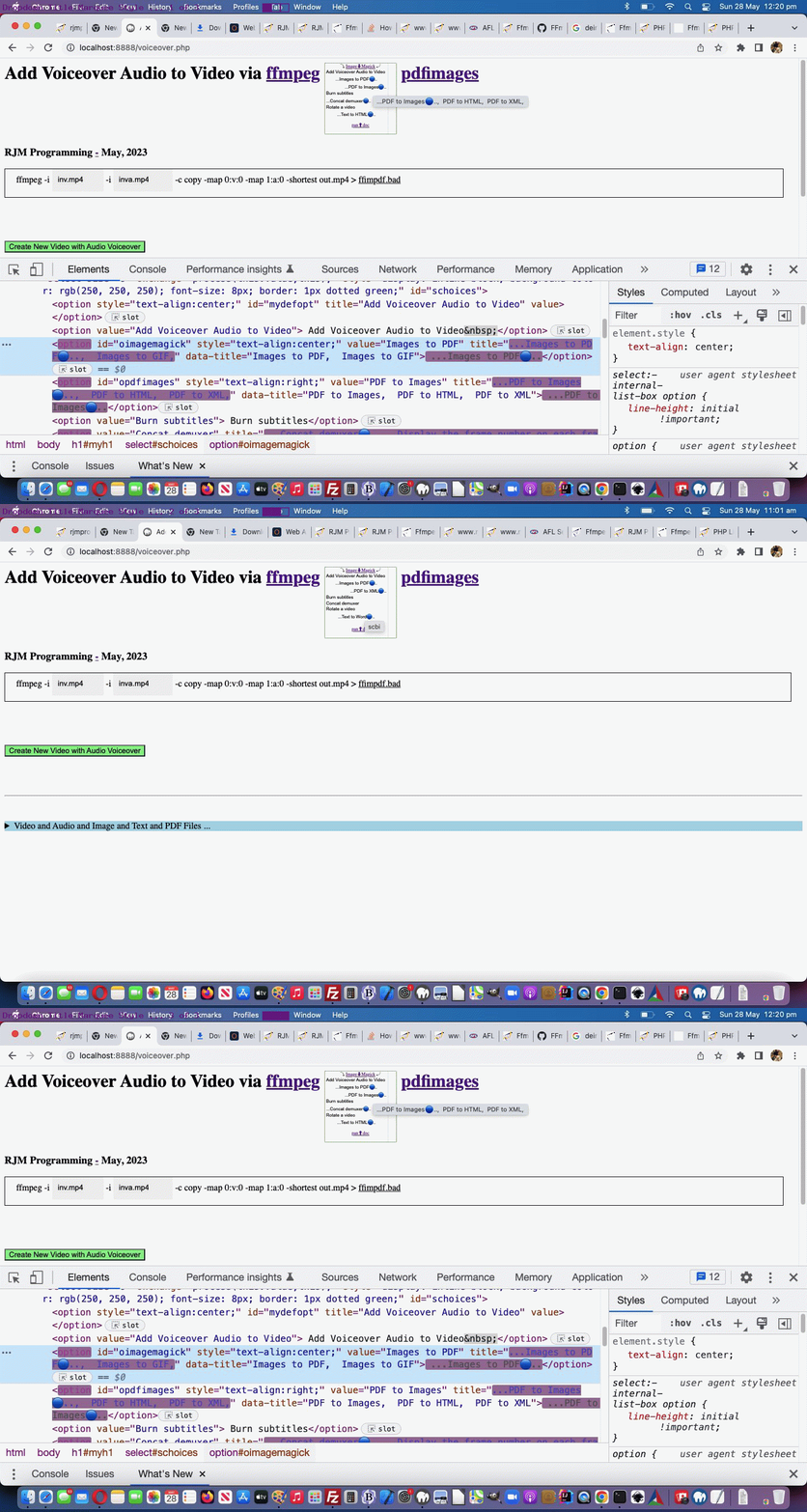
Ffmpeg and Pandoc and ImageMagick and Pdfimages Dropdown Onhover Marquee Tutorial
The non-mobile platforms have that useful wooooorrrrllllddd, the “onhover wooooorrrrllllddd” (to be precise) that can be a great partner for Javascript Ajax methodologies. This onhover (actually the “onmouseover”) event is also useful whereby as a user hovers over an HTML element, and that element’s title attribute has a value, then the user can see that value displayed.
And though, with yesterday’s Ffmpeg and Pandoc and ImageMagick and Pdfimages Animated Emoji Tutorial work …
though we’re not going “full marquee Eat at Joes”
… regarding the dropdown option innerText “look”, there is, for non-mobile, this “onhover wooooorrrrllllddd” we can use to try a form of marquee “look” there, as per …
<?php echo ”
  function betweeneatatjoes() {

     var origt='', origrest='', kkprefix='...', kksuffix='...';

     if (kprefix == '' && ksuffix == '') {

       kprefix='🔵..';

       kkprefix=String.fromCodePoint(128309) + '..';

       ksuffix='...';

       //document.getElementById('doverlaytwo').style.marginTop='20px';

     } else if (kprefix == '🔵..') {

       kprefix='.🔵.';

       kkprefix='.' + String.fromCodePoint(128309) + '.';

       ksuffix='...';

     } else if (kprefix == '.🔵.') {

       kprefix='..🔵';

       kkprefix='..' + String.fromCodePoint(128309) + '';

       ksuffix='...';

     } else if (kprefix == '..🔵') {

       ksuffix='🔵..';

       kksuffix=String.fromCodePoint(128309) + '..';

       kprefix='...';

     } else if (ksuffix == '🔵..') {

       ksuffix='.🔴.';

       kksuffix='.' + String.fromCodePoint(128308) + '.';

       kprefix='...';

     } else if (ksuffix == '.🔴.') {

       ksuffix='..🔴';

       kksuffix='..' + String.fromCodePoint(128308) + '';

       kprefix='...';

     } else {

       kprefix='󠀠..';

       kkprefix='..' + String.fromCodePoint(917536) + '..';

       ksuffix='...';

       //document.getElementById('doverlaytwo').style.marginTop='0px';

     }

     if (oimstr) {

       origt=oimstr.getAttribute('data-title');

       if (kimstr == 0) {

         oimstr.innerHTML='  ' + kprefix + aimstr[kimstr] + ksuffix;

         origrest=(origt.split('' + aimstr[kimstr])[1] + ',' + origt.split('' + aimstr[kimstr])[0]).trim().replace(/\,\,/g,'').replace('undefined','');

         oimstr.title=kkprefix + aimstr[kimstr] + kksuffix + origrest;

       } else {

         oimstr.innerHTML='  ' + kprefix + aimstr[eval(-1 + kimstr)] + ksuffix;

         origrest=(origt.split('' + aimstr[eval(-1 + kimstr)])[1] + ',' + origt.split('' + aimstr[eval(-1 + kimstr)])[0]).trim().replace(/\,\,/g,'').replace('undefined','');

         oimstr.title=kkprefix + aimstr[eval(-1 + kimstr)] + kksuffix + origrest;

       }

     }

     if (opdstr) {

       origt=opdstr.getAttribute('data-title');

       if (kpdstr == 0) {

         opdstr.innerHTML='  ' + kprefix + apdstr[kpdstr] + ksuffix;

         origrest=(origt.split('' + apdstr[kpdstr])[1] + ',' + origt.split('' + apdstr[kpdstr])[0]).trim().replace(/\,\,/g,'').replace('undefined','');

         opdstr.title=kkprefix + apdstr[kpdstr] + kksuffix + origrest;

       } else {

         opdstr.innerHTML='  ' + kprefix + apdstr[eval(-1 + kpdstr)] + ksuffix;

         origrest=(origt.split('' + apdstr[eval(-1 + kpdstr)])[1] + ',' + origt.split('' + apdstr[eval(-1 + kpdstr)])[0]).trim().replace(/\,\,/g,'').replace('undefined','');

         opdstr.title=kkprefix + apdstr[eval(-1 + kpdstr)] + kksuffix + origrest;

       }

     }

     if (opastr) {

       origt=opastr.getAttribute('data-title');

       if (kpastr == 0) {

         opastr.innerHTML='  ' + kprefix + apastr[kpastr] + ksuffix;

         origrest=(origt.split('' + apastr[kpastr])[1] + ',' + origt.split('' + apastr[kpastr])[0]).trim().replace(/\,\,/g,'').replace('undefined','');

         opastr.title=kkprefix + apastr[kpastr] + kksuffix + origrest;

       } else {

         opastr.innerHTML='  ' + kprefix + apastr[eval(-1 + kpastr)] + ksuffix;

         origrest=(origt.split('' + apastr[eval(-1 + kpastr)])[1] + ',' + origt.split('' + apastr[eval(-1 + kpastr)])[0]).trim().replace(/\,\,/g,'').replace('undefined','');

         opastr.title=kkprefix + apastr[eval(-1 + kpastr)] + kksuffix + origrest;

       }

     }

     if (offstr) {

       origt=offstr.getAttribute('data-title');

       if (kffstr == 0) {

         offstr.innerHTML='  ' + kprefix + affstr[kffstr] + ksuffix;

         origrest=(origt.split('' + affstr[kffstr])[1] + ',' + origt.split('' + affstr[kffstr])[0]).trim().replace(/\,\,/g,'').replace('undefined','');

         offstr.title=kkprefix + affstr[kffstr] + kksuffix + origrest;

       } else {

         offstr.innerHTML='  ' + kprefix + affstr[eval(-1 + kffstr)] + ksuffix;

         origrest=(origt.split('' + affstr[eval(-1 + kffstr)])[1] + ',' + origt.split('' + affstr[eval(-1 + kffstr)])[0]).trim().replace(/\,\,/g,'').replace('undefined','');

         offstr.title=kkprefix + affstr[eval(-1 + kffstr)] + kksuffix + origrest;

       }

     }

     kcnt++;

     if (kcnt < 7) {  setTimeout(betweeneatatjoes, 1000); }

  }
“; ?>
Proof positive that emojis are text, and can help provide a graphic display interest for a webpage. As well, as a CSS means by which we stop “dropdown Y jitteriness”, we introduce the use of an emoji ⚪ (⚪ or ⚪) for most option element Clayton innerText parts, always …
<style>

  option:not(.nonwhite)::before {

    content: '\0026aa';

  }


  #doverlay {

     background-color: #FFE7E9;

  }


  #doverlaytwo {

     background-color: #FFE7E9;

  }


  body {

    background-color: #FFFFEF;

  }

</style>
“; ?>
… with one more media functionality …
<?php
  var mlook=false, kcnt=0, kprefix='', ksuffix='';

  var imstr='  Images to PDF,  Images to GIF,', oimstr=null, kimstr=0, aimstr=[];

  var pdstr='  PDF to Images,  PDF to HTML,  PDF to XML,', opdstr=null, kpdstr=0, apdstr=[];

  var pastr='  Text to HTML,  Text to Rich Text,  Text to Word,', opastr=null, kpastr=0, apastr=[];

  var ffstr='  Concat demuxer,  Display the frame number on each frame,', offstr=null, kffstr=0, affstr=[];
?>
… in the changed voiceover.php PHP (we’d want you to download to a local MAMP Apache web server’s Document Root folder and which you can run that PHP there).
Previous relevant Ffmpeg and Pandoc and ImageMagick and Pdfimages Animated Emoji Tutorial is shown below.
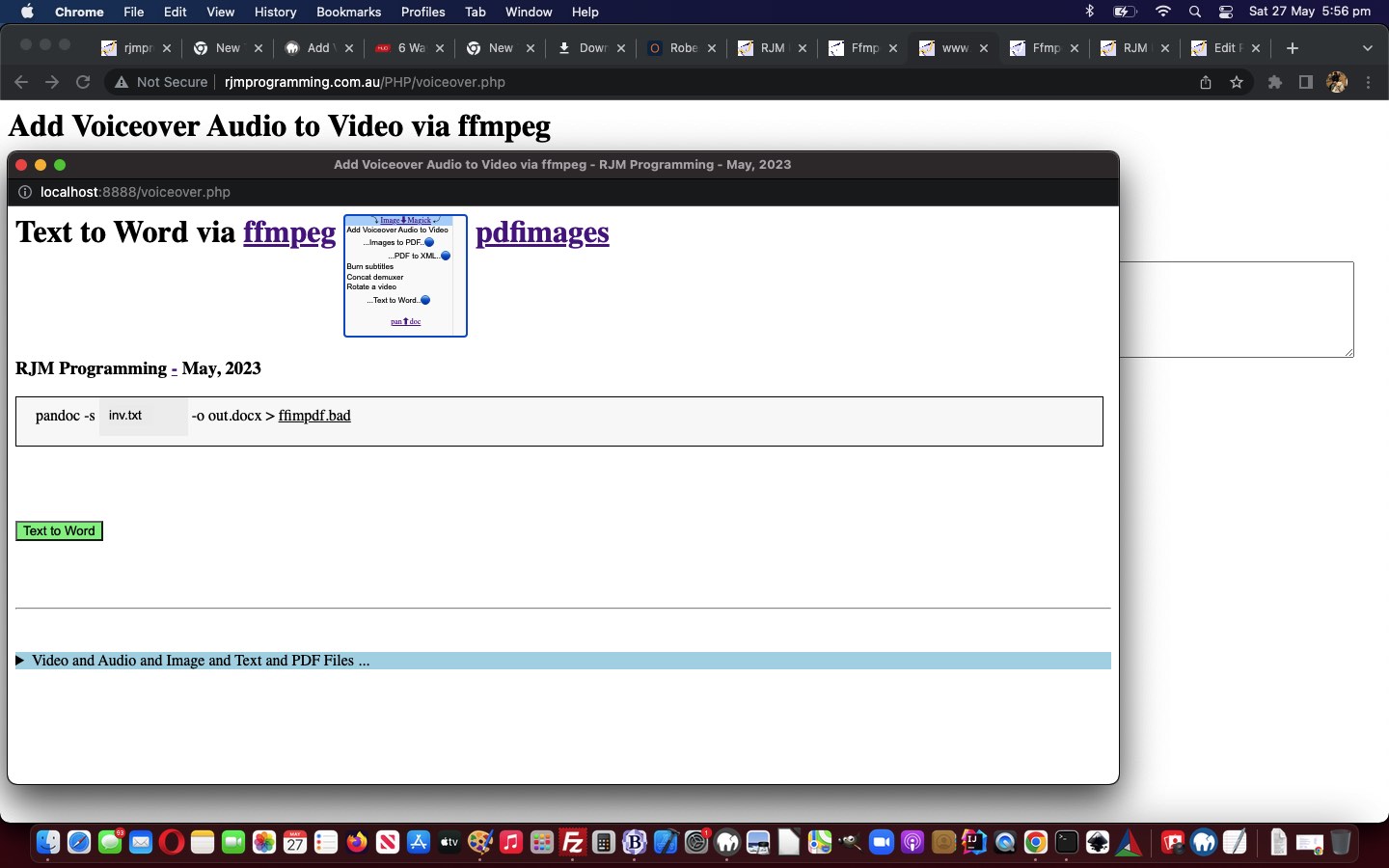
Ffmpeg and Pandoc and ImageMagick and Pdfimages Animated Emoji Tutorial
The “dropdown animations” introduced into yesterday’s Ffmpeg and Pandoc and ImageMagick and Pdfimages Animated Dropdown Tutorial were a tad subtle, it only involving …
- the wording of option elements within the dropdown … and though we’re not going “full marquee Eat at Joes” we are accentuating “midway”, today, by …
- adding emoji 🔵 (🔵) movement to the animation for interest sake, as well as being informative (in that the user can anticipate when the new innerText text will arrive, as the emoji moves from left to right)
… that we team with more instances of multiple animation settings …
<?php echo ”
  var mlook=false, kcnt=0, kprefix='', ksuffix='';

  var imstr='  Images to PDF,  Images to GIF,', oimstr=null, kimstr=0, aimstr=[];

  var pdstr='  PDF to Images,  PDF to HTML,  PDF to XML,', opdstr=null, kpdstr=0, apdstr=[];

  var pastr='  Text to HTML,  Text to Rich Text,  Text to Word,', opastr=null, kpastr=0, apastr=[];

  var ffstr='  Concat demuxer,  ', offstr=null, kffstr=0, affstr=[];
“; ?>
… and a new “between the 8 second setInterval wording refreshes” Javascript function …
<?php echo ”
  function betweeneatatjoes() {

     if (kprefix == '' && ksuffix == '') {

       kprefix='🔵..';

       ksuffix='...';

       document.getElementById('doverlaytwo').style.marginTop='20px';

     } else if (kprefix == '🔵..') {

       kprefix='.🔵.';

       ksuffix='...';

     } else if (kprefix == '.🔵.') {

       kprefix='..🔵';

       ksuffix='...';

     } else if (kprefix == '..🔵') {

       ksuffix='🔵..';

       kprefix='...';

     } else if (ksuffix == '🔵..') {

       ksuffix='.🔵.';

       kprefix='...';

     } else if (ksuffix == '.🔵.') {

       ksuffix='..🔵';

       kprefix='...';

     } else {

       kprefix='...';

       ksuffix='...';

       document.getElementById('doverlaytwo').style.marginTop='0px';

     }

     if (oimstr) {

       if (kimstr == 0) {

         oimstr.innerHTML='  ' + kprefix + aimstr[kimstr] + ksuffix;

       } else {

         oimstr.innerHTML='  ' + kprefix + aimstr[eval(-1 + kimstr)] + ksuffix;

       }

     }

     if (opdstr) {

       if (kpdstr == 0) {

         opdstr.innerHTML='  ' + kprefix + apdstr[kpdstr] + ksuffix;

       } else {

         opdstr.innerHTML='  ' + kprefix + apdstr[eval(-1 + kpdstr)] + ksuffix;

       }

     }

     if (opastr) {

       if (kpastr == 0) {

         opastr.innerHTML='  ' + kprefix + apastr[kpastr] + ksuffix;

       } else {

         opastr.innerHTML='  ' + kprefix + apastr[eval(-1 + kpastr)] + ksuffix;

       }

     }

     if (offstr) {

       if (kffstr == 0) {

         offstr.innerHTML='  ' + kprefix + affstr[kffstr] + ksuffix;

       } else {

         offstr.innerHTML='  ' + kprefix + affstr[kffstr] + ksuffix;

       }

     }

     kcnt++;

     if (kcnt < 7) {  setTimeout(betweeneatatjoes, 1000); }

  }


  function eatatjoes() {

     kcnt=0;

     kprefix='';

     ksuffix='';

     document.getElementById('doverlaytwo').style.marginTop='0px';

     if (oimstr) {

       if (kimstr >= eval('' + aimstr.length)) {

         kimstr=0;

         oimstr.innerHTML='  ' + aimstr[kimstr];

       } else {

         oimstr.innerHTML='  ' + aimstr[kimstr];

         kimstr++;

       }

     }

     if (opdstr) {

       if (kpdstr >= eval('' + apdstr.length)) {

         kpdstr=0;

         opdstr.innerHTML='  ' + apdstr[kpdstr];

       } else {

         opdstr.innerHTML='  ' + apdstr[kpdstr];

         kpdstr++;

       }

     }

     if (opastr) {

       //alert(apastr.length);

       if (kpastr >= eval('' + apastr.length)) {

         kpastr=0;

         opastr.innerHTML='  ' + apastr[kpastr];

       } else {

         opastr.innerHTML='  ' + apastr[kpastr];

         kpastr++;

       }

     }

     if (offstr) {

       if (kffstr >= eval('' + affstr.length)) {

         kffstr=0;

         offstr.innerHTML='  ' + affstr[kffstr];

       } else {

         offstr.innerHTML='  ' + affstr[kffstr];

         kffstr++;

       }

     }

     setTimeout(betweeneatatjoes, 1000);

  }


  function andthen(iidea) {

     var outidea=iidea;

     var fndpos=-1;

     var optsare=document.getElementsByTagName('option'), ioptsare=0;

     var iimstr=(imstr.indexOf(',') == -1 ? -1 : outidea.indexOf(imstr.split(',')[0].trim() + ','));

     mlook=false;

     if (iimstr != -1) {

        if ((imstr.split(',')[0].trim() + ',') != imstr.trim()) {

          if (document.getElementById('oimagemagick')) {

             oimstr=document.getElementById('oimagemagick');

             mlook=true;

             aimstr=imstr.trim().replace(/\,\ \ /g,',').replace(/\,\ /g,',').replace(/\,$/g,'').split(',');

          } else {

             for (ioptsare=0; ioptsare<optsare.length; ioptsare++) {

                if (optsare[ioptsare].value == imstr.split(',')[0].trim()) {

                  oimstr=optsare[ioptsare];

                  mlook=true;

                  aimstr=imstr.trim().replace(/\,\ \ /g,',').replace(/\,\ /g,',').replace(/\,$/g,'').split(',');

                }

             }

          }

          outidea=outidea.replace(imstr.split(',')[0].trim(), imstr.split(',')[0].trim() + '' + (imstr.replace(imstr.split(',')[0],'').trim() + ',').replace(',,',',').replace(/\,$/g,''));

        }

     }

     var ipdstr=(pdstr.indexOf(',') == -1 ? -1 : outidea.indexOf(pdstr.split(',')[0].trim() + ','));

     if (ipdstr != -1) {

        if ((pdstr.split(',')[0].trim() + ',') != pdstr.trim()) {

          if (document.getElementById('opdfimages')) {

             opdstr=document.getElementById('opdfimages');

             mlook=true;

             apdstr=pdstr.trim().replace(/\,\ \ /g,',').replace(/\,\ /g,',').replace(/\,$/g,'').split(',');

          } else {

             for (ioptsare=0; ioptsare<optsare.length; ioptsare++) {

                if (optsare[ioptsare].value == pdstr.split(',')[0].trim()) {

                  opdstr=optsare[ioptsare];

                  mlook=true;

                  apdstr=pdstr.trim().replace(/\,\ \ /g,',').replace(/\,\ /g,',').replace(/\,$/g,'').split(',');

                }

             }

          }

          outidea=outidea.replace(pdstr.split(',')[0].trim(), pdstr.split(',')[0].trim() + '' + (pdstr.replace(imstr.split(',')[0],'').trim() + ',').replace(',,',',').replace(/\,$/g,''));

        }

     }

     var ipastr=(pastr.indexOf(',') == -1 ? -1 : outidea.indexOf(pastr.split(',')[0].trim() + ','));

     if (ipastr != -1) {

        if ((pastr.split(',')[0].trim() + ',') != pastr.trim()) {

          if (document.getElementById('opandoc')) {

             opastr=document.getElementById('opandoc');

             mlook=true;

             apastr=pastr.trim().replace(/\,\ \ /g,',').replace(/\,\ /g,',').replace(/\,$/g,'').split(',');

          } else {

             for (ioptsare=0; ioptsare<optsare.length; ioptsare++) {

                if (optsare[ioptsare].value == pastr.split(',')[0].trim()) {

                  opastr=optsare[ioptsare];

                  mlook=true;

                  apastr=pastr.trim().replace(/\,\ \ /g,',').replace(/\,\ /g,',').replace(/\,$/g,'').split(',');

                }

             }

          }

          outidea=outidea.replace(pastr.split(',')[0].trim(), pastr.split(',')[0].trim() + '' + (pastr.replace(imstr.split(',')[0],'').trim() + ',').replace(',,',',').replace(/\,$/g,''));

        }

     }

     var iffstr=(ffstr.indexOf(',') == -1 ? -1 : outidea.indexOf(ffstr.split(',')[0].trim() + ','));

     if (iffstr != -1) {

        if ((ffstr.split(',')[0].trim() + ',') != ffstr.trim()) {

          if (document.getElementById('offmpeg')) {

             offstr=document.getElementById('offmpeg');

             mlook=true;

             affstr=ffstr.trim().replace(/\,\ \ /g,',').replace(/\,\ /g,',').replace(/\,$/g,'').split(',');

          } else {

             for (ioptsare=0; ioptsare<optsare.length; ioptsare++) {

                if (optsare[ioptsare].value == ffstr.split(',')[0].trim()) {

                  offstr=optsare[ioptsare];

                  mlook=true;

                  affstr=ffstr.trim().replace(/\,\ \ /g,',').replace(/\,\ /g,',').replace(/\,$/g,'').split(',');

                }

             }

          }

          outidea=outidea.replace(ffstr.split(',')[0].trim(), ffstr.split(',')[0].trim() + '' + (ffstr.replace(imstr.split(',')[0],'').trim() + ',').replace(',,',',').replace(/\,$/g,''));

        }

     }

     if (mlook) { setInterval(eatatjoes, 8000); }

     return outidea;

  }
“; ?>
… helped out via the original setInterval Javascript “eatatjoes” function (all kicked off via modified document.body onload logic
document.getElementById(‘mainspan’).title = andthen(document.getElementById(‘schoices’).innerText.replace(/\ \;/g,’ ‘).replace(/\ \ /g,’, ‘));
), as modified, above.
You can see this in the changed voiceover.php PHP (we’d want you to download to a local MAMP Apache web server’s Document Root folder and which you can run that PHP there).
Previous relevant Ffmpeg and Pandoc and ImageMagick and Pdfimages Animated Dropdown Tutorial is shown below.
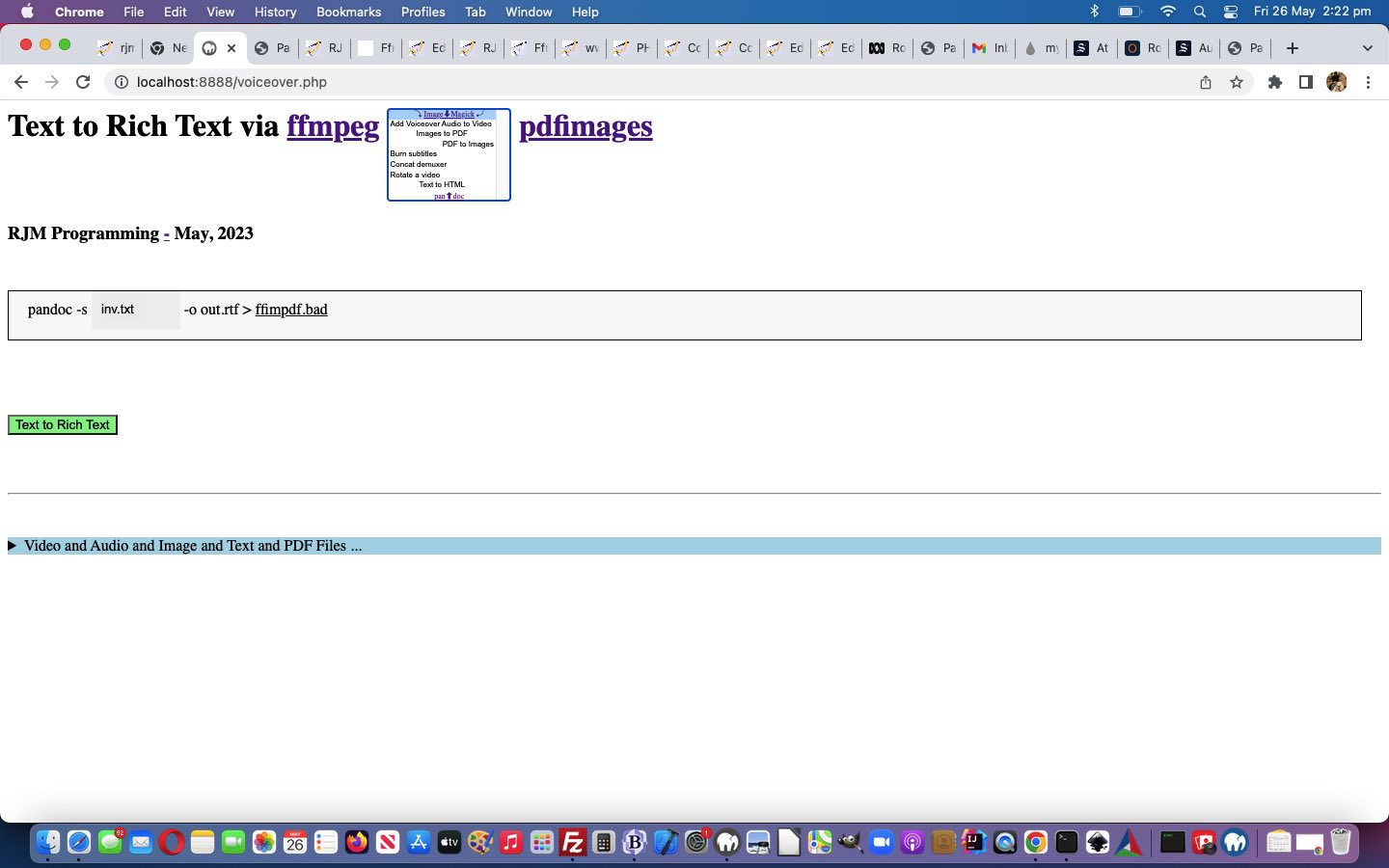
Ffmpeg and Pandoc and ImageMagick and Pdfimages Animated Dropdown Tutorial
Lemon curry?! Animated dropdown?! What gives? Well, it’s not “shelling peas”, yet!
Yes, there is another “framework” step forward we wanted to implement before the peas. And yes, no surprises there, the “framework” work relates to adding functionality to our main dropdown. We’re adding a layer of functionality we’re going to refer to as “animated dropdown”. It amounts to …
- dropdown (ie. select element) … for non-mobile …
- has size attribute equal to the number of option elements it contains
- logic wise, because our non-nothing option innerTexts have equalled option values (if you Javascript trim() the option innerText, that is), we have the opportunity to start taking more notice of the …
<?php echo ”
  function process(tv, tvo) {

    var newval='';

    var ourtv=tvo.value;

    if (tv != '') {

      ourtv=tvo.options[tvo.selectedIndex].innerText.trim();

    }

    if (origval == '') { origval=document.getElementById('mydefopt').title;  }

    if (tv == '') {

      document.getElementById('mainspan').innerHTML=document.getElementById('mydefopt').title;

    } else {

      document.getElementById('mydefopt').title=ourtv; //tv;

      document.getElementById('mainspan').innerHTML=document.getElementById('mydefopt').title;

      document.getElementById('schoices').value='';

    }

    newval=document.getElementById('mydefopt').title;

    //alert('origval,newval=' + origval + ' ' + newval);

    if (newval != origval) {

      origval=newval;

      wentfrom(origval, newval);

    } else {

      origval=newval;

    }

  }
“; ?>
… option innerHTML as above, meaning … - we can set up Javascript code facilitating the animated feel of some option innerHTML looks that are taken notice of as selected via …
Global variables arranged via each “verb” involved … for today’s “proof of concept” we add one extra Pandoc “Text to Rich Text” option, for now, before the flood of peas arrives … <?php echo ”
  var mlook=false;

  var imstr='  Images to PDF,  ', oimstr=null, kimstr=0, aimstr=[];

  var pdstr='  PDF to Images,  ', opdstr=null, kpdstr=0, apdstr=[];

  var pastr='  Text to HTML,  Text to Rich Text,', opastr=null, kpastr=0, apastr=[];

  var ffstr='  Concat demuxer,  ', offstr=null, kffstr=0, affstr=[];
“; ?>As heading title is determined at document.body onload document.getElementById(‘mainspan’).title=andthen(document.getElementById(‘schoices’).innerText.replace(/\ \;/g,’ ‘).replace(/\ \ /g,’, ‘)); … <?php echo ”
  function andthen(iidea) {

     var outidea=iidea;

     var fndpos=-1;

     var optsare=document.getElementsByTagName('option'), ioptsare=0;

     var iimstr=(imstr.indexOf(',') == -1 ? -1 : outidea.indexOf(imstr.split(',')[0].trim() + ','));

     mlook=false;

     if (iimstr != -1) {

        if ((imstr.split(',')[0].trim() + ',') != imstr.trim()) {

          if (document.getElementById('oimagemagick')) {

             oimstr=document.getElementById('oimagemagick');

             mlook=true;

             aimstr=imstr.trim().replace(/\,\ \ /g,',').replace(/\,\ /g,',').replace(/\,$/g,'').split(',');

          } else {

             for (ioptsare=0; ioptsare<optsare.length; ioptsare++) {

                if (optsare[ioptsare].value == imstr.split(',')[0].trim()) {

                  oimstr=optsare[ioptsare];

                  mlook=true;

                  aimstr=imstr.trim().replace(/\,\ \ /g,',').replace(/\,\ /g,',').replace(/\,$/g,'').split(',');

                }

             }

          }

          outidea=outidea.replace(imstr.split(',')[0].trim(), imstr.split(',')[0].trim() + '' + (imstr.replace(imstr.split(',')[0],'').trim() + ',').replace(',,',',').replace(/\,$/g,''));

        }

     }

     var ipdstr=(pdstr.indexOf(',') == -1 ? -1 : outidea.indexOf(pdstr.split(',')[0].trim() + ','));

     if (ipdstr != -1) {

        if ((pdstr.split(',')[0].trim() + ',') != pdstr.trim()) {

          if (document.getElementById('opdfimages')) {

             opdstr=document.getElementById('opdfimages');

             mlook=true;

             aipdtr=pdstr.trim().replace(/\,\ \ /g,',').replace(/\,\ /g,',').replace(/\,$/g,'').split(',');

          } else {

             for (ioptsare=0; ioptsare<optsare.length; ioptsare++) {

                if (optsare[ioptsare].value == pdstr.split(',')[0].trim()) {

                  opdstr=optsare[ioptsare];

                  mlook=true;

                  apdstr=pdstr.trim().replace(/\,\ \ /g,',').replace(/\,\ /g,',').replace(/\,$/g,'').split(',');

                }

             }

          }

          outidea=outidea.replace(pdstr.split(',')[0].trim(), pdstr.split(',')[0].trim() + '' + (pdstr.replace(imstr.split(',')[0],'').trim() + ',').replace(',,',',').replace(/\,$/g,''));

        }

     }

     var ipastr=(pastr.indexOf(',') == -1 ? -1 : outidea.indexOf(pastr.split(',')[0].trim() + ','));

     if (ipastr != -1) {

        if ((pastr.split(',')[0].trim() + ',') != pastr.trim()) {

          if (document.getElementById('opandoc')) {

             opastr=document.getElementById('opandoc');

             mlook=true;

             apastr=pastr.trim().replace(/\,\ \ /g,',').replace(/\,\ /g,',').replace(/\,$/g,'').split(',');

          } else {

             for (ioptsare=0; ioptsare<optsare.length; ioptsare++) {

                if (optsare[ioptsare].value == pastr.split(',')[0].trim()) {

                  opastr=optsare[ioptsare];

                  mlook=true;

                  apastr=pastr.trim().replace(/\,\ \ /g,',').replace(/\,\ /g,',').replace(/\,$/g,'').split(',');

                }

             }

          }

          outidea=outidea.replace(pastr.split(',')[0].trim(), pastr.split(',')[0].trim() + '' + (pastr.replace(imstr.split(',')[0],'').trim() + ',').replace(',,',',').replace(/\,$/g,''));

        }

     }

     var iffstr=(ffstr.indexOf(',') == -1 ? -1 : outidea.indexOf(ffstr.split(',')[0].trim() + ','));

     if (iffstr != -1) {

        if ((ffstr.split(',')[0].trim() + ',') != ffstr.trim()) {

          if (document.getElementById('offmpeg')) {

             offstr=document.getElementById('offmpeg');

             mlook=true;

             affstr=ffstr.trim().replace(/\,\ \ /g,',').replace(/\,\ /g,',').replace(/\,$/g,'').split(',');

          } else {

             for (ioptsare=0; ioptsare<optsare.length; ioptsare++) {

                if (optsare[ioptsare].value == ffstr.split(',')[0].trim()) {

                  offstr=optsare[ioptsare];

                  mlook=true;

                  affstr=ffstr.trim().replace(/\,\ \ /g,',').replace(/\,\ /g,',').replace(/\,$/g,'').split(',');

                }

             }

          }

          outidea=outidea.replace(ffstr.split(',')[0].trim(), ffstr.split(',')[0].trim() + '' + (ffstr.replace(imstr.split(',')[0],'').trim() + ',').replace(',,',',').replace(/\,$/g,''));

        }

     }

     if (mlook) { setInterval(eatatjoes, 8000); }

     return outidea;

  }
“; ?>
… the appeal of all this being that the dropdown height can be controlled by swapping animation for height extension (and user experience downgrades)Animated dropdown setInterval Javascript function (bit like marquee Eat at Joes type of animation (we’ll see if it gets more like it into the future, perhaps?)) … <?php echo ”
  function eatatjoes() {

     if (oimstr) {

       if (kimstr >= eval('' + aimstr.length)) {

         kimstr=0;

         oimstr.innerHTML='  ' + aimstr[kimstr];

       } else {

         oimstr.innerHTML='  ' + aimstr[kimstr];

         kimstr++;

       }

     }

     if (opdstr) {

       if (kpdstr >= eval('' + apdstr.length)) {

         kpdstr=0;

         opdstr.innerHTML='  ' + apdstr[kpdstr];

       } else {

         opdstr.innerHTML='  ' + apdstr[kpdstr];

         kpdstr++;

       }

     }

     if (opastr) {

       if (kpastr >= eval('' + apastr.length)) {

         kpastr=0;

         opastr.innerHTML='  ' + apastr[kpastr];

       } else {

         opastr.innerHTML='  ' + apastr[kpastr];

         kpastr++;

       }

     }

     if (offstr) {

       if (kffstr >= eval('' + affstr.length)) {

         kffstr=0;

         offstr.innerHTML='  ' + affstr[kffstr];

       } else {

         offstr.innerHTML='  ' + affstr[kffstr];

         kffstr++;

       }

     }

  }
“; ?>
… onto yesterday’s Ffmpeg and Pandoc and ImageMagick and Pdfimages Media Tutorial in the changed voiceover.php PHP (we’d want you to download to a local MAMP Apache web server’s Document Root folder and which you can run that PHP there).
Previous relevant Ffmpeg and Pandoc and ImageMagick and Pdfimages Media Tutorial is shown below.
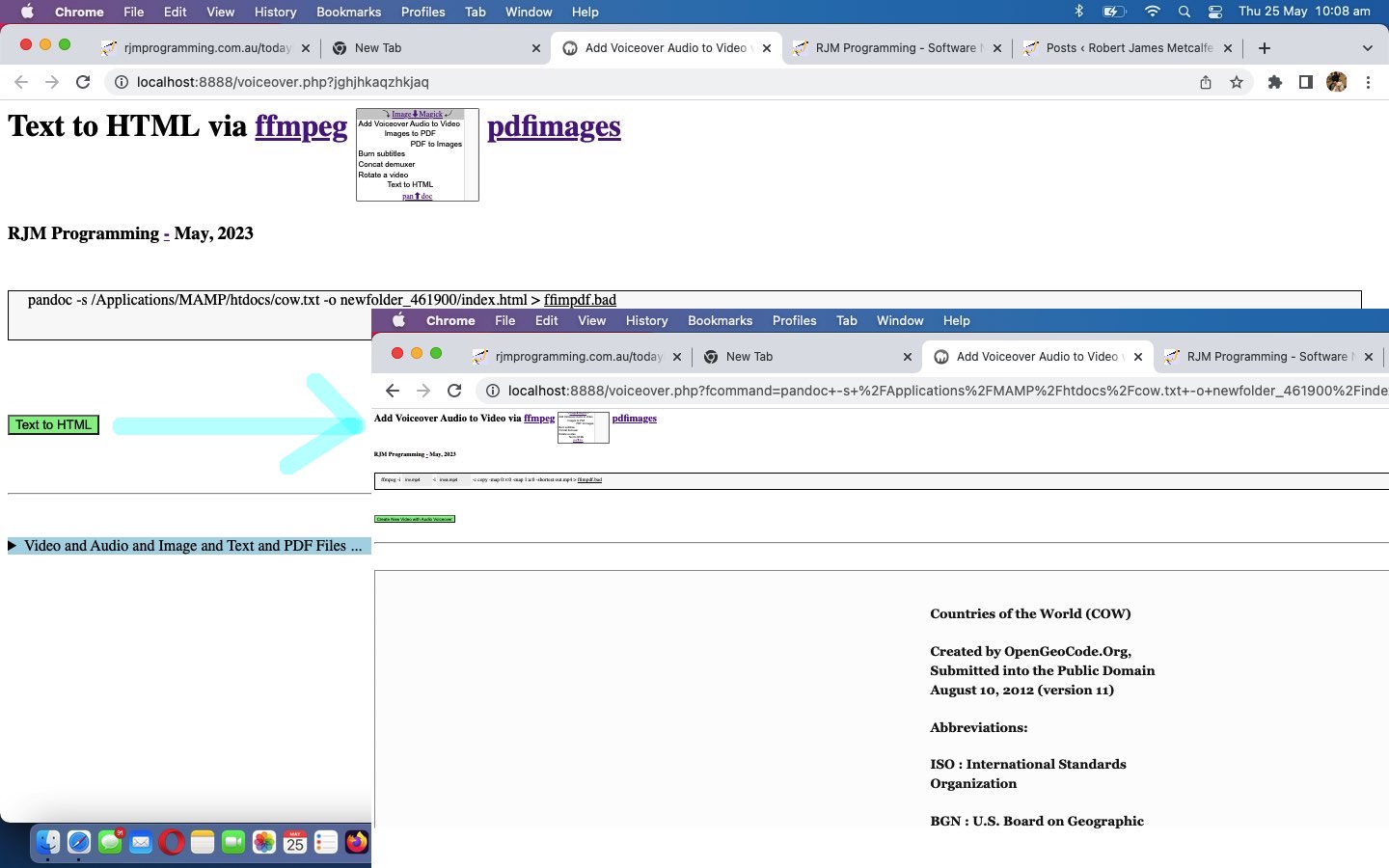
Ffmpeg and Pandoc and ImageMagick and Pdfimages Media Tutorial
Onto yesterday’s Ffmpeg and ImageMagick and Pdfimages Media Tutorial …
- ffmpeg … two more media manipulation “verb” stars today …
- ImageMagick (can help us with new “Images to PDF” option)
- pdfimages (can help us with new “PDF to Images” option) … “verb” collection, today, we wanted to add …
- pandoc (can help us with new “Text to HTML” option) …
If you need to convert files from one markup format into another, pandoc is your swiss-army knife.
… to help improve the “one stop shop” aspects, especially regarding “documents”, to our current Intranet feeling web application in the changed voiceover.php PHP (we’d want you to download to a local MAMP Apache web server’s Document Root folder and which you can run that PHP there).
Previous relevant Ffmpeg and ImageMagick and Pdfimages Media Tutorial is shown below.
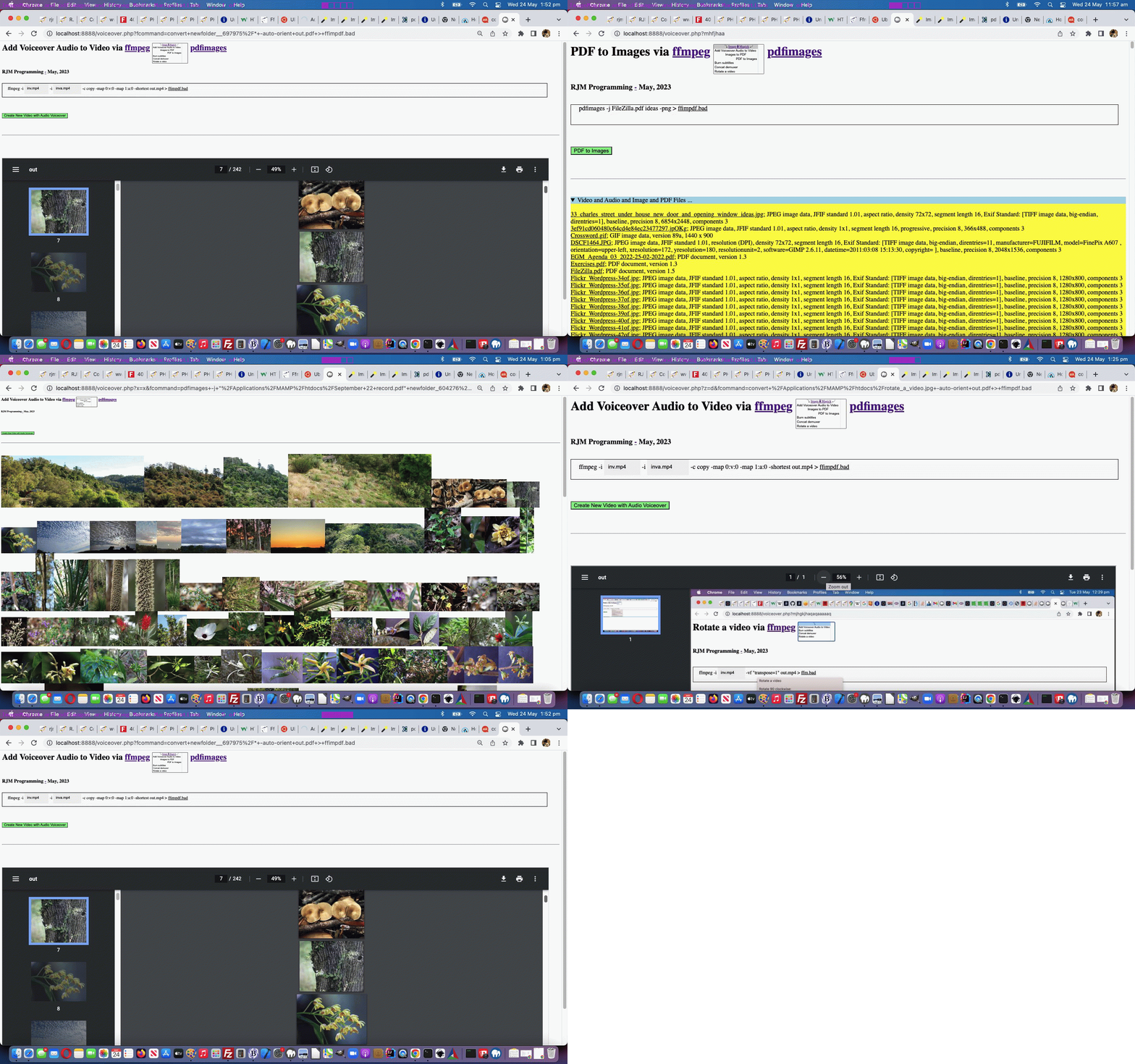
Ffmpeg and ImageMagick and Pdfimages Media Tutorial
Yesterday’s Ffmpeg Rotate Video Tutorial left you with …
We now present those four in “an expanded out” (at least on non-mobile) dropdown HTML element. Maybe you can guess why?
… and today we are deploying the framework parts and two new media manipulation options regarding PDF that add to our PHP web application’s functionality.
Operating system commands can be thought of to start with …
- an action item (to be precise a desktop software file specification) … and, what we often think is, like …
- the command’s “verb” part (as funny as that is to think of a “noun” sounding desktop software file specification being like a “verb”) … verbs being action items in a sentence … down to being essential in any sentence … to the point a “verb” can be the whole sentence
We want to add functionality by adding to our first “verb” …
- ffmpeg … two more media manipulation “verb” stars today …
- ImageMagick (can help us with new “Images to PDF” option)
- pdfimages (can help us with new “PDF to Images” option)
… and to help the “framework” ahead of “shelling peas” we lean on the experience we got from the Animated GIF Creation on Windows MAMP via PDF Tutorial thread of blog postings to deal with …
- software paths
- presenting two new “verb” ideas … and us being so fond of dropdowns, we decided to try, for our first time …
- start to use three HTML option CSS text-align style choices being left (for ffmpeg), center (for ImageMagick) and right (for pdfimages) … as in …
… within …Add Voiceover Audio to Video via ffmpeg pdfimages
…
<select size=7 onchange=process(this.value,this); style=display:inline-block;font-size:8px; id=schoices><option style=text-align:center; id=mydefopt title='Add Voiceover Audio to Video' value=''>⤵ Image⬇Magick ⤶</option><option value='Add Voiceover Audio to Video'> Add Voiceover Audio to Video </option><option style='text-align:center;' value='Images to PDF'> Images to PDF</option><option style='text-align:right;' value='PDF to Images'> PDF to Images</option><option value='Burn subtitles'> Burn subtitles</option><option value='Concat demuxer'> Concat demuxer</option><option value='Rotate a video'> Rotate a video</option></select>
… and then in order to offer the “center” ImageMagick be a link back to the product we introduce some new overlay code …
<?php echo ”
  function overlay() {

   origval=document.getElementById('schoices').value;

   var rect=document.getElementById('fcommand').getBoundingClientRect();

   document.getElementById('moreb').style.position='absolute';

   document.getElementById('moreb').style.left='' + rect.left + 'px';

   document.getElementById('moreb').style.top='' + rect.top + 'px';

   document.getElementById('moreb').style.width='96%'; //' + rect.width + 'px';

   document.getElementById('moreb').style.height='' + rect.height + 'px';

   document.getElementById('moreb').style.border='1px solid black';

   document.getElementById('moreb').style.paddingLeft='20px';

   document.getElementById('moreb').style.backgroundColor='#f9f9f9';

   document.getElementById('fcommand').style.opacity='0.0';

   document.getElementById('fcommand').style.cursor='pointer';

   document.getElementById('moreb').innerHTML='<span id=precmds></span><span id=verb>ffmpeg" . $ffmpegsuf . "</span> <span id=prescbi></span><span id=minusi> -i </span><span id=scbi><iframe onload=checkif(this,\"inv.mp4\"); scrolling=no frameborder=0 id=cbi data-type=file data-value=inv.mp4 data-accept=\"video/*\" style=\"display:inline-block;height:40px;width:92px;vertical-align:middle;\" src=\"/HTMLCSS/client_browsing.htm?d=69075964842271&left=y\"></iframe></span> <span id=betweenis></span> <span id=secondi>-i <span id=scbix><iframe onload=checkiftwo(this,\"inva.mp4\"); scrolling=no frameborder=0 id=cbix data-type=file data-value=inva.mp4 data-accept=\"video/*\" style=\"display:inline-block;height:40px;width:106px;vertical-align:middle;\" src=\"/HTMLCSS/client_browsing.htm?d=69075964842271&right=y\"></iframe></span></span> <span id=sswitches>-c copy -map 0:v:0 -map 1:a:0 -shortest</span> out.mp4 > <a target=_blank title=ffimpdf.bad onclick=getvb(); style=cursor:pointer;text-decoration:underline; data-href=./ffimpdf.bad>ffimpdf.bad</a>';

   if (firstdivih == '') { firstdivih=document.getElementById('moreb').innerHTML; }

   if (firstbutval == '') { firstbutval=document.getElementById('mysub').value; }

   document.getElementById('schoices').style.display='inline-block';


   rect=document.getElementById('schoices').getBoundingClientRect();


   if (eval('' + rect.height) > 100 || 1 == 1) {

   document.getElementById('doverlay').style.position='absolute';

   document.getElementById('doverlay').style.left='' + rect.left + 'px';

   document.getElementById('doverlay').style.top='' + rect.top + 'px';

   document.getElementById('doverlay').style.width='' + rect.width + 'px';

   if (eval('' + rect.height) < 30) {

   document.getElementById('doverlay').style.height='' + rect.height + 'px';

   } else {

   document.getElementById('doverlay').style.height='' + eval(eval('' + rect.height) / eval('' + document.getElementById('schoices').size)) + 'px';

   }

   document.getElementById('doverlay').style.zIndex='96';

   document.getElementById('doverlay').style.textAlign='center';

   document.getElementById('doverlay').style.display='block';

   document.getElementById('doverlay').title=document.getElementById('mydefopt').title;

   //document.getElementById('mydefopt').style.fontColor='transparent';

   document.getElementById('mydefopt').innerHTML='';

   setInterval(fhoc, 1000);

   }


  }


  function fhoc() {

   var rectx=document.getElementById('schoices').getBoundingClientRect();

   document.getElementById('doverlay').style.left='' + rectx.left + 'px';

   document.getElementById('doverlay').title=document.getElementById('mydefopt').title;

   if (document.getElementById('scbi')) {

     if (document.getElementById('scbi').innerHTML.indexOf('<') == -1) {

      if (document.getElementById('scbi').innerHTML.trim().indexOf(' ') != -1) {

        if (document.getElementById('scbi').innerHTML.trim().indexOf(String.fromCharCode(34)) == -1) {

          document.getElementById('scbi').innerHTML=String.fromCharCode(34) + document.getElementById('scbi').innerHTML.trim() + String.fromCharCode(34);

        }

      }

     }

   }

   if (document.getElementById('scbix')) {

     if (document.getElementById('scbix').innerHTML.indexOf('<') == -1) {

      if (document.getElementById('scbix').innerHTML.trim().indexOf(' ') != -1) {

        if (document.getElementById('scbix').innerHTML.trim().indexOf(String.fromCharCode(34)) == -1) {

          document.getElementById('scbix').innerHTML=String.fromCharCode(34) + document.getElementById('scbix').innerHTML.trim() + String.fromCharCode(34);

        }

      }

     }

   }

  }
“; ?>
- start to use three HTML option CSS text-align style choices being left (for ffmpeg), center (for ImageMagick) and right (for pdfimages) … as in …
- Javascript to set up the HTML div contenteditable=true look for these two new options …
<?php echo ”
    if (newv == 'PDF to Images') {

       document.getElementById('moreb').innerHTML=firstdivih.replace(' out.mp4',' " . $minuspng . "');

       document.getElementById('secondi').innerHTML='';

       document.getElementById('sswitches').innerHTML=\"<span id=sfolder contenteditable=false>newfolder_" . rand(0,784534) . str_replace("\\","\\\\",$ddn) . "\" + '</span>ideas';


       document.getElementById('precmds').innerHTML=' ';

       document.getElementById('verb').innerHTML='" . $pdfimages . $pdfimagessuf . "';

       document.getElementById('scbi').innerHTML=document.getElementById('scbi').innerHTML.replace(/inv\.mp4/g,'inv.pdf      ');

       document.getElementById('minusi').innerHTML=' -j ';


       document.getElementById('mysub').value=newv;

    } else if (newv == 'Images to PDF') {

       document.getElementById('moreb').innerHTML=firstdivih.replace('out.mp4','out.pdf');


       document.getElementById('precmds').innerHTML=' ';

       document.getElementById('secondi').innerHTML='';

       document.getElementById('verb').innerHTML='" . $magickverb . $magicksuf . "';

       document.getElementById('sswitches').innerHTML='-auto-orient';

       document.getElementById('sswitches').title='To perform a folder of images (only, we suggest) right click or two finger guesture to left and enter the folder name only';

       document.getElementById('scbi').innerHTML=document.getElementById('scbi').innerHTML.replace(/inv\.mp4/g,'inv.jpg      ');

       document.getElementById('minusi').innerHTML='';

       document.getElementById('scbi').setAttribute('contenteditable', true);

       document.getElementById('scbi').onblur=function(event) {  if (document.getElementById('mydefopt').title == 'Images to PDF') {  if (event.target.innerHTML.replace(/\ \;/g,' ').trim() == '') { event.target.innerHTML='folder' + \"" . str_replace("\\","\\\\",$ddn) . "*\";  } if (event.target.innerHTML.toLowerCase().indexOf('.txt') == -1) {  if (event.target.innerHTML.indexOf('.') != -1) { document.getElementById('ifs').innerHTML+='<iframe id=voaskfor' + ifile + ' style=display:none; src=\"./voiceover.php?infilegetsize=' + encodeURIComponent(listtxt + ';' + event.target.innerHTML) + '\"></iframe>';  ifile++;    if (document.getElementById('moreb').title.indexOf(\"file '\" + event.target.innerHTML.replace(String.fromCharCode(34),'').replace(String.fromCharCode(34),'') + \"'\") == -1) {     document.getElementById('moreb').title+=String.fromCharCode(10) + \"file '\" + event.target.innerHTML.replace(String.fromCharCode(34),'').replace(String.fromCharCode(34),'') + \"'\"; } } } event.target.innerHTML=listtxt; if (document.getElementById('minusi')) { document.getElementById('minusi').innerHTML='';  }  }  };

       document.getElementById('moreb').onblur=function(event) {  if (document.getElementById('mydefopt').title == 'Images to PDF') { if (document.getElementById('minusi')) { var thingos=document.getElementById('minusi').innerHTML.replace(/\ \;/g,' ').trim().split('-i '); if (thingos.length > 1) { if (thingos[1].trim() != '' && (thingos[1] + '~').toLowerCase().indexOf('.txt~') == -1) { spanfill(thingos[1]); }  } document.getElementById('minusi').innerHTML='';  }  if (!document.getElementById('scbi')) { event.target.innerHTML=event.target.innerHTML.replace('<span id=\"between', '<span id=scbi contenteditable=true>' + listtxt + '</span> <span id=\"between');  putbackonblur(); if (event.target.innerHTML.indexOf('> -i </span><span id=\"scbi\"') == -1) { event.target.innerHTML=event.target.innerHTML.replace('</span>' + event.target.innerHTML.split('<span id=\"scbi\"')[0].split('</span>')[-1 + eval(event.target.innerHTML.split('<span id=\"scbi\"')[0].split('</span>').length)],'</span>');   } } }  };

       document.getElementById('moreb').oncontextmenu=function(event) { document.getElementById('scbi').innerHTML='folder' + \"" . str_replace("\\","\\\\",$ddn) . "*\"; };


       document.getElementById('mysub').value=newv;

    }
“; ?> - the performing of those two new “verb” ideas …
<?php
   $pfolder='';

   $ppdf='';


   // ... later ...

   $cmdis=str_replace('+',' ',urldecode($_GET['fcommand']));

   if (PHP_OS =='WINNT' || PHP_OS =='WIN32' || PHP_OS =='Windows') {

     if ($ffmpegpre != '' && strpos($cmdis, 'ffmpeg.') !== false && strpos($cmdis, $ffmpegpre) === false) {

       $cmdis=str_replace('ffmpeg.', $ffmpegpre . 'ffmpeg.', $cmdis);

     }

     if ($magickpre != '' && strpos($cmdis, $magickverb . '.') !== false && strpos($cmdis, $magickpre) === false) {

       $cmdis=str_replace($magickverb . '.', $magickpre . $magickverb . '.', $cmdis);

     }

     if ($pdfimagespre != '' && strpos($cmdis, 'pdfimages.') !== false && strpos($cmdis, $pdfimagespre) === false) {

       $cmdis=str_replace('pdfimages.', $pdfimagespre . 'pdfimages.', $cmdis);

     }

   }


   $precmd=explode('>', $cmdis);

   if (strpos($cmdis, 'pdfimages') !== false && strpos($cmdis, 'newfolder_') !== false) {

     $pfolder='newfolder_' . explode(DIRECTORY_SEPARATOR, explode('newfolder_', $cmdis)[1])[0];

     $beforep=explode($pfolder, $cmdis)[0];

     $afterp=explode($pfolder, $cmdis)[1];

     while (file_exists($pfolder)) {

       $pfolder='newfolder' . '_' . explode('newfolder', $pfolder)[1];

       $cmdis=$beforep . $pfolder . $afterp;

     }

     if (!file_exists($pfolder)) { mkdir($pfolder); }

   }


   // ... later ...

      $outf=$subcmd[1];

   // ... later ...

      if (strpos(strtolower(trim($outf) . '~'), '.pdf~') !== false) {

        $ppdf=trim($outf);

      }


   // ... later ...

   $rs=shell_exec($cmdis);


   // ... later ...

   if ($pfolder != '') {

     $rs.="<br><br>";

     foreach (glob($pfolder . DIRECTORY_SEPARATOR . '*.*') as $ifilename) {

       $rs.='<img title="' . $ifilename . '" src="' . $ifilename . '?rand=' . rand(0,7654532) . '"></img>';

     }

   }

   if ($ppdf != '') {

     $outf='';

     $rs.="<br><br><iframe style='width:98%;height:800px;' src='" . $ppdf . "?rand=" . rand(0,7654532) . "' title='" . $ppdf . "'></iframe>";

   }
?>
… in the changed voiceover.php PHP (we’d want you to download to a local MAMP Apache web server’s Document Root folder and which you can run that PHP there).
Previous relevant Ffmpeg Rotate Video Tutorial is shown below.
Ffmpeg Rotate Video Tutorial
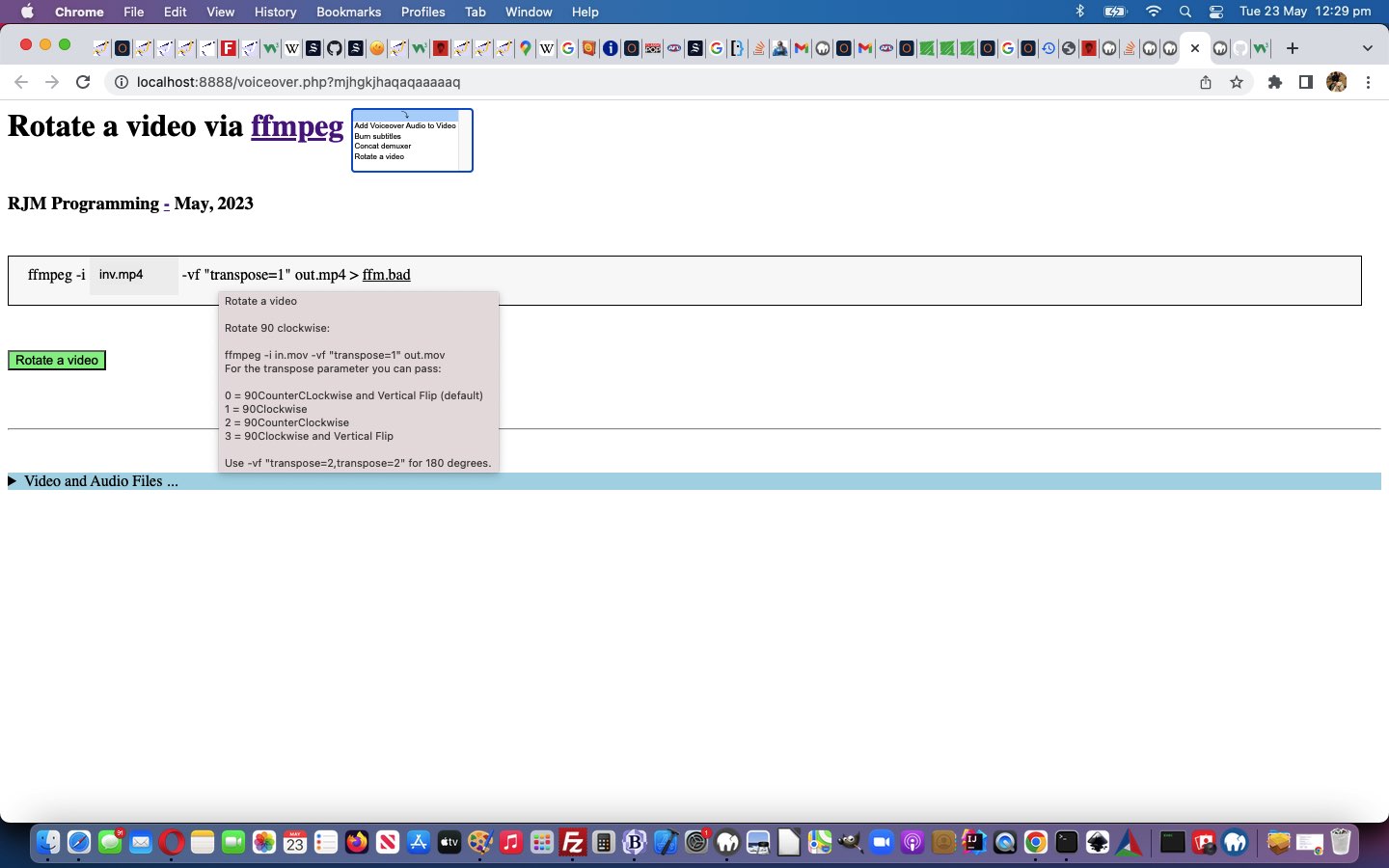
It’s getting closer to “shelling peas”, are today’s “Rotate a video via ffmpeg” changes, but we are not there yet. Yes, most programmers want to be “shelling peas” adding functionality to web applications, once they have set up a framework in which they are happy to work. Yesterday’s Ffmpeg Concat Demuxer Tutorial “defence talk” is getting us closer to that “shelling peas” “homeostasis feel” (with an “Intranet” pike, no doubt?!) as you can see from a Javascript “Rotate a video” code snippet below …
<?php echo ”
if (newv == 'Rotate a video') {

       document.getElementById('moreb').innerHTML=firstdivih;


       document.getElementById('precmds').innerHTML=' ';

       document.getElementById('secondi').innerHTML='';


       document.getElementById('sswitches').innerHTML='<span id=notranspose contenteditable=false>-vf \"transpose=</span><span id=transpose contenteditable=true>1</span><span id=nottranspose contenteditable=false>\" </span>';

       document.getElementById('sswitches').title='" . str_replace("\n", "' + String.fromCharCode(10) + '",$rotateadvice) . "';

       document.getElementById('sswitches').oncontextmenu=function(event) { alert(event.target.title); };


       document.getElementById('mysub').value=newv;

}
“; ?>
… effectively straightjacketing the crucial …
-vf "transpose=1"
… ffmpeg switch definition, by the user, to changing that 1 above as per the hover over advice, to help the user, straight from Mux Video and Audio from another Video, thanks, to advise …
<?php
$rotateadvice="Rotate a video


Rotate 90 clockwise:


ffmpeg -i in.mov -vf \"transpose=1\" out.mov

For the transpose parameter you can pass:


0 = 90CounterCLockwise and Vertical Flip (default)

1 = 90Clockwise

2 = 90CounterClockwise

3 = 90Clockwise and Vertical Flip


Use -vf \"transpose=2,transpose=2\" for 180 degrees.";
?>
Yes, the user can still put a bad entry there, but at least the web application has attempted to point them in the right direction, here.
If you examine the changes the changed voiceover.php PHP (we’d want you to download to a local MAMP Apache web server’s Document Root folder and which you can run that PHP there), am sure that you will concur …
- Concat demuxer concatenation of videos ffmpeg functionality, onto the “as of yesterday” …
- Voiceovers … and …
- Burn subtitles
- Rotate a video
… was the simplest functionality component, yet, of the four. We now present those four in “an expanded out” (at least on non-mobile) dropdown HTML element. Maybe you can guess why?
Previous relevant Ffmpeg Concat Demuxer Tutorial is shown below.
Ffmpeg Concat Demuxer Tutorial
Onto yesterday’s Ffmpeg Burn Subtitles Tutorial work we’re still not up to “shelling any peas” adding in …
- Concat demuxer concatenation of videos ffmpeg functionality, onto the “as of yesterday” …
- Voiceovers … and …
- Burn subtitles
… progress.
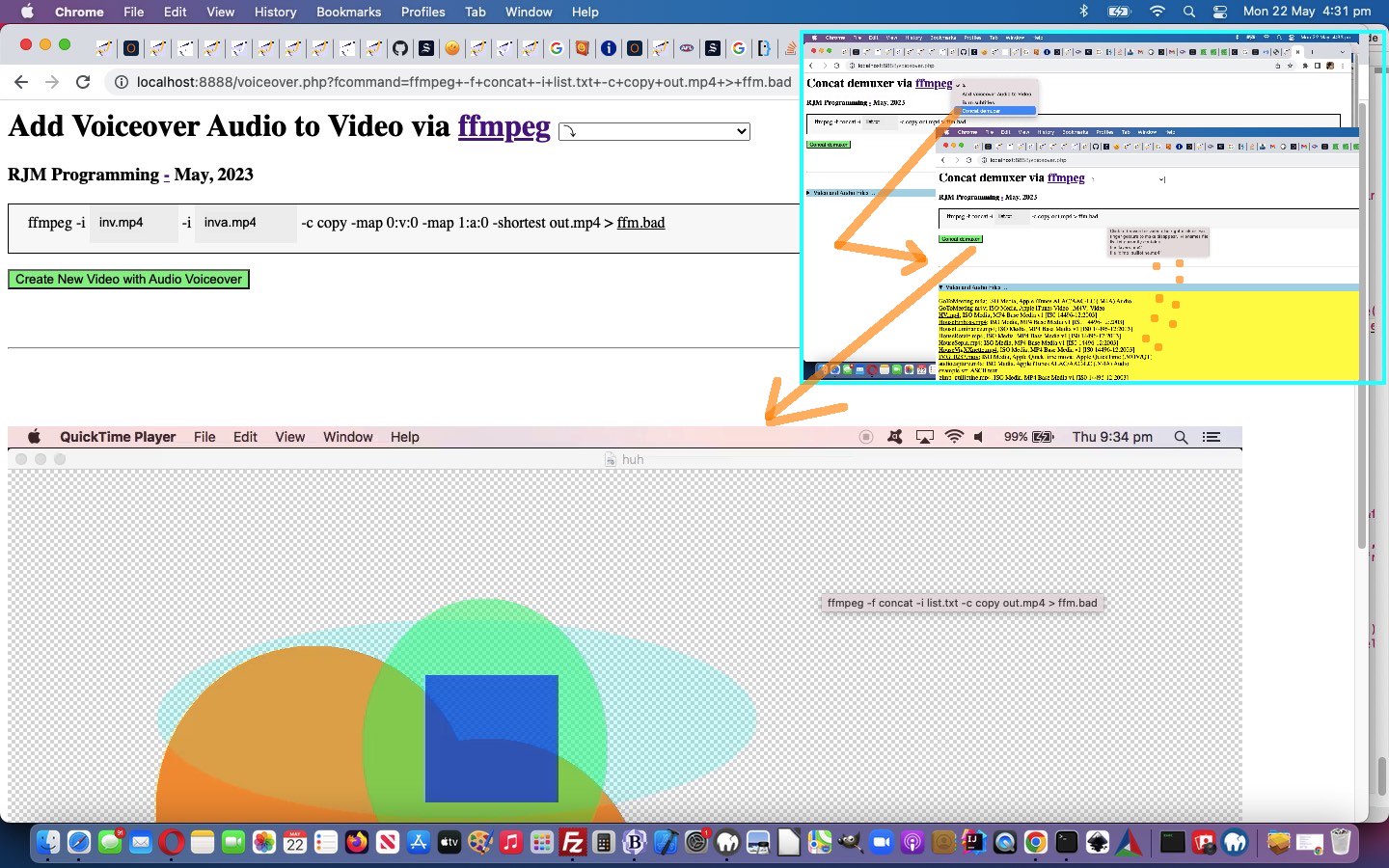
What’s different this time? Well, ffmpeg works the command, we again thank Mux Video and Audio from another Video for (regarding “the plan”), using an interim file …
Concat demuxer
First, make a text file.
file ‘in1.mp4’
file ‘in2.mp4’
file ‘in3.mp4’
file ‘in4.mp4’
Then, run ffmpeg :
ffmpeg -f concat -i list.txt -c copy out.mp4
… and for File API browsing (with our, once again, tweaked inhouse client_browsing.htm) there will be a delay, deriving the file path in “second call PHP”. We handle this by writing two new Javascript functions …
<?php echo ”
  var ifile=0, ibfile=0;


  function takeoffone() {

    ibfile--;

    if (ibfile <= 0) {

      document.getElementById('mysub').style.cursor='pointer';

    } else {

      document.getElementById('mysub').style.cursor='progress';

    }

  }


  function organizefilenamesize(fn, fs) {

    document.getElementById('ifs').innerHTML+='<iframe id=voaskfor' + ifile + ' style=display:none; src=\"./voiceover.php?concat=' + encodeURIComponent('list.txt') + '&filename=' + encodeURIComponent(fn) + '&haveasleep=' + eval(3 * eval('' + ifile)) + '&filesize=' + fs + '\"></iframe>';

    if (ibfile == 0) {

      document.getElementById('mysub').style.cursor='progress';

    }

    ifile++;

    ibfile++;

    if (document.getElementById('moreb').title.indexOf(\"file '\" + fn.replace(String.fromCharCode(34),'').replace(String.fromCharCode(34),'') + \"'\") == -1) {

    document.getElementById('moreb').title+=String.fromCharCode(10) + \"file '\" + fn.replace(String.fromCharCode(34),'').replace(String.fromCharCode(34),'') + \"'\";

    }

  }
“; ?>
… available to call from child iframes via parent.takeoneoff(); (from voiceover.php second PHP call) and parent.organizefilenamesize(files[ij].name, files[ij].size); (from client_browsing.htm) respectively, to facilitate a progress cursor on the submit button to remind the user we’d like more time. Along the way, too, we found …
ffmpeg -f concat -safe 0 -i list.txt -c copy out.mp4
… thanks to the excellent advice we found at this webpage.
You can see this work in the changed voiceover.php PHP (we’d want you to download to a local MAMP Apache web server’s Document Root folder and which you can run that PHP there).
Did you know?
Just like the use of …
- div contenteditable=true
- spanizing within that div
- innerText
… are the SpongeBob, Patrick, and Squidward of the online woooorrrrllllddd, in an “offence” line of “piecing together an operating system command” thinking, thinking “defence” regarding this we added one (we were pleasantly surprised to discover worked, so as) to have …
- div contenteditable=true
- spanizing within that div
- innerText
- mask off parts the programmer wants left untouched via span contenteditable=false
… being like the Hall and Oates meets Everything But the Girl (on a yacht, of course) step back into the ’80s!
Take a look at some tweaks …
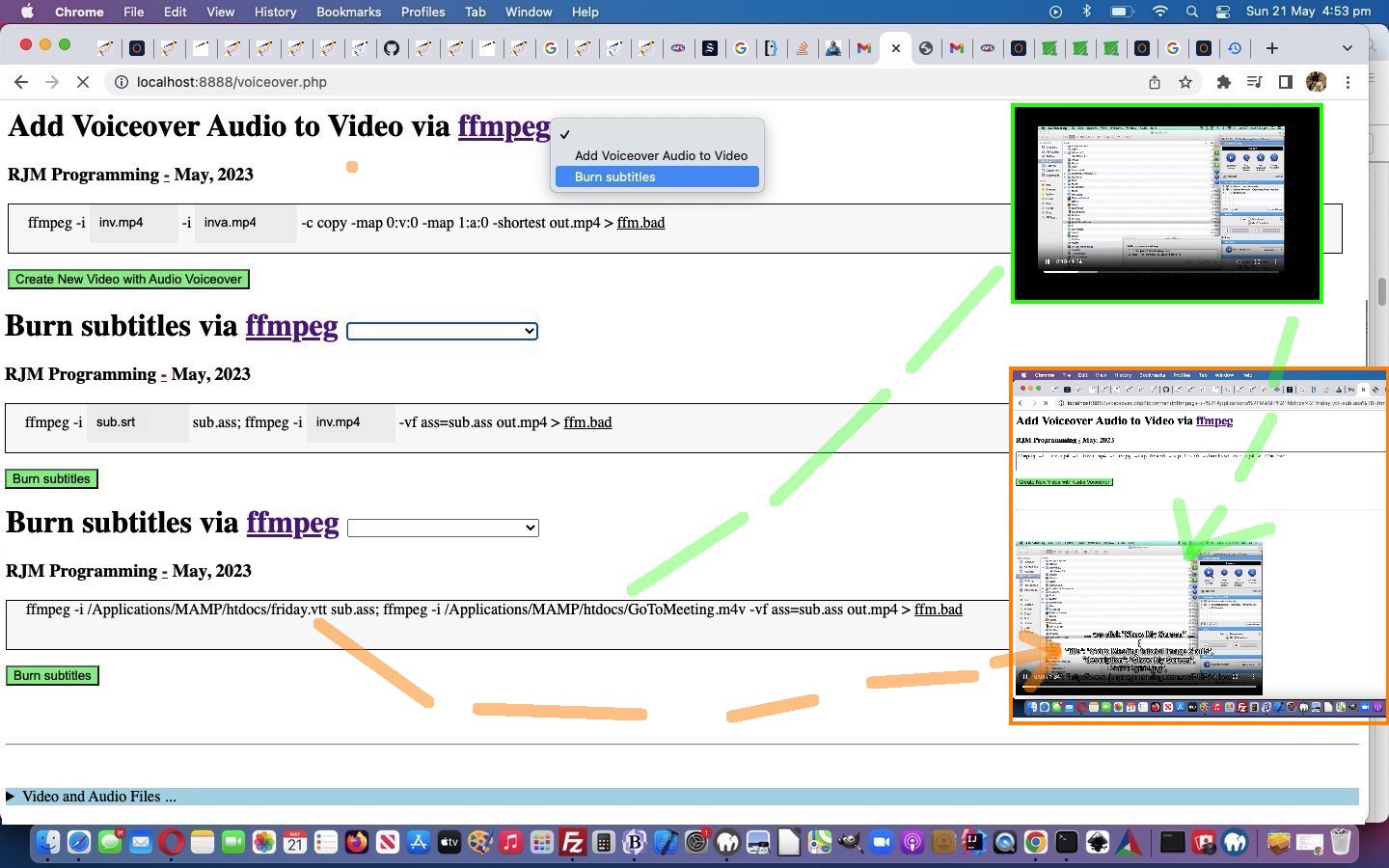
   if (newv == 'Burn subtitles') {

       document.getElementById('moreb').innerHTML=firstdivih;

       //document.getElementById('precmds').innerHTML=document.getElementById('verb').innerHTML + ' ' + document.getElementById('secondi').innerHTML.replace(/inva\.mp4/g,'sub.srt      ') + ' sub.ass; ';

       document.getElementById('precmds').innerHTML=document.getElementById('verb').innerHTML + ' ' + document.getElementById('secondi').innerHTML.replace(/inva\.mp4/g,'sub.srt      ') + ' <span id=subass contenteditable=false>sub.ass;</span> ';

       document.getElementById('secondi').innerHTML='';

       //document.getElementById('sswitches').innerHTML='-vf ass=sub.ass';

       document.getElementById('sswitches').innerHTML='-vf<span id=asssubass contenteditable=false> ass=sub.ass </span>';

       document.getElementById('mysub').value=newv;

    }
… in a “Burn subtitles” relevant Javascript code snippet.
Previous relevant Ffmpeg Burn Subtitles Tutorial is shown below.
Ffmpeg Burn Subtitles Tutorial
The initial inspiration for this current ffmpeg themed series of blog posting was, and still is, Mux Video and Audio from another Video, thanks. So many great ideas, we found, that today we add onto the …
- first idea of Voiceovers we’ve established to work with MAMP in macOS and Windows over the previous days, allowing us to now think to add a first suboption idea of …
- Burn subtitles … as per our link’s …
Burn subtitles
Use the libass library (make sure your ffmpeg install has the library in the configuration –enable-libass).
First convert the subtitles to .ass format:
ffmpeg -i sub.srt sub.ass
Then add them using a video filter:
ffmpeg -i in.mp4 -vf ass=sub.ass out.mp4
… as a useful video piece of functionality we’d say.
To get this going, easily (from a programming perspective) …
- our textarea element remains as the form conduit to the ffmpeg command via the onsubmit event final analysis of the …
- underlying div contenteditable=true is “spanned” up a lot more as per …
<?php echo ”
document.getElementById('moreb').innerHTML='<span id=precmds></span><span id=verb>ffmpeg" . $ffmpegsuf . "</span> -i <span id=scbi><iframe onload=checkif(this,\"inv.mp4\"); scrolling=no frameborder=0 id=cbi data-type=file data-value=inv.mp4 data-accept=\"video/*\" style=\"display:inline-block;height:40px;width:92px;vertical-align:middle;\" src=\"/HTMLCSS/client_browsing.htm?d=9075964842271&left=y\"></iframe></span> <span id=betweenis></span> <span id=secondi>-i <span id=scbix><iframe onload=checkiftwo(this,\"inva.mp4\"); scrolling=no frameborder=0 id=cbix data-type=file data-value=inva.mp4 data-accept=\"video/*\" style=\"display:inline-block;height:40px;width:106px;vertical-align:middle;\" src=\"/HTMLCSS/client_browsing.htm?d=9075964842271&right=y\"></iframe></span></span> <span id=sswitches>-c copy -map 0:v:0 -map 1:a:0 -shortest</span> out.mp4 > <a target=_blank title=ffm.bad onclick=getvb(); style=cursor:pointer;text-decoration:underline; data-href=./ffm.bad>ffm.bad</a>';
“; ?>
… and at the onsubmit event Javascript the innerText attribute usage makes it fairly easy to say …
<?php echo ”
  function mergechanges() {

     if (document.getElementById('scbi').innerHTML.indexOf('<') == -1) {

       if (document.getElementById('precmds').innerHTML != '') {

       document.getElementById('fcommand').value=document.getElementById('moreb').innerText;

       } else {

       document.getElementById('fcommand').value=document.getElementById('fcommand').value.replace(' inv.mp4 ', ' ' + document.getElementById('scbi').innerHTML + ' ');

       }

       //alert('not oops ' + document.getElementById('fcommand').value);

     } //else {

       //alert('oops');

     //}

     if (document.getElementById('scbix').innerHTML.indexOf('<') == -1) {

       //alert('zoops');

       document.getElementById('fcommand').value=document.getElementById('fcommand').value.replace(' inva.mp4 ', ' ' + document.getElementById('scbix').innerHTML + ' ');

     }

     if (document.getElementById('moreb').innerText.indexOf(' -c ') != -1 && document.getElementById('fcommand').value.indexOf(' -c ') != -1) {

      //alert('azoops');

      if (document.getElementById('moreb').innerText.split(' -c ')[1] != document.getElementById('fcommand').value.split(' -c ')[1]) {

       //alert('bzoops');

       document.getElementById('fcommand').value=document.getElementById('fcommand').value.split(' -c ')[0] + ' -c ' + document.getElementById('moreb').innerText.split(' -c ')[1];

      }

     }

     return true;

  }
“; ?>
… to slice through that “span” complexity like margarine (or butter that’s been left out on a hot day for approximately 7 hours 17 minutes 23 seconds)
And so, onto yesterday’s Ffmpeg Improved Windows Media Browsing Tutorial feel free to see this in the changed voiceover.php PHP (we’d want you to download to a local MAMP Apache web server’s Document Root folder and which you can run that PHP there).
Previous relevant Ffmpeg Improved Windows Media Browsing Tutorial is shown below.
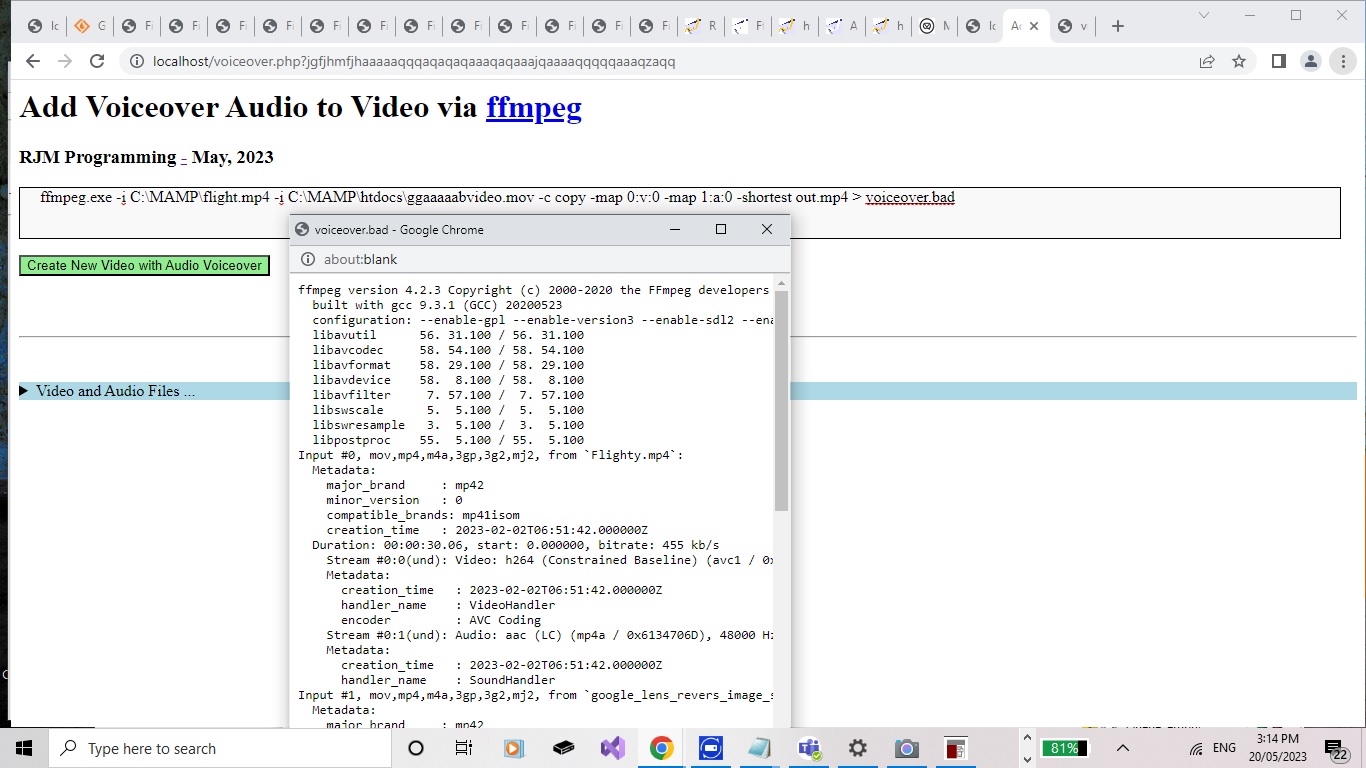
Ffmpeg Improved Windows Media Browsing Tutorial
Yesterday’s Ffmpeg Mux Video and Audio Windows Media Browsing Tutorial taught us a lesson, as a side issue, that what we said when we presented Animated GIF Creation on Windows MAMP via PDF Tutorial …
No matter how we tried, we could not get a Windows command line command like …
forfiles /P "[PathToFileBestGuess]" /S /M "[FileBaseName]" /C "cmd /c echo @path@fsize" | find "[FileSizeInBytes]"
… to work out a file path when supplied a file base name and a file size and you call as above with starting folders. That works well (for deriverability (if that is a word!)) in the “cmd” window but not when called under the auspices of PHP exec or shell_exec. It could be that you lose a lot of a Windows user environment when asking PHP to do some operating system work.
… was “only partially” the story. We found out that that ” | find ” command piping could cause problems on Windows MAMP using shell_exec or exec to do some operating system functionality. But before your enthusiasm oozes over the edges, Windows “forfiles” is still very hard to get working with PHP shell_exec or exec, even using PHP to perform that ” | find ” filtering of results.
However, on revisiting the issue in the changed voiceover.php PHP (we’d want you to download to a local MAMP Apache web server’s Document Root folder and which you can run that PHP there) there were dual purpose motivations going on, for us, because our changed animated GIF creator PHP tutorial_to_animated_gif.php (that if you download to MAMP would best go to Document Root PHP/animegif folder along with the wonderful GIFEncoder.class.php … thanks) inhouse animated GIF creator web application and the changed PDF parts to animated GIF creation helper php_calls_pdfimages.php (also a standalone proposition) PHP code could be fixed up at the same time, with a new PHP ourshell_exec function interventional code snippet up at the top …
<?php
function ourshell_exec($onea, $twoa = NULL, $threea = NULL) {

   $folder='';

   $pattern='';

   $size='';

   $filesa=[];

   if (PHP_OS =='WINNT' || PHP_OS =='WIN32' || PHP_OS =='Windows' || (strpos(('~@!' . $onea), '~@!forfiles /P "') !== false && strpos(('~@!' . $onea), '/M "') !== false && strpos(('~@!' . $onea), 'find "') !== false)) {

     $folder=explode('"', explode('forfiles /P "', $onea)[1])[0]; // . substr(DIRECTORY_SEPARATOR . DIRECTORY_SEPARATOR, 0, 1);

     if (7 == 7) {

       $folder=explode('"', explode('forfiles /P "', $onea)[1])[0]; // . substr(DIRECTORY_SEPARATOR . DIRECTORY_SEPARATOR, 0, 1);

       $pattern=explode('"', explode('/M "', $onea)[1])[0];

       $size=explode('"', explode('find "', $onea)[1])[0];

       $thiscmd=trim(explode(" | find ", $onea)[0]);

       if (strpos($pattern, ' ') === false) {  $thiscmd=str_replace('/M "' . $pattern . '"', '/M ' . $pattern, $thiscmd);  }

       if (strpos($folder, ' ') === false) {  $thiscmd=str_replace('/P "' . $folder . '"', '/P ' . $folder, $thiscmd);  }

       if (strpos($thiscmd, '"cmd /c ') !== false && substr($thiscmd,-1,1) != '"') { $thiscmd.='"'; }

       if (strpos($thiscmd, "/P C:\\ ") !== false) {

            if (strpos($thiscmd, "/P C:\\ ") !== false) {

                     if (strpos($pattern, " ") === false) {

                            $thiscmd="DIR C:\\" . $pattern . " /S /-C";

                     } else {

                            $thiscmd="DIR \"C:\\" . $pattern . "\" /S /-C";

                     }

            }

       }

//file_put_contents('xxx.xxx',file_get_contents('xxx.xxx'). "\n" . '' . $size . ' ' . $thiscmd);

       $nofind=shell_exec($thiscmd . ' 2> nul');


//file_put_contents('xxxx.xxxx',file_get_contents('xxxx.xxxx'). "\n" . '' . $size . ' ' . $nofind);

//exit;

       $findings=explode("\n", $nofind);

       $bitbefore='';

       for ($ifindgs=0; $ifindgs<sizeof($findings); $ifindgs++) {

         if (strpos(str_replace("\r","",$findings[$ifindgs]), 'Directory of ') !== false) {

             $bitbefore=explode('Directory of ', str_replace("\r","",$findings[$ifindgs]))[1] . "\\";

         }

         if (strpos((str_replace("\r","",$findings[$ifindgs]) . '~'), $size . '~') !== false) {

            return str_replace('~','',str_replace($size . '~', '', (str_replace("\r","",$findings[$ifindgs]) . '~')));

         } else if (strpos((str_replace("\r","",$findings[$ifindgs]) . ''), $size . ' ') !== false) {

//file_put_contents('xxxxx.xxxxx',$bitbefore . explode($size . ' ', (str_replace("\r","",$findings[$ifindgs]) . ''))[1]);

           return $bitbefore . explode($size . ' ', (str_replace("\r","",$findings[$ifindgs]) . ''))[1];

         }

       }

       if ($folder == "C:\\") { return ''; }

     }

// more code

// as per usual

// stays here ...

   }

   return shell_exec($onea, $twoa, $threea);

}
?>
… where we substitute in Windows DIR C:\ /S /-C thinking in place of forfiles (via shell_exec minus the ” | find ” piping, that is).
Previous relevant Ffmpeg Mux Video and Audio Windows Media Browsing Tutorial is shown below.
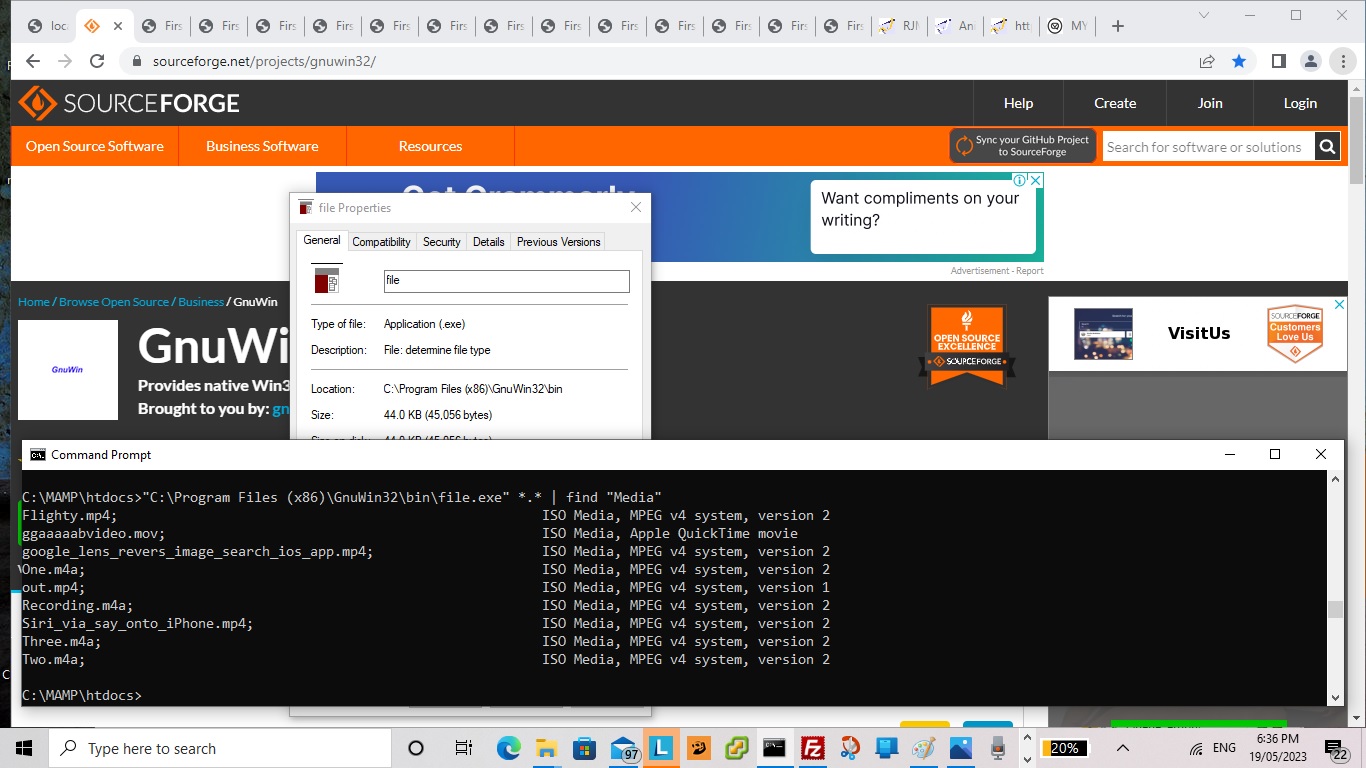
Ffmpeg Mux Video and Audio Windows Media Browsing Tutorial
You know it’s “Intranet feely land”?
You look out the train window (tee hee) and see macOS racing through their usual routine.
Of course you’ll pick the buffet car containing the rice bubbles ahead of the vegemite corn flakes?!
But do we need to reiterate that in “Intranet feely land” you’ve got your macOS typose of work not suiting “arch Windows” methodologies? Take the case of …
At least, with macOS MAMP there is the excellent command line “file” we can use to show information about some potential input files you could use in this, so far, user unfriendly, “first draft” version of the PHP.
… to the beach, would be nice … but we digress. Well, in any case, we asked Google (not via the “arch Window”) does windows have the equivalent of linux file command” and got to the helpful What is the equivalent to the Linux File command for windows? – Super User, thanks, and then ended up at the really useful third party “file.exe” for (non-arch) Windows usage and proceeded with it, working off Ffmpeg Mux Video and Audio Media Browsing Tutorial, to start being able to develop this “reveal” details/summary arrangement in either macOS or Windows MAMP environments, that “ffmpeg” voiceover command, which normally works a lot better than …
I command thee mux, hey you, with audible you, over yonder, by dale and meadow be, yea!
… when it occurred to us we could turn the base filename parts of those “file.exe” reports into links that when clicked mapped those clicked files into place into the “ffmpeg” command being developed above (as alternative input file designator idea to browsing or div contenteditable=true typing ways), in the changed voiceover.php PHP (we’d want you to download to a local MAMP Apache web server’s Document Root folder) and which you can run that PHP there.
And so, we reckon the work day got worth it!
Previous relevant Ffmpeg Mux Video and Audio Media Browsing Tutorial is shown below.
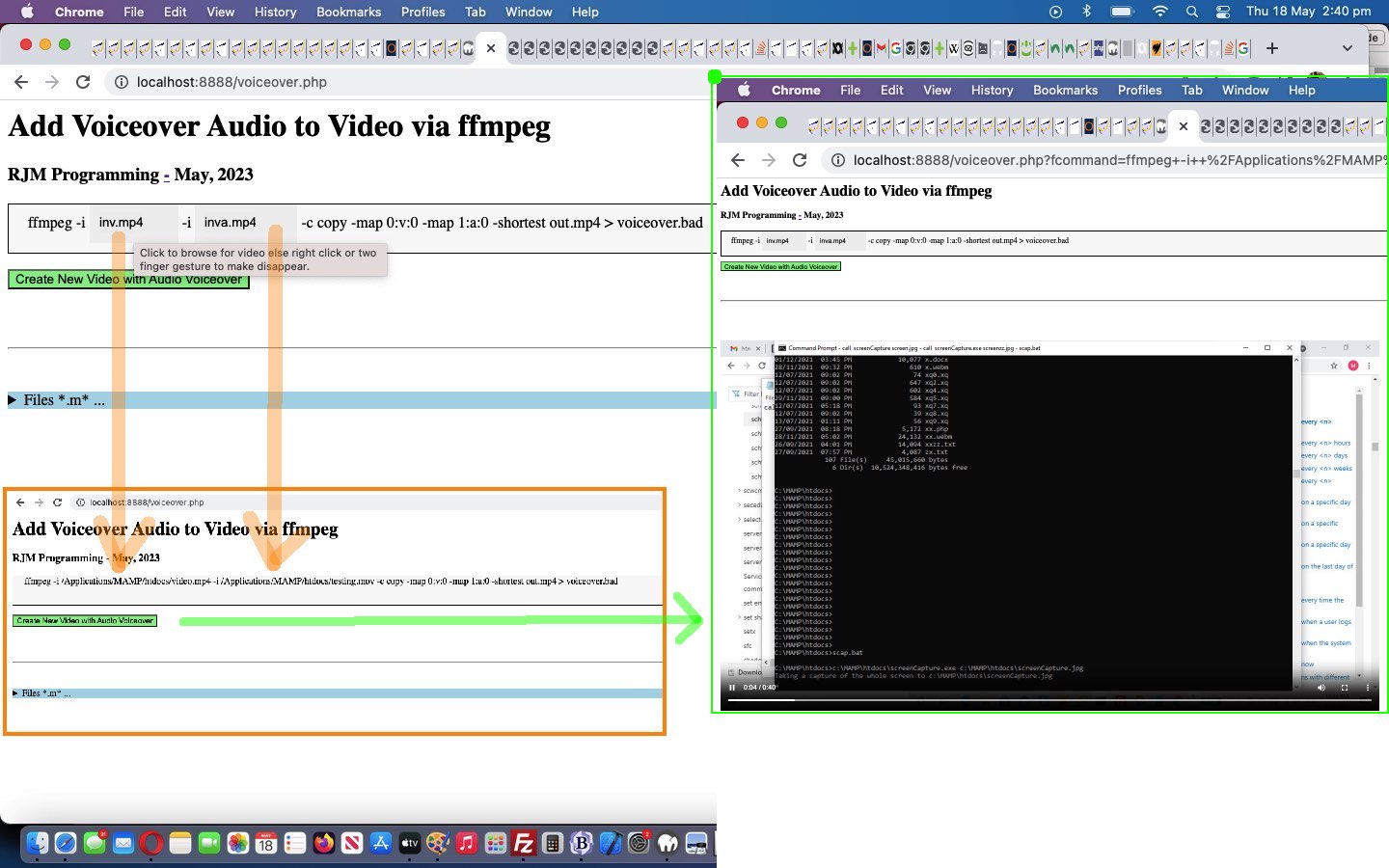
Ffmpeg Mux Video and Audio Media Browsing Tutorial
Onto yesterday’s Ffmpeg Mux Video and Audio Primer Tutorial …
There be a flowerin’ of inner warmth and glo’ towards all our readers, youngins and oldins alike … like!
Yes, we’re involving good ol’ HTML5 File API Object Javascript logic, so our “Intranet” savvy downloaders out there …
Full o’ inner warmth and glo’ towards each other … like!
… can easily browse for their two media input files, and for the first time ever integrating our ever tweaked inhouse client_browsing.htm (also a standalone proposition) (we’d like you to download to MAMP Document Root’s HTMLCSS subfolder) we add “oncontextmenu” event changes to its input type=file browser hosting parent iframe element onload event Javascript function as per …
<?php echo ”
  var voaf='', voaftwo='';


  function checkif(iois, ival) {

    if (iois.src.indexOf('?d=') != -1) {

    var aconto = (iois.contentWindow || iois.contentDocument);

    if (aconto != null) {

       if (aconto.document) { aconto = aconto.document; }

       if (aconto.getElementById('files')) {

         if (voaf == '') {

         voaf=iois.src;

         iois.setAttribute('data-parentspan', 's' + ival.replace('inv.mp4','cbi').replace('inva.mp4','cbix'));

         document.getElementById('myh1').title='s' + ival.replace('inv.mp4','cbi').replace('inva.mp4','cbix');

         document.getElementById('myh1').setAttribute('data-url', iois.src);

         setInterval(voaff, 1000);

         } else if (voaftwo == '') {

         voaftwo=iois.src;

         iois.setAttribute('data-parentspan', 's' + ival.replace('inv.mp4','cbi').replace('inva.mp4','cbix'));

         document.getElementById('myh3').title='s' + ival.replace('inv.mp4','cbi').replace('inva.mp4','cbix');

         document.getElementById('myh3').setAttribute('data-url', iois.src);

         //alert(iois.id + ' data-parentspan=' + iois.getAttribute('data-parentspan'));

         }

         //alert(iois.id + ' data-parentspan=' + iois.getAttribute('data-parentspan'));

         aconto.getElementsByTagName('h1')[0].style.opacity='0.0';

         //alert('here');

         aconto.getElementById('files').style.position='absolute';

         aconto.getElementById('files').style.left='0px';

         aconto.getElementById('files').style.top='0px';

         aconto.getElementById('files').style.zIndex='99';

         aconto.getElementById('files').style.marginLeft='10px';

         aconto.getElementById('files').style.marginTop='8px';

         aconto.getElementById('files').style.visibility='visible';

         aconto.getElementById('files').style.display='block';

         aconto.getElementById('files').style.backgroundColor='#eeeeee';

         aconto.getElementById('files').setAttribute('data-hostcont', ival);

         aconto.getElementById('files').setAttribute('data-hostspan', 's' + ival.replace('inv.mp4','cbi').replace('inva.mp4','cbix'));

         aconto.getElementById('files').oncontextmenu = function(event) { var suf=event.target.getAttribute('data-hostspan');  parent.document.getElementById(suf).innerHTML=\"" . str_replace("\\","\\\\",dirname(__FILE__) . DIRECTORY_SEPARATOR) . "\" + event.target.getAttribute('data-hostcont');  }

         if (ival == 'inv.mp4') {

           aconto.getElementById('files').accept='video/*';

           aconto.getElementById('files').title='Click to browse for video else right click or two finger gesture to make disappear.';

         } else {

           aconto.getElementById('files').accept='video/*,audio/*';

           aconto.getElementById('files').title='Click to browse for video or audio else right click or two finger gesture to make disappear.';

         }

         //alert('there');

         aconto.getElementById('dwstyle').innerHTML+=\"<style> #files::before { content: '\" + ival + \"'; } </style>\";

       }

    }

    }

  }
“; ?>
… to allow a user who prefers the overlayed div contenteditable=true alternative (which speaks back to the HTML form textarea conduit when that form’s “onsubmit” event is called) onto yesterday’s exclusively textarea methodology …
<?php echo ”
  function overlay() {

   var rect=document.getElementById('fcommand').getBoundingClientRect();

   document.getElementById('moreb').style.position='absolute';

   document.getElementById('moreb').style.left='' + rect.left + 'px';

   document.getElementById('moreb').style.top='' + rect.top + 'px';

   document.getElementById('moreb').style.width='96%'; //' + rect.width + 'px';

   document.getElementById('moreb').style.height='' + rect.height + 'px';

   document.getElementById('moreb').style.border='1px solid black';

   document.getElementById('moreb').style.paddingLeft='20px';

   document.getElementById('moreb').style.backgroundColor='#f9f9f9';

   document.getElementById('fcommand').style.opacity='0.0';

   document.getElementById('moreb').innerHTML='ffmpeg" . $ffmpegsuf . " -i <span id=scbi><iframe onload=checkif(this,\"inv.mp4\"); scrolling=no frameborder=0 id=cbi data-type=file data-value=inv.mp4 data-accept=\"video/*\" style=\"display:inline-block;height:40px;width:92px;vertical-align:middle;\" src=\"/HTMLCSS/client_browsing.htm?d=975964842271&left=y\"></iframe></span> -i <span id=scbix><iframe onload=checkiftwo(this,\"inva.mp4\"); scrolling=no frameborder=0 id=cbix data-type=file data-value=inva.mp4 data-accept=\"video/*\" style=\"display:inline-block;height:40px;width:106px;vertical-align:middle;\" src=\"/HTMLCSS/client_browsing.htm?d=975964842271&right=y\"></iframe></span> -c copy -map 0:v:0 -map 1:a:0 -shortest out.mp4 > voiceover.bad';

  }


  function mergechanges() {

     if (document.getElementById('scbi').innerHTML.indexOf('<') == -1) {

       document.getElementById('fcommand').value=document.getElementById('fcommand').value.replace(' inv.mp4 ', ' ' + document.getElementById('scbi').innerHTML + ' ');

       //alert('not oops ' + document.getElementById('fcommand').value);

     } //else {

       //alert('oops');

     //}

     if (document.getElementById('scbix').innerHTML.indexOf('<') == -1) {

       document.getElementById('fcommand').value=document.getElementById('fcommand').value.replace(' inva.mp4 ', ' ' + document.getElementById('scbix').innerHTML + ' ');

     }

     if (document.getElementById('moreb').innerText.indexOf(' -c ') != -1 && document.getElementById('fcommand').value.indexOf(' -c ') != -1) {

      if (document.getElementById('moreb').innerText.split(' -c ')[1] != document.getElementById('fcommand').value.split(' -c ')[1]) {

       document.getElementById('fcommand').value=document.getElementById('fcommand').value.split(' -c ')[0] + ' -c ' + document.getElementById('moreb').innerText.split(' -c ')[1];

      }

     }

     return true;

  }
“; ?>
… reign supreme collecting their media file specification information in the changed voiceover.php PHP (we’d want you to download to a local MAMP Apache web server’s Document Root folder) and which you can run that PHP there.
The previous work of Animated GIF Creation Install Paths Tutorial‘s thread of blog postings has been a great help with this ffmpeg “Intranet feeling” integration work we use, around here, in conjunction with macOS or Windows operating system MAMP Apache local web server environments.
Previous relevant Ffmpeg Mux Video and Audio Primer Tutorial is shown below.
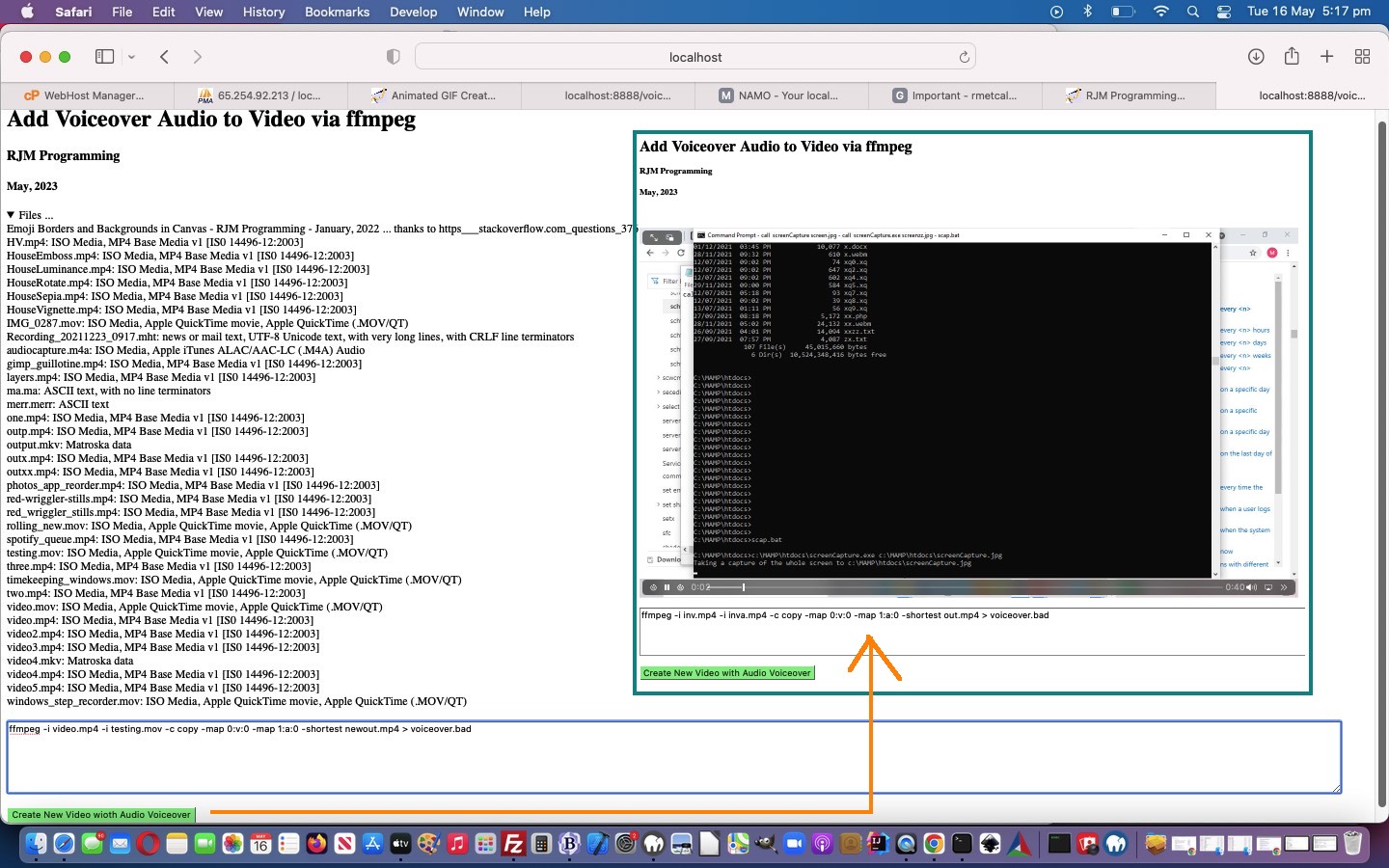
Ffmpeg Mux Video and Audio Primer Tutorial
We’ve got another “Intranet feeling” PHP web application “first draft” for you today. The reason we’re opting for “Intranet feeling” (ie. we’re asking you to download the voiceover.php PHP to a local MAMP Apache web server and run the PHP there from its Document Root folder) is that we want to further explore the brilliant …
ffmpeg -i inv.mp4 -i inva.mp4 -c copy -map 0:v:0 -map 1:a:0 -shortest out.mp4
… we got inspired to try via Mux Video and Audio from another Video and FFMPEG mux video and audio (from another video) – mapping issue … thanks and thanks … to add audio to a video stream from two different sources.
At least, with macOS MAMP there is the excellent command line “file” we can use to show information about some potential input files you could use in this, so far, user unfriendly, “first draft” version of the PHP.
If this was interesting you may be interested in this too.
If this was interesting you may be interested in this too.
If this was interesting you may be interested in this too.
If this was interesting you may be interested in this too.
If this was interesting you may be interested in this too.
If this was interesting you may be interested in this too.
If this was interesting you may be interested in this too.
If this was interesting you may be interested in this too.
If this was interesting you may be interested in this too.
If this was interesting you may be interested in this too.
If this was interesting you may be interested in this too.
If this was interesting you may be interested in this too.
If this was interesting you may be interested in this too.
If this was interesting you may be interested in this too.
If this was interesting you may be interested in this too.
If this was interesting you may be interested in this too.
If this was interesting you may be interested in this too.
If this was interesting you may be interested in this too.
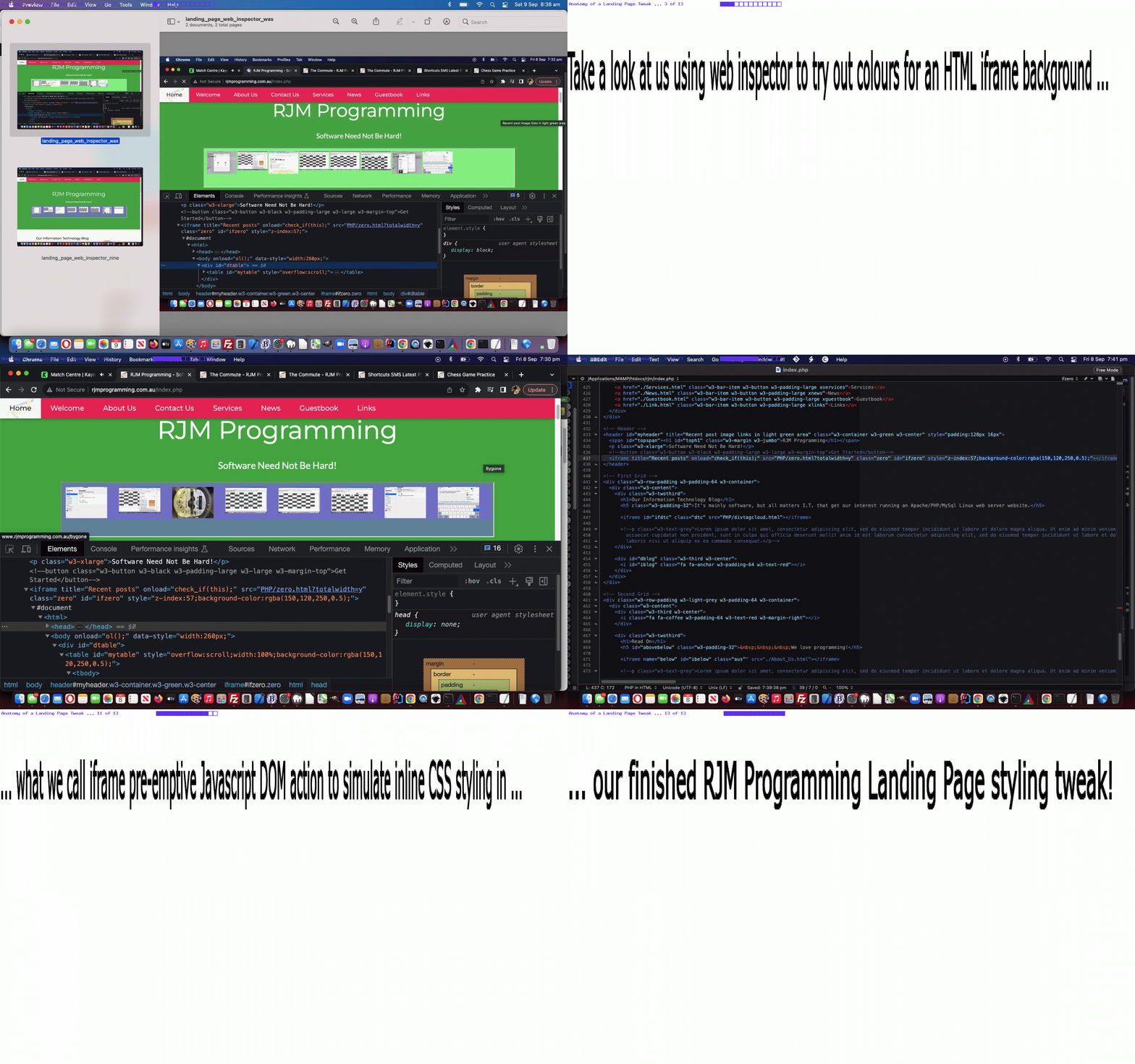
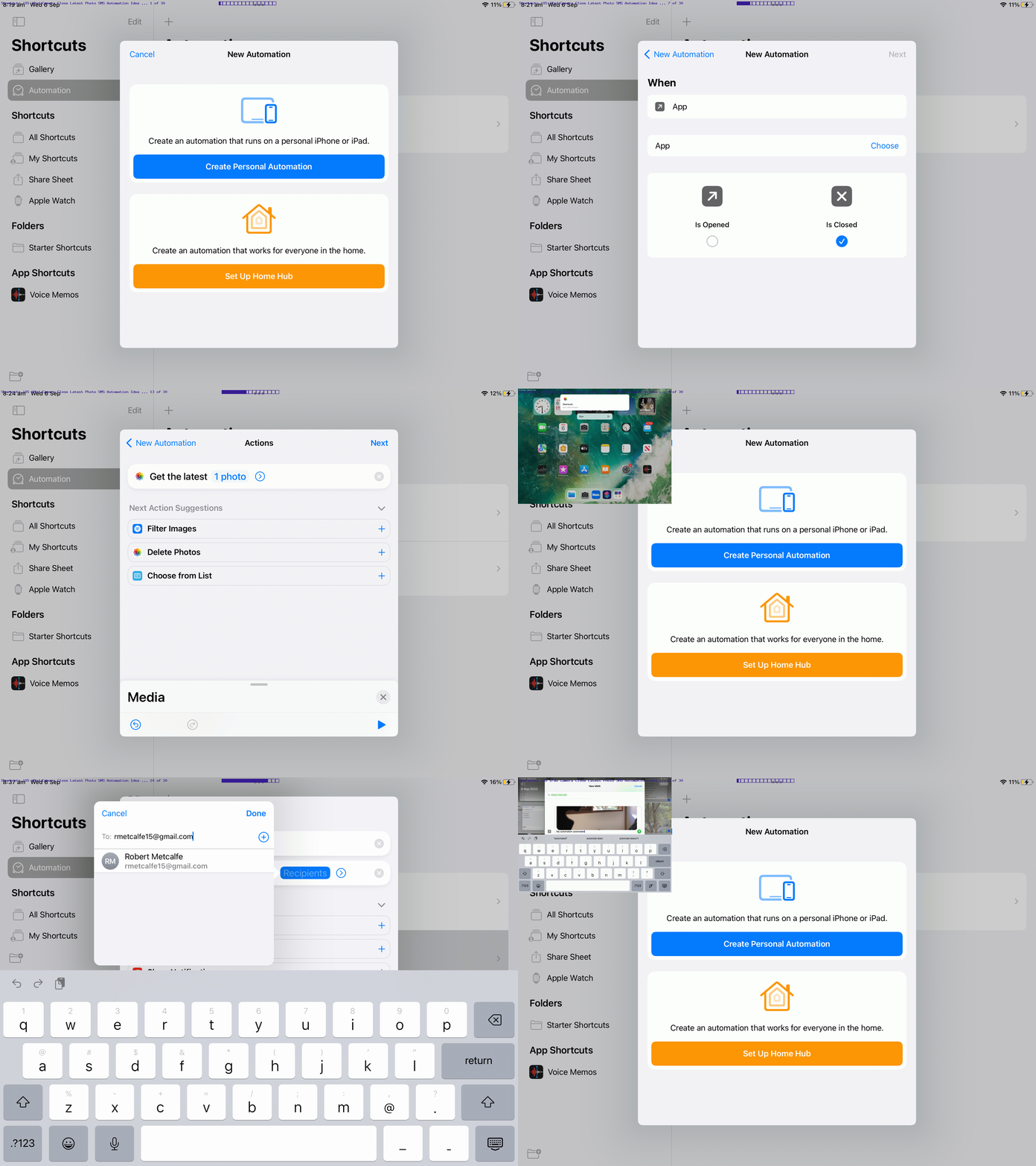
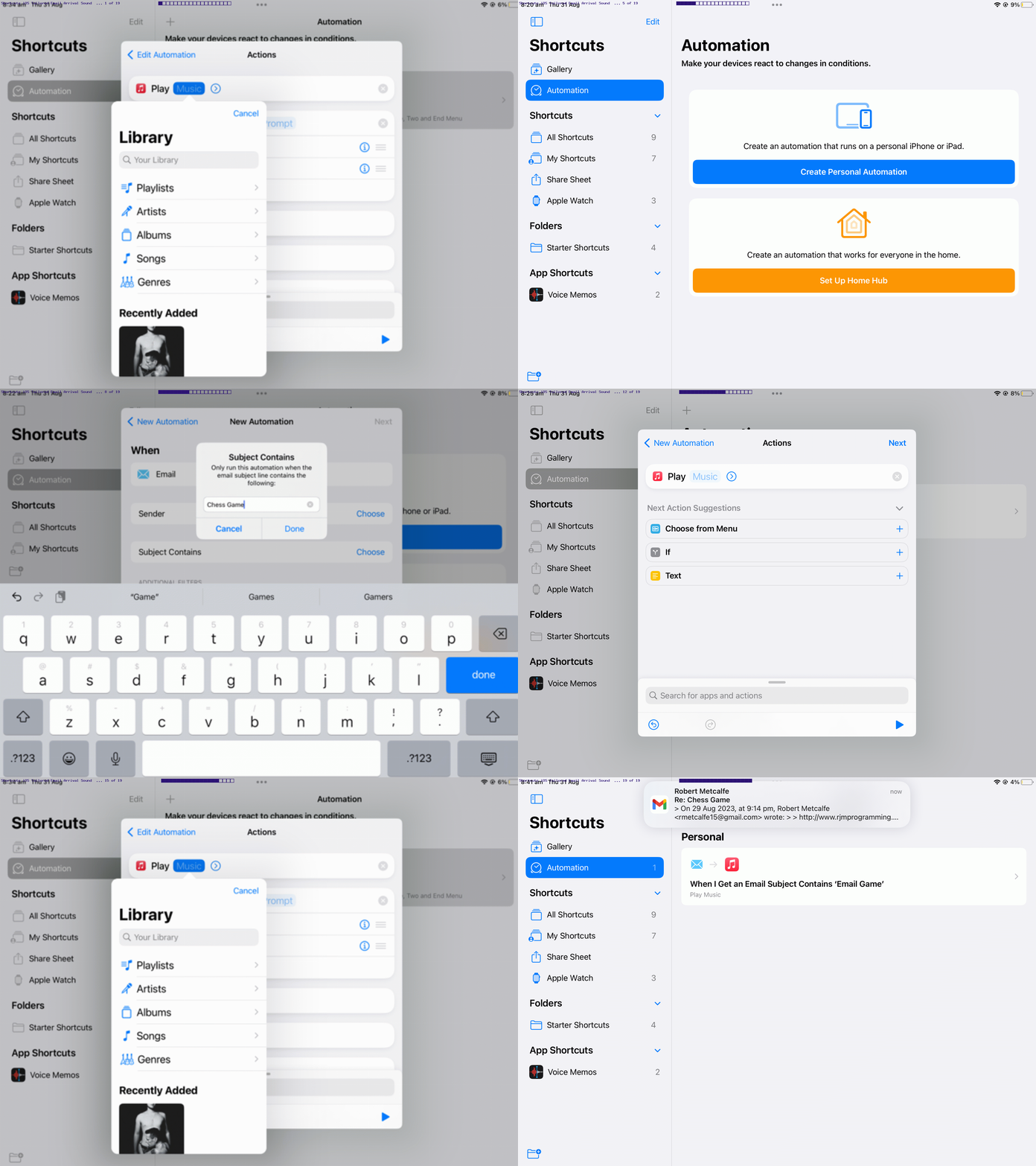
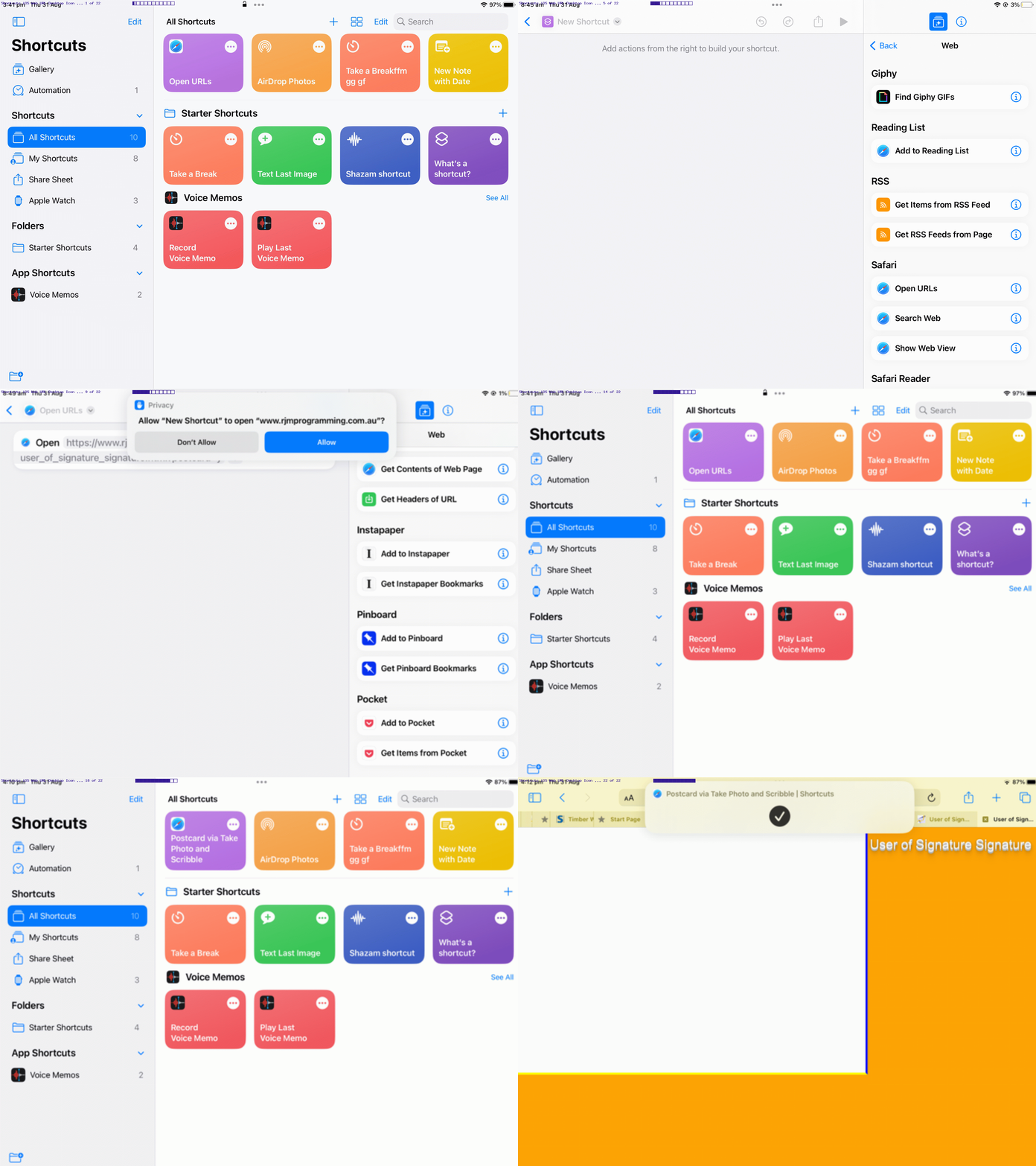



Mak-yek Game Tutorial
Mak-yek Game Tutorial
Adding to the recent Chess and Draughts Game Styling Tutorial we add …
… interfacing logic set to our Chess game PHP and HTML/Javascript/CSS code basis makes sense. The main intervention point to make this new Mak-yek Game happen was at the Rook (Chess piece) move validity checking code, and if passing validity checks …
   if (retval) {

   if (document.URL.indexOf(deq('makyek')) != -1) {

           tdsd=document.getElementsByTagName('td');

           document.getElementById('fshare').href=document.getElementById('fshare').href.replace(thispiece + '_' + lastsq, thispiece + '_' + thissq).replace(encodeURIComponent(thispiece + '_' + lastsq), encodeURIComponent(thispiece + '_' + thissq));

           sat=eval(-8 + thissq);

           if (sat >= 1 && sat <= 64) {

            for (itdsd=0; itdsd<tdsd.length; itdsd++) {

            if (tdsd[itdsd].outerHTML.indexOf(' data-square="' + sat + '"') != -1) {

              if (tdsd[itdsd].innerHTML.indexOf(' data-piece="' + thispiece.substring(0,1).replace('w','B').replace('b','w').toLowerCase()   ) != -1) {

      occupiedlist=occupiedlist.replace(',' + sat + ',', ',');

      if (occupiedlist.indexOf(',' + thissq + ',') == -1) { occupiedlist+='' + thissq + ','; }

               startboard=startboard.replace(lastoh.split(' data-piece="')[1].split('"')[0] + '_' + sat, '');

               endboard=endboard.replace(lastoh.split(' data-piece="')[1].split('"')[0] + '_' + sat, '');

               document.getElementById('fshare').href=document.getElementById('fshare').href.replace(tdsd[itdsd].innerHTML.split(' data-piece="')[1].split('"')[0] + '_' + sat, '').replace(encodeURIComponent(tdsd[itdsd].innerHTML.split(' data-piece="')[1].split('"')[0] + '_' + sat), '');

               tdsd[itdsd].innerHTML='';

             }

            }

            }

           }

           sat=eval(8 + thissq);

           if (sat >= 1 && sat <= 64) {

            for (itdsd=0; itdsd<tdsd.length; itdsd++) {

            if (tdsd[itdsd].outerHTML.indexOf(' data-square="' + sat + '"') != -1) {

              if (tdsd[itdsd].innerHTML.indexOf(' data-piece="' + thispiece.substring(0,1).replace('w','B').replace('b','w').toLowerCase()   ) != -1) {

      occupiedlist=occupiedlist.replace(',' + sat + ',', ',');

      if (occupiedlist.indexOf(',' + thissq + ',') == -1) { occupiedlist+='' + thissq + ','; }

               startboard=startboard.replace(lastoh.split(' data-piece="')[1].split('"')[0] + '_' + sat, '');

               endboard=endboard.replace(lastoh.split(' data-piece="')[1].split('"')[0] + '_' + sat, '');

               document.getElementById('fshare').href=document.getElementById('fshare').href.replace(tdsd[itdsd].innerHTML.split(' data-piece="')[1].split('"')[0] + '_' + sat, '').replace(encodeURIComponent(tdsd[itdsd].innerHTML.split(' data-piece="')[1].split('"')[0] + '_' + sat), '');

               tdsd[itdsd].innerHTML='';

             }

            }

            }

           }

           sat=eval(-1 + thissq);

           if (sat >= 1 && sat <= 64 && Math.floor(eval(eval(-1 + sat) / 8)) == Math.floor(eval(eval(-1 + thissq) / 8))) {

            for (itdsd=0; itdsd<tdsd.length; itdsd++) {

            if (tdsd[itdsd].outerHTML.indexOf(' data-square="' + sat + '"') != -1) {

              if (tdsd[itdsd].innerHTML.indexOf(' data-piece="' + thispiece.substring(0,1).replace('w','B').replace('b','w').toLowerCase()   ) != -1) {

      occupiedlist=occupiedlist.replace(',' + sat + ',', ',');

      if (occupiedlist.indexOf(',' + thissq + ',') == -1) { occupiedlist+='' + thissq + ','; }

               startboard=startboard.replace(lastoh.split(' data-piece="')[1].split('"')[0] + '_' + sat, '');

               endboard=endboard.replace(lastoh.split(' data-piece="')[1].split('"')[0] + '_' + sat, '');

               document.getElementById('fshare').href=document.getElementById('fshare').href.replace(tdsd[itdsd].innerHTML.split(' data-piece="')[1].split('"')[0] + '_' + sat, '').replace(encodeURIComponent(tdsd[itdsd].innerHTML.split(' data-piece="')[1].split('"')[0] + '_' + sat), '');

               tdsd[itdsd].innerHTML='';

             }

            }

            }

           }

           sat=eval(1 + thissq);

           if (sat >= 1 && sat <= 64 && Math.floor(eval(eval(-1 + sat) / 8)) == Math.floor(eval(eval(-1 + thissq) / 8))) {

            for (itdsd=0; itdsd<tdsd.length; itdsd++) {

            if (tdsd[itdsd].outerHTML.indexOf(' data-square="' + sat + '"') != -1) {

              if (tdsd[itdsd].innerHTML.indexOf(' data-piece="' + thispiece.substring(0,1).replace('w','B').replace('b','w').toLowerCase()   ) != -1) {

      occupiedlist=occupiedlist.replace(',' + sat + ',', ',');

      if (occupiedlist.indexOf(',' + thissq + ',') == -1) { occupiedlist+='' + thissq + ','; }

               startboard=startboard.replace(lastoh.split(' data-piece="')[1].split('"')[0] + '_' + sat, '');

               endboard=endboard.replace(lastoh.split(' data-piece="')[1].split('"')[0] + '_' + sat, '');

               document.getElementById('fshare').href=document.getElementById('fshare').href.replace(tdsd[itdsd].innerHTML.split(' data-piece="')[1].split('"')[0] + '_' + sat, '').replace(encodeURIComponent(tdsd[itdsd].innerHTML.split(' data-piece="')[1].split('"')[0] + '_' + sat), '');

               tdsd[itdsd].innerHTML='';

             }

            }

            }

           }

           tdsd=document.getElementsByTagName('td');

           var foundstr='';

           for (itdsd=0; itdsd<tdsd.length; itdsd++) {

             if (tdsd[itdsd].outerHTML.indexOf(' data-square="') != -1) { foundstr+=tdsd[itdsd].outerHTML.split(' data-square="')[1].substring(0,1); }

           }

           if (foundstr.indexOf('w') == -1 && foundstr.indexOf('b') != -1) {

              consolelog('Congratulations on your win with the Mak-yek game, ' + playerb);

              ouralert('Congratulations on your win with the Mak-yek game, ' + playerb);

           } else if (foundstr.indexOf('w') != -1 && foundstr.indexOf('b') == -1) {

              consolelog('Congratulations on your win with the Mak-yek game, ' + playerw);

              ouralert('Congratulations on your win with the Mak-yek game, ' + playerw);

           }

       }

   }
… remove taken pieces from the Mak-yek board, and checks whether a player has won the game by removing all the other player’s pieces this way. Beware the Mak-yek “sidle up”!
And so, onto that recent Chess and Draughts Game Styling Tutorial Mak-yek changed experimental_drag_and_drop.htm HTML and Javascript and CSS assisting a Mak-yek changed chess_game.php Mak-yek Practice Game you can play below …
Stop Press
We wanted to start remembering player names who collaborate via email or SMS because of the slightly onerous task in setting up these communications, in the first place, for one of these 8×8 board games …
… and so we associated a web browser “brand” with player names filled out this way, and rememberable in future sessions via window.localStorage saved player name set(s) …
… in a new dropdown …
 function lsit() {

      var sofarls='';

      if (window.localStorage) {

        if (('' + window.localStorage.getItem('eightbyeightplayers')).replace(/^null$/g,'').replace(/^undefined$/g,'') != '') {

          if (('|' + decodeURIComponent(('' + window.localStorage.getItem('eightbyeightplayers'))) + '|').indexOf('|' + playerb.replace('(white)','').replace('(black)','').trim() + playerw.replace('(black)','').replace('(white)','').trim() + '|') == -1) {

              sofarls=(('' + window.localStorage.getItem('eightbyeightplayers')));

              window.localStorage.removeItem('eightbyeightplayers');

              window.localStorage.setItem('eightbyeightplayers', sofarls + encodeURIComponent('|') + encodeURIComponent(playerb.replace('(white)','').replace('(black)','').trim() + playerw.replace('(black)','').replace('(white)','').trim()));

          }

        } else {

          window.localStorage.setItem('eightbyeightplayers', encodeURIComponent(playerb.replace('(white)','').replace('(black)','').trim() + playerw.replace('(black)','').replace('(white)','').trim()));

        }

      }

 }


 function dsumsel() {

   var bwsets=[], seloh='', iseloh=0;

   if (document.getElementById('dsum') && document.URL.indexOf('/chess') != -1) {

    if (document.getElementById('dsum').innerHTML == '') {

      if (window.localStorage) {

        if (('' + window.localStorage.getItem('eightbyeightplayers')).replace(/^null$/g,'').replace(/^undefined$/g,'') != '') {

          bwsets=decodeURIComponent(('' + window.localStorage.getItem('eightbyeightplayers'))).split('|');

          if (bwsets.length >= 1) {

            seloh='<select style="font-size:8px;opacity:0.5;" onchange="if (this.value.trim().length != 0) { location.href=this.value; } else if (this.value.length != 0) { window.localStorage.removeItem(' + "'eightbyeightplayers'" + '); this.style.display=' + "'none'" + ';  }" id=selo title="Stored past player name sets"><option value=""></option></select>';

            for (iseloh=0; iseloh<bwsets.length; iseloh++) {

             if (eval('' + bwsets[iseloh].split(']').length) >= 3) {

              seloh=seloh.replace('</select>', '<option value="' + document.URL.split('/chess')[0] + '/chess_game.php?traditional=chess&bname=' + encodeURIComponent(bwsets[iseloh].split(']')[0]  + ']') + '&wname=' + encodeURIComponent(bwsets[iseloh].split(']')[1] + ']') + '">Chess Game ' + bwsets[iseloh].split(']')[0]  + '] versus ' + bwsets[iseloh].split(']')[1] + ']</option></select>');

              seloh=seloh.replace('</select>', '<option value="' + document.URL.split('/chess')[0] + '/chess_game.php?traditional=draughts&bname=' + encodeURIComponent(bwsets[iseloh].split(']')[0]  + ']') + '&wname=' + encodeURIComponent(bwsets[iseloh].split(']')[1] + ']') + '">Draughts Game ' + bwsets[iseloh].split(']')[0]  + '] versus ' + bwsets[iseloh].split(']')[1] + ']</option></select>');

              seloh=seloh.replace('</select>', '<option value="' + document.URL.split('/chess')[0] + '/chess_game.php?traditional=makyek&bname=' + encodeURIComponent(bwsets[iseloh].split(']')[0]  + ']') + '&wname=' + encodeURIComponent(bwsets[iseloh].split(']')[1] + ']') + '">Mak-yek Game ' + bwsets[iseloh].split(']')[0]  + '] versus ' + bwsets[iseloh].split(']')[1] + ']</option></select>');

             }

             seloh=seloh.replace('</select>', '<option value="' + document.URL.split('/chess')[0] + '/chess_game.php' + '">Game Options</option></select>');

             seloh=seloh.replace('</select>', '<option value=" ">Forget Saved Player Names Above</option></select>');

            }

            document.getElementById('dsum').innerHTML=seloh;

          }

        }

      }

    }

   }

 }
… in “player names remembered” changed experimental_drag_and_drop.htm HTML and Javascript and CSS assisting a “player names remembered” changed chess_game.php Mak-yek Practice Game you can also play below …
Previous relevant Chess and Draughts Game Styling Tutorial is shown below.
Chess and Draughts Game Styling Tutorial
Onto yesterday’s Draughts Game Logic Tutorial we progress with …
Primarily, we’d been a bit annoyed by the table rows not having the same height, as the game webpage is first presented. Oddly, this CSS styling Javascript logic helped …
  //var rectis=document.getElementsByTagName('td')[0].getBoundingClientRect();

  var rectis=document.getElementById('td11').getBoundingClientRect();

  var perch=eval(100 * eval('' + screen.height) / eval(eval('' + rectis.height) * 8));

  //document.getElementById('mytable').style.height='' + perch + '%';

  //document.getElementById('dstyle').innerHTML='<style> #mytable { height: ' + perch + '%; } td { min-height: 12.5%; } </style>';

  //alert('' + rectis.height + ' ' + eval(eval('' + rectis.height) * 8));

  //document.getElementById('dstyle').innerHTML='<style> html, body , .outer, .inner { height:100%; width:100%; margin:0; } #target { display:block; height: ' + eval(eval('' + rectis.height) * 8) + 'px !important; min-height:100%; }  #mytable { display:block;  height: ' + eval(eval('' + rectis.height) * 8) + 'px !important;  } tr { height: ' + rectis.height + 'px !important; } </style>';

  var tbit=' ';

  if (document.URL.indexOf(deq('draughts')) != -1 || 1 == 1) { tbit=' margin-top: -34px !important;  ';  }

  document.getElementById('dstyle').innerHTML='<style> h1 { margin-top: -12px; overflow-x: hidden; text-overflow-x: ellipsis; }  #pstatus { vertical-align: bottom; overflow-x: hidden; text-overflow-x: ellipsis; font-size: 12px; white-space: nowrap;  } body {  background-image: linear-gradient(#f0f0f0, #f2f2f2, #f4f4f4, #f6f6f6, #f8f8f8, #fafafa) !important;   }  #target { ' + tbit + ' border-right: 1px solid transparent !important; background-color: white; } #mytable {  border-right: 1px solid transparent !important; }  tr { height: ' + eval(4 + eval('' + rectis.height)) + 'px !important; }  td { border: 2px dashed green; } #pwhite { background-color: white !important; }  #pblack { background-color: white !important; } </style>';
You’ll also see above a fair bit of negative margin-top styling, in attempts to give precedence to the game parts of the webpage. As well, there is a bit more colour and table cell border pizazz.
Trying not to have the status element be a nuisance we got great help from this great webpage, thanks, for the heads ups styling to try to avoid line breaks.
Still on the theme for allowing for reduced “above game table board” usage we start using a reveal favourite of ours, to use the details/summary HTML element combination, allowing a user finished with player name settings, forgo seeing the names in order to allow the playing board more height to work with.
Feel free to try the changed experimental_drag_and_drop.htm HTML and Javascript and CSS assisting the changed chess_game.php Chess or Draughts Practice Game …
And what’s with the Javascript deq wrapper function oddity? Well, just in case a player name involves the letters of draughts (hello “Johnny draughts Gameplayer III”) we fleshed out …
 function deq(inideais) {

    if (document.URL.indexOf(inideais + '=') != -1) {

       return inideais + '=';

    } else if (document.URL.indexOf('=' + inideais) != -1) {

       return '=' + inideais;

    }

    return "you'l" + "lnever#findth" + "is";

 }
Previous relevant Draughts Game Logic Tutorial is shown below.
Draughts Game Logic Tutorial
Is “mutipurposing code” overrated? We asked the general populace.
.
.
.
.
.
.
.
.
.
.
.
.
.
.
.
.
.
.
.
.
.
.
.
.
You know what? We’ll leave that topic for another day. But, on a personal level, we like it. We like the concept of reuse, and maybe sometimes we go too far, but in our defence …
… and far outweigh the differences, in our opinion.
And so, as a principle for us, to facilitate Draughts Game logic, we use Chess Game logic but check for “draughts”, as a word, in this first draft, appearing in URLs as the means by which …
… as the first worry we attended to. But there’s also …
Black draughts king is ⛃ ⛃ (vs ⛂ ⛂) white is ⛁ ⛁ (vs ⛀ ⛀)
… emoji set did not look good, yet, for us, and so we took our Bishop and Queen piece similarity ideas to heart, so that the player is not confused (but into other drafts, we may do better)
… matters to attend to.
And so, onto the recent Chess Game Check Logic Tutorial a changed experimental_drag_and_drop.htm HTML and Javascript and CSS assisting a changed chess_game.php Draughts Practice Game can have you playing Draughts …
… toot sweet!
Previous relevant Chess Game Check Logic Tutorial is shown below.
Chess Game Check Logic Tutorial
Finally, after the recent Chess Game Correspondence Tutorial, today, we tackle …
Chess check logic
… regarding …
… and the illegal move whereby a King might get too close to the other King, we’re checking for within the same logic, working it that the Javascript global variable isbad is set true when a move is illegal because it puts your own King in check ..
 function anybw(asq, thebrd, bwenemy, alertallowed) {

   thebrd+='&';

   isbad=false;

   iswrong=false;

   var bwfriend=bwenemy.replace('w','!').replace('b','W').replace('!', 'b').toLowerCase();

   var okfornow=true, startat=eval('' + asq), twos=[];

   var startrow=Math.floor(eval(-1 + asq) / 8);

   var startcol=Math.floor(eval(-1 + asq) % 8);

   var lastcol=-1, lastrow=-1;

   var kposa=[18,-18,17,-17,15,-15,6,-6,10,10];

   var pposa=[9,7];

   var kgposa=[9,8,7,-1,1,-7,-8,-9];

   var ikposa=0;

   if (asq == thissquare) {

     asq=asq;

   }

   if (bwfriend == 'w') {

     pposa=[-9,-7];

   }


   //alert('Checking ' + bwfriend + ' King at ' + asq);


   // Horizontal check

   startat=eval(-1 + asq);

   while (startat >= 1 && startat <= 64 && startrow == Math.floor(eval(-1 + startat) / 8)) {

     if (thebrd.indexOf('_' + startat + 'w') != -1) {

       twos=thebrd.split('_' + startat + 'w');

       if (twos[0].slice(-3).indexOf(bwfriend) != -1) {

         break;

       } else if (twos[0].slice(-3).indexOf(bwenemy) != -1) {

         if (twos[0].slice(-3).indexOf('Q') != -1 || twos[0].slice(-3).indexOf('R') != -1) {

           isbad=true;

           //alert(1);

           return asq;

         }

       }

     } else if (thebrd.indexOf('_' + startat + 'b') != -1) {

       twos=thebrd.split('_' + startat + 'b');

       if (twos[0].slice(-3).indexOf(bwfriend) != -1) {

         break;

       } else if (twos[0].slice(-3).indexOf(bwenemy) != -1) {

         if (twos[0].slice(-3).indexOf('Q') != -1 || twos[0].slice(-3).indexOf('R') != -1) {

           isbad=true;

           //alert(2);

           return asq;

         }

       }

     } else if (thebrd.indexOf('_' + startat + '&') != -1) {

       twos=thebrd.split('_' + startat + '&');

       if (twos[0].slice(-3).indexOf(bwfriend) != -1) {

         break;

       } else if (twos[0].slice(-3).indexOf(bwenemy) != -1) {

         if (twos[0].slice(-3).indexOf('Q') != -1 || twos[0].slice(-3).indexOf('R') != -1) {

           isbad=true;

           //alert(3);

           return asq;

         }

       }

     }

     startat--;

   }

   startat=eval(1 + asq);

   while (startat >= 1 && startat <= 64 && startrow == Math.floor(eval(-1 + startat) / 8)) {

     if (thebrd.indexOf('_' + startat + 'w') != -1) {

       twos=thebrd.split('_' + startat + 'w');

       if (twos[0].slice(-3).indexOf(bwfriend) != -1) {

         break;

       } else if (twos[0].slice(-3).indexOf(bwenemy) != -1) {

         if (twos[0].slice(-3).indexOf('Q') != -1 || twos[0].slice(-3).indexOf('R') != -1) {

           isbad=true;

           //alert(11);

           return asq;

         }

       }

     } else if (thebrd.indexOf('_' + startat + 'b') != -1) {

       twos=thebrd.split('_' + startat + 'b');

       if (twos[0].slice(-3).indexOf(bwfriend) != -1) {

         break;

       } else if (twos[0].slice(-3).indexOf(bwenemy) != -1) {

         if (twos[0].slice(-3).indexOf('Q') != -1 || twos[0].slice(-3).indexOf('R') != -1) {

           isbad=true;

           //alert(12);

           return asq;

         }

       }

     } else if (thebrd.indexOf('_' + startat + '&') != -1) {

       twos=thebrd.split('_' + startat + '&');

       if (twos[0].slice(-3).indexOf(bwfriend) != -1) {

         break;

       } else if (twos[0].slice(-3).indexOf(bwenemy) != -1) {

         if (twos[0].slice(-3).indexOf('Q') != -1 || twos[0].slice(-3).indexOf('R') != -1) {

           isbad=true;

           //alert(13);

           return asq;

         }

       }

     }

     startat++;

   }


   // Vertical check

   startat=eval(-8 + asq);

   while (startat >= 1 && startat <= 64 && startcol == Math.floor(eval(-1 + startat) % 8)) {

     if (thebrd.indexOf('_' + startat + 'w') != -1) {

       twos=thebrd.split('_' + startat + 'w');

       if (twos[0].slice(-3).indexOf(bwfriend) != -1) {

         break;

       } else if (twos[0].slice(-3).indexOf(bwenemy) != -1) {

         if (twos[0].slice(-3).indexOf('Q') != -1 || twos[0].slice(-3).indexOf('R') != -1) {

           isbad=true;

           //alert(21);

           return asq;

         }

       }

     } else if (thebrd.indexOf('_' + startat + 'b') != -1) {

       twos=thebrd.split('_' + startat + 'b');

       if (twos[0].slice(-3).indexOf(bwfriend) != -1) {

         break;

       } else if (twos[0].slice(-3).indexOf(bwenemy) != -1) {

         if (twos[0].slice(-3).indexOf('Q') != -1 || twos[0].slice(-3).indexOf('R') != -1) {

           isbad=true;

           //alert(22);

           return asq;

         }

       }

     } else if (thebrd.indexOf('_' + startat + '&') != -1) {

       twos=thebrd.split('_' + startat + '&');

       if (twos[0].slice(-3).indexOf(bwfriend) != -1) {

         break;

       } else if (twos[0].slice(-3).indexOf(bwenemy) != -1) {

         if (twos[0].slice(-3).indexOf('Q') != -1 || twos[0].slice(-3).indexOf('R') != -1) {

           isbad=true;

           //alert(23);

           return asq;

         }

       }

     }

     startat-=8;

   }

   startat=eval(8 + asq);

   while (startat >= 1 && startat <= 64 && startcol == Math.floor(eval(-1 + startat) % 8)) {

     if (thebrd.indexOf('_' + startat + 'w') != -1) {

       twos=thebrd.split('_' + startat + 'w');

       if (twos[0].slice(-3).indexOf(bwfriend) != -1) {

         break;

       } else if (twos[0].slice(-3).indexOf(bwenemy) != -1) {

         if (twos[0].slice(-3).indexOf('Q') != -1 || twos[0].slice(-3).indexOf('R') != -1) {

           isbad=true;

           //alert(24);

           return asq;

         }

       }

     } else if (thebrd.indexOf('_' + startat + 'b') != -1) {

       twos=thebrd.split('_' + startat + 'b');

       if (twos[0].slice(-3).indexOf(bwfriend) != -1) {

         break;

       } else if (twos[0].slice(-3).indexOf(bwenemy) != -1) {

         if (twos[0].slice(-3).indexOf('Q') != -1 || twos[0].slice(-3).indexOf('R') != -1) {

           isbad=true;

           //alert(25);

           return asq;

         }

       }

     } else if (thebrd.indexOf('_' + startat + '&') != -1) {

       twos=thebrd.split('_' + startat + '&');

       if (twos[0].slice(-3).indexOf(bwfriend) != -1) {

         break;

       } else if (twos[0].slice(-3).indexOf(bwenemy) != -1) {

         if (twos[0].slice(-3).indexOf('Q') != -1 || twos[0].slice(-3).indexOf('R') != -1) {

           isbad=true;

           //alert(26);

           return asq;

         }

       }

     }

     startat+=8;

   }


   // Diagonal check

   lastcol=Math.floor(eval(-1 + asq) % 8);

   lastrow=Math.floor(eval(-1 + asq) / 8);

   startat=eval(-9 + asq);

   while (startat >= 1 && startat <= 64 && Math.abs(lastcol - Math.floor(eval(-1 + startat) % 8)) == 1 && Math.abs(lastrow - Math.floor(eval(-1 + startat) / 8)) == 1) {

     if (thebrd.indexOf('_' + startat + 'w') != -1) {

       twos=thebrd.split('_' + startat + 'w');

       if (twos[0].slice(-3).indexOf(bwfriend) != -1) {

         break;

       } else if (twos[0].slice(-3).indexOf(bwenemy) != -1) {

         if (twos[0].slice(-3).indexOf('Q') != -1 || twos[0].slice(-3).indexOf('B') != -1) {

           isbad=true;

           //alert('31 ' + bwfriend + ' ' + twos[0].slice(-3) + ' ' + startat + ' ' + asq);

           return asq;

         }

       }

     } else if (thebrd.indexOf('_' + startat + 'b') != -1) {

       twos=thebrd.split('_' + startat + 'b');

       if (twos[0].slice(-3).indexOf(bwfriend) != -1) {

         break;

       } else if (twos[0].slice(-3).indexOf(bwenemy) != -1) {

         if (twos[0].slice(-3).indexOf('Q') != -1 || twos[0].slice(-3).indexOf('B') != -1) {

           isbad=true;

           //alert(32);

           return asq;

         }

       }

     } else if (thebrd.indexOf('_' + startat + '&') != -1) {

       twos=thebrd.split('_' + startat + '&');

       if (twos[0].slice(-3).indexOf(bwfriend) != -1) {

         break;

       } else if (twos[0].slice(-3).indexOf(bwenemy) != -1) {

         if (twos[0].slice(-3).indexOf('Q') != -1 || twos[0].slice(-3).indexOf('B') != -1) {

           isbad=true;

           //alert(33);

           return asq;

         }

       }

     }

     lastcol=Math.floor(eval(-1 + startat) % 8);

     lastrow=Math.floor(eval(-1 + startat) / 8);

     startat-=9;

   }

   lastcol=Math.floor(eval(-1 + asq) % 8);

   lastrow=Math.floor(eval(-1 + asq) / 8);

   startat=eval(-7 + asq);

   while (startat >= 1 && startat <= 64 && Math.abs(lastcol - Math.floor(eval(-1 + startat) % 8)) == 1 && Math.abs(lastrow - Math.floor(eval(-1 + startat) / 8)) == 1) { // && startcol == Math.floor(eval(-1 + startat) % 8)) {

     if (thebrd.indexOf('_' + startat + 'w') != -1) {

       twos=thebrd.split('_' + startat + 'w');

       if (twos[0].slice(-3).indexOf(bwfriend) != -1) {

         break;

       } else if (twos[0].slice(-3).indexOf(bwenemy) != -1) {

         if (twos[0].slice(-3).indexOf('Q') != -1 || twos[0].slice(-3).indexOf('B') != -1) {

           isbad=true;

           //alert(41);

           return asq;

         }

       }

     } else if (thebrd.indexOf('_' + startat + 'b') != -1) {

       twos=thebrd.split('_' + startat + 'b');

       if (twos[0].slice(-3).indexOf(bwfriend) != -1) {

         break;

       } else if (twos[0].slice(-3).indexOf(bwenemy) != -1) {

         if (twos[0].slice(-3).indexOf('Q') != -1 || twos[0].slice(-3).indexOf('B') != -1) {

           isbad=true;

           //alert(42);

           return asq;

         }

       }

     } else if (thebrd.indexOf('_' + startat + '&') != -1) {

       twos=thebrd.split('_' + startat + '&');

       if (twos[0].slice(-3).indexOf(bwfriend) != -1) {

         break;

       } else if (twos[0].slice(-3).indexOf(bwenemy) != -1) {

         if (twos[0].slice(-3).indexOf('Q') != -1 || twos[0].slice(-3).indexOf('B') != -1) {

           isbad=true;

           //alert(43);

           return asq;

         }

       }

     }

     lastcol=Math.floor(eval(-1 + startat) % 8);

     lastrow=Math.floor(eval(-1 + startat) / 8);

     startat-=7;

   }

   lastcol=Math.floor(eval(-1 + asq) % 8);

   lastrow=Math.floor(eval(-1 + asq) / 8);

   startat=eval(9 + asq);

   while (startat >= 1 && startat <= 64 && Math.abs(lastcol - Math.floor(eval(-1 + startat) % 8)) == 1 && Math.abs(lastrow - Math.floor(eval(-1 + startat) / 8)) == 1) { // && startcol == Math.floor(eval(-1 + startat) % 8)) {

     if (thebrd.indexOf('_' + startat + 'w') != -1) {

       twos=thebrd.split('_' + startat + 'w');

       if (twos[0].slice(-3).indexOf(bwfriend) != -1) {

         break;

       } else if (twos[0].slice(-3).indexOf(bwenemy) != -1) {

         if (twos[0].slice(-3).indexOf('Q') != -1 || twos[0].slice(-3).indexOf('B') != -1) {

           isbad=true;

           //alert(44);

           return asq;

         }

       }

     } else if (thebrd.indexOf('_' + startat + 'b') != -1) {

       twos=thebrd.split('_' + startat + 'b');

       if (twos[0].slice(-3).indexOf(bwfriend) != -1) {

         break;

       } else if (twos[0].slice(-3).indexOf(bwenemy) != -1) {

         if (twos[0].slice(-3).indexOf('Q') != -1 || twos[0].slice(-3).indexOf('B') != -1) {

           isbad=true;

           //alert(45);

           return asq;

         }

       }

     } else if (thebrd.indexOf('_' + startat + '&') != -1) {

       twos=thebrd.split('_' + startat + '&');

       if (twos[0].slice(-3).indexOf(bwfriend) != -1) {

         break;

       } else if (twos[0].slice(-3).indexOf(bwenemy) != -1) {

         if (twos[0].slice(-3).indexOf('Q') != -1 || twos[0].slice(-3).indexOf('B') != -1) {

           isbad=true;

           //alert(46);

           return asq;

         }

       }

     }

     lastcol=Math.floor(eval(-1 + startat) % 8);

     lastrow=Math.floor(eval(-1 + startat) / 8);

     startat+=9;

   }

   lastcol=Math.floor(eval(-1 + asq) % 8);

   lastrow=Math.floor(eval(-1 + asq) / 8);

   startat=eval(7 + asq);

   while (startat >= 1 && startat <= 64 && Math.abs(lastcol - Math.floor(eval(-1 + startat) % 8)) == 1 && Math.abs(lastrow - Math.floor(eval(-1 + startat) / 8)) == 1) { // && startcol == Math.floor(eval(-1 + startat) % 8)) {

     //alert('checking square ' + startat);

     if (thebrd.indexOf('_' + startat + 'w') != -1) {

       twos=thebrd.split('_' + startat + 'w');

       if (twos[0].slice(-3).indexOf(bwfriend) != -1) {

         break;

       } else if (twos[0].slice(-3).indexOf(bwenemy) != -1) {

         if (twos[0].slice(-3).indexOf('Q') != -1 || twos[0].slice(-3).indexOf('B') != -1) {

           isbad=true;

           //alert(51);

           return asq;

         }

       }

     } else if (thebrd.indexOf('_' + startat + 'b') != -1) {

       twos=thebrd.split('_' + startat + 'b');

       if (twos[0].slice(-3).indexOf(bwfriend) != -1) {

         break;

       } else if (twos[0].slice(-3).indexOf(bwenemy) != -1) {

         if (twos[0].slice(-3).indexOf('Q') != -1 || twos[0].slice(-3).indexOf('B') != -1) {

           isbad=true;

           //alert(52);

           return asq;

         }

       }

     } else if (thebrd.indexOf('_' + startat + '&') != -1) {

       twos=thebrd.split('_' + startat + '&');

       if (twos[0].slice(-3).indexOf(bwfriend) != -1) {

         break;

       } else if (twos[0].slice(-3).indexOf(bwenemy) != -1) {

         if (twos[0].slice(-3).indexOf('Q') != -1 || twos[0].slice(-3).indexOf('B') != -1) {

           isbad=true;

           //alert(53);

           return asq;

         }

       }

     }

     lastcol=Math.floor(eval(-1 + startat) % 8);

     lastrow=Math.floor(eval(-1 + startat) / 8);

     startat+=7;

   }


   // Knight check

   for (ikposa=0; ikposa<kposa.length; ikposa++) {

   startat=eval(kposa[ikposa] + asq);

   if (startat >= 1 && startat <= 64 && startrow != Math.floor(eval(-1 + startat) / 8) && startcol != Math.floor(eval(-1 + startat) % 8)) {

     if (thebrd.indexOf('_' + startat + 'w') != -1) {

       twos=thebrd.split('_' + startat + 'w');

       if (twos[0].slice(-3).indexOf(bwfriend) != -1) {

         twos[0]=twos[0];

       } else if (twos[0].slice(-3).indexOf(bwenemy) != -1) {

         if (twos[0].slice(-3).indexOf('K1') != -1 || twos[0].slice(-3).indexOf('K2') != -1) {

           isbad=true;

           //alert(61);

           return asq;

         }

       }

     } else if (thebrd.indexOf('_' + startat + 'b') != -1) {

       twos=thebrd.split('_' + startat + 'b');

       if (twos[0].slice(-3).indexOf(bwfriend) != -1) {

         twos[0]=twos[0];

       } else if (twos[0].slice(-3).indexOf(bwenemy) != -1) {

         if (twos[0].slice(-3).indexOf('K1') != -1 || twos[0].slice(-3).indexOf('K2') != -1) {

           isbad=true;

           //alert(62);

           return asq;

         }

       }

     } else if (thebrd.indexOf('_' + startat + '&') != -1) {

       twos=thebrd.split('_' + startat + '&');

       if (twos[0].slice(-3).indexOf(bwfriend) != -1) {

         twos[0]=twos[0];

       } else if (twos[0].slice(-3).indexOf(bwenemy) != -1) {

         if (twos[0].slice(-3).indexOf('K1') != -1 || twos[0].slice(-3).indexOf('K2') != -1) {

           isbad=true;

           //alert(63);

           return asq;

         }

       }

     }

   }

   }


   // Pawn check

   for (ikposa=0; ikposa<pposa.length; ikposa++) {

   startat=eval(pposa[ikposa] + asq);

   if (startat >= 1 && startat <= 64 && startrow != Math.floor(eval(-1 + startat) / 8) && startcol != Math.floor(eval(-1 + startat) % 8)) {

     if (thebrd.indexOf('_' + startat + 'w') != -1) {

       twos=thebrd.split('_' + startat + 'w');

       if (twos[0].slice(-3).indexOf(bwfriend) != -1) {

         twos[0]=twos[0];

       } else if (twos[0].slice(-3).indexOf(bwenemy) != -1) {

         if (twos[0].slice(-3).indexOf('P') != -1) {

           isbad=true;

           //alert(71);

           return asq;

         }

       }

     } else if (thebrd.indexOf('_' + startat + 'b') != -1) {

       twos=thebrd.split('_' + startat + 'b');

       if (twos[0].slice(-3).indexOf(bwfriend) != -1) {

         twos[0]=twos[0];

       } else if (twos[0].slice(-3).indexOf(bwenemy) != -1) {

         if (twos[0].slice(-3).indexOf('P') != -1) {

           isbad=true;

           //alert(72);

           return asq;

         }

       }

     } else if (thebrd.indexOf('_' + startat + '&') != -1) {

       twos=thebrd.split('_' + startat + '&');

       if (twos[0].slice(-3).indexOf(bwfriend) != -1) {

         twos[0]=twos[0];

       } else if (twos[0].slice(-3).indexOf(bwenemy) != -1) {

         if (twos[0].slice(-3).indexOf('P') != -1) {

           isbad=true;

           //alert(73);

           return asq;

         }

       }

     }

   }

   }


   // King too near King check

   for (ikgposa=0; ikgposa<kgposa.length; ikgposa++) {

   startat=eval(kgposa[ikgposa] + asq);

   if (startat >= 1 && startat <= 64 && startrow != Math.floor(eval(-1 + startat) / 8) && startcol != Math.floor(eval(-1 + startat) % 8)) {

     if (thebrd.indexOf('_' + startat + 'w') != -1) {

       twos=thebrd.split('_' + startat + 'w');

       if (twos[0].slice(-3).indexOf(bwfriend) != -1) {

         twos[0]=twos[0];

       } else if (twos[0].slice(-3).indexOf(bwenemy) != -1) {

         if (twos[0].slice(-3).indexOf('K') != -1 && twos[0].slice(-3).indexOf('K1') == -1 && twos[0].slice(-3).indexOf('K2') == -1) {

           iswrong=true;

           if (alertallowed) { alert('Kings can not be this close together.'); }

           return asq;

         }

       }

     } else if (thebrd.indexOf('_' + startat + 'b') != -1) {

       twos=thebrd.split('_' + startat + 'b');

       if (twos[0].slice(-3).indexOf(bwfriend) != -1) {

         twos[0]=twos[0];

       } else if (twos[0].slice(-3).indexOf(bwenemy) != -1) {

         if (twos[0].slice(-3).indexOf('K') != -1 && twos[0].slice(-3).indexOf('K1') == -1 && twos[0].slice(-3).indexOf('K2') == -1) {

           iswrong=true;

           if (alertallowed) { alert('Kings can not be this close together.'); }

           return asq;

         }

       }

     } else if (thebrd.indexOf('_' + startat + '&') != -1) {

       twos=thebrd.split('_' + startat + '&');

       if (twos[0].slice(-3).indexOf(bwfriend) != -1) {

         twos[0]=twos[0];

       } else if (twos[0].slice(-3).indexOf(bwenemy) != -1) {

         if (twos[0].slice(-3).indexOf('K') != -1 && twos[0].slice(-3).indexOf('K1') == -1 && twos[0].slice(-3).indexOf('K2') == -1) {

           iswrong=true;

           if (alertallowed) { alert('Kings can not be this close together.'); }

           return asq;

         }

       }

     }

   }

   }


   return asq;

 }
… for you to involve yourself with in the changed experimental_drag_and_drop.htm HTML and Javascript and CSS assisting the unchanged chess_game.php Chess Practice Game for you to better practice your Chess …
Previous relevant Chess Game Correspondence Tutorial is shown below.
Chess Game Correspondence Tutorial
Yesterday’s Chess Game Midway Scenario Layout Tutorial “Midway Layout Scenario” for our Chess Game Practice was a conduit to another idea. Any ideas what? Anyone? Anyone? Yes, Con Nike, we can send off a snapshot of the Chess Game at any point in time, and so this means we can play the game …
… and perhaps just one correspondent (though have not worked the practicalities of this in testing).
Luckily, the data requirements of doing this can be handled via URLs with the familiar ? and & argument arrangements, and so we add links into …
… helping the transfer of game details onto the Chess Game players.
And what is the conduit for the initial user of our Chess Game Practice web application to make this happen? Well, as they name the players start using a name such as …
R. Metcalfe [rmetcalfe15@gmail.com]
… for both Black and White players to perform a Chess Game via correspondence.
As such, it’s definitely worth trying the changed experimental_drag_and_drop.htm HTML and Javascript and CSS assisting the changed chess_game.php Chess Practice Game for you to better practice your Chess …
Previous relevant Chess Game Midway Scenario Layout Tutorial is shown below.
Chess Game Midway Scenario Layout Tutorial
We are always intrigued by those Chess “end game scenarios” that appear in the newspaper. We’re guessing to get good at Chess you need to know strategies to adopt for various scenarios. With that in mind, in addition, onto those …
We just added a Javascript prompt popup window means by which we could add this, adding into the PHP parent code the new button …
<?php echo ”
<button style=background-color:rgba(255,255,0,0.5); id=chessinitmid onclick="location.href=(document.URL.split(String.fromCharCode(35))[0] + ' . "'&traditional=' + encodeURIComponent(prompt('Pieces have designations bK wK bQ wQ bR1 wR1 bR2 wR2 bB1 wB1 bB2 wB2 bK1 wK1 bK2 wK2 bP1 wP1 bP2 wP2 bP3 wP3 bP4 wP4 bP5 wP5 bP6 wP6 bP7 wP7 bP8 wP8 ... so example answer bK_25wK_27bQ_32wQ_37&move=wQ_37_39 places the Kings and Queens to squares in the range 1 to 64 (starting top left of board) and the optional but advisable move says move white Queen from square 37 to square 39 ... as an albeit pretty stupid (on so many levels) example!','')).replace(encodeURIComponent(String.fromCharCode(38)),String.fromCharCode(38)).replace(encodeURIComponent(String.fromCharCode(61)),String.fromCharCode(61))" . ").replace('.php&','.php?'" . ');">Midway Start to Game</button>
“; ?>
… and look for the new ($_GET[]) ? and & arguments in the child Javascript …
 var trad='';

 var amove='';

 if (document.URL.indexOf('traditional=') != -1) {

 trad=decodeURIComponent(document.URL.split('traditional=')[1].split('&')[0]);

 }

 if (document.URL.indexOf('move=') != -1) {

 amove=decodeURIComponent(document.URL.split('move=')[1].split('&')[0]);

 }

 var movefrom=-1, moveto=-1, nextmove=-1;
… so that the Chess piece distribution code could cater, in this way …
 function butwhatifchessgame(inspanstuff) {

   var outspanstuff=inspanstuff, ii=0, thisth='', tnum=0;

   if (document.URL.indexOf('/chess') != -1 && document.URL.indexOf('traditional=') != -1) {

   var ths=[];

   var ourmap=[];

   var thas=inspanstuff.split('</th>');

   for (ii=0; ii<thas.length; ii++) {

      if (thas[ii].trim() != '') {

      thisth='<th' + thas[ii].split('<th')[-1 + eval('' + thas[ii].split('<th').length)] + '</th>';

      ths.push(thisth);

      } // outspanstuff=outspanstuff.replace(thisth, '');

   }

   var outtg=document.getElementById('mytable').innerHTML;

   thas=outtg.split('</td>');

  //ouralert(65);

   for (ii=0; ii<thas.length; ii++) {

     if (trad.indexOf('_') != -1) {

     if (trad.indexOf(cpa[ii] + '_') != -1) {

     ourmap.push(eval(-1 + eval(trad.split(cpa[ii] + '_')[1].split('w')[0].split('b')[0])));

     occupiedlist+='' + eval(-1 + eval(trad.split(cpa[ii] + '_')[1].split('w')[0].split('b')[0])) + ',';

     }

     } else if (staidmap[ii] >= 0 && document.URL.indexOf('traditional=mayhem') == -1 && trad.indexOf('_') == -1) {

     ourmap.push(staidmap[ii]);

     occupiedlist+='' + eval(1 + eval('' + staidmap[ii])) + ',';

     } else {

     tnum=Math.floor(Math.random() * 64);

     occupiedlist+='' + eval(1 + tnum) + ',';

     ourmap.push(tnum);

     }

   }

   if (amove.trim() != '') {

     //alert(amove);

     if (trad.trim().indexOf(amove.split('_')[0] + '_') == -1) {

     ourmap.push(eval(-1 + eval(trad.trim().split(cpa[ii] + '_')[1].split('w')[0].split('b')[0].split('_')[0])));

     occupiedlist+='' + eval(-1 + eval(trad.trim().split(cpa[ii] + '_')[1].split('w')[0].split('b')[0].split('_')[0])) + ',';

     }

     var amvs=amove.split('_');

     if (eval('' + amvs.length) > 2) {

     moveto=eval('' + amvs[2]);

     if (movefrom == -1) {  movefrom=eval('' + amvs[1]); }

     //alert('' + movefrom + ' to ' + moveto);

     }

   }

   //ouralert(165);

   var preclick='';

   if (navigator.userAgent.match(/Android|BlackBerry|iPhone|iPad|iPod|Opera Mini|IEMobile/i)) {

     preclick='data-';

   }

   for (ii=(-1 + eval('' + ths.length)); ii>=0; ii--) {

     //ouralert(thas[ii] + ' ... ' + ths[ii]);

     outtg=outtg.replace(thas[ourmap[ii]], thas[ourmap[ii]] + ths[ii].replace(/th/g,'span').replace('<span ', '<span style=font-size:60px; data-ontouchstart=fit(this); onmouseover=fit(this); ' + preclick + 'onclick=fit(this); '));  // .replace(/th/g,'SPAN')

   }

   document.getElementById('mytable').innerHTML=outtg;

   setTimeout(prevl, 500);

     return '<td></td>';

   }

   return outspanstuff;

 }
And so, further to yesterday’s Chess Game Practice Player Commentary Tutorial …
… we have a changed experimental_drag_and_drop.htm HTML and Javascript and CSS assisting a changed chess_game.php Chess Practice Game for you to better practice your Chess …
Previous relevant Chess Game Practice Player Commentary Tutorial is shown below.
Chess Game Practice Player Commentary Tutorial
We wanted to start thinking more of the players regarding our recent Chess Game Practice web application, further to yesterday’s Chess Game Practice Touchdown Tutorial.
As such, regarding player names in games we really admire the …
contenteditable=true
… global attribute for such tasks, these days, the affect of which today’s tutorial picture‘s blue bordered part helps explain.
Once we have collected those optional non-Black and non-White names, we concentrate on providing an HTML p element as a repository for commentary, whose visibility can be toggled by clicking that versus word Clayton‘s hardcoding.
That commentary should better explain …
… in our changed experimental_drag_and_drop.htm HTML and Javascript and CSS assisting the changed chess_game.php Chess Practice Game for you to better practice your Chess …
Previous relevant Chess Game Practice Touchdown Tutorial is shown below.
Chess Game Practice Touchdown Tutorial
The “touchdown” referred to in our blog posting title (further to the work of yesterday’s Chess Game Practice Castling Tutorial) …
… and … yes … that’s worth a yayyyyyy!!!! in anyone’s language.
Why are we needing this? Well, after the layout posting, populating a traditional Chess board with the default chess player positions, we lost the Drag and Drop “smarts” for the tabular span elements.
We asked ourselves …
And we thought …
The Javascript code below can populate the elements of interest with new ontouchdown (discrete clicking or touching) logic for the chess piece moves.
function rejig() {
if (navigator.userAgent.match(/Android|BlackBerry|iPhone|iPad|iPod|Opera Mini|IEMobile/i)) {
if (document.URL.indexOf('traditional=') != -1) {
var huhih=document.getElementsByTagName('h1')[0].innerHTML.substring(26);
if (huhih.indexOf('Discrete Touch') == -1) {
document.getElementsByTagName('h1')[0].innerHTML="Discrete Touch" + huhih;
}
}
//document.body.addEventListener("touchdown", (ev) => { gev=ev; refit(ev); });
document.getElementById('mytable').addEventListener("click", (ev) => { gev=ev; if (1 == 1) { setTimeout(delayedrefit, 500); } else { refit(ev); } });
if (1 == 1) {
elems=document.getElementsByTagName('td');
for (ielems=0; ielems
}
}
elems=document.getElementsByTagName('span');
for (ielems=0; ielems
}
}
elems=document.getElementsByTagName('th');
for (ielems=0; ielems
}
}
}
}
}
in the greatly changed experimental_drag_and_drop.htm HTML and Javascript and CSS assisting the unchanged chess_game.php Chess Practice Game for you to better practice your Chess …
… further to yesterday’s Chess Game Practice Castling Tutorial.
Previous relevant Chess Game Practice Castling Tutorial is shown below.
Chess Game Practice Castling Tutorial
Maybe in mathematics, in school, you discussed limits (and/or perhaps even “proof by contradiction” and/or “paradoxes”). You know, those fancy ways of saying if “such and such” you never finish the race, such as in “Achilles and the Tortoise” …
Beware the project that runs the same way, by worrying too much about the one percenters. On the other side of the ledger though, is that you learn far less when not trying to tackle any of those one percenters. With these thoughts swirling around we undertook the first of the “doozies” (amidst a lot of swearing and “what have we gotten ourselves into here” thoughts) referenced in yesterday’s Chess Game Practice Basic Moves Tutorial …
Castling (between a Rook and a King with a lot of provisos)
We learnt things about the interface between “drag events” and events like “onmouseover”, the latter of which we needed to resort to, alas. If you didn’t, life would be much easier, and try to design the initial premise, perhaps, better, so that those two wooooorrrrlllldddsss never have to meet (and just image the in-law get togethers!).
We learnt, again, that DOM methodology can come undone when there is no time gap between element arrangements that rely on a previous Javascript DOM arranged task. Take a look at our setInterval Javascript function setup to help here …
 var domcmds=[];


 function dodoms() {

  var stopit=false;

   # Irrelevant to blurb above ...

  if (document.getElementById('span4') && fouroh == '') { fouroh=document.getElementById('span4').outerHTML;  }

  if (document.getElementById('span5') && wsixoh == '') { wsixoh=document.getElementById('span5').outerHTML;  }

  if (document.getElementById('span6') && sixoh == '') { sixoh=document.getElementById('span6').outerHTML;  }

  if (document.getElementById('span0') && spanzero == '') { spanzero=document.getElementById('span0').outerHTML;  }

  if (document.getElementById('span1') && spanfive == '') { spanfive=document.getElementById('span1').outerHTML;  }

  if (document.getElementById('td22') && tdtte == '') { tdtte=document.getElementById('td22').outerHTML.split('>')[0] + '></td>';  }

  if (document.getElementById('td211') && wtdtte == '') { wtdtte=document.getElementById('td211').outerHTML.split('>')[0] + '></td>';  }

  if (document.getElementById('td193') && wwtdtte == '') { wwtdtte=document.getElementById('td193').outerHTML.split('>')[0] + '></td>';  }

  if (document.getElementById('td11') && wwwtdtte == '') { wwwtdtte=document.getElementById('td11').outerHTML.split('>')[0] + '></td>';  }


  # Relevant below ...

  for (var ikj=0; ikj<domcmds.length; ikj++) {

    if (!stopit && domcmds[ikj] != '') {

     stopit=true;

     //if (prompt(domcmds[ikj], domcmds[ikj])) {

      eval(domcmds[ikj]);

     //}

     domcmds[ikj]='';

    }

   }

   //domcmds=[];

 }
… called into play via “one only” call …
setInterval(dodoms, 1000);
… and given DOM (but doesn’t have to be) jobs to do via Javascript commands, such as a few examples from our “Castling” code …
    domcmds.push("document.getElementById('td202').innerHTML='" + wsixoh + "'; ");

    domcmds.push("document.getElementById('td203').innerHTML='" + spanfive + "'; ");

    domcmds.push("document.getElementById('tr8').innerHTML='" + wwtdtte + "' +  document.getElementById('tr8').innerHTML; itisthiscmove='b'; adddrop('" + lohoh.split(' id="')[1].split('"')[0] + "'); ");
… the Javascript DOM actions of which would have a one second gap between each domcmds[] array member “call to action”.
Again, why not try the changed experimental_drag_and_drop.htm HTML and Javascript and CSS assisted “fourth draft” chess_game.php Chess Practice Game for you to better practice your Chess …
Previous relevant Chess Game Practice Basic Moves Tutorial is shown below.
Chess Game Practice Basic Moves Tutorial
Adding onto yesterday’s Chess Game Practice Layout Tutorial‘s basis for a more formal Chess game, today we feel like we’re in the calm …
Coding for the basic pawn and knight and bishop and rook and queen and king chess piece moving rules
… before the storm, into the future, coding for …
… in the category of “doozy”.
So, why not try the changed experimental_drag_and_drop.htm HTML and Javascript and CSS assisted “third draft” chess_game.php Chess Practice Game for you to better practice your Chess …
Previous relevant Chess Game Practice Layout Tutorial is shown below.
Chess Game Practice Layout Tutorial
Onto yesterday’s Chess Game Practice Tutorial‘s Chess Game Practice web application, today, we’ve developed further, in a “layout” sense, to allow for …
… but no piece move logic yet! That is for tomorrow, but this “layout” logic helped us get to a better piece identification set of protocols to work with. So, try the changed experimental_drag_and_drop.htm HTML and Javascript and CSS assisted “second draft” chess_game.php Chess Practice Game for you to … practice (after choosing a layout) …
Previous relevant Chess Game Practice Tutorial is shown below.
Chess Game Practice Tutorial
Further to the recent Sentence Shuffle Game Tutorial‘s concepts regarding …
… we present our start to our Chess web application, we’re calling “Chess Game Practice” for now because it will take some time. In today’s first draft …
… and the chess pieces can be dragged around the board as well, but no checks on legal or illegal moves yet, nor the default starting positions to a game. Anyway, a changed experimental_drag_and_drop.htm HTML and Javascript and CSS underpins a calling “first draft” chess_game.php Chess Practice Game for you to … practice …
Did you know?
A little esoteric, we know, but research (thanks to this useful link) got us to (finally) discover the Clayton’s emoji. In other words, an emoji taking no (or little to no) screen display space but differentiates one emoji representation from another when you want to just differentiate via “innerHTML” content, for HTML elements. It’s (the “nobreak”) …
You missed it?! Try …
⁠
Why, regarding chess, are we interested? It means regarding the two black rooks, for example, adding a ⁠ to its display contents makes little difference, but we can hone in on an exact black rook, “innerHTML” wise, in the code.
Previous relevant Sentence Shuffle Game Tutorial is shown below.
Sentence Shuffle Game Tutorial
More genericization onto yesterday’s Numbers Guessing Game Tutorial‘s …
… has us considering making the dragee be made up of more than one part, today, continuing on with our Drag and Drop functionalities of recent times.
The first game type of application of this, we sort of stumbled upon, trying it, is to create a …
Sentence Shuffle game
… (good for ESL perhaps) where a sentence’s words are shuffled and the user “gets satisfaction” (euphemism for “we’re not keeping score”) from piecing a sentence back together again. Arguments for this involve …
… for our changed experimental_drag_and_drop.htm HTML and Javascript and CSS game web application basis, is also playable below …
Did you know?
We wanted to improve functionality, by changing our usual “-” hardcoding to a link “+” idea whereby the user can enter in their own “yourblurb” sentence, as above. It being collected in a Javascript prompt popup window, the user can enter emojis (via control-command-space for macOS or Mac OS X, logo key + . (period) for Windows, control=space for iOS, top left + for Android keyboard) as part of the sentence mix, the only rule being a space character separates words in a sentence with our further changed experimental_drag_and_drop.htm HTML and Javascript and CSS sentence shuffle game web application.
And then we thought we should also allow for a Pictogram Puzzle scenario (where every picture is worth a thousand words, they say) with our furtherer changed experimental_drag_and_drop.htm HTML and Javascript and CSS sentence image shuffle game web application (thanks to https://www.puzzles-on-line-niche.com) …
Previous relevant Numbers Guessing Game Tutorial is shown below.
Numbers Guessing Game Tutorial
We’ve been working on aspects to the genericity of the table that is …
… do do … do do … do do … do do … do do do do do do do do do do do do … yesterday’s threat “now so yesterday” being …
… in a (very difficult) Numbers Guessing game for numbers from 1 to 99 that regular readers may be familiar with as the (same content (and mentioned at this link … thanks …) as the) Numbers Guessing game at this blog, but presented using a Drag and Drop modus operandi.
Feel free to try our first draft PHP game, which leans on a changed experimental_drag_and_drop.htm HTML and Javascript and CSS game web application basis, is also playable below …
Stop Press
On your smaller devices we found the Numbers Guessing Game a bit hard to use. As such, we researched and played around with “drag and drop” cursor ideas unsuccessfully to end up, instead, not thinking about the cursor (albeit, we find that idea cuter) but rather styling the target table cell’s background colour and informing the user of that up at the top button wording in our changed second draft PHP game, which leans on our changed experimental_drag_and_drop.htm HTML and Javascript and CSS helper…
var lastbco=null;


const target = document.querySelector("#target");

target.addEventListener("dragover", (ev) => {

  if (lastbco) {  lastbco.style.backgroundColor='white'; lastbco=null;  }

  console.log("dragOver " + ev.target.id + ' ' + ('' + ev.target.style.backgroundColor).replace('white','') + ' ' + document.body.innerHTML.indexOf('tab' + 'lece' + 'llb' + 'c'));

  ev.preventDefault();

  if (('' + ev.target.id).indexOf('td') == 0 && ('' + ev.target.style.backgroundColor).trim().replace('white','') == '' && document.body.innerHTML.indexOf('Numbe' + 'rs Guessi' + 'ng Ga' + 'me') != -1) {

    //document.getElementById(sourceid).style.opacity='0.6';

    lastbco=ev.target;

    ev.target.style.backgroundColor='pink';

    if (document.getElementById('mybut')) {

      if (document.getElementById('mybut').innerHTML.indexOf(' .. ') == -1) {

        document.getElementById('mybut').innerHTML=document.getElementById('mybut').innerHTML.replace(' Game Game', ' Game');

        document.getElementById('mybut').innerHTML+=' .. current guess is ' + ev.target.innerHTML;

      } else {

        document.getElementById('mybut').innerHTML=document.getElementById('mybut').innerHTML.split(' .. ')[0] + ' .. current guess is ' + ev.target.innerHTML;

      }

    }

  }

  //document.getElementById(sourceid).style.cursor='progress';

  //ev.target.style.cursor='progress';

  //ev.target.dataTransfer.dropEffect = 'progress';

});
Previous relevant Planet Moon Game Tutorial is shown below.
Planet Moon Game Tutorial
Another thing that there is nine of (as contentious as it is regarding Pluto) is Planets in the Solar System, revolving around the Sun. And so, in keeping with a lot of the same design as yesterday’s Enneagram Type Game Tutorial we have a Planet Moon Game to present for you to play around with today.
Again, PHP uses a framework of Experimental Drag and Drop HTML and Javascript and CSS, mainly via one PHP codeline …
<?php
$templategame=file_get_contents('./experimental_drag_and_drop.htm');
?>
… and, perhaps, your curiosity that we have not “passed” data via $_GET[] or $_POST[] arguments, but rather just the simple act of …
<?php
echo $templategame;
?>
… outputs a webpage …
location.href=document.getElementById('callback').value + '?score=' + score + '&secs=' + secs;
… in our first draft PHP game, which leans on a changed experimental_drag_and_drop.html HTML and Javascript and CSS game web application basis, is also playable below …
Stop Press
We fully concur with any adage that goes …
… just as we’re curious about “the things that go wrong”, and not having them repeat! Same with pooches!
Take our first to second draft PHP game (to the opera, would be preferable). We wondered why, occasionally, with the “first draft” it would hang. It took us a half day to realize, as you could yourself have tweaked to a lot quicker if you had followed the adage …
Hanging issues mostly team up with code within a loop
The situation, we’ve reasoned, is that we had that PHP $badlist variable store a comma separated list of planets with either zero moons or more than one moon randomly selected representing it. We’d assumed, yesterday, not that we’d put it in words, but in logic, that this list would not (have the same length or) be the same as a (new $goodlist variable) list of planets with either zero moons or selected while collecting the random list of Moon/Planet combinations … ie. we assumed in the list would be a Planet with only one of its Moons randomly selected … mistake!!! Better is …
<?php
  $goodlist=',Mercury,Venus,';

  $badlist=',Mercury,Venus,';


  while (strlen($goodlist) == strlen($badlist)) {

  $goodlist=',Mercury,Venus,';

  $badlist=',Mercury,Venus,';


  $correctans=rand(0,8);

  $sofar=';';

  for ($i=0; $i<9; $i++) {

    $j=rand(0, (-1 + sizeof($wikidesignations)));

    if ($crandlist == '') {

      $crandlist='' . $j;

      $sofar.=$wikidescriptions[$j] . ';';

      if (strpos($goodlist, $wikidescriptions[$j]) === false) {   $goodlist.=$wikidescriptions[$j] . ',';     }

    } else if (strpos((',' . $crandlist . ','), (',' . $j . ',')) !== false) { // || strpos($sofar, ';' . $wikidescriptions[$j] . ';') !== false) {

      while (strpos((',' . $crandlist . ','), (',' . $j . ',')) !== false) { // || strpos($sofar, ';' . $wikidescriptions[$j] . ';') !== false) {

        $j=rand(0, (-1 + sizeof($wikidesignations)));

      }

      $crandlist.=',' . $j;

      $sofar.=$wikidescriptions[$j] . ';';

      if (strpos($goodlist, $wikidescriptions[$j]) === false) {   $goodlist.=$wikidescriptions[$j] . ',';     }

    } else {

      if (strpos($sofar, ';' . $wikidescriptions[$j] . ';') !== false) { $badlist.=$wikidescriptions[$j] . ','; }

      $crandlist.=',' . $j;

      $sofar.=$wikidescriptions[$j] . ';';

      if (strpos($goodlist, $wikidescriptions[$j]) === false) {   $goodlist.=$wikidescriptions[$j] . ',';     }

    }

  }

  }
?>
Previous relevant Enneagram Type Game Tutorial is shown below.
Enneagram Type Game Tutorial
A lot of us wonder what goes towards making up our personalities. We remember doing a Myers-Briggs test for some job as part of the vetting process. We thought we’d write another experimental drag and drop game, like yesterday’s Australian Street Type Game Tutorial, regarding …
… of human personalities, and we found a webpage linking these categorizations to Hollywood Movie Stars for you to get the gist of the ideas. We also thank Wikipedia as our source for Movie Star images.
It being a topic …
… you may be wondering how we stumbled upon the idea? We let Google autocomplete our …
nine types of
… search textbox typing, fully expecting “Carol”? to be at the top of the list when we saw …
nine types of enneagram
… to flesh out a family of “game interest”, we hope?!
Our first draft PHP game is also playable below …
Previous relevant Australian Street Type Game Tutorial is shown below.
Australian Street Type Game Tutorial
The experimental drag and drop theme continues on today, after Experimental Drag and Drop Game Tutorial‘s debut game application, with a Wikipedia inspired “Australian Street Type” game today.
Huh?! Well, you know those street names that baffle? Or are we easily baffleable?! Anyway, you had to be there. And if you ever feel you’re alone with an interest, just look it up in Wikipedia or Google and you’re almost sure to find out …
Yes, our Wikipedia page mentioned Australian Street Type Designations with their lawyerly Australian Street Type Descriptions. Who could ask for more? Well?!
To make this happen we wrote some PHP, which leans on a changed experimental_drag_and_drop.html HTML and Javascript and CSS game web application basis, or template, to mould and bend towards our purpose … nga ha ha!
Our first draft PHP game is also playable below …
Previous relevant Experimental Drag and Drop Game Tutorial is shown below.
Experimental Drag and Drop Game Tutorial
It can be interesting turning a “concept” (or even a “proof of concept” web application) into an, on the side, “game” web application, and that way, learn what’s possible via user action. This is how we felt about yesterday’s Experimental Drag and Drop Primer Tutorial and that teamed with the wonder about how we could add some useful complexity to our “Experimental Drag and Drop” web application’s …
Can “inheritance” be harnessed to make it work for some complexity of nested HTML elements inside that “Drop Zone” element when the document.body’s onload event happens? We wondered whether a Brady Bunch style 3×3 table could be the go? And whether the nine cells could have a “score” associated with them, and that set of scores be changing over time to make the game more challenging and interesting? Well …
… is the answer regarding making a game out of a proof of concept with our experimental_drag_and_drop.html HTML and Javascript and CSS game web application (also shown below) using these techniques, about which we think some of you readers will be interested?!
Previous relevant Experimental Drag and Drop Primer Tutorial is shown below.
Experimental Drag and Drop Primer Tutorial
We’ve added the word experimental into today’s blog posting title, mainly because our first of two inspirational webpage sources (last modified on 23/02/2023) regarding somewhat alternative “Drag and Drop” functionalities told us, regarding the DataTransfer object informational “DataTransfer” webpage …
… but our testing of the methodologies on various platforms hasn’t totally failed yet on any of the several desktop and mobile platform scenarios we’ve tried. On mobile, we just held on for a sustained touch (down) to make it possible. So maybe the industry has caught up with the ideas? We’re hoping so, because “drag and drop” is a kind of natural thing online users think of to do, and people associate it with “getting things done” we reckon.
Anyway, we relied on the great source code of the second of two inspirational webpages DataTransfer: setData() method, thanks …
… to get us going with our “proof of concept” web application (also shown below) using these techniques, about which we think some of you readers will be interested?!
If this was interesting you may be interested in this too.
If this was interesting you may be interested in this too.
If this was interesting you may be interested in this too.
If this was interesting you may be interested in this too.
If this was interesting you may be interested in this too.
If this was interesting you may be interested in this too.
If this was interesting you may be interested in this too.
If this was interesting you may be interested in this too.
If this was interesting you may be interested in this too.
If this was interesting you may be interested in this too.
If this was interesting you may be interested in this too.
If this was interesting you may be interested in this too.
If this was interesting you may be interested in this too.
If this was interesting you may be interested in this too.
If this was interesting you may be interested in this too.
If this was interesting you may be interested in this too.
If this was interesting you may be interested in this too.
If this was interesting you may be interested in this too.
If this was interesting you may be interested in this too.