
Shower Songs Colour Coding Tutorial
YouTube API Songname Providence Shower Songs Tutorial of recent times had us interfacing …
- song providence via Wikipedia ideas … with …
- our inhouse Shower Songs project using YouTube API means to “Radio Play” some, let’s say, “theatrical pursuits by the water”
A couple of times now, we’ve used it as company in the bath via an iPhone, preparing the list ahead of ever having to tap another anything, to hear some songs in the sequence the user establishes ahead of time … ie. the purpose of this web application.
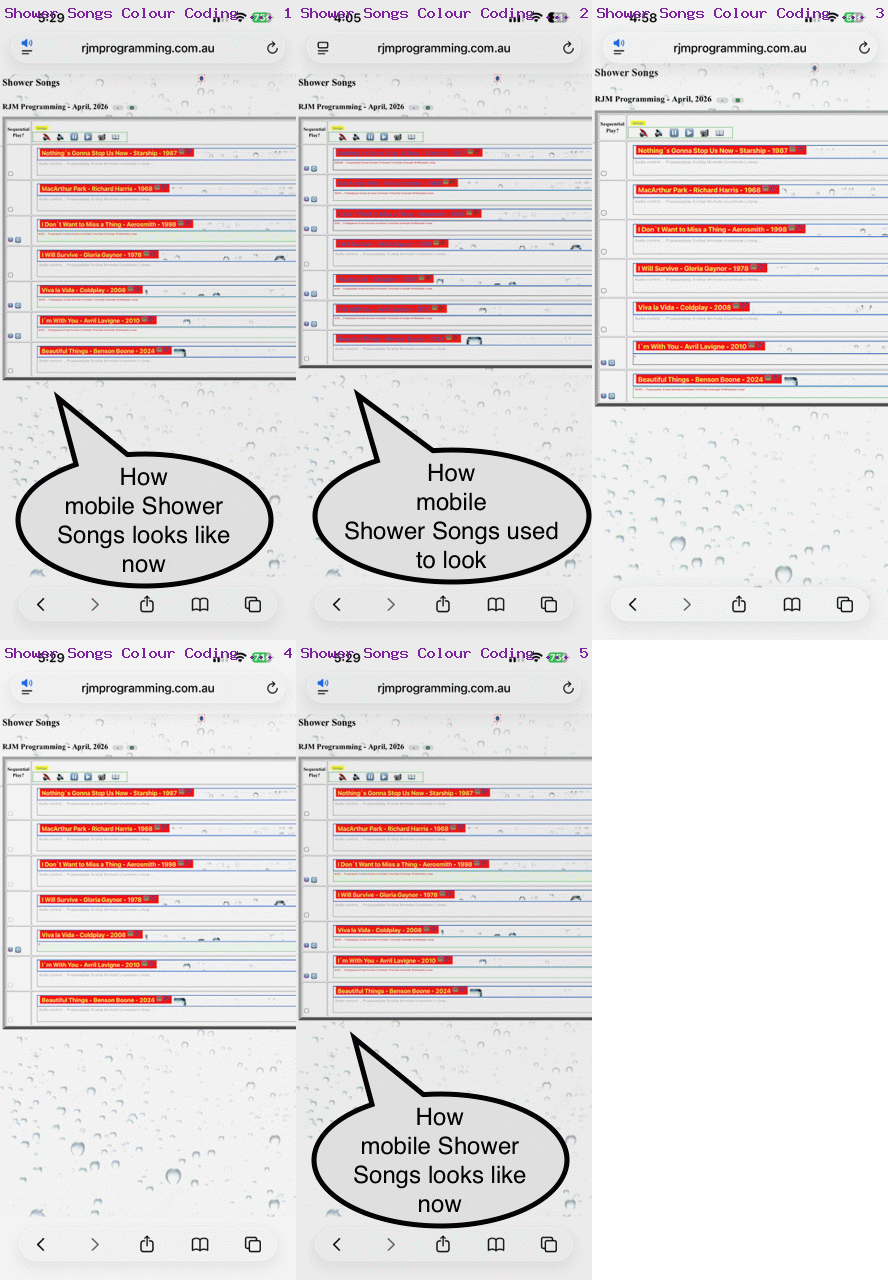
However, we made some bad colour choices, especially regarding the mobile red button overlayed by black text containing the song title. It was hard to see. It is easier now, that text being yellow.
While there, we decided on a pale green background colour to apply to the textarea user interactive input and progress displaying conduit, when it’s relevant YouTube video is playing (in audio stream only mode), and another principle of our Shower Songs logic is that you should only see one pale green textarea for any great period of time … ie. the songs play in sequence, and looping around in continuous play, like on the radio.
Believe it or not, the actual top level hierarchy Shower Songs window needs no changes for this, but …
- the changed …
<script type=text/javascript>

 if (navigator.userAgent.match(/Android|BlackBerry|iPhone|iPad|iPod|Opera Mini|IEMobile/i) || eval('' + navigator.maxTouchPoints) > 0) {

   if (window.parent != window.self) {

     if (('' + top.document.URL).indexOf('/shower_songs.htm') != -1 || ('' + parent.document.URL).indexOf('/shower_songs.htm') != -1) {

       document.write('<div><sty' + 'le> button { color: yellow !important; font-weight: bold !important; text-shadow: -1px 1px 1px #e52dff !important;  }  </sty' + 'le></div>');

     }

   }

 }

</script>

</body>
… karaoke_youtube_api.htm inhouse YouTube video interfacer helps with the yellow font via CSS … while with the supervised we have … - a changed two scenario Javascript situation …
              // textarea gets a pale green background

              if (('' + top.document.URL).indexOf('/shower_songs.htm') != -1 || ('' + parent.parent.document.URL).indexOf('/shower_songs.htm') != -1) {

               parent.parent.document.getElementById(location.hash.replace(/\#/g,'')).style.backgroundColor='#F0FFF0';

              }

              parent.parent.document.getElementById(location.hash.replace(/\#/g,'')).placeholder='' + secscnt + '/' + duration + ' ... ' + 'P=pause/play S=stop M=mute U=unmute Y=YouTube G=Google W=Wikipedia L=loop ';

              //

              // textarea gets usual white background

              if (('' + top.document.URL).indexOf('/shower_songs.htm') != -1 || ('' + parent.parent.document.URL).indexOf('/shower_songs.htm') != -1) {

               parent.parent.document.getElementById(location.hash.replace(/\#/g,'')).style.backgroundColor='white';

              }

              parent.parent.document.getElementById(location.hash.replace(/\#/g,'')).placeholder='' + Math.round(cen) + '/' + duration + ' ... ' + 'P=play/pause S=stop M=' + mletter + 'ute U=' + uletter + 'nmute Y=YouTube G=Google W=Wikipedia L=loop' + psuf;
… where stop_start_youtube.html controls those textarea element background colours in that grandchild YouTube API inhouse interfacer
… were needed to make this colour coding logic happen to improve how the user uses this web application, we’re hoping. Ie. bye for now.
If this was interesting you may be interested in this too.




Thanks. Since then, a Shower Songs project at https://www.rjmprogramming.com.au/HTMLCSS/shower_songs.html is an improvement regarding "Radio Play" on mobile platforms.