Walking Trip

📅
Electric Vehicle Charging via Evie Primer Tutorial
Another aspect to Electric Vehicle Charging further to the recent Ocular EV Charging App RFIDs Primer Tutorial is (the generally faster) public DC charging, as distinct from (usually slower) AC (often private, though can be public too) charging.
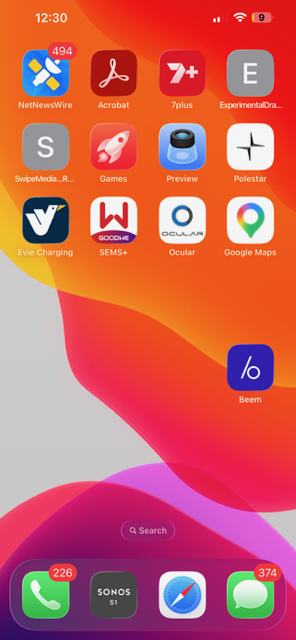
There was an app icon on our iPhone desktop near those others we talked about in that tutorial mentioned above, and shown below, called the …
Evie Charging app
… and for a lot of Electric Vehicles here in Australia, a network of public chargers accessible via the Evie Charging app, is growing.
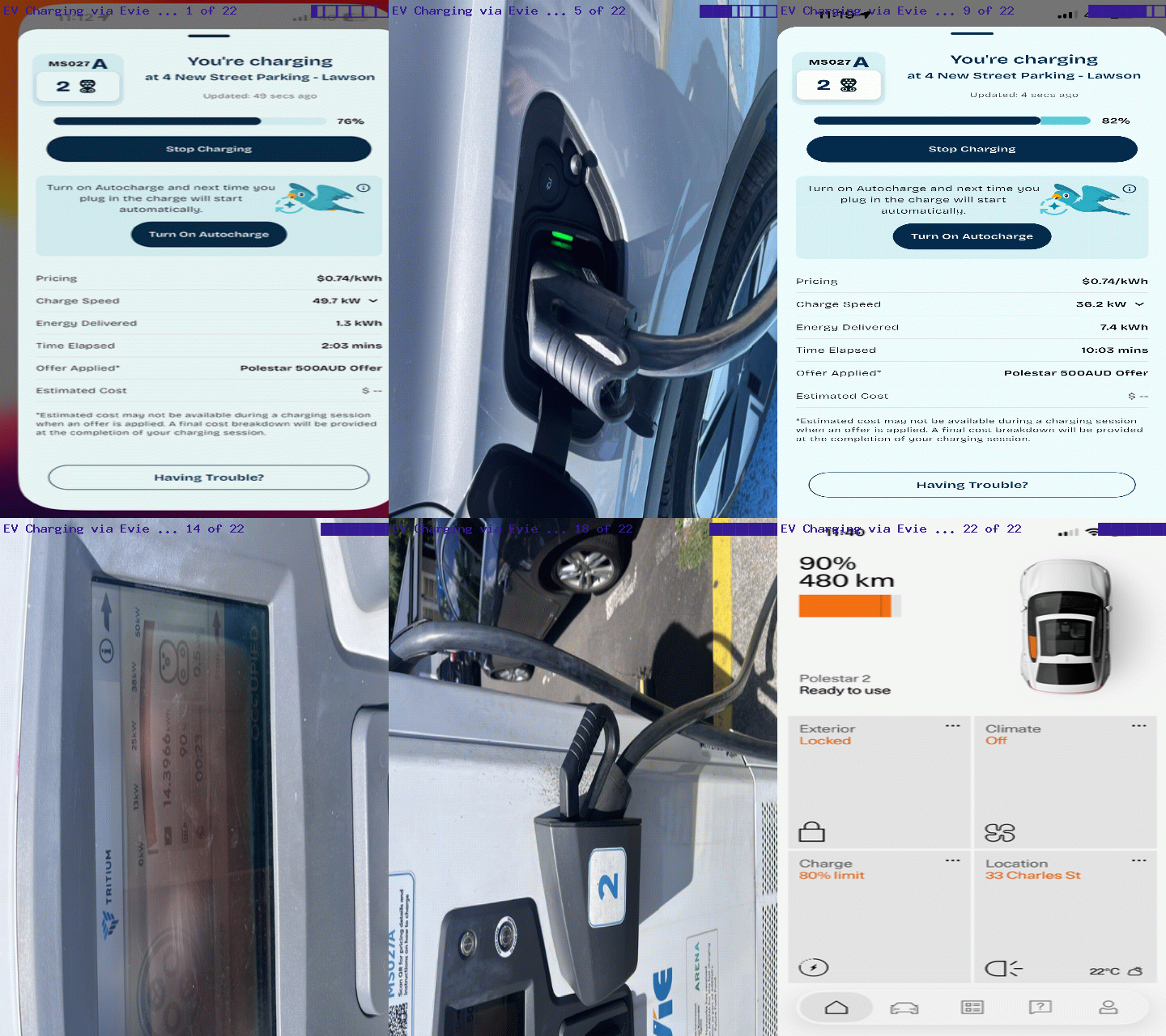
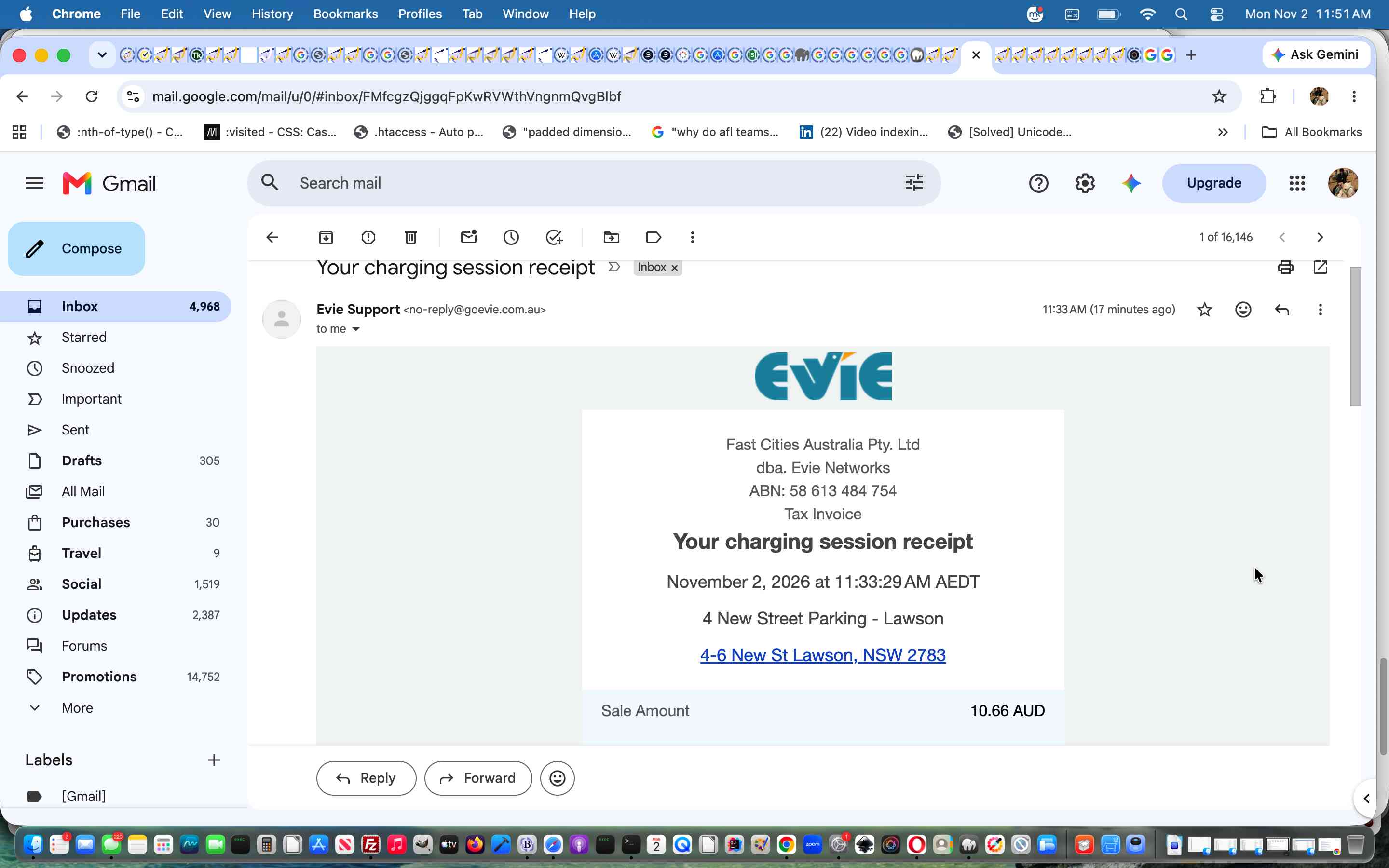
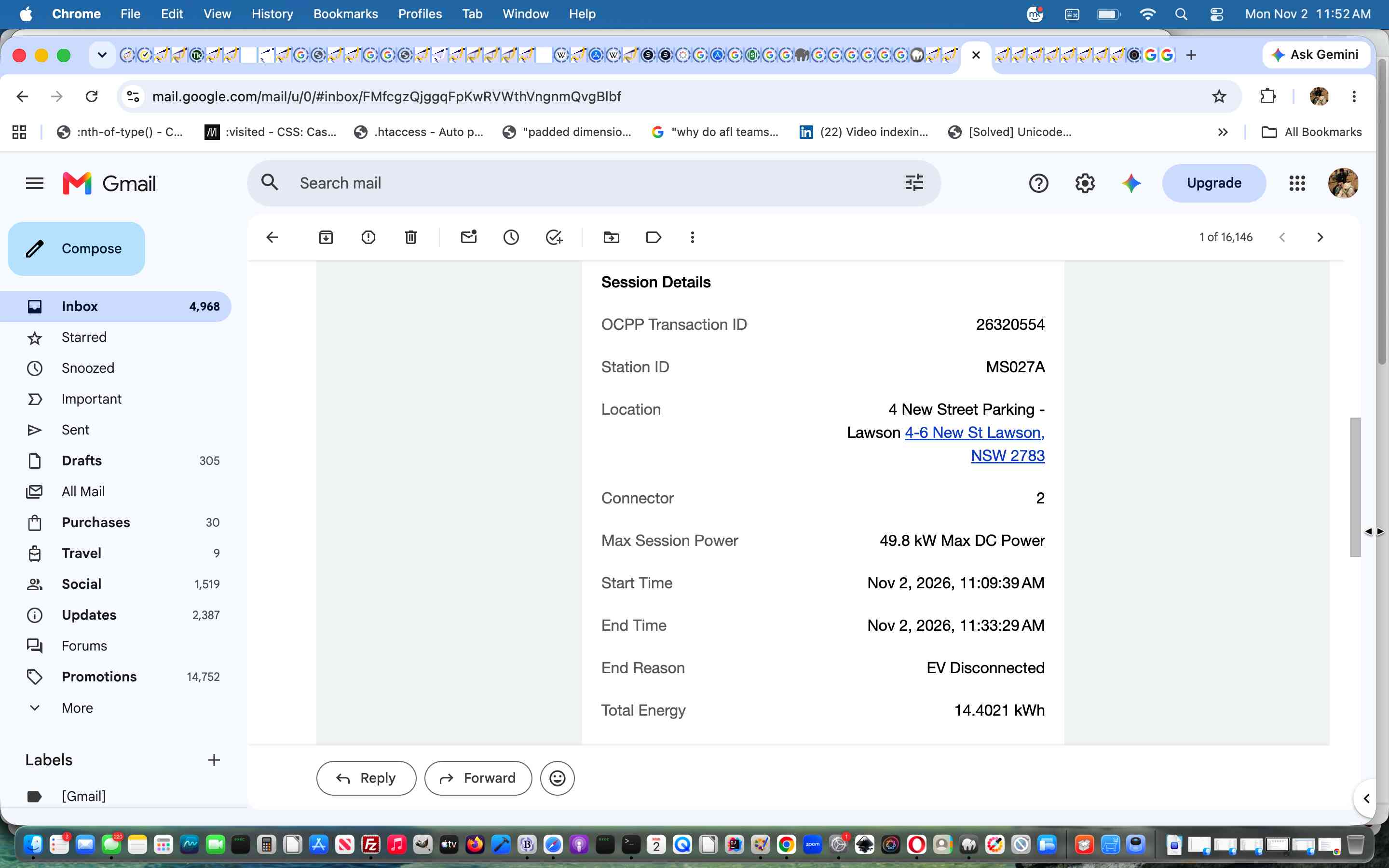
We tried it for the first time the other day, and snapshotted our experience to create this animated GIF presentation. The emailed report showed …
Previous relevant Ocular EV Charging App RFIDs Primer Tutorial is shown below.
Ocular EV Charging App RFIDs Primer Tutorial
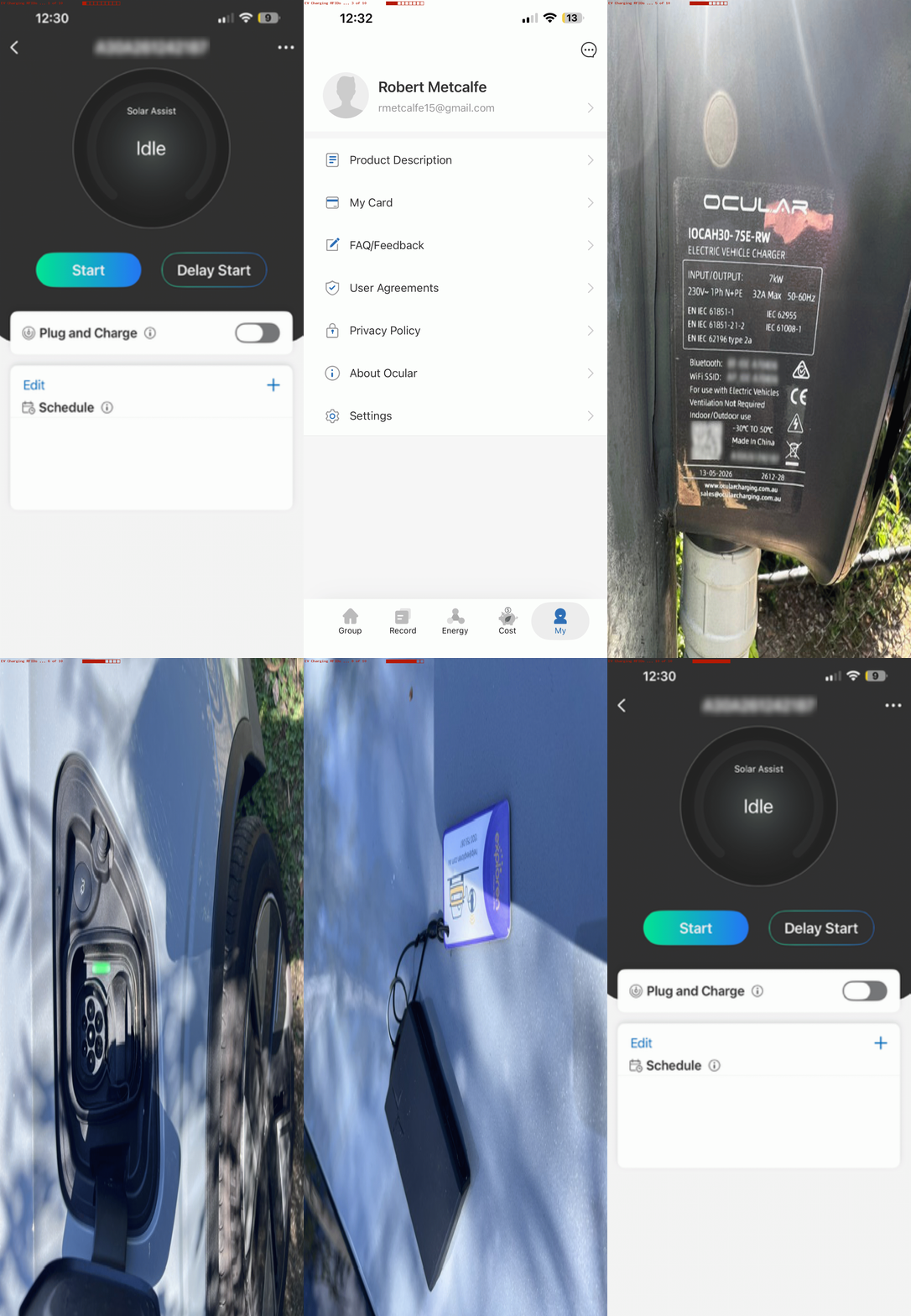
We recently got helped hugely acclimatizing to a new EV (electric vehicle) via a …
… flurry of advice recently, leaving us with mobile apps for …
Since then, the car people upgraded our car software in an indescribable set of steps … was this firmware?! Anyway, an ongoing matter of interest (it took us a month to address but read on) was the electrician leaving us with two RFIDs … these quite small rigid but smaller and fatter credit card …
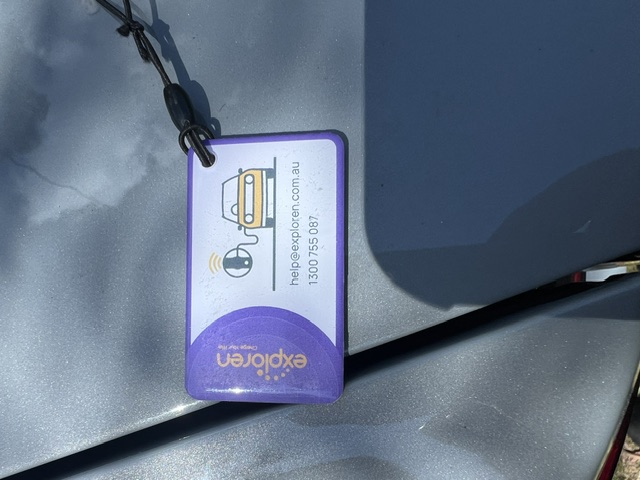
… feeling do-dahs EV charging Plug and Charge precursor arrangements … in what you might categorize as a “security thaing”.
You’re probably getting the gist here …
Stick to the day job … software!
But luckily, yours truly gets inspiration in these “onboard hardware matters” from the gumption and fearlessness of my partner! Yayyy! So we found ourselves …
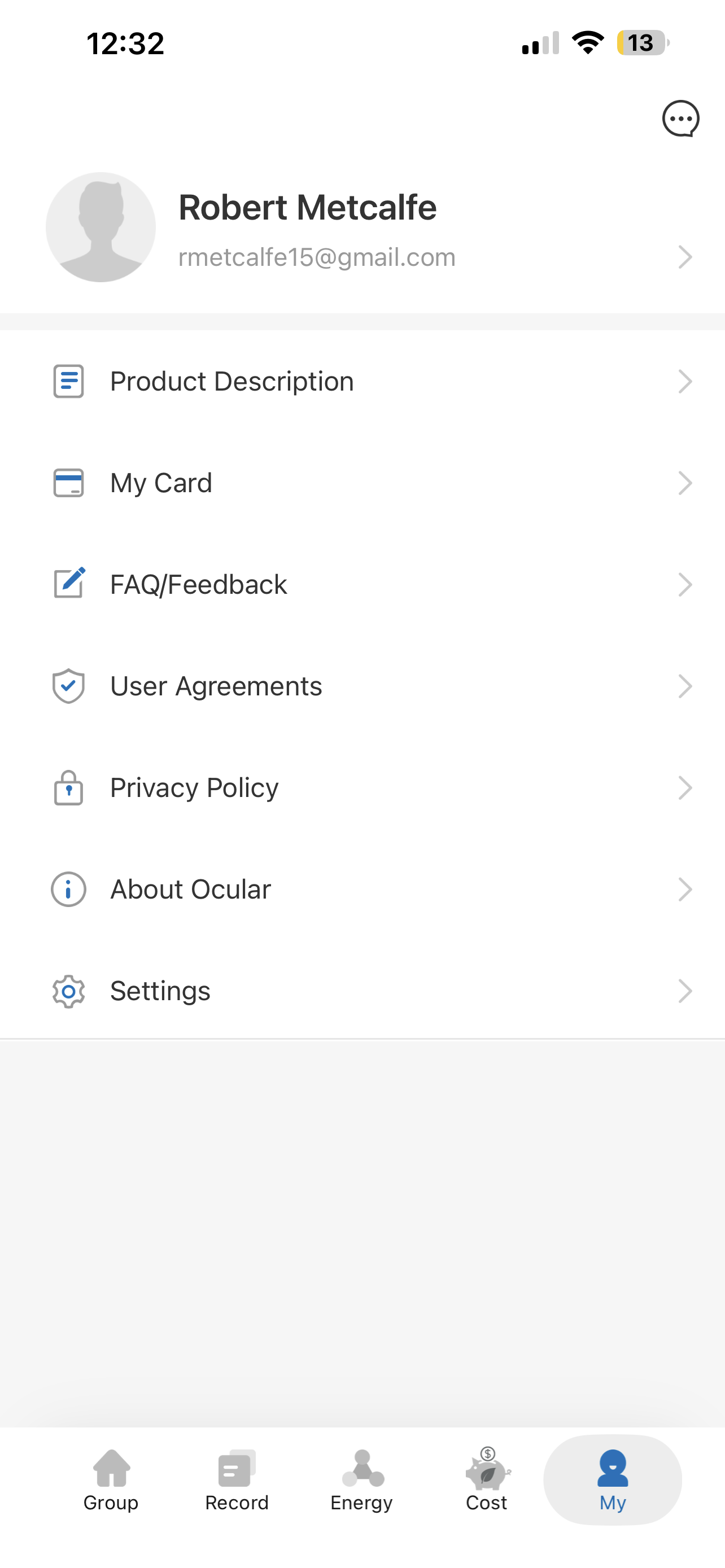
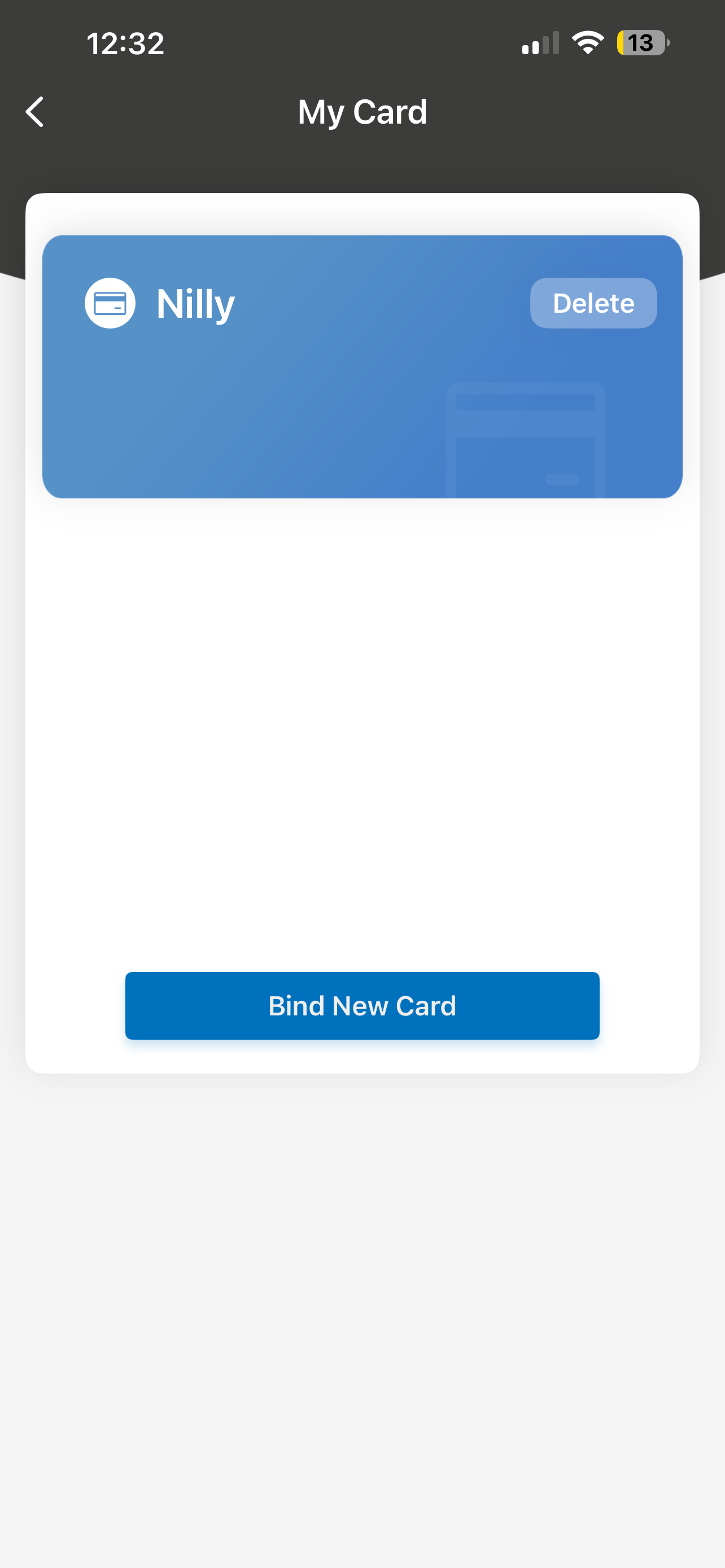
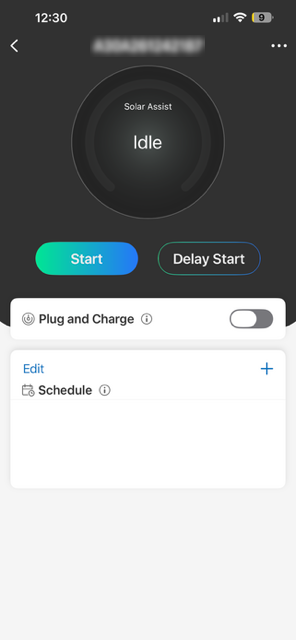
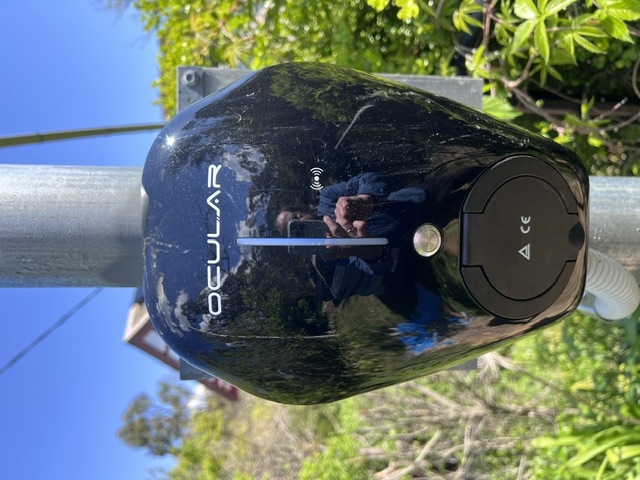
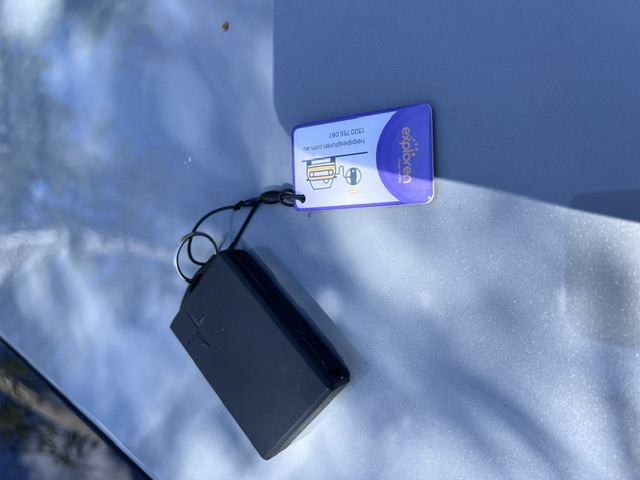
… and so it made sense to associate car fob with the RFID card as per …
If this was interesting you may be interested in this too.
If this was interesting you may be interested in this too.
Cowsay Cartoon Recursion Tutorial
The “up to yesterday’s Cowsay Cartoon Text to Speech Tutorial appraisal” could go something like …
Cartoons via Cowsay could be interesting, but cartoons limited to 2 “action cells”, that’s a tad limiting.
… and that all sounds a legitimate concern to me too … especially as I came up with my own complaint?!
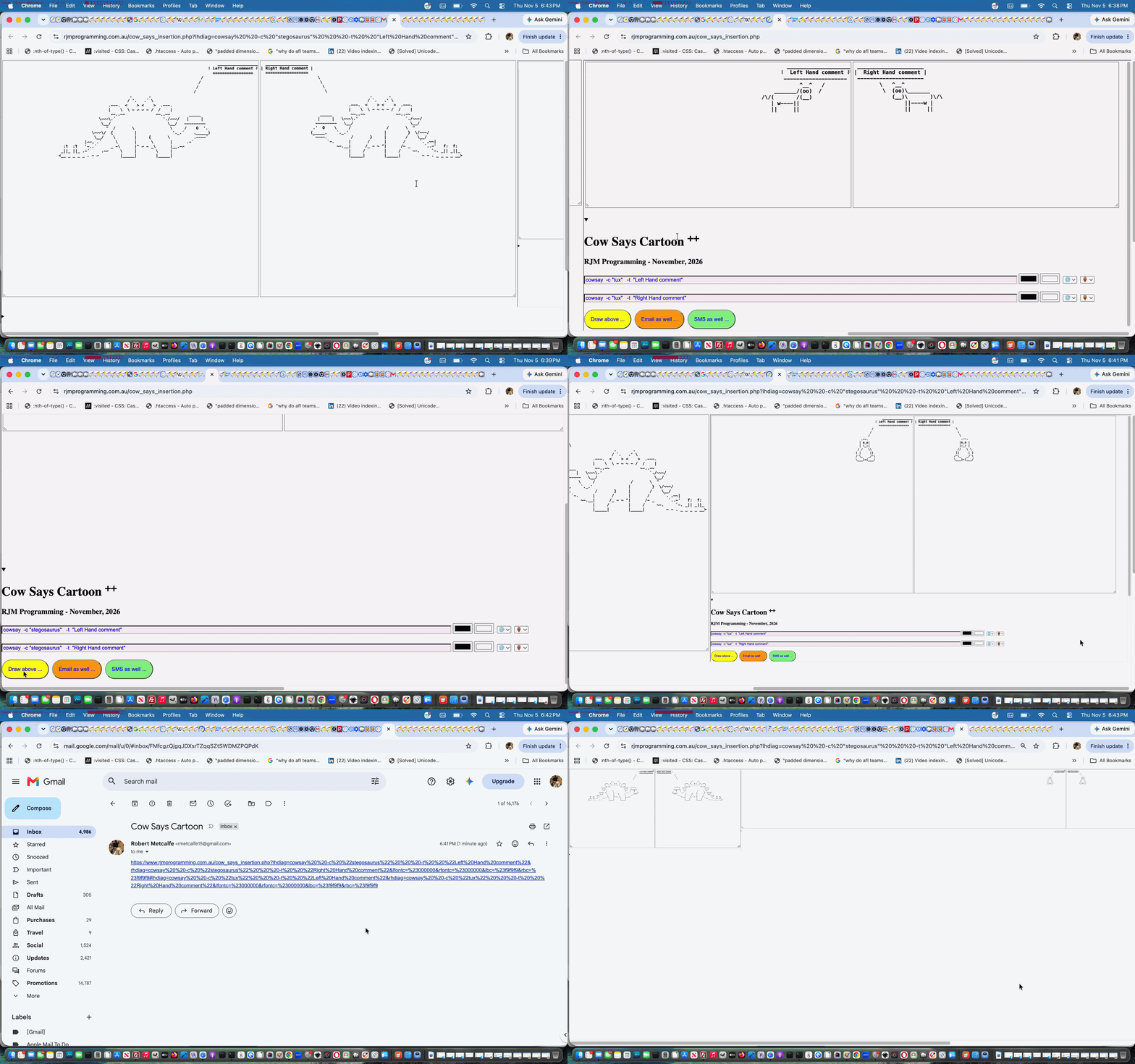
We’ve waited for today to pounce on a way to allow for cartoon sharing via email or SMS of cartoons consisting of a larger multiple of two “action cells”. That is because we wanted to get the “just two” scenario well bedded down, before, what pans out to be “a full of recursion“, solution. We think there should be “recursion shoes” especially designed for “treading carefully” because should a recursion issue go wrong, it can be capable of at least making the web application of your webpage become inoperable, in an infinite loop. Of course, if you debug your work, it can be stopped when wrong like this, but we think extra testing applies to recursion work, for this reason.
You might wonder, if we told you the main webpage just adds td cells to the one tr row and embeds in that new td (colspan=2) an iframe element …
Can’t you just reference window.top and top.document.URL here rather than needing recursion?
We started that way, and yes, for most scenarios that works but what about our this blog hosted call of it? There, top.document.URL has nothing to do with /cow_says_insertion.php Cow Says Cartoon web application, and the simplistic reasoning (along with any parent.parent contemplations) will fall apart, but introducing recursion into the new (and recursion modified) Javascript functions below …
<?php echo ”
  var numtoshow=1, gofroms=['tdleft','tdright'];

  var wpxs=[], totwidth=0;

  var homehash='', newget='';

  var ises=false, ifrecth=0;


  function getget() {

    return '?lhdiag=' + encodeURIComponent(document.getElementById('lhdiag').value) + '&rhdiag=' + encodeURIComponent(document.getElementById('rhdiag').value) + '&lfontc=' + encodeURIComponent(document.getElementById('lfontc').value) + '&rfontc=' + encodeURIComponent(document.getElementById('rfontc').value) + '&lbc=' + encodeURIComponent(document.getElementById('lbc').value) + '&rbc=' + encodeURIComponent(document.getElementById('rbc').value) + extral + extrar + gtr + gtl + syl + syr;

  }


  function hashit(hh) {

     homehash+=hh.replace(/^\?/g,'#');

     return true;

  }


  function homehashit() {

     if (window.top != window.self && ('' + top.document.URL).indexOf('/cow_says_insertion.php') != -1) {

       return top.hashit(getget());

     } else if (window.parent != window.self && ('' + parent.document.URL).indexOf('/cow_says_insertion.php') != -1) {

       return parent.hashit(getget());

     }

     if (homehash != '') {

       top.location.href='./cow_says_insertion.php' + '?lhdiag=' + encodeURIComponent(document.getElementById('lhdiag').value) + '&rhdiag=' + encodeURIComponent(document.getElementById('rhdiag').value) + '&lfontc=' + encodeURIComponent(document.getElementById('lfontc').value) + '&rfontc=' + encodeURIComponent(document.getElementById('rfontc').value) + '&lbc=' + encodeURIComponent(document.getElementById('lbc').value) + '&rbc=' + encodeURIComponent(document.getElementById('rbc').value) + extral + extrar + gtr + gtl + syl + syr + homehash;

       return false;

     }

     return true;

  }


  function emailit() {

     if (window.top != window.self && ('' + top.document.URL).indexOf('/cow_says_insertion.php') != -1) {

       return top.emailit();

     } else if (window.parent != window.self && ('' + parent.document.URL).indexOf('/cow_says_insertion.php') != -1) {

       return parent.emailit();

     }

     document.getElementById('es').href='mailto:?subject=Cow%20Says%20Cartoon&body=' + encodeURIComponent(document.URL.split('?')[0].split('#')[0] + '?lhdiag=' + encodeURIComponent(document.getElementById('lhdiag').value) + '&rhdiag=' + encodeURIComponent(document.getElementById('rhdiag').value) + '&lfontc=' + encodeURIComponent(document.getElementById('lfontc').value) + '&rfontc=' + encodeURIComponent(document.getElementById('rfontc').value) + '&lbc=' + encodeURIComponent(document.getElementById('lbc').value) + '&rbc=' + encodeURIComponent(document.getElementById('rbc').value) + extral + extrar + gtr + gtl + syl + syr + homehash);

     document.getElementById('es').click();

     document.getElementById('mysub').click();

     return true;

  }


  function smsit() {

     if (window.top != window.self && ('' + top.document.URL).indexOf('/cow_says_insertion.php') != -1) {

       return top.smsit();

     } else if (window.parent != window.self && ('' + parent.document.URL).indexOf('/cow_says_insertion.php') != -1) {

       return parent.smsit();

     }

     document.getElementById('es').href='sms:&body=' + encodeURIComponent(document.URL.split('?')[0].split('#')[0] + '?lhdiag=' + encodeURIComponent(document.getElementById('lhdiag').value) + '&rhdiag=' + encodeURIComponent(document.getElementById('rhdiag').value) + '&lfontc=' + encodeURIComponent(document.getElementById('lfontc').value) + '&rfontc=' + encodeURIComponent(document.getElementById('rfontc').value) + '&lbc=' + encodeURIComponent(document.getElementById('lbc').value) + '&rbc=' + encodeURIComponent(document.getElementById('rbc').value) + extral + extrar + gtr + gtl + syl + syr + homehash);

     document.getElementById('es').click();

     document.getElementById('mysub').click();

     return true;

  }


  function addone() {

     var rect=null, igo=0;

     if (window.top != window.self && ('' + top.document.URL).indexOf('/cow_says_insertion.php') != -1) {

       return top.addone();

     } else if (window.parent != window.self && ('' + parent.document.URL).indexOf('/cow_says_insertion.php') != -1) {

       return parent.addone();

     }

     var retval='Add two more cartoon cells to right ... ' + eval(2 * eval(1 + numtoshow)) + ' cartoon cells in total';

     if (numtoshow == 1) {

       rect=document.body.getBoundingClientRect();

       if (gofroms.length > wpxs.length && ifrecth == 0) {

         ifrecth=eval('' + rect.height);

       }

       for (igo=0; igo<gofroms.length; igo++) {

         rect=document.getElementById(gofroms[igo]).getBoundingClientRect();

         if (gofroms.length > wpxs.length) {

           wpxs.push(rect.width);

           document.getElementById(gofroms[igo]).style.width='' + rect.width + 'px';

           totwidth+=eval('' + rect.width);

           //alert('' + rect.width);

         }

       }

       document.getElementById('toptable').style.width='' + eval(eval(1 + numtoshow) * " . $origwper . ") + '%';

       if (navigator.userAgent.match(/Android|BlackBerry|iPhone|iPad|iPod|Opera Mini|IEMobile/i) || eval('' + navigator.maxTouchPoints) > 0) {

       document.getElementById('toprow').innerHTML+='<td id=td' + numtoshow + ' colspan=' + gofroms.length + ' style=width:' + totwidth + 'px;overflow-y:visible;><iframe style=\"width:100%;height:' + ifrecth + 'px;overflow-y:visibile;margin:0 0 0 0;padding:0 0 0 0;\" src=./cow_says_insertion.php' + newget + '></iframe></td>';

       } else {

       document.getElementById('toprow').innerHTML+='<td id=td' + numtoshow + ' colspan=' + gofroms.length + ' style=width:' + totwidth + 'px;overflow-y:visible;><iframe style=\"width:100%;height:' + ifrecth + 'px;overflow-y:visibile;margin:0 0 0 0;padding:0 0 0 0;\" src=./cow_says_insertion.php' + newget + '></iframe></td>';

       }

       newget='';

       document.getElementById('td' + numtoshow).scrollIntoView();

       numtoshow++;

     } else {

       document.getElementById('toptable').style.width='' + eval(eval(1 + numtoshow) * " . $origwper . ") + '%';

       if (navigator.userAgent.match(/Android|BlackBerry|iPhone|iPad|iPod|Opera Mini|IEMobile/i) || eval('' + navigator.maxTouchPoints) > 0) {

       document.getElementById('toprow').innerHTML+='<td id=td' + numtoshow + ' colspan=' + gofroms.length + ' style=width:' + totwidth + 'px;overflow-y:visible;><iframe style=\"width:100%;height:' + ifrecth + 'px;overflow-y:visibile;margin:0 0 0 0;padding:0 0 0 0;\" src=./cow_says_insertion.php' + newget + '></iframe></td>';

       } else {

       document.getElementById('toprow').innerHTML+='<td id=td' + numtoshow + ' colspan=' + gofroms.length + ' style=width:' + totwidth + 'px;overflow-y:visible;><iframe style=\"width:100%;height:' + ifrecth + 'px;overflow-y:visibile;margin:0 0 0 0;padding:0 0 0 0;\" src=./cow_says_insertion.php' + newget + '></iframe></td>';

       }

       newget='';

       document.getElementById('td' + numtoshow).scrollIntoView();

       numtoshow++;

     }

     document.getElementById('supadd').title=retval;

     return retval; //'Add two more cartoon cells to right ... ' + eval(2 * numtoshow) + ' cartoon cells in total';

  }


  function supit() {

     var rect=null, igo=0;

     if (window.top != window.self && ('' + top.document.URL).indexOf('/cow_says_insertion.php') != -1) {

       if (top.document.getElementById('supadd').title != document.getElementById('supadd').title) {

         document.getElementById('supadd').title=top.document.getElementById('supadd').title;

       }

       setTimeout(supit, 5000);

     } else if (window.parent != window.self && ('' + parent.document.URL).indexOf('/cow_says_insertion.php') != -1) {

       if (parent.document.getElementById('supadd').title != document.getElementById('supadd').title) {

         document.getElementById('supadd').title=parent.document.getElementById('supadd').title;

       }

       setTimeout(supit, 5000);

     }

  }


  setTimeout(supit, 5000);
“; ?>
… hierarchically organizes the code not depending on what top.document.URL points at, allowing the whole Cow Says Cartoon web application be hosted by some other overseeing web application in the changed cow_says_insertion.php PHP based web application you can also try below.
And the conduit for sharing these “more than two” Cowsay Cartoons with more than two scenes are via URLs containing good ol’ hashtag data with associated document.body onload event timed Javascript logic …
<?php echo ”
  function initit() {

     if (('' + document.getElementById('lmcss').title).indexOf('text-shadow:') != -1) {

       document.getElementById('lmcss').value=document.getElementById('lmcss').title;

       document.getElementById('lmcss').style.display='inline-block';

       document.getElementById('lmcss').name='lmcss';

       document.getElementById('lmcss').title=document.getElementById('lmcss').placeholder;

     }

     if (('' + document.getElementById('rmcss').title).indexOf('text-shadow:') != -1) {

       document.getElementById('rmcss').value=document.getElementById('rmcss').title;

       document.getElementById('rmcss').name='rmcss';

       document.getElementById('rmcss').style.display='inline-block';

       document.getElementById('rmcss').title=document.getElementById('rmcss').placeholder;

     }

     initl=document.getElementById('lbc').value;

     initr=document.getElementById('rbc').value;

     if (window.self != window.parent) {

        if (document.getElementById('lhdiag').value.indexOf('\"stegosaurus\"') != -1 && '" . $posted . "' == '') {

          document.getElementById('lhdiag').value=document.getElementById('lhdiag').value.replace('stegosaurus','tux');

        }

        if (document.getElementById('rhdiag').value.indexOf('\"stegosaurus\"') != -1 && '" . $posted . "' == '') {

          document.getElementById('rhdiag').value=document.getElementById('rhdiag').value.replace('stegosaurus','tux');

        }

     }

     document.getElementById('languagel').value='" . $langl . "';

     document.getElementById('languager').value='" . $langr . "';


     if (document.getElementById('languagel').value != '') {

         window.open('//translate.google.com/#view=home&op=translate&sl=auto&tl=' + document.getElementById('languagel').value + '&text=' + encodeURIComponent( document.getElementById('lhdiag').value.split('\"')[eval(-2 + document.getElementById('lhdiag').value.split('\"').length)]  ), '_blank','left=0,top=0,width=600,height=600');

     }


     if (document.getElementById('languager').value != '') {

         window.open('//translate.google.com/#view=home&op=translate&sl=auto&tl=' + document.getElementById('languager').value + '&text=' + encodeURIComponent( document.getElementById('rhdiag').value.split('\"')[eval(-2 + document.getElementById('rhdiag').value.split('\"').length)]  ), '_blank','left=600,top=0,width=600,height=600');

     }


     if ('' != '" . $visl . "') {

        var lvis='" . trim(str_replace('-v','',$visl)) . "';

        if (document.getElementById('svoicecodel').innerHTML.indexOf(' ' + lvis + String.fromCharCode(34)) != -1) {

          document.getElementById('svoicecodel').value=document.getElementById('svoicecodel').innerHTML.split(' ' + lvis + String.fromCharCode(34))[0].split(String.fromCharCode(34))[eval(-1 + document.getElementById('svoicecodel').innerHTML.split(' ' + lvis + String.fromCharCode(34))[0].split(String.fromCharCode(34)).length)] + ' ' + lvis;

        }

     }


     if ('' != '" . $visr . "') {

        var rvis='" . trim(str_replace('-v','',$visr)) . "';

        if (document.getElementById('svoicecoder').innerHTML.indexOf(' ' + rvis + String.fromCharCode(34)) != -1) {

          document.getElementById('svoicecoder').value=document.getElementById('svoicecoder').innerHTML.split(' ' + rvis + String.fromCharCode(34))[0].split(String.fromCharCode(34))[eval(-1 + document.getElementById('svoicecoder').innerHTML.split(' ' + rvis + String.fromCharCode(34))[0].split(String.fromCharCode(34)).length)] + ' ' + rvis;

        }

     }


     if (('' + location.hash).indexOf('lhdiag=') != -1) {

       if (('' + document.referrer).indexOf('/cow_says_insertion.php') != -1) {

         ises=false;

       } else {  // probably email or SMS with more than 2 cells

        ises=true;

        setTimeout(function(){  window.scrollTo(0,0);  }, 8000);

       }

       var newcalldatas=('' + location.hash).split('lhdiag=');

       for (var ibn=1; ibn<newcalldatas.length; ibn++) {

         newget='?lhdiag=' + newcalldatas[ibn].replace(/\#$/g,'') + (ises == true ? '&noopen=y' : '');

         addone();

         newget='';

       }


       if (ises) {

         document.getElementById('mydet').open=false; //setAttribute('open', false);

       }

     }


     if (document.URL.indexOf('noopen=') != -1) {

       document.getElementById('mydet').open=false; //.setAttribute('open', false);

     }


  }
“; ?>
Previous relevant Cowsay Cartoon Text to Speech Tutorial is shown below.
Cowsay Cartoon Text to Speech Tutorial
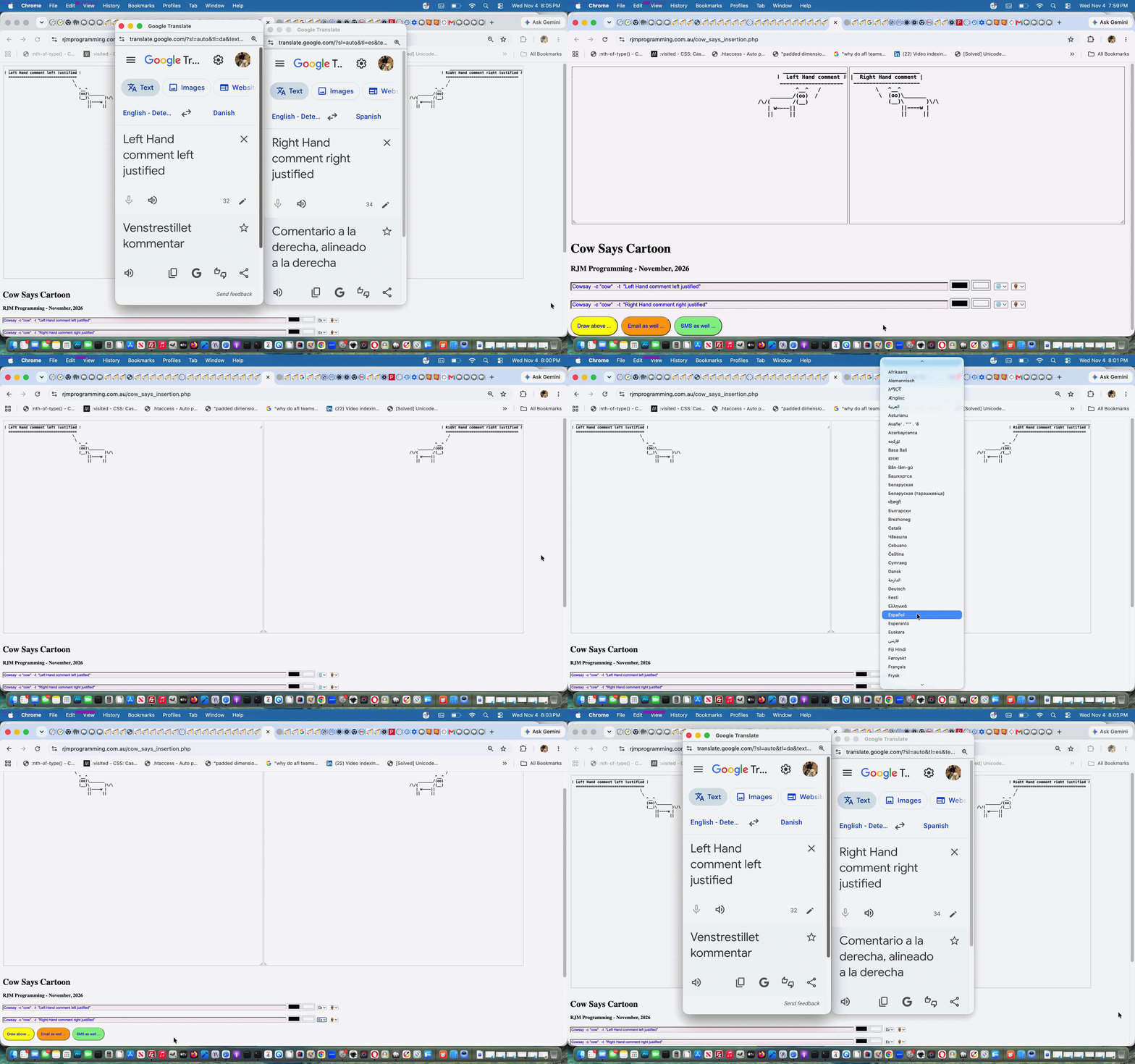
Onto yesterday’s Cowsay Cartoon History Assistance Tutorial today’s two major improvements are …
if (isset($_POST['lhdiag']) && isset($_POST['rhdiag']) && (isset($_GET['dosay']) || isset($_POST['dosay']))) {

 if (strtolower(substr($_POST['lhdiag'],0,6)) == 'cowsay' && strtolower(substr($_POST['rhdiag'],0,6)) == 'cowsay') {

  $visl="";

  $visr="";

  if (isset($_POST['dosay'])) {

    if (strpos(str_replace('+',' ',urldecode($_POST['dosay'])), ',') !== false) {

      $visl=" -v " . explode(',', str_replace('+',' ',urldecode($_POST['dosay'])))[0] . " ";

      $visr=" -v " . explode(',', str_replace('+',' ',urldecode($_POST['dosay'])))[1] . " ";

    } else if (trim(str_replace('+',' ',urldecode($_POST['dosay']))) != '') {

      $visl=" -v " . explode(',', str_replace('+',' ',urldecode($_POST['dosay'])))[0] . " ";

    }

  }

  if (isset($_GET['dosay'])) {

    if (strpos(str_replace('+',' ',urldecode($_GET['dosay'])), ',') !== false) {

      $visl=" -v " . explode(',', str_replace('+',' ',urldecode($_GET['dosay'])))[0] . " ";

      $visr=" -v " . explode(',', str_replace('+',' ',urldecode($_GET['dosay'])))[1] . " ";

    } else if (trim(str_replace('+',' ',urldecode($_GET['dosay']))) != '') {

      $visl=" -v " . explode(',', str_replace('+',' ',urldecode($_GET['dosay'])))[0] . " ";

    }

  }

  if ($visr == '') {

  $saycmd=" exec('say" . $visl . " \"" . explode('"', str_replace('+',' ',urldecode($_POST['lhdiag'])))[-2 + sizeof(explode('"', str_replace('+',' ',urldecode($_POST['lhdiag']))))] . "\" [[ slnc 8000 ]] " . explode('"', str_replace('+',' ',urldecode($_POST['rhdiag'])))[-2 + sizeof(explode('"', str_replace('+',' ',urldecode($_POST['rhdiag']))))] . "\"'); ";

  } else {

  $saycmd=" exec('say" . $visl . " \"" . explode('"', str_replace('+',' ',urldecode($_POST['lhdiag'])))[-2 + sizeof(explode('"', str_replace('+',' ',urldecode($_POST['lhdiag']))))] . "\" ; " . "say" . $visr . " \" [[ slnc 8000 ]] " . explode('"', str_replace('+',' ',urldecode($_POST['rhdiag'])))[-2 + sizeof(explode('"', str_replace('+',' ',urldecode($_POST['rhdiag']))))] . "\"'); ";

  }

 }

}
… passing through to cartoon creation and sharing via email or SMS, in the changed cow_says_insertion.php PHP based web application.
Previous relevant Cowsay Cartoon History Assistance Tutorial is shown below.
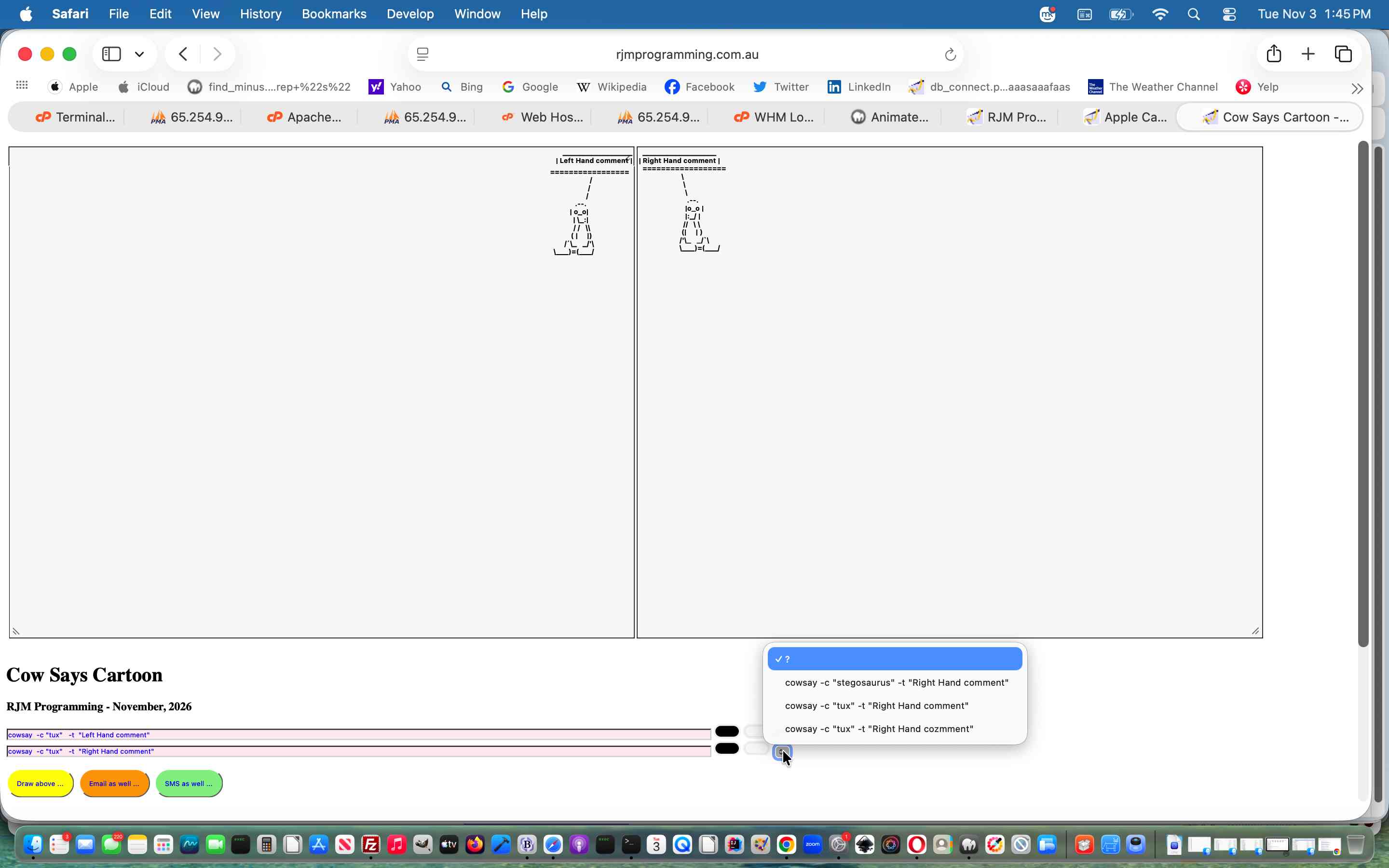
Cowsay Cartoon History Assistance Tutorial
Thinking about today’s Remembering History extension of functionality onto yesterday’s Cowsay Cartoon User Styling Tutorial, we, at first, contemplated …
… based on the PHP function call where the user IP address incarnation is determined, as per …
<?php
function justdoit($bigsofar, $maybeyes) {

    global $sb, $sbtwo, $bigsofarl, $bigsofarr, $smallsofarl, $smallsofarr, $oursbtwo, $ipaddr;

    $sofar=$bigsofar;

    if (file_exists(dirname(__FILE__) . DIRECTORY_SEPARATOR . '..' . DIRECTORY_SEPARATOR . str_replace('maybe','',$maybeyes))) {

      $sofar=file_get_contents(dirname(__FILE__) . DIRECTORY_SEPARATOR . '..' . DIRECTORY_SEPARATOR . str_replace('maybe','',$maybeyes));

    }

    $rma = $_SERVER['REMOTE_ADDR'];

    $ua = strtolower($_SERVER['HTTP_USER_AGENT']);

    // you can add different browsers with the same way ..

    if(preg_match('/(chromium)[ \/]([\w.]+)/', $ua))

            $rma = '000000'.$rma;

    elseif(preg_match('/(chrome)[ \/]([\w.]+)/', $ua))

            $rma = '00000'.$rma;

    elseif(preg_match('/(safari)[ \/]([\w.]+)/', $ua))

            $rma = '0000'.$rma;

    elseif(preg_match('/(opera)[ \/]([\w.]+)/', $ua))

            $rma = '000'.$rma;

    elseif(preg_match('/(msie)[ \/]([\w.]+)/', $ua))

            $rma = '00'.$rma;

    elseif(preg_match('/(mozilla)[ \/]([\w.]+)/', $ua))

            $rma = '0'.$rma;

    $ipaddr=str_replace(":", "_", $rma);

    if ($bigsofar == '') {

       $sofar=$oursbtwo; //trim($sb) . ' ' . trim($sbtwo);

       file_put_contents(dirname(__FILE__) . DIRECTORY_SEPARATOR . '..' . DIRECTORY_SEPARATOR . str_replace('maybe','',$maybeyes), '' . $sofar);

       if (strpos($maybeyes, "left") !== false) {

        $bigsofarl="<select title='History of selections you can access ...' id=mysell style=width:24px; onchange=\"if (this.value.length > 0) { document.getElementById('lhdiag').value=this.value; }\">\n<option value=''>?</option>\n<option value='cowsay " . $sofar . "' data-ip='" . $ipaddr . "'>cowsay " . $sofar . "</option>\n</select>";

        file_put_contents(dirname(__FILE__) . DIRECTORY_SEPARATOR . '..' . DIRECTORY_SEPARATOR . str_replace('.txt','big.txt',str_replace('maybe','',$maybeyes)), $bigsofarl);

       } else if (strpos($maybeyes, "right") !== false) {

        $bigsofarr="<select title='History of selections you can access ...' id=myselr style=width:24px; onchange=\"if (this.value.length > 0) { document.getElementById('rhdiag').value=this.value; }\">\n<option value=''>?</option>\n<option value='cowsay " . $sofar . "' data-ip='" . $ipaddr . "'>cowsay " . $sofar . "</option>\n</select>";

        file_put_contents(dirname(__FILE__) . DIRECTORY_SEPARATOR . '..' . DIRECTORY_SEPARATOR . str_replace('.txt','big.txt',str_replace('maybe','',$maybeyes)), $bigsofarr);

       }

    } else if (strpos($bigsofar, 'cowsay ' . $oursbtwo) === false) {

       $sofar.="\n" . $oursbtwo; //trim($sb) . ' ' . trim($sbtwo);

       file_put_contents(dirname(__FILE__) . DIRECTORY_SEPARATOR . '..' . DIRECTORY_SEPARATOR . str_replace('maybe','',$maybeyes), '' . $sofar);

       $bigsofar=explode('</select>',$bigsofar)[0] . "\n" . "<option value='cowsay " . $oursbtwo . "' data-ip='" . $ipaddr . "'>cowsay " . $oursbtwo . "</option></select>";

       file_put_contents(dirname(__FILE__) . DIRECTORY_SEPARATOR . '..' . DIRECTORY_SEPARATOR . str_replace('.txt','big.txt',str_replace('maybe','',$maybeyes)), $bigsofar);

       if (strpos($maybeyes, "left") !== false) {

        $bigsofarl=$bigsofar;

        $recs=explode("\n", $bigsofarl);

        if (sizeof($recs) > 3) {

          $smallsofarl=$recs[0] . "\n" . $recs[1] . "\n";

          for ($ii=2; $ii<sizeof($recs); $ii++) {

            if ($recs[$ii] == '</select>') {

              $smallsofarl.='</select>';

            } else if (strpos(strtolower($recs[$ii]), '"left hand comment"') !== false) {

              $smallsofarl.=$recs[$ii] . "\n";

            } else if (strpos($recs[$ii], " data-ip='" . $ipaddr . "'") !== false) {

              $smallsofarl.=$recs[$ii] . "\n";

            } else if (strpos($recs[$ii], '"') !== false) {

              $lhcis=explode('"', $recs[$ii])[-2 + sizeof($recs)];

              if (trim($lhcis) != '') {

               if (sizeof(explode($lhcis, explode('>',$recs[$ii])[0])) == 3) {

                if (strpos($smallsofarl, explode('>',explode(' data-ip=', str_replace($lhcis, '?', $recs[$ii]))[0])[0]) === false) {

                  $smallsofarl.=str_replace($lhcis, '?', $recs[$ii]) . "\n";

                }

               }

              }

            }

          }

        }

       } else if (strpos($maybeyes, "right") !== false) {

        $bigsofarr=$bigsofar;

        $recs=explode("\n", $bigsofarrr);

        if (sizeof($recs) > 3) {

          $smallsofarr=$recs[0] . "\n" . $recs[1] . "\n";

          for ($ii=2; $ii<sizeof($recs); $ii++) {

            if ($recs[$ii] == '</select>') {

              $smallsofarr.='</select>';

            } else if (strpos(strtolower($recs[$ii]), '"right hand comment"') !== false) {

              $smallsofarr.=$recs[$ii] . "\n";

            } else if (strpos($recs[$ii], " data-ip='" . $ipaddr . "'") !== false) {

              $smallsofarr.=$recs[$ii] . "\n";

            } else if (strpos($recs[$ii], '"') !== false) {

              $lhcis=explode('"', $recs[$ii])[-2 + sizeof($recs)];

              if (trim($lhcis) != '') {

               if (sizeof(explode($lhcis, explode('>',$recs[$ii])[0])) == 3) {

                if (strpos($smallsofarr, explode('>',explode(' data-ip=', str_replace($lhcis, '?', $recs[$ii]))[0])[0]) === false) {

                  $smallsofarr.=str_replace($lhcis, '?', $recs[$ii]) . "\n";

                }

               }

              }

            }

          }

         }

       }

    } else {

       if (strpos($maybeyes, "left") !== false) {

        $bigsofarl=$bigsofar;

        $recs=explode("\n", $bigsofarl);

        if (sizeof($recs) > 3) {

          $smallsofarl=$recs[0] . "\n" . $recs[1] . "\n";

          for ($ii=2; $ii<sizeof($recs); $ii++) {

            if ($recs[$ii] == '</select>') {

              $smallsofarl.='</select>';

            } else if (strpos(strtolower($recs[$ii]), '"left hand comment"') !== false) {

              $smallsofarl.=$recs[$ii] . "\n";

            } else if (strpos($recs[$ii], " data-ip='" . $ipaddr . "'") !== false) {

              $smallsofarl.=$recs[$ii] . "\n";

            } else if (strpos($recs[$ii], '"') !== false) {

              $lhcis=explode('"', $recs[$ii])[-2 + sizeof($recs)];

              if (trim($lhcis) != '') {

               if (sizeof(explode($lhcis, explode('>',$recs[$ii])[0])) == 3) {

                if (strpos($smallsofarl, explode('>',explode(' data-ip=', str_replace($lhcis, '?', $recs[$ii]))[0])[0]) === false) {

                  $smallsofarl.=str_replace($lhcis, '?', $recs[$ii]) . "\n";

                }

               }

              }

            }

          }

        }

       } else if (strpos($maybeyes, "right") !== false) {

        $bigsofarr=$bigsofar;

        $recs=explode("\n", $bigsofarrr);

        if (sizeof($recs) > 3) {

          $smallsofarr=$recs[0] . "\n" . $recs[1] . "\n";

          for ($ii=2; $ii<sizeof($recs); $ii++) {

            if ($recs[$ii] == '</select>') {

              $smallsofarr.='</select>';

            } else if (strpos(strtolower($recs[$ii]), '"right hand comment"') !== false) {

              $smallsofarr.=$recs[$ii] . "\n";

            } else if (strpos($recs[$ii], " data-ip='" . $ipaddr . "'") !== false) {

              $smallsofarr.=$recs[$ii] . "\n";

            } else if (strpos($recs[$ii], '"') !== false) {

              $lhcis=explode('"', $recs[$ii])[-2 + sizeof($recs)];

              if (trim($lhcis) != '') {

               if (sizeof(explode($lhcis, explode('>',$recs[$ii])[0])) == 3) {

                if (strpos($smallsofarr, explode('>',explode(' data-ip=', str_replace($lhcis, '?', $recs[$ii]))[0])[0]) === false) {

                  $smallsofarr.=str_replace($lhcis, '?', $recs[$ii]) . "\n";

                }

               }

              }

            }

          }

         }

       }

    }


    return $sofar;

}
?>
… where you may glean that if IP addresses do not match, because we are not moderating here, if the cowsay “animal” text is not our default vanilla one we map it to the question mark character, on it’s way to a dropdown option element value mapped to the corresponding input type=text textbox one should the user select this option.
And as this involves the combination of …
… a new input type=text onblur event function …
<?php echo ”
  function nonos(texto) {

     var within='', done=false;

     var textv=texto.value;

     if (textv.indexOf(\" '\") != -1 && textv.indexOf(' \"') == -1) {

        while (!done && textv.indexOf(\" '\") != -1 && textv.indexOf(' \"') == -1) {

        within=textv.split(\" '\")[1].split(\"'\")[0];

        if (within.indexOf('\"') != -1) {

          textv=textv.replace(\" '\" + within + \"'\", '#@!\"' + within.replace(/\\\"/g, '`') + '\"');

          texto.value=textv;

          if (textv.indexOf(\" '\") != -1 && textv.indexOf(' \"') == -1) {

            done=false;

          } else {

            done=true;

          }

        } else {

          textv=textv.replace(\" '\" + within + \"'\", '#@!\"' + within + '\"');

          texto.value=textv;

          if (textv.indexOf(\" '\") != -1 && textv.indexOf(' \"') == -1) {

            done=false;

          } else {

            done=true;

          }

        }

        }

     } else if (textv.indexOf(\" '\") == -1 && textv.indexOf(' \"') != -1) {

        while (!done && textv.indexOf(\" '\") == -1 && textv.indexOf(' \"') != -1) {

        within=textv.split(' \"')[1].split('\"')[0];

        if (within.indexOf(\"'\") != -1) {

          textv=textv.replace(' \"' + within + '\"', '#@!\"' + within.replace(/\\'/g, '`') + '\"');

          texto.value=textv;

          if (textv.indexOf(\" '\") == -1 && textv.indexOf(' \"') != -1) {

            done=false;

          } else {

            done=true;

          }

        } else {

          textv=textv.replace(' \"' + within + '\"', '#@!\"' + within + '\"');

          texto.value=textv;

          if (textv.indexOf(\" '\") == -1 && textv.indexOf(' \"') != -1) {

            done=false;

          } else {

            done=true;

          }

        }

        }

     } else if (textv.indexOf(\" '\") != -1) {

        while (!done && textv.indexOf(\" '\") != -1) {

        within=textv.split(\" '\")[1].split(\"'\")[0];

        if (within.indexOf('\"') != -1) {

          textv=textv.replace(\" '\" + within + \"'\", '#@!\"' + within.replace(/\\\"/g, '`') + '\"');

          texto.value=textv;

          if (textv.indexOf(\" '\") != -1) {

            done=false;

          } else {

            done=true;

          }

        } else {

          textv=textv.replace(\" '\" + within + \"'\", '#@!\"' + within + '\"');

          texto.value=textv;

          if (textv.indexOf(\" '\") != -1) {

            done=false;

          } else {

            done=true;

          }

        }

        }

     }


     if (textv.indexOf(';') != -1) { textv=textv.replace(/\;/g,':'); done=true;  }

     if (done) { texto.value=textv.replace(/\#\@\!/g, ' ');  }

  }
“; ?>
… amends quote delimiter usage within the proposed cowsay command, as required in the changed cow_says_insertion.php PHP based web application.
Previous relevant Cowsay Cartoon User Styling Tutorial is shown below.
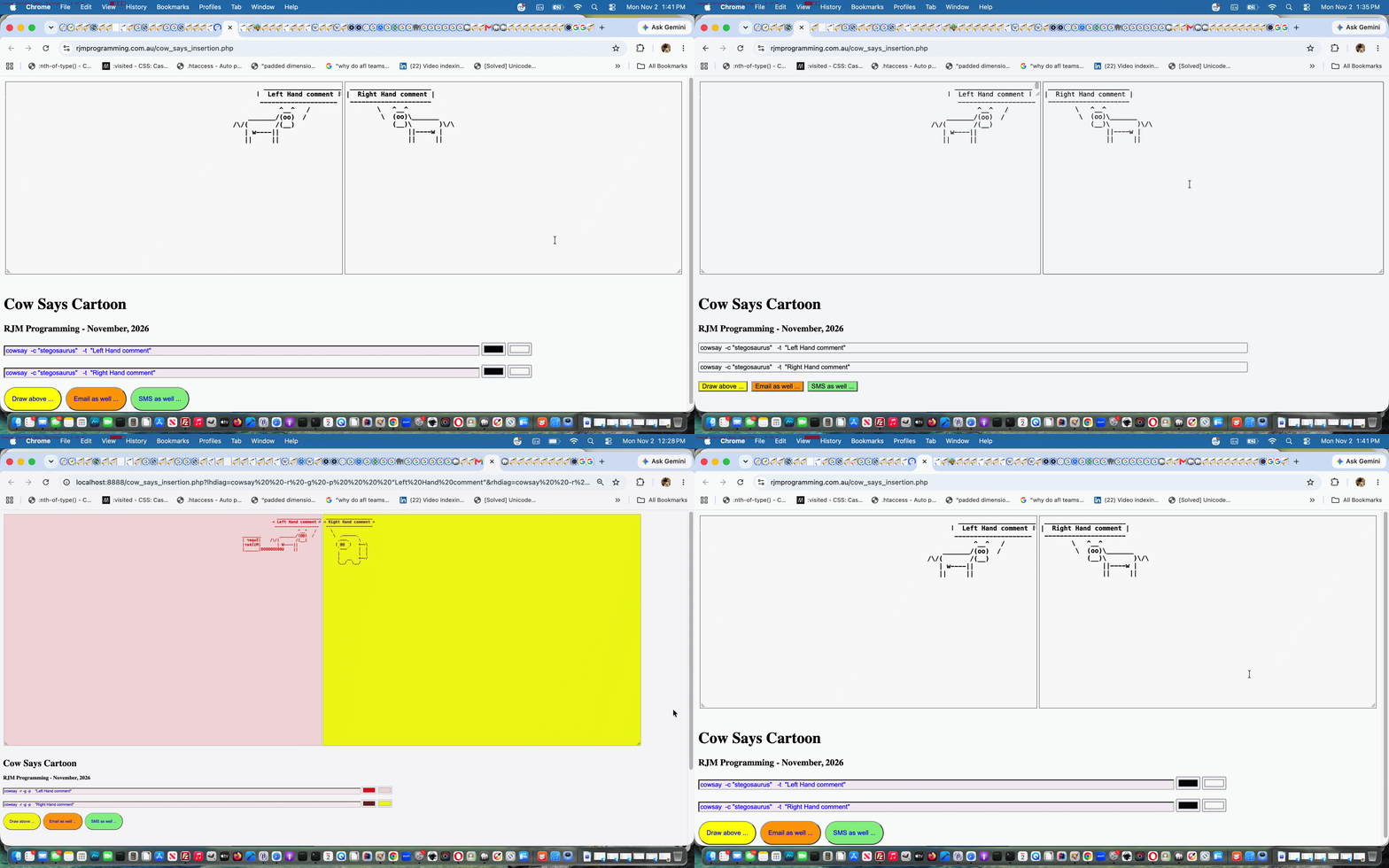
Cowsay Cartoon User Styling Tutorial
Today’s work hones in on our interpretation of some user styling we could offer users of the Cowsay Cartoon web application we introduced in yesterday’s Cowsay Reacquaintance and CodeCows Xcode Extension Tutorial, in the following ways, after a bit of a try out on an iPhone (ouch!) …
<style>


input {  color: blue;  }

input[type=text] {  background-color: #ffecf2;   }


input[type=button] {  border-radius: 100px; padding: 15 15 15 15;  }

input[type=submit] {  border-radius: 100px; padding: 15 15 15 15;  }


textarea { background-color: #f9f9f9;  font-weight: bold; }


/* Thanks to https://www.google.com/search?q=hide+vertical+scroller&sca_esv=28ba29a10f60894c&rlz=1C5OZZY_en&sxsrf=AKL5yDhDhuXcCcipvfxuwIlsw7XRFis8cA%3A1793564144145&ei=8J3nauS6CMP91e8PqN_9oAw&biw=1427&bih=698&uact=5&oq=hide+vertical+scroller&gs_lp=Egxnd3Mtd2l6LXNlcnAiFmhpZGUgdmVydGljYWwgc2Nyb2xsZXIyBxAAGIAEGA0yBhAAGBYYHjIGEAAYFhgeMgYQABgWGB4yBhAAGBYYHjIIEAAYBRgeGA0yCBAAGAUYHhgNMggQABgFGB4YDTIIEAAYBRgeGA0yCBAAGAUYHhgNSMxBUJYFWLs3cAF4AZABAJgB5AGgAf4SqgEFMC44LjS4AQPIAQD4AQGYAgigAtgMwgIKEAAYRxjWBBiwA8ICBRAAGO8FwgIIEAAYiQUYogTCAggQABgIGB4YDcICCxAAGIAEGIoFGIYDmAMA4gMFEgExIECIBgGQBgiSBwUxLjAuN6AH7UeyBwMyLTe4B70MwgcDMy04yAdJgAgB&sclient=gws-wiz-serp */

/* Chrome, Safari, and Opera */

#lhxta::-webkit-scrollbar {

  display: none;

}


/* Firefox */

#lhxta {

  scrollbar-width: none;

}


/* Internet Explorer and Edge */

#lhxta {

  -ms-overflow-style: none;

}

</style>
… in the changed cow_says_insertion.php PHP based web application.
Stop Press
For the first time we can remember, with a colour picker, we track “double valuing”. To us, “double valuing” is to select and deploy a colour value for the picker, and then do that at least a second time with a new colour value. Why code for this? Well, to allow for an HTML textarea’s …
… sounds like a great idea to allow for, but not to overcomplicate by adding a third colour picker for left or right cartoon cells.
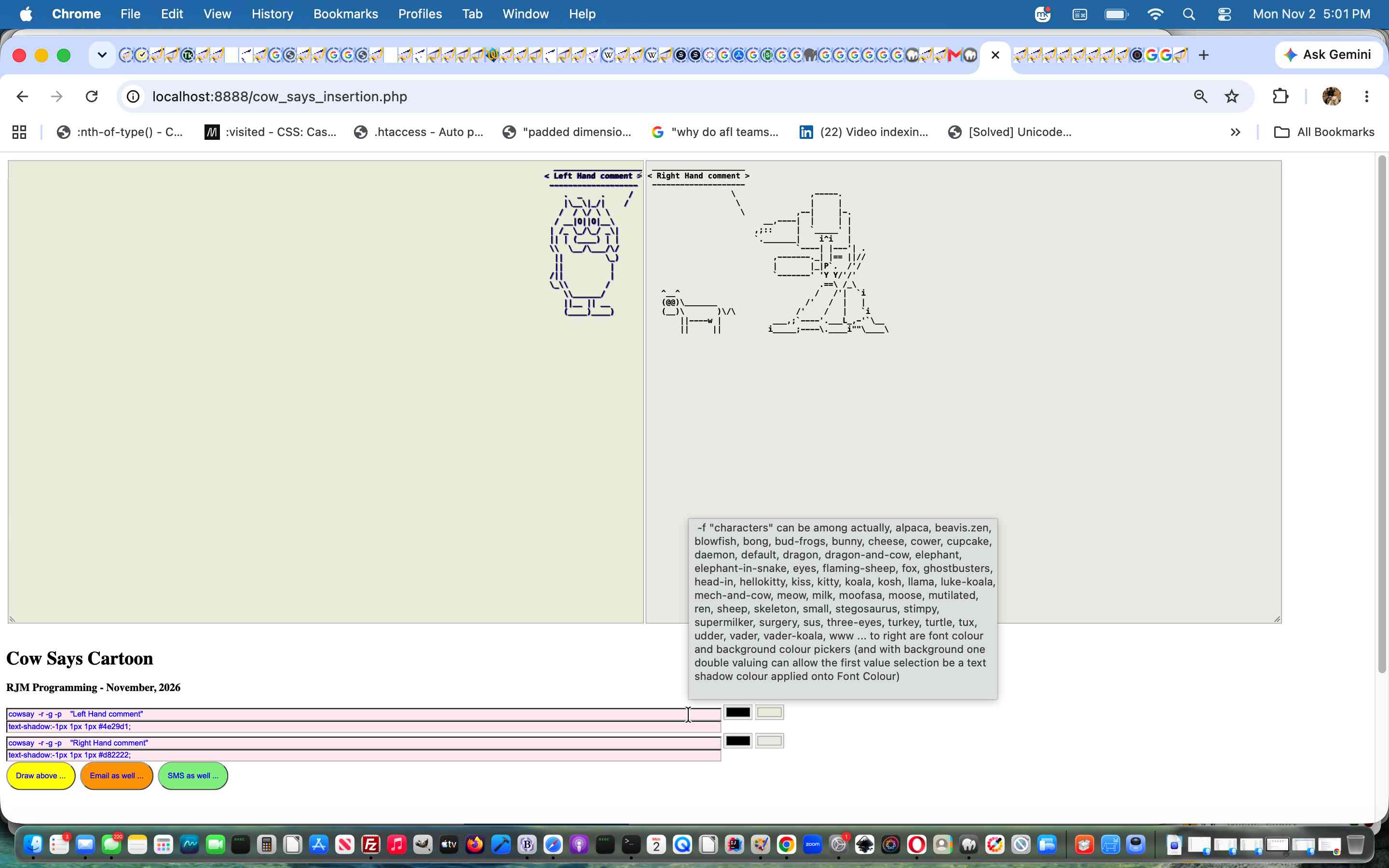
Very debatable we know, but there you go, we’re trying this out.
Previous relevant Cowsay Reacquaintance and CodeCows Xcode Extension Tutorial is shown below.
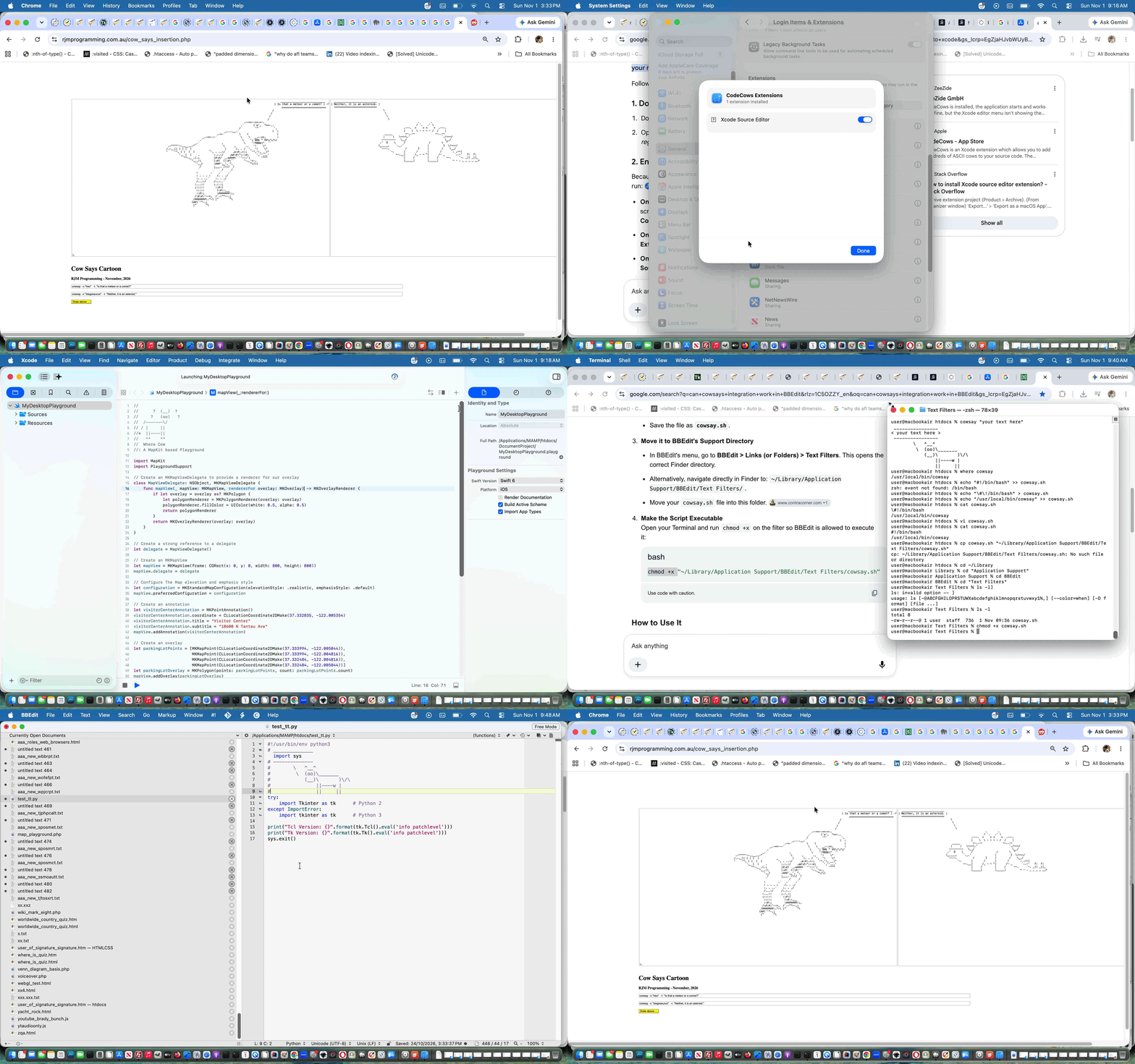
Cowsay Reacquaintance and CodeCows Xcode Extension Tutorial
We stumbled upon an interesting extension for Xcode on macOS here, called CodeCows. It makes it possible to paste into Xcode code, via an …
Xcode -> Editor -> CodeCows -> Menu with many options
… set of functionalities, cartoonish text similar to what the Cowsay functionality talked about in Google Chart Geo Chart Integration Speech Bubbles Popup Div Hashtag Tutorial did. Gasp! Since the new web server we haven’t yet thought to type into our WHM cPanel’s Terminal window …
sudo dnf install cowsay -y
… to reinstall cowsay … what a moooooooooooooooooooooooute point!
Anyway, that’s done now. Also done today was that that got us to considering our favourite text editor, TextWrangler (now known as BBEdit … but should have been TextPowerRangerWrangler), on it’s scripting smarts. Surely cowsay could be a tailored text paster extraordinaire here as well?! And yes, the advice of can cowsays integration work in BBEdit …
Yes, cowsay integration works beautifully in BBEdit. Because BBEdit natively supports running Unix scripts and filters directly on your open text, you can pass any selected text out to cowsay and replace it with a talking ASCII cow instantly.
You can set this up as a Text Filter so that it appears directly inside BBEdit’s Text menu.
… got us …
cd /Applications/MAMP/htdocs
vi cowsay.sh
cat cowsay.sh
cd ~/Library
cd "Application Support"
cd BBEdit
cd "Text Filters"
cp /Applications/MAMP/htdocs/cowsay.sh ./cowsay.sh
chmod +x ./cowsay.sh
Text -> Apply Text Filter -> cowsay
cowsay "last argument"
$mycowsays="";
… and then onto a new PHP web application …
… we constructed via this inspiration whereby a two picture cowsay drawn cartoon can be created and shared via email or SMS based on two textboxes a user fills out using.
Did you know?
On macOS not knowing what a command does?
First try, in the Terminal desktop app, for say, cowsay …
man cowsay
… then perhaps …
help cowsay
… then perhaps …
info cowsay
Previous relevant Google Chart Geo Chart Integration Speech Bubbles Popup Div Hashtag Tutorial is shown below.

Google Chart Geo Chart Integration Speech Bubbles Popup Div Hashtag Tutorial
Back to the main workflow of Google Chart Geo Chart Integration Speech Bubbles Textarea Relative Media Tutorial the day before yesterday’s Window Opener and Parent Conduit Tutorial it becomes apparent working those relative URLs in amongst absolute URLs or data URI references within your Speech Bubble content, today we simulate …
… the content “mediarized” as user controlled, via a hashtag system that expands media within that popup div element via more Journal project thinking …
… where hashtags #qrcode and #play and #display and #listen and #embed and #show and #background are hashtag media effect options …
… using …
Previous relevant Window Opener and Parent Conduit Tutorial is shown below.

Window Opener and Parent Conduit Tutorial
After yesterday’s Google Chart Geo Chart Integration Speech Bubbles Textarea Relative Media Tutorial we come to another “generic detour” we want to attend to.
Yesterday’s relative URL, like …
/responsive_more.jpg
… set us to thinking how such a relative URL cannot work in the scenario …
 var woo=window.open('','_blank','top=0,left=0,width=600,height=800');

 woo.document.write([content]);
… but if we wrote some HTML to pass on content from the originator …
var woo=window.open('//www.rjmprogramming.com.au/window_opener_pal.html?hcontent=[content]','_blank','top=0,left=0,width=600,height=800');
… should [content] contain one of those such relative URLs we think that could be a different story. So window_opener_pal.html idea …
<html>

<head>

<title>Help RJM Programming Window Open Callers - RJM Programming - March, 2026</title>

<script type=text/javascript>


  var hcontent=(location.search + ('' + location.hash).replace(/^undefined/g,'').replace(/^null/g,'')).split('hcontent=')[1] ? decodeURIComponent((location.search + ('' + location.hash).replace(/^undefined/g,'').replace(/^null/g,'')).split('hcontent=')[1].split('&')[0]) : '';

  var functocall=(location.search + ('' + location.hash).replace(/^undefined/g,'').replace(/^null/g,'')).split('functocall=')[1] ? decodeURIComponent((location.search + ('' + location.hash).replace(/^undefined/g,'').replace(/^null/g,'')).split('functocall=')[1].split('&')[0]) : '';

  var vartoref=(location.search + ('' + location.hash).replace(/^undefined/g,'').replace(/^null/g,'')).split('vartoref=')[1] ? decodeURIComponent((location.search + ('' + location.hash).replace(/^undefined/g,'').replace(/^null/g,'')).split('vartoref=')[1].split('&')[0]) : '';

  var elid=(location.search + ('' + location.hash).replace(/^undefined/g,'').replace(/^null/g,'')).split('elid=')[1] ? decodeURIComponent((location.search + ('' + location.hash).replace(/^undefined/g,'').replace(/^null/g,'')).split('elid=')[1].split('&')[0]) : '';


  function checkwop() {

    if (window.opener) {

      if (hcontent != '') {

        document.body.innerHTML=hcontent;

      } else if (functocall != '') {

        console.warn('hcontent=("" + window.opener.' + functocall + '()).replace(/^undefined/g,"").replace(/^null/g,"")');

        eval('hcontent=("" + window.opener.' + functocall + '()).replace(/^undefined/g,"").replace(/^null/g,"")');

        if (hcontent == '' && elid != '') {

          eval('document.body.innerHTML=("" + window.opener.document.getElementById("' + elid + '").outerHTML.replace(/none\;/g,"block;").replace("parent.getCursor","window.opener.getCursor")).replace(/^undefined/g,"").replace(/^null/g,"")');

        }

      } else if (vartoref != '') {

        eval('hcontent=("" + window.opener.' + vartoref + ').replace(/^undefined/g,"").replace(/^null/g,"")');

        if (hcontent == '' && elid != '') {

          eval('document.body.innerHTML=("" + window.opener.document.getElementById("' + elid + '").outerHTML.replace(/none\;/g,"block;").replace("parent.getCursor","window.opener.getCursor")).replace(/^undefined/g,"").replace(/^null/g,"")');

        }

      } else if (elid != '') {

        eval('document.body.innerHTML=("" + window.opener.document.getElementById("' + elid + '").outerHTML.replace(/none\;/g,"block;").replace("parent.getCursor","window.opener.getCursor")).replace(/^undefined/g,"").replace(/^null/g,"")');

      }

    } else if (window.parent != window.self) {

      if (hcontent != '') {

        document.body.innerHTML=hcontent;

      } else if (functocall != '') {

        eval('hcontent=("" + window.parent.' + functocall + '()).replace(/^undefined/g,"").replace(/^null/g,"")');

        if (hcontent == '' && elid != '') {

          eval('document.body.innerHTML=("" + window.parent.document.getElementById("' + elid + '").outerHTML.replace(/none\;/g,"block;").replace("parent.getCursor","window.opener.getCursor")).replace(/^undefined/g,"").replace(/^null/g,"")');

        }

      } else if (vartoref != '') {

        eval('hcontent=("" + window.parent.' + vartoref + ').replace(/^undefined/g,"").replace(/^null/g,"")');

        if (hcontent == '' && elid != '') {

          eval('document.body.innerHTML=("" + window.parent.document.getElementById("' + elid + '").outerHTML.replace(/none\;/g,"block;").replace("parent.getCursor","window.opener.getCursor")).replace(/^undefined/g,"").replace(/^null/g,"")');

        }

      } else if (elid != '') {

        eval('document.body.innerHTML=("" + window.parent.document.getElementById("' + elid + '").outerHTML.replace(/none\;/g,"block;").replace("parent.getCursor","window.opener.getCursor")).replace(/^undefined/g,"").replace(/^null/g,"")');

      }

    } else if (hcontent != '') {

      document.body.innerHTML=hcontent;

    }

  }


</script>

</head>

<body onload=checkwop(); id=xxbody>

</body>

</html>
… is like our new see-through “conduit” friend.
Previous relevant Google Chart Geo Chart Integration Speech Bubbles Textarea Relative Media Tutorial is shown below.

Google Chart Geo Chart Integration Speech Bubbles Textarea Relative Media Tutorial
Back to the main workflow of Google Chart Geo Chart Integration Speech Bubbles Textarea Onblur Tutorial as the day before yesterday’s Google Chart Geo Chart AppleScript Functionality Integration Bug Tutorial we touch on two steps, moving forward …
#say
… means by which …
- textarea ondblclick event controlled
- Intranet feeling
- window.open popup
- PHP localhost URL http://localhost:8888/macos_say_record.php
- using exec to point to
- underlying macOS and MAMP local Apache/PHP/MySql web server environment command say
- means to turn Text to Speech
… users can be offered a continuous Text to Speech execution modus operandi …
/responsive_more.jpg
- YouTube 11 character … link to a YouTube video …
- YouTube 34 character … link to a YouTube playlist …
- Spotify 22 character … link to a Spotify playlist …
- Strings with . and @ … link to a mailto: “a” link means of communication …
- Strings mainly numerical … link to an SMS: “a” link means of communication
- Strings starting with “http” or “//” … link to a URL, suiting ones like Wikipedia uses (at this stage)
- Strings starting with a single “/” … link to a media (so far) relative URL that exists on the RJM Programming domain web server
… featuring in (with thanks to this link) …
  var xtypes = ['image/tif', 'audio/x-m4r','audio/wav','audio/x-wav','audio/x-pn-realaudio','audio/x-mpegurl','audio/x-aiff','audio/mpeg','audio/mid',

      'audio/basic','audio/ogg','video/x-sgi-movie','video/x-msvideo','video/quicktime','audio/mp3','video/mp4','video/mpeg',

      'video/x-la-asf','video/ogg','video/webm','audio/mp4', 'image/jpeg', 'image/jpeg', 'image/png', 'image/gif', 'image/bmp',

      'text/html', 'text/html', 'text/html', 'text/javascript', 'text/css', 'text/plain', 'text/xml', 'text/csv',

      'application/vnd.ms-word', 'application/vnd.openxmlformats-officedocument.wordprocessingml.document', 'application/x-php', 'application/pdf', 'IMAGE/pdf',

      'application/vnd.openxmlformats-officedocument.presentationml.presentation', 'application/vnd.ms-powerpoint',

      'application/vnd.ms-excel', 'application/vnd.openxmlformats-officedocument.spreadsheetml.sheet', 'video/mp4'];

  var xexts = ['.tif','.m4r','.wav','.wav','.ram','.m3u','.aiff','.mp3','.rmi',

      '.snd','.ogg','.movie','.avi','.mov','.mp3','.m4v','.mpeg',

      '.lsx','.ogv','.webm','.m4a', '.jpg', '.jpeg', '.png', '.gif', '.bmp',

      '.htm', '.html', '.htmls', '.js', '.css', '.txt', '.xml', '.csv',

      '.doc', '.docx', '.php', '.pdf', '.pdf',

      '.pptx', '.ppt',

      '.xls', '.xlsx', '.mp4'];

var reluadd='', relulist=[];

var relunlist=[];

var pwind=0, pwinda=[];


async function checkUrlExists(url) { // thanks to https://www.google.com/search?q=can+a+window.open+second+parameter+pointing+to+iframe+name+be+used+to+check+for+existence+of+a+relative+URL+file+on+a+web+server&sca_esv=6b7c40959298e02e&rlz=1C5OZZY_en&sxsrf=ANbL-n5LheO67tq8kUgMIT0WDvjv3n25Rw%3A1774317391889&ei=T-_Baf36Namkvr0P55LamQQ&biw=1440&bih=732&ved=0ahUKEwi93vKut7eTAxUpkq8BHWeJNkMQ4dUDCBE&uact=5&oq=can+a+window.open+second+parameter+pointing+to+iframe+name+be+used+to+check+for+existence+of+a+relative+URL+file+on+a+web+server&gs_lp=Egxnd3Mtd2l6LXNlcnAigAFjYW4gYSB3aW5kb3cub3BlbiBzZWNvbmQgcGFyYW1ldGVyIHBvaW50aW5nIHRvIGlmcmFtZSBuYW1lIGJlIHVzZWQgdG8gY2hlY2sgZm9yIGV4aXN0ZW5jZSBvZiBhIHJlbGF0aXZlIFVSTCBmaWxlIG9uIGEgd2ViIHNlcnZlckgAUABYAHAAeAGQAQCYAQCgAQCqAQC4AQPIAQD4AQGYAgCgAgCYAwCSBwCgBwCyBwC4BwDCBwDIBwCACAA&sclient=gws-wiz-serp

    try {

        const response = await fetch(url, { method: 'HEAD' }); // Use HEAD to avoid downloading the file

        // response.ok is true for status codes 200-299

        if (reluadd != '') {  relulist.push(reluadd);  sofarothers.push(reluadd);  sofarurls.push(reluadd);  }

        reluadd='';

        pwind++;

        return response.ok;

    } catch (error) {

        // This catch block handles network errors, not necessarily 404s

        if (reluadd != '') {  relunlist.push(reluadd);  }

        reluadd='';

        pwind++;

        return false;

    }

}


  function inline_linking(aname) {

   var delayis=1000;

   pwind=0;

   pwinda=[];

    // code here from previous work ...

    if (relulist.indexOf(pword) == -1 && relunlist.indexOf(pword) == -1 && (pword + ' ').substring(0,1) == '/' && (pword + ' ').indexOf('//') == -1) {

      if (pword.indexOf('.') != -1) {

        if (xexts.indexOf('.' + pword.split('.')[eval(-1 + pword.split('.').length)].split('#')[0].toLowerCase()) != -1) {

          if (xtypes[xexts.indexOf('.' + pword.split('.')[eval(-1 + pword.split('.').length)].split('#')[0].toLowerCase())].indexOf('image/') == 0) {

 pwinda.push(pword);

 setTimeout(function(){

 // Example Usage (for a relative URL file on the same server)

 reluadd=pwinda[pwind];

 checkUrlExists(reluadd.split('#')[0]).then(exists => { //

    console.log(exists ? "File exists!" : "File does not exist.");

 });

 }, delayis);

 delayis+=3000;

          } else if (xtypes[xexts.indexOf('.' + pword.split('.')[eval(-1 + pword.split('.').length)].split('#')[0].toLowerCase())].indexOf('video/') == 0) {

 pwinda.push(pword);

 setTimeout(function(){

 // Example Usage (for a relative URL file on the same server)

 reluadd=pwinda[pwind];

 checkUrlExists(reluadd.split('#')[0]).then(exists => { //

    console.log(exists ? "File exists!" : "File does not exist.");

 });

 }, delayis);

 delayis+=3000;

          } else if (xtypes[xexts.indexOf('.' + pword.split('.')[eval(-1 + pword.split('.').length)].split('#')[0].toLowerCase())].indexOf('audio/') == 0) {

 pwinda.push(pword);

 setTimeout(function(){

 // Example Usage (for a relative URL file on the same server)

 reluadd=pwinda[pwind];

 checkUrlExists(reluadd.split('#')[0]).then(exists => { //

    console.log(exists ? "File exists!" : "File does not exist.");

 });

 }, delayis);

 delayis+=3000;

          }

        }

      }

    } else if (relulist.indexOf(pword) == -1 && relunlist.indexOf(pword) == -1 && (pword + ' ').substring(0,1) == '/' && (pword + ' ').indexOf('//') == 0) {

      relulist.push(pword);

    }

    // code here from previous work ...

  }
… incorporated in …
… you can try out for yourself below if you like.
Previous relevant Google Chart Geo Chart AppleScript Functionality Integration Bug Tutorial is shown below.

Google Chart Geo Chart AppleScript Functionality Integration Bug Tutorial
After yesterday’s Google Chart Geo Chart Integration Speech Bubbles Textarea Intranet Feeling Tutorial we come to a “generic detour” we need to attend to.
| Symptom … |
|---|
| The onhover smarts of the Google Chart Geo Chart suffer when the AppleScript integrations are loaded |
| Culprit … |
We tracked it down to what we used to have …… working with …
|
| Solution … |
… working with, just …
|
… and the avoidance of use of document.head.appendChild(scriptz); (at least with a delayed window reload) did the trick to make the Geo Chart onhover functionality start working again, more consistently with …
… you can try out for yourself below if you like.
Previous relevant Google Chart Geo Chart Integration Speech Bubbles Textarea Intranet Feeling Tutorial is shown below.

Google Chart Geo Chart Integration Speech Bubbles Textarea Intranet Feeling Tutorial
Further to yesterday’s Google Chart Geo Chart Integration Speech Bubbles Textarea Onblur Tutorial today’s extension to textarea smarts, potentially, involves …
… allowing users to “cowsay say say” via the changed latest draft Cartoon creation and email sharing capable PHP web application teaming with the changed gchartgen.js external Javascript helper onkeydown keyboard event Javascript code which non-mobile you can try out for yourself below if you like.
Previous relevant Google Chart Geo Chart Integration Speech Bubbles Textarea Onblur Tutorial is shown below.

Google Chart Geo Chart Integration Speech Bubbles Textarea Onblur Tutorial
Adding onto yesterday’s Google Chart Geo Chart Integration Speech Bubbles Textarea Onclick Tutorial we’re creeping forward on functionality today, adding to …
… allowing users to “cowsay say” via the changed “third draft” Cartoon creation and email sharing capable PHP web application teaming with the changed gchartgen.js external Javascript helper onkeydown keyboard event Javascript code which non-mobile you can try out for yourself below if you like.
Previous relevant Google Chart Geo Chart Integration Speech Bubbles Textarea Onclick Tutorial is shown below.

Google Chart Geo Chart Integration Speech Bubbles Textarea Onclick Tutorial
Onto yesterday’s Google Chart Geo Chart Integration Speech Bubbles Modus Operandi Tutorial within the Speech Bubble text we’ve added textarea onclick logic to detect clicks to the left of words which might describe such link interests such as YouTube video ID 11 character code words.
More detail on this to come via the changed gchartgen.js external Javascript helper onkeydown keyboard event Javascript code which non-mobile you can try out for yourself below if you like.
Previous relevant Google Chart Geo Chart Integration Speech Bubbles Modus Operandi Tutorial is shown below.

Google Chart Geo Chart Integration Speech Bubbles Modus Operandi Tutorial
Onto yesterday’s Google Chart Geo Chart Integration Speech Bubbles Tutorial …
… via the changed gchartgen.js external Javascript helper onkeydown keyboard event Javascript code …
function gcokd(evt) {

    var char = 0;

    var kcs=[";".charCodeAt(0),"186","=".charCodeAt(0),"187",",".charCodeAt(0),"188","-".charCodeAt(0),"189",".".charCodeAt(0),"190","/".charCodeAt(0),"191","`".charCodeAt(0),"192","[".charCodeAt(0),"219","\\".charCodeAt(0),"220","]".charCodeAt(0),"221","'".charCodeAt(0),"222"];

    var belows=["`","1","2","3","4","5","6","7","8","9","0","-","=","[","]",";","'",",",".","/","\\"];

    var aboves=['~','!','@','#','$','%','^','&','*','(',')','_','+','{','}',':','"','<','>','?', '|']

    if (nomoreokd) {

      //document.title='no';

      return true;

    }

    if (evt.altKey && lastkeymodifier != 'a') {

      lastkeymodifier='a';

      return true;

    } else if (evt.ctrlKey && lastkeymodifier != 'c') {

      lastkeymodifier='c';

      return true;

    } else if (evt.shiftKey && lastkeymodifier != 's') {

      lastkeymodifier='s';

      char = evt.which || evt.keyCode;

      if (kcs.indexOf('' + (evt.which || evt.keyCode)) != -1) {

        char=(kcs[eval(-1 + kcs.indexOf('' + (evt.which || evt.keyCode)))]); //.charCodeAt(0);

      }

      if (char == 46 || char == 8) {

      if (okdcommentary != '') {

        okdcommentary.substring(0,eval(-1 + okdcommentary.length));

    if (('' + location.hash).indexOf('commentary=') != -1) {

      if (okdcommentary != '') {

      location.hash='#commentary=' + encodeURIComponent(okdcommentary);

      } else {

      location.hash='#commentary=' + encodeURIComponent(okdcommentary);

      }

    } else if (('' + location.hash).replace(/^undefined/g,'').replace(/^null/g,'') == '') {

      location.hash='#commentary=' + encodeURIComponent(okdcommentary);

    }

      }

      } else if (char >= 10) {

      console.warn('char=' + char + ' evt.keyCode=' + evt.keyCode + ' evt.which=' + evt.which);

      if (belows.indexOf(String.fromCharCode(char)) != -1) {

      //alert(56);

         char=aboves[belows.indexOf(String.fromCharCode(char))].charCodeAt(0);

      //alert(char);

    okdcommentary+=String.fromCharCode(char);

    //document.title=okdcommentary;

    if (('' + location.hash).indexOf('commentary=') != -1) {

      location.hash+=encodeURIComponent(String.fromCharCode(char));

    } else if (('' + location.hash).replace(/^undefined/g,'').replace(/^null/g,'') == '') {

      location.hash='#commentary=' + encodeURIComponent(okdcommentary);

    }

    lastkeymodifier='';

      } else if (String.fromCharCode(char) >= 'A' && String.fromCharCode(char) <= 'Z') {

         char+=('a'.charCodeAt(0) - 'A'.charCodeAt(0));

    okdcommentary+=String.fromCharCode(char);

    //document.title=okdcommentary;

    if (('' + location.hash).indexOf('commentary=') != -1) {

      location.hash+=encodeURIComponent(String.fromCharCode(char));

    } else if (('' + location.hash).replace(/^undefined/g,'').replace(/^null/g,'') == '') {

      location.hash='#commentary=' + encodeURIComponent(okdcommentary);

    }

    lastkeymodifier='';

      }

      }

      return true;

    }

    char = evt.which || evt.keyCode;

    //document.title='' + char + ' ... ';

    if (kcs.indexOf('' + (evt.which || evt.keyCode)) != -1) {

        char=(kcs[eval(-1 + kcs.indexOf('' + (evt.which || evt.keyCode)))]); //.charCodeAt(0);

    //document.title+='' + char + ' .=. ';

    }

      if (char == 46 || char == 8) {

      if (okdcommentary != '') {

        okdcommentary.substring(0,eval(-1 + okdcommentary.length));

    if (('' + location.hash).indexOf('commentary=') != -1) {

      if (okdcommentary != '') {

      location.hash='#commentary=' + encodeURIComponent(okdcommentary);

      } else {

      location.hash='#commentary=' + encodeURIComponent(okdcommentary);

      }

    } else if (('' + location.hash).replace(/^undefined/g,'').replace(/^null/g,'') == '') {

      location.hash='#commentary=' + encodeURIComponent(okdcommentary);

    }

      }

      } else if (char >= 10) {

    //document.getElementById('myh3').innerHTML='' + char + ' ' + evt.type;

    //var chrCode = char - 48 * Math.floor(char / 48); // thanks to https://stackoverflow.com/questions/1772179/get-character-value-from-keycode-in-javascript-then-trim

    //var chr = String.fromCharCode((96 <= char) ? chrCode: char);

    //char=chr;

    if (lastkeymodifier == 's' && String.fromCharCode(char) >= 'A' && String.fromCharCode(char) <= 'Z') {

      char+=('a'.charCodeAt(0) - 'A'.charCodeAt(0));

    } else if (String.fromCharCode(char) >= 'A' && String.fromCharCode(char) <= 'Z') {

      char+=('A'.charCodeAt(0) - 'A'.charCodeAt(0));

    }

    if (lastkeymodifier == 's') {

      if (belows.indexOf(String.fromCharCode(char)) != -1) {

      //alert(56);

         char=aboves[belows.indexOf(String.fromCharCode(char))].charCodeAt(0);

      //alert(char);

      }

    }

    okdcommentary+=String.fromCharCode(char);

    //document.title=okdcommentary;

    if (('' + location.hash).indexOf('commentary=') != -1) {

      location.hash+=encodeURIComponent(String.fromCharCode(char));

    } else if (('' + location.hash).replace(/^undefined/g,'').replace(/^null/g,'') == '') {

      location.hash='#commentary=' + encodeURIComponent(okdcommentary);

    }

    }

    lastkeymodifier='';

    return true;

}


if (!navigator.userAgent.match(/Android|BlackBerry|iPhone|iPad|iPod|Opera Mini|IEMobile/i)) {

  setTimeout(function(){ if (!nomoreokd) { document.body.onkeydown=function(event){ gcokd(event); } } }, 3000);

}
… which non-mobile you can try out for yourself below if you like.
Previous relevant Google Chart Geo Chart Integration Speech Bubbles Tutorial is shown below.

Google Chart Geo Chart Integration Speech Bubbles Tutorial
Yesterday’s HTML Canvas Memories Frog Game Speech Bubbles Tutorial kickstarted us into imagining other ways …
We honed in on the external Javascript called by many Google Chart integrators with the changed gchartgen.js external Javascript helper’s …
var washerelhis=(('' + document.URL + '#').split('#')[1]) + ' ';

if (decodeURIComponent(washerelhis).indexOf('commentary=') == 0) {

 if (decodeURIComponent(washerelhis).indexOf(',') != -1) {

   location.hash=location.hash.replace(/\,/g,' ').replace(/\%44/g,'%20');

   washerelhis=washerelhis.replace(/\,/g,' ').replace(/\%44/g,'%20');

 }

}


setInterval(postlhway, 3000);
… timer function as per …
function postlhway() {

  var foundu='';

  var rectcg=null;

  var prefoundu='';

  var herelhis=(('' + document.URL + '#').split('#')[1]);

  if (herelhis == washerelhis && washerelhis != '') {

    herelhis=(('#' + location.hash + '#').replace('##','#').split('#')[1]);

  }

  if (herelhis != washerelhis) {

    if (decodeURIComponent(herelhis).indexOf('commentary=') == 0) {

      if (document.getElementById('ifcom')) {

          document.getElementById('ifcom').src='/cowsay.php?viagc=transXparent&inwords=' + (herelhis.substring(('commentary=').length).split('&')[0].replace(/\+/g,'%20'));

      } else if (document.getElementById('dpostform') && document.getElementById('myh')) {

          rectcg=document.getElementById('myh').getBoundingClientRect();

          document.getElementById('dpostform').innerHTML+='<iframe allowTransparency=true id=ifcom src="/cowsay.php?viagc=transXparent&inwords=' + (herelhis.substring(('commentary=').length).split('&')[0].replace(/\+/g,'%20')) + '" frameborder=0 scrolling=no style="background-color:transparent;position:absolute;top:' + eval(-10 + rectcg.bottom) + 'px;left:' + rectcg.left + 'px;width:300px;height:72px;z-index:564;"></iframe>';

      } else if (document.getElementById('dpostform') && document.getElementById('chart_div')) {

          rectcg=document.getElementById('chart_div').getBoundingClientRect();

          document.getElementById('dpostform').innerHTML+='<iframe allowTransparency=true id=ifcom src="/cowsay.php?viagc=transXparent&inwords=' + (herelhis.substring(('commentary=').length).split('&')[0].replace(/\+/g,'%20')) + '" frameborder=0 scrolling=no style="background-color:transparent;position:absolute;top:' + rectcg.top + 'px;left:' + rectcg.left + 'px;width:300px;height:72px;z-index:564;"></iframe>';

      }

    }

    washerelhis=herelhis;

  }

  if (bimode == -1) {

    if (document.getElementById('bkcol')) {

      if (('' + document.getElementById('bkcol').style.backgroundImage).toLowerCase().indexOf('url(') != -1) {

         foundu='' + ('' + document.getElementById('bkcol').style.backgroundImage).split('(')[eval(-1 + ('' + document.getElementById('bkcol').style.backgroundImage).split('(').length)].split(')')[0].replace(/^\"/g,'').replace(/\"$/g,'').replace(/^\'/g,'').replace(/\'$/g,'');

         bimode=2;

         prefoundu='+';

      }

    }

    if (bimode == -1) {

      if (('' + document.body.style.backgroundImage).toLowerCase().indexOf('url(') != -1) {

         foundu='' + ('' + document.body.style.backgroundImage).split('(')[eval(-1 + ('' + document.body.style.backgroundImage).split('(').length)].split(')')[0].replace(/^\"/g,'').replace(/\"$/g,'').replace(/^\'/g,'').replace(/\'$/g,'');

         bimode=1;

    if (document.getElementById('iagc')) {

      document.getElementById('iagc').style.width='1px';

      document.getElementById('iagc').style.height='1px';

    } else {

      setInterval(function(){

      if (document.getElementById('iagc')) {

      document.getElementById('iagc').style.width='1px';

      document.getElementById('iagc').style.height='1px';

      }

      }, 2000);

    }

      } else if (('' + document.body.innerHTML).indexOf('<style> body { background-image:') != -1) {

         foundu='' + ('' + document.body.innerHTML.split('<style> body { background-image:')[1].split('}')[0]).split('(')[eval(-1 + ('' + document.body.innerHTML.split('<style> body { background-image:')[1].split('}')[0]).split('(').length)].split(')')[0].replace(/^\"/g,'').replace(/\"$/g,'').replace(/^\'/g,'').replace(/\'$/g,'');

         bimode=1;

    if (document.getElementById('iagc')) {

      document.getElementById('iagc').style.width='1px';

      document.getElementById('iagc').style.height='1px';

    } else {

      setInterval(function(){

      if (document.getElementById('iagc')) {

      document.getElementById('iagc').style.width='1px';

      document.getElementById('iagc').style.height='1px';

      }

      }, 2000);

    }

       } else if (document.getElementById('bitsatend') && ('' + document.getElementById('bitsatend').innerHTML).indexOf('<style> body { background-image:') != -1) {

         foundu='' + ('' + document.getElementById('bitsatend').innerHTML.split('<style> body { background-image:')[1].split('}')[0]).split('(')[eval(-1 + ('' + document.getElementById('bitsatend').innerHTML.split('<style> body { background-image:')[1].split('}')[0]).split('(').length)].split(')')[0].replace(/^\"/g,'').replace(/\"$/g,'').replace(/^\'/g,'').replace(/\'$/g,'');

         bimode=1;

    if (document.getElementById('iagc')) {

      document.getElementById('iagc').style.width='1px';

      document.getElementById('iagc').style.height='1px';

    } else {

      setInterval(function(){

      if (document.getElementById('iagc')) {

      document.getElementById('iagc').style.width='1px';

      document.getElementById('iagc').style.height='1px';

      }

      }, 2000);

    }

       } else if (document.getElementById('bitsatend') && ('' + document.getElementById('bitsatend').innerHTML).indexOf('<style> #bkcol { background-image:') != -1) {

         foundu='' + ('' + document.getElementById('bitsatend').innerHTML.split('<style> #bkcol { background-image:')[1].split('}')[0]).split('(')[eval(-1 + ('' + document.getElementById('bitsatend').innerHTML.split('<style> #bkcol { background-image:')[1].split('}')[0]).split('(').length)].split(')')[0].replace(/^\"/g,'').replace(/\"$/g,'').replace(/^\'/g,'').replace(/\'$/g,'');

         bimode=2;

         prefoundu='+';

    if (document.getElementById('iagc')) {

      document.getElementById('iagc').style.width='1px';

      document.getElementById('iagc').style.height='1px';

    } else {

      setInterval(function(){

      if (document.getElementById('iagc')) {

      document.getElementById('iagc').style.width='1px';

      document.getElementById('iagc').style.height='1px';

      }

      }, 2000);

    }

     }

    }

  }

  if (foundu != '') {

    if (document.getElementById('remail')) {

    if (document.getElementById('remail').href.indexOf(encodeURIComponent('bi=')) == -1) {

      if (document.getElementById('remail').href.indexOf(encodeURIComponent('#')) != -1 && document.getElementById('remail').href.indexOf(encodeURIComponent('&')) != -1) {

      if (3 == 3) {

      document.getElementById('remail').href+='' + encodeURIComponent('&#bi=') + prefoundu + encodeURIComponent(foundu.replace('?',encodeURIComponent('?')).replace('?',encodeURIComponent('&')));

      if (document.getElementById('remail').href.indexOf('&body=') != -1) {

      document.getElementById('rsms').href='sms:&body=' + (document.getElementById('remail').href.split('&body=')[1]);

      } else {

      document.getElementById('rsms').href+='' + encodeURIComponent('&#bi=') + prefoundu + encodeURIComponent(foundu);

      }

      } else {

      document.getElementById('remail').href=document.getElementById('remail').href.replace(encodeURIComponent('&'), encodeURIComponent('&bi=') + prefoundu + encodeURIComponent(foundu.replace('?',encodeURIComponent('?')).replace('?',encodeURIComponent('&')) + '&'));

      if (document.getElementById('remail').href.indexOf('&body=') != -1) {

      document.getElementById('rsms').href='sms:&body=' + (document.getElementById('remail').href.split('&body=')[1]);

      } else {

      document.getElementById('rsms').href=document.getElementById('rsms').href.replace(encodeURIComponent('&'), encodeURIComponent('&bi=') + prefoundu + encodeURIComponent(foundu.replace('?',encodeURIComponent('?')).replace('?',encodeURIComponent('&')) + '&'));

      }

      }

      } else if (document.getElementById('remail').href.indexOf(encodeURIComponent('#')) != -1) {

      document.getElementById('remail').href=document.getElementById('remail').href.replace(encodeURIComponent('#'), encodeURIComponent('#bi=') + prefoundu + encodeURIComponent(foundu.replace('?',encodeURIComponent('?')).replace('?',encodeURIComponent('&')) + '&'));

      if (document.getElementById('remail').href.indexOf('&body=') != -1) {

      document.getElementById('rsms').href='sms:&body=' + (document.getElementById('remail').href.split('&body=')[1]);

      } else {

      document.getElementById('rsms').href=document.getElementById('rsms').href.replace(encodeURIComponent('#'), encodeURIComponent('#bi=') + prefoundu + encodeURIComponent(foundu.replace('?',encodeURIComponent('?')).replace('?',encodeURIComponent('&')) + '&'));

      }

      } else {

      document.getElementById('remail').href+='' + encodeURIComponent('#bi=') + prefoundu + encodeURIComponent(foundu.replace('?',encodeURIComponent('?')).replace('?',encodeURIComponent('&')));

      if (document.getElementById('remail').href.indexOf('&body=') != -1) {

      document.getElementById('rsms').href='sms:&body=' + (document.getElementById('remail').href.split('&body=')[1]);

      } else {

      document.getElementById('rsms').href+='' + encodeURIComponent('#bi=') + prefoundu + encodeURIComponent(foundu.replace('?',encodeURIComponent('?')).replace('?',encodeURIComponent('&')));

      }

      }

    }

    }

  }

}
… combined with the changed “third draft” Cartoon creation and email sharing capable PHP web application, where it’s hosting is such that a great degree of transparency is applied …
Previous relevant HTML Canvas Memories Frog Game Speech Bubbles Tutorial is shown below.

HTML Canvas Memories Frog Game Speech Bubbles Tutorial
Yesterday’s HTML Canvas Memories Frog Game Drag and Drop Tutorial‘s new Frog mode of use adds to the degree of difficulty, no doubt.
And so, today, we’ve decided maybe some Speech Bubbles unique to each frog can be an additional memory aid. This was the opportunity to involve the great cowsay Python API / Command-line tool which we have written some PHP to integrate with here at RJM Programming. Add to that some Kermit sayings …
var rectc=null;


var cfttoggle=0;

var kermitisms=["It's not easy " + String.fromCharCode(10) + " being green.","Hi-ho, " + String.fromCharCode(10) + " Kermit the Frog here!","Life's like a movie, write your own ending. Keep believing, keep pretending.","Someday we'll find it, the rainbow connection. The lovers, the dreamers, and me.","Just because you haven't found your talent yet, doesn't mean you don't have one.","If you have to eat two frogs, eat the ugliest one first.","Here's one other thing that I think every person or frog needs to be creative: friends.","I promised " + String.fromCharCode(10) + " me.","Time's fun when you're having " + String.fromCharCode(10) + " flies!","May success and a smile always be yours … even when you're knee-deep in the sticky muck of life.",

"It's not easy " + String.fromCharCode(10) + " being green","Hi-ho, " + String.fromCharCode(10) + " Kermit the Frog here","Life's like a movie, write your own ending. Keep believing, keep pretending","Someday we'll find it, the rainbow connection. The lovers, the dreamers, and me","Just because you haven't found your talent yet, doesn't mean you don't have one","If you have to eat two frogs, eat the ugliest one first","Here's one other thing that I think every person or frog needs to be creative: friends","I promised " + String.fromCharCode(10) + " me","Time's fun when you're having " + String.fromCharCode(10) + " flies","May success and a smile always be yours … even when you're knee-deep in the sticky muck of life",

"it's not easy " + String.fromCharCode(10) + " being green","hi-ho, " + String.fromCharCode(10) + " Kermit the Frog here","life's like a movie, write your own ending. Keep believing, keep pretending","someday we'll find it, the rainbow connection. The lovers, the dreamers, and me","just because you haven't found your talent yet, doesn't mean you don't have one","if you have to eat two frogs, eat the ugliest one first","here's one other thing that I think every person or frog needs to be creative: friends","i promised " + String.fromCharCode(10) + " me","time's fun when you're having " + String.fromCharCode(10) + " flies","may success and a smile always be yours … even when you're knee-deep in the sticky muck of life",

"it's not easy " + String.fromCharCode(10) + " being green.","hi-ho, " + String.fromCharCode(10) + " Kermit the Frog here!","life's like a movie, write your own ending. Keep believing, keep pretending.","someday we'll find it, the rainbow connection. The lovers, the dreamers, and me.","just because you haven't found your talent yet, doesn't mean you don't have one.","if you have to eat two frogs, eat the ugliest one first.","here's one other thing that I think every person or frog needs to be creative: friends.","i promised " + String.fromCharCode(10) + " me.","time's fun when you're having " + String.fromCharCode(10) + " flies!","may success and a smile always be yours … even when you're knee-deep in the sticky muck of life.",

"- It's not easy " + String.fromCharCode(10) + " being green.","- Hi-ho, " + String.fromCharCode(10) + " Kermit the Frog here!","- Life's like a movie, write your own ending. Keep believing, keep pretending.","- Someday we'll find it, the rainbow connection. The lovers, the dreamers, and me.","- Just because you haven't found your talent yet, doesn't mean you don't have one.","- If you have to eat two frogs, eat the ugliest one first.","- Here's one other thing that I think every person or frog needs to be creative: friends.","- I promised " + String.fromCharCode(10) + " me.","- Time's fun when you're having " + String.fromCharCode(10) + " flies!","- May success and a smile always be yours … even when you're knee-deep in the sticky muck of life.",

"- It's not easy " + String.fromCharCode(10) + " being green. -","- Hi-ho, " + String.fromCharCode(10) + " Kermit the Frog here! -"

];

var kermitismowners=[];

var kermitismidxs=[];


function cft(inw,xz,yz) {

  var ihuh=-1, jhuh=-1;

  // cfttoggle=0 onediv =1 twodiv

  // https://www.rjmprogramming.com.au/cowsay.php?inwords=well%20yes

  // kermitisms[] via kermitismowners[]

  if (!rectc) {

  rectc=document.getElementById('canvaselement').getBoundingClientRect();

  }

  //alert('xz=' + xz + ' and yz=' + yz + ' ' + eval(rectc.left + xz) + ',' + eval(rectc.top + yz));

  yz=eval(rectc.top + yz);

  xz=eval(rectc.left + xz);

  if (eval('' + kermitismowners.length) == 0) {

    while (eval('' + kermitismidxs.length) < eval('' + kermitisms.length)) {

      ihuh=Math.floor(Math.random() * 52);

      while (kermitismidxs.indexOf(ihuh) != -1) {

        ihuh=Math.floor(Math.random() * 52);

      }

      kermitismidxs.push(ihuh);

    }

  }

  jhuh=kermitismowners.indexOf(inw);

  if (jhuh == -1) {

      kermitismowners.push(inw);

  }

  jhuh=kermitismowners.indexOf(inw);

  if (cfttoggle == 0) {

    document.getElementById('twodiv').innerHTML='';

    document.getElementById('onediv').style.position='absolute';

    document.getElementById('onediv').style.top='' + Math.max(0,eval(-80 + yz)) + 'px';

    document.getElementById('onediv').style.left='' + Math.max(0,eval(-240 + xz)) + 'px';

    document.getElementById('onediv').style.width='300px';

    document.getElementById('onediv').style.height='100px';

    //document.getElementById('onediv').style.overflowX='hidden';

    //document.getElementById('onediv').innerHTML='<iframe src="//www.rjmprogramming.com.au/cowsay.php?viamemories=y&inwords=' + encodeURIComponent(kermitisms[kermitismidxs[jhuh]]) + '" frameborder=0 style="position:absolute;top=' + eval(-30 + yz) + 'px;left=' + xz + 'px;width=100px;height:60px;"></iframe>';

    document.getElementById('onediv').innerHTML='<iframe src="/cowsay.php?viamemories=y&inwords=' + encodeURIComponent(kermitisms[kermitismidxs[jhuh]]) + '" frameborder=0 scrolling=no style="position:absolute;top:' + Math.max(0,eval(-80 + yz)) + 'px;left:' + Math.max(0,eval(-240 + xz)) + 'px;width:300px;height:100px;"></iframe>';

    cfttoggle=1;

  } else {

    //document.getElementById('onediv').innerHTML='';

    document.getElementById('twodiv').style.position='absolute';

    document.getElementById('twodiv').style.top='' + Math.max(0,eval(-80 + yz)) + 'px';

    document.getElementById('twodiv').style.left='' + Math.max(0,eval(-240 + xz)) + 'px';

    document.getElementById('twodiv').style.width='300px';

    document.getElementById('twodiv').style.height='100px';

    //document.getElementById('twodiv').style.overflowX='hidden';

    //document.getElementById('twodiv').innerHTML='<iframe src="//www.rjmprogramming.com.au/cowsay.php?viamemories=y&inwords=' + encodeURIComponent(kermitisms[kermitismidxs[jhuh]]) + '" frameborder=0 style="position:absolute;top=' + eval(-30 + yz) + 'px;left=' + xz + 'px;width=100px;height:60px;"></iframe>';

    document.getElementById('twodiv').innerHTML='<iframe src="/cowsay.php?viamemories=y&inwords=' + encodeURIComponent(kermitisms[kermitismidxs[jhuh]]) + '" frameborder=0 scrolling=no style="position:absolute;top:' + Math.max(0,eval(-80 + yz)) + 'px;left:' + Math.max(0,eval(-240 + xz)) + 'px;width:300px;height:100px;"></iframe>';

    cfttoggle=0;

  }

  //window.open('//www.rjmprogramming.com.au/cowsay.php?inwords=' + encodeURIComponent(kermitisms[kermitismidxs[jhuh]]),'_blank','top=40,left=40,width=100,height=100');


}
… and you have the means to add in that addition Speech Bubble uniquifying functionality in the changed memories.html Memories Game.
Previous relevant HTML Canvas Memories Frog Game Drag and Drop Tutorial is shown below.

HTML Canvas Memories Frog Game Drag and Drop Tutorial
We’re revisiting the HTML Canvas Memories Game Drag and Drop Tutorial‘s …
… the idea arising, again, from my sister’s great frog photographic selection.
This change involved two phases …
… in the changed memories.html Memories Game.
Previous relevant HTML Canvas Memories Game Drag and Drop Tutorial is shown below.
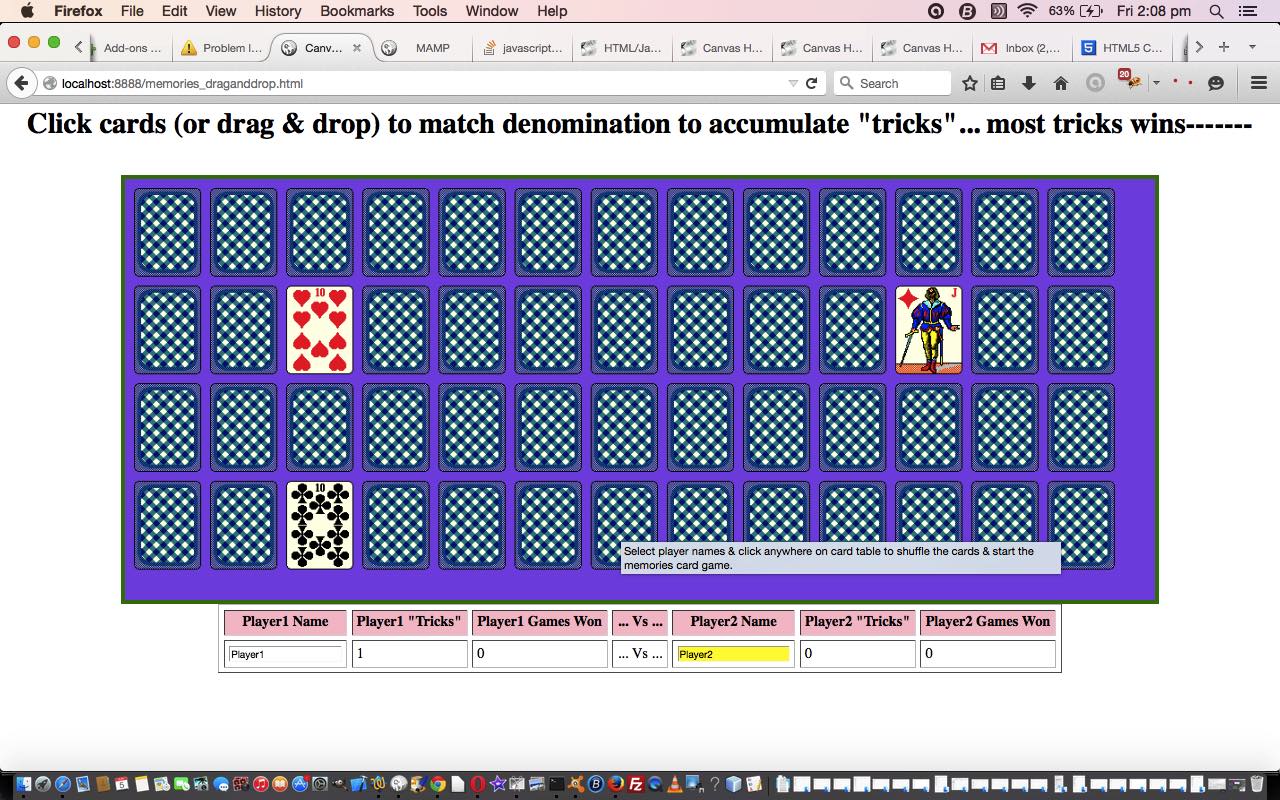
HTML Canvas Memories Game Drag and Drop Tutorial
The Canvas HTML element tag combines with some drag and drop event Javascript logic today with our revised Memories Card Game we first developed some time back with HTML/Javascript Canvas Memories Card Game Primer Tutorial as shown below. In the same line of thinking was yesterday’s HTML Colour Coded Tic Tac Toe Drag and Drop Tutorial.
An HTML5 canvas element can be used as the container to draw graphics on the fly usually via the use of Javascript functions for rendering and event management.
Today, with this topic, we’ve focussed on non-mobile platforms with the new drag and drop possibilities, but the old methods, with touch/click, will still work for mobile platforms, and at a later date we may find room for “drag and drop” improvement with the mobile platforms as well … in the fullness of time … given the constraints of economic belt tightening … over the course of the current forward estimates.
So what events, applied directly to the canvas element this time (incidentally, yesterday, this was not the case), were additionally of interest for non-mobile drag and drop functionality (in decreasing order of importance (where the already existant canvas “onclick” event remains the most important))?
And what additional property?
The end result on a non-mobile platform is that two cards separately clicked act very much like a drag and drop. Our drag and drop does not draw the card flopping onto the other, but shows a change in the HTML h1 wording.
Here is a link to some downloadable HTML programming code … rename to memories.html and how it changed for the tutorial below is described at this link.
And you may want to try a memories.htmllive run of this card game that tests your memory, and perseverance, at the very least.
Previous relevant HTML/Javascript Canvas Memories Card Game Primer Tutorial is shown below.
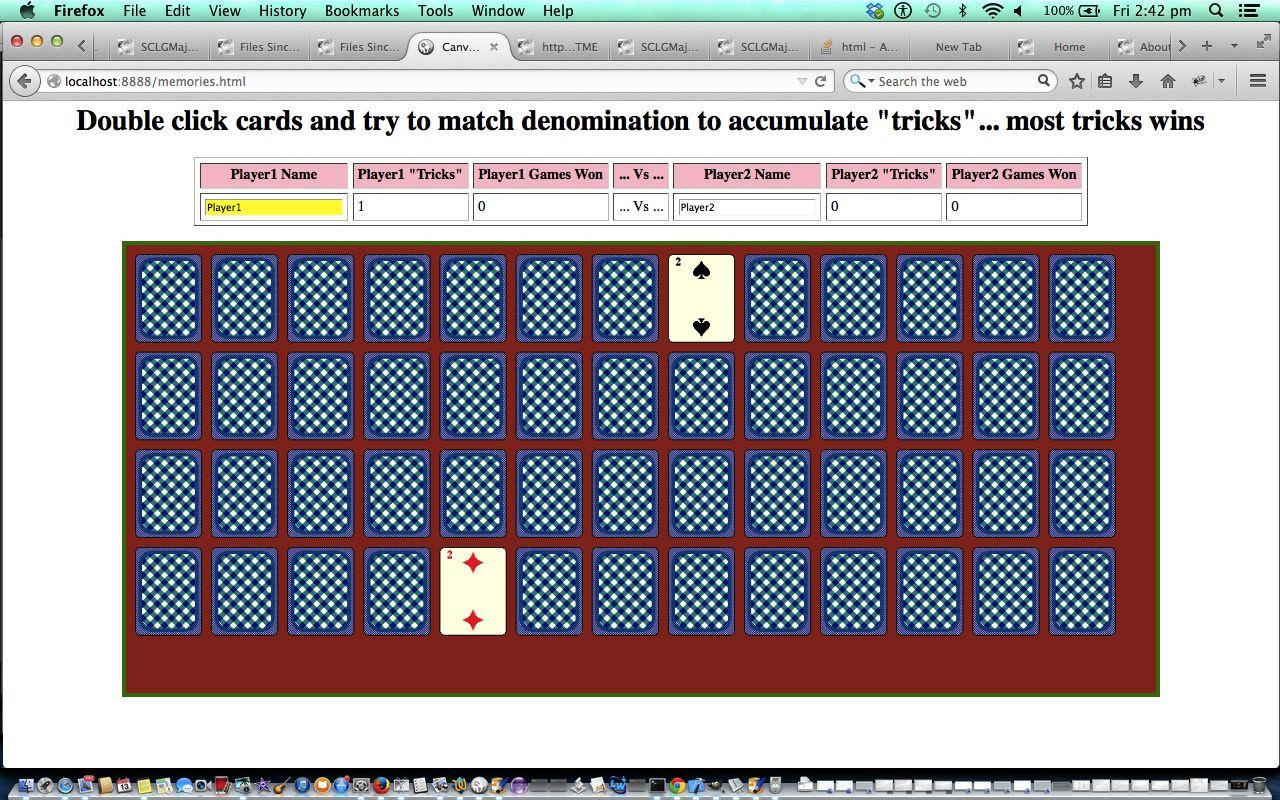
HTML/Javascript Canvas Memories Card Game Primer Tutorial
The Canvas HTML element tag can be used as the container to draw graphics on the fly usually via the use of Javascript functions for rendering and event management.
In today’s tutorial we mainly use the drawImage function to create a webpage where you can play the card game called Memories.
You may want to read more at HTML Canvas Reference as a generic reference, or here, at the tutorial javascript – How do I add a simple onClick event handler to a canvas element? – Stack Overflow.
As you can imagine, this HTML canvas element, new to HTML5, can be very useful for some practical client-side web functionality.
Link to some downloadable HTML programming code … rename to memories.html
You’ll notice heavy use of the Javascript Math.random() function.
We hope you enjoy this Memories Card Game tutorial live run.
Yes … you’ve reached the end … have a top supportive day full of happy memories!
Stop Press
As of the 5th June 2015 you may notice this game changed to add functionality, and that the live run above might support some drag and drop functionality on non-mobile platforms so you may want to compare this to an old live run for how it worked before this date.
If this was interesting you may be interested in this too.
If this was interesting you may be interested in this too.
If this was interesting you may be interested in this too.
If this was interesting you may be interested in this too.
If this was interesting you may be interested in this too.
If this was interesting you may be interested in this too.
If this was interesting you may be interested in this too.
If this was interesting you may be interested in this too.
If this was interesting you may be interested in this too.
If this was interesting you may be interested in this too.
If this was interesting you may be interested in this too.
If this was interesting you may be interested in this too.
If this was interesting you may be interested in this too.
If this was interesting you may be interested in this too.
If this was interesting you may be interested in this too.
If this was interesting you may be interested in this too.
If this was interesting you may be interested in this too.
If this was interesting you may be interested in this too.
Cowsay Cartoon Text to Speech Tutorial
Onto yesterday’s Cowsay Cartoon History Assistance Tutorial today’s two major improvements are …
if (isset($_POST['lhdiag']) && isset($_POST['rhdiag']) && (isset($_GET['dosay']) || isset($_POST['dosay']))) {

 if (strtolower(substr($_POST['lhdiag'],0,6)) == 'cowsay' && strtolower(substr($_POST['rhdiag'],0,6)) == 'cowsay') {

  $visl="";

  $visr="";

  if (isset($_POST['dosay'])) {

    if (strpos(str_replace('+',' ',urldecode($_POST['dosay'])), ',') !== false) {

      $visl=" -v " . explode(',', str_replace('+',' ',urldecode($_POST['dosay'])))[0] . " ";

      $visr=" -v " . explode(',', str_replace('+',' ',urldecode($_POST['dosay'])))[1] . " ";

    } else if (trim(str_replace('+',' ',urldecode($_POST['dosay']))) != '') {

      $visl=" -v " . explode(',', str_replace('+',' ',urldecode($_POST['dosay'])))[0] . " ";

    }

  }

  if (isset($_GET['dosay'])) {

    if (strpos(str_replace('+',' ',urldecode($_GET['dosay'])), ',') !== false) {

      $visl=" -v " . explode(',', str_replace('+',' ',urldecode($_GET['dosay'])))[0] . " ";

      $visr=" -v " . explode(',', str_replace('+',' ',urldecode($_GET['dosay'])))[1] . " ";

    } else if (trim(str_replace('+',' ',urldecode($_GET['dosay']))) != '') {

      $visl=" -v " . explode(',', str_replace('+',' ',urldecode($_GET['dosay'])))[0] . " ";

    }

  }

  if ($visr == '') {

  $saycmd=" exec('say" . $visl . " \"" . explode('"', str_replace('+',' ',urldecode($_POST['lhdiag'])))[-2 + sizeof(explode('"', str_replace('+',' ',urldecode($_POST['lhdiag']))))] . "\" [[ slnc 8000 ]] " . explode('"', str_replace('+',' ',urldecode($_POST['rhdiag'])))[-2 + sizeof(explode('"', str_replace('+',' ',urldecode($_POST['rhdiag']))))] . "\"'); ";

  } else {

  $saycmd=" exec('say" . $visl . " \"" . explode('"', str_replace('+',' ',urldecode($_POST['lhdiag'])))[-2 + sizeof(explode('"', str_replace('+',' ',urldecode($_POST['lhdiag']))))] . "\" ; " . "say" . $visr . " \" [[ slnc 8000 ]] " . explode('"', str_replace('+',' ',urldecode($_POST['rhdiag'])))[-2 + sizeof(explode('"', str_replace('+',' ',urldecode($_POST['rhdiag']))))] . "\"'); ";

  }

 }

}
… passing through to cartoon creation and sharing via email or SMS, in the changed cow_says_insertion.php PHP based web application.
Previous relevant Cowsay Cartoon History Assistance Tutorial is shown below.
Cowsay Cartoon History Assistance Tutorial
Thinking about today’s Remembering History extension of functionality onto yesterday’s Cowsay Cartoon User Styling Tutorial, we, at first, contemplated …
… based on the PHP function call where the user IP address incarnation is determined, as per …
<?php
function justdoit($bigsofar, $maybeyes) {

    global $sb, $sbtwo, $bigsofarl, $bigsofarr, $smallsofarl, $smallsofarr, $oursbtwo, $ipaddr;

    $sofar=$bigsofar;

    if (file_exists(dirname(__FILE__) . DIRECTORY_SEPARATOR . '..' . DIRECTORY_SEPARATOR . str_replace('maybe','',$maybeyes))) {

      $sofar=file_get_contents(dirname(__FILE__) . DIRECTORY_SEPARATOR . '..' . DIRECTORY_SEPARATOR . str_replace('maybe','',$maybeyes));

    }

    $rma = $_SERVER['REMOTE_ADDR'];

    $ua = strtolower($_SERVER['HTTP_USER_AGENT']);

    // you can add different browsers with the same way ..

    if(preg_match('/(chromium)[ \/]([\w.]+)/', $ua))

            $rma = '000000'.$rma;

    elseif(preg_match('/(chrome)[ \/]([\w.]+)/', $ua))

            $rma = '00000'.$rma;

    elseif(preg_match('/(safari)[ \/]([\w.]+)/', $ua))

            $rma = '0000'.$rma;

    elseif(preg_match('/(opera)[ \/]([\w.]+)/', $ua))

            $rma = '000'.$rma;

    elseif(preg_match('/(msie)[ \/]([\w.]+)/', $ua))

            $rma = '00'.$rma;

    elseif(preg_match('/(mozilla)[ \/]([\w.]+)/', $ua))

            $rma = '0'.$rma;

    $ipaddr=str_replace(":", "_", $rma);

    if ($bigsofar == '') {

       $sofar=$oursbtwo; //trim($sb) . ' ' . trim($sbtwo);

       file_put_contents(dirname(__FILE__) . DIRECTORY_SEPARATOR . '..' . DIRECTORY_SEPARATOR . str_replace('maybe','',$maybeyes), '' . $sofar);

       if (strpos($maybeyes, "left") !== false) {

        $bigsofarl="<select title='History of selections you can access ...' id=mysell style=width:24px; onchange=\"if (this.value.length > 0) { document.getElementById('lhdiag').value=this.value; }\">\n<option value=''>?</option>\n<option value='cowsay " . $sofar . "' data-ip='" . $ipaddr . "'>cowsay " . $sofar . "</option>\n</select>";

        file_put_contents(dirname(__FILE__) . DIRECTORY_SEPARATOR . '..' . DIRECTORY_SEPARATOR . str_replace('.txt','big.txt',str_replace('maybe','',$maybeyes)), $bigsofarl);

       } else if (strpos($maybeyes, "right") !== false) {

        $bigsofarr="<select title='History of selections you can access ...' id=myselr style=width:24px; onchange=\"if (this.value.length > 0) { document.getElementById('rhdiag').value=this.value; }\">\n<option value=''>?</option>\n<option value='cowsay " . $sofar . "' data-ip='" . $ipaddr . "'>cowsay " . $sofar . "</option>\n</select>";

        file_put_contents(dirname(__FILE__) . DIRECTORY_SEPARATOR . '..' . DIRECTORY_SEPARATOR . str_replace('.txt','big.txt',str_replace('maybe','',$maybeyes)), $bigsofarr);

       }

    } else if (strpos($bigsofar, 'cowsay ' . $oursbtwo) === false) {

       $sofar.="\n" . $oursbtwo; //trim($sb) . ' ' . trim($sbtwo);

       file_put_contents(dirname(__FILE__) . DIRECTORY_SEPARATOR . '..' . DIRECTORY_SEPARATOR . str_replace('maybe','',$maybeyes), '' . $sofar);

       $bigsofar=explode('</select>',$bigsofar)[0] . "\n" . "<option value='cowsay " . $oursbtwo . "' data-ip='" . $ipaddr . "'>cowsay " . $oursbtwo . "</option></select>";

       file_put_contents(dirname(__FILE__) . DIRECTORY_SEPARATOR . '..' . DIRECTORY_SEPARATOR . str_replace('.txt','big.txt',str_replace('maybe','',$maybeyes)), $bigsofar);

       if (strpos($maybeyes, "left") !== false) {

        $bigsofarl=$bigsofar;

        $recs=explode("\n", $bigsofarl);

        if (sizeof($recs) > 3) {

          $smallsofarl=$recs[0] . "\n" . $recs[1] . "\n";

          for ($ii=2; $ii<sizeof($recs); $ii++) {

            if ($recs[$ii] == '</select>') {

              $smallsofarl.='</select>';

            } else if (strpos(strtolower($recs[$ii]), '"left hand comment"') !== false) {

              $smallsofarl.=$recs[$ii] . "\n";

            } else if (strpos($recs[$ii], " data-ip='" . $ipaddr . "'") !== false) {

              $smallsofarl.=$recs[$ii] . "\n";

            } else if (strpos($recs[$ii], '"') !== false) {

              $lhcis=explode('"', $recs[$ii])[-2 + sizeof($recs)];

              if (trim($lhcis) != '') {

               if (sizeof(explode($lhcis, explode('>',$recs[$ii])[0])) == 3) {

                if (strpos($smallsofarl, explode('>',explode(' data-ip=', str_replace($lhcis, '?', $recs[$ii]))[0])[0]) === false) {

                  $smallsofarl.=str_replace($lhcis, '?', $recs[$ii]) . "\n";

                }

               }

              }

            }

          }

        }

       } else if (strpos($maybeyes, "right") !== false) {

        $bigsofarr=$bigsofar;

        $recs=explode("\n", $bigsofarrr);

        if (sizeof($recs) > 3) {

          $smallsofarr=$recs[0] . "\n" . $recs[1] . "\n";

          for ($ii=2; $ii<sizeof($recs); $ii++) {

            if ($recs[$ii] == '</select>') {

              $smallsofarr.='</select>';

            } else if (strpos(strtolower($recs[$ii]), '"right hand comment"') !== false) {

              $smallsofarr.=$recs[$ii] . "\n";

            } else if (strpos($recs[$ii], " data-ip='" . $ipaddr . "'") !== false) {

              $smallsofarr.=$recs[$ii] . "\n";

            } else if (strpos($recs[$ii], '"') !== false) {

              $lhcis=explode('"', $recs[$ii])[-2 + sizeof($recs)];

              if (trim($lhcis) != '') {

               if (sizeof(explode($lhcis, explode('>',$recs[$ii])[0])) == 3) {

                if (strpos($smallsofarr, explode('>',explode(' data-ip=', str_replace($lhcis, '?', $recs[$ii]))[0])[0]) === false) {

                  $smallsofarr.=str_replace($lhcis, '?', $recs[$ii]) . "\n";

                }

               }

              }

            }

          }

         }

       }

    } else {

       if (strpos($maybeyes, "left") !== false) {

        $bigsofarl=$bigsofar;

        $recs=explode("\n", $bigsofarl);

        if (sizeof($recs) > 3) {

          $smallsofarl=$recs[0] . "\n" . $recs[1] . "\n";

          for ($ii=2; $ii<sizeof($recs); $ii++) {

            if ($recs[$ii] == '</select>') {

              $smallsofarl.='</select>';

            } else if (strpos(strtolower($recs[$ii]), '"left hand comment"') !== false) {

              $smallsofarl.=$recs[$ii] . "\n";

            } else if (strpos($recs[$ii], " data-ip='" . $ipaddr . "'") !== false) {

              $smallsofarl.=$recs[$ii] . "\n";

            } else if (strpos($recs[$ii], '"') !== false) {

              $lhcis=explode('"', $recs[$ii])[-2 + sizeof($recs)];

              if (trim($lhcis) != '') {

               if (sizeof(explode($lhcis, explode('>',$recs[$ii])[0])) == 3) {

                if (strpos($smallsofarl, explode('>',explode(' data-ip=', str_replace($lhcis, '?', $recs[$ii]))[0])[0]) === false) {

                  $smallsofarl.=str_replace($lhcis, '?', $recs[$ii]) . "\n";

                }

               }

              }

            }

          }

        }

       } else if (strpos($maybeyes, "right") !== false) {

        $bigsofarr=$bigsofar;

        $recs=explode("\n", $bigsofarrr);

        if (sizeof($recs) > 3) {

          $smallsofarr=$recs[0] . "\n" . $recs[1] . "\n";

          for ($ii=2; $ii<sizeof($recs); $ii++) {

            if ($recs[$ii] == '</select>') {

              $smallsofarr.='</select>';

            } else if (strpos(strtolower($recs[$ii]), '"right hand comment"') !== false) {

              $smallsofarr.=$recs[$ii] . "\n";

            } else if (strpos($recs[$ii], " data-ip='" . $ipaddr . "'") !== false) {

              $smallsofarr.=$recs[$ii] . "\n";

            } else if (strpos($recs[$ii], '"') !== false) {

              $lhcis=explode('"', $recs[$ii])[-2 + sizeof($recs)];

              if (trim($lhcis) != '') {

               if (sizeof(explode($lhcis, explode('>',$recs[$ii])[0])) == 3) {

                if (strpos($smallsofarr, explode('>',explode(' data-ip=', str_replace($lhcis, '?', $recs[$ii]))[0])[0]) === false) {

                  $smallsofarr.=str_replace($lhcis, '?', $recs[$ii]) . "\n";

                }

               }

              }

            }

          }

         }

       }

    }


    return $sofar;

}
?>
… where you may glean that if IP addresses do not match, because we are not moderating here, if the cowsay “animal” text is not our default vanilla one we map it to the question mark character, on it’s way to a dropdown option element value mapped to the corresponding input type=text textbox one should the user select this option.
And as this involves the combination of …
… a new input type=text onblur event function …
<?php echo ”
  function nonos(texto) {

     var within='', done=false;

     var textv=texto.value;

     if (textv.indexOf(\" '\") != -1 && textv.indexOf(' \"') == -1) {

        while (!done && textv.indexOf(\" '\") != -1 && textv.indexOf(' \"') == -1) {

        within=textv.split(\" '\")[1].split(\"'\")[0];

        if (within.indexOf('\"') != -1) {

          textv=textv.replace(\" '\" + within + \"'\", '#@!\"' + within.replace(/\\\"/g, '`') + '\"');

          texto.value=textv;

          if (textv.indexOf(\" '\") != -1 && textv.indexOf(' \"') == -1) {

            done=false;

          } else {

            done=true;

          }

        } else {

          textv=textv.replace(\" '\" + within + \"'\", '#@!\"' + within + '\"');

          texto.value=textv;

          if (textv.indexOf(\" '\") != -1 && textv.indexOf(' \"') == -1) {

            done=false;

          } else {

            done=true;

          }

        }

        }

     } else if (textv.indexOf(\" '\") == -1 && textv.indexOf(' \"') != -1) {

        while (!done && textv.indexOf(\" '\") == -1 && textv.indexOf(' \"') != -1) {

        within=textv.split(' \"')[1].split('\"')[0];

        if (within.indexOf(\"'\") != -1) {

          textv=textv.replace(' \"' + within + '\"', '#@!\"' + within.replace(/\\'/g, '`') + '\"');

          texto.value=textv;

          if (textv.indexOf(\" '\") == -1 && textv.indexOf(' \"') != -1) {

            done=false;

          } else {

            done=true;

          }

        } else {

          textv=textv.replace(' \"' + within + '\"', '#@!\"' + within + '\"');

          texto.value=textv;

          if (textv.indexOf(\" '\") == -1 && textv.indexOf(' \"') != -1) {

            done=false;

          } else {

            done=true;

          }

        }

        }

     } else if (textv.indexOf(\" '\") != -1) {

        while (!done && textv.indexOf(\" '\") != -1) {

        within=textv.split(\" '\")[1].split(\"'\")[0];

        if (within.indexOf('\"') != -1) {

          textv=textv.replace(\" '\" + within + \"'\", '#@!\"' + within.replace(/\\\"/g, '`') + '\"');

          texto.value=textv;

          if (textv.indexOf(\" '\") != -1) {

            done=false;

          } else {

            done=true;

          }

        } else {

          textv=textv.replace(\" '\" + within + \"'\", '#@!\"' + within + '\"');

          texto.value=textv;

          if (textv.indexOf(\" '\") != -1) {

            done=false;

          } else {

            done=true;

          }

        }

        }

     }


     if (textv.indexOf(';') != -1) { textv=textv.replace(/\;/g,':'); done=true;  }

     if (done) { texto.value=textv.replace(/\#\@\!/g, ' ');  }

  }
“; ?>
… amends quote delimiter usage within the proposed cowsay command, as required in the changed cow_says_insertion.php PHP based web application.
Previous relevant Cowsay Cartoon User Styling Tutorial is shown below.
Cowsay Cartoon User Styling Tutorial
Today’s work hones in on our interpretation of some user styling we could offer users of the Cowsay Cartoon web application we introduced in yesterday’s Cowsay Reacquaintance and CodeCows Xcode Extension Tutorial, in the following ways, after a bit of a try out on an iPhone (ouch!) …
<style>


input {  color: blue;  }

input[type=text] {  background-color: #ffecf2;   }


input[type=button] {  border-radius: 100px; padding: 15 15 15 15;  }

input[type=submit] {  border-radius: 100px; padding: 15 15 15 15;  }


textarea { background-color: #f9f9f9;  font-weight: bold; }


/* Thanks to https://www.google.com/search?q=hide+vertical+scroller&sca_esv=28ba29a10f60894c&rlz=1C5OZZY_en&sxsrf=AKL5yDhDhuXcCcipvfxuwIlsw7XRFis8cA%3A1793564144145&ei=8J3nauS6CMP91e8PqN_9oAw&biw=1427&bih=698&uact=5&oq=hide+vertical+scroller&gs_lp=Egxnd3Mtd2l6LXNlcnAiFmhpZGUgdmVydGljYWwgc2Nyb2xsZXIyBxAAGIAEGA0yBhAAGBYYHjIGEAAYFhgeMgYQABgWGB4yBhAAGBYYHjIIEAAYBRgeGA0yCBAAGAUYHhgNMggQABgFGB4YDTIIEAAYBRgeGA0yCBAAGAUYHhgNSMxBUJYFWLs3cAF4AZABAJgB5AGgAf4SqgEFMC44LjS4AQPIAQD4AQGYAgigAtgMwgIKEAAYRxjWBBiwA8ICBRAAGO8FwgIIEAAYiQUYogTCAggQABgIGB4YDcICCxAAGIAEGIoFGIYDmAMA4gMFEgExIECIBgGQBgiSBwUxLjAuN6AH7UeyBwMyLTe4B70MwgcDMy04yAdJgAgB&sclient=gws-wiz-serp */

/* Chrome, Safari, and Opera */

#lhxta::-webkit-scrollbar {

  display: none;

}


/* Firefox */

#lhxta {

  scrollbar-width: none;

}


/* Internet Explorer and Edge */

#lhxta {

  -ms-overflow-style: none;

}

</style>
… in the changed cow_says_insertion.php PHP based web application.
Stop Press
For the first time we can remember, with a colour picker, we track “double valuing”. To us, “double valuing” is to select and deploy a colour value for the picker, and then do that at least a second time with a new colour value. Why code for this? Well, to allow for an HTML textarea’s …
… sounds like a great idea to allow for, but not to overcomplicate by adding a third colour picker for left or right cartoon cells.
Very debatable we know, but there you go, we’re trying this out.
Previous relevant Cowsay Reacquaintance and CodeCows Xcode Extension Tutorial is shown below.
Cowsay Reacquaintance and CodeCows Xcode Extension Tutorial
We stumbled upon an interesting extension for Xcode on macOS here, called CodeCows. It makes it possible to paste into Xcode code, via an …
Xcode -> Editor -> CodeCows -> Menu with many options
… set of functionalities, cartoonish text similar to what the Cowsay functionality talked about in Google Chart Geo Chart Integration Speech Bubbles Popup Div Hashtag Tutorial did. Gasp! Since the new web server we haven’t yet thought to type into our WHM cPanel’s Terminal window …
sudo dnf install cowsay -y
… to reinstall cowsay … what a moooooooooooooooooooooooute point!
Anyway, that’s done now. Also done today was that that got us to considering our favourite text editor, TextWrangler (now known as BBEdit … but should have been TextPowerRangerWrangler), on it’s scripting smarts. Surely cowsay could be a tailored text paster extraordinaire here as well?! And yes, the advice of can cowsays integration work in BBEdit …
Yes, cowsay integration works beautifully in BBEdit. Because BBEdit natively supports running Unix scripts and filters directly on your open text, you can pass any selected text out to cowsay and replace it with a talking ASCII cow instantly.
You can set this up as a Text Filter so that it appears directly inside BBEdit’s Text menu.
… got us …
cd /Applications/MAMP/htdocs
vi cowsay.sh
cat cowsay.sh
cd ~/Library
cd "Application Support"
cd BBEdit
cd "Text Filters"
cp /Applications/MAMP/htdocs/cowsay.sh ./cowsay.sh
chmod +x ./cowsay.sh
Text -> Apply Text Filter -> cowsay
cowsay "last argument"
$mycowsays="";
… and then onto a new PHP web application …
… we constructed via this inspiration whereby a two picture cowsay drawn cartoon can be created and shared via email or SMS based on two textboxes a user fills out using.
Did you know?
On macOS not knowing what a command does?
First try, in the Terminal desktop app, for say, cowsay …
man cowsay
… then perhaps …
help cowsay
… then perhaps …
info cowsay
Previous relevant Google Chart Geo Chart Integration Speech Bubbles Popup Div Hashtag Tutorial is shown below.
Google Chart Geo Chart Integration Speech Bubbles Popup Div Hashtag Tutorial
Back to the main workflow of Google Chart Geo Chart Integration Speech Bubbles Textarea Relative Media Tutorial the day before yesterday’s Window Opener and Parent Conduit Tutorial it becomes apparent working those relative URLs in amongst absolute URLs or data URI references within your Speech Bubble content, today we simulate …
… the content “mediarized” as user controlled, via a hashtag system that expands media within that popup div element via more Journal project thinking …
… where hashtags #qrcode and #play and #display and #listen and #embed and #show and #background are hashtag media effect options …
… using …
Previous relevant Window Opener and Parent Conduit Tutorial is shown below.
Window Opener and Parent Conduit Tutorial
After yesterday’s Google Chart Geo Chart Integration Speech Bubbles Textarea Relative Media Tutorial we come to another “generic detour” we want to attend to.
Yesterday’s relative URL, like …
/responsive_more.jpg
… set us to thinking how such a relative URL cannot work in the scenario …
 var woo=window.open('','_blank','top=0,left=0,width=600,height=800');

 woo.document.write([content]);
… but if we wrote some HTML to pass on content from the originator …
var woo=window.open('//www.rjmprogramming.com.au/window_opener_pal.html?hcontent=[content]','_blank','top=0,left=0,width=600,height=800');
… should [content] contain one of those such relative URLs we think that could be a different story. So window_opener_pal.html idea …
<html>

<head>

<title>Help RJM Programming Window Open Callers - RJM Programming - March, 2026</title>

<script type=text/javascript>


  var hcontent=(location.search + ('' + location.hash).replace(/^undefined/g,'').replace(/^null/g,'')).split('hcontent=')[1] ? decodeURIComponent((location.search + ('' + location.hash).replace(/^undefined/g,'').replace(/^null/g,'')).split('hcontent=')[1].split('&')[0]) : '';

  var functocall=(location.search + ('' + location.hash).replace(/^undefined/g,'').replace(/^null/g,'')).split('functocall=')[1] ? decodeURIComponent((location.search + ('' + location.hash).replace(/^undefined/g,'').replace(/^null/g,'')).split('functocall=')[1].split('&')[0]) : '';

  var vartoref=(location.search + ('' + location.hash).replace(/^undefined/g,'').replace(/^null/g,'')).split('vartoref=')[1] ? decodeURIComponent((location.search + ('' + location.hash).replace(/^undefined/g,'').replace(/^null/g,'')).split('vartoref=')[1].split('&')[0]) : '';

  var elid=(location.search + ('' + location.hash).replace(/^undefined/g,'').replace(/^null/g,'')).split('elid=')[1] ? decodeURIComponent((location.search + ('' + location.hash).replace(/^undefined/g,'').replace(/^null/g,'')).split('elid=')[1].split('&')[0]) : '';


  function checkwop() {

    if (window.opener) {

      if (hcontent != '') {

        document.body.innerHTML=hcontent;

      } else if (functocall != '') {

        console.warn('hcontent=("" + window.opener.' + functocall + '()).replace(/^undefined/g,"").replace(/^null/g,"")');

        eval('hcontent=("" + window.opener.' + functocall + '()).replace(/^undefined/g,"").replace(/^null/g,"")');

        if (hcontent == '' && elid != '') {

          eval('document.body.innerHTML=("" + window.opener.document.getElementById("' + elid + '").outerHTML.replace(/none\;/g,"block;").replace("parent.getCursor","window.opener.getCursor")).replace(/^undefined/g,"").replace(/^null/g,"")');

        }

      } else if (vartoref != '') {

        eval('hcontent=("" + window.opener.' + vartoref + ').replace(/^undefined/g,"").replace(/^null/g,"")');

        if (hcontent == '' && elid != '') {

          eval('document.body.innerHTML=("" + window.opener.document.getElementById("' + elid + '").outerHTML.replace(/none\;/g,"block;").replace("parent.getCursor","window.opener.getCursor")).replace(/^undefined/g,"").replace(/^null/g,"")');

        }

      } else if (elid != '') {

        eval('document.body.innerHTML=("" + window.opener.document.getElementById("' + elid + '").outerHTML.replace(/none\;/g,"block;").replace("parent.getCursor","window.opener.getCursor")).replace(/^undefined/g,"").replace(/^null/g,"")');

      }

    } else if (window.parent != window.self) {

      if (hcontent != '') {

        document.body.innerHTML=hcontent;

      } else if (functocall != '') {

        eval('hcontent=("" + window.parent.' + functocall + '()).replace(/^undefined/g,"").replace(/^null/g,"")');

        if (hcontent == '' && elid != '') {

          eval('document.body.innerHTML=("" + window.parent.document.getElementById("' + elid + '").outerHTML.replace(/none\;/g,"block;").replace("parent.getCursor","window.opener.getCursor")).replace(/^undefined/g,"").replace(/^null/g,"")');

        }

      } else if (vartoref != '') {

        eval('hcontent=("" + window.parent.' + vartoref + ').replace(/^undefined/g,"").replace(/^null/g,"")');

        if (hcontent == '' && elid != '') {

          eval('document.body.innerHTML=("" + window.parent.document.getElementById("' + elid + '").outerHTML.replace(/none\;/g,"block;").replace("parent.getCursor","window.opener.getCursor")).replace(/^undefined/g,"").replace(/^null/g,"")');

        }

      } else if (elid != '') {

        eval('document.body.innerHTML=("" + window.parent.document.getElementById("' + elid + '").outerHTML.replace(/none\;/g,"block;").replace("parent.getCursor","window.opener.getCursor")).replace(/^undefined/g,"").replace(/^null/g,"")');

      }

    } else if (hcontent != '') {

      document.body.innerHTML=hcontent;

    }

  }


</script>

</head>

<body onload=checkwop(); id=xxbody>

</body>

</html>
… is like our new see-through “conduit” friend.
Previous relevant Google Chart Geo Chart Integration Speech Bubbles Textarea Relative Media Tutorial is shown below.
Google Chart Geo Chart Integration Speech Bubbles Textarea Relative Media Tutorial
Back to the main workflow of Google Chart Geo Chart Integration Speech Bubbles Textarea Onblur Tutorial as the day before yesterday’s Google Chart Geo Chart AppleScript Functionality Integration Bug Tutorial we touch on two steps, moving forward …
#say
… means by which …
- textarea ondblclick event controlled
- Intranet feeling
- window.open popup
- PHP localhost URL http://localhost:8888/macos_say_record.php
- using exec to point to
- underlying macOS and MAMP local Apache/PHP/MySql web server environment command say
- means to turn Text to Speech
… users can be offered a continuous Text to Speech execution modus operandi …
/responsive_more.jpg
- YouTube 11 character … link to a YouTube video …
- YouTube 34 character … link to a YouTube playlist …
- Spotify 22 character … link to a Spotify playlist …
- Strings with . and @ … link to a mailto: “a” link means of communication …
- Strings mainly numerical … link to an SMS: “a” link means of communication
- Strings starting with “http” or “//” … link to a URL, suiting ones like Wikipedia uses (at this stage)
- Strings starting with a single “/” … link to a media (so far) relative URL that exists on the RJM Programming domain web server
… featuring in (with thanks to this link) …
  var xtypes = ['image/tif', 'audio/x-m4r','audio/wav','audio/x-wav','audio/x-pn-realaudio','audio/x-mpegurl','audio/x-aiff','audio/mpeg','audio/mid',

      'audio/basic','audio/ogg','video/x-sgi-movie','video/x-msvideo','video/quicktime','audio/mp3','video/mp4','video/mpeg',

      'video/x-la-asf','video/ogg','video/webm','audio/mp4', 'image/jpeg', 'image/jpeg', 'image/png', 'image/gif', 'image/bmp',

      'text/html', 'text/html', 'text/html', 'text/javascript', 'text/css', 'text/plain', 'text/xml', 'text/csv',

      'application/vnd.ms-word', 'application/vnd.openxmlformats-officedocument.wordprocessingml.document', 'application/x-php', 'application/pdf', 'IMAGE/pdf',

      'application/vnd.openxmlformats-officedocument.presentationml.presentation', 'application/vnd.ms-powerpoint',

      'application/vnd.ms-excel', 'application/vnd.openxmlformats-officedocument.spreadsheetml.sheet', 'video/mp4'];

  var xexts = ['.tif','.m4r','.wav','.wav','.ram','.m3u','.aiff','.mp3','.rmi',

      '.snd','.ogg','.movie','.avi','.mov','.mp3','.m4v','.mpeg',

      '.lsx','.ogv','.webm','.m4a', '.jpg', '.jpeg', '.png', '.gif', '.bmp',

      '.htm', '.html', '.htmls', '.js', '.css', '.txt', '.xml', '.csv',

      '.doc', '.docx', '.php', '.pdf', '.pdf',

      '.pptx', '.ppt',

      '.xls', '.xlsx', '.mp4'];

var reluadd='', relulist=[];

var relunlist=[];

var pwind=0, pwinda=[];


async function checkUrlExists(url) { // thanks to https://www.google.com/search?q=can+a+window.open+second+parameter+pointing+to+iframe+name+be+used+to+check+for+existence+of+a+relative+URL+file+on+a+web+server&sca_esv=6b7c40959298e02e&rlz=1C5OZZY_en&sxsrf=ANbL-n5LheO67tq8kUgMIT0WDvjv3n25Rw%3A1774317391889&ei=T-_Baf36Namkvr0P55LamQQ&biw=1440&bih=732&ved=0ahUKEwi93vKut7eTAxUpkq8BHWeJNkMQ4dUDCBE&uact=5&oq=can+a+window.open+second+parameter+pointing+to+iframe+name+be+used+to+check+for+existence+of+a+relative+URL+file+on+a+web+server&gs_lp=Egxnd3Mtd2l6LXNlcnAigAFjYW4gYSB3aW5kb3cub3BlbiBzZWNvbmQgcGFyYW1ldGVyIHBvaW50aW5nIHRvIGlmcmFtZSBuYW1lIGJlIHVzZWQgdG8gY2hlY2sgZm9yIGV4aXN0ZW5jZSBvZiBhIHJlbGF0aXZlIFVSTCBmaWxlIG9uIGEgd2ViIHNlcnZlckgAUABYAHAAeAGQAQCYAQCgAQCqAQC4AQPIAQD4AQGYAgCgAgCYAwCSBwCgBwCyBwC4BwDCBwDIBwCACAA&sclient=gws-wiz-serp

    try {

        const response = await fetch(url, { method: 'HEAD' }); // Use HEAD to avoid downloading the file

        // response.ok is true for status codes 200-299

        if (reluadd != '') {  relulist.push(reluadd);  sofarothers.push(reluadd);  sofarurls.push(reluadd);  }

        reluadd='';

        pwind++;

        return response.ok;

    } catch (error) {

        // This catch block handles network errors, not necessarily 404s

        if (reluadd != '') {  relunlist.push(reluadd);  }

        reluadd='';

        pwind++;

        return false;

    }

}


  function inline_linking(aname) {

   var delayis=1000;

   pwind=0;

   pwinda=[];

    // code here from previous work ...

    if (relulist.indexOf(pword) == -1 && relunlist.indexOf(pword) == -1 && (pword + ' ').substring(0,1) == '/' && (pword + ' ').indexOf('//') == -1) {

      if (pword.indexOf('.') != -1) {

        if (xexts.indexOf('.' + pword.split('.')[eval(-1 + pword.split('.').length)].split('#')[0].toLowerCase()) != -1) {

          if (xtypes[xexts.indexOf('.' + pword.split('.')[eval(-1 + pword.split('.').length)].split('#')[0].toLowerCase())].indexOf('image/') == 0) {

 pwinda.push(pword);

 setTimeout(function(){

 // Example Usage (for a relative URL file on the same server)

 reluadd=pwinda[pwind];

 checkUrlExists(reluadd.split('#')[0]).then(exists => { //

    console.log(exists ? "File exists!" : "File does not exist.");

 });

 }, delayis);

 delayis+=3000;

          } else if (xtypes[xexts.indexOf('.' + pword.split('.')[eval(-1 + pword.split('.').length)].split('#')[0].toLowerCase())].indexOf('video/') == 0) {

 pwinda.push(pword);

 setTimeout(function(){

 // Example Usage (for a relative URL file on the same server)

 reluadd=pwinda[pwind];

 checkUrlExists(reluadd.split('#')[0]).then(exists => { //

    console.log(exists ? "File exists!" : "File does not exist.");

 });

 }, delayis);

 delayis+=3000;

          } else if (xtypes[xexts.indexOf('.' + pword.split('.')[eval(-1 + pword.split('.').length)].split('#')[0].toLowerCase())].indexOf('audio/') == 0) {

 pwinda.push(pword);

 setTimeout(function(){

 // Example Usage (for a relative URL file on the same server)

 reluadd=pwinda[pwind];

 checkUrlExists(reluadd.split('#')[0]).then(exists => { //

    console.log(exists ? "File exists!" : "File does not exist.");

 });

 }, delayis);

 delayis+=3000;

          }

        }

      }

    } else if (relulist.indexOf(pword) == -1 && relunlist.indexOf(pword) == -1 && (pword + ' ').substring(0,1) == '/' && (pword + ' ').indexOf('//') == 0) {

      relulist.push(pword);

    }

    // code here from previous work ...

  }
… incorporated in …
… you can try out for yourself below if you like.
Previous relevant Google Chart Geo Chart AppleScript Functionality Integration Bug Tutorial is shown below.
Google Chart Geo Chart AppleScript Functionality Integration Bug Tutorial
After yesterday’s Google Chart Geo Chart Integration Speech Bubbles Textarea Intranet Feeling Tutorial we come to a “generic detour” we need to attend to.
| Symptom … |
|---|
| The onhover smarts of the Google Chart Geo Chart suffer when the AppleScript integrations are loaded |
| Culprit … |
We tracked it down to what we used to have …… working with …
|
| Solution … |
… working with, just …
|
… and the avoidance of use of document.head.appendChild(scriptz); (at least with a delayed window reload) did the trick to make the Geo Chart onhover functionality start working again, more consistently with …
… you can try out for yourself below if you like.
Previous relevant Google Chart Geo Chart Integration Speech Bubbles Textarea Intranet Feeling Tutorial is shown below.
Google Chart Geo Chart Integration Speech Bubbles Textarea Intranet Feeling Tutorial
Further to yesterday’s Google Chart Geo Chart Integration Speech Bubbles Textarea Onblur Tutorial today’s extension to textarea smarts, potentially, involves …
… allowing users to “cowsay say say” via the changed latest draft Cartoon creation and email sharing capable PHP web application teaming with the changed gchartgen.js external Javascript helper onkeydown keyboard event Javascript code which non-mobile you can try out for yourself below if you like.
Previous relevant Google Chart Geo Chart Integration Speech Bubbles Textarea Onblur Tutorial is shown below.
Google Chart Geo Chart Integration Speech Bubbles Textarea Onblur Tutorial
Adding onto yesterday’s Google Chart Geo Chart Integration Speech Bubbles Textarea Onclick Tutorial we’re creeping forward on functionality today, adding to …
… allowing users to “cowsay say” via the changed “third draft” Cartoon creation and email sharing capable PHP web application teaming with the changed gchartgen.js external Javascript helper onkeydown keyboard event Javascript code which non-mobile you can try out for yourself below if you like.
Previous relevant Google Chart Geo Chart Integration Speech Bubbles Textarea Onclick Tutorial is shown below.
Google Chart Geo Chart Integration Speech Bubbles Textarea Onclick Tutorial
Onto yesterday’s Google Chart Geo Chart Integration Speech Bubbles Modus Operandi Tutorial within the Speech Bubble text we’ve added textarea onclick logic to detect clicks to the left of words which might describe such link interests such as YouTube video ID 11 character code words.
More detail on this to come via the changed gchartgen.js external Javascript helper onkeydown keyboard event Javascript code which non-mobile you can try out for yourself below if you like.
Previous relevant Google Chart Geo Chart Integration Speech Bubbles Modus Operandi Tutorial is shown below.
Google Chart Geo Chart Integration Speech Bubbles Modus Operandi Tutorial
Onto yesterday’s Google Chart Geo Chart Integration Speech Bubbles Tutorial …
… via the changed gchartgen.js external Javascript helper onkeydown keyboard event Javascript code …
function gcokd(evt) {

    var char = 0;

    var kcs=[";".charCodeAt(0),"186","=".charCodeAt(0),"187",",".charCodeAt(0),"188","-".charCodeAt(0),"189",".".charCodeAt(0),"190","/".charCodeAt(0),"191","`".charCodeAt(0),"192","[".charCodeAt(0),"219","\\".charCodeAt(0),"220","]".charCodeAt(0),"221","'".charCodeAt(0),"222"];

    var belows=["`","1","2","3","4","5","6","7","8","9","0","-","=","[","]",";","'",",",".","/","\\"];

    var aboves=['~','!','@','#','$','%','^','&','*','(',')','_','+','{','}',':','"','<','>','?', '|']

    if (nomoreokd) {

      //document.title='no';

      return true;

    }

    if (evt.altKey && lastkeymodifier != 'a') {

      lastkeymodifier='a';

      return true;

    } else if (evt.ctrlKey && lastkeymodifier != 'c') {

      lastkeymodifier='c';

      return true;

    } else if (evt.shiftKey && lastkeymodifier != 's') {

      lastkeymodifier='s';

      char = evt.which || evt.keyCode;

      if (kcs.indexOf('' + (evt.which || evt.keyCode)) != -1) {

        char=(kcs[eval(-1 + kcs.indexOf('' + (evt.which || evt.keyCode)))]); //.charCodeAt(0);

      }

      if (char == 46 || char == 8) {

      if (okdcommentary != '') {

        okdcommentary.substring(0,eval(-1 + okdcommentary.length));

    if (('' + location.hash).indexOf('commentary=') != -1) {

      if (okdcommentary != '') {

      location.hash='#commentary=' + encodeURIComponent(okdcommentary);

      } else {

      location.hash='#commentary=' + encodeURIComponent(okdcommentary);

      }

    } else if (('' + location.hash).replace(/^undefined/g,'').replace(/^null/g,'') == '') {

      location.hash='#commentary=' + encodeURIComponent(okdcommentary);

    }

      }

      } else if (char >= 10) {

      console.warn('char=' + char + ' evt.keyCode=' + evt.keyCode + ' evt.which=' + evt.which);

      if (belows.indexOf(String.fromCharCode(char)) != -1) {

      //alert(56);

         char=aboves[belows.indexOf(String.fromCharCode(char))].charCodeAt(0);

      //alert(char);

    okdcommentary+=String.fromCharCode(char);

    //document.title=okdcommentary;

    if (('' + location.hash).indexOf('commentary=') != -1) {

      location.hash+=encodeURIComponent(String.fromCharCode(char));

    } else if (('' + location.hash).replace(/^undefined/g,'').replace(/^null/g,'') == '') {

      location.hash='#commentary=' + encodeURIComponent(okdcommentary);

    }

    lastkeymodifier='';

      } else if (String.fromCharCode(char) >= 'A' && String.fromCharCode(char) <= 'Z') {

         char+=('a'.charCodeAt(0) - 'A'.charCodeAt(0));

    okdcommentary+=String.fromCharCode(char);

    //document.title=okdcommentary;

    if (('' + location.hash).indexOf('commentary=') != -1) {

      location.hash+=encodeURIComponent(String.fromCharCode(char));

    } else if (('' + location.hash).replace(/^undefined/g,'').replace(/^null/g,'') == '') {

      location.hash='#commentary=' + encodeURIComponent(okdcommentary);

    }

    lastkeymodifier='';

      }

      }

      return true;

    }

    char = evt.which || evt.keyCode;

    //document.title='' + char + ' ... ';

    if (kcs.indexOf('' + (evt.which || evt.keyCode)) != -1) {

        char=(kcs[eval(-1 + kcs.indexOf('' + (evt.which || evt.keyCode)))]); //.charCodeAt(0);

    //document.title+='' + char + ' .=. ';

    }

      if (char == 46 || char == 8) {

      if (okdcommentary != '') {

        okdcommentary.substring(0,eval(-1 + okdcommentary.length));

    if (('' + location.hash).indexOf('commentary=') != -1) {

      if (okdcommentary != '') {

      location.hash='#commentary=' + encodeURIComponent(okdcommentary);

      } else {

      location.hash='#commentary=' + encodeURIComponent(okdcommentary);

      }

    } else if (('' + location.hash).replace(/^undefined/g,'').replace(/^null/g,'') == '') {

      location.hash='#commentary=' + encodeURIComponent(okdcommentary);

    }

      }

      } else if (char >= 10) {

    //document.getElementById('myh3').innerHTML='' + char + ' ' + evt.type;

    //var chrCode = char - 48 * Math.floor(char / 48); // thanks to https://stackoverflow.com/questions/1772179/get-character-value-from-keycode-in-javascript-then-trim

    //var chr = String.fromCharCode((96 <= char) ? chrCode: char);

    //char=chr;

    if (lastkeymodifier == 's' && String.fromCharCode(char) >= 'A' && String.fromCharCode(char) <= 'Z') {

      char+=('a'.charCodeAt(0) - 'A'.charCodeAt(0));

    } else if (String.fromCharCode(char) >= 'A' && String.fromCharCode(char) <= 'Z') {

      char+=('A'.charCodeAt(0) - 'A'.charCodeAt(0));

    }

    if (lastkeymodifier == 's') {

      if (belows.indexOf(String.fromCharCode(char)) != -1) {

      //alert(56);

         char=aboves[belows.indexOf(String.fromCharCode(char))].charCodeAt(0);

      //alert(char);

      }

    }

    okdcommentary+=String.fromCharCode(char);

    //document.title=okdcommentary;

    if (('' + location.hash).indexOf('commentary=') != -1) {

      location.hash+=encodeURIComponent(String.fromCharCode(char));

    } else if (('' + location.hash).replace(/^undefined/g,'').replace(/^null/g,'') == '') {

      location.hash='#commentary=' + encodeURIComponent(okdcommentary);

    }

    }

    lastkeymodifier='';

    return true;

}


if (!navigator.userAgent.match(/Android|BlackBerry|iPhone|iPad|iPod|Opera Mini|IEMobile/i)) {

  setTimeout(function(){ if (!nomoreokd) { document.body.onkeydown=function(event){ gcokd(event); } } }, 3000);

}
… which non-mobile you can try out for yourself below if you like.
Previous relevant Google Chart Geo Chart Integration Speech Bubbles Tutorial is shown below.
Google Chart Geo Chart Integration Speech Bubbles Tutorial
Yesterday’s HTML Canvas Memories Frog Game Speech Bubbles Tutorial kickstarted us into imagining other ways …
We honed in on the external Javascript called by many Google Chart integrators with the changed gchartgen.js external Javascript helper’s …
var washerelhis=(('' + document.URL + '#').split('#')[1]) + ' ';

if (decodeURIComponent(washerelhis).indexOf('commentary=') == 0) {

 if (decodeURIComponent(washerelhis).indexOf(',') != -1) {

   location.hash=location.hash.replace(/\,/g,' ').replace(/\%44/g,'%20');

   washerelhis=washerelhis.replace(/\,/g,' ').replace(/\%44/g,'%20');

 }

}


setInterval(postlhway, 3000);
… timer function as per …
function postlhway() {

  var foundu='';

  var rectcg=null;

  var prefoundu='';

  var herelhis=(('' + document.URL + '#').split('#')[1]);

  if (herelhis == washerelhis && washerelhis != '') {

    herelhis=(('#' + location.hash + '#').replace('##','#').split('#')[1]);

  }

  if (herelhis != washerelhis) {

    if (decodeURIComponent(herelhis).indexOf('commentary=') == 0) {

      if (document.getElementById('ifcom')) {

          document.getElementById('ifcom').src='/cowsay.php?viagc=transXparent&inwords=' + (herelhis.substring(('commentary=').length).split('&')[0].replace(/\+/g,'%20'));

      } else if (document.getElementById('dpostform') && document.getElementById('myh')) {

          rectcg=document.getElementById('myh').getBoundingClientRect();

          document.getElementById('dpostform').innerHTML+='<iframe allowTransparency=true id=ifcom src="/cowsay.php?viagc=transXparent&inwords=' + (herelhis.substring(('commentary=').length).split('&')[0].replace(/\+/g,'%20')) + '" frameborder=0 scrolling=no style="background-color:transparent;position:absolute;top:' + eval(-10 + rectcg.bottom) + 'px;left:' + rectcg.left + 'px;width:300px;height:72px;z-index:564;"></iframe>';

      } else if (document.getElementById('dpostform') && document.getElementById('chart_div')) {

          rectcg=document.getElementById('chart_div').getBoundingClientRect();

          document.getElementById('dpostform').innerHTML+='<iframe allowTransparency=true id=ifcom src="/cowsay.php?viagc=transXparent&inwords=' + (herelhis.substring(('commentary=').length).split('&')[0].replace(/\+/g,'%20')) + '" frameborder=0 scrolling=no style="background-color:transparent;position:absolute;top:' + rectcg.top + 'px;left:' + rectcg.left + 'px;width:300px;height:72px;z-index:564;"></iframe>';

      }

    }

    washerelhis=herelhis;

  }

  if (bimode == -1) {

    if (document.getElementById('bkcol')) {

      if (('' + document.getElementById('bkcol').style.backgroundImage).toLowerCase().indexOf('url(') != -1) {

         foundu='' + ('' + document.getElementById('bkcol').style.backgroundImage).split('(')[eval(-1 + ('' + document.getElementById('bkcol').style.backgroundImage).split('(').length)].split(')')[0].replace(/^\"/g,'').replace(/\"$/g,'').replace(/^\'/g,'').replace(/\'$/g,'');

         bimode=2;

         prefoundu='+';

      }

    }

    if (bimode == -1) {

      if (('' + document.body.style.backgroundImage).toLowerCase().indexOf('url(') != -1) {

         foundu='' + ('' + document.body.style.backgroundImage).split('(')[eval(-1 + ('' + document.body.style.backgroundImage).split('(').length)].split(')')[0].replace(/^\"/g,'').replace(/\"$/g,'').replace(/^\'/g,'').replace(/\'$/g,'');

         bimode=1;

    if (document.getElementById('iagc')) {

      document.getElementById('iagc').style.width='1px';

      document.getElementById('iagc').style.height='1px';

    } else {

      setInterval(function(){

      if (document.getElementById('iagc')) {

      document.getElementById('iagc').style.width='1px';

      document.getElementById('iagc').style.height='1px';

      }

      }, 2000);

    }

      } else if (('' + document.body.innerHTML).indexOf('<style> body { background-image:') != -1) {

         foundu='' + ('' + document.body.innerHTML.split('<style> body { background-image:')[1].split('}')[0]).split('(')[eval(-1 + ('' + document.body.innerHTML.split('<style> body { background-image:')[1].split('}')[0]).split('(').length)].split(')')[0].replace(/^\"/g,'').replace(/\"$/g,'').replace(/^\'/g,'').replace(/\'$/g,'');

         bimode=1;

    if (document.getElementById('iagc')) {

      document.getElementById('iagc').style.width='1px';

      document.getElementById('iagc').style.height='1px';

    } else {

      setInterval(function(){

      if (document.getElementById('iagc')) {

      document.getElementById('iagc').style.width='1px';

      document.getElementById('iagc').style.height='1px';

      }

      }, 2000);

    }

       } else if (document.getElementById('bitsatend') && ('' + document.getElementById('bitsatend').innerHTML).indexOf('<style> body { background-image:') != -1) {

         foundu='' + ('' + document.getElementById('bitsatend').innerHTML.split('<style> body { background-image:')[1].split('}')[0]).split('(')[eval(-1 + ('' + document.getElementById('bitsatend').innerHTML.split('<style> body { background-image:')[1].split('}')[0]).split('(').length)].split(')')[0].replace(/^\"/g,'').replace(/\"$/g,'').replace(/^\'/g,'').replace(/\'$/g,'');

         bimode=1;

    if (document.getElementById('iagc')) {

      document.getElementById('iagc').style.width='1px';

      document.getElementById('iagc').style.height='1px';

    } else {

      setInterval(function(){

      if (document.getElementById('iagc')) {

      document.getElementById('iagc').style.width='1px';

      document.getElementById('iagc').style.height='1px';

      }

      }, 2000);

    }

       } else if (document.getElementById('bitsatend') && ('' + document.getElementById('bitsatend').innerHTML).indexOf('<style> #bkcol { background-image:') != -1) {

         foundu='' + ('' + document.getElementById('bitsatend').innerHTML.split('<style> #bkcol { background-image:')[1].split('}')[0]).split('(')[eval(-1 + ('' + document.getElementById('bitsatend').innerHTML.split('<style> #bkcol { background-image:')[1].split('}')[0]).split('(').length)].split(')')[0].replace(/^\"/g,'').replace(/\"$/g,'').replace(/^\'/g,'').replace(/\'$/g,'');

         bimode=2;

         prefoundu='+';

    if (document.getElementById('iagc')) {

      document.getElementById('iagc').style.width='1px';

      document.getElementById('iagc').style.height='1px';

    } else {

      setInterval(function(){

      if (document.getElementById('iagc')) {

      document.getElementById('iagc').style.width='1px';

      document.getElementById('iagc').style.height='1px';

      }

      }, 2000);

    }

     }

    }

  }

  if (foundu != '') {

    if (document.getElementById('remail')) {

    if (document.getElementById('remail').href.indexOf(encodeURIComponent('bi=')) == -1) {

      if (document.getElementById('remail').href.indexOf(encodeURIComponent('#')) != -1 && document.getElementById('remail').href.indexOf(encodeURIComponent('&')) != -1) {

      if (3 == 3) {

      document.getElementById('remail').href+='' + encodeURIComponent('&#bi=') + prefoundu + encodeURIComponent(foundu.replace('?',encodeURIComponent('?')).replace('?',encodeURIComponent('&')));

      if (document.getElementById('remail').href.indexOf('&body=') != -1) {

      document.getElementById('rsms').href='sms:&body=' + (document.getElementById('remail').href.split('&body=')[1]);

      } else {

      document.getElementById('rsms').href+='' + encodeURIComponent('&#bi=') + prefoundu + encodeURIComponent(foundu);

      }

      } else {

      document.getElementById('remail').href=document.getElementById('remail').href.replace(encodeURIComponent('&'), encodeURIComponent('&bi=') + prefoundu + encodeURIComponent(foundu.replace('?',encodeURIComponent('?')).replace('?',encodeURIComponent('&')) + '&'));

      if (document.getElementById('remail').href.indexOf('&body=') != -1) {

      document.getElementById('rsms').href='sms:&body=' + (document.getElementById('remail').href.split('&body=')[1]);

      } else {

      document.getElementById('rsms').href=document.getElementById('rsms').href.replace(encodeURIComponent('&'), encodeURIComponent('&bi=') + prefoundu + encodeURIComponent(foundu.replace('?',encodeURIComponent('?')).replace('?',encodeURIComponent('&')) + '&'));

      }

      }

      } else if (document.getElementById('remail').href.indexOf(encodeURIComponent('#')) != -1) {

      document.getElementById('remail').href=document.getElementById('remail').href.replace(encodeURIComponent('#'), encodeURIComponent('#bi=') + prefoundu + encodeURIComponent(foundu.replace('?',encodeURIComponent('?')).replace('?',encodeURIComponent('&')) + '&'));

      if (document.getElementById('remail').href.indexOf('&body=') != -1) {

      document.getElementById('rsms').href='sms:&body=' + (document.getElementById('remail').href.split('&body=')[1]);

      } else {

      document.getElementById('rsms').href=document.getElementById('rsms').href.replace(encodeURIComponent('#'), encodeURIComponent('#bi=') + prefoundu + encodeURIComponent(foundu.replace('?',encodeURIComponent('?')).replace('?',encodeURIComponent('&')) + '&'));

      }

      } else {

      document.getElementById('remail').href+='' + encodeURIComponent('#bi=') + prefoundu + encodeURIComponent(foundu.replace('?',encodeURIComponent('?')).replace('?',encodeURIComponent('&')));

      if (document.getElementById('remail').href.indexOf('&body=') != -1) {

      document.getElementById('rsms').href='sms:&body=' + (document.getElementById('remail').href.split('&body=')[1]);

      } else {

      document.getElementById('rsms').href+='' + encodeURIComponent('#bi=') + prefoundu + encodeURIComponent(foundu.replace('?',encodeURIComponent('?')).replace('?',encodeURIComponent('&')));

      }

      }

    }

    }

  }

}
… combined with the changed “third draft” Cartoon creation and email sharing capable PHP web application, where it’s hosting is such that a great degree of transparency is applied …
Previous relevant HTML Canvas Memories Frog Game Speech Bubbles Tutorial is shown below.
HTML Canvas Memories Frog Game Speech Bubbles Tutorial
Yesterday’s HTML Canvas Memories Frog Game Drag and Drop Tutorial‘s new Frog mode of use adds to the degree of difficulty, no doubt.
And so, today, we’ve decided maybe some Speech Bubbles unique to each frog can be an additional memory aid. This was the opportunity to involve the great cowsay Python API / Command-line tool which we have written some PHP to integrate with here at RJM Programming. Add to that some Kermit sayings …
var rectc=null;


var cfttoggle=0;

var kermitisms=["It's not easy " + String.fromCharCode(10) + " being green.","Hi-ho, " + String.fromCharCode(10) + " Kermit the Frog here!","Life's like a movie, write your own ending. Keep believing, keep pretending.","Someday we'll find it, the rainbow connection. The lovers, the dreamers, and me.","Just because you haven't found your talent yet, doesn't mean you don't have one.","If you have to eat two frogs, eat the ugliest one first.","Here's one other thing that I think every person or frog needs to be creative: friends.","I promised " + String.fromCharCode(10) + " me.","Time's fun when you're having " + String.fromCharCode(10) + " flies!","May success and a smile always be yours … even when you're knee-deep in the sticky muck of life.",

"It's not easy " + String.fromCharCode(10) + " being green","Hi-ho, " + String.fromCharCode(10) + " Kermit the Frog here","Life's like a movie, write your own ending. Keep believing, keep pretending","Someday we'll find it, the rainbow connection. The lovers, the dreamers, and me","Just because you haven't found your talent yet, doesn't mean you don't have one","If you have to eat two frogs, eat the ugliest one first","Here's one other thing that I think every person or frog needs to be creative: friends","I promised " + String.fromCharCode(10) + " me","Time's fun when you're having " + String.fromCharCode(10) + " flies","May success and a smile always be yours … even when you're knee-deep in the sticky muck of life",

"it's not easy " + String.fromCharCode(10) + " being green","hi-ho, " + String.fromCharCode(10) + " Kermit the Frog here","life's like a movie, write your own ending. Keep believing, keep pretending","someday we'll find it, the rainbow connection. The lovers, the dreamers, and me","just because you haven't found your talent yet, doesn't mean you don't have one","if you have to eat two frogs, eat the ugliest one first","here's one other thing that I think every person or frog needs to be creative: friends","i promised " + String.fromCharCode(10) + " me","time's fun when you're having " + String.fromCharCode(10) + " flies","may success and a smile always be yours … even when you're knee-deep in the sticky muck of life",

"it's not easy " + String.fromCharCode(10) + " being green.","hi-ho, " + String.fromCharCode(10) + " Kermit the Frog here!","life's like a movie, write your own ending. Keep believing, keep pretending.","someday we'll find it, the rainbow connection. The lovers, the dreamers, and me.","just because you haven't found your talent yet, doesn't mean you don't have one.","if you have to eat two frogs, eat the ugliest one first.","here's one other thing that I think every person or frog needs to be creative: friends.","i promised " + String.fromCharCode(10) + " me.","time's fun when you're having " + String.fromCharCode(10) + " flies!","may success and a smile always be yours … even when you're knee-deep in the sticky muck of life.",

"- It's not easy " + String.fromCharCode(10) + " being green.","- Hi-ho, " + String.fromCharCode(10) + " Kermit the Frog here!","- Life's like a movie, write your own ending. Keep believing, keep pretending.","- Someday we'll find it, the rainbow connection. The lovers, the dreamers, and me.","- Just because you haven't found your talent yet, doesn't mean you don't have one.","- If you have to eat two frogs, eat the ugliest one first.","- Here's one other thing that I think every person or frog needs to be creative: friends.","- I promised " + String.fromCharCode(10) + " me.","- Time's fun when you're having " + String.fromCharCode(10) + " flies!","- May success and a smile always be yours … even when you're knee-deep in the sticky muck of life.",

"- It's not easy " + String.fromCharCode(10) + " being green. -","- Hi-ho, " + String.fromCharCode(10) + " Kermit the Frog here! -"

];

var kermitismowners=[];

var kermitismidxs=[];


function cft(inw,xz,yz) {

  var ihuh=-1, jhuh=-1;

  // cfttoggle=0 onediv =1 twodiv

  // https://www.rjmprogramming.com.au/cowsay.php?inwords=well%20yes

  // kermitisms[] via kermitismowners[]

  if (!rectc) {

  rectc=document.getElementById('canvaselement').getBoundingClientRect();

  }

  //alert('xz=' + xz + ' and yz=' + yz + ' ' + eval(rectc.left + xz) + ',' + eval(rectc.top + yz));

  yz=eval(rectc.top + yz);

  xz=eval(rectc.left + xz);

  if (eval('' + kermitismowners.length) == 0) {

    while (eval('' + kermitismidxs.length) < eval('' + kermitisms.length)) {

      ihuh=Math.floor(Math.random() * 52);

      while (kermitismidxs.indexOf(ihuh) != -1) {

        ihuh=Math.floor(Math.random() * 52);

      }

      kermitismidxs.push(ihuh);

    }

  }

  jhuh=kermitismowners.indexOf(inw);

  if (jhuh == -1) {

      kermitismowners.push(inw);

  }

  jhuh=kermitismowners.indexOf(inw);

  if (cfttoggle == 0) {

    document.getElementById('twodiv').innerHTML='';

    document.getElementById('onediv').style.position='absolute';

    document.getElementById('onediv').style.top='' + Math.max(0,eval(-80 + yz)) + 'px';

    document.getElementById('onediv').style.left='' + Math.max(0,eval(-240 + xz)) + 'px';

    document.getElementById('onediv').style.width='300px';

    document.getElementById('onediv').style.height='100px';

    //document.getElementById('onediv').style.overflowX='hidden';

    //document.getElementById('onediv').innerHTML='<iframe src="//www.rjmprogramming.com.au/cowsay.php?viamemories=y&inwords=' + encodeURIComponent(kermitisms[kermitismidxs[jhuh]]) + '" frameborder=0 style="position:absolute;top=' + eval(-30 + yz) + 'px;left=' + xz + 'px;width=100px;height:60px;"></iframe>';

    document.getElementById('onediv').innerHTML='<iframe src="/cowsay.php?viamemories=y&inwords=' + encodeURIComponent(kermitisms[kermitismidxs[jhuh]]) + '" frameborder=0 scrolling=no style="position:absolute;top:' + Math.max(0,eval(-80 + yz)) + 'px;left:' + Math.max(0,eval(-240 + xz)) + 'px;width:300px;height:100px;"></iframe>';

    cfttoggle=1;

  } else {

    //document.getElementById('onediv').innerHTML='';

    document.getElementById('twodiv').style.position='absolute';

    document.getElementById('twodiv').style.top='' + Math.max(0,eval(-80 + yz)) + 'px';

    document.getElementById('twodiv').style.left='' + Math.max(0,eval(-240 + xz)) + 'px';

    document.getElementById('twodiv').style.width='300px';

    document.getElementById('twodiv').style.height='100px';

    //document.getElementById('twodiv').style.overflowX='hidden';

    //document.getElementById('twodiv').innerHTML='<iframe src="//www.rjmprogramming.com.au/cowsay.php?viamemories=y&inwords=' + encodeURIComponent(kermitisms[kermitismidxs[jhuh]]) + '" frameborder=0 style="position:absolute;top=' + eval(-30 + yz) + 'px;left=' + xz + 'px;width=100px;height:60px;"></iframe>';

    document.getElementById('twodiv').innerHTML='<iframe src="/cowsay.php?viamemories=y&inwords=' + encodeURIComponent(kermitisms[kermitismidxs[jhuh]]) + '" frameborder=0 scrolling=no style="position:absolute;top:' + Math.max(0,eval(-80 + yz)) + 'px;left:' + Math.max(0,eval(-240 + xz)) + 'px;width:300px;height:100px;"></iframe>';

    cfttoggle=0;

  }

  //window.open('//www.rjmprogramming.com.au/cowsay.php?inwords=' + encodeURIComponent(kermitisms[kermitismidxs[jhuh]]),'_blank','top=40,left=40,width=100,height=100');


}
… and you have the means to add in that addition Speech Bubble uniquifying functionality in the changed memories.html Memories Game.
Previous relevant HTML Canvas Memories Frog Game Drag and Drop Tutorial is shown below.
HTML Canvas Memories Frog Game Drag and Drop Tutorial
We’re revisiting the HTML Canvas Memories Game Drag and Drop Tutorial‘s …
… the idea arising, again, from my sister’s great frog photographic selection.
This change involved two phases …
… in the changed memories.html Memories Game.
Previous relevant HTML Canvas Memories Game Drag and Drop Tutorial is shown below.
HTML Canvas Memories Game Drag and Drop Tutorial
The Canvas HTML element tag combines with some drag and drop event Javascript logic today with our revised Memories Card Game we first developed some time back with HTML/Javascript Canvas Memories Card Game Primer Tutorial as shown below. In the same line of thinking was yesterday’s HTML Colour Coded Tic Tac Toe Drag and Drop Tutorial.
An HTML5 canvas element can be used as the container to draw graphics on the fly usually via the use of Javascript functions for rendering and event management.
Today, with this topic, we’ve focussed on non-mobile platforms with the new drag and drop possibilities, but the old methods, with touch/click, will still work for mobile platforms, and at a later date we may find room for “drag and drop” improvement with the mobile platforms as well … in the fullness of time … given the constraints of economic belt tightening … over the course of the current forward estimates.
So what events, applied directly to the canvas element this time (incidentally, yesterday, this was not the case), were additionally of interest for non-mobile drag and drop functionality (in decreasing order of importance (where the already existant canvas “onclick” event remains the most important))?
And what additional property?
The end result on a non-mobile platform is that two cards separately clicked act very much like a drag and drop. Our drag and drop does not draw the card flopping onto the other, but shows a change in the HTML h1 wording.
Here is a link to some downloadable HTML programming code … rename to memories.html and how it changed for the tutorial below is described at this link.
And you may want to try a memories.htmllive run of this card game that tests your memory, and perseverance, at the very least.
Previous relevant HTML/Javascript Canvas Memories Card Game Primer Tutorial is shown below.
HTML/Javascript Canvas Memories Card Game Primer Tutorial
The Canvas HTML element tag can be used as the container to draw graphics on the fly usually via the use of Javascript functions for rendering and event management.
In today’s tutorial we mainly use the drawImage function to create a webpage where you can play the card game called Memories.
You may want to read more at HTML Canvas Reference as a generic reference, or here, at the tutorial javascript – How do I add a simple onClick event handler to a canvas element? – Stack Overflow.
As you can imagine, this HTML canvas element, new to HTML5, can be very useful for some practical client-side web functionality.
Link to some downloadable HTML programming code … rename to memories.html
You’ll notice heavy use of the Javascript Math.random() function.
We hope you enjoy this Memories Card Game tutorial live run.
Yes … you’ve reached the end … have a top supportive day full of happy memories!
Stop Press
As of the 5th June 2015 you may notice this game changed to add functionality, and that the live run above might support some drag and drop functionality on non-mobile platforms so you may want to compare this to an old live run for how it worked before this date.
If this was interesting you may be interested in this too.
If this was interesting you may be interested in this too.
If this was interesting you may be interested in this too.
If this was interesting you may be interested in this too.
If this was interesting you may be interested in this too.
If this was interesting you may be interested in this too.
If this was interesting you may be interested in this too.
If this was interesting you may be interested in this too.
If this was interesting you may be interested in this too.
If this was interesting you may be interested in this too.
If this was interesting you may be interested in this too.
If this was interesting you may be interested in this too.
If this was interesting you may be interested in this too.
If this was interesting you may be interested in this too.
If this was interesting you may be interested in this too.
If this was interesting you may be interested in this too.
If this was interesting you may be interested in this too.
Cowsay Cartoon History Assistance Tutorial
Thinking about today’s Remembering History extension of functionality onto yesterday’s Cowsay Cartoon User Styling Tutorial, we, at first, contemplated …
… based on the PHP function call where the user IP address incarnation is determined, as per …
<?php
function justdoit($bigsofar, $maybeyes) {

    global $sb, $sbtwo, $bigsofarl, $bigsofarr, $smallsofarl, $smallsofarr, $oursbtwo, $ipaddr;

    $sofar=$bigsofar;

    if (file_exists(dirname(__FILE__) . DIRECTORY_SEPARATOR . '..' . DIRECTORY_SEPARATOR . str_replace('maybe','',$maybeyes))) {

      $sofar=file_get_contents(dirname(__FILE__) . DIRECTORY_SEPARATOR . '..' . DIRECTORY_SEPARATOR . str_replace('maybe','',$maybeyes));

    }

    $rma = $_SERVER['REMOTE_ADDR'];

    $ua = strtolower($_SERVER['HTTP_USER_AGENT']);

    // you can add different browsers with the same way ..

    if(preg_match('/(chromium)[ \/]([\w.]+)/', $ua))

            $rma = '000000'.$rma;

    elseif(preg_match('/(chrome)[ \/]([\w.]+)/', $ua))

            $rma = '00000'.$rma;

    elseif(preg_match('/(safari)[ \/]([\w.]+)/', $ua))

            $rma = '0000'.$rma;

    elseif(preg_match('/(opera)[ \/]([\w.]+)/', $ua))

            $rma = '000'.$rma;

    elseif(preg_match('/(msie)[ \/]([\w.]+)/', $ua))

            $rma = '00'.$rma;

    elseif(preg_match('/(mozilla)[ \/]([\w.]+)/', $ua))

            $rma = '0'.$rma;

    $ipaddr=str_replace(":", "_", $rma);

    if ($bigsofar == '') {

       $sofar=$oursbtwo; //trim($sb) . ' ' . trim($sbtwo);

       file_put_contents(dirname(__FILE__) . DIRECTORY_SEPARATOR . '..' . DIRECTORY_SEPARATOR . str_replace('maybe','',$maybeyes), '' . $sofar);

       if (strpos($maybeyes, "left") !== false) {

        $bigsofarl="<select title='History of selections you can access ...' id=mysell style=width:24px; onchange=\"if (this.value.length > 0) { document.getElementById('lhdiag').value=this.value; }\">\n<option value=''>?</option>\n<option value='cowsay " . $sofar . "' data-ip='" . $ipaddr . "'>cowsay " . $sofar . "</option>\n</select>";

        file_put_contents(dirname(__FILE__) . DIRECTORY_SEPARATOR . '..' . DIRECTORY_SEPARATOR . str_replace('.txt','big.txt',str_replace('maybe','',$maybeyes)), $bigsofarl);

       } else if (strpos($maybeyes, "right") !== false) {

        $bigsofarr="<select title='History of selections you can access ...' id=myselr style=width:24px; onchange=\"if (this.value.length > 0) { document.getElementById('rhdiag').value=this.value; }\">\n<option value=''>?</option>\n<option value='cowsay " . $sofar . "' data-ip='" . $ipaddr . "'>cowsay " . $sofar . "</option>\n</select>";

        file_put_contents(dirname(__FILE__) . DIRECTORY_SEPARATOR . '..' . DIRECTORY_SEPARATOR . str_replace('.txt','big.txt',str_replace('maybe','',$maybeyes)), $bigsofarr);

       }

    } else if (strpos($bigsofar, 'cowsay ' . $oursbtwo) === false) {

       $sofar.="\n" . $oursbtwo; //trim($sb) . ' ' . trim($sbtwo);

       file_put_contents(dirname(__FILE__) . DIRECTORY_SEPARATOR . '..' . DIRECTORY_SEPARATOR . str_replace('maybe','',$maybeyes), '' . $sofar);

       $bigsofar=explode('</select>',$bigsofar)[0] . "\n" . "<option value='cowsay " . $oursbtwo . "' data-ip='" . $ipaddr . "'>cowsay " . $oursbtwo . "</option></select>";

       file_put_contents(dirname(__FILE__) . DIRECTORY_SEPARATOR . '..' . DIRECTORY_SEPARATOR . str_replace('.txt','big.txt',str_replace('maybe','',$maybeyes)), $bigsofar);

       if (strpos($maybeyes, "left") !== false) {

        $bigsofarl=$bigsofar;

        $recs=explode("\n", $bigsofarl);

        if (sizeof($recs) > 3) {

          $smallsofarl=$recs[0] . "\n" . $recs[1] . "\n";

          for ($ii=2; $ii<sizeof($recs); $ii++) {

            if ($recs[$ii] == '</select>') {

              $smallsofarl.='</select>';

            } else if (strpos(strtolower($recs[$ii]), '"left hand comment"') !== false) {

              $smallsofarl.=$recs[$ii] . "\n";

            } else if (strpos($recs[$ii], " data-ip='" . $ipaddr . "'") !== false) {

              $smallsofarl.=$recs[$ii] . "\n";

            } else if (strpos($recs[$ii], '"') !== false) {

              $lhcis=explode('"', $recs[$ii])[-2 + sizeof($recs)];

              if (trim($lhcis) != '') {

               if (sizeof(explode($lhcis, explode('>',$recs[$ii])[0])) == 3) {

                if (strpos($smallsofarl, explode('>',explode(' data-ip=', str_replace($lhcis, '?', $recs[$ii]))[0])[0]) === false) {

                  $smallsofarl.=str_replace($lhcis, '?', $recs[$ii]) . "\n";

                }

               }

              }

            }

          }

        }

       } else if (strpos($maybeyes, "right") !== false) {

        $bigsofarr=$bigsofar;

        $recs=explode("\n", $bigsofarrr);

        if (sizeof($recs) > 3) {

          $smallsofarr=$recs[0] . "\n" . $recs[1] . "\n";

          for ($ii=2; $ii<sizeof($recs); $ii++) {

            if ($recs[$ii] == '</select>') {

              $smallsofarr.='</select>';

            } else if (strpos(strtolower($recs[$ii]), '"right hand comment"') !== false) {

              $smallsofarr.=$recs[$ii] . "\n";

            } else if (strpos($recs[$ii], " data-ip='" . $ipaddr . "'") !== false) {

              $smallsofarr.=$recs[$ii] . "\n";

            } else if (strpos($recs[$ii], '"') !== false) {

              $lhcis=explode('"', $recs[$ii])[-2 + sizeof($recs)];

              if (trim($lhcis) != '') {

               if (sizeof(explode($lhcis, explode('>',$recs[$ii])[0])) == 3) {

                if (strpos($smallsofarr, explode('>',explode(' data-ip=', str_replace($lhcis, '?', $recs[$ii]))[0])[0]) === false) {

                  $smallsofarr.=str_replace($lhcis, '?', $recs[$ii]) . "\n";

                }

               }

              }

            }

          }

         }

       }

    } else {

       if (strpos($maybeyes, "left") !== false) {

        $bigsofarl=$bigsofar;

        $recs=explode("\n", $bigsofarl);

        if (sizeof($recs) > 3) {

          $smallsofarl=$recs[0] . "\n" . $recs[1] . "\n";

          for ($ii=2; $ii<sizeof($recs); $ii++) {

            if ($recs[$ii] == '</select>') {

              $smallsofarl.='</select>';

            } else if (strpos(strtolower($recs[$ii]), '"left hand comment"') !== false) {

              $smallsofarl.=$recs[$ii] . "\n";

            } else if (strpos($recs[$ii], " data-ip='" . $ipaddr . "'") !== false) {

              $smallsofarl.=$recs[$ii] . "\n";

            } else if (strpos($recs[$ii], '"') !== false) {

              $lhcis=explode('"', $recs[$ii])[-2 + sizeof($recs)];

              if (trim($lhcis) != '') {

               if (sizeof(explode($lhcis, explode('>',$recs[$ii])[0])) == 3) {

                if (strpos($smallsofarl, explode('>',explode(' data-ip=', str_replace($lhcis, '?', $recs[$ii]))[0])[0]) === false) {

                  $smallsofarl.=str_replace($lhcis, '?', $recs[$ii]) . "\n";

                }

               }

              }

            }

          }

        }

       } else if (strpos($maybeyes, "right") !== false) {

        $bigsofarr=$bigsofar;

        $recs=explode("\n", $bigsofarrr);

        if (sizeof($recs) > 3) {

          $smallsofarr=$recs[0] . "\n" . $recs[1] . "\n";

          for ($ii=2; $ii<sizeof($recs); $ii++) {

            if ($recs[$ii] == '</select>') {

              $smallsofarr.='</select>';

            } else if (strpos(strtolower($recs[$ii]), '"right hand comment"') !== false) {

              $smallsofarr.=$recs[$ii] . "\n";

            } else if (strpos($recs[$ii], " data-ip='" . $ipaddr . "'") !== false) {

              $smallsofarr.=$recs[$ii] . "\n";

            } else if (strpos($recs[$ii], '"') !== false) {

              $lhcis=explode('"', $recs[$ii])[-2 + sizeof($recs)];

              if (trim($lhcis) != '') {

               if (sizeof(explode($lhcis, explode('>',$recs[$ii])[0])) == 3) {

                if (strpos($smallsofarr, explode('>',explode(' data-ip=', str_replace($lhcis, '?', $recs[$ii]))[0])[0]) === false) {

                  $smallsofarr.=str_replace($lhcis, '?', $recs[$ii]) . "\n";

                }

               }

              }

            }

          }

         }

       }

    }


    return $sofar;

}
?>
… where you may glean that if IP addresses do not match, because we are not moderating here, if the cowsay “animal” text is not our default vanilla one we map it to the question mark character, on it’s way to a dropdown option element value mapped to the corresponding input type=text textbox one should the user select this option.
And as this involves the combination of …
… a new input type=text onblur event function …
<?php echo ”
  function nonos(texto) {

     var within='', done=false;

     var textv=texto.value;

     if (textv.indexOf(\" '\") != -1 && textv.indexOf(' \"') == -1) {

        while (!done && textv.indexOf(\" '\") != -1 && textv.indexOf(' \"') == -1) {

        within=textv.split(\" '\")[1].split(\"'\")[0];

        if (within.indexOf('\"') != -1) {

          textv=textv.replace(\" '\" + within + \"'\", '#@!\"' + within.replace(/\\\"/g, '`') + '\"');

          texto.value=textv;

          if (textv.indexOf(\" '\") != -1 && textv.indexOf(' \"') == -1) {

            done=false;

          } else {

            done=true;

          }

        } else {

          textv=textv.replace(\" '\" + within + \"'\", '#@!\"' + within + '\"');

          texto.value=textv;

          if (textv.indexOf(\" '\") != -1 && textv.indexOf(' \"') == -1) {

            done=false;

          } else {

            done=true;

          }

        }

        }

     } else if (textv.indexOf(\" '\") == -1 && textv.indexOf(' \"') != -1) {

        while (!done && textv.indexOf(\" '\") == -1 && textv.indexOf(' \"') != -1) {

        within=textv.split(' \"')[1].split('\"')[0];

        if (within.indexOf(\"'\") != -1) {

          textv=textv.replace(' \"' + within + '\"', '#@!\"' + within.replace(/\\'/g, '`') + '\"');

          texto.value=textv;

          if (textv.indexOf(\" '\") == -1 && textv.indexOf(' \"') != -1) {

            done=false;

          } else {

            done=true;

          }

        } else {

          textv=textv.replace(' \"' + within + '\"', '#@!\"' + within + '\"');

          texto.value=textv;

          if (textv.indexOf(\" '\") == -1 && textv.indexOf(' \"') != -1) {

            done=false;

          } else {

            done=true;

          }

        }

        }

     } else if (textv.indexOf(\" '\") != -1) {

        while (!done && textv.indexOf(\" '\") != -1) {

        within=textv.split(\" '\")[1].split(\"'\")[0];

        if (within.indexOf('\"') != -1) {

          textv=textv.replace(\" '\" + within + \"'\", '#@!\"' + within.replace(/\\\"/g, '`') + '\"');

          texto.value=textv;

          if (textv.indexOf(\" '\") != -1) {

            done=false;

          } else {

            done=true;

          }

        } else {

          textv=textv.replace(\" '\" + within + \"'\", '#@!\"' + within + '\"');

          texto.value=textv;

          if (textv.indexOf(\" '\") != -1) {

            done=false;

          } else {

            done=true;

          }

        }

        }

     }


     if (textv.indexOf(';') != -1) { textv=textv.replace(/\;/g,':'); done=true;  }

     if (done) { texto.value=textv.replace(/\#\@\!/g, ' ');  }

  }
“; ?>
… amends quote delimiter usage within the proposed cowsay command, as required in the changed cow_says_insertion.php PHP based web application.
Previous relevant Cowsay Cartoon User Styling Tutorial is shown below.
Cowsay Cartoon User Styling Tutorial
Today’s work hones in on our interpretation of some user styling we could offer users of the Cowsay Cartoon web application we introduced in yesterday’s Cowsay Reacquaintance and CodeCows Xcode Extension Tutorial, in the following ways, after a bit of a try out on an iPhone (ouch!) …
<style>


input {  color: blue;  }

input[type=text] {  background-color: #ffecf2;   }


input[type=button] {  border-radius: 100px; padding: 15 15 15 15;  }

input[type=submit] {  border-radius: 100px; padding: 15 15 15 15;  }


textarea { background-color: #f9f9f9;  font-weight: bold; }


/* Thanks to https://www.google.com/search?q=hide+vertical+scroller&sca_esv=28ba29a10f60894c&rlz=1C5OZZY_en&sxsrf=AKL5yDhDhuXcCcipvfxuwIlsw7XRFis8cA%3A1793564144145&ei=8J3nauS6CMP91e8PqN_9oAw&biw=1427&bih=698&uact=5&oq=hide+vertical+scroller&gs_lp=Egxnd3Mtd2l6LXNlcnAiFmhpZGUgdmVydGljYWwgc2Nyb2xsZXIyBxAAGIAEGA0yBhAAGBYYHjIGEAAYFhgeMgYQABgWGB4yBhAAGBYYHjIIEAAYBRgeGA0yCBAAGAUYHhgNMggQABgFGB4YDTIIEAAYBRgeGA0yCBAAGAUYHhgNSMxBUJYFWLs3cAF4AZABAJgB5AGgAf4SqgEFMC44LjS4AQPIAQD4AQGYAgigAtgMwgIKEAAYRxjWBBiwA8ICBRAAGO8FwgIIEAAYiQUYogTCAggQABgIGB4YDcICCxAAGIAEGIoFGIYDmAMA4gMFEgExIECIBgGQBgiSBwUxLjAuN6AH7UeyBwMyLTe4B70MwgcDMy04yAdJgAgB&sclient=gws-wiz-serp */

/* Chrome, Safari, and Opera */

#lhxta::-webkit-scrollbar {

  display: none;

}


/* Firefox */

#lhxta {

  scrollbar-width: none;

}


/* Internet Explorer and Edge */

#lhxta {

  -ms-overflow-style: none;

}

</style>
… in the changed cow_says_insertion.php PHP based web application.
Stop Press
For the first time we can remember, with a colour picker, we track “double valuing”. To us, “double valuing” is to select and deploy a colour value for the picker, and then do that at least a second time with a new colour value. Why code for this? Well, to allow for an HTML textarea’s …
… sounds like a great idea to allow for, but not to overcomplicate by adding a third colour picker for left or right cartoon cells.
Very debatable we know, but there you go, we’re trying this out.
Previous relevant Cowsay Reacquaintance and CodeCows Xcode Extension Tutorial is shown below.
Cowsay Reacquaintance and CodeCows Xcode Extension Tutorial
We stumbled upon an interesting extension for Xcode on macOS here, called CodeCows. It makes it possible to paste into Xcode code, via an …
Xcode -> Editor -> CodeCows -> Menu with many options
… set of functionalities, cartoonish text similar to what the Cowsay functionality talked about in Google Chart Geo Chart Integration Speech Bubbles Popup Div Hashtag Tutorial did. Gasp! Since the new web server we haven’t yet thought to type into our WHM cPanel’s Terminal window …
sudo dnf install cowsay -y
… to reinstall cowsay … what a moooooooooooooooooooooooute point!
Anyway, that’s done now. Also done today was that that got us to considering our favourite text editor, TextWrangler (now known as BBEdit … but should have been TextPowerRangerWrangler), on it’s scripting smarts. Surely cowsay could be a tailored text paster extraordinaire here as well?! And yes, the advice of can cowsays integration work in BBEdit …
Yes, cowsay integration works beautifully in BBEdit. Because BBEdit natively supports running Unix scripts and filters directly on your open text, you can pass any selected text out to cowsay and replace it with a talking ASCII cow instantly.
You can set this up as a Text Filter so that it appears directly inside BBEdit’s Text menu.
… got us …
cd /Applications/MAMP/htdocs
vi cowsay.sh
cat cowsay.sh
cd ~/Library
cd "Application Support"
cd BBEdit
cd "Text Filters"
cp /Applications/MAMP/htdocs/cowsay.sh ./cowsay.sh
chmod +x ./cowsay.sh
Text -> Apply Text Filter -> cowsay
cowsay "last argument"
$mycowsays="";
… and then onto a new PHP web application …
… we constructed via this inspiration whereby a two picture cowsay drawn cartoon can be created and shared via email or SMS based on two textboxes a user fills out using.
Did you know?
On macOS not knowing what a command does?
First try, in the Terminal desktop app, for say, cowsay …
man cowsay
… then perhaps …
help cowsay
… then perhaps …
info cowsay
Previous relevant Google Chart Geo Chart Integration Speech Bubbles Popup Div Hashtag Tutorial is shown below.
Google Chart Geo Chart Integration Speech Bubbles Popup Div Hashtag Tutorial
Back to the main workflow of Google Chart Geo Chart Integration Speech Bubbles Textarea Relative Media Tutorial the day before yesterday’s Window Opener and Parent Conduit Tutorial it becomes apparent working those relative URLs in amongst absolute URLs or data URI references within your Speech Bubble content, today we simulate …
… the content “mediarized” as user controlled, via a hashtag system that expands media within that popup div element via more Journal project thinking …
… where hashtags #qrcode and #play and #display and #listen and #embed and #show and #background are hashtag media effect options …
… using …
Previous relevant Window Opener and Parent Conduit Tutorial is shown below.
Window Opener and Parent Conduit Tutorial
After yesterday’s Google Chart Geo Chart Integration Speech Bubbles Textarea Relative Media Tutorial we come to another “generic detour” we want to attend to.
Yesterday’s relative URL, like …
/responsive_more.jpg
… set us to thinking how such a relative URL cannot work in the scenario …
 var woo=window.open('','_blank','top=0,left=0,width=600,height=800');

 woo.document.write([content]);
… but if we wrote some HTML to pass on content from the originator …
var woo=window.open('//www.rjmprogramming.com.au/window_opener_pal.html?hcontent=[content]','_blank','top=0,left=0,width=600,height=800');
… should [content] contain one of those such relative URLs we think that could be a different story. So window_opener_pal.html idea …
<html>

<head>

<title>Help RJM Programming Window Open Callers - RJM Programming - March, 2026</title>

<script type=text/javascript>


  var hcontent=(location.search + ('' + location.hash).replace(/^undefined/g,'').replace(/^null/g,'')).split('hcontent=')[1] ? decodeURIComponent((location.search + ('' + location.hash).replace(/^undefined/g,'').replace(/^null/g,'')).split('hcontent=')[1].split('&')[0]) : '';

  var functocall=(location.search + ('' + location.hash).replace(/^undefined/g,'').replace(/^null/g,'')).split('functocall=')[1] ? decodeURIComponent((location.search + ('' + location.hash).replace(/^undefined/g,'').replace(/^null/g,'')).split('functocall=')[1].split('&')[0]) : '';

  var vartoref=(location.search + ('' + location.hash).replace(/^undefined/g,'').replace(/^null/g,'')).split('vartoref=')[1] ? decodeURIComponent((location.search + ('' + location.hash).replace(/^undefined/g,'').replace(/^null/g,'')).split('vartoref=')[1].split('&')[0]) : '';

  var elid=(location.search + ('' + location.hash).replace(/^undefined/g,'').replace(/^null/g,'')).split('elid=')[1] ? decodeURIComponent((location.search + ('' + location.hash).replace(/^undefined/g,'').replace(/^null/g,'')).split('elid=')[1].split('&')[0]) : '';


  function checkwop() {

    if (window.opener) {

      if (hcontent != '') {

        document.body.innerHTML=hcontent;

      } else if (functocall != '') {

        console.warn('hcontent=("" + window.opener.' + functocall + '()).replace(/^undefined/g,"").replace(/^null/g,"")');

        eval('hcontent=("" + window.opener.' + functocall + '()).replace(/^undefined/g,"").replace(/^null/g,"")');

        if (hcontent == '' && elid != '') {

          eval('document.body.innerHTML=("" + window.opener.document.getElementById("' + elid + '").outerHTML.replace(/none\;/g,"block;").replace("parent.getCursor","window.opener.getCursor")).replace(/^undefined/g,"").replace(/^null/g,"")');

        }

      } else if (vartoref != '') {

        eval('hcontent=("" + window.opener.' + vartoref + ').replace(/^undefined/g,"").replace(/^null/g,"")');

        if (hcontent == '' && elid != '') {

          eval('document.body.innerHTML=("" + window.opener.document.getElementById("' + elid + '").outerHTML.replace(/none\;/g,"block;").replace("parent.getCursor","window.opener.getCursor")).replace(/^undefined/g,"").replace(/^null/g,"")');

        }

      } else if (elid != '') {

        eval('document.body.innerHTML=("" + window.opener.document.getElementById("' + elid + '").outerHTML.replace(/none\;/g,"block;").replace("parent.getCursor","window.opener.getCursor")).replace(/^undefined/g,"").replace(/^null/g,"")');

      }

    } else if (window.parent != window.self) {

      if (hcontent != '') {

        document.body.innerHTML=hcontent;

      } else if (functocall != '') {

        eval('hcontent=("" + window.parent.' + functocall + '()).replace(/^undefined/g,"").replace(/^null/g,"")');

        if (hcontent == '' && elid != '') {

          eval('document.body.innerHTML=("" + window.parent.document.getElementById("' + elid + '").outerHTML.replace(/none\;/g,"block;").replace("parent.getCursor","window.opener.getCursor")).replace(/^undefined/g,"").replace(/^null/g,"")');

        }

      } else if (vartoref != '') {

        eval('hcontent=("" + window.parent.' + vartoref + ').replace(/^undefined/g,"").replace(/^null/g,"")');

        if (hcontent == '' && elid != '') {

          eval('document.body.innerHTML=("" + window.parent.document.getElementById("' + elid + '").outerHTML.replace(/none\;/g,"block;").replace("parent.getCursor","window.opener.getCursor")).replace(/^undefined/g,"").replace(/^null/g,"")');

        }

      } else if (elid != '') {

        eval('document.body.innerHTML=("" + window.parent.document.getElementById("' + elid + '").outerHTML.replace(/none\;/g,"block;").replace("parent.getCursor","window.opener.getCursor")).replace(/^undefined/g,"").replace(/^null/g,"")');

      }

    } else if (hcontent != '') {

      document.body.innerHTML=hcontent;

    }

  }


</script>

</head>

<body onload=checkwop(); id=xxbody>

</body>

</html>
… is like our new see-through “conduit” friend.
Previous relevant Google Chart Geo Chart Integration Speech Bubbles Textarea Relative Media Tutorial is shown below.
Google Chart Geo Chart Integration Speech Bubbles Textarea Relative Media Tutorial
Back to the main workflow of Google Chart Geo Chart Integration Speech Bubbles Textarea Onblur Tutorial as the day before yesterday’s Google Chart Geo Chart AppleScript Functionality Integration Bug Tutorial we touch on two steps, moving forward …
#say
… means by which …
- textarea ondblclick event controlled
- Intranet feeling
- window.open popup
- PHP localhost URL http://localhost:8888/macos_say_record.php
- using exec to point to
- underlying macOS and MAMP local Apache/PHP/MySql web server environment command say
- means to turn Text to Speech
… users can be offered a continuous Text to Speech execution modus operandi …
/responsive_more.jpg
- YouTube 11 character … link to a YouTube video …
- YouTube 34 character … link to a YouTube playlist …
- Spotify 22 character … link to a Spotify playlist …
- Strings with . and @ … link to a mailto: “a” link means of communication …
- Strings mainly numerical … link to an SMS: “a” link means of communication
- Strings starting with “http” or “//” … link to a URL, suiting ones like Wikipedia uses (at this stage)
- Strings starting with a single “/” … link to a media (so far) relative URL that exists on the RJM Programming domain web server
… featuring in (with thanks to this link) …
  var xtypes = ['image/tif', 'audio/x-m4r','audio/wav','audio/x-wav','audio/x-pn-realaudio','audio/x-mpegurl','audio/x-aiff','audio/mpeg','audio/mid',

      'audio/basic','audio/ogg','video/x-sgi-movie','video/x-msvideo','video/quicktime','audio/mp3','video/mp4','video/mpeg',

      'video/x-la-asf','video/ogg','video/webm','audio/mp4', 'image/jpeg', 'image/jpeg', 'image/png', 'image/gif', 'image/bmp',

      'text/html', 'text/html', 'text/html', 'text/javascript', 'text/css', 'text/plain', 'text/xml', 'text/csv',

      'application/vnd.ms-word', 'application/vnd.openxmlformats-officedocument.wordprocessingml.document', 'application/x-php', 'application/pdf', 'IMAGE/pdf',

      'application/vnd.openxmlformats-officedocument.presentationml.presentation', 'application/vnd.ms-powerpoint',

      'application/vnd.ms-excel', 'application/vnd.openxmlformats-officedocument.spreadsheetml.sheet', 'video/mp4'];

  var xexts = ['.tif','.m4r','.wav','.wav','.ram','.m3u','.aiff','.mp3','.rmi',

      '.snd','.ogg','.movie','.avi','.mov','.mp3','.m4v','.mpeg',

      '.lsx','.ogv','.webm','.m4a', '.jpg', '.jpeg', '.png', '.gif', '.bmp',

      '.htm', '.html', '.htmls', '.js', '.css', '.txt', '.xml', '.csv',

      '.doc', '.docx', '.php', '.pdf', '.pdf',

      '.pptx', '.ppt',

      '.xls', '.xlsx', '.mp4'];

var reluadd='', relulist=[];

var relunlist=[];

var pwind=0, pwinda=[];


async function checkUrlExists(url) { // thanks to https://www.google.com/search?q=can+a+window.open+second+parameter+pointing+to+iframe+name+be+used+to+check+for+existence+of+a+relative+URL+file+on+a+web+server&sca_esv=6b7c40959298e02e&rlz=1C5OZZY_en&sxsrf=ANbL-n5LheO67tq8kUgMIT0WDvjv3n25Rw%3A1774317391889&ei=T-_Baf36Namkvr0P55LamQQ&biw=1440&bih=732&ved=0ahUKEwi93vKut7eTAxUpkq8BHWeJNkMQ4dUDCBE&uact=5&oq=can+a+window.open+second+parameter+pointing+to+iframe+name+be+used+to+check+for+existence+of+a+relative+URL+file+on+a+web+server&gs_lp=Egxnd3Mtd2l6LXNlcnAigAFjYW4gYSB3aW5kb3cub3BlbiBzZWNvbmQgcGFyYW1ldGVyIHBvaW50aW5nIHRvIGlmcmFtZSBuYW1lIGJlIHVzZWQgdG8gY2hlY2sgZm9yIGV4aXN0ZW5jZSBvZiBhIHJlbGF0aXZlIFVSTCBmaWxlIG9uIGEgd2ViIHNlcnZlckgAUABYAHAAeAGQAQCYAQCgAQCqAQC4AQPIAQD4AQGYAgCgAgCYAwCSBwCgBwCyBwC4BwDCBwDIBwCACAA&sclient=gws-wiz-serp

    try {

        const response = await fetch(url, { method: 'HEAD' }); // Use HEAD to avoid downloading the file

        // response.ok is true for status codes 200-299

        if (reluadd != '') {  relulist.push(reluadd);  sofarothers.push(reluadd);  sofarurls.push(reluadd);  }

        reluadd='';

        pwind++;

        return response.ok;

    } catch (error) {

        // This catch block handles network errors, not necessarily 404s

        if (reluadd != '') {  relunlist.push(reluadd);  }

        reluadd='';

        pwind++;

        return false;

    }

}


  function inline_linking(aname) {

   var delayis=1000;

   pwind=0;

   pwinda=[];

    // code here from previous work ...

    if (relulist.indexOf(pword) == -1 && relunlist.indexOf(pword) == -1 && (pword + ' ').substring(0,1) == '/' && (pword + ' ').indexOf('//') == -1) {

      if (pword.indexOf('.') != -1) {

        if (xexts.indexOf('.' + pword.split('.')[eval(-1 + pword.split('.').length)].split('#')[0].toLowerCase()) != -1) {

          if (xtypes[xexts.indexOf('.' + pword.split('.')[eval(-1 + pword.split('.').length)].split('#')[0].toLowerCase())].indexOf('image/') == 0) {

 pwinda.push(pword);

 setTimeout(function(){

 // Example Usage (for a relative URL file on the same server)

 reluadd=pwinda[pwind];

 checkUrlExists(reluadd.split('#')[0]).then(exists => { //

    console.log(exists ? "File exists!" : "File does not exist.");

 });

 }, delayis);

 delayis+=3000;

          } else if (xtypes[xexts.indexOf('.' + pword.split('.')[eval(-1 + pword.split('.').length)].split('#')[0].toLowerCase())].indexOf('video/') == 0) {

 pwinda.push(pword);

 setTimeout(function(){

 // Example Usage (for a relative URL file on the same server)

 reluadd=pwinda[pwind];

 checkUrlExists(reluadd.split('#')[0]).then(exists => { //

    console.log(exists ? "File exists!" : "File does not exist.");

 });

 }, delayis);

 delayis+=3000;

          } else if (xtypes[xexts.indexOf('.' + pword.split('.')[eval(-1 + pword.split('.').length)].split('#')[0].toLowerCase())].indexOf('audio/') == 0) {

 pwinda.push(pword);

 setTimeout(function(){

 // Example Usage (for a relative URL file on the same server)

 reluadd=pwinda[pwind];

 checkUrlExists(reluadd.split('#')[0]).then(exists => { //

    console.log(exists ? "File exists!" : "File does not exist.");

 });

 }, delayis);

 delayis+=3000;

          }

        }

      }

    } else if (relulist.indexOf(pword) == -1 && relunlist.indexOf(pword) == -1 && (pword + ' ').substring(0,1) == '/' && (pword + ' ').indexOf('//') == 0) {

      relulist.push(pword);

    }

    // code here from previous work ...

  }
… incorporated in …
… you can try out for yourself below if you like.
Previous relevant Google Chart Geo Chart AppleScript Functionality Integration Bug Tutorial is shown below.
Google Chart Geo Chart AppleScript Functionality Integration Bug Tutorial
After yesterday’s Google Chart Geo Chart Integration Speech Bubbles Textarea Intranet Feeling Tutorial we come to a “generic detour” we need to attend to.
| Symptom … |
|---|
| The onhover smarts of the Google Chart Geo Chart suffer when the AppleScript integrations are loaded |
| Culprit … |
We tracked it down to what we used to have …… working with …
|
| Solution … |
… working with, just …
|
… and the avoidance of use of document.head.appendChild(scriptz); (at least with a delayed window reload) did the trick to make the Geo Chart onhover functionality start working again, more consistently with …
… you can try out for yourself below if you like.
Previous relevant Google Chart Geo Chart Integration Speech Bubbles Textarea Intranet Feeling Tutorial is shown below.
Google Chart Geo Chart Integration Speech Bubbles Textarea Intranet Feeling Tutorial
Further to yesterday’s Google Chart Geo Chart Integration Speech Bubbles Textarea Onblur Tutorial today’s extension to textarea smarts, potentially, involves …
… allowing users to “cowsay say say” via the changed latest draft Cartoon creation and email sharing capable PHP web application teaming with the changed gchartgen.js external Javascript helper onkeydown keyboard event Javascript code which non-mobile you can try out for yourself below if you like.
Previous relevant Google Chart Geo Chart Integration Speech Bubbles Textarea Onblur Tutorial is shown below.
Google Chart Geo Chart Integration Speech Bubbles Textarea Onblur Tutorial
Adding onto yesterday’s Google Chart Geo Chart Integration Speech Bubbles Textarea Onclick Tutorial we’re creeping forward on functionality today, adding to …
… allowing users to “cowsay say” via the changed “third draft” Cartoon creation and email sharing capable PHP web application teaming with the changed gchartgen.js external Javascript helper onkeydown keyboard event Javascript code which non-mobile you can try out for yourself below if you like.
Previous relevant Google Chart Geo Chart Integration Speech Bubbles Textarea Onclick Tutorial is shown below.
Google Chart Geo Chart Integration Speech Bubbles Textarea Onclick Tutorial
Onto yesterday’s Google Chart Geo Chart Integration Speech Bubbles Modus Operandi Tutorial within the Speech Bubble text we’ve added textarea onclick logic to detect clicks to the left of words which might describe such link interests such as YouTube video ID 11 character code words.
More detail on this to come via the changed gchartgen.js external Javascript helper onkeydown keyboard event Javascript code which non-mobile you can try out for yourself below if you like.
Previous relevant Google Chart Geo Chart Integration Speech Bubbles Modus Operandi Tutorial is shown below.
Google Chart Geo Chart Integration Speech Bubbles Modus Operandi Tutorial
Onto yesterday’s Google Chart Geo Chart Integration Speech Bubbles Tutorial …
… via the changed gchartgen.js external Javascript helper onkeydown keyboard event Javascript code …
function gcokd(evt) {

    var char = 0;

    var kcs=[";".charCodeAt(0),"186","=".charCodeAt(0),"187",",".charCodeAt(0),"188","-".charCodeAt(0),"189",".".charCodeAt(0),"190","/".charCodeAt(0),"191","`".charCodeAt(0),"192","[".charCodeAt(0),"219","\\".charCodeAt(0),"220","]".charCodeAt(0),"221","'".charCodeAt(0),"222"];

    var belows=["`","1","2","3","4","5","6","7","8","9","0","-","=","[","]",";","'",",",".","/","\\"];

    var aboves=['~','!','@','#','$','%','^','&','*','(',')','_','+','{','}',':','"','<','>','?', '|']

    if (nomoreokd) {

      //document.title='no';

      return true;

    }

    if (evt.altKey && lastkeymodifier != 'a') {

      lastkeymodifier='a';

      return true;

    } else if (evt.ctrlKey && lastkeymodifier != 'c') {

      lastkeymodifier='c';

      return true;

    } else if (evt.shiftKey && lastkeymodifier != 's') {

      lastkeymodifier='s';

      char = evt.which || evt.keyCode;

      if (kcs.indexOf('' + (evt.which || evt.keyCode)) != -1) {

        char=(kcs[eval(-1 + kcs.indexOf('' + (evt.which || evt.keyCode)))]); //.charCodeAt(0);

      }

      if (char == 46 || char == 8) {

      if (okdcommentary != '') {

        okdcommentary.substring(0,eval(-1 + okdcommentary.length));

    if (('' + location.hash).indexOf('commentary=') != -1) {

      if (okdcommentary != '') {

      location.hash='#commentary=' + encodeURIComponent(okdcommentary);

      } else {

      location.hash='#commentary=' + encodeURIComponent(okdcommentary);

      }

    } else if (('' + location.hash).replace(/^undefined/g,'').replace(/^null/g,'') == '') {

      location.hash='#commentary=' + encodeURIComponent(okdcommentary);

    }

      }

      } else if (char >= 10) {

      console.warn('char=' + char + ' evt.keyCode=' + evt.keyCode + ' evt.which=' + evt.which);

      if (belows.indexOf(String.fromCharCode(char)) != -1) {

      //alert(56);

         char=aboves[belows.indexOf(String.fromCharCode(char))].charCodeAt(0);

      //alert(char);

    okdcommentary+=String.fromCharCode(char);

    //document.title=okdcommentary;

    if (('' + location.hash).indexOf('commentary=') != -1) {

      location.hash+=encodeURIComponent(String.fromCharCode(char));

    } else if (('' + location.hash).replace(/^undefined/g,'').replace(/^null/g,'') == '') {

      location.hash='#commentary=' + encodeURIComponent(okdcommentary);

    }

    lastkeymodifier='';

      } else if (String.fromCharCode(char) >= 'A' && String.fromCharCode(char) <= 'Z') {

         char+=('a'.charCodeAt(0) - 'A'.charCodeAt(0));

    okdcommentary+=String.fromCharCode(char);

    //document.title=okdcommentary;

    if (('' + location.hash).indexOf('commentary=') != -1) {

      location.hash+=encodeURIComponent(String.fromCharCode(char));

    } else if (('' + location.hash).replace(/^undefined/g,'').replace(/^null/g,'') == '') {

      location.hash='#commentary=' + encodeURIComponent(okdcommentary);

    }

    lastkeymodifier='';

      }

      }

      return true;

    }

    char = evt.which || evt.keyCode;

    //document.title='' + char + ' ... ';

    if (kcs.indexOf('' + (evt.which || evt.keyCode)) != -1) {

        char=(kcs[eval(-1 + kcs.indexOf('' + (evt.which || evt.keyCode)))]); //.charCodeAt(0);

    //document.title+='' + char + ' .=. ';

    }

      if (char == 46 || char == 8) {

      if (okdcommentary != '') {

        okdcommentary.substring(0,eval(-1 + okdcommentary.length));

    if (('' + location.hash).indexOf('commentary=') != -1) {

      if (okdcommentary != '') {

      location.hash='#commentary=' + encodeURIComponent(okdcommentary);

      } else {

      location.hash='#commentary=' + encodeURIComponent(okdcommentary);

      }

    } else if (('' + location.hash).replace(/^undefined/g,'').replace(/^null/g,'') == '') {

      location.hash='#commentary=' + encodeURIComponent(okdcommentary);

    }

      }

      } else if (char >= 10) {

    //document.getElementById('myh3').innerHTML='' + char + ' ' + evt.type;

    //var chrCode = char - 48 * Math.floor(char / 48); // thanks to https://stackoverflow.com/questions/1772179/get-character-value-from-keycode-in-javascript-then-trim

    //var chr = String.fromCharCode((96 <= char) ? chrCode: char);

    //char=chr;

    if (lastkeymodifier == 's' && String.fromCharCode(char) >= 'A' && String.fromCharCode(char) <= 'Z') {

      char+=('a'.charCodeAt(0) - 'A'.charCodeAt(0));

    } else if (String.fromCharCode(char) >= 'A' && String.fromCharCode(char) <= 'Z') {

      char+=('A'.charCodeAt(0) - 'A'.charCodeAt(0));

    }

    if (lastkeymodifier == 's') {

      if (belows.indexOf(String.fromCharCode(char)) != -1) {

      //alert(56);

         char=aboves[belows.indexOf(String.fromCharCode(char))].charCodeAt(0);

      //alert(char);

      }

    }

    okdcommentary+=String.fromCharCode(char);

    //document.title=okdcommentary;

    if (('' + location.hash).indexOf('commentary=') != -1) {

      location.hash+=encodeURIComponent(String.fromCharCode(char));

    } else if (('' + location.hash).replace(/^undefined/g,'').replace(/^null/g,'') == '') {

      location.hash='#commentary=' + encodeURIComponent(okdcommentary);

    }

    }

    lastkeymodifier='';

    return true;

}


if (!navigator.userAgent.match(/Android|BlackBerry|iPhone|iPad|iPod|Opera Mini|IEMobile/i)) {

  setTimeout(function(){ if (!nomoreokd) { document.body.onkeydown=function(event){ gcokd(event); } } }, 3000);

}
… which non-mobile you can try out for yourself below if you like.
Previous relevant Google Chart Geo Chart Integration Speech Bubbles Tutorial is shown below.
Google Chart Geo Chart Integration Speech Bubbles Tutorial
Yesterday’s HTML Canvas Memories Frog Game Speech Bubbles Tutorial kickstarted us into imagining other ways …
We honed in on the external Javascript called by many Google Chart integrators with the changed gchartgen.js external Javascript helper’s …
var washerelhis=(('' + document.URL + '#').split('#')[1]) + ' ';

if (decodeURIComponent(washerelhis).indexOf('commentary=') == 0) {

 if (decodeURIComponent(washerelhis).indexOf(',') != -1) {

   location.hash=location.hash.replace(/\,/g,' ').replace(/\%44/g,'%20');

   washerelhis=washerelhis.replace(/\,/g,' ').replace(/\%44/g,'%20');

 }

}


setInterval(postlhway, 3000);
… timer function as per …
function postlhway() {

  var foundu='';

  var rectcg=null;

  var prefoundu='';

  var herelhis=(('' + document.URL + '#').split('#')[1]);

  if (herelhis == washerelhis && washerelhis != '') {

    herelhis=(('#' + location.hash + '#').replace('##','#').split('#')[1]);

  }

  if (herelhis != washerelhis) {

    if (decodeURIComponent(herelhis).indexOf('commentary=') == 0) {

      if (document.getElementById('ifcom')) {

          document.getElementById('ifcom').src='/cowsay.php?viagc=transXparent&inwords=' + (herelhis.substring(('commentary=').length).split('&')[0].replace(/\+/g,'%20'));

      } else if (document.getElementById('dpostform') && document.getElementById('myh')) {

          rectcg=document.getElementById('myh').getBoundingClientRect();

          document.getElementById('dpostform').innerHTML+='<iframe allowTransparency=true id=ifcom src="/cowsay.php?viagc=transXparent&inwords=' + (herelhis.substring(('commentary=').length).split('&')[0].replace(/\+/g,'%20')) + '" frameborder=0 scrolling=no style="background-color:transparent;position:absolute;top:' + eval(-10 + rectcg.bottom) + 'px;left:' + rectcg.left + 'px;width:300px;height:72px;z-index:564;"></iframe>';

      } else if (document.getElementById('dpostform') && document.getElementById('chart_div')) {

          rectcg=document.getElementById('chart_div').getBoundingClientRect();

          document.getElementById('dpostform').innerHTML+='<iframe allowTransparency=true id=ifcom src="/cowsay.php?viagc=transXparent&inwords=' + (herelhis.substring(('commentary=').length).split('&')[0].replace(/\+/g,'%20')) + '" frameborder=0 scrolling=no style="background-color:transparent;position:absolute;top:' + rectcg.top + 'px;left:' + rectcg.left + 'px;width:300px;height:72px;z-index:564;"></iframe>';

      }

    }

    washerelhis=herelhis;

  }

  if (bimode == -1) {

    if (document.getElementById('bkcol')) {

      if (('' + document.getElementById('bkcol').style.backgroundImage).toLowerCase().indexOf('url(') != -1) {

         foundu='' + ('' + document.getElementById('bkcol').style.backgroundImage).split('(')[eval(-1 + ('' + document.getElementById('bkcol').style.backgroundImage).split('(').length)].split(')')[0].replace(/^\"/g,'').replace(/\"$/g,'').replace(/^\'/g,'').replace(/\'$/g,'');

         bimode=2;

         prefoundu='+';

      }

    }

    if (bimode == -1) {

      if (('' + document.body.style.backgroundImage).toLowerCase().indexOf('url(') != -1) {

         foundu='' + ('' + document.body.style.backgroundImage).split('(')[eval(-1 + ('' + document.body.style.backgroundImage).split('(').length)].split(')')[0].replace(/^\"/g,'').replace(/\"$/g,'').replace(/^\'/g,'').replace(/\'$/g,'');

         bimode=1;

    if (document.getElementById('iagc')) {

      document.getElementById('iagc').style.width='1px';

      document.getElementById('iagc').style.height='1px';

    } else {

      setInterval(function(){

      if (document.getElementById('iagc')) {

      document.getElementById('iagc').style.width='1px';

      document.getElementById('iagc').style.height='1px';

      }

      }, 2000);

    }

      } else if (('' + document.body.innerHTML).indexOf('<style> body { background-image:') != -1) {

         foundu='' + ('' + document.body.innerHTML.split('<style> body { background-image:')[1].split('}')[0]).split('(')[eval(-1 + ('' + document.body.innerHTML.split('<style> body { background-image:')[1].split('}')[0]).split('(').length)].split(')')[0].replace(/^\"/g,'').replace(/\"$/g,'').replace(/^\'/g,'').replace(/\'$/g,'');

         bimode=1;

    if (document.getElementById('iagc')) {

      document.getElementById('iagc').style.width='1px';

      document.getElementById('iagc').style.height='1px';

    } else {

      setInterval(function(){

      if (document.getElementById('iagc')) {

      document.getElementById('iagc').style.width='1px';

      document.getElementById('iagc').style.height='1px';

      }

      }, 2000);

    }

       } else if (document.getElementById('bitsatend') && ('' + document.getElementById('bitsatend').innerHTML).indexOf('<style> body { background-image:') != -1) {

         foundu='' + ('' + document.getElementById('bitsatend').innerHTML.split('<style> body { background-image:')[1].split('}')[0]).split('(')[eval(-1 + ('' + document.getElementById('bitsatend').innerHTML.split('<style> body { background-image:')[1].split('}')[0]).split('(').length)].split(')')[0].replace(/^\"/g,'').replace(/\"$/g,'').replace(/^\'/g,'').replace(/\'$/g,'');

         bimode=1;

    if (document.getElementById('iagc')) {

      document.getElementById('iagc').style.width='1px';

      document.getElementById('iagc').style.height='1px';

    } else {

      setInterval(function(){

      if (document.getElementById('iagc')) {

      document.getElementById('iagc').style.width='1px';

      document.getElementById('iagc').style.height='1px';

      }

      }, 2000);

    }

       } else if (document.getElementById('bitsatend') && ('' + document.getElementById('bitsatend').innerHTML).indexOf('<style> #bkcol { background-image:') != -1) {

         foundu='' + ('' + document.getElementById('bitsatend').innerHTML.split('<style> #bkcol { background-image:')[1].split('}')[0]).split('(')[eval(-1 + ('' + document.getElementById('bitsatend').innerHTML.split('<style> #bkcol { background-image:')[1].split('}')[0]).split('(').length)].split(')')[0].replace(/^\"/g,'').replace(/\"$/g,'').replace(/^\'/g,'').replace(/\'$/g,'');

         bimode=2;

         prefoundu='+';

    if (document.getElementById('iagc')) {

      document.getElementById('iagc').style.width='1px';

      document.getElementById('iagc').style.height='1px';

    } else {

      setInterval(function(){

      if (document.getElementById('iagc')) {

      document.getElementById('iagc').style.width='1px';

      document.getElementById('iagc').style.height='1px';

      }

      }, 2000);

    }

     }

    }

  }

  if (foundu != '') {

    if (document.getElementById('remail')) {

    if (document.getElementById('remail').href.indexOf(encodeURIComponent('bi=')) == -1) {

      if (document.getElementById('remail').href.indexOf(encodeURIComponent('#')) != -1 && document.getElementById('remail').href.indexOf(encodeURIComponent('&')) != -1) {

      if (3 == 3) {

      document.getElementById('remail').href+='' + encodeURIComponent('&#bi=') + prefoundu + encodeURIComponent(foundu.replace('?',encodeURIComponent('?')).replace('?',encodeURIComponent('&')));

      if (document.getElementById('remail').href.indexOf('&body=') != -1) {

      document.getElementById('rsms').href='sms:&body=' + (document.getElementById('remail').href.split('&body=')[1]);

      } else {

      document.getElementById('rsms').href+='' + encodeURIComponent('&#bi=') + prefoundu + encodeURIComponent(foundu);

      }

      } else {

      document.getElementById('remail').href=document.getElementById('remail').href.replace(encodeURIComponent('&'), encodeURIComponent('&bi=') + prefoundu + encodeURIComponent(foundu.replace('?',encodeURIComponent('?')).replace('?',encodeURIComponent('&')) + '&'));

      if (document.getElementById('remail').href.indexOf('&body=') != -1) {

      document.getElementById('rsms').href='sms:&body=' + (document.getElementById('remail').href.split('&body=')[1]);

      } else {

      document.getElementById('rsms').href=document.getElementById('rsms').href.replace(encodeURIComponent('&'), encodeURIComponent('&bi=') + prefoundu + encodeURIComponent(foundu.replace('?',encodeURIComponent('?')).replace('?',encodeURIComponent('&')) + '&'));

      }

      }

      } else if (document.getElementById('remail').href.indexOf(encodeURIComponent('#')) != -1) {

      document.getElementById('remail').href=document.getElementById('remail').href.replace(encodeURIComponent('#'), encodeURIComponent('#bi=') + prefoundu + encodeURIComponent(foundu.replace('?',encodeURIComponent('?')).replace('?',encodeURIComponent('&')) + '&'));

      if (document.getElementById('remail').href.indexOf('&body=') != -1) {

      document.getElementById('rsms').href='sms:&body=' + (document.getElementById('remail').href.split('&body=')[1]);

      } else {

      document.getElementById('rsms').href=document.getElementById('rsms').href.replace(encodeURIComponent('#'), encodeURIComponent('#bi=') + prefoundu + encodeURIComponent(foundu.replace('?',encodeURIComponent('?')).replace('?',encodeURIComponent('&')) + '&'));

      }

      } else {

      document.getElementById('remail').href+='' + encodeURIComponent('#bi=') + prefoundu + encodeURIComponent(foundu.replace('?',encodeURIComponent('?')).replace('?',encodeURIComponent('&')));

      if (document.getElementById('remail').href.indexOf('&body=') != -1) {

      document.getElementById('rsms').href='sms:&body=' + (document.getElementById('remail').href.split('&body=')[1]);

      } else {

      document.getElementById('rsms').href+='' + encodeURIComponent('#bi=') + prefoundu + encodeURIComponent(foundu.replace('?',encodeURIComponent('?')).replace('?',encodeURIComponent('&')));

      }

      }

    }

    }

  }

}
… combined with the changed “third draft” Cartoon creation and email sharing capable PHP web application, where it’s hosting is such that a great degree of transparency is applied …
Previous relevant HTML Canvas Memories Frog Game Speech Bubbles Tutorial is shown below.
HTML Canvas Memories Frog Game Speech Bubbles Tutorial
Yesterday’s HTML Canvas Memories Frog Game Drag and Drop Tutorial‘s new Frog mode of use adds to the degree of difficulty, no doubt.
And so, today, we’ve decided maybe some Speech Bubbles unique to each frog can be an additional memory aid. This was the opportunity to involve the great cowsay Python API / Command-line tool which we have written some PHP to integrate with here at RJM Programming. Add to that some Kermit sayings …
var rectc=null;


var cfttoggle=0;

var kermitisms=["It's not easy " + String.fromCharCode(10) + " being green.","Hi-ho, " + String.fromCharCode(10) + " Kermit the Frog here!","Life's like a movie, write your own ending. Keep believing, keep pretending.","Someday we'll find it, the rainbow connection. The lovers, the dreamers, and me.","Just because you haven't found your talent yet, doesn't mean you don't have one.","If you have to eat two frogs, eat the ugliest one first.","Here's one other thing that I think every person or frog needs to be creative: friends.","I promised " + String.fromCharCode(10) + " me.","Time's fun when you're having " + String.fromCharCode(10) + " flies!","May success and a smile always be yours … even when you're knee-deep in the sticky muck of life.",

"It's not easy " + String.fromCharCode(10) + " being green","Hi-ho, " + String.fromCharCode(10) + " Kermit the Frog here","Life's like a movie, write your own ending. Keep believing, keep pretending","Someday we'll find it, the rainbow connection. The lovers, the dreamers, and me","Just because you haven't found your talent yet, doesn't mean you don't have one","If you have to eat two frogs, eat the ugliest one first","Here's one other thing that I think every person or frog needs to be creative: friends","I promised " + String.fromCharCode(10) + " me","Time's fun when you're having " + String.fromCharCode(10) + " flies","May success and a smile always be yours … even when you're knee-deep in the sticky muck of life",

"it's not easy " + String.fromCharCode(10) + " being green","hi-ho, " + String.fromCharCode(10) + " Kermit the Frog here","life's like a movie, write your own ending. Keep believing, keep pretending","someday we'll find it, the rainbow connection. The lovers, the dreamers, and me","just because you haven't found your talent yet, doesn't mean you don't have one","if you have to eat two frogs, eat the ugliest one first","here's one other thing that I think every person or frog needs to be creative: friends","i promised " + String.fromCharCode(10) + " me","time's fun when you're having " + String.fromCharCode(10) + " flies","may success and a smile always be yours … even when you're knee-deep in the sticky muck of life",

"it's not easy " + String.fromCharCode(10) + " being green.","hi-ho, " + String.fromCharCode(10) + " Kermit the Frog here!","life's like a movie, write your own ending. Keep believing, keep pretending.","someday we'll find it, the rainbow connection. The lovers, the dreamers, and me.","just because you haven't found your talent yet, doesn't mean you don't have one.","if you have to eat two frogs, eat the ugliest one first.","here's one other thing that I think every person or frog needs to be creative: friends.","i promised " + String.fromCharCode(10) + " me.","time's fun when you're having " + String.fromCharCode(10) + " flies!","may success and a smile always be yours … even when you're knee-deep in the sticky muck of life.",

"- It's not easy " + String.fromCharCode(10) + " being green.","- Hi-ho, " + String.fromCharCode(10) + " Kermit the Frog here!","- Life's like a movie, write your own ending. Keep believing, keep pretending.","- Someday we'll find it, the rainbow connection. The lovers, the dreamers, and me.","- Just because you haven't found your talent yet, doesn't mean you don't have one.","- If you have to eat two frogs, eat the ugliest one first.","- Here's one other thing that I think every person or frog needs to be creative: friends.","- I promised " + String.fromCharCode(10) + " me.","- Time's fun when you're having " + String.fromCharCode(10) + " flies!","- May success and a smile always be yours … even when you're knee-deep in the sticky muck of life.",

"- It's not easy " + String.fromCharCode(10) + " being green. -","- Hi-ho, " + String.fromCharCode(10) + " Kermit the Frog here! -"

];

var kermitismowners=[];

var kermitismidxs=[];


function cft(inw,xz,yz) {

  var ihuh=-1, jhuh=-1;

  // cfttoggle=0 onediv =1 twodiv

  // https://www.rjmprogramming.com.au/cowsay.php?inwords=well%20yes

  // kermitisms[] via kermitismowners[]

  if (!rectc) {

  rectc=document.getElementById('canvaselement').getBoundingClientRect();

  }

  //alert('xz=' + xz + ' and yz=' + yz + ' ' + eval(rectc.left + xz) + ',' + eval(rectc.top + yz));

  yz=eval(rectc.top + yz);

  xz=eval(rectc.left + xz);

  if (eval('' + kermitismowners.length) == 0) {

    while (eval('' + kermitismidxs.length) < eval('' + kermitisms.length)) {

      ihuh=Math.floor(Math.random() * 52);

      while (kermitismidxs.indexOf(ihuh) != -1) {

        ihuh=Math.floor(Math.random() * 52);

      }

      kermitismidxs.push(ihuh);

    }

  }

  jhuh=kermitismowners.indexOf(inw);

  if (jhuh == -1) {

      kermitismowners.push(inw);

  }

  jhuh=kermitismowners.indexOf(inw);

  if (cfttoggle == 0) {

    document.getElementById('twodiv').innerHTML='';

    document.getElementById('onediv').style.position='absolute';

    document.getElementById('onediv').style.top='' + Math.max(0,eval(-80 + yz)) + 'px';

    document.getElementById('onediv').style.left='' + Math.max(0,eval(-240 + xz)) + 'px';

    document.getElementById('onediv').style.width='300px';

    document.getElementById('onediv').style.height='100px';

    //document.getElementById('onediv').style.overflowX='hidden';

    //document.getElementById('onediv').innerHTML='<iframe src="//www.rjmprogramming.com.au/cowsay.php?viamemories=y&inwords=' + encodeURIComponent(kermitisms[kermitismidxs[jhuh]]) + '" frameborder=0 style="position:absolute;top=' + eval(-30 + yz) + 'px;left=' + xz + 'px;width=100px;height:60px;"></iframe>';

    document.getElementById('onediv').innerHTML='<iframe src="/cowsay.php?viamemories=y&inwords=' + encodeURIComponent(kermitisms[kermitismidxs[jhuh]]) + '" frameborder=0 scrolling=no style="position:absolute;top:' + Math.max(0,eval(-80 + yz)) + 'px;left:' + Math.max(0,eval(-240 + xz)) + 'px;width:300px;height:100px;"></iframe>';

    cfttoggle=1;

  } else {

    //document.getElementById('onediv').innerHTML='';

    document.getElementById('twodiv').style.position='absolute';

    document.getElementById('twodiv').style.top='' + Math.max(0,eval(-80 + yz)) + 'px';

    document.getElementById('twodiv').style.left='' + Math.max(0,eval(-240 + xz)) + 'px';

    document.getElementById('twodiv').style.width='300px';

    document.getElementById('twodiv').style.height='100px';

    //document.getElementById('twodiv').style.overflowX='hidden';

    //document.getElementById('twodiv').innerHTML='<iframe src="//www.rjmprogramming.com.au/cowsay.php?viamemories=y&inwords=' + encodeURIComponent(kermitisms[kermitismidxs[jhuh]]) + '" frameborder=0 style="position:absolute;top=' + eval(-30 + yz) + 'px;left=' + xz + 'px;width=100px;height:60px;"></iframe>';

    document.getElementById('twodiv').innerHTML='<iframe src="/cowsay.php?viamemories=y&inwords=' + encodeURIComponent(kermitisms[kermitismidxs[jhuh]]) + '" frameborder=0 scrolling=no style="position:absolute;top:' + Math.max(0,eval(-80 + yz)) + 'px;left:' + Math.max(0,eval(-240 + xz)) + 'px;width:300px;height:100px;"></iframe>';

    cfttoggle=0;

  }

  //window.open('//www.rjmprogramming.com.au/cowsay.php?inwords=' + encodeURIComponent(kermitisms[kermitismidxs[jhuh]]),'_blank','top=40,left=40,width=100,height=100');


}
… and you have the means to add in that addition Speech Bubble uniquifying functionality in the changed memories.html Memories Game.
Previous relevant HTML Canvas Memories Frog Game Drag and Drop Tutorial is shown below.
HTML Canvas Memories Frog Game Drag and Drop Tutorial
We’re revisiting the HTML Canvas Memories Game Drag and Drop Tutorial‘s …
… the idea arising, again, from my sister’s great frog photographic selection.
This change involved two phases …
… in the changed memories.html Memories Game.
Previous relevant HTML Canvas Memories Game Drag and Drop Tutorial is shown below.
HTML Canvas Memories Game Drag and Drop Tutorial
The Canvas HTML element tag combines with some drag and drop event Javascript logic today with our revised Memories Card Game we first developed some time back with HTML/Javascript Canvas Memories Card Game Primer Tutorial as shown below. In the same line of thinking was yesterday’s HTML Colour Coded Tic Tac Toe Drag and Drop Tutorial.
An HTML5 canvas element can be used as the container to draw graphics on the fly usually via the use of Javascript functions for rendering and event management.
Today, with this topic, we’ve focussed on non-mobile platforms with the new drag and drop possibilities, but the old methods, with touch/click, will still work for mobile platforms, and at a later date we may find room for “drag and drop” improvement with the mobile platforms as well … in the fullness of time … given the constraints of economic belt tightening … over the course of the current forward estimates.
So what events, applied directly to the canvas element this time (incidentally, yesterday, this was not the case), were additionally of interest for non-mobile drag and drop functionality (in decreasing order of importance (where the already existant canvas “onclick” event remains the most important))?
And what additional property?
The end result on a non-mobile platform is that two cards separately clicked act very much like a drag and drop. Our drag and drop does not draw the card flopping onto the other, but shows a change in the HTML h1 wording.
Here is a link to some downloadable HTML programming code … rename to memories.html and how it changed for the tutorial below is described at this link.
And you may want to try a memories.htmllive run of this card game that tests your memory, and perseverance, at the very least.
Previous relevant HTML/Javascript Canvas Memories Card Game Primer Tutorial is shown below.
HTML/Javascript Canvas Memories Card Game Primer Tutorial
The Canvas HTML element tag can be used as the container to draw graphics on the fly usually via the use of Javascript functions for rendering and event management.
In today’s tutorial we mainly use the drawImage function to create a webpage where you can play the card game called Memories.
You may want to read more at HTML Canvas Reference as a generic reference, or here, at the tutorial javascript – How do I add a simple onClick event handler to a canvas element? – Stack Overflow.
As you can imagine, this HTML canvas element, new to HTML5, can be very useful for some practical client-side web functionality.
Link to some downloadable HTML programming code … rename to memories.html
You’ll notice heavy use of the Javascript Math.random() function.
We hope you enjoy this Memories Card Game tutorial live run.
Yes … you’ve reached the end … have a top supportive day full of happy memories!
Stop Press
As of the 5th June 2015 you may notice this game changed to add functionality, and that the live run above might support some drag and drop functionality on non-mobile platforms so you may want to compare this to an old live run for how it worked before this date.
If this was interesting you may be interested in this too.
If this was interesting you may be interested in this too.
If this was interesting you may be interested in this too.
If this was interesting you may be interested in this too.
If this was interesting you may be interested in this too.
If this was interesting you may be interested in this too.
If this was interesting you may be interested in this too.
If this was interesting you may be interested in this too.
If this was interesting you may be interested in this too.
If this was interesting you may be interested in this too.
If this was interesting you may be interested in this too.
If this was interesting you may be interested in this too.
If this was interesting you may be interested in this too.
If this was interesting you may be interested in this too.
If this was interesting you may be interested in this too.
If this was interesting you may be interested in this too.
Cowsay Cartoon User Styling Tutorial
Today’s work hones in on our interpretation of some user styling we could offer users of the Cowsay Cartoon web application we introduced in yesterday’s Cowsay Reacquaintance and CodeCows Xcode Extension Tutorial, in the following ways, after a bit of a try out on an iPhone (ouch!) …
<style>


input {  color: blue;  }

input[type=text] {  background-color: #ffecf2;   }


input[type=button] {  border-radius: 100px; padding: 15 15 15 15;  }

input[type=submit] {  border-radius: 100px; padding: 15 15 15 15;  }


textarea { background-color: #f9f9f9;  font-weight: bold; }


/* Thanks to https://www.google.com/search?q=hide+vertical+scroller&sca_esv=28ba29a10f60894c&rlz=1C5OZZY_en&sxsrf=AKL5yDhDhuXcCcipvfxuwIlsw7XRFis8cA%3A1793564144145&ei=8J3nauS6CMP91e8PqN_9oAw&biw=1427&bih=698&uact=5&oq=hide+vertical+scroller&gs_lp=Egxnd3Mtd2l6LXNlcnAiFmhpZGUgdmVydGljYWwgc2Nyb2xsZXIyBxAAGIAEGA0yBhAAGBYYHjIGEAAYFhgeMgYQABgWGB4yBhAAGBYYHjIIEAAYBRgeGA0yCBAAGAUYHhgNMggQABgFGB4YDTIIEAAYBRgeGA0yCBAAGAUYHhgNSMxBUJYFWLs3cAF4AZABAJgB5AGgAf4SqgEFMC44LjS4AQPIAQD4AQGYAgigAtgMwgIKEAAYRxjWBBiwA8ICBRAAGO8FwgIIEAAYiQUYogTCAggQABgIGB4YDcICCxAAGIAEGIoFGIYDmAMA4gMFEgExIECIBgGQBgiSBwUxLjAuN6AH7UeyBwMyLTe4B70MwgcDMy04yAdJgAgB&sclient=gws-wiz-serp */

/* Chrome, Safari, and Opera */

#lhxta::-webkit-scrollbar {

  display: none;

}


/* Firefox */

#lhxta {

  scrollbar-width: none;

}


/* Internet Explorer and Edge */

#lhxta {

  -ms-overflow-style: none;

}

</style>
… in the changed cow_says_insertion.php PHP based web application.
Stop Press
For the first time we can remember, with a colour picker, we track “double valuing”. To us, “double valuing” is to select and deploy a colour value for the picker, and then do that at least a second time with a new colour value. Why code for this? Well, to allow for an HTML textarea’s …
… sounds like a great idea to allow for, but not to overcomplicate by adding a third colour picker for left or right cartoon cells.
Very debatable we know, but there you go, we’re trying this out.
Previous relevant Cowsay Reacquaintance and CodeCows Xcode Extension Tutorial is shown below.
Cowsay Reacquaintance and CodeCows Xcode Extension Tutorial
We stumbled upon an interesting extension for Xcode on macOS here, called CodeCows. It makes it possible to paste into Xcode code, via an …
Xcode -> Editor -> CodeCows -> Menu with many options
… set of functionalities, cartoonish text similar to what the Cowsay functionality talked about in Google Chart Geo Chart Integration Speech Bubbles Popup Div Hashtag Tutorial did. Gasp! Since the new web server we haven’t yet thought to type into our WHM cPanel’s Terminal window …
sudo dnf install cowsay -y
… to reinstall cowsay … what a moooooooooooooooooooooooute point!
Anyway, that’s done now. Also done today was that that got us to considering our favourite text editor, TextWrangler (now known as BBEdit … but should have been TextPowerRangerWrangler), on it’s scripting smarts. Surely cowsay could be a tailored text paster extraordinaire here as well?! And yes, the advice of can cowsays integration work in BBEdit …
Yes, cowsay integration works beautifully in BBEdit. Because BBEdit natively supports running Unix scripts and filters directly on your open text, you can pass any selected text out to cowsay and replace it with a talking ASCII cow instantly.
You can set this up as a Text Filter so that it appears directly inside BBEdit’s Text menu.
… got us …
cd /Applications/MAMP/htdocs
vi cowsay.sh
cat cowsay.sh
cd ~/Library
cd "Application Support"
cd BBEdit
cd "Text Filters"
cp /Applications/MAMP/htdocs/cowsay.sh ./cowsay.sh
chmod +x ./cowsay.sh
Text -> Apply Text Filter -> cowsay
cowsay "last argument"
$mycowsays="";
… and then onto a new PHP web application …
… we constructed via this inspiration whereby a two picture cowsay drawn cartoon can be created and shared via email or SMS based on two textboxes a user fills out using.
Did you know?
On macOS not knowing what a command does?
First try, in the Terminal desktop app, for say, cowsay …
man cowsay
… then perhaps …
help cowsay
… then perhaps …
info cowsay
Previous relevant Google Chart Geo Chart Integration Speech Bubbles Popup Div Hashtag Tutorial is shown below.
Google Chart Geo Chart Integration Speech Bubbles Popup Div Hashtag Tutorial
Back to the main workflow of Google Chart Geo Chart Integration Speech Bubbles Textarea Relative Media Tutorial the day before yesterday’s Window Opener and Parent Conduit Tutorial it becomes apparent working those relative URLs in amongst absolute URLs or data URI references within your Speech Bubble content, today we simulate …
… the content “mediarized” as user controlled, via a hashtag system that expands media within that popup div element via more Journal project thinking …
… where hashtags #qrcode and #play and #display and #listen and #embed and #show and #background are hashtag media effect options …
… using …
Previous relevant Window Opener and Parent Conduit Tutorial is shown below.
Window Opener and Parent Conduit Tutorial
After yesterday’s Google Chart Geo Chart Integration Speech Bubbles Textarea Relative Media Tutorial we come to another “generic detour” we want to attend to.
Yesterday’s relative URL, like …
/responsive_more.jpg
… set us to thinking how such a relative URL cannot work in the scenario …
 var woo=window.open('','_blank','top=0,left=0,width=600,height=800');

 woo.document.write([content]);
… but if we wrote some HTML to pass on content from the originator …
var woo=window.open('//www.rjmprogramming.com.au/window_opener_pal.html?hcontent=[content]','_blank','top=0,left=0,width=600,height=800');
… should [content] contain one of those such relative URLs we think that could be a different story. So window_opener_pal.html idea …
<html>

<head>

<title>Help RJM Programming Window Open Callers - RJM Programming - March, 2026</title>

<script type=text/javascript>


  var hcontent=(location.search + ('' + location.hash).replace(/^undefined/g,'').replace(/^null/g,'')).split('hcontent=')[1] ? decodeURIComponent((location.search + ('' + location.hash).replace(/^undefined/g,'').replace(/^null/g,'')).split('hcontent=')[1].split('&')[0]) : '';

  var functocall=(location.search + ('' + location.hash).replace(/^undefined/g,'').replace(/^null/g,'')).split('functocall=')[1] ? decodeURIComponent((location.search + ('' + location.hash).replace(/^undefined/g,'').replace(/^null/g,'')).split('functocall=')[1].split('&')[0]) : '';

  var vartoref=(location.search + ('' + location.hash).replace(/^undefined/g,'').replace(/^null/g,'')).split('vartoref=')[1] ? decodeURIComponent((location.search + ('' + location.hash).replace(/^undefined/g,'').replace(/^null/g,'')).split('vartoref=')[1].split('&')[0]) : '';

  var elid=(location.search + ('' + location.hash).replace(/^undefined/g,'').replace(/^null/g,'')).split('elid=')[1] ? decodeURIComponent((location.search + ('' + location.hash).replace(/^undefined/g,'').replace(/^null/g,'')).split('elid=')[1].split('&')[0]) : '';


  function checkwop() {

    if (window.opener) {

      if (hcontent != '') {

        document.body.innerHTML=hcontent;

      } else if (functocall != '') {

        console.warn('hcontent=("" + window.opener.' + functocall + '()).replace(/^undefined/g,"").replace(/^null/g,"")');

        eval('hcontent=("" + window.opener.' + functocall + '()).replace(/^undefined/g,"").replace(/^null/g,"")');

        if (hcontent == '' && elid != '') {

          eval('document.body.innerHTML=("" + window.opener.document.getElementById("' + elid + '").outerHTML.replace(/none\;/g,"block;").replace("parent.getCursor","window.opener.getCursor")).replace(/^undefined/g,"").replace(/^null/g,"")');

        }

      } else if (vartoref != '') {

        eval('hcontent=("" + window.opener.' + vartoref + ').replace(/^undefined/g,"").replace(/^null/g,"")');

        if (hcontent == '' && elid != '') {

          eval('document.body.innerHTML=("" + window.opener.document.getElementById("' + elid + '").outerHTML.replace(/none\;/g,"block;").replace("parent.getCursor","window.opener.getCursor")).replace(/^undefined/g,"").replace(/^null/g,"")');

        }

      } else if (elid != '') {

        eval('document.body.innerHTML=("" + window.opener.document.getElementById("' + elid + '").outerHTML.replace(/none\;/g,"block;").replace("parent.getCursor","window.opener.getCursor")).replace(/^undefined/g,"").replace(/^null/g,"")');

      }

    } else if (window.parent != window.self) {

      if (hcontent != '') {

        document.body.innerHTML=hcontent;

      } else if (functocall != '') {

        eval('hcontent=("" + window.parent.' + functocall + '()).replace(/^undefined/g,"").replace(/^null/g,"")');

        if (hcontent == '' && elid != '') {

          eval('document.body.innerHTML=("" + window.parent.document.getElementById("' + elid + '").outerHTML.replace(/none\;/g,"block;").replace("parent.getCursor","window.opener.getCursor")).replace(/^undefined/g,"").replace(/^null/g,"")');

        }

      } else if (vartoref != '') {

        eval('hcontent=("" + window.parent.' + vartoref + ').replace(/^undefined/g,"").replace(/^null/g,"")');

        if (hcontent == '' && elid != '') {

          eval('document.body.innerHTML=("" + window.parent.document.getElementById("' + elid + '").outerHTML.replace(/none\;/g,"block;").replace("parent.getCursor","window.opener.getCursor")).replace(/^undefined/g,"").replace(/^null/g,"")');

        }

      } else if (elid != '') {

        eval('document.body.innerHTML=("" + window.parent.document.getElementById("' + elid + '").outerHTML.replace(/none\;/g,"block;").replace("parent.getCursor","window.opener.getCursor")).replace(/^undefined/g,"").replace(/^null/g,"")');

      }

    } else if (hcontent != '') {

      document.body.innerHTML=hcontent;

    }

  }


</script>

</head>

<body onload=checkwop(); id=xxbody>

</body>

</html>
… is like our new see-through “conduit” friend.
Previous relevant Google Chart Geo Chart Integration Speech Bubbles Textarea Relative Media Tutorial is shown below.
Google Chart Geo Chart Integration Speech Bubbles Textarea Relative Media Tutorial
Back to the main workflow of Google Chart Geo Chart Integration Speech Bubbles Textarea Onblur Tutorial as the day before yesterday’s Google Chart Geo Chart AppleScript Functionality Integration Bug Tutorial we touch on two steps, moving forward …
#say
… means by which …
- textarea ondblclick event controlled
- Intranet feeling
- window.open popup
- PHP localhost URL http://localhost:8888/macos_say_record.php
- using exec to point to
- underlying macOS and MAMP local Apache/PHP/MySql web server environment command say
- means to turn Text to Speech
… users can be offered a continuous Text to Speech execution modus operandi …
/responsive_more.jpg
- YouTube 11 character … link to a YouTube video …
- YouTube 34 character … link to a YouTube playlist …
- Spotify 22 character … link to a Spotify playlist …
- Strings with . and @ … link to a mailto: “a” link means of communication …
- Strings mainly numerical … link to an SMS: “a” link means of communication
- Strings starting with “http” or “//” … link to a URL, suiting ones like Wikipedia uses (at this stage)
- Strings starting with a single “/” … link to a media (so far) relative URL that exists on the RJM Programming domain web server
… featuring in (with thanks to this link) …
  var xtypes = ['image/tif', 'audio/x-m4r','audio/wav','audio/x-wav','audio/x-pn-realaudio','audio/x-mpegurl','audio/x-aiff','audio/mpeg','audio/mid',

      'audio/basic','audio/ogg','video/x-sgi-movie','video/x-msvideo','video/quicktime','audio/mp3','video/mp4','video/mpeg',

      'video/x-la-asf','video/ogg','video/webm','audio/mp4', 'image/jpeg', 'image/jpeg', 'image/png', 'image/gif', 'image/bmp',

      'text/html', 'text/html', 'text/html', 'text/javascript', 'text/css', 'text/plain', 'text/xml', 'text/csv',

      'application/vnd.ms-word', 'application/vnd.openxmlformats-officedocument.wordprocessingml.document', 'application/x-php', 'application/pdf', 'IMAGE/pdf',

      'application/vnd.openxmlformats-officedocument.presentationml.presentation', 'application/vnd.ms-powerpoint',

      'application/vnd.ms-excel', 'application/vnd.openxmlformats-officedocument.spreadsheetml.sheet', 'video/mp4'];

  var xexts = ['.tif','.m4r','.wav','.wav','.ram','.m3u','.aiff','.mp3','.rmi',

      '.snd','.ogg','.movie','.avi','.mov','.mp3','.m4v','.mpeg',

      '.lsx','.ogv','.webm','.m4a', '.jpg', '.jpeg', '.png', '.gif', '.bmp',

      '.htm', '.html', '.htmls', '.js', '.css', '.txt', '.xml', '.csv',

      '.doc', '.docx', '.php', '.pdf', '.pdf',

      '.pptx', '.ppt',

      '.xls', '.xlsx', '.mp4'];

var reluadd='', relulist=[];

var relunlist=[];

var pwind=0, pwinda=[];


async function checkUrlExists(url) { // thanks to https://www.google.com/search?q=can+a+window.open+second+parameter+pointing+to+iframe+name+be+used+to+check+for+existence+of+a+relative+URL+file+on+a+web+server&sca_esv=6b7c40959298e02e&rlz=1C5OZZY_en&sxsrf=ANbL-n5LheO67tq8kUgMIT0WDvjv3n25Rw%3A1774317391889&ei=T-_Baf36Namkvr0P55LamQQ&biw=1440&bih=732&ved=0ahUKEwi93vKut7eTAxUpkq8BHWeJNkMQ4dUDCBE&uact=5&oq=can+a+window.open+second+parameter+pointing+to+iframe+name+be+used+to+check+for+existence+of+a+relative+URL+file+on+a+web+server&gs_lp=Egxnd3Mtd2l6LXNlcnAigAFjYW4gYSB3aW5kb3cub3BlbiBzZWNvbmQgcGFyYW1ldGVyIHBvaW50aW5nIHRvIGlmcmFtZSBuYW1lIGJlIHVzZWQgdG8gY2hlY2sgZm9yIGV4aXN0ZW5jZSBvZiBhIHJlbGF0aXZlIFVSTCBmaWxlIG9uIGEgd2ViIHNlcnZlckgAUABYAHAAeAGQAQCYAQCgAQCqAQC4AQPIAQD4AQGYAgCgAgCYAwCSBwCgBwCyBwC4BwDCBwDIBwCACAA&sclient=gws-wiz-serp

    try {

        const response = await fetch(url, { method: 'HEAD' }); // Use HEAD to avoid downloading the file

        // response.ok is true for status codes 200-299

        if (reluadd != '') {  relulist.push(reluadd);  sofarothers.push(reluadd);  sofarurls.push(reluadd);  }

        reluadd='';

        pwind++;

        return response.ok;

    } catch (error) {

        // This catch block handles network errors, not necessarily 404s

        if (reluadd != '') {  relunlist.push(reluadd);  }

        reluadd='';

        pwind++;

        return false;

    }

}


  function inline_linking(aname) {

   var delayis=1000;

   pwind=0;

   pwinda=[];

    // code here from previous work ...

    if (relulist.indexOf(pword) == -1 && relunlist.indexOf(pword) == -1 && (pword + ' ').substring(0,1) == '/' && (pword + ' ').indexOf('//') == -1) {

      if (pword.indexOf('.') != -1) {

        if (xexts.indexOf('.' + pword.split('.')[eval(-1 + pword.split('.').length)].split('#')[0].toLowerCase()) != -1) {

          if (xtypes[xexts.indexOf('.' + pword.split('.')[eval(-1 + pword.split('.').length)].split('#')[0].toLowerCase())].indexOf('image/') == 0) {

 pwinda.push(pword);

 setTimeout(function(){

 // Example Usage (for a relative URL file on the same server)

 reluadd=pwinda[pwind];

 checkUrlExists(reluadd.split('#')[0]).then(exists => { //

    console.log(exists ? "File exists!" : "File does not exist.");

 });

 }, delayis);

 delayis+=3000;

          } else if (xtypes[xexts.indexOf('.' + pword.split('.')[eval(-1 + pword.split('.').length)].split('#')[0].toLowerCase())].indexOf('video/') == 0) {

 pwinda.push(pword);

 setTimeout(function(){

 // Example Usage (for a relative URL file on the same server)

 reluadd=pwinda[pwind];

 checkUrlExists(reluadd.split('#')[0]).then(exists => { //

    console.log(exists ? "File exists!" : "File does not exist.");

 });

 }, delayis);

 delayis+=3000;

          } else if (xtypes[xexts.indexOf('.' + pword.split('.')[eval(-1 + pword.split('.').length)].split('#')[0].toLowerCase())].indexOf('audio/') == 0) {

 pwinda.push(pword);

 setTimeout(function(){

 // Example Usage (for a relative URL file on the same server)

 reluadd=pwinda[pwind];

 checkUrlExists(reluadd.split('#')[0]).then(exists => { //

    console.log(exists ? "File exists!" : "File does not exist.");

 });

 }, delayis);

 delayis+=3000;

          }

        }

      }

    } else if (relulist.indexOf(pword) == -1 && relunlist.indexOf(pword) == -1 && (pword + ' ').substring(0,1) == '/' && (pword + ' ').indexOf('//') == 0) {

      relulist.push(pword);

    }

    // code here from previous work ...

  }
… incorporated in …
… you can try out for yourself below if you like.
Previous relevant Google Chart Geo Chart AppleScript Functionality Integration Bug Tutorial is shown below.
Google Chart Geo Chart AppleScript Functionality Integration Bug Tutorial
After yesterday’s Google Chart Geo Chart Integration Speech Bubbles Textarea Intranet Feeling Tutorial we come to a “generic detour” we need to attend to.
| Symptom … |
|---|
| The onhover smarts of the Google Chart Geo Chart suffer when the AppleScript integrations are loaded |
| Culprit … |
We tracked it down to what we used to have …… working with …
|
| Solution … |
… working with, just …
|
… and the avoidance of use of document.head.appendChild(scriptz); (at least with a delayed window reload) did the trick to make the Geo Chart onhover functionality start working again, more consistently with …
… you can try out for yourself below if you like.
Previous relevant Google Chart Geo Chart Integration Speech Bubbles Textarea Intranet Feeling Tutorial is shown below.
Google Chart Geo Chart Integration Speech Bubbles Textarea Intranet Feeling Tutorial
Further to yesterday’s Google Chart Geo Chart Integration Speech Bubbles Textarea Onblur Tutorial today’s extension to textarea smarts, potentially, involves …
… allowing users to “cowsay say say” via the changed latest draft Cartoon creation and email sharing capable PHP web application teaming with the changed gchartgen.js external Javascript helper onkeydown keyboard event Javascript code which non-mobile you can try out for yourself below if you like.
Previous relevant Google Chart Geo Chart Integration Speech Bubbles Textarea Onblur Tutorial is shown below.
Google Chart Geo Chart Integration Speech Bubbles Textarea Onblur Tutorial
Adding onto yesterday’s Google Chart Geo Chart Integration Speech Bubbles Textarea Onclick Tutorial we’re creeping forward on functionality today, adding to …
… allowing users to “cowsay say” via the changed “third draft” Cartoon creation and email sharing capable PHP web application teaming with the changed gchartgen.js external Javascript helper onkeydown keyboard event Javascript code which non-mobile you can try out for yourself below if you like.
Previous relevant Google Chart Geo Chart Integration Speech Bubbles Textarea Onclick Tutorial is shown below.
Google Chart Geo Chart Integration Speech Bubbles Textarea Onclick Tutorial
Onto yesterday’s Google Chart Geo Chart Integration Speech Bubbles Modus Operandi Tutorial within the Speech Bubble text we’ve added textarea onclick logic to detect clicks to the left of words which might describe such link interests such as YouTube video ID 11 character code words.
More detail on this to come via the changed gchartgen.js external Javascript helper onkeydown keyboard event Javascript code which non-mobile you can try out for yourself below if you like.
Previous relevant Google Chart Geo Chart Integration Speech Bubbles Modus Operandi Tutorial is shown below.
Google Chart Geo Chart Integration Speech Bubbles Modus Operandi Tutorial
Onto yesterday’s Google Chart Geo Chart Integration Speech Bubbles Tutorial …
… via the changed gchartgen.js external Javascript helper onkeydown keyboard event Javascript code …
function gcokd(evt) {

    var char = 0;

    var kcs=[";".charCodeAt(0),"186","=".charCodeAt(0),"187",",".charCodeAt(0),"188","-".charCodeAt(0),"189",".".charCodeAt(0),"190","/".charCodeAt(0),"191","`".charCodeAt(0),"192","[".charCodeAt(0),"219","\\".charCodeAt(0),"220","]".charCodeAt(0),"221","'".charCodeAt(0),"222"];

    var belows=["`","1","2","3","4","5","6","7","8","9","0","-","=","[","]",";","'",",",".","/","\\"];

    var aboves=['~','!','@','#','$','%','^','&','*','(',')','_','+','{','}',':','"','<','>','?', '|']

    if (nomoreokd) {

      //document.title='no';

      return true;

    }

    if (evt.altKey && lastkeymodifier != 'a') {

      lastkeymodifier='a';

      return true;

    } else if (evt.ctrlKey && lastkeymodifier != 'c') {

      lastkeymodifier='c';

      return true;

    } else if (evt.shiftKey && lastkeymodifier != 's') {

      lastkeymodifier='s';

      char = evt.which || evt.keyCode;

      if (kcs.indexOf('' + (evt.which || evt.keyCode)) != -1) {

        char=(kcs[eval(-1 + kcs.indexOf('' + (evt.which || evt.keyCode)))]); //.charCodeAt(0);

      }

      if (char == 46 || char == 8) {

      if (okdcommentary != '') {

        okdcommentary.substring(0,eval(-1 + okdcommentary.length));

    if (('' + location.hash).indexOf('commentary=') != -1) {

      if (okdcommentary != '') {

      location.hash='#commentary=' + encodeURIComponent(okdcommentary);

      } else {

      location.hash='#commentary=' + encodeURIComponent(okdcommentary);

      }

    } else if (('' + location.hash).replace(/^undefined/g,'').replace(/^null/g,'') == '') {

      location.hash='#commentary=' + encodeURIComponent(okdcommentary);

    }

      }

      } else if (char >= 10) {

      console.warn('char=' + char + ' evt.keyCode=' + evt.keyCode + ' evt.which=' + evt.which);

      if (belows.indexOf(String.fromCharCode(char)) != -1) {

      //alert(56);

         char=aboves[belows.indexOf(String.fromCharCode(char))].charCodeAt(0);

      //alert(char);

    okdcommentary+=String.fromCharCode(char);

    //document.title=okdcommentary;

    if (('' + location.hash).indexOf('commentary=') != -1) {

      location.hash+=encodeURIComponent(String.fromCharCode(char));

    } else if (('' + location.hash).replace(/^undefined/g,'').replace(/^null/g,'') == '') {

      location.hash='#commentary=' + encodeURIComponent(okdcommentary);

    }

    lastkeymodifier='';

      } else if (String.fromCharCode(char) >= 'A' && String.fromCharCode(char) <= 'Z') {

         char+=('a'.charCodeAt(0) - 'A'.charCodeAt(0));

    okdcommentary+=String.fromCharCode(char);

    //document.title=okdcommentary;

    if (('' + location.hash).indexOf('commentary=') != -1) {

      location.hash+=encodeURIComponent(String.fromCharCode(char));

    } else if (('' + location.hash).replace(/^undefined/g,'').replace(/^null/g,'') == '') {

      location.hash='#commentary=' + encodeURIComponent(okdcommentary);

    }

    lastkeymodifier='';

      }

      }

      return true;

    }

    char = evt.which || evt.keyCode;

    //document.title='' + char + ' ... ';

    if (kcs.indexOf('' + (evt.which || evt.keyCode)) != -1) {

        char=(kcs[eval(-1 + kcs.indexOf('' + (evt.which || evt.keyCode)))]); //.charCodeAt(0);

    //document.title+='' + char + ' .=. ';

    }

      if (char == 46 || char == 8) {

      if (okdcommentary != '') {

        okdcommentary.substring(0,eval(-1 + okdcommentary.length));

    if (('' + location.hash).indexOf('commentary=') != -1) {

      if (okdcommentary != '') {

      location.hash='#commentary=' + encodeURIComponent(okdcommentary);

      } else {

      location.hash='#commentary=' + encodeURIComponent(okdcommentary);

      }

    } else if (('' + location.hash).replace(/^undefined/g,'').replace(/^null/g,'') == '') {

      location.hash='#commentary=' + encodeURIComponent(okdcommentary);

    }

      }

      } else if (char >= 10) {

    //document.getElementById('myh3').innerHTML='' + char + ' ' + evt.type;

    //var chrCode = char - 48 * Math.floor(char / 48); // thanks to https://stackoverflow.com/questions/1772179/get-character-value-from-keycode-in-javascript-then-trim

    //var chr = String.fromCharCode((96 <= char) ? chrCode: char);

    //char=chr;

    if (lastkeymodifier == 's' && String.fromCharCode(char) >= 'A' && String.fromCharCode(char) <= 'Z') {

      char+=('a'.charCodeAt(0) - 'A'.charCodeAt(0));

    } else if (String.fromCharCode(char) >= 'A' && String.fromCharCode(char) <= 'Z') {

      char+=('A'.charCodeAt(0) - 'A'.charCodeAt(0));

    }

    if (lastkeymodifier == 's') {

      if (belows.indexOf(String.fromCharCode(char)) != -1) {

      //alert(56);

         char=aboves[belows.indexOf(String.fromCharCode(char))].charCodeAt(0);

      //alert(char);

      }

    }

    okdcommentary+=String.fromCharCode(char);

    //document.title=okdcommentary;

    if (('' + location.hash).indexOf('commentary=') != -1) {

      location.hash+=encodeURIComponent(String.fromCharCode(char));

    } else if (('' + location.hash).replace(/^undefined/g,'').replace(/^null/g,'') == '') {

      location.hash='#commentary=' + encodeURIComponent(okdcommentary);

    }

    }

    lastkeymodifier='';

    return true;

}


if (!navigator.userAgent.match(/Android|BlackBerry|iPhone|iPad|iPod|Opera Mini|IEMobile/i)) {

  setTimeout(function(){ if (!nomoreokd) { document.body.onkeydown=function(event){ gcokd(event); } } }, 3000);

}
… which non-mobile you can try out for yourself below if you like.
Previous relevant Google Chart Geo Chart Integration Speech Bubbles Tutorial is shown below.
Google Chart Geo Chart Integration Speech Bubbles Tutorial
Yesterday’s HTML Canvas Memories Frog Game Speech Bubbles Tutorial kickstarted us into imagining other ways …
We honed in on the external Javascript called by many Google Chart integrators with the changed gchartgen.js external Javascript helper’s …
var washerelhis=(('' + document.URL + '#').split('#')[1]) + ' ';

if (decodeURIComponent(washerelhis).indexOf('commentary=') == 0) {

 if (decodeURIComponent(washerelhis).indexOf(',') != -1) {

   location.hash=location.hash.replace(/\,/g,' ').replace(/\%44/g,'%20');

   washerelhis=washerelhis.replace(/\,/g,' ').replace(/\%44/g,'%20');

 }

}


setInterval(postlhway, 3000);
… timer function as per …
function postlhway() {

  var foundu='';

  var rectcg=null;

  var prefoundu='';

  var herelhis=(('' + document.URL + '#').split('#')[1]);

  if (herelhis == washerelhis && washerelhis != '') {

    herelhis=(('#' + location.hash + '#').replace('##','#').split('#')[1]);

  }

  if (herelhis != washerelhis) {

    if (decodeURIComponent(herelhis).indexOf('commentary=') == 0) {

      if (document.getElementById('ifcom')) {

          document.getElementById('ifcom').src='/cowsay.php?viagc=transXparent&inwords=' + (herelhis.substring(('commentary=').length).split('&')[0].replace(/\+/g,'%20'));

      } else if (document.getElementById('dpostform') && document.getElementById('myh')) {

          rectcg=document.getElementById('myh').getBoundingClientRect();

          document.getElementById('dpostform').innerHTML+='<iframe allowTransparency=true id=ifcom src="/cowsay.php?viagc=transXparent&inwords=' + (herelhis.substring(('commentary=').length).split('&')[0].replace(/\+/g,'%20')) + '" frameborder=0 scrolling=no style="background-color:transparent;position:absolute;top:' + eval(-10 + rectcg.bottom) + 'px;left:' + rectcg.left + 'px;width:300px;height:72px;z-index:564;"></iframe>';

      } else if (document.getElementById('dpostform') && document.getElementById('chart_div')) {

          rectcg=document.getElementById('chart_div').getBoundingClientRect();

          document.getElementById('dpostform').innerHTML+='<iframe allowTransparency=true id=ifcom src="/cowsay.php?viagc=transXparent&inwords=' + (herelhis.substring(('commentary=').length).split('&')[0].replace(/\+/g,'%20')) + '" frameborder=0 scrolling=no style="background-color:transparent;position:absolute;top:' + rectcg.top + 'px;left:' + rectcg.left + 'px;width:300px;height:72px;z-index:564;"></iframe>';

      }

    }

    washerelhis=herelhis;

  }

  if (bimode == -1) {

    if (document.getElementById('bkcol')) {

      if (('' + document.getElementById('bkcol').style.backgroundImage).toLowerCase().indexOf('url(') != -1) {

         foundu='' + ('' + document.getElementById('bkcol').style.backgroundImage).split('(')[eval(-1 + ('' + document.getElementById('bkcol').style.backgroundImage).split('(').length)].split(')')[0].replace(/^\"/g,'').replace(/\"$/g,'').replace(/^\'/g,'').replace(/\'$/g,'');

         bimode=2;

         prefoundu='+';

      }

    }

    if (bimode == -1) {

      if (('' + document.body.style.backgroundImage).toLowerCase().indexOf('url(') != -1) {

         foundu='' + ('' + document.body.style.backgroundImage).split('(')[eval(-1 + ('' + document.body.style.backgroundImage).split('(').length)].split(')')[0].replace(/^\"/g,'').replace(/\"$/g,'').replace(/^\'/g,'').replace(/\'$/g,'');

         bimode=1;

    if (document.getElementById('iagc')) {

      document.getElementById('iagc').style.width='1px';

      document.getElementById('iagc').style.height='1px';

    } else {

      setInterval(function(){

      if (document.getElementById('iagc')) {

      document.getElementById('iagc').style.width='1px';

      document.getElementById('iagc').style.height='1px';

      }

      }, 2000);

    }

      } else if (('' + document.body.innerHTML).indexOf('<style> body { background-image:') != -1) {

         foundu='' + ('' + document.body.innerHTML.split('<style> body { background-image:')[1].split('}')[0]).split('(')[eval(-1 + ('' + document.body.innerHTML.split('<style> body { background-image:')[1].split('}')[0]).split('(').length)].split(')')[0].replace(/^\"/g,'').replace(/\"$/g,'').replace(/^\'/g,'').replace(/\'$/g,'');

         bimode=1;

    if (document.getElementById('iagc')) {

      document.getElementById('iagc').style.width='1px';

      document.getElementById('iagc').style.height='1px';

    } else {

      setInterval(function(){

      if (document.getElementById('iagc')) {

      document.getElementById('iagc').style.width='1px';

      document.getElementById('iagc').style.height='1px';

      }

      }, 2000);

    }

       } else if (document.getElementById('bitsatend') && ('' + document.getElementById('bitsatend').innerHTML).indexOf('<style> body { background-image:') != -1) {

         foundu='' + ('' + document.getElementById('bitsatend').innerHTML.split('<style> body { background-image:')[1].split('}')[0]).split('(')[eval(-1 + ('' + document.getElementById('bitsatend').innerHTML.split('<style> body { background-image:')[1].split('}')[0]).split('(').length)].split(')')[0].replace(/^\"/g,'').replace(/\"$/g,'').replace(/^\'/g,'').replace(/\'$/g,'');

         bimode=1;

    if (document.getElementById('iagc')) {

      document.getElementById('iagc').style.width='1px';

      document.getElementById('iagc').style.height='1px';

    } else {

      setInterval(function(){

      if (document.getElementById('iagc')) {

      document.getElementById('iagc').style.width='1px';

      document.getElementById('iagc').style.height='1px';

      }

      }, 2000);

    }

       } else if (document.getElementById('bitsatend') && ('' + document.getElementById('bitsatend').innerHTML).indexOf('<style> #bkcol { background-image:') != -1) {

         foundu='' + ('' + document.getElementById('bitsatend').innerHTML.split('<style> #bkcol { background-image:')[1].split('}')[0]).split('(')[eval(-1 + ('' + document.getElementById('bitsatend').innerHTML.split('<style> #bkcol { background-image:')[1].split('}')[0]).split('(').length)].split(')')[0].replace(/^\"/g,'').replace(/\"$/g,'').replace(/^\'/g,'').replace(/\'$/g,'');

         bimode=2;

         prefoundu='+';

    if (document.getElementById('iagc')) {

      document.getElementById('iagc').style.width='1px';

      document.getElementById('iagc').style.height='1px';

    } else {

      setInterval(function(){

      if (document.getElementById('iagc')) {

      document.getElementById('iagc').style.width='1px';

      document.getElementById('iagc').style.height='1px';

      }

      }, 2000);

    }

     }

    }

  }

  if (foundu != '') {

    if (document.getElementById('remail')) {

    if (document.getElementById('remail').href.indexOf(encodeURIComponent('bi=')) == -1) {

      if (document.getElementById('remail').href.indexOf(encodeURIComponent('#')) != -1 && document.getElementById('remail').href.indexOf(encodeURIComponent('&')) != -1) {

      if (3 == 3) {

      document.getElementById('remail').href+='' + encodeURIComponent('&#bi=') + prefoundu + encodeURIComponent(foundu.replace('?',encodeURIComponent('?')).replace('?',encodeURIComponent('&')));

      if (document.getElementById('remail').href.indexOf('&body=') != -1) {

      document.getElementById('rsms').href='sms:&body=' + (document.getElementById('remail').href.split('&body=')[1]);

      } else {

      document.getElementById('rsms').href+='' + encodeURIComponent('&#bi=') + prefoundu + encodeURIComponent(foundu);

      }

      } else {

      document.getElementById('remail').href=document.getElementById('remail').href.replace(encodeURIComponent('&'), encodeURIComponent('&bi=') + prefoundu + encodeURIComponent(foundu.replace('?',encodeURIComponent('?')).replace('?',encodeURIComponent('&')) + '&'));

      if (document.getElementById('remail').href.indexOf('&body=') != -1) {

      document.getElementById('rsms').href='sms:&body=' + (document.getElementById('remail').href.split('&body=')[1]);

      } else {

      document.getElementById('rsms').href=document.getElementById('rsms').href.replace(encodeURIComponent('&'), encodeURIComponent('&bi=') + prefoundu + encodeURIComponent(foundu.replace('?',encodeURIComponent('?')).replace('?',encodeURIComponent('&')) + '&'));

      }

      }

      } else if (document.getElementById('remail').href.indexOf(encodeURIComponent('#')) != -1) {

      document.getElementById('remail').href=document.getElementById('remail').href.replace(encodeURIComponent('#'), encodeURIComponent('#bi=') + prefoundu + encodeURIComponent(foundu.replace('?',encodeURIComponent('?')).replace('?',encodeURIComponent('&')) + '&'));

      if (document.getElementById('remail').href.indexOf('&body=') != -1) {

      document.getElementById('rsms').href='sms:&body=' + (document.getElementById('remail').href.split('&body=')[1]);

      } else {

      document.getElementById('rsms').href=document.getElementById('rsms').href.replace(encodeURIComponent('#'), encodeURIComponent('#bi=') + prefoundu + encodeURIComponent(foundu.replace('?',encodeURIComponent('?')).replace('?',encodeURIComponent('&')) + '&'));

      }

      } else {

      document.getElementById('remail').href+='' + encodeURIComponent('#bi=') + prefoundu + encodeURIComponent(foundu.replace('?',encodeURIComponent('?')).replace('?',encodeURIComponent('&')));

      if (document.getElementById('remail').href.indexOf('&body=') != -1) {

      document.getElementById('rsms').href='sms:&body=' + (document.getElementById('remail').href.split('&body=')[1]);

      } else {

      document.getElementById('rsms').href+='' + encodeURIComponent('#bi=') + prefoundu + encodeURIComponent(foundu.replace('?',encodeURIComponent('?')).replace('?',encodeURIComponent('&')));

      }

      }

    }

    }

  }

}
… combined with the changed “third draft” Cartoon creation and email sharing capable PHP web application, where it’s hosting is such that a great degree of transparency is applied …
Previous relevant HTML Canvas Memories Frog Game Speech Bubbles Tutorial is shown below.
HTML Canvas Memories Frog Game Speech Bubbles Tutorial
Yesterday’s HTML Canvas Memories Frog Game Drag and Drop Tutorial‘s new Frog mode of use adds to the degree of difficulty, no doubt.
And so, today, we’ve decided maybe some Speech Bubbles unique to each frog can be an additional memory aid. This was the opportunity to involve the great cowsay Python API / Command-line tool which we have written some PHP to integrate with here at RJM Programming. Add to that some Kermit sayings …
var rectc=null;


var cfttoggle=0;

var kermitisms=["It's not easy " + String.fromCharCode(10) + " being green.","Hi-ho, " + String.fromCharCode(10) + " Kermit the Frog here!","Life's like a movie, write your own ending. Keep believing, keep pretending.","Someday we'll find it, the rainbow connection. The lovers, the dreamers, and me.","Just because you haven't found your talent yet, doesn't mean you don't have one.","If you have to eat two frogs, eat the ugliest one first.","Here's one other thing that I think every person or frog needs to be creative: friends.","I promised " + String.fromCharCode(10) + " me.","Time's fun when you're having " + String.fromCharCode(10) + " flies!","May success and a smile always be yours … even when you're knee-deep in the sticky muck of life.",

"It's not easy " + String.fromCharCode(10) + " being green","Hi-ho, " + String.fromCharCode(10) + " Kermit the Frog here","Life's like a movie, write your own ending. Keep believing, keep pretending","Someday we'll find it, the rainbow connection. The lovers, the dreamers, and me","Just because you haven't found your talent yet, doesn't mean you don't have one","If you have to eat two frogs, eat the ugliest one first","Here's one other thing that I think every person or frog needs to be creative: friends","I promised " + String.fromCharCode(10) + " me","Time's fun when you're having " + String.fromCharCode(10) + " flies","May success and a smile always be yours … even when you're knee-deep in the sticky muck of life",

"it's not easy " + String.fromCharCode(10) + " being green","hi-ho, " + String.fromCharCode(10) + " Kermit the Frog here","life's like a movie, write your own ending. Keep believing, keep pretending","someday we'll find it, the rainbow connection. The lovers, the dreamers, and me","just because you haven't found your talent yet, doesn't mean you don't have one","if you have to eat two frogs, eat the ugliest one first","here's one other thing that I think every person or frog needs to be creative: friends","i promised " + String.fromCharCode(10) + " me","time's fun when you're having " + String.fromCharCode(10) + " flies","may success and a smile always be yours … even when you're knee-deep in the sticky muck of life",

"it's not easy " + String.fromCharCode(10) + " being green.","hi-ho, " + String.fromCharCode(10) + " Kermit the Frog here!","life's like a movie, write your own ending. Keep believing, keep pretending.","someday we'll find it, the rainbow connection. The lovers, the dreamers, and me.","just because you haven't found your talent yet, doesn't mean you don't have one.","if you have to eat two frogs, eat the ugliest one first.","here's one other thing that I think every person or frog needs to be creative: friends.","i promised " + String.fromCharCode(10) + " me.","time's fun when you're having " + String.fromCharCode(10) + " flies!","may success and a smile always be yours … even when you're knee-deep in the sticky muck of life.",

"- It's not easy " + String.fromCharCode(10) + " being green.","- Hi-ho, " + String.fromCharCode(10) + " Kermit the Frog here!","- Life's like a movie, write your own ending. Keep believing, keep pretending.","- Someday we'll find it, the rainbow connection. The lovers, the dreamers, and me.","- Just because you haven't found your talent yet, doesn't mean you don't have one.","- If you have to eat two frogs, eat the ugliest one first.","- Here's one other thing that I think every person or frog needs to be creative: friends.","- I promised " + String.fromCharCode(10) + " me.","- Time's fun when you're having " + String.fromCharCode(10) + " flies!","- May success and a smile always be yours … even when you're knee-deep in the sticky muck of life.",

"- It's not easy " + String.fromCharCode(10) + " being green. -","- Hi-ho, " + String.fromCharCode(10) + " Kermit the Frog here! -"

];

var kermitismowners=[];

var kermitismidxs=[];


function cft(inw,xz,yz) {

  var ihuh=-1, jhuh=-1;

  // cfttoggle=0 onediv =1 twodiv

  // https://www.rjmprogramming.com.au/cowsay.php?inwords=well%20yes

  // kermitisms[] via kermitismowners[]

  if (!rectc) {

  rectc=document.getElementById('canvaselement').getBoundingClientRect();

  }

  //alert('xz=' + xz + ' and yz=' + yz + ' ' + eval(rectc.left + xz) + ',' + eval(rectc.top + yz));

  yz=eval(rectc.top + yz);

  xz=eval(rectc.left + xz);

  if (eval('' + kermitismowners.length) == 0) {

    while (eval('' + kermitismidxs.length) < eval('' + kermitisms.length)) {

      ihuh=Math.floor(Math.random() * 52);

      while (kermitismidxs.indexOf(ihuh) != -1) {

        ihuh=Math.floor(Math.random() * 52);

      }

      kermitismidxs.push(ihuh);

    }

  }

  jhuh=kermitismowners.indexOf(inw);

  if (jhuh == -1) {

      kermitismowners.push(inw);

  }

  jhuh=kermitismowners.indexOf(inw);

  if (cfttoggle == 0) {

    document.getElementById('twodiv').innerHTML='';

    document.getElementById('onediv').style.position='absolute';

    document.getElementById('onediv').style.top='' + Math.max(0,eval(-80 + yz)) + 'px';

    document.getElementById('onediv').style.left='' + Math.max(0,eval(-240 + xz)) + 'px';

    document.getElementById('onediv').style.width='300px';

    document.getElementById('onediv').style.height='100px';

    //document.getElementById('onediv').style.overflowX='hidden';

    //document.getElementById('onediv').innerHTML='<iframe src="//www.rjmprogramming.com.au/cowsay.php?viamemories=y&inwords=' + encodeURIComponent(kermitisms[kermitismidxs[jhuh]]) + '" frameborder=0 style="position:absolute;top=' + eval(-30 + yz) + 'px;left=' + xz + 'px;width=100px;height:60px;"></iframe>';

    document.getElementById('onediv').innerHTML='<iframe src="/cowsay.php?viamemories=y&inwords=' + encodeURIComponent(kermitisms[kermitismidxs[jhuh]]) + '" frameborder=0 scrolling=no style="position:absolute;top:' + Math.max(0,eval(-80 + yz)) + 'px;left:' + Math.max(0,eval(-240 + xz)) + 'px;width:300px;height:100px;"></iframe>';

    cfttoggle=1;

  } else {

    //document.getElementById('onediv').innerHTML='';

    document.getElementById('twodiv').style.position='absolute';

    document.getElementById('twodiv').style.top='' + Math.max(0,eval(-80 + yz)) + 'px';

    document.getElementById('twodiv').style.left='' + Math.max(0,eval(-240 + xz)) + 'px';

    document.getElementById('twodiv').style.width='300px';

    document.getElementById('twodiv').style.height='100px';

    //document.getElementById('twodiv').style.overflowX='hidden';

    //document.getElementById('twodiv').innerHTML='<iframe src="//www.rjmprogramming.com.au/cowsay.php?viamemories=y&inwords=' + encodeURIComponent(kermitisms[kermitismidxs[jhuh]]) + '" frameborder=0 style="position:absolute;top=' + eval(-30 + yz) + 'px;left=' + xz + 'px;width=100px;height:60px;"></iframe>';

    document.getElementById('twodiv').innerHTML='<iframe src="/cowsay.php?viamemories=y&inwords=' + encodeURIComponent(kermitisms[kermitismidxs[jhuh]]) + '" frameborder=0 scrolling=no style="position:absolute;top:' + Math.max(0,eval(-80 + yz)) + 'px;left:' + Math.max(0,eval(-240 + xz)) + 'px;width:300px;height:100px;"></iframe>';

    cfttoggle=0;

  }

  //window.open('//www.rjmprogramming.com.au/cowsay.php?inwords=' + encodeURIComponent(kermitisms[kermitismidxs[jhuh]]),'_blank','top=40,left=40,width=100,height=100');


}
… and you have the means to add in that addition Speech Bubble uniquifying functionality in the changed memories.html Memories Game.
Previous relevant HTML Canvas Memories Frog Game Drag and Drop Tutorial is shown below.
HTML Canvas Memories Frog Game Drag and Drop Tutorial
We’re revisiting the HTML Canvas Memories Game Drag and Drop Tutorial‘s …
… the idea arising, again, from my sister’s great frog photographic selection.
This change involved two phases …
… in the changed memories.html Memories Game.
Previous relevant HTML Canvas Memories Game Drag and Drop Tutorial is shown below.
HTML Canvas Memories Game Drag and Drop Tutorial
The Canvas HTML element tag combines with some drag and drop event Javascript logic today with our revised Memories Card Game we first developed some time back with HTML/Javascript Canvas Memories Card Game Primer Tutorial as shown below. In the same line of thinking was yesterday’s HTML Colour Coded Tic Tac Toe Drag and Drop Tutorial.
An HTML5 canvas element can be used as the container to draw graphics on the fly usually via the use of Javascript functions for rendering and event management.
Today, with this topic, we’ve focussed on non-mobile platforms with the new drag and drop possibilities, but the old methods, with touch/click, will still work for mobile platforms, and at a later date we may find room for “drag and drop” improvement with the mobile platforms as well … in the fullness of time … given the constraints of economic belt tightening … over the course of the current forward estimates.
So what events, applied directly to the canvas element this time (incidentally, yesterday, this was not the case), were additionally of interest for non-mobile drag and drop functionality (in decreasing order of importance (where the already existant canvas “onclick” event remains the most important))?
And what additional property?
The end result on a non-mobile platform is that two cards separately clicked act very much like a drag and drop. Our drag and drop does not draw the card flopping onto the other, but shows a change in the HTML h1 wording.
Here is a link to some downloadable HTML programming code … rename to memories.html and how it changed for the tutorial below is described at this link.
And you may want to try a memories.htmllive run of this card game that tests your memory, and perseverance, at the very least.
Previous relevant HTML/Javascript Canvas Memories Card Game Primer Tutorial is shown below.
HTML/Javascript Canvas Memories Card Game Primer Tutorial
The Canvas HTML element tag can be used as the container to draw graphics on the fly usually via the use of Javascript functions for rendering and event management.
In today’s tutorial we mainly use the drawImage function to create a webpage where you can play the card game called Memories.
You may want to read more at HTML Canvas Reference as a generic reference, or here, at the tutorial javascript – How do I add a simple onClick event handler to a canvas element? – Stack Overflow.
As you can imagine, this HTML canvas element, new to HTML5, can be very useful for some practical client-side web functionality.
Link to some downloadable HTML programming code … rename to memories.html
You’ll notice heavy use of the Javascript Math.random() function.
We hope you enjoy this Memories Card Game tutorial live run.
Yes … you’ve reached the end … have a top supportive day full of happy memories!
Stop Press
As of the 5th June 2015 you may notice this game changed to add functionality, and that the live run above might support some drag and drop functionality on non-mobile platforms so you may want to compare this to an old live run for how it worked before this date.
If this was interesting you may be interested in this too.
If this was interesting you may be interested in this too.
If this was interesting you may be interested in this too.
If this was interesting you may be interested in this too.
If this was interesting you may be interested in this too.
If this was interesting you may be interested in this too.
If this was interesting you may be interested in this too.
If this was interesting you may be interested in this too.
If this was interesting you may be interested in this too.
If this was interesting you may be interested in this too.
If this was interesting you may be interested in this too.
If this was interesting you may be interested in this too.
If this was interesting you may be interested in this too.
If this was interesting you may be interested in this too.
If this was interesting you may be interested in this too.
Cowsay Reacquaintance and CodeCows Xcode Extension Tutorial
We stumbled upon an interesting extension for Xcode on macOS here, called CodeCows. It makes it possible to paste into Xcode code, via an …
Xcode -> Editor -> CodeCows -> Menu with many options
… set of functionalities, cartoonish text similar to what the Cowsay functionality talked about in Google Chart Geo Chart Integration Speech Bubbles Popup Div Hashtag Tutorial did. Gasp! Since the new web server we haven’t yet thought to type into our WHM cPanel’s Terminal window …
sudo dnf install cowsay -y
… to reinstall cowsay … what a moooooooooooooooooooooooute point!
Anyway, that’s done now. Also done today was that that got us to considering our favourite text editor, TextWrangler (now known as BBEdit … but should have been TextPowerRangerWrangler), on it’s scripting smarts. Surely cowsay could be a tailored text paster extraordinaire here as well?! And yes, the advice of can cowsays integration work in BBEdit …
Yes, cowsay integration works beautifully in BBEdit. Because BBEdit natively supports running Unix scripts and filters directly on your open text, you can pass any selected text out to cowsay and replace it with a talking ASCII cow instantly.
You can set this up as a Text Filter so that it appears directly inside BBEdit’s Text menu.
… got us …
cd /Applications/MAMP/htdocs
vi cowsay.sh
cat cowsay.sh
cd ~/Library
cd "Application Support"
cd BBEdit
cd "Text Filters"
cp /Applications/MAMP/htdocs/cowsay.sh ./cowsay.sh
chmod +x ./cowsay.sh
Text -> Apply Text Filter -> cowsay
cowsay "last argument"
$mycowsays="";
… and then onto a new PHP web application …
… we constructed via this inspiration whereby a two picture cowsay drawn cartoon can be created and shared via email or SMS based on two textboxes a user fills out using.
Did you know?
On macOS not knowing what a command does?
First try, in the Terminal desktop app, for say, cowsay …
man cowsay
… then perhaps …
help cowsay
… then perhaps …
info cowsay
Previous relevant Google Chart Geo Chart Integration Speech Bubbles Popup Div Hashtag Tutorial is shown below.
Google Chart Geo Chart Integration Speech Bubbles Popup Div Hashtag Tutorial
Back to the main workflow of Google Chart Geo Chart Integration Speech Bubbles Textarea Relative Media Tutorial the day before yesterday’s Window Opener and Parent Conduit Tutorial it becomes apparent working those relative URLs in amongst absolute URLs or data URI references within your Speech Bubble content, today we simulate …
… the content “mediarized” as user controlled, via a hashtag system that expands media within that popup div element via more Journal project thinking …
… where hashtags #qrcode and #play and #display and #listen and #embed and #show and #background are hashtag media effect options …
… using …
Previous relevant Window Opener and Parent Conduit Tutorial is shown below.
Window Opener and Parent Conduit Tutorial
After yesterday’s Google Chart Geo Chart Integration Speech Bubbles Textarea Relative Media Tutorial we come to another “generic detour” we want to attend to.
Yesterday’s relative URL, like …
/responsive_more.jpg
… set us to thinking how such a relative URL cannot work in the scenario …
 var woo=window.open('','_blank','top=0,left=0,width=600,height=800');

 woo.document.write([content]);
… but if we wrote some HTML to pass on content from the originator …
var woo=window.open('//www.rjmprogramming.com.au/window_opener_pal.html?hcontent=[content]','_blank','top=0,left=0,width=600,height=800');
… should [content] contain one of those such relative URLs we think that could be a different story. So window_opener_pal.html idea …
<html>

<head>

<title>Help RJM Programming Window Open Callers - RJM Programming - March, 2026</title>

<script type=text/javascript>


  var hcontent=(location.search + ('' + location.hash).replace(/^undefined/g,'').replace(/^null/g,'')).split('hcontent=')[1] ? decodeURIComponent((location.search + ('' + location.hash).replace(/^undefined/g,'').replace(/^null/g,'')).split('hcontent=')[1].split('&')[0]) : '';

  var functocall=(location.search + ('' + location.hash).replace(/^undefined/g,'').replace(/^null/g,'')).split('functocall=')[1] ? decodeURIComponent((location.search + ('' + location.hash).replace(/^undefined/g,'').replace(/^null/g,'')).split('functocall=')[1].split('&')[0]) : '';

  var vartoref=(location.search + ('' + location.hash).replace(/^undefined/g,'').replace(/^null/g,'')).split('vartoref=')[1] ? decodeURIComponent((location.search + ('' + location.hash).replace(/^undefined/g,'').replace(/^null/g,'')).split('vartoref=')[1].split('&')[0]) : '';

  var elid=(location.search + ('' + location.hash).replace(/^undefined/g,'').replace(/^null/g,'')).split('elid=')[1] ? decodeURIComponent((location.search + ('' + location.hash).replace(/^undefined/g,'').replace(/^null/g,'')).split('elid=')[1].split('&')[0]) : '';


  function checkwop() {

    if (window.opener) {

      if (hcontent != '') {

        document.body.innerHTML=hcontent;

      } else if (functocall != '') {

        console.warn('hcontent=("" + window.opener.' + functocall + '()).replace(/^undefined/g,"").replace(/^null/g,"")');

        eval('hcontent=("" + window.opener.' + functocall + '()).replace(/^undefined/g,"").replace(/^null/g,"")');

        if (hcontent == '' && elid != '') {

          eval('document.body.innerHTML=("" + window.opener.document.getElementById("' + elid + '").outerHTML.replace(/none\;/g,"block;").replace("parent.getCursor","window.opener.getCursor")).replace(/^undefined/g,"").replace(/^null/g,"")');

        }

      } else if (vartoref != '') {

        eval('hcontent=("" + window.opener.' + vartoref + ').replace(/^undefined/g,"").replace(/^null/g,"")');

        if (hcontent == '' && elid != '') {

          eval('document.body.innerHTML=("" + window.opener.document.getElementById("' + elid + '").outerHTML.replace(/none\;/g,"block;").replace("parent.getCursor","window.opener.getCursor")).replace(/^undefined/g,"").replace(/^null/g,"")');

        }

      } else if (elid != '') {

        eval('document.body.innerHTML=("" + window.opener.document.getElementById("' + elid + '").outerHTML.replace(/none\;/g,"block;").replace("parent.getCursor","window.opener.getCursor")).replace(/^undefined/g,"").replace(/^null/g,"")');

      }

    } else if (window.parent != window.self) {

      if (hcontent != '') {

        document.body.innerHTML=hcontent;

      } else if (functocall != '') {

        eval('hcontent=("" + window.parent.' + functocall + '()).replace(/^undefined/g,"").replace(/^null/g,"")');

        if (hcontent == '' && elid != '') {

          eval('document.body.innerHTML=("" + window.parent.document.getElementById("' + elid + '").outerHTML.replace(/none\;/g,"block;").replace("parent.getCursor","window.opener.getCursor")).replace(/^undefined/g,"").replace(/^null/g,"")');

        }

      } else if (vartoref != '') {

        eval('hcontent=("" + window.parent.' + vartoref + ').replace(/^undefined/g,"").replace(/^null/g,"")');

        if (hcontent == '' && elid != '') {

          eval('document.body.innerHTML=("" + window.parent.document.getElementById("' + elid + '").outerHTML.replace(/none\;/g,"block;").replace("parent.getCursor","window.opener.getCursor")).replace(/^undefined/g,"").replace(/^null/g,"")');

        }

      } else if (elid != '') {

        eval('document.body.innerHTML=("" + window.parent.document.getElementById("' + elid + '").outerHTML.replace(/none\;/g,"block;").replace("parent.getCursor","window.opener.getCursor")).replace(/^undefined/g,"").replace(/^null/g,"")');

      }

    } else if (hcontent != '') {

      document.body.innerHTML=hcontent;

    }

  }


</script>

</head>

<body onload=checkwop(); id=xxbody>

</body>

</html>
… is like our new see-through “conduit” friend.
Previous relevant Google Chart Geo Chart Integration Speech Bubbles Textarea Relative Media Tutorial is shown below.
Google Chart Geo Chart Integration Speech Bubbles Textarea Relative Media Tutorial
Back to the main workflow of Google Chart Geo Chart Integration Speech Bubbles Textarea Onblur Tutorial as the day before yesterday’s Google Chart Geo Chart AppleScript Functionality Integration Bug Tutorial we touch on two steps, moving forward …
#say
… means by which …
- textarea ondblclick event controlled
- Intranet feeling
- window.open popup
- PHP localhost URL http://localhost:8888/macos_say_record.php
- using exec to point to
- underlying macOS and MAMP local Apache/PHP/MySql web server environment command say
- means to turn Text to Speech
… users can be offered a continuous Text to Speech execution modus operandi …
/responsive_more.jpg
- YouTube 11 character … link to a YouTube video …
- YouTube 34 character … link to a YouTube playlist …
- Spotify 22 character … link to a Spotify playlist …
- Strings with . and @ … link to a mailto: “a” link means of communication …
- Strings mainly numerical … link to an SMS: “a” link means of communication
- Strings starting with “http” or “//” … link to a URL, suiting ones like Wikipedia uses (at this stage)
- Strings starting with a single “/” … link to a media (so far) relative URL that exists on the RJM Programming domain web server
… featuring in (with thanks to this link) …
  var xtypes = ['image/tif', 'audio/x-m4r','audio/wav','audio/x-wav','audio/x-pn-realaudio','audio/x-mpegurl','audio/x-aiff','audio/mpeg','audio/mid',

      'audio/basic','audio/ogg','video/x-sgi-movie','video/x-msvideo','video/quicktime','audio/mp3','video/mp4','video/mpeg',

      'video/x-la-asf','video/ogg','video/webm','audio/mp4', 'image/jpeg', 'image/jpeg', 'image/png', 'image/gif', 'image/bmp',

      'text/html', 'text/html', 'text/html', 'text/javascript', 'text/css', 'text/plain', 'text/xml', 'text/csv',

      'application/vnd.ms-word', 'application/vnd.openxmlformats-officedocument.wordprocessingml.document', 'application/x-php', 'application/pdf', 'IMAGE/pdf',

      'application/vnd.openxmlformats-officedocument.presentationml.presentation', 'application/vnd.ms-powerpoint',

      'application/vnd.ms-excel', 'application/vnd.openxmlformats-officedocument.spreadsheetml.sheet', 'video/mp4'];

  var xexts = ['.tif','.m4r','.wav','.wav','.ram','.m3u','.aiff','.mp3','.rmi',

      '.snd','.ogg','.movie','.avi','.mov','.mp3','.m4v','.mpeg',

      '.lsx','.ogv','.webm','.m4a', '.jpg', '.jpeg', '.png', '.gif', '.bmp',

      '.htm', '.html', '.htmls', '.js', '.css', '.txt', '.xml', '.csv',

      '.doc', '.docx', '.php', '.pdf', '.pdf',

      '.pptx', '.ppt',

      '.xls', '.xlsx', '.mp4'];

var reluadd='', relulist=[];

var relunlist=[];

var pwind=0, pwinda=[];


async function checkUrlExists(url) { // thanks to https://www.google.com/search?q=can+a+window.open+second+parameter+pointing+to+iframe+name+be+used+to+check+for+existence+of+a+relative+URL+file+on+a+web+server&sca_esv=6b7c40959298e02e&rlz=1C5OZZY_en&sxsrf=ANbL-n5LheO67tq8kUgMIT0WDvjv3n25Rw%3A1774317391889&ei=T-_Baf36Namkvr0P55LamQQ&biw=1440&bih=732&ved=0ahUKEwi93vKut7eTAxUpkq8BHWeJNkMQ4dUDCBE&uact=5&oq=can+a+window.open+second+parameter+pointing+to+iframe+name+be+used+to+check+for+existence+of+a+relative+URL+file+on+a+web+server&gs_lp=Egxnd3Mtd2l6LXNlcnAigAFjYW4gYSB3aW5kb3cub3BlbiBzZWNvbmQgcGFyYW1ldGVyIHBvaW50aW5nIHRvIGlmcmFtZSBuYW1lIGJlIHVzZWQgdG8gY2hlY2sgZm9yIGV4aXN0ZW5jZSBvZiBhIHJlbGF0aXZlIFVSTCBmaWxlIG9uIGEgd2ViIHNlcnZlckgAUABYAHAAeAGQAQCYAQCgAQCqAQC4AQPIAQD4AQGYAgCgAgCYAwCSBwCgBwCyBwC4BwDCBwDIBwCACAA&sclient=gws-wiz-serp

    try {

        const response = await fetch(url, { method: 'HEAD' }); // Use HEAD to avoid downloading the file

        // response.ok is true for status codes 200-299

        if (reluadd != '') {  relulist.push(reluadd);  sofarothers.push(reluadd);  sofarurls.push(reluadd);  }

        reluadd='';

        pwind++;

        return response.ok;

    } catch (error) {

        // This catch block handles network errors, not necessarily 404s

        if (reluadd != '') {  relunlist.push(reluadd);  }

        reluadd='';

        pwind++;

        return false;

    }

}


  function inline_linking(aname) {

   var delayis=1000;

   pwind=0;

   pwinda=[];

    // code here from previous work ...

    if (relulist.indexOf(pword) == -1 && relunlist.indexOf(pword) == -1 && (pword + ' ').substring(0,1) == '/' && (pword + ' ').indexOf('//') == -1) {

      if (pword.indexOf('.') != -1) {

        if (xexts.indexOf('.' + pword.split('.')[eval(-1 + pword.split('.').length)].split('#')[0].toLowerCase()) != -1) {

          if (xtypes[xexts.indexOf('.' + pword.split('.')[eval(-1 + pword.split('.').length)].split('#')[0].toLowerCase())].indexOf('image/') == 0) {

 pwinda.push(pword);

 setTimeout(function(){

 // Example Usage (for a relative URL file on the same server)

 reluadd=pwinda[pwind];

 checkUrlExists(reluadd.split('#')[0]).then(exists => { //

    console.log(exists ? "File exists!" : "File does not exist.");

 });

 }, delayis);

 delayis+=3000;

          } else if (xtypes[xexts.indexOf('.' + pword.split('.')[eval(-1 + pword.split('.').length)].split('#')[0].toLowerCase())].indexOf('video/') == 0) {

 pwinda.push(pword);

 setTimeout(function(){

 // Example Usage (for a relative URL file on the same server)

 reluadd=pwinda[pwind];

 checkUrlExists(reluadd.split('#')[0]).then(exists => { //

    console.log(exists ? "File exists!" : "File does not exist.");

 });

 }, delayis);

 delayis+=3000;

          } else if (xtypes[xexts.indexOf('.' + pword.split('.')[eval(-1 + pword.split('.').length)].split('#')[0].toLowerCase())].indexOf('audio/') == 0) {

 pwinda.push(pword);

 setTimeout(function(){

 // Example Usage (for a relative URL file on the same server)

 reluadd=pwinda[pwind];

 checkUrlExists(reluadd.split('#')[0]).then(exists => { //

    console.log(exists ? "File exists!" : "File does not exist.");

 });

 }, delayis);

 delayis+=3000;

          }

        }

      }

    } else if (relulist.indexOf(pword) == -1 && relunlist.indexOf(pword) == -1 && (pword + ' ').substring(0,1) == '/' && (pword + ' ').indexOf('//') == 0) {

      relulist.push(pword);

    }

    // code here from previous work ...

  }
… incorporated in …
… you can try out for yourself below if you like.
Previous relevant Google Chart Geo Chart AppleScript Functionality Integration Bug Tutorial is shown below.
Google Chart Geo Chart AppleScript Functionality Integration Bug Tutorial
After yesterday’s Google Chart Geo Chart Integration Speech Bubbles Textarea Intranet Feeling Tutorial we come to a “generic detour” we need to attend to.
| Symptom … |
|---|
| The onhover smarts of the Google Chart Geo Chart suffer when the AppleScript integrations are loaded |
| Culprit … |
We tracked it down to what we used to have …… working with …
|
| Solution … |
… working with, just …
|
… and the avoidance of use of document.head.appendChild(scriptz); (at least with a delayed window reload) did the trick to make the Geo Chart onhover functionality start working again, more consistently with …
… you can try out for yourself below if you like.
Previous relevant Google Chart Geo Chart Integration Speech Bubbles Textarea Intranet Feeling Tutorial is shown below.
Google Chart Geo Chart Integration Speech Bubbles Textarea Intranet Feeling Tutorial
Further to yesterday’s Google Chart Geo Chart Integration Speech Bubbles Textarea Onblur Tutorial today’s extension to textarea smarts, potentially, involves …
… allowing users to “cowsay say say” via the changed latest draft Cartoon creation and email sharing capable PHP web application teaming with the changed gchartgen.js external Javascript helper onkeydown keyboard event Javascript code which non-mobile you can try out for yourself below if you like.
Previous relevant Google Chart Geo Chart Integration Speech Bubbles Textarea Onblur Tutorial is shown below.
Google Chart Geo Chart Integration Speech Bubbles Textarea Onblur Tutorial
Adding onto yesterday’s Google Chart Geo Chart Integration Speech Bubbles Textarea Onclick Tutorial we’re creeping forward on functionality today, adding to …
… allowing users to “cowsay say” via the changed “third draft” Cartoon creation and email sharing capable PHP web application teaming with the changed gchartgen.js external Javascript helper onkeydown keyboard event Javascript code which non-mobile you can try out for yourself below if you like.
Previous relevant Google Chart Geo Chart Integration Speech Bubbles Textarea Onclick Tutorial is shown below.
Google Chart Geo Chart Integration Speech Bubbles Textarea Onclick Tutorial
Onto yesterday’s Google Chart Geo Chart Integration Speech Bubbles Modus Operandi Tutorial within the Speech Bubble text we’ve added textarea onclick logic to detect clicks to the left of words which might describe such link interests such as YouTube video ID 11 character code words.
More detail on this to come via the changed gchartgen.js external Javascript helper onkeydown keyboard event Javascript code which non-mobile you can try out for yourself below if you like.
Previous relevant Google Chart Geo Chart Integration Speech Bubbles Modus Operandi Tutorial is shown below.
Google Chart Geo Chart Integration Speech Bubbles Modus Operandi Tutorial
Onto yesterday’s Google Chart Geo Chart Integration Speech Bubbles Tutorial …
… via the changed gchartgen.js external Javascript helper onkeydown keyboard event Javascript code …
function gcokd(evt) {

    var char = 0;

    var kcs=[";".charCodeAt(0),"186","=".charCodeAt(0),"187",",".charCodeAt(0),"188","-".charCodeAt(0),"189",".".charCodeAt(0),"190","/".charCodeAt(0),"191","`".charCodeAt(0),"192","[".charCodeAt(0),"219","\\".charCodeAt(0),"220","]".charCodeAt(0),"221","'".charCodeAt(0),"222"];

    var belows=["`","1","2","3","4","5","6","7","8","9","0","-","=","[","]",";","'",",",".","/","\\"];

    var aboves=['~','!','@','#','$','%','^','&','*','(',')','_','+','{','}',':','"','<','>','?', '|']

    if (nomoreokd) {

      //document.title='no';

      return true;

    }

    if (evt.altKey && lastkeymodifier != 'a') {

      lastkeymodifier='a';

      return true;

    } else if (evt.ctrlKey && lastkeymodifier != 'c') {

      lastkeymodifier='c';

      return true;

    } else if (evt.shiftKey && lastkeymodifier != 's') {

      lastkeymodifier='s';

      char = evt.which || evt.keyCode;

      if (kcs.indexOf('' + (evt.which || evt.keyCode)) != -1) {

        char=(kcs[eval(-1 + kcs.indexOf('' + (evt.which || evt.keyCode)))]); //.charCodeAt(0);

      }

      if (char == 46 || char == 8) {

      if (okdcommentary != '') {

        okdcommentary.substring(0,eval(-1 + okdcommentary.length));

    if (('' + location.hash).indexOf('commentary=') != -1) {

      if (okdcommentary != '') {

      location.hash='#commentary=' + encodeURIComponent(okdcommentary);

      } else {

      location.hash='#commentary=' + encodeURIComponent(okdcommentary);

      }

    } else if (('' + location.hash).replace(/^undefined/g,'').replace(/^null/g,'') == '') {

      location.hash='#commentary=' + encodeURIComponent(okdcommentary);

    }

      }

      } else if (char >= 10) {

      console.warn('char=' + char + ' evt.keyCode=' + evt.keyCode + ' evt.which=' + evt.which);

      if (belows.indexOf(String.fromCharCode(char)) != -1) {

      //alert(56);

         char=aboves[belows.indexOf(String.fromCharCode(char))].charCodeAt(0);

      //alert(char);

    okdcommentary+=String.fromCharCode(char);

    //document.title=okdcommentary;

    if (('' + location.hash).indexOf('commentary=') != -1) {

      location.hash+=encodeURIComponent(String.fromCharCode(char));

    } else if (('' + location.hash).replace(/^undefined/g,'').replace(/^null/g,'') == '') {

      location.hash='#commentary=' + encodeURIComponent(okdcommentary);

    }

    lastkeymodifier='';

      } else if (String.fromCharCode(char) >= 'A' && String.fromCharCode(char) <= 'Z') {

         char+=('a'.charCodeAt(0) - 'A'.charCodeAt(0));

    okdcommentary+=String.fromCharCode(char);

    //document.title=okdcommentary;

    if (('' + location.hash).indexOf('commentary=') != -1) {

      location.hash+=encodeURIComponent(String.fromCharCode(char));

    } else if (('' + location.hash).replace(/^undefined/g,'').replace(/^null/g,'') == '') {

      location.hash='#commentary=' + encodeURIComponent(okdcommentary);

    }

    lastkeymodifier='';

      }

      }

      return true;

    }

    char = evt.which || evt.keyCode;

    //document.title='' + char + ' ... ';

    if (kcs.indexOf('' + (evt.which || evt.keyCode)) != -1) {

        char=(kcs[eval(-1 + kcs.indexOf('' + (evt.which || evt.keyCode)))]); //.charCodeAt(0);

    //document.title+='' + char + ' .=. ';

    }

      if (char == 46 || char == 8) {

      if (okdcommentary != '') {

        okdcommentary.substring(0,eval(-1 + okdcommentary.length));

    if (('' + location.hash).indexOf('commentary=') != -1) {

      if (okdcommentary != '') {

      location.hash='#commentary=' + encodeURIComponent(okdcommentary);

      } else {

      location.hash='#commentary=' + encodeURIComponent(okdcommentary);

      }

    } else if (('' + location.hash).replace(/^undefined/g,'').replace(/^null/g,'') == '') {

      location.hash='#commentary=' + encodeURIComponent(okdcommentary);

    }

      }

      } else if (char >= 10) {

    //document.getElementById('myh3').innerHTML='' + char + ' ' + evt.type;

    //var chrCode = char - 48 * Math.floor(char / 48); // thanks to https://stackoverflow.com/questions/1772179/get-character-value-from-keycode-in-javascript-then-trim

    //var chr = String.fromCharCode((96 <= char) ? chrCode: char);

    //char=chr;

    if (lastkeymodifier == 's' && String.fromCharCode(char) >= 'A' && String.fromCharCode(char) <= 'Z') {

      char+=('a'.charCodeAt(0) - 'A'.charCodeAt(0));

    } else if (String.fromCharCode(char) >= 'A' && String.fromCharCode(char) <= 'Z') {

      char+=('A'.charCodeAt(0) - 'A'.charCodeAt(0));

    }

    if (lastkeymodifier == 's') {

      if (belows.indexOf(String.fromCharCode(char)) != -1) {

      //alert(56);

         char=aboves[belows.indexOf(String.fromCharCode(char))].charCodeAt(0);

      //alert(char);

      }

    }

    okdcommentary+=String.fromCharCode(char);

    //document.title=okdcommentary;

    if (('' + location.hash).indexOf('commentary=') != -1) {

      location.hash+=encodeURIComponent(String.fromCharCode(char));

    } else if (('' + location.hash).replace(/^undefined/g,'').replace(/^null/g,'') == '') {

      location.hash='#commentary=' + encodeURIComponent(okdcommentary);

    }

    }

    lastkeymodifier='';

    return true;

}


if (!navigator.userAgent.match(/Android|BlackBerry|iPhone|iPad|iPod|Opera Mini|IEMobile/i)) {

  setTimeout(function(){ if (!nomoreokd) { document.body.onkeydown=function(event){ gcokd(event); } } }, 3000);

}
… which non-mobile you can try out for yourself below if you like.
Previous relevant Google Chart Geo Chart Integration Speech Bubbles Tutorial is shown below.
Google Chart Geo Chart Integration Speech Bubbles Tutorial
Yesterday’s HTML Canvas Memories Frog Game Speech Bubbles Tutorial kickstarted us into imagining other ways …
We honed in on the external Javascript called by many Google Chart integrators with the changed gchartgen.js external Javascript helper’s …
var washerelhis=(('' + document.URL + '#').split('#')[1]) + ' ';

if (decodeURIComponent(washerelhis).indexOf('commentary=') == 0) {

 if (decodeURIComponent(washerelhis).indexOf(',') != -1) {

   location.hash=location.hash.replace(/\,/g,' ').replace(/\%44/g,'%20');

   washerelhis=washerelhis.replace(/\,/g,' ').replace(/\%44/g,'%20');

 }

}


setInterval(postlhway, 3000);
… timer function as per …
function postlhway() {

  var foundu='';

  var rectcg=null;

  var prefoundu='';

  var herelhis=(('' + document.URL + '#').split('#')[1]);

  if (herelhis == washerelhis && washerelhis != '') {

    herelhis=(('#' + location.hash + '#').replace('##','#').split('#')[1]);

  }

  if (herelhis != washerelhis) {

    if (decodeURIComponent(herelhis).indexOf('commentary=') == 0) {

      if (document.getElementById('ifcom')) {

          document.getElementById('ifcom').src='/cowsay.php?viagc=transXparent&inwords=' + (herelhis.substring(('commentary=').length).split('&')[0].replace(/\+/g,'%20'));

      } else if (document.getElementById('dpostform') && document.getElementById('myh')) {

          rectcg=document.getElementById('myh').getBoundingClientRect();

          document.getElementById('dpostform').innerHTML+='<iframe allowTransparency=true id=ifcom src="/cowsay.php?viagc=transXparent&inwords=' + (herelhis.substring(('commentary=').length).split('&')[0].replace(/\+/g,'%20')) + '" frameborder=0 scrolling=no style="background-color:transparent;position:absolute;top:' + eval(-10 + rectcg.bottom) + 'px;left:' + rectcg.left + 'px;width:300px;height:72px;z-index:564;"></iframe>';

      } else if (document.getElementById('dpostform') && document.getElementById('chart_div')) {

          rectcg=document.getElementById('chart_div').getBoundingClientRect();

          document.getElementById('dpostform').innerHTML+='<iframe allowTransparency=true id=ifcom src="/cowsay.php?viagc=transXparent&inwords=' + (herelhis.substring(('commentary=').length).split('&')[0].replace(/\+/g,'%20')) + '" frameborder=0 scrolling=no style="background-color:transparent;position:absolute;top:' + rectcg.top + 'px;left:' + rectcg.left + 'px;width:300px;height:72px;z-index:564;"></iframe>';

      }

    }

    washerelhis=herelhis;

  }

  if (bimode == -1) {

    if (document.getElementById('bkcol')) {

      if (('' + document.getElementById('bkcol').style.backgroundImage).toLowerCase().indexOf('url(') != -1) {

         foundu='' + ('' + document.getElementById('bkcol').style.backgroundImage).split('(')[eval(-1 + ('' + document.getElementById('bkcol').style.backgroundImage).split('(').length)].split(')')[0].replace(/^\"/g,'').replace(/\"$/g,'').replace(/^\'/g,'').replace(/\'$/g,'');

         bimode=2;

         prefoundu='+';

      }

    }

    if (bimode == -1) {

      if (('' + document.body.style.backgroundImage).toLowerCase().indexOf('url(') != -1) {

         foundu='' + ('' + document.body.style.backgroundImage).split('(')[eval(-1 + ('' + document.body.style.backgroundImage).split('(').length)].split(')')[0].replace(/^\"/g,'').replace(/\"$/g,'').replace(/^\'/g,'').replace(/\'$/g,'');

         bimode=1;

    if (document.getElementById('iagc')) {

      document.getElementById('iagc').style.width='1px';

      document.getElementById('iagc').style.height='1px';

    } else {

      setInterval(function(){

      if (document.getElementById('iagc')) {

      document.getElementById('iagc').style.width='1px';

      document.getElementById('iagc').style.height='1px';

      }

      }, 2000);

    }

      } else if (('' + document.body.innerHTML).indexOf('<style> body { background-image:') != -1) {

         foundu='' + ('' + document.body.innerHTML.split('<style> body { background-image:')[1].split('}')[0]).split('(')[eval(-1 + ('' + document.body.innerHTML.split('<style> body { background-image:')[1].split('}')[0]).split('(').length)].split(')')[0].replace(/^\"/g,'').replace(/\"$/g,'').replace(/^\'/g,'').replace(/\'$/g,'');

         bimode=1;

    if (document.getElementById('iagc')) {

      document.getElementById('iagc').style.width='1px';

      document.getElementById('iagc').style.height='1px';

    } else {

      setInterval(function(){

      if (document.getElementById('iagc')) {

      document.getElementById('iagc').style.width='1px';

      document.getElementById('iagc').style.height='1px';

      }

      }, 2000);

    }

       } else if (document.getElementById('bitsatend') && ('' + document.getElementById('bitsatend').innerHTML).indexOf('<style> body { background-image:') != -1) {

         foundu='' + ('' + document.getElementById('bitsatend').innerHTML.split('<style> body { background-image:')[1].split('}')[0]).split('(')[eval(-1 + ('' + document.getElementById('bitsatend').innerHTML.split('<style> body { background-image:')[1].split('}')[0]).split('(').length)].split(')')[0].replace(/^\"/g,'').replace(/\"$/g,'').replace(/^\'/g,'').replace(/\'$/g,'');

         bimode=1;

    if (document.getElementById('iagc')) {

      document.getElementById('iagc').style.width='1px';

      document.getElementById('iagc').style.height='1px';

    } else {

      setInterval(function(){

      if (document.getElementById('iagc')) {

      document.getElementById('iagc').style.width='1px';

      document.getElementById('iagc').style.height='1px';

      }

      }, 2000);

    }

       } else if (document.getElementById('bitsatend') && ('' + document.getElementById('bitsatend').innerHTML).indexOf('<style> #bkcol { background-image:') != -1) {

         foundu='' + ('' + document.getElementById('bitsatend').innerHTML.split('<style> #bkcol { background-image:')[1].split('}')[0]).split('(')[eval(-1 + ('' + document.getElementById('bitsatend').innerHTML.split('<style> #bkcol { background-image:')[1].split('}')[0]).split('(').length)].split(')')[0].replace(/^\"/g,'').replace(/\"$/g,'').replace(/^\'/g,'').replace(/\'$/g,'');

         bimode=2;

         prefoundu='+';

    if (document.getElementById('iagc')) {

      document.getElementById('iagc').style.width='1px';

      document.getElementById('iagc').style.height='1px';

    } else {

      setInterval(function(){

      if (document.getElementById('iagc')) {

      document.getElementById('iagc').style.width='1px';

      document.getElementById('iagc').style.height='1px';

      }

      }, 2000);

    }

     }

    }

  }

  if (foundu != '') {

    if (document.getElementById('remail')) {

    if (document.getElementById('remail').href.indexOf(encodeURIComponent('bi=')) == -1) {

      if (document.getElementById('remail').href.indexOf(encodeURIComponent('#')) != -1 && document.getElementById('remail').href.indexOf(encodeURIComponent('&')) != -1) {

      if (3 == 3) {

      document.getElementById('remail').href+='' + encodeURIComponent('&#bi=') + prefoundu + encodeURIComponent(foundu.replace('?',encodeURIComponent('?')).replace('?',encodeURIComponent('&')));

      if (document.getElementById('remail').href.indexOf('&body=') != -1) {

      document.getElementById('rsms').href='sms:&body=' + (document.getElementById('remail').href.split('&body=')[1]);

      } else {

      document.getElementById('rsms').href+='' + encodeURIComponent('&#bi=') + prefoundu + encodeURIComponent(foundu);

      }

      } else {

      document.getElementById('remail').href=document.getElementById('remail').href.replace(encodeURIComponent('&'), encodeURIComponent('&bi=') + prefoundu + encodeURIComponent(foundu.replace('?',encodeURIComponent('?')).replace('?',encodeURIComponent('&')) + '&'));

      if (document.getElementById('remail').href.indexOf('&body=') != -1) {

      document.getElementById('rsms').href='sms:&body=' + (document.getElementById('remail').href.split('&body=')[1]);

      } else {

      document.getElementById('rsms').href=document.getElementById('rsms').href.replace(encodeURIComponent('&'), encodeURIComponent('&bi=') + prefoundu + encodeURIComponent(foundu.replace('?',encodeURIComponent('?')).replace('?',encodeURIComponent('&')) + '&'));

      }

      }

      } else if (document.getElementById('remail').href.indexOf(encodeURIComponent('#')) != -1) {

      document.getElementById('remail').href=document.getElementById('remail').href.replace(encodeURIComponent('#'), encodeURIComponent('#bi=') + prefoundu + encodeURIComponent(foundu.replace('?',encodeURIComponent('?')).replace('?',encodeURIComponent('&')) + '&'));

      if (document.getElementById('remail').href.indexOf('&body=') != -1) {

      document.getElementById('rsms').href='sms:&body=' + (document.getElementById('remail').href.split('&body=')[1]);

      } else {

      document.getElementById('rsms').href=document.getElementById('rsms').href.replace(encodeURIComponent('#'), encodeURIComponent('#bi=') + prefoundu + encodeURIComponent(foundu.replace('?',encodeURIComponent('?')).replace('?',encodeURIComponent('&')) + '&'));

      }

      } else {

      document.getElementById('remail').href+='' + encodeURIComponent('#bi=') + prefoundu + encodeURIComponent(foundu.replace('?',encodeURIComponent('?')).replace('?',encodeURIComponent('&')));

      if (document.getElementById('remail').href.indexOf('&body=') != -1) {

      document.getElementById('rsms').href='sms:&body=' + (document.getElementById('remail').href.split('&body=')[1]);

      } else {

      document.getElementById('rsms').href+='' + encodeURIComponent('#bi=') + prefoundu + encodeURIComponent(foundu.replace('?',encodeURIComponent('?')).replace('?',encodeURIComponent('&')));

      }

      }

    }

    }

  }

}
… combined with the changed “third draft” Cartoon creation and email sharing capable PHP web application, where it’s hosting is such that a great degree of transparency is applied …
Previous relevant HTML Canvas Memories Frog Game Speech Bubbles Tutorial is shown below.
HTML Canvas Memories Frog Game Speech Bubbles Tutorial
Yesterday’s HTML Canvas Memories Frog Game Drag and Drop Tutorial‘s new Frog mode of use adds to the degree of difficulty, no doubt.
And so, today, we’ve decided maybe some Speech Bubbles unique to each frog can be an additional memory aid. This was the opportunity to involve the great cowsay Python API / Command-line tool which we have written some PHP to integrate with here at RJM Programming. Add to that some Kermit sayings …
var rectc=null;


var cfttoggle=0;

var kermitisms=["It's not easy " + String.fromCharCode(10) + " being green.","Hi-ho, " + String.fromCharCode(10) + " Kermit the Frog here!","Life's like a movie, write your own ending. Keep believing, keep pretending.","Someday we'll find it, the rainbow connection. The lovers, the dreamers, and me.","Just because you haven't found your talent yet, doesn't mean you don't have one.","If you have to eat two frogs, eat the ugliest one first.","Here's one other thing that I think every person or frog needs to be creative: friends.","I promised " + String.fromCharCode(10) + " me.","Time's fun when you're having " + String.fromCharCode(10) + " flies!","May success and a smile always be yours … even when you're knee-deep in the sticky muck of life.",

"It's not easy " + String.fromCharCode(10) + " being green","Hi-ho, " + String.fromCharCode(10) + " Kermit the Frog here","Life's like a movie, write your own ending. Keep believing, keep pretending","Someday we'll find it, the rainbow connection. The lovers, the dreamers, and me","Just because you haven't found your talent yet, doesn't mean you don't have one","If you have to eat two frogs, eat the ugliest one first","Here's one other thing that I think every person or frog needs to be creative: friends","I promised " + String.fromCharCode(10) + " me","Time's fun when you're having " + String.fromCharCode(10) + " flies","May success and a smile always be yours … even when you're knee-deep in the sticky muck of life",

"it's not easy " + String.fromCharCode(10) + " being green","hi-ho, " + String.fromCharCode(10) + " Kermit the Frog here","life's like a movie, write your own ending. Keep believing, keep pretending","someday we'll find it, the rainbow connection. The lovers, the dreamers, and me","just because you haven't found your talent yet, doesn't mean you don't have one","if you have to eat two frogs, eat the ugliest one first","here's one other thing that I think every person or frog needs to be creative: friends","i promised " + String.fromCharCode(10) + " me","time's fun when you're having " + String.fromCharCode(10) + " flies","may success and a smile always be yours … even when you're knee-deep in the sticky muck of life",

"it's not easy " + String.fromCharCode(10) + " being green.","hi-ho, " + String.fromCharCode(10) + " Kermit the Frog here!","life's like a movie, write your own ending. Keep believing, keep pretending.","someday we'll find it, the rainbow connection. The lovers, the dreamers, and me.","just because you haven't found your talent yet, doesn't mean you don't have one.","if you have to eat two frogs, eat the ugliest one first.","here's one other thing that I think every person or frog needs to be creative: friends.","i promised " + String.fromCharCode(10) + " me.","time's fun when you're having " + String.fromCharCode(10) + " flies!","may success and a smile always be yours … even when you're knee-deep in the sticky muck of life.",

"- It's not easy " + String.fromCharCode(10) + " being green.","- Hi-ho, " + String.fromCharCode(10) + " Kermit the Frog here!","- Life's like a movie, write your own ending. Keep believing, keep pretending.","- Someday we'll find it, the rainbow connection. The lovers, the dreamers, and me.","- Just because you haven't found your talent yet, doesn't mean you don't have one.","- If you have to eat two frogs, eat the ugliest one first.","- Here's one other thing that I think every person or frog needs to be creative: friends.","- I promised " + String.fromCharCode(10) + " me.","- Time's fun when you're having " + String.fromCharCode(10) + " flies!","- May success and a smile always be yours … even when you're knee-deep in the sticky muck of life.",

"- It's not easy " + String.fromCharCode(10) + " being green. -","- Hi-ho, " + String.fromCharCode(10) + " Kermit the Frog here! -"

];

var kermitismowners=[];

var kermitismidxs=[];


function cft(inw,xz,yz) {

  var ihuh=-1, jhuh=-1;

  // cfttoggle=0 onediv =1 twodiv

  // https://www.rjmprogramming.com.au/cowsay.php?inwords=well%20yes

  // kermitisms[] via kermitismowners[]

  if (!rectc) {

  rectc=document.getElementById('canvaselement').getBoundingClientRect();

  }

  //alert('xz=' + xz + ' and yz=' + yz + ' ' + eval(rectc.left + xz) + ',' + eval(rectc.top + yz));

  yz=eval(rectc.top + yz);

  xz=eval(rectc.left + xz);

  if (eval('' + kermitismowners.length) == 0) {

    while (eval('' + kermitismidxs.length) < eval('' + kermitisms.length)) {

      ihuh=Math.floor(Math.random() * 52);

      while (kermitismidxs.indexOf(ihuh) != -1) {

        ihuh=Math.floor(Math.random() * 52);

      }

      kermitismidxs.push(ihuh);

    }

  }

  jhuh=kermitismowners.indexOf(inw);

  if (jhuh == -1) {

      kermitismowners.push(inw);

  }

  jhuh=kermitismowners.indexOf(inw);

  if (cfttoggle == 0) {

    document.getElementById('twodiv').innerHTML='';

    document.getElementById('onediv').style.position='absolute';

    document.getElementById('onediv').style.top='' + Math.max(0,eval(-80 + yz)) + 'px';

    document.getElementById('onediv').style.left='' + Math.max(0,eval(-240 + xz)) + 'px';

    document.getElementById('onediv').style.width='300px';

    document.getElementById('onediv').style.height='100px';

    //document.getElementById('onediv').style.overflowX='hidden';

    //document.getElementById('onediv').innerHTML='<iframe src="//www.rjmprogramming.com.au/cowsay.php?viamemories=y&inwords=' + encodeURIComponent(kermitisms[kermitismidxs[jhuh]]) + '" frameborder=0 style="position:absolute;top=' + eval(-30 + yz) + 'px;left=' + xz + 'px;width=100px;height:60px;"></iframe>';

    document.getElementById('onediv').innerHTML='<iframe src="/cowsay.php?viamemories=y&inwords=' + encodeURIComponent(kermitisms[kermitismidxs[jhuh]]) + '" frameborder=0 scrolling=no style="position:absolute;top:' + Math.max(0,eval(-80 + yz)) + 'px;left:' + Math.max(0,eval(-240 + xz)) + 'px;width:300px;height:100px;"></iframe>';

    cfttoggle=1;

  } else {

    //document.getElementById('onediv').innerHTML='';

    document.getElementById('twodiv').style.position='absolute';

    document.getElementById('twodiv').style.top='' + Math.max(0,eval(-80 + yz)) + 'px';

    document.getElementById('twodiv').style.left='' + Math.max(0,eval(-240 + xz)) + 'px';

    document.getElementById('twodiv').style.width='300px';

    document.getElementById('twodiv').style.height='100px';

    //document.getElementById('twodiv').style.overflowX='hidden';

    //document.getElementById('twodiv').innerHTML='<iframe src="//www.rjmprogramming.com.au/cowsay.php?viamemories=y&inwords=' + encodeURIComponent(kermitisms[kermitismidxs[jhuh]]) + '" frameborder=0 style="position:absolute;top=' + eval(-30 + yz) + 'px;left=' + xz + 'px;width=100px;height:60px;"></iframe>';

    document.getElementById('twodiv').innerHTML='<iframe src="/cowsay.php?viamemories=y&inwords=' + encodeURIComponent(kermitisms[kermitismidxs[jhuh]]) + '" frameborder=0 scrolling=no style="position:absolute;top:' + Math.max(0,eval(-80 + yz)) + 'px;left:' + Math.max(0,eval(-240 + xz)) + 'px;width:300px;height:100px;"></iframe>';

    cfttoggle=0;

  }

  //window.open('//www.rjmprogramming.com.au/cowsay.php?inwords=' + encodeURIComponent(kermitisms[kermitismidxs[jhuh]]),'_blank','top=40,left=40,width=100,height=100');


}
… and you have the means to add in that addition Speech Bubble uniquifying functionality in the changed memories.html Memories Game.
Previous relevant HTML Canvas Memories Frog Game Drag and Drop Tutorial is shown below.
HTML Canvas Memories Frog Game Drag and Drop Tutorial
We’re revisiting the HTML Canvas Memories Game Drag and Drop Tutorial‘s …
… the idea arising, again, from my sister’s great frog photographic selection.
This change involved two phases …
… in the changed memories.html Memories Game.
Previous relevant HTML Canvas Memories Game Drag and Drop Tutorial is shown below.
HTML Canvas Memories Game Drag and Drop Tutorial
The Canvas HTML element tag combines with some drag and drop event Javascript logic today with our revised Memories Card Game we first developed some time back with HTML/Javascript Canvas Memories Card Game Primer Tutorial as shown below. In the same line of thinking was yesterday’s HTML Colour Coded Tic Tac Toe Drag and Drop Tutorial.
An HTML5 canvas element can be used as the container to draw graphics on the fly usually via the use of Javascript functions for rendering and event management.
Today, with this topic, we’ve focussed on non-mobile platforms with the new drag and drop possibilities, but the old methods, with touch/click, will still work for mobile platforms, and at a later date we may find room for “drag and drop” improvement with the mobile platforms as well … in the fullness of time … given the constraints of economic belt tightening … over the course of the current forward estimates.
So what events, applied directly to the canvas element this time (incidentally, yesterday, this was not the case), were additionally of interest for non-mobile drag and drop functionality (in decreasing order of importance (where the already existant canvas “onclick” event remains the most important))?
And what additional property?
The end result on a non-mobile platform is that two cards separately clicked act very much like a drag and drop. Our drag and drop does not draw the card flopping onto the other, but shows a change in the HTML h1 wording.
Here is a link to some downloadable HTML programming code … rename to memories.html and how it changed for the tutorial below is described at this link.
And you may want to try a memories.htmllive run of this card game that tests your memory, and perseverance, at the very least.
Previous relevant HTML/Javascript Canvas Memories Card Game Primer Tutorial is shown below.
HTML/Javascript Canvas Memories Card Game Primer Tutorial
The Canvas HTML element tag can be used as the container to draw graphics on the fly usually via the use of Javascript functions for rendering and event management.
In today’s tutorial we mainly use the drawImage function to create a webpage where you can play the card game called Memories.
You may want to read more at HTML Canvas Reference as a generic reference, or here, at the tutorial javascript – How do I add a simple onClick event handler to a canvas element? – Stack Overflow.
As you can imagine, this HTML canvas element, new to HTML5, can be very useful for some practical client-side web functionality.
Link to some downloadable HTML programming code … rename to memories.html
You’ll notice heavy use of the Javascript Math.random() function.
We hope you enjoy this Memories Card Game tutorial live run.
Yes … you’ve reached the end … have a top supportive day full of happy memories!
Stop Press
As of the 5th June 2015 you may notice this game changed to add functionality, and that the live run above might support some drag and drop functionality on non-mobile platforms so you may want to compare this to an old live run for how it worked before this date.
If this was interesting you may be interested in this too.
If this was interesting you may be interested in this too.
If this was interesting you may be interested in this too.
If this was interesting you may be interested in this too.
If this was interesting you may be interested in this too.
If this was interesting you may be interested in this too.
If this was interesting you may be interested in this too.
If this was interesting you may be interested in this too.
If this was interesting you may be interested in this too.
If this was interesting you may be interested in this too.
If this was interesting you may be interested in this too.
If this was interesting you may be interested in this too.
If this was interesting you may be interested in this too.
If this was interesting you may be interested in this too.
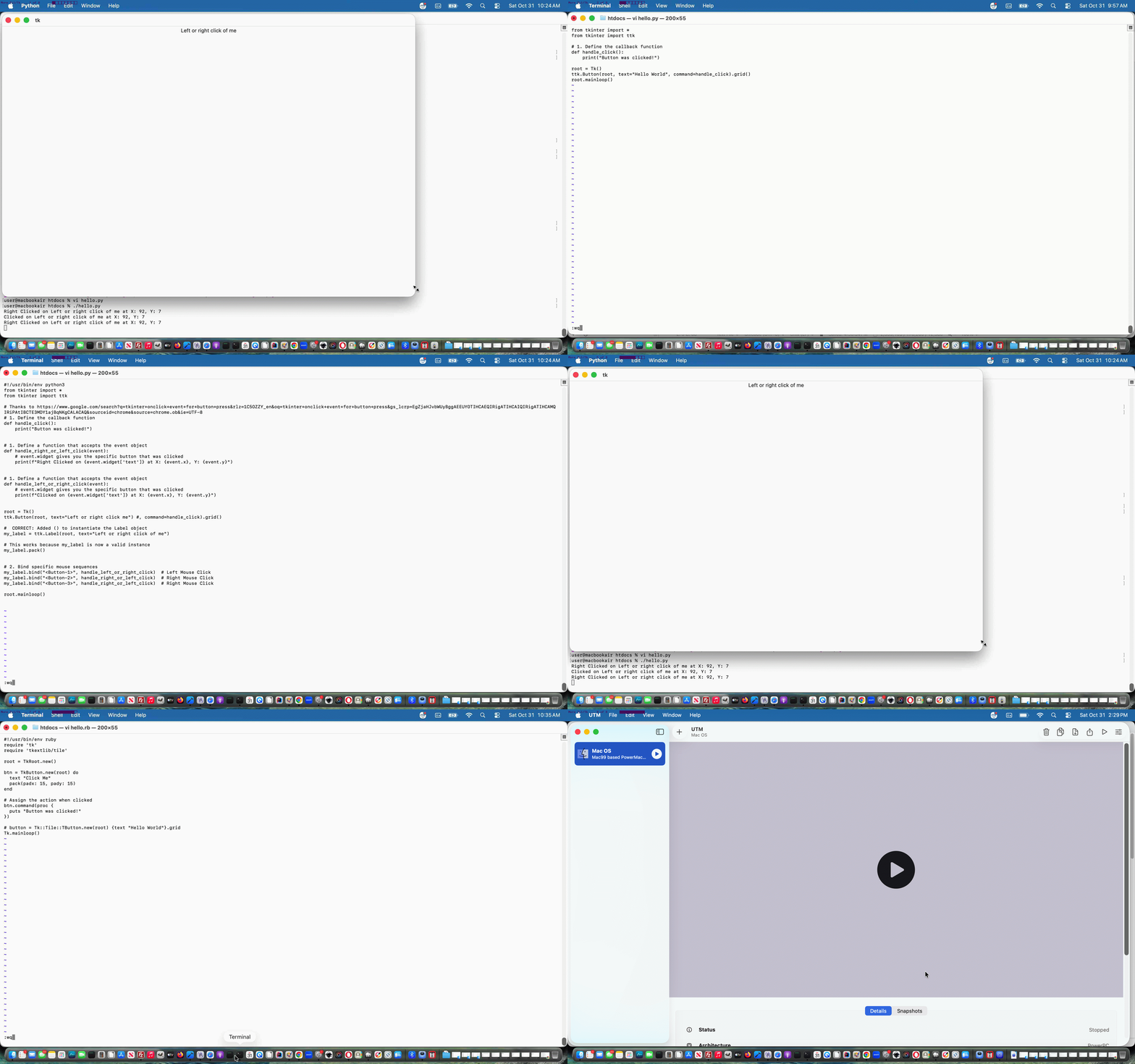
Tcl/Tk macOS Python Ruby Perl Tutorial
Moving on from the recent Tcl/Tk macOS and Xcode Revisit Tutorial …
… with us ahead of this, preparing for this with additional …
sudo gem install tk # install tk for Ruby
perl -MCPAN -e shell  # install tk for Perl

sudo cpan Tkx
… installation steps here on macOS Tahoe.
Previous relevant Tcl/Tk macOS and Xcode Revisit Tutorial is shown below.
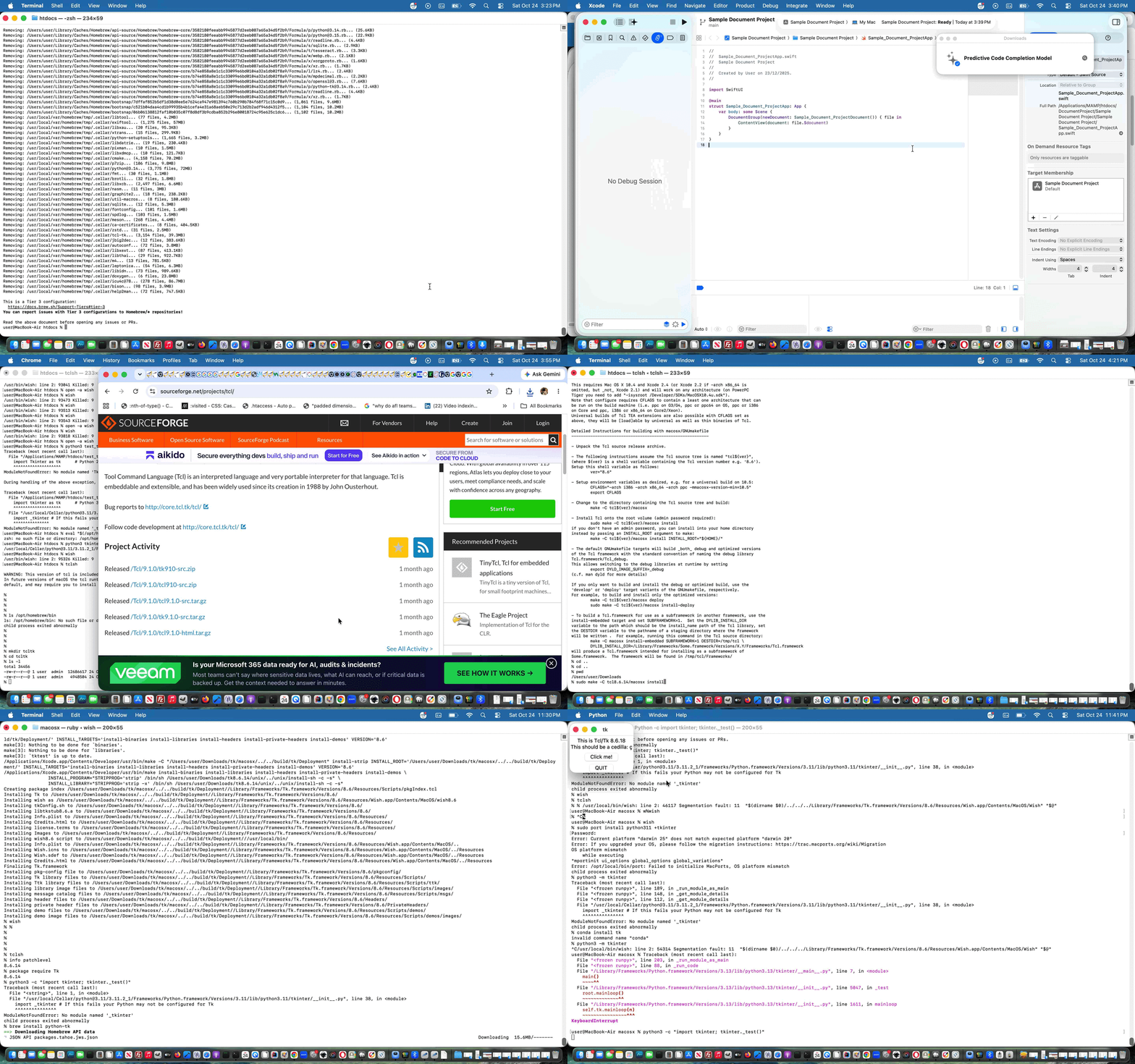
Tcl/Tk macOS and Xcode Revisit Tutorial
Rather than trying to get the GUI side of Tcl, called Tk, working on our AlmaLinux public web server, we settled for a Tcl only web application there when we presented Tcl and Javascript and PHP Calculator AlmaLinux Tutorial.
But here, on our local macOS, only using Mac Silicon chips, and this is important these days here in October 2026 with macOS Tahoe 26.6.1 Apple M1 chip, revisiting Tcl/Tk thoughts as we did yesterday, we wanted to reach at the end of our first day’s foray, as kilometermilestones …
clang --version
tclsh
wish
info patchlevel     # coming back 8.6.14 for us ... but read on

package require Tk  # coming back 8.6.14 for us ... but read on
python3 -c "import tkinter; tkinter._test()"
For us, here, with our macOS Mac Silicon chip scenario, after online research, we settled for version …
8.6.14
… ie. tcl8.6.14 and tk8.6.14 to be the ones of interest (ie. our ideal version is 8.6.14), and to avoid Homebrew as your installer. Wish may work with open -a Wish ahead of any installs, out of the box, but if it is not using your ideal version, that is not going to cut it to go onto your own future development work. Perhaps, here, we should say, in all likelihood, along your install path to that first day’s mission statement achievement …
You’ll run into command line errors (and Xcode IDE errors, as applicable).
But what we’d say to that, as a general good idea, is to pick out whole relevant (don’t start with /) error message individual lines (from command line work and/or from Xcode Version 26.6 (17F113) IDE work) and feed all that relevant error line into a Google search box, accessing the advice of the great Open Source online community, thanks, to see what advice you get, and below, we’ve collected some of the ones we got to …
is there a way other than wish to see whether tk and tcl are working on macos?
can tkinter be installed to python3 on macos not using homebrew?
Error: Current platform “darwin 25” does not match expected platform “darwin 20”
… on our quest highlighted by, getting right, commands …
xcode-select --install
sudo xcodebuild -runFirstLaunch
cd ~/Downloads   # having downloaded tcl8.66.14 and tk8.6.14 from SourceForge webpages

# extracted in their ~/Downloads place both tcl8.6.14-src.tar.gz and tk8.6.14-src.tar.gz creating tcl8.6.14 and tk8.6.14 subfolders

# mv tcl8.6.14 tcl

# mv tk8.6.14 tk

# extracted in their ~/Downloads place both tcl8.6.14-src.tar.gz and tk8.6.14-src.tar.gz again, creating tcl8.6.14 and tk8.6.14 subfolders to end up with four subfolders to work with

make -C tcl8.6.14/macosx

sudo make -C tcl8.6.14/macosx install

make -C tk8.6.14/macosx

sudo make -C tk8.6.14/macosx install
… and maybe there’ll be file permission issues and there may be reasons to create macosx subfolders off macosx subfolders that may happen involving Xcode IDE but we ended up with more joy back at Terminal command line work just using make, it seemed to us.
So, our own tailored Tcl/Tk development work? That awaits!
Previous relevant Tcl and Javascript and PHP Calculator AlmaLinux Tutorial is shown below.
Tcl and Javascript and PHP Calculator AlmaLinux Tutorial
We want to research the wonderful …
… on the AlmaLinux environment of the Apache/PHP/MySql web server we’re using here to host the RJM Programming domain.
We’re just touching on tcl ideas today, revisiting Tcl and Javascript and PHP Calculator Tutorial‘s calculator web application. We had in there some code scouring any local web server systems you may have, and getting the localhost:8888 port arrangements wrong for our local MAMP Apache/PHP/MySql web server, and this was causing unnecessary issues, especially because “tclsh” works, for us, up at AlmaLinux. How can we tell? We took on the excellent advice of Installing Tcl/Tk, and tried …
tclsh
… on the command line (and “exit” gets you out of it) with success. Yayyyyy!!! That’s tcl installed already, else we’d have gone dnf install tcl
That’s enough installing for today’s purposes, as we do not call on the tk GUI side of things for our calculator. But, to check on the install part to this, try …
wish
… on the command line, and check that there is a wishful response whether that be erroneous (as we were, so far, with AlmaLinux command line) or not, else we’d have gone dnf install tk
All that sorted, and we’re “good to go” with the changed calculator.php Calculator web application calling on our unchanged calculator.tcl TCL source code, as below …
Another woooorrrrlllldddd, perhaps?!
Previous relevant Tcl and Javascript and PHP Calculator Tutorial is shown below.
Tcl and Javascript and PHP Calculator Tutorial
It’s a “blown mind” that has led me to involve Javascript to make the incarnation of our calculator of Tcl and PHP Calculator Tutorial allow for some round bracket functionality around the TCL (expr) “kernel” (sorry, Unix … my apologies LinusLinux). The nexus between what a user may enter, versus the hierarchy needs of TCL’s expr command just blew my mind, manperson!
So what did we turn to? Modernizing one’s thinking? We’re onto it? But we digress. Well, well.
We turned to Javascript’s eval function, not PHP’s eval, nor TCL’s eval version, thanks, but no thanks. Nevertheless … and didn’t you just know that “but” would be insulted by the paragraph above?! … use of Javascript eval (for round bracketing scenarios or operator hierarchy scenarios) is not the “cakewalk” that you may imagine. That is because …
6 ** 2 // in TCL "to the power of" operator syntax (which remains our web application display choice for the user) has ...

Math.pow(6, 2)  // Javascript equivalent (behind the scenes)
… so we need to cater for that possibility. The Javascript logic is called at the document.body onload event.
As we often do here, the “progression” of logic was to convert some “hardcoded” HTML text (specifically “First Number:” and “:Second Number”) into HTML select (dropdown) elements to the left and to the right (respectively) of the “TCL kernel”, with additional options for the round bracketing the user may want. These dropdowns move out to the edges of the webpage as they make room for user entered additions to the calculation complexity of what they want to calculate. The “Math.pow()” logic needed benefits from the event timing thoughts on the dropdown’s onchange event logic, otherwise you’d be doing that dreaded of all dreadeds, in many programmers’ worlds methinks, tracking back through entered “calculator equation” texts to discover when a numerical value becomes an operator, a horrible job when a minus sign can be either, for example. These same “horrible” programming tasks would have been at the fore to making a “TCL only backend solution” come to pass, we are sure, too.
Can you see from all this how well (clientside) Javascript works with (serverside) PHP? They are a very potent duo, because it is like two bites at the cherry, every time, with their different timings of the application of their logics.
The downloadable PHP source code calculator.php changed this way to achieve this extension of functionality still supervising an unchanged calculator.tcl TCL source code script, and here is a live run link for you to try this calculator for yourself.
Previous relevant Tcl and PHP Calculator Tutorial is shown below.
Tcl and PHP Calculator Tutorial
The Tcl and PHP Primer Tutorial was a foretaste to today’s calculator web application that …
exec("tclsh calculator.tcl < calculator.txt | tail -1 > calculator.out");
Crucial to the TCL’s backend role is TCL’s expr command, as a determinant regarding what today’s calculator is capable of.
Here is a link to some downloadable PHP source code calculator.php supervising calculator.tcl TCL source code, and here is a live run link.
Previous relevant Tcl and PHP Primer Tutorial … http://www.tcl.tk/software/tcltk/ is shown below.
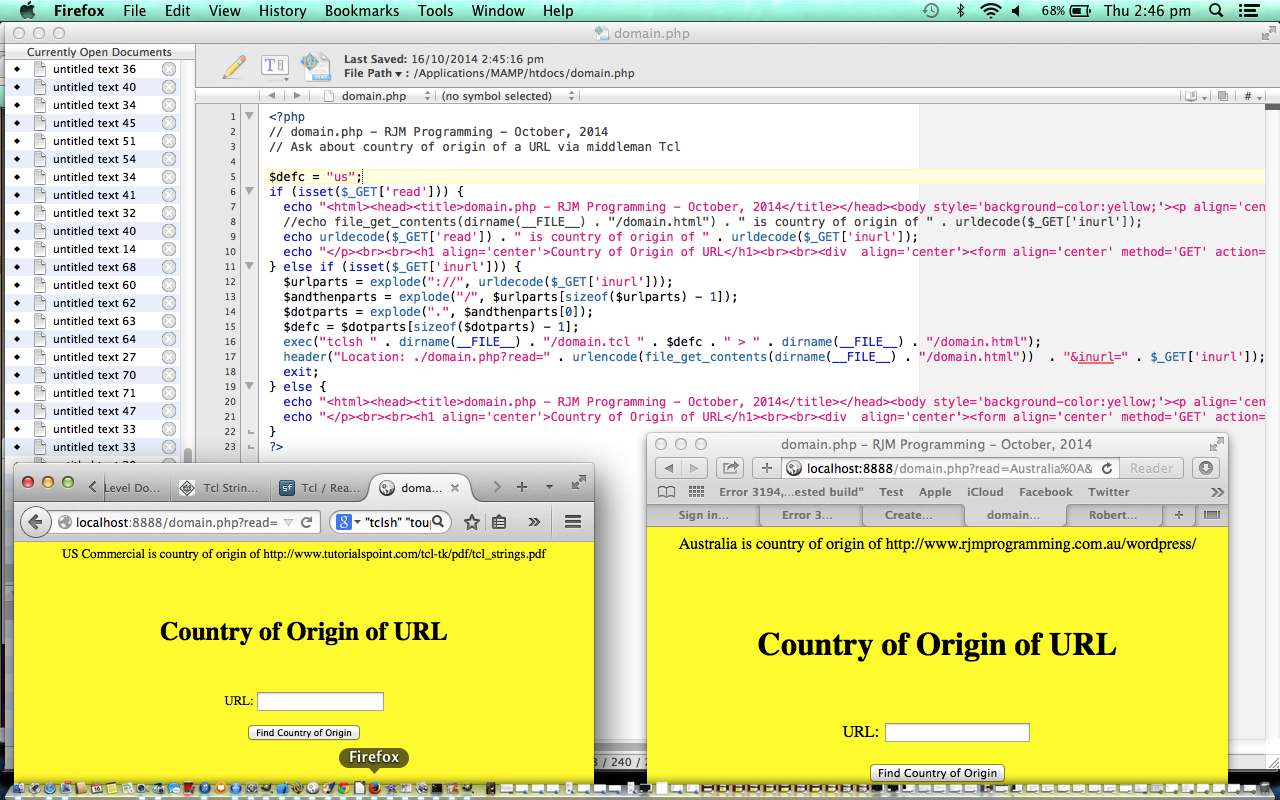
Tcl and PHP Primer Tutorial ... http://www.tcl.tk/software/tcltk/
Have you heard of Tcl/Tk? Think maybe you could introduce yourself to it with Tcl/Tk So Brilliant (but where do you start?) Primer Tutorial as shown below.
The Tcl in Tcl/Tk refers to the scripting side of things, while the Tk is a GUI framework. On some (maybe lots) of Linux or unix web servers, such as the one for this domain here at www.rjmprogramming.com.au Tcl scripting is available and that means Tcl could be used by PHP, as a server side language to use the exec method to ask something of Tcl and get something back, half of which is the arrangement we’d like to have when feeding our babies.
Today we write a webpage for finding the Country of Origin of a designated URL where PHP supervises Tcl:
Here is a link to some downloadable PHP source code domain.php supervising domain.tcl TCL source code, and here is a live run link.
Thanks to:
Previous relevant Tcl/Tk So Brilliant (but where do you start?) Primer Tutorial is shown below.
Tcl/Tk So Brilliant (but where do you start?) Primer Tutorial ... http://www.tcl.tk/software/tcltk/
Have you heard of Tcl/Tk?
Tcl/Tk is open source (based on a BSD-style license), so you can use it and modify it virtually any way you want, including for commercial uses.
With Tcl/Tk have used in conjunction with C++ and Python (look out for Tkinter).
Use it for Games Programming (it makes pretty cute GUIs … you may disagree?!) and it used to work back at Mac OS X 10.5.8/XCode 3.0 (am going to try Mac OS X 10.7.5 … any advice anywhere?) and had it going on Windows XP with Visual Studio Express as well. It has a lot of cross-platform strengths.
Think Tcl/Tk is really really good.
In this primer tutorial you can see a Draw Poker game as an XCode project, see it Build and in action, then see how to arrange for *.dmg Package Distribution via Package Manager.
Link to Tcl/Tk website … Home of Tcl/Tk … where quote up the top resides
Link to Tcl/Tk jobs done … Tcl/Tk jobs done … personal experience
If this was interesting you may be interested in this too.
If this was interesting you may be interested in this too.
If this was interesting you may be interested in this too.
If this was interesting you may be interested in this too.
If this was interesting you may be interested in this too.
If this was interesting you may be interested in this too.
If this was interesting you may be interested in this too.
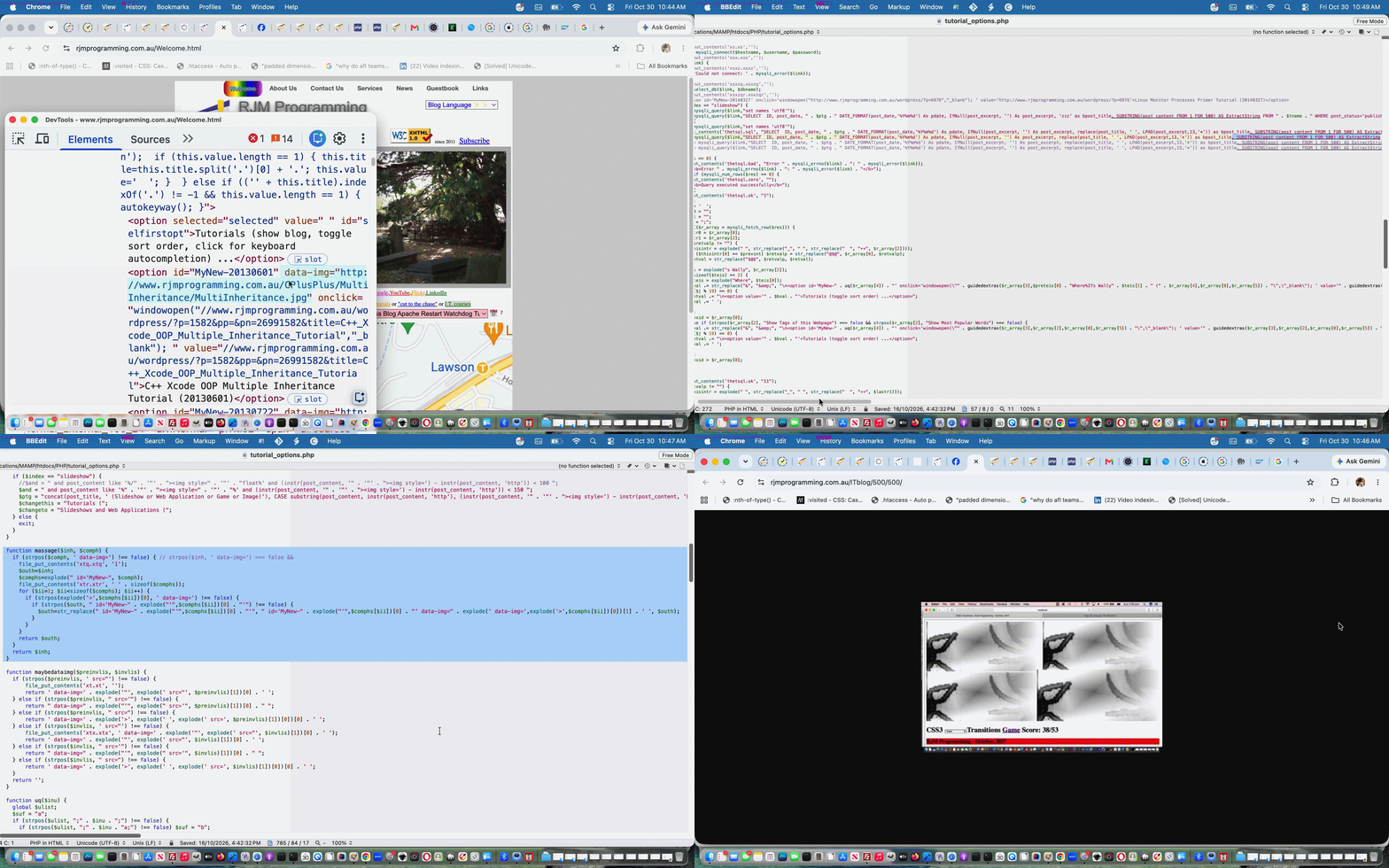
Crontab and Curl Rearrangements Tutorial
The recent WordPress Javascript Coding Rearrangements Primer Tutorial‘s Performance Review initiatives for RJM Programming websites, particularly the PHP contributing one, left off with …
However, that is part one of two, to this part of the Performance Review. Part two will be explained in days to come.
Well, it’s Days of our LivesTo Come time!
Honing back into this WordPress blog’s 404.php (HTTP error 404 Not Found) intervener, and it’s penchant for using PHP’s …
… a lot, it is also that the type of content being asked regarding the first argument (ie. content source) of interest that is of interest too. Read if argument one for PHP file_get_contents can be arranged to be a local file rather than a URL is that a performance improvement, to see what we mean …
Yes, reading a local file with file_get_contents() is significantly faster and more performant than fetching a URL.
When you pass a URL, PHP must perform a DNS lookup, establish a TCP connection, handle HTTP/HTTPS overhead, and wait for the remote server to respond. A local file bypasses the entire network stack and interacts directly with the local file system.
… and if we lean into the overnight crontab and curl processing we can store as global data attributes (look for data-img references in PHP code below) into our Landing Page (and friend) webpage tutorial dropdown elements, in their option tags, a reference URL to that tutorial’s (quite often animated GIF, these days) tutorial picture, then we can arrange 404.php to start using PHP file_get_contents with a first argument pointing at that RJM Programming Apache/PHP/MySql web server’s “local” file that represents the HTML of RJM Programming’s Landing Page …
<?php
     $wcontis=file_get_contents('../Welcome.html');

     if (strpos($wcontis, '?p=' . $pnumis . '&') !== false) {

     if (strpos(explode('<option',explode('?p=' . $pnumis . '&', $wcontis)[0])[-1 + sizeof(explode('<option',explode('?p=' . $pnumis . '&', $wcontis)[0]))], ' data-img=') !== false) {

       $thatbpc=explode(' ',explode('>',explode(' data-img=',explode('<option',explode('?p=' . $pnumis . '&', $wcontis)[0])[-1 + sizeof(explode('<loption',explode('?p=' . $pnumis . '&', $wcontis)[0]))])[1])[0])[0];

     }

     } else {

     $thisbpc=file_get_contents('http://www.rjmprogramming.com.au/ITblog/?p=' . $pnumis, FALSE, NULL, 0, 150000);

     }

     }
?>
… rather than a URL pointing to a WordPress Blog posting to improve performance around these here parts.
To make this happen many readers will not be surprised to learn, involved, at the heart of it, scouring the WordPress MySql database using PHP SQL queries (via PHP mysqli extension calls) is now asking for more …
<?php
$res = mysqli_query($link,"SELECT ID, post_date, " . $ptg . " DATE_FORMAT(post_date,'%Y%m%d') As pdate, IfNull(post_excerpt, '') As post_excerpt, replace(post_title, ' ', LPAD(post_excerpt,13,'*')) as bpost_title, SUBSTRING(post_content FROM 1 FOR 500) AS ExtractString FROM " . $tname . " WHERE post_status='publish' " . $and . " and post_title not like '%Show Tags of this Webpage%' and post_title not like '%Show Most Popular Words%' and substr(IfNull(post_excerpt, ''),1,1) >= '0' and substr(IfNull(post_excerpt, ''),1,1) <= '9' UNION SELECT ID, post_date, " . $ptg . " DATE_FORMAT(post_date,'%Y%m%d') As pdate, IfNull(post_excerpt, '') As post_excerpt, 'zzz' as bpost_title, SUBSTRING(post_content FROM 1 FOR 500) AS ExtractString FROM " . $tname . " WHERE post_status='publish' " . $and . " and post_title not like '%Show Tags of this Webpage%' and post_title not like '%Show Most Popular Words%' and (substr(IfNull(post_excerpt, ''),1,1) < '0' or substr(IfNull(post_excerpt, ''),1,1) > '9') ORDER BY bpost_title, post_date DESC");
?>
… and then referenced later on …
<?php
 function massage($inh, $comph) {

   if (strpos($comph, ' data-img=') !== false) { // strpos($inh, ' data-img=') === false &&

     $outh=$inh;

     $comphs=explode(" id='MyNew-", $comph);

     for ($ii=1; $ii<sizeof($comphs); $ii++) {

       if (strpos(explode('>',$comphs[$ii])[0], ' data-img=') !== false) {

         if (strpos($outh, " id='MyNew-" . explode("'",$comphs[$ii])[0] . "'") !== false) {

           $outh=str_replace(" id='MyNew-" . explode("'",$comphs[$ii])[0] . "'", " id='MyNew-" . explode("'",$comphs[$ii])[0] . "' data-img=" . explode(' data-img=',explode('>',$comphs[$ii])[0])[1] . ' ', $outh);

         }

       }

     }

     return $outh;

   }

   return $inh;

 }
?>
… but “asking for more” for most intents and purposes once or twice a day (as part of our scheduled crontab/curl Korn Shell coded overnight runs functionalities encapsulated in Out and About WordPress Blog Content Tweaks Just with iPhone Tutorial‘s animated GIF presentation) rather than whenever a user asked for a random tutorial picture such as happens when you click the link below, for example …
https://www.rjmprogramming.com.au/ITblog/500/500/
Ahhhh, more sleepful if this is a word nights!
Stop Press
But then, there was unfinished Fred and Ginger referencing to think about, so …
… may be in order?!
Previous relevant WordPress Javascript Coding Rearrangements Primer Tutorial is shown below.
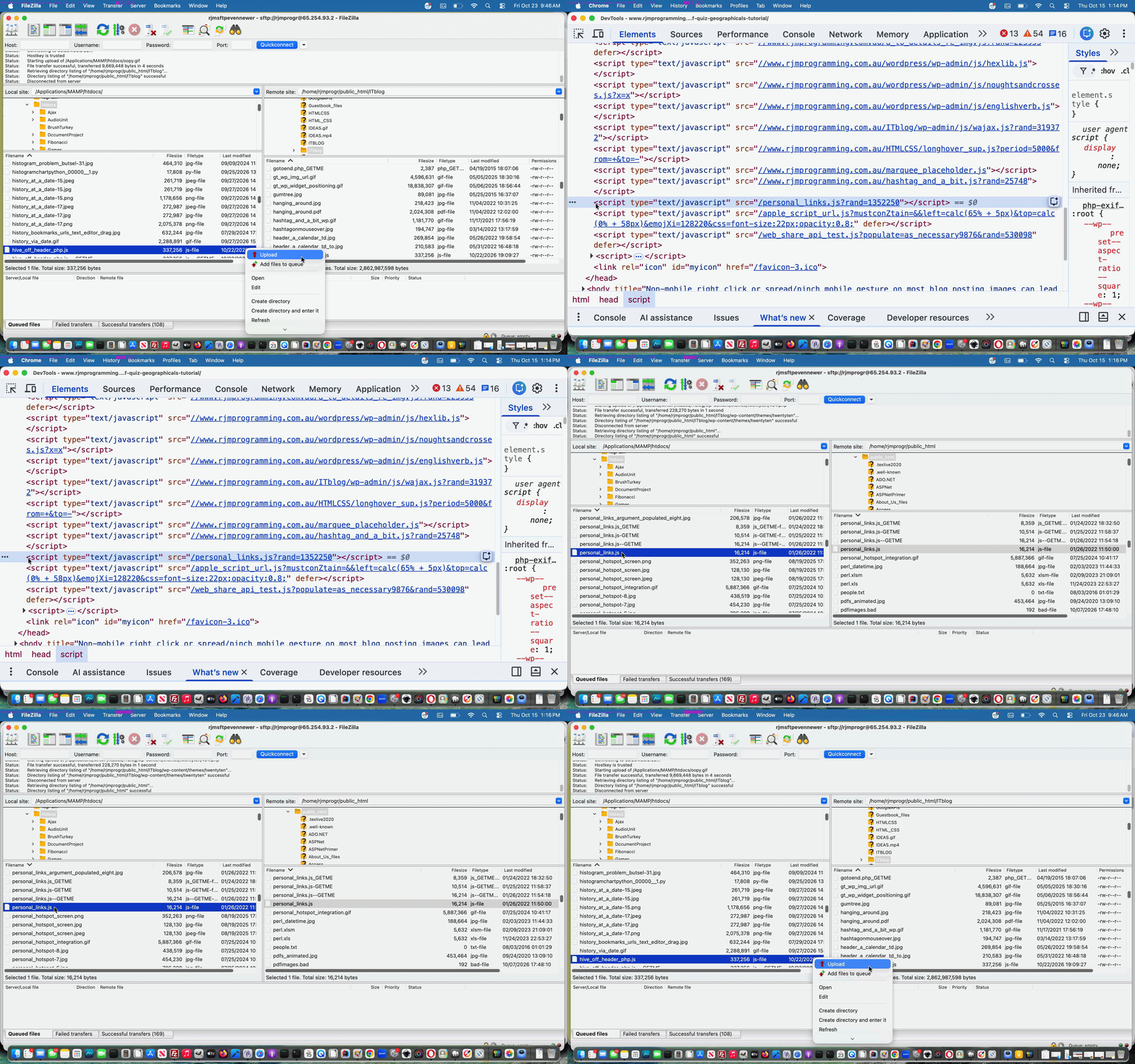
WordPress Javascript Coding Rearrangements Primer Tutorial
If you are a regular reader here reading yesterday’s Window Object Function Equals Function Primer Tutorial‘s …
… using (from within the clientside realms of the coding of this WordPress.org blog’s) Javascript …
… what might have zipped through your mind could have been the connecting phrase …
… from within good ol’ TwentyTen theme’s header.php …
… or somesuch. Because that has been what we normally do. Don’t get me wrong though, with the rearrangement idea blurb below, we could persist arranging it that way (and if the Javascript relies on PHP, we still do), but that recent Performance Review we last referenced with PHP MySql WordPress Blog Apache Restart Watchdog Tutorial got us to “see the light” somewhat and reorganize a bit regarding how Javascript code within this WordPress.org blog is organized. And so, read on.
Did you feel let down with PHP MySql WordPress Blog Performance PHP-FPM Configuration Tutorial when we said …
Codex loop.php WordPress error 404 event PHP Overuse of file_get_contents Rearrange use of file_get_contents …
passing more work to crontab/curl overnight run
… and did not go into more detail?! So were we, but we had to think on this a lot to flesh it out, and looked into the often used around here PHP function …
To our reckoning, until recently, we’d never tried PHP file_get_contents with more than one parameter. But, perhaps, it helps website bandwidth to start using those other parametersarguments (you say either, but we say neither … let’s call the whole thing off!)?
Within the 404.php (HTTP Error 404 “Not Found”) PHP file_get_contents calls what was being asked content wise included all that webpage Javascript written into good ol’ TwentyTen theme’s header.php … ouch regarding bandwidth! And so it led us to rearrange as per …
<script type='text/javascript' src='//www.rjmprogramming.com.au/ITblog/hive_off_header_php.js?rand=<?php echo rand(0,1986754); ?>'></script>
… to, we’re thinking …
$thisbpc=file_get_contents('http://www.rjmprogramming.com.au/ITblog/?p=' . $pnumis, FALSE, NULL, 0, 150000);
However, that is part one of two, to this part of the Performance Review. Part two will be explained in days to come.
Previous relevant Window Object Function Equals Function Primer Tutorial is shown below.
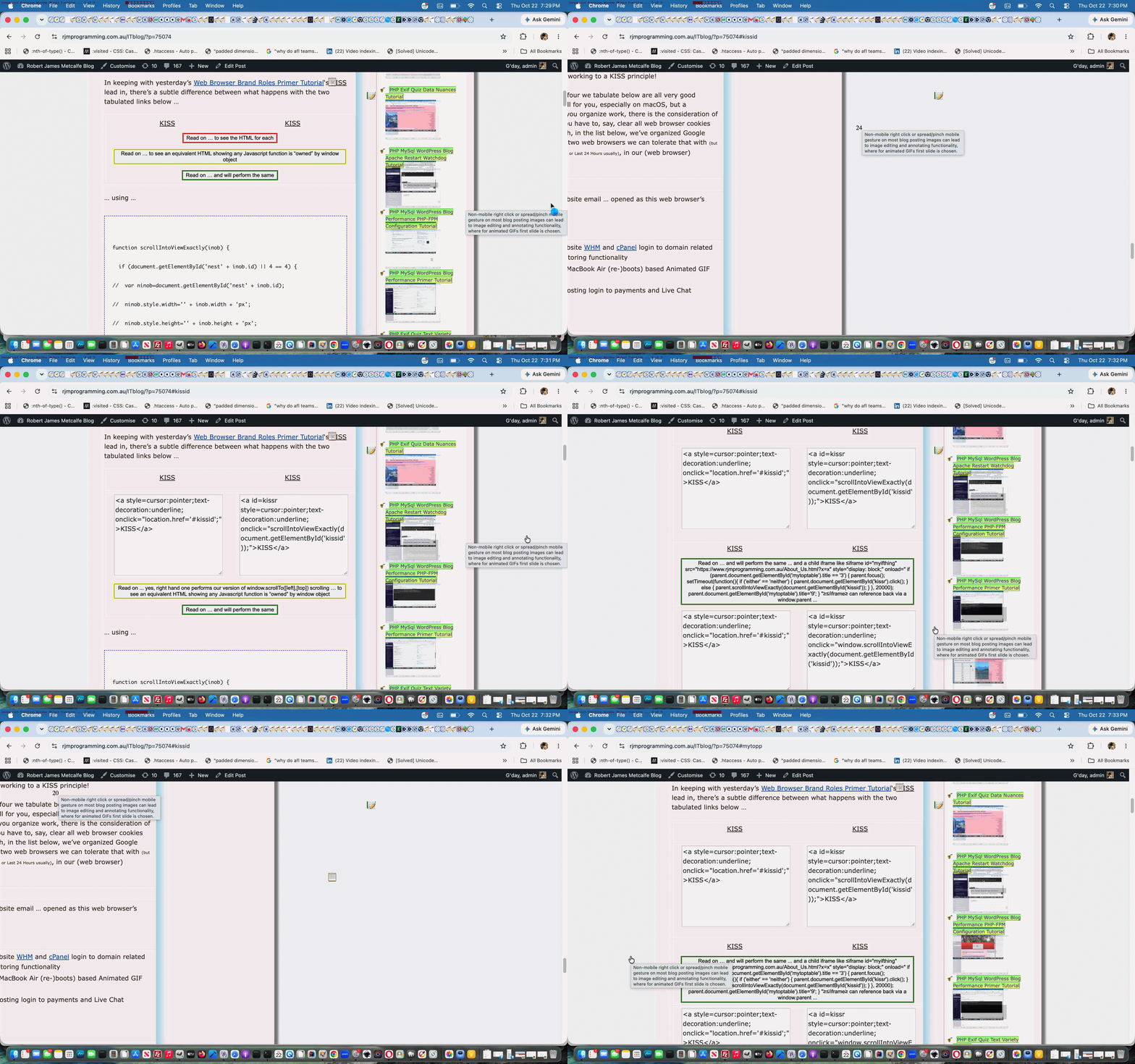
Window Object Function Equals Function Primer Tutorial
In keeping with yesterday’s Web Browser Brand Roles Primer Tutorial‘s KISS lead in, there’s a subtle difference between what happens with the two tabulated links below …
| KISS | KISS |
… using (from within the clientside realms of the coding of this WordPress.org blog’s) Javascript …
function scrollIntoViewExactly(inob) {

  if (document.getElementById('nest' + inob.id) || 4 == 4) {

//  var ninob=document.getElementById('nest' + inob.id);

//  ninob.style.width='' + inob.width + 'px';

//  ninob.style.height='' + inob.height + 'px';

  //inob.style.display='inline-block';

//  ninob.style.display='inline-block';

//  forceVerticalOverflow(ninob);

  //document.body.style.whiteSpace='nowrap';

//  document.body.style.overflow='scroll';// Safely sets horizontal scroll across all modern browsers

  var inobr=inob.getBoundingClientRect();

  //alert('' + inobr.width + ',' + inobr.height);

  //alert('' + document.body.scrollLeft);

  //alert('' + eval('' + inobr.left) + ',' + eval('' + inobr.top));

  //alert('{ left:' + Math.floor(eval('' + inobr.left) + eval('' + document.body.scrollLeft)) + ', top:' + Math.floor(eval('' + inobr.top) + eval('' + document.body.scrollTop)) +  ", behavior: 'smooth' }");

//  ninob.style.overflowX='scroll';

//  ninob.style.maxWidth='' + ninob.style.width;

  //inob.innerHTML+=' ';

  //ninob.style.maxHeight='200px';

//  ninob.style.overflowY='scroll';

//  alert(ninob.outerHTML);

  //var innardsare='{ left:' + Math.floor(eval('' + inobr.left) + eval('' + document.body.scrollLeft)) + ', top:' + Math.floor(eval('' + inobr.top) + eval('' + document.body.scrollTop)) + ", behavior: 'smooth' }";

  // left: Math.floor(eval('' + inobr.left) + eval('' + document.body.scrollLeft)),

  var ioffis=eval(eval(screen.width - eval('' + document.getElementById('content').getBoundingClientRect().width)) / 2);

  thenx=Math.floor(eval('' + inobr.left) + eval('' + document.body.scrollLeft) + eval('' + document.body.offsetLeft) + ioffis);

  const innardsare = {

   top: eval(120 + Math.floor(eval('' + inobr.top) + eval('' + document.body.scrollTop))),

   behavior: 'smooth'

  };

  const xinnardsare = {

   left: Math.floor(eval('' + inobr.left) + eval('' + document.body.scrollLeft) + eval('' + document.body.offsetLeft) + ioffis),

   behavior: 'auto'

  };

  if (7 == 7) {

  location.href='#' + inob.id;

  } else {

//  alert(isScrollable(ninob));

  forceVerticalOverflow(document.body);

  //alert(isScrollable(document.body));

  //alert(innardsare);

  window.scrollTo(innardsare);

  //alert(Math.floor(eval('' + inobr.left) + eval('' + document.body.scrollLeft)));

  //setTimeout(function(){ document.body.style.overflowX = 'auto';  document.body.scrollBy(xinnardsare); }, 8000);

  //setTimeout(function(){ alert(thenx); document.scrollingElement.scrollLeft='' + thenx + ''; }, 8000);

  }

  setTimeout(function(){

  //document.body.overflowX='scroll';

  document.body.style.cursor='progress';

  document.body.style.marginLeft='-' + thenx + 'px'; //inob.scrollLeft=thenx;

  inob.setAttribute('data-cb', '25');

  setTimeout(countback, 1000);

  setTimeout(function(){

  document.body.style.cursor='pointer';

  document.body.style.marginLeft='0px'; //inob.scrollLeft=thenx;

  }, 25000);

  }, 1000);

  if (3 == 5) {

  setTimeout(function(){

  //document.body.style.whiteSpace='nowrap';

  //document.body.style.overflow='scroll';// Safely sets horizontal scroll across all modern browsers

if (document.scrollingElement) {

    document.scrollingElement.scrollLeft = thenx;

} else {

    // Fallback for older browsers

    document.documentElement.scrollLeft = thenx;

    document.body.scrollLeft = thenx;

}

  }, 5000);

  }

  } else {

  window.scrollIntoView(inob);

  }

}
Previous relevant Web Browser Brand Roles Primer Tutorial is shown below.
Web Browser Brand Roles Primer Tutorial
With a job, the day to day organization can be important, and is likely to be crucial to achieving goals.
We spend a lot of time around web browser applications, being into I.T. and creating web applications, in particular.
We’ve organized macOS MacBook Air usage mainly, around one major disk folder and four brands of web browser, the folder being, for us is …
/Applications/MAMP/htdocs
Huh?! Well, being into PHP as our “all things server” programming language, and having installed (many versions) of MAMP, as our Apache/PHP/MySql local web server brand of choice, and by default /Applications/MAMP/htdocs is MAMP’s Document Root (and defaulting to port 8888) corresponding to URL …
http://localhost:8888
Even with compiling language work, we’ll often use subfolders off /Applications/MAMP/htdocs … working to a KISS principle!
Turning to web browsers, the four we tabulate below are all very good products, and can all work well for you, especially on macOS, but a consideration to do with how you organize work, there is the consideration of what work life will be like if you have to, say, clear all web browser cookies and data, for instance. As such, in the list below, we’ve organized Google Chrome and/or Firefox as the two web browsers we can tolerate that with (but prefer to just clear Last Hour or Last 15 Minutes or Last 24 Hours usually), in our (web browser) Organization Table below …
| Opera |
|---|
|
| Safari |
|
| Firefox |
|
| Google Chrome |
|
When there are jobs requiring command line needing to be seen next to a web browser rendition, macOS Terminal application windows can easily be arranged to not overlap any web browser brand window from the list above.
Screenshots on macOS have moved on from good ol’ Grab with the very easy keyboard shortcut …
control-command-shift-3
… working really well with good ol’ macOS version of PaintBrush‘s File->New from Clipboard functionality. Preview is good for PDF creation and compilation functionality. Gimp is good for blurring and other filtering requirements.
More and more we’ll use AirDrop to transfer from iPad or iPhone to the macOS MacBook Air, or use that iOS device’s Mail sharing option to download to the macOS MacBook Air Downloads folder usually, and then, usually, this will be copied to good ol’ /Applications/MAMP/htdocs (or a subfolder off this, especially if what is copied is a *.zip file (extracted)).
Crontab on the macOS MacBook Air has an “every minute” check of good ol’ /Applications/MAMP/htdocs changed (within last minute) *.png (primarily coming out of Paintbrush File->Save As… functionality) or *.[Hh][Ee][Ii][Cc] (off iPhone or iPad Camera app usage) ready for (PHP calling of) ImageMagick‘s convertion to versions of *.[Jj][Pp]*[Gg] images.
Uploads to (and downloads from) the RJM Programming domain are all conducted via sftp connections using the FileZilla macOS desktop application.
TextWrangler is our favourite text editor by a very large margin!
If this was interesting you may be interested in this too.
If this was interesting you may be interested in this too.
If this was interesting you may be interested in this too.
If this was interesting you may be interested in this too.



The idea of mapping a video's key scenes, mood, pacing, and audio before production resonates with me — it's a lot like working out an anagrampuzzle, where the same pieces only make sense once you rearrange them into the right order. Do you usually sketch the mind map before or after the script is locked?

This is a helpful introduction to mind mapping, especially the explanation of how an unfamiliar .mm file can lead to discovering a practical visual-thinking tool. Mind maps are also useful for planning creative projects: I often map out a video’s key scenes, mood, pacing, and audio needs before production. Once that structure is clear, tools such as Flow Music can create AI background music for videos from a prompt, making it easier to match the soundtrack to each part of the visual plan. Thanks for sharing this accessible primer.

Thanks. Since then, a Shower Songs project at https://www.rjmprogramming.com.au/HTMLCSS/shower_songs.html is an improvement regarding "Radio Play" on mobile platforms.

This is a thoughtful example of using a single-row layout and scroll behavior to reveal media progressively. I especially liked the way the tutorial ties the gallery to real interaction details rather than treating the UI as a static mockup. For readers experimenting with the next stage of visual prototyping, LTX 2.3 Free collects prompt examples and workflow guidance for planning AI video scenes; the same attention to camera movement and timing is useful when turning a storyboard into motion.

I like the single-row radio-play approach for keeping the controls compact while still making each selection clear. When I’m checking a calculation alongside a tutorial, I use StepStat to see the intermediate steps; how do you handle the layout when the playlist gets much longer?