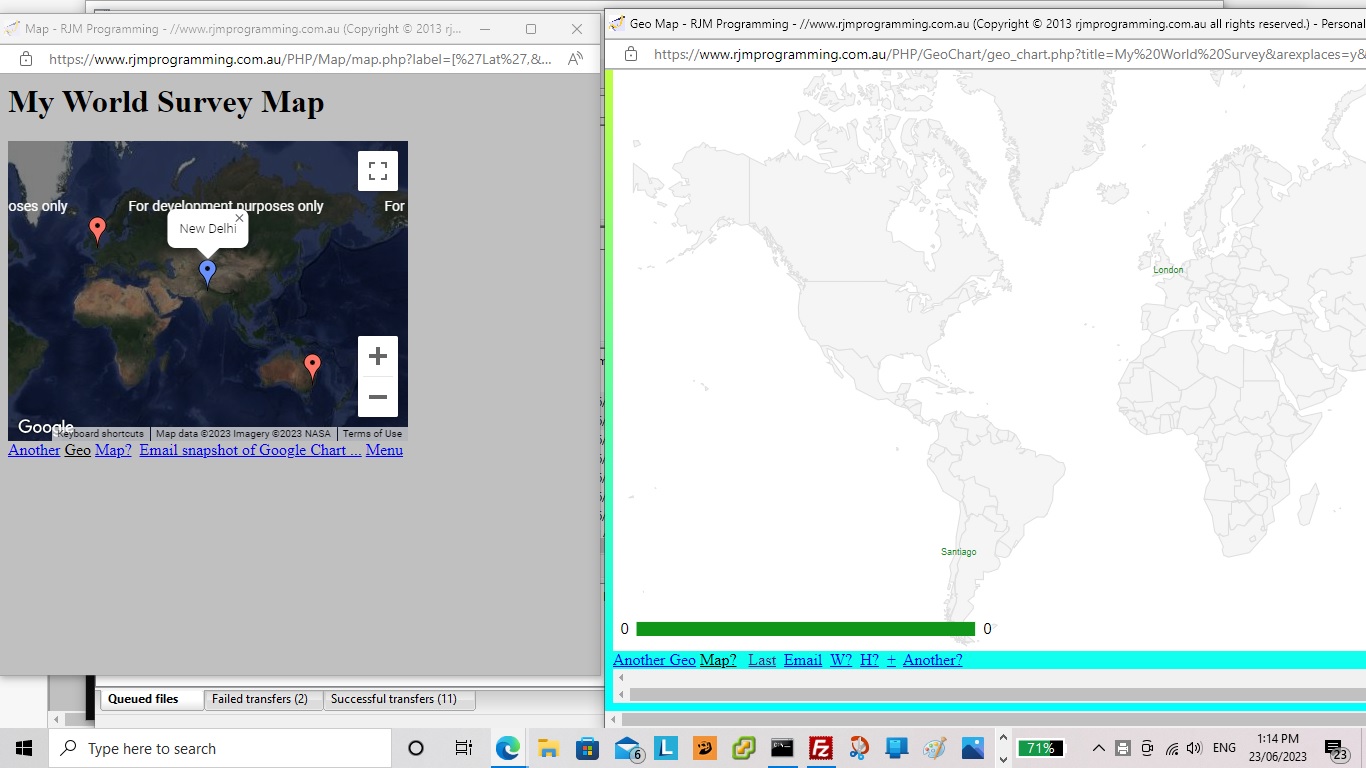
Code Difference Highlighting Tutorial

Code Difference Highlighting Tutorial

Code Difference Highlighting Tutorial

We last mentioned our inhouse PHP code difference mechanism with …

It meant, in that scenario yesterday, when a single variable usage “tells a story” in the code, this code difference highlighting might be more effective at explaining the issues rather than showing the code in a code element (even with inhouse colour coding), because there is also the “before” and “after” scenarios there on the screen for the reader to contextualize. See the newly changed PHP diff.php code or try it yourself here.


Previous relevant Code Difference Saved User Settings Tutorial is shown below.

Code Difference Saved User Settings Tutorial

Code Difference Saved User Settings Tutorial

As a PHP programmer it is easy to admire …

  • the server side file and database and operating system smarts of the great serverside language PHP is … all while …
  • PHP writing out HTML (with its CSS and Javascript) has a web application able to access all that clientside intelligence

… and with this in mind, we allow for saved CSS styling user settings, as of today, with our Difference Report web application arrangements.

Don’t we need a database for this? Well, that is possible, and with serverside PHP, could be done, but we opt for clientside window.localStorage usage to …

  • Save user CSS styling settings
  • Recall user CSS styling settings

… so that a user might opt to “set and forget” their preferred set of …

  • New additional
  • Changed single line
  • New block of lines
  • Deleted lines
  • Changed multiple lines

… (CSS Selector) sensitive “categories” of Difference Report data type settings.

As a result, building on yesterday’s Code Difference User Settings Tutorial, the deployment of CSS selector logic, in PHP, now changes to …

<?php

$style="<style> font { text-shadow: -1px 1px 1px #ff2d95; } </style>";
$legend="";
$mx="";
$onecommand=" function nocaret(invx) { var outvx=decodeURIComponent(invx); while (outvx.indexOf('<') > outvx.indexOf('>')) { outvx=outvx.replace('>' + outvx.split('>')[1].split('<')[0] + '<',''); } return encodeURIComponent(outvx); } function onb(event) { var othis=event.target, cih=''; if (('' + othis.id + ' ').substring(0,1) == 'f') { cih=('' + window.localStorage.getItem('diff_' + othis.id)).replace(/^undefined$/g,''.replace(/^null$/g,'')); if (('' + othis.innerHTML.replace(/\ \;/g,' ') + '~~').indexOf(' ~~') != -1) { if (cih == '') { window.localStorage.setItem('diff_' + othis.id, encodeURIComponent('14 >' + othis.innerText + '<')); } else { window.localStorage.removeItem('diff_' + othis.id); window.localStorage.setItem('diff_' + othis.id, nocaret(cih) + encodeURIComponent(' >' + othis.innerText + '<')); } } } } function blurize(othis) { if (1 == 2) { othis.onblur=function(event) { onb(event); }; } return othis; } function perhapsih(insg,ofo) { if (insg.indexOf('<') > insg.indexOf('<') && insg.indexOf('<') != -1) { ofo.innerHTML=insg.split('>')[1].split('>')[0]; ofo.setAttribute('data-ih', insg.split('>')[1].split('>')[0]); return insg.replace('>' + insg.split('>')[1].split('>')[0] + '<', ''); } } function givef(idn,cssis) { if (('' + document.getElementById('f' + idn).title).indexOf(' ' + decodeURIComponent(cssis) + ' ') == -1) { document.getElementById('f' + idn).title=document.getElementById('lspan').title + ' You have user CSS styling friendly one off setting of ' + decodeURIComponent(cssis) + ' for this category of Difference Reporting'; } } function getmaybe(foin,defis) { var mgs=document.URL.split(foin.id + '='); thatget=('' + window.localStorage.getItem('diff_' + foin.id)).replace(/^undefined$/g,'').replace(/^null$/g,''); if (thatget != '') { if (eval('' + mgs.length) == 1) { return decodeURIComponent(thatget); } else if (mgs[1].split('&')[0].split('#')[0] == '') { return decodeURIComponent(thatget); } } if (eval('' + mgs.length) > 1) { if (mgs[1].split('&')[0].split('#')[0] != '') { return decodeURIComponent(mgs[1].split('&')[0].split('#')[0]); } } return defis; } function getany() { var mgs=[],addget='',thisget=''; if (document.URL.replace('?','&').indexOf('&f') == -1 || 1 == 1) { for (var iig=0; iig<=6; iig++) { mgs=document.URL.split('f' + iig + '='); thisget=('' + window.localStorage.getItem('diff_f' + iig)).replace(/^undefined$/g,'').replace(/^null$/g,''); if (thisget != '') { document.getElementById('f' + iig).title=document.getElementById('lspan').title + ' You have user CSS styling friendly setting of ' + decodeURIComponent(thisget) + ' for this category of Difference Reporting'; } if (eval('' + mgs.length) > 1) { if (mgs[1].split('&')[0].split('#')[0] != '') { document.getElementById('f' + iig).title=document.getElementById('lspan').title + ' You have user CSS styling friendly setting of ' + decodeURIComponent(mgs[1].split('&')[0].split('#')[0]) + ' for this category of Difference Reporting'; } } if (document.URL.replace('?','&').indexOf('&f' + iig + '=') == -1) { addget+='&f' + iig + '=' + thisget; } } } if (addget != '') { location.href=(document.URL.split('#')[0] + addget).replace('.php&','.php?'); } } setTimeout(getany,2000); function removeany(newfo) { window.localStorage.removeItem('diff_' + newfo.id); } function addany(newishfo,newwhat) { removeany(newishfo); window.localStorage.setItem('diff_' + newishfo.id, newwhat); } function askabout(fo) { var defd='14', ccol='black', ccols=fo.outerHTML.split(' color=' + String.fromCharCode(34)), psizes=fo.outerHTML.split('px'); if (eval('' + ccols.length) > 1) { ccol=ccols[1].split(String.fromCharCode(34))[0]; } if (eval('' + psizes.length) > 1) { defd=psizes[0].split(':')[eval(-1 + psizes[0].split(':').length)].trim(); } var numis=prompt('How many px (ie. pixels) do you want for the font size of these ' + fo.innerHTML + ' parts of report? Optionally append after a space a colour that is not the default colour ' + ccol + ' for this category of difference report. Optionally append after a space any other styling you want ( eg. text-shadow: -1px 1px 1px #ff2d95; ). Append spaces to save for other Coding Difference Report sessions into the future. Prefix with minus ( ie. - ) to forget any remembered setting. An entry can be > followed by a new wording for this category followed by <', getmaybe(fo,defd)); if (numis != null) { if ((perhapsih(numis,fo) + 'x').trim().substring(0,1) == '-') { removeany(fo); numis=numis.replace('-',''); } if (('' + numis).trim() != '') { if (numis.replace(/\ $/g,'') != numis) { addany(fo,encodeURIComponent(numis.trim())); } location.href=(document.URL.split('#')[0] + '&' + fo.id + '=' + encodeURIComponent(numis.trim())).replace('.php&','.php?'); } } } ";
if (isset($_GET['f0']) || isset($_GET['f1']) || isset($_GET['f2']) || isset($_GET['f3']) || isset($_GET['f4']) || isset($_GET['f5']) || isset($_GET['f6'])) {
$onecommand.=" function sizefonts() { } setTimeout(sizefonts, 3000); ";
for ($ij=0; $ij<=6; $ij++) {
if (isset($_GET['f' . $ij])) {
$ihbit="";
$words=str_replace('+',' ',urldecode($_GET['f' . $ij]));
if (strpos($words, '<') !== false && strpos($words, '>') !== false) {
if (strpos($words, '<') > strpos($words, '>')) {
$ihbit=" document.getElementById('f" . $ij . "').innerHTML='" . str_replace("'", "' + String.fromCharCode(39) + '", explode('<',explode('>',$words)[1])[0]) . "'; ";
}
}
if (trim($words) != '') { $onecommand=str_replace("} ", " givef(" . $ij . ",'" . $_GET['f' . $ij] . "'); } ", $onecommand); }
$wordsa=explode(' ', trim($words));
if (sizeof($wordsa) > 1) {
$words=substr($words,(1 + strlen($wordsa[0])));
for ($ijj=1; $ijj<sizeof($wordsa); $ijj++) {
if (strpos($wordsa[$ijj], ':') === false && $ijj == 1) {
$words=trim(substr($words,(0 + strlen($wordsa[$ijj]))));
$style.='<style> .f' . $ij . " { font-color: " . trim($wordsa[$ijj]) . '; } </style>';
$onecommand=str_replace("} ", " document.getElementById('f" . $ij . "').color='' + '" . trim($wordsa[$ijj]) . "'; document.getElementById('f" . $ij . "').style.fontColor='' + '" . trim($wordsa[$ijj]) . "'; } ", $onecommand);
}
}
if (trim($words) != '') {
if (strpos($words, "{") !== false && strpos($words, "}") !== false) {
$style.='<style> ' . $words . ' </style>';
$onecommand=str_replace("} ", " document.getElementById('dstyle').innerHTML+='<style> ' + '" . $words . " </style>'; } ", $onecommand);
} else {
$style.='<style> .f' . $ij . " { " . $words . ' } </style>';
$onecommand=str_replace("} ", " document.getElementById('dstyle').innerHTML+='<style> .f" . $ij . " { ' + '" . $words . " } </style>'; } ", $onecommand);
}
}
}
$onecommand=str_replace("} ", $ihbit . " document.getElementById('f" . $ij . "').style.fontSize='' + '" . trim($wordsa[0]) . "px'; } ", $onecommand);
$style.='<style> .f' . $ij . " { font-size: " . trim($wordsa[0]) . 'px; } </style>';
}
}
}

?>

… to start making this happen (including being able to change our “inhouse category” names, if you like) in our changed diff.php‘s more colourful Code Differences helper.


Previous relevant Code Difference User Settings Tutorial is shown below.

Code Difference User Settings Tutorial

Code Difference User Settings Tutorial

Yesterday’s Code Difference Privacy Tutorial represented too much of an echo chamber for our liking. Where possible, we prefer functionality that the users out there can tweak themselves.

In thinking about this, those 5 categories (involving 2 subcategories) …

  • New additional
  • Changed single line
  • New block of lines
  • Deleted lines
  • Changed multiple lines

… were what occurred to us could be the CSS Selector basis for us to improve the Code Difference reporting via CSS styling functionality.

Up to today the deployment of that CSS selector logic would have had to be more complex than necessary, but today’s …

  • giving new id and class attributes to the “legend” span id=lspan elements … and …
  • equivalent class attribute to report matching element data

… makes the deployment of CSS selector logic really easy, in PHP, as per …

<?php

$style="<style> font { text-shadow: -1px 1px 1px #ff2d95; } </style>";
$legend="";
$mx="";
$onecommand=" function askabout(fo) { var defd='14', ccol='black', ccols=fo.outerHTML.split(' color=' + String.fromCharCode(34)), psizes=fo.outerHTML.split('px'); if (eval('' + ccols.length) > 1) { ccol=ccols[1].split(String.fromCharCode(34))[0]; } if (eval('' + psizes.length) > 1) { defd=psizes[0].split(':')[eval(-1 + psizes[0].split(':').length)].trim(); } var numis=prompt('How many px (ie. pixels) do you want for the font size of these ' + fo.innerHTML + ' parts of report? Optionally append after a space a colour that is not the default colour ' + ccol + ' for this category of difference report. Optionally append after a space any other styling you want ( eg. text-shadow: -1px 1px 1px #ff2d95; )', defd); if (numis != null) { if (('' + numis).trim() != '') { location.href=(document.URL.split('#')[0] + '&' + fo.id + '=' + encodeURIComponent(numis.trim())).replace('.php&','.php?'); } } } ";
if (isset($_GET['f0']) || isset($_GET['f1']) || isset($_GET['f2']) || isset($_GET['f3']) || isset($_GET['f4']) || isset($_GET['f5']) || isset($_GET['f6'])) {
$onecommand.=" function sizefonts() { } setTimeout(sizefonts, 3000); ";
for ($ij=0; $ij<=6; $ij++) {
if (isset($_GET['f' . $ij])) {
$words=str_replace('+',' ',urldecode($_GET['f' . $ij]));
$wordsa=explode(' ', trim($words));
if (sizeof($wordsa) > 1) {
$words=substr($words,(1 + strlen($wordsa[0])));
for ($ijj=1; $ijj<sizeof($wordsa); $ijj++) {
if (strpos($wordsa[$ijj], ':') === false && $ijj == 1) {
$words=trim(substr($words,(0 + strlen($wordsa[$ijj]))));
$style.='<style> .f' . $ij . " { font-color: " . trim($wordsa[$ijj]) . '; } </style>';
$onecommand=str_replace("} ", " document.getElementById('f" . $ij . "').color='' + '" . trim($wordsa[$ijj]) . "'; document.getElementById('f" . $ij . "').style.fontColor='' + '" . trim($wordsa[$ijj]) . "'; } ", $onecommand);
}
}
if (trim($words) != '') {
if (strpos($words, "{") !== false && strpos($words, "}") !== false) {
$style.='<style> ' . $words . ' </style>';
$onecommand=str_replace("} ", " document.getElementById('dstyle').innerHTML+='<style> ' + '" . $words . " </style>'; } ", $onecommand);
} else {
$style.='<style> .f' . $ij . " { " . $words . ' } </style>';
$onecommand=str_replace("} ", " document.getElementById('dstyle').innerHTML+='<style> .f" . $ij . " { ' + '" . $words . " } </style>'; } ", $onecommand);
}
}
}
$onecommand=str_replace("} ", " document.getElementById('f" . $ij . "').style.fontSize='' + '" . trim($wordsa[0]) . "px'; } ", $onecommand);
$style.='<style> .f' . $ij . " { font-size: " . trim($wordsa[0]) . 'px; } </style>';
}
}
}

?>

… user tweakable (using window.prompt interactive entry) via clickable “legend” elements in our changed diff.php‘s more colourful Code Differences helper.


Previous relevant Code Difference Privacy Tutorial is shown below.

Code Difference Privacy Tutorial

Code Difference Privacy Tutorial

Yesterday’s Code Difference Colour Coding Tutorial Difference Report modifications (still) had the inherent weakness …

  • it was possible, but unlikely, for users to see other user generated reports, if they happened to be asking for reports at exactly the same time … because …
  • we had not catered for busy traffic here … but, today …
  • we cater, better, for busy online traffic … and at the same time …
  • improve the privacy of the reporting on an IP address basis

The downside, at least for us managing this, is that we do not want a build up of files belonging to difference reports long gone. We arrange it, then, that as soon as the report is created, a window.open scenario is coded for …

<?php

$legend=' <span id=lspan><span><font size=2 color=purple>New additional</font></span> <span><font size=2 color=magenta>Changed single </font><font size=2 color=indigo> line</font></span> <span><font size=2 color=blue>New block of lines</font></span> <span><font size=2 color=orange>Deleted lines</font></span> <span><font size=2 color=darkgreen>Changed multiple </font><font size=2 color=olive>lines</font> <a id=myaa onclick="var wod=window.open(' . "'','_blank','left=100,top=100,width=600,height=600'" . '); wod.document.write(' . "'<textarea title=' + document.URL + ' cols=120 rows=40 style=background-color:pink;>' + " . 'window.atob(' . "'" . trim(base64_encode(file_get_contents("huh" . server_remote_addr() . ".huh"))) . "'" . ') + ' . "'</textarea>'" . '); wod.document.title=document.URL; " style=text-decoration:underline;cursor:pointer;>Original ...</a></span></span>';

$onecommand=" function muchl() { if (document.getElementById('lspan').innerHTML.indexOf(\".atob('')\") != -1) { document.getElementById('lspan').innerHTML=document.getElementById('lspan').innerHTML.replace(\".atob('')\", \".atob('" . trim(base64_encode(file_get_contents("huh" . server_remote_addr() . ".huh"))) . "')\"); } } setTimeout(muchl,8000); ";

?>

… leaving the door open for us to tidy up straight away in our changed diff.php‘s more colourful Code Differences helper.


Previous relevant Code Difference Colour Coding Tutorial is shown below.

Code Difference Colour Coding Tutorial

Code Difference Colour Coding Tutorial

It’s coming up to a few years now, since we looked at the code differences reporting we offer the reader, as a way to scrutinize code changes, around here, when we presented Code Download Table Difference Functional Hover Tutorial. Well, we thought we might try some colour coding to perhaps lift the fog on the cryptic nature of Linux diff (difference) command based reports. They can be cryptic because they can feed into the automation feeding of the report into other Linux commands to facilitate ongoing editing endeavours, but we do not want to go into that here, at least today.

But on examining the reports we came up with the following difference report “categories” if you will …

  • New additional
  • Changed single line
  • New block of lines
  • Deleted lines
  • Changed multiple lines

… the header (of a block of interest) the dead give away, depending on the existence of “a” or “c” or “d” and/or “,” for a common sense reinterpretation by us not visiting “man diff” ourselves, yet, regarding this work.

Feel free to take a look at our changed diff.php‘s more colourful Code Differences helper.


Previous relevant Code Download Table Difference Functional Hover Tutorial is shown below.

Code Download Table Multiple Row Email Hover Tutorial

Code Download Table Difference Functional Hover Tutorial

Is it worth adding “onmouseover” event logic onto yesterday’s Code Download Table Difference Functional Linking Tutorial? You bet it is! Just because “onmouseover” has no relevance to mobile platforms, so, obversely, developing software with version control systems is irrelevant to mobile platforms.

a place for everything and everything in its place

… we figure. But this is of relevance to the programmer. Sometimes, rather than cater for all the platforms, settling on a subset (of those platforms) can be apt because …

  • one of mobile or non-mobile subsets of platforms is irrelevant to the scenario … as for today … or …
  • you try to reinvent the wheel on the pretext that you are waiting for a particular web browser or platform to allow the functionality in, into the future … you could be waiting a while, with the complexity of app arrangements going on around the net these days

Anyway, back to the “onmouseover” event on non-mobile platforms … it was the case that this event was a favourite for the conduit towards Ajax (client) functionality. And thinking on what we do today to nuance our Code Differences PHP web application, we were thinking …

What would Ajax (like to) do?

… and we decided Ajax would really like to …

  • populate a “div” style=display:inline-block; element adjacent to the functional detail to inform about … but this was not possible … so, instead, we …
  • populate a popup window near to the functional detail to inform about

… for a non-mobile “hover” (ie. “onmouseover”) event.

Along the way we add some more hashtag navigations and set up more colour coding to the output of (the optional) “functional links” Code Difference reporting.

So take a look at our changed diff.php Code Differences helper applied to itself below …


Previous relevant Code Download Table Multiple Row Email Report Tutorial is shown below.

Code Download Table Multiple Row Email Report Tutorial

Code Download Table Multiple Row Email Report Tutorial

Before leaving yesterday’s Download and Copy or Move Code Download Table Tutorial extensions to our Code Download Table functionality …

  • add copy onto a download functionality to the Code Download Table … today, we …
  • add a Multiple Row selection basis for a personalized Email Report for the user

… as we saw that there was scope for this as a sharing mechanism for project discussions and ideas, we hope.

Today’s tutorial picture tries to show the steps to emailing off a report of interest to a user …

  1. User clicks the “Allow Multiple Row Clicks” checkbox …

    prefixask=prefixask.replace('</div>', '<div id=divawrc style=display:inline-block;>  Allow Multiple Row Clicks <input onchange="domrows();" id=awrc style=inline-block; type=checkbox></input> <div id=dawrc style=display:inline-block;></div></div></div>');

    … which causes …
  2. “Report” button shows to its right …

    function domrows() {
    document.getElementById('dawrc').innerHTML='<input style=inline-block; type=button onclick=treportdo(); value=Report></input>';
    var trsis=document.getElementsByTagName('tr');
    for (var itrsis=0; itrsis<trsis.length; itrsis++) {
    trsis[itrsis].onclick = function(e) { if (e.target.innerHTML != '') { var trs=document.getElementsByTagName('tr'); for (var itrs=0; itrs<trs.length; itrs++) { if (trs[itrs].outerHTML.indexOf(e.target.innerHTML) != -1) { trs[itrs].style.border='2px dotted red'; } } } };
    }
    }

    … and table row onclick logic is dynamically applied to those “tr” elements
  3. User clicks somewhere within rows they are interested in seeing be included in a report (which is a snippet of the whole Code Download Table, perhaps to do with a project of interest, or a learning topic of interest)
  4. User optionally clicks the “Report” button …

    function treportdo() {
    var trsis=document.getElementsByTagName('tr');
    webc='<html><head><script type="text/javascript"> function emailto(eto) { window.opener.parentemailto(eto); } function xemailto(eto) { if (eto.indexOf("@") != -1) { var zhr=new XMLHttpRequest(); var zform=new FormData(); zform.append("inline",""); zform.append("to",eto); zform.append("subj","Code Download Table part"); zform.append("body",document.getElementById("mytable").outerHTML); zhr.open("post", "//www.rjmprogramming.com.au/HTMLCSS/emailhtml.php", true); zhr.send(zform); alert("Email sent to " + eto); } } </script></head><body><table id=mytable></table><br><br><br><input onblur=emailto(this.value); placeholder="Email to" type=email></input></body></html>';
    for (var itrsis=0; itrsis<trsis.length; itrsis++) {
    if (itrsis == 0) {
    webc=webc.replace('</table>', trsis[itrsis].outerHTML + '</table>');
    }
    if (trsis[itrsis].outerHTML.indexOf('>') > trsis[itrsis].outerHTML.indexOf('border:')) {
    if (trsis[itrsis].outerHTML.indexOf('dotted') > trsis[itrsis].outerHTML.indexOf('border:')) {
    webc=webc.replace('</table>', trsis[itrsis].outerHTML + '</table>');
    }
    }
    }
    var woois=window.open('','_blank','top=20,left=20,width=600,height=600');
    woois.document.write(webc);
    }

    … which causes a …
  5. New popup window opens showing the relevant snippet of Code Download Table of interest to the user … including …
  6. Textbox for an optional emailee entry that can be filled in … to …
  7. Set off Ajax/FormData methodology means …

    function parentemailto(eto) {
    if (eto.indexOf("@") != -1) {
    var zhr=new XMLHttpRequest();
    var zform=new FormData();
    zform.append("inline","");
    zform.append("to",eto);
    zform.append("subj","RJM Programming Code Download Table part");
    zform.append("body", reltoabs('<table' + webc.split('</table>')[0].split('<table')[1] + '</table>'));
    zhr.open("post", "//www.rjmprogramming.com.au/HTMLCSS/emailhtml.php", true);
    zhr.send(zform);
    alert("Email sent to " + eto);
    }
    }

    … to send off an Inline HTML Email report to the emailee … including …
  8. Links of email can be clicked to get back to source code and other links back at the RJM Programming domain web server

… in our changed getmelist.js external Javascript code file (that you can try out for yourself at this live run link).


Previous relevant Download and Copy or Move Code Download Table Tutorial is shown below.

Download and Copy or Move Code Download Table Tutorial

Download and Copy or Move Code Download Table Tutorial

After the “goings on” with the relatively recent PHP Blog Summary Fixed Title Events Tutorial we thought we were finished with “Code Download Table” functionality … but then …

along came Jones yesterday’s Download and Copy or Move Server Tutorial

… and … lo and behold … we saw a good use for the idea of …

  1. download from “the net” to a Downloads folder on your computer or device … and more often than not …
  2. you, the user, copies or renames this data to another location on your computer or device with command line or with operating system GUI

… and allowing for that second step above be programmatical with the most apt functionality that had ever passed our cotton pickin’ mind … our Code Download Table … wi’ all tho’ GETME’s!

But we don’t want to interfere too much with the Code Download Table “flow” here, so create up the top left 20 seconds worth of time (extendable by their actions) available to the user to create “download” attributes on all …

  • “a” links … with …
  • “href” attribute containing “GETME” …
  • but not “diff.php” … and …
  • “download” attribute (the attribute necessary to “download” rather than our default displaying of source code in a new webpage)

… plus no href attribute containing “?s=” either, for today’s purposes with a changed getmelist.js external Javascript code file (that you can try out for yourself at this live run link) … via its new …


var dnprefix=decodeURIComponent(('' + localStorage.getItem('download_copy_to_folder')).replace(/^null$/g,'')); //.replace(/\+/g,' ').replace(/\\\\/g, '_').replace(/\//g, '_').replace(/\:/g, '_');
var delaymore=0;
var prefixask='<div id=firstask style="position:absolute;top:0px;left:0px;"> Download GETME? <input id=dpccb style=inline-block; type=checkbox onchange="dogetmes(document.getElementById(' + "'" + 'dpcis' + "'" + ').value);"></input> <input style=inline-block;width:300px; onclick="delaymore+=20000;" onblur="if (document.getElementById(' + "'" + 'dpccb' + "'" + ').checked) { dogetmes(document.getElementById(this.value); }" type=text id=dpcis placeholder="Optional Download Folder Later Copy to Place via Listener" value="' + dnprefix + '"></input></div>';

function dogetmes(dpprefix) {
delaymore+=20000;
var asis=document.getElementsByTagName('a');
if (dpprefix != dnprefix && 1 == 7) {
localStorage.setItem('download_copy_to_folder', dpprefix);
}
for (var iasis=0; iasis<asis.length; iasis++) {
if (asis[iasis].href.indexOf('diff.php') == -1 && asis[iasis].href.indexOf('?s=') == -1 && asis[iasis].href.indexOf('GETME') != -1) {
asis[iasis].download=dpprefix.replace(/\//g,'_').replace(/\\\\/g,'_').replace(/\:/g,'_') + asis[iasis].href.split('/')[eval(-1 + asis[iasis].href.split('/').length)];
}
}
}

function nomorepa() {
if (eval('' + delaymore) == 0) {
if (document.getElementById('firstask')) {
document.getElementById('firstask').innerHTML='';
}
} else {
setTimeout(nomorepa, eval('' + delaymore));
delaymore=0;
}
}

function lastdivpop() {
var wasih='';
if (document.getElementById('lastdiv')) {
if (document.getElementById('lastdiv').innerHTML == '') {
wasih=wasih;
setTimeout(lastdivpop, 3000);
} else if (document.getElementById('lastdiv').innerHTML.indexOf('firstask') == -1) {
wasih=document.getElementById('lastdiv').innerHTML;
document.getElementById('lastdiv').innerHTML=prefixask + wasih;
prefixask='';
setTimeout(nomorepa, 20000);
} else {
setTimeout(lastdivpop, 3000);
}
}
}

setTimeout(lastdivpop, 8000);


Previous relevant Download and Copy or Move Server Tutorial is shown below.

Download and Copy or Move Server Tutorial

Download and Copy or Move Server Tutorial

Yesterday’s Download and Copy or Move Primer Tutorial was all about the “client side” of …

… and we’ve just “tweaked” (albeit, very importantly, in our books (… but the pamphlettes are still not playing ball)) to ensure no “file clobbering” takes place so that the Korn Shell now does …


suf=""
isuf=-1
while [ -f "${dpath}/${brest}${suf}" ]; do
((isuf=isuf+1))
suf="_${isuf}"
done
if [ ! -z "$suf" ]; then
echo "mv ${dpath}/${brest} ${dpath}/${brest}${suf} # `date`" >> download_to_place.out
mv ${dpath}/${brest} ${dpath}/${brest}${suf} >> download_to_place.out 2>> download_to_place.err
fi

… in download_copier.ksh download_copier.ksh Korn Shell scripting on our macOS operating system “client”.

But today is mainly about filling in the missing bits on the “server” side. This (need for a) “conduit” we referred to yesterday is because we accept no folder paths can be mentioned at the “server” end. Suppose, though, that the “non-pathed” filename we supply to an “a” link’s “download” attribute can be prefixed by a mildly mashed up version of that path we copy to from the Downloads folder of your “client” computer or device, as you perform a “download” via the clicking of an “a” link.

Well, at this blog we’d already started functionality to toggle the use or not of …

  • “a” links … with …
  • “href” attribute containing “GETME” …
  • but not “diff.php” … and …
  • “download” attribute (the attribute necessary to “download” rather than our default displaying of source code in a new webpage)

Were you here, then, when we published WordPress Blog Download Mode Toggler Primer Tutorial (or were you indisposed again?!) There we established an “All Posts” menu “Toggle Download Mode from GETME” option piece of functionality to toggle between …

  • displaying of source code in a new webpage for GETME “a” links … versus …
  • use the changed PHP toggle_download.php in conjunction with a changed good ‘ol TwentyTen Theme header.php as below …
    <?php

    if (outs == null) {
    var dnprefix=decodeURIComponent(('' + localStorage.getItem('download_copy_to_folder')).replace(/^null$/g,'')).replace(/\+/g,' ').replace(/\\\\/g, '_').replace(/\//g, '_').replace(/\:/g, '_');
    for (idmjk=0; idmjk<admjk.length; idmjk++) {
    if (admjk[idmjk].href.indexOf('GETME') != -1 && admjk[idmjk].href.indexOf('diff.php') == -1) {

    if (origcafd < 0) { //!cafd) {
    xp=admjk[idmjk].href.split("GETME");
    prexp=xp[0].split("/");
    postprexp=prexp[-1 + prexp.length].split(".");
    extis = postprexp[-1 + postprexp.length].replace(/_/g,"").replace(/-/g,"").replace(/GETME/g,"");
    outs="//www.rjmprogramming.com.au/getmelist.htm?topoff=150&tsp=" + (Math.floor(Math.random() * 1999900) + 100) + "#" + postprexp[0] + "." + postprexp[-1 + postprexp.length].replace(extis,"").replace(extis,"").replace(extis,"") + "GETME" + extis;
    aorig=admjk[idmjk].innerHTML;
    admjk[idmjk].innerHTML=admjk[idmjk].innerHTML.replace(".","<span data-alt='" + outs + "' id='spn" + cafd + "' title=\" + Code Download Table\" onclick=\"if (cafd == cafd) { cafd=" + cafd + "; changeasfordownload(); } else { window.open('" + outs + "','_blank','top=100,left=100,width=500,height=500'); } return false; \">⚫</span>");
    if (aorig == admjk[idmjk].innerHTML && admjk[idmjk].innerHTML.indexOf('er posts') == -1) admjk[idmjk].innerHTML=admjk[idmjk].innerHTML.replace(" ","<span data-alt='" + outs + "' id='spn" + cafd + "' title=\" + Code Download Table\" onclick=\"if (cafd == cafd) { cafd=" + cafd + "; changeasfordownload(); } else { window.open('" + outs + "','_blank','top=100,left=100,width=500,height=500'); } return false; \">⚪</span>");
    cafd++;
    } else {
    prestuffs = admjk[idmjk].href.split('/');
    newaspare = admjk[idmjk].href.replace('_-GETME', '').replace('__GETME', '').replace('_GETME', '').replace(big, '');

    while (big.indexOf('-') != -1) {

    big = big.replace('-', '');

    newaspare = newaspare.replace(big, '');

    }

    big = '----------------------GETME';
    stuffs = newaspare.split('/');
    if (dnprefix != '') {
    admjk[idmjk].download = dnprefix + prestuffs[stuffs.length - 1];
    } else {

    admjk[idmjk].download = dnprefix + stuffs[stuffs.length - 1];
    }
    admjk[idmjk].title = "(Really download) " + admjk[idmjk].title + ' ... welcome to the long hover functionality that shows allows for a Download Mode for the blog that can be toggled';
    admjk[idmjk].onmouseover = " getDownloadMode(); ";
    admjk[idmjk].onmouseout = " yehBut(); ";
    admjk[idmjk].ontouchstart = " getDownloadMode(); ";
    admjk[idmjk].ontouchend = " yehBut(); ";
    }
    } else if (admjk[idmjk].href.indexOf('GETME') != -1 && origcafd < 0) { //!cafd) {
    xp=admjk[idmjk].href.split("GETME");
    prexp=xp[0].split("/");
    postprexp=prexp[-1 + prexp.length].split(".");
    extis = postprexp[-1 + postprexp.length].replace(/_/g,"").replace(/-/g,"").replace(/GETME/g,"");
    outs="//www.rjmprogramming.com.au/getmelist.htm?topoff=150&tsp=" + (Math.floor(Math.random() * 1999900) + 100) + "#" + postprexp[0] + "." + postprexp[-1 + postprexp.length].replace(extis,"").replace(extis,"").replace(extis,"") + "GETME" + extis;
    aorig=admjk[idmjk].innerHTML;
    selbitis=allthecombos((admjk[idmjk].href + '=').split('=')[1].split('&')[0]);
    admjk[idmjk].innerHTML=admjk[idmjk].innerHTML.replace(".","<span data-alt='" + outs + "' id='spn" + cafd + "' title=\" + Code Download Table\" onclick=\"if (cafd == cafd) { cafd=" + cafd + "; changeasfordownload(); } else { window.open('" + outs + "','_blank','top=100,left=100,width=500,height=500'); } return false; \"><select onchange=\" if (this.value.length > 0) { window.open(this.value,'_blank'); } return false; \" style='margin-bottom:0px;width:40px;' id='sel" + cafd + "'><option value=>⚫</option>" + selbitis + "</select></span>");
    if (aorig == admjk[idmjk].innerHTML && admjk[idmjk].innerHTML.indexOf('er posts') == -1) admjk[idmjk].innerHTML=admjk[idmjk].innerHTML.replace(" ","<span data-alt='" + outs + "' id='spn" + cafd + "' title=\" + Code Download Table\" onclick=\"if (cafd == cafd) { cafd=" + cafd + "; changeasfordownload(); } else { window.open('" + outs + "','_blank','top=100,left=100,width=500,height=500'); } return false; \"><select onchange=\" if (this.value.length > 0) { window.open(this.value,'_blank'); } return false; \" style='margin-bottom:0px;width:40px;' id='sel" + cafd + "'><option value=>⚪</option>" + selbitis + "</select></span>");
    cafd++;
    } else if ((admjk[idmjk].innerHTML.indexOf('live run') != -1 || admjk[idmjk].title.toLowerCase().indexOf('click picture') != -1) && origcafd < 0) { //!cafd) {
    outs="//www.rjmprogramming.com.au/slideshow.html#tuts";
    admjk[idmjk].innerHTML=admjk[idmjk].innerHTML.replace(" ","<span data-alt='" + outs + "' id='spn" + cafd + "' title=\" + Cut to the Chase ... see the blog post list related to live runs and slideshows ... ie. the main point of the blog posting\" onclick=\"if (cafd == cafd) { cafd=" + cafd + "; changeasfordownload(); } else { window.open('" + outs + "','_blank','top=100,left=100,width=650,height=100'); } return false; \">✂</span>");
    cafd++;
    }
    }
    }

    ?>
    … to, depending on whether the user specifies in the “All Posts” toggling’s Javascript prompt window presented, specifies a new comma separated “client folder of interest to copy to” place (stored in window.localStorage), will …

    1. download with the GETME to the Downloads folder and copy off to the specified folder of interest (backing up as necessary) … versus …
    2. the default download mode downloads to the Downloads folder without the GETME parts

See these changes in action below, contextualizing “server” and “client” codes in the full picture of assisted Downloads (copied on to a folder of the user’s interest) …


Previous relevant Download and Copy or Move Primer Tutorial is shown below.

Download and Copy or Move Primer Tutorial

Download and Copy or Move Primer Tutorial

Downloading from “the net” (“server land”) to your computer or device (“client land”) is a big part of the online experience and the sharing of data over the world wide web. But have you ever wondered about the two step design of …

  1. download from “the net” to a Downloads folder on your computer or device … and more often than not …
  2. you, the user, copies or renames this data to another location on your computer or device with command line or with operating system GUI

… ? Why not allow the “server” side define where it can download to on the “client”? Well, that would be a security nightmare, allowing a highjacking of mission critical files on your computer or device. So, I get it, that is a “no no”. But could we have a controlled “arrangement” between …

… ? We think that sounds reasonable and so, today, we start our (two parts or more) mini-project (making step 2 above be considered to be programmatically handled, sometimes) designing a Korn Shell (“client” side) listener to suit our macOS “client” computer, executed as a background process via …


ksh download_copier.ksh &

But what is the conduit, if the “server” web applications/pages cannot define a destination folder other than the macOS Downloads folder for the user involved? Well, that is where we need either …

… to define a “client land” folder to copy to (from the user’s Download folder (receiving the downloaded data).

That first Korn Shell read command interactive input was interesting to us for a command backgrounded via the “&” command suffix. But if stdin and stdout are not mentioned in the command you can answer this interactive input and then the processing the Korn Shell performs proceeds in the background. Exactly what we were hoping for, but weren’t sure that this was the case!

The picture is filled in better tomorrow as we discuss the conduit in more detail tomorrow.

If this was interesting you may be interested in this too.


If this was interesting you may be interested in this too.


If this was interesting you may be interested in this too.


If this was interesting you may be interested in this too.


If this was interesting you may be interested in this too.


If this was interesting you may be interested in this too.


If this was interesting you may be interested in this too.


If this was interesting you may be interested in this too.


If this was interesting you may be interested in this too.


If this was interesting you may be interested in this too.


If this was interesting you may be interested in this too.

Posted in eLearning, Operating System, Tutorials | Tagged , , , , , , , , , , | Leave a comment

Ants Up a Wall Game Mobile Tutorial

Ants Up a Wall Game Mobile Tutorial

Ants Up a Wall Game Mobile Tutorial

We can’t remember when we first coded the “Ants Up a Wall” game à la Ants Up a Wall Game Snapshots Tutorial, but playing it, as of yesterday’s version, it was “not pretty” on our iPhone device.

The “Wall” in mobile portrait orientation was too low down and too high up in landscape, then “Goldilocks” (more like “very few locks”) has come along today to make the “Wall” just right. And speaking of “right” (or is that “right”), for mobile, the errant ants that wander off to the right caused viewport disruption, as it is very disconcerting on a game asking for you to click ants, be challenged by a “moving Wall”!

The “Wall” (on smaller mobile platforms) positional fix has been made mainly via new CSS …

<style>

/* The rest of the previous CSS here remains untouched ... then ... */

@media only screen and (min-device-width: 320px) and (max-device-width: 865px) and (orientation: portrait) {
.atboXttom {
top: 200px;
}

#wall {
top: 218px;
height: calc(100vh - 218px);
}
}

@media only screen and (min-device-width: 320px) and (max-device-width: 765px) and (orientation: landscape) {
.atboXttom {
top: 200px;
}

#wall {
top: 218px;
height: calc(100vh - 218px);
}
}

</style>

… as a CSS approach to add device dimensions into the mix for the “Cascading” bit of CSS (Cascading Style Sheet).

You can try all this with our changed ants_up_the_wall.html “Ants Up a Wall” game.


Previous relevant Ants Up a Wall Game Snapshots Tutorial is shown below.

Ants Up a Wall Game Snapshots Tutorial

Ants Up a Wall Game Snapshots Tutorial

It occurred to us that …

… to allow our game to optionally record game snapshots into document.body global data attributes, as another way to harness …

  • parent webpage …
  • has document.body global data attribute “snapshots” dynamically created …
  • that can be recalled via a user controllable dropdown … and passed onto …
  • a new game can be “window.open”ed establishing a “window.opener” link in the new game child window (back to the parent) …
  • in order to be able to retain the “snapshots” among “Ants Up the Wall” game runs

Yes, data is passing between webpages, but it is that nuance more sophisticated than your usual “window.open”ed establishing a “window.opener” link arrangement.

You can try all this with our changed ants_up_the_wall.html “Ants Up a Wall” game featuring new Javascript as below …


function showtval(tvalis) {
try {
if (tvalis.trim() != '') {
var woois=window.open('', '_blank', 'top=0,left=0,width=' + screen.width + ',height=' + screen.height);
//woois.document.write('<html><head>' + document.head.innerHTML + '</head><body>' + window.atob(document.body.getAttribute(tvalis)) + '</body></html>');
woois.document.write('<html><head>' + document.head.innerHTML.replace('calc(10' + '0% - 550px);', '' + document.body.getAttribute('data-walltop') + 'px;') + '</head><body>' + decodeURIComponent(document.body.getAttribute(tvalis)) + '</body></html>');
document.getElementById('selsnapshots').value='';
}
} catch(hfgdhg) {
}
}

function involvednewgame() {
//goes=0;
woois=window.open('', '_blank'); //, 'top=0,left=0,width=' + screen.width + ',height=' + screen.height);
//woois.document.write('<html><head>' + document.head.innerHTML + '</head><body>' + window.atob(document.body.getAttribute(tvalis)) + '</body></html>');
woois.document.write('<html><head>' + fixsome(document.head.innerHTML.replace('calc(10' + '0% - 550px);', '' + document.body.getAttribute('data-walltop') + 'px;') + '</head>' + document.body.outerHTML.replace(document.getElementById('custom-alert-1').outerHTML,'')) + '</html>');
//woois.document.write('<html><head>' + document.head.innerHTML.replace('calc(10' + '0% - 550px);', '' + document.body.getAttribute('data-walltop') + 'px;') + '</head>' + document.body.outerHTML.split('>')[0] + '>' + byih + '</body></html>');
}

function makesnapshot() {
if (document.getElementById('selsnapshots') && !woois && !gwoois && notnew) {
var inlabis='' + (new Date());
var labis=('data-' + inlabis).replace(/\:/g,'_').replace(/\//g,'_').replace(/\ /g,'_').replace(/\./g,'_').replace(/\+/g,'_').replace(/\)/g,'_').replace(/\(/g,'_');
//document.body.setAttribute(labis, window.btoa(document.body.innerHTML));
document.body.setAttribute(labis, encodeURIComponent(document.body.innerHTML));
document.getElementById('oreadyfor').innerHTML=document.getElementById('oreadyfor').getAttribute('data-prefix') + 'last was at ' + inlabis + ') of ants at ...';
document.getElementById('selsnapshots').innerHTML+='<option value="' + labis + '">' + inlabis + '</option>';
//ngblurb='<button style=color:orange;z-index:9987; onclick=involvednewgame();>game</button> ';
//ngblurb='game via header link click ';
ngblurb='<a target=_blank style=color:orange; href=//www.rjmprogramming.com.au/HTMLCSS/ants_up_the_wall.html>game</a> (or via header link click above to retain snapshots) ';

document.getElementById('custom-alert-1').onclick=function() { notnew=false; location.href=document.URL.split('#')[0].split('?')[0] + ffa; };
}
}

function doshot(itv) {
if (eval('' + itv) > 0) {
document.getElementById('mysnapshots').innerHTML='<select id=selsnapshots onchange="showtval(this.value);"><option data-prefix="See ' + itv + ' sec' + 'ond snapshots (" id=oreadyfor value="">Se' + 'e ' + itv + ' sec' + 'ond snapshots (first yet to come) of ants at ...</option></select>';
setInterval(makesnapshot, Math.round(eval(1000.0 * eval('' + itv))));
}
}

function fixsome(inidea) {
var outidea=inidea;
var onls=inidea.split('<bo' + 'dy onload="');
var onlstwo=inidea.split('</s' + 'cript>');
var onlstuff='';
if (eval('' + onls.length) > 1 && eval('' + onlstwo.length) > 1) {
onlstuff=onls[1].split('"')[0];
outidea=outidea.replace(onlstwo[0], onlstwo[0] + String.fromCharCode(10) + ' function onlis() { ' + onlstuff + ' } ' + String.fromCharCode(10) + ' setTimeout(onlis, 2000); ' + String.fromCharCode(10));
outidea=outidea.replace('<bo' + 'dy onload="', '<bo' + 'dy data-onload="');
outidea=outidea.replace('cal' + 'c(100% - 10px)', '' + eval(-10 + screen.width) + 'px');
outidea=outidea.replace('cal' + 'c(100% - 28px)', '' + eval(-28 + screen.height) + 'px');
}
return outidea;
}

function lfd() {
var datas=[], idatas=0;
if (window.opener) {
document.getElementById('mysnapshots').innerHTML=window.opener.document.getElementById('mysnapshots').innerHTML;
datas=window.opener.document.body.outerHTML.split('>')[0].split(' data-');
for (idatas=1; idatas<datas.length; idatas++) {
document.body.setAttribute('data-' + datas[idatas].split('=')[0], datas[idatas].split('="')[1].split('"')[0]);
}
setInterval(makesnapshot, Math.round(eval(1000.0 * eval('' + document.getElementById('mysnapshots').innerHTML.split('>Se' + 'e ')[1].split(' ')[0] ))));
//alert('Good');
} else if (document.head.innerHTML.indexOf('calc(1' + '00% - 550px)') == -1) {
//alert('good');
startx=-1;
starty=-1;
goes=20;
score=0;
slowants=1000;
document.getElementById('rest').innerHTML='';
document.getElementById('status').innerHTML='';
document.getElementById('score').innerHTML="Score: 0. Don't mean to scare you but there are 0 ants left looking for 20 food items. Time survived keeping food and clicking ants away: 0 seconds.";
//} else {
//alert('why? ' + document.head.innerHTML.split('<scr')[0]);
}
}


Previous relevant Ants Up a Wall Game Toast Tutorial is shown below.

Ants Up a Wall Game Toast Tutorial

Ants Up a Wall Game Toast Tutorial

Further to Ants Up a Wall Game Fixed Tutorial recent progress with our “Ants Up a Wall” game we have a single word …


"Toast"

… as a means of describing an alternative arrangement to have at the end of the game instead of the Javascript alert popup window we had previously, offering …

  • non-modal and temporary information display …
  • able to show and navigate off links …

We tweaked to this as an issue when we created an HTML iframe off our changed ants_up_the_wall.html “Ants Up a Wall” game within a WordPress blog post, and that WordPress blog “down the line” would be interrupted with an alert box informing them about the “Ants Up a Wall” game status, and the user would be held up doing whatever they were doing at the blog, until they clicked the alert popup window’s OK button. Well, with the Android “toast” inspired …

<style>

.custom-alert {
display: inline-block;
visibility: visible;
background-color: rgba(102,102,102,0.8);
color: #fff;
text-align: enter;
margin: 5% auto;
padding: 12px 28px;
}

</style>

… arrangements (also being placed into the WordPress blog Twenty Ten theme’s good ol’ header.php), that user would no longer be corralled into clicking that OK button in order to proceed, but would still get to see information on the screen regarding the relevant “Ants Up a Wall” game and have links presented to them to navigate to other webpages of interest should they please, before disappearing, as necessary, after some time

<script type=’text/javascript’>

function isecm() {
if (okay) {
isecs++;
document.getElementById('score').innerHTML="Score: " + score + ". Don't mean to scare you but there are " + eval(numants - minus) + " ants left looking for " + goes + " food items. Time survived keeping food and clicking ants away: " + isecs + " seconds.";
if (goes == 0) {
goes=-1;
okay=false;
if (1 == 2) {
alert('Congratulations on keeping some food for ' + isecs + ' seconds.');
location.href=document.URL.split('#')[0].split('?')[0];
} else {
document.getElementById('myh1').title='Click to restart';
document.getElementById('myh1').style.textDecoration='underline';
document.getElementById('myh1').style.cursor='pointer';
if (window.top) {
if (wsprefix == '') {
wsprefix=' ';
var tifs=top.document.getElementsByTagName('iframe');
for (var jtifs=0; jtifs<tifs.length; jtifs++) {
if (('' + tifs[jtifs].src).indexOf('ants_up_the_wall.htm') != -1) {
if (('' + tifs[jtifs].id) != '') {
wsprefix='<a style=color:lightgreen; href="#' + tifs[jtifs].id + '">';
wssuffix='</a>';
} else {
var gbcr=tifs[jtifs].getBoundingClientRect();
wsprefix='<a style="cursor:pointer;text-decoration:underline;color:lightgreen;" onclick=" window.top.scroll(0,' + gbcr.top + '); ">';
wssuffix='</a>';
}
}
}
}
if (top.document.getElementById('custom-alert-1')) {
top.document.getElementById('custom-alert-1').innerHTML="Congratulations on keeping some food for " + isecs + " seconds. Click Ants Up the Wall <a target=_blank style=color:orange; href=//www.rjmprogramming.com.au/HTMLCSS/ants_up_the_wall.html>game</a> " + wsprefix.trim() + "title" + wssuffix + " for another game.";
top.document.getElementById('custom-alert-1').style.display='inline';
top.document.getElementById('custom-alert-1').style.visibility='visible';
} else {
top.document.body.innerHTML+="<div id='custom-alert-1' class='custom-alert' style='visibility: visible;display: inline;'>Congratulations on keeping some food for " + isecs + " seconds. Click Ants Up the Wall <a target=_blank style=color:orange; href=//www.rjmprogramming.com.au/HTMLCSS/ants_up_the_wall.html>game</a> " + wsprefix.trim() + "title" + wssuffix + " for another game.</div>";
}
setTimeout(top.document.hideIt, 10000);
} else {
if (document.getElementById('custom-alert-1')) {
document.getElementById('custom-alert-1').innerHTML="Congratulations on keeping some food for " + isecs + " seconds. Click Ants Up the Wall <a target=_blank style=color:orange; href=//www.rjmprogramming.com.au/HTMLCSS/ants_up_the_wall.html>game</a> " + wsprefix + "title" + wssuffix.trim() + " for another game.";
document.getElementById('custom-alert-1').style.display='inline';
document.getElementById('custom-alert-1').style.visibility='visible';
} else {
document.body.innerHTML+="<div id='custom-alert-1' class='custom-alert' style='visibility: visible;display: inline;'>Congratulations on keeping some food for " + isecs + " seconds. Click Ants Up the Wall <a target=_blank style=color:orange; href=//www.rjmprogramming.com.au/HTMLCSS/ants_up_the_wall.html>game</a> " + wsprefix.trim() + "title" + wssuffix + " for another game.</div>";
}
setTimeout(hideIt, 10000);
}
// setTimeout(hideIt, 10000);
}
// location.href=document.URL.split('#')[0].split('?')[0];

}
}
}

function hideIt() {
if (window.top) {
if (top.document.getElementById('custom-alert-1')) {
top.document.getElementById('custom-alert-1').style.display='none';
top.document.getElementById('custom-alert-1').style.visibility='hidden';
}
} else {
if (document.getElementById('custom-alert-1')) {
document.getElementById('custom-alert-1').style.display='none';
document.getElementById('custom-alert-1').style.visibility='hidden';
}
}
}

function cthen() {
goes=0;
location.href=document.URL.split('#')[0].split('?')[0] + ffa;
}


</script>

Today, also there are “Ants Up a Wall” game modes of play (with Javascript logics working with an “ant production” timer codeline now goes setTimeout(moveants,slowants);) that go …

<script type=’text/javascript’>

var slowants=1000;
var ffa=(location.search.split('ffa=')[1] ? decodeURIComponent(location.search.split('ffa=')[1]).split('&')[0] : '');

function oureval(inev, osel) {
if (inev != '') {
if (inev == '100') {
document.getElementById('adjective').innerHTML='Fewer Faster ';
ffa='?ffa=ffa';
} else if (inev == '500') {
document.getElementById('adjective').innerHTML='Half Paced ';
ffa='?ffa=hp';
} else if (inev == '50') {
document.getElementById('adjective').innerHTML='Hard to Handle ';
ffa='?ffa=hth';
} else if (inev == '1000') {
document.getElementById('adjective').innerHTML='Many Slow ';
ffa='?ffa=ms';
}
slowants=eval(inev);
osel.value='';
}
}

function doffa() {
if (ffa != '') {
if (ffa == 'ffa') {
document.getElementById('adjective').innerHTML='Fewer Faster ';
slowants=eval('100');
ffa='?ffa=ffa';
} else if (ffa == 'hp') {
document.getElementById('adjective').innerHTML='Half Paced ';
slowants=eval('500');
ffa='?ffa=hp';
} else if (ffa == 'hth') {
document.getElementById('adjective').innerHTML='Hard to Handle ';
slowants=eval('50');
ffa='?ffa=hth';
} else if (ffa == 'ms') {
document.getElementById('adjective').innerHTML='Many Slow ';
slowants=eval('1000');
ffa='?ffa=ms';
}
}
}

</script>

… the point being that with some of these modes of play the ant movement feels a bit smoother, and more real!


Previous relevant Ants Up a Wall Game Primer Tutorial is shown below.

Ants Up a Wall Game Primer Tutorial

Ants Up a Wall Game Primer Tutorial

We’d like to thank the brick wall inspiration of this very useful link we talked about yesterday with CSS Style Display and Visibility Tall Poppies Tutorial for the reason to take on our “Ants Up a Wall” game today.

Today, though, we arrange it that the wall sits down the bottom of the screen, where, as you would all know, any self respecting ant will emerge from, if they take an interest in your computer equipment.

Your mission, Jim, should you decide to accept it is to protect your food supplies on the wall from marauding ants. We’ve assembled a crack team for you, Jim, or you can come up with your own Bee Team (chortle, chortle). As always, should you or any of your I.M. Force be caught or killed, the Secretary will disavow any knowledge of your actions.

Aspects of today’s “Ants Up a Wall” game’s HTML and Javascript and CSS ants_up_the_wall.html source code for your perusal …

  • brick wall inspired as above, thanks, and represented as an HTML hr (horizontal rule) element, positioned via use of …
  • CSS calc
  • CSS rotation
  • Javascript Object OOP style syntax … for a …
  • data structure which is an Array of Javascript (Ant) objects … and as for yesterday’s game, all of …
  • (Math.floor(Math.random() * [integerRange]) +/- [integerOffset]) // randomosity aid
  • setTimeout (and setInterval (to derive a “seconds elapsed” idea to the game)) timer methods … and, lately, at least …
  • Emoji usage

The marauding ants need a limit of their numbers, in case users leave the web application running forever, and that is where we relieve memory requirements by using the delete (array member) method of keeping the (array) indexes constant but save on memory requirements over time.

If this was interesting you may be interested in this too.


If this was interesting you may be interested in this too.


If this was interesting you may be interested in this too.


If this was interesting you may be interested in this too.


If this was interesting you may be interested in this too.

Posted in eLearning, Event-Driven Programming, Games, iOS, Tutorials | Tagged , , , , , , , , , , , , , , , , , , , , , , | Leave a comment

Ants Up a Wall Game Snapshots Tutorial

Ants Up a Wall Game Snapshots Tutorial

Ants Up a Wall Game Snapshots Tutorial

It occurred to us that …

… to allow our game to optionally record game snapshots into document.body global data attributes, as another way to harness …

  • parent webpage …
  • has document.body global data attribute “snapshots” dynamically created …
  • that can be recalled via a user controllable dropdown … and passed onto …
  • a new game can be “window.open”ed establishing a “window.opener” link in the new game child window (back to the parent) …
  • in order to be able to retain the “snapshots” among “Ants Up the Wall” game runs

Yes, data is passing between webpages, but it is that nuance more sophisticated than your usual “window.open”ed establishing a “window.opener” link arrangement.

You can try all this with our changed ants_up_the_wall.html “Ants Up a Wall” game featuring new Javascript as below …


function showtval(tvalis) {
try {
if (tvalis.trim() != '') {
var woois=window.open('', '_blank', 'top=0,left=0,width=' + screen.width + ',height=' + screen.height);
//woois.document.write('<html><head>' + document.head.innerHTML + '</head><body>' + window.atob(document.body.getAttribute(tvalis)) + '</body></html>');
woois.document.write('<html><head>' + document.head.innerHTML.replace('calc(10' + '0% - 550px);', '' + document.body.getAttribute('data-walltop') + 'px;') + '</head><body>' + decodeURIComponent(document.body.getAttribute(tvalis)) + '</body></html>');
document.getElementById('selsnapshots').value='';
}
} catch(hfgdhg) {
}
}

function involvednewgame() {
//goes=0;
woois=window.open('', '_blank'); //, 'top=0,left=0,width=' + screen.width + ',height=' + screen.height);
//woois.document.write('<html><head>' + document.head.innerHTML + '</head><body>' + window.atob(document.body.getAttribute(tvalis)) + '</body></html>');
woois.document.write('<html><head>' + fixsome(document.head.innerHTML.replace('calc(10' + '0% - 550px);', '' + document.body.getAttribute('data-walltop') + 'px;') + '</head>' + document.body.outerHTML.replace(document.getElementById('custom-alert-1').outerHTML,'')) + '</html>');
//woois.document.write('<html><head>' + document.head.innerHTML.replace('calc(10' + '0% - 550px);', '' + document.body.getAttribute('data-walltop') + 'px;') + '</head>' + document.body.outerHTML.split('>')[0] + '>' + byih + '</body></html>');
}

function makesnapshot() {
if (document.getElementById('selsnapshots') && !woois && !gwoois && notnew) {
var inlabis='' + (new Date());
var labis=('data-' + inlabis).replace(/\:/g,'_').replace(/\//g,'_').replace(/\ /g,'_').replace(/\./g,'_').replace(/\+/g,'_').replace(/\)/g,'_').replace(/\(/g,'_');
//document.body.setAttribute(labis, window.btoa(document.body.innerHTML));
document.body.setAttribute(labis, encodeURIComponent(document.body.innerHTML));
document.getElementById('oreadyfor').innerHTML=document.getElementById('oreadyfor').getAttribute('data-prefix') + 'last was at ' + inlabis + ') of ants at ...';
document.getElementById('selsnapshots').innerHTML+='<option value="' + labis + '">' + inlabis + '</option>';
//ngblurb='<button style=color:orange;z-index:9987; onclick=involvednewgame();>game</button> ';
//ngblurb='game via header link click ';
ngblurb='<a target=_blank style=color:orange; href=//www.rjmprogramming.com.au/HTMLCSS/ants_up_the_wall.html>game</a> (or via header link click above to retain snapshots) ';

document.getElementById('custom-alert-1').onclick=function() { notnew=false; location.href=document.URL.split('#')[0].split('?')[0] + ffa; };
}
}

function doshot(itv) {
if (eval('' + itv) > 0) {
document.getElementById('mysnapshots').innerHTML='<select id=selsnapshots onchange="showtval(this.value);"><option data-prefix="See ' + itv + ' sec' + 'ond snapshots (" id=oreadyfor value="">Se' + 'e ' + itv + ' sec' + 'ond snapshots (first yet to come) of ants at ...</option></select>';
setInterval(makesnapshot, Math.round(eval(1000.0 * eval('' + itv))));
}
}

function fixsome(inidea) {
var outidea=inidea;
var onls=inidea.split('<bo' + 'dy onload="');
var onlstwo=inidea.split('</s' + 'cript>');
var onlstuff='';
if (eval('' + onls.length) > 1 && eval('' + onlstwo.length) > 1) {
onlstuff=onls[1].split('"')[0];
outidea=outidea.replace(onlstwo[0], onlstwo[0] + String.fromCharCode(10) + ' function onlis() { ' + onlstuff + ' } ' + String.fromCharCode(10) + ' setTimeout(onlis, 2000); ' + String.fromCharCode(10));
outidea=outidea.replace('<bo' + 'dy onload="', '<bo' + 'dy data-onload="');
outidea=outidea.replace('cal' + 'c(100% - 10px)', '' + eval(-10 + screen.width) + 'px');
outidea=outidea.replace('cal' + 'c(100% - 28px)', '' + eval(-28 + screen.height) + 'px');
}
return outidea;
}

function lfd() {
var datas=[], idatas=0;
if (window.opener) {
document.getElementById('mysnapshots').innerHTML=window.opener.document.getElementById('mysnapshots').innerHTML;
datas=window.opener.document.body.outerHTML.split('>')[0].split(' data-');
for (idatas=1; idatas<datas.length; idatas++) {
document.body.setAttribute('data-' + datas[idatas].split('=')[0], datas[idatas].split('="')[1].split('"')[0]);
}
setInterval(makesnapshot, Math.round(eval(1000.0 * eval('' + document.getElementById('mysnapshots').innerHTML.split('>Se' + 'e ')[1].split(' ')[0] ))));
//alert('Good');
} else if (document.head.innerHTML.indexOf('calc(1' + '00% - 550px)') == -1) {
//alert('good');
startx=-1;
starty=-1;
goes=20;
score=0;
slowants=1000;
document.getElementById('rest').innerHTML='';
document.getElementById('status').innerHTML='';
document.getElementById('score').innerHTML="Score: 0. Don't mean to scare you but there are 0 ants left looking for 20 food items. Time survived keeping food and clicking ants away: 0 seconds.";
//} else {
//alert('why? ' + document.head.innerHTML.split('<scr')[0]);
}
}


Previous relevant Ants Up a Wall Game Toast Tutorial is shown below.

Ants Up a Wall Game Toast Tutorial

Ants Up a Wall Game Toast Tutorial

Further to Ants Up a Wall Game Fixed Tutorial recent progress with our “Ants Up a Wall” game we have a single word …


"Toast"

… as a means of describing an alternative arrangement to have at the end of the game instead of the Javascript alert popup window we had previously, offering …

  • non-modal and temporary information display …
  • able to show and navigate off links …

We tweaked to this as an issue when we created an HTML iframe off our changed ants_up_the_wall.html “Ants Up a Wall” game within a WordPress blog post, and that WordPress blog “down the line” would be interrupted with an alert box informing them about the “Ants Up a Wall” game status, and the user would be held up doing whatever they were doing at the blog, until they clicked the alert popup window’s OK button. Well, with the Android “toast” inspired …

<style>

.custom-alert {
display: inline-block;
visibility: visible;
background-color: rgba(102,102,102,0.8);
color: #fff;
text-align: enter;
margin: 5% auto;
padding: 12px 28px;
}

</style>

… arrangements (also being placed into the WordPress blog Twenty Ten theme’s good ol’ header.php), that user would no longer be corralled into clicking that OK button in order to proceed, but would still get to see information on the screen regarding the relevant “Ants Up a Wall” game and have links presented to them to navigate to other webpages of interest should they please, before disappearing, as necessary, after some time

<script type=’text/javascript’>

function isecm() {
if (okay) {
isecs++;
document.getElementById('score').innerHTML="Score: " + score + ". Don't mean to scare you but there are " + eval(numants - minus) + " ants left looking for " + goes + " food items. Time survived keeping food and clicking ants away: " + isecs + " seconds.";
if (goes == 0) {
goes=-1;
okay=false;
if (1 == 2) {
alert('Congratulations on keeping some food for ' + isecs + ' seconds.');
location.href=document.URL.split('#')[0].split('?')[0];
} else {
document.getElementById('myh1').title='Click to restart';
document.getElementById('myh1').style.textDecoration='underline';
document.getElementById('myh1').style.cursor='pointer';
if (window.top) {
if (wsprefix == '') {
wsprefix=' ';
var tifs=top.document.getElementsByTagName('iframe');
for (var jtifs=0; jtifs<tifs.length; jtifs++) {
if (('' + tifs[jtifs].src).indexOf('ants_up_the_wall.htm') != -1) {
if (('' + tifs[jtifs].id) != '') {
wsprefix='<a style=color:lightgreen; href="#' + tifs[jtifs].id + '">';
wssuffix='</a>';
} else {
var gbcr=tifs[jtifs].getBoundingClientRect();
wsprefix='<a style="cursor:pointer;text-decoration:underline;color:lightgreen;" onclick=" window.top.scroll(0,' + gbcr.top + '); ">';
wssuffix='</a>';
}
}
}
}
if (top.document.getElementById('custom-alert-1')) {
top.document.getElementById('custom-alert-1').innerHTML="Congratulations on keeping some food for " + isecs + " seconds. Click Ants Up the Wall <a target=_blank style=color:orange; href=//www.rjmprogramming.com.au/HTMLCSS/ants_up_the_wall.html>game</a> " + wsprefix.trim() + "title" + wssuffix + " for another game.";
top.document.getElementById('custom-alert-1').style.display='inline';
top.document.getElementById('custom-alert-1').style.visibility='visible';
} else {
top.document.body.innerHTML+="<div id='custom-alert-1' class='custom-alert' style='visibility: visible;display: inline;'>Congratulations on keeping some food for " + isecs + " seconds. Click Ants Up the Wall <a target=_blank style=color:orange; href=//www.rjmprogramming.com.au/HTMLCSS/ants_up_the_wall.html>game</a> " + wsprefix.trim() + "title" + wssuffix + " for another game.</div>";
}
setTimeout(top.document.hideIt, 10000);
} else {
if (document.getElementById('custom-alert-1')) {
document.getElementById('custom-alert-1').innerHTML="Congratulations on keeping some food for " + isecs + " seconds. Click Ants Up the Wall <a target=_blank style=color:orange; href=//www.rjmprogramming.com.au/HTMLCSS/ants_up_the_wall.html>game</a> " + wsprefix + "title" + wssuffix.trim() + " for another game.";
document.getElementById('custom-alert-1').style.display='inline';
document.getElementById('custom-alert-1').style.visibility='visible';
} else {
document.body.innerHTML+="<div id='custom-alert-1' class='custom-alert' style='visibility: visible;display: inline;'>Congratulations on keeping some food for " + isecs + " seconds. Click Ants Up the Wall <a target=_blank style=color:orange; href=//www.rjmprogramming.com.au/HTMLCSS/ants_up_the_wall.html>game</a> " + wsprefix.trim() + "title" + wssuffix + " for another game.</div>";
}
setTimeout(hideIt, 10000);
}
// setTimeout(hideIt, 10000);
}
// location.href=document.URL.split('#')[0].split('?')[0];

}
}
}

function hideIt() {
if (window.top) {
if (top.document.getElementById('custom-alert-1')) {
top.document.getElementById('custom-alert-1').style.display='none';
top.document.getElementById('custom-alert-1').style.visibility='hidden';
}
} else {
if (document.getElementById('custom-alert-1')) {
document.getElementById('custom-alert-1').style.display='none';
document.getElementById('custom-alert-1').style.visibility='hidden';
}
}
}

function cthen() {
goes=0;
location.href=document.URL.split('#')[0].split('?')[0] + ffa;
}


</script>

Today, also there are “Ants Up a Wall” game modes of play (with Javascript logics working with an “ant production” timer codeline now goes setTimeout(moveants,slowants);) that go …

<script type=’text/javascript’>

var slowants=1000;
var ffa=(location.search.split('ffa=')[1] ? decodeURIComponent(location.search.split('ffa=')[1]).split('&')[0] : '');

function oureval(inev, osel) {
if (inev != '') {
if (inev == '100') {
document.getElementById('adjective').innerHTML='Fewer Faster ';
ffa='?ffa=ffa';
} else if (inev == '500') {
document.getElementById('adjective').innerHTML='Half Paced ';
ffa='?ffa=hp';
} else if (inev == '50') {
document.getElementById('adjective').innerHTML='Hard to Handle ';
ffa='?ffa=hth';
} else if (inev == '1000') {
document.getElementById('adjective').innerHTML='Many Slow ';
ffa='?ffa=ms';
}
slowants=eval(inev);
osel.value='';
}
}

function doffa() {
if (ffa != '') {
if (ffa == 'ffa') {
document.getElementById('adjective').innerHTML='Fewer Faster ';
slowants=eval('100');
ffa='?ffa=ffa';
} else if (ffa == 'hp') {
document.getElementById('adjective').innerHTML='Half Paced ';
slowants=eval('500');
ffa='?ffa=hp';
} else if (ffa == 'hth') {
document.getElementById('adjective').innerHTML='Hard to Handle ';
slowants=eval('50');
ffa='?ffa=hth';
} else if (ffa == 'ms') {
document.getElementById('adjective').innerHTML='Many Slow ';
slowants=eval('1000');
ffa='?ffa=ms';
}
}
}

</script>

… the point being that with some of these modes of play the ant movement feels a bit smoother, and more real!


Previous relevant Ants Up a Wall Game Primer Tutorial is shown below.

Ants Up a Wall Game Primer Tutorial

Ants Up a Wall Game Primer Tutorial

We’d like to thank the brick wall inspiration of this very useful link we talked about yesterday with CSS Style Display and Visibility Tall Poppies Tutorial for the reason to take on our “Ants Up a Wall” game today.

Today, though, we arrange it that the wall sits down the bottom of the screen, where, as you would all know, any self respecting ant will emerge from, if they take an interest in your computer equipment.

Your mission, Jim, should you decide to accept it is to protect your food supplies on the wall from marauding ants. We’ve assembled a crack team for you, Jim, or you can come up with your own Bee Team (chortle, chortle). As always, should you or any of your I.M. Force be caught or killed, the Secretary will disavow any knowledge of your actions.

Aspects of today’s “Ants Up a Wall” game’s HTML and Javascript and CSS ants_up_the_wall.html source code for your perusal …

  • brick wall inspired as above, thanks, and represented as an HTML hr (horizontal rule) element, positioned via use of …
  • CSS calc
  • CSS rotation
  • Javascript Object OOP style syntax … for a …
  • data structure which is an Array of Javascript (Ant) objects … and as for yesterday’s game, all of …
  • (Math.floor(Math.random() * [integerRange]) +/- [integerOffset]) // randomosity aid
  • setTimeout (and setInterval (to derive a “seconds elapsed” idea to the game)) timer methods … and, lately, at least …
  • Emoji usage

The marauding ants need a limit of their numbers, in case users leave the web application running forever, and that is where we relieve memory requirements by using the delete (array member) method of keeping the (array) indexes constant but save on memory requirements over time.

If this was interesting you may be interested in this too.


If this was interesting you may be interested in this too.


If this was interesting you may be interested in this too.


If this was interesting you may be interested in this too.

Posted in eLearning, Event-Driven Programming, Games, Tutorials | Tagged , , , , , , , , , , , , , , , , , , , | Leave a comment

Making of User Interactive Entry Dynamically Controlled Javascript Parameterization Tutorial

Making of User Interactive Entry Dynamically Controlled Javascript Parameterization Tutorial

Making of User Interactive Entry Dynamically Controlled Javascript Parameterization Tutorial

In yesterday’s User Interactive Entry Dynamically Controlled Javascript Parameterization Tutorial we constructed a “p” paragraph element as below, where hovering over “Nala” or “Luna” creates the relevant background image effect …

It is, to us, a bit like our “hardcodings” become “variables” coding ways, around here, but maybe we feel like saying “parameter” today, because the “hardcodings” are numbers. (Though Nala thinks that it is because it is Monday, while Luna thinks that Nala’s a day out. But we digress … again.)

… that looks, in HTML and inline Javascript, like …


<p id=mypw>It is, to us, a bit like our "hardcodings" become "variables" coding ways, around here, but maybe we feel like saying "parameter" today, because the "hardcodings" are numbers. <font size=1>(Though <a target=_blank onmouseover="document.getElementById('mypw').style.backgroundSize='contain'; document.getElementById('mypw').style.backgroundRepeat='no-repeat'; document.getElementById('mypw').style.backgroundImage='linear-gradient(rgba(255,255,255,0.3),rgba(255,255,255,0.3)),URL(//www.rjmprogramming.com.au/Android/NalaLuna.jpg)';" href='https://www.rjmprogramming.com.au/Android/NalaLuna.jpg'>Nala</a> thinks that it is because it is Monday, while <a target=_blank onmouseover="document.getElementById('mypw').style.backgroundSize='contain'; document.getElementById('mypw').style.backgroundRepeat='no-repeat'; document.getElementById('mypw').style.backgroundImage='linear-gradient(rgba(255,255,255,0.3),rgba(255,255,255,0.3)),URL(//www.rjmprogramming.com.au/Android/NalaLuna.jpg)';" href='https://www.rjmprogramming.com.au/Android/NalaLuna.jpg'>Luna</a> thinks that Nala's a day out. But we digress ... <a target=_blank title=? href='https://www.youtube.com/watch?v=e9_7GcQeiqw&t=2m37s'>again</a>.)</font></p>

… and got us wondering, as doing “display tricky” anything in HTML and Javascript and CSS can be apt to, what else can “add to entertainment”, or “the takeaway pizzazz factor”? So we wrote an email to ourselves with two ideas …

Robert Metcalfe
8:11 AM (2 hours ago)
to me

At inline HTML event logic …

setInterval function()
New function huh() on the fly relied on from then on

Sent from my iPhone

A bit on the bolshy side, not having a question mark, because at the time we were reasonably sure of the first, but the second sounds like a big ask?!

Here’s our go at “setInterval function()”


<p id=mypw>It is, to us, a bit like our "hardcodings" become "variables" coding ways, around here, but maybe we feel like saying "parameter" today, because the "hardcodings" are numbers. <font size=1>(Though <a target=_blank onmouseover="document.getElementById('mypw').style.backgroundSize='contain'; document.getElementById('mypw').style.backgroundRepeat='no-repeat'; document.getElementById('mypw').style.backgroundImage='linear-gradient(rgba(255,255,255,0.3),rgba(255,255,255,0.3)),URL(//www.rjmprogramming.com.au/Android/NalaLuna.jpg)'; if (document.getElementById('mypw').outerHTML.indexOf(' data-') == -1) { document.getElementById('mypw').setAttribute('data-x',0); } setInterval(function(event) { document.getElementById('mypw').setAttribute('data-x',eval(5 + eval(document.getElementById('mypw').getAttribute('data-x'))) ); document.getElementById('mypw').style.backgroundPosition='' + eval(eval(document.getElementById('mypw').getAttribute('data-x')) % screen.width) + ' 0'; }, 1000); " href='https://www.rjmprogramming.com.au/Android/NalaLuna.jpg'>Nala</a> thinks that it is because it is Monday, while <a target=_blank onmouseover="document.getElementById('mypw').style.backgroundSize='contain'; document.getElementById('mypw').style.backgroundRepeat='no-repeat'; document.getElementById('mypw').style.backgroundImage='linear-gradient(rgba(255,255,255,0.3),rgba(255,255,255,0.3)),URL(//www.rjmprogramming.com.au/Android/NalaLuna.jpg)'; if (document.getElementById('mypw').outerHTML.indexOf(' data-') == -1) { document.getElementById('mypw').setAttribute('data-x',0); } setInterval(function(event) { document.getElementById('mypw').setAttribute('data-x',eval(5 + eval(document.getElementById('mypw').getAttribute('data-x'))) ); document.getElementById('mypw').style.backgroundPosition='' + eval(eval(document.getElementById('mypw').getAttribute('data-x')) % screen.width) + ' 0'; }, 1000); " href='https://www.rjmprogramming.com.au/Android/NalaLuna.jpg'>Luna</a> thinks that Nala's a day out. But we digress ... <a target=_blank title=? href='https://www.youtube.com/watch?v=e9_7GcQeiqw&t=2m37s'>again</a>.)</font></p>
… and here’s our go at “New function huh() on the fly relied on from then on”


<p id=mypw>It is, to us, a bit like our "hardcodings" become "variables" coding ways, around here, but maybe we feel like saying "parameter" today, because the "hardcodings" are numbers. <font size=1>(Though <a target=_blank onmouseover="document.getElementById('mypw').style.backgroundSize='contain'; document.getElementById('mypw').style.backgroundRepeat='no-repeat'; document.getElementById('mypw').style.backgroundImage='linear-gradient(rgba(255,255,255,0.3),rgba(255,255,255,0.3)),URL(//www.rjmprogramming.com.au/Android/NalaLuna.jpg)'; if (this.outerHTML.indexOf(' data-') == -1) { this.setAttribute('data-x',0); } if (typeof myomof != 'function') { myomof = function(event) { document.getElementById('mypw').setAttribute('data-x',eval(5 + eval(document.getElementById('mypw').getAttribute('data-x'))) ); document.getElementById('mypw').style.backgroundPosition='' + eval(eval(document.getElementById('mypw').getAttribute('data-x')) % screen.width) + ' 0'; }; } setInterval(myomof, 1000); " href='https://www.rjmprogramming.com.au/Android/NalaLuna.jpg'>Nala</a> thinks that it is because it is Monday, while <a target=_blank onmouseover="document.getElementById('mypw').style.backgroundSize='contain'; document.getElementById('mypw').style.backgroundRepeat='no-repeat'; document.getElementById('mypw').style.backgroundImage='linear-gradient(rgba(255,255,255,0.3),rgba(255,255,255,0.3)),URL(//www.rjmprogramming.com.au/Android/NalaLuna.jpg)'; if (this.outerHTML.indexOf(' data-') == -1) { this.setAttribute('data-x',0); } if (typeof myomof != 'function') { myomof = function(event) { document.getElementById('mypw').setAttribute('data-x',eval(5 + eval(document.getElementById('mypw').getAttribute('data-x'))) ); document.getElementById('mypw').style.backgroundPosition='' + eval(eval(document.getElementById('mypw').getAttribute('data-x')) % screen.width) + ' 0'; }; } setInterval(myomof, 1000); " href='https://www.rjmprogramming.com.au/Android/NalaLuna.jpg'>Luna</a> thinks that Nala's a day out. But we digress ... <a target=_blank title=? href='https://www.youtube.com/watch?v=e9_7GcQeiqw&t=2m37s'>again</a>.)</font></p>


Interesting, huh?!


Previous relevant User Interactive Entry Dynamically Controlled Javascript Parameterization Tutorial is shown below.

User Interactive Entry Dynamically Controlled Javascript Parameterization Tutorial

User Interactive Entry Dynamically Controlled Javascript Parameterization Tutorial

Today we wanted to nuance the capabilities of yesterday’s User Interactive Entry Dynamically Controlled Javascript Primer Tutorial‘s “proof of concept” feel to dynamic Javascript webpage content control with a “parameterization” phase. How does Wikipedia describe parameter? They say …

A parameter (from Ancient Greek παρά (pará) ‘beside, subsidiary’, and μέτρον (métron) ‘measure’), generally, is any characteristic that can help in defining or classifying a particular system (meaning an event, project, object, situation, etc.). That is, a parameter is an element of a system that is useful, or critical, when identifying the system, or when evaluating its performance, status, condition, etc.

… to which, we’d add, of course …

etc. etc.

… but we digress.

It is, to us, a bit like our “hardcodings” become “variables” coding ways, around here, but maybe we feel like saying “parameter” today, because the “hardcodings” are numbers. (Though Nala thinks that it is because it is Monday, while Luna thinks that Nala’s a day out. But we digress … again.)

You can see this with the changed fix_javascript_later.js


// fix_javascript_later.js
// RJM Programming
// June, 2023

var inithih='';
var fncodes=[], fncodenames=[''];
var fixoo=null, fixooih='', visword='hidden', vist=0, lasttvn=0;
var startthousand=5000;
var ongoingsecs=15
;
var leftpos='calc(50% - 100px)', toppos='calc(50% - 100px)';


var lposx=(document.URL.split('#')[0] + '&' + document.head.innerHTML).split('left' + 'pos=');
var tposx=(document.URL.split('#')[0] + '&' + document.head.innerHTML).split('top' + 'pos=');
var stx=(document.URL.split('#')[0] + '&' + document.head.innerHTML).split('sta' + 'rtsecs=');
var osx=(document.URL.split('#')[0] + '&' + document.head.innerHTML).split('ongoi' + 'ngsecs=');


if (eval('' + lposx.length) > 1) { leftpos=decodeURIComponent(lposx[1].split('&')[0].split("'")[0].split('"')[0]); }
if (eval('' + tposx.length) > 1) { toppos=decodeURIComponent(tposx[1].split('&')[0].split("'")[0].split('"')[0]); }
if (eval('' + stx.length) > 1) { startthousand=Math.round(eval(1000.0 * eval('' + decodeURIComponent(stx[1].split('&')[0].split("'")[0].split('"')[0])))); }
if (eval('' + osx.length) > 1) { ongoingsecs=Math.round(eval(1.0 * eval('' + decodeURIComponent(osx[1].split('&')[0].split("'")[0].split('"')[0])))); }


function resetc() {
vist=0;
visword='hidden';
document.getElementById('dbnmt').style.visibility='visible';
document.getElementById('mypgr').value='' + vist;
}

function postscourjs(tvn) {
resetc();
lasttvn=eval('' + tvn);
if (eval('' + tvn) < 0) {
document.getElementById('djta').innerHTML='<textarea style=background-color:pink; onresize=resetc(); onchange=resetc(); onfocus=resetc(); onclick=resetc(); onblur=fix_the_js(this); id=jta>async function ' + fncodes[eval(('' + tvn).replace('-',''))].split('</script>')[0] + '</textarea>';
//alert('async function ' + fncodes[eval(('' + tvn).replace('-',''))]);
} else {
document.getElementById('djta').innerHTML='<textarea style=background-color:pink; onresize=resetc(); onchange=resetc(); onfocus=resetc(); onclick=resetc(); onblur=fix_the_js(this); id=jta>function ' + fncodes[eval(('' + tvn).replace('-',''))].split('</script>')[0] + '</textarea>';
//alert('function ' + fncodes[eval(('' + tvn).replace('-',''))]);
}
}

function scourjs() {
var ibn=0;
if (inithih == '') {
inithih=document.head.innerHTML;
fncodes=inithih.split('function ');
for (ibn=1; ibn<fncodes.length; ibn++) {
if ((fncodes[eval(-1 + ibn)].trim() + '~~').indexOf('async~~') != -1) {
fncodenames.push('async ' + fncodes[ibn].split('(')[0].trim());
} else {
fncodenames.push(fncodes[ibn].split('(')[0].trim());
}
}
if (eval('' + fncodes.length) > 1) {
fixooih='<div title="Double click to resurrect." ondblclick="putback();" id=dbnmt style="position:absolute;z-index:123;opacity:0.5;left:' + leftpos + ';top:' + toppos + ';border:5px dashed green;"><h3>Optionally change Javascript ...</h3><br><br><progress id=mypgr min=0 max=' + ongoingsecs + ' value=0></progress><br><br>&nbsp;&nbsp;&nbsp;<button id=bnmt onclick=bnmt(); style=background-color:orange;>No More Thanks</button>&nbsp;<button id=bos title="Click to change interval, in seconds, between visibility toggling." onclick=changeos(this); style=background-color:lightblue;>Ongoing Seconds ' + ongoingsecs + '</button><br><br><br><br><select style=background-color:yellow; onresize=resetc(); id=jcsel onchange=postscourjs(this.value);><option value="">Javascript function definitions ...</option></select><br><br><div id=djta><textarea style=background-color:pink; onresize=resetc(); onchange=resetc(); onfocus=resetc(); onclick=resetc(); onblur=fix_the_js(this); id=jta></textarea></div></div>';
for (ibn=1; ibn<fncodes.length; ibn++) {
if (fncodenames[ibn].trim() != fncodenames[ibn]) {
fixooih=fixooih.replace('</select>', '<option value="-' + ibn + '">async function ' + fncodes[ibn].split(')')[0] + ')</option></select>');
} else {
fixooih=fixooih.replace('</select>', '<option value=' + ibn + '>function ' + fncodes[ibn].split(')')[0] + ')</option></select>');
}
}
document.body.innerHTML+=fixooih;
fixooih=fixooih.replace('0.5','1.0');
setTimeout(vistog, 1000);
} else {
inithih='';
}
}
if (startthousand <= 0) { document.getElementById('bnmt').click(); }
}

function changeos(obu) {
resetc();
var newos=prompt('Seconds to wait between visibility toggling.', '' + ongoingsecs);
if (newos == null) { newos=''; }
if (newos.trim() != '') {
var wasos=ongoingsecs;
try {
ongoingsecs=eval('' + newos);
} catch(fgsds) {
ongoingsecs=wasos;
}
if (document.getElementById('mypgr')) {
document.getElementById('mypgr').max=ongoingsecs;
obu.innerHTML='Ongoing Seconds ' + ongoingsecs;
}
}
}


function putback() {
vist=0;
document.getElementById('dbnmt').innerHTML=fixooih;
document.getElementById('dbnmt').style.zIndex=123;
visword='hidden';
setTimeout(vistog, 1000);
}

function vistog() {
if (document.getElementById('mypgr')) {
setTimeout(vistog, 1000);
vist++;
document.getElementById('mypgr').value='' + vist;
if (vist >= ongoingsecs) {
if (visword == 'hidden') {
document.getElementById('dbnmt').style.cursor='pointer';
visword='visible';
} else {
document.getElementById('dbnmt').style.cursor='progress';
visword='hidden';
}
document.getElementById('dbnmt').style.visibility=visword;
vist=0;
}
}
}

function bnmt() {
document.getElementById('dbnmt').innerHTML='';
//document.getElementById('dbnmt').style.zIndex=-786;
}


function fix_the_js(ota) {
var tag = document.createElement('script');
tag.innerHTML = ota.value;
fncodes[lasttvn]=ota.value;
var firstScriptTag = document.getElementsByTagName('script')[eval(-1 + document.getElementsByTagName('script').length)];
firstScriptTag.insertAdjacentElement("afterend", tag);
}

if (startthousand <= 0) {
scourjs();
} else {
setTimeout(scourjs, startthousand);
}

… used by the same web application as for yesterday and the same web application as for yesterday having toggling changes every 50 seconds.


Previous relevant User Interactive Entry Dynamically Controlled Javascript Primer Tutorial is shown below.

User Interactive Entry Dynamically Controlled Javascript Primer Tutorial

User Interactive Entry Dynamically Controlled Javascript Primer Tutorial

We’re combining the work of two different recent tutorials, today, in our efforts to code for an external Javascript tool to allow a web application, just via the calling of this external Javascript, clientside functionality whereby the user can dynamically change (effectively override) Javascript code well after the document.body onload event’s passing …

  1. yesterday’s HTML Form Use of Disabled Input Elements Tutorial‘s establishment of a methodology to override Javascript functions dynamically via user interactive entry
  2. the recent Blog Kaleidoscopic View Detail Tutorial‘s web application, as a candidate “parent” calling our “tool” via …

    <script type=text/javascript src='/fix_javascript_later.js?leftpos=60%25&toppos=30%25'></script>

… via “tool” external Javascript fix_javascript_later.js (proof of concept, first draft) code, so far, which looks like …


// fix_javascript_later.js
// RJM Programming
// June, 2023

var inithih='';
var fncodes=[], fncodenames=[''];
var fixoo=null, fixooih='', visword='hidden', vist=0, lasttvn=0;
var leftpos='calc(50% - 100px)', toppos='calc(50% - 100px)';

var lposx=(document.URL + document.head.innerHTML).split('left' + 'pos=');
var tposx=(document.URL + document.head.innerHTML).split('top' + 'pos=');

if (eval('' + lposx.length) > 1) { leftpos=decodeURIComponent(lposx[1].split('&')[0].split("'")[0].split('"')[0]); }
if (eval('' + tposx.length) > 1) { toppos=decodeURIComponent(tposx[1].split('&')[0].split("'")[0].split('"')[0]); }

function resetc() {
vist=0;
visword='hidden';
document.getElementById('dbnmt').style.visibility='visible';
document.getElementById('mypgr').value='' + vist;
}

function postscourjs(tvn) {
resetc();
lasttvn=eval('' + tvn);
if (eval('' + tvn) < 0) {
document.getElementById('djta').innerHTML='<textarea style=background-color:pink; onresize=resetc(); onchange=resetc(); onfocus=resetc(); onclick=resetc(); onblur=fix_the_js(this); id=jta>async function ' + fncodes[eval(('' + tvn).replace('-',''))].split('</script>')[0] + '</textarea>';
//alert('async function ' + fncodes[eval(('' + tvn).replace('-',''))]);
} else {
document.getElementById('djta').innerHTML='<textarea style=background-color:pink; onresize=resetc(); onchange=resetc(); onfocus=resetc(); onclick=resetc(); onblur=fix_the_js(this); id=jta>function ' + fncodes[eval(('' + tvn).replace('-',''))].split('</script>')[0] + '</textarea>';
//alert('function ' + fncodes[eval(('' + tvn).replace('-',''))]);
}
}

function scourjs() {
var ibn=0;
if (inithih == '') {
inithih=document.head.innerHTML;
fncodes=inithih.split('function ');
for (ibn=1; ibn<fncodes.length; ibn++) {
if ((fncodes[eval(-1 + ibn)].trim() + '~~').indexOf('async~~') != -1) {
fncodenames.push('async ' + fncodes[ibn].split('(')[0].trim());
} else {
fncodenames.push(fncodes[ibn].split('(')[0].trim());
}
}
if (eval('' + fncodes.length) > 1) {
fixooih='<div title="Double click to resurrect." ondblclick="putback();" id=dbnmt style="position:absolute;z-index:123;opacity:0.5;left:' + leftpos + ';top:' + toppos + ';border:5px dashed green;"><h3>Optionally change Javascript ...</h3><br><br><progress id=mypgr min=0 max=15 value=0></progress><br><br>&nbsp;&nbsp;&nbsp;<button id=bnmt onclick=bnmt(); style=background-color:orange;>No More Thanks</button><br><br><br><br><select style=background-color:yellow; onresize=resetc(); id=jcsel onchange=postscourjs(this.value);><option value="">Javascript function definitions ...</option></select><br><br><div id=djta><textarea style=background-color:pink; onresize=resetc(); onchange=resetc(); onfocus=resetc(); onclick=resetc(); onblur=fix_the_js(this); id=jta></textarea></div></div>';
for (ibn=1; ibn<fncodes.length; ibn++) {
if (fncodenames[ibn].trim() != fncodenames[ibn]) {
fixooih=fixooih.replace('</select>', '<option value="-' + ibn + '">async function ' + fncodes[ibn].split(')')[0] + ')</option></select>');
} else {
fixooih=fixooih.replace('</select>', '<option value=' + ibn + '>function ' + fncodes[ibn].split(')')[0] + ')</option></select>');
}
}
document.body.innerHTML+=fixooih;
fixooih=fixooih.replace('0.5','1.0');
setTimeout(vistog, 1000);
} else {
inithih='';
}
}
}

function putback() {
vist=0;
document.getElementById('dbnmt').innerHTML=fixooih;
document.getElementById('dbnmt').style.zIndex=123;
visword='hidden';
setTimeout(vistog, 1000);
}

function vistog() {
if (document.getElementById('mypgr')) {
setTimeout(vistog, 1000);
vist++;
document.getElementById('mypgr').value='' + vist;
if (vist >= 15) {
if (visword == 'hidden') {
visword='visible';
} else {
visword='hidden';
}
document.getElementById('dbnmt').style.visibility=visword;
vist=0;
}
}
}

function bnmt() {
document.getElementById('dbnmt').innerHTML='';
//document.getElementById('dbnmt').style.zIndex=-786;
}

function fix_the_js(ota) {
var tag = document.createElement('script');
tag.innerHTML = ota.value;
fncodes[lasttvn]=ota.value;
var firstScriptTag = document.getElementsByTagName('script')[eval(-1 + document.getElementsByTagName('script').length)];
firstScriptTag.insertAdjacentElement("afterend", tag);
}

setTimeout(scourjs, 5000);

… and you can see in action with the tweaked rjmgoogleimages.htm‘s adjusted web application.

As time goes on, more and more we see the benefits of URLs that start with “/” (but not HTTP:// nor HTTPS:// absolute URL designations), especially when it comes to pointing at a “tool” (eg. external Javascript). It has
the benefits of …

  • is programmer controlled, so they can place the tool in Document Root folder (in the case of an Apache web server) … and, in so doing …
  • it’s irrelevant where the “parent” (calling) web application is placed … and …
  • mixed content issues are avoided by not using an absolute URL, though it kind of, is!

If this was interesting you may be interested in this too.


If this was interesting you may be interested in this too.


If this was interesting you may be interested in this too.

Posted in eLearning, Event-Driven Programming, Software, Tutorials | Tagged , , , , , , , , , , , , , , , , , , , , , , , , , , , , , , | Leave a comment

User Interactive Entry Dynamically Controlled Javascript Parameterization Tutorial

User Interactive Entry Dynamically Controlled Javascript Parameterization Tutorial

User Interactive Entry Dynamically Controlled Javascript Parameterization Tutorial

Today we wanted to nuance the capabilities of yesterday’s User Interactive Entry Dynamically Controlled Javascript Primer Tutorial‘s “proof of concept” feel to dynamic Javascript webpage content control with a “parameterization” phase. How does Wikipedia describe parameter? They say …

A parameter (from Ancient Greek παρά (pará) ‘beside, subsidiary’, and μέτρον (métron) ‘measure’), generally, is any characteristic that can help in defining or classifying a particular system (meaning an event, project, object, situation, etc.). That is, a parameter is an element of a system that is useful, or critical, when identifying the system, or when evaluating its performance, status, condition, etc.

… to which, we’d add, of course …

etc. etc.

… but we digress.

It is, to us, a bit like our “hardcodings” become “variables” coding ways, around here, but maybe we feel like saying “parameter” today, because the “hardcodings” are numbers. (Though Nala thinks that it is because it is Monday, while Luna thinks that Nala’s a day out. But we digress … again.)

You can see this with the changed fix_javascript_later.js


// fix_javascript_later.js
// RJM Programming
// June, 2023

var inithih='';
var fncodes=[], fncodenames=[''];
var fixoo=null, fixooih='', visword='hidden', vist=0, lasttvn=0;
var startthousand=5000;
var ongoingsecs=15
;
var leftpos='calc(50% - 100px)', toppos='calc(50% - 100px)';


var lposx=(document.URL.split('#')[0] + '&' + document.head.innerHTML).split('left' + 'pos=');
var tposx=(document.URL.split('#')[0] + '&' + document.head.innerHTML).split('top' + 'pos=');
var stx=(document.URL.split('#')[0] + '&' + document.head.innerHTML).split('sta' + 'rtsecs=');
var osx=(document.URL.split('#')[0] + '&' + document.head.innerHTML).split('ongoi' + 'ngsecs=');


if (eval('' + lposx.length) > 1) { leftpos=decodeURIComponent(lposx[1].split('&')[0].split("'")[0].split('"')[0]); }
if (eval('' + tposx.length) > 1) { toppos=decodeURIComponent(tposx[1].split('&')[0].split("'")[0].split('"')[0]); }
if (eval('' + stx.length) > 1) { startthousand=Math.round(eval(1000.0 * eval('' + decodeURIComponent(stx[1].split('&')[0].split("'")[0].split('"')[0])))); }
if (eval('' + osx.length) > 1) { ongoingsecs=Math.round(eval(1.0 * eval('' + decodeURIComponent(osx[1].split('&')[0].split("'")[0].split('"')[0])))); }


function resetc() {
vist=0;
visword='hidden';
document.getElementById('dbnmt').style.visibility='visible';
document.getElementById('mypgr').value='' + vist;
}

function postscourjs(tvn) {
resetc();
lasttvn=eval('' + tvn);
if (eval('' + tvn) < 0) {
document.getElementById('djta').innerHTML='<textarea style=background-color:pink; onresize=resetc(); onchange=resetc(); onfocus=resetc(); onclick=resetc(); onblur=fix_the_js(this); id=jta>async function ' + fncodes[eval(('' + tvn).replace('-',''))].split('</script>')[0] + '</textarea>';
//alert('async function ' + fncodes[eval(('' + tvn).replace('-',''))]);
} else {
document.getElementById('djta').innerHTML='<textarea style=background-color:pink; onresize=resetc(); onchange=resetc(); onfocus=resetc(); onclick=resetc(); onblur=fix_the_js(this); id=jta>function ' + fncodes[eval(('' + tvn).replace('-',''))].split('</script>')[0] + '</textarea>';
//alert('function ' + fncodes[eval(('' + tvn).replace('-',''))]);
}
}

function scourjs() {
var ibn=0;
if (inithih == '') {
inithih=document.head.innerHTML;
fncodes=inithih.split('function ');
for (ibn=1; ibn<fncodes.length; ibn++) {
if ((fncodes[eval(-1 + ibn)].trim() + '~~').indexOf('async~~') != -1) {
fncodenames.push('async ' + fncodes[ibn].split('(')[0].trim());
} else {
fncodenames.push(fncodes[ibn].split('(')[0].trim());
}
}
if (eval('' + fncodes.length) > 1) {
fixooih='<div title="Double click to resurrect." ondblclick="putback();" id=dbnmt style="position:absolute;z-index:123;opacity:0.5;left:' + leftpos + ';top:' + toppos + ';border:5px dashed green;"><h3>Optionally change Javascript ...</h3><br><br><progress id=mypgr min=0 max=' + ongoingsecs + ' value=0></progress><br><br>&nbsp;&nbsp;&nbsp;<button id=bnmt onclick=bnmt(); style=background-color:orange;>No More Thanks</button>&nbsp;<button id=bos title="Click to change interval, in seconds, between visibility toggling." onclick=changeos(this); style=background-color:lightblue;>Ongoing Seconds ' + ongoingsecs + '</button><br><br><br><br><select style=background-color:yellow; onresize=resetc(); id=jcsel onchange=postscourjs(this.value);><option value="">Javascript function definitions ...</option></select><br><br><div id=djta><textarea style=background-color:pink; onresize=resetc(); onchange=resetc(); onfocus=resetc(); onclick=resetc(); onblur=fix_the_js(this); id=jta></textarea></div></div>';
for (ibn=1; ibn<fncodes.length; ibn++) {
if (fncodenames[ibn].trim() != fncodenames[ibn]) {
fixooih=fixooih.replace('</select>', '<option value="-' + ibn + '">async function ' + fncodes[ibn].split(')')[0] + ')</option></select>');
} else {
fixooih=fixooih.replace('</select>', '<option value=' + ibn + '>function ' + fncodes[ibn].split(')')[0] + ')</option></select>');
}
}
document.body.innerHTML+=fixooih;
fixooih=fixooih.replace('0.5','1.0');
setTimeout(vistog, 1000);
} else {
inithih='';
}
}
if (startthousand <= 0) { document.getElementById('bnmt').click(); }
}

function changeos(obu) {
resetc();
var newos=prompt('Seconds to wait between visibility toggling.', '' + ongoingsecs);
if (newos == null) { newos=''; }
if (newos.trim() != '') {
var wasos=ongoingsecs;
try {
ongoingsecs=eval('' + newos);
} catch(fgsds) {
ongoingsecs=wasos;
}
if (document.getElementById('mypgr')) {
document.getElementById('mypgr').max=ongoingsecs;
obu.innerHTML='Ongoing Seconds ' + ongoingsecs;
}
}
}


function putback() {
vist=0;
document.getElementById('dbnmt').innerHTML=fixooih;
document.getElementById('dbnmt').style.zIndex=123;
visword='hidden';
setTimeout(vistog, 1000);
}

function vistog() {
if (document.getElementById('mypgr')) {
setTimeout(vistog, 1000);
vist++;
document.getElementById('mypgr').value='' + vist;
if (vist >= ongoingsecs) {
if (visword == 'hidden') {
document.getElementById('dbnmt').style.cursor='pointer';
visword='visible';
} else {
document.getElementById('dbnmt').style.cursor='progress';
visword='hidden';
}
document.getElementById('dbnmt').style.visibility=visword;
vist=0;
}
}
}

function bnmt() {
document.getElementById('dbnmt').innerHTML='';
//document.getElementById('dbnmt').style.zIndex=-786;
}


function fix_the_js(ota) {
var tag = document.createElement('script');
tag.innerHTML = ota.value;
fncodes[lasttvn]=ota.value;
var firstScriptTag = document.getElementsByTagName('script')[eval(-1 + document.getElementsByTagName('script').length)];
firstScriptTag.insertAdjacentElement("afterend", tag);
}

if (startthousand <= 0) {
scourjs();
} else {
setTimeout(scourjs, startthousand);
}

… used by the same web application as for yesterday and the same web application as for yesterday having toggling changes every 50 seconds.


Previous relevant User Interactive Entry Dynamically Controlled Javascript Primer Tutorial is shown below.

User Interactive Entry Dynamically Controlled Javascript Primer Tutorial

User Interactive Entry Dynamically Controlled Javascript Primer Tutorial

We’re combining the work of two different recent tutorials, today, in our efforts to code for an external Javascript tool to allow a web application, just via the calling of this external Javascript, clientside functionality whereby the user can dynamically change (effectively override) Javascript code well after the document.body onload event’s passing …

  1. yesterday’s HTML Form Use of Disabled Input Elements Tutorial‘s establishment of a methodology to override Javascript functions dynamically via user interactive entry
  2. the recent Blog Kaleidoscopic View Detail Tutorial‘s web application, as a candidate “parent” calling our “tool” via …

    <script type=text/javascript src='/fix_javascript_later.js?leftpos=60%25&toppos=30%25'></script>

… via “tool” external Javascript fix_javascript_later.js (proof of concept, first draft) code, so far, which looks like …


// fix_javascript_later.js
// RJM Programming
// June, 2023

var inithih='';
var fncodes=[], fncodenames=[''];
var fixoo=null, fixooih='', visword='hidden', vist=0, lasttvn=0;
var leftpos='calc(50% - 100px)', toppos='calc(50% - 100px)';

var lposx=(document.URL + document.head.innerHTML).split('left' + 'pos=');
var tposx=(document.URL + document.head.innerHTML).split('top' + 'pos=');

if (eval('' + lposx.length) > 1) { leftpos=decodeURIComponent(lposx[1].split('&')[0].split("'")[0].split('"')[0]); }
if (eval('' + tposx.length) > 1) { toppos=decodeURIComponent(tposx[1].split('&')[0].split("'")[0].split('"')[0]); }

function resetc() {
vist=0;
visword='hidden';
document.getElementById('dbnmt').style.visibility='visible';
document.getElementById('mypgr').value='' + vist;
}

function postscourjs(tvn) {
resetc();
lasttvn=eval('' + tvn);
if (eval('' + tvn) < 0) {
document.getElementById('djta').innerHTML='<textarea style=background-color:pink; onresize=resetc(); onchange=resetc(); onfocus=resetc(); onclick=resetc(); onblur=fix_the_js(this); id=jta>async function ' + fncodes[eval(('' + tvn).replace('-',''))].split('</script>')[0] + '</textarea>';
//alert('async function ' + fncodes[eval(('' + tvn).replace('-',''))]);
} else {
document.getElementById('djta').innerHTML='<textarea style=background-color:pink; onresize=resetc(); onchange=resetc(); onfocus=resetc(); onclick=resetc(); onblur=fix_the_js(this); id=jta>function ' + fncodes[eval(('' + tvn).replace('-',''))].split('</script>')[0] + '</textarea>';
//alert('function ' + fncodes[eval(('' + tvn).replace('-',''))]);
}
}

function scourjs() {
var ibn=0;
if (inithih == '') {
inithih=document.head.innerHTML;
fncodes=inithih.split('function ');
for (ibn=1; ibn<fncodes.length; ibn++) {
if ((fncodes[eval(-1 + ibn)].trim() + '~~').indexOf('async~~') != -1) {
fncodenames.push('async ' + fncodes[ibn].split('(')[0].trim());
} else {
fncodenames.push(fncodes[ibn].split('(')[0].trim());
}
}
if (eval('' + fncodes.length) > 1) {
fixooih='<div title="Double click to resurrect." ondblclick="putback();" id=dbnmt style="position:absolute;z-index:123;opacity:0.5;left:' + leftpos + ';top:' + toppos + ';border:5px dashed green;"><h3>Optionally change Javascript ...</h3><br><br><progress id=mypgr min=0 max=15 value=0></progress><br><br>&nbsp;&nbsp;&nbsp;<button id=bnmt onclick=bnmt(); style=background-color:orange;>No More Thanks</button><br><br><br><br><select style=background-color:yellow; onresize=resetc(); id=jcsel onchange=postscourjs(this.value);><option value="">Javascript function definitions ...</option></select><br><br><div id=djta><textarea style=background-color:pink; onresize=resetc(); onchange=resetc(); onfocus=resetc(); onclick=resetc(); onblur=fix_the_js(this); id=jta></textarea></div></div>';
for (ibn=1; ibn<fncodes.length; ibn++) {
if (fncodenames[ibn].trim() != fncodenames[ibn]) {
fixooih=fixooih.replace('</select>', '<option value="-' + ibn + '">async function ' + fncodes[ibn].split(')')[0] + ')</option></select>');
} else {
fixooih=fixooih.replace('</select>', '<option value=' + ibn + '>function ' + fncodes[ibn].split(')')[0] + ')</option></select>');
}
}
document.body.innerHTML+=fixooih;
fixooih=fixooih.replace('0.5','1.0');
setTimeout(vistog, 1000);
} else {
inithih='';
}
}
}

function putback() {
vist=0;
document.getElementById('dbnmt').innerHTML=fixooih;
document.getElementById('dbnmt').style.zIndex=123;
visword='hidden';
setTimeout(vistog, 1000);
}

function vistog() {
if (document.getElementById('mypgr')) {
setTimeout(vistog, 1000);
vist++;
document.getElementById('mypgr').value='' + vist;
if (vist >= 15) {
if (visword == 'hidden') {
visword='visible';
} else {
visword='hidden';
}
document.getElementById('dbnmt').style.visibility=visword;
vist=0;
}
}
}

function bnmt() {
document.getElementById('dbnmt').innerHTML='';
//document.getElementById('dbnmt').style.zIndex=-786;
}

function fix_the_js(ota) {
var tag = document.createElement('script');
tag.innerHTML = ota.value;
fncodes[lasttvn]=ota.value;
var firstScriptTag = document.getElementsByTagName('script')[eval(-1 + document.getElementsByTagName('script').length)];
firstScriptTag.insertAdjacentElement("afterend", tag);
}

setTimeout(scourjs, 5000);

… and you can see in action with the tweaked rjmgoogleimages.htm‘s adjusted web application.

As time goes on, more and more we see the benefits of URLs that start with “/” (but not HTTP:// nor HTTPS:// absolute URL designations), especially when it comes to pointing at a “tool” (eg. external Javascript). It has
the benefits of …

  • is programmer controlled, so they can place the tool in Document Root folder (in the case of an Apache web server) … and, in so doing …
  • it’s irrelevant where the “parent” (calling) web application is placed … and …
  • mixed content issues are avoided by not using an absolute URL, though it kind of, is!

If this was interesting you may be interested in this too.


If this was interesting you may be interested in this too.

Posted in eLearning, Event-Driven Programming, Software, Tutorials | Tagged , , , , , , , , , , , , , , , , , , , , , , , , , , , | Leave a comment

User Interactive Entry Dynamically Controlled Javascript Primer Tutorial

User Interactive Entry Dynamically Controlled Javascript Primer Tutorial

User Interactive Entry Dynamically Controlled Javascript Primer Tutorial

We’re combining the work of two different recent tutorials, today, in our efforts to code for an external Javascript tool to allow a web application, just via the calling of this external Javascript, clientside functionality whereby the user can dynamically change (effectively override) Javascript code well after the document.body onload event’s passing …

  1. yesterday’s HTML Form Use of Disabled Input Elements Tutorial‘s establishment of a methodology to override Javascript functions dynamically via user interactive entry
  2. the recent Blog Kaleidoscopic View Detail Tutorial‘s web application, as a candidate “parent” calling our “tool” via …

    <script type=text/javascript src='/fix_javascript_later.js?leftpos=60%25&toppos=30%25'></script>

… via “tool” external Javascript fix_javascript_later.js (proof of concept, first draft) code, so far, which looks like …


// fix_javascript_later.js
// RJM Programming
// June, 2023

var inithih='';
var fncodes=[], fncodenames=[''];
var fixoo=null, fixooih='', visword='hidden', vist=0, lasttvn=0;
var leftpos='calc(50% - 100px)', toppos='calc(50% - 100px)';

var lposx=(document.URL + document.head.innerHTML).split('left' + 'pos=');
var tposx=(document.URL + document.head.innerHTML).split('top' + 'pos=');

if (eval('' + lposx.length) > 1) { leftpos=decodeURIComponent(lposx[1].split('&')[0].split("'")[0].split('"')[0]); }
if (eval('' + tposx.length) > 1) { toppos=decodeURIComponent(tposx[1].split('&')[0].split("'")[0].split('"')[0]); }

function resetc() {
vist=0;
visword='hidden';
document.getElementById('dbnmt').style.visibility='visible';
document.getElementById('mypgr').value='' + vist;
}

function postscourjs(tvn) {
resetc();
lasttvn=eval('' + tvn);
if (eval('' + tvn) < 0) {
document.getElementById('djta').innerHTML='<textarea style=background-color:pink; onresize=resetc(); onchange=resetc(); onfocus=resetc(); onclick=resetc(); onblur=fix_the_js(this); id=jta>async function ' + fncodes[eval(('' + tvn).replace('-',''))].split('</script>')[0] + '</textarea>';
//alert('async function ' + fncodes[eval(('' + tvn).replace('-',''))]);
} else {
document.getElementById('djta').innerHTML='<textarea style=background-color:pink; onresize=resetc(); onchange=resetc(); onfocus=resetc(); onclick=resetc(); onblur=fix_the_js(this); id=jta>function ' + fncodes[eval(('' + tvn).replace('-',''))].split('</script>')[0] + '</textarea>';
//alert('function ' + fncodes[eval(('' + tvn).replace('-',''))]);
}
}

function scourjs() {
var ibn=0;
if (inithih == '') {
inithih=document.head.innerHTML;
fncodes=inithih.split('function ');
for (ibn=1; ibn<fncodes.length; ibn++) {
if ((fncodes[eval(-1 + ibn)].trim() + '~~').indexOf('async~~') != -1) {
fncodenames.push('async ' + fncodes[ibn].split('(')[0].trim());
} else {
fncodenames.push(fncodes[ibn].split('(')[0].trim());
}
}
if (eval('' + fncodes.length) > 1) {
fixooih='<div title="Double click to resurrect." ondblclick="putback();" id=dbnmt style="position:absolute;z-index:123;opacity:0.5;left:' + leftpos + ';top:' + toppos + ';border:5px dashed green;"><h3>Optionally change Javascript ...</h3><br><br><progress id=mypgr min=0 max=15 value=0></progress><br><br>&nbsp;&nbsp;&nbsp;<button id=bnmt onclick=bnmt(); style=background-color:orange;>No More Thanks</button><br><br><br><br><select style=background-color:yellow; onresize=resetc(); id=jcsel onchange=postscourjs(this.value);><option value="">Javascript function definitions ...</option></select><br><br><div id=djta><textarea style=background-color:pink; onresize=resetc(); onchange=resetc(); onfocus=resetc(); onclick=resetc(); onblur=fix_the_js(this); id=jta></textarea></div></div>';
for (ibn=1; ibn<fncodes.length; ibn++) {
if (fncodenames[ibn].trim() != fncodenames[ibn]) {
fixooih=fixooih.replace('</select>', '<option value="-' + ibn + '">async function ' + fncodes[ibn].split(')')[0] + ')</option></select>');
} else {
fixooih=fixooih.replace('</select>', '<option value=' + ibn + '>function ' + fncodes[ibn].split(')')[0] + ')</option></select>');
}
}
document.body.innerHTML+=fixooih;
fixooih=fixooih.replace('0.5','1.0');
setTimeout(vistog, 1000);
} else {
inithih='';
}
}
}

function putback() {
vist=0;
document.getElementById('dbnmt').innerHTML=fixooih;
document.getElementById('dbnmt').style.zIndex=123;
visword='hidden';
setTimeout(vistog, 1000);
}

function vistog() {
if (document.getElementById('mypgr')) {
setTimeout(vistog, 1000);
vist++;
document.getElementById('mypgr').value='' + vist;
if (vist >= 15) {
if (visword == 'hidden') {
visword='visible';
} else {
visword='hidden';
}
document.getElementById('dbnmt').style.visibility=visword;
vist=0;
}
}
}

function bnmt() {
document.getElementById('dbnmt').innerHTML='';
//document.getElementById('dbnmt').style.zIndex=-786;
}

function fix_the_js(ota) {
var tag = document.createElement('script');
tag.innerHTML = ota.value;
fncodes[lasttvn]=ota.value;
var firstScriptTag = document.getElementsByTagName('script')[eval(-1 + document.getElementsByTagName('script').length)];
firstScriptTag.insertAdjacentElement("afterend", tag);
}

setTimeout(scourjs, 5000);

… and you can see in action with the tweaked rjmgoogleimages.htm‘s adjusted web application.

As time goes on, more and more we see the benefits of URLs that start with “/” (but not HTTP:// nor HTTPS:// absolute URL designations), especially when it comes to pointing at a “tool” (eg. external Javascript). It has
the benefits of …

  • is programmer controlled, so they can place the tool in Document Root folder (in the case of an Apache web server) … and, in so doing …
  • it’s irrelevant where the “parent” (calling) web application is placed … and …
  • mixed content issues are avoided by not using an absolute URL, though it kind of, is!

If this was interesting you may be interested in this too.

Posted in eLearning, Event-Driven Programming, Software, Tutorials | Tagged , , , , , , , , , , , , , , , , , , , , , , | Leave a comment

HTML Form Use of Disabled Input Elements Tutorial

HTML Form Use of Disabled Input Elements Tutorial

HTML Form Use of Disabled Input Elements Tutorial

Regarding that work last week, with Google Chart Geo and or Map Chart Modes of Use Tutorial, involving …

  • HTML form element navigation ideas
  • asking one (interactively entered) user question at a time
  • reminiscent of how command line desktop applications using interactive entry first worked
  • mimicking functionality we had a macOS Korn Shell and Windows Batch File achieving from the underlying operating system command line

… we wanted to “go forensic” today, allowing the user to do their own decoupling and recoupling of the innards of this HTML form work, to, perhaps, learn a lot about HTML and Javascript DOM and form related events and interactive entry methodologies …

  • form elements
  • input elements
  • onsubmit event Javascript
  • inline onblur event logic for input elements
  • disabled attribute for HTML input elements
  • control of focus for HTML input elements
  • placeholder attribute use for HTML input elements

… directly, and also, because of how our decoupling and recoupling HTML web application functions …

… we think best explained by you seeing it run below …

… using this proof of concept first draft use_of_disabled.html code, and its web application. Feel free to try achieving your own HTML form tailorings!

If this was interesting you may be interested in this too.

Posted in eLearning, Event-Driven Programming, Tutorials | Tagged , , , , , , , , , , , , , , , , , , , , , , , , , | Leave a comment

Google Chart Geo and or Map Chart Windows Batch File Tutorial

Google Chart Geo and or Map Chart Windows Batch File Tutorial

Google Chart Geo and or Map Chart Windows Batch File Tutorial

The “least bother” desktop command line application means are (via the use of) …

macOS Windows
Shell Scripts (eg. Korn, C, Bourne, Bash) Batch Files

… in the Windows case, going back to “the days of DOS” (and whatever happened to that “DOS is on its way out” talk way back when Windows 95 came out?)

No compilers, just desktop operating system “out of the box” interpretive ideas which still work, not for every software idea, but for lots, including those that need to use interactive entry methods to glean information from the user, in the changed geo_chart.bat we’d like you to download to your Windows system (and just run via typing its geo_chart.bat name (at the cmd command line) within the directory where it exists, and you have “cded to) …


@echo off
setlocal EnableDelayedExpansion
echo Interface to Google Chart Geo or Map Chart interfacer created by RJM Programming ...
echo.
set text = ""
set equl = "="
set underscore = "__"
set centralplace = ""
set /p verb=Verb for command line eg. firefox eg. curl eg. map
if not defined verb set verb = "map"
if defined verb goto goonverb
set verb = "map"
:goonverb
if "!verb!" == "" set verb = "map"
echo.
set /p commastring=Enter comma separated list of placenames, or list of countries eg. Sydney,London,Beijing,Paris,Rome,Boston,Santiago,Cairo,Istanbul,New_Delhi
if not defined commastring goto veryend
if "!verb!" == "map" goto gopastc
echo.
set /p centralplace=Enter optional central country eg. Italy
:gopastc
echo.
set /p width=Enter width eg. 1112
if defined verb goto goonwidth
set width = "556"
:goonwidth
echo.
set /p height=Enter height eg. 694
if defined verb goto goonheight
set height = "347"
:goonheight
echo.
set /p text=Enter the word text for text display
echo.
echo 'Starting the call ...'
if "!verb!" == "map" goto gopastxc
echo %verb% "https://www.rjmprogramming.com.au/PHP/GeoChart/geo_chart.php?%text%_%width%_%height%_%centralplace%_listis=%commastring%"
%verb% "https://www.rjmprogramming.com.au/PHP/GeoChart/geo_chart.php?%text%_%width%_%height%_%centralplace%_listis=%commastring%"
exit
:gopastxc
echo C:\Progra~1\INTERN~1\iexplore.exe "https://www.rjmprogramming.com.au/PHP/GeoChart/geo_chart.php?%text%_%width%_%height%_%centralplace%___listis=%commastring%#mapit=y"
C:\Progra~1\INTERN~1\iexplore.exe "https://www.rjmprogramming.com.au/PHP/GeoChart/geo_chart.php?%text%_%width%_%height%_%centralplace%___listis=%commastring%#mapit=y"
exit
:veryend
exit

… to have a Windows Geo and or Map Google Chart hosting solution which is not reliant on any MAMP local web servers, perhaps?! But do please read about the “Intranet feeling” alternative ideas from yesterday’s Google Chart Geo and or Map Chart Modes of Use Tutorial should you want to start learning the great PHP serverside (and command line, and curl friendly) language.


Previous relevant Google Chart Geo and or Map Chart Modes of Use Tutorial is shown below.
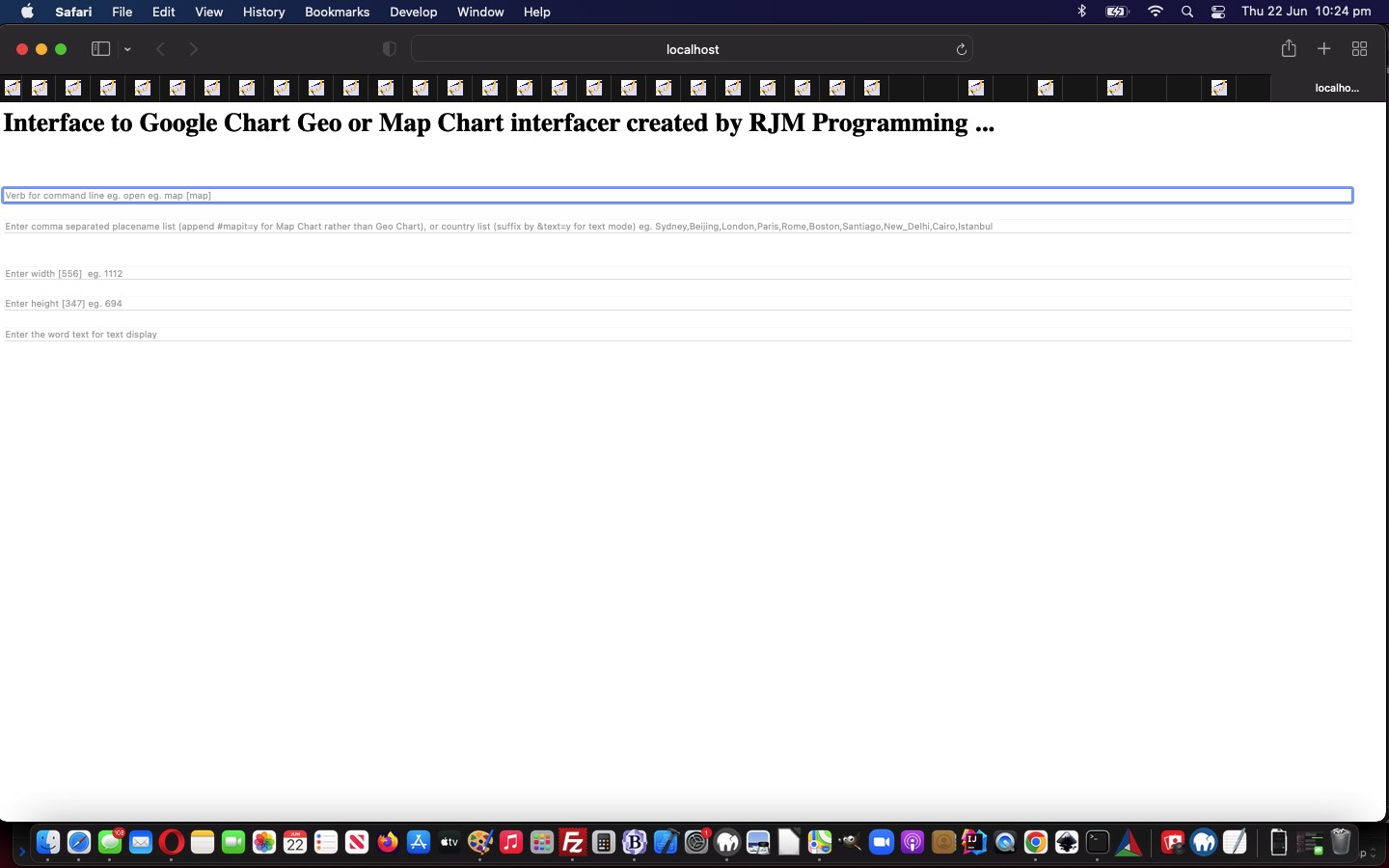
Google Chart Geo and or Map Chart Modes of Use Tutorial

Google Chart Geo and or Map Chart Modes of Use Tutorial

We get a bit of a downer whenever, like yesterday, there are only certain platforms applicable to a solution you come up with as a programmer. But please, the obverse is worse, that you do nothing just because of this issue. You often find that you cannot please everybody with your software solutions.

Today’s PHP serverside work, however, goes towards mollifying the situation with yesterday’s progress, somewhat, working with those “three modes of PHP use” we are often rabbiting on about …

  • surfing the net (ie. via web browser address bar)
  • desktop operating system command line use of verb “php” … we call “command line” mode of use …
  • curl

And so, before we change some Windows Batch file equivalent change in conjunction with yesterday’s Google Chart Geo and or Map Chart macOS Korn Shell Tutorial let’s explore some “three modes of use” functionality additions with today’s changed geo_chart.php Geo Chart interfacer (which can be run as a standalone web application as well) …

  • surfing the net (ie. via web browser address bar)

    HTTP://www.rjmprogramming.com.au/PHP/GeoChart/geo_chart.php?command=

    … or, from underlying macOS command line …

    open "HTTP://www.rjmprogramming.com.au/PHP/GeoChart/geo_chart.php?command="

    … or, from underlying Windows command line (assuming your web browser (eg. Firefox) is in your environment path) …

    firefox.exe "HTTP://www.rjmprogramming.com.au/PHP/GeoChart/geo_chart.php?command="
  • desktop operating system command line use of verb “php” … we call “command line” mode of use … after “cd” to where geo_chart.php sits on Windows or macOS (respectively) local MAMP Apache/PHP/MySql web server or RJM Programming Apache/PHP/MySql web server …

    php.exe geo_chart.php


    php geo_chart.php
  • curl …
    macOS

    curl "HTTP://localhost:8888/PHP/GeoChart/geo_chart.php?command="
    Windows

    curl.exe "HTTP://localhost/PHP/GeoChart/geo_chart.php?command="

    … but, please note, we have no useful working solution for curl “HTTP://www.rjmprogramming.com.au/PHP/GeoChart/geo_chart.php?command=” as yet

… allowing for some operating system agnostic “Intranet feeling” methodologies, where we’d ask you to download that latest geo_chart.php to a Windows or macOS MAMP local web server’s Document Root’s PHP’s GeoChart folder to allow procedures above to happen, where the interactive entry feels like those “old days” desktop application “one question at a time” modus operandi.

Another reason to admire PHP!


Previous relevant Google Chart Geo and or Map Chart macOS Korn Shell Tutorial is shown below.
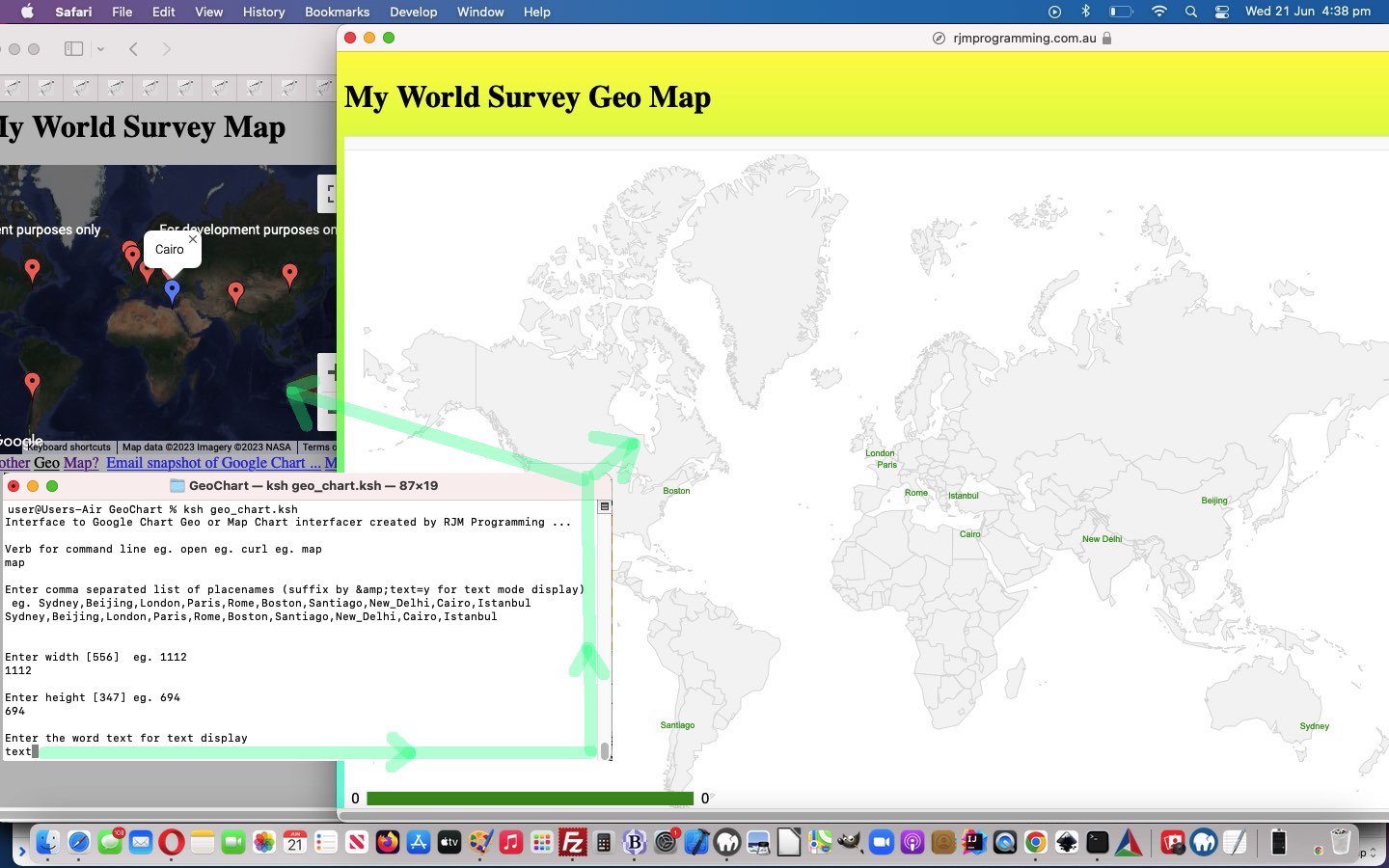
Google Chart Geo and or Map Chart macOS Korn Shell Tutorial

Google Chart Geo and or Map Chart macOS Korn Shell Tutorial

We’re revisiting Google Chart Geo Chart Windows Batch File Tutorial and before it, Google Chart Geo Chart macOS Korn Shell Tutorial because of the symbiosis between Google Chart

… the former being great for overall world map views or country views and the latter for distributions of geographicals zoomed in upon, as well as having user “pin” click controlled inhouse functionality extensions. So, with our macOS interfacing as the first cab off the rank we wanted to allow that Korn Shell script we created back then, called geo_chart.ksh, be changed so that the user can interactively enter data whereby they might get to a Map Chart presentation via the Geo Chart, in the case of the “text” presentation mode being the go, the user may see both types of Google Chart be displayed …

$ ksh geo_chart.ksh
Interface to Google Chart Geo or Map Chart interfacer created by RJM Programming …

Verb for command line eg. open eg. curl eg. map
map

Enter comma separated list of placenames (suffix by &text=y for text mode display) eg. Sydney,Beijing,London,Paris,Rome,Boston,Santiago,New_Delhi,Cairo,Istanbul
Sydney,Beijing,London,Paris,Rome,Boston,Santiago,New_Delhi,Cairo,Istanbul

Enter width [556] eg. 1112
1112

Enter height [347] eg. 694
694

Enter the word text for text display
text
$

… the results, for us, being as shown in today’s tutorial picture after we downloaded geo_chart.ksh to our macOS system and executed the Korn Shell script from the macOS Terminal application’s command line.

In order to make all this possible some changes needed to be made with geo_chart.php Geo Chart interfacer, which can be run as a standalone web application as well.


Previous relevant Google Chart Geo Chart Windows Batch File Tutorial is shown below.
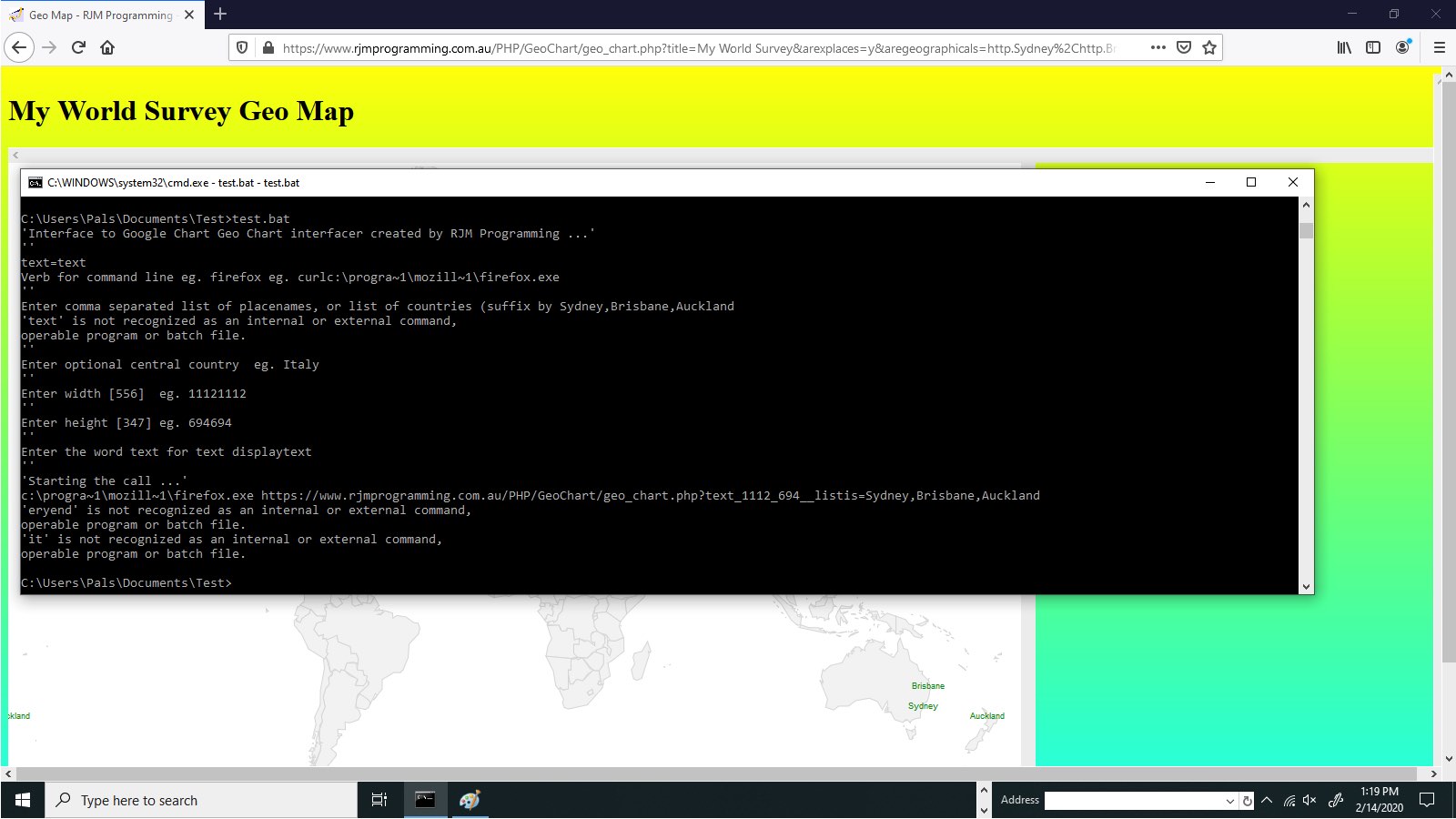
Google Chart Geo Chart Windows Batch File Tutorial

Google Chart Geo Chart Windows Batch File Tutorial

Yes, it’s not just the macOS scenario of yesterday’s Google Chart Geo Chart macOS Korn Shell Tutorial which can have a simple scripting solution. So can Windows, and we use the “going back to near when Adam was a boy” method of (DOS) Batch File means (to an end) … as per …


@echo off
setlocal EnableDelayedExpansion
echo 'Interface to Google Chart Geo Chart interfacer created by RJM Programming ...'
echo ''
set text ""
set equl "="
set /p verb=Verb for command line eg. firefox eg. curl
if defined verb goto goonverb
set verb "firefox"
:goonverb
echo ''
set /p commastring=Enter comma separated list of placenames, or list of countries eg. Sydney,London,Alice_Springs,Beijing,London,New_York,Paris,Rio_de_Janeiro,Cairo,Rome,Tennant_Creek
if not defined commastring goto veryend
echo ''
set /p centralplace=Enter optional central country eg. Italy
echo ''
set /p width=Enter width [556] eg. 1112
if defined verb goto goonwidth
set width "556"
:goonwidth
echo ''
set /p height=Enter height [347] eg. 694
if defined verb goto goonheight
set height "347"
:goonheight
echo ''
set /p text=Enter the word text for text display
echo ''
echo 'Starting the call ...'
echo %verb% https://www.rjmprogramming.com.au/PHP/GeoChart/geo_chart.php?%text%_%width%_%height%_%centralplace%_listis=%commastring%
%verb% https://www.rjmprogramming.com.au/PHP/GeoChart/geo_chart.php?%text%_%width%_%height%_%centralplace%_listis=%commastring%
exit
:veryend
exit

geo_chart.bat Windows Batch File use of “set /p ” “ask and ye shall find a way to ask” methodology.


Previous relevant Google Chart Geo Chart macOS Korn Shell Tutorial is shown below.
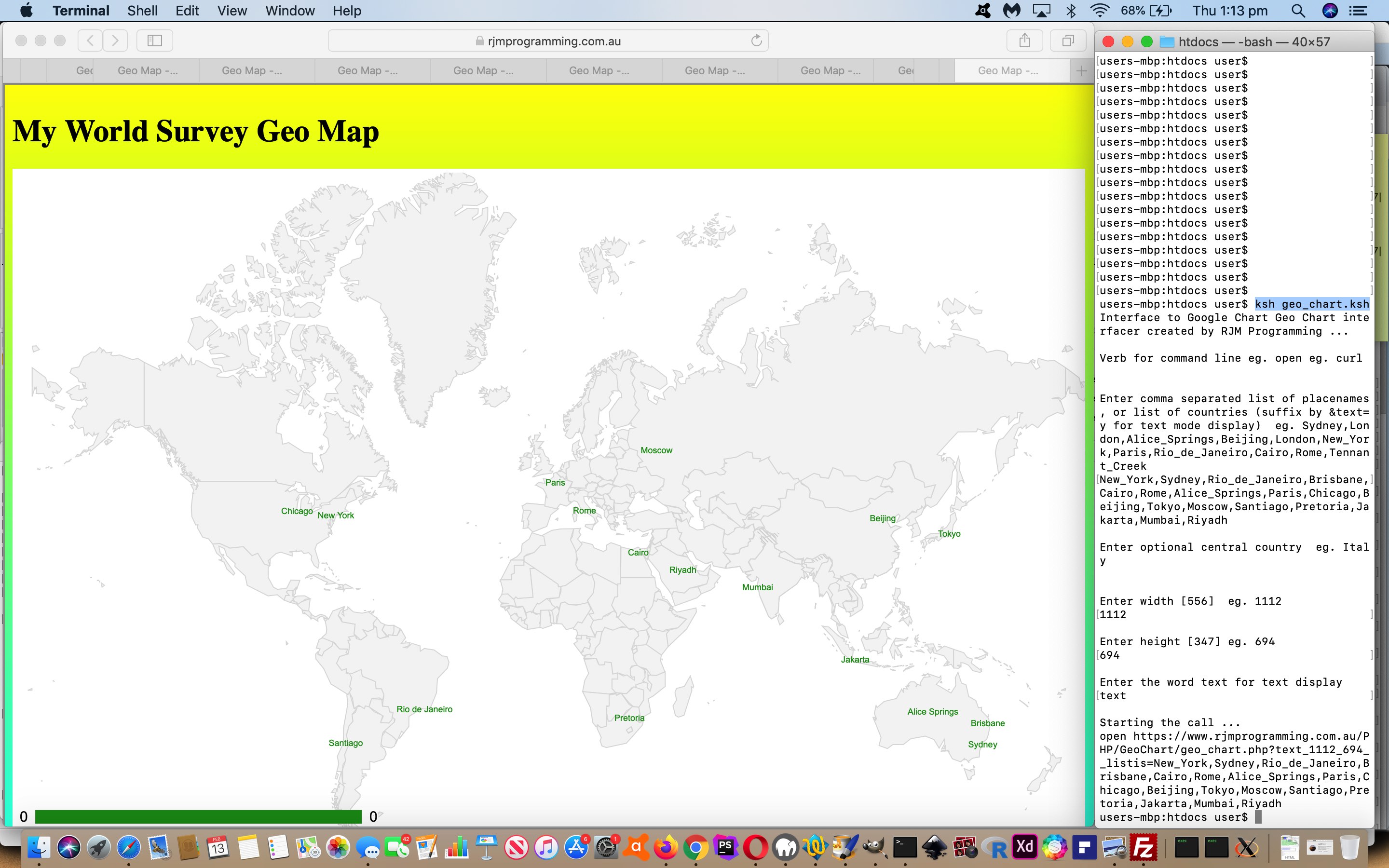
Google Chart Geo Chart macOS Korn Shell Tutorial

Google Chart Geo Chart macOS Korn Shell Tutorial

The progress of yesterday’s Google Chart Geo Chart Command Line Tutorial allows the “web” to join with the (non-mobile) “desktop”, an opportunity we’d like to dwell upon. Once at the macOS or Windows desktop there are still very simple interpretive language (and ascii text editor editable) means by which to write interfacing “programs” (or “scripts” if you prefer the more boring terminology) as per …

  • Windows (command line) *.bat (batch file)
  • macOS (command line via Terminal application) *.ksh (Korn Shell) or *.bsh (Bash Shell) or *.csh (C Shell) or *.sh (Bourne Shell)

… our favourite being Korn Shell programming, which we show in today’s tutorial picture in the scenario …


ksh geo_chart.ksh

… is probably an indication we never went (something like the “7” (to become “executable” of)) …


chmod 755 geo_chart.ksh

… that would mean that prefixing “ksh” is superfluous above, and both macOS and Windows allow $PATH environment chances to simplify from anywhere where you execute the “shell script”.


#!/bin/ksh
echo 'Interface to Google Chart Geo Chart interfacer created by RJM Programming ...'
echo ''
text=""
equl="="
echo 'Verb for command line eg. open eg. curl'
read verb
if [ -z "$verb" ]; then
verb="open"
fi
if [ ! -z "$verb" ]; then
echo ''
echo 'Enter comma separated list of placenames, or list of countries (suffix by &text=y for text mode display) eg. Sydney,London,Alice_Springs,Beijing,London,New_York,Paris,Rio_de_Janeiro,Cairo,Rome,Tennant_Creek'
read commastring
if [ ! -z "$commastring" ]; then
echo ''
echo 'Enter optional central country eg. Italy'
read centralplace
echo ''
echo 'Enter width [556] eg. 1112'
read width
if [ -z "$width" ]; then
width="556"
fi
if [ ! -z "$width" ]; then
echo ''
echo 'Enter height [347] eg. 694'
read height
if [ -z "$height" ]; then
height="347"
fi
if [ ! -z "$commastring" ]; then
echo ''
echo 'Enter the word text for text display'
read text
echo ''
echo 'Starting the call ...'
echo "$verb https://www.rjmprogramming.com.au/PHP/GeoChart/geo_chart.php?${text}_${width}_${height}_${centralplace}_listis${equl}${commastring}"
ksh -c "$verb https://www.rjmprogramming.com.au/PHP/GeoChart/geo_chart.php?${text}_${width}_${height}_${centralplace}_listis${equl}${commastring}"
exit
fi
fi
fi
fi
fi
exit

… as geo_chart.ksh (Korn Shell script) (being run at right hand side of the tutorial picture). Testing this got us to identify a change needed to fix a bug with geo_chart.php Geo Chart interfacer at this live run link.


Previous relevant Google Chart Geo Chart Command Line Tutorial is shown below.
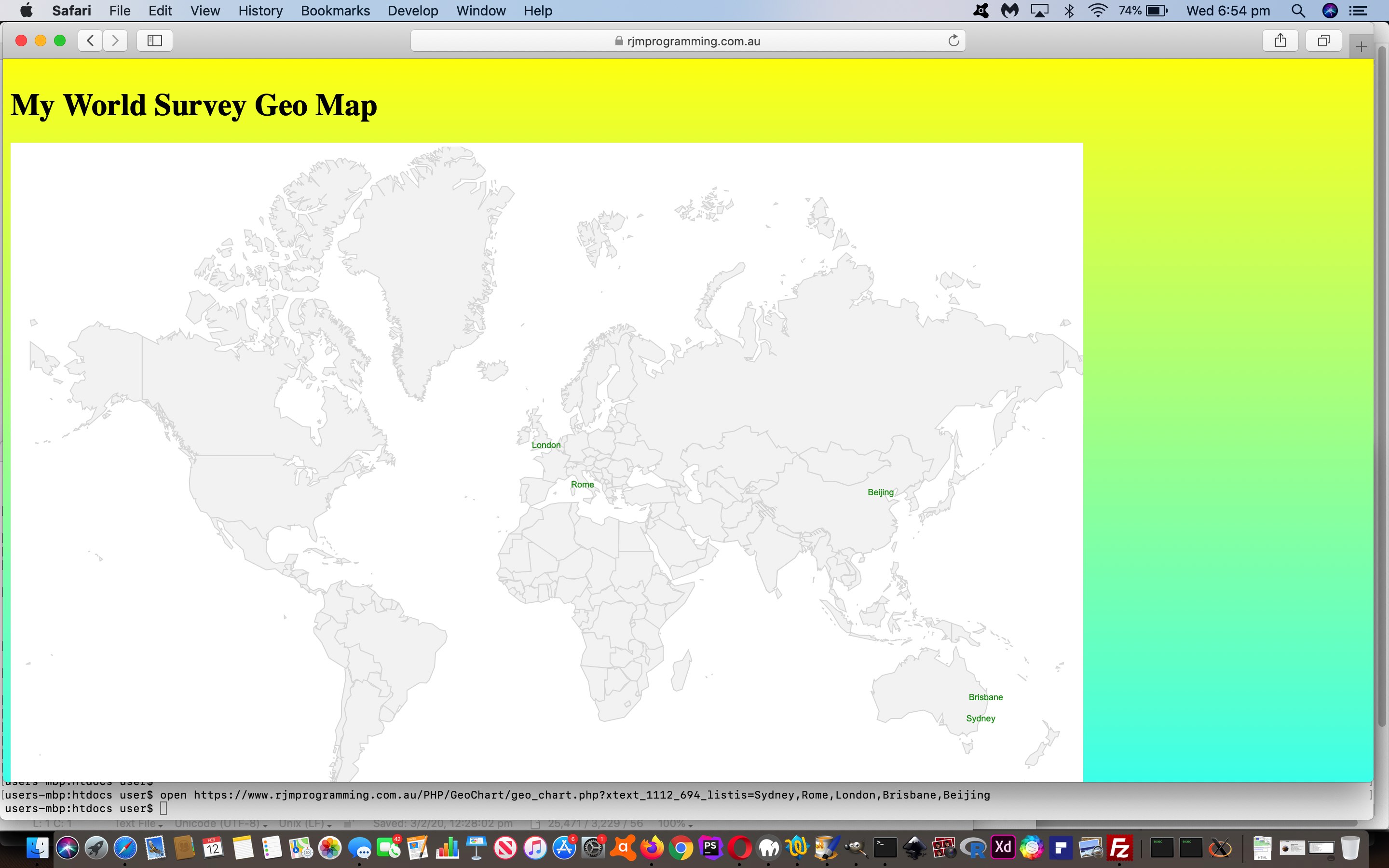
Google Chart Geo Chart Command Line Tutorial

Google Chart Geo Chart Command Line Tutorial

For a complex set of online web application requirements you can think to …

  • write one (or just a few) web application(s) with lots of functionality “smarts”, each … or …
  • write lots of small independent web applications with specialized subsets of that total functionality requirement

We generally prefer the first approach, though quite like “peer to peer” arrangements if it is the second approach taken. You might say Microsoft Word is a fabulous example of the first approach. Am sure you will agree there are lists as long as your arm about the pros of Microsoft Word, but there will be people that say the same about its cons. You open Microsoft Word and the complexity of the GUI (ie. look) might put off some users. The complexity of the Javascript prompt “blurbs” of our Google Chart Geo Chart interfacer worry us in this same feeling.

When this happens, though, a fresh access approach, even with the first arrangement above, can be to slice through the “butter of complexity”. We want to be able to reach the Geo Chart via the relevant non-mobile platform’s command line access, here on our macOS MacBook Pro, that being a command like …


open https://www.rjmprogramming.com.au/PHP/GeoChart/geo_chart.php?xtext_1112_694_listis=Sydney,Rome,London,Brisbane,Beijing

… paring down a whole raft of Javascript prompt windows into a single very flexible command line argument. Lucky arrangement, perhaps? Not exactly, it is a useful plan not to involve the “&” ampersand delimiter of non-first arguments (of the address bar URLs) because, at least on Linux and Unix and macOS based command lines, not clash with that second “&” meaning of “setting a process into the background”.

And so, onto the recent Google Chart Geo Chart Zoom In Quiz Sharing Tutorial we have these changes to geo_chart.php Geo Chart interfacer at this live run link, where we allow for some command line access user interface flexibility, swinging into play.


Previous relevant Google Chart Geo Chart Zoom In Quiz Sharing Tutorial is shown below.
Google Chart Geo Chart Zoom In Quiz Sharing Tutorial

Google Chart Geo Chart Zoom In Quiz Sharing Tutorial

Adding functionality to yesterday’s Google Chart Geo Chart Zoom In Quiz Tutorial we see an opportunity to …

  • add an element of “when” functionality onto the “where” strengths of the Google Chart Geo Chart recent work, via PHP TimeZones and interfacing to the work of the recent Looks Nice Nearby Speech to Text Game Video Tutorial … as well as …
  • means by which to share or collaborate with the “My World Zoom In Quiz” … via …
    1. email 📧 (via inline HTML PHP mail) … or …
    2. SMS 📟 (via “a” tag href=sms: link)

… and that last SMS methodology brought into focus our wish not to allow, yet, a URL approach to get directly to this new “My World Zoom In Quiz” (although we may change this strategy into the future). So, how to apply security over the use of a URL such as …

https://www.rjmprogramming.com.au/PHP/GeoChart/geo_chart.php?wqperspective=Monday+10+Feb+2020+17:57:15.7182

… not linked, above, because there is no point. We have already clicked it in an SMS we got sent, and that nullifies its use from then on? Huh?! Yes, we use the PHP itself, as we are fond of doing, storing (a form of) that “Monday+10+Feb+2020+17:57:15.7182” away as a comment in amongst the PHP code and, hence, “file_get_contents” checkable by its or some other PHP code for its existence (as well as the “file_put_contents” based clean up removal of said comment after the SMSee’s (body) link is ever clicked), as the security check for whether we navigate to the “My World Zoom In Quiz” (bringing up that last correct answer) via an SMS body URL link, clicked by an SMSee. And that collaborator can do the same thing back to the original sender for the next wrong answer’s similar 📟 emoji button press instigation of this sharing and collaboration Javascript logic …


function smswho() {
if (smsorig == '') { smsorig=document.getElementById('smssend').href.split('0000')[0]; }
if (smsdateorig == '') { smsdateorig=document.getElementById('smsdate').value; }
var smsto=prompt('SMS to?', document.getElementById('smssend').href.split('sms:')[1].split('?')[0]);
if (smsto == null) { smsto = ''; }
if (smsto.trim() != '') {
document.getElementById('smsdate').value=smsdateorig + '.' + gsv.substring(0,1).charCodeAt(0) + gsv.substring(1).substring(0,1).charCodeAt(0);
document.getElementById('smsbut').click();
document.getElementById('smssend').href=(smsorig + '' + gsv.substring(0,1).charCodeAt(0) + gsv.substring(1).substring(0,1).charCodeAt(0)).replace('sms:?','sms:' + smsto + '?');
document.getElementById('smssend').click();
}
}


function emailwho() {
var emto=prompt('Email to?', document.getElementById('emailto').value);
if (emto == null) { emto = ''; }
if (emto.indexOf('@') != -1) {
document.getElementById('emailto').value=emto;
document.getElementById('hcont').value='<html><body><form action=' + document.URL + ' method=POST><input type=hidden value=' + gsv + ' name=wqperspective></input><input type=submit value=\"My World Zoom In Quiz\" style=\"background-color:yellow;\"></input></form></body></html>';
document.getElementById('iemail').click();
}
}

… in the context of all these changes to geo_chart.php Geo Chart interfacer at this live run link, where we remind you again, a substitution of “Survey” by “Quiz” at the first title prompt can show the “My World Zoom In Quiz” in a new window.


Previous relevant Google Chart Geo Chart Zoom In Quiz Tutorial is shown below.
Google Chart Geo Chart Zoom In Quiz Tutorial

Google Chart Geo Chart Zoom In Quiz Tutorial

Today we’re combining …

… to create another form of quiz (we think of as “My World Zoom In Quiz”) the user can navigate to via the way they answer that first title prompt (substituting “Survey” with “Quiz”). You might prefer to think of it as the “Geographical Perspective Quiz” with a degree of difficulty, often, because to see a “Zoomed In” display of a country or region can be disorienting and challenging to recognize. And so, for incorrect dropdown answers, we provide a “zoomed out” world view of where that “zoomed in” view sits (like an inset).

In order to show you this below please click

Again, a bit of a different tack to yesterday with the reworked geo_chart.php Geo Chart interfacer at this live run link, where a substitution of “Survey” by “Quiz” at the first title prompt can show the “My World Zoom In Quiz” (like above) in a new window.


Previous relevant Google Chart Geo Chart Small Region Tutorial is shown below.
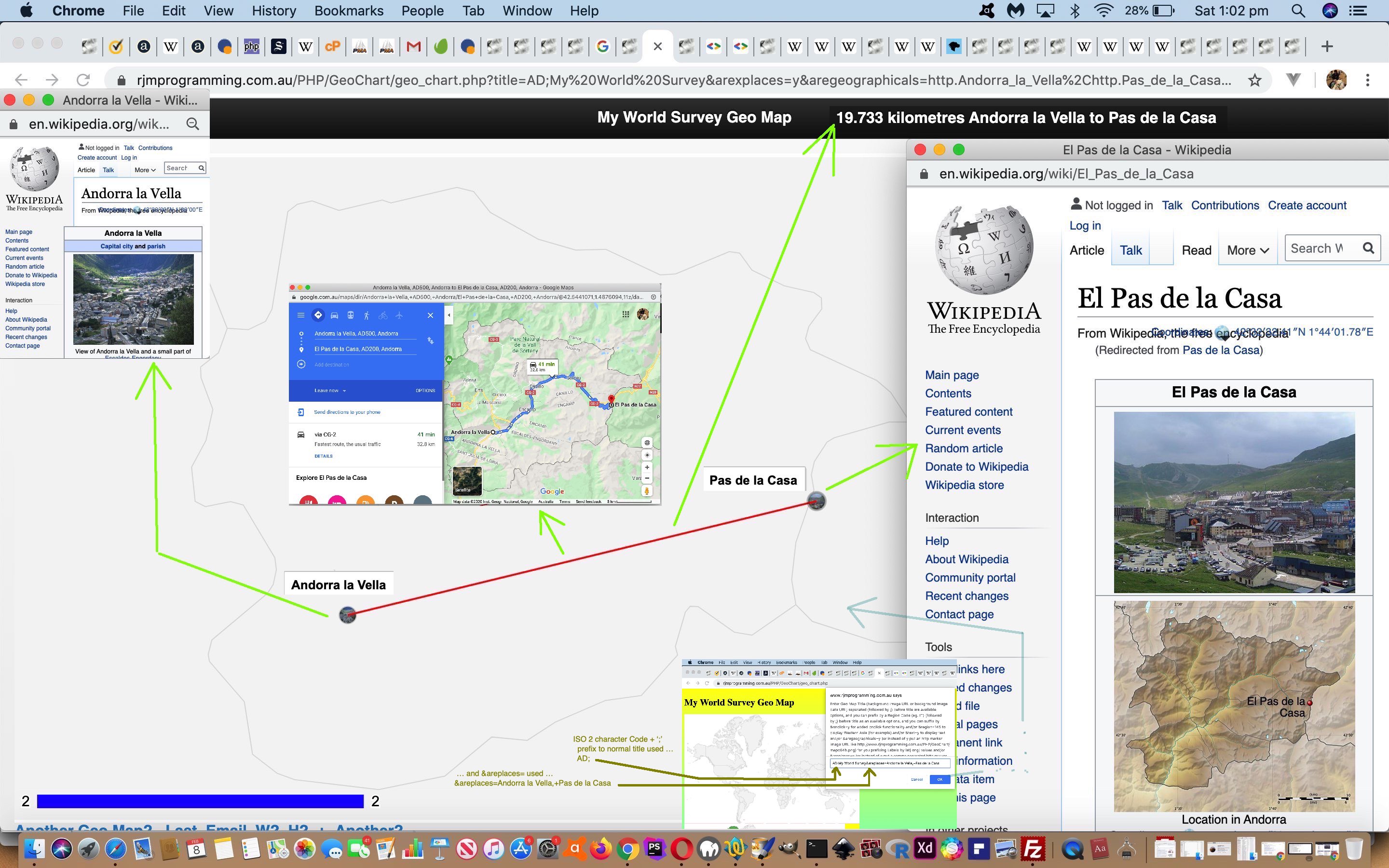
Google Chart Geo Chart Small Region Tutorial

Google Chart Geo Chart Small Region Tutorial

Meanwhile, resuming our dreams of Andorra, there must be hundreds of readers there a bit sick of us going on and on and on and on and on about our Google Chart Geo Chart interfacing Quizzes and the use of complex “width” (and “height”) prompt user interactions. After all, we came onto this topic more to do with “small countries”. Well, let’s go back to that and let’s say …

  • as well as the “markers” mode (geographicals) latitude and longitude (helped out by PHP TimeZone places) way of signifying the position of a small country on a world or continent map … always, there behind the scenes, set up ages ago, was the interfacing we had set up to …
  • connect with the Google Chart “smarts” regarding “region” mapping to be able to hone in on a “region” (which can mean a whole country too) of interest

… and that means, today, we revisit our imaginary jaunts in Andorra setting out from the big smoke of …


Andorra la Vella

… to the border tranquillity of …


Pas de la Casa

… in the scenario of today’s tutorial picture … honing in on the user interaction before the width one (yayyyyyy!) with that title prompt. At this prompt we make use of two extensions to default behaviour with our PHP web application, those being …

  1. prefix of “region code” + “;” ( in the case of Andorra an ISO 2 Character Country Code “AD” + “;” = porkAD; )
  2. suffix of “heads up” placename list (making it so you will probably not need to fish around for any latitude and longitude geographicals yourself) via &areplaces=[comma (and + if you want lines joining) separated placename list] … eg. &areplaces=Andorra la Vella,+Pas de la Casa

… to end up with a user title data item user interaction entry of …


AD;My World Survey&areplaces=Andorra la Vella,+Pas de la Casa

… as the lead in to “not much thinking” (and as long as you are not Pinocchio, “follow your nose” ease) required for the other non-quiz-based prompts (ie. no need for width or height mantissae …

… in this scenario).

Quite a bit of a different tack to yesterday’s Google Chart Geo Chart Quiz Tooltip Flag Tutorial that you can see how we needed to tweak geo_chart.php Geo Chart interfacer at this live run link, showing the versatility and usefulness of Google Chart Geo Charts.


Previous relevant Google Chart Geo Chart Quiz Tooltip Flag Tutorial is shown below.
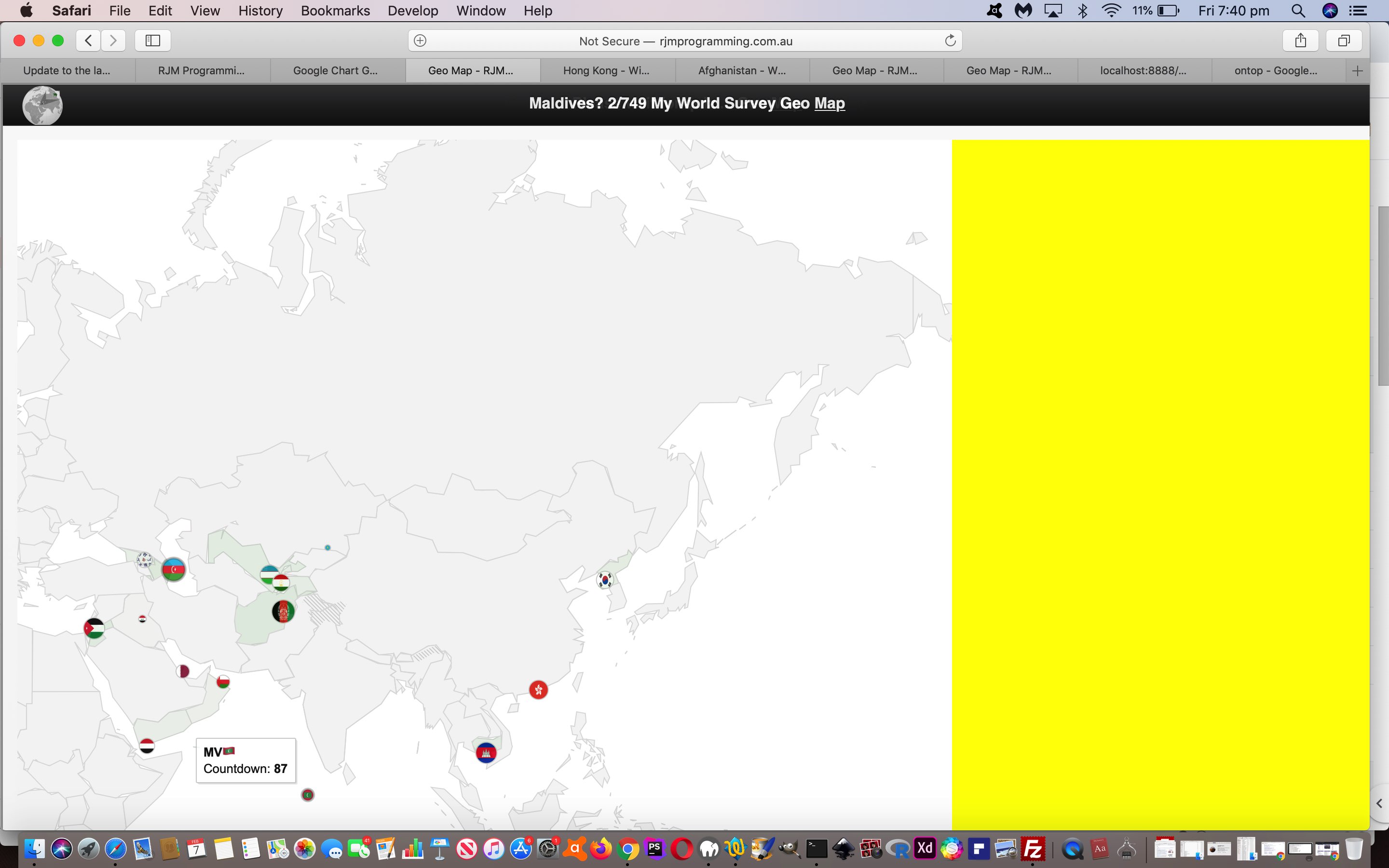
Google Chart Geo Chart Quiz Tooltip Flag Tutorial

Google Chart Geo Chart Quiz Tooltip Flag Tutorial

Yesterday’s Google Chart Geo Chart Quiz on Mobile Tutorial‘s Google Chart Geo Chart interfacing uses …

  • onmouseover event tooltip functionality for non-mobile platforms … and, better something than nothing, we guess …
  • first onclick event tooltip functionality for mobile platforms

… a blessing, in our view, that an onmouseover (ie. on hover) piece of functionality thinking survives into the mobile platform wooooooooorrrrrlllddd in some way shape or form. We generally find tooltips an optimistic and useful webpage functionality tool.

And with this in mind, it was worth our mind’s attention to ask … “what about if the Geo Chart Quiz functionality can, optionally, help out the user a bit without giving the game away?” … in the sense that ISO 2 character country codes can be baffling, yet help to make the quiz a challenge, on occasions, though enough of a turn off for some users, we’re sure. But to place an Emoji Flag could be a feature some quizzers will like and appreciate.

Rather than add to the navigational data we’d rather “add” an Emoji Flag on being “flagged” (tee hee) to do so, that “flagging” being to add argument “&flag=y” into the mix, at the width value prompt, which is the same prompt whereby a user decides to create a quiz in the first place. And because Emojis represent text data (albeit multibyte ones) we won’t even need to change data structures, just data content involving the one string structure member of …


['Latitude','Longitude','Country','Countdown']

… which we’ve been sending as that country’s ISO 2 character code (to leave some challenge to the quizzer, where the user has been seeing that ISO code only “on hover” up to today) … but if the user has “flagged” &flag=y this code below swings into play appending text data onto that ISO Code text data (of PHP variable (and argument) “$instuff” below) via String.fromCodePoint() function, as per …

<?php

$lri=["A","B","C","D","E","F","G","H","I","J","K","L","M","N","O","P","Q","R","S","T","U","V","W","X","Y","Z"];
$dri=["127462","127463","127464","127465","127466","127467","127468","127469","127470","127471","127472","127473","127474","127475","127476","127477","127478","127479","127480","127481","127482","127483","127484","127485","127486","127487"];

function maybequizflag($instuff) {
global $GETdata, $iso_country_codes, $flagentity, $lri, $dri;
if (isset($_GET['quiz']) || isset($_POST['quiz'])) {
if (isset($_GET['flag']) || isset($_POST['flag'])) {
if (strpos($instuff, "['Lat','Long',") !== false) {
return $instuff; //str_replace("'Country',", "'Country','Flag',", $instuff);
} else {
$outstuff=$instuff;
$cbits=explode("'", $instuff);
$outstuff=$cbits[0];
$uretv=" ' + '";
for ($iol=1; $iol<sizeof($cbits); $iol++) {
if (($iol % 2) == 1) {
if (strlen($cbits[$iol]) == 2) {
for ($jjm=0; $jjm<strlen($cbits[$iol]); $jjm++) {
for ($jm=0; $jm<sizeof($lri); $jm++) {
if (strtoupper(substr($cbits[$iol],$jjm,1)) == $lri[$jm]) {
$uretv=str_replace(" + '", " + String.fromCodePoint(" . $dri[$jm] . ") + '", $uretv); //uvaltosfcp($dri[$jm]);
}
}
}
$outstuff.="'" . $cbits[$iol] . $uretv;
$uretv="' + '";
} else {
$uretv=" ' + '";
for ($im=1; $im<sizeof($iso_country_codes); $im+=2) {
if ($uretv == " ' + '" && strpos(strtolower($iso_country_codes[$im]), strtolower(str_replace("%20"," ",str_replace("%E2%80%99","",str_replace("%2C",",",$cbits[$iol]))))) !== false) {
for ($jjm=0; $jjm<strlen($iso_country_codes[-1 + $im]); $jjm++) {
for ($jm=0; $jm<sizeof($lri); $jm++) {
if (strtoupper(substr($iso_country_codes[-1 + $im],$jjm,1)) == $lri[$jm]) {
$uretv=str_replace(" + '", " + String.fromCodePoint(" . $dri[$jm] . ") + '", $uretv); //uvaltosfcp($dri[$jm]);
}
}
}
}
}
$outstuff.="'" . $cbits[$iol] . $uretv;
$uretv="' + '";
}
} else {
$outstuff.="'" . $cbits[$iol];
}
}
return $outstuff; //str_replace("',9", "','x',9", str_replace("',8", "','x',8", str_replace("',7", "','x',7", str_replace("',6", "','x',6", str_replace("',5", "','x',5", str_replace("',4", "','x',4", str_replace("',3", "','x',3", str_replace("',2", "','x',2", str_replace("',1", "','x',1", str_replace("',0", "','x',0", $instuff))))))))));
}
}
}
return $instuff;
}

?>

Again, you can try the changed geo_chart.php Geo Chart interfacer at this live run link.


Previous relevant Google Chart Geo Chart Quiz on Mobile Tutorial is shown below.
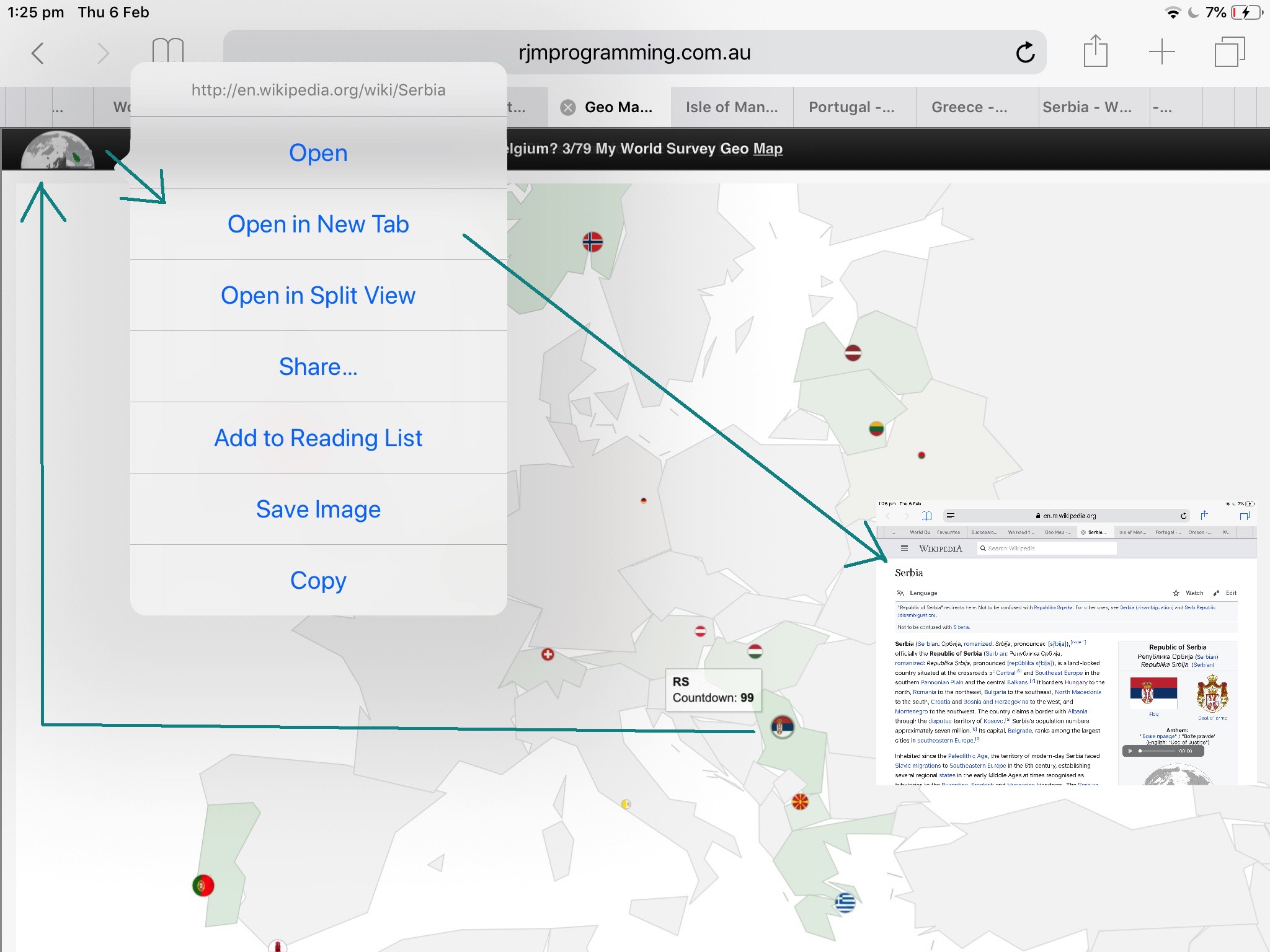
Google Chart Geo Chart Quiz on Mobile Tutorial

Google Chart Geo Chart Quiz on Mobile Tutorial

We wanted to improve on the recent Google Chart Geo Chart More Quizzes Tutorial‘s “World Quiz” functionality approach of displaying window.open popups for mobile platforms. The reason for the concern on mobile platforms, and not such a concern on non-mobile platforms (though there is a concern about popup window web browser disabling settings), because the chance to “overlay” a popup window (via the use of a third argument to window.open calls) is ignored on mobile platforms, instead opening a new browser tab (at best). This can be disconcerting, akin to telling a room of students doing an important examination, to look out the window at an interesting magpie (warbling about Collingwood’s last triumph, no doubt).

Well, after extensive research, and first trying to position “anything new” down the bottom of the webpage we …

  • rejected idea of whole display of a relevant Wikipedia page content at the bottom (of a mobile user’s Geo Chart “quiz” webpage) … associated with a …
  • rejected “a” hashtag link down the bottom (but above proposed content above) to navigate back up to the quiz … to, instead …
  • start thinking that it is up to the mobile user to act themselves to ever navigate away from the quiz webpage, so, instead, initially condense the Wikipedia content down to an image that is …
    1. if HTTPS:// protocol being used, use the Google Page Insights screenshotting “smarts” you can see being used at PDF Slideshow and Form Creation Data URI Contents Tutorial
    2. if HTTP:// protocol being used, use the (thumbnail version of) the first image of the relevant Wikipedia webpage

    … encased by an “a” tag that the click of navigates the user to the relevant Wikipedia content in a new tab (at best), all positioned at the left hand side of the Geo Chart webpage’s H1 or H2 tag heading as a 70px width42px height thumbnail

The conduit here are Ajax Javascript techniques as per …


var myxhr = false;
var oursrc = '';
var woourl='';


function ajit(wourl) {
woourl=wourl;
var xurl = '';
if (document.URL.toLowerCase().indexOf('https') == 0) {
xurl='https://www.googleapis.com/pagespeedonline/v1/runPagespeed?url=' + encodeURIComponent(wourl) + '&screenshot=true';
} else {
xurl=document.URL.split('/GeoChart')[0] + '/fgc/?tdinto=&inurl=' + encodeURIComponent(wourl);
}
if (window.XMLHttpRequest) {
myxhr = new window.XMLHttpRequest;
}
else {
try {
myxhr = new ActiveXObject('Msxml2.XMLHTTP');
} catch (othermicrosoft) {
try {
myxhr = new ActiveXObject('Microsoft.XMLHTTP');
} catch (failed) {
myxhr = false;
}
}
}
if (myxhr) {
myxhr.onreadystatechange = backin;
myxhr.open('GET', xurl, true);
myxhr.send(null);
}
}


function backin() {
if (myxhr.readyState == 4) {
if (myxhr.status == 200) {
if (myxhr.responseText) {
var dbits = myxhr.responseText.split('\"data\":');
if (dbits.length > 1) {
oursrc='data:image/jpeg;base64,' + dbits[1].split('\"')[1].split('\"')[0].replace(/\_/g,'/').replace(/\-/g,'+');
ism='nm';
if (navigator.userAgent.match(/Android|BlackBerry|iPhone|iPad|iPod|Opera Mini|IEMobile/i)) {
ism='';
document.getElementById(ism + 'dwoalttwo').style.position='absolute';
document.getElementById(ism + 'dwoalttwo').style.left='20px';
document.getElementById(ism + 'dwoalttwo').style.top='0px';
document.getElementById(ism + 'dwoalttwo').style.opacity='0.95';
document.getElementById(ism + 'dwoalttwo').style.zIndex='51';
} else {
document.getElementById(ism + 'dwoalt').innerHTML='<br><a id=btta href=#myh title=Top>Back to top</a>';
}
document.getElementById(ism + 'dwoalttwo').innerHTML='<a target=_blank id=adw title=Wikipedia style=z-index:52; href=' + woourl + '><img title=Wikipedia style=width:80px;z-index:52; src=' + oursrc + '></img></a>';
document.getElementById('myh').onclick=function() { document.getElementById('adw').click(); }
if (ism != '') { location.href='#btta'; }
} else if (myxhr.responseText.indexOf('<img') != -1) {
dbits = myxhr.responseText.split('<img');
dbits=dbits[1].split(' src=');
ism='nm';
if (navigator.userAgent.match(/Android|BlackBerry|iPhone|iPad|iPod|Opera Mini|IEMobile/i)) {
ism='';
document.getElementById(ism + 'dwoalttwo').style.position='absolute';
document.getElementById(ism + 'dwoalttwo').style.left='20px';
document.getElementById(ism + 'dwoalttwo').style.top='0px';
document.getElementById(ism + 'dwoalttwo').style.opacity='0.95';
document.getElementById(ism + 'dwoalttwo').style.zIndex='51';
} else {
document.getElementById(ism + 'dwoalt').innerHTML='<br><a id=btta href=#myh title=Top>Back to top</a>';
}
document.getElementById(ism + 'dwoalttwo').innerHTML='<a target=_blank id=adw title=Wikipedia style=z-index:52; href=' + woourl + '><img title=Wikipedia style=width:80px;z-index:52; src=' + dbits[1].split(' ')[0].split('>')[0] + '></img></a>';
document.getElementById('myh').onclick=function() { document.getElementById('adw').click(); }
if (ism != '') { location.href='#btta'; }
}
}
}
}
}

… with the effect, for a mobile user, of not being interrupted from their quiz, unless this thumbnail (Wikipedia content) appears at the top left, that they can “long click” to open in a “New Tab” (or, perhaps, a “Split View”) as required, at least on the iPad we tried this with.

And so, you can try the changed geo_chart.php Geo Chart interfacer at this live run link, we hope representing an improvement for the Quizzing User Experience for our mobile user readers.


Previous relevant Google Chart Geo Chart More Quizzes Tutorial is shown below.
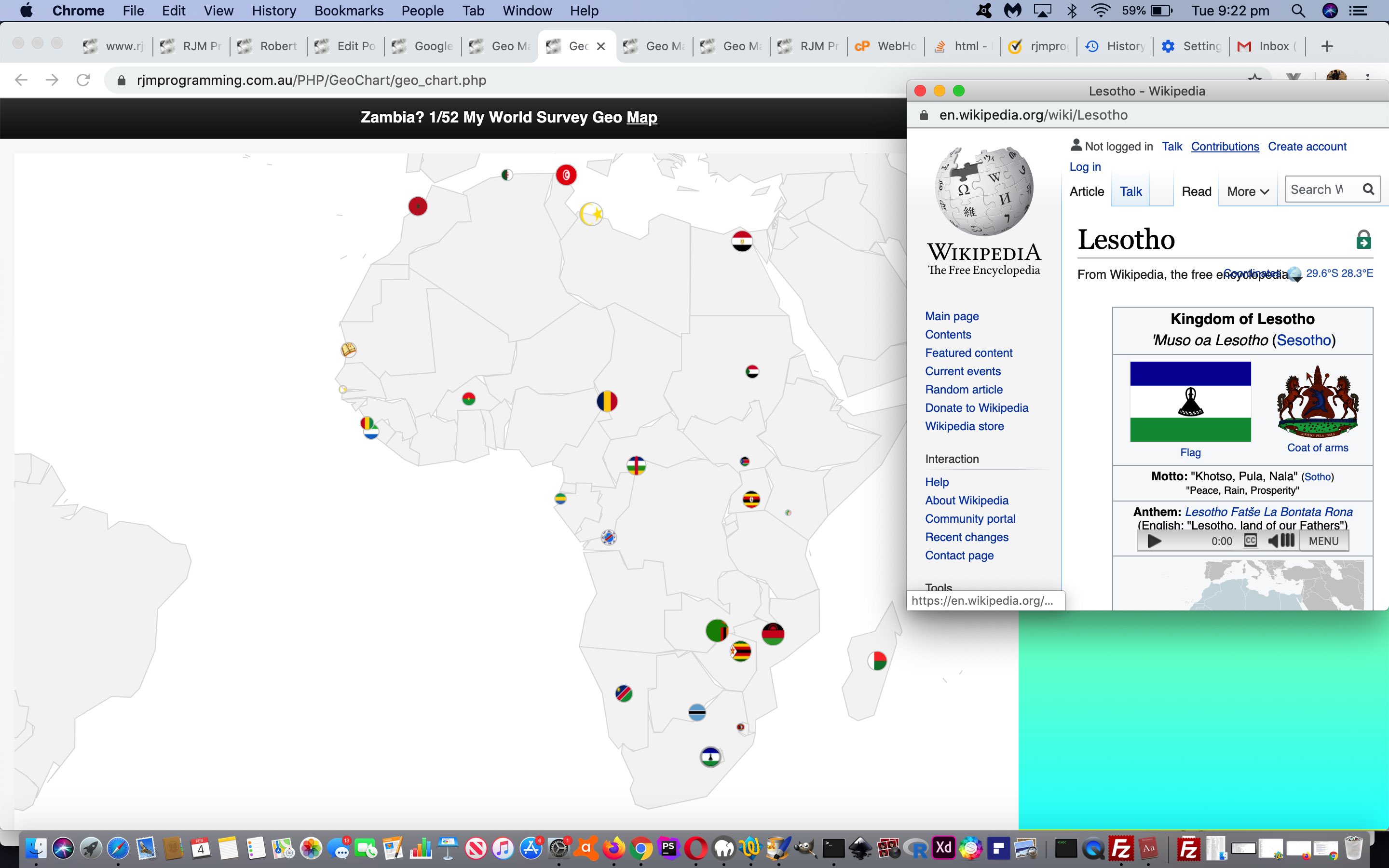
Google Chart Geo Chart More Quizzes Tutorial

Google Chart Geo Chart More Quizzes Tutorial

In allowing the World Quiz web applications of yesterday’s Google Chart Geo Chart World Quizzes Tutorial work accept more than about …

  • the 10 places (per continent Geo Chart) fitting into a $_GET arguments URL (of about 850 characters, for rjmprogramming.com.au domain) … the first cab off the rank allowing for …
  • a lot more than 10 can be accepted via $_POST in an HTML form method=POST action=./geo_chart.php

You may wonder why “first cab off the rank” here. Well, we’re not sure we won’t involve window.sessionStorage or window.localStorage in future plans. It being PHP we’re writing though, we will need a compelling reason to try this.

We allow you to ask the web application to try more places by (optionally) appending space characters onto the height values they enter.

You can try the changed (and note “function iftoobig()” in particular, here) geo_chart.php Geo Chart interfacer at this live run link, and try it with a few right space appended “heights” to try out this new functionality.


Previous relevant Google Chart Geo Chart World Quizzes Tutorial is shown below.
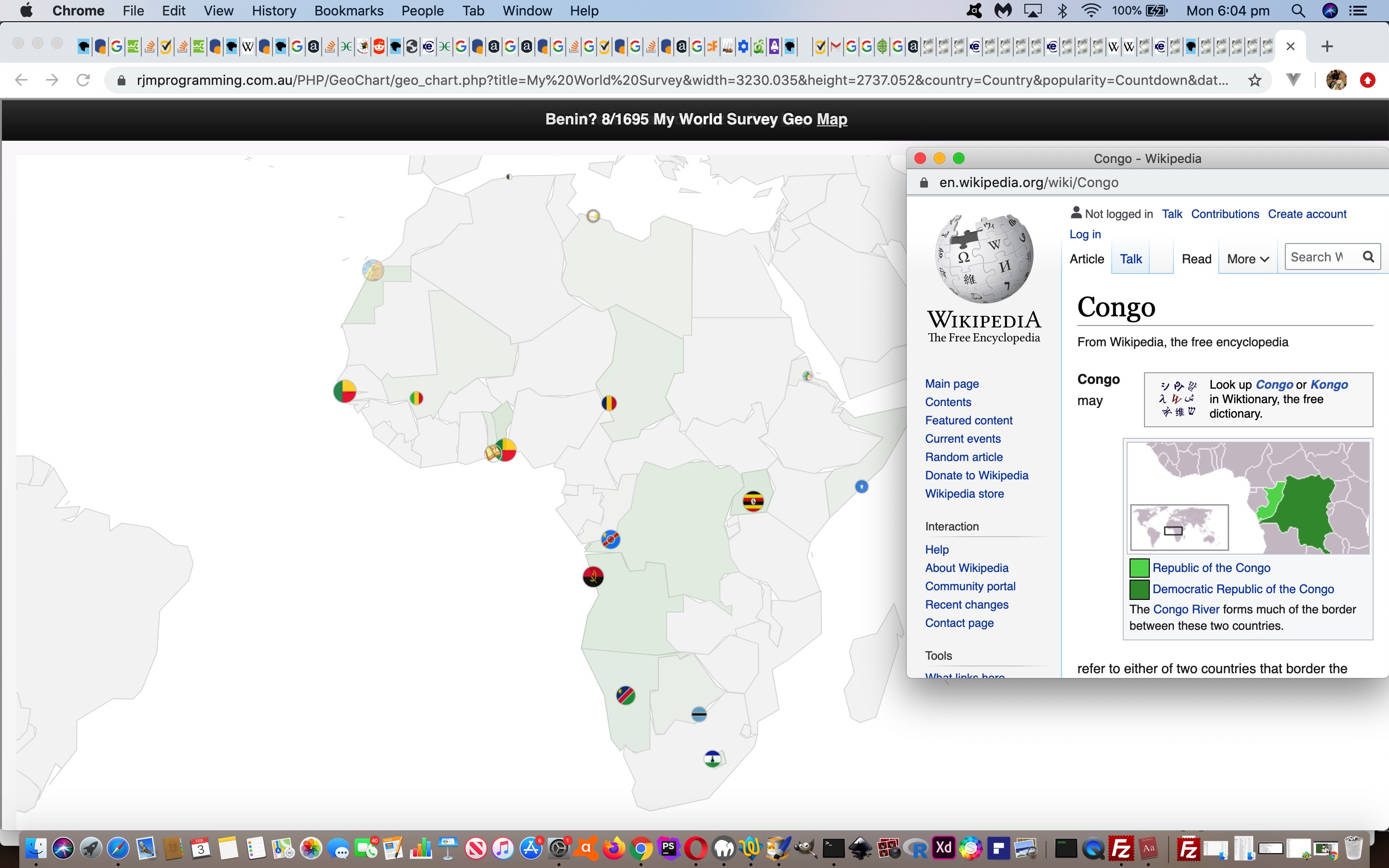
Google Chart Geo Chart World Quizzes Tutorial

Google Chart Geo Chart World Quizzes Tutorial

We’re heading towards “prove it for n” on top of the recent Google Chart Geo Chart Oceania Quiz Tutorial (“prove it for 2”) progress, making quizzes for …

  • Europe
  • South East Asia and Oceania
  • Africa
  • South America
  • North and Central America
  • Asia

… but feel we need more testing to bed it down, as far as reliability issues go, and we’ll keep you posted on that.

We found clutter issue with ISO 2 character Country Codes …

ISO Code 1 Country TZ Place 1 (Lat,Long) Too Close To Country TZ Place 2 (Lat,Long) ISO Code 2
VA Vatican City
(41.90222,
12.45305)
(-0.02,
+0.03)
Rome, Italy
(41.9,
12.48333)
IT
BJ Porto-Novo, Benin
(6.48333,
2.61666)
(-0.03,
+0.78)
Lagos, Nigeria
(6.45,
3.4)
NG

… and so “fashioned” this into a numerical basis for a “declutter” algorithm


function setsixteenquiz() {
var sixteen=16;
var allcontinents=['Europe','South East Asia and Oceania', 'Africa', 'South America', 'North and Central America', 'Asia'];
var thiscontinent=isquiz;
var cisq=-1;
var exclusions=',';
var sofarq=',-1,';
var ourselceqih=selceqih.replace(/\ data\-alt\-/g, ' data-');
if (thiscontinent == 'South East Asia and Oceania') {
sixteen=10;
} else if (thiscontinent == 'Africa') {
sixteen=17;
} else if (thiscontinent == 'South America') {
sixteen=10;
} else if (thiscontinent == 'North and Central America') {
sixteen=10;
}
for (var isqis=0; isqis<allcontinents.length; isqis++) {
if (allcontinents[isqis] != thiscontinent) {
while (ourselceqih.indexOf(' data-continent=\"' + allcontinents[isqis] + '\"') != -1) {
ourselceqih=ourselceqih.replace(' data-continent=\"' + allcontinents[isqis] + '\"','');
}
}
}
var sqws=ourselceqih.split(' data-continent=\"' + thiscontinent + '\" value=\"');
document.body.title='Awaiting quiz clickable circle symbols to score ...';
document.body.style.cursor=pcur;
if (document.getElementById('chart')) {
document.getElementById('chart').title='Awaiting quiz clickable circle symbols to score ... ';
document.getElementById('chart').style.cursor=pcur;
}
var latsofar=[], longsofar=[], thislats=0.0, thislongs=0.0;
var valid=true, ivalid=0, difflatlong=0.0;

while (quizisos.length < sixteen) {
cisq=-1;
while (sofarq.indexOf(',' + cisq + ',') != -1 || exclusions.indexOf(',' + cisq + ',') != -1) {
cisq=Math.floor(Math.random() * eval(-1 + sqws.length));
cisq++;
if (ourtzlist.indexOf(',' + sqws[cisq].split('\"')[0] + ',') != -1) {
thislats=(eval(ourtzlist.split(',' + sqws[cisq].split('\"')[0] + ',')[0].split(' data-geo=\"')[eval(-1 + ourtzlist.split(',' + sqws[cisq].split('\"')[0] + ',')[0].split(' data-geo=\"').length)].split(',')[0]));
thislongs=(eval(ourtzlist.split(',' + sqws[cisq].split('\"')[0] + ',')[0].split(' data-geo=\"')[eval(-1 + ourtzlist.split(',' + sqws[cisq].split('\"')[0] + ',')[0].split(' data-geo=\"').length)].split(',')[1]));
}

if (thiscontinent == 'South East Asia and Oceania') {
if (ourtzlist.indexOf(',' + sqws[cisq].split('\"')[0] + ',') != -1) {
if (eval(ourtzlist.split(',' + sqws[cisq].split('\"')[0] + ',')[0].split(' data-geo=\"')[eval(-1 + ourtzlist.split(',' + sqws[cisq].split('\"')[0] + ',')[0].split(' data-geo=\"').length)].split(',')[1]) < 73.0) { // || eval(ourtzlist.split(',' + ourselceqih[cisq].split('\"')[0] + ',')[0].split(' data-geo=\"')[eval(-1 + ourtzlist.split(',' + ourselceqih[cisq].split('\"')[0] + ',')[0].split(' data-geo=\"').length)].split(',')[1]) >= 169.0) {
cisq=-1;
}
} else {
cisq=-1;
}
}
}
sofarq+='' + cisq + ',';
if (cisq != -1) {
if (sqws[cisq].split('\"')[0] == 'IT') { exclusions+='VA,'; } else if (sqws[cisq].split('\"')[0] == 'VA') { exclusions+='IT,'; }
if (sqws[cisq].split('\"')[0] == 'BJ') { exclusions+='NG,'; } else if (sqws[cisq].split('\"')[0] == 'NG') { exclusions+='BJ,'; }
difflatlong=0.0;
if (quizisos.length > 0) {
for (ivalid=0; ivalid<quizisos.length; ivalid++) {
difflatlong=Math.abs(eval('' + latsofar[ivalid]) - eval('' + thislats)) + Math.abs(eval('' + longsofar[ivalid]) - eval('' + thislongs));
}
}
if (difflatlong >= 2.0 || quizisos.length == 0) {
latsofar.push(thislats);
longsofar.push(thislongs);
quizisos.push(sqws[cisq].split('\"')[0]);
}

}
}
quizisos.push(\"\");
}

Here’s your chance to try the changed geo_chart.php Geo Chart interfacer at this live run link, and enter Africa, South America, North and Central America and Asia Quiz territory by following pointers at the “width” interactive entry (Javascript) prompt window.


Previous relevant Google Chart Geo Chart Oceania Quiz Tutorial is shown below.
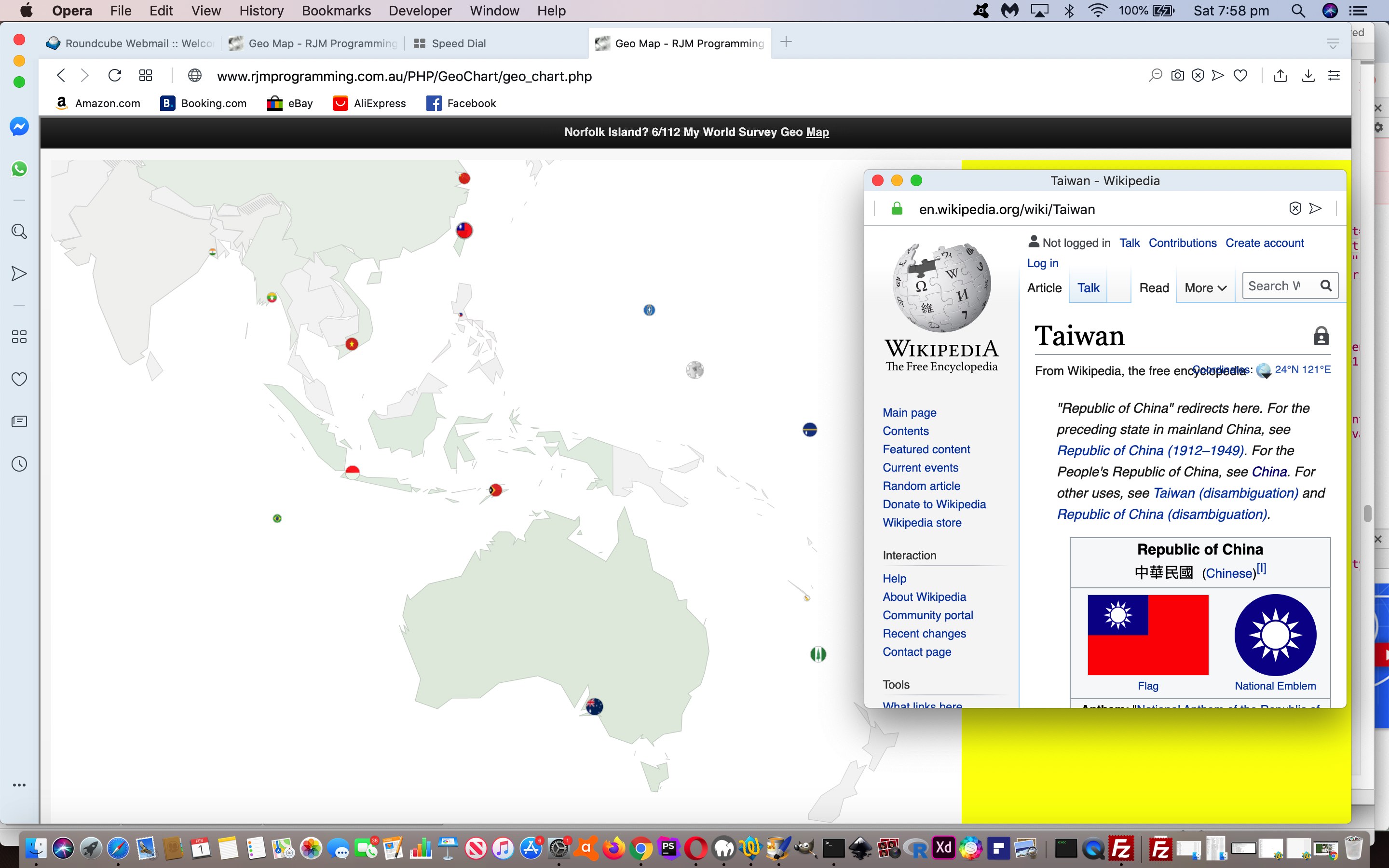
Google Chart Geo Chart Oceania Quiz Tutorial

Google Chart Geo Chart Oceania Quiz Tutorial

Regular readers will know about our penchant for “mathematical induction” theory, in the way you …

  • prove it for 1
  • prove it for 2
  • prove it for n

… and earlier this morning “too proud” moi thought we’d be at “n”, skipping “2” by now getting our Geo Chart interfacing new “Quiz” functionality to have covered user interactions for all the major continents of greater than 10 (of category) places, looking towards the “10 is a bit lame” thinking, to follow. Oh, well! But maybe that’s the point of the “2” in the “mathematical induction” proof “game”. A lot might be discovered, and so it was for us, trying to open the door to … come in …


South East Asia and Oceania ...

… spinner! In broad brush concepts, we discovered …

  • we needed to start to worry about places with an ISO 2 code but no TimeZone …
  • we needed to start to worry about places off to the left, right, and top limits of the Geo Chart limits we establish via those weird width and height values you enter … and on this am sure many will have tweaked that the value integer parts are like a “scalar” measure and the mantissae are a “left zero padded percentage offset into the entire Geo Chart on which to lob” measure
  • we needed to rearrange the scoring system’s denominator as a “seconds timer” rather than a “number of goes”
  • we needed to, at least at the start, mention name of Quiz
  • we needed to start closing previous Wikipedia windows on opening a new one, as applicable
  • we needed to start to worry about clutter (eg. Vatican City and Rome geographicals for two different countries)
  • we needed to start to worry about “skewed representations” (going back to Europe Quiz) whereby the first mention of a country ISO 2 Code within the TimeZone list is a position of a colony or dominion

… whereas we optimistically imagined all we might need to worry about was just …

  • converting (boolean binary decision) variable isquiz=false/true (Javascript code logic) into (string ternary and more decision) variable isquiz=”/’Europe’/’South East Asia and Oceania’ (with more to come … until “n” (for) nirvana) … and associated …
  • adding data-continent=”South East Asia and Oceania” global data attributes into dropdown id=’selceq’ linking ISO 2 codes with Country names
  • trying to add a bit of cursor=’progress’ flagging of web application “thinking time”

Never mind! And so, onto yesterday’s Google Chart Geo Chart Europe Quiz Tutorial progress there is not that much difference user interaction wise, just the offer of another weird “width” value choice (on which to blow your mind) but behind the scenes a “hard working mathematical induction middlemanperson” can now offer you the chance to try the changed geo_chart.php Geo Chart interfacer at this live run link, and enter South East Asia and Oceania Quiz territory by following pointers at the “width” interactive entry (Javascript) prompt window.


Previous relevant Google Chart Geo Chart Europe Quiz Tutorial is shown below.
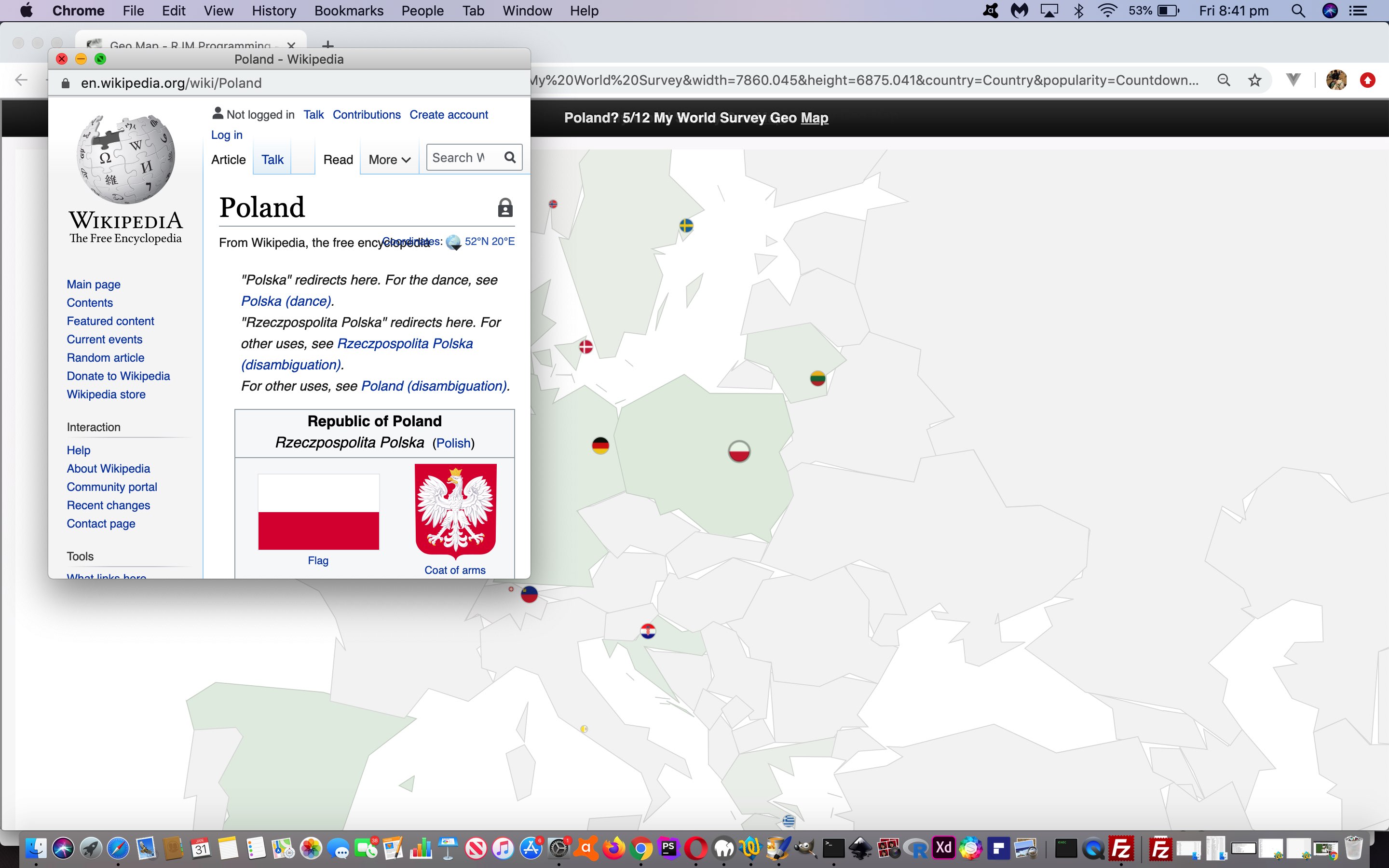
Google Chart Geo Chart Europe Quiz Tutorial

Google Chart Geo Chart Europe Quiz Tutorial

Up to yesterday’s Google Chart Geo Chart Sorted Small Countries Tutorial, as with interfacings to other Google Charts, we had a two phase aspect to the web application structures …

  1. ask for user interaction via the keyboard
  2. display the resultant Google Chart taking notice of that user interaction

… but today’s extension of Geo Chart interfacing functionality opens the door to the new

  • display the resultant Google Chart taking notice of that user interaction and allowing click/touch continuing interaction in the form of a quiz … first cab off the rank … Europe Quiz

The work recently has helped because …


function gck(igck) {
var ansis='';
if (document.getElementById('attachedImage' + ('' + igck).replace('-1',''))) {
var xxx=document.getElementById('attachedImage' + ('' + igck).replace('-1','')).getAttribute('title');
if (xxx.indexOf('#') != -1) {
if (isquiz) {
maybe_bad=false;
if (xxx.split('#')[1].indexOf('/') != -1) {
ansis=xxx.split('#')[1].split('/')[eval(-1 + xxx.split('#')[1].split('/').length)].toLowerCase();
} else {
ansis=xxx.split('#')[1];
}
if (document.getElementById('sans').getAttribute('data-title').toLowerCase().replace(/\ /g,'_') == ansis.toLowerCase().replace(/\ /g,'_')) {
score++;
goes++;
} else {
goes++;
}
document.getElementById('sans').innerHTML='? ' + score + '/' + goes;
}

window.open(xxx.split('#')[1],'_blank', 'top=50,left=50,width=500,height=500');
} else if (xxx == '') {
if (isquiz) {
maybe_bad=false;
if (document.getElementById('attachedImage' + ('' + igck).replace('-1','')).title.indexOf('/') != -1) {
ansis=document.getElementById('attachedImage' + ('' + igck).replace('-1','')).title.split('/')[eval(-1 + xxx.split('#')[1].split('/').length)].toLowerCase();
} else {
ansis=document.getElementById('attachedImage' + ('' + igck).replace('-1','')).title;
}
if (document.getElementById('sans').getAttribute('data-title').toLowerCase().replace(/\ /g,'_') == ansis.toLowerCase().replace(/\ /g,'_')) {
score++;
goes++;
} else {
goes++;
}
document.getElementById('sans').innerHTML='? ' + score + '/' + goes;
}

window.open(document.getElementById('attachedImage' + ('' + igck).replace('-1','')).title,'_blank', 'top=50,left=50,width=500,height=500');
} else {
if (isquiz) {
maybe_bad=false;
if (xxx.indexOf('/') != -1) {
ansis=xxx.split('/')[eval(-1 + xxx.split('/').length)].toLowerCase();
} else {
ansis=xxx;
}
if (document.getElementById('sans').getAttribute('data-title').toLowerCase().replace(/\ /g,'_') == ansis.toLowerCase().replace(/\ /g,'_')) {
score++;
goes++;
} else {
goes++;
}
document.getElementById('sans').innerHTML='? ' + score + '/' + goes;
}

window.open(xxx,'_blank', 'top=50,left=50,width=500,height=500');
}
}
}

… is an onclick place we’ve set aside for our SVG intervention work. Keep it to no keyboard for this Europe Quiz, and we are happy (with this new idea, reminiscent of recent tweaking at Google Chart Annotated Timeline Whitespace Delimitation Tutorial).

So, again, you can try the changed geo_chart.php Geo Chart interfacer at this live run link, and enter Europe Quiz territory by following pointers at the “width” interactive entry (Javascript) prompt window.


Previous relevant Google Chart Geo Chart Sorted Small Countries Tutorial is shown below.
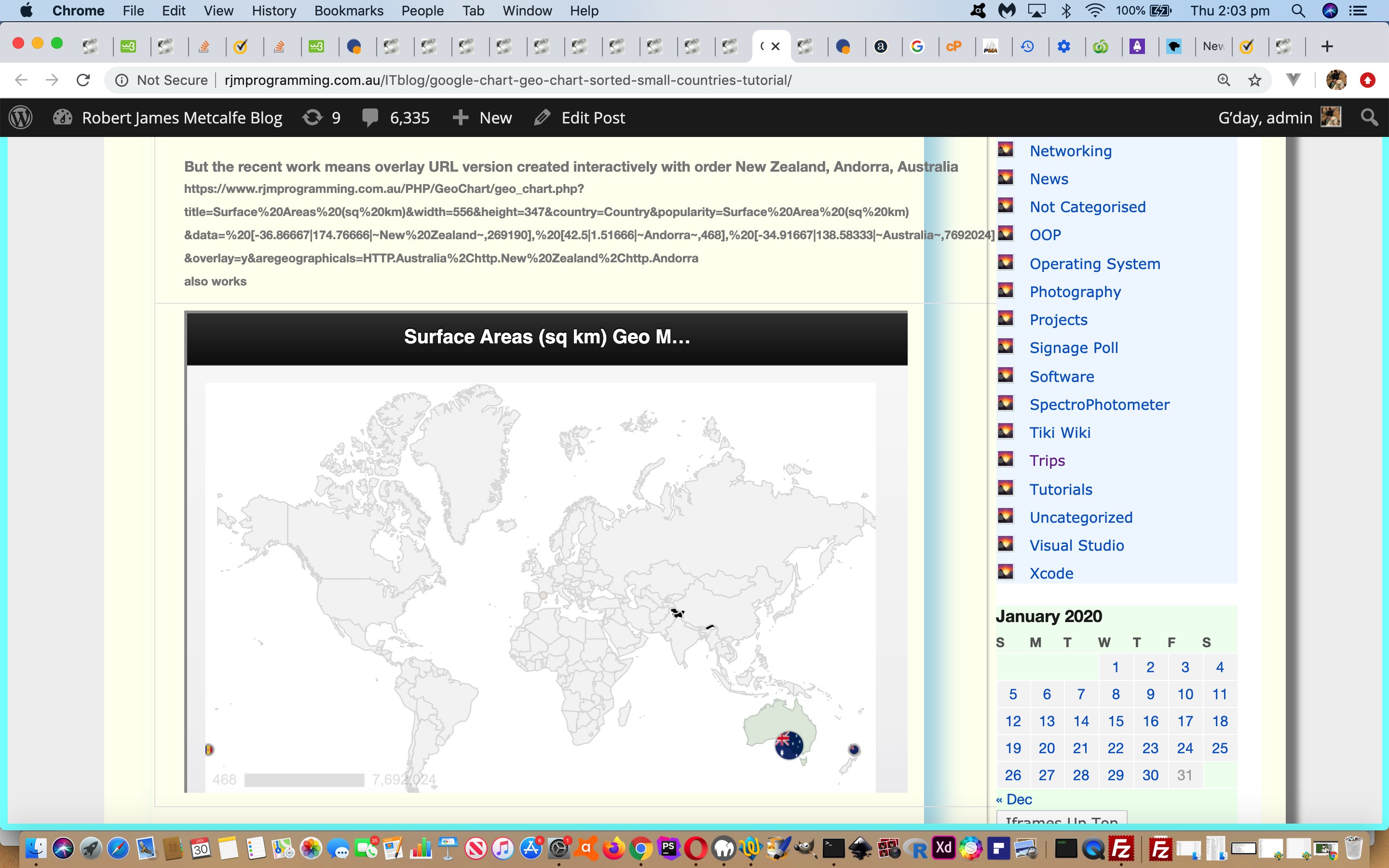
Google Chart Geo Chart Sorted Small Countries Tutorial

Google Chart Geo Chart Sorted Small Countries Tutorial

Yesterday’s Google Chart Geo Chart Small Countries Overlay Tutorial‘s workings potentially using the geographicals (or marker) mode of use actually involve intervention logic within what Google provide SVG-wise for the Geo Chart content.

And so, for some time, the order in which we entered …

Country Surface Area (sq km)
Australia 7692024
New Zealand 269190
Andorra 468

… we entered, interactively by us, like, personally, like, in that order above, like. But for a day or two we were covering up a gap in the “wall of logic” plaster we had created for Google Chart select event logic (actually non-existant for the Geo Chart, but we code for onclick logic to navigate a user to a relevant Wikipedia page). The good news is we have fixed it now, not tying the user down to entering data in any particular order.

Fixed what, now? (I thought I heard you ask?!) Well, the alignment of &aregeographical= data to the symbology presented at the geographical positions on the Geo Map asks that the order we present corresponds to the relevant order of relevant Google SVG elements, and Google orders these from the largest numerical value down to the smallest, as you notice as far as Surface Area (sq km) suits an order of Australia, New Zealand, Andorra …

First non-overlay URL version goes https://www.rjmprogramming.com.au/PHP/GeoChart/geo_chart.php?title=Surface%20Areas%20(sq%20km)&width=1112&height=694&country=Country&popularity=Surface%20Area%20(sq%20km)&data=%20[-34.91667|138.58333|~Australia~,7692024]%20,%20[-36.86667|174.76666|~New%20Zealand~,269190]%20,%20[42.5|1.51666|~Andorra~,468]%20&aregeographicals=http.Australia%2Chttp.New%20Zealand%2Chttp.Andorra
Second overlay URL version goes https://www.rjmprogramming.com.au/PHP/GeoChart/geo_chart.php?title=Surface%20Areas%20(sq%20km)&width=1112&height=694&country=Country&popularity=Surface%20Area%20(sq%20km)&data=%20[-34.91667|138.58333|~Australia~,7692024]%20,%20[-36.86667|174.76666|~New%20Zealand~,269190]%20,%20[42.5|1.51666|~Andorra~,468]%20&overlay=y&aregeographicals=http.Australia%2Chttp.New%20Zealand%2Chttp.Andorra
But the recent work means overlay URL version created interactively with order New Zealand, Andorra, Australia https://www.rjmprogramming.com.au/PHP/GeoChart/geo_chart.php?title=Surface%20Areas%20(sq%20km)&width=1112&height=694&country=Country&popularity=Surface%20Area%20(sq%20km)&data=%20[-36.86667|174.76666|~New%20Zealand~,269190]%20,%20[42.5|1.51666|~Andorra~,468]%20,%20[-34.91667|138.58333|~Australia~,7692024]%20&overlay=y&aregeographicals=http.Australia%2Chttp.New%20Zealand%2Chttp.Andorra
also works

… and the changes necessary to ensure this go


// var pushfrom=[], pushto=[], pushag=[], selceqih='', saih='', oneistoosmall=false, oneisnotapplicable=false;
function assess_small(indatar) {
var ipl=0, jpl=0, kpl=0, pushxx=[];
var outsuffix='';
var outdatar=indatar;
if (pushfrom.length > 0 && !oneisnotapplicable && oneistoosmall) {
for (jpl=0; jpl<pushfrom.length; jpl++) { // for (var ipl=0; ipl<pushfrom.length; ipl++) {
if (jpl == 0) {
var huhdatas=indatar.split('~');
for (var ihuhdatas=2; ihuhdatas<huhdatas.length; ihuhdatas+=2) {
if (huhdatas[eval(-1 + eval('' + ihuhdatas))].split('~')[0].replace('%20',' ').indexOf(' ') != -1) {
pushxx.push(('00000000000000000000000' + huhdatas[ihuhdatas].split(',')[1].split(']')[0]).slice(-22) + ' ... ' + huhdatas[eval(-1 + eval('' + ihuhdatas))].split('~')[0]);
}
pushxx.push(('00000000000000000000000' + huhdatas[ihuhdatas].split(',')[1].split(']')[0]).slice(-22) + ' ... ' + encodeURIComponent(huhdatas[eval(-1 + eval('' + ihuhdatas))].split('~')[0]));
}
pushxx.sort();
pushxx.reverse();
}
ipl=jpl;
for (kpl=0; kpl<pushfrom.length; kpl++) {
if (ipl == jpl && pushxx[jpl].split(' ... ')[1] == pushfrom[kpl].split('~')[1].split('~')[0]) {
ipl=kpl;
pushxx[jpl]=pushxx[jpl].split(' ... ')[0] + ' ... ';
}
}

if (outdatar.indexOf(pushfrom[ipl]) != -1) {
if (outsuffix == '') {
outsuffix='&aregeographicals=' + pushag[ipl];
} else {
outsuffix+='%2C' + pushag[ipl];
}
while (outdatar.indexOf(pushfrom[ipl]) != -1) {
outdatar=outdatar.replace(pushfrom[ipl], pushto[ipl]);
}
}
}
}


return outdatar + outsuffix;
}

Yet again, you can try the changed geo_chart.php Geo Chart interfacer at this live run link.


Previous relevant Google Chart Geo Chart Small Countries Overlay Tutorial is shown below.
Google Chart Geo Chart Small Countries Overlay Tutorial

Google Chart Geo Chart Small Countries Overlay Tutorial

With “overlay” techniques available in life it might be tempting to say “never say never” because you don’t have to compromise a weak solution for a less weak solution. Yesterday’s Google Chart Geo Chart Small Countries Tutorial‘s Google Chart Geo Chart‘s homegrown interfacer tactics for Small Countries is a case in point.

You may recall from yesterday how we dynamically reverted to “geographicals mode” display (Google call it “Markers” mode) when the shading for a Small Country would lead to “data loss”. But what if we …

  • continue what we were doing yesterday “overlayed”

    … onto …

  • what we changed from URL-wise with “function assess_small()” (with the one codeline change

    outsuffix='&overlay=y&aregeographicals=' + pushag[ipl];

    ) … in the form of two new HTML iframe code below …
    <?php

    if (isset($_GET['overlay']) || isset($_POST['overlay'])) {
    echo "<script> function overlayit() {
    var ourls=documentURL.split('&overlay=')[0].split('[');
    var ourl=ourls[0];
    for (var iouris=1; iouris<ourls.length; iouris++) {
    if (ourls[iouris].substring(0,1) == '~') {
    ourl+='[' + ourls[iouris];
    } else {
    ourl+='[' + ourls[iouris].replace(ourls[iouris].split('~')[0],'');
    }
    }
    document.body.style.zIndex='-12';
    document.getElementById('doverlay').innerHTML='<iframe style=\"position:absolute;top:0px;left:0px;width:100%;height:100vh;z-index:2;opacity:0.95;\" src=\"' + ourl + '\"></iframe>';
    document.getElementById('doverlaytwo').innerHTML='<iframe style=\"position:absolute;top:0px;left:0px;width:100%;height:100vh;z-index:22;opacity:0.9;\" src=\"' + documentURL.replace('&overlay=','&qw=') + '&guess=' + '\"></iframe>';
    }
    setTimeout(overlayit, 2000);
    </script>
    ";
    }

    ?>

Again, you can try the changed geo_chart.php Geo Chart interfacer at this live run link.


Previous relevant Google Chart Geo Chart Small Countries Tutorial is shown below.
Google Chart Geo Chart Small Countries Tutorial

Google Chart Geo Chart Small Countries Tutorial

We last used the excellent Google Chart Geo Chart tool with the work of Window LocalStorage Client Versus Server Map Tutorial, and it was this project that alerted us to both a weakness and a strength of that chart …

  • a weakness being its inability to get the resolution to shade a small country (eg. today’s tutorial picture‘s Andorra) … but, the good news, as used with this integration work above …
  • a strength is the alternative display mechanism via geographical entries

… and so, what if …

  • as the user enters in their Country (or Geographical) data …
  • if we can determine it as being a Country being entered … and…
  • you have only ever been entering Countries … and …
  • any one Country so defined has a surface area less than 10000 square kilometers … then …
  • we navigate to a Geographical data version of this “only Countries entered” data set … so that …
  • even small such Countries will be displayed …
  • as they would not if still in the default “only Countries entered” mode of display

We introduce three new sources of data in order to piece together the (Javascript via PHP coding) logic for this …

  1. TimeZone and Geographicals and ISO 2 Letter Code information …

    var ourtzlist='<option value="Africa/Abidjan" data-geo="5.31666,-4.03334,GMT,CI,+0">Africa/Abidjan</option><option value="Africa/Accra" data-geo="5.55,-0.21667,GMT,GH,+0">Africa/Accra</option>'; // etcetera etcetera etcetera
  2. Country Name and ISO 2 Letter Code information (etcetera etcetera etcetera) …

    <div id=dlookups>
    <select id='selceq' style='display:none;'>
    <option value='AF'>Afghanistan</option>
    <option value='AX'>Aland Islands</option>
    <option value='AL'>Albania</option>
    </select></div>
  3. Surface Areas of Countries thanks to Wikipedia (etcetera etcetera etcetera) …

    <table style='display:none;' id='surface_area' border='1' cellpadding='2' cellspacing='0'>
    <tbody><tr bgcolor='#efefef'>
    <th>Pos
    </th><th>Country
    </th>
    <th>Area (km²)
    </th></tr>
    <tr>
    <td>1</td>
    <td><a data-href='/wiki/Russia' title='Russia'>Russia</a></td>
    <td>17098246
    </td></tr>
    <tr>
    <td>2</td>
    <td><a data-href='/wiki/Canada' title='Canada'>Canada</a></td>
    <td>9984670
    </td></tr>
    <tr>
    <td>3</td>
    <td><a data-href='/wiki/People%27s_Republic_of_China' title='People's Republic of China'>China</a></td>
    <td>9572900
    </td></tr>
    </tbody></table>

… used where we process a user Country (or Geographical) interaction Javascript code snippet where variable thisris is that user interaction result …


var pushfrom=[], pushto=[], pushag=[], selceqih='', saih='', oneistoosmall=false, oneisnotapplicable=false;

if (ourtzlist.indexOf(',' + thisris.toUpperCase() + ',') != -1 && thisris.length == 2) {
if (selceqih == '') { selceqih=document.getElementById('selceq').innerHTML; }
if (saih == '') { saih=document.getElementById('surface_area').innerHTML; }
pushfrom.push('[~' + thisris + '~');
pushto.push('[' + ourtzlist.split(',' + thisris.toUpperCase() + ',')[0].split(' data-geo=\"')[eval(-1 + ourtzlist.split(',' + thisris.toUpperCase() + ',')[0].split(' data-geo=\"').length)].split(',')[0] + '|' + ourtzlist.split(',' + thisris.toUpperCase() + ',')[0].split(' data-geo=\"')[eval(-1 + ourtzlist.split(',' + thisris.toUpperCase() + ',')[0].split(' data-geo=\"').length)].split(',')[1] + '|~' + thisris.toUpperCase() + '~');
if (selceqih.indexOf(' value=\"' + thisris.toUpperCase() + '\">') != -1) {
pushag.push('http.' + encodeURIComponent(selceqih.split(' value=\"' + thisris.toUpperCase() + '\">')[1].split('<')[0]));
} else {
pushag.push('');
}
if (saih.indexOf('>' + selceqih.split(' value=\"' + thisris.toUpperCase() + '\">')[1].split('<')[0]) != -1) {
thissa=saih.split('>' + selceqih.split(' value=\"' + thisris.toUpperCase() + '\">')[1].split('<')[0])[1].split('<td>')[1].split('<')[0].split(String.fromCharCode(10))[0];
if (eval('' + thissa) < 10000) {
oneistoosmall=true;
}
}
} else if (('' + thisris).trim() != '' && selceqih.toUpperCase().indexOf('>' + thisris.toUpperCase()) != -1) {
thisisocc=selceqih.toUpperCase().split('>' + thisris.toUpperCase())[0].split(' VALUE=\"')[eval(-1 + selceqih.toUpperCase().split('>' + thisris.toUpperCase())[0].split(' VALUE=\"').length)].split('\"')[0];
pushfrom.push('[~' + encodeURIComponent(thisris) + '~');
pushto.push('[' + ourtzlist.split(',' + thisisocc + ',')[0].split(' data-geo=\"')[eval(-1 + ourtzlist.split(',' + thisisocc + ',')[0].split(' data-geo=\"').length)].split(',')[0] + '|' + ourtzlist.split(',' + thisisocc + ',')[0].split(' data-geo=\"')[eval(-1 + ourtzlist.split(',' + thisisocc + ',')[0].split(' data-geo=\"').length)].split(',')[1] + '|~' + encodeURIComponent(thisris) + '~');
pushag.push('http.' + encodeURIComponent(thisris));
if (thisris.indexOf(' ') != -1) {
pushfrom.push('[~' + thisris + '~');
pushto.push('[' + ourtzlist.split(',' + thisisocc + ',')[0].split(' data-geo=\"')[eval(-1 + ourtzlist.split(',' + thisisocc + ',')[0].split(' data-geo=\"').length)].split(',')[0] + '|' + ourtzlist.split(',' + thisisocc + ',')[0].split(' data-geo=\"')[eval(-1 + ourtzlist.split(',' + thisisocc + ',')[0].split(' data-geo=\"').length)].split(',')[1] + '|~' + encodeURIComponent(thisris) + '~');
pushag.push('http.' + encodeURIComponent(thisris));
}
if (saih.toUpperCase().indexOf('>' + thisris.toUpperCase()) != -1) {
thissa=saih.toUpperCase().split('>' + thisris.toUpperCase())[1];
thissa=thissa.split('<TD>')[1].split('<')[0].split(String.fromCharCode(10))[0];
if (eval('' + thissa) < 10000) {
oneistoosmall=true;
}
}
}

… and if remaining relevant just before the next navigation happens, where variable indatar represents the default “only Countries entered” mode of display value …


// var pushfrom=[], pushto=[], pushag=[], selceqih='', saih='', oneistoosmall=false, oneisnotapplicable=false;
function assess_small(indatar) {
var outsuffix='';
var outdatar=indatar;
if (pushfrom.length > 0 && !oneisnotapplicable && oneistoosmall) {
for (var ipl=0; ipl<pushfrom.length; ipl++) {
if (outdatar.indexOf(pushfrom[ipl]) != -1) {
if (outsuffix == '') {
outsuffix='&aregeographicals=' + pushag[ipl];
} else {
outsuffix+='%2C' + pushag[ipl];
}
while (outdatar.indexOf(pushfrom[ipl]) != -1) {
outdatar=outdatar.replace(pushfrom[ipl], pushto[ipl]);
}
}
}
}


return outdatar + outsuffix;
}

You can try the changed geo_chart.php Geo Chart interfacer at this live run link.


Previous relevant Window LocalStorage Client Versus Server Map Tutorial is shown below.
Window LocalStorage Client Versus Server Map Tutorial

Window LocalStorage Client Versus Server Map Tutorial

Get a good map, and a goodly number of times you’ll want a map of smaller or larger scale than the one you have. Murphy’s Law? This is probably why in the wonderful woooooooorrrrrrrrlllllld of Google Charts they have included …

  • Geo Chart topographic map of the world or of regions
  • Map Chart terrestrial/satellite map of your group of markers at a zoom level of your choosing

… and hope you can see that the latter can save the day for a Short Distance Trip (corner shop, anyone?!).

So we’ve added onto yesterday’s Window LocalStorage Client Versus Server Timeline Tutorial progress a new toggling button to view a scenario in either Google Chart scenario above.

You can see this integration work with our changed wls_vs_php.htm‘s Capital City Find Matching Country Report live run link supervising a tweaked geo_chart.php Geo Chart interfacer.


Previous relevant Window LocalStorage Client Versus Server Timeline Tutorial is shown below.
Window LocalStorage Client Versus Server Timeline Tutorial

Window LocalStorage Client Versus Server Timeline Tutorial

Up to yesterday’s Window LocalStorage Client Versus Server User Tutorial‘s progress, our Capital City Find Matching Country Report web application project was all about …

  • where (and capital of “what”) … but we often seek out a way to add into the mix that 4th dimension …
  • when (ie. time)

… and regarding the current project, a …

  • where “map” … can interface with a …
  • when “Trip Plan Itinerary”

… and for this purpose, we’re going to interface to the excellent Google Charts Annotated Timeline Chart, thanks, because it combines links of “time” to “user annotations” in a timeline way, that similar way you might describe the qualities of a Trip, even before you’ve gone on that trip. We’ve also added it so that an unordered places list can be turned into a Trip Plan Itinerary at the click/touch of a new map 🗺 &#128506; emoji button.

Again, see how these timeline amendments were achieved with our changed wls_vs_php.htm‘s Capital City Find Matching Country Report live run link and annotatedtimeline_chart.php which changed quite a lot.


Previous relevant Window LocalStorage Client Versus Server User Tutorial is shown below.
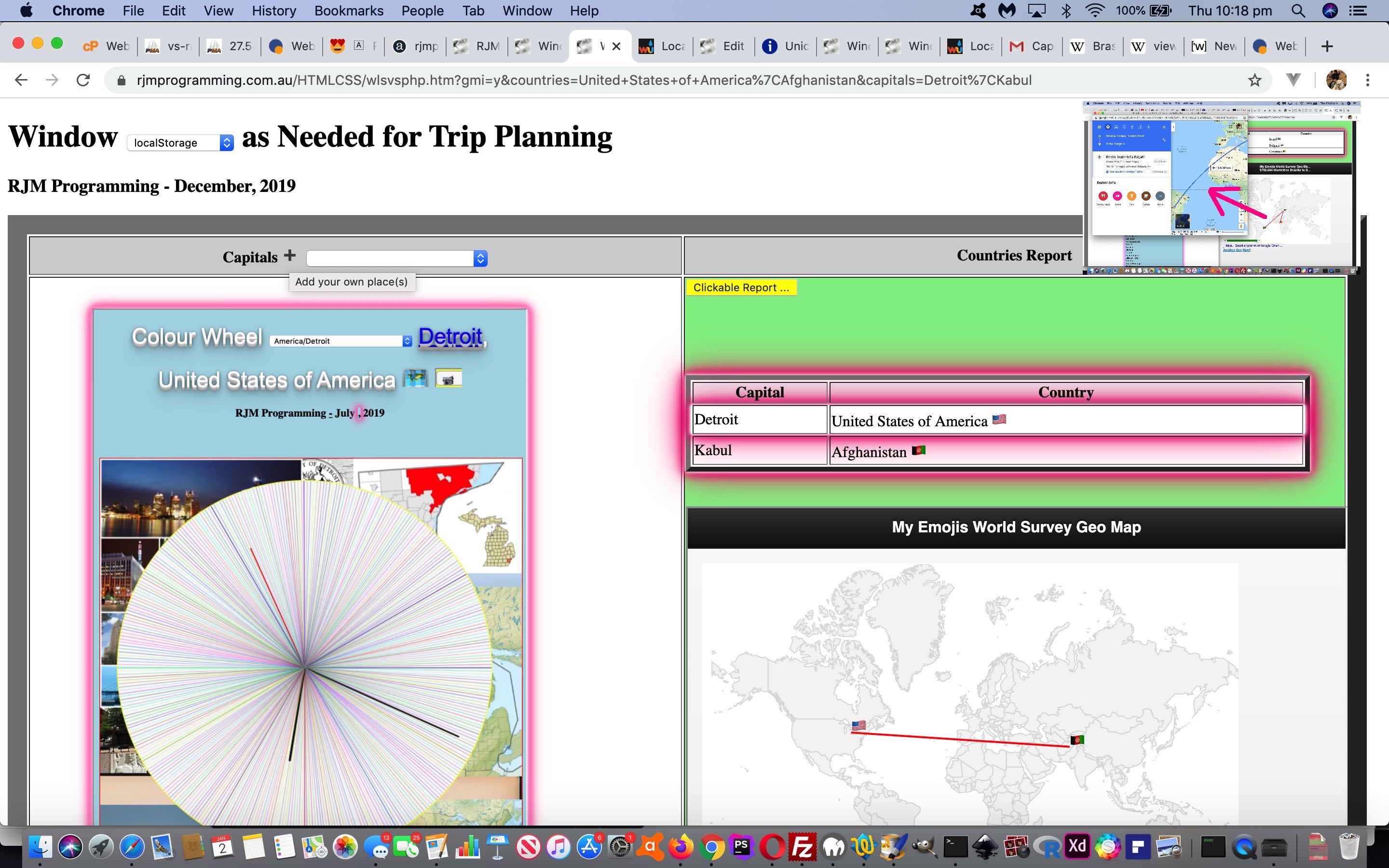
Window LocalStorage Client Versus Server User Tutorial

Window LocalStorage Client Versus Server User Tutorial

The inherent weakness with our current Capital City Find Matching Country Report web application project, to our minds, was that places of interest are not restricted to the Capital Cities of Countries, especially when “Trip Planning”. On the other hand, it would be impossible to cater for every “place” in the world. That is far too subjective for good web application applicability. What would be good though, is to allow in user defined …


Place name, Country name

… terms, the definitions of interest to a user. We can ask this …

  • flagged by the click/touch of an emoji button … and …
  • the interactive entry presented via a Javascript prompt window

. When thinking of data applicable to an individual, then that can be catered for by recording it in localStorage where it will be recalled on the next execution of that web application in the same web browser.

This, along with a Colour Wheel of the “nearest TimeZone place” onto the existing logic of yesterday’s Window SessionStorage Client Versus Server Order Tutorial progress could make for a more useful and practical tool for those Trip Planners out there!

See how this was achieved with our changed wls_vs_php.htm‘s Capital City Find Matching Country Report live run link.

Did you know?

To click/touch one of those Google Chart Geo Chart lines between Emoji Flag Markers will show a new Google Maps directions web page with transport times and detail, as well as an inhouse crow fly distance of that trip leg, as shown up the top right of today’s tutorial picture.


Previous relevant Window SessionStorage Client Versus Server Order Tutorial is shown below.
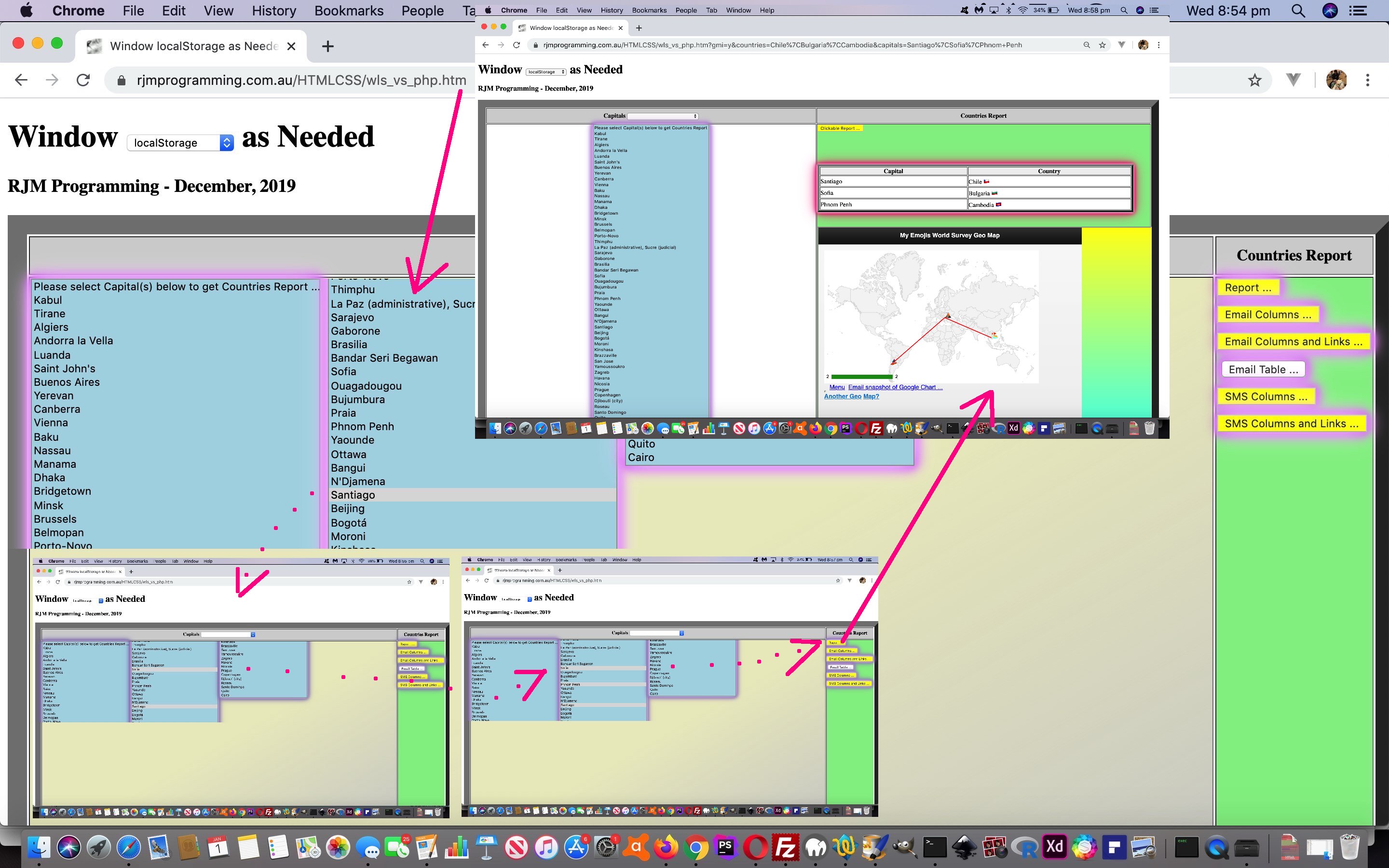
Window SessionStorage Client Versus Server Order Tutorial

Window SessionStorage Client Versus Server Order Tutorial

If we are to honour our thoughts of being able to use our current Capital City Find Matching Country Report web application as a Trip Planner …

Our primary integration today is to (software) integrate the great Weather Underground and its great API service for autocomplete name searches for weather (and hurricane) information. Why bother? Well, can you not envisage a user using that Ajax functionality of yesterday’s Window SessionStorage Client Versus Server Ajax Tutorial as a trip planner, perhaps, or as a “checking up on relatives overseas” tool, perhaps? And not all the capital cities are timezone places, and so for some of those we can use Weather integration to still show apt online information when click/touching a Countries Report row. Speaking of this “row”, we make an improvement whereby on a first click of a right hand (Country) row cell, that cell is not initially a contenteditable=”true” one (that may frustrate showing the keyboard on mobile, when most likely it was the row touch intended), but then becomes a contenteditable=”true” cell henceforth.

… then yesterday’s Window SessionStorage Client Versus Server Flags Tutorial “progress to now” needs to take notice of a user’s order of multiple select (dropdown) element click/touching of Capital City option (sub)elements, just as we did with the recent User Controlled Dynamic Javascript YouTube Embedded API Ordered Tutorial‘s web application project to allow for a user ordered YouTube video playlist.

Because what is a Trip Planner without an ordered trip? Well, that is debatable, but what isn’t (debatable), is that there will be people in the world who appreciate the “mapping out” of a proposed Trip Planning Itinerary. What could we call on here? We can think of the Google Chart Geo Chart work around about the time of Google Geo Chart Co-ordinate Emojis Tutorial, when we started using …

  • a world map … with …
  • emoji markers … and optionally …
  • joined up by straight lines

… an idea for a Trip Plan itinerary synopsis, perhaps?!

If you examined closely yesterday’s code changes you will have noticed our collecting of TimeZone Place geographical latitude and longitude information. Today, we start making use of that preparatory work with our changed wls_vs_php.htm‘s Capital City Find Matching Country Report live run link.

Stop Press

The “emoji markers” above (as of 2 January 2020) will be “country flags” (as per Window SessionStorage Client Versus Server Flags Tutorial ideas), as defined.


Previous relevant Window SessionStorage Client Versus Server Flags Tutorial is shown below.
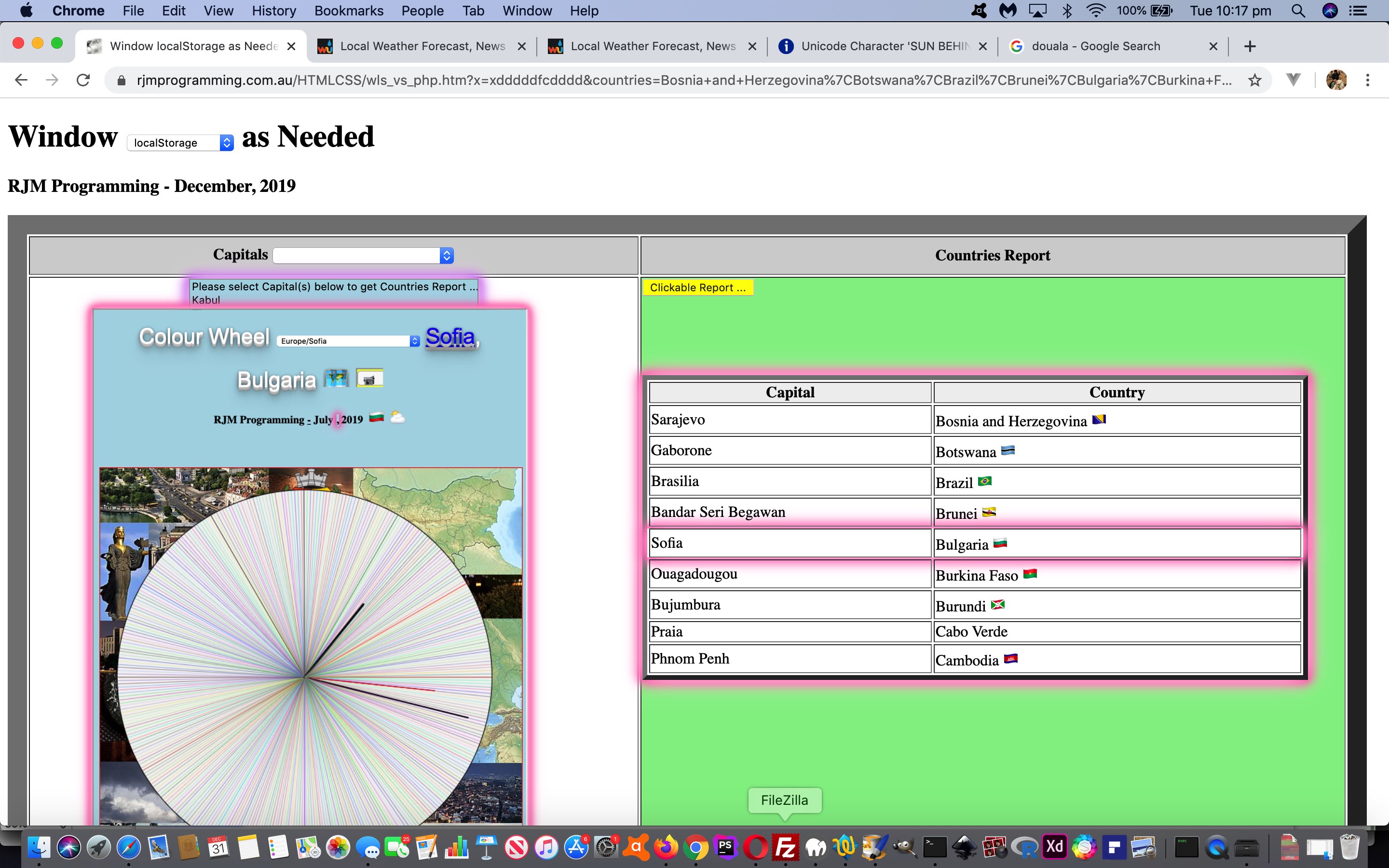
Window SessionStorage Client Versus Server Flags Tutorial

Window SessionStorage Client Versus Server Flags Tutorial

Yes, there’s more to do onto yesterday’s Window SessionStorage Client Versus Server CSS Tutorial‘s Capital City Find Matching Country Report web application project, in our eyes. We have not even mentioned “Internationalization” as a concept up to now. In this line of thinking …

Did you know?

Emoji flags via ISO 2 character country codes are dead easy via Regional Indicator Symbol characters …


var lri="ABCDEFGHIJKLMNOPQRSTUVWXYZ";
var dri=["127462","127463","127464","127465","127466","127467","127468","127469","127470","127471","127472","127473","127474","127475","127476","127477","127478","127479","127480","127481","127482","127483","127484","127485","127486","127487"];

var thiscc='AU'; // ISO 2 character countrycode for Australia
var ccsuff='', ccchar=' ';
for (var iccsuff=0; iccsuff<thiscc.length; iccsuff++) {
ccchar=thiscc.substring(iccsuff, eval(1 + eval('' + iccsuff))).toUpperCase();
ccsuff+='&#' + dri[eval('' + lri.indexOf(ccchar))] + ';';
}
document.getElementById('lastflag').innerHTML=ccsuff;

… to result in (via <span style=font-size:64px;>&#127462;&#127482;</span>) …


🇦🇺

… providing interest and general translatability to the changed wls_vs_php.htm‘s Capital City Find Matching Country Report live run link.


Previous relevant Window SessionStorage Client Versus Server CSS Tutorial is shown below.
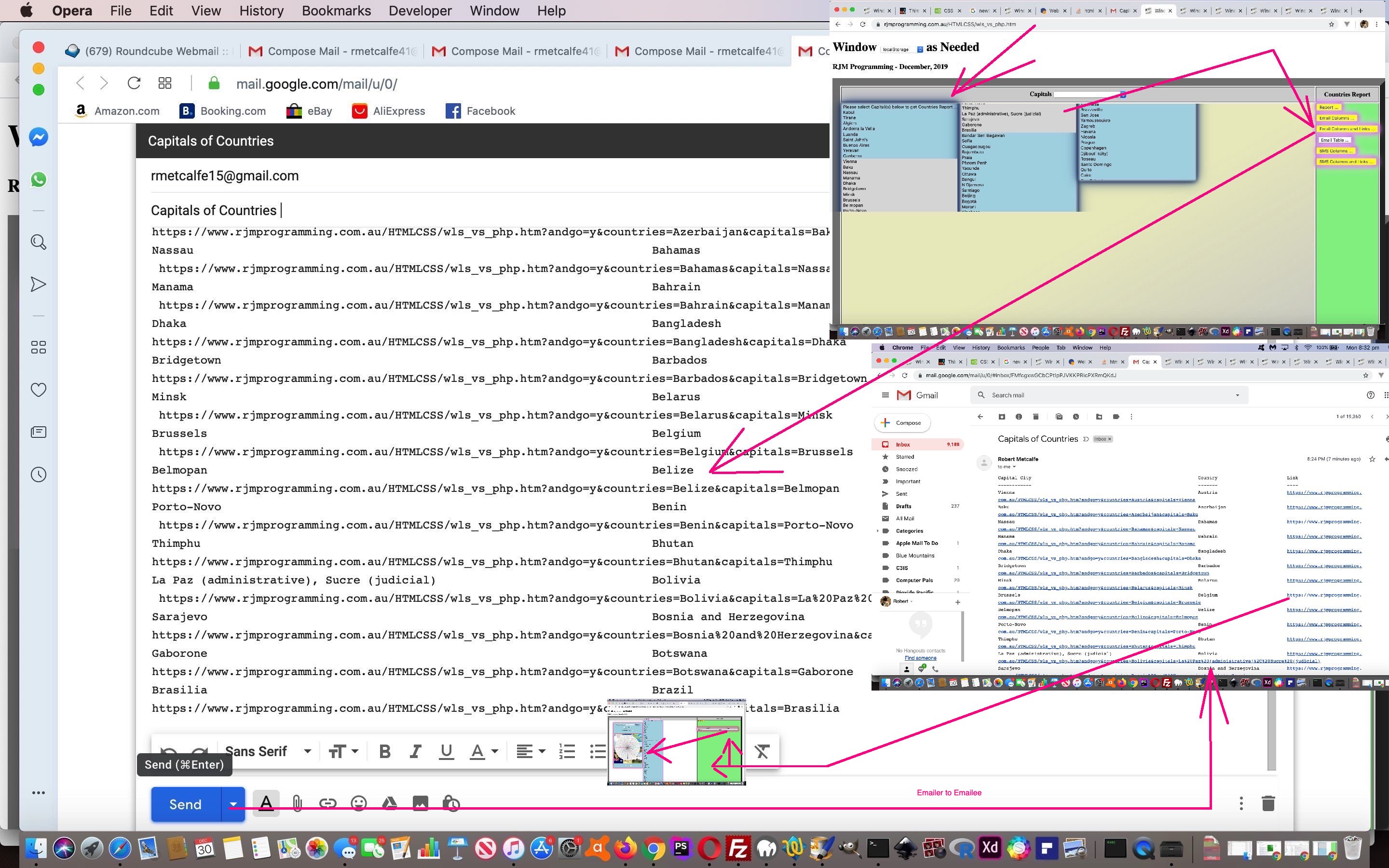
Window SessionStorage Client Versus Server CSS Tutorial

Window SessionStorage Client Versus Server CSS Tutorial

Further to yesterday’s Window SessionStorage Client Versus Server Integration Tutorial we have a two pronged improvements set for you today with our current Capital City Find Matching Country Report web application project …

  • CSS styling changes … and …
  • additional functionality for Email and SMS links back to our current Capital City Find Matching Country Report web application project (to complete the cycle)

We use several modes of CSS application (the first and last of particular relevance to today’s “highlighting of workflow” improvements) …

… the “static” measures often helping to highlight the web application’s main workflow of user interaction and the “dynamic” measures helping to alert the user as to where to proceed with their “workflow”.

In terms of CSS styling work …

  1. for non-mobile platforms we allow for more columns to be applied to our Capitals select (dropdown) element (in order to reduce some user scrolling, as does our new additional A-Z letter basis sorting functionality) as per … the “dynamic” Javascript DOM “class” modifications

    if (!navigator.userAgent.match(/Android|BlackBerry|iPhone|iPad|iPod|Opera Mini|IEMobile/i)) {
    document.getElementById('lefttd').className='lefttd';
    }

    … dovetailing with the “static” internal CSS coding

    <style>
    .lefttd {
    column-count: 4;
    max-height: 35%;
    vertical-align: top;
    max-width: 70%;
    font-size: 8px;
    background-color: rgba(205,205,205,0.5);
    background-image: -webkit-gradient(
    linear,
    right bottom,
    left top,
    color-stop(0, rgba(205, 205, 205, 0.8)),
    color-stop(0.50, rgba(255, 255, 0, 0.2))
    );
    background-image: -o-linear-gradient(left top, rgba(205, 205, 205, 1) 0%, rgba(255, 255, 0, 0.2) 50%);
    background-image: -moz-linear-gradient(left top, rgba(205, 205, 205, 1) 0%, rgba(255, 255, 0, 0.2) 50%);
    background-image: -webkit-linear-gradient(left top, rgba(205, 205, 205, 1) 0%, rgba(255, 255, 0, 0.2) 50%);
    background-image: -ms-linear-gradient(left top, rgba(205, 205, 205, 1) 0%, rgba(255, 255, 0, 0.2) 50%);
    background-image: linear-gradient(to left top, rgba(205, 205, 205, 1) 0%, rgba(255, 255, 0, 0.2) 50%);

    }
    </style>

    … and please note that around here at RJM Programming we have a “far from hard and fast rule” (but a rule regardless) regarding HTML element ID and class attributes that they concern (and (usually) be compartmentalised into) Javascript (DOM) manipulations and CSS styling issues respectively … and add a linear-gradient background to the table cell when expecting the initial user interaction on non-mobile platforms
  2. a “dynamic” Javascript DOM “class” modification … document.getElementById(‘myrepsb’).className=’dglow’; … is made to the “Report…” button at the Capitals select (dropdown) onfocusout event so as to highlight (with “glow” inspired styling) where user interaction may flow to

As far as links go, you may expect to need serverside means to construct these in online Email and SMS message interfacing, but email (client program) products like Gmail parse your ascii text and convert http: or https: protocol URLs in your Email body to hyperlinks, as does the Messages SMS application here on this MacBook Pro using macOS Mojave. Cute, huh?! So to close the circle back from remote thar’ parts back to our web application is a simple matter of, in broad brush terms …

  • adding two new buttons called “Email Columns and Links …” and “SMS Columns and Links …” that …
  • set a global variable andlinkto = true; … setting in play, within the report writing code (that likes monospaced fonts) …
  • add a new links column to the right with URLs like …
    https://www.rjmprogramming.com.au/HTMLCSS/wls_vs_php.htm?andgo=y&countries=Belize&capitals=Belmopan
    … to tell your client programs to form the hyperlinks for us (if they are “of the mood”, that is!)

To improve user experience we use “dynamic” Javascript DOM HTML “style” attribute change means to easier close the “Colour Wheel” helper web application “above the fold” by changing the CSS z-index (Javascript DOM [element].style.zIndex) of elements accordingly, when the user clicks other elements. You can see all this with the first “the changed” link above, where all “glow” CSS styling will also feature prominently.


Previous relevant Window SessionStorage Client Versus Server Integration Tutorial is shown below.
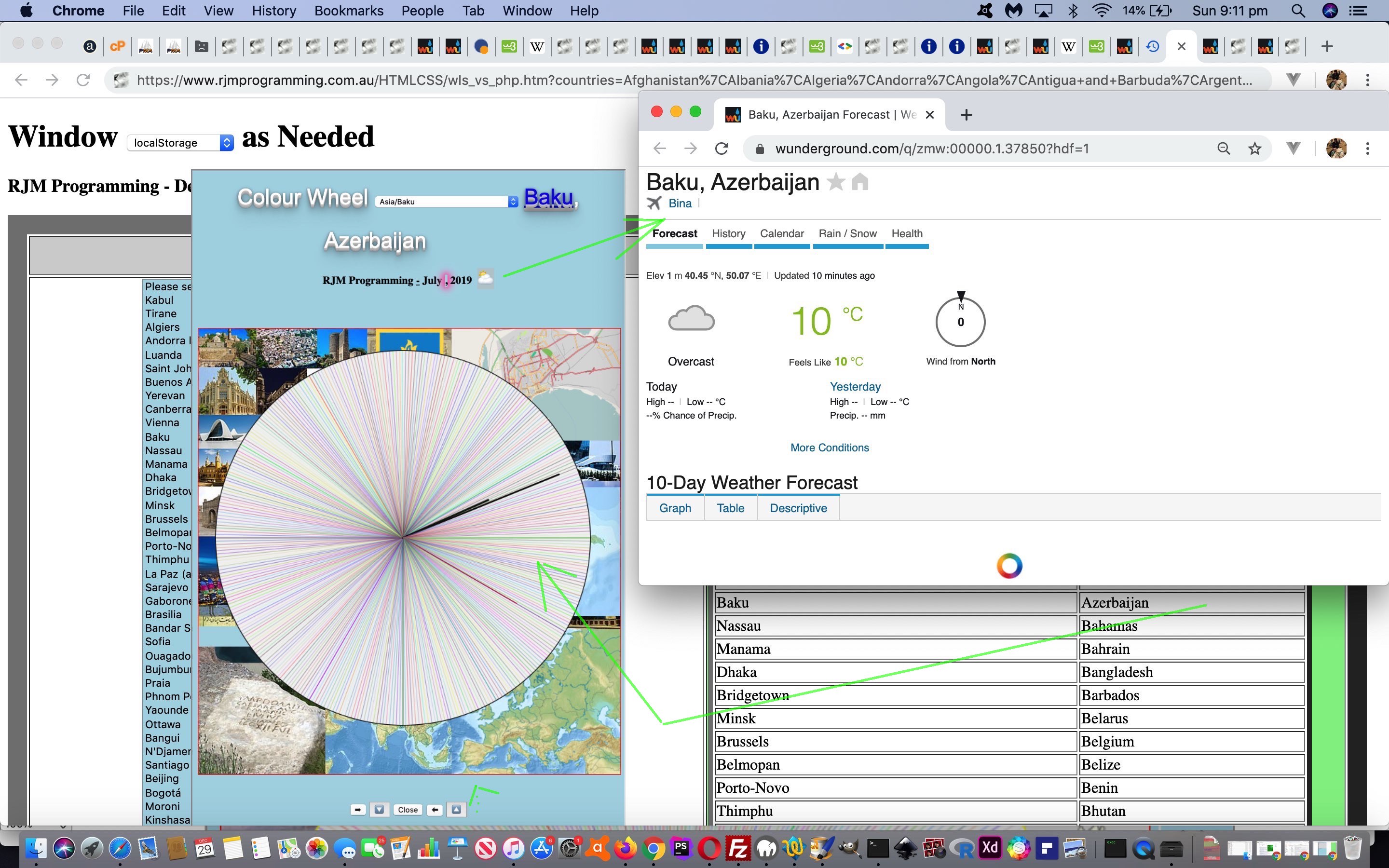
Window SessionStorage Client Versus Server Integration Tutorial

Window SessionStorage Client Versus Server Integration Tutorial

We hope, when performing a “software integration” task, that the two or more components of that integration work with each other’s talents, rather than a big tussle like reinventing the wheel. This ideal makes the work …

  • sometimes difficult but rewarding because …
  • the differences between two independent software components can be quite large and daunting … and the programmer has to see that …
  • care is applied so as not to wreck previous functionality and integrations in making the current integration work

… and that is why we’ve made corollaries to “building from scratch” (when planning and design is a huge component) can be a lot simpler than a software integration “renovation”, in the past, here at this blog.

Our primary integration today is to (software) integrate the great Weather Underground and its great API service for autocomplete name searches for weather (and hurricane) information. Why bother? Well, can you not envisage a user using that Ajax functionality of yesterday’s Window SessionStorage Client Versus Server Ajax Tutorial as a trip planner, perhaps, or as a “checking up on relatives overseas” tool, perhaps? And not all the capital cities are timezone places, and so for some of those we can use Weather integration to still show apt online information when click/touching a Countries Report row. Speaking of this “row”, we make an improvement whereby on a first click of a right hand (Country) row cell, that cell is not initially a contenteditable=”true” one (that may frustrate showing the keyboard on mobile, when most likely it was the row touch intended), but then becomes a contenteditable=”true” cell henceforth.

As a user experience improvement for “trip planners” perhaps, we allow the user to alphabetically sort the presented select (dropdown) element entries …


var firstopt='';
var wasopts='';
var restopts='';

function readyitforsort(iselid) {
var optsare=[];
var huhisel=document.getElementById(iselid).innerHTML;
var huhsopts=huhisel.split('</option>');
for (var ihuh=0; ihuh<huhsopts.length; ihuh++) {
if (huhsopts[ihuh].trim() != '') {
if (firstopt == '') {
firstopt=huhsopts[ihuh] + '</option>';
} else {
wasopts+=huhsopts[ihuh].replace('option ','option data-ih="' + (huhsopts[ihuh].split('>')[eval(-1 + huhsopts[ihuh].split('>').length)] + '" ')) + '</option>';
optsare.push(huhsopts[ihuh].replace('option ','option data-ih="' + (huhsopts[ihuh].split('>')[eval(-1 + huhsopts[ihuh].split('>').length)] + '" ')) + '</option>');
}
}
}
optsare.sort();
for (var jhuh=0; jhuh<optsare.length; jhuh++) {
restopts+=optsare[jhuh];
}
}

… controlled by a new dropdown in the left hand column header cell.

We also allow the user to move the iframe element with some positioning emoji buttons near the “Close” button one (of yesterday’s work).

Into the future, too, we’ll have more to say regarding the germination of an idea “to allow a mobile onmouseover simulator (of sorts)” be to allow the user to perform a swipe across an individual HTML element of interest on mobile platforms (ie. harness ontouchmove event) as per (so far) … kicked off by “<body onload=” setTimeout(athn, 5000); “>” …


var last24='';
var rectdc;

function nodivalert() {
document.getElementById('divalert').style.display='none';
document.getElementById('divalert').style.zIndex='-456';
document.getElementById('divalert').style.left=('-' + rectdc.left).replace('px','') + 'px';
document.getElementById('divalert').style.top=('-' + rectdc.top).replace('px','') + 'px';
}

function ourdivalert(inmsg) {
document.getElementById('divalert').style.position='absolute';
document.getElementById('divalert').style.left=('' + rectdc.left).replace('px','') + 'px';
document.getElementById('divalert').style.top='' + eval(-80 + eval(('' + rectdc.top).replace('px',''))) + 'px';
document.getElementById('divalert').style.backgroundColor='#e0e0e0';
document.getElementById('divalert').style.display='block';
document.getElementById('divalert').style.zIndex='456';
document.getElementById('divalert').style.opacity='0.8';
document.getElementById('divalert').style.padding='5px 5px 5px 5px';
document.getElementById('divalert').innerHTML=inmsg + '<br><br><input type=button value=Close onclick=nodivalert();></input>';
setTimeout(nodivalert,9000);
}

function athn() {
rectdc=document.getElementById('dc').getBoundingClientRect();
if (navigator.userAgent.match(/Android|BlackBerry|iPhone|iPad|iPod|Opera Mini|IEMobile/i)) {
document.getElementById('dc').ontouchmove=function(event) { if (last24.substring(0,eval(-1 + last24.length)) == event.target.title.substring(0,eval(-1 + event.target.title.length))) { last24=last24; } else { last24=event.target.title; ourdivalert(event.target.title); } }
} else {
document.getElementById('dc').onmousemove=function(event) { if (last24.substring(0,eval(-1 + last24.length)) == event.target.title.substring(0,eval(-1 + event.target.title.length))) { last24=last24; } else { last24=event.target.title; ourdivalert(event.target.title); } }
}
}

… working with the new HTML …


<div id=divalert></div>
</body>
</html>

… to try to allow the “explainer of an element” advantages non-mobile platforms have for hovering over an HTML element with a title attribute filled in.

And so, yet again, see the changed wls_vs_php.htm‘s Capital City Find Matching Country Report live run link’s new Weather integration functionality. It caused the changed colour_wheel.html‘s colour wheel (at this live run link) to be affected (by integrations “up”).


Previous relevant Window SessionStorage Client Versus Server Ajax Tutorial is shown below.
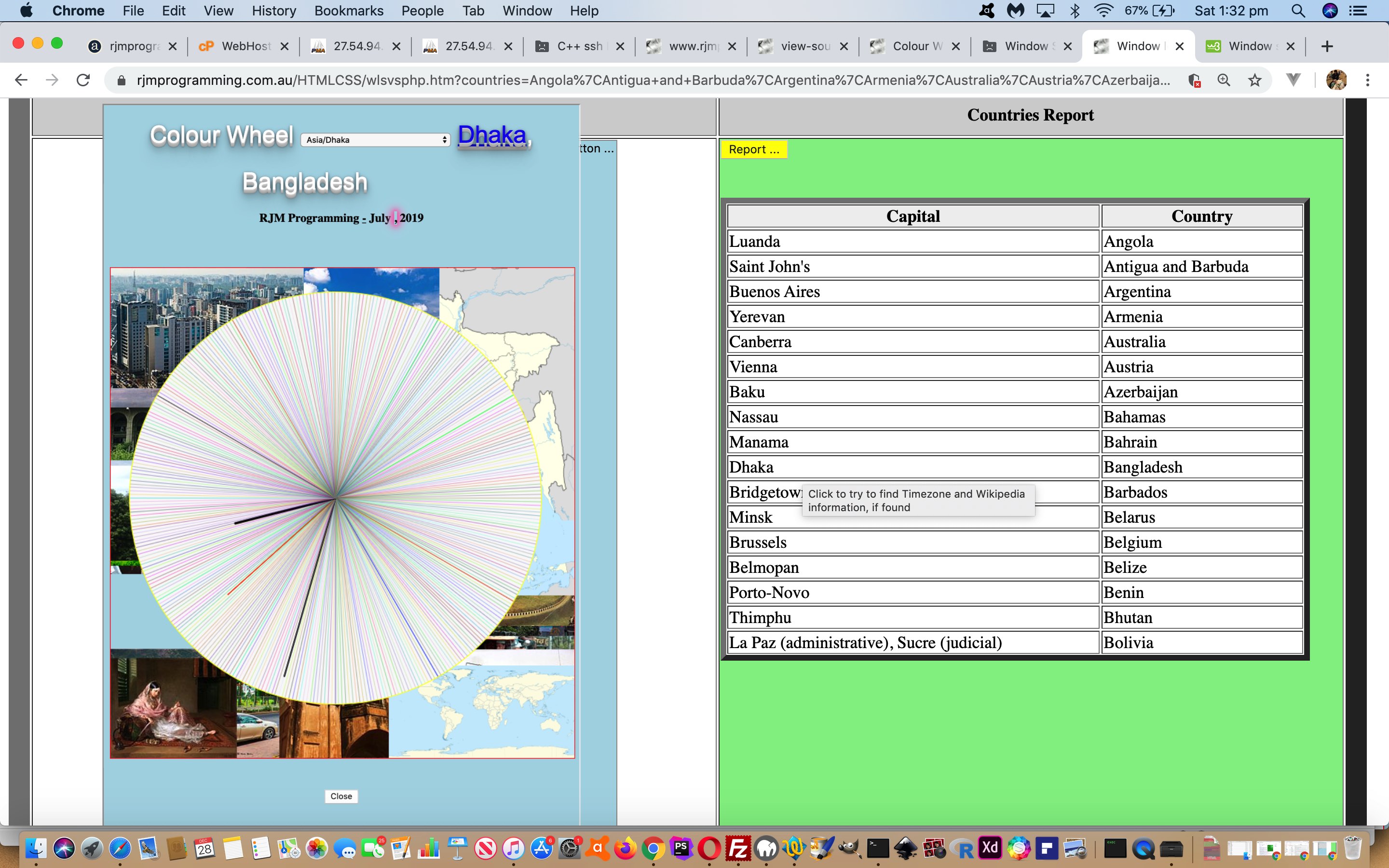
Window SessionStorage Client Versus Server Ajax Tutorial

Window SessionStorage Client Versus Server Ajax Tutorial

We have a few “clientside chestnuts” to use with our current Capital City Find Matching Country Report web application project today, those being …

  • Ajax functionality, kicked off by an “onclick” event set of logic, allowing mobile platforms to also have a look in (the look in that they miss when the event logic is off the “onmouseover” event)
  • iframe and its …
    1. srcdoc attribute (“content” alternative to src “url” attribute) … along with, and crucially needing (because srcdoc ignores its own document.body onload goings on, that we need the “Iframe Client Pre-Emptive” methods below to circumvent) the …
    2. onload event opportunity of an iframe element (we group into “Iframe Client Pre-Emptive” methods, here)

… adding onto yesterday’s Window SessionStorage Client Versus Server Canvas Tutorial.

It’s not that involved with the Ajax work today, given that there are no cross-domain issues, though there are cross-protocol (SSL https: versus non-SSL http:) issues to be careful about. Those can be addressed because the web application is recalled to present its “Country Report” and that is the opportunity to check on protocol navigation requirements.

Along the way, we also make this happen for the user on …

  • click/touching a table row … it sets off new “tr” (table row) element logic calling our (inhouse) Timezone and Wikipedia Place Information helper (HTML) via Ajax (so not leaving the webpage) … and because of place name oddities we allow for …
  • “td” (table cell) element user amendments by setting their contenteditable attributes to “true” (since fixed, but we found the Timezone Europe/Tirane pointing at Tirane in Albania used to be spelt “Tirana”)

… that latter methodology normally a technique we apply to “div” elements (so, there you are!)

Also used are “overlay” techniques, two of the “usual suspects” here coming into play, to present to the “Ajax content to srcdoc iframe arrangements” …

Yet again, see the changed wls_vs_php.htm‘s Capital City Find Matching Country Report live run link’s new “Ajax” functionality.


Previous relevant Window SessionStorage Client Versus Server Canvas Tutorial is shown below.
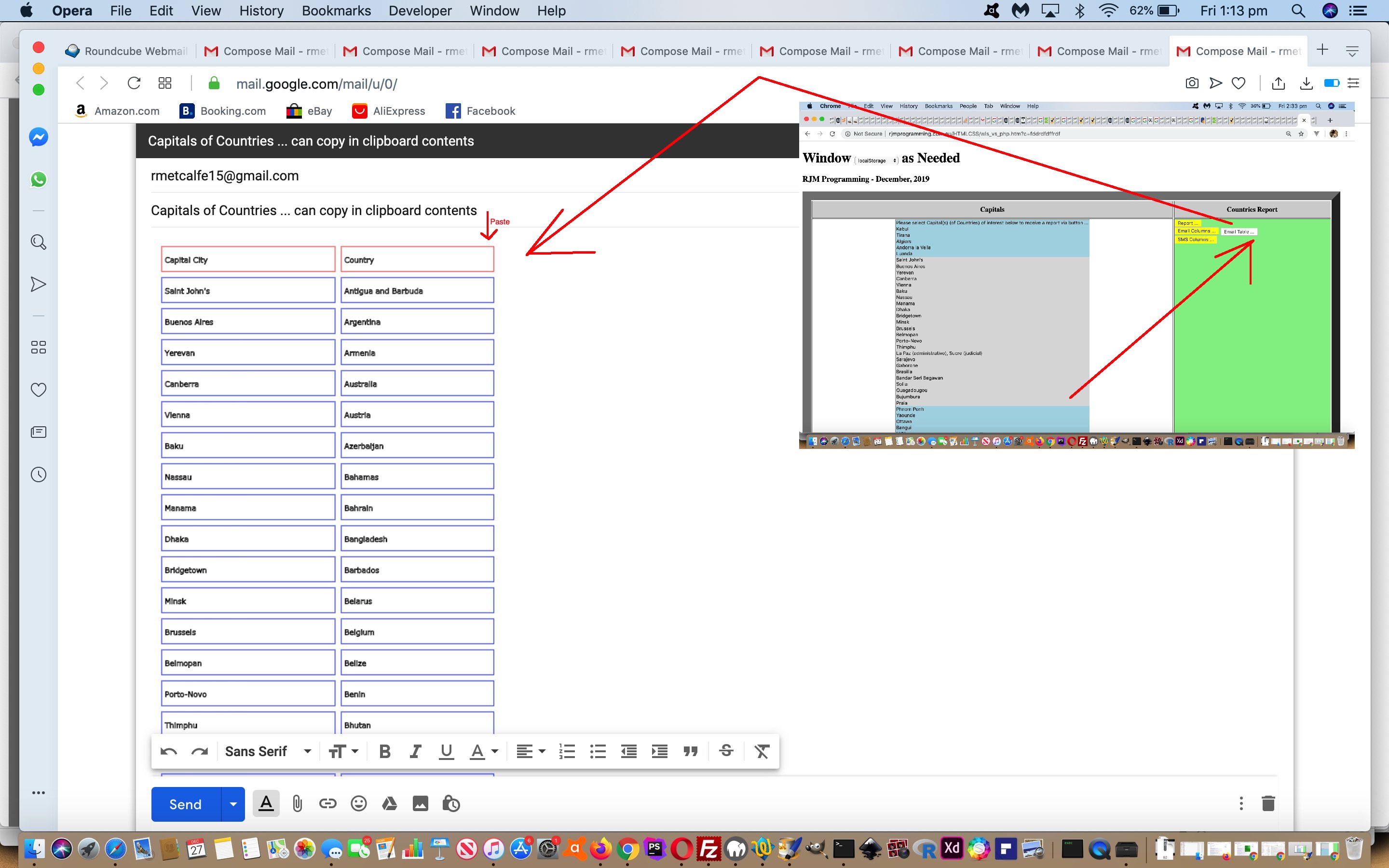
Window SessionStorage Client Versus Server Canvas Tutorial

Window SessionStorage Client Versus Server Canvas Tutorial

Yesterday’s Window SessionStorage Client Versus Server Share Tutorial dealt with ascii text clipboard copy assisted sharing options with our current Capital City Find Matching Country Report web application project. This suited both Email and SMS share options we coded for, but today’s extension of functionality from “ascii text” data to “graphical data” only suits Email sharing. The other caveat with our work is that no serverside (for us, PHP) help is allowed, so no PHP mail here.

What comes into play with a “graphical data” clientside (only) sharing approach? It will not surprise many readers that, for us, it involves …

  • canvas element … converting HTML table outerHTML “ascii text” data … via …
  • canvas drawing methods “[canvasContext].strokeRect()” and “[canvasContext].strokeText()” via “[cellElement].getBoundingClientRect()” … to convert that canvas element content via …
  • [canvasElement].toDataURL() … to an …
  • img element nested in a div contenteditable=true element … so as to hook in with today’s very useful helper link, thanks … use …

  • function tabletoclipboard(canvas) { // thanks to https://stackoverflow.com/questions/27863617/is-it-possible-to-copy-a-canvas-image-to-the-clipboard
    var img = document.createElement('img');
    img.src = canvas.toDataURL();

    var div = document.createElement('div');
    div.contentEditable = true;
    div.appendChild(img);
    document.body.appendChild(div);

    // do copy
    SelectText(div);
    document.execCommand('Copy');
    document.body.removeChild(div);
    }

    function SelectText(element) { // thanks to https://stackoverflow.com/questions/27863617/is-it-possible-to-copy-a-canvas-image-to-the-clipboard
    var doc = document;
    if (doc.body.createTextRange) {
    var range = document.body.createTextRange();
    range.moveToElementText(element);
    range.select();
    } else if (window.getSelection) {
    var selection = window.getSelection();
    var range = document.createRange();
    range.selectNodeContents(element);
    selection.removeAllRanges();
    selection.addRange(range);
    }
    }
  • to leave the user’s device’s clipboard containing a useful table (with linework) … ready to …
  • paste into an email body section

… sharing off to an emailee collaborator.

Again, see the changed wls_vs_php.htm‘s Capital City Find Matching Country Report live run link’s new “Email Table” button functionality.


Previous relevant Window SessionStorage Client Versus Server Share Tutorial is shown below.
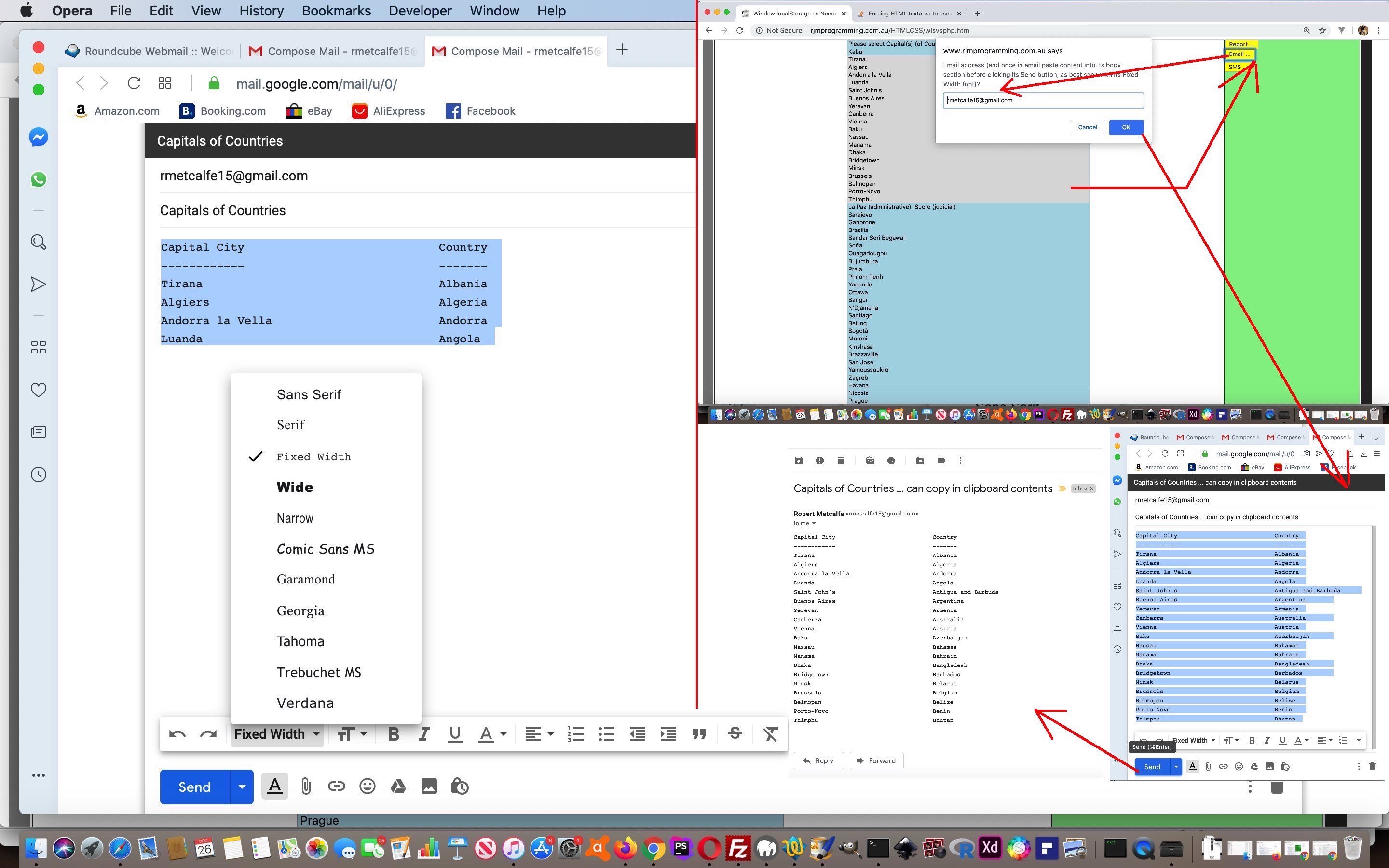
Window SessionStorage Client Versus Server Share Tutorial

Window SessionStorage Client Versus Server Share Tutorial

Yesterday’s Window SessionStorage Client Versus Server Tutorial has been amended today for two new sharing and collaboration options, those being …

  • email
  • SMS

… but you may well be familiar with the restrictions on email and SMS client (program) approaches to this, coming from HTML “a” link “mailto:” and “sms:” href property prefixes respectively. We’re going to need help with the 800 odd character (length) restrictions with the (resultant) web address (bar) URL, but what? How about working off the great advice of this wonderful link, thanks, to copy what we’d have assembled into an ascii text Report into the characters contained by the user’s device’s clipboard?


function copytoclipboard(str) { // thanks to https://hackernoon.com/copying-text-to-clipboard-with-javascript-df4d4988697f
var el = document.createElement('textarea');
el.value = str;
el.setAttribute('readonly', '');
el.style.position = 'absolute';
el.style.left = '-9999px';
document.body.appendChild(el);
el.select();
document.execCommand('copy');
document.body.removeChild(el);
}

An issue that springs up here using such clipboard ascii text content, whenever you get the Font choice given to you, pick a monospaced Font like Courier New or “Fixed Width”.

See the changed wls_vs_php.htm‘s Capital City Find Matching Country Report live run link’s new sharing functionality.


Previous relevant Window SessionStorage Client Versus Server Tutorial is shown below.
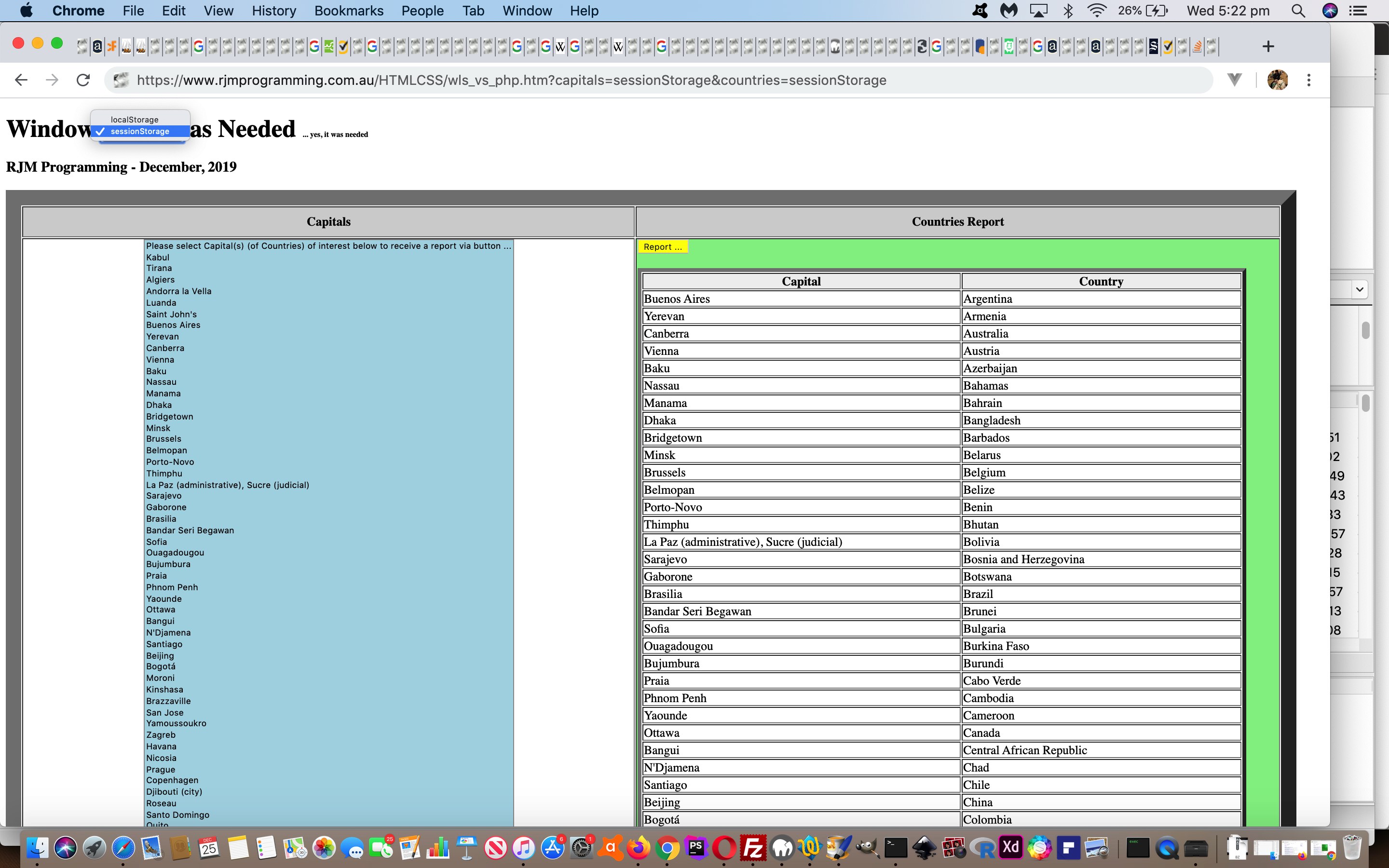
Window SessionStorage Client Versus Server Tutorial

Window SessionStorage Client Versus Server Tutorial

Sometimes it’s the case at this blog that we’d like to introduce a new topic, but do not do so, because we cannot show any real world (or real application) use of that concept. So it has been, up until now, with the concept of (web browser) window (object) sessionStorage property. But yesterday’s Window LocalStorage Client Versus Server Primer Tutorial represented an opportunity akin to when Haley’s Comet gets at its closest to the Earth … while you see a chance, take it … chance because of that nuance whereby we were not trying to store data for any other purpose than passing data onto …

  1. a known entity … ie. same web application … at …
  2. a known time … ie. immediately

… two conditions that make the code design “marginally” more ideal for the window object property concept of sessionStorage rather than localStorage, in that any …


localStorage.removeItem([knownLocalStorageName]);

… becomes superfluous as with sessionStorage data will disappear between web browser sessions, anyway.

We offer this new concept as a non-default option of a select (dropdown) element replacement to the h1 element hardcoding “localStorage” with the changed wls_vs_php.htm Capital City Find Matching Country Report live run. The other nuance of difference with sessionStorage usage is that in the document.body onload event logic, we may as well (as part of other changes) pre-emptively look for, and if there, respond to, any found sessionStorage data points, even without the user having flagged it specifically


var datamode='localStorage';

function checkforreport() {
var divcont='';
var dcaps, dctys, idis;
if (getcapitals == 'localStorage') {
if (window.localStorage) {
getcapitals=decodeURIComponent(localStorage.getItem('wls_vs_php_capitals')).replace(/\+/g,' ');
localStorage.removeItem('wls_vs_php_capitals');
} else {
getcapitals='';
}
} else if (getcapitals == 'sessionStorage') {
document.getElementById('smode').value=getcapitals;
datamode=getcapitals;
if (window.sessionStorage) {
getcapitals=decodeURIComponent(sessionStorage.getItem('wls_vs_php_capitals')).replace(/\+/g,' ');
} else {
getcapitals='';
}
}
else if (getcapitals == '' && window.sessionStorage) {
getcapitals=decodeURIComponent(('' + sessionStorage.getItem('wls_vs_php_capitals')).replace(/^null$/g,'')).replace(/\+/g,' ');
if (getcapitals != '') {
document.getElementById('smode').value='sessionStorage';
datamode='sessionStorage';
}
}

if (getcountries == 'localStorage') {
if (window.localStorage) {
getcountries=decodeURIComponent(localStorage.getItem('wls_vs_php_countries')).replace(/\+/g,' ');
if (getcapitals.replace('localStorage','') != '' && getcountries.replace('localStorage','') != '') { document.getElementById('myh1').innerHTML+=' <font size=1>... yes, it was needed</font>'; }
localStorage.removeItem('wls_vs_php_countries');
} else {
getcountries='';
}
} else if (getcountries == 'sessionStorage') {
if (window.sessionStorage) {
getcountries=decodeURIComponent(sessionStorage.getItem('wls_vs_php_countries')).replace(/\+/g,' ');
if (getcapitals.replace('sessionStorage','') != '' && getcountries.replace('sessionStorage','') != '') { document.getElementById('myh1').innerHTML+=' <font size=1>... yes, it was needed</font>'; }
} else {
getcountries='';
}
}
else if (getcountries == '' && document.getElementById('smode').value == 'sessionStorage' && window.sessionStorage) {
getcountries=decodeURIComponent(('' + sessionStorage.getItem('wls_vs_php_countries')).replace(/^null$/g,'')).replace(/\+/g,' ');
if (getcountries != '') {
document.getElementById('smode').value='sessionStorage';
datamode='sessionStorage';
}
}

if (getcapitals != '' && getcountries != '') {
divcont='<table border=5 style="width:95%;vertical-align:top;background-color:white;"><tr style=background-color:#f0f0f0;"><th>Capital</th><th>Country</th></tr></table>';
dcaps=getcapitals.split('|');
dctys=getcountries.split('|');
for (idis=0; idis<dcaps.length; idis++) {
divcont=divcont.replace('</table>', '<tr><td>' + dcaps[idis] + '</td><td>' + dctys[idis] + '</td></tr></table>');
}
document.getElementById('dreport').innerHTML=divcont;
}
document.getElementById('smode').value=datamode;
}

Which beggars the question “What are the differences between sessionStorage and localStorage?” A quick reading might surmise that “the latter has an expiration date”. We leave you with an open ended Google search so that you may extend your readings on this.


Previous relevant Window LocalStorage Client Versus Server Primer Tutorial is shown below.
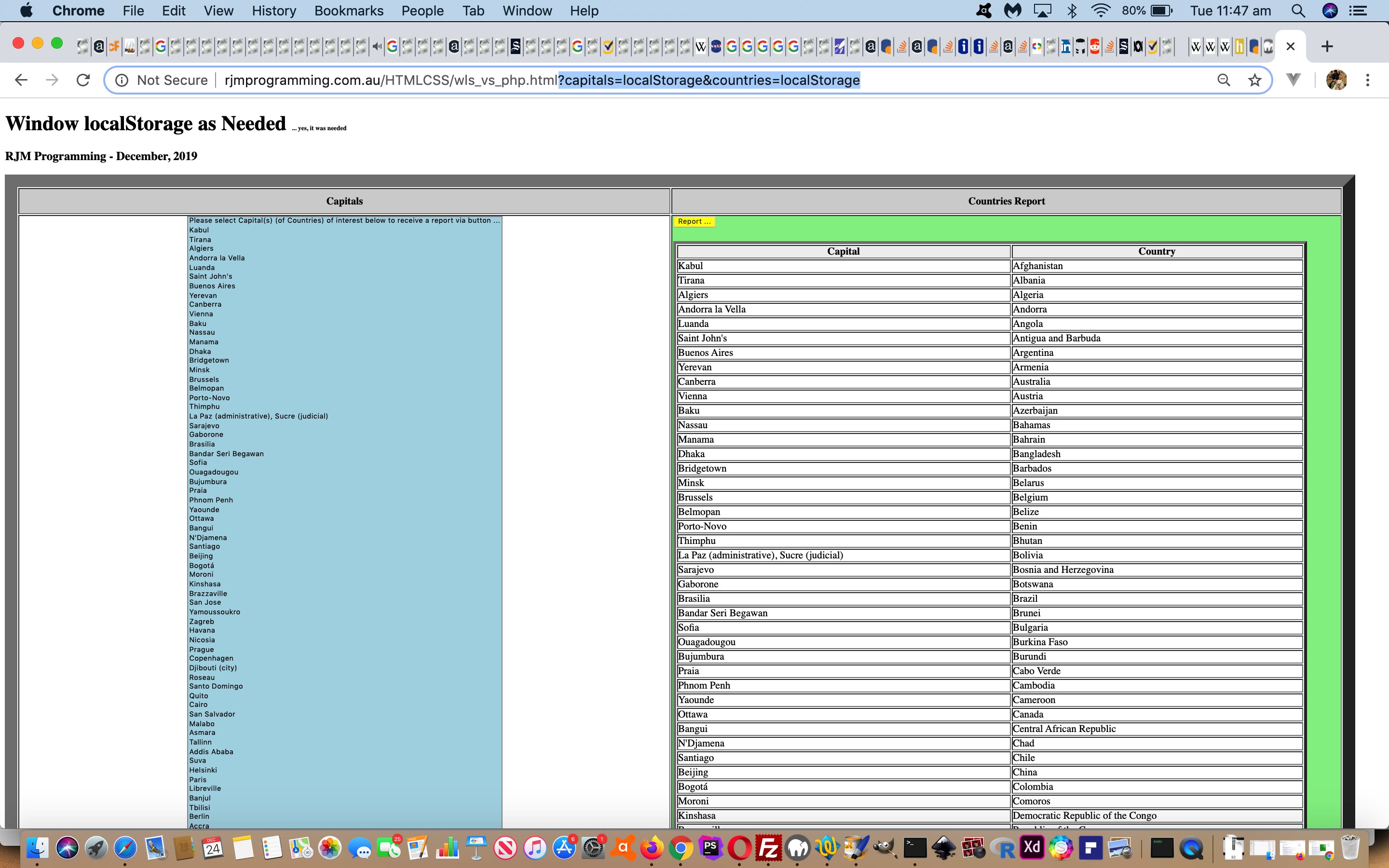
Window LocalStorage Client Versus Server Primer Tutorial

Window LocalStorage Client Versus Server Primer Tutorial

Even though we rave on a lot about serverside PHP and its $_POST method=POST (versus HTML/Javascript recipient via ? and & argument $_GET method=GET scenario) data length advantages as the recipient of an HTML form method=POST set of data that could be sizeable, we’ve just realized that there is a client Javascript and window.localStorage methodology that may help alleviate the need to involve PHP (and any other serverside intervention) on occasions.

Hint: Yes, we’ve raved on about this too?! Does the blog posting title give it away? Okay, yes, it should read “localStorage”, but thought we’d gone past such juvenile finickiness since the Whac-A-Mole controversy of 1st December 2019 (or even The Great Tea Trolley Disaster of ’67, we daresay).

It can even use a “self-destruct” approach to the use of this “localStorage” on having used it because …

  • the web application knows who is using it (localStorage) … and on having accessed and read it …
  • the web application knows it (localStorage) is of no use to any other user (in this web application’s case, at least)

… which is very pleasing for a Land Surveyor who likes to leave cow paddocks as they’ve seen them so to speak. Except it’s like having a ten tonne truck worth of data access in amongst the cow pats when having access to “localStorage” (or PHP), rather than a little piddle of calf wee (wee Metcalfes know a thing or two about these things!) data access of ? and & HTML/Javascript URL arguments (or even if we were to use HTTP Cookies).

It’s not as if we all have access to serverside language usage, though we do, because we really like PHP and MAMP and Apache/PHP/MySql web servers (and have arranged our development environment accordingly), but what if you are starting out in web development, and still want to allow for sizeable chunks of data with your web applications? Huh? Huh?! See the possibilities? Try our proof of concept Capital City Find Matching Country Report live run, and highlight a whole swathe of (multiple mode) dropdown option Capital Cities holding down the shift key before pressing the yellow “Report” button. If the URL ends up as …

https://rjmprogramming.com.au/HTMLCSS/wls_vs_php.html?capitals=localStorage&countries=localStorage

that’s because the web application’s …


function analyze() {
var purl=document.URL.split('#')[0].split('?')[0] + '?capitals=' + encodeURIComponent(document.getElementById('capitals').value) + '&countries=' + encodeURIComponent(document.getElementById('countries').value);
if (purl.length > 800) {
if (phpexists) {
document.getElementById('myform').method='POST';
document.getElementById('myform').action='./wls_vs_php.php';
} else if (window.localStorage) {
localStorage.setItem('wls_vs_php_countries', encodeURIComponent(document.getElementById('countries').value));
localStorage.setItem('wls_vs_php_capitals', encodeURIComponent(document.getElementById('capitals').value));
document.getElementById('capitals').value='localStorage';
document.getElementById('countries').value='localStorage';
location.href=document.URL.split('#')[0].split('?')[0] + '?capitals=' + encodeURIComponent(document.getElementById('capitals').value) + '&countries=' + encodeURIComponent(document.getElementById('countries').value);

return false;
}
}
return true;
}

… HTML form onsubmit event logic …

  1. discovered no PHP web application existant (via Client Pre-emptive Iframe techniques) … and …
  2. discovered (in a sanity check feeling way) that to go down the proposed HTML form method=GET approach was risking a …

    HTTP 414 "Request URI too long"

    … web browser error … and that …
  3. localStorage was a known web browser piece of functionality
  4. … and so as per our localStorage logic we …

  5. back out of the default HTML form method=GET navigation setup of the web application in favour of …
    • storing that data into localStorage
    • substituting into the URL ? and & arguments the hardcoding “localStorage” (and in so doing, getting back under the HTTP 414 “Request URI too long” limitation, piecing together (what amounts to) …
      location.href=document.URL.split(‘#’)[0].split(‘?’)[0] + ‘?capitals=localStorage&countries=localStorage’;)
      … that on a recall to this same web application a …
    • document.body onload event piece of Javascript logic checks the localStorage for its incoming Capital City Country Report data, as per …

      var phpexists=false;
      var getcapitals=location.search.split('capitals=')[1] ? decodeURIComponent(location.search.split('capitals=')[1].split('&')[0]).replace(/\+/g,' ') : '';
      var getcountries=location.search.split('countries=')[1] ? decodeURIComponent(location.search.split('countries=')[1].split('&')[0]).replace(/\+/g,' ') : '';

      function checkforreport() {
      var divcont='';
      var dcaps, dctys, idis;
      if (getcapitals == 'localStorage') {
      if (window.localStorage) {
      getcapitals=decodeURIComponent(localStorage.getItem('wls_vs_php_capitals')).replace(/\+/g,' ');
      localStorage.removeItem('wls_vs_php_capitals');
      } else {
      getcapitals='';
      }
      }
      if (getcountries == 'localStorage') {
      if (window.localStorage) {
      getcountries=decodeURIComponent(localStorage.getItem('wls_vs_php_countries')).replace(/\+/g,' ');
      if (getcapitals.replace('localStorage','') != '' && getcountries.replace('localStorage','') != '') { document.getElementById('myh1').innerHTML+=' <font size=1>... yes, it was needed</font>'; }
      localStorage.removeItem('wls_vs_php_countries');
      } else {
      getcountries='';
      }
      }

      if (getcapitals != '' && getcountries != '') {
      divcont='<table border=5 style="width:95%;vertical-align:top;background-color:white;"><tr style=background-color:#f0f0f0;"><th>Capital</th><th>Country</th></tr></table>';
      dcaps=getcapitals.split('|');
      dctys=getcountries.split('|');
      for (idis=0; idis<dcaps.length; idis++) {
      divcont=divcont.replace('</table>', '<tr><td>' + dcaps[idis] + '</td><td>' + dctys[idis] + '</td></tr></table>');
      }
      document.getElementById('dreport').innerHTML=divcont;
      }
      }

      … the localStorage.removeItem() representing that “self-destruct” nuance we were talking about before

We may well use this methodology in future projects, and hope it has been of some little interest to you as well?!

If this was interesting you may be interested in this too.


If this was interesting you may be interested in this too.


If this was interesting you may be interested in this too.
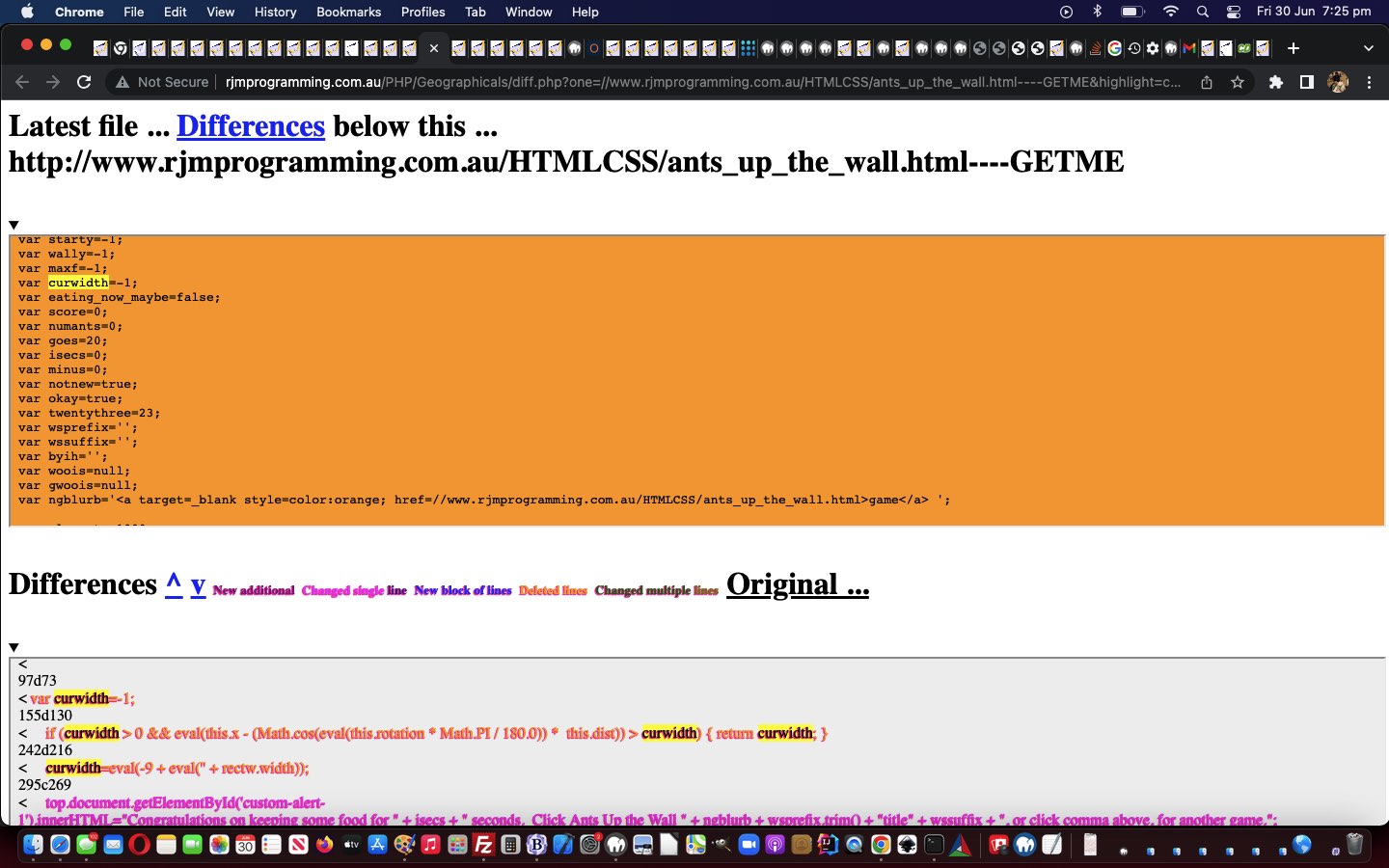

If this was interesting you may be interested in this too.
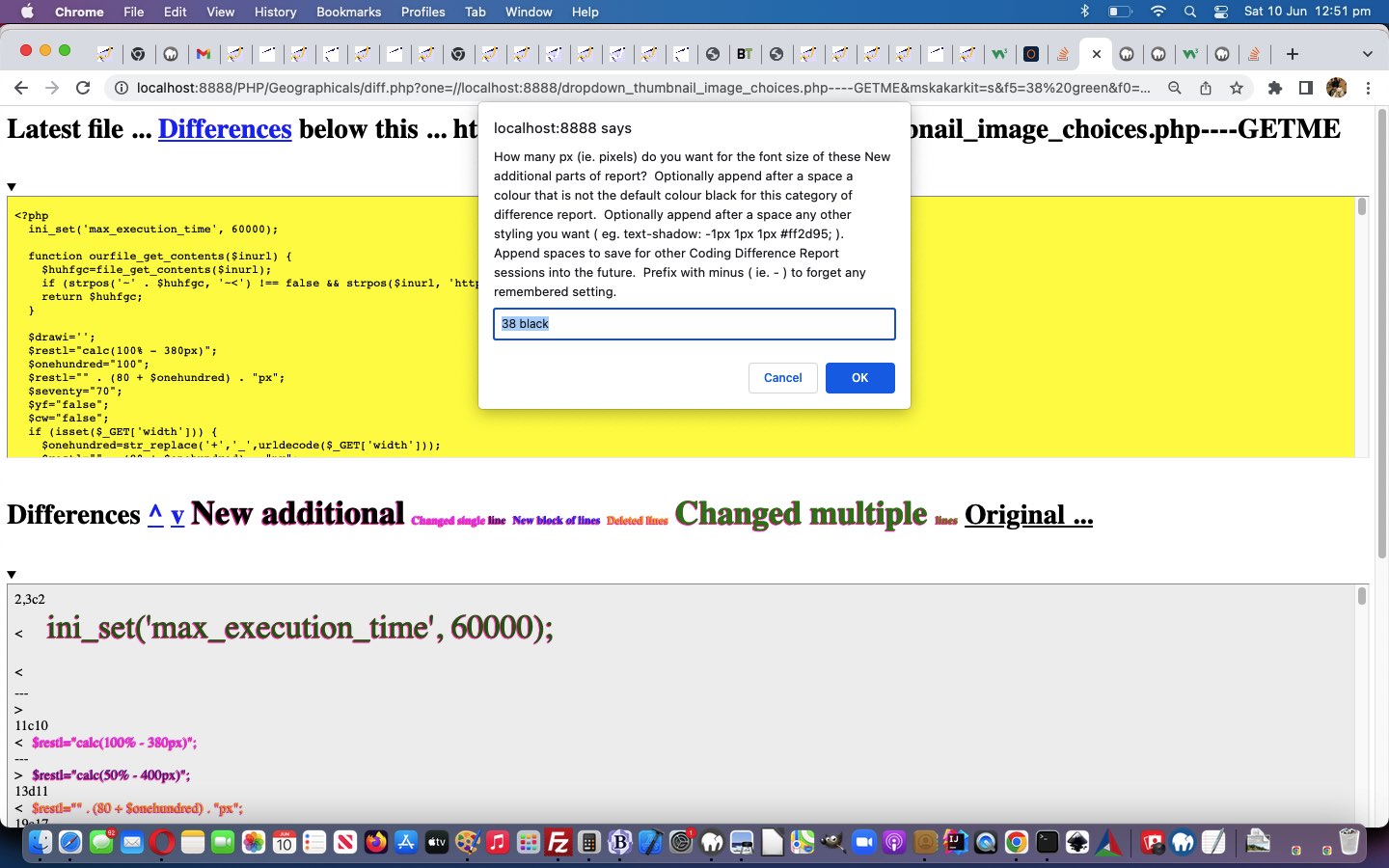

If this was interesting you may be interested in this too.
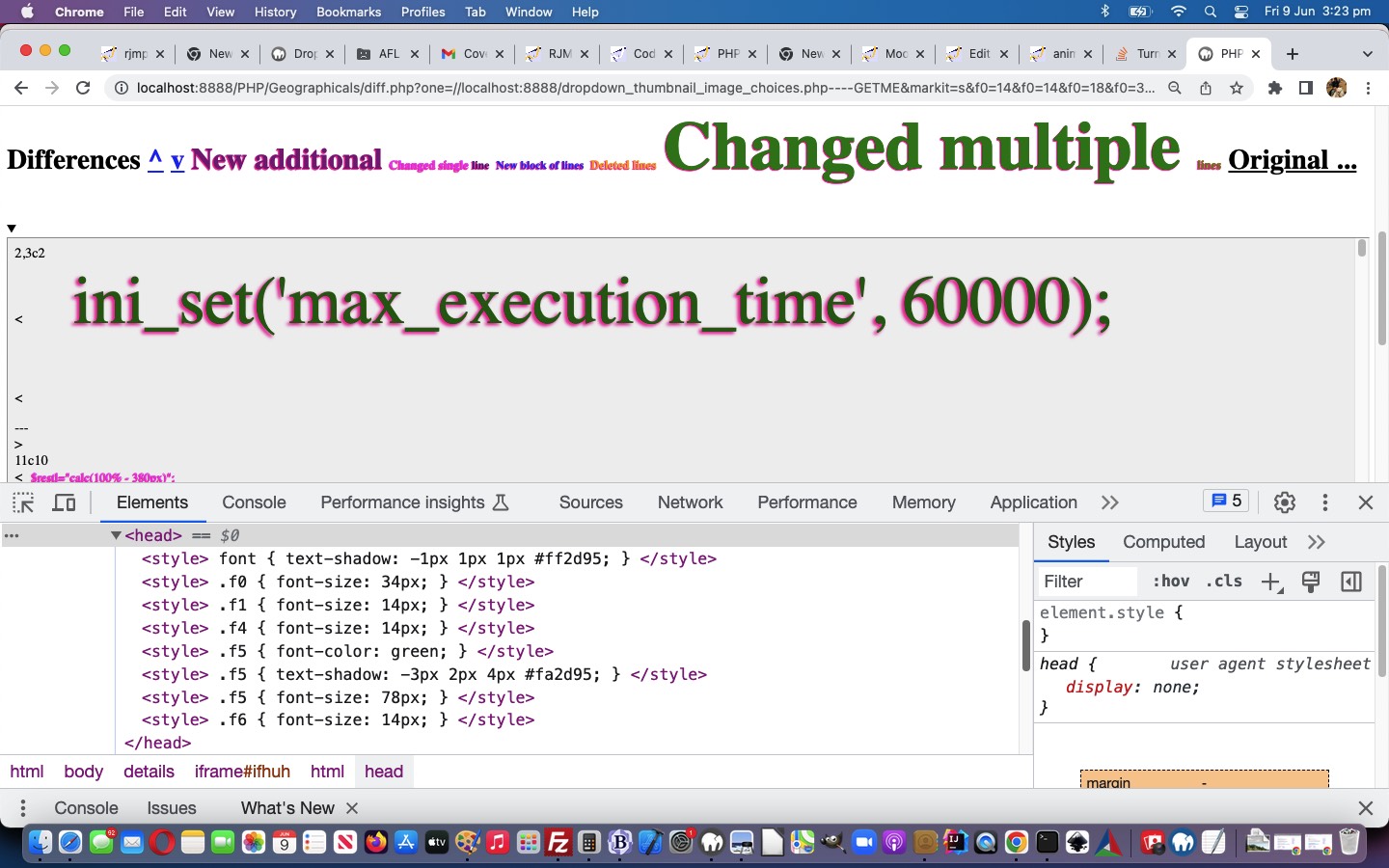

If this was interesting you may be interested in this too.
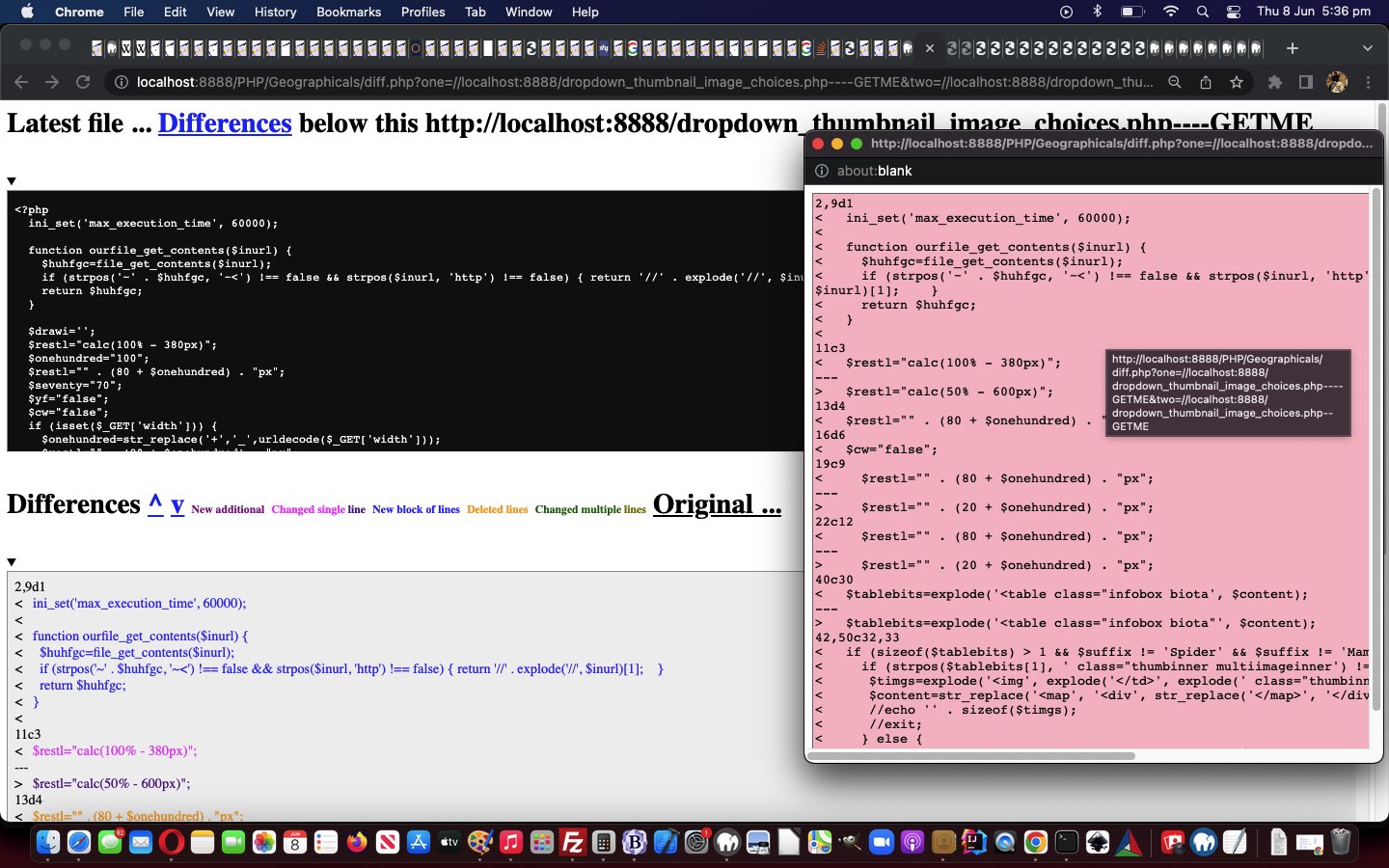

If this was interesting you may be interested in this too.
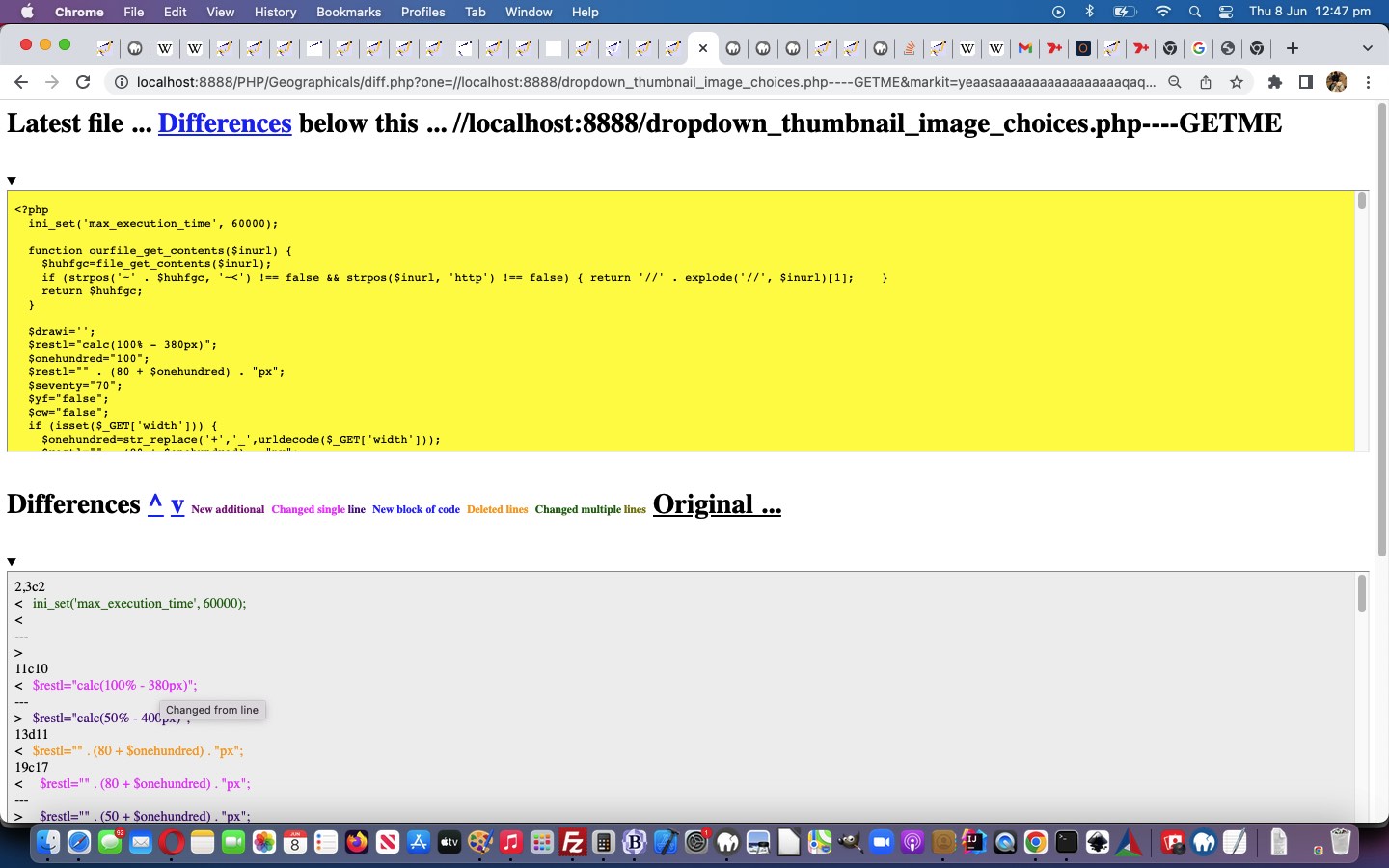

If this was interesting you may be interested in this too.
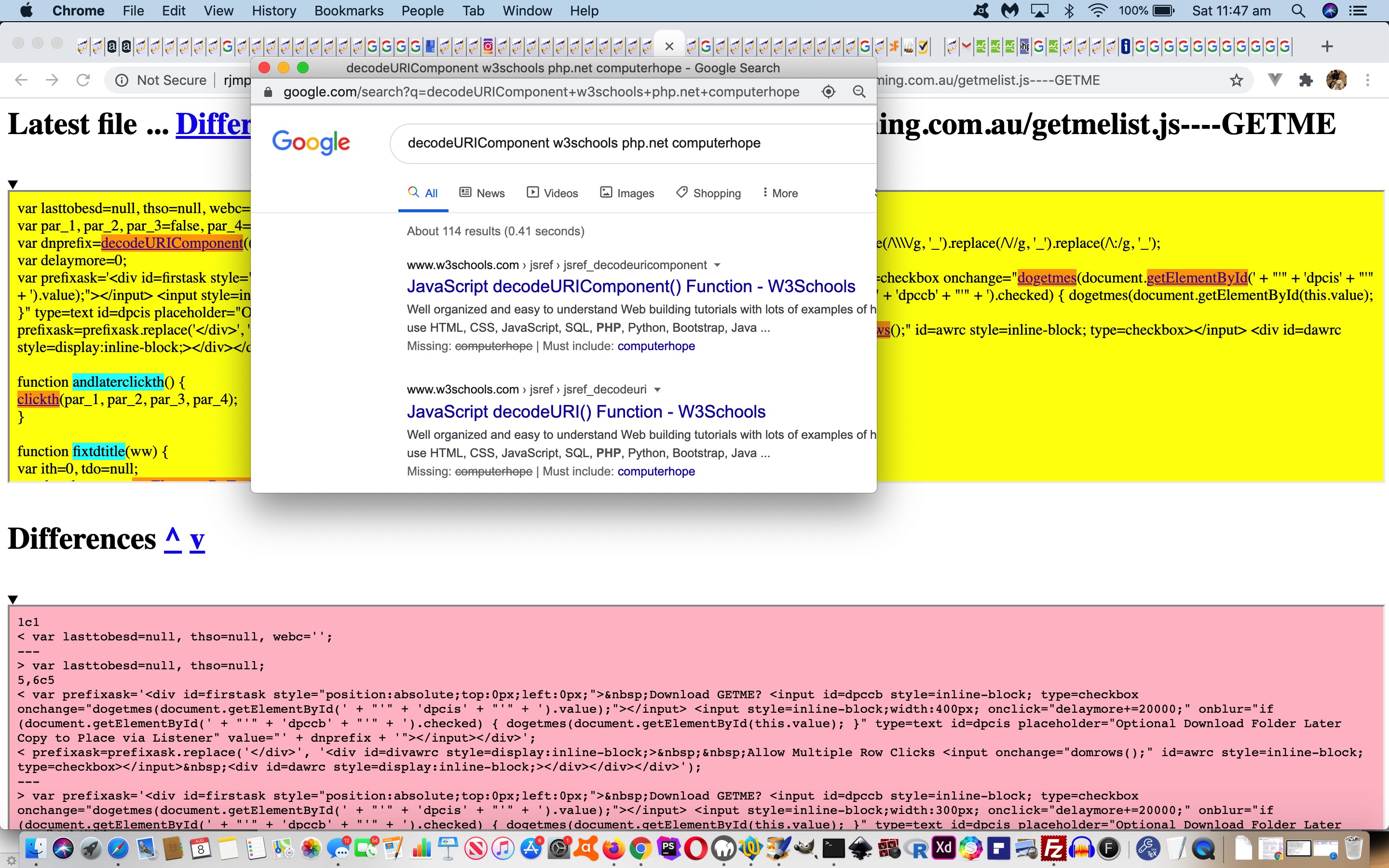

If this was interesting you may be interested in this too.
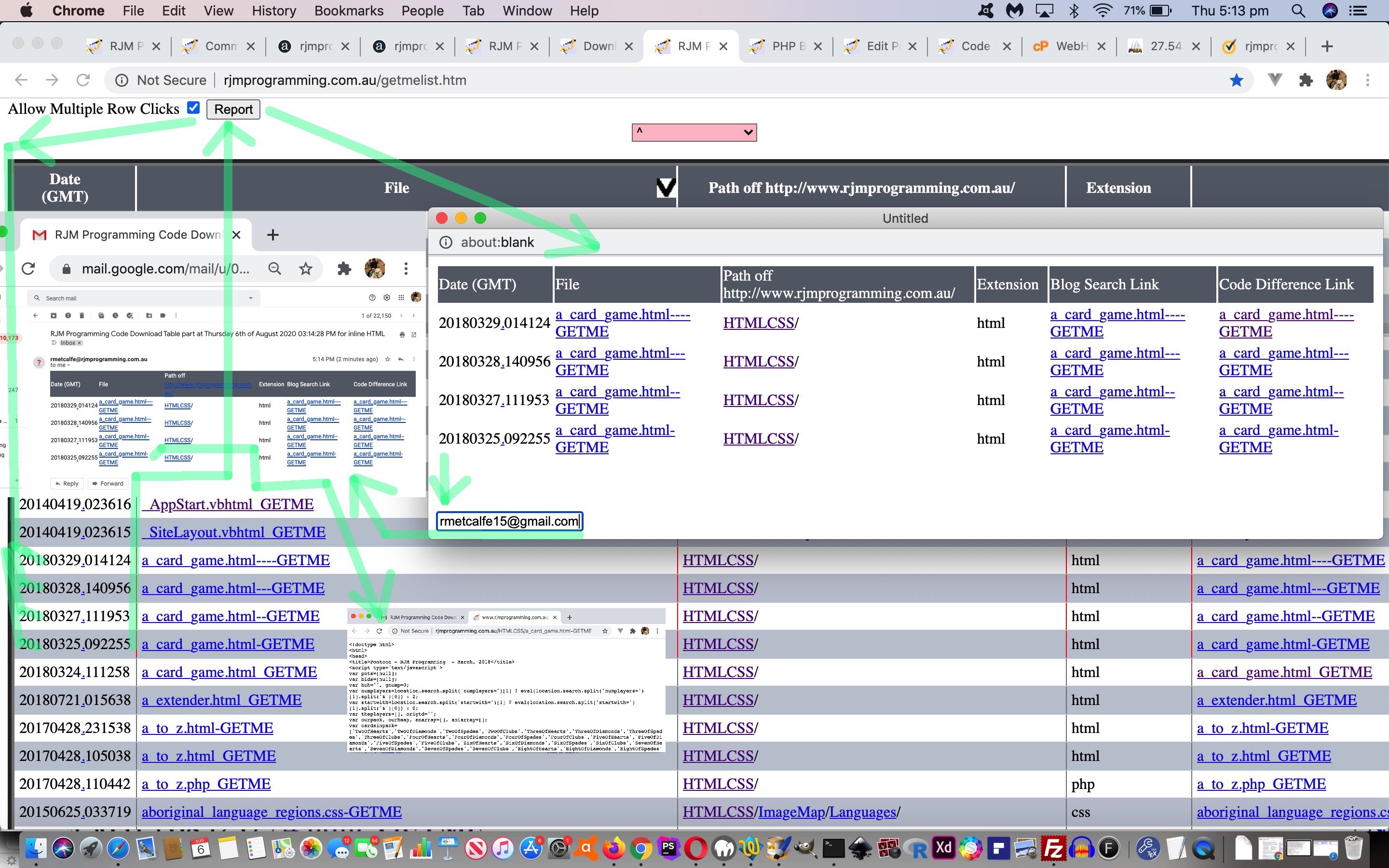

If this was interesting you may be interested in this too.
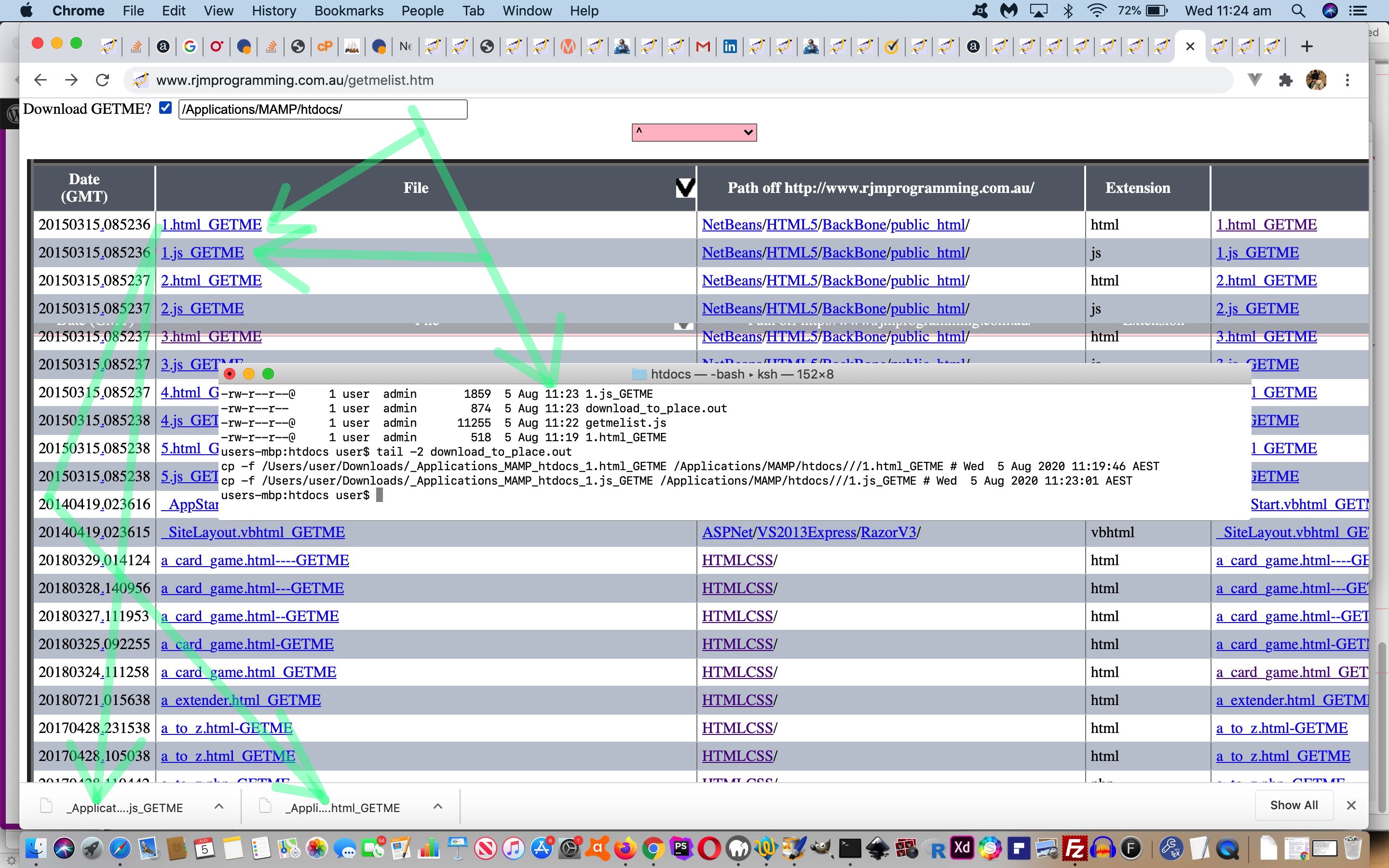

If this was interesting you may be interested in this too.
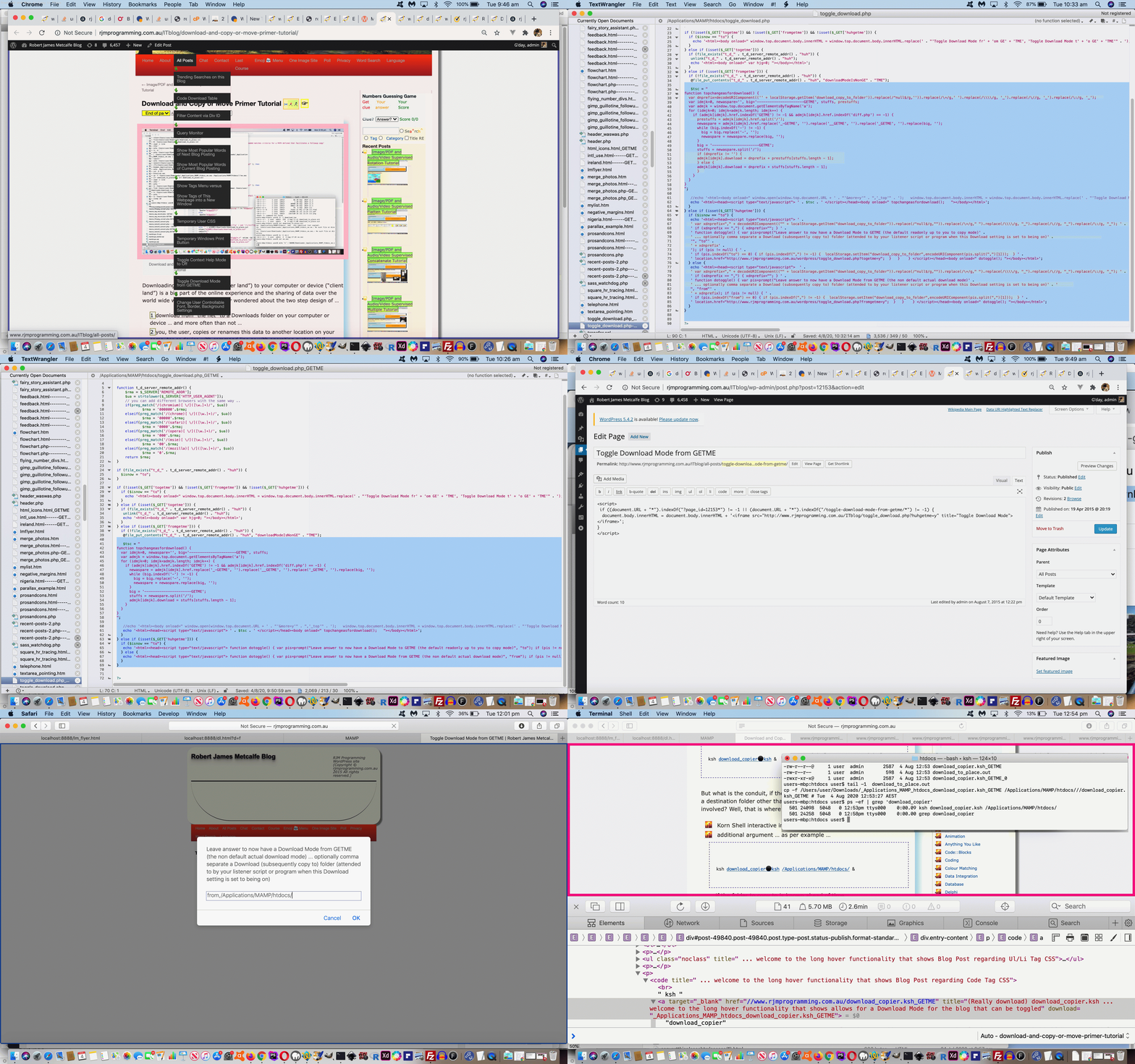

If this was interesting you may be interested in this too.
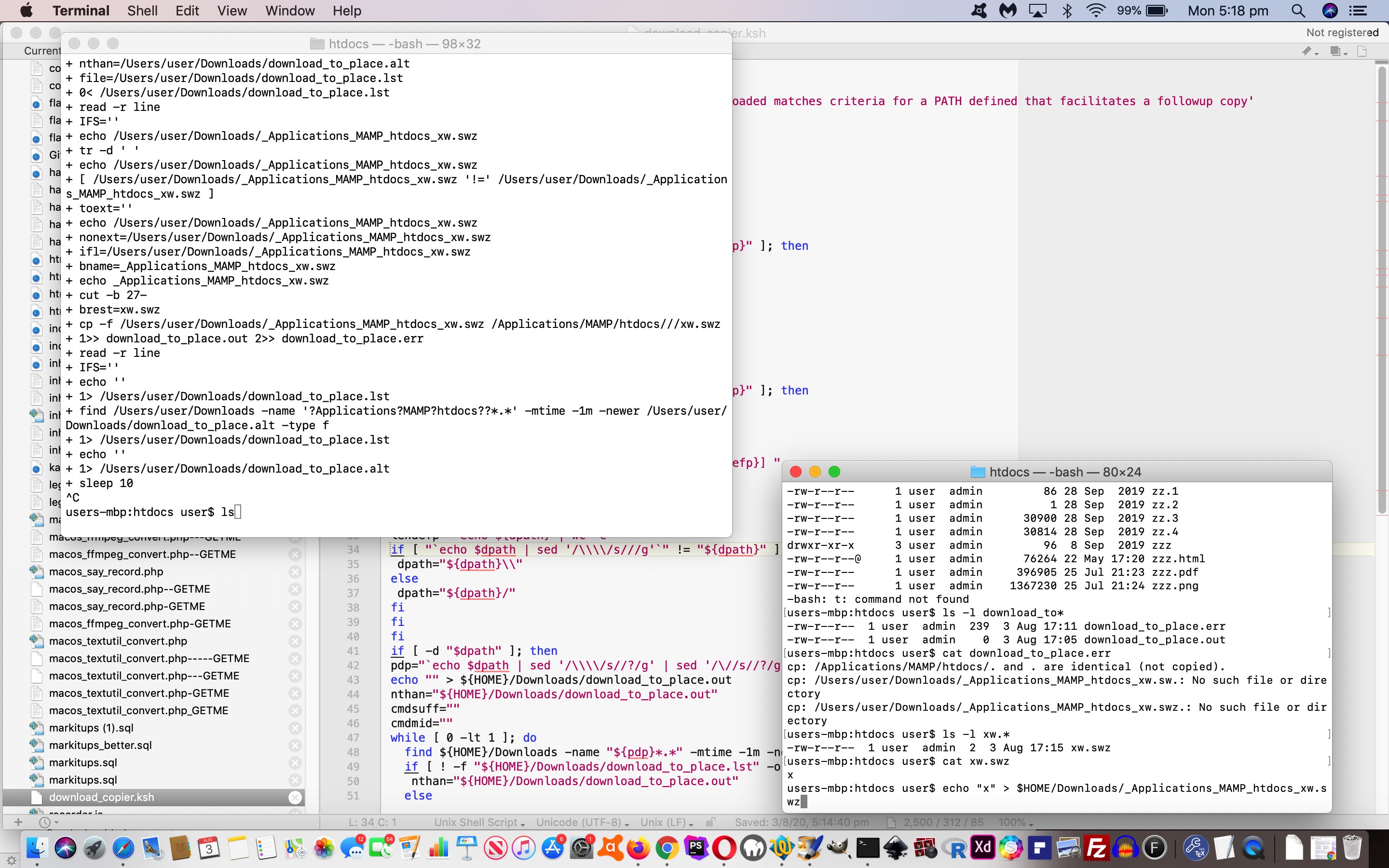

If this was interesting you may be interested in this too.
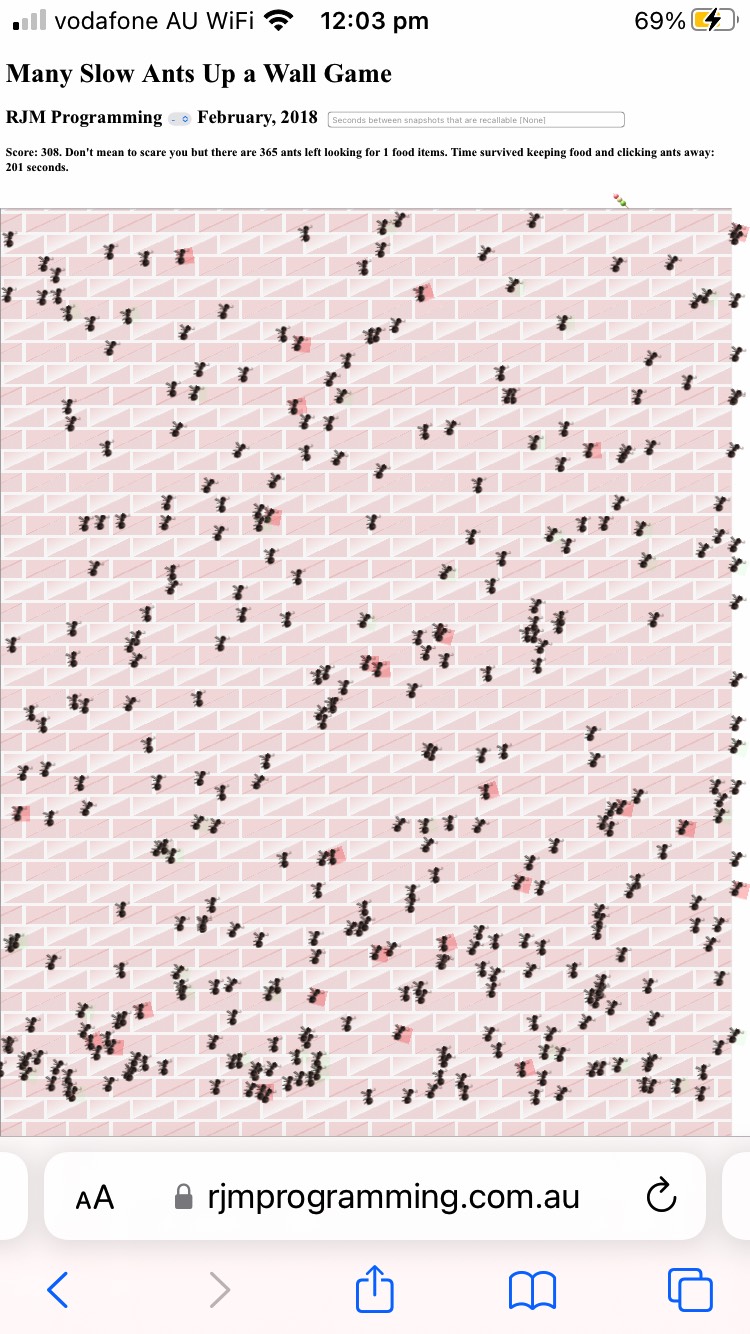

If this was interesting you may be interested in this too.
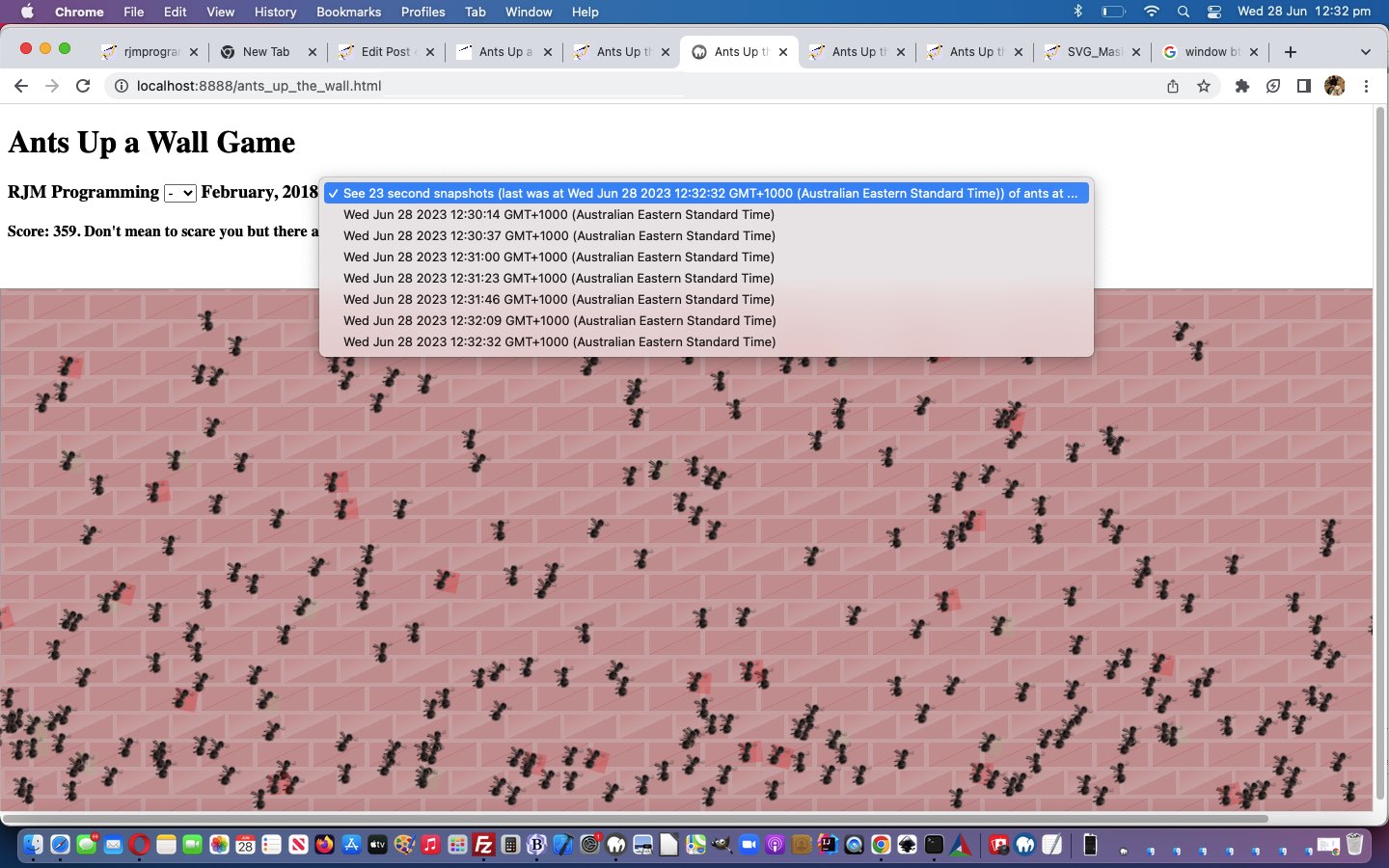

If this was interesting you may be interested in this too.
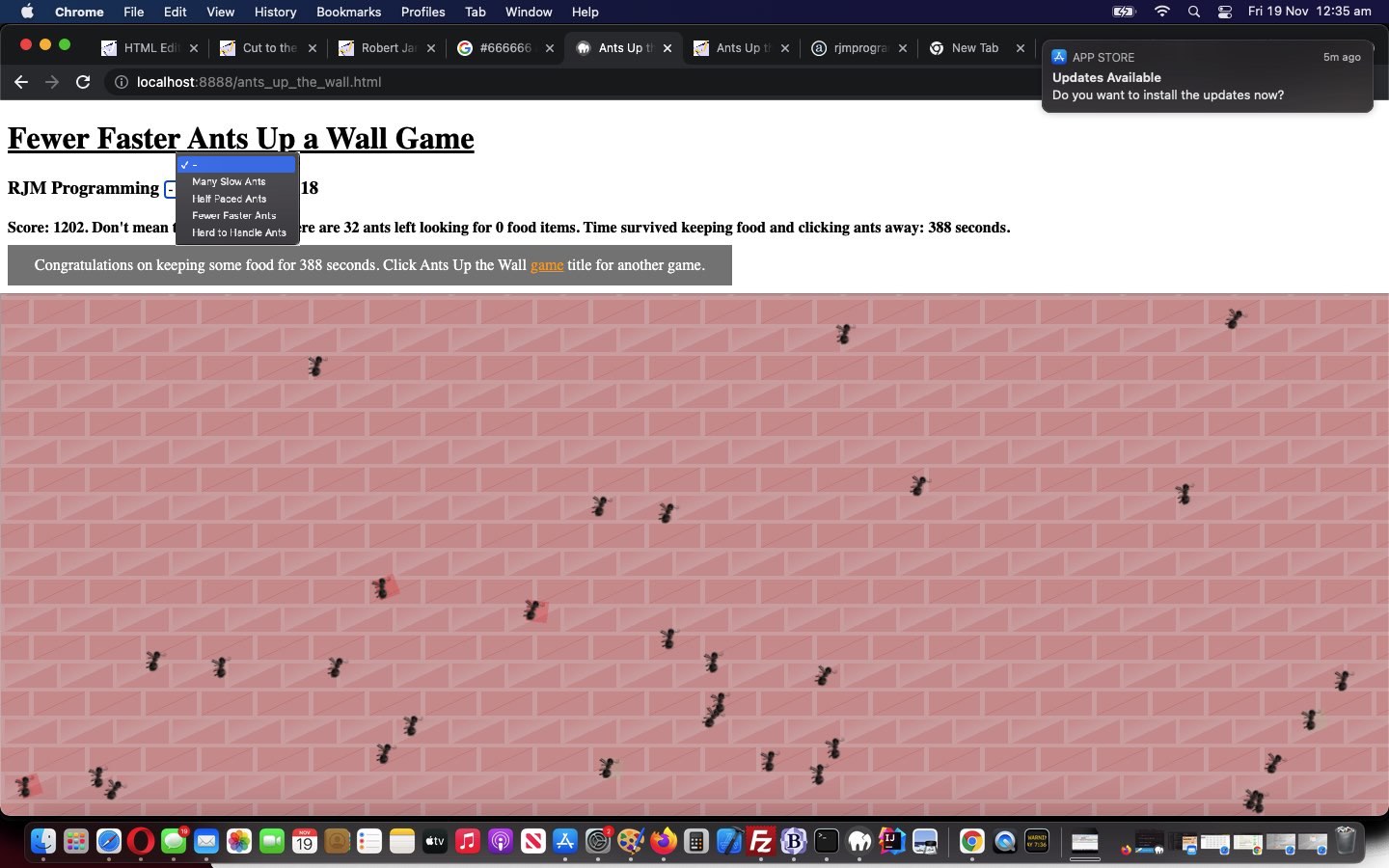

If this was interesting you may be interested in this too.
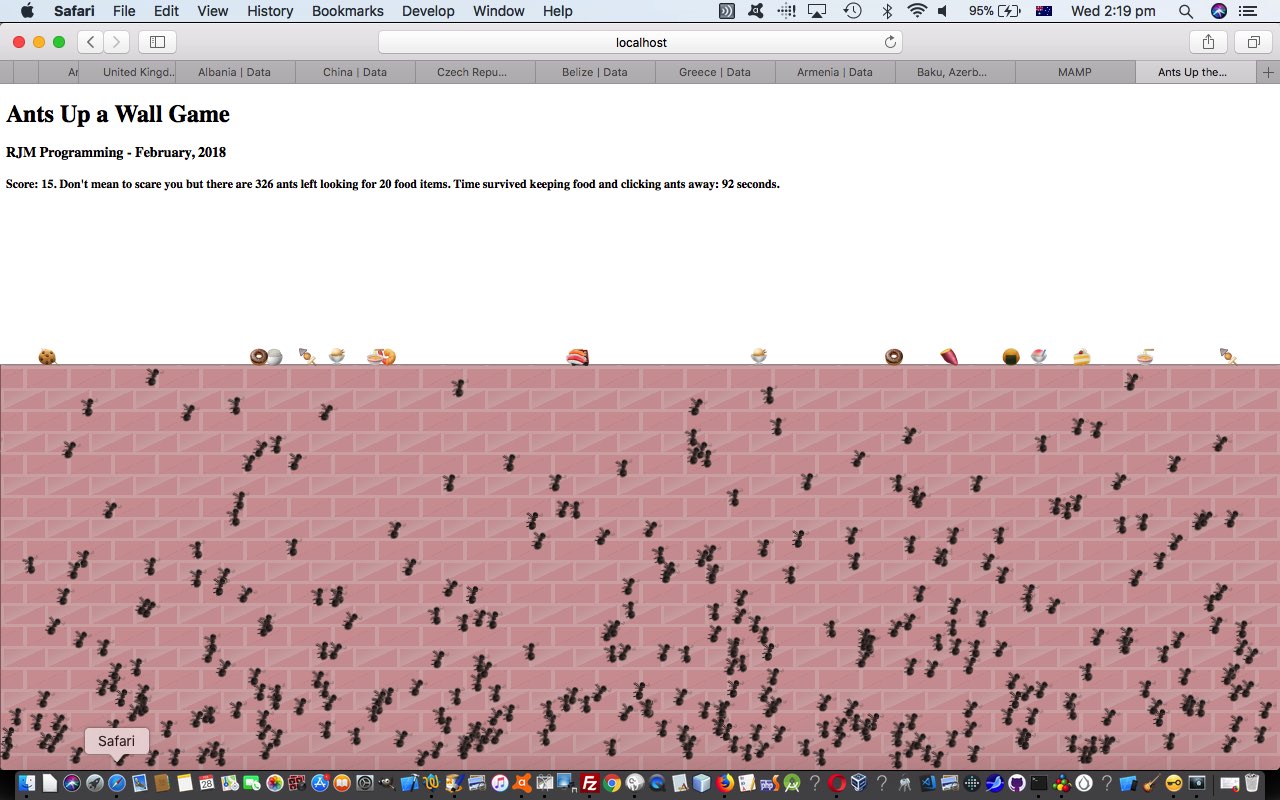

If this was interesting you may be interested in this too.
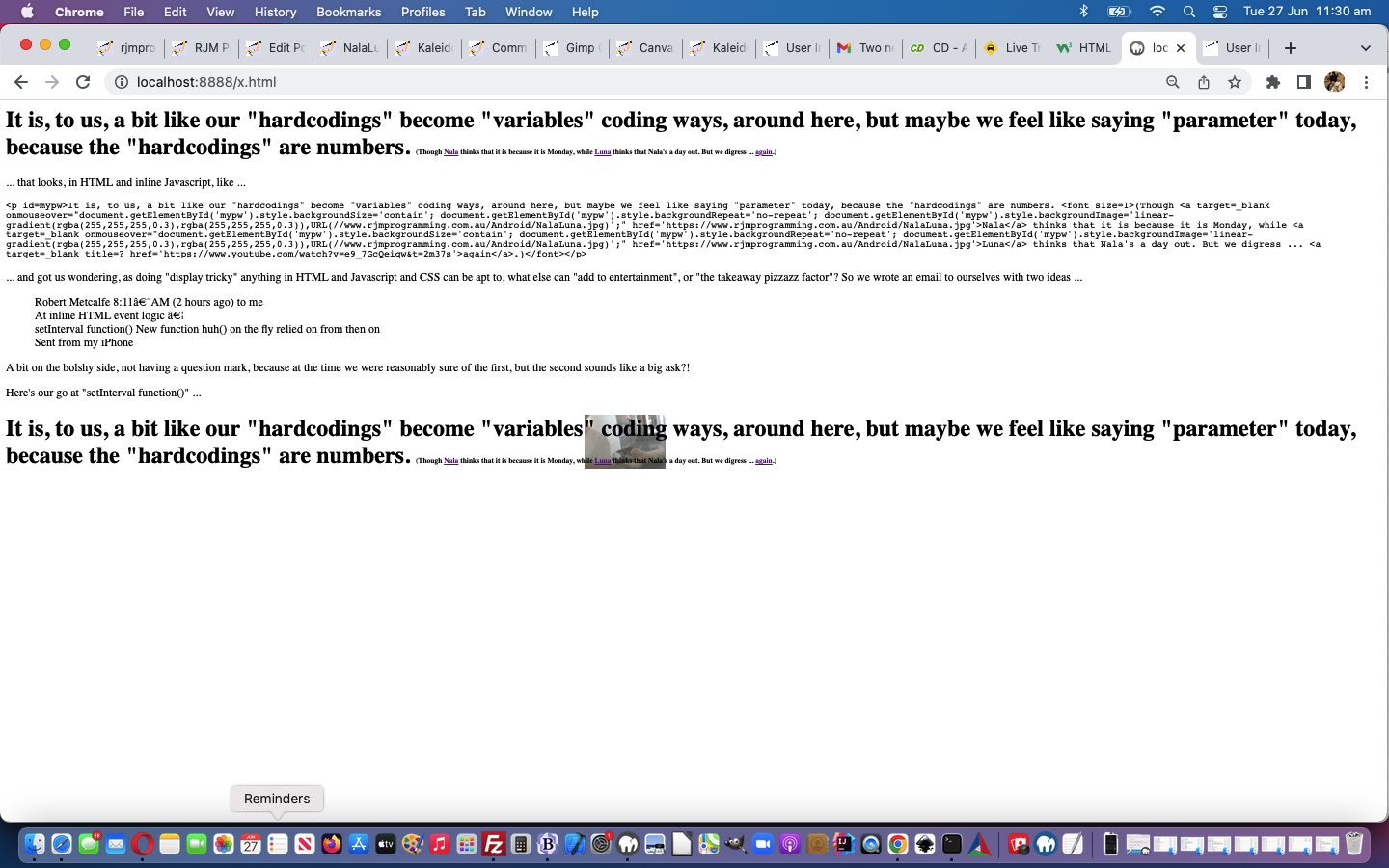

If this was interesting you may be interested in this too.
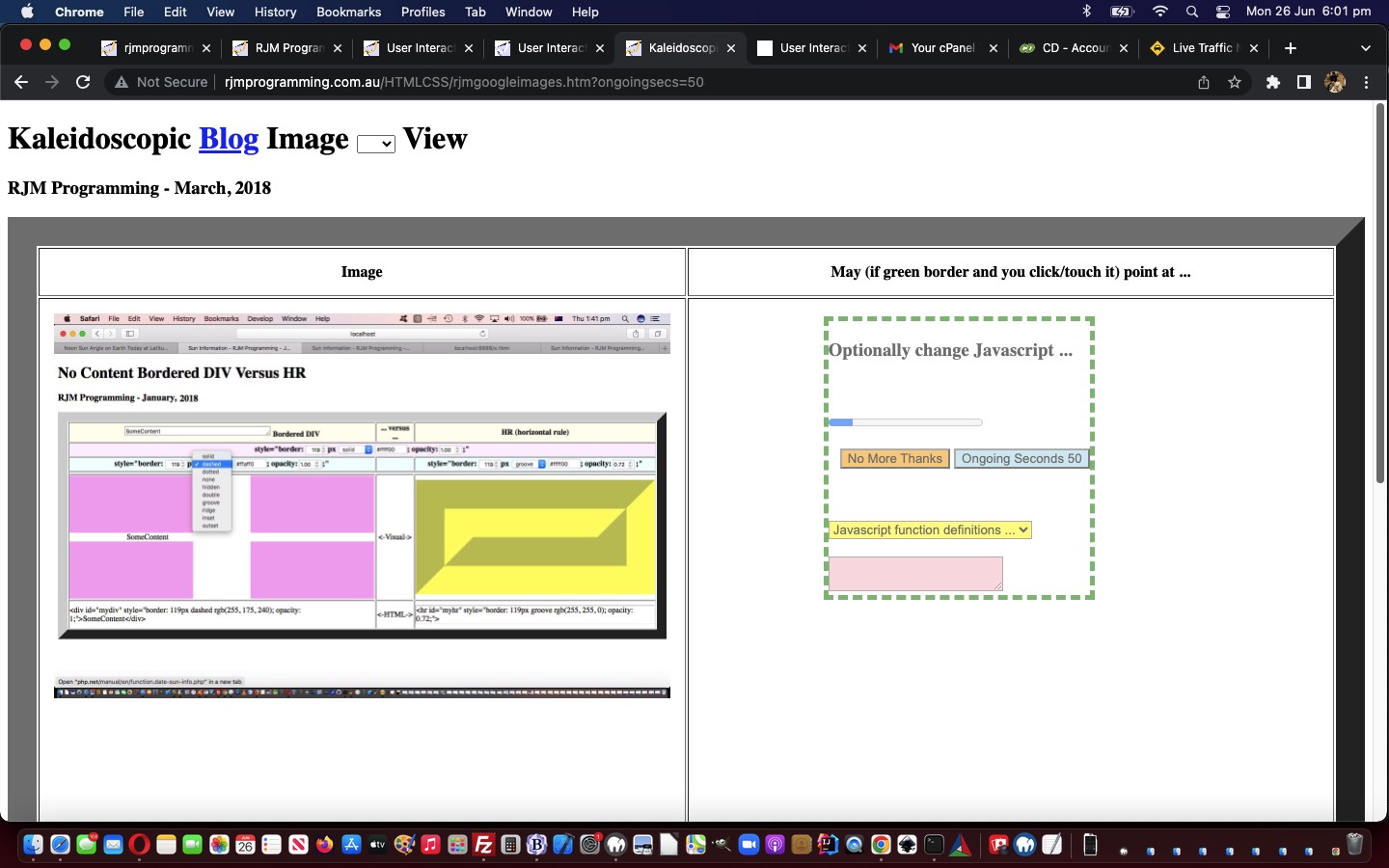

If this was interesting you may be interested in this too.
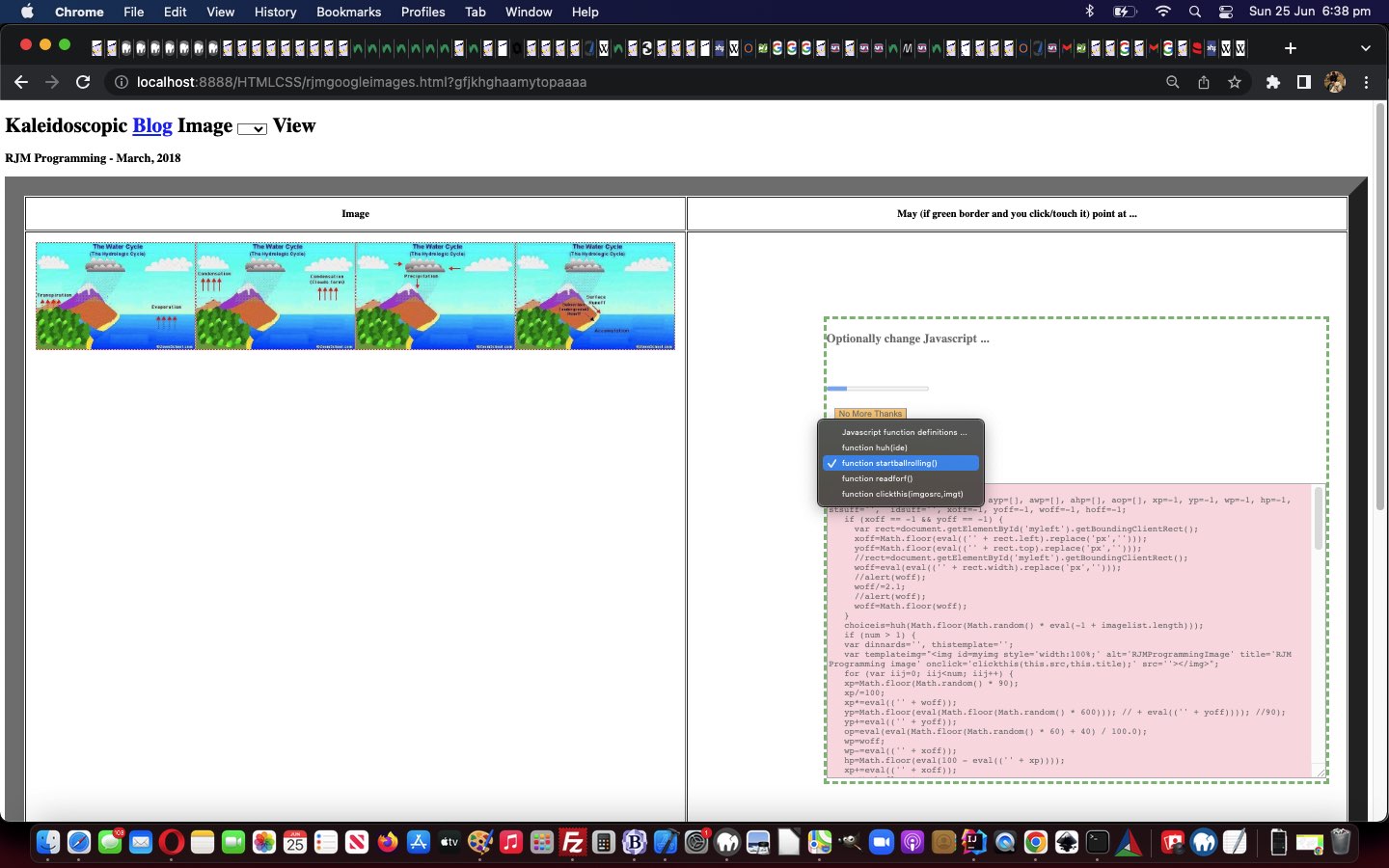

If this was interesting you may be interested in this too.
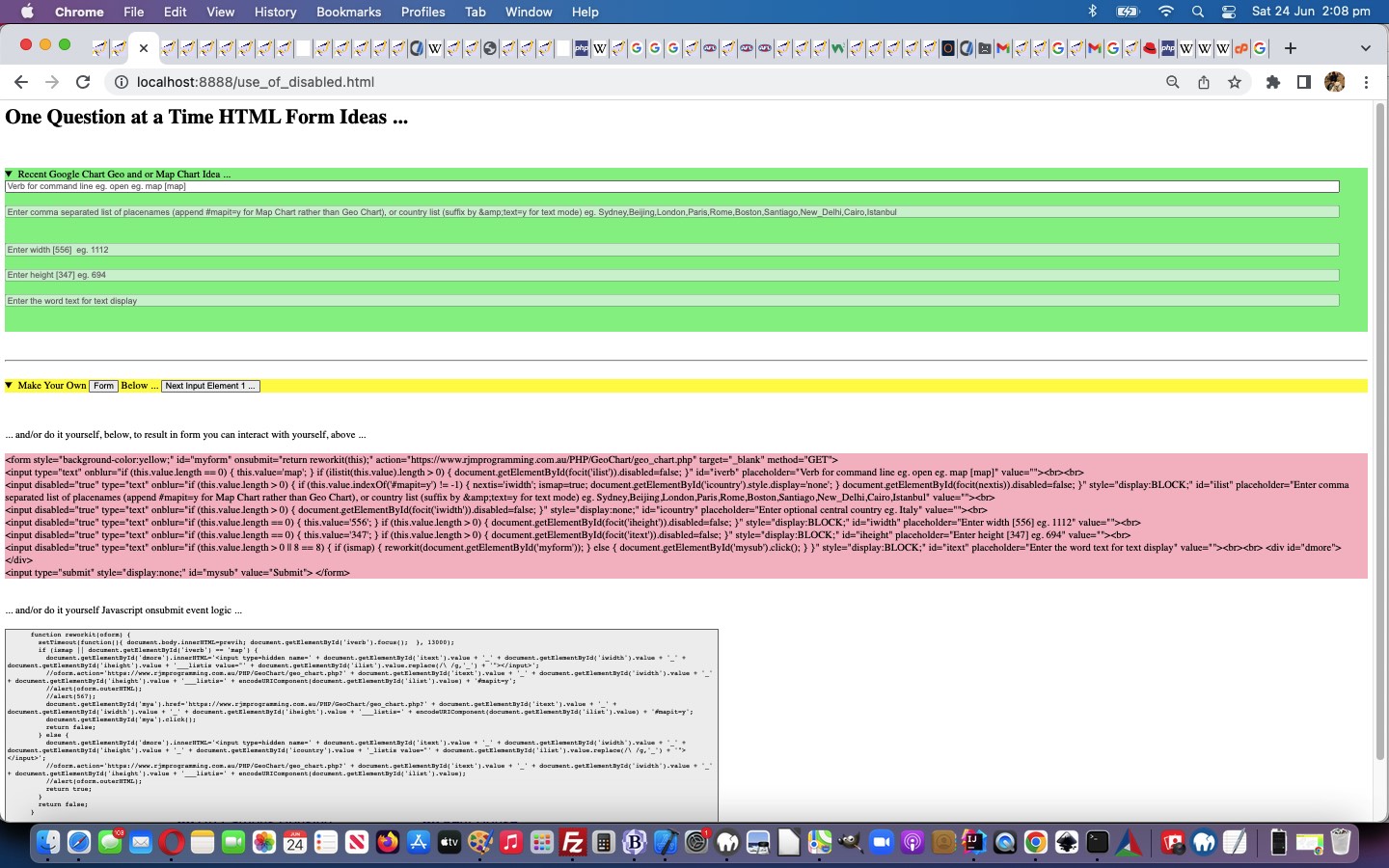

If this was interesting you may be interested in this too.


If this was interesting you may be interested in this too.


If this was interesting you may be interested in this too.


If this was interesting you may be interested in this too.


If this was interesting you may be interested in this too.


If this was interesting you may be interested in this too.


If this was interesting you may be interested in this too.


If this was interesting you may be interested in this too.


If this was interesting you may be interested in this too.


If this was interesting you may be interested in this too.

Posted in eLearning, Operating System, Software, Tutorials | Tagged , , , , , , , , , , , , , , , , , , , , , , , , , , , , , , , , , , , , , , , , , , , , | Leave a comment