It can be interesting turning a “concept” (or even a “proof of concept” web application) into an, on the side, “game” web application, and that way, learn what’s possible via user action. This is how we felt about yesterday’s Experimental Drag and Drop Primer Tutorial and that teamed with the wonder about how we could add some useful complexity to our “Experimental Drag and Drop” web application’s …
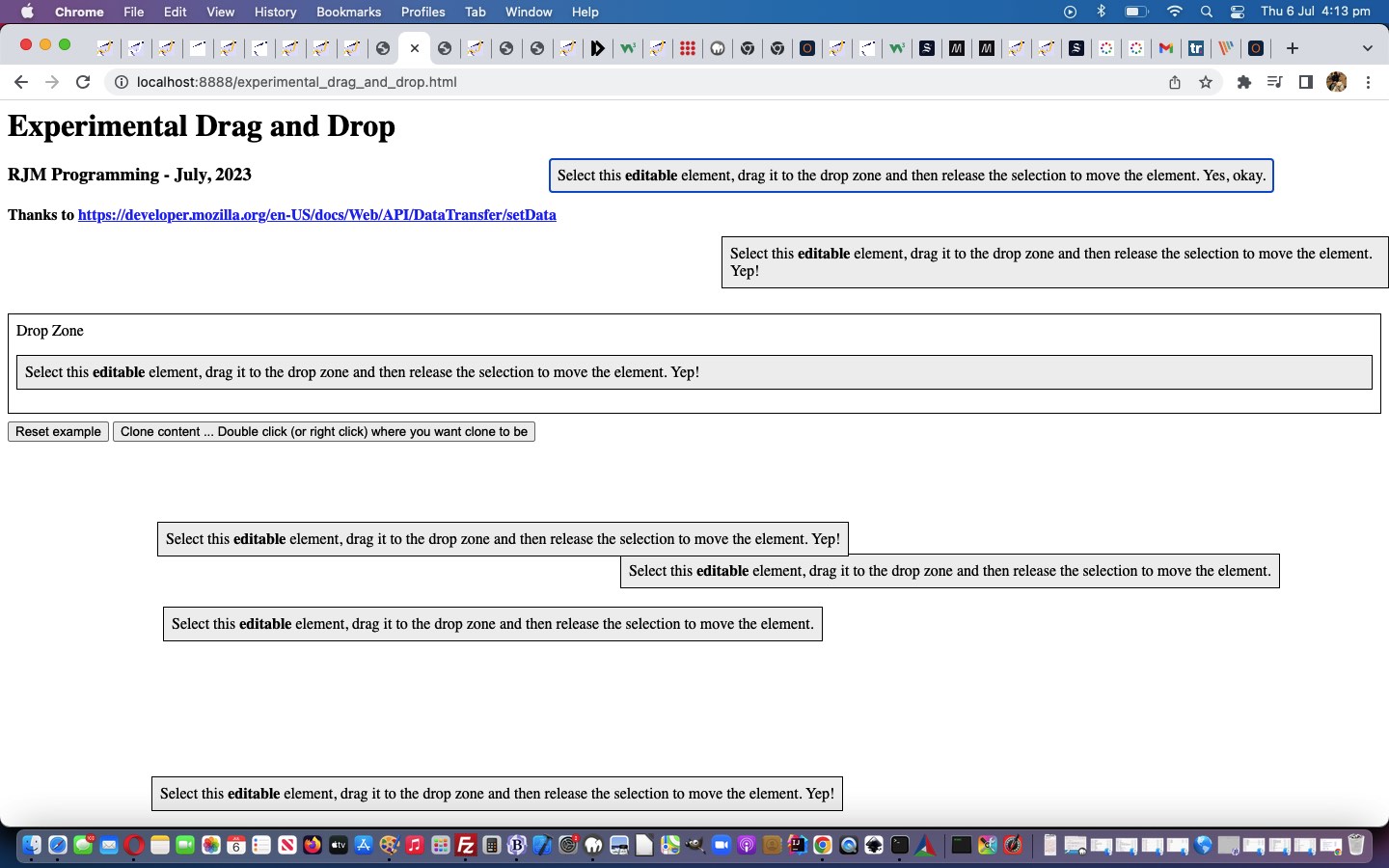
Drop Zone
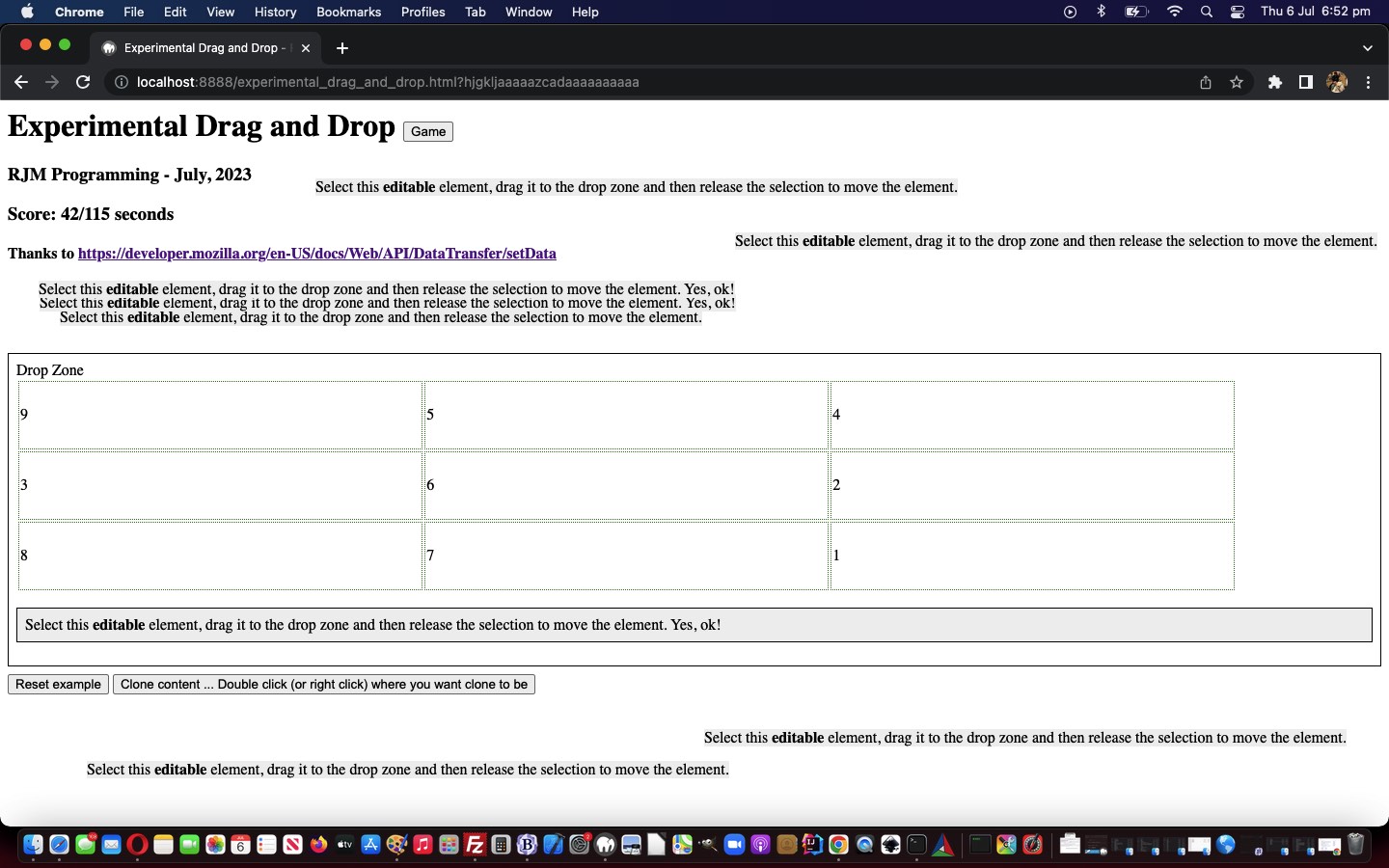
Can “inheritance” be harnessed to make it work for some complexity of nested HTML elements inside that “Drop Zone” element when the document.body’s onload event happens? We wondered whether a Brady Bunch style 3×3 table could be the go? And whether the nine cells could have a “score” associated with them, and that set of scores be changing over time to make the game more challenging and interesting? Well …
We’ve added the word experimental into today’s blog posting title, mainly because our first of two inspirational webpage sources (last modified on 23/02/2023) regarding somewhat alternative “Drag and Drop” functionalities told us, regarding the DataTransfer object informational “DataTransfer” webpage …
Experimental: This is an experimental technology
Check the Browser compatibility table carefully before using this in production.
… but our testing of the methodologies on various platforms hasn’t totally failed yet on any of the several desktop and mobile platform scenarios we’ve tried. On mobile, we just held on for a sustained touch (down) to make it possible. So maybe the industry has caught up with the ideas? We’re hoping so, because “drag and drop” is a kind of natural thing online users think of to do, and people associate it with “getting things done” we reckon.
Anyway, we relied on the great source code of the second of two inspirational webpages DataTransfer: setData() method, thanks …
The DataTransfer.setData() method sets the drag operation’s drag data to the specified data and type. If data for the given type does not exist, it is added at the end of the drag data store, such that the last item in the types list will be the new type. If data for the given type already exists, the existing data is replaced in the same position. That is, the order of the types list is not changed when replacing data of the same type.
We’ve added the word experimental into today’s blog posting title, mainly because our first of two inspirational webpage sources (last modified on 23/02/2023) regarding somewhat alternative “Drag and Drop” functionalities told us, regarding the DataTransfer object informational “DataTransfer” webpage …
Experimental: This is an experimental technology
Check the Browser compatibility table carefully before using this in production.
… but our testing of the methodologies on various platforms hasn’t totally failed yet on any of the several desktop and mobile platform scenarios we’ve tried. On mobile, we just held on for a sustained touch (down) to make it possible. So maybe the industry has caught up with the ideas? We’re hoping so, because “drag and drop” is a kind of natural thing online users think of to do, and people associate it with “getting things done” we reckon.
Anyway, we relied on the great source code of the second of two inspirational webpages DataTransfer: setData() method, thanks …
The DataTransfer.setData() method sets the drag operation’s drag data to the specified data and type. If data for the given type does not exist, it is added at the end of the drag data store, such that the last item in the types list will be the new type. If data for the given type already exists, the existing data is replaced in the same position. That is, the order of the types list is not changed when replacing data of the same type.
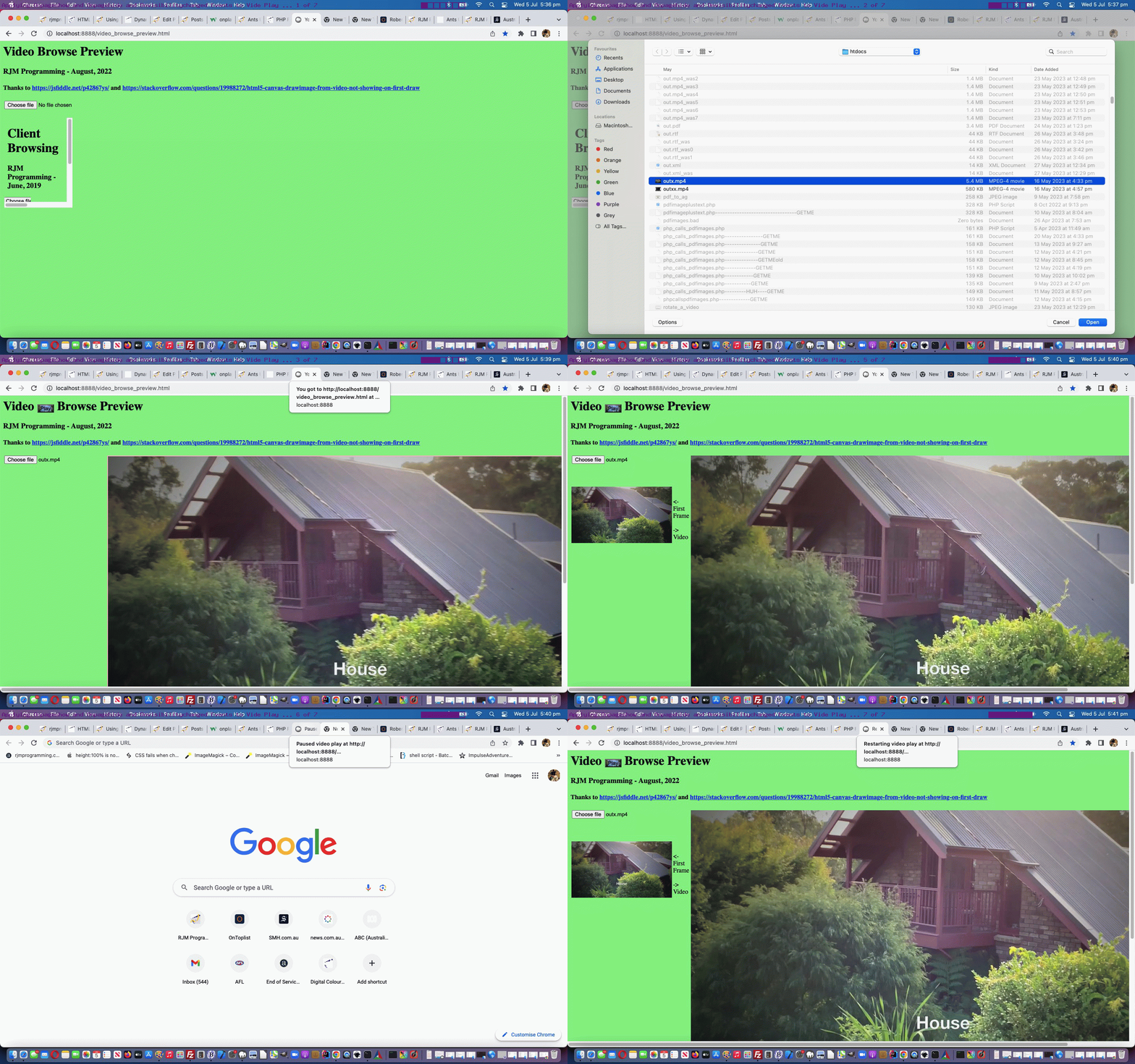
left it to open another tab’s webpage for that web browser … then …
on revisiting the first webpage its Javascript had paused the video that was playing (and we restart the playing video, rather than have it be that we waited for us to restart, as required)
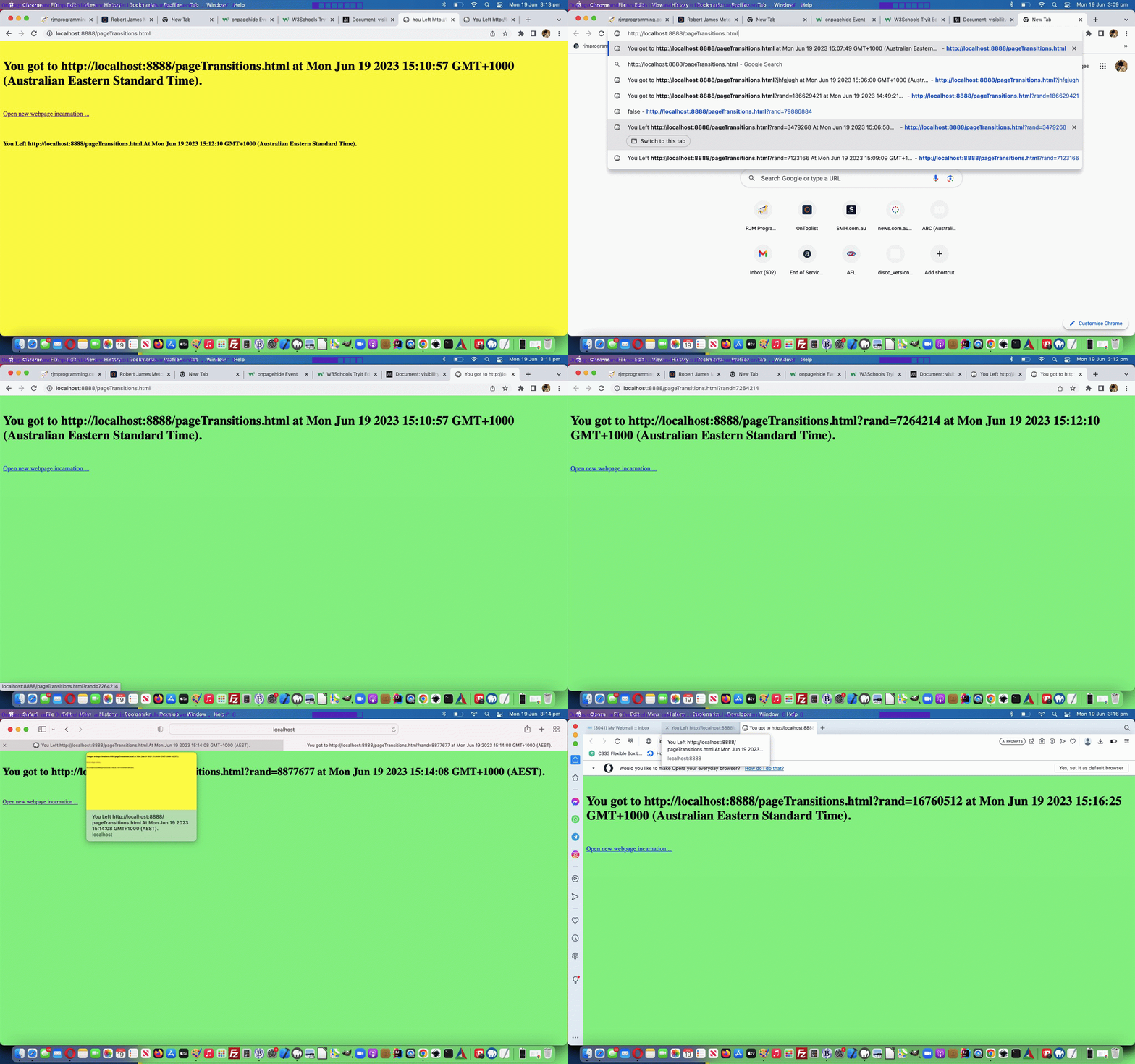
The status of all this is reflected by our webpage’s document.title on its web browser tab.
… among anything else we achieve, in amongst that, place a slim “platform” up the top of the wall, to place the food, and distinctly separate any realia from game elements …
… if you get our gist?!
Now, we’ve researched “border image” functionality before, but even so, these ideas don’t always work. Today we had a …
… any “border image” solution must only affect “border top” …
… and, believe it or not, this did cause us grief enough, so that our favoured “border image” with a “linear gradient” preferred solution was just out of reach, in favour of a solution just with a straight “border top colour” solution, only, working for us. So sad! Even so, we find an aesthetic improvement looking at the end results (each animal has its own coloured “platform”).
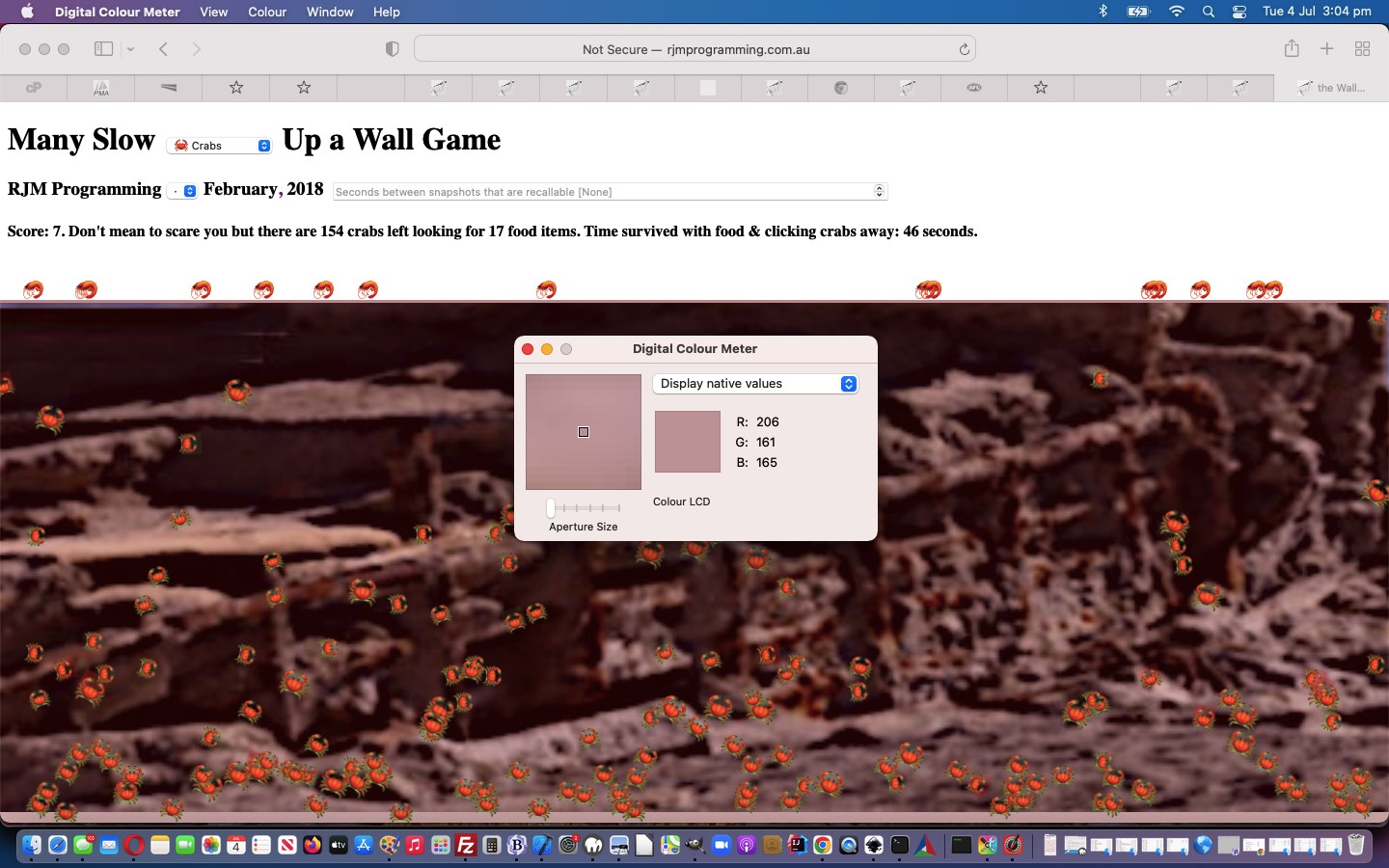
In picking a suitable “platform” colour we found more use for macOS’s Digital Colour Meter desktop application, as we talked about at Digital Colour Meter on Mac Laptop Tutorial, in finding suitable colours hovering over those third party background images (with our mouse (not the animal)).
In the end we almost got to that “border image” solution via CSS …
And as a way to not have the background imagery “take over”, on occasions, we started applying “background image only” opacity, as with the Javascript DOM (for the sloth) like …
… possible, as this simple idea, because the “wall” element is separate to the element containing the “animal emojis” and header parts of the webpage, in the changedants_up_the_wall.html“Ants Up a Wall” game, we hope. And again, you might want to look at those recent Javascript variables again in a oteote and plural “tell a story” code difference report.
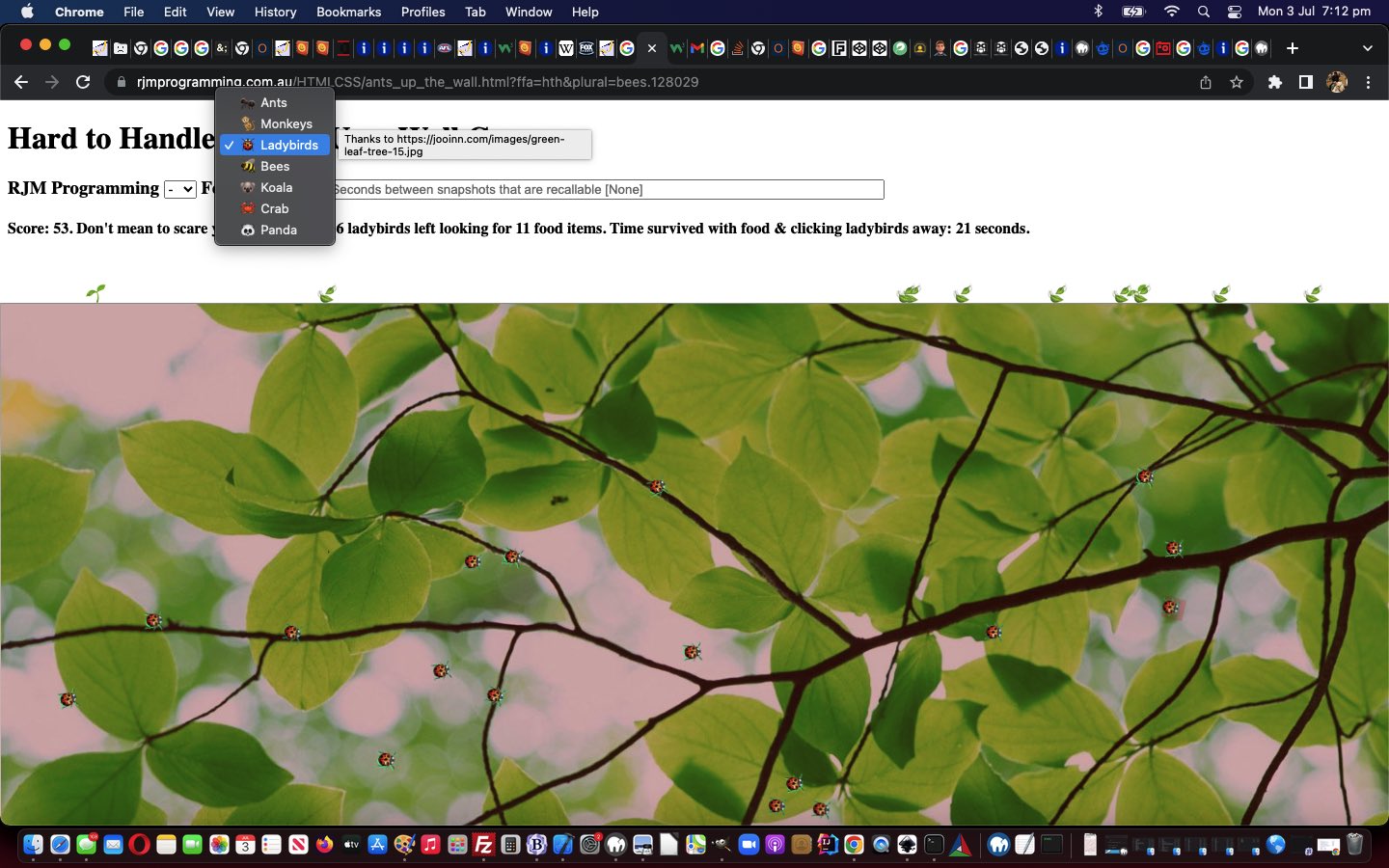
Further to yesterday’s Ants Up a Wall Game Genericization Tutorial we wanted to point out, regarding many online games, how important backgrounds are. We’ve got seven featured emoji animals now with our “genericization drive”, as it stands today, and each animal has a different background (involving Javascript DOM code) we are going to tabularize for your scrutiny, and interest (in that you can click white cells to show a version of the backgrounding here), below …
We think, around here, that it is best to have a web application settled into working on the platforms you want it to, ahead of any “genericization drives”, like we try starting out on today, with the “Ants Up a Wall” web application, of the recent Ants Up a Wall Game Mobile Tutorial.
Our “genericization drive”, as is often the case around here, concerns a “hardcoding” in web application workings or assumptions to “a more multi faceted” or “parametised” and “user controllable” improvement.
Today’s “hardcoding” is “Ants” and the genericizations revolve around … anyone, anyone? … no, Levi … we don’t need that smart a… answer of “pants” … so, anyone, anyone? … yes, David, indeed, a list of animals.
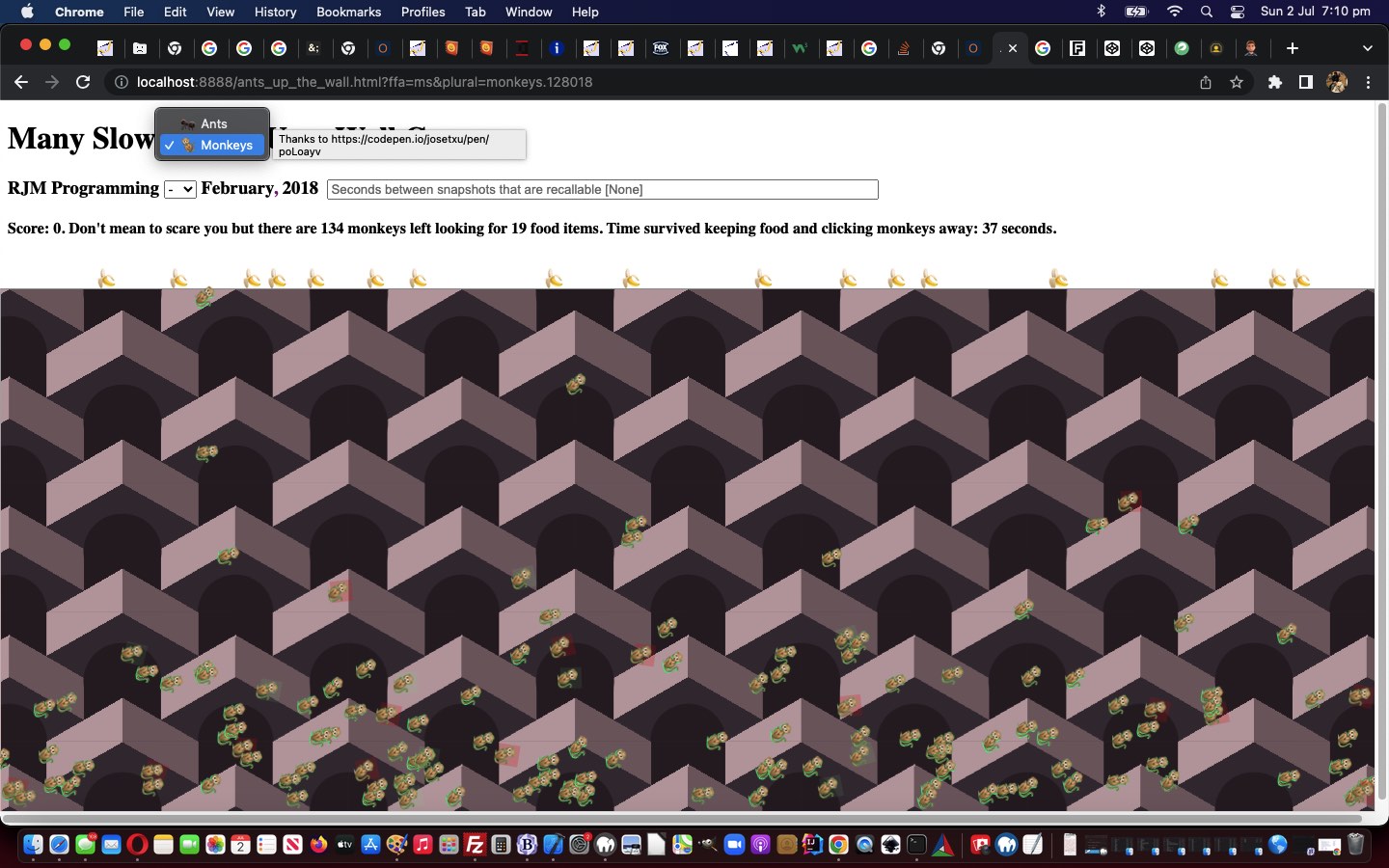
And yes, there are two variables that “tell a story, called oteote and plural“ regarding what we needed to do to make this happen in our changedants_up_the_wall.html“Ants Up a Wall” game that are heavily involved in the functionality surrounding a new “user controlled” dropdown (ie. select) element (involving new option “Monkeys”, as our “proof of concept” cab off the rank, here) …
<select title='Thanks to https://werner-zenk.de/css/farbverlauf_mit_css2.php' onclick="event.stopPropagation();" id=sanimal onchange=newanimal(this.value);><option id=oants title='Thanks to https://werner-zenk.de/css/farbverlauf_mit_css2.php' value=''>🐜 Ants</option><option id=omonkeys title='Thanks to https://codepen.io/josetxu/pen/poLoayv' value=128018>🐒 Monkeys</option></select>
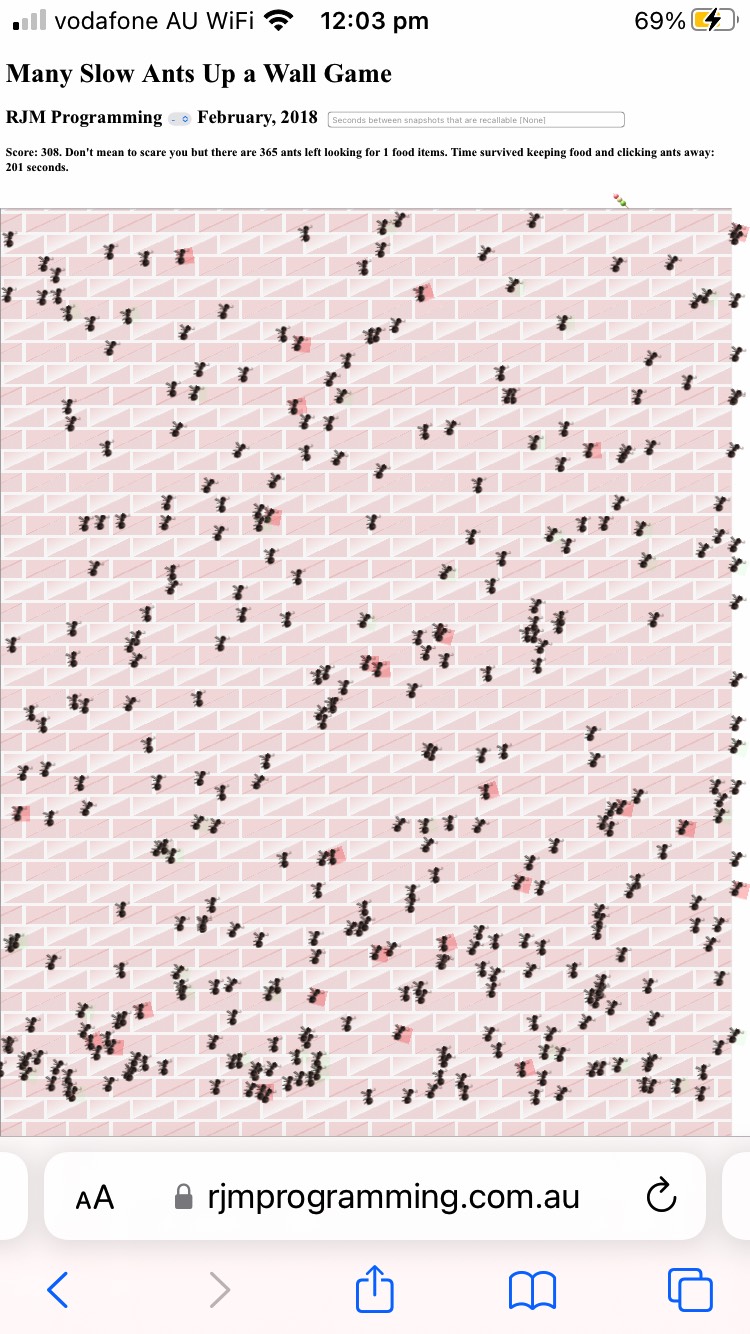
We can’t remember when we first coded the “Ants Up a Wall” game à la Ants Up a Wall Game Snapshots Tutorial, but playing it, as of yesterday’s version, it was “not pretty” on our iPhone device.
The “Wall” in mobile portrait orientation was too low down and too high up in landscape, then “Goldilocks” (more like “very few locks”) has come along today to make the “Wall” just right. And speaking of “right” (or is that “right”), for mobile, the errant ants that wander off to the right caused viewport disruption, as it is very disconcerting on a game asking for you to click ants, be challenged by a “moving Wall”!
The “Wall” (on smaller mobile platforms) positional fix has been made mainly via new CSS …
<style>
/* The rest of the previous CSS here remains untouched ... then ... */
@media only screen and (min-device-width: 320px) and (max-device-width: 865px) and (orientation: portrait) {
.atboXttom {
top: 200px;
}
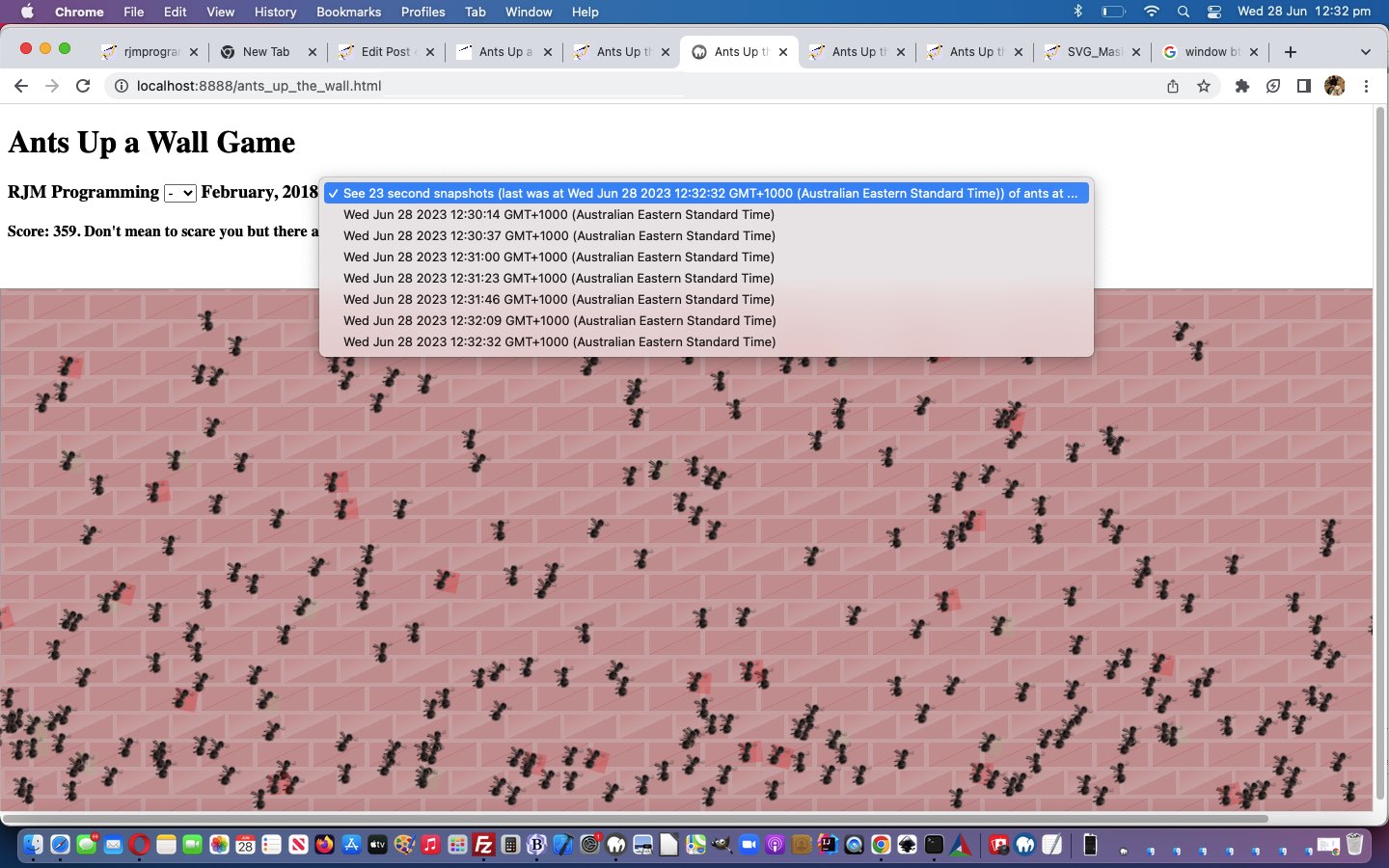
… to allow our game to optionally record game snapshots into document.body global data attributes, as another way to harness …
parent webpage …
has document.body global data attribute “snapshots” dynamically created …
that can be recalled via a user controllable dropdown … and passed onto …
a new game can be “window.open”ed establishing a “window.opener” link in the new game child window (back to the parent) …
in order to be able to retain the “snapshots” among “Ants Up the Wall” game runs
Yes, data is passing between webpages, but it is that nuance more sophisticated than your usual “window.open”ed establishing a “window.opener” link arrangement.
function makesnapshot() {
if (document.getElementById('selsnapshots') && !woois && !gwoois && notnew) {
var inlabis='' + (new Date());
var labis=('data-' + inlabis).replace(/\:/g,'_').replace(/\//g,'_').replace(/\ /g,'_').replace(/\./g,'_').replace(/\+/g,'_').replace(/\)/g,'_').replace(/\(/g,'_');
//document.body.setAttribute(labis, window.btoa(document.body.innerHTML));
document.body.setAttribute(labis, encodeURIComponent(document.body.innerHTML));
document.getElementById('oreadyfor').innerHTML=document.getElementById('oreadyfor').getAttribute('data-prefix') + 'last was at ' + inlabis + ') of ants at ...';
document.getElementById('selsnapshots').innerHTML+='<option value="' + labis + '">' + inlabis + '</option>';
//ngblurb='<button style=color:orange;z-index:9987; onclick=involvednewgame();>game</button> ';
//ngblurb='game via header link click ';
ngblurb='<a target=_blank style=color:orange; href=//www.rjmprogramming.com.au/HTMLCSS/ants_up_the_wall.html>game</a> (or via header link click above to retain snapshots) ';
function lfd() {
var datas=[], idatas=0;
if (window.opener) {
document.getElementById('mysnapshots').innerHTML=window.opener.document.getElementById('mysnapshots').innerHTML;
datas=window.opener.document.body.outerHTML.split('>')[0].split(' data-');
for (idatas=1; idatas<datas.length; idatas++) {
document.body.setAttribute('data-' + datas[idatas].split('=')[0], datas[idatas].split('="')[1].split('"')[0]);
}
setInterval(makesnapshot, Math.round(eval(1000.0 * eval('' + document.getElementById('mysnapshots').innerHTML.split('>Se' + 'e ')[1].split(' ')[0] ))));
//alert('Good');
} else if (document.head.innerHTML.indexOf('calc(1' + '00% - 550px)') == -1) {
//alert('good');
startx=-1;
starty=-1;
goes=20;
score=0;
slowants=1000;
document.getElementById('rest').innerHTML='';
document.getElementById('status').innerHTML='';
document.getElementById('score').innerHTML="Score: 0. Don't mean to scare you but there are 0 ants left looking for 20 food items. Time survived keeping food and clicking ants away: 0 seconds.";
//} else {
//alert('why? ' + document.head.innerHTML.split('<scr')[0]);
}
}
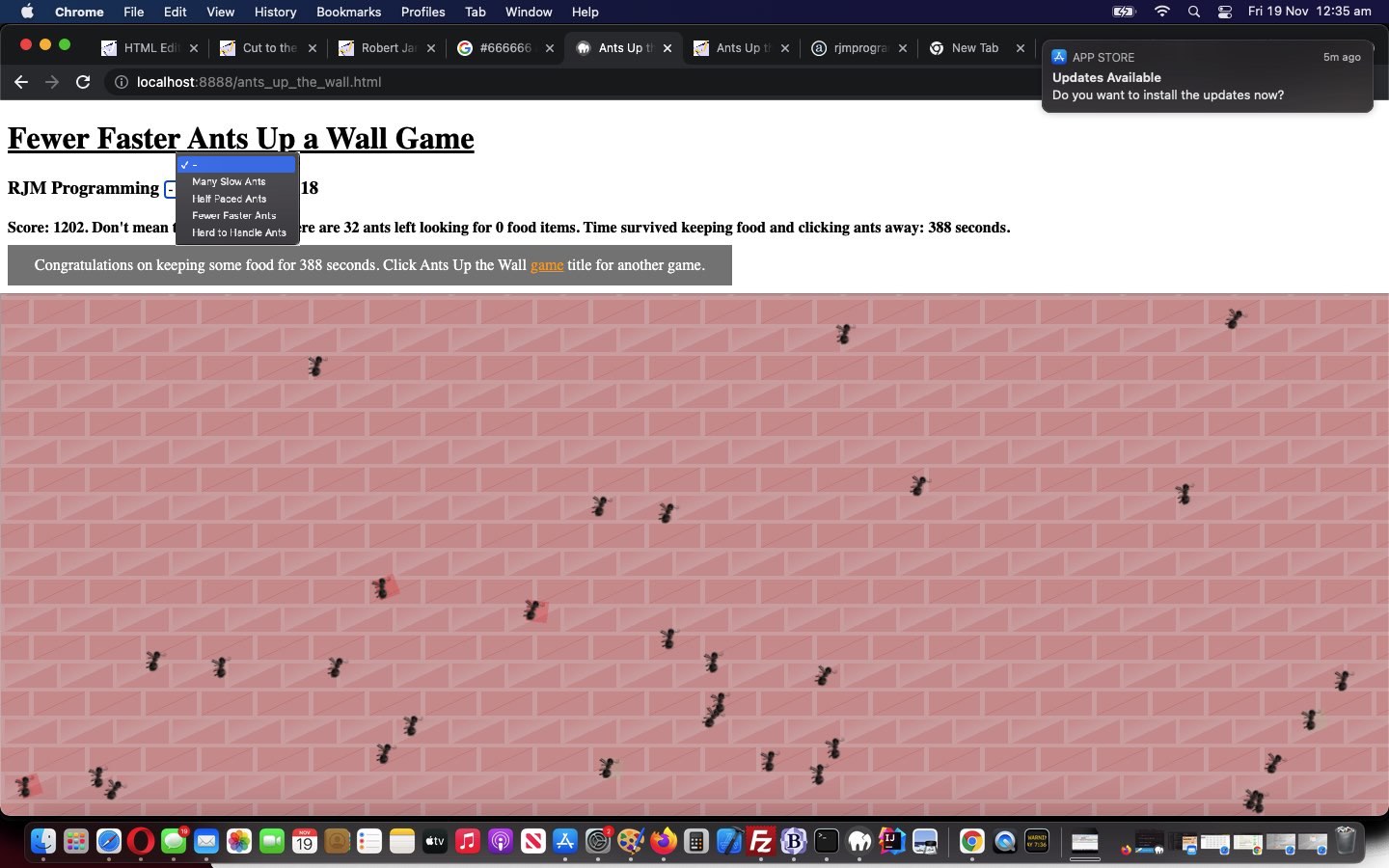
… as a means of describing an alternative arrangement to have at the end of the game instead of the Javascript alert popup window we had previously, offering …
non-modal and temporary information display …
able to show and navigate off links …
We tweaked to this as an issue when we created an HTML iframe off our changedants_up_the_wall.html“Ants Up a Wall” game within a WordPress blog post, and that WordPress blog “down the line” would be interrupted with an alert box informing them about the “Ants Up a Wall” game status, and the user would be held up doing whatever they were doing at the blog, until they clicked the alert popup window’s OK button. Well, with the Android “toast” inspired …
… arrangements (also being placed into the WordPress blog Twenty Ten theme’s good ol’ header.php), that user would no longer be corralled into clicking that OK button in order to proceed, but would still get to see information on the screen regarding the relevant “Ants Up a Wall” game and have links presented to them to navigate to other webpages of interest should they please, before disappearing, as necessary, after some time …
<script type=’text/javascript’>
function isecm() {

 if (okay) {

  isecs++;

  document.getElementById('score').innerHTML="Score: " + score + ".  Don't mean to scare you but there are " + eval(numants - minus) + " ants left looking for " + goes + " food items.  Time survived keeping food and clicking ants away: " + isecs + " seconds.";

  if (goes == 0) {

    goes=-1;

    okay=false;

    if (1 == 2) {

    alert('Congratulations on keeping some food for ' + isecs + ' seconds.');

    location.href=document.URL.split('#')[0].split('?')[0];

    } else {

    document.getElementById('myh1').title='Click to restart';

    document.getElementById('myh1').style.textDecoration='underline';

    document.getElementById('myh1').style.cursor='pointer';

    if (window.top) {

    if (wsprefix == '') {

    wsprefix=' ';

    var tifs=top.document.getElementsByTagName('iframe');

    for (var jtifs=0; jtifs<tifs.length; jtifs++) {

      if (('' + tifs[jtifs].src).indexOf('ants_up_the_wall.htm') != -1) {

        if (('' + tifs[jtifs].id) != '') {

          wsprefix='<a style=color:lightgreen; href="#' + tifs[jtifs].id + '">';

          wssuffix='</a>';

        } else {

          var gbcr=tifs[jtifs].getBoundingClientRect();

          wsprefix='<a style="cursor:pointer;text-decoration:underline;color:lightgreen;" onclick=" window.top.scroll(0,' + gbcr.top + '); ">';

          wssuffix='</a>';

        }

      }

    }

    }

    if (top.document.getElementById('custom-alert-1')) {

    top.document.getElementById('custom-alert-1').innerHTML="Congratulations on keeping some food for " + isecs + " seconds.  Click Ants Up the Wall <a target=_blank style=color:orange; href=//www.rjmprogramming.com.au/HTMLCSS/ants_up_the_wall.html>game</a> " + wsprefix.trim() + "title" + wssuffix + " for another game.";

    top.document.getElementById('custom-alert-1').style.display='inline';

    top.document.getElementById('custom-alert-1').style.visibility='visible';

    } else {

    top.document.body.innerHTML+="<div id='custom-alert-1' class='custom-alert' style='visibility: visible;display: inline;'>Congratulations on keeping some food for " + isecs + " seconds.  Click Ants Up the Wall <a target=_blank style=color:orange; href=//www.rjmprogramming.com.au/HTMLCSS/ants_up_the_wall.html>game</a> " + wsprefix.trim() + "title" + wssuffix + " for another game.</div>";

    }

    setTimeout(top.document.hideIt, 10000);

    } else {

    if (document.getElementById('custom-alert-1')) {

    document.getElementById('custom-alert-1').innerHTML="Congratulations on keeping some food for " + isecs + " seconds.  Click Ants Up the Wall <a target=_blank style=color:orange; href=//www.rjmprogramming.com.au/HTMLCSS/ants_up_the_wall.html>game</a>  " + wsprefix + "title" + wssuffix.trim() + " for another game.";

    document.getElementById('custom-alert-1').style.display='inline';

    document.getElementById('custom-alert-1').style.visibility='visible';

    } else {

    document.body.innerHTML+="<div id='custom-alert-1' class='custom-alert' style='visibility: visible;display: inline;'>Congratulations on keeping some food for " + isecs + " seconds.  Click Ants Up the Wall <a target=_blank style=color:orange; href=//www.rjmprogramming.com.au/HTMLCSS/ants_up_the_wall.html>game</a> " + wsprefix.trim() + "title" + wssuffix + " for another game.</div>";

    }

    setTimeout(hideIt, 10000);

    }

    // setTimeout(hideIt, 10000);

    }

    // location.href=document.URL.split('#')[0].split('?')[0];

  }

 }

}


function hideIt() {

  if (window.top) {

  if (top.document.getElementById('custom-alert-1')) {

  top.document.getElementById('custom-alert-1').style.display='none';

  top.document.getElementById('custom-alert-1').style.visibility='hidden';

  }

  } else {

  if (document.getElementById('custom-alert-1')) {

  document.getElementById('custom-alert-1').style.display='none';

  document.getElementById('custom-alert-1').style.visibility='hidden';

  }

  }

}


function cthen() {

  goes=0;

  location.href=document.URL.split('#')[0].split('?')[0] + ffa;

}
</script>
Today, also there are “Ants Up a Wall” game modes of play (with Javascript logics working with an “ant production” timer codeline now goes setTimeout(moveants,slowants);) that go …
<script type=’text/javascript’>
var slowants=1000;

var ffa=(location.search.split('ffa=')[1] ? decodeURIComponent(location.search.split('ffa=')[1]).split('&')[0] : '');


function oureval(inev, osel) {

  if (inev != '') {

  if (inev == '100') {

    document.getElementById('adjective').innerHTML='Fewer Faster ';

    ffa='?ffa=ffa';

  } else if (inev == '500') {

    document.getElementById('adjective').innerHTML='Half Paced ';

    ffa='?ffa=hp';

  } else if (inev == '50') {

    document.getElementById('adjective').innerHTML='Hard to Handle ';

    ffa='?ffa=hth';

  } else if (inev == '1000') {

    document.getElementById('adjective').innerHTML='Many Slow ';

    ffa='?ffa=ms';

  }

  slowants=eval(inev);

  osel.value='';

  }

}


function doffa() {

  if (ffa != '') {

    if (ffa == 'ffa') {

      document.getElementById('adjective').innerHTML='Fewer Faster ';

      slowants=eval('100');

      ffa='?ffa=ffa';

    } else if (ffa == 'hp') {

      document.getElementById('adjective').innerHTML='Half Paced ';

      slowants=eval('500');

      ffa='?ffa=hp';

    } else if (ffa == 'hth') {

      document.getElementById('adjective').innerHTML='Hard to Handle ';

      slowants=eval('50');

      ffa='?ffa=hth';

    } else if (ffa == 'ms') {

      document.getElementById('adjective').innerHTML='Many Slow ';

      slowants=eval('1000');

      ffa='?ffa=ms';

    }

  }

}
</script>
… the point being that with some of these modes of play the ant movement feels a bit smoother, and more real!
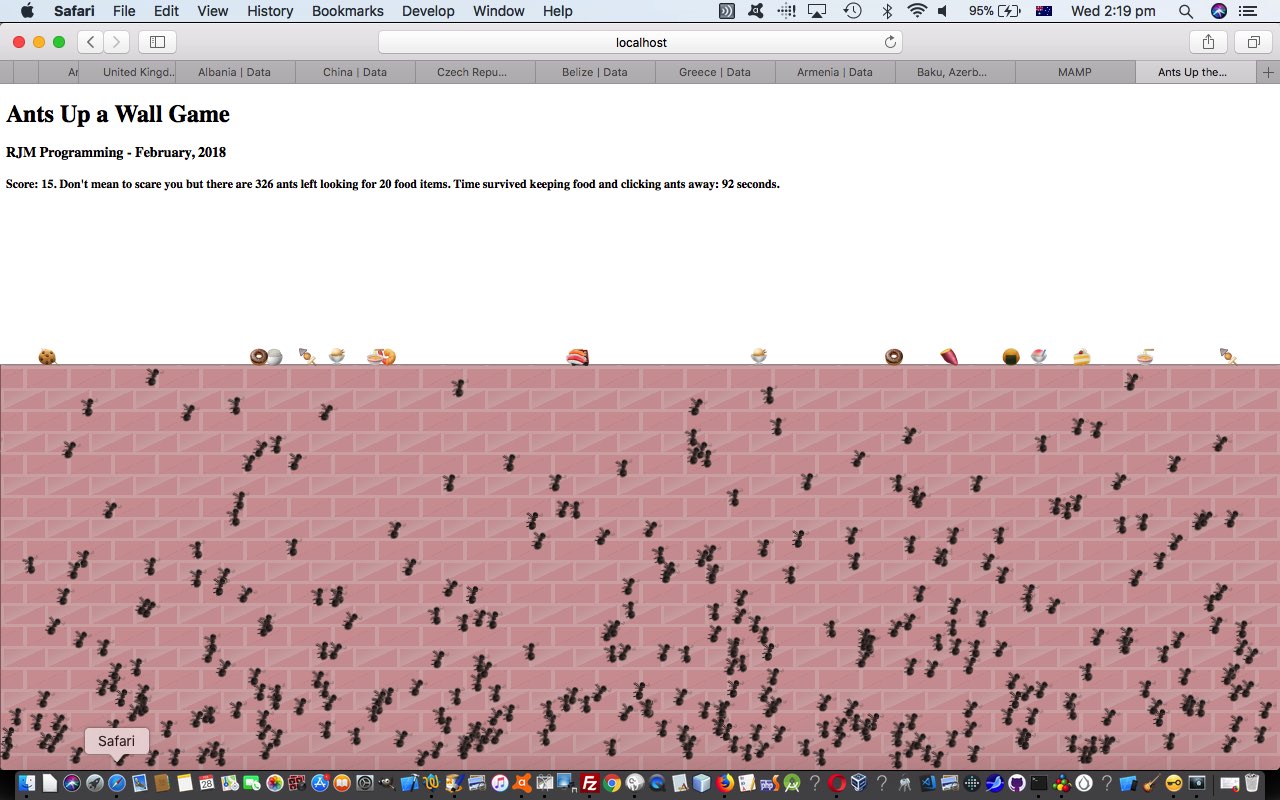
Today, though, we arrange it that the wall sits down the bottom of the screen, where, as you would all know, any self respecting ant will emerge from, if they take an interest in your computer equipment.
Your mission, Jim, should you decide to accept it is to protect your food supplies on the wall from marauding ants. We’ve assembled a crack team for you, Jim, or you can come up with your own Bee Team (chortle, chortle). As always, should you or any of your I.M. Force be caught or killed, the Secretary will disavow any knowledge of your actions.
setTimeout (and setInterval (to derive a “seconds elapsed” idea to the game)) timer methods … and, lately, at least …
Emoji usage
The marauding ants need a limit of their numbers, in case users leave the web application running forever, and that is where we relieve memory requirements by using the delete (array member) method of keeping the (array) indexes constant but save on memory requirements over time.
If this was interesting you may be interested in this too.
If this was interesting you may be interested in this too.
If this was interesting you may be interested in this too.
If this was interesting you may be interested in this too.
If this was interesting you may be interested in this too.
If this was interesting you may be interested in this too.
If this was interesting you may be interested in this too.
If this was interesting you may be interested in this too.
Further to yesterday’s Ants Up a Wall Game Genericization Tutorial we wanted to point out, regarding many online games, how important backgrounds are. We’ve got seven featured emoji animals now with our “genericization drive”, as it stands today, and each animal has a different background (involving Javascript DOM code) we are going to tabularize for your scrutiny, and interest (in that you can click white cells to show a version of the backgrounding here), below …
We think, around here, that it is best to have a web application settled into working on the platforms you want it to, ahead of any “genericization drives”, like we try starting out on today, with the “Ants Up a Wall” web application, of the recent Ants Up a Wall Game Mobile Tutorial.
Our “genericization drive”, as is often the case around here, concerns a “hardcoding” in web application workings or assumptions to “a more multi faceted” or “parametised” and “user controllable” improvement.
Today’s “hardcoding” is “Ants” and the genericizations revolve around … anyone, anyone? … no, Levi … we don’t need that smart a… answer of “pants” … so, anyone, anyone? … yes, David, indeed, a list of animals.
And yes, there are two variables that “tell a story, called oteote and plural“ regarding what we needed to do to make this happen in our changedants_up_the_wall.html“Ants Up a Wall” game that are heavily involved in the functionality surrounding a new “user controlled” dropdown (ie. select) element (involving new option “Monkeys”, as our “proof of concept” cab off the rank, here) …
<select title='Thanks to https://werner-zenk.de/css/farbverlauf_mit_css2.php' onclick="event.stopPropagation();" id=sanimal onchange=newanimal(this.value);><option id=oants title='Thanks to https://werner-zenk.de/css/farbverlauf_mit_css2.php' value=''>🐜 Ants</option><option id=omonkeys title='Thanks to https://codepen.io/josetxu/pen/poLoayv' value=128018>🐒 Monkeys</option></select>
We can’t remember when we first coded the “Ants Up a Wall” game à la Ants Up a Wall Game Snapshots Tutorial, but playing it, as of yesterday’s version, it was “not pretty” on our iPhone device.
The “Wall” in mobile portrait orientation was too low down and too high up in landscape, then “Goldilocks” (more like “very few locks”) has come along today to make the “Wall” just right. And speaking of “right” (or is that “right”), for mobile, the errant ants that wander off to the right caused viewport disruption, as it is very disconcerting on a game asking for you to click ants, be challenged by a “moving Wall”!
The “Wall” (on smaller mobile platforms) positional fix has been made mainly via new CSS …
<style>
/* The rest of the previous CSS here remains untouched ... then ... */
@media only screen and (min-device-width: 320px) and (max-device-width: 865px) and (orientation: portrait) {
.atboXttom {
top: 200px;
}
… to allow our game to optionally record game snapshots into document.body global data attributes, as another way to harness …
parent webpage …
has document.body global data attribute “snapshots” dynamically created …
that can be recalled via a user controllable dropdown … and passed onto …
a new game can be “window.open”ed establishing a “window.opener” link in the new game child window (back to the parent) …
in order to be able to retain the “snapshots” among “Ants Up the Wall” game runs
Yes, data is passing between webpages, but it is that nuance more sophisticated than your usual “window.open”ed establishing a “window.opener” link arrangement.
function makesnapshot() {
if (document.getElementById('selsnapshots') && !woois && !gwoois && notnew) {
var inlabis='' + (new Date());
var labis=('data-' + inlabis).replace(/\:/g,'_').replace(/\//g,'_').replace(/\ /g,'_').replace(/\./g,'_').replace(/\+/g,'_').replace(/\)/g,'_').replace(/\(/g,'_');
//document.body.setAttribute(labis, window.btoa(document.body.innerHTML));
document.body.setAttribute(labis, encodeURIComponent(document.body.innerHTML));
document.getElementById('oreadyfor').innerHTML=document.getElementById('oreadyfor').getAttribute('data-prefix') + 'last was at ' + inlabis + ') of ants at ...';
document.getElementById('selsnapshots').innerHTML+='<option value="' + labis + '">' + inlabis + '</option>';
//ngblurb='<button style=color:orange;z-index:9987; onclick=involvednewgame();>game</button> ';
//ngblurb='game via header link click ';
ngblurb='<a target=_blank style=color:orange; href=//www.rjmprogramming.com.au/HTMLCSS/ants_up_the_wall.html>game</a> (or via header link click above to retain snapshots) ';
function lfd() {
var datas=[], idatas=0;
if (window.opener) {
document.getElementById('mysnapshots').innerHTML=window.opener.document.getElementById('mysnapshots').innerHTML;
datas=window.opener.document.body.outerHTML.split('>')[0].split(' data-');
for (idatas=1; idatas<datas.length; idatas++) {
document.body.setAttribute('data-' + datas[idatas].split('=')[0], datas[idatas].split('="')[1].split('"')[0]);
}
setInterval(makesnapshot, Math.round(eval(1000.0 * eval('' + document.getElementById('mysnapshots').innerHTML.split('>Se' + 'e ')[1].split(' ')[0] ))));
//alert('Good');
} else if (document.head.innerHTML.indexOf('calc(1' + '00% - 550px)') == -1) {
//alert('good');
startx=-1;
starty=-1;
goes=20;
score=0;
slowants=1000;
document.getElementById('rest').innerHTML='';
document.getElementById('status').innerHTML='';
document.getElementById('score').innerHTML="Score: 0. Don't mean to scare you but there are 0 ants left looking for 20 food items. Time survived keeping food and clicking ants away: 0 seconds.";
//} else {
//alert('why? ' + document.head.innerHTML.split('<scr')[0]);
}
}
… as a means of describing an alternative arrangement to have at the end of the game instead of the Javascript alert popup window we had previously, offering …
non-modal and temporary information display …
able to show and navigate off links …
We tweaked to this as an issue when we created an HTML iframe off our changedants_up_the_wall.html“Ants Up a Wall” game within a WordPress blog post, and that WordPress blog “down the line” would be interrupted with an alert box informing them about the “Ants Up a Wall” game status, and the user would be held up doing whatever they were doing at the blog, until they clicked the alert popup window’s OK button. Well, with the Android “toast” inspired …
… arrangements (also being placed into the WordPress blog Twenty Ten theme’s good ol’ header.php), that user would no longer be corralled into clicking that OK button in order to proceed, but would still get to see information on the screen regarding the relevant “Ants Up a Wall” game and have links presented to them to navigate to other webpages of interest should they please, before disappearing, as necessary, after some time …
<script type=’text/javascript’>
function isecm() {

 if (okay) {

  isecs++;

  document.getElementById('score').innerHTML="Score: " + score + ".  Don't mean to scare you but there are " + eval(numants - minus) + " ants left looking for " + goes + " food items.  Time survived keeping food and clicking ants away: " + isecs + " seconds.";

  if (goes == 0) {

    goes=-1;

    okay=false;

    if (1 == 2) {

    alert('Congratulations on keeping some food for ' + isecs + ' seconds.');

    location.href=document.URL.split('#')[0].split('?')[0];

    } else {

    document.getElementById('myh1').title='Click to restart';

    document.getElementById('myh1').style.textDecoration='underline';

    document.getElementById('myh1').style.cursor='pointer';

    if (window.top) {

    if (wsprefix == '') {

    wsprefix=' ';

    var tifs=top.document.getElementsByTagName('iframe');

    for (var jtifs=0; jtifs<tifs.length; jtifs++) {

      if (('' + tifs[jtifs].src).indexOf('ants_up_the_wall.htm') != -1) {

        if (('' + tifs[jtifs].id) != '') {

          wsprefix='<a style=color:lightgreen; href="#' + tifs[jtifs].id + '">';

          wssuffix='</a>';

        } else {

          var gbcr=tifs[jtifs].getBoundingClientRect();

          wsprefix='<a style="cursor:pointer;text-decoration:underline;color:lightgreen;" onclick=" window.top.scroll(0,' + gbcr.top + '); ">';

          wssuffix='</a>';

        }

      }

    }

    }

    if (top.document.getElementById('custom-alert-1')) {

    top.document.getElementById('custom-alert-1').innerHTML="Congratulations on keeping some food for " + isecs + " seconds.  Click Ants Up the Wall <a target=_blank style=color:orange; href=//www.rjmprogramming.com.au/HTMLCSS/ants_up_the_wall.html>game</a> " + wsprefix.trim() + "title" + wssuffix + " for another game.";

    top.document.getElementById('custom-alert-1').style.display='inline';

    top.document.getElementById('custom-alert-1').style.visibility='visible';

    } else {

    top.document.body.innerHTML+="<div id='custom-alert-1' class='custom-alert' style='visibility: visible;display: inline;'>Congratulations on keeping some food for " + isecs + " seconds.  Click Ants Up the Wall <a target=_blank style=color:orange; href=//www.rjmprogramming.com.au/HTMLCSS/ants_up_the_wall.html>game</a> " + wsprefix.trim() + "title" + wssuffix + " for another game.</div>";

    }

    setTimeout(top.document.hideIt, 10000);

    } else {

    if (document.getElementById('custom-alert-1')) {

    document.getElementById('custom-alert-1').innerHTML="Congratulations on keeping some food for " + isecs + " seconds.  Click Ants Up the Wall <a target=_blank style=color:orange; href=//www.rjmprogramming.com.au/HTMLCSS/ants_up_the_wall.html>game</a>  " + wsprefix + "title" + wssuffix.trim() + " for another game.";

    document.getElementById('custom-alert-1').style.display='inline';

    document.getElementById('custom-alert-1').style.visibility='visible';

    } else {

    document.body.innerHTML+="<div id='custom-alert-1' class='custom-alert' style='visibility: visible;display: inline;'>Congratulations on keeping some food for " + isecs + " seconds.  Click Ants Up the Wall <a target=_blank style=color:orange; href=//www.rjmprogramming.com.au/HTMLCSS/ants_up_the_wall.html>game</a> " + wsprefix.trim() + "title" + wssuffix + " for another game.</div>";

    }

    setTimeout(hideIt, 10000);

    }

    // setTimeout(hideIt, 10000);

    }

    // location.href=document.URL.split('#')[0].split('?')[0];

  }

 }

}


function hideIt() {

  if (window.top) {

  if (top.document.getElementById('custom-alert-1')) {

  top.document.getElementById('custom-alert-1').style.display='none';

  top.document.getElementById('custom-alert-1').style.visibility='hidden';

  }

  } else {

  if (document.getElementById('custom-alert-1')) {

  document.getElementById('custom-alert-1').style.display='none';

  document.getElementById('custom-alert-1').style.visibility='hidden';

  }

  }

}


function cthen() {

  goes=0;

  location.href=document.URL.split('#')[0].split('?')[0] + ffa;

}
</script>
Today, also there are “Ants Up a Wall” game modes of play (with Javascript logics working with an “ant production” timer codeline now goes setTimeout(moveants,slowants);) that go …
<script type=’text/javascript’>
var slowants=1000;

var ffa=(location.search.split('ffa=')[1] ? decodeURIComponent(location.search.split('ffa=')[1]).split('&')[0] : '');


function oureval(inev, osel) {

  if (inev != '') {

  if (inev == '100') {

    document.getElementById('adjective').innerHTML='Fewer Faster ';

    ffa='?ffa=ffa';

  } else if (inev == '500') {

    document.getElementById('adjective').innerHTML='Half Paced ';

    ffa='?ffa=hp';

  } else if (inev == '50') {

    document.getElementById('adjective').innerHTML='Hard to Handle ';

    ffa='?ffa=hth';

  } else if (inev == '1000') {

    document.getElementById('adjective').innerHTML='Many Slow ';

    ffa='?ffa=ms';

  }

  slowants=eval(inev);

  osel.value='';

  }

}


function doffa() {

  if (ffa != '') {

    if (ffa == 'ffa') {

      document.getElementById('adjective').innerHTML='Fewer Faster ';

      slowants=eval('100');

      ffa='?ffa=ffa';

    } else if (ffa == 'hp') {

      document.getElementById('adjective').innerHTML='Half Paced ';

      slowants=eval('500');

      ffa='?ffa=hp';

    } else if (ffa == 'hth') {

      document.getElementById('adjective').innerHTML='Hard to Handle ';

      slowants=eval('50');

      ffa='?ffa=hth';

    } else if (ffa == 'ms') {

      document.getElementById('adjective').innerHTML='Many Slow ';

      slowants=eval('1000');

      ffa='?ffa=ms';

    }

  }

}
</script>
… the point being that with some of these modes of play the ant movement feels a bit smoother, and more real!
Today, though, we arrange it that the wall sits down the bottom of the screen, where, as you would all know, any self respecting ant will emerge from, if they take an interest in your computer equipment.
Your mission, Jim, should you decide to accept it is to protect your food supplies on the wall from marauding ants. We’ve assembled a crack team for you, Jim, or you can come up with your own Bee Team (chortle, chortle). As always, should you or any of your I.M. Force be caught or killed, the Secretary will disavow any knowledge of your actions.
setTimeout (and setInterval (to derive a “seconds elapsed” idea to the game)) timer methods … and, lately, at least …
Emoji usage
The marauding ants need a limit of their numbers, in case users leave the web application running forever, and that is where we relieve memory requirements by using the delete (array member) method of keeping the (array) indexes constant but save on memory requirements over time.
If this was interesting you may be interested in this too.
If this was interesting you may be interested in this too.
If this was interesting you may be interested in this too.
If this was interesting you may be interested in this too.
If this was interesting you may be interested in this too.
If this was interesting you may be interested in this too.
If this was interesting you may be interested in this too.
We think, around here, that it is best to have a web application settled into working on the platforms you want it to, ahead of any “genericization drives”, like we try starting out on today, with the “Ants Up a Wall” web application, of the recent Ants Up a Wall Game Mobile Tutorial.
Our “genericization drive”, as is often the case around here, concerns a “hardcoding” in web application workings or assumptions to “a more multi faceted” or “parametised” and “user controllable” improvement.
Today’s “hardcoding” is “Ants” and the genericizations revolve around … anyone, anyone? … no, Levi … we don’t need that smart a… answer of “pants” … so, anyone, anyone? … yes, David, indeed, a list of animals.
And yes, there are two variables that “tell a story, called oteote and plural“ regarding what we needed to do to make this happen in our changedants_up_the_wall.html“Ants Up a Wall” game that are heavily involved in the functionality surrounding a new “user controlled” dropdown (ie. select) element (involving new option “Monkeys”, as our “proof of concept” cab off the rank, here) …
<select title='Thanks to https://werner-zenk.de/css/farbverlauf_mit_css2.php' onclick="event.stopPropagation();" id=sanimal onchange=newanimal(this.value);><option id=oants title='Thanks to https://werner-zenk.de/css/farbverlauf_mit_css2.php' value=''>🐜 Ants</option><option id=omonkeys title='Thanks to https://codepen.io/josetxu/pen/poLoayv' value=128018>🐒 Monkeys</option></select>
We can’t remember when we first coded the “Ants Up a Wall” game à la Ants Up a Wall Game Snapshots Tutorial, but playing it, as of yesterday’s version, it was “not pretty” on our iPhone device.
The “Wall” in mobile portrait orientation was too low down and too high up in landscape, then “Goldilocks” (more like “very few locks”) has come along today to make the “Wall” just right. And speaking of “right” (or is that “right”), for mobile, the errant ants that wander off to the right caused viewport disruption, as it is very disconcerting on a game asking for you to click ants, be challenged by a “moving Wall”!
The “Wall” (on smaller mobile platforms) positional fix has been made mainly via new CSS …
<style>
/* The rest of the previous CSS here remains untouched ... then ... */
@media only screen and (min-device-width: 320px) and (max-device-width: 865px) and (orientation: portrait) {
.atboXttom {
top: 200px;
}
… to allow our game to optionally record game snapshots into document.body global data attributes, as another way to harness …
parent webpage …
has document.body global data attribute “snapshots” dynamically created …
that can be recalled via a user controllable dropdown … and passed onto …
a new game can be “window.open”ed establishing a “window.opener” link in the new game child window (back to the parent) …
in order to be able to retain the “snapshots” among “Ants Up the Wall” game runs
Yes, data is passing between webpages, but it is that nuance more sophisticated than your usual “window.open”ed establishing a “window.opener” link arrangement.
function makesnapshot() {
if (document.getElementById('selsnapshots') && !woois && !gwoois && notnew) {
var inlabis='' + (new Date());
var labis=('data-' + inlabis).replace(/\:/g,'_').replace(/\//g,'_').replace(/\ /g,'_').replace(/\./g,'_').replace(/\+/g,'_').replace(/\)/g,'_').replace(/\(/g,'_');
//document.body.setAttribute(labis, window.btoa(document.body.innerHTML));
document.body.setAttribute(labis, encodeURIComponent(document.body.innerHTML));
document.getElementById('oreadyfor').innerHTML=document.getElementById('oreadyfor').getAttribute('data-prefix') + 'last was at ' + inlabis + ') of ants at ...';
document.getElementById('selsnapshots').innerHTML+='<option value="' + labis + '">' + inlabis + '</option>';
//ngblurb='<button style=color:orange;z-index:9987; onclick=involvednewgame();>game</button> ';
//ngblurb='game via header link click ';
ngblurb='<a target=_blank style=color:orange; href=//www.rjmprogramming.com.au/HTMLCSS/ants_up_the_wall.html>game</a> (or via header link click above to retain snapshots) ';
function lfd() {
var datas=[], idatas=0;
if (window.opener) {
document.getElementById('mysnapshots').innerHTML=window.opener.document.getElementById('mysnapshots').innerHTML;
datas=window.opener.document.body.outerHTML.split('>')[0].split(' data-');
for (idatas=1; idatas<datas.length; idatas++) {
document.body.setAttribute('data-' + datas[idatas].split('=')[0], datas[idatas].split('="')[1].split('"')[0]);
}
setInterval(makesnapshot, Math.round(eval(1000.0 * eval('' + document.getElementById('mysnapshots').innerHTML.split('>Se' + 'e ')[1].split(' ')[0] ))));
//alert('Good');
} else if (document.head.innerHTML.indexOf('calc(1' + '00% - 550px)') == -1) {
//alert('good');
startx=-1;
starty=-1;
goes=20;
score=0;
slowants=1000;
document.getElementById('rest').innerHTML='';
document.getElementById('status').innerHTML='';
document.getElementById('score').innerHTML="Score: 0. Don't mean to scare you but there are 0 ants left looking for 20 food items. Time survived keeping food and clicking ants away: 0 seconds.";
//} else {
//alert('why? ' + document.head.innerHTML.split('<scr')[0]);
}
}
… as a means of describing an alternative arrangement to have at the end of the game instead of the Javascript alert popup window we had previously, offering …
non-modal and temporary information display …
able to show and navigate off links …
We tweaked to this as an issue when we created an HTML iframe off our changedants_up_the_wall.html“Ants Up a Wall” game within a WordPress blog post, and that WordPress blog “down the line” would be interrupted with an alert box informing them about the “Ants Up a Wall” game status, and the user would be held up doing whatever they were doing at the blog, until they clicked the alert popup window’s OK button. Well, with the Android “toast” inspired …
… arrangements (also being placed into the WordPress blog Twenty Ten theme’s good ol’ header.php), that user would no longer be corralled into clicking that OK button in order to proceed, but would still get to see information on the screen regarding the relevant “Ants Up a Wall” game and have links presented to them to navigate to other webpages of interest should they please, before disappearing, as necessary, after some time …
<script type=’text/javascript’>
function isecm() {

 if (okay) {

  isecs++;

  document.getElementById('score').innerHTML="Score: " + score + ".  Don't mean to scare you but there are " + eval(numants - minus) + " ants left looking for " + goes + " food items.  Time survived keeping food and clicking ants away: " + isecs + " seconds.";

  if (goes == 0) {

    goes=-1;

    okay=false;

    if (1 == 2) {

    alert('Congratulations on keeping some food for ' + isecs + ' seconds.');

    location.href=document.URL.split('#')[0].split('?')[0];

    } else {

    document.getElementById('myh1').title='Click to restart';

    document.getElementById('myh1').style.textDecoration='underline';

    document.getElementById('myh1').style.cursor='pointer';

    if (window.top) {

    if (wsprefix == '') {

    wsprefix=' ';

    var tifs=top.document.getElementsByTagName('iframe');

    for (var jtifs=0; jtifs<tifs.length; jtifs++) {

      if (('' + tifs[jtifs].src).indexOf('ants_up_the_wall.htm') != -1) {

        if (('' + tifs[jtifs].id) != '') {

          wsprefix='<a style=color:lightgreen; href="#' + tifs[jtifs].id + '">';

          wssuffix='</a>';

        } else {

          var gbcr=tifs[jtifs].getBoundingClientRect();

          wsprefix='<a style="cursor:pointer;text-decoration:underline;color:lightgreen;" onclick=" window.top.scroll(0,' + gbcr.top + '); ">';

          wssuffix='</a>';

        }

      }

    }

    }

    if (top.document.getElementById('custom-alert-1')) {

    top.document.getElementById('custom-alert-1').innerHTML="Congratulations on keeping some food for " + isecs + " seconds.  Click Ants Up the Wall <a target=_blank style=color:orange; href=//www.rjmprogramming.com.au/HTMLCSS/ants_up_the_wall.html>game</a> " + wsprefix.trim() + "title" + wssuffix + " for another game.";

    top.document.getElementById('custom-alert-1').style.display='inline';

    top.document.getElementById('custom-alert-1').style.visibility='visible';

    } else {

    top.document.body.innerHTML+="<div id='custom-alert-1' class='custom-alert' style='visibility: visible;display: inline;'>Congratulations on keeping some food for " + isecs + " seconds.  Click Ants Up the Wall <a target=_blank style=color:orange; href=//www.rjmprogramming.com.au/HTMLCSS/ants_up_the_wall.html>game</a> " + wsprefix.trim() + "title" + wssuffix + " for another game.</div>";

    }

    setTimeout(top.document.hideIt, 10000);

    } else {

    if (document.getElementById('custom-alert-1')) {

    document.getElementById('custom-alert-1').innerHTML="Congratulations on keeping some food for " + isecs + " seconds.  Click Ants Up the Wall <a target=_blank style=color:orange; href=//www.rjmprogramming.com.au/HTMLCSS/ants_up_the_wall.html>game</a>  " + wsprefix + "title" + wssuffix.trim() + " for another game.";

    document.getElementById('custom-alert-1').style.display='inline';

    document.getElementById('custom-alert-1').style.visibility='visible';

    } else {

    document.body.innerHTML+="<div id='custom-alert-1' class='custom-alert' style='visibility: visible;display: inline;'>Congratulations on keeping some food for " + isecs + " seconds.  Click Ants Up the Wall <a target=_blank style=color:orange; href=//www.rjmprogramming.com.au/HTMLCSS/ants_up_the_wall.html>game</a> " + wsprefix.trim() + "title" + wssuffix + " for another game.</div>";

    }

    setTimeout(hideIt, 10000);

    }

    // setTimeout(hideIt, 10000);

    }

    // location.href=document.URL.split('#')[0].split('?')[0];

  }

 }

}


function hideIt() {

  if (window.top) {

  if (top.document.getElementById('custom-alert-1')) {

  top.document.getElementById('custom-alert-1').style.display='none';

  top.document.getElementById('custom-alert-1').style.visibility='hidden';

  }

  } else {

  if (document.getElementById('custom-alert-1')) {

  document.getElementById('custom-alert-1').style.display='none';

  document.getElementById('custom-alert-1').style.visibility='hidden';

  }

  }

}


function cthen() {

  goes=0;

  location.href=document.URL.split('#')[0].split('?')[0] + ffa;

}
</script>
Today, also there are “Ants Up a Wall” game modes of play (with Javascript logics working with an “ant production” timer codeline now goes setTimeout(moveants,slowants);) that go …
<script type=’text/javascript’>
var slowants=1000;

var ffa=(location.search.split('ffa=')[1] ? decodeURIComponent(location.search.split('ffa=')[1]).split('&')[0] : '');


function oureval(inev, osel) {

  if (inev != '') {

  if (inev == '100') {

    document.getElementById('adjective').innerHTML='Fewer Faster ';

    ffa='?ffa=ffa';

  } else if (inev == '500') {

    document.getElementById('adjective').innerHTML='Half Paced ';

    ffa='?ffa=hp';

  } else if (inev == '50') {

    document.getElementById('adjective').innerHTML='Hard to Handle ';

    ffa='?ffa=hth';

  } else if (inev == '1000') {

    document.getElementById('adjective').innerHTML='Many Slow ';

    ffa='?ffa=ms';

  }

  slowants=eval(inev);

  osel.value='';

  }

}


function doffa() {

  if (ffa != '') {

    if (ffa == 'ffa') {

      document.getElementById('adjective').innerHTML='Fewer Faster ';

      slowants=eval('100');

      ffa='?ffa=ffa';

    } else if (ffa == 'hp') {

      document.getElementById('adjective').innerHTML='Half Paced ';

      slowants=eval('500');

      ffa='?ffa=hp';

    } else if (ffa == 'hth') {

      document.getElementById('adjective').innerHTML='Hard to Handle ';

      slowants=eval('50');

      ffa='?ffa=hth';

    } else if (ffa == 'ms') {

      document.getElementById('adjective').innerHTML='Many Slow ';

      slowants=eval('1000');

      ffa='?ffa=ms';

    }

  }

}
</script>
… the point being that with some of these modes of play the ant movement feels a bit smoother, and more real!
Today, though, we arrange it that the wall sits down the bottom of the screen, where, as you would all know, any self respecting ant will emerge from, if they take an interest in your computer equipment.
Your mission, Jim, should you decide to accept it is to protect your food supplies on the wall from marauding ants. We’ve assembled a crack team for you, Jim, or you can come up with your own Bee Team (chortle, chortle). As always, should you or any of your I.M. Force be caught or killed, the Secretary will disavow any knowledge of your actions.
setTimeout (and setInterval (to derive a “seconds elapsed” idea to the game)) timer methods … and, lately, at least …
Emoji usage
The marauding ants need a limit of their numbers, in case users leave the web application running forever, and that is where we relieve memory requirements by using the delete (array member) method of keeping the (array) indexes constant but save on memory requirements over time.
If this was interesting you may be interested in this too.
If this was interesting you may be interested in this too.
If this was interesting you may be interested in this too.
If this was interesting you may be interested in this too.
If this was interesting you may be interested in this too.
If this was interesting you may be interested in this too.
Code Difference Highlighting User Interface Tutorial
Unless a piece of your web application functionality is categorized as “internal use only” you, as a programmer, will want to offer functionality that does not ask the user to remember some arcane URL (GET ? and &) arrangement at the address bar of a web browser. And so, onto yesterday’s Code Difference Highlighting Tutorial, talking about our inhouse PHP Code Difference Reporting functionality, we wanted to offer …
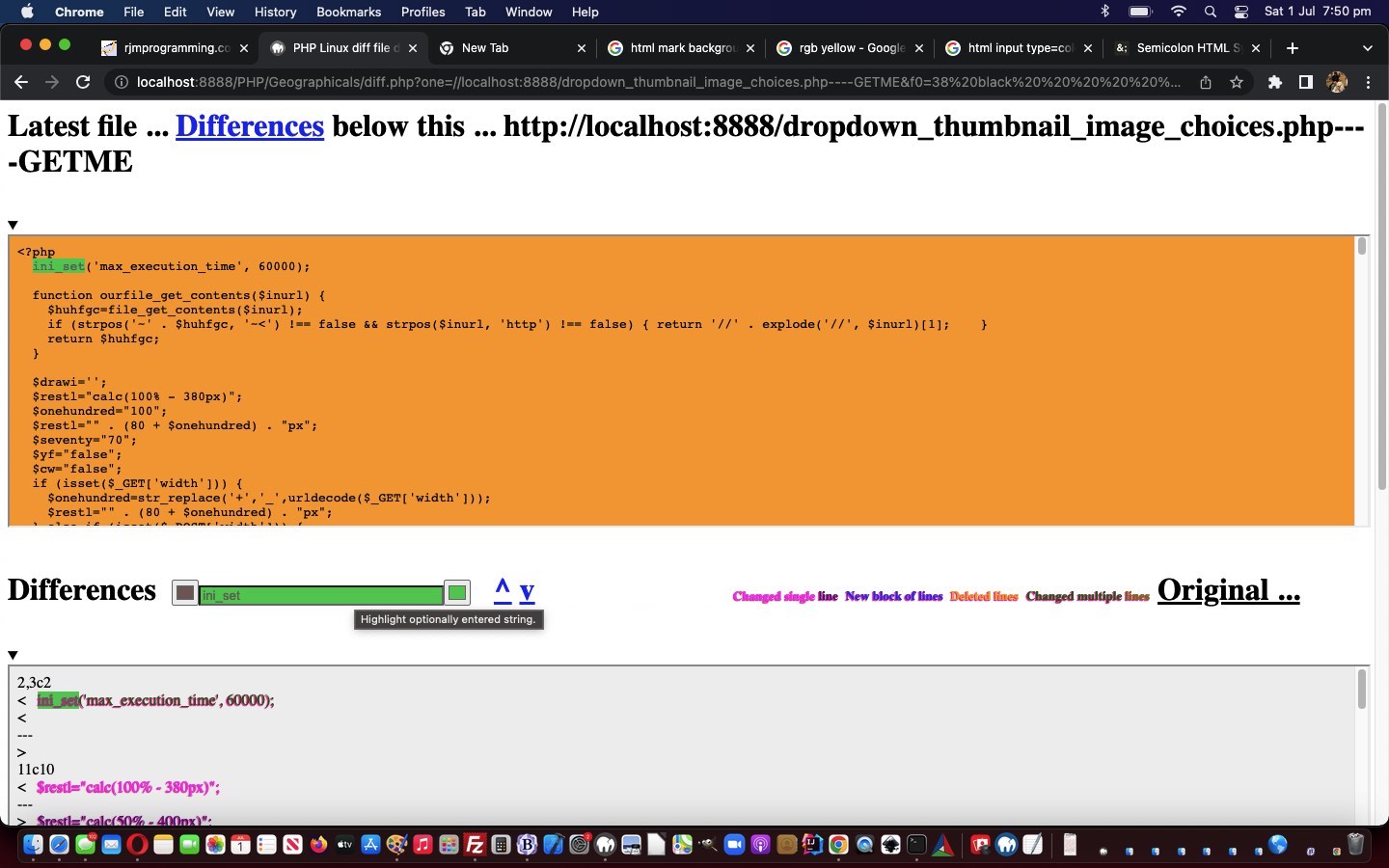
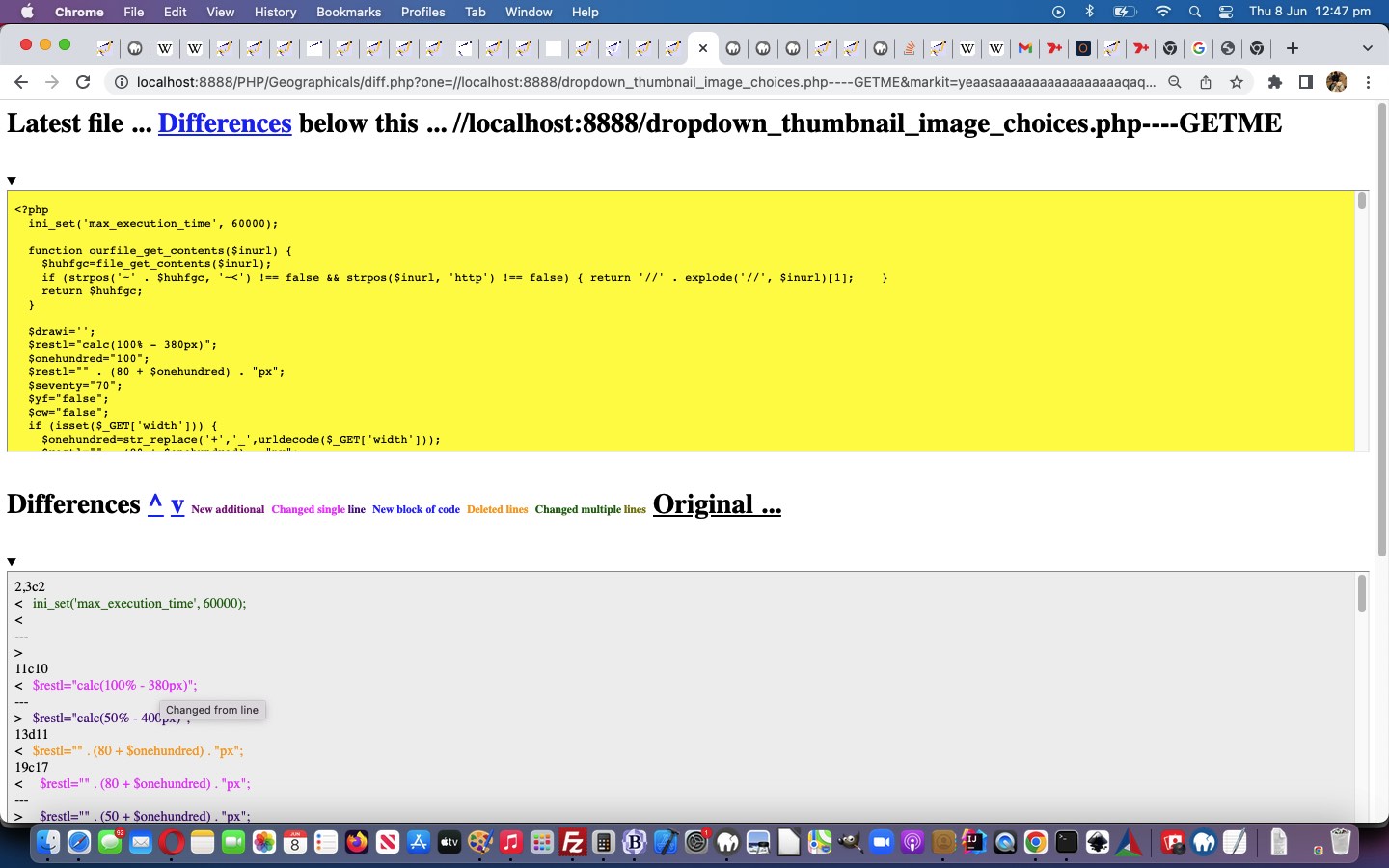
The PHP diff.php code got changed so that a user entered comma separated list will be scrutinised for whether it represents a single string to find, or if highlighting should happen for each list member in the comma separated list.
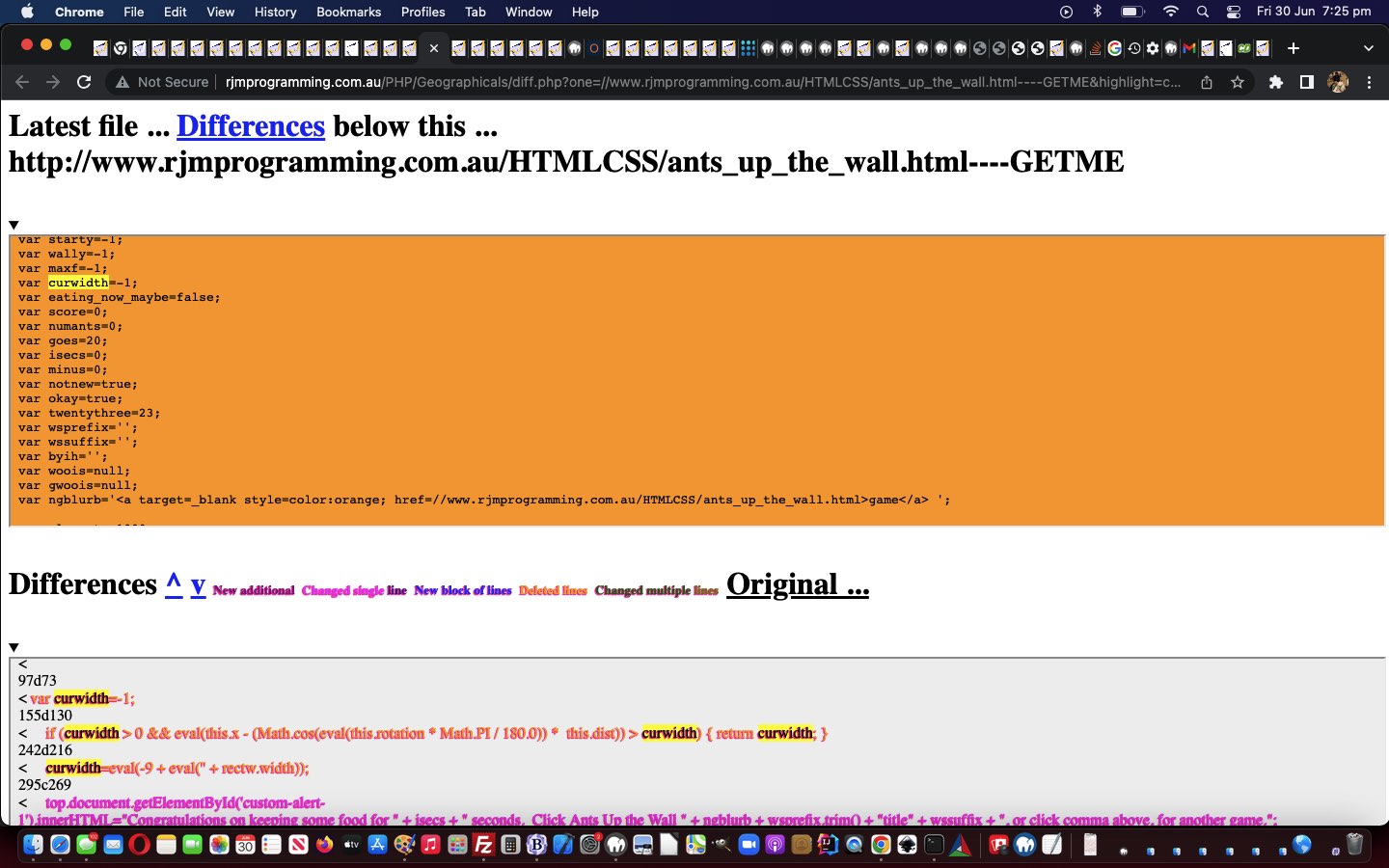
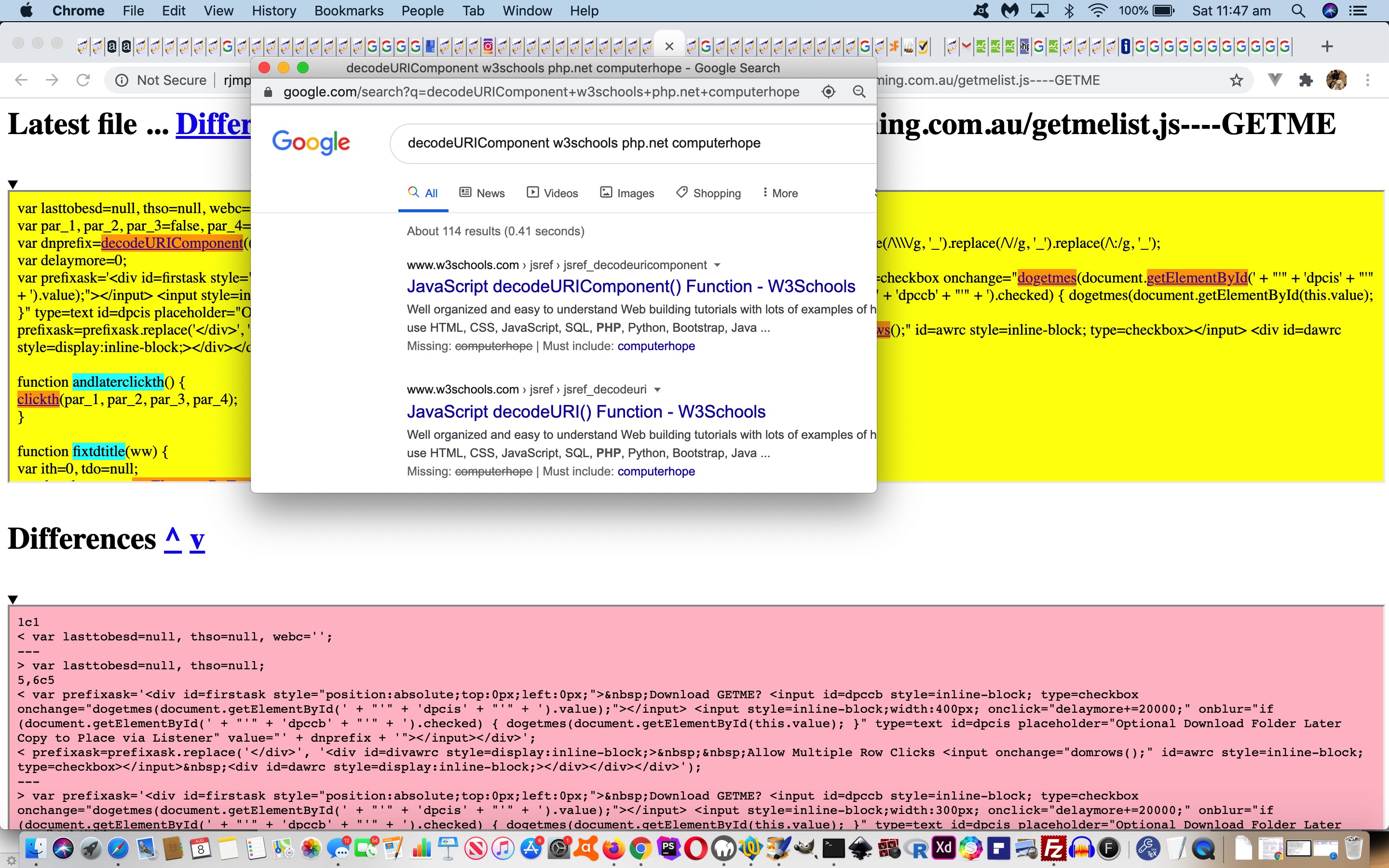
also useful, here, could be a highlighting functionality making use of the HTML mark element, that we gave a sneak peek to regarding, yesterday, with Ants Up a Wall Game Mobile Tutorial if you were one of those readers to click the …
It meant, in that scenario yesterday, when a single variable usage “tells a story” in the code, this code difference highlighting might be more effective at explaining the issues rather than showing the code in a code element (even with inhouse colour coding), because there is also the “before” and “after” scenarios there on the screen for the reader to contextualize. See the newly changed PHP diff.php code or try it yourself here.
the server side file and database and operating system smarts of the great serverside language PHP is … all while …
PHP writing out HTML (with its CSS and Javascript) has a web application able to access all that clientside intelligence
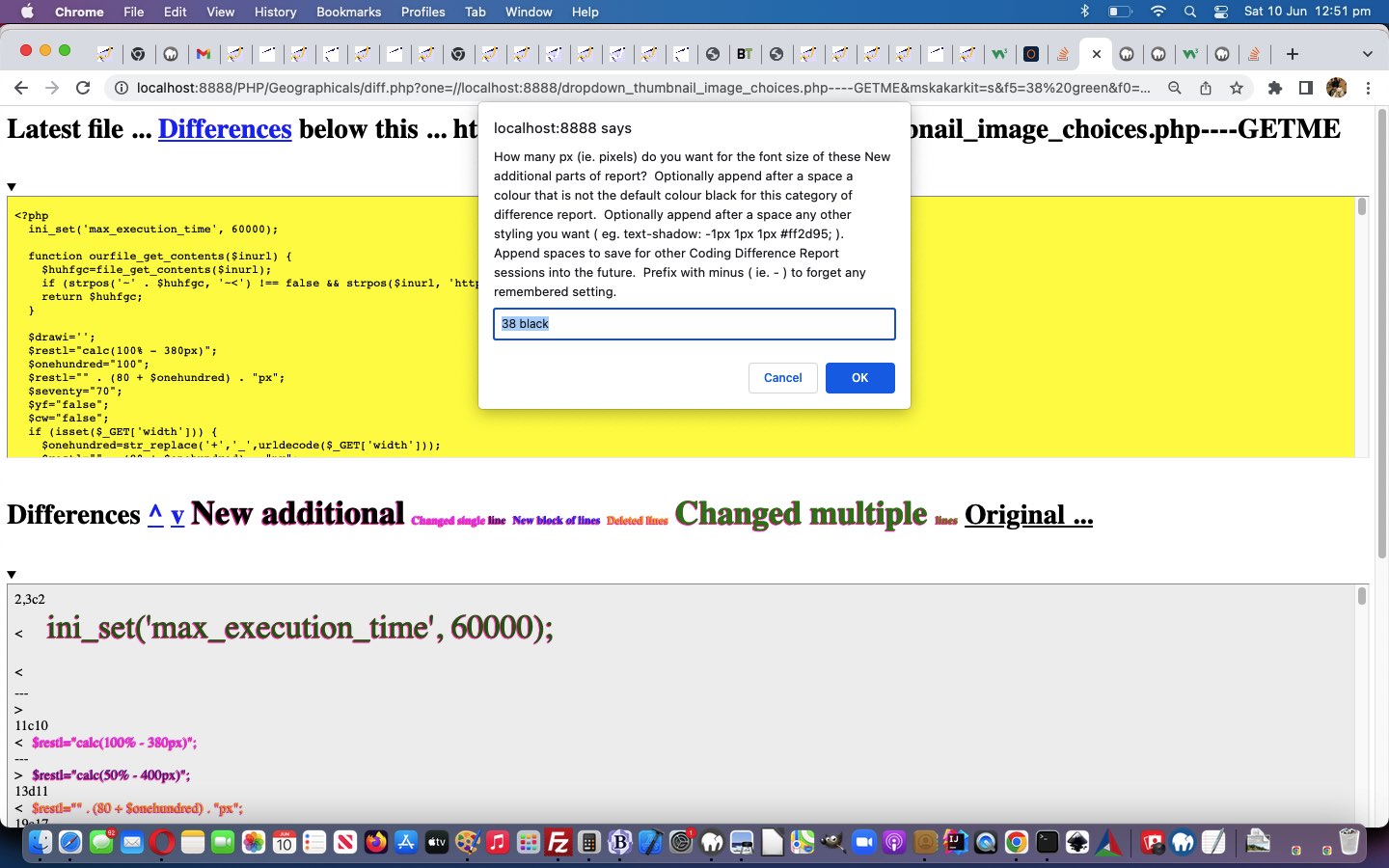
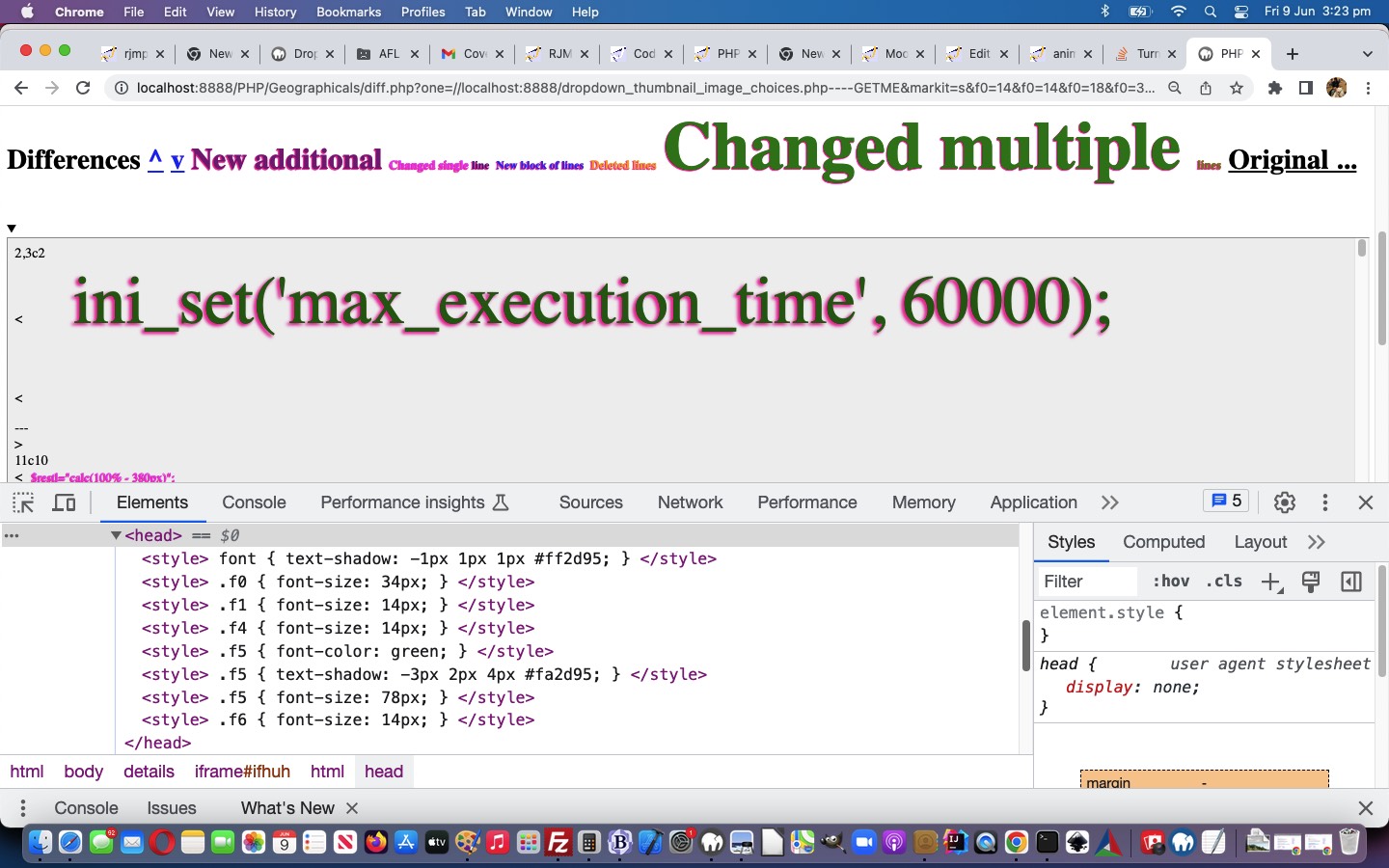
… and with this in mind, we allow for saved CSS styling user settings, as of today, with our Difference Report web application arrangements.
Don’t we need a database for this? Well, that is possible, and with serverside PHP, could be done, but we opt for clientside window.localStorage usage to …
Save user CSS styling settings
Recall user CSS styling settings
… so that a user might opt to “set and forget” their preferred set of …
New additional
Changed single line
New block of lines
Deleted lines
Changed multiple lines
… (CSS Selector) sensitive “categories” of Difference Report data type settings.
<?php
$style="<style> font { text-shadow: -1px 1px 1px #ff2d95; } </style>";

$legend="";

$mx="";

$onecommand=" function nocaret(invx) { var outvx=decodeURIComponent(invx); while (outvx.indexOf('<') > outvx.indexOf('>')) { outvx=outvx.replace('>' + outvx.split('>')[1].split('<')[0] + '<','');  }  return encodeURIComponent(outvx); } function onb(event) { var othis=event.target, cih='';  if (('' + othis.id + ' ').substring(0,1) == 'f') {  cih=('' + window.localStorage.getItem('diff_' + othis.id)).replace(/^undefined$/g,''.replace(/^null$/g,'')); if (('' + othis.innerHTML.replace(/\ \;/g,' ') + '~~').indexOf(' ~~') != -1) { if (cih == '') { window.localStorage.setItem('diff_' + othis.id, encodeURIComponent('14 >' + othis.innerText + '<'));  } else { window.localStorage.removeItem('diff_' + othis.id);  window.localStorage.setItem('diff_' + othis.id, nocaret(cih) + encodeURIComponent(' >' + othis.innerText + '<'));  } }  } } function blurize(othis) { if (1 == 2) { othis.onblur=function(event) { onb(event); }; } return othis; } function perhapsih(insg,ofo) { if (insg.indexOf('<') > insg.indexOf('<') && insg.indexOf('<') != -1) { ofo.innerHTML=insg.split('>')[1].split('>')[0]; ofo.setAttribute('data-ih', insg.split('>')[1].split('>')[0]); return insg.replace('>' + insg.split('>')[1].split('>')[0] + '<', '');  } } function givef(idn,cssis) { if (('' + document.getElementById('f' + idn).title).indexOf(' ' + decodeURIComponent(cssis) + ' ') == -1) { document.getElementById('f' + idn).title=document.getElementById('lspan').title + '  You have user CSS styling friendly one off setting of ' + decodeURIComponent(cssis) + ' for this category of Difference Reporting'; } } function getmaybe(foin,defis) { var mgs=document.URL.split(foin.id + '='); thatget=('' + window.localStorage.getItem('diff_' + foin.id)).replace(/^undefined$/g,'').replace(/^null$/g,''); if (thatget != '') { if (eval('' + mgs.length) == 1) { return decodeURIComponent(thatget); } else if (mgs[1].split('&')[0].split('#')[0] == '') { return decodeURIComponent(thatget); } } if (eval('' + mgs.length) > 1) { if (mgs[1].split('&')[0].split('#')[0] != '') { return decodeURIComponent(mgs[1].split('&')[0].split('#')[0]); } } return defis; } function getany() { var mgs=[],addget='',thisget=''; if (document.URL.replace('?','&').indexOf('&f') == -1 || 1 == 1) { for (var iig=0; iig<=6; iig++) { mgs=document.URL.split('f' + iig + '='); thisget=('' + window.localStorage.getItem('diff_f' + iig)).replace(/^undefined$/g,'').replace(/^null$/g,''); if (thisget != '') { document.getElementById('f' + iig).title=document.getElementById('lspan').title + '  You have user CSS styling friendly setting of ' + decodeURIComponent(thisget) + ' for this category of Difference Reporting'; } if (eval('' + mgs.length) > 1) { if (mgs[1].split('&')[0].split('#')[0] != '') { document.getElementById('f' + iig).title=document.getElementById('lspan').title + '  You have user CSS styling friendly setting of ' + decodeURIComponent(mgs[1].split('&')[0].split('#')[0]) + ' for this category of Difference Reporting'; } } if (document.URL.replace('?','&').indexOf('&f' + iig + '=') == -1) { addget+='&f' + iig + '=' + thisget; } }  } if (addget != '') { location.href=(document.URL.split('#')[0] + addget).replace('.php&','.php?');  } } setTimeout(getany,2000); function removeany(newfo) { window.localStorage.removeItem('diff_' + newfo.id); } function addany(newishfo,newwhat) { removeany(newishfo);  window.localStorage.setItem('diff_' + newishfo.id, newwhat); } function askabout(fo) { var defd='14', ccol='black', ccols=fo.outerHTML.split(' color=' + String.fromCharCode(34)), psizes=fo.outerHTML.split('px'); if (eval('' + ccols.length) > 1) {  ccol=ccols[1].split(String.fromCharCode(34))[0];  }  if (eval('' + psizes.length) > 1) {  defd=psizes[0].split(':')[eval(-1 + psizes[0].split(':').length)].trim();  }  var numis=prompt('How many px (ie. pixels) do you want for the font size of these ' + fo.innerHTML + ' parts of report?  Optionally append after a space a colour that is not the default colour ' + ccol + ' for this category of difference report.  Optionally append after a space any other styling you want ( eg. text-shadow: -1px 1px 1px #ff2d95; ).  Append spaces to save for other Coding Difference Report sessions into the future.  Prefix with minus ( ie. - ) to forget any remembered setting.    An entry can be > followed by a new wording for this category followed by <', getmaybe(fo,defd)); if (numis != null) { if ((perhapsih(numis,fo) + 'x').trim().substring(0,1) == '-') { removeany(fo); numis=numis.replace('-','');  } if (('' + numis).trim() != '') { if (numis.replace(/\ $/g,'') != numis) { addany(fo,encodeURIComponent(numis.trim())); } location.href=(document.URL.split('#')[0] + '&' + fo.id + '=' + encodeURIComponent(numis.trim())).replace('.php&','.php?'); } } } ";

if (isset($_GET['f0']) || isset($_GET['f1']) || isset($_GET['f2']) || isset($_GET['f3']) || isset($_GET['f4']) || isset($_GET['f5']) || isset($_GET['f6'])) {

   $onecommand.=" function sizefonts() {   }     setTimeout(sizefonts, 3000); ";

   for ($ij=0; $ij<=6; $ij++) {

   if (isset($_GET['f' . $ij])) {

     $ihbit="";

     $words=str_replace('+',' ',urldecode($_GET['f' . $ij]));

     if (strpos($words, '<') !== false && strpos($words, '>') !== false) {

       if (strpos($words, '<') > strpos($words, '>')) {

         $ihbit=" document.getElementById('f" . $ij . "').innerHTML='" . str_replace("'", "' + String.fromCharCode(39) + '", explode('<',explode('>',$words)[1])[0]) . "'; ";

       }

     }

     if (trim($words) != '') {  $onecommand=str_replace("}    ", " givef(" . $ij . ",'" . $_GET['f' . $ij] . "'); }    ", $onecommand);  }

     $wordsa=explode(' ', trim($words));

     if (sizeof($wordsa) > 1) {

        $words=substr($words,(1 + strlen($wordsa[0])));

        for ($ijj=1; $ijj<sizeof($wordsa); $ijj++) {

          if (strpos($wordsa[$ijj], ':') === false && $ijj == 1) {

            $words=trim(substr($words,(0 + strlen($wordsa[$ijj]))));

            $style.='<style>  .f' . $ij . " { font-color: " . trim($wordsa[$ijj]) . '; } </style>';

            $onecommand=str_replace("}    ", " document.getElementById('f" . $ij . "').color='' + '" . trim($wordsa[$ijj]) . "'; document.getElementById('f" . $ij . "').style.fontColor='' + '" . trim($wordsa[$ijj]) . "'; }    ", $onecommand);

          }

        }

        if (trim($words) != '') {

          if (strpos($words, "{") !== false && strpos($words, "}") !== false) {

            $style.='<style> ' . $words . ' </style>';

            $onecommand=str_replace("}    ", " document.getElementById('dstyle').innerHTML+='<style> ' + '" . $words . " </style>'; }    ", $onecommand);

          } else {

            $style.='<style>  .f' . $ij . " { " . $words . ' } </style>';

            $onecommand=str_replace("}    ", " document.getElementById('dstyle').innerHTML+='<style>  .f" . $ij . " { ' + '" . $words . " } </style>'; }    ", $onecommand);

          }

        }

     }

     $onecommand=str_replace("}    ", $ihbit . " document.getElementById('f" . $ij . "').style.fontSize='' + '" . trim($wordsa[0]) . "px'; }    ", $onecommand);

     $style.='<style>  .f' . $ij . " { font-size: " . trim($wordsa[0]) . 'px; } </style>';

   }

   }

}
?>
… to start making this happen (including being able to change our “inhouse category” names, if you like) in our changeddiff.php‘s more colourful Code Differences helper.
Yesterday’s Code Difference Privacy Tutorial represented too much of an echo chamber for our liking. Where possible, we prefer functionality that the users out there can tweak themselves.
In thinking about this, those 5 categories (involving 2 subcategories) …
New additional
Changed single line
New block of lines
Deleted lines
Changed multiple lines
… were what occurred to us could be the CSS Selector basis for us to improve the Code Difference reporting via CSS styling functionality.
Up to today the deployment of that CSS selector logic would have had to be more complex than necessary, but today’s …
giving new id and class attributes to the “legend” span id=lspan elements … and …
equivalent class attribute to report matching element data
… makes the deployment of CSS selector logic really easy, in PHP, as per …
<?php
$style="<style> font {  text-shadow: -1px 1px 1px #ff2d95; } </style>";

$legend="";

$mx="";

$onecommand=" function askabout(fo) { var defd='14', ccol='black', ccols=fo.outerHTML.split(' color=' + String.fromCharCode(34)), psizes=fo.outerHTML.split('px'); if (eval('' + ccols.length) > 1) {  ccol=ccols[1].split(String.fromCharCode(34))[0];  }  if (eval('' + psizes.length) > 1) {  defd=psizes[0].split(':')[eval(-1 + psizes[0].split(':').length)].trim();  }  var numis=prompt('How many px (ie. pixels) do you want for the font size of these ' + fo.innerHTML + ' parts of report?  Optionally append after a space a colour that is not the default colour ' + ccol + ' for this category of difference report.  Optionally append after a space any other styling you want ( eg. text-shadow: -1px 1px 1px #ff2d95; )', defd); if (numis != null) { if (('' + numis).trim() != '') { location.href=(document.URL.split('#')[0] + '&' + fo.id + '=' + encodeURIComponent(numis.trim())).replace('.php&','.php?'); } } } ";

if (isset($_GET['f0']) || isset($_GET['f1']) || isset($_GET['f2']) || isset($_GET['f3']) || isset($_GET['f4']) || isset($_GET['f5']) || isset($_GET['f6'])) {

   $onecommand.=" function sizefonts() {   }     setTimeout(sizefonts, 3000); ";

   for ($ij=0; $ij<=6; $ij++) {

   if (isset($_GET['f' . $ij])) {

     $words=str_replace('+',' ',urldecode($_GET['f' . $ij]));

     $wordsa=explode(' ', trim($words));

     if (sizeof($wordsa) > 1) {

        $words=substr($words,(1 + strlen($wordsa[0])));

        for ($ijj=1; $ijj<sizeof($wordsa); $ijj++) {

          if (strpos($wordsa[$ijj], ':') === false && $ijj == 1) {

            $words=trim(substr($words,(0 + strlen($wordsa[$ijj]))));

            $style.='<style>  .f' . $ij . " { font-color: " . trim($wordsa[$ijj]) . '; } </style>';

            $onecommand=str_replace("}    ", " document.getElementById('f" . $ij . "').color='' + '" . trim($wordsa[$ijj]) . "'; document.getElementById('f" . $ij . "').style.fontColor='' + '" . trim($wordsa[$ijj]) . "'; }    ", $onecommand);

          }

        }

        if (trim($words) != '') {

          if (strpos($words, "{") !== false && strpos($words, "}") !== false) {

            $style.='<style> ' . $words . ' </style>';

            $onecommand=str_replace("}    ", " document.getElementById('dstyle').innerHTML+='<style> ' + '" . $words . " </style>'; }    ", $onecommand);

          } else {

            $style.='<style>  .f' . $ij . " { " . $words . ' } </style>';

            $onecommand=str_replace("}    ", " document.getElementById('dstyle').innerHTML+='<style>  .f" . $ij . " { ' + '" . $words . " } </style>'; }    ", $onecommand);

          }

        }

     }

     $onecommand=str_replace("}    ", " document.getElementById('f" . $ij . "').style.fontSize='' + '" . trim($wordsa[0]) . "px'; }    ", $onecommand);

     $style.='<style>  .f' . $ij . " { font-size: " . trim($wordsa[0]) . 'px; } </style>';

   }

   }

}
it was possible, but unlikely, for users to see other user generated reports, if they happened to be asking for reports at exactly the same time … because …
we had not catered for busy traffic here … but, today …
we cater, better, for busy online traffic … and at the same time …
improve the privacy of the reporting on an IP address basis
The downside, at least for us managing this, is that we do not want a build up of files belonging to difference reports long gone. We arrange it, then, that as soon as the report is created, a window.open scenario is coded for …
It’s coming up to a few years now, since we looked at the code differences reporting we offer the reader, as a way to scrutinize code changes, around here, when we presented Code Download Table Difference Functional Hover Tutorial. Well, we thought we might try some colour coding to perhaps lift the fog on the cryptic nature of Linux diff (difference) command based reports. They can be cryptic because they can feed into the automation feeding of the report into other Linux commands to facilitate ongoing editing endeavours, but we do not want to go into that here, at least today.
But on examining the reports we came up with the following difference report “categories” if you will …
New additional
Changed single line
New block of lines
Deleted lines
Changed multiple lines
… the header (of a block of interest) the dead give away, depending on the existence of “a” or “c” or “d” and/or “,” for a common sense reinterpretation by us not visiting “man diff” ourselves, yet, regarding this work.
Is it worth adding “onmouseover” event logic onto yesterday’s Code Download Table Difference Functional Linking Tutorial? You bet it is! Just because “onmouseover” has no relevance to mobile platforms, so, obversely, developing software with version control systems is irrelevant to mobile platforms.
… we figure. But this is of relevance to the programmer. Sometimes, rather than cater for all the platforms, settling on a subset (of those platforms) can be apt because …
one of mobile or non-mobile subsets of platforms is irrelevant to the scenario … as for today … or …
you try to reinvent the wheel on the pretext that you are waiting for a particular web browser or platform to allow the functionality in, into the future … you could be waiting a while, with the complexity of app arrangements going on around the net these days
Anyway, back to the “onmouseover” event on non-mobile platforms … it was the case that this event was a favourite for the conduit towards Ajax (client) functionality. And thinking on what we do today to nuance our Code Differences PHP web application, we were thinking …
What would Ajax (like to) do?
… and we decided Ajax would really like to …
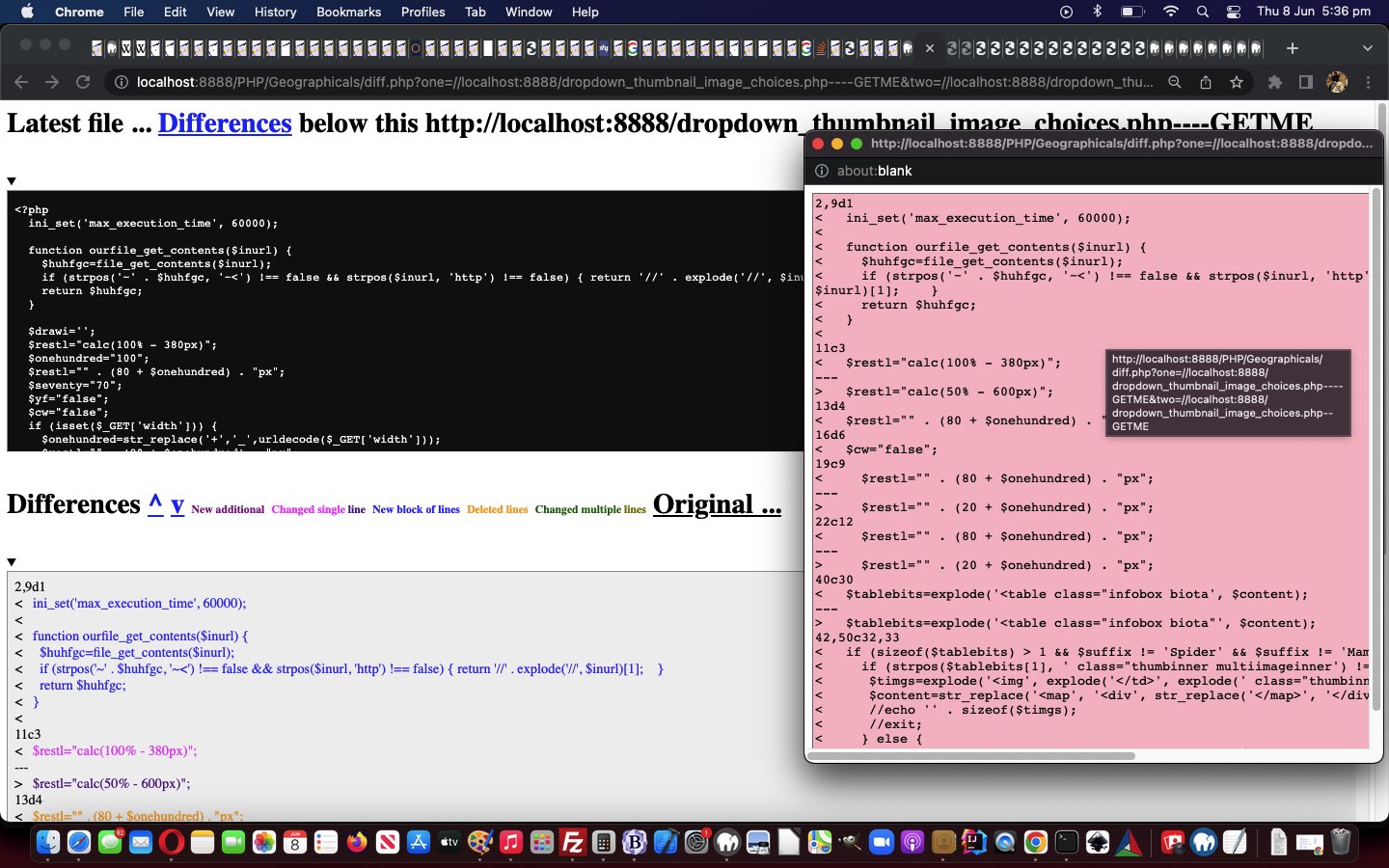
populate a “div” style=display:inline-block; element adjacent to the functional detail to inform about … but this was not possible … so, instead, we …
populate a popup window near to the functional detail to inform about
… for a non-mobile “hover” (ie. “onmouseover”) event.
Along the way we add some more hashtag navigations and set up more colour coding to the output of (the optional) “functional links” Code Difference reporting.
So take a look at our changeddiff.php Code Differences helper applied to itself below …
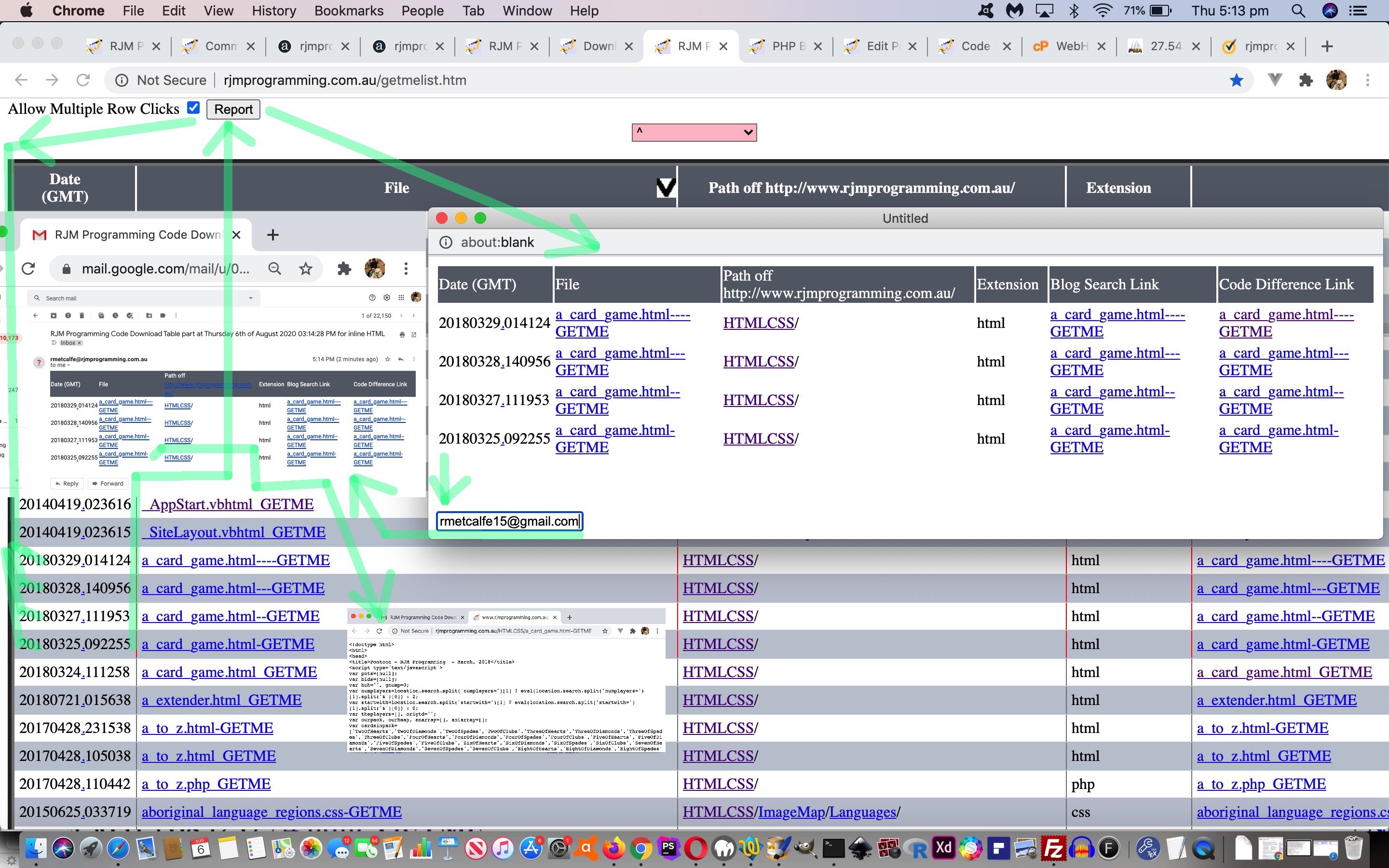
“Report” button shows to its right …
function domrows() {

  document.getElementById('dawrc').innerHTML='<input style=inline-block; type=button onclick=treportdo(); value=Report></input>';

  var trsis=document.getElementsByTagName('tr');

  for (var itrsis=0; itrsis<trsis.length; itrsis++) {

    trsis[itrsis].onclick = function(e) { if (e.target.innerHTML != '') { var trs=document.getElementsByTagName('tr'); for (var itrs=0; itrs<trs.length; itrs++) { if (trs[itrs].outerHTML.indexOf(e.target.innerHTML) != -1) {  trs[itrs].style.border='2px dotted red'; } } } };

  }

}
… and table row onclick logic is dynamically applied to those “tr” elements
User clicks somewhere within rows they are interested in seeing be included in a report (which is a snippet of the whole Code Download Table, perhaps to do with a project of interest, or a learning topic of interest)
User optionally clicks the “Report” button …
function treportdo() {

  var trsis=document.getElementsByTagName('tr');

  webc='<html><head><script type="text/javascript"> function emailto(eto) { window.opener.parentemailto(eto); } function xemailto(eto) { if (eto.indexOf("@") != -1) {  var zhr=new XMLHttpRequest(); var zform=new FormData(); zform.append("inline",""); zform.append("to",eto);  zform.append("subj","Code Download Table part");   zform.append("body",document.getElementById("mytable").outerHTML);   zhr.open("post", "//www.rjmprogramming.com.au/HTMLCSS/emailhtml.php", true);  zhr.send(zform); alert("Email sent to " + eto);  } }  </script></head><body><table id=mytable></table><br><br><br><input onblur=emailto(this.value); placeholder="Email to" type=email></input></body></html>';

  for (var itrsis=0; itrsis<trsis.length; itrsis++) {

    if (itrsis == 0) {

      webc=webc.replace('</table>', trsis[itrsis].outerHTML + '</table>');

    }

    if (trsis[itrsis].outerHTML.indexOf('>') > trsis[itrsis].outerHTML.indexOf('border:')) {

    if (trsis[itrsis].outerHTML.indexOf('dotted') > trsis[itrsis].outerHTML.indexOf('border:')) {

      webc=webc.replace('</table>', trsis[itrsis].outerHTML + '</table>');

    }

    }

  }

  var woois=window.open('','_blank','top=20,left=20,width=600,height=600');

  woois.document.write(webc);

}
… which causes a …
New popup window opens showing the relevant snippet of Code Download Table of interest to the user … including …
Textbox for an optional emailee entry that can be filled in … to …
Set off Ajax/FormData methodology means …
function parentemailto(eto) {

 if (eto.indexOf("@") != -1) {

  var zhr=new XMLHttpRequest();

  var zform=new FormData();

  zform.append("inline","");

  zform.append("to",eto);

  zform.append("subj","RJM Programming Code Download Table part");

  zform.append("body", reltoabs('<table' + webc.split('</table>')[0].split('<table')[1] + '</table>'));

  zhr.open("post", "//www.rjmprogramming.com.au/HTMLCSS/emailhtml.php", true);

  zhr.send(zform);

  alert("Email sent to " + eto);

 }

}
… to send off an Inline HTML Email report to the emailee … including …
Links of email can be clicked to get back to source code and other links back at the RJM Programming domain web server
… and … lo and behold … we saw a good use for the idea of …
download from “the net” to a Downloads folder on your computer or device … and more often than not …
you, the user, copies or renames this data to another location on your computer or device with command line or with operating system GUI
… and allowing for that second step above be programmatical with the most apt functionality that had ever passed our cotton pickin’ mind … our Code Download Table … wi’ all tho’ GETME’s!
But we don’t want to interfere too much with the Code Download Table “flow” here, so create up the top left 20 seconds worth of time (extendable by their actions) available to the user to create “download” attributes on all …
“a” links … with …
“href” attribute containing “GETME” …
but not “diff.php” … and …
“download” attribute (the attribute necessary to “download” rather than our default displaying of source code in a new webpage)
… plus no href attribute containing “?s=” either, for today’s purposes with a changedgetmelist.js external Javascript code file (that you can try out for yourself at this live run link) … via its new …
var dnprefix=decodeURIComponent(('' + localStorage.getItem('download_copy_to_folder')).replace(/^null$/g,'')); //.replace(/\+/g,' ').replace(/\\\\/g, '_').replace(/\//g, '_').replace(/\:/g, '_');
var delaymore=0;
var prefixask='<div id=firstask style="position:absolute;top:0px;left:0px;"> Download GETME? <input id=dpccb style=inline-block; type=checkbox onchange="dogetmes(document.getElementById(' + "'" + 'dpcis' + "'" + ').value);"></input> <input style=inline-block;width:300px; onclick="delaymore+=20000;" onblur="if (document.getElementById(' + "'" + 'dpccb' + "'" + ').checked) { dogetmes(document.getElementById(this.value); }" type=text id=dpcis placeholder="Optional Download Folder Later Copy to Place via Listener" value="' + dnprefix + '"></input></div>';
function dogetmes(dpprefix) {
delaymore+=20000;
var asis=document.getElementsByTagName('a');
if (dpprefix != dnprefix && 1 == 7) {
localStorage.setItem('download_copy_to_folder', dpprefix);
}
for (var iasis=0; iasis<asis.length; iasis++) {
if (asis[iasis].href.indexOf('diff.php') == -1 && asis[iasis].href.indexOf('?s=') == -1 && asis[iasis].href.indexOf('GETME') != -1) {
asis[iasis].download=dpprefix.replace(/\//g,'_').replace(/\\\\/g,'_').replace(/\:/g,'_') + asis[iasis].href.split('/')[eval(-1 + asis[iasis].href.split('/').length)];
}
}
}
function nomorepa() {
if (eval('' + delaymore) == 0) {
if (document.getElementById('firstask')) {
document.getElementById('firstask').innerHTML='';
}
} else {
setTimeout(nomorepa, eval('' + delaymore));
delaymore=0;
}
}
function lastdivpop() {
var wasih='';
if (document.getElementById('lastdiv')) {
if (document.getElementById('lastdiv').innerHTML == '') {
wasih=wasih;
setTimeout(lastdivpop, 3000);
} else if (document.getElementById('lastdiv').innerHTML.indexOf('firstask') == -1) {
wasih=document.getElementById('lastdiv').innerHTML;
document.getElementById('lastdiv').innerHTML=prefixask + wasih;
prefixask='';
setTimeout(nomorepa, 20000);
} else {
setTimeout(lastdivpop, 3000);
}
}
}
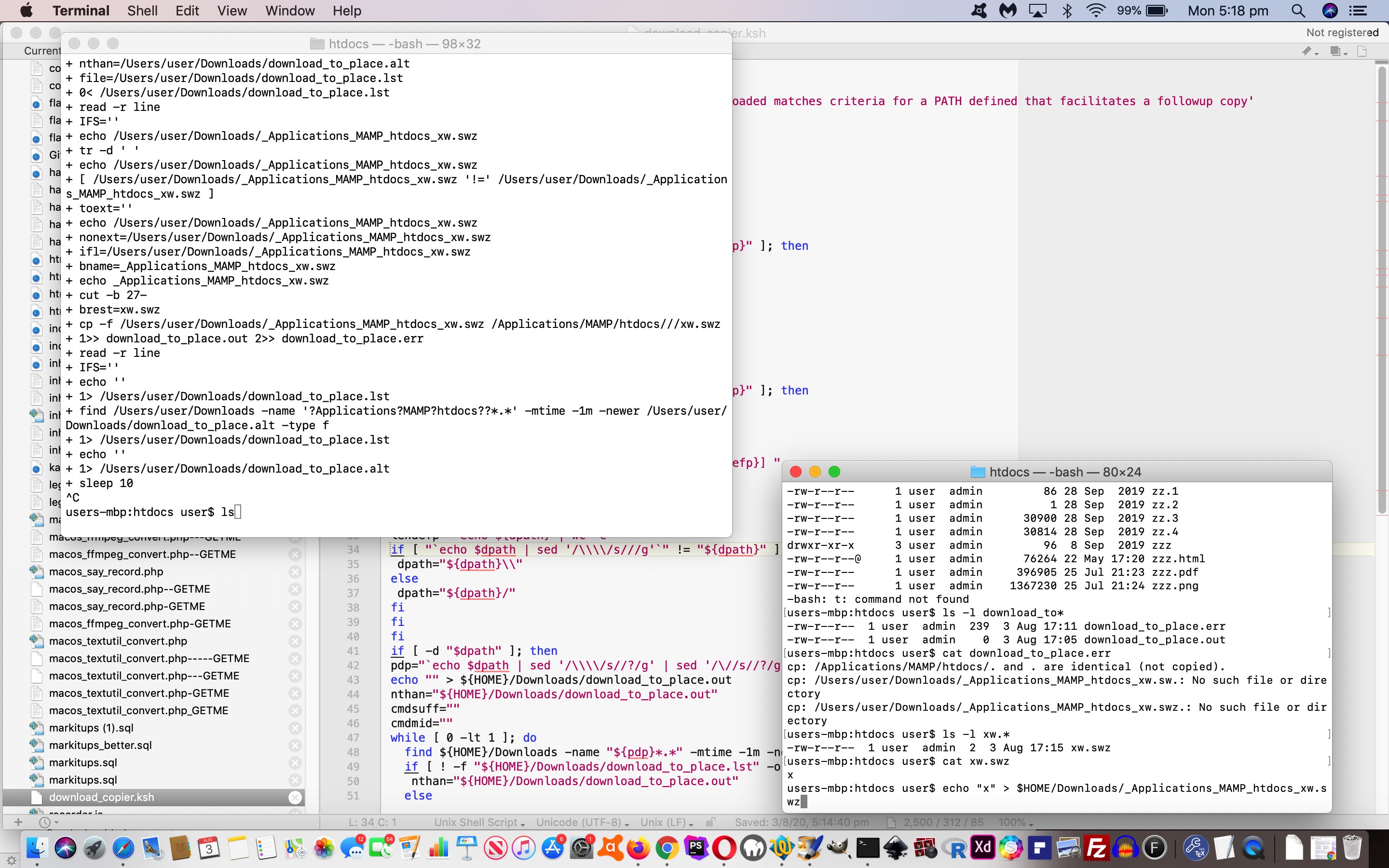
… and we’ve just “tweaked” (albeit, very importantly, in our books (… but the pamphlettes are still not playing ball)) to ensure no “file clobbering” takes place so that the Korn Shell now does …
    suf=""

    isuf=-1

    while [ -f "${dpath}/${brest}${suf}" ]; do

      ((isuf=isuf+1))

      suf="_${isuf}"

    done

    if [ ! -z "$suf" ]; then

      echo "mv ${dpath}/${brest} ${dpath}/${brest}${suf} # `date`" >> download_to_place.out

      mv ${dpath}/${brest} ${dpath}/${brest}${suf} >> download_to_place.out 2>> download_to_place.err

    fi
But today is mainly about filling in the missing bits on the “server” side. This (need for a) “conduit” we referred to yesterday is because we accept no folder paths can be mentioned at the “server” end. Suppose, though, that the “non-pathed” filename we supply to an “a” link’s “download” attribute can be prefixed by a mildly mashed up version of that path we copy to from the Downloads folder of your “client” computer or device, as you perform a “download” via the clicking of an “a” link.
Well, at this blog we’d already started functionality to toggle the use or not of …
“a” links … with …
“href” attribute containing “GETME” …
but not “diff.php” … and …
“download” attribute (the attribute necessary to “download” rather than our default displaying of source code in a new webpage)
displaying of source code in a new webpage for GETME “a” links … versus …
use the changed PHPtoggle_download.php in conjunction with a changed good ‘ol TwentyTen Theme header.php as below …
<?php
if (outs == null) {
var dnprefix=decodeURIComponent(('' + localStorage.getItem('download_copy_to_folder')).replace(/^null$/g,'')).replace(/\+/g,' ').replace(/\\\\/g, '_').replace(/\//g, '_').replace(/\:/g, '_');
for (idmjk=0; idmjk<admjk.length; idmjk++) {
if (admjk[idmjk].href.indexOf('GETME') != -1 && admjk[idmjk].href.indexOf('diff.php') == -1) {
big = '----------------------GETME';
stuffs = newaspare.split('/');
if (dnprefix != '') {
admjk[idmjk].download = dnprefix + prestuffs[stuffs.length - 1];
} else {
admjk[idmjk].download = dnprefix + stuffs[stuffs.length - 1];
}
admjk[idmjk].title = "(Really download) " + admjk[idmjk].title + ' ... welcome to the long hover functionality that shows allows for a Download Mode for the blog that can be toggled';
admjk[idmjk].onmouseover = " getDownloadMode(); ";
admjk[idmjk].onmouseout = " yehBut(); ";
admjk[idmjk].ontouchstart = " getDownloadMode(); ";
admjk[idmjk].ontouchend = " yehBut(); ";
}
} else if (admjk[idmjk].href.indexOf('GETME') != -1 && origcafd < 0) { //!cafd) {
xp=admjk[idmjk].href.split("GETME");
prexp=xp[0].split("/");
postprexp=prexp[-1 + prexp.length].split(".");
extis = postprexp[-1 + postprexp.length].replace(/_/g,"").replace(/-/g,"").replace(/GETME/g,"");
outs="//www.rjmprogramming.com.au/getmelist.htm?topoff=150&tsp=" + (Math.floor(Math.random() * 1999900) + 100) + "#" + postprexp[0] + "." + postprexp[-1 + postprexp.length].replace(extis,"").replace(extis,"").replace(extis,"") + "GETME" + extis;
aorig=admjk[idmjk].innerHTML;
selbitis=allthecombos((admjk[idmjk].href + '=').split('=')[1].split('&')[0]);
admjk[idmjk].innerHTML=admjk[idmjk].innerHTML.replace(".","<span data-alt='" + outs + "' id='spn" + cafd + "' title=\" + Code Download Table\" onclick=\"if (cafd == cafd) { cafd=" + cafd + "; changeasfordownload(); } else { window.open('" + outs + "','_blank','top=100,left=100,width=500,height=500'); } return false; \"><select onchange=\" if (this.value.length > 0) { window.open(this.value,'_blank'); } return false; \" style='margin-bottom:0px;width:40px;' id='sel" + cafd + "'><option value=>⚫</option>" + selbitis + "</select></span>");
if (aorig == admjk[idmjk].innerHTML && admjk[idmjk].innerHTML.indexOf('er posts') == -1) admjk[idmjk].innerHTML=admjk[idmjk].innerHTML.replace(" ","<span data-alt='" + outs + "' id='spn" + cafd + "' title=\" + Code Download Table\" onclick=\"if (cafd == cafd) { cafd=" + cafd + "; changeasfordownload(); } else { window.open('" + outs + "','_blank','top=100,left=100,width=500,height=500'); } return false; \"><select onchange=\" if (this.value.length > 0) { window.open(this.value,'_blank'); } return false; \" style='margin-bottom:0px;width:40px;' id='sel" + cafd + "'><option value=>⚪</option>" + selbitis + "</select></span>");
cafd++;
} else if ((admjk[idmjk].innerHTML.indexOf('live run') != -1 || admjk[idmjk].title.toLowerCase().indexOf('click picture') != -1) && origcafd < 0) { //!cafd) {
outs="//www.rjmprogramming.com.au/slideshow.html#tuts";
admjk[idmjk].innerHTML=admjk[idmjk].innerHTML.replace(" ","<span data-alt='" + outs + "' id='spn" + cafd + "' title=\" + Cut to the Chase ... see the blog post list related to live runs and slideshows ... ie. the main point of the blog posting\" onclick=\"if (cafd == cafd) { cafd=" + cafd + "; changeasfordownload(); } else { window.open('" + outs + "','_blank','top=100,left=100,width=650,height=100'); } return false; \">✂</span>");
cafd++;
}
}
}
?>
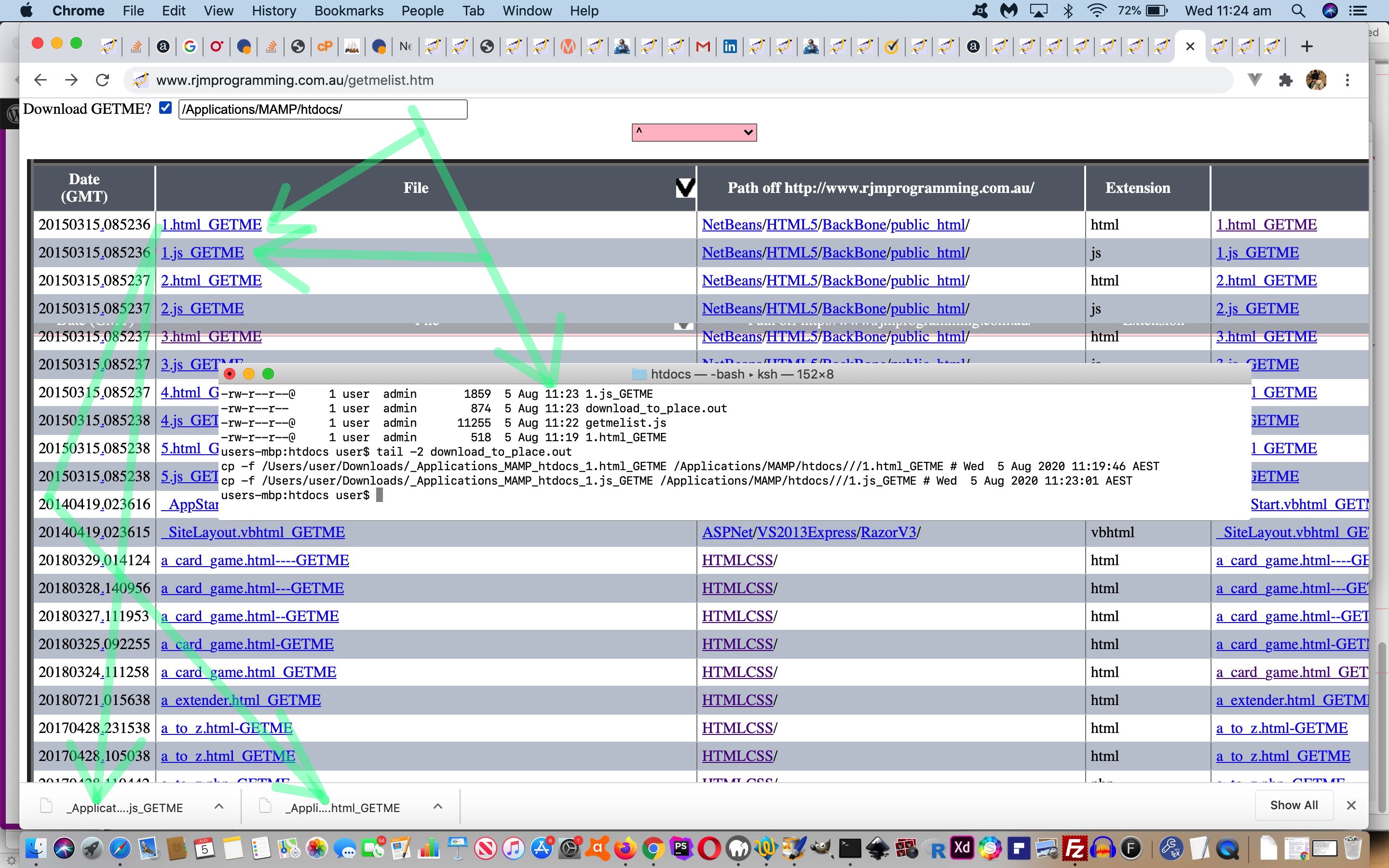
… to, depending on whether the user specifies in the “All Posts” toggling’s Javascript prompt window presented, specifies a new comma separated “client folder of interest to copy to” place (stored in window.localStorage), will …
download with the GETME to the Downloads folder and copy off to the specified folder of interest (backing up as necessary) … versus …
the default download mode downloads to the Downloads folder without the GETME parts
See these changes in action below, contextualizing “server” and “client” codes in the full picture of assisted Downloads (copied on to a folder of the user’s interest) …
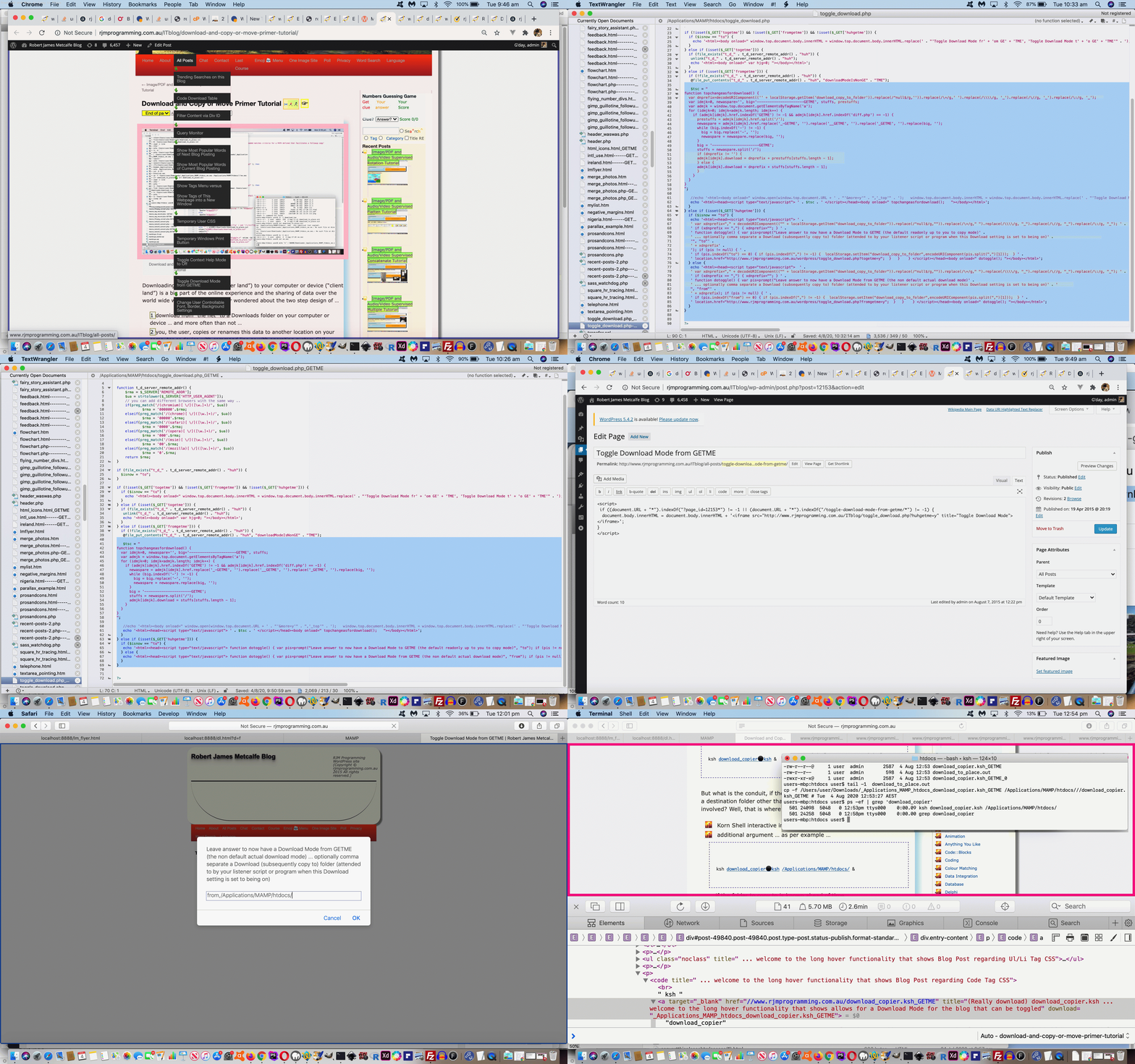
Downloading from “the net” (“server land”) to your computer or device (“client land”) is a big part of the online experience and the sharing of data over the world wide web. But have you ever wondered about the two step design of …
download from “the net” to a Downloads folder on your computer or device … and more often than not …
you, the user, copies or renames this data to another location on your computer or device with command line or with operating system GUI
… ? Why not allow the “server” side define where it can download to on the “client”? Well, that would be a security nightmare, allowing a highjacking of mission critical files on your computer or device. So, I get it, that is a “no no”. But could we have a controlled “arrangement” between …
… ? We think that sounds reasonable and so, today, we start our (two parts or more) mini-project (making step 2 above be considered to be programmatically handled, sometimes) designing a Korn Shell (“client” side) listener to suit our macOS “client” computer, executed as a background process via …
But what is the conduit, if the “server” web applications/pages cannot define a destination folder other than the macOS Downloads folder for the user involved? Well, that is where we need either …
Korn Shell interactive input (via read command) … or …
… to define a “client land” folder to copy to (from the user’s Download folder (receiving the downloaded data).
That first Korn Shell read command interactive input was interesting to us for a command backgrounded via the “&” command suffix. But if stdin and stdout are not mentioned in the command you can answer this interactive input and then the processing the Korn Shell performs proceeds in the background. Exactly what we were hoping for, but weren’t sure that this was the case!
The picture is filled in better tomorrow as we discuss the conduit in more detail tomorrow.
If this was interesting you may be interested in this too.
If this was interesting you may be interested in this too.
If this was interesting you may be interested in this too.
If this was interesting you may be interested in this too.
If this was interesting you may be interested in this too.
If this was interesting you may be interested in this too.
If this was interesting you may be interested in this too.
If this was interesting you may be interested in this too.
If this was interesting you may be interested in this too.
If this was interesting you may be interested in this too.
If this was interesting you may be interested in this too.
If this was interesting you may be interested in this too.