AlmaLinux SSH Access Fail2ban and Firewall Protection Tutorial
For us, we just want to get on with the programming. But what if something is welling up, that might stop you “getting on”?
We saw this on our “soon to be” dedicated virtual AlmaLinux Apache/PHP/MySql web server, for RJM Programming, where we use SSH (Secure Shell) to access and get to a command line environment on that AlmaLinux web server via (no secret anymore) …
ssh -p 22 root@65.254.95.247
But what is a secret is the ensuing password needed to log in. Worrying us, though, lately, was dialog such as …
user@MacBook-Air htdocs % ssh -p 22 root@65.254.95.247
root@65.254.95.247’s password:
Last failed login: Fri Aug 2 20:49:45 EDT 2024 from 180.184.139.166 on ssh:notty
There were 157 failed login attempts since the last successful login.
Last login: Fri Aug 2 19:20:56 2024 from 60.227.219.39
[root@65-254-95-247 ~]# exit
logout
… “greeting” us as we logged in. We dislike the advice online to configure SSH access away from port 22 (though we’re sure it could help some), so? If you’re into security you will know the term “SSH Brute Force Attack” …
An SSH brute force attack is a hacking technique that involves repeatedly trying different username and password combinations until the attacker gains access to the remote server.
Well, yes, our password is good, but if you were me, would you want to put up with this when, given the way you can trust yourself with the remembering of your own high security passwords, you have these great informative, and reassuring, websites like Fail2Ban install tutorial for Linux (AlmaLinux) that give you great step by step ways to …
on AlmaLinux style web server …
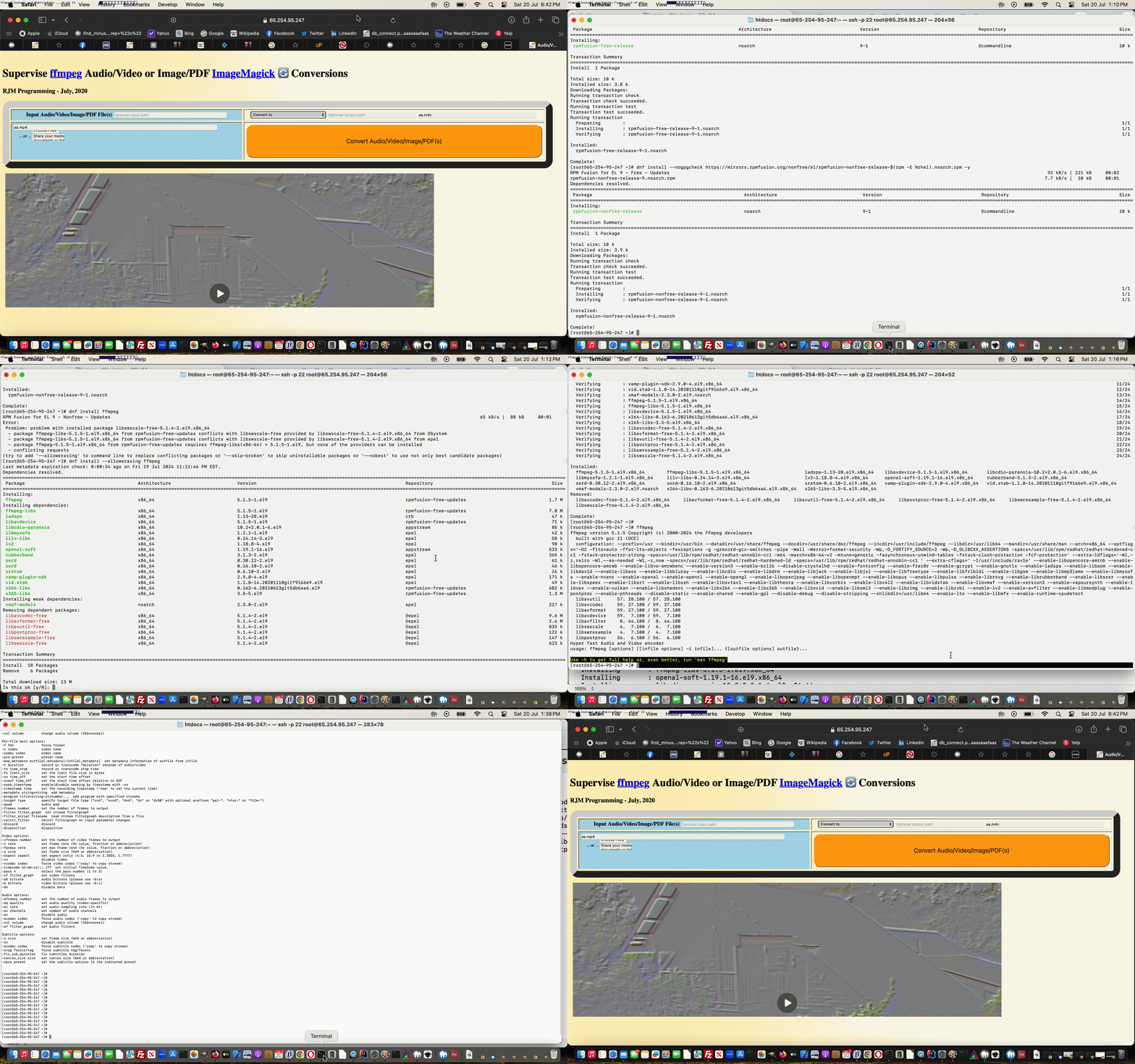
as required, install (oh, that’s what that is … from CentOS roamings) “fail2ban” and “firewalld” (we touched on the “feel for” with previous CentOS based WHM cPanel cPHulk Firewall Primer Tutorial) … and then, the all important (and we recommend if all this is new, to take the advice of others) …
configure fail2ban and fail2ban-client and arrangements regarding ssh login access
For our CentOS Linux Apache/MySql/PHP web server for RJM Programming, we needed to reboot the Apache and MySql services, via the use of an unusual (at least for us, because we couldn’t get graphical WHM cPanel access working) combination of …
Power Management … Stop and Start the VMWare Virtual Host … followed by …
ssh command line access means by which to restart Apache and MySql services (and we like this link as a services list checklist, thanks) via …
service http restart

service mysql restart
… and even a …
service cpanel restart
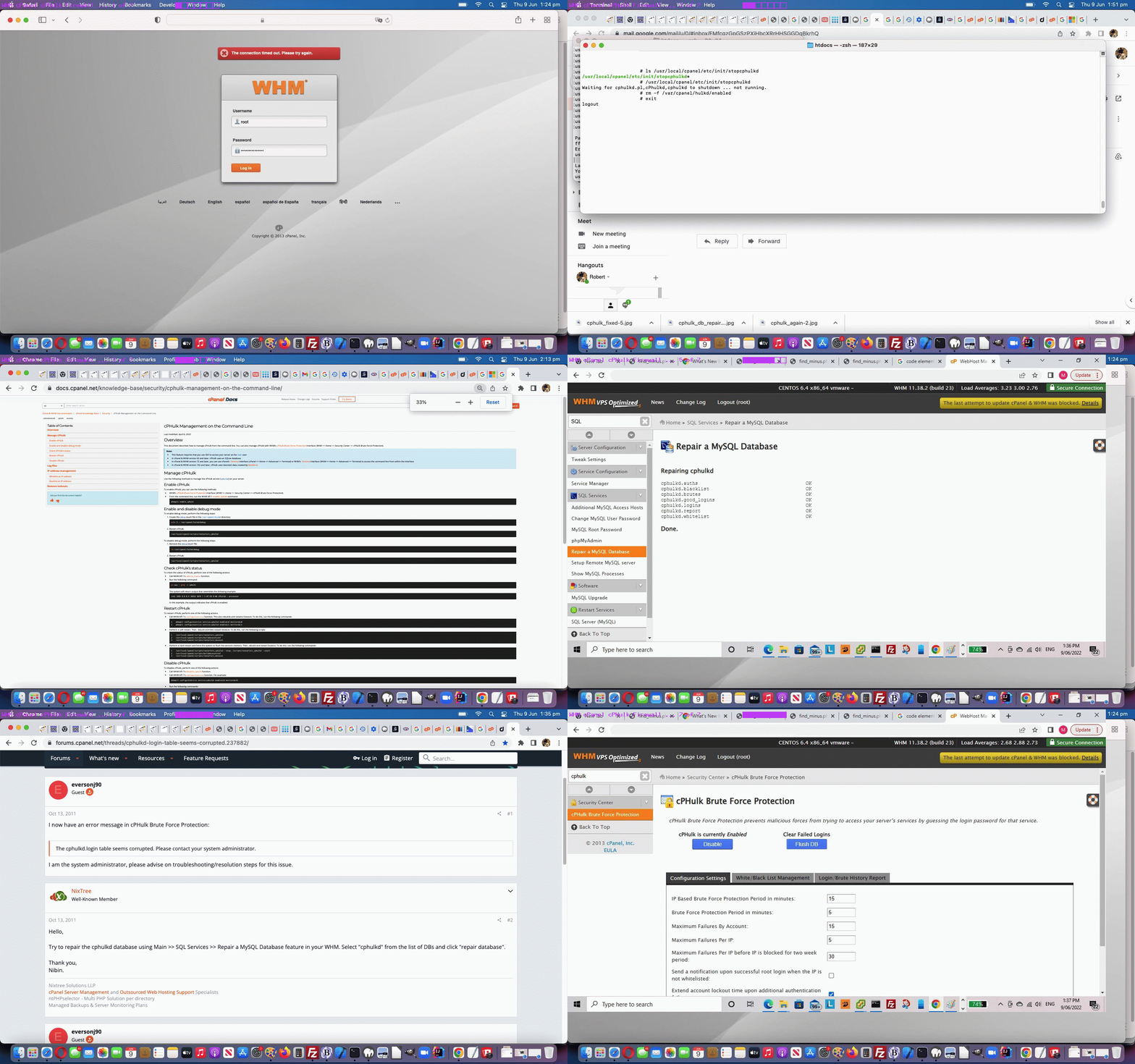
… would not allow our graphical based WHM cPanel access happen, us getting, instead, when trying to access the usual Safari web browser address bar way, the error message …
The connection timed out. Please try again.
Weird! Anyway, researching this (but please note all along, we suspect we may have been able to solve the issue by closing the Safari web browser and reopening and retrying it) we got onto the topic of …
Web Server Firewalls
… associated with (what might be a “service” for you) cPanel’s cPHulk software.
We looked into cPHulk, and decided to Stop and Start cPHulk finding great “Stop” advice here, getting us to go, while still in ssh session …
… successfully back at our graphical cPanel session. Then we clicked the “cPHulk is Currently Disabled … Enable” button to successfully get the Firewall functional again. Phew!
If this was interesting you may be interested in this too.
If this was interesting you may be interested in this too.
… we admire your panache, but if you’re the duck wading through the near shoreline weeds, and the legs aren’t working too well …
Life wasn’t meant to be easy.
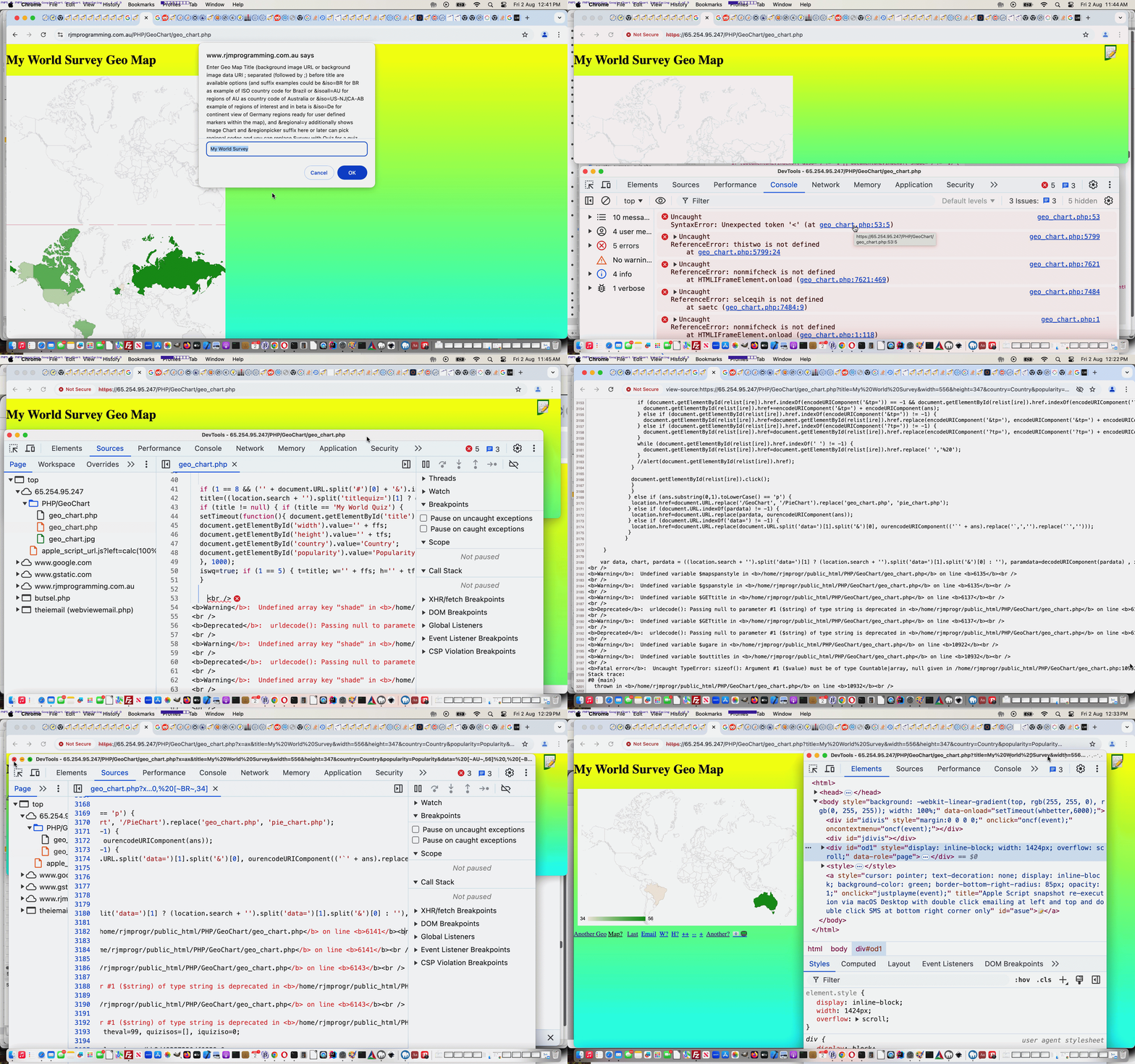
We picked the interfacing to the Google ChartGeo Chart inhouse interfacer PHP web application as our opening gambit, figuring it would have extensive issues … and it did not fail to disappoint in this respect …
… 3 hours later …
What can we say? As a precis …
$_SERVER[‘HTTP_REFERER’] is deprecated
$_GET[‘alabel’] and/or $_POST[‘alabel’] type “globals”, if undefined, should not appear that way (nor other undefined non-global ones), exposed, unless, maybe, with a ternary PHP isset based intervention, you check for existence dynamically so as to avoid this “exposure”
And what was our great friend here? No need for any PHP debuggers, just good ol’ Google Chrome web browser Web Inspector debugging was fine and PHP errors and warnings would be derivable via PHP statements output and available through the Web Inspector tab called “Console”.
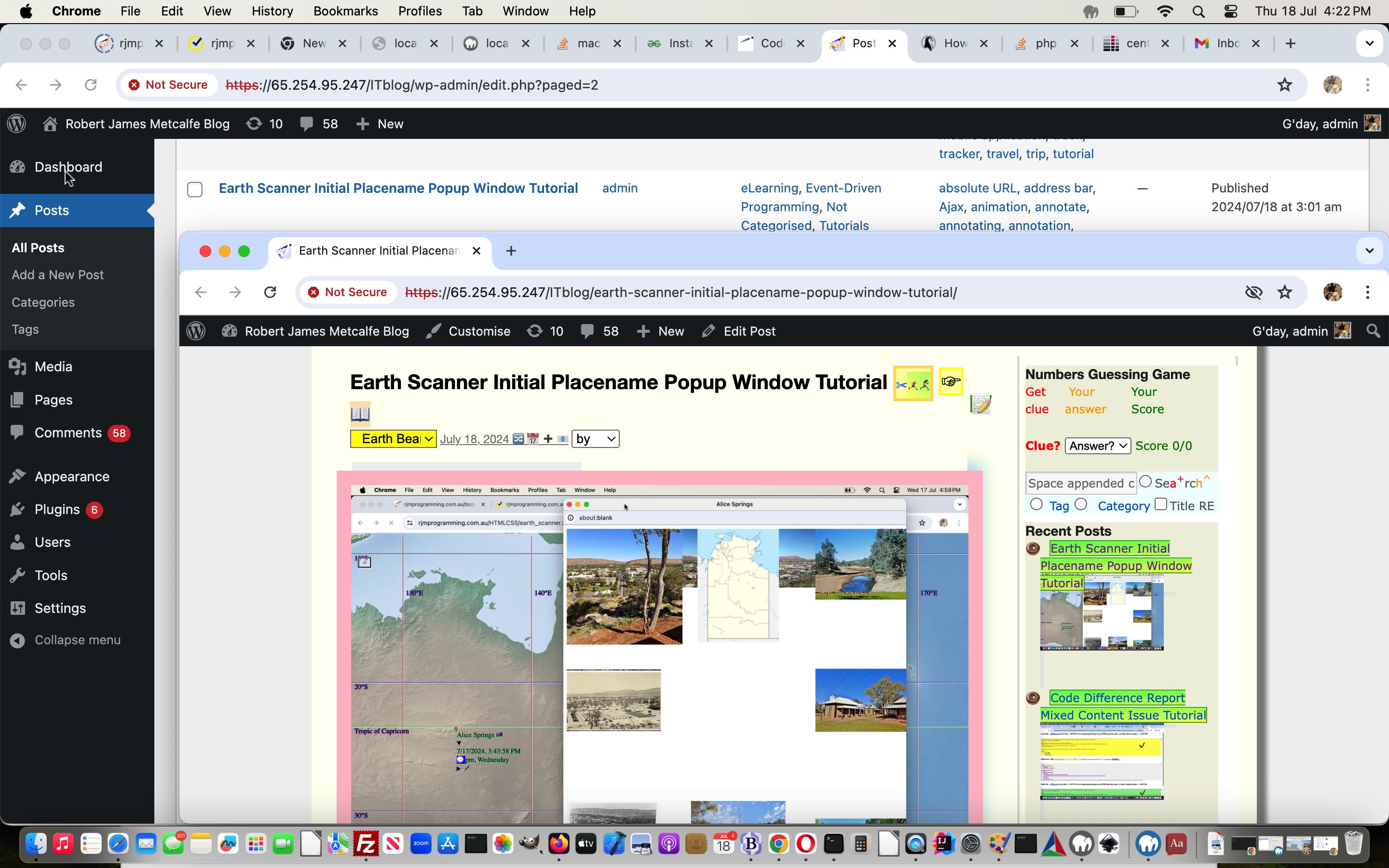
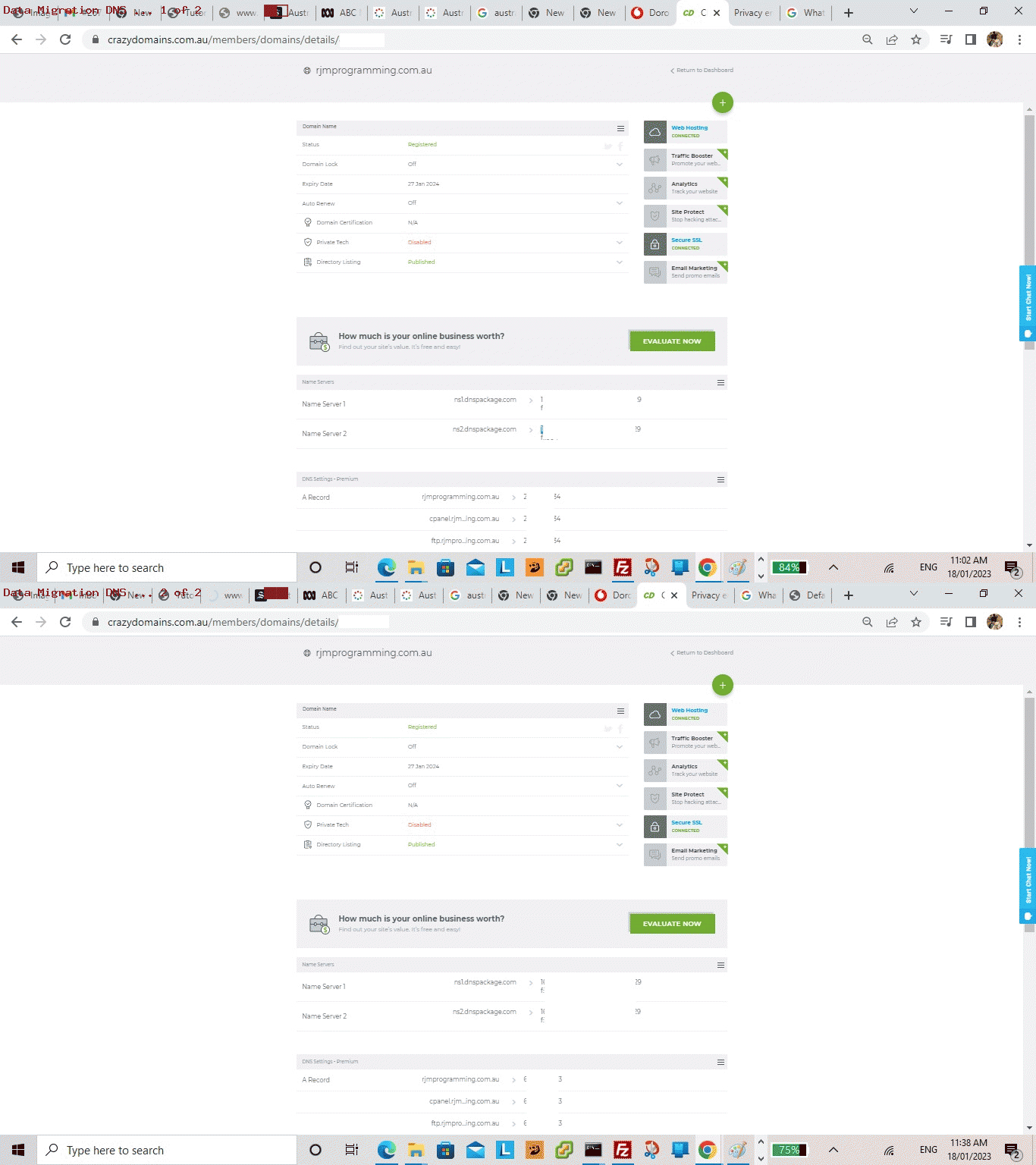
Yes, we’re migrating again (as we were talking about with Apache/PHP/MySql Web Hosting Website Migration ssh Tutorial), though as you read this blog posting, if hot off the press here on 19/7/2024, we’ll not have transferred the DNS over yet, which we’ll outline the reasons for into the future. But, today, we’re excited to outline some steps after …
data migration … which our web hoster, Crazy Domains, did a good job regarding … ahead of …
seeing HTML and Javascript and CSS working fine straight away … and today’s progress migrating the WordPress Blog (involving serverside PHP and MySql) you are reading now …
… in terms of a migration consisting of (just in terms of major players) …
… that PHP leap very big (and we were near an edge regarding PHP 5.4.38 where a WP-CLI approach as below can still work … some earlier 5’s will not work, we were told along the way), and trepidatious, to our mind, but at least for WordPress, now working, via (just highlights, and we’ll leave out that it is great to have a backup of the MySql WordPress software and database ideally, before starting (because we already had one courtesy of the data migration above)) …
install WP-CLI … via ssh -p 22 [adminUser]@[newIPaddressForRJMProgrammingIntoTheFuture] … profuse thanks to this great advice …
# cd ~[websiteUser]

# cd public_html/ITblog

# curl -O https://raw.githubusercontent.com/wp-cli/builds/gh-pages/phar/wp-cli.phar

# php wp-cli.phar --info

# chmod +x wp-cli.phar

# mv wp-cli.phar /usr/local/bin/wp
just install the WordPress Codex software in wp-admin and wp-includes … via ssh -p 22 [adminUser]@[newIPaddressForRJMProgrammingIntoTheFuture] …
# su - [websiteUser]

$ cd ~[websiteUser]

$ cd public_html/ITblog

$ wp core download --force --skip-content
iron out just the one (yee, ha) plugins and/or theme issues that can occur entering a URL such as https://[newIPaddressForRJMProgrammingIntoTheFuture]/ITblog into a web browser address bar … removing …
New Google Plus Badge Widget
… plugin folder and files, because it’s name was apparent in the error message in the video below, and once done WordPress 6.6 starting looking like it’s old self … yee, ha …
amend wp-config.php to add in code statement … thanks to this great advice …
define('RELOCATE',true);
… meaning URLs such as https://[newIPaddressForRJMProgrammingIntoTheFuture]/ITblog just address data and software on [newIPaddressForRJMProgrammingIntoTheFuture] proposed new AlmaLinux9 web server (rather than ducking off to https://www.rjmprogramming.com.au/ITblog/ or https://[oldIPaddressForRJMProgrammingFromTheNearFuturePast]/ITblog/)
on our way to WordPress admin section via https://[newIPaddressForRJMProgrammingIntoTheFuture]/ITblog/wp-admin into the web browser address bar …
WordPress MySql database was updated (to align with PHP 8.1.19 and MySql 8.0.38 and WordPress 6.6 requirements)
in WordPress admin section General Settings make sure both WordPress Address (URL) and Site Address (URL) get mapped to … https://[newIPaddressForRJMProgrammingIntoTheFuture]/ITblog
… during our migration phase, at least
practice writing …
Blog posts
… in WordPress Code editor (showing HTML, as we are most familiar with, but you can edit in a visual mode of use, if you like)
Feel free to see some of what we did here in video below …
Apache/PHP/MySql Web Hosting Website Migration ssh Tutorial
One of the most amazing aspects to the Crazy Domains performed data migration for the RJM Programming domain on 17/1/2023, thanks, was the way, from our point of view, it was …
Changed
No change
IP address
Any usernames
Power management
Any passwords
DNS mappings
ssh access (just with changed IP address slotted in for old one)
sftp access
cPanel access (just with changed IP address slotted in for old one)
… with so little affecting our day to day interactions with the website.
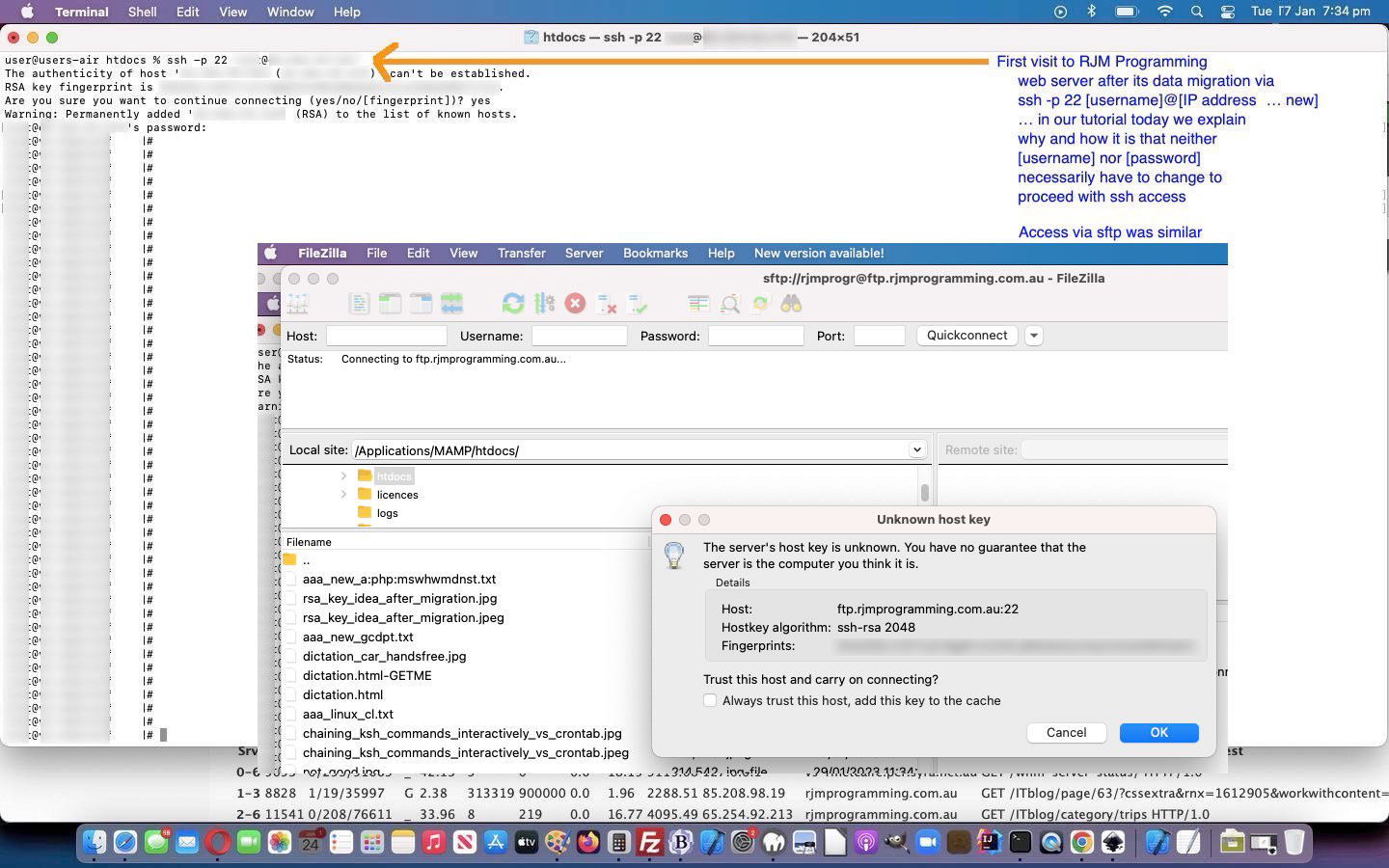
And so, on this topic, adding to the recent Apache/PHP/MySql Web Hosting Website Migration DNS Tutorial we want to hone in on that Any usernames and Any passwords resisting any need to change. How so? Well, it’s to do with how ssh and sftp and RSA keys and Fingerprints work. Let’s ask experts some questions.
An SSH key relies upon the use of two related keys, a public key and a private key, that together create a key pair that is used as the secure access credential. The private key is secret, known only to the user, and should be encrypted and stored safely.
That “stored safely” is the key (chortle, chortle) to the cleverness of the system. The key is stored on the same web server disk migrated, and so access to a username’s previous password is maintained that way.
Secure Shell (SSH) uses a fingerprint generated with the unique server host key so that a client can identify the server. Whenever the host fingerprint changes, SSH issues the following warning: The host fingerprint can’t be verified or it has changed. When you configure the SSH server, the host key generates randomly.
And so, we can see that the fingerprint mechanism can help the user authenticate, and have the key refresh itself, in the new web server IP address environment, as you can see in today’s tutorial picture.
The Domain Name System (DNS) is a hierarchical and distributed naming system for computers, services, and other resources in the Internet or other Internet Protocol (IP) networks. It associates various information with domain names assigned to each of the associated entities. Most prominently, it translates readily memorized domain names to the numerical IP addresses needed for locating and identifying computer services and devices with the underlying network protocols.[1] The Domain Name System has been an essential component of the functionality of the Internet since 1985.
… steps that represented that final “tying the knot” of repositioning the RJM Programming domain to a new IP address and allowing cPanel and ssh and sftp website access methods not have to change regarding username and password usage, just IP addresses, perhaps totally “behind the scenes”. Think of it like a “renaming the underbelly” exercise, perhaps!
Until these DNS settings are adjusted in “A records” up at the web hoster by the Webmaster or Web Hoster, and there is, typically, about a five minute wait afterwards, the website cannot be reached via your usual …
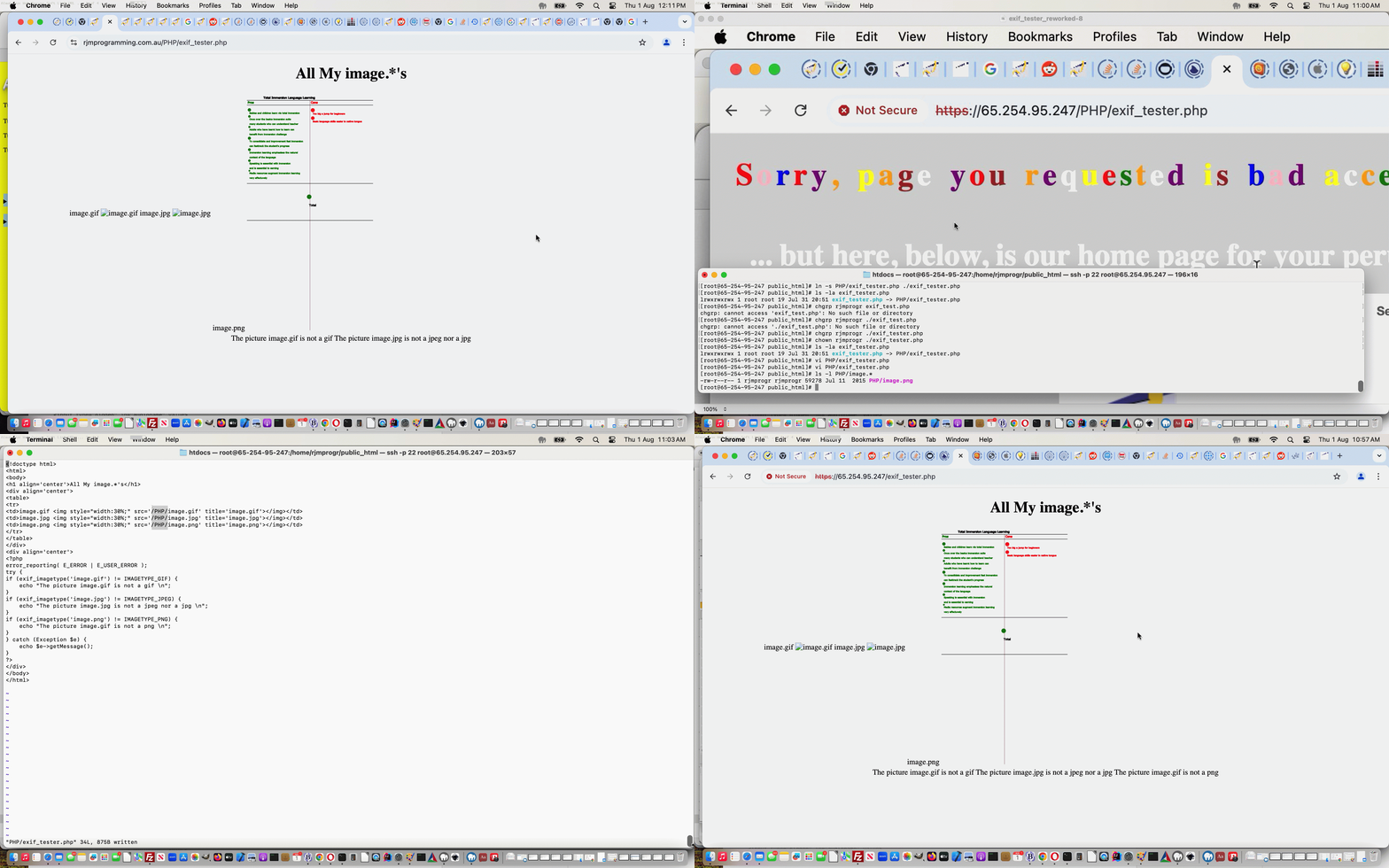
We were wondering if Linux (and can work on unix) soft links, as talked about with Linux and Unix Soft Links Primer Tutorial, can be of practical value pointing to the source code of a webpage. Perhaps you’d want to do this regarding restrictions applied to executionable server code, such as PHP.
We decided to try this with our new AlmaLinux9 web server (cded to web server Document Root) via …
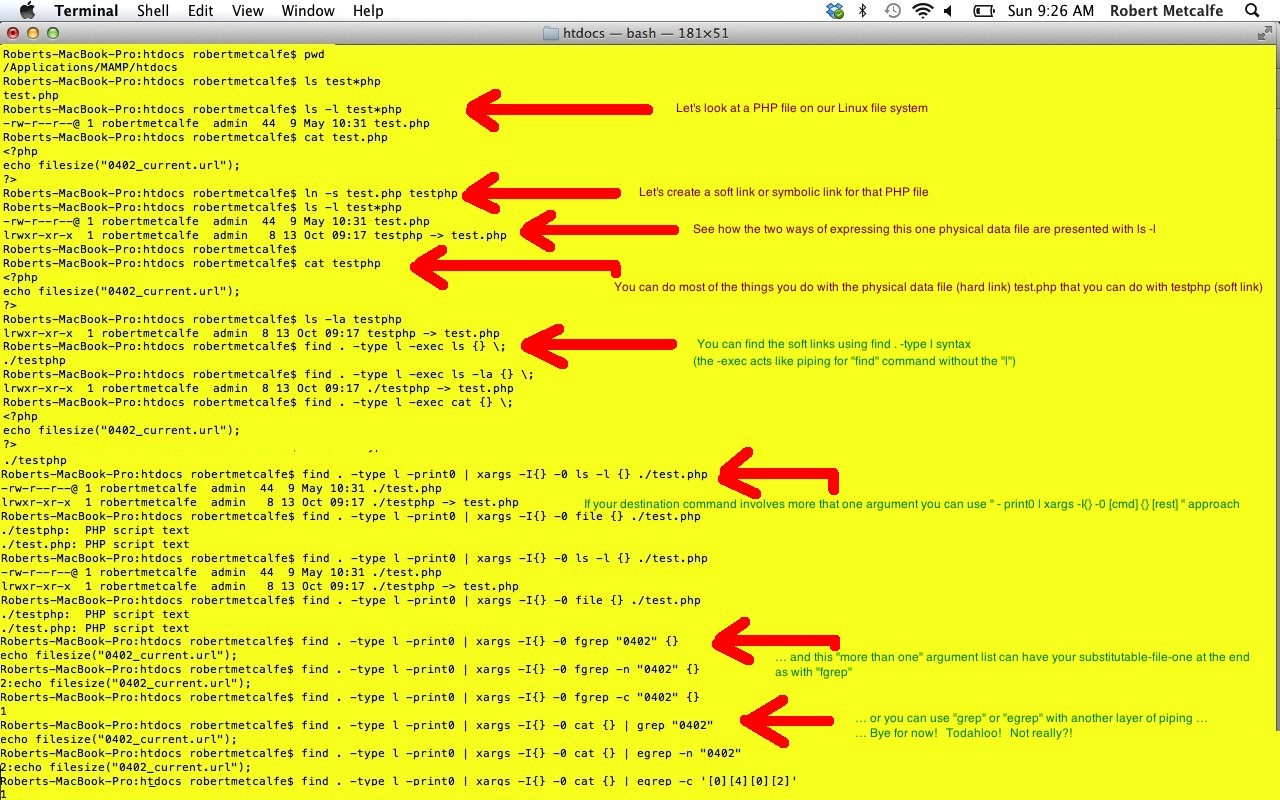
Are there big differences between the Linux and Unix operating system, and Windows, for example? Deep at the heart of the very file orientated Unix and Linux operating systems (where just about everything can be boiled down to being about files) are the possibilities presented by Soft Links (or Symbolic Links), a concept missing in the original design of Windows/DOS. So, as is pretty apparent, there are some huge differences, which partly explains the passion some people feel for their favourite operating system … or favourite anything … it is the “tribal” in us methinks.
For myself, prefer to marvel at the good bits of (the whole gamut of) all these approaches to software (and cherrypick the appropriate/good ones for any particular problem/issue), and have to say, Soft Links, as a concept, in Unix and Linux, was (and is) one of the best things ever invented, and if it was everywhere (on other operating systems) who knows, maybe there would have been some internationalization on this area of I.T., and approaches could have seen the concept used more powerfully (and fully) than now (mind you, maybe it is, and I just need somebody to share their deep insights?! … please feel free, in the comments) in cute ways that would have opened up many more useful ways to program code that is cross-platform-friendly (or “networked”).
Let’s see some Linux and Unix Soft Links Primer Tutorial steps of interest, hopefully. These are presented via a Mac laptop’s Terminal application, whose default shell environment is Bash.
Link to some downloadable code … rename to soft_link_tutorial.sh (bit specific to local conditions, but please tailor for your own use).
If this was interesting you may be interested in this too.
If this was interesting you may be interested in this too.
Yesterday’s Making of Ffmpeg Video Overall Effects Tutorial‘s “first draft” feel of our inhouse Bookmark Export Filtering web application showed just that. Yes, there was quite a lot to improve on, the way we saw it being …
adding a (local system) file browsing means (called by our <iframe scrolling=no frameborder=0 id=cbi data-style=’border-top:1px solid black;border-bottom:1px solid black;border-left:2px solid yellow;border-right:1px solid yellow;’ style=’width:173px;height:228px;margin-top:-194px;’ src=’/HTMLCSS/client_browsing.htm?totype=html&d=189786754′></iframe> file browsing helper) …
  function yesthreethree(restis) {

   if (document.getElementById('bmkdata')) {

    if (restis.indexOf('data:') == 0) {

      if (restis.indexOf(';base64,') != -1) {

        document.getElementById('bmkdata').value='' + window.atob(restis.split(';base64,')[1]);

        analyze(document.getElementById('bmkdata')); //document.getElementById('bmkdata').blur();

      } else if (restis.indexOf(';utf8,') != -1) {

        document.getElementById('bmkdata').value='' + (restis.split(';utf8,')[1]);

        analyze(document.getElementById('bmkdata')); //document.getElementById('bmkdata').blur();

      }

    } else {

      document.getElementById('bmkdata').value=restis;

      analyze(document.getElementById('bmkdata')); //document.getElementById('bmkdata').blur();

    }

   }

  }
… by which to add Web Browser Bookmark Exporting Data File Content into that lower HTML textarea element (and unlock the two UL/LI and Table button elements) … as well as …
add a details/summary “reveal” means by which the user can show working actual HTML elements in addition to the HTML coding we’ve only be showing (with that “first draft”)
add Sharing functionality via either Email or SMS conduits
… and because the amounts of data can be large (and too big for a method=GET HTML form arrangement that clientside HTML/Javascript is capable of servicing) we were glad adding this Sharing functionality that yesterday we’d already started down the line of thinking that the …
lower HTML textarea content … would always be associated with …
hashtag … representation
… because with these methodologies the web server restrictions on (address bar) URL lengths (ie. error 414) melt away, at least for data lengths we’ve encountered with our testing so far, and that applies also to …
“mailto:” “a” URL links to Email a recipient … or …
“sms:” “a” URL links to SMS a recipient
… Sharing …
var mysubject='My Bookmarked Links ...', xlocationhref='';
if (('' + location.hash).indexOf('bmkdata=') != -1) { locationhash=location.hash; }
function doemail() {
if (document.getElementById('bmkdata').value.trim() != '') {
locationhash='#bmkdata=' + window.btoa(encodeURIComponent(document.getElementById('bmkdata').value));
mysubject='My Bookmarked Links ...';
if (document.getElementById('dtone').value.trim() != '' && document.getElementById('dttwo').value.trim() != '') {
mysubject='My Bookmarked Links from ' + document.getElementById('dtone').value.trim() + ' to ' + document.getElementById('dttwo').value.trim() + ' ... ';
} else if (document.getElementById('dtone').value.trim() != '') {
mysubject='My Bookmarked Links from ' + document.getElementById('dtone').value.trim() + ' ... ';
} else if (document.getElementById('dttwo').value.trim() != '') {
mysubject='My Bookmarked Links up until ' + document.getElementById('dttwo').value.trim() + ' ... ';
}
if (ulli && !utable) {
recipient=prompt('Please enter email address to send to? Will output UL/LI else if some blanks will output Table. Default email Subject is ' + mysubject + ' ... but if you want a different one append a hash (#) followed by your own Subject for the Email.', '');
if (recipient == null) { recipient=''; } else if (recipient.indexOf('@') == -1) { recipient=''; } else if (eval('' + recipient.indexOf('#')) > eval('' + recipient.indexOf('@'))) { mysubject=recipient.split('#')[1]; recipient=recipient.split('#')[0]; }
if (recipient.indexOf(' ') != -1) {
locationhref=document.URL.split('?')[0].split('#')[0] + '?table=y&dtone=' + encodeURIComponent(document.getElementById('dtone').value) + '&dttwo=' + encodeURIComponent(document.getElementById('dttwo').value); // + '#bmkdata=' + encodeURIComponent(document.getElementById('bmkdata').value);
} else {
locationhref=document.URL.split('?')[0].split('#')[0] + '?ulli=y&dtone=' + encodeURIComponent(document.getElementById('dtone').value) + '&dttwo=' + encodeURIComponent(document.getElementById('dttwo').value); // + '#bmkdata=' + encodeURIComponent(document.getElementById('bmkdata').value);
}
xlocationhref=locationhref;
if (recipient.trim() != '') {
if (1 == 1) {
processit();
} else {
document.getElementById('spareshare').href='mailto:' + recipient.replace(/\ /g,'') + '?subject=' + encodeURIComponent(mysubject) + '&body=' + encodeURIComponent(locationhref + locationhash);
document.getElementById('spareshare').click();
recipient='';
}
}
} else if (utable) {
recipient=prompt('Please enter email address to send to? Will output UL/LI else if some blanks will output Table. Default email Subject is ' + mysubject + ' ... but if you want a different one append a hash (#) followed by your own Subject for the Email.', '');
if (recipient == null) { recipient=''; } else if (recipient.indexOf('@') == -1) { recipient=''; } else if (eval('' + recipient.indexOf('#')) > eval('' + recipient.indexOf('@'))) { mysubject=recipient.split('#')[1]; recipient=recipient.split('#')[0]; }
if (recipient.indexOf(' ') != -1) {
locationhref=document.URL.split('?')[0].split('#')[0] + '?table=y&dtone=' + encodeURIComponent(document.getElementById('dtone').value) + '&dttwo=' + encodeURIComponent(document.getElementById('dttwo').value); // + '#bmkdata=' + encodeURIComponent(document.getElementById('bmkdata').value);
} else {
locationhref=document.URL.split('?')[0].split('#')[0] + '?ulli=y&dtone=' + encodeURIComponent(document.getElementById('dtone').value) + '&dttwo=' + encodeURIComponent(document.getElementById('dttwo').value); // + '#bmkdata=' + encodeURIComponent(document.getElementById('bmkdata').value);
}
xlocationhref=locationhref;
if (recipient.trim() != '') {
if (1 == 1) {
processit();
} else {
document.getElementById('spareshare').href='mailto:' + recipient.replace(/\ /g,'') + '?subject=' + encodeURIComponent(mysubject) + '&body=' + encodeURIComponent(locationhref + locationhash);
document.getElementById('spareshare').click();
recipient='';
}
}
}
}
}
function dosms() {
if (document.getElementById('bmkdata').value.trim() != '') {
locationhash='#bmkdata=' + window.btoa(encodeURIComponent(document.getElementById('bmkdata').value));
if (ulli && !utable) {
recipient=prompt('Please enter SMS number to send to? Will output UL/LI else if some blanks will output Table.', '');
if (recipient == null) { recipient=''; } else if (recipient.trim() != '' && recipient.trim().replace(/0/g,'').replace(/1/g,'').replace(/2/g,'').replace(/3/g,'').replace(/4/g,'').replace(/5/g,'').replace(/6/g,'').replace(/7/g,'').replace(/8/g,'').replace(/9/g,'') != '') { recipient=''; }
if (recipient.indexOf(' ') != -1) {
locationhref=document.URL.split('?')[0].split('#')[0] + '?table=y&dtone=' + encodeURIComponent(document.getElementById('dtone').value) + '&dttwo=' + encodeURIComponent(document.getElementById('dttwo').value); // + '#bmkdata=' + encodeURIComponent(document.getElementById('bmkdata').value);
} else {
locationhref=document.URL.split('?')[0].split('#')[0] + '?ulli=y&dtone=' + encodeURIComponent(document.getElementById('dtone').value) + '&dttwo=' + encodeURIComponent(document.getElementById('dttwo').value); // + '#bmkdata=' + encodeURIComponent(document.getElementById('bmkdata').value);
}
xlocationhref=locationhref;
if (recipient.trim() != '') {
if (1 == 1) {
processit();
} else {
document.getElementById('spareshare').href='sms:' + recipient.replace(/\ /g,'') + '&body=' + encodeURIComponent(locationhref + locationhash);
document.getElementById('spareshare').click();
recipient='';
}
}
} else if (utable) {
recipient=prompt('Please enter SMS number to send to? Will output UL/LI else if some blanks will output Table.', '');
if (recipient == null) { recipient=''; } else if (recipient.trim() != '' && recipient.trim().replace(/0/g,'').replace(/1/g,'').replace(/2/g,'').replace(/3/g,'').replace(/4/g,'').replace(/5/g,'').replace(/6/g,'').replace(/7/g,'').replace(/8/g,'').replace(/9/g,'') != '') { recipient=''; }
if (recipient.indexOf(' ') != -1) {
locationhref=document.URL.split('?')[0].split('#')[0] + '?table=y&dtone=' + encodeURIComponent(document.getElementById('dtone').value) + '&dttwo=' + encodeURIComponent(document.getElementById('dttwo').value); // + '#bmkdata=' + encodeURIComponent(document.getElementById('bmkdata').value);
} else {
locationhref=document.URL.split('?')[0].split('#')[0] + '?ulli=y&dtone=' + encodeURIComponent(document.getElementById('dtone').value) + '&dttwo=' + encodeURIComponent(document.getElementById('dttwo').value); // + '#bmkdata=' + encodeURIComponent(document.getElementById('bmkdata').value);
}
xlocationhref=locationhref;
if (recipient.trim() != '') {
if (1 == 1) {
processit();
} else {
document.getElementById('spareshare').href='sms:' + recipient.replace(/\ /g,'') + '&body=' + encodeURIComponent(locationhref + locationhash);
document.getElementById('spareshare').click();
recipient='';
}
}
}
}
}
function fillin() {
if (document.getElementById('rt') && document.getElementById('rd') && document.getElementById('rs')) {
if (document.getElementById('rd').innerHTML == document.getElementById('rs').outerHTML) {
document.getElementById('rd').innerHTML=document.getElementById('rs').outerHTML + document.getElementById('rt').value;
}
}
}
// Coming back from an email or SMS link click ...
… concepts, happily. Keeping it all “just clientside” means we can be talking meaningfully to a larger chunk of audience … if you’re listening, that is?!
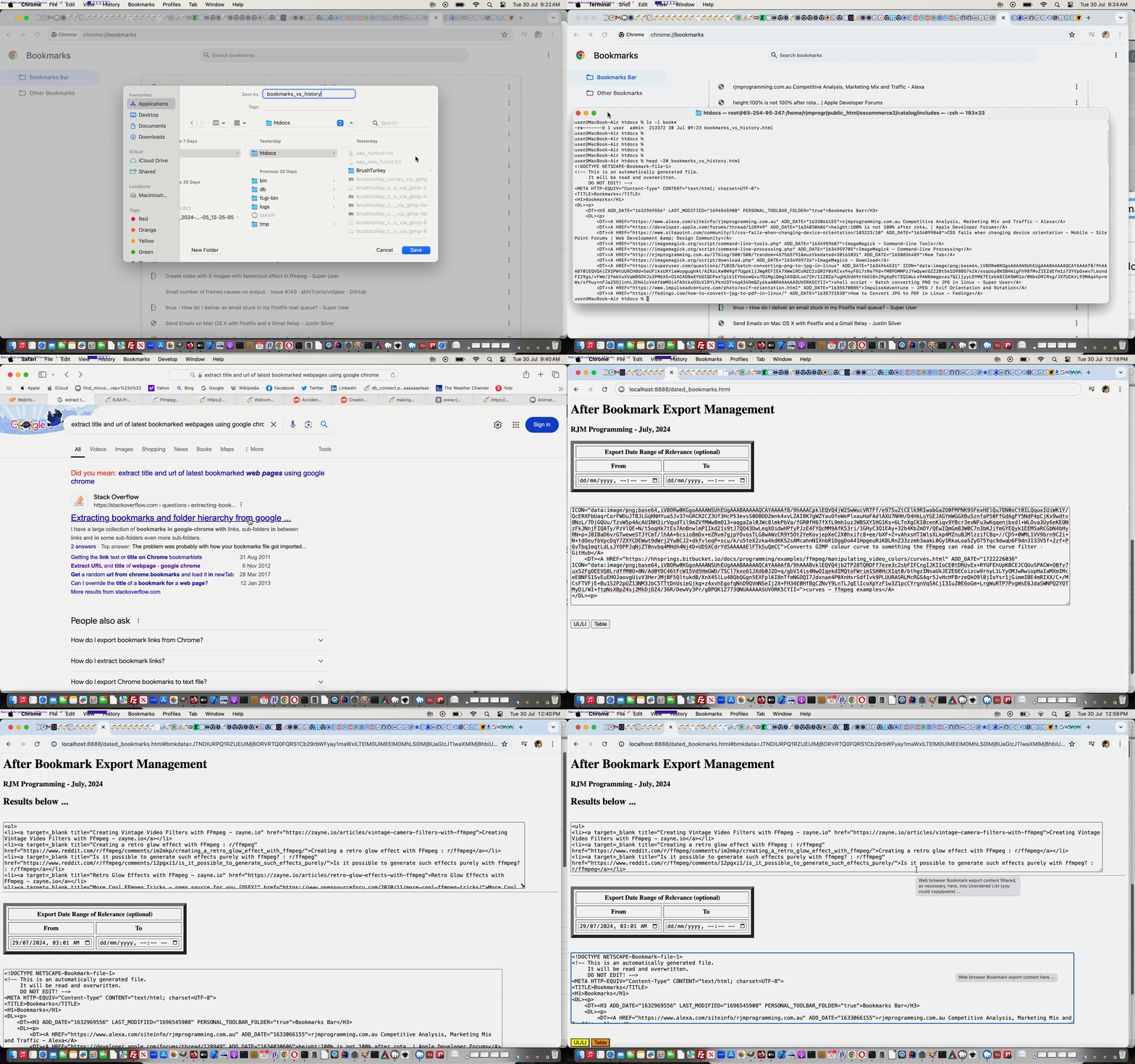
… of links, am sure a lot of you would guess, were gleaned (within our Google Chrome web browser History (of that day)) Bookmarked (by us) webpages. We actually compiled via (the clunky and fairly slow) …
left half (of screen) with (Google Chrome) History showing, and right half with BBEdit Text Editor open at a new (ostensibly empty) file with loads of empty records available, and dragged URL records (identifiable, for us, via an asterisk, indicating a webpage was Bookmarked) from the left into the right to bring over the URLs (only) above, the rest constructed in a more manual way … and another way could have been …
use Google Chrome webpage showing Bookmark list and use its Export Bookmarks (no other choice but “All”) to a file that could be waded through to derive the list above … and then we thought of chance to code for …
hybrid “inhouse” clientside (ie. HTML/Javascript/CSS) web application …
… so far asking for the content of a web browser Export Bookmarks operation’s output file’s HTML (in the case of Google Chrome) content in an HTML textarea element (the user can fill in themselves), and filterable via two input type=datetime-local starting and ending datetime(s) of interest (the user can fill in, optionally)
… and we wish we could have got that hour and a half back, from yesterday, via swapping yesterday for today?!
Not all web browser brands have any Export Bookmarks functionality, like Google Chrome offers here on macOS. We’re going to be examining others, over time, and try to make our inhouse logic fit in with how that Bookmark data looks, on export, should we find any other Web Browser brands offering this functionality.
Today’s work (all on our macOS MAMP local Apache/PHP/MySQL web server environment) is only “toe dipping” in a “great big sea of possibilities” regarding the great ffmpeg‘s “filtering style abilities” further to yesterday’s Ffmpeg Video Subliminal Message Tutorial, but …
as you try out things you discover others …
can be a foot in the door researching this type of work yourself …
… we’re hoping. And it’s not as if ffmpeg was on it’s own here with the second concept below …
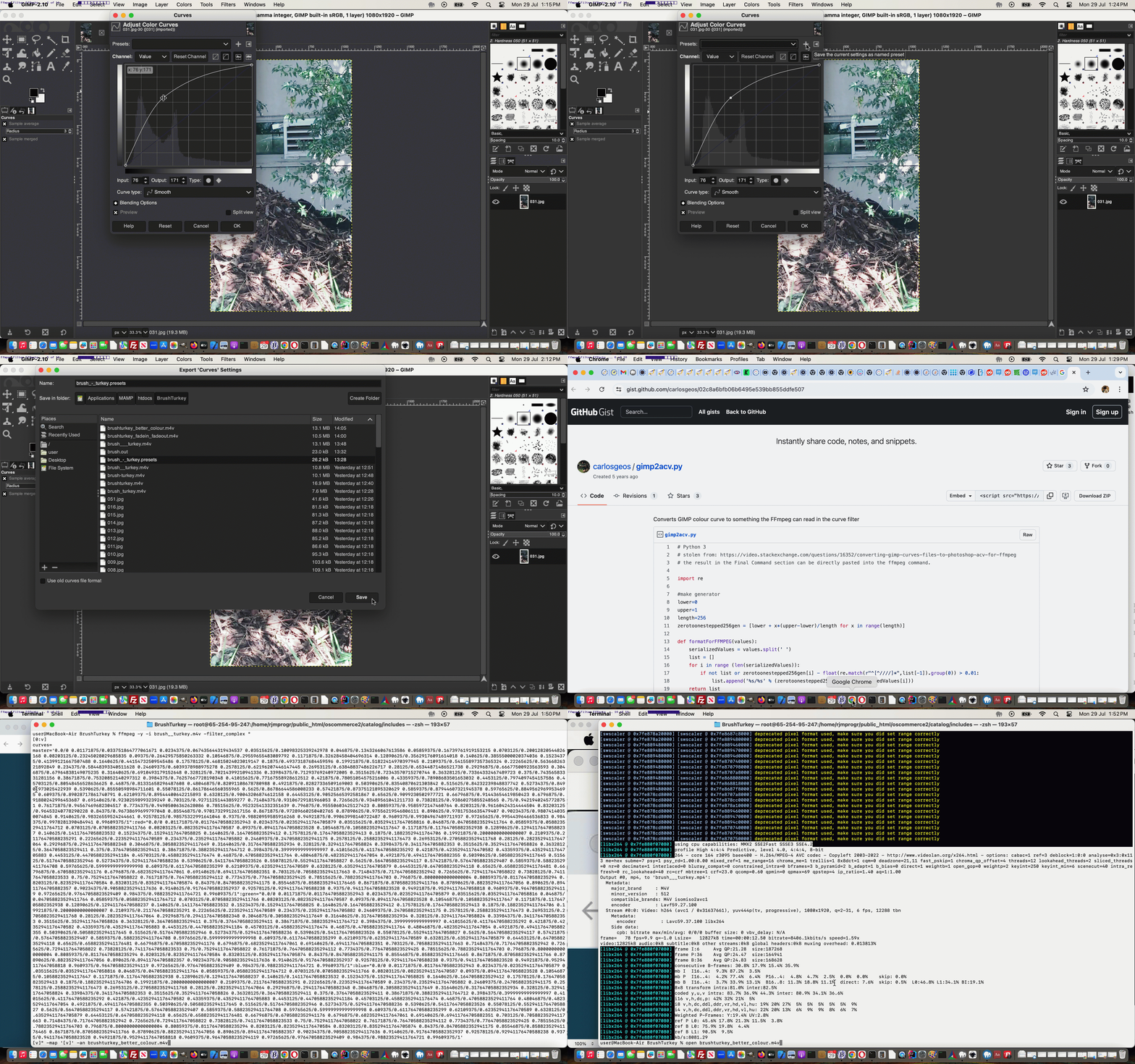
fade in and fade out video effect … inspired by Top 20 best commands for FFmpeg to try …
ffmpeg -i brush__turkey.m4v -vf "fade=in:0:5,fade=out:73:5" brushturkey_fadein_fadeout.m4v
colour balancing improvements regarding an underexposed video
… as the …
Gimp image editor’s abilities (matching a lot of what you read Photoshop can help with too) with Curves helped out … along with …
Python expertly designed to link Gimp and ffmpeg “whole of video” manipulations
… enacting …
selection of a video still image, ideally not containing the Brush Turkey …
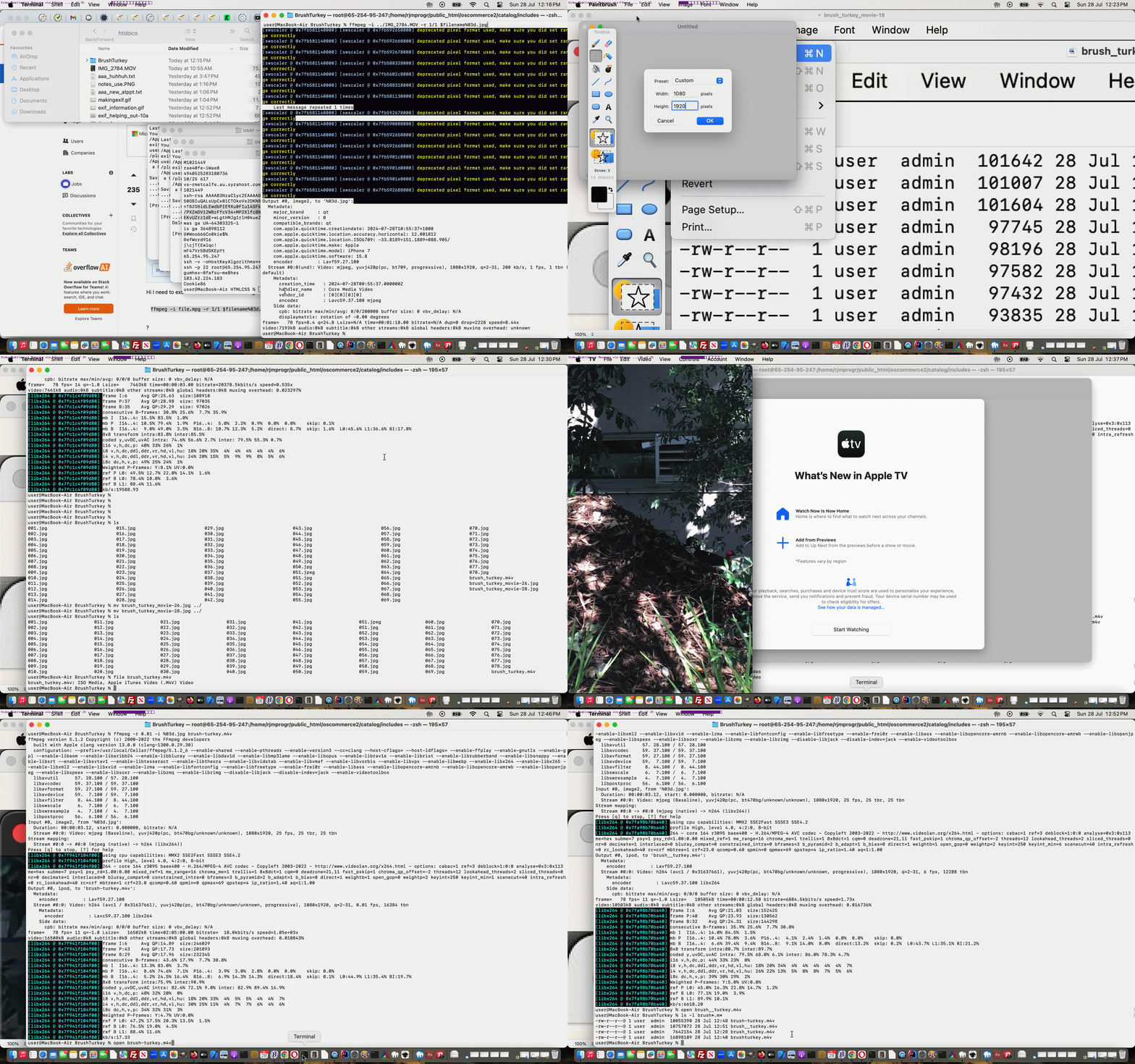
we were inspired by a Brush Turkey which we videoed via an iPhone’s Camera app’s Video mode of capture option …
downloaded to this MacBook Air (via AirDrop … good for Apple sharing when the sizes get big … raw video 1:19s long)
And that’s where we are at here, thinking this would be a good opportunity to try creating a Subliminal Message video. But before we go on and “give the game away” you may want to see the result of our Subliminal Message insertion via ffmpeg theme to our work, in action, below. Unlock or give up to unlock the content below the video quiz below …
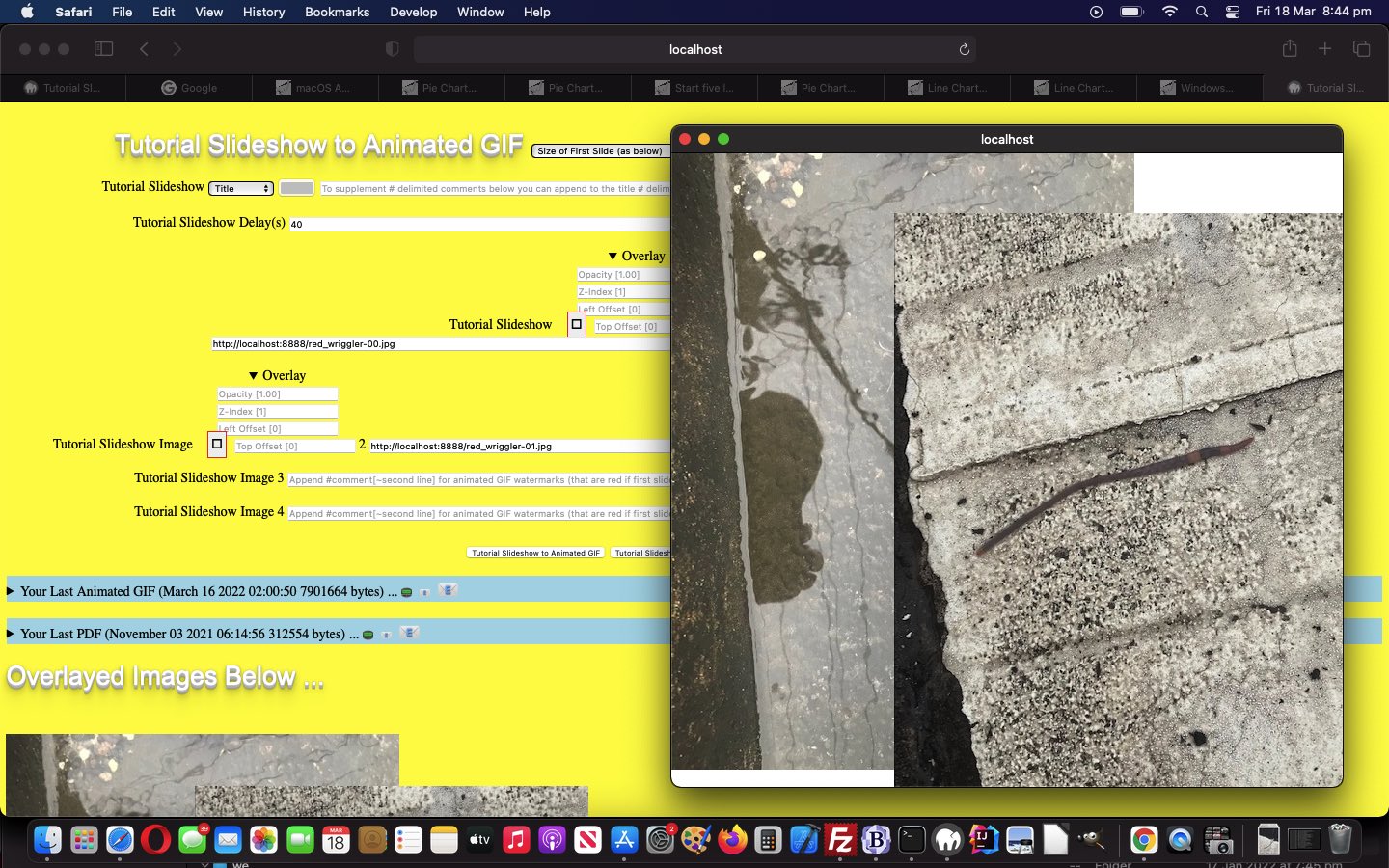
Congratulations! Yes, in between the “Raw Video” ffmpeg work and onto the other ffmpeg commands we renamed one slide to a *.jpeg equivalent and then set about replacing the *.jpg original slide with our Subliminal Message slide, as you can see here.
The work involves both of the HTML design “big concepts” we are keen on at this blog …
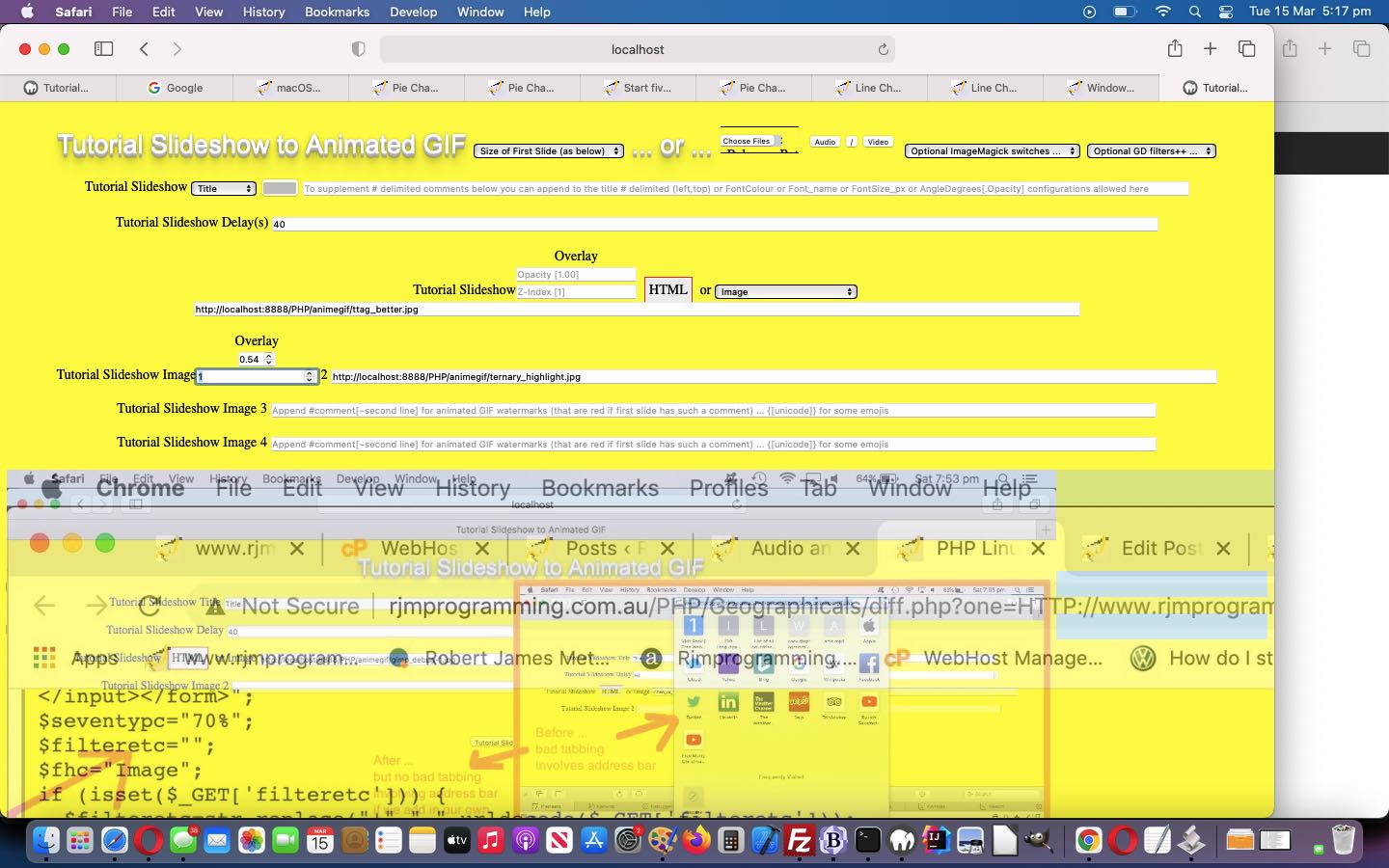
overlay … via CSS control of …
position:absolute;top:0px;left:0px;
opacity:1.0;
z-index:1;
reveal … lately, mostly, via HTML use of …
details
summary
… the latter being the “container” for our interactive input be able to control overlay items 2 and 3, which affect the “overlayed images” output display via the clicking of a new “Overlay Images” button. That button …
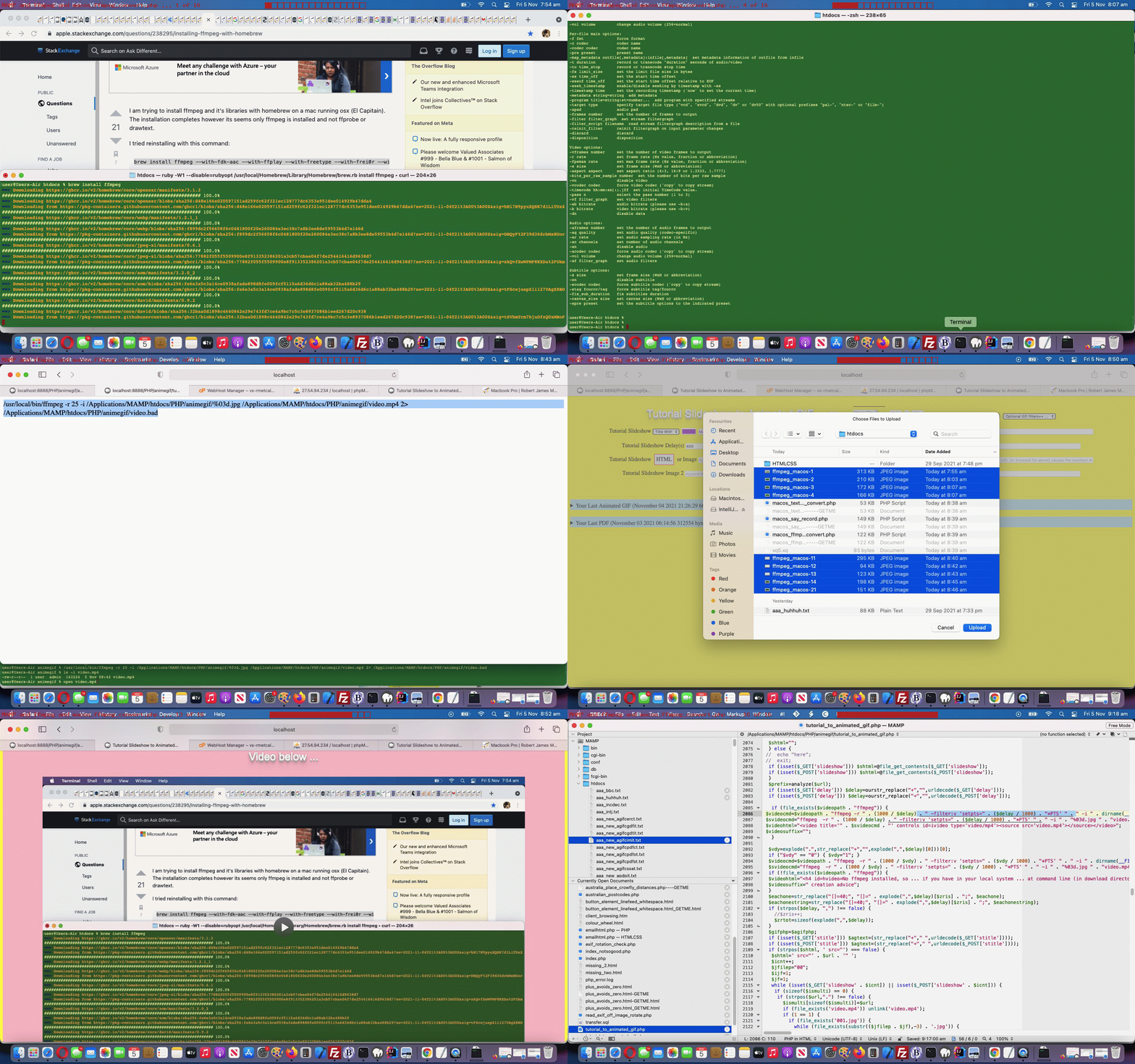
… one reason being that we do not want to install the wonderful ffmpeg (command line video creation tool) on the RJM Programming domain, but, in macOS, here with MAMP, we are quite happy to live with the Homebrew (Terminal application’s) install …
… setting up what could be “lost functionality”, but today, we come around to either adding a new …
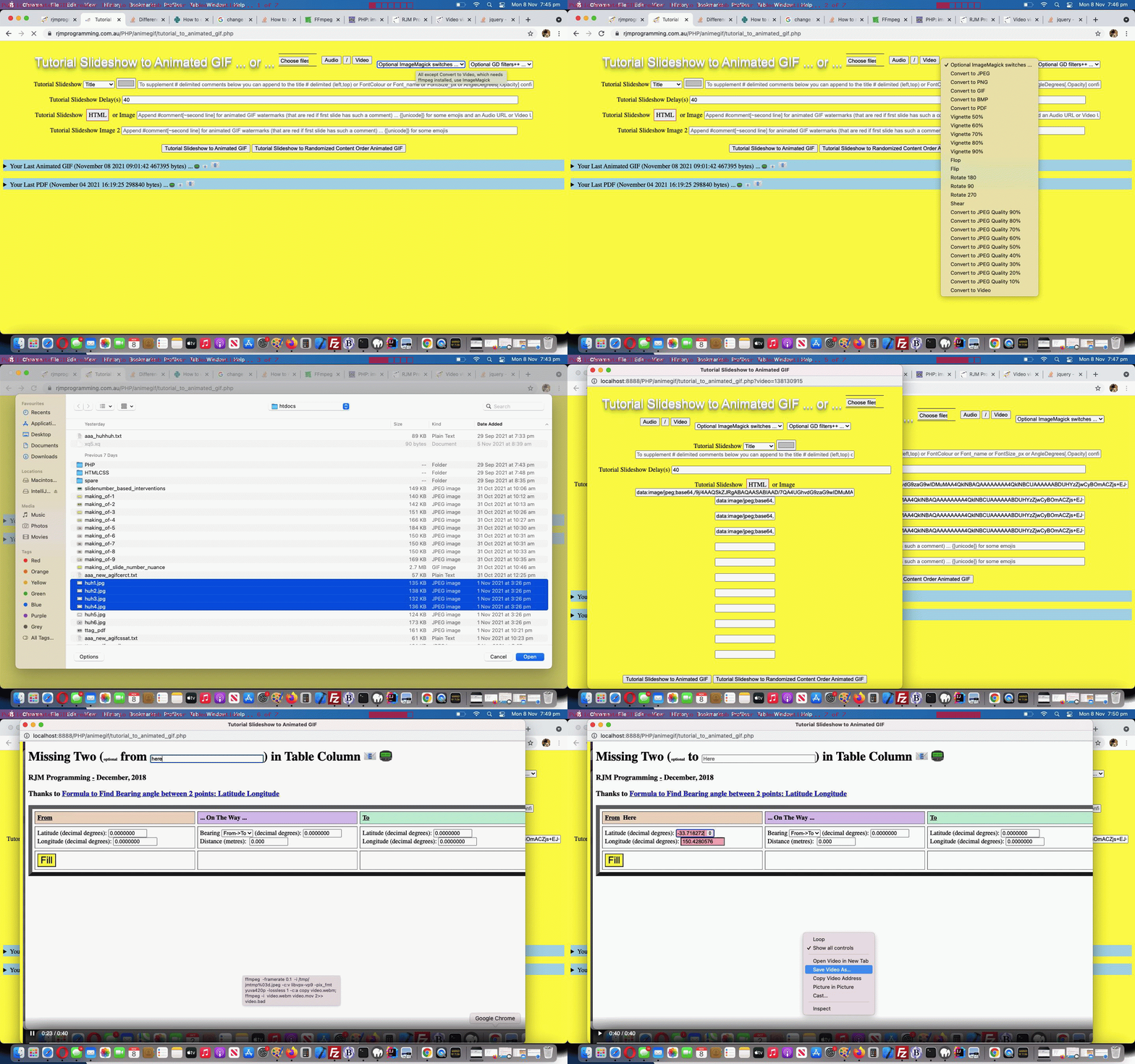
Convert to Video
… dropdown option should all be ritchy ditch, and if not, often we will add new “Advice” dropdown options to remind the user what they’d need to arrange to get to a “Convert to Video” scenario.
Selecting “Convert to Video” sets up a hydrid “Internet/Intranet” feeling scenario where …
… be nested in PHP exec (via MAMP local web server incarnation of the inhouse Animated GIF Creator) as a way to create videos …
which can be downloaded within that public domain “parent” inhouse Animated GIF Creator session
Which begs the question …
How do we know when to offer the "Convert to Video" option on that dropdown?
This logic is centred around a few useful ideas (with this cross domain scenario ruling out Ajax and Iframe src= definitions, as useful ways to go) …
open the MAMP local web server “HTTP://localhost:8888/PHP/animegif/tutorial_to_animated_gif.php” URLs in an iframe (with onload event logics) pointed at by a window.open second argument (effectively avoiding any loose useful or not popup windows hanging around) …
the most we can ask at the receiver is that window.opener is defined … and if so, just at that discovery …
an image called “amhere.jpg” is created via PHP GD functionality … and back at the “public domain” parent within the iframe onload logic (where with contentWindow or contentDocument do not expect a document.body or even a document) …
we attempt to “hotlink” that MAMP local web server image … as per …
var tryit='http://localhost:8888/PHP/animegif/amhere.jpg';
document.getElementById('ctvopt').value='advice';
document.getElementById('ctvopt').innerHTML='Advice on Convert to Video';
if (tryit != '') {
var im=new Image();
im.onload = function() {
document.getElementById('ctvopt').value='video';
console.log('this.height=' + eval('' + this.height));
if (eval('' + this.height) >= 20) {
document.getElementById('ctvopt').innerHTML='Convert to Video';
} else {
document.getElementById('ctvopt').innerHTML='Convert to Video (but ffmpeg not installed or in unexpected place)';
}
document.getElementById('imsel').title='All except Convert to Video, which needs ffmpeg installed, use ImageMagick';
};
… and check the code for the validity of any ImageMagick paths … and if not all these conditions, simulate the same and cobble it together in the code
… one reason being that we do not want to install the wonderful ffmpeg (command line video creation tool) on the RJM Programming domain, but, in macOS, here with MAMP, we are quite happy to live with the Homebrew (Terminal application’s) install …
brew install ffmpeg
… to open a whole new woooooorrrrlllllddd of video creation opportunities using this MAMP local web URL …
HTTP://localhost:8888/PHP/animegif/tutorial_to_animated_gif.php# Animated GIF Creator on MAMP local web server
… we tweaked out of “video/mp4” ffmpeg created videos thinking towards “video/webm” or “video.mov” ffmpeg created videos that suit the “few frames but spaced out video” we wanted to achieve for all practical purposes, that “video/mp4” playing too fast for us to see anything much but the first and last slide …
As a web application programmer we like buttons. There are “buttons” and there are buttons. Yes, there is an HTML button element, and it and the input type=button element render as that part of a webpage most recognizable to users the world over. You click or tap this button and something usually happens.
But we also enjoy “Emoji Buttons” for we graphically challenged programmers. Using an emoji text and graphic can make span elements or p elements or lots of other HTML elements that have an innerHTML property, be like a very succinct button like entity, also appreciated around here because it takes up so little webpage “real estate”.
And so onto yesterday’s Animated GIF Creator PDF Order Tutorial we set about, today, “revealing” any enduring animated GIF and/or PDF created during a previous session, using Emoji Buttons as the email/SMS sharing action buttons.
We say “revealing” because, like the way “Emoji Buttons” save webpage “real estate”, so can the use of the HTML5 details/summary element combination. It is in that summary “enduring” header part of that combination we can place some “Emoji Buttons”. You will (once you start creating and sharing animated GIFs and/or PDFs) see from our changedtutorial_to_animated_gif.php inhouse Animated GIF Creator (helped out by a changedemailhtml.php inhouse email creator helper serverside PHP web application) that we place three Emoji Buttons …
📟 SMS (Animated GIF or PDF) Limited relevance period (ie. no data URIs involved, so rely on an absolute URL whose content might change or start not to exist down the track) … via “a” “sms:” link click/tap
📧 Email (Animated GIF or PDF) Limited relevance period (ie. no data URIs involved, so rely on an absolute URL whose content might change or start not to exist down the track) … via “a” “mailto:” link click/tap
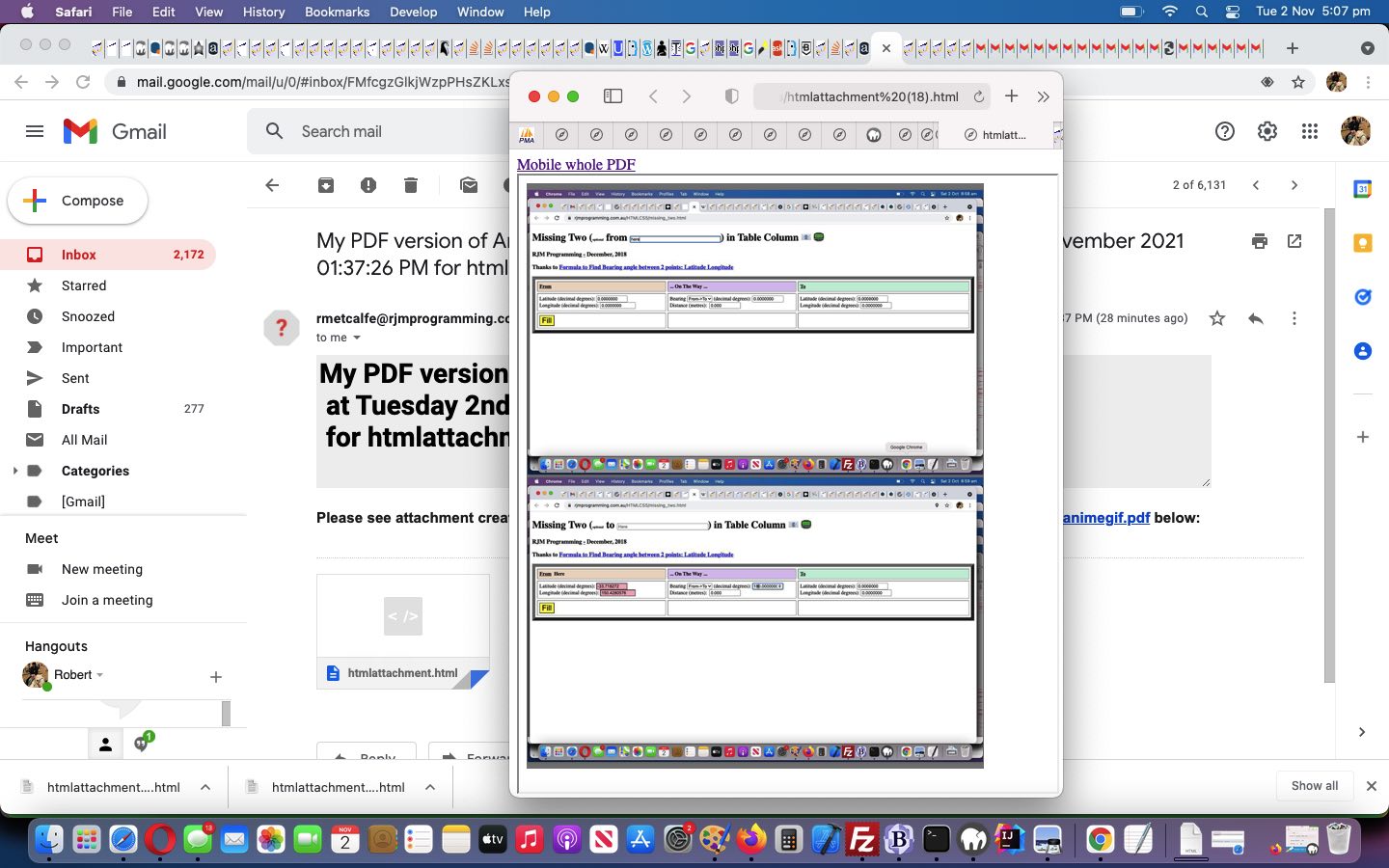
📧 Email (Animated GIF or PDF) Enduring relevance (ie. data URIs involved, so do not rely on any absolute URL whose content might change or start not to exist down the track) … via PHP mail function means of sending email with HTML attachment containing the relevant Animated GIF or PDF
Yes, “Emoji Buttons” can have their size controlled but not by the usual CSS width and height properties, but by the CSS font-size property. Here is the new Javascript function that those Emoji Button “onclick” logic points to …
<?php eho ”
function askes(isemail, isoab) {

  var esask='', izhr=null, izform=null;

  var isoa=document.getElementById(isoab.id.replace('b',''));

  if (isemail) {

    esask=prompt('Please enter email address to send this to', '');

    if (esask != null) {

      if (esask.indexOf('@') != -1) {

        if (isoa.outerHTML.indexOf('<img') == 0) {

        //alert('More Animated GIF to come');

  izhr = new XMLHttpRequest();

  izform=new FormData();

  izform.append('to', esask.trim());

  izform.append('inline', '" . dirname(__FILE__) . DIRECTORY_SEPARATOR . server_remote_addr() . ".gif" . "');

  izform.append('subj', 'My Latest Animated GIF via RJM Programming ... ');

  izform.append('tdhuhta', ('<body><div title=\"" . explode('/animegif',$durlis)[0] . '/animegif/' . server_remote_addr() . "\" style=\"overflow:auto;-webkit-overflow-scrolling:touch;height:100%;\"><img style=\"width:100%;height:900px;\" src=\"" . dirname(__FILE__) . DIRECTORY_SEPARATOR . server_remote_addr() . ".gif" . "\"></img></div></body>'));

  izhr.open('post', '//www.rjmprogramming.com.au/HTMLCSS/emailhtml.php', true);

  izhr.send(izform);

        } else if (isoa.outerHTML.indexOf('<a') != 0) {

        //alert('More PDF to come');

  izhr = new XMLHttpRequest();

  izform=new FormData();

  izform.append('to', esask.trim());

  izform.append('inline', '" . dirname(__FILE__) . DIRECTORY_SEPARATOR . server_remote_addr() . "_animegif.pdf" . "');

  izform.append('subj', 'My Latest PDF via Animated GIF via RJM Programming ... ');

  izform.append('tdhuhta', ('<body><div title=\"" . explode('/animegif',$durlis)[0] . '/animegif/' . server_remote_addr() . "_\" style=\"overflow:auto;-webkit-overflow-scrolling:touch;height:100%;\"><object style=\"width:100%;height:900px;\" type=\"application/pdf\" data=\"" . dirname(__FILE__) . DIRECTORY_SEPARATOR . server_remote_addr() . "_animegif.pdf" . "\"></object></div></body>'));

  izhr.open('post', '//www.rjmprogramming.com.au/HTMLCSS/emailhtml.php', true);

  izhr.send(izform);

        } else {

        isoa.href='mailto:' + esask.trim() + '?' + isoa.href.split('?')[1];

        isoa.click();

        }

      }

    }

  } else {

    esask=prompt('Please enter SMS number to send this to', '');

    if (esask != null) {

      if ((esask.trim() != '' && esask.trim().replace(/0/g,'').replace(/1/g,'').replace(/2/g,'').replace(/3/g,'').replace(/4/g,'').replace(/5/g,'').replace(/6/g,'').replace(/7/g,'').replace(/8/g,'').replace(/9/g,'') == '')) {

         isoa.href='sms:' + esask.trim() + '&' + isoa.href.split('&')[1];

         isoa.click();

      }

    }

  }

}
Order becomes an interesting subject to us today regarding the PDF conversions possible in amongst the Animated GIF creating of yesterday’s Animated GIF Creator PDF Share Tutorial.
That is because we may have some advanced users out there that want that possibility of differentiating the data of …
animated GIF … containing all features asked for, in totality … from the chance for the user to have any of the PDF conversion option sets below …
PDF … one of …
no PDF conversion
full PDF conversion … with the user choices regarding raw image content and title and watermarking and ImageMagick and GD modifiers
light PDF conversion … with the user choices regarding just raw image content (the only option out of these last three available before today’s work)
medium PDF conversion … with the user choices regarding just ImageMagick and GD modifiers
… perhaps as a “before and after” tool regarding presentations, maybe?
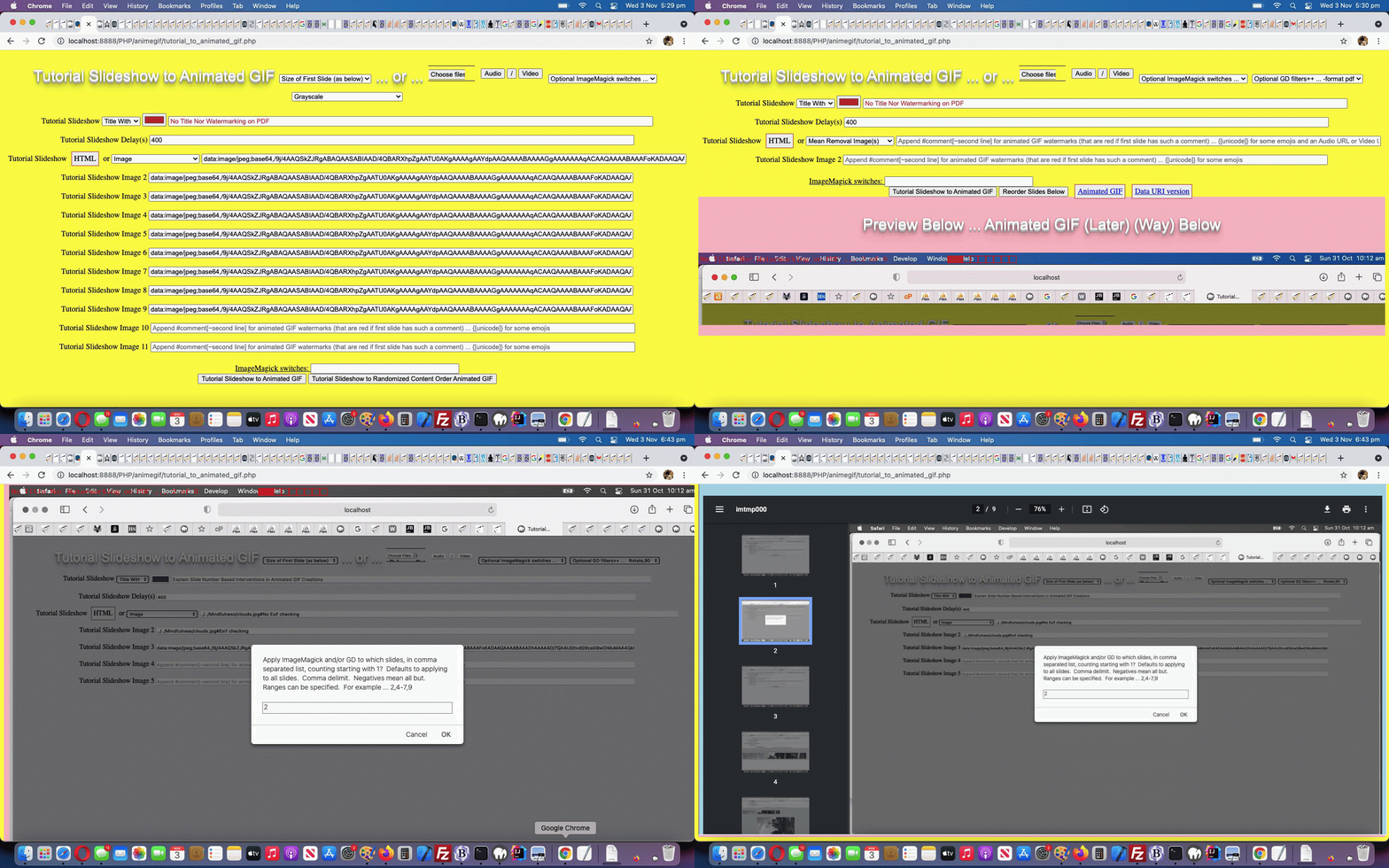
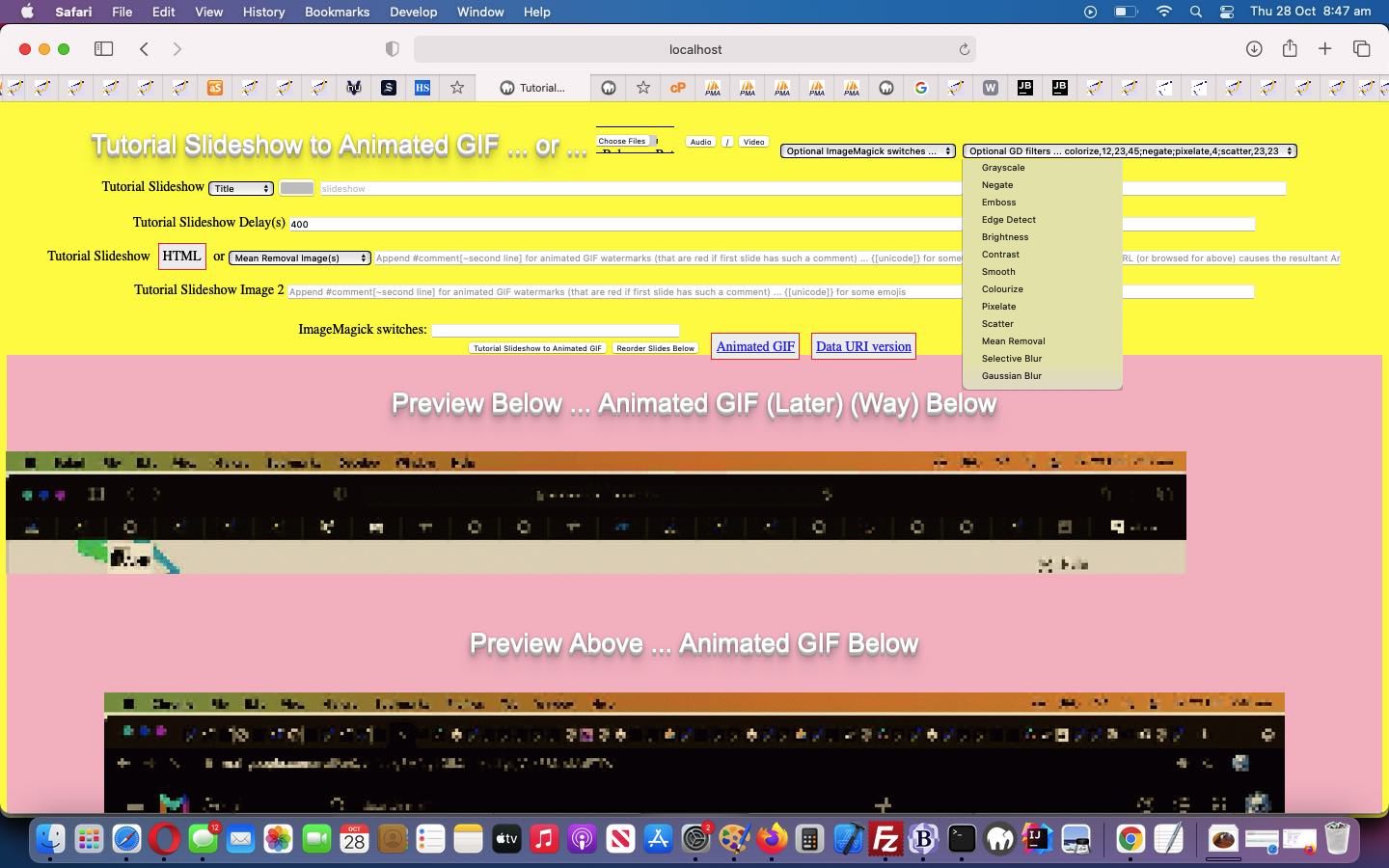
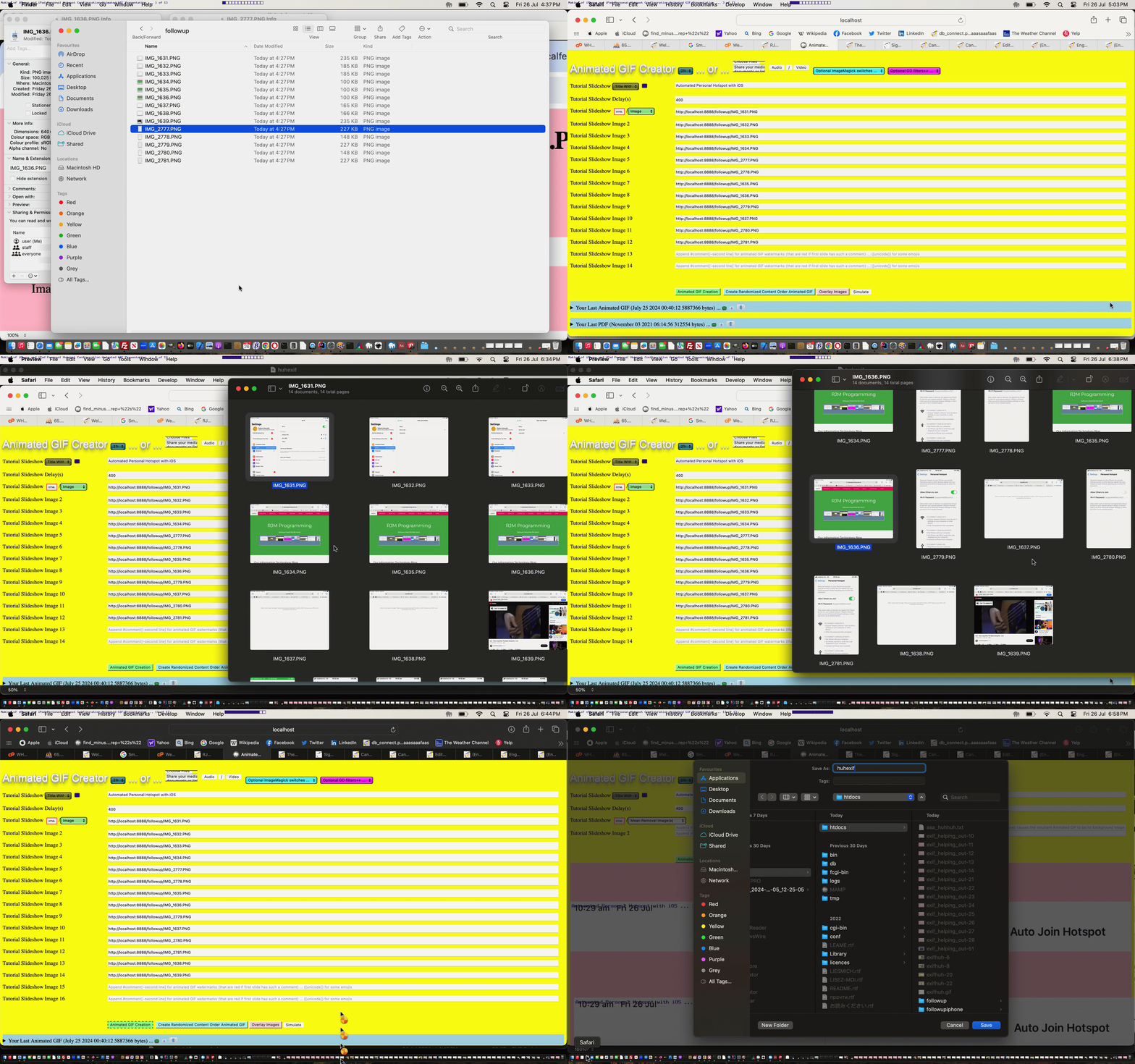
No dropdowns used here (enforcing an order), just the user’s order in which they choose to select the “PDF conversion” option from the ImageMagick dropdown (in relation to other selections) determining how and when this PDF conversion occurs in the workflow through to creating the animated GIF with our changedtutorial_to_animated_gif.php inhouse Animated GIF Creator serverside PHP web application. Just remember to select PDF Conversion as early as possible to do that “light PDF conversion” option above and last thing if you are interested in “full PDF conversion” (where you can create PDF documents with the bells and whistles ImageMagick and GD modifiers can offer) and today’s tutorial picture is an example of “medium PDF conversion” (when we ordered our settings by first Grayscale, second PDF conversion and last title and watermarking options). Clicking or tapping the ImageMagick link can get the user to the Javascript popup window where they might define the email or SMS recipient for that PDF conversion data file download.
What sharing conduits do we code for? We always intended …
email … but as the day wore on trying to get the usage to work on mobile and non-mobile we decided to relinquish our wish to not have to create a user specific enduring (until that same browser type and user combination share) PDF document for the user request … mainly to get mobile email downloads to be friendly … and so this opened the door for …
SMS … to access that enduring PDF as a URL in the SMS message (that becomes a link for the recipient)
<?php echo ”
function emailhtmlit() {

 var induri=ginduri;

 var pemail='" . urldecode($_GET['outpdf']) . urldecode($_POST['outpdf']) . "';

 if (pemail != null) {

   if (pemail.indexOf('@') != -1 || (pemail.trim() != '' && pemail.trim().replace(/0/g,'').replace(/1/g,'').replace(/2/g,'').replace(/3/g,'').replace(/4/g,'').replace(/5/g,'').replace(/6/g,'').replace(/7/g,'').replace(/8/g,'').replace(/9/g,'') == '')) {

   if (induri.trim() == '') {

   if (induri == '') {

   document.getElementById('pdfproposed').src='./animegif.pdf?rand=' + Math.floor(Math.random() * 19854654);

   } else {

   ginduri='found';

   }

   setTimeout(emailhtmlit, 15000);

   } else {

   ginduri='';

  var zhr = new XMLHttpRequest();

  var zform=new FormData();

  if (pemail.indexOf('@') != -1) { zform.append('to', pemail); }

  zform.append('inline', '" . dirname(__FILE__) . DIRECTORY_SEPARATOR . "animegif.pdf" . "');

  zform.append('subj', 'My PDF version of Animated GIF via RJM Programming ... ');

  zform.append('tdhuhta', ('<body><div title=\"" . explode('/animegif',$durlis)[0] . '/animegif/' . server_remote_addr() . "_\" style=\"overflow:auto;-webkit-overflow-scrolling:touch;height:100%;\"><object style=\"width:100%;height:900px;\" type=\"application/pdf\" data=\"" . dirname(__FILE__) . DIRECTORY_SEPARATOR . 'animegif.pdf' . "\"><embed style=\"width:100%;height:900px;\" type=\"application/pdf\" src=\"" . dirname(__FILE__) . DIRECTORY_SEPARATOR . 'animegif.pdf' . "\"></embed></object></div></body>'));

  //zform.append('tdhuhta', ('<body><iframe srcdoc=\"" . dirname(__FILE__) . DIRECTORY_SEPARATOR . 'animegif.pdf' . "\"></iframe></body>'));

  zhr.open('post', '//www.rjmprogramming.com.au/HTMLCSS/emailhtml.php', true);

  zhr.send(zform);

  if (pemail.indexOf('@') == -1) {

    var hrefp=document.getElementById('pdfsms').href.split('&body=')[0];

    hrefp+=pemail.trim() + '&body=' + document.getElementById('pdfsms').href.split('&body=')[1];

    document.getElementById('pdfsms').href=hrefp;

    document.getElementById('pdfsms').click();

  }

  }

   }

 }

}
“; ?>
… and this called on our PHP email creator helper to better interface in its $_POST arguments reading section in our changedemailhtml.php inhouse email creator helper serverside PHP web application …
We have more “reliability work” and “email sharing work” to go after today’s start, but it primarily called on ImageMagick command line’s talent for a command like …
convert /tmp/imtmp0*.*[gGmMiI]* /tmp/imtmp000.pdf
… to “concatenate” into the one output PDF file (called “/tmp/imtmp000.pdf”) the slides, arranged by our code into that “/tmp/imtmp0*.*[gGmMiI]*” (file specification) arrangement above. Yes, we meant “convert” above, as “mogrify” (batch work) appears not to be able to perform this task.
Animated GIF Creator Slide Specific Application Tutorial
It’s all fine and good improving on the ImageMagick and GD and Exif functionality modifications like with yesterday’s Animated GIF Creator Exif Rotation Compensation Tutorial, but in reality, if you are going to start creating animated GIFs to explain a process, you are going to want to apply these “slide modifiers” on a slide by slide basis, rather than enforcing a “whole of animated GIF slide set” paradigm, as for the last few days worth of work.
And so, we decided to do what we often do, “sliding in” more functionality (chortle, chortle). We tend to want to …
start with hardcoded text (or element) … somewhere … today it happens to be in an HTML span element that once involved just …
<span id="smyim"></span>
… and used to get filled, Javascript DOM wise, when needed via …
document.getElementById('smyim').innerHTML='ImageMagick switches: '; // and yes, it remains that way even now, but read on ...
add intelligence (quite often that being onclick logic(s)) to that hardcoded element via …
<span id=smyim title=Application onclick=applyto(); style=cursor:pointer;text-decoration:underline;></span>
that serves the purpose, as the user clicks/taps it (alerted to that fact, perhaps, because we underline the element and add an appropriate cursor when hovering over it (plus a title)), of calling Javascript …
function applyto() {

  var huhto=prompt('Apply ImageMagick and/or GD to which slides, in comma separated list, counting starting with 1?  Defaults to applying to all slides.  Comma delimit.  Negatives mean all but.  Ranges can be specified.  For example ... 2,4-7,9', document.getElementById('appliedto').value);

  if (huhto == null) { huhto=''; }

  if (huhto.trim() == '') {

    document.getElementById('appliedto').value='';

    document.getElementById('smyim').title='Application';

  } else {

    document.getElementById('appliedto').value=huhto.trim();

    document.getElementById('smyim').title=huhto.trim();

  }

}
to glean an (often times out of the normal workflow of the web application) informational piece of data, interactively, from the user, via a Javascript prompt popup
So that’s the clientside of this work … “alerting the user to the existance of the functionality” you might say.
And then there’s “the application” of that nuanced user requirement. And that’s where the “inhouse ‘our’ prefix to wrapper function name paradigms” come in handy. We introduced “blanket” functionality thoughts via this approach, and so to “partially undo” that thinking, we make the “our” prefix conditional, as is available to us with our changedtutorial_to_animated_gif.php inhouse Animated GIF Creator serverside PHP web application (helped out by a changedexif_rotation_check.php inhouse Exif detector PHP helper), as per …
<?php
function ourcomplicated($inio, $iappl) {

  $ideasl=explode(",", str_replace(' ','',$iappl));

  $xour="our";

  for ($iqa=0; $iqa<sizeof($ideasl); $iqa++) {

    if (trim($ideasl[$iqa]) != '') {

      $xour="";

      if (('-' . $inio) == trim($ideasl[$iqa])) { return "";  }

      $ideasr=explode("-", str_replace(' ','',trim($ideasl[$iqa])));

      for ($iqb=0; $iqb<sizeof($ideasr); $iqb++) {

        if (('' . $inio) == trim($ideasr[$iqb])) {

          return "our";

        }

        if ($iqb == 1) {

          if (trim($ideasr[1]) == "") { $ideasr[1]="99999999"; }

          if ($inio >= $ideasr[0] && $inio <= $ideasr[1]) { return "our";  }

        }

      }

    }

  }

  return $xour;

}
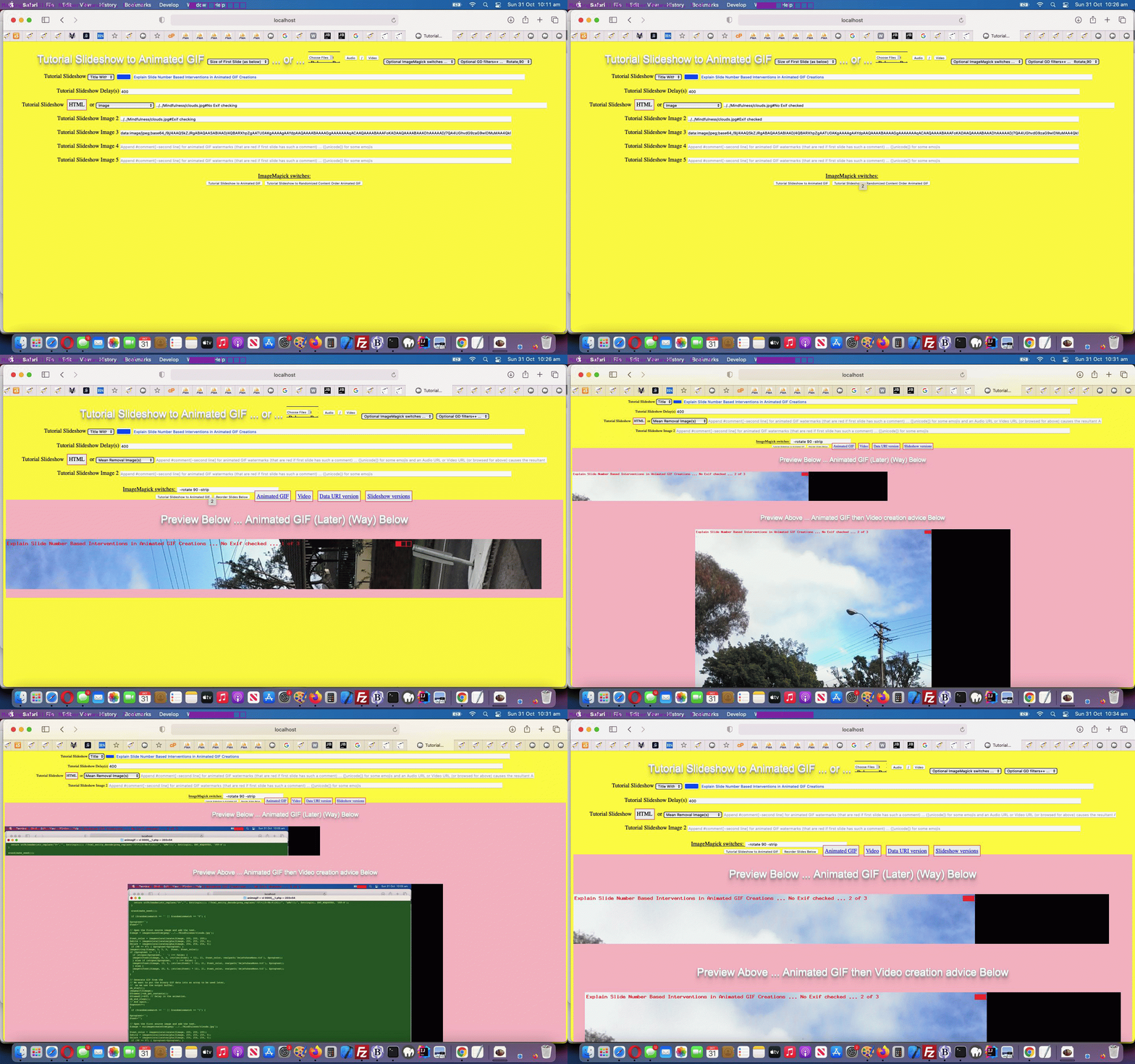
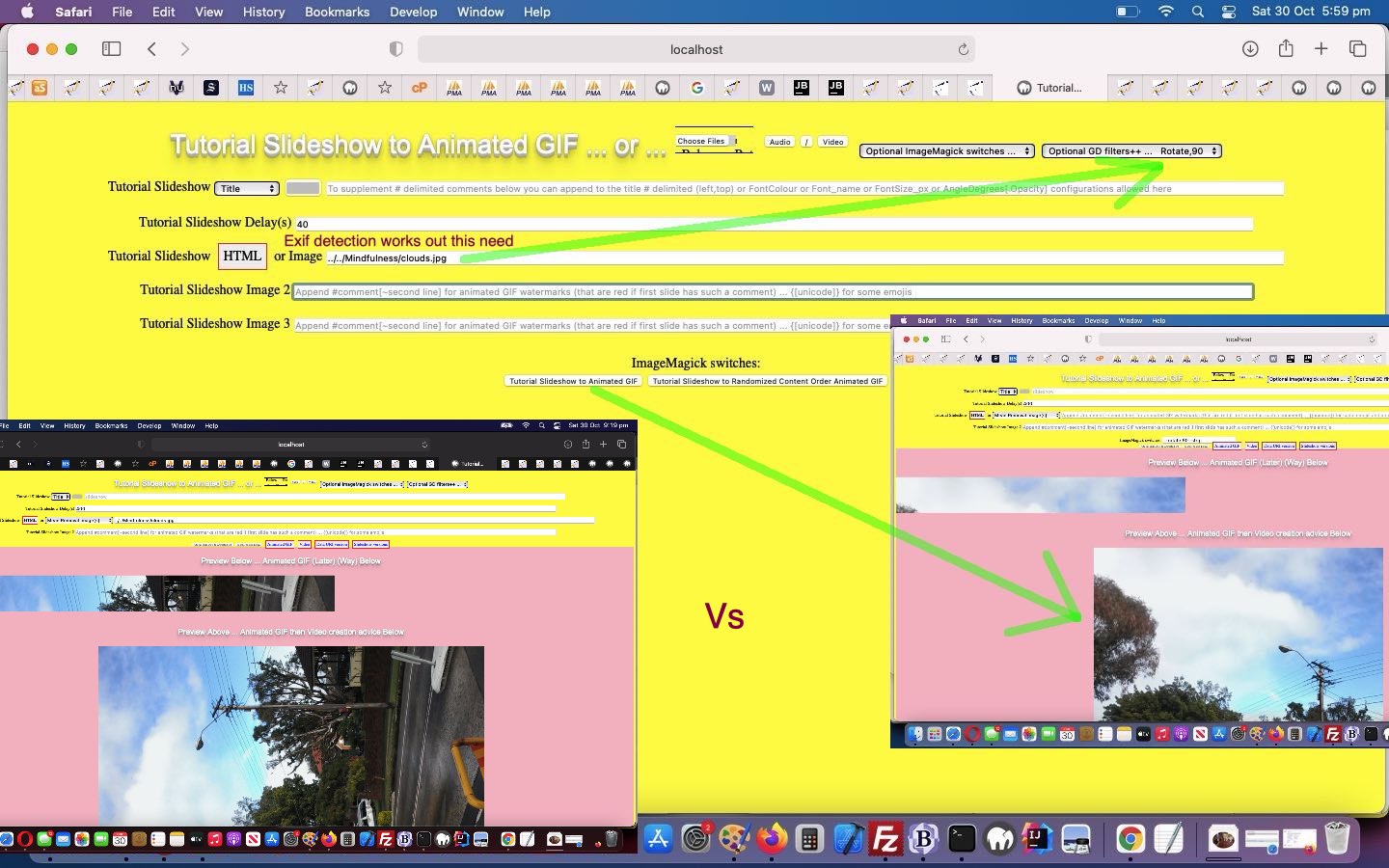
We use these “new abilities” better explaining “the abscence or otherwise of Exif checking”, and the implications of that in the animated GIF creator woooooorrrrrrlllllddd, contrasting the first two slides, showing one with “No Exif checking” (the bad old days) versus “With Exif checking” (the renaissance of liberated thinking in the South South East woooorrrrrlllldddd) in today’s animated GIF presentation.
Exchangeable image file format (officially Exif, according to JEIDA/JEITA/CIPA specifications) is a standard that specifies the formats for images, sound, and ancillary tags used by digital cameras (including smartphones), scanners and other systems handling image and sound files recorded by digital cameras.
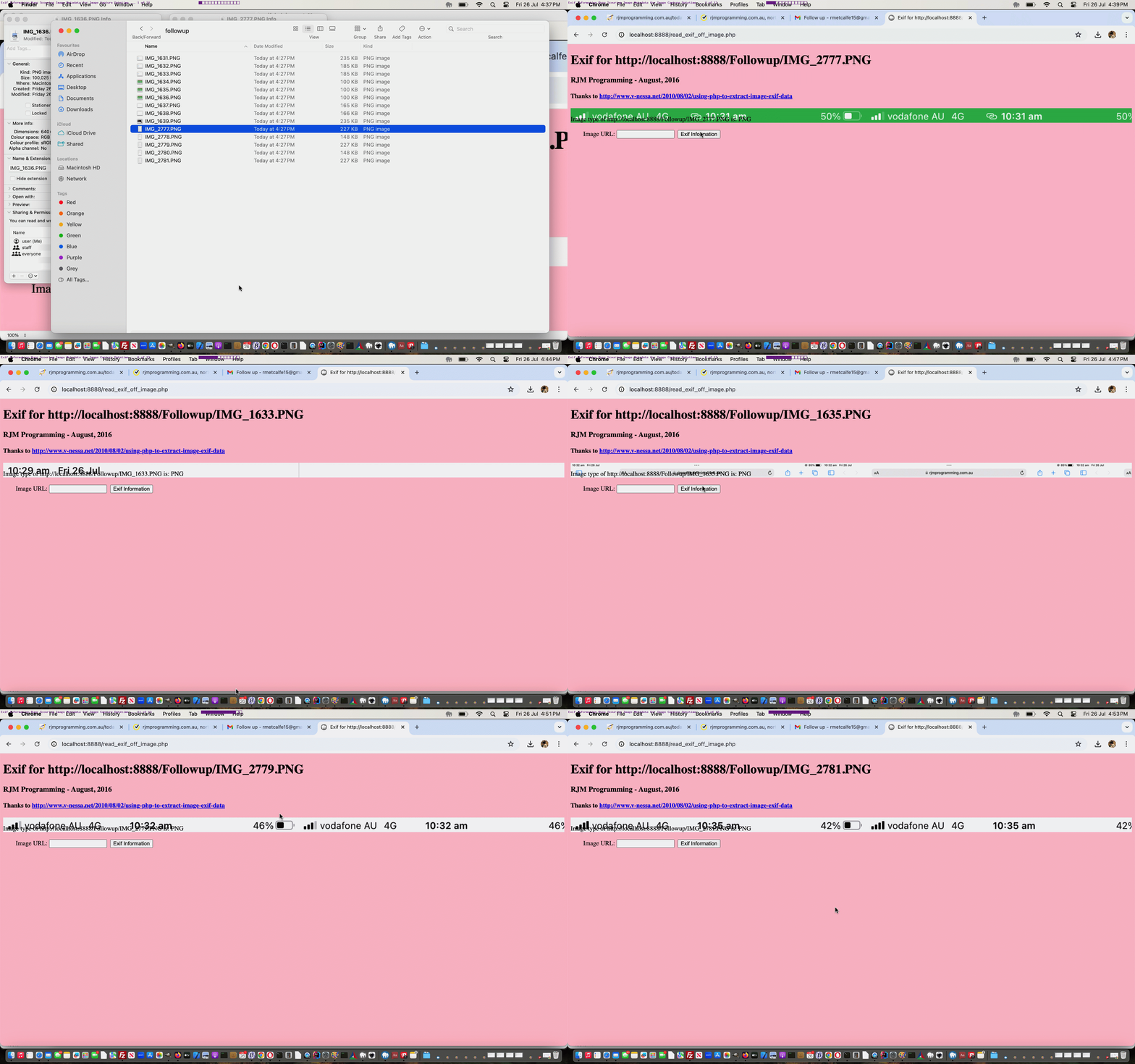
But with some photos it’s there in the photo’s metadata information letting the future user know what orientation the camera of that mobile device was in as you took the photo. In order to help our animated GIF creator, the first slide image is scoured for Exif metadata and if found, a suitable rotation correction can be applied to the slides there and then. In order to scour for Exif metadata we needed to write a exif_rotation_check.php inhouse Exif detector PHP helper.
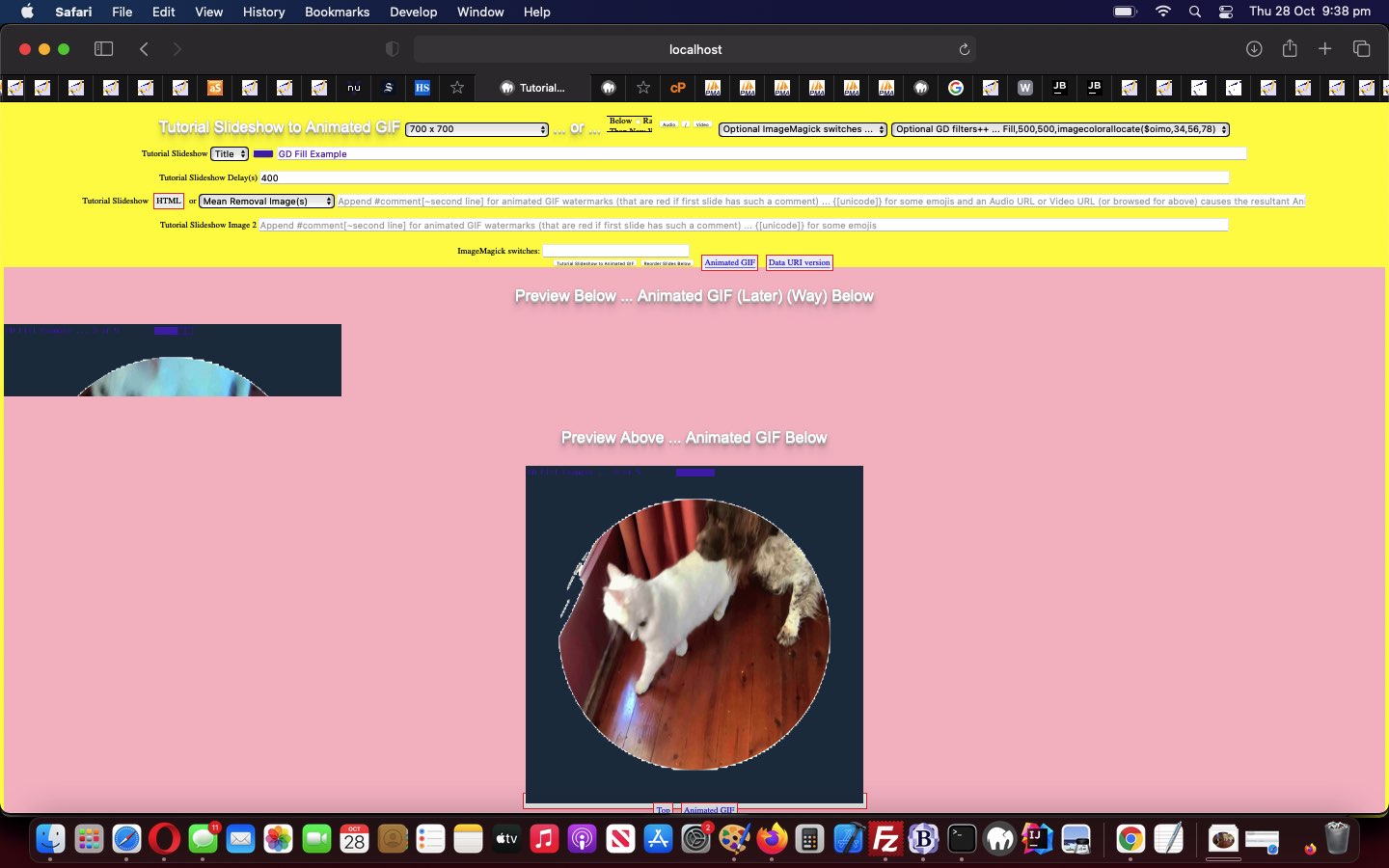
The PHP GD image library is so much more useful than for the “filters” interfaced to with yesterday’s Animated GIF Creator GD Filter Interfacing Tutorial. Under an “umbrella term” transformations, today we add interfacing to GD functionality …
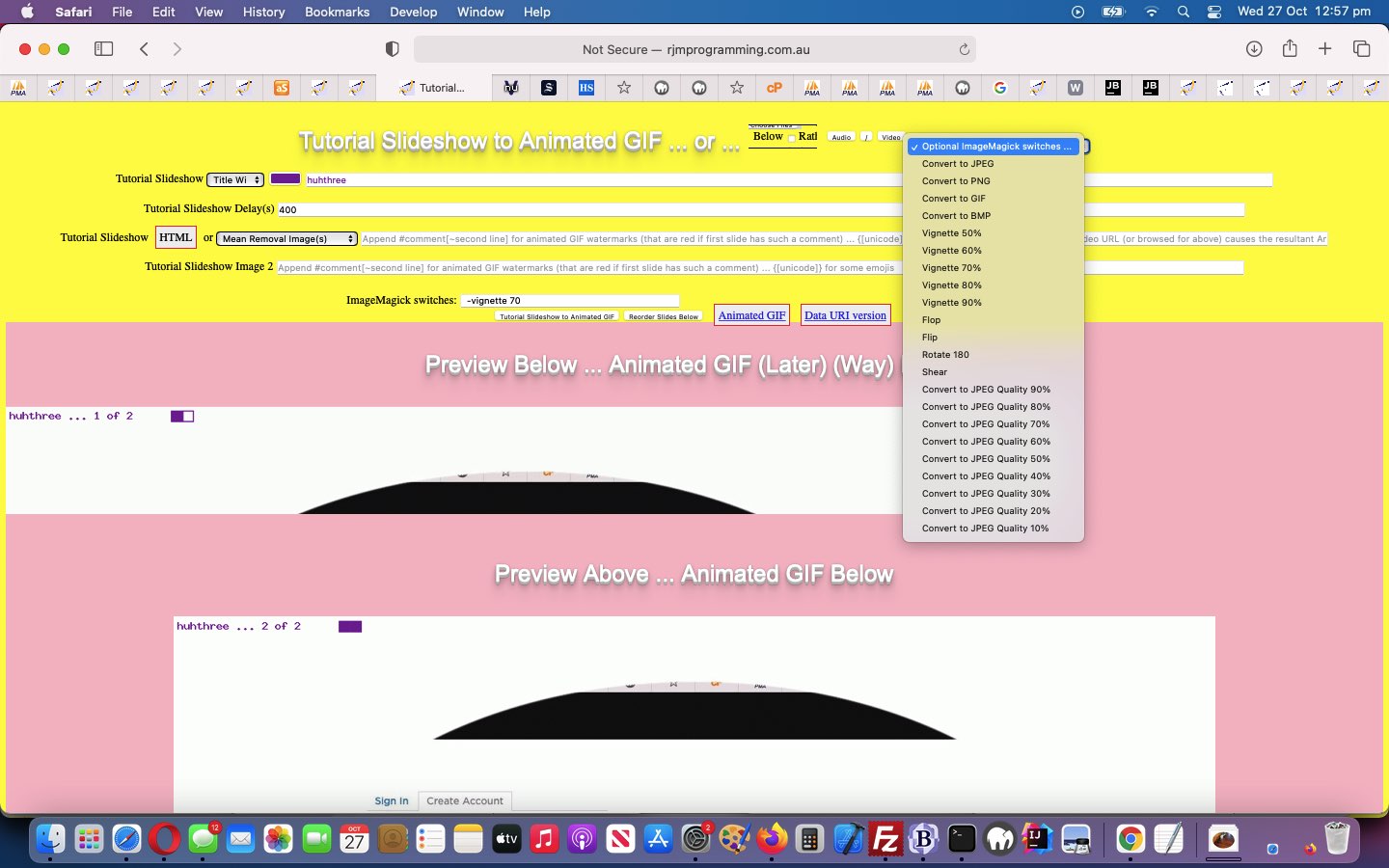
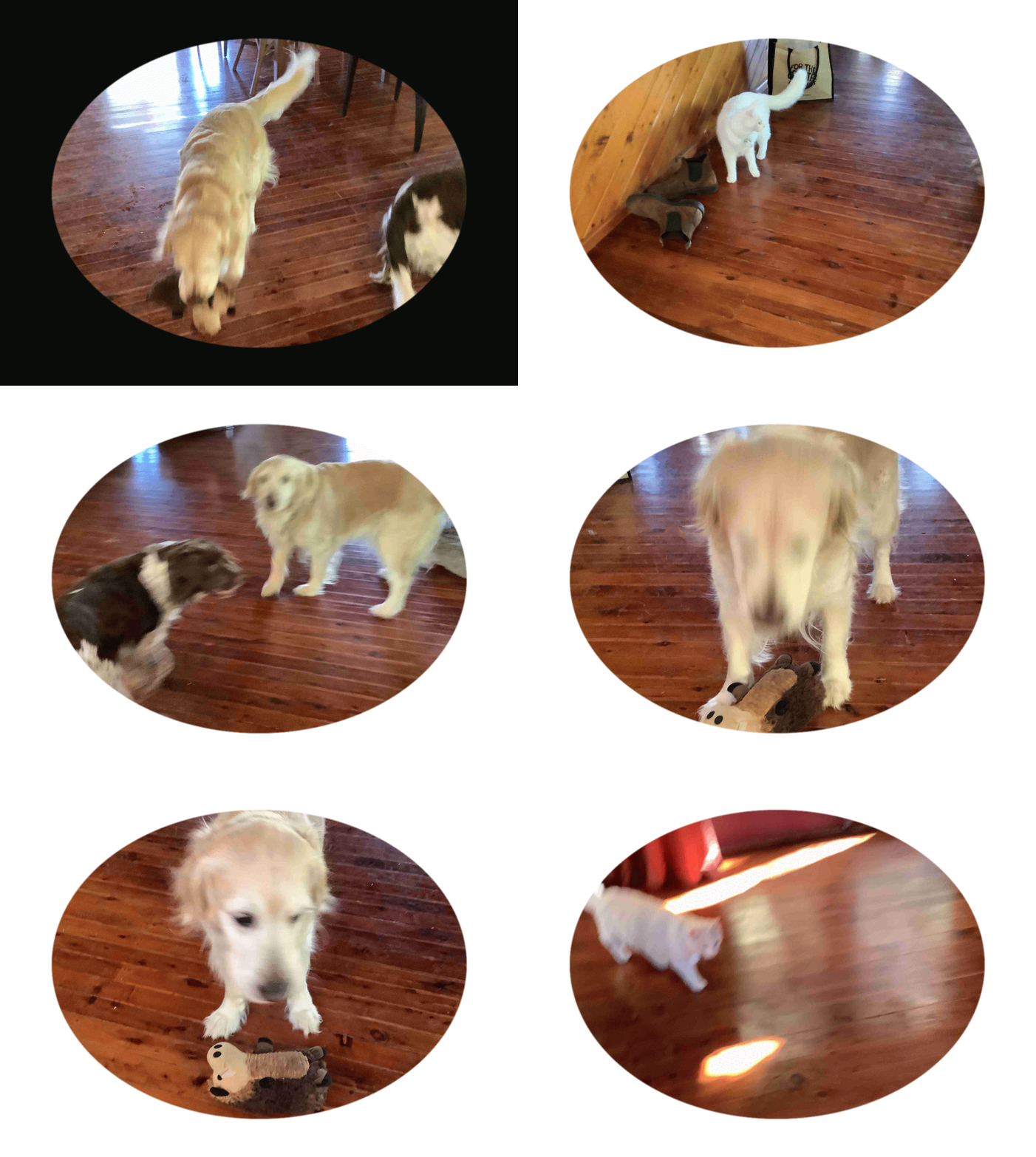
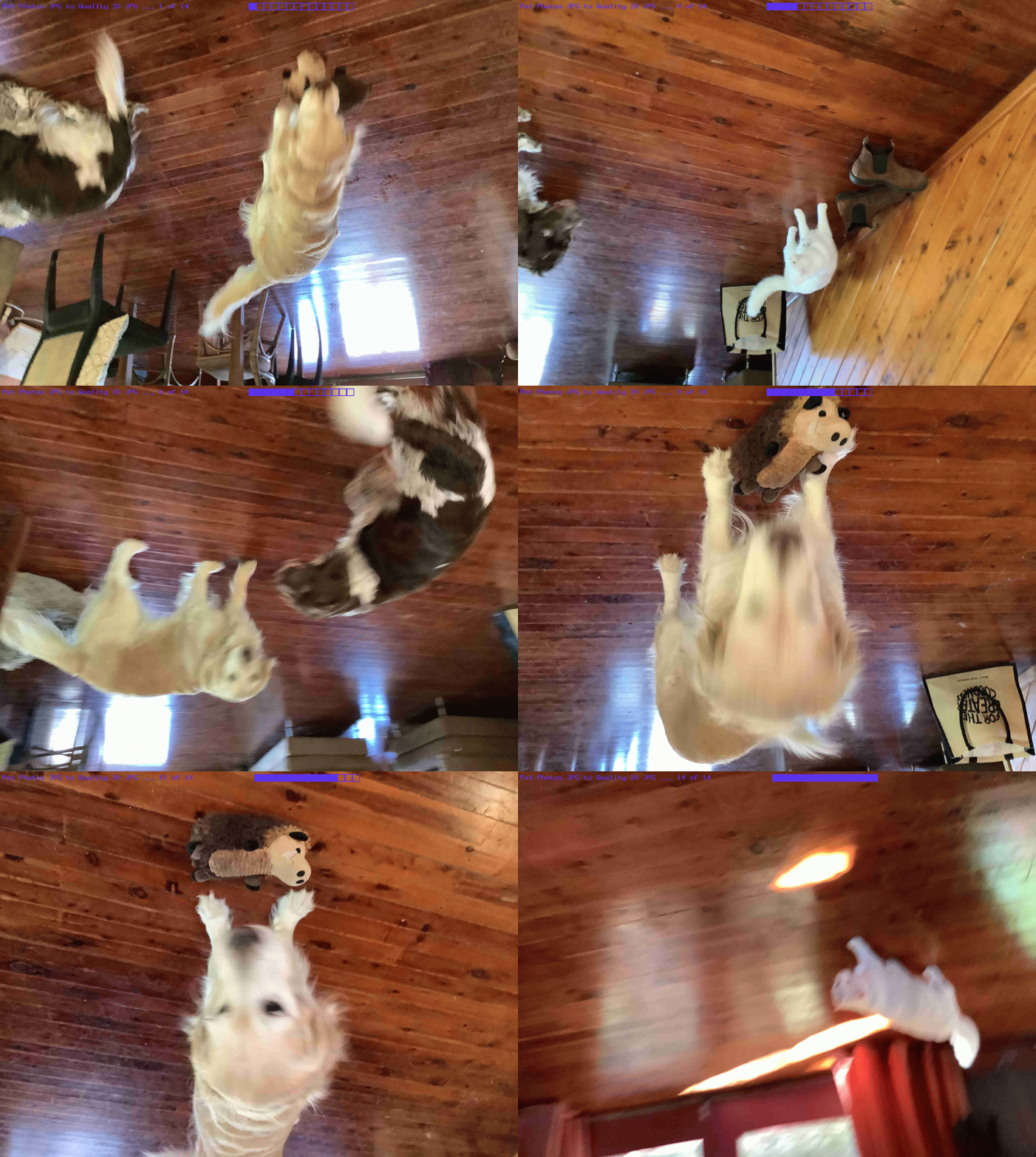
Continuing on with the ImageMagick batch processing “mogrify” ideas of yesterday’s ImageMagick Batch Image Conversion Affine Transformation Tutorial and the “vignette” image editing ideas of Gimp Vignette Primer Tutorial, as below, today, we took some pet photos with an iPad’s Camera app and shared them off the Photos app via two Mail sharing option emails containing seven attachments each. Using an iPad, the JPEG “jpg” output files were too big for our inhouse Animated GIF Creator PHP web application to handle, and so to perform the …
animated GIF presentation, off these downloaded email photo attachments … and along the way …
quality adjusted them (yes, “mogrify” does not stuff JPG to JPG conversions, and we used “mogrify” -quality 20% switch here) … and …
rotate them 180 degrees (“mogrify” uses switches -affine -1,0,0,-1,0,0 -transform +repage here) … and …
… on the way to compiling into an animated GIF image, and we turned to ImageMagick again, using its affine transformation talents, along with its awesome vignetting talents …
… where the last two dropdown options will be similar, the last showing the input image into ImageMagick can be an animated GIF that is truely treated like an animated GIF.
The last time we talked about the miraculous, redolent and amazing image editor called Gimp am sure there was someone in a shower … it stands to reason … and one of those showerers, surely, would have been singing The Gimp Song … and if not … why not? … but we digress … anyway we had the Gimp Transparency Primer Tutorial as shown below go into some image transparency issues with Gimp.
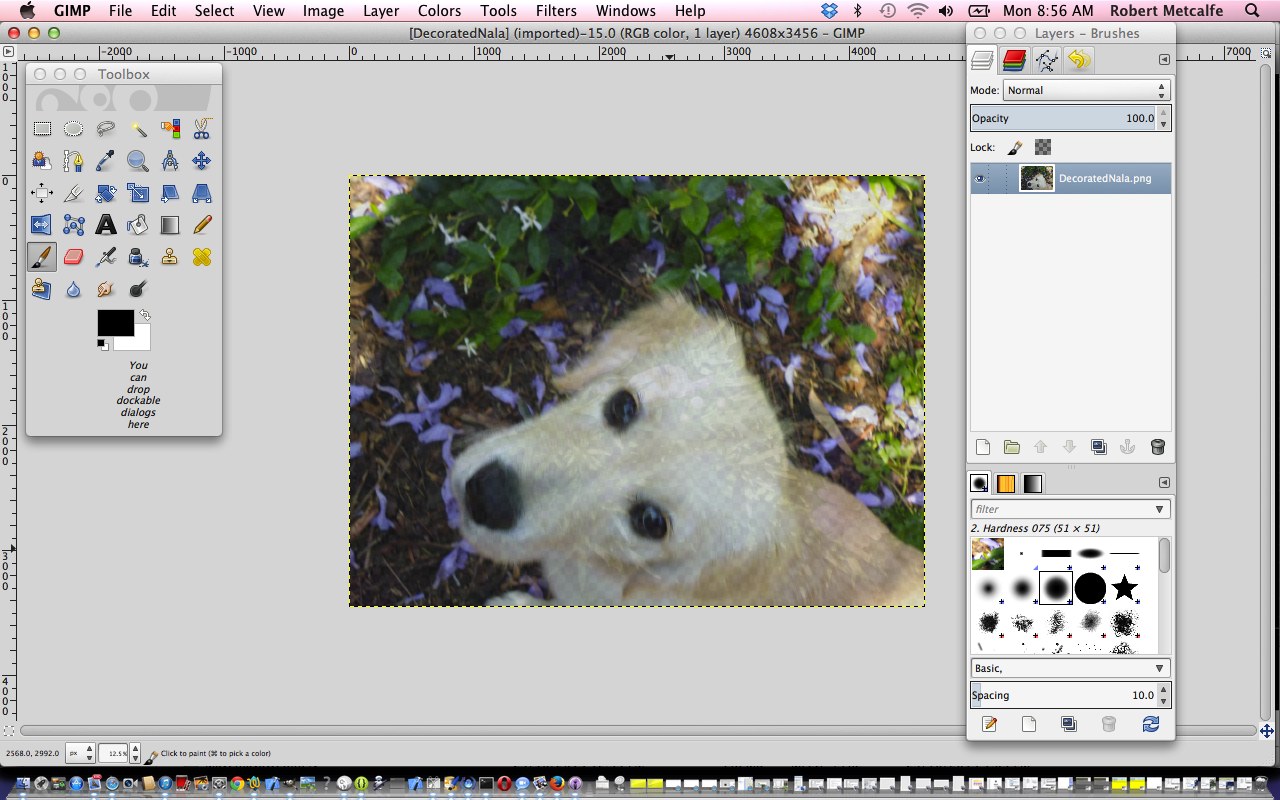
In today’s tutorial we make use of a great tutorial (even so far as with direct quotes below) called Add a Vignette to a Photograph with GIMP (thanks) to try a photographic technique called vignetting on one of the photographs we added, recently, into the mix of those of the Custom Header Image mix at this blog … specifically the one of Nala, the dog, on the door ledge. Need to warn you here and now that if there was the time all over again, it would be better achieved that second time around, but this is not the point with learning, but rather getting some starting point with a great “product” like Gimp, and trying it yourself, once you have a method. It boils down to:
In the Layers dialog, click on your “Vg” layer to select it, and select Soft light from the “Mode” drop-down box
Right click on your “Vg” layer and go to Add Layer Mask. In the dialog that pops up, you want “Initialise Layer Mask to” set to “White (full opacity)”. Click “Add”
Below Opacity bar select Link icon next to Eye icon, which will already be showing
Use the freeform select tool (press F to bring this up) and draw a selection somewhere around the primary point of interest in your photo
Use your bucket tool (Shift+B) and click within the selection to fill it
Deselect your selection with Select->None
Go to Filters->Blur->Gaussian Blur. In the dialog that comes up, you want “Radius” set to a very large amount; a tenth of the longest edge of the photo is not too much
Click on your “Vg” layer to select it (if it isn’t already selected), and then slide the opacity slider towards the right until the effect is subtle enough. Our (ever so subtle) example of Nala, in the tutorial, used an opacity of about 66%
Click Export button in two windows (NB. this overwrites the image file, so if this is not desirable, export to a different image file name and/or type)
Here is a tutorial that adds to a previous Gimp Layers Primer Tutorial as shown below, and gives you more insight into the massive possibilities of using a sophisticated image editor and use layers with various amounts of transparency, especially suited to use with png image files.
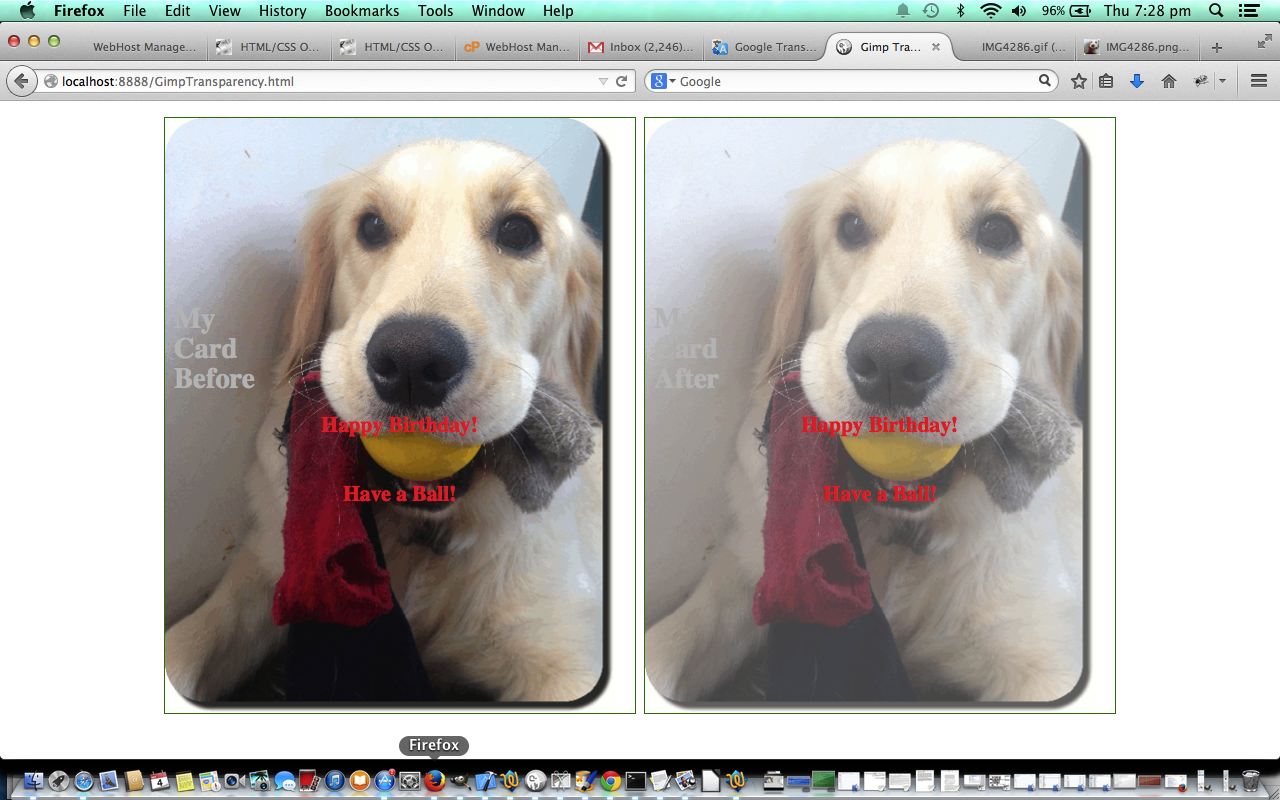
Today’s tutorial where we construct a Birthday Card that needs tweaking for the words in front to be seen a bit more clearly, by making the image behind a bit more transparent, changes the transparency of a single image via:
Open Gimp graphical editor application
File->Open Layers … pick your image file
If Layers window not showing, make it show via Windows->Layers – Brushes
Below Opacity bar select Link icon next to Eye icon, which will already be showing
Change Opacity bar setting to a value of Transparency (100% is Opaque, 0% is Transparent) that suits … today we do 70%
File->Export
Click Export button in two windows (NB. this overwrites the image file, so if this is not desirable, export to a different image file name and/or type)
As with most Gimp ideas, jump in and give it a go, as you’ll find your own ways and means of using this great product … am pretty sure.
Link to Gimp “spiritual home” … here.
Link to Gimp forum … here.
Here is a tutorial that gives you an insight into the massive possibilities of using a sophisticated image editor and use layers with various amounts of transparency, especially suited to use with png image files.
Transparency (or its obverse, opacity) can be used to have the one image achieve several “ends” (ie. purposes). Although it is a bit of a clumsy example in the tutorial, you can see that the technique can be used for artistic purposes … often called “Photoshopping” (named after the more famous, and also brilliant, rival product, Photoshop).
Lots of those classic “Photoshopping” techniques can be achieved in Gimp, and some other tutorials at this blog touch on that.
Am sure you can imagine what the concept of a layer is with regard to image manipulation. Within Gimp, for beginners not used to this concept, you find yourself underestimating and underplaying what can be achieved with the various layers of a multi-layered image. In simplistic terms each layer has the functionality in Gimp to be treated as a whole new image, and this is the best way to think of it when trying to achieve what you want to achieve with Gimp.
Link to Gimp “spiritual home” … here.
Link to Gimp forum … here.
If this was interesting you may be interested in this too.
If this was interesting you may be interested in this too.
If this was interesting you may be interested in this too.
If this was interesting you may be interested in this too.
If this was interesting you may be interested in this too.
If this was interesting you may be interested in this too.
If this was interesting you may be interested in this too.
If this was interesting you may be interested in this too.
If this was interesting you may be interested in this too.
If this was interesting you may be interested in this too.
If this was interesting you may be interested in this too.
If this was interesting you may be interested in this too.
If this was interesting you may be interested in this too.
If this was interesting you may be interested in this too.
If this was interesting you may be interested in this too.
If this was interesting you may be interested in this too.
If this was interesting you may be interested in this too.
If this was interesting you may be interested in this too.
If this was interesting you may be interested in this too.
If this was interesting you may be interested in this too.
If this was interesting you may be interested in this too.
If this was interesting you may be interested in this too.
If this was interesting you may be interested in this too.
… of links, am sure a lot of you would guess, were gleaned (within our Google Chrome web browser History (of that day)) Bookmarked (by us) webpages. We actually compiled via (the clunky and fairly slow) …
left half (of screen) with (Google Chrome) History showing, and right half with BBEdit Text Editor open at a new (ostensibly empty) file with loads of empty records available, and dragged URL records (identifiable, for us, via an asterisk, indicating a webpage was Bookmarked) from the left into the right to bring over the URLs (only) above, the rest constructed in a more manual way … and another way could have been …
use Google Chrome webpage showing Bookmark list and use its Export Bookmarks (no other choice but “All”) to a file that could be waded through to derive the list above … and then we thought of chance to code for …
hybrid “inhouse” clientside (ie. HTML/Javascript/CSS) web application …
… so far asking for the content of a web browser Export Bookmarks operation’s output file’s HTML (in the case of Google Chrome) content in an HTML textarea element (the user can fill in themselves), and filterable via two input type=datetime-local starting and ending datetime(s) of interest (the user can fill in, optionally)
… and we wish we could have got that hour and a half back, from yesterday, via swapping yesterday for today?!
Not all web browser brands have any Export Bookmarks functionality, like Google Chrome offers here on macOS. We’re going to be examining others, over time, and try to make our inhouse logic fit in with how that Bookmark data looks, on export, should we find any other Web Browser brands offering this functionality.
Today’s work (all on our macOS MAMP local Apache/PHP/MySQL web server environment) is only “toe dipping” in a “great big sea of possibilities” regarding the great ffmpeg‘s “filtering style abilities” further to yesterday’s Ffmpeg Video Subliminal Message Tutorial, but …
as you try out things you discover others …
can be a foot in the door researching this type of work yourself …
… we’re hoping. And it’s not as if ffmpeg was on it’s own here with the second concept below …
we were inspired by a Brush Turkey which we videoed via an iPhone’s Camera app’s Video mode of capture option …
downloaded to this MacBook Air (via AirDrop … good for Apple sharing when the sizes get big … raw video 1:19s long)
And that’s where we are at here, thinking this would be a good opportunity to try creating a Subliminal Message video. But before we go on and “give the game away” you may want to see the result of our Subliminal Message insertion via ffmpeg theme to our work, in action, below. Unlock or give up to unlock the content below the video quiz below …
Congratulations! Yes, in between the “Raw Video” ffmpeg work and onto the other ffmpeg commands we renamed one slide to a *.jpeg equivalent and then set about replacing the *.jpg original slide with our Subliminal Message slide, as you can see here.
The work involves both of the HTML design “big concepts” we are keen on at this blog …
overlay … via CSS control of …
position:absolute;top:0px;left:0px;
opacity:1.0;
z-index:1;
reveal … lately, mostly, via HTML use of …
details
summary
… the latter being the “container” for our interactive input be able to control overlay items 2 and 3, which affect the “overlayed images” output display via the clicking of a new “Overlay Images” button. That button …
… one reason being that we do not want to install the wonderful ffmpeg (command line video creation tool) on the RJM Programming domain, but, in macOS, here with MAMP, we are quite happy to live with the Homebrew (Terminal application’s) install …
… setting up what could be “lost functionality”, but today, we come around to either adding a new …
Convert to Video
… dropdown option should all be ritchy ditch, and if not, often we will add new “Advice” dropdown options to remind the user what they’d need to arrange to get to a “Convert to Video” scenario.
Selecting “Convert to Video” sets up a hydrid “Internet/Intranet” feeling scenario where …
… be nested in PHP exec (via MAMP local web server incarnation of the inhouse Animated GIF Creator) as a way to create videos …
which can be downloaded within that public domain “parent” inhouse Animated GIF Creator session
Which begs the question …
How do we know when to offer the "Convert to Video" option on that dropdown?
This logic is centred around a few useful ideas (with this cross domain scenario ruling out Ajax and Iframe src= definitions, as useful ways to go) …
open the MAMP local web server “HTTP://localhost:8888/PHP/animegif/tutorial_to_animated_gif.php” URLs in an iframe (with onload event logics) pointed at by a window.open second argument (effectively avoiding any loose useful or not popup windows hanging around) …
the most we can ask at the receiver is that window.opener is defined … and if so, just at that discovery …
an image called “amhere.jpg” is created via PHP GD functionality … and back at the “public domain” parent within the iframe onload logic (where with contentWindow or contentDocument do not expect a document.body or even a document) …
we attempt to “hotlink” that MAMP local web server image … as per …
var tryit='http://localhost:8888/PHP/animegif/amhere.jpg';
document.getElementById('ctvopt').value='advice';
document.getElementById('ctvopt').innerHTML='Advice on Convert to Video';
if (tryit != '') {
var im=new Image();
im.onload = function() {
document.getElementById('ctvopt').value='video';
console.log('this.height=' + eval('' + this.height));
if (eval('' + this.height) >= 20) {
document.getElementById('ctvopt').innerHTML='Convert to Video';
} else {
document.getElementById('ctvopt').innerHTML='Convert to Video (but ffmpeg not installed or in unexpected place)';
}
document.getElementById('imsel').title='All except Convert to Video, which needs ffmpeg installed, use ImageMagick';
};
… and check the code for the validity of any ImageMagick paths … and if not all these conditions, simulate the same and cobble it together in the code
… one reason being that we do not want to install the wonderful ffmpeg (command line video creation tool) on the RJM Programming domain, but, in macOS, here with MAMP, we are quite happy to live with the Homebrew (Terminal application’s) install …
brew install ffmpeg
… to open a whole new woooooorrrrlllllddd of video creation opportunities using this MAMP local web URL …
HTTP://localhost:8888/PHP/animegif/tutorial_to_animated_gif.php# Animated GIF Creator on MAMP local web server
… we tweaked out of “video/mp4” ffmpeg created videos thinking towards “video/webm” or “video.mov” ffmpeg created videos that suit the “few frames but spaced out video” we wanted to achieve for all practical purposes, that “video/mp4” playing too fast for us to see anything much but the first and last slide …
As a web application programmer we like buttons. There are “buttons” and there are buttons. Yes, there is an HTML button element, and it and the input type=button element render as that part of a webpage most recognizable to users the world over. You click or tap this button and something usually happens.
But we also enjoy “Emoji Buttons” for we graphically challenged programmers. Using an emoji text and graphic can make span elements or p elements or lots of other HTML elements that have an innerHTML property, be like a very succinct button like entity, also appreciated around here because it takes up so little webpage “real estate”.
And so onto yesterday’s Animated GIF Creator PDF Order Tutorial we set about, today, “revealing” any enduring animated GIF and/or PDF created during a previous session, using Emoji Buttons as the email/SMS sharing action buttons.
We say “revealing” because, like the way “Emoji Buttons” save webpage “real estate”, so can the use of the HTML5 details/summary element combination. It is in that summary “enduring” header part of that combination we can place some “Emoji Buttons”. You will (once you start creating and sharing animated GIFs and/or PDFs) see from our changedtutorial_to_animated_gif.php inhouse Animated GIF Creator (helped out by a changedemailhtml.php inhouse email creator helper serverside PHP web application) that we place three Emoji Buttons …
📟 SMS (Animated GIF or PDF) Limited relevance period (ie. no data URIs involved, so rely on an absolute URL whose content might change or start not to exist down the track) … via “a” “sms:” link click/tap
📧 Email (Animated GIF or PDF) Limited relevance period (ie. no data URIs involved, so rely on an absolute URL whose content might change or start not to exist down the track) … via “a” “mailto:” link click/tap
📧 Email (Animated GIF or PDF) Enduring relevance (ie. data URIs involved, so do not rely on any absolute URL whose content might change or start not to exist down the track) … via PHP mail function means of sending email with HTML attachment containing the relevant Animated GIF or PDF
Yes, “Emoji Buttons” can have their size controlled but not by the usual CSS width and height properties, but by the CSS font-size property. Here is the new Javascript function that those Emoji Button “onclick” logic points to …
<?php eho ”
function askes(isemail, isoab) {

  var esask='', izhr=null, izform=null;

  var isoa=document.getElementById(isoab.id.replace('b',''));

  if (isemail) {

    esask=prompt('Please enter email address to send this to', '');

    if (esask != null) {

      if (esask.indexOf('@') != -1) {

        if (isoa.outerHTML.indexOf('<img') == 0) {

        //alert('More Animated GIF to come');

  izhr = new XMLHttpRequest();

  izform=new FormData();

  izform.append('to', esask.trim());

  izform.append('inline', '" . dirname(__FILE__) . DIRECTORY_SEPARATOR . server_remote_addr() . ".gif" . "');

  izform.append('subj', 'My Latest Animated GIF via RJM Programming ... ');

  izform.append('tdhuhta', ('<body><div title=\"" . explode('/animegif',$durlis)[0] . '/animegif/' . server_remote_addr() . "\" style=\"overflow:auto;-webkit-overflow-scrolling:touch;height:100%;\"><img style=\"width:100%;height:900px;\" src=\"" . dirname(__FILE__) . DIRECTORY_SEPARATOR . server_remote_addr() . ".gif" . "\"></img></div></body>'));

  izhr.open('post', '//www.rjmprogramming.com.au/HTMLCSS/emailhtml.php', true);

  izhr.send(izform);

        } else if (isoa.outerHTML.indexOf('<a') != 0) {

        //alert('More PDF to come');

  izhr = new XMLHttpRequest();

  izform=new FormData();

  izform.append('to', esask.trim());

  izform.append('inline', '" . dirname(__FILE__) . DIRECTORY_SEPARATOR . server_remote_addr() . "_animegif.pdf" . "');

  izform.append('subj', 'My Latest PDF via Animated GIF via RJM Programming ... ');

  izform.append('tdhuhta', ('<body><div title=\"" . explode('/animegif',$durlis)[0] . '/animegif/' . server_remote_addr() . "_\" style=\"overflow:auto;-webkit-overflow-scrolling:touch;height:100%;\"><object style=\"width:100%;height:900px;\" type=\"application/pdf\" data=\"" . dirname(__FILE__) . DIRECTORY_SEPARATOR . server_remote_addr() . "_animegif.pdf" . "\"></object></div></body>'));

  izhr.open('post', '//www.rjmprogramming.com.au/HTMLCSS/emailhtml.php', true);

  izhr.send(izform);

        } else {

        isoa.href='mailto:' + esask.trim() + '?' + isoa.href.split('?')[1];

        isoa.click();

        }

      }

    }

  } else {

    esask=prompt('Please enter SMS number to send this to', '');

    if (esask != null) {

      if ((esask.trim() != '' && esask.trim().replace(/0/g,'').replace(/1/g,'').replace(/2/g,'').replace(/3/g,'').replace(/4/g,'').replace(/5/g,'').replace(/6/g,'').replace(/7/g,'').replace(/8/g,'').replace(/9/g,'') == '')) {

         isoa.href='sms:' + esask.trim() + '&' + isoa.href.split('&')[1];

         isoa.click();

      }

    }

  }

}
Order becomes an interesting subject to us today regarding the PDF conversions possible in amongst the Animated GIF creating of yesterday’s Animated GIF Creator PDF Share Tutorial.
That is because we may have some advanced users out there that want that possibility of differentiating the data of …
animated GIF … containing all features asked for, in totality … from the chance for the user to have any of the PDF conversion option sets below …
PDF … one of …
no PDF conversion
full PDF conversion … with the user choices regarding raw image content and title and watermarking and ImageMagick and GD modifiers
light PDF conversion … with the user choices regarding just raw image content (the only option out of these last three available before today’s work)
medium PDF conversion … with the user choices regarding just ImageMagick and GD modifiers
… perhaps as a “before and after” tool regarding presentations, maybe?
No dropdowns used here (enforcing an order), just the user’s order in which they choose to select the “PDF conversion” option from the ImageMagick dropdown (in relation to other selections) determining how and when this PDF conversion occurs in the workflow through to creating the animated GIF with our changedtutorial_to_animated_gif.php inhouse Animated GIF Creator serverside PHP web application. Just remember to select PDF Conversion as early as possible to do that “light PDF conversion” option above and last thing if you are interested in “full PDF conversion” (where you can create PDF documents with the bells and whistles ImageMagick and GD modifiers can offer) and today’s tutorial picture is an example of “medium PDF conversion” (when we ordered our settings by first Grayscale, second PDF conversion and last title and watermarking options). Clicking or tapping the ImageMagick link can get the user to the Javascript popup window where they might define the email or SMS recipient for that PDF conversion data file download.
What sharing conduits do we code for? We always intended …
email … but as the day wore on trying to get the usage to work on mobile and non-mobile we decided to relinquish our wish to not have to create a user specific enduring (until that same browser type and user combination share) PDF document for the user request … mainly to get mobile email downloads to be friendly … and so this opened the door for …
SMS … to access that enduring PDF as a URL in the SMS message (that becomes a link for the recipient)
<?php echo ”
function emailhtmlit() {

 var induri=ginduri;

 var pemail='" . urldecode($_GET['outpdf']) . urldecode($_POST['outpdf']) . "';

 if (pemail != null) {

   if (pemail.indexOf('@') != -1 || (pemail.trim() != '' && pemail.trim().replace(/0/g,'').replace(/1/g,'').replace(/2/g,'').replace(/3/g,'').replace(/4/g,'').replace(/5/g,'').replace(/6/g,'').replace(/7/g,'').replace(/8/g,'').replace(/9/g,'') == '')) {

   if (induri.trim() == '') {

   if (induri == '') {

   document.getElementById('pdfproposed').src='./animegif.pdf?rand=' + Math.floor(Math.random() * 19854654);

   } else {

   ginduri='found';

   }

   setTimeout(emailhtmlit, 15000);

   } else {

   ginduri='';

  var zhr = new XMLHttpRequest();

  var zform=new FormData();

  if (pemail.indexOf('@') != -1) { zform.append('to', pemail); }

  zform.append('inline', '" . dirname(__FILE__) . DIRECTORY_SEPARATOR . "animegif.pdf" . "');

  zform.append('subj', 'My PDF version of Animated GIF via RJM Programming ... ');

  zform.append('tdhuhta', ('<body><div title=\"" . explode('/animegif',$durlis)[0] . '/animegif/' . server_remote_addr() . "_\" style=\"overflow:auto;-webkit-overflow-scrolling:touch;height:100%;\"><object style=\"width:100%;height:900px;\" type=\"application/pdf\" data=\"" . dirname(__FILE__) . DIRECTORY_SEPARATOR . 'animegif.pdf' . "\"><embed style=\"width:100%;height:900px;\" type=\"application/pdf\" src=\"" . dirname(__FILE__) . DIRECTORY_SEPARATOR . 'animegif.pdf' . "\"></embed></object></div></body>'));

  //zform.append('tdhuhta', ('<body><iframe srcdoc=\"" . dirname(__FILE__) . DIRECTORY_SEPARATOR . 'animegif.pdf' . "\"></iframe></body>'));

  zhr.open('post', '//www.rjmprogramming.com.au/HTMLCSS/emailhtml.php', true);

  zhr.send(zform);

  if (pemail.indexOf('@') == -1) {

    var hrefp=document.getElementById('pdfsms').href.split('&body=')[0];

    hrefp+=pemail.trim() + '&body=' + document.getElementById('pdfsms').href.split('&body=')[1];

    document.getElementById('pdfsms').href=hrefp;

    document.getElementById('pdfsms').click();

  }

  }

   }

 }

}
“; ?>
… and this called on our PHP email creator helper to better interface in its $_POST arguments reading section in our changedemailhtml.php inhouse email creator helper serverside PHP web application …
We have more “reliability work” and “email sharing work” to go after today’s start, but it primarily called on ImageMagick command line’s talent for a command like …
convert /tmp/imtmp0*.*[gGmMiI]* /tmp/imtmp000.pdf
… to “concatenate” into the one output PDF file (called “/tmp/imtmp000.pdf”) the slides, arranged by our code into that “/tmp/imtmp0*.*[gGmMiI]*” (file specification) arrangement above. Yes, we meant “convert” above, as “mogrify” (batch work) appears not to be able to perform this task.
Animated GIF Creator Slide Specific Application Tutorial
It’s all fine and good improving on the ImageMagick and GD and Exif functionality modifications like with yesterday’s Animated GIF Creator Exif Rotation Compensation Tutorial, but in reality, if you are going to start creating animated GIFs to explain a process, you are going to want to apply these “slide modifiers” on a slide by slide basis, rather than enforcing a “whole of animated GIF slide set” paradigm, as for the last few days worth of work.
And so, we decided to do what we often do, “sliding in” more functionality (chortle, chortle). We tend to want to …
start with hardcoded text (or element) … somewhere … today it happens to be in an HTML span element that once involved just …
<span id="smyim"></span>
… and used to get filled, Javascript DOM wise, when needed via …
document.getElementById('smyim').innerHTML='ImageMagick switches: '; // and yes, it remains that way even now, but read on ...
add intelligence (quite often that being onclick logic(s)) to that hardcoded element via …
<span id=smyim title=Application onclick=applyto(); style=cursor:pointer;text-decoration:underline;></span>
that serves the purpose, as the user clicks/taps it (alerted to that fact, perhaps, because we underline the element and add an appropriate cursor when hovering over it (plus a title)), of calling Javascript …
function applyto() {

  var huhto=prompt('Apply ImageMagick and/or GD to which slides, in comma separated list, counting starting with 1?  Defaults to applying to all slides.  Comma delimit.  Negatives mean all but.  Ranges can be specified.  For example ... 2,4-7,9', document.getElementById('appliedto').value);

  if (huhto == null) { huhto=''; }

  if (huhto.trim() == '') {

    document.getElementById('appliedto').value='';

    document.getElementById('smyim').title='Application';

  } else {

    document.getElementById('appliedto').value=huhto.trim();

    document.getElementById('smyim').title=huhto.trim();

  }

}
to glean an (often times out of the normal workflow of the web application) informational piece of data, interactively, from the user, via a Javascript prompt popup
So that’s the clientside of this work … “alerting the user to the existance of the functionality” you might say.
And then there’s “the application” of that nuanced user requirement. And that’s where the “inhouse ‘our’ prefix to wrapper function name paradigms” come in handy. We introduced “blanket” functionality thoughts via this approach, and so to “partially undo” that thinking, we make the “our” prefix conditional, as is available to us with our changedtutorial_to_animated_gif.php inhouse Animated GIF Creator serverside PHP web application (helped out by a changedexif_rotation_check.php inhouse Exif detector PHP helper), as per …
<?php
function ourcomplicated($inio, $iappl) {

  $ideasl=explode(",", str_replace(' ','',$iappl));

  $xour="our";

  for ($iqa=0; $iqa<sizeof($ideasl); $iqa++) {

    if (trim($ideasl[$iqa]) != '') {

      $xour="";

      if (('-' . $inio) == trim($ideasl[$iqa])) { return "";  }

      $ideasr=explode("-", str_replace(' ','',trim($ideasl[$iqa])));

      for ($iqb=0; $iqb<sizeof($ideasr); $iqb++) {

        if (('' . $inio) == trim($ideasr[$iqb])) {

          return "our";

        }

        if ($iqb == 1) {

          if (trim($ideasr[1]) == "") { $ideasr[1]="99999999"; }

          if ($inio >= $ideasr[0] && $inio <= $ideasr[1]) { return "our";  }

        }

      }

    }

  }

  return $xour;

}
We use these “new abilities” better explaining “the abscence or otherwise of Exif checking”, and the implications of that in the animated GIF creator woooooorrrrrrlllllddd, contrasting the first two slides, showing one with “No Exif checking” (the bad old days) versus “With Exif checking” (the renaissance of liberated thinking in the South South East woooorrrrrlllldddd) in today’s animated GIF presentation.
Exchangeable image file format (officially Exif, according to JEIDA/JEITA/CIPA specifications) is a standard that specifies the formats for images, sound, and ancillary tags used by digital cameras (including smartphones), scanners and other systems handling image and sound files recorded by digital cameras.
But with some photos it’s there in the photo’s metadata information letting the future user know what orientation the camera of that mobile device was in as you took the photo. In order to help our animated GIF creator, the first slide image is scoured for Exif metadata and if found, a suitable rotation correction can be applied to the slides there and then. In order to scour for Exif metadata we needed to write a exif_rotation_check.php inhouse Exif detector PHP helper.
The PHP GD image library is so much more useful than for the “filters” interfaced to with yesterday’s Animated GIF Creator GD Filter Interfacing Tutorial. Under an “umbrella term” transformations, today we add interfacing to GD functionality …
Continuing on with the ImageMagick batch processing “mogrify” ideas of yesterday’s ImageMagick Batch Image Conversion Affine Transformation Tutorial and the “vignette” image editing ideas of Gimp Vignette Primer Tutorial, as below, today, we took some pet photos with an iPad’s Camera app and shared them off the Photos app via two Mail sharing option emails containing seven attachments each. Using an iPad, the JPEG “jpg” output files were too big for our inhouse Animated GIF Creator PHP web application to handle, and so to perform the …
animated GIF presentation, off these downloaded email photo attachments … and along the way …
quality adjusted them (yes, “mogrify” does not stuff JPG to JPG conversions, and we used “mogrify” -quality 20% switch here) … and …
rotate them 180 degrees (“mogrify” uses switches -affine -1,0,0,-1,0,0 -transform +repage here) … and …
… on the way to compiling into an animated GIF image, and we turned to ImageMagick again, using its affine transformation talents, along with its awesome vignetting talents …
… where the last two dropdown options will be similar, the last showing the input image into ImageMagick can be an animated GIF that is truely treated like an animated GIF.
The last time we talked about the miraculous, redolent and amazing image editor called Gimp am sure there was someone in a shower … it stands to reason … and one of those showerers, surely, would have been singing The Gimp Song … and if not … why not? … but we digress … anyway we had the Gimp Transparency Primer Tutorial as shown below go into some image transparency issues with Gimp.
In today’s tutorial we make use of a great tutorial (even so far as with direct quotes below) called Add a Vignette to a Photograph with GIMP (thanks) to try a photographic technique called vignetting on one of the photographs we added, recently, into the mix of those of the Custom Header Image mix at this blog … specifically the one of Nala, the dog, on the door ledge. Need to warn you here and now that if there was the time all over again, it would be better achieved that second time around, but this is not the point with learning, but rather getting some starting point with a great “product” like Gimp, and trying it yourself, once you have a method. It boils down to:
In the Layers dialog, click on your “Vg” layer to select it, and select Soft light from the “Mode” drop-down box
Right click on your “Vg” layer and go to Add Layer Mask. In the dialog that pops up, you want “Initialise Layer Mask to” set to “White (full opacity)”. Click “Add”
Below Opacity bar select Link icon next to Eye icon, which will already be showing
Use the freeform select tool (press F to bring this up) and draw a selection somewhere around the primary point of interest in your photo
Use your bucket tool (Shift+B) and click within the selection to fill it
Deselect your selection with Select->None
Go to Filters->Blur->Gaussian Blur. In the dialog that comes up, you want “Radius” set to a very large amount; a tenth of the longest edge of the photo is not too much
Click on your “Vg” layer to select it (if it isn’t already selected), and then slide the opacity slider towards the right until the effect is subtle enough. Our (ever so subtle) example of Nala, in the tutorial, used an opacity of about 66%
Click Export button in two windows (NB. this overwrites the image file, so if this is not desirable, export to a different image file name and/or type)
Here is a tutorial that adds to a previous Gimp Layers Primer Tutorial as shown below, and gives you more insight into the massive possibilities of using a sophisticated image editor and use layers with various amounts of transparency, especially suited to use with png image files.
Today’s tutorial where we construct a Birthday Card that needs tweaking for the words in front to be seen a bit more clearly, by making the image behind a bit more transparent, changes the transparency of a single image via:
Open Gimp graphical editor application
File->Open Layers … pick your image file
If Layers window not showing, make it show via Windows->Layers – Brushes
Below Opacity bar select Link icon next to Eye icon, which will already be showing
Change Opacity bar setting to a value of Transparency (100% is Opaque, 0% is Transparent) that suits … today we do 70%
File->Export
Click Export button in two windows (NB. this overwrites the image file, so if this is not desirable, export to a different image file name and/or type)
As with most Gimp ideas, jump in and give it a go, as you’ll find your own ways and means of using this great product … am pretty sure.
Link to Gimp “spiritual home” … here.
Link to Gimp forum … here.
Here is a tutorial that gives you an insight into the massive possibilities of using a sophisticated image editor and use layers with various amounts of transparency, especially suited to use with png image files.
Transparency (or its obverse, opacity) can be used to have the one image achieve several “ends” (ie. purposes). Although it is a bit of a clumsy example in the tutorial, you can see that the technique can be used for artistic purposes … often called “Photoshopping” (named after the more famous, and also brilliant, rival product, Photoshop).
Lots of those classic “Photoshopping” techniques can be achieved in Gimp, and some other tutorials at this blog touch on that.
Am sure you can imagine what the concept of a layer is with regard to image manipulation. Within Gimp, for beginners not used to this concept, you find yourself underestimating and underplaying what can be achieved with the various layers of a multi-layered image. In simplistic terms each layer has the functionality in Gimp to be treated as a whole new image, and this is the best way to think of it when trying to achieve what you want to achieve with Gimp.
Link to Gimp “spiritual home” … here.
Link to Gimp forum … here.
If this was interesting you may be interested in this too.
If this was interesting you may be interested in this too.
If this was interesting you may be interested in this too.
If this was interesting you may be interested in this too.
If this was interesting you may be interested in this too.
If this was interesting you may be interested in this too.
If this was interesting you may be interested in this too.
If this was interesting you may be interested in this too.
If this was interesting you may be interested in this too.
If this was interesting you may be interested in this too.
If this was interesting you may be interested in this too.
If this was interesting you may be interested in this too.
If this was interesting you may be interested in this too.
If this was interesting you may be interested in this too.
If this was interesting you may be interested in this too.
If this was interesting you may be interested in this too.
If this was interesting you may be interested in this too.
If this was interesting you may be interested in this too.
If this was interesting you may be interested in this too.
If this was interesting you may be interested in this too.
If this was interesting you may be interested in this too.
If this was interesting you may be interested in this too.
Today’s work (all on our macOS MAMP local Apache/PHP/MySQL web server environment) is only “toe dipping” in a “great big sea of possibilities” regarding the great ffmpeg‘s “filtering style abilities” further to yesterday’s Ffmpeg Video Subliminal Message Tutorial, but …
as you try out things you discover others …
can be a foot in the door researching this type of work yourself …
… we’re hoping. And it’s not as if ffmpeg was on it’s own here with the second concept below …
we were inspired by a Brush Turkey which we videoed via an iPhone’s Camera app’s Video mode of capture option …
downloaded to this MacBook Air (via AirDrop … good for Apple sharing when the sizes get big … raw video 1:19s long)
And that’s where we are at here, thinking this would be a good opportunity to try creating a Subliminal Message video. But before we go on and “give the game away” you may want to see the result of our Subliminal Message insertion via ffmpeg theme to our work, in action, below. Unlock or give up to unlock the content below the video quiz below …
Congratulations! Yes, in between the “Raw Video” ffmpeg work and onto the other ffmpeg commands we renamed one slide to a *.jpeg equivalent and then set about replacing the *.jpg original slide with our Subliminal Message slide, as you can see here.
The work involves both of the HTML design “big concepts” we are keen on at this blog …
overlay … via CSS control of …
position:absolute;top:0px;left:0px;
opacity:1.0;
z-index:1;
reveal … lately, mostly, via HTML use of …
details
summary
… the latter being the “container” for our interactive input be able to control overlay items 2 and 3, which affect the “overlayed images” output display via the clicking of a new “Overlay Images” button. That button …
… one reason being that we do not want to install the wonderful ffmpeg (command line video creation tool) on the RJM Programming domain, but, in macOS, here with MAMP, we are quite happy to live with the Homebrew (Terminal application’s) install …
… setting up what could be “lost functionality”, but today, we come around to either adding a new …
Convert to Video
… dropdown option should all be ritchy ditch, and if not, often we will add new “Advice” dropdown options to remind the user what they’d need to arrange to get to a “Convert to Video” scenario.
Selecting “Convert to Video” sets up a hydrid “Internet/Intranet” feeling scenario where …
… be nested in PHP exec (via MAMP local web server incarnation of the inhouse Animated GIF Creator) as a way to create videos …
which can be downloaded within that public domain “parent” inhouse Animated GIF Creator session
Which begs the question …
How do we know when to offer the "Convert to Video" option on that dropdown?
This logic is centred around a few useful ideas (with this cross domain scenario ruling out Ajax and Iframe src= definitions, as useful ways to go) …
open the MAMP local web server “HTTP://localhost:8888/PHP/animegif/tutorial_to_animated_gif.php” URLs in an iframe (with onload event logics) pointed at by a window.open second argument (effectively avoiding any loose useful or not popup windows hanging around) …
the most we can ask at the receiver is that window.opener is defined … and if so, just at that discovery …
an image called “amhere.jpg” is created via PHP GD functionality … and back at the “public domain” parent within the iframe onload logic (where with contentWindow or contentDocument do not expect a document.body or even a document) …
we attempt to “hotlink” that MAMP local web server image … as per …
var tryit='http://localhost:8888/PHP/animegif/amhere.jpg';
document.getElementById('ctvopt').value='advice';
document.getElementById('ctvopt').innerHTML='Advice on Convert to Video';
if (tryit != '') {
var im=new Image();
im.onload = function() {
document.getElementById('ctvopt').value='video';
console.log('this.height=' + eval('' + this.height));
if (eval('' + this.height) >= 20) {
document.getElementById('ctvopt').innerHTML='Convert to Video';
} else {
document.getElementById('ctvopt').innerHTML='Convert to Video (but ffmpeg not installed or in unexpected place)';
}
document.getElementById('imsel').title='All except Convert to Video, which needs ffmpeg installed, use ImageMagick';
};
… and check the code for the validity of any ImageMagick paths … and if not all these conditions, simulate the same and cobble it together in the code
… one reason being that we do not want to install the wonderful ffmpeg (command line video creation tool) on the RJM Programming domain, but, in macOS, here with MAMP, we are quite happy to live with the Homebrew (Terminal application’s) install …
brew install ffmpeg
… to open a whole new woooooorrrrlllllddd of video creation opportunities using this MAMP local web URL …
HTTP://localhost:8888/PHP/animegif/tutorial_to_animated_gif.php# Animated GIF Creator on MAMP local web server
… we tweaked out of “video/mp4” ffmpeg created videos thinking towards “video/webm” or “video.mov” ffmpeg created videos that suit the “few frames but spaced out video” we wanted to achieve for all practical purposes, that “video/mp4” playing too fast for us to see anything much but the first and last slide …
As a web application programmer we like buttons. There are “buttons” and there are buttons. Yes, there is an HTML button element, and it and the input type=button element render as that part of a webpage most recognizable to users the world over. You click or tap this button and something usually happens.
But we also enjoy “Emoji Buttons” for we graphically challenged programmers. Using an emoji text and graphic can make span elements or p elements or lots of other HTML elements that have an innerHTML property, be like a very succinct button like entity, also appreciated around here because it takes up so little webpage “real estate”.
And so onto yesterday’s Animated GIF Creator PDF Order Tutorial we set about, today, “revealing” any enduring animated GIF and/or PDF created during a previous session, using Emoji Buttons as the email/SMS sharing action buttons.
We say “revealing” because, like the way “Emoji Buttons” save webpage “real estate”, so can the use of the HTML5 details/summary element combination. It is in that summary “enduring” header part of that combination we can place some “Emoji Buttons”. You will (once you start creating and sharing animated GIFs and/or PDFs) see from our changedtutorial_to_animated_gif.php inhouse Animated GIF Creator (helped out by a changedemailhtml.php inhouse email creator helper serverside PHP web application) that we place three Emoji Buttons …
📟 SMS (Animated GIF or PDF) Limited relevance period (ie. no data URIs involved, so rely on an absolute URL whose content might change or start not to exist down the track) … via “a” “sms:” link click/tap
📧 Email (Animated GIF or PDF) Limited relevance period (ie. no data URIs involved, so rely on an absolute URL whose content might change or start not to exist down the track) … via “a” “mailto:” link click/tap
📧 Email (Animated GIF or PDF) Enduring relevance (ie. data URIs involved, so do not rely on any absolute URL whose content might change or start not to exist down the track) … via PHP mail function means of sending email with HTML attachment containing the relevant Animated GIF or PDF
Yes, “Emoji Buttons” can have their size controlled but not by the usual CSS width and height properties, but by the CSS font-size property. Here is the new Javascript function that those Emoji Button “onclick” logic points to …
<?php eho ”
function askes(isemail, isoab) {

  var esask='', izhr=null, izform=null;

  var isoa=document.getElementById(isoab.id.replace('b',''));

  if (isemail) {

    esask=prompt('Please enter email address to send this to', '');

    if (esask != null) {

      if (esask.indexOf('@') != -1) {

        if (isoa.outerHTML.indexOf('<img') == 0) {

        //alert('More Animated GIF to come');

  izhr = new XMLHttpRequest();

  izform=new FormData();

  izform.append('to', esask.trim());

  izform.append('inline', '" . dirname(__FILE__) . DIRECTORY_SEPARATOR . server_remote_addr() . ".gif" . "');

  izform.append('subj', 'My Latest Animated GIF via RJM Programming ... ');

  izform.append('tdhuhta', ('<body><div title=\"" . explode('/animegif',$durlis)[0] . '/animegif/' . server_remote_addr() . "\" style=\"overflow:auto;-webkit-overflow-scrolling:touch;height:100%;\"><img style=\"width:100%;height:900px;\" src=\"" . dirname(__FILE__) . DIRECTORY_SEPARATOR . server_remote_addr() . ".gif" . "\"></img></div></body>'));

  izhr.open('post', '//www.rjmprogramming.com.au/HTMLCSS/emailhtml.php', true);

  izhr.send(izform);

        } else if (isoa.outerHTML.indexOf('<a') != 0) {

        //alert('More PDF to come');

  izhr = new XMLHttpRequest();

  izform=new FormData();

  izform.append('to', esask.trim());

  izform.append('inline', '" . dirname(__FILE__) . DIRECTORY_SEPARATOR . server_remote_addr() . "_animegif.pdf" . "');

  izform.append('subj', 'My Latest PDF via Animated GIF via RJM Programming ... ');

  izform.append('tdhuhta', ('<body><div title=\"" . explode('/animegif',$durlis)[0] . '/animegif/' . server_remote_addr() . "_\" style=\"overflow:auto;-webkit-overflow-scrolling:touch;height:100%;\"><object style=\"width:100%;height:900px;\" type=\"application/pdf\" data=\"" . dirname(__FILE__) . DIRECTORY_SEPARATOR . server_remote_addr() . "_animegif.pdf" . "\"></object></div></body>'));

  izhr.open('post', '//www.rjmprogramming.com.au/HTMLCSS/emailhtml.php', true);

  izhr.send(izform);

        } else {

        isoa.href='mailto:' + esask.trim() + '?' + isoa.href.split('?')[1];

        isoa.click();

        }

      }

    }

  } else {

    esask=prompt('Please enter SMS number to send this to', '');

    if (esask != null) {

      if ((esask.trim() != '' && esask.trim().replace(/0/g,'').replace(/1/g,'').replace(/2/g,'').replace(/3/g,'').replace(/4/g,'').replace(/5/g,'').replace(/6/g,'').replace(/7/g,'').replace(/8/g,'').replace(/9/g,'') == '')) {

         isoa.href='sms:' + esask.trim() + '&' + isoa.href.split('&')[1];

         isoa.click();

      }

    }

  }

}
Order becomes an interesting subject to us today regarding the PDF conversions possible in amongst the Animated GIF creating of yesterday’s Animated GIF Creator PDF Share Tutorial.
That is because we may have some advanced users out there that want that possibility of differentiating the data of …
animated GIF … containing all features asked for, in totality … from the chance for the user to have any of the PDF conversion option sets below …
PDF … one of …
no PDF conversion
full PDF conversion … with the user choices regarding raw image content and title and watermarking and ImageMagick and GD modifiers
light PDF conversion … with the user choices regarding just raw image content (the only option out of these last three available before today’s work)
medium PDF conversion … with the user choices regarding just ImageMagick and GD modifiers
… perhaps as a “before and after” tool regarding presentations, maybe?
No dropdowns used here (enforcing an order), just the user’s order in which they choose to select the “PDF conversion” option from the ImageMagick dropdown (in relation to other selections) determining how and when this PDF conversion occurs in the workflow through to creating the animated GIF with our changedtutorial_to_animated_gif.php inhouse Animated GIF Creator serverside PHP web application. Just remember to select PDF Conversion as early as possible to do that “light PDF conversion” option above and last thing if you are interested in “full PDF conversion” (where you can create PDF documents with the bells and whistles ImageMagick and GD modifiers can offer) and today’s tutorial picture is an example of “medium PDF conversion” (when we ordered our settings by first Grayscale, second PDF conversion and last title and watermarking options). Clicking or tapping the ImageMagick link can get the user to the Javascript popup window where they might define the email or SMS recipient for that PDF conversion data file download.
What sharing conduits do we code for? We always intended …
email … but as the day wore on trying to get the usage to work on mobile and non-mobile we decided to relinquish our wish to not have to create a user specific enduring (until that same browser type and user combination share) PDF document for the user request … mainly to get mobile email downloads to be friendly … and so this opened the door for …
SMS … to access that enduring PDF as a URL in the SMS message (that becomes a link for the recipient)
<?php echo ”
function emailhtmlit() {

 var induri=ginduri;

 var pemail='" . urldecode($_GET['outpdf']) . urldecode($_POST['outpdf']) . "';

 if (pemail != null) {

   if (pemail.indexOf('@') != -1 || (pemail.trim() != '' && pemail.trim().replace(/0/g,'').replace(/1/g,'').replace(/2/g,'').replace(/3/g,'').replace(/4/g,'').replace(/5/g,'').replace(/6/g,'').replace(/7/g,'').replace(/8/g,'').replace(/9/g,'') == '')) {

   if (induri.trim() == '') {

   if (induri == '') {

   document.getElementById('pdfproposed').src='./animegif.pdf?rand=' + Math.floor(Math.random() * 19854654);

   } else {

   ginduri='found';

   }

   setTimeout(emailhtmlit, 15000);

   } else {

   ginduri='';

  var zhr = new XMLHttpRequest();

  var zform=new FormData();

  if (pemail.indexOf('@') != -1) { zform.append('to', pemail); }

  zform.append('inline', '" . dirname(__FILE__) . DIRECTORY_SEPARATOR . "animegif.pdf" . "');

  zform.append('subj', 'My PDF version of Animated GIF via RJM Programming ... ');

  zform.append('tdhuhta', ('<body><div title=\"" . explode('/animegif',$durlis)[0] . '/animegif/' . server_remote_addr() . "_\" style=\"overflow:auto;-webkit-overflow-scrolling:touch;height:100%;\"><object style=\"width:100%;height:900px;\" type=\"application/pdf\" data=\"" . dirname(__FILE__) . DIRECTORY_SEPARATOR . 'animegif.pdf' . "\"><embed style=\"width:100%;height:900px;\" type=\"application/pdf\" src=\"" . dirname(__FILE__) . DIRECTORY_SEPARATOR . 'animegif.pdf' . "\"></embed></object></div></body>'));

  //zform.append('tdhuhta', ('<body><iframe srcdoc=\"" . dirname(__FILE__) . DIRECTORY_SEPARATOR . 'animegif.pdf' . "\"></iframe></body>'));

  zhr.open('post', '//www.rjmprogramming.com.au/HTMLCSS/emailhtml.php', true);

  zhr.send(zform);

  if (pemail.indexOf('@') == -1) {

    var hrefp=document.getElementById('pdfsms').href.split('&body=')[0];

    hrefp+=pemail.trim() + '&body=' + document.getElementById('pdfsms').href.split('&body=')[1];

    document.getElementById('pdfsms').href=hrefp;

    document.getElementById('pdfsms').click();

  }

  }

   }

 }

}
“; ?>
… and this called on our PHP email creator helper to better interface in its $_POST arguments reading section in our changedemailhtml.php inhouse email creator helper serverside PHP web application …
We have more “reliability work” and “email sharing work” to go after today’s start, but it primarily called on ImageMagick command line’s talent for a command like …
convert /tmp/imtmp0*.*[gGmMiI]* /tmp/imtmp000.pdf
… to “concatenate” into the one output PDF file (called “/tmp/imtmp000.pdf”) the slides, arranged by our code into that “/tmp/imtmp0*.*[gGmMiI]*” (file specification) arrangement above. Yes, we meant “convert” above, as “mogrify” (batch work) appears not to be able to perform this task.
Animated GIF Creator Slide Specific Application Tutorial
It’s all fine and good improving on the ImageMagick and GD and Exif functionality modifications like with yesterday’s Animated GIF Creator Exif Rotation Compensation Tutorial, but in reality, if you are going to start creating animated GIFs to explain a process, you are going to want to apply these “slide modifiers” on a slide by slide basis, rather than enforcing a “whole of animated GIF slide set” paradigm, as for the last few days worth of work.
And so, we decided to do what we often do, “sliding in” more functionality (chortle, chortle). We tend to want to …
start with hardcoded text (or element) … somewhere … today it happens to be in an HTML span element that once involved just …
<span id="smyim"></span>
… and used to get filled, Javascript DOM wise, when needed via …
document.getElementById('smyim').innerHTML='ImageMagick switches: '; // and yes, it remains that way even now, but read on ...
add intelligence (quite often that being onclick logic(s)) to that hardcoded element via …
<span id=smyim title=Application onclick=applyto(); style=cursor:pointer;text-decoration:underline;></span>
that serves the purpose, as the user clicks/taps it (alerted to that fact, perhaps, because we underline the element and add an appropriate cursor when hovering over it (plus a title)), of calling Javascript …
function applyto() {

  var huhto=prompt('Apply ImageMagick and/or GD to which slides, in comma separated list, counting starting with 1?  Defaults to applying to all slides.  Comma delimit.  Negatives mean all but.  Ranges can be specified.  For example ... 2,4-7,9', document.getElementById('appliedto').value);

  if (huhto == null) { huhto=''; }

  if (huhto.trim() == '') {

    document.getElementById('appliedto').value='';

    document.getElementById('smyim').title='Application';

  } else {

    document.getElementById('appliedto').value=huhto.trim();

    document.getElementById('smyim').title=huhto.trim();

  }

}
to glean an (often times out of the normal workflow of the web application) informational piece of data, interactively, from the user, via a Javascript prompt popup
So that’s the clientside of this work … “alerting the user to the existance of the functionality” you might say.
And then there’s “the application” of that nuanced user requirement. And that’s where the “inhouse ‘our’ prefix to wrapper function name paradigms” come in handy. We introduced “blanket” functionality thoughts via this approach, and so to “partially undo” that thinking, we make the “our” prefix conditional, as is available to us with our changedtutorial_to_animated_gif.php inhouse Animated GIF Creator serverside PHP web application (helped out by a changedexif_rotation_check.php inhouse Exif detector PHP helper), as per …
<?php
function ourcomplicated($inio, $iappl) {

  $ideasl=explode(",", str_replace(' ','',$iappl));

  $xour="our";

  for ($iqa=0; $iqa<sizeof($ideasl); $iqa++) {

    if (trim($ideasl[$iqa]) != '') {

      $xour="";

      if (('-' . $inio) == trim($ideasl[$iqa])) { return "";  }

      $ideasr=explode("-", str_replace(' ','',trim($ideasl[$iqa])));

      for ($iqb=0; $iqb<sizeof($ideasr); $iqb++) {

        if (('' . $inio) == trim($ideasr[$iqb])) {

          return "our";

        }

        if ($iqb == 1) {

          if (trim($ideasr[1]) == "") { $ideasr[1]="99999999"; }

          if ($inio >= $ideasr[0] && $inio <= $ideasr[1]) { return "our";  }

        }

      }

    }

  }

  return $xour;

}
We use these “new abilities” better explaining “the abscence or otherwise of Exif checking”, and the implications of that in the animated GIF creator woooooorrrrrrlllllddd, contrasting the first two slides, showing one with “No Exif checking” (the bad old days) versus “With Exif checking” (the renaissance of liberated thinking in the South South East woooorrrrrlllldddd) in today’s animated GIF presentation.
Exchangeable image file format (officially Exif, according to JEIDA/JEITA/CIPA specifications) is a standard that specifies the formats for images, sound, and ancillary tags used by digital cameras (including smartphones), scanners and other systems handling image and sound files recorded by digital cameras.
But with some photos it’s there in the photo’s metadata information letting the future user know what orientation the camera of that mobile device was in as you took the photo. In order to help our animated GIF creator, the first slide image is scoured for Exif metadata and if found, a suitable rotation correction can be applied to the slides there and then. In order to scour for Exif metadata we needed to write a exif_rotation_check.php inhouse Exif detector PHP helper.
The PHP GD image library is so much more useful than for the “filters” interfaced to with yesterday’s Animated GIF Creator GD Filter Interfacing Tutorial. Under an “umbrella term” transformations, today we add interfacing to GD functionality …
Continuing on with the ImageMagick batch processing “mogrify” ideas of yesterday’s ImageMagick Batch Image Conversion Affine Transformation Tutorial and the “vignette” image editing ideas of Gimp Vignette Primer Tutorial, as below, today, we took some pet photos with an iPad’s Camera app and shared them off the Photos app via two Mail sharing option emails containing seven attachments each. Using an iPad, the JPEG “jpg” output files were too big for our inhouse Animated GIF Creator PHP web application to handle, and so to perform the …
animated GIF presentation, off these downloaded email photo attachments … and along the way …
quality adjusted them (yes, “mogrify” does not stuff JPG to JPG conversions, and we used “mogrify” -quality 20% switch here) … and …
rotate them 180 degrees (“mogrify” uses switches -affine -1,0,0,-1,0,0 -transform +repage here) … and …
… on the way to compiling into an animated GIF image, and we turned to ImageMagick again, using its affine transformation talents, along with its awesome vignetting talents …
… where the last two dropdown options will be similar, the last showing the input image into ImageMagick can be an animated GIF that is truely treated like an animated GIF.
The last time we talked about the miraculous, redolent and amazing image editor called Gimp am sure there was someone in a shower … it stands to reason … and one of those showerers, surely, would have been singing The Gimp Song … and if not … why not? … but we digress … anyway we had the Gimp Transparency Primer Tutorial as shown below go into some image transparency issues with Gimp.
In today’s tutorial we make use of a great tutorial (even so far as with direct quotes below) called Add a Vignette to a Photograph with GIMP (thanks) to try a photographic technique called vignetting on one of the photographs we added, recently, into the mix of those of the Custom Header Image mix at this blog … specifically the one of Nala, the dog, on the door ledge. Need to warn you here and now that if there was the time all over again, it would be better achieved that second time around, but this is not the point with learning, but rather getting some starting point with a great “product” like Gimp, and trying it yourself, once you have a method. It boils down to:
In the Layers dialog, click on your “Vg” layer to select it, and select Soft light from the “Mode” drop-down box
Right click on your “Vg” layer and go to Add Layer Mask. In the dialog that pops up, you want “Initialise Layer Mask to” set to “White (full opacity)”. Click “Add”
Below Opacity bar select Link icon next to Eye icon, which will already be showing
Use the freeform select tool (press F to bring this up) and draw a selection somewhere around the primary point of interest in your photo
Use your bucket tool (Shift+B) and click within the selection to fill it
Deselect your selection with Select->None
Go to Filters->Blur->Gaussian Blur. In the dialog that comes up, you want “Radius” set to a very large amount; a tenth of the longest edge of the photo is not too much
Click on your “Vg” layer to select it (if it isn’t already selected), and then slide the opacity slider towards the right until the effect is subtle enough. Our (ever so subtle) example of Nala, in the tutorial, used an opacity of about 66%
Click Export button in two windows (NB. this overwrites the image file, so if this is not desirable, export to a different image file name and/or type)
Here is a tutorial that adds to a previous Gimp Layers Primer Tutorial as shown below, and gives you more insight into the massive possibilities of using a sophisticated image editor and use layers with various amounts of transparency, especially suited to use with png image files.
Today’s tutorial where we construct a Birthday Card that needs tweaking for the words in front to be seen a bit more clearly, by making the image behind a bit more transparent, changes the transparency of a single image via:
Open Gimp graphical editor application
File->Open Layers … pick your image file
If Layers window not showing, make it show via Windows->Layers – Brushes
Below Opacity bar select Link icon next to Eye icon, which will already be showing
Change Opacity bar setting to a value of Transparency (100% is Opaque, 0% is Transparent) that suits … today we do 70%
File->Export
Click Export button in two windows (NB. this overwrites the image file, so if this is not desirable, export to a different image file name and/or type)
As with most Gimp ideas, jump in and give it a go, as you’ll find your own ways and means of using this great product … am pretty sure.
Link to Gimp “spiritual home” … here.
Link to Gimp forum … here.
Here is a tutorial that gives you an insight into the massive possibilities of using a sophisticated image editor and use layers with various amounts of transparency, especially suited to use with png image files.
Transparency (or its obverse, opacity) can be used to have the one image achieve several “ends” (ie. purposes). Although it is a bit of a clumsy example in the tutorial, you can see that the technique can be used for artistic purposes … often called “Photoshopping” (named after the more famous, and also brilliant, rival product, Photoshop).
Lots of those classic “Photoshopping” techniques can be achieved in Gimp, and some other tutorials at this blog touch on that.
Am sure you can imagine what the concept of a layer is with regard to image manipulation. Within Gimp, for beginners not used to this concept, you find yourself underestimating and underplaying what can be achieved with the various layers of a multi-layered image. In simplistic terms each layer has the functionality in Gimp to be treated as a whole new image, and this is the best way to think of it when trying to achieve what you want to achieve with Gimp.
Link to Gimp “spiritual home” … here.
Link to Gimp forum … here.
If this was interesting you may be interested in this too.
If this was interesting you may be interested in this too.
If this was interesting you may be interested in this too.
If this was interesting you may be interested in this too.
If this was interesting you may be interested in this too.
If this was interesting you may be interested in this too.
If this was interesting you may be interested in this too.
If this was interesting you may be interested in this too.
If this was interesting you may be interested in this too.
If this was interesting you may be interested in this too.
If this was interesting you may be interested in this too.
If this was interesting you may be interested in this too.
If this was interesting you may be interested in this too.
If this was interesting you may be interested in this too.
If this was interesting you may be interested in this too.
If this was interesting you may be interested in this too.
If this was interesting you may be interested in this too.
If this was interesting you may be interested in this too.
If this was interesting you may be interested in this too.
If this was interesting you may be interested in this too.
If this was interesting you may be interested in this too.
we were inspired by a Brush Turkey which we videoed via an iPhone’s Camera app’s Video mode of capture option …
downloaded to this MacBook Air (via AirDrop … good for Apple sharing when the sizes get big … raw video 1:19s long)
And that’s where we are at here, thinking this would be a good opportunity to try creating a Subliminal Message video. But before we go on and “give the game away” you may want to see the result of our Subliminal Message insertion via ffmpeg theme to our work, in action, below. Unlock or give up to unlock the content below the video quiz below …
Congratulations! Yes, in between the “Raw Video” ffmpeg work and onto the other ffmpeg commands we renamed one slide to a *.jpeg equivalent and then set about replacing the *.jpg original slide with our Subliminal Message slide, as you can see here.
The work involves both of the HTML design “big concepts” we are keen on at this blog …
overlay … via CSS control of …
position:absolute;top:0px;left:0px;
opacity:1.0;
z-index:1;
reveal … lately, mostly, via HTML use of …
details
summary
… the latter being the “container” for our interactive input be able to control overlay items 2 and 3, which affect the “overlayed images” output display via the clicking of a new “Overlay Images” button. That button …
… one reason being that we do not want to install the wonderful ffmpeg (command line video creation tool) on the RJM Programming domain, but, in macOS, here with MAMP, we are quite happy to live with the Homebrew (Terminal application’s) install …
… setting up what could be “lost functionality”, but today, we come around to either adding a new …
Convert to Video
… dropdown option should all be ritchy ditch, and if not, often we will add new “Advice” dropdown options to remind the user what they’d need to arrange to get to a “Convert to Video” scenario.
Selecting “Convert to Video” sets up a hydrid “Internet/Intranet” feeling scenario where …
… be nested in PHP exec (via MAMP local web server incarnation of the inhouse Animated GIF Creator) as a way to create videos …
which can be downloaded within that public domain “parent” inhouse Animated GIF Creator session
Which begs the question …
How do we know when to offer the "Convert to Video" option on that dropdown?
This logic is centred around a few useful ideas (with this cross domain scenario ruling out Ajax and Iframe src= definitions, as useful ways to go) …
open the MAMP local web server “HTTP://localhost:8888/PHP/animegif/tutorial_to_animated_gif.php” URLs in an iframe (with onload event logics) pointed at by a window.open second argument (effectively avoiding any loose useful or not popup windows hanging around) …
the most we can ask at the receiver is that window.opener is defined … and if so, just at that discovery …
an image called “amhere.jpg” is created via PHP GD functionality … and back at the “public domain” parent within the iframe onload logic (where with contentWindow or contentDocument do not expect a document.body or even a document) …
we attempt to “hotlink” that MAMP local web server image … as per …
var tryit='http://localhost:8888/PHP/animegif/amhere.jpg';
document.getElementById('ctvopt').value='advice';
document.getElementById('ctvopt').innerHTML='Advice on Convert to Video';
if (tryit != '') {
var im=new Image();
im.onload = function() {
document.getElementById('ctvopt').value='video';
console.log('this.height=' + eval('' + this.height));
if (eval('' + this.height) >= 20) {
document.getElementById('ctvopt').innerHTML='Convert to Video';
} else {
document.getElementById('ctvopt').innerHTML='Convert to Video (but ffmpeg not installed or in unexpected place)';
}
document.getElementById('imsel').title='All except Convert to Video, which needs ffmpeg installed, use ImageMagick';
};
… and check the code for the validity of any ImageMagick paths … and if not all these conditions, simulate the same and cobble it together in the code
… one reason being that we do not want to install the wonderful ffmpeg (command line video creation tool) on the RJM Programming domain, but, in macOS, here with MAMP, we are quite happy to live with the Homebrew (Terminal application’s) install …
brew install ffmpeg
… to open a whole new woooooorrrrlllllddd of video creation opportunities using this MAMP local web URL …
HTTP://localhost:8888/PHP/animegif/tutorial_to_animated_gif.php# Animated GIF Creator on MAMP local web server
… we tweaked out of “video/mp4” ffmpeg created videos thinking towards “video/webm” or “video.mov” ffmpeg created videos that suit the “few frames but spaced out video” we wanted to achieve for all practical purposes, that “video/mp4” playing too fast for us to see anything much but the first and last slide …
As a web application programmer we like buttons. There are “buttons” and there are buttons. Yes, there is an HTML button element, and it and the input type=button element render as that part of a webpage most recognizable to users the world over. You click or tap this button and something usually happens.
But we also enjoy “Emoji Buttons” for we graphically challenged programmers. Using an emoji text and graphic can make span elements or p elements or lots of other HTML elements that have an innerHTML property, be like a very succinct button like entity, also appreciated around here because it takes up so little webpage “real estate”.
And so onto yesterday’s Animated GIF Creator PDF Order Tutorial we set about, today, “revealing” any enduring animated GIF and/or PDF created during a previous session, using Emoji Buttons as the email/SMS sharing action buttons.
We say “revealing” because, like the way “Emoji Buttons” save webpage “real estate”, so can the use of the HTML5 details/summary element combination. It is in that summary “enduring” header part of that combination we can place some “Emoji Buttons”. You will (once you start creating and sharing animated GIFs and/or PDFs) see from our changedtutorial_to_animated_gif.php inhouse Animated GIF Creator (helped out by a changedemailhtml.php inhouse email creator helper serverside PHP web application) that we place three Emoji Buttons …
📟 SMS (Animated GIF or PDF) Limited relevance period (ie. no data URIs involved, so rely on an absolute URL whose content might change or start not to exist down the track) … via “a” “sms:” link click/tap
📧 Email (Animated GIF or PDF) Limited relevance period (ie. no data URIs involved, so rely on an absolute URL whose content might change or start not to exist down the track) … via “a” “mailto:” link click/tap
📧 Email (Animated GIF or PDF) Enduring relevance (ie. data URIs involved, so do not rely on any absolute URL whose content might change or start not to exist down the track) … via PHP mail function means of sending email with HTML attachment containing the relevant Animated GIF or PDF
Yes, “Emoji Buttons” can have their size controlled but not by the usual CSS width and height properties, but by the CSS font-size property. Here is the new Javascript function that those Emoji Button “onclick” logic points to …
<?php eho ”
function askes(isemail, isoab) {

  var esask='', izhr=null, izform=null;

  var isoa=document.getElementById(isoab.id.replace('b',''));

  if (isemail) {

    esask=prompt('Please enter email address to send this to', '');

    if (esask != null) {

      if (esask.indexOf('@') != -1) {

        if (isoa.outerHTML.indexOf('<img') == 0) {

        //alert('More Animated GIF to come');

  izhr = new XMLHttpRequest();

  izform=new FormData();

  izform.append('to', esask.trim());

  izform.append('inline', '" . dirname(__FILE__) . DIRECTORY_SEPARATOR . server_remote_addr() . ".gif" . "');

  izform.append('subj', 'My Latest Animated GIF via RJM Programming ... ');

  izform.append('tdhuhta', ('<body><div title=\"" . explode('/animegif',$durlis)[0] . '/animegif/' . server_remote_addr() . "\" style=\"overflow:auto;-webkit-overflow-scrolling:touch;height:100%;\"><img style=\"width:100%;height:900px;\" src=\"" . dirname(__FILE__) . DIRECTORY_SEPARATOR . server_remote_addr() . ".gif" . "\"></img></div></body>'));

  izhr.open('post', '//www.rjmprogramming.com.au/HTMLCSS/emailhtml.php', true);

  izhr.send(izform);

        } else if (isoa.outerHTML.indexOf('<a') != 0) {

        //alert('More PDF to come');

  izhr = new XMLHttpRequest();

  izform=new FormData();

  izform.append('to', esask.trim());

  izform.append('inline', '" . dirname(__FILE__) . DIRECTORY_SEPARATOR . server_remote_addr() . "_animegif.pdf" . "');

  izform.append('subj', 'My Latest PDF via Animated GIF via RJM Programming ... ');

  izform.append('tdhuhta', ('<body><div title=\"" . explode('/animegif',$durlis)[0] . '/animegif/' . server_remote_addr() . "_\" style=\"overflow:auto;-webkit-overflow-scrolling:touch;height:100%;\"><object style=\"width:100%;height:900px;\" type=\"application/pdf\" data=\"" . dirname(__FILE__) . DIRECTORY_SEPARATOR . server_remote_addr() . "_animegif.pdf" . "\"></object></div></body>'));

  izhr.open('post', '//www.rjmprogramming.com.au/HTMLCSS/emailhtml.php', true);

  izhr.send(izform);

        } else {

        isoa.href='mailto:' + esask.trim() + '?' + isoa.href.split('?')[1];

        isoa.click();

        }

      }

    }

  } else {

    esask=prompt('Please enter SMS number to send this to', '');

    if (esask != null) {

      if ((esask.trim() != '' && esask.trim().replace(/0/g,'').replace(/1/g,'').replace(/2/g,'').replace(/3/g,'').replace(/4/g,'').replace(/5/g,'').replace(/6/g,'').replace(/7/g,'').replace(/8/g,'').replace(/9/g,'') == '')) {

         isoa.href='sms:' + esask.trim() + '&' + isoa.href.split('&')[1];

         isoa.click();

      }

    }

  }

}
Order becomes an interesting subject to us today regarding the PDF conversions possible in amongst the Animated GIF creating of yesterday’s Animated GIF Creator PDF Share Tutorial.
That is because we may have some advanced users out there that want that possibility of differentiating the data of …
animated GIF … containing all features asked for, in totality … from the chance for the user to have any of the PDF conversion option sets below …
PDF … one of …
no PDF conversion
full PDF conversion … with the user choices regarding raw image content and title and watermarking and ImageMagick and GD modifiers
light PDF conversion … with the user choices regarding just raw image content (the only option out of these last three available before today’s work)
medium PDF conversion … with the user choices regarding just ImageMagick and GD modifiers
… perhaps as a “before and after” tool regarding presentations, maybe?
No dropdowns used here (enforcing an order), just the user’s order in which they choose to select the “PDF conversion” option from the ImageMagick dropdown (in relation to other selections) determining how and when this PDF conversion occurs in the workflow through to creating the animated GIF with our changedtutorial_to_animated_gif.php inhouse Animated GIF Creator serverside PHP web application. Just remember to select PDF Conversion as early as possible to do that “light PDF conversion” option above and last thing if you are interested in “full PDF conversion” (where you can create PDF documents with the bells and whistles ImageMagick and GD modifiers can offer) and today’s tutorial picture is an example of “medium PDF conversion” (when we ordered our settings by first Grayscale, second PDF conversion and last title and watermarking options). Clicking or tapping the ImageMagick link can get the user to the Javascript popup window where they might define the email or SMS recipient for that PDF conversion data file download.
What sharing conduits do we code for? We always intended …
email … but as the day wore on trying to get the usage to work on mobile and non-mobile we decided to relinquish our wish to not have to create a user specific enduring (until that same browser type and user combination share) PDF document for the user request … mainly to get mobile email downloads to be friendly … and so this opened the door for …
SMS … to access that enduring PDF as a URL in the SMS message (that becomes a link for the recipient)
<?php echo ”
function emailhtmlit() {

 var induri=ginduri;

 var pemail='" . urldecode($_GET['outpdf']) . urldecode($_POST['outpdf']) . "';

 if (pemail != null) {

   if (pemail.indexOf('@') != -1 || (pemail.trim() != '' && pemail.trim().replace(/0/g,'').replace(/1/g,'').replace(/2/g,'').replace(/3/g,'').replace(/4/g,'').replace(/5/g,'').replace(/6/g,'').replace(/7/g,'').replace(/8/g,'').replace(/9/g,'') == '')) {

   if (induri.trim() == '') {

   if (induri == '') {

   document.getElementById('pdfproposed').src='./animegif.pdf?rand=' + Math.floor(Math.random() * 19854654);

   } else {

   ginduri='found';

   }

   setTimeout(emailhtmlit, 15000);

   } else {

   ginduri='';

  var zhr = new XMLHttpRequest();

  var zform=new FormData();

  if (pemail.indexOf('@') != -1) { zform.append('to', pemail); }

  zform.append('inline', '" . dirname(__FILE__) . DIRECTORY_SEPARATOR . "animegif.pdf" . "');

  zform.append('subj', 'My PDF version of Animated GIF via RJM Programming ... ');

  zform.append('tdhuhta', ('<body><div title=\"" . explode('/animegif',$durlis)[0] . '/animegif/' . server_remote_addr() . "_\" style=\"overflow:auto;-webkit-overflow-scrolling:touch;height:100%;\"><object style=\"width:100%;height:900px;\" type=\"application/pdf\" data=\"" . dirname(__FILE__) . DIRECTORY_SEPARATOR . 'animegif.pdf' . "\"><embed style=\"width:100%;height:900px;\" type=\"application/pdf\" src=\"" . dirname(__FILE__) . DIRECTORY_SEPARATOR . 'animegif.pdf' . "\"></embed></object></div></body>'));

  //zform.append('tdhuhta', ('<body><iframe srcdoc=\"" . dirname(__FILE__) . DIRECTORY_SEPARATOR . 'animegif.pdf' . "\"></iframe></body>'));

  zhr.open('post', '//www.rjmprogramming.com.au/HTMLCSS/emailhtml.php', true);

  zhr.send(zform);

  if (pemail.indexOf('@') == -1) {

    var hrefp=document.getElementById('pdfsms').href.split('&body=')[0];

    hrefp+=pemail.trim() + '&body=' + document.getElementById('pdfsms').href.split('&body=')[1];

    document.getElementById('pdfsms').href=hrefp;

    document.getElementById('pdfsms').click();

  }

  }

   }

 }

}
“; ?>
… and this called on our PHP email creator helper to better interface in its $_POST arguments reading section in our changedemailhtml.php inhouse email creator helper serverside PHP web application …
We have more “reliability work” and “email sharing work” to go after today’s start, but it primarily called on ImageMagick command line’s talent for a command like …
convert /tmp/imtmp0*.*[gGmMiI]* /tmp/imtmp000.pdf
… to “concatenate” into the one output PDF file (called “/tmp/imtmp000.pdf”) the slides, arranged by our code into that “/tmp/imtmp0*.*[gGmMiI]*” (file specification) arrangement above. Yes, we meant “convert” above, as “mogrify” (batch work) appears not to be able to perform this task.
Animated GIF Creator Slide Specific Application Tutorial
It’s all fine and good improving on the ImageMagick and GD and Exif functionality modifications like with yesterday’s Animated GIF Creator Exif Rotation Compensation Tutorial, but in reality, if you are going to start creating animated GIFs to explain a process, you are going to want to apply these “slide modifiers” on a slide by slide basis, rather than enforcing a “whole of animated GIF slide set” paradigm, as for the last few days worth of work.
And so, we decided to do what we often do, “sliding in” more functionality (chortle, chortle). We tend to want to …
start with hardcoded text (or element) … somewhere … today it happens to be in an HTML span element that once involved just …
<span id="smyim"></span>
… and used to get filled, Javascript DOM wise, when needed via …
document.getElementById('smyim').innerHTML='ImageMagick switches: '; // and yes, it remains that way even now, but read on ...
add intelligence (quite often that being onclick logic(s)) to that hardcoded element via …
<span id=smyim title=Application onclick=applyto(); style=cursor:pointer;text-decoration:underline;></span>
that serves the purpose, as the user clicks/taps it (alerted to that fact, perhaps, because we underline the element and add an appropriate cursor when hovering over it (plus a title)), of calling Javascript …
function applyto() {

  var huhto=prompt('Apply ImageMagick and/or GD to which slides, in comma separated list, counting starting with 1?  Defaults to applying to all slides.  Comma delimit.  Negatives mean all but.  Ranges can be specified.  For example ... 2,4-7,9', document.getElementById('appliedto').value);

  if (huhto == null) { huhto=''; }

  if (huhto.trim() == '') {

    document.getElementById('appliedto').value='';

    document.getElementById('smyim').title='Application';

  } else {

    document.getElementById('appliedto').value=huhto.trim();

    document.getElementById('smyim').title=huhto.trim();

  }

}
to glean an (often times out of the normal workflow of the web application) informational piece of data, interactively, from the user, via a Javascript prompt popup
So that’s the clientside of this work … “alerting the user to the existance of the functionality” you might say.
And then there’s “the application” of that nuanced user requirement. And that’s where the “inhouse ‘our’ prefix to wrapper function name paradigms” come in handy. We introduced “blanket” functionality thoughts via this approach, and so to “partially undo” that thinking, we make the “our” prefix conditional, as is available to us with our changedtutorial_to_animated_gif.php inhouse Animated GIF Creator serverside PHP web application (helped out by a changedexif_rotation_check.php inhouse Exif detector PHP helper), as per …
<?php
function ourcomplicated($inio, $iappl) {

  $ideasl=explode(",", str_replace(' ','',$iappl));

  $xour="our";

  for ($iqa=0; $iqa<sizeof($ideasl); $iqa++) {

    if (trim($ideasl[$iqa]) != '') {

      $xour="";

      if (('-' . $inio) == trim($ideasl[$iqa])) { return "";  }

      $ideasr=explode("-", str_replace(' ','',trim($ideasl[$iqa])));

      for ($iqb=0; $iqb<sizeof($ideasr); $iqb++) {

        if (('' . $inio) == trim($ideasr[$iqb])) {

          return "our";

        }

        if ($iqb == 1) {

          if (trim($ideasr[1]) == "") { $ideasr[1]="99999999"; }

          if ($inio >= $ideasr[0] && $inio <= $ideasr[1]) { return "our";  }

        }

      }

    }

  }

  return $xour;

}
We use these “new abilities” better explaining “the abscence or otherwise of Exif checking”, and the implications of that in the animated GIF creator woooooorrrrrrlllllddd, contrasting the first two slides, showing one with “No Exif checking” (the bad old days) versus “With Exif checking” (the renaissance of liberated thinking in the South South East woooorrrrrlllldddd) in today’s animated GIF presentation.
Exchangeable image file format (officially Exif, according to JEIDA/JEITA/CIPA specifications) is a standard that specifies the formats for images, sound, and ancillary tags used by digital cameras (including smartphones), scanners and other systems handling image and sound files recorded by digital cameras.
But with some photos it’s there in the photo’s metadata information letting the future user know what orientation the camera of that mobile device was in as you took the photo. In order to help our animated GIF creator, the first slide image is scoured for Exif metadata and if found, a suitable rotation correction can be applied to the slides there and then. In order to scour for Exif metadata we needed to write a exif_rotation_check.php inhouse Exif detector PHP helper.
The PHP GD image library is so much more useful than for the “filters” interfaced to with yesterday’s Animated GIF Creator GD Filter Interfacing Tutorial. Under an “umbrella term” transformations, today we add interfacing to GD functionality …
Continuing on with the ImageMagick batch processing “mogrify” ideas of yesterday’s ImageMagick Batch Image Conversion Affine Transformation Tutorial and the “vignette” image editing ideas of Gimp Vignette Primer Tutorial, as below, today, we took some pet photos with an iPad’s Camera app and shared them off the Photos app via two Mail sharing option emails containing seven attachments each. Using an iPad, the JPEG “jpg” output files were too big for our inhouse Animated GIF Creator PHP web application to handle, and so to perform the …
animated GIF presentation, off these downloaded email photo attachments … and along the way …
quality adjusted them (yes, “mogrify” does not stuff JPG to JPG conversions, and we used “mogrify” -quality 20% switch here) … and …
rotate them 180 degrees (“mogrify” uses switches -affine -1,0,0,-1,0,0 -transform +repage here) … and …
… on the way to compiling into an animated GIF image, and we turned to ImageMagick again, using its affine transformation talents, along with its awesome vignetting talents …
… where the last two dropdown options will be similar, the last showing the input image into ImageMagick can be an animated GIF that is truely treated like an animated GIF.
The last time we talked about the miraculous, redolent and amazing image editor called Gimp am sure there was someone in a shower … it stands to reason … and one of those showerers, surely, would have been singing The Gimp Song … and if not … why not? … but we digress … anyway we had the Gimp Transparency Primer Tutorial as shown below go into some image transparency issues with Gimp.
In today’s tutorial we make use of a great tutorial (even so far as with direct quotes below) called Add a Vignette to a Photograph with GIMP (thanks) to try a photographic technique called vignetting on one of the photographs we added, recently, into the mix of those of the Custom Header Image mix at this blog … specifically the one of Nala, the dog, on the door ledge. Need to warn you here and now that if there was the time all over again, it would be better achieved that second time around, but this is not the point with learning, but rather getting some starting point with a great “product” like Gimp, and trying it yourself, once you have a method. It boils down to:
In the Layers dialog, click on your “Vg” layer to select it, and select Soft light from the “Mode” drop-down box
Right click on your “Vg” layer and go to Add Layer Mask. In the dialog that pops up, you want “Initialise Layer Mask to” set to “White (full opacity)”. Click “Add”
Below Opacity bar select Link icon next to Eye icon, which will already be showing
Use the freeform select tool (press F to bring this up) and draw a selection somewhere around the primary point of interest in your photo
Use your bucket tool (Shift+B) and click within the selection to fill it
Deselect your selection with Select->None
Go to Filters->Blur->Gaussian Blur. In the dialog that comes up, you want “Radius” set to a very large amount; a tenth of the longest edge of the photo is not too much
Click on your “Vg” layer to select it (if it isn’t already selected), and then slide the opacity slider towards the right until the effect is subtle enough. Our (ever so subtle) example of Nala, in the tutorial, used an opacity of about 66%
Click Export button in two windows (NB. this overwrites the image file, so if this is not desirable, export to a different image file name and/or type)
Here is a tutorial that adds to a previous Gimp Layers Primer Tutorial as shown below, and gives you more insight into the massive possibilities of using a sophisticated image editor and use layers with various amounts of transparency, especially suited to use with png image files.
Today’s tutorial where we construct a Birthday Card that needs tweaking for the words in front to be seen a bit more clearly, by making the image behind a bit more transparent, changes the transparency of a single image via:
Open Gimp graphical editor application
File->Open Layers … pick your image file
If Layers window not showing, make it show via Windows->Layers – Brushes
Below Opacity bar select Link icon next to Eye icon, which will already be showing
Change Opacity bar setting to a value of Transparency (100% is Opaque, 0% is Transparent) that suits … today we do 70%
File->Export
Click Export button in two windows (NB. this overwrites the image file, so if this is not desirable, export to a different image file name and/or type)
As with most Gimp ideas, jump in and give it a go, as you’ll find your own ways and means of using this great product … am pretty sure.
Link to Gimp “spiritual home” … here.
Link to Gimp forum … here.
Here is a tutorial that gives you an insight into the massive possibilities of using a sophisticated image editor and use layers with various amounts of transparency, especially suited to use with png image files.
Transparency (or its obverse, opacity) can be used to have the one image achieve several “ends” (ie. purposes). Although it is a bit of a clumsy example in the tutorial, you can see that the technique can be used for artistic purposes … often called “Photoshopping” (named after the more famous, and also brilliant, rival product, Photoshop).
Lots of those classic “Photoshopping” techniques can be achieved in Gimp, and some other tutorials at this blog touch on that.
Am sure you can imagine what the concept of a layer is with regard to image manipulation. Within Gimp, for beginners not used to this concept, you find yourself underestimating and underplaying what can be achieved with the various layers of a multi-layered image. In simplistic terms each layer has the functionality in Gimp to be treated as a whole new image, and this is the best way to think of it when trying to achieve what you want to achieve with Gimp.
Link to Gimp “spiritual home” … here.
Link to Gimp forum … here.
If this was interesting you may be interested in this too.
If this was interesting you may be interested in this too.
If this was interesting you may be interested in this too.
If this was interesting you may be interested in this too.
If this was interesting you may be interested in this too.
If this was interesting you may be interested in this too.
If this was interesting you may be interested in this too.
If this was interesting you may be interested in this too.
If this was interesting you may be interested in this too.
If this was interesting you may be interested in this too.
If this was interesting you may be interested in this too.
If this was interesting you may be interested in this too.
If this was interesting you may be interested in this too.
If this was interesting you may be interested in this too.
If this was interesting you may be interested in this too.
If this was interesting you may be interested in this too.
If this was interesting you may be interested in this too.
If this was interesting you may be interested in this too.
If this was interesting you may be interested in this too.
If this was interesting you may be interested in this too.
iPad control-command-shift-3 generated screenshot images making their way to Photos app … and …
iPhone control-command-shift-3 generated screenshot images making their way to Photos app … and …
coalescing back at Photos app so as to be able to Mail share in a zip file download (iPad ones getting named in the range IMG_1631.PNG to IMG_1639.PNG and iPhone ones in the range IMG_2777.PNG to IMG_2781.PNG) …
… but in order to tell the story of that blog posting well, what order (because we captured the “story’s images” involving interplay that had us jumping from one device to the other and back)?
Well, at macOS operating systems you get (downloaded) image file …
datetime created
datetime added
datetime modified
… but after downloading, these all end up indistinguishable. What we need is …
datetime image captured
… to make the job easier (albeit, and we did as well, you could load them all into a PDF and use application like macOS Preview to reorder them appropriately (hopefully soon after) from memory)? Oops! Or, is the image metadata going to help us here? These are PNG images and Exif is best with JPEG images, but still, we remember looking into this when we presented the PHP Exif Image Information Revisit Tutorial blog posting that resulted in the PHP (“first draft”) “Exif Information” web application (as the basis for better “Exif Information” web application later on).
We ran this on our local MAMP Apache/PHP/MySql web server …
… and there was enough there to go on to help out getting the order better (where you’ll see us using …
iPhone Notes app …
… to write down image identifier and capture datetimes … marrying that up when …
Was in the car doing a bit of work on the iPad (iOS (8th generation) Version 16.3.1), unconnected at the time, the other day, when we didn’t got get a surprise. Lo and behold, a To infinity and beyond, we looked, but no notification style dialog box came up.
But we went looking in …
Settings -> Wi-Fi -> Auto Join Hotspot
… and discovered the setting was set to “Ask to Join” while we think a better setting to get the ball rolling, here, would be “Automatic” (rather than “Never”). And so it came to pass.
And though we had to adjust Personal Hotspot settings on the iPhone to allow others to connect (automatically, now), Wi-Fi connections on the iPad became automated, and we did get connected to the big wide online connected wooooorrrrrllllldddd on the iPad via the iPhone’s Personal Hotspot this way! Yayyyyyy!
Was in the car doing a bit of work on the MacBook Air (macOS Sonoma Version 14.5), unconnected at the time, the other day, when we got a surprise. Lo and behold, a notification style dialog box came up …
Personal Hotspot Available
Do you want to join “Robert’s iPhone”?
Personal Hotspot Available
Do you want to join “Robert’s iPhone”?
… that on clicking the Join button had us connected to the big wide online connected wooooorrrrrllllldddd without needing to do anything on the iPhone! Great integration!
… in “full FOMO horror”, getting us to read this webpage, thanks, to see that some people even expect more?! Impressive enough, and stop there, we’d say.
Troubleshooting Retethering Windows 10 to iPhone Tutorial
You might say today’s “Troubleshooting Retethering Windows 10 to iPhone Tutorial” is missing a “Tethering Windows 10 to iPhone Primer Tutorial” on top of the Tethering MacBook Pro to iPhone Primer Tutorial involving the macOS wooooooorrrrrrllllllddd, but sometimes we can intimate the positives during an explanation of the negatives (… and after all that’s what it’s all about).
And yes, things go wrong in I.T.? Who’d believe it? And so, today, we had just such a disconnect re-rehearsing a way to have a Windows 10 laptop be connected to the Internet away from a WiFi router scenario offsite, but taking along the “lassooable” iPhone 6 (you guessed it … as had been done successfully in the past). Well, another whole consideration is “why would the iPhone 6 Personal Hotspot (turned on) not appear in the Windows 10 WiFi connection list” but today’s troubleshooting theme goes past that onto the practicalities of Forgetting the whY and adding the MCAand concentrating on the “how” of “how to fix this”, which via good ol’ Google …
1 Press Windows Key + I shortcut to quickly open the Settings app.
2 When Settings app opens, navigate to Network & Internet section
3 From the menu on the left select Wi-Fi. Now click on Manage known networks.
4 List of memorized Wi-Fi networks will appear. Select your Wi-Fi network and click the Forget button.
5 Then connect to your hotspot network again.
… curiously precursored by a presumption we do not believe to have been true surmising that the hotspot password had changed. No worries, though, because the advice helped, that being to first …
Forget the network (on Windows 10 laptop)
Retry the reopened Personal Hotspot network (on iPhone 6)
Back at same place you “Forgot”, suddenly “remember” via Properties set “Connect Automatically When in Range” on (on Windows 10 laptop) … perhaps needing the iPhone 6 Personal Hotspot password
Voila! Connection for Windows 10 in a scenario where there is no WiFi router but an iPhone 6 Personal Hotspot is available. We have to say, though, two things …
the iPhone needs Mobile Data to be on, and to get a signal to its ISP here … and that …
this is likely to cost you more in cold hard cash than your home WiFi arrangements would, in all probability, for the time it takes to get the work done, in this Personal Hotspot way (and for people called “Personal Hotspot” … My way)
We hope you never have this issue, and thank the contributors to troubleshooting advice, who have, and by sharing online, thereby getting answers out of people we’d like to thank, too … Dzięki.
Today we talk about a networking topic, regarding the idea if you are out and about, out of reach of WiFi connections, with your laptop, notebook or MacBook Pro, but you have available to you a device such as an Android or iPhone or iPad or tablet with inbuilt SIM card network connector, that networks via a mobile network (eg. here in Australia a 4G (soon to go to 5G) network) you (and we) can, perhaps …
“tether” your laptop, notebook or MacBook Pro (Robert’s MacBook Pro) … to that …
Android or iPhone (Robert’s iPhone) or iPad or tablet with inbuilt SIM card network connector accessing its mobile network (such as, here in Australia, 4G (soon to become 5G))
No, our MacBook Pro is not Mister Ed, but we do form a “stable” connection … chortle, chortle.
The clue to all this is, for us, in the iPhone’s …
Settings -> Personal Hotspot -> switch on
… and there you will see three modes of “hotspotting” …
WiFi
Bluetooth … enable on both and “Pair” on both
USB … we use in Xcode running and testing mobile applications on iPhone (or iPad)
… the first of which is great with that scenario we talked about at the top of the article.
be on iPhone and touch Settings icon
touch Personal Hotspot
touch to be On
over at MacBook Pro and click Settings icon
click WiFi
pick Robert’s iPhone (or equivalent) in the list and it will have that “tethering” icon (two linked ellipses)
voila! … you can surf the net, read your emails and do any of those other “online” activities … but be aware that this arrangement usually costs more in service charges
You can take a look at our PDF slideshow presentation of some of these concepts.
If this was interesting you may be interested in this too.
If this was interesting you may be interested in this too.
If this was interesting you may be interested in this too.
If this was interesting you may be interested in this too.
If this was interesting you may be interested in this too.