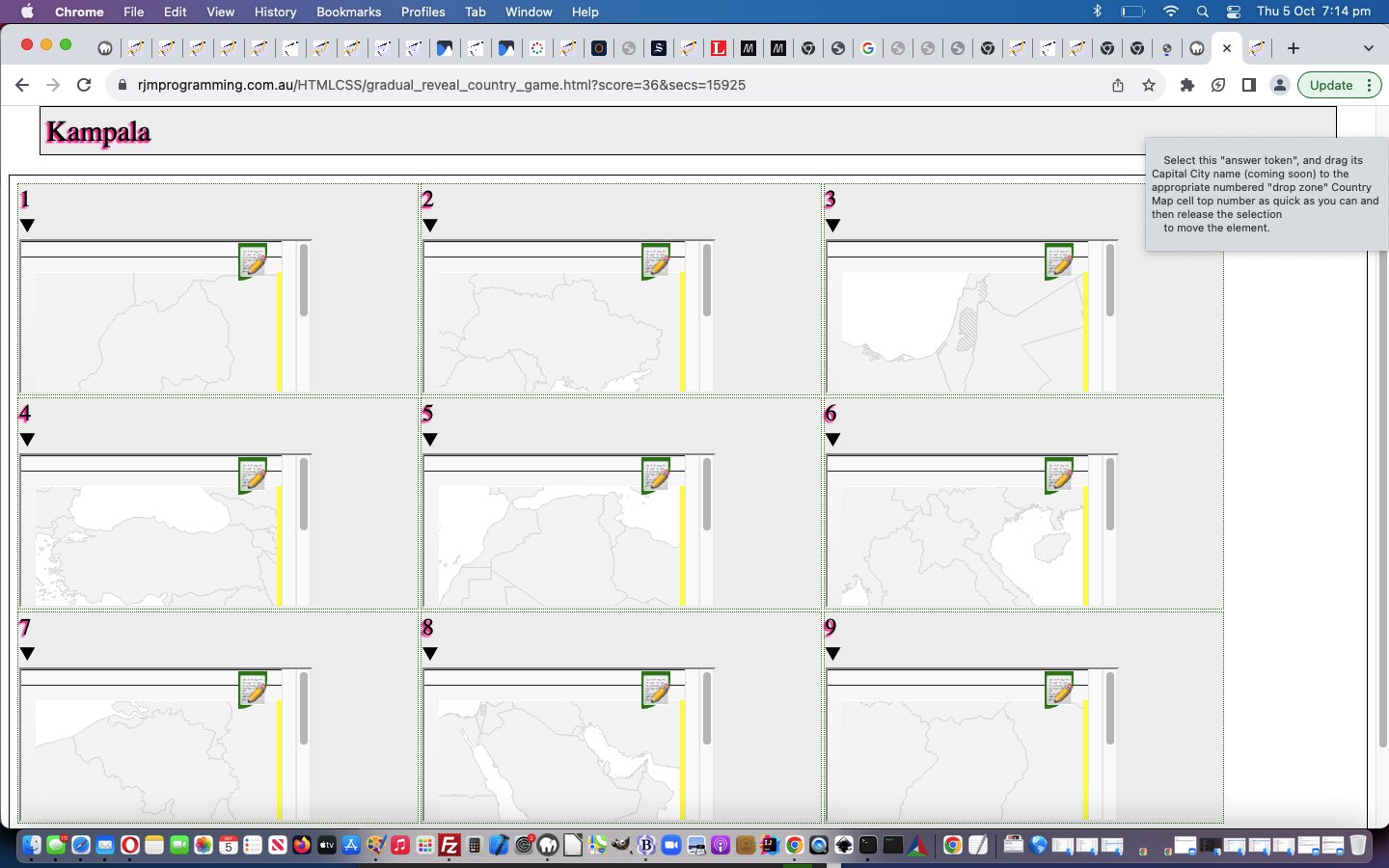
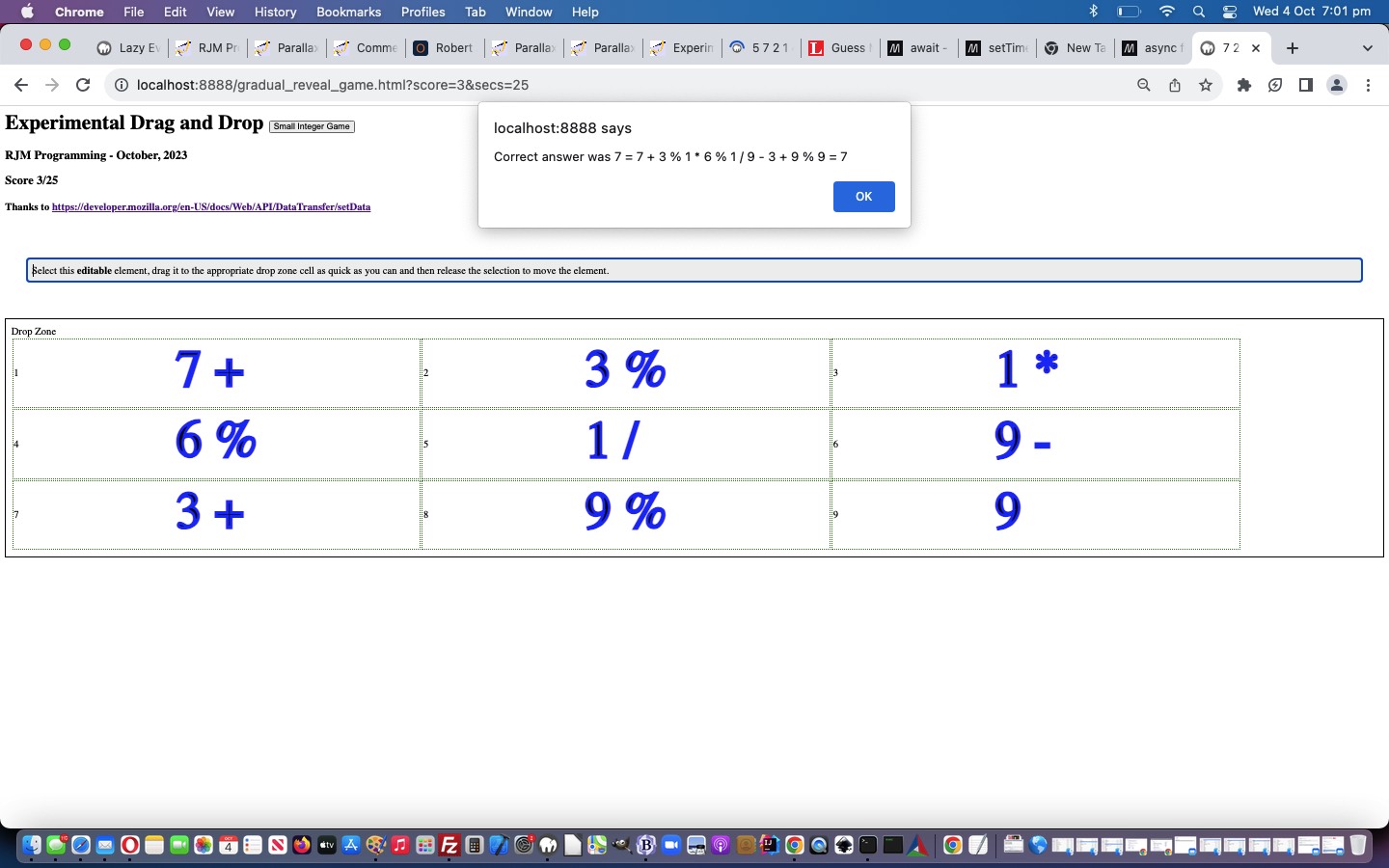
… to match the associated source “Drag” element available for the user to drag and drop into the correct table cell below, to score in today’s geography game.
Our “mathematical sentences” to solve in this game, where the operators can be + or – or / or * or %, and integer is number from 1 to 9, can be …
hard … made up of …
integeroperator
integeroperator
integeroperator
integeroperator
integeroperator
integeroperator
integeroperator
integeroperator
integer
… or …
simple … made up of …
integer
operator
integer
operator
integer
operator
integer
operator
integer
… parts to the “mathematical sentence” revealed gradually, using those aforesaid mentioned Javascript techniques, the less revealed as the user answers, the bigger the score, if correct.
The (non-mobile only) cursor and cell background images are formed via data URI svg+xml formats …
The async function declaration creates a binding of a new async function to a given name. The await keyword is permitted within the function body, enabling asynchronous, promise-based behavior to be written in a cleaner style and avoiding the need to explicitly configure promise chains.
The await operator is used to wait for a Promise and get its fulfillment value. It can only be used inside an async function or at the top level of a module.
Lazy evaluation means to delay the evaluation of an expression until it’s needed. Lazy evaluation is sometimes referred to as call-by-need.
The opposite of lazy evaluation is an eager evaluation. It’s an evaluation strategy used in most programming languages.
Lazy evaluation makes it possible to:
define potentially infinite data structures
increase performance by avoiding needless computations
customize iteration behavior for data structures that want its elements accessible to the public
Lazy evaluation means to delay the evaluation of an expression until it’s needed. Lazy evaluation is sometimes referred to as call-by-need.
The opposite of lazy evaluation is an eager evaluation. It’s an evaluation strategy used in most programming languages.
Lazy evaluation makes it possible to:
define potentially infinite data structures
increase performance by avoiding needless computations
customize iteration behavior for data structures that want its elements accessible to the public
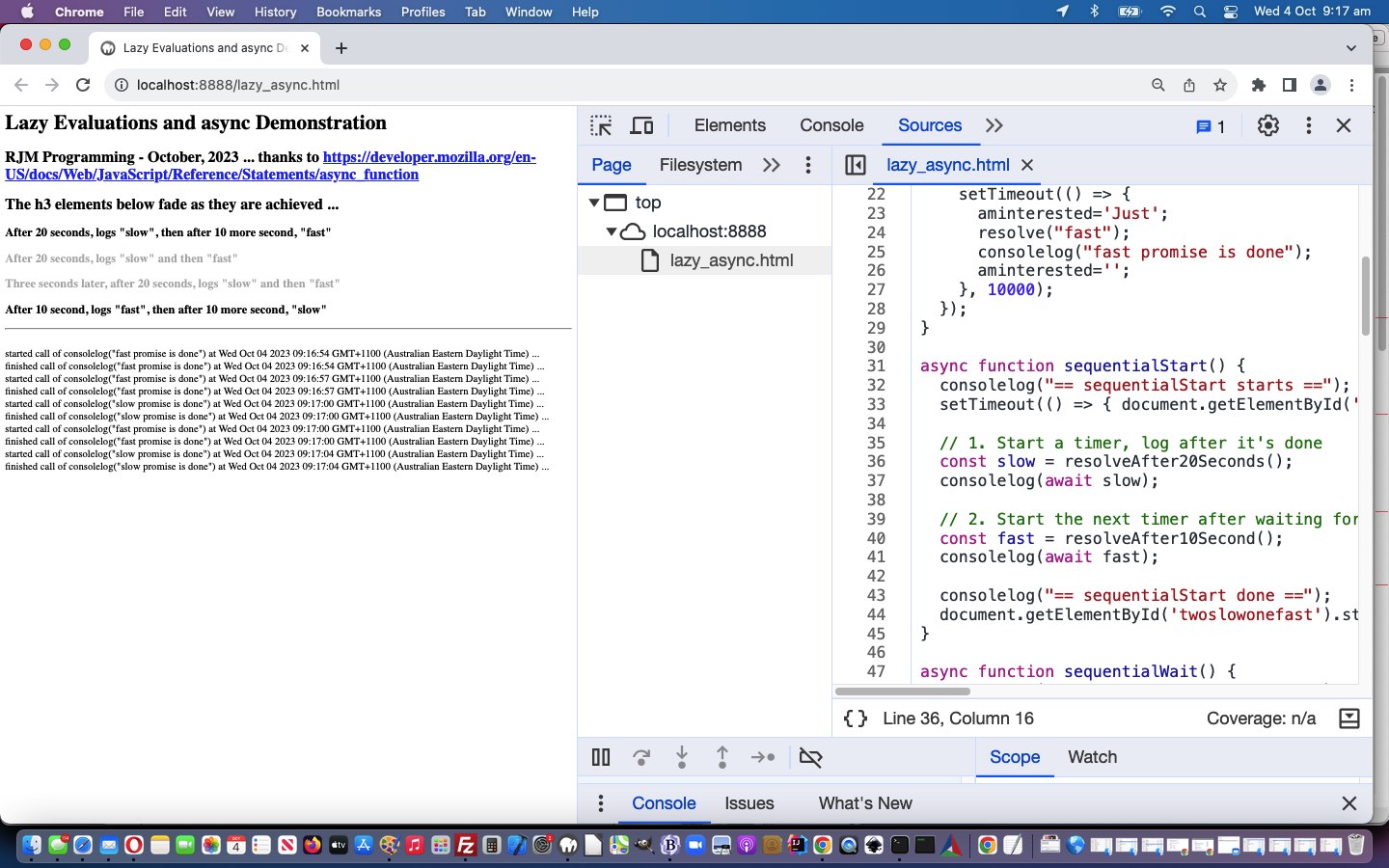
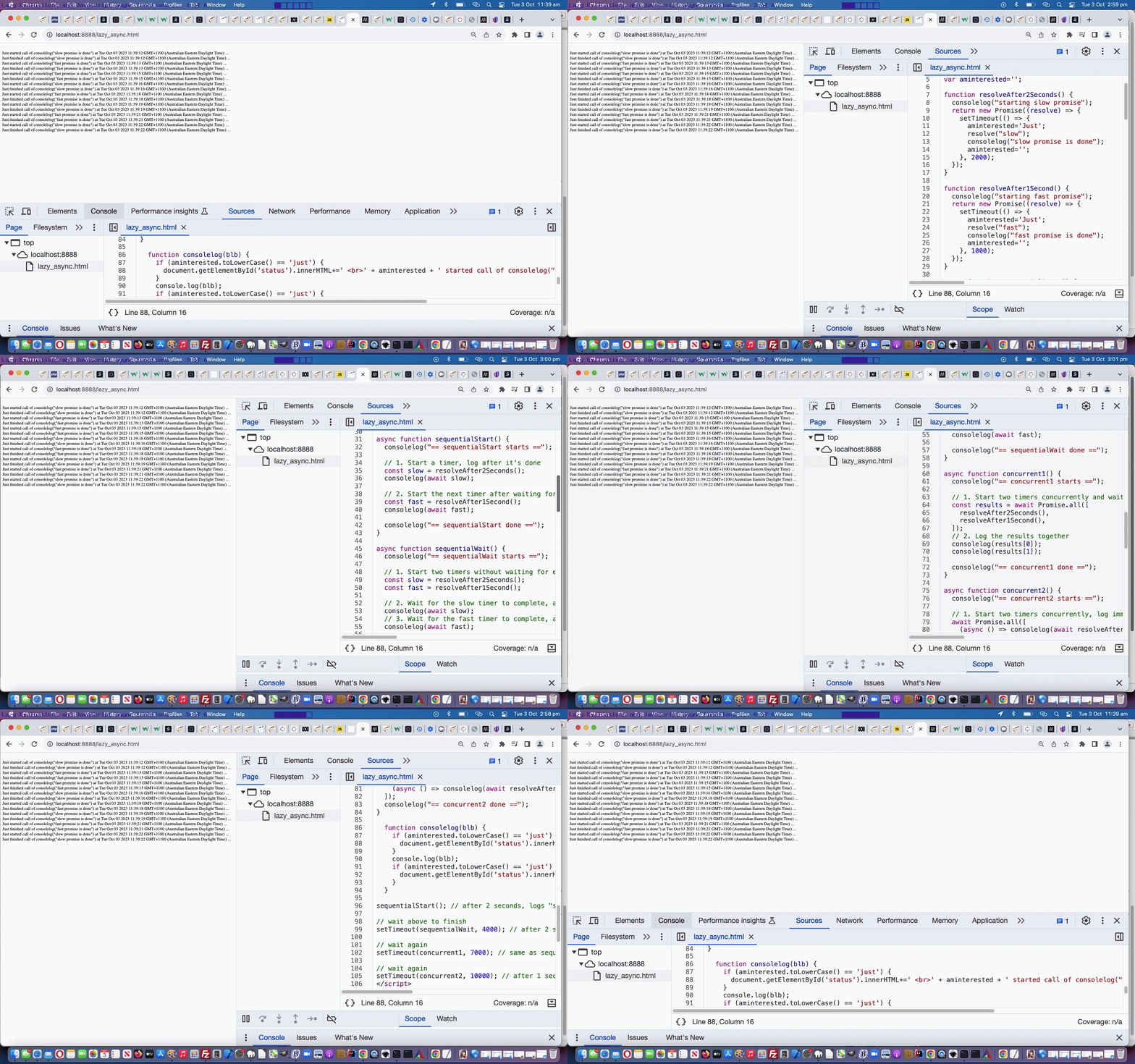
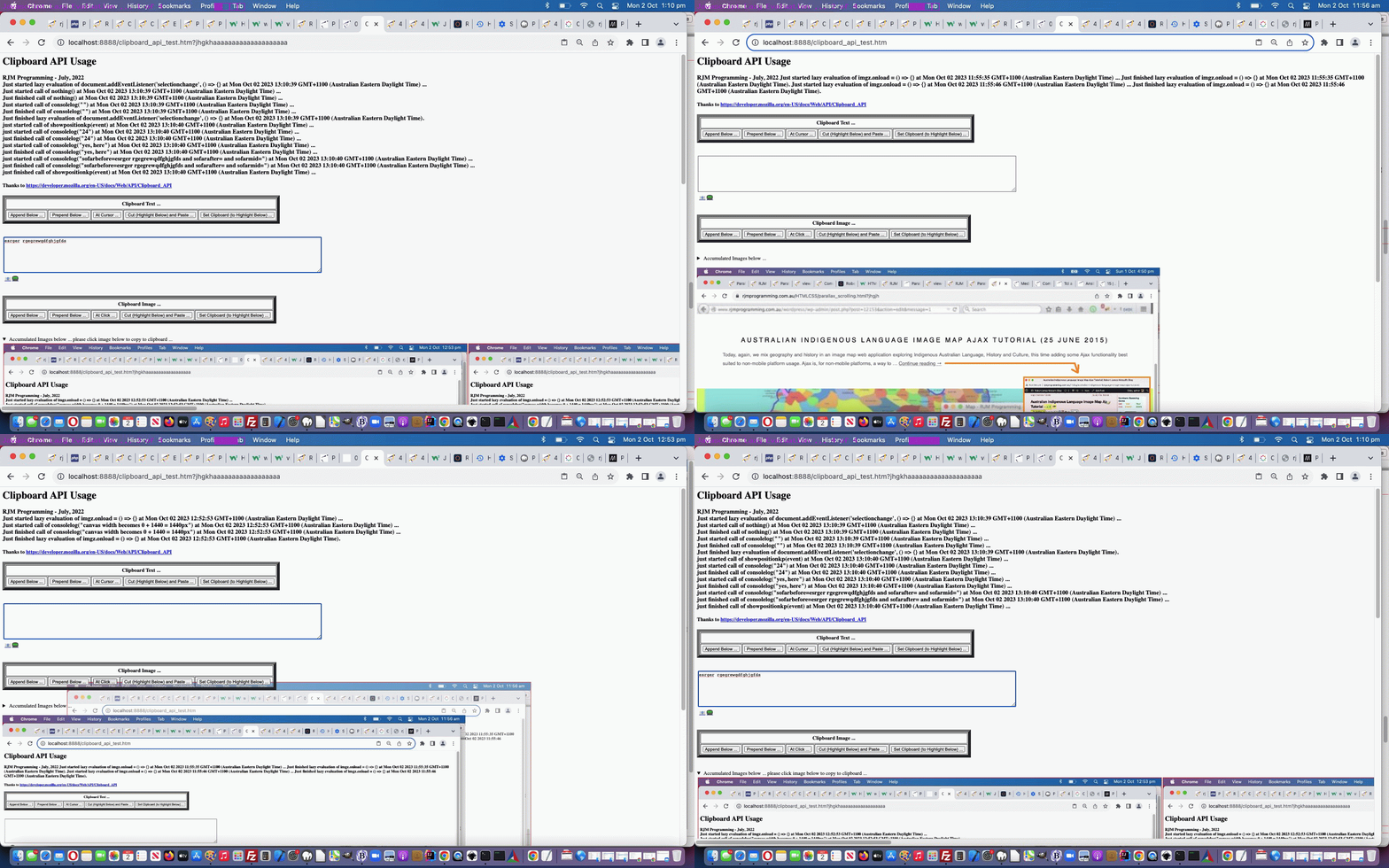
Personally, we’re more your “eager” types, but we’ve had help in the past from brilliant “lazy” types too, especially when we presented Selection API and Clipboard API Tutorial, and so, we honed in on some Javascript “Lazy Evaluation” code, and put together some status information shown regarding timings and calls with respect to Javascript …
“Lazy Evaluation” in Javascript … classical syntax goes …
f = () => expression;
… and …
async function in Javascript … classical syntax example goes …
function resolveAfter2Seconds() {

  return new Promise((resolve) => {

    setTimeout(() => {

      resolve('resolved');

    }, 2000);

  });

}


async function asyncCall() {

  console.log('calling');

  const result = await resolveAfter2Seconds();

  console.log(result);

  // Expected output: "resolved"

}
… which reminded me that we need to learn some more about the promise object
… and were happy to discover the Promise object talents of …
sleeping … allowing for …
multitasking
doing … all using clientside Javascript
… very interesting. The serverside languages such as PHP make it a doddle to multitask (via sleep) but Javascript sleep has not always been a straightforward proposition, until we could promise, that is!
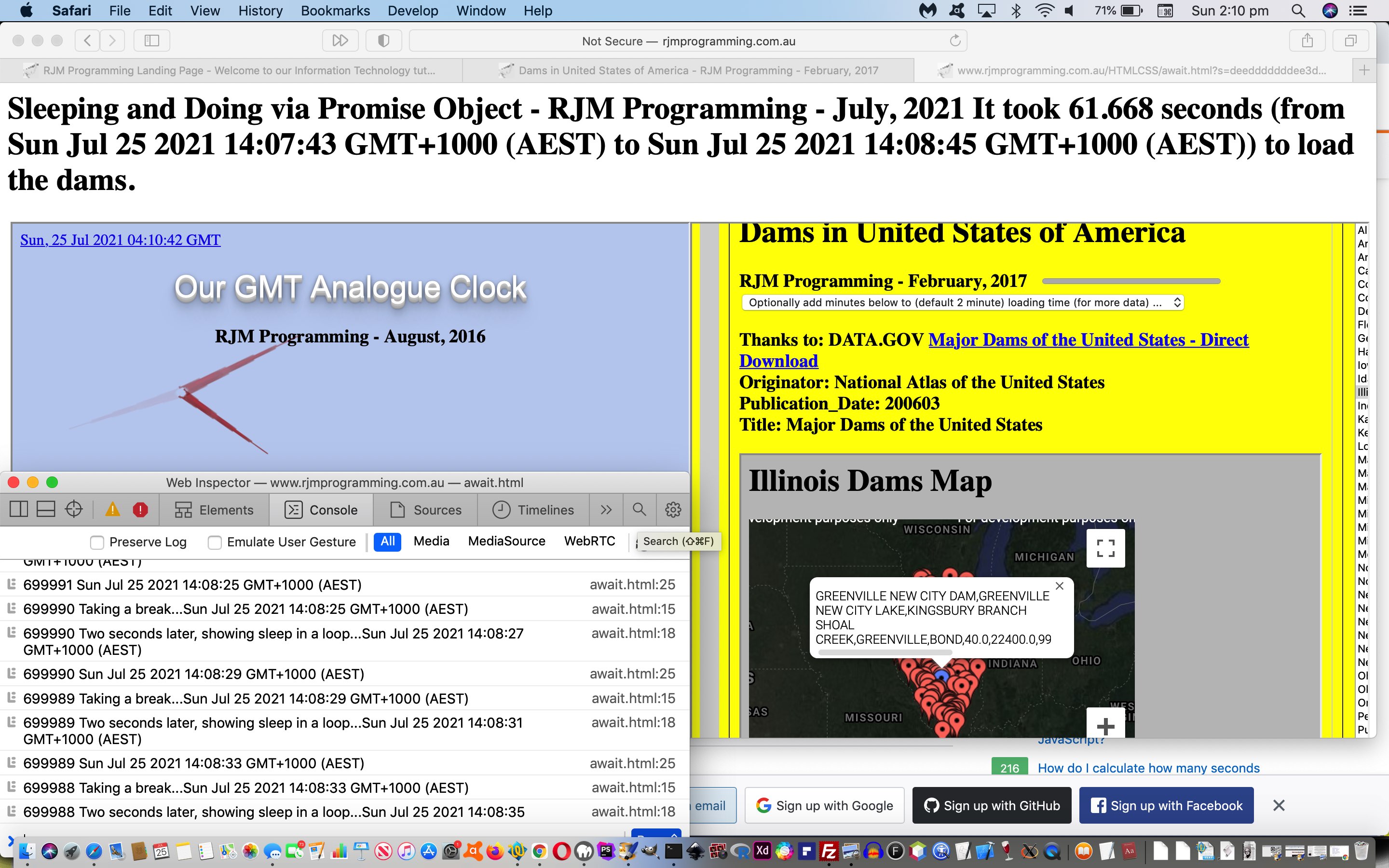
Today’s await.html‘s use of it to sleep and in between show …
… asynchronously both doing their own thing while the await.html works away in the background too, feeding off “child 2” clicks of “child 1” above to know when to say how long the dams took to load. Yes, the “child 2” “onload” event, alone, cannot help determine this, but more “drilling into” the inner workings of the code behind “child 2″‘s progress element, via …
<html>
<head>
<script type='text/javascript'>
var numsleeps=700000;
var ix=0;
var d=new Date();
var marks=[new Date(), new Date()];
var imark=0;
Web Application Controlled Progress Cursor Primer Tutorial
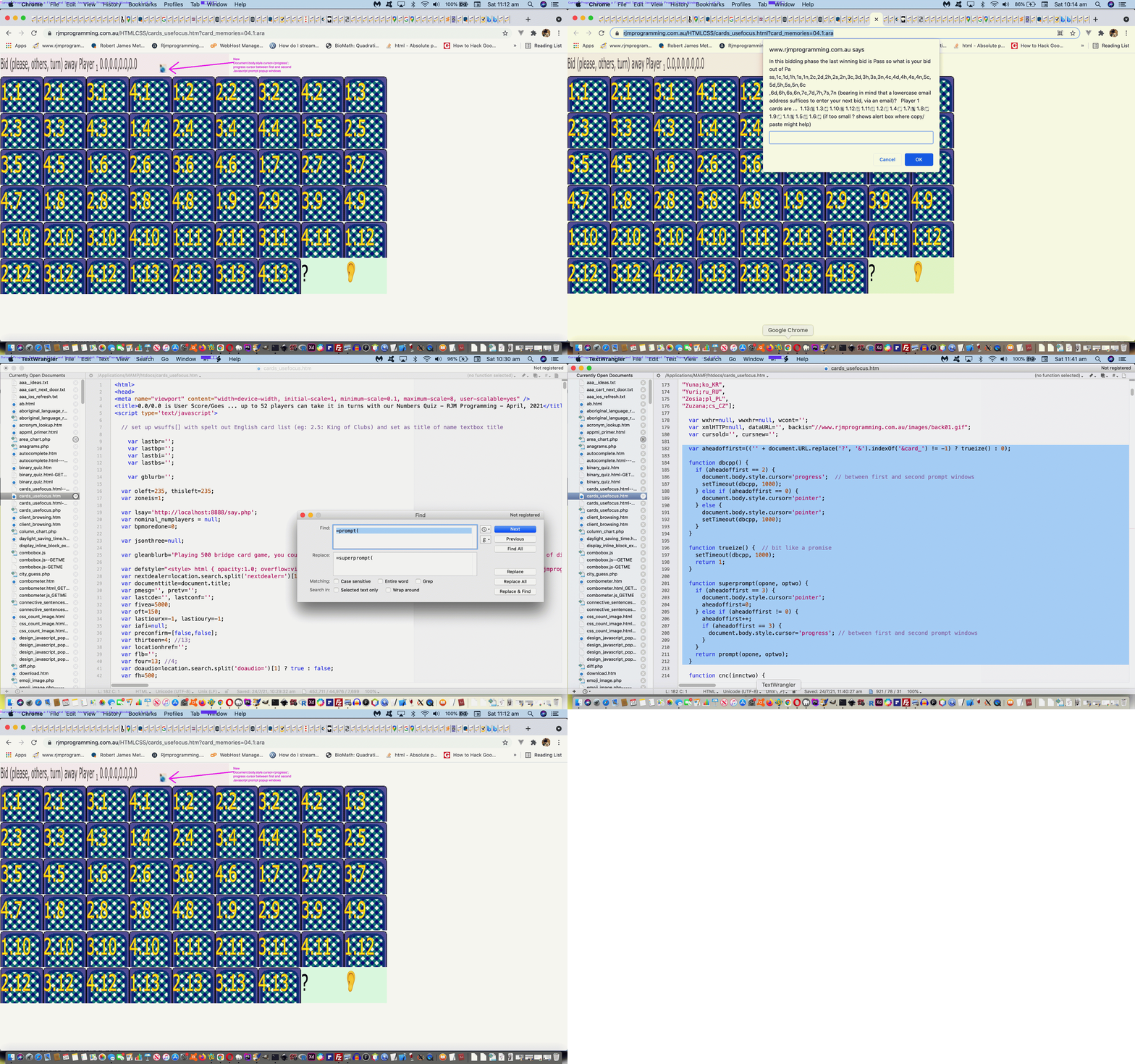
We had occasion to revisit the card game (and more) recent web application exploits highlighted in the recent Just Javascript Card Game Cursor Tutorial thread of blog postings and shaped to play Bridge via …
… and was “personally relatively” happy up to the first Javascript prompt popup window. Huh?! What’s with “personally relatively”? Can I be serious? Well, I’m insulted!
The thing is, I don’t mind, when I’m writing the code (funny about that?!) very complex and convoluted prompt window instructions and options. But …
not everybody is willing to read such long diatribes
actions can speak louder than words, so we figure between those first two prompt windows in a Bridge or 500 card game, it would be beneficial to show a “progress cursor” (ie. usually associated with the user waiting for a process to finish) between the first and second prompt windows to help show the players there could be waiting and irrelevant players turning away should all four players want to play fairly in their game
It was an interesting Javascript coding exercise …
(sort of) overload the “prompt” function with our inhouse “superprompt” function via …
globally replace ” prompt(” with ” superprompt(“
globally replace “=prompt(” with “=superprompt(“
add the following Javascript code …
  var aheadoffirst=(('' + document.URL.replace('?', '&').indexOf('&card_') != -1) ? trueize() : 0);


  function dbcpp() {

    if (aheadoffirst == 2) {

      document.body.style.cursor='progress';  // between first and second prompt windows

      setTimeout(dbcpp, 1000);

    } else if (aheadoffirst == 0) {

      document.body.style.cursor='pointer';

    } else {

      document.body.style.cursor='pointer';

      setTimeout(dbcpp, 1000);

    }

  }


  function trueize() {  // bit like a promise

    setTimeout(dbcpp, 1000);

    return 1;

  }


  function superprompt(opone, optwo) {

    if (aheadoffirst == 3) {

      document.body.style.cursor='pointer';

      aheadoffirst=0;

    } else if (aheadoffirst != 0) {

      aheadoffirst++;

      if (aheadoffirst == 3) {

        document.body.style.cursor='progress'; // between first and second prompt windows

      }

    }

    return prompt(opone, optwo);

  }
… which reminded me that we need to learn some more about the promise object.
Our “mathematical sentences” to solve in this game, where the operators can be + or – or / or * or %, and integer is number from 1 to 9, can be …
hard … made up of …
integeroperator
integeroperator
integeroperator
integeroperator
integeroperator
integeroperator
integeroperator
integeroperator
integer
… or …
simple … made up of …
integer
operator
integer
operator
integer
operator
integer
operator
integer
… parts to the “mathematical sentence” revealed gradually, using those aforesaid mentioned Javascript techniques, the less revealed as the user answers, the bigger the score, if correct.
The (non-mobile only) cursor and cell background images are formed via data URI svg+xml formats …
The async function declaration creates a binding of a new async function to a given name. The await keyword is permitted within the function body, enabling asynchronous, promise-based behavior to be written in a cleaner style and avoiding the need to explicitly configure promise chains.
The await operator is used to wait for a Promise and get its fulfillment value. It can only be used inside an async function or at the top level of a module.
Lazy evaluation means to delay the evaluation of an expression until it’s needed. Lazy evaluation is sometimes referred to as call-by-need.
The opposite of lazy evaluation is an eager evaluation. It’s an evaluation strategy used in most programming languages.
Lazy evaluation makes it possible to:
define potentially infinite data structures
increase performance by avoiding needless computations
customize iteration behavior for data structures that want its elements accessible to the public
Lazy evaluation means to delay the evaluation of an expression until it’s needed. Lazy evaluation is sometimes referred to as call-by-need.
The opposite of lazy evaluation is an eager evaluation. It’s an evaluation strategy used in most programming languages.
Lazy evaluation makes it possible to:
define potentially infinite data structures
increase performance by avoiding needless computations
customize iteration behavior for data structures that want its elements accessible to the public
Personally, we’re more your “eager” types, but we’ve had help in the past from brilliant “lazy” types too, especially when we presented Selection API and Clipboard API Tutorial, and so, we honed in on some Javascript “Lazy Evaluation” code, and put together some status information shown regarding timings and calls with respect to Javascript …
“Lazy Evaluation” in Javascript … classical syntax goes …
f = () => expression;
… and …
async function in Javascript … classical syntax example goes …
function resolveAfter2Seconds() {

  return new Promise((resolve) => {

    setTimeout(() => {

      resolve('resolved');

    }, 2000);

  });

}


async function asyncCall() {

  console.log('calling');

  const result = await resolveAfter2Seconds();

  console.log(result);

  // Expected output: "resolved"

}
… which reminded me that we need to learn some more about the promise object
… and were happy to discover the Promise object talents of …
sleeping … allowing for …
multitasking
doing … all using clientside Javascript
… very interesting. The serverside languages such as PHP make it a doddle to multitask (via sleep) but Javascript sleep has not always been a straightforward proposition, until we could promise, that is!
Today’s await.html‘s use of it to sleep and in between show …
… asynchronously both doing their own thing while the await.html works away in the background too, feeding off “child 2” clicks of “child 1” above to know when to say how long the dams took to load. Yes, the “child 2” “onload” event, alone, cannot help determine this, but more “drilling into” the inner workings of the code behind “child 2″‘s progress element, via …
<html>
<head>
<script type='text/javascript'>
var numsleeps=700000;
var ix=0;
var d=new Date();
var marks=[new Date(), new Date()];
var imark=0;
Web Application Controlled Progress Cursor Primer Tutorial
We had occasion to revisit the card game (and more) recent web application exploits highlighted in the recent Just Javascript Card Game Cursor Tutorial thread of blog postings and shaped to play Bridge via …
… and was “personally relatively” happy up to the first Javascript prompt popup window. Huh?! What’s with “personally relatively”? Can I be serious? Well, I’m insulted!
The thing is, I don’t mind, when I’m writing the code (funny about that?!) very complex and convoluted prompt window instructions and options. But …
not everybody is willing to read such long diatribes
actions can speak louder than words, so we figure between those first two prompt windows in a Bridge or 500 card game, it would be beneficial to show a “progress cursor” (ie. usually associated with the user waiting for a process to finish) between the first and second prompt windows to help show the players there could be waiting and irrelevant players turning away should all four players want to play fairly in their game
It was an interesting Javascript coding exercise …
(sort of) overload the “prompt” function with our inhouse “superprompt” function via …
globally replace ” prompt(” with ” superprompt(“
globally replace “=prompt(” with “=superprompt(“
add the following Javascript code …
  var aheadoffirst=(('' + document.URL.replace('?', '&').indexOf('&card_') != -1) ? trueize() : 0);


  function dbcpp() {

    if (aheadoffirst == 2) {

      document.body.style.cursor='progress';  // between first and second prompt windows

      setTimeout(dbcpp, 1000);

    } else if (aheadoffirst == 0) {

      document.body.style.cursor='pointer';

    } else {

      document.body.style.cursor='pointer';

      setTimeout(dbcpp, 1000);

    }

  }


  function trueize() {  // bit like a promise

    setTimeout(dbcpp, 1000);

    return 1;

  }


  function superprompt(opone, optwo) {

    if (aheadoffirst == 3) {

      document.body.style.cursor='pointer';

      aheadoffirst=0;

    } else if (aheadoffirst != 0) {

      aheadoffirst++;

      if (aheadoffirst == 3) {

        document.body.style.cursor='progress'; // between first and second prompt windows

      }

    }

    return prompt(opone, optwo);

  }
… which reminded me that we need to learn some more about the promise object.
The async function declaration creates a binding of a new async function to a given name. The await keyword is permitted within the function body, enabling asynchronous, promise-based behavior to be written in a cleaner style and avoiding the need to explicitly configure promise chains.
The await operator is used to wait for a Promise and get its fulfillment value. It can only be used inside an async function or at the top level of a module.
Lazy evaluation means to delay the evaluation of an expression until it’s needed. Lazy evaluation is sometimes referred to as call-by-need.
The opposite of lazy evaluation is an eager evaluation. It’s an evaluation strategy used in most programming languages.
Lazy evaluation makes it possible to:
define potentially infinite data structures
increase performance by avoiding needless computations
customize iteration behavior for data structures that want its elements accessible to the public
Lazy evaluation means to delay the evaluation of an expression until it’s needed. Lazy evaluation is sometimes referred to as call-by-need.
The opposite of lazy evaluation is an eager evaluation. It’s an evaluation strategy used in most programming languages.
Lazy evaluation makes it possible to:
define potentially infinite data structures
increase performance by avoiding needless computations
customize iteration behavior for data structures that want its elements accessible to the public
Personally, we’re more your “eager” types, but we’ve had help in the past from brilliant “lazy” types too, especially when we presented Selection API and Clipboard API Tutorial, and so, we honed in on some Javascript “Lazy Evaluation” code, and put together some status information shown regarding timings and calls with respect to Javascript …
“Lazy Evaluation” in Javascript … classical syntax goes …
f = () => expression;
… and …
async function in Javascript … classical syntax example goes …
function resolveAfter2Seconds() {

  return new Promise((resolve) => {

    setTimeout(() => {

      resolve('resolved');

    }, 2000);

  });

}


async function asyncCall() {

  console.log('calling');

  const result = await resolveAfter2Seconds();

  console.log(result);

  // Expected output: "resolved"

}
… which reminded me that we need to learn some more about the promise object
… and were happy to discover the Promise object talents of …
sleeping … allowing for …
multitasking
doing … all using clientside Javascript
… very interesting. The serverside languages such as PHP make it a doddle to multitask (via sleep) but Javascript sleep has not always been a straightforward proposition, until we could promise, that is!
Today’s await.html‘s use of it to sleep and in between show …
… asynchronously both doing their own thing while the await.html works away in the background too, feeding off “child 2” clicks of “child 1” above to know when to say how long the dams took to load. Yes, the “child 2” “onload” event, alone, cannot help determine this, but more “drilling into” the inner workings of the code behind “child 2″‘s progress element, via …
<html>
<head>
<script type='text/javascript'>
var numsleeps=700000;
var ix=0;
var d=new Date();
var marks=[new Date(), new Date()];
var imark=0;
Web Application Controlled Progress Cursor Primer Tutorial
We had occasion to revisit the card game (and more) recent web application exploits highlighted in the recent Just Javascript Card Game Cursor Tutorial thread of blog postings and shaped to play Bridge via …
… and was “personally relatively” happy up to the first Javascript prompt popup window. Huh?! What’s with “personally relatively”? Can I be serious? Well, I’m insulted!
The thing is, I don’t mind, when I’m writing the code (funny about that?!) very complex and convoluted prompt window instructions and options. But …
not everybody is willing to read such long diatribes
actions can speak louder than words, so we figure between those first two prompt windows in a Bridge or 500 card game, it would be beneficial to show a “progress cursor” (ie. usually associated with the user waiting for a process to finish) between the first and second prompt windows to help show the players there could be waiting and irrelevant players turning away should all four players want to play fairly in their game
It was an interesting Javascript coding exercise …
(sort of) overload the “prompt” function with our inhouse “superprompt” function via …
globally replace ” prompt(” with ” superprompt(“
globally replace “=prompt(” with “=superprompt(“
add the following Javascript code …
  var aheadoffirst=(('' + document.URL.replace('?', '&').indexOf('&card_') != -1) ? trueize() : 0);


  function dbcpp() {

    if (aheadoffirst == 2) {

      document.body.style.cursor='progress';  // between first and second prompt windows

      setTimeout(dbcpp, 1000);

    } else if (aheadoffirst == 0) {

      document.body.style.cursor='pointer';

    } else {

      document.body.style.cursor='pointer';

      setTimeout(dbcpp, 1000);

    }

  }


  function trueize() {  // bit like a promise

    setTimeout(dbcpp, 1000);

    return 1;

  }


  function superprompt(opone, optwo) {

    if (aheadoffirst == 3) {

      document.body.style.cursor='pointer';

      aheadoffirst=0;

    } else if (aheadoffirst != 0) {

      aheadoffirst++;

      if (aheadoffirst == 3) {

        document.body.style.cursor='progress'; // between first and second prompt windows

      }

    }

    return prompt(opone, optwo);

  }
… which reminded me that we need to learn some more about the promise object.
Lazy evaluation means to delay the evaluation of an expression until it’s needed. Lazy evaluation is sometimes referred to as call-by-need.
The opposite of lazy evaluation is an eager evaluation. It’s an evaluation strategy used in most programming languages.
Lazy evaluation makes it possible to:
define potentially infinite data structures
increase performance by avoiding needless computations
customize iteration behavior for data structures that want its elements accessible to the public
Personally, we’re more your “eager” types, but we’ve had help in the past from brilliant “lazy” types too, especially when we presented Selection API and Clipboard API Tutorial, and so, we honed in on some Javascript “Lazy Evaluation” code, and put together some status information shown regarding timings and calls with respect to Javascript …
“Lazy Evaluation” in Javascript … classical syntax goes …
f = () => expression;
… and …
async function in Javascript … classical syntax example goes …
function resolveAfter2Seconds() {

  return new Promise((resolve) => {

    setTimeout(() => {

      resolve('resolved');

    }, 2000);

  });

}


async function asyncCall() {

  console.log('calling');

  const result = await resolveAfter2Seconds();

  console.log(result);

  // Expected output: "resolved"

}
… which reminded me that we need to learn some more about the promise object
… and were happy to discover the Promise object talents of …
sleeping … allowing for …
multitasking
doing … all using clientside Javascript
… very interesting. The serverside languages such as PHP make it a doddle to multitask (via sleep) but Javascript sleep has not always been a straightforward proposition, until we could promise, that is!
Today’s await.html‘s use of it to sleep and in between show …
… asynchronously both doing their own thing while the await.html works away in the background too, feeding off “child 2” clicks of “child 1” above to know when to say how long the dams took to load. Yes, the “child 2” “onload” event, alone, cannot help determine this, but more “drilling into” the inner workings of the code behind “child 2″‘s progress element, via …
<html>
<head>
<script type='text/javascript'>
var numsleeps=700000;
var ix=0;
var d=new Date();
var marks=[new Date(), new Date()];
var imark=0;
Web Application Controlled Progress Cursor Primer Tutorial
We had occasion to revisit the card game (and more) recent web application exploits highlighted in the recent Just Javascript Card Game Cursor Tutorial thread of blog postings and shaped to play Bridge via …
… and was “personally relatively” happy up to the first Javascript prompt popup window. Huh?! What’s with “personally relatively”? Can I be serious? Well, I’m insulted!
The thing is, I don’t mind, when I’m writing the code (funny about that?!) very complex and convoluted prompt window instructions and options. But …
not everybody is willing to read such long diatribes
actions can speak louder than words, so we figure between those first two prompt windows in a Bridge or 500 card game, it would be beneficial to show a “progress cursor” (ie. usually associated with the user waiting for a process to finish) between the first and second prompt windows to help show the players there could be waiting and irrelevant players turning away should all four players want to play fairly in their game
It was an interesting Javascript coding exercise …
(sort of) overload the “prompt” function with our inhouse “superprompt” function via …
globally replace ” prompt(” with ” superprompt(“
globally replace “=prompt(” with “=superprompt(“
add the following Javascript code …
  var aheadoffirst=(('' + document.URL.replace('?', '&').indexOf('&card_') != -1) ? trueize() : 0);


  function dbcpp() {

    if (aheadoffirst == 2) {

      document.body.style.cursor='progress';  // between first and second prompt windows

      setTimeout(dbcpp, 1000);

    } else if (aheadoffirst == 0) {

      document.body.style.cursor='pointer';

    } else {

      document.body.style.cursor='pointer';

      setTimeout(dbcpp, 1000);

    }

  }


  function trueize() {  // bit like a promise

    setTimeout(dbcpp, 1000);

    return 1;

  }


  function superprompt(opone, optwo) {

    if (aheadoffirst == 3) {

      document.body.style.cursor='pointer';

      aheadoffirst=0;

    } else if (aheadoffirst != 0) {

      aheadoffirst++;

      if (aheadoffirst == 3) {

        document.body.style.cursor='progress'; // between first and second prompt windows

      }

    }

    return prompt(opone, optwo);

  }
… which reminded me that we need to learn some more about the promise object.
Lazy evaluation means to delay the evaluation of an expression until it’s needed. Lazy evaluation is sometimes referred to as call-by-need.
The opposite of lazy evaluation is an eager evaluation. It’s an evaluation strategy used in most programming languages.
Lazy evaluation makes it possible to:
define potentially infinite data structures
increase performance by avoiding needless computations
customize iteration behavior for data structures that want its elements accessible to the public
Personally, we’re more your “eager” types, but we’ve had help in the past from brilliant “lazy” types too, especially when we presented Selection API and Clipboard API Tutorial, and so, we honed in on some Javascript “Lazy Evaluation” code, and put together some status information shown regarding timings and calls with respect to Javascript …
“Lazy Evaluation” in Javascript … classical syntax goes …
f = () => expression;
… and …
async function in Javascript … classical syntax example goes …
function resolveAfter2Seconds() {

  return new Promise((resolve) => {

    setTimeout(() => {

      resolve('resolved');

    }, 2000);

  });

}


async function asyncCall() {

  console.log('calling');

  const result = await resolveAfter2Seconds();

  console.log(result);

  // Expected output: "resolved"

}
… which reminded me that we need to learn some more about the promise object
… and were happy to discover the Promise object talents of …
sleeping … allowing for …
multitasking
doing … all using clientside Javascript
… very interesting. The serverside languages such as PHP make it a doddle to multitask (via sleep) but Javascript sleep has not always been a straightforward proposition, until we could promise, that is!
Today’s await.html‘s use of it to sleep and in between show …
… asynchronously both doing their own thing while the await.html works away in the background too, feeding off “child 2” clicks of “child 1” above to know when to say how long the dams took to load. Yes, the “child 2” “onload” event, alone, cannot help determine this, but more “drilling into” the inner workings of the code behind “child 2″‘s progress element, via …
<html>
<head>
<script type='text/javascript'>
var numsleeps=700000;
var ix=0;
var d=new Date();
var marks=[new Date(), new Date()];
var imark=0;
Web Application Controlled Progress Cursor Primer Tutorial
We had occasion to revisit the card game (and more) recent web application exploits highlighted in the recent Just Javascript Card Game Cursor Tutorial thread of blog postings and shaped to play Bridge via …
… and was “personally relatively” happy up to the first Javascript prompt popup window. Huh?! What’s with “personally relatively”? Can I be serious? Well, I’m insulted!
The thing is, I don’t mind, when I’m writing the code (funny about that?!) very complex and convoluted prompt window instructions and options. But …
not everybody is willing to read such long diatribes
actions can speak louder than words, so we figure between those first two prompt windows in a Bridge or 500 card game, it would be beneficial to show a “progress cursor” (ie. usually associated with the user waiting for a process to finish) between the first and second prompt windows to help show the players there could be waiting and irrelevant players turning away should all four players want to play fairly in their game
It was an interesting Javascript coding exercise …
(sort of) overload the “prompt” function with our inhouse “superprompt” function via …
globally replace ” prompt(” with ” superprompt(“
globally replace “=prompt(” with “=superprompt(“
add the following Javascript code …
  var aheadoffirst=(('' + document.URL.replace('?', '&').indexOf('&card_') != -1) ? trueize() : 0);


  function dbcpp() {

    if (aheadoffirst == 2) {

      document.body.style.cursor='progress';  // between first and second prompt windows

      setTimeout(dbcpp, 1000);

    } else if (aheadoffirst == 0) {

      document.body.style.cursor='pointer';

    } else {

      document.body.style.cursor='pointer';

      setTimeout(dbcpp, 1000);

    }

  }


  function trueize() {  // bit like a promise

    setTimeout(dbcpp, 1000);

    return 1;

  }


  function superprompt(opone, optwo) {

    if (aheadoffirst == 3) {

      document.body.style.cursor='pointer';

      aheadoffirst=0;

    } else if (aheadoffirst != 0) {

      aheadoffirst++;

      if (aheadoffirst == 3) {

        document.body.style.cursor='progress'; // between first and second prompt windows

      }

    }

    return prompt(opone, optwo);

  }
… which reminded me that we need to learn some more about the promise object.
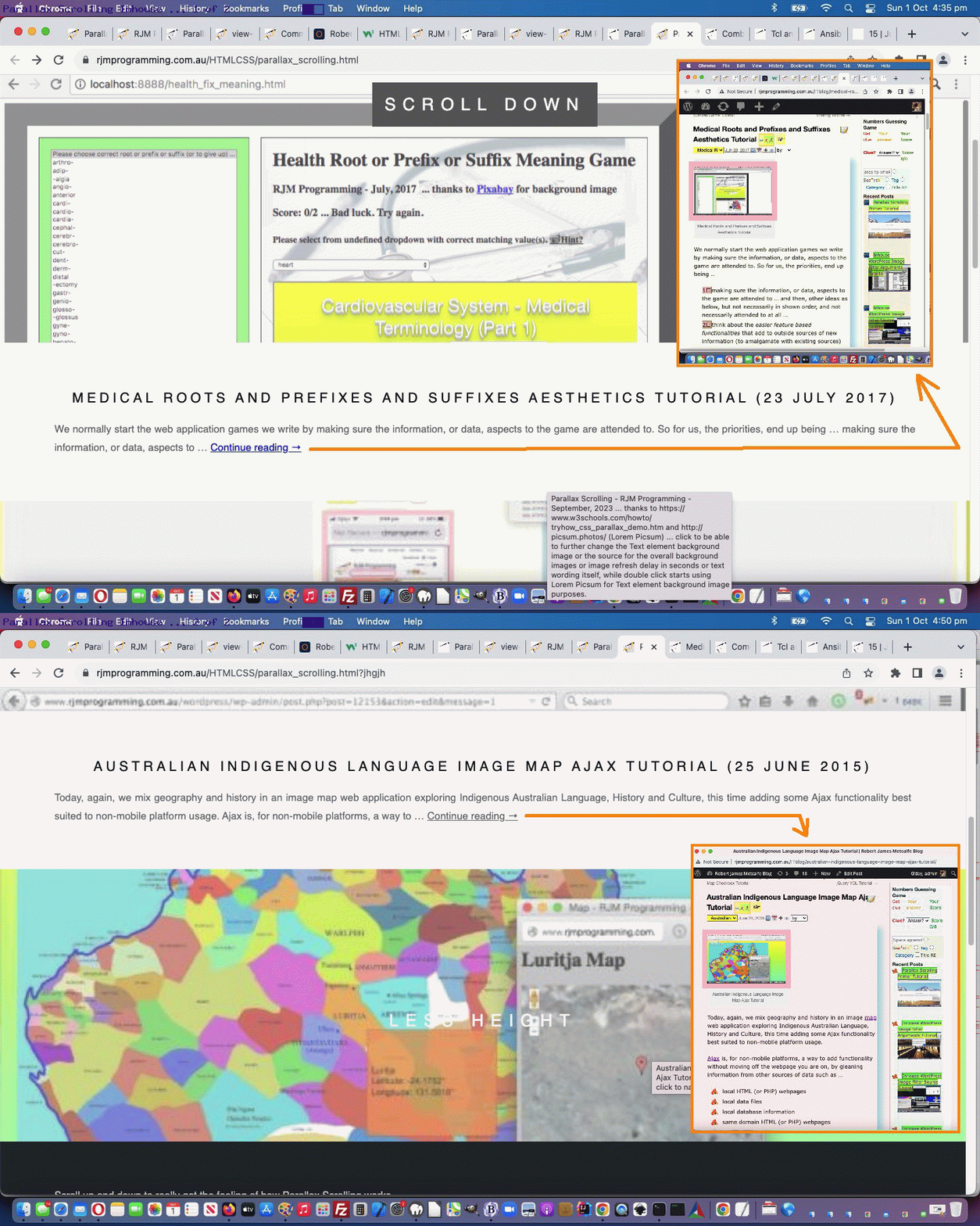
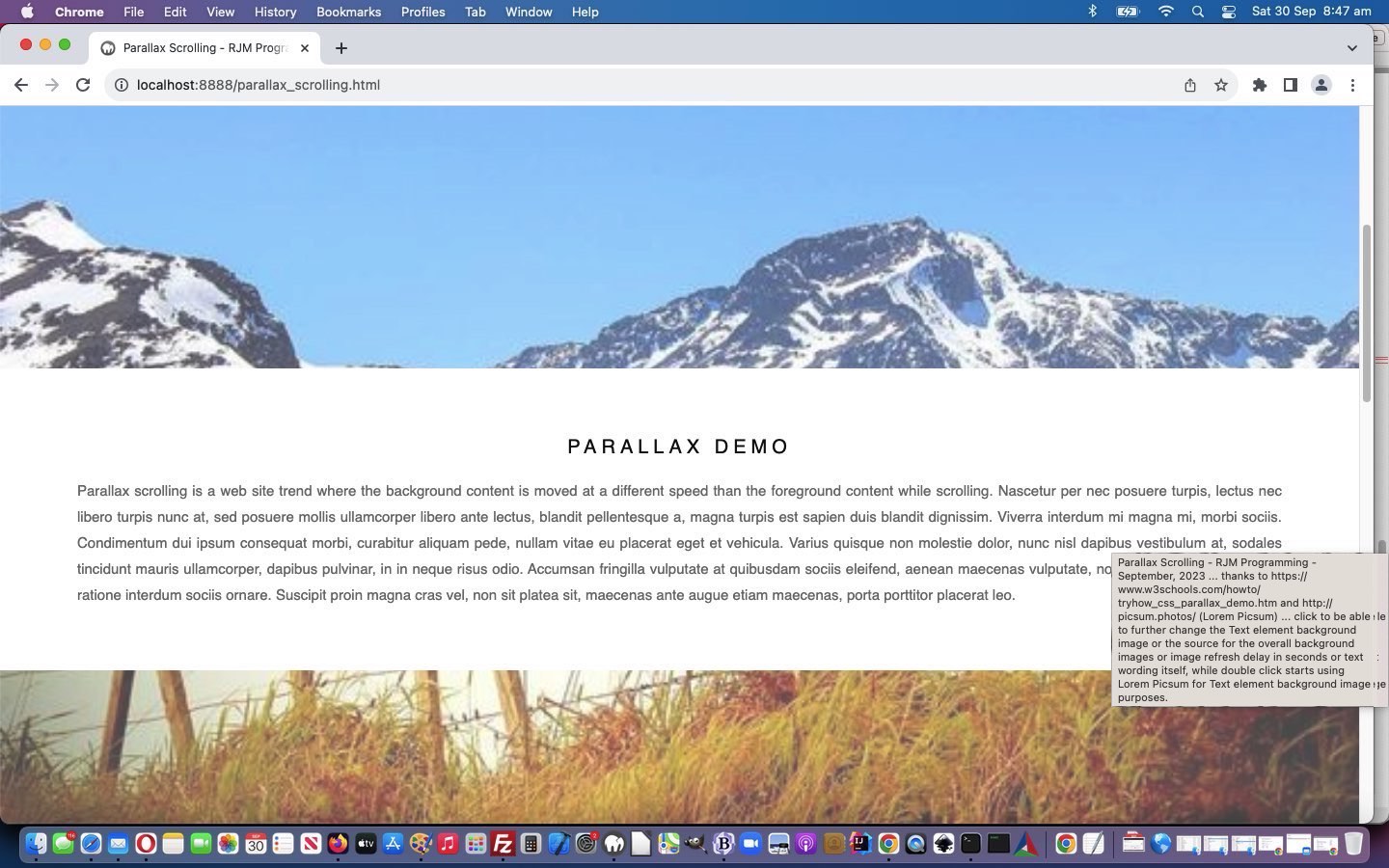
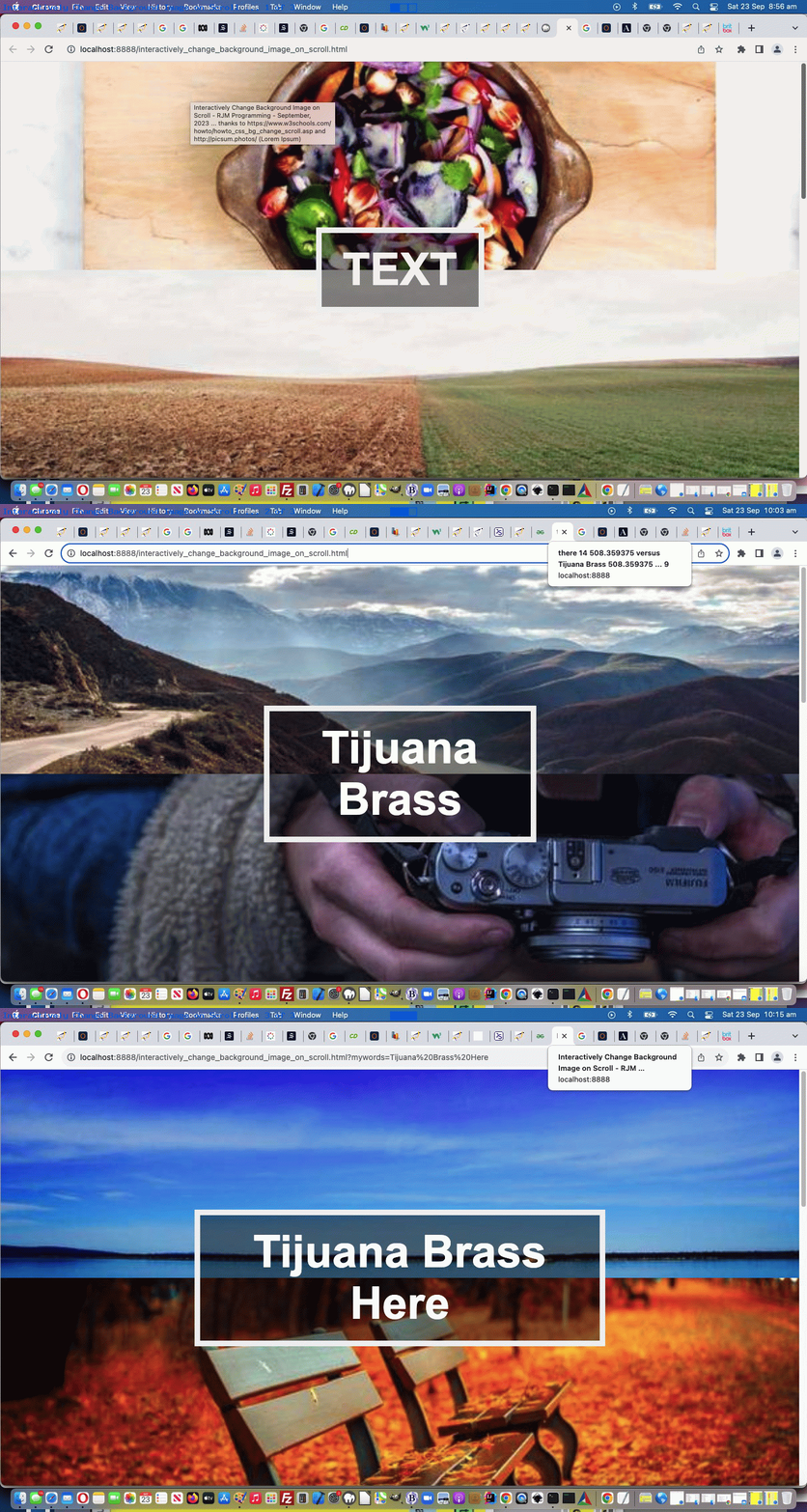
Yes, onto yesterday’s Parallax Scrolling Primer Tutorial‘s Parallax Scrolling functionality, there were strong possibilities for tailoring where the user chooses to show some inhouse WordPress Blog images.
Reducing content can be an issue here, but luckily WordPress has a very useful …
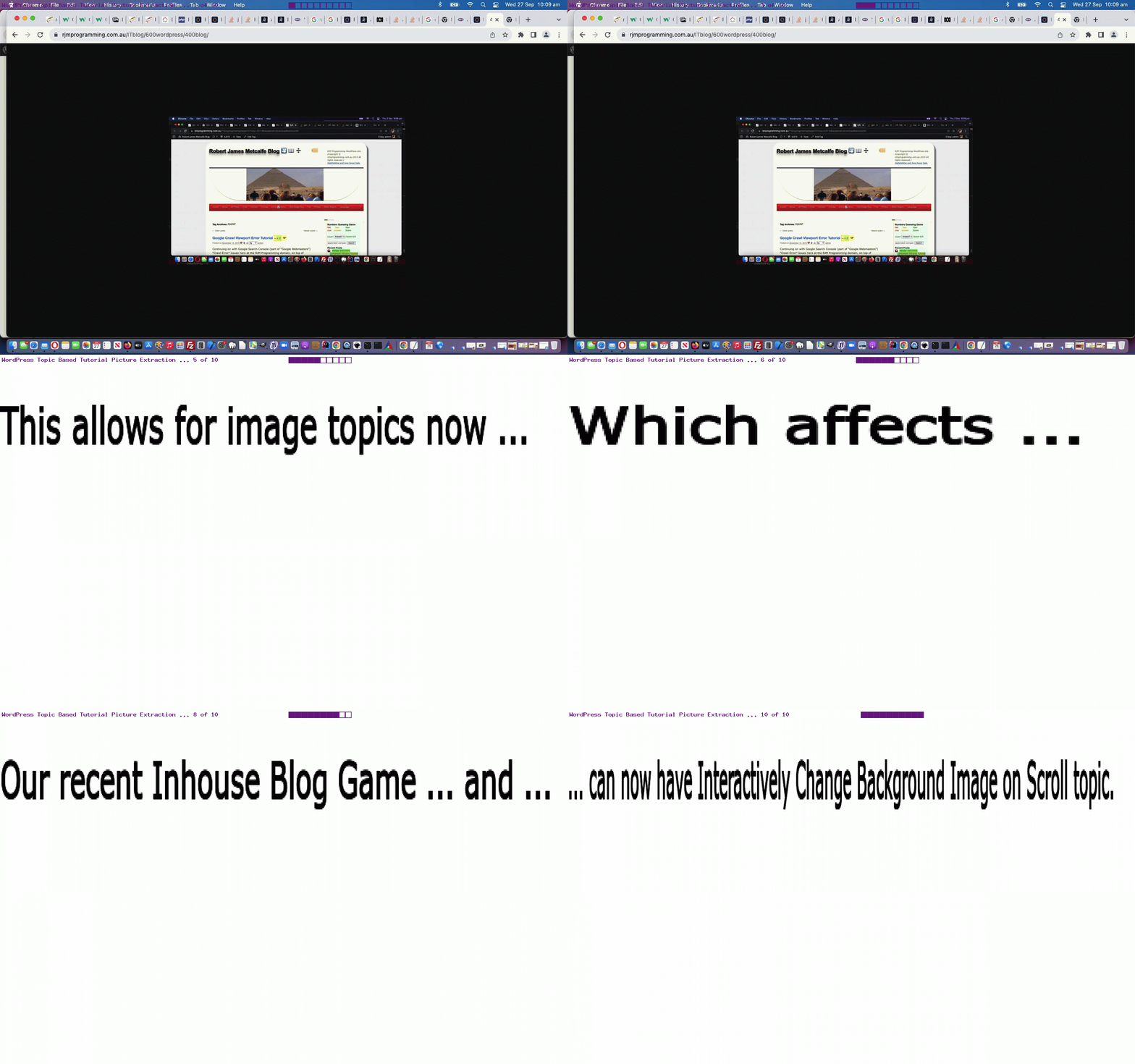
… type of URL that would point the user back to a “reduced to a minimum” version of yesterday’s Parallax Scrolling Primer Tutorial content (just as one example), and we can start using that, as well as a modified “Continue reading” link to help curious readers get to the information that may have sparked their interest.
As you might expect, the WordPress TwentyTen theme 404.php “needed wind” of our plans, and changed …
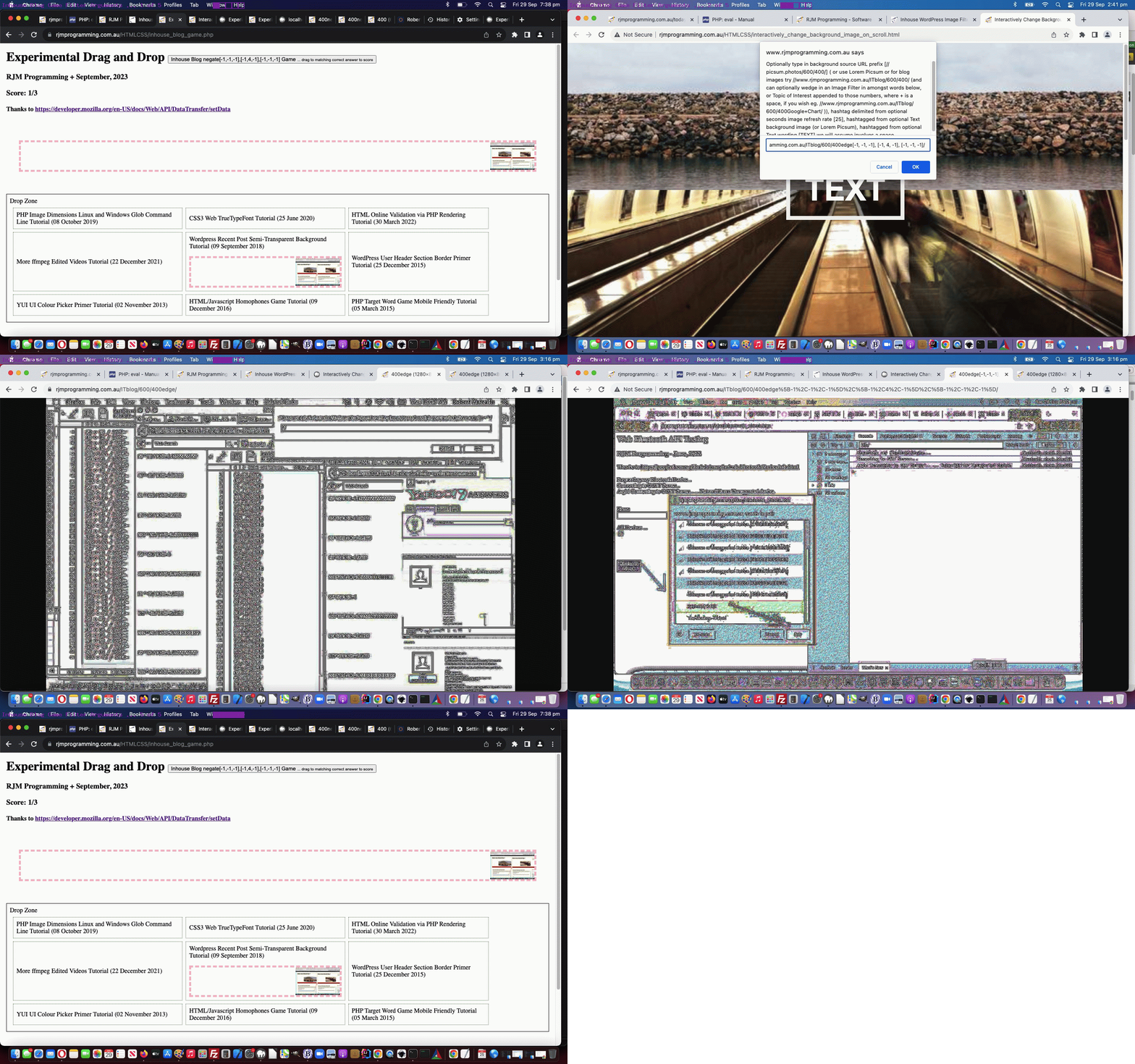
Sure, within that 100% – 90% = 10%, already, we have different contenteditable=true ideas, allowing the user to enter x at the onclick event inspired Javascript prompt popup …
      var filterlist="emboss edge negedge sharpen boxblur grayscale gaussianianblur selectiveblur negate colourizered colourizegreen colourize colourizeblue pixellate smooth contrast brightness sketchy flipvertical fliphorizontal flip scale crop merge transparent rotation";

      var ansis=prompt('Optionally type in background source URL prefix [' + prefix + midbit + suffix + '] ( or use Lorem Picsum or for blog images try //www.rjmprogramming.com.au/ITblog/' + sixhundred + '/' + fourhundred + '/ (and can optionally wedge in an Image Filter in amongst words below (plus add your own arguments), or Topic of Interest appended to those numbers, where + is a space, if you wish eg. //www.rjmprogramming.com.au/ITblog/' + sixhundred + '/' + fourhundred + 'Google+Chart/ )), hashtag delimited from optional seconds image refresh rate [' + ten + '], hashtagged from optional Text background image (or Lorem Picsum), hashtagged from optional Text wording [' + tcont + '] we will assume involves a space.  To turn off instructions enter single character x', ' ' + filterlist);
… to say they want to nullify the instructional text …
  function nomoreinstructionplease() {

     var eles=document.getElementsByTagName('*');

     document.getElementById('myp').innerHTML='';

     document.getElementById('pmy').innerHTML='';

     for (var ieles=0; ieles<=eles.length; ieles++) {

       try {

       if (('' + eles[ieles].className).indexOf('border') != -1) {

         eles[ieles].innerHTML='';

         eles[ieles].style.backgroundColor='transparent';

       }

       } catch(hgrhg) { }

     }

  }
… as a Javascript code snippet example.
And into the future, we have new ideas that might go back to improve the Interactively Change Background Image on Scroll web application as well, which we’ll develop into the near future. So, win win, we’d say!
Tired of constantly being broke and stuck in an unhappy marriage, a young husband decided to solve both problems by taking out a large insurance policy on his wife with himself as the beneficiary, and then arranging to have her killed.A ‘friend of a friend’ put him in touch with a nefarious dark-side underworld figure, who went by the name of ‘Artie.’ Artie then explained to the husband that his going price for snuffing out a spouse was $5,000.
The husband said he was willing to pay that amount, but he wouldn’t have any cash on hand until he could collect his wife’s insurance money first.
Artie insisted on being paid at least something up front, so the man opened his wallet, displaying the single dollar bill that rested inside. Artie sighed, rolled his eyes, & reluctantly agreed to accept the dollar, as down payment for the dirty deed.
A few days later, Artie followed the man’s wife to the local Woolworths store. There, he surprised her in the produce department & proceeded to strangle her with his gloved hands & as the poor unsuspecting woman drew her last breath & slumped to the floor……..
The manager of the produce department stumbled unexpectedly onto the murder scene. Unwilling to leave any living witnesses behind, ol’ Artie had no choice but to strangle the produce manager as well.
However, unknown to Artie, the entire proceedings were captured by the hidden security cameras & observed by the store’s security guard,who immediately called the police. Artie was caught & arrested before he could even leave the store.
Under intense questioning at the police station, Artie revealed the whole sordid plan, including his unusual financial arrangements with the hapless husband who was also quickly arrested.
The next day in the newspaper, the headline declared …….
(You’re going to hate me for this …) … go ahead … make your daisies …
… example, where the COLORIZE is the uppercase to the verb supplied by the user, but it is just now the user could enter into a Javascript prompt popup …
Also, today, with that Inhouse Blog Game splash screen preparatory webpage, we draw attention to the informational span elements, adding colour, and, where it works, incorporate an HTML marquee element into the mix.
      var filterlist="emboss edge negedge sharpen boxblur grayscale gaussianianblur selectiveblur negate colourizered colourizegreen colourize colourizeblue pixellate smooth contrast brightness sketchy flipvertical fliphorizontal flip scale crop merge transparent rotation";

      var ansis=prompt('Optionally type in background source URL prefix [' + prefix + midbit + suffix + '] ( or use Lorem Picsum or for blog images try //www.rjmprogramming.com.au/ITblog/' + sixhundred + '/' + fourhundred + '/ (and can optionally wedge in an Image Filter in amongst words below, or Topic of Interest appended to those numbers, where + is a space, if you wish eg. //www.rjmprogramming.com.au/ITblog/' + sixhundred + '/' + fourhundred + 'Google+Chart/ )), hashtag delimited from optional seconds image refresh rate [' + ten + '], hashtagged from optional Text background image (or Lorem Picsum), hashtagged from optional Text wording [' + tcont + '] we will assume involves a space.', ' ' + filterlist);
WordPress Blog topics available via today’s changedinteractively_change_background_image_on_scroll.htmlweb application (and we hope you get to try way below) reminds the user …
var ansis=prompt('Optionally enter in background source URL prefix [' + prefix + midbit + suffix + '] ( or use Lorem Picsum or for blog posting images try //www.rjmprogramming.com.au/ITblog/' + sixhundred + '/' + fourhundred + '/ (and you can optionally wedge in a Topic of Interest appended to those numbers, where + is a space, if you wish eg. //www.rjmprogramming.com.au/ITblog/' + sixhundred + '/' + fourhundred + 'Google+Chart/ )), hashtag delimited from optional imagery refresh rate in seconds [' + ten + '], hashtag delimited from optional Text element background image (or use Lorem Picsum), hashtag delimited from optional Text wording [' + tcont + '] we will assume involves a space.', '');
… in its Javascript prompt popup window that these new WordPress Blog Topic ideas are available
What else has happened regarding the Inhouse WordPress Blog Posting Game above? Well …
we’ve introduced a “splash screen” page, if you will, ahead of the game loading (which is the default and original Drag and Drop webpage), in order to have something on the webpage ahead of the game loading …
if ($recallit == './inhouse_blog_game.php' && !isset($_GET['reload'])) {
echo "<html><head><title>Experimental Drag and Drop - RJM Programming- July, 2023 ... thanks to https://developer.mozilla.org/en-US/docs/Web/API/DataTransfer/setData</title></head><body><iframe id=myihbqiframe frameborder=0 onload=\"if (this.src.indexOf('inhouse_blog_game.') == -1) { var aconto = (this.contentWindow || this.contentDocument); if (aconto.document) { aconto = aconto.document; } aconto.body.style.border='2px dotted olive'; aconto.body.style.cursor='progress'; setTimeout(function() { document.getElementById('myihbqiframe').src='//www.rjmprogramming.com.au/HTMLCSS/inhouse_blog_game.php?reload=y'; }, 7000); aconto.getElementById('score').innerHTML+=' ... awaiting Inhouse Blog Game loading ...'; }\" style=\"width:100%;height:900px;\" src=\"./experimental_drag_and_drop.htm\"></iframe></body></html>";
exit;
}
?>
we use a lot more document.body.style.cursor=’progress’; to help with the loading delays, as well …
<?php
$templategame=str_replace('RJM Programming <span id=spmore>-</span> ', 'RJM Programming <span id=spmore><a style=text-decoration:none;cursor:pointer; onclick="var topic=prompt(' . "'Optionally refine Blog Postings to ones regarding your enter Topic word(s).',''" . '); if (topic) { if (topic.trim().length != 0) { var documentURL=document.URL,dlm=String.fromCharCode(38); if (document.URL.indexOf(String.fromCharCode(63)) == -1) { dlm=String.fromCharCode(63); } else { documentURL=document.URL.replace(String.fromCharCode(99) + String.fromCharCode(61), String.fromCharCode(61)); } document.body.style.cursor=' . "'progress'; " . ' location.href=' . "documentURL + dlm + 'topic=' + encodeURIComponent(topic);" . ' } }" title=Topics>+</a></span> ', $templategame);
?>
we’ve now got a new span “used to be – content” that is now embedded with a + a link allowing users to specify their WordPress topic, in code above
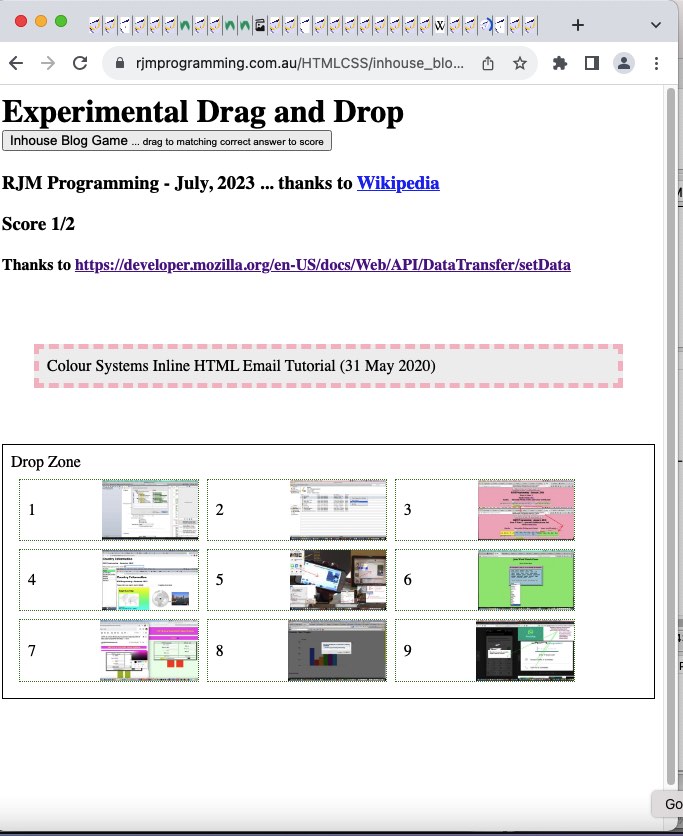
allow for the game modus operandi be the other way around (to yesterday’s WordPress Blog titles and date in the “Drag” section and image backgrounds in the “Drop Zone” nine table cells) ( ie. image background in the “Drag” section and WordPress Blog titles and dates in the “Drop Zone” nine table cells ) as well
show the user, in the “Drag” section a WordPress Blog Posting Title (and date) … which the user should drag to the appropriate …
table cell, nine of which exist in the “Drop Zone”, and are numbered and backgrounded by a random WordPress Tutorial Picture image
… in alignment with the adage …
Every picture is worth a thousand words.
As well, today, both in terms of …
providing hints … and/or …
providing information
… those table cells are associated with …
double click event (“ondblclick”) logic that shows the “Cut to the Chase” underlying “action item” associated with the WordPress Blog Posting involved … and, just quietly …
right click event (“oncontextmenu”) logic that shows the associated WordPress Blog Posting involved itself
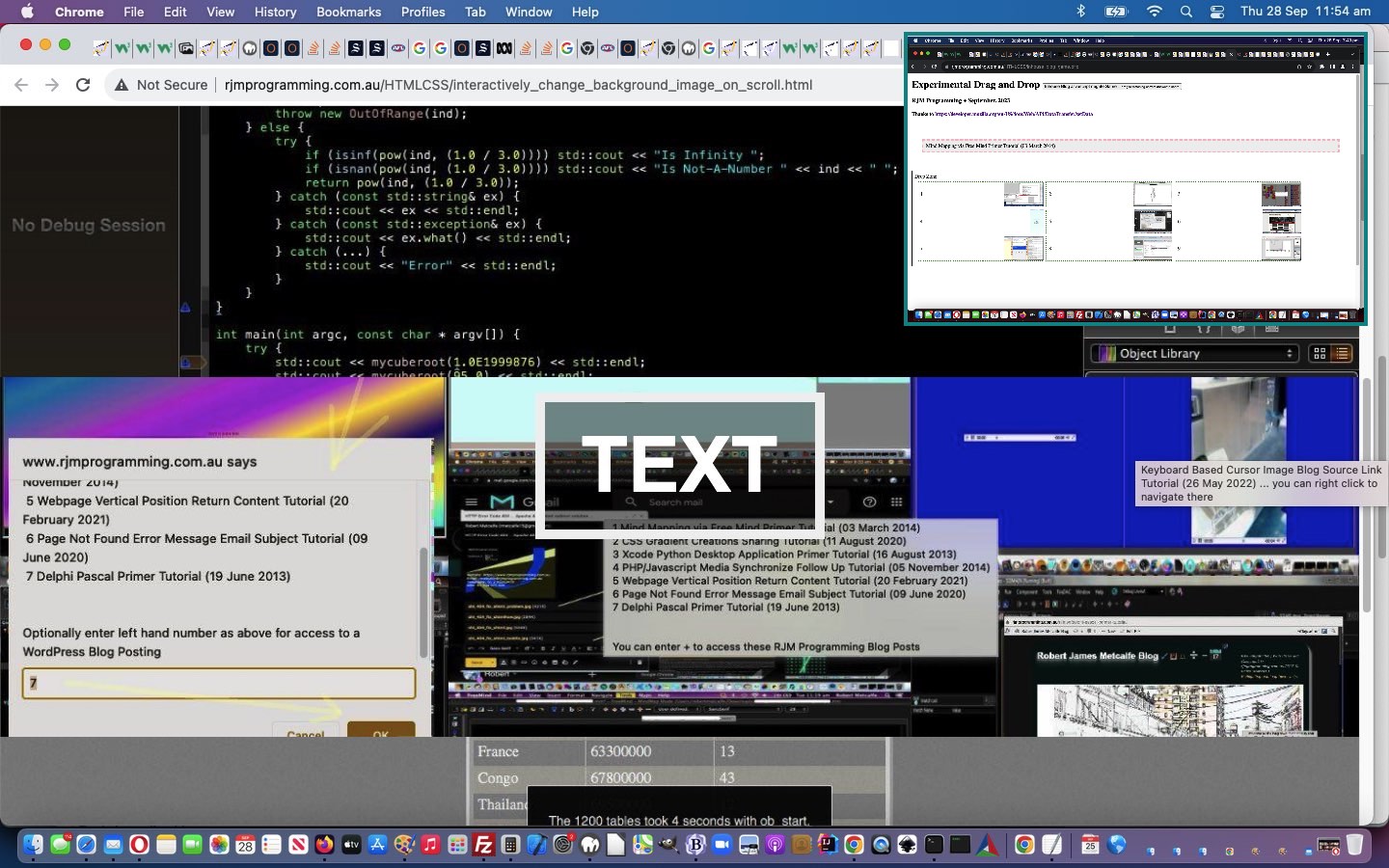
… into that newly minted Javascript prompt window designed for user interaction purposes? This populates the background images in our new Image Scrolling with Fixed Text web application with a random selection from the WordPress Blog you are reading. Because we have some control here, we researched whether our WordPress 404.php logic could be tweaked to help out more in this scenario. The way the PHP works here, detecting this situation, at the end of its workings, is to use an image header (exemplified by the GIF one below) …
… where $path would point at a GIF image file residing on the RJM Programming domain web server. This design restricts us from any echo functionality before this, so what can we achieve? Anyone? Anyone? Yes, Rasmus, we can write to other web server files that could be like middle-people between the server (supplier of image data) and client (the webpage that called the server). After the server work …
… back at that client (which called the server with that appended “591734” placed onto the URL to indicate the intention to want to examine this return data), we have Ajax based Javascript logic …
  var ptc='#';

  var iptc=0;

  var btlist=[];

  var vsbtlist=[];

  var omo='';


  var zhr=null;

  var zform=null;

  var rawhtml='';


  function defmaybe(inu) {

    var retomo=omo;

    if (omo != '') {

      omo='';

      return retomo;

    }

    return inu;

  }


  function stateChanged() {

   var inm=1, jnm=1, thebtitle='';

   if (zhr.readyState == 4) {

   if (zhr.status == 200) {

   rawhtml = zhr.response;

   console.log('rawhtml=' + rawhtml);

   if (rawhtml.indexOf('random=') != -1 && vsbtlist.length > 0) {

     var rawrs=rawhtml.split('random=');

     for (inm=1; inm<rawrs.length; inm++) {

      for (jnm=0; jnm<vsbtlist.length; jnm++) {

        if (vsbtlist[jnm].indexOf('?random=' + rawrs[inm].split(String.fromCharCode(10))[0]) != -1) {

          console.log('found ...');

          thebtitle=rawhtml.split('?random=' + rawrs[inm].split(String.fromCharCode(10))[0])[0].split(String.fromCharCode(10))[eval(-1 + rawhtml.split('?random=' + rawrs[inm].split(String.fromCharCode(10))[0])[0].split(String.fromCharCode(10)).length)];

          console.log(thebtitle);

          document.getElementById(vsbtlist[jnm].split('?')[0]).title=thebtitle + ' ... you can right click to navigate there';

          document.getElementById(vsbtlist[jnm].split('?')[0]).onmouseout=function(){ omo=''; };

          document.getElementById(vsbtlist[jnm].split('?')[0]).onmouseover=function(){ omo='//www.rjmprogramming.com.au/ITblog/' + thebtitle.split(' (')[0].toLowerCase().replace(/\ /g,'-'); };

          document.getElementById(vsbtlist[jnm].split('?')[0]).oncontextmenu=function(){ window.open(defmaybe('//www.rjmprogramming.com.au/ITblog/' + thebtitle.split(' (')[0].toLowerCase().replace(/\ /g,'-')),'_blank','top=50,left=50,width=800,height=800'); };

        }

      }

     }

   }

   }

   }

  }


  function ajaxit() {

   zhr = new XMLHttpRequest();

   zhr.onreadystatechange=stateChanged;

   zhr.open('get', '//www.rjmprogramming.com.au/ptitledata.html?random=' + Math.floor(Math.random() * 196756453), true);

   zhr.send(null);

  }
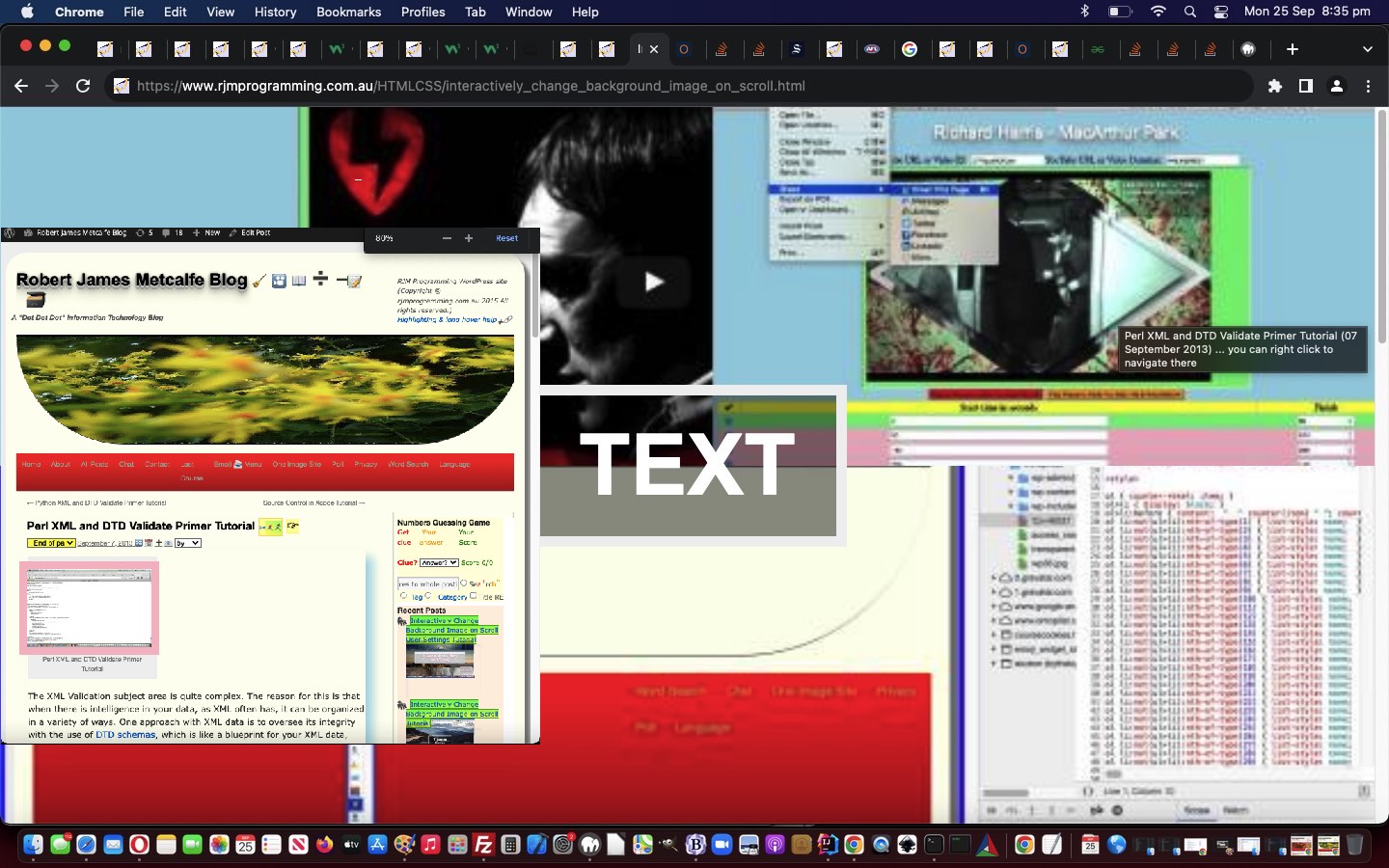
… adding oncontextmenu (ie. right click) functionality to the background images, so as a popup window can open to show the associated WordPress Blog posting linked to the image data.
Interactively Change Background Image on Scroll User Settings Tutorial
If you are a regular reader, you’ll know with the web applications presented here, we usually try to allow the user to control …
how they function … and/or sometimes …
how they look
… in the ephemeral “this session” sense, and sometimes follow that up, depending, with recallable settings often calling on window.localStorage or HTTP Cookies, associated with the web browser being used.
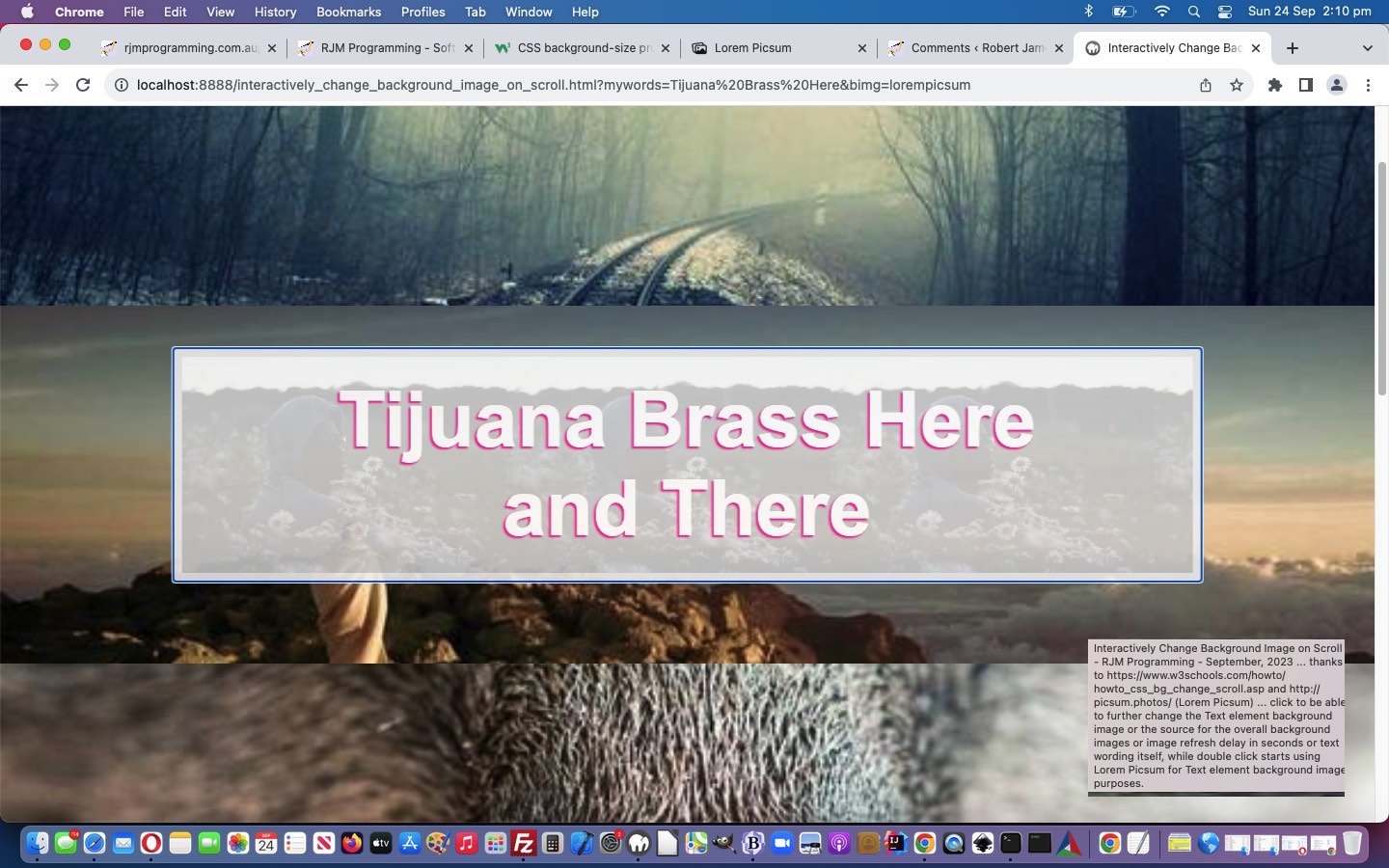
… and regarding the use of that last one, we’ve decided, somewhat, to take over with the CSS regarding the Text Wording showing through amongst so many “image interests” with various opacities …
We use it more and more often to help out foreground text presented with a lot of “overlay imagery” going on behind it.
Here is the Javascript prompt window “blurb” presented to the user should they want to delve into this woooooorrrrrlllllldddd just by clicking or touching in the non-text part of the webpage …
var ansis=prompt(‘Optionally enter in background source URL prefix [‘ + prefix + midbit + suffix + ‘] ( or type Lorem Picsum or for blog posting images you could try //www.rjmprogramming.com.au/ITblog/’ + sixhundred + ‘/’ + fourhundred + ‘/ ), hashtag delimited from an optional imagery refresh rate in seconds [‘ + ten + ‘], hashtag delimited from an optional Text element background image (or type Lorem Picsum), hashtag delimited from optional Text wording [‘ + tcont + ‘] we will assume involves a space.‘, ”);
And did you know, at least for non-mobile platforms, you can set the focus (on non-mobile platforms only, as there are the “keyboard getting in the way” issues we’re thankful for with mobile platforms which preclude any thoughts of a programmed [element].focus() operation) to one of these “contenteditable=true style elements”? We’d never been sure, only focussing to HTML input textboxes and textareas up to now, we believe.
… whereby non-mobile focus to a contenteditable=true HTML div type (innerHTML style) element is possible, adding to the original W3School’s content ideas swirling around …
CSS position: fixed; … for foreground text, in relation to …
Sure, within that 100% – 90% = 10%, already, we have different contenteditable=true ideas, allowing the user to enter x at the onclick event inspired Javascript prompt popup …
      var filterlist="emboss edge negedge sharpen boxblur grayscale gaussianianblur selectiveblur negate colourizered colourizegreen colourize colourizeblue pixellate smooth contrast brightness sketchy flipvertical fliphorizontal flip scale crop merge transparent rotation";

      var ansis=prompt('Optionally type in background source URL prefix [' + prefix + midbit + suffix + '] ( or use Lorem Picsum or for blog images try //www.rjmprogramming.com.au/ITblog/' + sixhundred + '/' + fourhundred + '/ (and can optionally wedge in an Image Filter in amongst words below (plus add your own arguments), or Topic of Interest appended to those numbers, where + is a space, if you wish eg. //www.rjmprogramming.com.au/ITblog/' + sixhundred + '/' + fourhundred + 'Google+Chart/ )), hashtag delimited from optional seconds image refresh rate [' + ten + '], hashtagged from optional Text background image (or Lorem Picsum), hashtagged from optional Text wording [' + tcont + '] we will assume involves a space.  To turn off instructions enter single character x', ' ' + filterlist);
… to say they want to nullify the instructional text …
  function nomoreinstructionplease() {

     var eles=document.getElementsByTagName('*');

     document.getElementById('myp').innerHTML='';

     document.getElementById('pmy').innerHTML='';

     for (var ieles=0; ieles<=eles.length; ieles++) {

       try {

       if (('' + eles[ieles].className).indexOf('border') != -1) {

         eles[ieles].innerHTML='';

         eles[ieles].style.backgroundColor='transparent';

       }

       } catch(hgrhg) { }

     }

  }
… as a Javascript code snippet example.
And into the future, we have new ideas that might go back to improve the Interactively Change Background Image on Scroll web application as well, which we’ll develop into the near future. So, win win, we’d say!
Tired of constantly being broke and stuck in an unhappy marriage, a young husband decided to solve both problems by taking out a large insurance policy on his wife with himself as the beneficiary, and then arranging to have her killed.A ‘friend of a friend’ put him in touch with a nefarious dark-side underworld figure, who went by the name of ‘Artie.’ Artie then explained to the husband that his going price for snuffing out a spouse was $5,000.
The husband said he was willing to pay that amount, but he wouldn’t have any cash on hand until he could collect his wife’s insurance money first.
Artie insisted on being paid at least something up front, so the man opened his wallet, displaying the single dollar bill that rested inside. Artie sighed, rolled his eyes, & reluctantly agreed to accept the dollar, as down payment for the dirty deed.
A few days later, Artie followed the man’s wife to the local Woolworths store. There, he surprised her in the produce department & proceeded to strangle her with his gloved hands & as the poor unsuspecting woman drew her last breath & slumped to the floor……..
The manager of the produce department stumbled unexpectedly onto the murder scene. Unwilling to leave any living witnesses behind, ol’ Artie had no choice but to strangle the produce manager as well.
However, unknown to Artie, the entire proceedings were captured by the hidden security cameras & observed by the store’s security guard,who immediately called the police. Artie was caught & arrested before he could even leave the store.
Under intense questioning at the police station, Artie revealed the whole sordid plan, including his unusual financial arrangements with the hapless husband who was also quickly arrested.
The next day in the newspaper, the headline declared …….
(You’re going to hate me for this …) … go ahead … make your daisies …
… example, where the COLORIZE is the uppercase to the verb supplied by the user, but it is just now the user could enter into a Javascript prompt popup …
Also, today, with that Inhouse Blog Game splash screen preparatory webpage, we draw attention to the informational span elements, adding colour, and, where it works, incorporate an HTML marquee element into the mix.
      var filterlist="emboss edge negedge sharpen boxblur grayscale gaussianianblur selectiveblur negate colourizered colourizegreen colourize colourizeblue pixellate smooth contrast brightness sketchy flipvertical fliphorizontal flip scale crop merge transparent rotation";

      var ansis=prompt('Optionally type in background source URL prefix [' + prefix + midbit + suffix + '] ( or use Lorem Picsum or for blog images try //www.rjmprogramming.com.au/ITblog/' + sixhundred + '/' + fourhundred + '/ (and can optionally wedge in an Image Filter in amongst words below, or Topic of Interest appended to those numbers, where + is a space, if you wish eg. //www.rjmprogramming.com.au/ITblog/' + sixhundred + '/' + fourhundred + 'Google+Chart/ )), hashtag delimited from optional seconds image refresh rate [' + ten + '], hashtagged from optional Text background image (or Lorem Picsum), hashtagged from optional Text wording [' + tcont + '] we will assume involves a space.', ' ' + filterlist);
WordPress Blog topics available via today’s changedinteractively_change_background_image_on_scroll.htmlweb application (and we hope you get to try way below) reminds the user …
var ansis=prompt('Optionally enter in background source URL prefix [' + prefix + midbit + suffix + '] ( or use Lorem Picsum or for blog posting images try //www.rjmprogramming.com.au/ITblog/' + sixhundred + '/' + fourhundred + '/ (and you can optionally wedge in a Topic of Interest appended to those numbers, where + is a space, if you wish eg. //www.rjmprogramming.com.au/ITblog/' + sixhundred + '/' + fourhundred + 'Google+Chart/ )), hashtag delimited from optional imagery refresh rate in seconds [' + ten + '], hashtag delimited from optional Text element background image (or use Lorem Picsum), hashtag delimited from optional Text wording [' + tcont + '] we will assume involves a space.', '');
… in its Javascript prompt popup window that these new WordPress Blog Topic ideas are available
What else has happened regarding the Inhouse WordPress Blog Posting Game above? Well …
we’ve introduced a “splash screen” page, if you will, ahead of the game loading (which is the default and original Drag and Drop webpage), in order to have something on the webpage ahead of the game loading …
if ($recallit == './inhouse_blog_game.php' && !isset($_GET['reload'])) {
echo "<html><head><title>Experimental Drag and Drop - RJM Programming- July, 2023 ... thanks to https://developer.mozilla.org/en-US/docs/Web/API/DataTransfer/setData</title></head><body><iframe id=myihbqiframe frameborder=0 onload=\"if (this.src.indexOf('inhouse_blog_game.') == -1) { var aconto = (this.contentWindow || this.contentDocument); if (aconto.document) { aconto = aconto.document; } aconto.body.style.border='2px dotted olive'; aconto.body.style.cursor='progress'; setTimeout(function() { document.getElementById('myihbqiframe').src='//www.rjmprogramming.com.au/HTMLCSS/inhouse_blog_game.php?reload=y'; }, 7000); aconto.getElementById('score').innerHTML+=' ... awaiting Inhouse Blog Game loading ...'; }\" style=\"width:100%;height:900px;\" src=\"./experimental_drag_and_drop.htm\"></iframe></body></html>";
exit;
}
?>
we use a lot more document.body.style.cursor=’progress’; to help with the loading delays, as well …
<?php
$templategame=str_replace('RJM Programming <span id=spmore>-</span> ', 'RJM Programming <span id=spmore><a style=text-decoration:none;cursor:pointer; onclick="var topic=prompt(' . "'Optionally refine Blog Postings to ones regarding your enter Topic word(s).',''" . '); if (topic) { if (topic.trim().length != 0) { var documentURL=document.URL,dlm=String.fromCharCode(38); if (document.URL.indexOf(String.fromCharCode(63)) == -1) { dlm=String.fromCharCode(63); } else { documentURL=document.URL.replace(String.fromCharCode(99) + String.fromCharCode(61), String.fromCharCode(61)); } document.body.style.cursor=' . "'progress'; " . ' location.href=' . "documentURL + dlm + 'topic=' + encodeURIComponent(topic);" . ' } }" title=Topics>+</a></span> ', $templategame);
?>
we’ve now got a new span “used to be – content” that is now embedded with a + a link allowing users to specify their WordPress topic, in code above
allow for the game modus operandi be the other way around (to yesterday’s WordPress Blog titles and date in the “Drag” section and image backgrounds in the “Drop Zone” nine table cells) ( ie. image background in the “Drag” section and WordPress Blog titles and dates in the “Drop Zone” nine table cells ) as well
show the user, in the “Drag” section a WordPress Blog Posting Title (and date) … which the user should drag to the appropriate …
table cell, nine of which exist in the “Drop Zone”, and are numbered and backgrounded by a random WordPress Tutorial Picture image
… in alignment with the adage …
Every picture is worth a thousand words.
As well, today, both in terms of …
providing hints … and/or …
providing information
… those table cells are associated with …
double click event (“ondblclick”) logic that shows the “Cut to the Chase” underlying “action item” associated with the WordPress Blog Posting involved … and, just quietly …
right click event (“oncontextmenu”) logic that shows the associated WordPress Blog Posting involved itself
… into that newly minted Javascript prompt window designed for user interaction purposes? This populates the background images in our new Image Scrolling with Fixed Text web application with a random selection from the WordPress Blog you are reading. Because we have some control here, we researched whether our WordPress 404.php logic could be tweaked to help out more in this scenario. The way the PHP works here, detecting this situation, at the end of its workings, is to use an image header (exemplified by the GIF one below) …
… where $path would point at a GIF image file residing on the RJM Programming domain web server. This design restricts us from any echo functionality before this, so what can we achieve? Anyone? Anyone? Yes, Rasmus, we can write to other web server files that could be like middle-people between the server (supplier of image data) and client (the webpage that called the server). After the server work …
… back at that client (which called the server with that appended “591734” placed onto the URL to indicate the intention to want to examine this return data), we have Ajax based Javascript logic …
  var ptc='#';

  var iptc=0;

  var btlist=[];

  var vsbtlist=[];

  var omo='';


  var zhr=null;

  var zform=null;

  var rawhtml='';


  function defmaybe(inu) {

    var retomo=omo;

    if (omo != '') {

      omo='';

      return retomo;

    }

    return inu;

  }


  function stateChanged() {

   var inm=1, jnm=1, thebtitle='';

   if (zhr.readyState == 4) {

   if (zhr.status == 200) {

   rawhtml = zhr.response;

   console.log('rawhtml=' + rawhtml);

   if (rawhtml.indexOf('random=') != -1 && vsbtlist.length > 0) {

     var rawrs=rawhtml.split('random=');

     for (inm=1; inm<rawrs.length; inm++) {

      for (jnm=0; jnm<vsbtlist.length; jnm++) {

        if (vsbtlist[jnm].indexOf('?random=' + rawrs[inm].split(String.fromCharCode(10))[0]) != -1) {

          console.log('found ...');

          thebtitle=rawhtml.split('?random=' + rawrs[inm].split(String.fromCharCode(10))[0])[0].split(String.fromCharCode(10))[eval(-1 + rawhtml.split('?random=' + rawrs[inm].split(String.fromCharCode(10))[0])[0].split(String.fromCharCode(10)).length)];

          console.log(thebtitle);

          document.getElementById(vsbtlist[jnm].split('?')[0]).title=thebtitle + ' ... you can right click to navigate there';

          document.getElementById(vsbtlist[jnm].split('?')[0]).onmouseout=function(){ omo=''; };

          document.getElementById(vsbtlist[jnm].split('?')[0]).onmouseover=function(){ omo='//www.rjmprogramming.com.au/ITblog/' + thebtitle.split(' (')[0].toLowerCase().replace(/\ /g,'-'); };

          document.getElementById(vsbtlist[jnm].split('?')[0]).oncontextmenu=function(){ window.open(defmaybe('//www.rjmprogramming.com.au/ITblog/' + thebtitle.split(' (')[0].toLowerCase().replace(/\ /g,'-')),'_blank','top=50,left=50,width=800,height=800'); };

        }

      }

     }

   }

   }

   }

  }


  function ajaxit() {

   zhr = new XMLHttpRequest();

   zhr.onreadystatechange=stateChanged;

   zhr.open('get', '//www.rjmprogramming.com.au/ptitledata.html?random=' + Math.floor(Math.random() * 196756453), true);

   zhr.send(null);

  }
… adding oncontextmenu (ie. right click) functionality to the background images, so as a popup window can open to show the associated WordPress Blog posting linked to the image data.
Interactively Change Background Image on Scroll User Settings Tutorial
If you are a regular reader, you’ll know with the web applications presented here, we usually try to allow the user to control …
how they function … and/or sometimes …
how they look
… in the ephemeral “this session” sense, and sometimes follow that up, depending, with recallable settings often calling on window.localStorage or HTTP Cookies, associated with the web browser being used.
… and regarding the use of that last one, we’ve decided, somewhat, to take over with the CSS regarding the Text Wording showing through amongst so many “image interests” with various opacities …
We use it more and more often to help out foreground text presented with a lot of “overlay imagery” going on behind it.
Here is the Javascript prompt window “blurb” presented to the user should they want to delve into this woooooorrrrrlllllldddd just by clicking or touching in the non-text part of the webpage …
var ansis=prompt(‘Optionally enter in background source URL prefix [‘ + prefix + midbit + suffix + ‘] ( or type Lorem Picsum or for blog posting images you could try //www.rjmprogramming.com.au/ITblog/’ + sixhundred + ‘/’ + fourhundred + ‘/ ), hashtag delimited from an optional imagery refresh rate in seconds [‘ + ten + ‘], hashtag delimited from an optional Text element background image (or type Lorem Picsum), hashtag delimited from optional Text wording [‘ + tcont + ‘] we will assume involves a space.‘, ”);
And did you know, at least for non-mobile platforms, you can set the focus (on non-mobile platforms only, as there are the “keyboard getting in the way” issues we’re thankful for with mobile platforms which preclude any thoughts of a programmed [element].focus() operation) to one of these “contenteditable=true style elements”? We’d never been sure, only focussing to HTML input textboxes and textareas up to now, we believe.
… whereby non-mobile focus to a contenteditable=true HTML div type (innerHTML style) element is possible, adding to the original W3School’s content ideas swirling around …
CSS position: fixed; … for foreground text, in relation to …
… example, where the COLORIZE is the uppercase to the verb supplied by the user, but it is just now the user could enter into a Javascript prompt popup …
Also, today, with that Inhouse Blog Game splash screen preparatory webpage, we draw attention to the informational span elements, adding colour, and, where it works, incorporate an HTML marquee element into the mix.
      var filterlist="emboss edge negedge sharpen boxblur grayscale gaussianianblur selectiveblur negate colourizered colourizegreen colourize colourizeblue pixellate smooth contrast brightness sketchy flipvertical fliphorizontal flip scale crop merge transparent rotation";

      var ansis=prompt('Optionally type in background source URL prefix [' + prefix + midbit + suffix + '] ( or use Lorem Picsum or for blog images try //www.rjmprogramming.com.au/ITblog/' + sixhundred + '/' + fourhundred + '/ (and can optionally wedge in an Image Filter in amongst words below, or Topic of Interest appended to those numbers, where + is a space, if you wish eg. //www.rjmprogramming.com.au/ITblog/' + sixhundred + '/' + fourhundred + 'Google+Chart/ )), hashtag delimited from optional seconds image refresh rate [' + ten + '], hashtagged from optional Text background image (or Lorem Picsum), hashtagged from optional Text wording [' + tcont + '] we will assume involves a space.', ' ' + filterlist);
WordPress Blog topics available via today’s changedinteractively_change_background_image_on_scroll.htmlweb application (and we hope you get to try way below) reminds the user …
var ansis=prompt('Optionally enter in background source URL prefix [' + prefix + midbit + suffix + '] ( or use Lorem Picsum or for blog posting images try //www.rjmprogramming.com.au/ITblog/' + sixhundred + '/' + fourhundred + '/ (and you can optionally wedge in a Topic of Interest appended to those numbers, where + is a space, if you wish eg. //www.rjmprogramming.com.au/ITblog/' + sixhundred + '/' + fourhundred + 'Google+Chart/ )), hashtag delimited from optional imagery refresh rate in seconds [' + ten + '], hashtag delimited from optional Text element background image (or use Lorem Picsum), hashtag delimited from optional Text wording [' + tcont + '] we will assume involves a space.', '');
… in its Javascript prompt popup window that these new WordPress Blog Topic ideas are available
What else has happened regarding the Inhouse WordPress Blog Posting Game above? Well …
we’ve introduced a “splash screen” page, if you will, ahead of the game loading (which is the default and original Drag and Drop webpage), in order to have something on the webpage ahead of the game loading …
if ($recallit == './inhouse_blog_game.php' && !isset($_GET['reload'])) {
echo "<html><head><title>Experimental Drag and Drop - RJM Programming- July, 2023 ... thanks to https://developer.mozilla.org/en-US/docs/Web/API/DataTransfer/setData</title></head><body><iframe id=myihbqiframe frameborder=0 onload=\"if (this.src.indexOf('inhouse_blog_game.') == -1) { var aconto = (this.contentWindow || this.contentDocument); if (aconto.document) { aconto = aconto.document; } aconto.body.style.border='2px dotted olive'; aconto.body.style.cursor='progress'; setTimeout(function() { document.getElementById('myihbqiframe').src='//www.rjmprogramming.com.au/HTMLCSS/inhouse_blog_game.php?reload=y'; }, 7000); aconto.getElementById('score').innerHTML+=' ... awaiting Inhouse Blog Game loading ...'; }\" style=\"width:100%;height:900px;\" src=\"./experimental_drag_and_drop.htm\"></iframe></body></html>";
exit;
}
?>
we use a lot more document.body.style.cursor=’progress’; to help with the loading delays, as well …
<?php
$templategame=str_replace('RJM Programming <span id=spmore>-</span> ', 'RJM Programming <span id=spmore><a style=text-decoration:none;cursor:pointer; onclick="var topic=prompt(' . "'Optionally refine Blog Postings to ones regarding your enter Topic word(s).',''" . '); if (topic) { if (topic.trim().length != 0) { var documentURL=document.URL,dlm=String.fromCharCode(38); if (document.URL.indexOf(String.fromCharCode(63)) == -1) { dlm=String.fromCharCode(63); } else { documentURL=document.URL.replace(String.fromCharCode(99) + String.fromCharCode(61), String.fromCharCode(61)); } document.body.style.cursor=' . "'progress'; " . ' location.href=' . "documentURL + dlm + 'topic=' + encodeURIComponent(topic);" . ' } }" title=Topics>+</a></span> ', $templategame);
?>
we’ve now got a new span “used to be – content” that is now embedded with a + a link allowing users to specify their WordPress topic, in code above
allow for the game modus operandi be the other way around (to yesterday’s WordPress Blog titles and date in the “Drag” section and image backgrounds in the “Drop Zone” nine table cells) ( ie. image background in the “Drag” section and WordPress Blog titles and dates in the “Drop Zone” nine table cells ) as well
show the user, in the “Drag” section a WordPress Blog Posting Title (and date) … which the user should drag to the appropriate …
table cell, nine of which exist in the “Drop Zone”, and are numbered and backgrounded by a random WordPress Tutorial Picture image
… in alignment with the adage …
Every picture is worth a thousand words.
As well, today, both in terms of …
providing hints … and/or …
providing information
… those table cells are associated with …
double click event (“ondblclick”) logic that shows the “Cut to the Chase” underlying “action item” associated with the WordPress Blog Posting involved … and, just quietly …
right click event (“oncontextmenu”) logic that shows the associated WordPress Blog Posting involved itself
… into that newly minted Javascript prompt window designed for user interaction purposes? This populates the background images in our new Image Scrolling with Fixed Text web application with a random selection from the WordPress Blog you are reading. Because we have some control here, we researched whether our WordPress 404.php logic could be tweaked to help out more in this scenario. The way the PHP works here, detecting this situation, at the end of its workings, is to use an image header (exemplified by the GIF one below) …
… where $path would point at a GIF image file residing on the RJM Programming domain web server. This design restricts us from any echo functionality before this, so what can we achieve? Anyone? Anyone? Yes, Rasmus, we can write to other web server files that could be like middle-people between the server (supplier of image data) and client (the webpage that called the server). After the server work …
… back at that client (which called the server with that appended “591734” placed onto the URL to indicate the intention to want to examine this return data), we have Ajax based Javascript logic …
  var ptc='#';

  var iptc=0;

  var btlist=[];

  var vsbtlist=[];

  var omo='';


  var zhr=null;

  var zform=null;

  var rawhtml='';


  function defmaybe(inu) {

    var retomo=omo;

    if (omo != '') {

      omo='';

      return retomo;

    }

    return inu;

  }


  function stateChanged() {

   var inm=1, jnm=1, thebtitle='';

   if (zhr.readyState == 4) {

   if (zhr.status == 200) {

   rawhtml = zhr.response;

   console.log('rawhtml=' + rawhtml);

   if (rawhtml.indexOf('random=') != -1 && vsbtlist.length > 0) {

     var rawrs=rawhtml.split('random=');

     for (inm=1; inm<rawrs.length; inm++) {

      for (jnm=0; jnm<vsbtlist.length; jnm++) {

        if (vsbtlist[jnm].indexOf('?random=' + rawrs[inm].split(String.fromCharCode(10))[0]) != -1) {

          console.log('found ...');

          thebtitle=rawhtml.split('?random=' + rawrs[inm].split(String.fromCharCode(10))[0])[0].split(String.fromCharCode(10))[eval(-1 + rawhtml.split('?random=' + rawrs[inm].split(String.fromCharCode(10))[0])[0].split(String.fromCharCode(10)).length)];

          console.log(thebtitle);

          document.getElementById(vsbtlist[jnm].split('?')[0]).title=thebtitle + ' ... you can right click to navigate there';

          document.getElementById(vsbtlist[jnm].split('?')[0]).onmouseout=function(){ omo=''; };

          document.getElementById(vsbtlist[jnm].split('?')[0]).onmouseover=function(){ omo='//www.rjmprogramming.com.au/ITblog/' + thebtitle.split(' (')[0].toLowerCase().replace(/\ /g,'-'); };

          document.getElementById(vsbtlist[jnm].split('?')[0]).oncontextmenu=function(){ window.open(defmaybe('//www.rjmprogramming.com.au/ITblog/' + thebtitle.split(' (')[0].toLowerCase().replace(/\ /g,'-')),'_blank','top=50,left=50,width=800,height=800'); };

        }

      }

     }

   }

   }

   }

  }


  function ajaxit() {

   zhr = new XMLHttpRequest();

   zhr.onreadystatechange=stateChanged;

   zhr.open('get', '//www.rjmprogramming.com.au/ptitledata.html?random=' + Math.floor(Math.random() * 196756453), true);

   zhr.send(null);

  }
… adding oncontextmenu (ie. right click) functionality to the background images, so as a popup window can open to show the associated WordPress Blog posting linked to the image data.
Interactively Change Background Image on Scroll User Settings Tutorial
If you are a regular reader, you’ll know with the web applications presented here, we usually try to allow the user to control …
how they function … and/or sometimes …
how they look
… in the ephemeral “this session” sense, and sometimes follow that up, depending, with recallable settings often calling on window.localStorage or HTTP Cookies, associated with the web browser being used.
… and regarding the use of that last one, we’ve decided, somewhat, to take over with the CSS regarding the Text Wording showing through amongst so many “image interests” with various opacities …
We use it more and more often to help out foreground text presented with a lot of “overlay imagery” going on behind it.
Here is the Javascript prompt window “blurb” presented to the user should they want to delve into this woooooorrrrrlllllldddd just by clicking or touching in the non-text part of the webpage …
var ansis=prompt(‘Optionally enter in background source URL prefix [‘ + prefix + midbit + suffix + ‘] ( or type Lorem Picsum or for blog posting images you could try //www.rjmprogramming.com.au/ITblog/’ + sixhundred + ‘/’ + fourhundred + ‘/ ), hashtag delimited from an optional imagery refresh rate in seconds [‘ + ten + ‘], hashtag delimited from an optional Text element background image (or type Lorem Picsum), hashtag delimited from optional Text wording [‘ + tcont + ‘] we will assume involves a space.‘, ”);
And did you know, at least for non-mobile platforms, you can set the focus (on non-mobile platforms only, as there are the “keyboard getting in the way” issues we’re thankful for with mobile platforms which preclude any thoughts of a programmed [element].focus() operation) to one of these “contenteditable=true style elements”? We’d never been sure, only focussing to HTML input textboxes and textareas up to now, we believe.
… whereby non-mobile focus to a contenteditable=true HTML div type (innerHTML style) element is possible, adding to the original W3School’s content ideas swirling around …
CSS position: fixed; … for foreground text, in relation to …