Linux CentOS Web Server Domlogs Diskspace Automating Solution Tutorial
It’s one thing to find a neat “operating” one off command line command solution to a web server issue, but it could be that you do not want to live with having to worry about this part of the web server maintenance, constantly and vigilantly. On a Linux web server like ours, most of this …
crontab -e # sometimes, but no need this time, edits the crontab jobs in place … which we like to encase in a …
ksh -c “[command]” # Korn Shell framework, often … but today we add to our “every minute Korn Shell based set of checks” via * * * * * /etc/init.d/cron_is_working.ksh # …
vi /etc/init.d/cron_is_working.ksh # an every minute set of checks suits, today, because our solution is one that applies whenever you might want to execute it
Those additional ksh -c “[command]” x 3 commands …
Make no assumptions when it comes to operating procedures on a web server, especially regarding where they are run and whether you have permission to perform them, and during testing use benign replacement Linux commands like “ls” during this unit testing, until absolutely sure of the procedural integrity.
And so, onto yesterday’s Linux CentOS Web Server Domlogs Diskspace Issue Tutorial useful research and development we can augment that with “sleep at night” easing of some of the diskspace issues on this RJM Programming web server.
Linux CentOS Web Server Domlogs Diskspace Issue Tutorial
Running a Linux CentOS Apache/PHP/MySql web server has its ups and downs, the most visited issues for us involving diskspace in two ways …
diskspace itself ( detectable via df -k / )
diskspace related inode count limit ( detectable via df -i / )
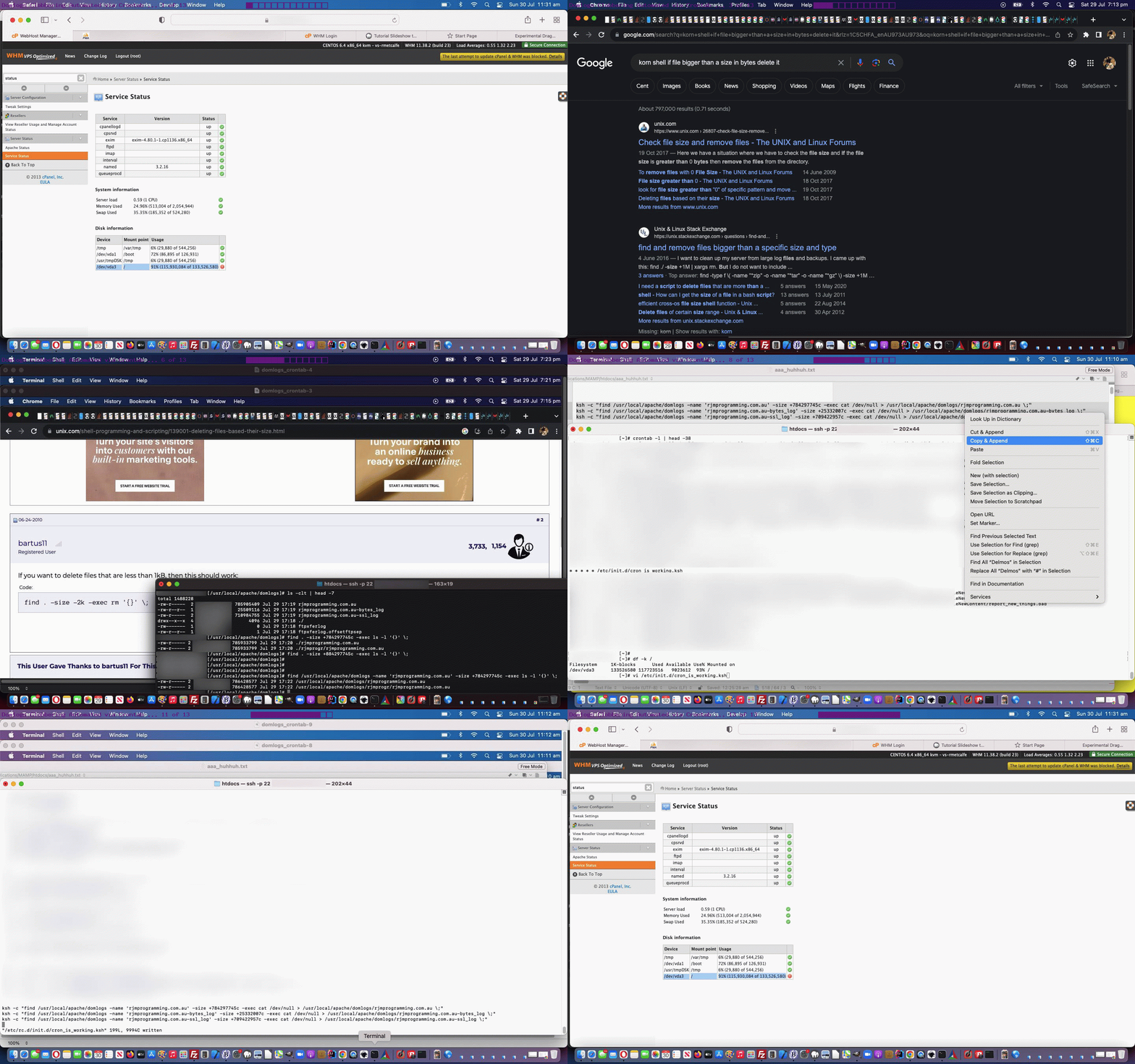
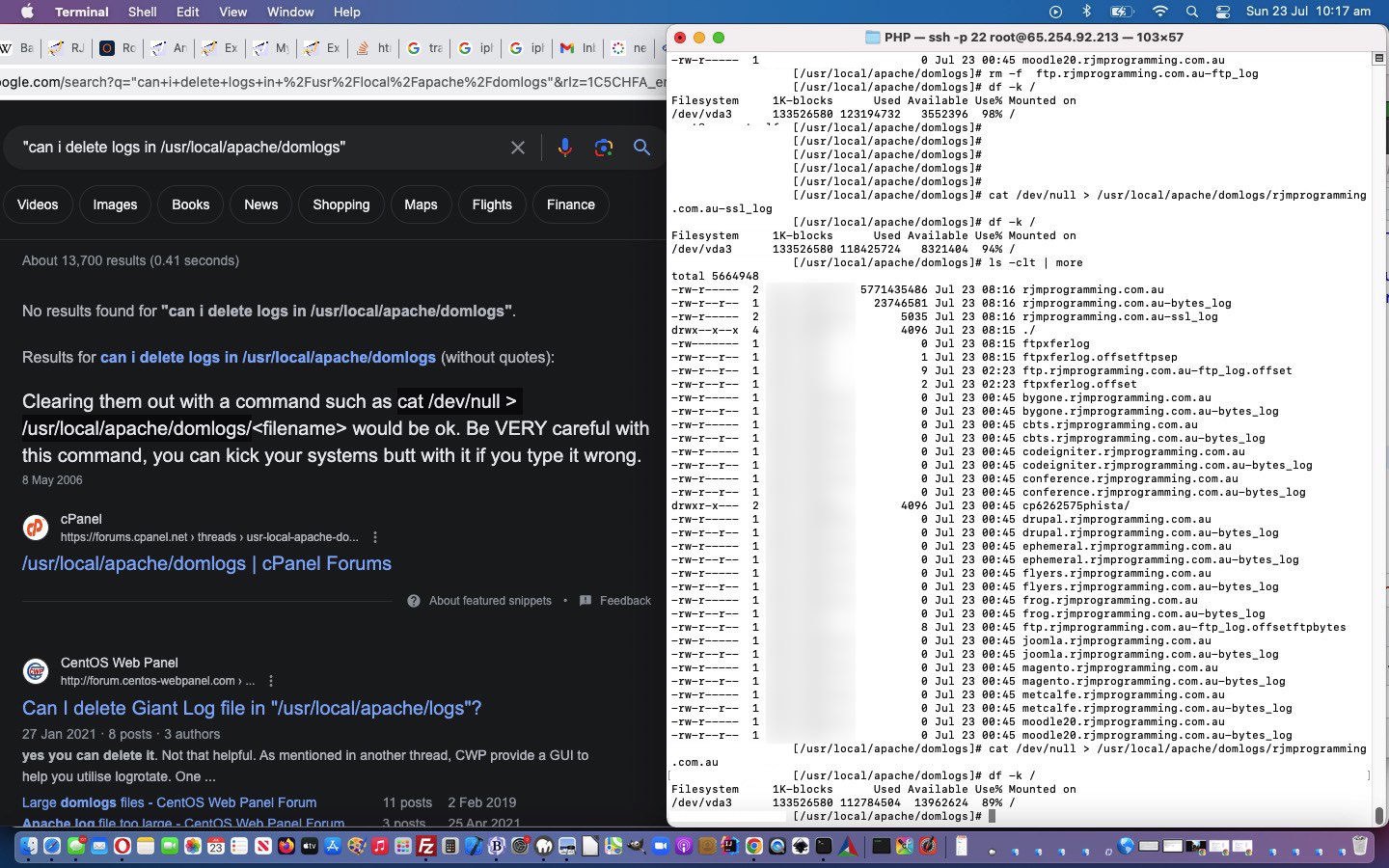
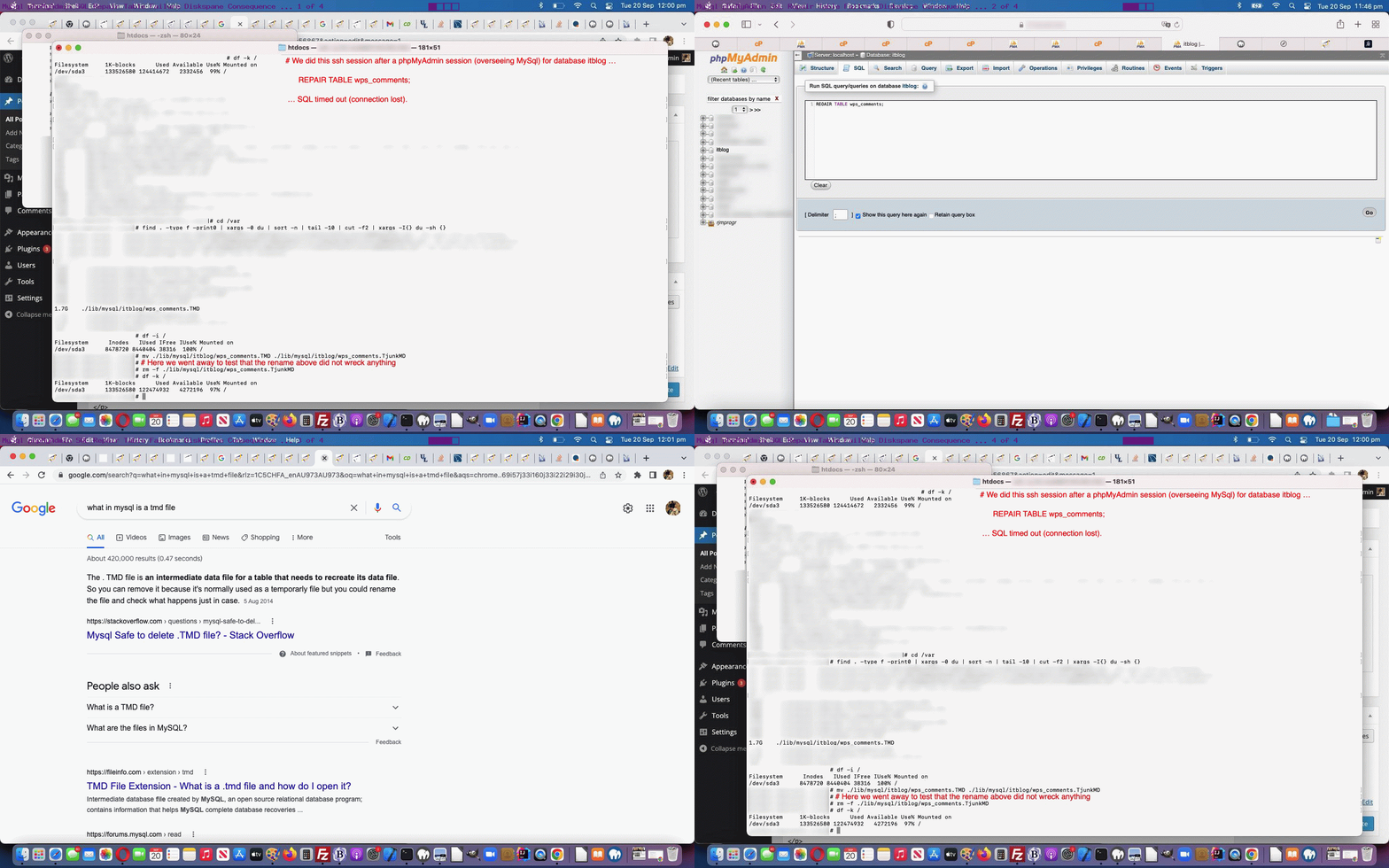
And so, as another chapter in our “diskspace management” saga, in a similar vein to MySql Repair Table Diskspace Error Log Consequence Tutorial was the discovery yesterday, that dk -k / remained at 97% (anything around 95% and above is not good) well past an Apache Web Server service and MySql Web Server service restart (the time before this getting us back 3% of diskspace regarding logs) got us looking further afield. We discovered huge logs in what we call the …
Domlogs area
These logs were gigabytes big, and got us wondering …
… and we were glad to get the tip that we could do clearing, as long as we did not want information from out of these extensive logs (which you should look into yourself) and that the mechanism should be a …
(what we like to call a) “clobber” … rather than …
“deletion”
… in that a “clobber” is like “clear all the records in a file but keep its name and permissions always intact” ( like, in SQL delete * from mytable ) whereas a “deletion” on Linux often involves the “rm” command where the file itself disappears ( like, in SQL drop table mytable ). An example of a command (which got us going “aaaaahhh”) was …
MySql Repair Table Diskspace Error Log Consequence Tutorial
If you are managing a web server, you can run into times when …
a total solution to a problem needs more research that will take time … but, perhaps …
there is a solution that “eases the pain” of web server management and operations, in our case, “diskspace” issues, awaiting that total solution
So it was here at this RJM Programming CentOS WHM Linux dedicated Apache/PHP/MySql web server, recently, as it ran out of diskspace, and we researched the issue, again, via the “old chestnuts” (at least for us) …
… for overall disk diskspace reading … and, sidling up to a “base folder” of interest, via “cd” …
find . -type f -print0 | xargs -0 du | sort -n | tail -10 | cut -f2 | xargs -I{} du -sh {}
… landed us on another file that appeared, but was not frontmost in our thinking, on that other day when we presented MySql Repair Table Failure Diskspace Consequence Tutorial to outline a MySql Table Failure Consequence to diskspace.
Well, this “MySql Table Failure Consequence” has a second part to its story regarding diskspace. Yes, in order to try for a “total solution” we attempt this phpMyAdmin …
REPAIR TABLE wps_comments;
… SQL but it fails. And though the WordPress Blog is functional, still, just because you go from Defcon 5 to Defcon 1 3/4 in your “Systems Operator” thinking, then, doesn’t mean there aren’t other issues here! Oh, no. no, no, no … yes!
That MySql table repair requirement is logged, but where? Have a read of the excellent The MySQL Log Files – MySQL Reference Manual [Book], especially its section entitled “The Error Log”, as well as those …
FLUSH LOGS;
… phpMyAdmin SQL that might come in handy!
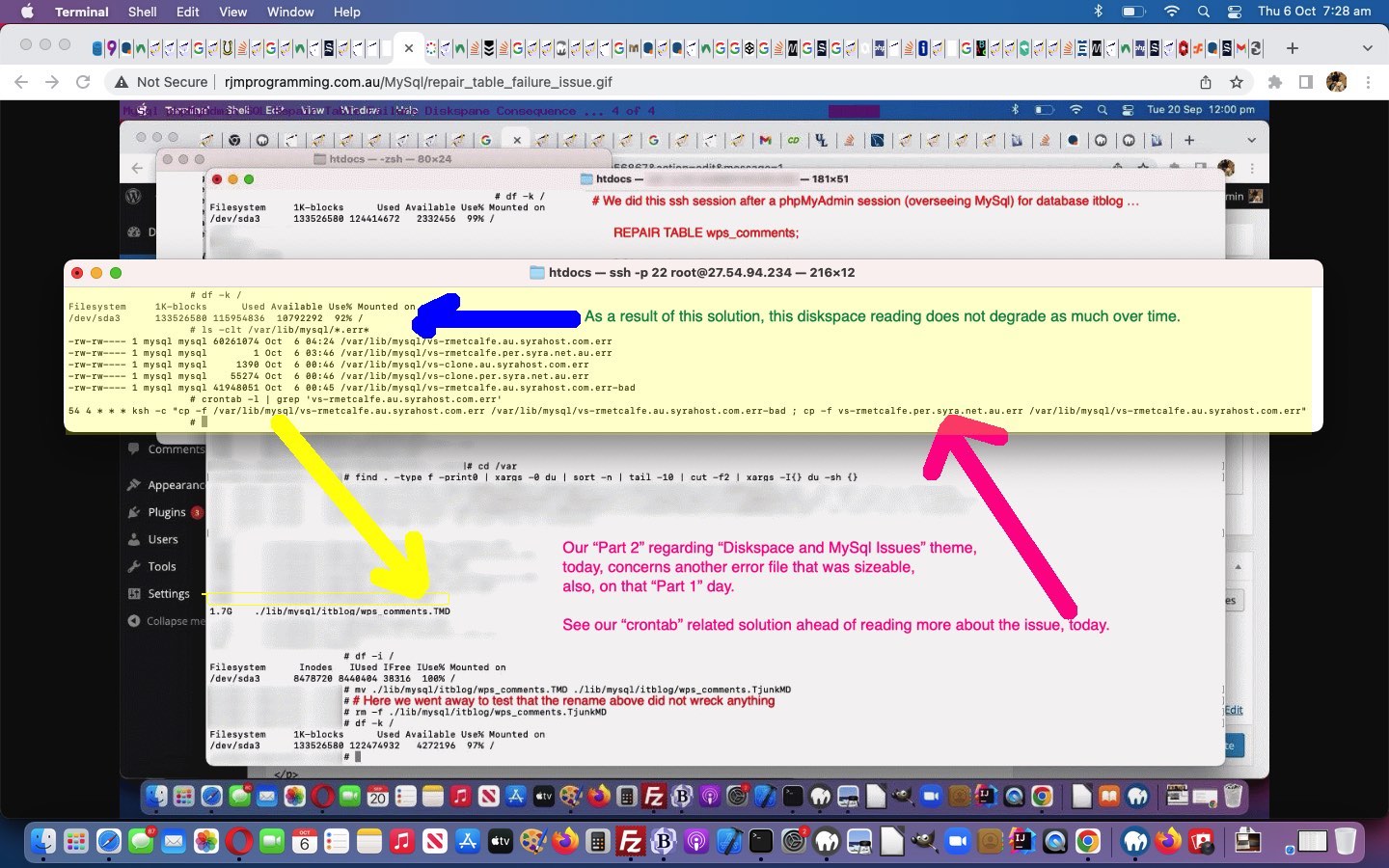
Yes, this “vs-rmetcalfe.au.syrahost.com.err”, for us here at RJM Programming web server, looked familiar?! Yes, it appeared in the list of big files during the research and development mentioned in MySql Repair Table Failure Diskspace Consequence Tutorial “Part 1” below, but was not our focus that day.
So, are we allowed to clear that log periodically, because we examined it, and it contained the same old records throughout, just with a different timestamp? We did an experiment. First, at the ssh command line, we went …
… on the understanding that we could rename, back, should we cause MySql problems. And, before the punchline, “mv” retains the “chown” and “chgrp” and “chmod” file permissions, happily, here. Well, nothing bad happened. Oddly, no new “vs-rmetcalfe.au.syrahost.com.err” was created, and that gave us an uneasy feeling, so we put things back to the way they were (renaming backwards) and saw the proper logfile grow again (sort of sadly and happily at the same time), but along the way we saw this “way backdated” and tiny “vs-rmetcalfe.per.syra.net.au.err” with appropriate file permissions from the old days sitting there, and so, tried …
a “hived off” okay record of a set period of time in that “vs-rmetcalfe.au.syrahost.com.err-bad” file, left, existing, for future perusal, as required … as well as …
a “non disrupted” scenario for MySql error logging, starting with that tiny 1 byte “vs-rmetcalfe.per.syra.net.au.err” start
all file permissions and ownership as they should be … as well as, if you can imagine …
do this at a particular time, once a day … cccrrrooonnntttaaabbb! … you get …
a day’s worth of MySql logging available for perusal (during office hours)
maximum two day’s worth of logging diskspace used (at its worst just before the commands above, with added “-f” force switches are applied …
54 4 * * * ksh -c "cp -f /var/lib/mysql/vs-rmetcalfe.au.syrahost.com.err /var/lib/mysql/vs-rmetcalfe.au.syrahost.com.err-bad ; cp -f /var/lib/mysql/vs-rmetcalfe.per.syra.net.au.err /var/lib/mysql/vs-rmetcalfe.au.syrahost.com.err"
) … with the new “crontab” scheduling as above … as distinct from “? day’s worth, depending on web server uptime, which has been known to be as high as 90 days” diskspace being eaten up and eventually causing us web server failures all over the place
… but what about if the SQL above fails or times out? Well, there can be implications, as we discovered via this useful link, thanks, that told us …
The . TMD file is an intermediate data file for a table that needs to recreate its data file. So you can remove it because it’s normally used as a temporarly file but you could rename the file and check what happens just in case.
You’ll see this command starring again with today’s animated GIF presentation, but you might wonder about where “diskspace” became our “theme of concern”? Well, while the “REPAIR TABLE wps_comments” SQL was running we happened to have an RJM Programming ssh session going, monitoring …
df -k /
… (for our Linux CentOS Apache/PHP/MySql dedicated web server) at regular intervals, and it started at 97% (used), but ballooned out to 99% (used), alarmingly, in that short, maybe, two minutes of monitoring! So, again, thanks all you helpers and advisors out there on the net, helping us arriving to the position where we got 2% of diskspace back by removing that MySql TMD file caused by a failure with a “REPAIR TABLE” MySql SQL command!
Today’s tutorial continues the MySql (command line) discussion last heard about with MySql Stored Procedures Primer Tutorial as shown below, to illustrate that MySql has functionality to repair database tables, if they run into trouble.
When you troubleshoot a problem regarding an Apache/PHP/MySql website you can tend to think, firstly, when a bit of functionality is not working (when it has been working fine for a while now) that the problem is with the software code being unable to cater with some unusual situation.
The Apache log may get you closer to discovering the problem, but you may get to know some troubleshooting shortcuts, to rule out the database, or not, by checking the relevant database table using MySql from the command line, or the brilliant phpMyAdmin, as a GUI interface to the database.
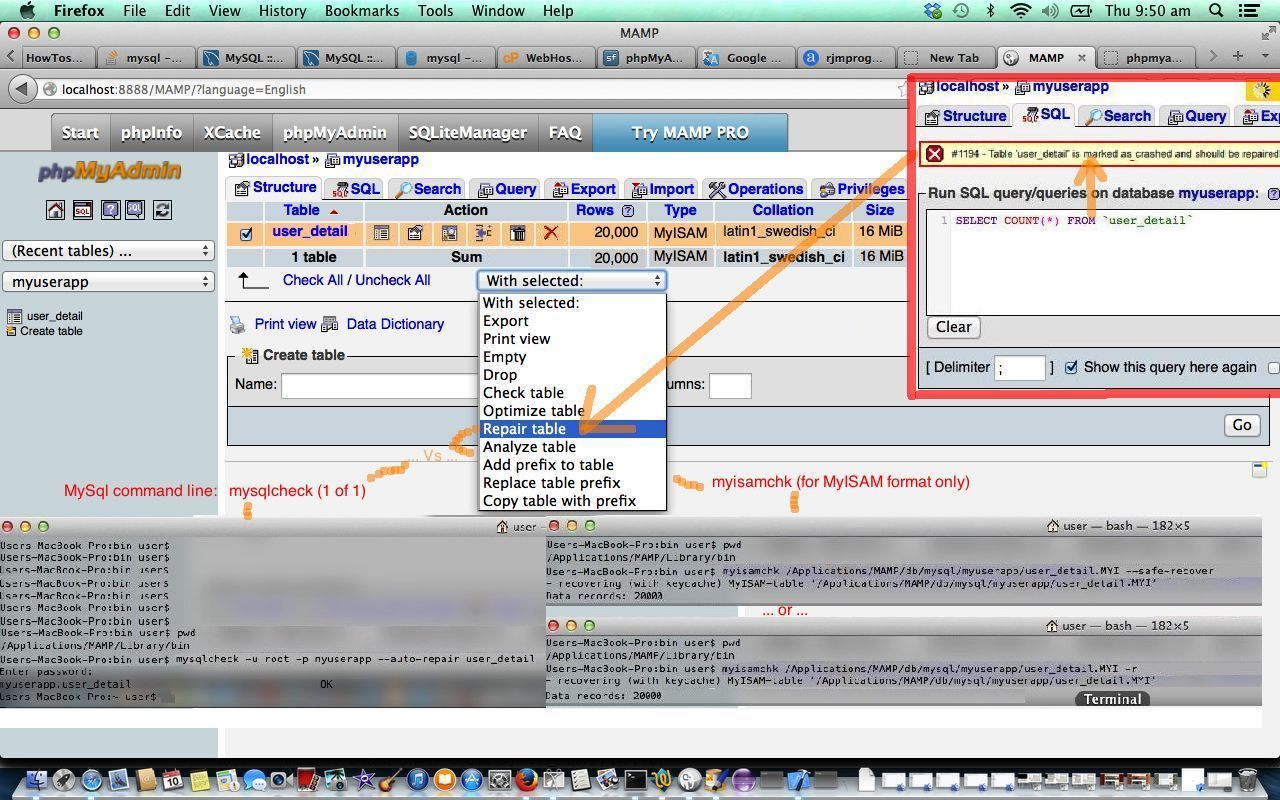
Not always, but sometimes, you can be surprised to find that MySql database tables do have problems from time to time, and that MySql marks these tables as “crashed”, as you can see in today’s MySql Repair Table Primer Tutorial.
The functionality shown in the tutorial regarding phpMyAdmin MySql statement REPAIR TABLE [tableName] and the two MySql command line mysqlcheck or, if MyISAM format, myisamchk choices are not guaranteed to fix the problem all the time, and sometimes it can be to do with the size of the table involved, or with the size of the temp area set aside on your server. When a REPAIR TABLE operation runs too long, in phpMyAdmin the table will be still marked as crashed and you may see the string “(in use)” shown in the Collation column of the table screen. In such cases you can:
continue waiting for repair process to finish … or …
use a restore operation to restore the table (that you have backed up recently) … or … (the next two options lose data, and so should only be done when you know the table is independent of others) …
truncate the table with the phpMyAdmin “empty” icon (this may not work for a while, but becomes an option as time goes on) … or …
drop the table (then recreate it) with the phpMyAdmin “drop” icon (this may not work for a while, but becomes an option as time goes on)
Today’s tutorial follows up on MySql Stored Procedures Primer Tutorial as shown below, to illustrate that MySql database (and PHP server-side language) are friends of the command line, and you can use all these tools in batch processing, even though you most often associate PHP and MySql with interactive web use (or maybe you don’t?!).
This blog talks a fair bit about batch processing and command line work, not so much from the point of view of nostalgia, but more from the point of view that lots of computer software functionality can still be modelled on a procedural set of tasks which can be planned so that interactivity stops at a certain point, and then you should let loose the power of the computer to actually do things (the joy of batch processing). Do enough batch processing, and you feel what you feel like when you have trodden softly on this earth.
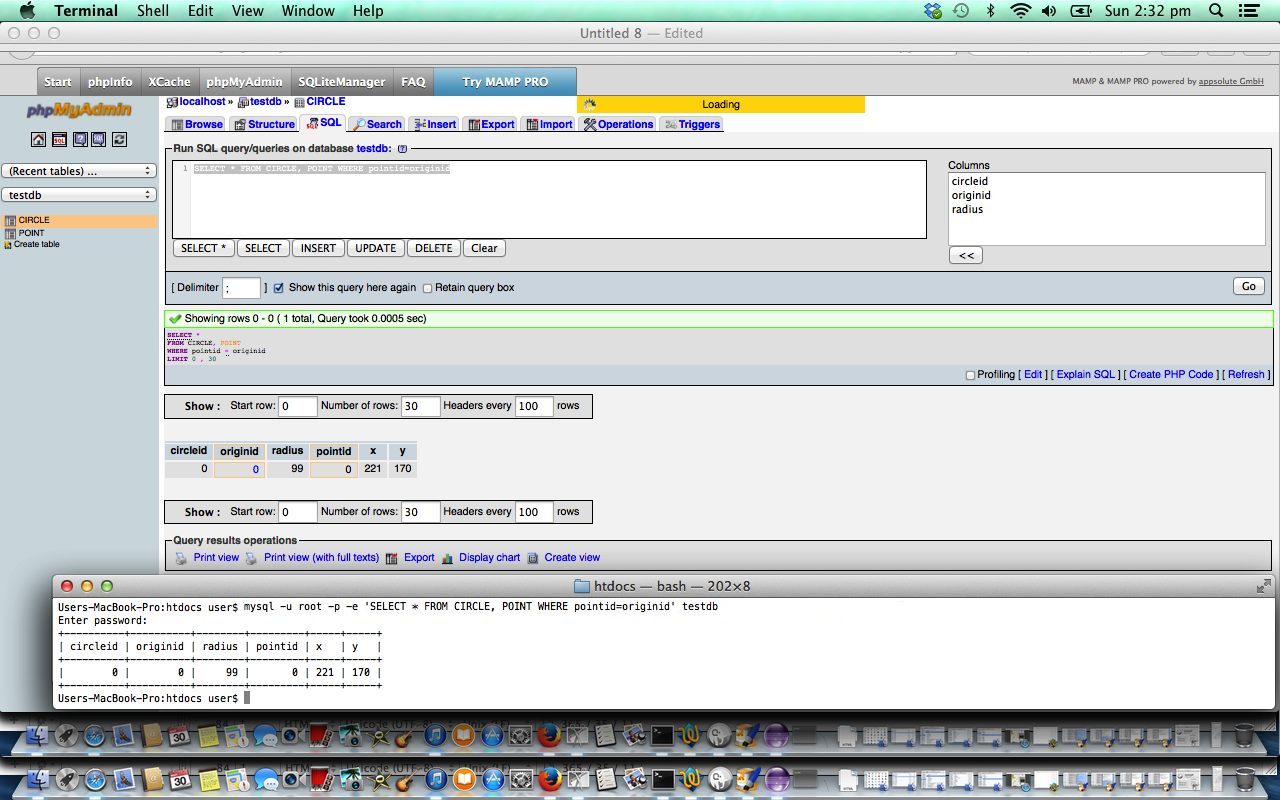
Anyway, enough of the rave, but with the tutorial we interactively, on our local webserver’s MAMP environment, create a new database called testdb, use the previous tutorial’s code to create some MySql tables and stored procedures in that database, so that we have one record in each of our two tables that we show you via phpMyAdmin (in an interactive way) and via a Mac OS X laptop’s Terminal application’s Linux bash environment command line (via the mysql program in a Linux command line environment).
This example is simple, but you build off the simple, and imagine the big, and imagine the procedural, and imagine the compartmentalization of tasks … if you want to have fun that is … the bungee jumpers are all just faking it!
So today, as well as with the previously relevant tutorial we used (MySql) stored procedures, and we’ll let Wikipedia explain this important database tool below.
A stored procedure is a subroutine available to applications that access a relational database system. A stored procedure (sometimes called a proc, sproc, StoPro, StoredProc, sp or SP) is actually stored in the database data dictionary.
Typical use for stored procedures include data validation (integrated into the database) or access control mechanisms. Furthermore, stored procedures can consolidate and centralize logic that was originally implemented in applications. Extensive or complex processing that requires execution of several SQL statements is moved into stored procedures, and all applications call the procedures. One can use nested stored procedures by executing one stored procedure from within another.
Stored procedures are similar to user-defined functions (UDFs). The major difference is that UDFs can be used like any other expression within SQL statements, whereas stored procedures must be invoked using the CALL statement.[1]
Thanks to Wikipedia for the quote above, and would recommend that if you want to get the most out of what is possible with databases, like MySql you also study triggers, and for that will leave you with a Wikipedia entry about this topic. Happy databasing!
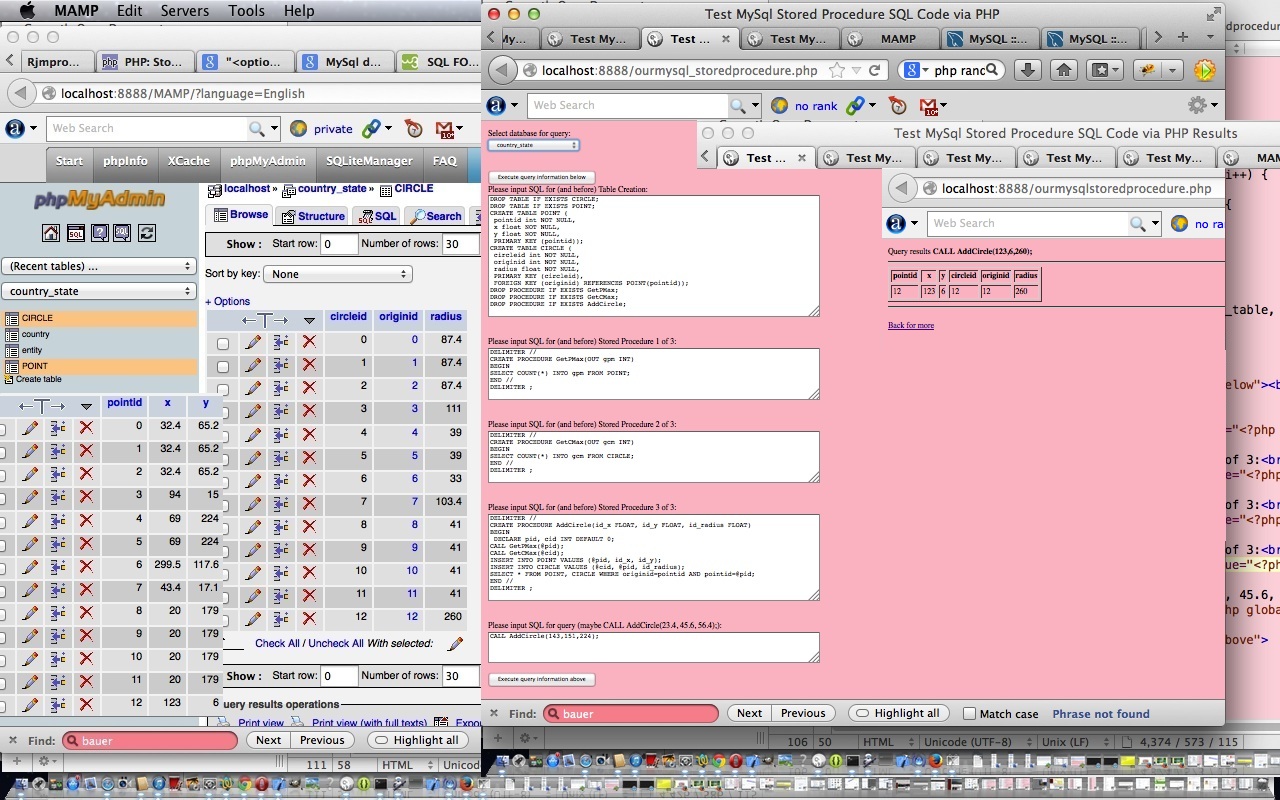
Today’s tutorial follows up on phpMyAdmin interface to MySql and PHP Primer Tutorial in that we again use the brilliant phpMyAdmin to oversee the results of some PHP code which uses MySql calls to create tables called POINT and CIRCLE used to store information defining a circle, and then it creates three MySql stored procedures in the database to help add circle data with the single MySql statement that goes CALL AddCircle(x, y, radius); via the use of those stored procedures. Let’s see below what Wikipedia says about Stored Procedures generally.
A stored procedure is a subroutine available to applications that access a relational database system. A stored procedure (sometimes called a proc, sproc, StoPro, StoredProc, sp or SP) is actually stored in the database data dictionary.
Typical use for stored procedures include data validation (integrated into the database) or access control mechanisms. Furthermore, stored procedures can consolidate and centralize logic that was originally implemented in applications. Extensive or complex processing that requires execution of several SQL statements is moved into stored procedures, and all applications call the procedures. One can use nested stored procedures by executing one stored procedure from within another.
Stored procedures are similar to user-defined functions (UDFs). The major difference is that UDFs can be used like any other expression within SQL statements, whereas stored procedures must be invoked using the CALL statement.[1]
Here is some downloadable PHP programming source code which shows the results of the MySql SQL requests made and can be renamed to ourmysqlstoredprocedure.php as required.
Here is some downloadable supervisory PHP programming source code which gathers the MySql SQL requests made and can be renamed to ourmysql_storedprocedure.php as required.
If you want to develop your own live usage (have provided a live usage link here which will not work but you can use if you are a beginner, to get used to mysql errors, which will occur after you hit either button of the link (these errors indicate bad MySql connection details which are the same reason the database dropdown is not full of options), or you can use this link to see the raw MySql SQL involved in piecing this tutorial together) of these two PHP source codes then you could fix up the hard codings for MySql host/username/password up the top of ourmysql_storeprocedure.php (where you may notice that the default host in the code is localhost:8889 which is the default host string for MySql (ie. port 8889 is used) when using a MAMP (Mac laptop) local web server (which uses localhost:8888 as its local “domain name” for http usage)) or you can keep the same code and use a URL like:
[your-domain-name-plus-a-bit-maybe]/ourmysql_storeprocedure.php?host=[your MySql host address]&username=[your MySql username]&password=[your MySql password]&database=[your optional MySql default database name within the looked up list presented]
phpMyAdmin interface to MySql and PHP Primer Tutorial
Transcript:
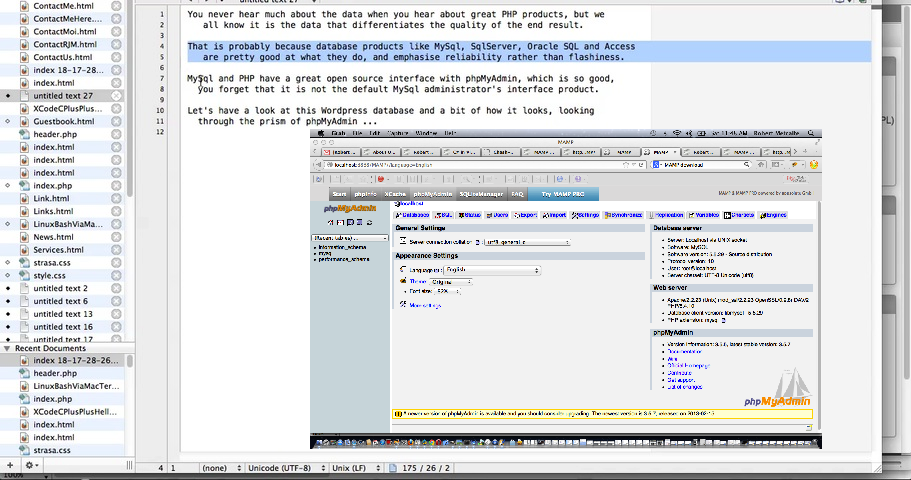
You never hear much about the data when you hear about great PHP products, but we
all know it is the data that differentiates the quality of the end result.
That is probably because database products like MySql, SqlServer, Oracle SQL, Advantage and Access
are pretty good at what they do, and emphasise reliability rather than flashiness.
MySql and PHP have a great open source interface with phpMyAdmin, which is so good,
you forget that it is not the default MySql administrator’s interface product.
Let’s have a look at this WordPress database and a bit of how it looks, looking
through the prism of phpMyAdmin …
If this was interesting you may be interested in this too.
If this was interesting you may be interested in this too.
If this was interesting you may be interested in this too.
If this was interesting you may be interested in this too.
If this was interesting you may be interested in this too.
If this was interesting you may be interested in this too.
If this was interesting you may be interested in this too.
If this was interesting you may be interested in this too.
Linux CentOS Web Server Domlogs Diskspace Issue Tutorial
Running a Linux CentOS Apache/PHP/MySql web server has its ups and downs, the most visited issues for us involving diskspace in two ways …
diskspace itself ( detectable via df -k / )
diskspace related inode count limit ( detectable via df -i / )
And so, as another chapter in our “diskspace management” saga, in a similar vein to MySql Repair Table Diskspace Error Log Consequence Tutorial was the discovery yesterday, that dk -k / remained at 97% (anything around 95% and above is not good) well past an Apache Web Server service and MySql Web Server service restart (the time before this getting us back 3% of diskspace regarding logs) got us looking further afield. We discovered huge logs in what we call the …
Domlogs area
These logs were gigabytes big, and got us wondering …
… and we were glad to get the tip that we could do clearing, as long as we did not want information from out of these extensive logs (which you should look into yourself) and that the mechanism should be a …
(what we like to call a) “clobber” … rather than …
“deletion”
… in that a “clobber” is like “clear all the records in a file but keep its name and permissions always intact” ( like, in SQL delete * from mytable ) whereas a “deletion” on Linux often involves the “rm” command where the file itself disappears ( like, in SQL drop table mytable ). An example of a command (which got us going “aaaaahhh”) was …
MySql Repair Table Diskspace Error Log Consequence Tutorial
If you are managing a web server, you can run into times when …
a total solution to a problem needs more research that will take time … but, perhaps …
there is a solution that “eases the pain” of web server management and operations, in our case, “diskspace” issues, awaiting that total solution
So it was here at this RJM Programming CentOS WHM Linux dedicated Apache/PHP/MySql web server, recently, as it ran out of diskspace, and we researched the issue, again, via the “old chestnuts” (at least for us) …
… for overall disk diskspace reading … and, sidling up to a “base folder” of interest, via “cd” …
find . -type f -print0 | xargs -0 du | sort -n | tail -10 | cut -f2 | xargs -I{} du -sh {}
… landed us on another file that appeared, but was not frontmost in our thinking, on that other day when we presented MySql Repair Table Failure Diskspace Consequence Tutorial to outline a MySql Table Failure Consequence to diskspace.
Well, this “MySql Table Failure Consequence” has a second part to its story regarding diskspace. Yes, in order to try for a “total solution” we attempt this phpMyAdmin …
REPAIR TABLE wps_comments;
… SQL but it fails. And though the WordPress Blog is functional, still, just because you go from Defcon 5 to Defcon 1 3/4 in your “Systems Operator” thinking, then, doesn’t mean there aren’t other issues here! Oh, no. no, no, no … yes!
That MySql table repair requirement is logged, but where? Have a read of the excellent The MySQL Log Files – MySQL Reference Manual [Book], especially its section entitled “The Error Log”, as well as those …
FLUSH LOGS;
… phpMyAdmin SQL that might come in handy!
Yes, this “vs-rmetcalfe.au.syrahost.com.err”, for us here at RJM Programming web server, looked familiar?! Yes, it appeared in the list of big files during the research and development mentioned in MySql Repair Table Failure Diskspace Consequence Tutorial “Part 1” below, but was not our focus that day.
So, are we allowed to clear that log periodically, because we examined it, and it contained the same old records throughout, just with a different timestamp? We did an experiment. First, at the ssh command line, we went …
… on the understanding that we could rename, back, should we cause MySql problems. And, before the punchline, “mv” retains the “chown” and “chgrp” and “chmod” file permissions, happily, here. Well, nothing bad happened. Oddly, no new “vs-rmetcalfe.au.syrahost.com.err” was created, and that gave us an uneasy feeling, so we put things back to the way they were (renaming backwards) and saw the proper logfile grow again (sort of sadly and happily at the same time), but along the way we saw this “way backdated” and tiny “vs-rmetcalfe.per.syra.net.au.err” with appropriate file permissions from the old days sitting there, and so, tried …
a “hived off” okay record of a set period of time in that “vs-rmetcalfe.au.syrahost.com.err-bad” file, left, existing, for future perusal, as required … as well as …
a “non disrupted” scenario for MySql error logging, starting with that tiny 1 byte “vs-rmetcalfe.per.syra.net.au.err” start
all file permissions and ownership as they should be … as well as, if you can imagine …
do this at a particular time, once a day … cccrrrooonnntttaaabbb! … you get …
a day’s worth of MySql logging available for perusal (during office hours)
maximum two day’s worth of logging diskspace used (at its worst just before the commands above, with added “-f” force switches are applied …
54 4 * * * ksh -c "cp -f /var/lib/mysql/vs-rmetcalfe.au.syrahost.com.err /var/lib/mysql/vs-rmetcalfe.au.syrahost.com.err-bad ; cp -f /var/lib/mysql/vs-rmetcalfe.per.syra.net.au.err /var/lib/mysql/vs-rmetcalfe.au.syrahost.com.err"
) … with the new “crontab” scheduling as above … as distinct from “? day’s worth, depending on web server uptime, which has been known to be as high as 90 days” diskspace being eaten up and eventually causing us web server failures all over the place
… but what about if the SQL above fails or times out? Well, there can be implications, as we discovered via this useful link, thanks, that told us …
The . TMD file is an intermediate data file for a table that needs to recreate its data file. So you can remove it because it’s normally used as a temporarly file but you could rename the file and check what happens just in case.
You’ll see this command starring again with today’s animated GIF presentation, but you might wonder about where “diskspace” became our “theme of concern”? Well, while the “REPAIR TABLE wps_comments” SQL was running we happened to have an RJM Programming ssh session going, monitoring …
df -k /
… (for our Linux CentOS Apache/PHP/MySql dedicated web server) at regular intervals, and it started at 97% (used), but ballooned out to 99% (used), alarmingly, in that short, maybe, two minutes of monitoring! So, again, thanks all you helpers and advisors out there on the net, helping us arriving to the position where we got 2% of diskspace back by removing that MySql TMD file caused by a failure with a “REPAIR TABLE” MySql SQL command!
Today’s tutorial continues the MySql (command line) discussion last heard about with MySql Stored Procedures Primer Tutorial as shown below, to illustrate that MySql has functionality to repair database tables, if they run into trouble.
When you troubleshoot a problem regarding an Apache/PHP/MySql website you can tend to think, firstly, when a bit of functionality is not working (when it has been working fine for a while now) that the problem is with the software code being unable to cater with some unusual situation.
The Apache log may get you closer to discovering the problem, but you may get to know some troubleshooting shortcuts, to rule out the database, or not, by checking the relevant database table using MySql from the command line, or the brilliant phpMyAdmin, as a GUI interface to the database.
Not always, but sometimes, you can be surprised to find that MySql database tables do have problems from time to time, and that MySql marks these tables as “crashed”, as you can see in today’s MySql Repair Table Primer Tutorial.
The functionality shown in the tutorial regarding phpMyAdmin MySql statement REPAIR TABLE [tableName] and the two MySql command line mysqlcheck or, if MyISAM format, myisamchk choices are not guaranteed to fix the problem all the time, and sometimes it can be to do with the size of the table involved, or with the size of the temp area set aside on your server. When a REPAIR TABLE operation runs too long, in phpMyAdmin the table will be still marked as crashed and you may see the string “(in use)” shown in the Collation column of the table screen. In such cases you can:
continue waiting for repair process to finish … or …
use a restore operation to restore the table (that you have backed up recently) … or … (the next two options lose data, and so should only be done when you know the table is independent of others) …
truncate the table with the phpMyAdmin “empty” icon (this may not work for a while, but becomes an option as time goes on) … or …
drop the table (then recreate it) with the phpMyAdmin “drop” icon (this may not work for a while, but becomes an option as time goes on)
Today’s tutorial follows up on MySql Stored Procedures Primer Tutorial as shown below, to illustrate that MySql database (and PHP server-side language) are friends of the command line, and you can use all these tools in batch processing, even though you most often associate PHP and MySql with interactive web use (or maybe you don’t?!).
This blog talks a fair bit about batch processing and command line work, not so much from the point of view of nostalgia, but more from the point of view that lots of computer software functionality can still be modelled on a procedural set of tasks which can be planned so that interactivity stops at a certain point, and then you should let loose the power of the computer to actually do things (the joy of batch processing). Do enough batch processing, and you feel what you feel like when you have trodden softly on this earth.
Anyway, enough of the rave, but with the tutorial we interactively, on our local webserver’s MAMP environment, create a new database called testdb, use the previous tutorial’s code to create some MySql tables and stored procedures in that database, so that we have one record in each of our two tables that we show you via phpMyAdmin (in an interactive way) and via a Mac OS X laptop’s Terminal application’s Linux bash environment command line (via the mysql program in a Linux command line environment).
This example is simple, but you build off the simple, and imagine the big, and imagine the procedural, and imagine the compartmentalization of tasks … if you want to have fun that is … the bungee jumpers are all just faking it!
So today, as well as with the previously relevant tutorial we used (MySql) stored procedures, and we’ll let Wikipedia explain this important database tool below.
A stored procedure is a subroutine available to applications that access a relational database system. A stored procedure (sometimes called a proc, sproc, StoPro, StoredProc, sp or SP) is actually stored in the database data dictionary.
Typical use for stored procedures include data validation (integrated into the database) or access control mechanisms. Furthermore, stored procedures can consolidate and centralize logic that was originally implemented in applications. Extensive or complex processing that requires execution of several SQL statements is moved into stored procedures, and all applications call the procedures. One can use nested stored procedures by executing one stored procedure from within another.
Stored procedures are similar to user-defined functions (UDFs). The major difference is that UDFs can be used like any other expression within SQL statements, whereas stored procedures must be invoked using the CALL statement.[1]
Thanks to Wikipedia for the quote above, and would recommend that if you want to get the most out of what is possible with databases, like MySql you also study triggers, and for that will leave you with a Wikipedia entry about this topic. Happy databasing!
Today’s tutorial follows up on phpMyAdmin interface to MySql and PHP Primer Tutorial in that we again use the brilliant phpMyAdmin to oversee the results of some PHP code which uses MySql calls to create tables called POINT and CIRCLE used to store information defining a circle, and then it creates three MySql stored procedures in the database to help add circle data with the single MySql statement that goes CALL AddCircle(x, y, radius); via the use of those stored procedures. Let’s see below what Wikipedia says about Stored Procedures generally.
A stored procedure is a subroutine available to applications that access a relational database system. A stored procedure (sometimes called a proc, sproc, StoPro, StoredProc, sp or SP) is actually stored in the database data dictionary.
Typical use for stored procedures include data validation (integrated into the database) or access control mechanisms. Furthermore, stored procedures can consolidate and centralize logic that was originally implemented in applications. Extensive or complex processing that requires execution of several SQL statements is moved into stored procedures, and all applications call the procedures. One can use nested stored procedures by executing one stored procedure from within another.
Stored procedures are similar to user-defined functions (UDFs). The major difference is that UDFs can be used like any other expression within SQL statements, whereas stored procedures must be invoked using the CALL statement.[1]
Here is some downloadable PHP programming source code which shows the results of the MySql SQL requests made and can be renamed to ourmysqlstoredprocedure.php as required.
Here is some downloadable supervisory PHP programming source code which gathers the MySql SQL requests made and can be renamed to ourmysql_storedprocedure.php as required.
If you want to develop your own live usage (have provided a live usage link here which will not work but you can use if you are a beginner, to get used to mysql errors, which will occur after you hit either button of the link (these errors indicate bad MySql connection details which are the same reason the database dropdown is not full of options), or you can use this link to see the raw MySql SQL involved in piecing this tutorial together) of these two PHP source codes then you could fix up the hard codings for MySql host/username/password up the top of ourmysql_storeprocedure.php (where you may notice that the default host in the code is localhost:8889 which is the default host string for MySql (ie. port 8889 is used) when using a MAMP (Mac laptop) local web server (which uses localhost:8888 as its local “domain name” for http usage)) or you can keep the same code and use a URL like:
[your-domain-name-plus-a-bit-maybe]/ourmysql_storeprocedure.php?host=[your MySql host address]&username=[your MySql username]&password=[your MySql password]&database=[your optional MySql default database name within the looked up list presented]
phpMyAdmin interface to MySql and PHP Primer Tutorial
Transcript:
You never hear much about the data when you hear about great PHP products, but we
all know it is the data that differentiates the quality of the end result.
That is probably because database products like MySql, SqlServer, Oracle SQL, Advantage and Access
are pretty good at what they do, and emphasise reliability rather than flashiness.
MySql and PHP have a great open source interface with phpMyAdmin, which is so good,
you forget that it is not the default MySql administrator’s interface product.
Let’s have a look at this WordPress database and a bit of how it looks, looking
through the prism of phpMyAdmin …
If this was interesting you may be interested in this too.
If this was interesting you may be interested in this too.
If this was interesting you may be interested in this too.
If this was interesting you may be interested in this too.
If this was interesting you may be interested in this too.
If this was interesting you may be interested in this too.
If this was interesting you may be interested in this too.
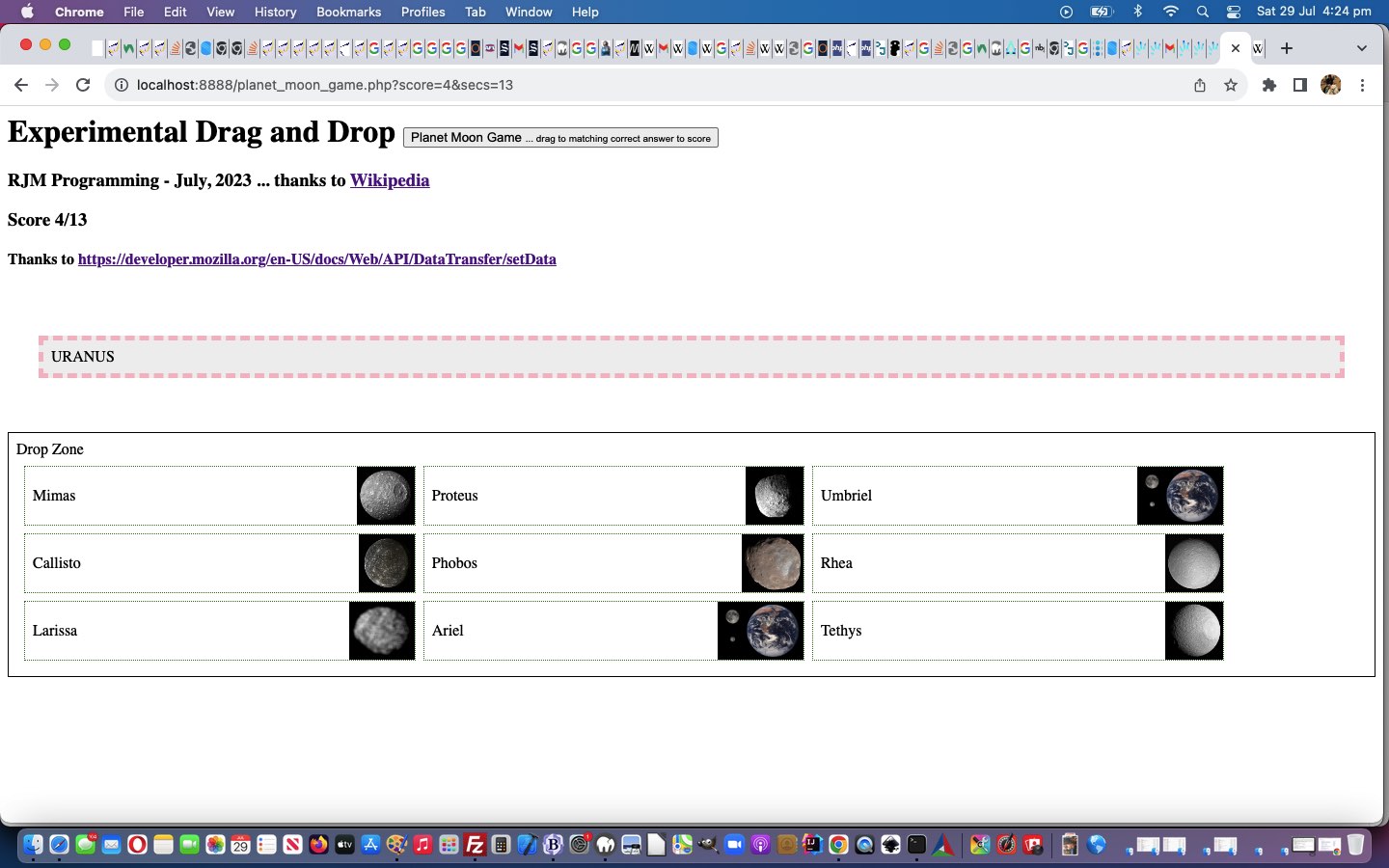
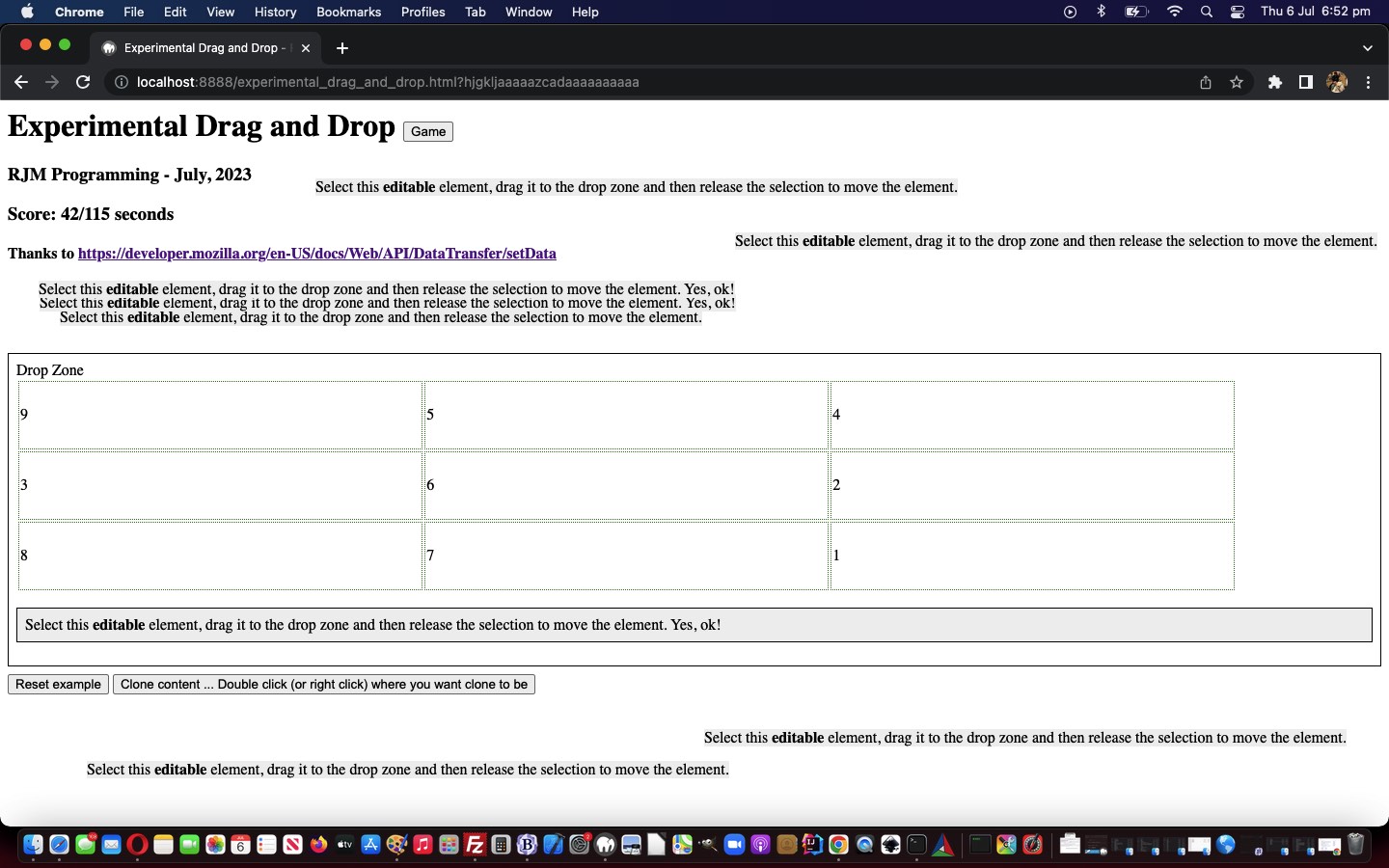
Another thing that there is nine of (as contentious as it is regarding Pluto) is Planets in the Solar System, revolving around the Sun. And so, in keeping with a lot of the same design as yesterday’s Enneagram Type Game Tutorial we have a Planet Moon Game to present for you to play around with today.
Again, PHP uses a framework of Experimental Drag and Drop HTML and Javascript and CSS, mainly via one PHP codeline …
… and, perhaps, your curiosity that we have not “passed” data via $_GET[] or $_POST[] arguments, but rather just the simple act of …
moulding and manipulating (eg. arranging “callback” logic means, as used below) that $templategame “template” for our purposes … nga ha ha ha ha ha ha ha ha … but we digress …
simply …
<?php
echo $templategame;
?>
… outputs a webpage …
and on the way back to play again, we use $_GET[‘score’] and $_GET[‘secs’] (in experimental_drag_and_drop.html HTML and Javascript and CSS game web application) to keep the ball rolling back to the game specific PHP we use …
location.href=document.getElementById('callback').value + '?score=' + score + '&secs=' + secs;
… just as we’re curious about “the things that go wrong”, and not having them repeat! Same with pooches!
Take our first tosecond draft PHP game (to the opera, would be preferable). We wondered why, occasionally, with the “first draft” it would hang. It took us a half day to realize, as you could yourself have tweaked to a lot quicker if you had followed the adage …
Hanging issues mostly team up with code within a loop
The situation, we’ve reasoned, is that we had that PHP $badlist variable store a comma separated list of planets with either zero moons or more than one moon randomly selected representing it. We’d assumed, yesterday, not that we’d put it in words, but in logic, that this list would not (have the same length or) be the same as a (new $goodlist variable) list of planets with either zero moons or selected while collecting the random list of Moon/Planet combinations … ie. we assumed in the list would be a Planet with only one of its Moons randomly selected … mistake!!! Better is …
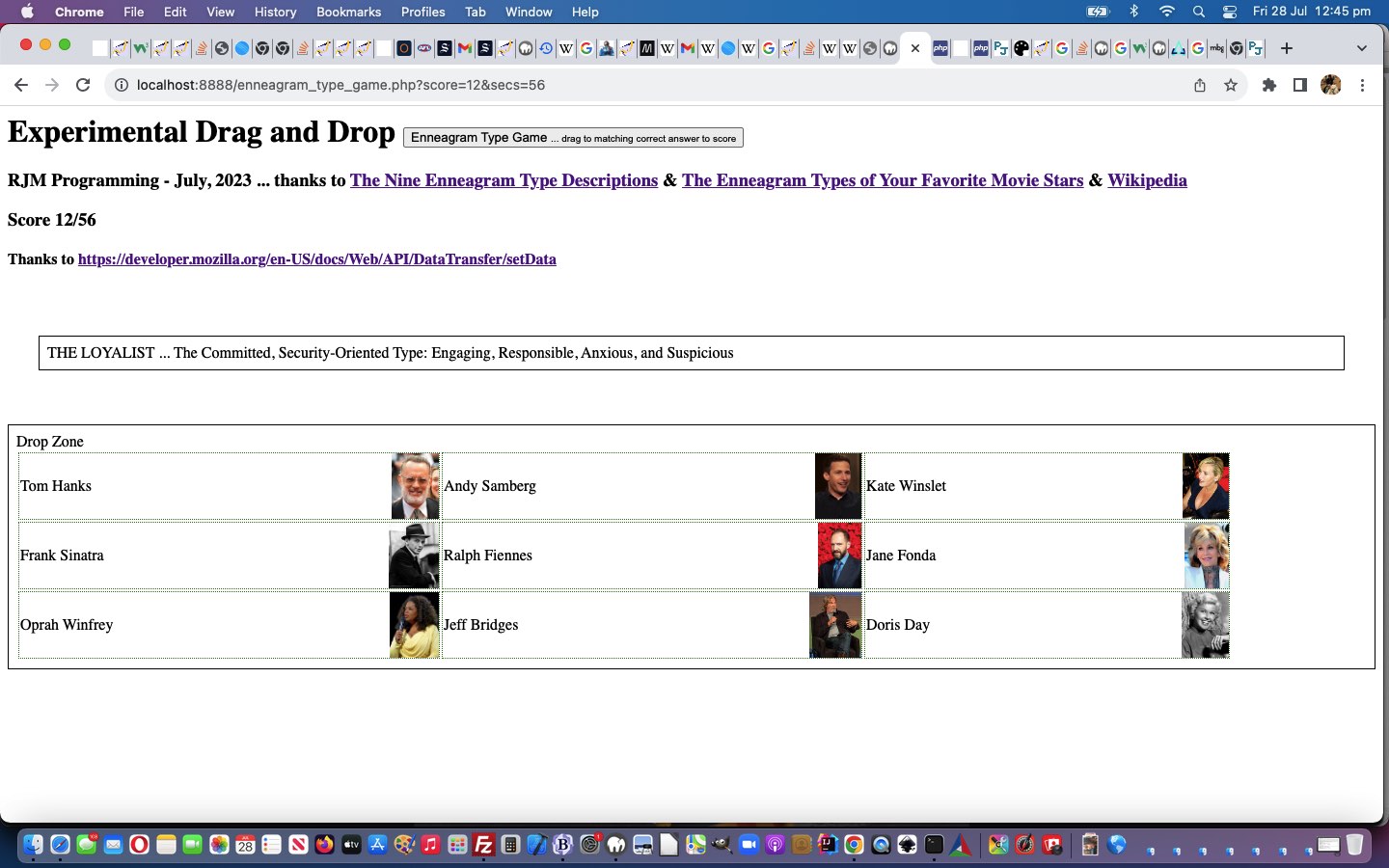
A lot of us wonder what goes towards making up our personalities. We remember doing a Myers-Briggs test for some job as part of the vetting process. We thought we’d write another experimental drag and drop game, like yesterday’s Australian Street Type Game Tutorial, regarding …
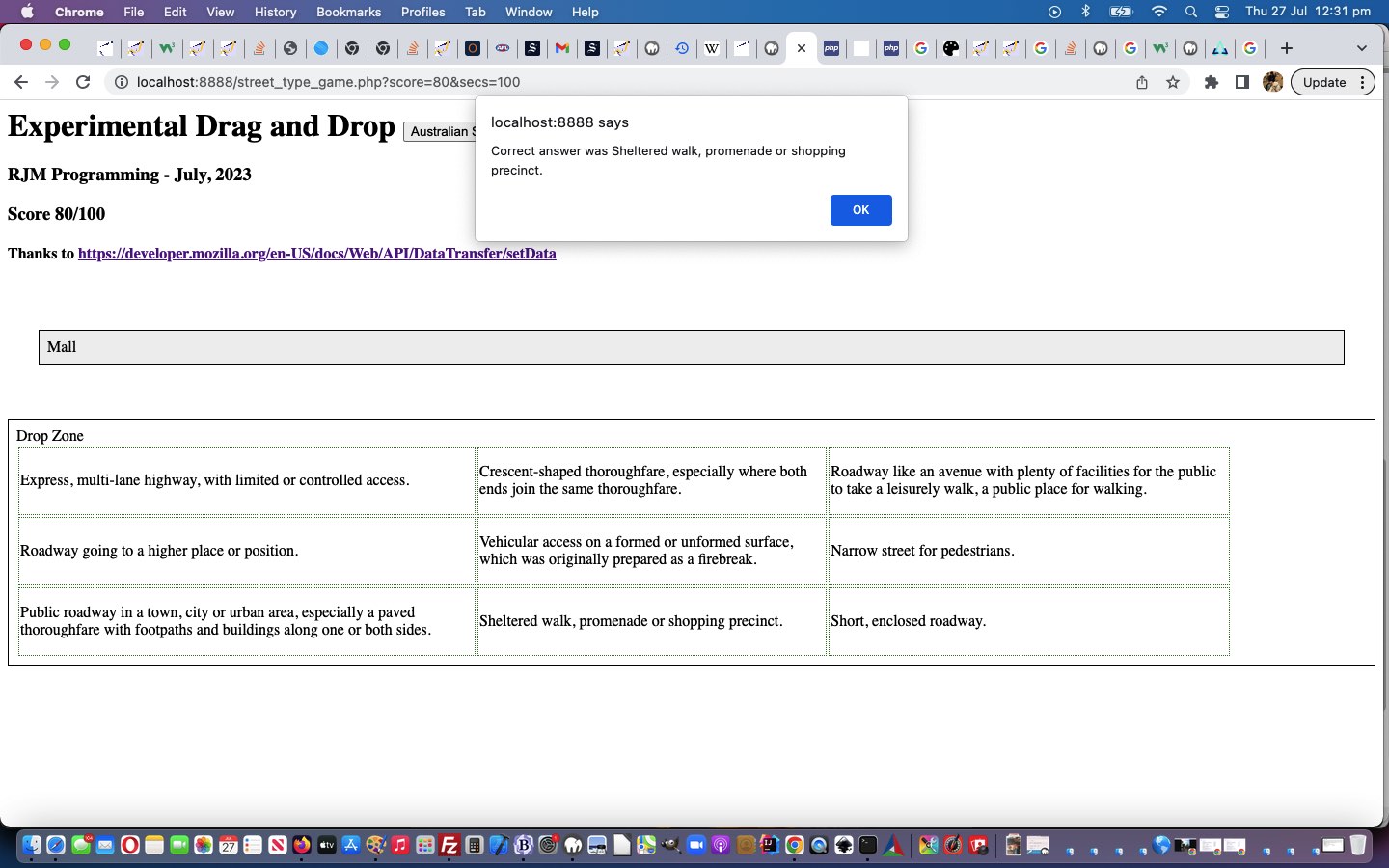
Huh?! Well, you know those street names that baffle? Or are we easily baffleable?! Anyway, you had to be there. And if you ever feel you’re alone with an interest, just look it up in Wikipedia or Google and you’re almost sure to find out …
you are not alone
Yes, our Wikipedia page mentioned Australian Street Type Designations with their lawyerly Australian Street Type Descriptions. Who could ask for more? Well?!
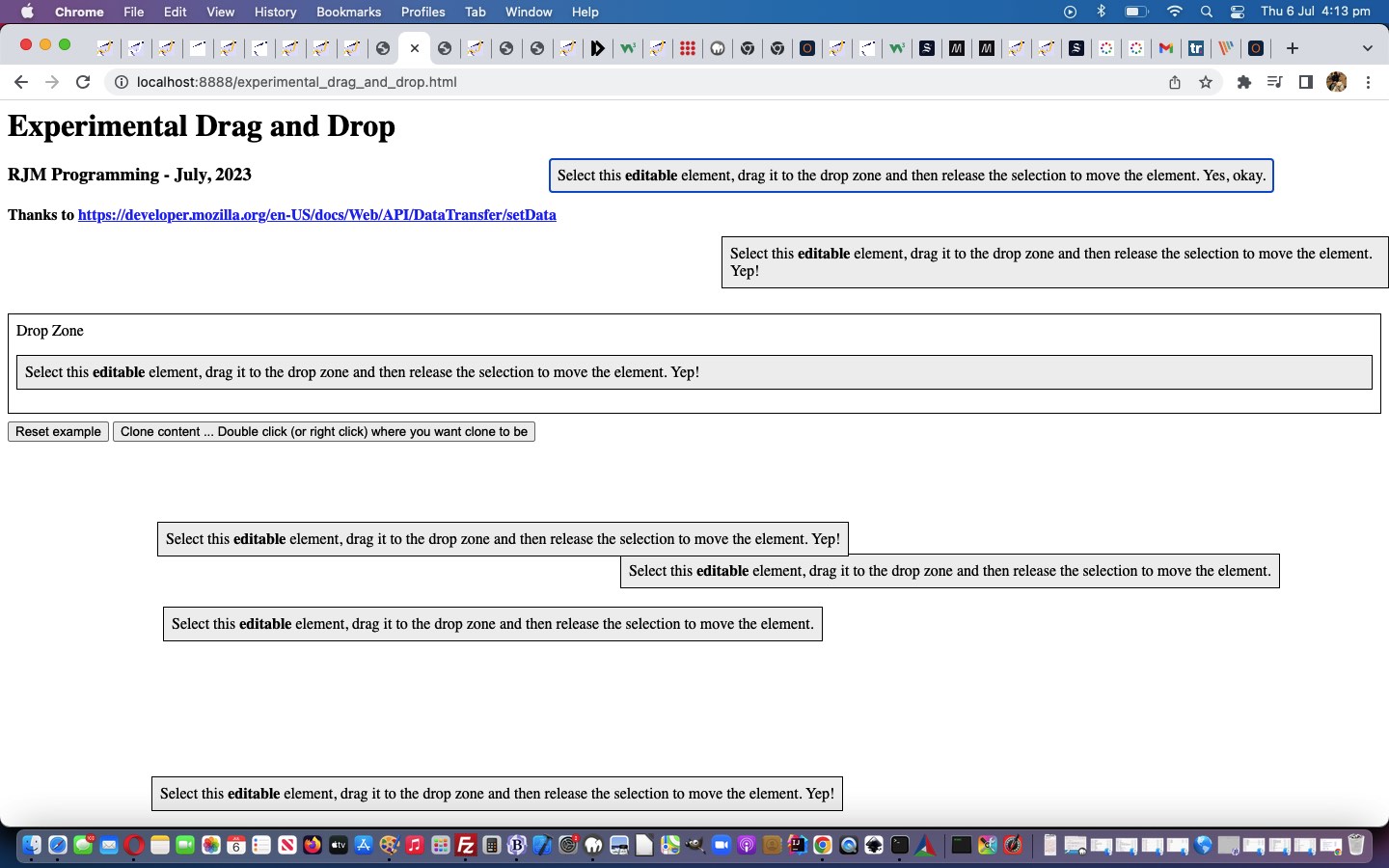
It can be interesting turning a “concept” (or even a “proof of concept” web application) into an, on the side, “game” web application, and that way, learn what’s possible via user action. This is how we felt about yesterday’s Experimental Drag and Drop Primer Tutorial and that teamed with the wonder about how we could add some useful complexity to our “Experimental Drag and Drop” web application’s …
Drop Zone
Can “inheritance” be harnessed to make it work for some complexity of nested HTML elements inside that “Drop Zone” element when the document.body’s onload event happens? We wondered whether a Brady Bunch style 3×3 table could be the go? And whether the nine cells could have a “score” associated with them, and that set of scores be changing over time to make the game more challenging and interesting? Well …
We’ve added the word experimental into today’s blog posting title, mainly because our first of two inspirational webpage sources (last modified on 23/02/2023) regarding somewhat alternative “Drag and Drop” functionalities told us, regarding the DataTransfer object informational “DataTransfer” webpage …
Experimental: This is an experimental technology
Check the Browser compatibility table carefully before using this in production.
… but our testing of the methodologies on various platforms hasn’t totally failed yet on any of the several desktop and mobile platform scenarios we’ve tried. On mobile, we just held on for a sustained touch (down) to make it possible. So maybe the industry has caught up with the ideas? We’re hoping so, because “drag and drop” is a kind of natural thing online users think of to do, and people associate it with “getting things done” we reckon.
Anyway, we relied on the great source code of the second of two inspirational webpages DataTransfer: setData() method, thanks …
The DataTransfer.setData() method sets the drag operation’s drag data to the specified data and type. If data for the given type does not exist, it is added at the end of the drag data store, such that the last item in the types list will be the new type. If data for the given type already exists, the existing data is replaced in the same position. That is, the order of the types list is not changed when replacing data of the same type.
A lot of us wonder what goes towards making up our personalities. We remember doing a Myers-Briggs test for some job as part of the vetting process. We thought we’d write another experimental drag and drop game, like yesterday’s Australian Street Type Game Tutorial, regarding …
Huh?! Well, you know those street names that baffle? Or are we easily baffleable?! Anyway, you had to be there. And if you ever feel you’re alone with an interest, just look it up in Wikipedia or Google and you’re almost sure to find out …
you are not alone
Yes, our Wikipedia page mentioned Australian Street Type Designations with their lawyerly Australian Street Type Descriptions. Who could ask for more? Well?!
It can be interesting turning a “concept” (or even a “proof of concept” web application) into an, on the side, “game” web application, and that way, learn what’s possible via user action. This is how we felt about yesterday’s Experimental Drag and Drop Primer Tutorial and that teamed with the wonder about how we could add some useful complexity to our “Experimental Drag and Drop” web application’s …
Drop Zone
Can “inheritance” be harnessed to make it work for some complexity of nested HTML elements inside that “Drop Zone” element when the document.body’s onload event happens? We wondered whether a Brady Bunch style 3×3 table could be the go? And whether the nine cells could have a “score” associated with them, and that set of scores be changing over time to make the game more challenging and interesting? Well …
We’ve added the word experimental into today’s blog posting title, mainly because our first of two inspirational webpage sources (last modified on 23/02/2023) regarding somewhat alternative “Drag and Drop” functionalities told us, regarding the DataTransfer object informational “DataTransfer” webpage …
Experimental: This is an experimental technology
Check the Browser compatibility table carefully before using this in production.
… but our testing of the methodologies on various platforms hasn’t totally failed yet on any of the several desktop and mobile platform scenarios we’ve tried. On mobile, we just held on for a sustained touch (down) to make it possible. So maybe the industry has caught up with the ideas? We’re hoping so, because “drag and drop” is a kind of natural thing online users think of to do, and people associate it with “getting things done” we reckon.
Anyway, we relied on the great source code of the second of two inspirational webpages DataTransfer: setData() method, thanks …
The DataTransfer.setData() method sets the drag operation’s drag data to the specified data and type. If data for the given type does not exist, it is added at the end of the drag data store, such that the last item in the types list will be the new type. If data for the given type already exists, the existing data is replaced in the same position. That is, the order of the types list is not changed when replacing data of the same type.
Huh?! Well, you know those street names that baffle? Or are we easily baffleable?! Anyway, you had to be there. And if you ever feel you’re alone with an interest, just look it up in Wikipedia or Google and you’re almost sure to find out …
you are not alone
Yes, our Wikipedia page mentioned Australian Street Type Designations with their lawyerly Australian Street Type Descriptions. Who could ask for more? Well?!
It can be interesting turning a “concept” (or even a “proof of concept” web application) into an, on the side, “game” web application, and that way, learn what’s possible via user action. This is how we felt about yesterday’s Experimental Drag and Drop Primer Tutorial and that teamed with the wonder about how we could add some useful complexity to our “Experimental Drag and Drop” web application’s …
Drop Zone
Can “inheritance” be harnessed to make it work for some complexity of nested HTML elements inside that “Drop Zone” element when the document.body’s onload event happens? We wondered whether a Brady Bunch style 3×3 table could be the go? And whether the nine cells could have a “score” associated with them, and that set of scores be changing over time to make the game more challenging and interesting? Well …
We’ve added the word experimental into today’s blog posting title, mainly because our first of two inspirational webpage sources (last modified on 23/02/2023) regarding somewhat alternative “Drag and Drop” functionalities told us, regarding the DataTransfer object informational “DataTransfer” webpage …
Experimental: This is an experimental technology
Check the Browser compatibility table carefully before using this in production.
… but our testing of the methodologies on various platforms hasn’t totally failed yet on any of the several desktop and mobile platform scenarios we’ve tried. On mobile, we just held on for a sustained touch (down) to make it possible. So maybe the industry has caught up with the ideas? We’re hoping so, because “drag and drop” is a kind of natural thing online users think of to do, and people associate it with “getting things done” we reckon.
Anyway, we relied on the great source code of the second of two inspirational webpages DataTransfer: setData() method, thanks …
The DataTransfer.setData() method sets the drag operation’s drag data to the specified data and type. If data for the given type does not exist, it is added at the end of the drag data store, such that the last item in the types list will be the new type. If data for the given type already exists, the existing data is replaced in the same position. That is, the order of the types list is not changed when replacing data of the same type.
Animated GIF Creation Slide Specific Effects Tutorial
With our animated GIF creator, last referenced with Ffmpeg Shelling Peas Tutorial, we wanted to nuance the way the ImageMagick and GD effects could operate …
they being only applicable to the entire animated GIF output image … before today’s work which makes it so that …
optionally they can be turned on or off for individual animated GIF slides
… thereby allowing more flexibility for the user, we’re hoping.
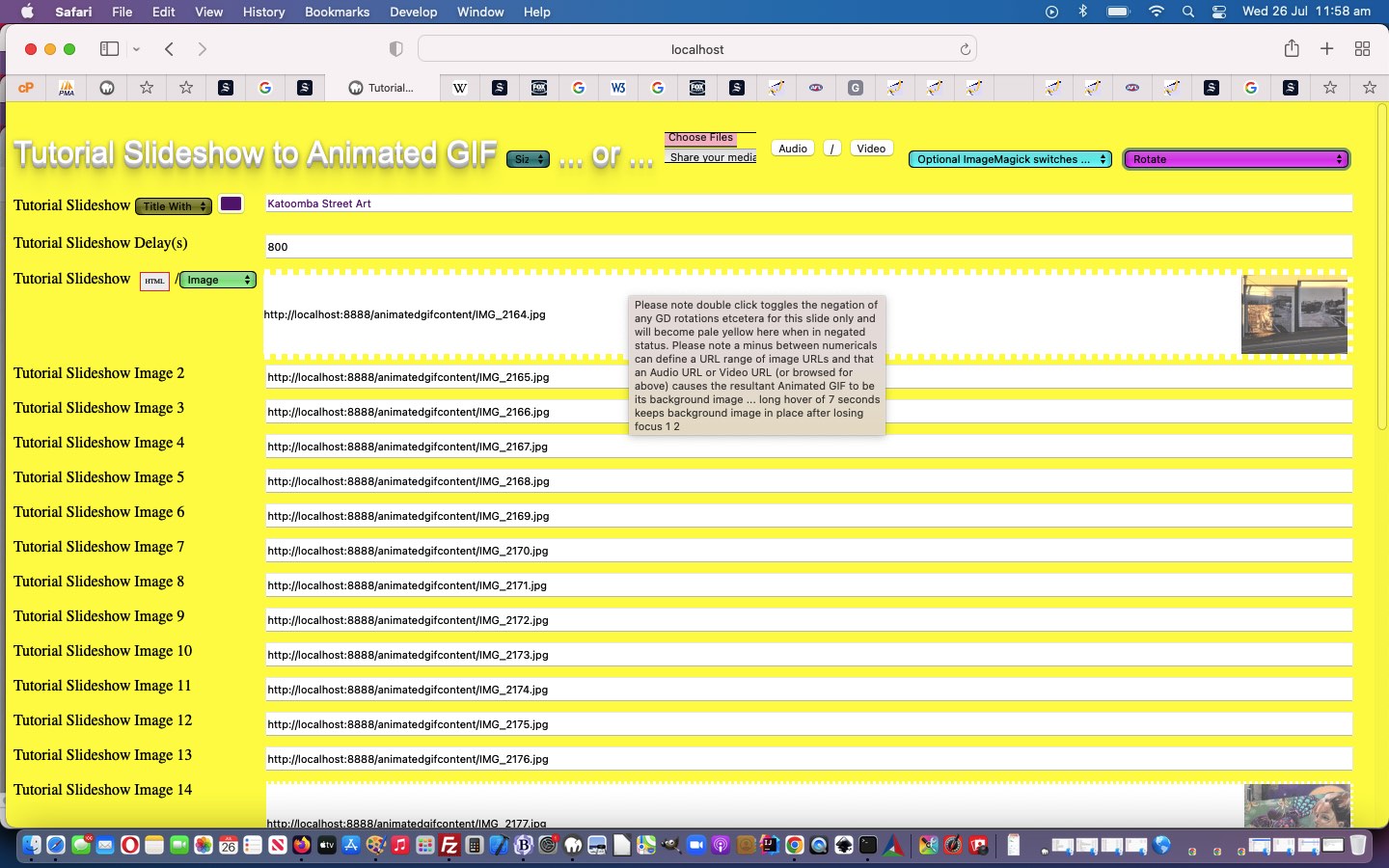
Please note double click toggles the negation of any GD rotations etcetera for this slide only and will become pale yellow here when in negated status, and that a 4x click on first selection reverses logic to be only 2x click selections from then on for a pale orange slide textbox background.
Well, our wish to “shell peas” setting up more ffmpeg media options based on the excellent FFmpeg cheat sheet, thanks, today, had its ups and downs for speed of progress, but, yes, to have a solid “framework” to work within, that you are happy with, barring those tweaks you inevitably discover in projects as they gain complexity, is the best first endeavour you might need to do, to feel more relaxed about the parts of the project requiring that third party expertise, which it is your job to test that you have successfully merged into the project. And so, onto yesterday’s Ffmpeg and Pandoc and ImageMagick and Pdfimages Dropdown Linear Gradient Tutorial, we have included new …
?>
<?php echo ”
var ffstr=' Concat demuxer, Display the frame number on each frame, Trimming, Delay video, Delay audio, Extract a frame per second, Extract the frames from a video, Mute some of the audio, Extract one frame, Create a video slideshow from images,', offstr=null, kffstr=0, affstr=[];
//
// And then ... later ...
//
if (newv == 'Trimming') {
document.getElementById('minusi').innerHTML='-r 1/5 -i ';
document.getElementById('minusi').title='Parameter -r marks the image framerate (inverse time of each image); -vf fps=25 marks the true framerate of the output';
document.getElementById('sswitches').innerHTML='-ss 00:00:10.000<span id=svframes contenteditable=false> -vframes 1 </span>';
document.getElementById('sswitches').title='Extract one frame at 10 second mark';
document.getElementById('mysub').value=newv;
}
“; ?>
… ffmpeg media functionality talents for you to try yourself, today, in the changedvoiceover.php PHP (we’d want you to download to a local MAMP Apache web server’s Document Root folder and which you can run that PHP there).
it is hard to “hover swipe” with no linework to show where one option starts and another ends, in Y (or top) co-ordinates … and …
the user has trouble knowing whether their swipe attempt worked
… for which we supply ideas …
linear-gradient background, in the form of a colourful “underlay” div element under (now transparent backgrounded) select (ie. dropdown) element (and associated “overlay” div) … and …
emoji for swipe left ⬅ (⬅) and for swipe right ➡ (➡) shown briefly
class a swipe right (if deltax > 0) else swipe left … resulting in …
immediately show next option innerText if swipe right and show previous option innerText if swipe left
… for you to try for yourself …
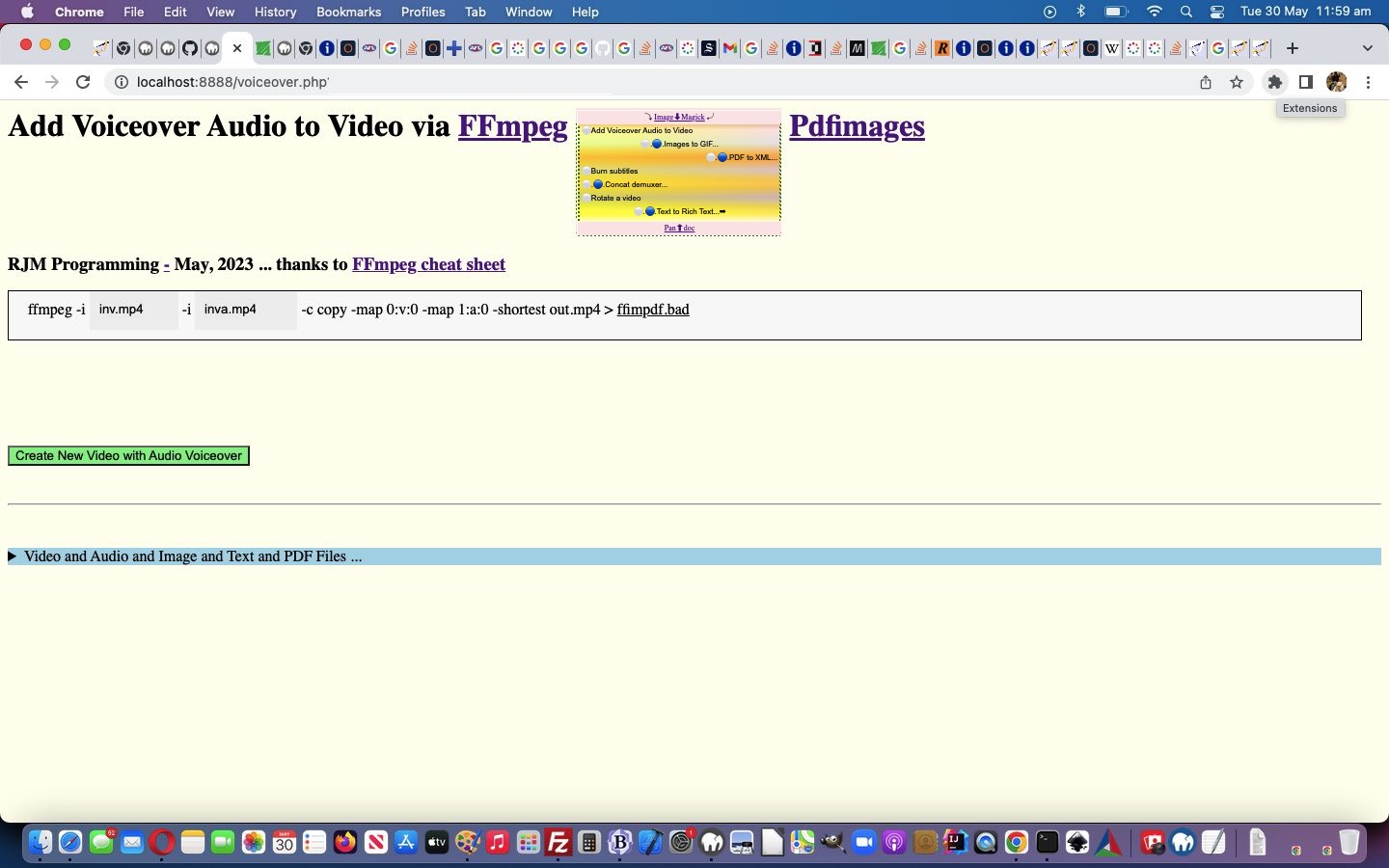
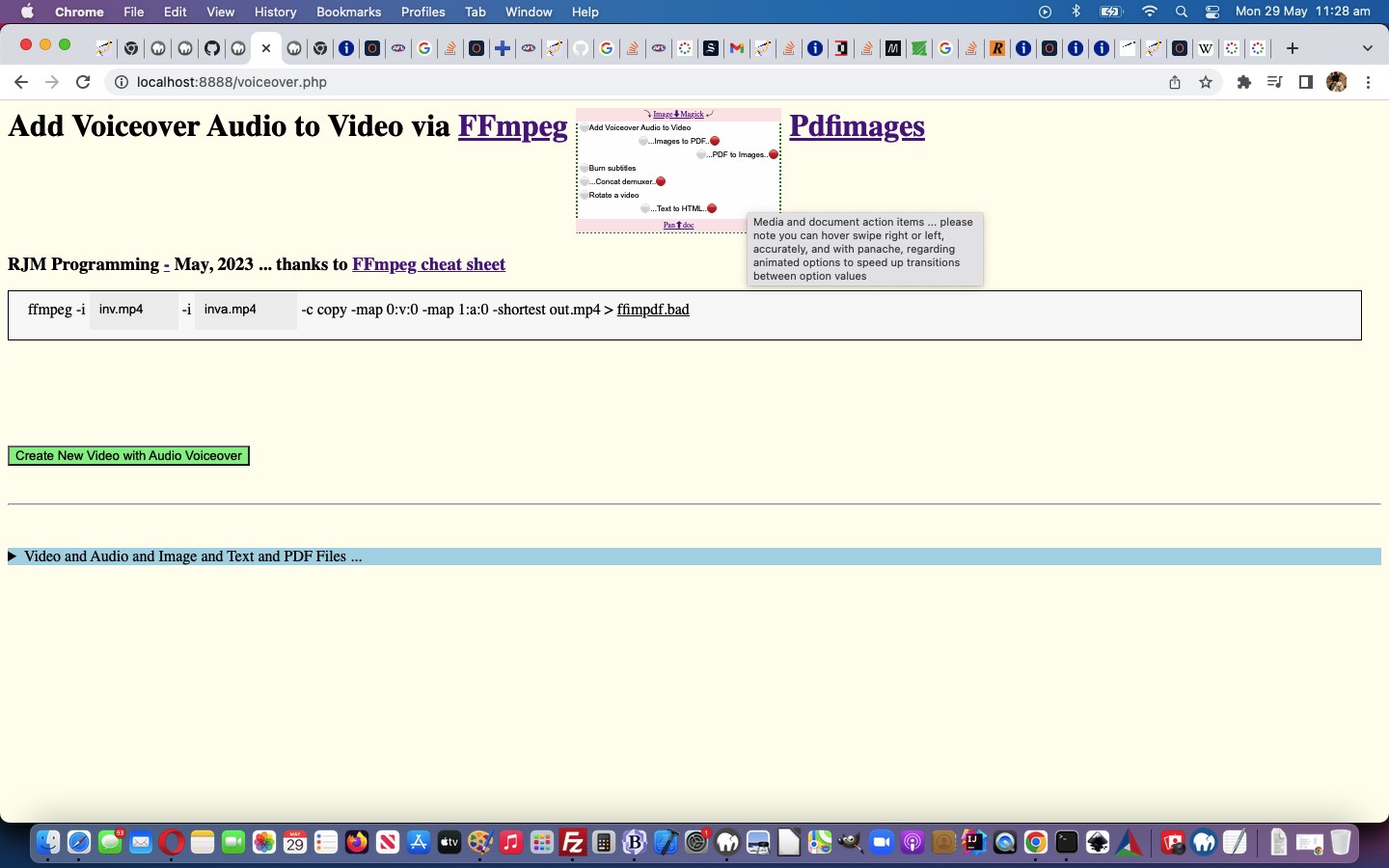
Media and document action items … please note you can hover swipe right or left, accurately, and with panache, regarding animated options to speed up transitions between option values
Ffmpeg and Pandoc and ImageMagick and Pdfimages Dropdown Onhover Marquee Tutorial
The non-mobile platforms have that useful wooooorrrrllllddd, the “onhover wooooorrrrllllddd” (to be precise) that can be a great partner for Javascript Ajax methodologies. This onhover (actually the “onmouseover”) event is also useful whereby as a user hovers over an HTML element, and that element’s title attribute has a value, then the user can see that value displayed.
… regarding the dropdown option innerText “look”, there is, for non-mobile, this “onhover wooooorrrrllllddd” we can use to try a form of marquee “look” there, as per …
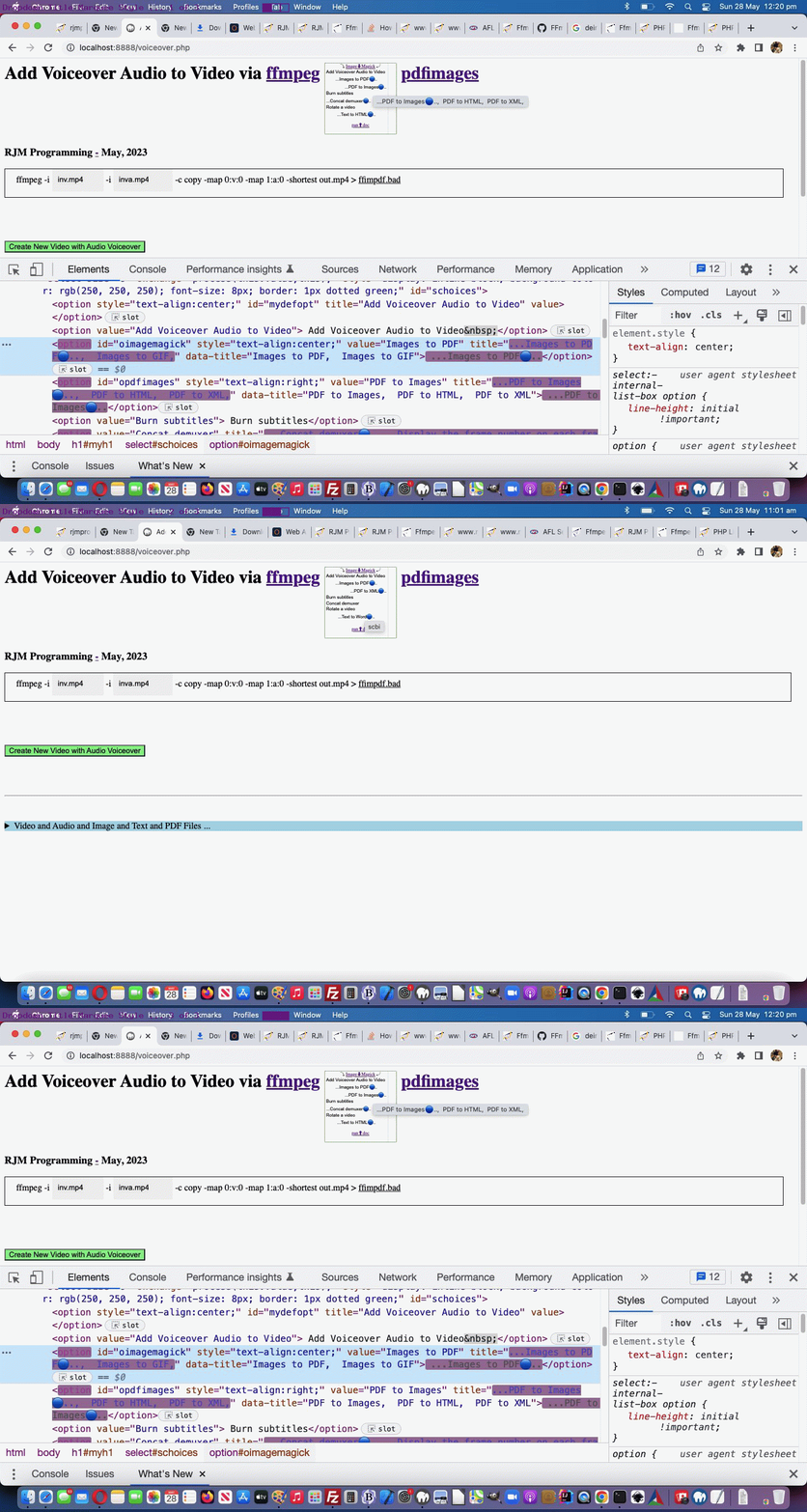
Proof positive that emojis are text, and can help provide a graphic display interest for a webpage. As well, as a CSS means by which we stop “dropdown Y jitteriness”, we introduce the use of an emoji ⚪ (⚪ or ⚪) for most option element Clayton innerText parts, always …
<?php
  var mlook=false, kcnt=0, kprefix='', ksuffix='';

  var imstr='  Images to PDF,  Images to GIF,', oimstr=null, kimstr=0, aimstr=[];

  var pdstr='  PDF to Images,  PDF to HTML,  PDF to XML,', opdstr=null, kpdstr=0, apdstr=[];

  var pastr='  Text to HTML,  Text to Rich Text,  Text to Word,', opastr=null, kpastr=0, apastr=[];

  var ffstr='  Concat demuxer,  Display the frame number on each frame,', offstr=null, kffstr=0, affstr=[];
the wording of option elements within the dropdown … and though we’re not going “full marquee Eat at Joes” we are accentuating “midway”, today, by …
adding emoji 🔵 (🔵) movement to the animation for interest sake, as well as being informative (in that the user can anticipate when the new innerText text will arrive, as the emoji moves from left to right)
… that we team with more instances of multiple animation settings …
<?php echo ”
  var mlook=false, kcnt=0, kprefix='', ksuffix='';

  var imstr='  Images to PDF,  Images to GIF,', oimstr=null, kimstr=0, aimstr=[];

  var pdstr='  PDF to Images,  PDF to HTML,  PDF to XML,', opdstr=null, kpdstr=0, apdstr=[];

  var pastr='  Text to HTML,  Text to Rich Text,  Text to Word,', opastr=null, kpastr=0, apastr=[];

  var ffstr='  Concat demuxer,  ', offstr=null, kffstr=0, affstr=[];
“; ?>
… and a new “between the 8 second setInterval wording refreshes” Javascript function …
function andthen(iidea) {
var outidea=iidea;
var fndpos=-1;
var optsare=document.getElementsByTagName('option'), ioptsare=0;
var iimstr=(imstr.indexOf(',') == -1 ? -1 : outidea.indexOf(imstr.split(',')[0].trim() + ','));
mlook=false;
if (iimstr != -1) {
if ((imstr.split(',')[0].trim() + ',') != imstr.trim()) {
if (document.getElementById('oimagemagick')) {
oimstr=document.getElementById('oimagemagick');
mlook=true;
aimstr=imstr.trim().replace(/\,\ \ /g,',').replace(/\,\ /g,',').replace(/\,$/g,'').split(',');
} else {
for (ioptsare=0; ioptsare<optsare.length; ioptsare++) {
if (optsare[ioptsare].value == imstr.split(',')[0].trim()) {
oimstr=optsare[ioptsare];
mlook=true;
aimstr=imstr.trim().replace(/\,\ \ /g,',').replace(/\,\ /g,',').replace(/\,$/g,'').split(',');
}
}
}
outidea=outidea.replace(imstr.split(',')[0].trim(), imstr.split(',')[0].trim() + '' + (imstr.replace(imstr.split(',')[0],'').trim() + ',').replace(',,',',').replace(/\,$/g,''));
}
}
var ipdstr=(pdstr.indexOf(',') == -1 ? -1 : outidea.indexOf(pdstr.split(',')[0].trim() + ','));
if (ipdstr != -1) {
if ((pdstr.split(',')[0].trim() + ',') != pdstr.trim()) {
if (document.getElementById('opdfimages')) {
opdstr=document.getElementById('opdfimages');
mlook=true;
apdstr=pdstr.trim().replace(/\,\ \ /g,',').replace(/\,\ /g,',').replace(/\,$/g,'').split(',');
} else {
for (ioptsare=0; ioptsare<optsare.length; ioptsare++) {
if (optsare[ioptsare].value == pdstr.split(',')[0].trim()) {
opdstr=optsare[ioptsare];
mlook=true;
apdstr=pdstr.trim().replace(/\,\ \ /g,',').replace(/\,\ /g,',').replace(/\,$/g,'').split(',');
}
}
}
outidea=outidea.replace(pdstr.split(',')[0].trim(), pdstr.split(',')[0].trim() + '' + (pdstr.replace(imstr.split(',')[0],'').trim() + ',').replace(',,',',').replace(/\,$/g,''));
}
}
var ipastr=(pastr.indexOf(',') == -1 ? -1 : outidea.indexOf(pastr.split(',')[0].trim() + ','));
if (ipastr != -1) {
if ((pastr.split(',')[0].trim() + ',') != pastr.trim()) {
if (document.getElementById('opandoc')) {
opastr=document.getElementById('opandoc');
mlook=true;
apastr=pastr.trim().replace(/\,\ \ /g,',').replace(/\,\ /g,',').replace(/\,$/g,'').split(',');
} else {
for (ioptsare=0; ioptsare<optsare.length; ioptsare++) {
if (optsare[ioptsare].value == pastr.split(',')[0].trim()) {
opastr=optsare[ioptsare];
mlook=true;
apastr=pastr.trim().replace(/\,\ \ /g,',').replace(/\,\ /g,',').replace(/\,$/g,'').split(',');
}
}
}
outidea=outidea.replace(pastr.split(',')[0].trim(), pastr.split(',')[0].trim() + '' + (pastr.replace(imstr.split(',')[0],'').trim() + ',').replace(',,',',').replace(/\,$/g,''));
}
}
var iffstr=(ffstr.indexOf(',') == -1 ? -1 : outidea.indexOf(ffstr.split(',')[0].trim() + ','));
if (iffstr != -1) {
if ((ffstr.split(',')[0].trim() + ',') != ffstr.trim()) {
if (document.getElementById('offmpeg')) {
offstr=document.getElementById('offmpeg');
mlook=true;
affstr=ffstr.trim().replace(/\,\ \ /g,',').replace(/\,\ /g,',').replace(/\,$/g,'').split(',');
} else {
for (ioptsare=0; ioptsare<optsare.length; ioptsare++) {
if (optsare[ioptsare].value == ffstr.split(',')[0].trim()) {
offstr=optsare[ioptsare];
mlook=true;
affstr=ffstr.trim().replace(/\,\ \ /g,',').replace(/\,\ /g,',').replace(/\,$/g,'').split(',');
}
}
}
outidea=outidea.replace(ffstr.split(',')[0].trim(), ffstr.split(',')[0].trim() + '' + (ffstr.replace(imstr.split(',')[0],'').trim() + ',').replace(',,',',').replace(/\,$/g,''));
}
}
if (mlook) { setInterval(eatatjoes, 8000); }
return outidea;
}
“; ?>
… helped out via the original setInterval Javascript “eatatjoes” function (all kicked off via modified document.body onload logic document.getElementById(‘mainspan’).title = andthen(document.getElementById(‘schoices’).innerText.replace(/\ \;/g,’ ‘).replace(/\ \ /g,’, ‘)); ), as modified, above.
Ffmpeg and Pandoc and ImageMagick and Pdfimages Animated Dropdown Tutorial
Lemon curry?! Animated dropdown?! What gives? Well, it’s not “shelling peas”, yet!
Yes, there is another “framework” step forward we wanted to implement before the peas. And yes, no surprises there, the “framework” work relates to adding functionality to our main dropdown. We’re adding a layer of functionality we’re going to refer to as “animated dropdown”. It amounts to …
has size attribute equal to the number of option elements it contains
logic wise, because our non-nothing option innerTexts have equalled option values (if you Javascript trim() the option innerText, that is), we have the opportunity to start taking more notice of the …
<?php echo ”
  function process(tv, tvo) {

    var newval='';

    var ourtv=tvo.value;

    if (tv != '') {

      ourtv=tvo.options[tvo.selectedIndex].innerText.trim();

    }

    if (origval == '') { origval=document.getElementById('mydefopt').title;  }

    if (tv == '') {

      document.getElementById('mainspan').innerHTML=document.getElementById('mydefopt').title;

    } else {

      document.getElementById('mydefopt').title=ourtv; //tv;

      document.getElementById('mainspan').innerHTML=document.getElementById('mydefopt').title;

      document.getElementById('schoices').value='';

    }

    newval=document.getElementById('mydefopt').title;

    //alert('origval,newval=' + origval + ' ' + newval);

    if (newval != origval) {

      origval=newval;

      wentfrom(origval, newval);

    } else {

      origval=newval;

    }

  }
“; ?>
… option innerHTML as above, meaning …
we can set up Javascript code facilitating the animated feel of some option innerHTML looks that are taken notice of as selected via …
Global variables arranged via each “verb” involved … for today’s “proof of concept” we add one extra Pandoc “Text to Rich Text” option, for now, before the flood of peas arrives …
<?php echo ”
  var mlook=false;

  var imstr='  Images to PDF,  ', oimstr=null, kimstr=0, aimstr=[];

  var pdstr='  PDF to Images,  ', opdstr=null, kpdstr=0, apdstr=[];

  var pastr='  Text to HTML,  Text to Rich Text,', opastr=null, kpastr=0, apastr=[];

  var ffstr='  Concat demuxer,  ', offstr=null, kffstr=0, affstr=[];
“; ?>
As heading title is determined at document.body onload document.getElementById(‘mainspan’).title=andthen(document.getElementById(‘schoices’).innerText.replace(/\ \;/g,’ ‘).replace(/\ \ /g,’, ‘)); …
<?php echo ”
  function andthen(iidea) {

     var outidea=iidea;

     var fndpos=-1;

     var optsare=document.getElementsByTagName('option'), ioptsare=0;

     var iimstr=(imstr.indexOf(',') == -1 ? -1 : outidea.indexOf(imstr.split(',')[0].trim() + ','));

     mlook=false;

     if (iimstr != -1) {

        if ((imstr.split(',')[0].trim() + ',') != imstr.trim()) {

          if (document.getElementById('oimagemagick')) {

             oimstr=document.getElementById('oimagemagick');

             mlook=true;

             aimstr=imstr.trim().replace(/\,\ \ /g,',').replace(/\,\ /g,',').replace(/\,$/g,'').split(',');

          } else {

             for (ioptsare=0; ioptsare<optsare.length; ioptsare++) {

                if (optsare[ioptsare].value == imstr.split(',')[0].trim()) {

                  oimstr=optsare[ioptsare];

                  mlook=true;

                  aimstr=imstr.trim().replace(/\,\ \ /g,',').replace(/\,\ /g,',').replace(/\,$/g,'').split(',');

                }

             }

          }

          outidea=outidea.replace(imstr.split(',')[0].trim(), imstr.split(',')[0].trim() + '' + (imstr.replace(imstr.split(',')[0],'').trim() + ',').replace(',,',',').replace(/\,$/g,''));

        }

     }

     var ipdstr=(pdstr.indexOf(',') == -1 ? -1 : outidea.indexOf(pdstr.split(',')[0].trim() + ','));

     if (ipdstr != -1) {

        if ((pdstr.split(',')[0].trim() + ',') != pdstr.trim()) {

          if (document.getElementById('opdfimages')) {

             opdstr=document.getElementById('opdfimages');

             mlook=true;

             aipdtr=pdstr.trim().replace(/\,\ \ /g,',').replace(/\,\ /g,',').replace(/\,$/g,'').split(',');

          } else {

             for (ioptsare=0; ioptsare<optsare.length; ioptsare++) {

                if (optsare[ioptsare].value == pdstr.split(',')[0].trim()) {

                  opdstr=optsare[ioptsare];

                  mlook=true;

                  apdstr=pdstr.trim().replace(/\,\ \ /g,',').replace(/\,\ /g,',').replace(/\,$/g,'').split(',');

                }

             }

          }

          outidea=outidea.replace(pdstr.split(',')[0].trim(), pdstr.split(',')[0].trim() + '' + (pdstr.replace(imstr.split(',')[0],'').trim() + ',').replace(',,',',').replace(/\,$/g,''));

        }

     }

     var ipastr=(pastr.indexOf(',') == -1 ? -1 : outidea.indexOf(pastr.split(',')[0].trim() + ','));

     if (ipastr != -1) {

        if ((pastr.split(',')[0].trim() + ',') != pastr.trim()) {

          if (document.getElementById('opandoc')) {

             opastr=document.getElementById('opandoc');

             mlook=true;

             apastr=pastr.trim().replace(/\,\ \ /g,',').replace(/\,\ /g,',').replace(/\,$/g,'').split(',');

          } else {

             for (ioptsare=0; ioptsare<optsare.length; ioptsare++) {

                if (optsare[ioptsare].value == pastr.split(',')[0].trim()) {

                  opastr=optsare[ioptsare];

                  mlook=true;

                  apastr=pastr.trim().replace(/\,\ \ /g,',').replace(/\,\ /g,',').replace(/\,$/g,'').split(',');

                }

             }

          }

          outidea=outidea.replace(pastr.split(',')[0].trim(), pastr.split(',')[0].trim() + '' + (pastr.replace(imstr.split(',')[0],'').trim() + ',').replace(',,',',').replace(/\,$/g,''));

        }

     }

     var iffstr=(ffstr.indexOf(',') == -1 ? -1 : outidea.indexOf(ffstr.split(',')[0].trim() + ','));

     if (iffstr != -1) {

        if ((ffstr.split(',')[0].trim() + ',') != ffstr.trim()) {

          if (document.getElementById('offmpeg')) {

             offstr=document.getElementById('offmpeg');

             mlook=true;

             affstr=ffstr.trim().replace(/\,\ \ /g,',').replace(/\,\ /g,',').replace(/\,$/g,'').split(',');

          } else {

             for (ioptsare=0; ioptsare<optsare.length; ioptsare++) {

                if (optsare[ioptsare].value == ffstr.split(',')[0].trim()) {

                  offstr=optsare[ioptsare];

                  mlook=true;

                  affstr=ffstr.trim().replace(/\,\ \ /g,',').replace(/\,\ /g,',').replace(/\,$/g,'').split(',');

                }

             }

          }

          outidea=outidea.replace(ffstr.split(',')[0].trim(), ffstr.split(',')[0].trim() + '' + (ffstr.replace(imstr.split(',')[0],'').trim() + ',').replace(',,',',').replace(/\,$/g,''));

        }

     }

     if (mlook) { setInterval(eatatjoes, 8000); }

     return outidea;

  }
“; ?>
… the appeal of all this being that the dropdown height can be controlled by swapping animation for height extension (and user experience downgrades)
Animated dropdown setInterval Javascript function (bit like marquee Eat at Joes type of animation (we’ll see if it gets more like it into the future, perhaps?)) …
ffmpeg … two more media manipulation “verb” stars today …
ImageMagick (can help us with new “Images to PDF” option)
pdfimages (can help us with new “PDF to Images” option) … “verb” collection, today, we wanted to add …
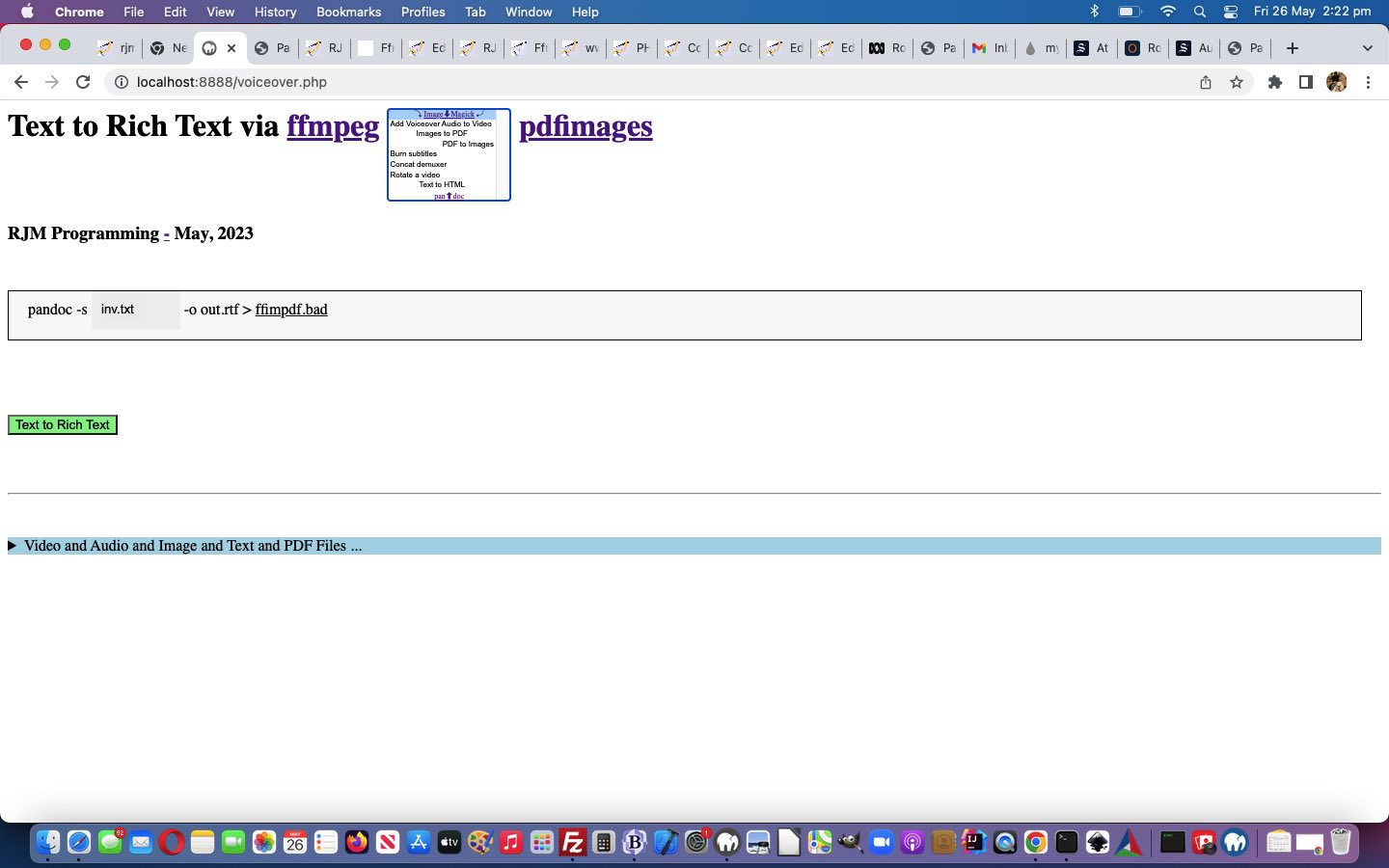
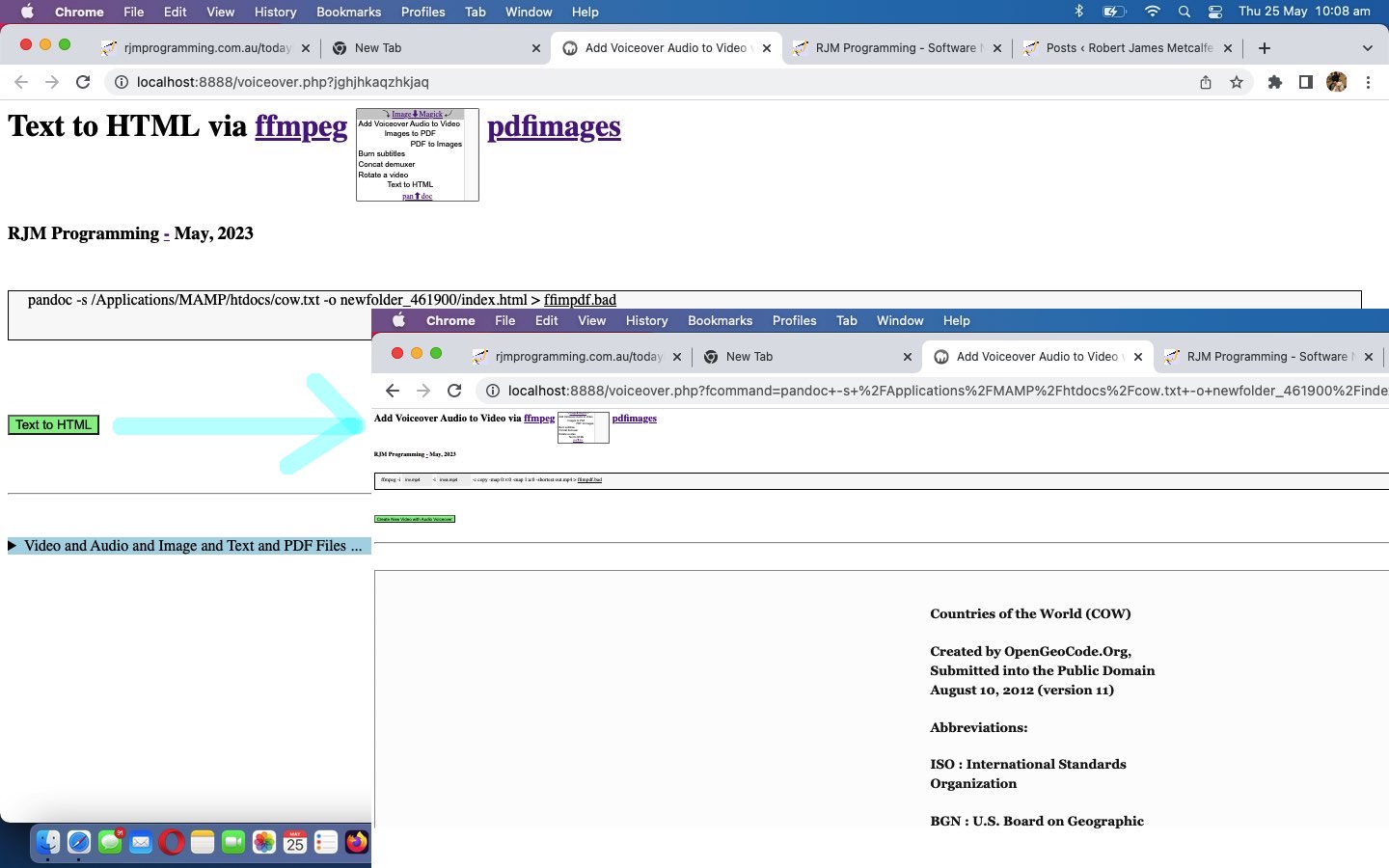
pandoc (can help us with new “Text to HTML” option) …
If you need to convert files from one markup format into another, pandoc is your swiss-army knife.
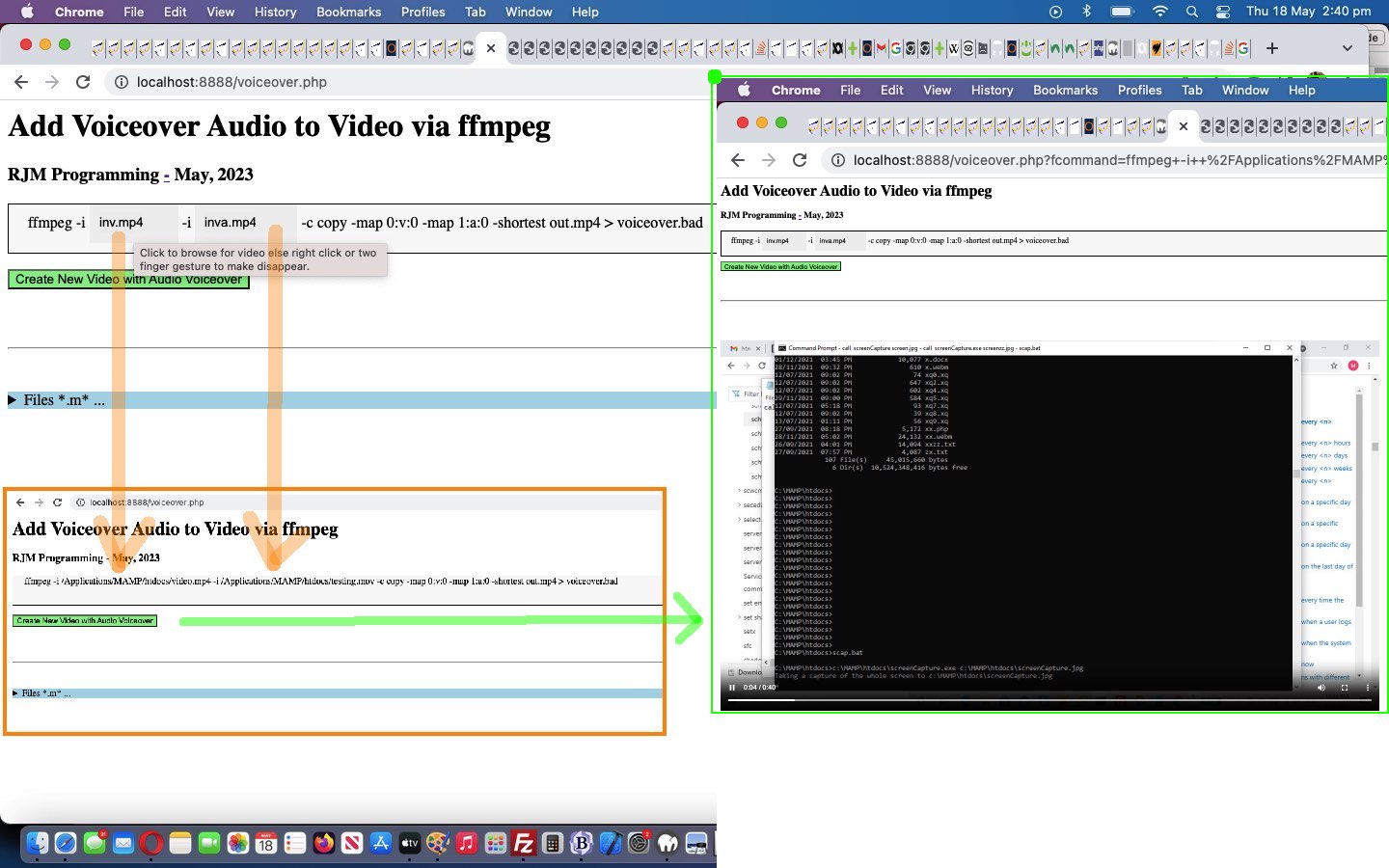
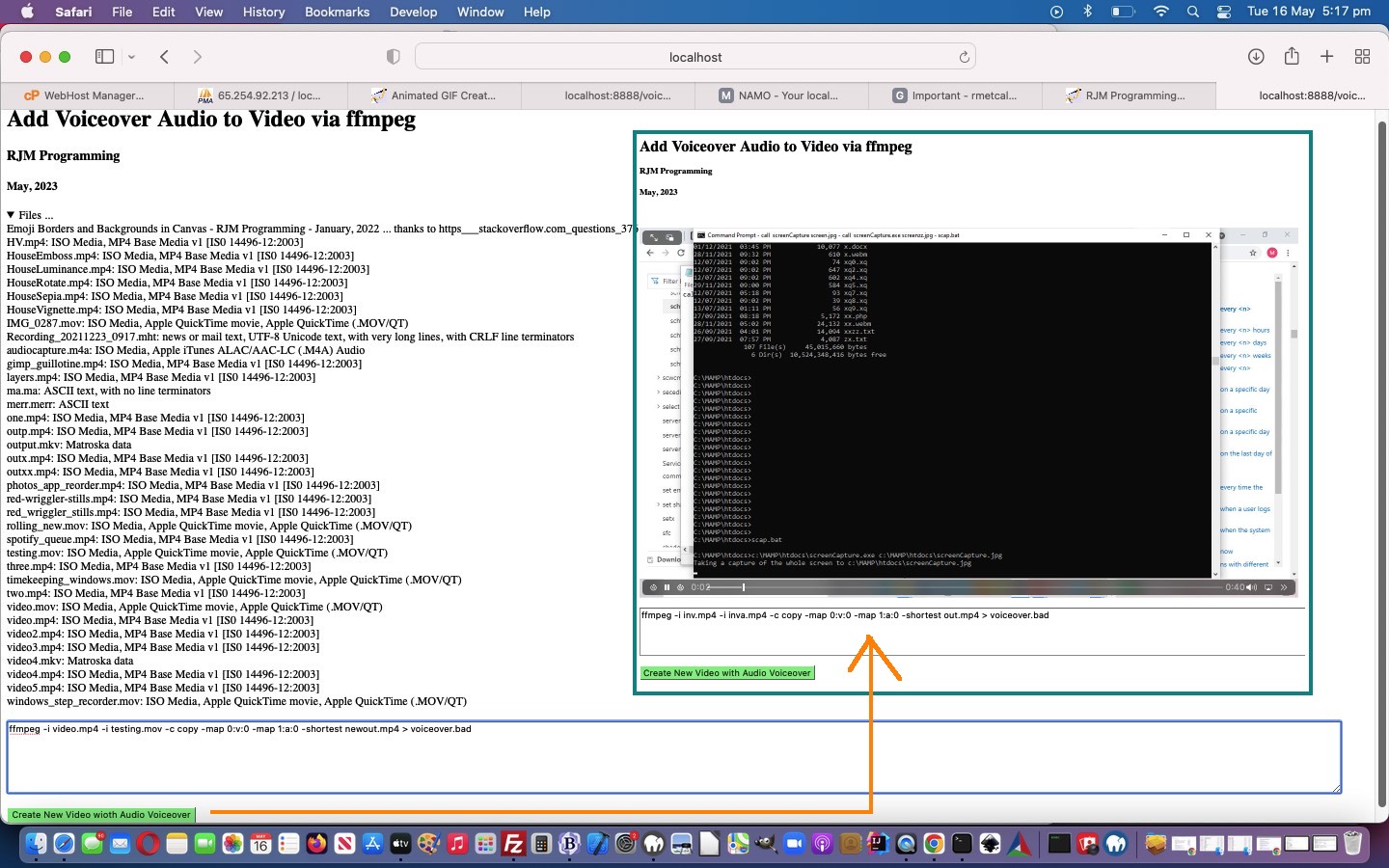
… to help improve the “one stop shop” aspects, especially regarding “documents”, to our current Intranet feeling web application in the changedvoiceover.php PHP (we’d want you to download to a local MAMP Apache web server’s Document Root folder and which you can run that PHP there).
We now present those four in “an expanded out” (at least on non-mobile) dropdown HTML element. Maybe you can guess why?
… and today we are deploying the framework parts and two new media manipulation options regarding PDF that add to our PHP web application’s functionality.
Operating system commands can be thought of to start with …
an action item (to be precise a desktop software file specification) … and, what we often think is, like …
the command’s “verb” part (as funny as that is to think of a “noun” sounding desktop software file specification being like a “verb”) … verbs being action items in a sentence … down to being essential in any sentence … to the point a “verb” can be the whole sentence
We want to add functionality by adding to our first “verb” …
ffmpeg … two more media manipulation “verb” stars today …
ImageMagick (can help us with new “Images to PDF” option)
pdfimages (can help us with new “PDF to Images” option)
…
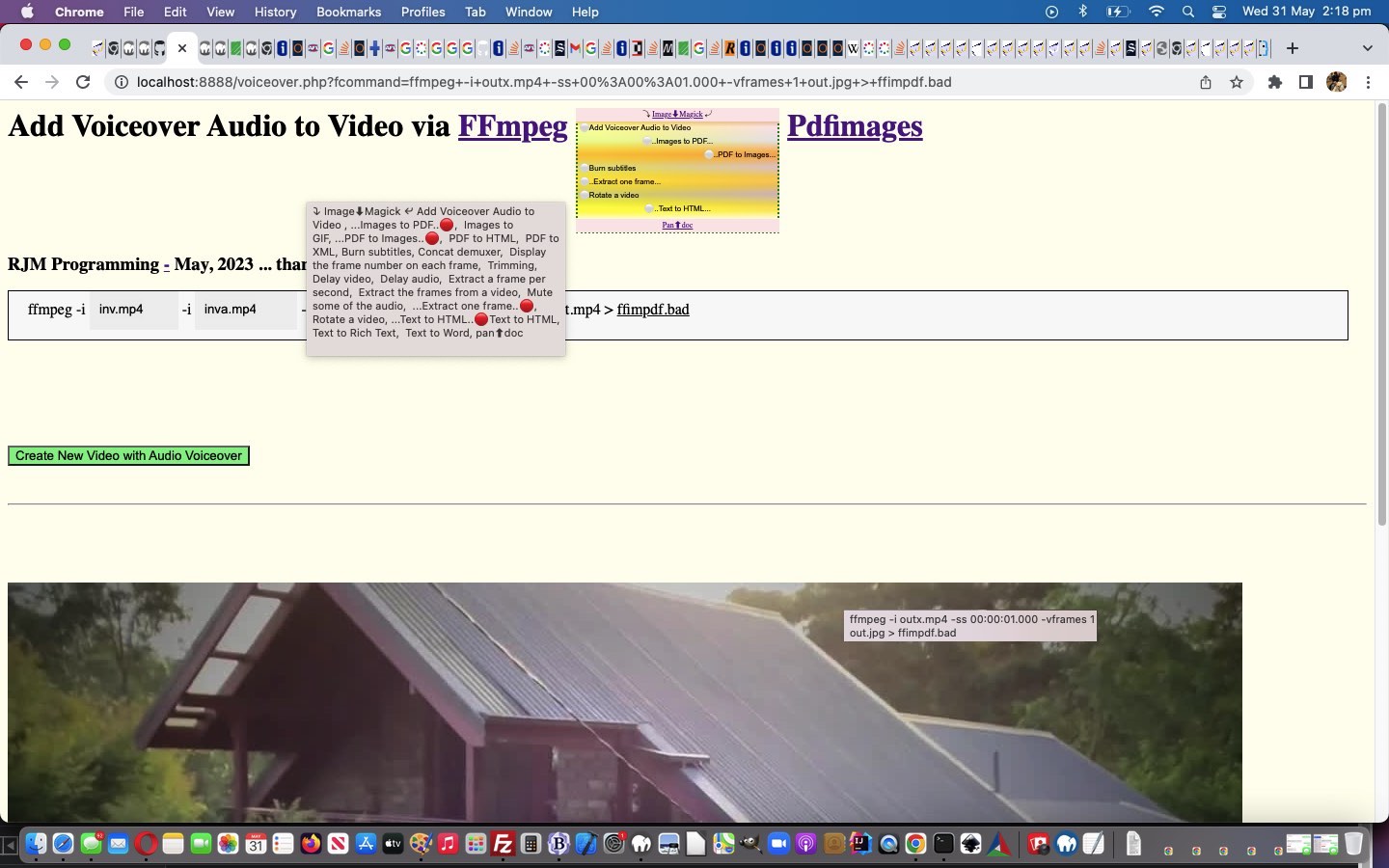
<select size=7 onchange=process(this.value,this); style=display:inline-block;font-size:8px; id=schoices><option style=text-align:center; id=mydefopt title='Add Voiceover Audio to Video' value=''>⤵ Image⬇Magick ⤶</option><option value='Add Voiceover Audio to Video'> Add Voiceover Audio to Video </option><option style='text-align:center;' value='Images to PDF'> Images to PDF</option><option style='text-align:right;' value='PDF to Images'> PDF to Images</option><option value='Burn subtitles'> Burn subtitles</option><option value='Concat demuxer'> Concat demuxer</option><option value='Rotate a video'> Rotate a video</option></select>
… and then in order to offer the “center” ImageMagick be a link back to the product we introduce some new overlay code …
<?php echo ”
function overlay() {
origval=document.getElementById('schoices').value;
var rect=document.getElementById('fcommand').getBoundingClientRect();
document.getElementById('moreb').style.position='absolute';
document.getElementById('moreb').style.left='' + rect.left + 'px';
document.getElementById('moreb').style.top='' + rect.top + 'px';
document.getElementById('moreb').style.width='96%'; //' + rect.width + 'px';
document.getElementById('moreb').style.height='' + rect.height + 'px';
document.getElementById('moreb').style.border='1px solid black';
document.getElementById('moreb').style.paddingLeft='20px';
document.getElementById('moreb').style.backgroundColor='#f9f9f9';
document.getElementById('fcommand').style.opacity='0.0';
document.getElementById('fcommand').style.cursor='pointer';
document.getElementById('moreb').innerHTML='<span id=precmds></span><span id=verb>ffmpeg" . $ffmpegsuf . "</span> <span id=prescbi></span><span id=minusi> -i </span><span id=scbi><iframe onload=checkif(this,\"inv.mp4\"); scrolling=no frameborder=0 id=cbi data-type=file data-value=inv.mp4 data-accept=\"video/*\" style=\"display:inline-block;height:40px;width:92px;vertical-align:middle;\" src=\"/HTMLCSS/client_browsing.htm?d=69075964842271&left=y\"></iframe></span> <span id=betweenis></span> <span id=secondi>-i <span id=scbix><iframe onload=checkiftwo(this,\"inva.mp4\"); scrolling=no frameborder=0 id=cbix data-type=file data-value=inva.mp4 data-accept=\"video/*\" style=\"display:inline-block;height:40px;width:106px;vertical-align:middle;\" src=\"/HTMLCSS/client_browsing.htm?d=69075964842271&right=y\"></iframe></span></span> <span id=sswitches>-c copy -map 0:v:0 -map 1:a:0 -shortest</span> out.mp4 > <a target=_blank title=ffimpdf.bad onclick=getvb(); style=cursor:pointer;text-decoration:underline; data-href=./ffimpdf.bad>ffimpdf.bad</a>';
if (firstdivih == '') { firstdivih=document.getElementById('moreb').innerHTML; }
if (firstbutval == '') { firstbutval=document.getElementById('mysub').value; }
document.getElementById('schoices').style.display='inline-block';
function fhoc() {
var rectx=document.getElementById('schoices').getBoundingClientRect();
document.getElementById('doverlay').style.left='' + rectx.left + 'px';
document.getElementById('doverlay').title=document.getElementById('mydefopt').title;
if (document.getElementById('scbi')) {
if (document.getElementById('scbi').innerHTML.indexOf('<') == -1) {
if (document.getElementById('scbi').innerHTML.trim().indexOf(' ') != -1) {
if (document.getElementById('scbi').innerHTML.trim().indexOf(String.fromCharCode(34)) == -1) {
document.getElementById('scbi').innerHTML=String.fromCharCode(34) + document.getElementById('scbi').innerHTML.trim() + String.fromCharCode(34);
}
}
}
}
if (document.getElementById('scbix')) {
if (document.getElementById('scbix').innerHTML.indexOf('<') == -1) {
if (document.getElementById('scbix').innerHTML.trim().indexOf(' ') != -1) {
if (document.getElementById('scbix').innerHTML.trim().indexOf(String.fromCharCode(34)) == -1) {
document.getElementById('scbix').innerHTML=String.fromCharCode(34) + document.getElementById('scbix').innerHTML.trim() + String.fromCharCode(34);
}
}
}
}
}
“; ?>
Javascript to set up the HTML div contenteditable=true look for these two new options …
<?php echo ”
if (newv == 'PDF to Images') {
document.getElementById('moreb').innerHTML=firstdivih.replace(' out.mp4',' " . $minuspng . "');
document.getElementById('secondi').innerHTML='';
document.getElementById('sswitches').innerHTML=\"<span id=sfolder contenteditable=false>newfolder_" . rand(0,784534) . str_replace("\\","\\\\",$ddn) . "\" + '</span>ideas';
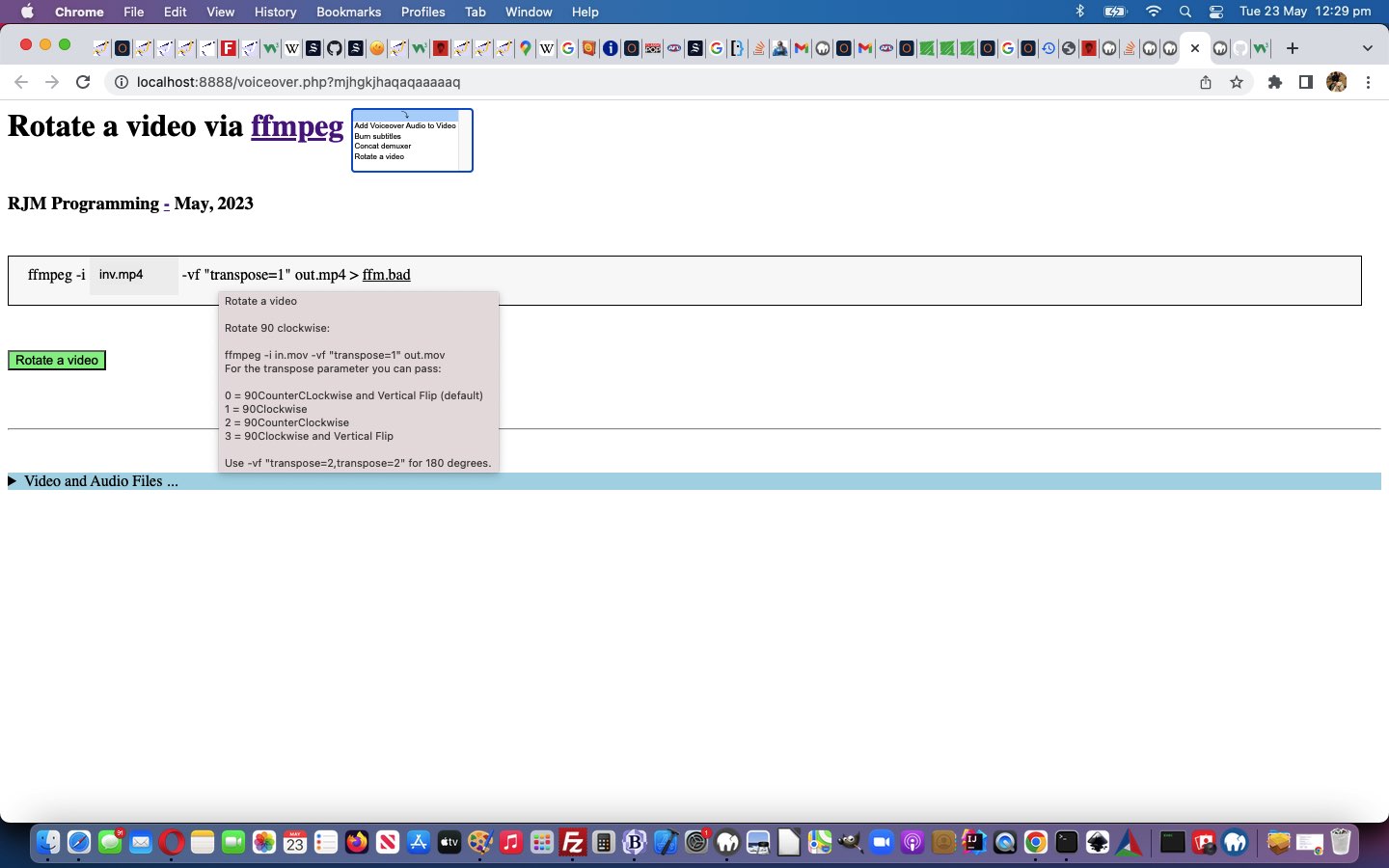
It’s getting closer to “shelling peas”, are today’s “Rotate a video via ffmpeg” changes, but we are not there yet. Yes, most programmers want to be “shelling peas” adding functionality to web applications, once they have set up a framework in which they are happy to work. Yesterday’s Ffmpeg Concat Demuxer Tutorial“defence talk” is getting us closer to that “shelling peas” “homeostasis feel” (with an “Intranet” pike, no doubt?!) as you can see from a Javascript “Rotate a video” code snippet below …
<?php echo ”
if (newv == 'Rotate a video') {
document.getElementById('moreb').innerHTML=firstdivih;
… ffmpeg switch definition, by the user, to changing that 1 above as per the hover over advice, to help the user, straight from Mux Video and Audio from another Video, thanks, to advise …
<?php
$rotateadvice="Rotate a video


Rotate 90 clockwise:


ffmpeg -i in.mov -vf \"transpose=1\" out.mov

For the transpose parameter you can pass:


0 = 90CounterCLockwise and Vertical Flip (default)

1 = 90Clockwise

2 = 90CounterClockwise

3 = 90Clockwise and Vertical Flip


Use -vf \"transpose=2,transpose=2\" for 180 degrees.";
?>
Yes, the user can still put a bad entry there, but at least the web application has attempted to point them in the right direction, here.
If you examine the changes the changedvoiceover.php PHP (we’d want you to download to a local MAMP Apache web server’s Document Root folder and which you can run that PHP there), am sure that you will concur …
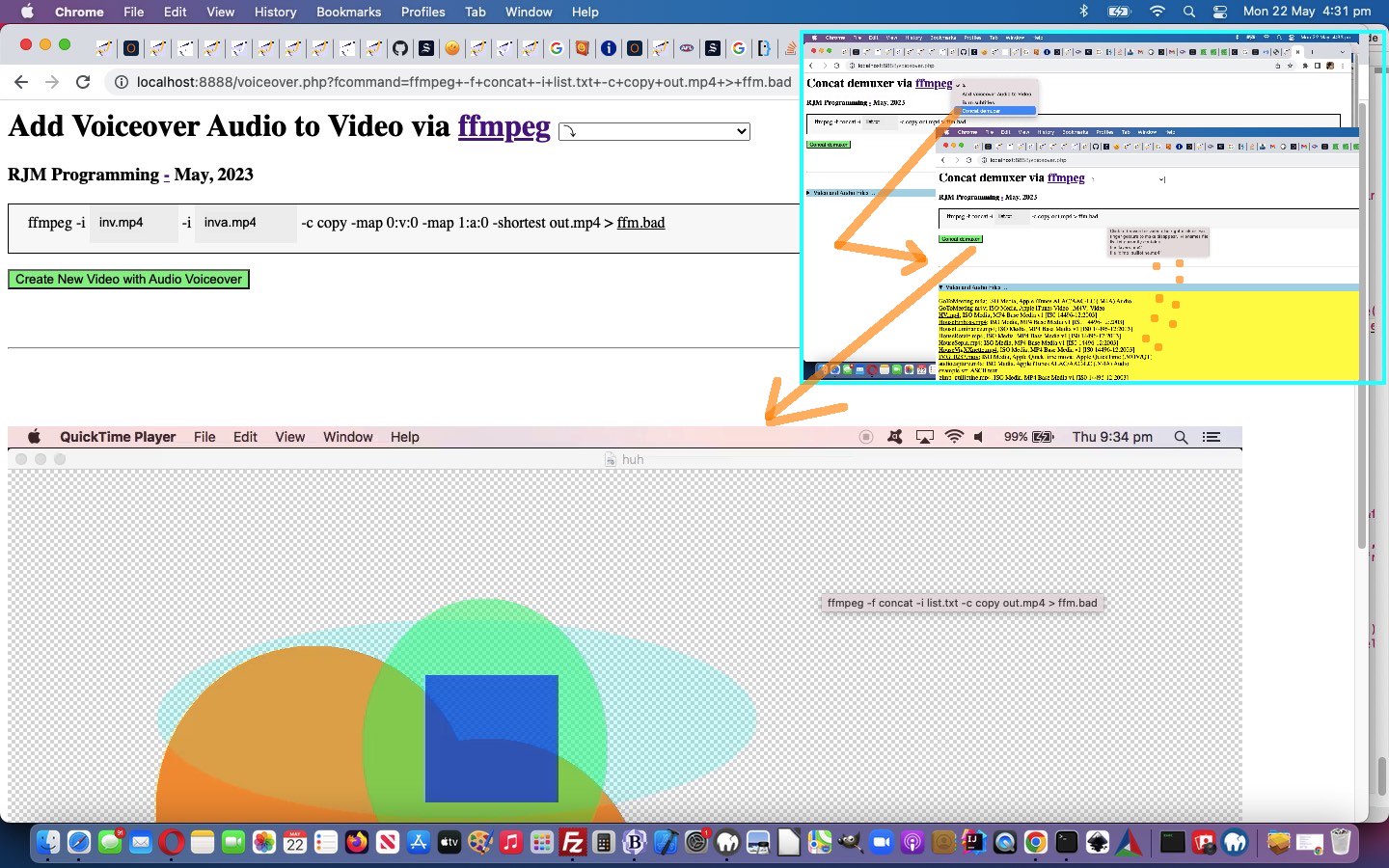
Concat demuxer concatenation of videos ffmpeg functionality, onto the “as of yesterday” …
Voiceovers … and …
Burn subtitles
Rotate a video
… was the simplest functionality component, yet, of the four. We now present those four in “an expanded out” (at least on non-mobile) dropdown HTML element. Maybe you can guess why?
Concat demuxer concatenation of videos ffmpeg functionality, onto the “as of yesterday” …
Voiceovers … and …
Burn subtitles
… progress.
What’s different this time? Well, ffmpeg works the command, we again thank Mux Video and Audio from another Video for (regarding “the plan”), using an interim file …
… and for File API browsing (with our, once again, tweaked inhouse client_browsing.htm) there will be a delay, deriving the file path in “second call PHP”. We handle this by writing two new Javascript functions …
<?php echo ”
var ifile=0, ibfile=0;
function takeoffone() {
ibfile--;
if (ibfile <= 0) {
document.getElementById('mysub').style.cursor='pointer';
} else {
document.getElementById('mysub').style.cursor='progress';
}
}
… available to call from child iframes via parent.takeoneoff(); (from voiceover.php second PHP call) and parent.organizefilenamesize(files[ij].name, files[ij].size); (from client_browsing.htm) respectively, to facilitate a progress cursor on the submit button to remind the user we’d like more time. Along the way, too, we found …
… are the SpongeBob, Patrick, and Squidward of the online woooorrrrllllddd, in an “offence” line of “piecing together an operating system command” thinking, thinking “defence” regarding this we added one (we were pleasantly surprised to discover worked, so as) to have …
div contenteditable=true
spanizing within that div
innerText
mask off parts the programmer wants left untouched via span contenteditable=false
… being like the Hall and Oates meets Everything But the Girl (on a yacht, of course) step back into the ’80s!
The initial inspiration for this current ffmpeg themed series of blog posting was, and still is, Mux Video and Audio from another Video, thanks. So many great ideas, we found, that today we add onto the …
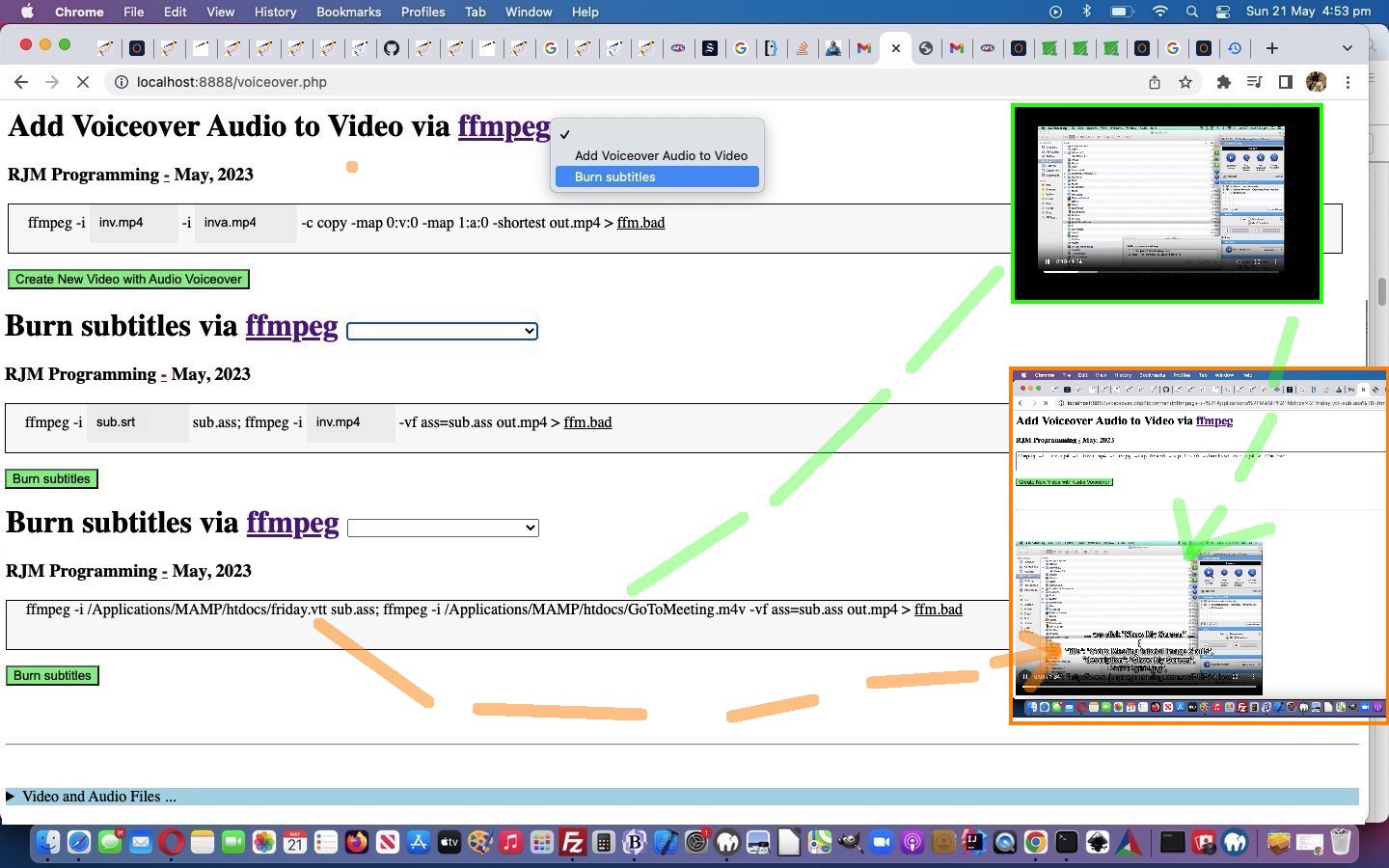
first idea of Voiceovers we’ve established to work with MAMP in macOS and Windows over the previous days, allowing us to now think to add a first suboption idea of …
Burn subtitles … as per our link’s …
Burn subtitles
Use the libass library (make sure your ffmpeg install has the library in the configuration –enable-libass).
First convert the subtitles to .ass format:
ffmpeg -i sub.srt sub.ass
Then add them using a video filter:
ffmpeg -i in.mp4 -vf ass=sub.ass out.mp4
… as a useful video piece of functionality we’d say.
To get this going, easily (from a programming perspective) …
our textarea element remains as the form conduit to the ffmpeg command via the onsubmit event final analysis of the …
underlying div contenteditable=true is “spanned” up a lot more as per …
<?php echo ”
document.getElementById('moreb').innerHTML='<span id=precmds></span><span id=verb>ffmpeg" . $ffmpegsuf . "</span> -i <span id=scbi><iframe onload=checkif(this,\"inv.mp4\"); scrolling=no frameborder=0 id=cbi data-type=file data-value=inv.mp4 data-accept=\"video/*\" style=\"display:inline-block;height:40px;width:92px;vertical-align:middle;\" src=\"/HTMLCSS/client_browsing.htm?d=9075964842271&left=y\"></iframe></span> <span id=betweenis></span> <span id=secondi>-i <span id=scbix><iframe onload=checkiftwo(this,\"inva.mp4\"); scrolling=no frameborder=0 id=cbix data-type=file data-value=inva.mp4 data-accept=\"video/*\" style=\"display:inline-block;height:40px;width:106px;vertical-align:middle;\" src=\"/HTMLCSS/client_browsing.htm?d=9075964842271&right=y\"></iframe></span></span> <span id=sswitches>-c copy -map 0:v:0 -map 1:a:0 -shortest</span> out.mp4 > <a target=_blank title=ffm.bad onclick=getvb(); style=cursor:pointer;text-decoration:underline; data-href=./ffm.bad>ffm.bad</a>';
“; ?>
… and at the onsubmit event Javascript the innerText attribute usage makes it fairly easy to say …
<?php echo ”
  function mergechanges() {

     if (document.getElementById('scbi').innerHTML.indexOf('<') == -1) {

       if (document.getElementById('precmds').innerHTML != '') {

       document.getElementById('fcommand').value=document.getElementById('moreb').innerText;

       } else {

       document.getElementById('fcommand').value=document.getElementById('fcommand').value.replace(' inv.mp4 ', ' ' + document.getElementById('scbi').innerHTML + ' ');

       }

       //alert('not oops ' + document.getElementById('fcommand').value);

     } //else {

       //alert('oops');

     //}

     if (document.getElementById('scbix').innerHTML.indexOf('<') == -1) {

       //alert('zoops');

       document.getElementById('fcommand').value=document.getElementById('fcommand').value.replace(' inva.mp4 ', ' ' + document.getElementById('scbix').innerHTML + ' ');

     }

     if (document.getElementById('moreb').innerText.indexOf(' -c ') != -1 && document.getElementById('fcommand').value.indexOf(' -c ') != -1) {

      //alert('azoops');

      if (document.getElementById('moreb').innerText.split(' -c ')[1] != document.getElementById('fcommand').value.split(' -c ')[1]) {

       //alert('bzoops');

       document.getElementById('fcommand').value=document.getElementById('fcommand').value.split(' -c ')[0] + ' -c ' + document.getElementById('moreb').innerText.split(' -c ')[1];

      }

     }

     return true;

  }
“; ?>
… to slice through that “span” complexity like margarine (or butter that’s been left out on a hot day for approximately 7 hours 17 minutes 23 seconds)
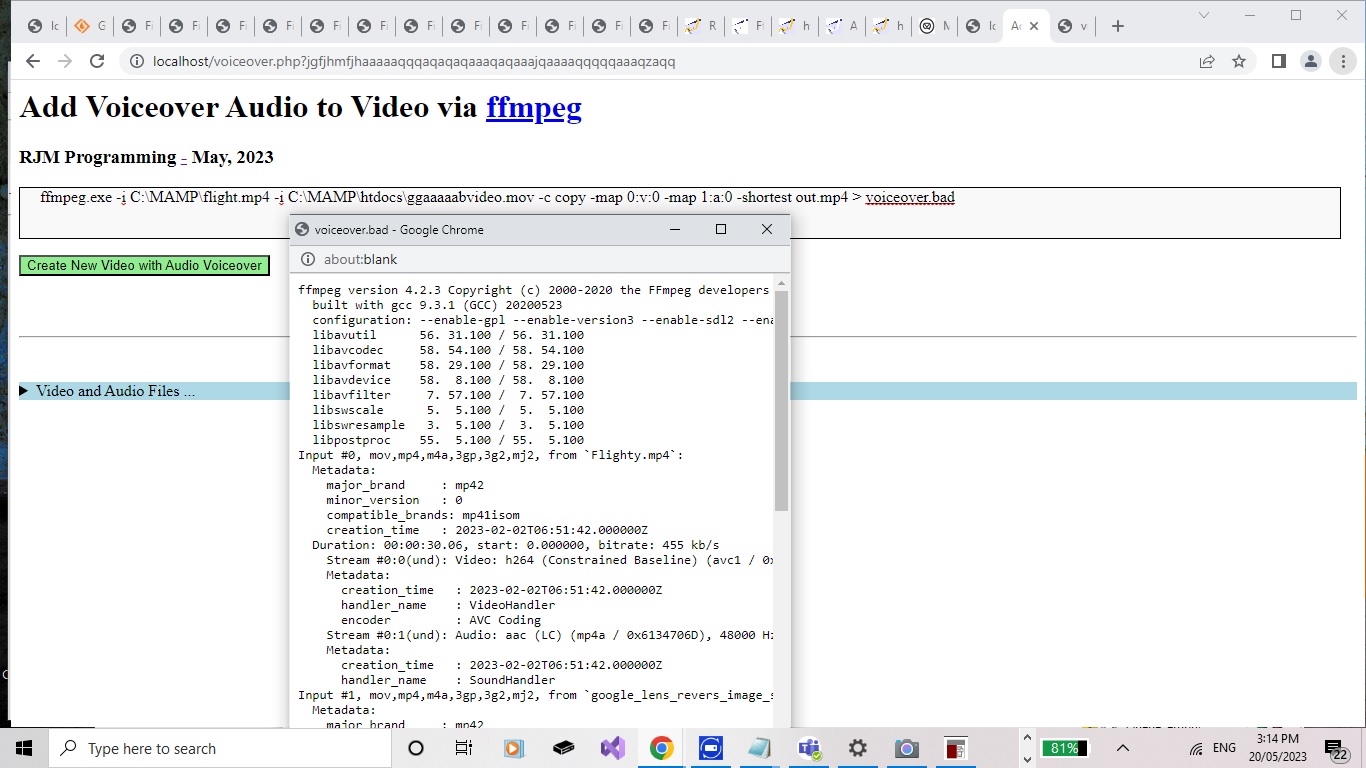
… to work out a file path when supplied a file base name and a file size and you call as above with starting folders. That works well (for deriverability (if that is a word!)) in the “cmd” window but not when called under the auspices of PHP exec or shell_exec. It could be that you lose a lot of a Windows user environment when asking PHP to do some operating system work.
… was “only partially” the story. We found out that that ” | find ” command piping could cause problems on Windows MAMP using shell_exec or exec to do some operating system functionality. But before your enthusiasm oozes over the edges, Windows “forfiles” is still very hard to get working with PHP shell_exec or exec, even using PHP to perform that ” | find ” filtering of results.
Ffmpeg Mux Video and Audio Windows Media Browsing Tutorial
You know it’s “Intranet feely land”?
You look out the train window (tee hee) and see macOS racing through their usual routine.
Of course you’ll pick the buffet car containing the rice bubbles ahead of the vegemite corn flakes?!
But do we need to reiterate that in “Intranet feely land” you’ve got your macOS typose of work not suiting “arch Windows” methodologies? Take the case of …
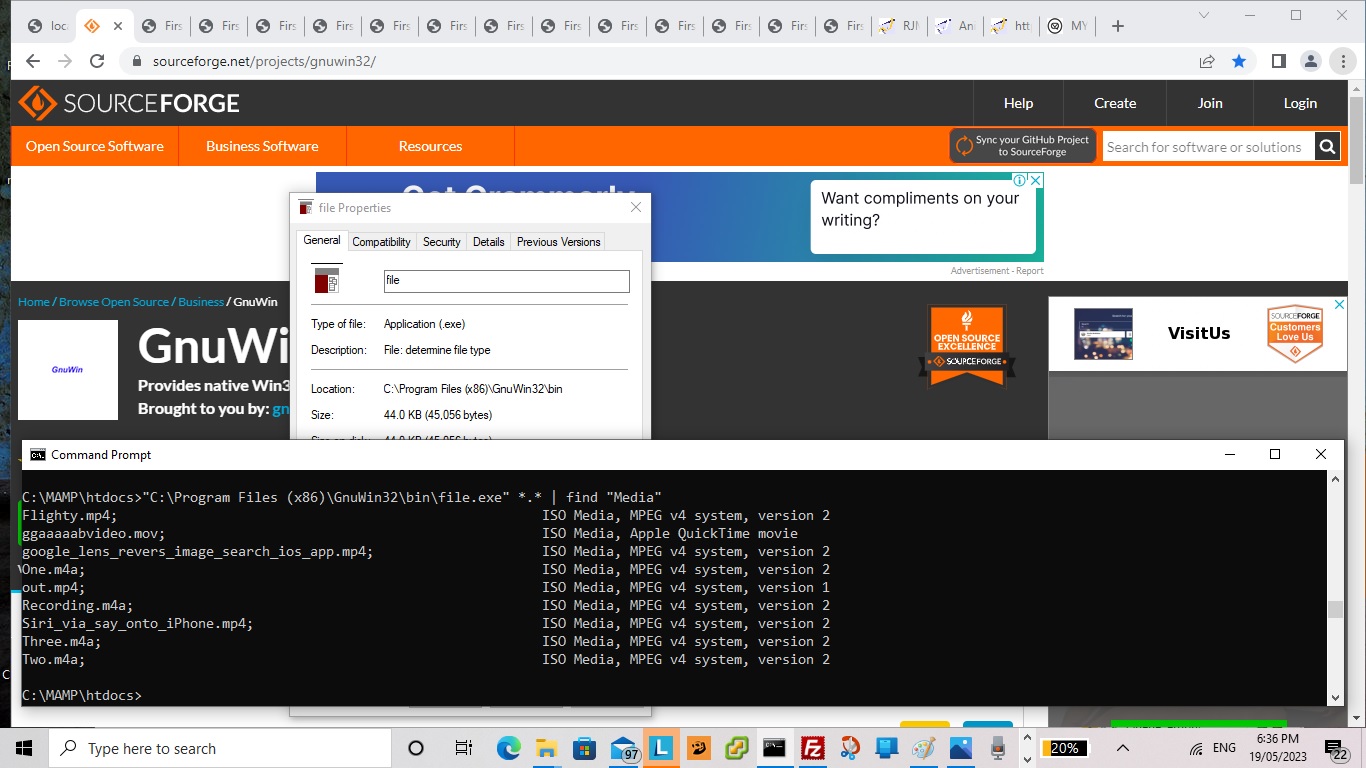
At least, with macOS MAMP there is the excellent command line “file” we can use to show information about some potential input files you could use in this, so far, user unfriendly, “first draft” version of the PHP.
I command thee mux, hey you, with audible you, over yonder, by dale and meadow be, yea!
… when it occurred to us we could turn the base filename parts of those “file.exe” reports into links that when clicked mapped those clicked files into place into the “ffmpeg” command being developed above (as alternative input file designator idea to browsing or div contenteditable=true typing ways), in the changedvoiceover.php PHP (we’d want you to download to a local MAMP Apache web server’s Document Root folder) and which you can run that PHP there.
There be a flowerin’ of inner warmth and glo’ towards all our readers, youngins and oldins alike … like!
Yes, we’re involving good ol’ HTML5 File API Object Javascript logic, so our “Intranet” savvy downloaders out there …
Full o’ inner warmth and glo’ towards each other … like!
… can easily browse for their two media input files, and for the first time ever integrating our ever tweaked inhouse client_browsing.htm (also a standalone proposition) (we’d like you to download to MAMP Document Root’s HTMLCSS subfolder) we add “oncontextmenu” event changes to its input type=file browser hosting parent iframe element onload event Javascript function as per …
<?php echo ”
  var voaf='', voaftwo='';


  function checkif(iois, ival) {

    if (iois.src.indexOf('?d=') != -1) {

    var aconto = (iois.contentWindow || iois.contentDocument);

    if (aconto != null) {

       if (aconto.document) { aconto = aconto.document; }

       if (aconto.getElementById('files')) {

         if (voaf == '') {

         voaf=iois.src;

         iois.setAttribute('data-parentspan', 's' + ival.replace('inv.mp4','cbi').replace('inva.mp4','cbix'));

         document.getElementById('myh1').title='s' + ival.replace('inv.mp4','cbi').replace('inva.mp4','cbix');

         document.getElementById('myh1').setAttribute('data-url', iois.src);

         setInterval(voaff, 1000);

         } else if (voaftwo == '') {

         voaftwo=iois.src;

         iois.setAttribute('data-parentspan', 's' + ival.replace('inv.mp4','cbi').replace('inva.mp4','cbix'));

         document.getElementById('myh3').title='s' + ival.replace('inv.mp4','cbi').replace('inva.mp4','cbix');

         document.getElementById('myh3').setAttribute('data-url', iois.src);

         //alert(iois.id + ' data-parentspan=' + iois.getAttribute('data-parentspan'));

         }

         //alert(iois.id + ' data-parentspan=' + iois.getAttribute('data-parentspan'));

         aconto.getElementsByTagName('h1')[0].style.opacity='0.0';

         //alert('here');

         aconto.getElementById('files').style.position='absolute';

         aconto.getElementById('files').style.left='0px';

         aconto.getElementById('files').style.top='0px';

         aconto.getElementById('files').style.zIndex='99';

         aconto.getElementById('files').style.marginLeft='10px';

         aconto.getElementById('files').style.marginTop='8px';

         aconto.getElementById('files').style.visibility='visible';

         aconto.getElementById('files').style.display='block';

         aconto.getElementById('files').style.backgroundColor='#eeeeee';

         aconto.getElementById('files').setAttribute('data-hostcont', ival);

         aconto.getElementById('files').setAttribute('data-hostspan', 's' + ival.replace('inv.mp4','cbi').replace('inva.mp4','cbix'));

         aconto.getElementById('files').oncontextmenu = function(event) { var suf=event.target.getAttribute('data-hostspan');  parent.document.getElementById(suf).innerHTML=\"" . str_replace("\\","\\\\",dirname(__FILE__) . DIRECTORY_SEPARATOR) . "\" + event.target.getAttribute('data-hostcont');  }

         if (ival == 'inv.mp4') {

           aconto.getElementById('files').accept='video/*';

           aconto.getElementById('files').title='Click to browse for video else right click or two finger gesture to make disappear.';

         } else {

           aconto.getElementById('files').accept='video/*,audio/*';

           aconto.getElementById('files').title='Click to browse for video or audio else right click or two finger gesture to make disappear.';

         }

         //alert('there');

         aconto.getElementById('dwstyle').innerHTML+=\"<style> #files::before { content: '\" + ival + \"'; } </style>\";

       }

    }

    }

  }
“; ?>
… to allow a user who prefers the overlayed div contenteditable=true alternative (which speaks back to the HTML form textarea conduit when that form’s “onsubmit” event is called) onto yesterday’s exclusively textarea methodology …
… reign supreme collecting their media file specification information in the changedvoiceover.php PHP (we’d want you to download to a local MAMP Apache web server’s Document Root folder) and which you can run that PHP there.
The previous work of Animated GIF Creation Install Paths Tutorial‘s thread of blog postings has been a great help with this ffmpeg “Intranet feeling” integration work we use, around here, in conjunction with macOS or Windows operating system MAMP Apache local web server environments.
We’ve got another “Intranet feeling” PHP web application “first draft” for you today. The reason we’re opting for “Intranet feeling” (ie. we’re asking you to download the voiceover.php PHP to a local MAMP Apache web server and run the PHP there from its Document Root folder) is that we want to further explore the brilliant …
At least, with macOS MAMP there is the excellent command line “file” we can use to show information about some potential input files you could use in this, so far, user unfriendly, “first draft” version of the PHP.
If this was interesting you may be interested in this too.
If this was interesting you may be interested in this too.
If this was interesting you may be interested in this too.
If this was interesting you may be interested in this too.
If this was interesting you may be interested in this too.
If this was interesting you may be interested in this too.
If this was interesting you may be interested in this too.
If this was interesting you may be interested in this too.
If this was interesting you may be interested in this too.
If this was interesting you may be interested in this too.
If this was interesting you may be interested in this too.
If this was interesting you may be interested in this too.
If this was interesting you may be interested in this too.
If this was interesting you may be interested in this too.
If this was interesting you may be interested in this too.
If this was interesting you may be interested in this too.
We’re glad today’s “Image Filter Display Tutorial” blog posting title is shorter than yesterday’s “Animated GIF Duration Calculation Filter Browsing Tutorial” because the main task today was …
to take all our “proof of concept” web applications and distil them down to an “Image Filter Display” web application of far greater simplicity … and along that way …
we had to play around with one more “proof of concept” idea, that of allowing the user to control the content of the CSS filters dropdown, and our first “out there” thought that contenteditable=true could be applied to all the dropdown’s option elements to achieve this needed to be disproved (as it took two hours to be sure of … to be sure) … in favour of a new dropdown “Change” option solution …
  function callresell() {

    var oselo=document.getElementById('simgag');

    var svalis='';

    var sc=';';

    var changefound=false;

    if (document.getElementById('imgag')) {

    oselo.value=document.getElementById('imgag').title;

    }

    var reselit=prompt('Please change the semicolon separated options list.  Optionally hash # separate a CSS filter refresh interval in seconds (currently ' + eval(Math.abs(ingifint) / 1000.000) + ' seconds).', oselo.innerText);

    if (reselit != null) {

      if (reselit.indexOf('#') != -1) {

         if (ingifint < 0) {

         ingifint=Math.round(eval(-1000.0 * eval('' + reselit.split('#')[1].split(';')[0])));

         } else {

         ingifint=Math.round(eval(1000.0 * eval('' + reselit.split('#')[1].split(';')[0])));

         }

         reselit=reselit.replace('#' + reselit.split('#')[1].split(';')[0], '');

      }

    }

    if (reselit == null) {

      return '';

    } else if (reselit != oselo.innerText) {

      var sih=oselo.innerHTML;

      var vsl=reselit.split(';');

      var shi=sih.split('</option>');

      var ssize='' + oselo.size;

      var vssize=0;

      var newih='';

      for (var ihi=0; ihi<vsl.length; ihi++) {

       if (vsl[ihi].trim() != '') {

        if (vsl[ihi].trim() == 'Change') { changefound=true; sc='';  } else { sc=';';  }

        if (eval('' + shi.length) > ihi) {

          if (eval('' + (shi[ihi] + '</option>').split(vsl[ihi].trim() + sc).length) == 3) {

            newih+=shi[ihi] + '</option>';

            vssize++;

          } else {

            svalis=shi[ihi].split(' value="')[1].split('"')[0];

            newih+=shi[ihi].split('>')[0].replace(svalis, vsl[ihi].trim() + sc) + '>' + vsl[ihi].trim() + sc + '</option>';

            vssize++;

          }

        } else if (vsl[ihi].trim().indexOf('filter:') == 0) {

          newih+='<option contenteditable=true value="' + vsl[ihi].trim() + sc + '">' + vsl[ihi].trim() + sc + '</option>';

            vssize++;

        } else {

          newih+='<option contenteditable=true value="' + vsl[ihi].trim() + '">' + vsl[ihi].trim() + '' + '</option>';

            vssize++;

        }

       }

      }

      if (!changefound) {

          newih+='<option contenteditable=true value="Change">Change</option>';

            vssize++;

      }

      oselo.innerHTML=newih;

      if (eval('' + ssize) != eval('' + vssize)) {

        oselo.size='' + eval('' + vssize);

      }

    }

    return '';

  }
Can a “proof of concept” arrangement last three blog postings? If there’s more you want to prove, ahead of committing to the final product that might hone in on the specificity of the idea, and another iframe hosted web application joins in on “proof of concept” goings on and will be useful into the future, we’d say it’s possible, yes. But we would say that, wouldn’t we?!
In our defence, it is easier to prove all solutions to all the contentious issues, and then hone in and reduce to make a specific new web application, rather than extending and still needing to prove as you go along, not knowing whether an issue will cause you insurmountable issues in the future.
A quirk with our new HTML button element within an HTML form had us, initially, before realizing …
onmousedown event event.stopPropagation() usage can be used to cancel a following onclick event on non-mobile … and …
ontouchdown (yay!!!) event event.stopPropagation() usage can be used to cancel a following onclick event on mobile
… as in …
<button title='Click or touch here, as required, for chance to browse for Animated GIF' ontouchdown='event.stopPropagation(); spagif();' onmousedown='event.stopPropagation(); spagif();'><sup>Animated</sup><sub>GIF</sub></button>
Can a “proof of concept” arrangement last two blog postings? If there’s more you want to prove, ahead of committing to the final product that might hone in on the specificity of the idea, we’d say it’s possible, yes. And so, continuing on from the recent Animated GIF Duration Calculation Primer Tutorial we tweak its PHP hosting “proof of concept” parent web application to try out our second point we’re out to prove …
We want to prove that CSS filter works for animated GIFs as well as it appears to work with other image types of elements.
Conservative worry, we grant you, but we did want to make sure this all worked, and happily, it was all fine …
var ingif='', ingifstyle='filter: none;', ingifint=0, ingifchosen=false;
function prefetch(whatgifmaybe) { // thanks to https://stackoverflow.com/questions/69564118/how-to-get-duration-of-gif-image-in-javascript#:~:text=Mainly%20use%20parseGIF()%20%2C%20then,duration%20of%20a%20GIF%20image.
if ((whatgifmaybe.toLowerCase().trim().split('#')[0] + '?').indexOf('.gif?') != -1) {
ingif=whatgifmaybe;
document.body.style.cursor='progress';
fetch(whatgifmaybe)
.then(res => res.arrayBuffer())
.then(ab => isGifAnimated(new Uint8Array(ab)))
.then(console.log);
}
}
We’ve got a new (mini-?)project developing. No, it doesn’t hurt in the “you know what”! But thanks for your concern?!
It’s a project that reminds us about an adage regarding projects, that might seem pretty obvious, but is worth mentioning …
Many projects being 90% perspiration, 10% inspiration, there might be the “not sure we can do” items that should be tackled first.
That truism is all well and good, but not always possible, of course, when you have to set up the difficult environment ahead of testing this unknown. Not so, with the “unknown” of our new project …
We want to know whether we can detect an animated GIF media file playing duration, ideally in client side Javascript, and if not possible there, we would settle for a server side PHP solution.
We slotted its thinking (and Javascript (via PHP) …
function prefetch(whatgifmaybe) { // thanks to https://stackoverflow.com/questions/69564118/how-to-get-duration-of-gif-image-in-javascript#:~:text=Mainly%20use%20parseGIF()%20%2C%20then,duration%20of%20a%20GIF%20image.

if ((whatgifmaybe.toLowerCase().trim().split('#')[0] + '?').indexOf('.gif?') != -1) {

document.body.style.cursor='progress';

fetch(whatgifmaybe)

  .then(res => res.arrayBuffer())

  .then(ab => isGifAnimated(new Uint8Array(ab)))

  .then(console.log);

}

}


/** @param {Uint8Array} uint8 */

function isGifAnimated (uint8) { // thanks to https://stackoverflow.com/questions/69564118/how-to-get-duration-of-gif-image-in-javascript#:~:text=Mainly%20use%20parseGIF()%20%2C%20then,duration%20of%20a%20GIF%20image.

  let duration = 0;

  for (let i = 0, len = uint8.length; i < len; i++) {

    if (uint8[i] == 0x21

      && uint8[i + 1] == 0xF9

      && uint8[i + 2] == 0x04

      && uint8[i + 7] == 0x00)

    {

      const delay = (uint8[i + 5] << 8) | (uint8[i + 4] & 0xFF);
      duration += delay < 2 ? 10 : delay;
    }
  }
  //alert('' + eval(duration / 100));
  if (eval(duration / 100) > 0.11) {
    if (document.getElementById('aside')) {
     document.getElementById('aside').innerHTML='  (<?php echo $image; ?> animated GIF duration is ' + eval(duration / 100) + ' seconds)';
    }
  }
  document.body.style.cursor='pointer';
  return duration / 100; // if 0.1 is not an animated GIF
}
... logic), you might say in a "kludgy" way (but, for us, serving a "proof of concept" purpose), that allows us to proceed on other aims of our project that will become apparent into the near future. No, we are not totally "out of the woods" yet regarding "unknowns" but today's changedread_exif_off_image_rotate.phpPHP image exif reporter web application) into the "onblur" logic of an image URL textbox HTML element, that web application talked about when we presented Gimp Guillotine Image File Browse Media Tutorial. You might try it yourself, but not sure "animated GIF and exif" mix, if you get my meaning, but if your image is an animated GIF you should be informed of its duration, in seconds, up the top of the webpage (given permissions and all, that is)?
If this was interesting you may be interested in this too.
If this was interesting you may be interested in this too.
If this was interesting you may be interested in this too.
If this was interesting you may be interested in this too.
Can a “proof of concept” arrangement last three blog postings? If there’s more you want to prove, ahead of committing to the final product that might hone in on the specificity of the idea, and another iframe hosted web application joins in on “proof of concept” goings on and will be useful into the future, we’d say it’s possible, yes. But we would say that, wouldn’t we?!
In our defence, it is easier to prove all solutions to all the contentious issues, and then hone in and reduce to make a specific new web application, rather than extending and still needing to prove as you go along, not knowing whether an issue will cause you insurmountable issues in the future.
A quirk with our new HTML button element within an HTML form had us, initially, before realizing …
onmousedown event event.stopPropagation() usage can be used to cancel a following onclick event on non-mobile … and …
ontouchdown (yay!!!) event event.stopPropagation() usage can be used to cancel a following onclick event on mobile
… as in …
<button title='Click or touch here, as required, for chance to browse for Animated GIF' ontouchdown='event.stopPropagation(); spagif();' onmousedown='event.stopPropagation(); spagif();'><sup>Animated</sup><sub>GIF</sub></button>
Can a “proof of concept” arrangement last two blog postings? If there’s more you want to prove, ahead of committing to the final product that might hone in on the specificity of the idea, we’d say it’s possible, yes. And so, continuing on from the recent Animated GIF Duration Calculation Primer Tutorial we tweak its PHP hosting “proof of concept” parent web application to try out our second point we’re out to prove …
We want to prove that CSS filter works for animated GIFs as well as it appears to work with other image types of elements.
Conservative worry, we grant you, but we did want to make sure this all worked, and happily, it was all fine …
var ingif='', ingifstyle='filter: none;', ingifint=0, ingifchosen=false;
function prefetch(whatgifmaybe) { // thanks to https://stackoverflow.com/questions/69564118/how-to-get-duration-of-gif-image-in-javascript#:~:text=Mainly%20use%20parseGIF()%20%2C%20then,duration%20of%20a%20GIF%20image.
if ((whatgifmaybe.toLowerCase().trim().split('#')[0] + '?').indexOf('.gif?') != -1) {
ingif=whatgifmaybe;
document.body.style.cursor='progress';
fetch(whatgifmaybe)
.then(res => res.arrayBuffer())
.then(ab => isGifAnimated(new Uint8Array(ab)))
.then(console.log);
}
}
We’ve got a new (mini-?)project developing. No, it doesn’t hurt in the “you know what”! But thanks for your concern?!
It’s a project that reminds us about an adage regarding projects, that might seem pretty obvious, but is worth mentioning …
Many projects being 90% perspiration, 10% inspiration, there might be the “not sure we can do” items that should be tackled first.
That truism is all well and good, but not always possible, of course, when you have to set up the difficult environment ahead of testing this unknown. Not so, with the “unknown” of our new project …
We want to know whether we can detect an animated GIF media file playing duration, ideally in client side Javascript, and if not possible there, we would settle for a server side PHP solution.
We slotted its thinking (and Javascript (via PHP) …
function prefetch(whatgifmaybe) { // thanks to https://stackoverflow.com/questions/69564118/how-to-get-duration-of-gif-image-in-javascript#:~:text=Mainly%20use%20parseGIF()%20%2C%20then,duration%20of%20a%20GIF%20image.

if ((whatgifmaybe.toLowerCase().trim().split('#')[0] + '?').indexOf('.gif?') != -1) {

document.body.style.cursor='progress';

fetch(whatgifmaybe)

  .then(res => res.arrayBuffer())

  .then(ab => isGifAnimated(new Uint8Array(ab)))

  .then(console.log);

}

}


/** @param {Uint8Array} uint8 */

function isGifAnimated (uint8) { // thanks to https://stackoverflow.com/questions/69564118/how-to-get-duration-of-gif-image-in-javascript#:~:text=Mainly%20use%20parseGIF()%20%2C%20then,duration%20of%20a%20GIF%20image.

  let duration = 0;

  for (let i = 0, len = uint8.length; i < len; i++) {

    if (uint8[i] == 0x21

      && uint8[i + 1] == 0xF9

      && uint8[i + 2] == 0x04

      && uint8[i + 7] == 0x00)

    {

      const delay = (uint8[i + 5] << 8) | (uint8[i + 4] & 0xFF);
      duration += delay < 2 ? 10 : delay;
    }
  }
  //alert('' + eval(duration / 100));
  if (eval(duration / 100) > 0.11) {
    if (document.getElementById('aside')) {
     document.getElementById('aside').innerHTML='  (<?php echo $image; ?> animated GIF duration is ' + eval(duration / 100) + ' seconds)';
    }
  }
  document.body.style.cursor='pointer';
  return duration / 100; // if 0.1 is not an animated GIF
}
... logic), you might say in a "kludgy" way (but, for us, serving a "proof of concept" purpose), that allows us to proceed on other aims of our project that will become apparent into the near future. No, we are not totally "out of the woods" yet regarding "unknowns" but today's changedread_exif_off_image_rotate.phpPHP image exif reporter web application) into the "onblur" logic of an image URL textbox HTML element, that web application talked about when we presented Gimp Guillotine Image File Browse Media Tutorial. You might try it yourself, but not sure "animated GIF and exif" mix, if you get my meaning, but if your image is an animated GIF you should be informed of its duration, in seconds, up the top of the webpage (given permissions and all, that is)?
If this was interesting you may be interested in this too.
If this was interesting you may be interested in this too.
If this was interesting you may be interested in this too.