GeoJson World Drag and Drop on iPad Tutorial
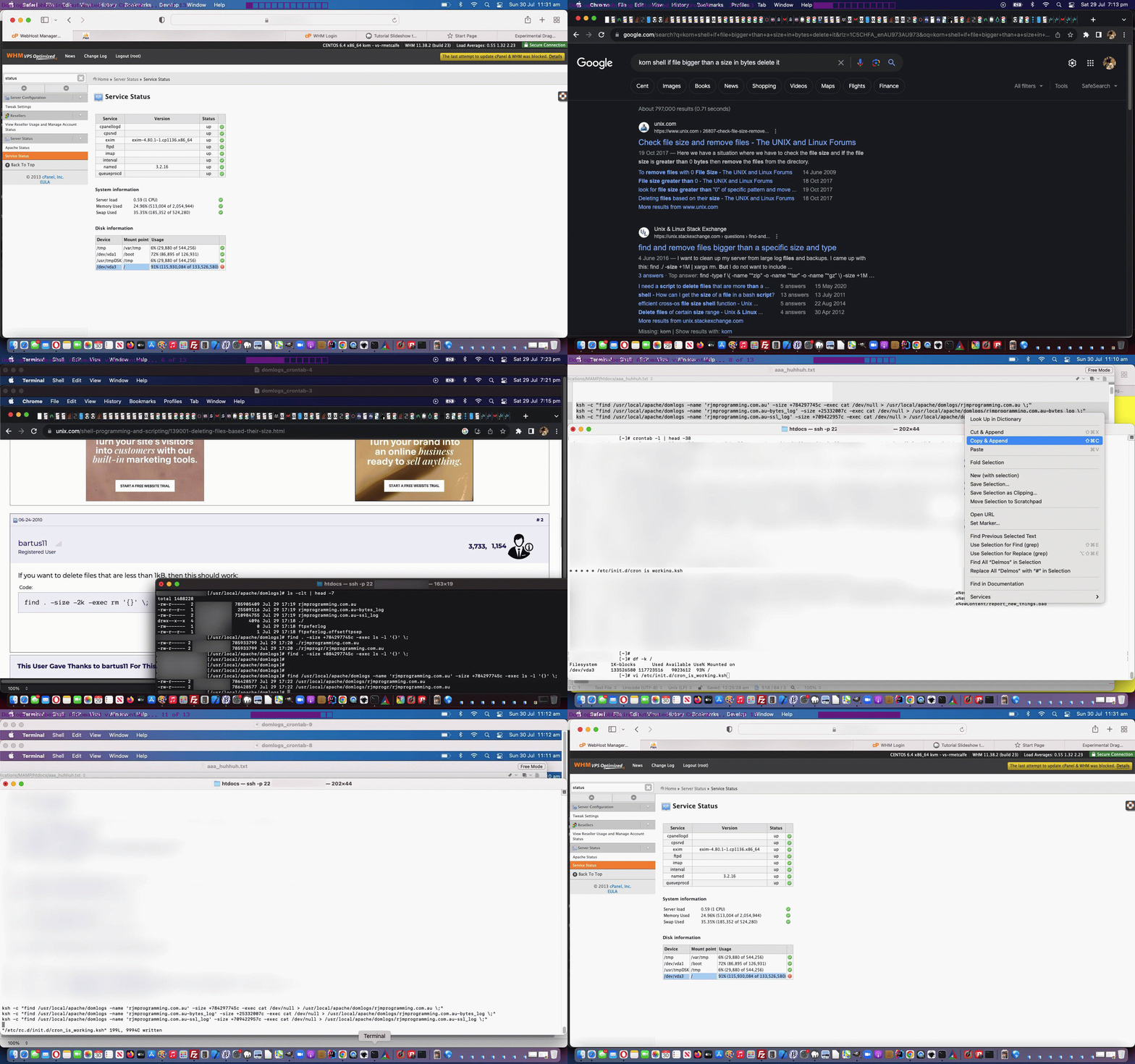
Yesterday’s GeoJson World Drag and Drop Google Tutorial had us at a very interesting position, one that we cannot recall ever happening before, that being …
- our GeoJson World Countries web application Drag and Drop logic worked on an iPhone … but …
- our GeoJson World Countries web application Drag and Drop logic did not work on an iPad
They’re both iOS! And usually the smaller iPhone has the problem and the larger iPad is okay when there is an odd scenario happening. So, what gives? Well, the odd thing is, it was just rearrangements of code and iframe srcdoc usage …
<iframe frameborder=0 name=iftr id=iftr style=display:none; srcdoc="<body style=background-color:transparent;><p id=mg title='Wikipedia country page below via drag and drop to world map' draggable='true'>📍</p><br><br><div id=myh1></div><script type='text/javascript' src='./countries.js?rand=321156747657' defer></script></body>" data-src=></iframe>
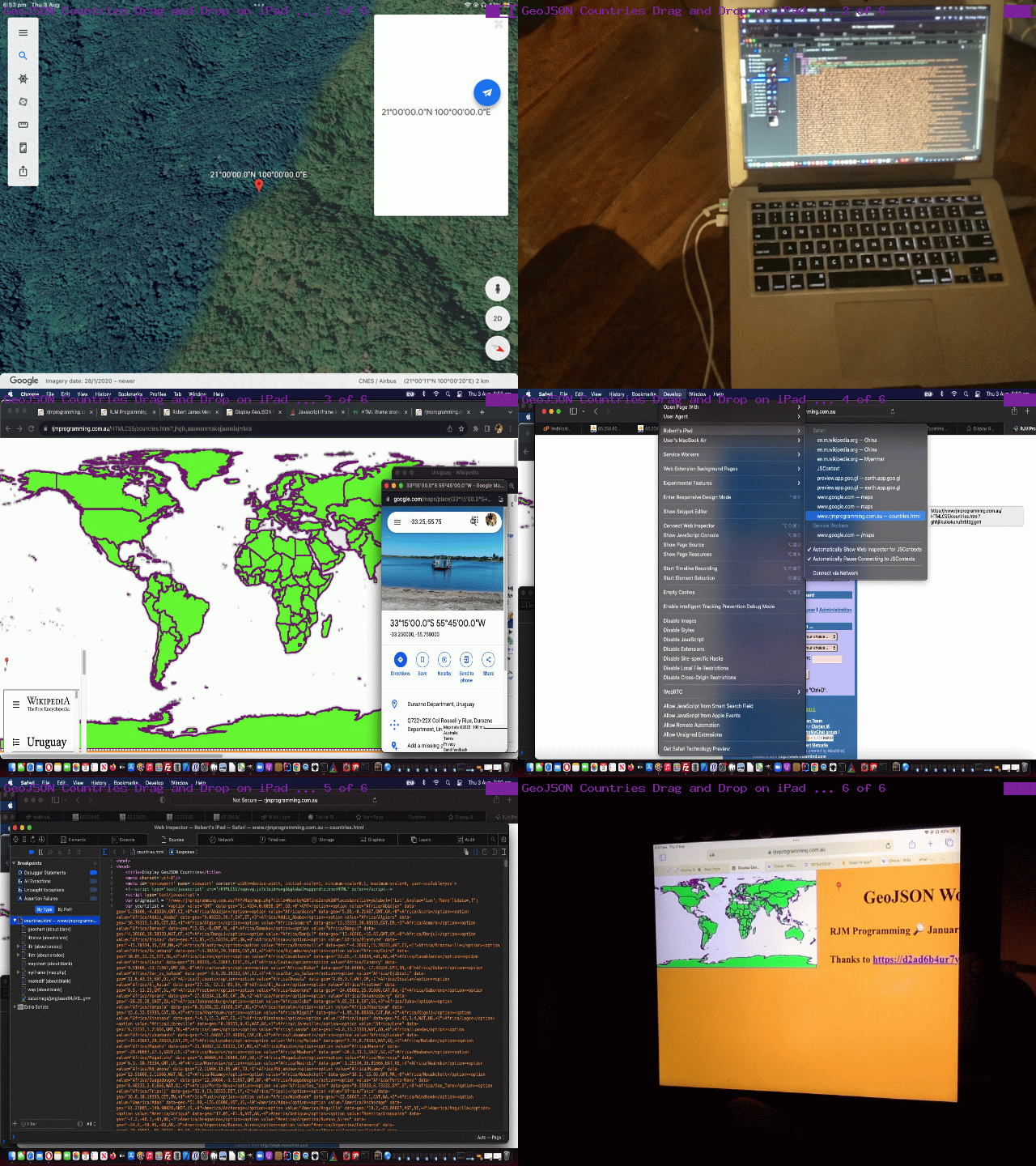
… that ended up helping us fix the issues. Figure this, on iPad our emoji pin could not be made visible down the bottom left of iPad screen but could be made to work in the title elements section?! Of course, we might have been having a bad day, but in our defence, even debugging in Safari via …
- iPad Safari web browser invocation …
- Apple white lead from iPad to MacBook Air …
- MacBook Air Safari web browser Develop menu dropdown got us to debugging functionality
… showed nothing untoward, and neither did, on the iPad’s Chrome browser …
chrome://inspect
… debugging techniques.
Changed were our changed external Javascript countries.js in our changed countries.php GeoJson World Countries PHP web application in a new window. If you have any clues yourself, the comments are there?!
Previous relevant GeoJson World Drag and Drop Google Tutorial is shown below.
GeoJson World Drag and Drop Google Tutorial
We often turn to what we like to call …
- “long hover” (ie. on non-mobile, wait for a long while after the onmouseover event initiation to see whether the user is still hovering) … and today, a bit like that, is the new, for us …
- “long drag” (the user waits a long time between the drag initialization and the drop event)
… and because we found “dawdling” on a drag and drop fairly unnatural, we think this “long drag” idea “has legs”, in that it works well as a deliberate act made by a user, knowing at the end they benefit from their actions. For us, with our GeoJSON Map web application, yesterday, with GeoJson World Drag and Drop Pin Tutorial, the drag and drop led to …
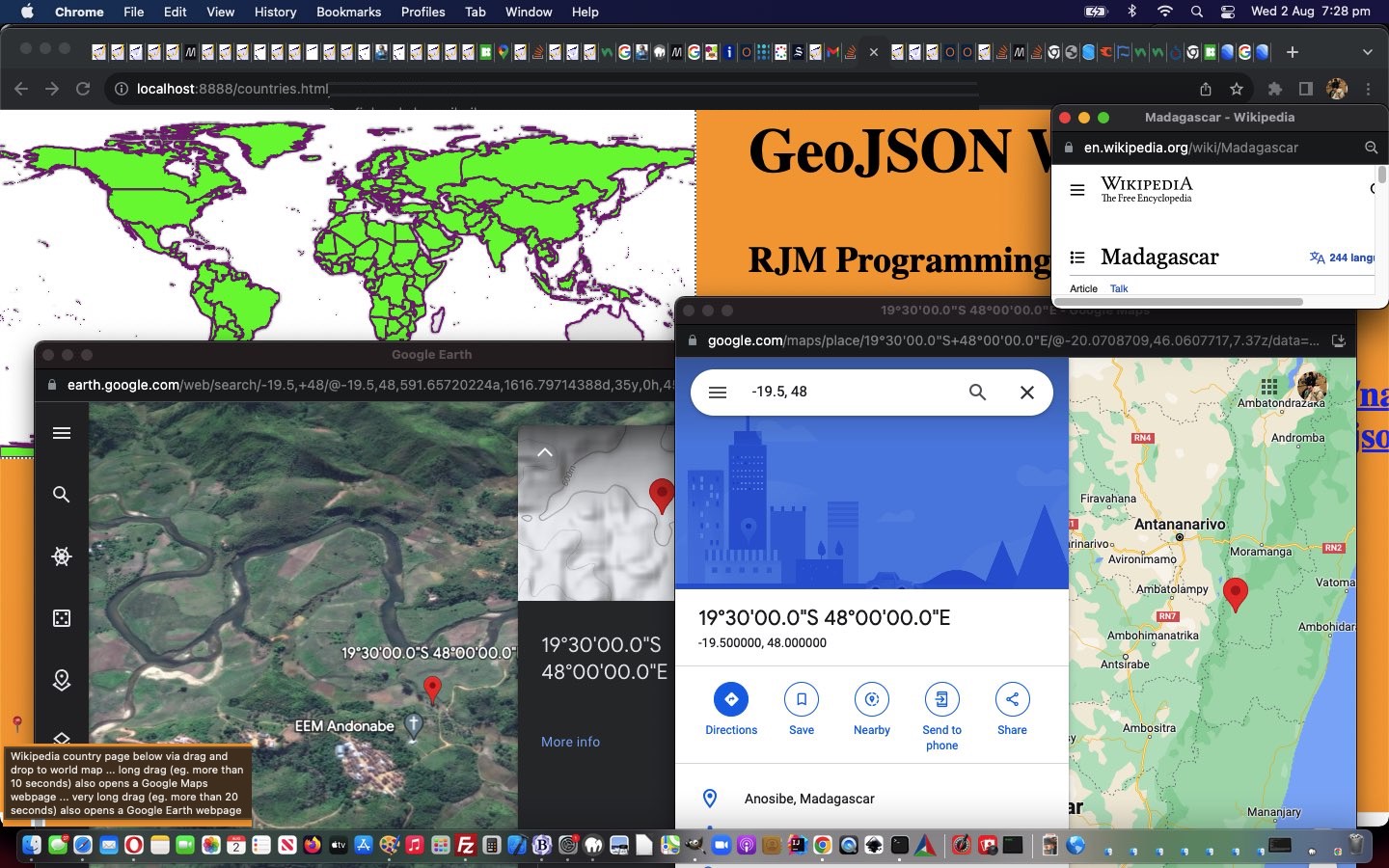
- Wikipedia country information webpage … and today, we allow a “long drag” get you to …
- Google Maps drop position information webpage … if the “long drag” is for 10 or more seconds …
- Google Earth drop position information webpage … if the “very long drag” is for 20 or more seconds
… arranged for via our changed external Javascript countries.js in our changed countries.php GeoJson World Countries PHP web application in a new window.
Previous relevant GeoJson World Drag and Drop Pin Tutorial is shown below.
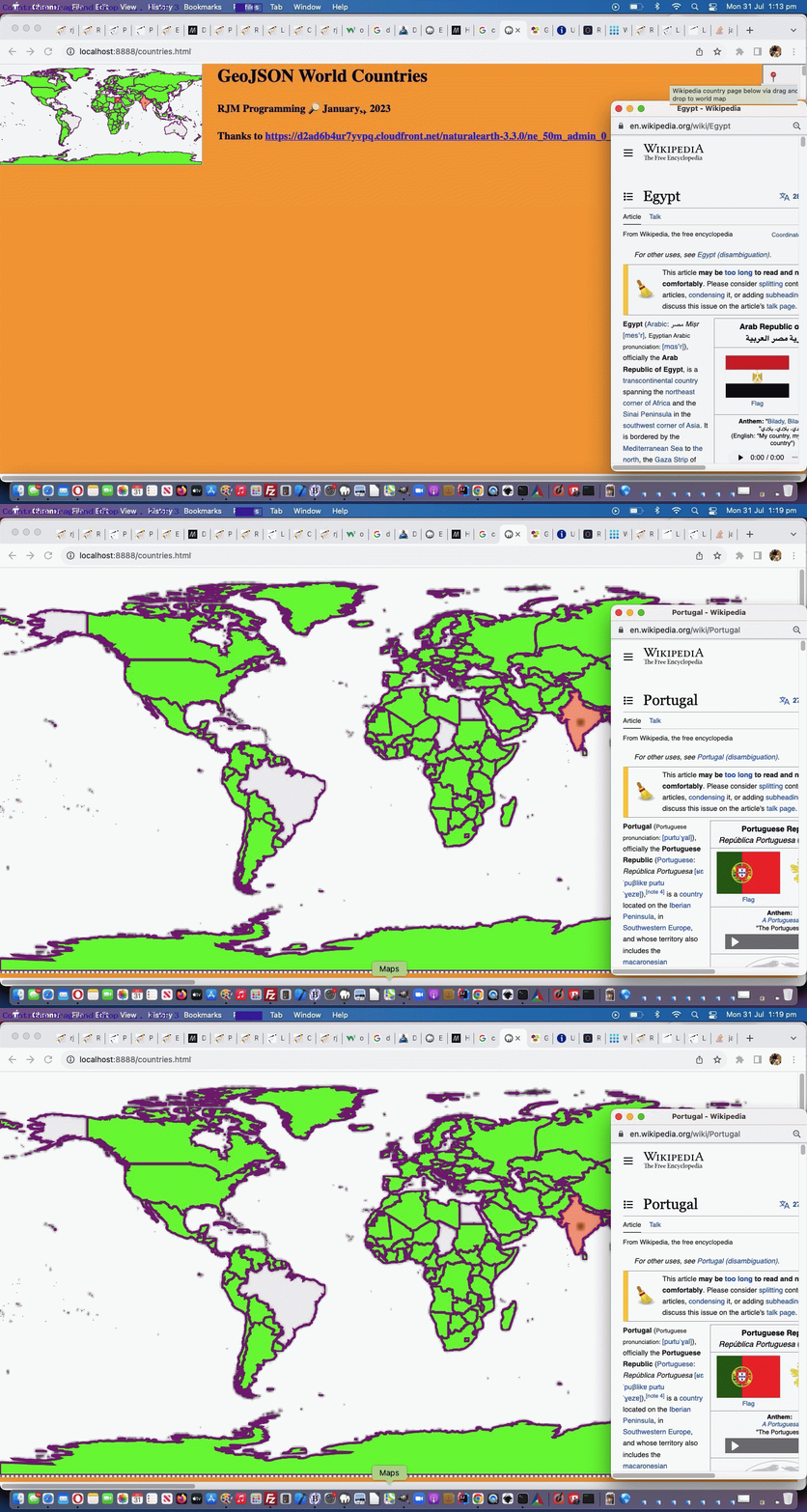
GeoJson World Drag and Drop Pin Tutorial
Before today, with the GeoJson Countries web application from GeoJson World Colour Wheel Wikipedia Integration Tutorial we’ve mainly used …
- onclick event logic … and today, we start to also include …
- drag and drop event logic (like, but nuanced as explained below, the experimental drag and drop ideas included in the recent Planet Moon Game Tutorial) … the nuanced differences involving …
- the drag part of the events occurs in an iframe (populated via small amount of srcdoc HTML and Javascript) able to reference its originator via window.parent …
- drop part of the events occurs in that originator parent and so several Javascript function called by the child reside in the parent … and …
- the child “drag” event controller uses the new external Javascript countries.js …
// countries.js

// July, 2023

// RJM Programming

// Help out countries.html and countries.php

 var pos3=0, pos4=0, tdid='', poligono, punto, coone='', prectis;


// var poligono = [[2,9],[8,6],[12,10],[15,2],[10,4],[5,1]];

// var punto = [6, 5];


 function pointInPolygon(polygon, point) { // thanks to https://community.appinventor.mit.edu/t/geofence-check-if-a-point-is-inside-a-polygon-javascript-map/57091

    var odd = false;

    for (var i = 0, j = polygon.length - 1; i < polygon.length; i++) {

        if (((polygon[i][1] > point[1]) !== (polygon[j][1] > point[1]))

            && (point[0] < ((polygon[j][0] - polygon[i][0]) * (point[1] - polygon[i][1]) / (polygon[j][1] - polygon[i][1]) + polygon[i][0]))) {

            odd = !odd;

        }

        j = i;

    }

    return odd;

 }


 function andlaterstill() {

  if (9 == 6) { // temporary

  if (tdid != '') {

    document.getElementById(tdid).innerHTML=document.getElementById(tdid).innerHTML.substring(0,1);

  } else if (document.getElementById('mytable').innerHTML.indexOf(clonedatatwo) != '') {

    document.getElementById('myh1').innerHTML=document.getElementById('myh1').innerHTML.split('</table>')[0] + '</table>';

  }

  if (document.getElementsByTagName('div')[0].innerHTML.indexOf(clonedatatwo) != -1) {

    document.getElementsByTagName('div')[0].innerHTML=document.getElementsByTagName('div')[0].innerHTML.replace(clonedatatwo,'');

  } else if (document.getElementsByTagName('div')[0].innerHTML.indexOf(clonedatatwo.replace('dragging','')) != -1) {

    document.getElementsByTagName('div')[0].innerHTML=document.getElementsByTagName('div')[0].innerHTML.replace(clonedatatwo.replace('dragging',''),'');

  } else if (document.body.innerHTML.split('<table')[0].indexOf(clonedatatwo.replace('dragging','')) != -1) {

    document.body.innerHTML=document.body.innerHTML.replace(document.body.innerHTML.split('<table')[0], document.body.innerHTML.split('<table')[0].replace(clonedatatwo.replace('dragging',''),''));

  } else if (document.body.innerHTML.split('<table')[0].indexOf(clonedatatwo) != -1) {

    document.body.innerHTML=document.body.innerHTML.replace(document.body.innerHTML.split('<table')[0], document.body.innerHTML.split('<table')[0].replace(clonedatatwo,''));

  }

  }

  tdid='';

 }


  function getprectis() {

    if (window.opener) {

       if (window.opener.document.getElementsByTagName('body')[0]) {

           return window.opener.document.body.getBoundingClientRect();

       } else if (window.parent) {

         if (parent.document.getElementsByTagName('body')[0]) {

           return parent.document.body.getBoundingClientRect();

         }

       }

    } else if (window.parent) {

         if (parent.document.getElementsByTagName('body')[0]) {

           return parent.document.body.getBoundingClientRect();

         }

    }

    return null;

 }


 function wod(ididea) {

    if (window.opener) {

       if (window.opener.document.getElementsByTagName(ididea)[0]) {

           return window.opener.document.getElementsByTagName(ididea)[0];

       } else if (window.parent) {

         if (parent.document.getElementsByTagName(ididea)[0]) {

           return parent.document.getElementsByTagName(ididea)[0];

         }

       }

    } else if (window.parent) {

         if (parent.document.getElementsByTagName(ididea)[0]) {

           return parent.document.getElementsByTagName(ididea)[0];

         }

    }

    return null;

 }


 function ccit() {

     var divs, esot=[], bodyois=null;

     if (window.opener) {

       if (window.opener.document.getElementsByTagName('body')[0]) {

          bodyois=window.opener.document.getElementsByTagName('body')[0];

          divs=window.opener.document.getElementsByTagName('div');

       } else if (window.parent) {

         if (parent.document.getElementsByTagName('body')[0]) {

           bodyois=parent.document.getElementsByTagName('body')[0];

           divs=parent.document.getElementsByTagName('div');

         }

       }

    } else if (window.parent) {

         if (parent.document.getElementsByTagName('body')[0]) {

           bodyois=parent.document.getElementsByTagName('body')[0];

           divs=parent.document.getElementsByTagName('div');

         }

    }


  for (var ii=0; ii<divs.length; ii++) {

      if (divs[ii].outerHTML.split('>')[0].indexOf(' title=' + String.fromCharCode(34) + coone) != -1) {

       divs[ii].innerHTML=divs[ii].innerHTML.replace('z-index:24;', 'z-index:123;').replace('lime;', 'rgba(200,200,200,0.3);');

       divs[ii].name='d' + tdid.replace(/\ /g, '_');

      }

  }

}


 function andqlater() {

  //alert('HeRe');

  tdid='';

  var ppig='[]', coo='', coos=[], ip=0;

  var squares; //=window.opener.document.getElementsByTagName('area');


    if (window.opener) {

       if (window.opener.document.getElementsByTagName('body')[0]) {

          squares=window.opener.document.getElementsByTagName('area');

       } else if (window.parent) {

         if (parent.document.getElementsByTagName('body')[0]) {

           squares=parent.document.getElementsByTagName('area');

         }

       }

    } else if (window.parent) {

         if (parent.document.getElementsByTagName('body')[0]) {

           squares=parent.document.getElementsByTagName('area');

         }

    }


  for (var ii=1; ii<=squares.length; ii++) {

     ppig='[]';

     coos=squares[eval(-1 + ii)].coords.replace(/\ /g,',').split(',');

     ppig='[[' + coos[0] + ',' + coos[1] + ']]';

     for (ip=2; ip<coos.length; ip+=2) {

        ppig=ppig.replace(']]', '],[' + coos[ip] + ',' + coos[eval(1 + ip)] + ']]');

        poligono=eval(ppig);

        //alert('' + punto);

        if (pointInPolygon(poligono, punto)) {

          tdid='' + squares[eval(-1 + ii)].getAttribute('data-cname');

          coone=('' + squares[eval(-1 + ii)].coords).split(' ')[0];

          setTimeout(ccit, 2000);

          console.log('tdid=' + tdid + ' and coone=' + coone);

    if (window.opener) {

       if (window.opener.document.getElementsByTagName('body')[0]) {

          window.focus();

          document.getElementById('myh1').innerHTML='<iframe style="width:100%;height:800px;" src="//wikipedia.org/wiki/' + encodeURIComponent(tdid.replace(/\ /g,'_')) + '"></iframe>';

       } else if (window.parent) {

         if (parent.document.getElementsByTagName('body')[0]) {

           document.getElementById('myh1').innerHTML='<iframe style="width:100%;height:800px;" src="//wikipedia.org/wiki/' + encodeURIComponent(tdid.replace(/\ /g,'_')) + '"></iframe>';

           window.open('//wikipedia.org/wiki/' + encodeURIComponent(tdid.replace(/\ /g,'_')),'_blank','top=180,left=' + eval(-350 + screen.width) + ',width=350,height=600');

         }

       }

    } else if (window.parent) {

         if (parent.document.getElementsByTagName('body')[0]) {

           document.getElementById('myh1').innerHTML='<iframe style="width:100%;height:800px;" src="//wikipedia.org/wiki/' + encodeURIComponent(tdid.replace(/\ /g,'_')) + '"></iframe>';

           window.open('//wikipedia.org/wiki/' + encodeURIComponent(tdid.replace(/\ /g,'_')),'_blank','top=180,left=' + eval(-350 + screen.width) + ',width=350,height=600');

         }

    }

          return tdid;

        }

     }

  }

  console.log('tdid=' + tdid);

  //setTimeout(andlaterstill, 100);

  return '';

 }


  window.addEventListener("DOMContentLoaded", () => {

const source = document.querySelector("#mg");

console.log('source.id=' + source.id);

source.addEventListener("dragstart", (ev) => {

  console.log("dragStart");

  // Change the source element's background color

  // to show that drag has started

  ev.currentTarget.classList.add("dragging");

  // Clear the drag data cache (for all formats/types)

  ev.dataTransfer.clearData();

  // Set the drag's format and data.

  // Use the event target's id for the data

  ev.dataTransfer.setData("text/plain", ev.target.id);

  //ev.dataTransfer.setData("text/html", ev.target.outerHTML);

});

source.addEventListener("dragend", (ev) =>

  ev.target.classList.remove("dragging")

);


const target = wod('body'); //window.opener.document.getElementsByTagName('body')[0];

target.id='usemap';

console.log('target.id=' + target.id);

target.addEventListener("dragover", (ev) => {

  console.log("dragOver");

  ev.preventDefault();

});

target.addEventListener("drop", (ev) => {

  console.log("Drop");

  ev.preventDefault();

  // Get the data, which is the id of the source element

  const data = ev.dataTransfer.getData("text");

  const source = document.getElementById(data);


       var prectis=getprectis();


       console.log('' + ev.target.id);

       if (!document.getElementById('callback')) {

       if (('' + ev.target.id).substring(0,2) == 'im') {

         score+=eval(ev.target.innerHTML.substring(0,1));

       }

       } else if (1 == 1) { //document.getElementById('callback')) {

         secs++;

         if (('' + ev.target.getAttribute('data-answer')) == ('' + document.getElementById('mg').getAttribute('data-answer'))) {

           score++;

           document.getElementById('score').innerHTML='Score: ' + score + '/' + secs + '';

         } else {

           document.getElementById('score').innerHTML='Score: ' + score + '/' + secs + '';

           alert('Correct answer was ' + document.getElementById('mg').getAttribute('data-answer'));

         }

         location.href=document.getElementById('callback').value + '?score=' + score + '&secs=' + secs;

       }

       if (1 == 2) {

         //clonedatatwo=document.getElementById('source').outerHTML;

         //document.getElementById('mytable').innerHTML=document.getElementById('mytable').innerHTML.replace(clonedatatwo, '');

         //ev.target.innerHTML=ev.target.innerHTML.substring(0,1) + clonedatatwo;

       } else if ((9 == 9 || ('' + ev.target.id).substring(0,2) == 'im')) {

         //clonedatatwo=document.getElementById('source').outerHTML;

         //   // andqlater();

         //document.getElementById('mytable').innerHTML=document.getElementById('mytable').innerHTML.replace(clonedatatwo, '');

         //ev.target.innerHTML=ev.target.innerHTML.substring(0,1) + clonedatatwo;

         //document.getElementById('myh1').appendChild(source);

         //if (('' + ev.target.id).substring(0,2) != 'im') {

         //document.getElementById('myh1').insertAdjacentHTML('beforeend', clonedatatwo);

         //} else {

         //ev.target.insertAdjacentHTML('beforeend', clonedatatwo);

         //}

       } else {

         ev.target.appendChild(source);

       }


       prectis=getprectis();


       if (ev.touches) {

       if (ev.touches[0].pageX) {

       pos3 = ev.touches[0].pageX;

       pos4 = ev.touches[0].pageY;

       } else {

       pos3 = ev.touches[0].clientX;

       pos4 = ev.touches[0].clientY;

       }

       console.log('pos3 = ' + pos3 + ',pos4 = ' + pos4);

       } else if (ev.clientX || ev.clientY) {

        pos3 = ev.clientX;

        pos4 = ev.clientY;

       console.log('pos3 = ' + pos3 + ' ,pos4 = ' + pos4);

       } else {

        pos3 = ev.pageX;

        pos4 = ev.pageY;

       console.log('pos3 = ' + pos3 + ', pos4 = ' + pos4);

       }

       //alert('[' + pos3 + ',' + pos4 + ']');

       var wop=0;

    if (window.opener) {

       if (window.opener.document.getElementsByTagName('body')[0]) {

          window.opener.derivethislong(pos3);

          window.opener.derivethislat(pos4);

          wop=window.opener.getzoom();

       } else if (window.parent) {

         if (parent.document.getElementsByTagName('body')[0]) {

           parent.derivethislong(pos3);

           parent.derivethislat(pos4);

           wop=parent.getzoom();

         }

       }

    } else if (window.parent) {

         if (parent.document.getElementsByTagName('body')[0]) {

           parent.derivethislong(pos3);

           parent.derivethislat(pos4);

           wop=parent.getzoom();

         }

    }


    //pos3+=eval(wop * prectis.left);

    //pos4+=eval(wop * prectis.top);

      var xwop='1';


       console.log('prectis.left/top=' + prectis.left + '/' + prectis.top);


       //punto=eval('[' + eval(eval('' + pos3) / eval('' + wop)) + ',' + eval(eval('' + pos4) / eval('' + wop)) + ']');


       punto=eval('[' + eval(eval(-prectis.left * eval('' + wop) + eval('' + pos3)) / eval('' + wop)) + ',' + eval(eval(-prectis.top * eval('' + wop) + eval('' + pos4)) / eval('' + wop)) + ']');


       console.log(punto);

       andqlater();


});


//const reset = document.querySelector("#reset");

//reset.addEventListener("click", () => document.location.reload());


});


 function dragorig() {

   if (document.getElementById('mg')) {

     document.getElementById('mg').draggable='true';

   } else {

     setTimeout(dragorig, 5000);

   }

 }


// setTimeout(dragorig, 5000);
… to open Wikipedia Country information webpages of dropped into user drags (on a world map), in our changed countries.php GeoJson World Countries PHP web application in a new window.
Previous relevant GeoJson World Colour Wheel Wikipedia Integration Tutorial is shown below.
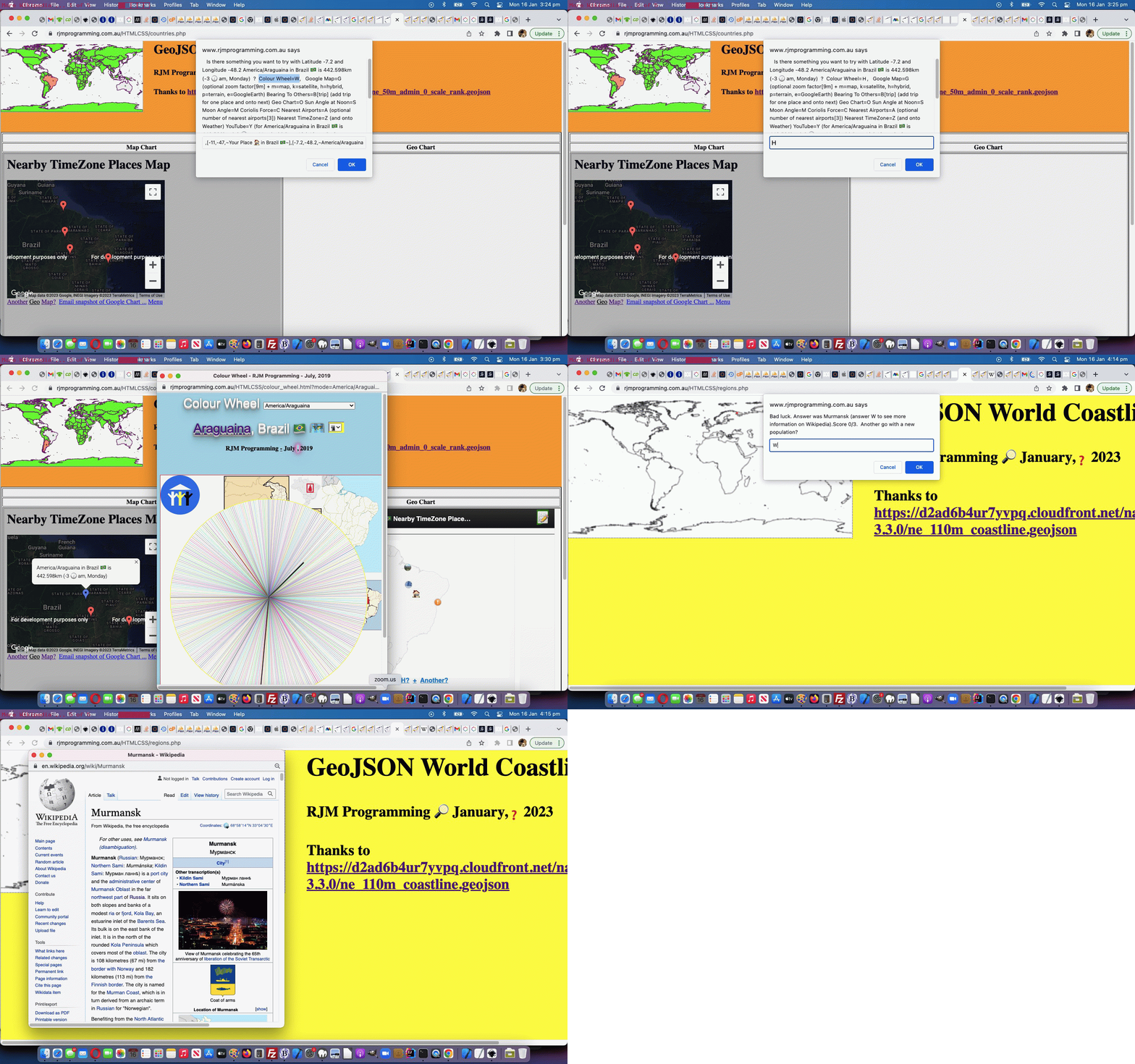
GeoJson World Colour Wheel Wikipedia Integration Tutorial
Further to yesterday’s GeoJson World Coastline Quiz Deployments Tutorial, with our two …
… web applications, today we want to deepen the integration with Wikipedia on two fronts …
- GeoJson World Coastline optional quiz Wikipedia webpage navigation offerings, achieved via a Javascript override initiative …
  const confirm = (cblurb) => {

    if (cblurb.indexOf('Answer was ') != -1 && cblurb.indexOf('. ') != -1) {

      var resp=prompt(cblurb.replace(cblurb.split('Answer was ')[1].split('. ')[0] + '. ', cblurb.split('Answer was ')[1].split('. ')[0] + ' (answer W to see more information on Wikipedia). '), '');

      if (resp != null) {

        if (resp.toLowerCase() == 'w') {

         window.open('//en.wikipedia.org/wiki/' + cblurb.split('Answer was ')[1].split('. ')[0].replace(/\ /g,'_'), '_blank', 'top=70,left=70,width=650,height=650');

         return true;

        }

        return true;

      } else {

        return false;

      }

    }

    return window.confirm(cblurb);

  };
- GeoJson World Countries and Coastline changed map.php Map Chart new onclick menu links to our Colour Wheel web application, and its Wikipedia images and TimeZone information
… in our changed regions.php GeoJson World Coastlines PHP web application in a new window, or you can also try below.
Previous relevant GeoJson World Coastline Quiz Deployments Tutorial is shown below.
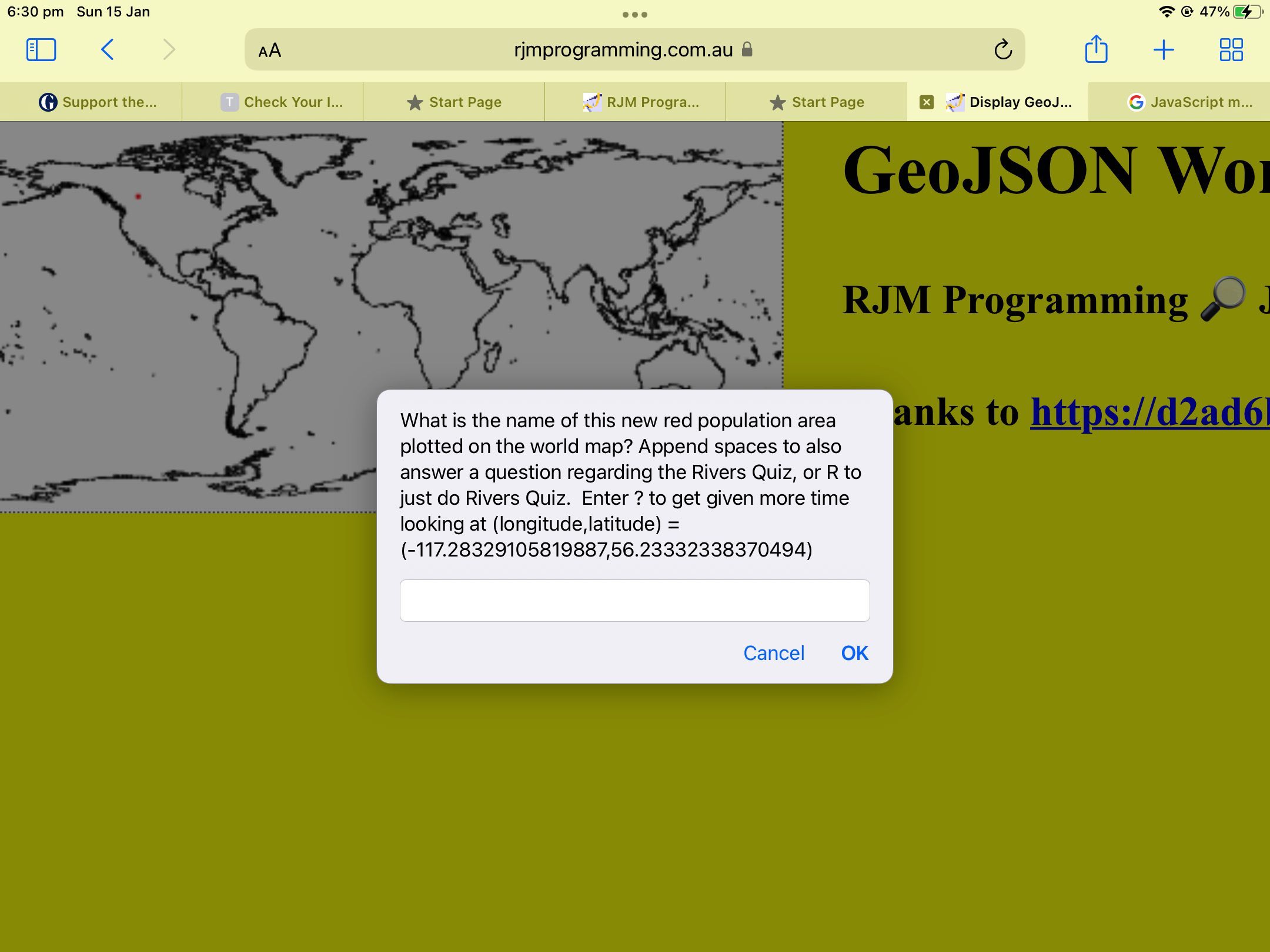
GeoJson World Coastline Quiz Deployments Tutorial
The deployment follow up to yesterday’s GeoJson World Coastline Function Noun Naming Tutorial seems to concern mobile platform use of the new …
- Rivers Quiz … and newer …
- Populations Quiz (thanks to HTTP://geojson.xyz‘s GeoJson populated places, downloaded and uploaded as population.geojson)
… where heap memory concerns related to the global variables memory used in our GeoJson World Coastlines webpage could cause mobile platform usage reloads of the web application, reminiscent of the external Javascript concerns we had back at GeoJson World Countries SVG Overlay Safari Error Tutorial.
There, as for here, mobile usage got better by swapping global variable usage for HTML content static PHP …
<?php echo ”
<select id=spops style=display:none;>" . $sih . "</select>

<select id=srivs style=display:none;>" . $rih . "</select>
“; ?>
… via …
<?php
 $sih='';

 $rih='';


function oururlencode($instuff) {

  $outstuff='';

  $dotbits=explode('.', $instuff);

  if (sizeof($dotbits) > 1) {

    $outstuff=$instuff;

    for ($ii=1; $ii<sizeof($dotbits); $ii++) {

      if (strlen( explode(',',  explode(' ', $dotbits[$ii])[0])[0]  ) > 3) {

        $outstuff=str_replace('.' . explode(',',  explode(' ', $dotbits[$ii])[0])[0], '.' . substr(explode(',',  explode(' ', $dotbits[$ii])[0])[0],0,3), $outstuff);

      }

    }

    return urlencode($outstuff);

  }

  return urlencode($instuff);

}


if (file_exists('population.geojson')) {

  $rbits=explode(']}}', file_get_contents('./population.geojson'));

  for ($irr=1; $irr<(-1 + sizeof($rbits)); $irr++) {

       $hdrbit=explode('{"type":"Feature', $rbits[-1 + $irr])[-1 + sizeof(explode('{"type":"Feature', $rbits[-1 + $irr]))];

       $hbits=explode(',"NAME":"', $hdrbit);

       if (sizeof($hbits) > 1) {

       if (strpos($sih, ' id=' . str_replace('+','%20',urlencode(explode('"', $hbits[1])[0])) . ' ') === false) {

       $sih.='<option id=' . str_replace('+','%20',urlencode(explode('"', $hbits[1])[0])) . ' value=' . str_replace('+','%20', str_replace('[','', str_replace(']','', str_replace('],[',',' ,explode(']}', explode(':[',$hdrbit)[1])[0])))) . '></option>';

       }

       }

  }

}


if (file_exists('rivers.geojson')) {

  $rbits=explode(']]}}', file_get_contents('./rivers.geojson'));

  for ($irr=1; $irr<(-1 + sizeof($rbits)); $irr++) {

       $hdrbit=explode('{"type":"Feature', $rbits[-1 + $irr])[-1 + sizeof(explode('{"type":"Feature', $rbits[-1 + $irr]))];

       $hbits=explode(',"name":"', $hdrbit);

       if (sizeof($hbits) > 1) {

       if (strpos($sih, 'id=river' . str_replace('+','%20',urlencode(explode('"', $hbits[1])[0])) . '>') === false) {

       $rih.='<option value=' . str_replace('+','%20', oururlencode(str_replace('[','', str_replace(']','', str_replace('],[', ',', str_replace(']],[[', ' ', explode(']]}', explode(':[[',$hdrbit)[1])[0])))))) . ' id=river' . str_replace('+','%20',urlencode(explode('"', $hbits[1])[0])) . '></option>';

       } else {

       $rih=str_replace(' id=river' . str_replace('+','%20', oururlencode(explode('"', $hbits[1])[0])) . '>', str_replace('+','%20', urlencode(str_replace('[','', str_replace(']','', str_replace('],[', ',', str_replace(']],[[', ' ', explode(']]}', explode(':[[',$hdrbit)[1])[0])))))) . ' id=river' . str_replace('+','%20',urlencode(explode('"', $hbits[1])[0])) . '>', $rih);

       }

       }

  }

}
?>
… code usage (ie. the HTML file ends up bigger, to help) in our changed regions.php GeoJson World Coastlines PHP web application in a new window, or you can also try below.
Previous relevant GeoJson World Coastline Function Noun Naming Tutorial is shown below.
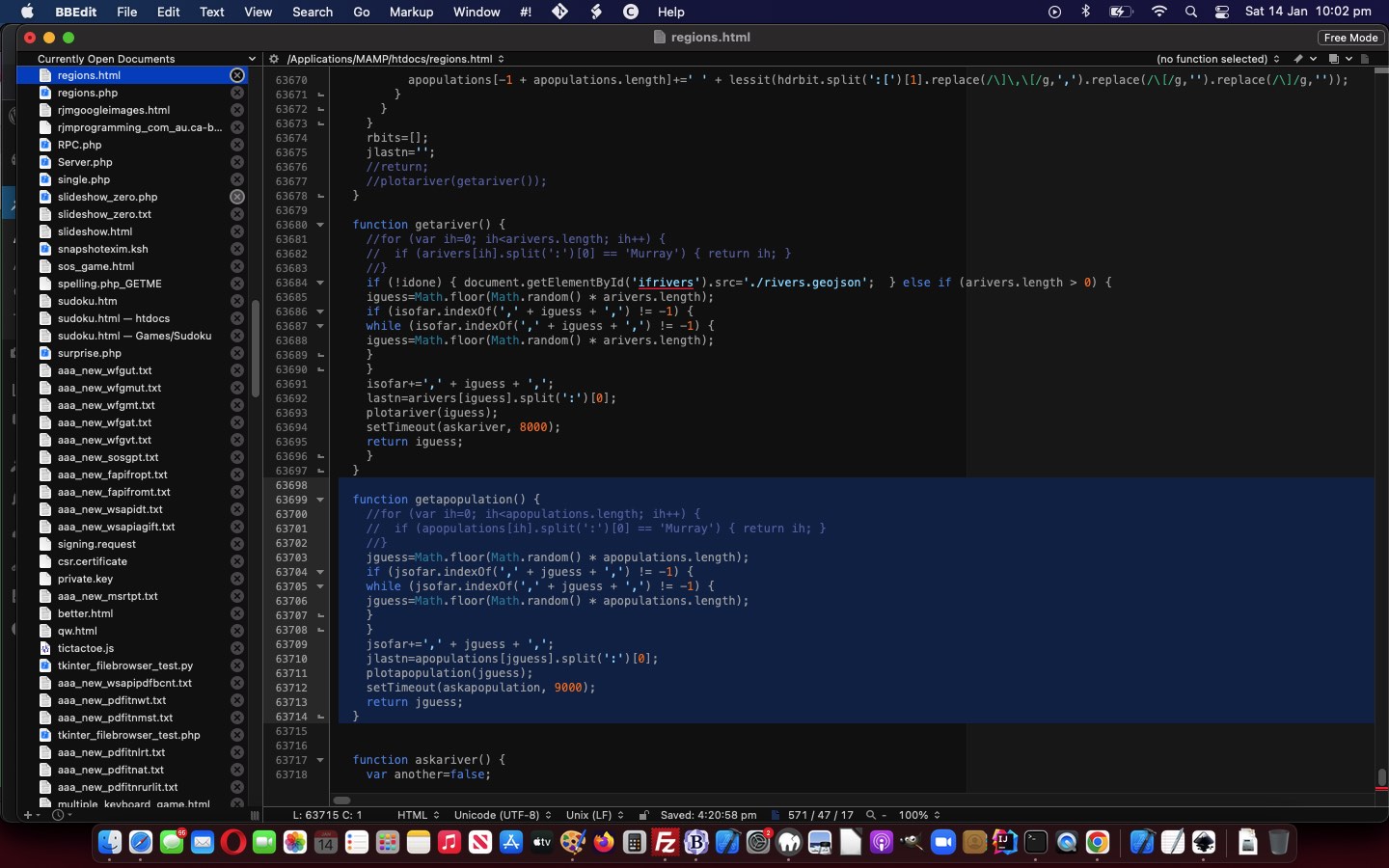
GeoJson World Coastline Function Noun Naming Tutorial
We’re working on an extension to yesterday’s GeoJson World Coastline Rivers Quiz Tutorial‘s Rivers Quiz functionality within our GeoJson World Coastlines web application, and have …
- settled on an approach … but …
- not yet finished on deployment issues
… but it is this approach we wanted to talk about today.
Our approach borrows from Object Oriented Programming (OOP) the idea that …
- just as with OOP thinking class names are like nouns and the methods within that class are like verbs … we, with our approach …
- help readability of our non-OOP functional code by including those nouns and verbs, as well as ideas like use of plurals to indicate array involvement, with our Javascript function naming
… we can best illustrate to you via showing you new functions and variables and modified code to show you this approach in code …
  var rivers='', arivers=[], iguess=-1, isofar=' ', jscore=0, jgoes=0, elema=null, contexta=null, rectisleft=0, rectistop=0, isokto=true;

  var populations='', apopulations=[], jguess=-1, jsofar=' ', both=false, jlastn='';

  var idone=false;


  function populaterivers() {

    var found=-1, ifnd=0;

    var rbits=rivers.split(']]}}');

    var murraytotal=0.0;

    rivers='';

    var lastn='', hdrbit='', hbits=[];

    for (var irr=1; irr<(-1 + rbits.length); irr++) {

      hdrbit=rbits[-1 + irr].split('{' + String.fromCharCode(34) + 'type' + String.fromCharCode(34) + ':' + String.fromCharCode(34) + 'Feature')[eval(-1 + rbits[-1 + irr].split('{' + String.fromCharCode(34) + 'type' + String.fromCharCode(34) + ':' + String.fromCharCode(34) + 'Feature').length)] + '';

//alert(hdrbit);

      hbits=hdrbit.split(',' + String.fromCharCode(34) + 'name' + String.fromCharCode(34) + ':' + String.fromCharCode(34));

      if (hbits.length > 1) {

        if ((!navigator.userAgent.match(/Android|BlackBerry|iPhone|iPad|iPod|Opera Mini|IEMobile/i) || eval('' + arivers.length) <= 200)) {

        if (lastn != hbits[1].split(String.fromCharCode(34))[0]) {

          lastn=hbits[1].split(String.fromCharCode(34))[0];

          found=-1;

          if (arivers.length > 0) {

          for (ifnd=0; ifnd<arivers.length; ifnd++) {

            if (('' + arivers[ifnd]).indexOf(':') != -1 && found == -1) {

              if (('' + arivers[ifnd]).split(':')[0] == lastn) { found=ifnd; }

            }

          }

          }

          if (found >= 0) {

          if (lastn == 'Murray') {

            console.log(hdrbit.split(':[[')[1].replace(/\]\]\,\[\[/g,' ').replace(/\]\,\[/g,',').replace(/\[/g,'').replace(/\]/g,''));

          }

          if (!navigator.userAgent.match(/Android|BlackBerry|iPhone|iPad|iPod|Opera Mini|IEMobile/i)) {

          arivers[found]+=' ' + lessit(hdrbit.split(':[[')[1].replace(/\]\]\,\[\[/g,' ').replace(/\]\,\[/g,',').replace(/\[/g,'').replace(/\]/g,''));

          }

          } else {

          if (lastn == 'Murray') {

            console.log(lastn + ':' + hdrbit.split(':[[')[1].replace(/\]\]\,\[\[/g,' ').replace(/\]\,\[/g,',').replace(/\[/g,'').replace(/\]/g,''));

          }

          arivers.push(lastn + ':' + lessit(hdrbit.split(':[[')[1].replace(/\]\]\,\[\[/g,' ').replace(/\]\,\[/g,',').replace(/\[/g,'').replace(/\]/g,'')));

          }

        } else if (1 == 1 || !navigator.userAgent.match(/Android|BlackBerry|iPhone|iPad|iPod|Opera Mini|IEMobile/i)) {

          if (lastn == 'Murray') {

            console.log(hdrbit.split(':[[')[1].replace(/\]\]\,\[\[/g,' ').replace(/\]\,\[/g,',').replace(/\[/g,'').replace(/\]/g,''));

          }

          arivers[-1 + arivers.length]+=' ' + lessit(hdrbit.split(':[[')[1].replace(/\]\]\,\[\[/g,' ').replace(/\]\,\[/g,',').replace(/\[/g,'').replace(/\]/g,''));

        }

        }

      }

    }

    rbits=[];

    lastn='';

    //if (navigator.userAgent.match(/Android|BlackBerry|iPhone|iPad|iPod|Opera Mini|IEMobile/i)) {

    //  alert(arivers.length);

    //}

    //return;

    //plotariver(getariver());

    if (!idone) { idone=true; getariver();  }

  }


  function lessit(maybe) {

     var altmaybe='', altmaybed='';

     if (navigator.userAgent.match(/Android|BlackBerry|iPhone|iPad|iPod|Opera Mini|IEMobile/i)) {

       var acsvs=maybe.split(',');

       for (var ic=0; ic<acsvs.length; ic++) {

          altmaybe+=altmaybed + (acsvs[ic] + '.xyz').substring(0,eval(3 + (acsvs[ic] + '.xyz').indexOf('.'))).split('.xyz')[0];

          altmaybed=',';

       }

       acsvs=[];

       return altmaybe;

     }

     return maybe;

  }


  function populatepopulations() {

    var found=-1, ifnd=0;

    var rbits=populations.split(']}}');

    populations='';

    var jlastn='', hdrbit='', hbits=[];

    for (var irr=1; irr<(-1 + rbits.length); irr++) {

      hdrbit=rbits[-1 + irr].split('{' + String.fromCharCode(34) + 'type' + String.fromCharCode(34) + ':' + String.fromCharCode(34) + 'Feature')[eval(-1 + rbits[-1 + irr].split('{' + String.fromCharCode(34) + 'type' + String.fromCharCode(34) + ':' + String.fromCharCode(34) + 'Feature').length)] + '';

//alert(hdrbit);

      hbits=hdrbit.split(',' + String.fromCharCode(34) + 'NAME' + String.fromCharCode(34) + ':' + String.fromCharCode(34));

      if (hbits.length > 1) {

        if (jlastn != hbits[1].split(String.fromCharCode(34))[0]) {

          jlastn=hbits[1].split(String.fromCharCode(34))[0];

          found=-1;

          if (apopulations.length > 0) {

          for (ifnd=0; ifnd<apopulations.length; ifnd++) {

            if (('' + apopulations[ifnd]).indexOf(':') != -1 && found == -1) {

              if (('' + apopulations[ifnd]).split(':')[0] == jlastn) { found=ifnd; }

            }

          }

          }

          if (found >= 0) {

          if (jlastn == 'Sydney') { console.log(hdrbit.split(':[')[1].replace(/\]\,\[/g,',').replace(/\[/g,'').replace(/\]/g,'')); }

          apopulations[found]+=' ' + lessit(hdrbit.split(':[')[1].replace(/\]\,\[/g,',').replace(/\[/g,'').replace(/\]/g,''));

          } else {

          if (jlastn == 'Sydney') { console.log(jlastn + ':' + hdrbit.split(':[')[1].replace(/\]\,\[/g,',').replace(/\[/g,'').replace(/\]/g,'')); }

          apopulations.push(jlastn + ':' + lessit(hdrbit.split(':[')[1].replace(/\]\,\[/g,',').replace(/\[/g,'').replace(/\]/g,'')));

          }

        } else {

          if (jlastn == 'Sydney') { console.log(hdrbit.split(':[')[1].replace(/\]\,\[/g,',').replace(/\[/g,'').replace(/\]/g,'')); }

          apopulations[-1 + apopulations.length]+=' ' + lessit(hdrbit.split(':[')[1].replace(/\]\,\[/g,',').replace(/\[/g,'').replace(/\]/g,''));

        }

      }

    }

    rbits=[];

    jlastn='';

    //return;

    //plotariver(getariver());

  }


  function getariver() {

    //for (var ih=0; ih<arivers.length; ih++) {

    //  if (arivers[ih].split(':')[0] == 'Murray') { return ih; }

    //}

    if (!idone) { document.getElementById('ifrivers').src='./rivers.geojson';  } else if (arivers.length > 0) {

    iguess=Math.floor(Math.random() * arivers.length);

    if (isofar.indexOf(',' + iguess + ',') != -1) {

    while (isofar.indexOf(',' + iguess + ',') != -1) {

    iguess=Math.floor(Math.random() * arivers.length);

    }

    }

    isofar+=',' + iguess + ',';

    lastn=arivers[iguess].split(':')[0];

    plotariver(iguess);

    setTimeout(askariver, 8000);

    return iguess;

    }

  }


  function askariver() {

    var another=false;

    var midbit='';

    var origboth=both;

    var thing='river';

    if (!both) {  midbit='Append spaces to also answer a question regarding the Populations Quiz, or P to just do Populations Quiz.';   } else { thing='population'; }

    var retthis=prompt('What is the name of this new blue river plotted on the world map?  ' + midbit + '  Enter ? to get given more time looking at (longitude,latitude) = (' + arivers[iguess].split(':')[1].split(',')[0] + ',' + arivers[iguess].split(':')[1].split(',')[1] + ')', '');

    if (retthis == null) {

      both=false;

      jgoes++;

      another=confirm('Bad luck. Answer was ' + lastn + '. Score ' + jscore + '/' + jgoes + '.  Another go with a new ' + thing + '?');

    } else if (retthis.toLowerCase().trim() == 'p') {

      both=false;

      isokto=true;

      getapopulation();

      return '';

    } else if (retthis.trim() == '?') {

      if (retthis.trim() != retthis && !origboth) { both=true;   }

      setTimeout(askariver, 8000);

      return '';

    } else if (retthis.trim() == '') {

      if (retthis != '' && !origboth) { thing='population'; }

      jgoes++;

      another=confirm('Bad luck. Answer was ' + lastn + '. Score ' + jscore + '/' + jgoes + '.  Another go with a new ' + thing + '?');

      if (retthis != '' && !origboth) { isokto=true;  both=true; getapopulation();   }

    } else if (lastn.toLowerCase().indexOf(retthis.toLowerCase()) != -1 && lastn.toLowerCase() == retthis.toLowerCase() && retthis.trim().length >= 1) {

      if (retthis.trim() != retthis && !origboth) { both=true;  thing='population';    }

      jgoes++;

      jscore++;

      another=confirm('Will pay that.  Answer was ' + lastn + '. Score ' + jscore + '/' + jgoes + '.  Another go with a new ' + thing + '?');

    } else if (lastn.toLowerCase().indexOf(retthis.toLowerCase()) == -1) {

      if (retthis.trim() != retthis && !origboth) { both=true;   thing='population';  }

      jgoes++;

      another=confirm('Bad luck. Answer was ' + lastn + '. Score ' + jscore + '/' + jgoes + '.  Another go with a new ' + thing + '?');

    } else if (lastn.toLowerCase() == retthis.toLowerCase()) {

      if (retthis.trim() != retthis && !origboth) { both=true;  thing='population';   }

      jgoes++;

      jscore++;

      another=confirm('Well done!  Answer was ' + lastn + '. Score ' + jscore + '/' + jgoes + '.  Another go with a new ' + thing + '?');

    } else if (retthis.trim().length >= 1) {

      if (retthis.trim() != retthis && !origboth) { both=true;  thing='population';   }

      jgoes++;

      another=confirm('Bad luck. Answer was ' + lastn + '. Score ' + jscore + '/' + jgoes + '.  Another go with a new ' + thing + '?');

    } else {

      if (retthis.trim() != retthis && !origboth) { both=true;  thing='population';   }

      jgoes++;

      jscore++;

      another=confirm('Will pay that.  Answer was ' + lastn + '. Score ' + jscore + '/' + jgoes + '.  Another go with a new ' + thing + '?');

    }

    if (both && !origboth) { isitok=true; getapopulation();  return '';   } else if (both) {  return '';  }

    if (another) {  if (both) { getariver(); getapopulation(); } else { getariver(); } } else {   contexta.clearRect(0,0,360,180);   }

    return '';

  }


  function plotariver(which) {

    if (both) { isokto=true; }

    if (isokto) { contexta.clearRect(0,0,360,180); }

    if (both) { isokto=false; }

    lastn=arivers[which].split(':')[0];

    var rest=arivers[which].split(':')[1];

    var consolelog='';

    console.log(rest);

    var restlonglat=[];  //rest.split(',');

    var therest=rest.split(' ');

    //alert(eval(180.0 + eval('' + restlonglat[0])) + ',' + eval(90.0 - eval('' + restlonglat[1])));

    for (var jrrr=0; jrrr<therest.length; jrrr++) {

    restlonglat=therest[jrrr].split(',');

    for (var irrr=2; irrr<restlonglat.length; irrr+=2) {

       if (eval(1 + irrr) < eval('' + restlonglat.length)) {

       if (irrr == 2) {

         contexta.strokeStyle = '#0000ff';

         contexta.lineWidth = 1;

         contexta.beginPath();

         //console.log('context.moveTo(' + eval(180.0 + eval('' + restlonglat[0])) + ',' + eval(90.0 - eval('' + restlonglat[1])) + ');');

         contexta.moveTo(eval(180.0 + eval('' + restlonglat[0])), eval(90.0 - eval('' + restlonglat[1])));

       }

    //alert(eval(180.0 + eval('' + restlonglat[irrr])) + ',' + eval(90.0 - eval('' + restlonglat[1 + irrr])));

         consolelog=('context.lineTo(' + eval(180.0 + eval('' + restlonglat[eval(0 + eval('' + irrr))])) + ',' + eval(90.0 - eval('' + restlonglat[eval(1 + eval('' + irrr))])) + ');');

       if (consolelog.indexOf('NaN') == -1) {

       contexta.lineTo(eval(180.0 + eval('' + restlonglat[eval(0 + eval('' + irrr))])), eval(90.0 - eval('' + restlonglat[eval(1 + eval('' + irrr))])));

       }

       //if (eval(irrr + 1) >= eval('' + restlonglat.length)) { context.stroke(); }

       }

    }

    contexta.stroke();

    }

  }


  function getthejson(iois) {

    if (iois.src.indexOf('.geojson') != -1) {

    var aconto = (iois.contentWindow || iois.contentDocument);

    if (aconto != null) {

       if (aconto.document) { aconto = aconto.document; }

       if (aconto.body != null) {

       if (iois.src.indexOf('rivers.geojson') != -1) {

       rivers='' + aconto.body.innerHTML;

       setTimeout(populaterivers, 500);

       iois.src='./population.geojson';

       } else if (iois.src.indexOf('population.geojson') != -1) { // && !navigator.userAgent.match(/Android|BlackBerry|iPhone|iPad|iPod|Opera Mini|IEMobile/i)) {

       populations='' + aconto.body.innerHTML;

       setTimeout(populatepopulations, 500);

       }

       }

    }

    }

  }


  function getapopulation() {

    //for (var ih=0; ih<apopulations.length; ih++) {

    //  if (apopulations[ih].split(':')[0] == 'Murray') { return ih; }

    //}

    jguess=Math.floor(Math.random() * apopulations.length);

    if (jsofar.indexOf(',' + jguess + ',') != -1) {

    while (jsofar.indexOf(',' + jguess + ',') != -1) {

    jguess=Math.floor(Math.random() * apopulations.length);

    }

    }

    jsofar+=',' + jguess + ',';

    jlastn=apopulations[jguess].split(':')[0];

    plotapopulation(jguess);

    setTimeout(askapopulation, 9000);

    return jguess;

  }


  function askapopulation() {

    var another=false;

    var origboth=both;

    var midbit='';

    var thing='population';

    if (!both) {  midbit='Append spaces to also answer a question regarding the Rivers Quiz, or R to just do Rivers Quiz.';   } else { thing='river'; }

    var retthis=prompt('What is the name of this new red population area plotted on the world map? ' + midbit + '  Enter ? to get given more time looking at (longitude,latitude) = (' + apopulations[jguess].split(':')[1].split(',')[0] + ',' + apopulations[jguess].split(':')[1].split(',')[1] + ')', '');

    if (retthis == null) {

      both=false;

      jgoes++;

      another=confirm('Bad luck. Answer was ' + jlastn + '. Score ' + jscore + '/' + jgoes + '.  Another go with a new ' + thing + '?');

    } else if (retthis.toLowerCase().trim() == 'r') {

      both=false;

      isokto=true;

      getariver();

      return '';

    } else if (retthis.trim() == '?') {

      if (retthis.trim() != retthis && !origboth) { both=true;   }

      setTimeout(askapopulation, 9000);

      return '';

    } else if (retthis.trim() == '') {

      if (retthis != '' && !origboth) { thing='river'; }

      jgoes++;

      another=confirm('Bad luck. Answer was ' + jlastn + '. Score ' + jscore + '/' + jgoes + '.  Another go with a new ' + thing + '?');

      if (retthis != '' && !origboth) { isokto=true;  both=true; getariver();   }

    } else if (jlastn.toLowerCase().indexOf(retthis.toLowerCase()) != -1 && jlastn.toLowerCase() == retthis.toLowerCase() && retthis.trim().length >= 1) {

      if (retthis.trim() != retthis && !origboth) { both=true;  thing='river';    }

      jgoes++;

      jscore++;

      another=confirm('Will pay that.  Answer was ' + jlastn + '. Score ' + jscore + '/' + jgoes + '.  Another go with a new ' + thing + '?');

    } else if (jlastn.toLowerCase().indexOf(retthis.toLowerCase()) == -1) {

      if (retthis.trim() != retthis && !origboth) { both=true;  thing='river';   }

      jgoes++;

      another=confirm('Bad luck. Answer was ' + jlastn + '. Score ' + jscore + '/' + jgoes + '.  Another go with a new ' + thing + '?');

    } else if (jlastn.toLowerCase() == retthis.toLowerCase()) {

      if (retthis.trim() != retthis && !origboth) { both=true;  thing='river';    }

      jgoes++;

      jscore++;

      another=confirm('Well done!  Answer was ' + jlastn + '. Score ' + jscore + '/' + jgoes + '.  Another go with a new ' + thing + '?');

    } else if (retthis.trim().length >= 1) {

      if (retthis.trim() != retthis && !origboth) { both=true;  thing='river';    }

      jgoes++;

      another=confirm('Bad luck. Answer was ' + jlastn + '. Score ' + jscore + '/' + jgoes + '.  Another go with a new ' + thing + '?');

    } else {

      if (retthis.trim() != retthis && !origboth) { both=true;  thing='river';    }

      jgoes++;

      jscore++;

      another=confirm('Will pay that.  Answer was ' + jlastn + '. Score ' + jscore + '/' + jgoes + '.  Another go with a new ' + thing + '?');

    }

    if (both) {   contexta.clearRect(0,0,360,180);   }

    if (both && !origboth) { isitok=true; getariver();  return '';   }

    if (another) { if (both) { getariver(); getapopulation(); } else { getapopulation(); } } else {   contexta.clearRect(0,0,360,180);   }

    return '';

  }


  function plotapopulation(which) {

    if (isokto) { contexta.clearRect(0,0,360,180); }

    //if (both) { isokto=true; }

    jlastn=apopulations[which].split(':')[0];

    var rest=apopulations[which].split(':')[1];

    var restlonglat=[];  //rest.split(',');

    restlonglat=rest.split(',');

    if (eval('' + restlonglat.length) >= 2) {

    contexta.fillStyle = 'red';

    contexta.fillRect(eval(180.0 + eval('' + restlonglat[0])), eval(90.0 - eval('' + restlonglat[1])),1,1);

    contexta.fill();

    }

  }
… in our changed regions.php GeoJson World Coastlines PHP web application in a new window, or you can also try below.
Previous relevant GeoJson World Coastline Rivers Quiz Tutorial is shown below.
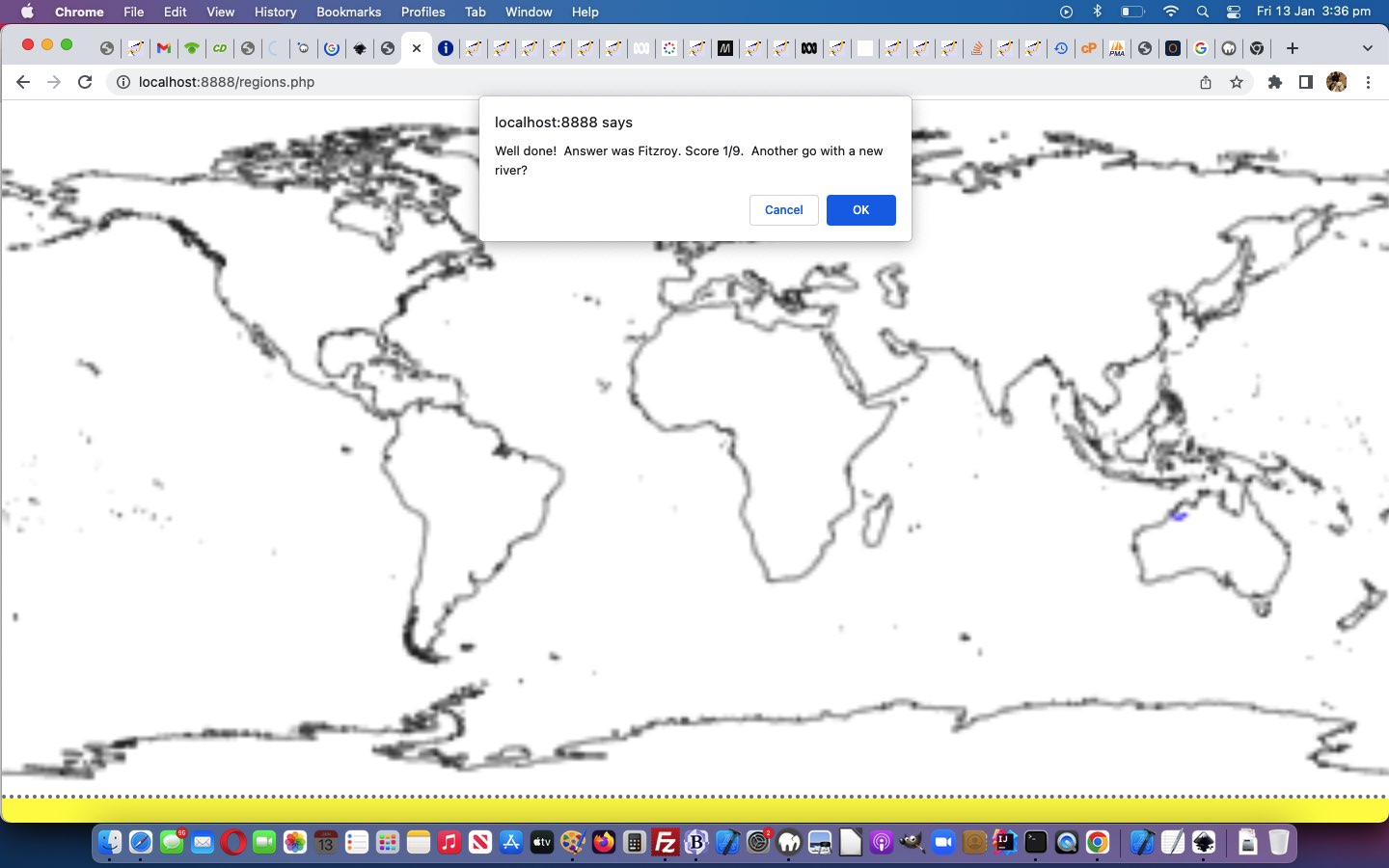
GeoJson World Coastline Rivers Quiz Tutorial
It’s time to turn our attention away from GeoJson World Countries, as talked about with yesterday’s GeoJson World Countries Plotted Ports Tutorial, and back to GeoJson World Coastline ideas. Why? We want to add a …
Rivers Quiz
… via the (generously provided) HTTP://geojson.xyz rivers lake centerlines GeoJSON data we download and then uploaded to become rivers.geojson data file. Now we were wondering out of …
- use the URL to this GeoJSON file as the “src” attribute of an HTML iframe …
<iframe id=ifrivers onload=getthejson(this); style=display:none; src=./rivers.geojson></iframe>
… element (and then access the content via the onload event …
  var rivers='', arivers=[], iguess=-1, isofar=' ', jscore=0, jgoes=0, elema=null, contexta=null, rectisleft=0, rectistop=0;


  function getthejson(iois) {

    var aconto = (iois.contentWindow || iois.contentDocument);

    if (aconto != null) {

       if (aconto.document) { aconto = aconto.document; }

       if (aconto.body != null) {

       rivers='' + aconto.body.innerHTML;

       setTimeout(populaterivers, 500);

       }

    }

  }
… function) would suffice, or if we would end up using … - Ajax call
… to access this data, and were a bit surprised the former method was all fine. Of course there are snazzy inbuilt Javascript hierarchical calls you can make to process the data, but we find, with GeoJSON data, in the client realm (where we’re keen to stay with today’s work (though PHP serverside can, of course, be purloined to do all this work, should you have that available)), of Javascript, we just need very basic string functions …
- split (versus PHP explode)
- index (versus PHP strpos)
- substring (versus PHP substr)
- replace (versus PHP str_replace)
- push (versus PHP array_push)
… to get by processing …
  var rivers='', arivers=[], iguess=-1, isofar=' ', jscore=0, jgoes=0, elema=null, contexta=null, rectisleft=0, rectistop=0;


  function populaterivers() {

    var found=-1, ifnd=0;

    var rbits=rivers.split(']]}}');

    var lastn='', hdrbit='', hbits=[];

    for (var irr=1; irr<(-1 + rbits.length); irr++) {

      hdrbit=rbits[-1 + irr].split('{' + String.fromCharCode(34) + 'type' + String.fromCharCode(34) + ':' + String.fromCharCode(34) + 'Feature')[eval(-1 + rbits[-1 + irr].split('{' + String.fromCharCode(34) + 'type' + String.fromCharCode(34) + ':' + String.fromCharCode(34) + 'Feature').length)] + '';

      hbits=hdrbit.split(',' + String.fromCharCode(34) + 'name' + String.fromCharCode(34) + ':' + String.fromCharCode(34));

      if (hbits.length > 1) {

        if (lastn != hbits[1].split(String.fromCharCode(34))[0]) {

          lastn=hbits[1].split(String.fromCharCode(34))[0];

          found=-1;

          if (arivers.length > 0) {

          for (ifnd=0; ifnd<arivers.length; ifnd++) {

            if (('' + arivers[ifnd]).indexOf(':') != -1 && found == -1) {

              if (('' + arivers[ifnd]).split(':')[0] == lastn) { found=ifnd; }

            }

          }

          }

          if (found >= 0) {

          //if (lastn == 'Murray') { console.log(hdrbit.split(':[[')[1].replace(/\]\]\,\[\[/g,' ').replace(/\]\,\[/g,',').replace(/\[/g,'').replace(/\]/g,'')); }

          arivers[found]+=' ' + hdrbit.split(':[[')[1].replace(/\]\]\,\[\[/g,' ').replace(/\]\,\[/g,',').replace(/\[/g,'').replace(/\]/g,'');

          } else {

          //if (lastn == 'Murray') { console.log(lastn + ':' + hdrbit.split(':[[')[1].replace(/\]\]\,\[\[/g,' ').replace(/\]\,\[/g,',').replace(/\[/g,'').replace(/\]/g,'')); }

          arivers.push(lastn + ':' + hdrbit.split(':[[')[1].replace(/\]\]\,\[\[/g,' ').replace(/\]\,\[/g,',').replace(/\[/g,'').replace(/\]/g,''));

          }

        } else {

          //if (lastn == 'Murray') { console.log(hdrbit.split(':[[')[1].replace(/\]\]\,\[\[/g,' ').replace(/\]\,\[/g,',').replace(/\[/g,'').replace(/\]/g,'')); }

          arivers[-1 + arivers.length]+=' ' + hdrbit.split(':[[')[1].replace(/\]\]\,\[\[/g,' ').replace(/\]\,\[/g,',').replace(/\[/g,'').replace(/\]/g,'');

        }

      }

    }

    lastn='';

  }
… the (ever so) consistent GeoJSON data!
The progress with GeoJson World Countries helped too. We knew to add another HTML canvas layer as per …
- document.body
(now with the new onmousemove=airportplot(event); event logic)lowest level …- overlayed by HTML canvas element plotted with world country linework … now including …
- overlayed by HTML canvas element dedicated to nearest airport plotting …
<canvas id=myacanvas height='180' width='360' style='background-color:transparent;z-index:55;display:inline-block;position:absolute;top:0px;left:0px;'></canvas>
- overlayed by HTML img (transparent image) element and its associated image map area elements …
and today we add into the mix …HTML div hosting SVG elements overlayinginitialized with “land” parts green infilled SVG at a mid range z-index (onlyas well as when called upon) individual GeoJson entities overlay
… and to, at document.body onload logic …
// ... and extended document.body onload event logic has added, up near its top ...

    elema = document.getElementById('myacanvas');

    contexta = elema.getContext('2d');
… and supplement with another HTML sub “emoji button” ❓ ( ❓ ) type element …
<sub style=cursor:pointer; onclick=getariver(); title='River Quiz'>❓</sub>
… allowing for …
  function getariver() {

    //for (var ih=0; ih<arivers.length; ih++) {

    //  if (arivers[ih].split(':')[0] == 'Murray') { return ih; }

    //}

    iguess=Math.floor(Math.random() * arivers.length);

    if (isofar.indexOf(',' + iguess + ',') != -1) {

    while (isofar.indexOf(',' + iguess + ',') != -1) {

    iguess=Math.floor(Math.random() * arivers.length);

    }

    }

    isofar+=',' + iguess + ',';

    lastn=arivers[iguess].split(':')[0];

    plotariver(iguess);

    setTimeout(askariver, 8000);

    return iguess;

  }


  function askariver() {

    var another=false;

    var retthis=prompt('What is the name of this new blue river plotted on the world map?   Enter ? to get given more time looking at (longitude,latitude) = (' + arivers[iguess].split(':')[1].split(',')[0] + ',' + arivers[iguess].split(':')[1].split(',')[1] + ')', '');

    if (retthis == null) {

      jgoes++;

      another=confirm('Bad luck. Answer was ' + lastn + '. Score ' + jscore + '/' + jgoes + '.  Another go with a new river?');

    } else if (retthis.trim() == '?') {

      setTimeout(askariver, 8000);

      return '';

    } else if (retthis.trim() == '') {

      jgoes++;

      another=confirm('Bad luck. Answer was ' + lastn + '. Score ' + jscore + '/' + jgoes + '.  Another go with a new river?');

    } else if (lastn.toLowerCase().indexOf(retthis.toLowerCase()) == -1) {

      jgoes++;

      another=confirm('Bad luck. Answer was ' + lastn + '. Score ' + jscore + '/' + jgoes + '.  Another go with a new river?');

    } else if (lastn.toLowerCase() == retthis.toLowerCase()) {

      jgoes++;

      jscore++;

      another=confirm('Well done!  Answer was ' + lastn + '. Score ' + jscore + '/' + jgoes + '.  Another go with a new river?');

    } else if (retthis.trim().length >= 1) {

      jgoes++;

      another=confirm('Bad luck. Answer was ' + lastn + '. Score ' + jscore + '/' + jgoes + '.  Another go with a new river?');

    } else {

      jgoes++;

      jscore++;

      another=confirm('Will pay that.  Answer was ' + lastn + '. Score ' + jscore + '/' + jgoes + '.  Another go with a new river?');

    }

    if (another) { getariver(); } else {   contexta.clearRect(0,0,360,180);   }

    return '';

  }


  function plotariver(which) {

    contexta.clearRect(0,0,360,180);

    lastn=arivers[which].split(':')[0];

    var rest=arivers[which].split(':')[1];

    console.log(rest);

    var restlonglat=[];  //rest.split(',');

    var therest=rest.split(' ');

    //alert(eval(180.0 + eval('' + restlonglat[0])) + ',' + eval(90.0 - eval('' + restlonglat[1])));

    for (var jrrr=0; jrrr<therest.length; jrrr++) {

    restlonglat=therest[jrrr].split(',');

    for (var irrr=2; irrr<restlonglat.length; irrr+=2) {

       if (irrr == 2) {

         contexta.strokeStyle = '#0000ff';

         contexta.lineWidth = 1;

         contexta.beginPath();

         console.log('context.moveTo(' + eval(180.0 + eval('' + restlonglat[0])) + ',' + eval(90.0 - eval('' + restlonglat[1])) + ');');

         contexta.moveTo(eval(180.0 + eval('' + restlonglat[0])), eval(90.0 - eval('' + restlonglat[1])));

       }

    //alert(eval(180.0 + eval('' + restlonglat[irrr])) + ',' + eval(90.0 - eval('' + restlonglat[1 + irrr])));

         console.log('context.lineTo(' + eval(180.0 + eval('' + restlonglat[eval(0 + eval('' + irrr))])) + ',' + eval(90.0 - eval('' + restlonglat[eval(1 + eval('' + irrr))])) + ');');

      contexta.lineTo(eval(180.0 + eval('' + restlonglat[eval(0 + eval('' + irrr))])), eval(90.0 - eval('' + restlonglat[eval(1 + eval('' + irrr))])));

       //if (eval(irrr + 1) >= eval('' + restlonglat.length)) { context.stroke(); }

    }

    contexta.stroke();

    }

  }
… to work the Rivers Quiz. Finally, though, for all good practicalities we also need those zoom logics out of GeoJson World Countries logic, via “emoji button” 🔎 ( 🔎 ) …
<a style=cursor:pointer; title='Zoom In' onclick='event.stopPropagation(); event.preventDefault(); zoomin();'>🔎</a>
… calling on meta name=viewport tag for mobile …
<meta id='myviewport' name='viewport' content='width=device-width, initial-scale=1, minimum-scale=0.1, maximum-scale=8, user-scalable=yes' >
… as well as the zooming Javascript …
var jzoom=1.0, izoom=location.search.split('zoom=')[1] ? eval(decodeURIComponent(location.search.split('zoom=')[1].split('&')[0])) : 1.0;


function zoomin() {

   if (navigator.userAgent.match(/Android|BlackBerry|iPhone|iPad|iPod|Opera Mini|IEMobile/i)) {

   jzoom*=2;

   document.getElementById('myviewport').setAttribute('content', 'width=device-width, initial-scale=' + eval(jzoom * izoom) + ', minimum-scale=0.1, maximum-scale=8, user-scalable=yes');

   window.scrollTo(0,0);    //izoom*=2;

   } else {

   //if (1 == 1) {

   //  alert('Please use your web browser View Menu options Zoom In or Zoom Out');

   //} else {

     document.body.style.zoom=('' + eval(izoom * 200.0) + '%');

     izoom*=2;

     //location.href=document.URL.split('?')[0].split('#')[0] + '?zoom=' + encodeURIComponent('' + eval(2 * izoom));

   //}

   }

}
So feel free to try the new Rivers Quiz in our changed regions.php GeoJson World Coastlines PHP web application in a new window, or you can also try below.
Previous relevant GeoJson World Countries Plotted Ports Tutorial is shown below.
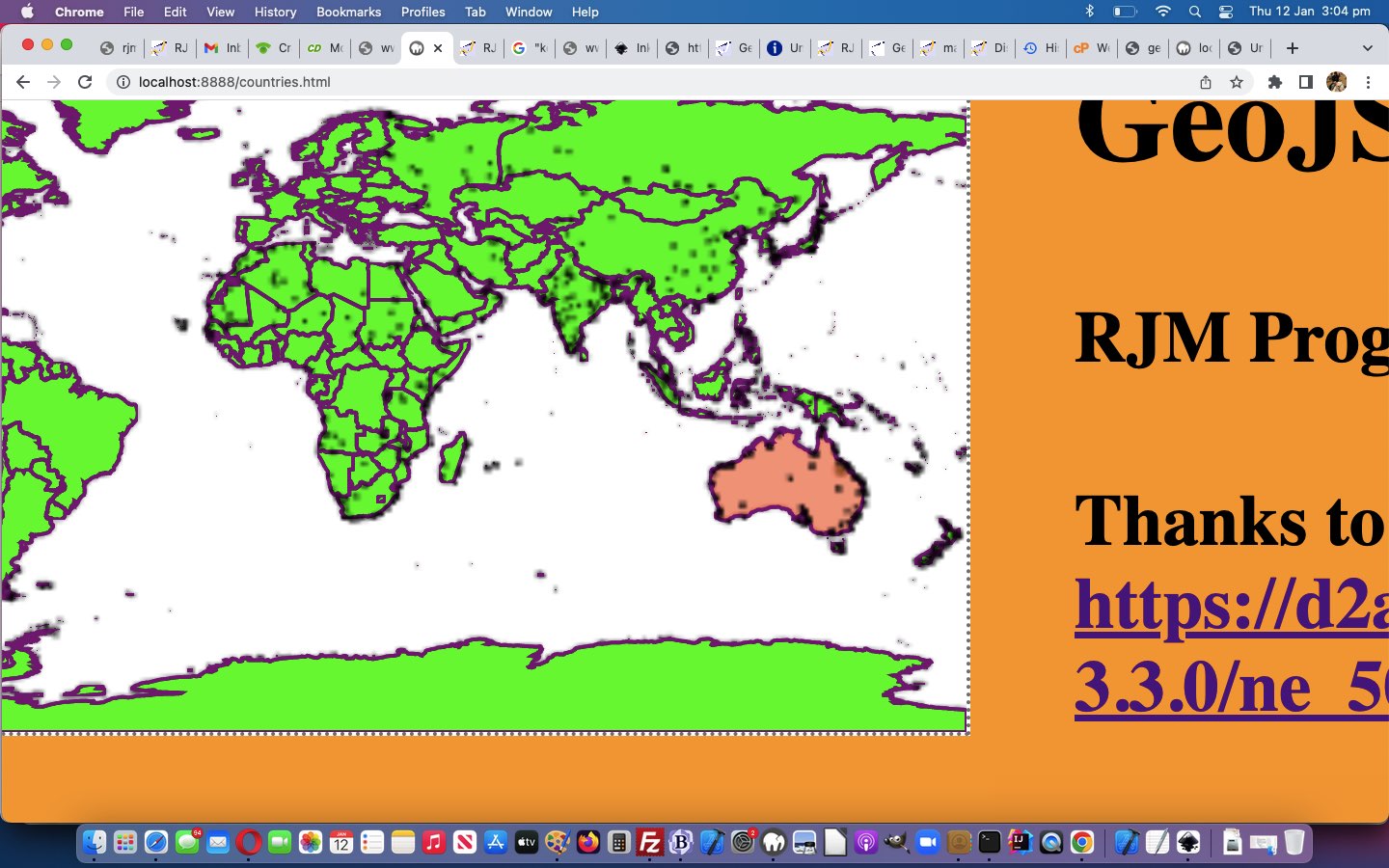
GeoJson World Countries Plotted Ports Tutorial
There are a few interesting aspects to today’s extension of functionality onto yesterday’s GeoJson World Countries Plotted Airports Tutorial‘s GeoJson World Countries web application …
- where to modularise … we think “data collection” commonality is a good reason, and so we make these changes to intair.php
- making an (“animated emoji”) button dual purpose on top of originally being a single purpose button …
<sub title='Show Nearby Airports' onclick='doair=how(true,this); twothousand*=2; this.title=this.title.substring(0,4) + String.fromCharCode(105) + String.fromCharCode(110) + String.fromCharCode(103) + this.title.replace(this.title.split(String.fromCharCode(32))[0] + String.fromCharCode(32), String.fromCharCode(32));' data-type=9992 style=cursor:pointer; id=portsub>✈</sub>
… working with the intairsuffix global variable that could add a new GET argument where both the “port” label in &port=[value] and that [value] can affect behaviour from the intair.php PHP helper tool above …
var intairsuffix='', zhra=null, zhrb=null, kklat=0, kklong=0, doair=false, vsll=[-999.0], answered=true;


function how(atr, isub) {

  var curgd=isub.getAttribute('data-type');

  if (('' + curgd) == '9992') { // airport

    if (intairsuffix != '') {

       intairsuffix='&port=air';

       isub.title='Showing Nearby Airports and Ports';

       document.getElementById('title').value='Nearby Timezone Places and Airports and Ports';

    }

  } else if (('' + curgd) == '128674') { // port

    if (intairsuffix == '') {

       if (doair) {

       intairsuffix='&port=air';

       isub.title='Showing Nearby Airports and Ports';

       document.getElementById('title').value='Nearby Timezone Places and Airports and Ports';

       } else {

       intairsuffix='&port=y';

       isub.title='Showing Nearby Ports';

       document.getElementById('title').value='Nearby Timezone Places and Ports';

       }

    }

  }

  return true;

}


function feedhow() {

  var isub=document.getElementById('portsub');

  var curgd=isub.getAttribute('data-type');

  if (('' + curgd) == '9992') { // airport

    isub.innerHTML='🚢';

    isub.setAttribute('data-type', '128674');

  } else if (('' + curgd) == '128674') { // port

    isub.innerHTML='✈';

    isub.setAttribute('data-type', '9992');

  }

}
- Ajax asynchronous usage for second half of a synchronous previous usage …
var intairsuffix='', zhra=null, zhrb=null, kklat=0, kklong=0, doair=false, vsll=[-999.0], answered=true;


 function stateChangedb() {

 if (zhrb.readyState == 4) {

  if (zhrb.status == 200) {

       var rectis=document.body.getBoundingClientRect();

       var topllong=-180.0;

       var topllat=90.0;

       var onepixelequals=izoom;

   var bts=zhrb.response.split('.src + ' + String.fromCharCode(39));

   if (eval('' + bts.length) > 1) {

   for (var ijh=1; ijh<bts.length; ijh++) {

   var vs=eval(eval(eval(eval(-topllong + eval(bts[ijh].split(String.fromCharCode(39))[0].split('[')[1].split(',')[1])) * onepixelequals) + eval(0 * eval(rectis.left))) +

   eval(eval(eval(topllat - eval(bts[ijh].split(String.fromCharCode(39))[0].split('[')[1].split(',')[0])) * onepixelequals) + eval(0 * eval(rectis.top))));

   if (!inarray(vs,vsll)) {

   vsll.push(vs);

   drawaac(

   eval(eval(eval(-topllong + eval(bts[ijh].split(String.fromCharCode(39))[0].split('[')[1].split(',')[1])) * onepixelequals) + eval(0 * eval(rectis.left))),

   eval(eval(eval(topllat - eval(bts[ijh].split(String.fromCharCode(39))[0].split('[')[1].split(',')[0])) * onepixelequals) + eval(0 * eval(rectis.top)))

   );

   }

   }

   }

  }

 }

 }


 function stateChangeda() {

 if (zhra.readyState == 4) {

  if (zhra.status == 200) {

       var rectis=document.body.getBoundingClientRect();

       var topllong=-180.0;

       var topllat=90.0;

       var onepixelequals=izoom;

   var bts=zhra.response.split('.src + ' + String.fromCharCode(39));

   if (eval('' + bts.length) > 1) {

   for (var ijh=1; ijh<bts.length; ijh++) {

    var vs=eval(eval(eval(eval(-topllong + eval(bts[ijh].split(String.fromCharCode(39))[0].split('[')[1].split(',')[1])) * onepixelequals) + eval(0 * eval(rectis.left))) +

   eval(eval(eval(topllat - eval(bts[ijh].split(String.fromCharCode(39))[0].split('[')[1].split(',')[0])) * onepixelequals) + eval(0 * eval(rectis.top))));

   if (!inarray(vs,vsll)) {

   vsll.push(vs);

   drawaac(

   eval(eval(eval(-topllong + eval(bts[ijh].split(String.fromCharCode(39))[0].split('[')[1].split(',')[1])) * onepixelequals) + eval(0 * eval(rectis.left))),

   eval(eval(eval(topllat - eval(bts[ijh].split(String.fromCharCode(39))[0].split('[')[1].split(',')[0])) * onepixelequals) + eval(0 * eval(rectis.top)))

   );

   }

   }

   }

   if (intairsuffix.indexOf('&port=air') != -1) {

   zhrb = new XMLHttpRequest();

   zhrb.onreadystatechange=stateChangedb;

   zhrb.open('get', '/HTMLCSS/intair.php?num=6&lat=' + kklat + '&long=' + kklong + '&port=y', true);

   zhrb.send(null);

   }

   answered=true;

  }

 }

 }


  function naira(klat, klong) {

   if (answered && doair) {

   answered=false;

   zhra = new XMLHttpRequest();

   zhra.onreadystatechange=stateChangeda;

   console.log('/HTMLCSS/intair.php?num=6&lat=' + klat + '&long=' + klong + intairsuffix);

   if (intairsuffix.indexOf('&port=air') != -1) {

   kklat=klat;

   kklong=klong;

   zhra.open('get', '/HTMLCSS/intair.php?num=6&lat=' + klat + '&long=' + klong, true);

   } else {

   zhra.open('get', '/HTMLCSS/intair.php?num=6&lat=' + klat + '&long=' + klong + intairsuffix, true);

   }

   zhra.send(null);

   }

  }
… keeps a fastish synchronous call (that we enforce via that answered global variable) but truely invokes an asynchronous arrangement extracting Nearby Ports data to plot, as applicable
… in adding …
So far, with yesterday’s GeoJson World Countries Google Directions Trip Tutorial‘s GeoJson World Countries points of interest include …
- the clicked latitude and longitude … and …
- three nearby TimeZone Places … and today, we offer the optional …
foursix nearest Airports (via the ✈ ( ✈ ) emoji button the user clicks) and for this we need to thank, profusely, The Global Airport Database project by Arash Partow, as with HTML5 Canvas Map Clickaround Follow Up Tutorial- six nearest Ports (via the 🚢 ( 🚢 ) emoji button the user clicks) and for this we need to thank, profusely, HTTP://geojson.xyz ports project, as with Swift Playgrounds on macOS Map Emoji Tutorial
… in our changed countries.php web application you can also try below.
Previous relevant GeoJson World Countries Plotted Airports Tutorial is shown below.
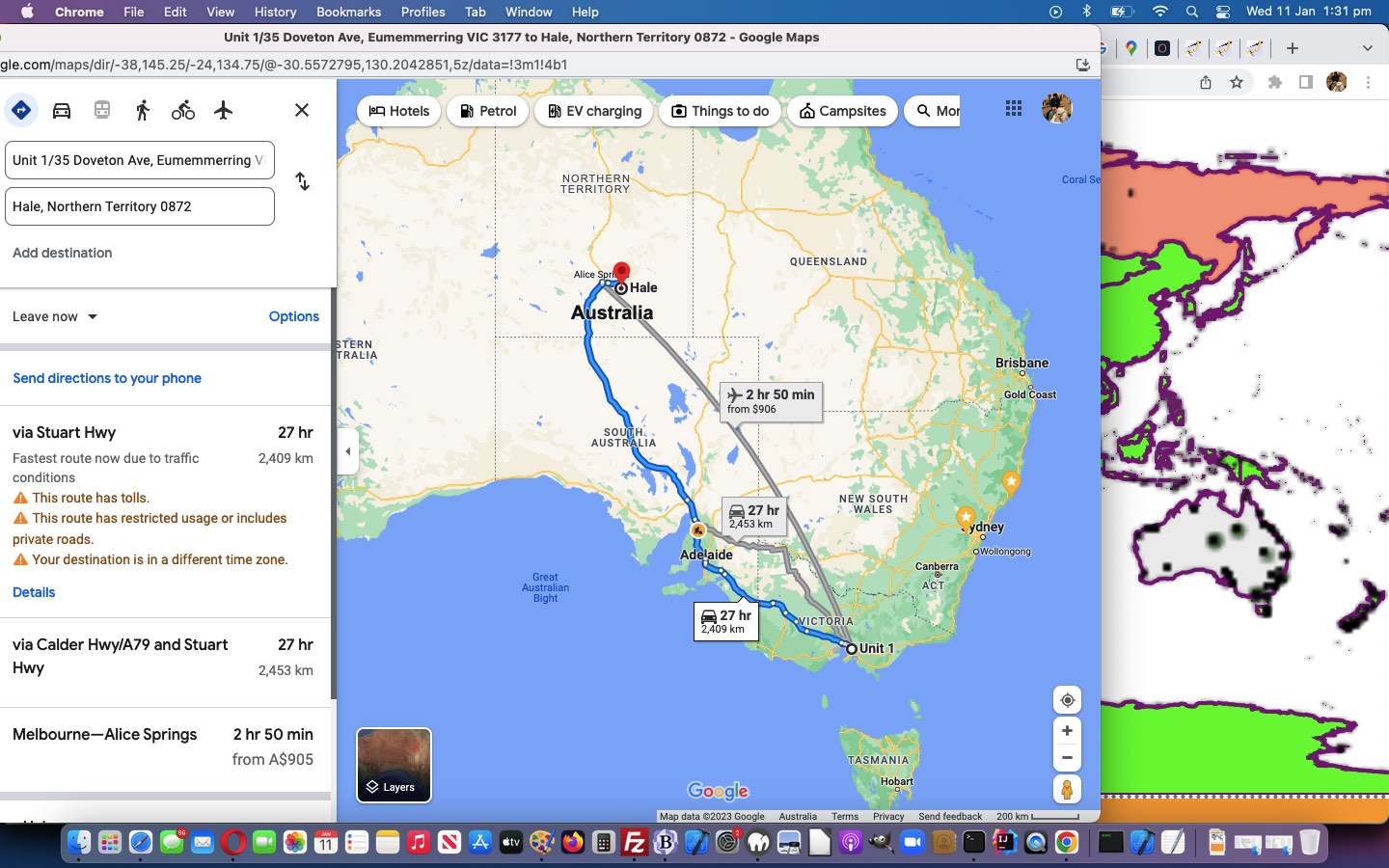
GeoJson World Countries Plotted Airports Tutorial
Introducing the Map Chart recognition of nearby Airports with yesterday’s GeoJson World Countries Nearest Airports Tutorial‘s progress on our latest GeoJson World Countries PHP web application, it set us to seeing …
- the combination of Google Directions‘s talents allowing you to reposition on the fly … and …
- the onmousemove event, at least for our non-mobile users
… could mean that if we pre-plot airports on the world map, given that the user has clicked the ✈ ( ✈ ) “Show an Interest in Airports” emoji button, as a non-mobile user hovers over the world map, this pre-plotting might help trip planners with their travel options, should air travel be part of their interest, in the same way it is an option up at Google Directions in our changed countries.php web application you can also try below. The overlay scenario now reads …
- document.body (now with the new onmousemove=airportplot(event); event logic) lowest level …
- overlayed by HTML canvas element plotted with world country linework … now including …
- overlayed by HTML canvas element dedicated to nearest airport plotting …
<canvas id=myacanvas height='180' width='360' style='background-color:transparent;z-index:55;display:inline-block;position:absolute;top:0px;left:0px;'></canvas>
- overlayed by HTML img (transparent image) element and its associated image map area elements …
and today we add into the mix …- HTML div hosting SVG elements overlay
inginitialized with “land” parts green infilled SVG at a mid range z-index (onlyas well as when called upon) individual GeoJson entities overlay
… worked by new (sometimes Ajax) Javascript code …
  var zhra=null, elema=null, contexta=null, answered=true, vsll=[-999.0], doair=false; // clicking ✈ sets doair=true;


  function drawaac(centerX, centerY) {

    contexta.beginPath();

    contexta.globalAlpha = 0.9;

    if (1 == 1) {

    contexta.fillStyle = 'black';

    contexta.fillRect(centerX / izoom, centerY / izoom,1,1);

    contexta.fill();

    } else {

    contexta.arc(centerX / izoom, centerY / izoom, 1, 0, 2 * Math.PI, false);

    contexta.fillStyle = 'black';

    contexta.fill();

    contexta.lineWidth = 5;

    contexta.lineWidth = 0.00001;

    contexta.strokeStyle = '#003300';

    contexta.stroke();

    }

    return true;

  }


 function inarray(needle, haystack) { // thanks to https://stackoverflow.com/questions/784012/javascript-equivalent-of-phps-in-array

    var length = haystack.length;

    for (var i = 0; i < length; i++) {

        if (haystack[i] == needle) return true;

    }

    return false;

 }


 function stateChangeda() {

 if (zhra.readyState == 4) {

  if (zhra.status == 200) {

       var rectis=document.body.getBoundingClientRect();

       var topllong=-180.0;

       var topllat=90.0;

       var onepixelequals=izoom;

   var bts=zhra.response.split('.src + ' + String.fromCharCode(39));

   if (eval('' + bts.length) > 1) {

   for (var ijh=1; ijh<bts.length; ijh++) {

   var vs=eval(eval(eval(eval(-topllong + eval(bts[ijh].split(String.fromCharCode(39))[0].split('[')[1].split(',')[1])) * onepixelequals) + eval(0 * eval(rectis.left))) +

   eval(eval(eval(topllat - eval(bts[ijh].split(String.fromCharCode(39))[0].split('[')[1].split(',')[0])) * onepixelequals) + eval(0 * eval(rectis.top))));

   if (!inarray(vs,vsll)) {

   vsll.push(vs);

   drawaac(

   eval(eval(eval(-topllong + eval(bts[ijh].split(String.fromCharCode(39))[0].split('[')[1].split(',')[1])) * onepixelequals) + eval(0 * eval(rectis.left))),

   eval(eval(eval(topllat - eval(bts[ijh].split(String.fromCharCode(39))[0].split('[')[1].split(',')[0])) * onepixelequals) + eval(0 * eval(rectis.top)))

   );

   }

   }

   }

   answered=true;

  }

 }

 }


  function naira(klat, klong) {

   if (answered && doair) {

   answered=false;

   zhra = new XMLHttpRequest();

   zhra.onreadystatechange=stateChangeda;

   zhra.open('get', '/HTMLCSS/intair.php?num=6&lat=' + klat + '&long=' + klong, true);

   zhra.send(null);

   }

  }


  function airportplot(e) {

    if (answered) {

       var rectis=null; //document.body.getBoundingClientRect();

       var blat=0, blong=0;

       var topllong=-180.0;

       var topllat=90.0;

       onepixelequals=eval(0.0 + eval(1.0 * izoom));

       e = e || window.event;

       e.preventDefault();

       if (e.touches) {

       if (e.touches[0].pageX) {

   naira(eval(-rectisleft + e.touches[0].pageX), eval(-rectistop + e.touches[0].pageY)); //if (drawac(eval(-rectisleft + e.touches[0].pageX), eval(-rectistop + e.touches[0].pageY)))  e = e; }

       } else {

   rectis=document.body.getBoundingClientRect();

   naira(eval(-rectis.left + e.touches[0].clientX), eval(-rectis.top + e.touches[0].clientY)); //if (drawac(eval(-rectis.left + e.touches[0].clientX), eval(-rectis.top + e.touches[0].clientY))) { e = e; }

       }

       } else if (e.pageX || e.pageY) {

   blat=eval(eval(eval(topllat * onepixelequals - eval(-rectistop + e.pageY) * 1)) / onepixelequals);

   blong=eval(eval(eval(topllong * onepixelequals + eval(-rectisleft + e.pageX) * 1)) / onepixelequals);

   if ((blat >= -90.0 && blat <= 90.0) && (blong >= -180.0 && blong <= 180.0)) {

   naira(blat, blong); //if (drawac(eval(-rectisleft + e.pageX), eval(-rectistop + e.pageY))) { e = e; }

   }

       } else {

   rectis=document.body.getBoundingClientRect();

   naira(eval(-rectis.left + e.clientX), eval(-rectis.top + e.clientY)); //if (drawac(eval(-rectis.left + e.clientX), eval(-rectis.top + e.clientY))) { e = e; }

       }

    }

  }


// ... and extended document.body onload event logic has added, up near its top ...

    elema = document.getElementById('myacanvas');

    contexta = elema.getContext('2d');
Previous relevant GeoJson World Countries Nearest Airports Tutorial is shown below.
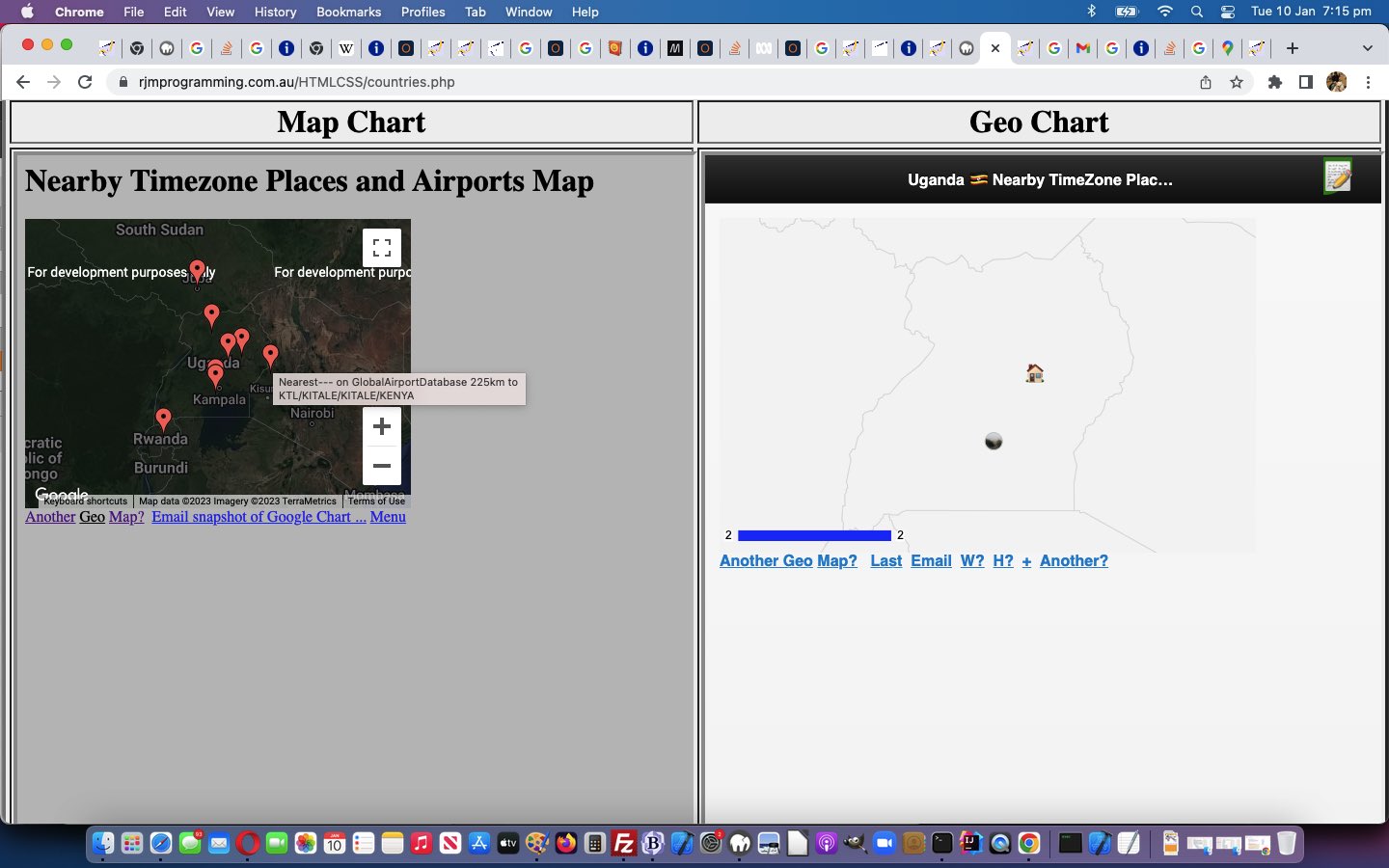
GeoJson World Countries Nearest Airports Tutorial
So far, with yesterday’s GeoJson World Countries Google Directions Trip Tutorial‘s GeoJson World Countries points of interest include …
- the clicked latitude and longitude … and …
- three nearby TimeZone Places … and today, we offer the optional …
- four nearest Airports (via the ✈ ( ✈ ) emoji button the user clicks) and for this we need to thank, profusely, The Global Airport Database project by Arash Partow, as with HTML5 Canvas Map Clickaround Follow Up Tutorial
… being as we’re into trip planning now!
var airportstuff='', doair=false, zhr=null;
function stateChanged() {
if (zhr.readyState == 4) {
if (zhr.status == 200) {
var bts=zhr.response.split('.src + ' + String.fromCharCode(39));
if (eval('' + bts.length) > 1) {
for (var ijh=1; ijh
if (p1.length > 800) {
document.getElementById('iddata').value=(p1.split('&data=')[1].split('&')[0].split('#')[0]).replace(/\&20\;/g,' ');
document.getElementById('smapif').click();
return null;
}
return window.open(p1, p2, p3);
}
function apm(mu) {
if (airportstuff != '' && doair) {
return (mu + airportstuff).replace('&', encodeURIComponent(' and Airports') + '&');
}
return mu;
}
function nair(klat, klong) {
airportstuff='';
zhr = new XMLHttpRequest();
zhr.onreadystatechange=stateChanged;
zhr.open('get', '/HTMLCSS/intair.php?num=4&lat=' + klat + '&long=' + klong, true);
zhr.send(null);
}
function alats(inlat) {
if (inlat == 0 && lastlats.length == 0) { inlat=inlat; } else { lastlats.push(inlat); }
return inlat;
}
function alongs(inlong) {
if (inlong == 0 && lastlongs.length == 0) { inlong=inlong; } else { lastlongs.push(inlong); }
setTimeout(prenair, 200); //nair(thislat, inlong);
return inlong;
}
function prenair() {
nair(thislat, thislong);
}
… featuring Ajax Javascript code.
Try this out with our changed countries.php web application you can also try below.
Previous relevant GeoJson World Countries Google Directions Trip Tutorial is shown below.
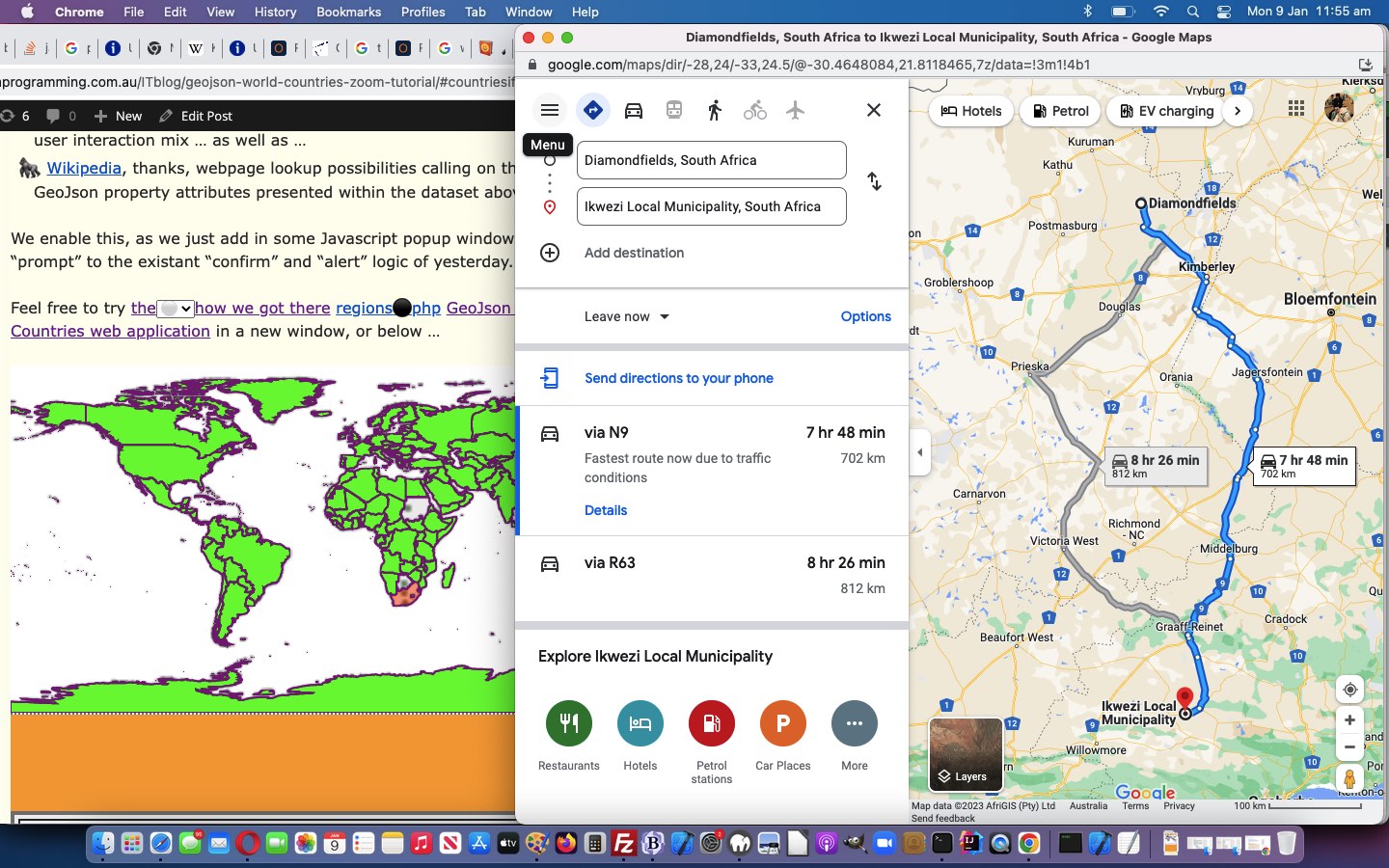
GeoJson World Countries Google Directions Trip Tutorial
Adding to the “zoom” progress of yesterday’s GeoJson World Countries Zoom Tutorial, today, we wanted to …
- add interfacing functionality to the excellent Google Directions part of Google Maps, perhaps to help with Trip planning, or even just to associate a Placename with a latitude and longitude as clicked by the user, via the very simple URL arrangement …
https://www.google.com/maps/dir/[decimalLatitudeDegrees]/[decimalLongitudeDegrees]
… helped out by new Javascript functions …
  var lastlats=[], lastlongs=[], lastlat=-99.0, lastlong=-99.0, thislat=0.0, thislong=0.0;


  function preface(inblurb) {

    var extras='';

    var outblurb=inblurb;

    if (Math.abs(eval('' + lastlat)) > 0.0 || Math.abs(eval('' + lastlong)) > 0.0) {

     if (Math.abs(eval('' + lastlat)) <= 90.0 && Math.abs(eval('' + lastlong)) <= 180.0) {
      extras=' Add G for Google Directions between (' + lastlat + ',' + lastlong + ') to (' + thislat + ',' + thislong + ') and spaces (also more trip legs) to hashtag navigate to Google Charts later. ';
     }
    }
    return extras + outblurb;
  }


  function alats(inlat) {

   if (inlat == 0 && lastlats.length == 0) { inlat=inlat; } else  { lastlats.push(inlat); }

   return inlat;

  }


  function alongs(inlong) {

   if (inlong == 0 && lastlongs.length == 0) { inlong=inlong; } else  { lastlongs.push(inlong); }

   return inlong;

  }
… and … - add some hashtag navigation (fairly self explanatory emoji button ⬆ ⬇ ↗) ideas now that our GeoJson world map can be zoomed in on
… in our changed countries.php web application you can also try below.
Previous relevant GeoJson World Countries Zoom Tutorial is shown below.
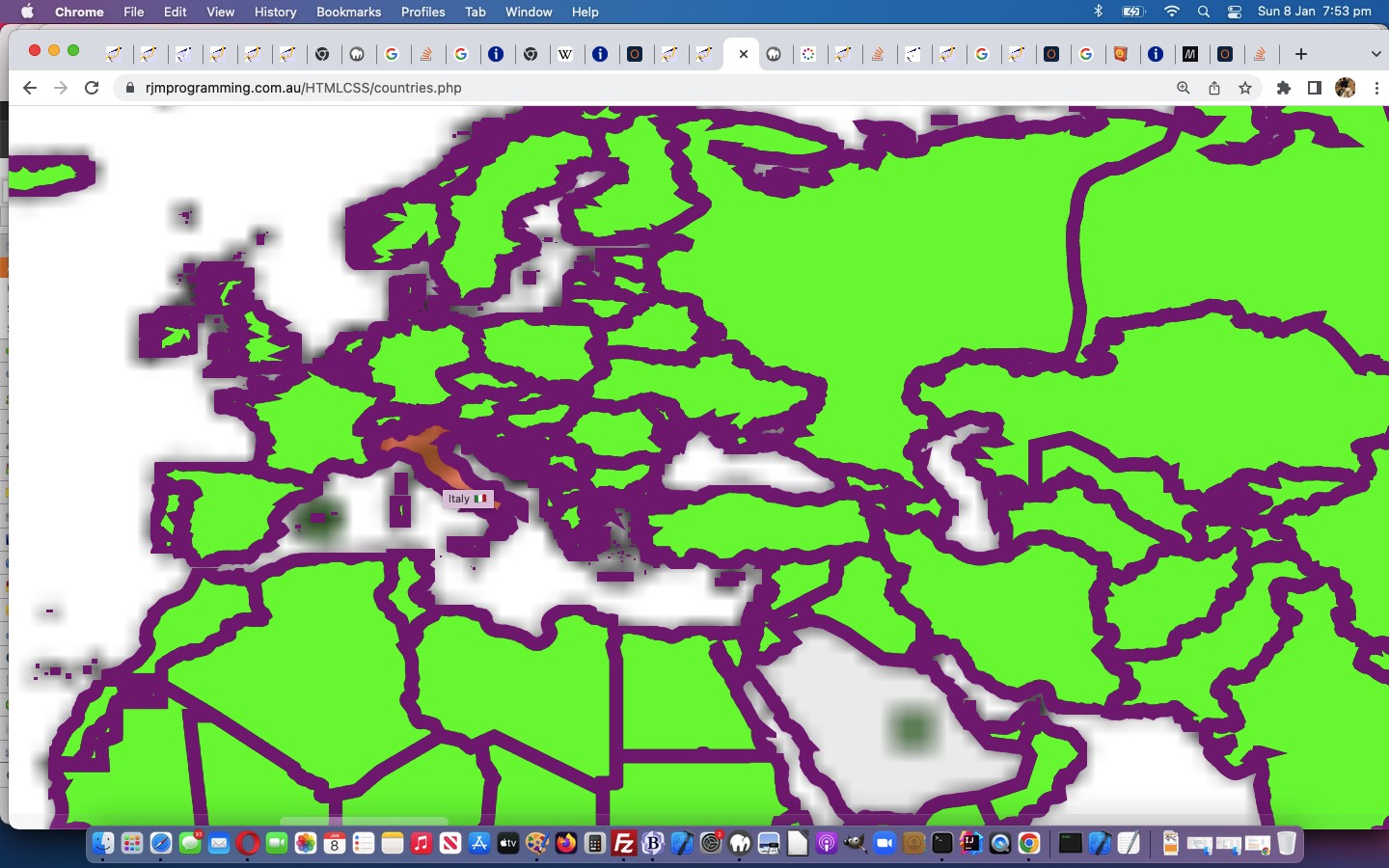
GeoJson World Countries Zoom Tutorial
Onto yesterday’s GeoJson World Countries TimeZone Times Tutorial GeoJson World Countries web application’s capabilities we want to add zooming, that doesn’t rely on web browser functionality (which continues to work). With that in mind we create a new emoji ( 🔎 ) 🔎 link, with this onclick event code …
var jzoom=1.0, izoom=location.search.split('zoom=')[1] ? eval(decodeURIComponent(location.search.split('zoom=')[1].split('&')[0])) : 1.0;


function zoomin() {

   if (navigator.userAgent.match(/Android|BlackBerry|iPhone|iPad|iPod|Opera Mini|IEMobile/i)) {

     jzoom*=2;

     document.getElementById('myviewport').setAttribute('content', 'width=device-width, initial-scale=' + eval(jzoom * izoom) + ', minimum-scale=0.1, maximum-scale=8, user-scalable=yes');

     window.scrollTo(0,0);

   } else {

     document.body.style.zoom=('' + eval(izoom * 200.0) + '%');

     izoom*=2;

   }

}
… to multiply the webpage zoom factor in a programmatical way. To acheive this, we have a two way approach (as you might have surmised from above) …
- for mobile, the logic is easier by introducing a new meta name=viewport …
<meta id="myviewport" name="viewport" content="width=device-width, initial-scale=1, minimum-scale=0.1, maximum-scale=8, user-scalable=yes" >
… tag … while … - for non-mobile we needed to realize that event.pageX and event.pageY co-ordinates grow in proportion to the zoom factor, and that better latitude and longitude determining lines of code would go …
  function canvasclick(e) {

       var rectis=document.body.getBoundingClientRect();

       var topllong=-180.0;

       var topllat=90.0;

       onepixelequals=eval(0.0 + eval(1.0 * izoom));

       //document.title='canvasclick';

       e = e || window.event;

       e.preventDefault();

       if (e.touches) {

       if (e.touches[0].pageX) {

         //lastl='Longitude,Latitude coordinates are ' + eval(topllong + eval(-rectis.left + e.touches[0].pageX) * onepixelequals) + ',' + eval(topllat - eval(-rectis.top + e.touches[0].pageY) * onepixelequals);

   if (drawc(eval(-rectisleft + e.touches[0].pageX), eval(-rectistop + e.touches[0].pageY))) {

   thislat=eval(topllat - eval(-rectistop + e.touches[0].pageY) * onepixelequals);

   thislong=eval(topllong + eval(-rectisleft + e.touches[0].pageX) * onepixelequals);

       //console.log('rectistop=' + rectistop + ' and rectisleft=' + rectisleft + ' and rectisy=' + rectisy + ' and thislat=' + thislat);

   document.getElementById('nearestif').src='/PHP/tz_places.php?place=&latitude=' + encodeURIComponent('' + eval(topllat - eval(-rectistop + e.touches[0].pageY) * onepixelequals)) + '&longitude=' + encodeURIComponent('' + eval(topllong + eval(-rectisleft + e.touches[0].pageX) * onepixelequals)) + '&ntztontz=y';

   }

       } else {


         //lastl='Longitude,Latitude coordinates are ' + eval(topllong + eval(-rectis.left + e.touches[0].clientX) * onepixelequals) + ',' + eval(topllat - eval(-rectis.top + e.touches[0].clientY) * onepixelequals);

   if (drawc(eval(-rectis.left + e.touches[0].clientX), eval(-rectis.top + e.touches[0].clientY))) {

   thislat=eval(topllat - eval(-rectis.top + e.touches[0].clientY) * onepixelequals);

   thislong=eval(topllong + eval(-rectis.left + e.touches[0].clientX) * onepixelequals);

       //console.log('rectis.top=' + rectis.top + ' and rectis.left=' + rectis.left + ' and rectis.y=' + rectis.y + ' anD thislat=' + thislat);

   document.getElementById('nearestif').src='/PHP/tz_places.php?place=&latitude=' + encodeURIComponent('' + eval(topllat - eval(-rectis.top + e.touches[0].clientY) * onepixelequals)) + '&longitude=' + encodeURIComponent('' + eval(topllong + eval(-rectis.left + e.touches[0].clientX) * onepixelequals)) + '&ntztontz=y';

   }

       }

       } else if (e.pageX || e.pageY) {

          //lastl='Longitude,Latitude coordinates are ' + eval(topllong + e.clientX * onepixelequals) + ',' + eval(topllat - e.clientY * onepixelequals);

          //alert('02: ' + e.screenX + ' ' + e.pageX + ' ' + e.screenY + ' ' + e.pageY + ' ' + thislong + ' ' + thislat);

   if (drawc(eval(-rectisleft + e.pageX), eval(-rectistop + e.pageY))) {

   //thislat=eval(topllat - eval(-rectistop + e.pageY) * onepixelequals);

   //thislong=eval(topllong + eval(-rectisleft + e.pageX) * onepixelequals);

   thislat=eval(eval(eval(topllat * onepixelequals - eval(-rectistop + e.pageY) * 1)) / onepixelequals);

   thislong=eval(eval(eval(topllong * onepixelequals + eval(-rectisleft + e.pageX) * 1)) / onepixelequals);

          //alert('22: ' + e.screenX + ' ' + e.pageX + ' ' + e.screenY + ' ' + e.pageY + ' ' + thislong + ' ' + thislat);

       //console.log('rectistop=' + rectistop + ' and rectisleft=' + rectisleft + ' and rectisy=' + rectisy + ' aNd thislat=' + thislat + ' and e.pageY=' + e.pageY + ' and new plus idea=' + eval(topllat - eval(rectistop + e.pageY) * onepixelequals));

   //document.getElementById('nearestif').src='/PHP/tz_places.php?place=&latitude=' + encodeURIComponent('' + eval(topllat - eval(-rectistop + e.pageY) * onepixelequals)) + '&longitude=' + encodeURIComponent('' + eval(topllong + eval(-rectisleft + e.pageX) * onepixelequals)) + '&ntztontz=y';

   document.getElementById('nearestif').src='/PHP/tz_places.php?place=&latitude=' + encodeURIComponent('' + thislat) + '&longitude=' + encodeURIComponent('' + thislong) + '&ntztontz=y';

   }

       } else {

         //lastl='Longitude,Latitude coordinates are ' + eval(topllong + eval(-rectis.left + e.pageX) * onepixelequals) + ',' + eval(topllat - eval(-rectis.top + e.pageY) * onepixelequals);

   if (drawc(eval(-rectis.left + e.clientX), eval(-rectis.top + e.clientY))) {

   thislat=eval(topllat - eval(-rectis.top + e.clientY) * onepixelequals);

   thislong=eval(topllong + eval(-rectis.left + e.clientX) * onepixelequals);

       //console.log('rectis.top=' + rectis.top + ' and rectis.left=' + rectis.left + ' and rectis.y=' + rectis.y + ' And thislat=' + thislat);

   document.getElementById('nearestif').src='/PHP/tz_places.php?place=&latitude=' + encodeURIComponent('' + eval(topllat - eval(-rectis.top + e.clientY) * onepixelequals)) + '&longitude=' + encodeURIComponent('' + eval(topllong + eval(-rectis.left + e.clientX) * onepixelequals)) + '&ntztontz=y';

   }

       }

  }
… in our changed countries.php web application you can also try below.
Previous relevant GeoJson World Countries TimeZone Times Tutorial is shown below.
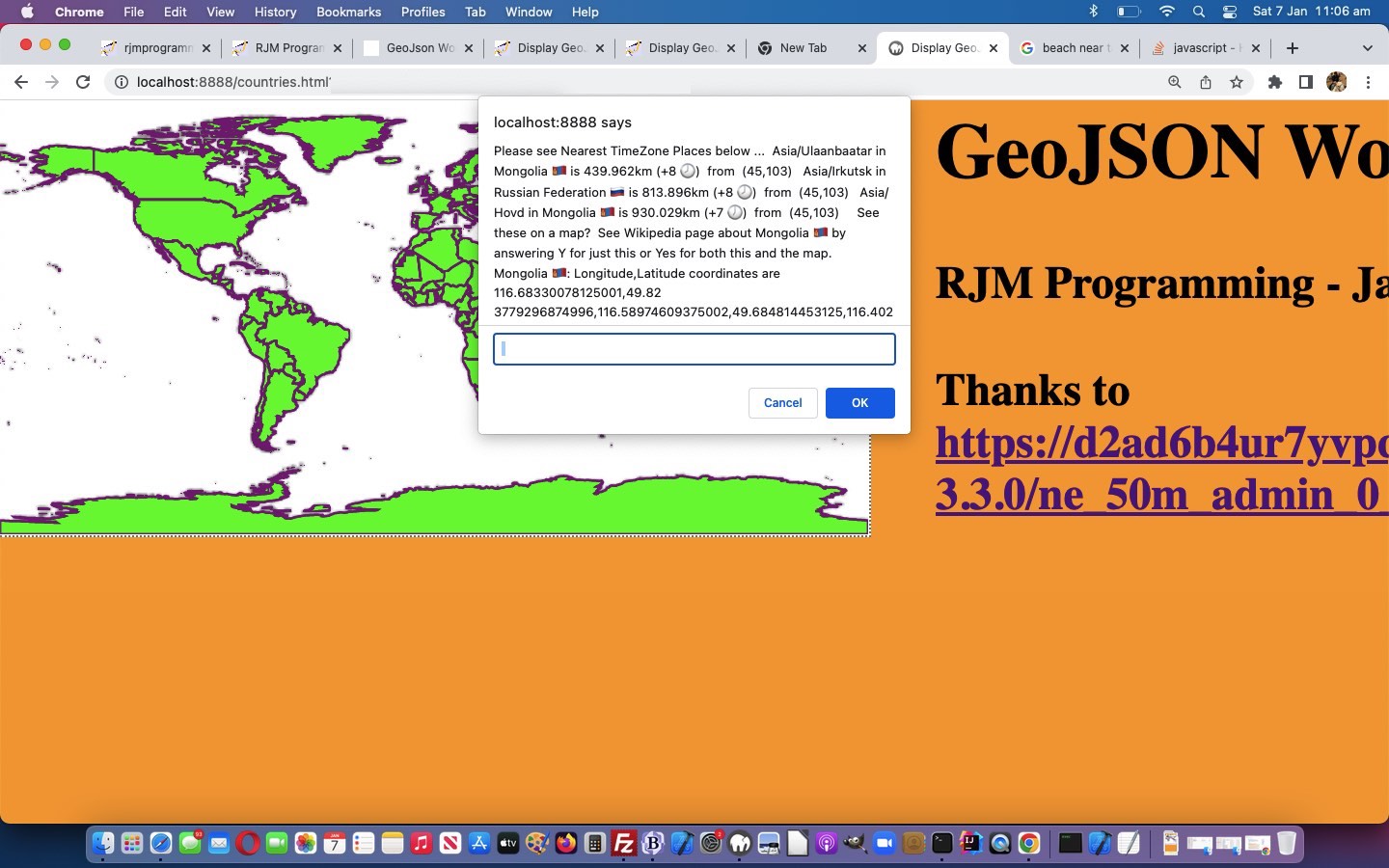
GeoJson World Countries TimeZone Times Tutorial
Some readers might be aware of our “theory regarding adverbs” and “web applications” on the net …
- the most catered for adverb relates to the “where of life” … and the second banana is …
- the “when of life”
… and, further to yesterday’s GeoJson World Countries SVG Overlay Safari Error Tutorial‘s emphasis on the “where of life”, today we add in a bit of the “when of life”, something right down the line of the remit of TimeZone talents.
Seriously though, a lot of us dream of the rest of the world on a world map, and wonder what time it is in other parts of the world. Phone call to relatives? A reminder SMS call? Email a game collaboration? It could all be part of life’s rich tapestry!
The expresion of this, for us, today, improving the communications with our current GeoJsom World Countries web application, take the form of emoji clocks from the 12 hour clock example forms such as …
- 1 o’clock is 🕐 🕐
- 2 o’clock is 🕑 🕑
- 12 o’clock is 🕛 🕛
- 2:30 is 🕝 🕝
- 11:30 is 🕦 🕦
- 12:30 is 🕧 🕧
… to show in “prompt” and “confirm” popup windows, as well as Map Chart maps … via new Javascript functions …
  function clockit(hoursoffgmt) {

// 1  o'clock is 🕐

// 2  o'clock is 🕑

// 12 o'clock is 🕛

//  2:30 is 🕝

// 11:30 is 🕦

// 12:30 is 🕧

    var along='Saturday,Sunday,Monday,Tuesday,Wednesday,Thursday,Friday,Saturday,Sunday';

    var gmtdatetimeis='' + new Date().toUTCString();

    var daybit='';

    var ampm=' am';

    if (gmtdatetimeis.indexOf('day') != -1) {

      ampm+=', ' + gmtdatetimeis.split('day')[0].split(' ')[eval(-1 + gmtdatetimeis.split('day')[0].split(' ').length)] + 'day';

    } else if (gmtdatetimeis.indexOf(',') != -1) {

      ampm+=', ' + (gmtdatetimeis.split(',')[0].split(' ')[eval(-1 + gmtdatetimeis.split(',')[0].split(' ').length)] + '').replace(/^Sat$/g,'Saturday').replace(/^Sun$/g,'Sunday').replace(/^Mon$/g,'Monday').replace(/^Tue$/g,'Tuesday').replace(/^Wed$/g,'Wednesday').replace(/^Thu$/g,'Thursday').replace(/^Fri$/g,'Friday');

    }

    if (ampm.length > 3) { daybit=ampm.substring(5); }

    var minis=eval('' + gmtdatetimeis.split(':')[1]);

    var hris=eval(('' + gmtdatetimeis.split(':')[0]).split(' ')[eval(-1 + ('' + gmtdatetimeis.split(':')[0]).split(' ').length)]);

    if (('' + hoursoffgmt).indexOf('-') != -1 && eval(eval('' + hoursoffgmt.replace('+','')) + hris) < 0.0) {

      ampm=ampm.replace('am', 'pm');

      if (daybit != '') { ampm=ampm.replace(daybit, along.split(',' + daybit)[0].split(',')[eval(-1 + along.split(',' + daybit)[0].split(',').length)]); }

    } else if (('' + hoursoffgmt).indexOf('-') == -1 && eval(eval('' + hoursoffgmt.replace('+','')) + hris) >= 24) {

      if (daybit != '') { ampm=ampm.replace(daybit, along.split(daybit + ',')[1].split(',')[0]); }

    } else if (('' + hoursoffgmt).indexOf('-') == -1 && eval(eval('' + hoursoffgmt.replace('+','')) + hris) >= 12) {

      ampm=ampm.replace('am', 'pm');

    }

    hris+=eval(eval(24 + eval('' + hoursoffgmt.replace('+','').split('.')[0])) % 24);

    if (('' + hoursoffgmt.replace('+','')).indexOf('.5') != -1) {

      if (('' + hoursoffgmt.replace('+','')).indexOf('-') != -1 && minis >= 30) {

        minis-=30;

      } else if (('' + hoursoffgmt.replace('+','')).indexOf('-') != -1) {

        hris--;

        if (hris < 24) { hris=23; ampm=ampm.replace('am', 'pm'); if (daybit != '') { ampm=ampm.replace(daybit, along.split(',' + daybit)[0].split(',')[eval(-1 + along.split(',' + daybit)[0].split(',').length)]); } }

        minis+=30;

      } else if (('' + hoursoffgmt.replace('+','')).indexOf('-') == -1 && minis < 30) {

        minis+=30;

      } else if (('' + hoursoffgmt.replace('+','')).indexOf('-') != -1) {

        hris++;

        if (hris > 24) { hris=24; ampm=ampm.replace('pm', 'am'); if (daybit != '') { ampm=ampm.replace(daybit, along.split(daybit + ',')[1].split(',')[0]); } }

        minis-=30;

      }

    } else if (('' + hoursoffgmt.replace('+','')).indexOf('.25') != -1) {

      if (('' + hoursoffgmt.replace('+','')).indexOf('-') != -1 && minis >= 15) {

        minis-=15;

      } else if (('' + hoursoffgmt.replace('+','')).indexOf('-') != -1) {

        hris--;

        if (hris < 24) { hris=23; ampm=ampm.replace('am', 'pm'); if (daybit != '') { ampm=ampm.replace(daybit, along.split(',' + daybit)[0].split(',')[eval(-1 + along.split(',' + daybit)[0].split(',').length)]); } }

        minis+=15;

      } else if (('' + hoursoffgmt.replace('+','')).indexOf('-') == -1 && minis < 45) {

        minis+=15;

      } else if (('' + hoursoffgmt.replace('+','')).indexOf('-') != -1) {

        hris++;

        if (hris > 24) { hris=24; ampm=ampm.replace('pm', 'am'); if (daybit != '') { ampm=ampm.replace(daybit, along.split(daybit + ',')[1].split(',')[0]); } }

        minis-=15;

      }

    } else if (('' + hoursoffgmt.replace('+','')).indexOf('.75') != -1) {

      if (('' + hoursoffgmt.replace('+','')).indexOf('-') != -1 && minis >= 45) {

        minis-=45;

      } else if (('' + hoursoffgmt.replace('+','')).indexOf('-') != -1) {

        hris--;

        if (hris < 24) { hris=23; ampm=ampm.replace('am', 'pm'); if (daybit != '') { ampm=ampm.replace(daybit, along.split(',' + daybit)[0].split(',')[eval(-1 + along.split(',' + daybit)[0].split(',').length)]); } }

        minis+=45;

      } else if (('' + hoursoffgmt.replace('+','')).indexOf('-') == -1 && minis < 15) {

        minis+=45;

      } else if (('' + hoursoffgmt.replace('+','')).indexOf('-') != -1) {

        hris++;

        if (hris > 24) { hris=24; ampm=ampm.replace('pm', 'am'); if (daybit != '') { ampm=ampm.replace(daybit, along.split(daybit + ',')[1].split(',')[0]); } }

        minis-=45;

      }

    }

    //alert('' + hoursoffgmt + ' ' + hris + ' ' + minis + ' ' + gmtdatetimeis);


    if (minis > 45 && eval(hris % 12) == 0) {

      return ' ' + String.fromCodePoint(128336) + ampm;

    } else if (eval(hris % 12) == 0 && minis <= 15) {

      return ' ' + String.fromCodePoint(128347) + ampm;

    } else if (eval(hris % 12) == 0) {

      return ' ' + String.fromCodePoint(128359) + ampm;

    } else if (minis >= 45) {

      return ' ' + String.fromCodePoint(eval(eval(hris % 12) + 128336)) + ampm;

    } else if (minis <= 15) {

      return ' ' + String.fromCodePoint(eval(eval(hris % 12) + 128335)) + ampm;

    } else {

      return ' ' + String.fromCodePoint(eval(eval(hris % 12) + 128347)) + ampm;

    }

    return '';

  }


  function emfilter(inih) {

     var bcxs=inih.split(' &#');

     var bitis='', ib=0;

     var outih=inih;

     for (ib=1; ib<bcxs.length; ib++) {

       bitis=' &#' + bcxs[ib].split(' ')[0];

       outih=outih.replace(bitis, ' ' + eval('String.fromCodePoint(' + bitis.substring(3).replace(/\;\&\#/g,',').replace(/\;/g,'') + ')'));

     }

     bcxs=outih.split('(');

     for (ib=1; ib<bcxs.length; ib++) {

       if (bcxs[ib].split(')')[0].indexOf(',') == -1 && bcxs[ib].split(')')[0].indexOf(' ') == -1 && (bcxs[ib].substring(0,1) == '-' || bcxs[ib].substring(0,1) == '+' || (bcxs[ib].substring(0,1) >= '0' && bcxs[ib].substring(0,1) <= '9'))) {

           outih=outih.replace('(' + bcxs[ib].split(')')[0] + ')', '(' + bcxs[ib].split(')')[0] + clockit(bcxs[ib].split(')')[0]) + ')');

       }

     }

     return outih;

  }
Also, in these same places we add in Time Place country ISO-2 character code based emoji flags, adding to information and colour pizazz in the informational parts to the workings of our changed countries.php web application you can also try below.
Previous relevant GeoJson World Countries SVG Overlay Safari Error Tutorial is shown below.
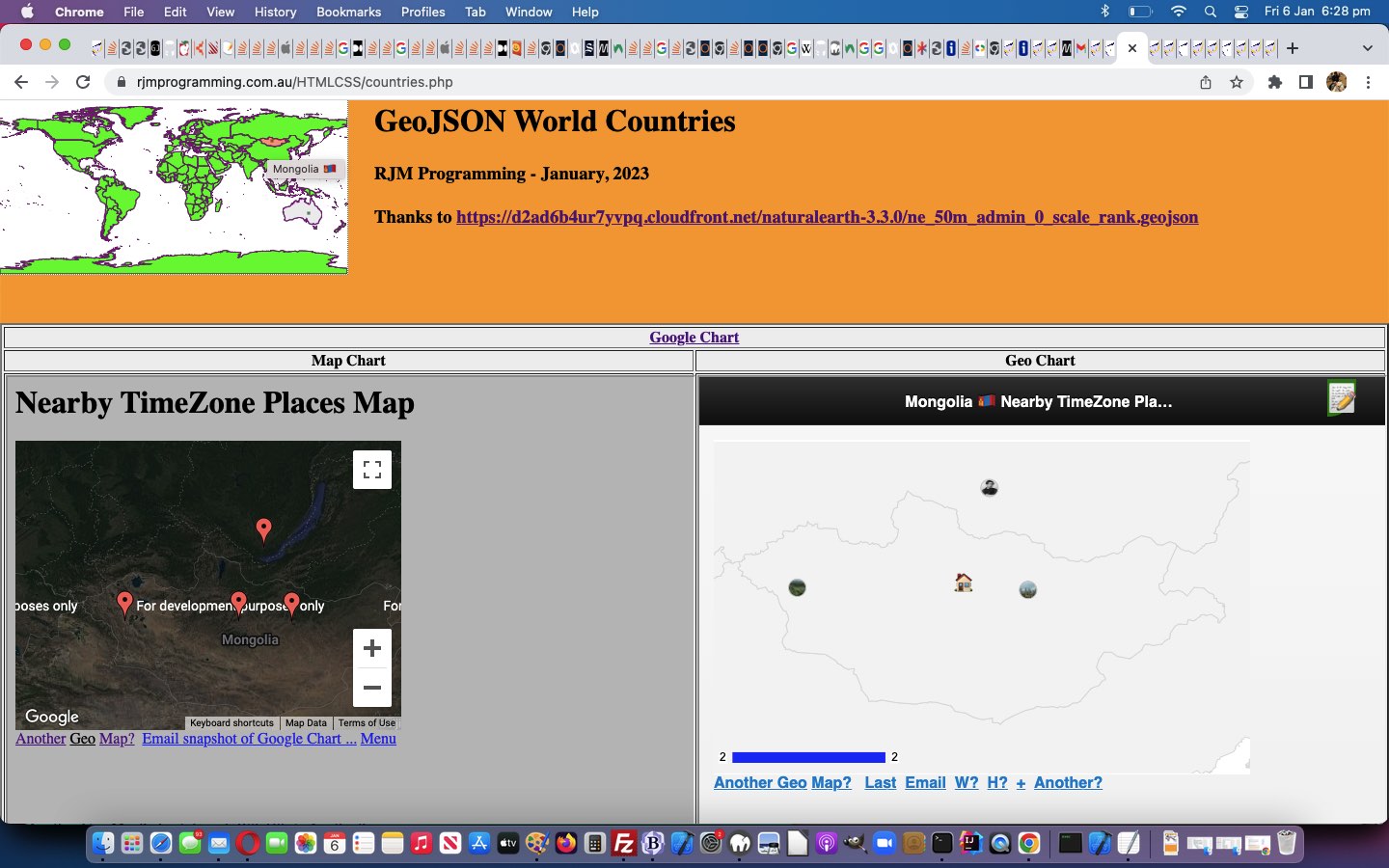
GeoJson World Countries SVG Overlay Safari Error Tutorial
Mostly on smaller devices (such as an iPhone), but elsewhere as well, but less drastically, this morning, using our current Display GeoJson Countries web application we would get the Safari web browser error …
A problem repeatedly occurred with https://www.rjmprogramming.com.au/HTMLCSS/countries.php
… with web application work up to yesterday’s GeoJson World Countries SVG Overlay Colour Infill Tutorial.
On discovering our first solution theory of turning yesterday’s mapsvg.js external Javascript work into an async piece of work made no difference to this situation, we surmised that the huge amount of content held in the Javascript (ie. client side) global variable appendtoinnerHTML was causing memory issues. We couldn’t shift much to do with the overall amount of “data” needing to be handled, in order to implement country SVG colour infilling, but we could shift the data from being …
- client side (external) Javascript held … to, instead, (have that data) be (determined on the) …
- server side PHP filling in the contents of our (relevant) HTML div id=svgd ahead of the document.body onload event timing …
<?php
$icnt=0;


function apptohtmstuff($coordsare, $origc) {

  global $icnt;

  $minl=-1;

  $mint=-1;

  $maxl=-1;

  $maxt=-1;

  $zysare=explode(',', $coordsare);

  $svgcis='';

  for ($ij=0; $ij<sizeof($zysare); $ij+=2) {

    if ($minl < 0) {

      $minl=$zysare[$ij];

      $maxl=$zysare[$ij];

      $mint=$zysare[1 + $ij];

      $maxt=$zysare[1 + $ij];

    } else {

      if ($zysare[$ij] < $minl) { $minl=$zysare[$ij];  }

      if ($zysare[$ij] > $maxl) { $maxl=$zysare[$ij];  }

      if ($zysare[1 + $ij] < $mint) { $mint=$zysare[1 + $ij];  }

      if ($zysare[1 + $ij] > $maxt) { $maxt=$zysare[1 + $ij];  }

    }

  }


  for ($ij=0; $ij<sizeof($zysare); $ij+=2) {

    if ($svgcis == '') {

      $svgcis='' . ($zysare[$ij] - $minl) . ',' . ($zysare[1 + $ij] - $mint);

    } else {

      $svgcis.=' ' . ($zysare[$ij] - $minl) . ',' . ($zysare[1 + $ij] - $mint);

    }

  }


  $icnt++;

  return '<div title="' . $coordsare . '" id="dsa' . (-1 + $icnt) . '" style="position:absolute;left:' . $minl . 'px;top:' . $mint . 'px;width:' . ($maxl - $minl) . 'px;height:' . ($maxt - $mint) . ';display:BLOCK;z-index:24;"><svg height="100%" width="100%"><polygon points="' . $svgcis . '" style="fill:lime;stroke:purple;stroke-width:1"></polygon></svg></div>';

}
?>
… meaning the web application’s underlying HTML size increased at the expense of no need for external Javascript involvement any more
… in our changed countries.php web application you can also try below.
We’re not exactly sure why, but …
- this improved web application stability …
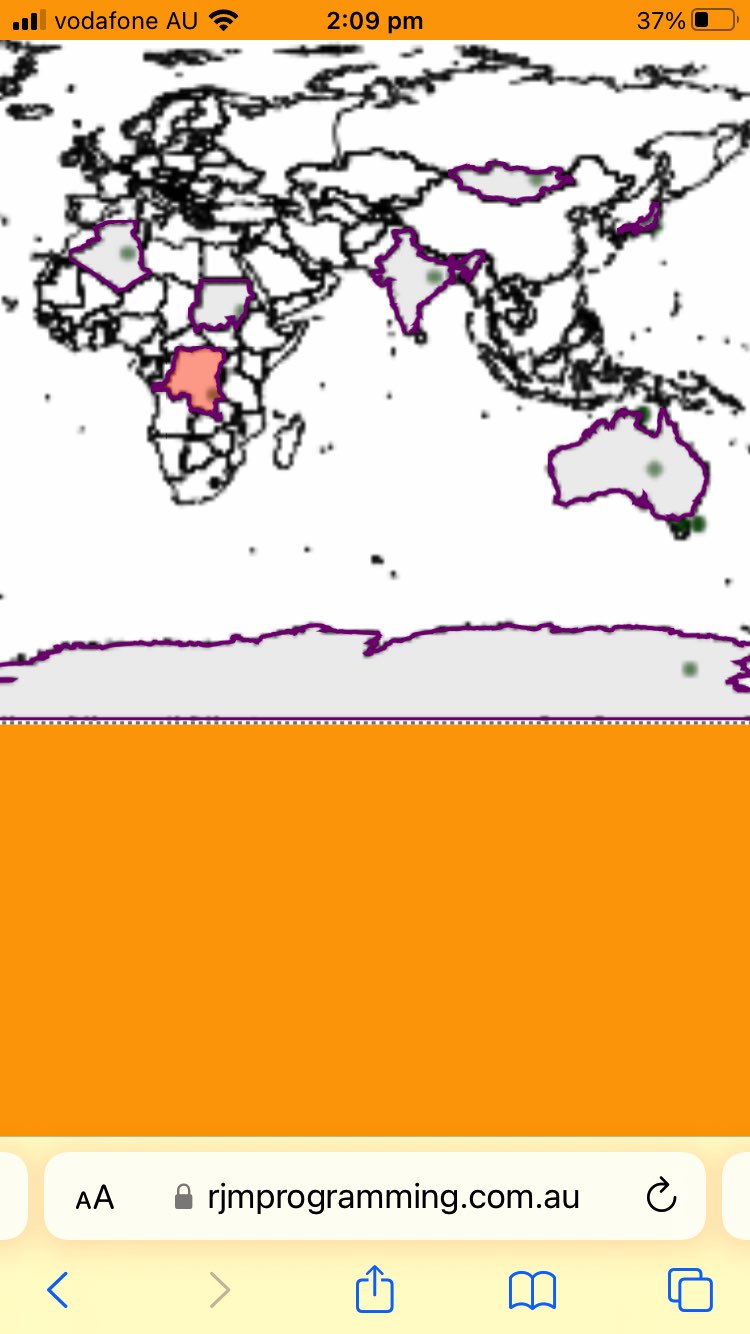
…everywhere … and an idea we’d ditched yesterday of … - idea to pre-colour “land” parts of the world GeoJson map green (ahead of the document.body onload event) also came good (after causing problems yesterday)
… meaning now, “overlay” wise, we could say …
- document.body lowest level …
- overlayed by HTML canvas element plotted with world country linework …
- overlayed by HTML img (transparent image) element and its associated image map area elements … and today we add into the mix …
- HTML div hosting SVG elements overlay
inginitialized with “land” parts green infilled SVG at a mid range z-index (onlyas well as when called upon) individual GeoJson entities overlay
… and we (reckon we’ve) improved the colour coding user experience at the same time.
We noticed that tweaks in the changed …
var lastflagged='', appendtoinnerHTML='', waitplease=false; // used to make sure "area" element onclick code precedes any document.body onmousedown or ontouchdown code


function checkdsa(ath) {

  waitplease=true;

  var wasih='';

  var athcoords=('' + ath.coords); //.substring(0, Math.floor(eval(0.1 * ('' + ath.coords).length)));

  if (document.getElementById('svgd').innerHTML.indexOf(('' + athcoords)) != -1) {

    wasih='<div title=' + String.fromCharCode(34) + '' + ath.coords + document.getElementById('svgd').innerHTML.split(ath.coords)[1].split('<div ')[0];

    if (lastflagged == '') {

    if (wasih.indexOf(' id=' + String.fromCharCode(34)) != -1) { lastflagged=wasih.split(' id=' + String.fromCharCode(34))[1].split(String.fromCharCode(34))[0]; } else { lastflagged=''; }

    } else {

    document.getElementById(lastflagged).innerHTML=document.getElementById(lastflagged).innerHTML.replace(/rgba\(255\,87\,51\,0.5\)/g, 'rgba(200,200,200,0.3)');

    if (wasih.indexOf(' id=' + String.fromCharCode(34)) != -1) { lastflagged=wasih.split(' id=' + String.fromCharCode(34))[1].split(String.fromCharCode(34))[0]; } else { lastflagged=''; }

    }

    if (lastflagged != '') {

    document.getElementById(lastflagged).innerHTML=document.getElementById(lastflagged).innerHTML.replace('z-index:24;', 'z-index:123;').replace('lime;', 'rgba(255,87,51,0.5);');

    document.getElementById(lastflagged).title=ath.title;

    } else {

    document.getElementById('svgd').innerHTML=document.getElementById('svgd').innerHTML.replace(wasih, '<div title=' + String.fromCharCode(34) + '' + ath.title + wasih.split(ath.coords)[1].split('<div ')[0].replace('none;', 'block;z-index:123;').replace('lime;', 'rgba(255,87,51,0.5);'));

    }

  } else if (('' + appendtoinnerHTML).indexOf(('' + athcoords)) != -1) {

    if (document.getElementById('svgd').innerHTML.indexOf(' title=' + String.fromCharCode(34) + '' + ath.title + '' + String.fromCharCode(34) + '') != -1) {

    document.getElementById('svgd').innerHTML=document.getElementById('svgd').innerHTML.replace(/rgba\(255\,87\,51\,0.5\)/g, 'rgba(200,200,200,0.3)');

    document.getElementById('svgd').innerHTML+='<div title=' + String.fromCharCode(34) + '' + ath.title + appendtoinnerHTML.split(ath.coords)[1].split('<div ')[0].replace('none;', 'block;z-index:123;').replace(/\ id\=/g, ' data-id=').replace('lime;', 'rgba(255,87,51,0.5);');

    } else {

    document.getElementById('svgd').innerHTML=document.getElementById('svgd').innerHTML.replace(/rgba\(255\,87\,51\,0.5\)/g, 'rgba(200,200,200,0.3)');

    document.getElementById('svgd').innerHTML+='<div title=' + String.fromCharCode(34) + '' + ath.title + appendtoinnerHTML.split(ath.coords)[1].split('<div ')[0].replace('none;', 'block;z-index:123;').replace('lime;', 'rgba(255,87,51,0.5);');

    }

  }

  waitplease=false;

  return '';

}
… also lessened the burden on the client side by only asking any Javascript DOM command operations act on single HTML element at a time, not a whole swathe of hosted ones, in any operation.
Previous relevant GeoJson World Countries Geo Chart Tutorial is shown below.
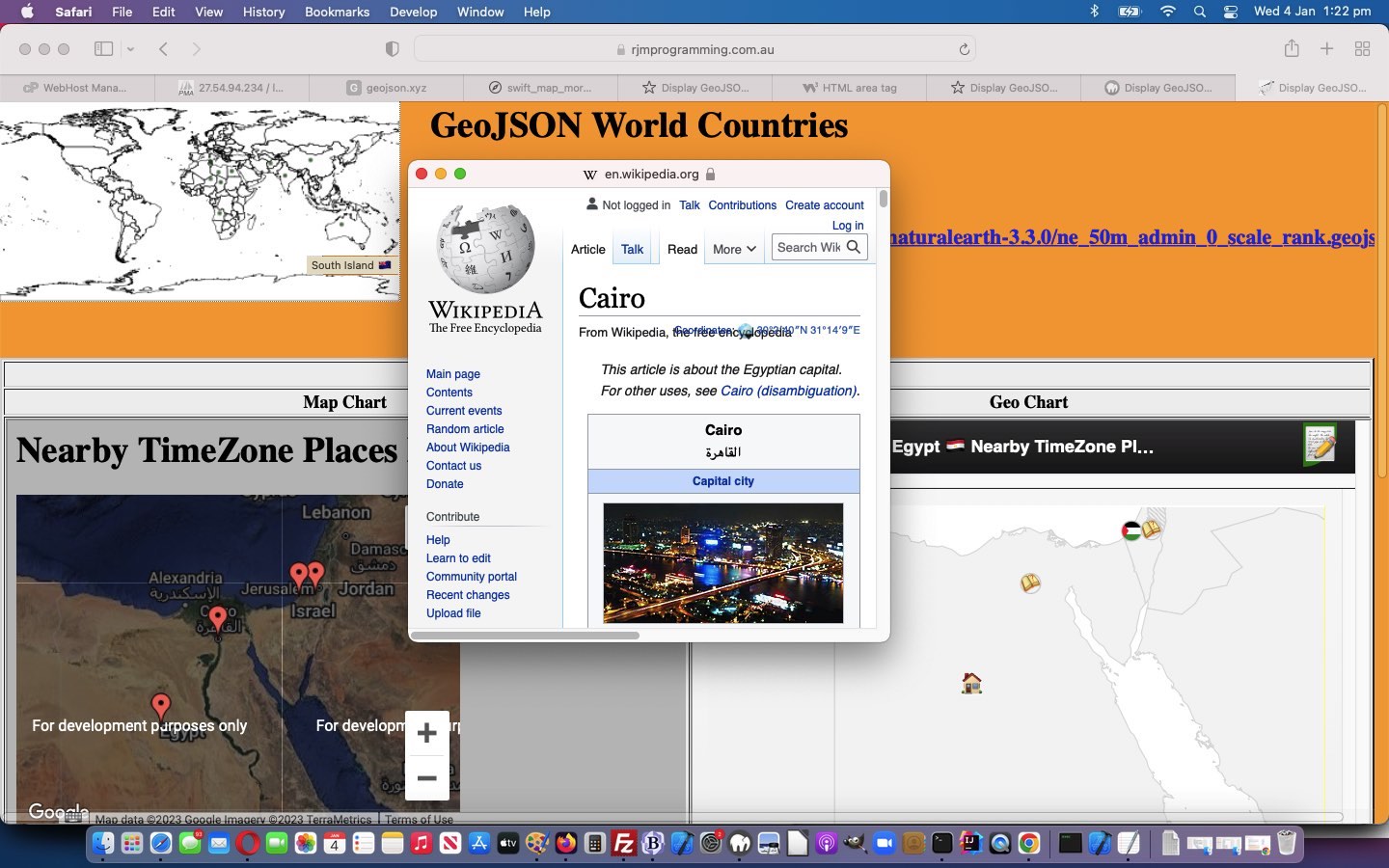
GeoJson World Countries Geo Chart Tutorial
There are many advantages regarding today’s task to …
Integrate Google Chart Geo Chart
… as an additional “drill down” map option, functionality adding onto the work of yesterday’s GeoJson World Countries Tutorial.
What deducible data item needs to be determined for these Geo Charts to work? We need a way to deduce ISO-2 character country codes from the ISO-3 character codes existing in the GeoJson “countries.geojson” data from yesterday’s work. We happened upon the extremely generous mapping data webpage to help with these ISO-2 character deductions …
<?php
$geojsonis=file_get_contents('countries.geojson');

$parts=explode("]]", $geojsonis);

$globalattr="";

$mappings=file_get_contents('http://gist.github.com/tadast/8827699');  // thanks

if (strpos($mappings, '>IN</td>') !== false) {

  $mappings.='<td>IN</td><td>KAS</td><td>EH</td><td>SAH</td><td>SO</td><td>SOL</td><td>SS</td><td>SDS</td><td>XK</td><td>KOS</td><td>CY</td><td>CYN</td></body>';

}


for ($i=0; $i<(-1 + sizeof($parts)); $i++) {

  if (strpos($parts[$i], '"sr_sov_a3":"') !== false) {

    $globalattr=' data-iso3="' . explode('"', explode('"sr_sov_a3":"', $parts[$i])[1])[0] . '"';

    if (strpos($mappings, '>' . explode('"', explode('"sr_sov_a3":"', $parts[$i])[1])[0] . '</td>') !== false) {

      $iparts=explode('>' . explode('"', explode('"sr_sov_a3":"', $parts[$i])[1])[0] . '</td>', $mappings);

      $globalattr.=' data-iso2="' . explode('>', explode('</td>', $iparts[0])[-2 + sizeof(explode('</td>', $iparts[0]))])[-1 + sizeof(explode('>', explode('</td>', $iparts[0])[-2 + sizeof(explode('</td>', $iparts[0]))]))] . '"';

    } else if (substr(explode('"', explode('"sr_sov_a3":"', $parts[$i])[1])[0],-1,1) >= '0' && substr(explode('"', explode('"sr_sov_a3":"', $parts[$i])[1])[0],-1,1) <= '9') {

      $globalattr.=' data-iso2="' . substr(explode('"', explode('"sr_sov_a3":"', $parts[$i])[1])[0],0,2) . '"';

    }

  }

  if (strpos($parts[$i], '"sr_subunit":"') !== false) {

    $globalattr.=' data-cname="' . explode('"', explode('"sr_subunit":"', $parts[$i])[1])[0] . '"';

  }

  $coords=str_replace('[','',str_replace(']','',explode('[[' , $parts[$i])[-1 + sizeof(explode('[[' , $parts[$i]))]));

  $newcoords=$coords;

  if (!$dolatlong || 1 == 1) {

  $lls=explode(",", $coords);

  $newcoords="";

  for ($j=0; $j<sizeof($lls); $j+=2) {

  $lls[$j]=($lls[$j] + $longoff) * $factor;

  $lls[$j + 1]=($lls[$j + 1] + $latoff) * $factor;

  if ($newcoords != "") { $newcoords.=",";  $htmlis=str_replace("}", " context.lineTo(" . $lls[$j] . ',' . ((180.0 * $factor) - $lls[$j + 1]) . "); \n}", $htmlis);  } else { $htmlis=str_replace("}", " context.stroke(); \n context.beginPath(); \n context.moveTo(" . $lls[$j] . ',' . ((180.0 * $factor) - $lls[$j + 1]) . "); \n}", $htmlis); }

  $newcoords.='' . $lls[$j] . ',' . ((180.0 * $factor) - $lls[$j + 1]);

  }

  }

  $abit.="<area" . $globalattr . " onclick=\"ouralert(this.getAttribute('data-cname'),this.getAttribute('data-iso3'),this.getAttribute('data-iso2'),'Longitude,Latitude coordinates are " . $coords . "');\" shape='poly' coords='" . $newcoords . "'></area>\n";

  //echo "<area type='poly' coords='" . $newcoords . "'></area>\n";

}
?>
… in our image map area elements PHP creation code above. As you can see, extra “intelligence”, moving forward, is contained in area element global data attributes.
Which leaves us with why any of this helps functionality within our changed countries.php web application you can also try below?
- Geo Chart can zoom into a country view …
- Geo Chart can involve emoji (🏠 &127968;) or image (SVG) circle based symbology for the “User Clicked Place” and nearby TimeZone places respectively …
- all these symbols can be clicked to open popup windows containing TimeZone Place Wikipedia webpages of relevance …
- an emoji national flag (eg. Zambia “ZA” could be used to derive 🇿🇦 🇿🇦 flag emoji) derived from those ISO-2 character codes can supplement the GeoJson (more ISO-3 character based) names presented in the underlying data, in the Geo Chart title …
- contextualizing the accompanying Map Chart … and …
- vice versa regarding hovering over symbology (which works on Map Chart, but not Geo Chart) …
- within the Map Chart iframe a “Geo” link can glean a “zoomed out” world Geo Chart view of your TimeZone places
And feel free to (re-)try our tweaked “to make thinner the coastline linework” regions.php GeoJson PHP web application in a new window, or you can also try below.
Previous relevant GeoJson World Countries Tutorial is shown below.
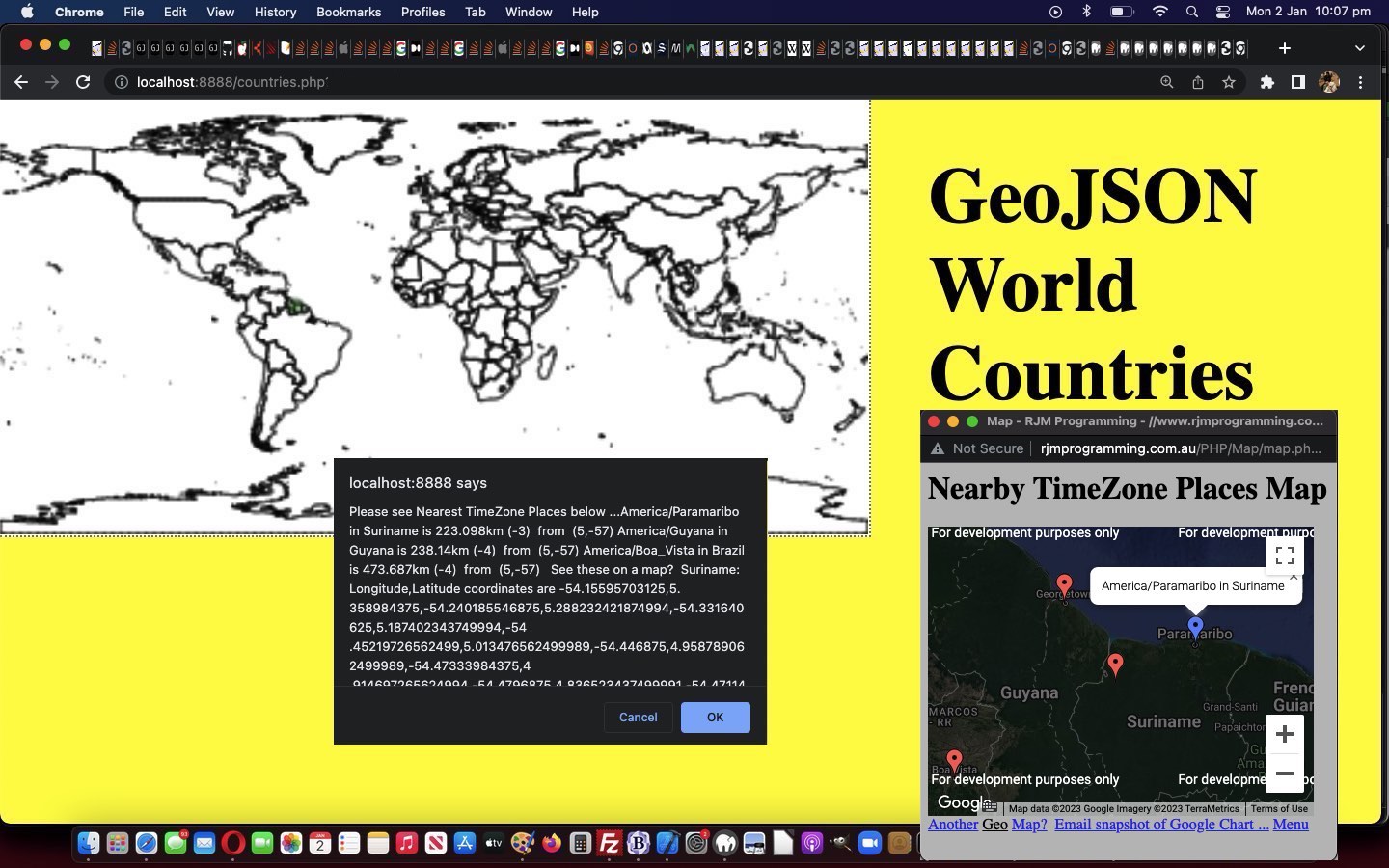
GeoJson World Countries Tutorial
Know your GeoJson! Yes, pretty obviously, any two GeoJson datasets might display the same in that “map plotting” sense, but one might have different and/or more “intelligence” than the other. Often, an XML has more “intelligence” than equivalent HTML (barring the use of global data attributes, that is), as today’s Corollacorollary.
And so, moving on from yesterday’s GeoJson World Coastline TimeZone Tutorial, today, we present a new GeoJson admin 0 countries we download, and upload as “countries.geojson” data set, again via the excellent HTTP://geojson.xyz/ repository, thanks.
From it, we do get a different JSON additional “intelligence” …
{"type":"FeatureCollection","features":[{"type":"Feature","properties":{"scalerank":1,"labelrank":1,"sr_sov_a3":"ZWE","sr_adm0_a3":"ZWE","sr_gu_a3":"ZWE","sr_su_a3":"ZWE","sr_subunit":"Zimbabwe","featureclass":"Admin-0 scale ranks"},"geometry":{"type":"Polygon","coordinates":[[[31.287890625000017,-22.40205078125001],[31.197265625,-22.34492187500001],[31.07343750000001,-22.30781250000001],[30.916113281250006,-22.29072265625001],[30.71162109375001,-22.2978515625],[30.46015625000001,-22.32900390625001],[30.1904296875,-22.291113281250006],[29.90234375,-22.184179687500006],[29.6630859375,-22.146289062500003],[29.37744140625,-22.19277343750001],[29.36484375,-22.193945312500006],[29.315234375000017,-22.15771484375],[29.237207031250023,-22.07949218750001],[29.106835937500023,-22.065722656250003],[29.07148437500001,-22.047460937500006],[29.042382812500023,-22.018359375],[29.023339843750023,-21.98125],[29.01582031250001,-21.93994140625],[29.03730468750001,-21.811328125],[29.02558593750001,-21.796875],[28.99072265625,-21.78144531250001],[28.919335937500023,-21.766015625],[28.74775390625001,-21.707617187500006],[28.532031250000017,-21.65126953125001],[28.181640625,-21.58935546875],[28.04560546875001,-21.573046875],[28.014062500000023,-21.55419921875],[27.974609375,-21.50673828125001],[27.90742187500001,-21.35908203125001],[27.844140625000023,-21.261523437500003],[27.693457031250006,-21.11103515625001],[27.66943359375,-21.064257812500003],[27.67695312500001,-20.94482421875],[27.688085937500006,-20.84833984375001],[27.70429687500001,-20.76640625],[27.69697265625001,-20.689746093750003],[27.69482421875,-20.59453125],[27.699609375000023,-20.53066406250001],[27.679296875,-20.503027343750006],[27.624609375,-20.48359375000001],[27.46894531250001,-20.47480468750001],[27.28076171875,-20.47871093750001],[27.27460937500001,-20.3818359375],[27.256738281250023,-20.23203125],[27.221484375000017,-20.145800781250003],[27.17822265625,-20.10097656250001],[27.091796875,-20.05419921875],[26.91669921875001,-19.99013671875001],[26.67822265625,-19.89277343750001],[26.474609375,-19.748632812500006],[26.241015625000017,-19.5693359375],[26.168066406250006,-19.53828125000001],[26.081933593750023,-19.369921875],[25.95068359375,-19.08173828125001],[25.95917968750001,-18.985644531250003],[25.939355468750023,-18.93867187500001],[25.811914062500023,-18.79707031250001],[25.78369140625,-18.72353515625001],[25.76123046875,-18.64921875],[25.55830078125001,-18.441796875],[25.4892578125,-18.35126953125001],[25.43671875000001,-18.234960937500006],[25.384375,-18.14199218750001],[25.340234375000023,-18.1044921875],[25.28242187500001,-18.04121093750001],[25.242285156250006,-17.969042968750003],[25.224023437500023,-17.91523437500001],[25.239062500000017,-17.843066406250003],[25.2587890625,-17.793554687500006],[25.451757812500006,-17.84511718750001],[25.55712890625,-17.84951171875001],[25.6396484375,-17.82412109375001],[25.741601562500023,-17.858203125],[25.86328125,-17.951953125],[25.995898437500017,-17.969824218750006],[26.139550781250023,-17.91171875],[26.333398437500023,-17.929296875],[26.577539062500023,-18.022558593750006],[26.779882812500006,-18.04150390625],[27.020800781250017,-17.95839843750001],[27.235742187500023,-17.728320312500003],[27.437890625000023,-17.51191406250001],[27.63671875,-17.262109375],[27.75654296875001,-17.060351562500003],[27.932226562500006,-16.89619140625001],[28.16376953125001,-16.76972656250001],[28.399804687500023,-16.66279296875001],[28.760644531250023,-16.53193359375001],[28.760546875000017,-16.53212890625001],[28.83271484375001,-16.424121093750003],[28.856738281250017,-16.30615234375],[28.856738281250017,-16.14228515625001],[28.875585937500006,-16.0361328125],[28.9130859375,-15.98779296875],[28.973046875000023,-15.950097656250009],[29.050585937500017,-15.901171875],[29.287890625000017,-15.776464843750006],[29.4873046875,-15.69677734375],[29.729589843750006,-15.644628906250006],[29.994921875000017,-15.64404296875],[30.25068359375001,-15.643457031250009],[30.39609375,-15.64306640625],[30.39814453125001,-15.80078125],[30.409375,-15.978222656250011],[30.437792968750017,-15.995312500000011],[30.630175781250017,-15.999218750000011],[30.938769531250017,-16.01171875],[31.236230468750023,-16.02363281250001],[31.426171875000023,-16.15234375],[31.48984375,-16.1796875],[31.687597656250006,-16.214160156250003],[31.939843750000023,-16.428808593750006],[32.243261718750006,-16.44873046875],[32.45195312500002,-16.515722656250006],[32.635839843750006,-16.589453125],[32.741796875,-16.67763671875001],[32.81025390625001,-16.69765625],[32.902929687500006,-16.704199218750006],[32.94804687500002,-16.71230468750001],[32.93789062500002,-16.775976562500006],[32.87626953125002,-16.88359375],[32.884375,-17.03779296875001],[32.969335937500006,-17.2515625],[32.98076171875002,-17.4375],[32.9546875,-17.765429687500003],[32.95556640625,-18.08291015625001],[32.96464843750002,-18.1962890625],[32.978515625,-18.271484375],[32.99638671875002,-18.312597656250006],[32.99306640625002,-18.35957031250001],[32.942480468750006,-18.49267578125],[32.90166015625002,-18.632910156250006],[32.90029296875002,-18.6890625],[32.88457031250002,-18.728515625],[32.8544921875,-18.763671875],[32.72197265625002,-18.828417968750003],[32.69921875,-18.868457031250003],[32.69970703125,-18.94091796875],[32.71650390625001,-19.00185546875001],[32.766210937500006,-19.02431640625001],[32.826171875,-19.05878906250001],[32.84980468750001,-19.10439453125001],[32.85,-19.152441406250006],[32.83095703125002,-19.24140625000001],[32.77763671875002,-19.388769531250006],[32.83076171875001,-19.558203125],[32.89042968750002,-19.668066406250006],[32.97265625,-19.79541015625],[33.00673828125002,-19.873828125],[33.0048828125,-19.93017578125],[32.992773437500006,-19.98486328125],[32.86962890625,-20.2171875],[32.780859375,-20.36152343750001],[32.67255859375001,-20.51611328125],[32.529296875,-20.613085937500003],[32.49238281250001,-20.659765625],[32.477636718750006,-20.712988281250006],[32.48281250000002,-20.82890625],[32.476171875,-20.95009765625001],[32.353613281250006,-21.136523437500003],[32.429785156250006,-21.29707031250001],[32.41240234375002,-21.311816406250003],[32.37109375,-21.33486328125001],[32.19472656250002,-21.515429687500003],[32.01630859375001,-21.698046875],[31.88593750000001,-21.83154296875],[31.737695312500023,-21.9833984375],[31.57148437500001,-22.15351562500001],[31.429492187500017,-22.298828125],[31.287890625000017,-22.40205078125001]]]}}
… and “mapping look” because country borders are added in, and some JSON attributes we can call on to allow for …
- the similar Google Chart Map Chart maps introduced yesterday into the user interaction mix … as well as …
- Wikipedia, thanks, webpage lookup possibilities calling on those new GeoJson property attributes presented within the dataset above
We enable this, as we just add in some Javascript popup window type equals “prompt” to the existant “confirm” and “alert” logic of yesterday.
Feel free to try the how we got there regions.php GeoJson PHP World Countries web application in a new window, or below …
Previous relevant GeoJson World Coastline TimeZone Tutorial is shown below.
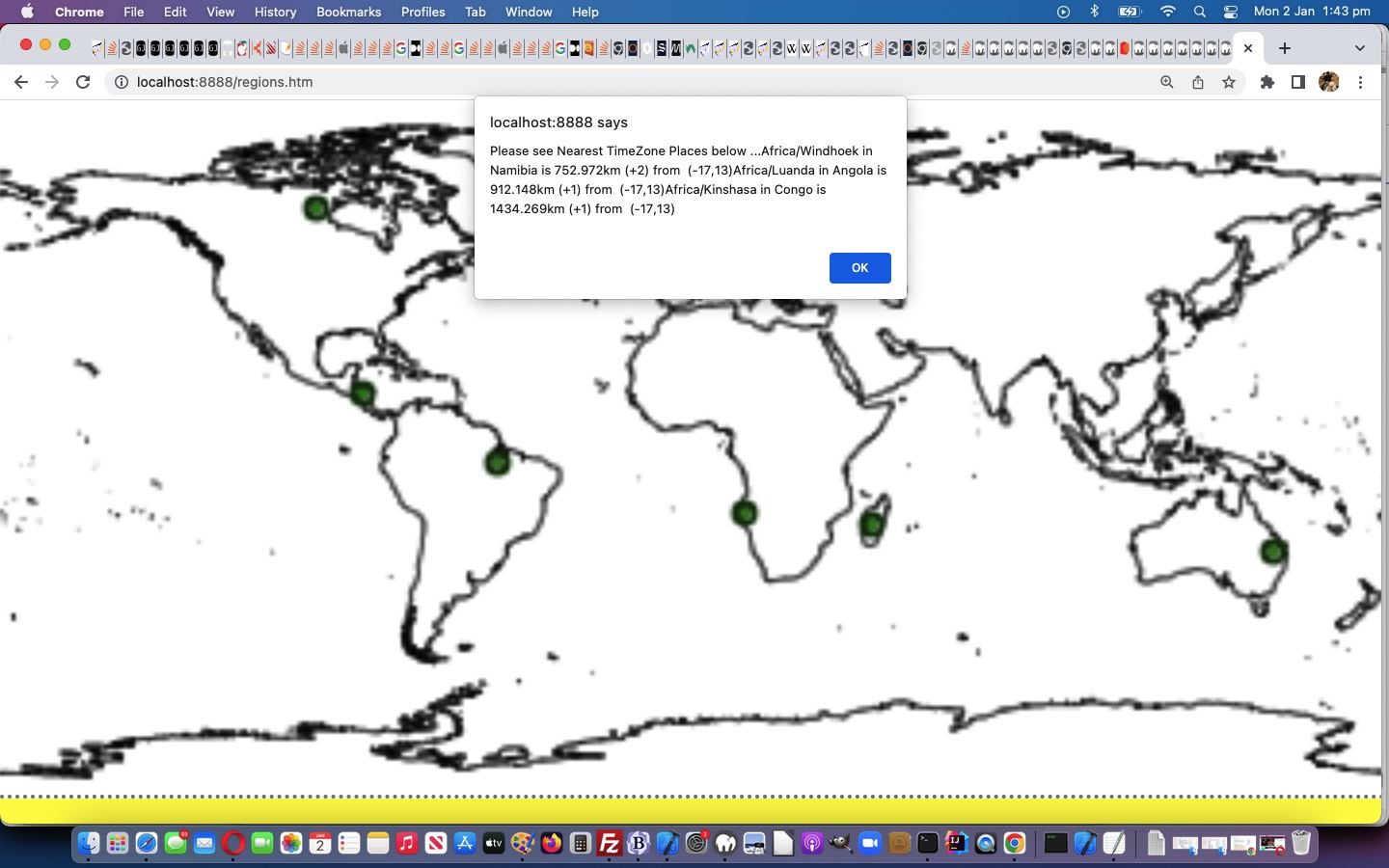
GeoJson World Coastline TimeZone Tutorial
Luckily for programmers all over, the organization of TimeZones has had an International flavour in its development and maintenance. As such, given the “purely coastline” GeoJson data involved in our fledgling PHP web application of yesterday’s GeoJson World Coastline Primer Tutorial a useful arrangement for improvement involves …
- document.body onclick event co-ordinates … able to be converted to …
- longitude, latitude (easily, only because of our simplistic map projection, of course) … onfed to …
- our inhouse “TimeZone Places” web application PHP helper
… can have us helping out your curious web “clicking” user with the 3 nearest TimeZone places, as a reference as to where they are “clicking” in the world.
Feel free to try our improved regions.php GeoJson PHP web application in a new window, or below …
Stop Press
Our efforts in making our new tweaked regions.php GeoJson PHP web application more mobile platform user friendly reminds us about a salutary issue regarding touch gestures …
- in a discrete click methodology of interest, you could adopt a non-mobile “onmousedown” logic set that does not get interfered with by a mobile “ontouchdown” logic set (perhaps leaving “onclick” event, which both non-mobile and mobile both recognise, for another event logic role) … and …
- neither will interrupt the mobile gestures associated with swiping and pinching, which refer to the events “ontouchstart” and “ontouchend” at either end of their lifespan
Previous relevant GeoJson World Coastline Primer Tutorial is shown below.
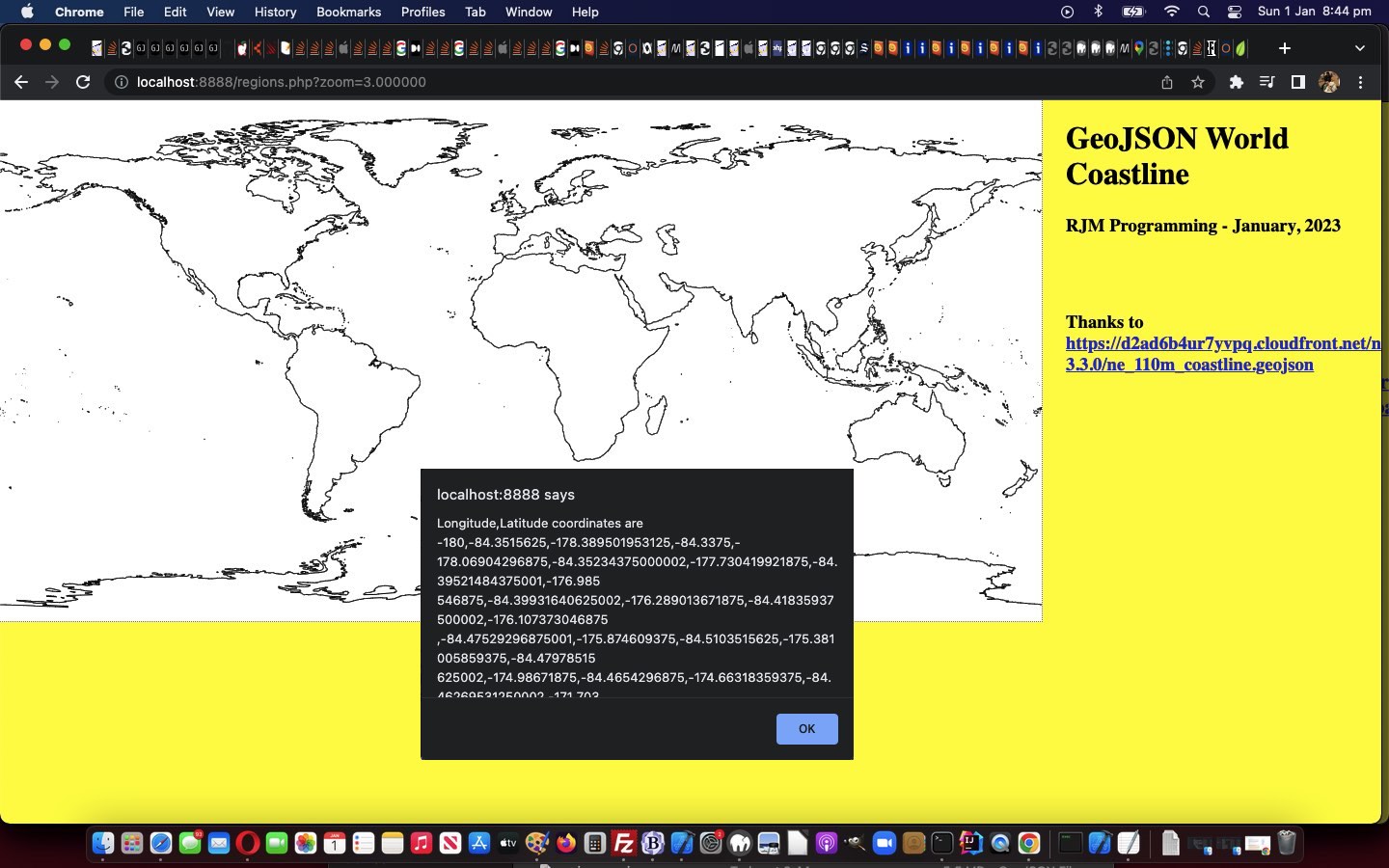
GeoJson World Coastline Primer Tutorial
We’re keen to further explore the possibilities of GeoJson public data sets, further to yesterday’s Swift Playgrounds on macOS Map Emoji Tutorial.
And then we remembered some of the methodologies we used with Responsive Web Design Landing Page Image Map Tutorial, talking about image maps …
And so, we arrive at a long planned for tilt at Image Map functionality that we often turn to Mobilefish.Com and its excellent Image Map Creation to help us out … but not today?! Why not? We have a funny set of needs, they being …
- our Image Map’s image will have a variable set of width x height dimensions …
- our Image Map’s image will be transparent
- our Image Map needs to have a hole left aside inside it where the functionality that originally existed (and pointed to WordPress Blog content like you are reading), is still working
… the first two ideas of which, along with …
- canvas element where the …
- GeoJson coordinates … thanks to https://d2ad6b4ur7yvpq.cloudfront.net/naturalearth-3.3.0/ne_110m_coastline.geojson via HTTP://geojson.xyz/ …
- will be plotted … but the canvas element …
- has a z-index set below the image and image map above … meaning …
- we can add some region specific coding into the …
- image map area element (shape=poly) onclick logics
… in our “early days” “proof of concept” regions.php GeoJson PHP web application.
If this was interesting you may be interested in this too.
If this was interesting you may be interested in this too.
If this was interesting you may be interested in this too.
If this was interesting you may be interested in this too.
If this was interesting you may be interested in this too.
If this was interesting you may be interested in this too.
If this was interesting you may be interested in this too.
If this was interesting you may be interested in this too.
If this was interesting you may be interested in this too.
If this was interesting you may be interested in this too.
If this was interesting you may be interested in this too.
If this was interesting you may be interested in this too.
If this was interesting you may be interested in this too.
If this was interesting you may be interested in this too.
If this was interesting you may be interested in this too.
If this was interesting you may be interested in this too.
If this was interesting you may be interested in this too.
If this was interesting you may be interested in this too.
If this was interesting you may be interested in this too.