It’s tempting to think, for a given scenario, you’ve written code that can satisfy you forever. How about, for a day?! Well, with the recent SVG Shapes Aesthetics Tutorial it may well have ended up “a day” before we noticed an issue. Yes, a step forwards was a step sideways, because something we’d thought was a streamlining had interfered with the audio/video media data inputs via HTML iframe srcdoc means of display.
This was caused by us being overcautious. This is what we overcompensated for. We started using Javascript code that went like (the pseudo code) …
document.getElementById('myiframe').srcdoc="[a Javascript string which contains double quotes]";
… and what we “overcompensated” doing, and caused problems for every audio/video media data item was to code like (the pseudo code) …
document.getElementById('myiframe').srcdoc="[a Javascript string which contains double quotes].replace(/\"/g, "\\" + '"')";
Wrong move! Even though, often, backslash escaping is the answer to data delimitation issues, it is not the case for this scenario! We’d not tested this change with enough of the “out there” functionalities we were trying to cater for.
Of course, the danger of this increases as a project moves through its phases. And that is why it is good to have a separated testing team on a sizeable project, being your project’s “honest broker”, unafraid to tell you in more polite terms than …
You stuffed it!
… that … you stuffed it. And as projects go on, if your “honest broker” is only there to report weekly, it might be hard to backtrack and wade through a week of changes to pinpoint the source of the problem. Even a day’s worth of wading made it reasonably difficult for us, but luckily we had an interim (and extra to the usual) backup of the code to help pinpoint this issue.
Supposing you leave the double quotes unattended, what happens examining the HTML iframe content? Well, you see the use of HTML entity " used a lot, but no inherent problems despite this, whereas our Javascript replace did much more damage, with audios and videos effectively destroyed by what we’d attempted, above.
Which beggars the question …
Where do you see HTML entity " used a lot?
Well, in a web inspector, opening up the HTML iframe of relevance to view its document.body content, you’ll see these " HTML entities used a lot. See how great are your modern web browser Web Inspectors for web development? Now, it might be that the code things you rely on here do need you to cater for these " in the logic, but, for us, we had either already catered for it, or we didn’t need to, especially. Either way … yayyyyyy!!! … and ahhhhhhhh!! What a relief!
Will we be leaving our SVG Show Some Shapes project with a blog posting titled, weirdly, “SVG Shapes Iframe Srcdoc Double Quote Tutorial”? Who’s to know? We’ll see what tomorrow brings?!
In a sizeable online web application project, it can be that you “put off” annoyances to follow through on “the main game”, so to speak. But, don’t forget to come back to at least try to fix the annoyances!
And so it was with our SVG Shapes project ever since we allowed “shadowing” into the mix, because “shadowing” involved faux SVG element content to the right and bottom not agreeing with the SVG element dimensions defined. Annoying? Yes … very, but still just, “annoying”. We wanted to get the “main game” bedded down first.
Also, into the mix, is our trepidation meddling with a “dimensions issue” that involves units that are not “%” nor “vh” nor “vx”. You’ll probably have read a zillion responsive design webpage advice segments telling you to stick with “%” … if only “%” was a dance?! It’s true, though, that if you want happiness across the board, and even to get noticed at all on the search engines, you stand more of a chance designing web content that never mentions a “hard and fast” dimension. Of course, no programmer that’s done anything “involved” can stick to that rule, but those people can use Javascript DOM and its [element].getBoundingClientRect() methodology (or some other approach) to help here, sometimes. However, with SVG work, we find, at least, that you have many “hard and fast” dimensioning situations cropping up.
And so, regarding SVG, with this aesthetics only issue, up to today, swimming away in the background of our thinking regarding this annoyance, was that we had not resorted to much “viewBox” attribute …
The viewBox attribute defines the position and dimension, in user space, of an SVG viewport.
The value of the viewBox attribute is a list of four numbers: min-x, min-y, width and height. The numbers min-x and min-y represent the top left coordinates of the viewport. The numbers width and height represent its dimensions. These numbers, which are separated by whitespace and/or a comma, specify a rectangle in user space which is mapped to the bounds of the viewport established for the associated SVG element (not the browser viewport).
… thinking. All this being the case, today, we tried out the idea that the SVG element itself should not be touched in any way shape (tee hee) or form (chortle, chortle) regarding its co-ordinates or dimensions, but that every SVG element defined in our WordPress TwentyTen theme’s 404.php code for this project should have defined a new or updated “viewBox” attribute (like the exemplified one, below, for an SVG circle) …
And we’re happy to say … it helped! Yayyyyyy!! Even with “overlay” scenarios, we think, and are happy about, because we applied this fix throughout the 404.php code consistently, we figure.
And there’s nothing quite like fixing a “nagging at you” aesthetics annoyance, which you’ve been putting off! Oddly, this change to the recent SVG Shapes Collaboration Tutorial work needed no parent HTML/Javascript/CSS clientside Show Some Shapesweb application fixing?! Double yayyyyyy!
We are all not islands! Though Tahiti sounds nice! Be that as it may, with our Show Some Shapes web application, further to yesterday’s SVG Media Shapes Tutorial we’ve reached the … anyone, anyone? Yes, Aoife …
We’re “missing UYou too” … but don’t you think that’s a bit beside the point. And besides, weren’t you supposed to be cleaning windows this afternoon?
Okay Brian … yes, you can be an island, if you like. But, can we get back to brass tacks … over there next to the “point”?
What’s the “C” word that goes with “Sharing” (yes, thanks Ivan “and caring””)? Yes, that’s all well and good, but can we get back to the “C” word. “Co” … “Col” … “Coll” … (no, Colleen … not “Collyflower”) … give up … how about …
Collaborate
? Yes, people share and collaborate. But, in order to collaborate …
somebody has to initiate … and hopefully …
a collaborator reads and/or listens … then, often optionally …
… respectively. Later, we append to those href attribute URLs an encodeURIComponent version of a uniquifier (for an initiator) …
var alltemp='';
function alltempf() {
if (imageoverlay && iframeoverlay) {
alltemp=('<html><head></head><body oncontextmenu="parent.pnosharenow();" onclick="window.open(' + "'" + document.URL.split('#')[0].split('?')[0] + "','_blank','top=200,left=200,width=800,height=800'" + ');" title="Click to make your own Shapes in new window or right click for finished here and make your own Shapes below">' + simage + siframe + document.getElementById('doverlay').outerHTML + '</body></html>');
} else if (imageoverlay) {
alltemp=('<html><head></head><body oncontextmenu="parent.pnosharenow();" onclick="window.open(' + "'" + document.URL.split('#')[0].split('?')[0] + "','_blank','top=200,left=200,width=800,height=800'" + ');" title="Click to make your own Shapes in new window or right click for finished here and make your own Shapes below">' + simage + document.getElementById('doverlay').outerHTML + '</body></html>');
} else if (iframeoverlay) {
alltemp=('<html><head></head><body oncontextmenu="parent.pnosharenow();" onclick="window.open(' + "'" + document.URL.split('#')[0].split('?')[0] + "','_blank','top=200,left=200,width=800,height=800'" + ');" title="Click to make your own Shapes in new window or right click for finished here and make your own Shapes below">' + siframe + document.getElementById('doverlay').outerHTML + '</body></html>');
} else {
alltemp=('<html><head>' + document.head.innerHTML + '</head>' + document.body.outerHTML.replace('<body', '<body' + ' oncontextmenu="parent.pnosharenow();" onclick="window.open(' + "'" + document.URL.split('#')[0].split('?')[0] + "','_blank','top=200,left=200,width=800,height=800'" + ');" title="Click to make your own Shapes"') + '</html>');
}
document.getElementById('alltemporarily').value=alltemp;
}
function smsit() {
var smsno=prompt('Please enter SMS number.', '');
if (smsno != null) {
document.getElementById('existtemporarily').value='';
alltempf();
document.getElementById('mysubbut').click();
if (document.getElementById('asms').href.indexOf(encodeURIComponent(window.btoa(document.getElementById('storevia').value))) == -1) {
document.getElementById('asms').href=document.getElementById('asms').href + encodeURIComponent(window.btoa(document.getElementById('storevia').value));
}
document.getElementById('asms').href='sms:' + smsno + '&' + document.getElementById('asms').href.split('&')[1];
document.getElementById('asms').click();
}
}
function emailit() {
var emailaddr=prompt('Please enter Email address.', '');
if (emailaddr != null) {
document.getElementById('existtemporarily').value='';
alltempf();
document.getElementById('mysubbut').click();
if (document.getElementById('aemail').href.indexOf(encodeURIComponent(window.btoa(document.getElementById('storevia').value))) == -1) {
document.getElementById('aemail').href=document.getElementById('aemail').href + encodeURIComponent(window.btoa(document.getElementById('storevia').value));
}
document.getElementById('aemail').href='mailto:' + emailaddr + '?' + document.getElementById('aemail').href.split('?')[1];
document.getElementById('aemail').click();
}
}
… a method=POST form navigation taking care of storing the relevant snapshot of the data involved, ready to be recalled should a Collaborator click an email or SMS link they were sent.
There are limits, as there are with address bar URLs, as to how long these href attributes can be, to succeed. Ones in the thousands are just not likely to work. So, how do the media data URIs produced fit in? Well, maybe not at all, because even they represent data too long for uploading limits, but we are going to offer the service of trying, and we work to keep all that data storage arrangements, more or less, to ourselves, and offer a 10 minute surviving email or SMS link, to work towards amalgamating data URIs and SVG svg+xml protocol “shape data” to present to a Collaborator in an email or SMS initiated by you, a user of our changedninth draftShow Some Shapes web application (you can also try below).
To have a web application such as the Show Some Shapes one of yesterday’s SVG Image Shapes Tutorial be able to claim that it accepts all “media” inputs, it should, at least, accept, in some way shape (chortle, chortle), or form (tee hee) …
image … data input, even as yesterday’s did … but also, as today’s attends to …
video … and …
audio
… data inputs. At first, in doing these last two media categories, we’d work it, using …
SVG foreignObject element usage … but we seemed to run into difficulties, so, instead, resorted to …
… refers to an overriding srcdoc attribute filled out and populated, and which overrides any other src attribute linked to the relevant HTML iframe element. We thought including audio media input as an option, could open the door to, eventually, share an SVG based annotated presentation which includes an (optionally used) audio commentary.
… feel to the blog posting thread recent posts regarding our “Show Some Shapes” latest web application with yesterday’s SVG Shapes Text Annotation Tutorial we became keen to follow up …
3D data arrangement talk … with …
3D SVG display feel
As you might expect, there are a variety of ways to approach this using SVG filters, and we’d like to thank W3School’s SVG Drop Shadow filter advice for what we decided to adopt, here, at least for now, to make the SVG shapes pop out of the webpage in a 3D way, using shadowing.
It’s a generic change, and was only a change affecting 404.php work whereby we defined two new variables, as per …
Yesterday’s SVG Shapes Line Annotation Tutorial was a fantastic lead in for today’s Text Annotation ideas with our “Show Some Shapes” web application, of recent times.
The reason is, partly, we reckon, because if you lead off your development with the harder option, that …
Line Annotation is, with its x1,y1,x2,y2 sets of data needed … has more work behind it than …
Text Annotation has, a lot of the time, with its application quite often sufficing with x1,y1 only (and assuming a horizontal alignment), whereas if the x1,y1,x2,y2 is defined, in the code, we can still use a …
<text x="167" y="167" transform="rotate(90,167,167)" stroke-width="2" stroke="black" fill="rgb(0,0,255)">diameter</text>
<line x1="167" y1="0" x2="167" y2="334" stroke-width="2" stroke="black" fill="rgb(0,0,255)"><title>diameter</title></line>
… example of ### (as explained later) style of SVG text arrangement where …
text positional x and y are halfway along the “line” SVG element they are describing (which in the x1,y1 only case, is coded to end up being x1,y1) … and …
SVG text has a great transform attribute rotate three argument call going like …
The rotate(<a> [<x> <y>]) transform function specifies a rotation by a degrees about a given point. If optional parameters x and y are not supplied, the rotation is about the origin of the current user coordinate system. If optional parameters x and y are supplied, the rotation is about the point (x, y).
… we make use of angling our SVG text appropriately
… then this is the better way around to approach the project. For the user, this “text annotation” interest can now be flagged via a …
## delimitation (of textbox entries) creates SVG text only (with no SVG line) annotation creation … while …
### delimitation (of textbox entries) creates SVG text and SVG line annotation (with a SVG title hover component) creation … augmenting the existant …
# delimitation (of textbox entries) creates SVG line annotation only (with a SVG title hover component) creation
And yes, 404.php had to accomodate these new $_GET argument value expansions (previously only the pretty dumb y as a value always), via $plusline linear annotation append PHP as per …
height … which you could think of as Y … and, today, we want to add into the mix …
“overlay” … or depth … … which you could think of as Z … or elevation … the three of which we all know of as … anyone, anyone? Yes, Fayette, we see you, again, but not in degrees … but … in … anyone, anyone? Yes, Kate, something’s coming to you? Yes … yes … three thingos … thingos being … maybe … yes … 3 dimensions!
This opens up the variety of “shapes” you can come up with considerably, even without involving any opacity, and so far we have not coded for CSS z-index usage (just good ol’ position:absolute usage so far). Should you stumble upon a useful “overlay creation” a right click can open it up in a new web browser tab, should you prefer that arrangement.
To achieve this change asked nothing more of our 404.php code, but rather asked of the client web application the turning of the “Height” hardcoding into a new select (dropdown) like …
… and accompanying new Javascript global variables and “onchange event logic” …
var imageoverlay=false, iframeoverlay=false;
var imageprevs='', iframeprevs='';
var imagelasts='', iframelasts='';
var imageurlpush=[], iframeurlpush=[];
var imagerect=[], iframerect=[];
var snapshotoh='';
var bigwo=[];
… with new Javascript “onchange event logic” code like …
function fixv(oselinvo) {
var theval=oselinvo.value;
switch('' + oselinvo.id) {
case 'selimageoverlay': // overlay flag
if (theval.trim() == '') {
imageoverlay=false;
//imageurlpush=[];
//imagerect=[];
} else {
if (eval('' + imageurlpush.length) == 0) {
snapshotoh='<html><head>' + document.head.innerHTML + '</head>' + document.body.outerHTML + '</html>';
}
imageoverlay=true;
imageurlpush.push(document.getElementById('myimage' + imagelasts).src);
imagerect=[];
imagerect.push(document.getElementById('myimage' + imagelasts).getBoundingClientRect());
imagelasts='' + imageurlpush.length;
}
break;
case 'seliframeoverlay': // overlay flag
if (theval.trim() == '') {
iframeoverlay=false;
//iframeurlpush=[];
//iframerect=[];
} else {
if (eval('' + iframeurlpush.length) == 0) {
snapshotoh='<html><head>' + document.head.innerHTML + '</head>' + document.body.outerHTML + '</html>';
}
iframeoverlay=true;
iframeurlpush.push(document.getElementById('myiframe' + iframelasts).src);
iframerect=[];
iframerect.push(document.getElementById('myiframe' + iframelasts).getBoundingClientRect());
iframelasts='' + iframeurlpush.length;
}
break;
//
// more cases would follow
//
default:
break;
}
}
… setting up the “oncontextmenu” (ie. right click) event logic …
It’s not so much fun, for a lot of us, learning about things when it’s just dished up. It’s usually better, especially for our visual or kinesthetic learners out there, that the user can change a setting to see a changed result. And so, further to yesterday’s SVG Shapes Game Primer Tutorial‘s start to our changedsecond draftShow Some Shapes web application (you can also try below), we’ve added …
dimensional width and height “input” controls
fill colour and stroke colour “input” colour picker controls … including “Transparent” and “None” choices presented in an accompanying dropdown
fill colour opacity and stroke colour opacity “input” controls
Our strategy, here was to allow URLs to our 404.php be a lot more complex via …
Although we do not mention it in today’s blog posting title, today’s work primarily hinges on some changes we made to our WordPress Blog (you are reading) 404.php logic, further to the last foray into WordPress TwentyTen theme’s 404.php means by which unsuccessful http://www.rjmprogramming.com.au/ITblog/ prefixing URLs get processed, as we talked about with Interactively Change WordPress Blog Background Image on Scroll Tutorial.
We’ve opened up a new segment of functionality here, allowing the user to receive SVG (via svg+xml protocol) image based data for a URL such as …
As you probably know, SVG is a boon to people trying to explain geometry or shapes, as with today’s “proof of concept”Show Some Shapes web application you can also try below …
… into that newly minted Javascript prompt window designed for user interaction purposes? This populates the background images in our new Image Scrolling with Fixed Text web application with a random selection from the WordPress Blog you are reading. Because we have some control here, we researched whether our WordPress 404.php logic could be tweaked to help out more in this scenario. The way the PHP works here, detecting this situation, at the end of its workings, is to use an image header (exemplified by the GIF one below) …
… where $path would point at a GIF image file residing on the RJM Programming domain web server. This design restricts us from any echo functionality before this, so what can we achieve? Anyone? Anyone? Yes, Rasmus, we can write to other web server files that could be like middle-people between the server (supplier of image data) and client (the webpage that called the server). After the server work …
… back at that client (which called the server with that appended “591734” placed onto the URL to indicate the intention to want to examine this return data), we have Ajax based Javascript logic …
var ptc='#';
var iptc=0;
var btlist=[];
var vsbtlist=[];
var omo='';
var zhr=null;
var zform=null;
var rawhtml='';
function defmaybe(inu) {
var retomo=omo;
if (omo != '') {
omo='';
return retomo;
}
return inu;
}
function stateChanged() {
var inm=1, jnm=1, thebtitle='';
if (zhr.readyState == 4) {
if (zhr.status == 200) {
rawhtml = zhr.response;
console.log('rawhtml=' + rawhtml);
if (rawhtml.indexOf('random=') != -1 && vsbtlist.length > 0) {
var rawrs=rawhtml.split('random=');
for (inm=1; inm<rawrs.length; inm++) {
for (jnm=0; jnm<vsbtlist.length; jnm++) {
if (vsbtlist[jnm].indexOf('?random=' + rawrs[inm].split(String.fromCharCode(10))[0]) != -1) {
console.log('found ...');
thebtitle=rawhtml.split('?random=' + rawrs[inm].split(String.fromCharCode(10))[0])[0].split(String.fromCharCode(10))[eval(-1 + rawhtml.split('?random=' + rawrs[inm].split(String.fromCharCode(10))[0])[0].split(String.fromCharCode(10)).length)];
console.log(thebtitle);
document.getElementById(vsbtlist[jnm].split('?')[0]).title=thebtitle + ' ... you can right click to navigate there';
document.getElementById(vsbtlist[jnm].split('?')[0]).onmouseout=function(){ omo=''; };
document.getElementById(vsbtlist[jnm].split('?')[0]).onmouseover=function(){ omo='//www.rjmprogramming.com.au/ITblog/' + thebtitle.split(' (')[0].toLowerCase().replace(/\ /g,'-'); };
document.getElementById(vsbtlist[jnm].split('?')[0]).oncontextmenu=function(){ window.open(defmaybe('//www.rjmprogramming.com.au/ITblog/' + thebtitle.split(' (')[0].toLowerCase().replace(/\ /g,'-')),'_blank','top=50,left=50,width=800,height=800'); };
}
}
}
}
}
}
}
function ajaxit() {
zhr = new XMLHttpRequest();
zhr.onreadystatechange=stateChanged;
zhr.open('get', '//www.rjmprogramming.com.au/ptitledata.html?random=' + Math.floor(Math.random() * 196756453), true);
zhr.send(null);
}
… adding oncontextmenu (ie. right click) functionality to the background images, so as a popup window can open to show the associated WordPress Blog posting linked to the image data.
Interactively Change Background Image on Scroll User Settings Tutorial
If you are a regular reader, you’ll know with the web applications presented here, we usually try to allow the user to control …
how they function … and/or sometimes …
how they look
… in the ephemeral “this session” sense, and sometimes follow that up, depending, with recallable settings often calling on window.localStorage or HTTP Cookies, associated with the web browser being used.
… and regarding the use of that last one, we’ve decided, somewhat, to take over with the CSS regarding the Text Wording showing through amongst so many “image interests” with various opacities …
We use it more and more often to help out foreground text presented with a lot of “overlay imagery” going on behind it.
Here is the Javascript prompt window “blurb” presented to the user should they want to delve into this woooooorrrrrlllllldddd just by clicking or touching in the non-text part of the webpage …
var ansis=prompt(‘Optionally enter in background source URL prefix [‘ + prefix + midbit + suffix + ‘] ( or type Lorem Picsum or for blog posting images you could try //www.rjmprogramming.com.au/ITblog/’ + sixhundred + ‘/’ + fourhundred + ‘/ ), hashtag delimited from an optional imagery refresh rate in seconds [‘ + ten + ‘], hashtag delimited from an optional Text element background image (or type Lorem Picsum), hashtag delimited from optional Text wording [‘ + tcont + ‘] we will assume involves a space.‘, ”);
And did you know, at least for non-mobile platforms, you can set the focus (on non-mobile platforms only, as there are the “keyboard getting in the way” issues we’re thankful for with mobile platforms which preclude any thoughts of a programmed [element].focus() operation) to one of these “contenteditable=true style elements”? We’d never been sure, only focussing to HTML input textboxes and textareas up to now, we believe.
… whereby non-mobile focus to a contenteditable=true HTML div type (innerHTML style) element is possible, adding to the original W3School’s content ideas swirling around …
CSS position: fixed; … for foreground text, in relation to …
we managed to make keyframes/transitions logic start working for the 3 of 5 ideas we had regarding our Short Wait (for new episode streaming service binge watching) scenario … and …
today, paying more attention, we can fix the button wording seen on Frasier, that we’d mixed up … in that …
linear gradient was on a button with the wording …
▶ Play Now
and perhaps “headed off at the pass” click of …
More Episodes
… button, giving us the chance to fix this “misrememberance”
Regarding linear gradients, guess it is important not to think all linear gradient keyframes/transitions attempts will function, an example being our attempt to make happen …
<style>
@keyframes fadebutton { /* Thanks to https://ide.geeksforgeeks.org/online-html-editor/4f0ce33b-a6e5-463e-8398-9500b4752d90 */
from {
background-image: linear-gradient(to right, lightblue 0%, rgb(255,255,127) 100%);
}
button … using linear-gradient background-image … using “keyframes” and “transitions”
progress … with overlayed span text
meter … with overlayed span text
div … using linear-gradient background-image … using “keyframes” and “transitions”
SVG … using text subelement SVG element class pointing at linear-gradient background-image … using “keyframes” and “transitions”
… to “semi-simulate” what that Stan button achieves (but we can’t entirely with the current restriction with video playing on modern web browsers that a real user created button press should happen on the webpage before any media playing … hence the “Okay to Wait …” button we’re asking you to press to simulate Stan binge watching mode) and found the keyframestransition work not fast enough on this first draft. We’ll do some more research, here.
If this was interesting you may be interested in this too.
If this was interesting you may be interested in this too.
In a sizeable online web application project, it can be that you “put off” annoyances to follow through on “the main game”, so to speak. But, don’t forget to come back to at least try to fix the annoyances!
And so it was with our SVG Shapes project ever since we allowed “shadowing” into the mix, because “shadowing” involved faux SVG element content to the right and bottom not agreeing with the SVG element dimensions defined. Annoying? Yes … very, but still just, “annoying”. We wanted to get the “main game” bedded down first.
Also, into the mix, is our trepidation meddling with a “dimensions issue” that involves units that are not “%” nor “vh” nor “vx”. You’ll probably have read a zillion responsive design webpage advice segments telling you to stick with “%” … if only “%” was a dance?! It’s true, though, that if you want happiness across the board, and even to get noticed at all on the search engines, you stand more of a chance designing web content that never mentions a “hard and fast” dimension. Of course, no programmer that’s done anything “involved” can stick to that rule, but those people can use Javascript DOM and its [element].getBoundingClientRect() methodology (or some other approach) to help here, sometimes. However, with SVG work, we find, at least, that you have many “hard and fast” dimensioning situations cropping up.
And so, regarding SVG, with this aesthetics only issue, up to today, swimming away in the background of our thinking regarding this annoyance, was that we had not resorted to much “viewBox” attribute …
The viewBox attribute defines the position and dimension, in user space, of an SVG viewport.
The value of the viewBox attribute is a list of four numbers: min-x, min-y, width and height. The numbers min-x and min-y represent the top left coordinates of the viewport. The numbers width and height represent its dimensions. These numbers, which are separated by whitespace and/or a comma, specify a rectangle in user space which is mapped to the bounds of the viewport established for the associated SVG element (not the browser viewport).
… thinking. All this being the case, today, we tried out the idea that the SVG element itself should not be touched in any way shape (tee hee) or form (chortle, chortle) regarding its co-ordinates or dimensions, but that every SVG element defined in our WordPress TwentyTen theme’s 404.php code for this project should have defined a new or updated “viewBox” attribute (like the exemplified one, below, for an SVG circle) …
And we’re happy to say … it helped! Yayyyyyy!! Even with “overlay” scenarios, we think, and are happy about, because we applied this fix throughout the 404.php code consistently, we figure.
And there’s nothing quite like fixing a “nagging at you” aesthetics annoyance, which you’ve been putting off! Oddly, this change to the recent SVG Shapes Collaboration Tutorial work needed no parent HTML/Javascript/CSS clientside Show Some Shapesweb application fixing?! Double yayyyyyy!
We are all not islands! Though Tahiti sounds nice! Be that as it may, with our Show Some Shapes web application, further to yesterday’s SVG Media Shapes Tutorial we’ve reached the … anyone, anyone? Yes, Aoife …
We’re “missing UYou too” … but don’t you think that’s a bit beside the point. And besides, weren’t you supposed to be cleaning windows this afternoon?
Okay Brian … yes, you can be an island, if you like. But, can we get back to brass tacks … over there next to the “point”?
What’s the “C” word that goes with “Sharing” (yes, thanks Ivan “and caring””)? Yes, that’s all well and good, but can we get back to the “C” word. “Co” … “Col” … “Coll” … (no, Colleen … not “Collyflower”) … give up … how about …
Collaborate
? Yes, people share and collaborate. But, in order to collaborate …
somebody has to initiate … and hopefully …
a collaborator reads and/or listens … then, often optionally …
… respectively. Later, we append to those href attribute URLs an encodeURIComponent version of a uniquifier (for an initiator) …
var alltemp='';
function alltempf() {
if (imageoverlay && iframeoverlay) {
alltemp=('<html><head></head><body oncontextmenu="parent.pnosharenow();" onclick="window.open(' + "'" + document.URL.split('#')[0].split('?')[0] + "','_blank','top=200,left=200,width=800,height=800'" + ');" title="Click to make your own Shapes in new window or right click for finished here and make your own Shapes below">' + simage + siframe + document.getElementById('doverlay').outerHTML + '</body></html>');
} else if (imageoverlay) {
alltemp=('<html><head></head><body oncontextmenu="parent.pnosharenow();" onclick="window.open(' + "'" + document.URL.split('#')[0].split('?')[0] + "','_blank','top=200,left=200,width=800,height=800'" + ');" title="Click to make your own Shapes in new window or right click for finished here and make your own Shapes below">' + simage + document.getElementById('doverlay').outerHTML + '</body></html>');
} else if (iframeoverlay) {
alltemp=('<html><head></head><body oncontextmenu="parent.pnosharenow();" onclick="window.open(' + "'" + document.URL.split('#')[0].split('?')[0] + "','_blank','top=200,left=200,width=800,height=800'" + ');" title="Click to make your own Shapes in new window or right click for finished here and make your own Shapes below">' + siframe + document.getElementById('doverlay').outerHTML + '</body></html>');
} else {
alltemp=('<html><head>' + document.head.innerHTML + '</head>' + document.body.outerHTML.replace('<body', '<body' + ' oncontextmenu="parent.pnosharenow();" onclick="window.open(' + "'" + document.URL.split('#')[0].split('?')[0] + "','_blank','top=200,left=200,width=800,height=800'" + ');" title="Click to make your own Shapes"') + '</html>');
}
document.getElementById('alltemporarily').value=alltemp;
}
function smsit() {
var smsno=prompt('Please enter SMS number.', '');
if (smsno != null) {
document.getElementById('existtemporarily').value='';
alltempf();
document.getElementById('mysubbut').click();
if (document.getElementById('asms').href.indexOf(encodeURIComponent(window.btoa(document.getElementById('storevia').value))) == -1) {
document.getElementById('asms').href=document.getElementById('asms').href + encodeURIComponent(window.btoa(document.getElementById('storevia').value));
}
document.getElementById('asms').href='sms:' + smsno + '&' + document.getElementById('asms').href.split('&')[1];
document.getElementById('asms').click();
}
}
function emailit() {
var emailaddr=prompt('Please enter Email address.', '');
if (emailaddr != null) {
document.getElementById('existtemporarily').value='';
alltempf();
document.getElementById('mysubbut').click();
if (document.getElementById('aemail').href.indexOf(encodeURIComponent(window.btoa(document.getElementById('storevia').value))) == -1) {
document.getElementById('aemail').href=document.getElementById('aemail').href + encodeURIComponent(window.btoa(document.getElementById('storevia').value));
}
document.getElementById('aemail').href='mailto:' + emailaddr + '?' + document.getElementById('aemail').href.split('?')[1];
document.getElementById('aemail').click();
}
}
… a method=POST form navigation taking care of storing the relevant snapshot of the data involved, ready to be recalled should a Collaborator click an email or SMS link they were sent.
There are limits, as there are with address bar URLs, as to how long these href attributes can be, to succeed. Ones in the thousands are just not likely to work. So, how do the media data URIs produced fit in? Well, maybe not at all, because even they represent data too long for uploading limits, but we are going to offer the service of trying, and we work to keep all that data storage arrangements, more or less, to ourselves, and offer a 10 minute surviving email or SMS link, to work towards amalgamating data URIs and SVG svg+xml protocol “shape data” to present to a Collaborator in an email or SMS initiated by you, a user of our changedninth draftShow Some Shapes web application (you can also try below).
To have a web application such as the Show Some Shapes one of yesterday’s SVG Image Shapes Tutorial be able to claim that it accepts all “media” inputs, it should, at least, accept, in some way shape (chortle, chortle), or form (tee hee) …
image … data input, even as yesterday’s did … but also, as today’s attends to …
video … and …
audio
… data inputs. At first, in doing these last two media categories, we’d work it, using …
SVG foreignObject element usage … but we seemed to run into difficulties, so, instead, resorted to …
… refers to an overriding srcdoc attribute filled out and populated, and which overrides any other src attribute linked to the relevant HTML iframe element. We thought including audio media input as an option, could open the door to, eventually, share an SVG based annotated presentation which includes an (optionally used) audio commentary.
… feel to the blog posting thread recent posts regarding our “Show Some Shapes” latest web application with yesterday’s SVG Shapes Text Annotation Tutorial we became keen to follow up …
3D data arrangement talk … with …
3D SVG display feel
As you might expect, there are a variety of ways to approach this using SVG filters, and we’d like to thank W3School’s SVG Drop Shadow filter advice for what we decided to adopt, here, at least for now, to make the SVG shapes pop out of the webpage in a 3D way, using shadowing.
It’s a generic change, and was only a change affecting 404.php work whereby we defined two new variables, as per …
Yesterday’s SVG Shapes Line Annotation Tutorial was a fantastic lead in for today’s Text Annotation ideas with our “Show Some Shapes” web application, of recent times.
The reason is, partly, we reckon, because if you lead off your development with the harder option, that …
Line Annotation is, with its x1,y1,x2,y2 sets of data needed … has more work behind it than …
Text Annotation has, a lot of the time, with its application quite often sufficing with x1,y1 only (and assuming a horizontal alignment), whereas if the x1,y1,x2,y2 is defined, in the code, we can still use a …
<text x="167" y="167" transform="rotate(90,167,167)" stroke-width="2" stroke="black" fill="rgb(0,0,255)">diameter</text>
<line x1="167" y1="0" x2="167" y2="334" stroke-width="2" stroke="black" fill="rgb(0,0,255)"><title>diameter</title></line>
… example of ### (as explained later) style of SVG text arrangement where …
text positional x and y are halfway along the “line” SVG element they are describing (which in the x1,y1 only case, is coded to end up being x1,y1) … and …
SVG text has a great transform attribute rotate three argument call going like …
The rotate(<a> [<x> <y>]) transform function specifies a rotation by a degrees about a given point. If optional parameters x and y are not supplied, the rotation is about the origin of the current user coordinate system. If optional parameters x and y are supplied, the rotation is about the point (x, y).
… we make use of angling our SVG text appropriately
… then this is the better way around to approach the project. For the user, this “text annotation” interest can now be flagged via a …
## delimitation (of textbox entries) creates SVG text only (with no SVG line) annotation creation … while …
### delimitation (of textbox entries) creates SVG text and SVG line annotation (with a SVG title hover component) creation … augmenting the existant …
# delimitation (of textbox entries) creates SVG line annotation only (with a SVG title hover component) creation
And yes, 404.php had to accomodate these new $_GET argument value expansions (previously only the pretty dumb y as a value always), via $plusline linear annotation append PHP as per …
height … which you could think of as Y … and, today, we want to add into the mix …
“overlay” … or depth … … which you could think of as Z … or elevation … the three of which we all know of as … anyone, anyone? Yes, Fayette, we see you, again, but not in degrees … but … in … anyone, anyone? Yes, Kate, something’s coming to you? Yes … yes … three thingos … thingos being … maybe … yes … 3 dimensions!
This opens up the variety of “shapes” you can come up with considerably, even without involving any opacity, and so far we have not coded for CSS z-index usage (just good ol’ position:absolute usage so far). Should you stumble upon a useful “overlay creation” a right click can open it up in a new web browser tab, should you prefer that arrangement.
To achieve this change asked nothing more of our 404.php code, but rather asked of the client web application the turning of the “Height” hardcoding into a new select (dropdown) like …
… and accompanying new Javascript global variables and “onchange event logic” …
var imageoverlay=false, iframeoverlay=false;
var imageprevs='', iframeprevs='';
var imagelasts='', iframelasts='';
var imageurlpush=[], iframeurlpush=[];
var imagerect=[], iframerect=[];
var snapshotoh='';
var bigwo=[];
… with new Javascript “onchange event logic” code like …
function fixv(oselinvo) {
var theval=oselinvo.value;
switch('' + oselinvo.id) {
case 'selimageoverlay': // overlay flag
if (theval.trim() == '') {
imageoverlay=false;
//imageurlpush=[];
//imagerect=[];
} else {
if (eval('' + imageurlpush.length) == 0) {
snapshotoh='<html><head>' + document.head.innerHTML + '</head>' + document.body.outerHTML + '</html>';
}
imageoverlay=true;
imageurlpush.push(document.getElementById('myimage' + imagelasts).src);
imagerect=[];
imagerect.push(document.getElementById('myimage' + imagelasts).getBoundingClientRect());
imagelasts='' + imageurlpush.length;
}
break;
case 'seliframeoverlay': // overlay flag
if (theval.trim() == '') {
iframeoverlay=false;
//iframeurlpush=[];
//iframerect=[];
} else {
if (eval('' + iframeurlpush.length) == 0) {
snapshotoh='<html><head>' + document.head.innerHTML + '</head>' + document.body.outerHTML + '</html>';
}
iframeoverlay=true;
iframeurlpush.push(document.getElementById('myiframe' + iframelasts).src);
iframerect=[];
iframerect.push(document.getElementById('myiframe' + iframelasts).getBoundingClientRect());
iframelasts='' + iframeurlpush.length;
}
break;
//
// more cases would follow
//
default:
break;
}
}
… setting up the “oncontextmenu” (ie. right click) event logic …
It’s not so much fun, for a lot of us, learning about things when it’s just dished up. It’s usually better, especially for our visual or kinesthetic learners out there, that the user can change a setting to see a changed result. And so, further to yesterday’s SVG Shapes Game Primer Tutorial‘s start to our changedsecond draftShow Some Shapes web application (you can also try below), we’ve added …
dimensional width and height “input” controls
fill colour and stroke colour “input” colour picker controls … including “Transparent” and “None” choices presented in an accompanying dropdown
fill colour opacity and stroke colour opacity “input” controls
Our strategy, here was to allow URLs to our 404.php be a lot more complex via …
Although we do not mention it in today’s blog posting title, today’s work primarily hinges on some changes we made to our WordPress Blog (you are reading) 404.php logic, further to the last foray into WordPress TwentyTen theme’s 404.php means by which unsuccessful http://www.rjmprogramming.com.au/ITblog/ prefixing URLs get processed, as we talked about with Interactively Change WordPress Blog Background Image on Scroll Tutorial.
We’ve opened up a new segment of functionality here, allowing the user to receive SVG (via svg+xml protocol) image based data for a URL such as …
As you probably know, SVG is a boon to people trying to explain geometry or shapes, as with today’s “proof of concept”Show Some Shapes web application you can also try below …
… into that newly minted Javascript prompt window designed for user interaction purposes? This populates the background images in our new Image Scrolling with Fixed Text web application with a random selection from the WordPress Blog you are reading. Because we have some control here, we researched whether our WordPress 404.php logic could be tweaked to help out more in this scenario. The way the PHP works here, detecting this situation, at the end of its workings, is to use an image header (exemplified by the GIF one below) …
… where $path would point at a GIF image file residing on the RJM Programming domain web server. This design restricts us from any echo functionality before this, so what can we achieve? Anyone? Anyone? Yes, Rasmus, we can write to other web server files that could be like middle-people between the server (supplier of image data) and client (the webpage that called the server). After the server work …
… back at that client (which called the server with that appended “591734” placed onto the URL to indicate the intention to want to examine this return data), we have Ajax based Javascript logic …
var ptc='#';
var iptc=0;
var btlist=[];
var vsbtlist=[];
var omo='';
var zhr=null;
var zform=null;
var rawhtml='';
function defmaybe(inu) {
var retomo=omo;
if (omo != '') {
omo='';
return retomo;
}
return inu;
}
function stateChanged() {
var inm=1, jnm=1, thebtitle='';
if (zhr.readyState == 4) {
if (zhr.status == 200) {
rawhtml = zhr.response;
console.log('rawhtml=' + rawhtml);
if (rawhtml.indexOf('random=') != -1 && vsbtlist.length > 0) {
var rawrs=rawhtml.split('random=');
for (inm=1; inm<rawrs.length; inm++) {
for (jnm=0; jnm<vsbtlist.length; jnm++) {
if (vsbtlist[jnm].indexOf('?random=' + rawrs[inm].split(String.fromCharCode(10))[0]) != -1) {
console.log('found ...');
thebtitle=rawhtml.split('?random=' + rawrs[inm].split(String.fromCharCode(10))[0])[0].split(String.fromCharCode(10))[eval(-1 + rawhtml.split('?random=' + rawrs[inm].split(String.fromCharCode(10))[0])[0].split(String.fromCharCode(10)).length)];
console.log(thebtitle);
document.getElementById(vsbtlist[jnm].split('?')[0]).title=thebtitle + ' ... you can right click to navigate there';
document.getElementById(vsbtlist[jnm].split('?')[0]).onmouseout=function(){ omo=''; };
document.getElementById(vsbtlist[jnm].split('?')[0]).onmouseover=function(){ omo='//www.rjmprogramming.com.au/ITblog/' + thebtitle.split(' (')[0].toLowerCase().replace(/\ /g,'-'); };
document.getElementById(vsbtlist[jnm].split('?')[0]).oncontextmenu=function(){ window.open(defmaybe('//www.rjmprogramming.com.au/ITblog/' + thebtitle.split(' (')[0].toLowerCase().replace(/\ /g,'-')),'_blank','top=50,left=50,width=800,height=800'); };
}
}
}
}
}
}
}
function ajaxit() {
zhr = new XMLHttpRequest();
zhr.onreadystatechange=stateChanged;
zhr.open('get', '//www.rjmprogramming.com.au/ptitledata.html?random=' + Math.floor(Math.random() * 196756453), true);
zhr.send(null);
}
… adding oncontextmenu (ie. right click) functionality to the background images, so as a popup window can open to show the associated WordPress Blog posting linked to the image data.
Interactively Change Background Image on Scroll User Settings Tutorial
If you are a regular reader, you’ll know with the web applications presented here, we usually try to allow the user to control …
how they function … and/or sometimes …
how they look
… in the ephemeral “this session” sense, and sometimes follow that up, depending, with recallable settings often calling on window.localStorage or HTTP Cookies, associated with the web browser being used.
… and regarding the use of that last one, we’ve decided, somewhat, to take over with the CSS regarding the Text Wording showing through amongst so many “image interests” with various opacities …
We use it more and more often to help out foreground text presented with a lot of “overlay imagery” going on behind it.
Here is the Javascript prompt window “blurb” presented to the user should they want to delve into this woooooorrrrrlllllldddd just by clicking or touching in the non-text part of the webpage …
var ansis=prompt(‘Optionally enter in background source URL prefix [‘ + prefix + midbit + suffix + ‘] ( or type Lorem Picsum or for blog posting images you could try //www.rjmprogramming.com.au/ITblog/’ + sixhundred + ‘/’ + fourhundred + ‘/ ), hashtag delimited from an optional imagery refresh rate in seconds [‘ + ten + ‘], hashtag delimited from an optional Text element background image (or type Lorem Picsum), hashtag delimited from optional Text wording [‘ + tcont + ‘] we will assume involves a space.‘, ”);
And did you know, at least for non-mobile platforms, you can set the focus (on non-mobile platforms only, as there are the “keyboard getting in the way” issues we’re thankful for with mobile platforms which preclude any thoughts of a programmed [element].focus() operation) to one of these “contenteditable=true style elements”? We’d never been sure, only focussing to HTML input textboxes and textareas up to now, we believe.
… whereby non-mobile focus to a contenteditable=true HTML div type (innerHTML style) element is possible, adding to the original W3School’s content ideas swirling around …
CSS position: fixed; … for foreground text, in relation to …
button … using linear-gradient background-image … using “keyframes” and “transitions”
progress … with overlayed span text
meter … with overlayed span text
div … using linear-gradient background-image … using “keyframes” and “transitions”
SVG … using text subelement SVG element class pointing at linear-gradient background-image … using “keyframes” and “transitions”
… to “semi-simulate” what that Stan button achieves (but we can’t entirely with the current restriction with video playing on modern web browsers that a real user created button press should happen on the webpage before any media playing … hence the “Okay to Wait …” button we’re asking you to press to simulate Stan binge watching mode) and found the keyframestransition work not fast enough on this first draft. We’ll do some more research, here.
If this was interesting you may be interested in this too.
Australian Income Tax Previous Year Report Tutorial
Here in Australia, we have this 31st October deadline to fill in Income Tax Returns for the Financial Year previous. There’s “previous” that’s “curious”, and there’s “previouser“, that’s “curiouser“.
Maybe …
You have all the information to fill it in yourself?
But haven’t?
And need the previous year’s Tax Return “Print Friendly” report to look at and refer to?
Your myGov account is here (assuming you have filed a tax return before)!
We thought we’d do it ourselves, in a similar way to how we did it a little while back, to show you (in the imperical way) … or you can diss my fun, and go all official with this, albeit incredibly and credibly useful, advice, thanks, straight from the August 1 birthday club members’ mouths.
If this was interesting you may be interested in this too.
We are all not islands! Though Tahiti sounds nice! Be that as it may, with our Show Some Shapes web application, further to yesterday’s SVG Media Shapes Tutorial we’ve reached the … anyone, anyone? Yes, Aoife …
We’re “missing UYou too” … but don’t you think that’s a bit beside the point. And besides, weren’t you supposed to be cleaning windows this afternoon?
Okay Brian … yes, you can be an island, if you like. But, can we get back to brass tacks … over there next to the “point”?
What’s the “C” word that goes with “Sharing” (yes, thanks Ivan “and caring””)? Yes, that’s all well and good, but can we get back to the “C” word. “Co” … “Col” … “Coll” … (no, Colleen … not “Collyflower”) … give up … how about …
Collaborate
? Yes, people share and collaborate. But, in order to collaborate …
somebody has to initiate … and hopefully …
a collaborator reads and/or listens … then, often optionally …
… respectively. Later, we append to those href attribute URLs an encodeURIComponent version of a uniquifier (for an initiator) …
var alltemp='';
function alltempf() {
if (imageoverlay && iframeoverlay) {
alltemp=('<html><head></head><body oncontextmenu="parent.pnosharenow();" onclick="window.open(' + "'" + document.URL.split('#')[0].split('?')[0] + "','_blank','top=200,left=200,width=800,height=800'" + ');" title="Click to make your own Shapes in new window or right click for finished here and make your own Shapes below">' + simage + siframe + document.getElementById('doverlay').outerHTML + '</body></html>');
} else if (imageoverlay) {
alltemp=('<html><head></head><body oncontextmenu="parent.pnosharenow();" onclick="window.open(' + "'" + document.URL.split('#')[0].split('?')[0] + "','_blank','top=200,left=200,width=800,height=800'" + ');" title="Click to make your own Shapes in new window or right click for finished here and make your own Shapes below">' + simage + document.getElementById('doverlay').outerHTML + '</body></html>');
} else if (iframeoverlay) {
alltemp=('<html><head></head><body oncontextmenu="parent.pnosharenow();" onclick="window.open(' + "'" + document.URL.split('#')[0].split('?')[0] + "','_blank','top=200,left=200,width=800,height=800'" + ');" title="Click to make your own Shapes in new window or right click for finished here and make your own Shapes below">' + siframe + document.getElementById('doverlay').outerHTML + '</body></html>');
} else {
alltemp=('<html><head>' + document.head.innerHTML + '</head>' + document.body.outerHTML.replace('<body', '<body' + ' oncontextmenu="parent.pnosharenow();" onclick="window.open(' + "'" + document.URL.split('#')[0].split('?')[0] + "','_blank','top=200,left=200,width=800,height=800'" + ');" title="Click to make your own Shapes"') + '</html>');
}
document.getElementById('alltemporarily').value=alltemp;
}
function smsit() {
var smsno=prompt('Please enter SMS number.', '');
if (smsno != null) {
document.getElementById('existtemporarily').value='';
alltempf();
document.getElementById('mysubbut').click();
if (document.getElementById('asms').href.indexOf(encodeURIComponent(window.btoa(document.getElementById('storevia').value))) == -1) {
document.getElementById('asms').href=document.getElementById('asms').href + encodeURIComponent(window.btoa(document.getElementById('storevia').value));
}
document.getElementById('asms').href='sms:' + smsno + '&' + document.getElementById('asms').href.split('&')[1];
document.getElementById('asms').click();
}
}
function emailit() {
var emailaddr=prompt('Please enter Email address.', '');
if (emailaddr != null) {
document.getElementById('existtemporarily').value='';
alltempf();
document.getElementById('mysubbut').click();
if (document.getElementById('aemail').href.indexOf(encodeURIComponent(window.btoa(document.getElementById('storevia').value))) == -1) {
document.getElementById('aemail').href=document.getElementById('aemail').href + encodeURIComponent(window.btoa(document.getElementById('storevia').value));
}
document.getElementById('aemail').href='mailto:' + emailaddr + '?' + document.getElementById('aemail').href.split('?')[1];
document.getElementById('aemail').click();
}
}
… a method=POST form navigation taking care of storing the relevant snapshot of the data involved, ready to be recalled should a Collaborator click an email or SMS link they were sent.
There are limits, as there are with address bar URLs, as to how long these href attributes can be, to succeed. Ones in the thousands are just not likely to work. So, how do the media data URIs produced fit in? Well, maybe not at all, because even they represent data too long for uploading limits, but we are going to offer the service of trying, and we work to keep all that data storage arrangements, more or less, to ourselves, and offer a 10 minute surviving email or SMS link, to work towards amalgamating data URIs and SVG svg+xml protocol “shape data” to present to a Collaborator in an email or SMS initiated by you, a user of our changedninth draftShow Some Shapes web application (you can also try below).
To have a web application such as the Show Some Shapes one of yesterday’s SVG Image Shapes Tutorial be able to claim that it accepts all “media” inputs, it should, at least, accept, in some way shape (chortle, chortle), or form (tee hee) …
image … data input, even as yesterday’s did … but also, as today’s attends to …
video … and …
audio
… data inputs. At first, in doing these last two media categories, we’d work it, using …
SVG foreignObject element usage … but we seemed to run into difficulties, so, instead, resorted to …
… refers to an overriding srcdoc attribute filled out and populated, and which overrides any other src attribute linked to the relevant HTML iframe element. We thought including audio media input as an option, could open the door to, eventually, share an SVG based annotated presentation which includes an (optionally used) audio commentary.
… feel to the blog posting thread recent posts regarding our “Show Some Shapes” latest web application with yesterday’s SVG Shapes Text Annotation Tutorial we became keen to follow up …
3D data arrangement talk … with …
3D SVG display feel
As you might expect, there are a variety of ways to approach this using SVG filters, and we’d like to thank W3School’s SVG Drop Shadow filter advice for what we decided to adopt, here, at least for now, to make the SVG shapes pop out of the webpage in a 3D way, using shadowing.
It’s a generic change, and was only a change affecting 404.php work whereby we defined two new variables, as per …
Yesterday’s SVG Shapes Line Annotation Tutorial was a fantastic lead in for today’s Text Annotation ideas with our “Show Some Shapes” web application, of recent times.
The reason is, partly, we reckon, because if you lead off your development with the harder option, that …
Line Annotation is, with its x1,y1,x2,y2 sets of data needed … has more work behind it than …
Text Annotation has, a lot of the time, with its application quite often sufficing with x1,y1 only (and assuming a horizontal alignment), whereas if the x1,y1,x2,y2 is defined, in the code, we can still use a …
<text x="167" y="167" transform="rotate(90,167,167)" stroke-width="2" stroke="black" fill="rgb(0,0,255)">diameter</text>
<line x1="167" y1="0" x2="167" y2="334" stroke-width="2" stroke="black" fill="rgb(0,0,255)"><title>diameter</title></line>
… example of ### (as explained later) style of SVG text arrangement where …
text positional x and y are halfway along the “line” SVG element they are describing (which in the x1,y1 only case, is coded to end up being x1,y1) … and …
SVG text has a great transform attribute rotate three argument call going like …
The rotate(<a> [<x> <y>]) transform function specifies a rotation by a degrees about a given point. If optional parameters x and y are not supplied, the rotation is about the origin of the current user coordinate system. If optional parameters x and y are supplied, the rotation is about the point (x, y).
… we make use of angling our SVG text appropriately
… then this is the better way around to approach the project. For the user, this “text annotation” interest can now be flagged via a …
## delimitation (of textbox entries) creates SVG text only (with no SVG line) annotation creation … while …
### delimitation (of textbox entries) creates SVG text and SVG line annotation (with a SVG title hover component) creation … augmenting the existant …
# delimitation (of textbox entries) creates SVG line annotation only (with a SVG title hover component) creation
And yes, 404.php had to accomodate these new $_GET argument value expansions (previously only the pretty dumb y as a value always), via $plusline linear annotation append PHP as per …
height … which you could think of as Y … and, today, we want to add into the mix …
“overlay” … or depth … … which you could think of as Z … or elevation … the three of which we all know of as … anyone, anyone? Yes, Fayette, we see you, again, but not in degrees … but … in … anyone, anyone? Yes, Kate, something’s coming to you? Yes … yes … three thingos … thingos being … maybe … yes … 3 dimensions!
This opens up the variety of “shapes” you can come up with considerably, even without involving any opacity, and so far we have not coded for CSS z-index usage (just good ol’ position:absolute usage so far). Should you stumble upon a useful “overlay creation” a right click can open it up in a new web browser tab, should you prefer that arrangement.
To achieve this change asked nothing more of our 404.php code, but rather asked of the client web application the turning of the “Height” hardcoding into a new select (dropdown) like …
… and accompanying new Javascript global variables and “onchange event logic” …
var imageoverlay=false, iframeoverlay=false;
var imageprevs='', iframeprevs='';
var imagelasts='', iframelasts='';
var imageurlpush=[], iframeurlpush=[];
var imagerect=[], iframerect=[];
var snapshotoh='';
var bigwo=[];
… with new Javascript “onchange event logic” code like …
function fixv(oselinvo) {
var theval=oselinvo.value;
switch('' + oselinvo.id) {
case 'selimageoverlay': // overlay flag
if (theval.trim() == '') {
imageoverlay=false;
//imageurlpush=[];
//imagerect=[];
} else {
if (eval('' + imageurlpush.length) == 0) {
snapshotoh='<html><head>' + document.head.innerHTML + '</head>' + document.body.outerHTML + '</html>';
}
imageoverlay=true;
imageurlpush.push(document.getElementById('myimage' + imagelasts).src);
imagerect=[];
imagerect.push(document.getElementById('myimage' + imagelasts).getBoundingClientRect());
imagelasts='' + imageurlpush.length;
}
break;
case 'seliframeoverlay': // overlay flag
if (theval.trim() == '') {
iframeoverlay=false;
//iframeurlpush=[];
//iframerect=[];
} else {
if (eval('' + iframeurlpush.length) == 0) {
snapshotoh='<html><head>' + document.head.innerHTML + '</head>' + document.body.outerHTML + '</html>';
}
iframeoverlay=true;
iframeurlpush.push(document.getElementById('myiframe' + iframelasts).src);
iframerect=[];
iframerect.push(document.getElementById('myiframe' + iframelasts).getBoundingClientRect());
iframelasts='' + iframeurlpush.length;
}
break;
//
// more cases would follow
//
default:
break;
}
}
… setting up the “oncontextmenu” (ie. right click) event logic …
It’s not so much fun, for a lot of us, learning about things when it’s just dished up. It’s usually better, especially for our visual or kinesthetic learners out there, that the user can change a setting to see a changed result. And so, further to yesterday’s SVG Shapes Game Primer Tutorial‘s start to our changedsecond draftShow Some Shapes web application (you can also try below), we’ve added …
dimensional width and height “input” controls
fill colour and stroke colour “input” colour picker controls … including “Transparent” and “None” choices presented in an accompanying dropdown
fill colour opacity and stroke colour opacity “input” controls
Our strategy, here was to allow URLs to our 404.php be a lot more complex via …
Although we do not mention it in today’s blog posting title, today’s work primarily hinges on some changes we made to our WordPress Blog (you are reading) 404.php logic, further to the last foray into WordPress TwentyTen theme’s 404.php means by which unsuccessful http://www.rjmprogramming.com.au/ITblog/ prefixing URLs get processed, as we talked about with Interactively Change WordPress Blog Background Image on Scroll Tutorial.
We’ve opened up a new segment of functionality here, allowing the user to receive SVG (via svg+xml protocol) image based data for a URL such as …
As you probably know, SVG is a boon to people trying to explain geometry or shapes, as with today’s “proof of concept”Show Some Shapes web application you can also try below …
… into that newly minted Javascript prompt window designed for user interaction purposes? This populates the background images in our new Image Scrolling with Fixed Text web application with a random selection from the WordPress Blog you are reading. Because we have some control here, we researched whether our WordPress 404.php logic could be tweaked to help out more in this scenario. The way the PHP works here, detecting this situation, at the end of its workings, is to use an image header (exemplified by the GIF one below) …
… where $path would point at a GIF image file residing on the RJM Programming domain web server. This design restricts us from any echo functionality before this, so what can we achieve? Anyone? Anyone? Yes, Rasmus, we can write to other web server files that could be like middle-people between the server (supplier of image data) and client (the webpage that called the server). After the server work …
… back at that client (which called the server with that appended “591734” placed onto the URL to indicate the intention to want to examine this return data), we have Ajax based Javascript logic …
var ptc='#';
var iptc=0;
var btlist=[];
var vsbtlist=[];
var omo='';
var zhr=null;
var zform=null;
var rawhtml='';
function defmaybe(inu) {
var retomo=omo;
if (omo != '') {
omo='';
return retomo;
}
return inu;
}
function stateChanged() {
var inm=1, jnm=1, thebtitle='';
if (zhr.readyState == 4) {
if (zhr.status == 200) {
rawhtml = zhr.response;
console.log('rawhtml=' + rawhtml);
if (rawhtml.indexOf('random=') != -1 && vsbtlist.length > 0) {
var rawrs=rawhtml.split('random=');
for (inm=1; inm<rawrs.length; inm++) {
for (jnm=0; jnm<vsbtlist.length; jnm++) {
if (vsbtlist[jnm].indexOf('?random=' + rawrs[inm].split(String.fromCharCode(10))[0]) != -1) {
console.log('found ...');
thebtitle=rawhtml.split('?random=' + rawrs[inm].split(String.fromCharCode(10))[0])[0].split(String.fromCharCode(10))[eval(-1 + rawhtml.split('?random=' + rawrs[inm].split(String.fromCharCode(10))[0])[0].split(String.fromCharCode(10)).length)];
console.log(thebtitle);
document.getElementById(vsbtlist[jnm].split('?')[0]).title=thebtitle + ' ... you can right click to navigate there';
document.getElementById(vsbtlist[jnm].split('?')[0]).onmouseout=function(){ omo=''; };
document.getElementById(vsbtlist[jnm].split('?')[0]).onmouseover=function(){ omo='//www.rjmprogramming.com.au/ITblog/' + thebtitle.split(' (')[0].toLowerCase().replace(/\ /g,'-'); };
document.getElementById(vsbtlist[jnm].split('?')[0]).oncontextmenu=function(){ window.open(defmaybe('//www.rjmprogramming.com.au/ITblog/' + thebtitle.split(' (')[0].toLowerCase().replace(/\ /g,'-')),'_blank','top=50,left=50,width=800,height=800'); };
}
}
}
}
}
}
}
function ajaxit() {
zhr = new XMLHttpRequest();
zhr.onreadystatechange=stateChanged;
zhr.open('get', '//www.rjmprogramming.com.au/ptitledata.html?random=' + Math.floor(Math.random() * 196756453), true);
zhr.send(null);
}
… adding oncontextmenu (ie. right click) functionality to the background images, so as a popup window can open to show the associated WordPress Blog posting linked to the image data.
Interactively Change Background Image on Scroll User Settings Tutorial
If you are a regular reader, you’ll know with the web applications presented here, we usually try to allow the user to control …
how they function … and/or sometimes …
how they look
… in the ephemeral “this session” sense, and sometimes follow that up, depending, with recallable settings often calling on window.localStorage or HTTP Cookies, associated with the web browser being used.
… and regarding the use of that last one, we’ve decided, somewhat, to take over with the CSS regarding the Text Wording showing through amongst so many “image interests” with various opacities …
We use it more and more often to help out foreground text presented with a lot of “overlay imagery” going on behind it.
Here is the Javascript prompt window “blurb” presented to the user should they want to delve into this woooooorrrrrlllllldddd just by clicking or touching in the non-text part of the webpage …
var ansis=prompt(‘Optionally enter in background source URL prefix [‘ + prefix + midbit + suffix + ‘] ( or type Lorem Picsum or for blog posting images you could try //www.rjmprogramming.com.au/ITblog/’ + sixhundred + ‘/’ + fourhundred + ‘/ ), hashtag delimited from an optional imagery refresh rate in seconds [‘ + ten + ‘], hashtag delimited from an optional Text element background image (or type Lorem Picsum), hashtag delimited from optional Text wording [‘ + tcont + ‘] we will assume involves a space.‘, ”);
And did you know, at least for non-mobile platforms, you can set the focus (on non-mobile platforms only, as there are the “keyboard getting in the way” issues we’re thankful for with mobile platforms which preclude any thoughts of a programmed [element].focus() operation) to one of these “contenteditable=true style elements”? We’d never been sure, only focussing to HTML input textboxes and textareas up to now, we believe.
… whereby non-mobile focus to a contenteditable=true HTML div type (innerHTML style) element is possible, adding to the original W3School’s content ideas swirling around …
CSS position: fixed; … for foreground text, in relation to …
To have a web application such as the Show Some Shapes one of yesterday’s SVG Image Shapes Tutorial be able to claim that it accepts all “media” inputs, it should, at least, accept, in some way shape (chortle, chortle), or form (tee hee) …
image … data input, even as yesterday’s did … but also, as today’s attends to …
video … and …
audio
… data inputs. At first, in doing these last two media categories, we’d work it, using …
SVG foreignObject element usage … but we seemed to run into difficulties, so, instead, resorted to …
… refers to an overriding srcdoc attribute filled out and populated, and which overrides any other src attribute linked to the relevant HTML iframe element. We thought including audio media input as an option, could open the door to, eventually, share an SVG based annotated presentation which includes an (optionally used) audio commentary.
… feel to the blog posting thread recent posts regarding our “Show Some Shapes” latest web application with yesterday’s SVG Shapes Text Annotation Tutorial we became keen to follow up …
3D data arrangement talk … with …
3D SVG display feel
As you might expect, there are a variety of ways to approach this using SVG filters, and we’d like to thank W3School’s SVG Drop Shadow filter advice for what we decided to adopt, here, at least for now, to make the SVG shapes pop out of the webpage in a 3D way, using shadowing.
It’s a generic change, and was only a change affecting 404.php work whereby we defined two new variables, as per …
Yesterday’s SVG Shapes Line Annotation Tutorial was a fantastic lead in for today’s Text Annotation ideas with our “Show Some Shapes” web application, of recent times.
The reason is, partly, we reckon, because if you lead off your development with the harder option, that …
Line Annotation is, with its x1,y1,x2,y2 sets of data needed … has more work behind it than …
Text Annotation has, a lot of the time, with its application quite often sufficing with x1,y1 only (and assuming a horizontal alignment), whereas if the x1,y1,x2,y2 is defined, in the code, we can still use a …
<text x="167" y="167" transform="rotate(90,167,167)" stroke-width="2" stroke="black" fill="rgb(0,0,255)">diameter</text>
<line x1="167" y1="0" x2="167" y2="334" stroke-width="2" stroke="black" fill="rgb(0,0,255)"><title>diameter</title></line>
… example of ### (as explained later) style of SVG text arrangement where …
text positional x and y are halfway along the “line” SVG element they are describing (which in the x1,y1 only case, is coded to end up being x1,y1) … and …
SVG text has a great transform attribute rotate three argument call going like …
The rotate(<a> [<x> <y>]) transform function specifies a rotation by a degrees about a given point. If optional parameters x and y are not supplied, the rotation is about the origin of the current user coordinate system. If optional parameters x and y are supplied, the rotation is about the point (x, y).
… we make use of angling our SVG text appropriately
… then this is the better way around to approach the project. For the user, this “text annotation” interest can now be flagged via a …
## delimitation (of textbox entries) creates SVG text only (with no SVG line) annotation creation … while …
### delimitation (of textbox entries) creates SVG text and SVG line annotation (with a SVG title hover component) creation … augmenting the existant …
# delimitation (of textbox entries) creates SVG line annotation only (with a SVG title hover component) creation
And yes, 404.php had to accomodate these new $_GET argument value expansions (previously only the pretty dumb y as a value always), via $plusline linear annotation append PHP as per …
height … which you could think of as Y … and, today, we want to add into the mix …
“overlay” … or depth … … which you could think of as Z … or elevation … the three of which we all know of as … anyone, anyone? Yes, Fayette, we see you, again, but not in degrees … but … in … anyone, anyone? Yes, Kate, something’s coming to you? Yes … yes … three thingos … thingos being … maybe … yes … 3 dimensions!
This opens up the variety of “shapes” you can come up with considerably, even without involving any opacity, and so far we have not coded for CSS z-index usage (just good ol’ position:absolute usage so far). Should you stumble upon a useful “overlay creation” a right click can open it up in a new web browser tab, should you prefer that arrangement.
To achieve this change asked nothing more of our 404.php code, but rather asked of the client web application the turning of the “Height” hardcoding into a new select (dropdown) like …
… and accompanying new Javascript global variables and “onchange event logic” …
var imageoverlay=false, iframeoverlay=false;
var imageprevs='', iframeprevs='';
var imagelasts='', iframelasts='';
var imageurlpush=[], iframeurlpush=[];
var imagerect=[], iframerect=[];
var snapshotoh='';
var bigwo=[];
… with new Javascript “onchange event logic” code like …
function fixv(oselinvo) {
var theval=oselinvo.value;
switch('' + oselinvo.id) {
case 'selimageoverlay': // overlay flag
if (theval.trim() == '') {
imageoverlay=false;
//imageurlpush=[];
//imagerect=[];
} else {
if (eval('' + imageurlpush.length) == 0) {
snapshotoh='<html><head>' + document.head.innerHTML + '</head>' + document.body.outerHTML + '</html>';
}
imageoverlay=true;
imageurlpush.push(document.getElementById('myimage' + imagelasts).src);
imagerect=[];
imagerect.push(document.getElementById('myimage' + imagelasts).getBoundingClientRect());
imagelasts='' + imageurlpush.length;
}
break;
case 'seliframeoverlay': // overlay flag
if (theval.trim() == '') {
iframeoverlay=false;
//iframeurlpush=[];
//iframerect=[];
} else {
if (eval('' + iframeurlpush.length) == 0) {
snapshotoh='<html><head>' + document.head.innerHTML + '</head>' + document.body.outerHTML + '</html>';
}
iframeoverlay=true;
iframeurlpush.push(document.getElementById('myiframe' + iframelasts).src);
iframerect=[];
iframerect.push(document.getElementById('myiframe' + iframelasts).getBoundingClientRect());
iframelasts='' + iframeurlpush.length;
}
break;
//
// more cases would follow
//
default:
break;
}
}
… setting up the “oncontextmenu” (ie. right click) event logic …
It’s not so much fun, for a lot of us, learning about things when it’s just dished up. It’s usually better, especially for our visual or kinesthetic learners out there, that the user can change a setting to see a changed result. And so, further to yesterday’s SVG Shapes Game Primer Tutorial‘s start to our changedsecond draftShow Some Shapes web application (you can also try below), we’ve added …
dimensional width and height “input” controls
fill colour and stroke colour “input” colour picker controls … including “Transparent” and “None” choices presented in an accompanying dropdown
fill colour opacity and stroke colour opacity “input” controls
Our strategy, here was to allow URLs to our 404.php be a lot more complex via …
Although we do not mention it in today’s blog posting title, today’s work primarily hinges on some changes we made to our WordPress Blog (you are reading) 404.php logic, further to the last foray into WordPress TwentyTen theme’s 404.php means by which unsuccessful http://www.rjmprogramming.com.au/ITblog/ prefixing URLs get processed, as we talked about with Interactively Change WordPress Blog Background Image on Scroll Tutorial.
We’ve opened up a new segment of functionality here, allowing the user to receive SVG (via svg+xml protocol) image based data for a URL such as …
As you probably know, SVG is a boon to people trying to explain geometry or shapes, as with today’s “proof of concept”Show Some Shapes web application you can also try below …
… into that newly minted Javascript prompt window designed for user interaction purposes? This populates the background images in our new Image Scrolling with Fixed Text web application with a random selection from the WordPress Blog you are reading. Because we have some control here, we researched whether our WordPress 404.php logic could be tweaked to help out more in this scenario. The way the PHP works here, detecting this situation, at the end of its workings, is to use an image header (exemplified by the GIF one below) …
… where $path would point at a GIF image file residing on the RJM Programming domain web server. This design restricts us from any echo functionality before this, so what can we achieve? Anyone? Anyone? Yes, Rasmus, we can write to other web server files that could be like middle-people between the server (supplier of image data) and client (the webpage that called the server). After the server work …
… back at that client (which called the server with that appended “591734” placed onto the URL to indicate the intention to want to examine this return data), we have Ajax based Javascript logic …
var ptc='#';
var iptc=0;
var btlist=[];
var vsbtlist=[];
var omo='';
var zhr=null;
var zform=null;
var rawhtml='';
function defmaybe(inu) {
var retomo=omo;
if (omo != '') {
omo='';
return retomo;
}
return inu;
}
function stateChanged() {
var inm=1, jnm=1, thebtitle='';
if (zhr.readyState == 4) {
if (zhr.status == 200) {
rawhtml = zhr.response;
console.log('rawhtml=' + rawhtml);
if (rawhtml.indexOf('random=') != -1 && vsbtlist.length > 0) {
var rawrs=rawhtml.split('random=');
for (inm=1; inm<rawrs.length; inm++) {
for (jnm=0; jnm<vsbtlist.length; jnm++) {
if (vsbtlist[jnm].indexOf('?random=' + rawrs[inm].split(String.fromCharCode(10))[0]) != -1) {
console.log('found ...');
thebtitle=rawhtml.split('?random=' + rawrs[inm].split(String.fromCharCode(10))[0])[0].split(String.fromCharCode(10))[eval(-1 + rawhtml.split('?random=' + rawrs[inm].split(String.fromCharCode(10))[0])[0].split(String.fromCharCode(10)).length)];
console.log(thebtitle);
document.getElementById(vsbtlist[jnm].split('?')[0]).title=thebtitle + ' ... you can right click to navigate there';
document.getElementById(vsbtlist[jnm].split('?')[0]).onmouseout=function(){ omo=''; };
document.getElementById(vsbtlist[jnm].split('?')[0]).onmouseover=function(){ omo='//www.rjmprogramming.com.au/ITblog/' + thebtitle.split(' (')[0].toLowerCase().replace(/\ /g,'-'); };
document.getElementById(vsbtlist[jnm].split('?')[0]).oncontextmenu=function(){ window.open(defmaybe('//www.rjmprogramming.com.au/ITblog/' + thebtitle.split(' (')[0].toLowerCase().replace(/\ /g,'-')),'_blank','top=50,left=50,width=800,height=800'); };
}
}
}
}
}
}
}
function ajaxit() {
zhr = new XMLHttpRequest();
zhr.onreadystatechange=stateChanged;
zhr.open('get', '//www.rjmprogramming.com.au/ptitledata.html?random=' + Math.floor(Math.random() * 196756453), true);
zhr.send(null);
}
… adding oncontextmenu (ie. right click) functionality to the background images, so as a popup window can open to show the associated WordPress Blog posting linked to the image data.
Interactively Change Background Image on Scroll User Settings Tutorial
If you are a regular reader, you’ll know with the web applications presented here, we usually try to allow the user to control …
how they function … and/or sometimes …
how they look
… in the ephemeral “this session” sense, and sometimes follow that up, depending, with recallable settings often calling on window.localStorage or HTTP Cookies, associated with the web browser being used.
… and regarding the use of that last one, we’ve decided, somewhat, to take over with the CSS regarding the Text Wording showing through amongst so many “image interests” with various opacities …
We use it more and more often to help out foreground text presented with a lot of “overlay imagery” going on behind it.
Here is the Javascript prompt window “blurb” presented to the user should they want to delve into this woooooorrrrrlllllldddd just by clicking or touching in the non-text part of the webpage …
var ansis=prompt(‘Optionally enter in background source URL prefix [‘ + prefix + midbit + suffix + ‘] ( or type Lorem Picsum or for blog posting images you could try //www.rjmprogramming.com.au/ITblog/’ + sixhundred + ‘/’ + fourhundred + ‘/ ), hashtag delimited from an optional imagery refresh rate in seconds [‘ + ten + ‘], hashtag delimited from an optional Text element background image (or type Lorem Picsum), hashtag delimited from optional Text wording [‘ + tcont + ‘] we will assume involves a space.‘, ”);
And did you know, at least for non-mobile platforms, you can set the focus (on non-mobile platforms only, as there are the “keyboard getting in the way” issues we’re thankful for with mobile platforms which preclude any thoughts of a programmed [element].focus() operation) to one of these “contenteditable=true style elements”? We’d never been sure, only focussing to HTML input textboxes and textareas up to now, we believe.
… whereby non-mobile focus to a contenteditable=true HTML div type (innerHTML style) element is possible, adding to the original W3School’s content ideas swirling around …
CSS position: fixed; … for foreground text, in relation to …
… feel to the blog posting thread recent posts regarding our “Show Some Shapes” latest web application with yesterday’s SVG Shapes Text Annotation Tutorial we became keen to follow up …
3D data arrangement talk … with …
3D SVG display feel
As you might expect, there are a variety of ways to approach this using SVG filters, and we’d like to thank W3School’s SVG Drop Shadow filter advice for what we decided to adopt, here, at least for now, to make the SVG shapes pop out of the webpage in a 3D way, using shadowing.
It’s a generic change, and was only a change affecting 404.php work whereby we defined two new variables, as per …
Yesterday’s SVG Shapes Line Annotation Tutorial was a fantastic lead in for today’s Text Annotation ideas with our “Show Some Shapes” web application, of recent times.
The reason is, partly, we reckon, because if you lead off your development with the harder option, that …
Line Annotation is, with its x1,y1,x2,y2 sets of data needed … has more work behind it than …
Text Annotation has, a lot of the time, with its application quite often sufficing with x1,y1 only (and assuming a horizontal alignment), whereas if the x1,y1,x2,y2 is defined, in the code, we can still use a …
<text x="167" y="167" transform="rotate(90,167,167)" stroke-width="2" stroke="black" fill="rgb(0,0,255)">diameter</text>
<line x1="167" y1="0" x2="167" y2="334" stroke-width="2" stroke="black" fill="rgb(0,0,255)"><title>diameter</title></line>
… example of ### (as explained later) style of SVG text arrangement where …
text positional x and y are halfway along the “line” SVG element they are describing (which in the x1,y1 only case, is coded to end up being x1,y1) … and …
SVG text has a great transform attribute rotate three argument call going like …
The rotate(<a> [<x> <y>]) transform function specifies a rotation by a degrees about a given point. If optional parameters x and y are not supplied, the rotation is about the origin of the current user coordinate system. If optional parameters x and y are supplied, the rotation is about the point (x, y).
… we make use of angling our SVG text appropriately
… then this is the better way around to approach the project. For the user, this “text annotation” interest can now be flagged via a …
## delimitation (of textbox entries) creates SVG text only (with no SVG line) annotation creation … while …
### delimitation (of textbox entries) creates SVG text and SVG line annotation (with a SVG title hover component) creation … augmenting the existant …
# delimitation (of textbox entries) creates SVG line annotation only (with a SVG title hover component) creation
And yes, 404.php had to accomodate these new $_GET argument value expansions (previously only the pretty dumb y as a value always), via $plusline linear annotation append PHP as per …
height … which you could think of as Y … and, today, we want to add into the mix …
“overlay” … or depth … … which you could think of as Z … or elevation … the three of which we all know of as … anyone, anyone? Yes, Fayette, we see you, again, but not in degrees … but … in … anyone, anyone? Yes, Kate, something’s coming to you? Yes … yes … three thingos … thingos being … maybe … yes … 3 dimensions!
This opens up the variety of “shapes” you can come up with considerably, even without involving any opacity, and so far we have not coded for CSS z-index usage (just good ol’ position:absolute usage so far). Should you stumble upon a useful “overlay creation” a right click can open it up in a new web browser tab, should you prefer that arrangement.
To achieve this change asked nothing more of our 404.php code, but rather asked of the client web application the turning of the “Height” hardcoding into a new select (dropdown) like …
… and accompanying new Javascript global variables and “onchange event logic” …
var imageoverlay=false, iframeoverlay=false;
var imageprevs='', iframeprevs='';
var imagelasts='', iframelasts='';
var imageurlpush=[], iframeurlpush=[];
var imagerect=[], iframerect=[];
var snapshotoh='';
var bigwo=[];
… with new Javascript “onchange event logic” code like …
function fixv(oselinvo) {
var theval=oselinvo.value;
switch('' + oselinvo.id) {
case 'selimageoverlay': // overlay flag
if (theval.trim() == '') {
imageoverlay=false;
//imageurlpush=[];
//imagerect=[];
} else {
if (eval('' + imageurlpush.length) == 0) {
snapshotoh='<html><head>' + document.head.innerHTML + '</head>' + document.body.outerHTML + '</html>';
}
imageoverlay=true;
imageurlpush.push(document.getElementById('myimage' + imagelasts).src);
imagerect=[];
imagerect.push(document.getElementById('myimage' + imagelasts).getBoundingClientRect());
imagelasts='' + imageurlpush.length;
}
break;
case 'seliframeoverlay': // overlay flag
if (theval.trim() == '') {
iframeoverlay=false;
//iframeurlpush=[];
//iframerect=[];
} else {
if (eval('' + iframeurlpush.length) == 0) {
snapshotoh='<html><head>' + document.head.innerHTML + '</head>' + document.body.outerHTML + '</html>';
}
iframeoverlay=true;
iframeurlpush.push(document.getElementById('myiframe' + iframelasts).src);
iframerect=[];
iframerect.push(document.getElementById('myiframe' + iframelasts).getBoundingClientRect());
iframelasts='' + iframeurlpush.length;
}
break;
//
// more cases would follow
//
default:
break;
}
}
… setting up the “oncontextmenu” (ie. right click) event logic …
It’s not so much fun, for a lot of us, learning about things when it’s just dished up. It’s usually better, especially for our visual or kinesthetic learners out there, that the user can change a setting to see a changed result. And so, further to yesterday’s SVG Shapes Game Primer Tutorial‘s start to our changedsecond draftShow Some Shapes web application (you can also try below), we’ve added …
dimensional width and height “input” controls
fill colour and stroke colour “input” colour picker controls … including “Transparent” and “None” choices presented in an accompanying dropdown
fill colour opacity and stroke colour opacity “input” controls
Our strategy, here was to allow URLs to our 404.php be a lot more complex via …
Although we do not mention it in today’s blog posting title, today’s work primarily hinges on some changes we made to our WordPress Blog (you are reading) 404.php logic, further to the last foray into WordPress TwentyTen theme’s 404.php means by which unsuccessful http://www.rjmprogramming.com.au/ITblog/ prefixing URLs get processed, as we talked about with Interactively Change WordPress Blog Background Image on Scroll Tutorial.
We’ve opened up a new segment of functionality here, allowing the user to receive SVG (via svg+xml protocol) image based data for a URL such as …
As you probably know, SVG is a boon to people trying to explain geometry or shapes, as with today’s “proof of concept”Show Some Shapes web application you can also try below …
… into that newly minted Javascript prompt window designed for user interaction purposes? This populates the background images in our new Image Scrolling with Fixed Text web application with a random selection from the WordPress Blog you are reading. Because we have some control here, we researched whether our WordPress 404.php logic could be tweaked to help out more in this scenario. The way the PHP works here, detecting this situation, at the end of its workings, is to use an image header (exemplified by the GIF one below) …
… where $path would point at a GIF image file residing on the RJM Programming domain web server. This design restricts us from any echo functionality before this, so what can we achieve? Anyone? Anyone? Yes, Rasmus, we can write to other web server files that could be like middle-people between the server (supplier of image data) and client (the webpage that called the server). After the server work …
… back at that client (which called the server with that appended “591734” placed onto the URL to indicate the intention to want to examine this return data), we have Ajax based Javascript logic …
var ptc='#';
var iptc=0;
var btlist=[];
var vsbtlist=[];
var omo='';
var zhr=null;
var zform=null;
var rawhtml='';
function defmaybe(inu) {
var retomo=omo;
if (omo != '') {
omo='';
return retomo;
}
return inu;
}
function stateChanged() {
var inm=1, jnm=1, thebtitle='';
if (zhr.readyState == 4) {
if (zhr.status == 200) {
rawhtml = zhr.response;
console.log('rawhtml=' + rawhtml);
if (rawhtml.indexOf('random=') != -1 && vsbtlist.length > 0) {
var rawrs=rawhtml.split('random=');
for (inm=1; inm<rawrs.length; inm++) {
for (jnm=0; jnm<vsbtlist.length; jnm++) {
if (vsbtlist[jnm].indexOf('?random=' + rawrs[inm].split(String.fromCharCode(10))[0]) != -1) {
console.log('found ...');
thebtitle=rawhtml.split('?random=' + rawrs[inm].split(String.fromCharCode(10))[0])[0].split(String.fromCharCode(10))[eval(-1 + rawhtml.split('?random=' + rawrs[inm].split(String.fromCharCode(10))[0])[0].split(String.fromCharCode(10)).length)];
console.log(thebtitle);
document.getElementById(vsbtlist[jnm].split('?')[0]).title=thebtitle + ' ... you can right click to navigate there';
document.getElementById(vsbtlist[jnm].split('?')[0]).onmouseout=function(){ omo=''; };
document.getElementById(vsbtlist[jnm].split('?')[0]).onmouseover=function(){ omo='//www.rjmprogramming.com.au/ITblog/' + thebtitle.split(' (')[0].toLowerCase().replace(/\ /g,'-'); };
document.getElementById(vsbtlist[jnm].split('?')[0]).oncontextmenu=function(){ window.open(defmaybe('//www.rjmprogramming.com.au/ITblog/' + thebtitle.split(' (')[0].toLowerCase().replace(/\ /g,'-')),'_blank','top=50,left=50,width=800,height=800'); };
}
}
}
}
}
}
}
function ajaxit() {
zhr = new XMLHttpRequest();
zhr.onreadystatechange=stateChanged;
zhr.open('get', '//www.rjmprogramming.com.au/ptitledata.html?random=' + Math.floor(Math.random() * 196756453), true);
zhr.send(null);
}
… adding oncontextmenu (ie. right click) functionality to the background images, so as a popup window can open to show the associated WordPress Blog posting linked to the image data.
Interactively Change Background Image on Scroll User Settings Tutorial
If you are a regular reader, you’ll know with the web applications presented here, we usually try to allow the user to control …
how they function … and/or sometimes …
how they look
… in the ephemeral “this session” sense, and sometimes follow that up, depending, with recallable settings often calling on window.localStorage or HTTP Cookies, associated with the web browser being used.
… and regarding the use of that last one, we’ve decided, somewhat, to take over with the CSS regarding the Text Wording showing through amongst so many “image interests” with various opacities …
We use it more and more often to help out foreground text presented with a lot of “overlay imagery” going on behind it.
Here is the Javascript prompt window “blurb” presented to the user should they want to delve into this woooooorrrrrlllllldddd just by clicking or touching in the non-text part of the webpage …
var ansis=prompt(‘Optionally enter in background source URL prefix [‘ + prefix + midbit + suffix + ‘] ( or type Lorem Picsum or for blog posting images you could try //www.rjmprogramming.com.au/ITblog/’ + sixhundred + ‘/’ + fourhundred + ‘/ ), hashtag delimited from an optional imagery refresh rate in seconds [‘ + ten + ‘], hashtag delimited from an optional Text element background image (or type Lorem Picsum), hashtag delimited from optional Text wording [‘ + tcont + ‘] we will assume involves a space.‘, ”);
And did you know, at least for non-mobile platforms, you can set the focus (on non-mobile platforms only, as there are the “keyboard getting in the way” issues we’re thankful for with mobile platforms which preclude any thoughts of a programmed [element].focus() operation) to one of these “contenteditable=true style elements”? We’d never been sure, only focussing to HTML input textboxes and textareas up to now, we believe.
… whereby non-mobile focus to a contenteditable=true HTML div type (innerHTML style) element is possible, adding to the original W3School’s content ideas swirling around …
CSS position: fixed; … for foreground text, in relation to …
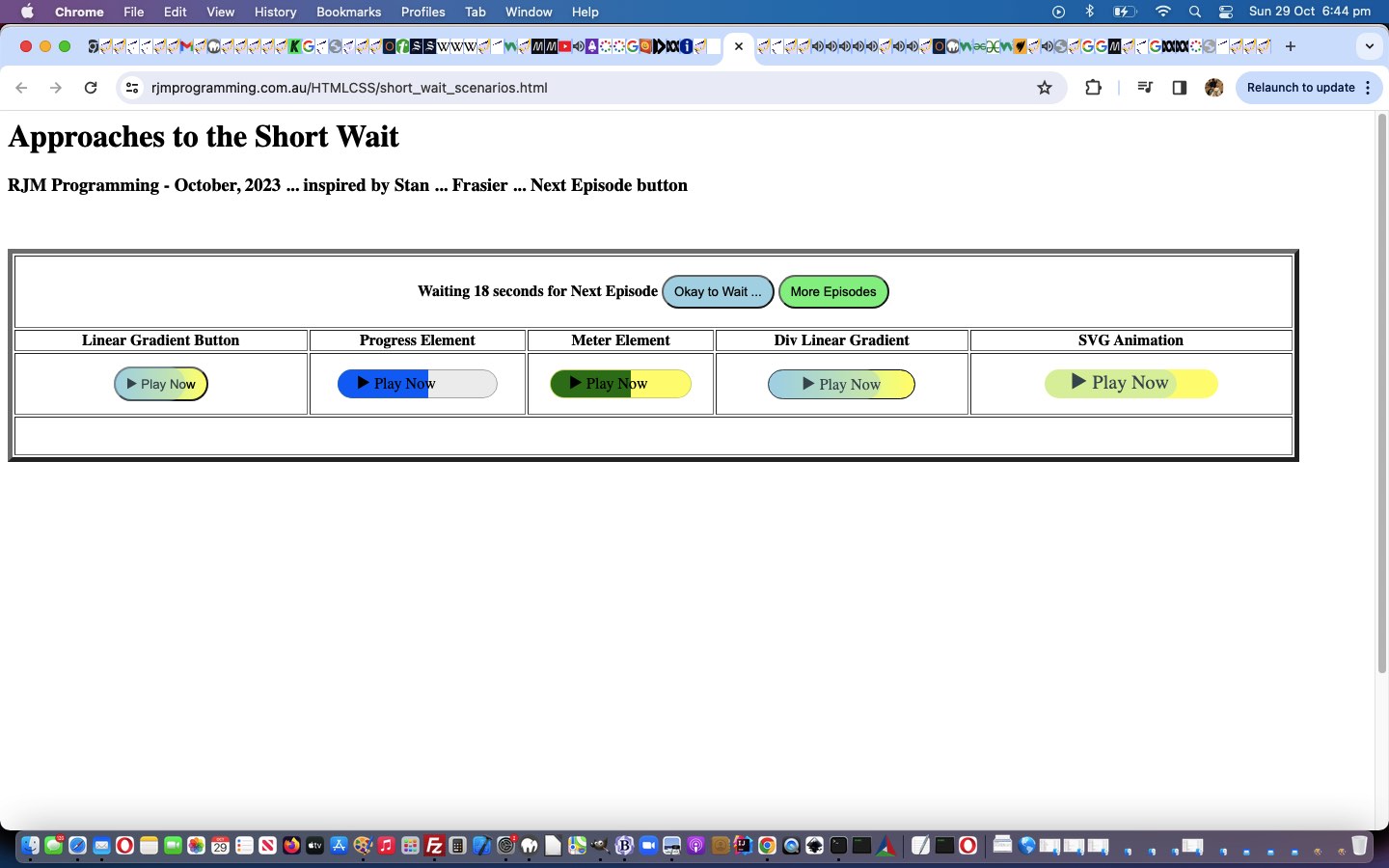
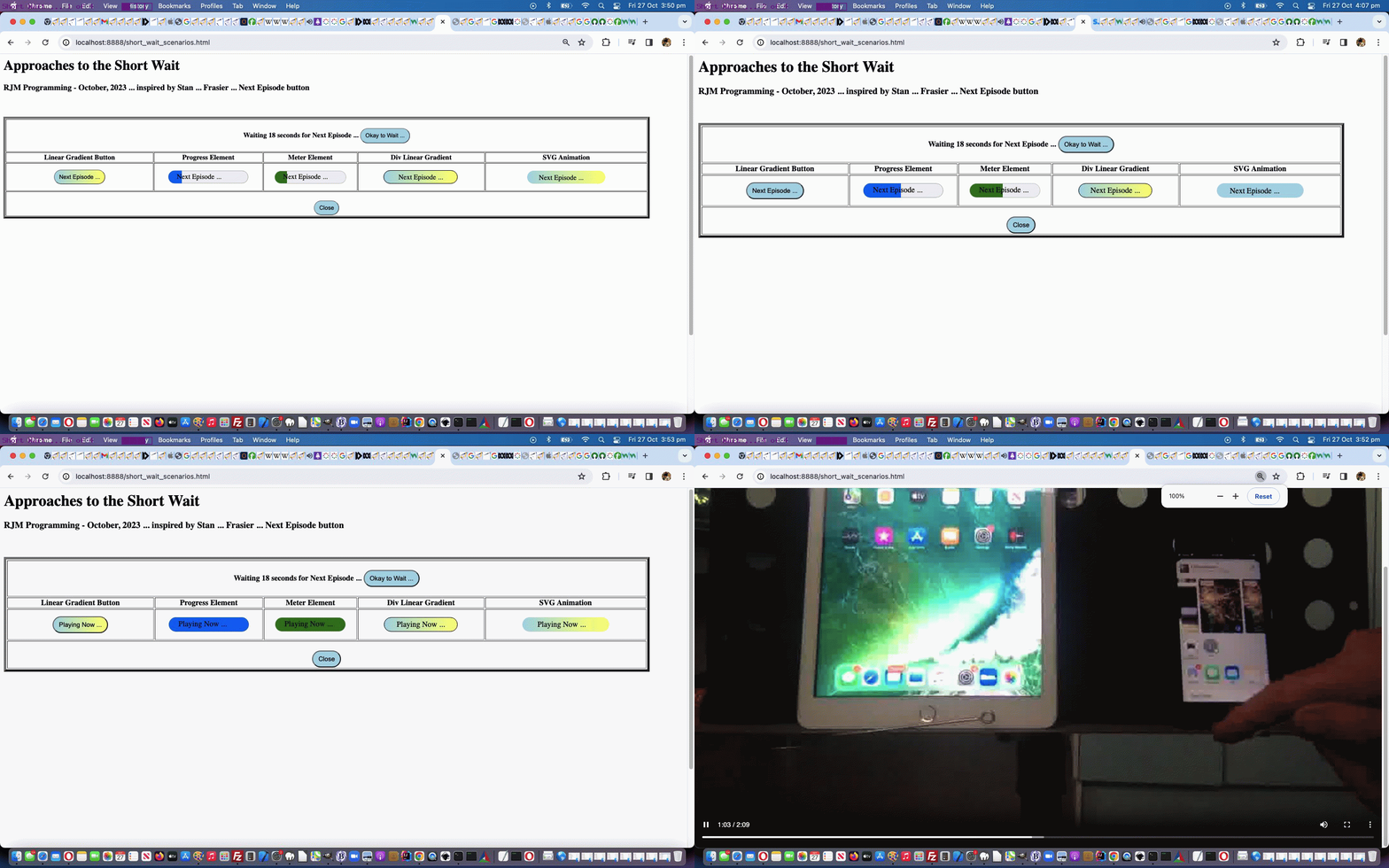
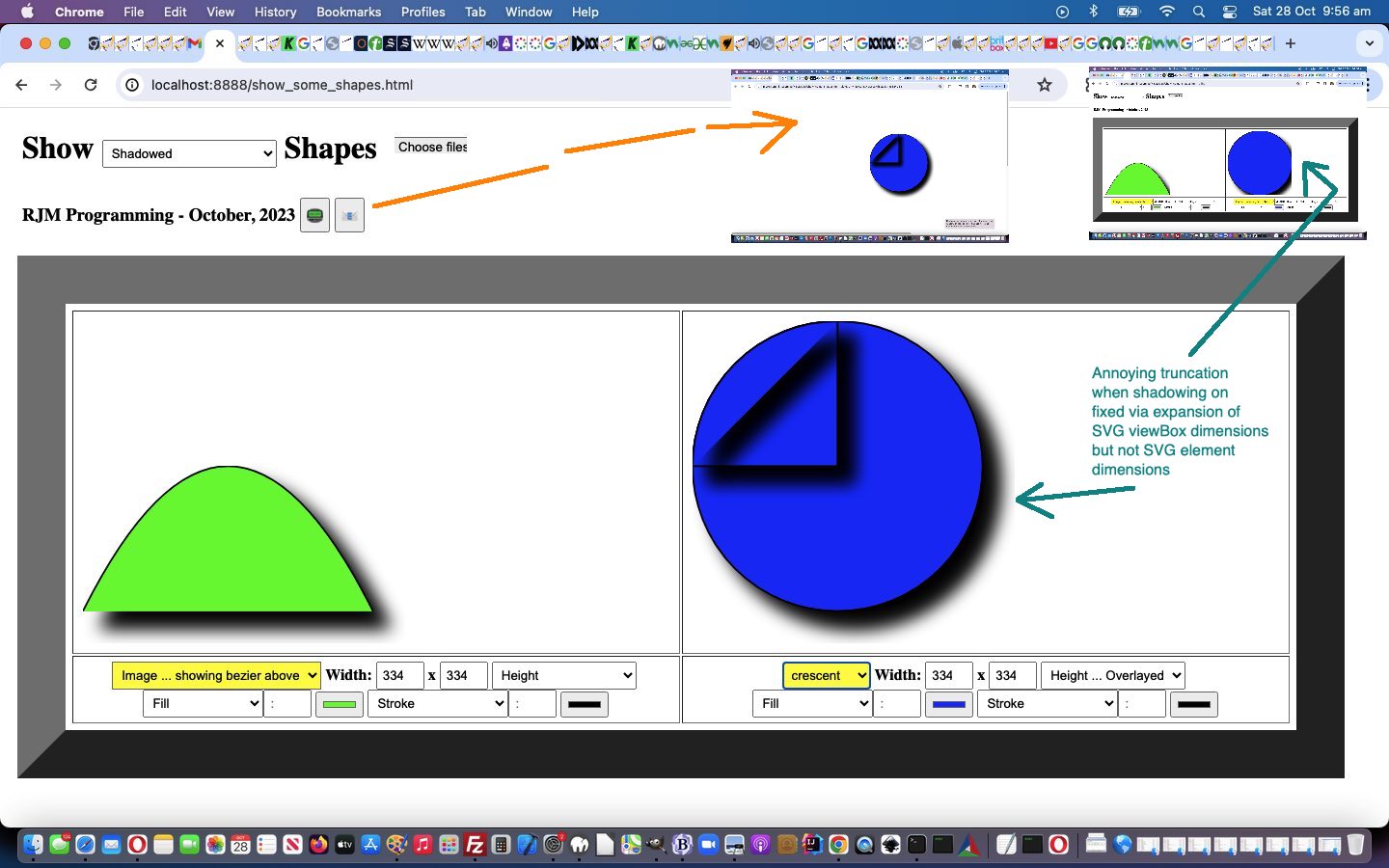
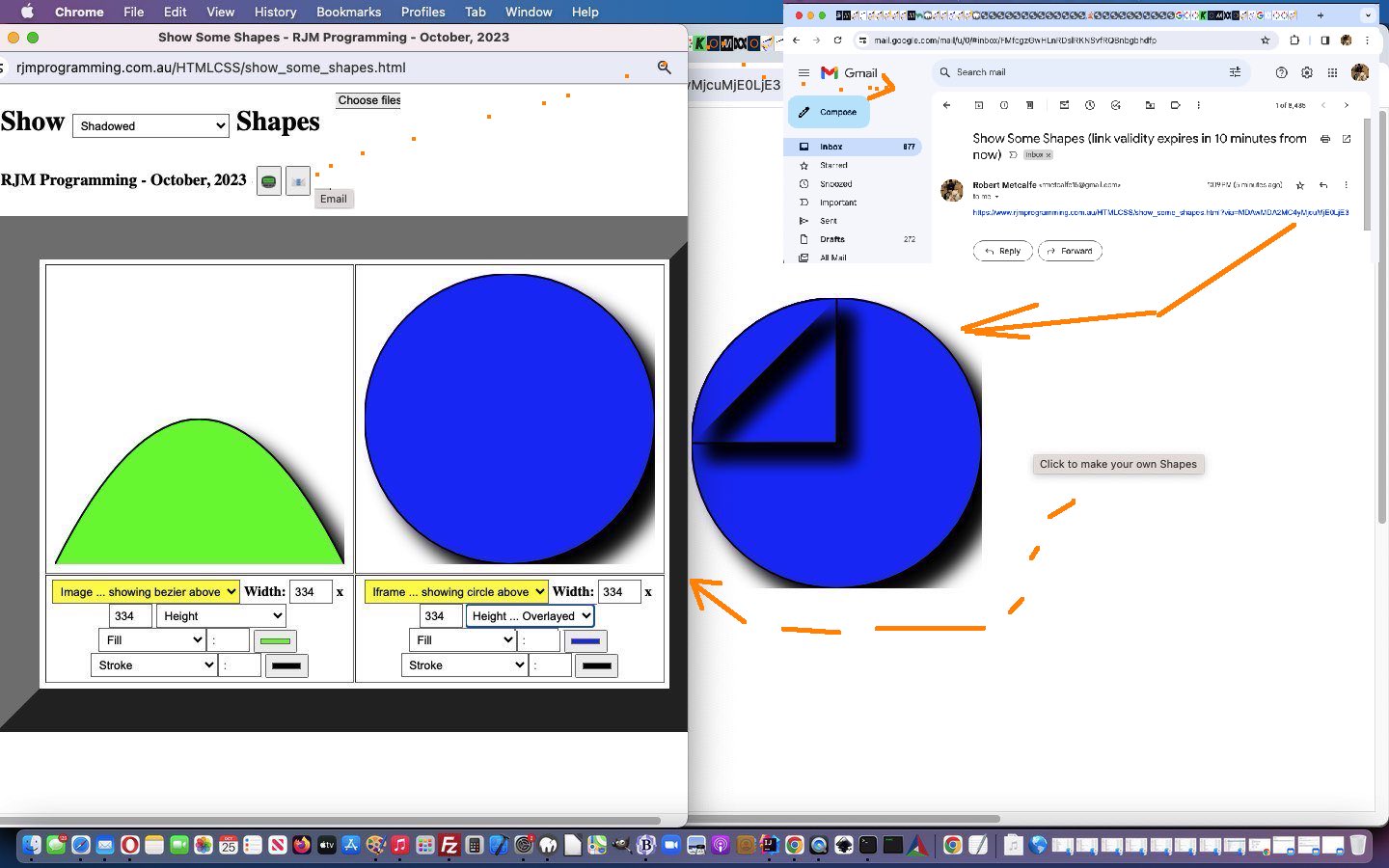
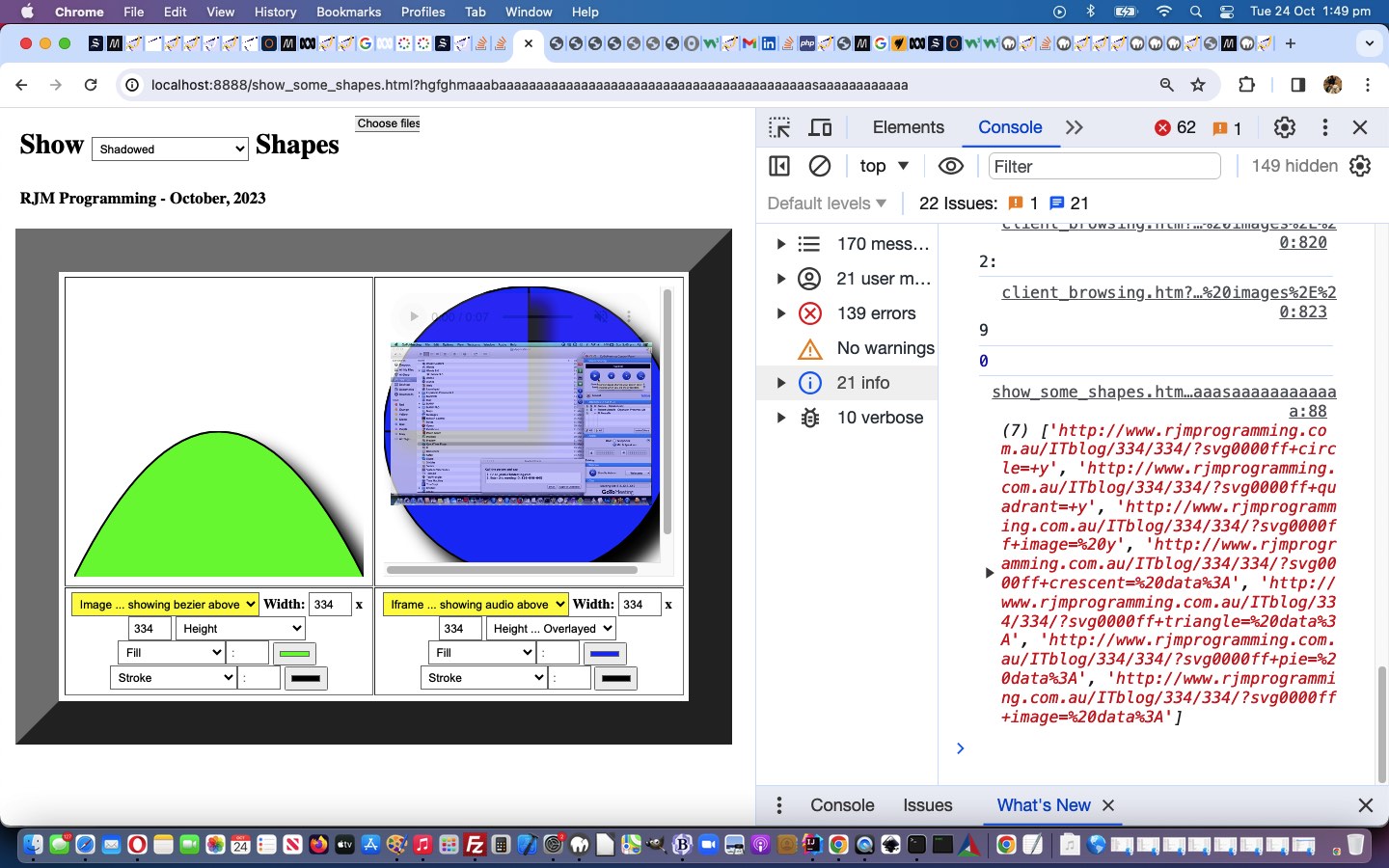
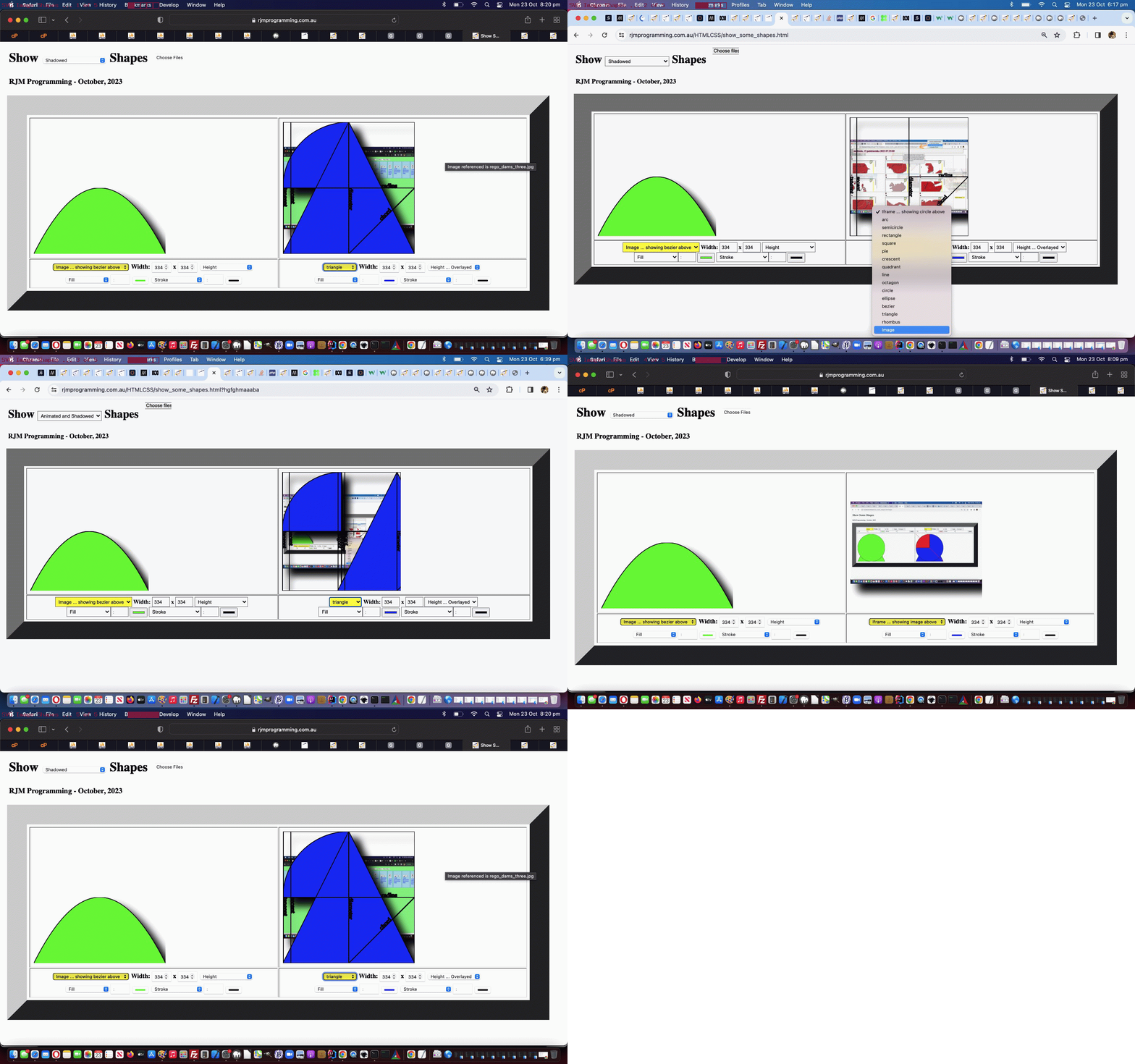

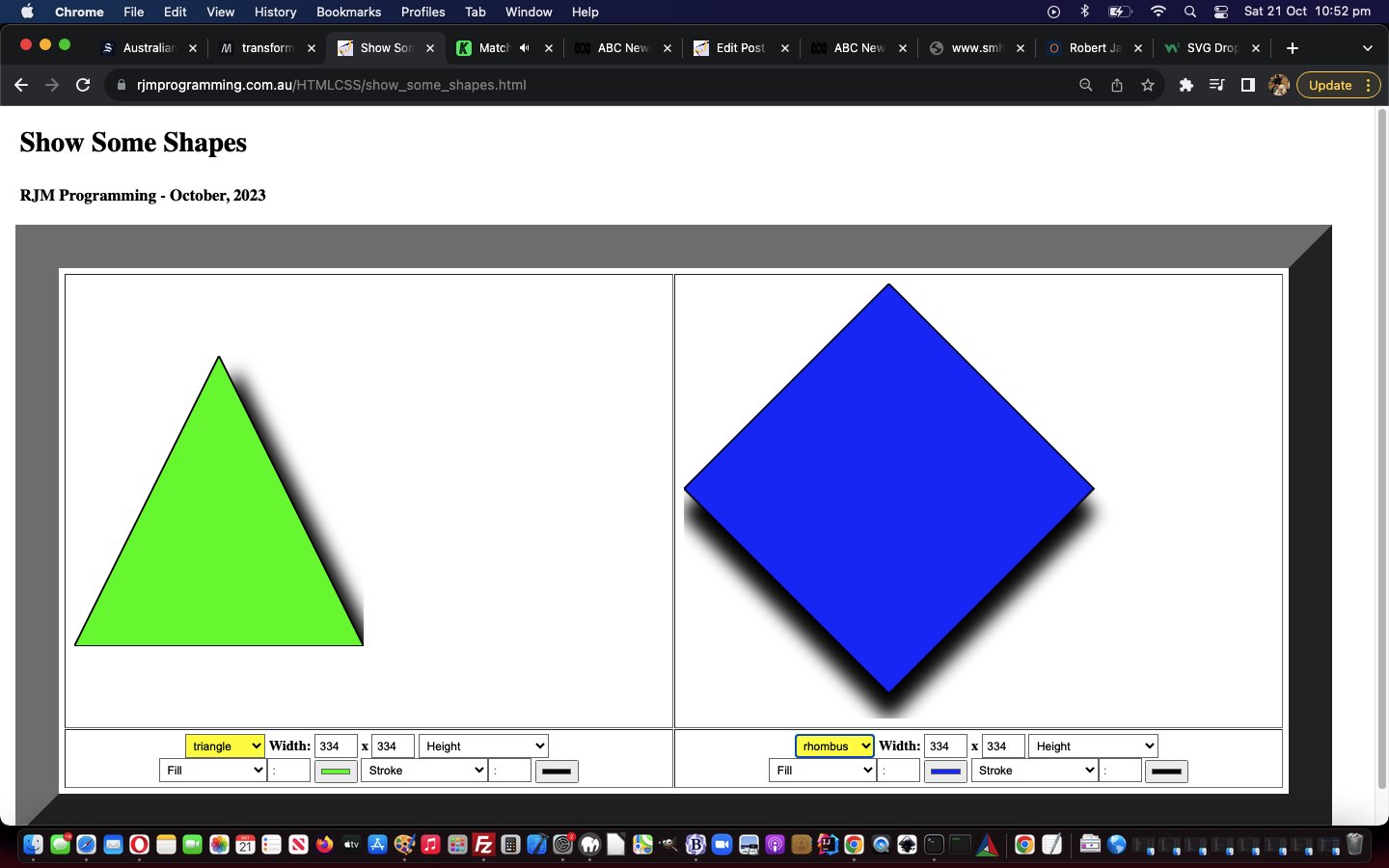
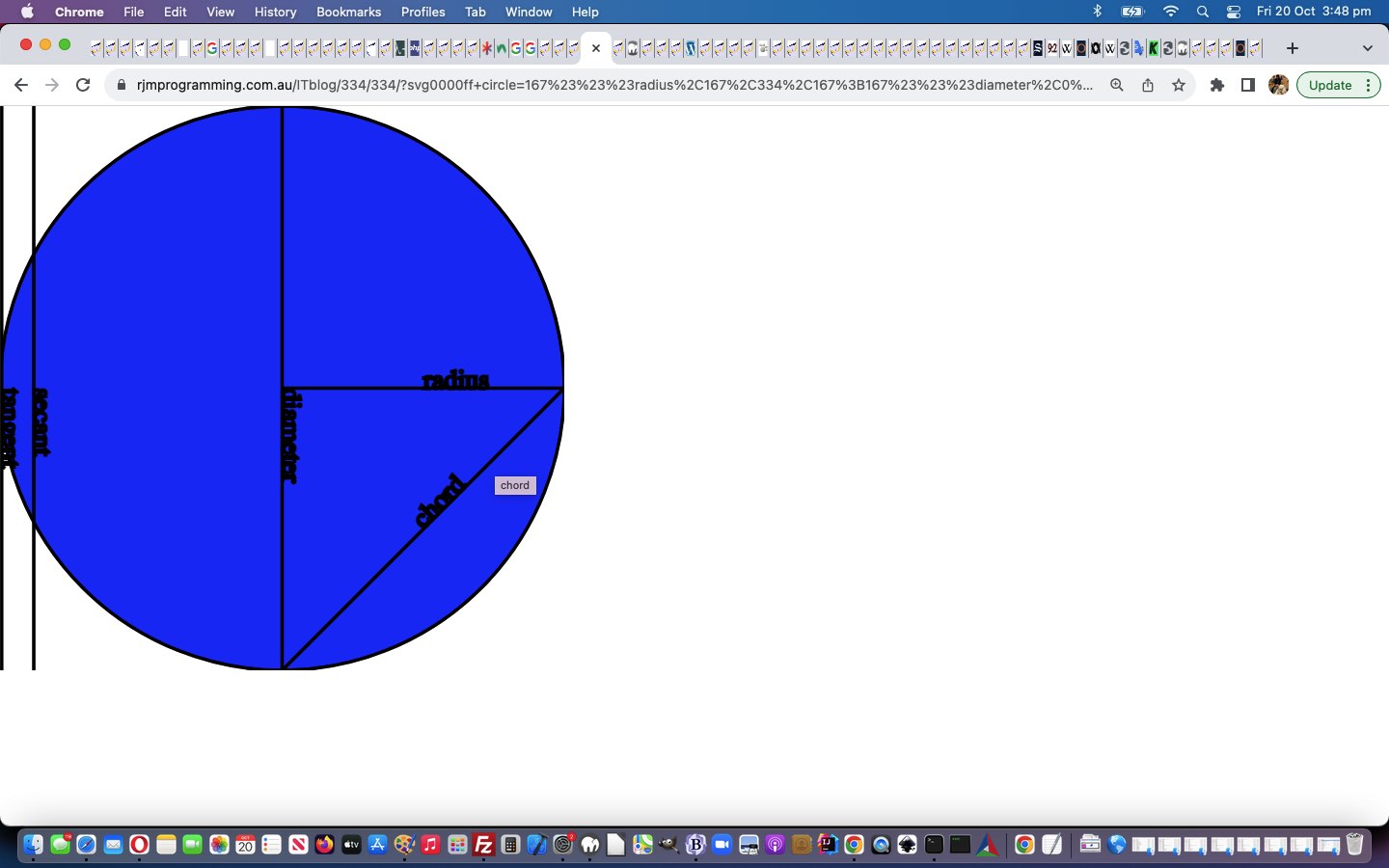
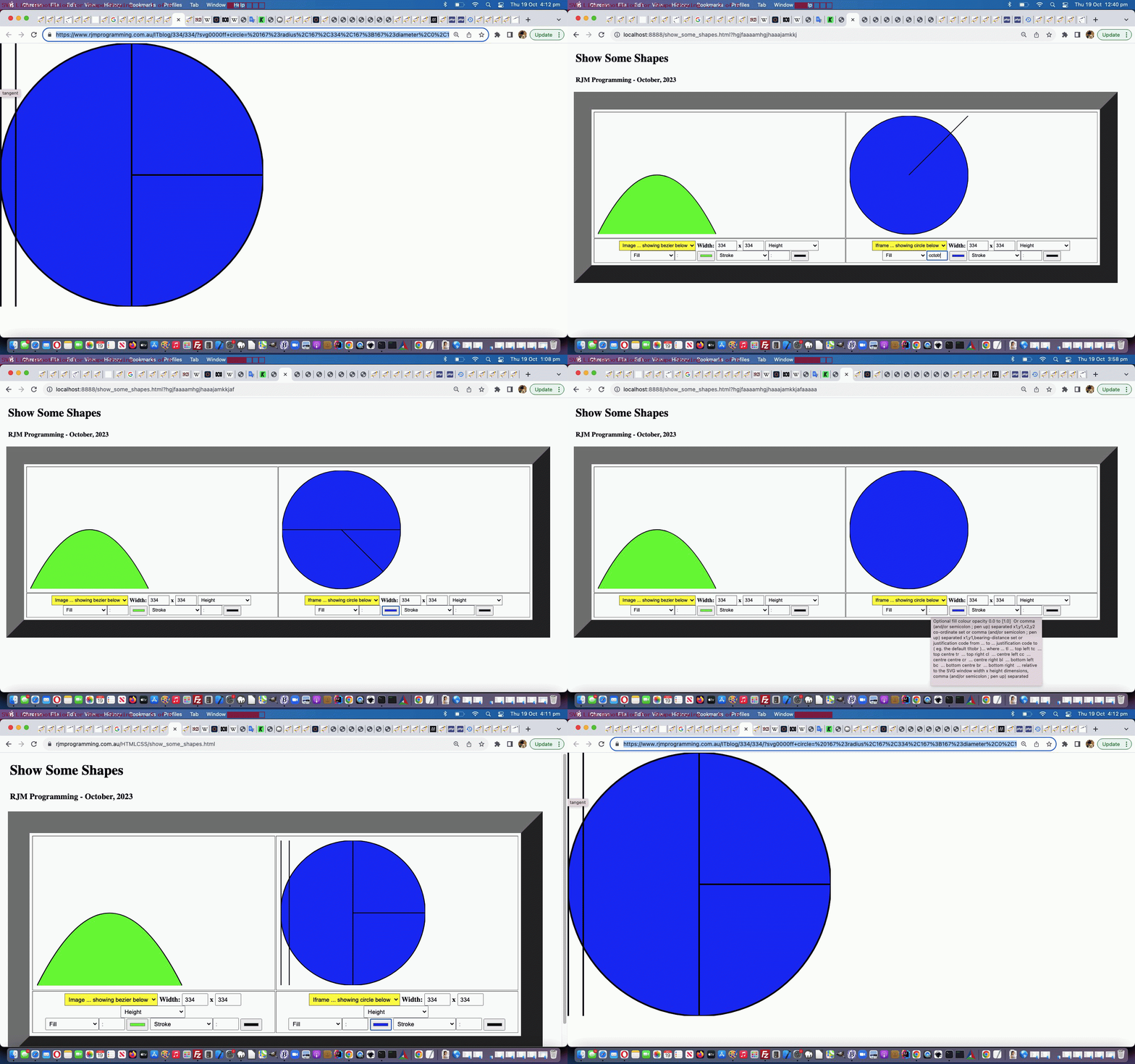
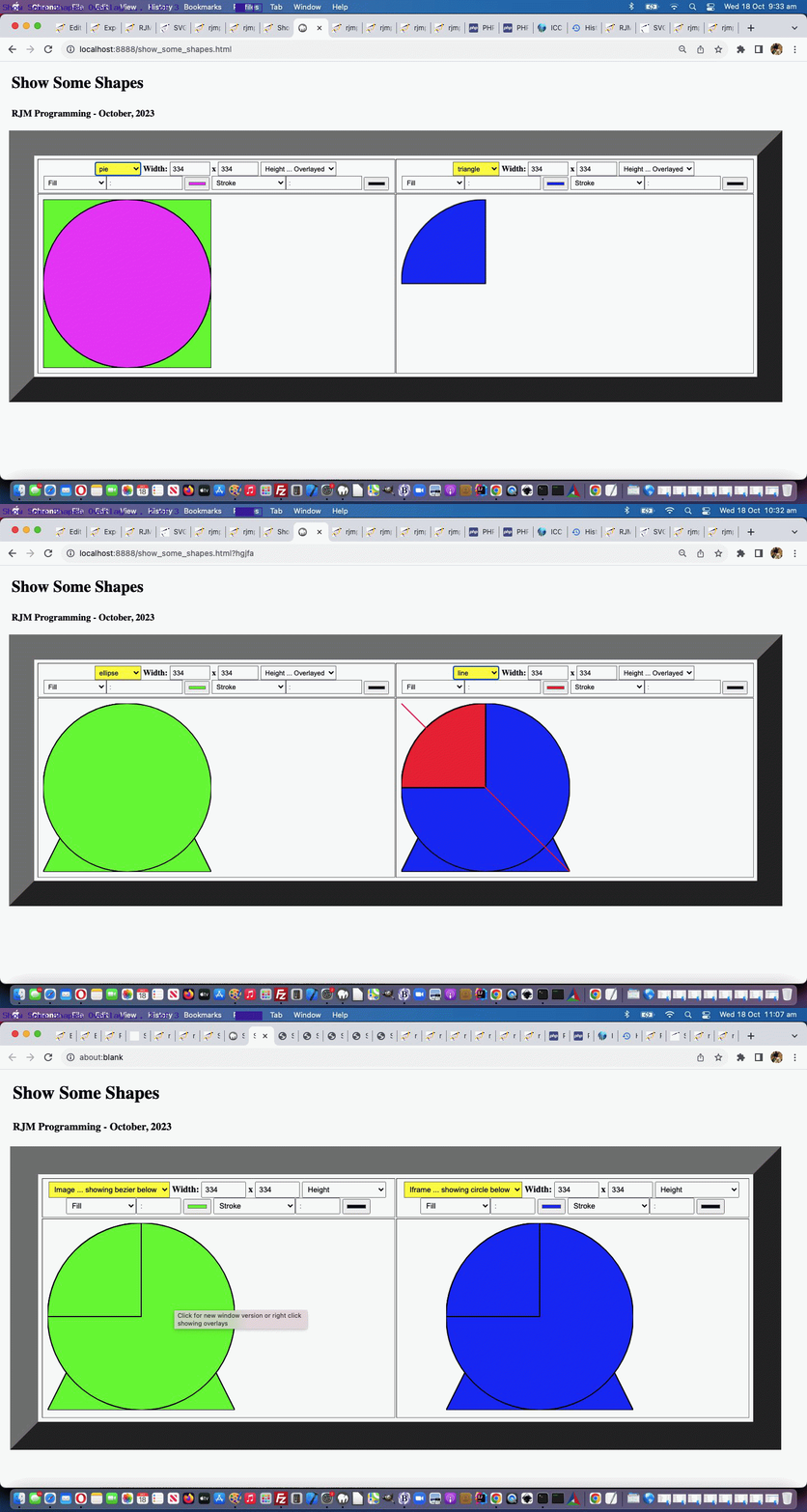
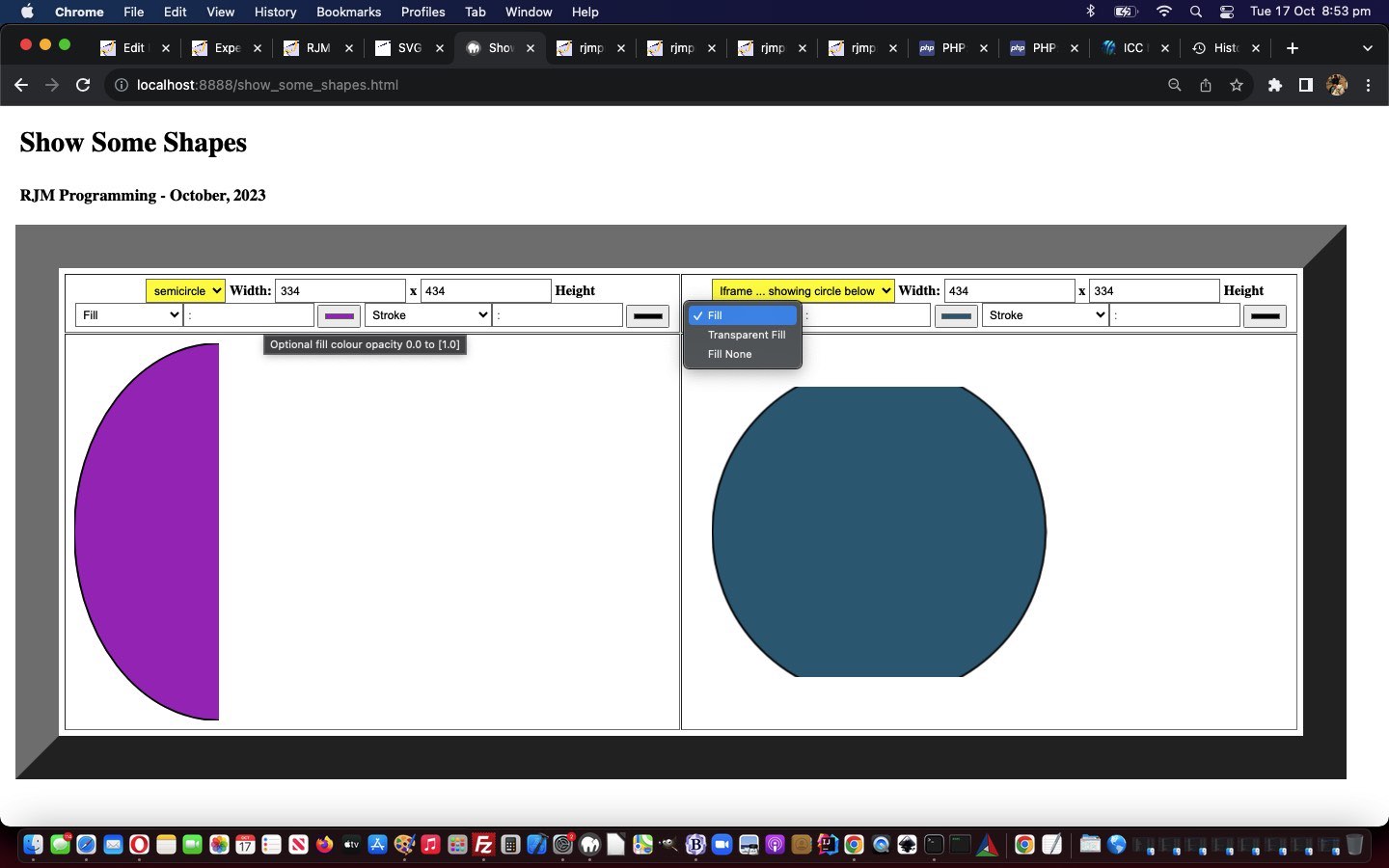
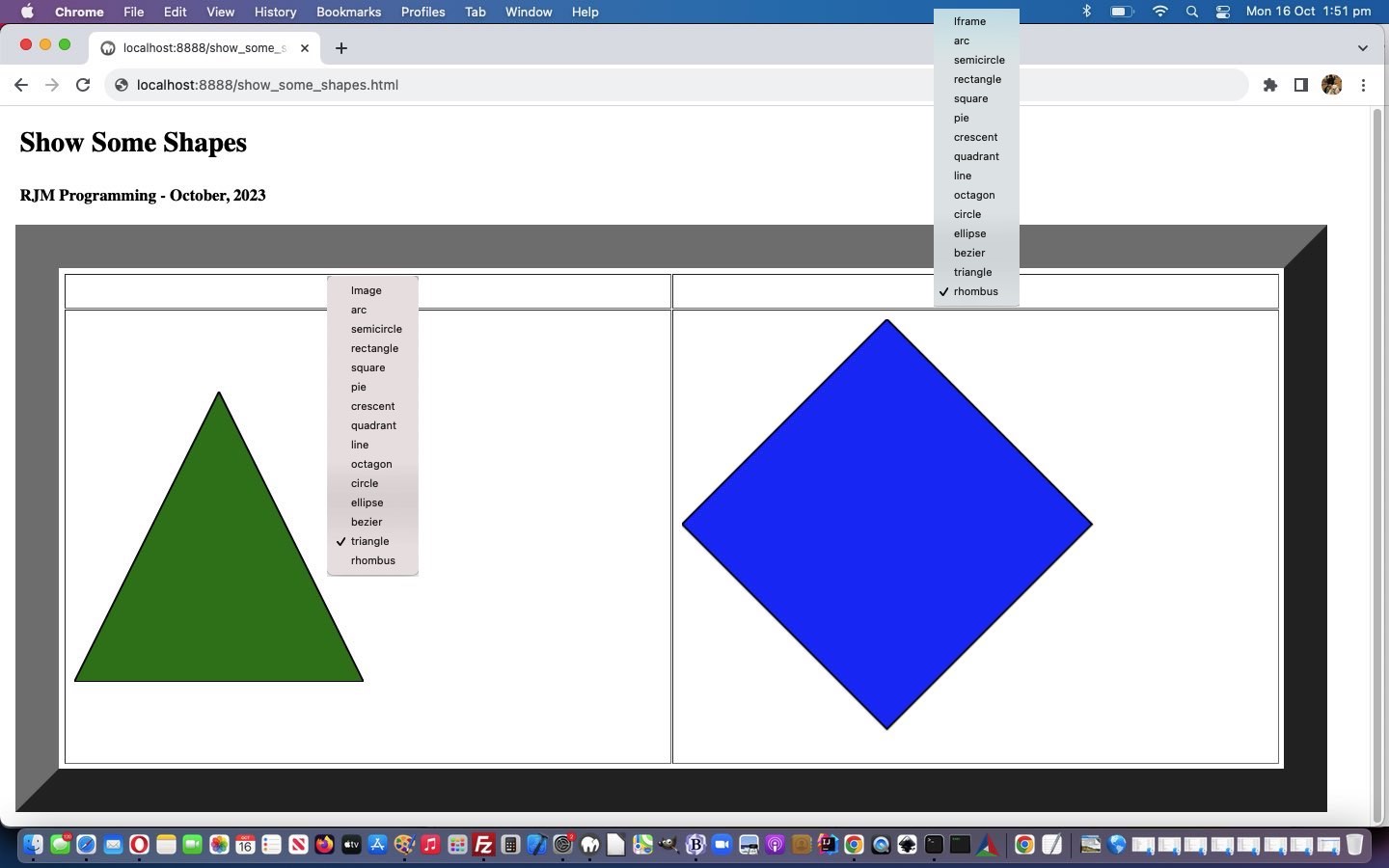
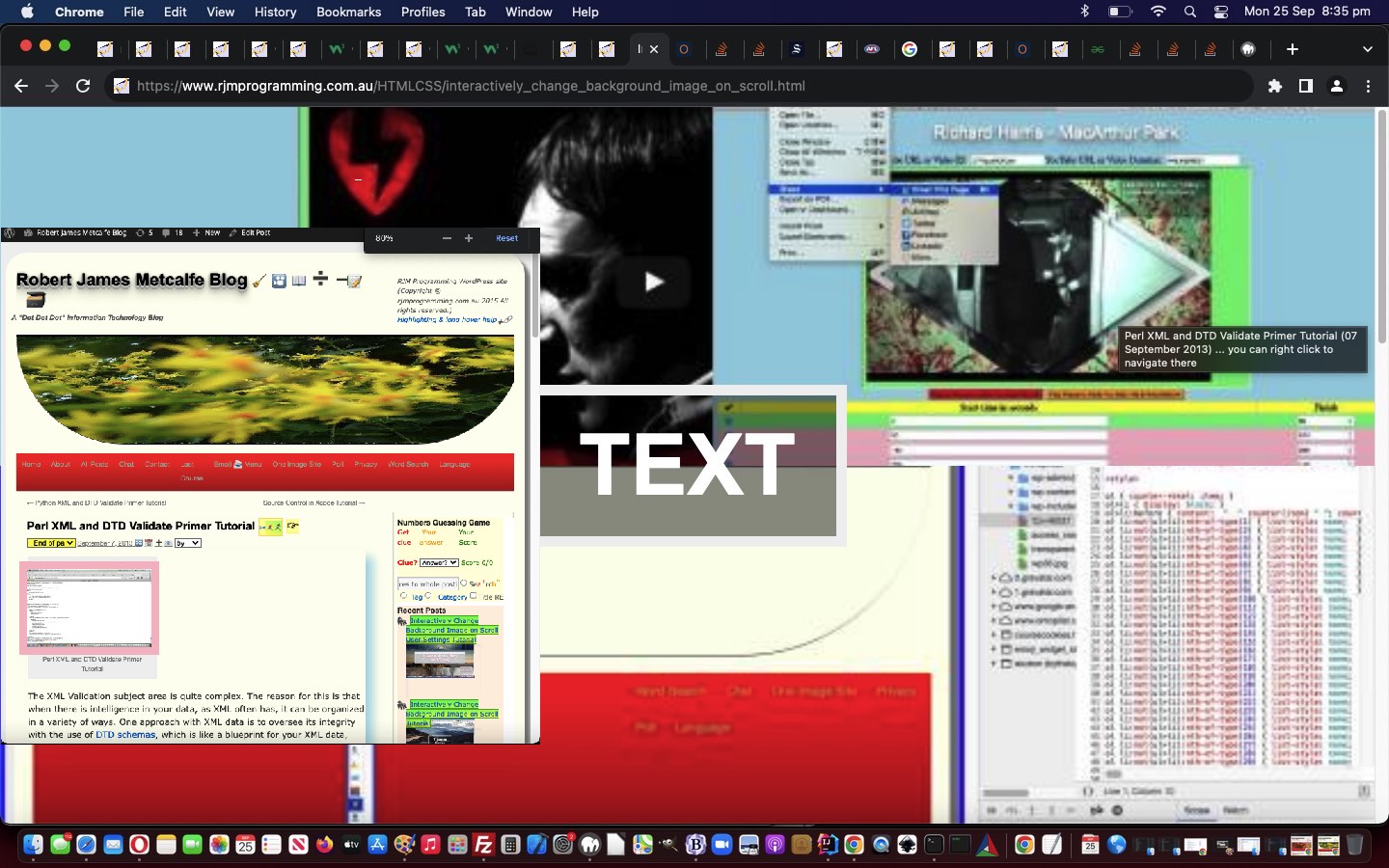
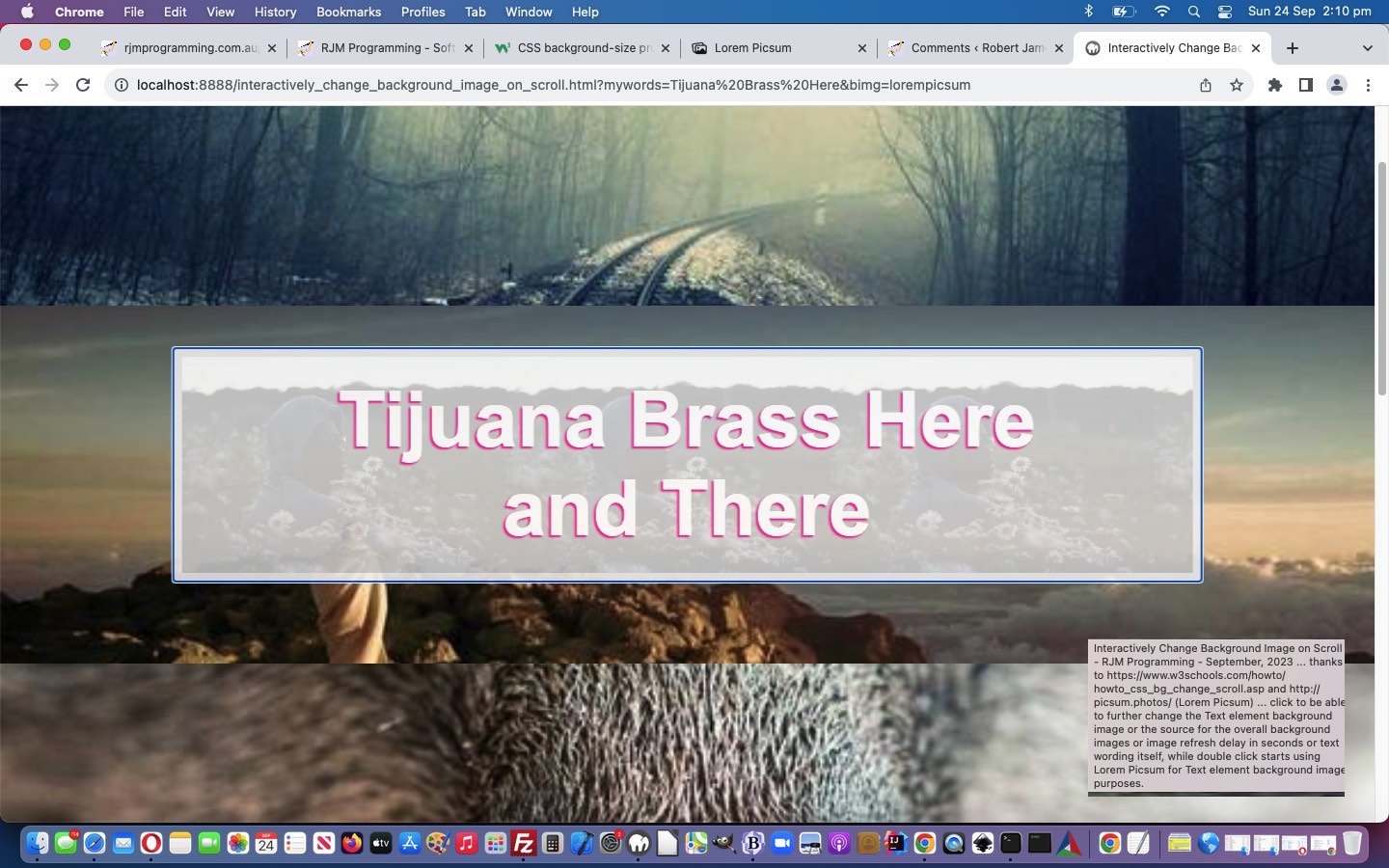
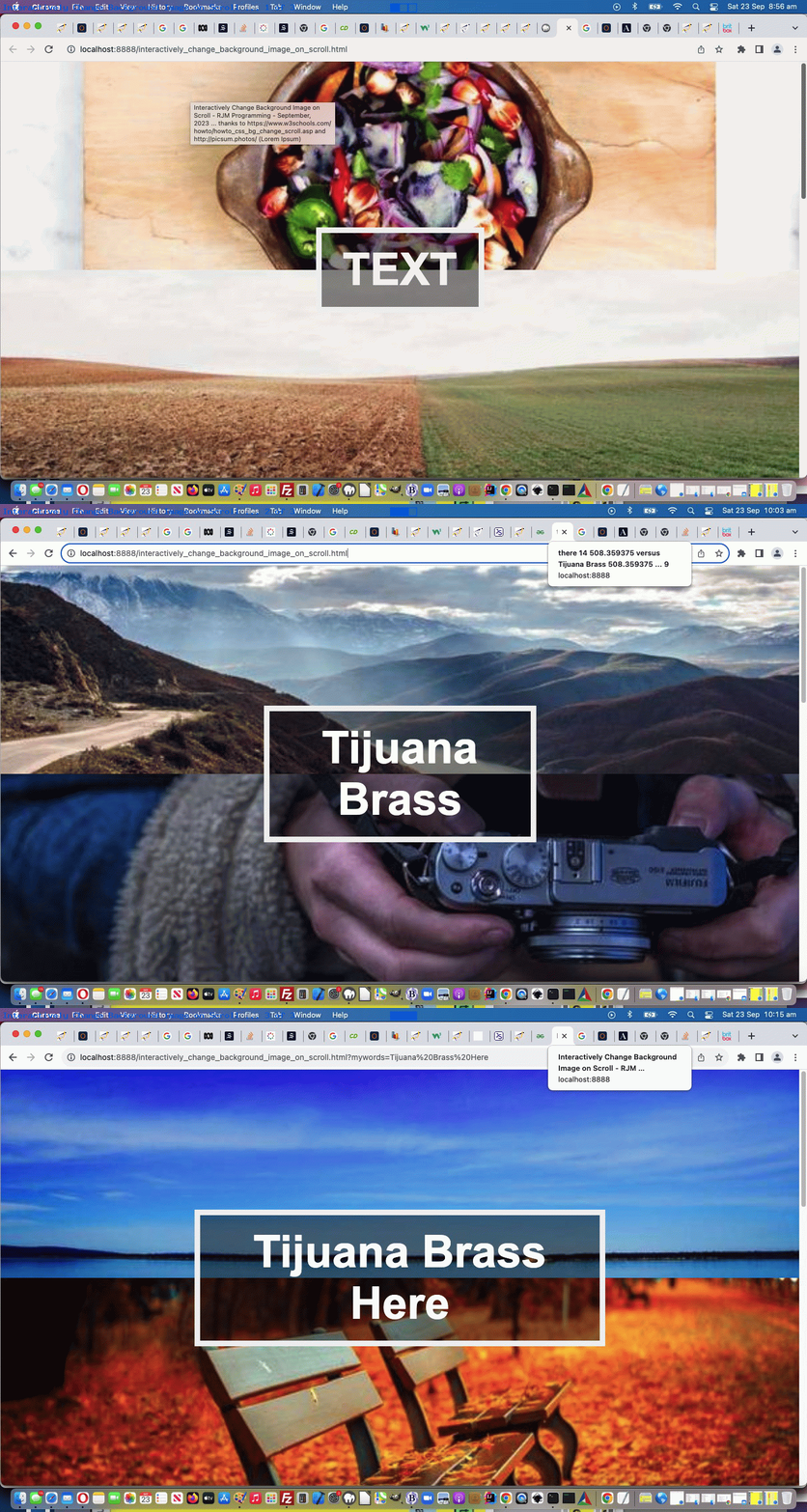
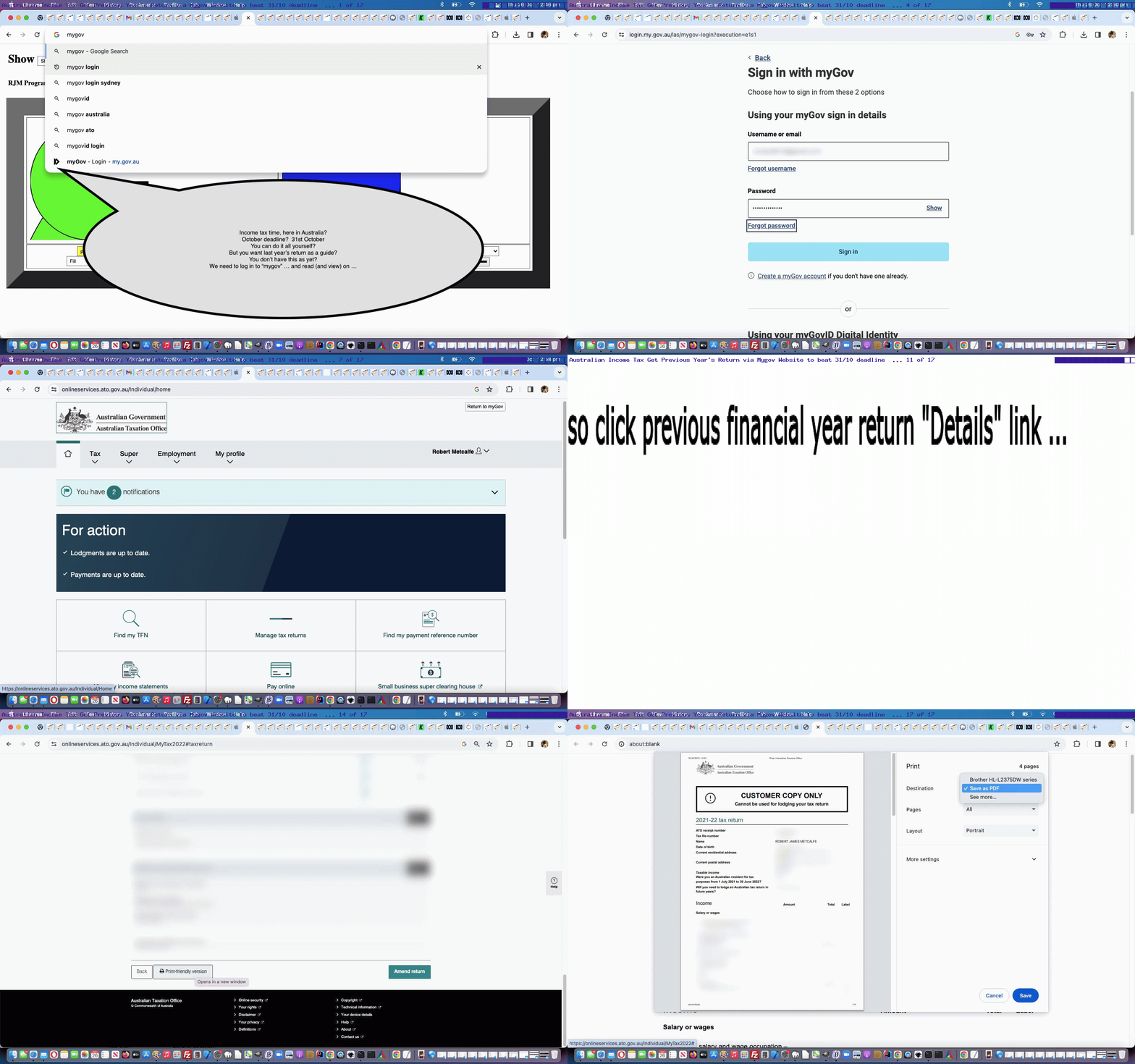


SVG Shapes Iframe Srcdoc Double Quote Tutorial
SVG Shapes Iframe Srcdoc Double Quote Tutorial
It’s tempting to think, for a given scenario, you’ve written code that can satisfy you forever. How about, for a day?! Well, with the recent SVG Shapes Aesthetics Tutorial it may well have ended up “a day” before we noticed an issue. Yes, a step forwards was a step sideways, because something we’d thought was a streamlining had interfered with the audio/video media data inputs via HTML iframe srcdoc means of display.
This was caused by us being overcautious. This is what we overcompensated for. We started using Javascript code that went like (the pseudo code) …
document.getElementById('myiframe').srcdoc="[a Javascript string which contains double quotes]";
… and what we “overcompensated” doing, and caused problems for every audio/video media data item was to code like (the pseudo code) …
document.getElementById('myiframe').srcdoc="[a Javascript string which contains double quotes].replace(/\"/g, "\\" + '"')";
Wrong move! Even though, often, backslash escaping is the answer to data delimitation issues, it is not the case for this scenario! We’d not tested this change with enough of the “out there” functionalities we were trying to cater for.
Of course, the danger of this increases as a project moves through its phases. And that is why it is good to have a separated testing team on a sizeable project, being your project’s “honest broker”, unafraid to tell you in more polite terms than …
… that … you stuffed it. And as projects go on, if your “honest broker” is only there to report weekly, it might be hard to backtrack and wade through a week of changes to pinpoint the source of the problem. Even a day’s worth of wading made it reasonably difficult for us, but luckily we had an interim (and extra to the usual) backup of the code to help pinpoint this issue.
Supposing you leave the double quotes unattended, what happens examining the HTML iframe content? Well, you see the use of HTML entity " used a lot, but no inherent problems despite this, whereas our Javascript replace did much more damage, with audios and videos effectively destroyed by what we’d attempted, above.
Which beggars the question …
Well, in a web inspector, opening up the HTML iframe of relevance to view its document.body content, you’ll see these " HTML entities used a lot. See how great are your modern web browser Web Inspectors for web development? Now, it might be that the code things you rely on here do need you to cater for these " in the logic, but, for us, we had either already catered for it, or we didn’t need to, especially. Either way … yayyyyyy!!! … and ahhhhhhhh!! What a relief!
Will we be leaving our SVG Show Some Shapes project with a blog posting titled, weirdly, “SVG Shapes Iframe Srcdoc Double Quote Tutorial”? Who’s to know? We’ll see what tomorrow brings?!
Try our changed tenth draft Show Some Shapes web application (you can also try below).
Previous relevant SVG Shapes Aesthetics Tutorial is shown below.
SVG Shapes Aesthetics Tutorial
In a sizeable online web application project, it can be that you “put off” annoyances to follow through on “the main game”, so to speak. But, don’t forget to come back to at least try to fix the annoyances!
And so it was with our SVG Shapes project ever since we allowed “shadowing” into the mix, because “shadowing” involved faux SVG element content to the right and bottom not agreeing with the SVG element dimensions defined. Annoying? Yes … very, but still just, “annoying”. We wanted to get the “main game” bedded down first.
Also, into the mix, is our trepidation meddling with a “dimensions issue” that involves units that are not “%” nor “vh” nor “vx”. You’ll probably have read a zillion responsive design webpage advice segments telling you to stick with “%” … if only “%” was a dance?! It’s true, though, that if you want happiness across the board, and even to get noticed at all on the search engines, you stand more of a chance designing web content that never mentions a “hard and fast” dimension. Of course, no programmer that’s done anything “involved” can stick to that rule, but those people can use Javascript DOM and its [element].getBoundingClientRect() methodology (or some other approach) to help here, sometimes. However, with SVG work, we find, at least, that you have many “hard and fast” dimensioning situations cropping up.
And so, regarding SVG, with this aesthetics only issue, up to today, swimming away in the background of our thinking regarding this annoyance, was that we had not resorted to much “viewBox” attribute …
… thinking. All this being the case, today, we tried out the idea that the SVG element itself should not be touched in any way shape (tee hee) or form (chortle, chortle) regarding its co-ordinates or dimensions, but that every SVG element defined in our WordPress TwentyTen theme’s 404.php code for this project should have defined a new or updated “viewBox” attribute (like the exemplified one, below, for an SVG circle) …
<?php
            header('Content-Type: image/svg+xml');

            echo '<?xml version="1.0" standalone="no"?>

<!DOCTYPE svg PUBLIC "-//W3C//DTD SVG 1.1//EN"

"http://www.w3.org/Graphics/SVG/1.1/DTD/svg11.dtd">

<svg width="' . ($newWidth / 1) . '" height="' . ($newHeight / 1) . '" viewBox="0 0 ' . floor($newWidth / 0.90) . ' ' . floor($newHeight / 0.90) . '" version="1.1" xmlns="http://www.w3.org/2000/svg">' . $deffilter . '

<circle' . $usefilter . ' cx="' . ($newWidth / 2) . '" cy="' . ($newHeight / 2) . '" r="' . (($newWidth + $newHeight) / 4) . '" stroke="' . $strokec . '" stroke-width="2" fill="' . $fillc . '" >'  . $animationaroundperhaps . '</circle>

' . $plusline . '</svg>';

   exit;
?>
And we’re happy to say … it helped! Yayyyyyy!! Even with “overlay” scenarios, we think, and are happy about, because we applied this fix throughout the 404.php code consistently, we figure.
And there’s nothing quite like fixing a “nagging at you” aesthetics annoyance, which you’ve been putting off! Oddly, this change to the recent SVG Shapes Collaboration Tutorial work needed no parent HTML/Javascript/CSS clientside Show Some Shapes web application fixing?! Double yayyyyyy!
Previous relevant SVG Shapes Collaboration Tutorial is shown below.
SVG Shapes Collaboration Tutorial
We are all not islands! Though Tahiti sounds nice! Be that as it may, with our Show Some Shapes web application, further to yesterday’s SVG Media Shapes Tutorial we’ve reached the … anyone, anyone? Yes, Aoife …
Okay Brian … yes, you can be an island, if you like. But, can we get back to brass tacks … over there next to the “point”?
What’s the “C” word that goes with “Sharing” (yes, thanks Ivan “and caring””)? Yes, that’s all well and good, but can we get back to the “C” word. “Co” … “Col” … “Coll” … (no, Colleen … not “Collyflower”) … give up … how about …
? Yes, people share and collaborate. But, in order to collaborate …
Class??!! …………………. class?! …… dismissed
In the online world, good “initiators”, we find, are either …
… respectively catered for, in HTML, via “a” links featuring an href attribute starting with “mailto:” or “sms:” …
document.write("<a style=display:none; id=asms href='sms:&body=" + encodeURIComponent(document.URL.split('#')[0].split('?')[0] + '?via=') + "'></a><a style=display:none; id=aemail href='mailto:?subject=Show%20Some%20Shapes" + encodeURIComponent(' (link validity expires in 10 minutes from now)') + "&body=" + encodeURIComponent(document.URL.split('#')[0].split('?')[0] + '?via=') + "'></a><iframe frameborder=0 name=ifstyle id=ifstyle src='//www.rjmprogramming.com.au/PHP/fgc/index.php" + via + "' style=display:none;></iframe>");
… respectively. Later, we append to those href attribute URLs an encodeURIComponent version of a uniquifier (for an initiator) …
  var alltemp='';


  function alltempf() {

    if (imageoverlay && iframeoverlay) {

    alltemp=('<html><head></head><body oncontextmenu="parent.pnosharenow();" onclick="window.open(' + "'" + document.URL.split('#')[0].split('?')[0] + "','_blank','top=200,left=200,width=800,height=800'" + ');" title="Click to make your own Shapes in new window or right click for finished here and make your own Shapes below">' + simage + siframe + document.getElementById('doverlay').outerHTML + '</body></html>');

    } else if (imageoverlay) {

    alltemp=('<html><head></head><body oncontextmenu="parent.pnosharenow();" onclick="window.open(' + "'" + document.URL.split('#')[0].split('?')[0] + "','_blank','top=200,left=200,width=800,height=800'" + ');" title="Click to make your own Shapes in new window or right click for finished here and make your own Shapes below">' + simage + document.getElementById('doverlay').outerHTML + '</body></html>');

    } else if (iframeoverlay) {

    alltemp=('<html><head></head><body oncontextmenu="parent.pnosharenow();" onclick="window.open(' + "'" + document.URL.split('#')[0].split('?')[0] + "','_blank','top=200,left=200,width=800,height=800'" + ');" title="Click to make your own Shapes in new window or right click for finished here and make your own Shapes below">' + siframe + document.getElementById('doverlay').outerHTML + '</body></html>');

    } else {

    alltemp=('<html><head>' + document.head.innerHTML + '</head>' + document.body.outerHTML.replace('<body', '<body' + ' oncontextmenu="parent.pnosharenow();" onclick="window.open(' + "'" + document.URL.split('#')[0].split('?')[0] + "','_blank','top=200,left=200,width=800,height=800'" + ');" title="Click to make your own Shapes"') + '</html>');

    }

    document.getElementById('alltemporarily').value=alltemp;

  }


  function smsit() {

    var smsno=prompt('Please enter SMS number.', '');

    if (smsno != null) {

      document.getElementById('existtemporarily').value='';

      alltempf();

      document.getElementById('mysubbut').click();

      if (document.getElementById('asms').href.indexOf(encodeURIComponent(window.btoa(document.getElementById('storevia').value))) == -1) {

        document.getElementById('asms').href=document.getElementById('asms').href + encodeURIComponent(window.btoa(document.getElementById('storevia').value));

      }

      document.getElementById('asms').href='sms:' + smsno + '&' + document.getElementById('asms').href.split('&')[1];

      document.getElementById('asms').click();

    }

  }


  function emailit() {

    var emailaddr=prompt('Please enter Email address.', '');

    if (emailaddr != null) {

      document.getElementById('existtemporarily').value='';

      alltempf();

      document.getElementById('mysubbut').click();

      if (document.getElementById('aemail').href.indexOf(encodeURIComponent(window.btoa(document.getElementById('storevia').value))) == -1) {

        document.getElementById('aemail').href=document.getElementById('aemail').href + encodeURIComponent(window.btoa(document.getElementById('storevia').value));

      }

      document.getElementById('aemail').href='mailto:' + emailaddr + '?' + document.getElementById('aemail').href.split('?')[1];

      document.getElementById('aemail').click();

    }

  }
… a method=POST form navigation taking care of storing the relevant snapshot of the data involved, ready to be recalled should a Collaborator click an email or SMS link they were sent.
There are limits, as there are with address bar URLs, as to how long these href attributes can be, to succeed. Ones in the thousands are just not likely to work. So, how do the media data URIs produced fit in? Well, maybe not at all, because even they represent data too long for uploading limits, but we are going to offer the service of trying, and we work to keep all that data storage arrangements, more or less, to ourselves, and offer a 10 minute surviving email or SMS link, to work towards amalgamating data URIs and SVG svg+xml protocol “shape data” to present to a Collaborator in an email or SMS initiated by you, a user of our changed ninth draft Show Some Shapes web application (you can also try below).
Previous relevant SVG Media Shapes Tutorial is shown below.
SVG Media Shapes Tutorial
To have a web application such as the Show Some Shapes one of yesterday’s SVG Image Shapes Tutorial be able to claim that it accepts all “media” inputs, it should, at least, accept, in some way shape (chortle, chortle), or form (tee hee) …
… data inputs. At first, in doing these last two media categories, we’d work it, using …
… in achieving this new functionality. The pivotal HTML form (plug and play) onsubmit event logic newly added …
  function maybepost() {

    if (document.getElementById('existtemporarily').value.indexOf('image/') != -1) { return true; }

    if (lastfocus.indexOf('iframe') != -1 || lastfocus.indexOf('image') != -1) {

                 imagestring='data:';

                 equalsr=encodeURIComponent(imagestring);

                 equalsrif=encodeURIComponent(imagestring);

                 if (document.getElementById('existtemporarily').value.indexOf('audio/') != -1) {

                 document.getElementById('myiframe' + iframeprevs).src=thenifagain(document.getElementById('myiframe' + iframeprevs).src.replace(lastiframesuffix.toUpperCase(), 'image').replace(lastiframesuffix, 'image')).split('=')[0] + '=' + maybenoifshadows(encodeURIComponent(imagestring)); //equalsrif;

                 document.getElementById('myiframe' + iframeprevs).srcdoc='<html><body style="opacity:0.2;width:' + ififw + 'px;height:' + ififh + 'px;"><audio controls="true" loop="true" muted="true" crossorigin="anonymous"><source' + typeeq + ' src="' + document.getElementById('existtemporarily').value.split('#audio')[0] + '"></source></audio></body></html>';

                 document.getElementById('thiframeopt').innerText='Iframe ... showing audio above';

                 document.getElementById('seliframeoverlay').value='overlay';

                 } else if (document.getElementById('existtemporarily').value.indexOf('video/') != -1) {

                 document.getElementById('myiframe' + iframeprevs).src=thenifagain(document.getElementById('myiframe' + iframeprevs).src.replace(lastiframesuffix.toUpperCase(), 'image').replace(lastiframesuffix, 'image')).split('=')[0] + '=' + maybenoifshadows(encodeURIComponent(imagestring)); //equalsrif;

                 document.getElementById('myiframe' + iframeprevs).srcdoc='<html><body style="opacity:0.8;width:' + ififw + 'px;height:' + ififh + 'px;"><video controls="true" height="90%" width="90%" autoplay="true" loop="true" muted="true" crossorigin="anonymous"><source' + typeeq + ' src="' + document.getElementById('existtemporarily').value.split('#video')[0] + '"></source></video></body></html>';

                 document.getElementById('thiframeopt').innerText='Iframe ... showing video above';

                 document.getElementById('seliframeoverlay').value='overlay';

                 }

                 imagestring='';

                 lastiframesuffix='image';

                 document.getElementById('thiframesel').value='';

    }

    document.body.style.cursor='pointer';

    return false;

  }
… refers to an overriding srcdoc attribute filled out and populated, and which overrides any other src attribute linked to the relevant HTML iframe element. We thought including audio media input as an option, could open the door to, eventually, share an SVG based annotated presentation which includes an (optionally used) audio commentary.
Previous relevant SVG Image Shapes Tutorial is shown below.
SVG Image Shapes Tutorial
Am sure some of you have been waiting for it?! Here it is …
What (some of) you’ve been waiting for?
Yes, images are the input to our shapes web application as today’s work. And yes, SVG has an image element type.
And so, on top of yesterday’s SVG Shapes Animations Tutorial, today, we offer either …
… in amongst the “iframe modus operandi” choices, as a new functionality option.
Once the image, as SVG, is in place, you may then be tempted to overlay other SVG or line or text annotations on top, for your creation.
The WordPress PHP 404.php needed to cater for this …
<?php
         $rvalis=str_replace('+',' ',urldecode(explode('&',explode('=', $_SERVER['QUERY_STRING'])[1])[0]));

         $semicrvals=explode(';', $rvalis);

         if (strpos($_SERVER['QUERY_STRING'], '=+data') !== false || strpos($_SERVER['QUERY_STRING'], '=%20data') !== false) {

           if (file_exists(sys_get_temp_dir() . DIRECTORY_SEPARATOR . 'existtemporarily' . fgcserver_remote_addr() . '.txt')) {

             while (filesize(sys_get_temp_dir() . DIRECTORY_SEPARATOR . 'existtemporarily' . fgcserver_remote_addr() . '.txt') == 0) {

               sleep(3);

             }

             sleep(3);

             $rvalis=' ' . file_get_contents(sys_get_temp_dir() . DIRECTORY_SEPARATOR . 'existtemporarily' . fgcserver_remote_addr() . '.txt');

             unlink(sys_get_temp_dir() . DIRECTORY_SEPARATOR . 'existtemporarily' . fgcserver_remote_addr() . '.txt');

           } else {

             exit;

           }

         } else if (strpos($_SERVER['QUERY_STRING'], '=data') !== false || strpos($_SERVER['QUERY_STRING'], '=data') !== false) {

           if (file_exists(sys_get_temp_dir() . DIRECTORY_SEPARATOR . 'existtemporarily' . fgcserver_remote_addr() . '.txt')) {

             while (filesize(sys_get_temp_dir() . DIRECTORY_SEPARATOR . 'existtemporarily' . fgcserver_remote_addr() . '.txt') == 0) {

               sleep(3);

             }

             sleep(3);

             $rvalis='' . file_get_contents(sys_get_temp_dir() . DIRECTORY_SEPARATOR . 'existtemporarily' . fgcserver_remote_addr() . '.txt');

             unlink(sys_get_temp_dir() . DIRECTORY_SEPARATOR . 'existtemporarily' . fgcserver_remote_addr() . '.txt');

          } else {

             exit;

           }

         }

//

// ahead of

//

      if (strpos(strtolower($_SERVER['QUERY_STRING']), 'image=') !== false) {

            $inbetween=restcheck(str_replace(':',' ',str_replace('`',' ',str_replace(';',' ',str_replace('+',' ',urldecode(ourexplode('image=', str_replace('?svg','',str_replace('??svg','',('?' . $_SERVER['QUERY_STRING']))))[0]))))));

            if ($inbetween != '') {

               $inbetween=trim($inbetween);  $inbw=explode(' ', str_replace('  ',' ',str_replace('   ',' ',str_replace('    ',' ',str_replace('    ',' ',$inbetween)))));

               if (sizeof($inbw) == 1) {

                  $fillc=ffcolcheck($inbw[0]);

               } else if (sizeof($inbw) >= 2) {

                  if (trim($inbw[0]) != '') { $fillc=fcolcheck($inbw[0]);  }

                  if (trim($inbw[1]) != '') { $strokec=colcheck($inbw[1]);  }

               }

            }

            $plusline=str_replace('fillc', $fillc, str_replace('strokec', $strokec, $plusline));

            $thehome=' L ' . ($newWidth / 2) . ' ' . ($newHeight / 2) . ' Z';

            if (substr(trim(($rvalis . '0')),0,1) >= '0' && substr(trim(($rvalis . '0')),0,1) <= '9') {

            header('Content-Type: image/svg+xml');

            echo '<?xml version="1.0" standalone="no"?>

<!DOCTYPE svg PUBLIC "-//W3C//DTD SVG 1.1//EN"

"http://www.w3.org/Graphics/SVG/1.1/DTD/svg11.dtd">

<svg width="' . ($newWidth / 1) . '" height="' . ($newHeight / 1) . '" version="1.1" xmlns="http://www.w3.org/2000/svg">' . $deffilter . '

<rect' . $usefilter . ' x="0" y="0" width="' . ($newWidth / 1) . '" height="' . ($newHeight / 1) . '" stroke-width="2" stroke="' . $strokec . '" fill="none" >'  . $animationaroundperhaps . '</rect>

' . $plusline . '</svg>';

            } else {

            header('Content-Type: image/svg+xml');

            echo '<?xml version="1.0" standalone="no"?>

<!DOCTYPE svg PUBLIC "-//W3C//DTD SVG 1.1//EN"

"http://www.w3.org/Graphics/SVG/1.1/DTD/svg11.dtd">

<svg width="' . ($newWidth / 1) . '" height="' . ($newHeight / 1) . '" version="1.1" xmlns="http://www.w3.org/2000/svg">' . $deffilter . '

<image' . $usefilter . ' x="0" y="0" width="' . ($newWidth / 1) . '" height="' . ($newHeight / 1) . '" href="' . str_replace(' ','+',trim($rvalis)) . '" stroke="' . $strokec . '" stroke-width="2" fill="' . $fillc . '" >'  . $animationaroundperhaps . '</image>

' . $plusline . '</svg>';

            }

            exit;

       }
?>
… in the changed seventh draft Show Some Shapes web application (you can also try below).
Previous relevant SVG Shapes Drop Shadow Filter Tutorial is shown below.
SVG Shapes Drop Shadow Filter Tutorial
With the overall …
… feel to the blog posting thread recent posts regarding our “Show Some Shapes” latest web application with yesterday’s SVG Shapes Text Annotation Tutorial we became keen to follow up …
As you might expect, there are a variety of ways to approach this using SVG filters, and we’d like to thank W3School’s SVG Drop Shadow filter advice for what we decided to adopt, here, at least for now, to make the SVG shapes pop out of the webpage in a 3D way, using shadowing.
It’s a generic change, and was only a change affecting 404.php work whereby we defined two new variables, as per …
<?php
       $deffilter='  <defs>

    <filter id="f1" x="0" y="0" width="200%" height="200%">

      <feOffset result="offOut" in="SourceAlpha" dx="20" dy="20" />

      <feGaussianBlur result="blurOut" in="offOut" stdDeviation="10" />

      <feBlend in="SourceGraphic" in2="blurOut" mode="normal" />

    </filter>

  </defs>

';

       $usefilter=' filter="url(#f1)" ';
?>
… applied like as in the exemplified case of an SVG circle below …
<?php
            echo '<?xml version="1.0" standalone="no"?>

<!DOCTYPE svg PUBLIC "-//W3C//DTD SVG 1.1//EN"

"http://www.w3.org/Graphics/SVG/1.1/DTD/svg11.dtd">

<svg width="' . ($newWidth / 1) . '" height="' . ($newHeight / 1) . '" version="1.1" xmlns="http://www.w3.org/2000/svg">' . $deffilter . '

<circle' . $usefilter . ' cx="' . ($newWidth / 2) . '" cy="' . ($newHeight / 2) . '" r="' . (($newWidth + $newHeight) / 4) . '" stroke="' . $strokec . '" stroke-width="2" fill="' . $fillc . '"/>

' . $plusline . '</svg>';
?>
… in the Show Some Shapes web application you can also try below.
Previous relevant SVG Shapes Text Annotation Tutorial is shown below.
SVG Shapes Text Annotation Tutorial
Yesterday’s SVG Shapes Line Annotation Tutorial was a fantastic lead in for today’s Text Annotation ideas with our “Show Some Shapes” web application, of recent times.
The reason is, partly, we reckon, because if you lead off your development with the harder option, that …
<text x="167" y="167" transform="rotate(90,167,167)" stroke-width="2" stroke="black" fill="rgb(0,0,255)">diameter</text>

<line x1="167" y1="0" x2="167" y2="334" stroke-width="2" stroke="black" fill="rgb(0,0,255)"><title>diameter</title></line>
… example of ### (as explained later) style of SVG text arrangement where …
… we make use of angling our SVG text appropriately
… then this is the better way around to approach the project. For the user, this “text annotation” interest can now be flagged via a …
… as far as text annotations now go in the only mildly changed fourth draft Show Some Shapes web application (you can also try below).
More work, though, was asked of 404.php, as per …
<?php
$annoword='title'; ' . $combit . ' ';' . $combit . ' ';
$plusline='';
$annoword='title';
if (strpos($_SERVER['QUERY_STRING'], '=') !== false) {
$rvalis=str_replace('+',' ',urldecode(explode('&',explode('=', $_SERVER['QUERY_STRING'])[1])[0]));
$semicrvals=explode(';', $rvalis);
for ($ijk=0; $ijk
$theangle=-999.0;
if (sizeof($crvals) == 2 && strpos($semicrvals[$ijk], '##') !== false) {
array_push($crvals, $crvals[0]);
array_push($crvals, $crvals[1]);
$theangle=0.0;
} else if (sizeof($crvals) == 4) {
if (explode('#',$crvals[0])[0] == explode('#',$crvals[2])[0] && explode('#',$crvals[1])[0] == explode('#',$crvals[3])[0]) {
$theangle=0.0;
}
}
if (sizeof($crvals) >= 4) {
for ($hj=0; $hj<4; $hj++) { $comsb=explode('#', $crvals[$hj]); if (sizeof($comsb) > 1) {
if (sizeof($comsb) > 2 && $comsb[1] == '') {
$annoword='text';
if ($theangle < -361.0) { $radvalalt=atan2((explode('#',$crvals[3])[0] - explode('#',$crvals[1])[0]),(explode('#',$crvals[2])[0] - explode('#',$crvals[0])[0])); $radval=atan2((explode('#',$crvals[2])[0] - explode('#',$crvals[0])[0]),(explode('#',$crvals[3])[0] - explode('#',$crvals[1])[0])); $theangle=fmod((450 - rad2deg($radval) + 360),360); if ($theangle > 180.0) { $theangle-=360.0; }
}
$plusline.='<' . $annoword . ' x="' . ((explode('#',$crvals[0])[0] + explode('#',$crvals[2])[0]) / 2) . '" y="' . ((explode('#',$crvals[1])[0] + explode('#',$crvals[3])[0]) / 2) . '" transform="rotate(' . $theangle . ',' . ((explode('#',$crvals[0])[0] + explode('#',$crvals[2])[0]) / 2) . ',' . ((explode('#',$crvals[1])[0] + explode('#',$crvals[3])[0]) / 2) . ')" stroke-width="2" stroke="strokec" fill="fillc">' . $comsb[-1 + sizeof($comsb)] . '';
$theangle=-999.0;
if (sizeof($comsb) > 3) {
$annoword='title';
$combit='<' . $annoword . '>' . $comsb[-1 + sizeof($comsb)] . '';
}
} else {
$combit='<' . $annoword . '>' . $comsb[1] . '' . $annoword . '>';
}
}
}
if ($annoword == 'title') {
$plusline.='
}
if (sizeof($crvals) >= 6) {
for ($ibv=6; $ibv<=sizeof($crvals); $ibv+=2) { $combit=''; $annoword='title'; for ($hj=-4; $hj<=-1; $hj++) { $comsb=explode('#', $crvals[$hj + $ibv]); if (sizeof($comsb) > 1) {
if (sizeof($comsb) > 2 && $comsb[1] == '') {
$annoword='text';
if ($theangle < -361.0) { $radvalalt=atan2((explode('#',$crvals[-1 + $ibv])[0] - explode('#',$crvals[-3 + $ibv])[0]),(explode('#',$crvals[-2 + $ibv])[0] - explode('#',$crvals[-4 + $ibv])[0])); $radval=atan2((explode('#',$crvals[-2 + $ibv])[0] - explode('#',$crvals[-4 + $ibv])[0]),(explode('#',$crvals[-1 + $ibv])[0] - explode('#',$crvals[-3 + $ibv])[0])); $theangle=fmod((450 - rad2deg($radval) + 360),360); if ($theangle > 180.0) { $theangle-=360.0; }
}
$plusline.='<' . $annoword . ' x="' . ((explode('#',$crvals[-4 + $ibv])[0] + explode('#',$crvals[-2 + $ibv])[0]) / 2) . '" y="' . ((explode('#',$crvals[-3 + $ibv])[0] + explode('#',$crvals[-1 + $ibv])[0]) / 2) . '" transform="rotate(' . $theangle . ',' . ((explode('#',$crvals[-4 + $ibv])[0] + explode('#',$crvals[-2 + $ibv])[0]) / 2) . ',' . ((explode('#',$crvals[-3 + $ibv])[0] + explode('#',$crvals[-1 + $ibv])[0]) / 2) . ')" stroke-width="2" stroke="strokec" fill="fillc">' . $comsb[-1 + sizeof($comsb)] . '';
$theangle=-999.0;
if (sizeof($comsb) > 3) {
$annoword='title';
$combit='<' . $annoword . '>' . $comsb[-1 + sizeof($comsb)] . '';
}
} else {
$combit='<' . $annoword . '>' . $comsb[1] . '' . $annoword . '>';
}
}
}
if ($annoword == 'title') {
$plusline.='
}
}
}
} // else if (sizeof($crvals) == 3) { if (strpos(substr($crvals[2] . ' ',1),'-') !== false) { $rvalis=$rvalis; } }
}
}
?>
You want to try those same practical examples as yesterday, but with text annotation, as well? Type …
… into the iframe fill textbox … or try the equivalent resultant URL …
https://www.rjmprogramming.com.au/ITblog/334/334/?svg0000ff+circle=167%23%23%23radius%2C167%2C334%2C167%3B167%23%23%23diameter%2C0%2C167%2C334%3B
167%23%23%23chord%2C334%2C334%2C167%3B1%23%23%23tangent%2C0%2C1%2C334%3B20%23%23%23secant%2C0%2C20%2C334
… or view it below …
Previous relevant SVG Shapes Line Annotation Tutorial is shown below.
SVG Shapes Line Annotation Tutorial
Our “Show Some Shapes” web application of SVG Shapes Overlay Tutorial was well set up for …
… and so, generally speaking, line features can “overlay” other shapes, like annotation helps clarify a diagram or document.
In order to allow for this we’re now accepting these styles of entry (via any textbox presented to the user) …
… relative to the SVG window width x height dimensions, comma (and/or semicolon ; pen up) separated
… allowing “hover” titles via # (hashtag) delimited comments (hopefully missing commas and semicolons) helped out by a new Javascript function …
  function equalsrcheck(ioo) {

    var thisval=ioo.value;

    var justs=['tl','tc','tm','tr','bl','bc','bm','br','cl','cc','cm','cr','ml','mc','mm','mr'];

    var jusxw=[0.00,0.50,0.50,1.00,0.00,0.50,0.50,1.00,0.00,0.50,0.50,1.00,0.00,0.50,0.50,1.00];

    var jusyh=[0.00,0.00,0.00,0.00,1.00,1.00,1.00,1.00,0.50,0.50,0.50,0.50,0.50,0.50,0.50,0.50];

    var xfofarc='', iix, xtoflds=[], jjx;

    //if (thisval.trim() == '' || thisval.indexOf(',') == -1) { equalsr='y'; }

    if (thisval.indexOf(',') != -1) {

       var cflds=thisval.split(',');

       for (var inm=0; inm<cflds.length; inm++) {

         if (cflds[inm].split('#')[0].toLowerCase().indexOf('to') == 2 && eval('' + cflds[inm].split('#')[0].length) == 6) {

       xfofarc='';

       xtoflds=cflds[inm].split('#')[0].toLowerCase().split('to');

       for (iix=0; iix<justs.length; iix++) {

         if (xtoflds[0] == justs[iix] || xtoflds[0] == (justs[iix].substring(1) + justs[iix].substring(0,1))) {

           if (ioo.id.indexOf('mage') != -1) {

            xfofarc='' + eval(jusxw[iix] * imifw) + ',' + eval(jusyh[iix] * imifh) + ',';

           } else if (ioo.id.indexOf('frame') != -1) {

            xfofarc='' + eval(jusxw[iix] * ififw) + ',' + eval(jusyh[iix] * ififh) + ',';

           }

         }

       }

       if (xfofarc != '') {

       for (jjx=0; jjx<justs.length; jjx++) {

         if (xtoflds[1] == justs[jjx] || xtoflds[1] == (justs[iix].substring(1) + justs[iix].substring(0,1))) {

           if (ioo.id.indexOf('mage') != -1) {

            xfofarc+='' + eval(jusxw[jjx] * imifw) + ',' + eval(jusyh[jjx] * imifh) + '';

           } else if (ioo.id.indexOf('frame') != -1) {

            xfofarc+='' + eval(jusxw[jjx] * ififw) + ',' + eval(jusyh[jjx] * ififh) + '';

           }

         }

       }

       }

       if (eval('' + xfofarc.split(',').length) == 4) {

           thisval=thisval.replace(cflds[inm].split('#')[0], xfofarc);

       }

         }

         cflds=thisval.split(',');

       }

       if (eval('' + cflds.length) >= 3) {

         if (eval('' + cflds.length) >= 4 && (cflds[2] + ' ').substring(1).indexOf('-') == -1) {

           equalsr=encodeURIComponent(thisval);

           if (ioo.id.replace('cp','sel').indexOf('sel') != -1) { ioo.value=''; }

           thisval='';

         } else if ((cflds[2] + ' ').substring(1).indexOf('-') > 0) {

           var pcx=eval('' + cflds[0].split('#')[0]);

           var pcy=eval('' + cflds[1].split('#')[0]);

           var radialssofar='', fdel='';

           for (var jj=2; jj<cflds.length; jj++) {

           if ((cflds[jj] + ' ').substring(1).indexOf('-') > 0) {

           pcx=eval(pcx + Math.sin(Math.PI * eval('' + cflds[jj].split('#')[0].split('-')[0]) / 180.0) * eval('' + cflds[jj].split('#')[0].split('-')[1]));

           pcy=eval(pcy + Math.cos(Math.PI * eval('' + cflds[jj].split('#')[0].split('-')[0]) / 180.0) * eval('' + cflds[jj].split('#')[0].split('-')[1]));

           radialssofar+=fdel + cflds[0] + ',' + cflds[1] + ',' + pcx + ',' + pcy;

           pcx=eval('' + cflds[0].split('#')[0]);

           pcy=eval('' + cflds[1].split('#')[0]);

           fdel=';';

           } else {

           radialssofar+=',' + cflds[jj].split('#')[0];

           }

           }

           equalsr=encodeURIComponent(radialssofar);

           if (ioo.id.replace('cp','sel').indexOf('sel') != -1) { ioo.value=''; }

           thisval='';

         } else {

           equalsr='y';

           thisval='' + cflds[0].split('#')[0];

         }

       }

    } else if (thisval.split('#')[0].toLowerCase().indexOf('to') == 2 && eval('' + thisval.split('#')[0].length) == 6) {

       var toflds=thisval.toLowerCase().split('to');

       var combit='';

       if (thisval.indexOf('#') != -1) { combit='#' + thisval.split('#')[1].split(',')[0].split(';')[0]; }

       var fofarc='';

       for (var ii=0; ii<justs.length; ii++) {

         if (toflds[0].split('#')[0] == justs[ii] || toflds[0].split('#')[0] == (justs[ii].substring(1) + justs[ii].substring(0,1))) {

           if (ioo.id.indexOf('mage') != -1) {

            fofarc='' + eval(jusxw[ii] * imifw) + ',' + eval(jusyh[ii] * imifh) + ',';

           } else if (ioo.id.indexOf('frame') != -1) {

            fofarc='' + eval(jusxw[ii] * ififw) + ',' + eval(jusyh[ii] * ififh) + ',';

           }

         }

       }

       if (fofarc != '') {

       for (var jj=0; jj<justs.length; jj++) {

         if (toflds[1].split('#')[0] == justs[jj] || toflds[1].split('#')[0] == (justs[jj].substring(1) + justs[jj].substring(0,1))) {

           if (ioo.id.indexOf('mage') != -1) {

            fofarc+='' + eval(jusxw[jj] * imifw) + ',' + eval(jusyh[jj] * imifh) + '';

           } else if (ioo.id.indexOf('frame') != -1) {

            fofarc+='' + eval(jusxw[jj] * ififw) + ',' + eval(jusyh[jj] * ififh) + '';

           }

         }

       }

       }

       if (eval('' + fofarc.split(',').length) == 4) {

           equalsr=encodeURIComponent(fofarc + combit);

           if (ioo.id.replace('cp','sel').indexOf('sel') != -1) { ioo.value=''; }

           thisval='';

       }

    }

    return thisval;

  }
… in our changed third draft Show Some Shapes web application (you can also try below).
And yes, 404.php had to accomodate these new $_GET argument value expansions (previously only the pretty dumb y as a value always), via $plusline linear annotation append PHP as per …
<?php
       $plusline='';


       if (strpos($_SERVER['QUERY_STRING'], '=') !== false) {

         $rvalis=str_replace('+',' ',urldecode(explode('&',explode('=', $_SERVER['QUERY_STRING'])[1])[0]));

         $semicrvals=explode(';', $rvalis);

         for ($ijk=0; $ijk<sizeof($semicrvals); $ijk++) {

         $crvals=explode(',', $semicrvals[$ijk]);

         $combit='';

         if (sizeof($crvals) >= 4) {

           for ($hj=0; $hj<4; $hj++) {

              $comsb=explode('#', $crvals[$hj]);

              if (sizeof($comsb) > 1) {

                 $combit='<title>' . $comsb[1] . '</title>';

              }

           }

           $plusline.='<line x1="' . explode('#',$crvals[0])[0] . '" y1="' . explode('#',$crvals[1])[0] . '" x2="' . explode('#',$crvals[2])[0] . '" y2="' . explode('#',$crvals[3])[0] . '" stroke-width="2" stroke="strokec" fill="fillc">' . $combit . '</line>';

           if (sizeof($crvals) >= 6) {

             for ($ibv=6; $ibv<=sizeof($crvals); $ibv+=2) {

           $combit='';

           for ($hj=-4; $hj<=-1; $hj++) {

              $comsb=explode('#', $crvals[$hj + $ibv]);

              if (sizeof($comsb) > 1) {

                 $combit='<title>' . $comsb[1] . '</title>';

              }

           }

              $plusline.='<line x1="' . explode('#',$crvals[-4 + $ibv])[0]. '" y1="' . explode('#',$crvals[-3 + $ibv])[0] . '" x2="' . explode('#',$crvals[-2 + $ibv])[0] . '" y2="' . explode('#',$crvals[-1 + $ibv])[0] . '" stroke-width="2" stroke="strokec" fill="fillc">' . $combit . '</line>';

             }

           }

         } // else if (sizeof($crvals) == 3) { if (strpos(substr($crvals[2] . ' ',1),'-') !== false) {  $rvalis=$rvalis;   }        }

         }

       }
?>
You want to try some practical examples of use? Type …
… into the iframe fill textbox … or try the equivalent resultant URL …
https://www.rjmprogramming.com.au/ITblog/334/334/?svg0000ff+circle=167%23radius%2C167%2C334%2C167%3B167%23diameter%2C0%2C167%2C334%3B167%23chord%2C334%2C334%2C
167%3B1%23tangent%2C0%2C1%2C334%3B20%23secant%2C0%2C20%2C334
… or view it below …
Previous relevant SVG Shapes Overlay Tutorial is shown below.
SVG Shapes Overlay Tutorial
The dimensions discussed in yesterday’s SVG Shapes Dimensions and Colour Tutorial were the “what we normally talk about as 2D” dimensions …
This opens up the variety of “shapes” you can come up with considerably, even without involving any opacity, and so far we have not coded for CSS z-index usage (just good ol’ position:absolute usage so far). Should you stumble upon a useful “overlay creation” a right click can open it up in a new web browser tab, should you prefer that arrangement.
To achieve this change asked nothing more of our 404.php code, but rather asked of the client web application the turning of the “Height” hardcoding into a new select (dropdown) like …
<select onchange=fixv(this); id=selimageoverlay><option value="">Height</option><option value="overlay">Height ... Overlayed</option></select>

<div id="doverlay"></div>
… and accompanying new Javascript global variables and “onchange event logic” …
  var imageoverlay=false, iframeoverlay=false;

  var imageprevs='', iframeprevs='';

  var imagelasts='', iframelasts='';

  var imageurlpush=[], iframeurlpush=[];

  var imagerect=[], iframerect=[];

  var snapshotoh='';

  var bigwo=[];
… with new Javascript “onchange event logic” code like …
  function fixv(oselinvo) {

    var theval=oselinvo.value;

    switch('' + oselinvo.id) {

      case 'selimageoverlay': // overlay flag

       if (theval.trim() == '') {

         imageoverlay=false;

         //imageurlpush=[];

         //imagerect=[];

       } else {

         if (eval('' + imageurlpush.length) == 0) {

         snapshotoh='<html><head>' + document.head.innerHTML + '</head>' + document.body.outerHTML + '</html>';

         }

         imageoverlay=true;

         imageurlpush.push(document.getElementById('myimage' + imagelasts).src);

         imagerect=[];

         imagerect.push(document.getElementById('myimage' + imagelasts).getBoundingClientRect());

         imagelasts='' + imageurlpush.length;

       }

       break;


      case 'seliframeoverlay': // overlay flag

       if (theval.trim() == '') {

         iframeoverlay=false;

         //iframeurlpush=[];

         //iframerect=[];

       } else {

         if (eval('' + iframeurlpush.length) == 0) {

         snapshotoh='<html><head>' + document.head.innerHTML + '</head>' + document.body.outerHTML + '</html>';

         }

         iframeoverlay=true;

         iframeurlpush.push(document.getElementById('myiframe' + iframelasts).src);

         iframerect=[];

         iframerect.push(document.getElementById('myiframe' + iframelasts).getBoundingClientRect());

         iframelasts='' + iframeurlpush.length;

       }

       break;

//

// more cases would follow

//

      default:

        break;

    }

  }
… setting up the “oncontextmenu” (ie. right click) event logic …
  function windowopen(purl, pway) {

    bigwo.push(window.open('','_blank'));

    if (imageoverlay && iframeoverlay) {

    bigwo[eval(-1 + bigwo.length)].document.write(snapshotoh.replace(' id="my' + 'iframe" style="',' id="my' + 'iframe" style="visibility:hidden;').replace(' id="my' + 'image" style="',' id="my' + 'image" style="visibility:hidden;').replace(' id="do' + 'verlay">', ' id="do' + 'verlay">' + document.getElementById('doverlay').innerHTML));

    } else if (imageoverlay) {

    bigwo[eval(-1 + bigwo.length)].document.write(snapshotoh.replace(' id="my' + 'ifrXame" style="',' id="my' + 'ifrXame" style="visibility:hidden;').replace(' id="my' + 'image" style="',' id="my' + 'image" style="visibility:hidden;').replace(' id="do' + 'verlay">', ' id="do' + 'verlay">' + document.getElementById('doverlay').innerHTML));

    } else if (iframeoverlay) {

    bigwo[eval(-1 + bigwo.length)].document.write(snapshotoh.replace(' id="my' + 'iframe" style="',' id="my' + 'iframe" style="visibility:hidden;').replace(' id="my' + 'imaXge" style="',' id="my' + 'imXage" style="visibility:hidden;').replace(' id="do' + 'verlay">', ' id="do' + 'verlay">' + document.getElementById('doverlay').innerHTML));

    } else {

    bigwo[eval(-1 + bigwo.length)].document.write('<html><head>' + document.head.innerHTML + '</head>' + document.body.outerHTML + '</html>');

    }

  }
… and all helped out by two “wrapper functions” that wrap the image and/or iframe “src” attribute “calculation” code, as per …
  function thenimagain(inurl) {

     if (imageoverlay) {

        var wasp=imageprevs;

        //setTimeout(function() {

        imageprevs=imagelasts;

        imageurlpush.push(inurl);

        document.getElementById('doverlay').innerHTML+='<img title="Click for new window version or right click showing overlays" oncontextmenu="windowopen(this.src,' + "'_blank'" + ');" onclick="window.open(this.src,' + "'_blank'" + ');" style=' + "'width:" + imifw + "px;height:" + imifh + "px;left:" + imagerect[0].left + "px;top:" + imagerect[0].top + "px;position:absolute;'" + ' id=myimage' + imagelasts + ' src="' + inurl + '"></img>';

        imagerect=[];

        imagerect.push(document.getElementById('myimage' + imagelasts).getBoundingClientRect());

        imagelasts='' + imageurlpush.length;

        //}, 1000);

        return document.getElementById('myimage' + wasp).src + '#';

     }

     return inurl;

  }


  function thenifagain(inurl) {

     if (iframeoverlay) {

       var wasp=iframeprevs;

       //setTimeout(function() {

       iframeprevs=iframelasts;

       iframeurlpush.push(inurl);

       document.getElementById('doverlay').innerHTML+='<iframe title="Click for new window version or right click showing overlays" oncontextmenu="windowopen(this.src,' + "'_blank'" + ');" onclick="window.open(this.src,' + "'_blank'" + ');" frameborder=0 style=' + "'width:" + ififw + "px;height:" + ififh + "px;left:" + iframerect[0].left + "px;top:" + iframerect[0].top + "px;position:absolute;'" + ' id=myiframe' + iframelasts + ' src="' + inurl + '"></iframe>';

       iframerect=[];

       iframerect.push(document.getElementById('myiframe' + iframelasts).getBoundingClientRect());

       iframelasts='' + iframeurlpush.length;

       //}, 1000);

       return document.getElementById('myiframe' + wasp).src + '#';

     }

     return inurl;

  }
… in our changed third draft Show Some Shapes web application (you can also try below.
Previous relevant SVG Shapes Dimensions and Colour Tutorial is shown below.
SVG Shapes Dimensions and Colour Tutorial
It’s not so much fun, for a lot of us, learning about things when it’s just dished up. It’s usually better, especially for our visual or kinesthetic learners out there, that the user can change a setting to see a changed result. And so, further to yesterday’s SVG Shapes Game Primer Tutorial‘s start to our changed second draft Show Some Shapes web application (you can also try below), we’ve added …
Our strategy, here was to allow URLs to our 404.php be a lot more complex via …
<?php
$opacityis="1.0";
$fopacityis="1.0";
$sopacityis="1.0";
function restcheck($inideacol) {
global $opacityis, $fopacityis, $sopacityis, $linemode;
$outideacol=trim($inideacol);
$inideacol=$outideacol;
if (strlen($inideacol) >= 4) {
if (strpos(strtolower(substr($inideacol, -4, 3)), "to") !== false) {
if ( str_replace('l','r',str_replace('t','r',str_replace('b','r',str_replace('c','r',str_replace('m','r', strtolower(substr($inideacol, -1, 1))))))) == 'r') {
$rbit=explode('to', strtolower($inideacol))[-1 + sizeof(explode('to', strtolower($inideacol)))];
$lbitis=explode('to' . $rbit, strtolower($inideacol))[-1 + sizeof(explode('to' . $rbit, strtolower($inideacol)))];
$lpref='';
if ( str_replace('l','r',str_replace('t','r',str_replace('b','r',str_replace('c','r',str_replace('m','r', strtolower(substr($lbitis, -1, 1))))))) == 'r') {
$lpref=strtolower(substr($lbitis, -1, 1));
if ( str_replace('l','r',str_replace('t','r',str_replace('b','r',str_replace('c','r',str_replace('m','r', strtolower(substr($lbitis, -2, 1))))))) == 'r') {
$linemode=strtolower(substr($lbitis, -2, 1)) . $lpref . 'to' . $rbit;
$outideacol=substr($inideacol,0,(strlen($inideacol) - strlen($linemode)));
} else {
$linemode=$lpref . 'to' . $rbit;
$outideacol=substr($inideacol,0,(strlen($inideacol) - strlen($linemode)));
}
} else {
$linemode=$lpref . 'to' . $rbit;
$outideacol=substr($inideacol,0,(strlen($inideacol) - strlen($linemode)));
}
}
}
if (strpos(strtolower(substr($outideacol, -2, 2)), ".") !== false && strpos(strtolower(substr($outideacol, -2, 2)), ")") === false) {
$rbit=explode('.', strtolower($outideacol))[-1 + sizeof(explode('.', strtolower($outideacol)))];
$lbitis=explode('.' . $rbit, strtolower($outideacol))[0];
$lpref='';
if ($rbit == "" || (substr(($rbit . ' '),0,1) >= '0' && substr(($rbit . ' '),0,1) <= '9' )) {
if ((substr(($lbitis . ''),-1,1) >= '0' && substr(($lbitis . ''),-1,1) <= '9' )) {
//echo $outideacol . ' ' . substr(($lbitis . ''),-1,1) . '.' . $rbit . '?' . $lbitis . '!';
//exit;
$outideacol=substr($outideacol,0,(strlen($outideacol) - strlen(substr(($lbitis . ''),-1,1) . '.' . $rbit)));
//echo $outideacol;
//exit;
$opacityis=substr(($lbitis . ''),-1,1) . '.' . str_replace('00','0',substr(($rbit . '0'),0));
} else {
$outideacol=substr($outideacol,0,(strlen('.' . $rbit)));
$opacityis='0' . '.' . str_replace('00','0',substr(($rbit . '0'),0));
}
}
}
}
return $outideacol;
}
function ffcolcheck($outideacol) {
global $opacityis, $fopacityis, $sopacityis;
// echo ' ' . $fopacityis . ' ' . $sopacityis . ' ' . $opacityis . ' ... ' . $outideacol;
// exit;
$awso=$opacityis;
$fopacityis=$opacityis;
$inideacol=restcheck($outideacol);
if ($fopacityis != $opacityis) { $fopacityis=$opacityis; $opacityis=$waso; }
// echo $inideacol . ' ' . $fopacityis . ' ' . $sopacityis . ' ' . $opacityis . ' ... ' . $outideacol;
// exit;
if (strlen($inideacol) == 6) {
if (str_replace('A','',str_replace('a','',str_replace('B','',str_replace('b','',str_replace('C','',str_replace('c','',str_replace('D','',str_replace('d','',str_replace('E','',str_replace('e','',str_replace('F','',str_replace('f','', str_replace('0','',str_replace('1','',str_replace('2','',str_replace('3','',str_replace('4','',str_replace('5','',str_replace('6','',str_replace('7','',str_replace('8','',str_replace('9','', $inideacol)))))))))))))))))))))) == '') {
if ($fopacityis != '1.0') {
// echo 'rgba(' . hexdec(substr($inideacol,0,2)) . ',' . hexdec(substr($inideacol,2,2)) . ',' . hexdec(substr($inideacol,4,2)) . ',' . $fopacityis . ')';
// exit;
return 'rgba(' . hexdec(substr($inideacol,0,2)) . ',' . hexdec(substr($inideacol,2,2)) . ',' . hexdec(substr($inideacol,4,2)) . ',' . $fopacityis . ')';
}
return 'rgb(' . hexdec(substr($inideacol,0,2)) . ',' . hexdec(substr($inideacol,2,2)) . ',' . hexdec(substr($inideacol,4,2)) . ')';
}
}
return $inideacol;
}
function fcolcheck($outideacol) {
global $opacityis, $fopacityis, $sopacityis;
// echo ' ' . $fopacityis . ' ' . $sopacityis . ' ' . $opacityis . ' ... ' . $outideacol;
// exit;
$sopacityis=$opacityis;
$inideacol=restcheck($outideacol);
if ($sopacityis != $opacityis) { $fopacityis=$opacityis; $opacityis=$sopacityis; }
// echo $inideacol . ' ' . $fopacityis . ' ' . $sopacityis . ' ' . $opacityis . ' ... ' . $outideacol;
// exit;
if (strlen($inideacol) == 6) {
if (str_replace('A','',str_replace('a','',str_replace('B','',str_replace('b','',str_replace('C','',str_replace('c','',str_replace('D','',str_replace('d','',str_replace('E','',str_replace('e','',str_replace('F','',str_replace('f','', str_replace('0','',str_replace('1','',str_replace('2','',str_replace('3','',str_replace('4','',str_replace('5','',str_replace('6','',str_replace('7','',str_replace('8','',str_replace('9','', $inideacol)))))))))))))))))))))) == '') {
if ($fopacityis != '1.0') {
// echo 'rgba(' . hexdec(substr($inideacol,0,2)) . ',' . hexdec(substr($inideacol,2,2)) . ',' . hexdec(substr($inideacol,4,2)) . ',' . $fopacityis . ')';
// exit;
return 'rgba(' . hexdec(substr($inideacol,0,2)) . ',' . hexdec(substr($inideacol,2,2)) . ',' . hexdec(substr($inideacol,4,2)) . ',' . $fopacityis . ')';
}
return 'rgb(' . hexdec(substr($inideacol,0,2)) . ',' . hexdec(substr($inideacol,2,2)) . ',' . hexdec(substr($inideacol,4,2)) . ')';
}
}
return $inideacol;
}
function colcheck($outideacol) {
global $opacityis, $fopacityis, $sopacityis;
if ($opacityis != '1.0' && $sopacityis != $opacityis) { $sopacityis=$opacityis; }
$wasop=$opacityis;
$inideacol=restcheck($outideacol);
if ($wasop != $opacityis) { $sopacityis=$opacityis; }
if (strlen($inideacol) == 6) {
if (str_replace('A','',str_replace('a','',str_replace('B','',str_replace('b','',str_replace('C','',str_replace('c','',str_replace('D','',str_replace('d','',str_replace('E','',str_replace('e','',str_replace('F','',str_replace('f','', str_replace('0','',str_replace('1','',str_replace('2','',str_replace('3','',str_replace('4','',str_replace('5','',str_replace('6','',str_replace('7','',str_replace('8','',str_replace('9','', $inideacol)))))))))))))))))))))) == '') {
if ($sopacityis != '1.0') {
// echo 'rgba(' . hexdec(substr($inideacol,0,2)) . ',' . hexdec(substr($inideacol,2,2)) . ',' . hexdec(substr($inideacol,4,2)) . ',' . $sopacityis . ')';
// exit;
return 'rgba(' . hexdec(substr($inideacol,0,2)) . ',' . hexdec(substr($inideacol,2,2)) . ',' . hexdec(substr($inideacol,4,2)) . ',' . $sopacityis . ')';
}
return 'rgb(' . hexdec(substr($inideacol,0,2)) . ',' . hexdec(substr($inideacol,2,2)) . ',' . hexdec(substr($inideacol,4,2)) . ')';
}
}
return $inideacol;
}
function createScaledImage($newWidth,$newHeight,$path,$datauri) { // thanks to https://stackoverflow.com/questions/16774521/scale-image-using-php-and-maintaining-aspect-ratio
global $ptitle, $reltopic, $filterstuff, $randstr, $opacityis, $linemode;
$image_name=explode(DIRECTORY_SEPARATOR, $path)[-1 + sizeof(explode(DIRECTORY_SEPARATOR, $path))];
$theextis='';
if (($newWidth == 32 && $newHeight == 32) || strpos(('?' . $_SERVER['QUERY_STRING']), '?svg') !== false) {
$fillc="red";
$strokec="black";
if (strpos($_SERVER['QUERY_STRING'], 'arc=') !== false || strpos($_SERVER['QUERY_STRING'], 'semicircle=') !== false) {
$fillc="none";
if (strpos($_SERVER['QUERY_STRING'], 'arc=') !== false) {
$inbetween=restcheck(str_replace(':',' ',str_replace('`',' ',str_replace(';',' ',str_replace('+',' ',urldecode(explode('arc=', str_replace('?svg','',str_replace('??svg','',('?' . $_SERVER['QUERY_STRING']))))[0]))))));
} else if (strpos($_SERVER['QUERY_STRING'], 'semicircle=') !== false) {
$inbetween=restcheck(str_replace(':',' ',str_replace('`',' ',str_replace(';',' ',str_replace('+',' ',urldecode(explode('semicircle=', str_replace('?svg','',str_replace('??svg','',('?' . $_SERVER['QUERY_STRING']))))[0]))))));
}
if ($inbetween != '') {
$inbetween=trim($inbetween); $inbw=explode(' ', str_replace(' ',' ',str_replace(' ',' ',str_replace(' ',' ',str_replace(' ',' ',$inbetween)))));
if (sizeof($inbw) == 1) {
$fillc=ffcolcheck($inbw[0]);
} else if (sizeof($inbw) >= 2) {
if (trim($inbw[0]) != '') { $fillc=fcolcheck($inbw[0]); }
if (trim($inbw[1]) != '') { $strokec=colcheck($inbw[1]); }
}
}
header('Content-Type: image/svg+xml');
echo '<?xml version="1.0" standalone="no"?>
<!DOCTYPE svg PUBLIC "-//W3C//DTD SVG 1.1//EN"
"http://www.w3.org/Graphics/SVG/1.1/DTD/svg11.dtd">
<svg width="' . ($newWidth / 1) . '" height="' . ($newHeight / 1) . '" version="1.1" xmlns="http://www.w3.org/2000/svg">
<path d="M ' . ($newWidth / 2) . ' 0 A ' . (($newWidth + $newWidth) / 4) . ' ' . (($newHeight + $newHeight) / 4) . ', 0, 0, 0, ' . ($newWidth / 2) . ' ' . $newHeight . ' " stroke="' . $strokec . '" stroke-width="2" fill="' . $fillc . '" />
</svg>';
exit;
} else if (strpos($_SERVER['QUERY_STRING'], 'pie=') !== false) {
$inbetween=restcheck(str_replace(':',' ',str_replace('`',' ',str_replace(';',' ',str_replace('+',' ',urldecode(explode('pie=', str_replace('?svg','',str_replace('??svg','',('?' . $_SERVER['QUERY_STRING']))))[0]))))));
if ($inbetween != '') {
$inbetween=trim($inbetween); $inbw=explode(' ', str_replace(' ',' ',str_replace(' ',' ',str_replace(' ',' ',str_replace(' ',' ',$inbetween)))));
if (sizeof($inbw) == 1) {
$fillc=ffcolcheck($inbw[0]);
} else if (sizeof($inbw) >= 2) {
if (trim($inbw[0]) != '') { $fillc=fcolcheck($inbw[0]); }
if (trim($inbw[1]) != '') { $strokec=colcheck($inbw[1]); }
}
}
$thehome=' L ' . ($newWidth / 2) . ' ' . ($newHeight / 2) . ' Z';
header('Content-Type: image/svg+xml');
echo '<?xml version="1.0" standalone="no"?>
<!DOCTYPE svg PUBLIC "-//W3C//DTD SVG 1.1//EN"
"http://www.w3.org/Graphics/SVG/1.1/DTD/svg11.dtd">
<svg width="' . ($newWidth / 1) . '" height="' . ($newHeight / 1) . '" version="1.1" xmlns="http://www.w3.org/2000/svg">
<circle cx="' . ($newWidth / 2) . '" cy="' . ($newHeight / 2) . '" r="' . (($newWidth + $newHeight) / 4) . '" stroke="' . $strokec . '" stroke-width="2" fill="' . $fillc . '"/>
<path d="M ' . ($newWidth / 2) . ' 0 A ' . (($newWidth + $newWidth) / 4) . ' ' . (($newHeight + $newHeight) / 4) . ', 0, 0, 1, ' . ($newWidth / 1) . ' ' . ($newHeight / 2) . ' ' . $thehome . '" stroke="white" stroke-width="3" fill="white" />
</svg>';
exit;
} else if (strpos($_SERVER['QUERY_STRING'], 'circle=') !== false) {
header('Content-Type: image/svg+xml');
$inbetween=restcheck(str_replace(':',' ',str_replace('`',' ',str_replace(';',' ',str_replace('+',' ',urldecode(explode('circle=', str_replace('?svg','',str_replace('??svg','',('?' . $_SERVER['QUERY_STRING']))))[0]))))));
if ($inbetween != '') {
$inbetween=trim($inbetween); $inbw=explode(' ', str_replace(' ',' ',str_replace(' ',' ',str_replace(' ',' ',str_replace(' ',' ',$inbetween)))));
if (sizeof($inbw) == 1) {
$fillc=fcolcheck($inbw[0]);
} else if (sizeof($inbw) >= 2) {
if (trim($inbw[0]) != '') { $fillc=fcolcheck($inbw[0]); }
if (trim($inbw[1]) != '') { $strokec=colcheck($inbw[1]); }
}
}
echo '<?xml version="1.0" standalone="no"?>
<!DOCTYPE svg PUBLIC "-//W3C//DTD SVG 1.1//EN"
"http://www.w3.org/Graphics/SVG/1.1/DTD/svg11.dtd">
<svg width="' . ($newWidth / 1) . '" height="' . ($newHeight / 1) . '" version="1.1" xmlns="http://www.w3.org/2000/svg">
<circle cx="' . ($newWidth / 2) . '" cy="' . ($newHeight / 2) . '" r="' . (($newWidth + $newHeight) / 4) . '" stroke="' . $strokec . '" stroke-width="2" fill="' . $fillc . '"/>
</svg>';
exit;
} else if (strpos($_SERVER['QUERY_STRING'], 'ellipse=') !== false) {
header('Content-Type: image/svg+xml');
$inbetween=restcheck(str_replace(':',' ',str_replace('`',' ',str_replace(';',' ',str_replace('+',' ',urldecode(explode('ellipse=', str_replace('?svg','',str_replace('??svg','',('?' . $_SERVER['QUERY_STRING']))))[0]))))));
if ($inbetween != '') {
$inbetween=trim($inbetween); $inbw=explode(' ', str_replace(' ',' ',str_replace(' ',' ',str_replace(' ',' ',str_replace(' ',' ',$inbetween)))));
if (sizeof($inbw) == 1) {
$fillc=ffcolcheck($inbw[0]);
} else if (sizeof($inbw) >= 2) {
if (trim($inbw[0]) != '') { $fillc=fcolcheck($inbw[0]); }
if (trim($inbw[1]) != '') { $strokec=colcheck($inbw[1]); }
}
}
echo '<?xml version="1.0" standalone="no"?>
<!DOCTYPE svg PUBLIC "-//W3C//DTD SVG 1.1//EN"
"http://www.w3.org/Graphics/SVG/1.1/DTD/svg11.dtd">
<svg width="' . ($newWidth / 1) . '" height="' . ($newHeight / 1) . '" version="1.1" xmlns="http://www.w3.org/2000/svg">
<ellipse cx="' . ($newWidth / 2) . '" cy="' . ($newHeight / 2) . '" rx="' . (($newWidth + $newWidth) / 4) . '" ry="' . (($newHeight + $newHeight) / 4) . '" stroke="' . $strokec . '" stroke-width="2" fill="' . $fillc . '"/>
</svg>';
exit;
} else if (strpos($_SERVER['QUERY_STRING'], 'square=') !== false || strpos($_SERVER['QUERY_STRING'], 'rectangle=') !== false) {
header('Content-Type: image/svg+xml');
if (strpos($_SERVER['QUERY_STRING'], 'square=') !== false) {
$inbetween=restcheck(str_replace(':',' ',str_replace('`',' ',str_replace(';',' ',str_replace('+',' ',urldecode(explode('square=', str_replace('?svg','',str_replace('??svg','',('?' . $_SERVER['QUERY_STRING']))))[0]))))));
} else if (strpos($_SERVER['QUERY_STRING'], 'rectangle=') !== false) {
$inbetween=restcheck(str_replace(':',' ',str_replace('`',' ',str_replace(';',' ',str_replace('+',' ',urldecode(explode('rectangle=', str_replace('?svg','',str_replace('??svg','',('?' . $_SERVER['QUERY_STRING']))))[0]))))));
}
if ($inbetween != '') {
$inbetween=trim($inbetween); $inbw=explode(' ', str_replace(' ',' ',str_replace(' ',' ',str_replace(' ',' ',str_replace(' ',' ',$inbetween)))));
if (sizeof($inbw) == 1) {
$fillc=fcolcheck($inbw[0]);
} else if (sizeof($inbw) >= 2) {
if (trim($inbw[0]) != '') { $fillc=fcolcheck($inbw[0]); }
if (trim($inbw[1]) != '') { $strokec=colcheck($inbw[1]); }
}
}
echo '<?xml version="1.0" standalone="no"?>
<!DOCTYPE svg PUBLIC "-//W3C//DTD SVG 1.1//EN"
"http://www.w3.org/Graphics/SVG/1.1/DTD/svg11.dtd">
<svg width="' . ($newWidth / 1) . '" height="' . ($newHeight / 1) . '" version="1.1" xmlns="http://www.w3.org/2000/svg">
<rect x="0" y="0" width="' . ($newWidth / 1) . '" height="' . ($newHeight / 1) . '" stroke-width="2" stroke="' . $strokec . '" fill="' . $fillc . '"/>
</svg>';
exit;
} else if (strpos($_SERVER['QUERY_STRING'], 'rhombus=') !== false) {
$inbetween=restcheck(str_replace(':',' ',str_replace('`',' ',str_replace(';',' ',str_replace('+',' ',urldecode(explode('rhombus=', str_replace('?svg','',str_replace('??svg','',('?' . $_SERVER['QUERY_STRING']))))[0]))))));
if ($inbetween != '') {
$inbetween=trim($inbetween); $inbw=explode(' ', str_replace(' ',' ',str_replace(' ',' ',str_replace(' ',' ',str_replace(' ',' ',$inbetween)))));
if (sizeof($inbw) == 1) {
$fillc=ffcolcheck($inbw[0]);
} else if (sizeof($inbw) >= 2) {
if (trim($inbw[0]) != '') { $fillc=fcolcheck($inbw[0]); }
if (trim($inbw[1]) != '') { $strokec=colcheck($inbw[1]); }
}
}
$bone=$newWidth;
if ($newHeight > $bone) { $bone=$newHeight; }
$sbone=sqrt($bone * $bone * 2);
header('Content-Type: image/svg+xml');
echo '<?xml version="1.0" standalone="no"?>
<!DOCTYPE svg PUBLIC "-//W3C//DTD SVG 1.1//EN"
"http://www.w3.org/Graphics/SVG/1.1/DTD/svg11.dtd">
<svg viewbox="0 0 ' . ($newWidth / 1) . ' ' . ($newHeight / 1) . '" version="1.1" xmlns="http://www.w3.org/2000/svg">
<rect x="-' . ($newWidth / 2) . '" y="-' . ($newHeight / 2) . '" width="' . ($newWidth / 1) . '" height="' . ($newHeight / 1) . '" stroke-width="2" stroke="' . $strokec . '" fill="' . $fillc . '" transform="translate(' . ($sbone / 2) . ', ' . ($sbone / 2) . ') rotate(45)"/>
</svg>';
exit;
} else if (strpos($_SERVER['QUERY_STRING'], 'octagon=') !== false) {
$inbetween=restcheck(str_replace(':',' ',str_replace('`',' ',str_replace(';',' ',str_replace('+',' ',urldecode(explode('octagon=', str_replace('?svg','',str_replace('??svg','',('?' . $_SERVER['QUERY_STRING']))))[0]))))));
if ($inbetween != '') {
$inbetween=trim($inbetween); $inbw=explode(' ', str_replace(' ',' ',str_replace(' ',' ',str_replace(' ',' ',str_replace(' ',' ',$inbetween)))));
if (sizeof($inbw) == 1) {
$fillc=fcolcheck($inbw[0]);
} else if (sizeof($inbw) >= 2) {
if (trim($inbw[0]) != '') { $fillc=fcolcheck($inbw[0]); }
if (trim($inbw[1]) != '') { $strokec=colcheck($inbw[1]); }
}
}
$bone=$newWidth;
if ($newHeight > $bone) { $bone=$newHeight; }
$sbone=sqrt($bone * $bone * 2);
header('Content-Type: image/svg+xml');
echo '<?xml version="1.0" standalone="no"?>
<!DOCTYPE svg PUBLIC "-//W3C//DTD SVG 1.1//EN"
"http://www.w3.org/Graphics/SVG/1.1/DTD/svg11.dtd">
<svg width="' . ($newWidth / 1) . '" height="' . ($newHeight / 1) . '" viewbox="0 0 ' . ($newWidth / 1) . ' ' . ($newHeight / 1) . '" version="1.1" xmlns="http://www.w3.org/2000/svg">
<rect x="-' . ($newWidth / 2) . '" y="-' . ($newHeight / 2) . '" width="' . ($newWidth / 1) . '" height="' . ($newHeight / 1) . '" stroke-width="2" stroke="' . $strokec . '" fill="' . $fillc . '" transform="translate(' . ($newWidth / 2) . ', ' . ($newHeight / 2) . ') rotate(45)"/>
</svg>';
exit;
} else if (strpos($_SERVER['QUERY_STRING'], 'triangle=') !== false) {
$inbetween=restcheck(str_replace(':',' ',str_replace('`',' ',str_replace(';',' ',str_replace('+',' ',urldecode(explode('triangle=', str_replace('?svg','',str_replace('??svg','',('?' . $_SERVER['QUERY_STRING']))))[0]))))));
if ($inbetween != '') {
$inbetween=trim($inbetween); $inbw=explode(' ', str_replace(' ',' ',str_replace(' ',' ',str_replace(' ',' ',str_replace(' ',' ',$inbetween)))));
if (sizeof($inbw) == 1) {
$fillc=ffcolcheck($inbw[0]);
} else if (sizeof($inbw) >= 2) {
if (trim($inbw[0]) != '') { $fillc=fcolcheck($inbw[0]); }
if (trim($inbw[1]) != '') { $strokec=colcheck($inbw[1]); }
}
}
$bone=$newWidth;
if ($newHeight > $bone) { $bone=$newHeight; }
$sbone=sqrt($bone * $bone * 2);
header('Content-Type: image/svg+xml');
echo '<?xml version="1.0" standalone="no"?>
<!DOCTYPE svg PUBLIC "-//W3C//DTD SVG 1.1//EN"
"http://www.w3.org/Graphics/SVG/1.1/DTD/svg11.dtd">
<svg width="' . ($newWidth / 1) . '" height="' . ($newHeight / 1) . '" viewbox="0 0 ' . ($newWidth / 1) . ' ' . ($newHeight / 1) . '" version="1.1" xmlns="http://www.w3.org/2000/svg">
<polygon points="' . $newWidth . ',' . $newHeight . ' ' . ($newWidth / 2) . ',0 0,' . $newHeight . '" stroke-width="2" stroke="' . $strokec . '" fill="' . $fillc . '" />
</svg>';
exit;
} else if (strpos($_SERVER['QUERY_STRING'], 'line=') !== false) {
$inbetween=restcheck(str_replace(':',' ',str_replace('`',' ',str_replace(';',' ',str_replace('+',' ',urldecode(explode('line=', str_replace('?svg','',str_replace('??svg','',('?' . $_SERVER['QUERY_STRING']))))[0]))))));
if ($inbetween != '') {
$inbetween=trim($inbetween); $inbw=explode(' ', str_replace(' ',' ',str_replace(' ',' ',str_replace(' ',' ',str_replace(' ',' ',$inbetween)))));
if (sizeof($inbw) == 1) {
$fillc=fcolcheck($inbw[0]);
$strokec=$fillc;
} else if (sizeof($inbw) >= 2) {
if (trim($inbw[0]) != '') { $fillc=fcolcheck($inbw[0]); }
if (trim($inbw[1]) != '') { $strokec=colcheck($inbw[1]); }
}
}
$bone=$newWidth;
if ($newHeight > $bone) { $bone=$newHeight; }
$sbone=sqrt($bone * $bone * 2);
header('Content-Type: image/svg+xml');
echo '<?xml version="1.0" standalone="no"?>
<!DOCTYPE svg PUBLIC "-//W3C//DTD SVG 1.1//EN"
"http://www.w3.org/Graphics/SVG/1.1/DTD/svg11.dtd">
<svg width="' . ($newWidth / 1) . '" height="' . ($newHeight / 1) . '" viewbox="0 0 ' . ($newWidth / 1) . ' ' . ($newHeight / 1) . '" version="1.1" xmlns="http://www.w3.org/2000/svg">
<line x1="' . $newWidth . '" y1="' . $newHeight . '" x2="0" y2="0" stroke-width="2" stroke="' . $strokec . '" fill="' . $fillc . '" />
</svg>';
exit;
} else if (strpos($_SERVER['QUERY_STRING'], 'bezier=') !== false) {
$inbetween=restcheck(str_replace(':',' ',str_replace('`',' ',str_replace(';',' ',str_replace('+',' ',urldecode(explode('bezier=', str_replace('?svg','',str_replace('??svg','',('?' . $_SERVER['QUERY_STRING']))))[0]))))));
$fillc="none";
if ($inbetween != '') {
$inbetween=trim($inbetween); $inbw=explode(' ', str_replace(' ',' ',str_replace(' ',' ',str_replace(' ',' ',str_replace(' ',' ',$inbetween)))));
if (sizeof($inbw) == 1) {
$fillc=ffcolcheck($inbw[0]);
} else if (sizeof($inbw) >= 2) {
if (trim($inbw[0]) != '') { $fillc=fcolcheck($inbw[0]); }
if (trim($inbw[1]) != '') { $strokec=colcheck($inbw[1]); }
}
}
$bone=$newWidth;
if ($newHeight > $bone) { $bone=$newHeight; }
$sbone=sqrt($bone * $bone * 2);
header('Content-Type: image/svg+xml');
echo '<?xml version="1.0" standalone="no"?>
<!DOCTYPE svg PUBLIC "-//W3C//DTD SVG 1.1//EN"
"http://www.w3.org/Graphics/SVG/1.1/DTD/svg11.dtd">
<svg width="' . ($newWidth / 1) . '" height="' . ($newHeight / 1) . '" viewbox="0 0 ' . ($newWidth / 1) . ' ' . ($newHeight / 1) . '" version="1.1" xmlns="http://www.w3.org/2000/svg">
<path d="M 0 ' . $newHeight . ' q ' . (($newWidth / 2) - 0) . ' ' . (0 - $newHeight) . ' ' . ($newWidth - 0) . ' ' . ($newHeight - $newHeight) . '" stroke-width="2" stroke="' . $strokec . '" fill="' . $fillc . '" />
</svg>';
exit;
} else if (strpos($_SERVER['QUERY_STRING'], 'arc=') !== false || strpos($_SERVER['QUERY_STRING'], 'semicircle=') !== false) {
$fillc="none";
if (strpos($_SERVER['QUERY_STRING'], 'arc=') !== false) {
$inbetween=restcheck(str_replace(':',' ',str_replace('`',' ',str_replace(';',' ',str_replace('+',' ',urldecode(explode('arc=', str_replace('?svg','',str_replace('??svg','',('?' . $_SERVER['QUERY_STRING']))))[0]))))));
} else if (strpos($_SERVER['QUERY_STRING'], 'semicircle=') !== false) {
$inbetween=restcheck(str_replace(':',' ',str_replace('`',' ',str_replace(';',' ',str_replace('+',' ',urldecode(explode('semicircle=', str_replace('?svg','',str_replace('??svg','',('?' . $_SERVER['QUERY_STRING']))))[0]))))));
}
if ($inbetween != '') {
$inbetween=trim($inbetween); $inbw=explode(' ', str_replace(' ',' ',str_replace(' ',' ',str_replace(' ',' ',str_replace(' ',' ',$inbetween)))));
if (sizeof($inbw) == 1) {
$fillc=ffcolcheck($inbw[0]);
} else if (sizeof($inbw) >= 2) {
if (trim($inbw[0]) != '') { $fillc=fcolcheck($inbw[0]); }
if (trim($inbw[1]) != '') { $strokec=colcheck($inbw[1]); }
}
}
header('Content-Type: image/svg+xml');
echo '<?xml version="1.0" standalone="no"?>
<!DOCTYPE svg PUBLIC "-//W3C//DTD SVG 1.1//EN"
"http://www.w3.org/Graphics/SVG/1.1/DTD/svg11.dtd">
<svg width="' . ($newWidth / 1) . '" height="' . ($newHeight / 1) . '" version="1.1" xmlns="http://www.w3.org/2000/svg">
<path d="M ' . ($newWidth / 2) . ' 0 A ' . (($newWidth + $newWidth) / 4) . ' ' . (($newHeight + $newHeight) / 4) . ', 0, 0, 0, ' . ($newWidth / 2) . ' ' . $newHeight . ' " stroke="' . $strokec . '" stroke-width="2" fill="' . $fillc . '" />
</svg>';
exit;
} else if (strpos($_SERVER['QUERY_STRING'], 'quadrant=') !== false || strpos($_SERVER['QUERY_STRING'], 'crescent=') !== false) {
$fillc="none";
$thehome='';
if (strpos($_SERVER['QUERY_STRING'], 'quadrant=') !== false) {
$inbetween=restcheck(str_replace(':',' ',str_replace('`',' ',str_replace(';',' ',str_replace('+',' ',urldecode(explode('quadrant=', str_replace('?svg','',str_replace('??svg','',('?' . $_SERVER['QUERY_STRING']))))[0]))))));
} else if (strpos($_SERVER['QUERY_STRING'], 'crescent=') !== false) {
$inbetween=restcheck(str_replace(':',' ',str_replace('`',' ',str_replace(';',' ',str_replace('+',' ',urldecode(explode('crescent=', str_replace('?svg','',str_replace('??svg','',('?' . $_SERVER['QUERY_STRING']))))[0]))))));
}
if ($inbetween != '') {
$inbetween=trim($inbetween); $inbw=explode(' ', str_replace(' ',' ',str_replace(' ',' ',str_replace(' ',' ',str_replace(' ',' ',$inbetween)))));
if (sizeof($inbw) == 1) {
$fillc=ffcolcheck($inbw[0]);
if (strpos($_SERVER['QUERY_STRING'], 'quadrant=') !== false) {
$thehome=' L ' . ($newWidth / 2) . ' ' . ($newHeight / 2) . ' Z';
}
} else if (sizeof($inbw) >= 2) {
if (trim($inbw[0]) != '') {
$fillc=fcolcheck($inbw[0]);
if (strpos($_SERVER['QUERY_STRING'], 'quadrant=') !== false) {
$thehome=' L ' . ($newWidth / 2) . ' ' . ($newHeight / 2) . ' Z';
}
}
if (trim($inbw[1]) != '') { $strokec=colcheck($inbw[1]); }
}
}
header('Content-Type: image/svg+xml');
echo '<?xml version="1.0" standalone="no"?>
<!DOCTYPE svg PUBLIC "-//W3C//DTD SVG 1.1//EN"
"http://www.w3.org/Graphics/SVG/1.1/DTD/svg11.dtd">
<svg width="' . ($newWidth / 1) . '" height="' . ($newHeight / 1) . '" version="1.1" xmlns="http://www.w3.org/2000/svg">
<path d="M 0 ' . ($newHeight / 2) . ' A ' . (($newWidth + $newWidth) / 4) . ' ' . (($newHeight + $newHeight) / 4) . ', 0, 0, 1, ' . ($newWidth / 2) . ' 0 ' . $thehome . '" stroke="' . $strokec . '" stroke-width="2" fill="' . $fillc . '" />
</svg>';
exit;
}
}
if (!$datauri) {
if (isset($_GET['random'])) {
if (substr(($_GET['random'] . ' '),0,1) == '0') {
$thist=' ' . time();
$thistminustwo=substr($thist,0,(strlen($thist) - 2));
if (!file_exists('./rjmlist.htm')) {
file_put_contents('./rjmlist.htm', '<body><pre>' . "\n" . $thist . '|' . $_GET['random'] . '|' . $ptitle . "\n</pre></body>");
} else {
$sofarc=file_get_contents('./rjmlist.htm');
$newones=explode($thistminustwo, $sofarc);
$lastiis=0;
if (strpos($sofarc, ' ') !== false) { $lastiis=explode('|',explode(' ', $sofarc)[1])[0]; }
if (sizeof($newones) == 1 && (time() - $lastiis) > 100) {
file_put_contents('./rjmlist.htm', '<body><pre>' . "\n" . $thist . '|' . $_GET['random'] . '|' . $ptitle . "\n</pre></body>");
} else {
$sofarcs=explode('|' . $_GET['random'] . '|', $sofarc);
if (sizeof($sofarcs) > 1) {
$sofarpref=' ' . explode(' ', $sofarcs[0])[-1 + sizeof(explode(' ', $sofarcs[0]))] . '|' . $_GET['random'] . '|' . explode("\n", $sofarcs[1])[0] . "\n";
$sofarc=str_replace($sofarpref, "", $sofarc);
}
file_put_contents('./rjmlist.htm', '<body><pre>' . "\n" . $thist . '|' . $_GET['random'] . '|' . $ptitle . "\n" . str_replace('<body><pre>' . "\n", '', $sofarc));
}
}
}
}
}
$mime = getimagesize($path);
if ($mime['mime']=='image/png') {
if ($filterstuff != '') {
header('Content-Type: image/png');
echo ourimagecreatefromcontent(file_get_contents($path), 'png');
exit;
}
$src_img = imagecreatefrompng($path);
}
if ($mime['mime']=='image/jpg' || $mime['mime']=='image/jpeg' || $mime['mime']=='image/pjpeg') {
if ($filterstuff != '') {
header('Content-Type: image/jpeg');
echo ourimagecreatefromcontent(file_get_contents($path), 'jpeg');
exit;
}
$src_img = imagecreatefromjpeg($path);
}
if ($mime['mime']=='image/gif') {
//echo 'data:image/gif;base64,' . base64_encode(file_get_contents($path));
header('Content-Type: image/gif');
echo ourimagecreatefromcontent(file_get_contents($path), 'gif');
exit;
$src_img = imagecreatefromgif($path);
}
$old_x = imageSX($src_img);
$old_y = imageSY($src_img);
if ($old_x > $old_y) {
$thumb_w = $newWidth;
$thumb_h = $old_y/$old_x*$newWidth;
}
if ($old_x < $old_y) {
$thumb_w = $old_x/$old_y*$newHeight;
$thumb_h = $newHeight;
}
if ($old_x == $old_y) {
$thumb_w = $newWidth;
$thumb_h = $newHeight;
}
$dst_img = imagecreatetruecolor($thumb_w,$thumb_h);
imagecopyresampled($dst_img,$src_img,0,0,0,0,$thumb_w,$thumb_h,$old_x,$old_y);
// New save location
$new_thumb_loc = '/tmp/' . $image_name;
if (!$datauri) {
if($mime['mime']=='image/png') {
$theextis='png';
header('Content-Type: image/png');
imagepng($dst_img); //,$new_thumb_loc,8);
if (file_exists($new_thumb_loc)) {
unlink($new_thumb_loc);
}
imagedestroy($dst_img);
imagedestroy($src_img);
exit;
} else if ($mime['mime']=='image/jpg' || $mime['mime']=='image/jpeg' || $mime['mime']=='image/pjpeg') {
$theextis='jpeg';
header('Content-Type: image/jpeg');
imagejpeg($dst_img); //,$new_thumb_loc,80);
if (file_exists($new_thumb_loc)) {
unlink($new_thumb_loc);
}
imagedestroy($dst_img);
imagedestroy($src_img);
exit;
} else if ($mime['mime']=='image/gif') {
$theextis='gif';
header('Content-Type: image/gif');
imagegif($dst_img); //,$new_thumb_loc,80);
if (file_exists($new_thumb_loc)) {
unlink($new_thumb_loc);
}
imagedestroy($dst_img);
imagedestroy($src_img);
exit;
}
exit;
}
$result="";
if ($mime['mime']=='image/png') {
$theextis='png';
imagepng($dst_img,$new_thumb_loc,8);
$result = file_get_contents($new_thumb_loc);
}
if ($mime['mime']=='image/jpg' || $mime['mime']=='image/jpeg' || $mime['mime']=='image/pjpeg') {
$theextis='jpeg';
imagejpeg($dst_img,$new_thumb_loc,80);
$result = file_get_contents($new_thumb_loc);
}
if ($mime['mime']=='image/gif') {
$theextis='gif';
imagegif($dst_img,$new_thumb_loc);
$result = file_get_contents($new_thumb_loc);
}
imagedestroy($dst_img);
imagedestroy($src_img);
if (file_exists($new_thumb_loc)) {
unlink($new_thumb_loc);
}
return ourimagecreatefromcontent($result, $theextis);
}
?>
Previous relevant SVG Shapes Game Primer Tutorial is shown below.
SVG Shapes Game Primer Tutorial
Although we do not mention it in today’s blog posting title, today’s work primarily hinges on some changes we made to our WordPress Blog (you are reading) 404.php logic, further to the last foray into WordPress TwentyTen theme’s 404.php means by which unsuccessful http://www.rjmprogramming.com.au/ITblog/ prefixing URLs get processed, as we talked about with Interactively Change WordPress Blog Background Image on Scroll Tutorial.
We’ve opened up a new segment of functionality here, allowing the user to receive SVG (via svg+xml protocol) image based data for a URL such as …
http://www.rjmprogramming.com.au/ITblog/620/350/?svgbluerectangle=y
As you probably know, SVG is a boon to people trying to explain geometry or shapes, as with today’s “proof of concept” Show Some Shapes web application you can also try below …
… which beggars the question …
Glad you asked!
<?php
    if (($newWidth == 32 && $newHeight == 32) || strpos(('?' . $_SERVER['QUERY_STRING']), '?svg') !== false) {

       $fillc="red";

       $strokec="black";

       if (strpos($_SERVER['QUERY_STRING'], 'arc=') !== false || strpos($_SERVER['QUERY_STRING'], 'semicircle=') !== false) {

            $fillc="none";

            if  (strpos($_SERVER['QUERY_STRING'], 'arc=') !== false) {

            $inbetween=str_replace(':',',',str_replace('.',',',str_replace(' ',',',str_replace('+',',',urldecode(explode('arc=', str_replace('?svg','',str_replace('??svg','',('?' . $_SERVER['QUERY_STRING']))))[0])))));

            } else if  (strpos($_SERVER['QUERY_STRING'], 'semicircle=') !== false) {

            $inbetween=str_replace(':',',',str_replace('.',',',str_replace(' ',',',str_replace('+',',',urldecode(explode('semicircle=', str_replace('?svg','',str_replace('??svg','',('?' . $_SERVER['QUERY_STRING']))))[0])))));

            }

            if ($inbetween != '') {

               $inbw=explode(',', $inbetween);

               if (sizeof($inbw) == 1) {

                  $fillc=$inbw[0];

               } else if (sizeof($inbw) >= 2) {

                  if (trim($inbw[0]) != '') { $fillc=$inbw[0];  }

                  if (trim($inbw[1]) != '') { $strokec=$inbw[1];  }

               }

            }

            header('Content-Type: image/svg+xml');

            echo '<?xml version="1.0" standalone="no"?>

<!DOCTYPE svg PUBLIC "-//W3C//DTD SVG 1.1//EN"

"http://www.w3.org/Graphics/SVG/1.1/DTD/svg11.dtd">

<svg width="' . ($newWidth / 1) . '" height="' . ($newHeight / 1) . '" version="1.1" xmlns="http://www.w3.org/2000/svg">

<path d="M ' . ($newWidth / 2) . ' 0 A ' . (($newWidth + $newWidth) / 4) . ' ' . (($newHeight + $newHeight) / 4) . ', 0, 0, 0, ' . ($newWidth / 2) . ' ' . $newHeight . ' " stroke="' . $strokec . '" stroke-width="2" fill="' . $fillc . '" />

</svg>';

            exit;


       } else if (strpos($_SERVER['QUERY_STRING'], 'pie=') !== false) {

            $inbetween=str_replace(':',',',str_replace('.',',',str_replace(' ',',',str_replace('+',',',urldecode(explode('pie=', str_replace('?svg','',str_replace('??svg','',('?' . $_SERVER['QUERY_STRING']))))[0])))));

            if ($inbetween != '') {

               $inbw=explode(',', $inbetween);

               if (sizeof($inbw) == 1) {

                  $fillc=$inbw[0];

               } else if (sizeof($inbw) >= 2) {

                  if (trim($inbw[0]) != '') { $fillc=$inbw[0];  }

                  if (trim($inbw[1]) != '') { $strokec=$inbw[1];  }

               }

            }

            $thehome=' L ' . ($newWidth / 2) . ' ' . ($newHeight / 2) . ' Z';

            header('Content-Type: image/svg+xml');

            echo '<?xml version="1.0" standalone="no"?>

<!DOCTYPE svg PUBLIC "-//W3C//DTD SVG 1.1//EN"

"http://www.w3.org/Graphics/SVG/1.1/DTD/svg11.dtd">

<svg width="' . ($newWidth / 1) . '" height="' . ($newHeight / 1) . '" version="1.1" xmlns="http://www.w3.org/2000/svg">

<circle cx="' . ($newWidth / 2) . '" cy="' . ($newHeight / 2) . '" r="' . (($newWidth + $newHeight) / 4) . '" stroke="' . $strokec . '" stroke-width="2" fill="' . $fillc . '"/>

<path d="M ' . ($newWidth / 2) . ' 0 A ' . (($newWidth + $newWidth) / 4) . ' ' . (($newHeight + $newHeight) / 4) . ', 0, 0, 1, ' . ($newWidth / 1) . ' ' . ($newHeight / 2) . ' ' . $thehome . '" stroke="white" stroke-width="3" fill="white" />

</svg>';

            exit;


       } else if (strpos($_SERVER['QUERY_STRING'], 'circle=') !== false) {

            header('Content-Type: image/svg+xml');

            $inbetween=str_replace(':',',',str_replace('.',',',str_replace(' ',',',str_replace('+',',',urldecode(explode('circle=', str_replace('?svg','',str_replace('??svg','',('?' . $_SERVER['QUERY_STRING']))))[0])))));

            if ($inbetween != '') {

               $inbw=explode(',', $inbetween);

               if (sizeof($inbw) == 1) {

                  $fillc=$inbw[0];

               } else if (sizeof($inbw) >= 2) {

                  if (trim($inbw[0]) != '') { $fillc=$inbw[0];  }

                  if (trim($inbw[1]) != '') { $strokec=$inbw[1];  }

               }

            }

            echo '<?xml version="1.0" standalone="no"?>

<!DOCTYPE svg PUBLIC "-//W3C//DTD SVG 1.1//EN"

"http://www.w3.org/Graphics/SVG/1.1/DTD/svg11.dtd">

<svg width="' . ($newWidth / 1) . '" height="' . ($newHeight / 1) . '" version="1.1" xmlns="http://www.w3.org/2000/svg">

<circle cx="' . ($newWidth / 2) . '" cy="' . ($newHeight / 2) . '" r="' . (($newWidth + $newHeight) / 4) . '" stroke="' . $strokec . '" stroke-width="2" fill="' . $fillc . '"/>

</svg>';

            exit;

       } else if (strpos($_SERVER['QUERY_STRING'], 'ellipse=') !== false) {

            header('Content-Type: image/svg+xml');

            $inbetween=str_replace(':',',',str_replace('.',',',str_replace(' ',',',str_replace('+',',',urldecode(explode('ellipse=', str_replace('?svg','',str_replace('??svg','',('?' . $_SERVER['QUERY_STRING']))))[0])))));

            if ($inbetween != '') {

               $inbw=explode(',', $inbetween);

               if (sizeof($inbw) == 1) {

                  $fillc=$inbw[0];

               } else if (sizeof($inbw) >= 2) {

                  if (trim($inbw[0]) != '') { $fillc=$inbw[0];  }

                  if (trim($inbw[1]) != '') { $strokec=$inbw[1];  }

               }

            }

            echo '<?xml version="1.0" standalone="no"?>

<!DOCTYPE svg PUBLIC "-//W3C//DTD SVG 1.1//EN"

"http://www.w3.org/Graphics/SVG/1.1/DTD/svg11.dtd">

<svg width="' . ($newWidth / 1) . '" height="' . ($newHeight / 1) . '" version="1.1" xmlns="http://www.w3.org/2000/svg">

<ellipse cx="' . ($newWidth / 2) . '" cy="' . ($newHeight / 2) . '" rx="' . (($newWidth + $newWidth) / 4) . '"  ry="' . (($newHeight + $newHeight) / 4) . '" stroke="' . $strokec . '" stroke-width="2" fill="' . $fillc . '"/>

</svg>';

            exit;

       } else if  (strpos($_SERVER['QUERY_STRING'], 'square=') !== false || strpos($_SERVER['QUERY_STRING'], 'rectangle=') !== false) {

            header('Content-Type: image/svg+xml');

            if  (strpos($_SERVER['QUERY_STRING'], 'square=') !== false) {

            $inbetween=str_replace(':',',',str_replace('.',',',str_replace(' ',',',str_replace('+',',',urldecode(explode('square=', str_replace('?svg','',str_replace('??svg','',('?' . $_SERVER['QUERY_STRING']))))[0])))));

            } else if  (strpos($_SERVER['QUERY_STRING'], 'rectangle=') !== false) {

            $inbetween=str_replace(':',',',str_replace('.',',',str_replace(' ',',',str_replace('+',',',urldecode(explode('rectangle=', str_replace('?svg','',str_replace('??svg','',('?' . $_SERVER['QUERY_STRING']))))[0])))));

            }

            if ($inbetween != '') {

               $inbw=explode(',', $inbetween);

               if (sizeof($inbw) == 1) {

                  $fillc=$inbw[0];

               } else if (sizeof($inbw) >= 2) {

                  if (trim($inbw[0]) != '') { $fillc=$inbw[0];  }

                  if (trim($inbw[1]) != '') { $strokec=$inbw[1];  }

               }

            }

            echo '<?xml version="1.0" standalone="no"?>

<!DOCTYPE svg PUBLIC "-//W3C//DTD SVG 1.1//EN"

"http://www.w3.org/Graphics/SVG/1.1/DTD/svg11.dtd">

<svg width="' . ($newWidth / 1) . '" height="' . ($newHeight / 1) . '" version="1.1" xmlns="http://www.w3.org/2000/svg">

<rect x="0" y="0" width="' . ($newWidth / 1) . '" height="' . ($newHeight / 1) . '" stroke-width="2" stroke="' . $strokec . '" fill="' . $fillc . '"/>

</svg>';

            exit;

       } else if  (strpos($_SERVER['QUERY_STRING'], 'rhombus=') !== false) {

            $inbetween=str_replace(':',',',str_replace('.',',',str_replace(' ',',',str_replace('+',',',urldecode(explode('rhombus=', str_replace('?svg','',str_replace('??svg','',('?' . $_SERVER['QUERY_STRING']))))[0])))));

            if ($inbetween != '') {

               $inbw=explode(',', $inbetween);

               if (sizeof($inbw) == 1) {

                  $fillc=$inbw[0];

               } else if (sizeof($inbw) >= 2) {

                  if (trim($inbw[0]) != '') { $fillc=$inbw[0];  }

                  if (trim($inbw[1]) != '') { $strokec=$inbw[1];  }

               }

            }

            $bone=$newWidth;

            if ($newHeight > $bone) { $bone=$newHeight; }

            $sbone=sqrt($bone * $bone * 2);

            header('Content-Type: image/svg+xml');

            echo '<?xml version="1.0" standalone="no"?>

<!DOCTYPE svg PUBLIC "-//W3C//DTD SVG 1.1//EN"

"http://www.w3.org/Graphics/SVG/1.1/DTD/svg11.dtd">

<svg viewbox="0 0 ' . ($newWidth / 1) . ' ' . ($newHeight / 1) . '" version="1.1" xmlns="http://www.w3.org/2000/svg">

<rect x="-' . ($newWidth / 2) . '" y="-' . ($newHeight / 2) . '" width="' . ($newWidth / 1) . '" height="' . ($newHeight / 1) . '" stroke-width="2" stroke="' . $strokec . '" fill="' . $fillc . '" transform="translate(' . ($sbone / 2) . ', ' . ($sbone / 2) . ') rotate(45)"/>

</svg>';

            exit;

       } else if  (strpos($_SERVER['QUERY_STRING'], 'octagon=') !== false) {

            $inbetween=str_replace(':',',',str_replace('.',',',str_replace(' ',',',str_replace('+',',',urldecode(explode('octagon=', str_replace('?svg','',str_replace('??svg','',('?' . $_SERVER['QUERY_STRING']))))[0])))));

            if ($inbetween != '') {

               $inbw=explode(',', $inbetween);

               if (sizeof($inbw) == 1) {

                  $fillc=$inbw[0];

               } else if (sizeof($inbw) >= 2) {

                  if (trim($inbw[0]) != '') { $fillc=$inbw[0];  }

                  if (trim($inbw[1]) != '') { $strokec=$inbw[1];  }

               }

            }

            $bone=$newWidth;

            if ($newHeight > $bone) { $bone=$newHeight; }

            $sbone=sqrt($bone * $bone * 2);

            header('Content-Type: image/svg+xml');

            echo '<?xml version="1.0" standalone="no"?>

<!DOCTYPE svg PUBLIC "-//W3C//DTD SVG 1.1//EN"

"http://www.w3.org/Graphics/SVG/1.1/DTD/svg11.dtd">

<svg width="' . ($newWidth / 1) . '" height="' . ($newHeight / 1) . '" viewbox="0 0 ' . ($newWidth / 1) . ' ' . ($newHeight / 1) . '" version="1.1" xmlns="http://www.w3.org/2000/svg">

<rect x="-' . ($newWidth / 2) . '" y="-' . ($newHeight / 2) . '" width="' . ($newWidth / 1) . '" height="' . ($newHeight / 1) . '" stroke-width="2" stroke="' . $strokec . '" fill="' . $fillc . '" transform="translate(' . ($newWidth / 2) . ', ' . ($newHeight / 2) . ') rotate(45)"/>

</svg>';

            exit;

       } else if  (strpos($_SERVER['QUERY_STRING'], 'triangle=') !== false) {

            $inbetween=str_replace(':',',',str_replace('.',',',str_replace(' ',',',str_replace('+',',',urldecode(explode('triangle=', str_replace('?svg','',str_replace('??svg','',('?' . $_SERVER['QUERY_STRING']))))[0])))));

            if ($inbetween != '') {

               $inbw=explode(',', $inbetween);

               if (sizeof($inbw) == 1) {

                  $fillc=$inbw[0];

               } else if (sizeof($inbw) >= 2) {

                  if (trim($inbw[0]) != '') { $fillc=$inbw[0];  }

                  if (trim($inbw[1]) != '') { $strokec=$inbw[1];  }

               }

            }

            $bone=$newWidth;

            if ($newHeight > $bone) { $bone=$newHeight; }

            $sbone=sqrt($bone * $bone * 2);

            header('Content-Type: image/svg+xml');

            echo '<?xml version="1.0" standalone="no"?>

<!DOCTYPE svg PUBLIC "-//W3C//DTD SVG 1.1//EN"

"http://www.w3.org/Graphics/SVG/1.1/DTD/svg11.dtd">

<svg width="' . ($newWidth / 1) . '" height="' . ($newHeight / 1) . '" viewbox="0 0 ' . ($newWidth / 1) . ' ' . ($newHeight / 1) . '" version="1.1" xmlns="http://www.w3.org/2000/svg">

  <polygon points="' . $newWidth . ',' . $newHeight . ' ' . ($newWidth / 2) . ',0 0,' . $newHeight . '" stroke-width="2" stroke="' . $strokec . '" fill="' . $fillc . '" />

</svg>';

            exit;

       } else if  (strpos($_SERVER['QUERY_STRING'], 'line=') !== false) {

            $inbetween=str_replace(':',',',str_replace('.',',',str_replace(' ',',',str_replace('+',',',urldecode(explode('line=', str_replace('?svg','',str_replace('??svg','',('?' . $_SERVER['QUERY_STRING']))))[0])))));

            if ($inbetween != '') {

               $inbw=explode(',', $inbetween);

               if (sizeof($inbw) == 1) {

                  $fillc=$inbw[0];

               } else if (sizeof($inbw) >= 2) {

                  if (trim($inbw[0]) != '') { $fillc=$inbw[0];  }

                  if (trim($inbw[1]) != '') { $strokec=$inbw[1];  }

               }

            }

            $bone=$newWidth;

            if ($newHeight > $bone) { $bone=$newHeight; }

            $sbone=sqrt($bone * $bone * 2);

            header('Content-Type: image/svg+xml');

            echo '<?xml version="1.0" standalone="no"?>

<!DOCTYPE svg PUBLIC "-//W3C//DTD SVG 1.1//EN"

"http://www.w3.org/Graphics/SVG/1.1/DTD/svg11.dtd">

<svg width="' . ($newWidth / 1) . '" height="' . ($newHeight / 1) . '" viewbox="0 0 ' . ($newWidth / 1) . ' ' . ($newHeight / 1) . '" version="1.1" xmlns="http://www.w3.org/2000/svg">

  <line x1="' . $newWidth . '" y1="' . $newHeight . '" x2="0" y2="0" stroke-width="2" stroke="' . $strokec . '" fill="' . $fillc . '" />

</svg>';

            exit;

       } else if  (strpos($_SERVER['QUERY_STRING'], 'bezier=') !== false) {

            $inbetween=str_replace(':',',',str_replace('.',',',str_replace(' ',',',str_replace('+',',',urldecode(explode('bezier=', str_replace('?svg','',str_replace('??svg','',('?' . $_SERVER['QUERY_STRING']))))[0])))));

            $fillc="none";

            if ($inbetween != '') {

               $inbw=explode(',', $inbetween);

               if (sizeof($inbw) == 1) {

                  $fillc=$inbw[0];

               } else if (sizeof($inbw) >= 2) {

                  if (trim($inbw[0]) != '') { $fillc=$inbw[0];  }

                  if (trim($inbw[1]) != '') { $strokec=$inbw[1];  }

               }

            }

            $bone=$newWidth;

            if ($newHeight > $bone) { $bone=$newHeight; }

            $sbone=sqrt($bone * $bone * 2);

            header('Content-Type: image/svg+xml');

            echo '<?xml version="1.0" standalone="no"?>

<!DOCTYPE svg PUBLIC "-//W3C//DTD SVG 1.1//EN"

"http://www.w3.org/Graphics/SVG/1.1/DTD/svg11.dtd">

<svg width="' . ($newWidth / 1) . '" height="' . ($newHeight / 1) . '" viewbox="0 0 ' . ($newWidth / 1) . ' ' . ($newHeight / 1) . '" version="1.1" xmlns="http://www.w3.org/2000/svg">

  <path d="M 0 ' . $newHeight . ' q ' . (($newWidth / 2) - 0) . ' ' . (0 - $newHeight) . ' ' . ($newWidth - 0) . ' ' . ($newHeight - $newHeight) . '" stroke-width="2" stroke="' . $strokec . '" fill="' . $fillc . '" />

</svg>';

            exit;


       } else if (strpos($_SERVER['QUERY_STRING'], 'arc=') !== false || strpos($_SERVER['QUERY_STRING'], 'semicircle=') !== false) {

            $fillc="none";

            if  (strpos($_SERVER['QUERY_STRING'], 'arc=') !== false) {

            $inbetween=str_replace(':',',',str_replace('.',',',str_replace(' ',',',str_replace('+',',',urldecode(explode('arc=', str_replace('?svg','',str_replace('??svg','',('?' . $_SERVER['QUERY_STRING']))))[0])))));

            } else if  (strpos($_SERVER['QUERY_STRING'], 'semicircle=') !== false) {

            $inbetween=str_replace(':',',',str_replace('.',',',str_replace(' ',',',str_replace('+',',',urldecode(explode('semicircle=', str_replace('?svg','',str_replace('??svg','',('?' . $_SERVER['QUERY_STRING']))))[0])))));

            }

            if ($inbetween != '') {

               $inbw=explode(',', $inbetween);

               if (sizeof($inbw) == 1) {

                  $fillc=$inbw[0];

               } else if (sizeof($inbw) >= 2) {

                  if (trim($inbw[0]) != '') { $fillc=$inbw[0];  }

                  if (trim($inbw[1]) != '') { $strokec=$inbw[1];  }

               }

            }

            header('Content-Type: image/svg+xml');

            echo '<?xml version="1.0" standalone="no"?>

<!DOCTYPE svg PUBLIC "-//W3C//DTD SVG 1.1//EN"

"http://www.w3.org/Graphics/SVG/1.1/DTD/svg11.dtd">

<svg width="' . ($newWidth / 1) . '" height="' . ($newHeight / 1) . '" version="1.1" xmlns="http://www.w3.org/2000/svg">

<path d="M ' . ($newWidth / 2) . ' 0 A ' . (($newWidth + $newWidth) / 4) . ' ' . (($newHeight + $newHeight) / 4) . ', 0, 0, 0, ' . ($newWidth / 2) . ' ' . $newHeight . ' " stroke="' . $strokec . '" stroke-width="2" fill="' . $fillc . '" />

</svg>';

            exit;


       } else if (strpos($_SERVER['QUERY_STRING'], 'quadrant=') !== false || strpos($_SERVER['QUERY_STRING'], 'crescent=') !== false) {

            $fillc="none";

            $thehome='';

            if  (strpos($_SERVER['QUERY_STRING'], 'quadrant=') !== false) {

            $inbetween=str_replace(':',',',str_replace('.',',',str_replace(' ',',',str_replace('+',',',urldecode(explode('quadrant=', str_replace('?svg','',str_replace('??svg','',('?' . $_SERVER['QUERY_STRING']))))[0])))));

            } else if  (strpos($_SERVER['QUERY_STRING'], 'crescent=') !== false) {

            $inbetween=str_replace(':',',',str_replace('.',',',str_replace(' ',',',str_replace('+',',',urldecode(explode('crescent=', str_replace('?svg','',str_replace('??svg','',('?' . $_SERVER['QUERY_STRING']))))[0])))));

            }

            if ($inbetween != '') {

               $inbw=explode(',', $inbetween);

               if (sizeof($inbw) == 1) {

                  $fillc=$inbw[0];

                  if (strpos($_SERVER['QUERY_STRING'], 'quadrant=') !== false) {

                    $thehome=' L ' . ($newWidth / 2) . ' ' . ($newHeight / 2) . ' Z';

                  }

               } else if (sizeof($inbw) >= 2) {

                  if (trim($inbw[0]) != '') {

                    $fillc=$inbw[0];

                    if (strpos($_SERVER['QUERY_STRING'], 'quadrant=') !== false) {

                      $thehome=' L ' . ($newWidth / 2) . ' ' . ($newHeight / 2) . ' Z';

                    }

                  }

                  if (trim($inbw[1]) != '') { $strokec=$inbw[1];  }

               }

            }

            header('Content-Type: image/svg+xml');

            echo '<?xml version="1.0" standalone="no"?>

<!DOCTYPE svg PUBLIC "-//W3C//DTD SVG 1.1//EN"

"http://www.w3.org/Graphics/SVG/1.1/DTD/svg11.dtd">

<svg width="' . ($newWidth / 1) . '" height="' . ($newHeight / 1) . '" version="1.1" xmlns="http://www.w3.org/2000/svg">

<path d="M 0 ' . ($newHeight / 2) . ' A ' . (($newWidth + $newWidth) / 4) . ' ' . (($newHeight + $newHeight) / 4) . ', 0, 0, 1, ' . ($newWidth / 2) . ' 0 ' . $thehome . '" stroke="' . $strokec . '" stroke-width="2" fill="' . $fillc . '" />

</svg>';

            exit;

       }

    }
?>
Previous relevant Interactively Change WordPress Blog Background Image on Scroll Tutorial is shown below.
Interactively Change WordPress Blog Background Image on Scroll Tutorial
With yesterday’s Interactively Change Background Image on Scroll User Settings Tutorial‘s offering were you “an intrepid”, typing …
… into that newly minted Javascript prompt window designed for user interaction purposes? This populates the background images in our new Image Scrolling with Fixed Text web application with a random selection from the WordPress Blog you are reading. Because we have some control here, we researched whether our WordPress 404.php logic could be tweaked to help out more in this scenario. The way the PHP works here, detecting this situation, at the end of its workings, is to use an image header (exemplified by the GIF one below) …
<?php
            header('Content-Type: image/gif');

            echo file_get_contents($path);

            exit;
?>
… where $path would point at a GIF image file residing on the RJM Programming domain web server. This design restricts us from any echo functionality before this, so what can we achieve? Anyone? Anyone? Yes, Rasmus, we can write to other web server files that could be like middle-people between the server (supplier of image data) and client (the webpage that called the server). After the server work …
<?php
      if (strpos(('' . str_replace(');%20}','',$_SERVER['QUERY_STRING']) . '~'), '591734~') !== false) {

          //file_put_contents($_SERVER['DOCUMENT_ROOT'] . DIRECTORY_SEPARATOR . 'p.p','here');

          $prevcontis='';

          $ptfileis=$_SERVER['DOCUMENT_ROOT'] . DIRECTORY_SEPARATOR . 'ptitledata.html';

          if (file_exists($ptfileis)) { // thanks to https://stackoverflow.com/questions/67707029/how-do-i-get-how-long-the-file-was-created-in-seconds-in-php

            $modifdate = filemtime($ptfileis);

            $secondsago = time() - $modifdate;

            if ($secondsago > 5) {

              unlink($ptfileis);

            } else {

              $prevcontis=file_get_contents($ptfileis);

            }

          }

          file_put_contents($ptfileis, $prevcontis . "\n" . $ptitle . '?' . str_replace(');%20}','',$_SERVER['QUERY_STRING']));

          //file_put_contents($ptfileis . "huh", $prevcontis . "\n" . $ptitle . '?' . str_replace(');%20}','',$_SERVER['QUERY_STRING']));

      //} else {

      //    file_put_contents($_SERVER['DOCUMENT_ROOT'] . DIRECTORY_SEPARATOR . 'p.q',('' . str_replace(');%20}','',$_SERVER['QUERY_STRING']) . '~'));

      }
?>
… back at that client (which called the server with that appended “591734” placed onto the URL to indicate the intention to want to examine this return data), we have Ajax based Javascript logic …
  var ptc='#';

  var iptc=0;

  var btlist=[];

  var vsbtlist=[];

  var omo='';


  var zhr=null;

  var zform=null;

  var rawhtml='';


  function defmaybe(inu) {

    var retomo=omo;

    if (omo != '') {

      omo='';

      return retomo;

    }

    return inu;

  }


  function stateChanged() {

   var inm=1, jnm=1, thebtitle='';

   if (zhr.readyState == 4) {

   if (zhr.status == 200) {

   rawhtml = zhr.response;

   console.log('rawhtml=' + rawhtml);

   if (rawhtml.indexOf('random=') != -1 && vsbtlist.length > 0) {

     var rawrs=rawhtml.split('random=');

     for (inm=1; inm<rawrs.length; inm++) {

      for (jnm=0; jnm<vsbtlist.length; jnm++) {

        if (vsbtlist[jnm].indexOf('?random=' + rawrs[inm].split(String.fromCharCode(10))[0]) != -1) {

          console.log('found ...');

          thebtitle=rawhtml.split('?random=' + rawrs[inm].split(String.fromCharCode(10))[0])[0].split(String.fromCharCode(10))[eval(-1 + rawhtml.split('?random=' + rawrs[inm].split(String.fromCharCode(10))[0])[0].split(String.fromCharCode(10)).length)];

          console.log(thebtitle);

          document.getElementById(vsbtlist[jnm].split('?')[0]).title=thebtitle + ' ... you can right click to navigate there';

          document.getElementById(vsbtlist[jnm].split('?')[0]).onmouseout=function(){ omo=''; };

          document.getElementById(vsbtlist[jnm].split('?')[0]).onmouseover=function(){ omo='//www.rjmprogramming.com.au/ITblog/' + thebtitle.split(' (')[0].toLowerCase().replace(/\ /g,'-'); };

          document.getElementById(vsbtlist[jnm].split('?')[0]).oncontextmenu=function(){ window.open(defmaybe('//www.rjmprogramming.com.au/ITblog/' + thebtitle.split(' (')[0].toLowerCase().replace(/\ /g,'-')),'_blank','top=50,left=50,width=800,height=800'); };

        }

      }

     }

   }

   }

   }

  }


  function ajaxit() {

   zhr = new XMLHttpRequest();

   zhr.onreadystatechange=stateChanged;

   zhr.open('get', '//www.rjmprogramming.com.au/ptitledata.html?random=' + Math.floor(Math.random() * 196756453), true);

   zhr.send(null);

  }
… adding oncontextmenu (ie. right click) functionality to the background images, so as a popup window can open to show the associated WordPress Blog posting linked to the image data.
… in today’s changed interactively_change_background_image_on_scroll.html web application you can also try way below.
Previous relevant Interactively Change Background Image on Scroll User Settings Tutorial is shown below.
Interactively Change Background Image on Scroll User Settings Tutorial
If you are a regular reader, you’ll know with the web applications presented here, we usually try to allow the user to control …
… in the ephemeral “this session” sense, and sometimes follow that up, depending, with recallable settings often calling on window.localStorage or HTTP Cookies, associated with the web browser being used.
Regarding that ephemeral “this session” sense above, building on the work of yesterday’s Interactively Change Background Image on Scroll Tutorial, we now allow the user control over defining any/all …
… and regarding the use of that last one, we’ve decided, somewhat, to take over with the CSS regarding the Text Wording showing through amongst so many “image interests” with various opacities …
  var mode='dw';


  function preask() {

   if (backimg.trim() != '') {

    if (backimg.toLowerCase().replace(/\ /g,'') == 'lorempicsum') {

       backimg='//picsum.photos/600/400' + suffix + '?random=' + Math.floor(Math.random() * 198765643);

       if (mode == 'dw') {

       mode='';

       document.write('<style> .bg-text { background: linear-gradient(rgba(255,255,255,0.8),rgba(255,255,255,0.8)),URL("' + backimg + '"); background-size: contain; background-repeat: repeat;  text-shadow:-2px 2px 2px #ff2d95; opacity: 0.9;  } </style>');

       } else {

       document.getElementById('dstyle').innerHTML+='<style> .bg-text { background: linear-gradient(rgba(255,255,255,0.8),rgba(255,255,255,0.8)),URL("' + backimg + '"); background-size: contain; background-repeat: repeat;  text-shadow:-2px 2px 2px #ff2d95; opacity: 0.9;  } </style>';

       }

       backimg='lorempicsum';

    } else {

       if (mode == 'dw') {

       mode='';

       document.write('<style> .bg-text { background: linear-gradient(rgba(255,255,255,0.8),rgba(255,255,255,0.8)),URL("' + backimg + '"); background-size: contain; background-repeat: repeat;  text-shadow:-2px 2px 2px #ff2d95; opacity: 0.9;  } </style>');

       } else {

       document.getElementById('dstyle').innerHTML+='<style> .bg-text { background: linear-gradient(rgba(255,255,255,0.8),rgba(255,255,255,0.8)),URL("' + backimg + '"); background-size: contain; background-repeat: repeat;  text-shadow:-2px 2px 2px #ff2d95; opacity: 0.9;  } </style>';

       }

    }

   }

  }
Which beggars the observation …
We use it more and more often to help out foreground text presented with a lot of “overlay imagery” going on behind it.
Here is the Javascript prompt window “blurb” presented to the user should they want to delve into this woooooorrrrrlllllldddd just by clicking or touching in the non-text part of the webpage …
… in the changed interactively_change_background_image_on_scroll.html web application you can also try below.
Previous relevant Interactively Change Background Image on Scroll Tutorial is shown below.
Interactively Change Background Image on Scroll Tutorial
Regarding today’s “Interactively Change Background Image on Scroll” topic, we’d like to thank, profusely, two sources …
Queue … Lulu (no, not the dog, this time)!
Yes, we’ve just added “Interactively”, we hear you say (just maybe, perhaps, a tad sarcastically, shall we say … huh?!!!!). But, it’s the …
… that is all a bit new, at least to us, today, continuing on the recent wonder regarding contenteditable=true, mentioned in the recent Animated GIF SVG Quiz Automation Interaction Tutorial …
… whereby non-mobile focus to a contenteditable=true HTML div type (innerHTML style) element is possible, adding to the original W3School’s content ideas swirling around …
… for topics we hope you find as interesting as we did, in our new “proof of concept” web application you can also try below …
If this was interesting you may be interested in this too.
If this was interesting you may be interested in this too.
If this was interesting you may be interested in this too.
If this was interesting you may be interested in this too.
If this was interesting you may be interested in this too.
If this was interesting you may be interested in this too.
If this was interesting you may be interested in this too.
If this was interesting you may be interested in this too.
If this was interesting you may be interested in this too.
If this was interesting you may be interested in this too.
If this was interesting you may be interested in this too.
If this was interesting you may be interested in this too.
If this was interesting you may be interested in this too.
If this was interesting you may be interested in this too.
If this was interesting you may be interested in this too.