As time goes on, more and more we see the benefits of URLs that start with “/” (but not HTTP:// nor HTTPS:// absolute URL designations), especially when it comes to pointing at a “tool” (eg. external Javascript). It has
the benefits of …
is programmer controlled, so they can place the tool in Document Root folder (in the case of an Apache web server) … and, in so doing …
it’s irrelevant where the “parent” (calling) web application is placed … and …
mixed content issues are avoided by not using an absolute URL, though it kind of, is!
?
Well, we applied these new ideas to our Nimh game PHP and HTML code to improve it, a few examples following …
<?php
// Used to be

      $gobod3 = $drt."nimh.php".$qmk."isess=".substr($_GET['isess'],0,4)."&iam=".andsms(who_am_i(""));

      $gobod = " onclick='window.location = ".'"'.$drt."nimh.php".$qmk."isess=".substr($_GET['isess'],0,4)."&iam=".andsms(who_am_i("")).'";'."'";

      $gobodhome = " onclick='window.location = ".'"'.$drt."nimh.php".$qmk."isess=".substr($_GET['isess'],0,4)."&iam=".andsms(who_am_i("")).'";'."'";

// ... now becoming ...

       $gobod3 = "/Games/Nimh/nimh.php".$qmk."isess=".substr($_GET['isess'],0,4)."&iam=".andsms(who_am_i(""));

       $gobod = " onclick='window.location = "."'/Games/Nimh/nimh.php".$qmk."isess=".substr($_GET['isess'],0,4)."&iam=".andsms(who_am_i("")).'";'."'";

       $gobodhome = " onclick='window.location = "."'/Games/Nimh/nimh.php".$qmk."isess=".substr($_GET['isess'],0,4)."&iam=".andsms(who_am_i("")).'";'."'";
?>
… and we figure (and you can try for yourself using the iframe below using src attribute /Games/Nimh as an example of application) …
User Interactive Entry Dynamically Controlled Javascript Primer Tutorial
We’re combining the work of two different recent tutorials, today, in our efforts to code for an external Javascript tool to allow a web application, just via the calling of this external Javascript, clientside functionality whereby the user can dynamically change (effectively override) Javascript code well after the document.body onload event’s passing …
the recent Blog Kaleidoscopic View Detail Tutorial‘s web application, as a candidate “parent” calling our “tool” via …
<script type=text/javascript src='/fix_javascript_later.js?leftpos=60%25&toppos=30%25'></script>
… via “tool” external Javascript fix_javascript_later.js (proof of concept, first draft) code, so far, which looks like …
var inithih='';
var fncodes=[], fncodenames=[''];
var fixoo=null, fixooih='', visword='hidden', vist=0, lasttvn=0;
var leftpos='calc(50% - 100px)', toppos='calc(50% - 100px)';
var lposx=(document.URL + document.head.innerHTML).split('left' + 'pos=');
var tposx=(document.URL + document.head.innerHTML).split('top' + 'pos=');
if (eval('' + lposx.length) > 1) { leftpos=decodeURIComponent(lposx[1].split('&')[0].split("'")[0].split('"')[0]); }
if (eval('' + tposx.length) > 1) { toppos=decodeURIComponent(tposx[1].split('&')[0].split("'")[0].split('"')[0]); }
function resetc() {
vist=0;
visword='hidden';
document.getElementById('dbnmt').style.visibility='visible';
document.getElementById('mypgr').value='' + vist;
}
function putback() {
vist=0;
document.getElementById('dbnmt').innerHTML=fixooih;
document.getElementById('dbnmt').style.zIndex=123;
visword='hidden';
setTimeout(vistog, 1000);
}
function vistog() {
if (document.getElementById('mypgr')) {
setTimeout(vistog, 1000);
vist++;
document.getElementById('mypgr').value='' + vist;
if (vist >= 15) {
if (visword == 'hidden') {
visword='visible';
} else {
visword='hidden';
}
document.getElementById('dbnmt').style.visibility=visword;
vist=0;
}
}
}
function bnmt() {
document.getElementById('dbnmt').innerHTML='';
//document.getElementById('dbnmt').style.zIndex=-786;
}
function fix_the_js(ota) {
var tag = document.createElement('script');
tag.innerHTML = ota.value;
fncodes[lasttvn]=ota.value;
var firstScriptTag = document.getElementsByTagName('script')[eval(-1 + document.getElementsByTagName('script').length)];
firstScriptTag.insertAdjacentElement("afterend", tag);
}
As time goes on, more and more we see the benefits of URLs that start with “/” (but not HTTP:// nor HTTPS:// absolute URL designations), especially when it comes to pointing at a “tool” (eg. external Javascript). It has
the benefits of …
is programmer controlled, so they can place the tool in Document Root folder (in the case of an Apache web server) … and, in so doing …
it’s irrelevant where the “parent” (calling) web application is placed … and …
mixed content issues are avoided by not using an absolute URL, though it kind of, is!
If this was interesting you may be interested in this too.
If this was interesting you may be interested in this too.
Will we be leaving our SVG Show Some Shapes project with a blog posting titled, weirdly, “SVG Shapes Iframe Srcdoc Double Quote Tutorial”? Who’s to know? We’ll see what tomorrow brings?!
… worry, when we can finally say …
No worries!
But, just as with leaf blowing, we’ve just moved the issue onto another “poor sap” of a blog posting with another weird title … “SVG Shapes Collaboration Tidy Up Tutorial” … it having come to pass that this also sounds funny as a final blog posting in a series. So we’re sacking the author! Oh! It’s moi.
Let’s explain the issue with a speech bubble (and who doesn’t want to be lectured to by a speech bubble?) …
What have we got at our disposal, on our Apache/PHP/MySql Linux web server, as an independent back up for deleting these temporary files? How about …
… as a great Fred and Ginger style combination, if ever we heard one?!
Korn Shell scripting … /etc/init.d/cron_is_working.ksh # had appended to it … # ksh -c ‘for i in `find /tmp -name “existtemporarily*.*” -mmin +122`; do rm -f “$i”; done’ # is called every minute by …
It’s tempting to think, for a given scenario, you’ve written code that can satisfy you forever. How about, for a day?! Well, with the recent SVG Shapes Aesthetics Tutorial it may well have ended up “a day” before we noticed an issue. Yes, a step forwards was a step sideways, because something we’d thought was a streamlining had interfered with the audio/video media data inputs via HTML iframe srcdoc means of display.
This was caused by us being overcautious. This is what we overcompensated for. We started using Javascript code that went like (the pseudo code) …
document.getElementById('myiframe').srcdoc="[a Javascript string which contains double quotes]";
… and what we “overcompensated” doing, and caused problems for every audio/video media data item was to code like (the pseudo code) …
document.getElementById('myiframe').srcdoc="[a Javascript string which contains double quotes].replace(/\"/g, "\\" + '"')";
Wrong move! Even though, often, backslash escaping is the answer to data delimitation issues, it is not the case for this scenario! We’d not tested this change with enough of the “out there” functionalities we were trying to cater for.
Of course, the danger of this increases as a project moves through its phases. And that is why it is good to have a separated testing team on a sizeable project, being your project’s “honest broker”, unafraid to tell you in more polite terms than …
You stuffed it!
… that … you stuffed it. And as projects go on, if your “honest broker” is only there to report weekly, it might be hard to backtrack and wade through a week of changes to pinpoint the source of the problem. Even a day’s worth of wading made it reasonably difficult for us, but luckily we had an interim (and extra to the usual) backup of the code to help pinpoint this issue.
Supposing you leave the double quotes unattended, what happens examining the HTML iframe content? Well, you see the use of HTML entity " used a lot, but no inherent problems despite this, whereas our Javascript replace did much more damage, with audios and videos effectively destroyed by what we’d attempted, above.
Which beggars the question …
Where do you see HTML entity " used a lot?
Well, in a web inspector, opening up the HTML iframe of relevance to view its document.body content, you’ll see these " HTML entities used a lot. See how great are your modern web browser Web Inspectors for web development? Now, it might be that the code things you rely on here do need you to cater for these " in the logic, but, for us, we had either already catered for it, or we didn’t need to, especially. Either way … yayyyyyy!!! … and ahhhhhhhh!! What a relief!
Will we be leaving our SVG Show Some Shapes project with a blog posting titled, weirdly, “SVG Shapes Iframe Srcdoc Double Quote Tutorial”? Who’s to know? We’ll see what tomorrow brings?!
In a sizeable online web application project, it can be that you “put off” annoyances to follow through on “the main game”, so to speak. But, don’t forget to come back to at least try to fix the annoyances!
And so it was with our SVG Shapes project ever since we allowed “shadowing” into the mix, because “shadowing” involved faux SVG element content to the right and bottom not agreeing with the SVG element dimensions defined. Annoying? Yes … very, but still just, “annoying”. We wanted to get the “main game” bedded down first.
Also, into the mix, is our trepidation meddling with a “dimensions issue” that involves units that are not “%” nor “vh” nor “vx”. You’ll probably have read a zillion responsive design webpage advice segments telling you to stick with “%” … if only “%” was a dance?! It’s true, though, that if you want happiness across the board, and even to get noticed at all on the search engines, you stand more of a chance designing web content that never mentions a “hard and fast” dimension. Of course, no programmer that’s done anything “involved” can stick to that rule, but those people can use Javascript DOM and its [element].getBoundingClientRect() methodology (or some other approach) to help here, sometimes. However, with SVG work, we find, at least, that you have many “hard and fast” dimensioning situations cropping up.
And so, regarding SVG, with this aesthetics only issue, up to today, swimming away in the background of our thinking regarding this annoyance, was that we had not resorted to much “viewBox” attribute …
The viewBox attribute defines the position and dimension, in user space, of an SVG viewport.
The value of the viewBox attribute is a list of four numbers: min-x, min-y, width and height. The numbers min-x and min-y represent the top left coordinates of the viewport. The numbers width and height represent its dimensions. These numbers, which are separated by whitespace and/or a comma, specify a rectangle in user space which is mapped to the bounds of the viewport established for the associated SVG element (not the browser viewport).
… thinking. All this being the case, today, we tried out the idea that the SVG element itself should not be touched in any way shape (tee hee) or form (chortle, chortle) regarding its co-ordinates or dimensions, but that every SVG element defined in our WordPress TwentyTen theme’s 404.php code for this project should have defined a new or updated “viewBox” attribute (like the exemplified one, below, for an SVG circle) …
And we’re happy to say … it helped! Yayyyyyy!! Even with “overlay” scenarios, we think, and are happy about, because we applied this fix throughout the 404.php code consistently, we figure.
And there’s nothing quite like fixing a “nagging at you” aesthetics annoyance, which you’ve been putting off! Oddly, this change to the recent SVG Shapes Collaboration Tutorial work needed no parent HTML/Javascript/CSS clientside Show Some Shapesweb application fixing?! Double yayyyyyy!
We are all not islands! Though Tahiti sounds nice! Be that as it may, with our Show Some Shapes web application, further to yesterday’s SVG Media Shapes Tutorial we’ve reached the … anyone, anyone? Yes, Aoife …
We’re “missing UYou too” … but don’t you think that’s a bit beside the point. And besides, weren’t you supposed to be cleaning windows this afternoon?
Okay Brian … yes, you can be an island, if you like. But, can we get back to brass tacks … over there next to the “point”?
What’s the “C” word that goes with “Sharing” (yes, thanks Ivan “and caring””)? Yes, that’s all well and good, but can we get back to the “C” word. “Co” … “Col” … “Coll” … (no, Colleen … not “Collyflower”) … give up … how about …
Collaborate
? Yes, people share and collaborate. But, in order to collaborate …
somebody has to initiate … and hopefully …
a collaborator reads and/or listens … then, often optionally …
… respectively. Later, we append to those href attribute URLs an encodeURIComponent version of a uniquifier (for an initiator) …
var alltemp='';
function alltempf() {
if (imageoverlay && iframeoverlay) {
alltemp=('<html><head></head><body oncontextmenu="parent.pnosharenow();" onclick="window.open(' + "'" + document.URL.split('#')[0].split('?')[0] + "','_blank','top=200,left=200,width=800,height=800'" + ');" title="Click to make your own Shapes in new window or right click for finished here and make your own Shapes below">' + simage + siframe + document.getElementById('doverlay').outerHTML + '</body></html>');
} else if (imageoverlay) {
alltemp=('<html><head></head><body oncontextmenu="parent.pnosharenow();" onclick="window.open(' + "'" + document.URL.split('#')[0].split('?')[0] + "','_blank','top=200,left=200,width=800,height=800'" + ');" title="Click to make your own Shapes in new window or right click for finished here and make your own Shapes below">' + simage + document.getElementById('doverlay').outerHTML + '</body></html>');
} else if (iframeoverlay) {
alltemp=('<html><head></head><body oncontextmenu="parent.pnosharenow();" onclick="window.open(' + "'" + document.URL.split('#')[0].split('?')[0] + "','_blank','top=200,left=200,width=800,height=800'" + ');" title="Click to make your own Shapes in new window or right click for finished here and make your own Shapes below">' + siframe + document.getElementById('doverlay').outerHTML + '</body></html>');
} else {
alltemp=('<html><head>' + document.head.innerHTML + '</head>' + document.body.outerHTML.replace('<body', '<body' + ' oncontextmenu="parent.pnosharenow();" onclick="window.open(' + "'" + document.URL.split('#')[0].split('?')[0] + "','_blank','top=200,left=200,width=800,height=800'" + ');" title="Click to make your own Shapes"') + '</html>');
}
document.getElementById('alltemporarily').value=alltemp;
}
function smsit() {
var smsno=prompt('Please enter SMS number.', '');
if (smsno != null) {
document.getElementById('existtemporarily').value='';
alltempf();
document.getElementById('mysubbut').click();
if (document.getElementById('asms').href.indexOf(encodeURIComponent(window.btoa(document.getElementById('storevia').value))) == -1) {
document.getElementById('asms').href=document.getElementById('asms').href + encodeURIComponent(window.btoa(document.getElementById('storevia').value));
}
document.getElementById('asms').href='sms:' + smsno + '&' + document.getElementById('asms').href.split('&')[1];
document.getElementById('asms').click();
}
}
function emailit() {
var emailaddr=prompt('Please enter Email address.', '');
if (emailaddr != null) {
document.getElementById('existtemporarily').value='';
alltempf();
document.getElementById('mysubbut').click();
if (document.getElementById('aemail').href.indexOf(encodeURIComponent(window.btoa(document.getElementById('storevia').value))) == -1) {
document.getElementById('aemail').href=document.getElementById('aemail').href + encodeURIComponent(window.btoa(document.getElementById('storevia').value));
}
document.getElementById('aemail').href='mailto:' + emailaddr + '?' + document.getElementById('aemail').href.split('?')[1];
document.getElementById('aemail').click();
}
}
… a method=POST form navigation taking care of storing the relevant snapshot of the data involved, ready to be recalled should a Collaborator click an email or SMS link they were sent.
There are limits, as there are with address bar URLs, as to how long these href attributes can be, to succeed. Ones in the thousands are just not likely to work. So, how do the media data URIs produced fit in? Well, maybe not at all, because even they represent data too long for uploading limits, but we are going to offer the service of trying, and we work to keep all that data storage arrangements, more or less, to ourselves, and offer a 10 minute surviving email or SMS link, to work towards amalgamating data URIs and SVG svg+xml protocol “shape data” to present to a Collaborator in an email or SMS initiated by you, a user of our changedninth draftShow Some Shapes web application (you can also try below).
To have a web application such as the Show Some Shapes one of yesterday’s SVG Image Shapes Tutorial be able to claim that it accepts all “media” inputs, it should, at least, accept, in some way shape (chortle, chortle), or form (tee hee) …
image … data input, even as yesterday’s did … but also, as today’s attends to …
video … and …
audio
… data inputs. At first, in doing these last two media categories, we’d work it, using …
SVG foreignObject element usage … but we seemed to run into difficulties, so, instead, resorted to …
… refers to an overriding srcdoc attribute filled out and populated, and which overrides any other src attribute linked to the relevant HTML iframe element. We thought including audio media input as an option, could open the door to, eventually, share an SVG based annotated presentation which includes an (optionally used) audio commentary.
… feel to the blog posting thread recent posts regarding our “Show Some Shapes” latest web application with yesterday’s SVG Shapes Text Annotation Tutorial we became keen to follow up …
3D data arrangement talk … with …
3D SVG display feel
As you might expect, there are a variety of ways to approach this using SVG filters, and we’d like to thank W3School’s SVG Drop Shadow filter advice for what we decided to adopt, here, at least for now, to make the SVG shapes pop out of the webpage in a 3D way, using shadowing.
It’s a generic change, and was only a change affecting 404.php work whereby we defined two new variables, as per …
Yesterday’s SVG Shapes Line Annotation Tutorial was a fantastic lead in for today’s Text Annotation ideas with our “Show Some Shapes” web application, of recent times.
The reason is, partly, we reckon, because if you lead off your development with the harder option, that …
Line Annotation is, with its x1,y1,x2,y2 sets of data needed … has more work behind it than …
Text Annotation has, a lot of the time, with its application quite often sufficing with x1,y1 only (and assuming a horizontal alignment), whereas if the x1,y1,x2,y2 is defined, in the code, we can still use a …
<text x="167" y="167" transform="rotate(90,167,167)" stroke-width="2" stroke="black" fill="rgb(0,0,255)">diameter</text>
<line x1="167" y1="0" x2="167" y2="334" stroke-width="2" stroke="black" fill="rgb(0,0,255)"><title>diameter</title></line>
… example of ### (as explained later) style of SVG text arrangement where …
text positional x and y are halfway along the “line” SVG element they are describing (which in the x1,y1 only case, is coded to end up being x1,y1) … and …
SVG text has a great transform attribute rotate three argument call going like …
The rotate(<a> [<x> <y>]) transform function specifies a rotation by a degrees about a given point. If optional parameters x and y are not supplied, the rotation is about the origin of the current user coordinate system. If optional parameters x and y are supplied, the rotation is about the point (x, y).
… we make use of angling our SVG text appropriately
… then this is the better way around to approach the project. For the user, this “text annotation” interest can now be flagged via a …
## delimitation (of textbox entries) creates SVG text only (with no SVG line) annotation creation … while …
### delimitation (of textbox entries) creates SVG text and SVG line annotation (with a SVG title hover component) creation … augmenting the existant …
# delimitation (of textbox entries) creates SVG line annotation only (with a SVG title hover component) creation
And yes, 404.php had to accomodate these new $_GET argument value expansions (previously only the pretty dumb y as a value always), via $plusline linear annotation append PHP as per …
height … which you could think of as Y … and, today, we want to add into the mix …
“overlay” … or depth … … which you could think of as Z … or elevation … the three of which we all know of as … anyone, anyone? Yes, Fayette, we see you, again, but not in degrees … but … in … anyone, anyone? Yes, Kate, something’s coming to you? Yes … yes … three thingos … thingos being … maybe … yes … 3 dimensions!
This opens up the variety of “shapes” you can come up with considerably, even without involving any opacity, and so far we have not coded for CSS z-index usage (just good ol’ position:absolute usage so far). Should you stumble upon a useful “overlay creation” a right click can open it up in a new web browser tab, should you prefer that arrangement.
To achieve this change asked nothing more of our 404.php code, but rather asked of the client web application the turning of the “Height” hardcoding into a new select (dropdown) like …
… and accompanying new Javascript global variables and “onchange event logic” …
var imageoverlay=false, iframeoverlay=false;
var imageprevs='', iframeprevs='';
var imagelasts='', iframelasts='';
var imageurlpush=[], iframeurlpush=[];
var imagerect=[], iframerect=[];
var snapshotoh='';
var bigwo=[];
… with new Javascript “onchange event logic” code like …
function fixv(oselinvo) {
var theval=oselinvo.value;
switch('' + oselinvo.id) {
case 'selimageoverlay': // overlay flag
if (theval.trim() == '') {
imageoverlay=false;
//imageurlpush=[];
//imagerect=[];
} else {
if (eval('' + imageurlpush.length) == 0) {
snapshotoh='<html><head>' + document.head.innerHTML + '</head>' + document.body.outerHTML + '</html>';
}
imageoverlay=true;
imageurlpush.push(document.getElementById('myimage' + imagelasts).src);
imagerect=[];
imagerect.push(document.getElementById('myimage' + imagelasts).getBoundingClientRect());
imagelasts='' + imageurlpush.length;
}
break;
case 'seliframeoverlay': // overlay flag
if (theval.trim() == '') {
iframeoverlay=false;
//iframeurlpush=[];
//iframerect=[];
} else {
if (eval('' + iframeurlpush.length) == 0) {
snapshotoh='<html><head>' + document.head.innerHTML + '</head>' + document.body.outerHTML + '</html>';
}
iframeoverlay=true;
iframeurlpush.push(document.getElementById('myiframe' + iframelasts).src);
iframerect=[];
iframerect.push(document.getElementById('myiframe' + iframelasts).getBoundingClientRect());
iframelasts='' + iframeurlpush.length;
}
break;
//
// more cases would follow
//
default:
break;
}
}
… setting up the “oncontextmenu” (ie. right click) event logic …
It’s not so much fun, for a lot of us, learning about things when it’s just dished up. It’s usually better, especially for our visual or kinesthetic learners out there, that the user can change a setting to see a changed result. And so, further to yesterday’s SVG Shapes Game Primer Tutorial‘s start to our changedsecond draftShow Some Shapes web application (you can also try below), we’ve added …
dimensional width and height “input” controls
fill colour and stroke colour “input” colour picker controls … including “Transparent” and “None” choices presented in an accompanying dropdown
fill colour opacity and stroke colour opacity “input” controls
Our strategy, here was to allow URLs to our 404.php be a lot more complex via …
Although we do not mention it in today’s blog posting title, today’s work primarily hinges on some changes we made to our WordPress Blog (you are reading) 404.php logic, further to the last foray into WordPress TwentyTen theme’s 404.php means by which unsuccessful http://www.rjmprogramming.com.au/ITblog/ prefixing URLs get processed, as we talked about with Interactively Change WordPress Blog Background Image on Scroll Tutorial.
We’ve opened up a new segment of functionality here, allowing the user to receive SVG (via svg+xml protocol) image based data for a URL such as …
As you probably know, SVG is a boon to people trying to explain geometry or shapes, as with today’s “proof of concept”Show Some Shapes web application you can also try below …
… into that newly minted Javascript prompt window designed for user interaction purposes? This populates the background images in our new Image Scrolling with Fixed Text web application with a random selection from the WordPress Blog you are reading. Because we have some control here, we researched whether our WordPress 404.php logic could be tweaked to help out more in this scenario. The way the PHP works here, detecting this situation, at the end of its workings, is to use an image header (exemplified by the GIF one below) …
… where $path would point at a GIF image file residing on the RJM Programming domain web server. This design restricts us from any echo functionality before this, so what can we achieve? Anyone? Anyone? Yes, Rasmus, we can write to other web server files that could be like middle-people between the server (supplier of image data) and client (the webpage that called the server). After the server work …
… back at that client (which called the server with that appended “591734” placed onto the URL to indicate the intention to want to examine this return data), we have Ajax based Javascript logic …
var ptc='#';
var iptc=0;
var btlist=[];
var vsbtlist=[];
var omo='';
var zhr=null;
var zform=null;
var rawhtml='';
function defmaybe(inu) {
var retomo=omo;
if (omo != '') {
omo='';
return retomo;
}
return inu;
}
function stateChanged() {
var inm=1, jnm=1, thebtitle='';
if (zhr.readyState == 4) {
if (zhr.status == 200) {
rawhtml = zhr.response;
console.log('rawhtml=' + rawhtml);
if (rawhtml.indexOf('random=') != -1 && vsbtlist.length > 0) {
var rawrs=rawhtml.split('random=');
for (inm=1; inm<rawrs.length; inm++) {
for (jnm=0; jnm<vsbtlist.length; jnm++) {
if (vsbtlist[jnm].indexOf('?random=' + rawrs[inm].split(String.fromCharCode(10))[0]) != -1) {
console.log('found ...');
thebtitle=rawhtml.split('?random=' + rawrs[inm].split(String.fromCharCode(10))[0])[0].split(String.fromCharCode(10))[eval(-1 + rawhtml.split('?random=' + rawrs[inm].split(String.fromCharCode(10))[0])[0].split(String.fromCharCode(10)).length)];
console.log(thebtitle);
document.getElementById(vsbtlist[jnm].split('?')[0]).title=thebtitle + ' ... you can right click to navigate there';
document.getElementById(vsbtlist[jnm].split('?')[0]).onmouseout=function(){ omo=''; };
document.getElementById(vsbtlist[jnm].split('?')[0]).onmouseover=function(){ omo='//www.rjmprogramming.com.au/ITblog/' + thebtitle.split(' (')[0].toLowerCase().replace(/\ /g,'-'); };
document.getElementById(vsbtlist[jnm].split('?')[0]).oncontextmenu=function(){ window.open(defmaybe('//www.rjmprogramming.com.au/ITblog/' + thebtitle.split(' (')[0].toLowerCase().replace(/\ /g,'-')),'_blank','top=50,left=50,width=800,height=800'); };
}
}
}
}
}
}
}
function ajaxit() {
zhr = new XMLHttpRequest();
zhr.onreadystatechange=stateChanged;
zhr.open('get', '//www.rjmprogramming.com.au/ptitledata.html?random=' + Math.floor(Math.random() * 196756453), true);
zhr.send(null);
}
… adding oncontextmenu (ie. right click) functionality to the background images, so as a popup window can open to show the associated WordPress Blog posting linked to the image data.
Interactively Change Background Image on Scroll User Settings Tutorial
If you are a regular reader, you’ll know with the web applications presented here, we usually try to allow the user to control …
how they function … and/or sometimes …
how they look
… in the ephemeral “this session” sense, and sometimes follow that up, depending, with recallable settings often calling on window.localStorage or HTTP Cookies, associated with the web browser being used.
… and regarding the use of that last one, we’ve decided, somewhat, to take over with the CSS regarding the Text Wording showing through amongst so many “image interests” with various opacities …
We use it more and more often to help out foreground text presented with a lot of “overlay imagery” going on behind it.
Here is the Javascript prompt window “blurb” presented to the user should they want to delve into this woooooorrrrrlllllldddd just by clicking or touching in the non-text part of the webpage …
var ansis=prompt(‘Optionally enter in background source URL prefix [‘ + prefix + midbit + suffix + ‘] ( or type Lorem Picsum or for blog posting images you could try //www.rjmprogramming.com.au/ITblog/’ + sixhundred + ‘/’ + fourhundred + ‘/ ), hashtag delimited from an optional imagery refresh rate in seconds [‘ + ten + ‘], hashtag delimited from an optional Text element background image (or type Lorem Picsum), hashtag delimited from optional Text wording [‘ + tcont + ‘] we will assume involves a space.‘, ”);
And did you know, at least for non-mobile platforms, you can set the focus (on non-mobile platforms only, as there are the “keyboard getting in the way” issues we’re thankful for with mobile platforms which preclude any thoughts of a programmed [element].focus() operation) to one of these “contenteditable=true style elements”? We’d never been sure, only focussing to HTML input textboxes and textareas up to now, we believe.
… whereby non-mobile focus to a contenteditable=true HTML div type (innerHTML style) element is possible, adding to the original W3School’s content ideas swirling around …
CSS position: fixed; … for foreground text, in relation to …
Javascript Lazy Evaluation Sun Angle Game Tutorial
In this world we all look up at the same …
Sun
Moon
… as our “usual companions” of space. One is tempted to say G’Day but we’re too scared of misspelling it, so we’ll just say …
Good Morning Sunshine
… to welcome today’s new Geography Quiz game mode …
Country Capitals Game
In the Hour Game
Languages Game
In the Timestamp Game
Geographicals Game
Crow Fly Game
Bearing Game … and today we present …
Noon Sun Angle Game
Yes, astronomers (and many cultures throughout history, before, it should be said) know a lot about the relative positions of the Earth with respect to the Sun (and Moon) especially, and we retrace much of the way we created the PHP Sun Information Software Integration Tutorial. So much so, that we left the Sun’s styling to be expressed just below our draggable “p” element, in a new HTML iframe element, with the following “onload” event logic …
function sunangle(iois) {
if (iois != null) {
var aconto=(iois.contentWindow || iois.contentDocument);
if (aconto != null) {
if (aconto.document) { aconto = aconto.document; }
if (aconto.body != null) {
if (iois.src.indexOf('longd=') != -1 && iois.src.indexOf('latd=') != -1) {
if (aconto.body.innerHTML.indexOf('): (') != -1) {
sunangleblurb=aconto.body.innerHTML.replace(aconto.body.innerHTML.split('): (')[1].split(')')[0], '?,?').replace(/\<br\>/g,' ').replace('" id="myh2"', 'margin-top:-40px;" id="myh2"');
document.getElementById('ddstyle').innerHTML+='<style> ' + aconto.head.innerHTML.split('<style>')[1].split('</style>')[0] + ' </style>';
if (1 == 1) {
aconto.body.innerHTML=sunangleblurb;
document.getElementById('isun').style.display='inline-block';
} else {
document.getElementById('source').innerHTML=sunangleblurb;
}
}
}
}
}
}
}
… that is tweaked so as not to give the game away, but displays information much as that PHP Sun Angle web application intended. The aim of this Noon Sun Angle Game mode of use, within our Geography Quiz theme, is to drop the draggable label above this Noon Sun Angle (and other) information into the correct of the nine Google Geo Chart country maps below, to score.
We can navigate using the Sun and stars. Land surveyors lacking two known co-ordinated survey marks can set up on one known survey mark and take measurements of the Sun (careful here not to directly look at the Sun) to determine an initial bearing (or azimuth), and off that swing an angle with their theodolites to begin a survey traverse.
… game modes we thought the best approach would be if a user could share with another the same Geography Quiz based question they have been asked, to compare notes.
Which begs the question?
What can give a game (or quiz) a random feel?
Well, with Javascript, we’re always using …
var arandom=Math.floor(Math.random() * anarrayofchoices.length); // anarrayofchoices is an array of choices and arandom ends up as an index into that array's contents
… types of statements … or variations on this style of statement. So we zeroed in on these and set about unrandomising these places in the code, to, if asked, simulate that same random way the question was framed for the emailer …
var complex=location.search.split('simple=')[1] ? decodeURIComponent(location.search.split('simple=')[1].split('&')[0]) : '';
var drilldown=complex.split('_')[0];
var simple=location.search.split('simple=')[1] ? (drilldown == '' ? false : true) : false;
var mflist=drilldown + '_', mfcount=0;
var answer=Math.min(9, eval(Math.floor(Math.random() * 9) + 1)); // first example of use
if (complex.indexOf('_' + mfcount + '.') != -1) {
answer=eval(complex.split('_' + mfcount + '.')[1].split('_')[0]);
}
mflist+='' + mfcount + '.' + answer + '_';
mfcount++;
function savesms(defsms) {
var wasv=('' + window.localStorage.getItem('smsgrcg')).replace(/^null$/g,'').replace(/^undefined$/g,'');
if (defsms.indexOf(defsms.trim() + ' ') == 0) {
if (wasv != '') { window.localStorage.removeItem('smsgrcg'); }
} else if (defsms.indexOf(defsms.trim() + ' ') == 0) {
if (wasv != '') { window.localStorage.removeItem('smsgrcg'); }
window.localStorage.setItem('smsgrcg', defsms.trim());
} else if (defsms == '' && wasv.trim() != '') {
return wasv;
}
return defsms;
}
function saveemail(defemail) {
var wasv=('' + window.localStorage.getItem('emailgrcg')).replace(/^null$/g,'').replace(/^undefined$/g,'');
if (defemail.indexOf(defemail.trim() + ' ') == 0) {
if (wasv != '') { window.localStorage.removeItem('emailgrcg'); }
} else if (defemail.indexOf(defemail.trim() + ' ') == 0) {
if (wasv != '') { window.localStorage.removeItem('emailgrcg'); }
window.localStorage.setItem('emailgrcg', defemail.trim());
} else if (defemail == '' && wasv.trim() != '') {
return wasv;
}
return defemail;
}
function smsit() {
var smsno=savesms(smsee);
if (smsno.trim() != '' && smsno.trim().replace(/0/g,'').replace(/1/g,'').replace(/2/g,'').replace(/3/g,'').replace(/4/g,'').replace(/5/g,'').replace(/6/g,'').replace(/7/g,'').replace(/8/g,'').replace(/9/g,'') == '') {
smsno=prompt('Please enter SMS number. Add space to remember or more than three to unremember.', smsno);
} else {
smsno=prompt('Please enter SMS number. Add space to remember or more than three to unremember.', '');
}
if (smsno != null) {
if (smsno.trim() != '' && smsno.trim().replace(/0/g,'').replace(/1/g,'').replace(/2/g,'').replace(/3/g,'').replace(/4/g,'').replace(/5/g,'').replace(/6/g,'').replace(/7/g,'').replace(/8/g,'').replace(/9/g,'') == '') {
if (smsno != smsno.trim()) { smssave(smsno); }
if (smsee == '') { smsee=smsno.trim(); }
document.getElementById('asms').href='sms:' + smsno.trim() + '&' + document.getElementById('asms').href.split('&')[1];
document.getElementById('asms').click();
}
}
}
function emailit() {
var emailaddr=saveemail(emailee);
if (emailaddr.indexOf('@') != -1) {
emailaddr=prompt('Please enter Email address. You can comma separate a list. Add space to remember or more than three to unremember.', emailaddr);
} else {
emailaddr=prompt('Please enter Email address. You can comma separate a list. Add space to remember or more than three to unremember.', '');
}
if (emailaddr != null) {
if (emailaddr.indexOf('@') != -1) {
if (emailaddr != emailaddr.trim()) { saveemail(emailaddr); }
if (emailee == '') { emailee=emailaddr.trim(); }
document.getElementById('aemail').href='mailto:' + emailaddr.trim() + '?' + document.getElementById('aemail').href.split('?')[1];
//alert(document.getElementById('aemail').href);
document.getElementById('aemail').click();
}
}
}
Let’s just suppose you’ve got a “hardy crow” (like those in Javascript Lazy Evaluation Crow Fly Game Tutorial) and it doesn’t mind “a bit of chill” on occasions. To minimize the distance it flies to get to a given destination in that shortest distance (or “great circle distance” discussed yesterday) it needs to set out at a particular bearing (or direction) where zero degrees is North and ninety degrees is East and 3 degrees? Glad you asked!
With this bearing being able to be calculated …
function great_circle_bearing(talis, gnolis, latis, longis) {
// Let ‘R’ be the radius of Earth,
// ‘L’ be the longitude,
// ‘θ’ be latitude,
// ‘β‘ be Bearing.
// Bearing from point A to B, can be calculated as,
// β = atan2(X,Y),
// where, X and Y are two quantities and can be calculated as:
// X = cos θb * sin ∆L
// Y = cos θa * sin θb – sin θa * cos θb * cos ∆L
To be a crow on the Mercator Projection is to be the “moron” in oxymoron. Yes, have a read of Why is the ‘straight line’ path across continent so curved? Or do they have a “shot of Mercator” and move this way? Well, we’re not asking the class, this time!
But those distances of that direct way crows allegedly fly is able to be calculated …
function great_circle_distance(talis, gnolis, latis, longis) {
var ourdist=0.0;
var rgnol=eval((gnolis) * Math.PI / 180.0);
var rtal=eval((talis) * Math.PI / 180.0);
var rlong=eval((longis) * Math.PI / 180.0);
var rlat=eval((latis) * Math.PI / 180.0);
var deltalong = Math.abs(eval(((gnolis)-(longis)) * Math.PI / 180.0));
var acof = eval(Math.sin(rtal) * Math.sin(rlat)) + (Math.cos(rtal) * Math.cos(rlat) * Math.cos(deltalong)); // via //en.wikipedia.org/wiki/Great-circle_distance ... thanks
ourdist = eval(Math.round((Math.acos(acof) * 6371000.0) + 0.00001) * 100) / 100;
return '' + ourdist;
}
… and forms the basis of our latest game …
Country Capitals Game
In the Hour Game
Languages Game
In the Timestamp Game
Geographicals Game … and today we present …
Crow Fly Game
… in the …
Javascript Lazy Evaluations themed …
Drag and Drop themed …
Geography Quiz themed …
… series, whereby a user is presented with a draggable piece of text such as …
14446.128 kilometers from Mogadishu of Somalia
… and the user, to score, is asked to drop this text into the appropriate one of the nine table cells displayed below.
We think this is pretty hard, but am sure there are experts out there who can score well in this game mode?!
Javascript Lazy Evaluation Geographicals Game Tutorial
Today, we’ve arrived back at our …
Javascript Lazy Evaluations themed …
Drag and Drop themed …
Geography Quiz themed …
… blog posting thread we last visited with the recent Javascript Lazy Evaluation Timestamp Game Tutorial. Why? Well, there are more geography quiz ways to allow for an interesting learning experience should world geography be your thaing!
Today’s premise for a new option to our last talked about game type list of …
Country Capitals Game
In the Hour Game … and today we introduce the …
Languages Game … snapshot of main dropdown functionality choices, today, we add …
In the Timestamp Game
… is a “Geographicals Game”. In other words, just present a
Longitude,Latitude
… pairing that falls within one of the Country Google Geo Chart maps presented in one of the nine table cells displayed below. Simple as falling off a log, really. But if you want to make it more challenging for yourself, use a rhythm method to solve a logarithm (ever so small chortle, chortle).
These days, online, you are probably used to seeing Geographicals presented as decimal degree Longitude,Latitude or vice versa, but we add a touch of interest by turning those decimal degree Geographicals into entries like …
58°35'00" E , 23°36'00.00" N
… as a notation navigators and aviators and astronomers and surveyors and Wikipedia readers and others would be quite at home with …
function aslongfollowslat(inllstr) {
var latdir=' N', longdir=' E';
var latd=0, longd=0;
var latm=0, longm=0;
var lats=0.0, longs=0.0;
var latrest=0.0, longrest=0.0;
var insg='';
… and which we’ve often wondered why the Standards Boards never got to, to rather show angles in a decimal way, as distinct from this degrees, minutes and seconds methodology?! For some clues, you might want to read the excellent Longitude book.
Javascript Lazy Evaluation Timestamp Game Tutorial
Where does your “good value” index lie? We ask, because an underlying principle of this blog, is that we are most interested in online facilities that are free. Always have been. Always will be. Let me talk about a few
examples in this blog posting thread, those being …
emojis … are a free resource, out there on the net, helping out we “graphically challenged” content producers … thanks, whoever … and today, we’ve been interested before, but today, we go further, regarding the free aspects to …
Internationalization … in the online world, thanks … today acting a tad like a free language translator … albeit …
… just for date timestamps, only. Still, and all, these generous arrangements online, should be applauded. Thanks, peepholespeople! Of course, there should be more of them, but to discover some of them, allows for that “added joy of discovery” stumbling upon what is possible, for free, out there!
Languages Game … snapshot of main dropdown functionality choices, today, we add …
In the Timestamp Game
… as a hybrid between …
In the Hour Game … regarding its “when” datetime arrangements and …
Languages Game … regarding its “locale” smarts … we add to …
function getnextcountrycode(inforce) {
var ccr='', sccr='', wasccr='', interimh=0, thiscc='', lno=0, ctylist=[], irx=0, myccis='', ijk=0;
if (eval('' + ccodes.length) < 9) {
var mycc=document.getElementById('myctable').innerHTML;
var opts=document.getElementsByTagName('option'), longis='', latis='';
var ths=document.getElementsByTagName('th');
… to combine as a way a “timestamp drag element” can be dragged to an appropriate “drop country iframe Geo Chart map content” correct answer element, in order for a user to score, in our new “In the Timestamp” game incarnation, involving new “but” code …
function nocaret(inx) {
if (inx.indexOf('<') != -1) {
document.getElementById('dspare').innerHTML=inx;
return document.getElementById('dspare').innerText;
} else {
return inx;
}
}
function butviacml(inlcode) {
var bparts=cmylang.split('>' + inlcode + '<');
lastengl='';
if (eval('' + bparts.length) > 1) {
var nextcell=bparts[1].split('</t')[0].split('>')[eval(-1 + bparts[1].split('</t')[0].split('>').length)];
if (eval('' + nextcell.length) <= 3) {
bparts=cmylang.split('>' + nextcell + '<');
nextcell=bparts[1].split('</t')[0].split('>')[eval(-1 + bparts[1].split('</t')[0].split('>').length)];
lastengl=nextcell;
} else {
lastengl=nextcell;
}
}
return inlcode;
}
function butmaybeisspokenin(asify) {
if (document.getElementById('selmode').value.replace(/^y/g,'') != '') {
if (document.getElementById('selmode').value == 'lang') {
//alert(cnames[eval(-1 + answer)] + ' language spot on=' + clangs[eval(-1 + answer)] + ' language one on on=' + clangs[eval(0 + answer)] + ' language one back on=' + clangs[eval(-2 + answer)]);
return asify.replace('en_AU', clangkbs[eval(-1 + answer)]) + ' is spoken ';
}
}
return asify;
}
function butmaybe(asify) {
if (document.getElementById('selmode').value.replace(/^y/g,'') != '') {
if (document.getElementById('selmode').value.replace(/^Y/g,'lang') == 'lang') {
//alert('answer=' + answer + ' and gproposedanswer=' + gproposedanswer);
if (document.getElementById('selmode').value == 'Y') {
return gcreldatenow; // + ' ' + clangkbs[eval(-1 + answer)]; //'English';
} else {
if (clanges[eval(-1 + answer)] == '') {
document.getElementById('source').title='';
lasthome='';
document.getElementById('source').oncontextmenu=function(){ homelang=homelang; };
} else {
document.getElementById('source').title='Right click to reveal language name in English';
lasthome=clanges[eval(-1 + answer)];
document.getElementById('source').oncontextmenu=function(){ alert(lasthome); };
}
return clangs[eval(-1 + answer)]; //'English';
}
}
}
return asify;
}
function butmaybeno(asify) {
if (document.getElementById('selmode').value.replace(/^y/g,'') != '') {
if (document.getElementById('selmode').value.replace(/^Y/g,'lang') == 'lang') {
return '';
}
}
return asify;
}
function butmaybenone(asify) {
if (document.getElementById('selmode').value.replace(/^y/g,'') != '') {
if (document.getElementById('selmode').value.replace(/^Y/g,'lang') == 'lang') {
return '';
}
}
return asify;
}
function butthen(asify) {
if (document.getElementById('selmode').value.replace(/^y/g,'') != '') {
if (document.getElementById('selmode').value == 'lang') {
return 'Language Game wants you to drag a spoken Language (appearing later) to table cell with a Country map where that language is spoken.';
} else if (document.getElementById('selmode').value == 'lang') {
return 'In the Timestamp Game wants you to drag a Timestamp presented in that regional way (appearing later) to table cell with a Country map where that timestamp format is familiar and the time is just after the correct local time.';
}
}
return asify;
}
function butthentwo(asify) {
if (document.getElementById('selmode').value.replace(/^y/g,'') != '') {
if (document.getElementById('selmode').value == 'lang') {
return 'Language Game';
} else if (document.getElementById('selmode').value == 'lang') {
return 'In the Timestamp Game';
}
}
return asify;
}
function ouronl() {
if (itblurb != '') {
document.getElementById('myh3').innerHTML+=' ... ' + itblurb;
}
cmylang=document.getElementById('mylangt').innerHTML;
if (drilldown != '') { document.getElementById('selmode').value=drilldown; }
for (var i = 0; i < langs.length; i++) {
select_language.options[i] = new Option(langs[i][0], i);
}
// Set default language / dialect ... thanks to Google https://www.google.com/intl/en/chrome/demos/speech.html
select_language.selectedIndex = 10;
updateCountry();
select_dialect.selectedIndex = 11;
showInfo('info_start');
}
function showInfo(s) { // thanks to Google https://www.google.com/intl/en/chrome/demos/speech.html
if (s) {
for (var child = info.firstChild; child; child = child.nextSibling) {
if (child.style) {
child.style.display = child.id == s ? 'inline' : 'none';
}
}
//info.style.visibility = 'visible';
} else {
info.style.visibility = 'hidden';
}
}
function updateCountry() { // thanks to Google https://www.google.com/intl/en/chrome/demos/speech.html
for (var i = select_dialect.options.length - 1; i >= 0; i--) {
select_dialect.remove(i);
}
var list = langs[select_language.selectedIndex];
for (var i = 1; i < list.length; i++) {
select_dialect.options.add(new Option(list[i][1], list[i][0]));
}
select_dialect.style.visibility = list[1].length == 1 ? 'hidden' : 'visible';
}
… the HTML button element “traffic cop” for this, up to now, is given a rest, in favour of a new HTML “select” (ie. dropdown) element that is much better equipped for scenarios of more than two choices.
The “Languages Game” concept would be really simple if every country had one spoken language, but the world does not work this way. But, do you remember when we last presented Fairy Story Chrome Dictation Punctuation Tutorial? There, we were referencing Text to Speech software that Google has demonstrated at https://www.google.com/intl/en/chrome/demos/speech.html (for you Google Chrome users out there). Well, it’s full of great ideas regarding …
the mapping of a given Language name (along with its associated code) … to …
In computing, a locale is a set of parameters that defines the user’s language, region and any special variant preferences that the user wants to see in their user interface. Usually a locale identifier consists of at least a language code and a country/region code. Locale is an important aspect of i18n.
… and this forms the basis of how we might map a language code back to a country code, for our Languages Game today.
Take a look at some new Javascript to help here …
function mybutclick(selo) {
var suffix='';
if (selo.value == '') {
if (simple) { document.getElementById('mybut').click(); }
} else {
they=selo.value;
//if (!simple) { document.getElementById('mybut').click(); }
if (document.URL.indexOf('?') == -1) { suffix='?simple=' + drilldown; } else if (document.URL.indexOf('simple=') == -1) { suffix='&simple=' + drilldown; }
location.href=(document.URL.split('#')[0] + suffix).replace('simple=' + drilldown, 'simple=' + they);
drilldown=they;
}
}
function butviacml(inlcode) {
var bparts=cmylang.split('>' + inlcode + '<');
lastengl='';
if (eval('' + bparts.length) > 1) {
var nextcell=bparts[1].split('</t')[0].split('>')[eval(-1 + bparts[1].split('</t')[0].split('>').length)];
if (eval('' + nextcell.length) <= 3) {
bparts=cmylang.split('>' + nextcell + '<');
nextcell=bparts[1].split('</t')[0].split('>')[eval(-1 + bparts[1].split('</t')[0].split('>').length)];
lastengl=nextcell;
} else {
lastengl=nextcell;
}
}
return inlcode;
}
function butmaybeisspokenin(asify) {
if (document.getElementById('selmode').value.replace(/^y/g,'') != '') {
if (document.getElementById('selmode').value == 'lang') {
//alert(cnames[eval(-1 + answer)] + ' language spot on=' + clangs[eval(-1 + answer)] + ' language one on on=' + clangs[eval(0 + answer)] + ' language one back on=' + clangs[eval(-2 + answer)]);
return asify.replace('en_AU', clangkbs[eval(-1 + answer)]) + ' is spoken ';
}
}
return asify;
}
function butmaybe(asify) {
if (document.getElementById('selmode').value.replace(/^y/g,'') != '') {
if (document.getElementById('selmode').value == 'lang') {
//alert('answer=' + answer + ' and gproposedanswer=' + gproposedanswer);
if (clanges[eval(-1 + answer)] == '') {
document.getElementById('source').title='';
lasthome='';
document.getElementById('source').oncontextmenu=function(){ homelang=homelang; };
} else {
document.getElementById('source').title='Right click to reveal language name in English';
lasthome=clanges[eval(-1 + answer)];
document.getElementById('source').oncontextmenu=function(){ alert(lasthome); };
}
return clangs[eval(-1 + answer)]; // + ' ' + clangkbs[eval(-1 + answer)]; //'English';
}
}
return asify;
}
function butmaybeno(asify) {
if (document.getElementById('selmode').value.replace(/^y/g,'') != '') {
if (document.getElementById('selmode').value == 'lang') {
return '';
}
}
return asify;
}
function butmaybenone(asify) {
if (document.getElementById('selmode').value.replace(/^y/g,'') != '') {
if (document.getElementById('selmode').value == 'lang') {
return '';
}
}
return asify;
}
function butthen(asify) {
if (document.getElementById('selmode').value.replace(/^y/g,'') != '') {
if (document.getElementById('selmode').value == 'lang') {
return 'Language Game wants you to drag a spoken Language (appearing later) to table cell with a Country map where that language is spoken.';
}
}
return asify;
}
function butthentwo(asify) {
if (document.getElementById('selmode').value.replace(/^y/g,'') != '') {
if (document.getElementById('selmode').value == 'lang') {
return 'Language Game';
}
}
return asify;
}
function ouronl() {
cmylang=document.getElementById('mylangt').innerHTML;
if (drilldown != '') { document.getElementById('selmode').value=drilldown; }
for (var i = 0; i < langs.length; i++) {
select_language.options[i] = new Option(langs[i][0], i);
}
// Set default language / dialect ... thanks to Google https://www.google.com/intl/en/chrome/demos/speech.html
select_language.selectedIndex = 10;
updateCountry();
select_dialect.selectedIndex = 11;
showInfo('info_start');
}
function showInfo(s) { // thanks to Google https://www.google.com/intl/en/chrome/demos/speech.html
if (s) {
for (var child = info.firstChild; child; child = child.nextSibling) {
if (child.style) {
child.style.display = child.id == s ? 'inline' : 'none';
}
}
//info.style.visibility = 'visible';
} else {
info.style.visibility = 'hidden';
}
}
function updateCountry() { // thanks to Google https://www.google.com/intl/en/chrome/demos/speech.html
for (var i = select_dialect.options.length - 1; i >= 0; i--) {
select_dialect.remove(i);
}
var list = langs[select_language.selectedIndex];
for (var i = 1; i < list.length; i++) {
select_dialect.options.add(new Option(list[i][1], list[i][0]));
}
select_dialect.style.visibility = list[1].length == 1 ? 'hidden' : 'visible';
}
What is the motivation for that change? Well, if a blog posting contains an HTML iframe pointing at our latest Country Capital or In the Hour Game web application, it would annoyingly scroll down to the webpage position of element document.getElementById(‘source’) in that iframe without the user having clicked any buttons. Dead annoying!
But then, can this same idea, or a similar scrolling equivalence help us out sometimes, on the other side of the coin? Well, yes, and that ability, encapulated in the logic of two clonish dropdowns …
one dropdown up the top of the webpage … and another “clone” …
dropdown to right in the middle of the table heightwise, roughly, as a position:fixed …
function overtoright(inspano) {
if (window.self !== window.top) { answer=answer; } else {
var rectxo=document.getElementById('mytable').getBoundingClientRect();
inspano.style.position='fixed';
inspano.style.left='' + eval(10 + eval('' + rectxo.right)) + 'px'; //'' + eval(-20 + screen.width) + 'px';
inspano.style.top='' + Math.floor(eval(rectxo.top + rectxo.bottom) / 2) + 'px';
inspano.style.zIndex='99';
inspano.style.display='inline-block';
}
return inspano;
}
… element, so as to be within view more often
… helping to offer …
scrolling positional possibilities, as above … is timely way to be able to help out …
Behind the scenes, we won’t say here exactly, but there is another Hint piece of logic activated. We’ll just say Map as an element to look for, as a first idea in a two part Hint mechanism?!
Javascript Lazy Evaluation In the Hour Game Daylight Saving Tutorial
Regarding yesterday’s Javascript Lazy Evaluation Country Game Hints Tutorial progress with the “In the Hour” mode of game play, we thought there would only be the rare annoyance regarding Daylight Saving alterations to the default timezone offsets to GMT time, but there were more than we realized, prompting us to start using codelines like …
var newd = new Date(new Date().toLocaleString("en-US", {timeZone: yourtzlist.split(',' + opts[eval('' + atry)].value + ',')[1].split('>')[1].split('<')[0]}));
… to start working out timezone offsets in the client world (as you may remember us discussing with SVG Network Clock Minimize Tutorial in recent times) checking on those PHP timezone derivations we default to, but might be wrong by an hour, regarding Daylight Saving timezone arrangements in place for certain times of the year in some countries …
We’ve also added in more linking that adds on to yesterday’s existant …
Placename links to Wikipedia … so that now we also have …
Country links to Wikipedia … and …
TimeZone information links added to the “just after” times shown
Also added, today, is another hint, we’ve called “Regions”, which colour codes Geo Charts (albeit in a subtle way) according to those Regional first words in a TimeZone name like …
Asia/Singapore
… where that “Asia” is differentiated via our new arrays …
var rcolmaps=['Africa','Asia','Europe','GMT','America','Pacific','Arctic','Atlantic','Indian','Australia','Antarctica'];
var rcolmapred=['15','45','55','55','75','85','95','a5','b5','d5','e5'];
We also thought “right now” was a bit of a waste of time, when we could show the user (a phrase like) “on Monday” (ie. on day of the week).
… alike. Or at least we’d like to help this be so, and in that respect we decided to offer two modes of Hints for the Country Game (whether that be Capitals Game or In the Hour Game) play …
show country flags (ie. those “combination emojis” for the country flags, derivable from that country’s ISO 2 letter country code) …
var useflags=location.search.split('flags=')[1] ? true : false;
useflags=location.search.split('wimgs=')[1] ? true : useflags;
function checkflags(cbo, cbochecked) {
if (cbochecked || document.getElementById('wimgs').checked) {
useflags=true;
} else {
useflags=false;
}
applyhints('');
}
function orflag(thiscc) {
var ccchar='', ccsuff='';
var lri='ABCDEFGHIJKLMNOPQRSTUVWXYZ';
var dri=['127462','127463','127464','127465','127466','127467','127468','127469','127470','127471','127472','127473','127474','127475','127476','127477','127478','127479','127480','127481','127482','127483','127484','127485','127486','127487'];
for (var iccsuff=0; iccsuff<thiscc.length; iccsuff++) {
ccchar=thiscc.substring(iccsuff, eval(1 + eval('' + iccsuff))).toUpperCase();
ccsuff+=String.fromCodePoint(eval('' + dri[eval('' + lri.indexOf(ccchar))])); //'&#' + dri[eval('' + lri.indexOf(ccchar))] + ';';
}
return ccsuff;
}
Country Capital Game … and today we start down the road to other game types that could involve “country map iframe Geo Chart content” and came up with a …
Country “In the Hour” Game
… whereby a user matches …
a “draggable” source time in some country … with …
We wanted to start involving Wikipedia links and update Geo Charts in either mode of play for the games above, and as a result “function getnextcountrycode” became …
there’s the “context” between land masses and sea … as well as …
there’s the “context” between country and world view
… both of which take us further into the realms of Google ChartGeo Chart usage, even “unique usage for us”, as far as the first one above.
Regarding the “context” between land masses and sea, wouldn’t it be good, on the map to colour the land with a greener tinge? Anyone, anyone, is green the go? Yes, 3GPP, or is that CP3O, disguised as R2D2 … anyway … yes, we could …
isolate the inherent map contents in its SVG guise … but if we could just censure the content here just that teensy weensy bit, now …
we could torture that SVG to reveal its fill colourwe could do research and development, via a web browser web inspector, into that SVG’s path element fill colour … spoiler alert … #f5f5f5 (grey) … and …
liquidate its assetsgently coerce the map into thinking its SVG path element fill colour should be #c5f5f5 (our greenish tinge)
Oh, okay then. Sorry. Thanks, 3GPPsubsection III! You do get straight to the point, there!
And then, regarding the “context” between country and world view, we have a two part improvement to matters here, we feel. Firstly, we hope to help contextualize “where in the world” is a country, and secondly, we wanted to “value add” for these popup windows we might open as the user hovers over a “country map” cell (filled with iframe Google ChartGeo Chart content), otherwise such interventions can be annoying, and we hope we’re not making the game too easy by adding to …
the existant onmouseover event creating popup window … now …
identical #c5f5f5 filled land mass “country map” … our newly added …
“world map” view of that same country, highlighted
… for context …
var wmapurl='<iframe src="//www.rjmprogramming.com.au/PHP/GeoChart/geo_chart.php?title=World%20Map&width=834&height=520&country=Country&popularity=Popularity&data=%20[~IT~,2]"></iframe>';
… to match the associated source “Drag” element available for the user to drag and drop into the correct table cell below, to score in today’s geography game.
Our “mathematical sentences” to solve in this game, where the operators can be + or – or / or * or %, and integer is number from 1 to 9, can be …
hard … made up of …
integeroperator
integeroperator
integeroperator
integeroperator
integeroperator
integeroperator
integeroperator
integeroperator
integer
… or …
simple … made up of …
integer
operator
integer
operator
integer
operator
integer
operator
integer
… parts to the “mathematical sentence” revealed gradually, using those aforesaid mentioned Javascript techniques, the less revealed as the user answers, the bigger the score, if correct.
The (non-mobile only) cursor and cell background images are formed via data URI svg+xml formats …
The async function declaration creates a binding of a new async function to a given name. The await keyword is permitted within the function body, enabling asynchronous, promise-based behavior to be written in a cleaner style and avoiding the need to explicitly configure promise chains.
The await operator is used to wait for a Promise and get its fulfillment value. It can only be used inside an async function or at the top level of a module.
Lazy evaluation means to delay the evaluation of an expression until it’s needed. Lazy evaluation is sometimes referred to as call-by-need.
The opposite of lazy evaluation is an eager evaluation. It’s an evaluation strategy used in most programming languages.
Lazy evaluation makes it possible to:
define potentially infinite data structures
increase performance by avoiding needless computations
customize iteration behavior for data structures that want its elements accessible to the public
Lazy evaluation means to delay the evaluation of an expression until it’s needed. Lazy evaluation is sometimes referred to as call-by-need.
The opposite of lazy evaluation is an eager evaluation. It’s an evaluation strategy used in most programming languages.
Lazy evaluation makes it possible to:
define potentially infinite data structures
increase performance by avoiding needless computations
customize iteration behavior for data structures that want its elements accessible to the public
Personally, we’re more your “eager” types, but we’ve had help in the past from brilliant “lazy” types too, especially when we presented Selection API and Clipboard API Tutorial, and so, we honed in on some Javascript “Lazy Evaluation” code, and put together some status information shown regarding timings and calls with respect to Javascript …
“Lazy Evaluation” in Javascript … classical syntax goes …
f = () => expression;
… and …
async function in Javascript … classical syntax example goes …
function resolveAfter2Seconds() {
return new Promise((resolve) => {
setTimeout(() => {
resolve('resolved');
}, 2000);
});
}
async function asyncCall() {
console.log('calling');
const result = await resolveAfter2Seconds();
console.log(result);
// Expected output: "resolved"
}
… which reminded me that we need to learn some more about the promise object
… and were happy to discover the Promise object talents of …
sleeping … allowing for …
multitasking
doing … all using clientside Javascript
… very interesting. The serverside languages such as PHP make it a doddle to multitask (via sleep) but Javascript sleep has not always been a straightforward proposition, until we could promise, that is!
Today’s await.html‘s use of it to sleep and in between show …
… asynchronously both doing their own thing while the await.html works away in the background too, feeding off “child 2” clicks of “child 1” above to know when to say how long the dams took to load. Yes, the “child 2” “onload” event, alone, cannot help determine this, but more “drilling into” the inner workings of the code behind “child 2″‘s progress element, via …
<html>
<head>
<script type='text/javascript'>
var numsleeps=700000;
var ix=0;
var d=new Date();
var marks=[new Date(), new Date()];
var imark=0;
Web Application Controlled Progress Cursor Primer Tutorial
We had occasion to revisit the card game (and more) recent web application exploits highlighted in the recent Just Javascript Card Game Cursor Tutorial thread of blog postings and shaped to play Bridge via …
… and was “personally relatively” happy up to the first Javascript prompt popup window. Huh?! What’s with “personally relatively”? Can I be serious? Well, I’m insulted!
The thing is, I don’t mind, when I’m writing the code (funny about that?!) very complex and convoluted prompt window instructions and options. But …
not everybody is willing to read such long diatribes
actions can speak louder than words, so we figure between those first two prompt windows in a Bridge or 500 card game, it would be beneficial to show a “progress cursor” (ie. usually associated with the user waiting for a process to finish) between the first and second prompt windows to help show the players there could be waiting and irrelevant players turning away should all four players want to play fairly in their game
It was an interesting Javascript coding exercise …
(sort of) overload the “prompt” function with our inhouse “superprompt” function via …
globally replace ” prompt(” with ” superprompt(“
globally replace “=prompt(” with “=superprompt(“
add the following Javascript code …
var aheadoffirst=(('' + document.URL.replace('?', '&').indexOf('&card_') != -1) ? trueize() : 0);
function dbcpp() {
if (aheadoffirst == 2) {
document.body.style.cursor='progress'; // between first and second prompt windows
setTimeout(dbcpp, 1000);
} else if (aheadoffirst == 0) {
document.body.style.cursor='pointer';
} else {
document.body.style.cursor='pointer';
setTimeout(dbcpp, 1000);
}
}
function trueize() { // bit like a promise
setTimeout(dbcpp, 1000);
return 1;
}
function superprompt(opone, optwo) {
if (aheadoffirst == 3) {
document.body.style.cursor='pointer';
aheadoffirst=0;
} else if (aheadoffirst != 0) {
aheadoffirst++;
if (aheadoffirst == 3) {
document.body.style.cursor='progress'; // between first and second prompt windows
}
}
return prompt(opone, optwo);
}
… which reminded me that we need to learn some more about the promise object.
… game modes we thought the best approach would be if a user could share with another the same Geography Quiz based question they have been asked, to compare notes.
Which begs the question?
What can give a game (or quiz) a random feel?
Well, with Javascript, we’re always using …
var arandom=Math.floor(Math.random() * anarrayofchoices.length); // anarrayofchoices is an array of choices and arandom ends up as an index into that array's contents
… types of statements … or variations on this style of statement. So we zeroed in on these and set about unrandomising these places in the code, to, if asked, simulate that same random way the question was framed for the emailer …
var complex=location.search.split('simple=')[1] ? decodeURIComponent(location.search.split('simple=')[1].split('&')[0]) : '';
var drilldown=complex.split('_')[0];
var simple=location.search.split('simple=')[1] ? (drilldown == '' ? false : true) : false;
var mflist=drilldown + '_', mfcount=0;
var answer=Math.min(9, eval(Math.floor(Math.random() * 9) + 1)); // first example of use
if (complex.indexOf('_' + mfcount + '.') != -1) {
answer=eval(complex.split('_' + mfcount + '.')[1].split('_')[0]);
}
mflist+='' + mfcount + '.' + answer + '_';
mfcount++;
function savesms(defsms) {
var wasv=('' + window.localStorage.getItem('smsgrcg')).replace(/^null$/g,'').replace(/^undefined$/g,'');
if (defsms.indexOf(defsms.trim() + ' ') == 0) {
if (wasv != '') { window.localStorage.removeItem('smsgrcg'); }
} else if (defsms.indexOf(defsms.trim() + ' ') == 0) {
if (wasv != '') { window.localStorage.removeItem('smsgrcg'); }
window.localStorage.setItem('smsgrcg', defsms.trim());
} else if (defsms == '' && wasv.trim() != '') {
return wasv;
}
return defsms;
}
function saveemail(defemail) {
var wasv=('' + window.localStorage.getItem('emailgrcg')).replace(/^null$/g,'').replace(/^undefined$/g,'');
if (defemail.indexOf(defemail.trim() + ' ') == 0) {
if (wasv != '') { window.localStorage.removeItem('emailgrcg'); }
} else if (defemail.indexOf(defemail.trim() + ' ') == 0) {
if (wasv != '') { window.localStorage.removeItem('emailgrcg'); }
window.localStorage.setItem('emailgrcg', defemail.trim());
} else if (defemail == '' && wasv.trim() != '') {
return wasv;
}
return defemail;
}
function smsit() {
var smsno=savesms(smsee);
if (smsno.trim() != '' && smsno.trim().replace(/0/g,'').replace(/1/g,'').replace(/2/g,'').replace(/3/g,'').replace(/4/g,'').replace(/5/g,'').replace(/6/g,'').replace(/7/g,'').replace(/8/g,'').replace(/9/g,'') == '') {
smsno=prompt('Please enter SMS number. Add space to remember or more than three to unremember.', smsno);
} else {
smsno=prompt('Please enter SMS number. Add space to remember or more than three to unremember.', '');
}
if (smsno != null) {
if (smsno.trim() != '' && smsno.trim().replace(/0/g,'').replace(/1/g,'').replace(/2/g,'').replace(/3/g,'').replace(/4/g,'').replace(/5/g,'').replace(/6/g,'').replace(/7/g,'').replace(/8/g,'').replace(/9/g,'') == '') {
if (smsno != smsno.trim()) { smssave(smsno); }
if (smsee == '') { smsee=smsno.trim(); }
document.getElementById('asms').href='sms:' + smsno.trim() + '&' + document.getElementById('asms').href.split('&')[1];
document.getElementById('asms').click();
}
}
}
function emailit() {
var emailaddr=saveemail(emailee);
if (emailaddr.indexOf('@') != -1) {
emailaddr=prompt('Please enter Email address. You can comma separate a list. Add space to remember or more than three to unremember.', emailaddr);
} else {
emailaddr=prompt('Please enter Email address. You can comma separate a list. Add space to remember or more than three to unremember.', '');
}
if (emailaddr != null) {
if (emailaddr.indexOf('@') != -1) {
if (emailaddr != emailaddr.trim()) { saveemail(emailaddr); }
if (emailee == '') { emailee=emailaddr.trim(); }
document.getElementById('aemail').href='mailto:' + emailaddr.trim() + '?' + document.getElementById('aemail').href.split('?')[1];
//alert(document.getElementById('aemail').href);
document.getElementById('aemail').click();
}
}
}
Let’s just suppose you’ve got a “hardy crow” (like those in Javascript Lazy Evaluation Crow Fly Game Tutorial) and it doesn’t mind “a bit of chill” on occasions. To minimize the distance it flies to get to a given destination in that shortest distance (or “great circle distance” discussed yesterday) it needs to set out at a particular bearing (or direction) where zero degrees is North and ninety degrees is East and 3 degrees? Glad you asked!
With this bearing being able to be calculated …
function great_circle_bearing(talis, gnolis, latis, longis) {
// Let ‘R’ be the radius of Earth,
// ‘L’ be the longitude,
// ‘θ’ be latitude,
// ‘β‘ be Bearing.
// Bearing from point A to B, can be calculated as,
// β = atan2(X,Y),
// where, X and Y are two quantities and can be calculated as:
// X = cos θb * sin ∆L
// Y = cos θa * sin θb – sin θa * cos θb * cos ∆L
To be a crow on the Mercator Projection is to be the “moron” in oxymoron. Yes, have a read of Why is the ‘straight line’ path across continent so curved? Or do they have a “shot of Mercator” and move this way? Well, we’re not asking the class, this time!
But those distances of that direct way crows allegedly fly is able to be calculated …
function great_circle_distance(talis, gnolis, latis, longis) {
var ourdist=0.0;
var rgnol=eval((gnolis) * Math.PI / 180.0);
var rtal=eval((talis) * Math.PI / 180.0);
var rlong=eval((longis) * Math.PI / 180.0);
var rlat=eval((latis) * Math.PI / 180.0);
var deltalong = Math.abs(eval(((gnolis)-(longis)) * Math.PI / 180.0));
var acof = eval(Math.sin(rtal) * Math.sin(rlat)) + (Math.cos(rtal) * Math.cos(rlat) * Math.cos(deltalong)); // via //en.wikipedia.org/wiki/Great-circle_distance ... thanks
ourdist = eval(Math.round((Math.acos(acof) * 6371000.0) + 0.00001) * 100) / 100;
return '' + ourdist;
}
… and forms the basis of our latest game …
Country Capitals Game
In the Hour Game
Languages Game
In the Timestamp Game
Geographicals Game … and today we present …
Crow Fly Game
… in the …
Javascript Lazy Evaluations themed …
Drag and Drop themed …
Geography Quiz themed …
… series, whereby a user is presented with a draggable piece of text such as …
14446.128 kilometers from Mogadishu of Somalia
… and the user, to score, is asked to drop this text into the appropriate one of the nine table cells displayed below.
We think this is pretty hard, but am sure there are experts out there who can score well in this game mode?!
Javascript Lazy Evaluation Geographicals Game Tutorial
Today, we’ve arrived back at our …
Javascript Lazy Evaluations themed …
Drag and Drop themed …
Geography Quiz themed …
… blog posting thread we last visited with the recent Javascript Lazy Evaluation Timestamp Game Tutorial. Why? Well, there are more geography quiz ways to allow for an interesting learning experience should world geography be your thaing!
Today’s premise for a new option to our last talked about game type list of …
Country Capitals Game
In the Hour Game … and today we introduce the …
Languages Game … snapshot of main dropdown functionality choices, today, we add …
In the Timestamp Game
… is a “Geographicals Game”. In other words, just present a
Longitude,Latitude
… pairing that falls within one of the Country Google Geo Chart maps presented in one of the nine table cells displayed below. Simple as falling off a log, really. But if you want to make it more challenging for yourself, use a rhythm method to solve a logarithm (ever so small chortle, chortle).
These days, online, you are probably used to seeing Geographicals presented as decimal degree Longitude,Latitude or vice versa, but we add a touch of interest by turning those decimal degree Geographicals into entries like …
58°35'00" E , 23°36'00.00" N
… as a notation navigators and aviators and astronomers and surveyors and Wikipedia readers and others would be quite at home with …
function aslongfollowslat(inllstr) {
var latdir=' N', longdir=' E';
var latd=0, longd=0;
var latm=0, longm=0;
var lats=0.0, longs=0.0;
var latrest=0.0, longrest=0.0;
var insg='';
… and which we’ve often wondered why the Standards Boards never got to, to rather show angles in a decimal way, as distinct from this degrees, minutes and seconds methodology?! For some clues, you might want to read the excellent Longitude book.
Javascript Lazy Evaluation Timestamp Game Tutorial
Where does your “good value” index lie? We ask, because an underlying principle of this blog, is that we are most interested in online facilities that are free. Always have been. Always will be. Let me talk about a few
examples in this blog posting thread, those being …
emojis … are a free resource, out there on the net, helping out we “graphically challenged” content producers … thanks, whoever … and today, we’ve been interested before, but today, we go further, regarding the free aspects to …
Internationalization … in the online world, thanks … today acting a tad like a free language translator … albeit …
… just for date timestamps, only. Still, and all, these generous arrangements online, should be applauded. Thanks, peepholespeople! Of course, there should be more of them, but to discover some of them, allows for that “added joy of discovery” stumbling upon what is possible, for free, out there!
Languages Game … snapshot of main dropdown functionality choices, today, we add …
In the Timestamp Game
… as a hybrid between …
In the Hour Game … regarding its “when” datetime arrangements and …
Languages Game … regarding its “locale” smarts … we add to …
function getnextcountrycode(inforce) {
var ccr='', sccr='', wasccr='', interimh=0, thiscc='', lno=0, ctylist=[], irx=0, myccis='', ijk=0;
if (eval('' + ccodes.length) < 9) {
var mycc=document.getElementById('myctable').innerHTML;
var opts=document.getElementsByTagName('option'), longis='', latis='';
var ths=document.getElementsByTagName('th');
… to combine as a way a “timestamp drag element” can be dragged to an appropriate “drop country iframe Geo Chart map content” correct answer element, in order for a user to score, in our new “In the Timestamp” game incarnation, involving new “but” code …
function nocaret(inx) {
if (inx.indexOf('<') != -1) {
document.getElementById('dspare').innerHTML=inx;
return document.getElementById('dspare').innerText;
} else {
return inx;
}
}
function butviacml(inlcode) {
var bparts=cmylang.split('>' + inlcode + '<');
lastengl='';
if (eval('' + bparts.length) > 1) {
var nextcell=bparts[1].split('</t')[0].split('>')[eval(-1 + bparts[1].split('</t')[0].split('>').length)];
if (eval('' + nextcell.length) <= 3) {
bparts=cmylang.split('>' + nextcell + '<');
nextcell=bparts[1].split('</t')[0].split('>')[eval(-1 + bparts[1].split('</t')[0].split('>').length)];
lastengl=nextcell;
} else {
lastengl=nextcell;
}
}
return inlcode;
}
function butmaybeisspokenin(asify) {
if (document.getElementById('selmode').value.replace(/^y/g,'') != '') {
if (document.getElementById('selmode').value == 'lang') {
//alert(cnames[eval(-1 + answer)] + ' language spot on=' + clangs[eval(-1 + answer)] + ' language one on on=' + clangs[eval(0 + answer)] + ' language one back on=' + clangs[eval(-2 + answer)]);
return asify.replace('en_AU', clangkbs[eval(-1 + answer)]) + ' is spoken ';
}
}
return asify;
}
function butmaybe(asify) {
if (document.getElementById('selmode').value.replace(/^y/g,'') != '') {
if (document.getElementById('selmode').value.replace(/^Y/g,'lang') == 'lang') {
//alert('answer=' + answer + ' and gproposedanswer=' + gproposedanswer);
if (document.getElementById('selmode').value == 'Y') {
return gcreldatenow; // + ' ' + clangkbs[eval(-1 + answer)]; //'English';
} else {
if (clanges[eval(-1 + answer)] == '') {
document.getElementById('source').title='';
lasthome='';
document.getElementById('source').oncontextmenu=function(){ homelang=homelang; };
} else {
document.getElementById('source').title='Right click to reveal language name in English';
lasthome=clanges[eval(-1 + answer)];
document.getElementById('source').oncontextmenu=function(){ alert(lasthome); };
}
return clangs[eval(-1 + answer)]; //'English';
}
}
}
return asify;
}
function butmaybeno(asify) {
if (document.getElementById('selmode').value.replace(/^y/g,'') != '') {
if (document.getElementById('selmode').value.replace(/^Y/g,'lang') == 'lang') {
return '';
}
}
return asify;
}
function butmaybenone(asify) {
if (document.getElementById('selmode').value.replace(/^y/g,'') != '') {
if (document.getElementById('selmode').value.replace(/^Y/g,'lang') == 'lang') {
return '';
}
}
return asify;
}
function butthen(asify) {
if (document.getElementById('selmode').value.replace(/^y/g,'') != '') {
if (document.getElementById('selmode').value == 'lang') {
return 'Language Game wants you to drag a spoken Language (appearing later) to table cell with a Country map where that language is spoken.';
} else if (document.getElementById('selmode').value == 'lang') {
return 'In the Timestamp Game wants you to drag a Timestamp presented in that regional way (appearing later) to table cell with a Country map where that timestamp format is familiar and the time is just after the correct local time.';
}
}
return asify;
}
function butthentwo(asify) {
if (document.getElementById('selmode').value.replace(/^y/g,'') != '') {
if (document.getElementById('selmode').value == 'lang') {
return 'Language Game';
} else if (document.getElementById('selmode').value == 'lang') {
return 'In the Timestamp Game';
}
}
return asify;
}
function ouronl() {
if (itblurb != '') {
document.getElementById('myh3').innerHTML+=' ... ' + itblurb;
}
cmylang=document.getElementById('mylangt').innerHTML;
if (drilldown != '') { document.getElementById('selmode').value=drilldown; }
for (var i = 0; i < langs.length; i++) {
select_language.options[i] = new Option(langs[i][0], i);
}
// Set default language / dialect ... thanks to Google https://www.google.com/intl/en/chrome/demos/speech.html
select_language.selectedIndex = 10;
updateCountry();
select_dialect.selectedIndex = 11;
showInfo('info_start');
}
function showInfo(s) { // thanks to Google https://www.google.com/intl/en/chrome/demos/speech.html
if (s) {
for (var child = info.firstChild; child; child = child.nextSibling) {
if (child.style) {
child.style.display = child.id == s ? 'inline' : 'none';
}
}
//info.style.visibility = 'visible';
} else {
info.style.visibility = 'hidden';
}
}
function updateCountry() { // thanks to Google https://www.google.com/intl/en/chrome/demos/speech.html
for (var i = select_dialect.options.length - 1; i >= 0; i--) {
select_dialect.remove(i);
}
var list = langs[select_language.selectedIndex];
for (var i = 1; i < list.length; i++) {
select_dialect.options.add(new Option(list[i][1], list[i][0]));
}
select_dialect.style.visibility = list[1].length == 1 ? 'hidden' : 'visible';
}
… the HTML button element “traffic cop” for this, up to now, is given a rest, in favour of a new HTML “select” (ie. dropdown) element that is much better equipped for scenarios of more than two choices.
The “Languages Game” concept would be really simple if every country had one spoken language, but the world does not work this way. But, do you remember when we last presented Fairy Story Chrome Dictation Punctuation Tutorial? There, we were referencing Text to Speech software that Google has demonstrated at https://www.google.com/intl/en/chrome/demos/speech.html (for you Google Chrome users out there). Well, it’s full of great ideas regarding …
the mapping of a given Language name (along with its associated code) … to …
In computing, a locale is a set of parameters that defines the user’s language, region and any special variant preferences that the user wants to see in their user interface. Usually a locale identifier consists of at least a language code and a country/region code. Locale is an important aspect of i18n.
… and this forms the basis of how we might map a language code back to a country code, for our Languages Game today.
Take a look at some new Javascript to help here …
function mybutclick(selo) {
var suffix='';
if (selo.value == '') {
if (simple) { document.getElementById('mybut').click(); }
} else {
they=selo.value;
//if (!simple) { document.getElementById('mybut').click(); }
if (document.URL.indexOf('?') == -1) { suffix='?simple=' + drilldown; } else if (document.URL.indexOf('simple=') == -1) { suffix='&simple=' + drilldown; }
location.href=(document.URL.split('#')[0] + suffix).replace('simple=' + drilldown, 'simple=' + they);
drilldown=they;
}
}
function butviacml(inlcode) {
var bparts=cmylang.split('>' + inlcode + '<');
lastengl='';
if (eval('' + bparts.length) > 1) {
var nextcell=bparts[1].split('</t')[0].split('>')[eval(-1 + bparts[1].split('</t')[0].split('>').length)];
if (eval('' + nextcell.length) <= 3) {
bparts=cmylang.split('>' + nextcell + '<');
nextcell=bparts[1].split('</t')[0].split('>')[eval(-1 + bparts[1].split('</t')[0].split('>').length)];
lastengl=nextcell;
} else {
lastengl=nextcell;
}
}
return inlcode;
}
function butmaybeisspokenin(asify) {
if (document.getElementById('selmode').value.replace(/^y/g,'') != '') {
if (document.getElementById('selmode').value == 'lang') {
//alert(cnames[eval(-1 + answer)] + ' language spot on=' + clangs[eval(-1 + answer)] + ' language one on on=' + clangs[eval(0 + answer)] + ' language one back on=' + clangs[eval(-2 + answer)]);
return asify.replace('en_AU', clangkbs[eval(-1 + answer)]) + ' is spoken ';
}
}
return asify;
}
function butmaybe(asify) {
if (document.getElementById('selmode').value.replace(/^y/g,'') != '') {
if (document.getElementById('selmode').value == 'lang') {
//alert('answer=' + answer + ' and gproposedanswer=' + gproposedanswer);
if (clanges[eval(-1 + answer)] == '') {
document.getElementById('source').title='';
lasthome='';
document.getElementById('source').oncontextmenu=function(){ homelang=homelang; };
} else {
document.getElementById('source').title='Right click to reveal language name in English';
lasthome=clanges[eval(-1 + answer)];
document.getElementById('source').oncontextmenu=function(){ alert(lasthome); };
}
return clangs[eval(-1 + answer)]; // + ' ' + clangkbs[eval(-1 + answer)]; //'English';
}
}
return asify;
}
function butmaybeno(asify) {
if (document.getElementById('selmode').value.replace(/^y/g,'') != '') {
if (document.getElementById('selmode').value == 'lang') {
return '';
}
}
return asify;
}
function butmaybenone(asify) {
if (document.getElementById('selmode').value.replace(/^y/g,'') != '') {
if (document.getElementById('selmode').value == 'lang') {
return '';
}
}
return asify;
}
function butthen(asify) {
if (document.getElementById('selmode').value.replace(/^y/g,'') != '') {
if (document.getElementById('selmode').value == 'lang') {
return 'Language Game wants you to drag a spoken Language (appearing later) to table cell with a Country map where that language is spoken.';
}
}
return asify;
}
function butthentwo(asify) {
if (document.getElementById('selmode').value.replace(/^y/g,'') != '') {
if (document.getElementById('selmode').value == 'lang') {
return 'Language Game';
}
}
return asify;
}
function ouronl() {
cmylang=document.getElementById('mylangt').innerHTML;
if (drilldown != '') { document.getElementById('selmode').value=drilldown; }
for (var i = 0; i < langs.length; i++) {
select_language.options[i] = new Option(langs[i][0], i);
}
// Set default language / dialect ... thanks to Google https://www.google.com/intl/en/chrome/demos/speech.html
select_language.selectedIndex = 10;
updateCountry();
select_dialect.selectedIndex = 11;
showInfo('info_start');
}
function showInfo(s) { // thanks to Google https://www.google.com/intl/en/chrome/demos/speech.html
if (s) {
for (var child = info.firstChild; child; child = child.nextSibling) {
if (child.style) {
child.style.display = child.id == s ? 'inline' : 'none';
}
}
//info.style.visibility = 'visible';
} else {
info.style.visibility = 'hidden';
}
}
function updateCountry() { // thanks to Google https://www.google.com/intl/en/chrome/demos/speech.html
for (var i = select_dialect.options.length - 1; i >= 0; i--) {
select_dialect.remove(i);
}
var list = langs[select_language.selectedIndex];
for (var i = 1; i < list.length; i++) {
select_dialect.options.add(new Option(list[i][1], list[i][0]));
}
select_dialect.style.visibility = list[1].length == 1 ? 'hidden' : 'visible';
}
What is the motivation for that change? Well, if a blog posting contains an HTML iframe pointing at our latest Country Capital or In the Hour Game web application, it would annoyingly scroll down to the webpage position of element document.getElementById(‘source’) in that iframe without the user having clicked any buttons. Dead annoying!
But then, can this same idea, or a similar scrolling equivalence help us out sometimes, on the other side of the coin? Well, yes, and that ability, encapulated in the logic of two clonish dropdowns …
one dropdown up the top of the webpage … and another “clone” …
dropdown to right in the middle of the table heightwise, roughly, as a position:fixed …
function overtoright(inspano) {
if (window.self !== window.top) { answer=answer; } else {
var rectxo=document.getElementById('mytable').getBoundingClientRect();
inspano.style.position='fixed';
inspano.style.left='' + eval(10 + eval('' + rectxo.right)) + 'px'; //'' + eval(-20 + screen.width) + 'px';
inspano.style.top='' + Math.floor(eval(rectxo.top + rectxo.bottom) / 2) + 'px';
inspano.style.zIndex='99';
inspano.style.display='inline-block';
}
return inspano;
}
… element, so as to be within view more often
… helping to offer …
scrolling positional possibilities, as above … is timely way to be able to help out …
Behind the scenes, we won’t say here exactly, but there is another Hint piece of logic activated. We’ll just say Map as an element to look for, as a first idea in a two part Hint mechanism?!
Javascript Lazy Evaluation In the Hour Game Daylight Saving Tutorial
Regarding yesterday’s Javascript Lazy Evaluation Country Game Hints Tutorial progress with the “In the Hour” mode of game play, we thought there would only be the rare annoyance regarding Daylight Saving alterations to the default timezone offsets to GMT time, but there were more than we realized, prompting us to start using codelines like …
var newd = new Date(new Date().toLocaleString("en-US", {timeZone: yourtzlist.split(',' + opts[eval('' + atry)].value + ',')[1].split('>')[1].split('<')[0]}));
… to start working out timezone offsets in the client world (as you may remember us discussing with SVG Network Clock Minimize Tutorial in recent times) checking on those PHP timezone derivations we default to, but might be wrong by an hour, regarding Daylight Saving timezone arrangements in place for certain times of the year in some countries …
We’ve also added in more linking that adds on to yesterday’s existant …
Placename links to Wikipedia … so that now we also have …
Country links to Wikipedia … and …
TimeZone information links added to the “just after” times shown
Also added, today, is another hint, we’ve called “Regions”, which colour codes Geo Charts (albeit in a subtle way) according to those Regional first words in a TimeZone name like …
Asia/Singapore
… where that “Asia” is differentiated via our new arrays …
var rcolmaps=['Africa','Asia','Europe','GMT','America','Pacific','Arctic','Atlantic','Indian','Australia','Antarctica'];
var rcolmapred=['15','45','55','55','75','85','95','a5','b5','d5','e5'];
We also thought “right now” was a bit of a waste of time, when we could show the user (a phrase like) “on Monday” (ie. on day of the week).
… alike. Or at least we’d like to help this be so, and in that respect we decided to offer two modes of Hints for the Country Game (whether that be Capitals Game or In the Hour Game) play …
show country flags (ie. those “combination emojis” for the country flags, derivable from that country’s ISO 2 letter country code) …
var useflags=location.search.split('flags=')[1] ? true : false;
useflags=location.search.split('wimgs=')[1] ? true : useflags;
function checkflags(cbo, cbochecked) {
if (cbochecked || document.getElementById('wimgs').checked) {
useflags=true;
} else {
useflags=false;
}
applyhints('');
}
function orflag(thiscc) {
var ccchar='', ccsuff='';
var lri='ABCDEFGHIJKLMNOPQRSTUVWXYZ';
var dri=['127462','127463','127464','127465','127466','127467','127468','127469','127470','127471','127472','127473','127474','127475','127476','127477','127478','127479','127480','127481','127482','127483','127484','127485','127486','127487'];
for (var iccsuff=0; iccsuff<thiscc.length; iccsuff++) {
ccchar=thiscc.substring(iccsuff, eval(1 + eval('' + iccsuff))).toUpperCase();
ccsuff+=String.fromCodePoint(eval('' + dri[eval('' + lri.indexOf(ccchar))])); //'&#' + dri[eval('' + lri.indexOf(ccchar))] + ';';
}
return ccsuff;
}
Country Capital Game … and today we start down the road to other game types that could involve “country map iframe Geo Chart content” and came up with a …
Country “In the Hour” Game
… whereby a user matches …
a “draggable” source time in some country … with …
We wanted to start involving Wikipedia links and update Geo Charts in either mode of play for the games above, and as a result “function getnextcountrycode” became …
there’s the “context” between land masses and sea … as well as …
there’s the “context” between country and world view
… both of which take us further into the realms of Google ChartGeo Chart usage, even “unique usage for us”, as far as the first one above.
Regarding the “context” between land masses and sea, wouldn’t it be good, on the map to colour the land with a greener tinge? Anyone, anyone, is green the go? Yes, 3GPP, or is that CP3O, disguised as R2D2 … anyway … yes, we could …
isolate the inherent map contents in its SVG guise … but if we could just censure the content here just that teensy weensy bit, now …
we could torture that SVG to reveal its fill colourwe could do research and development, via a web browser web inspector, into that SVG’s path element fill colour … spoiler alert … #f5f5f5 (grey) … and …
liquidate its assetsgently coerce the map into thinking its SVG path element fill colour should be #c5f5f5 (our greenish tinge)
Oh, okay then. Sorry. Thanks, 3GPPsubsection III! You do get straight to the point, there!
And then, regarding the “context” between country and world view, we have a two part improvement to matters here, we feel. Firstly, we hope to help contextualize “where in the world” is a country, and secondly, we wanted to “value add” for these popup windows we might open as the user hovers over a “country map” cell (filled with iframe Google ChartGeo Chart content), otherwise such interventions can be annoying, and we hope we’re not making the game too easy by adding to …
the existant onmouseover event creating popup window … now …
identical #c5f5f5 filled land mass “country map” … our newly added …
“world map” view of that same country, highlighted
… for context …
var wmapurl='<iframe src="//www.rjmprogramming.com.au/PHP/GeoChart/geo_chart.php?title=World%20Map&width=834&height=520&country=Country&popularity=Popularity&data=%20[~IT~,2]"></iframe>';
… to match the associated source “Drag” element available for the user to drag and drop into the correct table cell below, to score in today’s geography game.
Our “mathematical sentences” to solve in this game, where the operators can be + or – or / or * or %, and integer is number from 1 to 9, can be …
hard … made up of …
integeroperator
integeroperator
integeroperator
integeroperator
integeroperator
integeroperator
integeroperator
integeroperator
integer
… or …
simple … made up of …
integer
operator
integer
operator
integer
operator
integer
operator
integer
… parts to the “mathematical sentence” revealed gradually, using those aforesaid mentioned Javascript techniques, the less revealed as the user answers, the bigger the score, if correct.
The (non-mobile only) cursor and cell background images are formed via data URI svg+xml formats …
The async function declaration creates a binding of a new async function to a given name. The await keyword is permitted within the function body, enabling asynchronous, promise-based behavior to be written in a cleaner style and avoiding the need to explicitly configure promise chains.
The await operator is used to wait for a Promise and get its fulfillment value. It can only be used inside an async function or at the top level of a module.
Lazy evaluation means to delay the evaluation of an expression until it’s needed. Lazy evaluation is sometimes referred to as call-by-need.
The opposite of lazy evaluation is an eager evaluation. It’s an evaluation strategy used in most programming languages.
Lazy evaluation makes it possible to:
define potentially infinite data structures
increase performance by avoiding needless computations
customize iteration behavior for data structures that want its elements accessible to the public
Lazy evaluation means to delay the evaluation of an expression until it’s needed. Lazy evaluation is sometimes referred to as call-by-need.
The opposite of lazy evaluation is an eager evaluation. It’s an evaluation strategy used in most programming languages.
Lazy evaluation makes it possible to:
define potentially infinite data structures
increase performance by avoiding needless computations
customize iteration behavior for data structures that want its elements accessible to the public
Personally, we’re more your “eager” types, but we’ve had help in the past from brilliant “lazy” types too, especially when we presented Selection API and Clipboard API Tutorial, and so, we honed in on some Javascript “Lazy Evaluation” code, and put together some status information shown regarding timings and calls with respect to Javascript …
“Lazy Evaluation” in Javascript … classical syntax goes …
f = () => expression;
… and …
async function in Javascript … classical syntax example goes …
function resolveAfter2Seconds() {
return new Promise((resolve) => {
setTimeout(() => {
resolve('resolved');
}, 2000);
});
}
async function asyncCall() {
console.log('calling');
const result = await resolveAfter2Seconds();
console.log(result);
// Expected output: "resolved"
}
… which reminded me that we need to learn some more about the promise object
… and were happy to discover the Promise object talents of …
sleeping … allowing for …
multitasking
doing … all using clientside Javascript
… very interesting. The serverside languages such as PHP make it a doddle to multitask (via sleep) but Javascript sleep has not always been a straightforward proposition, until we could promise, that is!
Today’s await.html‘s use of it to sleep and in between show …
… asynchronously both doing their own thing while the await.html works away in the background too, feeding off “child 2” clicks of “child 1” above to know when to say how long the dams took to load. Yes, the “child 2” “onload” event, alone, cannot help determine this, but more “drilling into” the inner workings of the code behind “child 2″‘s progress element, via …
<html>
<head>
<script type='text/javascript'>
var numsleeps=700000;
var ix=0;
var d=new Date();
var marks=[new Date(), new Date()];
var imark=0;
Web Application Controlled Progress Cursor Primer Tutorial
We had occasion to revisit the card game (and more) recent web application exploits highlighted in the recent Just Javascript Card Game Cursor Tutorial thread of blog postings and shaped to play Bridge via …
… and was “personally relatively” happy up to the first Javascript prompt popup window. Huh?! What’s with “personally relatively”? Can I be serious? Well, I’m insulted!
The thing is, I don’t mind, when I’m writing the code (funny about that?!) very complex and convoluted prompt window instructions and options. But …
not everybody is willing to read such long diatribes
actions can speak louder than words, so we figure between those first two prompt windows in a Bridge or 500 card game, it would be beneficial to show a “progress cursor” (ie. usually associated with the user waiting for a process to finish) between the first and second prompt windows to help show the players there could be waiting and irrelevant players turning away should all four players want to play fairly in their game
It was an interesting Javascript coding exercise …
(sort of) overload the “prompt” function with our inhouse “superprompt” function via …
globally replace ” prompt(” with ” superprompt(“
globally replace “=prompt(” with “=superprompt(“
add the following Javascript code …
var aheadoffirst=(('' + document.URL.replace('?', '&').indexOf('&card_') != -1) ? trueize() : 0);
function dbcpp() {
if (aheadoffirst == 2) {
document.body.style.cursor='progress'; // between first and second prompt windows
setTimeout(dbcpp, 1000);
} else if (aheadoffirst == 0) {
document.body.style.cursor='pointer';
} else {
document.body.style.cursor='pointer';
setTimeout(dbcpp, 1000);
}
}
function trueize() { // bit like a promise
setTimeout(dbcpp, 1000);
return 1;
}
function superprompt(opone, optwo) {
if (aheadoffirst == 3) {
document.body.style.cursor='pointer';
aheadoffirst=0;
} else if (aheadoffirst != 0) {
aheadoffirst++;
if (aheadoffirst == 3) {
document.body.style.cursor='progress'; // between first and second prompt windows
}
}
return prompt(opone, optwo);
}
… which reminded me that we need to learn some more about the promise object.
… we need to point out the nuances regarding, above. “Nuances”, not radical changes, so please don’t panic, because no functionality has been taken away, but rather, added to. Perhaps, join the discussion, where “Continuity settings” are mentioned.
And what happens when you are On Hold with somebody (gasp!) and another, more important call comes in? What do/can you do? Apple says …
Respond to a second call on the same line
If you’re on a call and receive a second call, do one the following:
Ignore the call and send it to voicemail: Tap Ignore.
End the first call and answer the new one: When using a GSM network, tap End + Accept. With a CDMA network, tap End and when the second call rings back, tap Accept, or drag the slider if iPhone is locked.
Put the first call on hold and answer the new one: Tap Hold + Accept.
With a call on hold, tap Swap to switch between calls, or tap Merge Calls to talk with both parties at once. See Start a conference call.
Note: With CDMA, you can’t switch between calls if the second call was outgoing, but you can merge the calls. You can’t merge calls if the second call was incoming. If you end the second call or the merged call, both calls are terminated.
Know the blurb below sounds idiotic. But in our defence Smart Phones are so much more than the Phone (app) … wouldn’t you say?
Okay, so yesterday we used an Apple iPhone Phone app to call someone. Gasp! We were put on hold. It was then that it occurred to us that both of us wanted to hear, so that we could wander around doing things while the iPhone Phone was “on hold”.
But all we saw was the iPhone’s “number dialer screen” (apparently).
Q:
Accessing the “speaker phone” during a call.
Once I am in a call, how do I activate the speaker phone? While on the call, the “keypad” shows, but there seems to be no way to turn on the speaker phone. The only time I can put my call on the speaker is before I connect with the party I am calling. Many a time in the past few days, especially while “on hold” it would have been easier to lay the phone down and turn the speaker on. I can’t do that once in the call.
iPhone 6
Posted on Jan 20, 2015 10:30 AM
Jan 20, 2015 10:37 AM in response to samoting
If when on a call you can only see the number dialer screen, Tap the “Hide” text at the bottom right corner of the screen to return to the phone options. Then Tap the Speaker icon to turn on the Speakerphone.
The great advice had us tapping the “Hide” text on that “number dialer screen” (apparently), a counterintuitive step delivering great joy, with a “Speaker” icon tap to follow up, and make our day! Yayyyyyyy!
If this was interesting you may be interested in this too.
If this was interesting you may be interested in this too.
Let’s just suppose you’ve got a “hardy crow” (like those in Javascript Lazy Evaluation Crow Fly Game Tutorial) and it doesn’t mind “a bit of chill” on occasions. To minimize the distance it flies to get to a given destination in that shortest distance (or “great circle distance” discussed yesterday) it needs to set out at a particular bearing (or direction) where zero degrees is North and ninety degrees is East and 3 degrees? Glad you asked!
With this bearing being able to be calculated …
function great_circle_bearing(talis, gnolis, latis, longis) {
// Let ‘R’ be the radius of Earth,
// ‘L’ be the longitude,
// ‘θ’ be latitude,
// ‘β‘ be Bearing.
// Bearing from point A to B, can be calculated as,
// β = atan2(X,Y),
// where, X and Y are two quantities and can be calculated as:
// X = cos θb * sin ∆L
// Y = cos θa * sin θb – sin θa * cos θb * cos ∆L
To be a crow on the Mercator Projection is to be the “moron” in oxymoron. Yes, have a read of Why is the ‘straight line’ path across continent so curved? Or do they have a “shot of Mercator” and move this way? Well, we’re not asking the class, this time!
But those distances of that direct way crows allegedly fly is able to be calculated …
function great_circle_distance(talis, gnolis, latis, longis) {
var ourdist=0.0;
var rgnol=eval((gnolis) * Math.PI / 180.0);
var rtal=eval((talis) * Math.PI / 180.0);
var rlong=eval((longis) * Math.PI / 180.0);
var rlat=eval((latis) * Math.PI / 180.0);
var deltalong = Math.abs(eval(((gnolis)-(longis)) * Math.PI / 180.0));
var acof = eval(Math.sin(rtal) * Math.sin(rlat)) + (Math.cos(rtal) * Math.cos(rlat) * Math.cos(deltalong)); // via //en.wikipedia.org/wiki/Great-circle_distance ... thanks
ourdist = eval(Math.round((Math.acos(acof) * 6371000.0) + 0.00001) * 100) / 100;
return '' + ourdist;
}
… and forms the basis of our latest game …
Country Capitals Game
In the Hour Game
Languages Game
In the Timestamp Game
Geographicals Game … and today we present …
Crow Fly Game
… in the …
Javascript Lazy Evaluations themed …
Drag and Drop themed …
Geography Quiz themed …
… series, whereby a user is presented with a draggable piece of text such as …
14446.128 kilometers from Mogadishu of Somalia
… and the user, to score, is asked to drop this text into the appropriate one of the nine table cells displayed below.
We think this is pretty hard, but am sure there are experts out there who can score well in this game mode?!
Javascript Lazy Evaluation Geographicals Game Tutorial
Today, we’ve arrived back at our …
Javascript Lazy Evaluations themed …
Drag and Drop themed …
Geography Quiz themed …
… blog posting thread we last visited with the recent Javascript Lazy Evaluation Timestamp Game Tutorial. Why? Well, there are more geography quiz ways to allow for an interesting learning experience should world geography be your thaing!
Today’s premise for a new option to our last talked about game type list of …
Country Capitals Game
In the Hour Game … and today we introduce the …
Languages Game … snapshot of main dropdown functionality choices, today, we add …
In the Timestamp Game
… is a “Geographicals Game”. In other words, just present a
Longitude,Latitude
… pairing that falls within one of the Country Google Geo Chart maps presented in one of the nine table cells displayed below. Simple as falling off a log, really. But if you want to make it more challenging for yourself, use a rhythm method to solve a logarithm (ever so small chortle, chortle).
These days, online, you are probably used to seeing Geographicals presented as decimal degree Longitude,Latitude or vice versa, but we add a touch of interest by turning those decimal degree Geographicals into entries like …
58°35'00" E , 23°36'00.00" N
… as a notation navigators and aviators and astronomers and surveyors and Wikipedia readers and others would be quite at home with …
function aslongfollowslat(inllstr) {
var latdir=' N', longdir=' E';
var latd=0, longd=0;
var latm=0, longm=0;
var lats=0.0, longs=0.0;
var latrest=0.0, longrest=0.0;
var insg='';
… and which we’ve often wondered why the Standards Boards never got to, to rather show angles in a decimal way, as distinct from this degrees, minutes and seconds methodology?! For some clues, you might want to read the excellent Longitude book.
Javascript Lazy Evaluation Timestamp Game Tutorial
Where does your “good value” index lie? We ask, because an underlying principle of this blog, is that we are most interested in online facilities that are free. Always have been. Always will be. Let me talk about a few
examples in this blog posting thread, those being …
emojis … are a free resource, out there on the net, helping out we “graphically challenged” content producers … thanks, whoever … and today, we’ve been interested before, but today, we go further, regarding the free aspects to …
Internationalization … in the online world, thanks … today acting a tad like a free language translator … albeit …
… just for date timestamps, only. Still, and all, these generous arrangements online, should be applauded. Thanks, peepholespeople! Of course, there should be more of them, but to discover some of them, allows for that “added joy of discovery” stumbling upon what is possible, for free, out there!
Languages Game … snapshot of main dropdown functionality choices, today, we add …
In the Timestamp Game
… as a hybrid between …
In the Hour Game … regarding its “when” datetime arrangements and …
Languages Game … regarding its “locale” smarts … we add to …
function getnextcountrycode(inforce) {
var ccr='', sccr='', wasccr='', interimh=0, thiscc='', lno=0, ctylist=[], irx=0, myccis='', ijk=0;
if (eval('' + ccodes.length) < 9) {
var mycc=document.getElementById('myctable').innerHTML;
var opts=document.getElementsByTagName('option'), longis='', latis='';
var ths=document.getElementsByTagName('th');
… to combine as a way a “timestamp drag element” can be dragged to an appropriate “drop country iframe Geo Chart map content” correct answer element, in order for a user to score, in our new “In the Timestamp” game incarnation, involving new “but” code …
function nocaret(inx) {
if (inx.indexOf('<') != -1) {
document.getElementById('dspare').innerHTML=inx;
return document.getElementById('dspare').innerText;
} else {
return inx;
}
}
function butviacml(inlcode) {
var bparts=cmylang.split('>' + inlcode + '<');
lastengl='';
if (eval('' + bparts.length) > 1) {
var nextcell=bparts[1].split('</t')[0].split('>')[eval(-1 + bparts[1].split('</t')[0].split('>').length)];
if (eval('' + nextcell.length) <= 3) {
bparts=cmylang.split('>' + nextcell + '<');
nextcell=bparts[1].split('</t')[0].split('>')[eval(-1 + bparts[1].split('</t')[0].split('>').length)];
lastengl=nextcell;
} else {
lastengl=nextcell;
}
}
return inlcode;
}
function butmaybeisspokenin(asify) {
if (document.getElementById('selmode').value.replace(/^y/g,'') != '') {
if (document.getElementById('selmode').value == 'lang') {
//alert(cnames[eval(-1 + answer)] + ' language spot on=' + clangs[eval(-1 + answer)] + ' language one on on=' + clangs[eval(0 + answer)] + ' language one back on=' + clangs[eval(-2 + answer)]);
return asify.replace('en_AU', clangkbs[eval(-1 + answer)]) + ' is spoken ';
}
}
return asify;
}
function butmaybe(asify) {
if (document.getElementById('selmode').value.replace(/^y/g,'') != '') {
if (document.getElementById('selmode').value.replace(/^Y/g,'lang') == 'lang') {
//alert('answer=' + answer + ' and gproposedanswer=' + gproposedanswer);
if (document.getElementById('selmode').value == 'Y') {
return gcreldatenow; // + ' ' + clangkbs[eval(-1 + answer)]; //'English';
} else {
if (clanges[eval(-1 + answer)] == '') {
document.getElementById('source').title='';
lasthome='';
document.getElementById('source').oncontextmenu=function(){ homelang=homelang; };
} else {
document.getElementById('source').title='Right click to reveal language name in English';
lasthome=clanges[eval(-1 + answer)];
document.getElementById('source').oncontextmenu=function(){ alert(lasthome); };
}
return clangs[eval(-1 + answer)]; //'English';
}
}
}
return asify;
}
function butmaybeno(asify) {
if (document.getElementById('selmode').value.replace(/^y/g,'') != '') {
if (document.getElementById('selmode').value.replace(/^Y/g,'lang') == 'lang') {
return '';
}
}
return asify;
}
function butmaybenone(asify) {
if (document.getElementById('selmode').value.replace(/^y/g,'') != '') {
if (document.getElementById('selmode').value.replace(/^Y/g,'lang') == 'lang') {
return '';
}
}
return asify;
}
function butthen(asify) {
if (document.getElementById('selmode').value.replace(/^y/g,'') != '') {
if (document.getElementById('selmode').value == 'lang') {
return 'Language Game wants you to drag a spoken Language (appearing later) to table cell with a Country map where that language is spoken.';
} else if (document.getElementById('selmode').value == 'lang') {
return 'In the Timestamp Game wants you to drag a Timestamp presented in that regional way (appearing later) to table cell with a Country map where that timestamp format is familiar and the time is just after the correct local time.';
}
}
return asify;
}
function butthentwo(asify) {
if (document.getElementById('selmode').value.replace(/^y/g,'') != '') {
if (document.getElementById('selmode').value == 'lang') {
return 'Language Game';
} else if (document.getElementById('selmode').value == 'lang') {
return 'In the Timestamp Game';
}
}
return asify;
}
function ouronl() {
if (itblurb != '') {
document.getElementById('myh3').innerHTML+=' ... ' + itblurb;
}
cmylang=document.getElementById('mylangt').innerHTML;
if (drilldown != '') { document.getElementById('selmode').value=drilldown; }
for (var i = 0; i < langs.length; i++) {
select_language.options[i] = new Option(langs[i][0], i);
}
// Set default language / dialect ... thanks to Google https://www.google.com/intl/en/chrome/demos/speech.html
select_language.selectedIndex = 10;
updateCountry();
select_dialect.selectedIndex = 11;
showInfo('info_start');
}
function showInfo(s) { // thanks to Google https://www.google.com/intl/en/chrome/demos/speech.html
if (s) {
for (var child = info.firstChild; child; child = child.nextSibling) {
if (child.style) {
child.style.display = child.id == s ? 'inline' : 'none';
}
}
//info.style.visibility = 'visible';
} else {
info.style.visibility = 'hidden';
}
}
function updateCountry() { // thanks to Google https://www.google.com/intl/en/chrome/demos/speech.html
for (var i = select_dialect.options.length - 1; i >= 0; i--) {
select_dialect.remove(i);
}
var list = langs[select_language.selectedIndex];
for (var i = 1; i < list.length; i++) {
select_dialect.options.add(new Option(list[i][1], list[i][0]));
}
select_dialect.style.visibility = list[1].length == 1 ? 'hidden' : 'visible';
}
… the HTML button element “traffic cop” for this, up to now, is given a rest, in favour of a new HTML “select” (ie. dropdown) element that is much better equipped for scenarios of more than two choices.
The “Languages Game” concept would be really simple if every country had one spoken language, but the world does not work this way. But, do you remember when we last presented Fairy Story Chrome Dictation Punctuation Tutorial? There, we were referencing Text to Speech software that Google has demonstrated at https://www.google.com/intl/en/chrome/demos/speech.html (for you Google Chrome users out there). Well, it’s full of great ideas regarding …
the mapping of a given Language name (along with its associated code) … to …
In computing, a locale is a set of parameters that defines the user’s language, region and any special variant preferences that the user wants to see in their user interface. Usually a locale identifier consists of at least a language code and a country/region code. Locale is an important aspect of i18n.
… and this forms the basis of how we might map a language code back to a country code, for our Languages Game today.
Take a look at some new Javascript to help here …
function mybutclick(selo) {
var suffix='';
if (selo.value == '') {
if (simple) { document.getElementById('mybut').click(); }
} else {
they=selo.value;
//if (!simple) { document.getElementById('mybut').click(); }
if (document.URL.indexOf('?') == -1) { suffix='?simple=' + drilldown; } else if (document.URL.indexOf('simple=') == -1) { suffix='&simple=' + drilldown; }
location.href=(document.URL.split('#')[0] + suffix).replace('simple=' + drilldown, 'simple=' + they);
drilldown=they;
}
}
function butviacml(inlcode) {
var bparts=cmylang.split('>' + inlcode + '<');
lastengl='';
if (eval('' + bparts.length) > 1) {
var nextcell=bparts[1].split('</t')[0].split('>')[eval(-1 + bparts[1].split('</t')[0].split('>').length)];
if (eval('' + nextcell.length) <= 3) {
bparts=cmylang.split('>' + nextcell + '<');
nextcell=bparts[1].split('</t')[0].split('>')[eval(-1 + bparts[1].split('</t')[0].split('>').length)];
lastengl=nextcell;
} else {
lastengl=nextcell;
}
}
return inlcode;
}
function butmaybeisspokenin(asify) {
if (document.getElementById('selmode').value.replace(/^y/g,'') != '') {
if (document.getElementById('selmode').value == 'lang') {
//alert(cnames[eval(-1 + answer)] + ' language spot on=' + clangs[eval(-1 + answer)] + ' language one on on=' + clangs[eval(0 + answer)] + ' language one back on=' + clangs[eval(-2 + answer)]);
return asify.replace('en_AU', clangkbs[eval(-1 + answer)]) + ' is spoken ';
}
}
return asify;
}
function butmaybe(asify) {
if (document.getElementById('selmode').value.replace(/^y/g,'') != '') {
if (document.getElementById('selmode').value == 'lang') {
//alert('answer=' + answer + ' and gproposedanswer=' + gproposedanswer);
if (clanges[eval(-1 + answer)] == '') {
document.getElementById('source').title='';
lasthome='';
document.getElementById('source').oncontextmenu=function(){ homelang=homelang; };
} else {
document.getElementById('source').title='Right click to reveal language name in English';
lasthome=clanges[eval(-1 + answer)];
document.getElementById('source').oncontextmenu=function(){ alert(lasthome); };
}
return clangs[eval(-1 + answer)]; // + ' ' + clangkbs[eval(-1 + answer)]; //'English';
}
}
return asify;
}
function butmaybeno(asify) {
if (document.getElementById('selmode').value.replace(/^y/g,'') != '') {
if (document.getElementById('selmode').value == 'lang') {
return '';
}
}
return asify;
}
function butmaybenone(asify) {
if (document.getElementById('selmode').value.replace(/^y/g,'') != '') {
if (document.getElementById('selmode').value == 'lang') {
return '';
}
}
return asify;
}
function butthen(asify) {
if (document.getElementById('selmode').value.replace(/^y/g,'') != '') {
if (document.getElementById('selmode').value == 'lang') {
return 'Language Game wants you to drag a spoken Language (appearing later) to table cell with a Country map where that language is spoken.';
}
}
return asify;
}
function butthentwo(asify) {
if (document.getElementById('selmode').value.replace(/^y/g,'') != '') {
if (document.getElementById('selmode').value == 'lang') {
return 'Language Game';
}
}
return asify;
}
function ouronl() {
cmylang=document.getElementById('mylangt').innerHTML;
if (drilldown != '') { document.getElementById('selmode').value=drilldown; }
for (var i = 0; i < langs.length; i++) {
select_language.options[i] = new Option(langs[i][0], i);
}
// Set default language / dialect ... thanks to Google https://www.google.com/intl/en/chrome/demos/speech.html
select_language.selectedIndex = 10;
updateCountry();
select_dialect.selectedIndex = 11;
showInfo('info_start');
}
function showInfo(s) { // thanks to Google https://www.google.com/intl/en/chrome/demos/speech.html
if (s) {
for (var child = info.firstChild; child; child = child.nextSibling) {
if (child.style) {
child.style.display = child.id == s ? 'inline' : 'none';
}
}
//info.style.visibility = 'visible';
} else {
info.style.visibility = 'hidden';
}
}
function updateCountry() { // thanks to Google https://www.google.com/intl/en/chrome/demos/speech.html
for (var i = select_dialect.options.length - 1; i >= 0; i--) {
select_dialect.remove(i);
}
var list = langs[select_language.selectedIndex];
for (var i = 1; i < list.length; i++) {
select_dialect.options.add(new Option(list[i][1], list[i][0]));
}
select_dialect.style.visibility = list[1].length == 1 ? 'hidden' : 'visible';
}
What is the motivation for that change? Well, if a blog posting contains an HTML iframe pointing at our latest Country Capital or In the Hour Game web application, it would annoyingly scroll down to the webpage position of element document.getElementById(‘source’) in that iframe without the user having clicked any buttons. Dead annoying!
But then, can this same idea, or a similar scrolling equivalence help us out sometimes, on the other side of the coin? Well, yes, and that ability, encapulated in the logic of two clonish dropdowns …
one dropdown up the top of the webpage … and another “clone” …
dropdown to right in the middle of the table heightwise, roughly, as a position:fixed …
function overtoright(inspano) {
if (window.self !== window.top) { answer=answer; } else {
var rectxo=document.getElementById('mytable').getBoundingClientRect();
inspano.style.position='fixed';
inspano.style.left='' + eval(10 + eval('' + rectxo.right)) + 'px'; //'' + eval(-20 + screen.width) + 'px';
inspano.style.top='' + Math.floor(eval(rectxo.top + rectxo.bottom) / 2) + 'px';
inspano.style.zIndex='99';
inspano.style.display='inline-block';
}
return inspano;
}
… element, so as to be within view more often
… helping to offer …
scrolling positional possibilities, as above … is timely way to be able to help out …
Behind the scenes, we won’t say here exactly, but there is another Hint piece of logic activated. We’ll just say Map as an element to look for, as a first idea in a two part Hint mechanism?!
Javascript Lazy Evaluation In the Hour Game Daylight Saving Tutorial
Regarding yesterday’s Javascript Lazy Evaluation Country Game Hints Tutorial progress with the “In the Hour” mode of game play, we thought there would only be the rare annoyance regarding Daylight Saving alterations to the default timezone offsets to GMT time, but there were more than we realized, prompting us to start using codelines like …
var newd = new Date(new Date().toLocaleString("en-US", {timeZone: yourtzlist.split(',' + opts[eval('' + atry)].value + ',')[1].split('>')[1].split('<')[0]}));
… to start working out timezone offsets in the client world (as you may remember us discussing with SVG Network Clock Minimize Tutorial in recent times) checking on those PHP timezone derivations we default to, but might be wrong by an hour, regarding Daylight Saving timezone arrangements in place for certain times of the year in some countries …
We’ve also added in more linking that adds on to yesterday’s existant …
Placename links to Wikipedia … so that now we also have …
Country links to Wikipedia … and …
TimeZone information links added to the “just after” times shown
Also added, today, is another hint, we’ve called “Regions”, which colour codes Geo Charts (albeit in a subtle way) according to those Regional first words in a TimeZone name like …
Asia/Singapore
… where that “Asia” is differentiated via our new arrays …
var rcolmaps=['Africa','Asia','Europe','GMT','America','Pacific','Arctic','Atlantic','Indian','Australia','Antarctica'];
var rcolmapred=['15','45','55','55','75','85','95','a5','b5','d5','e5'];
We also thought “right now” was a bit of a waste of time, when we could show the user (a phrase like) “on Monday” (ie. on day of the week).
… alike. Or at least we’d like to help this be so, and in that respect we decided to offer two modes of Hints for the Country Game (whether that be Capitals Game or In the Hour Game) play …
show country flags (ie. those “combination emojis” for the country flags, derivable from that country’s ISO 2 letter country code) …
var useflags=location.search.split('flags=')[1] ? true : false;
useflags=location.search.split('wimgs=')[1] ? true : useflags;
function checkflags(cbo, cbochecked) {
if (cbochecked || document.getElementById('wimgs').checked) {
useflags=true;
} else {
useflags=false;
}
applyhints('');
}
function orflag(thiscc) {
var ccchar='', ccsuff='';
var lri='ABCDEFGHIJKLMNOPQRSTUVWXYZ';
var dri=['127462','127463','127464','127465','127466','127467','127468','127469','127470','127471','127472','127473','127474','127475','127476','127477','127478','127479','127480','127481','127482','127483','127484','127485','127486','127487'];
for (var iccsuff=0; iccsuff<thiscc.length; iccsuff++) {
ccchar=thiscc.substring(iccsuff, eval(1 + eval('' + iccsuff))).toUpperCase();
ccsuff+=String.fromCodePoint(eval('' + dri[eval('' + lri.indexOf(ccchar))])); //'&#' + dri[eval('' + lri.indexOf(ccchar))] + ';';
}
return ccsuff;
}
Country Capital Game … and today we start down the road to other game types that could involve “country map iframe Geo Chart content” and came up with a …
Country “In the Hour” Game
… whereby a user matches …
a “draggable” source time in some country … with …
We wanted to start involving Wikipedia links and update Geo Charts in either mode of play for the games above, and as a result “function getnextcountrycode” became …
there’s the “context” between land masses and sea … as well as …
there’s the “context” between country and world view
… both of which take us further into the realms of Google ChartGeo Chart usage, even “unique usage for us”, as far as the first one above.
Regarding the “context” between land masses and sea, wouldn’t it be good, on the map to colour the land with a greener tinge? Anyone, anyone, is green the go? Yes, 3GPP, or is that CP3O, disguised as R2D2 … anyway … yes, we could …
isolate the inherent map contents in its SVG guise … but if we could just censure the content here just that teensy weensy bit, now …
we could torture that SVG to reveal its fill colourwe could do research and development, via a web browser web inspector, into that SVG’s path element fill colour … spoiler alert … #f5f5f5 (grey) … and …
liquidate its assetsgently coerce the map into thinking its SVG path element fill colour should be #c5f5f5 (our greenish tinge)
Oh, okay then. Sorry. Thanks, 3GPPsubsection III! You do get straight to the point, there!
And then, regarding the “context” between country and world view, we have a two part improvement to matters here, we feel. Firstly, we hope to help contextualize “where in the world” is a country, and secondly, we wanted to “value add” for these popup windows we might open as the user hovers over a “country map” cell (filled with iframe Google ChartGeo Chart content), otherwise such interventions can be annoying, and we hope we’re not making the game too easy by adding to …
the existant onmouseover event creating popup window … now …
identical #c5f5f5 filled land mass “country map” … our newly added …
“world map” view of that same country, highlighted
… for context …
var wmapurl='<iframe src="//www.rjmprogramming.com.au/PHP/GeoChart/geo_chart.php?title=World%20Map&width=834&height=520&country=Country&popularity=Popularity&data=%20[~IT~,2]"></iframe>';
… to match the associated source “Drag” element available for the user to drag and drop into the correct table cell below, to score in today’s geography game.
Our “mathematical sentences” to solve in this game, where the operators can be + or – or / or * or %, and integer is number from 1 to 9, can be …
hard … made up of …
integeroperator
integeroperator
integeroperator
integeroperator
integeroperator
integeroperator
integeroperator
integeroperator
integer
… or …
simple … made up of …
integer
operator
integer
operator
integer
operator
integer
operator
integer
… parts to the “mathematical sentence” revealed gradually, using those aforesaid mentioned Javascript techniques, the less revealed as the user answers, the bigger the score, if correct.
The (non-mobile only) cursor and cell background images are formed via data URI svg+xml formats …
The async function declaration creates a binding of a new async function to a given name. The await keyword is permitted within the function body, enabling asynchronous, promise-based behavior to be written in a cleaner style and avoiding the need to explicitly configure promise chains.
The await operator is used to wait for a Promise and get its fulfillment value. It can only be used inside an async function or at the top level of a module.
Lazy evaluation means to delay the evaluation of an expression until it’s needed. Lazy evaluation is sometimes referred to as call-by-need.
The opposite of lazy evaluation is an eager evaluation. It’s an evaluation strategy used in most programming languages.
Lazy evaluation makes it possible to:
define potentially infinite data structures
increase performance by avoiding needless computations
customize iteration behavior for data structures that want its elements accessible to the public
Lazy evaluation means to delay the evaluation of an expression until it’s needed. Lazy evaluation is sometimes referred to as call-by-need.
The opposite of lazy evaluation is an eager evaluation. It’s an evaluation strategy used in most programming languages.
Lazy evaluation makes it possible to:
define potentially infinite data structures
increase performance by avoiding needless computations
customize iteration behavior for data structures that want its elements accessible to the public
Personally, we’re more your “eager” types, but we’ve had help in the past from brilliant “lazy” types too, especially when we presented Selection API and Clipboard API Tutorial, and so, we honed in on some Javascript “Lazy Evaluation” code, and put together some status information shown regarding timings and calls with respect to Javascript …
“Lazy Evaluation” in Javascript … classical syntax goes …
f = () => expression;
… and …
async function in Javascript … classical syntax example goes …
function resolveAfter2Seconds() {
return new Promise((resolve) => {
setTimeout(() => {
resolve('resolved');
}, 2000);
});
}
async function asyncCall() {
console.log('calling');
const result = await resolveAfter2Seconds();
console.log(result);
// Expected output: "resolved"
}
… which reminded me that we need to learn some more about the promise object
… and were happy to discover the Promise object talents of …
sleeping … allowing for …
multitasking
doing … all using clientside Javascript
… very interesting. The serverside languages such as PHP make it a doddle to multitask (via sleep) but Javascript sleep has not always been a straightforward proposition, until we could promise, that is!
Today’s await.html‘s use of it to sleep and in between show …
… asynchronously both doing their own thing while the await.html works away in the background too, feeding off “child 2” clicks of “child 1” above to know when to say how long the dams took to load. Yes, the “child 2” “onload” event, alone, cannot help determine this, but more “drilling into” the inner workings of the code behind “child 2″‘s progress element, via …
<html>
<head>
<script type='text/javascript'>
var numsleeps=700000;
var ix=0;
var d=new Date();
var marks=[new Date(), new Date()];
var imark=0;
Web Application Controlled Progress Cursor Primer Tutorial
We had occasion to revisit the card game (and more) recent web application exploits highlighted in the recent Just Javascript Card Game Cursor Tutorial thread of blog postings and shaped to play Bridge via …
… and was “personally relatively” happy up to the first Javascript prompt popup window. Huh?! What’s with “personally relatively”? Can I be serious? Well, I’m insulted!
The thing is, I don’t mind, when I’m writing the code (funny about that?!) very complex and convoluted prompt window instructions and options. But …
not everybody is willing to read such long diatribes
actions can speak louder than words, so we figure between those first two prompt windows in a Bridge or 500 card game, it would be beneficial to show a “progress cursor” (ie. usually associated with the user waiting for a process to finish) between the first and second prompt windows to help show the players there could be waiting and irrelevant players turning away should all four players want to play fairly in their game
It was an interesting Javascript coding exercise …
(sort of) overload the “prompt” function with our inhouse “superprompt” function via …
globally replace ” prompt(” with ” superprompt(“
globally replace “=prompt(” with “=superprompt(“
add the following Javascript code …
var aheadoffirst=(('' + document.URL.replace('?', '&').indexOf('&card_') != -1) ? trueize() : 0);
function dbcpp() {
if (aheadoffirst == 2) {
document.body.style.cursor='progress'; // between first and second prompt windows
setTimeout(dbcpp, 1000);
} else if (aheadoffirst == 0) {
document.body.style.cursor='pointer';
} else {
document.body.style.cursor='pointer';
setTimeout(dbcpp, 1000);
}
}
function trueize() { // bit like a promise
setTimeout(dbcpp, 1000);
return 1;
}
function superprompt(opone, optwo) {
if (aheadoffirst == 3) {
document.body.style.cursor='pointer';
aheadoffirst=0;
} else if (aheadoffirst != 0) {
aheadoffirst++;
if (aheadoffirst == 3) {
document.body.style.cursor='progress'; // between first and second prompt windows
}
}
return prompt(opone, optwo);
}
… which reminded me that we need to learn some more about the promise object.
To be a crow on the Mercator Projection is to be the “moron” in oxymoron. Yes, have a read of Why is the ‘straight line’ path across continent so curved? Or do they have a “shot of Mercator” and move this way? Well, we’re not asking the class, this time!
But those distances of that direct way crows allegedly fly is able to be calculated …
function great_circle_distance(talis, gnolis, latis, longis) {
var ourdist=0.0;
var rgnol=eval((gnolis) * Math.PI / 180.0);
var rtal=eval((talis) * Math.PI / 180.0);
var rlong=eval((longis) * Math.PI / 180.0);
var rlat=eval((latis) * Math.PI / 180.0);
var deltalong = Math.abs(eval(((gnolis)-(longis)) * Math.PI / 180.0));
var acof = eval(Math.sin(rtal) * Math.sin(rlat)) + (Math.cos(rtal) * Math.cos(rlat) * Math.cos(deltalong)); // via //en.wikipedia.org/wiki/Great-circle_distance ... thanks
ourdist = eval(Math.round((Math.acos(acof) * 6371000.0) + 0.00001) * 100) / 100;
return '' + ourdist;
}
… and forms the basis of our latest game …
Country Capitals Game
In the Hour Game
Languages Game
In the Timestamp Game
Geographicals Game … and today we present …
Crow Fly Game
… in the …
Javascript Lazy Evaluations themed …
Drag and Drop themed …
Geography Quiz themed …
… series, whereby a user is presented with a draggable piece of text such as …
14446.128 kilometers from Mogadishu of Somalia
… and the user, to score, is asked to drop this text into the appropriate one of the nine table cells displayed below.
We think this is pretty hard, but am sure there are experts out there who can score well in this game mode?!
Javascript Lazy Evaluation Geographicals Game Tutorial
Today, we’ve arrived back at our …
Javascript Lazy Evaluations themed …
Drag and Drop themed …
Geography Quiz themed …
… blog posting thread we last visited with the recent Javascript Lazy Evaluation Timestamp Game Tutorial. Why? Well, there are more geography quiz ways to allow for an interesting learning experience should world geography be your thaing!
Today’s premise for a new option to our last talked about game type list of …
Country Capitals Game
In the Hour Game … and today we introduce the …
Languages Game … snapshot of main dropdown functionality choices, today, we add …
In the Timestamp Game
… is a “Geographicals Game”. In other words, just present a
Longitude,Latitude
… pairing that falls within one of the Country Google Geo Chart maps presented in one of the nine table cells displayed below. Simple as falling off a log, really. But if you want to make it more challenging for yourself, use a rhythm method to solve a logarithm (ever so small chortle, chortle).
These days, online, you are probably used to seeing Geographicals presented as decimal degree Longitude,Latitude or vice versa, but we add a touch of interest by turning those decimal degree Geographicals into entries like …
58°35'00" E , 23°36'00.00" N
… as a notation navigators and aviators and astronomers and surveyors and Wikipedia readers and others would be quite at home with …
function aslongfollowslat(inllstr) {
var latdir=' N', longdir=' E';
var latd=0, longd=0;
var latm=0, longm=0;
var lats=0.0, longs=0.0;
var latrest=0.0, longrest=0.0;
var insg='';
… and which we’ve often wondered why the Standards Boards never got to, to rather show angles in a decimal way, as distinct from this degrees, minutes and seconds methodology?! For some clues, you might want to read the excellent Longitude book.
Javascript Lazy Evaluation Timestamp Game Tutorial
Where does your “good value” index lie? We ask, because an underlying principle of this blog, is that we are most interested in online facilities that are free. Always have been. Always will be. Let me talk about a few
examples in this blog posting thread, those being …
emojis … are a free resource, out there on the net, helping out we “graphically challenged” content producers … thanks, whoever … and today, we’ve been interested before, but today, we go further, regarding the free aspects to …
Internationalization … in the online world, thanks … today acting a tad like a free language translator … albeit …
… just for date timestamps, only. Still, and all, these generous arrangements online, should be applauded. Thanks, peepholespeople! Of course, there should be more of them, but to discover some of them, allows for that “added joy of discovery” stumbling upon what is possible, for free, out there!
Languages Game … snapshot of main dropdown functionality choices, today, we add …
In the Timestamp Game
… as a hybrid between …
In the Hour Game … regarding its “when” datetime arrangements and …
Languages Game … regarding its “locale” smarts … we add to …
function getnextcountrycode(inforce) {
var ccr='', sccr='', wasccr='', interimh=0, thiscc='', lno=0, ctylist=[], irx=0, myccis='', ijk=0;
if (eval('' + ccodes.length) < 9) {
var mycc=document.getElementById('myctable').innerHTML;
var opts=document.getElementsByTagName('option'), longis='', latis='';
var ths=document.getElementsByTagName('th');
… to combine as a way a “timestamp drag element” can be dragged to an appropriate “drop country iframe Geo Chart map content” correct answer element, in order for a user to score, in our new “In the Timestamp” game incarnation, involving new “but” code …
function nocaret(inx) {
if (inx.indexOf('<') != -1) {
document.getElementById('dspare').innerHTML=inx;
return document.getElementById('dspare').innerText;
} else {
return inx;
}
}
function butviacml(inlcode) {
var bparts=cmylang.split('>' + inlcode + '<');
lastengl='';
if (eval('' + bparts.length) > 1) {
var nextcell=bparts[1].split('</t')[0].split('>')[eval(-1 + bparts[1].split('</t')[0].split('>').length)];
if (eval('' + nextcell.length) <= 3) {
bparts=cmylang.split('>' + nextcell + '<');
nextcell=bparts[1].split('</t')[0].split('>')[eval(-1 + bparts[1].split('</t')[0].split('>').length)];
lastengl=nextcell;
} else {
lastengl=nextcell;
}
}
return inlcode;
}
function butmaybeisspokenin(asify) {
if (document.getElementById('selmode').value.replace(/^y/g,'') != '') {
if (document.getElementById('selmode').value == 'lang') {
//alert(cnames[eval(-1 + answer)] + ' language spot on=' + clangs[eval(-1 + answer)] + ' language one on on=' + clangs[eval(0 + answer)] + ' language one back on=' + clangs[eval(-2 + answer)]);
return asify.replace('en_AU', clangkbs[eval(-1 + answer)]) + ' is spoken ';
}
}
return asify;
}
function butmaybe(asify) {
if (document.getElementById('selmode').value.replace(/^y/g,'') != '') {
if (document.getElementById('selmode').value.replace(/^Y/g,'lang') == 'lang') {
//alert('answer=' + answer + ' and gproposedanswer=' + gproposedanswer);
if (document.getElementById('selmode').value == 'Y') {
return gcreldatenow; // + ' ' + clangkbs[eval(-1 + answer)]; //'English';
} else {
if (clanges[eval(-1 + answer)] == '') {
document.getElementById('source').title='';
lasthome='';
document.getElementById('source').oncontextmenu=function(){ homelang=homelang; };
} else {
document.getElementById('source').title='Right click to reveal language name in English';
lasthome=clanges[eval(-1 + answer)];
document.getElementById('source').oncontextmenu=function(){ alert(lasthome); };
}
return clangs[eval(-1 + answer)]; //'English';
}
}
}
return asify;
}
function butmaybeno(asify) {
if (document.getElementById('selmode').value.replace(/^y/g,'') != '') {
if (document.getElementById('selmode').value.replace(/^Y/g,'lang') == 'lang') {
return '';
}
}
return asify;
}
function butmaybenone(asify) {
if (document.getElementById('selmode').value.replace(/^y/g,'') != '') {
if (document.getElementById('selmode').value.replace(/^Y/g,'lang') == 'lang') {
return '';
}
}
return asify;
}
function butthen(asify) {
if (document.getElementById('selmode').value.replace(/^y/g,'') != '') {
if (document.getElementById('selmode').value == 'lang') {
return 'Language Game wants you to drag a spoken Language (appearing later) to table cell with a Country map where that language is spoken.';
} else if (document.getElementById('selmode').value == 'lang') {
return 'In the Timestamp Game wants you to drag a Timestamp presented in that regional way (appearing later) to table cell with a Country map where that timestamp format is familiar and the time is just after the correct local time.';
}
}
return asify;
}
function butthentwo(asify) {
if (document.getElementById('selmode').value.replace(/^y/g,'') != '') {
if (document.getElementById('selmode').value == 'lang') {
return 'Language Game';
} else if (document.getElementById('selmode').value == 'lang') {
return 'In the Timestamp Game';
}
}
return asify;
}
function ouronl() {
if (itblurb != '') {
document.getElementById('myh3').innerHTML+=' ... ' + itblurb;
}
cmylang=document.getElementById('mylangt').innerHTML;
if (drilldown != '') { document.getElementById('selmode').value=drilldown; }
for (var i = 0; i < langs.length; i++) {
select_language.options[i] = new Option(langs[i][0], i);
}
// Set default language / dialect ... thanks to Google https://www.google.com/intl/en/chrome/demos/speech.html
select_language.selectedIndex = 10;
updateCountry();
select_dialect.selectedIndex = 11;
showInfo('info_start');
}
function showInfo(s) { // thanks to Google https://www.google.com/intl/en/chrome/demos/speech.html
if (s) {
for (var child = info.firstChild; child; child = child.nextSibling) {
if (child.style) {
child.style.display = child.id == s ? 'inline' : 'none';
}
}
//info.style.visibility = 'visible';
} else {
info.style.visibility = 'hidden';
}
}
function updateCountry() { // thanks to Google https://www.google.com/intl/en/chrome/demos/speech.html
for (var i = select_dialect.options.length - 1; i >= 0; i--) {
select_dialect.remove(i);
}
var list = langs[select_language.selectedIndex];
for (var i = 1; i < list.length; i++) {
select_dialect.options.add(new Option(list[i][1], list[i][0]));
}
select_dialect.style.visibility = list[1].length == 1 ? 'hidden' : 'visible';
}
… the HTML button element “traffic cop” for this, up to now, is given a rest, in favour of a new HTML “select” (ie. dropdown) element that is much better equipped for scenarios of more than two choices.
The “Languages Game” concept would be really simple if every country had one spoken language, but the world does not work this way. But, do you remember when we last presented Fairy Story Chrome Dictation Punctuation Tutorial? There, we were referencing Text to Speech software that Google has demonstrated at https://www.google.com/intl/en/chrome/demos/speech.html (for you Google Chrome users out there). Well, it’s full of great ideas regarding …
the mapping of a given Language name (along with its associated code) … to …
In computing, a locale is a set of parameters that defines the user’s language, region and any special variant preferences that the user wants to see in their user interface. Usually a locale identifier consists of at least a language code and a country/region code. Locale is an important aspect of i18n.
… and this forms the basis of how we might map a language code back to a country code, for our Languages Game today.
Take a look at some new Javascript to help here …
function mybutclick(selo) {
var suffix='';
if (selo.value == '') {
if (simple) { document.getElementById('mybut').click(); }
} else {
they=selo.value;
//if (!simple) { document.getElementById('mybut').click(); }
if (document.URL.indexOf('?') == -1) { suffix='?simple=' + drilldown; } else if (document.URL.indexOf('simple=') == -1) { suffix='&simple=' + drilldown; }
location.href=(document.URL.split('#')[0] + suffix).replace('simple=' + drilldown, 'simple=' + they);
drilldown=they;
}
}
function butviacml(inlcode) {
var bparts=cmylang.split('>' + inlcode + '<');
lastengl='';
if (eval('' + bparts.length) > 1) {
var nextcell=bparts[1].split('</t')[0].split('>')[eval(-1 + bparts[1].split('</t')[0].split('>').length)];
if (eval('' + nextcell.length) <= 3) {
bparts=cmylang.split('>' + nextcell + '<');
nextcell=bparts[1].split('</t')[0].split('>')[eval(-1 + bparts[1].split('</t')[0].split('>').length)];
lastengl=nextcell;
} else {
lastengl=nextcell;
}
}
return inlcode;
}
function butmaybeisspokenin(asify) {
if (document.getElementById('selmode').value.replace(/^y/g,'') != '') {
if (document.getElementById('selmode').value == 'lang') {
//alert(cnames[eval(-1 + answer)] + ' language spot on=' + clangs[eval(-1 + answer)] + ' language one on on=' + clangs[eval(0 + answer)] + ' language one back on=' + clangs[eval(-2 + answer)]);
return asify.replace('en_AU', clangkbs[eval(-1 + answer)]) + ' is spoken ';
}
}
return asify;
}
function butmaybe(asify) {
if (document.getElementById('selmode').value.replace(/^y/g,'') != '') {
if (document.getElementById('selmode').value == 'lang') {
//alert('answer=' + answer + ' and gproposedanswer=' + gproposedanswer);
if (clanges[eval(-1 + answer)] == '') {
document.getElementById('source').title='';
lasthome='';
document.getElementById('source').oncontextmenu=function(){ homelang=homelang; };
} else {
document.getElementById('source').title='Right click to reveal language name in English';
lasthome=clanges[eval(-1 + answer)];
document.getElementById('source').oncontextmenu=function(){ alert(lasthome); };
}
return clangs[eval(-1 + answer)]; // + ' ' + clangkbs[eval(-1 + answer)]; //'English';
}
}
return asify;
}
function butmaybeno(asify) {
if (document.getElementById('selmode').value.replace(/^y/g,'') != '') {
if (document.getElementById('selmode').value == 'lang') {
return '';
}
}
return asify;
}
function butmaybenone(asify) {
if (document.getElementById('selmode').value.replace(/^y/g,'') != '') {
if (document.getElementById('selmode').value == 'lang') {
return '';
}
}
return asify;
}
function butthen(asify) {
if (document.getElementById('selmode').value.replace(/^y/g,'') != '') {
if (document.getElementById('selmode').value == 'lang') {
return 'Language Game wants you to drag a spoken Language (appearing later) to table cell with a Country map where that language is spoken.';
}
}
return asify;
}
function butthentwo(asify) {
if (document.getElementById('selmode').value.replace(/^y/g,'') != '') {
if (document.getElementById('selmode').value == 'lang') {
return 'Language Game';
}
}
return asify;
}
function ouronl() {
cmylang=document.getElementById('mylangt').innerHTML;
if (drilldown != '') { document.getElementById('selmode').value=drilldown; }
for (var i = 0; i < langs.length; i++) {
select_language.options[i] = new Option(langs[i][0], i);
}
// Set default language / dialect ... thanks to Google https://www.google.com/intl/en/chrome/demos/speech.html
select_language.selectedIndex = 10;
updateCountry();
select_dialect.selectedIndex = 11;
showInfo('info_start');
}
function showInfo(s) { // thanks to Google https://www.google.com/intl/en/chrome/demos/speech.html
if (s) {
for (var child = info.firstChild; child; child = child.nextSibling) {
if (child.style) {
child.style.display = child.id == s ? 'inline' : 'none';
}
}
//info.style.visibility = 'visible';
} else {
info.style.visibility = 'hidden';
}
}
function updateCountry() { // thanks to Google https://www.google.com/intl/en/chrome/demos/speech.html
for (var i = select_dialect.options.length - 1; i >= 0; i--) {
select_dialect.remove(i);
}
var list = langs[select_language.selectedIndex];
for (var i = 1; i < list.length; i++) {
select_dialect.options.add(new Option(list[i][1], list[i][0]));
}
select_dialect.style.visibility = list[1].length == 1 ? 'hidden' : 'visible';
}
What is the motivation for that change? Well, if a blog posting contains an HTML iframe pointing at our latest Country Capital or In the Hour Game web application, it would annoyingly scroll down to the webpage position of element document.getElementById(‘source’) in that iframe without the user having clicked any buttons. Dead annoying!
But then, can this same idea, or a similar scrolling equivalence help us out sometimes, on the other side of the coin? Well, yes, and that ability, encapulated in the logic of two clonish dropdowns …
one dropdown up the top of the webpage … and another “clone” …
dropdown to right in the middle of the table heightwise, roughly, as a position:fixed …
function overtoright(inspano) {
if (window.self !== window.top) { answer=answer; } else {
var rectxo=document.getElementById('mytable').getBoundingClientRect();
inspano.style.position='fixed';
inspano.style.left='' + eval(10 + eval('' + rectxo.right)) + 'px'; //'' + eval(-20 + screen.width) + 'px';
inspano.style.top='' + Math.floor(eval(rectxo.top + rectxo.bottom) / 2) + 'px';
inspano.style.zIndex='99';
inspano.style.display='inline-block';
}
return inspano;
}
… element, so as to be within view more often
… helping to offer …
scrolling positional possibilities, as above … is timely way to be able to help out …
Behind the scenes, we won’t say here exactly, but there is another Hint piece of logic activated. We’ll just say Map as an element to look for, as a first idea in a two part Hint mechanism?!
Javascript Lazy Evaluation In the Hour Game Daylight Saving Tutorial
Regarding yesterday’s Javascript Lazy Evaluation Country Game Hints Tutorial progress with the “In the Hour” mode of game play, we thought there would only be the rare annoyance regarding Daylight Saving alterations to the default timezone offsets to GMT time, but there were more than we realized, prompting us to start using codelines like …
var newd = new Date(new Date().toLocaleString("en-US", {timeZone: yourtzlist.split(',' + opts[eval('' + atry)].value + ',')[1].split('>')[1].split('<')[0]}));
… to start working out timezone offsets in the client world (as you may remember us discussing with SVG Network Clock Minimize Tutorial in recent times) checking on those PHP timezone derivations we default to, but might be wrong by an hour, regarding Daylight Saving timezone arrangements in place for certain times of the year in some countries …
We’ve also added in more linking that adds on to yesterday’s existant …
Placename links to Wikipedia … so that now we also have …
Country links to Wikipedia … and …
TimeZone information links added to the “just after” times shown
Also added, today, is another hint, we’ve called “Regions”, which colour codes Geo Charts (albeit in a subtle way) according to those Regional first words in a TimeZone name like …
Asia/Singapore
… where that “Asia” is differentiated via our new arrays …
var rcolmaps=['Africa','Asia','Europe','GMT','America','Pacific','Arctic','Atlantic','Indian','Australia','Antarctica'];
var rcolmapred=['15','45','55','55','75','85','95','a5','b5','d5','e5'];
We also thought “right now” was a bit of a waste of time, when we could show the user (a phrase like) “on Monday” (ie. on day of the week).
… alike. Or at least we’d like to help this be so, and in that respect we decided to offer two modes of Hints for the Country Game (whether that be Capitals Game or In the Hour Game) play …
show country flags (ie. those “combination emojis” for the country flags, derivable from that country’s ISO 2 letter country code) …
var useflags=location.search.split('flags=')[1] ? true : false;
useflags=location.search.split('wimgs=')[1] ? true : useflags;
function checkflags(cbo, cbochecked) {
if (cbochecked || document.getElementById('wimgs').checked) {
useflags=true;
} else {
useflags=false;
}
applyhints('');
}
function orflag(thiscc) {
var ccchar='', ccsuff='';
var lri='ABCDEFGHIJKLMNOPQRSTUVWXYZ';
var dri=['127462','127463','127464','127465','127466','127467','127468','127469','127470','127471','127472','127473','127474','127475','127476','127477','127478','127479','127480','127481','127482','127483','127484','127485','127486','127487'];
for (var iccsuff=0; iccsuff<thiscc.length; iccsuff++) {
ccchar=thiscc.substring(iccsuff, eval(1 + eval('' + iccsuff))).toUpperCase();
ccsuff+=String.fromCodePoint(eval('' + dri[eval('' + lri.indexOf(ccchar))])); //'&#' + dri[eval('' + lri.indexOf(ccchar))] + ';';
}
return ccsuff;
}
Country Capital Game … and today we start down the road to other game types that could involve “country map iframe Geo Chart content” and came up with a …
Country “In the Hour” Game
… whereby a user matches …
a “draggable” source time in some country … with …
We wanted to start involving Wikipedia links and update Geo Charts in either mode of play for the games above, and as a result “function getnextcountrycode” became …
there’s the “context” between land masses and sea … as well as …
there’s the “context” between country and world view
… both of which take us further into the realms of Google ChartGeo Chart usage, even “unique usage for us”, as far as the first one above.
Regarding the “context” between land masses and sea, wouldn’t it be good, on the map to colour the land with a greener tinge? Anyone, anyone, is green the go? Yes, 3GPP, or is that CP3O, disguised as R2D2 … anyway … yes, we could …
isolate the inherent map contents in its SVG guise … but if we could just censure the content here just that teensy weensy bit, now …
we could torture that SVG to reveal its fill colourwe could do research and development, via a web browser web inspector, into that SVG’s path element fill colour … spoiler alert … #f5f5f5 (grey) … and …
liquidate its assetsgently coerce the map into thinking its SVG path element fill colour should be #c5f5f5 (our greenish tinge)
Oh, okay then. Sorry. Thanks, 3GPPsubsection III! You do get straight to the point, there!
And then, regarding the “context” between country and world view, we have a two part improvement to matters here, we feel. Firstly, we hope to help contextualize “where in the world” is a country, and secondly, we wanted to “value add” for these popup windows we might open as the user hovers over a “country map” cell (filled with iframe Google ChartGeo Chart content), otherwise such interventions can be annoying, and we hope we’re not making the game too easy by adding to …
the existant onmouseover event creating popup window … now …
identical #c5f5f5 filled land mass “country map” … our newly added …
“world map” view of that same country, highlighted
… for context …
var wmapurl='<iframe src="//www.rjmprogramming.com.au/PHP/GeoChart/geo_chart.php?title=World%20Map&width=834&height=520&country=Country&popularity=Popularity&data=%20[~IT~,2]"></iframe>';
… to match the associated source “Drag” element available for the user to drag and drop into the correct table cell below, to score in today’s geography game.
Our “mathematical sentences” to solve in this game, where the operators can be + or – or / or * or %, and integer is number from 1 to 9, can be …
hard … made up of …
integeroperator
integeroperator
integeroperator
integeroperator
integeroperator
integeroperator
integeroperator
integeroperator
integer
… or …
simple … made up of …
integer
operator
integer
operator
integer
operator
integer
operator
integer
… parts to the “mathematical sentence” revealed gradually, using those aforesaid mentioned Javascript techniques, the less revealed as the user answers, the bigger the score, if correct.
The (non-mobile only) cursor and cell background images are formed via data URI svg+xml formats …
The async function declaration creates a binding of a new async function to a given name. The await keyword is permitted within the function body, enabling asynchronous, promise-based behavior to be written in a cleaner style and avoiding the need to explicitly configure promise chains.
The await operator is used to wait for a Promise and get its fulfillment value. It can only be used inside an async function or at the top level of a module.
Lazy evaluation means to delay the evaluation of an expression until it’s needed. Lazy evaluation is sometimes referred to as call-by-need.
The opposite of lazy evaluation is an eager evaluation. It’s an evaluation strategy used in most programming languages.
Lazy evaluation makes it possible to:
define potentially infinite data structures
increase performance by avoiding needless computations
customize iteration behavior for data structures that want its elements accessible to the public
Lazy evaluation means to delay the evaluation of an expression until it’s needed. Lazy evaluation is sometimes referred to as call-by-need.
The opposite of lazy evaluation is an eager evaluation. It’s an evaluation strategy used in most programming languages.
Lazy evaluation makes it possible to:
define potentially infinite data structures
increase performance by avoiding needless computations
customize iteration behavior for data structures that want its elements accessible to the public
Personally, we’re more your “eager” types, but we’ve had help in the past from brilliant “lazy” types too, especially when we presented Selection API and Clipboard API Tutorial, and so, we honed in on some Javascript “Lazy Evaluation” code, and put together some status information shown regarding timings and calls with respect to Javascript …
“Lazy Evaluation” in Javascript … classical syntax goes …
f = () => expression;
… and …
async function in Javascript … classical syntax example goes …
function resolveAfter2Seconds() {
return new Promise((resolve) => {
setTimeout(() => {
resolve('resolved');
}, 2000);
});
}
async function asyncCall() {
console.log('calling');
const result = await resolveAfter2Seconds();
console.log(result);
// Expected output: "resolved"
}
… which reminded me that we need to learn some more about the promise object
… and were happy to discover the Promise object talents of …
sleeping … allowing for …
multitasking
doing … all using clientside Javascript
… very interesting. The serverside languages such as PHP make it a doddle to multitask (via sleep) but Javascript sleep has not always been a straightforward proposition, until we could promise, that is!
Today’s await.html‘s use of it to sleep and in between show …
… asynchronously both doing their own thing while the await.html works away in the background too, feeding off “child 2” clicks of “child 1” above to know when to say how long the dams took to load. Yes, the “child 2” “onload” event, alone, cannot help determine this, but more “drilling into” the inner workings of the code behind “child 2″‘s progress element, via …
<html>
<head>
<script type='text/javascript'>
var numsleeps=700000;
var ix=0;
var d=new Date();
var marks=[new Date(), new Date()];
var imark=0;
Web Application Controlled Progress Cursor Primer Tutorial
We had occasion to revisit the card game (and more) recent web application exploits highlighted in the recent Just Javascript Card Game Cursor Tutorial thread of blog postings and shaped to play Bridge via …
… and was “personally relatively” happy up to the first Javascript prompt popup window. Huh?! What’s with “personally relatively”? Can I be serious? Well, I’m insulted!
The thing is, I don’t mind, when I’m writing the code (funny about that?!) very complex and convoluted prompt window instructions and options. But …
not everybody is willing to read such long diatribes
actions can speak louder than words, so we figure between those first two prompt windows in a Bridge or 500 card game, it would be beneficial to show a “progress cursor” (ie. usually associated with the user waiting for a process to finish) between the first and second prompt windows to help show the players there could be waiting and irrelevant players turning away should all four players want to play fairly in their game
It was an interesting Javascript coding exercise …
(sort of) overload the “prompt” function with our inhouse “superprompt” function via …
globally replace ” prompt(” with ” superprompt(“
globally replace “=prompt(” with “=superprompt(“
add the following Javascript code …
var aheadoffirst=(('' + document.URL.replace('?', '&').indexOf('&card_') != -1) ? trueize() : 0);
function dbcpp() {
if (aheadoffirst == 2) {
document.body.style.cursor='progress'; // between first and second prompt windows
setTimeout(dbcpp, 1000);
} else if (aheadoffirst == 0) {
document.body.style.cursor='pointer';
} else {
document.body.style.cursor='pointer';
setTimeout(dbcpp, 1000);
}
}
function trueize() { // bit like a promise
setTimeout(dbcpp, 1000);
return 1;
}
function superprompt(opone, optwo) {
if (aheadoffirst == 3) {
document.body.style.cursor='pointer';
aheadoffirst=0;
} else if (aheadoffirst != 0) {
aheadoffirst++;
if (aheadoffirst == 3) {
document.body.style.cursor='progress'; // between first and second prompt windows
}
}
return prompt(opone, optwo);
}
… which reminded me that we need to learn some more about the promise object.
Javascript Lazy Evaluation Geographicals Game Tutorial
Today, we’ve arrived back at our …
Javascript Lazy Evaluations themed …
Drag and Drop themed …
Geography Quiz themed …
… blog posting thread we last visited with the recent Javascript Lazy Evaluation Timestamp Game Tutorial. Why? Well, there are more geography quiz ways to allow for an interesting learning experience should world geography be your thaing!
Today’s premise for a new option to our last talked about game type list of …
Country Capitals Game
In the Hour Game … and today we introduce the …
Languages Game … snapshot of main dropdown functionality choices, today, we add …
In the Timestamp Game
… is a “Geographicals Game”. In other words, just present a
Longitude,Latitude
… pairing that falls within one of the Country Google Geo Chart maps presented in one of the nine table cells displayed below. Simple as falling off a log, really. But if you want to make it more challenging for yourself, use a rhythm method to solve a logarithm (ever so small chortle, chortle).
These days, online, you are probably used to seeing Geographicals presented as decimal degree Longitude,Latitude or vice versa, but we add a touch of interest by turning those decimal degree Geographicals into entries like …
58°35'00" E , 23°36'00.00" N
… as a notation navigators and aviators and astronomers and surveyors and Wikipedia readers and others would be quite at home with …
function aslongfollowslat(inllstr) {
var latdir=' N', longdir=' E';
var latd=0, longd=0;
var latm=0, longm=0;
var lats=0.0, longs=0.0;
var latrest=0.0, longrest=0.0;
var insg='';
… and which we’ve often wondered why the Standards Boards never got to, to rather show angles in a decimal way, as distinct from this degrees, minutes and seconds methodology?! For some clues, you might want to read the excellent Longitude book.
Javascript Lazy Evaluation Timestamp Game Tutorial
Where does your “good value” index lie? We ask, because an underlying principle of this blog, is that we are most interested in online facilities that are free. Always have been. Always will be. Let me talk about a few
examples in this blog posting thread, those being …
emojis … are a free resource, out there on the net, helping out we “graphically challenged” content producers … thanks, whoever … and today, we’ve been interested before, but today, we go further, regarding the free aspects to …
Internationalization … in the online world, thanks … today acting a tad like a free language translator … albeit …
… just for date timestamps, only. Still, and all, these generous arrangements online, should be applauded. Thanks, peepholespeople! Of course, there should be more of them, but to discover some of them, allows for that “added joy of discovery” stumbling upon what is possible, for free, out there!
Languages Game … snapshot of main dropdown functionality choices, today, we add …
In the Timestamp Game
… as a hybrid between …
In the Hour Game … regarding its “when” datetime arrangements and …
Languages Game … regarding its “locale” smarts … we add to …
function getnextcountrycode(inforce) {
var ccr='', sccr='', wasccr='', interimh=0, thiscc='', lno=0, ctylist=[], irx=0, myccis='', ijk=0;
if (eval('' + ccodes.length) < 9) {
var mycc=document.getElementById('myctable').innerHTML;
var opts=document.getElementsByTagName('option'), longis='', latis='';
var ths=document.getElementsByTagName('th');
… to combine as a way a “timestamp drag element” can be dragged to an appropriate “drop country iframe Geo Chart map content” correct answer element, in order for a user to score, in our new “In the Timestamp” game incarnation, involving new “but” code …
function nocaret(inx) {
if (inx.indexOf('<') != -1) {
document.getElementById('dspare').innerHTML=inx;
return document.getElementById('dspare').innerText;
} else {
return inx;
}
}
function butviacml(inlcode) {
var bparts=cmylang.split('>' + inlcode + '<');
lastengl='';
if (eval('' + bparts.length) > 1) {
var nextcell=bparts[1].split('</t')[0].split('>')[eval(-1 + bparts[1].split('</t')[0].split('>').length)];
if (eval('' + nextcell.length) <= 3) {
bparts=cmylang.split('>' + nextcell + '<');
nextcell=bparts[1].split('</t')[0].split('>')[eval(-1 + bparts[1].split('</t')[0].split('>').length)];
lastengl=nextcell;
} else {
lastengl=nextcell;
}
}
return inlcode;
}
function butmaybeisspokenin(asify) {
if (document.getElementById('selmode').value.replace(/^y/g,'') != '') {
if (document.getElementById('selmode').value == 'lang') {
//alert(cnames[eval(-1 + answer)] + ' language spot on=' + clangs[eval(-1 + answer)] + ' language one on on=' + clangs[eval(0 + answer)] + ' language one back on=' + clangs[eval(-2 + answer)]);
return asify.replace('en_AU', clangkbs[eval(-1 + answer)]) + ' is spoken ';
}
}
return asify;
}
function butmaybe(asify) {
if (document.getElementById('selmode').value.replace(/^y/g,'') != '') {
if (document.getElementById('selmode').value.replace(/^Y/g,'lang') == 'lang') {
//alert('answer=' + answer + ' and gproposedanswer=' + gproposedanswer);
if (document.getElementById('selmode').value == 'Y') {
return gcreldatenow; // + ' ' + clangkbs[eval(-1 + answer)]; //'English';
} else {
if (clanges[eval(-1 + answer)] == '') {
document.getElementById('source').title='';
lasthome='';
document.getElementById('source').oncontextmenu=function(){ homelang=homelang; };
} else {
document.getElementById('source').title='Right click to reveal language name in English';
lasthome=clanges[eval(-1 + answer)];
document.getElementById('source').oncontextmenu=function(){ alert(lasthome); };
}
return clangs[eval(-1 + answer)]; //'English';
}
}
}
return asify;
}
function butmaybeno(asify) {
if (document.getElementById('selmode').value.replace(/^y/g,'') != '') {
if (document.getElementById('selmode').value.replace(/^Y/g,'lang') == 'lang') {
return '';
}
}
return asify;
}
function butmaybenone(asify) {
if (document.getElementById('selmode').value.replace(/^y/g,'') != '') {
if (document.getElementById('selmode').value.replace(/^Y/g,'lang') == 'lang') {
return '';
}
}
return asify;
}
function butthen(asify) {
if (document.getElementById('selmode').value.replace(/^y/g,'') != '') {
if (document.getElementById('selmode').value == 'lang') {
return 'Language Game wants you to drag a spoken Language (appearing later) to table cell with a Country map where that language is spoken.';
} else if (document.getElementById('selmode').value == 'lang') {
return 'In the Timestamp Game wants you to drag a Timestamp presented in that regional way (appearing later) to table cell with a Country map where that timestamp format is familiar and the time is just after the correct local time.';
}
}
return asify;
}
function butthentwo(asify) {
if (document.getElementById('selmode').value.replace(/^y/g,'') != '') {
if (document.getElementById('selmode').value == 'lang') {
return 'Language Game';
} else if (document.getElementById('selmode').value == 'lang') {
return 'In the Timestamp Game';
}
}
return asify;
}
function ouronl() {
if (itblurb != '') {
document.getElementById('myh3').innerHTML+=' ... ' + itblurb;
}
cmylang=document.getElementById('mylangt').innerHTML;
if (drilldown != '') { document.getElementById('selmode').value=drilldown; }
for (var i = 0; i < langs.length; i++) {
select_language.options[i] = new Option(langs[i][0], i);
}
// Set default language / dialect ... thanks to Google https://www.google.com/intl/en/chrome/demos/speech.html
select_language.selectedIndex = 10;
updateCountry();
select_dialect.selectedIndex = 11;
showInfo('info_start');
}
function showInfo(s) { // thanks to Google https://www.google.com/intl/en/chrome/demos/speech.html
if (s) {
for (var child = info.firstChild; child; child = child.nextSibling) {
if (child.style) {
child.style.display = child.id == s ? 'inline' : 'none';
}
}
//info.style.visibility = 'visible';
} else {
info.style.visibility = 'hidden';
}
}
function updateCountry() { // thanks to Google https://www.google.com/intl/en/chrome/demos/speech.html
for (var i = select_dialect.options.length - 1; i >= 0; i--) {
select_dialect.remove(i);
}
var list = langs[select_language.selectedIndex];
for (var i = 1; i < list.length; i++) {
select_dialect.options.add(new Option(list[i][1], list[i][0]));
}
select_dialect.style.visibility = list[1].length == 1 ? 'hidden' : 'visible';
}
… the HTML button element “traffic cop” for this, up to now, is given a rest, in favour of a new HTML “select” (ie. dropdown) element that is much better equipped for scenarios of more than two choices.
The “Languages Game” concept would be really simple if every country had one spoken language, but the world does not work this way. But, do you remember when we last presented Fairy Story Chrome Dictation Punctuation Tutorial? There, we were referencing Text to Speech software that Google has demonstrated at https://www.google.com/intl/en/chrome/demos/speech.html (for you Google Chrome users out there). Well, it’s full of great ideas regarding …
the mapping of a given Language name (along with its associated code) … to …
In computing, a locale is a set of parameters that defines the user’s language, region and any special variant preferences that the user wants to see in their user interface. Usually a locale identifier consists of at least a language code and a country/region code. Locale is an important aspect of i18n.
… and this forms the basis of how we might map a language code back to a country code, for our Languages Game today.
Take a look at some new Javascript to help here …
function mybutclick(selo) {
var suffix='';
if (selo.value == '') {
if (simple) { document.getElementById('mybut').click(); }
} else {
they=selo.value;
//if (!simple) { document.getElementById('mybut').click(); }
if (document.URL.indexOf('?') == -1) { suffix='?simple=' + drilldown; } else if (document.URL.indexOf('simple=') == -1) { suffix='&simple=' + drilldown; }
location.href=(document.URL.split('#')[0] + suffix).replace('simple=' + drilldown, 'simple=' + they);
drilldown=they;
}
}
function butviacml(inlcode) {
var bparts=cmylang.split('>' + inlcode + '<');
lastengl='';
if (eval('' + bparts.length) > 1) {
var nextcell=bparts[1].split('</t')[0].split('>')[eval(-1 + bparts[1].split('</t')[0].split('>').length)];
if (eval('' + nextcell.length) <= 3) {
bparts=cmylang.split('>' + nextcell + '<');
nextcell=bparts[1].split('</t')[0].split('>')[eval(-1 + bparts[1].split('</t')[0].split('>').length)];
lastengl=nextcell;
} else {
lastengl=nextcell;
}
}
return inlcode;
}
function butmaybeisspokenin(asify) {
if (document.getElementById('selmode').value.replace(/^y/g,'') != '') {
if (document.getElementById('selmode').value == 'lang') {
//alert(cnames[eval(-1 + answer)] + ' language spot on=' + clangs[eval(-1 + answer)] + ' language one on on=' + clangs[eval(0 + answer)] + ' language one back on=' + clangs[eval(-2 + answer)]);
return asify.replace('en_AU', clangkbs[eval(-1 + answer)]) + ' is spoken ';
}
}
return asify;
}
function butmaybe(asify) {
if (document.getElementById('selmode').value.replace(/^y/g,'') != '') {
if (document.getElementById('selmode').value == 'lang') {
//alert('answer=' + answer + ' and gproposedanswer=' + gproposedanswer);
if (clanges[eval(-1 + answer)] == '') {
document.getElementById('source').title='';
lasthome='';
document.getElementById('source').oncontextmenu=function(){ homelang=homelang; };
} else {
document.getElementById('source').title='Right click to reveal language name in English';
lasthome=clanges[eval(-1 + answer)];
document.getElementById('source').oncontextmenu=function(){ alert(lasthome); };
}
return clangs[eval(-1 + answer)]; // + ' ' + clangkbs[eval(-1 + answer)]; //'English';
}
}
return asify;
}
function butmaybeno(asify) {
if (document.getElementById('selmode').value.replace(/^y/g,'') != '') {
if (document.getElementById('selmode').value == 'lang') {
return '';
}
}
return asify;
}
function butmaybenone(asify) {
if (document.getElementById('selmode').value.replace(/^y/g,'') != '') {
if (document.getElementById('selmode').value == 'lang') {
return '';
}
}
return asify;
}
function butthen(asify) {
if (document.getElementById('selmode').value.replace(/^y/g,'') != '') {
if (document.getElementById('selmode').value == 'lang') {
return 'Language Game wants you to drag a spoken Language (appearing later) to table cell with a Country map where that language is spoken.';
}
}
return asify;
}
function butthentwo(asify) {
if (document.getElementById('selmode').value.replace(/^y/g,'') != '') {
if (document.getElementById('selmode').value == 'lang') {
return 'Language Game';
}
}
return asify;
}
function ouronl() {
cmylang=document.getElementById('mylangt').innerHTML;
if (drilldown != '') { document.getElementById('selmode').value=drilldown; }
for (var i = 0; i < langs.length; i++) {
select_language.options[i] = new Option(langs[i][0], i);
}
// Set default language / dialect ... thanks to Google https://www.google.com/intl/en/chrome/demos/speech.html
select_language.selectedIndex = 10;
updateCountry();
select_dialect.selectedIndex = 11;
showInfo('info_start');
}
function showInfo(s) { // thanks to Google https://www.google.com/intl/en/chrome/demos/speech.html
if (s) {
for (var child = info.firstChild; child; child = child.nextSibling) {
if (child.style) {
child.style.display = child.id == s ? 'inline' : 'none';
}
}
//info.style.visibility = 'visible';
} else {
info.style.visibility = 'hidden';
}
}
function updateCountry() { // thanks to Google https://www.google.com/intl/en/chrome/demos/speech.html
for (var i = select_dialect.options.length - 1; i >= 0; i--) {
select_dialect.remove(i);
}
var list = langs[select_language.selectedIndex];
for (var i = 1; i < list.length; i++) {
select_dialect.options.add(new Option(list[i][1], list[i][0]));
}
select_dialect.style.visibility = list[1].length == 1 ? 'hidden' : 'visible';
}
What is the motivation for that change? Well, if a blog posting contains an HTML iframe pointing at our latest Country Capital or In the Hour Game web application, it would annoyingly scroll down to the webpage position of element document.getElementById(‘source’) in that iframe without the user having clicked any buttons. Dead annoying!
But then, can this same idea, or a similar scrolling equivalence help us out sometimes, on the other side of the coin? Well, yes, and that ability, encapulated in the logic of two clonish dropdowns …
one dropdown up the top of the webpage … and another “clone” …
dropdown to right in the middle of the table heightwise, roughly, as a position:fixed …
function overtoright(inspano) {
if (window.self !== window.top) { answer=answer; } else {
var rectxo=document.getElementById('mytable').getBoundingClientRect();
inspano.style.position='fixed';
inspano.style.left='' + eval(10 + eval('' + rectxo.right)) + 'px'; //'' + eval(-20 + screen.width) + 'px';
inspano.style.top='' + Math.floor(eval(rectxo.top + rectxo.bottom) / 2) + 'px';
inspano.style.zIndex='99';
inspano.style.display='inline-block';
}
return inspano;
}
… element, so as to be within view more often
… helping to offer …
scrolling positional possibilities, as above … is timely way to be able to help out …
Behind the scenes, we won’t say here exactly, but there is another Hint piece of logic activated. We’ll just say Map as an element to look for, as a first idea in a two part Hint mechanism?!
Javascript Lazy Evaluation In the Hour Game Daylight Saving Tutorial
Regarding yesterday’s Javascript Lazy Evaluation Country Game Hints Tutorial progress with the “In the Hour” mode of game play, we thought there would only be the rare annoyance regarding Daylight Saving alterations to the default timezone offsets to GMT time, but there were more than we realized, prompting us to start using codelines like …
var newd = new Date(new Date().toLocaleString("en-US", {timeZone: yourtzlist.split(',' + opts[eval('' + atry)].value + ',')[1].split('>')[1].split('<')[0]}));
… to start working out timezone offsets in the client world (as you may remember us discussing with SVG Network Clock Minimize Tutorial in recent times) checking on those PHP timezone derivations we default to, but might be wrong by an hour, regarding Daylight Saving timezone arrangements in place for certain times of the year in some countries …
We’ve also added in more linking that adds on to yesterday’s existant …
Placename links to Wikipedia … so that now we also have …
Country links to Wikipedia … and …
TimeZone information links added to the “just after” times shown
Also added, today, is another hint, we’ve called “Regions”, which colour codes Geo Charts (albeit in a subtle way) according to those Regional first words in a TimeZone name like …
Asia/Singapore
… where that “Asia” is differentiated via our new arrays …
var rcolmaps=['Africa','Asia','Europe','GMT','America','Pacific','Arctic','Atlantic','Indian','Australia','Antarctica'];
var rcolmapred=['15','45','55','55','75','85','95','a5','b5','d5','e5'];
We also thought “right now” was a bit of a waste of time, when we could show the user (a phrase like) “on Monday” (ie. on day of the week).
… alike. Or at least we’d like to help this be so, and in that respect we decided to offer two modes of Hints for the Country Game (whether that be Capitals Game or In the Hour Game) play …
show country flags (ie. those “combination emojis” for the country flags, derivable from that country’s ISO 2 letter country code) …
var useflags=location.search.split('flags=')[1] ? true : false;
useflags=location.search.split('wimgs=')[1] ? true : useflags;
function checkflags(cbo, cbochecked) {
if (cbochecked || document.getElementById('wimgs').checked) {
useflags=true;
} else {
useflags=false;
}
applyhints('');
}
function orflag(thiscc) {
var ccchar='', ccsuff='';
var lri='ABCDEFGHIJKLMNOPQRSTUVWXYZ';
var dri=['127462','127463','127464','127465','127466','127467','127468','127469','127470','127471','127472','127473','127474','127475','127476','127477','127478','127479','127480','127481','127482','127483','127484','127485','127486','127487'];
for (var iccsuff=0; iccsuff<thiscc.length; iccsuff++) {
ccchar=thiscc.substring(iccsuff, eval(1 + eval('' + iccsuff))).toUpperCase();
ccsuff+=String.fromCodePoint(eval('' + dri[eval('' + lri.indexOf(ccchar))])); //'&#' + dri[eval('' + lri.indexOf(ccchar))] + ';';
}
return ccsuff;
}
Country Capital Game … and today we start down the road to other game types that could involve “country map iframe Geo Chart content” and came up with a …
Country “In the Hour” Game
… whereby a user matches …
a “draggable” source time in some country … with …
We wanted to start involving Wikipedia links and update Geo Charts in either mode of play for the games above, and as a result “function getnextcountrycode” became …
there’s the “context” between land masses and sea … as well as …
there’s the “context” between country and world view
… both of which take us further into the realms of Google ChartGeo Chart usage, even “unique usage for us”, as far as the first one above.
Regarding the “context” between land masses and sea, wouldn’t it be good, on the map to colour the land with a greener tinge? Anyone, anyone, is green the go? Yes, 3GPP, or is that CP3O, disguised as R2D2 … anyway … yes, we could …
isolate the inherent map contents in its SVG guise … but if we could just censure the content here just that teensy weensy bit, now …
we could torture that SVG to reveal its fill colourwe could do research and development, via a web browser web inspector, into that SVG’s path element fill colour … spoiler alert … #f5f5f5 (grey) … and …
liquidate its assetsgently coerce the map into thinking its SVG path element fill colour should be #c5f5f5 (our greenish tinge)
Oh, okay then. Sorry. Thanks, 3GPPsubsection III! You do get straight to the point, there!
And then, regarding the “context” between country and world view, we have a two part improvement to matters here, we feel. Firstly, we hope to help contextualize “where in the world” is a country, and secondly, we wanted to “value add” for these popup windows we might open as the user hovers over a “country map” cell (filled with iframe Google ChartGeo Chart content), otherwise such interventions can be annoying, and we hope we’re not making the game too easy by adding to …
the existant onmouseover event creating popup window … now …
identical #c5f5f5 filled land mass “country map” … our newly added …
“world map” view of that same country, highlighted
… for context …
var wmapurl='<iframe src="//www.rjmprogramming.com.au/PHP/GeoChart/geo_chart.php?title=World%20Map&width=834&height=520&country=Country&popularity=Popularity&data=%20[~IT~,2]"></iframe>';
… to match the associated source “Drag” element available for the user to drag and drop into the correct table cell below, to score in today’s geography game.
Our “mathematical sentences” to solve in this game, where the operators can be + or – or / or * or %, and integer is number from 1 to 9, can be …
hard … made up of …
integeroperator
integeroperator
integeroperator
integeroperator
integeroperator
integeroperator
integeroperator
integeroperator
integer
… or …
simple … made up of …
integer
operator
integer
operator
integer
operator
integer
operator
integer
… parts to the “mathematical sentence” revealed gradually, using those aforesaid mentioned Javascript techniques, the less revealed as the user answers, the bigger the score, if correct.
The (non-mobile only) cursor and cell background images are formed via data URI svg+xml formats …
The async function declaration creates a binding of a new async function to a given name. The await keyword is permitted within the function body, enabling asynchronous, promise-based behavior to be written in a cleaner style and avoiding the need to explicitly configure promise chains.
The await operator is used to wait for a Promise and get its fulfillment value. It can only be used inside an async function or at the top level of a module.
Lazy evaluation means to delay the evaluation of an expression until it’s needed. Lazy evaluation is sometimes referred to as call-by-need.
The opposite of lazy evaluation is an eager evaluation. It’s an evaluation strategy used in most programming languages.
Lazy evaluation makes it possible to:
define potentially infinite data structures
increase performance by avoiding needless computations
customize iteration behavior for data structures that want its elements accessible to the public
Lazy evaluation means to delay the evaluation of an expression until it’s needed. Lazy evaluation is sometimes referred to as call-by-need.
The opposite of lazy evaluation is an eager evaluation. It’s an evaluation strategy used in most programming languages.
Lazy evaluation makes it possible to:
define potentially infinite data structures
increase performance by avoiding needless computations
customize iteration behavior for data structures that want its elements accessible to the public
Personally, we’re more your “eager” types, but we’ve had help in the past from brilliant “lazy” types too, especially when we presented Selection API and Clipboard API Tutorial, and so, we honed in on some Javascript “Lazy Evaluation” code, and put together some status information shown regarding timings and calls with respect to Javascript …
“Lazy Evaluation” in Javascript … classical syntax goes …
f = () => expression;
… and …
async function in Javascript … classical syntax example goes …
function resolveAfter2Seconds() {
return new Promise((resolve) => {
setTimeout(() => {
resolve('resolved');
}, 2000);
});
}
async function asyncCall() {
console.log('calling');
const result = await resolveAfter2Seconds();
console.log(result);
// Expected output: "resolved"
}
… which reminded me that we need to learn some more about the promise object
… and were happy to discover the Promise object talents of …
sleeping … allowing for …
multitasking
doing … all using clientside Javascript
… very interesting. The serverside languages such as PHP make it a doddle to multitask (via sleep) but Javascript sleep has not always been a straightforward proposition, until we could promise, that is!
Today’s await.html‘s use of it to sleep and in between show …
… asynchronously both doing their own thing while the await.html works away in the background too, feeding off “child 2” clicks of “child 1” above to know when to say how long the dams took to load. Yes, the “child 2” “onload” event, alone, cannot help determine this, but more “drilling into” the inner workings of the code behind “child 2″‘s progress element, via …
<html>
<head>
<script type='text/javascript'>
var numsleeps=700000;
var ix=0;
var d=new Date();
var marks=[new Date(), new Date()];
var imark=0;
Web Application Controlled Progress Cursor Primer Tutorial
We had occasion to revisit the card game (and more) recent web application exploits highlighted in the recent Just Javascript Card Game Cursor Tutorial thread of blog postings and shaped to play Bridge via …
… and was “personally relatively” happy up to the first Javascript prompt popup window. Huh?! What’s with “personally relatively”? Can I be serious? Well, I’m insulted!
The thing is, I don’t mind, when I’m writing the code (funny about that?!) very complex and convoluted prompt window instructions and options. But …
not everybody is willing to read such long diatribes
actions can speak louder than words, so we figure between those first two prompt windows in a Bridge or 500 card game, it would be beneficial to show a “progress cursor” (ie. usually associated with the user waiting for a process to finish) between the first and second prompt windows to help show the players there could be waiting and irrelevant players turning away should all four players want to play fairly in their game
It was an interesting Javascript coding exercise …
(sort of) overload the “prompt” function with our inhouse “superprompt” function via …
globally replace ” prompt(” with ” superprompt(“
globally replace “=prompt(” with “=superprompt(“
add the following Javascript code …
var aheadoffirst=(('' + document.URL.replace('?', '&').indexOf('&card_') != -1) ? trueize() : 0);
function dbcpp() {
if (aheadoffirst == 2) {
document.body.style.cursor='progress'; // between first and second prompt windows
setTimeout(dbcpp, 1000);
} else if (aheadoffirst == 0) {
document.body.style.cursor='pointer';
} else {
document.body.style.cursor='pointer';
setTimeout(dbcpp, 1000);
}
}
function trueize() { // bit like a promise
setTimeout(dbcpp, 1000);
return 1;
}
function superprompt(opone, optwo) {
if (aheadoffirst == 3) {
document.body.style.cursor='pointer';
aheadoffirst=0;
} else if (aheadoffirst != 0) {
aheadoffirst++;
if (aheadoffirst == 3) {
document.body.style.cursor='progress'; // between first and second prompt windows
}
}
return prompt(opone, optwo);
}
… which reminded me that we need to learn some more about the promise object.
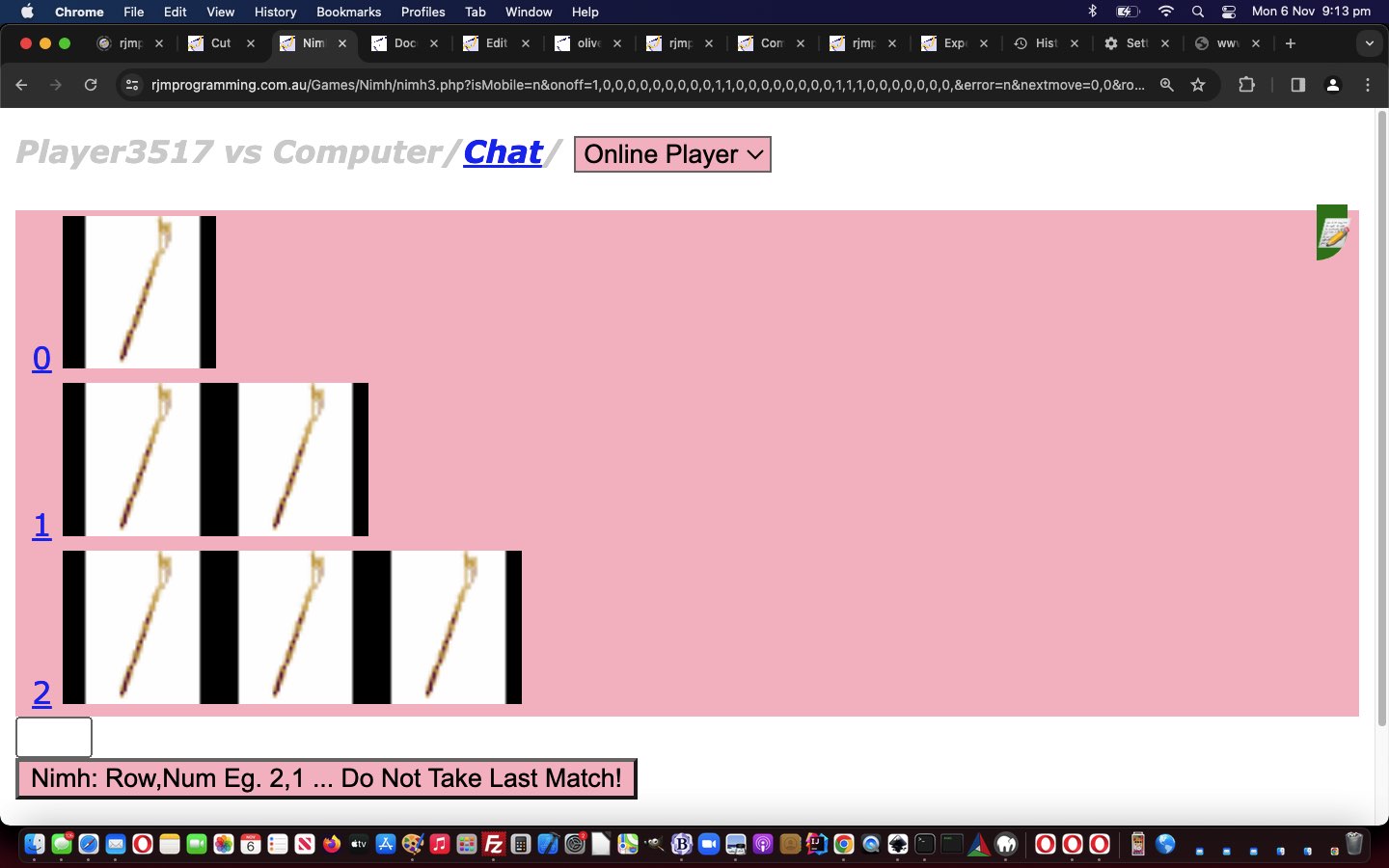
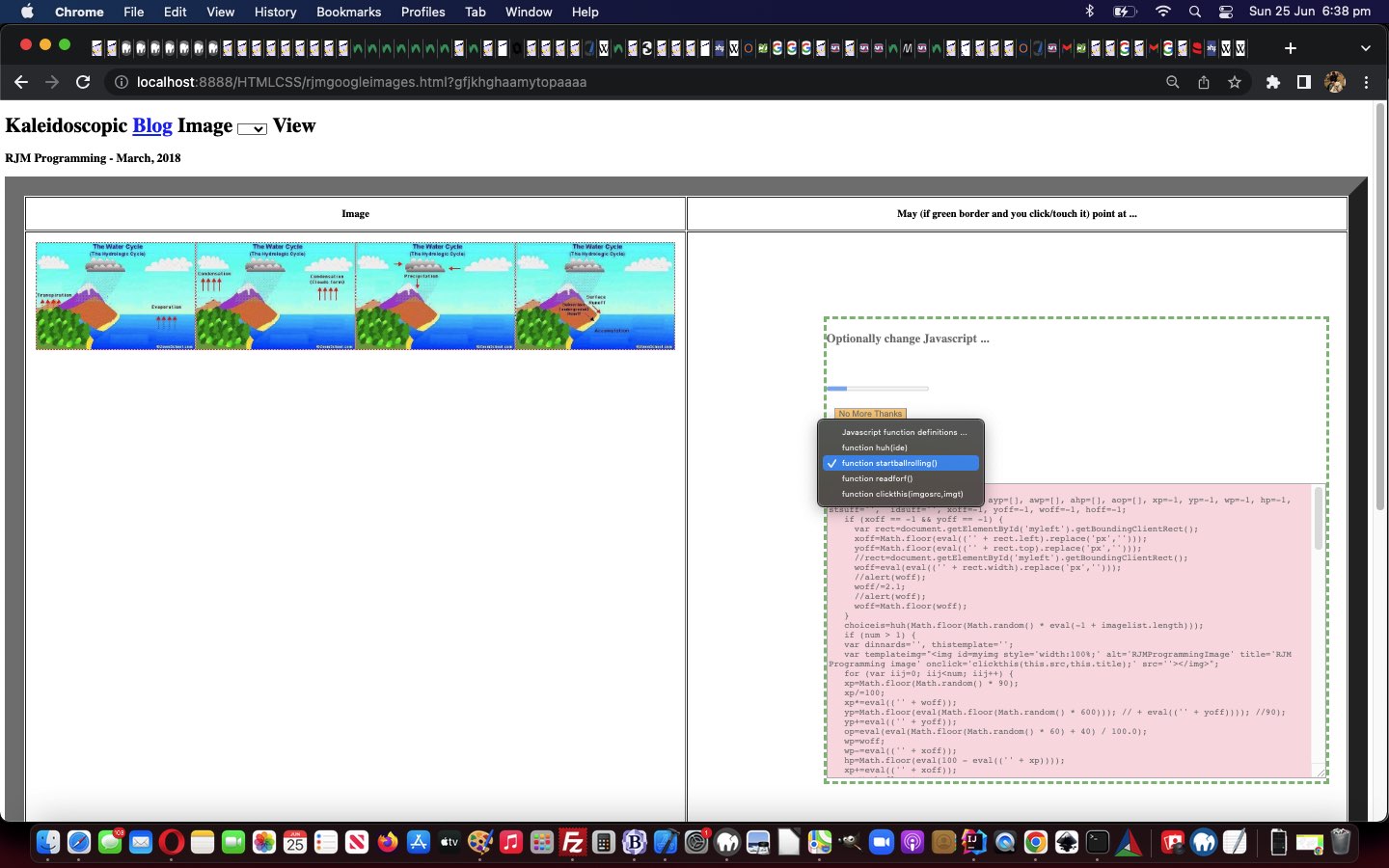
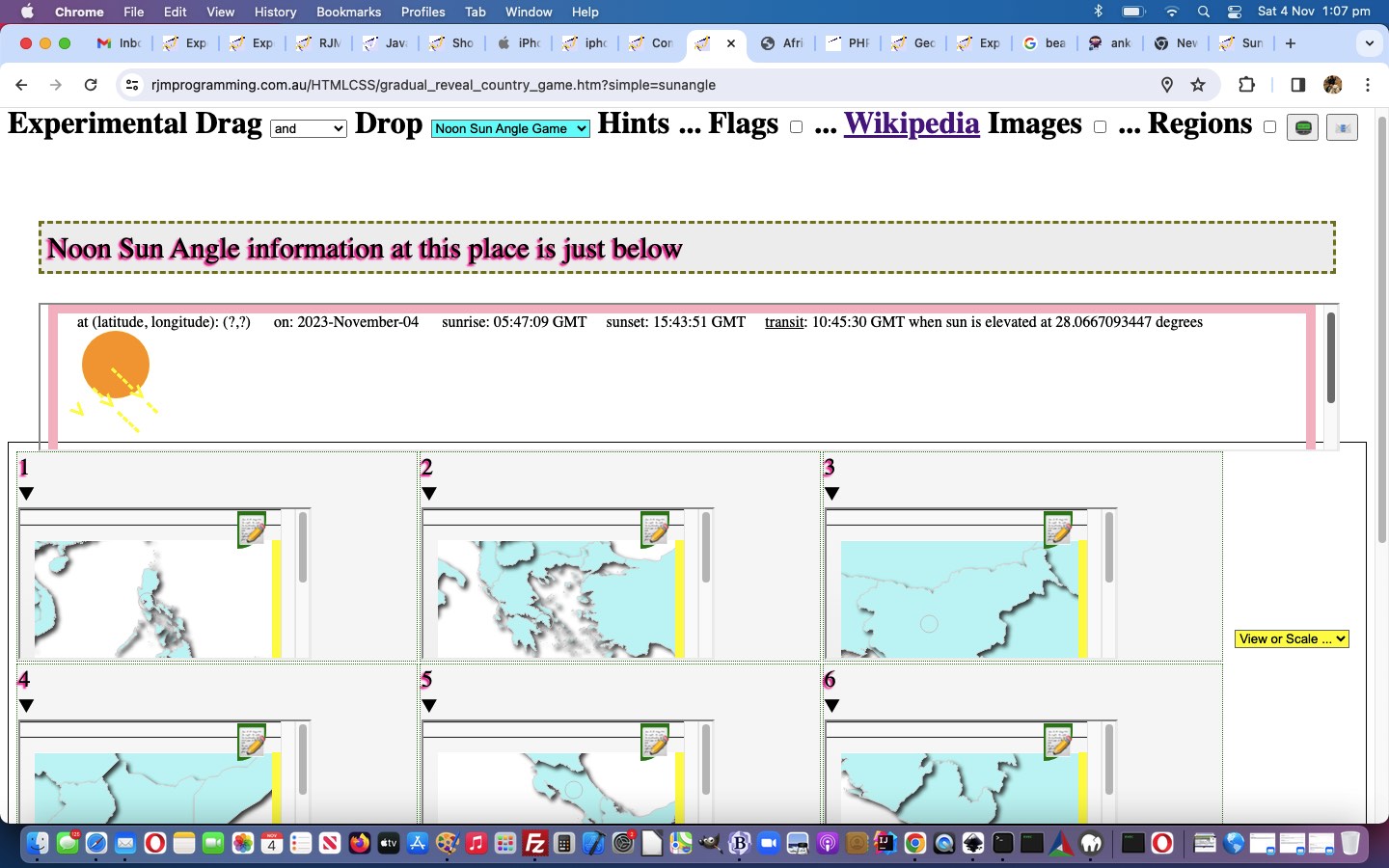
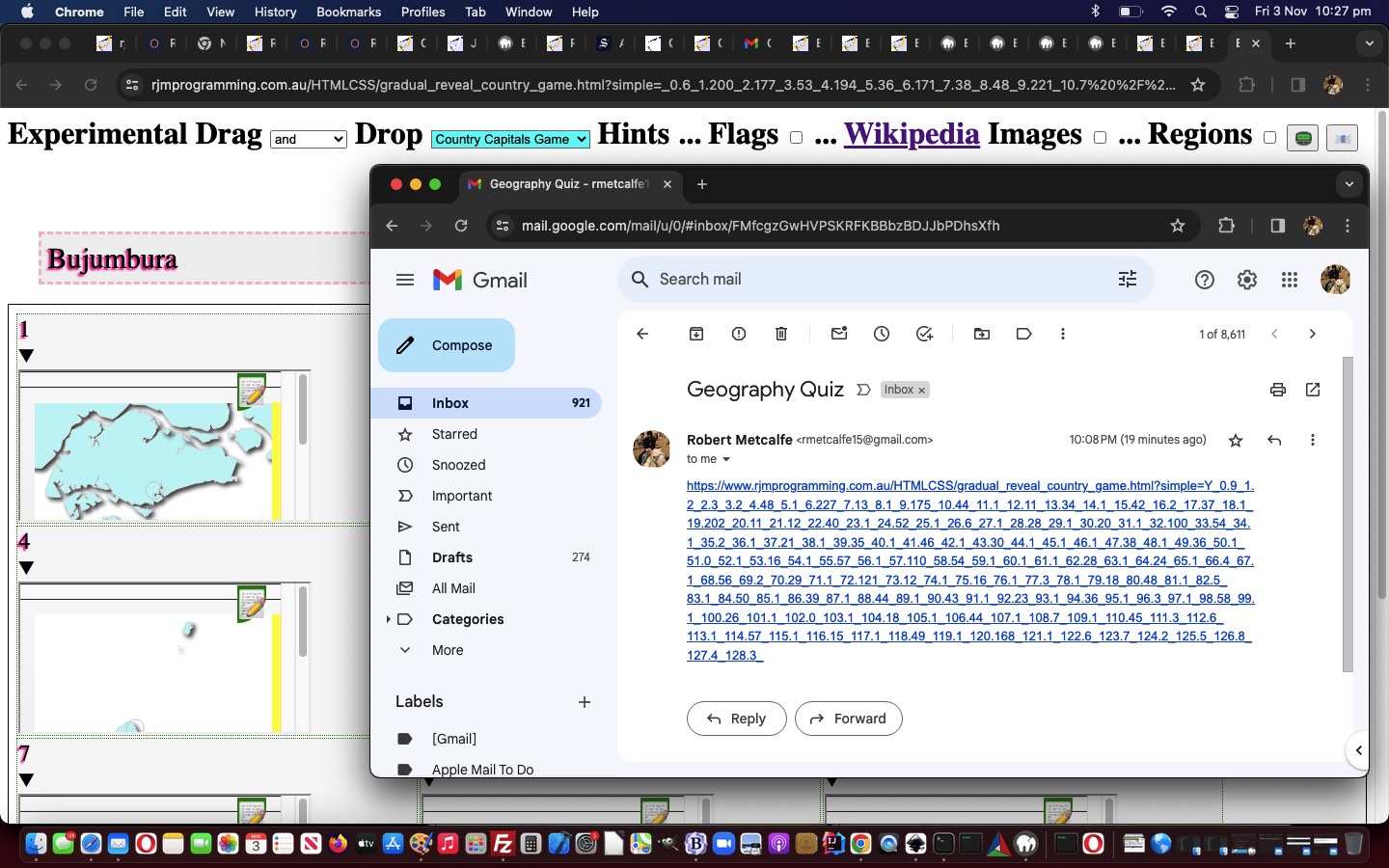
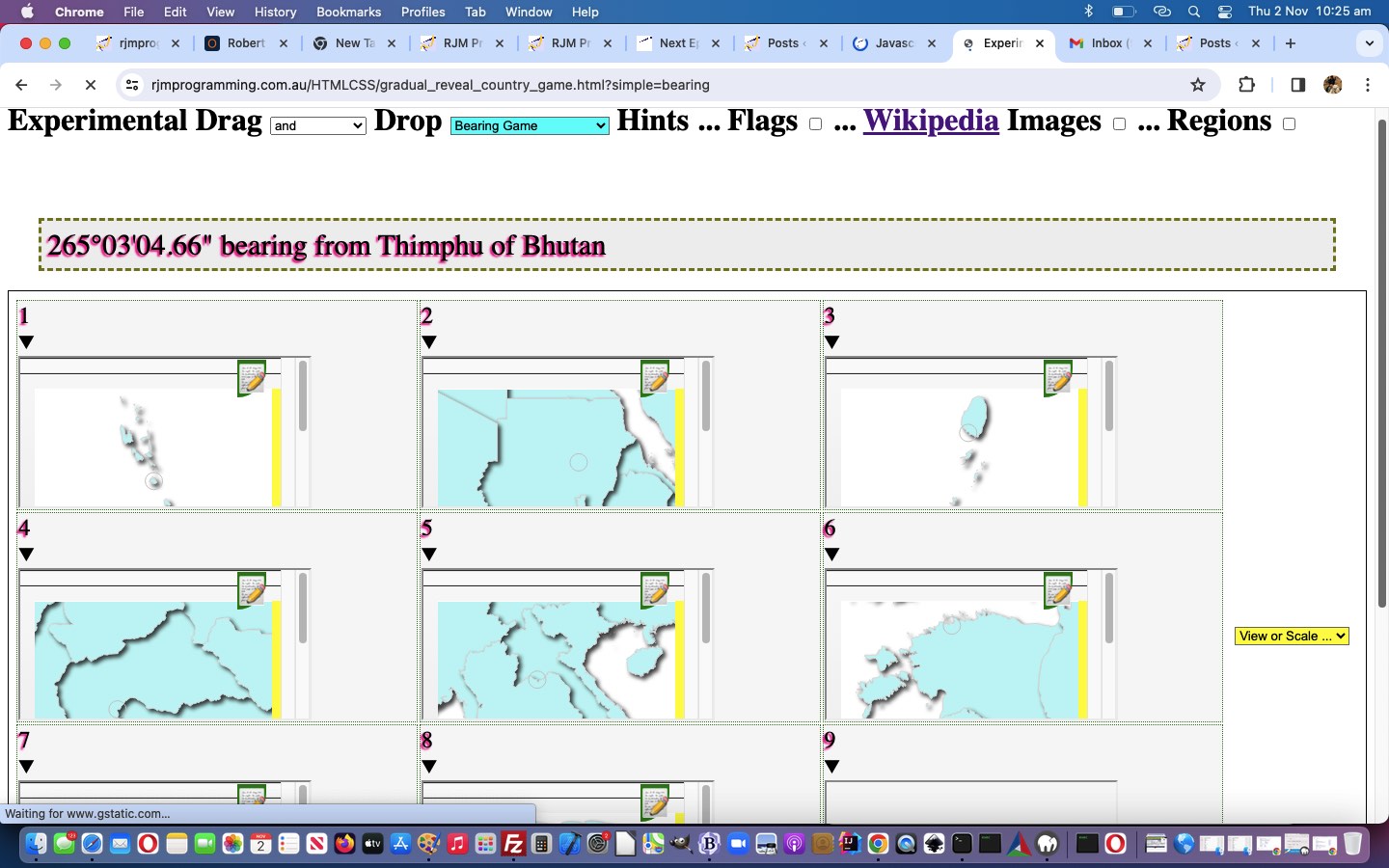
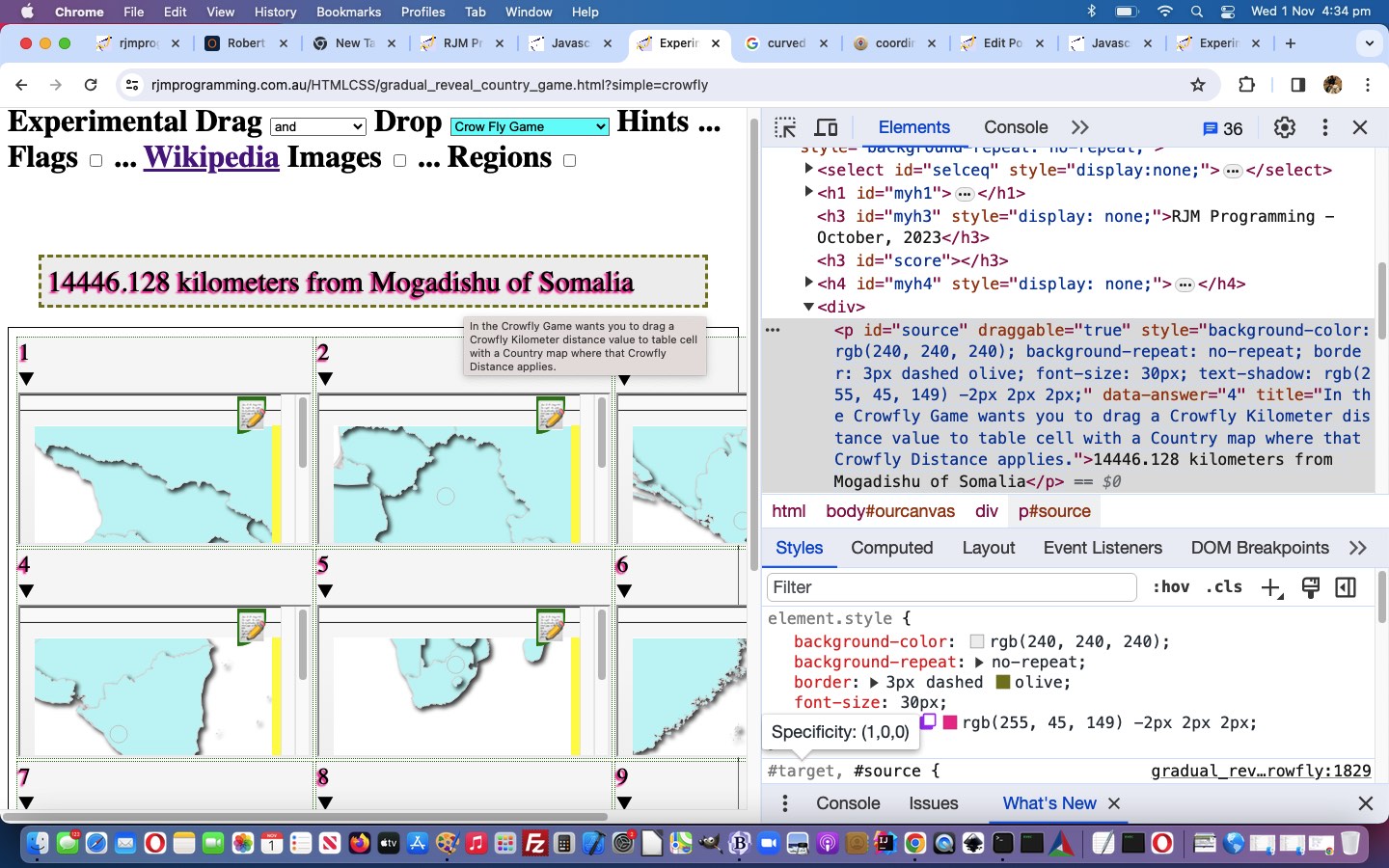
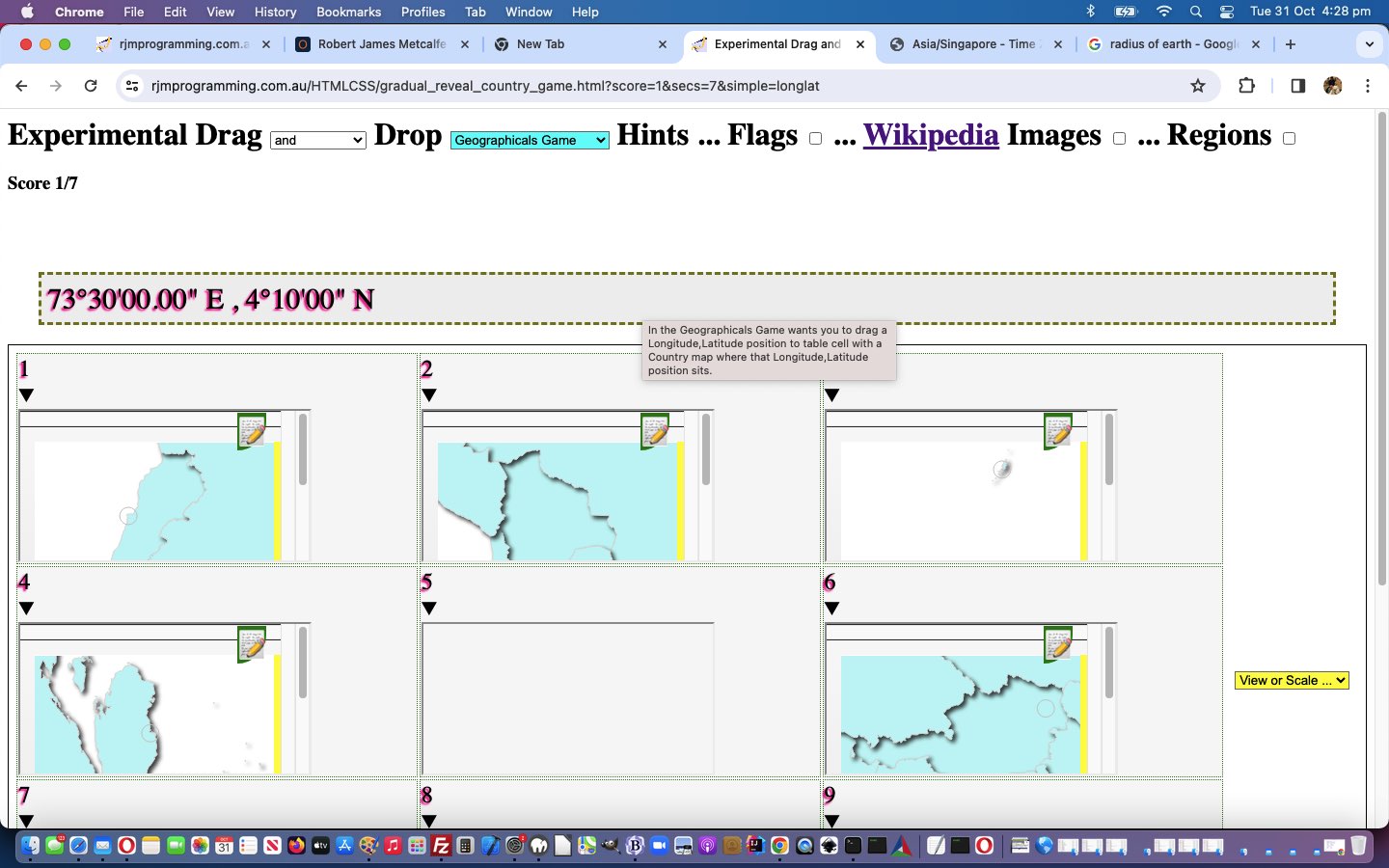
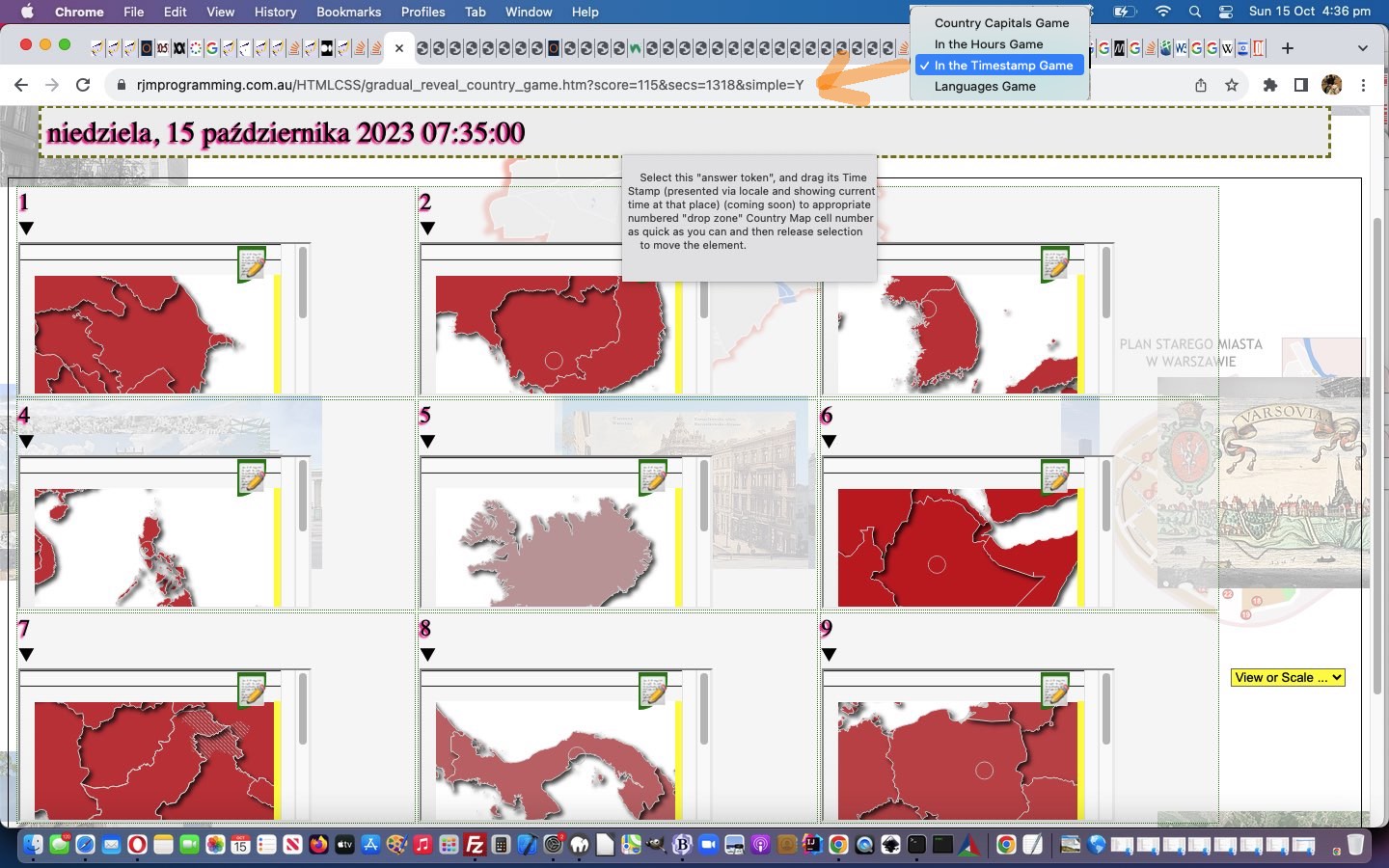
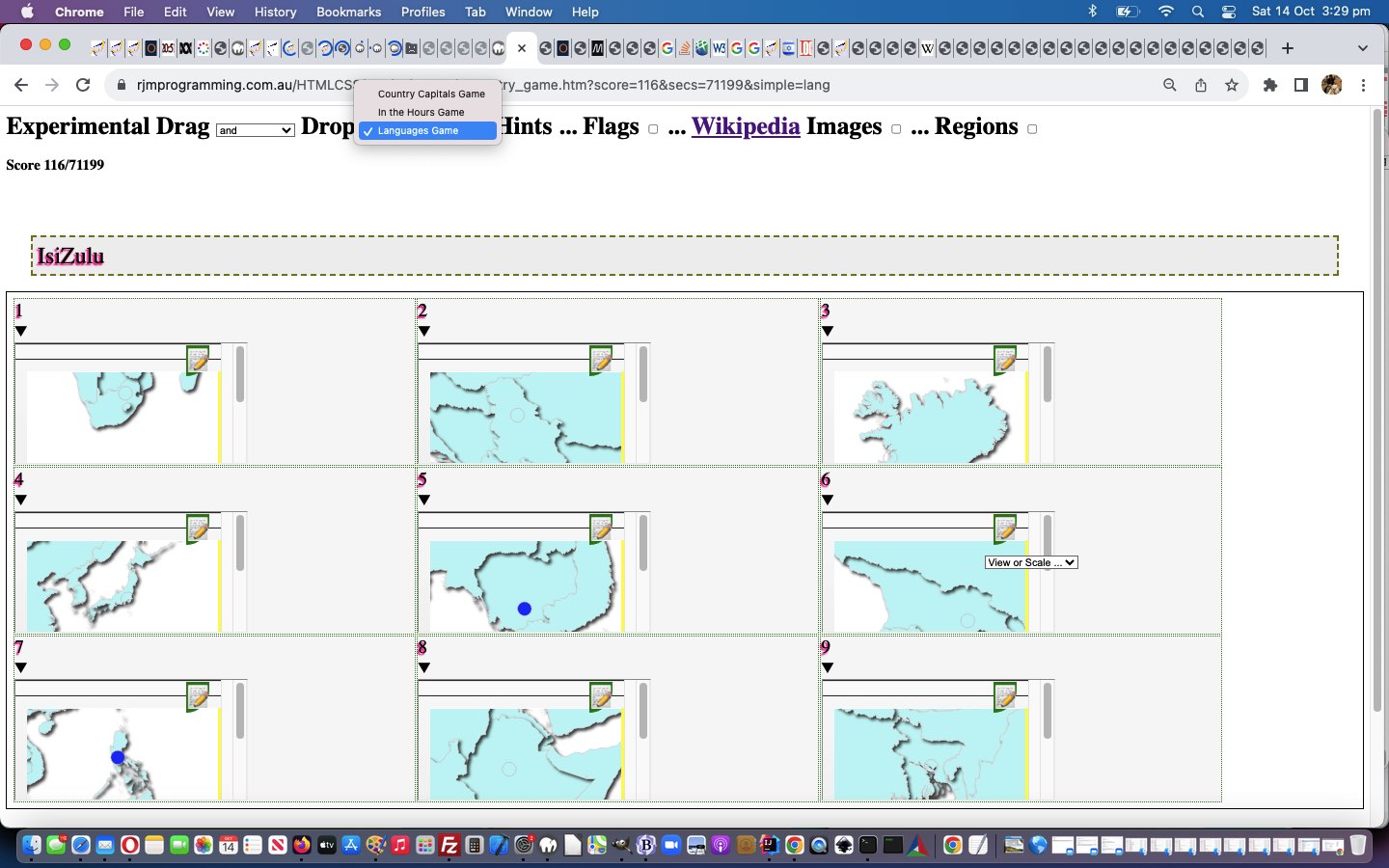
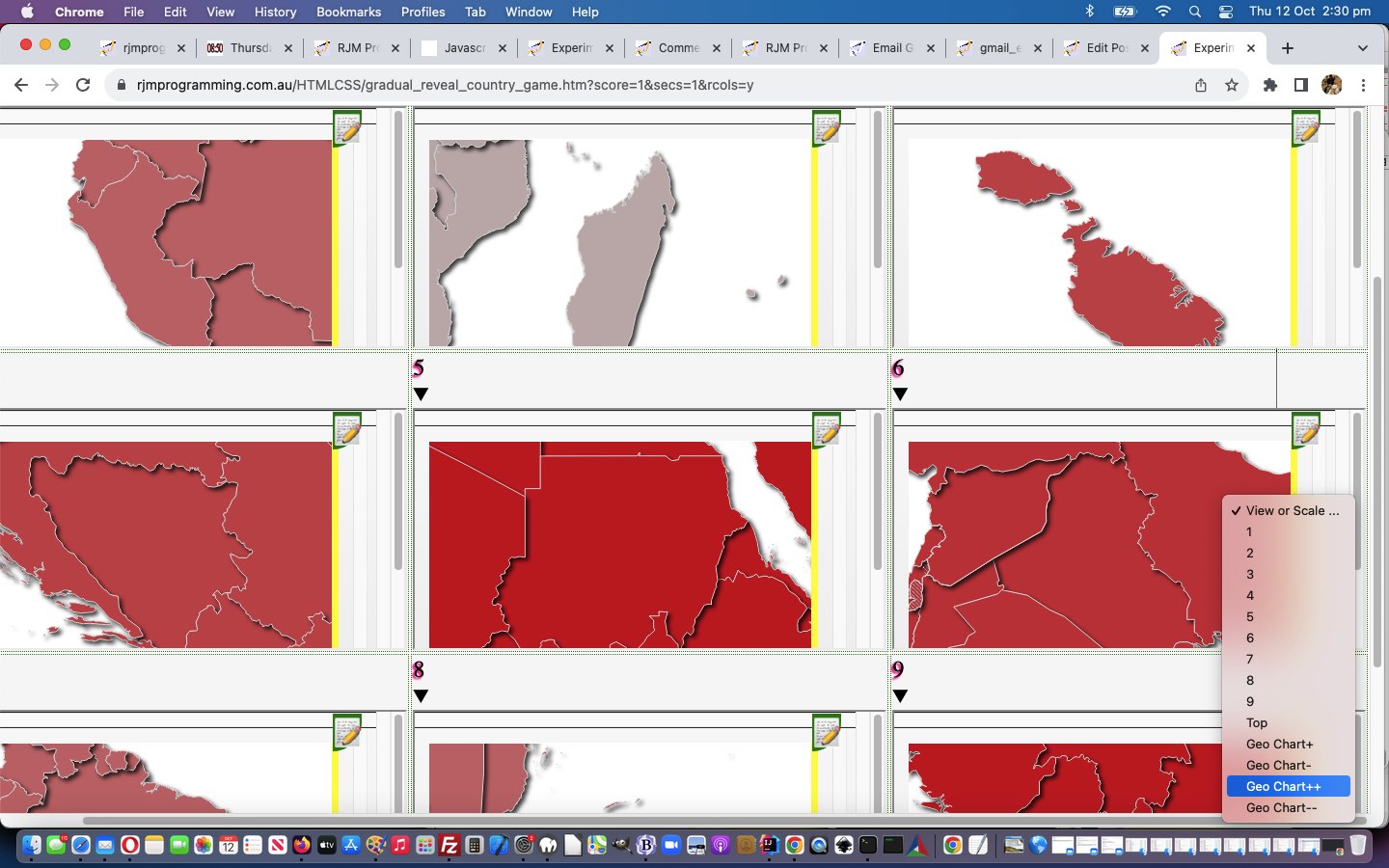
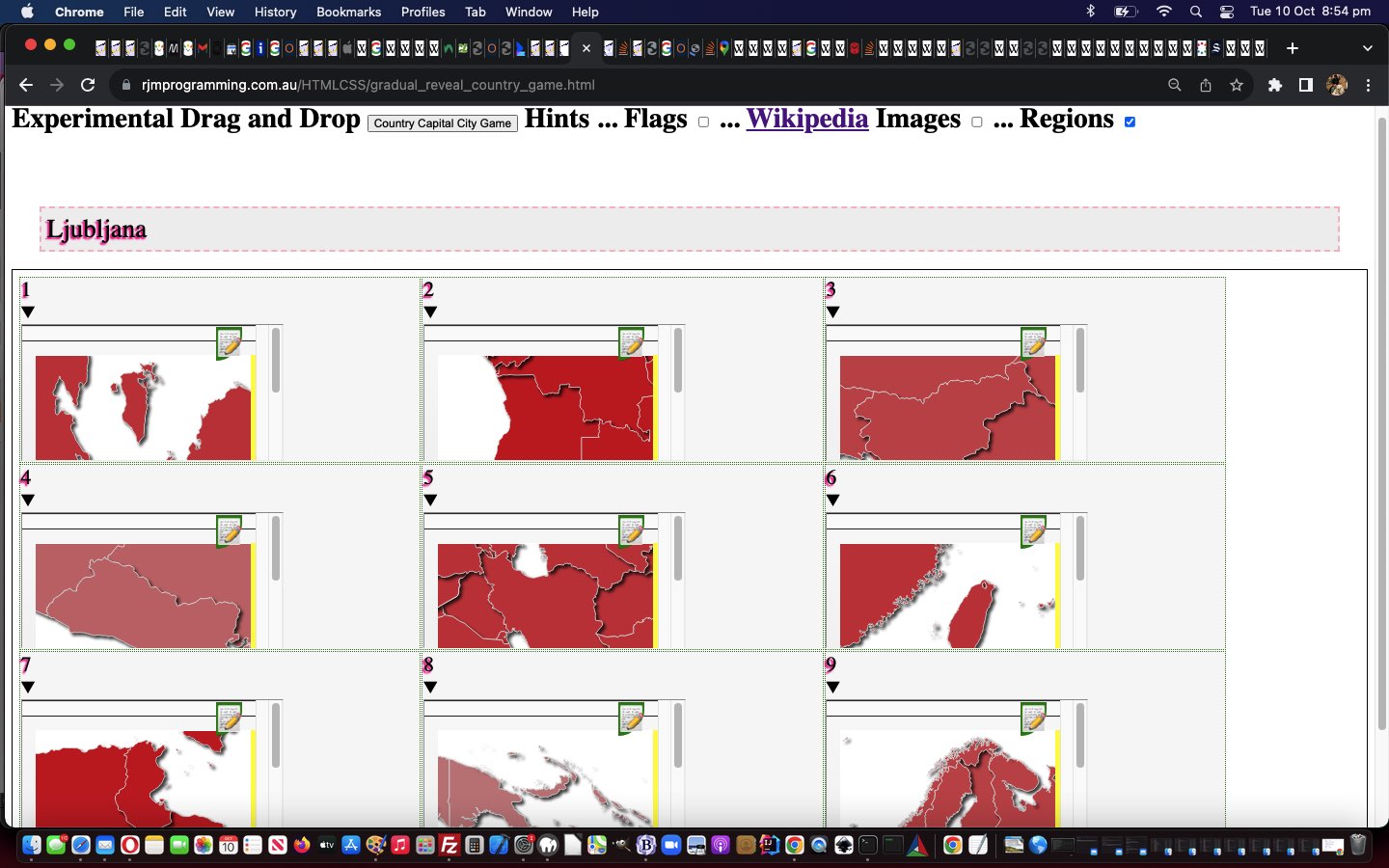
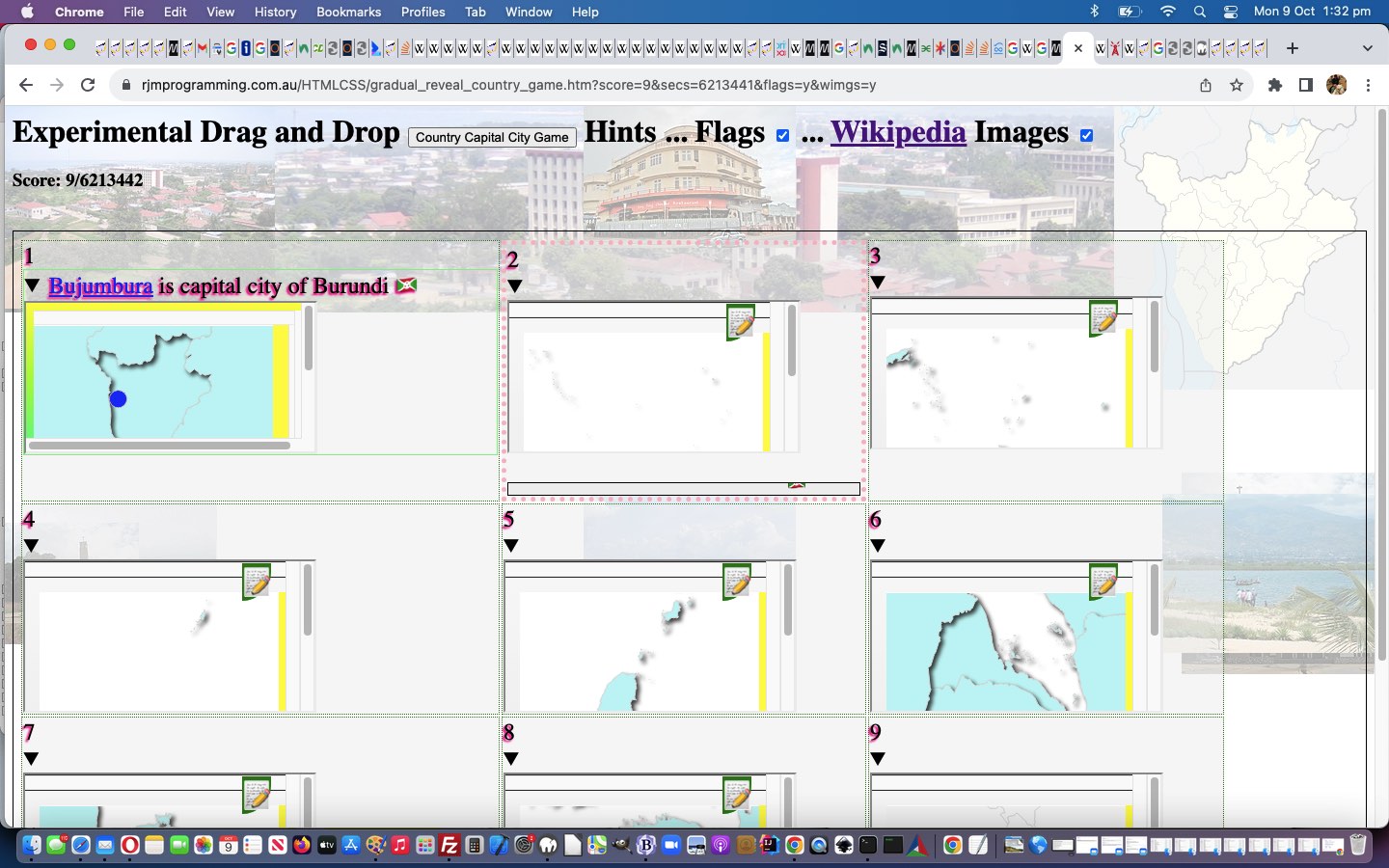
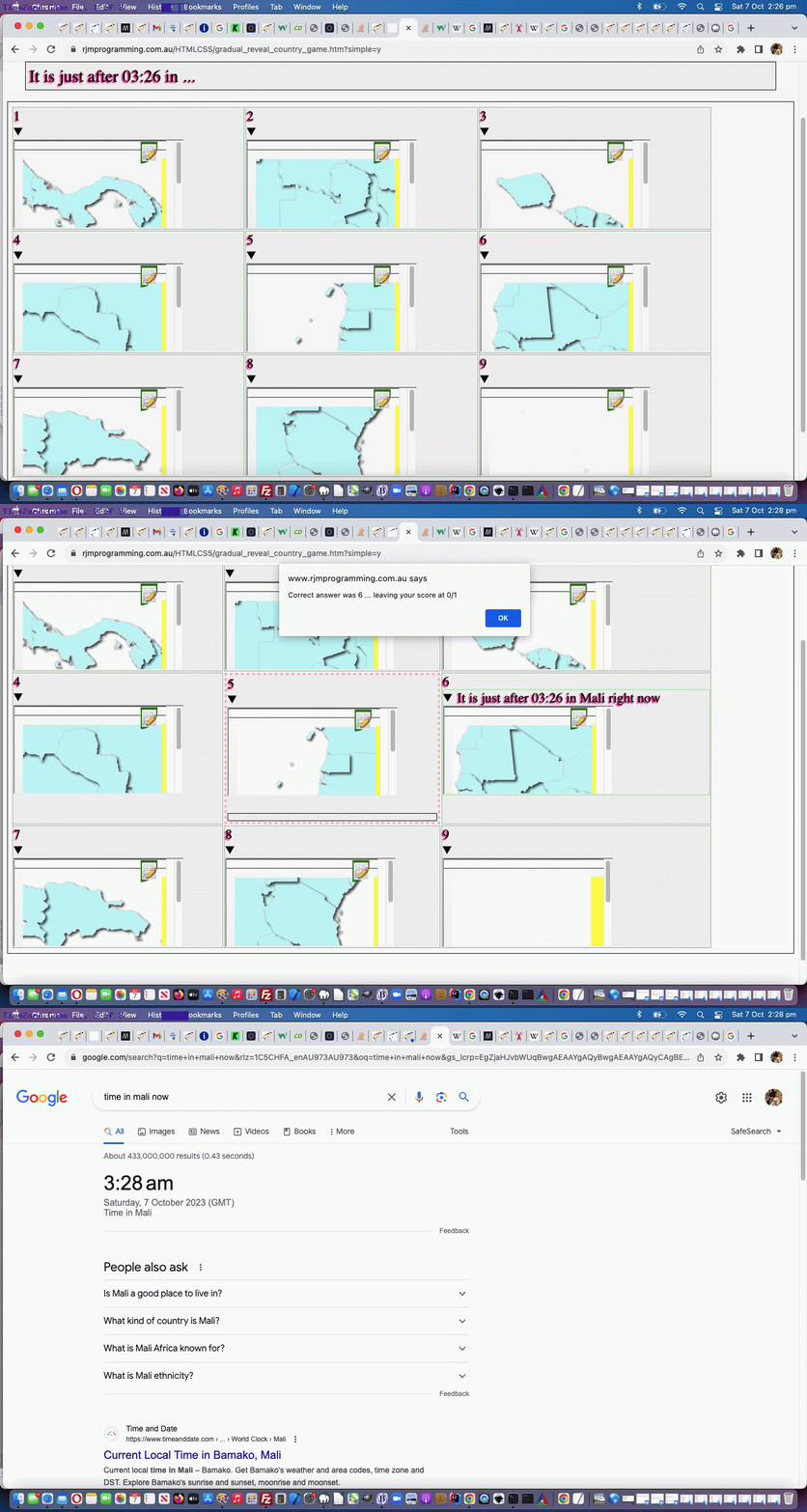
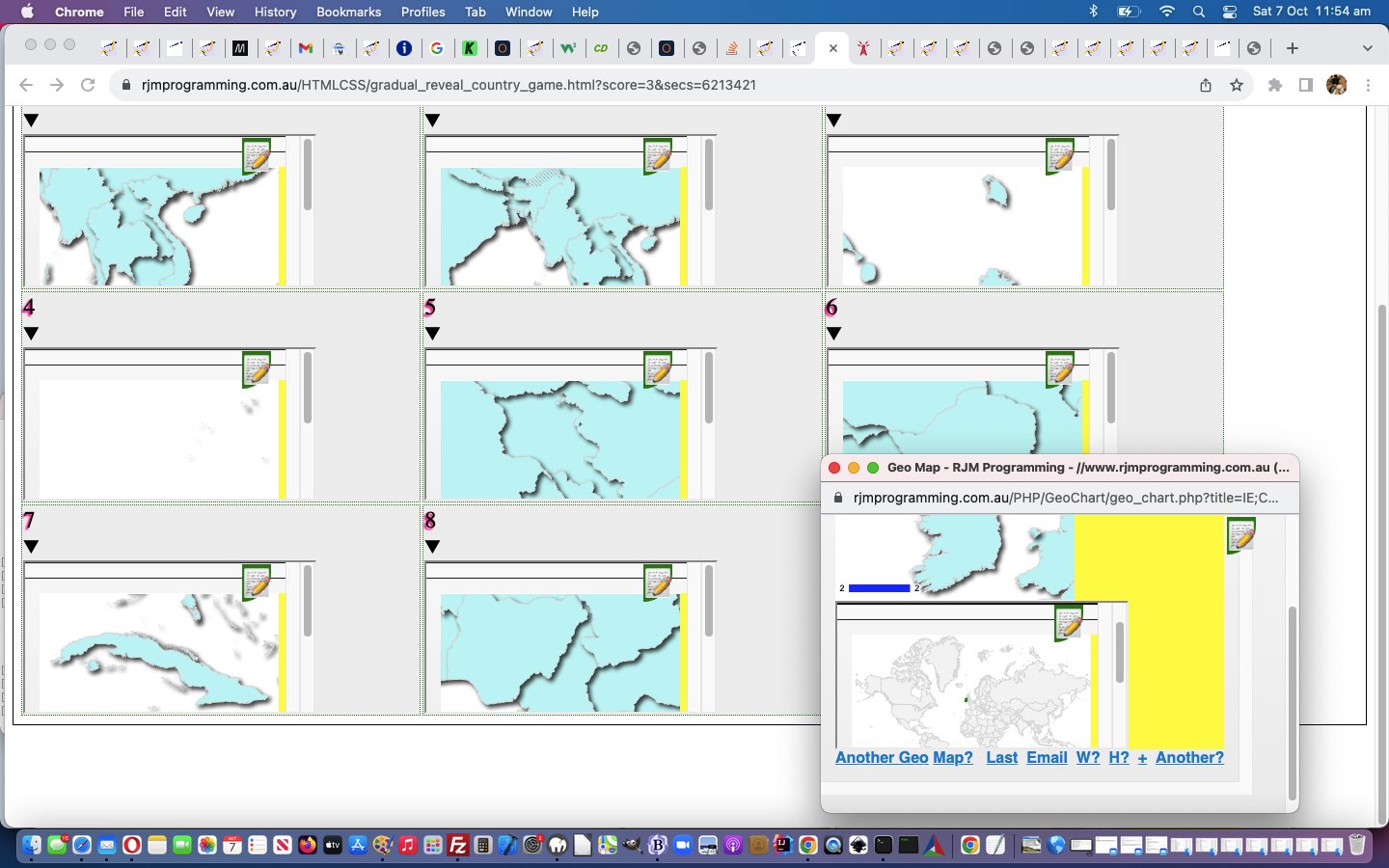
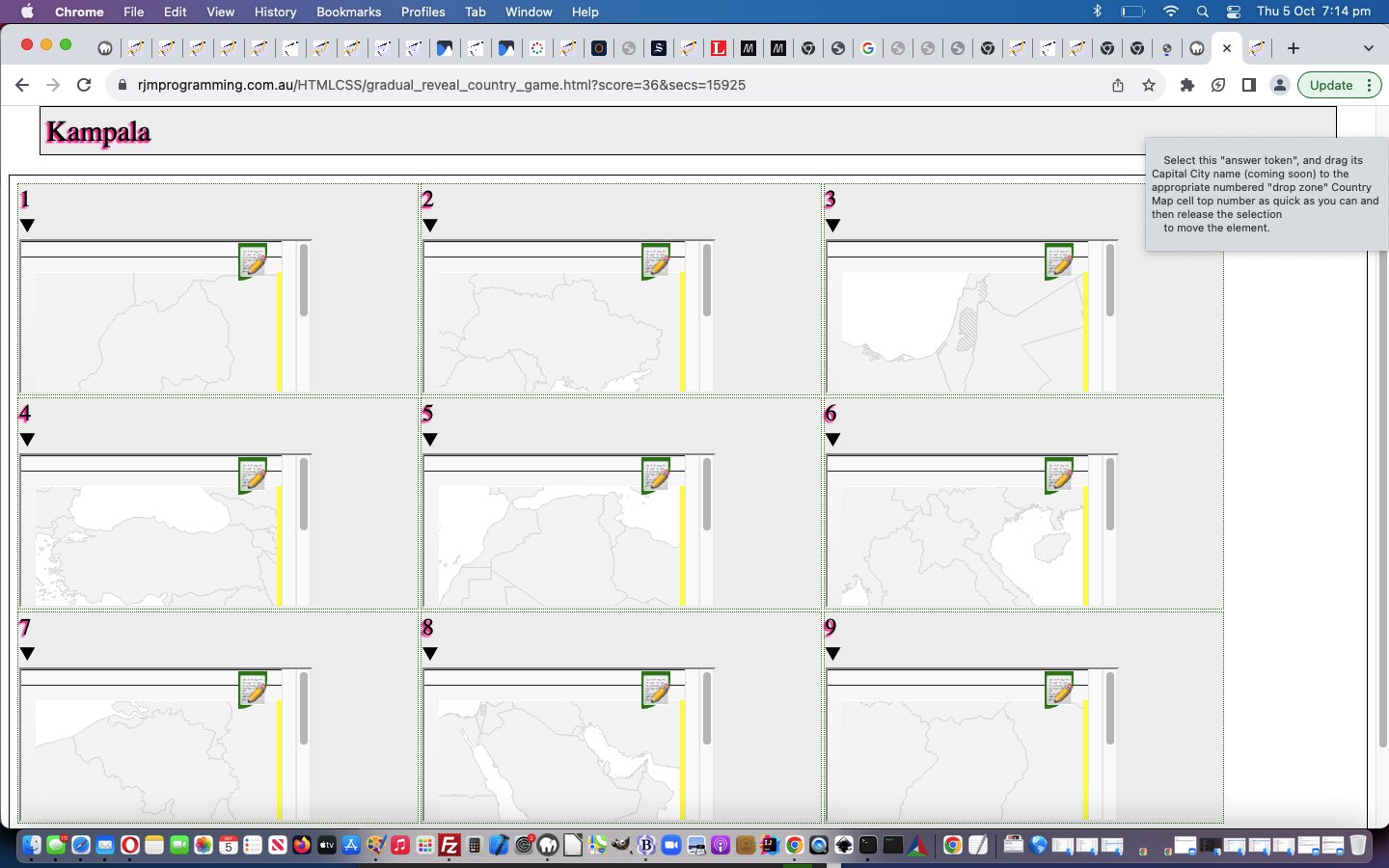
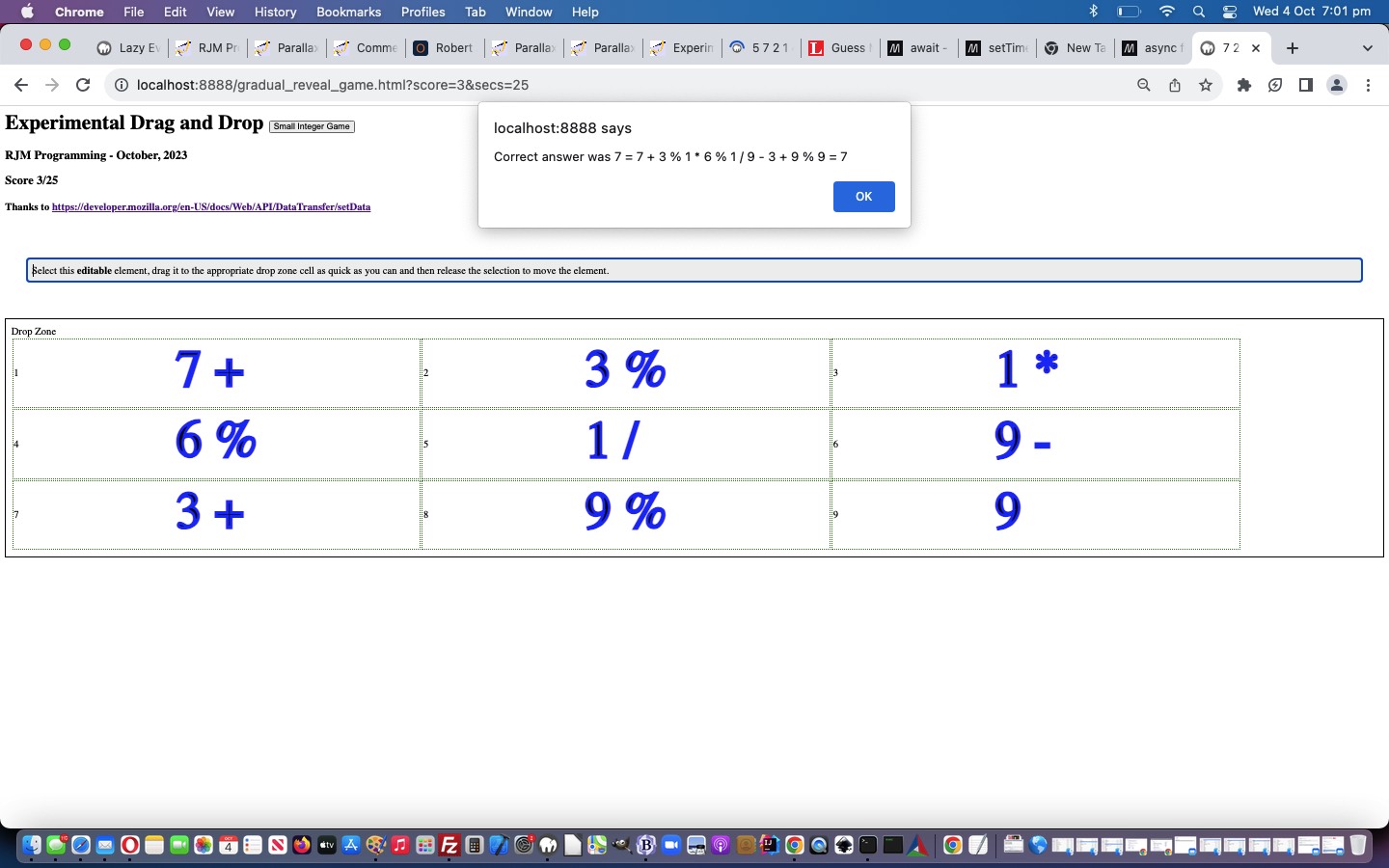
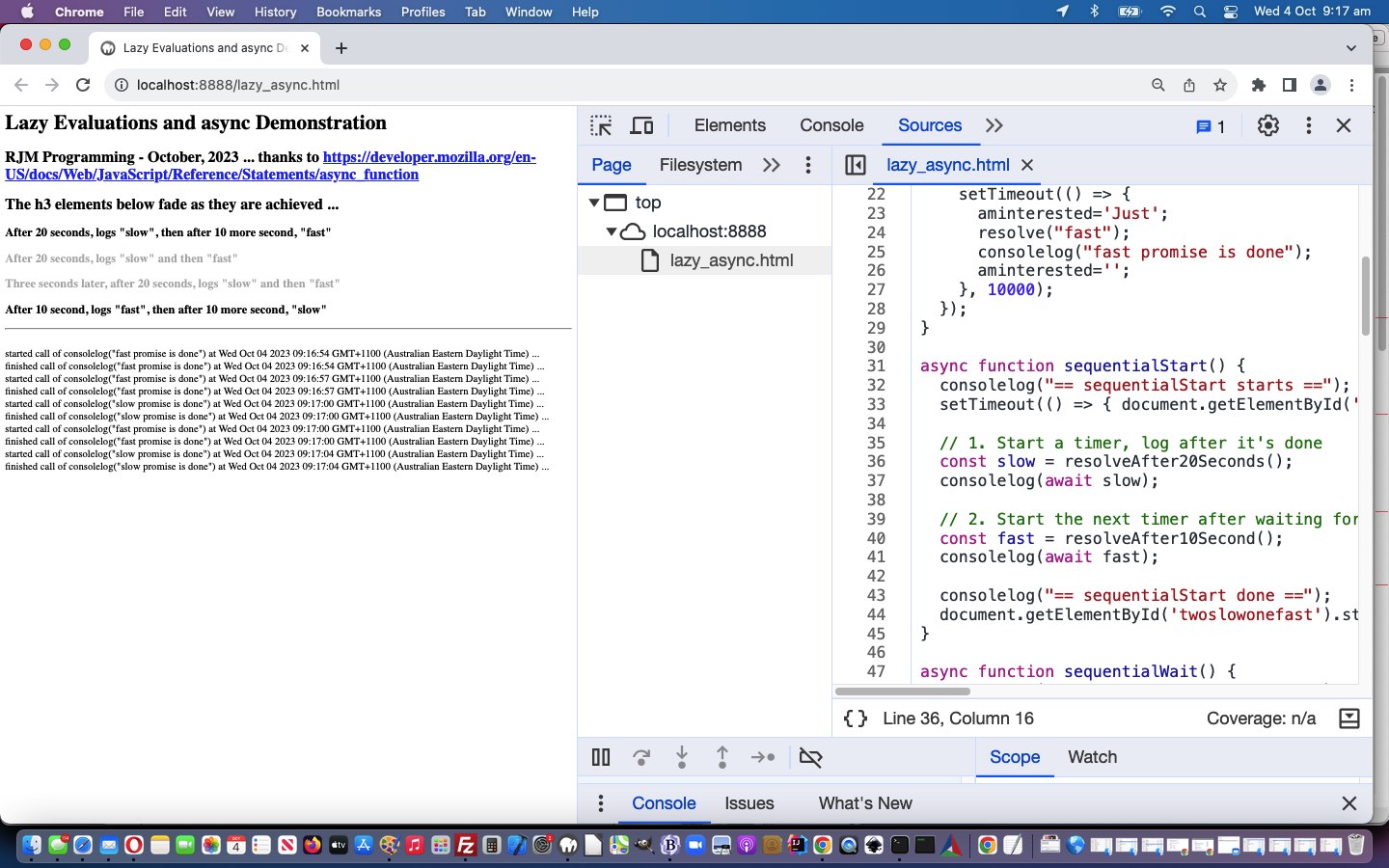
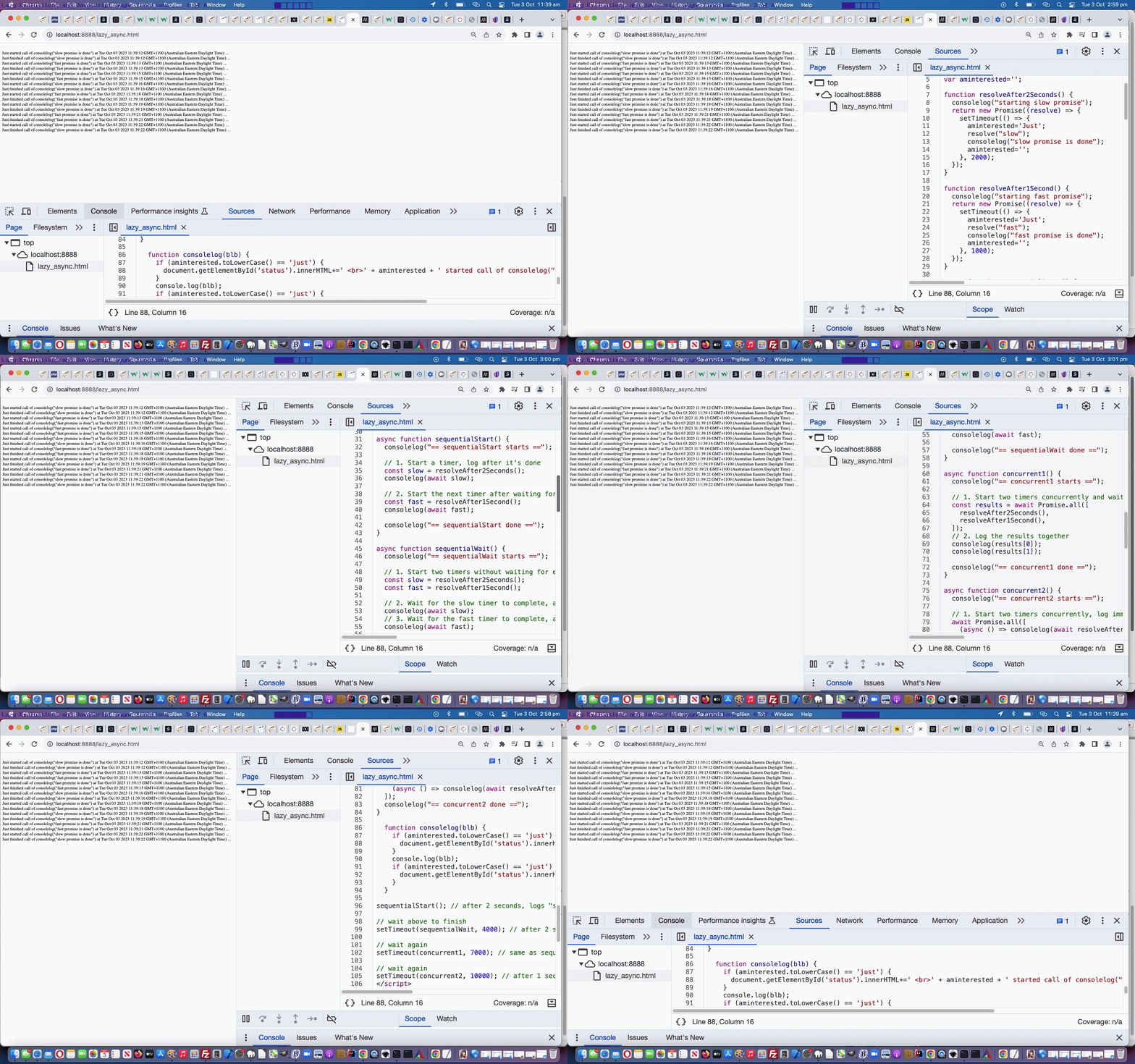
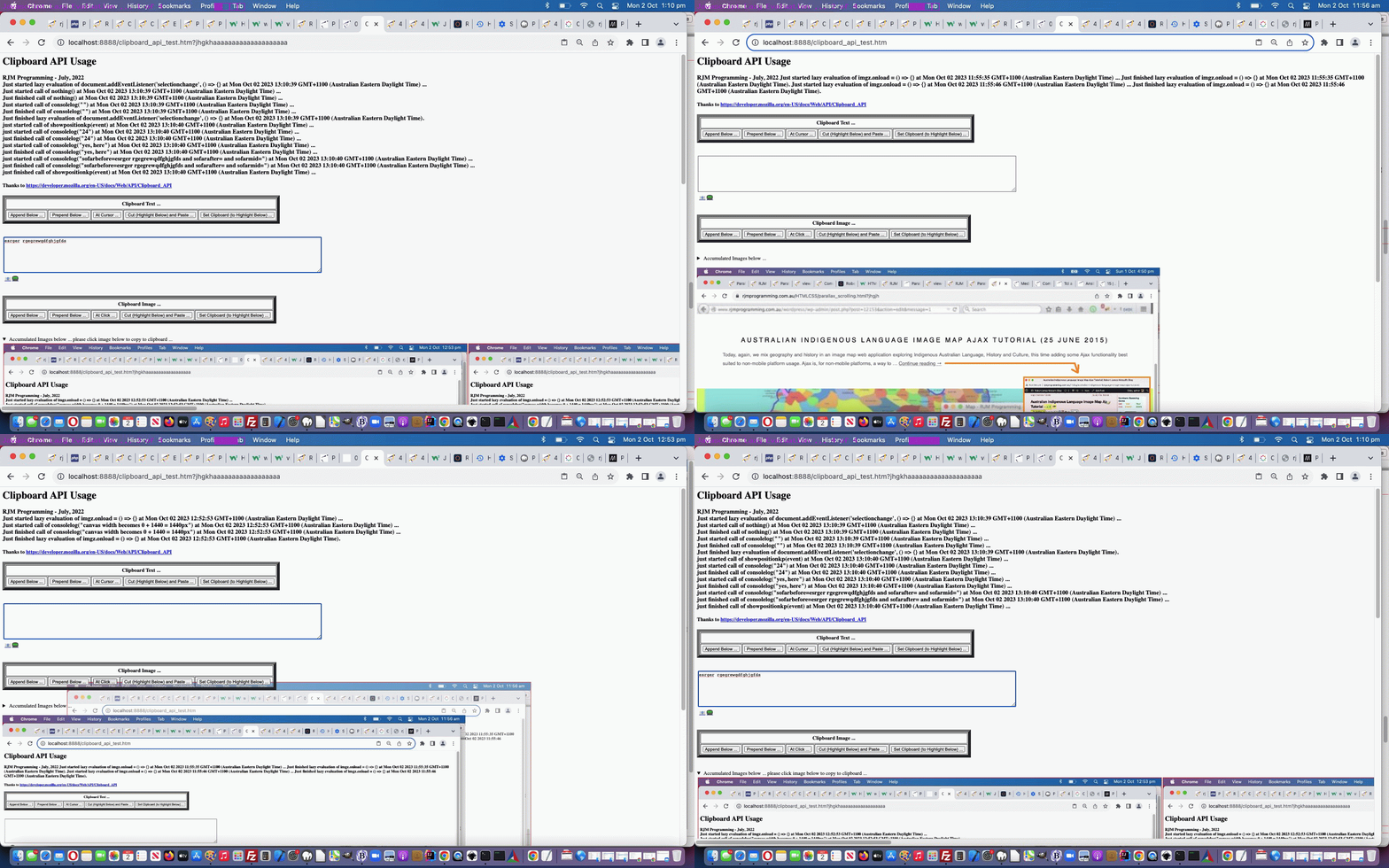
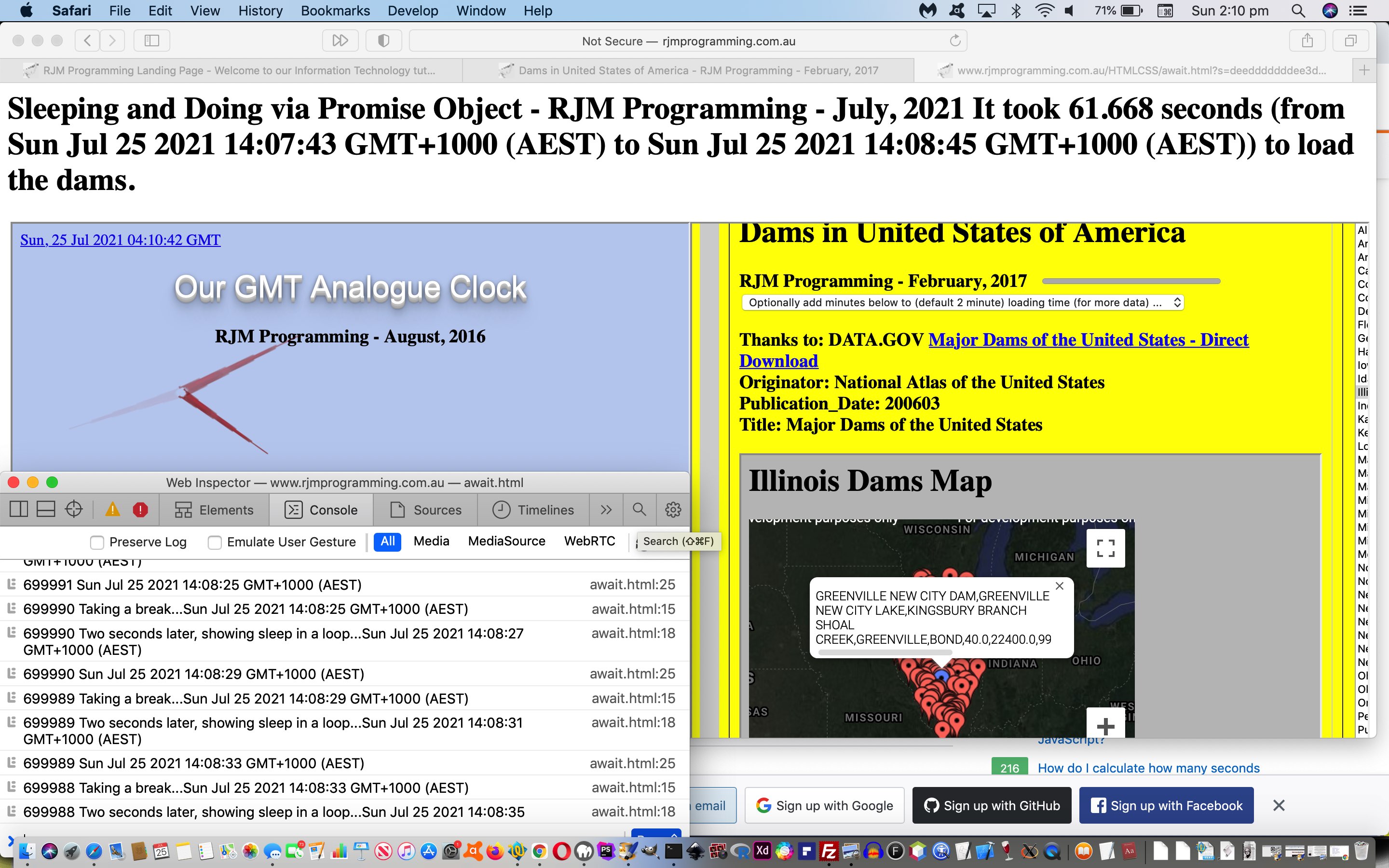
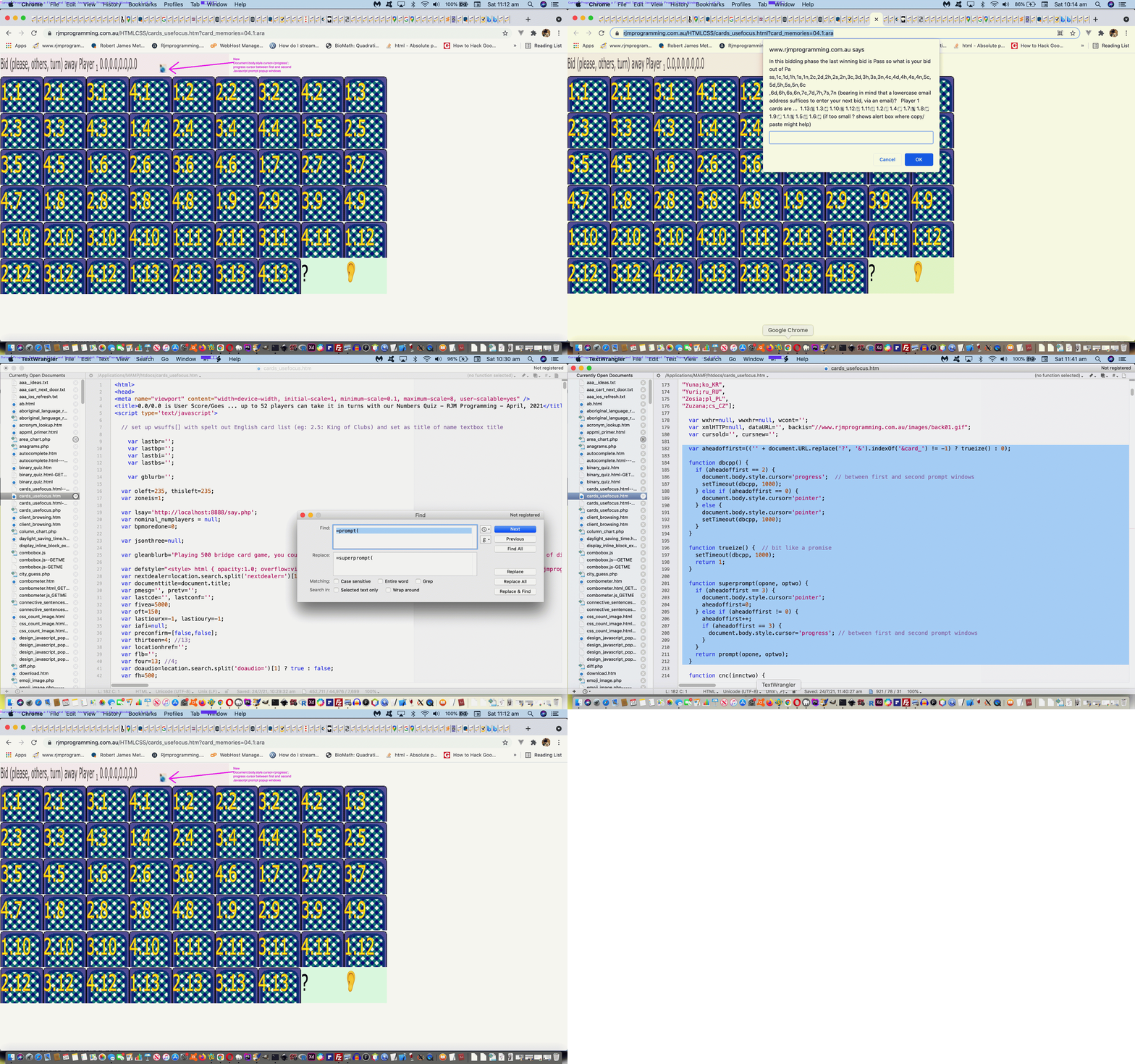
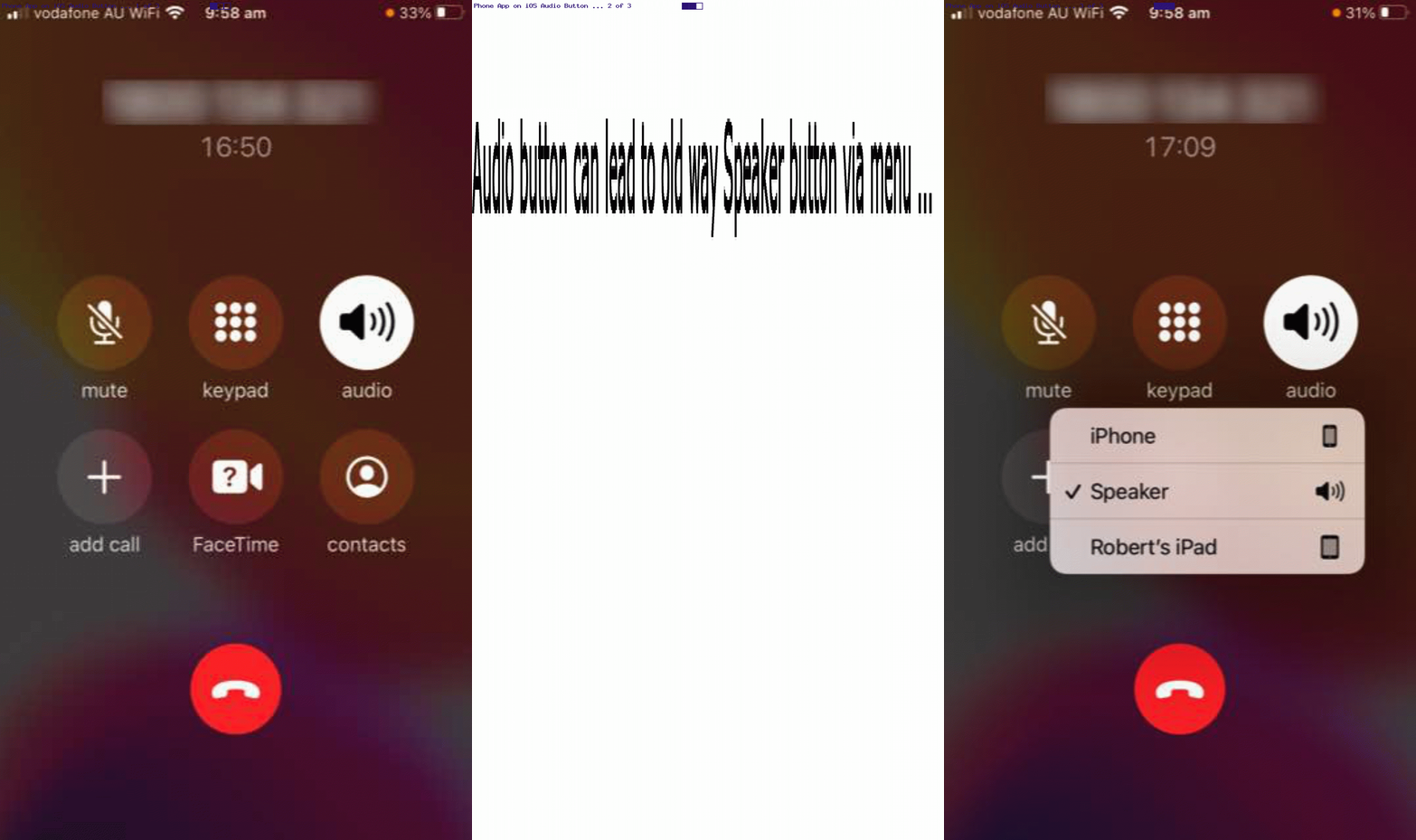
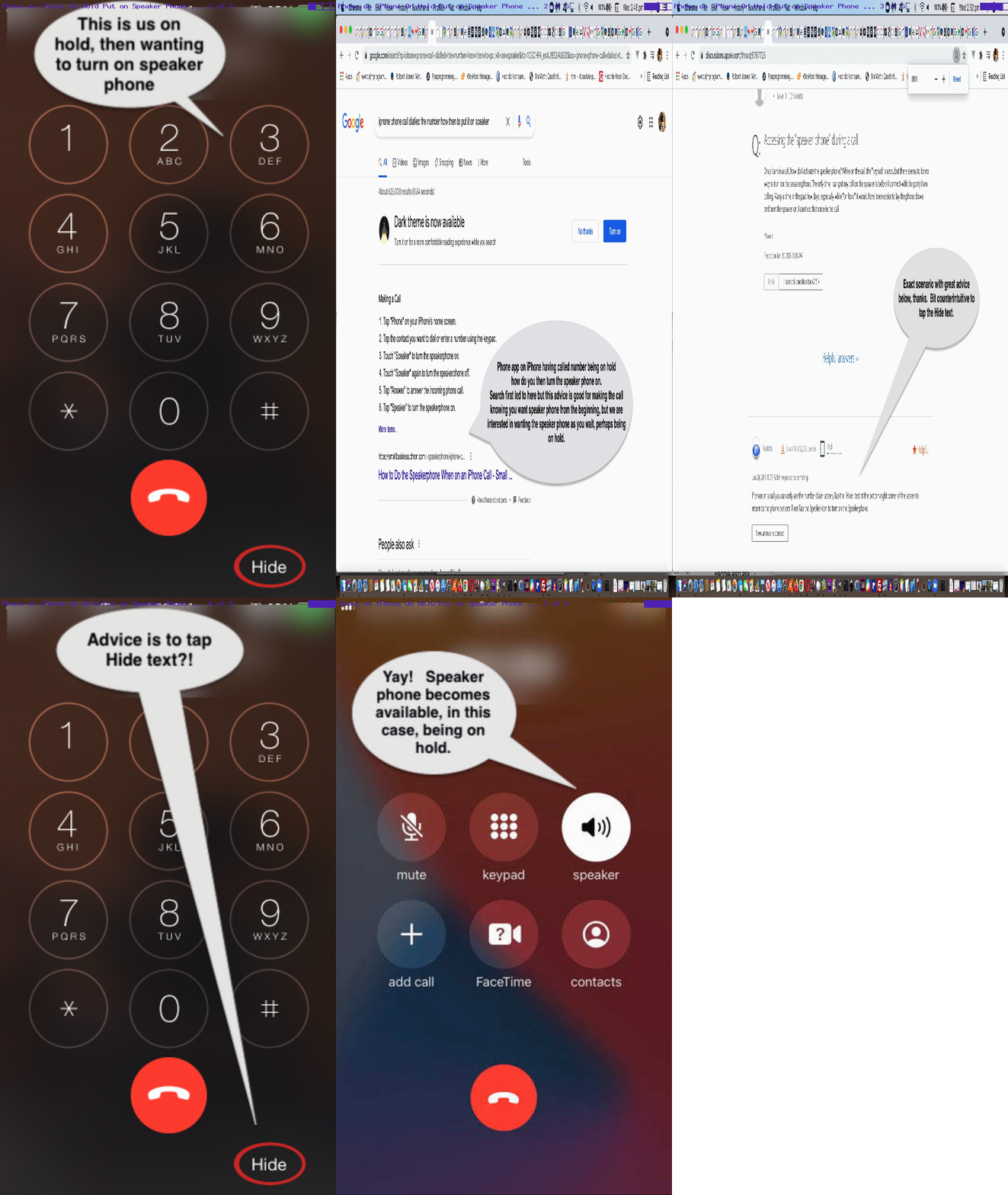


SVG Shapes Collaboration Tidy Up Tutorial
SVG Shapes Collaboration Tidy Up Tutorial
It’s the day further to the recent SVG Shapes Iframe Srcdoc Double Quote Tutorial‘s …
… worry, when we can finally say …
But, just as with leaf blowing, we’ve just moved the issue onto another “poor sap” of a blog posting with another weird title … “SVG Shapes Collaboration Tidy Up Tutorial” … it having come to pass that this also sounds funny as a final blog posting in a series. So we’re sacking the author! Oh! It’s moi.
Let’s explain the issue with a speech bubble (and who doesn’t want to be lectured to by a speech bubble?) …
What have we got at our disposal, on our Apache/PHP/MySql Linux web server, as an independent back up for deleting these temporary files? How about …
… as a great Fred and Ginger style combination, if ever we heard one?!
# ksh -c ‘for i in `find /tmp -name “existtemporarily*.*” -mmin +122`; do rm -f “$i”; done’
# is called every minute by …
* * * * * /etc/init.d/cron_is_working.ksh
… as a sweeperer uperer of the web application moving on too fast to get to its own tidying up …
Previous relevant SVG Shapes Iframe Srcdoc Double Quote Tutorial is shown below.
SVG Shapes Iframe Srcdoc Double Quote Tutorial
It’s tempting to think, for a given scenario, you’ve written code that can satisfy you forever. How about, for a day?! Well, with the recent SVG Shapes Aesthetics Tutorial it may well have ended up “a day” before we noticed an issue. Yes, a step forwards was a step sideways, because something we’d thought was a streamlining had interfered with the audio/video media data inputs via HTML iframe srcdoc means of display.
This was caused by us being overcautious. This is what we overcompensated for. We started using Javascript code that went like (the pseudo code) …
document.getElementById('myiframe').srcdoc="[a Javascript string which contains double quotes]";
… and what we “overcompensated” doing, and caused problems for every audio/video media data item was to code like (the pseudo code) …
document.getElementById('myiframe').srcdoc="[a Javascript string which contains double quotes].replace(/\"/g, "\\" + '"')";
Wrong move! Even though, often, backslash escaping is the answer to data delimitation issues, it is not the case for this scenario! We’d not tested this change with enough of the “out there” functionalities we were trying to cater for.
Of course, the danger of this increases as a project moves through its phases. And that is why it is good to have a separated testing team on a sizeable project, being your project’s “honest broker”, unafraid to tell you in more polite terms than …
… that … you stuffed it. And as projects go on, if your “honest broker” is only there to report weekly, it might be hard to backtrack and wade through a week of changes to pinpoint the source of the problem. Even a day’s worth of wading made it reasonably difficult for us, but luckily we had an interim (and extra to the usual) backup of the code to help pinpoint this issue.
Supposing you leave the double quotes unattended, what happens examining the HTML iframe content? Well, you see the use of HTML entity " used a lot, but no inherent problems despite this, whereas our Javascript replace did much more damage, with audios and videos effectively destroyed by what we’d attempted, above.
Which beggars the question …
Well, in a web inspector, opening up the HTML iframe of relevance to view its document.body content, you’ll see these " HTML entities used a lot. See how great are your modern web browser Web Inspectors for web development? Now, it might be that the code things you rely on here do need you to cater for these " in the logic, but, for us, we had either already catered for it, or we didn’t need to, especially. Either way … yayyyyyy!!! … and ahhhhhhhh!! What a relief!
Will we be leaving our SVG Show Some Shapes project with a blog posting titled, weirdly, “SVG Shapes Iframe Srcdoc Double Quote Tutorial”? Who’s to know? We’ll see what tomorrow brings?!
Try our changed tenth draft Show Some Shapes web application (you can also try below).
Previous relevant SVG Shapes Aesthetics Tutorial is shown below.
SVG Shapes Aesthetics Tutorial
In a sizeable online web application project, it can be that you “put off” annoyances to follow through on “the main game”, so to speak. But, don’t forget to come back to at least try to fix the annoyances!
And so it was with our SVG Shapes project ever since we allowed “shadowing” into the mix, because “shadowing” involved faux SVG element content to the right and bottom not agreeing with the SVG element dimensions defined. Annoying? Yes … very, but still just, “annoying”. We wanted to get the “main game” bedded down first.
Also, into the mix, is our trepidation meddling with a “dimensions issue” that involves units that are not “%” nor “vh” nor “vx”. You’ll probably have read a zillion responsive design webpage advice segments telling you to stick with “%” … if only “%” was a dance?! It’s true, though, that if you want happiness across the board, and even to get noticed at all on the search engines, you stand more of a chance designing web content that never mentions a “hard and fast” dimension. Of course, no programmer that’s done anything “involved” can stick to that rule, but those people can use Javascript DOM and its [element].getBoundingClientRect() methodology (or some other approach) to help here, sometimes. However, with SVG work, we find, at least, that you have many “hard and fast” dimensioning situations cropping up.
And so, regarding SVG, with this aesthetics only issue, up to today, swimming away in the background of our thinking regarding this annoyance, was that we had not resorted to much “viewBox” attribute …
… thinking. All this being the case, today, we tried out the idea that the SVG element itself should not be touched in any way shape (tee hee) or form (chortle, chortle) regarding its co-ordinates or dimensions, but that every SVG element defined in our WordPress TwentyTen theme’s 404.php code for this project should have defined a new or updated “viewBox” attribute (like the exemplified one, below, for an SVG circle) …
<?php
            header('Content-Type: image/svg+xml');

            echo '<?xml version="1.0" standalone="no"?>

<!DOCTYPE svg PUBLIC "-//W3C//DTD SVG 1.1//EN"

"http://www.w3.org/Graphics/SVG/1.1/DTD/svg11.dtd">

<svg width="' . ($newWidth / 1) . '" height="' . ($newHeight / 1) . '" viewBox="0 0 ' . floor($newWidth / 0.90) . ' ' . floor($newHeight / 0.90) . '" version="1.1" xmlns="http://www.w3.org/2000/svg">' . $deffilter . '

<circle' . $usefilter . ' cx="' . ($newWidth / 2) . '" cy="' . ($newHeight / 2) . '" r="' . (($newWidth + $newHeight) / 4) . '" stroke="' . $strokec . '" stroke-width="2" fill="' . $fillc . '" >'  . $animationaroundperhaps . '</circle>

' . $plusline . '</svg>';

   exit;
?>
And we’re happy to say … it helped! Yayyyyyy!! Even with “overlay” scenarios, we think, and are happy about, because we applied this fix throughout the 404.php code consistently, we figure.
And there’s nothing quite like fixing a “nagging at you” aesthetics annoyance, which you’ve been putting off! Oddly, this change to the recent SVG Shapes Collaboration Tutorial work needed no parent HTML/Javascript/CSS clientside Show Some Shapes web application fixing?! Double yayyyyyy!
Previous relevant SVG Shapes Collaboration Tutorial is shown below.
SVG Shapes Collaboration Tutorial
We are all not islands! Though Tahiti sounds nice! Be that as it may, with our Show Some Shapes web application, further to yesterday’s SVG Media Shapes Tutorial we’ve reached the … anyone, anyone? Yes, Aoife …
Okay Brian … yes, you can be an island, if you like. But, can we get back to brass tacks … over there next to the “point”?
What’s the “C” word that goes with “Sharing” (yes, thanks Ivan “and caring””)? Yes, that’s all well and good, but can we get back to the “C” word. “Co” … “Col” … “Coll” … (no, Colleen … not “Collyflower”) … give up … how about …
? Yes, people share and collaborate. But, in order to collaborate …
Class??!! …………………. class?! …… dismissed
In the online world, good “initiators”, we find, are either …
… respectively catered for, in HTML, via “a” links featuring an href attribute starting with “mailto:” or “sms:” …
document.write("<a style=display:none; id=asms href='sms:&body=" + encodeURIComponent(document.URL.split('#')[0].split('?')[0] + '?via=') + "'></a><a style=display:none; id=aemail href='mailto:?subject=Show%20Some%20Shapes" + encodeURIComponent(' (link validity expires in 10 minutes from now)') + "&body=" + encodeURIComponent(document.URL.split('#')[0].split('?')[0] + '?via=') + "'></a><iframe frameborder=0 name=ifstyle id=ifstyle src='//www.rjmprogramming.com.au/PHP/fgc/index.php" + via + "' style=display:none;></iframe>");
… respectively. Later, we append to those href attribute URLs an encodeURIComponent version of a uniquifier (for an initiator) …
  var alltemp='';


  function alltempf() {

    if (imageoverlay && iframeoverlay) {

    alltemp=('<html><head></head><body oncontextmenu="parent.pnosharenow();" onclick="window.open(' + "'" + document.URL.split('#')[0].split('?')[0] + "','_blank','top=200,left=200,width=800,height=800'" + ');" title="Click to make your own Shapes in new window or right click for finished here and make your own Shapes below">' + simage + siframe + document.getElementById('doverlay').outerHTML + '</body></html>');

    } else if (imageoverlay) {

    alltemp=('<html><head></head><body oncontextmenu="parent.pnosharenow();" onclick="window.open(' + "'" + document.URL.split('#')[0].split('?')[0] + "','_blank','top=200,left=200,width=800,height=800'" + ');" title="Click to make your own Shapes in new window or right click for finished here and make your own Shapes below">' + simage + document.getElementById('doverlay').outerHTML + '</body></html>');

    } else if (iframeoverlay) {

    alltemp=('<html><head></head><body oncontextmenu="parent.pnosharenow();" onclick="window.open(' + "'" + document.URL.split('#')[0].split('?')[0] + "','_blank','top=200,left=200,width=800,height=800'" + ');" title="Click to make your own Shapes in new window or right click for finished here and make your own Shapes below">' + siframe + document.getElementById('doverlay').outerHTML + '</body></html>');

    } else {

    alltemp=('<html><head>' + document.head.innerHTML + '</head>' + document.body.outerHTML.replace('<body', '<body' + ' oncontextmenu="parent.pnosharenow();" onclick="window.open(' + "'" + document.URL.split('#')[0].split('?')[0] + "','_blank','top=200,left=200,width=800,height=800'" + ');" title="Click to make your own Shapes"') + '</html>');

    }

    document.getElementById('alltemporarily').value=alltemp;

  }


  function smsit() {

    var smsno=prompt('Please enter SMS number.', '');

    if (smsno != null) {

      document.getElementById('existtemporarily').value='';

      alltempf();

      document.getElementById('mysubbut').click();

      if (document.getElementById('asms').href.indexOf(encodeURIComponent(window.btoa(document.getElementById('storevia').value))) == -1) {

        document.getElementById('asms').href=document.getElementById('asms').href + encodeURIComponent(window.btoa(document.getElementById('storevia').value));

      }

      document.getElementById('asms').href='sms:' + smsno + '&' + document.getElementById('asms').href.split('&')[1];

      document.getElementById('asms').click();

    }

  }


  function emailit() {

    var emailaddr=prompt('Please enter Email address.', '');

    if (emailaddr != null) {

      document.getElementById('existtemporarily').value='';

      alltempf();

      document.getElementById('mysubbut').click();

      if (document.getElementById('aemail').href.indexOf(encodeURIComponent(window.btoa(document.getElementById('storevia').value))) == -1) {

        document.getElementById('aemail').href=document.getElementById('aemail').href + encodeURIComponent(window.btoa(document.getElementById('storevia').value));

      }

      document.getElementById('aemail').href='mailto:' + emailaddr + '?' + document.getElementById('aemail').href.split('?')[1];

      document.getElementById('aemail').click();

    }

  }
… a method=POST form navigation taking care of storing the relevant snapshot of the data involved, ready to be recalled should a Collaborator click an email or SMS link they were sent.
There are limits, as there are with address bar URLs, as to how long these href attributes can be, to succeed. Ones in the thousands are just not likely to work. So, how do the media data URIs produced fit in? Well, maybe not at all, because even they represent data too long for uploading limits, but we are going to offer the service of trying, and we work to keep all that data storage arrangements, more or less, to ourselves, and offer a 10 minute surviving email or SMS link, to work towards amalgamating data URIs and SVG svg+xml protocol “shape data” to present to a Collaborator in an email or SMS initiated by you, a user of our changed ninth draft Show Some Shapes web application (you can also try below).
Previous relevant SVG Media Shapes Tutorial is shown below.
SVG Media Shapes Tutorial
To have a web application such as the Show Some Shapes one of yesterday’s SVG Image Shapes Tutorial be able to claim that it accepts all “media” inputs, it should, at least, accept, in some way shape (chortle, chortle), or form (tee hee) …
… data inputs. At first, in doing these last two media categories, we’d work it, using …
… in achieving this new functionality. The pivotal HTML form (plug and play) onsubmit event logic newly added …
  function maybepost() {

    if (document.getElementById('existtemporarily').value.indexOf('image/') != -1) { return true; }

    if (lastfocus.indexOf('iframe') != -1 || lastfocus.indexOf('image') != -1) {

                 imagestring='data:';

                 equalsr=encodeURIComponent(imagestring);

                 equalsrif=encodeURIComponent(imagestring);

                 if (document.getElementById('existtemporarily').value.indexOf('audio/') != -1) {

                 document.getElementById('myiframe' + iframeprevs).src=thenifagain(document.getElementById('myiframe' + iframeprevs).src.replace(lastiframesuffix.toUpperCase(), 'image').replace(lastiframesuffix, 'image')).split('=')[0] + '=' + maybenoifshadows(encodeURIComponent(imagestring)); //equalsrif;

                 document.getElementById('myiframe' + iframeprevs).srcdoc='<html><body style="opacity:0.2;width:' + ififw + 'px;height:' + ififh + 'px;"><audio controls="true" loop="true" muted="true" crossorigin="anonymous"><source' + typeeq + ' src="' + document.getElementById('existtemporarily').value.split('#audio')[0] + '"></source></audio></body></html>';

                 document.getElementById('thiframeopt').innerText='Iframe ... showing audio above';

                 document.getElementById('seliframeoverlay').value='overlay';

                 } else if (document.getElementById('existtemporarily').value.indexOf('video/') != -1) {

                 document.getElementById('myiframe' + iframeprevs).src=thenifagain(document.getElementById('myiframe' + iframeprevs).src.replace(lastiframesuffix.toUpperCase(), 'image').replace(lastiframesuffix, 'image')).split('=')[0] + '=' + maybenoifshadows(encodeURIComponent(imagestring)); //equalsrif;

                 document.getElementById('myiframe' + iframeprevs).srcdoc='<html><body style="opacity:0.8;width:' + ififw + 'px;height:' + ififh + 'px;"><video controls="true" height="90%" width="90%" autoplay="true" loop="true" muted="true" crossorigin="anonymous"><source' + typeeq + ' src="' + document.getElementById('existtemporarily').value.split('#video')[0] + '"></source></video></body></html>';

                 document.getElementById('thiframeopt').innerText='Iframe ... showing video above';

                 document.getElementById('seliframeoverlay').value='overlay';

                 }

                 imagestring='';

                 lastiframesuffix='image';

                 document.getElementById('thiframesel').value='';

    }

    document.body.style.cursor='pointer';

    return false;

  }
… refers to an overriding srcdoc attribute filled out and populated, and which overrides any other src attribute linked to the relevant HTML iframe element. We thought including audio media input as an option, could open the door to, eventually, share an SVG based annotated presentation which includes an (optionally used) audio commentary.
Previous relevant SVG Image Shapes Tutorial is shown below.
SVG Image Shapes Tutorial
Am sure some of you have been waiting for it?! Here it is …
What (some of) you’ve been waiting for?
Yes, images are the input to our shapes web application as today’s work. And yes, SVG has an image element type.
And so, on top of yesterday’s SVG Shapes Animations Tutorial, today, we offer either …
… in amongst the “iframe modus operandi” choices, as a new functionality option.
Once the image, as SVG, is in place, you may then be tempted to overlay other SVG or line or text annotations on top, for your creation.
The WordPress PHP 404.php needed to cater for this …
<?php
         $rvalis=str_replace('+',' ',urldecode(explode('&',explode('=', $_SERVER['QUERY_STRING'])[1])[0]));

         $semicrvals=explode(';', $rvalis);

         if (strpos($_SERVER['QUERY_STRING'], '=+data') !== false || strpos($_SERVER['QUERY_STRING'], '=%20data') !== false) {

           if (file_exists(sys_get_temp_dir() . DIRECTORY_SEPARATOR . 'existtemporarily' . fgcserver_remote_addr() . '.txt')) {

             while (filesize(sys_get_temp_dir() . DIRECTORY_SEPARATOR . 'existtemporarily' . fgcserver_remote_addr() . '.txt') == 0) {

               sleep(3);

             }

             sleep(3);

             $rvalis=' ' . file_get_contents(sys_get_temp_dir() . DIRECTORY_SEPARATOR . 'existtemporarily' . fgcserver_remote_addr() . '.txt');

             unlink(sys_get_temp_dir() . DIRECTORY_SEPARATOR . 'existtemporarily' . fgcserver_remote_addr() . '.txt');

           } else {

             exit;

           }

         } else if (strpos($_SERVER['QUERY_STRING'], '=data') !== false || strpos($_SERVER['QUERY_STRING'], '=data') !== false) {

           if (file_exists(sys_get_temp_dir() . DIRECTORY_SEPARATOR . 'existtemporarily' . fgcserver_remote_addr() . '.txt')) {

             while (filesize(sys_get_temp_dir() . DIRECTORY_SEPARATOR . 'existtemporarily' . fgcserver_remote_addr() . '.txt') == 0) {

               sleep(3);

             }

             sleep(3);

             $rvalis='' . file_get_contents(sys_get_temp_dir() . DIRECTORY_SEPARATOR . 'existtemporarily' . fgcserver_remote_addr() . '.txt');

             unlink(sys_get_temp_dir() . DIRECTORY_SEPARATOR . 'existtemporarily' . fgcserver_remote_addr() . '.txt');

          } else {

             exit;

           }

         }

//

// ahead of

//

      if (strpos(strtolower($_SERVER['QUERY_STRING']), 'image=') !== false) {

            $inbetween=restcheck(str_replace(':',' ',str_replace('`',' ',str_replace(';',' ',str_replace('+',' ',urldecode(ourexplode('image=', str_replace('?svg','',str_replace('??svg','',('?' . $_SERVER['QUERY_STRING']))))[0]))))));

            if ($inbetween != '') {

               $inbetween=trim($inbetween);  $inbw=explode(' ', str_replace('  ',' ',str_replace('   ',' ',str_replace('    ',' ',str_replace('    ',' ',$inbetween)))));

               if (sizeof($inbw) == 1) {

                  $fillc=ffcolcheck($inbw[0]);

               } else if (sizeof($inbw) >= 2) {

                  if (trim($inbw[0]) != '') { $fillc=fcolcheck($inbw[0]);  }

                  if (trim($inbw[1]) != '') { $strokec=colcheck($inbw[1]);  }

               }

            }

            $plusline=str_replace('fillc', $fillc, str_replace('strokec', $strokec, $plusline));

            $thehome=' L ' . ($newWidth / 2) . ' ' . ($newHeight / 2) . ' Z';

            if (substr(trim(($rvalis . '0')),0,1) >= '0' && substr(trim(($rvalis . '0')),0,1) <= '9') {

            header('Content-Type: image/svg+xml');

            echo '<?xml version="1.0" standalone="no"?>

<!DOCTYPE svg PUBLIC "-//W3C//DTD SVG 1.1//EN"

"http://www.w3.org/Graphics/SVG/1.1/DTD/svg11.dtd">

<svg width="' . ($newWidth / 1) . '" height="' . ($newHeight / 1) . '" version="1.1" xmlns="http://www.w3.org/2000/svg">' . $deffilter . '

<rect' . $usefilter . ' x="0" y="0" width="' . ($newWidth / 1) . '" height="' . ($newHeight / 1) . '" stroke-width="2" stroke="' . $strokec . '" fill="none" >'  . $animationaroundperhaps . '</rect>

' . $plusline . '</svg>';

            } else {

            header('Content-Type: image/svg+xml');

            echo '<?xml version="1.0" standalone="no"?>

<!DOCTYPE svg PUBLIC "-//W3C//DTD SVG 1.1//EN"

"http://www.w3.org/Graphics/SVG/1.1/DTD/svg11.dtd">

<svg width="' . ($newWidth / 1) . '" height="' . ($newHeight / 1) . '" version="1.1" xmlns="http://www.w3.org/2000/svg">' . $deffilter . '

<image' . $usefilter . ' x="0" y="0" width="' . ($newWidth / 1) . '" height="' . ($newHeight / 1) . '" href="' . str_replace(' ','+',trim($rvalis)) . '" stroke="' . $strokec . '" stroke-width="2" fill="' . $fillc . '" >'  . $animationaroundperhaps . '</image>

' . $plusline . '</svg>';

            }

            exit;

       }
?>
… in the changed seventh draft Show Some Shapes web application (you can also try below).
Previous relevant SVG Shapes Drop Shadow Filter Tutorial is shown below.
SVG Shapes Drop Shadow Filter Tutorial
With the overall …
… feel to the blog posting thread recent posts regarding our “Show Some Shapes” latest web application with yesterday’s SVG Shapes Text Annotation Tutorial we became keen to follow up …
As you might expect, there are a variety of ways to approach this using SVG filters, and we’d like to thank W3School’s SVG Drop Shadow filter advice for what we decided to adopt, here, at least for now, to make the SVG shapes pop out of the webpage in a 3D way, using shadowing.
It’s a generic change, and was only a change affecting 404.php work whereby we defined two new variables, as per …
<?php
       $deffilter='  <defs>

    <filter id="f1" x="0" y="0" width="200%" height="200%">

      <feOffset result="offOut" in="SourceAlpha" dx="20" dy="20" />

      <feGaussianBlur result="blurOut" in="offOut" stdDeviation="10" />

      <feBlend in="SourceGraphic" in2="blurOut" mode="normal" />

    </filter>

  </defs>

';

       $usefilter=' filter="url(#f1)" ';
?>
… applied like as in the exemplified case of an SVG circle below …
<?php
            echo '<?xml version="1.0" standalone="no"?>

<!DOCTYPE svg PUBLIC "-//W3C//DTD SVG 1.1//EN"

"http://www.w3.org/Graphics/SVG/1.1/DTD/svg11.dtd">

<svg width="' . ($newWidth / 1) . '" height="' . ($newHeight / 1) . '" version="1.1" xmlns="http://www.w3.org/2000/svg">' . $deffilter . '

<circle' . $usefilter . ' cx="' . ($newWidth / 2) . '" cy="' . ($newHeight / 2) . '" r="' . (($newWidth + $newHeight) / 4) . '" stroke="' . $strokec . '" stroke-width="2" fill="' . $fillc . '"/>

' . $plusline . '</svg>';
?>
… in the Show Some Shapes web application you can also try below.
Previous relevant SVG Shapes Text Annotation Tutorial is shown below.
SVG Shapes Text Annotation Tutorial
Yesterday’s SVG Shapes Line Annotation Tutorial was a fantastic lead in for today’s Text Annotation ideas with our “Show Some Shapes” web application, of recent times.
The reason is, partly, we reckon, because if you lead off your development with the harder option, that …
<text x="167" y="167" transform="rotate(90,167,167)" stroke-width="2" stroke="black" fill="rgb(0,0,255)">diameter</text>

<line x1="167" y1="0" x2="167" y2="334" stroke-width="2" stroke="black" fill="rgb(0,0,255)"><title>diameter</title></line>
… example of ### (as explained later) style of SVG text arrangement where …
… we make use of angling our SVG text appropriately
… then this is the better way around to approach the project. For the user, this “text annotation” interest can now be flagged via a …
… as far as text annotations now go in the only mildly changed fourth draft Show Some Shapes web application (you can also try below).
More work, though, was asked of 404.php, as per …
<?php
$annoword='title'; ' . $combit . ' ';' . $combit . ' ';
$plusline='';
$annoword='title';
if (strpos($_SERVER['QUERY_STRING'], '=') !== false) {
$rvalis=str_replace('+',' ',urldecode(explode('&',explode('=', $_SERVER['QUERY_STRING'])[1])[0]));
$semicrvals=explode(';', $rvalis);
for ($ijk=0; $ijk
$theangle=-999.0;
if (sizeof($crvals) == 2 && strpos($semicrvals[$ijk], '##') !== false) {
array_push($crvals, $crvals[0]);
array_push($crvals, $crvals[1]);
$theangle=0.0;
} else if (sizeof($crvals) == 4) {
if (explode('#',$crvals[0])[0] == explode('#',$crvals[2])[0] && explode('#',$crvals[1])[0] == explode('#',$crvals[3])[0]) {
$theangle=0.0;
}
}
if (sizeof($crvals) >= 4) {
for ($hj=0; $hj<4; $hj++) { $comsb=explode('#', $crvals[$hj]); if (sizeof($comsb) > 1) {
if (sizeof($comsb) > 2 && $comsb[1] == '') {
$annoword='text';
if ($theangle < -361.0) { $radvalalt=atan2((explode('#',$crvals[3])[0] - explode('#',$crvals[1])[0]),(explode('#',$crvals[2])[0] - explode('#',$crvals[0])[0])); $radval=atan2((explode('#',$crvals[2])[0] - explode('#',$crvals[0])[0]),(explode('#',$crvals[3])[0] - explode('#',$crvals[1])[0])); $theangle=fmod((450 - rad2deg($radval) + 360),360); if ($theangle > 180.0) { $theangle-=360.0; }
}
$plusline.='<' . $annoword . ' x="' . ((explode('#',$crvals[0])[0] + explode('#',$crvals[2])[0]) / 2) . '" y="' . ((explode('#',$crvals[1])[0] + explode('#',$crvals[3])[0]) / 2) . '" transform="rotate(' . $theangle . ',' . ((explode('#',$crvals[0])[0] + explode('#',$crvals[2])[0]) / 2) . ',' . ((explode('#',$crvals[1])[0] + explode('#',$crvals[3])[0]) / 2) . ')" stroke-width="2" stroke="strokec" fill="fillc">' . $comsb[-1 + sizeof($comsb)] . '';
$theangle=-999.0;
if (sizeof($comsb) > 3) {
$annoword='title';
$combit='<' . $annoword . '>' . $comsb[-1 + sizeof($comsb)] . '';
}
} else {
$combit='<' . $annoword . '>' . $comsb[1] . '' . $annoword . '>';
}
}
}
if ($annoword == 'title') {
$plusline.='
}
if (sizeof($crvals) >= 6) {
for ($ibv=6; $ibv<=sizeof($crvals); $ibv+=2) { $combit=''; $annoword='title'; for ($hj=-4; $hj<=-1; $hj++) { $comsb=explode('#', $crvals[$hj + $ibv]); if (sizeof($comsb) > 1) {
if (sizeof($comsb) > 2 && $comsb[1] == '') {
$annoword='text';
if ($theangle < -361.0) { $radvalalt=atan2((explode('#',$crvals[-1 + $ibv])[0] - explode('#',$crvals[-3 + $ibv])[0]),(explode('#',$crvals[-2 + $ibv])[0] - explode('#',$crvals[-4 + $ibv])[0])); $radval=atan2((explode('#',$crvals[-2 + $ibv])[0] - explode('#',$crvals[-4 + $ibv])[0]),(explode('#',$crvals[-1 + $ibv])[0] - explode('#',$crvals[-3 + $ibv])[0])); $theangle=fmod((450 - rad2deg($radval) + 360),360); if ($theangle > 180.0) { $theangle-=360.0; }
}
$plusline.='<' . $annoword . ' x="' . ((explode('#',$crvals[-4 + $ibv])[0] + explode('#',$crvals[-2 + $ibv])[0]) / 2) . '" y="' . ((explode('#',$crvals[-3 + $ibv])[0] + explode('#',$crvals[-1 + $ibv])[0]) / 2) . '" transform="rotate(' . $theangle . ',' . ((explode('#',$crvals[-4 + $ibv])[0] + explode('#',$crvals[-2 + $ibv])[0]) / 2) . ',' . ((explode('#',$crvals[-3 + $ibv])[0] + explode('#',$crvals[-1 + $ibv])[0]) / 2) . ')" stroke-width="2" stroke="strokec" fill="fillc">' . $comsb[-1 + sizeof($comsb)] . '';
$theangle=-999.0;
if (sizeof($comsb) > 3) {
$annoword='title';
$combit='<' . $annoword . '>' . $comsb[-1 + sizeof($comsb)] . '';
}
} else {
$combit='<' . $annoword . '>' . $comsb[1] . '' . $annoword . '>';
}
}
}
if ($annoword == 'title') {
$plusline.='
}
}
}
} // else if (sizeof($crvals) == 3) { if (strpos(substr($crvals[2] . ' ',1),'-') !== false) { $rvalis=$rvalis; } }
}
}
?>
You want to try those same practical examples as yesterday, but with text annotation, as well? Type …
… into the iframe fill textbox … or try the equivalent resultant URL …
https://www.rjmprogramming.com.au/ITblog/334/334/?svg0000ff+circle=167%23%23%23radius%2C167%2C334%2C167%3B167%23%23%23diameter%2C0%2C167%2C334%3B
167%23%23%23chord%2C334%2C334%2C167%3B1%23%23%23tangent%2C0%2C1%2C334%3B20%23%23%23secant%2C0%2C20%2C334
… or view it below …
Previous relevant SVG Shapes Line Annotation Tutorial is shown below.
SVG Shapes Line Annotation Tutorial
Our “Show Some Shapes” web application of SVG Shapes Overlay Tutorial was well set up for …
… and so, generally speaking, line features can “overlay” other shapes, like annotation helps clarify a diagram or document.
In order to allow for this we’re now accepting these styles of entry (via any textbox presented to the user) …
… relative to the SVG window width x height dimensions, comma (and/or semicolon ; pen up) separated
… allowing “hover” titles via # (hashtag) delimited comments (hopefully missing commas and semicolons) helped out by a new Javascript function …
  function equalsrcheck(ioo) {

    var thisval=ioo.value;

    var justs=['tl','tc','tm','tr','bl','bc','bm','br','cl','cc','cm','cr','ml','mc','mm','mr'];

    var jusxw=[0.00,0.50,0.50,1.00,0.00,0.50,0.50,1.00,0.00,0.50,0.50,1.00,0.00,0.50,0.50,1.00];

    var jusyh=[0.00,0.00,0.00,0.00,1.00,1.00,1.00,1.00,0.50,0.50,0.50,0.50,0.50,0.50,0.50,0.50];

    var xfofarc='', iix, xtoflds=[], jjx;

    //if (thisval.trim() == '' || thisval.indexOf(',') == -1) { equalsr='y'; }

    if (thisval.indexOf(',') != -1) {

       var cflds=thisval.split(',');

       for (var inm=0; inm<cflds.length; inm++) {

         if (cflds[inm].split('#')[0].toLowerCase().indexOf('to') == 2 && eval('' + cflds[inm].split('#')[0].length) == 6) {

       xfofarc='';

       xtoflds=cflds[inm].split('#')[0].toLowerCase().split('to');

       for (iix=0; iix<justs.length; iix++) {

         if (xtoflds[0] == justs[iix] || xtoflds[0] == (justs[iix].substring(1) + justs[iix].substring(0,1))) {

           if (ioo.id.indexOf('mage') != -1) {

            xfofarc='' + eval(jusxw[iix] * imifw) + ',' + eval(jusyh[iix] * imifh) + ',';

           } else if (ioo.id.indexOf('frame') != -1) {

            xfofarc='' + eval(jusxw[iix] * ififw) + ',' + eval(jusyh[iix] * ififh) + ',';

           }

         }

       }

       if (xfofarc != '') {

       for (jjx=0; jjx<justs.length; jjx++) {

         if (xtoflds[1] == justs[jjx] || xtoflds[1] == (justs[iix].substring(1) + justs[iix].substring(0,1))) {

           if (ioo.id.indexOf('mage') != -1) {

            xfofarc+='' + eval(jusxw[jjx] * imifw) + ',' + eval(jusyh[jjx] * imifh) + '';

           } else if (ioo.id.indexOf('frame') != -1) {

            xfofarc+='' + eval(jusxw[jjx] * ififw) + ',' + eval(jusyh[jjx] * ififh) + '';

           }

         }

       }

       }

       if (eval('' + xfofarc.split(',').length) == 4) {

           thisval=thisval.replace(cflds[inm].split('#')[0], xfofarc);

       }

         }

         cflds=thisval.split(',');

       }

       if (eval('' + cflds.length) >= 3) {

         if (eval('' + cflds.length) >= 4 && (cflds[2] + ' ').substring(1).indexOf('-') == -1) {

           equalsr=encodeURIComponent(thisval);

           if (ioo.id.replace('cp','sel').indexOf('sel') != -1) { ioo.value=''; }

           thisval='';

         } else if ((cflds[2] + ' ').substring(1).indexOf('-') > 0) {

           var pcx=eval('' + cflds[0].split('#')[0]);

           var pcy=eval('' + cflds[1].split('#')[0]);

           var radialssofar='', fdel='';

           for (var jj=2; jj<cflds.length; jj++) {

           if ((cflds[jj] + ' ').substring(1).indexOf('-') > 0) {

           pcx=eval(pcx + Math.sin(Math.PI * eval('' + cflds[jj].split('#')[0].split('-')[0]) / 180.0) * eval('' + cflds[jj].split('#')[0].split('-')[1]));

           pcy=eval(pcy + Math.cos(Math.PI * eval('' + cflds[jj].split('#')[0].split('-')[0]) / 180.0) * eval('' + cflds[jj].split('#')[0].split('-')[1]));

           radialssofar+=fdel + cflds[0] + ',' + cflds[1] + ',' + pcx + ',' + pcy;

           pcx=eval('' + cflds[0].split('#')[0]);

           pcy=eval('' + cflds[1].split('#')[0]);

           fdel=';';

           } else {

           radialssofar+=',' + cflds[jj].split('#')[0];

           }

           }

           equalsr=encodeURIComponent(radialssofar);

           if (ioo.id.replace('cp','sel').indexOf('sel') != -1) { ioo.value=''; }

           thisval='';

         } else {

           equalsr='y';

           thisval='' + cflds[0].split('#')[0];

         }

       }

    } else if (thisval.split('#')[0].toLowerCase().indexOf('to') == 2 && eval('' + thisval.split('#')[0].length) == 6) {

       var toflds=thisval.toLowerCase().split('to');

       var combit='';

       if (thisval.indexOf('#') != -1) { combit='#' + thisval.split('#')[1].split(',')[0].split(';')[0]; }

       var fofarc='';

       for (var ii=0; ii<justs.length; ii++) {

         if (toflds[0].split('#')[0] == justs[ii] || toflds[0].split('#')[0] == (justs[ii].substring(1) + justs[ii].substring(0,1))) {

           if (ioo.id.indexOf('mage') != -1) {

            fofarc='' + eval(jusxw[ii] * imifw) + ',' + eval(jusyh[ii] * imifh) + ',';

           } else if (ioo.id.indexOf('frame') != -1) {

            fofarc='' + eval(jusxw[ii] * ififw) + ',' + eval(jusyh[ii] * ififh) + ',';

           }

         }

       }

       if (fofarc != '') {

       for (var jj=0; jj<justs.length; jj++) {

         if (toflds[1].split('#')[0] == justs[jj] || toflds[1].split('#')[0] == (justs[jj].substring(1) + justs[jj].substring(0,1))) {

           if (ioo.id.indexOf('mage') != -1) {

            fofarc+='' + eval(jusxw[jj] * imifw) + ',' + eval(jusyh[jj] * imifh) + '';

           } else if (ioo.id.indexOf('frame') != -1) {

            fofarc+='' + eval(jusxw[jj] * ififw) + ',' + eval(jusyh[jj] * ififh) + '';

           }

         }

       }

       }

       if (eval('' + fofarc.split(',').length) == 4) {

           equalsr=encodeURIComponent(fofarc + combit);

           if (ioo.id.replace('cp','sel').indexOf('sel') != -1) { ioo.value=''; }

           thisval='';

       }

    }

    return thisval;

  }
… in our changed third draft Show Some Shapes web application (you can also try below).
And yes, 404.php had to accomodate these new $_GET argument value expansions (previously only the pretty dumb y as a value always), via $plusline linear annotation append PHP as per …
<?php
       $plusline='';


       if (strpos($_SERVER['QUERY_STRING'], '=') !== false) {

         $rvalis=str_replace('+',' ',urldecode(explode('&',explode('=', $_SERVER['QUERY_STRING'])[1])[0]));

         $semicrvals=explode(';', $rvalis);

         for ($ijk=0; $ijk<sizeof($semicrvals); $ijk++) {

         $crvals=explode(',', $semicrvals[$ijk]);

         $combit='';

         if (sizeof($crvals) >= 4) {

           for ($hj=0; $hj<4; $hj++) {

              $comsb=explode('#', $crvals[$hj]);

              if (sizeof($comsb) > 1) {

                 $combit='<title>' . $comsb[1] . '</title>';

              }

           }

           $plusline.='<line x1="' . explode('#',$crvals[0])[0] . '" y1="' . explode('#',$crvals[1])[0] . '" x2="' . explode('#',$crvals[2])[0] . '" y2="' . explode('#',$crvals[3])[0] . '" stroke-width="2" stroke="strokec" fill="fillc">' . $combit . '</line>';

           if (sizeof($crvals) >= 6) {

             for ($ibv=6; $ibv<=sizeof($crvals); $ibv+=2) {

           $combit='';

           for ($hj=-4; $hj<=-1; $hj++) {

              $comsb=explode('#', $crvals[$hj + $ibv]);

              if (sizeof($comsb) > 1) {

                 $combit='<title>' . $comsb[1] . '</title>';

              }

           }

              $plusline.='<line x1="' . explode('#',$crvals[-4 + $ibv])[0]. '" y1="' . explode('#',$crvals[-3 + $ibv])[0] . '" x2="' . explode('#',$crvals[-2 + $ibv])[0] . '" y2="' . explode('#',$crvals[-1 + $ibv])[0] . '" stroke-width="2" stroke="strokec" fill="fillc">' . $combit . '</line>';

             }

           }

         } // else if (sizeof($crvals) == 3) { if (strpos(substr($crvals[2] . ' ',1),'-') !== false) {  $rvalis=$rvalis;   }        }

         }

       }
?>
You want to try some practical examples of use? Type …
… into the iframe fill textbox … or try the equivalent resultant URL …
https://www.rjmprogramming.com.au/ITblog/334/334/?svg0000ff+circle=167%23radius%2C167%2C334%2C167%3B167%23diameter%2C0%2C167%2C334%3B167%23chord%2C334%2C334%2C
167%3B1%23tangent%2C0%2C1%2C334%3B20%23secant%2C0%2C20%2C334
… or view it below …
Previous relevant SVG Shapes Overlay Tutorial is shown below.
SVG Shapes Overlay Tutorial
The dimensions discussed in yesterday’s SVG Shapes Dimensions and Colour Tutorial were the “what we normally talk about as 2D” dimensions …
This opens up the variety of “shapes” you can come up with considerably, even without involving any opacity, and so far we have not coded for CSS z-index usage (just good ol’ position:absolute usage so far). Should you stumble upon a useful “overlay creation” a right click can open it up in a new web browser tab, should you prefer that arrangement.
To achieve this change asked nothing more of our 404.php code, but rather asked of the client web application the turning of the “Height” hardcoding into a new select (dropdown) like …
<select onchange=fixv(this); id=selimageoverlay><option value="">Height</option><option value="overlay">Height ... Overlayed</option></select>

<div id="doverlay"></div>
… and accompanying new Javascript global variables and “onchange event logic” …
  var imageoverlay=false, iframeoverlay=false;

  var imageprevs='', iframeprevs='';

  var imagelasts='', iframelasts='';

  var imageurlpush=[], iframeurlpush=[];

  var imagerect=[], iframerect=[];

  var snapshotoh='';

  var bigwo=[];
… with new Javascript “onchange event logic” code like …
  function fixv(oselinvo) {

    var theval=oselinvo.value;

    switch('' + oselinvo.id) {

      case 'selimageoverlay': // overlay flag

       if (theval.trim() == '') {

         imageoverlay=false;

         //imageurlpush=[];

         //imagerect=[];

       } else {

         if (eval('' + imageurlpush.length) == 0) {

         snapshotoh='<html><head>' + document.head.innerHTML + '</head>' + document.body.outerHTML + '</html>';

         }

         imageoverlay=true;

         imageurlpush.push(document.getElementById('myimage' + imagelasts).src);

         imagerect=[];

         imagerect.push(document.getElementById('myimage' + imagelasts).getBoundingClientRect());

         imagelasts='' + imageurlpush.length;

       }

       break;


      case 'seliframeoverlay': // overlay flag

       if (theval.trim() == '') {

         iframeoverlay=false;

         //iframeurlpush=[];

         //iframerect=[];

       } else {

         if (eval('' + iframeurlpush.length) == 0) {

         snapshotoh='<html><head>' + document.head.innerHTML + '</head>' + document.body.outerHTML + '</html>';

         }

         iframeoverlay=true;

         iframeurlpush.push(document.getElementById('myiframe' + iframelasts).src);

         iframerect=[];

         iframerect.push(document.getElementById('myiframe' + iframelasts).getBoundingClientRect());

         iframelasts='' + iframeurlpush.length;

       }

       break;

//

// more cases would follow

//

      default:

        break;

    }

  }
… setting up the “oncontextmenu” (ie. right click) event logic …
  function windowopen(purl, pway) {

    bigwo.push(window.open('','_blank'));

    if (imageoverlay && iframeoverlay) {

    bigwo[eval(-1 + bigwo.length)].document.write(snapshotoh.replace(' id="my' + 'iframe" style="',' id="my' + 'iframe" style="visibility:hidden;').replace(' id="my' + 'image" style="',' id="my' + 'image" style="visibility:hidden;').replace(' id="do' + 'verlay">', ' id="do' + 'verlay">' + document.getElementById('doverlay').innerHTML));

    } else if (imageoverlay) {

    bigwo[eval(-1 + bigwo.length)].document.write(snapshotoh.replace(' id="my' + 'ifrXame" style="',' id="my' + 'ifrXame" style="visibility:hidden;').replace(' id="my' + 'image" style="',' id="my' + 'image" style="visibility:hidden;').replace(' id="do' + 'verlay">', ' id="do' + 'verlay">' + document.getElementById('doverlay').innerHTML));

    } else if (iframeoverlay) {

    bigwo[eval(-1 + bigwo.length)].document.write(snapshotoh.replace(' id="my' + 'iframe" style="',' id="my' + 'iframe" style="visibility:hidden;').replace(' id="my' + 'imaXge" style="',' id="my' + 'imXage" style="visibility:hidden;').replace(' id="do' + 'verlay">', ' id="do' + 'verlay">' + document.getElementById('doverlay').innerHTML));

    } else {

    bigwo[eval(-1 + bigwo.length)].document.write('<html><head>' + document.head.innerHTML + '</head>' + document.body.outerHTML + '</html>');

    }

  }
… and all helped out by two “wrapper functions” that wrap the image and/or iframe “src” attribute “calculation” code, as per …
  function thenimagain(inurl) {

     if (imageoverlay) {

        var wasp=imageprevs;

        //setTimeout(function() {

        imageprevs=imagelasts;

        imageurlpush.push(inurl);

        document.getElementById('doverlay').innerHTML+='<img title="Click for new window version or right click showing overlays" oncontextmenu="windowopen(this.src,' + "'_blank'" + ');" onclick="window.open(this.src,' + "'_blank'" + ');" style=' + "'width:" + imifw + "px;height:" + imifh + "px;left:" + imagerect[0].left + "px;top:" + imagerect[0].top + "px;position:absolute;'" + ' id=myimage' + imagelasts + ' src="' + inurl + '"></img>';

        imagerect=[];

        imagerect.push(document.getElementById('myimage' + imagelasts).getBoundingClientRect());

        imagelasts='' + imageurlpush.length;

        //}, 1000);

        return document.getElementById('myimage' + wasp).src + '#';

     }

     return inurl;

  }


  function thenifagain(inurl) {

     if (iframeoverlay) {

       var wasp=iframeprevs;

       //setTimeout(function() {

       iframeprevs=iframelasts;

       iframeurlpush.push(inurl);

       document.getElementById('doverlay').innerHTML+='<iframe title="Click for new window version or right click showing overlays" oncontextmenu="windowopen(this.src,' + "'_blank'" + ');" onclick="window.open(this.src,' + "'_blank'" + ');" frameborder=0 style=' + "'width:" + ififw + "px;height:" + ififh + "px;left:" + iframerect[0].left + "px;top:" + iframerect[0].top + "px;position:absolute;'" + ' id=myiframe' + iframelasts + ' src="' + inurl + '"></iframe>';

       iframerect=[];

       iframerect.push(document.getElementById('myiframe' + iframelasts).getBoundingClientRect());

       iframelasts='' + iframeurlpush.length;

       //}, 1000);

       return document.getElementById('myiframe' + wasp).src + '#';

     }

     return inurl;

  }
… in our changed third draft Show Some Shapes web application (you can also try below.
Previous relevant SVG Shapes Dimensions and Colour Tutorial is shown below.
SVG Shapes Dimensions and Colour Tutorial
It’s not so much fun, for a lot of us, learning about things when it’s just dished up. It’s usually better, especially for our visual or kinesthetic learners out there, that the user can change a setting to see a changed result. And so, further to yesterday’s SVG Shapes Game Primer Tutorial‘s start to our changed second draft Show Some Shapes web application (you can also try below), we’ve added …
Our strategy, here was to allow URLs to our 404.php be a lot more complex via …
<?php
$opacityis="1.0";
$fopacityis="1.0";
$sopacityis="1.0";
function restcheck($inideacol) {
global $opacityis, $fopacityis, $sopacityis, $linemode;
$outideacol=trim($inideacol);
$inideacol=$outideacol;
if (strlen($inideacol) >= 4) {
if (strpos(strtolower(substr($inideacol, -4, 3)), "to") !== false) {
if ( str_replace('l','r',str_replace('t','r',str_replace('b','r',str_replace('c','r',str_replace('m','r', strtolower(substr($inideacol, -1, 1))))))) == 'r') {
$rbit=explode('to', strtolower($inideacol))[-1 + sizeof(explode('to', strtolower($inideacol)))];
$lbitis=explode('to' . $rbit, strtolower($inideacol))[-1 + sizeof(explode('to' . $rbit, strtolower($inideacol)))];
$lpref='';
if ( str_replace('l','r',str_replace('t','r',str_replace('b','r',str_replace('c','r',str_replace('m','r', strtolower(substr($lbitis, -1, 1))))))) == 'r') {
$lpref=strtolower(substr($lbitis, -1, 1));
if ( str_replace('l','r',str_replace('t','r',str_replace('b','r',str_replace('c','r',str_replace('m','r', strtolower(substr($lbitis, -2, 1))))))) == 'r') {
$linemode=strtolower(substr($lbitis, -2, 1)) . $lpref . 'to' . $rbit;
$outideacol=substr($inideacol,0,(strlen($inideacol) - strlen($linemode)));
} else {
$linemode=$lpref . 'to' . $rbit;
$outideacol=substr($inideacol,0,(strlen($inideacol) - strlen($linemode)));
}
} else {
$linemode=$lpref . 'to' . $rbit;
$outideacol=substr($inideacol,0,(strlen($inideacol) - strlen($linemode)));
}
}
}
if (strpos(strtolower(substr($outideacol, -2, 2)), ".") !== false && strpos(strtolower(substr($outideacol, -2, 2)), ")") === false) {
$rbit=explode('.', strtolower($outideacol))[-1 + sizeof(explode('.', strtolower($outideacol)))];
$lbitis=explode('.' . $rbit, strtolower($outideacol))[0];
$lpref='';
if ($rbit == "" || (substr(($rbit . ' '),0,1) >= '0' && substr(($rbit . ' '),0,1) <= '9' )) {
if ((substr(($lbitis . ''),-1,1) >= '0' && substr(($lbitis . ''),-1,1) <= '9' )) {
//echo $outideacol . ' ' . substr(($lbitis . ''),-1,1) . '.' . $rbit . '?' . $lbitis . '!';
//exit;
$outideacol=substr($outideacol,0,(strlen($outideacol) - strlen(substr(($lbitis . ''),-1,1) . '.' . $rbit)));
//echo $outideacol;
//exit;
$opacityis=substr(($lbitis . ''),-1,1) . '.' . str_replace('00','0',substr(($rbit . '0'),0));
} else {
$outideacol=substr($outideacol,0,(strlen('.' . $rbit)));
$opacityis='0' . '.' . str_replace('00','0',substr(($rbit . '0'),0));
}
}
}
}
return $outideacol;
}
function ffcolcheck($outideacol) {
global $opacityis, $fopacityis, $sopacityis;
// echo ' ' . $fopacityis . ' ' . $sopacityis . ' ' . $opacityis . ' ... ' . $outideacol;
// exit;
$awso=$opacityis;
$fopacityis=$opacityis;
$inideacol=restcheck($outideacol);
if ($fopacityis != $opacityis) { $fopacityis=$opacityis; $opacityis=$waso; }
// echo $inideacol . ' ' . $fopacityis . ' ' . $sopacityis . ' ' . $opacityis . ' ... ' . $outideacol;
// exit;
if (strlen($inideacol) == 6) {
if (str_replace('A','',str_replace('a','',str_replace('B','',str_replace('b','',str_replace('C','',str_replace('c','',str_replace('D','',str_replace('d','',str_replace('E','',str_replace('e','',str_replace('F','',str_replace('f','', str_replace('0','',str_replace('1','',str_replace('2','',str_replace('3','',str_replace('4','',str_replace('5','',str_replace('6','',str_replace('7','',str_replace('8','',str_replace('9','', $inideacol)))))))))))))))))))))) == '') {
if ($fopacityis != '1.0') {
// echo 'rgba(' . hexdec(substr($inideacol,0,2)) . ',' . hexdec(substr($inideacol,2,2)) . ',' . hexdec(substr($inideacol,4,2)) . ',' . $fopacityis . ')';
// exit;
return 'rgba(' . hexdec(substr($inideacol,0,2)) . ',' . hexdec(substr($inideacol,2,2)) . ',' . hexdec(substr($inideacol,4,2)) . ',' . $fopacityis . ')';
}
return 'rgb(' . hexdec(substr($inideacol,0,2)) . ',' . hexdec(substr($inideacol,2,2)) . ',' . hexdec(substr($inideacol,4,2)) . ')';
}
}
return $inideacol;
}
function fcolcheck($outideacol) {
global $opacityis, $fopacityis, $sopacityis;
// echo ' ' . $fopacityis . ' ' . $sopacityis . ' ' . $opacityis . ' ... ' . $outideacol;
// exit;
$sopacityis=$opacityis;
$inideacol=restcheck($outideacol);
if ($sopacityis != $opacityis) { $fopacityis=$opacityis; $opacityis=$sopacityis; }
// echo $inideacol . ' ' . $fopacityis . ' ' . $sopacityis . ' ' . $opacityis . ' ... ' . $outideacol;
// exit;
if (strlen($inideacol) == 6) {
if (str_replace('A','',str_replace('a','',str_replace('B','',str_replace('b','',str_replace('C','',str_replace('c','',str_replace('D','',str_replace('d','',str_replace('E','',str_replace('e','',str_replace('F','',str_replace('f','', str_replace('0','',str_replace('1','',str_replace('2','',str_replace('3','',str_replace('4','',str_replace('5','',str_replace('6','',str_replace('7','',str_replace('8','',str_replace('9','', $inideacol)))))))))))))))))))))) == '') {
if ($fopacityis != '1.0') {
// echo 'rgba(' . hexdec(substr($inideacol,0,2)) . ',' . hexdec(substr($inideacol,2,2)) . ',' . hexdec(substr($inideacol,4,2)) . ',' . $fopacityis . ')';
// exit;
return 'rgba(' . hexdec(substr($inideacol,0,2)) . ',' . hexdec(substr($inideacol,2,2)) . ',' . hexdec(substr($inideacol,4,2)) . ',' . $fopacityis . ')';
}
return 'rgb(' . hexdec(substr($inideacol,0,2)) . ',' . hexdec(substr($inideacol,2,2)) . ',' . hexdec(substr($inideacol,4,2)) . ')';
}
}
return $inideacol;
}
function colcheck($outideacol) {
global $opacityis, $fopacityis, $sopacityis;
if ($opacityis != '1.0' && $sopacityis != $opacityis) { $sopacityis=$opacityis; }
$wasop=$opacityis;
$inideacol=restcheck($outideacol);
if ($wasop != $opacityis) { $sopacityis=$opacityis; }
if (strlen($inideacol) == 6) {
if (str_replace('A','',str_replace('a','',str_replace('B','',str_replace('b','',str_replace('C','',str_replace('c','',str_replace('D','',str_replace('d','',str_replace('E','',str_replace('e','',str_replace('F','',str_replace('f','', str_replace('0','',str_replace('1','',str_replace('2','',str_replace('3','',str_replace('4','',str_replace('5','',str_replace('6','',str_replace('7','',str_replace('8','',str_replace('9','', $inideacol)))))))))))))))))))))) == '') {
if ($sopacityis != '1.0') {
// echo 'rgba(' . hexdec(substr($inideacol,0,2)) . ',' . hexdec(substr($inideacol,2,2)) . ',' . hexdec(substr($inideacol,4,2)) . ',' . $sopacityis . ')';
// exit;
return 'rgba(' . hexdec(substr($inideacol,0,2)) . ',' . hexdec(substr($inideacol,2,2)) . ',' . hexdec(substr($inideacol,4,2)) . ',' . $sopacityis . ')';
}
return 'rgb(' . hexdec(substr($inideacol,0,2)) . ',' . hexdec(substr($inideacol,2,2)) . ',' . hexdec(substr($inideacol,4,2)) . ')';
}
}
return $inideacol;
}
function createScaledImage($newWidth,$newHeight,$path,$datauri) { // thanks to https://stackoverflow.com/questions/16774521/scale-image-using-php-and-maintaining-aspect-ratio
global $ptitle, $reltopic, $filterstuff, $randstr, $opacityis, $linemode;
$image_name=explode(DIRECTORY_SEPARATOR, $path)[-1 + sizeof(explode(DIRECTORY_SEPARATOR, $path))];
$theextis='';
if (($newWidth == 32 && $newHeight == 32) || strpos(('?' . $_SERVER['QUERY_STRING']), '?svg') !== false) {
$fillc="red";
$strokec="black";
if (strpos($_SERVER['QUERY_STRING'], 'arc=') !== false || strpos($_SERVER['QUERY_STRING'], 'semicircle=') !== false) {
$fillc="none";
if (strpos($_SERVER['QUERY_STRING'], 'arc=') !== false) {
$inbetween=restcheck(str_replace(':',' ',str_replace('`',' ',str_replace(';',' ',str_replace('+',' ',urldecode(explode('arc=', str_replace('?svg','',str_replace('??svg','',('?' . $_SERVER['QUERY_STRING']))))[0]))))));
} else if (strpos($_SERVER['QUERY_STRING'], 'semicircle=') !== false) {
$inbetween=restcheck(str_replace(':',' ',str_replace('`',' ',str_replace(';',' ',str_replace('+',' ',urldecode(explode('semicircle=', str_replace('?svg','',str_replace('??svg','',('?' . $_SERVER['QUERY_STRING']))))[0]))))));
}
if ($inbetween != '') {
$inbetween=trim($inbetween); $inbw=explode(' ', str_replace(' ',' ',str_replace(' ',' ',str_replace(' ',' ',str_replace(' ',' ',$inbetween)))));
if (sizeof($inbw) == 1) {
$fillc=ffcolcheck($inbw[0]);
} else if (sizeof($inbw) >= 2) {
if (trim($inbw[0]) != '') { $fillc=fcolcheck($inbw[0]); }
if (trim($inbw[1]) != '') { $strokec=colcheck($inbw[1]); }
}
}
header('Content-Type: image/svg+xml');
echo '<?xml version="1.0" standalone="no"?>
<!DOCTYPE svg PUBLIC "-//W3C//DTD SVG 1.1//EN"
"http://www.w3.org/Graphics/SVG/1.1/DTD/svg11.dtd">
<svg width="' . ($newWidth / 1) . '" height="' . ($newHeight / 1) . '" version="1.1" xmlns="http://www.w3.org/2000/svg">
<path d="M ' . ($newWidth / 2) . ' 0 A ' . (($newWidth + $newWidth) / 4) . ' ' . (($newHeight + $newHeight) / 4) . ', 0, 0, 0, ' . ($newWidth / 2) . ' ' . $newHeight . ' " stroke="' . $strokec . '" stroke-width="2" fill="' . $fillc . '" />
</svg>';
exit;
} else if (strpos($_SERVER['QUERY_STRING'], 'pie=') !== false) {
$inbetween=restcheck(str_replace(':',' ',str_replace('`',' ',str_replace(';',' ',str_replace('+',' ',urldecode(explode('pie=', str_replace('?svg','',str_replace('??svg','',('?' . $_SERVER['QUERY_STRING']))))[0]))))));
if ($inbetween != '') {
$inbetween=trim($inbetween); $inbw=explode(' ', str_replace(' ',' ',str_replace(' ',' ',str_replace(' ',' ',str_replace(' ',' ',$inbetween)))));
if (sizeof($inbw) == 1) {
$fillc=ffcolcheck($inbw[0]);
} else if (sizeof($inbw) >= 2) {
if (trim($inbw[0]) != '') { $fillc=fcolcheck($inbw[0]); }
if (trim($inbw[1]) != '') { $strokec=colcheck($inbw[1]); }
}
}
$thehome=' L ' . ($newWidth / 2) . ' ' . ($newHeight / 2) . ' Z';
header('Content-Type: image/svg+xml');
echo '<?xml version="1.0" standalone="no"?>
<!DOCTYPE svg PUBLIC "-//W3C//DTD SVG 1.1//EN"
"http://www.w3.org/Graphics/SVG/1.1/DTD/svg11.dtd">
<svg width="' . ($newWidth / 1) . '" height="' . ($newHeight / 1) . '" version="1.1" xmlns="http://www.w3.org/2000/svg">
<circle cx="' . ($newWidth / 2) . '" cy="' . ($newHeight / 2) . '" r="' . (($newWidth + $newHeight) / 4) . '" stroke="' . $strokec . '" stroke-width="2" fill="' . $fillc . '"/>
<path d="M ' . ($newWidth / 2) . ' 0 A ' . (($newWidth + $newWidth) / 4) . ' ' . (($newHeight + $newHeight) / 4) . ', 0, 0, 1, ' . ($newWidth / 1) . ' ' . ($newHeight / 2) . ' ' . $thehome . '" stroke="white" stroke-width="3" fill="white" />
</svg>';
exit;
} else if (strpos($_SERVER['QUERY_STRING'], 'circle=') !== false) {
header('Content-Type: image/svg+xml');
$inbetween=restcheck(str_replace(':',' ',str_replace('`',' ',str_replace(';',' ',str_replace('+',' ',urldecode(explode('circle=', str_replace('?svg','',str_replace('??svg','',('?' . $_SERVER['QUERY_STRING']))))[0]))))));
if ($inbetween != '') {
$inbetween=trim($inbetween); $inbw=explode(' ', str_replace(' ',' ',str_replace(' ',' ',str_replace(' ',' ',str_replace(' ',' ',$inbetween)))));
if (sizeof($inbw) == 1) {
$fillc=fcolcheck($inbw[0]);
} else if (sizeof($inbw) >= 2) {
if (trim($inbw[0]) != '') { $fillc=fcolcheck($inbw[0]); }
if (trim($inbw[1]) != '') { $strokec=colcheck($inbw[1]); }
}
}
echo '<?xml version="1.0" standalone="no"?>
<!DOCTYPE svg PUBLIC "-//W3C//DTD SVG 1.1//EN"
"http://www.w3.org/Graphics/SVG/1.1/DTD/svg11.dtd">
<svg width="' . ($newWidth / 1) . '" height="' . ($newHeight / 1) . '" version="1.1" xmlns="http://www.w3.org/2000/svg">
<circle cx="' . ($newWidth / 2) . '" cy="' . ($newHeight / 2) . '" r="' . (($newWidth + $newHeight) / 4) . '" stroke="' . $strokec . '" stroke-width="2" fill="' . $fillc . '"/>
</svg>';
exit;
} else if (strpos($_SERVER['QUERY_STRING'], 'ellipse=') !== false) {
header('Content-Type: image/svg+xml');
$inbetween=restcheck(str_replace(':',' ',str_replace('`',' ',str_replace(';',' ',str_replace('+',' ',urldecode(explode('ellipse=', str_replace('?svg','',str_replace('??svg','',('?' . $_SERVER['QUERY_STRING']))))[0]))))));
if ($inbetween != '') {
$inbetween=trim($inbetween); $inbw=explode(' ', str_replace(' ',' ',str_replace(' ',' ',str_replace(' ',' ',str_replace(' ',' ',$inbetween)))));
if (sizeof($inbw) == 1) {
$fillc=ffcolcheck($inbw[0]);
} else if (sizeof($inbw) >= 2) {
if (trim($inbw[0]) != '') { $fillc=fcolcheck($inbw[0]); }
if (trim($inbw[1]) != '') { $strokec=colcheck($inbw[1]); }
}
}
echo '<?xml version="1.0" standalone="no"?>
<!DOCTYPE svg PUBLIC "-//W3C//DTD SVG 1.1//EN"
"http://www.w3.org/Graphics/SVG/1.1/DTD/svg11.dtd">
<svg width="' . ($newWidth / 1) . '" height="' . ($newHeight / 1) . '" version="1.1" xmlns="http://www.w3.org/2000/svg">
<ellipse cx="' . ($newWidth / 2) . '" cy="' . ($newHeight / 2) . '" rx="' . (($newWidth + $newWidth) / 4) . '" ry="' . (($newHeight + $newHeight) / 4) . '" stroke="' . $strokec . '" stroke-width="2" fill="' . $fillc . '"/>
</svg>';
exit;
} else if (strpos($_SERVER['QUERY_STRING'], 'square=') !== false || strpos($_SERVER['QUERY_STRING'], 'rectangle=') !== false) {
header('Content-Type: image/svg+xml');
if (strpos($_SERVER['QUERY_STRING'], 'square=') !== false) {
$inbetween=restcheck(str_replace(':',' ',str_replace('`',' ',str_replace(';',' ',str_replace('+',' ',urldecode(explode('square=', str_replace('?svg','',str_replace('??svg','',('?' . $_SERVER['QUERY_STRING']))))[0]))))));
} else if (strpos($_SERVER['QUERY_STRING'], 'rectangle=') !== false) {
$inbetween=restcheck(str_replace(':',' ',str_replace('`',' ',str_replace(';',' ',str_replace('+',' ',urldecode(explode('rectangle=', str_replace('?svg','',str_replace('??svg','',('?' . $_SERVER['QUERY_STRING']))))[0]))))));
}
if ($inbetween != '') {
$inbetween=trim($inbetween); $inbw=explode(' ', str_replace(' ',' ',str_replace(' ',' ',str_replace(' ',' ',str_replace(' ',' ',$inbetween)))));
if (sizeof($inbw) == 1) {
$fillc=fcolcheck($inbw[0]);
} else if (sizeof($inbw) >= 2) {
if (trim($inbw[0]) != '') { $fillc=fcolcheck($inbw[0]); }
if (trim($inbw[1]) != '') { $strokec=colcheck($inbw[1]); }
}
}
echo '<?xml version="1.0" standalone="no"?>
<!DOCTYPE svg PUBLIC "-//W3C//DTD SVG 1.1//EN"
"http://www.w3.org/Graphics/SVG/1.1/DTD/svg11.dtd">
<svg width="' . ($newWidth / 1) . '" height="' . ($newHeight / 1) . '" version="1.1" xmlns="http://www.w3.org/2000/svg">
<rect x="0" y="0" width="' . ($newWidth / 1) . '" height="' . ($newHeight / 1) . '" stroke-width="2" stroke="' . $strokec . '" fill="' . $fillc . '"/>
</svg>';
exit;
} else if (strpos($_SERVER['QUERY_STRING'], 'rhombus=') !== false) {
$inbetween=restcheck(str_replace(':',' ',str_replace('`',' ',str_replace(';',' ',str_replace('+',' ',urldecode(explode('rhombus=', str_replace('?svg','',str_replace('??svg','',('?' . $_SERVER['QUERY_STRING']))))[0]))))));
if ($inbetween != '') {
$inbetween=trim($inbetween); $inbw=explode(' ', str_replace(' ',' ',str_replace(' ',' ',str_replace(' ',' ',str_replace(' ',' ',$inbetween)))));
if (sizeof($inbw) == 1) {
$fillc=ffcolcheck($inbw[0]);
} else if (sizeof($inbw) >= 2) {
if (trim($inbw[0]) != '') { $fillc=fcolcheck($inbw[0]); }
if (trim($inbw[1]) != '') { $strokec=colcheck($inbw[1]); }
}
}
$bone=$newWidth;
if ($newHeight > $bone) { $bone=$newHeight; }
$sbone=sqrt($bone * $bone * 2);
header('Content-Type: image/svg+xml');
echo '<?xml version="1.0" standalone="no"?>
<!DOCTYPE svg PUBLIC "-//W3C//DTD SVG 1.1//EN"
"http://www.w3.org/Graphics/SVG/1.1/DTD/svg11.dtd">
<svg viewbox="0 0 ' . ($newWidth / 1) . ' ' . ($newHeight / 1) . '" version="1.1" xmlns="http://www.w3.org/2000/svg">
<rect x="-' . ($newWidth / 2) . '" y="-' . ($newHeight / 2) . '" width="' . ($newWidth / 1) . '" height="' . ($newHeight / 1) . '" stroke-width="2" stroke="' . $strokec . '" fill="' . $fillc . '" transform="translate(' . ($sbone / 2) . ', ' . ($sbone / 2) . ') rotate(45)"/>
</svg>';
exit;
} else if (strpos($_SERVER['QUERY_STRING'], 'octagon=') !== false) {
$inbetween=restcheck(str_replace(':',' ',str_replace('`',' ',str_replace(';',' ',str_replace('+',' ',urldecode(explode('octagon=', str_replace('?svg','',str_replace('??svg','',('?' . $_SERVER['QUERY_STRING']))))[0]))))));
if ($inbetween != '') {
$inbetween=trim($inbetween); $inbw=explode(' ', str_replace(' ',' ',str_replace(' ',' ',str_replace(' ',' ',str_replace(' ',' ',$inbetween)))));
if (sizeof($inbw) == 1) {
$fillc=fcolcheck($inbw[0]);
} else if (sizeof($inbw) >= 2) {
if (trim($inbw[0]) != '') { $fillc=fcolcheck($inbw[0]); }
if (trim($inbw[1]) != '') { $strokec=colcheck($inbw[1]); }
}
}
$bone=$newWidth;
if ($newHeight > $bone) { $bone=$newHeight; }
$sbone=sqrt($bone * $bone * 2);
header('Content-Type: image/svg+xml');
echo '<?xml version="1.0" standalone="no"?>
<!DOCTYPE svg PUBLIC "-//W3C//DTD SVG 1.1//EN"
"http://www.w3.org/Graphics/SVG/1.1/DTD/svg11.dtd">
<svg width="' . ($newWidth / 1) . '" height="' . ($newHeight / 1) . '" viewbox="0 0 ' . ($newWidth / 1) . ' ' . ($newHeight / 1) . '" version="1.1" xmlns="http://www.w3.org/2000/svg">
<rect x="-' . ($newWidth / 2) . '" y="-' . ($newHeight / 2) . '" width="' . ($newWidth / 1) . '" height="' . ($newHeight / 1) . '" stroke-width="2" stroke="' . $strokec . '" fill="' . $fillc . '" transform="translate(' . ($newWidth / 2) . ', ' . ($newHeight / 2) . ') rotate(45)"/>
</svg>';
exit;
} else if (strpos($_SERVER['QUERY_STRING'], 'triangle=') !== false) {
$inbetween=restcheck(str_replace(':',' ',str_replace('`',' ',str_replace(';',' ',str_replace('+',' ',urldecode(explode('triangle=', str_replace('?svg','',str_replace('??svg','',('?' . $_SERVER['QUERY_STRING']))))[0]))))));
if ($inbetween != '') {
$inbetween=trim($inbetween); $inbw=explode(' ', str_replace(' ',' ',str_replace(' ',' ',str_replace(' ',' ',str_replace(' ',' ',$inbetween)))));
if (sizeof($inbw) == 1) {
$fillc=ffcolcheck($inbw[0]);
} else if (sizeof($inbw) >= 2) {
if (trim($inbw[0]) != '') { $fillc=fcolcheck($inbw[0]); }
if (trim($inbw[1]) != '') { $strokec=colcheck($inbw[1]); }
}
}
$bone=$newWidth;
if ($newHeight > $bone) { $bone=$newHeight; }
$sbone=sqrt($bone * $bone * 2);
header('Content-Type: image/svg+xml');
echo '<?xml version="1.0" standalone="no"?>
<!DOCTYPE svg PUBLIC "-//W3C//DTD SVG 1.1//EN"
"http://www.w3.org/Graphics/SVG/1.1/DTD/svg11.dtd">
<svg width="' . ($newWidth / 1) . '" height="' . ($newHeight / 1) . '" viewbox="0 0 ' . ($newWidth / 1) . ' ' . ($newHeight / 1) . '" version="1.1" xmlns="http://www.w3.org/2000/svg">
<polygon points="' . $newWidth . ',' . $newHeight . ' ' . ($newWidth / 2) . ',0 0,' . $newHeight . '" stroke-width="2" stroke="' . $strokec . '" fill="' . $fillc . '" />
</svg>';
exit;
} else if (strpos($_SERVER['QUERY_STRING'], 'line=') !== false) {
$inbetween=restcheck(str_replace(':',' ',str_replace('`',' ',str_replace(';',' ',str_replace('+',' ',urldecode(explode('line=', str_replace('?svg','',str_replace('??svg','',('?' . $_SERVER['QUERY_STRING']))))[0]))))));
if ($inbetween != '') {
$inbetween=trim($inbetween); $inbw=explode(' ', str_replace(' ',' ',str_replace(' ',' ',str_replace(' ',' ',str_replace(' ',' ',$inbetween)))));
if (sizeof($inbw) == 1) {
$fillc=fcolcheck($inbw[0]);
$strokec=$fillc;
} else if (sizeof($inbw) >= 2) {
if (trim($inbw[0]) != '') { $fillc=fcolcheck($inbw[0]); }
if (trim($inbw[1]) != '') { $strokec=colcheck($inbw[1]); }
}
}
$bone=$newWidth;
if ($newHeight > $bone) { $bone=$newHeight; }
$sbone=sqrt($bone * $bone * 2);
header('Content-Type: image/svg+xml');
echo '<?xml version="1.0" standalone="no"?>
<!DOCTYPE svg PUBLIC "-//W3C//DTD SVG 1.1//EN"
"http://www.w3.org/Graphics/SVG/1.1/DTD/svg11.dtd">
<svg width="' . ($newWidth / 1) . '" height="' . ($newHeight / 1) . '" viewbox="0 0 ' . ($newWidth / 1) . ' ' . ($newHeight / 1) . '" version="1.1" xmlns="http://www.w3.org/2000/svg">
<line x1="' . $newWidth . '" y1="' . $newHeight . '" x2="0" y2="0" stroke-width="2" stroke="' . $strokec . '" fill="' . $fillc . '" />
</svg>';
exit;
} else if (strpos($_SERVER['QUERY_STRING'], 'bezier=') !== false) {
$inbetween=restcheck(str_replace(':',' ',str_replace('`',' ',str_replace(';',' ',str_replace('+',' ',urldecode(explode('bezier=', str_replace('?svg','',str_replace('??svg','',('?' . $_SERVER['QUERY_STRING']))))[0]))))));
$fillc="none";
if ($inbetween != '') {
$inbetween=trim($inbetween); $inbw=explode(' ', str_replace(' ',' ',str_replace(' ',' ',str_replace(' ',' ',str_replace(' ',' ',$inbetween)))));
if (sizeof($inbw) == 1) {
$fillc=ffcolcheck($inbw[0]);
} else if (sizeof($inbw) >= 2) {
if (trim($inbw[0]) != '') { $fillc=fcolcheck($inbw[0]); }
if (trim($inbw[1]) != '') { $strokec=colcheck($inbw[1]); }
}
}
$bone=$newWidth;
if ($newHeight > $bone) { $bone=$newHeight; }
$sbone=sqrt($bone * $bone * 2);
header('Content-Type: image/svg+xml');
echo '<?xml version="1.0" standalone="no"?>
<!DOCTYPE svg PUBLIC "-//W3C//DTD SVG 1.1//EN"
"http://www.w3.org/Graphics/SVG/1.1/DTD/svg11.dtd">
<svg width="' . ($newWidth / 1) . '" height="' . ($newHeight / 1) . '" viewbox="0 0 ' . ($newWidth / 1) . ' ' . ($newHeight / 1) . '" version="1.1" xmlns="http://www.w3.org/2000/svg">
<path d="M 0 ' . $newHeight . ' q ' . (($newWidth / 2) - 0) . ' ' . (0 - $newHeight) . ' ' . ($newWidth - 0) . ' ' . ($newHeight - $newHeight) . '" stroke-width="2" stroke="' . $strokec . '" fill="' . $fillc . '" />
</svg>';
exit;
} else if (strpos($_SERVER['QUERY_STRING'], 'arc=') !== false || strpos($_SERVER['QUERY_STRING'], 'semicircle=') !== false) {
$fillc="none";
if (strpos($_SERVER['QUERY_STRING'], 'arc=') !== false) {
$inbetween=restcheck(str_replace(':',' ',str_replace('`',' ',str_replace(';',' ',str_replace('+',' ',urldecode(explode('arc=', str_replace('?svg','',str_replace('??svg','',('?' . $_SERVER['QUERY_STRING']))))[0]))))));
} else if (strpos($_SERVER['QUERY_STRING'], 'semicircle=') !== false) {
$inbetween=restcheck(str_replace(':',' ',str_replace('`',' ',str_replace(';',' ',str_replace('+',' ',urldecode(explode('semicircle=', str_replace('?svg','',str_replace('??svg','',('?' . $_SERVER['QUERY_STRING']))))[0]))))));
}
if ($inbetween != '') {
$inbetween=trim($inbetween); $inbw=explode(' ', str_replace(' ',' ',str_replace(' ',' ',str_replace(' ',' ',str_replace(' ',' ',$inbetween)))));
if (sizeof($inbw) == 1) {
$fillc=ffcolcheck($inbw[0]);
} else if (sizeof($inbw) >= 2) {
if (trim($inbw[0]) != '') { $fillc=fcolcheck($inbw[0]); }
if (trim($inbw[1]) != '') { $strokec=colcheck($inbw[1]); }
}
}
header('Content-Type: image/svg+xml');
echo '<?xml version="1.0" standalone="no"?>
<!DOCTYPE svg PUBLIC "-//W3C//DTD SVG 1.1//EN"
"http://www.w3.org/Graphics/SVG/1.1/DTD/svg11.dtd">
<svg width="' . ($newWidth / 1) . '" height="' . ($newHeight / 1) . '" version="1.1" xmlns="http://www.w3.org/2000/svg">
<path d="M ' . ($newWidth / 2) . ' 0 A ' . (($newWidth + $newWidth) / 4) . ' ' . (($newHeight + $newHeight) / 4) . ', 0, 0, 0, ' . ($newWidth / 2) . ' ' . $newHeight . ' " stroke="' . $strokec . '" stroke-width="2" fill="' . $fillc . '" />
</svg>';
exit;
} else if (strpos($_SERVER['QUERY_STRING'], 'quadrant=') !== false || strpos($_SERVER['QUERY_STRING'], 'crescent=') !== false) {
$fillc="none";
$thehome='';
if (strpos($_SERVER['QUERY_STRING'], 'quadrant=') !== false) {
$inbetween=restcheck(str_replace(':',' ',str_replace('`',' ',str_replace(';',' ',str_replace('+',' ',urldecode(explode('quadrant=', str_replace('?svg','',str_replace('??svg','',('?' . $_SERVER['QUERY_STRING']))))[0]))))));
} else if (strpos($_SERVER['QUERY_STRING'], 'crescent=') !== false) {
$inbetween=restcheck(str_replace(':',' ',str_replace('`',' ',str_replace(';',' ',str_replace('+',' ',urldecode(explode('crescent=', str_replace('?svg','',str_replace('??svg','',('?' . $_SERVER['QUERY_STRING']))))[0]))))));
}
if ($inbetween != '') {
$inbetween=trim($inbetween); $inbw=explode(' ', str_replace(' ',' ',str_replace(' ',' ',str_replace(' ',' ',str_replace(' ',' ',$inbetween)))));
if (sizeof($inbw) == 1) {
$fillc=ffcolcheck($inbw[0]);
if (strpos($_SERVER['QUERY_STRING'], 'quadrant=') !== false) {
$thehome=' L ' . ($newWidth / 2) . ' ' . ($newHeight / 2) . ' Z';
}
} else if (sizeof($inbw) >= 2) {
if (trim($inbw[0]) != '') {
$fillc=fcolcheck($inbw[0]);
if (strpos($_SERVER['QUERY_STRING'], 'quadrant=') !== false) {
$thehome=' L ' . ($newWidth / 2) . ' ' . ($newHeight / 2) . ' Z';
}
}
if (trim($inbw[1]) != '') { $strokec=colcheck($inbw[1]); }
}
}
header('Content-Type: image/svg+xml');
echo '<?xml version="1.0" standalone="no"?>
<!DOCTYPE svg PUBLIC "-//W3C//DTD SVG 1.1//EN"
"http://www.w3.org/Graphics/SVG/1.1/DTD/svg11.dtd">
<svg width="' . ($newWidth / 1) . '" height="' . ($newHeight / 1) . '" version="1.1" xmlns="http://www.w3.org/2000/svg">
<path d="M 0 ' . ($newHeight / 2) . ' A ' . (($newWidth + $newWidth) / 4) . ' ' . (($newHeight + $newHeight) / 4) . ', 0, 0, 1, ' . ($newWidth / 2) . ' 0 ' . $thehome . '" stroke="' . $strokec . '" stroke-width="2" fill="' . $fillc . '" />
</svg>';
exit;
}
}
if (!$datauri) {
if (isset($_GET['random'])) {
if (substr(($_GET['random'] . ' '),0,1) == '0') {
$thist=' ' . time();
$thistminustwo=substr($thist,0,(strlen($thist) - 2));
if (!file_exists('./rjmlist.htm')) {
file_put_contents('./rjmlist.htm', '<body><pre>' . "\n" . $thist . '|' . $_GET['random'] . '|' . $ptitle . "\n</pre></body>");
} else {
$sofarc=file_get_contents('./rjmlist.htm');
$newones=explode($thistminustwo, $sofarc);
$lastiis=0;
if (strpos($sofarc, ' ') !== false) { $lastiis=explode('|',explode(' ', $sofarc)[1])[0]; }
if (sizeof($newones) == 1 && (time() - $lastiis) > 100) {
file_put_contents('./rjmlist.htm', '<body><pre>' . "\n" . $thist . '|' . $_GET['random'] . '|' . $ptitle . "\n</pre></body>");
} else {
$sofarcs=explode('|' . $_GET['random'] . '|', $sofarc);
if (sizeof($sofarcs) > 1) {
$sofarpref=' ' . explode(' ', $sofarcs[0])[-1 + sizeof(explode(' ', $sofarcs[0]))] . '|' . $_GET['random'] . '|' . explode("\n", $sofarcs[1])[0] . "\n";
$sofarc=str_replace($sofarpref, "", $sofarc);
}
file_put_contents('./rjmlist.htm', '<body><pre>' . "\n" . $thist . '|' . $_GET['random'] . '|' . $ptitle . "\n" . str_replace('<body><pre>' . "\n", '', $sofarc));
}
}
}
}
}
$mime = getimagesize($path);
if ($mime['mime']=='image/png') {
if ($filterstuff != '') {
header('Content-Type: image/png');
echo ourimagecreatefromcontent(file_get_contents($path), 'png');
exit;
}
$src_img = imagecreatefrompng($path);
}
if ($mime['mime']=='image/jpg' || $mime['mime']=='image/jpeg' || $mime['mime']=='image/pjpeg') {
if ($filterstuff != '') {
header('Content-Type: image/jpeg');
echo ourimagecreatefromcontent(file_get_contents($path), 'jpeg');
exit;
}
$src_img = imagecreatefromjpeg($path);
}
if ($mime['mime']=='image/gif') {
//echo 'data:image/gif;base64,' . base64_encode(file_get_contents($path));
header('Content-Type: image/gif');
echo ourimagecreatefromcontent(file_get_contents($path), 'gif');
exit;
$src_img = imagecreatefromgif($path);
}
$old_x = imageSX($src_img);
$old_y = imageSY($src_img);
if ($old_x > $old_y) {
$thumb_w = $newWidth;
$thumb_h = $old_y/$old_x*$newWidth;
}
if ($old_x < $old_y) {
$thumb_w = $old_x/$old_y*$newHeight;
$thumb_h = $newHeight;
}
if ($old_x == $old_y) {
$thumb_w = $newWidth;
$thumb_h = $newHeight;
}
$dst_img = imagecreatetruecolor($thumb_w,$thumb_h);
imagecopyresampled($dst_img,$src_img,0,0,0,0,$thumb_w,$thumb_h,$old_x,$old_y);
// New save location
$new_thumb_loc = '/tmp/' . $image_name;
if (!$datauri) {
if($mime['mime']=='image/png') {
$theextis='png';
header('Content-Type: image/png');
imagepng($dst_img); //,$new_thumb_loc,8);
if (file_exists($new_thumb_loc)) {
unlink($new_thumb_loc);
}
imagedestroy($dst_img);
imagedestroy($src_img);
exit;
} else if ($mime['mime']=='image/jpg' || $mime['mime']=='image/jpeg' || $mime['mime']=='image/pjpeg') {
$theextis='jpeg';
header('Content-Type: image/jpeg');
imagejpeg($dst_img); //,$new_thumb_loc,80);
if (file_exists($new_thumb_loc)) {
unlink($new_thumb_loc);
}
imagedestroy($dst_img);
imagedestroy($src_img);
exit;
} else if ($mime['mime']=='image/gif') {
$theextis='gif';
header('Content-Type: image/gif');
imagegif($dst_img); //,$new_thumb_loc,80);
if (file_exists($new_thumb_loc)) {
unlink($new_thumb_loc);
}
imagedestroy($dst_img);
imagedestroy($src_img);
exit;
}
exit;
}
$result="";
if ($mime['mime']=='image/png') {
$theextis='png';
imagepng($dst_img,$new_thumb_loc,8);
$result = file_get_contents($new_thumb_loc);
}
if ($mime['mime']=='image/jpg' || $mime['mime']=='image/jpeg' || $mime['mime']=='image/pjpeg') {
$theextis='jpeg';
imagejpeg($dst_img,$new_thumb_loc,80);
$result = file_get_contents($new_thumb_loc);
}
if ($mime['mime']=='image/gif') {
$theextis='gif';
imagegif($dst_img,$new_thumb_loc);
$result = file_get_contents($new_thumb_loc);
}
imagedestroy($dst_img);
imagedestroy($src_img);
if (file_exists($new_thumb_loc)) {
unlink($new_thumb_loc);
}
return ourimagecreatefromcontent($result, $theextis);
}
?>
Previous relevant SVG Shapes Game Primer Tutorial is shown below.
SVG Shapes Game Primer Tutorial
Although we do not mention it in today’s blog posting title, today’s work primarily hinges on some changes we made to our WordPress Blog (you are reading) 404.php logic, further to the last foray into WordPress TwentyTen theme’s 404.php means by which unsuccessful http://www.rjmprogramming.com.au/ITblog/ prefixing URLs get processed, as we talked about with Interactively Change WordPress Blog Background Image on Scroll Tutorial.
We’ve opened up a new segment of functionality here, allowing the user to receive SVG (via svg+xml protocol) image based data for a URL such as …
http://www.rjmprogramming.com.au/ITblog/620/350/?svgbluerectangle=y
As you probably know, SVG is a boon to people trying to explain geometry or shapes, as with today’s “proof of concept” Show Some Shapes web application you can also try below …
… which beggars the question …
Glad you asked!
<?php
    if (($newWidth == 32 && $newHeight == 32) || strpos(('?' . $_SERVER['QUERY_STRING']), '?svg') !== false) {

       $fillc="red";

       $strokec="black";

       if (strpos($_SERVER['QUERY_STRING'], 'arc=') !== false || strpos($_SERVER['QUERY_STRING'], 'semicircle=') !== false) {

            $fillc="none";

            if  (strpos($_SERVER['QUERY_STRING'], 'arc=') !== false) {

            $inbetween=str_replace(':',',',str_replace('.',',',str_replace(' ',',',str_replace('+',',',urldecode(explode('arc=', str_replace('?svg','',str_replace('??svg','',('?' . $_SERVER['QUERY_STRING']))))[0])))));

            } else if  (strpos($_SERVER['QUERY_STRING'], 'semicircle=') !== false) {

            $inbetween=str_replace(':',',',str_replace('.',',',str_replace(' ',',',str_replace('+',',',urldecode(explode('semicircle=', str_replace('?svg','',str_replace('??svg','',('?' . $_SERVER['QUERY_STRING']))))[0])))));

            }

            if ($inbetween != '') {

               $inbw=explode(',', $inbetween);

               if (sizeof($inbw) == 1) {

                  $fillc=$inbw[0];

               } else if (sizeof($inbw) >= 2) {

                  if (trim($inbw[0]) != '') { $fillc=$inbw[0];  }

                  if (trim($inbw[1]) != '') { $strokec=$inbw[1];  }

               }

            }

            header('Content-Type: image/svg+xml');

            echo '<?xml version="1.0" standalone="no"?>

<!DOCTYPE svg PUBLIC "-//W3C//DTD SVG 1.1//EN"

"http://www.w3.org/Graphics/SVG/1.1/DTD/svg11.dtd">

<svg width="' . ($newWidth / 1) . '" height="' . ($newHeight / 1) . '" version="1.1" xmlns="http://www.w3.org/2000/svg">

<path d="M ' . ($newWidth / 2) . ' 0 A ' . (($newWidth + $newWidth) / 4) . ' ' . (($newHeight + $newHeight) / 4) . ', 0, 0, 0, ' . ($newWidth / 2) . ' ' . $newHeight . ' " stroke="' . $strokec . '" stroke-width="2" fill="' . $fillc . '" />

</svg>';

            exit;


       } else if (strpos($_SERVER['QUERY_STRING'], 'pie=') !== false) {

            $inbetween=str_replace(':',',',str_replace('.',',',str_replace(' ',',',str_replace('+',',',urldecode(explode('pie=', str_replace('?svg','',str_replace('??svg','',('?' . $_SERVER['QUERY_STRING']))))[0])))));

            if ($inbetween != '') {

               $inbw=explode(',', $inbetween);

               if (sizeof($inbw) == 1) {

                  $fillc=$inbw[0];

               } else if (sizeof($inbw) >= 2) {

                  if (trim($inbw[0]) != '') { $fillc=$inbw[0];  }

                  if (trim($inbw[1]) != '') { $strokec=$inbw[1];  }

               }

            }

            $thehome=' L ' . ($newWidth / 2) . ' ' . ($newHeight / 2) . ' Z';

            header('Content-Type: image/svg+xml');

            echo '<?xml version="1.0" standalone="no"?>

<!DOCTYPE svg PUBLIC "-//W3C//DTD SVG 1.1//EN"

"http://www.w3.org/Graphics/SVG/1.1/DTD/svg11.dtd">

<svg width="' . ($newWidth / 1) . '" height="' . ($newHeight / 1) . '" version="1.1" xmlns="http://www.w3.org/2000/svg">

<circle cx="' . ($newWidth / 2) . '" cy="' . ($newHeight / 2) . '" r="' . (($newWidth + $newHeight) / 4) . '" stroke="' . $strokec . '" stroke-width="2" fill="' . $fillc . '"/>

<path d="M ' . ($newWidth / 2) . ' 0 A ' . (($newWidth + $newWidth) / 4) . ' ' . (($newHeight + $newHeight) / 4) . ', 0, 0, 1, ' . ($newWidth / 1) . ' ' . ($newHeight / 2) . ' ' . $thehome . '" stroke="white" stroke-width="3" fill="white" />

</svg>';

            exit;


       } else if (strpos($_SERVER['QUERY_STRING'], 'circle=') !== false) {

            header('Content-Type: image/svg+xml');

            $inbetween=str_replace(':',',',str_replace('.',',',str_replace(' ',',',str_replace('+',',',urldecode(explode('circle=', str_replace('?svg','',str_replace('??svg','',('?' . $_SERVER['QUERY_STRING']))))[0])))));

            if ($inbetween != '') {

               $inbw=explode(',', $inbetween);

               if (sizeof($inbw) == 1) {

                  $fillc=$inbw[0];

               } else if (sizeof($inbw) >= 2) {

                  if (trim($inbw[0]) != '') { $fillc=$inbw[0];  }

                  if (trim($inbw[1]) != '') { $strokec=$inbw[1];  }

               }

            }

            echo '<?xml version="1.0" standalone="no"?>

<!DOCTYPE svg PUBLIC "-//W3C//DTD SVG 1.1//EN"

"http://www.w3.org/Graphics/SVG/1.1/DTD/svg11.dtd">

<svg width="' . ($newWidth / 1) . '" height="' . ($newHeight / 1) . '" version="1.1" xmlns="http://www.w3.org/2000/svg">

<circle cx="' . ($newWidth / 2) . '" cy="' . ($newHeight / 2) . '" r="' . (($newWidth + $newHeight) / 4) . '" stroke="' . $strokec . '" stroke-width="2" fill="' . $fillc . '"/>

</svg>';

            exit;

       } else if (strpos($_SERVER['QUERY_STRING'], 'ellipse=') !== false) {

            header('Content-Type: image/svg+xml');

            $inbetween=str_replace(':',',',str_replace('.',',',str_replace(' ',',',str_replace('+',',',urldecode(explode('ellipse=', str_replace('?svg','',str_replace('??svg','',('?' . $_SERVER['QUERY_STRING']))))[0])))));

            if ($inbetween != '') {

               $inbw=explode(',', $inbetween);

               if (sizeof($inbw) == 1) {

                  $fillc=$inbw[0];

               } else if (sizeof($inbw) >= 2) {

                  if (trim($inbw[0]) != '') { $fillc=$inbw[0];  }

                  if (trim($inbw[1]) != '') { $strokec=$inbw[1];  }

               }

            }

            echo '<?xml version="1.0" standalone="no"?>

<!DOCTYPE svg PUBLIC "-//W3C//DTD SVG 1.1//EN"

"http://www.w3.org/Graphics/SVG/1.1/DTD/svg11.dtd">

<svg width="' . ($newWidth / 1) . '" height="' . ($newHeight / 1) . '" version="1.1" xmlns="http://www.w3.org/2000/svg">

<ellipse cx="' . ($newWidth / 2) . '" cy="' . ($newHeight / 2) . '" rx="' . (($newWidth + $newWidth) / 4) . '"  ry="' . (($newHeight + $newHeight) / 4) . '" stroke="' . $strokec . '" stroke-width="2" fill="' . $fillc . '"/>

</svg>';

            exit;

       } else if  (strpos($_SERVER['QUERY_STRING'], 'square=') !== false || strpos($_SERVER['QUERY_STRING'], 'rectangle=') !== false) {

            header('Content-Type: image/svg+xml');

            if  (strpos($_SERVER['QUERY_STRING'], 'square=') !== false) {

            $inbetween=str_replace(':',',',str_replace('.',',',str_replace(' ',',',str_replace('+',',',urldecode(explode('square=', str_replace('?svg','',str_replace('??svg','',('?' . $_SERVER['QUERY_STRING']))))[0])))));

            } else if  (strpos($_SERVER['QUERY_STRING'], 'rectangle=') !== false) {

            $inbetween=str_replace(':',',',str_replace('.',',',str_replace(' ',',',str_replace('+',',',urldecode(explode('rectangle=', str_replace('?svg','',str_replace('??svg','',('?' . $_SERVER['QUERY_STRING']))))[0])))));

            }

            if ($inbetween != '') {

               $inbw=explode(',', $inbetween);

               if (sizeof($inbw) == 1) {

                  $fillc=$inbw[0];

               } else if (sizeof($inbw) >= 2) {

                  if (trim($inbw[0]) != '') { $fillc=$inbw[0];  }

                  if (trim($inbw[1]) != '') { $strokec=$inbw[1];  }

               }

            }

            echo '<?xml version="1.0" standalone="no"?>

<!DOCTYPE svg PUBLIC "-//W3C//DTD SVG 1.1//EN"

"http://www.w3.org/Graphics/SVG/1.1/DTD/svg11.dtd">

<svg width="' . ($newWidth / 1) . '" height="' . ($newHeight / 1) . '" version="1.1" xmlns="http://www.w3.org/2000/svg">

<rect x="0" y="0" width="' . ($newWidth / 1) . '" height="' . ($newHeight / 1) . '" stroke-width="2" stroke="' . $strokec . '" fill="' . $fillc . '"/>

</svg>';

            exit;

       } else if  (strpos($_SERVER['QUERY_STRING'], 'rhombus=') !== false) {

            $inbetween=str_replace(':',',',str_replace('.',',',str_replace(' ',',',str_replace('+',',',urldecode(explode('rhombus=', str_replace('?svg','',str_replace('??svg','',('?' . $_SERVER['QUERY_STRING']))))[0])))));

            if ($inbetween != '') {

               $inbw=explode(',', $inbetween);

               if (sizeof($inbw) == 1) {

                  $fillc=$inbw[0];

               } else if (sizeof($inbw) >= 2) {

                  if (trim($inbw[0]) != '') { $fillc=$inbw[0];  }

                  if (trim($inbw[1]) != '') { $strokec=$inbw[1];  }

               }

            }

            $bone=$newWidth;

            if ($newHeight > $bone) { $bone=$newHeight; }

            $sbone=sqrt($bone * $bone * 2);

            header('Content-Type: image/svg+xml');

            echo '<?xml version="1.0" standalone="no"?>

<!DOCTYPE svg PUBLIC "-//W3C//DTD SVG 1.1//EN"

"http://www.w3.org/Graphics/SVG/1.1/DTD/svg11.dtd">

<svg viewbox="0 0 ' . ($newWidth / 1) . ' ' . ($newHeight / 1) . '" version="1.1" xmlns="http://www.w3.org/2000/svg">

<rect x="-' . ($newWidth / 2) . '" y="-' . ($newHeight / 2) . '" width="' . ($newWidth / 1) . '" height="' . ($newHeight / 1) . '" stroke-width="2" stroke="' . $strokec . '" fill="' . $fillc . '" transform="translate(' . ($sbone / 2) . ', ' . ($sbone / 2) . ') rotate(45)"/>

</svg>';

            exit;

       } else if  (strpos($_SERVER['QUERY_STRING'], 'octagon=') !== false) {

            $inbetween=str_replace(':',',',str_replace('.',',',str_replace(' ',',',str_replace('+',',',urldecode(explode('octagon=', str_replace('?svg','',str_replace('??svg','',('?' . $_SERVER['QUERY_STRING']))))[0])))));

            if ($inbetween != '') {

               $inbw=explode(',', $inbetween);

               if (sizeof($inbw) == 1) {

                  $fillc=$inbw[0];

               } else if (sizeof($inbw) >= 2) {

                  if (trim($inbw[0]) != '') { $fillc=$inbw[0];  }

                  if (trim($inbw[1]) != '') { $strokec=$inbw[1];  }

               }

            }

            $bone=$newWidth;

            if ($newHeight > $bone) { $bone=$newHeight; }

            $sbone=sqrt($bone * $bone * 2);

            header('Content-Type: image/svg+xml');

            echo '<?xml version="1.0" standalone="no"?>

<!DOCTYPE svg PUBLIC "-//W3C//DTD SVG 1.1//EN"

"http://www.w3.org/Graphics/SVG/1.1/DTD/svg11.dtd">

<svg width="' . ($newWidth / 1) . '" height="' . ($newHeight / 1) . '" viewbox="0 0 ' . ($newWidth / 1) . ' ' . ($newHeight / 1) . '" version="1.1" xmlns="http://www.w3.org/2000/svg">

<rect x="-' . ($newWidth / 2) . '" y="-' . ($newHeight / 2) . '" width="' . ($newWidth / 1) . '" height="' . ($newHeight / 1) . '" stroke-width="2" stroke="' . $strokec . '" fill="' . $fillc . '" transform="translate(' . ($newWidth / 2) . ', ' . ($newHeight / 2) . ') rotate(45)"/>

</svg>';

            exit;

       } else if  (strpos($_SERVER['QUERY_STRING'], 'triangle=') !== false) {

            $inbetween=str_replace(':',',',str_replace('.',',',str_replace(' ',',',str_replace('+',',',urldecode(explode('triangle=', str_replace('?svg','',str_replace('??svg','',('?' . $_SERVER['QUERY_STRING']))))[0])))));

            if ($inbetween != '') {

               $inbw=explode(',', $inbetween);

               if (sizeof($inbw) == 1) {

                  $fillc=$inbw[0];

               } else if (sizeof($inbw) >= 2) {

                  if (trim($inbw[0]) != '') { $fillc=$inbw[0];  }

                  if (trim($inbw[1]) != '') { $strokec=$inbw[1];  }

               }

            }

            $bone=$newWidth;

            if ($newHeight > $bone) { $bone=$newHeight; }

            $sbone=sqrt($bone * $bone * 2);

            header('Content-Type: image/svg+xml');

            echo '<?xml version="1.0" standalone="no"?>

<!DOCTYPE svg PUBLIC "-//W3C//DTD SVG 1.1//EN"

"http://www.w3.org/Graphics/SVG/1.1/DTD/svg11.dtd">

<svg width="' . ($newWidth / 1) . '" height="' . ($newHeight / 1) . '" viewbox="0 0 ' . ($newWidth / 1) . ' ' . ($newHeight / 1) . '" version="1.1" xmlns="http://www.w3.org/2000/svg">

  <polygon points="' . $newWidth . ',' . $newHeight . ' ' . ($newWidth / 2) . ',0 0,' . $newHeight . '" stroke-width="2" stroke="' . $strokec . '" fill="' . $fillc . '" />

</svg>';

            exit;

       } else if  (strpos($_SERVER['QUERY_STRING'], 'line=') !== false) {

            $inbetween=str_replace(':',',',str_replace('.',',',str_replace(' ',',',str_replace('+',',',urldecode(explode('line=', str_replace('?svg','',str_replace('??svg','',('?' . $_SERVER['QUERY_STRING']))))[0])))));

            if ($inbetween != '') {

               $inbw=explode(',', $inbetween);

               if (sizeof($inbw) == 1) {

                  $fillc=$inbw[0];

               } else if (sizeof($inbw) >= 2) {

                  if (trim($inbw[0]) != '') { $fillc=$inbw[0];  }

                  if (trim($inbw[1]) != '') { $strokec=$inbw[1];  }

               }

            }

            $bone=$newWidth;

            if ($newHeight > $bone) { $bone=$newHeight; }

            $sbone=sqrt($bone * $bone * 2);

            header('Content-Type: image/svg+xml');

            echo '<?xml version="1.0" standalone="no"?>

<!DOCTYPE svg PUBLIC "-//W3C//DTD SVG 1.1//EN"

"http://www.w3.org/Graphics/SVG/1.1/DTD/svg11.dtd">

<svg width="' . ($newWidth / 1) . '" height="' . ($newHeight / 1) . '" viewbox="0 0 ' . ($newWidth / 1) . ' ' . ($newHeight / 1) . '" version="1.1" xmlns="http://www.w3.org/2000/svg">

  <line x1="' . $newWidth . '" y1="' . $newHeight . '" x2="0" y2="0" stroke-width="2" stroke="' . $strokec . '" fill="' . $fillc . '" />

</svg>';

            exit;

       } else if  (strpos($_SERVER['QUERY_STRING'], 'bezier=') !== false) {

            $inbetween=str_replace(':',',',str_replace('.',',',str_replace(' ',',',str_replace('+',',',urldecode(explode('bezier=', str_replace('?svg','',str_replace('??svg','',('?' . $_SERVER['QUERY_STRING']))))[0])))));

            $fillc="none";

            if ($inbetween != '') {

               $inbw=explode(',', $inbetween);

               if (sizeof($inbw) == 1) {

                  $fillc=$inbw[0];

               } else if (sizeof($inbw) >= 2) {

                  if (trim($inbw[0]) != '') { $fillc=$inbw[0];  }

                  if (trim($inbw[1]) != '') { $strokec=$inbw[1];  }

               }

            }

            $bone=$newWidth;

            if ($newHeight > $bone) { $bone=$newHeight; }

            $sbone=sqrt($bone * $bone * 2);

            header('Content-Type: image/svg+xml');

            echo '<?xml version="1.0" standalone="no"?>

<!DOCTYPE svg PUBLIC "-//W3C//DTD SVG 1.1//EN"

"http://www.w3.org/Graphics/SVG/1.1/DTD/svg11.dtd">

<svg width="' . ($newWidth / 1) . '" height="' . ($newHeight / 1) . '" viewbox="0 0 ' . ($newWidth / 1) . ' ' . ($newHeight / 1) . '" version="1.1" xmlns="http://www.w3.org/2000/svg">

  <path d="M 0 ' . $newHeight . ' q ' . (($newWidth / 2) - 0) . ' ' . (0 - $newHeight) . ' ' . ($newWidth - 0) . ' ' . ($newHeight - $newHeight) . '" stroke-width="2" stroke="' . $strokec . '" fill="' . $fillc . '" />

</svg>';

            exit;


       } else if (strpos($_SERVER['QUERY_STRING'], 'arc=') !== false || strpos($_SERVER['QUERY_STRING'], 'semicircle=') !== false) {

            $fillc="none";

            if  (strpos($_SERVER['QUERY_STRING'], 'arc=') !== false) {

            $inbetween=str_replace(':',',',str_replace('.',',',str_replace(' ',',',str_replace('+',',',urldecode(explode('arc=', str_replace('?svg','',str_replace('??svg','',('?' . $_SERVER['QUERY_STRING']))))[0])))));

            } else if  (strpos($_SERVER['QUERY_STRING'], 'semicircle=') !== false) {

            $inbetween=str_replace(':',',',str_replace('.',',',str_replace(' ',',',str_replace('+',',',urldecode(explode('semicircle=', str_replace('?svg','',str_replace('??svg','',('?' . $_SERVER['QUERY_STRING']))))[0])))));

            }

            if ($inbetween != '') {

               $inbw=explode(',', $inbetween);

               if (sizeof($inbw) == 1) {

                  $fillc=$inbw[0];

               } else if (sizeof($inbw) >= 2) {

                  if (trim($inbw[0]) != '') { $fillc=$inbw[0];  }

                  if (trim($inbw[1]) != '') { $strokec=$inbw[1];  }

               }

            }

            header('Content-Type: image/svg+xml');

            echo '<?xml version="1.0" standalone="no"?>

<!DOCTYPE svg PUBLIC "-//W3C//DTD SVG 1.1//EN"

"http://www.w3.org/Graphics/SVG/1.1/DTD/svg11.dtd">

<svg width="' . ($newWidth / 1) . '" height="' . ($newHeight / 1) . '" version="1.1" xmlns="http://www.w3.org/2000/svg">

<path d="M ' . ($newWidth / 2) . ' 0 A ' . (($newWidth + $newWidth) / 4) . ' ' . (($newHeight + $newHeight) / 4) . ', 0, 0, 0, ' . ($newWidth / 2) . ' ' . $newHeight . ' " stroke="' . $strokec . '" stroke-width="2" fill="' . $fillc . '" />

</svg>';

            exit;


       } else if (strpos($_SERVER['QUERY_STRING'], 'quadrant=') !== false || strpos($_SERVER['QUERY_STRING'], 'crescent=') !== false) {

            $fillc="none";

            $thehome='';

            if  (strpos($_SERVER['QUERY_STRING'], 'quadrant=') !== false) {

            $inbetween=str_replace(':',',',str_replace('.',',',str_replace(' ',',',str_replace('+',',',urldecode(explode('quadrant=', str_replace('?svg','',str_replace('??svg','',('?' . $_SERVER['QUERY_STRING']))))[0])))));

            } else if  (strpos($_SERVER['QUERY_STRING'], 'crescent=') !== false) {

            $inbetween=str_replace(':',',',str_replace('.',',',str_replace(' ',',',str_replace('+',',',urldecode(explode('crescent=', str_replace('?svg','',str_replace('??svg','',('?' . $_SERVER['QUERY_STRING']))))[0])))));

            }

            if ($inbetween != '') {

               $inbw=explode(',', $inbetween);

               if (sizeof($inbw) == 1) {

                  $fillc=$inbw[0];

                  if (strpos($_SERVER['QUERY_STRING'], 'quadrant=') !== false) {

                    $thehome=' L ' . ($newWidth / 2) . ' ' . ($newHeight / 2) . ' Z';

                  }

               } else if (sizeof($inbw) >= 2) {

                  if (trim($inbw[0]) != '') {

                    $fillc=$inbw[0];

                    if (strpos($_SERVER['QUERY_STRING'], 'quadrant=') !== false) {

                      $thehome=' L ' . ($newWidth / 2) . ' ' . ($newHeight / 2) . ' Z';

                    }

                  }

                  if (trim($inbw[1]) != '') { $strokec=$inbw[1];  }

               }

            }

            header('Content-Type: image/svg+xml');

            echo '<?xml version="1.0" standalone="no"?>

<!DOCTYPE svg PUBLIC "-//W3C//DTD SVG 1.1//EN"

"http://www.w3.org/Graphics/SVG/1.1/DTD/svg11.dtd">

<svg width="' . ($newWidth / 1) . '" height="' . ($newHeight / 1) . '" version="1.1" xmlns="http://www.w3.org/2000/svg">

<path d="M 0 ' . ($newHeight / 2) . ' A ' . (($newWidth + $newWidth) / 4) . ' ' . (($newHeight + $newHeight) / 4) . ', 0, 0, 1, ' . ($newWidth / 2) . ' 0 ' . $thehome . '" stroke="' . $strokec . '" stroke-width="2" fill="' . $fillc . '" />

</svg>';

            exit;

       }

    }
?>
Previous relevant Interactively Change WordPress Blog Background Image on Scroll Tutorial is shown below.
Interactively Change WordPress Blog Background Image on Scroll Tutorial
With yesterday’s Interactively Change Background Image on Scroll User Settings Tutorial‘s offering were you “an intrepid”, typing …
… into that newly minted Javascript prompt window designed for user interaction purposes? This populates the background images in our new Image Scrolling with Fixed Text web application with a random selection from the WordPress Blog you are reading. Because we have some control here, we researched whether our WordPress 404.php logic could be tweaked to help out more in this scenario. The way the PHP works here, detecting this situation, at the end of its workings, is to use an image header (exemplified by the GIF one below) …
<?php
            header('Content-Type: image/gif');

            echo file_get_contents($path);

            exit;
?>
… where $path would point at a GIF image file residing on the RJM Programming domain web server. This design restricts us from any echo functionality before this, so what can we achieve? Anyone? Anyone? Yes, Rasmus, we can write to other web server files that could be like middle-people between the server (supplier of image data) and client (the webpage that called the server). After the server work …
<?php
      if (strpos(('' . str_replace(');%20}','',$_SERVER['QUERY_STRING']) . '~'), '591734~') !== false) {

          //file_put_contents($_SERVER['DOCUMENT_ROOT'] . DIRECTORY_SEPARATOR . 'p.p','here');

          $prevcontis='';

          $ptfileis=$_SERVER['DOCUMENT_ROOT'] . DIRECTORY_SEPARATOR . 'ptitledata.html';

          if (file_exists($ptfileis)) { // thanks to https://stackoverflow.com/questions/67707029/how-do-i-get-how-long-the-file-was-created-in-seconds-in-php

            $modifdate = filemtime($ptfileis);

            $secondsago = time() - $modifdate;

            if ($secondsago > 5) {

              unlink($ptfileis);

            } else {

              $prevcontis=file_get_contents($ptfileis);

            }

          }

          file_put_contents($ptfileis, $prevcontis . "\n" . $ptitle . '?' . str_replace(');%20}','',$_SERVER['QUERY_STRING']));

          //file_put_contents($ptfileis . "huh", $prevcontis . "\n" . $ptitle . '?' . str_replace(');%20}','',$_SERVER['QUERY_STRING']));

      //} else {

      //    file_put_contents($_SERVER['DOCUMENT_ROOT'] . DIRECTORY_SEPARATOR . 'p.q',('' . str_replace(');%20}','',$_SERVER['QUERY_STRING']) . '~'));

      }
?>
… back at that client (which called the server with that appended “591734” placed onto the URL to indicate the intention to want to examine this return data), we have Ajax based Javascript logic …
  var ptc='#';

  var iptc=0;

  var btlist=[];

  var vsbtlist=[];

  var omo='';


  var zhr=null;

  var zform=null;

  var rawhtml='';


  function defmaybe(inu) {

    var retomo=omo;

    if (omo != '') {

      omo='';

      return retomo;

    }

    return inu;

  }


  function stateChanged() {

   var inm=1, jnm=1, thebtitle='';

   if (zhr.readyState == 4) {

   if (zhr.status == 200) {

   rawhtml = zhr.response;

   console.log('rawhtml=' + rawhtml);

   if (rawhtml.indexOf('random=') != -1 && vsbtlist.length > 0) {

     var rawrs=rawhtml.split('random=');

     for (inm=1; inm<rawrs.length; inm++) {

      for (jnm=0; jnm<vsbtlist.length; jnm++) {

        if (vsbtlist[jnm].indexOf('?random=' + rawrs[inm].split(String.fromCharCode(10))[0]) != -1) {

          console.log('found ...');

          thebtitle=rawhtml.split('?random=' + rawrs[inm].split(String.fromCharCode(10))[0])[0].split(String.fromCharCode(10))[eval(-1 + rawhtml.split('?random=' + rawrs[inm].split(String.fromCharCode(10))[0])[0].split(String.fromCharCode(10)).length)];

          console.log(thebtitle);

          document.getElementById(vsbtlist[jnm].split('?')[0]).title=thebtitle + ' ... you can right click to navigate there';

          document.getElementById(vsbtlist[jnm].split('?')[0]).onmouseout=function(){ omo=''; };

          document.getElementById(vsbtlist[jnm].split('?')[0]).onmouseover=function(){ omo='//www.rjmprogramming.com.au/ITblog/' + thebtitle.split(' (')[0].toLowerCase().replace(/\ /g,'-'); };

          document.getElementById(vsbtlist[jnm].split('?')[0]).oncontextmenu=function(){ window.open(defmaybe('//www.rjmprogramming.com.au/ITblog/' + thebtitle.split(' (')[0].toLowerCase().replace(/\ /g,'-')),'_blank','top=50,left=50,width=800,height=800'); };

        }

      }

     }

   }

   }

   }

  }


  function ajaxit() {

   zhr = new XMLHttpRequest();

   zhr.onreadystatechange=stateChanged;

   zhr.open('get', '//www.rjmprogramming.com.au/ptitledata.html?random=' + Math.floor(Math.random() * 196756453), true);

   zhr.send(null);

  }
… adding oncontextmenu (ie. right click) functionality to the background images, so as a popup window can open to show the associated WordPress Blog posting linked to the image data.
… in today’s changed interactively_change_background_image_on_scroll.html web application you can also try way below.
Previous relevant Interactively Change Background Image on Scroll User Settings Tutorial is shown below.
Interactively Change Background Image on Scroll User Settings Tutorial
If you are a regular reader, you’ll know with the web applications presented here, we usually try to allow the user to control …
… in the ephemeral “this session” sense, and sometimes follow that up, depending, with recallable settings often calling on window.localStorage or HTTP Cookies, associated with the web browser being used.
Regarding that ephemeral “this session” sense above, building on the work of yesterday’s Interactively Change Background Image on Scroll Tutorial, we now allow the user control over defining any/all …
… and regarding the use of that last one, we’ve decided, somewhat, to take over with the CSS regarding the Text Wording showing through amongst so many “image interests” with various opacities …
  var mode='dw';


  function preask() {

   if (backimg.trim() != '') {

    if (backimg.toLowerCase().replace(/\ /g,'') == 'lorempicsum') {

       backimg='//picsum.photos/600/400' + suffix + '?random=' + Math.floor(Math.random() * 198765643);

       if (mode == 'dw') {

       mode='';

       document.write('<style> .bg-text { background: linear-gradient(rgba(255,255,255,0.8),rgba(255,255,255,0.8)),URL("' + backimg + '"); background-size: contain; background-repeat: repeat;  text-shadow:-2px 2px 2px #ff2d95; opacity: 0.9;  } </style>');

       } else {

       document.getElementById('dstyle').innerHTML+='<style> .bg-text { background: linear-gradient(rgba(255,255,255,0.8),rgba(255,255,255,0.8)),URL("' + backimg + '"); background-size: contain; background-repeat: repeat;  text-shadow:-2px 2px 2px #ff2d95; opacity: 0.9;  } </style>';

       }

       backimg='lorempicsum';

    } else {

       if (mode == 'dw') {

       mode='';

       document.write('<style> .bg-text { background: linear-gradient(rgba(255,255,255,0.8),rgba(255,255,255,0.8)),URL("' + backimg + '"); background-size: contain; background-repeat: repeat;  text-shadow:-2px 2px 2px #ff2d95; opacity: 0.9;  } </style>');

       } else {

       document.getElementById('dstyle').innerHTML+='<style> .bg-text { background: linear-gradient(rgba(255,255,255,0.8),rgba(255,255,255,0.8)),URL("' + backimg + '"); background-size: contain; background-repeat: repeat;  text-shadow:-2px 2px 2px #ff2d95; opacity: 0.9;  } </style>';

       }

    }

   }

  }
Which beggars the observation …
We use it more and more often to help out foreground text presented with a lot of “overlay imagery” going on behind it.
Here is the Javascript prompt window “blurb” presented to the user should they want to delve into this woooooorrrrrlllllldddd just by clicking or touching in the non-text part of the webpage …
… in the changed interactively_change_background_image_on_scroll.html web application you can also try below.
Previous relevant Interactively Change Background Image on Scroll Tutorial is shown below.
Interactively Change Background Image on Scroll Tutorial
Regarding today’s “Interactively Change Background Image on Scroll” topic, we’d like to thank, profusely, two sources …
Queue … Lulu (no, not the dog, this time)!
Yes, we’ve just added “Interactively”, we hear you say (just maybe, perhaps, a tad sarcastically, shall we say … huh?!!!!). But, it’s the …
… that is all a bit new, at least to us, today, continuing on the recent wonder regarding contenteditable=true, mentioned in the recent Animated GIF SVG Quiz Automation Interaction Tutorial …
… whereby non-mobile focus to a contenteditable=true HTML div type (innerHTML style) element is possible, adding to the original W3School’s content ideas swirling around …
… for topics we hope you find as interesting as we did, in our new “proof of concept” web application you can also try below …
If this was interesting you may be interested in this too.
If this was interesting you may be interested in this too.
If this was interesting you may be interested in this too.
If this was interesting you may be interested in this too.
If this was interesting you may be interested in this too.
If this was interesting you may be interested in this too.
If this was interesting you may be interested in this too.
If this was interesting you may be interested in this too.
If this was interesting you may be interested in this too.
If this was interesting you may be interested in this too.
If this was interesting you may be interested in this too.
If this was interesting you may be interested in this too.
If this was interesting you may be interested in this too.
If this was interesting you may be interested in this too.
If this was interesting you may be interested in this too.
If this was interesting you may be interested in this too.