Earth Scanner Latitude Country Temperature Map Tutorial
The recent Earth Scanner Longitude Emoji Clock Map Tutorial‘s …
- longitude right clicked extended functionality to the possibility of an Emoji Clocks Longitude of Interest Map … is matched today by …
-
- latitude right clicked extended functionality to the possibility of an Emoji Clocks Latitude of Interest Map … overlayed by …
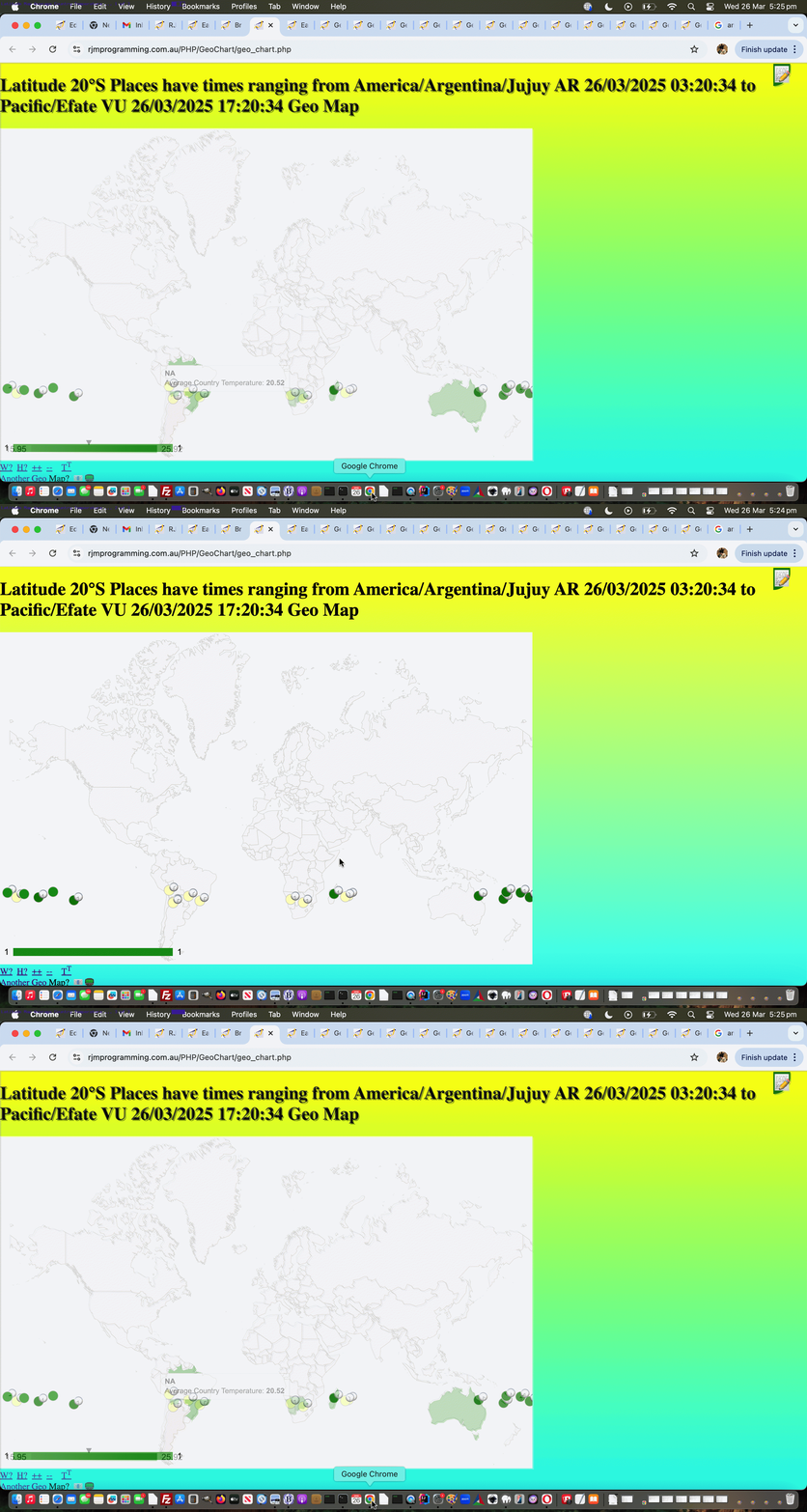
- latitude right clicked extended functionality to the possibility of an Average Temperature Country of Interest Map
… as fairness would have us contemplate. We’ve overlayed with the Google Chart Geo Chart before, but we turned to a coded for “particularized guise” of the Geo Chart for the circumstances at hand because there was separate interesting click and hover functionality for each of these overlay layers, and so, for the first time we can recall, with the Geo Chart, we implemented a setInterval controlled toggling display of the overlay layer to allow a user to get to both sets of functionality over a period of time. That overlay layer is that bit different too, harkening back to our early days work interfacing to the Geo Chart, and shading countries via data that involved a country’s two letter ISO code, and to get to the temperature data we used the wonderful Trading Economics – Average Temperature by Country resource, thanks, for our changed earth_scanner.html inhouse Earth Scanner web application calling on the changed geo_chart.php inhouse Geo Chart interfacer.
Previous relevant Earth Scanner Longitude Emoji Clock Map Tutorial is shown below.
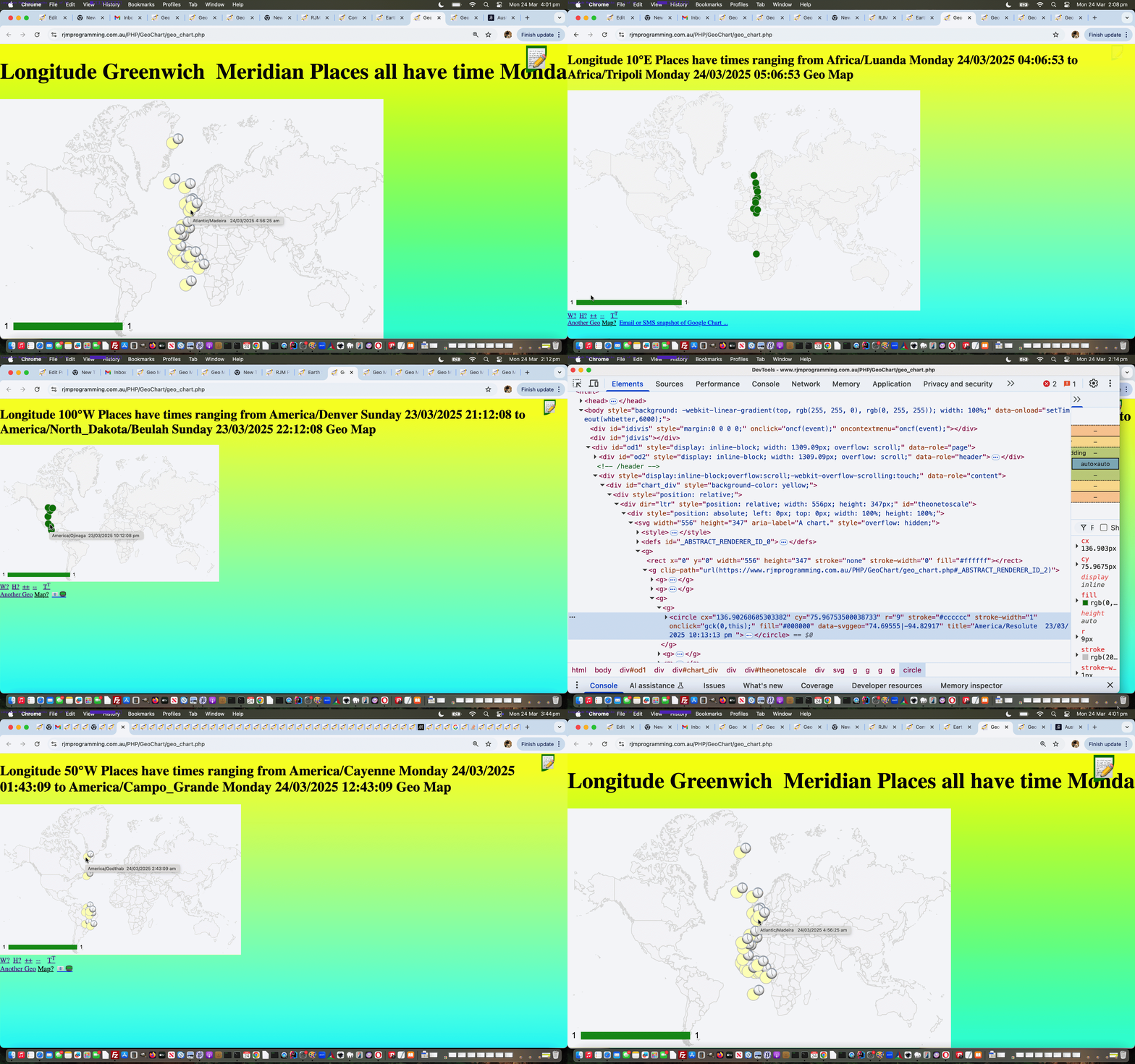
Earth Scanner Longitude Emoji Clock Map Tutorial
The recent Earth Scanner Longitude Prompt Tutorial gets “close” to where …
- the “where” of the web application world … rubs up against …
- the “when” of the web application world
… because the Longitude (ie. west to east) aspect to life is related to the “time” aspects to life, and the way humans have split the world east to west into timezones having their own time systems.
So, at this recent new Earth Scanner web application prompt …
  function newprompt(inpt, indt) {

   var aredows=['Sunday','Monday','Tuesday','Wednesday','Thursday','Friday','Saturday'];

   var dowsare=['saturday','Sunday','Monday','Tuesday','Wednesday','Thursday','Friday','Saturday','sunday'];

   var urlidea='', thisdtis='', maxdtis='', mindtis='', maxplace='', minplace='', xday='', xdate='', xiis=-1, jnrec=0, jxrec=0;

   inpt=inpt.replace(inpt.split(String.fromCharCode(10))[0], inpt.split(String.fromCharCode(10))[0] + ' ( ie. ' + nckname + ' ... add space to show all on map ) ');

   reta=prompt(inpt, inpt);

   if (reta == null) {

    reta='';

    return null;

   } else if (reta != null) {

    if (reta.trim() != '' && reta.trim() != inpt.trim()) {

     reta+='youllneverfindthis';

     document.getElementById('myimg').click(); // ourprompt(gevent, reta, '');

    } else if (reta.trim() != '' && reta.trim() == inpt.trim() && reta != inpt) {

     //alert(1);

     urlidea='//www.rjmprogramming.com.au/PHP/GeoChart/geo_chart.php#onclick=y&wouldlikeyoutoseekpermission=y&width=556&height=347&country=Places&popularity=&aregeographicals=y&title=Longitude%20' + encodeURIComponent(nckname.replace(String.fromCharCode(10),' ').replace(String.fromCharCode(10),' ').trim()) + '%20Places&lines=y&label=%5B%27Lat%27%2C&value=%27Lon%27%2C+%27Name%27%5D&data=';

     if (!navigator.userAgent.match(/Android|BlackBerry|iPhone|iPad|iPod|Opera Mini|IEMobile/i)) {

     urlidea='//www.rjmprogramming.com.au/PHP/GeoChart/geo_chart.php#onclick=y&wouldlikeyoutoseekpermission=y&width=' + eval(0.66 * eval('' + screen.width)) + '&height=' + Math.round(eval(eval('' + eval(0.66 * eval('' + screen.width))) * 347 / 556))  + '&country=Places&popularity=&aregeographicals=y&title=Longitude%20' + encodeURIComponent(nckname.replace(String.fromCharCode(10),' ').replace(String.fromCharCode(10),' ').trim()) + '%20Places&lines=y&label=%5B%27Lat%27%2C&value=%27Lon%27%2C+%27Name%27%5D&data=';

     }

     //alert(urlidea);

     var recsarej=inpt.split(String.fromCharCode(10));

     for (var jrec=1; jrec<recsarej.length; jrec++) {

       if (recsarej[jrec] != recsarej[eval(-1 + jrec)] && recsarej[jrec].trim().indexOf('Meridian') != 0 && recsarej[jrec].trim().indexOf(',') != -1) {

       if (recsarej[jrec].split(recsarej[jrec].split(' ')[1] + ' ')[1].indexOf(' am') != -1) {

         thisdtis=recsarej[jrec].split(recsarej[jrec].split(' ')[1] + ' ')[1].replace(', ', ', 0').replace(', 010', ', 10').replace(', 011', ', 11').replace(', 012', ', 12').replace(' am', '').replace(',','');

       } else if (recsarej[jrec].split(recsarej[jrec].split(' ')[1] + ' ')[1].indexOf(' pm') != -1) {

         thisdtis=recsarej[jrec].split(recsarej[jrec].split(' ')[1] + ' ')[1].replace(', 1:', ', 13:').replace(', 2:', ', 14:').replace(', 3:', ', 15:').replace(', 4:', ', 16:').replace(', 5:', ', 17:').replace(', 6:', ', 18:').replace(', 7:', ', 19:').replace(', 8:', ', 20:').replace(', 9:', ', 21:').replace(', 10:', ', 22:').replace(', 11:', ', 23:').replace(', 0:', ', 12:').replace(' pm', '').replace(',','');

       } else {

         thisdtis=recsarej[jrec].split(recsarej[jrec].split(' ')[1])[1].replace(',','');

       }

       if (maxdtis == '') {

        maxdtis=thisdtis.trim();

        mindtis=thisdtis.trim();

        maxplace=recsarej[jrec].split(' ')[0];

        minplace=recsarej[jrec].split(' ')[0];

        jnrec=jrec;

        jxrec=jrec;

       } else if (thisdtis.trim() > maxdtis.trim()) {

        maxdtis=thisdtis.trim();

        maxplace=recsarej[jrec].split(' ')[0];

        jxrec=jrec;

       } else if (thisdtis.trim() < mindtis.trim()) {

        mindtis=thisdtis.trim();

        minplace=recsarej[jrec].split(' ')[0];

        jnrec=jrec;

       }

       urlidea+=('' + encodeURIComponent(',[' + recsarej[jrec].split(' ')[1].replace(',','|') + '|~' + recsarej[jrec].split(' ')[0] + ' ' + recsarej[jrec].split(recsarej[jrec].split(' ')[1])[1].replace(',','') + '~,1]')).replace(/\~/g,'%7E');

       }

     }


     xday=aredows[eval('' + (new Date()).getDay())];

     xiis=dowsare.indexOf(xday);

     xdate=('0' + (new Date()).getDate()).slice(-2);


     if (maxdtis.trim() == '') {

       urlidea=urlidea;

     } else if (maxdtis == mindtis) {

       if (maxdtis.trim().indexOf(xdate) == 0) {

       urlidea=urlidea.replace('%20Places&', '%20Places' + encodeURIComponent(' all have time ' + xday + ' ' + maxdtis) + '&') + ('' + encodeURIComponent(',[' + recsarej[jxrec].split(' ')[1].replace(',','|') + '|~' + recsarej[jxrec].split(' ')[0] + ' ' + recsarej[jxrec].split(recsarej[jxrec].split(' ')[1])[1].replace(',','') + '~,1]')).replace(/\~/g,'%7E');

       } else if (xiis > 0 && maxdtis.trim().indexOf(('0' + eval(-1 + eval('' + xdate))).slice(-2)) == 0) {

       urlidea=urlidea.replace('%20Places&', '%20Places' + encodeURIComponent(' all have time ' + dowsare[eval(-1 + xiis)].substring(0,1).toUpperCase() + dowsare[eval(-1 + xiis)].substring(1).toLowerCase() + ' ' + maxdtis) + '&') + ('' + encodeURIComponent(',[' + recsarej[jxrec].split(' ')[1].replace(',','|') + '|~' + recsarej[jxrec].split(' ')[0] + ' ' + recsarej[jxrec].split(recsarej[jxrec].split(' ')[1])[1].replace(',','') + '~,1]')).replace(/\~/g,'%7E');

       } else if (xiis > 0 && maxdtis.trim().indexOf(('0' + eval(1 + eval('' + xdate))).slice(-2)) == 0) {

       urlidea=urlidea.replace('%20Places&', '%20Places' + encodeURIComponent(' all have time ' + dowsare[eval(1 + xiis)].substring(0,1).toUpperCase() + dowsare[eval(1 + xiis)].substring(1).toLowerCase() + ' ' + maxdtis) + '&') + ('' + encodeURIComponent(',[' + recsarej[jxrec].split(' ')[1].replace(',','|') + '|~' + recsarej[jxrec].split(' ')[0] + ' ' + recsarej[jxrec].split(recsarej[jxrec].split(' ')[1])[1].replace(',','') + '~,1]')).replace(/\~/g,'%7E');

       } else {

       urlidea=urlidea.replace('%20Places&', '%20Places' + encodeURIComponent(' all have time ' + maxdtis) + '&') + ('' + encodeURIComponent(',[' + recsarej[jxrec].split(' ')[1].replace(',','|') + '|~' + recsarej[jxrec].split(' ')[0] + ' ' + recsarej[jxrec].split(recsarej[jxrec].split(' ')[1])[1].replace(',','') + '~,1]')).replace(/\~/g,'%7E');

       }

     } else {


       if (maxdtis.trim() == '') {

       maxdtis='';

       } else {

       if (maxdtis.trim().indexOf(xdate) == 0) {

       maxdtis=xday + ' ' + maxdtis;

       } else if (xiis > 0 && maxdtis.trim().indexOf(('0' + eval(-1 + eval('' + xdate))).slice(-2)) == 0) {

       maxdtis=dowsare[eval(-1 + xiis)].substring(0,1).toUpperCase() + dowsare[eval(-1 + xiis)].substring(1).toLowerCase() + ' ' + maxdtis;

       } else if (xiis > 0 && maxdtis.trim().indexOf(('0' + eval(1 + eval('' + xdate))).slice(-2)) == 0) {

       maxdtis=dowsare[eval(1 + xiis)].substring(0,1).toUpperCase() + dowsare[eval(1 + xiis)].substring(1).toLowerCase() + ' ' + maxdtis;

       } else {

       maxdtis=maxdtis;

       }

       }


       if (mindtis.trim() == '') {

       mindtis='';

       } else {

       if (mindtis.trim().indexOf(xdate) == 0) {

       mindtis=xday + ' ' + mindtis;

       } else if (xiis > 0 && mindtis.trim().indexOf(('0' + eval(-1 + eval('' + xdate))).slice(-2)) == 0) {

       mindtis=dowsare[eval(-1 + xiis)].substring(0,1).toUpperCase() + dowsare[eval(-1 + xiis)].substring(1).toLowerCase() + ' ' + mindtis;

       } else if (xiis > 0 && mindtis.trim().indexOf(('0' + eval(1 + eval('' + xdate))).slice(-2)) == 0) {

       mindtis=dowsare[eval(1 + xiis)].substring(0,1).toUpperCase() + dowsare[eval(1 + xiis)].substring(1).toLowerCase() + ' ' + mindtis;

       } else {

       mindtis=mindtis;

       }

       }


       urlidea=urlidea.replace('%20Places&', '%20Places' + encodeURIComponent(' have times ranging from ' + minplace + ' ' + mindtis + ' to ' + maxplace + ' ' + maxdtis) + '&');

     }


     //document.title='' + nckname + ' ' + urlidea.length;

     top.window.open(urlidea, '_blank'); //, 'top=100,left=100,width=800,height=800');

     //if (urlidea.indexOf('Greenwich') != -1) {

     //var qwt=prompt(urlidea, urlidea);

     //}

    }

   }

   return reta.replace(/youllneverfindthis$/g, '');

  }
… in our changed earth_scanner.html inhouse Earth Scanner web application, we wanted a chance for the user, via appending (or prepending) a space to otherwise unaltered suggested value, to be able to display a map, and we’ve chosen the Google Chart Geo Chart, thanks, as our interfacing conduit into this idea.
The other helpful resource here are the “half hour sensitive” set of clocks of “emoji land” used in the changed geo_chart.php inhouse Geo Chart interfacer …
<?php echo ”
const findTimeZoneOffset = (tz,date) => { // thanks to https://stackoverflow.com/questions/57837631/timezone-offset-by-timezone-name-for-a-specific-date-in-javascript

  let utcDate = new Date(date.toLocaleString('en-US', { timeZone: \"UTC\" }));

  let tzDate = new Date(date.toLocaleString('en-US', { timeZone: tz }));

  let diff = ( tzDate.getTime() - utcDate.getTime() ) / 1000 / 60 / 60;

  return diff;

};


 function emojiclockize(outoh, intime) {

   var anem='';

   anem=('' + clockit('' + findTimeZoneOffset(intime.split(' ')[0], (new Date())))).trim();

   if (intime.indexOf(' am') != -1) {

     if (anem != '') { return outoh.replace('#008000','#ffffbf') + '<text><tspan x=\"' + eval(0 + eval('' + outoh.split(' cx=\"')[1].split('\"')[0])) + '\" y=\"' + eval(0 + eval('' + outoh.split(' cy=\"')[1].split('\"')[0])) + '\">' + anem.split(' am')[0].split(' pm')[0] + '</tspan>' + '</text>'; }

     return outoh.replace('#008000','#ffffbf');

   }

   if (anem != '') { return outoh + '<text><tspan x=\"' + eval(0 + eval('' + outoh.split(' cx=\"')[1].split('\"')[0])) + '\" y=\"' + eval(0 + eval('' + outoh.split(' cy=\"')[1].split('\"')[0])) + '\">' + anem.split(' am')[0].split(' pm')[0] + '</tspan>' + '</text>'; }

   return outoh;

 }


  function clockit(hoursoffgmt) {

// 1  o'clock is 🕐

// 2  o'clock is 🕑

// 12 o'clock is 🕛

//  2:30 is 🕝

// 11:30 is 🕦

// 12:30 is 🕧

    var along='Saturday,Sunday,Monday,Tuesday,Wednesday,Thursday,Friday,Saturday,Sunday';

    var gmtdatetimeis='' + new Date().toUTCString();

    var daybit='';

    var ampm=' am';

    if (gmtdatetimeis.indexOf('day') != -1) {

      ampm+=', ' + gmtdatetimeis.split('day')[0].split(' ')[eval(-1 + gmtdatetimeis.split('day')[0].split(' ').length)] + 'day';

    } else if (gmtdatetimeis.indexOf(',') != -1) {

      ampm+=', ' + (gmtdatetimeis.split(',')[0].split(' ')[eval(-1 + gmtdatetimeis.split(',')[0].split(' ').length)] + '').replace(/^Sat$/g,'Saturday').replace(/^Sun$/g,'Sunday').replace(/^Mon$/g,'Monday').replace(/^Tue$/g,'Tuesday').replace(/^Wed$/g,'Wednesday').replace(/^Thu$/g,'Thursday').replace(/^Fri$/g,'Friday');

    }

    if (ampm.length > 3) { daybit=ampm.substring(5); }

    var minis=eval('' + gmtdatetimeis.split(':')[1]);

    var hris=eval(('' + gmtdatetimeis.split(':')[0]).split(' ')[eval(-1 + ('' + gmtdatetimeis.split(':')[0]).split(' ').length)]);

    if (('' + hoursoffgmt).indexOf('-') != -1 && eval(eval('' + hoursoffgmt.replace('+','')) + hris) < 0.0) {

      ampm=ampm.replace('am', 'pm');

      if (daybit != '') { ampm=ampm.replace(daybit, along.split(',' + daybit)[0].split(',')[eval(-1 + along.split(',' + daybit)[0].split(',').length)]); }

    } else if (('' + hoursoffgmt).indexOf('-') == -1 && eval(eval('' + hoursoffgmt.replace('+','')) + hris) >= 24) {

      if (daybit != '') { ampm=ampm.replace(daybit, along.split(daybit + ',')[1].split(',')[0]); }

    } else if (('' + hoursoffgmt).indexOf('-') == -1 && eval(eval('' + hoursoffgmt.replace('+','')) + hris) >= 12) {

      ampm=ampm.replace('am', 'pm');

    }

    hris+=eval(eval(24 + eval('' + hoursoffgmt.replace('+','').split('.')[0])) % 24);

    if (('' + hoursoffgmt.replace('+','')).indexOf('.5') != -1) {

      if (('' + hoursoffgmt.replace('+','')).indexOf('-') != -1 && minis >= 30) {

        minis-=30;

      } else if (('' + hoursoffgmt.replace('+','')).indexOf('-') != -1) {

        hris--;

        if (hris < 24) { hris=23; ampm=ampm.replace('am', 'pm'); if (daybit != '') { ampm=ampm.replace(daybit, along.split(',' + daybit)[0].split(',')[eval(-1 + along.split(',' + daybit)[0].split(',').length)]); } }

        minis+=30;

      } else if (('' + hoursoffgmt.replace('+','')).indexOf('-') == -1 && minis < 30) {

        minis+=30;

      } else if (('' + hoursoffgmt.replace('+','')).indexOf('-') != -1) {

        hris++;

        if (hris > 24) { hris=24; ampm=ampm.replace('pm', 'am'); if (daybit != '') { ampm=ampm.replace(daybit, along.split(daybit + ',')[1].split(',')[0]); } }

        minis-=30;

      }

    } else if (('' + hoursoffgmt.replace('+','')).indexOf('.25') != -1) {

      if (('' + hoursoffgmt.replace('+','')).indexOf('-') != -1 && minis >= 15) {

        minis-=15;

      } else if (('' + hoursoffgmt.replace('+','')).indexOf('-') != -1) {

        hris--;

        if (hris < 24) { hris=23; ampm=ampm.replace('am', 'pm'); if (daybit != '') { ampm=ampm.replace(daybit, along.split(',' + daybit)[0].split(',')[eval(-1 + along.split(',' + daybit)[0].split(',').length)]); } }

        minis+=15;

      } else if (('' + hoursoffgmt.replace('+','')).indexOf('-') == -1 && minis < 45) {

        minis+=15;

      } else if (('' + hoursoffgmt.replace('+','')).indexOf('-') != -1) {

        hris++;

        if (hris > 24) { hris=24; ampm=ampm.replace('pm', 'am'); if (daybit != '') { ampm=ampm.replace(daybit, along.split(daybit + ',')[1].split(',')[0]); } }

        minis-=15;

      }

    } else if (('' + hoursoffgmt.replace('+','')).indexOf('.75') != -1) {

      if (('' + hoursoffgmt.replace('+','')).indexOf('-') != -1 && minis >= 45) {

        minis-=45;

      } else if (('' + hoursoffgmt.replace('+','')).indexOf('-') != -1) {

        hris--;

        if (hris < 24) { hris=23; ampm=ampm.replace('am', 'pm'); if (daybit != '') { ampm=ampm.replace(daybit, along.split(',' + daybit)[0].split(',')[eval(-1 + along.split(',' + daybit)[0].split(',').length)]); } }

        minis+=45;

      } else if (('' + hoursoffgmt.replace('+','')).indexOf('-') == -1 && minis < 15) {

        minis+=45;

      } else if (('' + hoursoffgmt.replace('+','')).indexOf('-') != -1) {

        hris++;

        if (hris > 24) { hris=24; ampm=ampm.replace('pm', 'am'); if (daybit != '') { ampm=ampm.replace(daybit, along.split(daybit + ',')[1].split(',')[0]); } }

        minis-=45;

      }

    }

    //alert('' + hoursoffgmt + ' ' + hris + ' ' + minis + ' ' + gmtdatetimeis);


    if (minis > 45 && eval(hris % 12) == 0) {

      return ' ' + String.fromCodePoint(128336) + ampm;

    } else if (eval(hris % 12) == 0 && minis <= 15) {

      return ' ' + String.fromCodePoint(128347) + ampm;

    } else if (eval(hris % 12) == 0) {

      return ' ' + String.fromCodePoint(128359) + ampm;

    } else if (minis >= 45) {

      return ' ' + String.fromCodePoint(eval(eval(hris % 12) + 128336)) + ampm;

    } else if (minis <= 15) {

      return ' ' + String.fromCodePoint(eval(eval(hris % 12) + 128335)) + ampm;

    } else {

      return ' ' + String.fromCodePoint(eval(eval(hris % 12) + 128347)) + ampm;

    }

    return '';

  }


 function tel(ohpro) {

   var outohis=ohpro;

   if (ohpro.indexOf(' title=\"') != -1 && ohpro.indexOf('<title>') == -1 && ohpro.indexOf('</') != -1) {

     outohis=ohpro.replace('</', '<title>' + ohpro.split(' title=\"')[1].split('\"')[0] + '</title></');

   }

   if (outohis.indexOf(' stroke=') != -1 && outohis.indexOf(' fill=') == -1 && outohis.indexOf('<circle') != -1) {

     outohis=outohis.replace(' stroke=', ' fill=\"#008000\" stroke=');

   }

   if (outohis.indexOf(' r=\"') != -1 && document.URL.indexOf('invisible=') != -1) {

     outohis=outohis.replace(' r=\"' + outohis.split(' r=\"')[1].split('\"')[0], ' r=\"0');

   }

   // New emoji clocks on a Longitude (Google Chart Geo Chart) Map via Earth Scanner below ...

   if (outohis.replace(' am </', ' am</').indexOf(' am</title>') != -1) {

     outohis=emojiclockize(outohis.replace('#008000','#ffffbf'), outohis.split('<title>')[1].split('</title>')[0].split('0')[0].split('1')[0].split('2')[0].split('3')[0].split('4')[0].split('5')[0].split('6')[0].split('7')[0].split('8')[0].split('9')[0].trim().replace(/\ /g,'_'));

   } else if (outohis.replace(' pm </', ' pm</').replace(' pm</',' pm</').indexOf(' pm</title>') != -1) {

     outohis=emojiclockize(outohis, outohis.split('<title>')[1].split('</title>')[0].split('0')[0].split('1')[0].split('2')[0].split('3')[0].split('4')[0].split('5')[0].split('6')[0].split('7')[0].split('8')[0].split('9')[0].trim().replace(/\ /g,'_'));

   }

   return outohis;

 }
“; ?>
Previous relevant Earth Scanner Longitude Prompt Tutorial is shown below.
Earth Scanner Longitude Prompt Tutorial
Sometimes in I.T. you plan for something, and there’s an unplanned for “side benefit”. We more often see this the other way around, where your plan causes “side harm”, but we’ll take today’s “side benefit” of …
Slowing things down (as discussed below)
… anyday, regarding the plan to add some …
- “when” style logic new functionality … onto the …
- “where” style functionality … so predominant, in our inhouse Earth Scanner web application …
… we last talked about, recently, with Earth Scanner Initial Placename Popup Window Tutorial.
Yes, as we’ve outlined many times, we think the software of I.T. is best suited to the “where” of life, followed by the “when” of life matters, in that order. And for us, where (tee hee) “where” meets “when” is easiest to grasp, for us, with Timezone places, which PHP is very good at, luckily enough.
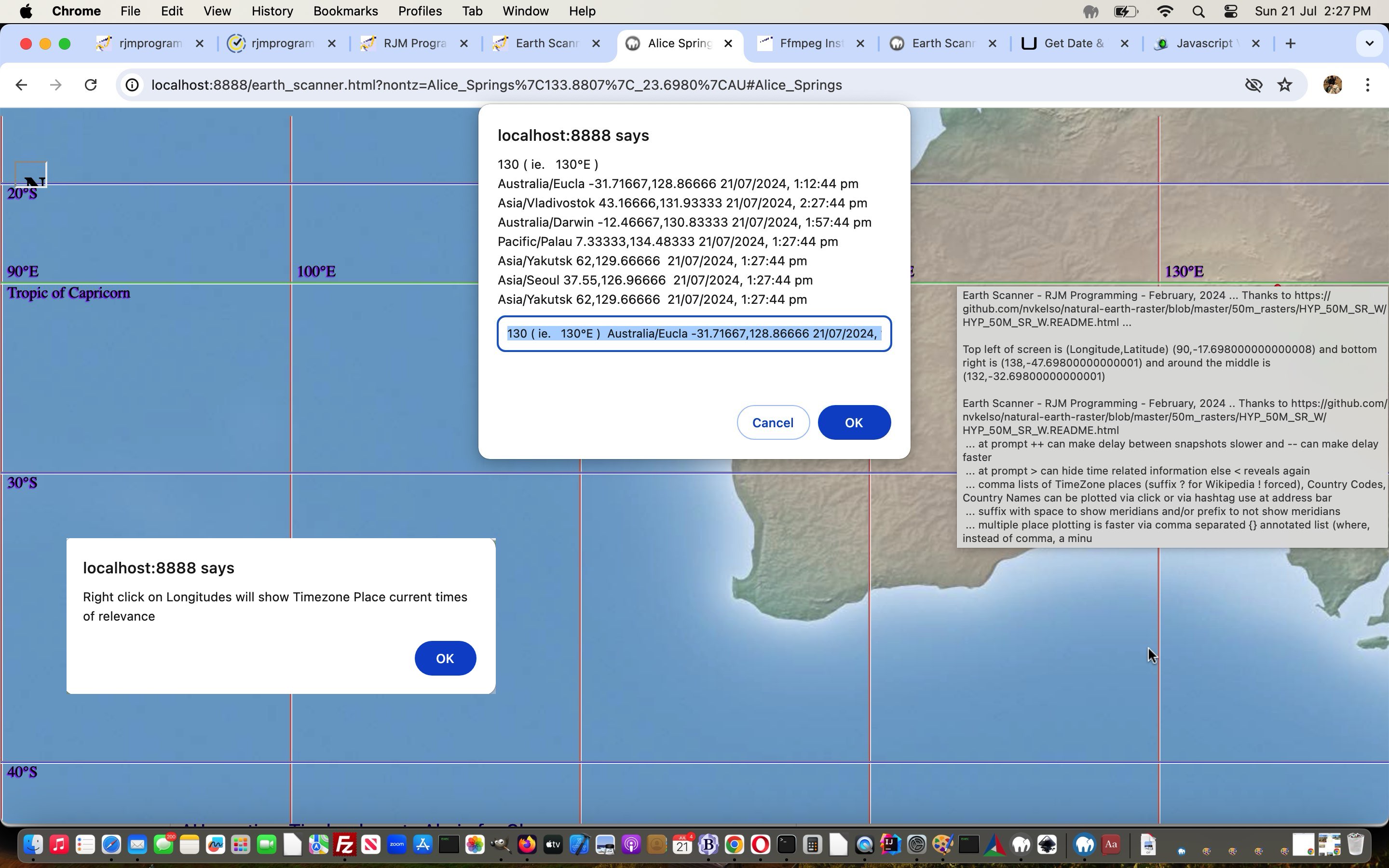
So we decided to add in “right click” (ie. oncontextmenu event) (sorry and using ontouchend (happening on a click), mobile users) logic, as a new independent layer of functionality for those curious users who happen to “right click” on our Earth Scanner map …
- initially, perhaps, anywhere, when they are told if they “right click” …
- a particuar Longitude, then Timezone place current times of relevance to that Longitude’s value will be shown in a Javascript prompt window
Then, in making this happen for the changed and tweaked …
  var nckname=' ';


  function newprompt(inpt, indt) {

   inpt=inpt.replace(inpt.split(String.fromCharCode(10))[0], inpt.split(String.fromCharCode(10))[0] + ' ( ie. ' + nckname + ' ) ');

   return prompt(inpt, inpt);

  }


  function ocm(sthis,intenlong,smlt,lglt) {

   var mten=-10, startat=1;

   var wasvl='';

   var alertbit=" var ap=newprompt('" + intenlong + "'.replace(/\~/g,String.fromCharCode(10)),'" + intenlong + "'.replace(/\~/g,String.fromCharCode(10))); ";

   var ijk=1, kcnt=0, tzp='', datetime_str='', xkcnt='';

   var findsare=yourtzlist.split((',' + intenlong).replace(/^0/g,'00').replace(/0$/g,''));

   if (nckname == ' ') {

    nckname='';

    document.body.oncontextmenu=function(evt){ evt.stopPropagation(); if (nckname == '') { alert('Right click on Longitudes will show Timezone Place current times of relevance'); } };

   }

   if (intenlong == 0) { findsare=yourtzlist.split(',+0"');  } else if (intenlong < 0) { mten=10; }

   var findsaretwo=yourtzlist.split((',' + eval(mten + intenlong)).replace(/^0/g,'00').replace(/0$/g,''));

   for (ijk=1; ijk<findsare.length; ijk++) {

    if ((intenlong == 0 || (findsare[ijk].substring(0,1) >= '0' && findsare[ijk].substring(0,1) <= '4' && findsare[ijk].substring(1).substring(0,1) < '0')) && findsare[ijk].indexOf('>') != -1 && findsare[ijk].indexOf('<') != -1) {

     tzp=findsare[ijk].split('>')[1].split('<')[0];

     if (tzp.indexOf('/') != -1) {

     console.log(tzp);

     datetime_str = new Date().toLocaleString("en-AU", { timeZone: tzp });

     console.log(datetime_str);

     if (eval('' + yourtzlist.split(tzp)[1].split('data-geo="')[1].split(',')[0]) >= eval('' + smlt) && eval('' + yourtzlist.split(tzp)[1].split('data-geo="')[1].split(',')[0]) <= eval('' + lglt)) {

     wasvl=xkcnt;

     xkcnt='~' + tzp + ' ' + yourtzlist.split(tzp)[1].split('data-geo="')[1].split(',')[0] + ',' +  yourtzlist.split(tzp)[1].split('data-geo="')[1].split(',')[1] + ' ' + datetime_str + ' ' + wasvl;

     } else {

     xkcnt+='~' + tzp + ' ' + yourtzlist.split(tzp)[1].split('data-geo="')[1].split(',')[0] + ',' +  yourtzlist.split(tzp)[1].split('data-geo="')[1].split(',')[1] + ' ' + datetime_str + ' ';

     kcnt++;

     }

    if (eval('' + findsaretwo.length) > ijk) {

     startat++;

    if (findsaretwo[ijk].substring(0,1) >= '6' && findsaretwo[ijk].substring(0,1) <= '9' && findsaretwo[ijk].substring(1).substring(0,1) < '0' && findsaretwo[ijk].indexOf('>') != -1 && findsaretwo[ijk].indexOf('<') != -1) {

     tzp=findsaretwo[ijk].split('>')[1].split('<')[0];

     if (tzp.indexOf('/') != -1) {

     datetime_str = new Date().toLocaleString("en-AU", { timeZone: tzp });

     if (eval('' + yourtzlist.split(tzp)[1].split('data-geo="')[1].split(',')[0]) >= eval('' + smlt) && eval('' + yourtzlist.split(tzp)[1].split('data-geo="')[1].split(',')[0]) <= eval('' + lglt)) {

     wasvl=xkcnt;

     xkcnt='~' + tzp + ' ' + yourtzlist.split(tzp)[1].split('data-geo="')[1].split(',')[0] + ',' +  yourtzlist.split(tzp)[1].split('data-geo="')[1].split(',')[1] + ' ' + datetime_str + ' ' + wasvl;

     } else {

     xkcnt+='~' + tzp + ' ' + yourtzlist.split(tzp)[1].split('data-geo="')[1].split(',')[0] + ',' +  yourtzlist.split(tzp)[1].split('data-geo="')[1].split(',')[1] + ' ' + ' ' + datetime_str + ' ';

     }

     kcnt++;

     }

    }

    }

    }

    }

   }

   for (ijk=startat; ijk<findsaretwo.length; ijk++) {

    if (findsaretwo[ijk].substring(0,1) >= '6' && findsaretwo[ijk].substring(0,1) <= '9' && findsaretwo[ijk].substring(1).substring(0,1) < '0' && findsaretwo[ijk].indexOf('>') != -1 && findsaretwo[ijk].indexOf('<') != -1) {

     tzp=findsaretwo[ijk].split('>')[1].split('<')[0];

     if (tzp.indexOf('/') != -1) {

     datetime_str = new Date().toLocaleString("en-AU", { timeZone: tzp });

     if (eval('' + yourtzlist.split(tzp)[1].split('data-geo="')[1].split(',')[0]) >= eval('' + smlt) && eval('' + yourtzlist.split(tzp)[1].split('data-geo="')[1].split(',')[0]) <= eval('' + lglt)) {

     wasvl=xkcnt;

     xkcnt='~' + tzp + ' ' + yourtzlist.split(tzp)[1].split('data-geo="')[1].split(',')[0] + ',' +  yourtzlist.split(tzp)[1].split('data-geo="')[1].split(',')[1] + ' ' + datetime_str + ' ' + wasvl;

     } else {

     xkcnt+='~' + tzp + ' ' + yourtzlist.split(tzp)[1].split('data-geo="')[1].split(',')[0] + ',' +  yourtzlist.split(tzp)[1].split('data-geo="')[1].split(',')[1] + ' ' + ' ' + datetime_str + ' ';

     }

     kcnt++;

     }

    }

   }

   if (navigator.userAgent.match(/Android|BlackBerry|iPhone|iPad|iPod|Opera Mini|IEMobile/i)) {

   return ' class=along ontouchend=" nckname=event.target.innerText; event.stopPropagation(); ' + alertbit.replace(/\'\.replace/g, "" + xkcnt + "'.replace") + ' " ';

   }

   return ' class=along oncontextmenu=" nckname=event.target.innerText; event.stopPropagation(); ' + alertbit.replace(/\'\.replace/g, "" + xkcnt + "'.replace") + ' " ';

  }
… earth_scanner.html code for the Earth Scanner web application, we realized it was “slowing the progression” of the Earth Scanner’s relentless push to “move on”, and so could help some users who do not necessarily want to “move on” so quickly, and instead want to see what is showing on the Earth Scanner map at the time they “right clicked”. Well, we’d like to say …
And all because you asked for it.
… but we’d be joshing?!
Previous relevant Earth Scanner Initial Placename Popup Window Tutorial is shown below.
Earth Scanner Initial Placename Popup Window Tutorial
With the Earth Bearing Distance Missing Two Hashtagged Mailto Sharing Tutorial it was the same Earth Scanner web application involved as talked about in Earth Scanner Placements Tutorial where it talked about the URL …
On revisiting this posting it occurred to us, that an improvement for our Earth Scanner web application would be to acknowledge this …
- initial place … especially given it might disappear from the maps presented too soon …
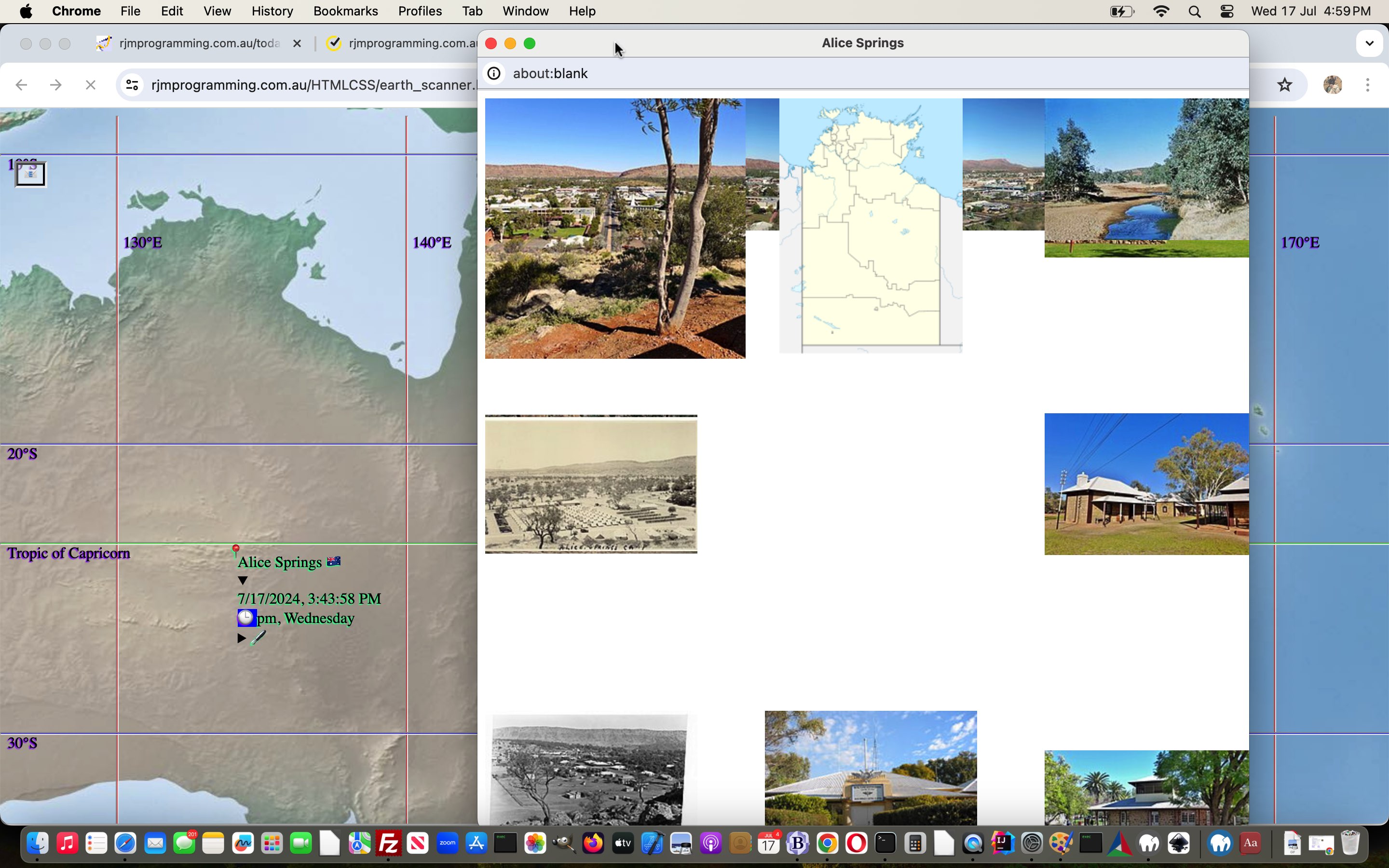
- if possible, and Wikipedia can help, present a popup window featuring background images regarding that place
… to supplement map information with real life photography, thanks Wikipedia. A new Javascript function …
  var startwoo=null;


  function placetopretz(iois) {

    if (iois.src.indexOf('nickname=') != -1) {

       var twaconto = (iois.contentWindow || iois.contentDocument);

       if (twaconto != null) {

       if (twaconto.document) { twaconto = twaconto.document; }

         //var xzs=prompt(twaconto.body.outerHTML,twaconto.body.outerHTML);

         //alert(89);

         if (twaconto.body.outerHTML.indexOf('.style.background') != -1) {

          if (!startwoo) {

            startwoo=window.open('','_blank','top=50,left=50,width=800,height=800');

            //document.getElementById('botif').style.display='block';


            //document.getElementById('botif').style.position='absolute';

            //document.getElementById('botif').style.top='0px';

            //document.getElementById('botif').style.left='0px';

            //document.getElementById('botif').style.opacity='0.5';

            //document.getElementById('botif').style.zIndex='2222';

            console.log(twaconto.body.outerHTML.split('}   }')[0].split('>')[0].trim().replace(/parent\./g,'').replace(/\"\;/g,"'").replace(/\&\;/g,"&").slice(-40));

            var conlog=('<html>' + (twaconto.body.outerHTML.split('}   }')[0].split('>')[0].trim().replace(/parent\./g,'').replace(/\"\;/g,"'").replace(/\&\;/g,"&").replace(/\"/g,"'").replace(" onload='", ' onload="') + '  }  }"><div id=ourcanvas style=display:block;width:800px;height:800px;></div><br><div id=stz></div></body></html>').replace(/\'\>/g,'">').replace(/\<\;/g,'<').replace(/\>\;/g,'>').replace(/yourcanvas/g,'ourcanvas').replace(String.fromCharCode(10),' ').replace(String.fromCharCode(10),' ').replace(String.fromCharCode(10),' ').replace(String.fromCharCode(10),' ').replace(String.fromCharCode(10),' '));

            var inonl=conlog.split(' onload="')[1].split('"')[0];

            if (1 == 1) {

            console.log('<html><head><sc' + 'ript type=text/javascr' + 'ipt> function xyz() { ' + inonl.replace(/\ document.getE/g, ' ' + String.fromCharCode(10) + ' document.getE') + ' } </scr' + 'ipt></head>' + conlog.replace(inonl, ' xyz(); '));

            startwoo.document.write('<html><head><scri' + 'pt type=text/javascr' + 'ipt> function xyz() { ' + inonl.replace(/\ document.getE/g, ' ' + String.fromCharCode(10) + ' document.getE').replace(/\,URL\(/g, ",' + 'URL(") + ' } setTimeout(xyz,5000); </scr' + 'ipt></head>' + conlog.replace(inonl, ' xyz(); '));

            startwoo.document.title=decodeURIComponent(iois.src.split('nickname=')[1].split('&')[0].split('#')[0]).replace(/\_/g,' ');

            //document.getElementById('botif').srcdoc=('<html><head><scri' + 'pt type=text/javascr' + 'ipt> function xyz() { ' + inonl.replace(/\ document.getE/g, ' ' + String.fromCharCode(10) + ' document.getE').replace(/\,URL\(/g, ",' + 'URL(") + ' } </scr' + 'ipt></head>' + conlog.replace(inonl, ' xyz(); '));

            } else {

            console.log('<html>' + (twaconto.body.outerHTML.split('}   }')[0].split('>')[0].trim().replace(/parent\./g,'').replace(/\"\;/g,"'").replace(/\&\;/g,"&").replace(/\"/g,"'").replace(" onload='", ' onload="') + '  }  }"><div id=ourcanvas style=display:block;width:800px;height:800px;></div><br><div id=stz></div></body></html>').replace(/\'\>/g,'">').replace(/\<\;/g,'<').replace(/\>\;/g,'>').replace(/yourcanvas/g,'ourcanvas').replace(String.fromCharCode(10),' ').replace(String.fromCharCode(10),' ').replace(String.fromCharCode(10),' ').replace(String.fromCharCode(10),' ').replace(String.fromCharCode(10),' '));

            startwoo.document.write('<html>' + (twaconto.body.outerHTML.split('}   }')[0].split('>')[0].trim().replace(/parent\./g,'').replace(/\"\;/g,"'").replace(/\&\;/g,"&").replace(/\"/g,"'").replace(" onload='", ' onload="') + '  }  }"><div id=ourcanvas style=display:block;width:800px;height:800px;></div><br><div id=stz></div></body></html>').replace(/\'\>/g,'">').replace(/\<\;/g,'<').replace(/\>\;/g,'>').replace(/yourcanvas/g,'ourcanvas').replace(String.fromCharCode(10),' ').replace(String.fromCharCode(10),' ').replace(String.fromCharCode(10),' ').replace(String.fromCharCode(10),' ').replace(String.fromCharCode(10),' '));

            startwoo.document.title=decodeURIComponent(iois.src.split('nickname=')[1].split('&')[0].split('#')[0]).replace(/\_/g,' ');

            //document.getElementById('botif').srcdoc=('<html>' + (twaconto.body.outerHTML.split('}   }')[0].split('>')[0].trim().replace(/parent\./g,'').replace(/\"\;/g,"'").replace(/\&\;/g,"&").replace(/\"/g,"'").replace(" onload='", ' onload="') + '  }  }"><div id=ourcanvas style=display:block;width:800px;height:800px;></div><br><div id=stz></div></body></html>').replace(/\'\>/g,'">').replace(/\<\;/g,'<').replace(/\>\;/g,'>').replace(/yourcanvas/g,'ourcanvas').replace(String.fromCharCode(10),' ').replace(String.fromCharCode(10),' ').replace(String.fromCharCode(10),' ').replace(String.fromCharCode(10),' ').replace(String.fromCharCode(10),' '));

            }

          }

         }

       }

    }

  }
… helped us with this tweaking of the changed earth_scanner.html code for the Earth Scanner web application.
Previous relevant Earth Bearing Distance Missing Two Hashtagged Mailto Sharing Tutorial is shown below.
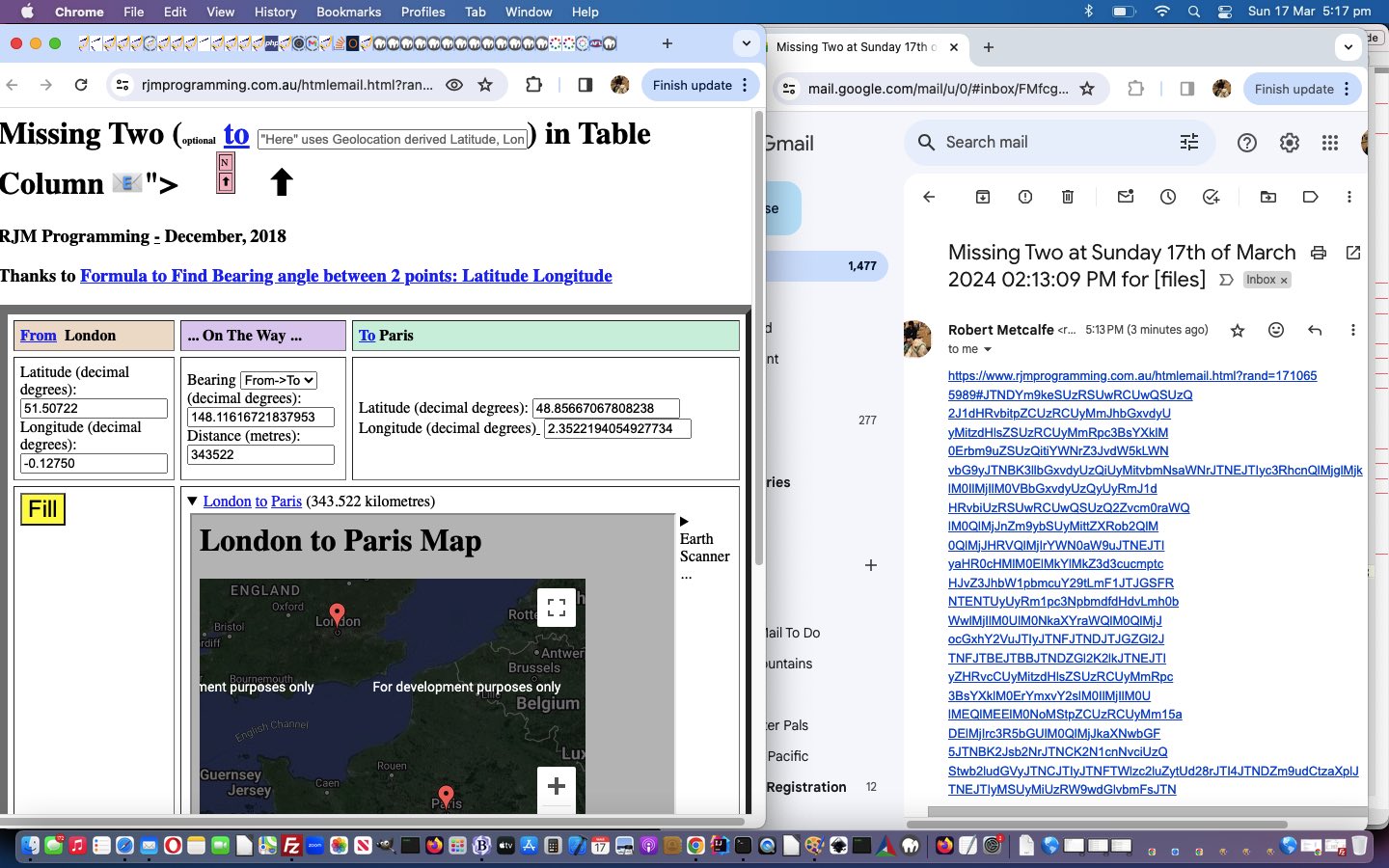
Earth Bearing Distance Missing Two Hashtagged Mailto Sharing Tutorial
We’re returning to our Missing Two web application, after …
We found, in a “first draft” look at this there were three parts to the solution.
| At the PHP code of emailhtml.php PHP mail based email creator code add this near the end … |
<?php
                if ($mailto != '') {

                  echo "<ht" . "ml>

                  <he" . "ad>

                  <scr" . "ipt type='text/javascript'>

                    function mto() {

                      document.getElementById('amto').click();

                    }

                  </scr" . "ipt>

                  </he" . "ad>

                  <bo" . "dy onload=mto();>

                  <a target=_top style=display:none; href='" . $mailto . "' id=amto>Email</a>

                  </bo" . "dy></ht" . "ml>";

                }
?>
… helped out by, at the correct place …
<?php
   $mailto='mailto:' . $to . '?subject=' . str_replace('+','%20',urlencode($subject));

   $mailto.='&body=https://www.rjmprogramming.com.au/htmlemail.html?rand=' . ('' . time());

   $mailto.='#' . base64_encode(urlencode($hcont)); // base64_encode($hcont);
?>
… in the changed emailhtml.php PHP mail email inhouse interfacer
|
| A totally new HTML/Javascript inhouse simple reader of hashtag data to display webpage data … |
<html>

<head>

<title>Display Hashtagged HTML Data - RJM Programming - March, 2024</title>

<script type='text/javascript'>

 var lh=(('' + location.hash).replace(/^null/g,'').replace(/^undefined/g,'')).replace(/^\#/g,'');

 if (lh != '') {

    if (lh.indexOf('JTNDY') == 0) {

       lh=decodeURIComponent(window.atob(decodeURIComponent(lh))).replace(/\+/g,' ');

    } else if (lh.indexOf(window.btoa('<')) == 0 || lh.indexOf('PGJ') == 0) {

       lh=window.atob(lh).replace(/\+/g,' ');

    } else {

       lh=decodeURIComponent(lh).replace(/\+/g,' ');

    }

 }

 var lhdatas=lh.split('data:');

 var prefixer='"';

 var bodyis='<body></body>', headis='';


 for (var ilh=1; ilh<lhdatas.length; ilh++) {

    prefixer=lhdatas[eval(-1 + ilh)].slice(-1).replace('(',')').replace('[',']').replace('{','}');

    if (lhdatas[ilh].split(prefixer)[0].indexOf(' ') != -1) {

       lh=lh.replace(lhdatas[ilh].split(prefixer)[0], lhdatas[ilh].split(prefixer)[0].replace(/\ /g,'+'));

    }

 }


 if (lh.indexOf('</body>') != -1 && lh.indexOf('<body') != -1) {

    bodyis='<body' + lh.split('<body')[1].split('</html>')[0];

 } else if (lh.trim() != '' && lh.indexOf('<head') == -1) {

    bodyis=lh;

 }


 if (lh.indexOf('</head>') != -1 && lh.indexOf('<head') != -1) {

    headis='<head' + lh.split('<head')[1].split('</head>')[0] + '</head>';

    document.write(headis.replace(/https\:\/\//g,'//').replace(/http\:\/\//g,'//') + bodyis.replace(/https\:\/\//g,'//').replace(/http\:\/\//g,'//'));

 } else if (bodyis != '<body></body>') {

    document.write(bodyis.replace(/https\:\/\//g,'//').replace(/http\:\/\//g,'//'));

 }


</script>

</head>

<body>

</body>

</html>
… in htmlemail.html Hashtag Email Data Reader and Display “first draft”
|
| Missing Two web application (as an example of what others will try to achieve, as time goes on) this way … |
   var xzhr=null;


   xzhr = new XMLHttpRequest();

   var xform=new FormData();

   xform.append('inline','');

   xform.append('to',em.trim());

   if (em.trim() != em) {

   xform.append('subj','Missing Two');

   //var cbgtd=document.getElementById('tdlook').getBoundingClientRect();

   xform.append('body','<body>' + document.body.innerHTML.replace(/\ id\=\"mysel\"/g, ' name="mysel" id="mysel"').replace(/\ size\=\"3\"/g, ' size="4"').replace(/\ data\-href\=/g, ' target=_blank href=').replace('</form>', '<br><br><input style=background-color:lightgreen; type=submit value=Solve></input></form>').replace('DISPLAY:table-row','DISPLAY:none').replace(lastfis,lasttis).replace(lasteis,lastenow).replace(lasteis2,lastenow2).replace(lastsis,lastsnow).replace(lastsis2,lastsnow2).replace('absolute;','absolute;display:none;').replace(flatf,tlatf).replace(flongf,tlongf).replace(flatt,tlatt).replace(flongt,tlongt).replace(fbrg,tbrg).replace(fdist,tdist) + '</body>');

   } else {

   xform.append('subj','Missing Two');

   xform.append('body','<body>' + document.body.innerHTML.replace(/\ id\=\"mysel\"/g, ' name="mysel" id="mysel"').replace(/\ size\=\"3\"/g, ' size="4"').replace(/\ data\-href\=/g, ' target=_blank href=').replace('</form>', '<br><br><input style=background-color:lightgreen; type=submit value=Solve></input></form>').replace('DISPLAY:table-row','DISPLAY:none').replace(lastfis,lasttis).replace(lasteis,lastenow).replace(lasteis2,lastenow2).replace(lastsis,lastsnow).replace(lastsis2,lastsnow2).replace('absolute;','absolute;display:none;').replace(flatf,tlatf).replace(flongf,tlongf).replace(flatt,tlatt).replace(flongt,tlongt).replace(fbrg,tbrg).replace(fdist,tdist) + '</body>');

   }

   xzhr.onreadystatechange=stateChanged;

   xzhr.open('post','//www.rjmprogramming.com.au/HTMLCSS/emailhtml.php',true);

   xzhr.send(xform);
… Ajax calling of …
function stateChanged() {

 if (xzhr.readyState == 4) {

  if (xzhr.status == 200) {

   //alert(xzhr.response);

   if (xzhr.response.indexOf('</a>') != -1) {

     document.getElementById('mtodiv').innerHTML='<a' + xzhr.response.split('<a')[eval(-1 + xzhr.response.split('<a').length)].split('</a>')[0] + '</a>';

     var alista=document.getElementsByTagName('a');

     alista[eval(-1 + alista.length)].click();

   }

  }

 }

}
… in a changed missing_two.html‘s “Missing Two” web application
|
The hashtagging email story continues!
Stop Press
A tweaked missing_two.html‘s “Missing Two” web application prioritizes timezone place name geolocations over other placename ideas.
Stop Press … 24/2/2025 …
A tweaked missing_two.html‘s “Missing Two” web application fixes up some gyroscope miscalculations, and sorry for the delay!
Previous relevant Earth Bearing Distance Missing Two Earth Scanner Integration Tutorial is shown below.
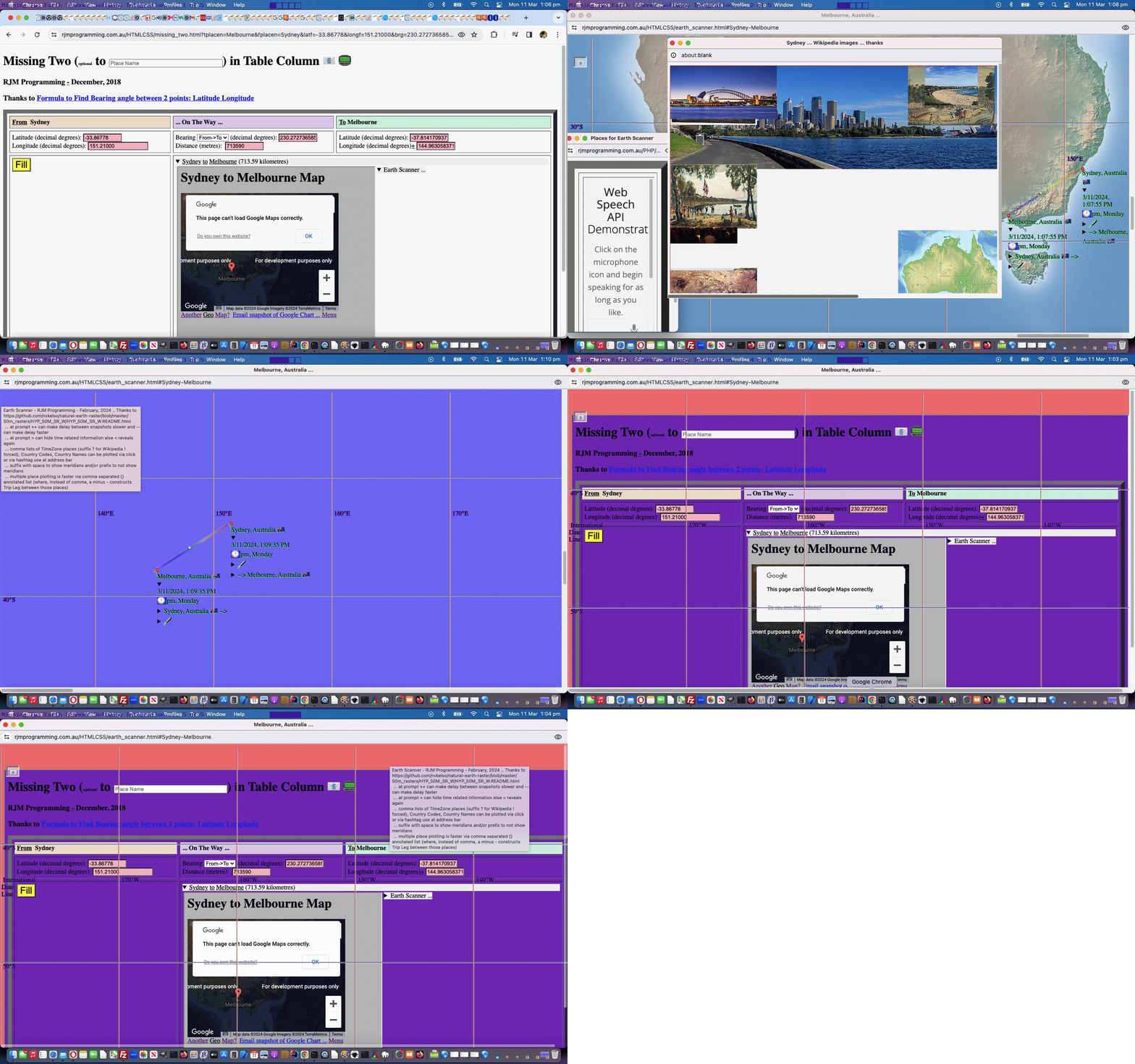
Earth Bearing Distance Missing Two Earth Scanner Integration Tutorial
Today we’re combining precedents from …
… where we integrate the first into the second. Yes, you can code for a web application, to start with, normally, as a “topmost” one, but when it is asked to be “called upon” as a tool for another web application, lots of surprises can happen. Our surprise in this integration above, a bit different to a lot we do, was …
- the Earth Scanner performs well in a popup window … but …
- the Earth Scanner does not perform well in an iframe
… we guess, because of those calculations for the variables screenwidth and screenheight which are so crucial to the scrolling required for that Earth Scanner.
At first we thought we’d just whack into a popup window from the Missing Two host, a URL to the Earth Scanner relevant to the two places in the Missing Two web application. But then we had some time to think about it, and remembered how the work of Earth Scanner Map Image Margin Tutorial introduced …
- a sliver of margin applied to the map image (big img element) … and we wondered “who owns that sliver?” … so, in case it was the document.body element, as we hoped, we’d try …
- img element onclick event arrangement amendment …
      document.getElementById('myimg').onclick=function(event) { event.stopPropagation(); movesallowed=false; gmovesallowed=false; if (gdefv != '') { askfor=ourprompt(event,'Earth Scanner - RJM Programming - February, 2024 ... ' + String.fromCharCode(10) + 'Thanks to https://github.com/nvkelso/natural-earth-raster/blob/master/50m_rasters/HYP_50M_SR_W/HYP_50M_SR_W.README.html ... ' + String.fromCharCode(10) + 'Currently top left of screen is (Longitude,Latitude) ' + '(' + eval(-180 + xp * 360 / 100) + ',' + eval(90 - yp * 180 / 100) + ') and bottom right is (' + eval(-180 + screenlong + xp * 360 / 100) + ',' + eval(90 - screenlat - yp * 180 / 100) + ') and around the middle is (' + eval(-180 + eval(screenlong / 2) + xp * 360 / 100) + ',' + eval(90 - eval(screenlat / 2) - yp * 180 / 100) + ').' + String.fromCharCode(10) + 'Where do you want middle of screen to be in terms of Longitude,Latitude?  Suffix with space to show meridians and/or prefix with space to not show meridians.', gdefv); gdefv='';  } else { askfor=ourprompt(event,'Earth Scanner - RJM Programming - February, 2024 ... ' + String.fromCharCode(10) + 'Thanks to https://github.com/nvkelso/natural-earth-raster/blob/master/50m_rasters/HYP_50M_SR_W/HYP_50M_SR_W.README.html ... ' + String.fromCharCode(10) + 'Currently top left of screen is (Longitude,Latitude) ' + '(' + eval(-180 + xp * 360 / 100) + ',' + eval(90 - yp * 180 / 100) + ') and bottom right is (' + eval(-180 + screenlong + xp * 360 / 100) + ',' + eval(90 - screenlat - yp * 180 / 100) + ') and around the middle is (' + eval(-180 + eval(screenlong / 2) + xp * 360 / 100) + ',' + eval(90 - eval(screenlat / 2) - yp * 180 / 100) + ').' + String.fromCharCode(10) + 'Where do you want middle of screen to be in terms of Longitude,Latitude?  Suffix with space to show meridians and/or prefix with space to not show meridians.', '');  }      if (('' + askfor).replace('(','').replace(')','').replace('[','').replace(']','').indexOf(',') != -1) {

         ameridian='';

         acircleoflatitude='';

         enforcedlong=false;

         enforcedxp=-999; } movesallowed=true; gmovesallowed=true; };
… augmented by …
- positive action around the “equivalent of document.body onload event” for the Earth Scanner …
  var thecss='';

  var earth_scanner_css=location.search.split('css=')[1] ? (decodeURIComponent(location.search.split('css=')[1].split('&')[0]).replace(/\+/g,' ')) : '';

  thecss=earth_scanner_css;

  var atendest='<input type=hidden id=posturl style=display:none; value=""></input><input type=button id=dbutton onclick=checkforstt(); style=display:none;></input>';

  var atend='<br><br><div id=dc><canvas title="" id=ourcanvas width=' + ('' + eval(-15 + (window.orientation == 0 ? window.screen.height: window.screen.width)) + 'px').replace('pxpx','').replace('px','') + ' height=660 style="width:' + ('' + eval(-15 + (window.orientation == 0 ? window.screen.height: window.screen.width)) + 'px').replace('pxpx','px') + ';height:660px;border:1px solid red;background-color:' + bcol + ';' + extrastyle + '"></canvas></div><div id=xdscriptstuff></div><div id=xdstylestuff></div><textarea id=myta style=display:none; value=""></textarea><iframe onload=scranal(this); id=scrmytaif style=display:none; src=></iframe><iframe onload=styanal(this); id=stymytaif style=display:none; src=></iframe><iframe class="spag" scrolling="no" data-onload="iifopen(this);" id="cbi" frameborder="0" style="position:fixed;top:0px;left:150px;width:173px;height:218px;margin-top:-204px;display:none;" src="/HTMLCSS/client_browsing.htm?straighttext=312160562686"></iframe><textarea id=result1 style=display:none;></textarea><textarea id=result2 style=display:none;></textarea>' + exdstylestuff + exdscriptstuff + atendest;

  var parentiframe='';

  var iol='';

  if (window.opener) {

     var pu=window.opener.document.URL;

     if (pu.indexOf('#') == -1 && ('' + window.opener.location.hash).replace(/^null/g,'').replace(/^undefined/g,'') != '') {

       pu+=('#' + ('' + window.opener.location.hash)).replace(/^\#\#/g, '#');

     }

     thecss+='display:block;';

     parentiframe='<br><iframe id=mtif style="width:100%;height:800px;z-index:987;margin:0 0 0 0;margin-left:10px;margin-top:10px;background-color:rgba(0,0,255,0.5);" src="' + pu + '"></iframe><div id=dhiddens style=display:none;><div id=goagain></div><input type=hidden id=ltf value=></input><input type=hidden id=lgf value=></input><input type=hidden id=ltt value=></input><input type=hidden id=lgt value=></input><div id=slong></div><iframe id=niframe src=></iframe></div>';


     iol=' onload="document.body.onclick=function(){  document.getElementById(' + "'myimg'" + ').style.display=document.getElementById(' + "'myimg'" + ').style.display.replace(' + "'block','NONE'" + ').replace(' + "'none','block'" + ').replace(' + "'NONE','none'" + ');  if (1 == 2) { document.getElementById(' + "'dstyle'" + ').style.display=document.getElementById(' + "'dstyle'" + ').style.display.replace(' + "'visible','HIDDEN'" + ').replace(' + "'hidden','visible'" + ').replace(' + "'HIDDEN','hidden'" + '); } if (document.getElementById(' + "'myimg'" + ').style.display == ' + "'none'" + ') { window.scrollTo(0,0);  document.body.style.backgroundColor=' + "'rgba(255,0,0,0.5)'" + ';  } else { window.scrollTo(cspx, cspy);  document.body.style.backgroundColor=' + "'rgba(0,0,255,0.5)'" + ';  }  } " ';

     setInterval(getcsp, 5000);

  }

  document.write("<img" + iol + " src='/HTMLCSS/HYP_50M_SR_W.jpg' id=myimg width=" + eval(zoomf * 10800) + " height=" + eval(zoomf * 5400) + " style='margin:0 0 0 0;margin-left:10px;margin-top:10px;" + thecss + "'></img><div id=dstyle style=visibility:visible;></div><input id=sdtitle type=hidden value='Earth Scanner'></input><input id=sdtext type=hidden value='Earth Scanner - RJM Programming'></input><input id=sdurl type=hidden value='" + document.URL.split('#')[0] + ('' + location.hash).replace(/^null/g,'').replace(/^undefined/g,'') + "'></input><iframe scrolling=no farmeborder=0 style='z-index:3456;position:fixed;top:55px;left:15px;width:30px;height:24px;' onload='storeshare(this);' src='/HTMLCSS/web_share_api_test.html?emojize=128231'></iframe><input type=hidden id=itworked value=''></input><iframe onload=coordit(this); id=wif style=display:none;margin-left:50px; src='//wikipedia.org/wiki/Saint_George,_Antigua_and_Barbuda'></iframe><iframe onload=coordittwo(this); id=wiftwo style=display:none; src=></iframe><input type=hidden id=placegeo title='' value=''></input>" + atend + parentiframe);
… calling …
  var cspx=0, cspy=0;


  function getcsp() {

    // Thanks to https://stackoverflow.com/questions/31712287/get-scroll-position-in-javascript

    var ourcspx = eval('' + (document.body.scrollX || document.body.scrollLeft || document.getElementsByTagName("html")[0].scrollLeft));

    var ourcspy = eval('' + (document.body.scrollY || document.body.scrollTop || document.getElementsByTagName("html")[0].scrollTop));

    if (ourcspx > 100) {

      cspx=ourcspx;

      cspy=ourcspy;

    }

    //document.title='cspx=' + cspx + ' and cspy=' + cspy + ' ourcspx=' + ourcspx + ' and ourcspy=' + ourcspy;

  }
… surprising us regarding how much could be done at the “child” to make this popup window arrangement be fitting into the integration so that …
- user calls the “parent” Missing Two web application …
- user fills in the two places … now a clickable details/summary “reveal” “Earth Scanner …” arrangement, if clicked …
- opens new Earth Scanner popup window with the calling URL hosted in a popup window iframe element below it … so that …
- clicking in the left hand “document.body” element’s “sliver” which might involve “user scrolling to”, to find (and yes, that is where the ownership lies, luckily) toggles the Earth Scanner topmost with Missing Two “clone” topmost …
- with the scrolling remembered (our testing shows … “for the main part”) … or the user can choose to …
- close the popup window in order to fall back to calling “parent” Missing Two web application window, only (still with the “Earth Scanner …” details/summary “reveal” arrangement showing)
Codewise …
Previous relevant Earth Bearing Distance Missing Two Trip Geolocation Elevation Tutorial is shown below.
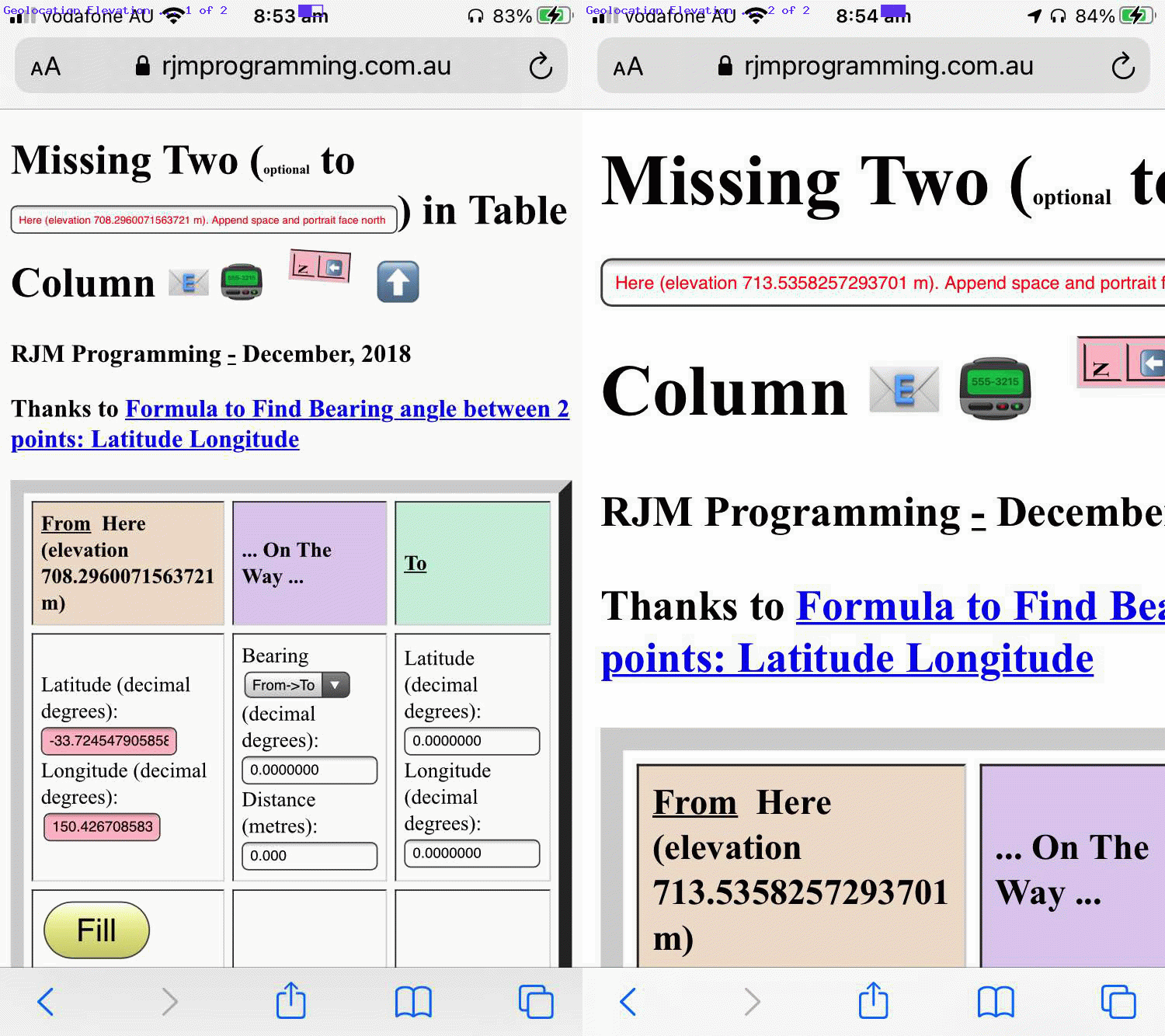
Earth Bearing Distance Missing Two Trip Geolocation Elevation Tutorial
Onto yesterday’s Earth Bearing Distance Missing Two Trip Geolocation Tutorial and its Geolocation progress we started the day with a different course of action to how we ended it. The day’s motivation was to automate a Place Name elevation knowledge in order to help with that …
What’s out there in the distance?
… thinking we talked about, first, at Earth Bearing Distance Missing Two Place Name and Horizon Tutorial.
We suspected that we were naive in our thinking because Google searches lead to nothing with our theory, that theory being that we could combine …
… could derive for us a semi reliable elevation value. There’s theory, though, and then there’s empirical application, and we could not get the application of the former match the aims with the latter, but will leave you with our Javascript attempt via …
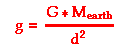
    function elevviaz(inlat) { // thanks to https://www.physicsclassroom.com/class/circles/Lesson-3/The-Value-of-g

      var dsq=0.0, ddsql=0.0;

      if (eval('' + zalpha) != 0) {

      var cone=0.0000000000667430;

      var mone=5980000000000000000000000.0;

      var rone=get_radius_at_lat(inlat); //6380000.0000;

      //for (var ii=1; ii<=24; ii++) {

      //  mone*=10.0;

      //}

      dsq=eval('' + mone);

      alert('dsq(1 is big const)=' + dsq);

      dsq*=eval('' + cone);

      alert('dsq(2 times small const vs 398600441800000.0)=' + dsq);

      dsq=398600441800000.0;

      dsq/=9.8; //eval('' + zalpha);

      alert('dsq(3 divide by iphone ' + zalpha + ')=' + dsq);

      dsq=Math.pow(dsq, 0.5);

      alert('dsq(4 square root)=' + dsq);

      rone=dsq; //dsq-=rone;

      alert('dsq(5 minus sea level earth radius ' + rone + ')=' + dsq);


      dsq=eval('' + mone);

      alert('dsq(1 is big const)=' + dsq);

      dsq*=eval('' + cone);

      alert('dsq(2 times small const vs 398600441800000.0)=' + dsq);

      dsq=398600441800000.0;

      dsq/=eval('' + zalpha);

      alert('dsq(3 divide by iphone ' + zalpha + ')=' + dsq);

      dsq=Math.pow(dsq, 0.5);

      alert('dsq(4 square root)=' + dsq);

      dsq-=rone;

      alert('dsq(5 minus sea level earth radius ' + rone + ')=' + dsq);


      }

      return dsq;

    }
After abandoning this approach, sadly, later in the day some sporadically happier news was that we discovered that the Geolocation API can sometimes pass across a decent elevation value, which we applied as below into our code’s thinking in our changed missing_two.html‘s “Missing Two” web application.
      var appendz="";

      var iinb=0;


    function showPosition(position) {

      if (userlatitude == 0.0 && userlongitude == 0.0) {

        userlatitude=eval('' + position.coords.latitude);

        userlongitude=eval('' + position.coords.longitude);

        //alert('' + position.coords.heading);

        if (('' + position.coords.altitude).replace('null','') != '' && iinb == -1) {

          appendz=";" + ('' + position.coords.altitude).replace('null','');

        }

      if (userlatitude != 0.0 || userlongitude != 0.0) {

        //document.getElementById('you').innerHTML='(0,0)';

        if (document.getElementById('spfr').innerHTML.indexOf('rom') != -1) {

        if (document.getElementById('latf') && document.getElementById('longf')) {

          document.getElementById('latf').focus();

          document.getElementById('latf').value=userlatitude;

          document.getElementById('longf').focus();

          document.getElementById('longf').value=userlongitude;

          document.getElementById('latf').focus();

          userlatitude=0.0;

          userlongitude=0.0;

          document.getElementById('ssf').innerHTML='Here';

          if (appendz != '') {

          fplacen='Here (elevation ' + appendz.substring(1) + ' m)';

          document.getElementById('ssf').innerHTML=fplacen;

          } else {

          fplacen='Here';

          }

          gllentry='' + document.getElementById('latf').value + ',' + document.getElementById('longf').value + ',' + fplacen;

          askit();

          //document.getElementById('spfr').innerHTML='to';

        }

        } else {

        if (document.getElementById('latt') && document.getElementById('longt')) {

          document.getElementById('latt').focus();

          document.getElementById('latt').value=userlatitude;

          document.getElementById('longt').focus();

          document.getElementById('longt').value=userlongitude;

          document.getElementById('latt').focus();

          userlatitude=0.0;

          userlongitude=0.0;

          document.getElementById('sst').innerHTML='Here';

           if (appendz != '') {

          tplacen='Here (elevation ' + appendz.substring(1) + ' m)';

          document.getElementById('sst').innerHTML=tplacen;

          } else {

          tplacen='Here';

           }

          gllentry='' + document.getElementById('latt').value + ',' + document.getElementById('longt').value + ',' + tplacen;

          askit();

        }

        }

      }

      }

    }


    function getLocation(inb) {

      iinb=inb.indexOf(';');

      if (navigator.geolocation) {

       try {

        navigator.geolocation.getCurrentPosition(showPosition);

        //setTimeout(later, 1000);

         if (appendz != "" && iinb != -1) { appendz=""; }

        if (inb != inb.trim() && document.getElementById('spfr').innerHTML.indexOf('rom') != -1) { fplacen+=' '; }

        if (inb != inb.trim() && document.getElementById('spfr').innerHTML.indexOf('rom') == -1) { tplacen+=' '; }

        if (document.getElementById('spfr').innerHTML.indexOf('rom') != -1) {

          document.getElementById('ipn').value=fplacen;

        } else {

          document.getElementById('ipn').value=tplacen;

        }

        gid = navigator.geolocation.watchPosition(gsuccess, gerror, goptions);

        return false;

        } catch(err) {

        //setTimeout(later, 1000);

        }

      } else if (userlatitude != 0.0 || userlongitude != 0.0) {

        //document.getElementById('you').innerHTML='(0,0)';

        if (document.getElementById('spfr').innerHTML.indexOf('rom') != -1) {

        if (document.getElementById('latf') && document.getElementById('longf')) {

          document.getElementById('latf').focus();

          document.getElementById('latf').value=userlatitude;

          document.getElementById('longf').focus();

          document.getElementById('longf').value=userlongitude;

          document.getElementById('latf').focus();

          userlatitude=0.0;

          userlongitude=0.0;

          document.getElementById('ssf').innerHTML='Here';

          if (appendz != '') {

          fplacen='Here (elevation ' + appendz.substring(1) + ' m)';

          document.getElementById('ssf').innerHTML=fplacen;

          } else {

          fplacen='Here';

          }

          gllentry='' + document.getElementById('latf').value + ',' + document.getElementById('longf').value + ',' + fplacen;

          askit();

          //document.getElementById('spfr').innerHTML='to';

          return false;

        }

        } else {

        if (document.getElementById('latt') && document.getElementById('longt')) {

          document.getElementById('latt').focus();

          document.getElementById('latt').value=userlatitude;

          document.getElementById('longt').focus();

          document.getElementById('longt').value=userlongitude;

          document.getElementById('latt').focus();

          userlatitude=0.0;

          userlongitude=0.0;

          document.getElementById('sst').innerHTML='Here';

          if (appendz != '') {

          tplacen='Here (elevation ' + appendz.substring(1) + ' m)';

          document.getElementById('sst').innerHTML=tplacen;

          } else {

          tplacen='Here';

          }

          gllentry='' + document.getElementById('latt').value + ',' + document.getElementById('longt').value + ',' + tplacen;

          askit();

          return false;

        }

        }

      }

      return true;

    }
Previous relevant Earth Bearing Distance Missing Two Trip Geolocation Tutorial is shown below.
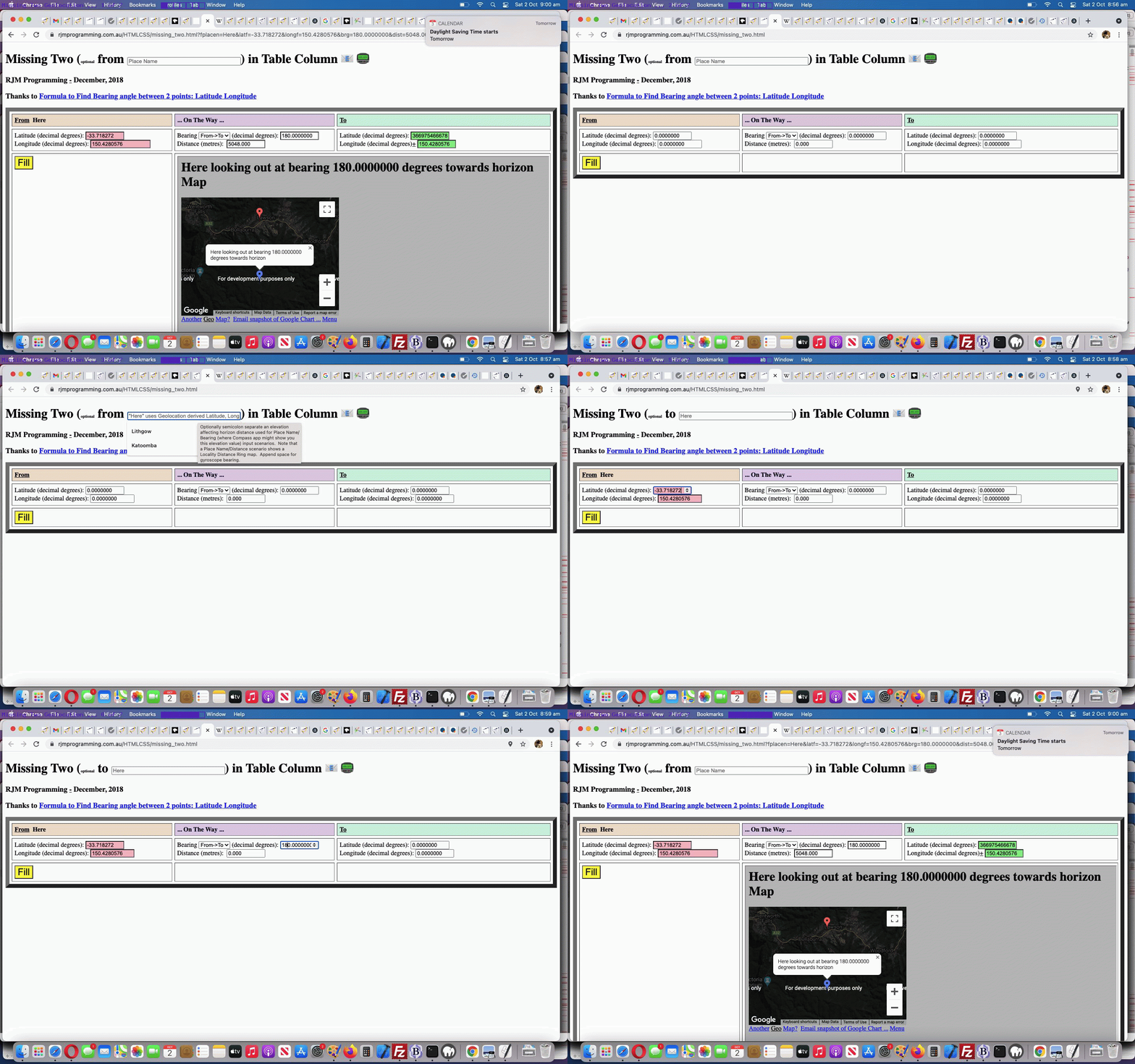
Earth Bearing Distance Missing Two Trip Geolocation Tutorial
Okay, it’s the day where gobsmacked readers of Earth Bearing Distance Missing Two Trip Compass Tutorial and (all) users of its “Missing Two” web application can be relieved of their “gobsmackederhood“?! Yes …
- on top of our Wikipedia way to glean Latitude and Longitude for a Place Name … today (oh, but the shame of it all, the shame, leaving it for so long …
oh, the shame of“okay, that’s it … pull yourself together”) we finally get around to …
- “Here” Place Name based HTML5 Geolocation API (should the user be allowing Location Services (into their frightfully busy lives) for their web browser of use) … yayyyyyyyy!
… is flagged to the user via that top textbox’s “placeholder” blurb being adjusted (for 7 seconds) as a user focuses there via changed HTML …
<h1 id=myh1 style='display:block;'>Missing Two (<font size=1>optional</font> <span onclick="this.innerHTML=this.innerHTML.replace('to','From').replace('from','to').replace('From','from'); document.getElementById('ipn').focus(); " id=spfr title='Click me to toggle between from and to' style='cursor:pointer;'>from</span> <input onfocus='hereit(this,"");' title='Optionally semicolon separate an elevation affecting horizon distance used for Place Name/Bearing (where Compass app might show you this elevation value) input scenarios. Note that a Place Name/Distance scenario shows a Locality Distance Ring map. Append space for gyroscope bearing.' onblur='lkwk(this,"");' style='display:inline-block;width:280px;' placeholder='Place Name' id=ipn value='' type=text></input>) in Table Column <span data-onfocus="document.getElementById('semail').innerHTML='';" data-title='Email to (append a space to just show the table cell with the gradient)?' data-contenteditable=true data-onblur=preemail(this.innerHTML); onclick=emailit(''); id=semail title=Email>📧</span> <span data-onfocus="document.getElementById('semail').innerHTML='';" data-title='SMS to?' data-contenteditable=true data-onblur=preemail(this.innerHTML); onclick=toize(''); id=ssms title=SMS>📟</span><div id=dntable style=display:none;> <table border=1 id=ntable style="background-color:pink;display:inline-block;font-size:10px;"><tr><td>N</td></tr><tr><td>⬆</td></tr></table> <div style='display:inline-block;cursor:pointer;' id=arrowup title='To Portrait Up ... line up, parallel, with compass N to face North the ideal way' onclick='alert(this.title);'>⬆</div></div></h1>
… calling on new Javascript …
  var oiqplaceholder='';


function oiqit() {

  if (oiqplaceholder != '') {

    hereit(document.getElementById('ipn'), oiqplaceholder);

    oiqplaceholder='';

  } else if (document.getElementById('ipn')) {

    if (('' + document.getElementById('ipn').placeholder).indexOf('"Here" ') == 0 && ('' + document.getElementById('ipn').placeholder).indexOf(' Longitude. ') != -1) {

      document.getElementById('ipn').placeholder=document.getElementById('ipn').placeholder.split(' Longitude. ')[1];

    }

  }

}


function hereit(oiq, twopis) {

  var wasp='';

  if (twopis != '') {

    if (('' + oiq.placeholder).indexOf('"Here"') == -1) {

      wasp=('' + oiq.placeholder);

      oiq.placeholder='"Here" uses Geolocation derived Latitude, Longitude. ' + wasp;

      setTimeout(oiqit, 7000);

    }

    document.getElementById('myh1').style.cursor='pointer';

  } else if (oiq.value == '' && document.URL.toLowerCase().indexOf('https') == 0) {

    if (('' + oiq.placeholder).indexOf('"Here"') == -1) {

      wasp=('' + oiq.placeholder);

      oiqplaceholder='"Here" uses Geolocation derived Latitude, Longitude. ' + wasp;

      document.getElementById('myh1').style.cursor='progess';

      setTimeout(oiqit, 500);

    }

  }

}
… and if the user types in the Here we are looking for …
function lkwk(oiis, twop) {

  var doi=true;

  if (oiis.value.trim() != '') {

    if ((('' + oiis.value).replace(/\"/g,'').replace(/\'/g,'').replace(';',' ') + ' ').toLowerCase().indexOf('here ') == 0) { doi=false; if (1 == 2) { oiis.value=''; }  doi=getLocation();  if (1 == 2) { return ''; } }

    if (document.getElementById('tdmid')) {

      if (document.getElementById('tdmid').innerHTML.toLowerCase().indexOf('<iframe') != -1) {

         if (document.getElementById('spfr')) {

           if (document.getElementById('spfr').innerHTML.toLowerCase().indexOf('rom') != -1) {

             location.href=document.URL.split('#')[0].split('?')[0] + '?ipn=' + encodeURIComponent(oiis.value);

           }

         }

      }

    }

    if (oiis.value.trim() != oiis.value) { tplacen=tplacen.trim(); } else { tplacen+=String.fromCharCode(32);  }

    var ois=oiis.value.trim().split(';');

    if (doi) { document.getElementById('ifplacegeo').src=document.getElementById('ifplacegeo').src.split('?')[0].split('#')[0] + '?placegeo=' + encodeURIComponent(ois[0]); }

    if (eval('' + ois.length) > 1) { elev=eval('' + ois[1]);  evel=Math.max(elev, 2.0); }

    if (twop == '') { oiis.value=''; }

    if (doi) { document.body.style.cursor='progress'; }

  }

}
… new Geolocation API Javascript code swings into action …
  var userlatitude=0.0, userlongitude=0.0;


    function getLocation() {

      if (navigator.geolocation) {

       try {

        navigator.geolocation.getCurrentPosition(showPosition);

        //setTimeout(later, 1000);

        return false;

        } catch(err) {

        //setTimeout(later, 1000);

        }

      } else if (userlatitude != 0.0 || userlongitude != 0.0) {

        //document.getElementById('you').innerHTML='(0,0)';

        if (document.getElementById('spfr').innerHTML.indexOf('rom') != -1) {

        if (document.getElementById('latf') && document.getElementById('longf')) {

          document.getElementById('latf').focus();

          document.getElementById('latf').value=userlatitude;

          document.getElementById('longf').focus();

          document.getElementById('longf').value=userlongitude;

          document.getElementById('latf').focus();

          userlatitude=0.0;

          userlongitude=0.0;

          document.getElementById('ssf').innerHTML='Here';

          gllentry='' + document.getElementById('latf').value + ',' + document.getElementById('longf').value + ',Here';

          askit();

          //document.getElementById('spfr').innerHTML='to';

          fplacen='Here';

          return false;

        }

        } else {

        if (document.getElementById('latt') && document.getElementById('longt')) {

          document.getElementById('latt').focus();

          document.getElementById('latt').value=userlatitude;

          document.getElementById('longt').focus();

          document.getElementById('longt').value=userlongitude;

          document.getElementById('latt').focus();

          userlatitude=0.0;

          userlongitude=0.0;

          document.getElementById('sst').innerHTML='Here';

          gllentry='' + document.getElementById('latt').value + ',' + document.getElementById('longt').value + ',Here';

          askit();

          tplacen='Here';

          return false;

        }

        }

      }

      return true;

    }


    function showPosition(position) {

      if (userlatitude == 0.0 && userlongitude == 0.0) {

        userlatitude=eval('' + position.coords.latitude);

        userlongitude=eval('' + position.coords.longitude);

      if (userlatitude != 0.0 || userlongitude != 0.0) {

        //document.getElementById('you').innerHTML='(0,0)';

        if (document.getElementById('spfr').innerHTML.indexOf('rom') != -1) {

        if (document.getElementById('latf') && document.getElementById('longf')) {

          document.getElementById('latf').focus();

          document.getElementById('latf').value=userlatitude;

          document.getElementById('longf').focus();

          document.getElementById('longf').value=userlongitude;

          document.getElementById('latf').focus();

          userlatitude=0.0;

          userlongitude=0.0;

          document.getElementById('ssf').innerHTML='Here';

          gllentry='' + document.getElementById('latf').value + ',' + document.getElementById('longf').value + ',Here';

          askit();

          //document.getElementById('spfr').innerHTML='to';

          fplacen='Here';

        }

        } else {

        if (document.getElementById('latt') && document.getElementById('longt')) {

          document.getElementById('latt').focus();

          document.getElementById('latt').value=userlatitude;

          document.getElementById('longt').focus();

          document.getElementById('longt').value=userlongitude;

          document.getElementById('latt').focus();

          userlatitude=0.0;

          userlongitude=0.0;

          document.getElementById('sst').innerHTML='Here';

          gllentry='' + document.getElementById('latt').value + ',' + document.getElementById('longt').value + ',Here';

          askit();

          tplacen='Here';

        }

        }

      }

      }

    }
… into our changed missing_two.html‘s “Missing Two” web application.
What a programmer’s relief!
Previous relevant Earth Bearing Distance Missing Two Trip Compass Tutorial is shown below.
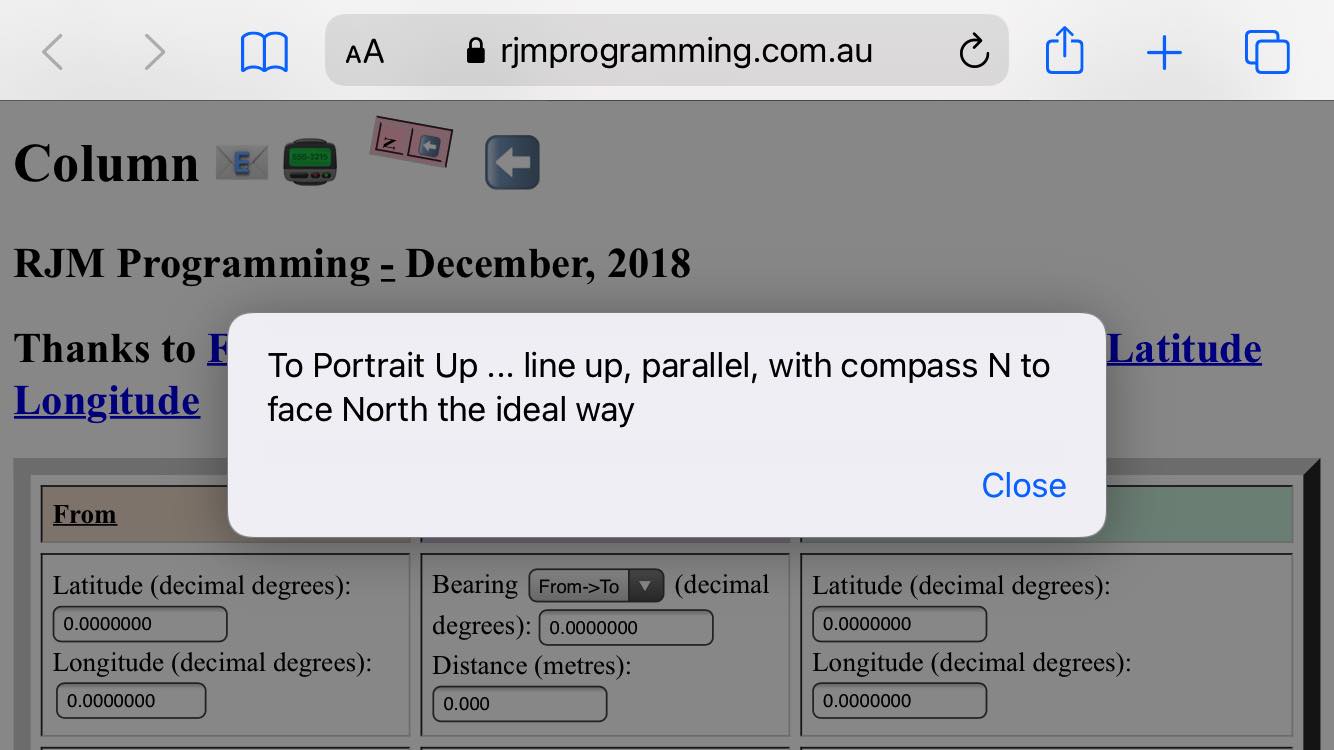
Earth Bearing Distance Missing Two Trip Compass Tutorial
The recent Earth Bearing Distance Missing Two Trip North Point Tutorial set up a …
- mobile device “North point” additional functionality … and today …
- more compass use helpers to guide user towards facing North … as well as …
- allow for Degrees Minutes Seconds as alternative angular method of entry harnessing changed HTML … exemplified by …
Latitude (decimal degrees): <input title='' style='width:90px;display:inline-block;' onchange='this.style.backgroundColor="pink";cwhat[0]=false; cwhat[1]=false; if (!decided) { if (!cwhat[5]) { cwhat[5]=true; } if (!cwhat[4]) { cwhat[4]=true; } decided=true; } top.document.getElementById("ltf").value=this.value; ' onblur='this.style.backgroundColor="pink"; cwhat[0]=false; cwhat[1]=false; if (!decided) { if (!cwhat[5]) { cwhat[5]=true; } if (!cwhat[4]) { cwhat[4]=true; } decided=true; } top.document.getElementById("ltf").value=mdms(this.value,this); ' id=latf name=latf type=number onfocus='ati=0; atic=[]; atis=[];' onkeydown='couldbedms(event);' min=-90.0000000 max=90.0000000 step=0.0000010 value='0.0000000'></input><br>
… helped out by new Javascript …
  var ati=0, atis=[], atic=[];


function mdms(tvis, otvis) {

  var altvl=0.0, dvr=1.0, isv=0;

  if (eval('' + atic.length) >= 1) {

    //alert('ov=' + otvis.value + ' and atic[0]=' + atic[0]);

    if (atic[0].indexOf('-') != -1 && otvis.value.indexOf('-') == -1) {

      isv++;

    } else if (atic[0].indexOf('+') != -1 && otvis.value.indexOf('+') == -1) {

      isv++;

    } else if (eval('' + atis.length) >= 2) {

      if (eval('' + atis[1]) > 60) { isv++; }

    }

  }

  if (eval('' + atic.length) > 1) {

  //alert('Here ' + atic.length + ' last is=' + atic[eval(-1 + atic.length)]);

    for (var ijh=0; ijh<atic.length; ijh++) {

      if (atic[ijh].trim() != '') {

      isv++;

      if (atic[0].indexOf('-') != -1) {

        altvl-=eval(eval('' + dvr) * eval(atic[ijh].replace('-','')));

      } else {

        altvl+=eval(eval('' + dvr) * eval(atic[ijh].replace('-','')));

      }

  //alert('Here ' + altvl);

      dvr/=60.0;

      }

    }

    if (isv > 1) {

    tvis='' + altvl;

    otvis.value='' + altvl;

    }

  }

  ati=0;

  atic=[];

  atis=[];

  return tvis;

}


function idms(otvis) {

  var altvl=0.0, dvr=1.0, isv=0;

  if (eval('' + atic.length) >= 1) {

    //alert('Ov=' + otvis.value + ' and Atic[0]=' + atic[0]);

    if (atic[0].indexOf('-') != -1 && otvis.value.indexOf('-') == -1) {

      isv++;

    } else if (atic[0].indexOf('+') != -1 && otvis.value.indexOf('+') == -1) {

      isv++;

    } else if (eval('' + atis.length) >= 2) {

      if (eval('' + atis[1]) > 60) { isv++; }

    }

  }

  if (eval('' + atic.length) > 1) {

  //alert('here ' + atic.length + ' last is=' + atic[eval(-1 + atic.length)]);

    for (var ijh=0; ijh<atic.length; ijh++) {

      if (atic[ijh].trim() != '') {

      isv++;

      if (atic[0].indexOf('-') != -1) {

        altvl-=eval(eval('' + dvr) * eval(atic[ijh].replace('-','').replace('+','')));

      } else {

        altvl+=eval(eval('' + dvr) * eval(atic[ijh].replace('-','').replace('+','')));

      }

  //alert('here ' + altvl);

      dvr/=60.0;

      }

    }

    if (isv > 1) {

    otvis.value='' + altvl;

    }

  }

  ati=0;

  atic=[];

  atis=[];

  return otvis;

}


function couldbedms(event) {

  var wasc='';

  if (eval('' + event.keyCode) == 69 || eval('' + event.keyCode) == 78 || eval('' + event.keyCode) == 87 || eval('' + event.keyCode) == 83 || eval('' + event.keyCode) == 187 || eval('' + event.keyCode) == 189 || eval('' + event.keyCode) == 190 || (eval('' + event.keyCode) >= 48 && eval('' + event.keyCode) <= 57)) {

    if (ati == 0) { atis=[]; atis.push(0); atic.push(''); } else if (ati < 0) { ati=0; }

    ati++;

    atis[eval(-1 + atis.length)]=ati;

    if (eval('' + event.keyCode) == 87 || eval('' + event.keyCode) == 83) {

    if (atic[0].indexOf('-') == -1) { wasc=atic[0]; atic[0]='-' + wasc;  }

    } else if (eval('' + event.keyCode) == 69 || eval('' + event.keyCode) == 78) {

    if (atic[0].indexOf('+') == -1) { wasc=atic[0]; atic[0]='+' + wasc;  }

    } else if (eval('' + event.keyCode) != 187) {

    atic[eval(-1 + atic.length)]+=String.fromCharCode(eval(eval('' + event.keyCode) % 144));

    }

  } else {

    ati=-1;

    if (eval('' + event.keyCode) >= 65 && eval('' + event.keyCode) <= 90) {

    atis.push(eval('' + event.keyCode));

    } else {

    atis.push(0);

    }

    atic.push('');

  }

}
… improving the functionality and ease of use of our changed missing_two.html‘s “Missing Two” web application when using a mobile platform.
Previous relevant Earth Bearing Distance Missing Two Trip North Point Tutorial is shown below.
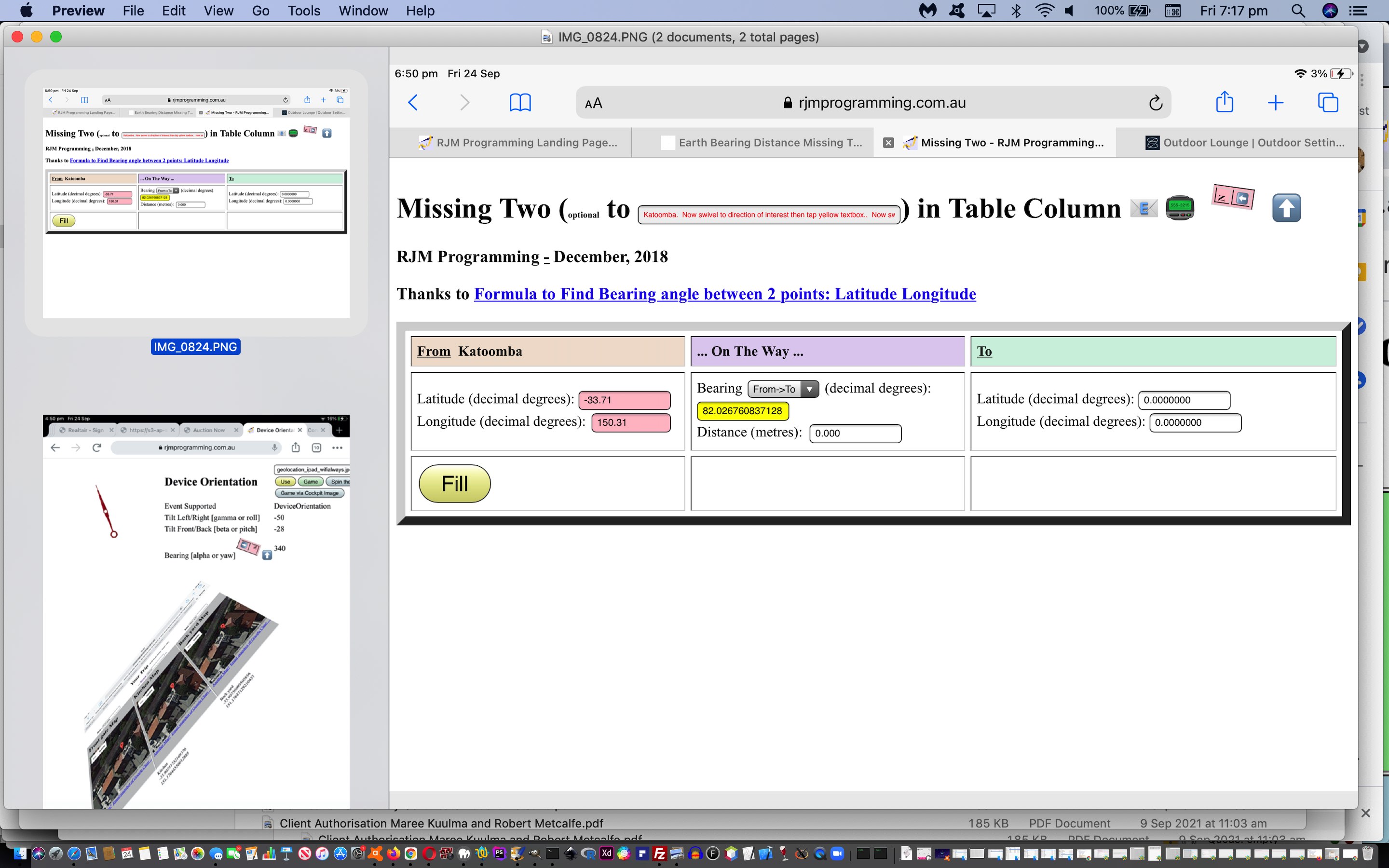
Earth Bearing Distance Missing Two Trip North Point Tutorial
We build on the recent Earth Bearing Distance Missing Two Trip Tap Orientation Tutorial and help out those “what’s out there in the distance” dreamers of Earth Bearing Distance Missing Two Trip Details Orientation Tutorial by, today adding a “North point” (HTML table element) to …
… on some mobile platforms, such as the iOS iPad we tested, adding compass like new functionality, as per the new HTML …
<h1 id=myh1 style='display:block;'>Missing Two (<font size=1>optional</font> <span onclick="this.innerHTML=this.innerHTML.replace('to','From').replace('from','to').replace('From','from'); document.getElementById('ipn').focus(); " id=spfr title='Click me to toggle between from and to' style='cursor:pointer;'>from</span> <input title='Optionally semicolon separate an elevation affecting horizon distance used for Place Name/Bearing (where Compass app might show you this elevation value) input scenarios. Note that a Place Name/Distance scenario shows a Locality Distance Ring map. Append space for gyroscope bearing.' onblur='lkwk(this);' style='display:inline-block;width:280px;' placeholder='Place Name' id=ipn value='' type=text></input>) in Table Column <span data-onfocus="document.getElementById('semail').innerHTML='';" data-title='Email to (append a space to just show the table cell with the gradient)?' data-contenteditable=true data-onblur=preemail(this.innerHTML); onclick=emailit(''); id=semail title=Email>📧</span> <span data-onfocus="document.getElementById('semail').innerHTML='';" data-title='SMS to?' data-contenteditable=true data-onblur=preemail(this.innerHTML); onclick=toize(''); id=ssms title=SMS>📟</span><div id=dntable style=display:none;> <table border=1 id=ntable style="background-color:pink;display:inline-block;font-size:10px;"><tr><td>N</td></tr><tr><td>⬆</td></tr></table> ⬆</div></h1>
… and Javascript …
  var wasthisso=''  + (screen.msOrientation || screen.mozOrientation || (screen.orientation || {}).type); //"portrait";

  var wasangle=eval(180 - eval('' + window.orientation));


  if (1 == 1) {

window.addEventListener("orientationchange", function() {

  // Announce the new orientation number

  wasangle=eval(180 - eval('' + window.orientation));

  var thisso=''  + screen.msOrientation || screen.mozOrientation || (screen.orientation || {}).type;

  if (('' + thisso) == 'undefined') {

   var mql=window.matchMedia("(orientation: portrait)");

// If there are matches, we're in portrait

if (mql.matches) {

    thisso="Portrait"; // Portrait orientation

} else {

    thisso="Landscape"; // Landscape orientation

}

  }


  if (thisso != wasthisso) {

    wasthisso=thisso;

    //alert('ori');

  }

}, false);

  }


if (window.DeviceOrientationEvent) {

if (1 == 2) { alert(1); }

// Listen for orientation changes ... thanks to https://davidwalsh.name/orientation-change

  // Listen for the deviceorientation event and handle the raw data

  window.addEventListener('deviceorientation', function(eventData) {

    // gamma is the left-to-right tilt in degrees, where right is positive

    if (1 == 2) { alert(11); }

    if (document.getElementById('ipn')) {

        //if (('' + document.getElementById('ipn').placeholder).indexOf('Append space and face north for gyroscope bearing.') == -1) {

        if (('' + document.getElementById('ipn').placeholder).indexOf(' and ') == -1) {

         document.getElementById('ipn').className='ph';

         document.getElementById('ipn').placeholder+='. Append space and portrait face north for gyroscope bearing.';

         document.getElementById("myviewport").setAttribute("content", "width=device-width, initial-scale=1.5, minimum-scale=0.1, maximum-scale=8, user-scalable=yes");

         setTimeout(asafn, 5000);

        }

    }

    //eventData.absolute=true;


    var eventDataalpha = eval(360.0 - eval('' + eventData.alpha)); // lalpha)); //

    if (eventData.absolute !== true && +eventData.webkitCompassAccuracy > 0 && +eventData.webkitCompassAccuracy < 50) {

    eventDataalpha = eval('' + eventData.webkitCompassHeading || 0);

    if (document.getElementById('dntable')) {  document.getElementById('dntable').style.display='inline-block';  }

    }

    if (!datstart) { eventDataalpha-=initial_yaw; }


    tiltLeftToRight = eval('' + eventData.gamma);


    // beta is the front-to-back tilt in degrees, where front is positive

    tiltFrontToBack = eval('' + eventData.beta);


    // alpha is the compass direction the device is facing in degrees

    lastalpha='' + eventData.alpha; // lalpha; //

    dorbrg = eval('' + eventDataalpha); //compassHeading(eval('' + eventDataalpha), tiltFrontToBack, tiltLeftToRight);

if (1 == 2) { alert(dorbrg); }

    if (document.URL.indexOf('aleJUNKrt=') != -1) {

      alert(dorbrg);

    }

    if (document.URL.indexOf('upJUNKdate=') != -1 || (fplacen != '' && tplacen == '')) {

      if (eventData.absolute || 1 == 1) {

      //document.getElementById('brg').value='' + eval(eval(540.0 - eval('' + dorbrg)) % 360.0);

      //document.getElementById('brg').value='' + eval(eval(720.0 - eval('' + dorbrg)) % 360.0);

      //document.getElementById('brg').value='' + dorbrg;

      if (eval(dcnt % 10) == 0) {

      document.getElementById('brg').value='' + eval(eval(720.0 + eval('' + dorbrg)) % 360.0);

      document.getElementById('brg').style.backgroundColor='yellow';

      }

      dcnt++;

      }

    }


    if (datstart && (fplacen != '' && tplacen == '')) {

      datstart=false;

      //initial_yaw=eval(360.0 - eval('' + lalpha)); //eventData.alpha));

      //alert('0:' + initial_yaw);

      if (!eventData.absolute) {

      initial_yaw=eval(360.0 - eval('' + eventData.alpha)); // lalpha)); //

      }

      //alert('' + initial_yaw);

      initial_pitch=Math.round(tiltFrontToBack);

      initial_roll=Math.round(tiltLeftToRight);

      //alert(initial_yaw + ',' + initial_pitch + ',' + initial_roll);

    }


    if (document.getElementById('ntable')) {

    var ts=450;

    if (wasangle != 0) {

    ts+=wasangle;

    }

    try { document.getElementById('ntable').style.webkitTransform = ("rotate(" + eval(ts - Math.round(dorbrg)) + "deg)"); } catch(e10) { }

    try { document.getElementById('ntable').style.MozTransform = ("rotate(" + eval(ts - Math.round(dorbrg)) + "deg)"); } catch(e1000) { }

    try { document.getElementById('ntable').style.msTransform = ("rotate(" + eval(ts - Math.round(dorbrg)) + "deg)"); } catch(e100) { }

    try { document.getElementById('ntable').style.OTransform = ("rotate(" + eval(ts - Math.round(dorbrg)) + "deg)"); } catch(e10000) { }

    try { document.getElementById('ntable').style.transform = ("rotate(" + eval(ts - Math.round(dorbrg)) + "deg)"); } catch(e1) { }

    }


    handleOrientationEvent(tiltFrontToBack, tiltLeftToRight, dorbrg, eventData.absolute);


    if ((fplacen != '' && tplacen == '') && document.getElementById('ipn')) {

        //if (('' + document.getElementById('ipn').placeholder).indexOf('Append space and face north for gyroscope bearing.') != -1) {

        if (('' + document.getElementById('ipn').placeholder).indexOf('Append space and ') != -1) {

         document.getElementById('ipn').style.backgroundColor='#f0f0f0';

         //document.getElementById('ipn').placeholder=document.getElementById('ipn').placeholder.split('Append space and face north for gyroscope bearing.')[0] + ' Now swivel to direction of interest then tap yellow textbox.';

         document.getElementById('ipn').placeholder=document.getElementById('ipn').placeholder.split('Append space and ')[0] + ' Now swivel to direction of interest then tap yellow textbox.';

         document.getElementById("myviewport").setAttribute("content", "width=device-width, initial-scale=1.2, minimum-scale=0.1, maximum-scale=8, user-scalable=yes");

         //window.scrollBy(0,50); //location.href='#brg';

        }

    }


    }, false);

}
Previous relevant Earth Bearing Distance Missing Two Trip Tap Orientation Tutorial is shown below.
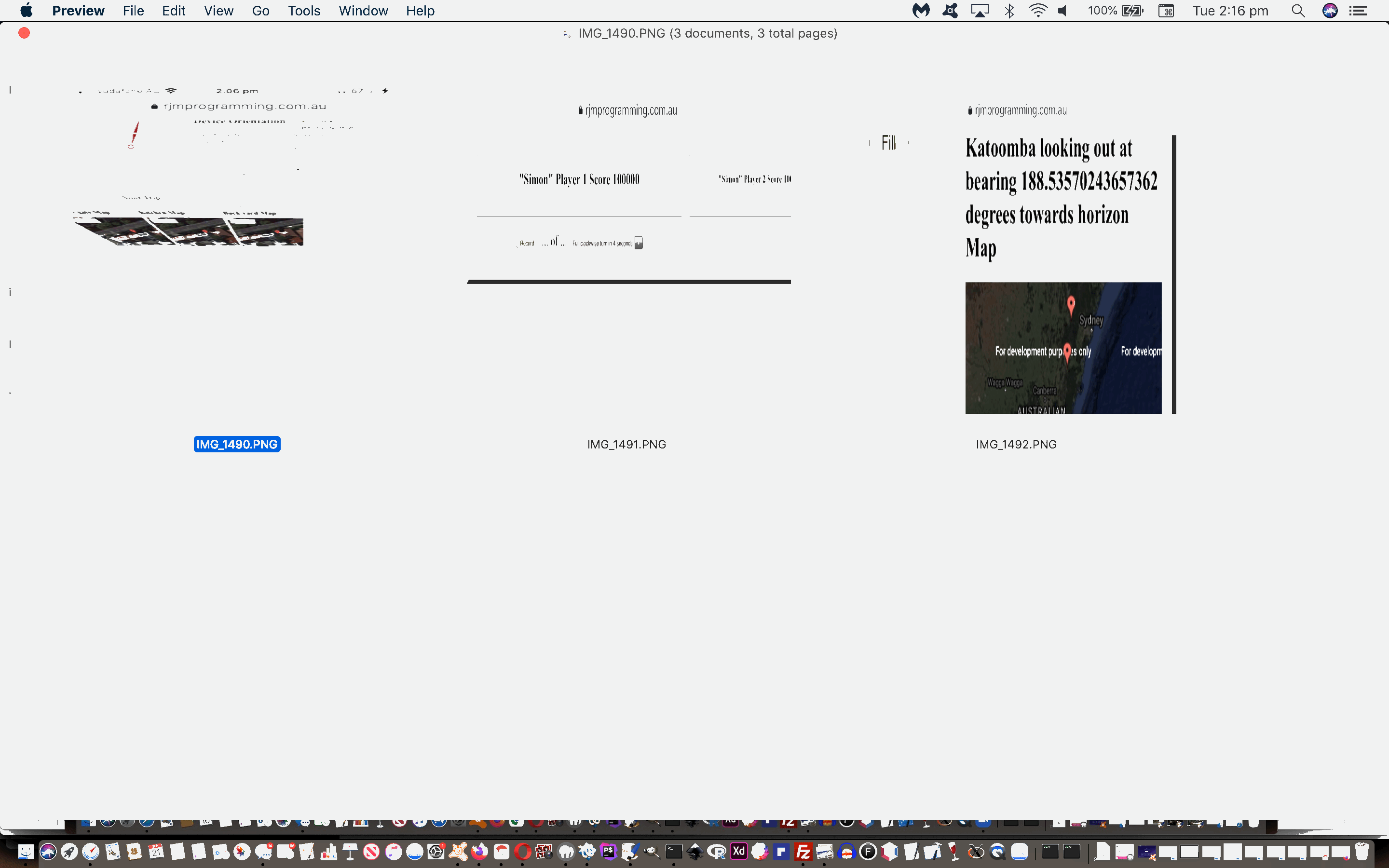
Earth Bearing Distance Missing Two Trip Tap Orientation Tutorial
That window.DeviceOrientationEvent event work of the recent Earth Bearing Distance Missing Two Trip Details Orientation Tutorial was missing an important point. We learnt about this point by debugging on an iOS (iPhone 7) Google Chrome web browser, as we showed with yesterday’s Google Chrome on iOS Web Browser Debug Tutorial. That tutorial’s finding lead us to the Google search for …
ERROR NotAllowedError Requesting device
… and onto the excellent How to requestPermission for devicemotion and deviceorientation events in iOS 13+ …
One more thing
One more thing to keep in mind is that requestPermission could only be called on a user gesture (e.g. click). This is reasonable UX too as we would want to tell users why we are asking for such permissions and let them confirm before prompting them so that they see it coming.
Otherwise you would get this error:
Console error: NotAllowedError: Requesting device orientation or motion access requires a user gesture to prompt
… where we needed to shift our oft-used document.body onload event code placement thinking to allow for this thinking, plus the provision of a button for the user to tap, as required, should the “permission” popup window be required to seek permission to, effectively, access that device’s gyroscope measurements via that window.DeviceOrientationEvent and/or window.DeviceMotionEvent event(s).
This is a similar Apple requirement, as it applies to iOS playing audio files, which we have mentioned quite a bit at this blog. One could say …
We should have known.
… and luckily two is too polite to say …
You blockhead!
… to which we are infinitely grateful, and will install for the rest of the day, that …
Two is our favourite number (for the rest of today, that is).
But it’s not only …
… for you to try for yourself, perhaps there on your mobile device with an accessible gyroscope on a compatible web browser such as Google Chrome (or others, now) on iOS.
Previous relevant Earth Bearing Distance Missing Two Trip Details Orientation Tutorial is shown below.
Earth Bearing Distance Missing Two Trip Details Orientation Tutorial
Humans, particularly before the advent of the mobile devices, were probably (as a whole) more skilled regarding navigation via “landmarks” or “sunmarks” or “moonmarks” working out …
In which direction is North?
Well, the irony here, today, is that the better you have been hanging onto these skills you are, the better you can use our new …
- mobile phone …
- containing a gyroscope … but …
- not an accessible compass (or if so, the knowledge of where North is becomes superfluous below) …
- using a compatible web browser such as Google Chrome …
- a good indication your scenario is compatible being that at some stage you answer “Allow” to a prompt as below …
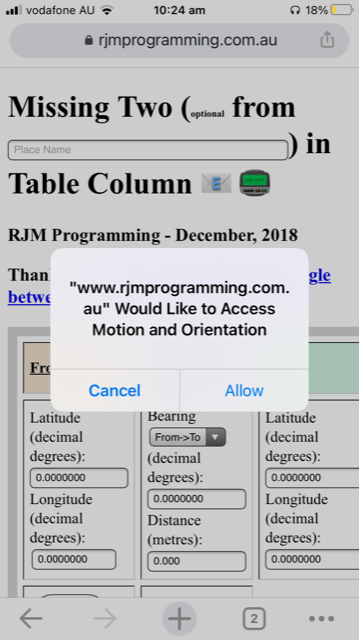
… at some point … using …
- today’s changed missing_two.html‘s live run link modifications … using …
- window.DeviceOrientationEvent event … and perhaps you could use …
- window.DeviceMotionEvent event
…
- software detection to offer that user …
… the chance to mix technology with human navigational instincts to answer that perennial question similarly asked in Earth Bearing Distance Missing Two Place Name and Horizon Tutorial …
What’s out there in the distance?
… via …
- using a compatible web browser such as Google Chrome … live run …
- point your mobile phone in portrait to North (or at least arrange to do this just before tapping the Done link in step below) …
- enter in a Place Name into that top textbox (to which, it’s good, as known, to append semicolon elevation) and add a space, and because you are on a mobile device, tap the Done link
- bearing text will start being updated with bearing of your mobile device portrait mode top pointing direction … so …
- when you’ve swivelled the mobile device to be pointing (in portrait) to the (What’s out there in the distance?) direction of interest, tap that yellow bearing textbox, then tap the Done link … resulting in …
- Google Chart Map Chart showing your Place Name and (the calculated) Horizon Position in that direction of your choosing
… meaning the combination of …
- your mobile device’s gyroscope’s angle measuring talent (akin to those theodolite talents Land Surveyors are using) … and …
- your navigational talents knowing where North is
… save you having to know that awkward “bearing” (in degrees) textbox answer to What’s out there in the distance? Perhaps see what we mean viewing today’s animated GIF presentation.
Onto yesterday’s Earth Bearing Distance Missing Two Trip Details Styling Tutorial and since the last time we ventured into the wooooorrrrrlllldddd of “window.DeviceOrientationEvent” logic we’ve gotten great help Javascript coding for the permissions side to the handling of this event, as per …
    if ((navigator.userAgent.match(/Android|BlackBerry|iPhone|iPad|iPod|Opera Mini|IEMobile/i) || document.URL.indexOf('alert=') != -1) && document.URL.toLowerCase().indexOf('https:') != 0) {

      location.href=document.URL.replace('http:','https:') + '&random=' + Math.floor(Math.random() * 174765654);

    }

    if ((navigator.userAgent.match(/Android|BlackBerry|iPhone|iPad|iPod|Opera Mini|IEMobile/i) || document.URL.indexOf('update=') != -1) && document.URL.toLowerCase().indexOf('https:') != 0) {

      location.href=document.URL.replace('http:','https:') + '&random=' + Math.floor(Math.random() * 174765654);

    }


// Thanks to https://developer.mozilla.org/en-US/docs/Web/JavaScript/Reference/Operators/await and

// https://gist.github.com/Ajasra/ddd616505013a4309c0dda8a8ba626cb


async function myfunction() {

  console.log('Inside of myfunction');

//alert(0);

if (window.DeviceOrientationEvent && typeof(DeviceOrientationEvent.requestPermission) === "function") {

//alert(4);

    const permissionState = await DeviceOrientationEvent.requestPermission().then(response => {

                        if (response === 'granted') {

         if (1 == 2) { alert('GrAnted'); }

                           //window.addEventListener('deviceorientation', OrientationHandler, true);

                           dorh();

                        } else if (result.state === 'prompt') {

                            if (1 == 2) { alert("Need prompt!"); }

                        } else {

                            if (1 == 2) { alert("Not Supported!"); }

                        }

                    }).catch(console.error);


    //if (permissionState === "granted") {

    //    alert('granted');

    //} else {

    //    alert('denied');

    //}

} else if (window.DeviceOrientationEvent) {

//alert(44);

                           dorh();

}


if (window.DeviceMotionEvent && typeof(DeviceMotionEvent.requestPermission) === "function") {

//alert(24);

    const permissionStateM = await DeviceMotionEvent.requestPermission().then(response => {

                        if (response === 'granted') {

         if (1 == 2) { alert('GranTed');  }

 window.addEventListener('devicemotion', function(event) {

    lalpha='' + event.rotationRate.alpha;

});

                           //window.addEventListener('deviceorientation', OrientationHandler, true);

                        } else if (result.state === 'prompt') {

                            if (1 == 2) { alert("NeeD prompt!"); }

                        } else {

                            if (1 == 2) { alert("NoT Supported!"); }

                        }

                    }).catch(console.error);


    //if (permissionStateM === "granted") {

    //    alert('Granted');

    //} else {

    //    alert('Denied');

    //}

} else if (window.DeviceMotionEvent) {

//alert(244);

 window.addEventListener('devicemotion', function(event) {

    lalpha='' + event.rotationRate.alpha;

});

}


}


// Here we wait for the myfunction to finish

// and then returns a promise that'll be waited for aswell

// It's useless to wait the myfunction to finish before to return

// we can simply returns a promise that will be resolved later


// Also point that we don't use async keyword on the function because

// we can simply returns the promise returned by myfunction

function start() {

  return myfunction();

}


// Call start

(async() => {

  console.log('before start');


  await start();


  console.log('after start');

})();


  var degtorad = Math.PI / 180; // Degree-to-Radian conversion ... thanks to https://www.w3.org/TR/orientation-event/#worked-example


  function dorh() {

//let laSensor = new LinearAccelerationSensor({frequency: 60});


//laSensor.addEventListener('reading', e => {

//  console.log("Linear acceleration along the X-axis " + laSensor.x);

//  console.log("Linear acceleration along the Y-axis " + laSensor.y);

//  console.log("Linear acceleration along the Z-axis " + laSensor.z);

//});

//laSensor.start();


//window.addEventListener('devicemotion', function(event) {

//  alert(event.rotationRate.alpha + ' m/s2');

//});


  if (1 == 3) {

window.addEventListener("orientationchange", function() {

  // Announce the new orientation number

  var thisso=''  + screen.msOrientation || screen.mozOrientation || (screen.orientation || {}).type;

  if (('' + thisso) == 'undefined') {

   var mql=window.matchMedia("(orientation: portrait)");

// If there are matches, we're in portrait

if (mql.matches) {

    thisso="Portrait"; // Portrait orientation

} else {

    thisso="Landscape"; // Landscape orientation

}

  }


  if (thisso != wasthisso) {

    wasthisso=thisso;

    alert('ori');

  }

}, false);

  }


if (window.DeviceOrientationEvent) {

if (1 == 2) { alert(1); }

// Listen for orientation changes ... thanks to https://davidwalsh.name/orientation-change

  // Listen for the deviceorientation event and handle the raw data

  window.addEventListener('deviceorientation', function(eventData) {

    // gamma is the left-to-right tilt in degrees, where right is positive

    if (1 == 2) { alert(11); }

    if (document.getElementById('ipn')) {

        //if (('' + document.getElementById('ipn').placeholder).indexOf('Append space and face north for gyroscope bearing.') == -1) {

        if (('' + document.getElementById('ipn').placeholder).indexOf(' and ') == -1) {

         document.getElementById('ipn').className='ph';

         document.getElementById('ipn').placeholder+='. Append space and portrait face north for gyroscope bearing.';

         document.getElementById("myviewport").setAttribute("content", "width=device-width, initial-scale=1.5, minimum-scale=0.1, maximum-scale=8, user-scalable=yes");

         setTimeout(asafn, 5000);

        }

    }

    //eventData.absolute=true;


    var eventDataalpha = eval(360.0 - eval('' + eventData.alpha)); // lalpha)); //

    if (!datstart) { eventDataalpha-=initial_yaw; }


    tiltLeftToRight = eval('' + eventData.gamma);


    // beta is the front-to-back tilt in degrees, where front is positive

    tiltFrontToBack = eval('' + eventData.beta);


    // alpha is the compass direction the device is facing in degrees

    lastalpha='' + eventData.alpha; // lalpha; //

    dorbrg = eval('' + eventDataalpha); //compassHeading(eval('' + eventDataalpha), tiltFrontToBack, tiltLeftToRight);

if (1 == 2) { alert(dorbrg); }

    if (document.URL.indexOf('aleJUNKrt=') != -1) {

      alert(dorbrg);

    }

    if (document.URL.indexOf('upJUNKdate=') != -1 || (fplacen != '' && tplacen == '')) {

      if (eventData.absolute || 1 == 1) {

      //document.getElementById('brg').value='' + eval(eval(540.0 - eval('' + dorbrg)) % 360.0);

      //document.getElementById('brg').value='' + eval(eval(720.0 - eval('' + dorbrg)) % 360.0);

      //document.getElementById('brg').value='' + dorbrg;

      if (eval(dcnt % 10) == 0) {

      document.getElementById('brg').value='' + eval(eval(720.0 + eval('' + dorbrg)) % 360.0);

      document.getElementById('brg').style.backgroundColor='yellow';

      }

      dcnt++;

      }

    }


    if (datstart && (fplacen != '' && tplacen == '')) {

      datstart=false;

      //initial_yaw=eval(360.0 - eval('' + lalpha)); //eventData.alpha));

      //alert('0:' + initial_yaw);

      if (!eventData.absolute) {

      initial_yaw=eval(360.0 - eval('' + eventData.alpha)); // lalpha)); //

      }

      //alert('' + initial_yaw);

      initial_pitch=Math.round(tiltFrontToBack);

      initial_roll=Math.round(tiltLeftToRight);

      //alert(initial_yaw + ',' + initial_pitch + ',' + initial_roll);

    }


    handleOrientationEvent(tiltFrontToBack, tiltLeftToRight, dorbrg, eventData.absolute);


    if ((fplacen != '' && tplacen == '') && document.getElementById('ipn')) {

        //if (('' + document.getElementById('ipn').placeholder).indexOf('Append space and face north for gyroscope bearing.') != -1) {

        if (('' + document.getElementById('ipn').placeholder).indexOf('Append space and ') != -1) {

         document.getElementById('ipn').style.backgroundColor='#f0f0f0';

         //document.getElementById('ipn').placeholder=document.getElementById('ipn').placeholder.split('Append space and face north for gyroscope bearing.')[0] + ' Now swivel to direction of interest then tap yellow textbox.';

         document.getElementById('ipn').placeholder=document.getElementById('ipn').placeholder.split('Append space and ')[0] + ' Now swivel to direction of interest then tap yellow textbox.';

         document.getElementById("myviewport").setAttribute("content", "width=device-width, initial-scale=1.2, minimum-scale=0.1, maximum-scale=8, user-scalable=yes");

         //window.scrollBy(0,50); //location.href='#brg';

        }

    }


    }, false);

}

}


var handleOrientationEvent = function(tiltFrontToBack, tiltLeftToRight, dorbrg, absis) {

    // do something amazing

    if (1 == 2) { alert(dorbrg); }

    if (document.URL.indexOf('alJUNKert=') != -1) {

      alert(dorbrg);

    }

    if (document.URL.indexOf('upJUNKdate=') != -1 || (fplacen != '' && tplacen == '')) {

      if (absis || 1 == 1) {

      //document.getElementById('brg').value='' +  eval(eval(540.0 - eval('' + dorbrg)) % 360.0);

      //document.getElementById('brg').value='' +  eval(eval(720.0 - eval('' + dorbrg)) % 360.0);

      //document.getElementById('brg').value='' + dorbrg;

      if (eval(dcnt % 10) == 0) {

      document.getElementById('brg').value='' + eval(eval(720.0 + eval('' + dorbrg)) % 360.0);

      document.getElementById('brg').style.backgroundColor='yellow';

      }

      dcnt++;

      }

    }

};


  function asafn() {

      if (document.getElementById('ipn')) {

        //if (('' + document.getElementById('ipn').placeholder).indexOf('Append space and face north for gyroscope bearing.') == -1) {

        if (('' + document.getElementById('ipn').placeholder).indexOf('Append space and portrait face north for ') != -1) {

         document.getElementById('ipn').placeholder=document.getElementById('ipn').placeholder.split('Append space and ')[0] + 'Append space and portrait face north onto ;elevation(m)?';

         setTimeout(asafn, 5000);

        } else if (('' + document.getElementById('ipn').placeholder).indexOf('Append space and ') != -1) {

         document.getElementById('ipn').placeholder=document.getElementById('ipn').placeholder.split('Append space and ')[0] + 'Append space and portrait face north for horizon bearing.';

         setTimeout(asafn, 5000);

        }

      }

  }
Today we added a meta viewport, and for the first time that we can recall, we started styling the “placeholder” of that top textbox as per (thanks to https://stackoverflow.com/questions/44679144/how-to-make-input-placeholder-font-size-different-from-input-value-font-size) …
<meta id="myviewport" name="viewport" content="width=device-width, initial-scale=1, minimum-scale=0.1, maximum-scale=8, user-scalable=yes" >

<style>

  summary { background-color: #f0f0f0; }


.ph::placeholder { /* Chrome, Firefox, Opera, Safari 10.1+ */

  color: red;

  opacity: 1; /* Firefox */

  font-size: 8px;

}


.ph:-ms-input-placeholder { /* Internet Explorer 10-11 */

  color: red;

  font-size: 8px;

}


.ph::-ms-input-placeholder { /* Microsoft Edge */

  color: red;

  font-size: 8px;

}


</style>
Previous relevant Earth Bearing Distance Missing Two Trip Details Styling Tutorial is shown below.
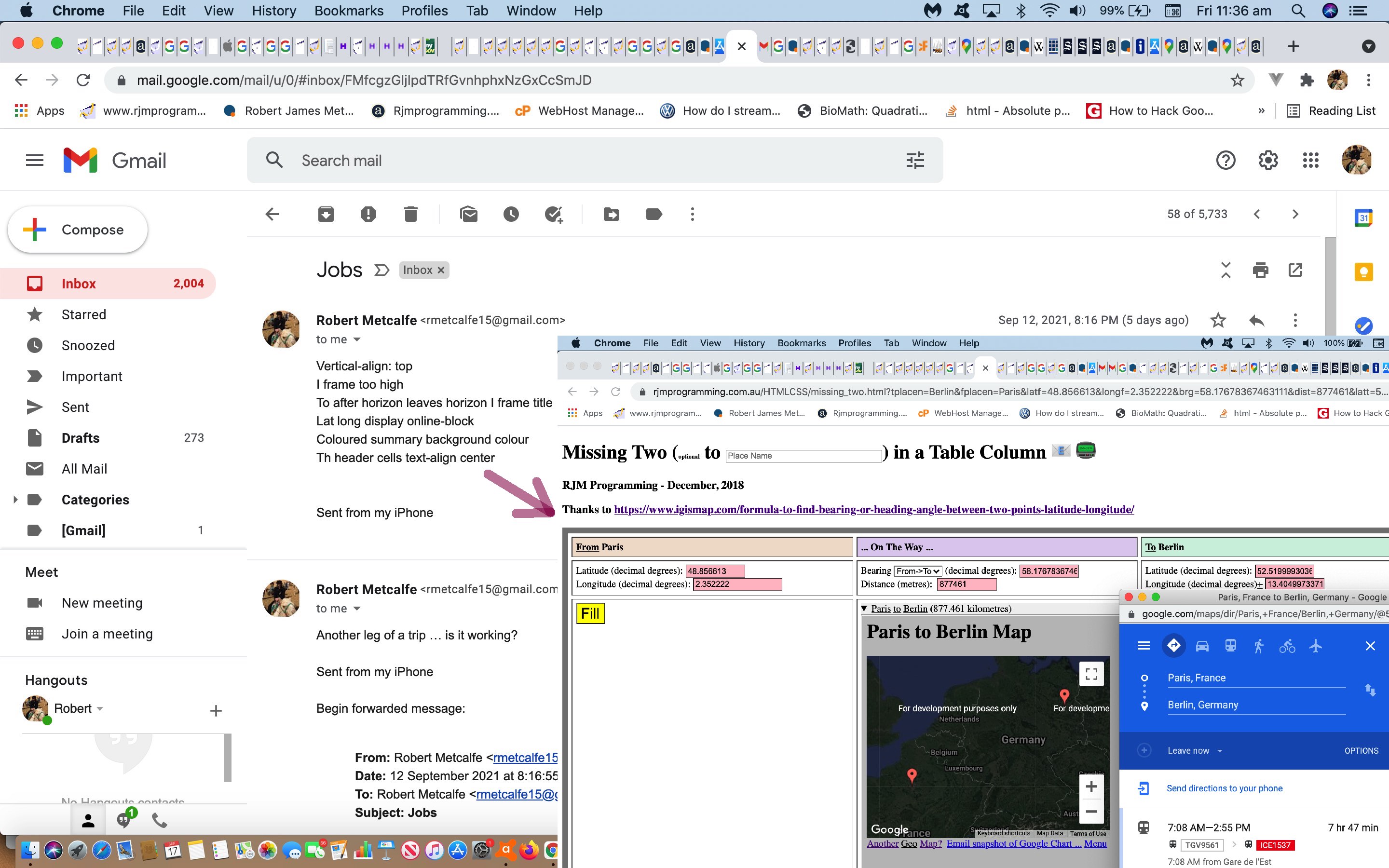
Earth Bearing Distance Missing Two Trip Details Styling Tutorial
On top of the recent Earth Bearing Distance Missing Two Trip Details Reveal Tutorial, today we discuss styling strategies a little. When and where do you style your webpage? We think you do it all along, but for us, we like “little spurts” at it too, so we might let a web application project progress in a practical approach not worrying about aesthetics too much until we do a “little spurt” bubble of activity regarding styling. Often times ideas for that can be developed away from the laptop you might write the code on. For example, today’s changed missing_two.html‘s live run link modifications were directed by an email we sent to ourselves …
Jobs
Robert Metcalfe
Sun, Sep 12, 8:16 PM (5 days ago)
to me
Vertical-align: top
I frame too high
To after horizon leaves horizon I frame title
Lat long display online-block
Coloured summary background colour
Th header cells text-align center
Sent from my iPhone
… “mind map” type ideas that may or may not be followed through to fruition, depending on …
- where possible
- where feasible
- where wise
This strategy above is for your small projects, else if much bigger, or involving multiple people to produce, or being written to a specification, or being written for a third party, you’d be much better placed to think about styling issues from the start, in a plan. You might want to use wireframes?
On these small projects we also don’t mind just involving the one HTML (or PHP writing HTML) source file and use a combination of …
- inline <style> CSS styling goes here </style> within the webpage <head></head> header section … or …
- in amongst the HTML via “style” attribute … eg. <p id=”myp” style=” CSS styling for p element goes here “> Content for p element goes here </p>
… or Javascript DOM code such as …
document.getElementById('myp').style.fontSize='18px';
… and it is very rare, with these small projects, though very good in organizational terms, to write all your CSS styling in an external CSS (styling file) arrangement such as …
<head>

<link href='./my_styling.css' rel='stylesheet' type='text/css'>

</head>
There are many ways to … well, you know what I mean … a cat! Not only were “no cats harmed in the making of this tutorial” but no cats were even roughed up?!
Previous relevant Earth Bearing Distance Missing Two Trip Details Reveal Tutorial is shown below.
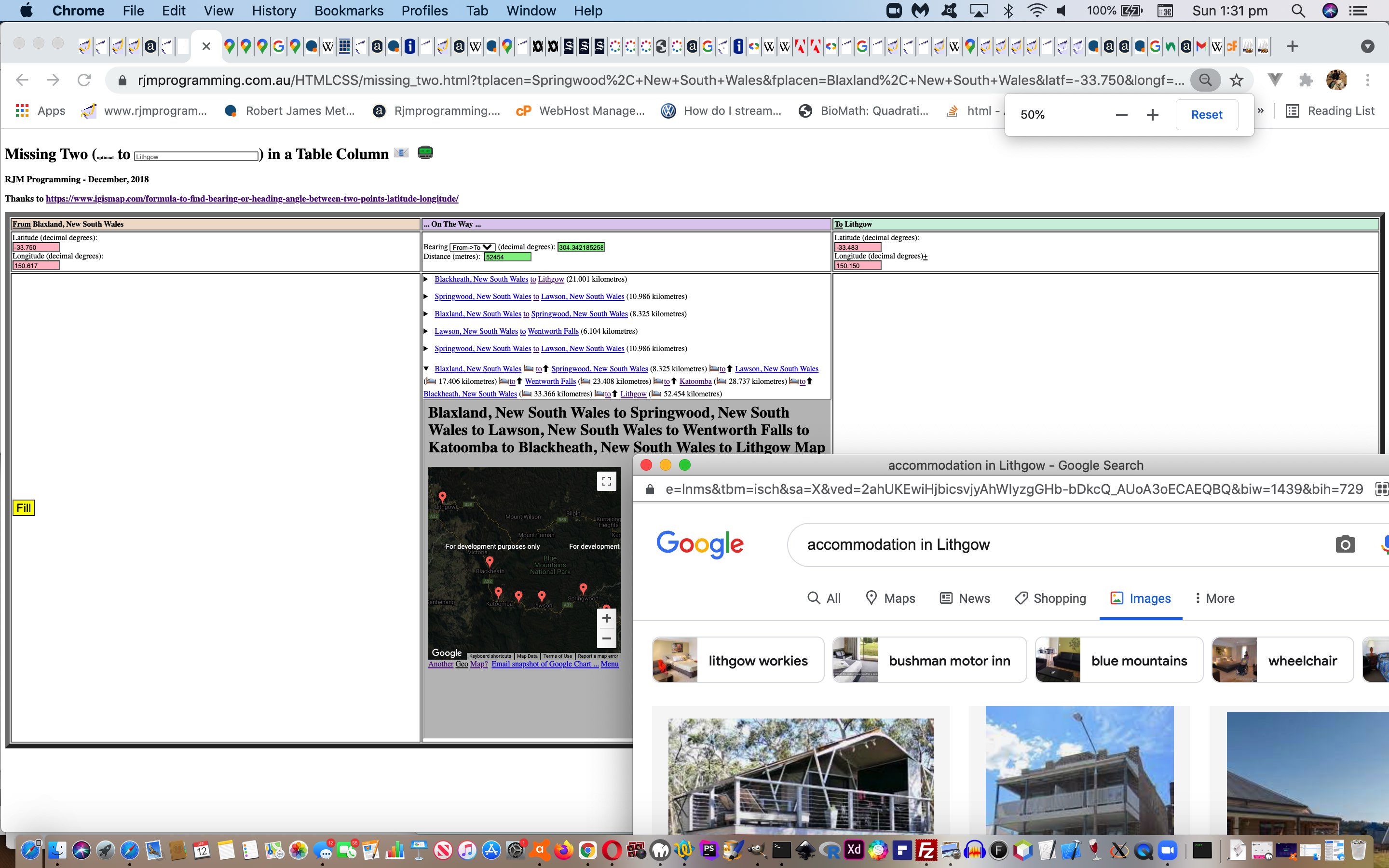
Earth Bearing Distance Missing Two Trip Details Reveal Tutorial
Yes, there’s only so long you can use the wonderful details/summary HTML element combination as with the recent Earth Bearing Distance Missing Two Trip Details Summary Tutorial‘s …
we often use to “reveal”, or not, webpage “real estate”, but today we default to the “open” look
… just using that “open” element mode of use, and not want to make use of its “reveal” talents. How so? Well, a bit like the dropdown element, we find that the details/summary combination allows for the containment of lots of data for a controlled amount of “reveal”. In this day and age of responsiveness to limited screen sizes, that is a big advantage.
Today, then, with our changed missing_two.html‘s live run link, we have …
- that first (at first) “open” details/summary nesting a Google Chart Map Chart iframe summarizing the entirety of your Trip … today …
- festooned with up arrow emoji (⬆) “button” links which, when clicked, zero in (into a new topmost “only open” details/summary nesting Google Chart Map Chart iframe set of data) on any one “leg” of your trip, displaying its own crow fly distance and Google Maps Directions information link, as well as new …
- accommodation (🛌) links ala accommodation in Springwood, New South Wales Google image search style links
… to enhance a Trip Planner’s user experience. Perhaps best to explain a bit codewise is to say “follow the Javascript variable interesting in code below” …
function askit() {
var ourdist=0.0, ourbrg=0.0;
//alert(gllentry);
if (gllentry.indexOf(',') != -1) {
if ((1 == 2 && gllonesuffix == 'f') || document.getElementById('spfr').innerHTML == 'from') {
tpurl=origtpurl;
document.getElementById('latf').focus();
document.getElementById('latf').value=gllentry.split(',')[0];
//var mu="//www.rjmprogramming.com.au/PHP/Map/map.php?title=London&label=['Lat',&value='Lon','Name']&data=,[51.5072,-0.1275,~London~]";
mu=mu.replace('[51.5072,','[' + gllentry.split(',')[0] + ',');
document.getElementById('longf').focus();
document.getElementById('longf').value=gllentry.split(',')[1];
mu=mu.replace(',-0.1275,',',' + gllentry.split(',')[1] + ',');
document.getElementById('latf').focus();
gllonesuffix = 't';
document.getElementById('spfr').innerHTML=document.getElementById('spfr').innerHTML.replace('from','to<input type=hidden name=fplacen value="' + gllentry.split(',')[2].replace(/\;/g,',') + '"></input>');
fplacen=gllentry.split(',')[2].replace(/\;/g,',');
document.getElementById('ssf').innerHTML=' ' + gllentry.split(',')[2].replace(/\;/g,',');
mu=mu.replace('=LonJunkdon','=' + encodeURIComponent(gllentry.split(',')[2].replace(/\;/g,','))).replace(',~London~]',',~' + encodeURIComponent(gllentry.split(',')[2].replace(/\;/g,',')) + '~],[051.5072,-00.1275,~LonDon~]');
tpurl=tpurl.replace("Sydney+NSW,+Australia",encodeURIComponent(gllentry.split(',')[2].replace(/\;/g,',')));
if (document.getElementById('sftif') && document.getElementById('iftif')) {
document.getElementById('iftif').src=document.getElementById('iftif').src.replace('&',encodeURIComponent(' from ' + gllentry.split(',')[2].replace(/\;/g,',')) + '&') + ',[' + gllentry.replace(',' + gllentry.split(',')[1] + ',', ',' + gllentry.split(',')[1] + ',~').replace(/\ /g,'%20') + '~]';
document.getElementById('sftif').innerHTML+=' <a target=_blank title=Accomodation onclick=woit(this); data-href="' + accomurl.replace(/Springwood\,\+New\+South\+Wales/g, encodeURIComponent(gllentry.split(',')[2].replace(/\;/g,',')).replace(/\%20/g,'+')) + '">from 🛌</a> <a target=_blank title="' + gllentry.split(',')[2].replace(/\;/g,',') + '" href="//en.wikipedia.org/wiki/' + encodeURIComponent(gllentry.split(',')[2].replace(/\;/g,',')) + '">' + gllentry.split(',')[2].replace(/\;/g,',') + '</a>';
document.getElementById('brg').value='0.0000000';
document.getElementById('dist').value='0.000';
document.getElementById('brg').style.backgroundColor='white';
document.getElementById('dist').style.backgroundColor='white';
cwhat=[false,false,true,true,false,false];
ourdist=great_circle_distance(document.getElementById(eles[0]).value,document.getElementById(eles[1]).value,document.getElementById(eles[4]).value,document.getElementById(eles[5]).value);
document.getElementById(eles[3]).value='' + ourdist;
//Let ‘R’ be the radius of Earth,
//‘L’ be the longitude,
//‘θ’ be latitude,
//‘β‘ be Bearing.
//Bearing from point A to B, can be calculated as,
//β = atan2(X,Y),
//where, X and Y are two quantities and can be calculated as:
//X = cos θb * sin ∆L
//Y = cos θa * sin θb – sin θa * cos θb * cos ∆L
ourbrg=eval(eval(360.0 + eval(eval(eval(180.0 / Math.PI) * Math.atan2(
eval(eval('' + Math.cos(eval(Math.PI / 180.0) * eval('' + document.getElementById(eles[4]).value))) *
eval('' + Math.sin(eval(Math.PI / 180.0) * eval(eval('' + document.getElementById(eles[5]).value) - eval('' + document.getElementById(eles[1]).value))))),
eval(eval('' + Math.cos(eval(Math.PI / 180.0) * eval('' + document.getElementById(eles[0]).value))) *
eval('' + Math.sin(eval(Math.PI / 180.0) * eval('' + document.getElementById(eles[4]).value)))) -
eval(eval('' + Math.sin(eval(Math.PI / 180.0) * eval('' + document.getElementById(eles[0]).value))) *
eval('' + Math.cos(eval(Math.PI / 180.0) * eval('' + document.getElementById(eles[4]).value))) *
eval('' + Math.cos(eval(Math.PI / 180.0) * eval(eval('' + document.getElementById(eles[5]).value) - eval('' + document.getElementById(eles[1]).value)))))
)))) % 360.0);
document.getElementById('mysel').value='2';
document.getElementById(eles[2]).value='' + ourbrg;
document.getElementById(eles[2]).style.backgroundColor='lightgreen';
document.getElementById(eles[3]).style.backgroundColor='lightgreen';
}
} else {
var interesting=false, waslatt='', waslongt='', wasfplacen='';
if (gllonesuffix == 'f') {
interesting=true;
waslatt=document.getElementById('latt').value;
waslongt=document.getElementById('longt').value;
if (documentURL == document.URL) {
wasfplacen=location.search.split('tplacen=')[1] ? (' ' + decodeURIComponent(location.search.split('tplacen=')[1].split('&')[0]).replace(/\+/g,' ')) : ''; //document.getElementById('tplacen').value;
} else {
wasfplacen=decodeURIComponent(documentURL.split('tplacen=')[eval(-1 + documentURL.split('tplacen=').length)].split('&')[0]);
}
//alert('interesting');
}
mu=mu.replace('=London','=' + encodeURIComponent(fplacen));
document.getElementById('brg').focus();
document.getElementById('dist').focus();
document.getElementById('latt').focus();
document.getElementById('latt').value=gllentry.split(',')[0];
mu=mu.replace('[051.5072,','[' + gllentry.split(',')[0] + ',');
document.getElementById('longt').focus();
document.getElementById('longt').value=gllentry.split(',')[1];
mu=mu.replace(',-00.1275,',',' + gllentry.split(',')[1] + ',');
document.getElementById('latt').focus();
gllonesuffix = 'f';
if (interesting) {
document.getElementById('spfr').innerHTML=document.getElementById('spfr').innerHTML.replace('to','from<input type=hidden id=tplacen name=tplacen value="' + gllentry.split(',')[2].replace(/\;/g,',') + '"></input>');
} else {
document.getElementById('spfr').innerHTML=document.getElementById('spfr').innerHTML.replace('to','from<input type=hidden id=tplacen name=tplacen value="' + gllentry.split(',')[2].replace(/\;/g,',') + '"></input>');
}
document.getElementById('ifill').value='Map Trip';
document.getElementById('sst').innerHTML=' ' + gllentry.split(',')[2].replace(/\;/g,',');
mu=mu.replace(',~LonDon~]',',~' + encodeURIComponent(gllentry.split(',')[2].replace(/\;/g,',')) + '~]');
tpurl=tpurl.replace("Brisbane+QLD,+Australia",encodeURIComponent(gllentry.split(',')[2].replace(/\;/g,',')));
if (document.getElementById('sftif') && document.getElementById('iftif')) {
if (document.getElementById('addafirst')) { document.getElementById('addafirst').style.display='inline-block'; }
if (document.getElementById('addacc')) { document.getElementById('addacc').style.display='inline-block'; }
document.getElementById('iftif').src=document.getElementById('iftif').src.replace('&',encodeURIComponent(' to ' + gllentry.split(',')[2].replace(/\;/g,',')) + '&') + ',[' + gllentry.replace(',' + gllentry.split(',')[1] + ',', ',' + gllentry.split(',')[1] + ',~').replace(/\ /g,'%20') + '~]';
//if (interesting) {
// alert('interesting ... fplacen=' + fplacen);
//}
if (interesting) {
document.getElementById('sftif').innerHTML+=(' from <a target=_blank title="' + wasfplacen + '" href="//en.wikipedia.org/wiki/' + encodeURIComponent(wasfplacen) + '">' + wasfplacen + '</a> ').substring(0,1) + '<a target=_blank title=Accomodation onclick=woit(this); data-href="' + accomurl.replace(/Springwood\,\+New\+South\+Wales/g, encodeURIComponent(wasfplacen).replace(/\%20/g,'+')) + '">🛌</a>' + '<a target=_blank title="Google Maps Directions" href="' + tpurl.replace('https:','') + '">to</a><a title="Map of this trip leg" class="adda" onclick="addto(this);" data-from="' + (wasfplacen ? wasfplacen : fplacen) + '" data-to="' + gllentry.split(',')[2].replace(/\;/g,',') + '" style="display:inline-block;cursor:pointer;" data-latf=' + (waslatt ? waslatt : document.getElementById('latf').value) + ' data-longf=' + (waslongt ? waslongt : document.getElementById('longf').value) + ' data-latt=' + document.getElementById('latt').value + ' data-longt=' + document.getElementById('longt').value + ' data-gcd=' + eval(eval('' + great_circle_distance((waslatt ? waslatt : document.getElementById(eles[0]).value),(waslongt ? waslongt : document.getElementById(eles[1]).value),document.getElementById(eles[4]).value,document.getElementById(eles[5]).value)) / 1000.000) + '>⬆<a> <a target=_blank title="' + gllentry.split(',')[2].replace(/\;/g,',') + '" href="//en.wikipedia.org/wiki/' + encodeURIComponent(gllentry.split(',')[2].replace(/\;/g,',')) + '">' + gllentry.split(',')[2].replace(/\;/g,',') + '</a> (' + '<a target=_blank title=Accomodation onclick=woit(this); data-href="' + accomurl.replace(/Springwood\,\+New\+South\+Wales/g, encodeURIComponent(gllentry.split(',')[2].replace(/\;/g,',')).replace(/\%20/g,'+')) + '">🛌</a> ' + eval(eval('' + great_circle_distance(document.getElementById(eles[0]).value,document.getElementById(eles[1]).value,document.getElementById(eles[4]).value,document.getElementById(eles[5]).value)) / 1000.000) + ' kilometres)';
//alert('interesting ... fplacen=' + wasfplacen);
} else {
document.getElementById('sftif').innerHTML+=' <a target=_blank title="Google Maps Directions" href="' + tpurl.replace('https:','') + '">to</a><a title="Map of this trip leg" class="adda" onclick="addto(this);" data-from="' + (wasfplacen ? wasfplacen : fplacen) + '" data-to="' + gllentry.split(',')[2].replace(/\;/g,',') + '" style="display:inline-block;cursor:pointer;" data-latf=' + (waslatf ? waslatf : document.getElementById('latf').value) + ' data-longf=' + (waslongf ? waslongf : document.getElementById('longf').value) + ' data-latt=' + document.getElementById('latt').value + ' data-longt=' + document.getElementById('longt').value + ' data-gcd=' + eval(eval('' + great_circle_distance((waslatf ? waslatf : document.getElementById(eles[0]).value),(waslongf ? waslongf : document.getElementById(eles[1]).value),document.getElementById(eles[4]).value,document.getElementById(eles[5]).value)) / 1000.000) + '>⬆<a> <a target=_blank title="' + gllentry.split(',')[2].replace(/\;/g,',') + '" href="//en.wikipedia.org/wiki/' + encodeURIComponent(gllentry.split(',')[2].replace(/\;/g,',')) + '">' + gllentry.split(',')[2].replace(/\;/g,',') + '</a> (' + '<a target=_blank title=Accomodation onclick=woit(this); data-href="' + accomurl.replace(/Springwood\,\+New\+South\+Wales/g, encodeURIComponent(gllentry.split(',')[2].replace(/\;/g,',')).replace(/\%20/g,'+')) + '">🛌</a> ' + eval(eval('' + great_circle_distance(document.getElementById(eles[0]).value,document.getElementById(eles[1]).value,document.getElementById(eles[4]).value,document.getElementById(eles[5]).value)) / 1000.000) + ' kilometres)';
}
document.getElementById('brg').style.backgroundColor='white';
document.getElementById('dist').style.backgroundColor='white';
documentURL+='&tplacen=' + encodeURIComponent(gllentry.split(',')[2].replace(/\;/g,','));
cwhat=[false,false,true,true,false,false];
ourdist=great_circle_distance(document.getElementById(eles[0]).value,document.getElementById(eles[1]).value,document.getElementById(eles[4]).value,document.getElementById(eles[5]).value);
document.getElementById(eles[3]).value='' + ourdist;
//Let ‘R’ be the radius of Earth,
//‘L’ be the longitude,
//‘θ’ be latitude,
//‘β‘ be Bearing.
//Bearing from point A to B, can be calculated as,
//β = atan2(X,Y),
//where, X and Y are two quantities and can be calculated as:
//X = cos θb * sin ∆L
//Y = cos θa * sin θb – sin θa * cos θb * cos ∆L
ourbrg=eval(eval(360.0 + eval(eval(eval(180.0 / Math.PI) * Math.atan2(
eval(eval('' + Math.cos(eval(Math.PI / 180.0) * eval('' + document.getElementById(eles[4]).value))) *
eval('' + Math.sin(eval(Math.PI / 180.0) * eval(eval('' + document.getElementById(eles[5]).value) - eval('' + document.getElementById(eles[1]).value))))),
eval(eval('' + Math.cos(eval(Math.PI / 180.0) * eval('' + document.getElementById(eles[0]).value))) *
eval('' + Math.sin(eval(Math.PI / 180.0) * eval('' + document.getElementById(eles[4]).value)))) -
eval(eval('' + Math.sin(eval(Math.PI / 180.0) * eval('' + document.getElementById(eles[0]).value))) *
eval('' + Math.cos(eval(Math.PI / 180.0) * eval('' + document.getElementById(eles[4]).value))) *
eval('' + Math.cos(eval(Math.PI / 180.0) * eval(eval('' + document.getElementById(eles[5]).value) - eval('' + document.getElementById(eles[1]).value)))))
)))) % 360.0);
document.getElementById('mysel').value='2';
document.getElementById(eles[2]).value='' + ourbrg;
document.getElementById(eles[2]).style.backgroundColor='lightgreen';
document.getElementById(eles[3]).style.backgroundColor='lightgreen';
if (interesting) {
document.getElementById('spfr').innerHTML='to';
document.getElementById('ipn').focus();
}
}
}
document.getElementById('ipn').placeholder=gllentry.split(',')[2].replace(/\;/g,',');
}
gllentry='';
document.getElementById('placegeo').value='';
}
Previous relevant Earth Bearing Distance Missing Two Trip Details Summary Tutorial is shown below.
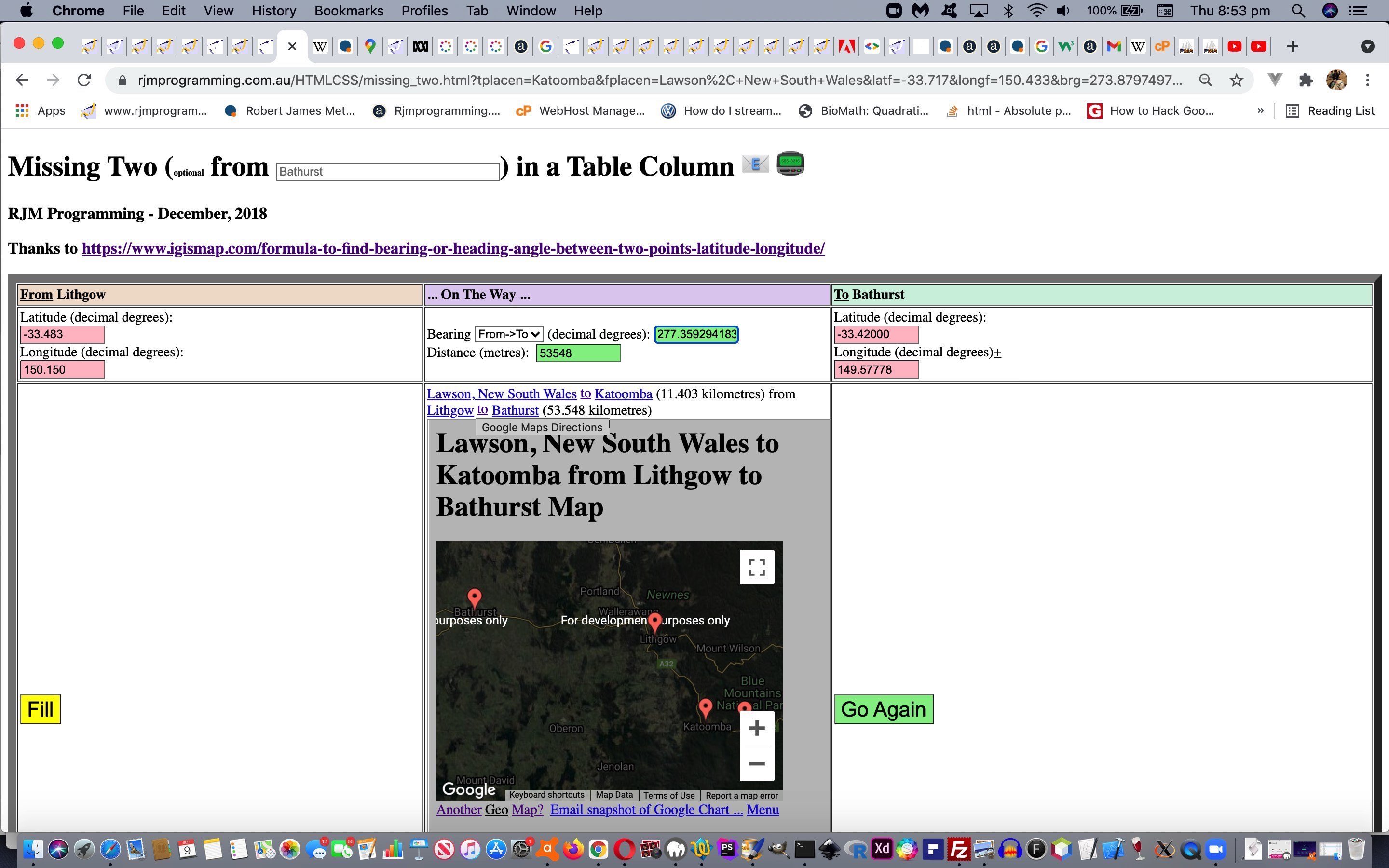
Earth Bearing Distance Missing Two Trip Details Summary Tutorial
The recent Earth Bearing Distance Missing Two Locality Distance Ring Tutorial coalesced “From” Place name functionality for …
- defined bearing … deriving horizon place
- defined distance … deriving ring of positions … and today we consider …
- Trip functionality thoughts via “To” Place name definitions supplementing the already entered “From” Place name
We say “Trip Details Summary” in our blog posting title today as a hint about how we present a nester of Google Chart Map Chart display data.
The details/summary HTML element combination we often use to “reveal”, or not, webpage “real estate”, but today we default to the “open” look and add Wikipedia links and crowfly distance and Google Maps Directions information into the summary tag, for extra interest with your Trip planning.
The user can access this functionality with our changed missing_two.html‘s live run link …
- user enters “From” Place Name via new textbox … eg. “Lawson, New South Wales”
- user enters “To” Place Name via new textbox … eg. “Katoomba”
- user clicks/taps the “Fill” button
- optionally the user can add more places to the Map Chart by adding more “From” and/or “To” Place Name definitions
Previous relevant Earth Bearing Distance Missing Two Locality Distance Ring Tutorial is shown below.
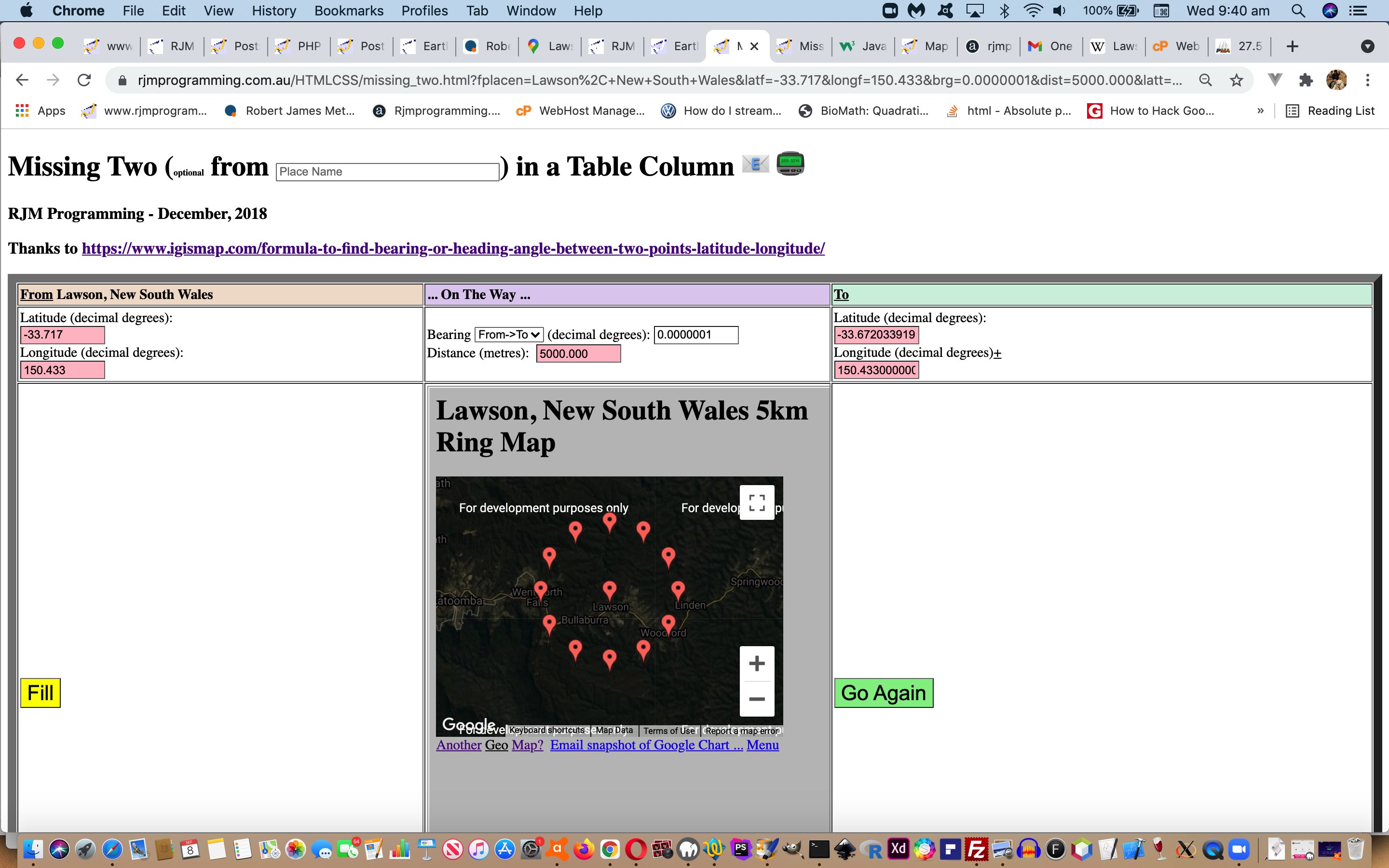
Earth Bearing Distance Missing Two Locality Distance Ring Tutorial
The corollary to yesterday’s Earth Bearing Distance Missing Two Place Name and Horizon Tutorial‘s …
- locality and bearing derivation of a “place on horizon” position … is, today …
- locality and distance derivation of a “locality distance ring” set of positions
… again, combining the geodata talents of Wikipedia and a Google Chart Map Chart, we figure.
And so a user accessing this functionality with our changed missing_two.html‘s live run link …
- user enters “From” Place Name via new textbox … eg. “Lawson, New South Wales”
- user enters “Distance” (eg. “5000.000” metres) and tabs out … we use the “onblur” event …
var dok=true;


function dfillablemaybe(brgo) {

     if (!dok) { return ''; }

     var i, ourbrg=0.0, ourdist=0.0, j, dvlat='', dvlong='';

  if (('' + brgo.value).replace(/0/g,'').replace('.','') != '') {

    //alert('356:' + document.getElementById('dist').value);

    if (('' + document.getElementById('dist').value).replace(/0/g,'').replace('.','') == '' || (fplacen != '' && tplacen == '')) {

    //alert(456);

    if (('' + document.getElementById('latt').value).replace(/0/g,'').replace('.','') == '' || (fplacen != '' && tplacen == '')) {

    //alert(556);

    if (('' + document.getElementById('longt').value).replace(/0/g,'').replace('.','') == '' || (fplacen != '' && tplacen == '')) {

    //alert(656);

      if (('' + document.getElementById('ssf').innerHTML) != '') {

    //alert(756);

        if (!viastart) {

        //document.getElementById('brg').focus();

        document.getElementById('brg').value='0.0000001';

        //brgo.focus();

        }

    if (mu.indexOf('[051.5072,') != -1) {

    //alert(856);

        if (!viastart) {

        //alert(1);

    document.getElementById('ifill').click();

        //alert(11);

        }

    mu=mu.replace('[051.5072,','[' + eval('' + document.getElementById('latt').value).toFixed(3) + ',');

    mu=mu.replace(',-00.1275,',',' + eval('' + document.getElementById('longt').value).toFixed(3) + ',');

    if (('' + brgo.value).indexOf('000.000') != -1) {

    //mu=mu.replace(encodeURIComponent('looking out North'), encodeURIComponent(('' + brgo.value).split('000.000')[0] + 'km Ring'));

    mu=mu.replace(',~LonDon~]',',~' + encodeURIComponent(fplacen + ' looking North') + '~]');

    mu=mu.replace('=London','=' + encodeURIComponent(fplacen + (' ' + brgo.value).split('000.000')[0] + 'km Ring'));

    } else {

    mu=mu.replace(',~LonDon~]',',~' + encodeURIComponent(fplacen + ' looking North') + '~]');

    mu=mu.replace('=London','=' + encodeURIComponent(fplacen + ' looking out North'));

    }

    //mu=mu.replace(',~LonDon~]',',~' + encodeURIComponent(fplacen + ' looking North') + '~]');

    //mu=mu.replace('=London','=' + encodeURIComponent(fplacen + ' looking out North'));

    //alert('956:' + mu);

    //document.getElementById('hplacen').innerHTML='<input type=hidden name=fplacen value="' + mu + '"></input>';

        //document.getElementById('tdmid').innerHTML='<iframe src="' + mu + '" style="width:100%;height:700px;"></iframe>';

        if (viastart) {

        for (var dbrg=30; dbrg<=330; dbrg+=30) {

          //document.getElementById('brg').value='' + dbrg + '.0000000';


       if (('' + document.getElementById('mysel').value) == '2') {

       ourbrg=eval(eval(540.0 + 180.0 + eval('' + document.getElementById(eles[2]).value)) % 360.0);

       } else {

       ourbrg=eval('' + document.getElementById(eles[2]).value);

       }

       ourbrg=eval('' + dbrg);

       for (j=eval(3 - eval(('' + document.getElementById('mysel').value))); j>=1; j--) {

       ourdist=eval('' + document.getElementById(eles[3]).value);


    //Let first point latitude be la1,

    ///longitude as lo1,

    //d be distance,

    //R as radius of Earth,

    //Ad be the angular distance i.e d/R and.

    //θ be the bearing,


    //Here is the formula to find the second point, when first point, bearing and distance is known:


    //latitude of second point = la2 =  asin(sin la1 * cos Ad  + cos la1 * sin Ad * cos θ), and

    //longitude  of second point = lo2 = lo1 + atan2(sin θ * sin Ad * cos la1 , cos Ad – sin la1 * sin la2)


       dvlat='' +

       eval(eval(eval(180.0 / Math.PI) * Math.asin(

       Math.sin(eval(Math.PI / 180.0) * eval('' + document.getElementById(eles[0]).value)) *

       Math.cos(eval(eval('' + ourdist) / 6371000.0)) +

       Math.cos(eval(Math.PI / 180.0) * eval('' + document.getElementById(eles[0]).value)) *

       Math.sin(eval(eval('' + ourdist) / 6371000.0)) *

       Math.cos(eval(Math.PI / 180.0) * eval('' + ourbrg)))));


//Let first point latitude be la1,

//longitude as lo1,

//d be distance,

//R as radius of Earth,

//Ad be the angular distance i.e d/R and

//θ be the bearing,

// longitude  of second point = lo2 = lo1 + atan2(sin θ * sin Ad * cos la1 , cos Ad – sin la1 * sin la2)


       dvlong='' + eval(eval(180.0 / Math.PI) * eval(eval(eval(Math.PI / 180.0) * eval('' + document.getElementById(eles[1]).value)) +

       Math.atan2(

       eval(eval('' + Math.sin(eval(Math.PI / 180.0) * eval('' + ourbrg)) *

       eval('' + Math.sin(eval(eval('' + ourdist) / 6371000.0)))) *

       eval('' + Math.cos(eval(Math.PI / 180.0) * eval('' + document.getElementById(eles[0]).value)))),

       eval(eval('' + Math.cos(eval(eval('' + ourdist) / 6371000.0))) -

       eval(eval('' + Math.sin(eval(Math.PI / 180.0) * eval('' + document.getElementById(eles[0]).value)))) *

       eval('' + Math.sin(eval(Math.PI / 180.0) * eval('' + document.getElementById(eles[4]).value)))))));

         mu+=',[' + eval('' + dvlat).toFixed(3) + ',' + eval('' + dvlong).toFixed(3) + ',~' + dbrg + '~]';


       }


        }

        document.getElementById('tdmid').innerHTML='<iframe src="' + mu + '" style="width:100%;height:700px;"></iframe>';

        fplacen='';

        }

    }


      }

    }

    }

    }

  }

}
… logic of that occurrence to say it is this scenario and above … so …
- set bearing to value “0.0000001” (ie. start the locality distance ring looking North)
- we programmatically click the yellow “Fill” button
- a Google Chart Map Chart is displayed with both …
- observer position … and this approximate calculated …
- locality distance ring set of positions at 30 degree intervals around the ring whose radius is the Distance value (in metres) entered by the user
Previous relevant Earth Bearing Distance Missing Two Place Name and Horizon Tutorial is shown below.
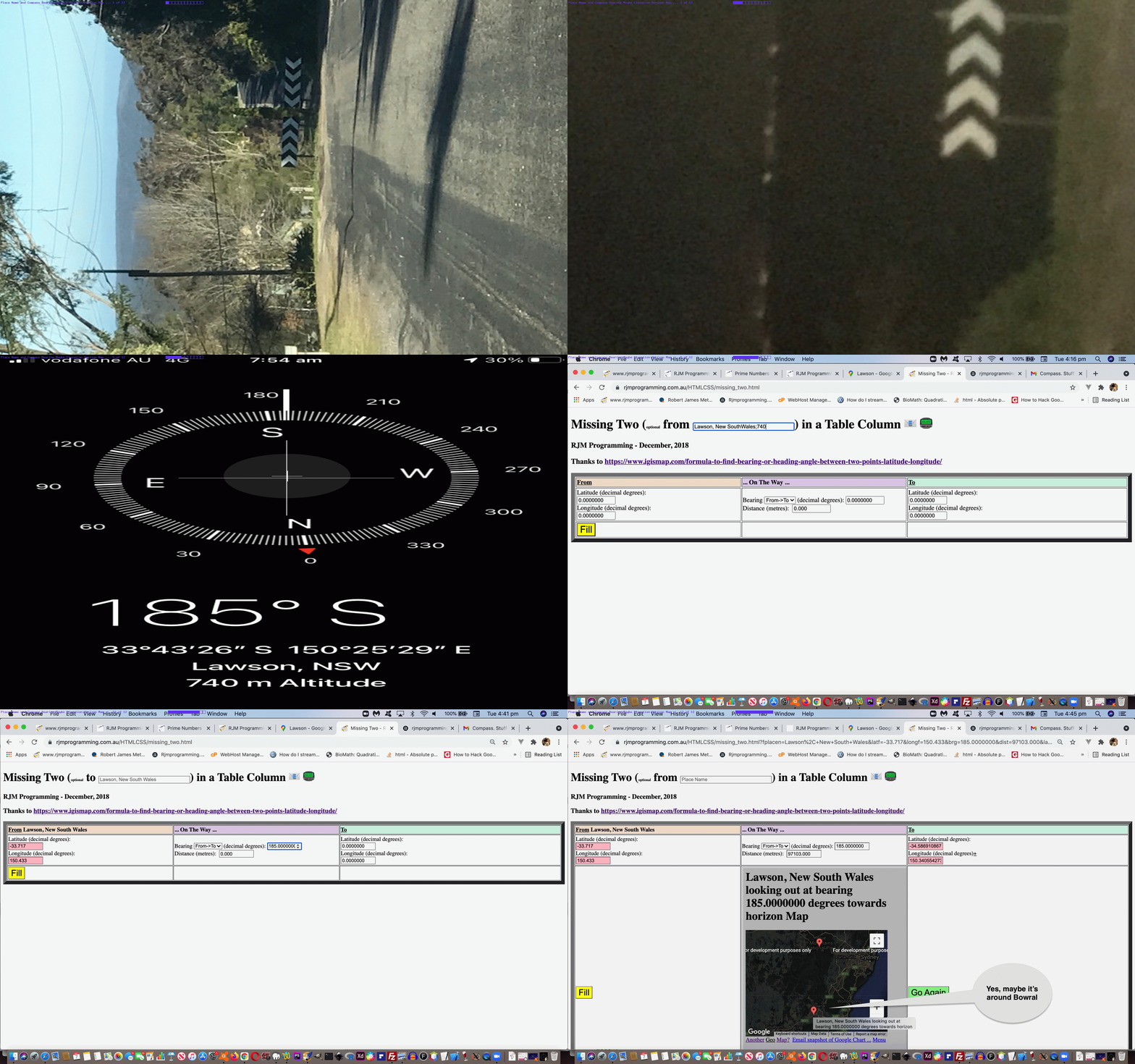
Earth Bearing Distance Missing Two Place Name and Horizon Tutorial
Yesterday’s Earth Bearing Distance Missing Two Place Name Tutorial left off with …
We hope so, and there is another reason for this preparatory work that will be explained tomorrow. Stay tuned!
Well, today’s “tomorrow”. Let me ask first, did you read our Compass iOS App Primer Tutorial? Well, the use of the Compass iOS (and am sure Android would have their own version of) mobile app fits into our scenario whereby …
… which you can see the gist of with today’s animated GIF presentation.
Bit like relaxed orienteering, would you say?!
Previous relevant Earth Bearing Distance Missing Two Place Name Tutorial is shown below.
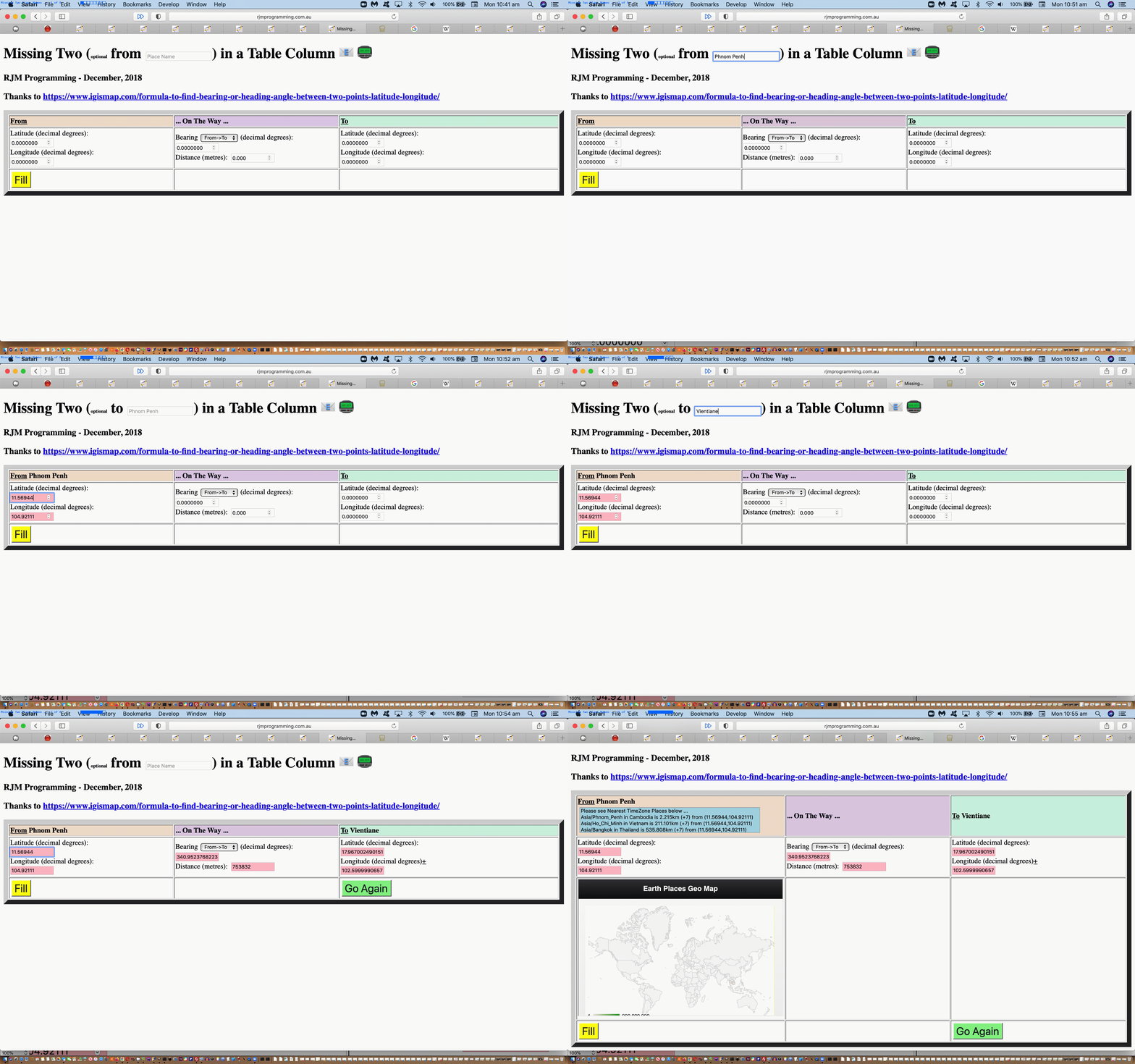
Earth Bearing Distance Missing Two Place Name Tutorial
It’s often a good news story in I.T. when you can replace or supplement numbers with names (without being too nosy about it, that is!) And so, extending the functionality of our “Missing Two” web application talked about, last, with Earth Bearing Distance Missing Two Trip Share Tutorial we allow the user to enter in Place Names as an alternative to entering in the Latitude and Longitude co-ordinates of that place’s position on the earth, especially apt for any web application purporting to be helpful regarding “trip” functionality.
Being suckers for “the where of life” web applications out there, we’re tickled pink to be offering this “red zone” special extension to functionality, and all because you asked for it (well, that’s my story, and am sticking with it).
As we went along coding for this change, and implications of this into the future, we realized we needed to allow for two more (GET argument) data items to be catered for, the codelines below responsible for “reading them in” …
  var fplacen=location.search.split('fplacen=')[1] ? (' ' + decodeURIComponent(location.search.split('fplacen=')[1].split('&')[0]).replace(/\+/g,' ')) : '';

  var tplacen=location.search.split('tplacen=')[1] ? (' ' + decodeURIComponent(location.search.split('tplacen=')[1].split('&')[0]).replace(/\+/g,' ')) : '';
… and allowed for within the (static) HTML’s form element‘s HTML as per …
<h1 id=myh1 style='display:block;'>Missing Two (<font size=1>optional</font> <span id=spfr>from</span> <input onblur='lkwk(this);' style='display:inline-block;' placeholder='Place Name' id=ipn value='' type=text></input>) in a Table Column <span data-onfocus="document.getElementById('semail').innerHTML='';" data-title='Email to (append a space to just show the table cell with the gradient)?' data-contenteditable=true data-onblur=preemail(this.innerHTML); onclick=emailit(''); id=semail title=Email>📧</span> <span data-onfocus="document.getElementById('semail').innerHTML='';" data-title='SMS to?' data-contenteditable=true data-onblur=preemail(this.innerHTML); onclick=toize(''); id=ssms title=SMS>📟</span></h1>
… and …
<tr id=trhead style='display:table-row;'><th style='width:30%;text-align:left;background-color:#f0e0d0;'><a title='Show nearest TimeZone places' id=afrom onclick=mapit(this); style='cursor:pointer;text-decoration:underline;'>From</a><span id=ssf></span>> <div id=dfrom style='display:none;'></div></th><th style='width:30%;text-align:left;background-color:#e0d0f0;'> ... On The Way ...</th><th style='text-align:left;background-color:#d0f0e0;'><a title='Show nearest TimeZone places' id=ato onclick=mapit(this); style='cursor:pointer;text-decoration:underline;'>To</a><span id=sst></span> <div id=dto style='display:none;'></div></th></tr>
… and populated via supportive “onload” event based Javascript DOM “Wikipedia (thanks) based” logic as per …
   if (fplacen != '') {

   document.getElementById('ssf').innerHTML=fplacen;

   fplacen='';

   }

   if (tplacen != '') {

   document.getElementById('sst').innerHTML=tplacen;

   tplacen='';

   }
… as the incoming code paradigm, living with the outgoing paradigm’s work based on that “lkwk(this);” Javascript function …
var gllentry='';


function askit() {

  //alert(gllentry);

  if (gllentry.indexOf(',') != -1) {

  if (gllonesuffix == 'f') {

    document.getElementById('latf').focus();

    document.getElementById('latf').value=gllentry.split(',')[0];

    document.getElementById('longf').focus();

    document.getElementById('longf').value=gllentry.split(',')[1];

    document.getElementById('latf').focus();

    gllonesuffix = 't';

    document.getElementById('spfr').innerHTML=document.getElementById('spfr').innerHTML.replace('from','to<input type=hidden name=fplacen value="' + gllentry.split(',')[2].replace(/\;/g,',') + '"></input>');

    document.getElementById('ssf').innerHTML=' ' + gllentry.split(',')[2].replace(/\;/g,',');

  } else {

    document.getElementById('brg').focus();

    document.getElementById('dist').focus();

    document.getElementById('latt').focus();

    document.getElementById('latt').value=gllentry.split(',')[0];

    document.getElementById('longt').focus();

    document.getElementById('longt').value=gllentry.split(',')[1];

    document.getElementById('latt').focus();

    gllonesuffix = 'f';

    document.getElementById('spfr').innerHTML=document.getElementById('spfr').innerHTML.replace('to','from<input type=hidden name=tplacen value="' + gllentry.split(',')[2].replace(/\;/g,',') + '"></input>');

    document.getElementById('sst').innerHTML=' ' + gllentry.split(',')[2].replace(/\;/g,',');

  }

  document.getElementById('ipn').placeholder=gllentry.split(',')[2].replace(/\;/g,',');

  }

  gllentry='';

  document.getElementById('placegeo').value='';

}


function lookforg() {

       if (document.getElementById('placegeo').value != '') {

         gllentry=document.getElementById('placegeo').value + ',' + decodeURIComponent(document.getElementById('ifplacegeo').src.split('?placegeo=')[1]).replace(/\,/g,';');

         askit();

       } else {

         setTimeout(lookforg,1000);

       }

}


function checkit(iois) {

  if (iois != null) {

    if (iois.src.indexOf('?placegeo=') != -1) {

    //alert(1);

    var aconto = (iois.contentWindow || iois.contentDocument);

    //alert(11);

    if (aconto != null) {

    //alert(111);

     if (aconto.document) { aconto = aconto.document; }

    //alert(1111);

     if (aconto.body != null) {

    //alert(2);

       document.body.style.cursor='pointer';

       if (document.getElementById('placegeo').value != '') {

    //alert(3);

         gllentry=document.getElementById('placegeo').value + ',' + decodeURIComponent(iois.src.split('?placegeo=')[1]).replace(/\,/g,';');

         askit();

       } else {

    //alert(8);

         setTimeout(lookforg,1000);

       }

     }

    }

    }

  }

}


function lkwk(oiis) {

  if (oiis.value.trim() != '') {

    document.getElementById('ifplacegeo').src=document.getElementById('ifplacegeo').src.split('?')[0].split('#')[0] + '?placegeo=' + encodeURIComponent(oiis.value);

    oiis.value='';

    document.body.style.cursor='progress';

  }

}
… supporting the relevant (new static) HTML …
<iframe onload='checkit(this);' style='display:none;' id=ifplacegeo src='../PHP/fgc/index.php'></iframe>

<input type=hidden id=placegeo value=''></input>
Believe it or not, with this web application, it is important what input type=text textboxes are “visited”, and up until today, we had no concerns with that “ordering” issue very much, because we only coded for “real user” interactive input, but today’s place name functionality modifications mean that we feel we need to programmatically force the order somewhat in these place name entry scenarios, but we were not sure whether our non-mobile only (and slightly kludgy feeling) [input type=text element].focus(); interventions would/could work. But they did, happily, at least for non-mobile platforms! This means input type=text element “onblur” events must have been triggered, we figure, which is an interesting finding (well, you had to be there, didn’t you?!)
Perhaps, then, the changed missing_two.html‘s live run link will spark your interest? We hope so, and there is another reason for this preparatory work that will be explained tomorrow. Stay tuned!
Previous relevant Earth Bearing Distance Missing Two Trip Share Tutorial is shown below.
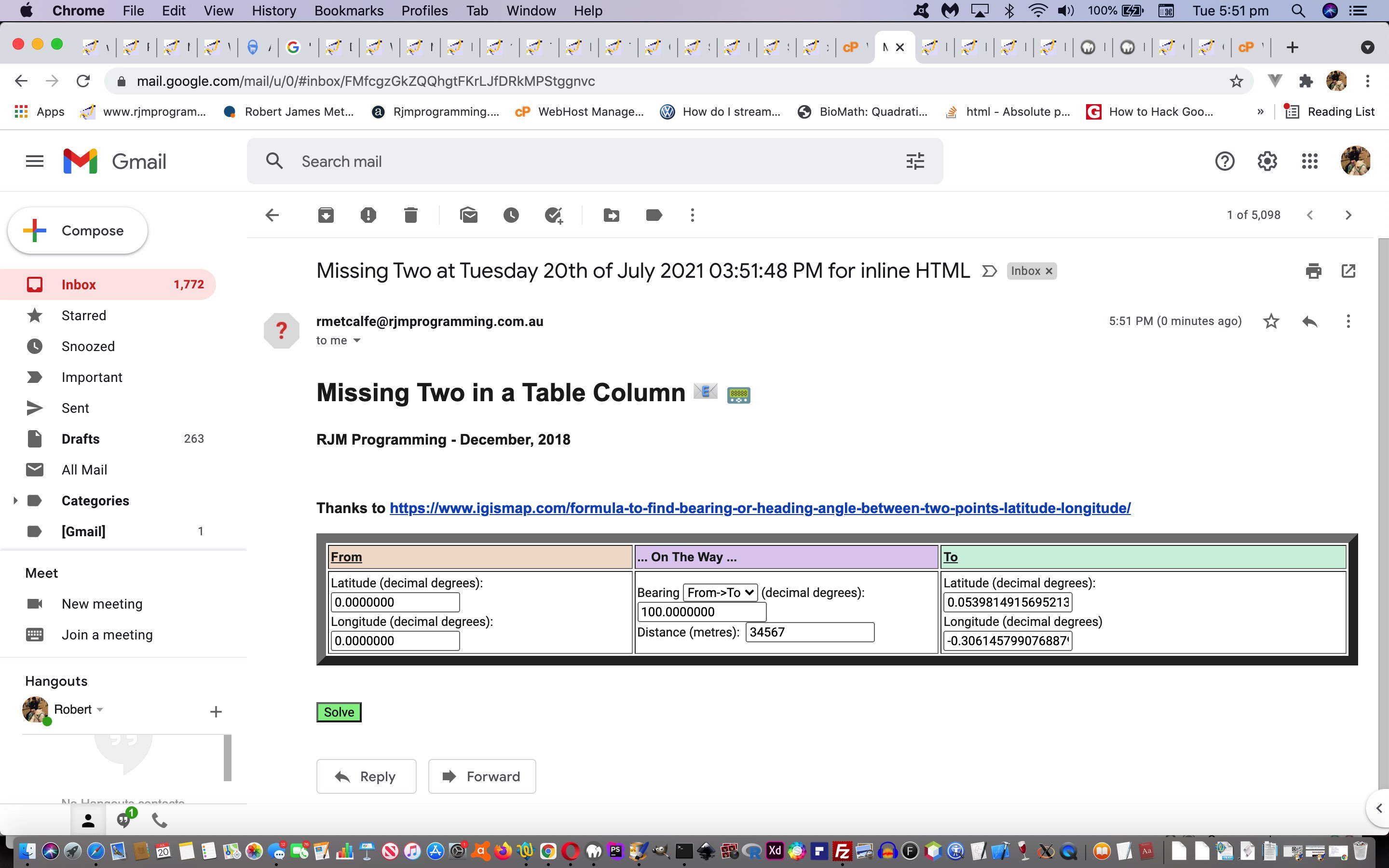
Earth Bearing Distance Missing Two Trip Share Tutorial
When Ajax came on the scene, HTML form navigation got that bit daggier. But as time has gone on, we’ve started appreciating those more traditional HTML form navigation methodologies more for a few major reasons …
- the FormData in the Ajax/FormData combination of navigational methodologies simulates static HTML form element functionality
- we’ve grown to really admire “Inline HTML Email” sharing via PHP mail to the email and back again out to the “www” wooooorrrrrlllllddd via an “Inline HTML Email Form” (as widens the scope of use for today’s web application)
- we’ve grown to really admire a static HTML form element’s “onsubmit” event to massage an HTML form element’s content on the way through to accepting the “action” form navigational destination, or reject that
- we’ve grown to really admire the concept of multiple submit button elements without or with an associated name attribute to be able to detect which submit button was clicked/touched
… and it seems to me there are now in the web application wooooorrrrrllllddd a plethora of navigational functionality choices for programmers out there. Yayyyyy!
And so, onto Earth Bearing Distance Missing Two Trip Tutorial today we add two sharing conduit …
… means of functionality which call on …
function preemailit(ine) {

  if (ine.indexOf('@') != -1) {

    emailit(ine);

  } else if (ine != '') {

    toize(ine);

  }

}


function dummyencodeURIComponent(invl) {

  return invl;

}


function emailit(defe) {

  //document.getElementById('ih').value=document.getElementById('tdlook').innerHTML.replace(/\<br\>/g,String.fromCharCode(10));

  var lastfis='youllneverfindthis';

  var lasttis='';

  var lasteis='youllneverfindthis';

  var lastenow='';

  var lastsis='youllneverfindthis';

  var lastsnow='';

  var lasteis2='youllneverfindthis';

  var lastenow2='';

  var lastsis2='youllneverfindthis';

  var lastsnow2='';

  var em='';

  var suffbits='?latf=' + encodeURIComponent(document.getElementById('latf').value) + '&longf=' + encodeURIComponent(document.getElementById('longf').value) + '&latt=' + encodeURIComponent(document.getElementById('latt').value) + '&longt=' + encodeURIComponent(document.getElementById('longt').value) + '&brg=' + encodeURIComponent(document.getElementById('brg').value) + '&dist=' + encodeURIComponent(document.getElementById('dist').value);

  if (defe.indexOf('@') != -1) {

  em=defe

  } else {

  em=prompt('Email to? (all uppercase uses client email else sends an Inline HTML Email Form)', '');

  }

  if (em == null) { em=''; }

  if (em.indexOf('@') != -1) {

   //document.getElementById('from').value=em;

   if (document.URL.toLowerCase().indexOf('rjmprogramming.com.au') != -1 && em != em.toUpperCase()) {

   var xzhr = new XMLHttpRequest();

   var xform=new FormData();

   xform.append('inline','');

   xform.append('to',em.trim());

   var flatf=document.getElementById('latf').outerHTML;

   var flongf=document.getElementById('longf').outerHTML;

   var flatt=document.getElementById('latt').outerHTML;

   var flongt=document.getElementById('longt').outerHTML;

   var fbrg=document.getElementById('brg').outerHTML;

   var fdist=document.getElementById('dist').outerHTML;

   var tlatf='<input type=text name=latf id=latf value="' + document.getElementById('latf').value + '"></input>';

   var tlongf='<input type=text name=longf id=longf value="' + document.getElementById('longf').value + '"></input>';

   var tlatt='<input type=text name=latt id=latt value="' + document.getElementById('latt').value + '"></input>';

   var tlongt='<input type=text name=longt id=longt value="' + document.getElementById('longt').value + '"></input>';

   var tbrg='<input type=text name=brg id=brg value="' + document.getElementById('brg').value + '"></input>';

   var tdist='<input type=text name=dist id=dist value="' + document.getElementById('dist').value + '"></input>';

   //if (from.indexOf('@') != -1) {  xform.append('cc',from.trim());  }

   console.log('tdfrom');

   faux=true;

   mapit(document.getElementById('tdfrom'));

   console.log(document.getElementById('afrom').href);

   console.log('tdto');

   faux=true;

   mapit(document.getElementById('tdto'));

   console.log(document.getElementById('ato').href);

   if (document.body.innerHTML.indexOf('<tr id="trfoot"') != -1) {

     lastfis='<tr id="trfoot"' + document.body.innerHTML.split('<tr id="trfoot"')[1].split('</tr>')[0] + '</tr>';

     if (document.getElementById('asms').href.indexOf('sms:') != -1) {

       lasteis='<span ';

       lastenow='<a target=_blank href="mailto:?subject=' + dummyencodeURIComponent(encodeURIComponent('Missing%20Two')) + '&body=' + dummyencodeURIComponent(encodeURIComponent(document.getElementById('asms').href.split('&body=')[1])) + '" ';

       lasteis2='</span>';

       lastenow2='</a>';

       lastsis='<span ';

       lastsnow='<a target=_blank href="' + document.getElementById('asms').href.split('&')[0] + '&body=' + dummyencodeURIComponent(encodeURIComponent(document.getElementById('asms').href.split('&body=')[1])) + '" ';

       lastsis2='</span>';

       lastsnow2='</a>';

     } else if (document.getElementById('asms').href.indexOf('mailto:') != -1) {

       lastsis='<span ';

       lastsis=document.getElementById('ssms').outerHTML.split('>')[0] + '>';

       lastsnow='<a target=_blank href="sms:&body=' + dummyencodeURIComponent(encodeURIComponent(document.getElementById('asms').href.split('&body=')[1])) + '" ';

       lastsnow='<input type=submit title=SMS name=sms id=ssms value="';

       lastsis2='</span>';

       lastsnow2='</a>';

       lastsnow2='"></input>';

       lasteis='<span ';

       lastenow='<a target=_blank href="mailto:' + em.trim() + '?subject=' + dummyencodeURIComponent(encodeURIComponent('Missing%20Two')) + '&body=' + dummyencodeURIComponent(encodeURIComponent(document.getElementById('asms').href.split('&body=')[1])) + '" ';

       lasteis2='</span>';

       lastenow2='</a>';

     }

   }

   if (em.trim() != em) {

   xform.append('subj','Missing Two');

   //var cbgtd=document.getElementById('tdlook').getBoundingClientRect();

   xform.append('body','<body>' + document.body.innerHTML.replace(/\ id\=\"mysel\"/g, ' name="mysel" id="mysel"').replace(/\ size\=\"3\"/g, ' size="4"').replace(/\ data\-href\=/g, ' target=_blank href=').replace('</form>', '<br><br><input style=background-color:lightgreen; type=submit value=Solve></input></form>').replace('DISPLAY:table-row','DISPLAY:none').replace(lastfis,lasttis).replace(lasteis,lastenow).replace(lasteis2,lastenow2).replace(lastsis,lastsnow).replace(lastsis2,lastsnow2).replace('absolute;','absolute;display:none;').replace(flatf,tlatf).replace(flongf,tlongf).replace(flatt,tlatt).replace(flongt,tlongt).replace(fbrg,tbrg).replace(fdist,tdist) + '</body>');

   } else {

   xform.append('subj','Missing Two');

   xform.append('body','<body>' + document.body.innerHTML.replace(/\ id\=\"mysel\"/g, ' name="mysel" id="mysel"').replace(/\ size\=\"3\"/g, ' size="4"').replace(/\ data\-href\=/g, ' target=_blank href=').replace('</form>', '<br><br><input style=background-color:lightgreen; type=submit value=Solve></input></form>').replace('DISPLAY:table-row','DISPLAY:none').replace(lastfis,lasttis).replace(lasteis,lastenow).replace(lasteis2,lastenow2).replace(lastsis,lastsnow).replace(lastsis2,lastsnow2).replace('absolute;','absolute;display:none;').replace(flatf,tlatf).replace(flongf,tlongf).replace(flatt,tlatt).replace(flongt,tlongt).replace(fbrg,tbrg).replace(fdist,tdist) + '</body>');

   }

   xzhr.open('post','//www.rjmprogramming.com.au/HTMLCSS/emailhtml.php',true);

   xzhr.send(xform);

   } else {

    document.getElementById('asms').href='mailto:' + em.trim() + '?subject=' + encodeURIComponent('Missing Two') + '&body=' + encodeURIComponent(document.URL.split('#')[0].split('?')[0] + suffbits); // + '?missingtwo=' + encodeURIComponent(encodeURIComponent(document.getElementById('dfix').innerHTML.replace('background: ','').replace('background:','').replace(');',')').replace(';',''))));

    document.getElementById('asms').click();

   }

  }

}
… in the changed missing_two.html‘s live run link.
Previous relevant Earth Bearing Distance Missing Two Trip Tutorial is shown below.
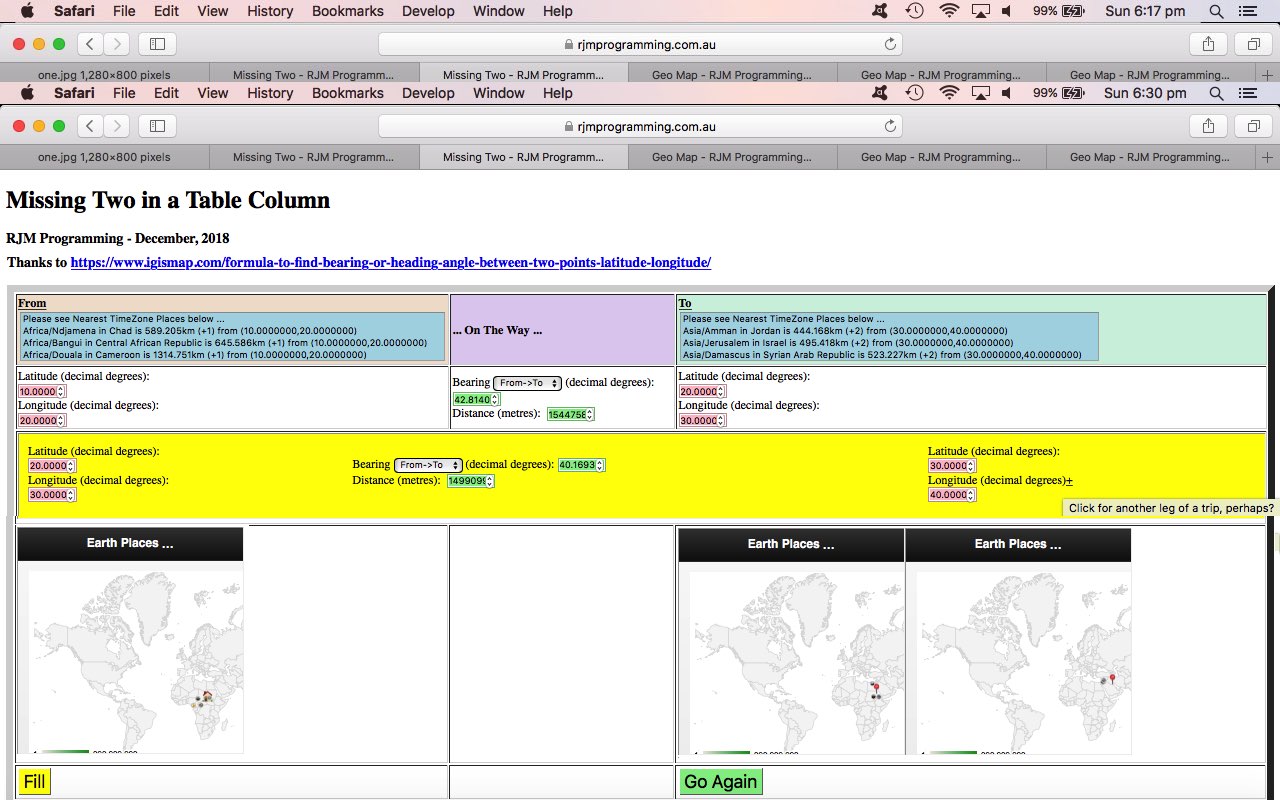
Earth Bearing Distance Missing Two Trip Tutorial
If we were to nominate an “onions of the 4th dimension” improvement on top of the work of Earth Bearing Distance Missing Two Context Tutorial we’d nominate … anyone, anyone … yes, tenticle 5 of The Kraken … we’d want to allow our “Missing Two Geographical places via Bearing and Distance” web application be turned into a trip planner by allowing for multiple legs, perhaps of a trip, to be “represented” by our new incarnation of the web application. As per usual, with extensions of functionality, here, it is optional, and manifested by … anyone, anyone … yes, tenticle 9 3/4 of The Kraken … turning a hardcoded piece of (webpage) text into an HTML element with action logic behind it … our TAHPOWTIAHEWALBI moment, you could say?!
Seriously though, it is rare that a sizeable trip happens as a one leg with the one bearing and distance component, so we turn our old web application into a …
… type of web application, in order to do that other thing we like to do, and that is to have the one (in this case just HTML/Javascript/CSS) codeset handle both simple and (optional) complex usage functionalities.
How do we differentiate a “top.document” parent from an (HTML) iframe (element) child? We use …
- address bar URL ? and & argument (?latf=[previousToLatitude]&longf=[previousToLongitude]) usage (and analysis) via … checked for via …
- <body onload=’moremaybe();’>
-
  function moremaybe() {

   var latto=location.search.split('latf=')[1] ? decodeURIComponent(location.search.split('latf=')[1].split('&')[0]) : '';

   var longto=location.search.split('longf=')[1] ? decodeURIComponent(location.search.split('longf=')[1].split('&')[0]) : '';

   if (latto != '' && longto != '') {

    nextplease();

    top.document.getElementById('goagain').style.display='block';

    document.getElementById('latf').value=latto;

    document.getElementById('latf').style.backgroundColor="pink";

    cwhat[0]=false;

    cwhat[1]=false;

    if (!decided) {

     if (!cwhat[5]) {

      cwhat[5]=true;

     }

     if (!cwhat[4]) {

      cwhat[4]=true;

     }

     decided=true;

    }

    top.document.getElementById("ltf").value=latto;

    document.getElementById('longf').value=longto;

    document.getElementById('longf').style.backgroundColor="pink";

    cwhat[0]=false;

    cwhat[1]=false;

    if (!decided) {

     if (!cwhat[5]) {

      cwhat[5]=true;

     }

     if (!cwhat[4]) {

      cwhat[4]=true;

     }

     decided=true;

    }

    top.document.getElementById("lgf").value=longto;

    document.getElementById('dtop').style.display='none';

    document.getElementById('trhead').style.display='none';

    document.getElementById('trfoot').style.display='none';

    document.getElementById('myt').border=0;

    var recti=parent.document.getElementById('niframe').getBoundingClientRect();

    parent.document.getElementById('niframe').height=eval(200 + eval(('' + recti.height).replace('px',''))) + 'px';

    if (parent.document.getElementById('niframe') != top.document.getElementById('niframe')) {

     var trecti=top.document.getElementById('niframe').getBoundingClientRect();

     top.document.getElementById('niframe').height=eval(200 + eval(('' + trecti.height).replace('px',''))) + 'px';

    }

    setTimeout(checkfill, 500);

    parent.document.getElementById("slong").innerHTML=":";

    parent.document.getElementById("slong").title="";

    parent.document.getElementById("slong").style.textDecoration="none";

    //top.document.title+=' started ';

   }

  }
… where you can see that “top.document” (top) parent is just that … top.document … and that a parent of an (HTML) iframe (element) trip leg is referred to via … parent.document … and what is being done in the here and now of a simple scenario (just in the (top) parent) or a complex (non (top) parent leg) … document … references come into play. That parent.document.getElementById(“slong”) refers to the dynamically changed method of adding legs, by turning the …
- hardcoded “:” (text) of the To longitude textbox labelling … into a clickable and onclick event working …
-
       document.getElementById('slong').style.cursor='pointer';

       document.getElementById('slong').style.textDecoration='underline';

       document.getElementById('slong').title='Click for another leg of a trip, perhaps?';

       document.getElementById('slong').innerHTML='+';
… optionally used, and dynamic extension to functionality … our “onions of the 4th dimension” moment … who said we don’t care about your health here?!
… so that top.document.getElementById(‘niframe’) is the representation of that “top.document” parent’s first (HTML) iframe (element) child.
Why ask that previous question? To have the one codebase service all the scenarios, we need (the code) to know “where it is at”, so to speak.
The changed missing_two.html‘s live run link can have you planning your own “where of life” trip itinerary of interest yourself.
Previous relevant Earth Bearing Distance Missing Two Context Tutorial is shown below.
Earth Bearing Distance Missing Two Context Tutorial
Mapping and navigational apps wouldn’t be as popular as they are without …
- satellite based geodata available to our mobile and laptop (and cars etcetera) devices and their software … and …
- the human urge to want to know where they are
… and so to leave yesterday’s Earth Bearing Distance Missing Two Primer Tutorial “proof of concept” web application the way it was, not showing much context to the latitude and longitude form “asks” would be a missed opportunity.
In this sense, we’ve decided to interface this web application to …
… to give the changed missing_two.html‘s live run link that optional map (or visual) extra context. This is accessible off links applied to the previously hardcoded “From” and “To” table headers. Please feel free to give it a go to see what we mean.
Previous relevant Earth Bearing Distance Missing Two Primer Tutorial is shown below.
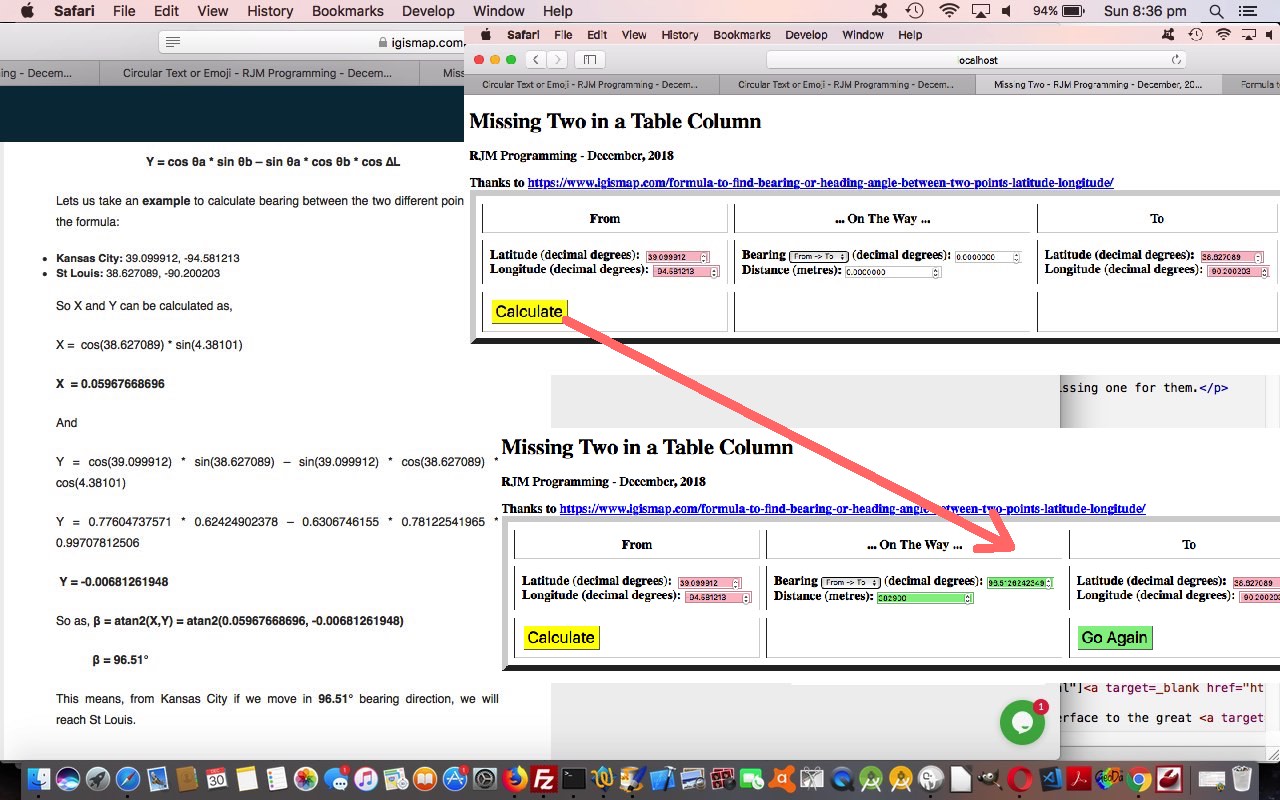
Earth Bearing Distance Missing Two Primer Tutorial
Get in a conversation with a Land Surveyor, and drop in your sentence, close to each other, the words “bearing” and “distance” and in all likelihood you’ll get a smile. Is it a curved smile? Maybe, they are interested in the geodesic aspects to these two terms. You see, the rules of Euclidean geometry are all fine and good and used by Land Surveyors for small distances involving local mapping or small area mapping, where the curvature of the Earth is not really a factor. In fact, in the early days of Land Surveying, the plotting of an area might have been done using a table resting on a tripod, which hopefully made that table level (all good terrestrial surveying wants you to be perpendicular to the imaginary plumb bob hanging from your instrument, and hanging down in accordance with gravity’s laws). Geodesic interest for Land Surveyors tries to take into account the curvature of the Earth, which we’ll assume for today, is a sphere, though in reality it takes on a spheroidal shape that is not quite a sphere.
Polar co-ordinate designations are an alternative “view” to placing yourself, as distinct from grid co-ordinates, or geographical latitude and longitude.
We talked about some of what we have written a proof of concept web application for today with the PHP Google Map Chart Bearing Distance Tutorial some time back, and revisited its excellent …
very useful link that talks about the Haversine distance formula, as well
… and rereading this excellent webpage, realized that two sets of formulae there (plus the great circle distance calculations before) could help us piece together a useful navigational web application that, out of …
| From Latitude, Longitude |
Bearing, Distance |
To Latitude, Longitude |
… we could get the user to fill out 2 of 3 columns of information above, and calculate the missing one for them.
How is this useful? Well, sometimes you want to know …
- We are at X. We are crow flying to Y. In which direction do we set out? How far is it?
- We are at X. That looks like a nice direction to head, so what compass reading is that? If I go however far, where do I end up?
Second one for those dreamers and adventurers (or perhaps, orienteerers) methinks. Anyway, feel free to try the HTML and Javascript ‘s live run link, or down below …
Previous relevant PHP Google Map Chart Bearing Distance Tutorial is shown below.
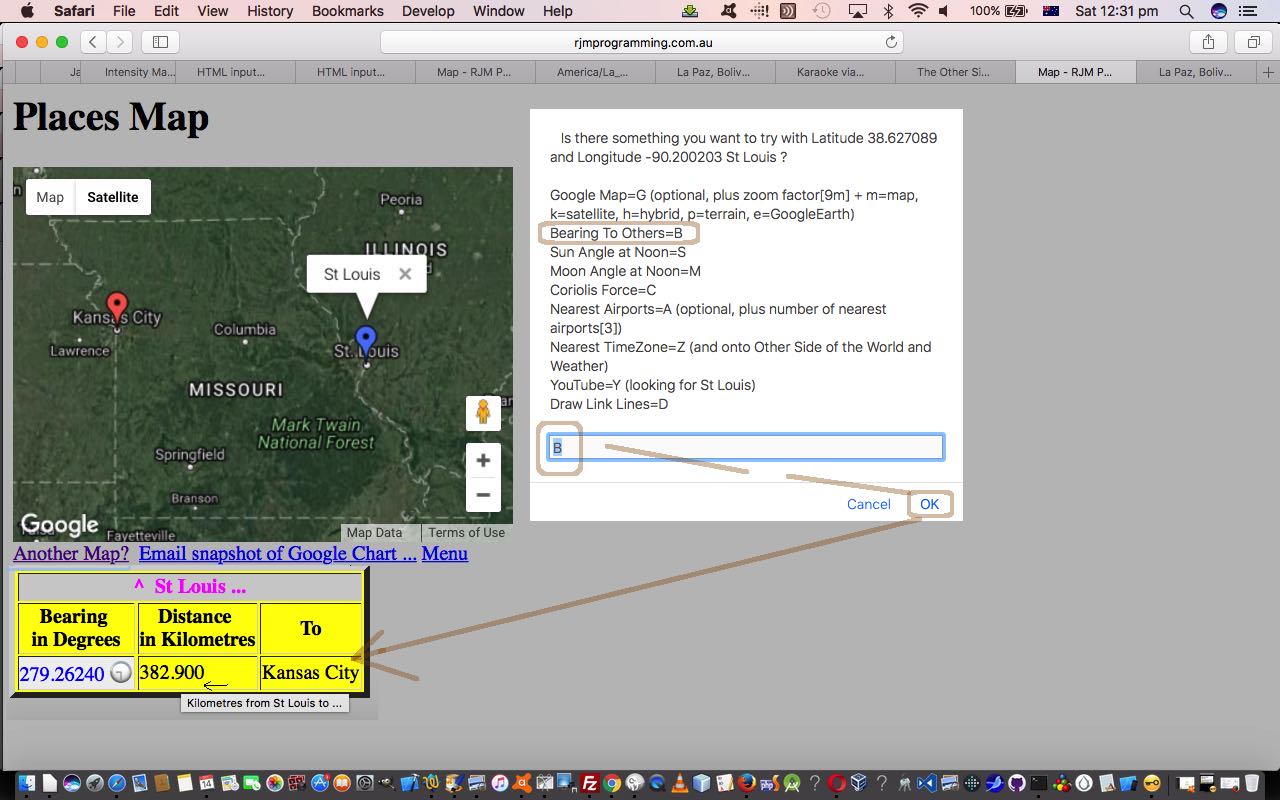
PHP Google Map Chart Bearing Distance Tutorial
There have been three recent things going on, for us, involving software integration of our interface to the great Google Chart Map Chart …
As a worker with a background in Land Surveying, of course, the words “bearing” and “distance” were part of the “bread and butter” of this job. The modern day equipment can, at the observer’s tripod, and given the chainperson’s placement of equipment, deal with both of these “measures” at once, but you can still use the old theodolites and distance measuring chains if you like. You take your measurements and use calculations like those underlying the workings of the web application of HTML and Javascript and CSS Survey Traverse Tutorial which are all fine and dandy if the distances are relatively small, because we can think “planar geometry” as we mostly learn at school. But if the measurements involve long enough distances, you need to take into account that Earth is, basically, round … meanwhile, on the phone ….
You don’t say. You don’t say. You don’t say.
…
“What’d they say?” …
They didn’t say.
When distances are this large we need to turn towards “geodesic calculations” and today …
Here are some “live runs” …
… and here’s the changed PHP map.php changed in this way.
Previous relevant PHP Wikipedia Australian List Integration Tutorial is shown below.
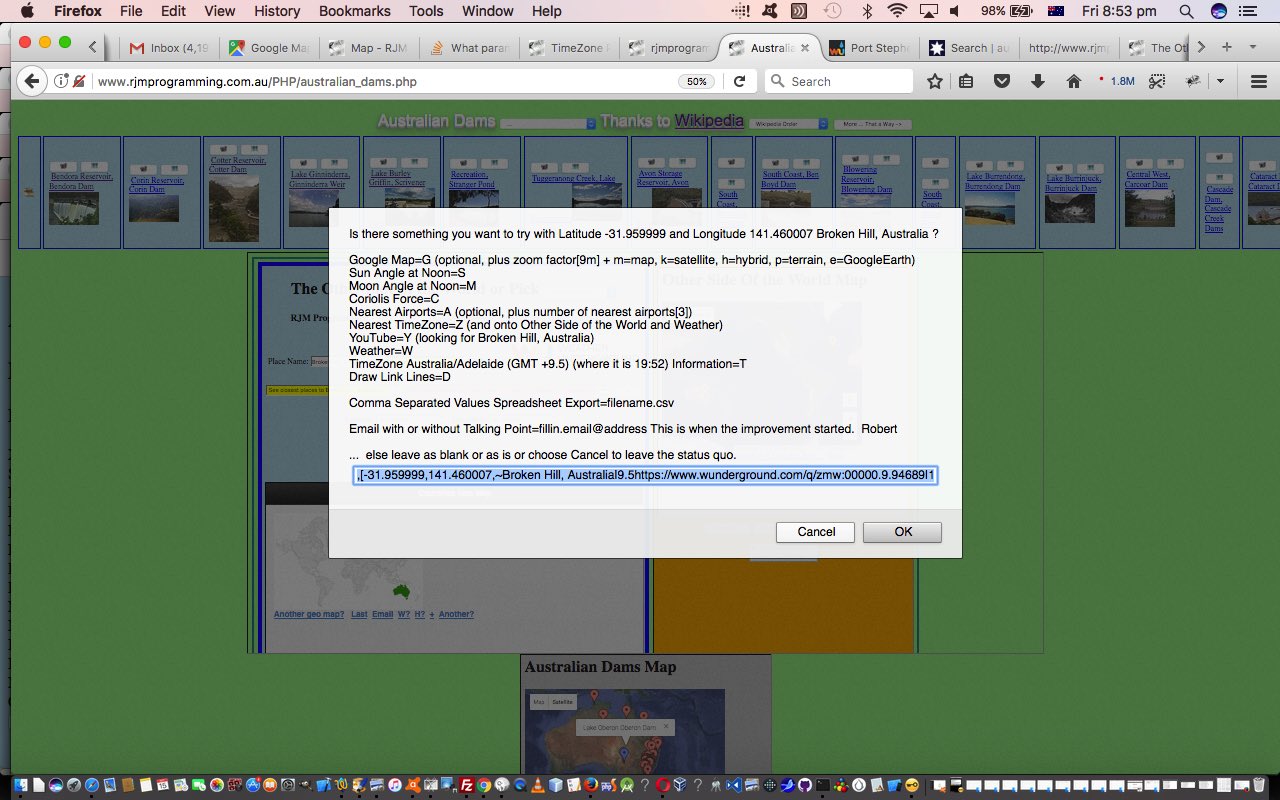
PHP Wikipedia Australian List Integration Tutorial
Yesterday’s PHP Wikipedia Australian List Makeover Tutorial got us thinking more about “where of life” functionality integration possibilities.
For us, with many “where of life” web applications, the Google Charts Map Chart is a core part of the functionality, as the receptacle, and more and more often as time goes on, also a launching pad out to other concepts, such as …
… two of the concepts hovering about our “Other Side of the World” web application we last talked about with Other Side of the World Google Chart Tutorial, whose supervisory HTML other_side_of_the_world.htm‘s live run, changed in this way to tweak the the linking of …
- latitude and longitude and (anywhere) placename … to …
- TimeZone place(s) … and then (with great help from Weather Underground (thanks)) onto …
- direct or nearby weather predictions
… coming off a new Map Chart Google Chart and its select event menu option …
- Nearest TimeZone=Z (and onto Other Side of the World and Weather)
- YouTube=Y (looking for placename)
… the latter integrating us with YouTube API for Iframe embedded videos interface HTML/Javascript “parent” web application called karaoke_youtube_api.htm HTML iframe elements in another direction additional to yesterday’s usage. Along the way, we tweak the Google Map=G menu option, adding more map type options and zooming in a little less by default, and with the Nearby Airports=A option making the default be a search for 3 (rather than 4) nearby airports. A lot of this all happens because of the changes to …
… which all got changed to allow for an “Animate” feature, allowing for an automated right to left “animation” (via hashtagging) of the Wikipedia based slides near the top of this suite of web application’s webpages. We hope you get to try all this out for yourself.
Previous relevant PHP Wikipedia Australian List Makeover Tutorial is shown below.
PHP Wikipedia Australian List Makeover Tutorial
Some time back we linked a Wikipedia “list” webpage to the Google Charts Map Chart functionality with PHP Modularization for Lighthouses in Australia Tutorial.
We’re revisiting, and finding some “peer” web applications, linked by a dropdown, that all …
- access a relevant Wikipedia “list” webpage for Australian “things” and mentioning latitude and longitude … which link to …
- Google Charts Map Chart
… for all of …
We were inspired to take on this “makeover” of “where of life” functionalities because earlier on today we discovered a stupendous online resource for Australian geography enthusiasts, the Bonzle Digital Atlas of Australia, with incredibly detailed and flexible search mechanisms, thanks heaps!
We’ve decided to include extra buttons (to those already linking to Google Maps links and to the relevant Wikipedia webpage) for that suite of web applications above for …
Great for research and “surfing the Australian world”! Lose yourself!
What happened Javascript (australian_lighthouses.js changed this way) and PHP wise?
Previous relevant PHP Modularization for Lighthouses in Australia Tutorial is shown below.
PHP Modularization for Lighthouses in Australia Tutorial
Today we want to try two more things …
- continuing on with our PHP code (you could call australian_lighthouses.php) for our Australian Lighthouses project
- talk about PHP glob and its modularization sensibilities
… so let’s talk about the second one first … it’s south of north … chortle, chortle.
What does PHP’s glob do? It is doing functionality like the “underworkings” of any browse button you would see would do when you have a hard disk (in your life) … unfortunately, this is no longer a given (with mobile technology and the “cloud” challenging this thinking, sometimes). Give glob a file specification and a directory to start with, and it will happily (if you were both “globular” and “modular” you would be, too) provide you with a list of filenames, so that we use it to construct this PHP function for use with our lighthouses web application …
 function selcreate($def) {

   $ret=$def;

   $selstr='<select onchange=" window.location=this.value; "><option value="' . str_replace(" ", "_", strtolower($def)) . '_lighthouses.php">' . $def . '</option>';

   $cnt=0;

   foreach (glob("*_lighthouses.php") as $filename) {

    if (strpos(($filename . "*"), (str_replace(" ", "_", strtolower($def)) . '_lighthouses.php*')) === false) {

     $cnt++;

     $newidea=str_replace("_", " ", str_replace("_lighthouses.php", "", strtolower($filename)));

     $newideas=explode(" ", $newidea);

     $ideas=strtoupper(substr($newideas[0],0,1)) . strtolower(substr($newideas[0],1));

     for ($ii=1; $ii<sizeof($newideas); $ii++) {

       $ideas.=(" " . strtoupper(substr($newideas[$ii],0,1)) . strtolower(substr($newideas[$ii],1)));

     }

     $selstr.='<option value="' . $filename . '">' . $ideas . '</option>';

    }

   }

   if ($cnt > 0) return $selstr . "</select>";

   return $ret;

 }
… and hope you can see that glob could be used for PHP code to self-detect sibling variation programs, so that, for instance, if we “plonked” (ie. eg. (s)ftp it) an egypt_lighthouses.php (probably with an egypt_lighthouses.js accompanying Javascript file) into the same directory as our …
… it would automatically be added into the functionality of its siblings without you having to change any code of those siblings … and that egypt_lighthouses.php is free to be a web application with a totally different method of functionality … cute, huh?!
As a matter of fact ireland_lighthouses.php is quite different, and if you examine the code, you will see that the Javascript putElement(s)By via PHP Relative URLs Tutorial is more apt to a discussion of its workings.
You see, there are so many many different ways to “skin a cat” in Information Technology, quite often … not always … but “quite often” … and why be cornered into thinking there is only one way to do things?
The other thing you’ll find is that even though ireland_lighthouses.php differs a lot to its nearest matching sibling (in terms of methodology), new_zealand_lighthouses.php the Javascript corresponding codesets called ireland_lighthouses.js and new_zealand_lighthouses.js are only superficially different … in other words our PHP coalesces concepts into a similar “client” look … a “modularization” of sorts … not everybody’s sort, but a sort none the less … and this begs a question?
Why is “modularization” a good thing? Well, to me, you don’t have to have any “modularization” going on at all, and this is fine by me, but you must deal with issues that allow you to modify many many codesets efficiently and accurately in vastly different ways to be efficient, or be “modular” and be able to, perhaps, even, automate your changes, because of these “modular” patterns you’ve created … many people find “modularization” blissful … and often it suits the work patterns for teams of programmers. Perhaps you want to read about MVC (and its like) as a coding modularization idea for PHP (or many other programming languages, for that matter).
Previous releveant PHP/Javascript Asynchronous Lighthouses in Australia Tutorial is shown below.
PHP/Javascript Asynchronous Lighthouses in Australia Tutorial
Today we want to try two things …
- continuing on with our PHP code (you could call australian_lighthouses.php) for our Australian Lighthouses project
- talk about Javascript asynchronous script tag option
… so let’s talk about the second one first … it’s south … chortle, chortle.
Why should you be interested in the HTML’s script tag attributes …
- asynch=”asynch”
- defer=”defer”
? Well, we want our web pages to load as fast as possible. Yaaaaaa?! So if there was the mechanism to do more than one bit of ((client) Javascript) thinking at a time would you avail yourself of the opportunity … or would you pick what’s behind door 3?
Do you want to hear more on this theory wise? It seems to me, there are web application mission critical parts, and there are embellishments, quite often … “nice to haves” but not “mission critical” … well, if those “nice to haves” could be arranged not to hog all the web application designated CPU that would be good, wouldn’t it?! Yaaaaaaaaaaa?!
So, that, in theory, is y why.
Now back to the project at hand … Australian Lighthouses … don’t you think some geographical sorting options and place name sorting options might be useful? Yaaaaaaaaaaaaaaaaa?! But for us it doesn’t feel mission critical … so we …
- place the logic in some external Javascript called australian_lighthouses.js
- we load it from the PHP via
<script type=”text/javascript” src=”australian_lighthouses.js” async=”async”></script>
… and this amounts to the only change to today’s PHP code from yesterday as per this link
… and this becomes a way to modularize your thinking regarding a project … please don’t think there are not a myriad of other ways … this is just one idea here.
With regard to how we approached our external Javascript we did not demand anything (much) of our parent PHP and this may not be the fastest way to approach this. What we mean by that is that, perhaps, as a general rule, external Javascript can perform faster with the parent PHP or HTML leaving it with a lot more HTML element id=”[elementId]” to hang its hats on, so to speak … instead, here, we acted innocently with our Javascript and used lots of calls to the Javascript DOM method getElementsByTagName() (which results in an array return value). Perhaps calls to getElementById() via (parent) arranged id=”[elementId]” would be faster?! Today, as with the previous Static HTML Javascript Primer Tutorial we concentrated on the “modular” feel to additional external Javascript code ideas.
So try a live run to see what we mean.
Previous relevant PHP Lighthouses in Australia Primer Tutorial is shown below.
PHP Lighthouses in Australia Primer Tutorial
Today we examine some of the methodology behind a project idea.
Projects need …
- an idea … ours came from listening to the radio and hearing about Lighthouses, and how the technologies had changed what they look like and how they function these days … to quote Wikipedia with respect to Australian Lighthouses (thanks) …
The first lighthouse was Macquarie Lighthouse, which was lit in 1793 as a tripod mounted wood and coal fired beacon. The last manned lighthouse was Maatsuyker Island Lighthouse, off the south coast of Tasmania, which was automated in 1996.
- a means to access information … much easier these days with the search engines … we went with a Google Search as per list of lighthouse positions … which led to …
- the information source(s) … we settled, and were not surprised about the source, for Wikipedia’s List of lighthouses and lightvessels in Australia – Wikipedia … then, once happy about the quality of the source information, analyzed …
- the source data format … initially, at least, via View->Page Source, relative to the webpage … to get ideas for how to parse the data … so that we can determine a …
- programming language of choice … which is PHP … no surprise here … will need a server-side language … and a method like PHP’s file_get_contents() … from there …
- PHP coding to parse the data and put it into another format that value adds … otherwise why do it, as the Wikipedia information is fine as is … that is where we determine that we should …
- include an iframe that uses the Google Chart Map Chart to add that extra overall positional view of Lighthouses … a definite asset to the reader’s understanding of the subject … definitely a “where” web application … and in doing this we notice that …
- Google Chart Map Chart map.php web application needed to be able to handle much larger input data streams than it could in its previous incarnation of only allowing PHP $_GET[] parameters … so we change it to allow $_POST[] parameters … maybe you noticed this with yesterday’s PHP/Javascript/HTML Google Chart Map Onclick Tutorial as shown below … as this meant that …
- we need an HTML form that POSTs to the iframe with the Google Chart Map Chart map.php web application allowable because we are on the same domain with this thinking … and using an HTML textarea element to store the huge string of Lighthouse data that will be passed across via urldecode($_POST[‘data’]) at map.php … using PHP’s urldecode() and urlencode() methods and Javascript’s decodeURIComponent() method … as well as utilizing …
- Google Chart Map Chart map.php web application onclick and tooltip functionality we’ve been working on lately … hence the talk about this below … working out what (component) tools could do with a “makeover” is an extremely important part of any project and can be a useful compartmentalizing of the project
… and so we end up with our live run behind which is the PHP programming source code you could call australian_lighthouses.php for your perusal.
Previous relevant PHP/Javascript/HTML Google Chart Map Onclick Tutorial is shown below.
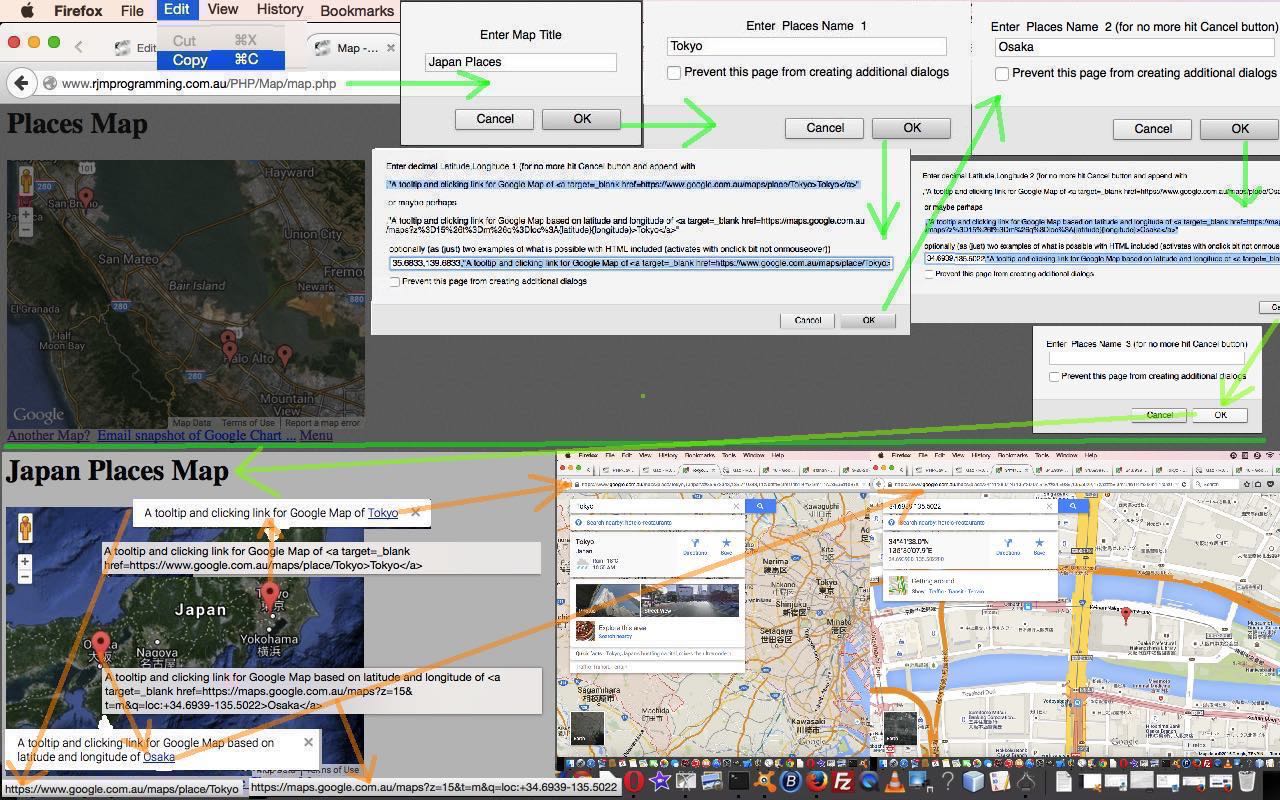
PHP/Javascript/HTML Google Chart Map Onclick Tutorial
They say “the knee bone’s connected to the thigh bone” then they say “the thigh bone’s connected to the … hip bone” then they say “let’s call the whole thing off” … sometimes.
Today we say “the onmouseover event is connected to the onclick event” then we say “the onclick event is connected to the online woooooorld” … “do … the hokey pokey” x3 … “that’s what the onclick event preceeded by the onmouseover event within the environs you are encountering … is all about”.
That news is pretty good actually, because it means mobile users are not missing out on much not having easy access to any onmouseover (ie. hover) functionality … they’ll still reach any onclick logic you present them, in the default case of events where onclick is a valid “touch” event as well.
So the data structure of arrangements to allow for this onclick functionality is intrinsically the same as allowed for yesterday with the PHP/Javascript/HTML Google Chart Map Tooltips Tutorial as shown below, but we just check for some more delimitation issue matters, and our updated prompting window logic gets quite “blurby” as per the Javascript (via PHP) …
 echo " datalinesuffix = prompt('Enter decimal Latitude,Longitude ' + thisline + extra +  ' (for no more hit Cancel button and append with ' + '\\n\\n' + ',\"A tooltip and clicking link for Google Map of <a target=_blank href=https://www.google.com.au/maps/place/' + encodeURIComponent(dlp2) + '>' + dlp2 + '</a>\" ' + '\\n\\n' + ' or maybe perhaps ' + '\\n\\n' + ',\"A tooltip and clicking link for Google Map based on latitude and longitude of <a target=_blank href=https://maps.google.com.au/maps?' + encodeURIComponent('z=15&t=m&q=loc:') + '{latitude}{longitude}>' + dlp2 + '</a>\"' + '\\n\\n' + ' optionally (as (just) two examples of what is possible with HTML included (activates with onclick bit not onmouseover))', thisdef); " . "\n";

 echo ' if (datalinesuffix != null) { if (datalinesuffix.indexOf("{latitude}") != -1) { dlsa=datalinesuffix.split(","); if (dlsa[0].indexOf("-") == -1) { datalinesuffix=datalinesuffix.replace("{latitude}",encodeURIComponent("+" + dlsa[0]));  } else { datalinesuffix=datalinesuffix.replace("{latitude}",encodeURIComponent(dlsa[0]));  }  } if (datalinesuffix.indexOf("{longitude}") != -1) { dlsa=datalinesuffix.split(","); if (dlsa.length > 1) { if (dlsa[1].indexOf("-") == -1) { datalinesuffix=datalinesuffix.replace("{longitude}",encodeURIComponent("+" + dlsa[1]));  } else { datalinesuffix=datalinesuffix.replace("{longitude}",encodeURIComponent(dlsa[1])); }  }  }    } ' . "\n";
… as again we are making use of $_GET[] parameters coming into the PHP at the server side.
The bigger picture plan for how this helps something else we are trying will become apparent over time … in the fullness of time … at the appropriate juncture of juxtapositions.
Let’s see some PHP code in live action for this tutorial where you define your map characteristics and data.
Link to Google Chart Tools “spiritual home” … via Google.
Link to Google Chart Tools Map information … via Google.
Link to Google Chart tooltips information … via Google.
Link to some downloadable PHP programming code … rename to map.php which changed from yesterday as per this link.
Previous relevant PHP/Javascript/HTML Google Chart Map Tooltips Tutorial is shown below.
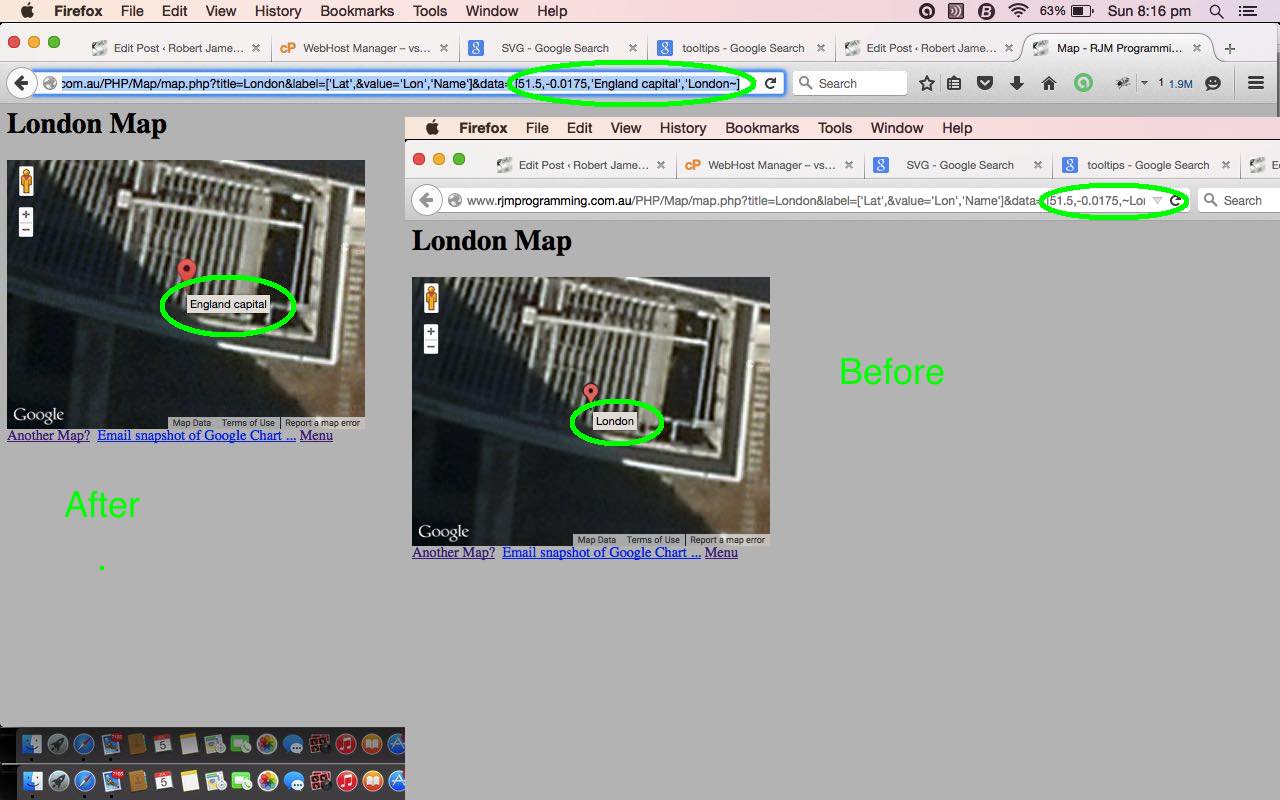
PHP/Javascript/HTML Google Chart Map Tooltips Tutorial
Here is a tutorial that is revisiting Google Graphs API, or Google Chart Tools, and its Map functionality, which we first talked about with PHP/Javascript/HTML Google Chart Map Tutorial as shown below. Please read …
Google Chart Tools provide a perfect way to visualize data on your website. From simple line charts to complex hierarchical tree maps, the chart galley provides a large number of well-designed chart types. Populating your data is easy using the provided client- and server-side tools.
Why are we revisiting? Well, we are interested in the interactive side to this wonderful product. We are going to start with a look into “tooltips”. Tooltips are those optional informational features of some webpages that happen when hovering over an HTML element, principally through the filling out of an HTML element’s title global attribute.. Google Charts functionality amounts to the use of Javascript, and, these days, SVG HTML elements, so “tooltips” are very relevant to the “user experience” when using Google Charts. With the Map Chart, the latitude, laongitude set is combined with a title, which can be the default “tooltip” shown, as this is all fine for many usages, but we want to extend it so that that title doesn’t have to be the tooltip.
The integration of this added functionality into the Google Chart Map Chart involves adding an extra “string” column to the data table as per the bold bits of the new Javascript (via PHP) snippet …
 if (isset($_GET['value']) && (isset($_GET['tooltip']) || strpos($GETdata, "'") !== false)) {

  echo "   var data = new google.visualization.DataTable(); /" . "/" . $GETlabel . $GETvalue . " \n";

  echo "   data.addColumn('number', '" . str_replace("'","",str_replace(",","",str_replace("['","",$GETlabel))) . "');  \n";

  echo "   data.addColumn('number', " . str_replace(",", "); data.addColumn({'type': 'string', 'role': 'tooltip', 'p': {'html': true}}); data.addColumn('string', ", str_replace("]","",$GETvalue)) . ");  \n";

  echo "   data.addRows([ \n";

  echo str_replace("''" . "''", "''", str_replace("~", "'", substr($GETdata,1)));

  echo "   ]); \n";

 } else {


      echo ' var data = google.visualization.arrayToDataTable([ ' . "\n";

      echo " " . $GETlabel . $GETvalue . " \n";

      echo str_replace("''" . "''", "''", str_replace("~", "'", $GETdata));

      echo "        ]);\n";

 }
… making use of $_GET[] parameters coming into the PHP at the server side … you’ll find that Javascript loves to work with PHP as one of those Fred and Ginger relationships of the programming world … you’ll be happier writing Javascript from your PHP too … try it and you’ll see the advantages time and again and again and again … did we leave out one? … and again.
The bigger picture plan for how this helps something else we are trying will hopefully become apparent over time.
Let’s see some PHP code in live action for this tutorial where you define your map characteristics and data.
Link to Google Chart Tools “spiritual home” … via Google.
Link to Google Chart Tools Map information … via Google.
Link to Google Chart tooltips information … via Google.
Link to some downloadable PHP programming code … rename to map.php which changed from the days of Google Charts Emailing Primer Tutorial as per this link.
Previous relevant PHP/Javascript/HTML Google Chart Map Tutorial is shown below.
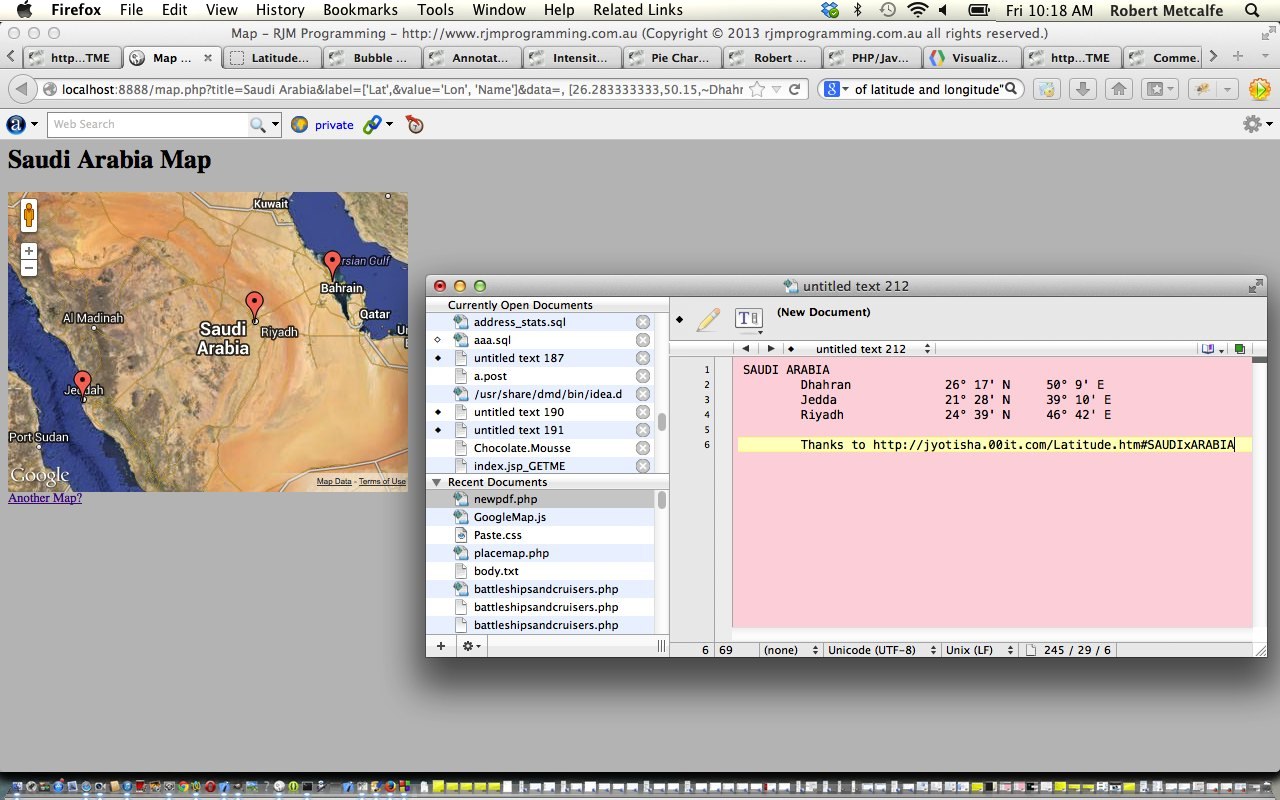
PHP/Javascript/HTML Google Chart Map Tutorial
Here is a tutorial that introduces you to Google Graphs API, or Google Chart Tools, and its Map functionality.
Google Chart Tools provide a perfect way to visualize data on your website. From simple line charts to complex hierarchical tree maps, the chart galley provides a large number of well-designed chart types. Populating your data is easy using the provided client- and server-side tools.
Let’s see some PHP code in live action for this tutorial where you define your map characteristics and data.
Link to Google Chart Tools “spiritual home” … via Google.
Link to Google Chart Tools Map information … via Google.
Link to some downloadable PHP programming code … rename to map.php.
If this was interesting you may be interested in this too.
If this was interesting you may be interested in this too.
If this was interesting you may be interested in this too.
If this was interesting you may be interested in this too.
If this was interesting you may be interested in this too.
If this was interesting you may be interested in this too.
If this was interesting you may be interested in this too.
If this was interesting you may be interested in this too.
If this was interesting you may be interested in this too.
If this was interesting you may be interested in this too.
If this was interesting you may be interested in this too.
If this was interesting you may be interested in this too.
If this was interesting you may be interested in this too.
If this was interesting you may be interested in this too.
If this was interesting you may be interested in this too.
If this was interesting you may be interested in this too.
If this was interesting you may be interested in this too.
If this was interesting you may be interested in this too.
If this was interesting you may be interested in this too.
If this was interesting you may be interested in this too.
If this was interesting you may be interested in this too.
If this was interesting you may be interested in this too.
If this was interesting you may be interested in this too.
If this was interesting you may be interested in this too.
If this was interesting you may be interested in this too.
If this was interesting you may be interested in this too.
If this was interesting you may be interested in this too.
If this was interesting you may be interested in this too.
If this was interesting you may be interested in this too.
If this was interesting you may be interested in this too.
If this was interesting you may be interested in this too.