Pdfimages PDF Image Extraction Primer Tutorial

Pdfimages PDF Image Extraction Primer Tutorial

Pdfimages PDF Image Extraction Primer Tutorial

When we presented PDF via Slide Images and Back Again via ImageMagick Primer Tutorial we referenced …

  • the great ImageMagick suite of software capable of extracting PDF pages as an image … as distinct from our curiosity today …
  • we discovered, thanks, that the great Pdfimages suite of software can extract the images contained within a PDF

And so, today, we show with today’s animated GIF presentation …

  • installing Pdfimages on macOS via …

    brew install poppler
  • using a macOS command line (via Terminal application) issued command …

    pdfimages -j "September 22 record.pdf" ideas -png

    … to extract the 242 images (curiously, as jpeg images) contained within our input PDF.

Interesting, huh?


Previous relevant PDF via Slide Images and Back Again via ImageMagick Primer Tutorial is shown below.

PDF via Slide Images and Back Again via ImageMagick Primer Tutorial

PDF via Slide Images and Back Again via ImageMagick Primer Tutorial

Does today’s blog posting title sound familiar to you? If so, I’m impressed. If not, get the whole picture, in context (we hope), today of …

  • today’s “PDF via Slide Images and Back Again via ImageMagick Primer Tutorial” … gets its cues from a …
  • previous “Video via Slide Images and Back Again via ffmpeg Primer Tutorial” … so that …
    1. PDF is the output file format as distinct from a Video Format such as *.mov or *.mp4
    2. ImageMagick is the conduit to that work as distinct from ffmpeg

… and that what is a common denominator here to be able to convert between Video and PDF and vice versa, is a set of image slides (or frames) of the animation concerned, today’s being, again, that Ant Video we took on our iPhone (that became the “Star Ant Video”), and that today takes as its starting point

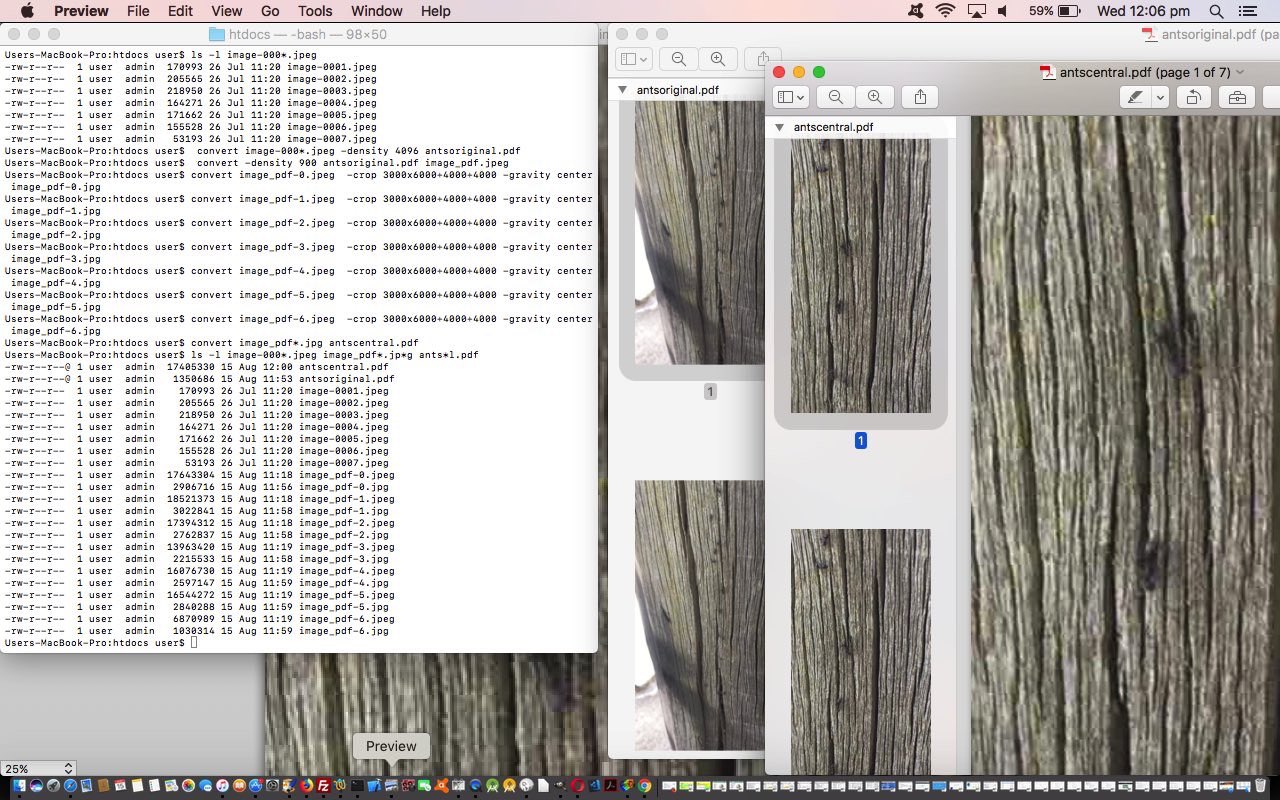
  1. image slides (or frames) from Video via Slide Images and Back Again via ffmpeg Primer Tutorial our MacBook Pro (via an email attachment download) … a listing of which looks like …

    $ ls -l image-000*.jpeg
    -rw-r--r-- 1 user admin 170993 26 Jul 11:20 image-0001.jpeg
    -rw-r--r-- 1 user admin 205565 26 Jul 11:20 image-0002.jpeg
    -rw-r--r-- 1 user admin 218950 26 Jul 11:20 image-0003.jpeg
    -rw-r--r-- 1 user admin 164271 26 Jul 11:20 image-0004.jpeg
    -rw-r--r-- 1 user admin 171662 26 Jul 11:20 image-0005.jpeg
    -rw-r--r-- 1 user admin 155528 26 Jul 11:20 image-0006.jpeg
    -rw-r--r-- 1 user admin 53193 26 Jul 11:20 image-0007.jpeg
  2. gets converted to an original (input) PDF (antsoriginal.pdf) (with slideshow capabilities via applications like Mac OS X’s Preview or Adobe Acrobat Reader) via Mac OS X Terminal application command line’s ImageMagick executable convert command …

    convert image-000*.jpeg -density 4096 antsoriginal.pdf

    … and then we act as though this PDF was our original source of data and decide to …
  3. break that PDF into its constituent image slides (or frames) via …

    convert -density 900 antsoriginal.pdf image_pdf.jpeg

    … and then use ImageMagick convert commands again to …
  4. crop those image slides via Mac OS X Terminal application command line’s ImageMagick executable convert commands (thanks to this great advice) …

    $ convert image_pdf-0.jpeg -crop 3000x6000+4000+4000 -gravity center image_pdf-0.jpg
    $ convert image_pdf-1.jpeg -crop 3000x6000+4000+4000 -gravity center image_pdf-1.jpg
    $ convert image_pdf-2.jpeg -crop 3000x6000+4000+4000 -gravity center image_pdf-2.jpg
    $ convert image_pdf-3.jpeg -crop 3000x6000+4000+4000 -gravity center image_pdf-3.jpg
    $ convert image_pdf-4.jpeg -crop 3000x6000+4000+4000 -gravity center image_pdf-4.jpg
    $ convert image_pdf-5.jpeg -crop 3000x6000+4000+4000 -gravity center image_pdf-5.jpg
    $ convert image_pdf-6.jpeg -crop 3000x6000+4000+4000 -gravity center image_pdf-6.jpg

    … into new PDF slide images (or frames) that can be converted to (output) PDF (antscentral.pdf) via ImageMagick executable convert command …

    convert image_pdf*.jpg antscentral.pdf

    … to see …
  5. we end up with the (relevant) file listing …

    $ ls -l image-000*.jpeg image_pdf*.jp*g ants*l.pdf
    -rw-r--r--@ 1 user admin 17405330 15 Aug 12:00 antscentral.pdf
    -rw-r--r--@ 1 user admin 1350686 15 Aug 11:53 antsoriginal.pdf
    -rw-r--r-- 1 user admin 170993 26 Jul 11:20 image-0001.jpeg
    -rw-r--r-- 1 user admin 205565 26 Jul 11:20 image-0002.jpeg
    -rw-r--r-- 1 user admin 218950 26 Jul 11:20 image-0003.jpeg
    -rw-r--r-- 1 user admin 164271 26 Jul 11:20 image-0004.jpeg
    -rw-r--r-- 1 user admin 171662 26 Jul 11:20 image-0005.jpeg
    -rw-r--r-- 1 user admin 155528 26 Jul 11:20 image-0006.jpeg
    -rw-r--r-- 1 user admin 53193 26 Jul 11:20 image-0007.jpeg
    -rw-r--r-- 1 user admin 17643304 15 Aug 11:18 image_pdf-0.jpeg
    -rw-r--r-- 1 user admin 2906716 15 Aug 11:56 image_pdf-0.jpg
    -rw-r--r-- 1 user admin 18521373 15 Aug 11:18 image_pdf-1.jpeg
    -rw-r--r-- 1 user admin 3022841 15 Aug 11:58 image_pdf-1.jpg
    -rw-r--r-- 1 user admin 17394312 15 Aug 11:18 image_pdf-2.jpeg
    -rw-r--r-- 1 user admin 2762837 15 Aug 11:58 image_pdf-2.jpg
    -rw-r--r-- 1 user admin 13963420 15 Aug 11:19 image_pdf-3.jpeg
    -rw-r--r-- 1 user admin 2215533 15 Aug 11:58 image_pdf-3.jpg
    -rw-r--r-- 1 user admin 16076730 15 Aug 11:19 image_pdf-4.jpeg
    -rw-r--r-- 1 user admin 2597147 15 Aug 11:59 image_pdf-4.jpg
    -rw-r--r-- 1 user admin 16544272 15 Aug 11:19 image_pdf-5.jpeg
    -rw-r--r-- 1 user admin 2840288 15 Aug 11:59 image_pdf-5.jpg
    -rw-r--r-- 1 user admin 6870989 15 Aug 11:19 image_pdf-6.jpeg
    -rw-r--r-- 1 user admin 1030314 15 Aug 11:59 image_pdf-6.jpg
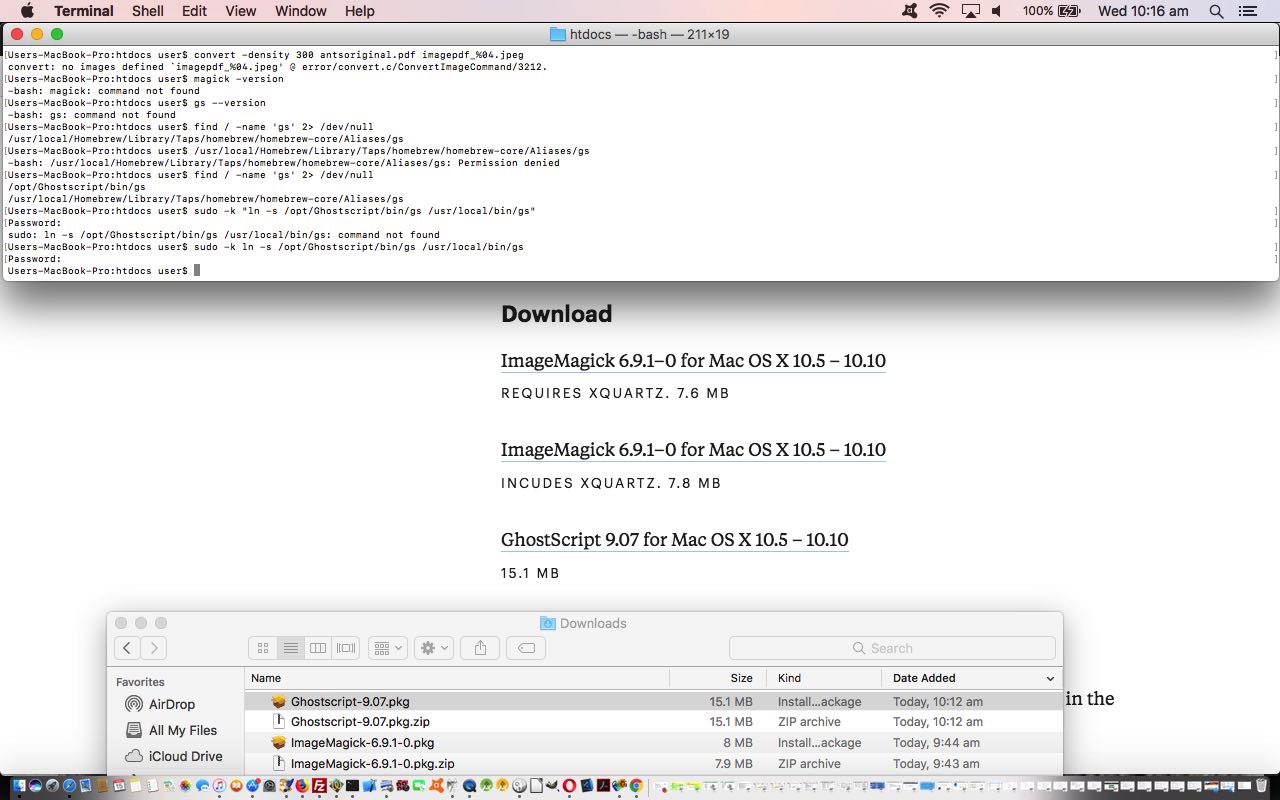
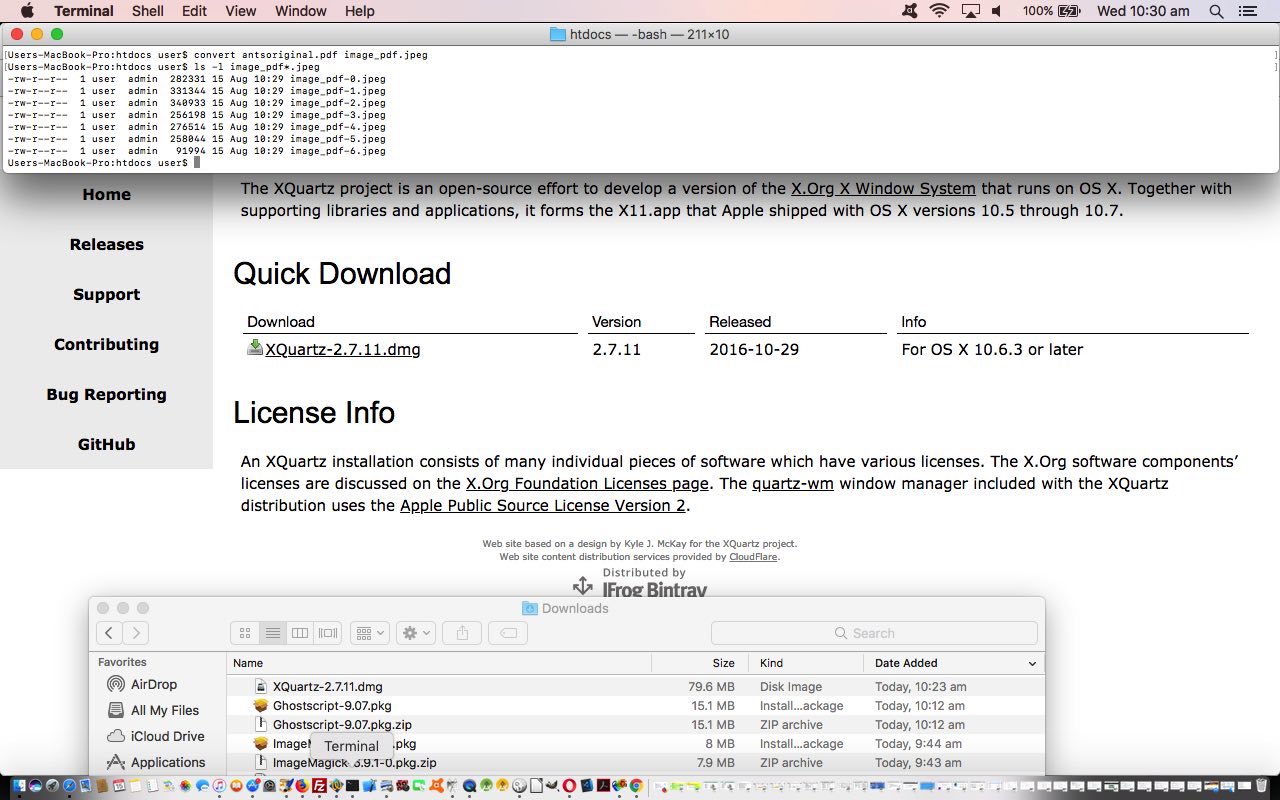
  6. Just as we decided to reinstall ffmpeg due to that disk crash, we decided to reinstall ImageMagick to this MacBook Pro here, and found, thanks to great advice, we found that we needed to …

    1. install ImageMagick via that previous link’s relevant download link … then at Terminal application command line …

      sudo -k ln -s /opt/ImageMagick/bin/convert /usr/bin/convert
    2. install GhostScript via that previous link’s relevant download link … then at Terminal application command line …

      sudo -k ln -s /opt/Ghostscript/bin/gs /usr/local/bin/gs

    3. install XQuartz via via XQuartz download page, thanks

    All animations, different forms (or formats), all presentation facilitators, is the message here today.


    Previous relevant Video via Slide Images and Back Again via ffmpeg Primer Tutorial is shown below.

    Video via Slide Images and Back Again via ffmpeg Primer Tutorial

    Video via Slide Images and Back Again via ffmpeg Primer Tutorial

    Reading yesterday’s LibreOffice Spreadsheet via dBase Primer Tutorial you can’t say I didn’t warn you about my interest in ants (and bees)? Glad you asked?

    Did you know?

    • the queen ant (often just one per ant colony) is not a leader as such in thinking out strategies … believe it or not …
    • it is believed ant colony strategies are worked by what we might call “groupthink”
    • ants march in line often and the scent that the ants leave behind is pheromone, that non-leader ants follow off that left behind by the “leader ant” … ie. “leader” of position, rather than “leader” of hierarchy

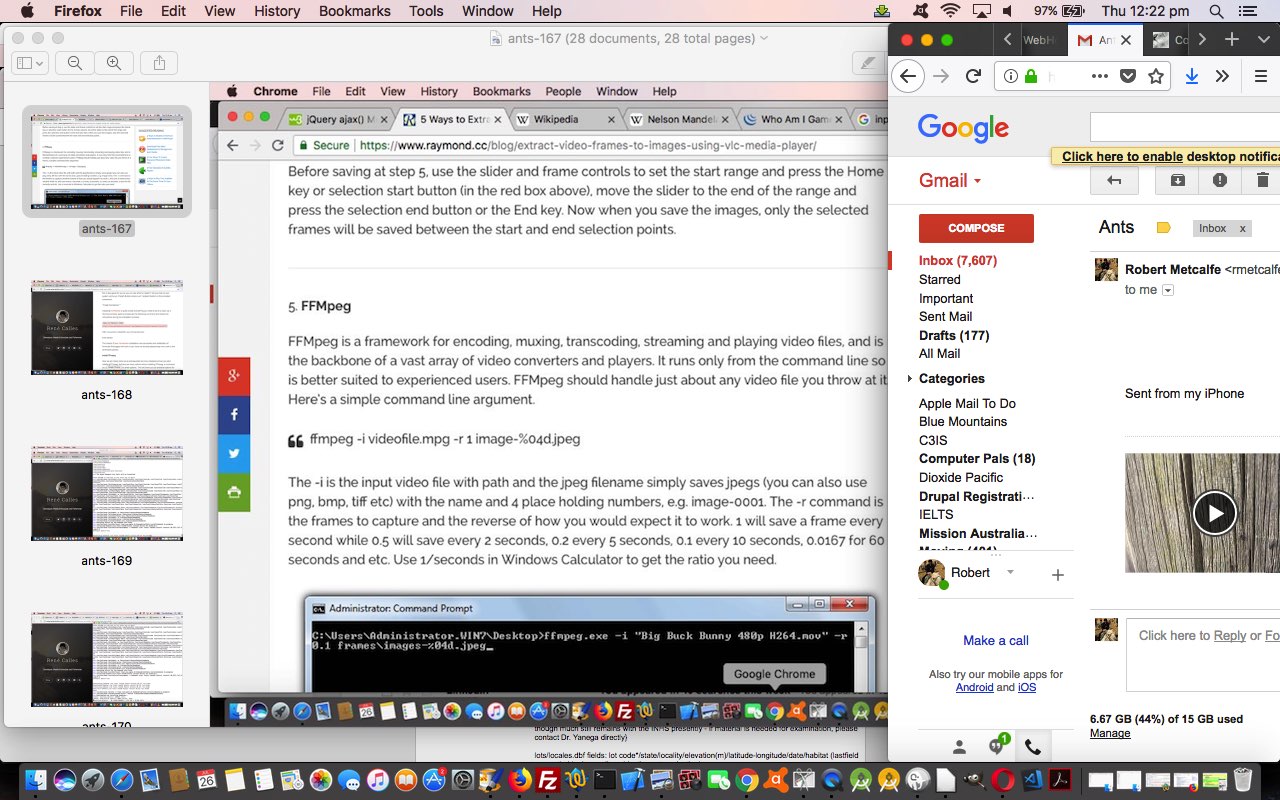
    So seeing some ants walking in line up a power pole, used an iPhone to capture a very short video (short enough to use the iPhone’s Photo app’s Share via Mail (attachment) method of emailing to the MacBook Pro, and then (Gmail website) downloading) of this, and later, buck the “ant” trend, and “anthropomorphise” a “star ant”, by honing in on an ant in this video and ring it (and its movement) before creating another “Star Ant Video”.

    There are video editing approaches you could use, but what got us interested was the thought of …

    • break the video into its component parts … just like animations like “Bugs Bunny” … a series of (slide, or frame) images
    • edit those (slide) images to add the (we’ve decided should be) red ringing of our “Star Ant” … who we’ve decided you, the user can call whatever you so desire … aaaaaaarrrrrrr
    • reconstitute a new video from some new (slide) image components

    That’s where one of our favourite Mac Os X friendly media players, which is also a command line “player” (yayyyyyy!) comes to the fore, for us. It’s the wonderful ffmpeg which we’ve had for a long time now on this MacBook Pro until a disk crash mentioned some weeks back. Could get it back off restore, but decided to reconsitute …

    … as a fairly straightforward exercise (given you have Xcode installed already) via a How to install FFmpeg on Mac OS X webpage by René Calles, thanks, heaps, we discovered the commands that worked well for us that go …


    ruby -e "$(curl -fsSL https://raw.githubusercontent.com/Homebrew/install/master/install)"
    brew install ffmpeg --with-fdk-aac --with-ffplay --with-freetype --with-frei0r --with-libass --with-libvo-aacenc --with-libvorbis --with-libvpx --with-opencore-amr --with-openjpeg --with-opus --with-rtmpdump --with-schroedinger --with-speex --with-theora --with-tools

    … to (re)install ffmpeg so that, then …


    ffmpeg -i IMG_0738.MOV -r 1 image-%04d.jpeg

    … could create those original 7 (slide) images, though the use of a value bigger than 1 frames per second for the “-r” switch could be on the cards for your usages.

    How to edit those images? We just used the Mac OS X version of PaintBrush and lined a lot of these images side by side across the screen to try to track our “Star Ant” and award it the “Red Ellipse PaintBrush Order of Merit” (for individualism … tee hee).

    Reconstituting the new slides into a new video we remember was another talent of ffmpeg and found this useful webpage, thanks, on the topic of taking raw (slide) images to create a video via ffmpeg. Actually, though, we also had our previous very useful Animated GIF and Video via PHP Writing PHP Data URI Tutorial (presented below) to turn to to end up with the Mac OS X (Terminal session command line command …


    ffmpeg -r 1 -i image-%04d.jpg ants.mp4

    There are no worries with video file “workings” to do with uppercase and lowercase and names, so we …


    cp IMG_0738.MOV ants.mov

    … just for some consistency purposes (and could use “mv” to rename instead) so that we can show you …

    Before … After … “Star Ant Video”

    See a lot of all these goings on at today’s PDF slideshow.


    Previous relevant Animated GIF and Video via PHP Writing PHP Data URI Tutorial is shown below.

    Animated GIF and Video via PHP Writing PHP Data URI Tutorial

    Animated GIF and Video via PHP Writing PHP Data URI Tutorial

    There is a great open source command line application called “FFmpeg” that can create video (or convert video) from image slides (for instance), and so, if we merge functionality for this into yesterday’s Animated GIF and Slideshow via PHP Writing PHP Data URI Tutorial some “presentation” styles that our web application can process are now …

    • animated GIF
    • slideshow
    • video

    As useful as “FFmpeg” is, it is not necessarily a default application existing on web server operating systems like our rjmprogramming.com.au’s CentOS server. But we do have it on our Mac OS X (MacBook Pro) operating system’s command line, so we write our PHP determining whether to …

    • create the video data there and then via “FFmpeg” and PHP’s exec method … or …
    • provide instructions to be able to create the video back at your client computer (that has “FFmpeg” perhaps) … to suit the …

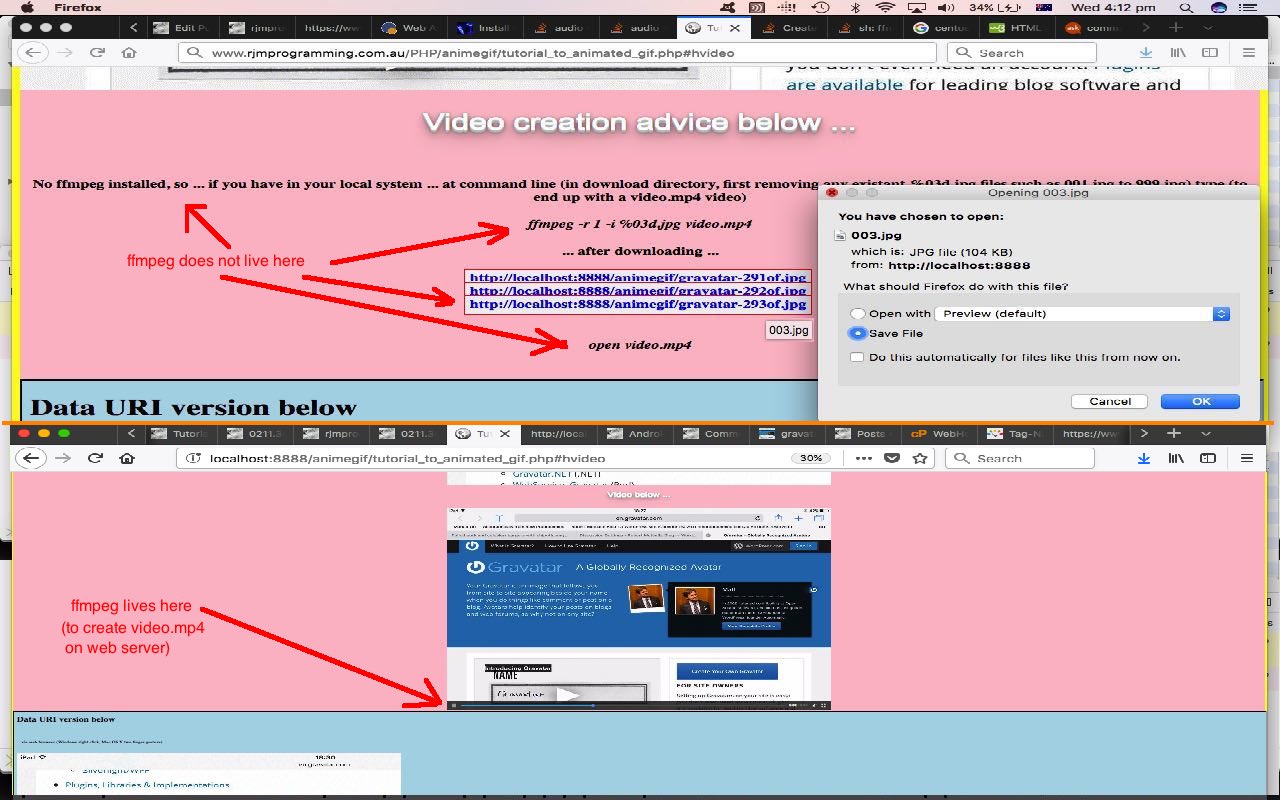
      ffmpeg -r 1 -i %03d.jpg video.mp4

      … to create a video called video.mp4 with 1 second delays between (input) slides named 001.jpg then 002.jpg then 003.jpg etcetera … thanks useful webpage for the help … that in the command line can sometimes be played via …

      open video.mp4

      … or used in some HTML as per …

      <video controls id=ivideo type='video/mp4'><source src='video.mp4'></source></video>

      … that we show you, below, the Mac OS X local MAMP (Apache/PHP/MySql) web server running of today’s PHP to create …

    If you are a regular at this blog and “FFmpeg” sounds a bit familiar to you, that’s probably because you’ve read FFmpeg Image Optimization Primer Tutorial on an earlier occasion … by candlelight … with the lights dimmed?!

    See this in the context of how this PHP tutorial_to_animated_gif.php code changed for videos in this way or try it as a live run.


    Previous relevant Animated GIF and Slideshow via PHP Writing PHP Data URI Tutorial is shown below.

    Animated GIF and Slideshow via PHP Writing PHP Data URI Tutorial

    Animated GIF and Slideshow via PHP Writing PHP Data URI Tutorial

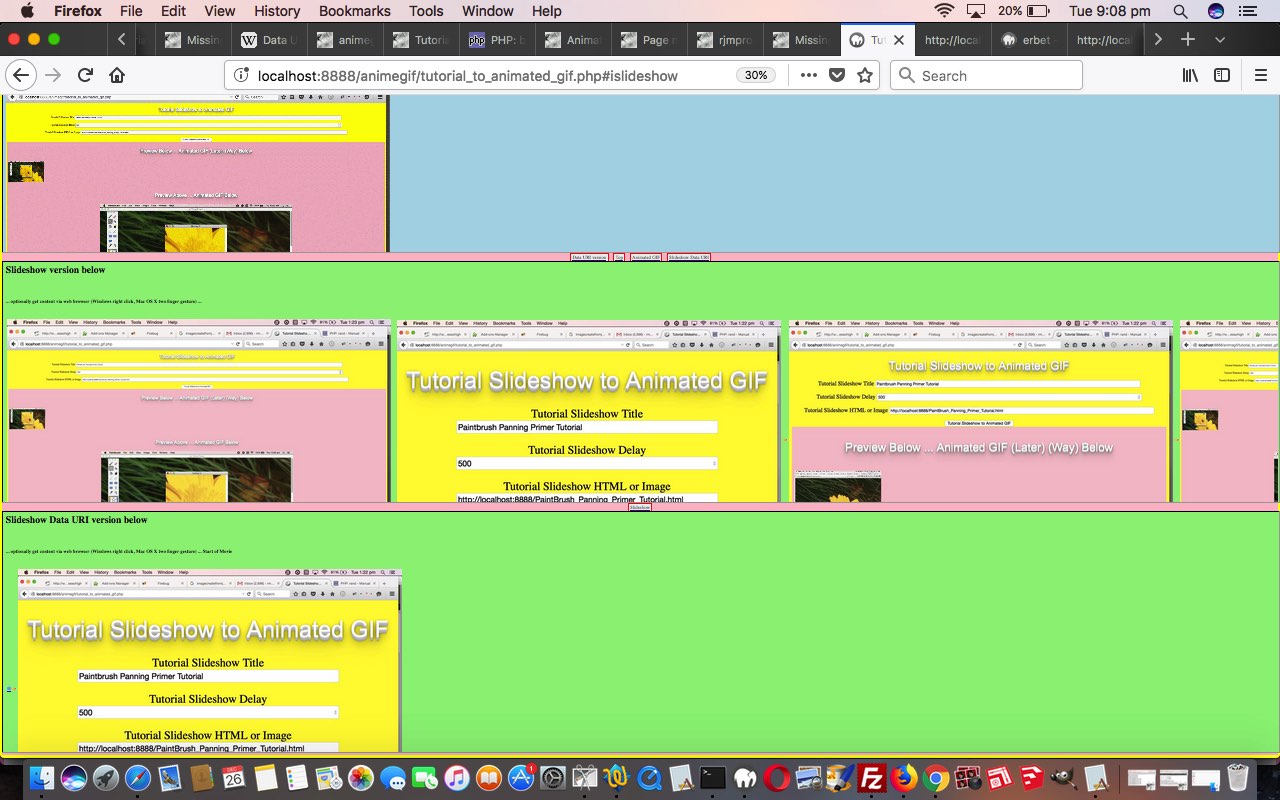
    To us, there are great similarities between animated GIFs and slideshows, as two forms of “presentation”, and so to extend yesterday’s Animated GIF via PHP Writing PHP Data URI Tutorial animated GIF creator “PHP Writes PHP” web application that now has the option for data URI “exports” we add the functionality for …

    • slideshow creation (using our inhouse methods) which defaults to a horizontal (hashtag type of) navigation … as well as adding a …
    • slideshow creation, with Data URI image data, using functionality as if CSS z-index (ie. slides stacked on top of each other in “overlay” style) was being used, but actually isn’t …

    … that little bit different to another “stacked” (or z-index feeling) approach we talked about with Multiple Class Slideshow Details Tutorial, where HTML element “class” properties were changed so that the last class defined reflects the look of the slideshow slide desired at any given time. We just use an array, and a setTimeout timer to achieve the same ends today, with our work (or “presentation”). If this “horizontal versus stack” navigation choice interests you, also take a read of HTML Input Element Types Randomized History Tutorial.

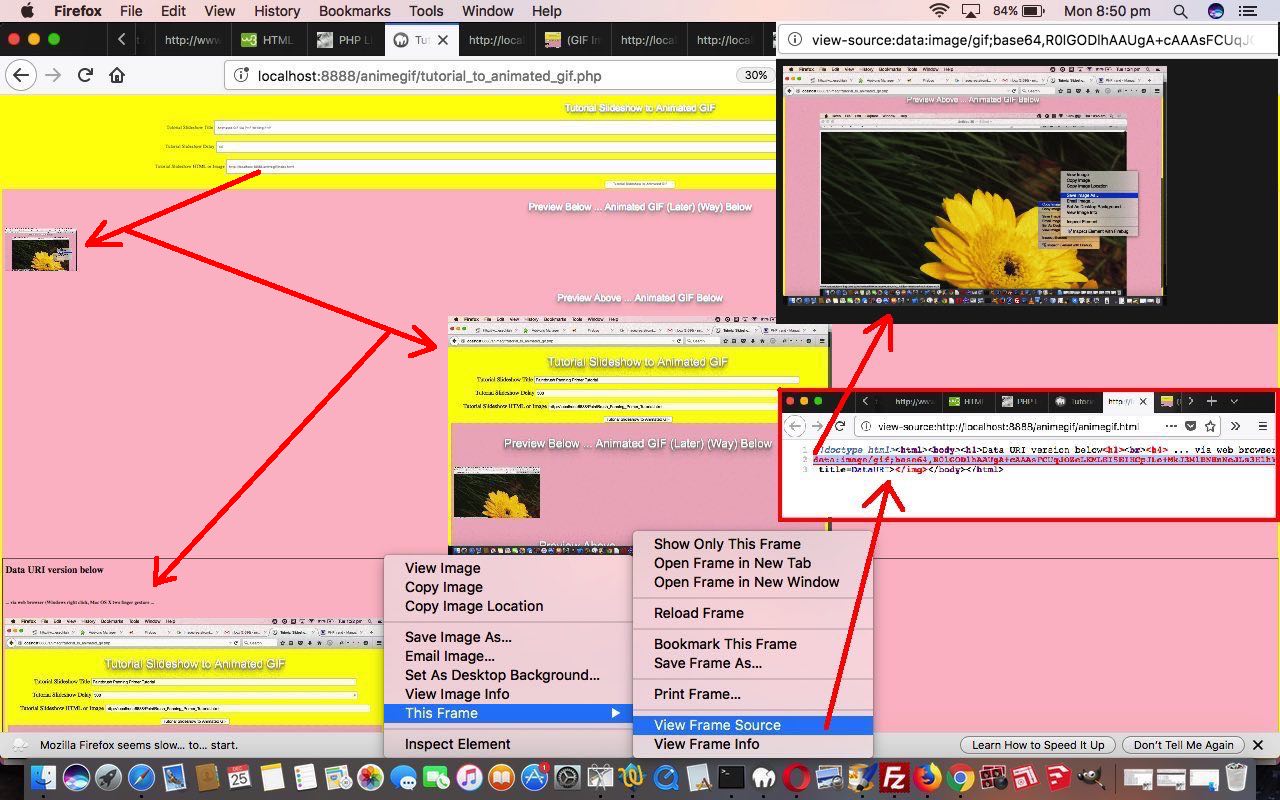
    Again, with all this added functionality, because it is “hosted” in an HTML iframe element all the existant web browser (Windows right click or Mac OS X two finger gesture) functionality can come into play, and make life quite interesting for your non-mobile users “collecting” data URIs … there are worse hobbies!

    You can see this in the context of how this PHP tutorial_to_animated_gif.php code changed for slideshows in this way or try it as a live run.


    Previous relevant Animated GIF via PHP Writing PHP Data URI Tutorial is shown below.

    Animated GIF via PHP Writing PHP Data URI Tutorial

    Animated GIF via PHP Writing PHP Data URI Tutorial

    The previous relevant “PHP writes PHP” methodology animated GIF creator we talked about, first, with Animated GIF via PHP Writing PHP Primer Tutorial came back to mind yesterday with our Missing Javascript Audio on Unmute Tutorial, where we pondered on whether an animated GIF could be represented on a webpage by a data URI. Why take an interest in this? Data URIs are very important to do with …

    • future mobile development web form navigation benefits from their usage
    • the use of data URIs make your web pages independent of web server location issues, so make your web data more portable, and flexible

    … and ideally, animated GIFs are also not just a decorative part of all this web application usage (as they can be a very efficient representation of an animation that could not be a more succinct way to show that animation or presentation), and if they can be made to be like any other GIF or image data file in the ways they can be represented (and used), then that is all for the good.

    So we changed the Jeroen van Wissen’s inspired PHP (“PHP writes PHP” methodology) code tutorial_to_animated_gif.php code allow for this extra animated GIF data URI representation in a new additional HTML iframe (containing the animegif.html of code below) that when harnessing existant web browser (Windows right click or Mac OS X two finger gesture) functionality can glean for us, as required, that animated GIF’s data URI representation. But don’t get too excited about this being rocket science, in that with a bit of effort, and PHP, it could have been gleaned from what we already produced, in that (in PHP “land”) …


    $lastbitto="\$fp = fopen('animegif.gif', 'w');
    \$data = \$gif->GetAnimation();
    \$dataUri = 'data:image/gif;base64,' . base64_encode(\$data);
    fwrite(\$fp, \$data);
    fclose(\$fp);
    \$fp = fopen('animegif.html', 'w');
    fwrite(\$fp, '<!doctype html><html><body><h1>Data URI version below<h1><br><h4> ... via web browser (Windows right click, Mac OS X two finger gesture ...</h4><br><img src=' . \"\\n\" . \$dataUri . \"\\n\" . ' title=DataURI></img></body></html>');
    fclose(\$fp);";

    You can see this in the context of how this PHP code changed in this way or try it as a live run.


    Previous relevant Animated GIF via PHP Writing PHP Primer Tutorial is shown below.

    Animated GIF via PHP Writing PHP Primer Tutorial

    Animated GIF via PHP Writing PHP Primer Tutorial

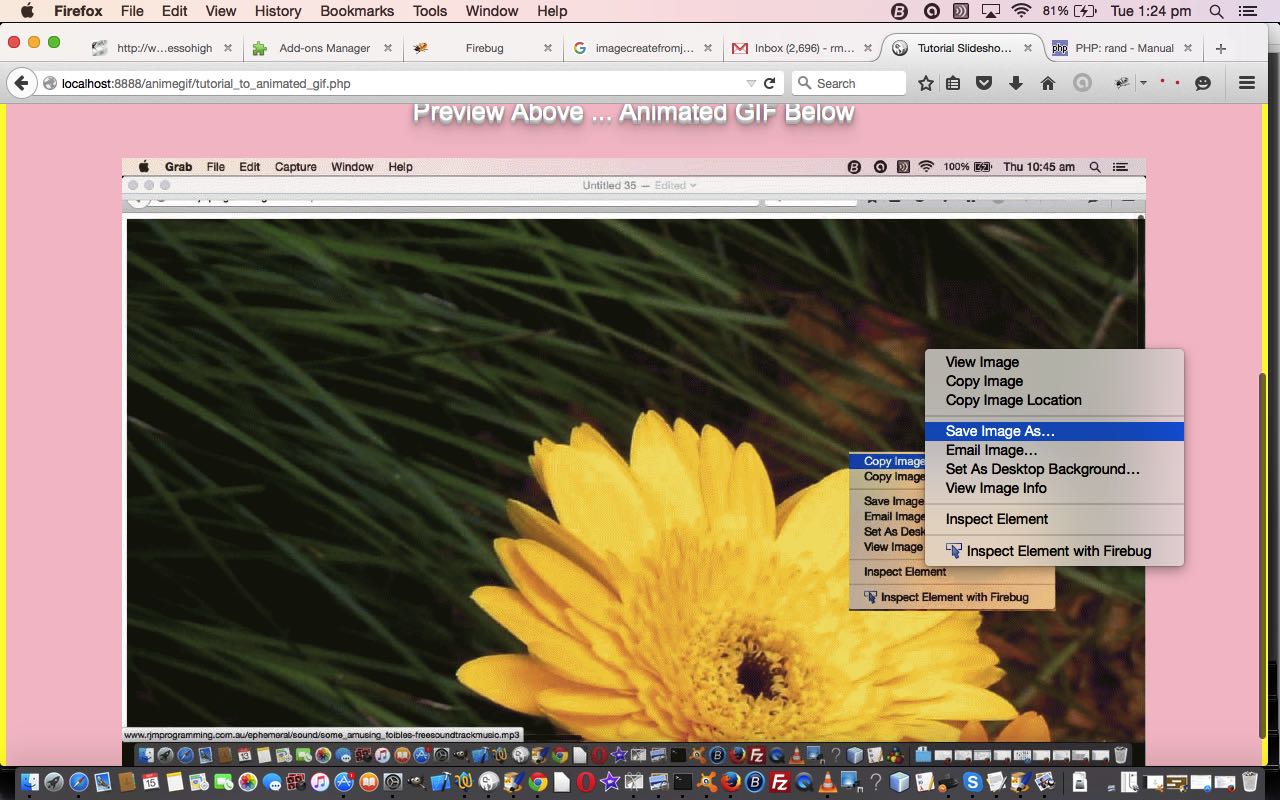
    We find another very useful reason for PHP to write PHP. Today we establish a PHP web application to dynamically create Animated GIF images via some still images, like Gifpal would do.

    We have some great open source PHP code to thank for the basis of the functionality we found at Jeroen van Wissen’s very useful link, thanks.

    Then we added a more user friendly interface to get the information off the user we need. We present this in an HTML form, which navigates to the same PHP to do the actual assembly of the Animated GIF via techniques where PHP writes PHP … and really needs to, to be useful.

    Do you remember, last, when we did some PHP writing PHP functionality … PHP Writes PHP Vertical TextBoxes Primer Tutorial?

    And inside the PHP it makes big use of the GD and Image Functions to read and write the image data we assemble via the user information.

    This Animated GIF form of animation is the easiest to implement, as it consists of just the one GIF image file, but the user has very little control over the animation settings, such as the delay between stills, one of the settings we ask about in our web application.

    Our PHP source code today you could call tutorial_to_animated_gif.php and we redirect you to some live run ideas …

    • normal run with HTML form which posts back to itself … live run
    • example GET parameters run (like our tutorial picture)

    Hope you find this tutorial useful.

    If this was interesting you may be interested in this too.


    If this was interesting you may be interested in this too.


    If this was interesting you may be interested in this too.


    If this was interesting you may be interested in this too.


    If this was interesting you may be interested in this too.


    If this was interesting you may be interested in this too.


    If this was interesting you may be interested in this too.

Posted in eLearning, Installers, Operating System, Tutorials | Tagged , , , , , , , , , , , , , , | Leave a comment

SVG and Gradient Fraction Game Operators Tutorial

SVG and Gradient Fraction Game Operators Tutorial

SVG and Gradient Fraction Game Operators Tutorial

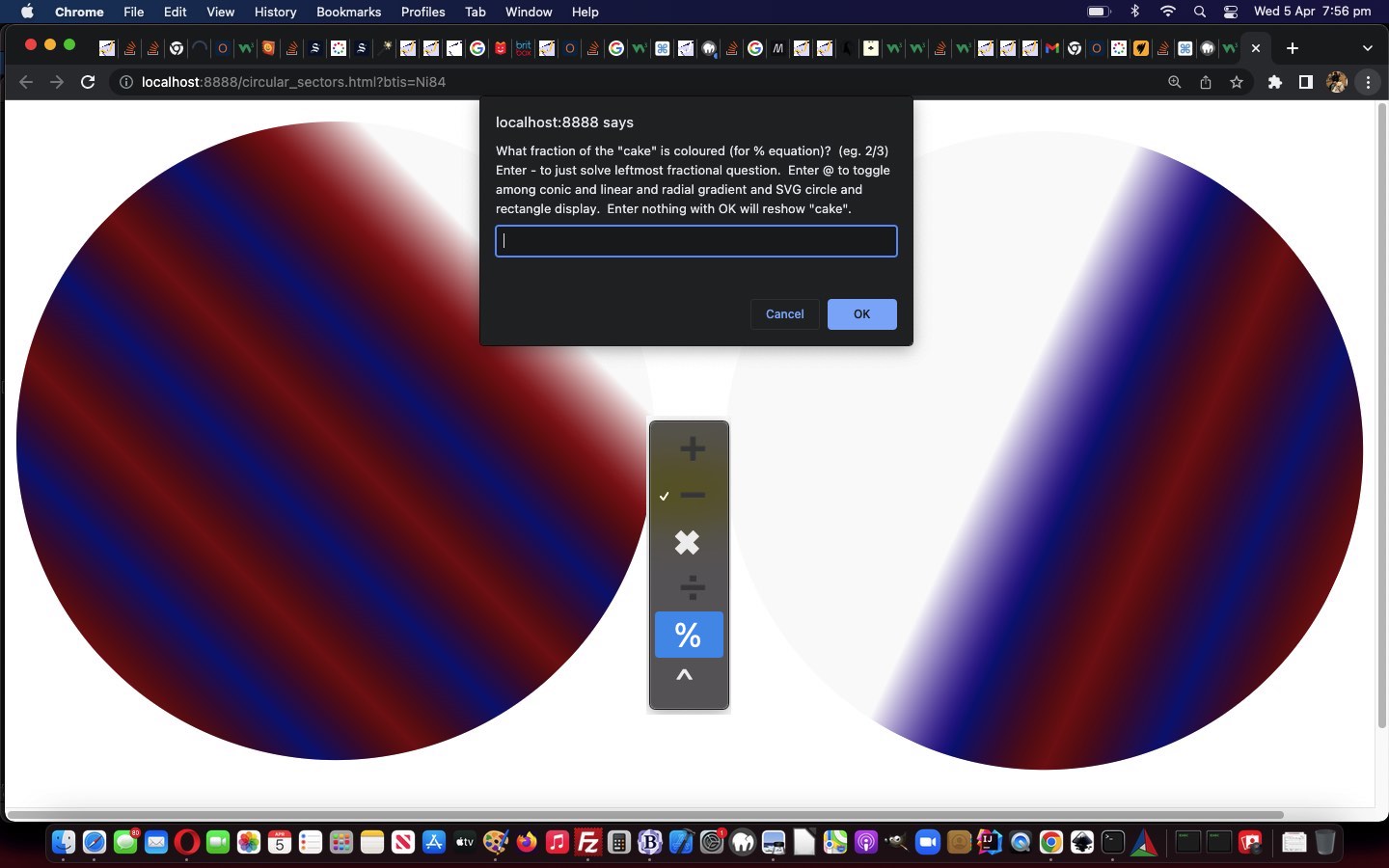
Onto the SVG “cake” display functionality added with yesterday’s SVG and Gradient Fraction Game Tutorial into our Fractions Game web application, we’re adding …

  • SVG circle “cakes” that can be rotated … but not in the SVG … rather in the nesting HTML div … as per

    rotdeg=eval(Math.floor(eval(360.0 * numerator / denominator)) % 360);
    rotdegr=eval(Math.floor(eval(360.0 * numeratortwo / denominatortwo)) % 360);

    document.getElementById('dstyle').innerHTML+='<style>' + ' #atend { background-image: none !important; transform: rotate(' + rotdeg + 'deg); } </style>';
    document.getElementById('dstyle').innerHTML+='<style>' + ' #atright { background-image: none !important; transform: rotate(' + rotdegr + 'deg); } </style>';

    … as a “distinguisher” (of SVG as distinct from conic-gradient) and “for user interest, and challenge, sake”
  • two new mathematics operators to offer on that “operator dropdown” … in addition to + – x / …
    •  % (ie. modulo eg. in Javascript eval(3/4 % 1/2) is 1/4 is 0.25)
    •  ^ (ie. “left fraction base” to the power of “right fraction power” eg. (1/4 ^ 1/2) ( we can internally express as Math.pow(1/4, 1/2) ) is 1/2 is 0.5)

    … today, again “for user interest, and challenge, sake” … naturally, as far as answers go, we’ve always accepted decimal answers

… in the changed circular_sectors.html Fractions Game.


Previous relevant SVG and Gradient Fraction Game Tutorial is shown below.
SVG and Gradient Fraction Game Tutorial

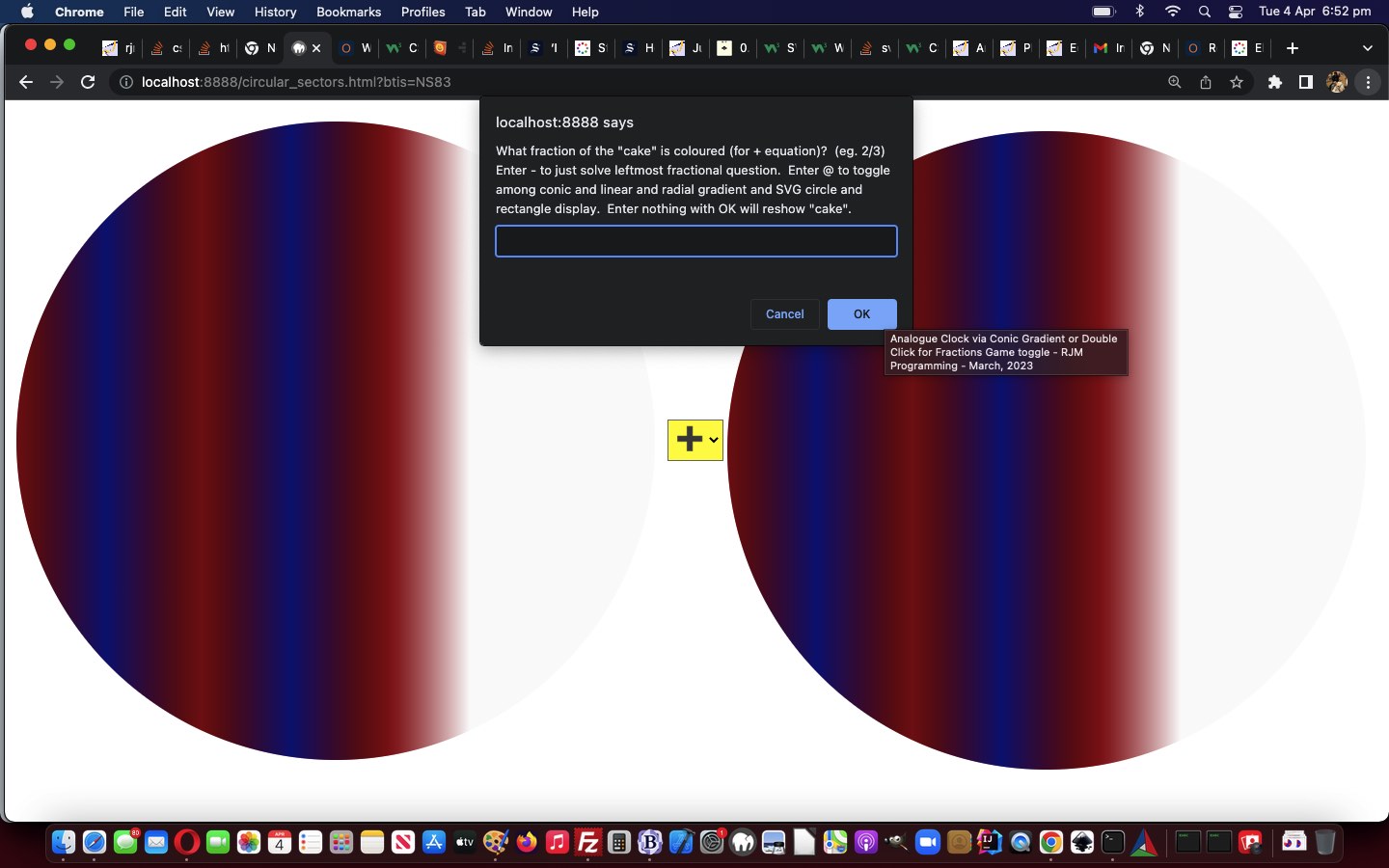
SVG and Gradient Fraction Game Tutorial

To add onto yesterday’s Gradient Fraction Game Mobile Tutorial

  • exclusively gradient
    • conic
    • linear
    • radial

    … “cake” displays in our Fractions Game … and add in …

  • SVG circle and rectangle alternative displays

… it is not hard coding work, only really involving the rearrangement of the “stop colour” element …


function stopit(incsv) {
//alert(incsv);
// <stop offset='0%' stop-color='#f00'/><stop offset='100%' stop-color='#0ff'/>
var incsvs=incsv.split('%, ');
var outstops="<stop offset='0%' stop-color='" + incsvs[0].split(' ')[0] + "'/>";
for (var iis=1; iis<incsvs.length; iis++) {
outstops+="<stop offset='" + (incsvs[iis].split(' ')[1].trim() + "%").replace('%%','%') + "' stop-color='" + incsvs[iis].split(' ')[0] + "'/>";
}
//alert(outstops);
//document.getElementById('atend').title=outstops.replace(/255/g, '127');
return outstops.replace(/255/g, '127');
}

… code syntax.

But before that we went down a garden path thinking we could have all 5 “cake” display options be …

  • as the CSS property background-image to a table cell nesting HTML div element … sort of like this webpage‘s (thanks all the same) …

    #atright {
    background-image: url("data:image/svg+xml;utf8,<svg xmlns='http://www.w3.org/2000/svg' width='10' height='10'><linearGradient id='gradient'><stop offset='10%' stop-color='%23F00'/><stop offset='90%' stop-color='%23fcc'/> </linearGradient><rect fill='url(%23gradient)' x='0' y='0' width='100%' height='100%'/></svg>");
    }
    // ... or ...
    #atend {
    background-image: url("data:image/svg+xml;base64,PHN2ZyB4bWxucz0naHR0cDovL3d3dy53My5vcmcvMjAwMC9zdmcnIHdpZHRoPScxMCcgaGVpZ2h0PScxMCc+PGxpbmVhckdyYWRpZW50IGlkPSdncmFkaWVudCc+PHN0b3Agb2Zmc2V0PScxMCUnIHN0b3AtY29sb3I9JyNGMDAnLz48c3RvcCBvZmZzZXQ9JzkwJScgc3RvcC1jb2xvcj0nI2ZjYycvPiA8L2xpbmVhckdyYWRpZW50PjxyZWN0IGZpbGw9J3VybCgjZ3JhZGllbnQpJyB4PScwJyB5PScwJyB3aWR0aD0nMTAwJScgaGVpZ2h0PScxMDAlJy8+PC9zdmc+");
    }

    … and though we had lots of success with work of this ilk with our “Just Javascript” series of blog posts, we found the technique flaky today, so opted to, instead …

    1. fill HTML div element’s innerHTML (ie. content) with “raw” SVG
    2. set that HTML div element’s CSS style property background-image to “none”

… as the approach we landed upon, allowing for SVG


if (issvg > 0) {
var mySVG = "<svg xmlns='http://www.w3.org/2000/svg' width='10' height='10'><linearGradient id='gradient'><stop offset='10%' stop-color='#F00'/><stop offset='90%' stop-color='#fcc'/> </linearGradient><rect fill='url(#gradient)' x='0' y='0' width='100%' height='100%'/></svg>";
if (issvg == 1) {
mySVG="<svg xmlns='http://www.w3.org/2000/svg' width='" + pwidth + "' height='" + pheight + "' viewport='0 0 100 100'><linearGradient id='test'>" + stopit(newlist) + " </linearGradient><circle fill='url(#test)' cx='" + eval(pwidth / 2) + "' cy='" + eval(pheight / 2) + "' r='" + eval(pwidth / 2) + "' stroke='none' stroke-width='12'/></svg>"; //.replace(/\~/g, String.fromCharCode(10));
} else if (issvg == 2) {
mySVG="<svg xmlns='http://www.w3.org/2000/svg' width='" + pwidth + "' height='" + pheight + "' viewport='0 0 100 100'><linearGradient id='test'>" + stopit(newlist) + " </linearGradient><rect fill='url(#test)' width='" + eval(pwidth / 1) + "' height='" + eval(pheight / 1) + "' stroke='none' stroke-width='12'/></svg>"; //.replace(/\~/g, String.fromCharCode(10));
}
document.getElementById('atend').innerHTML=mySVG;
if (issvg == 1) {
mySVG="<svg xmlns='http://www.w3.org/2000/svg' width='" + pwidth + "' height='" + pheight + "' viewport='0 0 100 100'><linearGradient id='testr'>" + stopit(newlistr) + " </linearGradient><circle fill='url(#testr)' cx='" + eval(pwidth / 2) + "' cy='" + eval(pheight / 2) + "' r='" + eval(pwidth / 2) + "' stroke='none' stroke-width='12'/></svg>"; //.replace(/\~/g, String.fromCharCode(10));
} else if (issvg == 2) {
mySVG="<svg xmlns='http://www.w3.org/2000/svg' width='" + pwidth + "' height='" + pheight + "' viewport='0 0 100 100'><linearGradient id='testr'>" + stopit(newlistr) + " </linearGradient><rect fill='url(#testr)' width='" + eval(pwidth / 1) + "' height='" + eval(pheight / 1) + "' stroke='none' stroke-width='12'/></svg>"; //.replace(/\~/g, String.fromCharCode(10));
}
document.getElementById('atright').innerHTML=mySVG;
document.getElementById('dstyle').innerHTML+='<style>' + ' #atend { background-image: none !important; } </style>';
document.getElementById('dstyle').innerHTML+='<style>' + ' #atright { background-image: none !important; } </style>';
} else {
document.getElementById('atend').innerHTML='';
document.getElementById('atright').innerHTML='';

document.getElementById('dstyle').innerHTML+='<style>' + ' #atend { background-image: ' + gprefix.toLowerCase() + '-gradient(' + newlist + ') !important; } </style>';
document.getElementById('dstyle').innerHTML+='<style>' + ' #atright { background-image: ' + gprefix.toLowerCase() + '-gradient(' + newlistr + ') !important; } </style>';
}

… in the changed circular_sectors.html Fractions Game.


Previous relevant Gradient Fraction Game Mobile Tutorial is shown below.
Gradient Fraction Game Mobile Tutorial

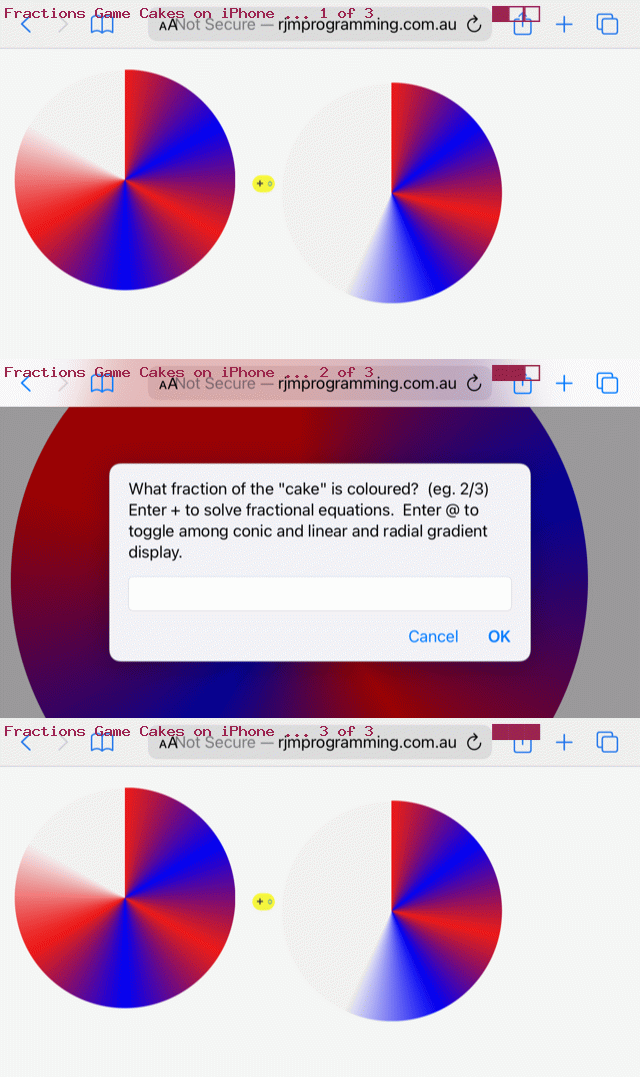
Gradient Fraction Game Mobile Tutorial

Many responsive web design purists will push the web developers out there to never …

  • express HTML element dimensions in “static” “px” types of units … but rather …
  • express HTML element dimensions in “%” or “vx” or “vh” proportional style of units … and, of course, their advice has a lot of merit, but, sometimes, like today, we want to be a bit pragmatic here and say …
  • a third way, particularly suiting an initial development phase that suited a display on a laptop (and deploying “static” “px” types of units that look okay on a laptop), for instance, but then wanting to look more apt on your smaller mobile devices, you could …
    1. ensure you have within the webpage head element a “meta” viewport element such as (our) …

      <meta id='myviewport' name='viewport' content='width=device-width, initial-scale=1, minimum-scale=0.1, maximum-scale=8, user-scalable=yes' >
    2. stay with “static” “px” types of units but if analysis (which can be before document.body “onload” event (and, you couldn’t possibly have heard it from me, cough cough, but dovetail findings within Javascript document.write statements within the document.body static HTML)) of either/both screen.width and/or screen.height indicates lack of suitablility …

      var fromprefix='border-radius: 612px;', toprefix="margin-top: 0px;";
      var pwidth=602, pheight=602, pbr=612, ptop=17.3594, pleft=386.5, thirtytwo=32, ocbit='';
      var worry=false;

      if (navigator.userAgent.match(/Android|BlackBerry|iPhone|iPad|iPod|Opera Mini|IEMobile/i) && btoas.trim() == '' && denominator == '0' && numerator == '0') {
      ocbit=' onclick=" viadb=true; ask(); " ';
      }
      if (eval(eval('' + screen.width) - eval(eval('' + pbr) * 2)) < 0 && (btoas.trim() != '' || denominator != '0' || numerator != '0')) {
      thirtytwo=Math.floor(eval(eval('' + thirtytwo) * Math.floor(eval(eval('' + screen.width) / 2.1)) / eval('' + pbr)));
      ptop=eval(eval('' + ptop) * Math.floor(eval(eval('' + screen.width) / 2.1)) / eval('' + pbr));
      pleft=eval(eval('' + pleft) * Math.floor(eval(eval('' + screen.width) / 2.1)) / eval('' + pbr));
      pbr=Math.floor(eval(eval('' + screen.width) / 2.1));
      fromprefix='border-radius: ' + pbr + 'px;'
      pwidth=eval(-10 + pbr);
      pheight=eval(-10 + pbr);
      worry=true;
      //alert('width,height,br,top,left=' + pwidth + ',' + pheight + ',' + pbr + ',' + ptop + ',' + pleft);
      }

      … Javascript “head” code affecting the “body” …

      <body>
      <script type='text/javascript'>
      document.write('<table id=mytable><tbody id=mytbody><tr id=mytr><td id=mytd>');
      if (denominator == '0' && btoas == '') {
      if (worry) {
      document.write('<div' + ocbit + ' ondblclick=" viadb=true; ask(); " title="Analogue Clock via Conic Gradient or Double Click for Fractions Game toggle - RJM Programming - March, 2023" id="atend" style="position: absolute; left: ' + pleft + 'px; top: ' + ptop + 'px; width: ' + pwidth + 'px; height: ' + pheight + 'px; border-radius: ' + pbr + 'px; ">');
      } else {
      document.write('<div' + ocbit + ' ondblclick=" viadb=true; ask(); " title="Analogue Clock via Conic Gradient or Double Click for Fractions Game toggle - RJM Programming - March, 2023" id="atend" style="position: absolute; left: 386.5px; top: 17.3594px; width: 602px; height: 602px; border-radius: 612px; ">');
      }
      document.write('<iframe scrolling="no" frameborder="0" style="z-index:23;margin-left:127px;margin-top:130px;height:400px;" src="analogue_clock.htm?backcol=transparent&x=7654#xbody"></iframe>');
      } else {
      if (worry) {
      document.write('<div' + ocbit + ' ondblclick=" viadb=true; ask(); " title="Analogue Clock via Conic Gradient or Double Click for Fractions Game toggle - RJM Programming - March, 2023" id="atend" style="width: ' + pwidth + 'px; height: ' + pheight + 'px; border-radius: ' + pbr + 'px; ">');
      } else {
      document.write('<div' + ocbit + ' ondblclick=" viadb=true; ask(); " title="Analogue Clock via Conic Gradient or Double Click for Fractions Game toggle - RJM Programming - March, 2023" id="atend" style="width: 602px; height: 602px; border-radius: 612px; ">');
      }
      }
      if (worry) {
      document.write('</div></td><td id=mymtd style=display:none;vertical-align:middle;>  <select id=ssign style=font-size:' + thirtytwo + 'px;background-color:yellow; readonly disable><option value="+">➕</option><option value="-">➖</option><option value="x">✖</option><option value="/">➗</option></select></td><td id=myrtd style=display:none;>  <div ondblclick=" viadb=true; ask(); " title="Analogue Clock via Conic Gradient or Double Click for Fractions Game toggle - RJM Programming - March, 2023" id="atright" style="width: ' + pwidth + 'px; height: ' + pheight + 'px; border-radius: ' + pbr + 'px; "></div></td></tr></tbody></table>');
      } else {
      document.write('</div></td><td id=mymtd style=display:none;vertical-align:middle;>  <select id=ssign style=font-size:' + thirtytwo + 'px;background-color:yellow; readonly disable><option value="+">➕</option><option value="-">➖</option><option value="x">✖</option><option value="/">➗</option></select></td><td id=myrtd style=display:none;>  <div ondblclick=" viadb=true; ask(); " title="Analogue Clock via Conic Gradient or Double Click for Fractions Game toggle - RJM Programming - March, 2023" id="atright" style="width: 602px; height: 602px; border-radius: 612px; "></div></td></tr></tbody></table>');
      }
      </script>
      <div id=dstyle></div>
      </body>

      … element, to lean on “hardcodings become parameter” types of thinking to proceed with a more apt dimensional display (that is all sorted out ahead of document.body “onload” event, still not associated with any Javascript code, above)

Yes, you can develop web applications on mobile. There are ways. But we find it much more natural and easy to develop web applications on a laptop, here it being a MacBook Air at the moment. One reason we’d give, is that the quality of laptop web browser web inspectors is sky high, and all the modern browsers seem to have a (laptop) version now.

And as such, improving mobile usage of yesterday’s Gradient Fraction Game Equations Tutorial we have in a changed circular_sectors.html Fractions Game.


Previous relevant Gradient Fraction Game Equations Tutorial is shown below.
Gradient Fraction Game Equations Tutorial

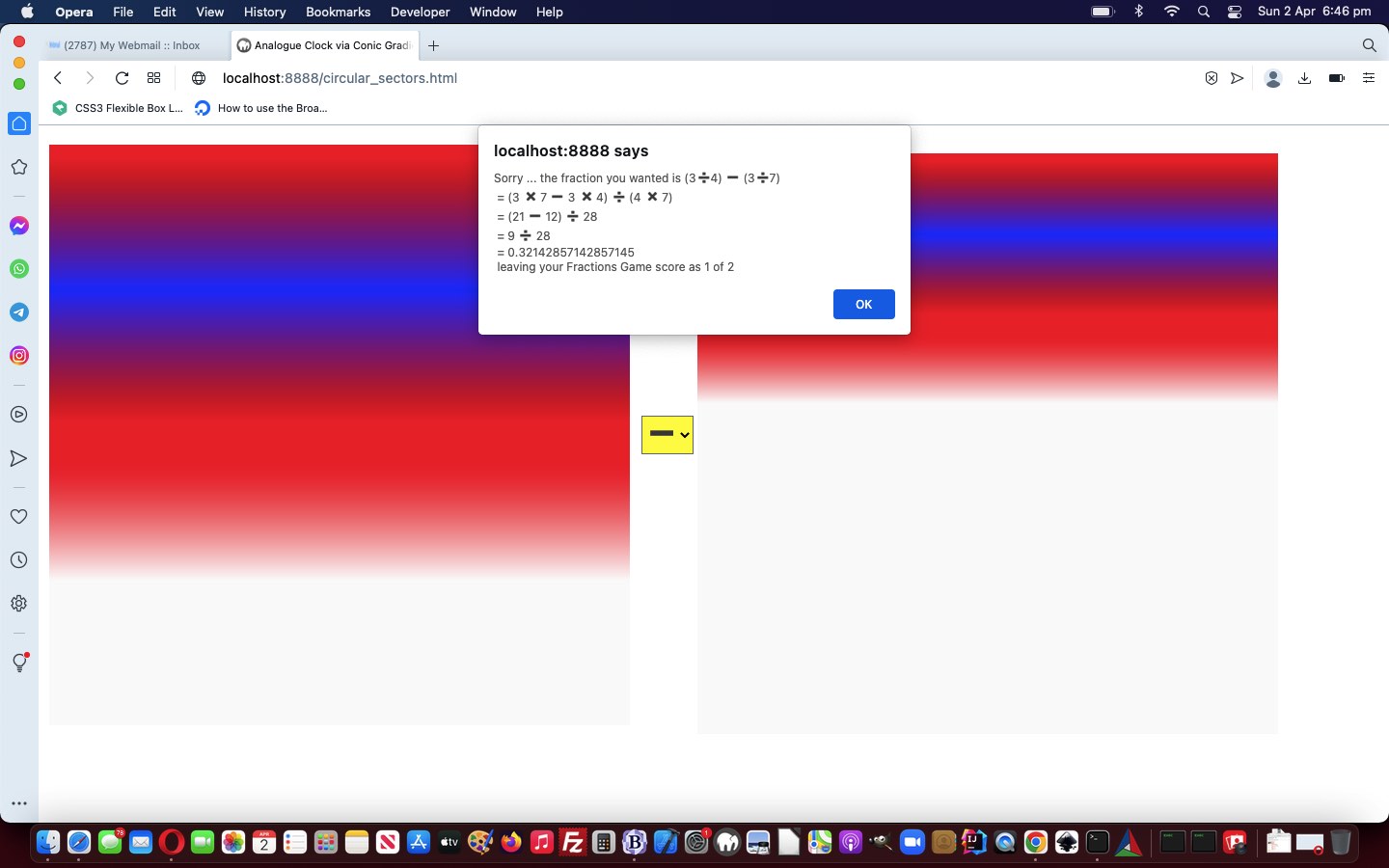
Gradient Fraction Game Equations Tutorial

There are three styles of CSS gradient …

  • conic
  • linear
  • radial

… and “different folks may learn via diff’rent CSS strokes”, so we incorporate a way for the user, when using the Fractions Game component of our latest web application, so that they can toggle the “cake” display among these three styles of gradient display.

Also, extending yesterday’s Conic Gradient Fraction Game Equations Tutorial, we …

  • allow, during the Fractions Game mode usage, have a window.prompt Cancel click send the user back to the Analogue Clock, so that unnecessary and errant window.prompt popup windows are avoided … and …
  • we incorporate “lowest common denominator” …

    function lcdextra(varn, vard) {
    var retv='', iv=0;
    for (iv=Math.min(Math.abs(varn),Math.abs(vard)); iv>=2; iv--) {
    if (eval(Math.abs(varn) % iv) == 0 && eval(Math.abs(vard) % iv) == 0) {
    varn /= iv;
    vard /= iv;
    retv+=' = ' + varn + ' / ' + vard + String.fromCharCode(10);
    }
    }
    return retv;
    }

    … calculations into our “show workings” section as Ms Trimpole would have wanted
  • involve emoji operators in that same “show workings” section to better mimic how we were taught at school in Mathematics class

… in the changed circular_sectors.html Fractions Game.


Previous relevant Conic Gradient Fraction Game Equations Tutorial is shown below.
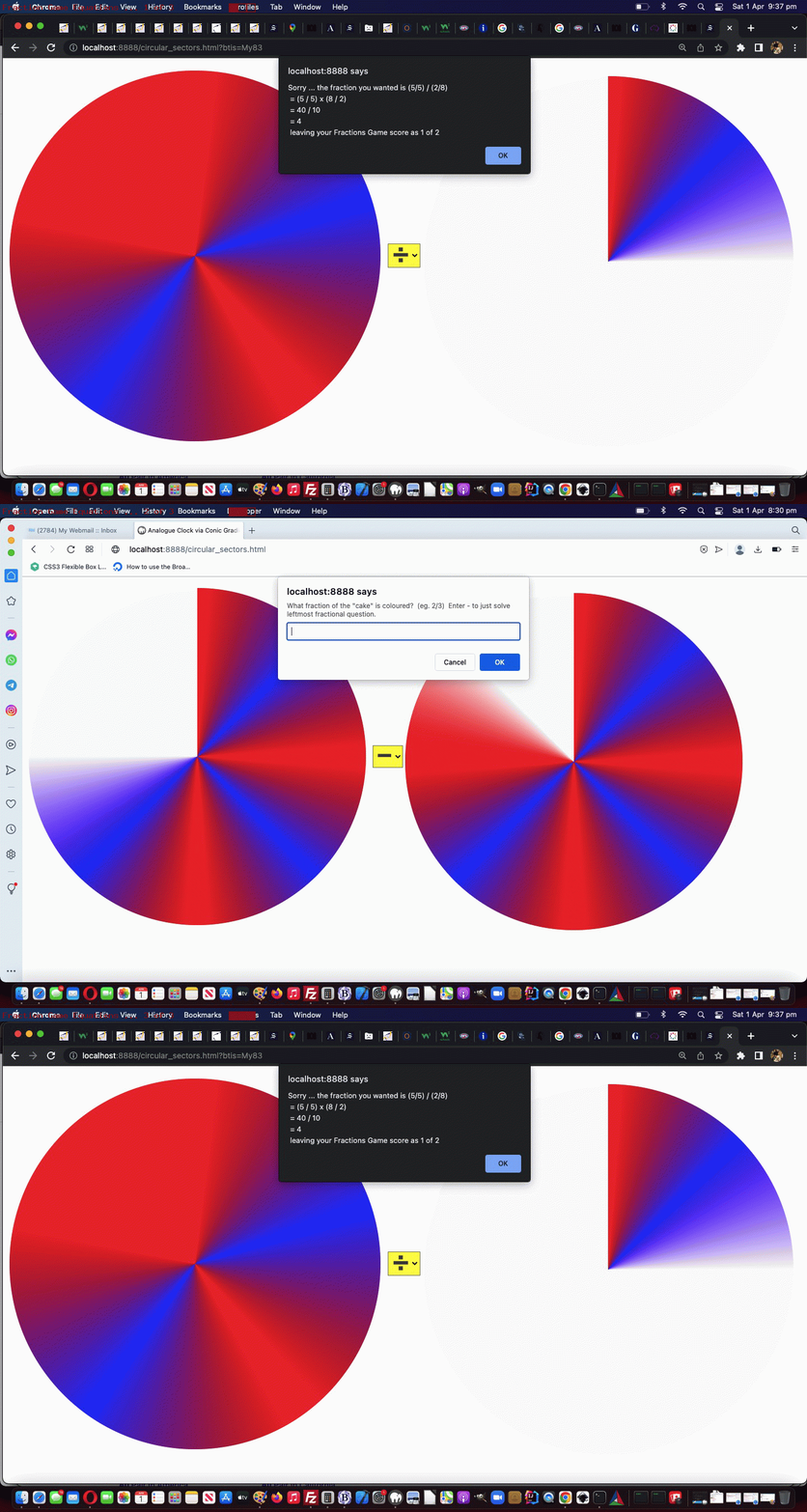
Conic Gradient Fraction Game Equations Tutorial

Conic Gradient Fraction Game Equations Tutorial

We’re extending the functionality started with yesterday’s Dual Purpose Conic Gradient Primer Tutorial‘s second “dual purpose” …

  • Fractions Game piece of functionality …
  • Adding to its possibility the optional user job of solving operator …
    •  +
    •  –
    •  x
    •  /

    … types of fraction based equations

Simply put, changes to allow for this involved …

  • forsaking position:absolute “cakes” for your usual default position:relative positioning … within …
  • single row, three cell (cake, sign, cake) display … prior to …
  • hardly changed window.prompt user interaction, to answer … but …
  • more complex analysis for equation based scenarios …

    function showworking(instr, realans) {
    var outstr=instr;
    var xnumerator=numerator, xnumeratortwo=numeratortwo, xdenominatortwo=denominatortwo;
    var varw='';
    if (document.getElementById('ssign').value == '+') {
    if (denominatortwo == denominator.slice(-1)) {
    varw+=' = (' + numerator + ' + ' + numeratortwo + ') / ' + denominatortwo + String.fromCharCode(10);
    varw+=' = ' + eval(eval('' + numerator) + eval('' + numeratortwo)) + ' / ' + xdenominatortwo + String.fromCharCode(10);
    } else {
    varw+=' = (' + numerator + ' x ' + denominatortwo + ' + ' + numeratortwo + ' x ' + denominator.slice(-1) + ') / (' + denominator.slice(-1) + ' x ' + denominatortwo + ')' + String.fromCharCode(10);
    xnumerator*=denominatortwo;
    xnumeratortwo*=eval('' + denominator.slice(-1));
    xdenominatortwo*=eval('' + denominator.slice(-1));
    varw+=' = (' + xnumerator + ' + ' + xnumeratortwo + ') / ' + xdenominatortwo + String.fromCharCode(10);
    varw+=' = ' + eval(eval('' + xnumerator) + eval('' + xnumeratortwo)) + ' / ' + xdenominatortwo + String.fromCharCode(10);
    }
    } else if (document.getElementById('ssign').value == '-') {
    if (denominatortwo == denominator.slice(-1)) {
    varw+=' = (' + numerator + ' - ' + numeratortwo + ') / ' + denominatortwo + String.fromCharCode(10);
    varw+=' = ' + eval(numerator - numeratortwo) + ' / ' + xdenominatortwo + String.fromCharCode(10);
    } else {
    varw+=' = (' + numerator + ' x ' + denominatortwo + ' - ' + numeratortwo + ' x ' + denominator.slice(-1) + ') / (' + denominator.slice(-1) + ' x ' + denominatortwo + ')' + String.fromCharCode(10);
    xnumerator*=denominatortwo;
    xnumeratortwo*=eval('' + denominator.slice(-1));
    xdenominatortwo*=eval('' + denominator.slice(-1));
    varw+=' = (' + xnumerator + ' - ' + xnumeratortwo + ') / ' + xdenominatortwo + String.fromCharCode(10);
    varw+=' = ' + eval(eval('' + xnumerator) - eval('' + xnumeratortwo)) + ' / ' + xdenominatortwo + String.fromCharCode(10);
    }
    } else if (document.getElementById('ssign').value == '/') {
    varw+=' = (' + numerator + ' / ' + denominator.slice(-1) + ') x (' + denominatortwo + ' / ' + numeratortwo + ')' + String.fromCharCode(10);
    varw+=' = ' + eval(eval('' + numerator) * eval('' + denominatortwo)) + ' / ' + eval(eval('' + denominator.slice(-1)) * eval('' + numeratortwo)) + String.fromCharCode(10);
    } else if (document.getElementById('ssign').value == 'x' || document.getElementById('ssign').value == '*') {
    varw+=' = (' + numerator + ' / ' + denominator.slice(-1) + ') x (' + numeratortwo + ' / ' + denominatortwo + ')' + String.fromCharCode(10);
    varw+=' = ' + eval(eval('' + numerator) * eval('' + numeratortwo)) + ' / ' + eval(eval('' + denominator.slice(-1)) * eval('' + denominatortwo)) + String.fromCharCode(10);
    }
    return outstr + String.fromCharCode(10) + varw + ' = ' + realans + ' ' + String.fromCharCode(10);
    }

… in the changed circular_sectors.html Fractions Game.


Previous relevant Dual Purpose Conic Gradient Primer Tutorial is shown below.
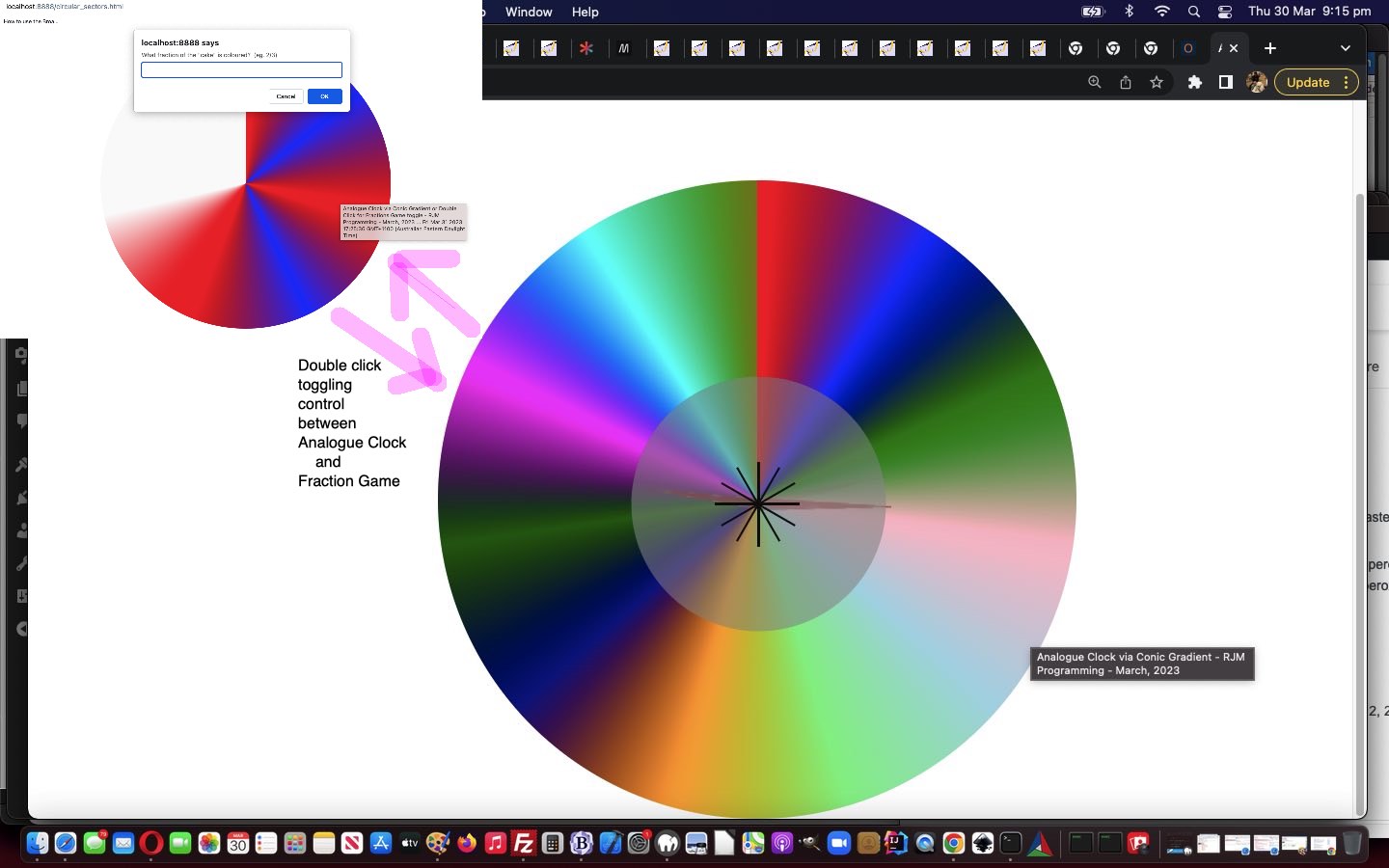
Dual Purpose Conic Gradient Primer Tutorial

Dual Purpose Conic Gradient Primer Tutorial

Yes, today, we have a “proof of concept” circular_sectors.html

  • dual purpose … as a …
    1. local time analogue clock (also, below) … calling on a changed analogue_clock.html … or …
    2. Fractions Game
  • ondblclick (double click) event … ondblclick=” viadb=true; ask(); “ … toggling …

    var viadb=false;

    function ask() {
    var ans='';
    if (!viadb) {
    while (('' + ans).indexOf('/') == -1 && ('' + ans.replace(/^1$/g, '1.0')).indexOf('.') == -1) {
    ans=prompt('What fraction of the "cake" is coloured? (eg. 2/3)', '');
    }
    if (ans == '' + numerator + '/' + denominator.substring(1) || Math.abs(eval('' + numerator + '/' + denominator.substring(1)) - eval('' + ans)) < 0.005) {
    score++;
    goes++;
    alert('Well done! This makes your Fractions Game score to be ' + score + ' of ' + goes);
    } else {
    goes++;
    alert('Sorry ... the fraction you wanted is ' + numerator + '/' + denominator.substring(1) + ' leaving your Fractions Game score as ' + score + ' of ' + goes);
    }
    }
    numerator='' + eval(1 + Math.floor(Math.random() * 7));
    denominator='0';
    while (eval('' + denominator) < eval('' + numerator)) {
    denominator='' + eval(0 + Math.floor(Math.random() * 9));
    }
    if (viadb) {
    if (btoas == '') {
    location.href=document.URL.split('?')[0].split('#')[0] + '?btis=' + encodeURIComponent(btoa('' + numerator + '/' + denominator));
    } else {
    location.href=document.URL.split('?')[0].split('#')[0]; // + '?btis=' + encodeURIComponent(btoa('' + numerator + '/' + denominator));
    }
    }
    viadb=false;
    }

    … control … using …
  • CSS conic-gradient background …

    <style>
    #atend {
    background: conic-gradient(rgba(255,0,0,0.5) 0deg, rgba(0,0,255,0.5) 30deg, rgba(0,255,0,0.5) 60deg, rgba(255,192,203,0.5) 90deg, rgba(0,0,139,0.5) 120deg, rgba(144,238,144,0.5) 150deg, rgba(255,165,0,0.5) 180deg, rgba(173,216,230,0.5) 210deg, rgba(2,48,32,0.5) 240deg, rgba(255,0,255,0.5) 270deg, rgba(0,100,100,0.5) 300deg, rgba(128,128,0,0.5) 330deg);
    }
    </style>

… scenario, building on what we learnt when we presented CSS Gradient Creations Conic Tutorial a little while back.


Previous relevant CSS Gradient Creations Conic Tutorial is shown below.
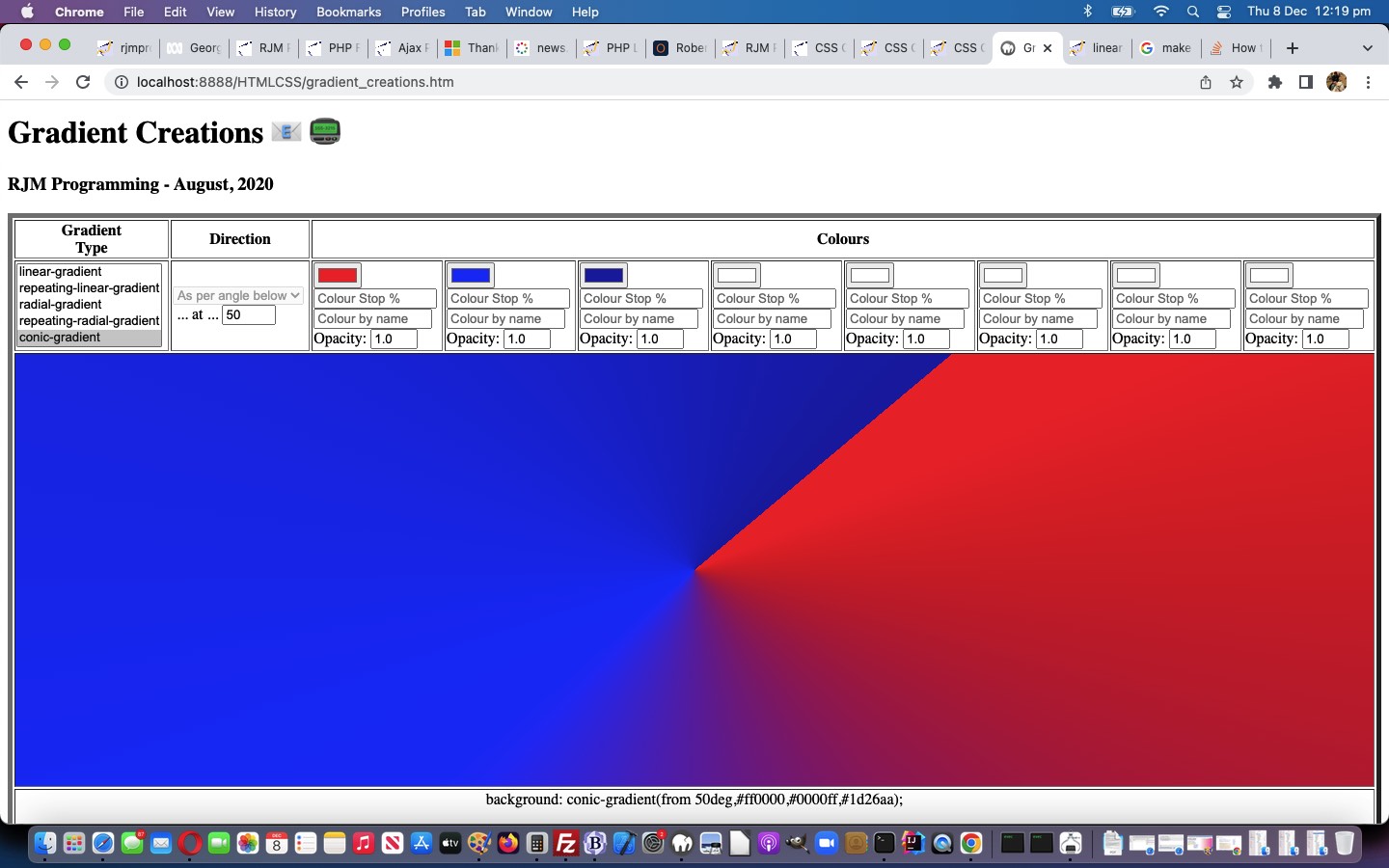
CSS Gradient Creations Conic Tutorial

CSS Gradient Creations Conic Tutorial

Yesterday’s CSS Conic Gradient Primer Tutorial set us to thinking about integrating these Conic Gradients into our “Gradient Central” web application where you can create your own gradients which we last talked about with CSS Gradient Creations Mobile Width Tutorial.

These gradients …

  • linear-gradient
  • radial-gradient
  • conic-gradient

… are helping our webpage designs allow for colour gradation and subtlety we appreciate around here. They can often effectively fill in for that “graphic flair” not all of us possess, in our webpage designs.

What came up that was a bit new to us with this Conic Gradient integration? And yes, most tutorials bring up something new! Input element textboxes can be made inoperable by the setting of the Javascript DOM readOnly attribute, as with (Javascript code like) …


document.getElementById('mytextbox').readOnly=true; // and to make readable again use false instead

… but we found we couldn’t do that with select (ie. dropdown) elements. This useful link, thanks, put us right in our thinking to do this when conic-gradient selected …


document.getElementById('sdirection').disabled=true; // and to make enabled again use false instead

… because a conic-gradient direction value is much less nuanced than a linear-gradient direction value.

Feel free to try this changed gradient_creations.htm “Gradient Creations” live run link, or try below …

Stop Press

Today’s CSS Gradient Creations Conic Tutorial‘s integration of yesterday’s CSS Conic Gradient Primer Tutorial‘s work was missing some of the features of that latter web application, involving its textarea flexibility to add user additional dynamic CSS into the mix. No problems any longer, as we make use of the work we’ll talk about tomorrow, integrating into CSS Gradient Creations Conic Tutorial‘s web application one new line of code …


<script type='text/javascript' src='/divceditin.js?todowith=tdlook&after=tdcss&blurb=%2F*%20More%20gradient%20CSS%20styling%20can%20go%20here%20via%20a%20click%20...%20eg.%20border-radius%3A%2050%25%3B%20%20*%2F'></script>

… to offer that possibility. That will outline our use of element type div contenteditable=true with an input type=text value=”” placeholder=[Some Blurb] readonly prototype tool enabling users to add in their own dynamic CSS in the tweaked gradient_creations.htm “Gradient Creations” live run link, as also shown above this …
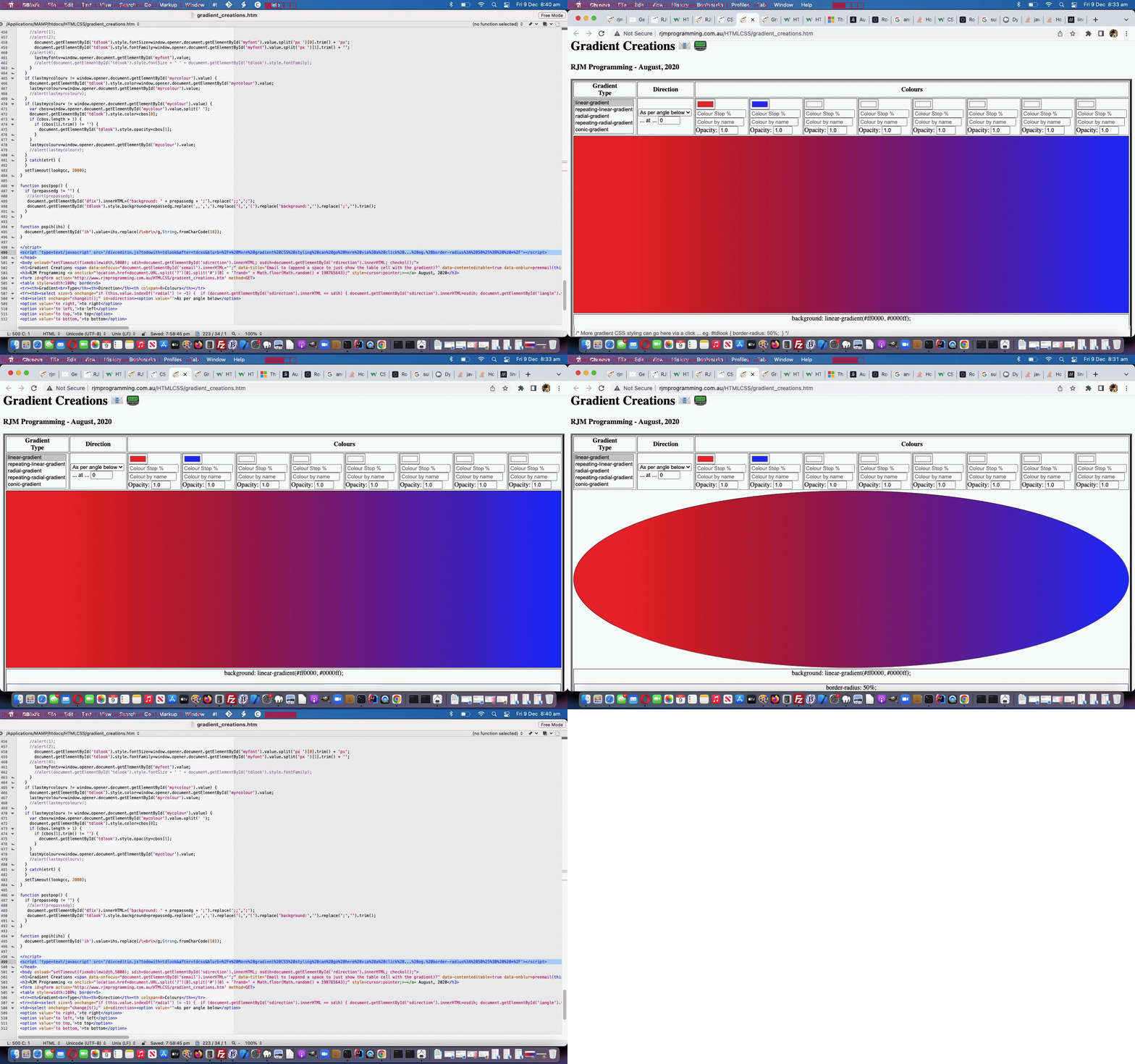

Previous relevant CSS Gradient Creations Mobile Width Tutorial is shown below.
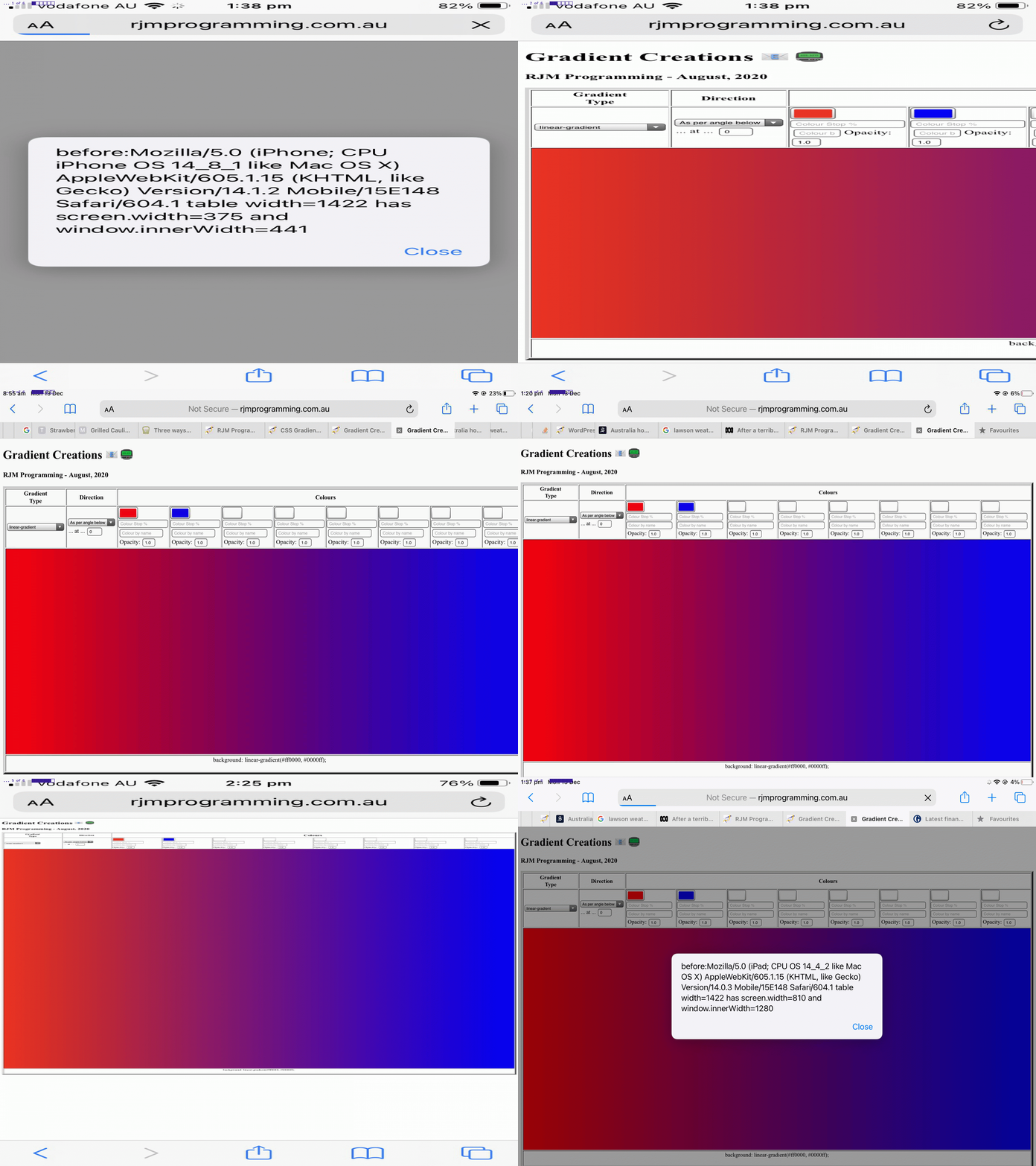
CSS Gradient Creations Mobile Width Tutorial

CSS Gradient Creations Mobile Width Tutorial

When it comes to “width” (CSS styling) considerations with webpage design on mobile platforms where you are not prepared to “de-complex-ify” (if you know what I mean) the webpage contents you can run into the dual issues …

  • you want to show HTML elements legibly … and …
  • you also want to show the big picture

You see, with yesterday’s CSS Gradient Creations Width Makeover Tutorial we did hint when we said …

… we saw that it overshot the right hand border on the MacBook Air webpage screen.

… that the work yesterday was suited more towards your laptop usage rather than mobile phone (and to a less extent mobile tablet) usage.

There is a CSS styling “tool” to hand just for this scenario, though, the meta name=viewport (within <head> … </head> header element, usually) element, ours being, initially, for today’s work …


<meta id="myviewport" name="viewport" content="width=device-width, initial-scale=1, minimum-scale=0.1, maximum-scale=8, user-scalable=yes" >

… the “red rag to a bull” signs that Javascript might come into it (to allow initially become eventually) being …

  1. the id=”myviewport” unusual attribute for a header element
  2. the big range difference between minimum-scale and maximum-scale but initial-scale being so conventionally valued

… in other words, today …

  • we start mobile platform web application “first few seconds” of display in “you want to show HTML elements legibly” mode … and that “first few seconds” of display tells us … anyone, anyone? … yes, Arielwe use setTimeout to delay

    <body onload="setTimeout(fixmobilewidth,5000); sdih=document.getElementById('sdirection').innerHTML; osdih=document.getElementById('rdirection').innerHTML; checkol();">

    … five seconds before …
  • we use Javascript DOM to adjust the meta name=viewport element as per …

    function fixmobilewidth() {
    if (navigator.userAgent.match(/Android|BlackBerry|iPhone|iPad|iPod|Opera Mini|IEMobile/i)) {
    var rectt=document.getElementsByTagName('table')[0].getBoundingClientRect();
    document.getElementById("myviewport").setAttribute("content", "width=device-width, initial-scale=" + eval(-0.35 + eval('' + (window.orientation == 0 ? window.innerHeight: window.innerWidth)) / eval('' + rectt.width)) + ", minimum-scale=0.1, maximum-scale=8, user-scalable=yes");
    }
    }

    … “to show the big picture” (of what’s available to the user to work the web application’s full functionality)

The control of whitespace came into the picture too. We replace in a lot of the table cells the non-breaking spaces (ie. &nbsp;) as per …


<td><input onblur="changeit();" onchange="changeit();" type=color id=c1 value='#ff0000'></input>&nbsp;<input onblur="changeit();" onchange="changeit();" type=text id=hcs1 value='' placeholder='Colour Stop %' style=width:120px;></input>&nbsp;<input onblur='lookup(this.value,this);' type=text id=sc1 placeholder='Colour by name'></input>&nbsp;Opacity:&nbsp;<input onblur="changeit();" onchange="changeit();" type=number id=o1 min=0.0 max=1.0 step=0.1 value='1.0'></input></td>
<td><input onblur="changeit();" onchange="changeit();" type=color id=c2 value='#0000ff'></input>&nbsp;<input onblur="changeit();" onchange="changeit();" type=text id=hcs2 value='' placeholder='Colour Stop %' style=width:120px;></input>&nbsp;<input onblur='lookup(this.value,this);' type=text id=sc2 placeholder='Colour by name'></input>&nbsp;Opacity:&nbsp;<input onblur="changeit();" onchange="changeit();" type=number id=o2 min=0.0 max=1.0 step=0.1 value='1.0'></input></td>
<td><input onblur="changeit();" onchange="changeit();" type=color id=c3 value='#ffffff'></input>&nbsp;<input onblur="changeit();" onchange="changeit();" type=text id=hcs3 value='' placeholder='Colour Stop %' style=width:120px;></input>&nbsp;<input onblur='lookup(this.value,this);' type=text id=sc3 placeholder='Colour by name'></input>&nbsp;Opacity:&nbsp;<input onblur="changeit();" onchange="changeit();" type=number id=o3 min=0.0 max=1.0 step=0.1 value='1.0'></input></td>
<td><input onblur="changeit();" onchange="changeit();" type=color id=c4 value='#ffffff'></input>&nbsp;<input onblur="changeit();" onchange="changeit();" type=text id=hcs4 value='' placeholder='Colour Stop %' style=width:120px;></input>&nbsp;<input onblur='lookup(this.value,this);' type=text id=sc4 placeholder='Colour by name'></input>&nbsp;Opacity:&nbsp;<input onblur="changeit();" onchange="changeit();" type=number id=o4 min=0.0 max=1.0 step=0.1 value='1.0'></input></td>
<td><input onblur="changeit();" onchange="changeit();" type=color id=c5 value='#ffffff'></input>&nbsp;<input onblur="changeit();" onchange="changeit();" type=text id=hcs5 value='' placeholder='Colour Stop %' style=width:120px;></input>&nbsp;<input onblur='lookup(this.value,this);' type=text id=sc5 placeholder='Colour by name'></input>&nbsp;Opacity:&nbsp;<input onblur="changeit();" onchange="changeit();" type=number id=o5 min=0.0 max=1.0 step=0.1 value='1.0'></input></td>
<td><input onblur="changeit();" onchange="changeit();" type=color id=c6 value='#ffffff'></input>&nbsp;<input onblur="changeit();" onchange="changeit();" type=text id=hcs6 value='' placeholder='Colour Stop %' style=width:120px;></input>&nbsp;<input onblur='lookup(this.value,this);' type=text id=sc6 placeholder='Colour by name'></input>&nbsp;Opacity:&nbsp;<input onblur="changeit();" onchange="changeit();" type=number id=o6 min=0.0 max=1.0 step=0.1 value='1.0'></input></td>
<td><input onblur="changeit();" onchange="changeit();" type=color id=c7 value='#ffffff'></input>&nbsp;<input onblur="changeit();" onchange="changeit();" type=text id=hcs7 value='' placeholder='Colour Stop %' style=width:120px;></input>&nbsp;<input onblur='lookup(this.value,this);' type=text id=sc7 placeholder='Colour by name'></input>&nbsp;Opacity:&nbsp;<input onblur="changeit();" onchange="changeit();" type=number id=o7 min=0.0 max=1.0 step=0.1 value='1.0'></input></td>
<td><input onblur="changeit();" onchange="changeit();" type=color id=c8 value='#ffffff'></input>&nbsp;<input onblur="changeit();" onchange="changeit();" type=text id=hcs8 value='' placeholder='Colour Stop %' style=width:120px;></input>&nbsp;<input onblur='lookup(this.value,this);' type=text id=sc8 placeholder='Colour by name'></input>&nbsp;Opacity:&nbsp;<input onblur="changeit();" onchange="changeit();" type=number id=o8 min=0.0 max=1.0 step=0.1 value='1.0'></input></td>

… with line breaks (ie. <br>) as per …


<td><input onblur="changeit();" onchange="changeit();" type=color id=c1 value='#ff0000'></input><br><input onblur="changeit();" onchange="changeit();" type=text id=hcs1 value='' placeholder='Colour Stop %' style=width:120px;></input><br><input onblur='lookup(this.value,this);' type=text id=sc1 placeholder='Colour by name'></input><br>Opacity: <input onblur="changeit();" onchange="changeit();" type=number id=o1 min=0.0 max=1.0 step=0.1 value='1.0'></input></td>
<td><input onblur="changeit();" onchange="changeit();" type=color id=c2 value='#0000ff'></input><br><input onblur="changeit();" onchange="changeit();" type=text id=hcs2 value='' placeholder='Colour Stop %' style=width:120px;></input><br><input onblur='lookup(this.value,this);' type=text id=sc2 placeholder='Colour by name'></input><br>Opacity: <input onblur="changeit();" onchange="changeit();" type=number id=o2 min=0.0 max=1.0 step=0.1 value='1.0'></input></td>
<td><input onblur="changeit();" onchange="changeit();" type=color id=c3 value='#ffffff'></input><br><input onblur="changeit();" onchange="changeit();" type=text id=hcs3 value='' placeholder='Colour Stop %' style=width:120px;></input><br><input onblur='lookup(this.value,this);' type=text id=sc3 placeholder='Colour by name'></input><br>Opacity: <input onblur="changeit();" onchange="changeit();" type=number id=o3 min=0.0 max=1.0 step=0.1 value='1.0'></input></td>
<td><input onblur="changeit();" onchange="changeit();" type=color id=c4 value='#ffffff'></input><br><input onblur="changeit();" onchange="changeit();" type=text id=hcs4 value='' placeholder='Colour Stop %' style=width:120px;></input><br><input onblur='lookup(this.value,this);' type=text id=sc4 placeholder='Colour by name'></input><br>Opacity: <input onblur="changeit();" onchange="changeit();" type=number id=o4 min=0.0 max=1.0 step=0.1 value='1.0'></input></td>
<td><input onblur="changeit();" onchange="changeit();" type=color id=c5 value='#ffffff'></input><br><input onblur="changeit();" onchange="changeit();" type=text id=hcs5 value='' placeholder='Colour Stop %' style=width:120px;></input><br><input onblur='lookup(this.value,this);' type=text id=sc5 placeholder='Colour by name'></input><br>Opacity: <input onblur="changeit();" onchange="changeit();" type=number id=o5 min=0.0 max=1.0 step=0.1 value='1.0'></input></td>
<td><input onblur="changeit();" onchange="changeit();" type=color id=c6 value='#ffffff'></input><br><input onblur="changeit();" onchange="changeit();" type=text id=hcs6 value='' placeholder='Colour Stop %' style=width:120px;></input><br><input onblur='lookup(this.value,this);' type=text id=sc6 placeholder='Colour by name'></input><br>Opacity: <input onblur="changeit();" onchange="changeit();" type=number id=o6 min=0.0 max=1.0 step=0.1 value='1.0'></input></td>
<td><input onblur="changeit();" onchange="changeit();" type=color id=c7 value='#ffffff'></input><br><input onblur="changeit();" onchange="changeit();" type=text id=hcs7 value='' placeholder='Colour Stop %' style=width:120px;></input><br><input onblur='lookup(this.value,this);' type=text id=sc7 placeholder='Colour by name'></input><br>Opacity: <input onblur="changeit();" onchange="changeit();" type=number id=o7 min=0.0 max=1.0 step=0.1 value='1.0'></input></td>
<td><input onblur="changeit();" onchange="changeit();" type=color id=c8 value='#ffffff'></input><br><input onblur="changeit();" onchange="changeit();" type=text id=hcs8 value='' placeholder='Colour Stop %' style=width:120px;></input><br><input onblur='lookup(this.value,this);' type=text id=sc8 placeholder='Colour by name'></input><br>Opacity: <input onblur="changeit();" onchange="changeit();" type=number id=o8 min=0.0 max=1.0 step=0.1 value='1.0'></input></td>

… to lessen the table cell width innards (at the expense, perhaps, of the table cell innard heights) that might become involved in our changed gradient_creations.htm “Gradient Creations” live run link.

Is the 5 seconds enough on your thinner mobile platform widths? That’s debatable, but the “spreading” gesture awaits those more accepting mobile phone users!


Previous relevant CSS Gradient Creations Width Makeover Tutorial is shown below.
CSS Gradient Creations Width Makeover Tutorial

CSS Gradient Creations Width Makeover Tutorial

Revisits to a web application, after some time, can bring “adverse” categories of reaction to me …

  • UX (user experience) Javascript criticism …
  • styling CSS annoyance

… and today’s work, on our “Gradient Creations” web application, is as a result of that second “styling CSS annoyance”.

Possibly the second is “less serious” in our mind, but, nonetheless, invariably we learn (or remember) quite a bit, researching them.

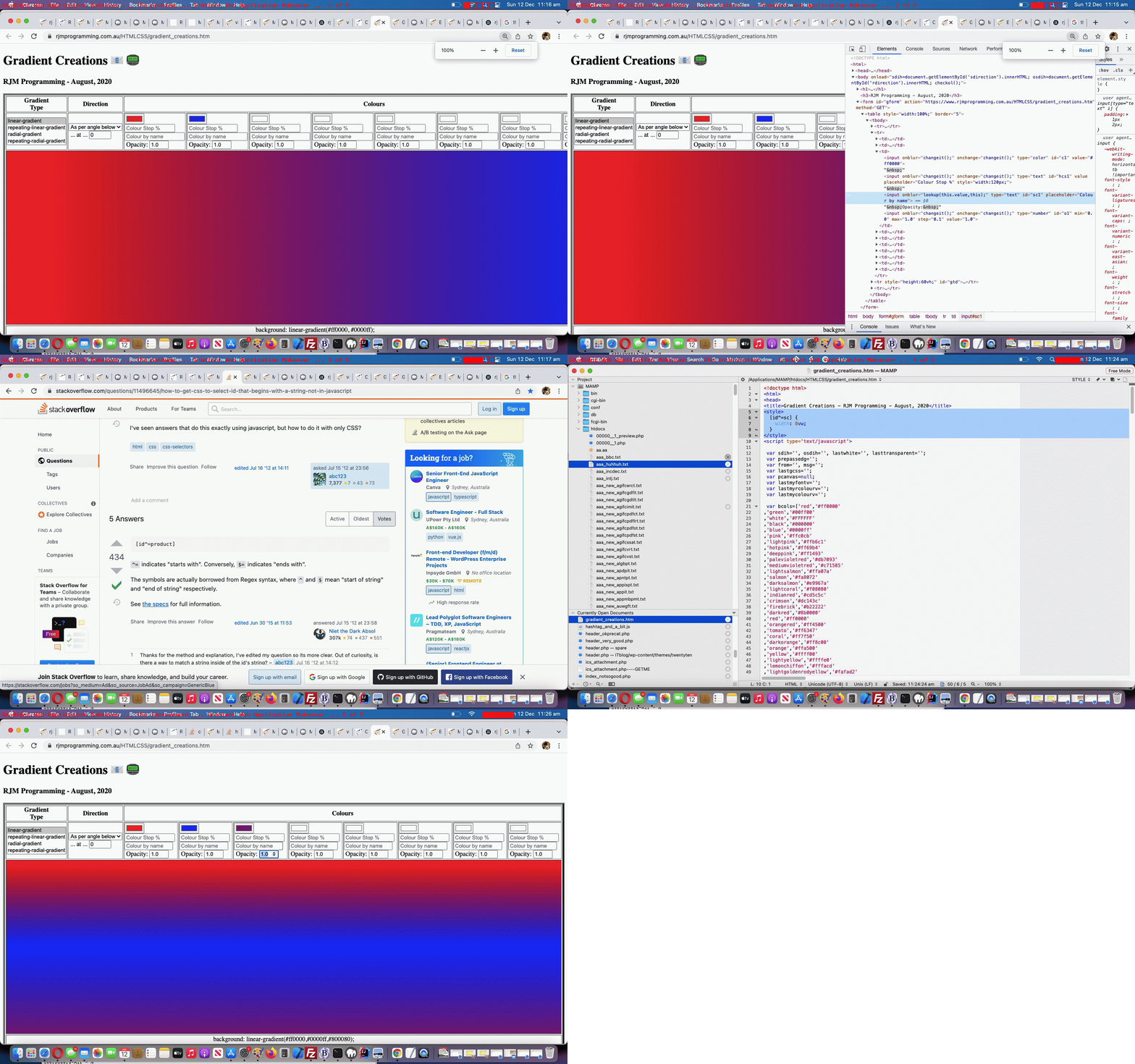
Maybe you can see from today’s tutorial animated GIF picture we categorized the slides into …

Slide … … with our commentary regarding our changed gradient_creations.htm “Gradient Creations” live run link
The problem … At 100% zoom level with the Google Chrome browser pointing at the previous “Gradient Creations” web application incarnation we saw that it overshot the right hand border on the MacBook Air webpage screen.
The culprit … Looking at the web page in Crome’s web inspector we identify the “Colour Name” textboxes (whose “id” starts with “sc” (as we mention later, to our advantage)) as being too wide and to lessen that width could improve the aesthetics.
The pathway …
  1. This search, thanks, got us to html – How to get CSS to select ID that begins with a string (not in Javascript)? – Stack Overflow, thanks, which taught us that, yes, “regex” is a friend to CSS selectors … as well as …
  2. This search, thanks, got us to css – sizing div based on window width – Stack Overflow which taught us (and reminded us) that the CSS width unit “vw” could be used like a percentage of screen width, our preferred expression of width, since we knew how many cells we wanted to cater for across the webpage, ahead of time, and so we picked “the conservative” “8vw” as this improved [id^=sc] selector improvement.
The intervention … Within the webpage’s <head> … </head> section we add …
<style>
[id^=sc] {
width: 8vw;
}
</style>
The improvement … The test shows improved aesthetics. Yay!

By the way, further reading on this topic (and web application) is available with CSS Gradient Creations Sharing Tutorial below.


Previous relevant CSS Gradient Creations Sharing Tutorial is shown below.
CSS Gradient Creations Sharing Tutorial

CSS Gradient Creations Sharing Tutorial

Turning a web application like yesterday’s CSS Gradient Creations Tutorial “Gradient Creations” one into a web application where you can share your discoveries is an exercise in both …

  • sharing and collaboration … as well as …
  • accountability

… opening up something that used to be just for private use only, to being one that is open to the rest of the online wooooorrrrllllddd.

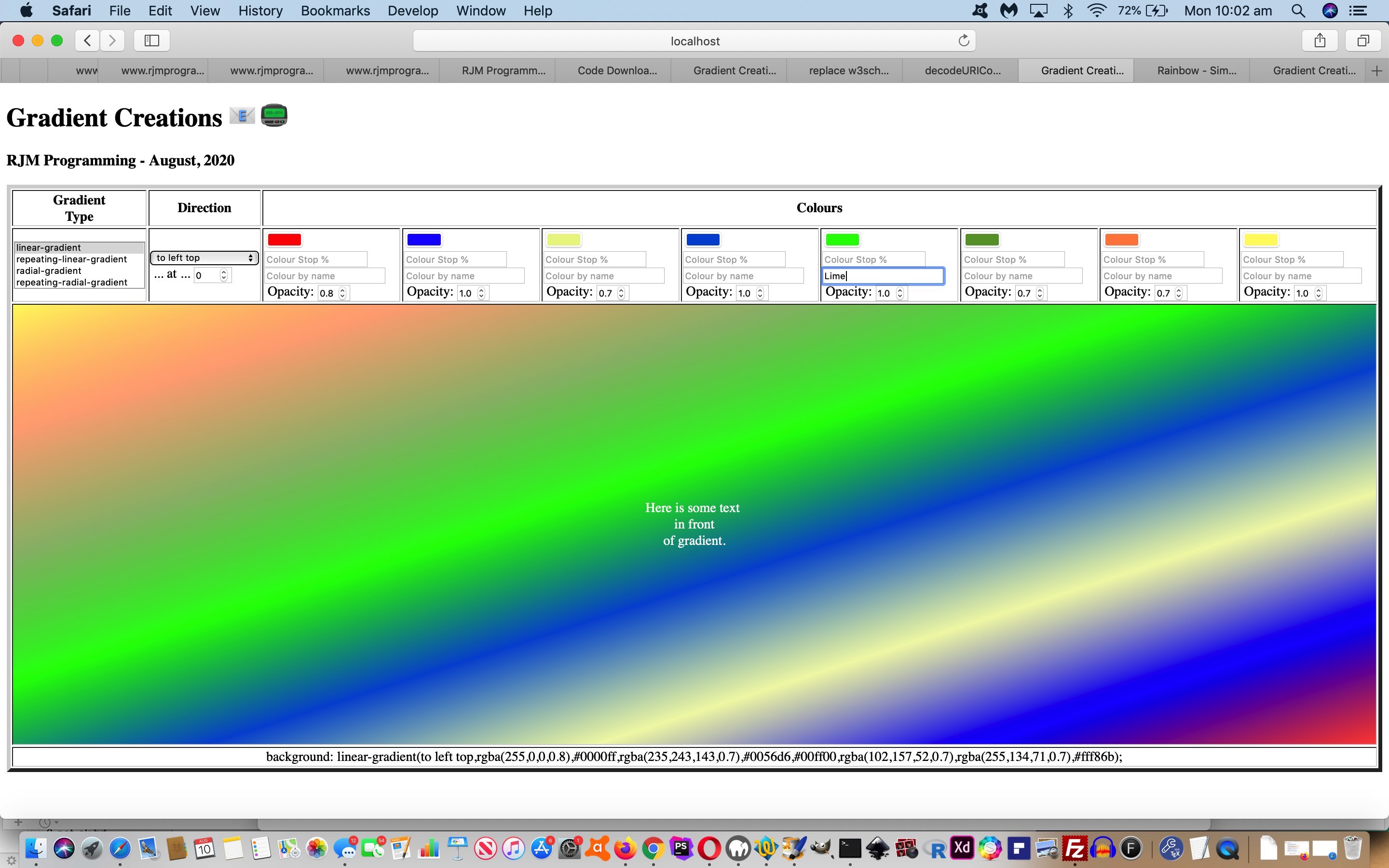
As well as this new email and SMS sharing capability we add another contenteditable=true incursion into the mix as another selling product for our web application. Just quietly, perhaps you can use it as a “digital card” creator, as we offer to augment …

  • the table cell with a gradient background … with the idea that the user …
  • can write their wording (of say, a card) in the foreground of that same table cell

… and then allow the user to append a space to their Javascript prompt window answering of the emailee address to indicate to the web application that the email should just be that table cell content. On the way a collaboration phase is possible by tweaking the HTML …


xform.append('body',(document.body.outerHTML.split('</form>')[0] + '</form></body>').replace(/NONE\;/g, 'inline-block;').replace('<div ','<input type=text style=width:50%; ').replace('>background:', ' value="').replace('</div>', '"></input>').replace('"></textarea>', '">' + document.getElementById('tdlook').innerHTML.replace(/\<br\>/g,String.fromCharCode(10)) + '</textarea>'));

… to work with a form method=GET way for the emailee to adjust the gradient CSS to send off a return email (or one to a third party) in response to that first email. No collaboration here, but we also allow for SMS communications too.

Also, along the way, we allow for a colour to be defined by its name, if it makes the web application’s colour array list.

You can try our our changed gradient_creations.htm live run link, to see what we mean.


Previous relevant CSS Gradient Creations Tutorial is shown below.
CSS Gradient Creations Tutorial

CSS Gradient Creations Tutorial

The great CSS background “gradient” functionalities can come in four forms, those being …

  • linear gradient (and repeating linear gradient)
  • radial gradient (and repeating radial gradient)

… as a means to add background interest, even to the point where the background can have some (different) transparency (level) compared to the foreground, as per example CSS like …


<style>
html::before {
background: linear-gradient(rgba(255,255,255,0.8),rgba(255,255,255,0.8)),URL('//www.rjmprogramming.com.au/MyBusinessUnidad/Welcome_files/logo.jpg') repeat;
}
</style>

With tutorials like CSS Repeating Radial Gradients Primer Tutorial we allowed you to create some gradients, but we wanted a more detailed approach that was generic in its approach and left you with some CSS of use, which is often not the go with many other (albeit useful and inspiring) websites on the net.

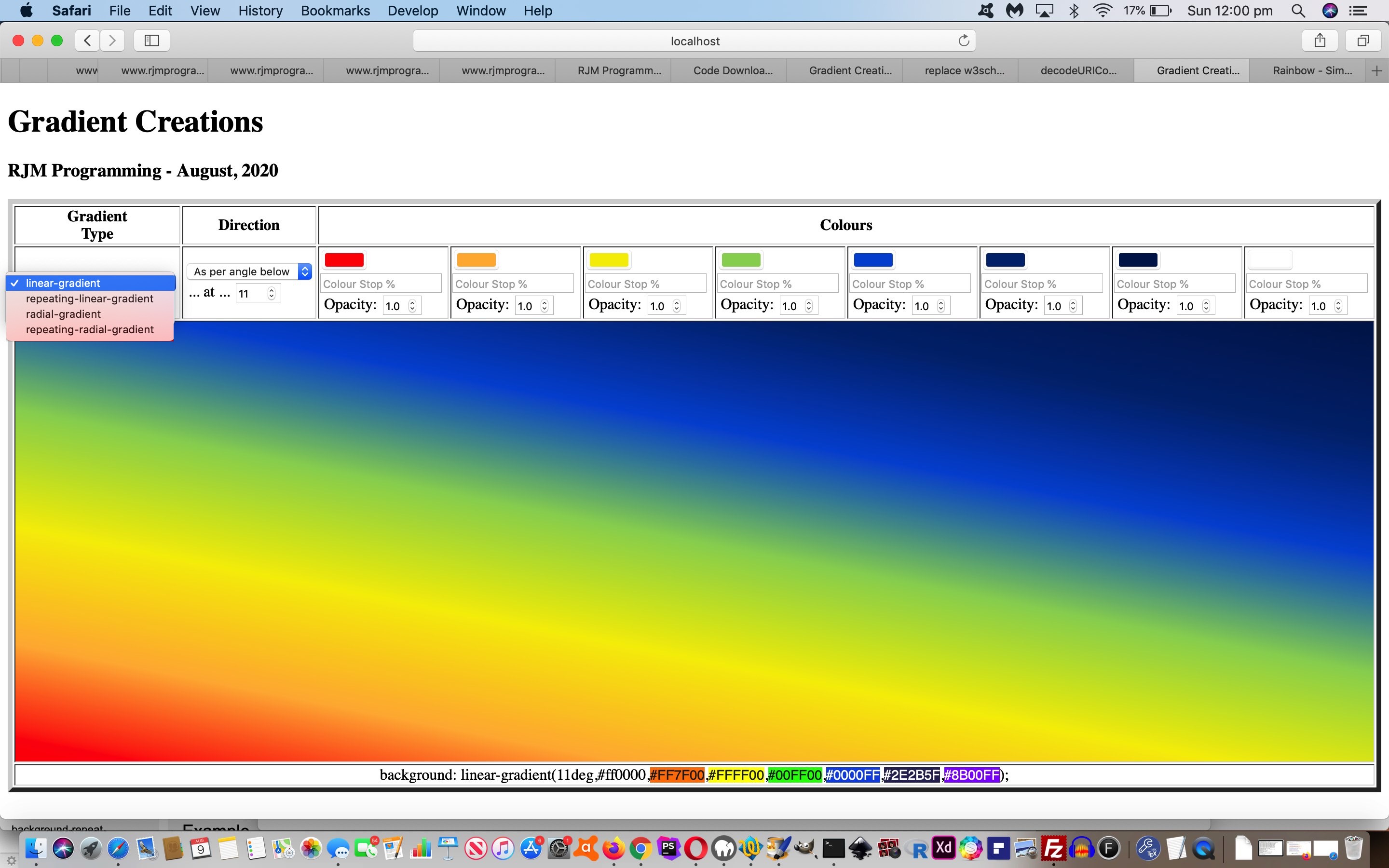
There are a whole range of what you might call “directional” nuances you can apply to your gradients. There is opacity to allow for. There are “hard colour stops” you can apply. For linear gradients you can apply a variable angle. For radial gradients there are positional nuances that can be applied.

And then there are the colours. We are not sure of the limits, but we allow for up to eight colours. Enough to simulate the seven colours of the rainbow we go for with today’s tutorial picture arrangement whereby it tweaked with us that the HTML input type=color elements are all well and good but we needed to allow our CSS be editable by nesting into an HTML div contenteditable=true elements that can be tweaked for exact rgb or rgba colour definitions (thanks, Wikipedia), as we could look up for the purposes of displaying a rainbow coloured gradient background (we hope you like)!

Or see a repeating radial gradient example below …
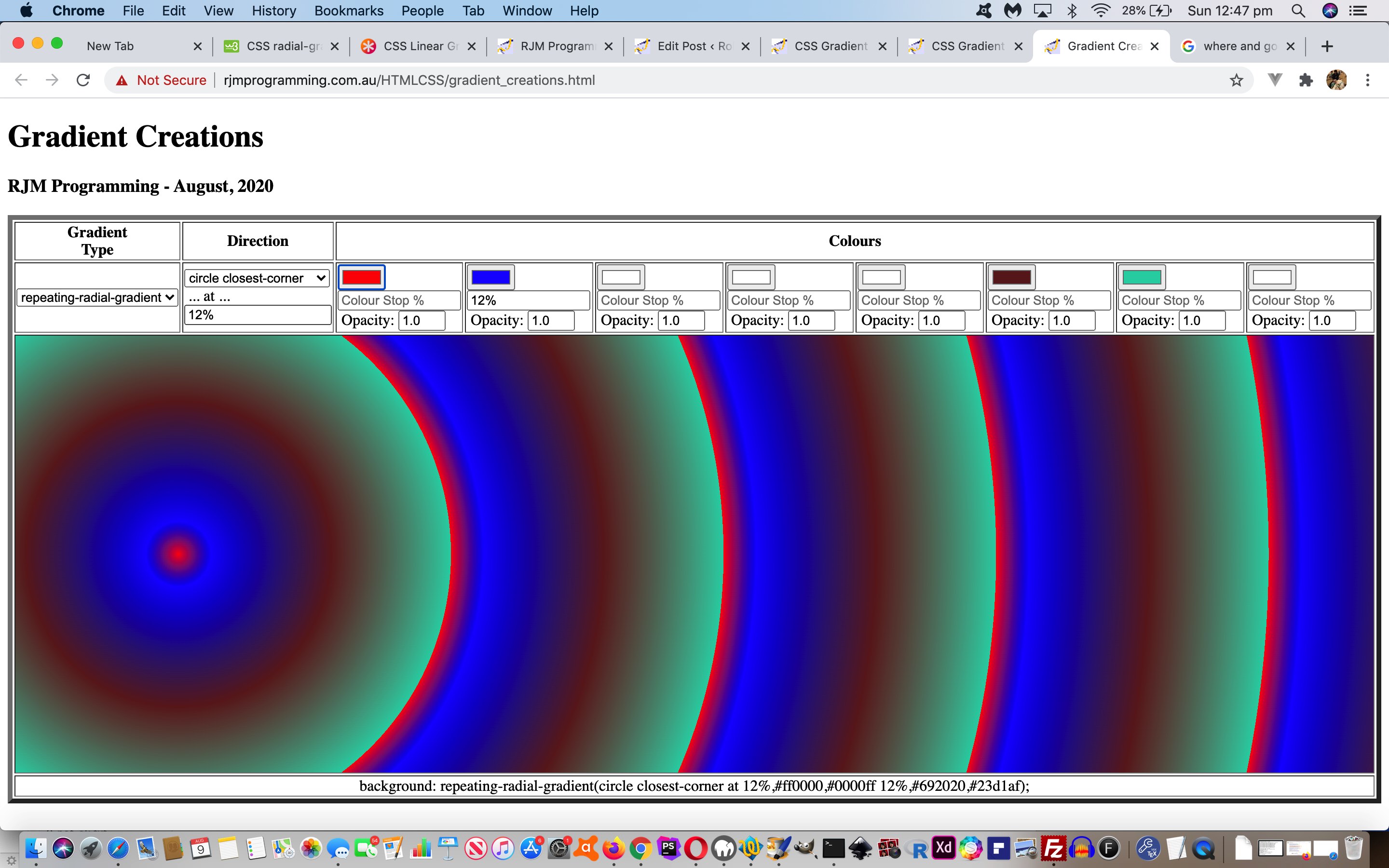
So feel free to try our gradient_creations.html live run link, to see what we mean.


Previous relevant “CSS Gradient Creations Tutorial is shown below.

CSS Radial Gradients Primer Tutorial

CSS Repeating Radial Gradients Primer Tutorial

Way back when with HTML/Javascript Canvas Rainbow Primer Tutorial we talked about CSS linear gradients and radial gradients in the one blog posting, but ever since then, it has so much more that linear gradients have been useful to us here at this blog.

Today, though, we turn a bit of attention to radial gradients, specifically repeated radial gradients.

We’ve got a simple web application to play around with them in terms of …

  • ellipse versus circle
  • coloured versus black and white
  • extent keyword (closest-corner, closest-side, farthest-corner, farthest-side)

Below is one example of the CSS …


.circlefarthest-corner {
background: repeating-radial-gradient(circle farthest-corner,
red, black 5%, blue 5%, green 10%);
}

Feel free to play away at this live run that has this radial_gradients.html downloadable underlying HTML and CSS (and event logic Javascript that changes the HTML div element className property, to suit).


Previous relevant HTML/Javascript Canvas Rainbow Primer Tutorial is shown below.
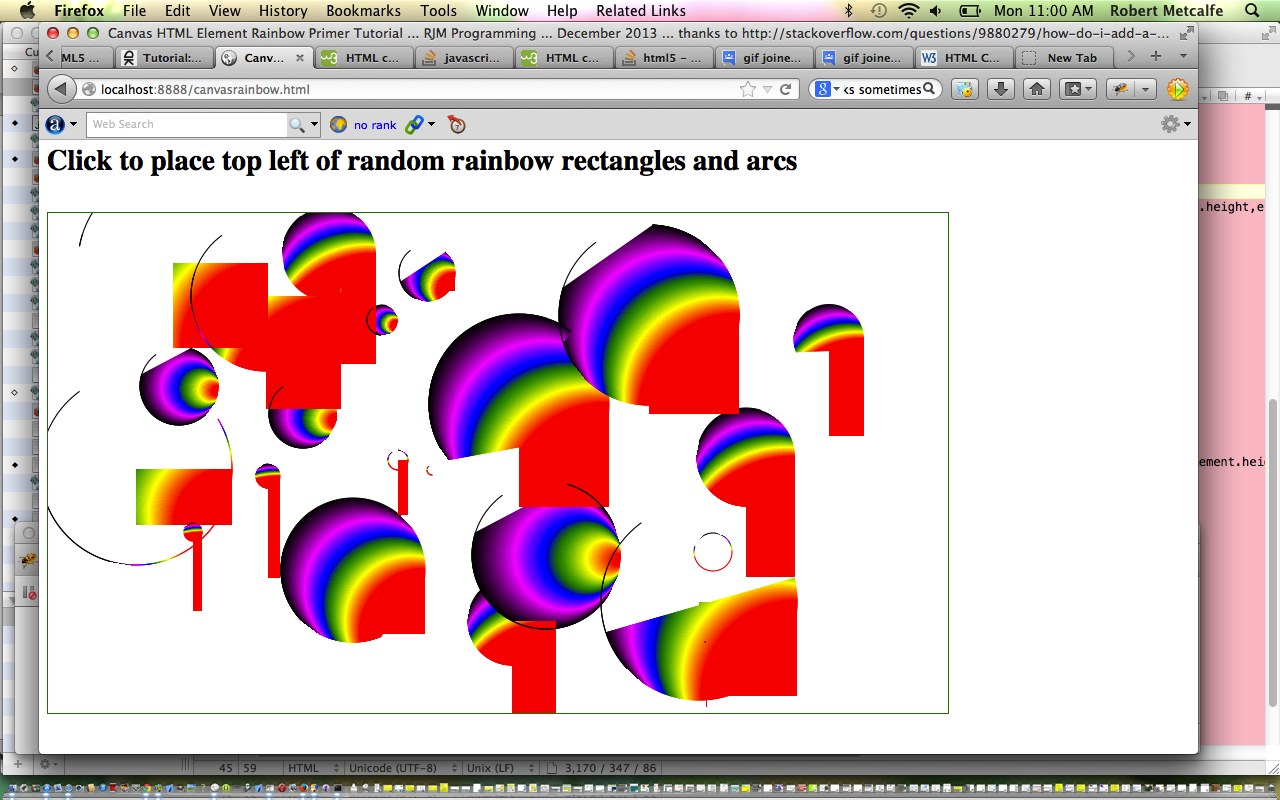
HTML/Javascript Canvas Rainbow Primer Tutorial

HTML/Javascript Canvas Rainbow Primer Tutorial

The Canvas HTML element tag can be used as the container to draw graphics on the fly usually via the use of Javascript functions for rendering and event management.

In today’s tutorial we touch on a couple of the two dimensional Javascript functions to draw a rectangle or arc, but in the two dimensional context, canvas HTML elements can be used to draw text, lines, boxes and circles as well. We also touch on two functions to create a linear or radial gradient to the fillStyle and/or strokeStyle of your HTML element placed onto the canvas.

You may want to read more at HTML Canvas Reference as a generic reference, or here, at the tutorial javascript – How do I add a simple onClick event handler to a canvas element? – Stack Overflow.

As you can imagine, this HTML canvas element, new to HTML5, can be very useful for some practical client-side web functionality.

Link to some downloadable HTML programming code … rename to canvasrainbow.html

Here is a new link to some downloadable HTML programming source code explaining changes made (from HTML/Javascript Canvas Primer Tutorial) here.

You’ll notice heavy use of the Javascript Math.random() function.

We hope you enjoy this tutorial as a rainbow coloured live run.

Yes … you’ve reached the end … have a top supportive rainbow coloured day!

If this was interesting you may be interested in this too.


If this was interesting you may be interested in this too.

If this was interesting you may be interested in this too.

If this was interesting you may be interested in this too.

If this was interesting you may be interested in this too.

If this was interesting you may be interested in this too.

If this was interesting you may be interested in this too.

If this was interesting you may be interested in this too.

If this was interesting you may be interested in this too.

If this was interesting you may be interested in this too.

If this was interesting you may be interested in this too.

If this was interesting you may be interested in this too.

If this was interesting you may be interested in this too.
Posted in eLearning, Event-Driven Programming, Games, Tutorials | Tagged , , , , , , , , , , , , , , , , , , , , , , , , , , , , , , , , , , , , , , , , , | Leave a comment

SVG and Gradient Fraction Game Tutorial

SVG and Gradient Fraction Game Tutorial

SVG and Gradient Fraction Game Tutorial

To add onto yesterday’s Gradient Fraction Game Mobile Tutorial

  • exclusively gradient
    • conic
    • linear
    • radial

    … “cake” displays in our Fractions Game … and add in …

  • SVG circle and rectangle alternative displays

… it is not hard coding work, only really involving the rearrangement of the “stop colour” element …


function stopit(incsv) {
//alert(incsv);
// <stop offset='0%' stop-color='#f00'/><stop offset='100%' stop-color='#0ff'/>
var incsvs=incsv.split('%, ');
var outstops="<stop offset='0%' stop-color='" + incsvs[0].split(' ')[0] + "'/>";
for (var iis=1; iis<incsvs.length; iis++) {
outstops+="<stop offset='" + (incsvs[iis].split(' ')[1].trim() + "%").replace('%%','%') + "' stop-color='" + incsvs[iis].split(' ')[0] + "'/>";
}
//alert(outstops);
//document.getElementById('atend').title=outstops.replace(/255/g, '127');
return outstops.replace(/255/g, '127');
}

… code syntax.

But before that we went down a garden path thinking we could have all 5 “cake” display options be …

  • as the CSS property background-image to a table cell nesting HTML div element … sort of like this webpage‘s (thanks all the same) …

    #atright {
    background-image: url("data:image/svg+xml;utf8,<svg xmlns='http://www.w3.org/2000/svg' width='10' height='10'><linearGradient id='gradient'><stop offset='10%' stop-color='%23F00'/><stop offset='90%' stop-color='%23fcc'/> </linearGradient><rect fill='url(%23gradient)' x='0' y='0' width='100%' height='100%'/></svg>");
    }
    // ... or ...
    #atend {
    background-image: url("data:image/svg+xml;base64,PHN2ZyB4bWxucz0naHR0cDovL3d3dy53My5vcmcvMjAwMC9zdmcnIHdpZHRoPScxMCcgaGVpZ2h0PScxMCc+PGxpbmVhckdyYWRpZW50IGlkPSdncmFkaWVudCc+PHN0b3Agb2Zmc2V0PScxMCUnIHN0b3AtY29sb3I9JyNGMDAnLz48c3RvcCBvZmZzZXQ9JzkwJScgc3RvcC1jb2xvcj0nI2ZjYycvPiA8L2xpbmVhckdyYWRpZW50PjxyZWN0IGZpbGw9J3VybCgjZ3JhZGllbnQpJyB4PScwJyB5PScwJyB3aWR0aD0nMTAwJScgaGVpZ2h0PScxMDAlJy8+PC9zdmc+");
    }

    … and though we had lots of success with work of this ilk with our “Just Javascript” series of blog posts, we found the technique flaky today, so opted to, instead …

    1. fill HTML div element’s innerHTML (ie. content) with “raw” SVG
    2. set that HTML div element’s CSS style property background-image to “none”

… as the approach we landed upon, allowing for SVG


if (issvg > 0) {
var mySVG = "<svg xmlns='http://www.w3.org/2000/svg' width='10' height='10'><linearGradient id='gradient'><stop offset='10%' stop-color='#F00'/><stop offset='90%' stop-color='#fcc'/> </linearGradient><rect fill='url(#gradient)' x='0' y='0' width='100%' height='100%'/></svg>";
if (issvg == 1) {
mySVG="<svg xmlns='http://www.w3.org/2000/svg' width='" + pwidth + "' height='" + pheight + "' viewport='0 0 100 100'><linearGradient id='test'>" + stopit(newlist) + " </linearGradient><circle fill='url(#test)' cx='" + eval(pwidth / 2) + "' cy='" + eval(pheight / 2) + "' r='" + eval(pwidth / 2) + "' stroke='none' stroke-width='12'/></svg>"; //.replace(/\~/g, String.fromCharCode(10));
} else if (issvg == 2) {
mySVG="<svg xmlns='http://www.w3.org/2000/svg' width='" + pwidth + "' height='" + pheight + "' viewport='0 0 100 100'><linearGradient id='test'>" + stopit(newlist) + " </linearGradient><rect fill='url(#test)' width='" + eval(pwidth / 1) + "' height='" + eval(pheight / 1) + "' stroke='none' stroke-width='12'/></svg>"; //.replace(/\~/g, String.fromCharCode(10));
}
document.getElementById('atend').innerHTML=mySVG;
if (issvg == 1) {
mySVG="<svg xmlns='http://www.w3.org/2000/svg' width='" + pwidth + "' height='" + pheight + "' viewport='0 0 100 100'><linearGradient id='testr'>" + stopit(newlistr) + " </linearGradient><circle fill='url(#testr)' cx='" + eval(pwidth / 2) + "' cy='" + eval(pheight / 2) + "' r='" + eval(pwidth / 2) + "' stroke='none' stroke-width='12'/></svg>"; //.replace(/\~/g, String.fromCharCode(10));
} else if (issvg == 2) {
mySVG="<svg xmlns='http://www.w3.org/2000/svg' width='" + pwidth + "' height='" + pheight + "' viewport='0 0 100 100'><linearGradient id='testr'>" + stopit(newlistr) + " </linearGradient><rect fill='url(#testr)' width='" + eval(pwidth / 1) + "' height='" + eval(pheight / 1) + "' stroke='none' stroke-width='12'/></svg>"; //.replace(/\~/g, String.fromCharCode(10));
}
document.getElementById('atright').innerHTML=mySVG;
document.getElementById('dstyle').innerHTML+='<style>' + ' #atend { background-image: none !important; } </style>';
document.getElementById('dstyle').innerHTML+='<style>' + ' #atright { background-image: none !important; } </style>';
} else {
document.getElementById('atend').innerHTML='';
document.getElementById('atright').innerHTML='';

document.getElementById('dstyle').innerHTML+='<style>' + ' #atend { background-image: ' + gprefix.toLowerCase() + '-gradient(' + newlist + ') !important; } </style>';
document.getElementById('dstyle').innerHTML+='<style>' + ' #atright { background-image: ' + gprefix.toLowerCase() + '-gradient(' + newlistr + ') !important; } </style>';
}

… in the changed circular_sectors.html Fractions Game.


Previous relevant Gradient Fraction Game Mobile Tutorial is shown below.

Gradient Fraction Game Mobile Tutorial

Gradient Fraction Game Mobile Tutorial

Many responsive web design purists will push the web developers out there to never …

  • express HTML element dimensions in “static” “px” types of units … but rather …
  • express HTML element dimensions in “%” or “vx” or “vh” proportional style of units … and, of course, their advice has a lot of merit, but, sometimes, like today, we want to be a bit pragmatic here and say …
  • a third way, particularly suiting an initial development phase that suited a display on a laptop (and deploying “static” “px” types of units that look okay on a laptop), for instance, but then wanting to look more apt on your smaller mobile devices, you could …
    1. ensure you have within the webpage head element a “meta” viewport element such as (our) …

      <meta id='myviewport' name='viewport' content='width=device-width, initial-scale=1, minimum-scale=0.1, maximum-scale=8, user-scalable=yes' >
    2. stay with “static” “px” types of units but if analysis (which can be before document.body “onload” event (and, you couldn’t possibly have heard it from me, cough cough, but dovetail findings within Javascript document.write statements within the document.body static HTML)) of either/both screen.width and/or screen.height indicates lack of suitablility …

      var fromprefix='border-radius: 612px;', toprefix="margin-top: 0px;";
      var pwidth=602, pheight=602, pbr=612, ptop=17.3594, pleft=386.5, thirtytwo=32, ocbit='';
      var worry=false;

      if (navigator.userAgent.match(/Android|BlackBerry|iPhone|iPad|iPod|Opera Mini|IEMobile/i) && btoas.trim() == '' && denominator == '0' && numerator == '0') {
      ocbit=' onclick=" viadb=true; ask(); " ';
      }
      if (eval(eval('' + screen.width) - eval(eval('' + pbr) * 2)) < 0 && (btoas.trim() != '' || denominator != '0' || numerator != '0')) {
      thirtytwo=Math.floor(eval(eval('' + thirtytwo) * Math.floor(eval(eval('' + screen.width) / 2.1)) / eval('' + pbr)));
      ptop=eval(eval('' + ptop) * Math.floor(eval(eval('' + screen.width) / 2.1)) / eval('' + pbr));
      pleft=eval(eval('' + pleft) * Math.floor(eval(eval('' + screen.width) / 2.1)) / eval('' + pbr));
      pbr=Math.floor(eval(eval('' + screen.width) / 2.1));
      fromprefix='border-radius: ' + pbr + 'px;'
      pwidth=eval(-10 + pbr);
      pheight=eval(-10 + pbr);
      worry=true;
      //alert('width,height,br,top,left=' + pwidth + ',' + pheight + ',' + pbr + ',' + ptop + ',' + pleft);
      }

      … Javascript “head” code affecting the “body” …

      <body>
      <script type='text/javascript'>
      document.write('<table id=mytable><tbody id=mytbody><tr id=mytr><td id=mytd>');
      if (denominator == '0' && btoas == '') {
      if (worry) {
      document.write('<div' + ocbit + ' ondblclick=" viadb=true; ask(); " title="Analogue Clock via Conic Gradient or Double Click for Fractions Game toggle - RJM Programming - March, 2023" id="atend" style="position: absolute; left: ' + pleft + 'px; top: ' + ptop + 'px; width: ' + pwidth + 'px; height: ' + pheight + 'px; border-radius: ' + pbr + 'px; ">');
      } else {
      document.write('<div' + ocbit + ' ondblclick=" viadb=true; ask(); " title="Analogue Clock via Conic Gradient or Double Click for Fractions Game toggle - RJM Programming - March, 2023" id="atend" style="position: absolute; left: 386.5px; top: 17.3594px; width: 602px; height: 602px; border-radius: 612px; ">');
      }
      document.write('<iframe scrolling="no" frameborder="0" style="z-index:23;margin-left:127px;margin-top:130px;height:400px;" src="analogue_clock.htm?backcol=transparent&x=7654#xbody"></iframe>');
      } else {
      if (worry) {
      document.write('<div' + ocbit + ' ondblclick=" viadb=true; ask(); " title="Analogue Clock via Conic Gradient or Double Click for Fractions Game toggle - RJM Programming - March, 2023" id="atend" style="width: ' + pwidth + 'px; height: ' + pheight + 'px; border-radius: ' + pbr + 'px; ">');
      } else {
      document.write('<div' + ocbit + ' ondblclick=" viadb=true; ask(); " title="Analogue Clock via Conic Gradient or Double Click for Fractions Game toggle - RJM Programming - March, 2023" id="atend" style="width: 602px; height: 602px; border-radius: 612px; ">');
      }
      }
      if (worry) {
      document.write('</div></td><td id=mymtd style=display:none;vertical-align:middle;>  <select id=ssign style=font-size:' + thirtytwo + 'px;background-color:yellow; readonly disable><option value="+">➕</option><option value="-">➖</option><option value="x">✖</option><option value="/">➗</option></select></td><td id=myrtd style=display:none;>  <div ondblclick=" viadb=true; ask(); " title="Analogue Clock via Conic Gradient or Double Click for Fractions Game toggle - RJM Programming - March, 2023" id="atright" style="width: ' + pwidth + 'px; height: ' + pheight + 'px; border-radius: ' + pbr + 'px; "></div></td></tr></tbody></table>');
      } else {
      document.write('</div></td><td id=mymtd style=display:none;vertical-align:middle;>  <select id=ssign style=font-size:' + thirtytwo + 'px;background-color:yellow; readonly disable><option value="+">➕</option><option value="-">➖</option><option value="x">✖</option><option value="/">➗</option></select></td><td id=myrtd style=display:none;>  <div ondblclick=" viadb=true; ask(); " title="Analogue Clock via Conic Gradient or Double Click for Fractions Game toggle - RJM Programming - March, 2023" id="atright" style="width: 602px; height: 602px; border-radius: 612px; "></div></td></tr></tbody></table>');
      }
      </script>
      <div id=dstyle></div>
      </body>

      … element, to lean on “hardcodings become parameter” types of thinking to proceed with a more apt dimensional display (that is all sorted out ahead of document.body “onload” event, still not associated with any Javascript code, above)

Yes, you can develop web applications on mobile. There are ways. But we find it much more natural and easy to develop web applications on a laptop, here it being a MacBook Air at the moment. One reason we’d give, is that the quality of laptop web browser web inspectors is sky high, and all the modern browsers seem to have a (laptop) version now.

And as such, improving mobile usage of yesterday’s Gradient Fraction Game Equations Tutorial we have in a changed circular_sectors.html Fractions Game.


Previous relevant Gradient Fraction Game Equations Tutorial is shown below.

Gradient Fraction Game Equations Tutorial

Gradient Fraction Game Equations Tutorial

There are three styles of CSS gradient …

  • conic
  • linear
  • radial

… and “different folks may learn via diff’rent CSS strokes”, so we incorporate a way for the user, when using the Fractions Game component of our latest web application, so that they can toggle the “cake” display among these three styles of gradient display.

Also, extending yesterday’s Conic Gradient Fraction Game Equations Tutorial, we …

  • allow, during the Fractions Game mode usage, have a window.prompt Cancel click send the user back to the Analogue Clock, so that unnecessary and errant window.prompt popup windows are avoided … and …
  • we incorporate “lowest common denominator” …

    function lcdextra(varn, vard) {
    var retv='', iv=0;
    for (iv=Math.min(Math.abs(varn),Math.abs(vard)); iv>=2; iv--) {
    if (eval(Math.abs(varn) % iv) == 0 && eval(Math.abs(vard) % iv) == 0) {
    varn /= iv;
    vard /= iv;
    retv+=' = ' + varn + ' / ' + vard + String.fromCharCode(10);
    }
    }
    return retv;
    }

    … calculations into our “show workings” section as Ms Trimpole would have wanted
  • involve emoji operators in that same “show workings” section to better mimic how we were taught at school in Mathematics class

… in the changed circular_sectors.html Fractions Game.


Previous relevant Conic Gradient Fraction Game Equations Tutorial is shown below.

Conic Gradient Fraction Game Equations Tutorial

Conic Gradient Fraction Game Equations Tutorial

We’re extending the functionality started with yesterday’s Dual Purpose Conic Gradient Primer Tutorial‘s second “dual purpose” …

  • Fractions Game piece of functionality …
  • Adding to its possibility the optional user job of solving operator …
    •  +
    •  –
    •  x
    •  /

    … types of fraction based equations

Simply put, changes to allow for this involved …

  • forsaking position:absolute “cakes” for your usual default position:relative positioning … within …
  • single row, three cell (cake, sign, cake) display … prior to …
  • hardly changed window.prompt user interaction, to answer … but …
  • more complex analysis for equation based scenarios …

    function showworking(instr, realans) {
    var outstr=instr;
    var xnumerator=numerator, xnumeratortwo=numeratortwo, xdenominatortwo=denominatortwo;
    var varw='';
    if (document.getElementById('ssign').value == '+') {
    if (denominatortwo == denominator.slice(-1)) {
    varw+=' = (' + numerator + ' + ' + numeratortwo + ') / ' + denominatortwo + String.fromCharCode(10);
    varw+=' = ' + eval(eval('' + numerator) + eval('' + numeratortwo)) + ' / ' + xdenominatortwo + String.fromCharCode(10);
    } else {
    varw+=' = (' + numerator + ' x ' + denominatortwo + ' + ' + numeratortwo + ' x ' + denominator.slice(-1) + ') / (' + denominator.slice(-1) + ' x ' + denominatortwo + ')' + String.fromCharCode(10);
    xnumerator*=denominatortwo;
    xnumeratortwo*=eval('' + denominator.slice(-1));
    xdenominatortwo*=eval('' + denominator.slice(-1));
    varw+=' = (' + xnumerator + ' + ' + xnumeratortwo + ') / ' + xdenominatortwo + String.fromCharCode(10);
    varw+=' = ' + eval(eval('' + xnumerator) + eval('' + xnumeratortwo)) + ' / ' + xdenominatortwo + String.fromCharCode(10);
    }
    } else if (document.getElementById('ssign').value == '-') {
    if (denominatortwo == denominator.slice(-1)) {
    varw+=' = (' + numerator + ' - ' + numeratortwo + ') / ' + denominatortwo + String.fromCharCode(10);
    varw+=' = ' + eval(numerator - numeratortwo) + ' / ' + xdenominatortwo + String.fromCharCode(10);
    } else {
    varw+=' = (' + numerator + ' x ' + denominatortwo + ' - ' + numeratortwo + ' x ' + denominator.slice(-1) + ') / (' + denominator.slice(-1) + ' x ' + denominatortwo + ')' + String.fromCharCode(10);
    xnumerator*=denominatortwo;
    xnumeratortwo*=eval('' + denominator.slice(-1));
    xdenominatortwo*=eval('' + denominator.slice(-1));
    varw+=' = (' + xnumerator + ' - ' + xnumeratortwo + ') / ' + xdenominatortwo + String.fromCharCode(10);
    varw+=' = ' + eval(eval('' + xnumerator) - eval('' + xnumeratortwo)) + ' / ' + xdenominatortwo + String.fromCharCode(10);
    }
    } else if (document.getElementById('ssign').value == '/') {
    varw+=' = (' + numerator + ' / ' + denominator.slice(-1) + ') x (' + denominatortwo + ' / ' + numeratortwo + ')' + String.fromCharCode(10);
    varw+=' = ' + eval(eval('' + numerator) * eval('' + denominatortwo)) + ' / ' + eval(eval('' + denominator.slice(-1)) * eval('' + numeratortwo)) + String.fromCharCode(10);
    } else if (document.getElementById('ssign').value == 'x' || document.getElementById('ssign').value == '*') {
    varw+=' = (' + numerator + ' / ' + denominator.slice(-1) + ') x (' + numeratortwo + ' / ' + denominatortwo + ')' + String.fromCharCode(10);
    varw+=' = ' + eval(eval('' + numerator) * eval('' + numeratortwo)) + ' / ' + eval(eval('' + denominator.slice(-1)) * eval('' + denominatortwo)) + String.fromCharCode(10);
    }
    return outstr + String.fromCharCode(10) + varw + ' = ' + realans + ' ' + String.fromCharCode(10);
    }

… in the changed circular_sectors.html Fractions Game.


Previous relevant Dual Purpose Conic Gradient Primer Tutorial is shown below.

Dual Purpose Conic Gradient Primer Tutorial

Dual Purpose Conic Gradient Primer Tutorial

Yes, today, we have a “proof of concept” circular_sectors.html

  • dual purpose … as a …
    1. local time analogue clock (also, below) … calling on a changed analogue_clock.html … or …
    2. Fractions Game
  • ondblclick (double click) event … ondblclick=” viadb=true; ask(); “ … toggling …

    var viadb=false;

    function ask() {
    var ans='';
    if (!viadb) {
    while (('' + ans).indexOf('/') == -1 && ('' + ans.replace(/^1$/g, '1.0')).indexOf('.') == -1) {
    ans=prompt('What fraction of the "cake" is coloured? (eg. 2/3)', '');
    }
    if (ans == '' + numerator + '/' + denominator.substring(1) || Math.abs(eval('' + numerator + '/' + denominator.substring(1)) - eval('' + ans)) < 0.005) {
    score++;
    goes++;
    alert('Well done! This makes your Fractions Game score to be ' + score + ' of ' + goes);
    } else {
    goes++;
    alert('Sorry ... the fraction you wanted is ' + numerator + '/' + denominator.substring(1) + ' leaving your Fractions Game score as ' + score + ' of ' + goes);
    }
    }
    numerator='' + eval(1 + Math.floor(Math.random() * 7));
    denominator='0';
    while (eval('' + denominator) < eval('' + numerator)) {
    denominator='' + eval(0 + Math.floor(Math.random() * 9));
    }
    if (viadb) {
    if (btoas == '') {
    location.href=document.URL.split('?')[0].split('#')[0] + '?btis=' + encodeURIComponent(btoa('' + numerator + '/' + denominator));
    } else {
    location.href=document.URL.split('?')[0].split('#')[0]; // + '?btis=' + encodeURIComponent(btoa('' + numerator + '/' + denominator));
    }
    }
    viadb=false;
    }

    … control … using …
  • CSS conic-gradient background …

    <style>
    #atend {
    background: conic-gradient(rgba(255,0,0,0.5) 0deg, rgba(0,0,255,0.5) 30deg, rgba(0,255,0,0.5) 60deg, rgba(255,192,203,0.5) 90deg, rgba(0,0,139,0.5) 120deg, rgba(144,238,144,0.5) 150deg, rgba(255,165,0,0.5) 180deg, rgba(173,216,230,0.5) 210deg, rgba(2,48,32,0.5) 240deg, rgba(255,0,255,0.5) 270deg, rgba(0,100,100,0.5) 300deg, rgba(128,128,0,0.5) 330deg);
    }
    </style>

… scenario, building on what we learnt when we presented CSS Gradient Creations Conic Tutorial a little while back.


Previous relevant CSS Gradient Creations Conic Tutorial is shown below.

CSS Gradient Creations Conic Tutorial

CSS Gradient Creations Conic Tutorial

Yesterday’s CSS Conic Gradient Primer Tutorial set us to thinking about integrating these Conic Gradients into our “Gradient Central” web application where you can create your own gradients which we last talked about with CSS Gradient Creations Mobile Width Tutorial.

These gradients …

  • linear-gradient
  • radial-gradient
  • conic-gradient

… are helping our webpage designs allow for colour gradation and subtlety we appreciate around here. They can often effectively fill in for that “graphic flair” not all of us possess, in our webpage designs.

What came up that was a bit new to us with this Conic Gradient integration? And yes, most tutorials bring up something new! Input element textboxes can be made inoperable by the setting of the Javascript DOM readOnly attribute, as with (Javascript code like) …


document.getElementById('mytextbox').readOnly=true; // and to make readable again use false instead

… but we found we couldn’t do that with select (ie. dropdown) elements. This useful link, thanks, put us right in our thinking to do this when conic-gradient selected …


document.getElementById('sdirection').disabled=true; // and to make enabled again use false instead

… because a conic-gradient direction value is much less nuanced than a linear-gradient direction value.

Feel free to try this changed gradient_creations.htm “Gradient Creations” live run link, or try below …

Stop Press

Today’s CSS Gradient Creations Conic Tutorial‘s integration of yesterday’s CSS Conic Gradient Primer Tutorial‘s work was missing some of the features of that latter web application, involving its textarea flexibility to add user additional dynamic CSS into the mix. No problems any longer, as we make use of the work we’ll talk about tomorrow, integrating into CSS Gradient Creations Conic Tutorial‘s web application one new line of code …


<script type='text/javascript' src='/divceditin.js?todowith=tdlook&after=tdcss&blurb=%2F*%20More%20gradient%20CSS%20styling%20can%20go%20here%20via%20a%20click%20...%20eg.%20border-radius%3A%2050%25%3B%20%20*%2F'></script>

… to offer that possibility. That will outline our use of element type div contenteditable=true with an input type=text value=”” placeholder=[Some Blurb] readonly prototype tool enabling users to add in their own dynamic CSS in the tweaked gradient_creations.htm “Gradient Creations” live run link, as also shown above this …


Previous relevant CSS Gradient Creations Mobile Width Tutorial is shown below.

CSS Gradient Creations Mobile Width Tutorial

CSS Gradient Creations Mobile Width Tutorial

When it comes to “width” (CSS styling) considerations with webpage design on mobile platforms where you are not prepared to “de-complex-ify” (if you know what I mean) the webpage contents you can run into the dual issues …

  • you want to show HTML elements legibly … and …
  • you also want to show the big picture

You see, with yesterday’s CSS Gradient Creations Width Makeover Tutorial we did hint when we said …

… we saw that it overshot the right hand border on the MacBook Air webpage screen.

… that the work yesterday was suited more towards your laptop usage rather than mobile phone (and to a less extent mobile tablet) usage.

There is a CSS styling “tool” to hand just for this scenario, though, the meta name=viewport (within <head> … </head> header element, usually) element, ours being, initially, for today’s work …


<meta id="myviewport" name="viewport" content="width=device-width, initial-scale=1, minimum-scale=0.1, maximum-scale=8, user-scalable=yes" >

… the “red rag to a bull” signs that Javascript might come into it (to allow initially become eventually) being …

  1. the id=”myviewport” unusual attribute for a header element
  2. the big range difference between minimum-scale and maximum-scale but initial-scale being so conventionally valued

… in other words, today …

  • we start mobile platform web application “first few seconds” of display in “you want to show HTML elements legibly” mode … and that “first few seconds” of display tells us … anyone, anyone? … yes, Arielwe use setTimeout to delay

    <body onload="setTimeout(fixmobilewidth,5000); sdih=document.getElementById('sdirection').innerHTML; osdih=document.getElementById('rdirection').innerHTML; checkol();">

    … five seconds before …
  • we use Javascript DOM to adjust the meta name=viewport element as per …

    function fixmobilewidth() {
    if (navigator.userAgent.match(/Android|BlackBerry|iPhone|iPad|iPod|Opera Mini|IEMobile/i)) {
    var rectt=document.getElementsByTagName('table')[0].getBoundingClientRect();
    document.getElementById("myviewport").setAttribute("content", "width=device-width, initial-scale=" + eval(-0.35 + eval('' + (window.orientation == 0 ? window.innerHeight: window.innerWidth)) / eval('' + rectt.width)) + ", minimum-scale=0.1, maximum-scale=8, user-scalable=yes");
    }
    }

    … “to show the big picture” (of what’s available to the user to work the web application’s full functionality)

The control of whitespace came into the picture too. We replace in a lot of the table cells the non-breaking spaces (ie. &nbsp;) as per …


<td><input onblur="changeit();" onchange="changeit();" type=color id=c1 value='#ff0000'></input>&nbsp;<input onblur="changeit();" onchange="changeit();" type=text id=hcs1 value='' placeholder='Colour Stop %' style=width:120px;></input>&nbsp;<input onblur='lookup(this.value,this);' type=text id=sc1 placeholder='Colour by name'></input>&nbsp;Opacity:&nbsp;<input onblur="changeit();" onchange="changeit();" type=number id=o1 min=0.0 max=1.0 step=0.1 value='1.0'></input></td>
<td><input onblur="changeit();" onchange="changeit();" type=color id=c2 value='#0000ff'></input>&nbsp;<input onblur="changeit();" onchange="changeit();" type=text id=hcs2 value='' placeholder='Colour Stop %' style=width:120px;></input>&nbsp;<input onblur='lookup(this.value,this);' type=text id=sc2 placeholder='Colour by name'></input>&nbsp;Opacity:&nbsp;<input onblur="changeit();" onchange="changeit();" type=number id=o2 min=0.0 max=1.0 step=0.1 value='1.0'></input></td>
<td><input onblur="changeit();" onchange="changeit();" type=color id=c3 value='#ffffff'></input>&nbsp;<input onblur="changeit();" onchange="changeit();" type=text id=hcs3 value='' placeholder='Colour Stop %' style=width:120px;></input>&nbsp;<input onblur='lookup(this.value,this);' type=text id=sc3 placeholder='Colour by name'></input>&nbsp;Opacity:&nbsp;<input onblur="changeit();" onchange="changeit();" type=number id=o3 min=0.0 max=1.0 step=0.1 value='1.0'></input></td>
<td><input onblur="changeit();" onchange="changeit();" type=color id=c4 value='#ffffff'></input>&nbsp;<input onblur="changeit();" onchange="changeit();" type=text id=hcs4 value='' placeholder='Colour Stop %' style=width:120px;></input>&nbsp;<input onblur='lookup(this.value,this);' type=text id=sc4 placeholder='Colour by name'></input>&nbsp;Opacity:&nbsp;<input onblur="changeit();" onchange="changeit();" type=number id=o4 min=0.0 max=1.0 step=0.1 value='1.0'></input></td>
<td><input onblur="changeit();" onchange="changeit();" type=color id=c5 value='#ffffff'></input>&nbsp;<input onblur="changeit();" onchange="changeit();" type=text id=hcs5 value='' placeholder='Colour Stop %' style=width:120px;></input>&nbsp;<input onblur='lookup(this.value,this);' type=text id=sc5 placeholder='Colour by name'></input>&nbsp;Opacity:&nbsp;<input onblur="changeit();" onchange="changeit();" type=number id=o5 min=0.0 max=1.0 step=0.1 value='1.0'></input></td>
<td><input onblur="changeit();" onchange="changeit();" type=color id=c6 value='#ffffff'></input>&nbsp;<input onblur="changeit();" onchange="changeit();" type=text id=hcs6 value='' placeholder='Colour Stop %' style=width:120px;></input>&nbsp;<input onblur='lookup(this.value,this);' type=text id=sc6 placeholder='Colour by name'></input>&nbsp;Opacity:&nbsp;<input onblur="changeit();" onchange="changeit();" type=number id=o6 min=0.0 max=1.0 step=0.1 value='1.0'></input></td>
<td><input onblur="changeit();" onchange="changeit();" type=color id=c7 value='#ffffff'></input>&nbsp;<input onblur="changeit();" onchange="changeit();" type=text id=hcs7 value='' placeholder='Colour Stop %' style=width:120px;></input>&nbsp;<input onblur='lookup(this.value,this);' type=text id=sc7 placeholder='Colour by name'></input>&nbsp;Opacity:&nbsp;<input onblur="changeit();" onchange="changeit();" type=number id=o7 min=0.0 max=1.0 step=0.1 value='1.0'></input></td>
<td><input onblur="changeit();" onchange="changeit();" type=color id=c8 value='#ffffff'></input>&nbsp;<input onblur="changeit();" onchange="changeit();" type=text id=hcs8 value='' placeholder='Colour Stop %' style=width:120px;></input>&nbsp;<input onblur='lookup(this.value,this);' type=text id=sc8 placeholder='Colour by name'></input>&nbsp;Opacity:&nbsp;<input onblur="changeit();" onchange="changeit();" type=number id=o8 min=0.0 max=1.0 step=0.1 value='1.0'></input></td>

… with line breaks (ie. <br>) as per …


<td><input onblur="changeit();" onchange="changeit();" type=color id=c1 value='#ff0000'></input><br><input onblur="changeit();" onchange="changeit();" type=text id=hcs1 value='' placeholder='Colour Stop %' style=width:120px;></input><br><input onblur='lookup(this.value,this);' type=text id=sc1 placeholder='Colour by name'></input><br>Opacity: <input onblur="changeit();" onchange="changeit();" type=number id=o1 min=0.0 max=1.0 step=0.1 value='1.0'></input></td>
<td><input onblur="changeit();" onchange="changeit();" type=color id=c2 value='#0000ff'></input><br><input onblur="changeit();" onchange="changeit();" type=text id=hcs2 value='' placeholder='Colour Stop %' style=width:120px;></input><br><input onblur='lookup(this.value,this);' type=text id=sc2 placeholder='Colour by name'></input><br>Opacity: <input onblur="changeit();" onchange="changeit();" type=number id=o2 min=0.0 max=1.0 step=0.1 value='1.0'></input></td>
<td><input onblur="changeit();" onchange="changeit();" type=color id=c3 value='#ffffff'></input><br><input onblur="changeit();" onchange="changeit();" type=text id=hcs3 value='' placeholder='Colour Stop %' style=width:120px;></input><br><input onblur='lookup(this.value,this);' type=text id=sc3 placeholder='Colour by name'></input><br>Opacity: <input onblur="changeit();" onchange="changeit();" type=number id=o3 min=0.0 max=1.0 step=0.1 value='1.0'></input></td>
<td><input onblur="changeit();" onchange="changeit();" type=color id=c4 value='#ffffff'></input><br><input onblur="changeit();" onchange="changeit();" type=text id=hcs4 value='' placeholder='Colour Stop %' style=width:120px;></input><br><input onblur='lookup(this.value,this);' type=text id=sc4 placeholder='Colour by name'></input><br>Opacity: <input onblur="changeit();" onchange="changeit();" type=number id=o4 min=0.0 max=1.0 step=0.1 value='1.0'></input></td>
<td><input onblur="changeit();" onchange="changeit();" type=color id=c5 value='#ffffff'></input><br><input onblur="changeit();" onchange="changeit();" type=text id=hcs5 value='' placeholder='Colour Stop %' style=width:120px;></input><br><input onblur='lookup(this.value,this);' type=text id=sc5 placeholder='Colour by name'></input><br>Opacity: <input onblur="changeit();" onchange="changeit();" type=number id=o5 min=0.0 max=1.0 step=0.1 value='1.0'></input></td>
<td><input onblur="changeit();" onchange="changeit();" type=color id=c6 value='#ffffff'></input><br><input onblur="changeit();" onchange="changeit();" type=text id=hcs6 value='' placeholder='Colour Stop %' style=width:120px;></input><br><input onblur='lookup(this.value,this);' type=text id=sc6 placeholder='Colour by name'></input><br>Opacity: <input onblur="changeit();" onchange="changeit();" type=number id=o6 min=0.0 max=1.0 step=0.1 value='1.0'></input></td>
<td><input onblur="changeit();" onchange="changeit();" type=color id=c7 value='#ffffff'></input><br><input onblur="changeit();" onchange="changeit();" type=text id=hcs7 value='' placeholder='Colour Stop %' style=width:120px;></input><br><input onblur='lookup(this.value,this);' type=text id=sc7 placeholder='Colour by name'></input><br>Opacity: <input onblur="changeit();" onchange="changeit();" type=number id=o7 min=0.0 max=1.0 step=0.1 value='1.0'></input></td>
<td><input onblur="changeit();" onchange="changeit();" type=color id=c8 value='#ffffff'></input><br><input onblur="changeit();" onchange="changeit();" type=text id=hcs8 value='' placeholder='Colour Stop %' style=width:120px;></input><br><input onblur='lookup(this.value,this);' type=text id=sc8 placeholder='Colour by name'></input><br>Opacity: <input onblur="changeit();" onchange="changeit();" type=number id=o8 min=0.0 max=1.0 step=0.1 value='1.0'></input></td>

… to lessen the table cell width innards (at the expense, perhaps, of the table cell innard heights) that might become involved in our changed gradient_creations.htm “Gradient Creations” live run link.

Is the 5 seconds enough on your thinner mobile platform widths? That’s debatable, but the “spreading” gesture awaits those more accepting mobile phone users!


Previous relevant CSS Gradient Creations Width Makeover Tutorial is shown below.

CSS Gradient Creations Width Makeover Tutorial

CSS Gradient Creations Width Makeover Tutorial

Revisits to a web application, after some time, can bring “adverse” categories of reaction to me …

  • UX (user experience) Javascript criticism …
  • styling CSS annoyance

… and today’s work, on our “Gradient Creations” web application, is as a result of that second “styling CSS annoyance”.

Possibly the second is “less serious” in our mind, but, nonetheless, invariably we learn (or remember) quite a bit, researching them.

Maybe you can see from today’s tutorial animated GIF picture we categorized the slides into …

Slide … … with our commentary regarding our changed gradient_creations.htm “Gradient Creations” live run link
The problem … At 100% zoom level with the Google Chrome browser pointing at the previous “Gradient Creations” web application incarnation we saw that it overshot the right hand border on the MacBook Air webpage screen.
The culprit … Looking at the web page in Crome’s web inspector we identify the “Colour Name” textboxes (whose “id” starts with “sc” (as we mention later, to our advantage)) as being too wide and to lessen that width could improve the aesthetics.
The pathway …
  1. This search, thanks, got us to html – How to get CSS to select ID that begins with a string (not in Javascript)? – Stack Overflow, thanks, which taught us that, yes, “regex” is a friend to CSS selectors … as well as …
  2. This search, thanks, got us to css – sizing div based on window width – Stack Overflow which taught us (and reminded us) that the CSS width unit “vw” could be used like a percentage of screen width, our preferred expression of width, since we knew how many cells we wanted to cater for across the webpage, ahead of time, and so we picked “the conservative” “8vw” as this improved [id^=sc] selector improvement.
The intervention … Within the webpage’s <head> … </head> section we add …
<style>
[id^=sc] {
width: 8vw;
}
</style>
The improvement … The test shows improved aesthetics. Yay!

By the way, further reading on this topic (and web application) is available with CSS Gradient Creations Sharing Tutorial below.


Previous relevant CSS Gradient Creations Sharing Tutorial is shown below.

CSS Gradient Creations Sharing Tutorial

CSS Gradient Creations Sharing Tutorial

Turning a web application like yesterday’s CSS Gradient Creations Tutorial “Gradient Creations” one into a web application where you can share your discoveries is an exercise in both …

  • sharing and collaboration … as well as …
  • accountability

… opening up something that used to be just for private use only, to being one that is open to the rest of the online wooooorrrrllllddd.

As well as this new email and SMS sharing capability we add another contenteditable=true incursion into the mix as another selling product for our web application. Just quietly, perhaps you can use it as a “digital card” creator, as we offer to augment …

  • the table cell with a gradient background … with the idea that the user …
  • can write their wording (of say, a card) in the foreground of that same table cell

… and then allow the user to append a space to their Javascript prompt window answering of the emailee address to indicate to the web application that the email should just be that table cell content. On the way a collaboration phase is possible by tweaking the HTML …


xform.append('body',(document.body.outerHTML.split('</form>')[0] + '</form></body>').replace(/NONE\;/g, 'inline-block;').replace('<div ','<input type=text style=width:50%; ').replace('>background:', ' value="').replace('</div>', '"></input>').replace('"></textarea>', '">' + document.getElementById('tdlook').innerHTML.replace(/\<br\>/g,String.fromCharCode(10)) + '</textarea>'));

… to work with a form method=GET way for the emailee to adjust the gradient CSS to send off a return email (or one to a third party) in response to that first email. No collaboration here, but we also allow for SMS communications too.

Also, along the way, we allow for a colour to be defined by its name, if it makes the web application’s colour array list.

You can try our our changed gradient_creations.htm live run link, to see what we mean.


Previous relevant CSS Gradient Creations Tutorial is shown below.

CSS Gradient Creations Tutorial

CSS Gradient Creations Tutorial

The great CSS background “gradient” functionalities can come in four forms, those being …

  • linear gradient (and repeating linear gradient)
  • radial gradient (and repeating radial gradient)

… as a means to add background interest, even to the point where the background can have some (different) transparency (level) compared to the foreground, as per example CSS like …


<style>
html::before {
background: linear-gradient(rgba(255,255,255,0.8),rgba(255,255,255,0.8)),URL('//www.rjmprogramming.com.au/MyBusinessUnidad/Welcome_files/logo.jpg') repeat;
}
</style>

With tutorials like CSS Repeating Radial Gradients Primer Tutorial we allowed you to create some gradients, but we wanted a more detailed approach that was generic in its approach and left you with some CSS of use, which is often not the go with many other (albeit useful and inspiring) websites on the net.

There are a whole range of what you might call “directional” nuances you can apply to your gradients. There is opacity to allow for. There are “hard colour stops” you can apply. For linear gradients you can apply a variable angle. For radial gradients there are positional nuances that can be applied.

And then there are the colours. We are not sure of the limits, but we allow for up to eight colours. Enough to simulate the seven colours of the rainbow we go for with today’s tutorial picture arrangement whereby it tweaked with us that the HTML input type=color elements are all well and good but we needed to allow our CSS be editable by nesting into an HTML div contenteditable=true elements that can be tweaked for exact rgb or rgba colour definitions (thanks, Wikipedia), as we could look up for the purposes of displaying a rainbow coloured gradient background (we hope you like)!

Or see a repeating radial gradient example below …

So feel free to try our gradient_creations.html live run link, to see what we mean.


Previous relevant “CSS Gradient Creations Tutorial is shown below.

CSS Radial Gradients Primer Tutorial

CSS Repeating Radial Gradients Primer Tutorial

Way back when with HTML/Javascript Canvas Rainbow Primer Tutorial we talked about CSS linear gradients and radial gradients in the one blog posting, but ever since then, it has so much more that linear gradients have been useful to us here at this blog.

Today, though, we turn a bit of attention to radial gradients, specifically repeated radial gradients.

We’ve got a simple web application to play around with them in terms of …

  • ellipse versus circle
  • coloured versus black and white
  • extent keyword (closest-corner, closest-side, farthest-corner, farthest-side)

Below is one example of the CSS …


.circlefarthest-corner {
background: repeating-radial-gradient(circle farthest-corner,
red, black 5%, blue 5%, green 10%);
}

Feel free to play away at this live run that has this radial_gradients.html downloadable underlying HTML and CSS (and event logic Javascript that changes the HTML div element className property, to suit).


Previous relevant HTML/Javascript Canvas Rainbow Primer Tutorial is shown below.

HTML/Javascript Canvas Rainbow Primer Tutorial

HTML/Javascript Canvas Rainbow Primer Tutorial

The Canvas HTML element tag can be used as the container to draw graphics on the fly usually via the use of Javascript functions for rendering and event management.

In today’s tutorial we touch on a couple of the two dimensional Javascript functions to draw a rectangle or arc, but in the two dimensional context, canvas HTML elements can be used to draw text, lines, boxes and circles as well. We also touch on two functions to create a linear or radial gradient to the fillStyle and/or strokeStyle of your HTML element placed onto the canvas.

You may want to read more at HTML Canvas Reference as a generic reference, or here, at the tutorial javascript – How do I add a simple onClick event handler to a canvas element? – Stack Overflow.

As you can imagine, this HTML canvas element, new to HTML5, can be very useful for some practical client-side web functionality.

Link to some downloadable HTML programming code … rename to canvasrainbow.html

Here is a new link to some downloadable HTML programming source code explaining changes made (from HTML/Javascript Canvas Primer Tutorial) here.

You’ll notice heavy use of the Javascript Math.random() function.

We hope you enjoy this tutorial as a rainbow coloured live run.

Yes … you’ve reached the end … have a top supportive rainbow coloured day!

If this was interesting you may be interested in this too.


If this was interesting you may be interested in this too.
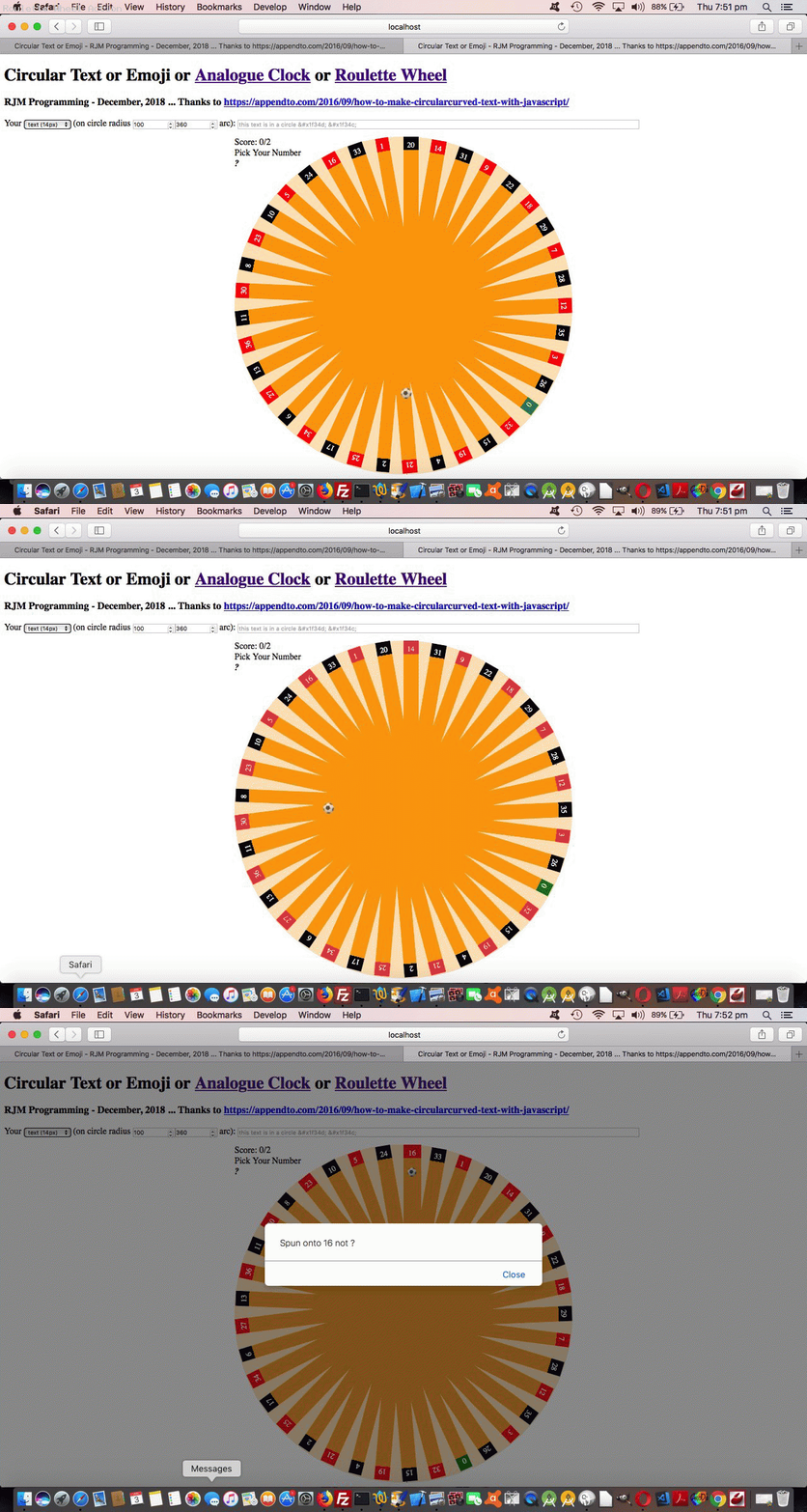

If this was interesting you may be interested in this too.
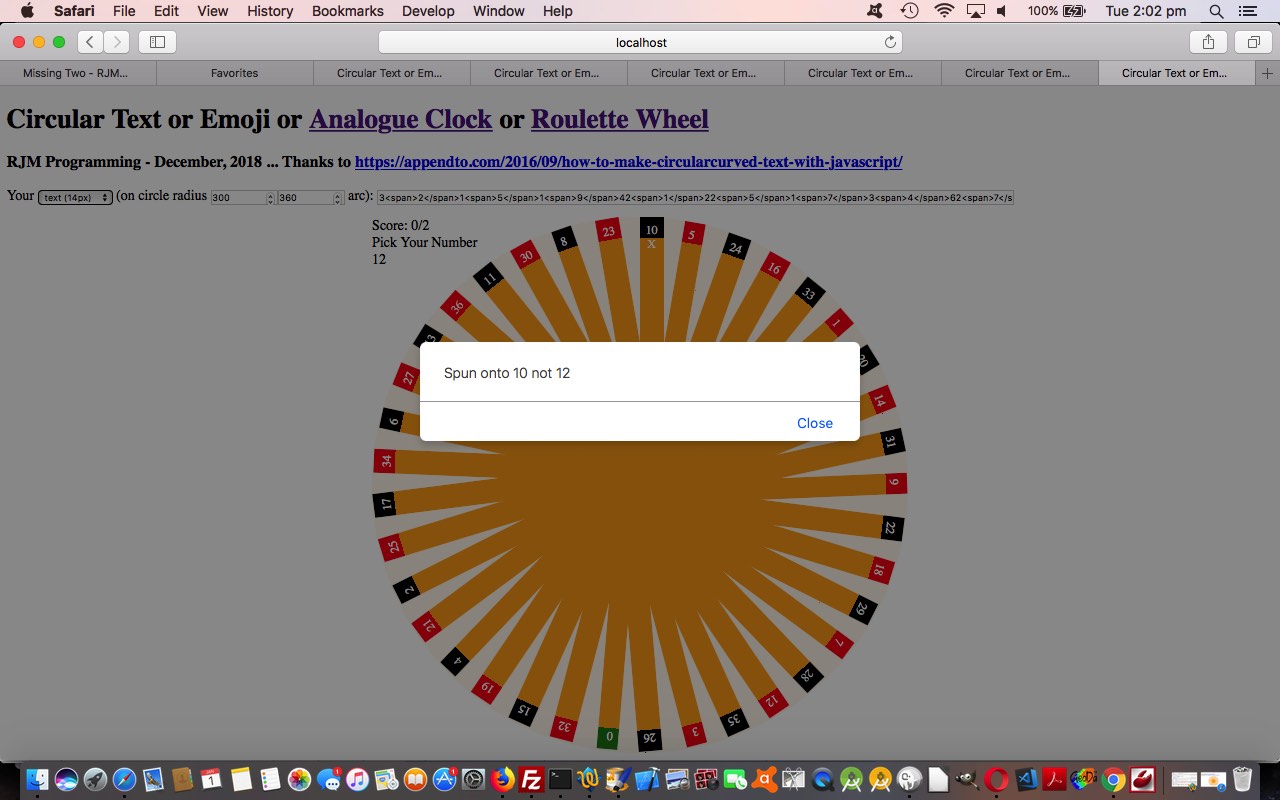

If this was interesting you may be interested in this too.
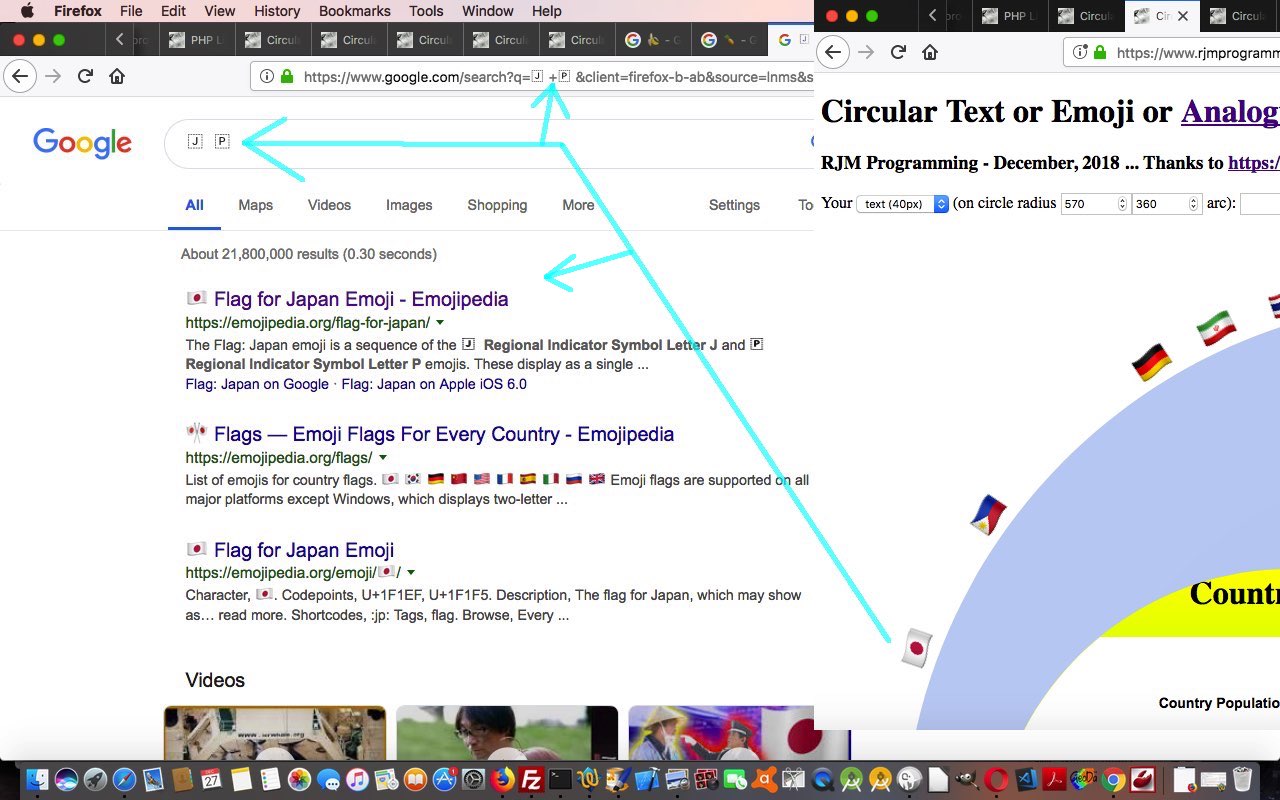

If this was interesting you may be interested in this too.
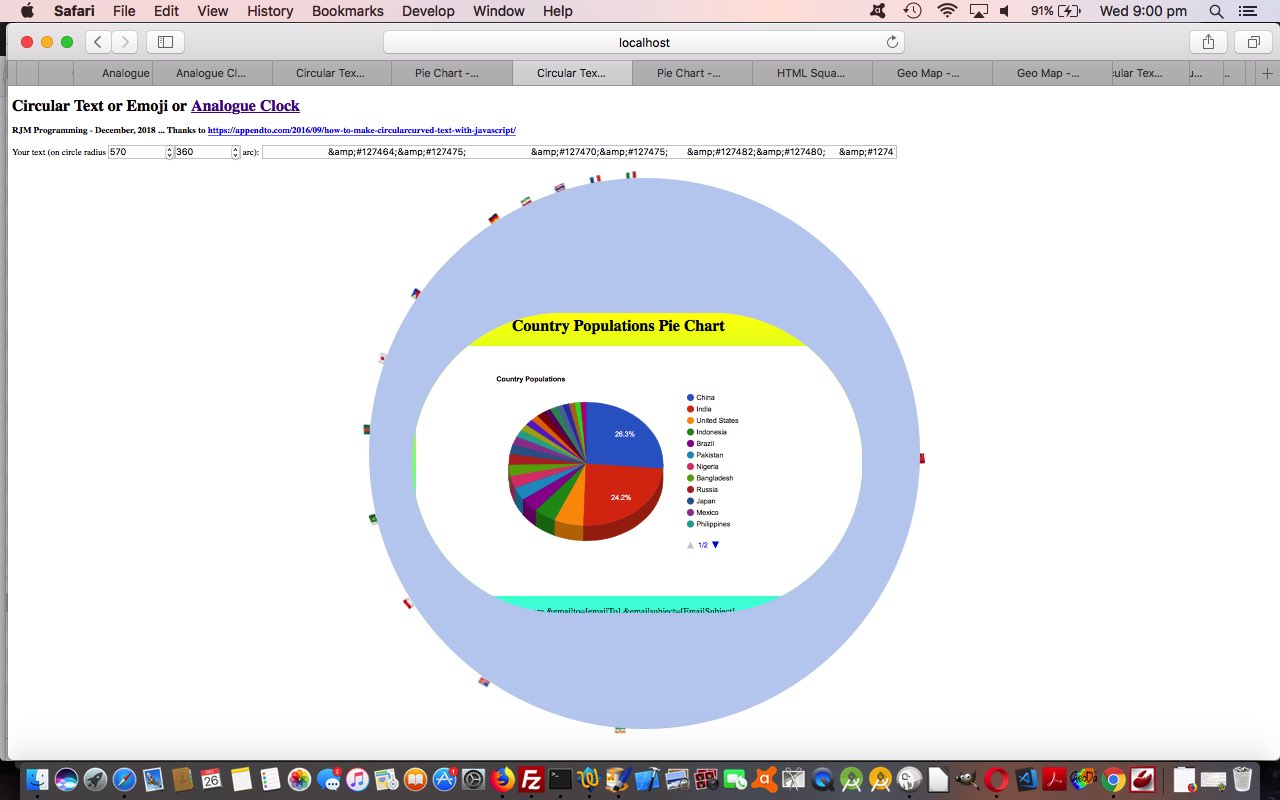

If this was interesting you may be interested in this too.
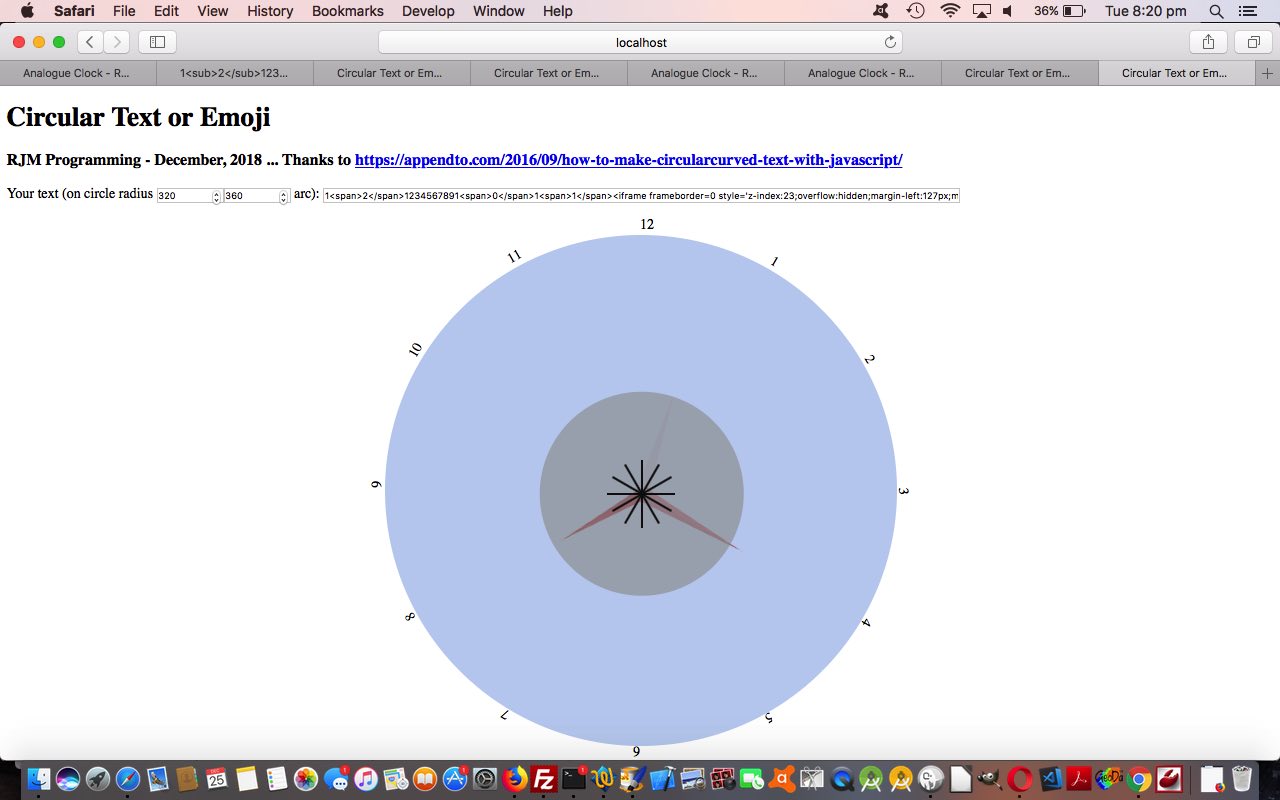

If this was interesting you may be interested in this too.
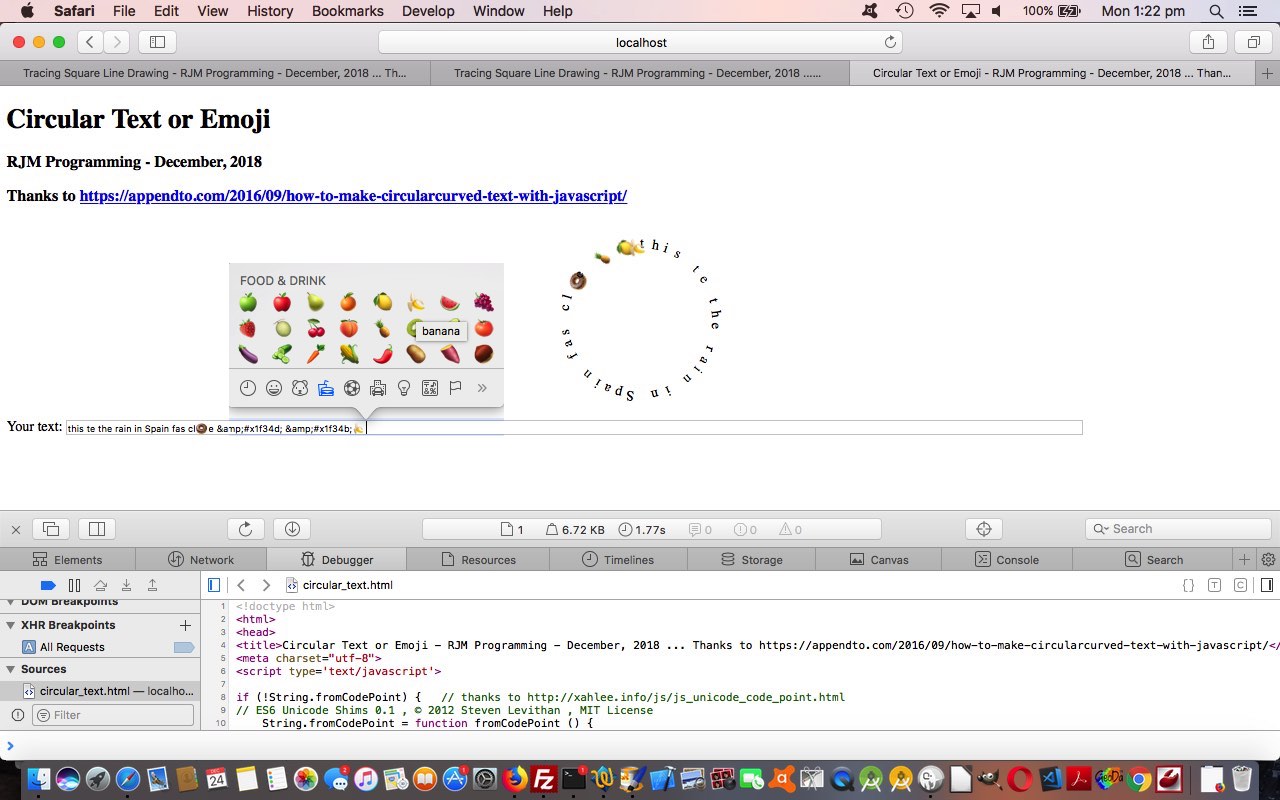

If this was interesting you may be interested in this too.


If this was interesting you may be interested in this too.


If this was interesting you may be interested in this too.


If this was interesting you may be interested in this too.


If this was interesting you may be interested in this too.

Posted in eLearning, Event-Driven Programming, Games, Tutorials | Tagged , , , , , , , , , , , , , , , , , , , , , , , , , , , , , , , , , , , | Leave a comment

Gradient Fraction Game Mobile Tutorial

Gradient Fraction Game Mobile Tutorial

Gradient Fraction Game Mobile Tutorial

Many responsive web design purists will push the web developers out there to never …

  • express HTML element dimensions in “static” “px” types of units … but rather …
  • express HTML element dimensions in “%” or “vx” or “vh” proportional style of units … and, of course, their advice has a lot of merit, but, sometimes, like today, we want to be a bit pragmatic here and say …
  • a third way, particularly suiting an initial development phase that suited a display on a laptop (and deploying “static” “px” types of units that look okay on a laptop), for instance, but then wanting to look more apt on your smaller mobile devices, you could …
    1. ensure you have within the webpage head element a “meta” viewport element such as (our) …

      <meta id='myviewport' name='viewport' content='width=device-width, initial-scale=1, minimum-scale=0.1, maximum-scale=8, user-scalable=yes' >
    2. stay with “static” “px” types of units but if analysis (which can be before document.body “onload” event (and, you couldn’t possibly have heard it from me, cough cough, but dovetail findings within Javascript document.write statements within the document.body static HTML)) of either/both screen.width and/or screen.height indicates lack of suitablility …

      var fromprefix='border-radius: 612px;', toprefix="margin-top: 0px;";
      var pwidth=602, pheight=602, pbr=612, ptop=17.3594, pleft=386.5, thirtytwo=32, ocbit='';
      var worry=false;

      if (navigator.userAgent.match(/Android|BlackBerry|iPhone|iPad|iPod|Opera Mini|IEMobile/i) && btoas.trim() == '' && denominator == '0' && numerator == '0') {
      ocbit=' onclick=" viadb=true; ask(); " ';
      }
      if (eval(eval('' + screen.width) - eval(eval('' + pbr) * 2)) < 0 && (btoas.trim() != '' || denominator != '0' || numerator != '0')) {
      thirtytwo=Math.floor(eval(eval('' + thirtytwo) * Math.floor(eval(eval('' + screen.width) / 2.1)) / eval('' + pbr)));
      ptop=eval(eval('' + ptop) * Math.floor(eval(eval('' + screen.width) / 2.1)) / eval('' + pbr));
      pleft=eval(eval('' + pleft) * Math.floor(eval(eval('' + screen.width) / 2.1)) / eval('' + pbr));
      pbr=Math.floor(eval(eval('' + screen.width) / 2.1));
      fromprefix='border-radius: ' + pbr + 'px;'
      pwidth=eval(-10 + pbr);
      pheight=eval(-10 + pbr);
      worry=true;
      //alert('width,height,br,top,left=' + pwidth + ',' + pheight + ',' + pbr + ',' + ptop + ',' + pleft);
      }

      … Javascript “head” code affecting the “body” …

      <body>
      <script type='text/javascript'>
      document.write('<table id=mytable><tbody id=mytbody><tr id=mytr><td id=mytd>');
      if (denominator == '0' && btoas == '') {
      if (worry) {
      document.write('<div' + ocbit + ' ondblclick=" viadb=true; ask(); " title="Analogue Clock via Conic Gradient or Double Click for Fractions Game toggle - RJM Programming - March, 2023" id="atend" style="position: absolute; left: ' + pleft + 'px; top: ' + ptop + 'px; width: ' + pwidth + 'px; height: ' + pheight + 'px; border-radius: ' + pbr + 'px; ">');
      } else {
      document.write('<div' + ocbit + ' ondblclick=" viadb=true; ask(); " title="Analogue Clock via Conic Gradient or Double Click for Fractions Game toggle - RJM Programming - March, 2023" id="atend" style="position: absolute; left: 386.5px; top: 17.3594px; width: 602px; height: 602px; border-radius: 612px; ">');
      }
      document.write('<iframe scrolling="no" frameborder="0" style="z-index:23;margin-left:127px;margin-top:130px;height:400px;" src="analogue_clock.htm?backcol=transparent&x=7654#xbody"></iframe>');
      } else {
      if (worry) {
      document.write('<div' + ocbit + ' ondblclick=" viadb=true; ask(); " title="Analogue Clock via Conic Gradient or Double Click for Fractions Game toggle - RJM Programming - March, 2023" id="atend" style="width: ' + pwidth + 'px; height: ' + pheight + 'px; border-radius: ' + pbr + 'px; ">');
      } else {
      document.write('<div' + ocbit + ' ondblclick=" viadb=true; ask(); " title="Analogue Clock via Conic Gradient or Double Click for Fractions Game toggle - RJM Programming - March, 2023" id="atend" style="width: 602px; height: 602px; border-radius: 612px; ">');
      }
      }
      if (worry) {
      document.write('</div></td><td id=mymtd style=display:none;vertical-align:middle;>  <select id=ssign style=font-size:' + thirtytwo + 'px;background-color:yellow; readonly disable><option value="+">➕</option><option value="-">➖</option><option value="x">✖</option><option value="/">➗</option></select></td><td id=myrtd style=display:none;>  <div ondblclick=" viadb=true; ask(); " title="Analogue Clock via Conic Gradient or Double Click for Fractions Game toggle - RJM Programming - March, 2023" id="atright" style="width: ' + pwidth + 'px; height: ' + pheight + 'px; border-radius: ' + pbr + 'px; "></div></td></tr></tbody></table>');
      } else {
      document.write('</div></td><td id=mymtd style=display:none;vertical-align:middle;>  <select id=ssign style=font-size:' + thirtytwo + 'px;background-color:yellow; readonly disable><option value="+">➕</option><option value="-">➖</option><option value="x">✖</option><option value="/">➗</option></select></td><td id=myrtd style=display:none;>  <div ondblclick=" viadb=true; ask(); " title="Analogue Clock via Conic Gradient or Double Click for Fractions Game toggle - RJM Programming - March, 2023" id="atright" style="width: 602px; height: 602px; border-radius: 612px; "></div></td></tr></tbody></table>');
      }
      </script>
      <div id=dstyle></div>
      </body>

      … element, to lean on “hardcodings become parameter” types of thinking to proceed with a more apt dimensional display (that is all sorted out ahead of document.body “onload” event, still not associated with any Javascript code, above)

Yes, you can develop web applications on mobile. There are ways. But we find it much more natural and easy to develop web applications on a laptop, here it being a MacBook Air at the moment. One reason we’d give, is that the quality of laptop web browser web inspectors is sky high, and all the modern browsers seem to have a (laptop) version now.

And as such, improving mobile usage of yesterday’s Gradient Fraction Game Equations Tutorial we have in a changed circular_sectors.html Fractions Game.


Previous relevant Gradient Fraction Game Equations Tutorial is shown below.

Gradient Fraction Game Equations Tutorial

Gradient Fraction Game Equations Tutorial

There are three styles of CSS gradient …

  • conic
  • linear
  • radial

… and “different folks may learn via diff’rent CSS strokes”, so we incorporate a way for the user, when using the Fractions Game component of our latest web application, so that they can toggle the “cake” display among these three styles of gradient display.

Also, extending yesterday’s Conic Gradient Fraction Game Equations Tutorial, we …

  • allow, during the Fractions Game mode usage, have a window.prompt Cancel click send the user back to the Analogue Clock, so that unnecessary and errant window.prompt popup windows are avoided … and …
  • we incorporate “lowest common denominator” …

    function lcdextra(varn, vard) {
    var retv='', iv=0;
    for (iv=Math.min(Math.abs(varn),Math.abs(vard)); iv>=2; iv--) {
    if (eval(Math.abs(varn) % iv) == 0 && eval(Math.abs(vard) % iv) == 0) {
    varn /= iv;
    vard /= iv;
    retv+=' = ' + varn + ' / ' + vard + String.fromCharCode(10);
    }
    }
    return retv;
    }

    … calculations into our “show workings” section as Ms Trimpole would have wanted
  • involve emoji operators in that same “show workings” section to better mimic how we were taught at school in Mathematics class

… in the changed circular_sectors.html Fractions Game.


Previous relevant Conic Gradient Fraction Game Equations Tutorial is shown below.

Conic Gradient Fraction Game Equations Tutorial

Conic Gradient Fraction Game Equations Tutorial

We’re extending the functionality started with yesterday’s Dual Purpose Conic Gradient Primer Tutorial‘s second “dual purpose” …

  • Fractions Game piece of functionality …
  • Adding to its possibility the optional user job of solving operator …
    •  +
    •  –
    •  x
    •  /

    … types of fraction based equations

Simply put, changes to allow for this involved …

  • forsaking position:absolute “cakes” for your usual default position:relative positioning … within …
  • single row, three cell (cake, sign, cake) display … prior to …
  • hardly changed window.prompt user interaction, to answer … but …
  • more complex analysis for equation based scenarios …

    function showworking(instr, realans) {
    var outstr=instr;
    var xnumerator=numerator, xnumeratortwo=numeratortwo, xdenominatortwo=denominatortwo;
    var varw='';
    if (document.getElementById('ssign').value == '+') {
    if (denominatortwo == denominator.slice(-1)) {
    varw+=' = (' + numerator + ' + ' + numeratortwo + ') / ' + denominatortwo + String.fromCharCode(10);
    varw+=' = ' + eval(eval('' + numerator) + eval('' + numeratortwo)) + ' / ' + xdenominatortwo + String.fromCharCode(10);
    } else {
    varw+=' = (' + numerator + ' x ' + denominatortwo + ' + ' + numeratortwo + ' x ' + denominator.slice(-1) + ') / (' + denominator.slice(-1) + ' x ' + denominatortwo + ')' + String.fromCharCode(10);
    xnumerator*=denominatortwo;
    xnumeratortwo*=eval('' + denominator.slice(-1));
    xdenominatortwo*=eval('' + denominator.slice(-1));
    varw+=' = (' + xnumerator + ' + ' + xnumeratortwo + ') / ' + xdenominatortwo + String.fromCharCode(10);
    varw+=' = ' + eval(eval('' + xnumerator) + eval('' + xnumeratortwo)) + ' / ' + xdenominatortwo + String.fromCharCode(10);
    }
    } else if (document.getElementById('ssign').value == '-') {
    if (denominatortwo == denominator.slice(-1)) {
    varw+=' = (' + numerator + ' - ' + numeratortwo + ') / ' + denominatortwo + String.fromCharCode(10);
    varw+=' = ' + eval(numerator - numeratortwo) + ' / ' + xdenominatortwo + String.fromCharCode(10);
    } else {
    varw+=' = (' + numerator + ' x ' + denominatortwo + ' - ' + numeratortwo + ' x ' + denominator.slice(-1) + ') / (' + denominator.slice(-1) + ' x ' + denominatortwo + ')' + String.fromCharCode(10);
    xnumerator*=denominatortwo;
    xnumeratortwo*=eval('' + denominator.slice(-1));
    xdenominatortwo*=eval('' + denominator.slice(-1));
    varw+=' = (' + xnumerator + ' - ' + xnumeratortwo + ') / ' + xdenominatortwo + String.fromCharCode(10);
    varw+=' = ' + eval(eval('' + xnumerator) - eval('' + xnumeratortwo)) + ' / ' + xdenominatortwo + String.fromCharCode(10);
    }
    } else if (document.getElementById('ssign').value == '/') {
    varw+=' = (' + numerator + ' / ' + denominator.slice(-1) + ') x (' + denominatortwo + ' / ' + numeratortwo + ')' + String.fromCharCode(10);
    varw+=' = ' + eval(eval('' + numerator) * eval('' + denominatortwo)) + ' / ' + eval(eval('' + denominator.slice(-1)) * eval('' + numeratortwo)) + String.fromCharCode(10);
    } else if (document.getElementById('ssign').value == 'x' || document.getElementById('ssign').value == '*') {
    varw+=' = (' + numerator + ' / ' + denominator.slice(-1) + ') x (' + numeratortwo + ' / ' + denominatortwo + ')' + String.fromCharCode(10);
    varw+=' = ' + eval(eval('' + numerator) * eval('' + numeratortwo)) + ' / ' + eval(eval('' + denominator.slice(-1)) * eval('' + denominatortwo)) + String.fromCharCode(10);
    }
    return outstr + String.fromCharCode(10) + varw + ' = ' + realans + ' ' + String.fromCharCode(10);
    }

… in the changed circular_sectors.html Fractions Game.


Previous relevant Dual Purpose Conic Gradient Primer Tutorial is shown below.

Dual Purpose Conic Gradient Primer Tutorial

Dual Purpose Conic Gradient Primer Tutorial

Yes, today, we have a “proof of concept” circular_sectors.html

  • dual purpose … as a …
    1. local time analogue clock (also, below) … calling on a changed analogue_clock.html … or …
    2. Fractions Game
  • ondblclick (double click) event … ondblclick=” viadb=true; ask(); “ … toggling …

    var viadb=false;

    function ask() {
    var ans='';
    if (!viadb) {
    while (('' + ans).indexOf('/') == -1 && ('' + ans.replace(/^1$/g, '1.0')).indexOf('.') == -1) {
    ans=prompt('What fraction of the "cake" is coloured? (eg. 2/3)', '');
    }
    if (ans == '' + numerator + '/' + denominator.substring(1) || Math.abs(eval('' + numerator + '/' + denominator.substring(1)) - eval('' + ans)) < 0.005) {
    score++;
    goes++;
    alert('Well done! This makes your Fractions Game score to be ' + score + ' of ' + goes);
    } else {
    goes++;
    alert('Sorry ... the fraction you wanted is ' + numerator + '/' + denominator.substring(1) + ' leaving your Fractions Game score as ' + score + ' of ' + goes);
    }
    }
    numerator='' + eval(1 + Math.floor(Math.random() * 7));
    denominator='0';
    while (eval('' + denominator) < eval('' + numerator)) {
    denominator='' + eval(0 + Math.floor(Math.random() * 9));
    }
    if (viadb) {
    if (btoas == '') {
    location.href=document.URL.split('?')[0].split('#')[0] + '?btis=' + encodeURIComponent(btoa('' + numerator + '/' + denominator));
    } else {
    location.href=document.URL.split('?')[0].split('#')[0]; // + '?btis=' + encodeURIComponent(btoa('' + numerator + '/' + denominator));
    }
    }
    viadb=false;
    }

    … control … using …
  • CSS conic-gradient background …

    <style>
    #atend {
    background: conic-gradient(rgba(255,0,0,0.5) 0deg, rgba(0,0,255,0.5) 30deg, rgba(0,255,0,0.5) 60deg, rgba(255,192,203,0.5) 90deg, rgba(0,0,139,0.5) 120deg, rgba(144,238,144,0.5) 150deg, rgba(255,165,0,0.5) 180deg, rgba(173,216,230,0.5) 210deg, rgba(2,48,32,0.5) 240deg, rgba(255,0,255,0.5) 270deg, rgba(0,100,100,0.5) 300deg, rgba(128,128,0,0.5) 330deg);
    }
    </style>

… scenario, building on what we learnt when we presented CSS Gradient Creations Conic Tutorial a little while back.


Previous relevant CSS Gradient Creations Conic Tutorial is shown below.

CSS Gradient Creations Conic Tutorial

CSS Gradient Creations Conic Tutorial

Yesterday’s CSS Conic Gradient Primer Tutorial set us to thinking about integrating these Conic Gradients into our “Gradient Central” web application where you can create your own gradients which we last talked about with CSS Gradient Creations Mobile Width Tutorial.

These gradients …

  • linear-gradient
  • radial-gradient
  • conic-gradient

… are helping our webpage designs allow for colour gradation and subtlety we appreciate around here. They can often effectively fill in for that “graphic flair” not all of us possess, in our webpage designs.

What came up that was a bit new to us with this Conic Gradient integration? And yes, most tutorials bring up something new! Input element textboxes can be made inoperable by the setting of the Javascript DOM readOnly attribute, as with (Javascript code like) …


document.getElementById('mytextbox').readOnly=true; // and to make readable again use false instead

… but we found we couldn’t do that with select (ie. dropdown) elements. This useful link, thanks, put us right in our thinking to do this when conic-gradient selected …


document.getElementById('sdirection').disabled=true; // and to make enabled again use false instead

… because a conic-gradient direction value is much less nuanced than a linear-gradient direction value.

Feel free to try this changed gradient_creations.htm “Gradient Creations” live run link, or try below …

Stop Press

Today’s CSS Gradient Creations Conic Tutorial‘s integration of yesterday’s CSS Conic Gradient Primer Tutorial‘s work was missing some of the features of that latter web application, involving its textarea flexibility to add user additional dynamic CSS into the mix. No problems any longer, as we make use of the work we’ll talk about tomorrow, integrating into CSS Gradient Creations Conic Tutorial‘s web application one new line of code …


<script type='text/javascript' src='/divceditin.js?todowith=tdlook&after=tdcss&blurb=%2F*%20More%20gradient%20CSS%20styling%20can%20go%20here%20via%20a%20click%20...%20eg.%20border-radius%3A%2050%25%3B%20%20*%2F'></script>

… to offer that possibility. That will outline our use of element type div contenteditable=true with an input type=text value=”” placeholder=[Some Blurb] readonly prototype tool enabling users to add in their own dynamic CSS in the tweaked gradient_creations.htm “Gradient Creations” live run link, as also shown above this …


Previous relevant CSS Gradient Creations Mobile Width Tutorial is shown below.

CSS Gradient Creations Mobile Width Tutorial

CSS Gradient Creations Mobile Width Tutorial

When it comes to “width” (CSS styling) considerations with webpage design on mobile platforms where you are not prepared to “de-complex-ify” (if you know what I mean) the webpage contents you can run into the dual issues …

  • you want to show HTML elements legibly … and …
  • you also want to show the big picture

You see, with yesterday’s CSS Gradient Creations Width Makeover Tutorial we did hint when we said …

… we saw that it overshot the right hand border on the MacBook Air webpage screen.

… that the work yesterday was suited more towards your laptop usage rather than mobile phone (and to a less extent mobile tablet) usage.

There is a CSS styling “tool” to hand just for this scenario, though, the meta name=viewport (within <head> … </head> header element, usually) element, ours being, initially, for today’s work …


<meta id="myviewport" name="viewport" content="width=device-width, initial-scale=1, minimum-scale=0.1, maximum-scale=8, user-scalable=yes" >

… the “red rag to a bull” signs that Javascript might come into it (to allow initially become eventually) being …

  1. the id=”myviewport” unusual attribute for a header element
  2. the big range difference between minimum-scale and maximum-scale but initial-scale being so conventionally valued

… in other words, today …

  • we start mobile platform web application “first few seconds” of display in “you want to show HTML elements legibly” mode … and that “first few seconds” of display tells us … anyone, anyone? … yes, Arielwe use setTimeout to delay

    <body onload="setTimeout(fixmobilewidth,5000); sdih=document.getElementById('sdirection').innerHTML; osdih=document.getElementById('rdirection').innerHTML; checkol();">

    … five seconds before …
  • we use Javascript DOM to adjust the meta name=viewport element as per …

    function fixmobilewidth() {
    if (navigator.userAgent.match(/Android|BlackBerry|iPhone|iPad|iPod|Opera Mini|IEMobile/i)) {
    var rectt=document.getElementsByTagName('table')[0].getBoundingClientRect();
    document.getElementById("myviewport").setAttribute("content", "width=device-width, initial-scale=" + eval(-0.35 + eval('' + (window.orientation == 0 ? window.innerHeight: window.innerWidth)) / eval('' + rectt.width)) + ", minimum-scale=0.1, maximum-scale=8, user-scalable=yes");
    }
    }

    … “to show the big picture” (of what’s available to the user to work the web application’s full functionality)

The control of whitespace came into the picture too. We replace in a lot of the table cells the non-breaking spaces (ie. &nbsp;) as per …


<td><input onblur="changeit();" onchange="changeit();" type=color id=c1 value='#ff0000'></input>&nbsp;<input onblur="changeit();" onchange="changeit();" type=text id=hcs1 value='' placeholder='Colour Stop %' style=width:120px;></input>&nbsp;<input onblur='lookup(this.value,this);' type=text id=sc1 placeholder='Colour by name'></input>&nbsp;Opacity:&nbsp;<input onblur="changeit();" onchange="changeit();" type=number id=o1 min=0.0 max=1.0 step=0.1 value='1.0'></input></td>
<td><input onblur="changeit();" onchange="changeit();" type=color id=c2 value='#0000ff'></input>&nbsp;<input onblur="changeit();" onchange="changeit();" type=text id=hcs2 value='' placeholder='Colour Stop %' style=width:120px;></input>&nbsp;<input onblur='lookup(this.value,this);' type=text id=sc2 placeholder='Colour by name'></input>&nbsp;Opacity:&nbsp;<input onblur="changeit();" onchange="changeit();" type=number id=o2 min=0.0 max=1.0 step=0.1 value='1.0'></input></td>
<td><input onblur="changeit();" onchange="changeit();" type=color id=c3 value='#ffffff'></input>&nbsp;<input onblur="changeit();" onchange="changeit();" type=text id=hcs3 value='' placeholder='Colour Stop %' style=width:120px;></input>&nbsp;<input onblur='lookup(this.value,this);' type=text id=sc3 placeholder='Colour by name'></input>&nbsp;Opacity:&nbsp;<input onblur="changeit();" onchange="changeit();" type=number id=o3 min=0.0 max=1.0 step=0.1 value='1.0'></input></td>
<td><input onblur="changeit();" onchange="changeit();" type=color id=c4 value='#ffffff'></input>&nbsp;<input onblur="changeit();" onchange="changeit();" type=text id=hcs4 value='' placeholder='Colour Stop %' style=width:120px;></input>&nbsp;<input onblur='lookup(this.value,this);' type=text id=sc4 placeholder='Colour by name'></input>&nbsp;Opacity:&nbsp;<input onblur="changeit();" onchange="changeit();" type=number id=o4 min=0.0 max=1.0 step=0.1 value='1.0'></input></td>
<td><input onblur="changeit();" onchange="changeit();" type=color id=c5 value='#ffffff'></input>&nbsp;<input onblur="changeit();" onchange="changeit();" type=text id=hcs5 value='' placeholder='Colour Stop %' style=width:120px;></input>&nbsp;<input onblur='lookup(this.value,this);' type=text id=sc5 placeholder='Colour by name'></input>&nbsp;Opacity:&nbsp;<input onblur="changeit();" onchange="changeit();" type=number id=o5 min=0.0 max=1.0 step=0.1 value='1.0'></input></td>
<td><input onblur="changeit();" onchange="changeit();" type=color id=c6 value='#ffffff'></input>&nbsp;<input onblur="changeit();" onchange="changeit();" type=text id=hcs6 value='' placeholder='Colour Stop %' style=width:120px;></input>&nbsp;<input onblur='lookup(this.value,this);' type=text id=sc6 placeholder='Colour by name'></input>&nbsp;Opacity:&nbsp;<input onblur="changeit();" onchange="changeit();" type=number id=o6 min=0.0 max=1.0 step=0.1 value='1.0'></input></td>
<td><input onblur="changeit();" onchange="changeit();" type=color id=c7 value='#ffffff'></input>&nbsp;<input onblur="changeit();" onchange="changeit();" type=text id=hcs7 value='' placeholder='Colour Stop %' style=width:120px;></input>&nbsp;<input onblur='lookup(this.value,this);' type=text id=sc7 placeholder='Colour by name'></input>&nbsp;Opacity:&nbsp;<input onblur="changeit();" onchange="changeit();" type=number id=o7 min=0.0 max=1.0 step=0.1 value='1.0'></input></td>
<td><input onblur="changeit();" onchange="changeit();" type=color id=c8 value='#ffffff'></input>&nbsp;<input onblur="changeit();" onchange="changeit();" type=text id=hcs8 value='' placeholder='Colour Stop %' style=width:120px;></input>&nbsp;<input onblur='lookup(this.value,this);' type=text id=sc8 placeholder='Colour by name'></input>&nbsp;Opacity:&nbsp;<input onblur="changeit();" onchange="changeit();" type=number id=o8 min=0.0 max=1.0 step=0.1 value='1.0'></input></td>

… with line breaks (ie. <br>) as per …


<td><input onblur="changeit();" onchange="changeit();" type=color id=c1 value='#ff0000'></input><br><input onblur="changeit();" onchange="changeit();" type=text id=hcs1 value='' placeholder='Colour Stop %' style=width:120px;></input><br><input onblur='lookup(this.value,this);' type=text id=sc1 placeholder='Colour by name'></input><br>Opacity: <input onblur="changeit();" onchange="changeit();" type=number id=o1 min=0.0 max=1.0 step=0.1 value='1.0'></input></td>
<td><input onblur="changeit();" onchange="changeit();" type=color id=c2 value='#0000ff'></input><br><input onblur="changeit();" onchange="changeit();" type=text id=hcs2 value='' placeholder='Colour Stop %' style=width:120px;></input><br><input onblur='lookup(this.value,this);' type=text id=sc2 placeholder='Colour by name'></input><br>Opacity: <input onblur="changeit();" onchange="changeit();" type=number id=o2 min=0.0 max=1.0 step=0.1 value='1.0'></input></td>
<td><input onblur="changeit();" onchange="changeit();" type=color id=c3 value='#ffffff'></input><br><input onblur="changeit();" onchange="changeit();" type=text id=hcs3 value='' placeholder='Colour Stop %' style=width:120px;></input><br><input onblur='lookup(this.value,this);' type=text id=sc3 placeholder='Colour by name'></input><br>Opacity: <input onblur="changeit();" onchange="changeit();" type=number id=o3 min=0.0 max=1.0 step=0.1 value='1.0'></input></td>
<td><input onblur="changeit();" onchange="changeit();" type=color id=c4 value='#ffffff'></input><br><input onblur="changeit();" onchange="changeit();" type=text id=hcs4 value='' placeholder='Colour Stop %' style=width:120px;></input><br><input onblur='lookup(this.value,this);' type=text id=sc4 placeholder='Colour by name'></input><br>Opacity: <input onblur="changeit();" onchange="changeit();" type=number id=o4 min=0.0 max=1.0 step=0.1 value='1.0'></input></td>
<td><input onblur="changeit();" onchange="changeit();" type=color id=c5 value='#ffffff'></input><br><input onblur="changeit();" onchange="changeit();" type=text id=hcs5 value='' placeholder='Colour Stop %' style=width:120px;></input><br><input onblur='lookup(this.value,this);' type=text id=sc5 placeholder='Colour by name'></input><br>Opacity: <input onblur="changeit();" onchange="changeit();" type=number id=o5 min=0.0 max=1.0 step=0.1 value='1.0'></input></td>
<td><input onblur="changeit();" onchange="changeit();" type=color id=c6 value='#ffffff'></input><br><input onblur="changeit();" onchange="changeit();" type=text id=hcs6 value='' placeholder='Colour Stop %' style=width:120px;></input><br><input onblur='lookup(this.value,this);' type=text id=sc6 placeholder='Colour by name'></input><br>Opacity: <input onblur="changeit();" onchange="changeit();" type=number id=o6 min=0.0 max=1.0 step=0.1 value='1.0'></input></td>
<td><input onblur="changeit();" onchange="changeit();" type=color id=c7 value='#ffffff'></input><br><input onblur="changeit();" onchange="changeit();" type=text id=hcs7 value='' placeholder='Colour Stop %' style=width:120px;></input><br><input onblur='lookup(this.value,this);' type=text id=sc7 placeholder='Colour by name'></input><br>Opacity: <input onblur="changeit();" onchange="changeit();" type=number id=o7 min=0.0 max=1.0 step=0.1 value='1.0'></input></td>
<td><input onblur="changeit();" onchange="changeit();" type=color id=c8 value='#ffffff'></input><br><input onblur="changeit();" onchange="changeit();" type=text id=hcs8 value='' placeholder='Colour Stop %' style=width:120px;></input><br><input onblur='lookup(this.value,this);' type=text id=sc8 placeholder='Colour by name'></input><br>Opacity: <input onblur="changeit();" onchange="changeit();" type=number id=o8 min=0.0 max=1.0 step=0.1 value='1.0'></input></td>

… to lessen the table cell width innards (at the expense, perhaps, of the table cell innard heights) that might become involved in our changed gradient_creations.htm “Gradient Creations” live run link.

Is the 5 seconds enough on your thinner mobile platform widths? That’s debatable, but the “spreading” gesture awaits those more accepting mobile phone users!


Previous relevant CSS Gradient Creations Width Makeover Tutorial is shown below.

CSS Gradient Creations Width Makeover Tutorial

CSS Gradient Creations Width Makeover Tutorial

Revisits to a web application, after some time, can bring “adverse” categories of reaction to me …

  • UX (user experience) Javascript criticism …
  • styling CSS annoyance

… and today’s work, on our “Gradient Creations” web application, is as a result of that second “styling CSS annoyance”.

Possibly the second is “less serious” in our mind, but, nonetheless, invariably we learn (or remember) quite a bit, researching them.

Maybe you can see from today’s tutorial animated GIF picture we categorized the slides into …

Slide … … with our commentary regarding our changed gradient_creations.htm “Gradient Creations” live run link
The problem … At 100% zoom level with the Google Chrome browser pointing at the previous “Gradient Creations” web application incarnation we saw that it overshot the right hand border on the MacBook Air webpage screen.
The culprit … Looking at the web page in Crome’s web inspector we identify the “Colour Name” textboxes (whose “id” starts with “sc” (as we mention later, to our advantage)) as being too wide and to lessen that width could improve the aesthetics.
The pathway …
  1. This search, thanks, got us to html – How to get CSS to select ID that begins with a string (not in Javascript)? – Stack Overflow, thanks, which taught us that, yes, “regex” is a friend to CSS selectors … as well as …
  2. This search, thanks, got us to css – sizing div based on window width – Stack Overflow which taught us (and reminded us) that the CSS width unit “vw” could be used like a percentage of screen width, our preferred expression of width, since we knew how many cells we wanted to cater for across the webpage, ahead of time, and so we picked “the conservative” “8vw” as this improved [id^=sc] selector improvement.
The intervention … Within the webpage’s <head> … </head> section we add …
<style>
[id^=sc] {
width: 8vw;
}
</style>
The improvement … The test shows improved aesthetics. Yay!

By the way, further reading on this topic (and web application) is available with CSS Gradient Creations Sharing Tutorial below.


Previous relevant CSS Gradient Creations Sharing Tutorial is shown below.

CSS Gradient Creations Sharing Tutorial

CSS Gradient Creations Sharing Tutorial

Turning a web application like yesterday’s CSS Gradient Creations Tutorial “Gradient Creations” one into a web application where you can share your discoveries is an exercise in both …

  • sharing and collaboration … as well as …
  • accountability

… opening up something that used to be just for private use only, to being one that is open to the rest of the online wooooorrrrllllddd.

As well as this new email and SMS sharing capability we add another contenteditable=true incursion into the mix as another selling product for our web application. Just quietly, perhaps you can use it as a “digital card” creator, as we offer to augment …

  • the table cell with a gradient background … with the idea that the user …
  • can write their wording (of say, a card) in the foreground of that same table cell

… and then allow the user to append a space to their Javascript prompt window answering of the emailee address to indicate to the web application that the email should just be that table cell content. On the way a collaboration phase is possible by tweaking the HTML …


xform.append('body',(document.body.outerHTML.split('</form>')[0] + '</form></body>').replace(/NONE\;/g, 'inline-block;').replace('<div ','<input type=text style=width:50%; ').replace('>background:', ' value="').replace('</div>', '"></input>').replace('"></textarea>', '">' + document.getElementById('tdlook').innerHTML.replace(/\<br\>/g,String.fromCharCode(10)) + '</textarea>'));

… to work with a form method=GET way for the emailee to adjust the gradient CSS to send off a return email (or one to a third party) in response to that first email. No collaboration here, but we also allow for SMS communications too.

Also, along the way, we allow for a colour to be defined by its name, if it makes the web application’s colour array list.

You can try our our changed gradient_creations.htm live run link, to see what we mean.


Previous relevant CSS Gradient Creations Tutorial is shown below.

CSS Gradient Creations Tutorial

CSS Gradient Creations Tutorial

The great CSS background “gradient” functionalities can come in four forms, those being …

  • linear gradient (and repeating linear gradient)
  • radial gradient (and repeating radial gradient)

… as a means to add background interest, even to the point where the background can have some (different) transparency (level) compared to the foreground, as per example CSS like …


<style>
html::before {
background: linear-gradient(rgba(255,255,255,0.8),rgba(255,255,255,0.8)),URL('//www.rjmprogramming.com.au/MyBusinessUnidad/Welcome_files/logo.jpg') repeat;
}
</style>

With tutorials like CSS Repeating Radial Gradients Primer Tutorial we allowed you to create some gradients, but we wanted a more detailed approach that was generic in its approach and left you with some CSS of use, which is often not the go with many other (albeit useful and inspiring) websites on the net.

There are a whole range of what you might call “directional” nuances you can apply to your gradients. There is opacity to allow for. There are “hard colour stops” you can apply. For linear gradients you can apply a variable angle. For radial gradients there are positional nuances that can be applied.

And then there are the colours. We are not sure of the limits, but we allow for up to eight colours. Enough to simulate the seven colours of the rainbow we go for with today’s tutorial picture arrangement whereby it tweaked with us that the HTML input type=color elements are all well and good but we needed to allow our CSS be editable by nesting into an HTML div contenteditable=true elements that can be tweaked for exact rgb or rgba colour definitions (thanks, Wikipedia), as we could look up for the purposes of displaying a rainbow coloured gradient background (we hope you like)!

Or see a repeating radial gradient example below …

So feel free to try our gradient_creations.html live run link, to see what we mean.


Previous relevant “CSS Gradient Creations Tutorial is shown below.

CSS Radial Gradients Primer Tutorial

CSS Repeating Radial Gradients Primer Tutorial

Way back when with HTML/Javascript Canvas Rainbow Primer Tutorial we talked about CSS linear gradients and radial gradients in the one blog posting, but ever since then, it has so much more that linear gradients have been useful to us here at this blog.

Today, though, we turn a bit of attention to radial gradients, specifically repeated radial gradients.

We’ve got a simple web application to play around with them in terms of …

  • ellipse versus circle
  • coloured versus black and white
  • extent keyword (closest-corner, closest-side, farthest-corner, farthest-side)

Below is one example of the CSS …


.circlefarthest-corner {
background: repeating-radial-gradient(circle farthest-corner,
red, black 5%, blue 5%, green 10%);
}

Feel free to play away at this live run that has this radial_gradients.html downloadable underlying HTML and CSS (and event logic Javascript that changes the HTML div element className property, to suit).


Previous relevant HTML/Javascript Canvas Rainbow Primer Tutorial is shown below.

HTML/Javascript Canvas Rainbow Primer Tutorial

HTML/Javascript Canvas Rainbow Primer Tutorial

The Canvas HTML element tag can be used as the container to draw graphics on the fly usually via the use of Javascript functions for rendering and event management.

In today’s tutorial we touch on a couple of the two dimensional Javascript functions to draw a rectangle or arc, but in the two dimensional context, canvas HTML elements can be used to draw text, lines, boxes and circles as well. We also touch on two functions to create a linear or radial gradient to the fillStyle and/or strokeStyle of your HTML element placed onto the canvas.

You may want to read more at HTML Canvas Reference as a generic reference, or here, at the tutorial javascript – How do I add a simple onClick event handler to a canvas element? – Stack Overflow.

As you can imagine, this HTML canvas element, new to HTML5, can be very useful for some practical client-side web functionality.

Link to some downloadable HTML programming code … rename to canvasrainbow.html

Here is a new link to some downloadable HTML programming source code explaining changes made (from HTML/Javascript Canvas Primer Tutorial) here.

You’ll notice heavy use of the Javascript Math.random() function.

We hope you enjoy this tutorial as a rainbow coloured live run.

Yes … you’ve reached the end … have a top supportive rainbow coloured day!

If this was interesting you may be interested in this too.


If this was interesting you may be interested in this too.


If this was interesting you may be interested in this too.


If this was interesting you may be interested in this too.


If this was interesting you may be interested in this too.


If this was interesting you may be interested in this too.


If this was interesting you may be interested in this too.


If this was interesting you may be interested in this too.


If this was interesting you may be interested in this too.


If this was interesting you may be interested in this too.


If this was interesting you may be interested in this too.

Posted in eLearning, Event-Driven Programming, Games, Tutorials | Tagged , , , , , , , , , , , , , , , , , , , , , , , , , , , , , , | Leave a comment

Gradient Fraction Game Equations Tutorial

Gradient Fraction Game Equations Tutorial

Gradient Fraction Game Equations Tutorial

There are three styles of CSS gradient …

  • conic
  • linear
  • radial

… and “different folks may learn via diff’rent CSS strokes”, so we incorporate a way for the user, when using the Fractions Game component of our latest web application, so that they can toggle the “cake” display among these three styles of gradient display.

Also, extending yesterday’s Conic Gradient Fraction Game Equations Tutorial, we …

  • allow, during the Fractions Game mode usage, have a window.prompt Cancel click send the user back to the Analogue Clock, so that unnecessary and errant window.prompt popup windows are avoided … and …
  • we incorporate “lowest common denominator” …

    function lcdextra(varn, vard) {
    var retv='', iv=0;
    for (iv=Math.min(Math.abs(varn),Math.abs(vard)); iv>=2; iv--) {
    if (eval(Math.abs(varn) % iv) == 0 && eval(Math.abs(vard) % iv) == 0) {
    varn /= iv;
    vard /= iv;
    retv+=' = ' + varn + ' / ' + vard + String.fromCharCode(10);
    }
    }
    return retv;
    }

    … calculations into our “show workings” section as Ms Trimpole would have wanted
  • involve emoji operators in that same “show workings” section to better mimic how we were taught at school in Mathematics class

… in the changed circular_sectors.html Fractions Game.


Previous relevant Conic Gradient Fraction Game Equations Tutorial is shown below.

Conic Gradient Fraction Game Equations Tutorial

Conic Gradient Fraction Game Equations Tutorial

We’re extending the functionality started with yesterday’s Dual Purpose Conic Gradient Primer Tutorial‘s second “dual purpose” …

  • Fractions Game piece of functionality …
  • Adding to its possibility the optional user job of solving operator …
    •  +
    •  –
    •  x
    •  /

    … types of fraction based equations

Simply put, changes to allow for this involved …

  • forsaking position:absolute “cakes” for your usual default position:relative positioning … within …
  • single row, three cell (cake, sign, cake) display … prior to …
  • hardly changed window.prompt user interaction, to answer … but …
  • more complex analysis for equation based scenarios …

    function showworking(instr, realans) {
    var outstr=instr;
    var xnumerator=numerator, xnumeratortwo=numeratortwo, xdenominatortwo=denominatortwo;
    var varw='';
    if (document.getElementById('ssign').value == '+') {
    if (denominatortwo == denominator.slice(-1)) {
    varw+=' = (' + numerator + ' + ' + numeratortwo + ') / ' + denominatortwo + String.fromCharCode(10);
    varw+=' = ' + eval(eval('' + numerator) + eval('' + numeratortwo)) + ' / ' + xdenominatortwo + String.fromCharCode(10);
    } else {
    varw+=' = (' + numerator + ' x ' + denominatortwo + ' + ' + numeratortwo + ' x ' + denominator.slice(-1) + ') / (' + denominator.slice(-1) + ' x ' + denominatortwo + ')' + String.fromCharCode(10);
    xnumerator*=denominatortwo;
    xnumeratortwo*=eval('' + denominator.slice(-1));
    xdenominatortwo*=eval('' + denominator.slice(-1));
    varw+=' = (' + xnumerator + ' + ' + xnumeratortwo + ') / ' + xdenominatortwo + String.fromCharCode(10);
    varw+=' = ' + eval(eval('' + xnumerator) + eval('' + xnumeratortwo)) + ' / ' + xdenominatortwo + String.fromCharCode(10);
    }
    } else if (document.getElementById('ssign').value == '-') {
    if (denominatortwo == denominator.slice(-1)) {
    varw+=' = (' + numerator + ' - ' + numeratortwo + ') / ' + denominatortwo + String.fromCharCode(10);
    varw+=' = ' + eval(numerator - numeratortwo) + ' / ' + xdenominatortwo + String.fromCharCode(10);
    } else {
    varw+=' = (' + numerator + ' x ' + denominatortwo + ' - ' + numeratortwo + ' x ' + denominator.slice(-1) + ') / (' + denominator.slice(-1) + ' x ' + denominatortwo + ')' + String.fromCharCode(10);
    xnumerator*=denominatortwo;
    xnumeratortwo*=eval('' + denominator.slice(-1));
    xdenominatortwo*=eval('' + denominator.slice(-1));
    varw+=' = (' + xnumerator + ' - ' + xnumeratortwo + ') / ' + xdenominatortwo + String.fromCharCode(10);
    varw+=' = ' + eval(eval('' + xnumerator) - eval('' + xnumeratortwo)) + ' / ' + xdenominatortwo + String.fromCharCode(10);
    }
    } else if (document.getElementById('ssign').value == '/') {
    varw+=' = (' + numerator + ' / ' + denominator.slice(-1) + ') x (' + denominatortwo + ' / ' + numeratortwo + ')' + String.fromCharCode(10);
    varw+=' = ' + eval(eval('' + numerator) * eval('' + denominatortwo)) + ' / ' + eval(eval('' + denominator.slice(-1)) * eval('' + numeratortwo)) + String.fromCharCode(10);
    } else if (document.getElementById('ssign').value == 'x' || document.getElementById('ssign').value == '*') {
    varw+=' = (' + numerator + ' / ' + denominator.slice(-1) + ') x (' + numeratortwo + ' / ' + denominatortwo + ')' + String.fromCharCode(10);
    varw+=' = ' + eval(eval('' + numerator) * eval('' + numeratortwo)) + ' / ' + eval(eval('' + denominator.slice(-1)) * eval('' + denominatortwo)) + String.fromCharCode(10);
    }
    return outstr + String.fromCharCode(10) + varw + ' = ' + realans + ' ' + String.fromCharCode(10);
    }

… in the changed circular_sectors.html Fractions Game.


Previous relevant Dual Purpose Conic Gradient Primer Tutorial is shown below.

Dual Purpose Conic Gradient Primer Tutorial

Dual Purpose Conic Gradient Primer Tutorial

Yes, today, we have a “proof of concept” circular_sectors.html

  • dual purpose … as a …
    1. local time analogue clock (also, below) … calling on a changed analogue_clock.html … or …
    2. Fractions Game
  • ondblclick (double click) event … ondblclick=” viadb=true; ask(); “ … toggling …

    var viadb=false;

    function ask() {
    var ans='';
    if (!viadb) {
    while (('' + ans).indexOf('/') == -1 && ('' + ans.replace(/^1$/g, '1.0')).indexOf('.') == -1) {
    ans=prompt('What fraction of the "cake" is coloured? (eg. 2/3)', '');
    }
    if (ans == '' + numerator + '/' + denominator.substring(1) || Math.abs(eval('' + numerator + '/' + denominator.substring(1)) - eval('' + ans)) < 0.005) {
    score++;
    goes++;
    alert('Well done! This makes your Fractions Game score to be ' + score + ' of ' + goes);
    } else {
    goes++;
    alert('Sorry ... the fraction you wanted is ' + numerator + '/' + denominator.substring(1) + ' leaving your Fractions Game score as ' + score + ' of ' + goes);
    }
    }
    numerator='' + eval(1 + Math.floor(Math.random() * 7));
    denominator='0';
    while (eval('' + denominator) < eval('' + numerator)) {
    denominator='' + eval(0 + Math.floor(Math.random() * 9));
    }
    if (viadb) {
    if (btoas == '') {
    location.href=document.URL.split('?')[0].split('#')[0] + '?btis=' + encodeURIComponent(btoa('' + numerator + '/' + denominator));
    } else {
    location.href=document.URL.split('?')[0].split('#')[0]; // + '?btis=' + encodeURIComponent(btoa('' + numerator + '/' + denominator));
    }
    }
    viadb=false;
    }

    … control … using …
  • CSS conic-gradient background …

    <style>
    #atend {
    background: conic-gradient(rgba(255,0,0,0.5) 0deg, rgba(0,0,255,0.5) 30deg, rgba(0,255,0,0.5) 60deg, rgba(255,192,203,0.5) 90deg, rgba(0,0,139,0.5) 120deg, rgba(144,238,144,0.5) 150deg, rgba(255,165,0,0.5) 180deg, rgba(173,216,230,0.5) 210deg, rgba(2,48,32,0.5) 240deg, rgba(255,0,255,0.5) 270deg, rgba(0,100,100,0.5) 300deg, rgba(128,128,0,0.5) 330deg);
    }
    </style>

… scenario, building on what we learnt when we presented CSS Gradient Creations Conic Tutorial a little while back.


Previous relevant CSS Gradient Creations Conic Tutorial is shown below.

CSS Gradient Creations Conic Tutorial

CSS Gradient Creations Conic Tutorial

Yesterday’s CSS Conic Gradient Primer Tutorial set us to thinking about integrating these Conic Gradients into our “Gradient Central” web application where you can create your own gradients which we last talked about with CSS Gradient Creations Mobile Width Tutorial.

These gradients …

  • linear-gradient
  • radial-gradient
  • conic-gradient

… are helping our webpage designs allow for colour gradation and subtlety we appreciate around here. They can often effectively fill in for that “graphic flair” not all of us possess, in our webpage designs.

What came up that was a bit new to us with this Conic Gradient integration? And yes, most tutorials bring up something new! Input element textboxes can be made inoperable by the setting of the Javascript DOM readOnly attribute, as with (Javascript code like) …


document.getElementById('mytextbox').readOnly=true; // and to make readable again use false instead

… but we found we couldn’t do that with select (ie. dropdown) elements. This useful link, thanks, put us right in our thinking to do this when conic-gradient selected …


document.getElementById('sdirection').disabled=true; // and to make enabled again use false instead

… because a conic-gradient direction value is much less nuanced than a linear-gradient direction value.

Feel free to try this changed gradient_creations.htm “Gradient Creations” live run link, or try below …

Stop Press

Today’s CSS Gradient Creations Conic Tutorial‘s integration of yesterday’s CSS Conic Gradient Primer Tutorial‘s work was missing some of the features of that latter web application, involving its textarea flexibility to add user additional dynamic CSS into the mix. No problems any longer, as we make use of the work we’ll talk about tomorrow, integrating into CSS Gradient Creations Conic Tutorial‘s web application one new line of code …


<script type='text/javascript' src='/divceditin.js?todowith=tdlook&after=tdcss&blurb=%2F*%20More%20gradient%20CSS%20styling%20can%20go%20here%20via%20a%20click%20...%20eg.%20border-radius%3A%2050%25%3B%20%20*%2F'></script>

… to offer that possibility. That will outline our use of element type div contenteditable=true with an input type=text value=”” placeholder=[Some Blurb] readonly prototype tool enabling users to add in their own dynamic CSS in the tweaked gradient_creations.htm “Gradient Creations” live run link, as also shown above this …


Previous relevant CSS Gradient Creations Mobile Width Tutorial is shown below.

CSS Gradient Creations Mobile Width Tutorial

CSS Gradient Creations Mobile Width Tutorial

When it comes to “width” (CSS styling) considerations with webpage design on mobile platforms where you are not prepared to “de-complex-ify” (if you know what I mean) the webpage contents you can run into the dual issues …

  • you want to show HTML elements legibly … and …
  • you also want to show the big picture

You see, with yesterday’s CSS Gradient Creations Width Makeover Tutorial we did hint when we said …

… we saw that it overshot the right hand border on the MacBook Air webpage screen.

… that the work yesterday was suited more towards your laptop usage rather than mobile phone (and to a less extent mobile tablet) usage.

There is a CSS styling “tool” to hand just for this scenario, though, the meta name=viewport (within <head> … </head> header element, usually) element, ours being, initially, for today’s work …


<meta id="myviewport" name="viewport" content="width=device-width, initial-scale=1, minimum-scale=0.1, maximum-scale=8, user-scalable=yes" >

… the “red rag to a bull” signs that Javascript might come into it (to allow initially become eventually) being …

  1. the id=”myviewport” unusual attribute for a header element
  2. the big range difference between minimum-scale and maximum-scale but initial-scale being so conventionally valued

… in other words, today …

  • we start mobile platform web application “first few seconds” of display in “you want to show HTML elements legibly” mode … and that “first few seconds” of display tells us … anyone, anyone? … yes, Arielwe use setTimeout to delay

    <body onload="setTimeout(fixmobilewidth,5000); sdih=document.getElementById('sdirection').innerHTML; osdih=document.getElementById('rdirection').innerHTML; checkol();">

    … five seconds before …
  • we use Javascript DOM to adjust the meta name=viewport element as per …

    function fixmobilewidth() {
    if (navigator.userAgent.match(/Android|BlackBerry|iPhone|iPad|iPod|Opera Mini|IEMobile/i)) {
    var rectt=document.getElementsByTagName('table')[0].getBoundingClientRect();
    document.getElementById("myviewport").setAttribute("content", "width=device-width, initial-scale=" + eval(-0.35 + eval('' + (window.orientation == 0 ? window.innerHeight: window.innerWidth)) / eval('' + rectt.width)) + ", minimum-scale=0.1, maximum-scale=8, user-scalable=yes");
    }
    }

    … “to show the big picture” (of what’s available to the user to work the web application’s full functionality)

The control of whitespace came into the picture too. We replace in a lot of the table cells the non-breaking spaces (ie. &nbsp;) as per …


<td><input onblur="changeit();" onchange="changeit();" type=color id=c1 value='#ff0000'></input>&nbsp;<input onblur="changeit();" onchange="changeit();" type=text id=hcs1 value='' placeholder='Colour Stop %' style=width:120px;></input>&nbsp;<input onblur='lookup(this.value,this);' type=text id=sc1 placeholder='Colour by name'></input>&nbsp;Opacity:&nbsp;<input onblur="changeit();" onchange="changeit();" type=number id=o1 min=0.0 max=1.0 step=0.1 value='1.0'></input></td>
<td><input onblur="changeit();" onchange="changeit();" type=color id=c2 value='#0000ff'></input>&nbsp;<input onblur="changeit();" onchange="changeit();" type=text id=hcs2 value='' placeholder='Colour Stop %' style=width:120px;></input>&nbsp;<input onblur='lookup(this.value,this);' type=text id=sc2 placeholder='Colour by name'></input>&nbsp;Opacity:&nbsp;<input onblur="changeit();" onchange="changeit();" type=number id=o2 min=0.0 max=1.0 step=0.1 value='1.0'></input></td>
<td><input onblur="changeit();" onchange="changeit();" type=color id=c3 value='#ffffff'></input>&nbsp;<input onblur="changeit();" onchange="changeit();" type=text id=hcs3 value='' placeholder='Colour Stop %' style=width:120px;></input>&nbsp;<input onblur='lookup(this.value,this);' type=text id=sc3 placeholder='Colour by name'></input>&nbsp;Opacity:&nbsp;<input onblur="changeit();" onchange="changeit();" type=number id=o3 min=0.0 max=1.0 step=0.1 value='1.0'></input></td>
<td><input onblur="changeit();" onchange="changeit();" type=color id=c4 value='#ffffff'></input>&nbsp;<input onblur="changeit();" onchange="changeit();" type=text id=hcs4 value='' placeholder='Colour Stop %' style=width:120px;></input>&nbsp;<input onblur='lookup(this.value,this);' type=text id=sc4 placeholder='Colour by name'></input>&nbsp;Opacity:&nbsp;<input onblur="changeit();" onchange="changeit();" type=number id=o4 min=0.0 max=1.0 step=0.1 value='1.0'></input></td>
<td><input onblur="changeit();" onchange="changeit();" type=color id=c5 value='#ffffff'></input>&nbsp;<input onblur="changeit();" onchange="changeit();" type=text id=hcs5 value='' placeholder='Colour Stop %' style=width:120px;></input>&nbsp;<input onblur='lookup(this.value,this);' type=text id=sc5 placeholder='Colour by name'></input>&nbsp;Opacity:&nbsp;<input onblur="changeit();" onchange="changeit();" type=number id=o5 min=0.0 max=1.0 step=0.1 value='1.0'></input></td>
<td><input onblur="changeit();" onchange="changeit();" type=color id=c6 value='#ffffff'></input>&nbsp;<input onblur="changeit();" onchange="changeit();" type=text id=hcs6 value='' placeholder='Colour Stop %' style=width:120px;></input>&nbsp;<input onblur='lookup(this.value,this);' type=text id=sc6 placeholder='Colour by name'></input>&nbsp;Opacity:&nbsp;<input onblur="changeit();" onchange="changeit();" type=number id=o6 min=0.0 max=1.0 step=0.1 value='1.0'></input></td>
<td><input onblur="changeit();" onchange="changeit();" type=color id=c7 value='#ffffff'></input>&nbsp;<input onblur="changeit();" onchange="changeit();" type=text id=hcs7 value='' placeholder='Colour Stop %' style=width:120px;></input>&nbsp;<input onblur='lookup(this.value,this);' type=text id=sc7 placeholder='Colour by name'></input>&nbsp;Opacity:&nbsp;<input onblur="changeit();" onchange="changeit();" type=number id=o7 min=0.0 max=1.0 step=0.1 value='1.0'></input></td>
<td><input onblur="changeit();" onchange="changeit();" type=color id=c8 value='#ffffff'></input>&nbsp;<input onblur="changeit();" onchange="changeit();" type=text id=hcs8 value='' placeholder='Colour Stop %' style=width:120px;></input>&nbsp;<input onblur='lookup(this.value,this);' type=text id=sc8 placeholder='Colour by name'></input>&nbsp;Opacity:&nbsp;<input onblur="changeit();" onchange="changeit();" type=number id=o8 min=0.0 max=1.0 step=0.1 value='1.0'></input></td>

… with line breaks (ie. <br>) as per …


<td><input onblur="changeit();" onchange="changeit();" type=color id=c1 value='#ff0000'></input><br><input onblur="changeit();" onchange="changeit();" type=text id=hcs1 value='' placeholder='Colour Stop %' style=width:120px;></input><br><input onblur='lookup(this.value,this);' type=text id=sc1 placeholder='Colour by name'></input><br>Opacity: <input onblur="changeit();" onchange="changeit();" type=number id=o1 min=0.0 max=1.0 step=0.1 value='1.0'></input></td>
<td><input onblur="changeit();" onchange="changeit();" type=color id=c2 value='#0000ff'></input><br><input onblur="changeit();" onchange="changeit();" type=text id=hcs2 value='' placeholder='Colour Stop %' style=width:120px;></input><br><input onblur='lookup(this.value,this);' type=text id=sc2 placeholder='Colour by name'></input><br>Opacity: <input onblur="changeit();" onchange="changeit();" type=number id=o2 min=0.0 max=1.0 step=0.1 value='1.0'></input></td>
<td><input onblur="changeit();" onchange="changeit();" type=color id=c3 value='#ffffff'></input><br><input onblur="changeit();" onchange="changeit();" type=text id=hcs3 value='' placeholder='Colour Stop %' style=width:120px;></input><br><input onblur='lookup(this.value,this);' type=text id=sc3 placeholder='Colour by name'></input><br>Opacity: <input onblur="changeit();" onchange="changeit();" type=number id=o3 min=0.0 max=1.0 step=0.1 value='1.0'></input></td>
<td><input onblur="changeit();" onchange="changeit();" type=color id=c4 value='#ffffff'></input><br><input onblur="changeit();" onchange="changeit();" type=text id=hcs4 value='' placeholder='Colour Stop %' style=width:120px;></input><br><input onblur='lookup(this.value,this);' type=text id=sc4 placeholder='Colour by name'></input><br>Opacity: <input onblur="changeit();" onchange="changeit();" type=number id=o4 min=0.0 max=1.0 step=0.1 value='1.0'></input></td>
<td><input onblur="changeit();" onchange="changeit();" type=color id=c5 value='#ffffff'></input><br><input onblur="changeit();" onchange="changeit();" type=text id=hcs5 value='' placeholder='Colour Stop %' style=width:120px;></input><br><input onblur='lookup(this.value,this);' type=text id=sc5 placeholder='Colour by name'></input><br>Opacity: <input onblur="changeit();" onchange="changeit();" type=number id=o5 min=0.0 max=1.0 step=0.1 value='1.0'></input></td>
<td><input onblur="changeit();" onchange="changeit();" type=color id=c6 value='#ffffff'></input><br><input onblur="changeit();" onchange="changeit();" type=text id=hcs6 value='' placeholder='Colour Stop %' style=width:120px;></input><br><input onblur='lookup(this.value,this);' type=text id=sc6 placeholder='Colour by name'></input><br>Opacity: <input onblur="changeit();" onchange="changeit();" type=number id=o6 min=0.0 max=1.0 step=0.1 value='1.0'></input></td>
<td><input onblur="changeit();" onchange="changeit();" type=color id=c7 value='#ffffff'></input><br><input onblur="changeit();" onchange="changeit();" type=text id=hcs7 value='' placeholder='Colour Stop %' style=width:120px;></input><br><input onblur='lookup(this.value,this);' type=text id=sc7 placeholder='Colour by name'></input><br>Opacity: <input onblur="changeit();" onchange="changeit();" type=number id=o7 min=0.0 max=1.0 step=0.1 value='1.0'></input></td>
<td><input onblur="changeit();" onchange="changeit();" type=color id=c8 value='#ffffff'></input><br><input onblur="changeit();" onchange="changeit();" type=text id=hcs8 value='' placeholder='Colour Stop %' style=width:120px;></input><br><input onblur='lookup(this.value,this);' type=text id=sc8 placeholder='Colour by name'></input><br>Opacity: <input onblur="changeit();" onchange="changeit();" type=number id=o8 min=0.0 max=1.0 step=0.1 value='1.0'></input></td>

… to lessen the table cell width innards (at the expense, perhaps, of the table cell innard heights) that might become involved in our changed gradient_creations.htm “Gradient Creations” live run link.

Is the 5 seconds enough on your thinner mobile platform widths? That’s debatable, but the “spreading” gesture awaits those more accepting mobile phone users!


Previous relevant CSS Gradient Creations Width Makeover Tutorial is shown below.

CSS Gradient Creations Width Makeover Tutorial

CSS Gradient Creations Width Makeover Tutorial

Revisits to a web application, after some time, can bring “adverse” categories of reaction to me …

  • UX (user experience) Javascript criticism …
  • styling CSS annoyance

… and today’s work, on our “Gradient Creations” web application, is as a result of that second “styling CSS annoyance”.

Possibly the second is “less serious” in our mind, but, nonetheless, invariably we learn (or remember) quite a bit, researching them.

Maybe you can see from today’s tutorial animated GIF picture we categorized the slides into …

Slide … … with our commentary regarding our changed gradient_creations.htm “Gradient Creations” live run link
The problem … At 100% zoom level with the Google Chrome browser pointing at the previous “Gradient Creations” web application incarnation we saw that it overshot the right hand border on the MacBook Air webpage screen.
The culprit … Looking at the web page in Crome’s web inspector we identify the “Colour Name” textboxes (whose “id” starts with “sc” (as we mention later, to our advantage)) as being too wide and to lessen that width could improve the aesthetics.
The pathway …
  1. This search, thanks, got us to html – How to get CSS to select ID that begins with a string (not in Javascript)? – Stack Overflow, thanks, which taught us that, yes, “regex” is a friend to CSS selectors … as well as …
  2. This search, thanks, got us to css – sizing div based on window width – Stack Overflow which taught us (and reminded us) that the CSS width unit “vw” could be used like a percentage of screen width, our preferred expression of width, since we knew how many cells we wanted to cater for across the webpage, ahead of time, and so we picked “the conservative” “8vw” as this improved [id^=sc] selector improvement.
The intervention … Within the webpage’s <head> … </head> section we add …
<style>
[id^=sc] {
width: 8vw;
}
</style>
The improvement … The test shows improved aesthetics. Yay!

By the way, further reading on this topic (and web application) is available with CSS Gradient Creations Sharing Tutorial below.


Previous relevant CSS Gradient Creations Sharing Tutorial is shown below.

CSS Gradient Creations Sharing Tutorial

CSS Gradient Creations Sharing Tutorial

Turning a web application like yesterday’s CSS Gradient Creations Tutorial “Gradient Creations” one into a web application where you can share your discoveries is an exercise in both …

  • sharing and collaboration … as well as …
  • accountability

… opening up something that used to be just for private use only, to being one that is open to the rest of the online wooooorrrrllllddd.

As well as this new email and SMS sharing capability we add another contenteditable=true incursion into the mix as another selling product for our web application. Just quietly, perhaps you can use it as a “digital card” creator, as we offer to augment …

  • the table cell with a gradient background … with the idea that the user …
  • can write their wording (of say, a card) in the foreground of that same table cell

… and then allow the user to append a space to their Javascript prompt window answering of the emailee address to indicate to the web application that the email should just be that table cell content. On the way a collaboration phase is possible by tweaking the HTML …


xform.append('body',(document.body.outerHTML.split('</form>')[0] + '</form></body>').replace(/NONE\;/g, 'inline-block;').replace('<div ','<input type=text style=width:50%; ').replace('>background:', ' value="').replace('</div>', '"></input>').replace('"></textarea>', '">' + document.getElementById('tdlook').innerHTML.replace(/\<br\>/g,String.fromCharCode(10)) + '</textarea>'));

… to work with a form method=GET way for the emailee to adjust the gradient CSS to send off a return email (or one to a third party) in response to that first email. No collaboration here, but we also allow for SMS communications too.

Also, along the way, we allow for a colour to be defined by its name, if it makes the web application’s colour array list.

You can try our our changed gradient_creations.htm live run link, to see what we mean.


Previous relevant CSS Gradient Creations Tutorial is shown below.

CSS Gradient Creations Tutorial

CSS Gradient Creations Tutorial

The great CSS background “gradient” functionalities can come in four forms, those being …

  • linear gradient (and repeating linear gradient)
  • radial gradient (and repeating radial gradient)

… as a means to add background interest, even to the point where the background can have some (different) transparency (level) compared to the foreground, as per example CSS like …


<style>
html::before {
background: linear-gradient(rgba(255,255,255,0.8),rgba(255,255,255,0.8)),URL('//www.rjmprogramming.com.au/MyBusinessUnidad/Welcome_files/logo.jpg') repeat;
}
</style>

With tutorials like CSS Repeating Radial Gradients Primer Tutorial we allowed you to create some gradients, but we wanted a more detailed approach that was generic in its approach and left you with some CSS of use, which is often not the go with many other (albeit useful and inspiring) websites on the net.

There are a whole range of what you might call “directional” nuances you can apply to your gradients. There is opacity to allow for. There are “hard colour stops” you can apply. For linear gradients you can apply a variable angle. For radial gradients there are positional nuances that can be applied.

And then there are the colours. We are not sure of the limits, but we allow for up to eight colours. Enough to simulate the seven colours of the rainbow we go for with today’s tutorial picture arrangement whereby it tweaked with us that the HTML input type=color elements are all well and good but we needed to allow our CSS be editable by nesting into an HTML div contenteditable=true elements that can be tweaked for exact rgb or rgba colour definitions (thanks, Wikipedia), as we could look up for the purposes of displaying a rainbow coloured gradient background (we hope you like)!

Or see a repeating radial gradient example below …

So feel free to try our gradient_creations.html live run link, to see what we mean.


Previous relevant “CSS Gradient Creations Tutorial is shown below.

CSS Radial Gradients Primer Tutorial

CSS Repeating Radial Gradients Primer Tutorial

Way back when with HTML/Javascript Canvas Rainbow Primer Tutorial we talked about CSS linear gradients and radial gradients in the one blog posting, but ever since then, it has so much more that linear gradients have been useful to us here at this blog.

Today, though, we turn a bit of attention to radial gradients, specifically repeated radial gradients.

We’ve got a simple web application to play around with them in terms of …

  • ellipse versus circle
  • coloured versus black and white
  • extent keyword (closest-corner, closest-side, farthest-corner, farthest-side)

Below is one example of the CSS …


.circlefarthest-corner {
background: repeating-radial-gradient(circle farthest-corner,
red, black 5%, blue 5%, green 10%);
}

Feel free to play away at this live run that has this radial_gradients.html downloadable underlying HTML and CSS (and event logic Javascript that changes the HTML div element className property, to suit).


Previous relevant HTML/Javascript Canvas Rainbow Primer Tutorial is shown below.

HTML/Javascript Canvas Rainbow Primer Tutorial

HTML/Javascript Canvas Rainbow Primer Tutorial

The Canvas HTML element tag can be used as the container to draw graphics on the fly usually via the use of Javascript functions for rendering and event management.

In today’s tutorial we touch on a couple of the two dimensional Javascript functions to draw a rectangle or arc, but in the two dimensional context, canvas HTML elements can be used to draw text, lines, boxes and circles as well. We also touch on two functions to create a linear or radial gradient to the fillStyle and/or strokeStyle of your HTML element placed onto the canvas.

You may want to read more at HTML Canvas Reference as a generic reference, or here, at the tutorial javascript – How do I add a simple onClick event handler to a canvas element? – Stack Overflow.

As you can imagine, this HTML canvas element, new to HTML5, can be very useful for some practical client-side web functionality.

Link to some downloadable HTML programming code … rename to canvasrainbow.html

Here is a new link to some downloadable HTML programming source code explaining changes made (from HTML/Javascript Canvas Primer Tutorial) here.

You’ll notice heavy use of the Javascript Math.random() function.

We hope you enjoy this tutorial as a rainbow coloured live run.

Yes … you’ve reached the end … have a top supportive rainbow coloured day!

If this was interesting you may be interested in this too.


If this was interesting you may be interested in this too.


If this was interesting you may be interested in this too.


If this was interesting you may be interested in this too.


If this was interesting you may be interested in this too.


If this was interesting you may be interested in this too.


If this was interesting you may be interested in this too.


If this was interesting you may be interested in this too.


If this was interesting you may be interested in this too.


If this was interesting you may be interested in this too.

Posted in eLearning, Event-Driven Programming, Games, Tutorials | Tagged , , , , , , , , , , , , , , , , , , | Leave a comment

Conic Gradient Fraction Game Equations Tutorial

Conic Gradient Fraction Game Equations Tutorial

Conic Gradient Fraction Game Equations Tutorial

We’re extending the functionality started with yesterday’s Dual Purpose Conic Gradient Primer Tutorial‘s second “dual purpose” …

  • Fractions Game piece of functionality …
  • Adding to its possibility the optional user job of solving operator …
    •  +
    •  –
    •  x
    •  /

    … types of fraction based equations

Simply put, changes to allow for this involved …

  • forsaking position:absolute “cakes” for your usual default position:relative positioning … within …
  • single row, three cell (cake, sign, cake) display … prior to …
  • hardly changed window.prompt user interaction, to answer … but …
  • more complex analysis for equation based scenarios …

    function showworking(instr, realans) {
    var outstr=instr;
    var xnumerator=numerator, xnumeratortwo=numeratortwo, xdenominatortwo=denominatortwo;
    var varw='';
    if (document.getElementById('ssign').value == '+') {
    if (denominatortwo == denominator.slice(-1)) {
    varw+=' = (' + numerator + ' + ' + numeratortwo + ') / ' + denominatortwo + String.fromCharCode(10);
    varw+=' = ' + eval(eval('' + numerator) + eval('' + numeratortwo)) + ' / ' + xdenominatortwo + String.fromCharCode(10);
    } else {
    varw+=' = (' + numerator + ' x ' + denominatortwo + ' + ' + numeratortwo + ' x ' + denominator.slice(-1) + ') / (' + denominator.slice(-1) + ' x ' + denominatortwo + ')' + String.fromCharCode(10);
    xnumerator*=denominatortwo;
    xnumeratortwo*=eval('' + denominator.slice(-1));
    xdenominatortwo*=eval('' + denominator.slice(-1));
    varw+=' = (' + xnumerator + ' + ' + xnumeratortwo + ') / ' + xdenominatortwo + String.fromCharCode(10);
    varw+=' = ' + eval(eval('' + xnumerator) + eval('' + xnumeratortwo)) + ' / ' + xdenominatortwo + String.fromCharCode(10);
    }
    } else if (document.getElementById('ssign').value == '-') {
    if (denominatortwo == denominator.slice(-1)) {
    varw+=' = (' + numerator + ' - ' + numeratortwo + ') / ' + denominatortwo + String.fromCharCode(10);
    varw+=' = ' + eval(numerator - numeratortwo) + ' / ' + xdenominatortwo + String.fromCharCode(10);
    } else {
    varw+=' = (' + numerator + ' x ' + denominatortwo + ' - ' + numeratortwo + ' x ' + denominator.slice(-1) + ') / (' + denominator.slice(-1) + ' x ' + denominatortwo + ')' + String.fromCharCode(10);
    xnumerator*=denominatortwo;
    xnumeratortwo*=eval('' + denominator.slice(-1));
    xdenominatortwo*=eval('' + denominator.slice(-1));
    varw+=' = (' + xnumerator + ' - ' + xnumeratortwo + ') / ' + xdenominatortwo + String.fromCharCode(10);
    varw+=' = ' + eval(eval('' + xnumerator) - eval('' + xnumeratortwo)) + ' / ' + xdenominatortwo + String.fromCharCode(10);
    }
    } else if (document.getElementById('ssign').value == '/') {
    varw+=' = (' + numerator + ' / ' + denominator.slice(-1) + ') x (' + denominatortwo + ' / ' + numeratortwo + ')' + String.fromCharCode(10);
    varw+=' = ' + eval(eval('' + numerator) * eval('' + denominatortwo)) + ' / ' + eval(eval('' + denominator.slice(-1)) * eval('' + numeratortwo)) + String.fromCharCode(10);
    } else if (document.getElementById('ssign').value == 'x' || document.getElementById('ssign').value == '*') {
    varw+=' = (' + numerator + ' / ' + denominator.slice(-1) + ') x (' + numeratortwo + ' / ' + denominatortwo + ')' + String.fromCharCode(10);
    varw+=' = ' + eval(eval('' + numerator) * eval('' + numeratortwo)) + ' / ' + eval(eval('' + denominator.slice(-1)) * eval('' + denominatortwo)) + String.fromCharCode(10);
    }
    return outstr + String.fromCharCode(10) + varw + ' = ' + realans + ' ' + String.fromCharCode(10);
    }

… in the changed circular_sectors.html Fractions Game.


Previous relevant Dual Purpose Conic Gradient Primer Tutorial is shown below.

Dual Purpose Conic Gradient Primer Tutorial

Dual Purpose Conic Gradient Primer Tutorial

Yes, today, we have a “proof of concept” circular_sectors.html

  • dual purpose … as a …
    1. local time analogue clock (also, below) … calling on a changed analogue_clock.html … or …
    2. Fractions Game
  • ondblclick (double click) event … ondblclick=” viadb=true; ask(); “ … toggling …

    var viadb=false;

    function ask() {
    var ans='';
    if (!viadb) {
    while (('' + ans).indexOf('/') == -1 && ('' + ans.replace(/^1$/g, '1.0')).indexOf('.') == -1) {
    ans=prompt('What fraction of the "cake" is coloured? (eg. 2/3)', '');
    }
    if (ans == '' + numerator + '/' + denominator.substring(1) || Math.abs(eval('' + numerator + '/' + denominator.substring(1)) - eval('' + ans)) < 0.005) {
    score++;
    goes++;
    alert('Well done! This makes your Fractions Game score to be ' + score + ' of ' + goes);
    } else {
    goes++;
    alert('Sorry ... the fraction you wanted is ' + numerator + '/' + denominator.substring(1) + ' leaving your Fractions Game score as ' + score + ' of ' + goes);
    }
    }
    numerator='' + eval(1 + Math.floor(Math.random() * 7));
    denominator='0';
    while (eval('' + denominator) < eval('' + numerator)) {
    denominator='' + eval(0 + Math.floor(Math.random() * 9));
    }
    if (viadb) {
    if (btoas == '') {
    location.href=document.URL.split('?')[0].split('#')[0] + '?btis=' + encodeURIComponent(btoa('' + numerator + '/' + denominator));
    } else {
    location.href=document.URL.split('?')[0].split('#')[0]; // + '?btis=' + encodeURIComponent(btoa('' + numerator + '/' + denominator));
    }
    }
    viadb=false;
    }

    … control … using …
  • CSS conic-gradient background …

    <style>
    #atend {
    background: conic-gradient(rgba(255,0,0,0.5) 0deg, rgba(0,0,255,0.5) 30deg, rgba(0,255,0,0.5) 60deg, rgba(255,192,203,0.5) 90deg, rgba(0,0,139,0.5) 120deg, rgba(144,238,144,0.5) 150deg, rgba(255,165,0,0.5) 180deg, rgba(173,216,230,0.5) 210deg, rgba(2,48,32,0.5) 240deg, rgba(255,0,255,0.5) 270deg, rgba(0,100,100,0.5) 300deg, rgba(128,128,0,0.5) 330deg);
    }
    </style>

… scenario, building on what we learnt when we presented CSS Gradient Creations Conic Tutorial a little while back.


Previous relevant CSS Gradient Creations Conic Tutorial is shown below.

CSS Gradient Creations Conic Tutorial

CSS Gradient Creations Conic Tutorial

Yesterday’s CSS Conic Gradient Primer Tutorial set us to thinking about integrating these Conic Gradients into our “Gradient Central” web application where you can create your own gradients which we last talked about with CSS Gradient Creations Mobile Width Tutorial.

These gradients …

  • linear-gradient
  • radial-gradient
  • conic-gradient

… are helping our webpage designs allow for colour gradation and subtlety we appreciate around here. They can often effectively fill in for that “graphic flair” not all of us possess, in our webpage designs.

What came up that was a bit new to us with this Conic Gradient integration? And yes, most tutorials bring up something new! Input element textboxes can be made inoperable by the setting of the Javascript DOM readOnly attribute, as with (Javascript code like) …


document.getElementById('mytextbox').readOnly=true; // and to make readable again use false instead

… but we found we couldn’t do that with select (ie. dropdown) elements. This useful link, thanks, put us right in our thinking to do this when conic-gradient selected …


document.getElementById('sdirection').disabled=true; // and to make enabled again use false instead

… because a conic-gradient direction value is much less nuanced than a linear-gradient direction value.

Feel free to try this changed gradient_creations.htm “Gradient Creations” live run link, or try below …

Stop Press

Today’s CSS Gradient Creations Conic Tutorial‘s integration of yesterday’s CSS Conic Gradient Primer Tutorial‘s work was missing some of the features of that latter web application, involving its textarea flexibility to add user additional dynamic CSS into the mix. No problems any longer, as we make use of the work we’ll talk about tomorrow, integrating into CSS Gradient Creations Conic Tutorial‘s web application one new line of code …


<script type='text/javascript' src='/divceditin.js?todowith=tdlook&after=tdcss&blurb=%2F*%20More%20gradient%20CSS%20styling%20can%20go%20here%20via%20a%20click%20...%20eg.%20border-radius%3A%2050%25%3B%20%20*%2F'></script>

… to offer that possibility. That will outline our use of element type div contenteditable=true with an input type=text value=”” placeholder=[Some Blurb] readonly prototype tool enabling users to add in their own dynamic CSS in the tweaked gradient_creations.htm “Gradient Creations” live run link, as also shown above this …


Previous relevant CSS Gradient Creations Mobile Width Tutorial is shown below.

CSS Gradient Creations Mobile Width Tutorial

CSS Gradient Creations Mobile Width Tutorial

When it comes to “width” (CSS styling) considerations with webpage design on mobile platforms where you are not prepared to “de-complex-ify” (if you know what I mean) the webpage contents you can run into the dual issues …

  • you want to show HTML elements legibly … and …
  • you also want to show the big picture

You see, with yesterday’s CSS Gradient Creations Width Makeover Tutorial we did hint when we said …

… we saw that it overshot the right hand border on the MacBook Air webpage screen.

… that the work yesterday was suited more towards your laptop usage rather than mobile phone (and to a less extent mobile tablet) usage.

There is a CSS styling “tool” to hand just for this scenario, though, the meta name=viewport (within <head> … </head> header element, usually) element, ours being, initially, for today’s work …


<meta id="myviewport" name="viewport" content="width=device-width, initial-scale=1, minimum-scale=0.1, maximum-scale=8, user-scalable=yes" >

… the “red rag to a bull” signs that Javascript might come into it (to allow initially become eventually) being …

  1. the id=”myviewport” unusual attribute for a header element
  2. the big range difference between minimum-scale and maximum-scale but initial-scale being so conventionally valued

… in other words, today …

  • we start mobile platform web application “first few seconds” of display in “you want to show HTML elements legibly” mode … and that “first few seconds” of display tells us … anyone, anyone? … yes, Arielwe use setTimeout to delay

    <body onload="setTimeout(fixmobilewidth,5000); sdih=document.getElementById('sdirection').innerHTML; osdih=document.getElementById('rdirection').innerHTML; checkol();">

    … five seconds before …
  • we use Javascript DOM to adjust the meta name=viewport element as per …

    function fixmobilewidth() {
    if (navigator.userAgent.match(/Android|BlackBerry|iPhone|iPad|iPod|Opera Mini|IEMobile/i)) {
    var rectt=document.getElementsByTagName('table')[0].getBoundingClientRect();
    document.getElementById("myviewport").setAttribute("content", "width=device-width, initial-scale=" + eval(-0.35 + eval('' + (window.orientation == 0 ? window.innerHeight: window.innerWidth)) / eval('' + rectt.width)) + ", minimum-scale=0.1, maximum-scale=8, user-scalable=yes");
    }
    }

    … “to show the big picture” (of what’s available to the user to work the web application’s full functionality)

The control of whitespace came into the picture too. We replace in a lot of the table cells the non-breaking spaces (ie. &nbsp;) as per …


<td><input onblur="changeit();" onchange="changeit();" type=color id=c1 value='#ff0000'></input>&nbsp;<input onblur="changeit();" onchange="changeit();" type=text id=hcs1 value='' placeholder='Colour Stop %' style=width:120px;></input>&nbsp;<input onblur='lookup(this.value,this);' type=text id=sc1 placeholder='Colour by name'></input>&nbsp;Opacity:&nbsp;<input onblur="changeit();" onchange="changeit();" type=number id=o1 min=0.0 max=1.0 step=0.1 value='1.0'></input></td>
<td><input onblur="changeit();" onchange="changeit();" type=color id=c2 value='#0000ff'></input>&nbsp;<input onblur="changeit();" onchange="changeit();" type=text id=hcs2 value='' placeholder='Colour Stop %' style=width:120px;></input>&nbsp;<input onblur='lookup(this.value,this);' type=text id=sc2 placeholder='Colour by name'></input>&nbsp;Opacity:&nbsp;<input onblur="changeit();" onchange="changeit();" type=number id=o2 min=0.0 max=1.0 step=0.1 value='1.0'></input></td>
<td><input onblur="changeit();" onchange="changeit();" type=color id=c3 value='#ffffff'></input>&nbsp;<input onblur="changeit();" onchange="changeit();" type=text id=hcs3 value='' placeholder='Colour Stop %' style=width:120px;></input>&nbsp;<input onblur='lookup(this.value,this);' type=text id=sc3 placeholder='Colour by name'></input>&nbsp;Opacity:&nbsp;<input onblur="changeit();" onchange="changeit();" type=number id=o3 min=0.0 max=1.0 step=0.1 value='1.0'></input></td>
<td><input onblur="changeit();" onchange="changeit();" type=color id=c4 value='#ffffff'></input>&nbsp;<input onblur="changeit();" onchange="changeit();" type=text id=hcs4 value='' placeholder='Colour Stop %' style=width:120px;></input>&nbsp;<input onblur='lookup(this.value,this);' type=text id=sc4 placeholder='Colour by name'></input>&nbsp;Opacity:&nbsp;<input onblur="changeit();" onchange="changeit();" type=number id=o4 min=0.0 max=1.0 step=0.1 value='1.0'></input></td>
<td><input onblur="changeit();" onchange="changeit();" type=color id=c5 value='#ffffff'></input>&nbsp;<input onblur="changeit();" onchange="changeit();" type=text id=hcs5 value='' placeholder='Colour Stop %' style=width:120px;></input>&nbsp;<input onblur='lookup(this.value,this);' type=text id=sc5 placeholder='Colour by name'></input>&nbsp;Opacity:&nbsp;<input onblur="changeit();" onchange="changeit();" type=number id=o5 min=0.0 max=1.0 step=0.1 value='1.0'></input></td>
<td><input onblur="changeit();" onchange="changeit();" type=color id=c6 value='#ffffff'></input>&nbsp;<input onblur="changeit();" onchange="changeit();" type=text id=hcs6 value='' placeholder='Colour Stop %' style=width:120px;></input>&nbsp;<input onblur='lookup(this.value,this);' type=text id=sc6 placeholder='Colour by name'></input>&nbsp;Opacity:&nbsp;<input onblur="changeit();" onchange="changeit();" type=number id=o6 min=0.0 max=1.0 step=0.1 value='1.0'></input></td>
<td><input onblur="changeit();" onchange="changeit();" type=color id=c7 value='#ffffff'></input>&nbsp;<input onblur="changeit();" onchange="changeit();" type=text id=hcs7 value='' placeholder='Colour Stop %' style=width:120px;></input>&nbsp;<input onblur='lookup(this.value,this);' type=text id=sc7 placeholder='Colour by name'></input>&nbsp;Opacity:&nbsp;<input onblur="changeit();" onchange="changeit();" type=number id=o7 min=0.0 max=1.0 step=0.1 value='1.0'></input></td>
<td><input onblur="changeit();" onchange="changeit();" type=color id=c8 value='#ffffff'></input>&nbsp;<input onblur="changeit();" onchange="changeit();" type=text id=hcs8 value='' placeholder='Colour Stop %' style=width:120px;></input>&nbsp;<input onblur='lookup(this.value,this);' type=text id=sc8 placeholder='Colour by name'></input>&nbsp;Opacity:&nbsp;<input onblur="changeit();" onchange="changeit();" type=number id=o8 min=0.0 max=1.0 step=0.1 value='1.0'></input></td>

… with line breaks (ie. <br>) as per …


<td><input onblur="changeit();" onchange="changeit();" type=color id=c1 value='#ff0000'></input><br><input onblur="changeit();" onchange="changeit();" type=text id=hcs1 value='' placeholder='Colour Stop %' style=width:120px;></input><br><input onblur='lookup(this.value,this);' type=text id=sc1 placeholder='Colour by name'></input><br>Opacity: <input onblur="changeit();" onchange="changeit();" type=number id=o1 min=0.0 max=1.0 step=0.1 value='1.0'></input></td>
<td><input onblur="changeit();" onchange="changeit();" type=color id=c2 value='#0000ff'></input><br><input onblur="changeit();" onchange="changeit();" type=text id=hcs2 value='' placeholder='Colour Stop %' style=width:120px;></input><br><input onblur='lookup(this.value,this);' type=text id=sc2 placeholder='Colour by name'></input><br>Opacity: <input onblur="changeit();" onchange="changeit();" type=number id=o2 min=0.0 max=1.0 step=0.1 value='1.0'></input></td>
<td><input onblur="changeit();" onchange="changeit();" type=color id=c3 value='#ffffff'></input><br><input onblur="changeit();" onchange="changeit();" type=text id=hcs3 value='' placeholder='Colour Stop %' style=width:120px;></input><br><input onblur='lookup(this.value,this);' type=text id=sc3 placeholder='Colour by name'></input><br>Opacity: <input onblur="changeit();" onchange="changeit();" type=number id=o3 min=0.0 max=1.0 step=0.1 value='1.0'></input></td>
<td><input onblur="changeit();" onchange="changeit();" type=color id=c4 value='#ffffff'></input><br><input onblur="changeit();" onchange="changeit();" type=text id=hcs4 value='' placeholder='Colour Stop %' style=width:120px;></input><br><input onblur='lookup(this.value,this);' type=text id=sc4 placeholder='Colour by name'></input><br>Opacity: <input onblur="changeit();" onchange="changeit();" type=number id=o4 min=0.0 max=1.0 step=0.1 value='1.0'></input></td>
<td><input onblur="changeit();" onchange="changeit();" type=color id=c5 value='#ffffff'></input><br><input onblur="changeit();" onchange="changeit();" type=text id=hcs5 value='' placeholder='Colour Stop %' style=width:120px;></input><br><input onblur='lookup(this.value,this);' type=text id=sc5 placeholder='Colour by name'></input><br>Opacity: <input onblur="changeit();" onchange="changeit();" type=number id=o5 min=0.0 max=1.0 step=0.1 value='1.0'></input></td>
<td><input onblur="changeit();" onchange="changeit();" type=color id=c6 value='#ffffff'></input><br><input onblur="changeit();" onchange="changeit();" type=text id=hcs6 value='' placeholder='Colour Stop %' style=width:120px;></input><br><input onblur='lookup(this.value,this);' type=text id=sc6 placeholder='Colour by name'></input><br>Opacity: <input onblur="changeit();" onchange="changeit();" type=number id=o6 min=0.0 max=1.0 step=0.1 value='1.0'></input></td>
<td><input onblur="changeit();" onchange="changeit();" type=color id=c7 value='#ffffff'></input><br><input onblur="changeit();" onchange="changeit();" type=text id=hcs7 value='' placeholder='Colour Stop %' style=width:120px;></input><br><input onblur='lookup(this.value,this);' type=text id=sc7 placeholder='Colour by name'></input><br>Opacity: <input onblur="changeit();" onchange="changeit();" type=number id=o7 min=0.0 max=1.0 step=0.1 value='1.0'></input></td>
<td><input onblur="changeit();" onchange="changeit();" type=color id=c8 value='#ffffff'></input><br><input onblur="changeit();" onchange="changeit();" type=text id=hcs8 value='' placeholder='Colour Stop %' style=width:120px;></input><br><input onblur='lookup(this.value,this);' type=text id=sc8 placeholder='Colour by name'></input><br>Opacity: <input onblur="changeit();" onchange="changeit();" type=number id=o8 min=0.0 max=1.0 step=0.1 value='1.0'></input></td>

… to lessen the table cell width innards (at the expense, perhaps, of the table cell innard heights) that might become involved in our changed gradient_creations.htm “Gradient Creations” live run link.

Is the 5 seconds enough on your thinner mobile platform widths? That’s debatable, but the “spreading” gesture awaits those more accepting mobile phone users!


Previous relevant CSS Gradient Creations Width Makeover Tutorial is shown below.

CSS Gradient Creations Width Makeover Tutorial

CSS Gradient Creations Width Makeover Tutorial

Revisits to a web application, after some time, can bring “adverse” categories of reaction to me …

  • UX (user experience) Javascript criticism …
  • styling CSS annoyance

… and today’s work, on our “Gradient Creations” web application, is as a result of that second “styling CSS annoyance”.

Possibly the second is “less serious” in our mind, but, nonetheless, invariably we learn (or remember) quite a bit, researching them.

Maybe you can see from today’s tutorial animated GIF picture we categorized the slides into …

Slide … … with our commentary regarding our changed gradient_creations.htm “Gradient Creations” live run link
The problem … At 100% zoom level with the Google Chrome browser pointing at the previous “Gradient Creations” web application incarnation we saw that it overshot the right hand border on the MacBook Air webpage screen.
The culprit … Looking at the web page in Crome’s web inspector we identify the “Colour Name” textboxes (whose “id” starts with “sc” (as we mention later, to our advantage)) as being too wide and to lessen that width could improve the aesthetics.
The pathway …
  1. This search, thanks, got us to html – How to get CSS to select ID that begins with a string (not in Javascript)? – Stack Overflow, thanks, which taught us that, yes, “regex” is a friend to CSS selectors … as well as …
  2. This search, thanks, got us to css – sizing div based on window width – Stack Overflow which taught us (and reminded us) that the CSS width unit “vw” could be used like a percentage of screen width, our preferred expression of width, since we knew how many cells we wanted to cater for across the webpage, ahead of time, and so we picked “the conservative” “8vw” as this improved [id^=sc] selector improvement.
The intervention … Within the webpage’s <head> … </head> section we add …
<style>
[id^=sc] {
width: 8vw;
}
</style>
The improvement … The test shows improved aesthetics. Yay!

By the way, further reading on this topic (and web application) is available with CSS Gradient Creations Sharing Tutorial below.


Previous relevant CSS Gradient Creations Sharing Tutorial is shown below.

CSS Gradient Creations Sharing Tutorial

CSS Gradient Creations Sharing Tutorial

Turning a web application like yesterday’s CSS Gradient Creations Tutorial “Gradient Creations” one into a web application where you can share your discoveries is an exercise in both …

  • sharing and collaboration … as well as …
  • accountability

… opening up something that used to be just for private use only, to being one that is open to the rest of the online wooooorrrrllllddd.

As well as this new email and SMS sharing capability we add another contenteditable=true incursion into the mix as another selling product for our web application. Just quietly, perhaps you can use it as a “digital card” creator, as we offer to augment …

  • the table cell with a gradient background … with the idea that the user …
  • can write their wording (of say, a card) in the foreground of that same table cell

… and then allow the user to append a space to their Javascript prompt window answering of the emailee address to indicate to the web application that the email should just be that table cell content. On the way a collaboration phase is possible by tweaking the HTML …


xform.append('body',(document.body.outerHTML.split('</form>')[0] + '</form></body>').replace(/NONE\;/g, 'inline-block;').replace('<div ','<input type=text style=width:50%; ').replace('>background:', ' value="').replace('</div>', '"></input>').replace('"></textarea>', '">' + document.getElementById('tdlook').innerHTML.replace(/\<br\>/g,String.fromCharCode(10)) + '</textarea>'));

… to work with a form method=GET way for the emailee to adjust the gradient CSS to send off a return email (or one to a third party) in response to that first email. No collaboration here, but we also allow for SMS communications too.

Also, along the way, we allow for a colour to be defined by its name, if it makes the web application’s colour array list.

You can try our our changed gradient_creations.htm live run link, to see what we mean.


Previous relevant CSS Gradient Creations Tutorial is shown below.

CSS Gradient Creations Tutorial

CSS Gradient Creations Tutorial

The great CSS background “gradient” functionalities can come in four forms, those being …

  • linear gradient (and repeating linear gradient)
  • radial gradient (and repeating radial gradient)

… as a means to add background interest, even to the point where the background can have some (different) transparency (level) compared to the foreground, as per example CSS like …


<style>
html::before {
background: linear-gradient(rgba(255,255,255,0.8),rgba(255,255,255,0.8)),URL('//www.rjmprogramming.com.au/MyBusinessUnidad/Welcome_files/logo.jpg') repeat;
}
</style>

With tutorials like CSS Repeating Radial Gradients Primer Tutorial we allowed you to create some gradients, but we wanted a more detailed approach that was generic in its approach and left you with some CSS of use, which is often not the go with many other (albeit useful and inspiring) websites on the net.

There are a whole range of what you might call “directional” nuances you can apply to your gradients. There is opacity to allow for. There are “hard colour stops” you can apply. For linear gradients you can apply a variable angle. For radial gradients there are positional nuances that can be applied.

And then there are the colours. We are not sure of the limits, but we allow for up to eight colours. Enough to simulate the seven colours of the rainbow we go for with today’s tutorial picture arrangement whereby it tweaked with us that the HTML input type=color elements are all well and good but we needed to allow our CSS be editable by nesting into an HTML div contenteditable=true elements that can be tweaked for exact rgb or rgba colour definitions (thanks, Wikipedia), as we could look up for the purposes of displaying a rainbow coloured gradient background (we hope you like)!

Or see a repeating radial gradient example below …

So feel free to try our gradient_creations.html live run link, to see what we mean.


Previous relevant “CSS Gradient Creations Tutorial is shown below.

CSS Radial Gradients Primer Tutorial

CSS Repeating Radial Gradients Primer Tutorial

Way back when with HTML/Javascript Canvas Rainbow Primer Tutorial we talked about CSS linear gradients and radial gradients in the one blog posting, but ever since then, it has so much more that linear gradients have been useful to us here at this blog.

Today, though, we turn a bit of attention to radial gradients, specifically repeated radial gradients.

We’ve got a simple web application to play around with them in terms of …

  • ellipse versus circle
  • coloured versus black and white
  • extent keyword (closest-corner, closest-side, farthest-corner, farthest-side)

Below is one example of the CSS …


.circlefarthest-corner {
background: repeating-radial-gradient(circle farthest-corner,
red, black 5%, blue 5%, green 10%);
}

Feel free to play away at this live run that has this radial_gradients.html downloadable underlying HTML and CSS (and event logic Javascript that changes the HTML div element className property, to suit).


Previous relevant HTML/Javascript Canvas Rainbow Primer Tutorial is shown below.

HTML/Javascript Canvas Rainbow Primer Tutorial

HTML/Javascript Canvas Rainbow Primer Tutorial

The Canvas HTML element tag can be used as the container to draw graphics on the fly usually via the use of Javascript functions for rendering and event management.

In today’s tutorial we touch on a couple of the two dimensional Javascript functions to draw a rectangle or arc, but in the two dimensional context, canvas HTML elements can be used to draw text, lines, boxes and circles as well. We also touch on two functions to create a linear or radial gradient to the fillStyle and/or strokeStyle of your HTML element placed onto the canvas.

You may want to read more at HTML Canvas Reference as a generic reference, or here, at the tutorial javascript – How do I add a simple onClick event handler to a canvas element? – Stack Overflow.

As you can imagine, this HTML canvas element, new to HTML5, can be very useful for some practical client-side web functionality.

Link to some downloadable HTML programming code … rename to canvasrainbow.html

Here is a new link to some downloadable HTML programming source code explaining changes made (from HTML/Javascript Canvas Primer Tutorial) here.

You’ll notice heavy use of the Javascript Math.random() function.

We hope you enjoy this tutorial as a rainbow coloured live run.

Yes … you’ve reached the end … have a top supportive rainbow coloured day!

If this was interesting you may be interested in this too.


If this was interesting you may be interested in this too.


If this was interesting you may be interested in this too.


If this was interesting you may be interested in this too.


If this was interesting you may be interested in this too.


If this was interesting you may be interested in this too.


If this was interesting you may be interested in this too.


If this was interesting you may be interested in this too.


If this was interesting you may be interested in this too.

Posted in eLearning, Event-Driven Programming, Tutorials | Tagged , , , , , , , , , , , , , , , | Leave a comment

Dual Purpose Conic Gradient Primer Tutorial

Dual Purpose Conic Gradient Primer Tutorial

Dual Purpose Conic Gradient Primer Tutorial

Yes, today, we have a “proof of concept” circular_sectors.html

  • dual purpose … as a …
    1. local time analogue clock (also, below) … calling on a changed analogue_clock.html … or …
    2. Fractions Game
  • ondblclick (double click) event … ondblclick=” viadb=true; ask(); “ … toggling …

    var viadb=false;

    function ask() {
    var ans='';
    if (!viadb) {
    while (('' + ans).indexOf('/') == -1 && ('' + ans.replace(/^1$/g, '1.0')).indexOf('.') == -1) {
    ans=prompt('What fraction of the "cake" is coloured? (eg. 2/3)', '');
    }
    if (ans == '' + numerator + '/' + denominator.substring(1) || Math.abs(eval('' + numerator + '/' + denominator.substring(1)) - eval('' + ans)) < 0.005) {
    score++;
    goes++;
    alert('Well done! This makes your Fractions Game score to be ' + score + ' of ' + goes);
    } else {
    goes++;
    alert('Sorry ... the fraction you wanted is ' + numerator + '/' + denominator.substring(1) + ' leaving your Fractions Game score as ' + score + ' of ' + goes);
    }
    }
    numerator='' + eval(1 + Math.floor(Math.random() * 7));
    denominator='0';
    while (eval('' + denominator) < eval('' + numerator)) {
    denominator='' + eval(0 + Math.floor(Math.random() * 9));
    }
    if (viadb) {
    if (btoas == '') {
    location.href=document.URL.split('?')[0].split('#')[0] + '?btis=' + encodeURIComponent(btoa('' + numerator + '/' + denominator));
    } else {
    location.href=document.URL.split('?')[0].split('#')[0]; // + '?btis=' + encodeURIComponent(btoa('' + numerator + '/' + denominator));
    }
    }
    viadb=false;
    }

    … control … using …
  • CSS conic-gradient background …

    <style>
    #atend {
    background: conic-gradient(rgba(255,0,0,0.5) 0deg, rgba(0,0,255,0.5) 30deg, rgba(0,255,0,0.5) 60deg, rgba(255,192,203,0.5) 90deg, rgba(0,0,139,0.5) 120deg, rgba(144,238,144,0.5) 150deg, rgba(255,165,0,0.5) 180deg, rgba(173,216,230,0.5) 210deg, rgba(2,48,32,0.5) 240deg, rgba(255,0,255,0.5) 270deg, rgba(0,100,100,0.5) 300deg, rgba(128,128,0,0.5) 330deg);
    }
    </style>

… scenario, building on what we learnt when we presented CSS Gradient Creations Conic Tutorial a little while back.


Previous relevant CSS Gradient Creations Conic Tutorial is shown below.

CSS Gradient Creations Conic Tutorial

CSS Gradient Creations Conic Tutorial

Yesterday’s CSS Conic Gradient Primer Tutorial set us to thinking about integrating these Conic Gradients into our “Gradient Central” web application where you can create your own gradients which we last talked about with CSS Gradient Creations Mobile Width Tutorial.

These gradients …

  • linear-gradient
  • radial-gradient
  • conic-gradient

… are helping our webpage designs allow for colour gradation and subtlety we appreciate around here. They can often effectively fill in for that “graphic flair” not all of us possess, in our webpage designs.

What came up that was a bit new to us with this Conic Gradient integration? And yes, most tutorials bring up something new! Input element textboxes can be made inoperable by the setting of the Javascript DOM readOnly attribute, as with (Javascript code like) …


document.getElementById('mytextbox').readOnly=true; // and to make readable again use false instead

… but we found we couldn’t do that with select (ie. dropdown) elements. This useful link, thanks, put us right in our thinking to do this when conic-gradient selected …


document.getElementById('sdirection').disabled=true; // and to make enabled again use false instead

… because a conic-gradient direction value is much less nuanced than a linear-gradient direction value.

Feel free to try this changed gradient_creations.htm “Gradient Creations” live run link, or try below …

Stop Press

Today’s CSS Gradient Creations Conic Tutorial‘s integration of yesterday’s CSS Conic Gradient Primer Tutorial‘s work was missing some of the features of that latter web application, involving its textarea flexibility to add user additional dynamic CSS into the mix. No problems any longer, as we make use of the work we’ll talk about tomorrow, integrating into CSS Gradient Creations Conic Tutorial‘s web application one new line of code …


<script type='text/javascript' src='/divceditin.js?todowith=tdlook&after=tdcss&blurb=%2F*%20More%20gradient%20CSS%20styling%20can%20go%20here%20via%20a%20click%20...%20eg.%20border-radius%3A%2050%25%3B%20%20*%2F'></script>

… to offer that possibility. That will outline our use of element type div contenteditable=true with an input type=text value=”” placeholder=[Some Blurb] readonly prototype tool enabling users to add in their own dynamic CSS in the tweaked gradient_creations.htm “Gradient Creations” live run link, as also shown above this …


Previous relevant CSS Gradient Creations Mobile Width Tutorial is shown below.

CSS Gradient Creations Mobile Width Tutorial

CSS Gradient Creations Mobile Width Tutorial

When it comes to “width” (CSS styling) considerations with webpage design on mobile platforms where you are not prepared to “de-complex-ify” (if you know what I mean) the webpage contents you can run into the dual issues …

  • you want to show HTML elements legibly … and …
  • you also want to show the big picture

You see, with yesterday’s CSS Gradient Creations Width Makeover Tutorial we did hint when we said …

… we saw that it overshot the right hand border on the MacBook Air webpage screen.

… that the work yesterday was suited more towards your laptop usage rather than mobile phone (and to a less extent mobile tablet) usage.

There is a CSS styling “tool” to hand just for this scenario, though, the meta name=viewport (within <head> … </head> header element, usually) element, ours being, initially, for today’s work …


<meta id="myviewport" name="viewport" content="width=device-width, initial-scale=1, minimum-scale=0.1, maximum-scale=8, user-scalable=yes" >

… the “red rag to a bull” signs that Javascript might come into it (to allow initially become eventually) being …

  1. the id=”myviewport” unusual attribute for a header element
  2. the big range difference between minimum-scale and maximum-scale but initial-scale being so conventionally valued

… in other words, today …

  • we start mobile platform web application “first few seconds” of display in “you want to show HTML elements legibly” mode … and that “first few seconds” of display tells us … anyone, anyone? … yes, Arielwe use setTimeout to delay

    <body onload="setTimeout(fixmobilewidth,5000); sdih=document.getElementById('sdirection').innerHTML; osdih=document.getElementById('rdirection').innerHTML; checkol();">

    … five seconds before …
  • we use Javascript DOM to adjust the meta name=viewport element as per …

    function fixmobilewidth() {
    if (navigator.userAgent.match(/Android|BlackBerry|iPhone|iPad|iPod|Opera Mini|IEMobile/i)) {
    var rectt=document.getElementsByTagName('table')[0].getBoundingClientRect();
    document.getElementById("myviewport").setAttribute("content", "width=device-width, initial-scale=" + eval(-0.35 + eval('' + (window.orientation == 0 ? window.innerHeight: window.innerWidth)) / eval('' + rectt.width)) + ", minimum-scale=0.1, maximum-scale=8, user-scalable=yes");
    }
    }

    … “to show the big picture” (of what’s available to the user to work the web application’s full functionality)

The control of whitespace came into the picture too. We replace in a lot of the table cells the non-breaking spaces (ie. &nbsp;) as per …


<td><input onblur="changeit();" onchange="changeit();" type=color id=c1 value='#ff0000'></input>&nbsp;<input onblur="changeit();" onchange="changeit();" type=text id=hcs1 value='' placeholder='Colour Stop %' style=width:120px;></input>&nbsp;<input onblur='lookup(this.value,this);' type=text id=sc1 placeholder='Colour by name'></input>&nbsp;Opacity:&nbsp;<input onblur="changeit();" onchange="changeit();" type=number id=o1 min=0.0 max=1.0 step=0.1 value='1.0'></input></td>
<td><input onblur="changeit();" onchange="changeit();" type=color id=c2 value='#0000ff'></input>&nbsp;<input onblur="changeit();" onchange="changeit();" type=text id=hcs2 value='' placeholder='Colour Stop %' style=width:120px;></input>&nbsp;<input onblur='lookup(this.value,this);' type=text id=sc2 placeholder='Colour by name'></input>&nbsp;Opacity:&nbsp;<input onblur="changeit();" onchange="changeit();" type=number id=o2 min=0.0 max=1.0 step=0.1 value='1.0'></input></td>
<td><input onblur="changeit();" onchange="changeit();" type=color id=c3 value='#ffffff'></input>&nbsp;<input onblur="changeit();" onchange="changeit();" type=text id=hcs3 value='' placeholder='Colour Stop %' style=width:120px;></input>&nbsp;<input onblur='lookup(this.value,this);' type=text id=sc3 placeholder='Colour by name'></input>&nbsp;Opacity:&nbsp;<input onblur="changeit();" onchange="changeit();" type=number id=o3 min=0.0 max=1.0 step=0.1 value='1.0'></input></td>
<td><input onblur="changeit();" onchange="changeit();" type=color id=c4 value='#ffffff'></input>&nbsp;<input onblur="changeit();" onchange="changeit();" type=text id=hcs4 value='' placeholder='Colour Stop %' style=width:120px;></input>&nbsp;<input onblur='lookup(this.value,this);' type=text id=sc4 placeholder='Colour by name'></input>&nbsp;Opacity:&nbsp;<input onblur="changeit();" onchange="changeit();" type=number id=o4 min=0.0 max=1.0 step=0.1 value='1.0'></input></td>
<td><input onblur="changeit();" onchange="changeit();" type=color id=c5 value='#ffffff'></input>&nbsp;<input onblur="changeit();" onchange="changeit();" type=text id=hcs5 value='' placeholder='Colour Stop %' style=width:120px;></input>&nbsp;<input onblur='lookup(this.value,this);' type=text id=sc5 placeholder='Colour by name'></input>&nbsp;Opacity:&nbsp;<input onblur="changeit();" onchange="changeit();" type=number id=o5 min=0.0 max=1.0 step=0.1 value='1.0'></input></td>
<td><input onblur="changeit();" onchange="changeit();" type=color id=c6 value='#ffffff'></input>&nbsp;<input onblur="changeit();" onchange="changeit();" type=text id=hcs6 value='' placeholder='Colour Stop %' style=width:120px;></input>&nbsp;<input onblur='lookup(this.value,this);' type=text id=sc6 placeholder='Colour by name'></input>&nbsp;Opacity:&nbsp;<input onblur="changeit();" onchange="changeit();" type=number id=o6 min=0.0 max=1.0 step=0.1 value='1.0'></input></td>
<td><input onblur="changeit();" onchange="changeit();" type=color id=c7 value='#ffffff'></input>&nbsp;<input onblur="changeit();" onchange="changeit();" type=text id=hcs7 value='' placeholder='Colour Stop %' style=width:120px;></input>&nbsp;<input onblur='lookup(this.value,this);' type=text id=sc7 placeholder='Colour by name'></input>&nbsp;Opacity:&nbsp;<input onblur="changeit();" onchange="changeit();" type=number id=o7 min=0.0 max=1.0 step=0.1 value='1.0'></input></td>
<td><input onblur="changeit();" onchange="changeit();" type=color id=c8 value='#ffffff'></input>&nbsp;<input onblur="changeit();" onchange="changeit();" type=text id=hcs8 value='' placeholder='Colour Stop %' style=width:120px;></input>&nbsp;<input onblur='lookup(this.value,this);' type=text id=sc8 placeholder='Colour by name'></input>&nbsp;Opacity:&nbsp;<input onblur="changeit();" onchange="changeit();" type=number id=o8 min=0.0 max=1.0 step=0.1 value='1.0'></input></td>

… with line breaks (ie. <br>) as per …


<td><input onblur="changeit();" onchange="changeit();" type=color id=c1 value='#ff0000'></input><br><input onblur="changeit();" onchange="changeit();" type=text id=hcs1 value='' placeholder='Colour Stop %' style=width:120px;></input><br><input onblur='lookup(this.value,this);' type=text id=sc1 placeholder='Colour by name'></input><br>Opacity: <input onblur="changeit();" onchange="changeit();" type=number id=o1 min=0.0 max=1.0 step=0.1 value='1.0'></input></td>
<td><input onblur="changeit();" onchange="changeit();" type=color id=c2 value='#0000ff'></input><br><input onblur="changeit();" onchange="changeit();" type=text id=hcs2 value='' placeholder='Colour Stop %' style=width:120px;></input><br><input onblur='lookup(this.value,this);' type=text id=sc2 placeholder='Colour by name'></input><br>Opacity: <input onblur="changeit();" onchange="changeit();" type=number id=o2 min=0.0 max=1.0 step=0.1 value='1.0'></input></td>
<td><input onblur="changeit();" onchange="changeit();" type=color id=c3 value='#ffffff'></input><br><input onblur="changeit();" onchange="changeit();" type=text id=hcs3 value='' placeholder='Colour Stop %' style=width:120px;></input><br><input onblur='lookup(this.value,this);' type=text id=sc3 placeholder='Colour by name'></input><br>Opacity: <input onblur="changeit();" onchange="changeit();" type=number id=o3 min=0.0 max=1.0 step=0.1 value='1.0'></input></td>
<td><input onblur="changeit();" onchange="changeit();" type=color id=c4 value='#ffffff'></input><br><input onblur="changeit();" onchange="changeit();" type=text id=hcs4 value='' placeholder='Colour Stop %' style=width:120px;></input><br><input onblur='lookup(this.value,this);' type=text id=sc4 placeholder='Colour by name'></input><br>Opacity: <input onblur="changeit();" onchange="changeit();" type=number id=o4 min=0.0 max=1.0 step=0.1 value='1.0'></input></td>
<td><input onblur="changeit();" onchange="changeit();" type=color id=c5 value='#ffffff'></input><br><input onblur="changeit();" onchange="changeit();" type=text id=hcs5 value='' placeholder='Colour Stop %' style=width:120px;></input><br><input onblur='lookup(this.value,this);' type=text id=sc5 placeholder='Colour by name'></input><br>Opacity: <input onblur="changeit();" onchange="changeit();" type=number id=o5 min=0.0 max=1.0 step=0.1 value='1.0'></input></td>
<td><input onblur="changeit();" onchange="changeit();" type=color id=c6 value='#ffffff'></input><br><input onblur="changeit();" onchange="changeit();" type=text id=hcs6 value='' placeholder='Colour Stop %' style=width:120px;></input><br><input onblur='lookup(this.value,this);' type=text id=sc6 placeholder='Colour by name'></input><br>Opacity: <input onblur="changeit();" onchange="changeit();" type=number id=o6 min=0.0 max=1.0 step=0.1 value='1.0'></input></td>
<td><input onblur="changeit();" onchange="changeit();" type=color id=c7 value='#ffffff'></input><br><input onblur="changeit();" onchange="changeit();" type=text id=hcs7 value='' placeholder='Colour Stop %' style=width:120px;></input><br><input onblur='lookup(this.value,this);' type=text id=sc7 placeholder='Colour by name'></input><br>Opacity: <input onblur="changeit();" onchange="changeit();" type=number id=o7 min=0.0 max=1.0 step=0.1 value='1.0'></input></td>
<td><input onblur="changeit();" onchange="changeit();" type=color id=c8 value='#ffffff'></input><br><input onblur="changeit();" onchange="changeit();" type=text id=hcs8 value='' placeholder='Colour Stop %' style=width:120px;></input><br><input onblur='lookup(this.value,this);' type=text id=sc8 placeholder='Colour by name'></input><br>Opacity: <input onblur="changeit();" onchange="changeit();" type=number id=o8 min=0.0 max=1.0 step=0.1 value='1.0'></input></td>

… to lessen the table cell width innards (at the expense, perhaps, of the table cell innard heights) that might become involved in our changed gradient_creations.htm “Gradient Creations” live run link.

Is the 5 seconds enough on your thinner mobile platform widths? That’s debatable, but the “spreading” gesture awaits those more accepting mobile phone users!


Previous relevant CSS Gradient Creations Width Makeover Tutorial is shown below.

CSS Gradient Creations Width Makeover Tutorial

CSS Gradient Creations Width Makeover Tutorial

Revisits to a web application, after some time, can bring “adverse” categories of reaction to me …

  • UX (user experience) Javascript criticism …
  • styling CSS annoyance

… and today’s work, on our “Gradient Creations” web application, is as a result of that second “styling CSS annoyance”.

Possibly the second is “less serious” in our mind, but, nonetheless, invariably we learn (or remember) quite a bit, researching them.

Maybe you can see from today’s tutorial animated GIF picture we categorized the slides into …

Slide … … with our commentary regarding our changed gradient_creations.htm “Gradient Creations” live run link
The problem … At 100% zoom level with the Google Chrome browser pointing at the previous “Gradient Creations” web application incarnation we saw that it overshot the right hand border on the MacBook Air webpage screen.
The culprit … Looking at the web page in Crome’s web inspector we identify the “Colour Name” textboxes (whose “id” starts with “sc” (as we mention later, to our advantage)) as being too wide and to lessen that width could improve the aesthetics.
The pathway …
  1. This search, thanks, got us to html – How to get CSS to select ID that begins with a string (not in Javascript)? – Stack Overflow, thanks, which taught us that, yes, “regex” is a friend to CSS selectors … as well as …
  2. This search, thanks, got us to css – sizing div based on window width – Stack Overflow which taught us (and reminded us) that the CSS width unit “vw” could be used like a percentage of screen width, our preferred expression of width, since we knew how many cells we wanted to cater for across the webpage, ahead of time, and so we picked “the conservative” “8vw” as this improved [id^=sc] selector improvement.
The intervention … Within the webpage’s <head> … </head> section we add …
<style>
[id^=sc] {
width: 8vw;
}
</style>
The improvement … The test shows improved aesthetics. Yay!

By the way, further reading on this topic (and web application) is available with CSS Gradient Creations Sharing Tutorial below.


Previous relevant CSS Gradient Creations Sharing Tutorial is shown below.

CSS Gradient Creations Sharing Tutorial

CSS Gradient Creations Sharing Tutorial

Turning a web application like yesterday’s CSS Gradient Creations Tutorial “Gradient Creations” one into a web application where you can share your discoveries is an exercise in both …

  • sharing and collaboration … as well as …
  • accountability

… opening up something that used to be just for private use only, to being one that is open to the rest of the online wooooorrrrllllddd.

As well as this new email and SMS sharing capability we add another contenteditable=true incursion into the mix as another selling product for our web application. Just quietly, perhaps you can use it as a “digital card” creator, as we offer to augment …

  • the table cell with a gradient background … with the idea that the user …
  • can write their wording (of say, a card) in the foreground of that same table cell

… and then allow the user to append a space to their Javascript prompt window answering of the emailee address to indicate to the web application that the email should just be that table cell content. On the way a collaboration phase is possible by tweaking the HTML …


xform.append('body',(document.body.outerHTML.split('</form>')[0] + '</form></body>').replace(/NONE\;/g, 'inline-block;').replace('<div ','<input type=text style=width:50%; ').replace('>background:', ' value="').replace('</div>', '"></input>').replace('"></textarea>', '">' + document.getElementById('tdlook').innerHTML.replace(/\<br\>/g,String.fromCharCode(10)) + '</textarea>'));

… to work with a form method=GET way for the emailee to adjust the gradient CSS to send off a return email (or one to a third party) in response to that first email. No collaboration here, but we also allow for SMS communications too.

Also, along the way, we allow for a colour to be defined by its name, if it makes the web application’s colour array list.

You can try our our changed gradient_creations.htm live run link, to see what we mean.


Previous relevant CSS Gradient Creations Tutorial is shown below.

CSS Gradient Creations Tutorial

CSS Gradient Creations Tutorial

The great CSS background “gradient” functionalities can come in four forms, those being …

  • linear gradient (and repeating linear gradient)
  • radial gradient (and repeating radial gradient)

… as a means to add background interest, even to the point where the background can have some (different) transparency (level) compared to the foreground, as per example CSS like …


<style>
html::before {
background: linear-gradient(rgba(255,255,255,0.8),rgba(255,255,255,0.8)),URL('//www.rjmprogramming.com.au/MyBusinessUnidad/Welcome_files/logo.jpg') repeat;
}
</style>

With tutorials like CSS Repeating Radial Gradients Primer Tutorial we allowed you to create some gradients, but we wanted a more detailed approach that was generic in its approach and left you with some CSS of use, which is often not the go with many other (albeit useful and inspiring) websites on the net.

There are a whole range of what you might call “directional” nuances you can apply to your gradients. There is opacity to allow for. There are “hard colour stops” you can apply. For linear gradients you can apply a variable angle. For radial gradients there are positional nuances that can be applied.

And then there are the colours. We are not sure of the limits, but we allow for up to eight colours. Enough to simulate the seven colours of the rainbow we go for with today’s tutorial picture arrangement whereby it tweaked with us that the HTML input type=color elements are all well and good but we needed to allow our CSS be editable by nesting into an HTML div contenteditable=true elements that can be tweaked for exact rgb or rgba colour definitions (thanks, Wikipedia), as we could look up for the purposes of displaying a rainbow coloured gradient background (we hope you like)!

Or see a repeating radial gradient example below …

So feel free to try our gradient_creations.html live run link, to see what we mean.


Previous relevant “CSS Gradient Creations Tutorial is shown below.

CSS Radial Gradients Primer Tutorial

CSS Repeating Radial Gradients Primer Tutorial

Way back when with HTML/Javascript Canvas Rainbow Primer Tutorial we talked about CSS linear gradients and radial gradients in the one blog posting, but ever since then, it has so much more that linear gradients have been useful to us here at this blog.

Today, though, we turn a bit of attention to radial gradients, specifically repeated radial gradients.

We’ve got a simple web application to play around with them in terms of …

  • ellipse versus circle
  • coloured versus black and white
  • extent keyword (closest-corner, closest-side, farthest-corner, farthest-side)

Below is one example of the CSS …


.circlefarthest-corner {
background: repeating-radial-gradient(circle farthest-corner,
red, black 5%, blue 5%, green 10%);
}

Feel free to play away at this live run that has this radial_gradients.html downloadable underlying HTML and CSS (and event logic Javascript that changes the HTML div element className property, to suit).


Previous relevant HTML/Javascript Canvas Rainbow Primer Tutorial is shown below.

HTML/Javascript Canvas Rainbow Primer Tutorial

HTML/Javascript Canvas Rainbow Primer Tutorial

The Canvas HTML element tag can be used as the container to draw graphics on the fly usually via the use of Javascript functions for rendering and event management.

In today’s tutorial we touch on a couple of the two dimensional Javascript functions to draw a rectangle or arc, but in the two dimensional context, canvas HTML elements can be used to draw text, lines, boxes and circles as well. We also touch on two functions to create a linear or radial gradient to the fillStyle and/or strokeStyle of your HTML element placed onto the canvas.

You may want to read more at HTML Canvas Reference as a generic reference, or here, at the tutorial javascript – How do I add a simple onClick event handler to a canvas element? – Stack Overflow.

As you can imagine, this HTML canvas element, new to HTML5, can be very useful for some practical client-side web functionality.

Link to some downloadable HTML programming code … rename to canvasrainbow.html

Here is a new link to some downloadable HTML programming source code explaining changes made (from HTML/Javascript Canvas Primer Tutorial) here.

You’ll notice heavy use of the Javascript Math.random() function.

We hope you enjoy this tutorial as a rainbow coloured live run.

Yes … you’ve reached the end … have a top supportive rainbow coloured day!

If this was interesting you may be interested in this too.


If this was interesting you may be interested in this too.


If this was interesting you may be interested in this too.


If this was interesting you may be interested in this too.


If this was interesting you may be interested in this too.


If this was interesting you may be interested in this too.


If this was interesting you may be interested in this too.


If this was interesting you may be interested in this too.

Posted in eLearning, Event-Driven Programming, Games, Tutorials | Tagged , , , , , , , , , , , , , | Leave a comment

Chemistry Wonder Periodic Table Quiz Tutorial

Chemistry Wonder Periodic Table Quiz Tutorial

Chemistry Wonder Periodic Table Quiz Tutorial

We had occasion to revisit Circular Text or Emoji Periodic Table Quiz Tutorial and it set us to wondering if you can just feed a chemical equation or formula into the Google search engine and …

  • find out good chemistry based information … Spoiler Alert: yes
  • even be set right that an inputted formula is probably inaccurate and a “nearby” known compound equation or formula is such and such … Spoiler Alert: yes

And so we added “dead end” but “non interfering” Javascript code, such code often working off window.prompt user interactive entry functionality, to add this feature into the existant “Periodic Table Quiz” functionality, as per


function huhd(dv) {
var formula='', nonformula='', wds=[], prevanswer='';
var answer='',ans='',wasih='';
if (isThirtySeven) {
if (dv.trim().length <= 2 && dv.indexOf('/') == -1) {
answer=prompt('What is the name of the element in the Period Table with the symbol ' + dv.trim() + '? To just find out, but not score, enter a question mark. Append on numbers and symbology to name a compound we can look up for you as you please.', '');
if (answer == null) { answer='' }
goes++;
wds=answer.split(' ');
prevanswer=answer;
answer=answer.replace(wds[eval(-1 + wds.length)], dv.trim() + wds[eval(-1 + wds.length)]).replace(/NaCl$/g, 'NaCl()').replace(/KBr$/g, 'KBr()').replace(/CsF$/g, 'CsF()').replace(/CdS$/g, 'CdS()').replace(/Nacl$/g, 'Nacl()').replace(/Kbr$/g, 'Kbr()').replace(/Csf$/g, 'Csf()').replace(/Cds$/g, 'Cds()').replace(/NaCL$/g, 'NaCL()').replace(/KBR$/g, 'KBR()').replace(dv.trim() + wds[eval(-1 + wds.length)], wds[eval(-1 + wds.length)]);
//alert(answer);
if (answer.replace('?','').trim() != '' && answer.replace('(','').replace(')','').replace('0','').replace('1','').replace('2','').replace('3','').replace('4','').replace('5','').replace('6','').replace('7','').replace('8','').replace('9','') != answer) {
nonformula=answer.split('0')[0].split('1')[0].split('2')[0].split('3')[0].split('4')[0].split('5')[0].split('6')[0].split('7')[0].split('8')[0].split('9')[0].split('()')[0];
//alert('nonformula=' + nonformula + ' dv=' + dv.trim());
if (prevanswer != answer || 8 == 8) {
formula=dv.trim() + answer.split(' ')[eval(-1 + answer.split(' ').length)]; //.split('()')[0];
answer=answer.replace(answer.split(' ')[eval(-1 + answer.split(' ').length)], '');
formula=formula.split('()')[0];
} else {
formula=dv.trim() + answer.substring(nonformula.length).split('()')[0];
answer=nonformula.trim();
}
//alert('formula=' + formula + ' dv=' + dv.trim());
window.open('//www.google.com/search?q=' + encodeURIComponent(formula), '_blank', 'top=50,left=50,width=600,height=600');
}

if (answer.trim() == '?') {
goes--;
answer='';
ans=document.head.innerHTML.replace(/\"/g,"'").split("'" + dv.trim() + ":")[1].split("'")[0];
}
if (document.head.innerHTML.toLowerCase().replace(/\"/g,"'").indexOf("'" + dv.trim().toLowerCase() + ":" + (answer + ans).toLowerCase() + "'") != -1) {
if (answer.trim() != '') { score++; }
wasih=lastois.innerHTML;
lastois.innerHTML='<font size=1><a title="Click here for Google search" target=_blank style="color:white;text-decoration:none;cursor:pointer;" href="https://www.google.com/search?q=' + encodeURIComponent(answer + ans) + '">' + answer + ans + '</a></font><br>' + wasih;
}
document.getElementById('pscore').innerHTML='Score: ' + score + '/' + goes;
document.getElementById('p36').innerHTML='' + score + '/' + goes;
}
userpicked='';
} else {
if (dv.trim() == '') {
if (userpicked != '') {
document.getElementById('mynum').innerHTML=userpicked;
} else {
document.getElementById('mynum').innerHTML='?';
}
} else if (dv.toLowerCase() == 'red' || dv.toLowerCase() == 'green' || dv.toLowerCase() == 'black') {
userpicked=dv.toLowerCase();
} else if (dv.substring(0,1) >= '0' && dv.substring(0,1) <= '9') {
var huhi=eval('' + dv);
if (huhi >= 0 && huhi <= 36) {
userpicked=dv;
document.getElementById('mynum').innerHTML=userpicked;
} else {
if (userpicked != '') {
document.getElementById('mynum').innerHTML=userpicked;
} else {
document.getElementById('mynum').innerHTML='?';
}
}
} else {
if (userpicked != '') {
document.getElementById('mynum').innerHTML=userpicked;
} else {
document.getElementById('mynum').innerHTML='?';
}
}
}
}

… in today’s changed Javascript circular_text.html‘s Periodic Table Quiz live run link for you to try the Periodic Table Quiz (now featuring new improved “Chemistry Compound Formula Wonder” prompting) part of the functionality yourself at a link up the top of the webpage.


Previous relevant Circular Text or Emoji Periodic Table Quiz Tutorial is shown below.

Circular Text or Emoji Periodic Table Quiz Tutorial

Circular Text or Emoji Periodic Table Quiz Tutorial

Meanwhile, back at Circular Text ideas we were wondering if we could add more interest to a quiz by making the circular ends to a similar wheel as the roulette wheel (as discussed with Circular Text or Emoji Roulette Animation Tutorial) be clickable as the user’s way to learn about some Periodic Table symbols and correspondent names.

We are forever wondering about ways to hide answers from users, for quizzes and games. Well, at least for those users not venturing to any Webpage -> View Source ideas, that is. Today’s sort of clunky, yet satisfying, way is to hide the Periodic Table element names, along with their symbols, in a single dimension array. Then we use that, scouring the whole <head> </head> using the DOM document.head.innerHTML reference approach, in the way below (and we warn that if you do not want help with the game avert your gaze below 1.734523417cm down the webpage)


var pts=['H:Hydrogen','He:Helium','Li:Lithium','Be:Beryllium','B:Boron','C:Carbon','N:Nitrogen','O:Oxygen','F:Fluorine','Ne:Neon','Na:Sodium','Mg:Magnesium','Al:Aluminium','Si:Silicon','P:Phosphorus','S:Sulphur','Cl:Chlorine','Ar:Argon','K:Potassium','Ca:Calcium','Sc:Scandium','Ti:Titanium','V:Vanadium','Cr:Chromium','Mn:Manganese','Fe:Iron','Co:Cobalt','Ni:Nickel','Cu:Copper','Zn:Zinc','Ga:Gallium','Ge:Germanium','As:Arsenic','Se:Selenium','Br:Bromine','Kr:Krypton'];

function huhd(dv) {
var answer='',ans='',wasih='';
if (isThirtySeven) { // Periodic Table Quiz logic
if (dv.trim().length <= 2 && dv.indexOf('/') == -1) {
answer=prompt('What is the name of the element in the Period Table with the symbol ' + dv.trim() + '? To just find out, but not score, enter a question mark.', '');
if (answer == null) { answer='' }
goes++;
if (answer == '?') {
answer='';
ans=document.head.innerHTML.replace(/\"/g,"'").split("'" + dv.trim() + ":")[1].split("'")[0];
}
if (document.head.innerHTML.toLowerCase().replace(/\"/g,"'").indexOf("'" + dv.trim().toLowerCase() + ":" + (answer + ans).toLowerCase() + "'") != -1) {
if (answer != '') { score++; }
wasih=lastois.innerHTML;
lastois.innerHTML='<font size=1><a title="Click here for Google search" target=_blank style="color:white;text-decoration:none;cursor:pointer;" href="https://www.google.com/search?q=' + encodeURIComponent(answer + ans) + '">' + answer + ans + '</a></font><br>' + wasih;
}
document.getElementById('pscore').innerHTML='Score: ' + score + '/' + goes;
document.getElementById('p36').innerHTML='' + score + '/' + goes;
}
userpicked='';
}
// rest for Roulette logic
}

… and the other way this array is used is to populate the content of the wheel outer rim, starting with the Roulette Wheel content as a template, via …


function reworked(intis) { // RE: pts array Period Table symbol/name quiz
// 3<span>2</span>1<span>5</span>1<span>9</span>42<span>1</span>22<span>5</span>1<span>7</span>3<span>4</span>62<span>7</span>1<span>3</span>3<span>6</span>1<span>1</span>3<span>0</span>82<span>3</span>1<span>0</span>52<span>4</span>1<span>6</span>3<span>3</span>12<span>0</span>1<span>4</span>3<span>1</span>92<span>2</span>1<span>8</span>2<span>9</span>72<span>8</span>1<span>2</span>3<span>5</span>32<span>6</span>0
var okayis=false, outtis=intis + '<span>/0</span>', sofar=',', iso=-1;
var outtisa='3<span>2</span>;1<span>5</span>;1<span>9</span>;4;2<span>1</span>;2;2<span>5</span>;1<span>7</span>;3<span>4</span>;6;2<span>7</span>;1<span>3</span>;3<span>6</span>;1<span>1</span>;3<span>0</span>;8;2<span>3</span>;1<span>0</span>;5;2<span>4</span>;1<span>6</span>;3<span>3</span>;1;2<span>0</span>;1<span>4</span>;3<span>1</span>;9;2<span>2</span>;1<span>8</span>;2<span>9</span>;7;2<span>8</span>;1<span>2</span>;3<span>5</span>;3;2<span>6</span>'.split(';'); //;0<span>/0</span>';
for (var i=0; i<pts.length; i++) {
okayis=false;
while (!okayis) {
iso=Math.floor(Math.random() * pts.length);
if (sofar.indexOf(',' + iso + ',') == -1) { okayis=true; sofar+='' + iso + ','; }
}
if (pts[iso].split(':')[0].length == 1) {
outtis=outtis.replace(outtisa[i], pts[iso].split(':')[0]);
} else {
outtis=outtis.replace(outtisa[i], pts[iso].split(':')[0].substring(0,1) + '<span>' + pts[iso].split(':')[0].substring(1) + '</span>');
}
}
return outtis;
}

… also illustrating our sofar variable oft used technique of appending to a delimited single string that is “indexOf”ed against to determine if an action has previously been taken, and, in this case here, not do it more than once.

Today’s changed HTML and CSS circular_text.html‘s live run link for you to try the Periodic Table Quiz part of the functionality yourself at a link up the top of the webpage.


Previous relevant Circular Text or Emoji Roulette Animation Tutorial is shown below.

Circular Text or Emoji Roulette Animation Tutorial

Circular Text or Emoji Roulette Animation Tutorial

As we left off with the recent Circular Text or Emoji Roulette Game Tutorial we wanted to improve on the animation aspects to representing the roulette wheel ball, but still only involve …

… and it was this in orbit bit that daunted us most. That is, until we …

  • read the great advice of this link, thanks … and enjoyed the wonder of …
  • how dynamic and easy dynamic CSS styling can be simply by adding <style> </style> encased styling to the end of document.body.innerHTML … via …

    function animateonorbit(bid, ccl, cct, anrad, fhl) { // thanks to https://www.useragentman.com/blog/2013/03/03/animating-circular-paths-using-css3-transitions/
    var dba='<style> #' + bid + ' { display:block; top:' + cct + 'px; ';
    dba+=' left:' + ccl + 'px; position:absolute; -moz-border-radius: 12px; border-radius: 12px; ';
    dba+=' filter: alpha(opacity=80); -moz-opacity:0.8; -khtml-opacity: 0.8; opacity: 0.8; transform: rotate(45deg) translateX(' + anrad + 'px) rotate(-45deg); ';
    dba+=' animation:animateonorbit ' + fhl + 's linear infinite; -webkit-animation:animateonorbit ' + fhl + 's linear infinite; z-index:79; } ';
    dba+=' @keyframes animateonorbit { from { transform: rotate(0deg) translateX(' + anrad + 'px) rotate(0deg); } ';
    dba+=' to { transform: rotate(360deg) translateX(' + anrad + 'px) rotate(-360deg); } ';
    dba+=' @-webkit-keyframes animateonorbit { from { -webkit-transform: rotate(0deg) translateX(' + anrad + 'px) rotate(0deg); } ';
    dba+=' to { -webkit-transform: rotate(360deg) translateX(' + anrad + 'px) rotate(-360deg); } </style> ';
    document.body.innerHTML+=dba;
    lasto=document.getElementById(bid);
    document.getElementById(bid).style.display='block';
    }

Today’s changed HTML and CSS circular_text.html‘s live run link for you to try the Roulette Wheel (and its animated ball) part of the functionality yourself at a link up the top of the webpage.


Previous relevant Circular Text or Emoji Roulette Game Tutorial is shown below.

Circular Text or Emoji Roulette Game Tutorial

Circular Text or Emoji Roulette Game Tutorial

Extending the recent Circular Text or Emoji Onclick Tutorial circular text ideas, today we are starting out on a game that uses a Roulette Wheel as its basic web page component. To all those “graphically challenged” users, like me, we do not use any homegrown imagery of any sort, instead just use …

  • HTML basis of design …
  • CSS as …
    1. <head> </head> styling …

      <style>
      .roulettered { color:white; background:linear-gradient(to top,orange 92%,red 8%); }
      .rouletteblack { color:white; background:linear-gradient(to top,orange 92%,black 8%); }
      .roulettegreen { color:white; background:linear-gradient(to top,orange 92%,green 8%); }
      </style>
    2. inline HTML styling
  • Javascript DOM dynamic styling and animation (the roulette wheel is sent spinning via setTimeout Javascript timer logic)

… involving our original …

  • “circular text” as the numbers near the outer rim of the roulette wheel
  • background border-radius parts in the middle (‘atend’ element) as the ribbing bits that form the rest of the roulette wheel

… and, so far, the one ball emoji at the end of a user turn. This last bit is where we feel we shall work at more improvement.

Today’s changed HTML circular_text.html‘s live run link for you to try the Roulette Wheel part of the functionality yourself at a link up the top of the webpage. You can guess a number or red or black or green colours, and odds based scoring is applied.


Previous relevant Circular Text or Emoji Onclick Tutorial is shown below.

Circular Text or Emoji Onclick Tutorial

Circular Text or Emoji Onclick Tutorial

In this increasingly connected online world, it can be surprising when an image looking part of a webpage cannot be linked to. The unusual thing about emojis is their way to …

  • be part of the textual web armoury … yet …
  • look like an image

… and, as such, it would definitely not offend, maybe even “tickle pink” the user to have an emoji be linked to further information. In the case of the emojis featuring in yesterday’s Circular Text or Emojis Genericity Tutorial which are country flags (that are compound emojis) you can query the Google search engine with the contents of the Iemoji website webpages (such as Japan’s flag emoji one) with the right column data next to the “Decimal HTML Entity” left column. In fact, as we often urge our students, just copy this Decimal HTML Entity value straight up into the address bar, and your favourite search engine is likely to come up with a (in my case Google) search engine URL like …


https://www.google.com/search?client=firefox-b-ab&q=%26%23127471%3B+%26%23127477%3B

… getting you (emoji onclick event) links to some pretty pertinent information about Japan within seconds, let alone what you might find under the Images and/or Videos menu subsearches. Notice how integrated this is with the Google search engine webpages …

The Flag: Japan emoji is a sequence of the 🇯 Regional Indicator Symbol Letter J and 🇵 Regional Indicator Symbol Letter P emojis. These display as a single emoji on supported platforms.

… showing you how ISO 2-letter codes are linked to emoji country flag Decimal HTML Entity creation construction rules.

Today’s changed HTML circular_text.html‘s live run link for you to try yourself (or try the changed PHP circular_text.php‘s live run), then, features …

  • changed emoji linking, the one thing left to say about this being, that the “missing link” between text and link HTML elements can be that elements that start as text can be made to act like linked elements (later) via (definitely the first, and sometimes, but not today, the second) CSS styling (via inline HTML CSS style=””) …
    1. cursor:pointer;
    2. text-decoration:underline;

    … we make happen within the webpage’s Javascript (DOM) code

  • functionality to be able to increase or decease the circular text’s font size (that being the way to control an emoji size as well, that reminds you that emojis are text, just not that very small part of the text world with ascii codes less than 256)
  • a very subtle radial gradient background replaces the single colour background colour for the HTML ‘atend’ div element within the circular text as per

    if (document.getElementById('atend').innerHTML != '') { document.getElementById('atend').style.background='radial-gradient(circle,#c0d0f0,#c3d3f3)'; } //#c0d0f0'; } //'transparent';

Previous relevant Circular Text or Emojis Genericity Tutorial is shown below.

Circular Text or Emojis Genericity Tutorial

Circular Text or Emojis Genericity Tutorial

A major consideration in any “genericity” drive you have for your web applications is to allow for a large amount of user entered data, perhaps a surprising amount. If you offer a textbox to enter data, then a user may enter a hugely long, and perhaps valid, field. If we’d left it at the scenario of yesterday’s Circular Text or Emojis Analogue Clock Tutorial, though, we’d have been restricted to a textbox entry of about 800 characters for the rjmprogramming.com.au domain. In the first of the improvements below, then, we try to cater for this via …

  • for textbox entries that are long we now populate an HTML form method=POST action=circular_text.php where we intervene at appropriate places with the large data items … and today we also …
  • make sure compound emojis like the country flags work (where the great Iemoji website webpages such as Japan’s flag emoji one, become so useful) … and we test that out with a …
  • Google Chart Pie Chart content inside the circular text

… and an interesting thing happened with the “getting to work” of today’s textbox entry (for a radius value of 570) you can try …


                        &#127464;&#127475;                        &#127470;&#127475;       &#127482;&#127480;     &#127470;&#127465;     &#127463;&#127479;    &#127477;&#127472;    &#127475;&#127468;    &#127463;&#127465;    &#127479;&#127482;   &#127471;&#127477;   &#127474;&#127485;   &#127477;&#127469;  &#127483;&#127475;  &#127466;&#127481;  &#127465;&#127466;  &#127466;&#127468; &#127470;&#127479; &#127481;&#127479; &#127481;&#127469; &#127464;&#127465; &#127467;&#127479; &#127468;&#127463; &#127470;&#127481;<iframe frameborder=0 style=border-radius:600px;width:900px;height:600px;z-index:23;margin-left:87px;margin-top:270px; src=https://www.rjmprogramming.com.au/PHP/PieChart/pie_chart.php?title=%c2%a0%c2%a0%c2%a0%c2%a0%c2%a0%c2%a0%c2%a0%c2%a0%c2%a0%c2%a0%c2%a0%c2%a0%c2%a0%c2%a0%c2%a0%c2%a0%c2%a0%c2%a0%c2%a0%c2%a0%c2%a0%c2%a0%c2%a0%c2%a0Country%20Populations&onclick=y&task=Country&desc=Populations&data=,%20[~https;China,1347000000,India,1241000000,United%20States,312000000,Indonesia,238000000,Brazil,197000000,Pakistan,177000000,Nigeria,162000000,Bangladesh,151000000,Russia,143000000,Japan,128000000,Mexico,115000000,Philippines,96000000,Vietnam,88000000,Ethiopia,87000000,Germany,81800000,Egypt,82600000,Iran,78000000,Turkey,74000000,Thailand,69500000,Congo,67800000,France,63300000,United%20Kingdom,62700000,Italy,60800000~,100]#bitsatend></iframe>

… where the use of %c2%a0 creates whitespace but isn’t cleared by your normal trim functions, which is how we managed to get our Pie Chart title centralized enough not to be cut off by the HTML iframe border-radius applied to it. Cute, huh?!

Here is today’s changed circular_text.html‘s live run link for you to try yourself.


Previous relevant Circular Text or Emojis Analogue Clock Tutorial is shown below.

Circular Text or Emojis Analogue Clock Tutorial

Circular Text or Emojis Analogue Clock Tutorial

Often a good way to proceed to challenge genericity issues with a web application you think has potential to be more than it appears is to make it be the missing piece to another web application and interface to it. This is the scenario, today, putting together yesterday’s …

This interfacing match is great, as it fills in a gap, but there are a couple of things to overcome, those being …

  1. allow for a circular text component consist of more than one character, and here we allow the user to put …

    1<span>2</span>

    … to show “12” for example
  2. allow for an element like the HTML iframe “child” element be the contents within a newly introduced HTML div element for today’s changed circular_text.html‘s live run placed into the … anyone, anyone? … yes, Franklin D. Roosevelt, that would be in the circle the circular text goes around, and we do that stylewise via (on the fly Javascript) code making use of the centrally justified circular text element (curiously causing rect.width and rect.height below to be zero) …


    var rect=document.getElementById('test').getBoundingClientRect();
    document.getElementById('atend').style.position='absolute';
    document.getElementById('atend').style.left=eval(-rad + 20 + rect.left) + 'px';
    document.getElementById('atend').style.top=eval(38 + rect.top) + 'px';
    document.getElementById('atend').style.width=eval(2 * rad - 38) + 'px';
    document.getElementById('atend').style.height=eval(2 * rad - 38) + 'px';
    document.getElementById('atend').style.borderRadius=eval(2 * rad - 28) + 'px';
    if (document.getElementById('atend').innerHTML != '') { document.getElementById('atend').style.backgroundColor='#c0d0f0'; } //'transparent';

    … and ahead of this our user entered data needed for the Analogue Clock has an HTML (child) iframe element part …


    1<span>2</span>1234567891<span>0</span>1<span>1</span><iframe scrolling=no frameborder=0 style='z-index:23;margin-left:127px;margin-top:130px;height:400px;' src=analogue_clock.htm#xbody></iframe>

    … that we figure, because it is HTML containing spaces in its non-innerHTML parts, is meant as content for that new ‘atend’ HTML div element located in the middle of the circular text, and created via the codeline reached in this scenario …


    function justinnertextish(intx, within) {
    var sone=1, tagis='', iit=0, less=false, ioffset=0;
    outx=intx;
    it=[];
    if (intx.indexOf('</') != -1) {
    outx="";
    for (iit=0; iit<intx.length; iit+=sone) {
    if (intx.substring(iit, eval(1 + iit)) == '<') {
    tagis=intx.substring(iit).substring(1).split('>')[0];
    less=false;
    if (tagis.indexOf(' ') != -1 || within) {
    less=true;
    document.getElementById('atend').innerHTML='<' + tagis + '>' + intx.substring(eval(iit + 2 + tagis.length)).split('>')[0] + '>';

    // etcetera etcetera etcetera

Got the time?


Previous relevant Circular Text or Emojis Primer Tutorial is shown below.

Circular Text or Emojis Primer Tutorial

Circular Text or Emojis Primer Tutorial

We’ve got a “proof of concept” tutorial for you today, because we got put onto an idea for something by How to Make Circular/Curved Text with JavaScript, thanks. We wanted to extend the logic of that …

  • ascii codes (of characters) less than 256, text handling … to, now, be able to handle …
  • emoji data (or that’s what we like to “nickname” it … sorry if this annoys, but it really concerns UTF-8 characters really

We resisted the Sushi Train Circuit Game Tutorial ideas, because it isn’t lunchtime, and opted to allow the user to enter their own text (including any emojis (available via Command-Control-Space menu here at Mac OS X) or via &#[CodePoint]; HTML Entity (decimal or hexidecimal (CodePoint)) entries (where we’d like you to put &amp; rather than just & if you are going to do this, and if you want to do this, but need tips on how you might approach this, please consult our previous Karaoke via YouTube API in Iframe Emoji Tutorial where we often start at good ol’ emojipedia).

Maybe there will be some sequels, but for the meantime you can examine the HTML and Javascript circular_text.html code (including more thank you links), that you can try for yourself at this live run link.

With that in mind, take a look at us creeping through the text characters you enter, and notice how an emoji will have two bytes in a row with ascii code greater than 255 …


var etxt=intxt.replace(/\&amp\;/g,'&').replace(/\;\&\#/g,',').split('&#'); // intxt is your text
var txt=[], zero=0; // changed elsewhere as well

var one=1;
for (kk=zero; kk<etxt[k].length; kk+=one) {
if (etxt[k].substring(kk, eval(1 + kk)).charCodeAt(0) > 255) { // emoji found
txt.push(String.fromCodePoint(eval('' + etxt[k].substring(kk).charCodeAt(0)),eval('' + etxt[k].substring(kk).substring(1).charCodeAt(0)) ));
one=2;
} else { // normal ascii text
txt.push(etxt[k].substring(kk, eval(1 + kk)));
one=1;
}
}
}
one=1;
zero=0;

You can also see this play out at WordPress 4.1.1’s Circular Text or Emojis Primer Tutorial.

If this was interesting you may be interested in this too.


If this was interesting you may be interested in this too.


If this was interesting you may be interested in this too.


If this was interesting you may be interested in this too.


If this was interesting you may be interested in this too.


If this was interesting you may be interested in this too.


If this was interesting you may be interested in this too.


If this was interesting you may be interested in this too.

Posted in eLearning, Tutorials | Tagged , , , , , , , , , , , , , , , , , | Leave a comment