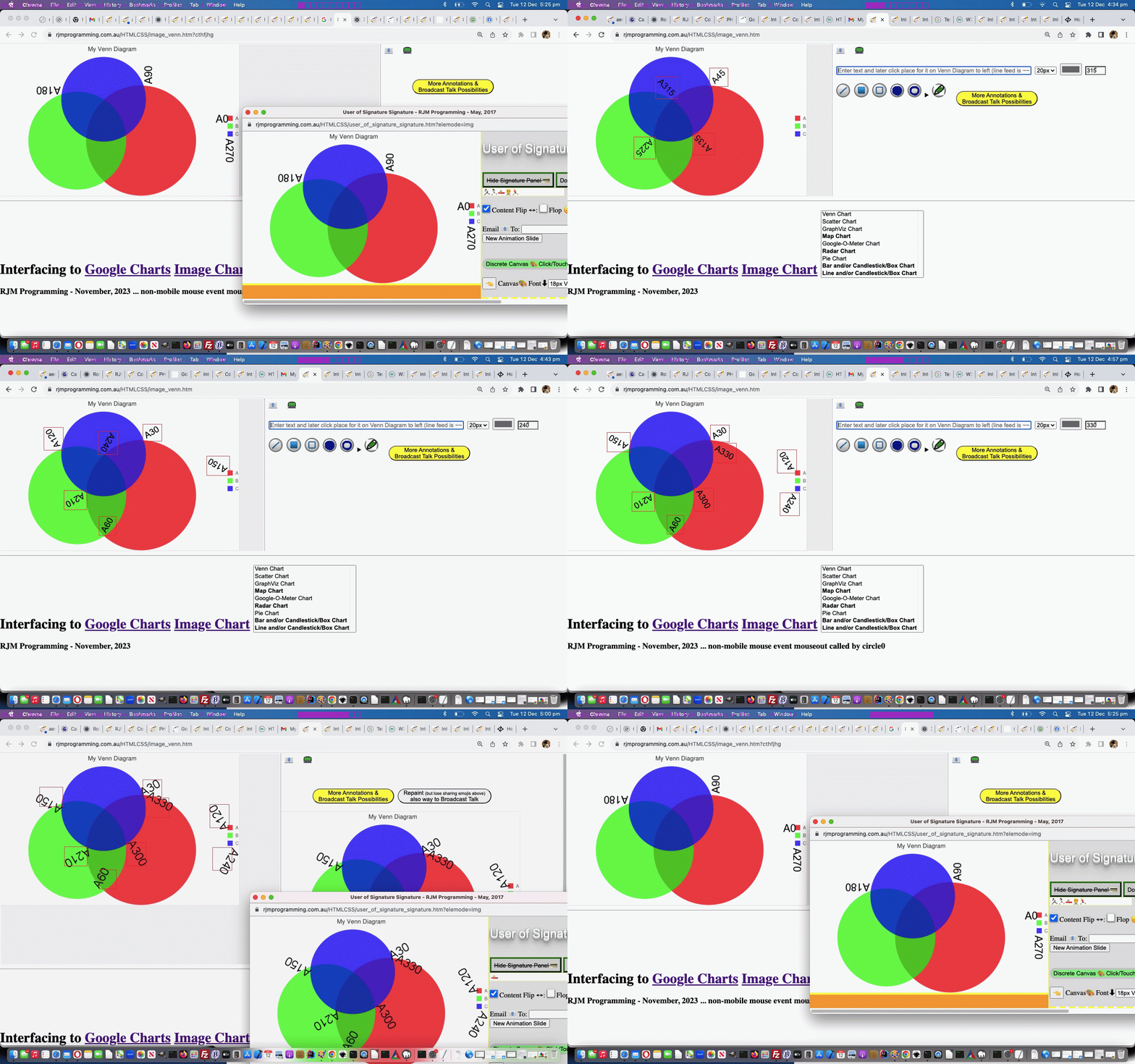
Google Chart Image Chart Angled Text Annotation Tutorial
It’s Tuesday, in places around the world, looking back at yesterday’s Google Chart Image Chart Image Map Event Editing Tutorial. Can’t help but think we’ve forgotten something. Ah yes …
You talkin’ to me? You talkin’ to me? Meanwhile, back at the questions! Welcome back, Mr De Niro, sir. We hope your Tuesday is treating you well. (Rhetorical. Let it please be Rhetorical … oh dear God … it must be Rhetorical … it must be Rhetorical) We have news regarding “the dosh” (wink, wink) we were discussing the other day. You see …
Better to be king for a night than schmuck for a lifetime. Well, at least it’s not a question. … the thing is, silly us, it turns out that angled text issue was not a problem with [element].getBoundingClientRect() but how the PHP GD imagettftext text placement emanated from the bottom left of the text always, Mr De Niro sir.
Never rat on your friends and always keep your mouth shut. Really wish we could! Yes, Mr De Niro, sir, but, you see this means the rats are completely out of the picture, just leaving us with our money spinner. Right, Mr De Niro … sir.
There are three ways of doing things around here: the right way, the wrong way and the way that I do it. [Exeunt: Stage right] Well, that’s odd? Mr De Niro wasn’t interested in the quadrant nature to our problem solution …
    var rectex=extents[eval(-1 + extents.length)].getBoundingClientRect();

    if (document.URL.indexOf('debug=') != -1) {

      document.body.innerHTML+='<div style="position:absolute;border:1px solid rgba(255,0,0,0.5);top:' + rectex.top + 'px;left:' + rectex.left + 'px;width:' + rectex.width + 'px;height:' + rectex.height + 'px;z-index:200;" title="position:absolute;border:1px solid rgba(255,0,0,0.5);top:' + rectex.top + 'px;left:' + rectex.left + 'px;width:' + rectex.width + 'px;height:' + rectex.height + 'px;z-index:200;"></div>';

    }

    var invs=inv.split('.');   // angled text origin depends on angle quadrant

    var wasi=inv;

    var theang=eval('' + fsx);

    //alert('' + inv + ' ' + theang);

    if (eval('' + invs.length) > 2 && inv.indexOf(',') != -1) {

   //alert('' + rectex.width + 'x' + rectex.height + ' ' + ';' + rectex.top + 'vs' + rectex.bottom + ' ' + ';' + rectex.left + 'vs' + rectex.right + ' ' + inv + ' ' + extents[-1 + extents.length].outerHTML + ' ' + rectex.x + '+' + rectex.y);

       if (7 == 8) {

       inv=inv.replace(invs[0], '' + Math.floor(eval(rectex.left + rectex.width / 2)));

       } else {

       if (theang > (315 + 45) || theang < (45 + 45)) {

       inv=inv.replace(invs[0], '' + Math.floor(eval(rectex.left * 1 + rectex.right * 0 + 0 * rectex.width / 2)));

       } else if (theang >= (45 + 45) && theang <= (135 + 45)) {

       inv=inv.replace(invs[0], '' + Math.floor(eval(rectex.left * 0 + rectex.right * 1 + 0 * rectex.width / 2)));

       } else if (theang >= (225 + 45) && theang <= (315 + 45)) {

       inv=inv.replace(invs[0], '' + Math.floor(eval(rectex.left * 1 + rectex.right * 0 + 0 * rectex.width / 2)));

       } else {

       inv=inv.replace(invs[0], '' + Math.floor(eval(rectex.left * 0 + rectex.right * 1 + 0 * rectex.width / 2)));

       }

       }


       if (7 == 8) {

       inv=inv.replace(',' + invs[1].split(',')[1], ',' + Math.floor(eval(rectex.top + rectex.height / 2)));

       } else {

       if (theang > (315 + 45) || theang < (45 + 45)) {

       inv=inv.replace(',' + invs[1].split(',')[1], ',' + Math.floor(eval(rectex.top * 0 + rectex.bottom * 1 + 0 * rectex.height / 2)));

    //alert('' + wasi + ' vs ' + inv + ' ' + invs.length);

       } else if (theang >= (225 + 45) && theang <= (315 + 45)) {

       inv=inv.replace(',' + invs[1].split(',')[1], ',' + Math.floor(eval(rectex.top * 1 + rectex.bottom * 0 + 0 * rectex.height / 2)));

       } else if (theang >= (45 + 45) && theang < (135 + 45)) {

       inv=inv.replace(',' + invs[1].split(',')[1], ',' + Math.floor(eval(rectex.top * 0 + rectex.bottom * 1 + 0 * rectex.height / 2)));

       } else {

       inv=inv.replace(',' + invs[1].split(',')[1], ',' + Math.floor(eval(rectex.top * 1 + rectex.bottom * 0 + 0 * rectex.height / 2)));

       }

       }


       //alert('was=' + wasi + ' and now=' + inv);

    } else if (eval('' + invs.length) == 2 && inv.indexOf(',') != -1) {

   //alert('' + rectex.width + 'x' + rectex.height + ' ' + ';' + rectex.top + 'vs' + rectex.bottom + ' ' + ';' + rectex.left + 'vs' + rectex.right + ' ' + inv + ' ' + extents[-1 + extents.length].outerHTML + ' ' + rectex.x + '+' + rectex.y);

       if (theang > (315 + 45) || theang < (45 + 45)) {

       inv=inv.replace(invs[0], '' + Math.floor(eval(rectex.left * 1 + rectex.right * 0 + 0 * rectex.width / 2)));

       } else if (theang >= (45 + 45) && theang <= (135 + 45)) {

       inv=inv.replace(invs[0], '' + Math.floor(eval(rectex.left * 0 + rectex.right * 1 + 0 * rectex.width / 2)));

       } else if (theang >= (225 + 45) && theang <= (315 + 45)) {

       inv=inv.replace(invs[0], '' + Math.floor(eval(rectex.left * 1 + rectex.right * 0 + 0 * rectex.width / 2)));

       } else {

       inv=inv.replace(invs[0], '' + Math.floor(eval(rectex.left * 0 + rectex.right * 1 + 0 * rectex.width / 2)));

       }

       invs=inv.split(',');

       if (theang > (315 + 45) || theang <= (45 + 45)) {

       inv=inv.replace(',' + invs[1].split(',')[0].split('.')[0], ',' + Math.floor(eval(rectex.top * 0 + rectex.bottom * 1 + 0 * rectex.height / 2)));

    //alert('' + wasi + ' vs ' + inv + ' ' + invs.length);

       } else if (theang >= (225 + 45) && theang <= (315 + 45)) {

       inv=inv.replace(',' + invs[1].split(',')[0].split('.')[0], ',' + Math.floor(eval(rectex.top * 1 + rectex.bottom * 0 + 0 * rectex.height / 2)));

       } else if (theang >= (45 + 45) && theang < (135 + 45)) {

       inv=inv.replace(',' + invs[1].split(',')[0].split('.')[0], ',' + Math.floor(eval(rectex.top * 0 + rectex.bottom * 1 + 0 * rectex.height / 2)));

       } else {

       inv=inv.replace(',' + invs[1].split(',')[0].split('.')[0], ',' + Math.floor(eval(rectex.top * 1 + rectex.bottom * 0 + 0 * rectex.height / 2)));

       }

       //alert('was=' + wasi + ' and now=' + inv);

    }
… that temporary div element text border drawing, being the crucial way to find out what was happening, and showing us, at least on Google Chrome web browser, not to worry so much about [element].getBoundingClientRect() results for transformed HTML elements. And that is a huge relief in itself.
Also taking up a lot of today, we shored up Image Map Event Editing results bubbling through to an email or SMS recipient. The size of this data, and an analysis of …
- client pre-emptive iframe … versus …
- Ajax methodologies
… when it comes to complex and sizeable data such as “Javascript scripting” is, we should start swinging towards Ajax thinking, even pinching it off a client pre-emptive iframe onload event logic thought/start sometimes …
  var myxhr=null, rawhtml='';

  var zhr=null, zform=null;


 function stateChanged() {

 if (myxhr.readyState == 4) {

  if (myxhr.status == 200) {

   console.log('myxhr=' + myxhr);

   rawhtml = myxhr.responseText.replace(/\\"/g, '"').replace(/\\'/g, "'");

         if (document.getElementById('jdiv')) {

         //alert('1:' + rawhtml);

    //alert('21111 ' + rawhtml.split('<scr')[1]);

          document.getElementById('jdiv').innerHTML=rawhtml.split('<scr')[0]; //xaconto.body.innerHTML;

    //alert(31111);

          if (document.getElementById('talkimg')) {

          document.getElementById('talkimg').useMap='#mymap';

          } else {

          document.getElementById('myvenn').useMap='#mymap';

          }

    //alert(41111);

         } else {

          document.body.innerHTML+=rawhtml.split('<scr')[0]; //xaconto.body.innerHTML;

          if (document.getElementById('talkimg')) {

          document.getElementById('talkimg').useMap='#mymap';

          } else {

          document.getElementById('myvenn').useMap='#mymap';

          }

         }

         if (rawhtml.indexOf('<scr') != -1) {


         if (1 == 1) {

      var tag = document.createElement('script');

      var nextsep=rawhtml.split('<scr')[1].split('>')[0] + '>';

      //var qw=prompt(rawhtml.split('<scr')[1].split(nextsep)[1].split('</scri')[0],rawhtml.split('<scr')[1].split(nextsep)[1].split('</scri')[0]);

      //alert('2:' + rawhtml.split('<scr')[1].split(nextsep)[1].split('</scri')[0]);

      tag.innerHTML = rawhtml.split('<scr')[1].split(nextsep)[1].split('</scri')[0];

      var firstScriptTag = document.getElementsByTagName('script')[eval(-1 + document.getElementsByTagName('script').length)];

      firstScriptTag.insertAdjacentElement("afterend", tag);

         }


         }

  }

 }

 }


   function prehrefcheck(inso) {

            if (obsuffix != '') {

  zhr = new XMLHttpRequest();

  zform = new FormData();

  if (decodeURIComponent(obsuffix.replace('&thescript=','')).indexOf('<scr') == -1) {

  zform.append('scrstuff', ('<scr' + 'ipt type="text/javascript"> ' + decodeURIComponent(obsuffix.replace('&thescript=','')) + ' </scr' + 'ipt>').replace(/\ \ \ /g, String.fromCharCode(9)).replace(/\+\=/g, ' += '));

  } else {

  zform.append('scrstuff', ('<scr' + decodeURIComponent(obsuffix.replace('&thescript=','')).split('<scr')[1]).replace(/\ \ \ /g, String.fromCharCode(9)).replace(/\+\=/g, ' += '));

  }

       if (jufr == '') {

         jufr='_' + Math.floor(Math.random() * 19878675);

       }

  zform.append('ufr', jufr);

  zhr.responseType='Document';

  zhr.open('post', '//www.rjmprogramming.com.au/ITblog/' + Math.min(550,window.innerWidth) + '/' + Math.min(350,window.innerHeight) + '/?cht=' + ctype, true);

  zhr.send(zform);

            }

  }


  function sofarpj(iois) {

   var aname='', partsare=[], ipis=0, areabits='', repfrom='', repto='', iv=0, variety=String.fromCharCode(10) + ' var variety=[]; ' + String.fromCharCode(10);

   while (thescript.indexOf(' var variety' + ('' + iv).replace(/^0$/g, '') + '=') != -1) {

      repfrom='[' + thescript.split(' var variety' + ('' + iv).replace(/^0$/g, '') + '=[')[1].split('];')[0] + '];';

      iv++;

   }

   if (iv > 0) {  variety=String.fromCharCode(10) + ' var variety' + iv + '=[]; ' + String.fromCharCode(10); }

   if (iois.src != '') {

       var aconto = (iois.contentWindow || iois.contentDocument);

       if (aconto != null) {

       if (aconto.document) { aconto = aconto.document; }

          if (aconto.body.innerHTML.indexOf('<scr') != -1 || document.URL.indexOf('ufr=') != -1) {

            if (document.URL.indexOf('ufr=') != -1) {

         if (!document.getElementById('jdiv')) {

           document.body.innerHTML+='<div id=jdiv></div>';

         }

       //thescript='';

    myxhr = new XMLHttpRequest();

    myxhr.open('GET', '//www.rjmprogramming.com.au/presentation' + (location.search.split('ufr=')[1] ? decodeURIComponent(location.search.split('ufr=')[1].split('&')[0]) : '') + '.html', true);

    myxhr.responseType = "text";

    myxhr.onreadystatechange=stateChanged;

    myxhr.send(null);

            } else if (aconto.body.innerHTML.indexOf('<scr') != -1) {

            thescript='<scr' + aconto.body.innerHTML.split('<scr')[1];

            var tag = document.createElement('script');

            var nextsep=thescript.split('<scr')[1].split('>')[0] + '>';

            tag.innerHTML = thescript.split('<scr')[1].split(nextsep)[1].split('</scri')[0];

            var firstScriptTag = document.getElementsByTagName('script')[eval(-1 + document.getElementsByTagName('script').length)];

            firstScriptTag.insertAdjacentElement("afterend", tag);

            }

          }

          pjsbih=aconto.body.innerHTML.split('<scr')[0];

          if (lastpjsbih != '' && pjsbih != lastpjsbih.replace(/\ $/g,'')) {

            //alert('Found new Image Map data of ' + pjsbih);

            // {"chartshape":[{"name":"axis0_0","type":"RECT","coords":[21,336,28,344]},{"name":"axis0_1","type":"RECT","coords":[65,336,77,344]},{"name":"axis0_2","type":"RECT","coords":[111,336,124,344]},{"name":"axis0_3","type":"RECT","coords":[158,336,170,344]},{"name":"axis0_4","type":"RECT","coords":[204,336,217,344]},{"name":"axis0_5","type":"RECT","coords":[251,336,263,344]},{"name":"axis0_6","type":"RECT","coords":[297,336,310,344]},{"name":"axis0_7","type":"RECT","coords":[344,336,356,344]},{"name":"axis0_8","type":"RECT","coords":[390,336,403,344]},{"name":"axis0_9","type":"RECT","coords":[437,336,449,344]},{"name":"axis0_10","type":"RECT","coords":[480,336,499,344]},{"name":"axis1_0","type":"RECT","coords":[14,326,20,334]},{"name":"axis1_1","type":"RECT","coords":[8,297,20,305]},{"name":"axis1_2","type":"RECT","coords":[8,267,20,275]},{"name":"axis1_3","type":"RECT","coords":[8,237,20,245]},{"name":"axis1_4","type":"RECT","coords":[8,208,20,216]},{"name":"axis1_5","type":"RECT","coords":[8,178,20,186]},{"name":"axis1_6","type":"RECT","coords":[8,148,20,156]},{"name":"axis1_7","type":"RECT","coords":[8,119,20,127]},{"name":"axis1_8","type":"RECT","coords":[8,89,20,97]},{"name":"axis1_9","type":"RECT","coords":[8,59,20,67]},{"name":"axis1_10","type":"RECT","coords":[2,29,20,37]},{"name":"legend0","type":"RECT","coords":[500,167,512,179]},{"name":"legend1","type":"RECT","coords":[500,185,512,197]},{"name":"circle0","type":"CIRCLE","coords":[80,39,4]},{"name":"circle1","type":"CIRCLE","coords":[429,152,1]},{"name":"circle2","type":"CIRCLE","coords":[373,250,3]},{"name":"circle3","type":"CIRCLE","coords":[215,230,4]},{"name":"circle4","type":"CIRCLE","coords":[131,164,2]},{"name":"circle5","type":"CIRCLE","coords":[471,96,5]},{"name":"circle6","type":"CIRCLE","coords":[341,158,3]},{"name":"circle7","type":"CIRCLE","coords":[355,111,5]},{"name":"circle8","type":"CIRCLE","coords":[183,277,3]},{"name":"circle9","type":"CIRCLE","coords":[66,105,3]}]}

            if (pjsbih.replace(/\[\]/g, '').indexOf('[') != -1) {

               partsare=pjsbih.split('","coords":[');

               for (ipis=1; ipis<partsare.length; ipis++) {

                 if (partsare[eval(-1 + ipis)].split('"')[eval(-1 + partsare[eval(-1 + ipis)].split('"').length)] == 'RECT') {

                   aname=partsare[eval(-1 + ipis)].split('"name":"')[eval(-1 + partsare[eval(-1 + ipis)].split('"name":"').length)].split('"')[0];

                   if (variety.indexOf(aname.split('_')[0].split('0')[0].split('1')[0].split('2')[0].split('3')[0].split('4')[0].split('5')[0].split('6')[0].split('7')[0].split('8')[0].split('9')[0] + '/rect') == -1) {

                     if (variety.indexOf('[]') != -1) {

                       variety=variety.replace("[]", "['" + aname.split('_')[0].split('0')[0].split('1')[0].split('2')[0].split('3')[0].split('4')[0].split('5')[0].split('6')[0].split('7')[0].split('8')[0].split('9')[0] + '/rect' + "']");

                     } else {

                       variety=variety.replace("]", ",'" + aname.split('_')[0].split('0')[0].split('1')[0].split('2')[0].split('3')[0].split('4')[0].split('5')[0].split('6')[0].split('7')[0].split('8')[0].split('9')[0] + '/rect' + "']");

                     }

                     repto='[' + variety.split('[')[1].split('];')[0] + '];';

                   }

                   areabits+='<area onmousedown=defclick(event); ondblclick=defclick(event); oncontextmenu=defclick(event); ontouchend=defclick(event); ontouchstart=defclick(event); onmouseout=defclick(event); onmousemove=defclick(event); ontouchdown=defclick(event); onmouseover=defclick(event); shape="rect" coords="' + partsare[ipis].split(']')[0] + '" id="' + aname + '" name="' + aname + '" alt="' + aname + '" onclick="' + "youralert(this,'This feature name is " + aname + "'" + ');" nohref>';

                 } else if (partsare[eval(-1 + ipis)].split('"')[eval(-1 + partsare[eval(-1 + ipis)].split('"').length)] == 'CIRCLE') {

                   aname=partsare[eval(-1 + ipis)].split('"name":"')[eval(-1 + partsare[eval(-1 + ipis)].split('"name":"').length)].split('"')[0];

                   if (variety.indexOf(aname.split('_')[0].split('0')[0].split('1')[0].split('2')[0].split('3')[0].split('4')[0].split('5')[0].split('6')[0].split('7')[0].split('8')[0].split('9')[0] + '/circle') == -1) {

                     if (variety.indexOf('[]') != -1) {

                       variety=variety.replace("[]", "['" + aname.split('_')[0].split('0')[0].split('1')[0].split('2')[0].split('3')[0].split('4')[0].split('5')[0].split('6')[0].split('7')[0].split('8')[0].split('9')[0] + '/circle' + "']");

                     } else {

                       variety=variety.replace("]", ",'" + aname.split('_')[0].split('0')[0].split('1')[0].split('2')[0].split('3')[0].split('4')[0].split('5')[0].split('6')[0].split('7')[0].split('8')[0].split('9')[0] + '/circle' + "']");

                     }

                     repto='[' + variety.split('[')[1].split('];')[0] + '];';

                   }

                   areabits+='<area onmousedown=defclick(event);  ondblclick=defclick(event); oncontextmenu=defclick(event); ontouchend=defclick(event); ontouchstart=defclick(event); onmouseout=defclick(event); onmousemove=defclick(event); ontouchdown=defclick(event); onmouseover=defclick(event); shape="circle" coords="' + partsare[ipis].split(']')[0] + '" id="' + aname + '" name="' + aname + '" alt="' + aname + '" onclick="' + "youralert(this,'This feature name is " + aname + "'" + ');" nohref>';

                 } else if (partsare[eval(-1 + ipis)].split('"')[eval(-1 + partsare[eval(-1 + ipis)].split('"').length)] == 'POLY') {

                   aname=partsare[eval(-1 + ipis)].split('"name":"')[eval(-1 + partsare[eval(-1 + ipis)].split('"name":"').length)].split('"')[0];

                   if (variety.indexOf(aname.split('_')[0].split('0')[0].split('1')[0].split('2')[0].split('3')[0].split('4')[0].split('5')[0].split('6')[0].split('7')[0].split('8')[0].split('9')[0] + '/poly') == -1) {

                     if (variety.indexOf('[]') != -1) {

                       variety=variety.replace("[]", "['" + aname.split('_')[0].split('0')[0].split('1')[0].split('2')[0].split('3')[0].split('4')[0].split('5')[0].split('6')[0].split('7')[0].split('8')[0].split('9')[0] + '/poly' + "']");

                     } else {

                       variety=variety.replace("]", ",'" + aname.split('_')[0].split('0')[0].split('1')[0].split('2')[0].split('3')[0].split('4')[0].split('5')[0].split('6')[0].split('7')[0].split('8')[0].split('9')[0] + '/poly' + "']");

                     }

                     repto='[' + variety.split('[')[1].split('];')[0] + '];';

                   }

                   areabits+='<area onmousedown=defclick(event);  ondblclick=defclick(event); oncontextmenu=defclick(event); ontouchend=defclick(event); ontouchstart=defclick(event); onmouseout=defclick(event); onmousemove=defclick(event); ontouchdown=defclick(event); onmouseover=defclick(event); shape="poly" coords="' + partsare[ipis].split(']')[0] + '" id="' + aname + '" name="' + aname + '" alt="' + aname + '" onclick="' + "youralert(this,'This feature name is " + aname + "'" + ');" nohref>';

                 }

               }

               document.getElementById('mymap').innerHTML=areabits + '<area' + atend.split('<area')[1].split('>')[0] + '>';  //"<area onclick=defclick(event); shape='default' nohref>";

               if (repto.replace('[];','') != '' && repfrom != '') { thescript=thescript.replace(repfrom, repto);  } else if (thescript.indexOf('[' + variety.split('[')[1]) == -1) { thescript=thescript.replace('>', '>' + variety); }

               origmap=document.getElementById('mymap').outerHTML + thescript;

            }

          } else if (lastpjsbih != '') {

            //alert('Found the same ' + pjsbih);

            if (pjsbih.replace(/\[\]/g, '').indexOf('[') != -1) {

               partsare=pjsbih.split('","coords":[');

               for (ipis=1; ipis<partsare.length; ipis++) {

                 if (partsare[eval(-1 + ipis)].split('"')[eval(-1 + partsare[eval(-1 + ipis)].split('"').length)] == 'RECT') {

                   aname=partsare[eval(-1 + ipis)].split('"name":"')[eval(-1 + partsare[eval(-1 + ipis)].split('"name":"').length)].split('"')[0];

                   if (variety.indexOf(aname.split('_')[0].split('0')[0].split('1')[0].split('2')[0].split('3')[0].split('4')[0].split('5')[0].split('6')[0].split('7')[0].split('8')[0].split('9')[0] + '/rect') == -1) {

                     if (variety.indexOf('[]') != -1) {

                       variety=variety.replace("[]", "['" + aname.split('_')[0].split('0')[0].split('1')[0].split('2')[0].split('3')[0].split('4')[0].split('5')[0].split('6')[0].split('7')[0].split('8')[0].split('9')[0] + '/rect' + "']");

                     } else {

                       variety=variety.replace("]", ",'" + aname.split('_')[0].split('0')[0].split('1')[0].split('2')[0].split('3')[0].split('4')[0].split('5')[0].split('6')[0].split('7')[0].split('8')[0].split('9')[0] + '/rect' + "']");

                     }

                     repto='[' + variety.split('[')[1].split('];')[0] + '];';

                   }

                   areabits+='<area onmousedown=defclick(event);  ondblclick=defclick(event); oncontextmenu=defclick(event); ontouchend=defclick(event); ontouchstart=defclick(event); onmouseout=defclick(event); onmousemove=defclick(event); ontouchdown=defclick(event); onmouseover=defclick(event); shape="rect" coords="' + partsare[ipis].split(']')[0] + '" id="' + aname + '" name="' + aname + '" alt="' + aname + '" onclick="' + "youralert(this,'This feature name is " + aname + "'" + ');" nohref>';

                 } else if (partsare[eval(-1 + ipis)].split('"')[eval(-1 + partsare[eval(-1 + ipis)].split('"').length)] == 'CIRCLE') {

                   aname=partsare[eval(-1 + ipis)].split('"name":"')[eval(-1 + partsare[eval(-1 + ipis)].split('"name":"').length)].split('"')[0];

                   if (variety.indexOf(aname.split('_')[0].split('0')[0].split('1')[0].split('2')[0].split('3')[0].split('4')[0].split('5')[0].split('6')[0].split('7')[0].split('8')[0].split('9')[0] + '/circle') == -1) {

                     if (variety.indexOf('[]') != -1) {

                       variety=variety.replace("[]", "['" + aname.split('_')[0].split('0')[0].split('1')[0].split('2')[0].split('3')[0].split('4')[0].split('5')[0].split('6')[0].split('7')[0].split('8')[0].split('9')[0] + '/circle' + "']");

                     } else {

                       variety=variety.replace("]", ",'" + aname.split('_')[0].split('0')[0].split('1')[0].split('2')[0].split('3')[0].split('4')[0].split('5')[0].split('6')[0].split('7')[0].split('8')[0].split('9')[0] + '/circle' + "']");

                     }

                     repto='[' + variety.split('[')[1].split('];')[0] + '];';

                   }

                   areabits+='<area onmousedown=defclick(event);  ondblclick=defclick(event); oncontextmenu=defclick(event); ontouchend=defclick(event); ontouchstart=defclick(event); onmouseout=defclick(event); onmousemove=defclick(event); ontouchdown=defclick(event); onmouseover=defclick(event); shape="circle" coords="' + partsare[ipis].split(']')[0] + '" id="' + aname + '" name="' + aname + '" alt="' + aname + '" onclick="' + "youralert(this,'This feature name is " + aname + "'" + ');" nohref>';

                 } else if (partsare[eval(-1 + ipis)].split('"')[eval(-1 + partsare[eval(-1 + ipis)].split('"').length)] == 'POLY') {

                   aname=partsare[eval(-1 + ipis)].split('"name":"')[eval(-1 + partsare[eval(-1 + ipis)].split('"name":"').length)].split('"')[0];

                   if (variety.indexOf(aname.split('_')[0].split('0')[0].split('1')[0].split('2')[0].split('3')[0].split('4')[0].split('5')[0].split('6')[0].split('7')[0].split('8')[0].split('9')[0] + '/poly') == -1) {

                     if (variety.indexOf('[]') != -1) {

                       variety=variety.replace("[]", "['" + aname.split('_')[0].split('0')[0].split('1')[0].split('2')[0].split('3')[0].split('4')[0].split('5')[0].split('6')[0].split('7')[0].split('8')[0].split('9')[0] + '/poly' + "']");

                     } else {

                       variety=variety.replace("]", ",'" + aname.split('_')[0].split('0')[0].split('1')[0].split('2')[0].split('3')[0].split('4')[0].split('5')[0].split('6')[0].split('7')[0].split('8')[0].split('9')[0] + '/poly' + "']");

                     }

                     repto='[' + variety.split('[')[1].split('];')[0] + '];';

                   }

                   areabits+='<area onmousedown=defclick(event);  ondblclick=defclick(event); oncontextmenu=defclick(event); ontouchend=defclick(event); ontouchstart=defclick(event); onmouseout=defclick(event); onmousemove=defclick(event); ontouchdown=defclick(event); onmouseover=defclick(event); shape="poly" coords="' + partsare[ipis].split(']')[0] + '" id="' + aname + '" name="' + aname + '" alt="' + aname + '" onclick="' + "youralert(this,'This feature name is " + aname + "'" + ');" nohref>';

                 }

               }

               document.getElementById('mymap').innerHTML=areabits + '<area' + atend.split('<area')[1].split('>')[0] + '>';  //"<area onclick=defclick(event); shape='default' nohref>";

               if (repto.replace('[];','') != '' && repfrom != '') { thescript=thescript.replace(repfrom, repto);  } else if (thescript.indexOf('[' + variety.split('[')[1]) == -1) { thescript=thescript.replace('>', '>' + variety); }

               origmap=document.getElementById('mymap').outerHTML + thescript;

            }

          }

          lastpjsbih=pjsbih;

       }

    }

  }


   cimg=new Image;


   cimg.onload = function(){

     var honebit="<h2><span onclick=\"location.href=document.URL.split('?')[0].split('#')[0];\" title=Reset style=cursor:pointer;>Interfacing</span> to <a target=_blank href='https://developers.google.com/chart/interactive/docs/index' title='Google Chart Tools provide a perfect way to visualize data on your website. From simple line charts to complex hierarchical tree maps, the chart galley provides a large number of well-designed chart types. Populating your data is easy using the provided client- and server-side tools.'>Google Charts</a> <a target=_blank title='Google Charts Image Chart' href='https://developers.google.com/chart/image/docs/gallery/chart_gall'>Image Chart</a></h2><h4 id=myh3>RJM Programming - November, 2023</h4>";

     var hthreebit="";

     document.body.style.backgroundColor='transparent';

     document.body.innerHTML=agscript.replace("'';", "'" + cht.replace('_','') + "';").replace('<canvas ','<canvas width=' + cimg.width + ' height=' + cimg.height + ' ') + "<table><tr><td><img style='border-right:1px dotted pink;border-bottom:1px dotted pink;' ondblclick=\"window.open(document.URL.split('?')[0].split('#')[0],'_blank','top=50,left=50,width=600,height=600');\" title='Talk image that will update over time (double click for Google Chart Image Chart interfacing) ... " + ("" + (new Date())) + "' id=talkimg src='" + cimg.src + "?rand=" + Math.floor(Math.random() * 198786754) + "' usemap='#mymap'></img></td><td id=tdtr style=\"opacity:0.0;background-image:url(" + cimg.src.replace('presentation_', 'presentation__') + "),url(" + cimg.src + "?rand=0);background-position:0% 0%,50% 0%;background-size:50% 50%,50% 50%;background-repeat:no-repeat,no-repeat;\"></td></tr><tr><td id=tdbl>" + honebit + hthreebit + "</td><td><img style='border-right:1px dotted pink;border-bottom:1px dotted pink;' ondblclick=\"window.open(document.URL.split('?')[0].split('#')[0],'_blank','top=50,left=50,width=600,height=600');\" title='Talk first and last images that will update over time (double click for Google Chart Image Chart interfacing) ... " + ("" + (new Date())) + "' id=talkimgg src='" + cimg.src.replace('.png','.gif') + "?rand=" + Math.floor(Math.random() * 198786754) + "'></img></td></tr></table><div id=idiv></div><iframe onload=mapsofarpj(this); id=mappjs style=display:none; src=></iframe><div id=jdiv></div>";

     document.body.style.cursor='progress';

     if (cht.substring(0,1) == '_') {

     //alert('//www.rjmprogramming.com.au/presentation' + cht + '.html_GETME');

       if (1 == 1) {

    myxhr = new XMLHttpRequest();

    myxhr.open('GET', '//www.rjmprogramming.com.au/presentation' + cht + '.html', true);

    myxhr.responseType = "text";

    myxhr.onreadystatechange=stateChanged;

    myxhr.send(null);

       } else {

       document.getElementById('mappjs').src='//www.rjmprogramming.com.au/presentation' + cht + '.html';

       }

       setTimeout(canvinit, 5000);

     }

     setTimeout(talkupdate, eightthousand);

   };


   cimg.src='//www.rjmprogramming.com.au/presentation' + cht + '.png';

         return '';

     }
… in the changed latest draft image_venn.html Google Chart Image Chart Venn Chart or Scatter Chart or GraphViz Chart or Pie Chart or Line Chart or Bar Chart or Candlestick/Box Chart or Google-O-Meter Chart or Radar Chart or Map Chart interfacing web application you can also try below.
Previous relevant Google Chart Image Chart Image Map Event Editing Tutorial is shown below.
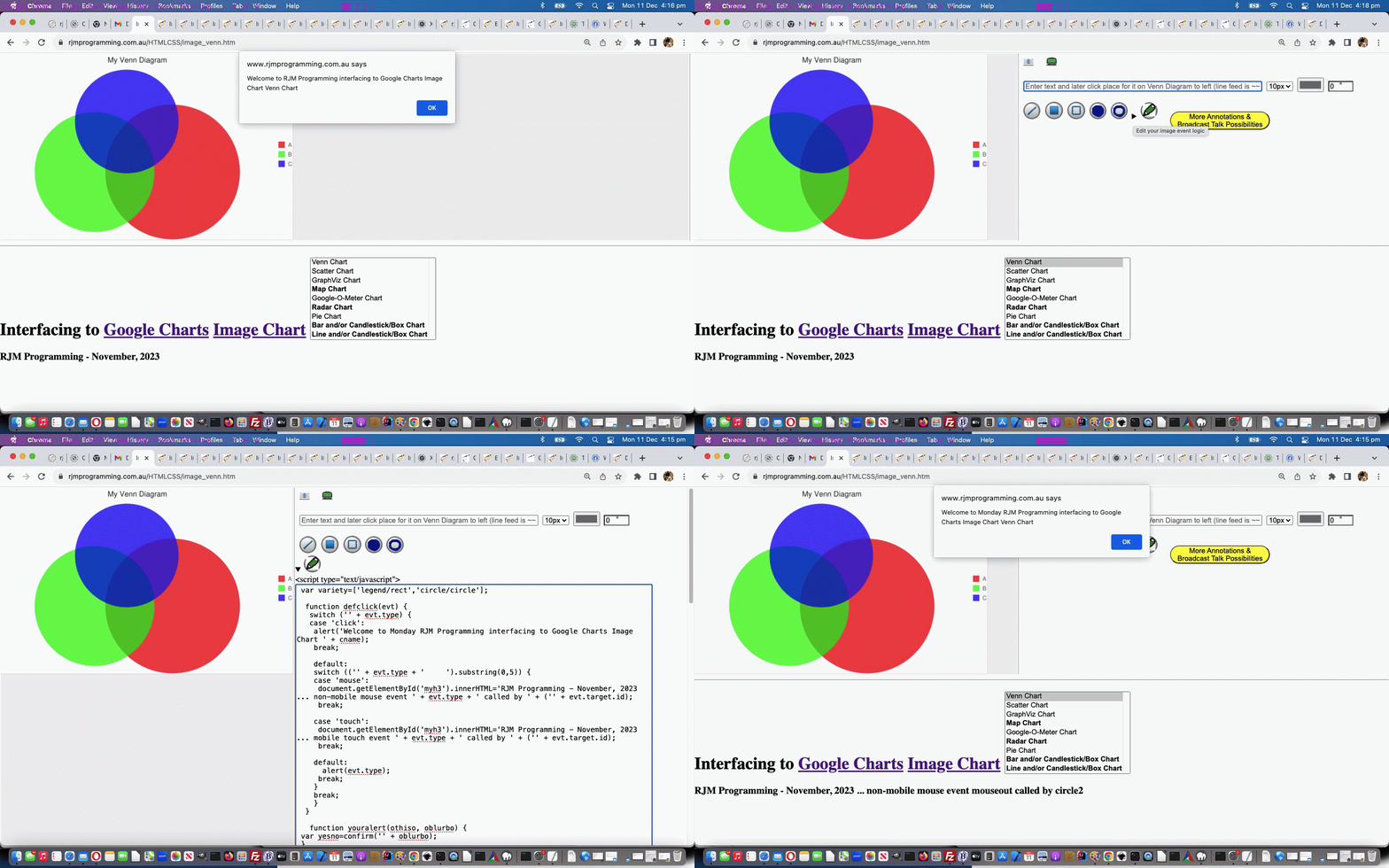
Google Chart Image Chart Image Map Event Editing Tutorial
If we are talking “layers” (of functionality) again, onto the progress that yesterday’s Google Chart Image Chart Image Map Events Tutorial represented, then , it is logical …
- that if yesterday we presented some programmer defined image map event logic … then, today, we’d want to …
- offer the user the chance to change that default programmer defined image map event logic, to that of their own design
… in the form of
- user defined Javascript .. editable in a …
- HTML textarea element
… and then the coding latching onto a document.createElement(‘script’) paradigm, to add Javascript clientside logic, on the fly.
There’s a first time we can remember aspect to how we present these possibilities to the user. We present it in …
- amongst the inhouse annotation options … as a …
- “reveal” pairing of HTML5 details/summary element combination look … the first time we can remember aspect to that being …
- only initially displaying within the details element innerHTML is a summary element nesting a single “icon like” image (like the other “inhouse annotation” icon images) … but if clicked …
- the details innerHTML has added to it a textarea element …
  function fillindetsed(odet) {

     if (odet.innerHTML.split('</summary>')[1] == '') {

      document.getElementById('tdleft').style.verticalAlign='top';

  var onls=thescript.split('<scr' + 'ipt type="text/javascript">');

  var onlstuff=onls[1].split('</sc' + 'ript>')[0];

       odet.innerHTML+='<scr' + 'ipt type="text/javascript">' + "<br><textarea onblur=tproc(this); id=tscript rows=100 cols=80 value=''>" + onlstuff + "</textarea><br></script>";

       //odet.innerHTML+='<scr' + 'ipt type="text/javascript">' + "<br><textarea onblur=tproc(this); id=tscript rows=100 cols=80 value=''>" + encodeURIComponent(onlstuff) + "</textarea><br></script>";

       //document.getElementById('tscript').value=decodeURIComponent(document.getElementById('tscript').innerHTML);

     }

  }
… from which document.createElement(‘script’) code onblur event logic emanates …
  function tproc(ota) {

      //alert(ota.value);

      var tag = document.createElement('script');

      if (1 == 1) {

      obsuffix='&thescript=' + encodeURIComponent(ota.value);

      if (document.getElementById('aemail')) {

        hrefcheck(document.getElementById('aemail'));

      }

      //alert('<scr' + 'ipt type="text/javascript"> ' + String.fromCharCode(10) + ota.value + String.fromCharCode(10) + ' </scr' + 'ipt>');

      tag.innerHTML = ' <scr'.substring(0,1) + 'ipt type="text/javascript"> '.slice(-1) + String.fromCharCode(10) + ota.value + String.fromCharCode(10) + ' </scr'.substring(0,1) + 'ipt> '.slice(-1);

      document.getElementById('dmap').innerHTML=document.getElementById('mymap').outerHTML + ' <scr' + 'ipt type="text/javascript"> ' + String.fromCharCode(10) + ota.value + String.fromCharCode(10) + ' </scr' + 'ipt> ';

      }

      var firstScriptTag = document.getElementsByTagName('script')[eval(-1 + document.getElementsByTagName('script').length)];

      //alert(tag.outerHTML);

      firstScriptTag.insertAdjacentElement("afterend", tag);

      //alert(ota.value);

      document.getElementById('detsed').open=false;

  }
… in the changed latest draft image_venn.html Google Chart Image Chart Venn Chart or Scatter Chart or GraphViz Chart or Pie Chart or Line Chart or Bar Chart or Candlestick/Box Chart or Google-O-Meter Chart or Radar Chart or Map Chart interfacing web application you can also try below.
Previous relevant Google Chart Image Chart Image Map Events Tutorial is shown below.
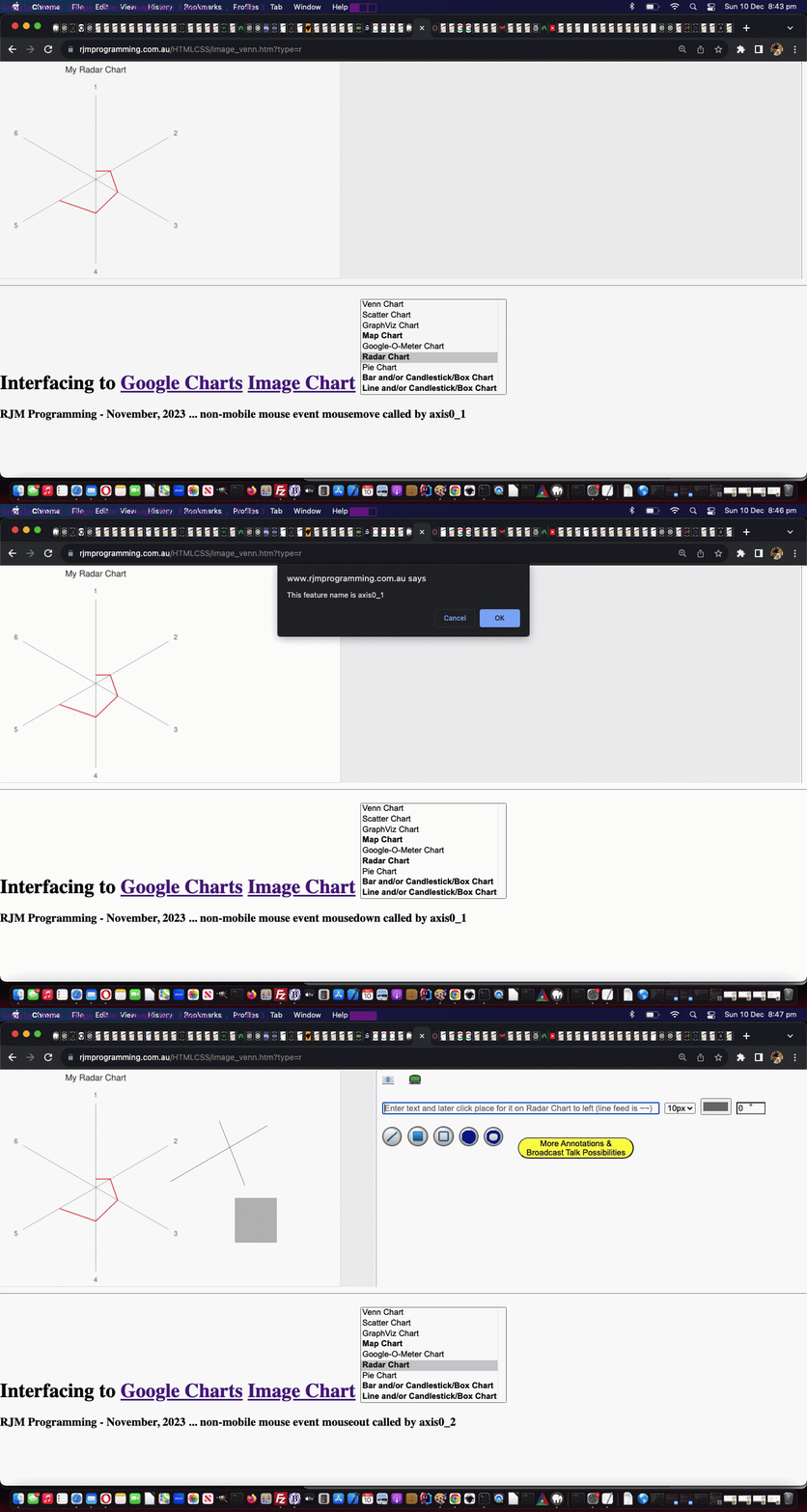
Google Chart Image Chart Image Map Events Tutorial
We really like HTML image maps, and it occurred to us with yesterday’s Google Chart Image Chart Image Map Tutorial we were hiding its light under some bushel somewhere, because …
- yesterday we introduced with only the onclick event coded for in the HTML area subelements to the map parent element … linked to an …
- associated img element … via an …
- attribute called usemap … and two aspects, at the very least, to stuff under the bushel are …
- many more events than onclick can be defined as you define the area subelements … and here’s the kicker …
- you can add area subelement event logic that, on paper, would cause interference with other event logic (ie. the same event type in an event bubbling through scenario) but it won’t if you, as a programmer, turn that use of the usemap attribute on and off like a tap
… which, to our mind, represents the bee’s knees of event management. So useful!
To tip our toes into this woooorrrrrlllllddd we’ll show you some newly added area subelement event logics in a Google Chart Image Chart Radar Chart example below …
<map name="mymap" id="mymap"><area onmousedown="defclick(event);" ondblclick="defclick(event);" oncontextmenu="defclick(event);" ontouchend="defclick(event);" ontouchstart="defclick(event);" onmouseout="defclick(event);" onmousemove="defclick(event);" ontouchdown="defclick(event);" onmouseover="defclick(event);" shape="rect" coords="151,34,157,42" id="axis0_0" name="axis0_0" alt="axis0_0" onclick="youralert(this,'This feature name is axis0_0');" nohref=""><area onmousedown="defclick(event);" ondblclick="defclick(event);" oncontextmenu="defclick(event);" ontouchend="defclick(event);" ontouchstart="defclick(event);" onmouseout="defclick(event);" onmousemove="defclick(event);" ontouchdown="defclick(event);" onmouseover="defclick(event);" shape="rect" coords="281,110,288,118" id="axis0_1" name="axis0_1" alt="axis0_1" onclick="youralert(this,'This feature name is axis0_1');" nohref=""><area onmousedown="defclick(event);" ondblclick="defclick(event);" oncontextmenu="defclick(event);" ontouchend="defclick(event);" ontouchstart="defclick(event);" onmouseout="defclick(event);" onmousemove="defclick(event);" ontouchdown="defclick(event);" onmouseover="defclick(event);" shape="rect" coords="281,260,288,268" id="axis0_2" name="axis0_2" alt="axis0_2" onclick="youralert(this,'This feature name is axis0_2');" nohref=""><area onmousedown="defclick(event);" ondblclick="defclick(event);" oncontextmenu="defclick(event);" ontouchend="defclick(event);" ontouchstart="defclick(event);" onmouseout="defclick(event);" onmousemove="defclick(event);" ontouchdown="defclick(event);" onmouseover="defclick(event);" shape="rect" coords="151,336,157,344" id="axis0_3" name="axis0_3" alt="axis0_3" onclick="youralert(this,'This feature name is axis0_3');" nohref=""><area onmousedown="defclick(event);" ondblclick="defclick(event);" oncontextmenu="defclick(event);" ontouchend="defclick(event);" ontouchstart="defclick(event);" onmouseout="defclick(event);" onmousemove="defclick(event);" ontouchdown="defclick(event);" onmouseover="defclick(event);" shape="rect" coords="20,260,27,268" id="axis0_4" name="axis0_4" alt="axis0_4" onclick="youralert(this,'This feature name is axis0_4');" nohref=""><area onmousedown="defclick(event);" ondblclick="defclick(event);" oncontextmenu="defclick(event);" ontouchend="defclick(event);" ontouchstart="defclick(event);" onmouseout="defclick(event);" onmousemove="defclick(event);" ontouchdown="defclick(event);" onmouseover="defclick(event);" shape="rect" coords="20,110,27,118" id="axis0_5" name="axis0_5" alt="axis0_5" onclick="youralert(this,'This feature name is axis0_5');" nohref=""><area id="adef" onclick=" defclick(event); if (!done) { done=false; if (atstart) { normalcall=false; ask(null); normalcall=true; atstart=false; } else { ask(event); } } " shape="default" nohref=""></map>
… with new relevant event code snippet to help add intelligence to the event logic of our Google Chart Image Chart interfacing web application …
  function defclick(evt) {

   switch ('' + evt.type) {

   case 'click':

    alert('Welcome to RJM Programming interfacing to Google Charts Image Chart ' + cname);

    break;


    default:

    switch (('' + evt.type + '     ').substring(0,5)) {

    case 'mouse':

     document.getElementById('myh3').innerHTML='RJM Programming - November, 2023 ... non-mobile mouse event ' + evt.type + ' called by ' + ('' + evt.target.id);

     break;


    case 'touch':

     document.getElementById('myh3').innerHTML='RJM Programming - November, 2023 ... mobile touch event ' + evt.type + ' called by ' + ('' + evt.target.id);

     break;


    default:

      alert(evt.type);

     break;

    }

    break;

    }

  }
Interesting, huh?!
Feel free to try this out in the changed latest draft image_venn.html Google Chart Image Chart Venn Chart or Scatter Chart or GraphViz Chart or Pie Chart or Line Chart or Bar Chart or Candlestick/Box Chart or Google-O-Meter Chart or Radar Chart or Map Chart interfacing web application you can also try below.
Previous relevant Google Chart Image Chart Image Map Tutorial is shown below.
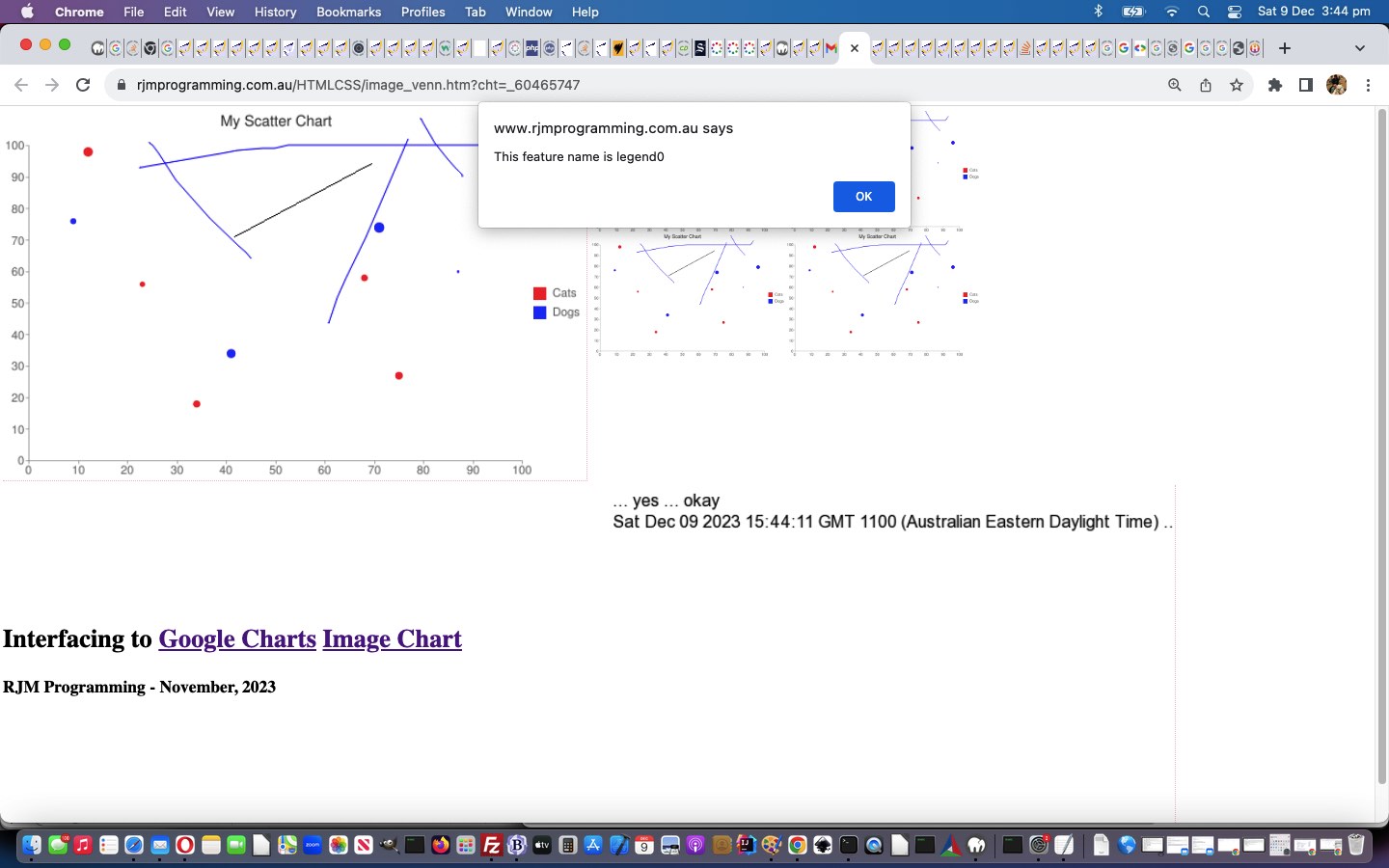
Google Chart Image Chart Image Map Tutorial
Do you like to come at explaining things in layers? Sort of like the analogy …
- you start a project thinking of it in terms of “2D” … and then to move forward …
- you spend a day making it work for “3D” (and keep the “2D” working as well)
… or …
- you start a web application project thinking of only working via a URL entered on the web browser address bar … and then to move forward …
- you spend a day making it work for serving the same purpose and/or a difference purpose called within an HTML iframe (and keep it working for the address bar way as well)
And so we look at a “picturesque” but “kinda dumb” (as far as “action items” go) image we have coming off the interfacing to Google Charts Image Chart. Where can we go here? Well, it would be kind of you to take it to the beach, but that’s not always a possibility now, is it?! Were you pulling my leg?! Tee hee. No, we were thinking … oh no … we have a bad feeling about this … let’s open it up to the class … anyone, anyone? Yes, Louis, would you and Auguste like to share with the class what is so amusing to you?
.
.
.
.
.
.
.
.
.
.
.
.
.
.
.
Okay, thank you for your thoughts on this, and yes, you could take the “picture” to “a picture show”. Yes, very droll, indeed. Any other ideas? Okay, Johann, you say the idea just “clicked” with you. This sounds promising. Go on …
.
.
.
.
.
.
.
.
.
.
.
.
.
.
.
Indeed, a young “picturesque” might like to go tap dancing, that is true. Sheeeeesh! But given the lesson is a Computing one, rather than Drama or Dance or Music or the Arts, maybe we would be looking for a way to use the picture in an enhanced way. Okay Kevin, we’ll try you. What do you think?
.
.
.
.
.
.
.
.
.
.
.
.
.
.
.
.
.
.
.
.
.
.
.
.
.
.
.
.
.
.
Frankly, we are flabbergasted! It’s as if you invented HTML image maps (as a way to add position based event logic), or something … 93/4 points to Gryffindor!
Yes, helping out we image map enthusiasts regarding interfacing to Google Charts Image Charts is Google’s Image Map creation helping Json output tool. From that help, we can …
- at the demonstrator’s webpage, create an Image Map … and as the user requires …
- at the uniquifier definition phase of our WordPress 404.php’s contribution we accept the demonstrator’s image map HTML, and save it to a public resource …
<?php
  if (isset($_POST['canvcont'])) {

     if (isset($_POST['uniquifier'])) {

       $uniquifier=str_replace('+',' ',urldecode($_POST['uniquifier']));

     }

     if ($uniquifier == '') {

       $uniquifier='_' . rand(0,78654356);

       file_put_contents($_SERVER['DOCUMENT_ROOT'] . DIRECTORY_SEPARATOR . "presentation" . $uniquifier . ".png", base64_decode( explode('base64,', str_replace(' ','+',urldecode($_POST['canvcont'])))[1]));

       file_put_contents($_SERVER['DOCUMENT_ROOT'] . DIRECTORY_SEPARATOR . "presentation_" . $uniquifier . ".png", base64_decode( explode('base64,', str_replace(' ','+',urldecode($_POST['canvcont'])))[1]));

       file_put_contents($_SERVER['DOCUMENT_ROOT'] . DIRECTORY_SEPARATOR . "presentation__" . $uniquifier . ".png", base64_decode( explode('base64,', str_replace(' ','+',urldecode($_POST['canvcont'])))[1]));

     if (isset($_POST['mapstuff'])) {

       file_put_contents($_SERVER['DOCUMENT_ROOT'] . DIRECTORY_SEPARATOR . "presentation" . $uniquifier . ".html", '<html><body>' . str_replace('+',' ',urldecode($_POST['mapstuff'])) . '</body></html>');

     }

       exec("/usr/local/cpanel/3rdparty/bin/convert -delay 20 -loop 0 " . $_SERVER['DOCUMENT_ROOT'] . DIRECTORY_SEPARATOR . "presentation" . $uniquifier . ".png" . " " . $_SERVER['DOCUMENT_ROOT'] . DIRECTORY_SEPARATOR . "presentation" . $uniquifier . ".gif");

       echo "<html><body onload=\"if (parent.document.getElementById('uniquifier')) {  if (parent.document.getElementById('uniquifier').value == '') { parent.document.getElementById('uniquifier').value='" . $uniquifier . "';  }  }\"></body></html>";

     } else {

       file_put_contents($_SERVER['DOCUMENT_ROOT'] . DIRECTORY_SEPARATOR . "presentation" . $uniquifier . ".png", base64_decode( explode('base64,', str_replace(' ','+',urldecode($_POST['canvcont'])))[1]));

       if (file_exists($_SERVER['DOCUMENT_ROOT'] . DIRECTORY_SEPARATOR . "presentation__" . $uniquifier . ".png")) {

       $middelay='';

       $enddelay='';

       if (filesize($_SERVER['DOCUMENT_ROOT'] . DIRECTORY_SEPARATOR . "presentation__" . $uniquifier . ".png") < filesize($_SERVER['DOCUMENT_ROOT'] . DIRECTORY_SEPARATOR . "presentation_" . $uniquifier . ".png")) {

        $middelay=' -delay 800 ';

        $enddelay=' -delay 800 ';

       }

       exec("rm -f  " . $_SERVER['DOCUMENT_ROOT'] . DIRECTORY_SEPARATOR . "presentation" . $uniquifier . ".gif ; /usr/local/cpanel/3rdparty/bin/convert -delay 600 -loop 0 " . $_SERVER['DOCUMENT_ROOT'] . DIRECTORY_SEPARATOR . "presentation_" . $uniquifier . ".png " . $middelay . $_SERVER['DOCUMENT_ROOT'] . DIRECTORY_SEPARATOR . "presentation__" . $uniquifier . ".png " . $enddelay . $_SERVER['DOCUMENT_ROOT'] . DIRECTORY_SEPARATOR . "presentation" . $uniquifier . ".png" . " " . $_SERVER['DOCUMENT_ROOT'] . DIRECTORY_SEPARATOR . "presentation" . $uniquifier . ".gif");

       } else {

       exec("rm -f  " . $_SERVER['DOCUMENT_ROOT'] . DIRECTORY_SEPARATOR . "presentation" . $uniquifier . ".gif ; /usr/local/cpanel/3rdparty/bin/convert -delay 200 -loop 0 " . $_SERVER['DOCUMENT_ROOT'] . DIRECTORY_SEPARATOR . "presentation_" . $uniquifier . ".png " . $_SERVER['DOCUMENT_ROOT'] . DIRECTORY_SEPARATOR . "presentation" . $uniquifier . ".png" . " " . $_SERVER['DOCUMENT_ROOT'] . DIRECTORY_SEPARATOR . "presentation" . $uniquifier . ".gif");

       }

     }

     exit;

  }
?>
- helping keep the image mapping going, even if the Image Chart is …
- shared via email or SMS … and/or …
- forms the basis of a Broadcast Talk demonstration session
We could use Ajax techniques for the Javascript client ways an emailee’s link’s webpage invocation can use this new resource, but we kind of like “client pre-emptive iframe” onload event thinking, for both sides of the ledger, to get this going, as per …
 function htmlDecode(input) { // thanks to https://stackoverflow.com/questions/1912501/unescape-html-entities-in-javascript

  var e = document.createElement('textarea');

  e.innerHTML = input;

  // handle case of empty input

  return e.childNodes.length === 0 ? "" : e.childNodes[0].nodeValue;

 }


  function mapsofarpj(xiois) {

   //alert(('' + xiois.src));

   if (xiois.src != '' && ('' + xiois.src).indexOf('presentation') != -1) {

   //alert(('' + xiois.src));

       var xaconto = (xiois.contentWindow || xiois.contentDocument);

   //alert(11);

       if (xaconto != null) {

   //alert(111);

       if (xaconto.document) { xaconto = xaconto.document; }

    //alert(1111);

       if (xaconto.body.innerHTML.indexOf('<map') != -1) {

        var ihis=xaconto.body.innerHTML;

        //while (ihis.indexOf('\"') != -1) {

        //  ihis=ihis.replace('\"', '')

        //}

        ihis=htmlDecode(ihis).replace(/\\"/g,'').replace(/\\'/g,"'").replace(/\=\"\"/g,'').replace(/This\"/g,"This").replace(/\;\ nohref/g, ';" nohref');

        //alert(ihis);

         if (document.getElementById('jdiv')) {

    //alert(21111);

          document.getElementById('jdiv').innerHTML=ihis; //xaconto.body.innerHTML;

    //alert(31111);

          document.getElementById('talkimg').useMap='#mymap';

    //alert(41111);

         } else {

          document.body.innerHTML+=ihis; //xaconto.body.innerHTML;

          document.getElementById('talkimg').useMap='#mymap';

         }

        }

       }

   }

  }


  function sofarpj(iois) {

   var aname='', partsare=[], ipis=0, areabits='';

   if (iois.src != '') {

       var aconto = (iois.contentWindow || iois.contentDocument);

       if (aconto != null) {

       if (aconto.document) { aconto = aconto.document; }

          pjsbih=aconto.body.innerHTML;

          if (lastpjsbih != '' && pjsbih != lastpjsbih.replace(/\ $/g,'')) {

            //alert('Found new Image Map data of ' + pjsbih);

            // {"chartshape":[{"name":"axis0_0","type":"RECT","coords":[21,336,28,344]},{"name":"axis0_1","type":"RECT","coords":[65,336,77,344]},{"name":"axis0_2","type":"RECT","coords":[111,336,124,344]},{"name":"axis0_3","type":"RECT","coords":[158,336,170,344]},{"name":"axis0_4","type":"RECT","coords":[204,336,217,344]},{"name":"axis0_5","type":"RECT","coords":[251,336,263,344]},{"name":"axis0_6","type":"RECT","coords":[297,336,310,344]},{"name":"axis0_7","type":"RECT","coords":[344,336,356,344]},{"name":"axis0_8","type":"RECT","coords":[390,336,403,344]},{"name":"axis0_9","type":"RECT","coords":[437,336,449,344]},{"name":"axis0_10","type":"RECT","coords":[480,336,499,344]},{"name":"axis1_0","type":"RECT","coords":[14,326,20,334]},{"name":"axis1_1","type":"RECT","coords":[8,297,20,305]},{"name":"axis1_2","type":"RECT","coords":[8,267,20,275]},{"name":"axis1_3","type":"RECT","coords":[8,237,20,245]},{"name":"axis1_4","type":"RECT","coords":[8,208,20,216]},{"name":"axis1_5","type":"RECT","coords":[8,178,20,186]},{"name":"axis1_6","type":"RECT","coords":[8,148,20,156]},{"name":"axis1_7","type":"RECT","coords":[8,119,20,127]},{"name":"axis1_8","type":"RECT","coords":[8,89,20,97]},{"name":"axis1_9","type":"RECT","coords":[8,59,20,67]},{"name":"axis1_10","type":"RECT","coords":[2,29,20,37]},{"name":"legend0","type":"RECT","coords":[500,167,512,179]},{"name":"legend1","type":"RECT","coords":[500,185,512,197]},{"name":"circle0","type":"CIRCLE","coords":[80,39,4]},{"name":"circle1","type":"CIRCLE","coords":[429,152,1]},{"name":"circle2","type":"CIRCLE","coords":[373,250,3]},{"name":"circle3","type":"CIRCLE","coords":[215,230,4]},{"name":"circle4","type":"CIRCLE","coords":[131,164,2]},{"name":"circle5","type":"CIRCLE","coords":[471,96,5]},{"name":"circle6","type":"CIRCLE","coords":[341,158,3]},{"name":"circle7","type":"CIRCLE","coords":[355,111,5]},{"name":"circle8","type":"CIRCLE","coords":[183,277,3]},{"name":"circle9","type":"CIRCLE","coords":[66,105,3]}]}

            if (pjsbih.replace(/\[\]/g, '').indexOf('[') != -1) {

               partsare=pjsbih.split('","coords":[');

               for (ipis=1; ipis<partsare.length; ipis++) {

                 if (partsare[eval(-1 + ipis)].split('"')[eval(-1 + partsare[eval(-1 + ipis)].split('"').length)] == 'RECT') {

                   aname=partsare[eval(-1 + ipis)].split('"name":"')[eval(-1 + partsare[eval(-1 + ipis)].split('"name":"').length)].split('"')[0];

                   areabits+='<area shape="rect" coords="' + partsare[ipis].split(']')[0] + '" alt="' + aname + '" onclick="' + "alert('This feature name is " + aname + "'" + ');" nohref>';

                 } else if (partsare[eval(-1 + ipis)].split('"')[eval(-1 + partsare[eval(-1 + ipis)].split('"').length)] == 'CIRCLE') {

                   aname=partsare[eval(-1 + ipis)].split('"name":"')[eval(-1 + partsare[eval(-1 + ipis)].split('"name":"').length)].split('"')[0];

                   areabits+='<area shape="circle" coords="' + partsare[ipis].split(']')[0] + '" alt="' + aname + '" onclick="' + "alert('This feature name is " + aname + "'" + ');" nohref>';

                 } else if (partsare[eval(-1 + ipis)].split('"')[eval(-1 + partsare[eval(-1 + ipis)].split('"').length)] == 'POLY') {

                   aname=partsare[eval(-1 + ipis)].split('"name":"')[eval(-1 + partsare[eval(-1 + ipis)].split('"name":"').length)].split('"')[0];

                   areabits+='<area shape="poly" coords="' + partsare[ipis].split(']')[0] + '" alt="' + aname + '" onclick="' + "alert('This feature name is " + aname + "'" + ');" nohref>';

                 }

               }

               document.getElementById('mymap').innerHTML=areabits + '<area' + atend.split('<area')[1].split('>')[0] + '>';  //"<area onclick=defclick(event); shape='default' nohref>";

               origmap=document.getElementById('mymap').outerHTML;

            }

          } else if (lastpjsbih != '') {

            //alert('Found the same ' + pjsbih);

            if (pjsbih.replace(/\[\]/g, '').indexOf('[') != -1) {

               partsare=pjsbih.split('","coords":[');

               for (ipis=1; ipis<partsare.length; ipis++) {

                 if (partsare[eval(-1 + ipis)].split('"')[eval(-1 + partsare[eval(-1 + ipis)].split('"').length)] == 'RECT') {

                   aname=partsare[eval(-1 + ipis)].split('"name":"')[eval(-1 + partsare[eval(-1 + ipis)].split('"name":"').length)].split('"')[0];

                   areabits+='<area shape="rect" coords="' + partsare[ipis].split(']')[0] + '" alt="' + aname + '" onclick="' + "alert('This feature name is " + aname + "'" + ');" nohref>';

                 } else if (partsare[eval(-1 + ipis)].split('"')[eval(-1 + partsare[eval(-1 + ipis)].split('"').length)] == 'CIRCLE') {

                   aname=partsare[eval(-1 + ipis)].split('"name":"')[eval(-1 + partsare[eval(-1 + ipis)].split('"name":"').length)].split('"')[0];

                   areabits+='<area shape="circle" coords="' + partsare[ipis].split(']')[0] + '" alt="' + aname + '" onclick="' + "alert('This feature name is " + aname + "'" + ');" nohref>';

                 } else if (partsare[eval(-1 + ipis)].split('"')[eval(-1 + partsare[eval(-1 + ipis)].split('"').length)] == 'POLY') {

                   aname=partsare[eval(-1 + ipis)].split('"name":"')[eval(-1 + partsare[eval(-1 + ipis)].split('"name":"').length)].split('"')[0];

                   areabits+='<area shape="poly" coords="' + partsare[ipis].split(']')[0] + '" alt="' + aname + '" onclick="' + "alert('This feature name is " + aname + "'" + ');" nohref>';

                 }

               }

               document.getElementById('mymap').innerHTML=areabits + '<area' + atend.split('<area')[1].split('>')[0] + '>';  //"<area onclick=defclick(event); shape='default' nohref>";

               origmap=document.getElementById('mymap').outerHTML;

            }

          }

          lastpjsbih=pjsbih;

       }

    }

  }
… further to yesterday’s Google Chart Image Chart Dynamic Icons Tutorial in the changed latest draft image_venn.html Google Chart Image Chart Venn Chart or Scatter Chart or GraphViz Chart or Pie Chart or Line Chart or Bar Chart or Candlestick/Box Chart or Google-O-Meter Chart or Radar Chart or Map Chart interfacing web application you can also try below.
Previous relevant Google Chart Image Chart Dynamic Icons Tutorial is shown below.
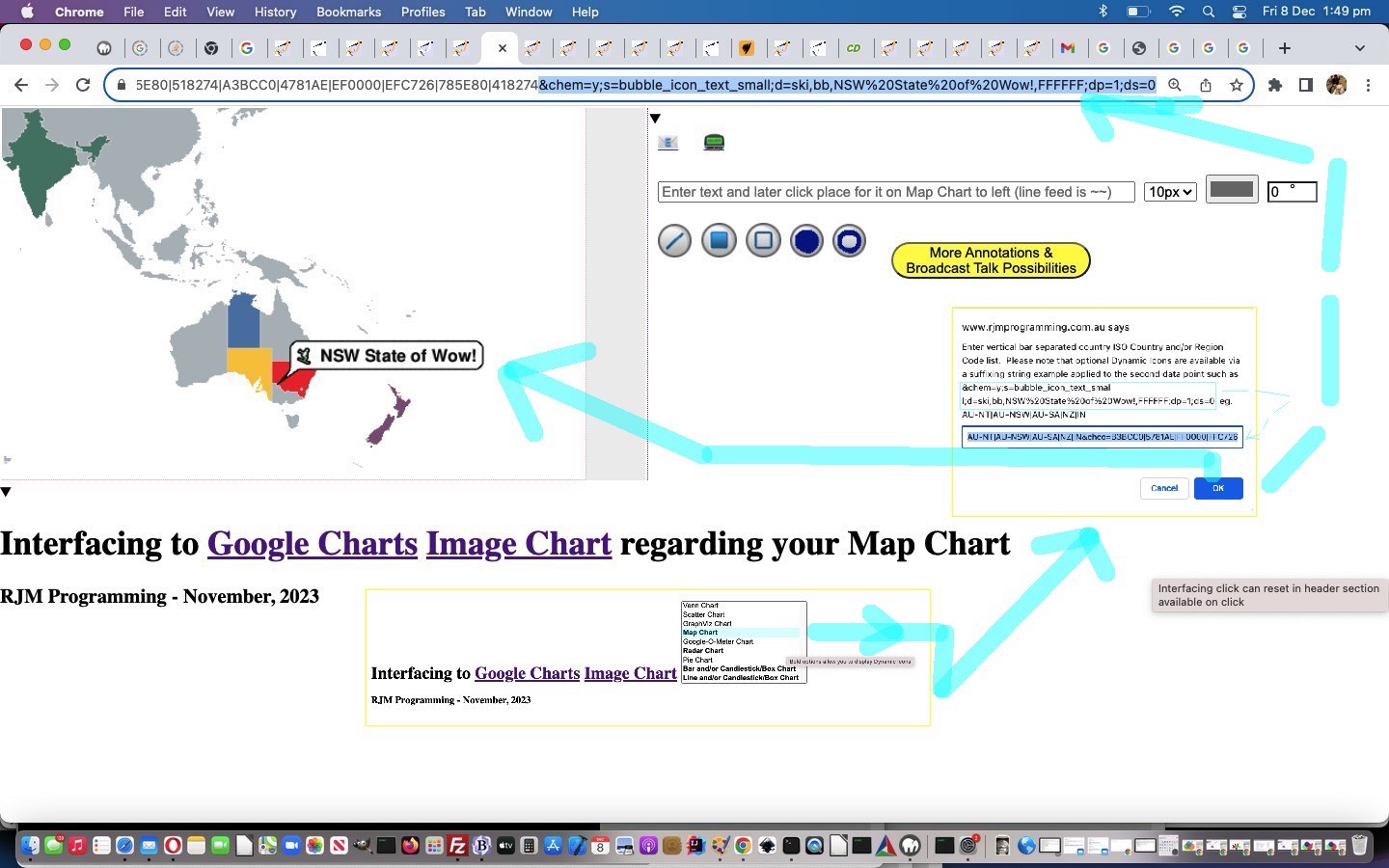
Google Chart Image Chart Dynamic Icons Tutorial
Does statistics have to be staid and boring? Kitch and quiche?! Welcome to the wooorrrlllddd of Google Charts Image Chart Dynamic Icons!
Think of Dynamic Icons as a way to decorate one or more data points displayed in one of …
- Line Chart
- Bar Chart
- Map Chart
- Radar Chart
We had that certain “Wow!“ factor going as we remembered our state’s motto from some years back, and we tried out the Map Chart to see whether we could embellish the map with a Dynamic Icon relevant to New South Wales, as you can see with today’s tutorial picture.
We’ll show you the most recent snapshot of Javascript parameters a little later, but the change for this is an optional one up to the user to work out, with prompts such as the Map Chart one updated …
 |
Enter vertical bar separated country ISO Country and/or Region Code list. Please note that optional Dynamic Icons are available via a suffixing string example applied to the second data point such as &chem=y;s=bubble_icon_text_small;d=ski,bb,NSW%20State%20of%20Wow!,FFFFFF;dp=1;ds=0 eg. AU-NT|AU-NSW|AU-SA|NZ|IN’
|
|
And here is its relevance in a new snapshot of parameterizations …
  var prefixandon='';

  var dtextis='dtext';

  var pretherest='';

  var newtherest='';

  var tmod='';

  var colchange='';

  var cht=location.search.split('cht=')[1] ? decodeURIComponent(location.search.split('cht=')[1].split('&')[0]) : "v";

  if ((cht + ' ').substring(0,1) == 'p' && cht != 'p') { pretherest=cht.substring(1); }

  //if ((cht + '  ').substring(0,2) == 'bv' && cht != 'bv') { pretherest=cht.substring(2); if (1 == 1) { cht='bv'; }   }

  if ((cht + '  ').substring(0,1) == 'bv'.substring(0,1) && cht != 'bv'.substring(0,1)) { pretherest=cht.substring(1); if (1 == 1) { cht='bv'.substring(0,1); }   }

  if ((cht + '  ').substring(0,1) == 'l' && cht != 'l') { pretherest=cht.substring(1); if (1 == 1) { cht='l'; }   }

  if ((cht + '  ').substring(0,1) == 'r' && cht != 'r') { pretherest=cht.substring(1); if (1 == 1) { cht='r'; }   }

  var ccode=location.search.split('chld=')[1] ? decodeURIComponent(location.search.split('chld=')[1].split('&')[0]) : "";

  var ctype=location.search.split('type=')[1] ? decodeURIComponent(location.search.split('type=')[1].split('&')[0]) : cht;

  var cname=(ctype == 'v' ? 'Venn Chart' : (ctype == 's' ? 'Scatter Chart' : (ctype == 'gv' ? 'GraphViz Chart' :

  (ctype.substring(0,1) == 'p' ? 'Pie Chart' :

  ((ctype + ' ').substring(0,2).substring(0,1) == 'bv'.substring(0,1) ? 'Bar Chart' : (ctype.substring(0,1) == 'l' ? 'Line Chart' :

  (ctype == 'map' ? 'Map Chart' :

  (ctype == 'gom' ? 'Google-O-Meter Chart' :

  (ctype == 'r' ? 'Radar Chart' :

  '')))))))));

  var cencodename=(ctype == 'v' ? 'Venn%20Diagram' : (ctype == 's' ? 'Scatter%20Chart' : (ctype == 'gv' ? 'GraphViz%20Chart' :

  (ctype.substring(0,1) == 'p' ? 'Pie%20Chart' :

  ((ctype + ' ').substring(0,2).substring(0,1) == 'bv'.substring(0,1) ? 'Bar%20Chart' : (ctype.substring(0,1) == 'l' ? 'Line%20Chart' :

  (ctype == 'map' ? 'Map%20Chart' :

  (ctype == 'gom' ? 'Google-O-Meter%20Chart' :

  (ctype == 'r' ? 'Radar%20Chart' :

  '')))))))));

  var chdt=(ctype == 'v' ? '&chd=t:' : (ctype == 's' ? '&chd=t:' : (ctype == 'gv' ? '&chl=' :

  (ctype.substring(0,1) == 'p' ? pretherest + '&chd=t:' :

  ((ctype + ' ').substring(0,2).substring(0,1) == 'bv'.substring(0,1) ? '&chd=t:' : (ctype.substring(0,1) == 'l' ? '&chd=t:' :

  (ctype == 'map' ? '' :

  (ctype == 'gom' ? '&chd=t:' :

  (ctype == 'r' ? pretherest + '&chd=t:' :

  '')))))))));

  var chdeq=(ctype == 'v' ? '&chd=' : (ctype == 's' ? '&chd=' : (ctype == 'gv' ? '&chl=' :

  (ctype.substring(0,1) == 'p' ? '&chd=' :

  ((ctype + ' ').substring(0,2).substring(0,1) == 'bv'.substring(0,1) ? '&chd=' : (ctype.substring(0,1) == 'l' ? '&chd=' :

  (ctype == 'map' ? '&chld=' :

  (ctype == 'gom' ? '&chld=' :

  (ctype == 'r' ? '&chd=' :

  '')))))))));

  var tc=(ctype == 'v' ? 't:' : (ctype == 's' ? 't:' : (ctype == 'gv' ? '' :

  (ctype.substring(0,1) == 'p' ? 't:' :

  ((ctype + ' ').substring(0,2).substring(0,1) == 'bv'.substring(0,1) ? 't:' : (ctype.substring(0,1) == 'l' ? 't:' :

  (ctype == 'map' ? '' :

  (ctype == 'gom' ? 't:' :

  (ctype == 'r' ? 't:' :

  '')))))))));

  var chdl=(ctype == 'v' ? '&chdl=' : (ctype == 's' ? '&chdl=' : (ctype == 'gv' ? '' :

  (ctype.substring(0,1) == 'p' ? '&chdl=' :

  ((ctype + ' ').substring(0,2).substring(0,1) == 'bv'.substring(0,1) ? '&chbh=' : (ctype.substring(0,1) == 'l' ? '&chbh=' :

  (ctype == 'map' ? '' :

  (ctype == 'gom' ? '&chdl=' :

  (ctype == 'r' ? '&chxt=x&chxl=' :

  '')))))))));


  var prenchtt=(ctype == 'v' ? '100,80,60,30,30,30,10' : (ctype == 's' ? '12,87,75,41,23,96,68,71,34,9|98,60,27,34,56,79,58,74,18,76|84,23,69,81,47,94,60,93,64,54' : (ctype == 'gv' ? 'graph{C_0--H_0[type=s];C_0--H_1[type=s];C_0--H_2[type=s];C_0--C_1[type=s];C_1--H_3[type=s];C_1--H_4[type=s];C_1--H_5[type=s]}' :

  (ctype.substring(0,1) == 'p' ? '1,2,3,4' :

  ((ctype + ' ').substring(0,2).substring(0,1) == 'bv'.substring(0,1) ? '5,5,5|10,10,10|15,15,15' : (ctype.substring(0,1) == 'l' ? '5,45,5|10,60,10|15,85,15' :

  (ctype == 'map' ? '' :

  (ctype == 'gom' ? '20,40,60' :

  (ctype == 'r' ? '10,20,30,40,50' :

  '')))))))));

  var preachtt=(ctype == 'v' ? 'A|B|C' : (ctype == 's' ? 'Cats|Dogs' : (ctype == 'gv' ? '' :

  (ctype.substring(0,1) == 'p' ? 'January|February|March|April' :

  ((ctype + ' ').substring(0,2).substring(0,1) == 'bv'.substring(0,1) ? '15,4,15' : (ctype.substring(0,1) == 'l' ? '15,4,15' :

  (ctype == 'map' ? '' :

  (ctype == 'gom' ? 'A|B|C' :

  (ctype == 'r' ? '0:|1|2|3|4|5|6' :

  '')))))))));

  var defchco=(ctype == 'v' ? 'ff0000,00ff00,0000ff' : (ctype == 's' ? 'FF0000|0000FF&chxt=x,y' : (ctype == 'gv' ? '' :

  (ctype.substring(0,1) == 'p' ? 'ff0000,00ff00,0000ff,ff00ff' :

  ((ctype + ' ').substring(0,2).substring(0,1) == 'bv'.substring(0,1) ? '4D89F9,C6D9FD,C6FDD9&chxt=x,y' : (ctype.substring(0,1) == 'l' ? '3D89F9.B6D9FD,B6FDD9&chxt=x,y' :

  (ctype == 'map' ? '' :

  (ctype == 'gom' ? 'ff0000,00ff00,0000ff' :

  (ctype == 'r' ? 'FF0000,FF9900,ff0a00,00ffb0,000cff' :

  '')))))))));


  var prechtt=(ctype == 'v' ? chdt + prenchtt + chdl + preachtt : (ctype == 's' ? chdt + prenchtt + chdl + preachtt + '&chxt=x,y' : (ctype == 'gv' ? chdt + prenchtt :

  (ctype.substring(0,1) == 'p' ? chdt + prenchtt + chdl + preachtt :

  ((ctype + ' ').substring(0,2).substring(0,1) == 'bv'.substring(0,1) ? chdt + prenchtt + chdl + preachtt : (ctype.substring(0,1) == 'l' ? chdt + prenchtt + chdl + preachtt :

  (ctype == 'map' ? '' :

  (ctype == 'gom' ? chdt + prenchtt + chdl + preachtt :

  (ctype == 'r' ? chdt + prenchtt + chdl + preachtt :

  '')))))))));

  var promptone=(ctype == 'v' ? "Enter delimited values string for Venn Diagram such that ... " + String.fromCharCode(10) + "The first three values specify the sizes of three circles: A, B, & C. For chart with only two circles, specify zero for the third value." + String.fromCharCode(10) + "The fourth value specifies the size of the intersection of A and B." + String.fromCharCode(10) + "The fifth value specifies the size of the intersection of A and C. For a chart with only two circles, do not specify a value here." + String.fromCharCode(10) + "The sixth value specifies the size of the intersection of B and C. For a chart with only two circles, do not specify a value here." + String.fromCharCode(10) + "The seventh value specifies the size of the common intersection of A, B, and C. For a chart with only two circles, do not specify a value here." + String.fromCharCode(10) + String.fromCharCode(10) + "" : (ctype == 's' ? "Enter delimited values string for Scatter Chart" : (ctype == 'gv' ? "Enter delimited values string for GraphViz Chart" :

  (ctype.substring(0,1) == 'p' ? "Enter delimited values string for Pie Chart" :

  ((ctype + ' ').substring(0,2).substring(0,1) == 'bv'.substring(0,1) ? "Enter v for Vertical or h for Horizontal then one of g for Group or s for Stacked or o for Overlapped Bar Chart look then a space and then enter delimited values string for Bar Chart.  Here is a Candlestick and horizontal Bar Chart idea eg. hg 1:20,10,15,25,17,30|0,5,10,7,12,6|35,25,45,47,24,46|15,40,30,27,39,54|70,55,63,59,80,6  Here is a vertical Bar Chart and Box Chart idea vs 1:-1,5,10,7,12,-1|-1,25,30,27,24,-1|-1,40,45,47,39,-1|-1,55,63,59,80,-1|-1,30,40,35,30,-1|-1,-1,5,70,90,-1|-1,-1,-1,80,5,-1&chm=F,FF9900,0,1:4,40|H,0CBF0B,0,1:4,1:20|H,000000,4,1:4,1:40|H,0000FF,3,1:4,1:20|o,FF0000,5,-1,7|o,FF0000,6,-1,7  Prefix just the delimited string you enter by 1: to additionally display Candlestick/Box Charts or by 0: to only display Candlestick/Box Chart" :

  (ctype.substring(0,1) == 'l' ? "Enter c for Even or s for Sparklines or xy for Just XY Line Chart look then a space and then enter delimited values string for Line Chart.  Here is a Candlestick and Line Chart idea eg. c 1:20,10,15,25,17,30|0,5,10,7,12,6|35,25,45,47,24,46|15,40,30,27,39,54|70,55,63,59,80,6    Here is a Line Chart and Box Chart idea s 1:-1,5,10,7,12,-1|-1,25,30,27,24,-1|-1,40,45,47,39,-1|-1,55,63,59,80,-1|-1,30,40,35,30,-1|-1,-1,5,70,90,-1|-1,-1,-1,80,5,-1&chm=F,FF9900,0,1:4,40|H,0CBF0B,0,1:4,1:20|H,000000,4,1:4,1:40|H,0000FF,3,1:4,1:20|o,FF0000,5,-1,7|o,FF0000,6,-1,7  Prefix just the delimited string you enter by 1: to additionally display Candlestick/Box Charts or by 0: to only display Candlestick/Box Chart" :

  (ctype == 'map' ? "" :

  (ctype == 'gom' ? "Enter delimited values string for Google-O-Meter Chart" :

  (ctype == 'r' ? "Enter delimited values string for Radar Chart but prefix with an s for smooth lines" :

  "")))))))));

  var oneprompt=(ctype == 'v' ? "Enter delimited values string for your Venn Diagram collaborations, optionally, such that ... " + String.fromCharCode(10) + "The first three values specify the sizes of three circles: A, B, & C. For chart with only two circles, specify zero for the third value." + String.fromCharCode(10) + "The fourth value specifies the size of the intersection of A and B." + String.fromCharCode(10) + "The fifth value specifies the size of the intersection of A and C. For a chart with only two circles, do not specify a value here." + String.fromCharCode(10) + "The sixth value specifies the size of the intersection of B and C. For a chart with only two circles, do not specify a value here." + String.fromCharCode(10) + "The seventh value specifies the size of the common intersection of A, B, and C. For a chart with only two circles, do not specify a value here." + String.fromCharCode(10) + String.fromCharCode(10) + "" : (ctype == 's' ? "Enter delimited values string for Scatter Chart" : (ctype == 'gv' ? "Enter delimited values string for GraphViz Chart" :

  (ctype.substring(0,1) == 'p' ? "Enter delimited values string for Pie Chart" :

  ((ctype + ' ').substring(0,2).substring(0,1) == 'bv'.substring(0,1) ? "Enter g for Grouped or s for Stacked or o for Overlapped Bar Chart look then a space and then enter delimited values string for Bar Chart.  Here is a Candlestick and Bar Chart idea eg. g 1:20,10,15,25,17,30|0,5,10,7,12,6|35,25,45,47,24,46|15,40,30,27,39,54|70,55,63,59,80,6    Here is a vertical Bar Chart and Box Chart idea vs 1:-1,5,10,7,12,-1|-1,25,30,27,24,-1|-1,40,45,47,39,-1|-1,55,63,59,80,-1|-1,30,40,35,30,-1|-1,-1,5,70,90,-1|-1,-1,-1,80,5,-1&chm=F,FF9900,0,1:4,40|H,0CBF0B,0,1:4,1:20|H,000000,4,1:4,1:40|H,0000FF,3,1:4,1:20|o,FF0000,5,-1,7|o,FF0000,6,-1,7  Prefix just the delimited string you enter by 1: to additionally display Candlestick/Box Charts or by 0: to only display Candlestick/Box Chart" :

  (ctype.substring(0,1) == 'l' ? "Enter c for Even or s for Sparklines or xy for Just XY Line Chart look then a space and then enter delimited values string for Line Chart.  Here is a Candlestick and Line Chart idea eg. c 1:20,10,15,25,17,30|0,5,10,7,12,6|35,25,45,47,24,46|15,40,30,27,39,54|70,55,63,59,80,6    Here is a Line Chart and Box Chart idea s 1:-1,5,10,7,12,-1|-1,25,30,27,24,-1|-1,40,45,47,39,-1|-1,55,63,59,80,-1|-1,30,40,35,30,-1|-1,-1,5,70,90,-1|-1,-1,-1,80,5,-1&chm=F,FF9900,0,1:4,40|H,0CBF0B,0,1:4,1:20|H,000000,4,1:4,1:40|H,0000FF,3,1:4,1:20|o,FF0000,5,-1,7|o,FF0000,6,-1,7  Prefix just the delimited string you enter by 1: to additionally display Candlestick/Box Charts or by 0: to only display Candlestick/Box Chart" :

  (ctype == 'map' ? "" :

  (ctype == 'gom' ? "Enter delimited values string for Google-O-Meter Chart" :

  (ctype == 'r' ? "Enter delimited values string for Radar Chart but prefix with an s for smooth lines" :

  "")))))))));

  var asktwo=(ctype == 'v' ? true : (ctype == 's' ? true : (ctype == 'gv' ? false :

  (ctype.substring(0,1) == 'p' ? true :

  ((ctype + ' ').substring(0,2).substring(0,1) == 'bv'.substring(0,1) ? true : (ctype.substring(0,1) == 'l' ? true :

  (ctype == 'map' ? false :

  (ctype == 'gom' ? true :

  (ctype == 'r' ? true :

  false)))))))));


  var answersuffix=(ctype.substring(0,1).replace('m','l').replace('b','l').replace('r','l') == 'l' ? '.  Please note that optional Dynamic Icons are available via a suffixing string example applied to the second data point such as &chem=y;s=bubble_icon_text_small;d=ski,bb,Wheeee!,FFFFFF;dp=1;ds=0 ' : '');


  var twopb=(ctype.substring(0,1) == 'p' ? 'Any optional legend or title argument snippets?  Optionally prefix by 3 for 3d Pie Chart or by c for Concentric Pie Chart.  Eg. 3' + chdl + preachtt + '&chtt=My%20' + cencodename + '&chco=' + defchco : 'Any optional legend or title argument snippets?  Eg. ' + chdl + preachtt + '&chtt=My%20' + cencodename + '&chco=' + defchco);

  var beforeanswer=(ctype.substring(0,1) == 'l' ? 'c ' : ((ctype + ' ').substring(0,2).substring(0,1) == 'bv'.substring(0,1) ? 'vg ' : ''));


  var emsmlist='';
… further to yesterday’s Google Chart Image Chart Broadcast Talk Commentary Tutorial in the changed latest draft image_venn.html Google Chart Image Chart Venn Chart or Scatter Chart or GraphViz Chart or Pie Chart or Line Chart or Bar Chart or Candlestick/Box Chart or Google-O-Meter Chart or Radar Chart or Map Chart interfacing web application you can also try below.
Previous relevant Google Chart Image Chart Broadcast Talk Commentary Tutorial is shown below.
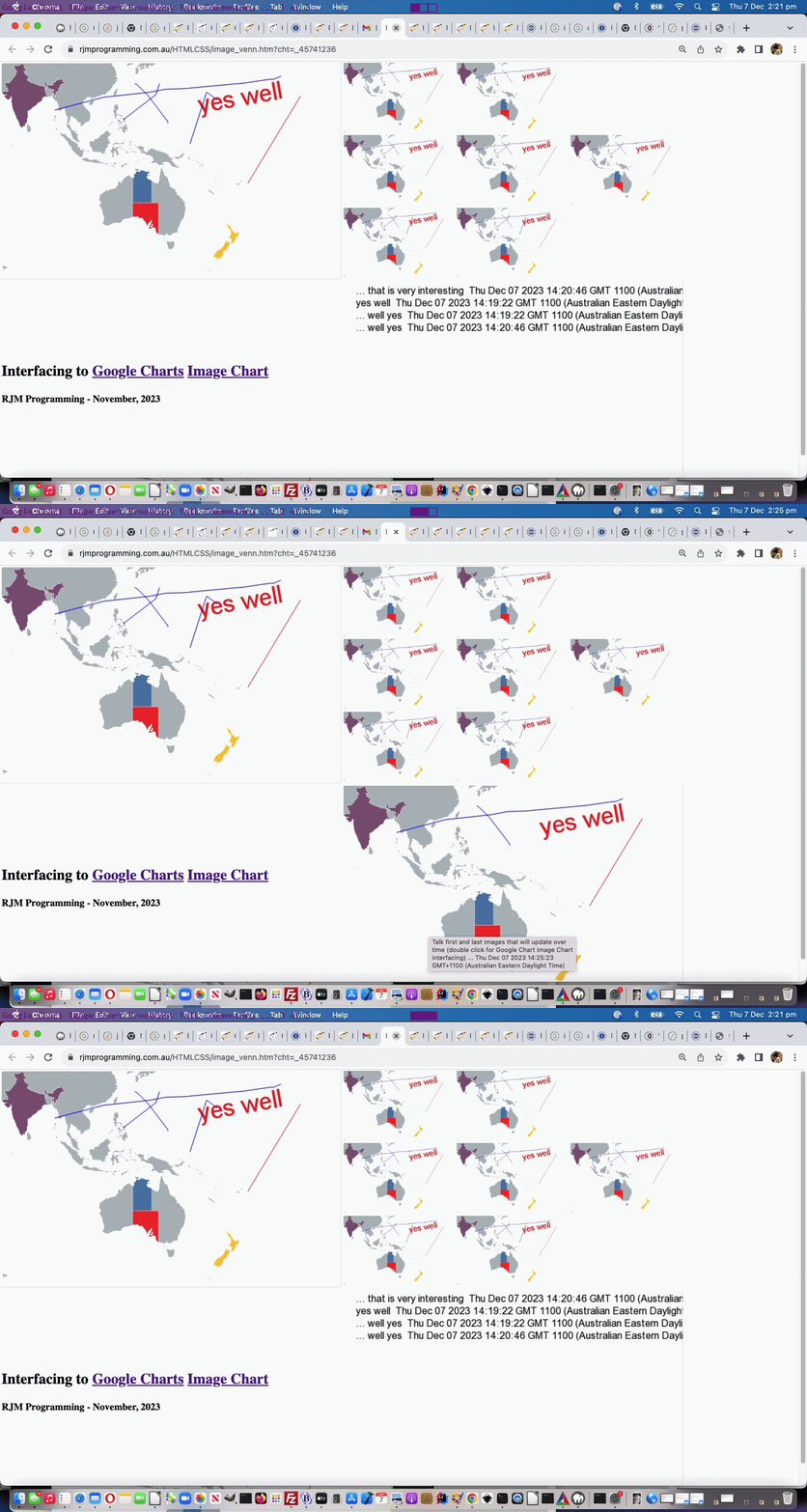
Google Chart Image Chart Broadcast Talk Commentary Tutorial
We’ll leave yesterday’s Google Chart Image Chart Radar Chart Tutorial angled text predilections for now, given we’ve got until Tuesday until tswhtf so to speak. Let’s today remedy the concern we had when we presented Google Chart Image Chart Broadcast Talk Context Tutorial regarding, the at the time new, “Broadcast Talk”, concept …
… even though it is only visual by nature, presented as an update image still presented and updated periodically. Go figure?!
… and offer a way to help the “Broadcast Talk” demonstrator “speak” during their demonstration, effectively. In so doing, we are going to add to …
- the demonstrator’s visual inputs coming from that canvas annotator helper … with, today …
- the demonstrator’s commentary, collected via an HTML textarea element (to optionally supplement the visuals) from that canvas annotator helper’s originator window (ie. the Google Charts Image Chart interfacing supervisor) … presented …
… via a new “middle of three slide” …
<?php
      $uwidth=trim($uparts[$ioff - 2 + sizeof($uparts)]);

      $uheight=trim(explode('#',explode('?',$uparts[$ioff - 1 + sizeof($uparts)])[0])[0]);

  if (isset($_GET['canvcont']) && isset($_GET['uniquifier'])) {

       $uniquifier=str_replace('+',' ',urldecode($_GET['uniquifier']));

       if (file_exists($_SERVER['DOCUMENT_ROOT'] . DIRECTORY_SEPARATOR . "presentation__" . $uniquifier . ".png")) {

          $im = imagecreatefromstring(file_get_contents($_SERVER['DOCUMENT_ROOT'] . DIRECTORY_SEPARATOR . "presentation__" . $uniquifier . ".png"));

          $white = imagecolorallocate($im, 255, 255, 255);

          $black = imagecolorallocate($im, 1, 1, 1);

          imagefilledrectangle($im, 0, 0, $uwidth, $uheight, $white);

          imagesavealpha($im, TRUE);

  try {

  if (function_exists('imagettftext')) {

  imagettftext($im, 12, 0, 20, 20, $black, realpath('arial.ttf'), str_replace('+',' ',urldecode($_GET['canvcont'])));

  }

  } catch (Exception $e) {  }


 imagepng($im, $_SERVER['DOCUMENT_ROOT'] . DIRECTORY_SEPARATOR . "presentation__" . $uniquifier . ".png");

 imagedestroy($im);

 exit;

       }

       exit;

  }
?>
… animated GIF (PHP 404.php helping) means of display in the viewer windows (off email invitation links they receive via the demonstrator) in the changed …
  function askaway() {

     var waspis=prefixandon, nl='', newwaspis='';

     if (document.getElementById('bcommentary')) {

     if (document.getElementById('bcommentary').value.trim() != '') {

       if (document.getElementById('bcommentary').value.trim().indexOf(String.fromCharCode(10)) == -1) {

         nl=String.fromCharCode(10);

       }

       eightthousand=24000;

       if (('   ' + document.getElementById('bcommentary').value.trim()).slice(-3) != '...' && ('   ' + prefixandon.trim()).slice(-3) != '...' && (document.getElementById('bcommentary').value.trim() + '   ').substring(0,3) != '...') {

         prefixandon='';

         lastval='';

       } else if ((document.getElementById('bcommentary').value.trim() + '   ').substring(0,3) == '...') {

         if (waspis.indexOf(lastval.trim()) == -1) {

         prefixandon=String.fromCharCode(10) + lastval.trim().replace(/\.\.\.NoWayJosE$/g, ' ' + nl + ('' + (new Date()))  + ' ... ') + waspis;

         newwaspis=prefixandon;

         }

       }

       if (('   ' + document.getElementById('bcommentary').value.trim()).slice(-3) == '...') {

       document.getElementById('ifco').src='//www.rjmprogramming.com.au/ITblog/' + Math.min(550,window.innerWidth) + '/' + Math.min(350,window.innerHeight) + '/?uniquifier=' + encodeURIComponent(document.getElementById('uniquifier').value) + '&canvcont=' + encodeURIComponent(document.getElementById('bcommentary').value.trim().replace(/\.\.\.$/g, ' ' + nl + ('' + (new Date())) + ' ... ' + String.fromCharCode(10) + String.fromCharCode(10) + prefixandon));

       } else {

       document.getElementById('ifco').src='//www.rjmprogramming.com.au/ITblog/' + Math.min(550,window.innerWidth) + '/' + Math.min(350,window.innerHeight) + '/?uniquifier=' + encodeURIComponent(document.getElementById('uniquifier').value) + '&canvcont=' + encodeURIComponent(document.getElementById('bcommentary').value + String.fromCharCode(10) + String.fromCharCode(10) + prefixandon);

       }

       document.getElementById('bcommentary').title=document.getElementById('bcommentary').value;

       if ((document.getElementById('bcommentary').value.trim() + '   ').substring(0,3) == '...') {

         if (newwaspis != '') { waspis=newwaspis;  }

         if (waspis.indexOf(document.getElementById('bcommentary').value.trim()) == -1) {

         prefixandon=String.fromCharCode(10) + document.getElementById('bcommentary').value.trim().replace(/\.\.\.$/g, ' ' + nl + ('' + (new Date()))  + ' ... ') + waspis;

         }

       }

       lastval=document.getElementById('bcommentary').value;

       document.getElementById('bcommentary').value='';

       setTimeout(function(){ document.getElementById('subcc').click(); }, 2000);

     }

     }

  }


  function newfunction() {

         if (document.getElementById('bshare')) {

         document.getElementById('sbshare').innerHTML='<iframe id=ifco style=display:none; src=></iframe><br><br><textarea rows=2 cols=80 id=bcommentary placeholder="Commentary to Viewers can go here ... start with or end with  ... for ongoing ..." onblur="askaway(this);" value=""></textarea><br><br>';

         }

  }
… latest draft image_venn.html Google Chart Image Chart Venn Chart or Scatter Chart or GraphViz Chart or Pie Chart or Line Chart or Bar Chart or Candlestick/Box Chart or Google-O-Meter Chart or Radar Chart or Map Chart interfacing web application you can also try below.
Previous relevant Google Chart Image Chart Radar Chart Tutorial is shown below.
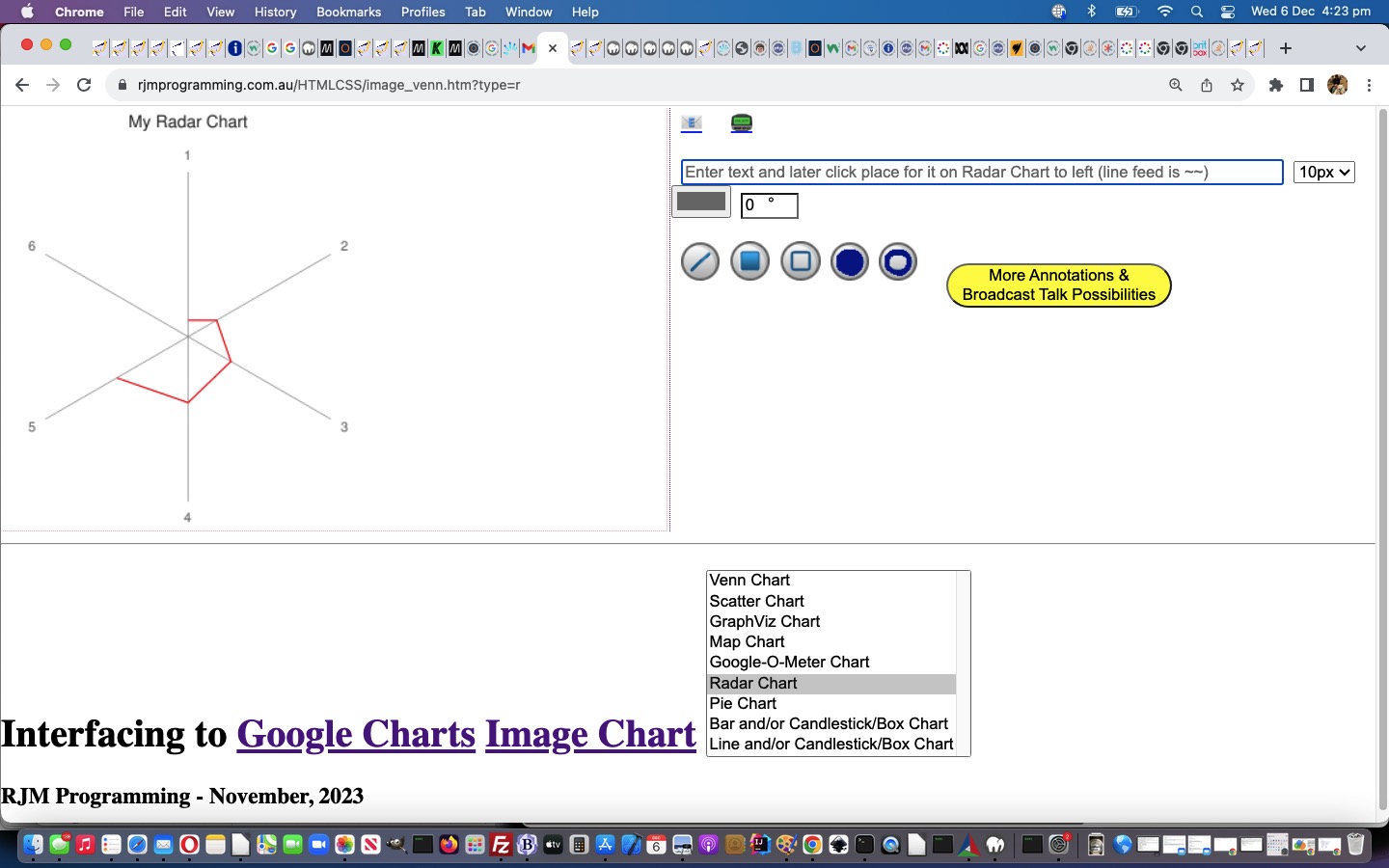
Google Chart Image Chart Radar Chart Tutorial
Onto yesterday’s Google Chart Image Chart Box Chart Tutorial, today we have a two part stepping forward via new …
Why the trepidation? Well, so far, when the text is angled we can’t understand what results we are getting back from a call to [element].getBoundingClientRect() just yet.
Why is this needed? Again, with the questions! Well, Mr De Niro, you see, well, somebody might want to go onto that more complex annotating.
And why would they do that? Sheesh. Well, Mr De Niro, sir, you see, sometimes things happen in life, and well, fingers slip on keyboards, and mice get awfullllly nervous around screens these days.
Yeh, well, show us the money, wiseguy. Who’s is that question? And what’s with the questions? Well, you see, Mr De Niro, the money is if we can get PHP text placement for text at an angle, where it rotates from the middle of the text, to get a similar positioning to good ol’ … pardon, Mr De Niro … good and well respected Javascript transform rotations … not with a triple pike, Mr De Niro, but you’re awfulllllly close, Mr De Niro, sir … rather, we throw in a couple of translations … no, not Latin, Mr De Niro … of co-ordinates, Mr De Niro.
And that will bring in how much by next Tuesday? Back to the questions? Why so many questions? We think it’s a pretty big money spinner, Mr De Niro, sir, and we think you should come back next Tuesday, and we can show you the ropes. Sweat, oozing from the brow, as Mr De Niro exits stage left.
And just while we have a few minutes, here’s the updated Javascript parameterization …
  var dtextis='dtext';

  var pretherest='';

  var newtherest='';

  var tmod='';

  var colchange='';

  var cht=location.search.split('cht=')[1] ? decodeURIComponent(location.search.split('cht=')[1].split('&')[0]) : "v";

  if ((cht + ' ').substring(0,1) == 'p' && cht != 'p') { pretherest=cht.substring(1); }

  //if ((cht + '  ').substring(0,2) == 'bv' && cht != 'bv') { pretherest=cht.substring(2); if (1 == 1) { cht='bv'; }   }

  if ((cht + '  ').substring(0,1) == 'bv'.substring(0,1) && cht != 'bv'.substring(0,1)) { pretherest=cht.substring(1); if (1 == 1) { cht='bv'.substring(0,1); }   }

  if ((cht + '  ').substring(0,1) == 'l' && cht != 'l') { pretherest=cht.substring(1); if (1 == 1) { cht='l'; }   }

  if ((cht + '  ').substring(0,1) == 'r' && cht != 'r') { pretherest=cht.substring(1); if (1 == 1) { cht='r'; }   }

  var ccode=location.search.split('chld=')[1] ? decodeURIComponent(location.search.split('chld=')[1].split('&')[0]) : "";

  var ctype=location.search.split('type=')[1] ? decodeURIComponent(location.search.split('type=')[1].split('&')[0]) : cht;

  var cname=(ctype == 'v' ? 'Venn Chart' : (ctype == 's' ? 'Scatter Chart' : (ctype == 'gv' ? 'GraphViz Chart' :

  (ctype.substring(0,1) == 'p' ? 'Pie Chart' :

  ((ctype + ' ').substring(0,2).substring(0,1) == 'bv'.substring(0,1) ? 'Bar Chart' : (ctype.substring(0,1) == 'l' ? 'Line Chart' :

  (ctype == 'map' ? 'Map Chart' :

  (ctype == 'gom' ? 'Google-O-Meter Chart' :

  (ctype == 'r' ? 'Radar Chart' :

  '')))))))));

  var cencodename=(ctype == 'v' ? 'Venn%20Diagram' : (ctype == 's' ? 'Scatter%20Chart' : (ctype == 'gv' ? 'GraphViz%20Chart' :

  (ctype.substring(0,1) == 'p' ? 'Pie%20Chart' :

  ((ctype + ' ').substring(0,2).substring(0,1) == 'bv'.substring(0,1) ? 'Bar%20Chart' : (ctype.substring(0,1) == 'l' ? 'Line%20Chart' :

  (ctype == 'map' ? 'Map%20Chart' :

  (ctype == 'gom' ? 'Google-O-Meter%20Chart' :

  (ctype == 'r' ? 'Radar%20Chart' :

  '')))))))));

  var chdt=(ctype == 'v' ? '&chd=t:' : (ctype == 's' ? '&chd=t:' : (ctype == 'gv' ? '&chl=' :

  (ctype.substring(0,1) == 'p' ? pretherest + '&chd=t:' :

  ((ctype + ' ').substring(0,2).substring(0,1) == 'bv'.substring(0,1) ? '&chd=t:' : (ctype.substring(0,1) == 'l' ? '&chd=t:' :

  (ctype == 'map' ? '' :

  (ctype == 'gom' ? '&chd=t:' :

  (ctype == 'r' ? pretherest + '&chd=t:' :

  '')))))))));

  var chdeq=(ctype == 'v' ? '&chd=' : (ctype == 's' ? '&chd=' : (ctype == 'gv' ? '&chl=' :

  (ctype.substring(0,1) == 'p' ? '&chd=' :

  ((ctype + ' ').substring(0,2).substring(0,1) == 'bv'.substring(0,1) ? '&chd=' : (ctype.substring(0,1) == 'l' ? '&chd=' :

  (ctype == 'map' ? '&chld=' :

  (ctype == 'gom' ? '&chld=' :

  (ctype == 'r' ? '&chd=' :

  '')))))))));

  var tc=(ctype == 'v' ? 't:' : (ctype == 's' ? 't:' : (ctype == 'gv' ? '' :

  (ctype.substring(0,1) == 'p' ? 't:' :

  ((ctype + ' ').substring(0,2).substring(0,1) == 'bv'.substring(0,1) ? 't:' : (ctype.substring(0,1) == 'l' ? 't:' :

  (ctype == 'map' ? '' :

  (ctype == 'gom' ? 't:' :

  (ctype == 'r' ? 't:' :

  '')))))))));

  var chdl=(ctype == 'v' ? '&chdl=' : (ctype == 's' ? '&chdl=' : (ctype == 'gv' ? '' :

  (ctype.substring(0,1) == 'p' ? '&chdl=' :

  ((ctype + ' ').substring(0,2).substring(0,1) == 'bv'.substring(0,1) ? '&chbh=' : (ctype.substring(0,1) == 'l' ? '&chbh=' :

  (ctype == 'map' ? '' :

  (ctype == 'gom' ? '&chdl=' :

  (ctype == 'r' ? '&chxt=x&chxl=' :

  '')))))))));


  var prenchtt=(ctype == 'v' ? '100,80,60,30,30,30,10' : (ctype == 's' ? '12,87,75,41,23,96,68,71,34,9|98,60,27,34,56,79,58,74,18,76|84,23,69,81,47,94,60,93,64,54' : (ctype == 'gv' ? 'graph{C_0--H_0[type=s];C_0--H_1[type=s];C_0--H_2[type=s];C_0--C_1[type=s];C_1--H_3[type=s];C_1--H_4[type=s];C_1--H_5[type=s]}' :

  (ctype.substring(0,1) == 'p' ? '1,2,3,4' :

  ((ctype + ' ').substring(0,2).substring(0,1) == 'bv'.substring(0,1) ? '5,5,5|10,10,10|15,15,15' : (ctype.substring(0,1) == 'l' ? '5,45,5|10,60,10|15,85,15' :

  (ctype == 'map' ? '' :

  (ctype == 'gom' ? '20,40,60' :

  (ctype == 'r' ? '10,20,30,40,50' :

  '')))))))));

  var preachtt=(ctype == 'v' ? 'A|B|C' : (ctype == 's' ? 'Cats|Dogs' : (ctype == 'gv' ? '' :

  (ctype.substring(0,1) == 'p' ? 'January|February|March|April' :

  ((ctype + ' ').substring(0,2).substring(0,1) == 'bv'.substring(0,1) ? '15,4,15' : (ctype.substring(0,1) == 'l' ? '15,4,15' :

  (ctype == 'map' ? '' :

  (ctype == 'gom' ? 'A|B|C' :

  (ctype == 'r' ? '0:|1|2|3|4|5|6' :

  '')))))))));

  var defchco=(ctype == 'v' ? 'ff0000,00ff00,0000ff' : (ctype == 's' ? 'FF0000|0000FF&chxt=x,y' : (ctype == 'gv' ? '' :

  (ctype.substring(0,1) == 'p' ? 'ff0000,00ff00,0000ff,ff00ff' :

  ((ctype + ' ').substring(0,2).substring(0,1) == 'bv'.substring(0,1) ? '4D89F9,C6D9FD,C6FDD9&chxt=x,y' : (ctype.substring(0,1) == 'l' ? '3D89F9.B6D9FD,B6FDD9&chxt=x,y' :

  (ctype == 'map' ? '' :

  (ctype == 'gom' ? 'ff0000,00ff00,0000ff' :

  (ctype == 'r' ? 'FF0000,FF9900,ff0a00,00ffb0,000cff' :

  '')))))))));


  var prechtt=(ctype == 'v' ? chdt + prenchtt + chdl + preachtt : (ctype == 's' ? chdt + prenchtt + chdl + preachtt + '&chxt=x,y' : (ctype == 'gv' ? chdt + prenchtt :

  (ctype.substring(0,1) == 'p' ? chdt + prenchtt + chdl + preachtt :

  ((ctype + ' ').substring(0,2).substring(0,1) == 'bv'.substring(0,1) ? chdt + prenchtt + chdl + preachtt : (ctype.substring(0,1) == 'l' ? chdt + prenchtt + chdl + preachtt :

  (ctype == 'map' ? '' :

  (ctype == 'gom' ? chdt + prenchtt + chdl + preachtt :

  (ctype == 'r' ? chdt + prenchtt + chdl + preachtt :

  '')))))))));

  var promptone=(ctype == 'v' ? "Enter delimited values string for Venn Diagram such that ... " + String.fromCharCode(10) + "The first three values specify the sizes of three circles: A, B, & C. For chart with only two circles, specify zero for the third value." + String.fromCharCode(10) + "The fourth value specifies the size of the intersection of A and B." + String.fromCharCode(10) + "The fifth value specifies the size of the intersection of A and C. For a chart with only two circles, do not specify a value here." + String.fromCharCode(10) + "The sixth value specifies the size of the intersection of B and C. For a chart with only two circles, do not specify a value here." + String.fromCharCode(10) + "The seventh value specifies the size of the common intersection of A, B, and C. For a chart with only two circles, do not specify a value here." + String.fromCharCode(10) + String.fromCharCode(10) + "" : (ctype == 's' ? "Enter delimited values string for Scatter Chart" : (ctype == 'gv' ? "Enter delimited values string for GraphViz Chart" :

  (ctype.substring(0,1) == 'p' ? "Enter delimited values string for Pie Chart" :

  ((ctype + ' ').substring(0,2).substring(0,1) == 'bv'.substring(0,1) ? "Enter v for Vertical or h for Horizontal then one of g for Group or s for Stacked or o for Overlapped Bar Chart look then a space and then enter delimited values string for Bar Chart.  Here is a Candlestick and horizontal Bar Chart idea eg. hg 1:20,10,15,25,17,30|0,5,10,7,12,6|35,25,45,47,24,46|15,40,30,27,39,54|70,55,63,59,80,6  Here is a vertical Bar Chart and Box Chart idea vs 1:-1,5,10,7,12,-1|-1,25,30,27,24,-1|-1,40,45,47,39,-1|-1,55,63,59,80,-1|-1,30,40,35,30,-1|-1,-1,5,70,90,-1|-1,-1,-1,80,5,-1&chm=F,FF9900,0,1:4,40|H,0CBF0B,0,1:4,1:20|H,000000,4,1:4,1:40|H,0000FF,3,1:4,1:20|o,FF0000,5,-1,7|o,FF0000,6,-1,7  Prefix just the delimited string you enter by 1: to additionally display Candlestick/Box Charts or by 0: to only display Candlestick/Box Chart" :

  (ctype.substring(0,1) == 'l' ? "Enter c for Even or s for Sparklines or xy for Just XY Line Chart look then a space and then enter delimited values string for Line Chart.  Here is a Candlestick and Line Chart idea eg. c 1:20,10,15,25,17,30|0,5,10,7,12,6|35,25,45,47,24,46|15,40,30,27,39,54|70,55,63,59,80,6    Here is a Line Chart and Box Chart idea s 1:-1,5,10,7,12,-1|-1,25,30,27,24,-1|-1,40,45,47,39,-1|-1,55,63,59,80,-1|-1,30,40,35,30,-1|-1,-1,5,70,90,-1|-1,-1,-1,80,5,-1&chm=F,FF9900,0,1:4,40|H,0CBF0B,0,1:4,1:20|H,000000,4,1:4,1:40|H,0000FF,3,1:4,1:20|o,FF0000,5,-1,7|o,FF0000,6,-1,7  Prefix just the delimited string you enter by 1: to additionally display Candlestick/Box Charts or by 0: to only display Candlestick/Box Chart" :

  (ctype == 'map' ? "" :

  (ctype == 'gom' ? "Enter delimited values string for Google-O-Meter Chart" :

  (ctype == 'r' ? "Enter delimited values string for Radar Chart but prefix with an s for smooth lines" :

  "")))))))));

  var oneprompt=(ctype == 'v' ? "Enter delimited values string for your Venn Diagram collaborations, optionally, such that ... " + String.fromCharCode(10) + "The first three values specify the sizes of three circles: A, B, & C. For chart with only two circles, specify zero for the third value." + String.fromCharCode(10) + "The fourth value specifies the size of the intersection of A and B." + String.fromCharCode(10) + "The fifth value specifies the size of the intersection of A and C. For a chart with only two circles, do not specify a value here." + String.fromCharCode(10) + "The sixth value specifies the size of the intersection of B and C. For a chart with only two circles, do not specify a value here." + String.fromCharCode(10) + "The seventh value specifies the size of the common intersection of A, B, and C. For a chart with only two circles, do not specify a value here." + String.fromCharCode(10) + String.fromCharCode(10) + "" : (ctype == 's' ? "Enter delimited values string for Scatter Chart" : (ctype == 'gv' ? "Enter delimited values string for GraphViz Chart" :

  (ctype.substring(0,1) == 'p' ? "Enter delimited values string for Pie Chart" :

  ((ctype + ' ').substring(0,2).substring(0,1) == 'bv'.substring(0,1) ? "Enter g for Grouped or s for Stacked or o for Overlapped Bar Chart look then a space and then enter delimited values string for Bar Chart.  Here is a Candlestick and Bar Chart idea eg. g 1:20,10,15,25,17,30|0,5,10,7,12,6|35,25,45,47,24,46|15,40,30,27,39,54|70,55,63,59,80,6    Here is a vertical Bar Chart and Box Chart idea vs 1:-1,5,10,7,12,-1|-1,25,30,27,24,-1|-1,40,45,47,39,-1|-1,55,63,59,80,-1|-1,30,40,35,30,-1|-1,-1,5,70,90,-1|-1,-1,-1,80,5,-1&chm=F,FF9900,0,1:4,40|H,0CBF0B,0,1:4,1:20|H,000000,4,1:4,1:40|H,0000FF,3,1:4,1:20|o,FF0000,5,-1,7|o,FF0000,6,-1,7  Prefix just the delimited string you enter by 1: to additionally display Candlestick/Box Charts or by 0: to only display Candlestick/Box Chart" :

  (ctype.substring(0,1) == 'l' ? "Enter c for Even or s for Sparklines or xy for Just XY Line Chart look then a space and then enter delimited values string for Line Chart.  Here is a Candlestick and Line Chart idea eg. c 1:20,10,15,25,17,30|0,5,10,7,12,6|35,25,45,47,24,46|15,40,30,27,39,54|70,55,63,59,80,6    Here is a Line Chart and Box Chart idea s 1:-1,5,10,7,12,-1|-1,25,30,27,24,-1|-1,40,45,47,39,-1|-1,55,63,59,80,-1|-1,30,40,35,30,-1|-1,-1,5,70,90,-1|-1,-1,-1,80,5,-1&chm=F,FF9900,0,1:4,40|H,0CBF0B,0,1:4,1:20|H,000000,4,1:4,1:40|H,0000FF,3,1:4,1:20|o,FF0000,5,-1,7|o,FF0000,6,-1,7  Prefix just the delimited string you enter by 1: to additionally display Candlestick/Box Charts or by 0: to only display Candlestick/Box Chart" :

  (ctype == 'map' ? "" :

  (ctype == 'gom' ? "Enter delimited values string for Google-O-Meter Chart" :

  (ctype == 'r' ? "Enter delimited values string for Radar Chart but prefix with an s for smooth lines" :

  "")))))))));

  var asktwo=(ctype == 'v' ? true : (ctype == 's' ? true : (ctype == 'gv' ? false :

  (ctype.substring(0,1) == 'p' ? true :

  ((ctype + ' ').substring(0,2).substring(0,1) == 'bv'.substring(0,1) ? true : (ctype.substring(0,1) == 'l' ? true :

  (ctype == 'map' ? false :

  (ctype == 'gom' ? true :

  (ctype == 'r' ? true :

  false)))))))));


  var twopb=(ctype.substring(0,1) == 'p' ? 'Any optional legend or title argument snippets?  Optionally prefix by 3 for 3d Pie Chart or by c for Concentric Pie Chart.  Eg. 3' + chdl + preachtt + '&chtt=My%20' + cencodename + '&chco=' + defchco : 'Any optional legend or title argument snippets?  Eg. ' + chdl + preachtt + '&chtt=My%20' + cencodename + '&chco=' + defchco);

  var beforeanswer=(ctype.substring(0,1) == 'l' ? 'c ' : ((ctype + ' ').substring(0,2).substring(0,1) == 'bv'.substring(0,1) ? 'vg ' : ''));


  var emsmlist='';
… that goes into helping make the changed latest draft image_venn.html Google Chart Image Chart Venn Chart or Scatter Chart or GraphViz Chart or Pie Chart or Line Chart or Bar Chart or Candlestick/Box Chart or Google-O-Meter Chart or Radar Chart or Map Chart interfacing web application you can also try below, have regular sleepovers on cloud nine.
Did you know?
Did you notice the inclusion of CSS styling …
<style>
#fsangle { background-image: url("data:image/svg+xml;utf8,<svg xmlns='http://www.w3.org/2000/svg' width='24' height='24' viewport='0 0 100 100' style='font-family:Verdana;font-size:10px;'><text y='50%'> \00B0</text></svg>"); background-repeat: no-repeat; background-position: center right; }
</style>
? It styles an input type=number textbox where a placeholder is not really an option to explain a textbox’s purpose, and we do dislike set aside labels, these days. It’s also a way to explain the textbox for mobile users who do not get a hovering message to help. It’s also got an internationalization feel to it, using the degree sign emoji ° (ie. ° or that \u0080 UTF-16 Encoding style of definition suitable for CSS styling usage) to both associate the units we’d want, as well as that we are asking for an angle. Clockwise or anticlockwise, alas, comes down to user experience!
Previous relevant Google Chart Image Chart Box Chart Tutorial is shown below.
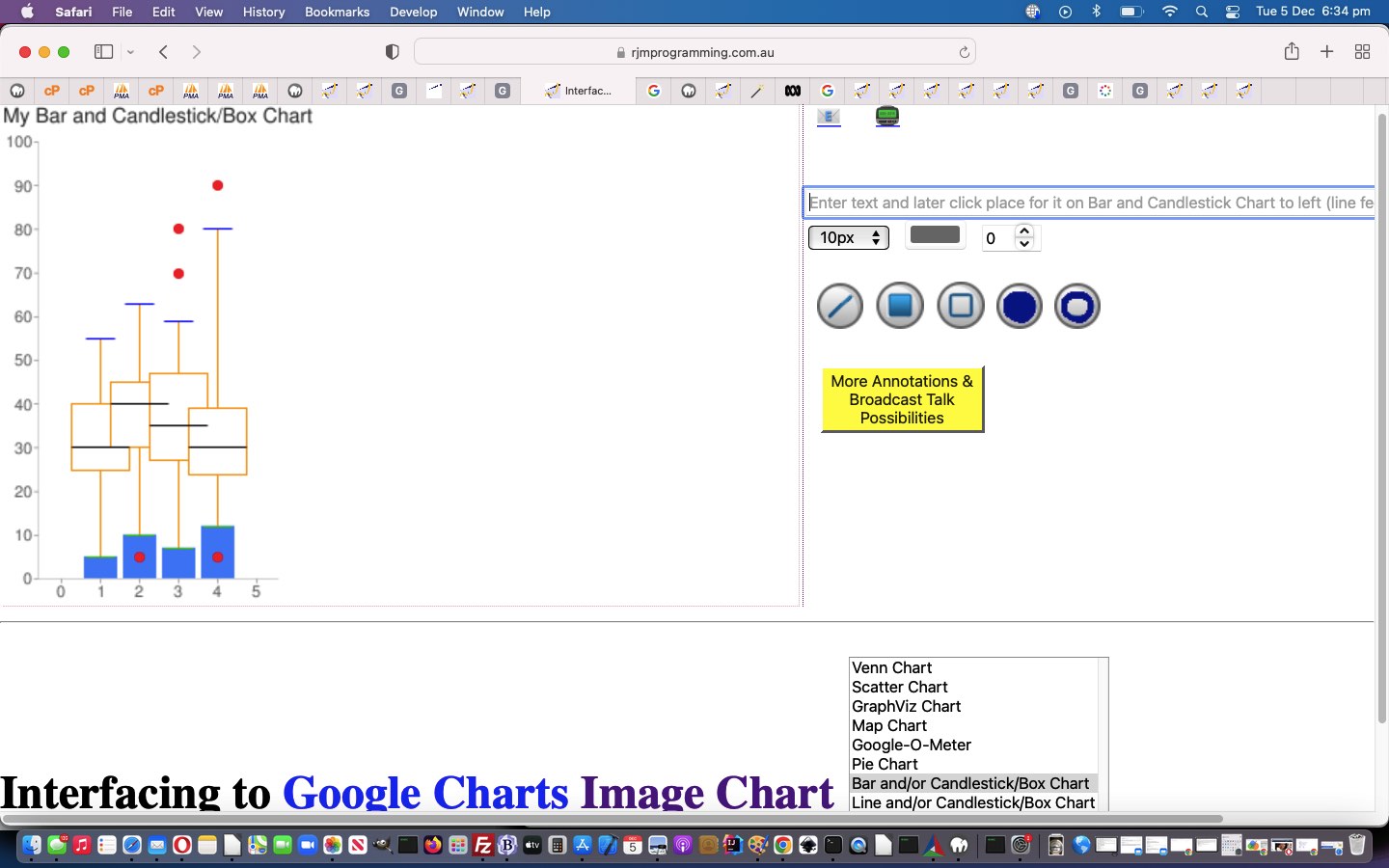
Google Chart Image Chart Box Chart Tutorial
Today we offer new …
… interfacings, onto the progress up to yesterday’s Google Chart Image Chart Colour Tutorial.
As such, it’s probably timely to update you with the parameterization up the top of the Javascript code …
  var pretherest='';

  var newtherest='';

  var tmod='';

  var colchange='';

  var cht=location.search.split('cht=')[1] ? decodeURIComponent(location.search.split('cht=')[1].split('&')[0]) : "v";

  if ((cht + ' ').substring(0,1) == 'p' && cht != 'p') { pretherest=cht.substring(1); }

  //if ((cht + '  ').substring(0,2) == 'bv' && cht != 'bv') { pretherest=cht.substring(2); if (1 == 1) { cht='bv'; }   }

  if ((cht + '  ').substring(0,1) == 'bv'.substring(0,1) && cht != 'bv'.substring(0,1)) { pretherest=cht.substring(1); if (1 == 1) { cht='bv'.substring(0,1); }   }

  if ((cht + '  ').substring(0,1) == 'l' && cht != 'l') { pretherest=cht.substring(1); if (1 == 1) { cht='l'; }   }

  var ccode=location.search.split('chld=')[1] ? decodeURIComponent(location.search.split('chld=')[1].split('&')[0]) : "";

  var ctype=location.search.split('type=')[1] ? decodeURIComponent(location.search.split('type=')[1].split('&')[0]) : cht;

  var cname=(ctype == 'v' ? 'Venn Chart' : (ctype == 's' ? 'Scatter Chart' : (ctype == 'gv' ? 'GraphViz Chart' :

  (ctype.substring(0,1) == 'p' ? 'Pie Chart' :

  ((ctype + ' ').substring(0,2).substring(0,1) == 'bv'.substring(0,1) ? 'Bar Chart' : (ctype.substring(0,1) == 'l' ? 'Line Chart' :

  (ctype == 'map' ? 'Map Chart' :

  (ctype == 'gom' ? 'Google-O-Meter Chart' :

  ''))))))));

  var cencodename=(ctype == 'v' ? 'Venn%20Diagram' : (ctype == 's' ? 'Scatter%20Chart' : (ctype == 'gv' ? 'GraphViz%20Chart' :

  (ctype.substring(0,1) == 'p' ? 'Pie%20Chart' :

  ((ctype + ' ').substring(0,2).substring(0,1) == 'bv'.substring(0,1) ? 'Bar%20Chart' : (ctype.substring(0,1) == 'l' ? 'Line%20Chart' :

  (ctype == 'map' ? 'Map%20Chart' :

  (ctype == 'gom' ? 'Google-O-Meter%20Chart' :

  ''))))))));

  var chdt=(ctype == 'v' ? '&chd=t:' : (ctype == 's' ? '&chd=t:' : (ctype == 'gv' ? '&chl=' :

  (ctype.substring(0,1) == 'p' ? pretherest + '&chd=t:' :

  ((ctype + ' ').substring(0,2).substring(0,1) == 'bv'.substring(0,1) ? '&chd=t:' : (ctype.substring(0,1) == 'l' ? '&chd=t:' :

  (ctype == 'map' ? '' :

  (ctype == 'gom' ? '&chd=t:' :

  ''))))))));

  var chdeq=(ctype == 'v' ? '&chd=' : (ctype == 's' ? '&chd=' : (ctype == 'gv' ? '&chl=' :

  (ctype.substring(0,1) == 'p' ? '&chd=' :

  ((ctype + ' ').substring(0,2).substring(0,1) == 'bv'.substring(0,1) ? '&chd=' : (ctype.substring(0,1) == 'l' ? '&chd=' :

  (ctype == 'map' ? '&chld=' :

  (ctype == 'gom' ? '&chdl=' :

  ''))))))));

  var tc=(ctype == 'v' ? 't:' : (ctype == 's' ? 't:' : (ctype == 'gv' ? '' :

  (ctype.substring(0,1) == 'p' ? 't:' :

  ((ctype + ' ').substring(0,2).substring(0,1) == 'bv'.substring(0,1) ? 't:' : (ctype.substring(0,1) == 'l' ? 't:' :

  (ctype == 'map' ? '' :

  (ctype == 'gom' ? 't:' :

  ''))))))));

  var chdl=(ctype == 'v' ? '&chdl=' : (ctype == 's' ? '&chdl=' : (ctype == 'gv' ? '' :

  (ctype.substring(0,1) == 'p' ? '&chdl=' :

  ((ctype + ' ').substring(0,2).substring(0,1) == 'bv'.substring(0,1) ? '&chbh=' : (ctype.substring(0,1) == 'l' ? '&chbh=' :

  (ctype == 'map' ? '' :

  (ctype == 'gom' ? '&chdl=' :

  ''))))))));


  var prenchtt=(ctype == 'v' ? '100,80,60,30,30,30,10' : (ctype == 's' ? '12,87,75,41,23,96,68,71,34,9|98,60,27,34,56,79,58,74,18,76|84,23,69,81,47,94,60,93,64,54' : (ctype == 'gv' ? 'graph{C_0--H_0[type=s];C_0--H_1[type=s];C_0--H_2[type=s];C_0--C_1[type=s];C_1--H_3[type=s];C_1--H_4[type=s];C_1--H_5[type=s]}' :

  (ctype.substring(0,1) == 'p' ? '1,2,3,4' :

  ((ctype + ' ').substring(0,2).substring(0,1) == 'bv'.substring(0,1) ? '5,5,5|10,10,10|15,15,15' : (ctype.substring(0,1) == 'l' ? '5,45,5|10,60,10|15,85,15' :

  (ctype == 'map' ? '' :

  (ctype == 'gom' ? '20,40,60' :

  ''))))))));

  var preachtt=(ctype == 'v' ? 'A|B|C' : (ctype == 's' ? 'Cats|Dogs' : (ctype == 'gv' ? '' :

  (ctype.substring(0,1) == 'p' ? 'January|February|March|April' :

  ((ctype + ' ').substring(0,2).substring(0,1) == 'bv'.substring(0,1) ? '15,4,15' : (ctype.substring(0,1) == 'l' ? '15,4,15' :

  (ctype == 'map' ? '' :

  (ctype == 'gom' ? 'A|B|C' :

  ''))))))));

  var defchco=(ctype == 'v' ? 'ff0000,00ff00,0000ff' : (ctype == 's' ? 'FF0000|0000FF&chxt=x,y' : (ctype == 'gv' ? '' :

  (ctype.substring(0,1) == 'p' ? 'ff0000,00ff00,0000ff,ff00ff' :

  ((ctype + ' ').substring(0,2).substring(0,1) == 'bv'.substring(0,1) ? '4D89F9,C6D9FD,C6FDD9&chxt=x,y' : (ctype.substring(0,1) == 'l' ? '3D89F9.B6D9FD,B6FDD9&chxt=x,y' :

  (ctype == 'map' ? '' :

  (ctype == 'gom' ? 'ff0000,00ff00,0000ff' :

  ''))))))));


  var prechtt=(ctype == 'v' ? chdt + prenchtt + chdl + preachtt : (ctype == 's' ? chdt + prenchtt + chdl + preachtt + '&chxt=x,y' : (ctype == 'gv' ? chdt + prenchtt :

  (ctype.substring(0,1) == 'p' ? chdt + prenchtt + chdl + preachtt :

  ((ctype + ' ').substring(0,2).substring(0,1) == 'bv'.substring(0,1) ? chdt + prenchtt + chdl + preachtt : (ctype.substring(0,1) == 'l' ? chdt + prenchtt + chdl + preachtt :

  (ctype == 'map' ? '' :

  (ctype == 'gom' ? chdt + prenchtt + chdl + preachtt :

  ''))))))));

  var promptone=(ctype == 'v' ? "Enter delimited values string for Venn Diagram such that ... " + String.fromCharCode(10) + "The first three values specify the sizes of three circles: A, B, & C. For chart with only two circles, specify zero for the third value." + String.fromCharCode(10) + "The fourth value specifies the size of the intersection of A and B." + String.fromCharCode(10) + "The fifth value specifies the size of the intersection of A and C. For a chart with only two circles, do not specify a value here." + String.fromCharCode(10) + "The sixth value specifies the size of the intersection of B and C. For a chart with only two circles, do not specify a value here." + String.fromCharCode(10) + "The seventh value specifies the size of the common intersection of A, B, and C. For a chart with only two circles, do not specify a value here." + String.fromCharCode(10) + String.fromCharCode(10) + "" : (ctype == 's' ? "Enter delimited values string for Scatter Chart" : (ctype == 'gv' ? "Enter delimited values string for GraphViz Chart" :

  (ctype.substring(0,1) == 'p' ? "Enter delimited values string for Pie Chart" :

  ((ctype + ' ').substring(0,2).substring(0,1) == 'bv'.substring(0,1) ? "Enter v for Vertical or h for Horizontal then one of g for Group or s for Stacked or o for Overlapped Bar Chart look then a space and then enter delimited values string for Bar Chart.  Here is a Candlestick and horizontal Bar Chart idea eg. hg 1:20,10,15,25,17,30|0,5,10,7,12,6|35,25,45,47,24,46|15,40,30,27,39,54|70,55,63,59,80,6  Here is a vertical Bar Chart and Box Chart idea vs 1:-1,5,10,7,12,-1|-1,25,30,27,24,-1|-1,40,45,47,39,-1|-1,55,63,59,80,-1|-1,30,40,35,30,-1|-1,-1,5,70,90,-1|-1,-1,-1,80,5,-1&chm=F,FF9900,0,1:4,40|H,0CBF0B,0,1:4,1:20|H,000000,4,1:4,1:40|H,0000FF,3,1:4,1:20|o,FF0000,5,-1,7|o,FF0000,6,-1,7  Prefix just the delimited string you enter by 1: to additionally display Candlestick/Box Charts or by 0: to only display Candlestick/Box Chart" :

  (ctype.substring(0,1) == 'l' ? "Enter c for Even or s for Sparklines or xy for Just XY Line Chart look then a space and then enter delimited values string for Line Chart.  Here is a Candlestick and Line Chart idea eg. c 1:20,10,15,25,17,30|0,5,10,7,12,6|35,25,45,47,24,46|15,40,30,27,39,54|70,55,63,59,80,6    Here is a Line Chart and Box Chart idea s 1:-1,5,10,7,12,-1|-1,25,30,27,24,-1|-1,40,45,47,39,-1|-1,55,63,59,80,-1|-1,30,40,35,30,-1|-1,-1,5,70,90,-1|-1,-1,-1,80,5,-1&chm=F,FF9900,0,1:4,40|H,0CBF0B,0,1:4,1:20|H,000000,4,1:4,1:40|H,0000FF,3,1:4,1:20|o,FF0000,5,-1,7|o,FF0000,6,-1,7  Prefix just the delimited string you enter by 1: to additionally display Candlestick/Box Charts or by 0: to only display Candlestick/Box Chart" :

  (ctype == 'map' ? "" :

  (ctype == 'gom' ? "Enter delimited values string for Google-O-Meter Chart" :

  ""))))))));

  var oneprompt=(ctype == 'v' ? "Enter delimited values string for your Venn Diagram collaborations, optionally, such that ... " + String.fromCharCode(10) + "The first three values specify the sizes of three circles: A, B, & C. For chart with only two circles, specify zero for the third value." + String.fromCharCode(10) + "The fourth value specifies the size of the intersection of A and B." + String.fromCharCode(10) + "The fifth value specifies the size of the intersection of A and C. For a chart with only two circles, do not specify a value here." + String.fromCharCode(10) + "The sixth value specifies the size of the intersection of B and C. For a chart with only two circles, do not specify a value here." + String.fromCharCode(10) + "The seventh value specifies the size of the common intersection of A, B, and C. For a chart with only two circles, do not specify a value here." + String.fromCharCode(10) + String.fromCharCode(10) + "" : (ctype == 's' ? "Enter delimited values string for Scatter Chart" : (ctype == 'gv' ? "Enter delimited values string for GraphViz Chart" :

  (ctype.substring(0,1) == 'p' ? "Enter delimited values string for Pie Chart" :

  ((ctype + ' ').substring(0,2).substring(0,1) == 'bv'.substring(0,1) ? "Enter g for Grouped or s for Stacked or o for Overlapped Bar Chart look then a space and then enter delimited values string for Bar Chart.  Here is a Candlestick and Bar Chart idea eg. g 1:20,10,15,25,17,30|0,5,10,7,12,6|35,25,45,47,24,46|15,40,30,27,39,54|70,55,63,59,80,6    Here is a vertical Bar Chart and Box Chart idea vs 1:-1,5,10,7,12,-1|-1,25,30,27,24,-1|-1,40,45,47,39,-1|-1,55,63,59,80,-1|-1,30,40,35,30,-1|-1,-1,5,70,90,-1|-1,-1,-1,80,5,-1&chm=F,FF9900,0,1:4,40|H,0CBF0B,0,1:4,1:20|H,000000,4,1:4,1:40|H,0000FF,3,1:4,1:20|o,FF0000,5,-1,7|o,FF0000,6,-1,7  Prefix just the delimited string you enter by 1: to additionally display Candlestick/Box Charts or by 0: to only display Candlestick/Box Chart" :

  (ctype.substring(0,1) == 'l' ? "Enter c for Even or s for Sparklines or xy for Just XY Line Chart look then a space and then enter delimited values string for Line Chart.  Here is a Candlestick and Line Chart idea eg. c 1:20,10,15,25,17,30|0,5,10,7,12,6|35,25,45,47,24,46|15,40,30,27,39,54|70,55,63,59,80,6    Here is a Line Chart and Box Chart idea s 1:-1,5,10,7,12,-1|-1,25,30,27,24,-1|-1,40,45,47,39,-1|-1,55,63,59,80,-1|-1,30,40,35,30,-1|-1,-1,5,70,90,-1|-1,-1,-1,80,5,-1&chm=F,FF9900,0,1:4,40|H,0CBF0B,0,1:4,1:20|H,000000,4,1:4,1:40|H,0000FF,3,1:4,1:20|o,FF0000,5,-1,7|o,FF0000,6,-1,7  Prefix just the delimited string you enter by 1: to additionally display Candlestick/Box Charts or by 0: to only display Candlestick/Box Chart" :

  (ctype == 'map' ? "" :

  (ctype == 'gom' ? "Enter delimited values string for Google-O-Meter Chart" :

  ""))))))));

  var asktwo=(ctype == 'v' ? true : (ctype == 's' ? true : (ctype == 'gv' ? false :

  (ctype.substring(0,1) == 'p' ? true :

  ((ctype + ' ').substring(0,2).substring(0,1) == 'bv'.substring(0,1) ? true : (ctype.substring(0,1) == 'l' ? true :

  (ctype == 'map' ? false :

  (ctype == 'gom' ? true :

  false))))))));


  var twopb=(ctype.substring(0,1) == 'p' ? 'Any optional legend or title argument snippets?  Optionally prefix by 3 for 3d Pie Chart or by c for Concentric Pie Chart.  Eg. 3' + chdl + preachtt + '&chtt=My%20' + cencodename + '&chco=' + defchco : 'Any optional legend or title argument snippets?  Eg. ' + chdl + preachtt + '&chtt=My%20' + cencodename + '&chco=' + defchco);

  var beforeanswer=(ctype.substring(0,1) == 'l' ? 'c ' : ((ctype + ' ').substring(0,2).substring(0,1) == 'bv'.substring(0,1) ? 'vg ' : ''));


  var emsmlist='';
… that goes into helping make the changed latest draft image_venn.html Google Chart Image Chart Venn Chart or Scatter Chart or GraphViz Chart or Pie Chart or Line Chart or Bar Chart or Candlestick/Box Chart or Google-O-Meter Chart or Map Chart interfacing web application you can also try below, one of the happiest little vegemites we know.
Previous relevant Google Chart Image Chart Colour Tutorial is shown below.
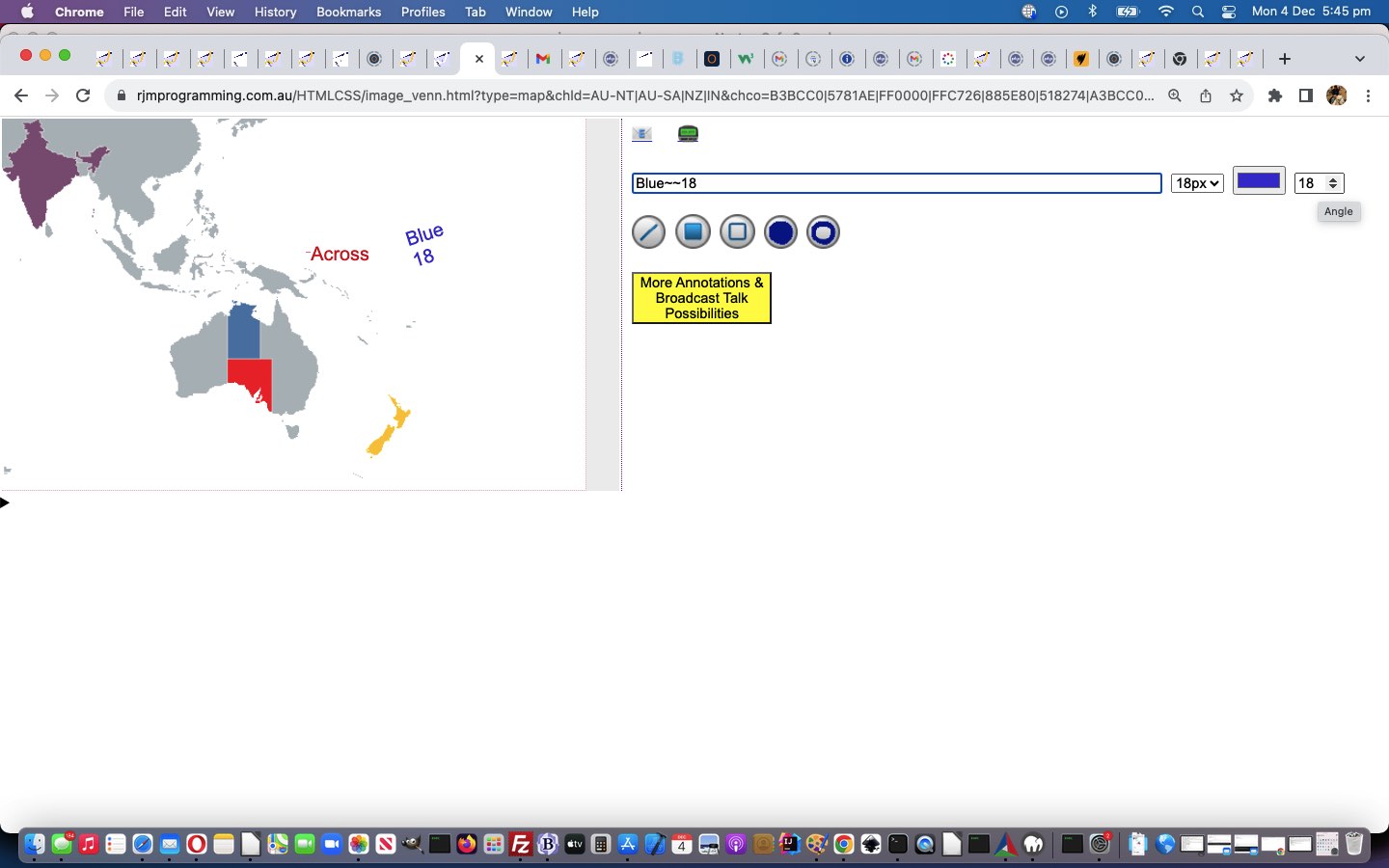
Google Chart Image Chart Colour Tutorial
Restricting you creatives to “inhouse annotations” of the “gray variety” might be seen as a bit boooorrrriiiinnnngggg! And so, onto the progress up to yesterday’s Google Chart Image Chart Rubber Banding Tutorial, today we’ve added a …
- colour picker … way user can define an “inhouse annotations” colour … and while we were at it …
- as far as text “inhouse annotations” go we’ve added a counterclockwise from the horizon, in degrees, way to define an angle the text should be placed at … and …
- we’ve stopped closing off the text font size dropdown too early, allowing the user to mix it up with their annotations, and so …
We now recommend, for those users pushing the boundaries of functionality, to gather all their “inhouse annotations” together before any “graphical canvas annotations” are thought about.
Which begs the question …
Where do you get it?
Well, here, via … dare we say it?! … … via …
Mantissa Madness Monday
Both colour and degree counterclockwise angle became “Mantissa Madness Monday” tragics, a bit like moi, really?
How did we express these two measures?
- colour can be derived at the 404.php end via mantissae that are 9 or more long where a number of the form rrrgggbbb is numerical and passed across to 404.php in the y co-ordinate mantissa … while … kind of crazily …
- angle can be a set of zeros in the x co-ordinate mantissa represented by zero characters to the length of the angle from 1 to 359 in front of a pre-existant font size (in px) usage, from last “Mantissa Madness Monday” (us getting away with this because no font size should start with a zero)
Oh! We have such fun around here?! Below is PHP WordPress blog 404.php code …
<?php
 // text placement

       $black = imagecolorallocatealpha($im, 1, 1, 1, 0);

       $blackish = imagecolorallocatealpha($im, 127, 127, 127, 64);

       $yis=$csv[1];

       $mantissae=explode('.', ('' . $csv[1]));

       if (sizeof($mantissae) > 1) {

         if (strlen($mantissae[1]) >= 9) {

                $black = imagecolorallocatealpha($im, intval(substr($mantissae[1],0,3)), intval(substr(substr($mantissae[1],3),0,3)), intval(substr(substr($mantissae[1],6),0,3)), 0);

                $blackish = imagecolorallocatealpha($im, intval(substr($mantissae[1],0,3)), intval(substr(substr($mantissae[1],3),0,3)), intval(substr(substr($mantissae[1],6),0,3)), 64);

         }

         $yis=$mantissae[0];

       }

       $za=0;

       $xis=$csv[0];

       $mantissae=explode('.', ('' . $csv[0]));

       if (sizeof($mantissae) > 1) {

         if (substr($mantissae[1],0,1) == '0') {

            if (str_replace('0','',$mantissae[1]) != '') {

              while (substr($mantissae[1],0,1) == '0') {

                $za++;

                $mantiss=substr($mantissae[1],1);

                $mantissae[1]=$mantiss;

              }

            }

         }

         $tenpx=$mantissae[1];

         $xis=$mantissae[0];

       }

  try {

  if (function_exists('imagettftext')) {

  if (explode('' . $csv[0] . ',' . $csv[1] . ',', $plotstring)[1] !== '') {

  //echo explode('' . $csv[0] . ',' . $csv[1] . ',', $plotstring)[1];

  //exit;

  imagettftext($im, $tenpx, $za, $xis, $yis, $black, realpath('arial.ttf'), explode('' . $csv[0] . ',' . $csv[1] . ',', $plotstring)[1]);

  }

  }

  } catch (Exception $e) {  }
?>
… used by our changed latest draft image_venn.html Google Chart Image Chart Venn Chart or Scatter Chart or GraphViz Chart or Pie Chart or Line Chart or Bar Chart or Candlestick Chart or Map Chart interfacing web application you can also try below.
Previous relevant Google Chart Image Chart Rubber Banding Tutorial is shown below.
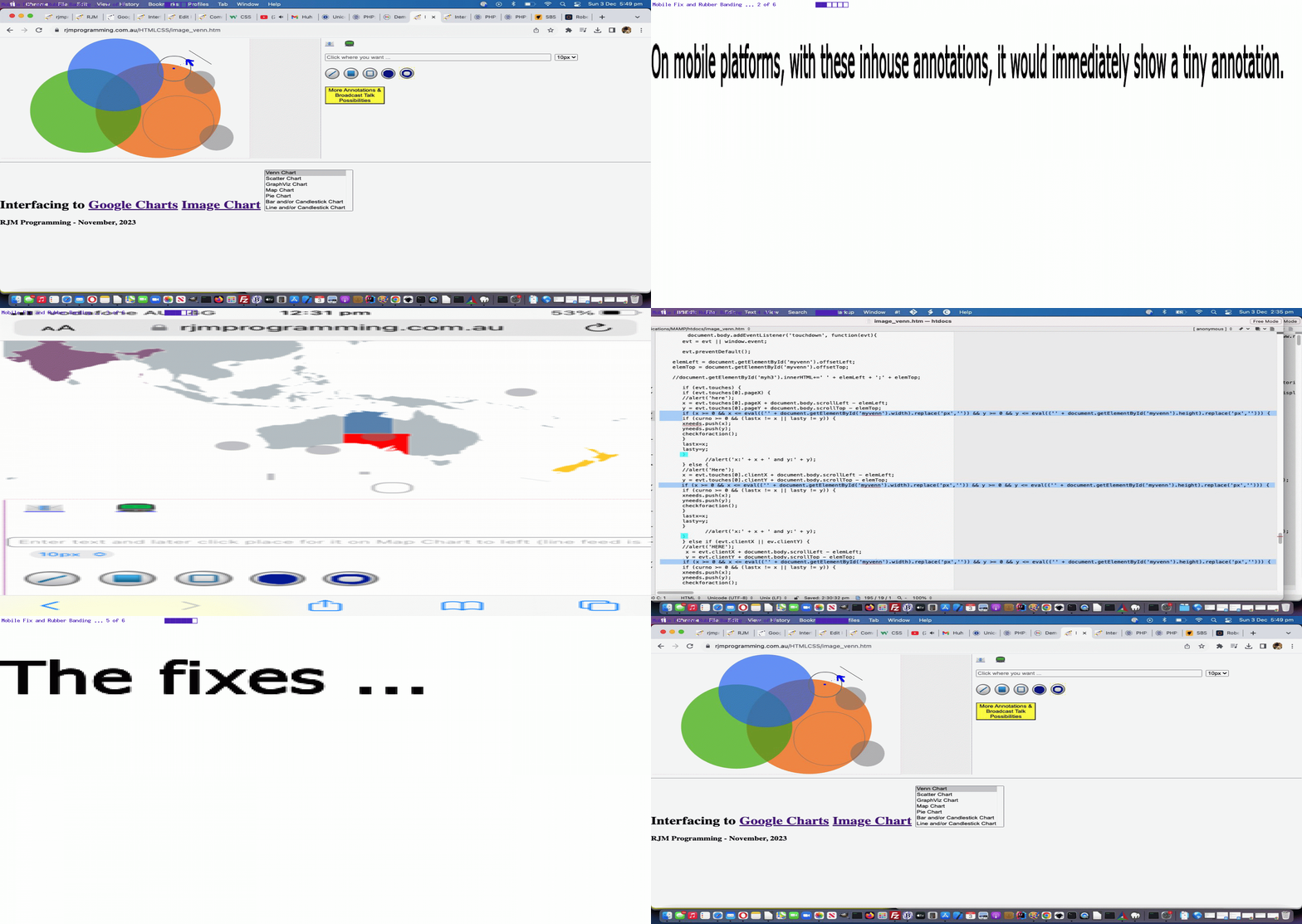
Google Chart Image Chart Rubber Banding Tutorial
The Javascript clientside idea of “Rubber Banding” …
Rubber banding is a popular technique of drawing geometric primitives such as line, polylines, rectangle, circle and ellipse on the computer screen.
… really appeals to our “inner programmer” … damn! … come, thou, out into the open, reveal thyself! … the sunshine is wonderful down here, and we’ve done away with death duties! … mostly! … but it is …
- only really a non-mobile prospect …
function checkforaction(rubberbanding,nx,ny) {
var bcbit='background-color:rgba(127,127,127,0.5);';
var zeroes='';
var classbit='';
var brbit='';
var ourdist=0;
var ioff=(rubberbanding == true ? 1 : 0);
var mone=1;
curno=eval('' + xneeds.length);
if (eval(ioff + curno) >= needtohave) {
if (!rubberbanding) {
document.getElementById('fauxdtext').innerHTML='';
}
if (curmode == 8) {
zeroes='00000000';
classbit=' class="crerect" ';
} else if (curmode == -5) {
//alert(1);
bcbit='border:2px solid rgba(127,127,127,0.5);';
if (rubberbanding) {
ourdist=eval(2.0 * Math.sqrt((nx - xneeds[0]) * (nx - xneeds[0]) + (ny - yneeds[0]) * (ny - yneeds[0])));
ourdist-=10;
bcbit='border:2px solid gray;background-color:transparent;';
} else {
ourdist=eval(2.0 * Math.sqrt((xneeds[1] - xneeds[0]) * (xneeds[1] - xneeds[0]) + (yneeds[1] - yneeds[0]) * (yneeds[1] - yneeds[0])));
}
//alert(ourdist);
//xneeds[1]=Math.floor('' + ourdist);
//yneeds[1]=xneeds[1];
brbit='border-radius:' + Math.floor(eval(ourdist / 2)) + 'px;';
zeroes='00000';
classbit=' class="ocirc" ';
//alert('open circle');
} else if (curmode == 6) {
if (rubberbanding) {
ourdist=eval(2.0 * Math.sqrt((nx - xneeds[0]) * (nx - xneeds[0]) + (ny - yneeds[0]) * (ny - yneeds[0])));
ourdist-=10;
} else {
ourdist=eval(2.0 * Math.sqrt((xneeds[1] - xneeds[0]) * (xneeds[1] - xneeds[0]) + (yneeds[1] - yneeds[0]) * (yneeds[1] - yneeds[0])));
}
//xneeds[1]=Math.floor('' + ourdist);
//yneeds[1]=xneeds[1];
brbit='border-radius:' + Math.floor(eval(ourdist / 2)) + 'px;';
//bcbit='border:2px solid rgba(127,127,127,0.5);';
zeroes='000000';
classbit=' class="ccirc" ';
//alert('closed circle ' + bcbit);
} else if (curmode == -4) {
if (rubberbanding) {
mone=0.90;
bcbit='border:2px solid gray;background-color:transparent;';
} else {
bcbit='border:2px solid rgba(127,127,127,0.5);';
}
zeroes='00';
classbit=' class="orect" ';
} else if (curmode == 2) {
zeroes='0';
if (rubberbanding) {
if (Math.min(xneeds[0],nx) == xneeds[0] && Math.min(yneeds[0],ny) == ny) { // thanks to https://stackoverflow.com/questions/18012420/draw-diagonal-lines-in-div-background-with-css
classbit=' class="crossedtotl" ';
} else if (Math.min(xneeds[0],nx) == nx && Math.min(yneeds[0],ny) == yneeds[0]) { // thanks to https://stackoverflow.com/questions/18012420/draw-diagonal-lines-in-div-background-with-css
classbit=' class="crossedtotl" ';
} else {
classbit=' class="crossedtotr" ';
}
} else {
if (Math.min(xneeds[0],xneeds[1]) == xneeds[0] && Math.min(yneeds[0],yneeds[1]) == yneeds[1]) { // thanks to https://stackoverflow.com/questions/18012420/draw-diagonal-lines-in-div-background-with-css
classbit=' class="crossedtotl" ';
} else if (Math.min(xneeds[0],xneeds[1]) == xneeds[1] && Math.min(yneeds[0],yneeds[1]) == yneeds[0]) { // thanks to https://stackoverflow.com/questions/18012420/draw-diagonal-lines-in-div-background-with-css
classbit=' class="crossedtotl" ';
} else {
classbit=' class="crossedtotr" ';
}
}
bcbit='';
} else if (curmode == 4) {
if (rubberbanding) {
mone=0.90;
}
zeroes='0000';
classbit=' class="crect" ';
}
if (!rubberbanding) {
curno=-1;
//if (brbit != '') {
//document.getElementById('dtext').innerHTML+='<div' + classbit + ' style="' + brbit + 'position:absolute;left:' + Math.min(xneeds[0],nx) + 'px;top:' + Math.min(yneeds[0],ny) + 'px;width:' + Math.abs(xneeds[0] - nx) + 'px;height:' + Math.abs(yneeds[0] - ny) + 'px;z-index:98;' + bcbit + '"></div>';
//} else {
//document.getElementById('dtext').innerHTML+='<div' + classbit + ' style="' + brbit + 'position:absolute;left:' + Math.min(xneeds[0],xneeds[1]) + 'px;top:' + Math.min(yneeds[0],yneeds[1]) + 'px;width:' + Math.abs(xneeds[0] - xneeds[1]) + 'px;height:' + Math.abs(yneeds[0] - yneeds[1]) + 'px;z-index:98;' + bcbit + '"></div>';
//}
document.getElementById('aemail').href+='&text' + textnum + '=' + encodeURIComponent('' + xneeds[0] + '.' + zeroes + xneeds[1] + ',' + yneeds[0] + '.' + yneeds[1] + ',') + '';
document.getElementById('asms').href+='&text' + textnum + '=' + encodeURIComponent('' + xneeds[0] + '.' + zeroes + xneeds[1] + ',' + yneeds[0] + '.' + yneeds[1] + ',') + '';
aemailurl+='&text' + textnum + '=' + encodeURIComponent('' + xneeds[0] + '.' + zeroes + xneeds[1] + ',' + yneeds[0] + '.' + yneeds[1] + ',') + '';
asmsurl+='&text' + textnum + '=' + encodeURIComponent('' + xneeds[0] + '.' + zeroes + xneeds[1] + ',' + yneeds[0] + '.' + yneeds[1] + ',') + '';
arest+='&text' + textnum + '=' + encodeURIComponent('' + xneeds[0] + '.' + zeroes + xneeds[1] + ',' + yneeds[0] + '.' + yneeds[1] + ',') + '';
}
if (brbit != '') {
//alert('brbit=' + brbit);
//xneeds[0]-=(xneeds[1] - xneeds[0]);
//yneeds[0]-=(yneeds[1] - yneeds[0]);
//alert('xneeds[0]=' + xneeds[0]);
if (rubberbanding) {
document.getElementById('fauxdtext').innerHTML='<div' + classbit + ' style="' + brbit + 'z-index:-89;position:absolute;left:' + Math.floor(eval(Math.min(xneeds[0],xneeds[0]) - ourdist / 2)) + 'px;top:' + Math.floor(eval(Math.min(yneeds[0],yneeds[0]) - ourdist / 2)) + 'px;width:' + ourdist + 'px;height:' + ourdist + 'px;z-index:98;' + bcbit + '"></div>';
} else {
document.getElementById('dtext').innerHTML+='<div' + classbit + ' style="' + brbit + 'position:absolute;left:' + Math.floor(eval(Math.min(xneeds[0],xneeds[0]) - ourdist / 2)) + 'px;top:' + Math.floor(eval(Math.min(yneeds[0],yneeds[0]) - ourdist / 2)) + 'px;width:' + ourdist + 'px;height:' + ourdist + 'px;z-index:98;' + bcbit + '"></div>';
}
} else {
if (rubberbanding) {
document.getElementById('fauxdtext').innerHTML='<div' + classbit + ' style="' + brbit + 'z-index:-89;position:absolute;left:' + Math.min(xneeds[0],nx) + 'px;top:' + Math.min(yneeds[0],ny) + 'px;width:' + Math.max(Math.floor(eval(-30 + Math.abs(xneeds[0] - nx))),Math.floor(eval(mone * Math.abs(xneeds[0] - nx)))) + 'px;height:' + Math.max(Math.floor(eval(-30 + Math.abs(yneeds[0] - ny))),Math.floor(eval(mone * Math.abs(yneeds[0] - ny)))) + 'px;z-index:98;' + bcbit + '"></div>';
} else {
document.getElementById('dtext').innerHTML+='<div' + classbit + ' style="' + brbit + 'position:absolute;left:' + Math.min(xneeds[0],xneeds[1]) + 'px;top:' + Math.min(yneeds[0],yneeds[1]) + 'px;width:' + Math.abs(xneeds[0] - xneeds[1]) + 'px;height:' + Math.abs(yneeds[0] - yneeds[1]) + 'px;z-index:98;' + bcbit + '"></div>';
}
}
if (!rubberbanding) {
textnum++;
xneeds=[];
yneeds=[];
//alert('arest=' + arest);
document.getElementById('tdright').innerHTML=" <span id=spemail><a target=_blank href='mailto:?subject=My%20" + cencodename + "%20...%20best%20viewed%20in%20landscape%20...&body=" + encodeURIComponent((document.getElementById('myvenn').src + arest).replace((document.getElementById('myvenn').src + arest).split('?')[0].split('#')[0], document.URL.split('?')[0].split('#')[0])) + "' id=aemail title=Email>📧</a></span> <span id=spsms><a target=_blank onmouseover=\"if (smsee.length == 0 && origsmsurl.indexOf('sms:&') != -1) { smsee=prompt('Please enter SMS number to send to.', ''); if (smsee == null) { smsee=''; } else { origsmsurl=origsmsurl.replace('sms:&','sms:' + smsee + '&'); asmsurl=asmsurl.replace('sms:&','sms:' + smsee + '&'); this.href=asmsurl; } }\" ontouchstart=\"if (smsee.length == 0 && origsmsurl.indexOf('sms:&') != -1) { smsee=prompt('Please enter SMS number to send to.', ''); if (smsee == null) { smsee=''; } else { origsmsurl=origsmsurl.replace('sms:&','sms:' + smsee + '&'); asmsurl=asmsurl.replace('sms:&','sms:' + smsee + '&'); this.href=asmsurl; } }\" href='sms:&body=" + encodeURIComponent((document.getElementById('myvenn').src + arest).replace(document.getElementById('myvenn').src.split('?')[0].split('#')[0], document.URL.split('?')[0].split('#')[0])) + "' id=asms title=SMS>📟</a></span><br><br> <input title=\"\" onclick=\"event.stopPropagation();\" id=ilp onblur=\"waitfortwo(0); lasttext=this.value.replace(/\~\~/g, '<br>'); this.title=lasttext; if (!navigator.userAgent.match(/Android|BlackBerry|iPhone|iPad|iPod|Opera Mini|IEMobile/i)) { this.value=''; } this.placeholder='Click where you want ... ' + lasttext.replace(/\<br\>/g, String.fromCharCode(10)); mvp.setAttribute('content','initial-scale=1'); document.getElementById('myvenn').scrollIntoView();\" placeholder='Enter text and later click place for it on " + decodeURIComponent(cencodename) + " to left (line feed is ~~)' type=text style=width:500px; value=''></input>" + fszbit + "<br><br> <img id=line src='/MarkItUp/line.png' onclick=\"event.stopPropagation(); this.style.border='1px dotted red'; waitfortwo(2);\"></img> <img id=rectangle src='/MarkItUp/rectangle.png' onclick=\"event.stopPropagation(); this.style.border='1px dotted red'; waitfortwo(4);\"></img> <img id=orectangle src='/MarkItUp/orectangle.png' onclick=\"event.stopPropagation(); this.style.border='1px dotted red'; waitfortwo(-4);\"></img> <img id=circle src='/MarkItUp/circlefill.png' onclick=\"event.stopPropagation(); this.style.border='1px dotted red'; waitfortwo(6);\"></img> <img id=ocircle src='/MarkItUp/circle.png' onclick=\"event.stopPropagation(); this.style.border='1px dotted red'; waitfortwo(-5);\"></img> <button id=orerect onclick=\"event.stopPropagation(); this.style.border='1px dotted red'; waitfortwo(8);\" title=\"Zoom in on rectangle you define via two clicks\" style=display:none;>🔎</button>" + lastbit + atend;
//alert(1);
if (!navigator.userAgent.match(/Android|BlackBerry|iPhone|iPad|iPod|Opera Mini|IEMobile/i)) { document.getElementById('ilp').focus(); }
document.getElementById('ilp').placeholder='Enter text and later click place for it on ' + decodeURIComponent(cencodename) + ' to left (line feed is ~~)';
}
} else if (curmode == 2 && !rubberbanding) {
document.getElementById('line').style.border='1px dashed yellow';
} else if (curmode == -4 && !rubberbanding) {
document.getElementById('orectangle').style.border='1px dashed yellow';
} else if (curmode == 4 && !rubberbanding) {
document.getElementById('rectangle').style.border='1px dashed yellow';
} else if (curmode == -5 && !rubberbanding) {
document.getElementById('ocircle').style.border='1px dashed yellow';
} else if (curmode == 6 && !rubberbanding) {
document.getElementById('circle').style.border='1px dashed yellow';
} else if (curmode == 8 && !rubberbanding) {
document.getElementById('orerect').style.border='1px dashed yellow';
}
}
// Rubber banding
document.body.addEventListener('mousemove', function(evt){
evt = evt || window.event;
evt.preventDefault();
elemLeft = document.getElementById('myvenn').offsetLeft;
elemTop = document.getElementById('myvenn').offsetTop;
//document.getElementById('myh3').innerHTML+=' ' + elemLeft + ':' + elemTop;
//document.getElementById('myh3').innerHTML+=' ' + document.body.scrollLeft + '.' + document.body.scrollTop;
if (evt.touches) {
if (evt.touches[0].pageX) {
//alert('here');
xx = evt.touches[0].pageX + document.body.scrollLeft - elemLeft;
yy = evt.touches[0].pageY + document.body.scrollTop - elemTop;
if (xx >= 0 && xx <= eval(('' + document.getElementById('myvenn').width).replace('px','')) && yy >= 0 && yy <= eval(('' + document.getElementById('myvenn').height).replace('px',''))) {
if (curno == 1 && (lastx != xx || lasty != yy)) {
checkforaction(true,xx,yy);
}
//lastx=xx;
//lasty=yy;
//alert('x:' + x + ' and y:' + y);
}
} else {
//alert('Here');
xx = evt.touches[0].clientX + document.body.scrollLeft - elemLeft;
yy = evt.touches[0].clientY + document.body.scrollTop - elemTop;
if (xx >= 0 && xx <= eval(('' + document.getElementById('myvenn').width).replace('px','')) && yy >= 0 && yy <= eval(('' + document.getElementById('myvenn').height).replace('px',''))) {
if (curno == 1 && (lastx != xx || lasty != yy)) {
checkforaction(true,xx,yy);
}
//lastx=xx;
//lasty=yy;
//alert('x:' + x + ' and y:' + y);
}
}
} else if (evt.clientX || ev.clientY) {
//alert('HERE');
xx = evt.clientX + document.body.scrollLeft - elemLeft;
yy = evt.clientY + document.body.scrollTop - elemTop;
if (xx >= 0 && xx <= eval(('' + document.getElementById('myvenn').width).replace('px','')) && yy >= 0 && yy <= eval(('' + document.getElementById('myvenn').height).replace('px',''))) {
if (curno == 1 && (lastx != xx || lasty != yy)) {
checkforaction(true,xx,yy);
}
//lastx=xx;
//lasty=yy;
}
} else {
//alert('HEre');
xx = evt.pageX + document.body.scrollLeft - elemLeft;
yy = evt.pageY + document.body.scrollTop - elemTop;
if (xx >= 0 && xx <= eval(('' + document.getElementById('myvenn').width).replace('px','')) && yy >= 0 && yy <= eval(('' + document.getElementById('myvenn').height).replace('px',''))) {
if (curno == 1 && (lastx != xx || lasty != yy)) {
checkforaction(true,xx,yy);
}
//lastx=xx;
//lasty=yy;
}
}
});
… at least for us (being as we do not want to clobber any pinch or spread gesture ideas, for the user)
- is only a really, “nice to have” functionality idea
Even so, achieving even a 95% percent working “rubber band” is like … is like …
Barracking for Hairtie United …
You little beauty, Untied!
And so, further to yesterday’s Google Chart Image Chart Circle Annotation Tutorial we have this non-mobile “Rubber Banding” inhouse annotation functionality included in our changed latest draft image_venn.html Google Chart Image Chart Venn Chart or Scatter Chart or GraphViz Chart or Pie Chart or Line Chart or Bar Chart or Candlestick Chart or Map Chart interfacing web application you can also try below.
But there’s more! Despite how long out of the day it takes to barrack for Hairtie United, there was a mobile matter we resolved. A slide in today’s animated GIF presentation shows the issue. On mobile platforms, with these inhouse annotations, it would immediately show a tiny annotation. There panned out to be two event programming related issues we needed to fix related to this problem …
- change looking for a “touchstart” event, and instead look for a “touchdown” event for a document.body scope (else we might have restricted the “scope” to just document.getEleementById(‘myvenn’) as another approach (and you should note our event.stopPropagation() statements in lots of places as another research point for you)) because we are talking “discrete click” user behaviour we are targeting … as well as …
- start checking that the co-ordinates calculated fall into the range of the Google Charts Image Chart image dimensions … doh!
         document.body.addEventListener('touchdown', function(evt){

         //alert(8);

       evt = evt || window.event;


       evt.preventDefault();


    elemLeft = document.getElementById('myvenn').offsetLeft;

    elemTop = document.getElementById('myvenn').offsetTop;


    //document.getElementById('myh3').innerHTML+=' ' + elemLeft + ';' + elemTop;


       if (evt.touches) {

       if (evt.touches[0].pageX) {

       //alert('here');

       x = evt.touches[0].pageX + document.body.scrollLeft - elemLeft;

       y = evt.touches[0].pageY + document.body.scrollTop - elemTop;

       if (x >= 0 && x <= eval(('' + document.getElementById('myvenn').width).replace('px','')) && y >= 0 && y <= eval(('' + document.getElementById('myvenn').height).replace('px',''))) {

       if (curno >= 0 && (lastx != x || lasty != y)) {

       xneeds.push(x);

       yneeds.push(y);

       checkforaction(false,-1,-1);

       }

       lastx=x;

       lasty=y;

       }

              //alert('x:' + x + ' and y:' + y);

       } else {

       //alert('Here');

       x = evt.touches[0].clientX + document.body.scrollLeft - elemLeft;

       y = evt.touches[0].clientY + document.body.scrollTop - elemTop;

       if (x >= 0 && x <= eval(('' + document.getElementById('myvenn').width).replace('px','')) && y >= 0 && y <= eval(('' + document.getElementById('myvenn').height).replace('px',''))) {

       if (curno >= 0 && (lastx != x || lasty != y)) {

       xneeds.push(x);

       yneeds.push(y);

       checkforaction(false,-1,-1);

       }

       lastx=x;

       lasty=y;

       }

              //alert('x:' + x + ' and y:' + y);

       }

       } else if (evt.clientX || ev.clientY) {

       //alert('HERE');

        x = evt.clientX + document.body.scrollLeft - elemLeft;

        y = evt.clientY + document.body.scrollTop - elemTop;

       if (x >= 0 && x <= eval(('' + document.getElementById('myvenn').width).replace('px','')) && y >= 0 && y <= eval(('' + document.getElementById('myvenn').height).replace('px',''))) {

       if (curno >= 0 && (lastx != x || lasty != y)) {

       xneeds.push(x);

       yneeds.push(y);

       checkforaction(false,-1,-1);

       }

       lastx=x;

       lasty=y;

       }

       } else {

       //alert('HEre');

        x = evt.pageX + document.body.scrollLeft - elemLeft;

        y = evt.pageY + document.body.scrollTop - elemTop;

       if (x >= 0 && x <= eval(('' + document.getElementById('myvenn').width).replace('px','')) && y >= 0 && y <= eval(('' + document.getElementById('myvenn').height).replace('px',''))) {

       if (curno >= 0 && (lastx != x || lasty != y)) {

       xneeds.push(x);

       yneeds.push(y);

       checkforaction(false,-1,-1);

       }

       lastx=x;

       lasty=y;

       }

       }

                });
Did you know?
Well … we didn’t?! We happened to try the web application above on a tiny iPad and saw that HTML button elements with an innerHTML label containing a line feed ( ie. <br> ) only showed the top line, and, alas, for that button in question, the vital new information used to be on the second line. Hence our fix …
      //document.getElementById('bshare').innerHTML='Repainting Top Left Image Periodically ... <br>Click here to Broadcast this session to other interested parties ...';

      document.getElementById('bshare').innerHTML='Click here to Broadcast this session to other interested parties ...<br>Repainting Top Left Image Periodically ...';
Previous relevant Google Chart Image Chart Circle Annotation Tutorial is shown below.
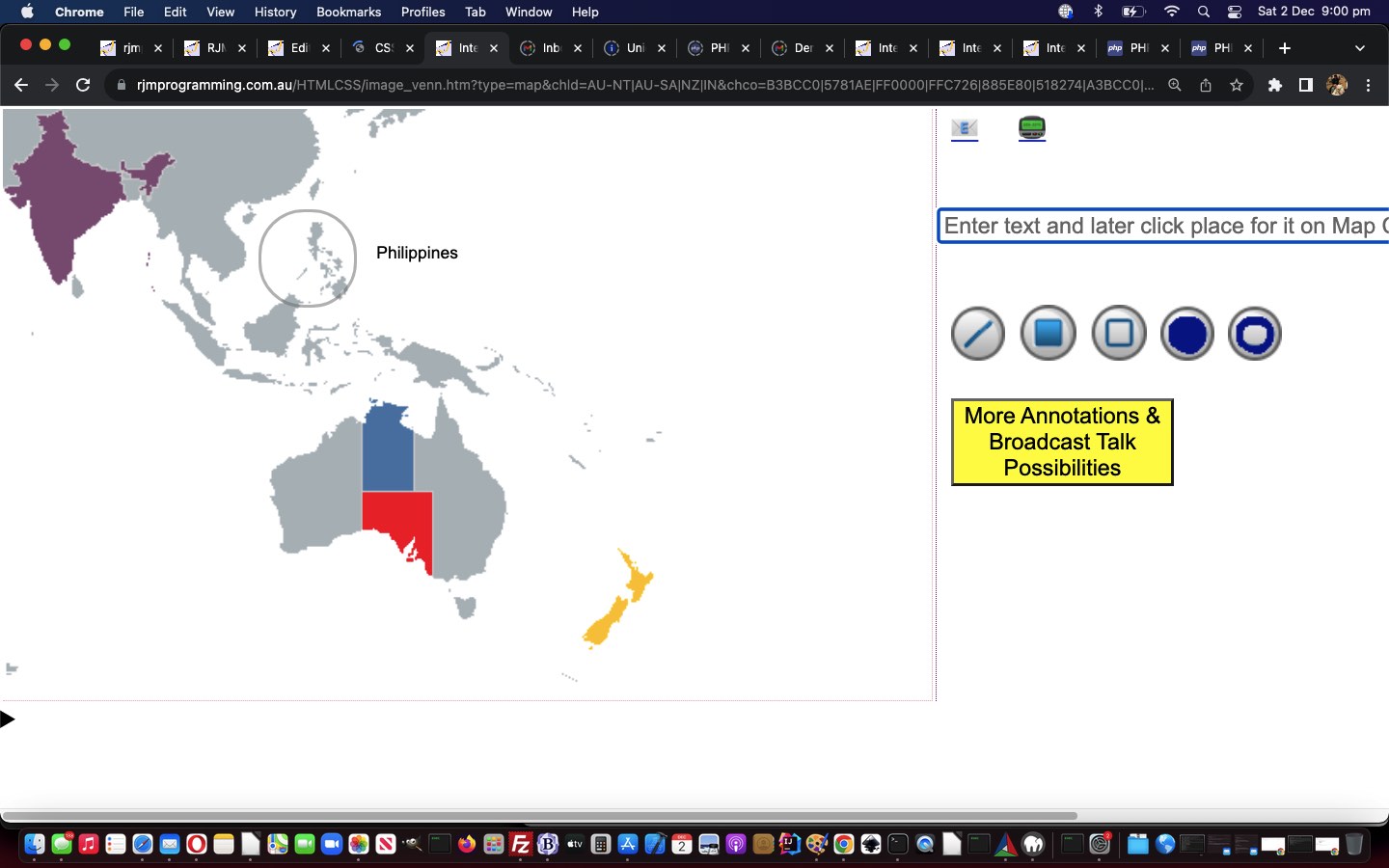
Google Chart Image Chart Circle Annotation Tutorial
Today, we add …
- open circle
- filled circle
… annotation possibilities onto the “Broadcast Talk” work in yesterday’s Google Chart Image Chart Broadcast Talk Context Tutorial.
The CSS border-radius property has come to the rescue of many a programmer, saving us from resorting to SVG to display circle or ellipses or arcs of various sorts …
function checkforaction() {
var bcbit='background-color:rgba(127,127,127,0.5);';
var zeroes='';
var classbit='';
var brbit='';
var ourdist=0;
curno=eval('' + xneeds.length);
if (curno >= needtohave) {
if (curmode == 8) {
zeroes='00000000';
classbit=' class="crerect" ';
} else if (curmode == -5) {
//alert(1);
ourdist=eval(2.0 * Math.sqrt((xneeds[1] - xneeds[0]) * (xneeds[1] - xneeds[0]) + (yneeds[1] - yneeds[0]) * (yneeds[1] - yneeds[0])));
//alert(ourdist);
//xneeds[1]=Math.floor('' + ourdist);
//yneeds[1]=xneeds[1];
brbit='border-radius:' + Math.floor(eval(ourdist / 2)) + 'px;';
bcbit='border:2px solid rgba(127,127,127,0.5);';
zeroes='00000';
classbit=' class="ocirc" ';
//alert('open circle');
} else if (curmode == 6) {
ourdist=eval(2.0 * Math.sqrt((xneeds[1] - xneeds[0]) * (xneeds[1] - xneeds[0]) + (yneeds[1] - yneeds[0]) * (yneeds[1] - yneeds[0])));
//xneeds[1]=Math.floor('' + ourdist);
//yneeds[1]=xneeds[1];
brbit='border-radius:' + Math.floor(eval(ourdist / 2)) + 'px;';
//bcbit='border:2px solid rgba(127,127,127,0.5);';
zeroes='000000';
classbit=' class="ccirc" ';
//alert('closed circle ' + bcbit);
} else if (curmode == -4) {
bcbit='border:2px solid rgba(127,127,127,0.5);';
zeroes='00';
classbit=' class="orect" ';
} else if (curmode == 2) {
zeroes='0';
if (Math.min(xneeds[0],xneeds[1]) == xneeds[0] && Math.min(yneeds[0],yneeds[1]) == yneeds[1]) { // thanks to https://stackoverflow.com/questions/18012420/draw-diagonal-lines-in-div-background-with-css
classbit=' class="crossedtotl" ';
} else if (Math.min(xneeds[0],xneeds[1]) == xneeds[1] && Math.min(yneeds[0],yneeds[1]) == yneeds[0]) { // thanks to https://stackoverflow.com/questions/18012420/draw-diagonal-lines-in-div-background-with-css
classbit=' class="crossedtotl" ';
} else {
classbit=' class="crossedtotr" ';
}
bcbit='';
} else if (curmode == 4) {
zeroes='0000';
classbit=' class="crect" ';
}
curno=-1;
//if (brbit != '') {
//document.getElementById('dtext').innerHTML+='<div' + classbit + ' style="' + brbit + 'position:absolute;left:' + Math.min(xneeds[0],xneeds[1]) + 'px;top:' + Math.min(yneeds[0],yneeds[1]) + 'px;width:' + Math.abs(xneeds[0] - xneeds[1]) + 'px;height:' + Math.abs(yneeds[0] - yneeds[1]) + 'px;z-index:98;' + bcbit + '"></div>';
//} else {
//document.getElementById('dtext').innerHTML+='<div' + classbit + ' style="' + brbit + 'position:absolute;left:' + Math.min(xneeds[0],xneeds[1]) + 'px;top:' + Math.min(yneeds[0],yneeds[1]) + 'px;width:' + Math.abs(xneeds[0] - xneeds[1]) + 'px;height:' + Math.abs(yneeds[0] - yneeds[1]) + 'px;z-index:98;' + bcbit + '"></div>';
//}
document.getElementById('aemail').href+='&text' + textnum + '=' + encodeURIComponent('' + xneeds[0] + '.' + zeroes + xneeds[1] + ',' + yneeds[0] + '.' + yneeds[1] + ',') + '';
document.getElementById('asms').href+='&text' + textnum + '=' + encodeURIComponent('' + xneeds[0] + '.' + zeroes + xneeds[1] + ',' + yneeds[0] + '.' + yneeds[1] + ',') + '';
aemailurl+='&text' + textnum + '=' + encodeURIComponent('' + xneeds[0] + '.' + zeroes + xneeds[1] + ',' + yneeds[0] + '.' + yneeds[1] + ',') + '';
asmsurl+='&text' + textnum + '=' + encodeURIComponent('' + xneeds[0] + '.' + zeroes + xneeds[1] + ',' + yneeds[0] + '.' + yneeds[1] + ',') + '';
arest+='&text' + textnum + '=' + encodeURIComponent('' + xneeds[0] + '.' + zeroes + xneeds[1] + ',' + yneeds[0] + '.' + yneeds[1] + ',') + '';
if (brbit != '') {
//alert('brbit=' + brbit);
//xneeds[0]-=(xneeds[1] - xneeds[0]);
//yneeds[0]-=(yneeds[1] - yneeds[0]);
//alert('xneeds[0]=' + xneeds[0]);
document.getElementById('dtext').innerHTML+='<div' + classbit + ' style="' + brbit + 'position:absolute;left:' + Math.floor(eval(Math.min(xneeds[0],xneeds[0]) - ourdist / 2)) + 'px;top:' + Math.floor(eval(Math.min(yneeds[0],yneeds[0]) - ourdist / 2)) + 'px;width:' + ourdist + 'px;height:' + ourdist + 'px;z-index:98;' + bcbit + '"></div>';
} else {
document.getElementById('dtext').innerHTML+='<div' + classbit + ' style="' + brbit + 'position:absolute;left:' + Math.min(xneeds[0],xneeds[1]) + 'px;top:' + Math.min(yneeds[0],yneeds[1]) + 'px;width:' + Math.abs(xneeds[0] - xneeds[1]) + 'px;height:' + Math.abs(yneeds[0] - yneeds[1]) + 'px;z-index:98;' + bcbit + '"></div>';
}
textnum++;
xneeds=[];
yneeds=[];
//alert('arest=' + arest);
document.getElementById('tdright').innerHTML=" <span id=spemail><a target=_blank href='mailto:?subject=My%20" + cencodename + "%20...%20best%20viewed%20in%20landscape%20...&body=" + encodeURIComponent((document.getElementById('myvenn').src + arest).replace((document.getElementById('myvenn').src + arest).split('?')[0].split('#')[0], document.URL.split('?')[0].split('#')[0])) + "' id=aemail title=Email>📧</a></span> <span id=spsms><a target=_blank onmouseover=\"if (smsee.length == 0 && origsmsurl.indexOf('sms:&') != -1) { smsee=prompt('Please enter SMS number to send to.', ''); if (smsee == null) { smsee=''; } else { origsmsurl=origsmsurl.replace('sms:&','sms:' + smsee + '&'); asmsurl=asmsurl.replace('sms:&','sms:' + smsee + '&'); this.href=asmsurl; } }\" ontouchstart=\"if (smsee.length == 0 && origsmsurl.indexOf('sms:&') != -1) { smsee=prompt('Please enter SMS number to send to.', ''); if (smsee == null) { smsee=''; } else { origsmsurl=origsmsurl.replace('sms:&','sms:' + smsee + '&'); asmsurl=asmsurl.replace('sms:&','sms:' + smsee + '&'); this.href=asmsurl; } }\" href='sms:&body=" + encodeURIComponent((document.getElementById('myvenn').src + arest).replace(document.getElementById('myvenn').src.split('?')[0].split('#')[0], document.URL.split('?')[0].split('#')[0])) + "' id=asms title=SMS>📟</a></span><br><br> <input title=\"\" onclick=\"event.stopPropagation();\" id=ilp onblur=\"waitfortwo(0); lasttext=this.value.replace(/\~\~/g, '<br>'); this.title=lasttext; if (!navigator.userAgent.match(/Android|BlackBerry|iPhone|iPad|iPod|Opera Mini|IEMobile/i)) { this.value=''; } this.placeholder='Click where you want ... ' + lasttext.replace(/\<br\>/g, String.fromCharCode(10)); mvp.setAttribute('content','initial-scale=1'); document.getElementById('myvenn').scrollIntoView();\" placeholder='Enter text and later click place for it on " + decodeURIComponent(cencodename) + " to left (line feed is ~~)' type=text style=width:500px; value=''></input>" + fszbit + "<br><br> <img id=line src='/MarkItUp/line.png' onclick=\"event.stopPropagation(); this.style.border='1px dotted red'; waitfortwo(2);\"></img> <img id=rectangle src='/MarkItUp/rectangle.png' onclick=\"event.stopPropagation(); this.style.border='1px dotted red'; waitfortwo(4);\"></img> <img id=orectangle src='/MarkItUp/orectangle.png' onclick=\"event.stopPropagation(); this.style.border='1px dotted red'; waitfortwo(-4);\"></img> <img id=circle src='/MarkItUp/circlefill.png' onclick=\"event.stopPropagation(); this.style.border='1px dotted red'; waitfortwo(6);\"></img> <img id=ocircle src='/MarkItUp/circle.png' onclick=\"event.stopPropagation(); this.style.border='1px dotted red'; waitfortwo(-5);\"></img> <button id=orerect onclick=\"event.stopPropagation(); this.style.border='1px dotted red'; waitfortwo(8);\" title=\"Zoom in on rectangle you define via two clicks\" style=display:none;>🔎</button>" + lastbit + atend;
//alert(1);
if (!navigator.userAgent.match(/Android|BlackBerry|iPhone|iPad|iPod|Opera Mini|IEMobile/i)) { document.getElementById('ilp').focus(); }
document.getElementById('ilp').placeholder='Enter text and later click place for it on ' + decodeURIComponent(cencodename) + ' to left (line feed is ~~)';
} else if (curmode == 2) {
document.getElementById('line').style.border='1px dashed yellow';
} else if (curmode == -4) {
document.getElementById('orectangle').style.border='1px dashed yellow';
} else if (curmode == 4) {
document.getElementById('rectangle').style.border='1px dashed yellow';
} else if (curmode == -5) {
document.getElementById('ocircle').style.border='1px dashed yellow';
} else if (curmode == 6) {
document.getElementById('circle').style.border='1px dashed yellow';
} else if (curmode == 8) {
document.getElementById('orerect').style.border='1px dashed yellow';
}
}
… to team up with WordPress blog 404.php changes …
<?php
      if (strlen($zeroesbit) == 6) { // filled in circle

         if (sizeof($csv) == 3) {

           array_push($csv, $csv[2]);

         } else if (sizeof($csv) >= 4) {

           $dist=(2.0 * sqrt(($csv[0] - $csv[2]) * ($csv[0] - $csv[2]) + ($csv[1] - $csv[3]) * ($csv[1] - $csv[3])));

           $csv[2]=$dist;

           $csv[3]=$dist;

         }

         imagefilledellipse($im, $csv[0], $csv[1], $csv[2], $csv[3], $blackish);

       } else if (strlen($zeroesbit) == 5) { // circle

         if (sizeof($csv) == 3) {

           array_push($csv, $csv[2]);

         } else if (sizeof($csv) >= 4) {

           $dist=(2.0 * sqrt(($csv[0] - $csv[2]) * ($csv[0] - $csv[2]) + ($csv[1] - $csv[3]) * ($csv[1] - $csv[3])));

           $csv[2]=$dist;

           $csv[3]=$dist;

         }

         imageellipse($im, $csv[0], $csv[1], $csv[2], $csv[3], $black);

       }
?>
… with our changed ninth draft image_venn.html Google Chart Image Chart Venn Chart or Scatter Chart or GraphViz Chart or Pie Chart or Line Chart or Bar Chart or Candlestick Chart or Map Chart interfacing web application you can also try below.
Previous relevant Google Chart Image Chart Broadcast Talk Context Tutorial is shown below.
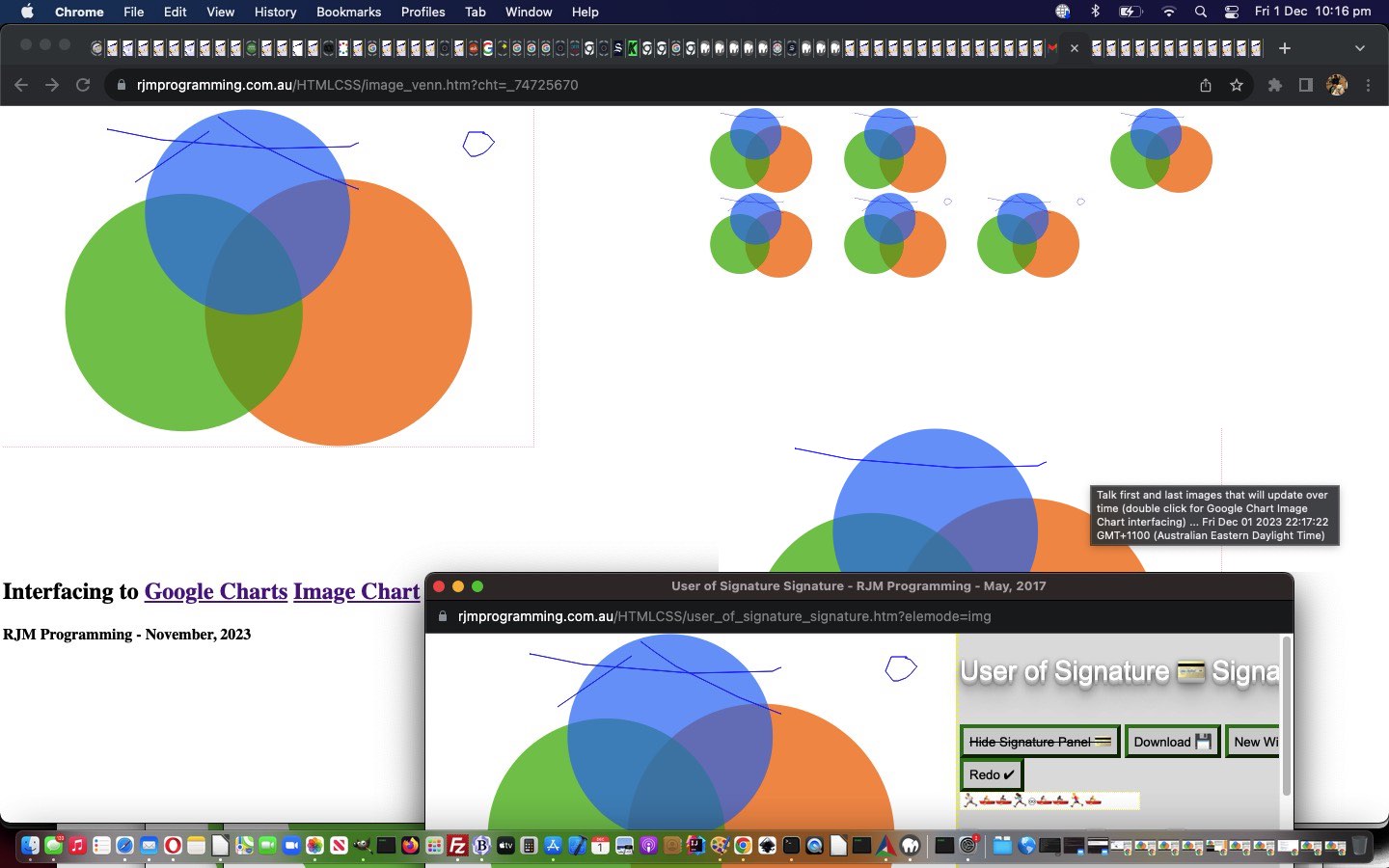
Google Chart Image Chart Broadcast Talk Context Tutorial
The progress, today, along the same lines as yesterday’s Google Chart Image Chart Broadcast Talk Tutorial‘s introduction of a “Broadcast Talk” functionality, was to …
We hope you try new functionality in our changed eighth draft image_venn.html Google Chart Image Chart Venn Chart or Scatter Chart or GraphViz Chart or Pie Chart or Line Chart or Bar Chart or Candlestick Chart or Map Chart interfacing web application you can also try below.
Previous relevant Google Chart Image Chart Broadcast Talk Tutorial is shown below.
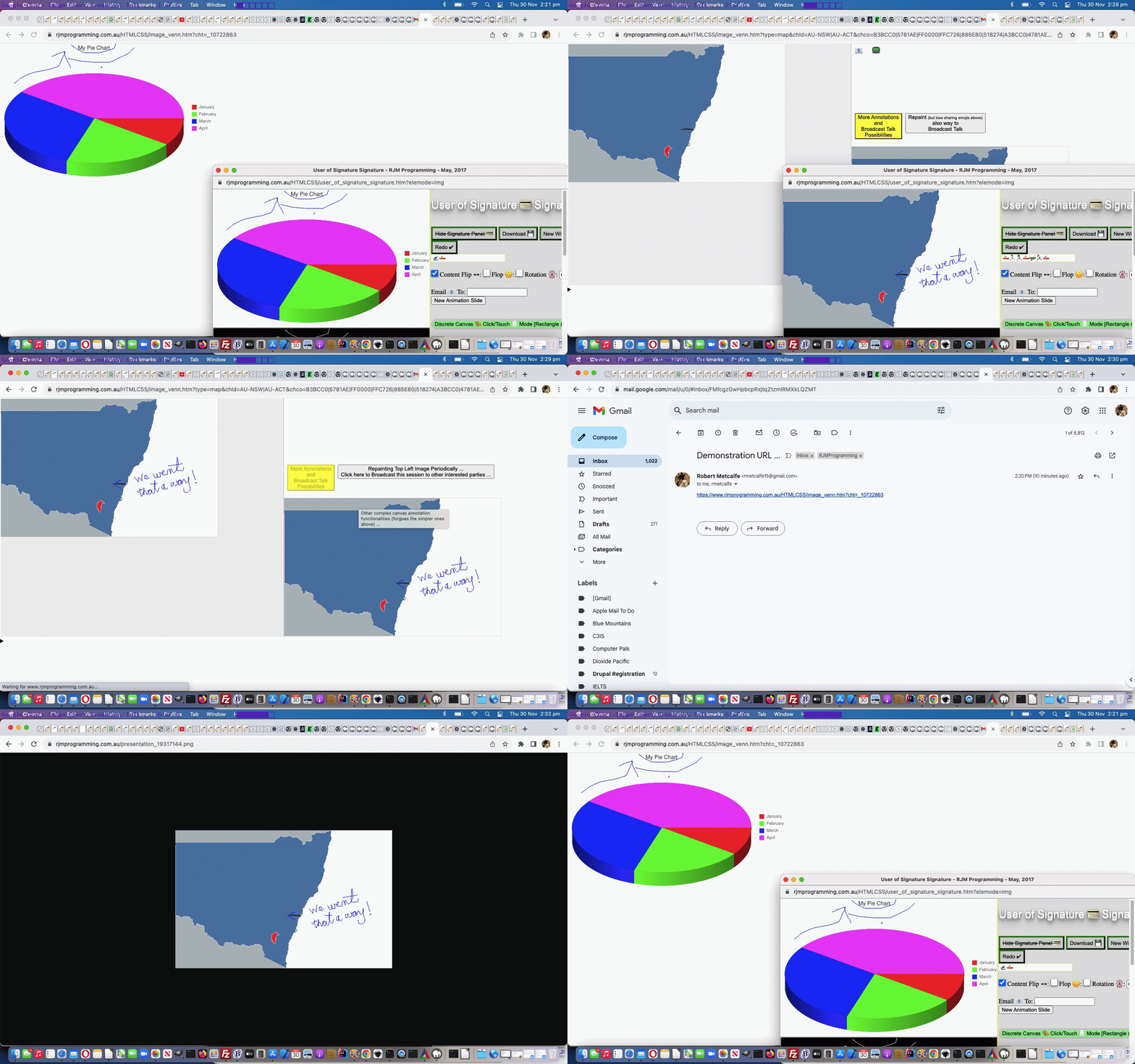
Google Chart Image Chart Broadcast Talk Tutorial
Onto yesterday’s Google Chart Image Chart Statistical Charts Tutorial progress we want to offer …
- once a user has that “More Annotation” annotating happening … offer the chance to …
- Broadcast … their work as it happens, dynamically …
- to an emailee list audience
… and we’re calling this …
Broadcast Talk
… even though it is only visual by nature, presented as an update image still presented and updated periodically. Go figure?! We’re blaming that supper time two back. We’re not sure?!
Anyway, we hope you try out the new arrangements in our changed seventh draft image_venn.html Google Chart Image Chart Venn Chart or Scatter Chart or GraphViz Chart or Pie Chart or Line Chart or Bar Chart or Candlestick Chart or Map Chart interfacing web application you can also try below, and helped out by a WordPress blog good ol’ TwentyTen theme 404.php which now includes …
<?php
if (isset($_POST['canvcont']) && isset($_POST['uniquifier']) && strpos(('?' . $_SERVER['QUERY_STRING']), 'cht=') === false) {
if (isset($_POST['uniquifier'])) {
$uniquifier=str_replace('+',' ',urldecode($_POST['uniquifier']));
}
if ($uniquifier == '') {
$uniquifier='_' . rand(0,78654356);
file_put_contents($_SERVER['DOCUMENT_ROOT'] . DIRECTORY_SEPARATOR . "presentation" . $uniquifier . ".png", base64_decode( explode('base64,', str_replace(' ','+',urldecode($_POST['canvcont'])))[1]));
echo "<html><body onload=\"if (parent.document.getElementById('uniquifier')) { if (parent.document.getElementById('uniquifier').value == '') { parent.document.getElementById('uniquifier').value='" . $uniquifier . "'; } }\"></body></html>";
} else {
file_put_contents($_SERVER['DOCUMENT_ROOT'] . DIRECTORY_SEPARATOR . "presentation" . $uniquifier . ".png", base64_decode( explode('base64,', str_replace(' ','+',urldecode($_POST['canvcont'])))[1]));
}
exit;
}
?>
… featuring our first use of this 404.php in response to a method=POST form call. Verrrrrryyyy interesting!
Previous relevant Google Chart Image Chart Statistical Charts Tutorial is shown below.
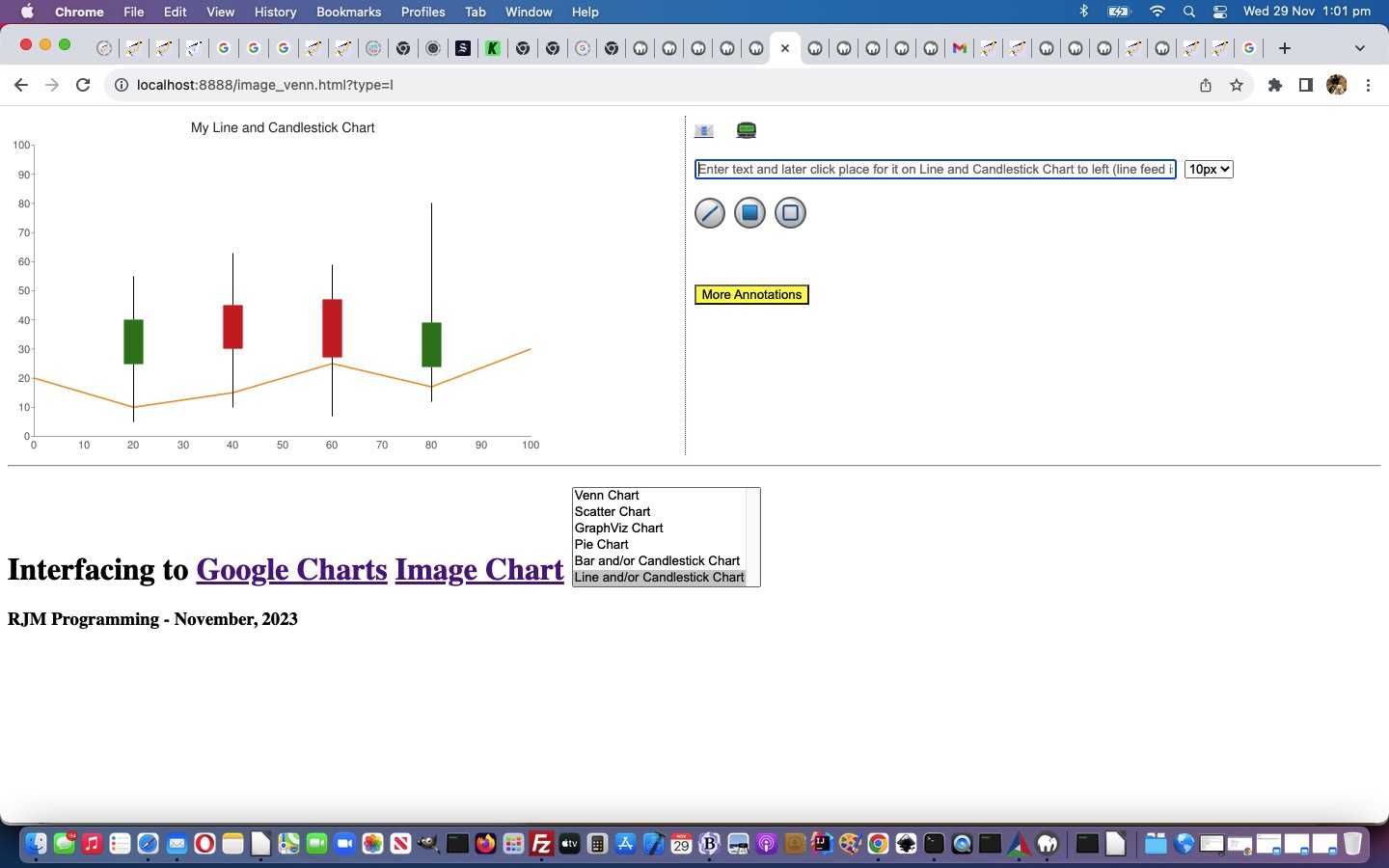
Google Chart Image Chart Statistical Charts Tutorial
Further to yesterday’s Google Chart Image Chart Pie Chart Tutorial, today, we embark on our first ventures into composite charts, along what we like to think of as “statistical lines”, regarding interfacing to Google Charts Image Chart …
… the latter being like a “parasite” display idea off the more conventional Statistical Graph favourites, the Line Chart and Bar Chart, where you have a relationship between a numerical concept (eg. sales) and another type of concept (eg. month of the year), and you want to present the data in a graphical form.
Again, we haven’t stopped our “retweaking”. We might “retweak” in the morning or we might “retweak” over a coffee break or we might “retweak” at supper time, but the end result is, well, you’re reading it now!
var pretherest='';
var newtherest='';
var tmod='';
var cht=location.search.split('cht=')[1] ? decodeURIComponent(location.search.split('cht=')[1].split('&')[0]) : "v";
if ((cht + ' ').substring(0,1) == 'p' && cht != 'p') { pretherest=cht.substring(1); }
if ((cht + ' ').substring(0,2) == 'bv' && cht != 'bv') { pretherest=cht.substring(2); if (1 == 1) { cht='bv'; } }
if ((cht + ' ').substring(0,1) == 'l' && cht != 'l') { pretherest=cht.substring(1); if (1 == 1) { cht='l'; } }
var ctype=location.search.split('type=')[1] ? decodeURIComponent(location.search.split('type=')[1].split('&')[0]) : cht;
var cname=(ctype == 'v' ? 'Venn Chart' : (ctype == 's' ? 'Scatter Chart' : (ctype == 'gv' ? 'GraphViz Chart' :
(ctype.substring(0,1) == 'p' ? 'Pie Chart' :
((ctype + ' ').substring(0,2) == 'bv' ? 'Bar Chart' : (ctype.substring(0,1) == 'l' ? 'Line Chart' : ''))))));
var cencodename=(ctype == 'v' ? 'Venn%20Diagram' : (ctype == 's' ? 'Scatter%20Chart' : (ctype == 'gv' ? 'GraphViz%20Chart' :
(ctype.substring(0,1) == 'p' ? 'Pie%20Chart' :
((ctype + ' ').substring(0,2) == 'bv' ? 'Bar%20Chart' : (ctype.substring(0,1) == 'l' ? 'Line%20Chart' : ''))))));
var chdt=(ctype == 'v' ? '&chd=t:' : (ctype == 's' ? '&chd=t:' : (ctype == 'gv' ? '&chl=' :
(ctype.substring(0,1) == 'p' ? pretherest + '&chd=t:' :
((ctype + ' ').substring(0,2) == 'bv' ? '&chd=t:' : (ctype.substring(0,1) == 'l' ? '&chd=t:' : ''))))));
var chdeq=(ctype == 'v' ? '&chd=' : (ctype == 's' ? '&chd=' : (ctype == 'gv' ? '&chl=' :
(ctype.substring(0,1) == 'p' ? '&chd=' :
((ctype + ' ').substring(0,2) == 'bv' ? '&chd=' : (ctype.substring(0,1) == 'l' ? '&chd=' : ''))))));
var tc=(ctype == 'v' ? 't:' : (ctype == 's' ? 't:' : (ctype == 'gv' ? '' :
(ctype.substring(0,1) == 'p' ? 't:' :
((ctype + ' ').substring(0,2) == 'bv' ? 't:' : (ctype.substring(0,1) == 'l' ? 't:' : ''))))));
var chdl=(ctype == 'v' ? '&chdl=' : (ctype == 's' ? '&chdl=' : (ctype == 'gv' ? '' :
(ctype.substring(0,1) == 'p' ? '&chdl=' :
((ctype + ' ').substring(0,2) == 'bv' ? '&chbh=' : (ctype.substring(0,1) == 'l' ? '&chbh=' : ''))))));
var prenchtt=(ctype == 'v' ? '100,80,60,30,30,30,10' : (ctype == 's' ? '12,87,75,41,23,96,68,71,34,9|98,60,27,34,56,79,58,74,18,76|84,23,69,81,47,94,60,93,64,54' : (ctype == 'gv' ? 'graph{C_0--H_0[type=s];C_0--H_1[type=s];C_0--H_2[type=s];C_0--C_1[type=s];C_1--H_3[type=s];C_1--H_4[type=s];C_1--H_5[type=s]}' :
(ctype.substring(0,1) == 'p' ? '1,2,3,4' :
((ctype + ' ').substring(0,2) == 'bv' ? '5,5,5|10,10,10|15,15,15' : (ctype.substring(0,1) == 'l' ? '5,45,5|10,60,10|15,85,15' : ''))))));
var preachtt=(ctype == 'v' ? 'A|B|C' : (ctype == 's' ? 'Cats|Dogs' : (ctype == 'gv' ? '' :
(ctype.substring(0,1) == 'p' ? 'January|February|March|April' :
((ctype + ' ').substring(0,2) == 'bv' ? '15,4,15' : (ctype.substring(0,1) == 'l' ? '15,4,15' : ''))))));
var defchco=(ctype == 'v' ? 'ff0000,00ff00,0000ff' : (ctype == 's' ? 'FF0000|0000FF&chxt=x,y' : (ctype == 'gv' ? '' :
(ctype.substring(0,1) == 'p' ? 'ff0000,00ff00,0000ff,ff00ff' :
((ctype + ' ').substring(0,2) == 'bv' ? '4D89F9,C6D9FD,C6FDD9&chxt=x,y' : (ctype.substring(0,1) == 'l' ? '3D89F9.B6D9FD,B6FDD9&chxt=x,y' : ''))))));
var prechtt=(ctype == 'v' ? chdt + prenchtt + chdl + preachtt : (ctype == 's' ? chdt + prenchtt + chdl + preachtt + '&chxt=x,y' : (ctype == 'gv' ? chdt + prenchtt :
(ctype.substring(0,1) == 'p' ? chdt + prenchtt + chdl + preachtt :
((ctype + ' ').substring(0,2) == 'bv' ? chdt + prenchtt + chdl + preachtt : (ctype.substring(0,1) == 'l' ? chdt + prenchtt + chdl + preachtt : ''))))));
var promptone=(ctype == 'v' ? "Enter delimited values string for Venn Diagram such that ... " + String.fromCharCode(10) + "The first three values specify the sizes of three circles: A, B, & C. For chart with only two circles, specify zero for the third value." + String.fromCharCode(10) + "The fourth value specifies the size of the intersection of A and B." + String.fromCharCode(10) + "The fifth value specifies the size of the intersection of A and C. For a chart with only two circles, do not specify a value here." + String.fromCharCode(10) + "The sixth value specifies the size of the intersection of B and C. For a chart with only two circles, do not specify a value here." + String.fromCharCode(10) + "The seventh value specifies the size of the common intersection of A, B, and C. For a chart with only two circles, do not specify a value here." + String.fromCharCode(10) + String.fromCharCode(10) + "" : (ctype == 's' ? "Enter delimited values string for Scatter Chart" : (ctype == 'gv' ? "Enter delimited values string for GraphViz Chart" :
(ctype.substring(0,1) == 'p' ? "Enter delimited values string for Pie Chart" :
((ctype + ' ').substring(0,2) == 'bv' ? "Enter g for Group or s for Stacked or o for Overlapped Bar Chart look then a space and then enter delimited values string for Bar Chart. Here is a Candlestick and Bar Chart idea eg. g 1:20,10,15,25,17,30|0,5,10,7,12,6|35,25,45,47,24,46|15,40,30,27,39,54|70,55,63,59,80,6 Prefix just the delimited string you enter by 1: to additionally display Candlestick Charts or by 0: to only display Candlestick Chart" :
(ctype.substring(0,1) == 'l' ? "Enter c for Even or s for Sparklines or xy for Just XY Line Chart look then a space and then enter delimited values string for Line Chart. Here is a Candlestick and Line Chart idea eg. c 1:20,10,15,25,17,30|0,5,10,7,12,6|35,25,45,47,24,46|15,40,30,27,39,54|70,55,63,59,80,6 Prefix just the delimited string you enter by 1: to additionally display Candlestick Charts or by 0: to only display Candlestick Chart" : ""))))));
var oneprompt=(ctype == 'v' ? "Enter delimited values string for your Venn Diagram collaborations, optionally, such that ... " + String.fromCharCode(10) + "The first three values specify the sizes of three circles: A, B, & C. For chart with only two circles, specify zero for the third value." + String.fromCharCode(10) + "The fourth value specifies the size of the intersection of A and B." + String.fromCharCode(10) + "The fifth value specifies the size of the intersection of A and C. For a chart with only two circles, do not specify a value here." + String.fromCharCode(10) + "The sixth value specifies the size of the intersection of B and C. For a chart with only two circles, do not specify a value here." + String.fromCharCode(10) + "The seventh value specifies the size of the common intersection of A, B, and C. For a chart with only two circles, do not specify a value here." + String.fromCharCode(10) + String.fromCharCode(10) + "" : (ctype == 's' ? "Enter delimited values string for Scatter Chart" : (ctype == 'gv' ? "Enter delimited values string for GraphViz Chart" :
(ctype.substring(0,1) == 'p' ? "Enter delimited values string for Pie Chart" :
((ctype + ' ').substring(0,2) == 'bv' ? "Enter g for Grouped or s for Stacked or o for Overlapped Bar Chart look then a space and then enter delimited values string for Bar Chart. Here is a Candlestick and Bar Chart idea eg. g 1:20,10,15,25,17,30|0,5,10,7,12,6|35,25,45,47,24,46|15,40,30,27,39,54|70,55,63,59,80,6 Prefix just the delimited string you enter by 1: to additionally display Candlestick Charts or by 0: to only display Candlestick Chart" :
(ctype.substring(0,1) == 'l' ? "Enter c for Even or s for Sparklines or xy for Just XY Line Chart look then a space and then enter delimited values string for Line Chart. Here is a Candlestick and Line Chart idea eg. c 1:20,10,15,25,17,30|0,5,10,7,12,6|35,25,45,47,24,46|15,40,30,27,39,54|70,55,63,59,80,6 Prefix just the delimited string you enter by 1: to additionally display Candlestick Charts or by 0: to only display Candlestick Chart" : ""))))));
var asktwo=(ctype == 'v' ? true : (ctype == 's' ? true : (ctype == 'gv' ? false :
(ctype.substring(0,1) == 'p' ? true :
((ctype + ' ').substring(0,2) == 'bv' ? true : (ctype.substring(0,1) == 'l' ? true : false))))));
var twopb=(ce.substring(0,1) == 'p' ? 'Any optional legend or title argument snippets? Optionally prefix by 3 for 3d Pie Chart or by c for Concentric Pie Chart. Eg. 3' + chdl + preachtt + '&chtt=My%20' + cencodename + '&chco=' + defchco : 'Any optional legend or title argument snippets? Eg. ' + chdl + preachtt + '&chtt=My%20' + cencodename + '&chco=' + defchco);
var beforeanswer=(ctype.substring(0,1) == 'l' ? 'c ' : ((ctype + ' ').substring(0,2) == 'bv' ? 'g ' : ''));
if ((document.URL.toLowerCase().indexOf('chd=t%3a') == -1 && document.URL.toLowerCase().indexOf('chd=t:') == -1) && document.URL.toLowerCase().indexOf('chd=t') != -1 && document.URL.toLowerCase().indexOf('%3a') != -1) {
tmod=document.URL.toLowerCase().split('chd=t')[1].split('%3')[0];
//tc='t' + tmod + ':';
//chdt=chdt.replace('t:', 't' + tmod + ':');
//answer=answer.trim().replace(tmod + ':','');
//therest+='&chm=F,,1,1:4,20';
} else if ((document.URL.toLowerCase().indexOf('chd=t%3a') == -1 && document.URL.toLowerCase().indexOf('chd=t:') == -1) && document.URL.toLowerCase().indexOf('chd=t') != -1 && document.URL.toLowerCase().substring(8).indexOf(':') != -1) {
tmod=document.URL.toLowerCase().split('chd=t')[1].split(':')[0];
//tc='t' + tmod + ':';
//chdt=chdt.replace('t:', 't' + tmod + ':');
//answer=answer.trim().replace(tmod + ':','');
//therest+='&chm=F,,1,1:4,20';
}
var atend="<canvas id=sharecanvas style=display:none;></canvas><div style=display:none;><label for='shareurl'><input type=button onclick='downloadmaybe(); shareurl();' id='sbut' value='Share URL Link'></input>: </label><input onblur=changeu(this.value); title='Suffix by hashtag 1 is text and hashtag 2 is title' style='width:45%;' type=url value='' placeholder='https://www.rjmprogramming.com.au/ITblog/#RJM Programming Blog#IT Blog' id=shareurl ondblclick='this.value=trythis(this.placeholder);'></input><br><br><span> ... and/or ... </span><br><br><label for='files'><input type=button onclick=document.getElementById('share').click(); value='Share media or document files'></input>: </label><input id='files' type='file' accept='image/*,video/*,audio/*,application/*,text/*' multiple></div><br><br><button id='share' type='button'>Share your media or documents or link!</button><output id='output'></output><scr" + "ipt type='text/javascript' src='/web_share_api_test.js?canv" + "asshare=as_necessary9867654' defer></scr" + "ipt>";
atend='';
var vals=[], annowin=null;
var lastbit="<br><br><br><br> <button title='Other complex canvas annotation functionalities (forgoes the simpler ones above) ...' id=annobut onclick=\"document.getElementById('tdleft').style.verticalAlign='top'; setTimeout(prerepaint, 12000); if (arest.length != 0) { alert('arest=' + arest); if (document.getElementById('myvenn').src.indexOf(arest) == -1) { pdivhide(); document.getElementById('myvenn').src=document.getElementById('myvenn').src.split(arest.substring(0,5))[0] + arest; document.getElementById('tdleft').style.verticalAlign='top'; } } annowin=window.open('/HTMLCSS/user_of_signature_signature.htm?elemode=img','_blank','top=420,left=620,width=900,height=420'); \" style=\"background-color:yellow;\">More Annotations</button> <button id=bshare onclick=repaint(); style=display:none;>Repaint <font size=1>(but lose sharing emojis above)</font></button><br><div id=divcanvas style=display:none;><canvas id=bottomcanvas></canvas></div>";
var fszbit=' <span id=spanfsz><select id=fsz onchange="fsz=this.value;"><option value=".10">10px</option><option value=".6">6px</option><option value=".8">8px</option><option value=".9">9px</option><option value=".11">11px</option><option value=".12">12px</option><option value=".14">14px</option><option value=".16">16px</option><option value=".18">18px</option><option value=".20">20px</option><option value=".24">24px</option><option value=".30">30px</option><option value=".36">36px</option><option value=".40">40px</option><option value=".48">48px</option><option value=".50">50px</option><option value=".64">64px</option></select></span>';
var origemailurl='mailto:?subject=My%20' + cencodename + '%20...%20best%20viewed%20in%20landscape%20...&body=';
var origsmsurl='sms:&body=My%20' + cencodename + '%20...%20best%20viewed%20in%20landscape%20...';
var smsee='';
var chd=location.search.split(chdeq)[1] ? (tc + dectypodeURIComponent(location.search.split(chdeq)[1].split('&')[0])).replace('t:t:', 't:').replace(/^t\:$/g, '') : "";
var therest=location.search.split(chdeq)[1] ? (pretherest + document.URL.split(document.URL.split('#')[0].split(chdeq)[1].split('&')[0])[1].split('#')[0]) : "";
newtherest=((ctype + ' ').substring(0,2) == 'bv' ? therest : '');
And yes, you can, and we did, put line feeds into those ternery statements to help with their readability as we add complexity to the parameterization, as we go along, in our changed sixth draft image_venn.html Google Chart Image Chart Venn Chart or Scatter Chart or GraphViz Chart or Pie Chart or Line Chart or Bar Chart or Candlestick Chart interfacing web application you can also try below.
Previous relevant Google Chart Image Chart Pie Chart Tutorial is shown below.
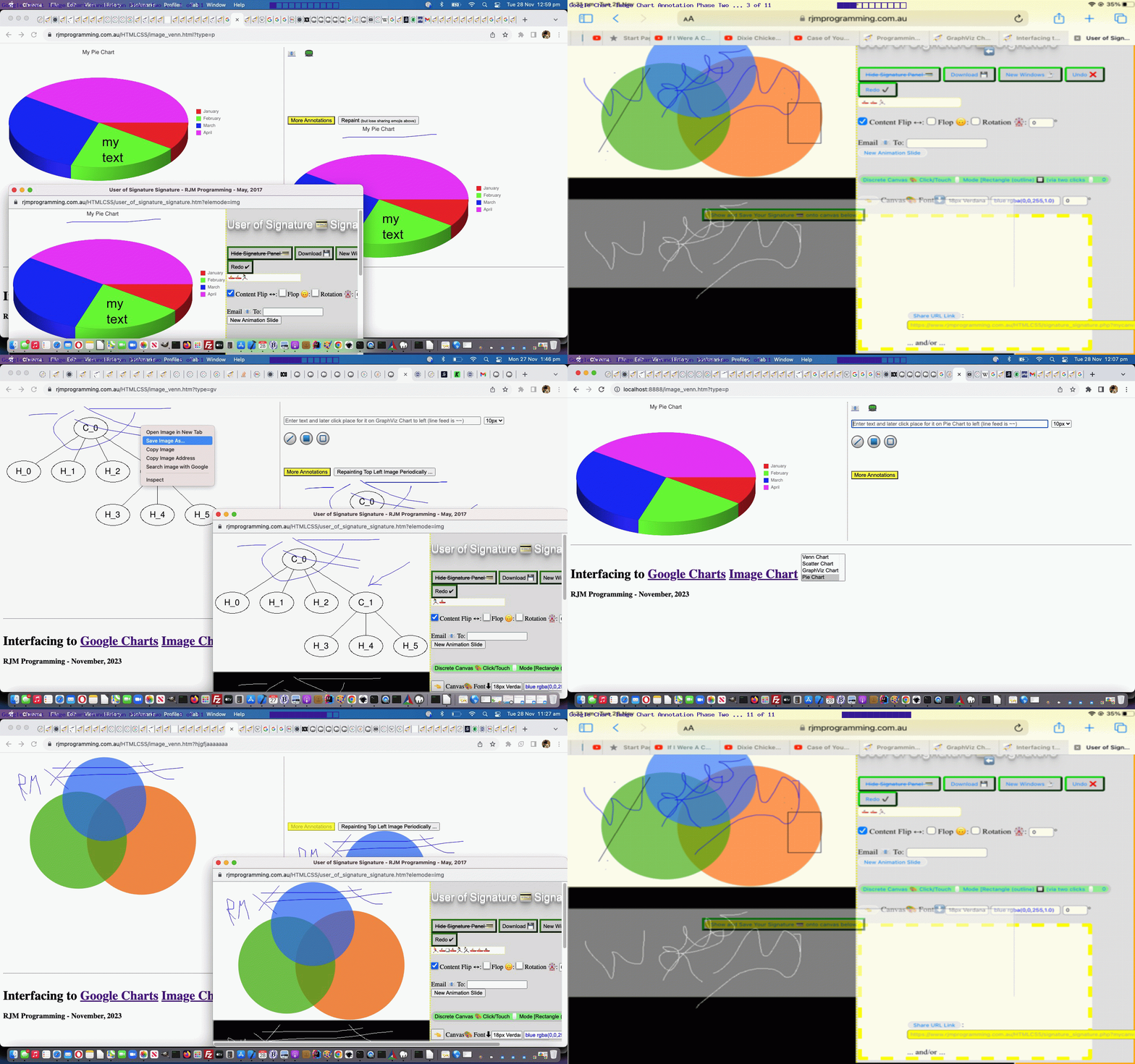
Google Chart Image Chart Pie Chart Tutorial
As we intimated in yesterday’s Google Chart Image Chart GraphViz Chart Tutorial …
start with an at least two part “inhouse phase” of additional “extra to text” annotation functionality possibilities …
… we would return! And so, here thou lingers. It’s “part two” day, even bigger than “Ben Hur” in certain outback towns we’re a little bit shy to divulge until we get to know our readers that little bit better.
Yes, we are dovetailing with work we’ve done in the past using the excellent …
… can be part of the arrangements. It works that the Annotation Helper is opened …
- in a new “known about” popup window … looking out for …
- parent based “img” element (in the modus operandi we use, calling it, regarding the parent top left image) … so as to be able to …
- populate its canvas element with a clone of that calling “img” graphical content … but add into the mix …
- menu driven annotation functionality which can change that canvas look and underlying data … and …
- the caller can keep track of this and arrange, or not, for these changes to be reflected back at its top left “img” element … the catch being …
- the “within range of GET argument” limits are ruined by this introduction of graphical data, and so in agreeing to this, a user forgoes those simpler sharing and annotating functionalities of yesterday’s (and before) work … though your normal image sharing capabilities via the web browser remain in the caller and the called
As well, today, we are introducing new Google Charts Image Chart Pie Chart interfacing, and because this chart type can have the three …
… guises, there was some work to keep us off this street (okay … so we divulged … again) …
var pretherest='';
var cht=location.search.split('cht=')[1] ? decodeURIComponent(location.search.split('cht=')[1].split('&')[0]) : "v";
if ((cht + ' ').substring(0,1) == 'p' && cht != 'p') { pretherest=cht.substring(1); }
var ctype=location.search.split('type=')[1] ? decodeURIComponent(location.search.split('type=')[1].split('&')[0]) : cht;
var cname=(ctype == 'v' ? 'Venn Chart' : (ctype == 's' ? 'Scatter Chart' : (ctype == 'gv' ? 'GraphViz Chart' : (ctype.substring(0,1) == 'p' ? 'Pie Chart' : ''))));
var cencodename=(ctype == 'v' ? 'Venn%20Diagram' : (ctype == 's' ? 'Scatter%20Chart' : (ctype == 'gv' ? 'GraphViz%20Chart' : (ctype.substring(0,1) == 'p' ? 'Pie%20Chart' : ''))));
var chdt=(ctype == 'v' ? '&chd=t:' : (ctype == 's' ? '&chd=t:' : (ctype == 'gv' ? '&chl=' : (ctype.substring(0,1) == 'p' ? pretherest + '&chd=t:' : ''))));
var chdeq=(ctype == 'v' ? '&chd=' : (ctype == 's' ? '&chd=' : (ctype == 'gv' ? '&chl=' : (ctype.substring(0,1) == 'p' ? '&chd=' : ''))));
var tc=(ctype == 'v' ? 't:' : (ctype == 's' ? 't:' : (ctype == 'gv' ? '' : (ctype.substring(0,1) == 'p' ? 't:' : ''))));
var chdl=(ctype == 'v' ? '&chdl=' : (ctype == 's' ? '&chdl=' : (ctype == 'gv' ? '' : (ctype.substring(0,1) == 'p' ? '&chdl=' : ''))));
var prenchtt=(ctype == 'v' ? '100,80,60,30,30,30,10' : (ctype == 's' ? '12,87,75,41,23,96,68,71,34,9|98,60,27,34,56,79,58,74,18,76|84,23,69,81,47,94,60,93,64,54' : (ctype == 'gv' ? 'graph{C_0--H_0[type=s];C_0--H_1[type=s];C_0--H_2[type=s];C_0--C_1[type=s];C_1--H_3[type=s];C_1--H_4[type=s];C_1--H_5[type=s]}' : (ctype.substring(0,1) == 'p' ? '1,2,3,4' : ''))));
var preachtt=(ctype == 'v' ? 'A|B|C' : (ctype == 's' ? 'Cats|Dogs' : (ctype == 'gv' ? '' : (ctype.substring(0,1) == 'p' ? 'January|February|March|April' : ''))));
var prechtt=(ctype == 'v' ? chdt + prenchtt + chdl + preachtt : (ctype == 's' ? chdt + prenchtt + chdl + preachtt + '&chxt=x,y' : (ctype == 'gv' ? chdt + prenchtt : (ctype.substring(0,1) == 'p' ? chdt + prenchtt + chdl + preachtt : ''))));
var defchco=(ctype == 'v' ? 'ff0000,00ff00,0000ff' : (ctype == 's' ? 'FF0000|0000FF&chxt=x,y' : (ctype == 'gv' ? '' : (ctype.substring(0,1) == 'p' ? 'ff0000,00ff00,0000ff,ff00ff' : ''))));
var promptone=(ctype == 'v' ? "Enter delimited values string for Venn Diagram such that ... " + String.fromCharCode(10) + "The first three values specify the sizes of three circles: A, B, & C. For chart with only two circles, specify zero for the third value." + String.fromCharCode(10) + "The fourth value specifies the size of the intersection of A and B." + String.fromCharCode(10) + "The fifth value specifies the size of the intersection of A and C. For a chart with only two circles, do not specify a value here." + String.fromCharCode(10) + "The sixth value specifies the size of the intersection of B and C. For a chart with only two circles, do not specify a value here." + String.fromCharCode(10) + "The seventh value specifies the size of the common intersection of A, B, and C. For a chart with only two circles, do not specify a value here." + String.fromCharCode(10) + String.fromCharCode(10) + "" : (ctype == 's' ? "Enter delimited values string for Scatter Chart" : (ctype == 'gv' ? "Enter delimited values string for GraphViz Chart" : (ctype.substring(0,1) == 'p' ? "Enter delimited values string for Pie Chart" : ""))));
var oneprompt=(ctype == 'v' ? "Enter delimited values string for your Venn Diagram collaborations, optionally, such that ... " + String.fromCharCode(10) + "The first three values specify the sizes of three circles: A, B, & C. For chart with only two circles, specify zero for the third value." + String.fromCharCode(10) + "The fourth value specifies the size of the intersection of A and B." + String.fromCharCode(10) + "The fifth value specifies the size of the intersection of A and C. For a chart with only two circles, do not specify a value here." + String.fromCharCode(10) + "The sixth value specifies the size of the intersection of B and C. For a chart with only two circles, do not specify a value here." + String.fromCharCode(10) + "The seventh value specifies the size of the common intersection of A, B, and C. For a chart with only two circles, do not specify a value here." + String.fromCharCode(10) + String.fromCharCode(10) + "" : (ctype == 's' ? "Enter delimited values string for Scatter Chart" : (ctype == 'gv' ? "Enter delimited values string for GraphViz Chart" : (ctype.substring(0,1) == 'p' ? "Enter delimited values string for Pie Chart" : ""))));
var asktwo=(ctype == 'v' ? true : (ctype == 's' ? true : (ctype == 'gv' ? false : (ctype.substring(0,1) == 'p' ? true : false))));
var twopb=(ctype.substring(0,1) == 'p' ? 'Any optional legend or title argument snippets? Optionally prefix by 3 for 3d Pie Chart or by c for Concentric Pie Chart. Eg. 3' + chdl + preachtt + '&chtt=My%20' + cencodename + '&chco=' + defchco : 'Any optional legend or title argument snippets? Eg. ' + chdl + preachtt + '&chtt=My%20' + cencodename + '&chco=' + defchco);
var atend="<canvas id=sharecanvas style=display:none;></canvas><div style=display:none;><label for='shareurl'><input type=button onclick='downloadmaybe(); shareurl();' id='sbut' value='Share URL Link'></input>: </label><input onblur=changeu(this.value); title='Suffix by hashtag 1 is text and hashtag 2 is title' style='width:45%;' type=url value='' placeholder='https://www.rjmprogramming.com.au/ITblog/#RJM Programming Blog#IT Blog' id=shareurl ondblclick='this.value=trythis(this.placeholder);'></input><br><br><span> ... and/or ... </span><br><br><label for='files'><input type=button onclick=document.getElementById('share').click(); value='Share media or document files'></input>: </label><input id='files' type='file' accept='image/*,video/*,audio/*,application/*,text/*' multiple></div><br><br><button id='share' type='button'>Share your media or documents or link!</button><output id='output'></output><scr" + "ipt type='text/javascript' src='/web_share_api_test.js?canv" + "asshare=as_necessary9867654' defer></scr" + "ipt>";
atend='';
var vals=[], annowin=null;
var lastbit="<br><br><br><br> <button title='Other complex canvas annotation functionalities (forgoes the simpler ones above) ...' id=annobut onclick=\"document.getElementById('tdleft').style.verticalAlign='top'; setTimeout(prerepaint, 12000); if (arest.length != 0) { if (document.getElementById('myvenn').src.indexOf(arest) == -1) { pdivhide(); document.getElementById('myvenn').src=document.getElementById('myvenn').src.split(arest.substring(0,5))[0] + arest; document.getElementById('tdleft').style.verticalAlign='top'; } } annowin=window.open('/HTMLCSS/user_of_signature_signature.htm?elemode=img','_blank','top=420,left=620,width=900,height=420'); \" style=\"background-color:yellow;\">More Annotations</button> <button id=bshare onclick=repaint(); style=display:none;>Repaint <font size=1>(but lose sharing emojis above)</font></button><br><div id=divcanvas style=display:none;><canvas id=bottomcanvas></canvas></div>";
var fszbit=' <span id=spanfsz><select id=fsz onchange="fsz=this.value;"><option value=".10">10px</option><option value=".6">6px</option><option value=".8">8px</option><option value=".9">9px</option><option value=".11">11px</option><option value=".12">12px</option><option value=".14">14px</option><option value=".16">16px</option><option value=".18">18px</option><option value=".20">20px</option><option value=".24">24px</option><option value=".30">30px</option><option value=".36">36px</option><option value=".40">40px</option><option value=".48">48px</option><option value=".50">50px</option><option value=".64">64px</option></select></span>';
var origemailurl='mailto:?subject=My%20' + cencodename + '%20...%20best%20viewed%20in%20landscape%20...&body=';
var origsmsurl='sms:&body=My%20' + cencodename + '%20...%20best%20viewed%20in%20landscape%20...';
var smsee='';
var chd=location.search.split(chdeq)[1] ? (tc + decodeURIComponent(location.search.split(chdeq)[1].split('&')[0])).replace('t:t:', 't:').replace(/^t\:$/g, '') : "";
var therest=location.search.split(chdeq)[1] ? (pretherest + document.URL.split(document.URL.split('#')[0].split(chdeq)[1].split('&')[0])[1].split('#')[0]) : "";
Please acquaint yourself with these new annotating features in our changed fifth draft image_venn.html Google Chart Image Chart Venn Chart or Scatter Chart or GraphViz Chart or Pie Chart interfacing web application you can also try below.
Previous relevant Google Chart Image Chart GraphViz Chart Tutorial is shown below.
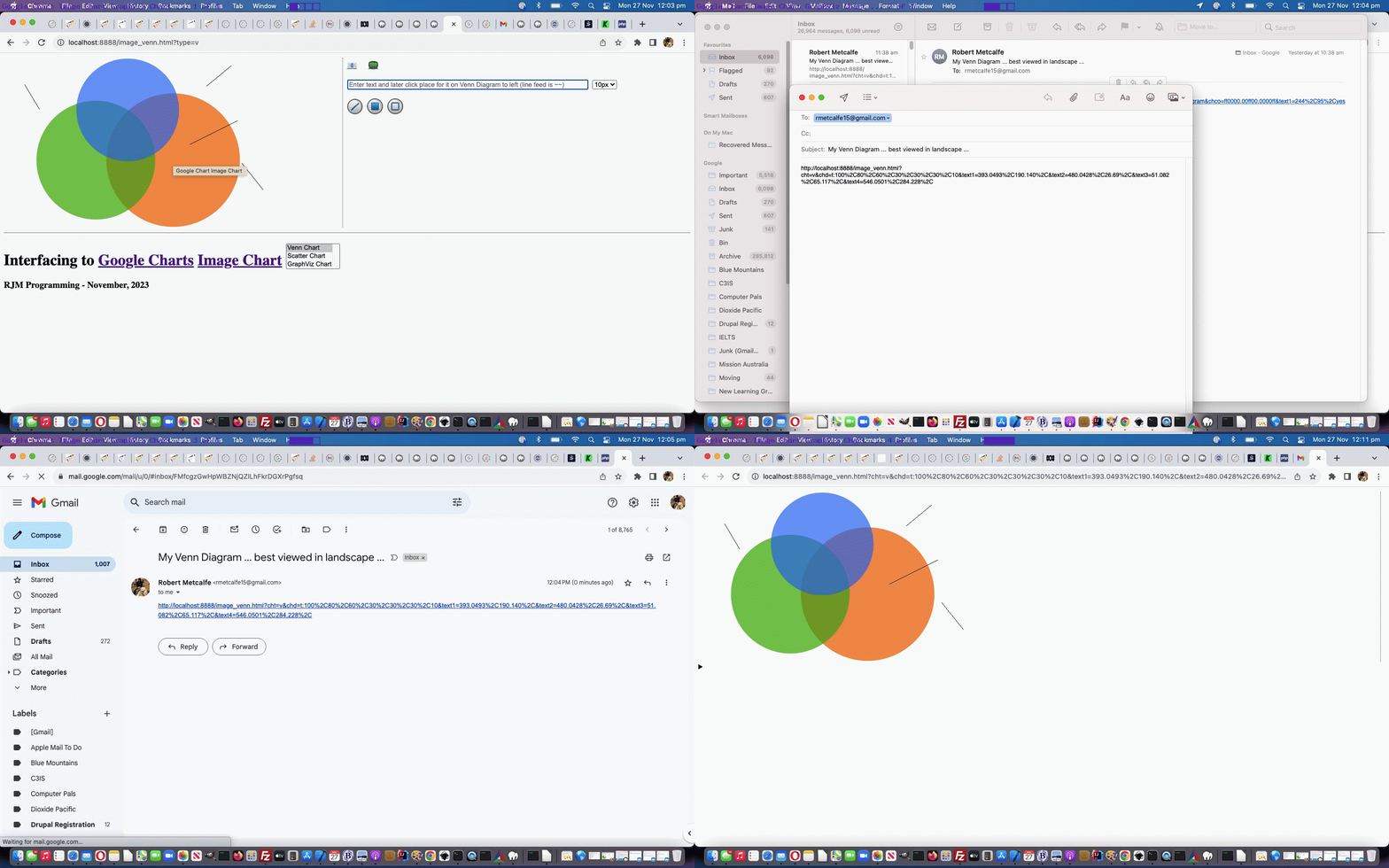
Google Chart Image Chart GraphViz Chart Tutorial
Today we have two strands of forward progress, onto the progress up to yesterday’s Google Chart Image Chart Scatter Chart Tutorial, they being …
… additional functionality, that we may well add to, but being as we feel a change we’ll leave that for another time.
The WordPress blog “404.php” code snippet becomes …
<?php
if (strpos(('?' . $_SERVER['QUERY_STRING']), '?cht=') !== false || strpos(('?' . $_SERVER['QUERY_STRING']), '&cht=') !== false) {
$theqs=str_replace('??','?',('?' . $_SERVER['QUERY_STRING']));
if (strpos($theqs, '?chs=') === false && strpos($theqs, '&chs=') === false) {
$theqs='?chs=' . $newWidth . 'x' . $newHeight . '&' . explode('?', $theqs)[1];
}
if (strpos(('?' . $_SERVER['QUERY_STRING']), 'text1=') !== false) {
$theone=2;
$im = imagecreatefromstring(file_get_contents('http://chart.googleapis.com/chart' . explode('&text1=', $theqs)[0]));
if (7 == 7) {
$plotstring=str_replace('+',' ',urldecode($_GET['text1']));
$csv=explode(',', $plotstring);
$black = imagecolorallocatealpha($im, 1, 1, 1, 0);
$blackish = imagecolorallocatealpha($im, 127, 127, 127, 64);
if (sizeof($csv) >= 3) {
if (trim($csv[2]) == '') { // non text annotations
$zeroesbit='';
$izeroes=0;
$xmantissae=explode('.', ('' . $csv[0]));
if (sizeof($xmantissae) > 1) {
$csv[0]=$xmantissae[0];
while (substr($xmantissae[1],0,1) == '0') {
$zeroesbit.='0';
$xmantissae[1]=substr($xmantissae[1],1);
}
$csv[2]=$xmantissae[1];
}
$ymantissae=explode('.', ('' . $csv[1]));
if (sizeof($ymantissae) > 1) {
$csv[1]=$ymantissae[0];
if (sizeof($csv) > 3) {
$csv[3]=$ymantissae[1];
} else {
array_push($csv, $ymantissae[1]);
}
}
if (strlen($zeroesbit) == 4) { // filled in rectangle
imagefilledrectangle($im, $csv[0], $csv[1], $csv[2], $csv[3], $blackish);
} else if (strlen($zeroesbit) == 2) { // rectangle
imagerectangle($im, $csv[0], $csv[1], $csv[2], $csv[3], $black);
} else if (strlen($zeroesbit) == 1) { // line
imageline($im, $csv[0], $csv[1], $csv[2], $csv[3], $black);
}
} else { // text placement
$xis=$csv[0];
$mantissae=explode('.', ('' . $csv[0]));
if (sizeof($mantissae) > 1) {
$tenpx=$mantissae[1];
$xis=$mantissae[0];
}
try {
if (function_exists('imagettftext')) {
if (explode('' . $csv[0] . ',' . $csv[1] . ',', $plotstring)[1] !== '') {
//echo explode('' . $csv[0] . ',' . $csv[1] . ',', $plotstring)[1];
//exit;
imagettftext($im, $tenpx, 0, $xis, $csv[1], $black, realpath('arial.ttf'), explode('' . $csv[0] . ',' . $csv[1] . ',', $plotstring)[1]);
}
}
} catch (Exception $e) { }
}
while (isset($_GET['text' . $theone])) {
$plotstring=str_replace('+',' ',urldecode($_GET['text' . $theone]));
$csv=explode(',', $plotstring);
if (sizeof($csv) >= 3) {
if (trim($csv[2]) == '') { // non text annotations
$zeroesbit='';
$izeroes=0;
$xmantissae=explode('.', ('' . $csv[0]));
if (sizeof($xmantissae) > 1) {
$csv[0]=$xmantissae[0];
while (substr($xmantissae[1],0,1) == '0') {
$zeroesbit.='0';
$xmantissae[1]=substr($xmantissae[1],1);
}
$csv[2]=$xmantissae[1];
}
$ymantissae=explode('.', ('' . $csv[1]));
if (sizeof($ymantissae) > 1) {
$csv[1]=$ymantissae[0];
if (sizeof($csv) > 3) {
$csv[3]=$ymantissae[1];
} else {
array_push($csv, $ymantissae[1]);
}
}
if (strlen($zeroesbit) == 4) { // filled in rectangle
imagefilledrectangle($im, $csv[0], $csv[1], $csv[2], $csv[3], $blackish);
} else if (strlen($zeroesbit) == 2) { // rectangle
imagerectangle($im, $csv[0], $csv[1], $csv[2], $csv[3], $black);
} else if (strlen($zeroesbit) == 1) { // line
imageline($im, $csv[0], $csv[1], $csv[2], $csv[3], $black);
}
} else { // text placement
try {
$xis=$csv[0];
$mantissae=explode('.', ('' . $csv[0]));
if (sizeof($mantissae) > 1) {
$tenpx=$mantissae[1];
$xis=$mantissae[0];
}
if (function_exists('imagettftext')) {
if (explode('' . $csv[0] . ',' . $csv[1] . ',', $plotstring)[1] !== '') {
imagettftext($im, $tenpx, 0, $xis, $csv[1], $black, realpath('arial.ttf'), explode('' . $csv[0] . ',' . $csv[1] . ',', $plotstring)[1]);
}
}
} catch (Exception $e) { }
}
$theone++;
}
}
//}
}
}
header('Content-Type: image/png');
imagepng($im);
imagedestroy($im);
} else {
header('Content-Type: image/png');
echo file_get_contents('http://chart.googleapis.com/chart' . $theqs);
}
exit;
}
?>
… utilizing that good ol’ PHP GD image library.
We hope you enjoy the …
Mantissa Madness Monday
… coding feel utilized to retain yesterday’s …
&textn=x,y,Text
… argument snippet basis, adding “x” and “y” mantissa arrangement smarts with a “nothing” Text in our changed fourth draft image_venn.html Google Chart Image Chart Venn Chart or Scatter Chart or GraphViz Chart interfacing web application you can also try below.
Did you know?
Would you believe, at least to us, it is far less obvious how to display a straight line (that is perhaps not horizontal nor vertical) within a webpage, than it is to display a rectangle, filled or not?! Talk about irony! Over time, we have developed …
- HTML hr elements (with a rotation) … and the less kludgy …
- HTML div (defining a box with defined dimensions) for a nested SVG element containing the line definition using percentage dimensions
… in the past, for when we needed to do this. But, today, we’d like to thank this great webpage for its suggestion to involve linear gradients …
<style>
.crossedtotl {
background:
linear-gradient(to top left,
rgba(0,0,0,0) 0%,
rgba(0,0,0,0) calc(50% - 0.8px),
rgba(0,0,0,1) 50%,
rgba(0,0,0,0) calc(50% + 0.8px),
rgba(0,0,0,0) 100%);
}
.crossedtotr {
background:
linear-gradient(to top right,
rgba(0,0,0,0) 0%,
rgba(0,0,0,0) calc(50% - 0.8px),
rgba(0,0,0,1) 50%,
rgba(0,0,0,0) calc(50% + 0.8px),
rgba(0,0,0,0) 100%);
}
</style>
… in a, basically, CSS solution. Great stuff, thanks!
Previous relevant Google Chart Image Chart Scatter Chart Tutorial is shown below.
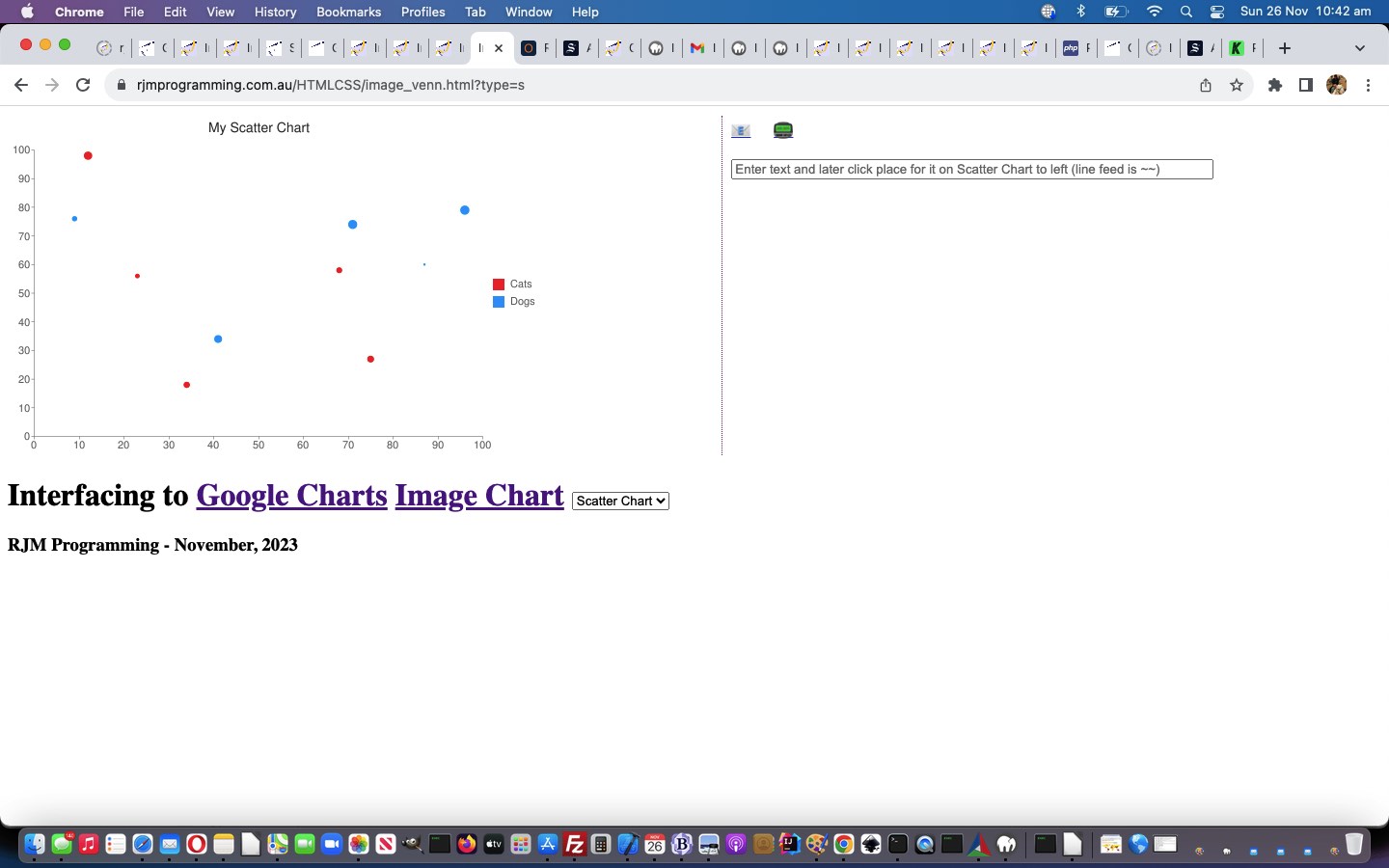
Google Chart Image Chart Scatter Chart Tutorial
Today, we bring the Google Charts Image Chart …
… making distributing “Venn Chart” hardcodings into a dropdown selectable arrangement, because there are more commonalities than differences, really, and we do like to parameterize … even in the shower, with a fairly loud rendition of this, perhaps.
Here is our framework for parameterization, here, and into the future …
<title>Interfacing to Google Charts Image Chart Venn Chart or Scatter Chart - RJM Programming - November, 2023</title>
<script type=text/javascript>
var cht=location.search.split('cht=')[1] ? decodeURIComponent(location.search.split('cht=')[1].split('&')[0]) : "v";
var ctype=location.search.split('type=')[1] ? decodeURIComponent(location.search.split('type=')[1].split('&')[0]) : cht;
var cname=(ctype == 'v' ? 'Venn Chart' : (ctype == 's' ? 'Scatter Chart' : ''));
var cencodename=(ctype == 'v' ? 'Venn%20Diagram' : (ctype == 's' ? 'Scatter%20Chart' : ''));
var prenchtt=(ctype == 'v' ? '100,80,60,30,30,30,10' : (ctype == 's' ? '12,87,75,41,23,96,68,71,34,9|98,60,27,34,56,79,58,74,18,76|84,23,69,81,47,94,60,93,64,54' : ''));
var preachtt=(ctype == 'v' ? 'A|B|C' : (ctype == 's' ? 'Cats|Dogs' : ''));
var prechtt=(ctype == 'v' ? '&chd=t:' + prenchtt + '&chdl=' + preachtt : (ctype == 's' ? '&chd=t:' + prenchtt + '&chdl=' + preachtt + '&chxt=x,y' : ''));
var defchco=(ctype == 'v' ? 'ff0000,00ff00,0000ff' : (ctype == 's' ? 'FF0000|0000FF&chxt=x,y' : ''));
var promptone=(ctype == 'v' ? "Enter delimited values string for Venn Diagram such that ... " + String.fromCharCode(10) + "The first three values specify the sizes of three circles: A, B, & C. For chart with only two circles, specify zero for the third value." + String.fromCharCode(10) + "The fourth value specifies the size of the intersection of A and B." + String.fromCharCode(10) + "The fifth value specifies the size of the intersection of A and C. For a chart with only two circles, do not specify a value here." + String.fromCharCode(10) + "The sixth value specifies the size of the intersection of B and C. For a chart with only two circles, do not specify a value here." + String.fromCharCode(10) + "The seventh value specifies the size of the common intersection of A, B, and C. For a chart with only two circles, do not specify a value here." + String.fromCharCode(10) + String.fromCharCode(10) + "" : (ctype == 's' ? "Enter delimited values string for Scatter Chart" : ""));
var oneprompt=(ctype == 'v' ? "Enter delimited values string for your Venn Diagram collaborations, optionally, such that ... " + String.fromCharCode(10) + "The first three values specify the sizes of three circles: A, B, & C. For chart with only two circles, specify zero for the third value." + String.fromCharCode(10) + "The fourth value specifies the size of the intersection of A and B." + String.fromCharCode(10) + "The fifth value specifies the size of the intersection of A and C. For a chart with only two circles, do not specify a value here." + String.fromCharCode(10) + "The sixth value specifies the size of the intersection of B and C. For a chart with only two circles, do not specify a value here." + String.fromCharCode(10) + "The seventh value specifies the size of the common intersection of A, B, and C. For a chart with only two circles, do not specify a value here." + String.fromCharCode(10) + String.fromCharCode(10) + "" : (ctype == 's' ? "Enter delimited values string for Scatter Chart" : ""));
// etcetera etcetera etcetera
… but, as you can imagine, there will probably be small retweaks of this arrangement, which is holding out okay so far for Scatter Charts in our changed third draft image_venn.html Google Chart Image Chart Venn Chart or Scatter Chart interfacing web application you can also try below.
Did you know?
In this online world with so many platforms and devices and software choices, there is no need to ever be embarrassed by what might seem an obvious feature you’ve missed.
Take the way on macOS, but not iOS, using a web browser to get to YouTube, you can flag that a video should loop. Especially good for …
- song obsessions …
- earworms you need to salve
… and what about if your shower is taking an awfully long time?! Please be careful with moisture and devices, though, in the bathroom!
How does it happen? Right click the play button, and looping is there as the top option. Now back to that shower song obsession.
Previous relevant Google Chart Image Chart Venn Chart User Text Tutorial is shown below.
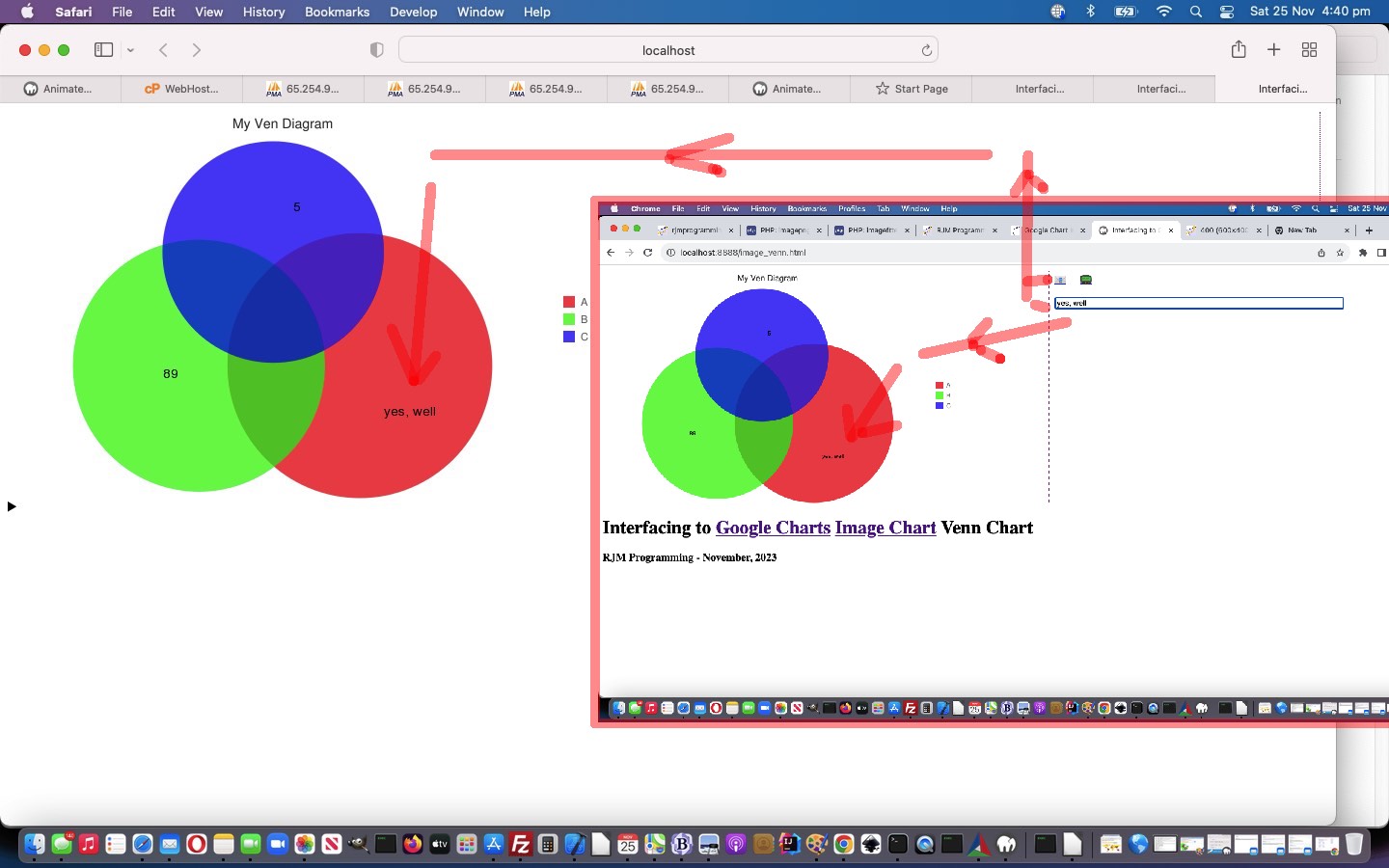
Google Chart Image Chart Venn Chart User Text Tutorial
We think a way to improve on our interfacing web application start regarding yesterday’s Google Chart Image Chart Venn Chart Interfacing Primer Tutorial would be to offer the user the chance to enter their own text onto the Venn Diagrams …
But we would say that.
… given what we learnt in Primary school … or should we say …
“Gryffindor Slytherin Ravenclaw Hufflepuff Junior Business College”
… and, yes, is that you, Aoife? What did you want to point out? After you swallow those Rice Bubbles, that is?! Class is waiting …
.
.
.
.
.
.
.
.
.
.
.
.
.
.
.
.
.
.
.
.
.
.
.
.
.
Yes … miss something … and …
.
.
.
.
.
.
.
.
.
.
.
.
.
.
.
.
.
.
.
.
.
.
.
.
.
Use your words … okay … missing … don’t worry, the bus will wait … no … there’s no need to point … oh! …
… do you mean …
missing ewe … no … missing you … oh! … missing u … oh! … “Gryffindor Slytherin Ravenclaw Hufflepuff Juniour Business College” … quite so, Aiofe … 3 points for Hufflepuff!
Anyway we needed a fleshed out “function ask” to cater for potential onclick event logic catering for co-ordinates …
function ask(evt) {
var answer='', answertherest='';
if (lasttext != '' && evt && normalcall) {
document.getElementById('ilp').placeholder='Enter text and later click place for it on Venn Diagram to left (line feed is ~~)';
elemLeft = document.getElementById('myvenn').offsetLeft;
elemTop = document.getElementById('myvenn').offsetTop;
if (evt.touches) {
if (evt.touches[0].pageX) {
x = evt.touches[0].pageX + document.body.scrollLeft - elemLeft;
y = evt.touches[0].pageY + document.body.scrollTop - elemTop;
} else {
x = evt.touches[0].clientX + document.body.scrollLeft - elemLeft;
y = evt.touches[0].clientY + document.body.scrollTop - elemTop;
}
} else if (evt.clientX || ev.clientY) {
x = evt.clientX + document.body.scrollLeft - elemLeft;
y = evt.clientY + document.body.scrollTop - elemTop;
} else {
x = evt.pageX + document.body.scrollLeft - elemLeft;
y = evt.pageY + document.body.scrollTop - elemTop;
}
document.getElementById('dtext').innerHTML+='<p style="position:absolute;font-size:10px;font-family:Arial;left:' + x + 'px;top:' + y + 'px;z-index:98;">' + lasttext + '</p>';
document.getElementById('aemail').href+='&text' + textnum + '=' + encodeURIComponent('' + x + ',' + y + ',') + encodeURIComponent(lasttext.replace(/\<br\>/g, String.fromCharCode(10)));
document.getElementById('asms').href+='&text' + textnum + '=' + encodeURIComponent('' + x + ',' + y + ',') + encodeURIComponent(lasttext.replace(/\<br\>/g, String.fromCharCode(10)));
arest+='&text' + textnum + '=' + encodeURIComponent('' + x + ',' + y + ',') + encodeURIComponent(lasttext.replace(/\<br\>/g, String.fromCharCode(10)));
therest+='&text' + textnum + '=' + encodeURIComponent('' + x + ',' + y + ',') + encodeURIComponent(lasttext.replace(/\<br\>/g, String.fromCharCode(10)));
asmsurl+='&text' + textnum + '=' + encodeURIComponent('' + x + ',' + y + ',') + encodeURIComponent(lasttext.replace(/\<br\>/g, String.fromCharCode(10)));
aemailurl+='&text' + textnum + '=' + encodeURIComponent('' + x + ',' + y + ',') + encodeURIComponent(lasttext.replace(/\<br\>/g, String.fromCharCode(10)));
document.getElementById('tdright').innerHTML=" <span id=spemail><a target=_blank href='mailto:?subject=My%20Venn%20Diagram%20...%20best%20viewed%20in%20landscape%20...&body=" + encodeURIComponent((document.getElementById('myvenn').src + arest).replace((document.getElementById('myvenn').src + arest).split('?')[0].split('#')[0], document.URL.split('?')[0].split('#')[0])) + "' id=aemail title=Email>📧</a></span> <span id=spsms><a target=_blank onmouseover=\"if (smsee.length == 0 && origsmsurl.indexOf('sms:&') != -1) { smsee=prompt('Please enter SMS number to send to.', ''); if (smsee == null) { smsee=''; } else { origsmsurl=origsmsurl.replace('sms:&','sms:' + smsee + '&'); asmsurl=asmsurl.replace('sms:&','sms:' + smsee + '&'); this.href=asmsurl; } }\" ontouchstart=\"if (smsee.length == 0 && origsmsurl.indexOf('sms:&') != -1) { smsee=prompt('Please enter SMS number to send to.', ''); if (smsee == null) { smsee=''; } else { origsmsurl=origsmsurl.replace('sms:&','sms:' + smsee + '&'); asmsurl=asmsurl.replace('sms:&','sms:' + smsee + '&'); this.href=asmsurl; } }\" href='sms:&body=" + encodeURIComponent((document.getElementById('myvenn').src + arest).replace(document.getElementById('myvenn').src.split('?')[0].split('#')[0], document.URL.split('?')[0].split('#')[0])) + "' id=asms title=SMS>📟</a></span><br><br> <input id=ilp onblur=\"lasttext=this.value.replace(/\~\~/g, '<br>'); this.value=''; this.placeholder='Click where you want ... ' + lasttext.replace(/\<br\>/g, String.fromCharCode(10)); mvp.setAttribute('content','initial-scale=1'); document.getElementById('myvenn').scrollIntoView();\" placeholder='Enter text and later click place for it on Venn Diagram to left (line feed is ~~)' type=text style=width:500px; value=''></input>";
//alert( document.getElementById('aemail').outerHTML );
//alert( document.getElementById('asms').outerHTML );
textnum++;
lasttext='';
} else if (!evt || !normalcall) {
if (chd == '') {
answer=prompt("Enter delimited values string for Venn Diagram such that ... " + String.fromCharCode(10) + "The first three values specify the sizes of three circles: A, B, & C. For chart with only two circles, specify zero for the third value." + String.fromCharCode(10) + "The fourth value specifies the size of the intersection of A and B." + String.fromCharCode(10) + "The fifth value specifies the size of the intersection of A and C. For a chart with only two circles, do not specify a value here." + String.fromCharCode(10) + "The sixth value specifies the size of the intersection of B and C. For a chart with only two circles, do not specify a value here." + String.fromCharCode(10) + "The seventh value specifies the size of the common intersection of A, B, and C. For a chart with only two circles, do not specify a value here." + String.fromCharCode(10) + String.fromCharCode(10) + "", (chd == '' ? "100,80,60,30,30,30,10" : (chd.replace('t:',''))));
} else {
answer=prompt("Enter delimited values string for your Venn Diagram collaborations, optionally, such that ... " + String.fromCharCode(10) + "The first three values specify the sizes of three circles: A, B, & C. For chart with only two circles, specify zero for the third value." + String.fromCharCode(10) + "The fourth value specifies the size of the intersection of A and B." + String.fromCharCode(10) + "The fifth value specifies the size of the intersection of A and C. For a chart with only two circles, do not specify a value here." + String.fromCharCode(10) + "The sixth value specifies the size of the intersection of B and C. For a chart with only two circles, do not specify a value here." + String.fromCharCode(10) + "The seventh value specifies the size of the common intersection of A, B, and C. For a chart with only two circles, do not specify a value here." + String.fromCharCode(10) + String.fromCharCode(10) + "", (chd == '' ? "100,80,60,30,30,30,10" : (chd.replace('t:',''))));
}
vals=[];
if (answer != null) {
answer=answer.trim();
if (answer.trim() != '') {
var delimis='';
for (var ii=0; ii<answer.length; ii++) {
if (delimis == '' && (answer.substring(ii).substring(0,1) < '0' || answer.substring(ii).substring(0,1) > '9')) {
delimis=answer.substring(ii).substring(0,1);
}
}
}
if (delimis != '') {
vals=answer.split(delimis);
}
if (vals.length == 6 || vals.length == 7) {
answertherest=prompt('Any optional legend or title argument snippets? Eg. &chdl=A|B|C&chtt=My%20Venn%20Diagram&chco=ff0000,00ff00,0000ff', therest);
if (answertherest == null) { answertherest=''; }
therest=answertherest.trim();
var aone=1;
var plotstring='';
var flds=[];
if (therest.indexOf('&text' + aone + '=') != -1) {
while (therest.indexOf('&text' + aone + '=') != -1) {
if (chd == '') {
plotstring=decodeURIComponent(therest.split('&text' + aone + '=')[1].split('&')[0]);
while (plotstring.indexOf(String.fromCharCode(10)) != -1) {
plotstring=plotstring.replace(String.fromCharCode(10), '<br>');
}
flds=plotstring.split(',');
if (eval('' + flds.length) >= 3) {
document.getElementById('dtext').innerHTML+='<p style="position:absolute;font-size:10px;font-family:Arial;left:' + flds[0] + 'px;top:' + flds[1] + 'px;z-index:98;">' + plotstring.split('' + flds[0] + ',' + flds[1] + ',')[1] + '</p>';
}
}
aone++;
textnum=aone;
}
}
//document.getElementById('myvenn').style.backgroundImage='URL(//www.rjmprogramming.com.au/ITblog/' + Math.min(550,window.innerWidth) + '/' + Math.min(350,window.innerHeight) + '/?cht=v&chd=t:' + encodeURIComponent(answer + therest) + ')';
document.getElementById('myvenn').src='//www.rjmprogramming.com.au/ITblog/' + Math.min(550,window.innerWidth) + '/' + Math.min(350,window.innerHeight) + '/?cht=v&chd=t:' + encodeURIComponent(answer) + therest + '';
if (document.getElementById('tdright').innerHTML == '') {
document.getElementById('tdright').innerHTML=" <span id=spemail><a target=_blank href='mailto:?subject=My%20Venn%20Diagram%20...%20best%20viewed%20in%20landscape%20...&body=" + encodeURIComponent((document.getElementById('myvenn').src + arest).replace(document.getElementById('myvenn').src.split('?')[0].split('#')[0], document.URL.split('?')[0].split('#')[0])) + "' id=aemail title=Email>📧</a></span> <span id=spsms><a target=_blank onmouseover=\"if (smsee.length == 0 && origsmsurl.indexOf('sms:&') != -1) { smsee=prompt('Please enter SMS number to send to.', ''); if (smsee == null) { smsee=''; } else { origsmsurl=origsmsurl.replace('sms:&','sms:' + smsee + '&'); asmsurl=asmsurl.replace('sms:&','sms:' + smsee + '&'); this.href=asmsurl; } }\" ontouchstart=\"if (smsee.length == 0 && origsmsurl.indexOf('sms:&') != -1) { smsee=prompt('Please enter SMS number to send to.', ''); if (smsee == null) { smsee=''; } else { origsmsurl=origsmsurl.replace('sms:&','sms:' + smsee + '&'); asmsurl=asmsurl.replace('sms:&','sms:' + smsee + '&'); this.href=asmsurl; } }\" href='sms:&body=" + encodeURIComponent((document.getElementById('myvenn').src + arest).replace(document.getElementById('myvenn').src.split('?')[0].split('#')[0], document.URL.split('?')[0].split('#')[0])) + "' id=asms title=SMS>📟</a></span><br><br> <input id=ilp onblur=\"lasttext=this.value.replace(/\~\~/g, '<br>'); this.value=''; this.placeholder='Click where you want ... ' + lasttext.replace(/\<br\>/g, String.fromCharCode(10));\" placeholder='Enter text and later click place for it on Venn Diagram to left (line feed is ~~)' type=text style=width:500px; value=''></input>";
}
} else {
alert('Try again.');
ask(null);
}
}
}
atstart=false;
normalcall=true;
}
… in our changed second draft image_venn.html Google Chart Image Chart Venn Chart interfacing web application you can also try below.
Did you know?
As far as this WordPress blog’s 404.php role goes in all this, we were keen to maintain Venn Diagrams that were purely image based data, because the web browser sharing mechanisms are so much better this way, else we were tempted to just construct a webpage HTML dataset positioning text in an absolute way with a Venn Chart background image. In order to do these purely image based Venn Diagrams we used PHP’s GD image library as per …
<?php
if (strpos(('?' . $_SERVER['QUERY_STRING']), '?cht=') !== false || strpos(('?' . $_SERVER['QUERY_STRING']), '&cht=') !== false) {
$theqs=str_replace('??','?',('?' . $_SERVER['QUERY_STRING']));
if (strpos($theqs, '?chs=') === false && strpos($theqs, '&chs=') === false) {
$theqs='?chs=' . $newWidth . 'x' . $newHeight . '&' . explode('?', $theqs)[1];
}
if (strpos(('?' . $_SERVER['QUERY_STRING']), 'text1=') !== false) {
$theone=2;
$im = imagecreatefromstring(file_get_contents('http://chart.googleapis.com/chart' . explode('&text1=', $theqs)[0]));
if (7 == 7) {
$plotstring=str_replace('+',' ',urldecode($_GET['text1']));
$csv=explode(',', $plotstring);
$black = imagecolorallocatealpha($im, 1, 1, 1, 0);
if (sizeof($csv) >= 3) {
try {
if (function_exists('imagettftext')) {
if (explode('' . $csv[0] . ',' . $csv[1] . ',', $plotstring)[1] !== '') {
//echo explode('' . $csv[0] . ',' . $csv[1] . ',', $plotstring)[1];
//exit;
imagettftext($im, 10, 0, $csv[0], $csv[1], $black, realpath('arial.ttf'), explode('' . $csv[0] . ',' . $csv[1] . ',', $plotstring)[1]);
}
}
} catch (Exception $e) { }
while (isset($_GET['text' . $theone])) {
$plotstring=str_replace('+',' ',urldecode($_GET['text' . $theone]));
$csv=explode(',', $plotstring);
if (sizeof($csv) >= 3) {
try {
if (function_exists('imagettftext')) {
if (explode('' . $csv[0] . ',' . $csv[1] . ',', $plotstring)[1] !== '') {
imagettftext($im, 10, 0, $csv[0], $csv[1], $black, realpath('arial.ttf'), explode('' . $csv[0] . ',' . $csv[1] . ',', $plotstring)[1]);
}
}
} catch (Exception $e) { }
}
$theone++;
}
}
}
header('Content-Type: image/png');
imagepng($im);
imagedestroy($im);
} else {
header('Content-Type: image/png');
echo file_get_contents('http://chart.googleapis.com/chart' . $theqs);
}
exit;
}
?>
Previous relevant Google Chart Image Chart Venn Chart Interfacing Primer Tutorial is shown below.
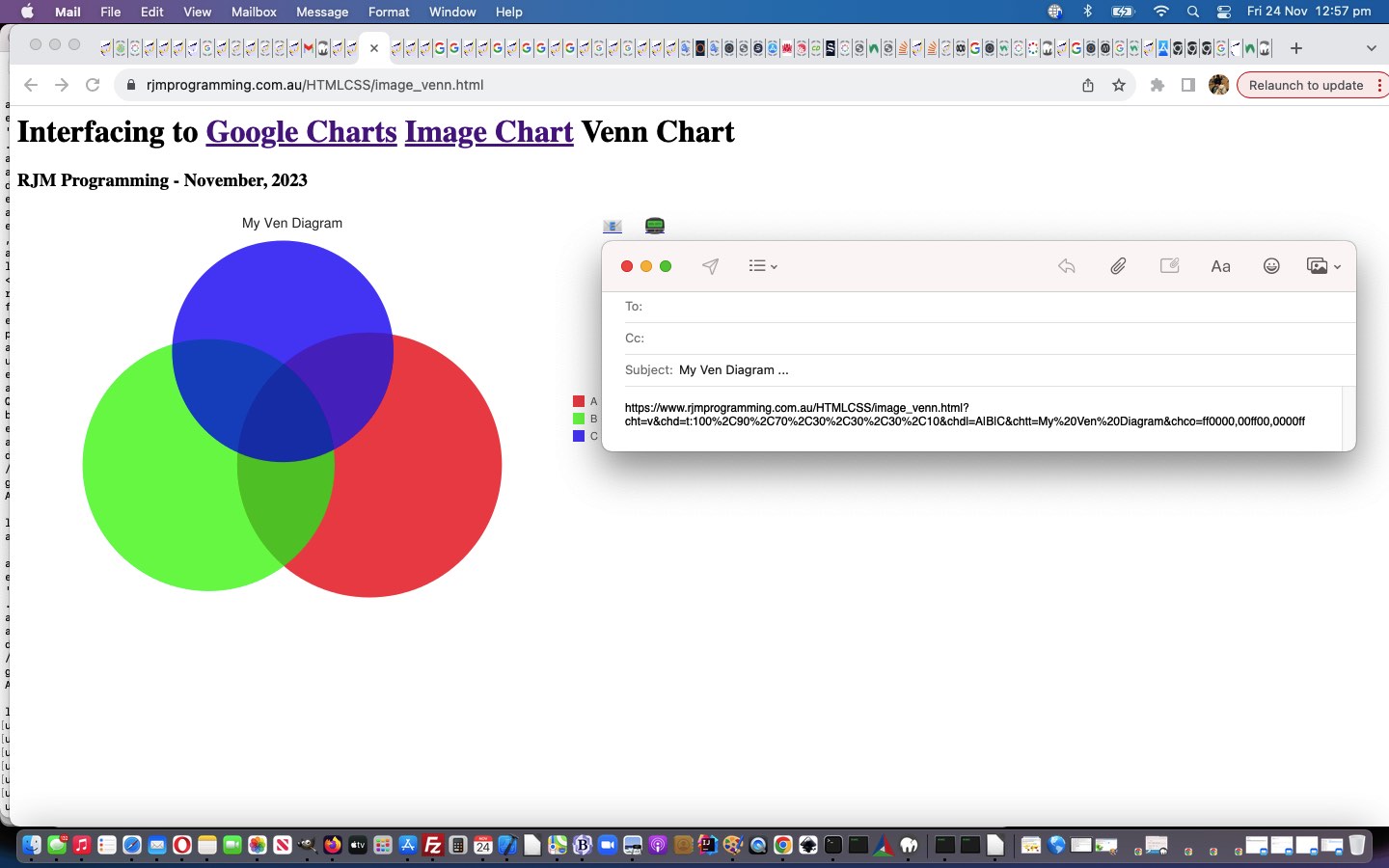
Google Chart Image Chart Venn Chart Interfacing Primer Tutorial
So, moving on from Google Charts Image Chart Map Charts, today, let’s turn our attention to Google Charts Image Chart Venn Charts which we were dead set curious about given work we’d done in the past regarding Venn Diagrams, which we referenced when we presented Flowchart and Venn Diagram and Mind Map Token Subject Emoji Tutorial some time back. Gobsmackingly good is the Google approach, again, as you’d expect, but the approach covers different ground, so one feels one should go back to Primary School! You thought we were going to give away the answer to one of those security questions, didn’t you?! Didn’t you!?! Well, the answer is “Gryffindor Slytherin Ravenclaw Hufflepuff Junior Business College” … if you must know.
The sharing capabilities are good with the Google Charts approach too, given we are creating an HTML image, as our WordPress blog good ol’ 404.php has been woken up to address via …
<?php
if (strpos(('?' . $_SERVER['QUERY_STRING']), '?cht=') !== false || strpos(('?' . $_SERVER['QUERY_STRING']), '&cht=') !== false) {
$theqs=str_replace('??','?',('?' . $_SERVER['QUERY_STRING']));
if (strpos($theqs, '?chs=') === false && strpos($theqs, '&chs=') === false) {
$theqs='?chs=' . $newWidth . 'x' . $newHeight . '&' . explode('?', $theqs)[1];
}
header('Content-Type: image/png');
echo file_get_contents('http://chart.googleapis.com/chart' . $theqs);
exit;
}
?>
Yes, all these Image Chart smarts come, essentially, from a “one line” calling URL! Who’d have believed it! Shiver me timbers!
Well, it’s early days with this Venn Chart interfacing where we allow for …
- circle (think up to three) definition … and the rest, in this first draft (hoping you’ve done some reading) …
- legend and title and colour selection user definitions dumped into a fairly unfriendly “the rest” Javascript prompt entry we ask of the user should they go ahead with the previous definition … and …
- sharing and collaboration email and SMS functionality
… we hope you try via our “proof of concept” first draft image_venn.html Google Chart Image Chart Venn Chart interfacing web application you can also try below …
If this was interesting you may be interested in this too.
If this was interesting you may be interested in this too.
If this was interesting you may be interested in this too.
If this was interesting you may be interested in this too.
If this was interesting you may be interested in this too.
If this was interesting you may be interested in this too.
If this was interesting you may be interested in this too.
If this was interesting you may be interested in this too.
If this was interesting you may be interested in this too.
If this was interesting you may be interested in this too.
If this was interesting you may be interested in this too.
If this was interesting you may be interested in this too.
If this was interesting you may be interested in this too.
If this was interesting you may be interested in this too.
If this was interesting you may be interested in this too.
If this was interesting you may be interested in this too.
If this was interesting you may be interested in this too.
If this was interesting you may be interested in this too.
If this was interesting you may be interested in this too.
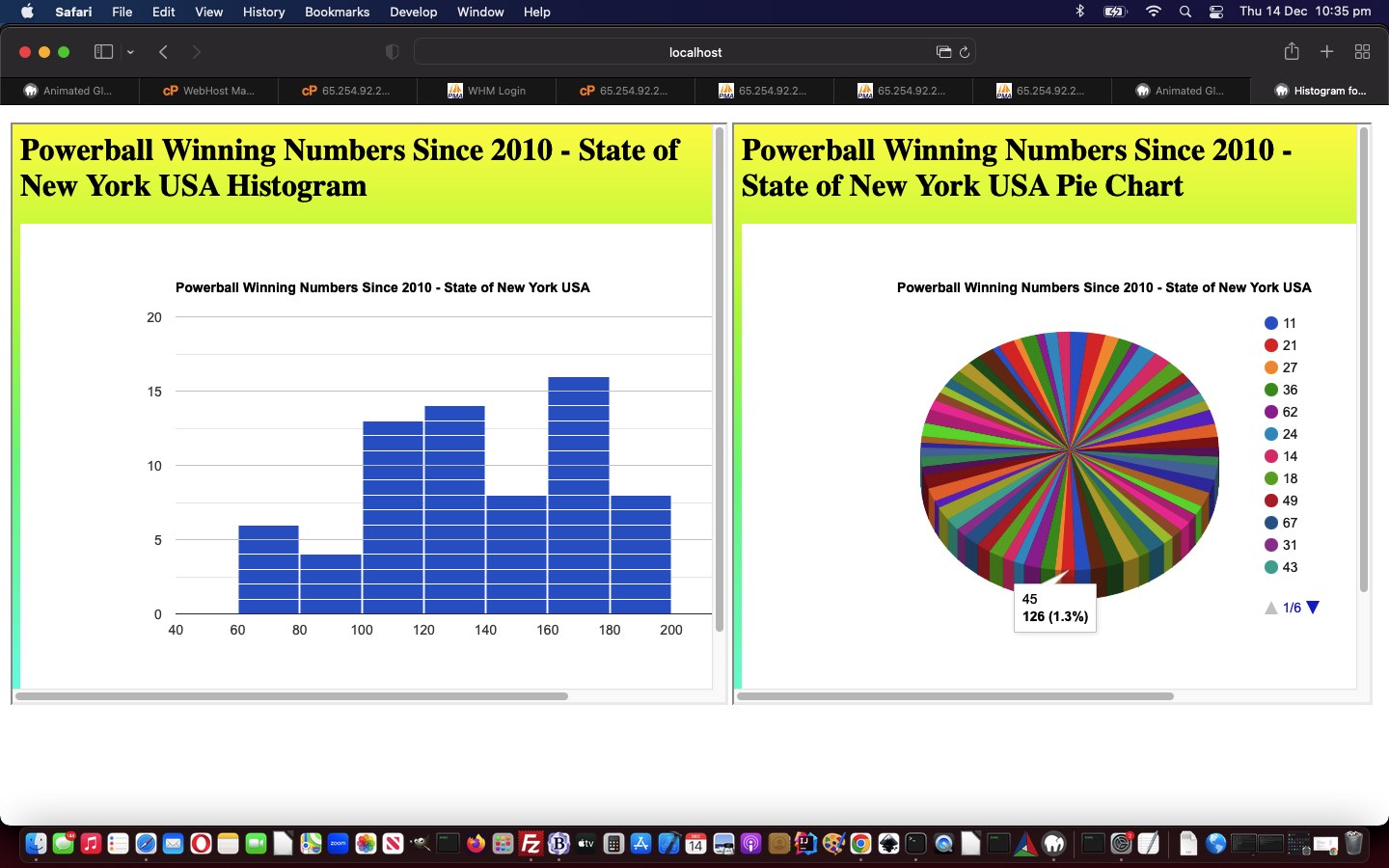
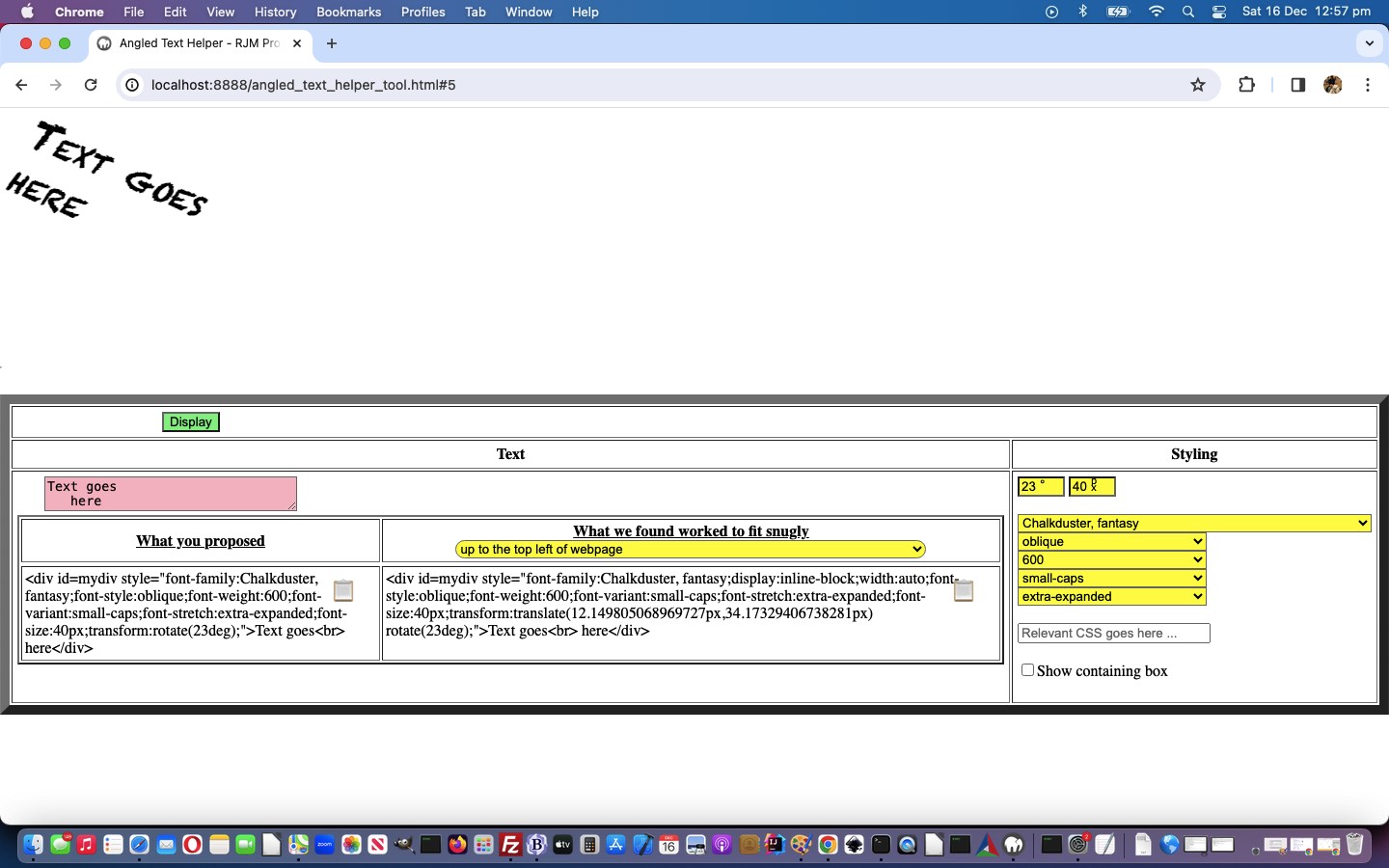
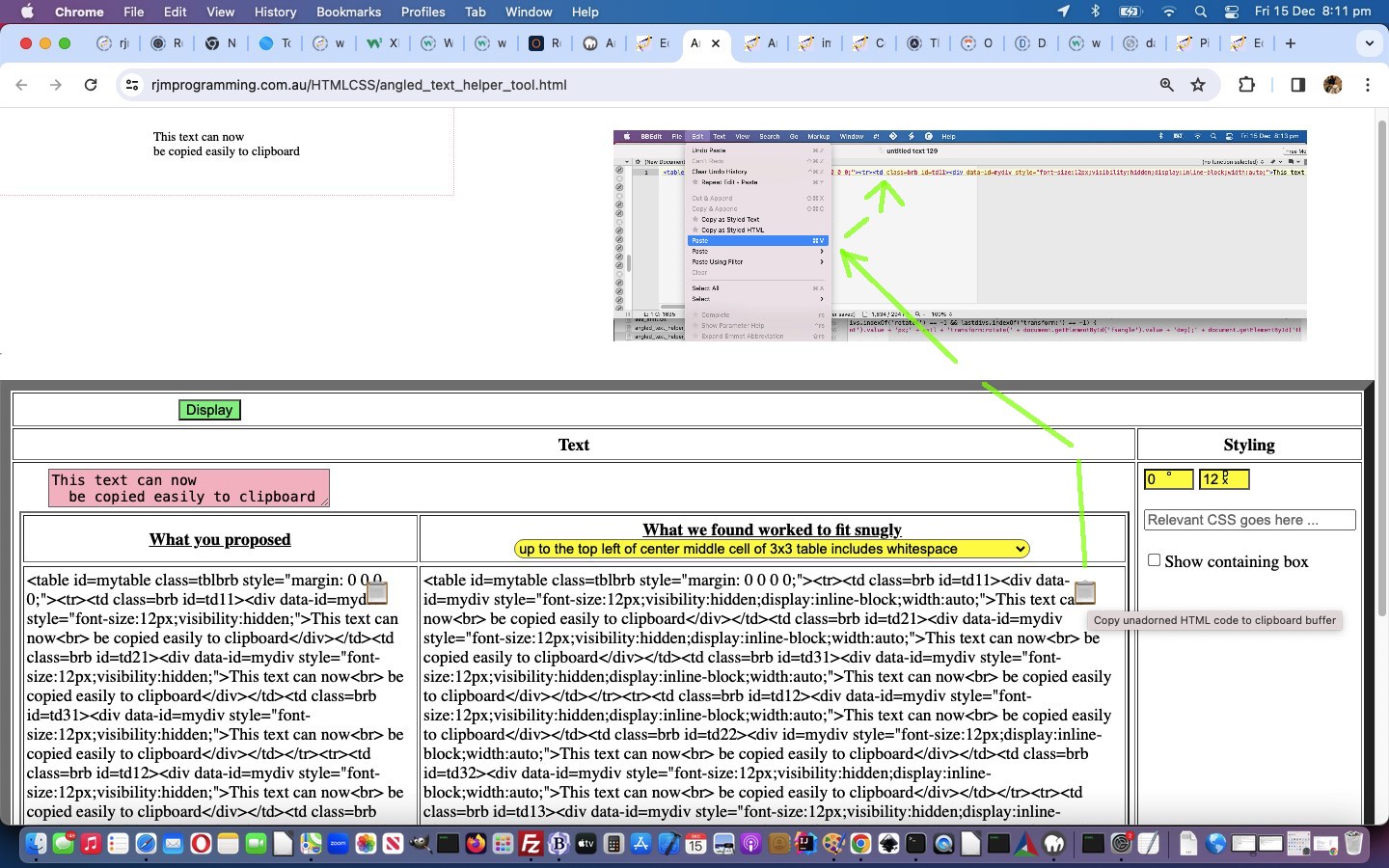
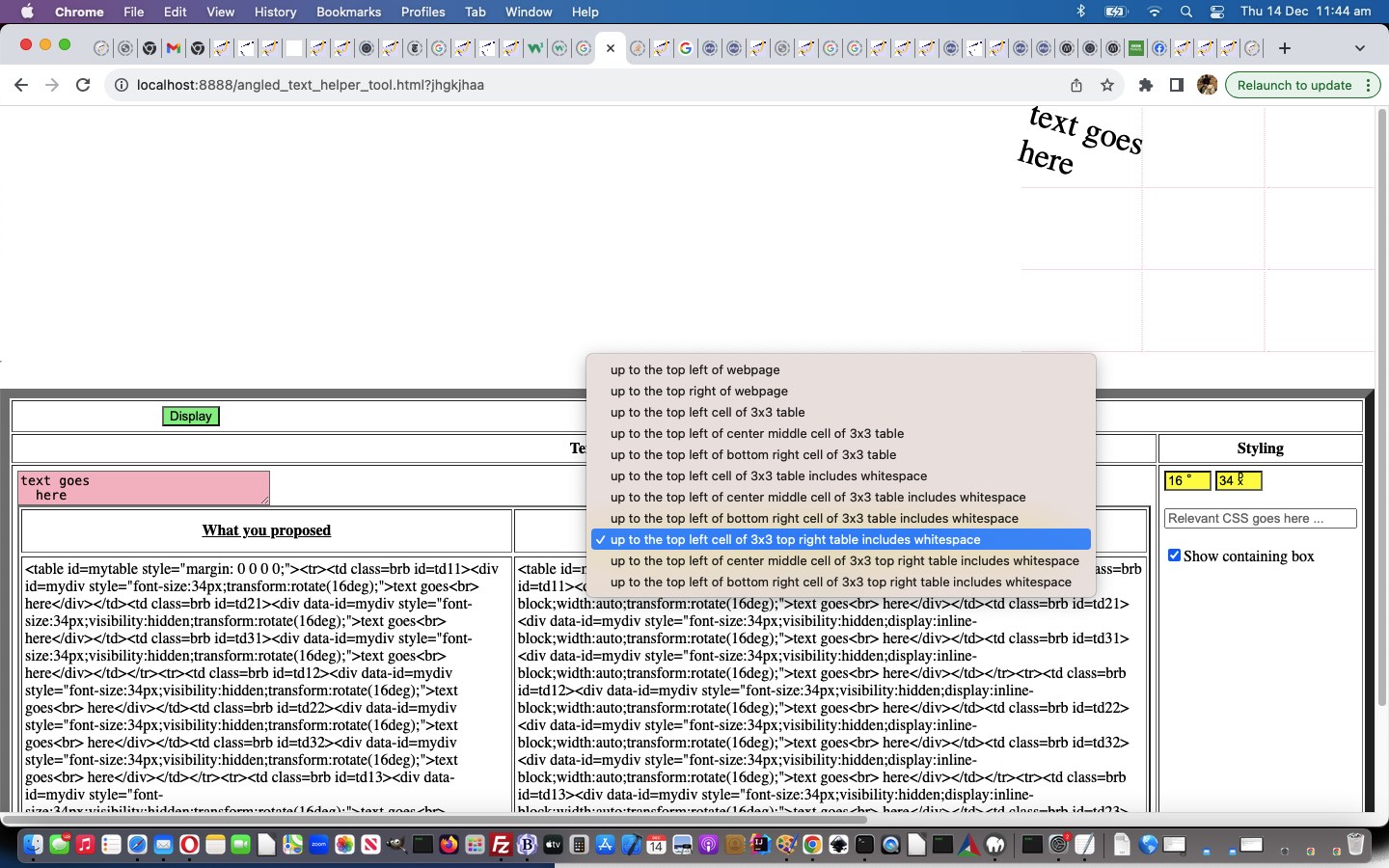
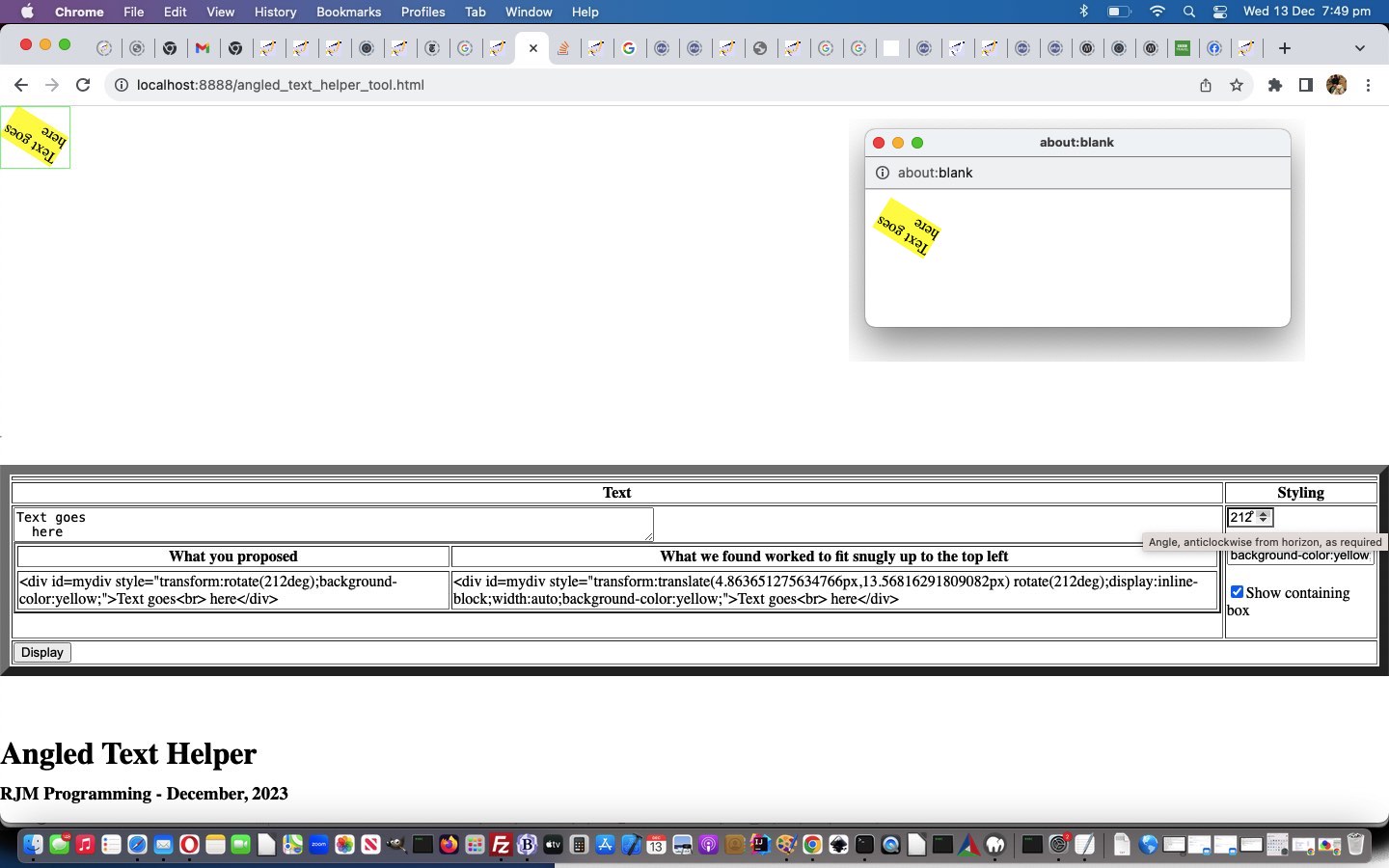


Google Chart Image Chart Angled Text Annotation Tutorial
Google Chart Image Chart Angled Text Annotation Tutorial
It’s Tuesday, in places around the world, looking back at yesterday’s Google Chart Image Chart Image Map Event Editing Tutorial. Can’t help but think we’ve forgotten something. Ah yes …
You talkin’ to me? You talkin’ to me? Meanwhile, back at the questions! Welcome back, Mr De Niro, sir. We hope your Tuesday is treating you well. (Rhetorical. Let it please be Rhetorical … oh dear God … it must be Rhetorical … it must be Rhetorical) We have news regarding “the dosh” (wink, wink) we were discussing the other day. You see …
Better to be king for a night than schmuck for a lifetime. Well, at least it’s not a question. … the thing is, silly us, it turns out that angled text issue was not a problem with [element].getBoundingClientRect() but how the PHP GD imagettftext text placement emanated from the bottom left of the text always, Mr De Niro sir.
Never rat on your friends and always keep your mouth shut. Really wish we could! Yes, Mr De Niro, sir, but, you see this means the rats are completely out of the picture, just leaving us with our money spinner. Right, Mr De Niro … sir.
There are three ways of doing things around here: the right way, the wrong way and the way that I do it. [Exeunt: Stage right] Well, that’s odd? Mr De Niro wasn’t interested in the quadrant nature to our problem solution …
var rectex=extents[eval(-1 + extents.length)].getBoundingClientRect();
if (document.URL.indexOf('debug=') != -1) {
document.body.innerHTML+='<div style="position:absolute;border:1px solid rgba(255,0,0,0.5);top:' + rectex.top + 'px;left:' + rectex.left + 'px;width:' + rectex.width + 'px;height:' + rectex.height + 'px;z-index:200;" title="position:absolute;border:1px solid rgba(255,0,0,0.5);top:' + rectex.top + 'px;left:' + rectex.left + 'px;width:' + rectex.width + 'px;height:' + rectex.height + 'px;z-index:200;"></div>';
}
var invs=inv.split('.'); // angled text origin depends on angle quadrant
var wasi=inv;
var theang=eval('' + fsx);
//alert('' + inv + ' ' + theang);
if (eval('' + invs.length) > 2 && inv.indexOf(',') != -1) {
//alert('' + rectex.width + 'x' + rectex.height + ' ' + ';' + rectex.top + 'vs' + rectex.bottom + ' ' + ';' + rectex.left + 'vs' + rectex.right + ' ' + inv + ' ' + extents[-1 + extents.length].outerHTML + ' ' + rectex.x + '+' + rectex.y);
if (7 == 8) {
inv=inv.replace(invs[0], '' + Math.floor(eval(rectex.left + rectex.width / 2)));
} else {
if (theang > (315 + 45) || theang < (45 + 45)) {
inv=inv.replace(invs[0], '' + Math.floor(eval(rectex.left * 1 + rectex.right * 0 + 0 * rectex.width / 2)));
} else if (theang >= (45 + 45) && theang <= (135 + 45)) {
inv=inv.replace(invs[0], '' + Math.floor(eval(rectex.left * 0 + rectex.right * 1 + 0 * rectex.width / 2)));
} else if (theang >= (225 + 45) && theang <= (315 + 45)) {
inv=inv.replace(invs[0], '' + Math.floor(eval(rectex.left * 1 + rectex.right * 0 + 0 * rectex.width / 2)));
} else {
inv=inv.replace(invs[0], '' + Math.floor(eval(rectex.left * 0 + rectex.right * 1 + 0 * rectex.width / 2)));
}
}
if (7 == 8) {
inv=inv.replace(',' + invs[1].split(',')[1], ',' + Math.floor(eval(rectex.top + rectex.height / 2)));
} else {
if (theang > (315 + 45) || theang < (45 + 45)) {
inv=inv.replace(',' + invs[1].split(',')[1], ',' + Math.floor(eval(rectex.top * 0 + rectex.bottom * 1 + 0 * rectex.height / 2)));
//alert('' + wasi + ' vs ' + inv + ' ' + invs.length);
} else if (theang >= (225 + 45) && theang <= (315 + 45)) {
inv=inv.replace(',' + invs[1].split(',')[1], ',' + Math.floor(eval(rectex.top * 1 + rectex.bottom * 0 + 0 * rectex.height / 2)));
} else if (theang >= (45 + 45) && theang < (135 + 45)) {
inv=inv.replace(',' + invs[1].split(',')[1], ',' + Math.floor(eval(rectex.top * 0 + rectex.bottom * 1 + 0 * rectex.height / 2)));
} else {
inv=inv.replace(',' + invs[1].split(',')[1], ',' + Math.floor(eval(rectex.top * 1 + rectex.bottom * 0 + 0 * rectex.height / 2)));
}
}
//alert('was=' + wasi + ' and now=' + inv);
} else if (eval('' + invs.length) == 2 && inv.indexOf(',') != -1) {
//alert('' + rectex.width + 'x' + rectex.height + ' ' + ';' + rectex.top + 'vs' + rectex.bottom + ' ' + ';' + rectex.left + 'vs' + rectex.right + ' ' + inv + ' ' + extents[-1 + extents.length].outerHTML + ' ' + rectex.x + '+' + rectex.y);
if (theang > (315 + 45) || theang < (45 + 45)) {
inv=inv.replace(invs[0], '' + Math.floor(eval(rectex.left * 1 + rectex.right * 0 + 0 * rectex.width / 2)));
} else if (theang >= (45 + 45) && theang <= (135 + 45)) {
inv=inv.replace(invs[0], '' + Math.floor(eval(rectex.left * 0 + rectex.right * 1 + 0 * rectex.width / 2)));
} else if (theang >= (225 + 45) && theang <= (315 + 45)) {
inv=inv.replace(invs[0], '' + Math.floor(eval(rectex.left * 1 + rectex.right * 0 + 0 * rectex.width / 2)));
} else {
inv=inv.replace(invs[0], '' + Math.floor(eval(rectex.left * 0 + rectex.right * 1 + 0 * rectex.width / 2)));
}
invs=inv.split(',');
if (theang > (315 + 45) || theang <= (45 + 45)) {
inv=inv.replace(',' + invs[1].split(',')[0].split('.')[0], ',' + Math.floor(eval(rectex.top * 0 + rectex.bottom * 1 + 0 * rectex.height / 2)));
//alert('' + wasi + ' vs ' + inv + ' ' + invs.length);
} else if (theang >= (225 + 45) && theang <= (315 + 45)) {
inv=inv.replace(',' + invs[1].split(',')[0].split('.')[0], ',' + Math.floor(eval(rectex.top * 1 + rectex.bottom * 0 + 0 * rectex.height / 2)));
} else if (theang >= (45 + 45) && theang < (135 + 45)) {
inv=inv.replace(',' + invs[1].split(',')[0].split('.')[0], ',' + Math.floor(eval(rectex.top * 0 + rectex.bottom * 1 + 0 * rectex.height / 2)));
} else {
inv=inv.replace(',' + invs[1].split(',')[0].split('.')[0], ',' + Math.floor(eval(rectex.top * 1 + rectex.bottom * 0 + 0 * rectex.height / 2)));
}
//alert('was=' + wasi + ' and now=' + inv);
}
… that temporary div element text border drawing, being the crucial way to find out what was happening, and showing us, at least on Google Chrome web browser, not to worry so much about [element].getBoundingClientRect() results for transformed HTML elements. And that is a huge relief in itself.
Also taking up a lot of today, we shored up Image Map Event Editing results bubbling through to an email or SMS recipient. The size of this data, and an analysis of …
… when it comes to complex and sizeable data such as “Javascript scripting” is, we should start swinging towards Ajax thinking, even pinching it off a client pre-emptive iframe onload event logic thought/start sometimes …
var myxhr=null, rawhtml='';
var zhr=null, zform=null;
function stateChanged() {
if (myxhr.readyState == 4) {
if (myxhr.status == 200) {
console.log('myxhr=' + myxhr);
rawhtml = myxhr.responseText.replace(/\\"/g, '"').replace(/\\'/g, "'");
if (document.getElementById('jdiv')) {
//alert('1:' + rawhtml);
//alert('21111 ' + rawhtml.split('<scr')[1]);
document.getElementById('jdiv').innerHTML=rawhtml.split('<scr')[0]; //xaconto.body.innerHTML;
//alert(31111);
if (document.getElementById('talkimg')) {
document.getElementById('talkimg').useMap='#mymap';
} else {
document.getElementById('myvenn').useMap='#mymap';
}
//alert(41111);
} else {
document.body.innerHTML+=rawhtml.split('<scr')[0]; //xaconto.body.innerHTML;
if (document.getElementById('talkimg')) {
document.getElementById('talkimg').useMap='#mymap';
} else {
document.getElementById('myvenn').useMap='#mymap';
}
}
if (rawhtml.indexOf('<scr') != -1) {
if (1 == 1) {
var tag = document.createElement('script');
var nextsep=rawhtml.split('<scr')[1].split('>')[0] + '>';
//var qw=prompt(rawhtml.split('<scr')[1].split(nextsep)[1].split('</scri')[0],rawhtml.split('<scr')[1].split(nextsep)[1].split('</scri')[0]);
//alert('2:' + rawhtml.split('<scr')[1].split(nextsep)[1].split('</scri')[0]);
tag.innerHTML = rawhtml.split('<scr')[1].split(nextsep)[1].split('</scri')[0];
var firstScriptTag = document.getElementsByTagName('script')[eval(-1 + document.getElementsByTagName('script').length)];
firstScriptTag.insertAdjacentElement("afterend", tag);
}
}
}
}
}
function prehrefcheck(inso) {
if (obsuffix != '') {
zhr = new XMLHttpRequest();
zform = new FormData();
if (decodeURIComponent(obsuffix.replace('&thescript=','')).indexOf('<scr') == -1) {
zform.append('scrstuff', ('<scr' + 'ipt type="text/javascript"> ' + decodeURIComponent(obsuffix.replace('&thescript=','')) + ' </scr' + 'ipt>').replace(/\ \ \ /g, String.fromCharCode(9)).replace(/\+\=/g, ' += '));
} else {
zform.append('scrstuff', ('<scr' + decodeURIComponent(obsuffix.replace('&thescript=','')).split('<scr')[1]).replace(/\ \ \ /g, String.fromCharCode(9)).replace(/\+\=/g, ' += '));
}
if (jufr == '') {
jufr='_' + Math.floor(Math.random() * 19878675);
}
zform.append('ufr', jufr);
zhr.responseType='Document';
zhr.open('post', '//www.rjmprogramming.com.au/ITblog/' + Math.min(550,window.innerWidth) + '/' + Math.min(350,window.innerHeight) + '/?cht=' + ctype, true);
zhr.send(zform);
}
}
function sofarpj(iois) {
var aname='', partsare=[], ipis=0, areabits='', repfrom='', repto='', iv=0, variety=String.fromCharCode(10) + ' var variety=[]; ' + String.fromCharCode(10);
while (thescript.indexOf(' var variety' + ('' + iv).replace(/^0$/g, '') + '=') != -1) {
repfrom='[' + thescript.split(' var variety' + ('' + iv).replace(/^0$/g, '') + '=[')[1].split('];')[0] + '];';
iv++;
}
if (iv > 0) { variety=String.fromCharCode(10) + ' var variety' + iv + '=[]; ' + String.fromCharCode(10); }
if (iois.src != '') {
var aconto = (iois.contentWindow || iois.contentDocument);
if (aconto != null) {
if (aconto.document) { aconto = aconto.document; }
if (aconto.body.innerHTML.indexOf('<scr') != -1 || document.URL.indexOf('ufr=') != -1) {
if (document.URL.indexOf('ufr=') != -1) {
if (!document.getElementById('jdiv')) {
document.body.innerHTML+='<div id=jdiv></div>';
}
//thescript='';
myxhr = new XMLHttpRequest();
myxhr.open('GET', '//www.rjmprogramming.com.au/presentation' + (location.search.split('ufr=')[1] ? decodeURIComponent(location.search.split('ufr=')[1].split('&')[0]) : '') + '.html', true);
myxhr.responseType = "text";
myxhr.onreadystatechange=stateChanged;
myxhr.send(null);
} else if (aconto.body.innerHTML.indexOf('<scr') != -1) {
thescript='<scr' + aconto.body.innerHTML.split('<scr')[1];
var tag = document.createElement('script');
var nextsep=thescript.split('<scr')[1].split('>')[0] + '>';
tag.innerHTML = thescript.split('<scr')[1].split(nextsep)[1].split('</scri')[0];
var firstScriptTag = document.getElementsByTagName('script')[eval(-1 + document.getElementsByTagName('script').length)];
firstScriptTag.insertAdjacentElement("afterend", tag);
}
}
pjsbih=aconto.body.innerHTML.split('<scr')[0];
if (lastpjsbih != '' && pjsbih != lastpjsbih.replace(/\ $/g,'')) {
//alert('Found new Image Map data of ' + pjsbih);
// {"chartshape":[{"name":"axis0_0","type":"RECT","coords":[21,336,28,344]},{"name":"axis0_1","type":"RECT","coords":[65,336,77,344]},{"name":"axis0_2","type":"RECT","coords":[111,336,124,344]},{"name":"axis0_3","type":"RECT","coords":[158,336,170,344]},{"name":"axis0_4","type":"RECT","coords":[204,336,217,344]},{"name":"axis0_5","type":"RECT","coords":[251,336,263,344]},{"name":"axis0_6","type":"RECT","coords":[297,336,310,344]},{"name":"axis0_7","type":"RECT","coords":[344,336,356,344]},{"name":"axis0_8","type":"RECT","coords":[390,336,403,344]},{"name":"axis0_9","type":"RECT","coords":[437,336,449,344]},{"name":"axis0_10","type":"RECT","coords":[480,336,499,344]},{"name":"axis1_0","type":"RECT","coords":[14,326,20,334]},{"name":"axis1_1","type":"RECT","coords":[8,297,20,305]},{"name":"axis1_2","type":"RECT","coords":[8,267,20,275]},{"name":"axis1_3","type":"RECT","coords":[8,237,20,245]},{"name":"axis1_4","type":"RECT","coords":[8,208,20,216]},{"name":"axis1_5","type":"RECT","coords":[8,178,20,186]},{"name":"axis1_6","type":"RECT","coords":[8,148,20,156]},{"name":"axis1_7","type":"RECT","coords":[8,119,20,127]},{"name":"axis1_8","type":"RECT","coords":[8,89,20,97]},{"name":"axis1_9","type":"RECT","coords":[8,59,20,67]},{"name":"axis1_10","type":"RECT","coords":[2,29,20,37]},{"name":"legend0","type":"RECT","coords":[500,167,512,179]},{"name":"legend1","type":"RECT","coords":[500,185,512,197]},{"name":"circle0","type":"CIRCLE","coords":[80,39,4]},{"name":"circle1","type":"CIRCLE","coords":[429,152,1]},{"name":"circle2","type":"CIRCLE","coords":[373,250,3]},{"name":"circle3","type":"CIRCLE","coords":[215,230,4]},{"name":"circle4","type":"CIRCLE","coords":[131,164,2]},{"name":"circle5","type":"CIRCLE","coords":[471,96,5]},{"name":"circle6","type":"CIRCLE","coords":[341,158,3]},{"name":"circle7","type":"CIRCLE","coords":[355,111,5]},{"name":"circle8","type":"CIRCLE","coords":[183,277,3]},{"name":"circle9","type":"CIRCLE","coords":[66,105,3]}]}
if (pjsbih.replace(/\[\]/g, '').indexOf('[') != -1) {
partsare=pjsbih.split('","coords":[');
for (ipis=1; ipis<partsare.length; ipis++) {
if (partsare[eval(-1 + ipis)].split('"')[eval(-1 + partsare[eval(-1 + ipis)].split('"').length)] == 'RECT') {
aname=partsare[eval(-1 + ipis)].split('"name":"')[eval(-1 + partsare[eval(-1 + ipis)].split('"name":"').length)].split('"')[0];
if (variety.indexOf(aname.split('_')[0].split('0')[0].split('1')[0].split('2')[0].split('3')[0].split('4')[0].split('5')[0].split('6')[0].split('7')[0].split('8')[0].split('9')[0] + '/rect') == -1) {
if (variety.indexOf('[]') != -1) {
variety=variety.replace("[]", "['" + aname.split('_')[0].split('0')[0].split('1')[0].split('2')[0].split('3')[0].split('4')[0].split('5')[0].split('6')[0].split('7')[0].split('8')[0].split('9')[0] + '/rect' + "']");
} else {
variety=variety.replace("]", ",'" + aname.split('_')[0].split('0')[0].split('1')[0].split('2')[0].split('3')[0].split('4')[0].split('5')[0].split('6')[0].split('7')[0].split('8')[0].split('9')[0] + '/rect' + "']");
}
repto='[' + variety.split('[')[1].split('];')[0] + '];';
}
areabits+='<area onmousedown=defclick(event); ondblclick=defclick(event); oncontextmenu=defclick(event); ontouchend=defclick(event); ontouchstart=defclick(event); onmouseout=defclick(event); onmousemove=defclick(event); ontouchdown=defclick(event); onmouseover=defclick(event); shape="rect" coords="' + partsare[ipis].split(']')[0] + '" id="' + aname + '" name="' + aname + '" alt="' + aname + '" onclick="' + "youralert(this,'This feature name is " + aname + "'" + ');" nohref>';
} else if (partsare[eval(-1 + ipis)].split('"')[eval(-1 + partsare[eval(-1 + ipis)].split('"').length)] == 'CIRCLE') {
aname=partsare[eval(-1 + ipis)].split('"name":"')[eval(-1 + partsare[eval(-1 + ipis)].split('"name":"').length)].split('"')[0];
if (variety.indexOf(aname.split('_')[0].split('0')[0].split('1')[0].split('2')[0].split('3')[0].split('4')[0].split('5')[0].split('6')[0].split('7')[0].split('8')[0].split('9')[0] + '/circle') == -1) {
if (variety.indexOf('[]') != -1) {
variety=variety.replace("[]", "['" + aname.split('_')[0].split('0')[0].split('1')[0].split('2')[0].split('3')[0].split('4')[0].split('5')[0].split('6')[0].split('7')[0].split('8')[0].split('9')[0] + '/circle' + "']");
} else {
variety=variety.replace("]", ",'" + aname.split('_')[0].split('0')[0].split('1')[0].split('2')[0].split('3')[0].split('4')[0].split('5')[0].split('6')[0].split('7')[0].split('8')[0].split('9')[0] + '/circle' + "']");
}
repto='[' + variety.split('[')[1].split('];')[0] + '];';
}
areabits+='<area onmousedown=defclick(event); ondblclick=defclick(event); oncontextmenu=defclick(event); ontouchend=defclick(event); ontouchstart=defclick(event); onmouseout=defclick(event); onmousemove=defclick(event); ontouchdown=defclick(event); onmouseover=defclick(event); shape="circle" coords="' + partsare[ipis].split(']')[0] + '" id="' + aname + '" name="' + aname + '" alt="' + aname + '" onclick="' + "youralert(this,'This feature name is " + aname + "'" + ');" nohref>';
} else if (partsare[eval(-1 + ipis)].split('"')[eval(-1 + partsare[eval(-1 + ipis)].split('"').length)] == 'POLY') {
aname=partsare[eval(-1 + ipis)].split('"name":"')[eval(-1 + partsare[eval(-1 + ipis)].split('"name":"').length)].split('"')[0];
if (variety.indexOf(aname.split('_')[0].split('0')[0].split('1')[0].split('2')[0].split('3')[0].split('4')[0].split('5')[0].split('6')[0].split('7')[0].split('8')[0].split('9')[0] + '/poly') == -1) {
if (variety.indexOf('[]') != -1) {
variety=variety.replace("[]", "['" + aname.split('_')[0].split('0')[0].split('1')[0].split('2')[0].split('3')[0].split('4')[0].split('5')[0].split('6')[0].split('7')[0].split('8')[0].split('9')[0] + '/poly' + "']");
} else {
variety=variety.replace("]", ",'" + aname.split('_')[0].split('0')[0].split('1')[0].split('2')[0].split('3')[0].split('4')[0].split('5')[0].split('6')[0].split('7')[0].split('8')[0].split('9')[0] + '/poly' + "']");
}
repto='[' + variety.split('[')[1].split('];')[0] + '];';
}
areabits+='<area onmousedown=defclick(event); ondblclick=defclick(event); oncontextmenu=defclick(event); ontouchend=defclick(event); ontouchstart=defclick(event); onmouseout=defclick(event); onmousemove=defclick(event); ontouchdown=defclick(event); onmouseover=defclick(event); shape="poly" coords="' + partsare[ipis].split(']')[0] + '" id="' + aname + '" name="' + aname + '" alt="' + aname + '" onclick="' + "youralert(this,'This feature name is " + aname + "'" + ');" nohref>';
}
}
document.getElementById('mymap').innerHTML=areabits + '<area' + atend.split('<area')[1].split('>')[0] + '>'; //"<area onclick=defclick(event); shape='default' nohref>";
if (repto.replace('[];','') != '' && repfrom != '') { thescript=thescript.replace(repfrom, repto); } else if (thescript.indexOf('[' + variety.split('[')[1]) == -1) { thescript=thescript.replace('>', '>' + variety); }
origmap=document.getElementById('mymap').outerHTML + thescript;
}
} else if (lastpjsbih != '') {
//alert('Found the same ' + pjsbih);
if (pjsbih.replace(/\[\]/g, '').indexOf('[') != -1) {
partsare=pjsbih.split('","coords":[');
for (ipis=1; ipis<partsare.length; ipis++) {
if (partsare[eval(-1 + ipis)].split('"')[eval(-1 + partsare[eval(-1 + ipis)].split('"').length)] == 'RECT') {
aname=partsare[eval(-1 + ipis)].split('"name":"')[eval(-1 + partsare[eval(-1 + ipis)].split('"name":"').length)].split('"')[0];
if (variety.indexOf(aname.split('_')[0].split('0')[0].split('1')[0].split('2')[0].split('3')[0].split('4')[0].split('5')[0].split('6')[0].split('7')[0].split('8')[0].split('9')[0] + '/rect') == -1) {
if (variety.indexOf('[]') != -1) {
variety=variety.replace("[]", "['" + aname.split('_')[0].split('0')[0].split('1')[0].split('2')[0].split('3')[0].split('4')[0].split('5')[0].split('6')[0].split('7')[0].split('8')[0].split('9')[0] + '/rect' + "']");
} else {
variety=variety.replace("]", ",'" + aname.split('_')[0].split('0')[0].split('1')[0].split('2')[0].split('3')[0].split('4')[0].split('5')[0].split('6')[0].split('7')[0].split('8')[0].split('9')[0] + '/rect' + "']");
}
repto='[' + variety.split('[')[1].split('];')[0] + '];';
}
areabits+='<area onmousedown=defclick(event); ondblclick=defclick(event); oncontextmenu=defclick(event); ontouchend=defclick(event); ontouchstart=defclick(event); onmouseout=defclick(event); onmousemove=defclick(event); ontouchdown=defclick(event); onmouseover=defclick(event); shape="rect" coords="' + partsare[ipis].split(']')[0] + '" id="' + aname + '" name="' + aname + '" alt="' + aname + '" onclick="' + "youralert(this,'This feature name is " + aname + "'" + ');" nohref>';
} else if (partsare[eval(-1 + ipis)].split('"')[eval(-1 + partsare[eval(-1 + ipis)].split('"').length)] == 'CIRCLE') {
aname=partsare[eval(-1 + ipis)].split('"name":"')[eval(-1 + partsare[eval(-1 + ipis)].split('"name":"').length)].split('"')[0];
if (variety.indexOf(aname.split('_')[0].split('0')[0].split('1')[0].split('2')[0].split('3')[0].split('4')[0].split('5')[0].split('6')[0].split('7')[0].split('8')[0].split('9')[0] + '/circle') == -1) {
if (variety.indexOf('[]') != -1) {
variety=variety.replace("[]", "['" + aname.split('_')[0].split('0')[0].split('1')[0].split('2')[0].split('3')[0].split('4')[0].split('5')[0].split('6')[0].split('7')[0].split('8')[0].split('9')[0] + '/circle' + "']");
} else {
variety=variety.replace("]", ",'" + aname.split('_')[0].split('0')[0].split('1')[0].split('2')[0].split('3')[0].split('4')[0].split('5')[0].split('6')[0].split('7')[0].split('8')[0].split('9')[0] + '/circle' + "']");
}
repto='[' + variety.split('[')[1].split('];')[0] + '];';
}
areabits+='<area onmousedown=defclick(event); ondblclick=defclick(event); oncontextmenu=defclick(event); ontouchend=defclick(event); ontouchstart=defclick(event); onmouseout=defclick(event); onmousemove=defclick(event); ontouchdown=defclick(event); onmouseover=defclick(event); shape="circle" coords="' + partsare[ipis].split(']')[0] + '" id="' + aname + '" name="' + aname + '" alt="' + aname + '" onclick="' + "youralert(this,'This feature name is " + aname + "'" + ');" nohref>';
} else if (partsare[eval(-1 + ipis)].split('"')[eval(-1 + partsare[eval(-1 + ipis)].split('"').length)] == 'POLY') {
aname=partsare[eval(-1 + ipis)].split('"name":"')[eval(-1 + partsare[eval(-1 + ipis)].split('"name":"').length)].split('"')[0];
if (variety.indexOf(aname.split('_')[0].split('0')[0].split('1')[0].split('2')[0].split('3')[0].split('4')[0].split('5')[0].split('6')[0].split('7')[0].split('8')[0].split('9')[0] + '/poly') == -1) {
if (variety.indexOf('[]') != -1) {
variety=variety.replace("[]", "['" + aname.split('_')[0].split('0')[0].split('1')[0].split('2')[0].split('3')[0].split('4')[0].split('5')[0].split('6')[0].split('7')[0].split('8')[0].split('9')[0] + '/poly' + "']");
} else {
variety=variety.replace("]", ",'" + aname.split('_')[0].split('0')[0].split('1')[0].split('2')[0].split('3')[0].split('4')[0].split('5')[0].split('6')[0].split('7')[0].split('8')[0].split('9')[0] + '/poly' + "']");
}
repto='[' + variety.split('[')[1].split('];')[0] + '];';
}
areabits+='<area onmousedown=defclick(event); ondblclick=defclick(event); oncontextmenu=defclick(event); ontouchend=defclick(event); ontouchstart=defclick(event); onmouseout=defclick(event); onmousemove=defclick(event); ontouchdown=defclick(event); onmouseover=defclick(event); shape="poly" coords="' + partsare[ipis].split(']')[0] + '" id="' + aname + '" name="' + aname + '" alt="' + aname + '" onclick="' + "youralert(this,'This feature name is " + aname + "'" + ');" nohref>';
}
}
document.getElementById('mymap').innerHTML=areabits + '<area' + atend.split('<area')[1].split('>')[0] + '>'; //"<area onclick=defclick(event); shape='default' nohref>";
if (repto.replace('[];','') != '' && repfrom != '') { thescript=thescript.replace(repfrom, repto); } else if (thescript.indexOf('[' + variety.split('[')[1]) == -1) { thescript=thescript.replace('>', '>' + variety); }
origmap=document.getElementById('mymap').outerHTML + thescript;
}
}
lastpjsbih=pjsbih;
}
}
}
cimg=new Image;
cimg.onload = function(){
var honebit="<h2><span onclick=\"location.href=document.URL.split('?')[0].split('#')[0];\" title=Reset style=cursor:pointer;>Interfacing</span> to <a target=_blank href='https://developers.google.com/chart/interactive/docs/index' title='Google Chart Tools provide a perfect way to visualize data on your website. From simple line charts to complex hierarchical tree maps, the chart galley provides a large number of well-designed chart types. Populating your data is easy using the provided client- and server-side tools.'>Google Charts</a> <a target=_blank title='Google Charts Image Chart' href='https://developers.google.com/chart/image/docs/gallery/chart_gall'>Image Chart</a></h2><h4 id=myh3>RJM Programming - November, 2023</h4>";
var hthreebit="";
document.body.style.backgroundColor='transparent';
document.body.innerHTML=agscript.replace("'';", "'" + cht.replace('_','') + "';").replace('<canvas ','<canvas width=' + cimg.width + ' height=' + cimg.height + ' ') + "<table><tr><td><img style='border-right:1px dotted pink;border-bottom:1px dotted pink;' ondblclick=\"window.open(document.URL.split('?')[0].split('#')[0],'_blank','top=50,left=50,width=600,height=600');\" title='Talk image that will update over time (double click for Google Chart Image Chart interfacing) ... " + ("" + (new Date())) + "' id=talkimg src='" + cimg.src + "?rand=" + Math.floor(Math.random() * 198786754) + "' usemap='#mymap'></img></td><td id=tdtr style=\"opacity:0.0;background-image:url(" + cimg.src.replace('presentation_', 'presentation__') + "),url(" + cimg.src + "?rand=0);background-position:0% 0%,50% 0%;background-size:50% 50%,50% 50%;background-repeat:no-repeat,no-repeat;\"></td></tr><tr><td id=tdbl>" + honebit + hthreebit + "</td><td><img style='border-right:1px dotted pink;border-bottom:1px dotted pink;' ondblclick=\"window.open(document.URL.split('?')[0].split('#')[0],'_blank','top=50,left=50,width=600,height=600');\" title='Talk first and last images that will update over time (double click for Google Chart Image Chart interfacing) ... " + ("" + (new Date())) + "' id=talkimgg src='" + cimg.src.replace('.png','.gif') + "?rand=" + Math.floor(Math.random() * 198786754) + "'></img></td></tr></table><div id=idiv></div><iframe onload=mapsofarpj(this); id=mappjs style=display:none; src=></iframe><div id=jdiv></div>";
document.body.style.cursor='progress';
if (cht.substring(0,1) == '_') {
//alert('//www.rjmprogramming.com.au/presentation' + cht + '.html_GETME');
if (1 == 1) {
myxhr = new XMLHttpRequest();
myxhr.open('GET', '//www.rjmprogramming.com.au/presentation' + cht + '.html', true);
myxhr.responseType = "text";
myxhr.onreadystatechange=stateChanged;
myxhr.send(null);
} else {
document.getElementById('mappjs').src='//www.rjmprogramming.com.au/presentation' + cht + '.html';
}
setTimeout(canvinit, 5000);
}
setTimeout(talkupdate, eightthousand);
};
cimg.src='//www.rjmprogramming.com.au/presentation' + cht + '.png';
return '';
}
… in the changed latest draft image_venn.html Google Chart Image Chart Venn Chart or Scatter Chart or GraphViz Chart or Pie Chart or Line Chart or Bar Chart or Candlestick/Box Chart or Google-O-Meter Chart or Radar Chart or Map Chart interfacing web application you can also try below.
Previous relevant Google Chart Image Chart Image Map Event Editing Tutorial is shown below.
Google Chart Image Chart Image Map Event Editing Tutorial
If we are talking “layers” (of functionality) again, onto the progress that yesterday’s Google Chart Image Chart Image Map Events Tutorial represented, then , it is logical …
… in the form of
… and then the coding latching onto a document.createElement(‘script’) paradigm, to add Javascript clientside logic, on the fly.
There’s a first time we can remember aspect to how we present these possibilities to the user. We present it in …
function fillindetsed(odet) {
if (odet.innerHTML.split('</summary>')[1] == '') {
document.getElementById('tdleft').style.verticalAlign='top';
var onls=thescript.split('<scr' + 'ipt type="text/javascript">');
var onlstuff=onls[1].split('</sc' + 'ript>')[0];
odet.innerHTML+='<scr' + 'ipt type="text/javascript">' + "<br><textarea onblur=tproc(this); id=tscript rows=100 cols=80 value=''>" + onlstuff + "</textarea><br></script>";
//odet.innerHTML+='<scr' + 'ipt type="text/javascript">' + "<br><textarea onblur=tproc(this); id=tscript rows=100 cols=80 value=''>" + encodeURIComponent(onlstuff) + "</textarea><br></script>";
//document.getElementById('tscript').value=decodeURIComponent(document.getElementById('tscript').innerHTML);
}
}
… from which document.createElement(‘script’) code onblur event logic emanates …
function tproc(ota) {
//alert(ota.value);
var tag = document.createElement('script');
if (1 == 1) {
obsuffix='&thescript=' + encodeURIComponent(ota.value);
if (document.getElementById('aemail')) {
hrefcheck(document.getElementById('aemail'));
}
//alert('<scr' + 'ipt type="text/javascript"> ' + String.fromCharCode(10) + ota.value + String.fromCharCode(10) + ' </scr' + 'ipt>');
tag.innerHTML = ' <scr'.substring(0,1) + 'ipt type="text/javascript"> '.slice(-1) + String.fromCharCode(10) + ota.value + String.fromCharCode(10) + ' </scr'.substring(0,1) + 'ipt> '.slice(-1);
document.getElementById('dmap').innerHTML=document.getElementById('mymap').outerHTML + ' <scr' + 'ipt type="text/javascript"> ' + String.fromCharCode(10) + ota.value + String.fromCharCode(10) + ' </scr' + 'ipt> ';
}
var firstScriptTag = document.getElementsByTagName('script')[eval(-1 + document.getElementsByTagName('script').length)];
//alert(tag.outerHTML);
firstScriptTag.insertAdjacentElement("afterend", tag);
//alert(ota.value);
document.getElementById('detsed').open=false;
}
… in the changed latest draft image_venn.html Google Chart Image Chart Venn Chart or Scatter Chart or GraphViz Chart or Pie Chart or Line Chart or Bar Chart or Candlestick/Box Chart or Google-O-Meter Chart or Radar Chart or Map Chart interfacing web application you can also try below.
Previous relevant Google Chart Image Chart Image Map Events Tutorial is shown below.
Google Chart Image Chart Image Map Events Tutorial
We really like HTML image maps, and it occurred to us with yesterday’s Google Chart Image Chart Image Map Tutorial we were hiding its light under some bushel somewhere, because …
… which, to our mind, represents the bee’s knees of event management. So useful!
To tip our toes into this woooorrrrrlllllddd we’ll show you some newly added area subelement event logics in a Google Chart Image Chart Radar Chart example below …
<map name="mymap" id="mymap"><area onmousedown="defclick(event);" ondblclick="defclick(event);" oncontextmenu="defclick(event);" ontouchend="defclick(event);" ontouchstart="defclick(event);" onmouseout="defclick(event);" onmousemove="defclick(event);" ontouchdown="defclick(event);" onmouseover="defclick(event);" shape="rect" coords="151,34,157,42" id="axis0_0" name="axis0_0" alt="axis0_0" onclick="youralert(this,'This feature name is axis0_0');" nohref=""><area onmousedown="defclick(event);" ondblclick="defclick(event);" oncontextmenu="defclick(event);" ontouchend="defclick(event);" ontouchstart="defclick(event);" onmouseout="defclick(event);" onmousemove="defclick(event);" ontouchdown="defclick(event);" onmouseover="defclick(event);" shape="rect" coords="281,110,288,118" id="axis0_1" name="axis0_1" alt="axis0_1" onclick="youralert(this,'This feature name is axis0_1');" nohref=""><area onmousedown="defclick(event);" ondblclick="defclick(event);" oncontextmenu="defclick(event);" ontouchend="defclick(event);" ontouchstart="defclick(event);" onmouseout="defclick(event);" onmousemove="defclick(event);" ontouchdown="defclick(event);" onmouseover="defclick(event);" shape="rect" coords="281,260,288,268" id="axis0_2" name="axis0_2" alt="axis0_2" onclick="youralert(this,'This feature name is axis0_2');" nohref=""><area onmousedown="defclick(event);" ondblclick="defclick(event);" oncontextmenu="defclick(event);" ontouchend="defclick(event);" ontouchstart="defclick(event);" onmouseout="defclick(event);" onmousemove="defclick(event);" ontouchdown="defclick(event);" onmouseover="defclick(event);" shape="rect" coords="151,336,157,344" id="axis0_3" name="axis0_3" alt="axis0_3" onclick="youralert(this,'This feature name is axis0_3');" nohref=""><area onmousedown="defclick(event);" ondblclick="defclick(event);" oncontextmenu="defclick(event);" ontouchend="defclick(event);" ontouchstart="defclick(event);" onmouseout="defclick(event);" onmousemove="defclick(event);" ontouchdown="defclick(event);" onmouseover="defclick(event);" shape="rect" coords="20,260,27,268" id="axis0_4" name="axis0_4" alt="axis0_4" onclick="youralert(this,'This feature name is axis0_4');" nohref=""><area onmousedown="defclick(event);" ondblclick="defclick(event);" oncontextmenu="defclick(event);" ontouchend="defclick(event);" ontouchstart="defclick(event);" onmouseout="defclick(event);" onmousemove="defclick(event);" ontouchdown="defclick(event);" onmouseover="defclick(event);" shape="rect" coords="20,110,27,118" id="axis0_5" name="axis0_5" alt="axis0_5" onclick="youralert(this,'This feature name is axis0_5');" nohref=""><area id="adef" onclick=" defclick(event); if (!done) { done=false; if (atstart) { normalcall=false; ask(null); normalcall=true; atstart=false; } else { ask(event); } } " shape="default" nohref=""></map>
… with new relevant event code snippet to help add intelligence to the event logic of our Google Chart Image Chart interfacing web application …
function defclick(evt) {
switch ('' + evt.type) {
case 'click':
alert('Welcome to RJM Programming interfacing to Google Charts Image Chart ' + cname);
break;
default:
switch (('' + evt.type + ' ').substring(0,5)) {
case 'mouse':
document.getElementById('myh3').innerHTML='RJM Programming - November, 2023 ... non-mobile mouse event ' + evt.type + ' called by ' + ('' + evt.target.id);
break;
case 'touch':
document.getElementById('myh3').innerHTML='RJM Programming - November, 2023 ... mobile touch event ' + evt.type + ' called by ' + ('' + evt.target.id);
break;
default:
alert(evt.type);
break;
}
break;
}
}
Interesting, huh?!
Feel free to try this out in the changed latest draft image_venn.html Google Chart Image Chart Venn Chart or Scatter Chart or GraphViz Chart or Pie Chart or Line Chart or Bar Chart or Candlestick/Box Chart or Google-O-Meter Chart or Radar Chart or Map Chart interfacing web application you can also try below.
Previous relevant Google Chart Image Chart Image Map Tutorial is shown below.
Google Chart Image Chart Image Map Tutorial
Do you like to come at explaining things in layers? Sort of like the analogy …
… or …
And so we look at a “picturesque” but “kinda dumb” (as far as “action items” go) image we have coming off the interfacing to Google Charts Image Chart. Where can we go here? Well, it would be kind of you to take it to the beach, but that’s not always a possibility now, is it?! Were you pulling my leg?! Tee hee. No, we were thinking … oh no … we have a bad feeling about this … let’s open it up to the class … anyone, anyone? Yes, Louis, would you and Auguste like to share with the class what is so amusing to you?
.
.
.
.
.
.
.
.
.
.
.
.
.
.
.
Okay, thank you for your thoughts on this, and yes, you could take the “picture” to “a picture show”. Yes, very droll, indeed. Any other ideas? Okay, Johann, you say the idea just “clicked” with you. This sounds promising. Go on …
.
.
.
.
.
.
.
.
.
.
.
.
.
.
.
Indeed, a young “picturesque” might like to go tap dancing, that is true. Sheeeeesh! But given the lesson is a Computing one, rather than Drama or Dance or Music or the Arts, maybe we would be looking for a way to use the picture in an enhanced way. Okay Kevin, we’ll try you. What do you think?
.
.
.
.
.
.
.
.
.
.
.
.
.
.
.
.
.
.
.
.
.
.
.
.
.
.
.
.
.
.
Frankly, we are flabbergasted! It’s as if you invented HTML image maps (as a way to add position based event logic), or something … 93/4 points to Gryffindor!
Yes, helping out we image map enthusiasts regarding interfacing to Google Charts Image Charts is Google’s Image Map creation helping Json output tool. From that help, we can …
<?php
if (isset($_POST['canvcont'])) {
if (isset($_POST['uniquifier'])) {
$uniquifier=str_replace('+',' ',urldecode($_POST['uniquifier']));
}
if ($uniquifier == '') {
$uniquifier='_' . rand(0,78654356);
file_put_contents($_SERVER['DOCUMENT_ROOT'] . DIRECTORY_SEPARATOR . "presentation" . $uniquifier . ".png", base64_decode( explode('base64,', str_replace(' ','+',urldecode($_POST['canvcont'])))[1]));
file_put_contents($_SERVER['DOCUMENT_ROOT'] . DIRECTORY_SEPARATOR . "presentation_" . $uniquifier . ".png", base64_decode( explode('base64,', str_replace(' ','+',urldecode($_POST['canvcont'])))[1]));
file_put_contents($_SERVER['DOCUMENT_ROOT'] . DIRECTORY_SEPARATOR . "presentation__" . $uniquifier . ".png", base64_decode( explode('base64,', str_replace(' ','+',urldecode($_POST['canvcont'])))[1]));
if (isset($_POST['mapstuff'])) {
file_put_contents($_SERVER['DOCUMENT_ROOT'] . DIRECTORY_SEPARATOR . "presentation" . $uniquifier . ".html", '<html><body>' . str_replace('+',' ',urldecode($_POST['mapstuff'])) . '</body></html>');
}
exec("/usr/local/cpanel/3rdparty/bin/convert -delay 20 -loop 0 " . $_SERVER['DOCUMENT_ROOT'] . DIRECTORY_SEPARATOR . "presentation" . $uniquifier . ".png" . " " . $_SERVER['DOCUMENT_ROOT'] . DIRECTORY_SEPARATOR . "presentation" . $uniquifier . ".gif");
echo "<html><body onload=\"if (parent.document.getElementById('uniquifier')) { if (parent.document.getElementById('uniquifier').value == '') { parent.document.getElementById('uniquifier').value='" . $uniquifier . "'; } }\"></body></html>";
} else {
file_put_contents($_SERVER['DOCUMENT_ROOT'] . DIRECTORY_SEPARATOR . "presentation" . $uniquifier . ".png", base64_decode( explode('base64,', str_replace(' ','+',urldecode($_POST['canvcont'])))[1]));
if (file_exists($_SERVER['DOCUMENT_ROOT'] . DIRECTORY_SEPARATOR . "presentation__" . $uniquifier . ".png")) {
$middelay='';
$enddelay='';
if (filesize($_SERVER['DOCUMENT_ROOT'] . DIRECTORY_SEPARATOR . "presentation__" . $uniquifier . ".png") < filesize($_SERVER['DOCUMENT_ROOT'] . DIRECTORY_SEPARATOR . "presentation_" . $uniquifier . ".png")) {
$middelay=' -delay 800 ';
$enddelay=' -delay 800 ';
}
exec("rm -f " . $_SERVER['DOCUMENT_ROOT'] . DIRECTORY_SEPARATOR . "presentation" . $uniquifier . ".gif ; /usr/local/cpanel/3rdparty/bin/convert -delay 600 -loop 0 " . $_SERVER['DOCUMENT_ROOT'] . DIRECTORY_SEPARATOR . "presentation_" . $uniquifier . ".png " . $middelay . $_SERVER['DOCUMENT_ROOT'] . DIRECTORY_SEPARATOR . "presentation__" . $uniquifier . ".png " . $enddelay . $_SERVER['DOCUMENT_ROOT'] . DIRECTORY_SEPARATOR . "presentation" . $uniquifier . ".png" . " " . $_SERVER['DOCUMENT_ROOT'] . DIRECTORY_SEPARATOR . "presentation" . $uniquifier . ".gif");
} else {
exec("rm -f " . $_SERVER['DOCUMENT_ROOT'] . DIRECTORY_SEPARATOR . "presentation" . $uniquifier . ".gif ; /usr/local/cpanel/3rdparty/bin/convert -delay 200 -loop 0 " . $_SERVER['DOCUMENT_ROOT'] . DIRECTORY_SEPARATOR . "presentation_" . $uniquifier . ".png " . $_SERVER['DOCUMENT_ROOT'] . DIRECTORY_SEPARATOR . "presentation" . $uniquifier . ".png" . " " . $_SERVER['DOCUMENT_ROOT'] . DIRECTORY_SEPARATOR . "presentation" . $uniquifier . ".gif");
}
}
exit;
}
?>
We could use Ajax techniques for the Javascript client ways an emailee’s link’s webpage invocation can use this new resource, but we kind of like “client pre-emptive iframe” onload event thinking, for both sides of the ledger, to get this going, as per …
function htmlDecode(input) { // thanks to https://stackoverflow.com/questions/1912501/unescape-html-entities-in-javascript
var e = document.createElement('textarea');
e.innerHTML = input;
// handle case of empty input
return e.childNodes.length === 0 ? "" : e.childNodes[0].nodeValue;
}
function mapsofarpj(xiois) {
//alert(('' + xiois.src));
if (xiois.src != '' && ('' + xiois.src).indexOf('presentation') != -1) {
//alert(('' + xiois.src));
var xaconto = (xiois.contentWindow || xiois.contentDocument);
//alert(11);
if (xaconto != null) {
//alert(111);
if (xaconto.document) { xaconto = xaconto.document; }
//alert(1111);
if (xaconto.body.innerHTML.indexOf('<map') != -1) {
var ihis=xaconto.body.innerHTML;
//while (ihis.indexOf('\"') != -1) {
// ihis=ihis.replace('\"', '')
//}
ihis=htmlDecode(ihis).replace(/\\"/g,'').replace(/\\'/g,"'").replace(/\=\"\"/g,'').replace(/This\"/g,"This").replace(/\;\ nohref/g, ';" nohref');
//alert(ihis);
if (document.getElementById('jdiv')) {
//alert(21111);
document.getElementById('jdiv').innerHTML=ihis; //xaconto.body.innerHTML;
//alert(31111);
document.getElementById('talkimg').useMap='#mymap';
//alert(41111);
} else {
document.body.innerHTML+=ihis; //xaconto.body.innerHTML;
document.getElementById('talkimg').useMap='#mymap';
}
}
}
}
}
function sofarpj(iois) {
var aname='', partsare=[], ipis=0, areabits='';
if (iois.src != '') {
var aconto = (iois.contentWindow || iois.contentDocument);
if (aconto != null) {
if (aconto.document) { aconto = aconto.document; }
pjsbih=aconto.body.innerHTML;
if (lastpjsbih != '' && pjsbih != lastpjsbih.replace(/\ $/g,'')) {
//alert('Found new Image Map data of ' + pjsbih);
// {"chartshape":[{"name":"axis0_0","type":"RECT","coords":[21,336,28,344]},{"name":"axis0_1","type":"RECT","coords":[65,336,77,344]},{"name":"axis0_2","type":"RECT","coords":[111,336,124,344]},{"name":"axis0_3","type":"RECT","coords":[158,336,170,344]},{"name":"axis0_4","type":"RECT","coords":[204,336,217,344]},{"name":"axis0_5","type":"RECT","coords":[251,336,263,344]},{"name":"axis0_6","type":"RECT","coords":[297,336,310,344]},{"name":"axis0_7","type":"RECT","coords":[344,336,356,344]},{"name":"axis0_8","type":"RECT","coords":[390,336,403,344]},{"name":"axis0_9","type":"RECT","coords":[437,336,449,344]},{"name":"axis0_10","type":"RECT","coords":[480,336,499,344]},{"name":"axis1_0","type":"RECT","coords":[14,326,20,334]},{"name":"axis1_1","type":"RECT","coords":[8,297,20,305]},{"name":"axis1_2","type":"RECT","coords":[8,267,20,275]},{"name":"axis1_3","type":"RECT","coords":[8,237,20,245]},{"name":"axis1_4","type":"RECT","coords":[8,208,20,216]},{"name":"axis1_5","type":"RECT","coords":[8,178,20,186]},{"name":"axis1_6","type":"RECT","coords":[8,148,20,156]},{"name":"axis1_7","type":"RECT","coords":[8,119,20,127]},{"name":"axis1_8","type":"RECT","coords":[8,89,20,97]},{"name":"axis1_9","type":"RECT","coords":[8,59,20,67]},{"name":"axis1_10","type":"RECT","coords":[2,29,20,37]},{"name":"legend0","type":"RECT","coords":[500,167,512,179]},{"name":"legend1","type":"RECT","coords":[500,185,512,197]},{"name":"circle0","type":"CIRCLE","coords":[80,39,4]},{"name":"circle1","type":"CIRCLE","coords":[429,152,1]},{"name":"circle2","type":"CIRCLE","coords":[373,250,3]},{"name":"circle3","type":"CIRCLE","coords":[215,230,4]},{"name":"circle4","type":"CIRCLE","coords":[131,164,2]},{"name":"circle5","type":"CIRCLE","coords":[471,96,5]},{"name":"circle6","type":"CIRCLE","coords":[341,158,3]},{"name":"circle7","type":"CIRCLE","coords":[355,111,5]},{"name":"circle8","type":"CIRCLE","coords":[183,277,3]},{"name":"circle9","type":"CIRCLE","coords":[66,105,3]}]}
if (pjsbih.replace(/\[\]/g, '').indexOf('[') != -1) {
partsare=pjsbih.split('","coords":[');
for (ipis=1; ipis<partsare.length; ipis++) {
if (partsare[eval(-1 + ipis)].split('"')[eval(-1 + partsare[eval(-1 + ipis)].split('"').length)] == 'RECT') {
aname=partsare[eval(-1 + ipis)].split('"name":"')[eval(-1 + partsare[eval(-1 + ipis)].split('"name":"').length)].split('"')[0];
areabits+='<area shape="rect" coords="' + partsare[ipis].split(']')[0] + '" alt="' + aname + '" onclick="' + "alert('This feature name is " + aname + "'" + ');" nohref>';
} else if (partsare[eval(-1 + ipis)].split('"')[eval(-1 + partsare[eval(-1 + ipis)].split('"').length)] == 'CIRCLE') {
aname=partsare[eval(-1 + ipis)].split('"name":"')[eval(-1 + partsare[eval(-1 + ipis)].split('"name":"').length)].split('"')[0];
areabits+='<area shape="circle" coords="' + partsare[ipis].split(']')[0] + '" alt="' + aname + '" onclick="' + "alert('This feature name is " + aname + "'" + ');" nohref>';
} else if (partsare[eval(-1 + ipis)].split('"')[eval(-1 + partsare[eval(-1 + ipis)].split('"').length)] == 'POLY') {
aname=partsare[eval(-1 + ipis)].split('"name":"')[eval(-1 + partsare[eval(-1 + ipis)].split('"name":"').length)].split('"')[0];
areabits+='<area shape="poly" coords="' + partsare[ipis].split(']')[0] + '" alt="' + aname + '" onclick="' + "alert('This feature name is " + aname + "'" + ');" nohref>';
}
}
document.getElementById('mymap').innerHTML=areabits + '<area' + atend.split('<area')[1].split('>')[0] + '>'; //"<area onclick=defclick(event); shape='default' nohref>";
origmap=document.getElementById('mymap').outerHTML;
}
} else if (lastpjsbih != '') {
//alert('Found the same ' + pjsbih);
if (pjsbih.replace(/\[\]/g, '').indexOf('[') != -1) {
partsare=pjsbih.split('","coords":[');
for (ipis=1; ipis<partsare.length; ipis++) {
if (partsare[eval(-1 + ipis)].split('"')[eval(-1 + partsare[eval(-1 + ipis)].split('"').length)] == 'RECT') {
aname=partsare[eval(-1 + ipis)].split('"name":"')[eval(-1 + partsare[eval(-1 + ipis)].split('"name":"').length)].split('"')[0];
areabits+='<area shape="rect" coords="' + partsare[ipis].split(']')[0] + '" alt="' + aname + '" onclick="' + "alert('This feature name is " + aname + "'" + ');" nohref>';
} else if (partsare[eval(-1 + ipis)].split('"')[eval(-1 + partsare[eval(-1 + ipis)].split('"').length)] == 'CIRCLE') {
aname=partsare[eval(-1 + ipis)].split('"name":"')[eval(-1 + partsare[eval(-1 + ipis)].split('"name":"').length)].split('"')[0];
areabits+='<area shape="circle" coords="' + partsare[ipis].split(']')[0] + '" alt="' + aname + '" onclick="' + "alert('This feature name is " + aname + "'" + ');" nohref>';
} else if (partsare[eval(-1 + ipis)].split('"')[eval(-1 + partsare[eval(-1 + ipis)].split('"').length)] == 'POLY') {
aname=partsare[eval(-1 + ipis)].split('"name":"')[eval(-1 + partsare[eval(-1 + ipis)].split('"name":"').length)].split('"')[0];
areabits+='<area shape="poly" coords="' + partsare[ipis].split(']')[0] + '" alt="' + aname + '" onclick="' + "alert('This feature name is " + aname + "'" + ');" nohref>';
}
}
document.getElementById('mymap').innerHTML=areabits + '<area' + atend.split('<area')[1].split('>')[0] + '>'; //"<area onclick=defclick(event); shape='default' nohref>";
origmap=document.getElementById('mymap').outerHTML;
}
}
lastpjsbih=pjsbih;
}
}
}
… further to yesterday’s Google Chart Image Chart Dynamic Icons Tutorial in the changed latest draft image_venn.html Google Chart Image Chart Venn Chart or Scatter Chart or GraphViz Chart or Pie Chart or Line Chart or Bar Chart or Candlestick/Box Chart or Google-O-Meter Chart or Radar Chart or Map Chart interfacing web application you can also try below.
Previous relevant Google Chart Image Chart Dynamic Icons Tutorial is shown below.
Google Chart Image Chart Dynamic Icons Tutorial
Does statistics have to be staid and boring? Kitch and quiche?! Welcome to the wooorrrlllddd of Google Charts Image Chart Dynamic Icons!
Think of Dynamic Icons as a way to decorate one or more data points displayed in one of …
We had that certain “Wow!“ factor going as we remembered our state’s motto from some years back, and we tried out the Map Chart to see whether we could embellish the map with a Dynamic Icon relevant to New South Wales, as you can see with today’s tutorial picture.
We’ll show you the most recent snapshot of Javascript parameters a little later, but the change for this is an optional one up to the user to work out, with prompts such as the Map Chart one updated …
And here is its relevance in a new snapshot of parameterizations …
var prefixandon='';
var dtextis='dtext';
var pretherest='';
var newtherest='';
var tmod='';
var colchange='';
var cht=location.search.split('cht=')[1] ? decodeURIComponent(location.search.split('cht=')[1].split('&')[0]) : "v";
if ((cht + ' ').substring(0,1) == 'p' && cht != 'p') { pretherest=cht.substring(1); }
//if ((cht + ' ').substring(0,2) == 'bv' && cht != 'bv') { pretherest=cht.substring(2); if (1 == 1) { cht='bv'; } }
if ((cht + ' ').substring(0,1) == 'bv'.substring(0,1) && cht != 'bv'.substring(0,1)) { pretherest=cht.substring(1); if (1 == 1) { cht='bv'.substring(0,1); } }
if ((cht + ' ').substring(0,1) == 'l' && cht != 'l') { pretherest=cht.substring(1); if (1 == 1) { cht='l'; } }
if ((cht + ' ').substring(0,1) == 'r' && cht != 'r') { pretherest=cht.substring(1); if (1 == 1) { cht='r'; } }
var ccode=location.search.split('chld=')[1] ? decodeURIComponent(location.search.split('chld=')[1].split('&')[0]) : "";
var ctype=location.search.split('type=')[1] ? decodeURIComponent(location.search.split('type=')[1].split('&')[0]) : cht;
var cname=(ctype == 'v' ? 'Venn Chart' : (ctype == 's' ? 'Scatter Chart' : (ctype == 'gv' ? 'GraphViz Chart' :
(ctype.substring(0,1) == 'p' ? 'Pie Chart' :
((ctype + ' ').substring(0,2).substring(0,1) == 'bv'.substring(0,1) ? 'Bar Chart' : (ctype.substring(0,1) == 'l' ? 'Line Chart' :
(ctype == 'map' ? 'Map Chart' :
(ctype == 'gom' ? 'Google-O-Meter Chart' :
(ctype == 'r' ? 'Radar Chart' :
'')))))))));
var cencodename=(ctype == 'v' ? 'Venn%20Diagram' : (ctype == 's' ? 'Scatter%20Chart' : (ctype == 'gv' ? 'GraphViz%20Chart' :
(ctype.substring(0,1) == 'p' ? 'Pie%20Chart' :
((ctype + ' ').substring(0,2).substring(0,1) == 'bv'.substring(0,1) ? 'Bar%20Chart' : (ctype.substring(0,1) == 'l' ? 'Line%20Chart' :
(ctype == 'map' ? 'Map%20Chart' :
(ctype == 'gom' ? 'Google-O-Meter%20Chart' :
(ctype == 'r' ? 'Radar%20Chart' :
'')))))))));
var chdt=(ctype == 'v' ? '&chd=t:' : (ctype == 's' ? '&chd=t:' : (ctype == 'gv' ? '&chl=' :
(ctype.substring(0,1) == 'p' ? pretherest + '&chd=t:' :
((ctype + ' ').substring(0,2).substring(0,1) == 'bv'.substring(0,1) ? '&chd=t:' : (ctype.substring(0,1) == 'l' ? '&chd=t:' :
(ctype == 'map' ? '' :
(ctype == 'gom' ? '&chd=t:' :
(ctype == 'r' ? pretherest + '&chd=t:' :
'')))))))));
var chdeq=(ctype == 'v' ? '&chd=' : (ctype == 's' ? '&chd=' : (ctype == 'gv' ? '&chl=' :
(ctype.substring(0,1) == 'p' ? '&chd=' :
((ctype + ' ').substring(0,2).substring(0,1) == 'bv'.substring(0,1) ? '&chd=' : (ctype.substring(0,1) == 'l' ? '&chd=' :
(ctype == 'map' ? '&chld=' :
(ctype == 'gom' ? '&chld=' :
(ctype == 'r' ? '&chd=' :
'')))))))));
var tc=(ctype == 'v' ? 't:' : (ctype == 's' ? 't:' : (ctype == 'gv' ? '' :
(ctype.substring(0,1) == 'p' ? 't:' :
((ctype + ' ').substring(0,2).substring(0,1) == 'bv'.substring(0,1) ? 't:' : (ctype.substring(0,1) == 'l' ? 't:' :
(ctype == 'map' ? '' :
(ctype == 'gom' ? 't:' :
(ctype == 'r' ? 't:' :
'')))))))));
var chdl=(ctype == 'v' ? '&chdl=' : (ctype == 's' ? '&chdl=' : (ctype == 'gv' ? '' :
(ctype.substring(0,1) == 'p' ? '&chdl=' :
((ctype + ' ').substring(0,2).substring(0,1) == 'bv'.substring(0,1) ? '&chbh=' : (ctype.substring(0,1) == 'l' ? '&chbh=' :
(ctype == 'map' ? '' :
(ctype == 'gom' ? '&chdl=' :
(ctype == 'r' ? '&chxt=x&chxl=' :
'')))))))));
var prenchtt=(ctype == 'v' ? '100,80,60,30,30,30,10' : (ctype == 's' ? '12,87,75,41,23,96,68,71,34,9|98,60,27,34,56,79,58,74,18,76|84,23,69,81,47,94,60,93,64,54' : (ctype == 'gv' ? 'graph{C_0--H_0[type=s];C_0--H_1[type=s];C_0--H_2[type=s];C_0--C_1[type=s];C_1--H_3[type=s];C_1--H_4[type=s];C_1--H_5[type=s]}' :
(ctype.substring(0,1) == 'p' ? '1,2,3,4' :
((ctype + ' ').substring(0,2).substring(0,1) == 'bv'.substring(0,1) ? '5,5,5|10,10,10|15,15,15' : (ctype.substring(0,1) == 'l' ? '5,45,5|10,60,10|15,85,15' :
(ctype == 'map' ? '' :
(ctype == 'gom' ? '20,40,60' :
(ctype == 'r' ? '10,20,30,40,50' :
'')))))))));
var preachtt=(ctype == 'v' ? 'A|B|C' : (ctype == 's' ? 'Cats|Dogs' : (ctype == 'gv' ? '' :
(ctype.substring(0,1) == 'p' ? 'January|February|March|April' :
((ctype + ' ').substring(0,2).substring(0,1) == 'bv'.substring(0,1) ? '15,4,15' : (ctype.substring(0,1) == 'l' ? '15,4,15' :
(ctype == 'map' ? '' :
(ctype == 'gom' ? 'A|B|C' :
(ctype == 'r' ? '0:|1|2|3|4|5|6' :
'')))))))));
var defchco=(ctype == 'v' ? 'ff0000,00ff00,0000ff' : (ctype == 's' ? 'FF0000|0000FF&chxt=x,y' : (ctype == 'gv' ? '' :
(ctype.substring(0,1) == 'p' ? 'ff0000,00ff00,0000ff,ff00ff' :
((ctype + ' ').substring(0,2).substring(0,1) == 'bv'.substring(0,1) ? '4D89F9,C6D9FD,C6FDD9&chxt=x,y' : (ctype.substring(0,1) == 'l' ? '3D89F9.B6D9FD,B6FDD9&chxt=x,y' :
(ctype == 'map' ? '' :
(ctype == 'gom' ? 'ff0000,00ff00,0000ff' :
(ctype == 'r' ? 'FF0000,FF9900,ff0a00,00ffb0,000cff' :
'')))))))));
var prechtt=(ctype == 'v' ? chdt + prenchtt + chdl + preachtt : (ctype == 's' ? chdt + prenchtt + chdl + preachtt + '&chxt=x,y' : (ctype == 'gv' ? chdt + prenchtt :
(ctype.substring(0,1) == 'p' ? chdt + prenchtt + chdl + preachtt :
((ctype + ' ').substring(0,2).substring(0,1) == 'bv'.substring(0,1) ? chdt + prenchtt + chdl + preachtt : (ctype.substring(0,1) == 'l' ? chdt + prenchtt + chdl + preachtt :
(ctype == 'map' ? '' :
(ctype == 'gom' ? chdt + prenchtt + chdl + preachtt :
(ctype == 'r' ? chdt + prenchtt + chdl + preachtt :
'')))))))));
var promptone=(ctype == 'v' ? "Enter delimited values string for Venn Diagram such that ... " + String.fromCharCode(10) + "The first three values specify the sizes of three circles: A, B, & C. For chart with only two circles, specify zero for the third value." + String.fromCharCode(10) + "The fourth value specifies the size of the intersection of A and B." + String.fromCharCode(10) + "The fifth value specifies the size of the intersection of A and C. For a chart with only two circles, do not specify a value here." + String.fromCharCode(10) + "The sixth value specifies the size of the intersection of B and C. For a chart with only two circles, do not specify a value here." + String.fromCharCode(10) + "The seventh value specifies the size of the common intersection of A, B, and C. For a chart with only two circles, do not specify a value here." + String.fromCharCode(10) + String.fromCharCode(10) + "" : (ctype == 's' ? "Enter delimited values string for Scatter Chart" : (ctype == 'gv' ? "Enter delimited values string for GraphViz Chart" :
(ctype.substring(0,1) == 'p' ? "Enter delimited values string for Pie Chart" :
((ctype + ' ').substring(0,2).substring(0,1) == 'bv'.substring(0,1) ? "Enter v for Vertical or h for Horizontal then one of g for Group or s for Stacked or o for Overlapped Bar Chart look then a space and then enter delimited values string for Bar Chart. Here is a Candlestick and horizontal Bar Chart idea eg. hg 1:20,10,15,25,17,30|0,5,10,7,12,6|35,25,45,47,24,46|15,40,30,27,39,54|70,55,63,59,80,6 Here is a vertical Bar Chart and Box Chart idea vs 1:-1,5,10,7,12,-1|-1,25,30,27,24,-1|-1,40,45,47,39,-1|-1,55,63,59,80,-1|-1,30,40,35,30,-1|-1,-1,5,70,90,-1|-1,-1,-1,80,5,-1&chm=F,FF9900,0,1:4,40|H,0CBF0B,0,1:4,1:20|H,000000,4,1:4,1:40|H,0000FF,3,1:4,1:20|o,FF0000,5,-1,7|o,FF0000,6,-1,7 Prefix just the delimited string you enter by 1: to additionally display Candlestick/Box Charts or by 0: to only display Candlestick/Box Chart" :
(ctype.substring(0,1) == 'l' ? "Enter c for Even or s for Sparklines or xy for Just XY Line Chart look then a space and then enter delimited values string for Line Chart. Here is a Candlestick and Line Chart idea eg. c 1:20,10,15,25,17,30|0,5,10,7,12,6|35,25,45,47,24,46|15,40,30,27,39,54|70,55,63,59,80,6 Here is a Line Chart and Box Chart idea s 1:-1,5,10,7,12,-1|-1,25,30,27,24,-1|-1,40,45,47,39,-1|-1,55,63,59,80,-1|-1,30,40,35,30,-1|-1,-1,5,70,90,-1|-1,-1,-1,80,5,-1&chm=F,FF9900,0,1:4,40|H,0CBF0B,0,1:4,1:20|H,000000,4,1:4,1:40|H,0000FF,3,1:4,1:20|o,FF0000,5,-1,7|o,FF0000,6,-1,7 Prefix just the delimited string you enter by 1: to additionally display Candlestick/Box Charts or by 0: to only display Candlestick/Box Chart" :
(ctype == 'map' ? "" :
(ctype == 'gom' ? "Enter delimited values string for Google-O-Meter Chart" :
(ctype == 'r' ? "Enter delimited values string for Radar Chart but prefix with an s for smooth lines" :
"")))))))));
var oneprompt=(ctype == 'v' ? "Enter delimited values string for your Venn Diagram collaborations, optionally, such that ... " + String.fromCharCode(10) + "The first three values specify the sizes of three circles: A, B, & C. For chart with only two circles, specify zero for the third value." + String.fromCharCode(10) + "The fourth value specifies the size of the intersection of A and B." + String.fromCharCode(10) + "The fifth value specifies the size of the intersection of A and C. For a chart with only two circles, do not specify a value here." + String.fromCharCode(10) + "The sixth value specifies the size of the intersection of B and C. For a chart with only two circles, do not specify a value here." + String.fromCharCode(10) + "The seventh value specifies the size of the common intersection of A, B, and C. For a chart with only two circles, do not specify a value here." + String.fromCharCode(10) + String.fromCharCode(10) + "" : (ctype == 's' ? "Enter delimited values string for Scatter Chart" : (ctype == 'gv' ? "Enter delimited values string for GraphViz Chart" :
(ctype.substring(0,1) == 'p' ? "Enter delimited values string for Pie Chart" :
((ctype + ' ').substring(0,2).substring(0,1) == 'bv'.substring(0,1) ? "Enter g for Grouped or s for Stacked or o for Overlapped Bar Chart look then a space and then enter delimited values string for Bar Chart. Here is a Candlestick and Bar Chart idea eg. g 1:20,10,15,25,17,30|0,5,10,7,12,6|35,25,45,47,24,46|15,40,30,27,39,54|70,55,63,59,80,6 Here is a vertical Bar Chart and Box Chart idea vs 1:-1,5,10,7,12,-1|-1,25,30,27,24,-1|-1,40,45,47,39,-1|-1,55,63,59,80,-1|-1,30,40,35,30,-1|-1,-1,5,70,90,-1|-1,-1,-1,80,5,-1&chm=F,FF9900,0,1:4,40|H,0CBF0B,0,1:4,1:20|H,000000,4,1:4,1:40|H,0000FF,3,1:4,1:20|o,FF0000,5,-1,7|o,FF0000,6,-1,7 Prefix just the delimited string you enter by 1: to additionally display Candlestick/Box Charts or by 0: to only display Candlestick/Box Chart" :
(ctype.substring(0,1) == 'l' ? "Enter c for Even or s for Sparklines or xy for Just XY Line Chart look then a space and then enter delimited values string for Line Chart. Here is a Candlestick and Line Chart idea eg. c 1:20,10,15,25,17,30|0,5,10,7,12,6|35,25,45,47,24,46|15,40,30,27,39,54|70,55,63,59,80,6 Here is a Line Chart and Box Chart idea s 1:-1,5,10,7,12,-1|-1,25,30,27,24,-1|-1,40,45,47,39,-1|-1,55,63,59,80,-1|-1,30,40,35,30,-1|-1,-1,5,70,90,-1|-1,-1,-1,80,5,-1&chm=F,FF9900,0,1:4,40|H,0CBF0B,0,1:4,1:20|H,000000,4,1:4,1:40|H,0000FF,3,1:4,1:20|o,FF0000,5,-1,7|o,FF0000,6,-1,7 Prefix just the delimited string you enter by 1: to additionally display Candlestick/Box Charts or by 0: to only display Candlestick/Box Chart" :
(ctype == 'map' ? "" :
(ctype == 'gom' ? "Enter delimited values string for Google-O-Meter Chart" :
(ctype == 'r' ? "Enter delimited values string for Radar Chart but prefix with an s for smooth lines" :
"")))))))));
var asktwo=(ctype == 'v' ? true : (ctype == 's' ? true : (ctype == 'gv' ? false :
(ctype.substring(0,1) == 'p' ? true :
((ctype + ' ').substring(0,2).substring(0,1) == 'bv'.substring(0,1) ? true : (ctype.substring(0,1) == 'l' ? true :
(ctype == 'map' ? false :
(ctype == 'gom' ? true :
(ctype == 'r' ? true :
false)))))))));
var answersuffix=(ctype.substring(0,1).replace('m','l').replace('b','l').replace('r','l') == 'l' ? '. Please note that optional Dynamic Icons are available via a suffixing string example applied to the second data point such as &chem=y;s=bubble_icon_text_small;d=ski,bb,Wheeee!,FFFFFF;dp=1;ds=0 ' : '');
var twopb=(ctype.substring(0,1) == 'p' ? 'Any optional legend or title argument snippets? Optionally prefix by 3 for 3d Pie Chart or by c for Concentric Pie Chart. Eg. 3' + chdl + preachtt + '&chtt=My%20' + cencodename + '&chco=' + defchco : 'Any optional legend or title argument snippets? Eg. ' + chdl + preachtt + '&chtt=My%20' + cencodename + '&chco=' + defchco);
var beforeanswer=(ctype.substring(0,1) == 'l' ? 'c ' : ((ctype + ' ').substring(0,2).substring(0,1) == 'bv'.substring(0,1) ? 'vg ' : ''));
var emsmlist='';
… further to yesterday’s Google Chart Image Chart Broadcast Talk Commentary Tutorial in the changed latest draft image_venn.html Google Chart Image Chart Venn Chart or Scatter Chart or GraphViz Chart or Pie Chart or Line Chart or Bar Chart or Candlestick/Box Chart or Google-O-Meter Chart or Radar Chart or Map Chart interfacing web application you can also try below.
Previous relevant Google Chart Image Chart Broadcast Talk Commentary Tutorial is shown below.
Google Chart Image Chart Broadcast Talk Commentary Tutorial
We’ll leave yesterday’s Google Chart Image Chart Radar Chart Tutorial angled text predilections for now, given we’ve got until Tuesday until tswhtf so to speak. Let’s today remedy the concern we had when we presented Google Chart Image Chart Broadcast Talk Context Tutorial regarding, the at the time new, “Broadcast Talk”, concept …
… and offer a way to help the “Broadcast Talk” demonstrator “speak” during their demonstration, effectively. In so doing, we are going to add to …
… via a new “middle of three slide” …
<?php
$uwidth=trim($uparts[$ioff - 2 + sizeof($uparts)]);
$uheight=trim(explode('#',explode('?',$uparts[$ioff - 1 + sizeof($uparts)])[0])[0]);
if (isset($_GET['canvcont']) && isset($_GET['uniquifier'])) {
$uniquifier=str_replace('+',' ',urldecode($_GET['uniquifier']));
if (file_exists($_SERVER['DOCUMENT_ROOT'] . DIRECTORY_SEPARATOR . "presentation__" . $uniquifier . ".png")) {
$im = imagecreatefromstring(file_get_contents($_SERVER['DOCUMENT_ROOT'] . DIRECTORY_SEPARATOR . "presentation__" . $uniquifier . ".png"));
$white = imagecolorallocate($im, 255, 255, 255);
$black = imagecolorallocate($im, 1, 1, 1);
imagefilledrectangle($im, 0, 0, $uwidth, $uheight, $white);
imagesavealpha($im, TRUE);
try {
if (function_exists('imagettftext')) {
imagettftext($im, 12, 0, 20, 20, $black, realpath('arial.ttf'), str_replace('+',' ',urldecode($_GET['canvcont'])));
}
} catch (Exception $e) { }
imagepng($im, $_SERVER['DOCUMENT_ROOT'] . DIRECTORY_SEPARATOR . "presentation__" . $uniquifier . ".png");
imagedestroy($im);
exit;
}
exit;
}
?>
… animated GIF (PHP 404.php helping) means of display in the viewer windows (off email invitation links they receive via the demonstrator) in the changed …
function askaway() {
var waspis=prefixandon, nl='', newwaspis='';
if (document.getElementById('bcommentary')) {
if (document.getElementById('bcommentary').value.trim() != '') {
if (document.getElementById('bcommentary').value.trim().indexOf(String.fromCharCode(10)) == -1) {
nl=String.fromCharCode(10);
}
eightthousand=24000;
if ((' ' + document.getElementById('bcommentary').value.trim()).slice(-3) != '...' && (' ' + prefixandon.trim()).slice(-3) != '...' && (document.getElementById('bcommentary').value.trim() + ' ').substring(0,3) != '...') {
prefixandon='';
lastval='';
} else if ((document.getElementById('bcommentary').value.trim() + ' ').substring(0,3) == '...') {
if (waspis.indexOf(lastval.trim()) == -1) {
prefixandon=String.fromCharCode(10) + lastval.trim().replace(/\.\.\.NoWayJosE$/g, ' ' + nl + ('' + (new Date())) + ' ... ') + waspis;
newwaspis=prefixandon;
}
}
if ((' ' + document.getElementById('bcommentary').value.trim()).slice(-3) == '...') {
document.getElementById('ifco').src='//www.rjmprogramming.com.au/ITblog/' + Math.min(550,window.innerWidth) + '/' + Math.min(350,window.innerHeight) + '/?uniquifier=' + encodeURIComponent(document.getElementById('uniquifier').value) + '&canvcont=' + encodeURIComponent(document.getElementById('bcommentary').value.trim().replace(/\.\.\.$/g, ' ' + nl + ('' + (new Date())) + ' ... ' + String.fromCharCode(10) + String.fromCharCode(10) + prefixandon));
} else {
document.getElementById('ifco').src='//www.rjmprogramming.com.au/ITblog/' + Math.min(550,window.innerWidth) + '/' + Math.min(350,window.innerHeight) + '/?uniquifier=' + encodeURIComponent(document.getElementById('uniquifier').value) + '&canvcont=' + encodeURIComponent(document.getElementById('bcommentary').value + String.fromCharCode(10) + String.fromCharCode(10) + prefixandon);
}
document.getElementById('bcommentary').title=document.getElementById('bcommentary').value;
if ((document.getElementById('bcommentary').value.trim() + ' ').substring(0,3) == '...') {
if (newwaspis != '') { waspis=newwaspis; }
if (waspis.indexOf(document.getElementById('bcommentary').value.trim()) == -1) {
prefixandon=String.fromCharCode(10) + document.getElementById('bcommentary').value.trim().replace(/\.\.\.$/g, ' ' + nl + ('' + (new Date())) + ' ... ') + waspis;
}
}
lastval=document.getElementById('bcommentary').value;
document.getElementById('bcommentary').value='';
setTimeout(function(){ document.getElementById('subcc').click(); }, 2000);
}
}
}
function newfunction() {
if (document.getElementById('bshare')) {
document.getElementById('sbshare').innerHTML='<iframe id=ifco style=display:none; src=></iframe><br><br><textarea rows=2 cols=80 id=bcommentary placeholder="Commentary to Viewers can go here ... start with or end with ... for ongoing ..." onblur="askaway(this);" value=""></textarea><br><br>';
}
}
… latest draft image_venn.html Google Chart Image Chart Venn Chart or Scatter Chart or GraphViz Chart or Pie Chart or Line Chart or Bar Chart or Candlestick/Box Chart or Google-O-Meter Chart or Radar Chart or Map Chart interfacing web application you can also try below.
Previous relevant Google Chart Image Chart Radar Chart Tutorial is shown below.
Google Chart Image Chart Radar Chart Tutorial
Onto yesterday’s Google Chart Image Chart Box Chart Tutorial, today we have a two part stepping forward via new …
Why the trepidation? Well, so far, when the text is angled we can’t understand what results we are getting back from a call to [element].getBoundingClientRect() just yet.
Why is this needed? Again, with the questions! Well, Mr De Niro, you see, well, somebody might want to go onto that more complex annotating.
And why would they do that? Sheesh. Well, Mr De Niro, sir, you see, sometimes things happen in life, and well, fingers slip on keyboards, and mice get awfullllly nervous around screens these days.
Yeh, well, show us the money, wiseguy. Who’s is that question? And what’s with the questions? Well, you see, Mr De Niro, the money is if we can get PHP text placement for text at an angle, where it rotates from the middle of the text, to get a similar positioning to good ol’ … pardon, Mr De Niro … good and well respected Javascript transform rotations … not with a triple pike, Mr De Niro, but you’re awfulllllly close, Mr De Niro, sir … rather, we throw in a couple of translations … no, not Latin, Mr De Niro … of co-ordinates, Mr De Niro.
And that will bring in how much by next Tuesday? Back to the questions? Why so many questions? We think it’s a pretty big money spinner, Mr De Niro, sir, and we think you should come back next Tuesday, and we can show you the ropes. Sweat, oozing from the brow, as Mr De Niro exits stage left.
And just while we have a few minutes, here’s the updated Javascript parameterization …
var dtextis='dtext';
var pretherest='';
var newtherest='';
var tmod='';
var colchange='';
var cht=location.search.split('cht=')[1] ? decodeURIComponent(location.search.split('cht=')[1].split('&')[0]) : "v";
if ((cht + ' ').substring(0,1) == 'p' && cht != 'p') { pretherest=cht.substring(1); }
//if ((cht + ' ').substring(0,2) == 'bv' && cht != 'bv') { pretherest=cht.substring(2); if (1 == 1) { cht='bv'; } }
if ((cht + ' ').substring(0,1) == 'bv'.substring(0,1) && cht != 'bv'.substring(0,1)) { pretherest=cht.substring(1); if (1 == 1) { cht='bv'.substring(0,1); } }
if ((cht + ' ').substring(0,1) == 'l' && cht != 'l') { pretherest=cht.substring(1); if (1 == 1) { cht='l'; } }
if ((cht + ' ').substring(0,1) == 'r' && cht != 'r') { pretherest=cht.substring(1); if (1 == 1) { cht='r'; } }
var ccode=location.search.split('chld=')[1] ? decodeURIComponent(location.search.split('chld=')[1].split('&')[0]) : "";
var ctype=location.search.split('type=')[1] ? decodeURIComponent(location.search.split('type=')[1].split('&')[0]) : cht;
var cname=(ctype == 'v' ? 'Venn Chart' : (ctype == 's' ? 'Scatter Chart' : (ctype == 'gv' ? 'GraphViz Chart' :
(ctype.substring(0,1) == 'p' ? 'Pie Chart' :
((ctype + ' ').substring(0,2).substring(0,1) == 'bv'.substring(0,1) ? 'Bar Chart' : (ctype.substring(0,1) == 'l' ? 'Line Chart' :
(ctype == 'map' ? 'Map Chart' :
(ctype == 'gom' ? 'Google-O-Meter Chart' :
(ctype == 'r' ? 'Radar Chart' :
'')))))))));
var cencodename=(ctype == 'v' ? 'Venn%20Diagram' : (ctype == 's' ? 'Scatter%20Chart' : (ctype == 'gv' ? 'GraphViz%20Chart' :
(ctype.substring(0,1) == 'p' ? 'Pie%20Chart' :
((ctype + ' ').substring(0,2).substring(0,1) == 'bv'.substring(0,1) ? 'Bar%20Chart' : (ctype.substring(0,1) == 'l' ? 'Line%20Chart' :
(ctype == 'map' ? 'Map%20Chart' :
(ctype == 'gom' ? 'Google-O-Meter%20Chart' :
(ctype == 'r' ? 'Radar%20Chart' :
'')))))))));
var chdt=(ctype == 'v' ? '&chd=t:' : (ctype == 's' ? '&chd=t:' : (ctype == 'gv' ? '&chl=' :
(ctype.substring(0,1) == 'p' ? pretherest + '&chd=t:' :
((ctype + ' ').substring(0,2).substring(0,1) == 'bv'.substring(0,1) ? '&chd=t:' : (ctype.substring(0,1) == 'l' ? '&chd=t:' :
(ctype == 'map' ? '' :
(ctype == 'gom' ? '&chd=t:' :
(ctype == 'r' ? pretherest + '&chd=t:' :
'')))))))));
var chdeq=(ctype == 'v' ? '&chd=' : (ctype == 's' ? '&chd=' : (ctype == 'gv' ? '&chl=' :
(ctype.substring(0,1) == 'p' ? '&chd=' :
((ctype + ' ').substring(0,2).substring(0,1) == 'bv'.substring(0,1) ? '&chd=' : (ctype.substring(0,1) == 'l' ? '&chd=' :
(ctype == 'map' ? '&chld=' :
(ctype == 'gom' ? '&chld=' :
(ctype == 'r' ? '&chd=' :
'')))))))));
var tc=(ctype == 'v' ? 't:' : (ctype == 's' ? 't:' : (ctype == 'gv' ? '' :
(ctype.substring(0,1) == 'p' ? 't:' :
((ctype + ' ').substring(0,2).substring(0,1) == 'bv'.substring(0,1) ? 't:' : (ctype.substring(0,1) == 'l' ? 't:' :
(ctype == 'map' ? '' :
(ctype == 'gom' ? 't:' :
(ctype == 'r' ? 't:' :
'')))))))));
var chdl=(ctype == 'v' ? '&chdl=' : (ctype == 's' ? '&chdl=' : (ctype == 'gv' ? '' :
(ctype.substring(0,1) == 'p' ? '&chdl=' :
((ctype + ' ').substring(0,2).substring(0,1) == 'bv'.substring(0,1) ? '&chbh=' : (ctype.substring(0,1) == 'l' ? '&chbh=' :
(ctype == 'map' ? '' :
(ctype == 'gom' ? '&chdl=' :
(ctype == 'r' ? '&chxt=x&chxl=' :
'')))))))));
var prenchtt=(ctype == 'v' ? '100,80,60,30,30,30,10' : (ctype == 's' ? '12,87,75,41,23,96,68,71,34,9|98,60,27,34,56,79,58,74,18,76|84,23,69,81,47,94,60,93,64,54' : (ctype == 'gv' ? 'graph{C_0--H_0[type=s];C_0--H_1[type=s];C_0--H_2[type=s];C_0--C_1[type=s];C_1--H_3[type=s];C_1--H_4[type=s];C_1--H_5[type=s]}' :
(ctype.substring(0,1) == 'p' ? '1,2,3,4' :
((ctype + ' ').substring(0,2).substring(0,1) == 'bv'.substring(0,1) ? '5,5,5|10,10,10|15,15,15' : (ctype.substring(0,1) == 'l' ? '5,45,5|10,60,10|15,85,15' :
(ctype == 'map' ? '' :
(ctype == 'gom' ? '20,40,60' :
(ctype == 'r' ? '10,20,30,40,50' :
'')))))))));
var preachtt=(ctype == 'v' ? 'A|B|C' : (ctype == 's' ? 'Cats|Dogs' : (ctype == 'gv' ? '' :
(ctype.substring(0,1) == 'p' ? 'January|February|March|April' :
((ctype + ' ').substring(0,2).substring(0,1) == 'bv'.substring(0,1) ? '15,4,15' : (ctype.substring(0,1) == 'l' ? '15,4,15' :
(ctype == 'map' ? '' :
(ctype == 'gom' ? 'A|B|C' :
(ctype == 'r' ? '0:|1|2|3|4|5|6' :
'')))))))));
var defchco=(ctype == 'v' ? 'ff0000,00ff00,0000ff' : (ctype == 's' ? 'FF0000|0000FF&chxt=x,y' : (ctype == 'gv' ? '' :
(ctype.substring(0,1) == 'p' ? 'ff0000,00ff00,0000ff,ff00ff' :
((ctype + ' ').substring(0,2).substring(0,1) == 'bv'.substring(0,1) ? '4D89F9,C6D9FD,C6FDD9&chxt=x,y' : (ctype.substring(0,1) == 'l' ? '3D89F9.B6D9FD,B6FDD9&chxt=x,y' :
(ctype == 'map' ? '' :
(ctype == 'gom' ? 'ff0000,00ff00,0000ff' :
(ctype == 'r' ? 'FF0000,FF9900,ff0a00,00ffb0,000cff' :
'')))))))));
var prechtt=(ctype == 'v' ? chdt + prenchtt + chdl + preachtt : (ctype == 's' ? chdt + prenchtt + chdl + preachtt + '&chxt=x,y' : (ctype == 'gv' ? chdt + prenchtt :
(ctype.substring(0,1) == 'p' ? chdt + prenchtt + chdl + preachtt :
((ctype + ' ').substring(0,2).substring(0,1) == 'bv'.substring(0,1) ? chdt + prenchtt + chdl + preachtt : (ctype.substring(0,1) == 'l' ? chdt + prenchtt + chdl + preachtt :
(ctype == 'map' ? '' :
(ctype == 'gom' ? chdt + prenchtt + chdl + preachtt :
(ctype == 'r' ? chdt + prenchtt + chdl + preachtt :
'')))))))));
var promptone=(ctype == 'v' ? "Enter delimited values string for Venn Diagram such that ... " + String.fromCharCode(10) + "The first three values specify the sizes of three circles: A, B, & C. For chart with only two circles, specify zero for the third value." + String.fromCharCode(10) + "The fourth value specifies the size of the intersection of A and B." + String.fromCharCode(10) + "The fifth value specifies the size of the intersection of A and C. For a chart with only two circles, do not specify a value here." + String.fromCharCode(10) + "The sixth value specifies the size of the intersection of B and C. For a chart with only two circles, do not specify a value here." + String.fromCharCode(10) + "The seventh value specifies the size of the common intersection of A, B, and C. For a chart with only two circles, do not specify a value here." + String.fromCharCode(10) + String.fromCharCode(10) + "" : (ctype == 's' ? "Enter delimited values string for Scatter Chart" : (ctype == 'gv' ? "Enter delimited values string for GraphViz Chart" :
(ctype.substring(0,1) == 'p' ? "Enter delimited values string for Pie Chart" :
((ctype + ' ').substring(0,2).substring(0,1) == 'bv'.substring(0,1) ? "Enter v for Vertical or h for Horizontal then one of g for Group or s for Stacked or o for Overlapped Bar Chart look then a space and then enter delimited values string for Bar Chart. Here is a Candlestick and horizontal Bar Chart idea eg. hg 1:20,10,15,25,17,30|0,5,10,7,12,6|35,25,45,47,24,46|15,40,30,27,39,54|70,55,63,59,80,6 Here is a vertical Bar Chart and Box Chart idea vs 1:-1,5,10,7,12,-1|-1,25,30,27,24,-1|-1,40,45,47,39,-1|-1,55,63,59,80,-1|-1,30,40,35,30,-1|-1,-1,5,70,90,-1|-1,-1,-1,80,5,-1&chm=F,FF9900,0,1:4,40|H,0CBF0B,0,1:4,1:20|H,000000,4,1:4,1:40|H,0000FF,3,1:4,1:20|o,FF0000,5,-1,7|o,FF0000,6,-1,7 Prefix just the delimited string you enter by 1: to additionally display Candlestick/Box Charts or by 0: to only display Candlestick/Box Chart" :
(ctype.substring(0,1) == 'l' ? "Enter c for Even or s for Sparklines or xy for Just XY Line Chart look then a space and then enter delimited values string for Line Chart. Here is a Candlestick and Line Chart idea eg. c 1:20,10,15,25,17,30|0,5,10,7,12,6|35,25,45,47,24,46|15,40,30,27,39,54|70,55,63,59,80,6 Here is a Line Chart and Box Chart idea s 1:-1,5,10,7,12,-1|-1,25,30,27,24,-1|-1,40,45,47,39,-1|-1,55,63,59,80,-1|-1,30,40,35,30,-1|-1,-1,5,70,90,-1|-1,-1,-1,80,5,-1&chm=F,FF9900,0,1:4,40|H,0CBF0B,0,1:4,1:20|H,000000,4,1:4,1:40|H,0000FF,3,1:4,1:20|o,FF0000,5,-1,7|o,FF0000,6,-1,7 Prefix just the delimited string you enter by 1: to additionally display Candlestick/Box Charts or by 0: to only display Candlestick/Box Chart" :
(ctype == 'map' ? "" :
(ctype == 'gom' ? "Enter delimited values string for Google-O-Meter Chart" :
(ctype == 'r' ? "Enter delimited values string for Radar Chart but prefix with an s for smooth lines" :
"")))))))));
var oneprompt=(ctype == 'v' ? "Enter delimited values string for your Venn Diagram collaborations, optionally, such that ... " + String.fromCharCode(10) + "The first three values specify the sizes of three circles: A, B, & C. For chart with only two circles, specify zero for the third value." + String.fromCharCode(10) + "The fourth value specifies the size of the intersection of A and B." + String.fromCharCode(10) + "The fifth value specifies the size of the intersection of A and C. For a chart with only two circles, do not specify a value here." + String.fromCharCode(10) + "The sixth value specifies the size of the intersection of B and C. For a chart with only two circles, do not specify a value here." + String.fromCharCode(10) + "The seventh value specifies the size of the common intersection of A, B, and C. For a chart with only two circles, do not specify a value here." + String.fromCharCode(10) + String.fromCharCode(10) + "" : (ctype == 's' ? "Enter delimited values string for Scatter Chart" : (ctype == 'gv' ? "Enter delimited values string for GraphViz Chart" :
(ctype.substring(0,1) == 'p' ? "Enter delimited values string for Pie Chart" :
((ctype + ' ').substring(0,2).substring(0,1) == 'bv'.substring(0,1) ? "Enter g for Grouped or s for Stacked or o for Overlapped Bar Chart look then a space and then enter delimited values string for Bar Chart. Here is a Candlestick and Bar Chart idea eg. g 1:20,10,15,25,17,30|0,5,10,7,12,6|35,25,45,47,24,46|15,40,30,27,39,54|70,55,63,59,80,6 Here is a vertical Bar Chart and Box Chart idea vs 1:-1,5,10,7,12,-1|-1,25,30,27,24,-1|-1,40,45,47,39,-1|-1,55,63,59,80,-1|-1,30,40,35,30,-1|-1,-1,5,70,90,-1|-1,-1,-1,80,5,-1&chm=F,FF9900,0,1:4,40|H,0CBF0B,0,1:4,1:20|H,000000,4,1:4,1:40|H,0000FF,3,1:4,1:20|o,FF0000,5,-1,7|o,FF0000,6,-1,7 Prefix just the delimited string you enter by 1: to additionally display Candlestick/Box Charts or by 0: to only display Candlestick/Box Chart" :
(ctype.substring(0,1) == 'l' ? "Enter c for Even or s for Sparklines or xy for Just XY Line Chart look then a space and then enter delimited values string for Line Chart. Here is a Candlestick and Line Chart idea eg. c 1:20,10,15,25,17,30|0,5,10,7,12,6|35,25,45,47,24,46|15,40,30,27,39,54|70,55,63,59,80,6 Here is a Line Chart and Box Chart idea s 1:-1,5,10,7,12,-1|-1,25,30,27,24,-1|-1,40,45,47,39,-1|-1,55,63,59,80,-1|-1,30,40,35,30,-1|-1,-1,5,70,90,-1|-1,-1,-1,80,5,-1&chm=F,FF9900,0,1:4,40|H,0CBF0B,0,1:4,1:20|H,000000,4,1:4,1:40|H,0000FF,3,1:4,1:20|o,FF0000,5,-1,7|o,FF0000,6,-1,7 Prefix just the delimited string you enter by 1: to additionally display Candlestick/Box Charts or by 0: to only display Candlestick/Box Chart" :
(ctype == 'map' ? "" :
(ctype == 'gom' ? "Enter delimited values string for Google-O-Meter Chart" :
(ctype == 'r' ? "Enter delimited values string for Radar Chart but prefix with an s for smooth lines" :
"")))))))));
var asktwo=(ctype == 'v' ? true : (ctype == 's' ? true : (ctype == 'gv' ? false :
(ctype.substring(0,1) == 'p' ? true :
((ctype + ' ').substring(0,2).substring(0,1) == 'bv'.substring(0,1) ? true : (ctype.substring(0,1) == 'l' ? true :
(ctype == 'map' ? false :
(ctype == 'gom' ? true :
(ctype == 'r' ? true :
false)))))))));
var twopb=(ctype.substring(0,1) == 'p' ? 'Any optional legend or title argument snippets? Optionally prefix by 3 for 3d Pie Chart or by c for Concentric Pie Chart. Eg. 3' + chdl + preachtt + '&chtt=My%20' + cencodename + '&chco=' + defchco : 'Any optional legend or title argument snippets? Eg. ' + chdl + preachtt + '&chtt=My%20' + cencodename + '&chco=' + defchco);
var beforeanswer=(ctype.substring(0,1) == 'l' ? 'c ' : ((ctype + ' ').substring(0,2).substring(0,1) == 'bv'.substring(0,1) ? 'vg ' : ''));
var emsmlist='';
… that goes into helping make the changed latest draft image_venn.html Google Chart Image Chart Venn Chart or Scatter Chart or GraphViz Chart or Pie Chart or Line Chart or Bar Chart or Candlestick/Box Chart or Google-O-Meter Chart or Radar Chart or Map Chart interfacing web application you can also try below, have regular sleepovers on cloud nine.
Did you know?
Did you notice the inclusion of CSS styling …
<style>
#fsangle { background-image: url("data:image/svg+xml;utf8,<svg xmlns='http://www.w3.org/2000/svg' width='24' height='24' viewport='0 0 100 100' style='font-family:Verdana;font-size:10px;'><text y='50%'> \00B0</text></svg>"); background-repeat: no-repeat; background-position: center right; }
</style>
? It styles an input type=number textbox where a placeholder is not really an option to explain a textbox’s purpose, and we do dislike set aside labels, these days. It’s also a way to explain the textbox for mobile users who do not get a hovering message to help. It’s also got an internationalization feel to it, using the degree sign emoji ° (ie. ° or that \u0080 UTF-16 Encoding style of definition suitable for CSS styling usage) to both associate the units we’d want, as well as that we are asking for an angle. Clockwise or anticlockwise, alas, comes down to user experience!
Previous relevant Google Chart Image Chart Box Chart Tutorial is shown below.
Google Chart Image Chart Box Chart Tutorial
Today we offer new …
… interfacings, onto the progress up to yesterday’s Google Chart Image Chart Colour Tutorial.
As such, it’s probably timely to update you with the parameterization up the top of the Javascript code …
var pretherest='';
var newtherest='';
var tmod='';
var colchange='';
var cht=location.search.split('cht=')[1] ? decodeURIComponent(location.search.split('cht=')[1].split('&')[0]) : "v";
if ((cht + ' ').substring(0,1) == 'p' && cht != 'p') { pretherest=cht.substring(1); }
//if ((cht + ' ').substring(0,2) == 'bv' && cht != 'bv') { pretherest=cht.substring(2); if (1 == 1) { cht='bv'; } }
if ((cht + ' ').substring(0,1) == 'bv'.substring(0,1) && cht != 'bv'.substring(0,1)) { pretherest=cht.substring(1); if (1 == 1) { cht='bv'.substring(0,1); } }
if ((cht + ' ').substring(0,1) == 'l' && cht != 'l') { pretherest=cht.substring(1); if (1 == 1) { cht='l'; } }
var ccode=location.search.split('chld=')[1] ? decodeURIComponent(location.search.split('chld=')[1].split('&')[0]) : "";
var ctype=location.search.split('type=')[1] ? decodeURIComponent(location.search.split('type=')[1].split('&')[0]) : cht;
var cname=(ctype == 'v' ? 'Venn Chart' : (ctype == 's' ? 'Scatter Chart' : (ctype == 'gv' ? 'GraphViz Chart' :
(ctype.substring(0,1) == 'p' ? 'Pie Chart' :
((ctype + ' ').substring(0,2).substring(0,1) == 'bv'.substring(0,1) ? 'Bar Chart' : (ctype.substring(0,1) == 'l' ? 'Line Chart' :
(ctype == 'map' ? 'Map Chart' :
(ctype == 'gom' ? 'Google-O-Meter Chart' :
''))))))));
var cencodename=(ctype == 'v' ? 'Venn%20Diagram' : (ctype == 's' ? 'Scatter%20Chart' : (ctype == 'gv' ? 'GraphViz%20Chart' :
(ctype.substring(0,1) == 'p' ? 'Pie%20Chart' :
((ctype + ' ').substring(0,2).substring(0,1) == 'bv'.substring(0,1) ? 'Bar%20Chart' : (ctype.substring(0,1) == 'l' ? 'Line%20Chart' :
(ctype == 'map' ? 'Map%20Chart' :
(ctype == 'gom' ? 'Google-O-Meter%20Chart' :
''))))))));
var chdt=(ctype == 'v' ? '&chd=t:' : (ctype == 's' ? '&chd=t:' : (ctype == 'gv' ? '&chl=' :
(ctype.substring(0,1) == 'p' ? pretherest + '&chd=t:' :
((ctype + ' ').substring(0,2).substring(0,1) == 'bv'.substring(0,1) ? '&chd=t:' : (ctype.substring(0,1) == 'l' ? '&chd=t:' :
(ctype == 'map' ? '' :
(ctype == 'gom' ? '&chd=t:' :
''))))))));
var chdeq=(ctype == 'v' ? '&chd=' : (ctype == 's' ? '&chd=' : (ctype == 'gv' ? '&chl=' :
(ctype.substring(0,1) == 'p' ? '&chd=' :
((ctype + ' ').substring(0,2).substring(0,1) == 'bv'.substring(0,1) ? '&chd=' : (ctype.substring(0,1) == 'l' ? '&chd=' :
(ctype == 'map' ? '&chld=' :
(ctype == 'gom' ? '&chdl=' :
''))))))));
var tc=(ctype == 'v' ? 't:' : (ctype == 's' ? 't:' : (ctype == 'gv' ? '' :
(ctype.substring(0,1) == 'p' ? 't:' :
((ctype + ' ').substring(0,2).substring(0,1) == 'bv'.substring(0,1) ? 't:' : (ctype.substring(0,1) == 'l' ? 't:' :
(ctype == 'map' ? '' :
(ctype == 'gom' ? 't:' :
''))))))));
var chdl=(ctype == 'v' ? '&chdl=' : (ctype == 's' ? '&chdl=' : (ctype == 'gv' ? '' :
(ctype.substring(0,1) == 'p' ? '&chdl=' :
((ctype + ' ').substring(0,2).substring(0,1) == 'bv'.substring(0,1) ? '&chbh=' : (ctype.substring(0,1) == 'l' ? '&chbh=' :
(ctype == 'map' ? '' :
(ctype == 'gom' ? '&chdl=' :
''))))))));
var prenchtt=(ctype == 'v' ? '100,80,60,30,30,30,10' : (ctype == 's' ? '12,87,75,41,23,96,68,71,34,9|98,60,27,34,56,79,58,74,18,76|84,23,69,81,47,94,60,93,64,54' : (ctype == 'gv' ? 'graph{C_0--H_0[type=s];C_0--H_1[type=s];C_0--H_2[type=s];C_0--C_1[type=s];C_1--H_3[type=s];C_1--H_4[type=s];C_1--H_5[type=s]}' :
(ctype.substring(0,1) == 'p' ? '1,2,3,4' :
((ctype + ' ').substring(0,2).substring(0,1) == 'bv'.substring(0,1) ? '5,5,5|10,10,10|15,15,15' : (ctype.substring(0,1) == 'l' ? '5,45,5|10,60,10|15,85,15' :
(ctype == 'map' ? '' :
(ctype == 'gom' ? '20,40,60' :
''))))))));
var preachtt=(ctype == 'v' ? 'A|B|C' : (ctype == 's' ? 'Cats|Dogs' : (ctype == 'gv' ? '' :
(ctype.substring(0,1) == 'p' ? 'January|February|March|April' :
((ctype + ' ').substring(0,2).substring(0,1) == 'bv'.substring(0,1) ? '15,4,15' : (ctype.substring(0,1) == 'l' ? '15,4,15' :
(ctype == 'map' ? '' :
(ctype == 'gom' ? 'A|B|C' :
''))))))));
var defchco=(ctype == 'v' ? 'ff0000,00ff00,0000ff' : (ctype == 's' ? 'FF0000|0000FF&chxt=x,y' : (ctype == 'gv' ? '' :
(ctype.substring(0,1) == 'p' ? 'ff0000,00ff00,0000ff,ff00ff' :
((ctype + ' ').substring(0,2).substring(0,1) == 'bv'.substring(0,1) ? '4D89F9,C6D9FD,C6FDD9&chxt=x,y' : (ctype.substring(0,1) == 'l' ? '3D89F9.B6D9FD,B6FDD9&chxt=x,y' :
(ctype == 'map' ? '' :
(ctype == 'gom' ? 'ff0000,00ff00,0000ff' :
''))))))));
var prechtt=(ctype == 'v' ? chdt + prenchtt + chdl + preachtt : (ctype == 's' ? chdt + prenchtt + chdl + preachtt + '&chxt=x,y' : (ctype == 'gv' ? chdt + prenchtt :
(ctype.substring(0,1) == 'p' ? chdt + prenchtt + chdl + preachtt :
((ctype + ' ').substring(0,2).substring(0,1) == 'bv'.substring(0,1) ? chdt + prenchtt + chdl + preachtt : (ctype.substring(0,1) == 'l' ? chdt + prenchtt + chdl + preachtt :
(ctype == 'map' ? '' :
(ctype == 'gom' ? chdt + prenchtt + chdl + preachtt :
''))))))));
var promptone=(ctype == 'v' ? "Enter delimited values string for Venn Diagram such that ... " + String.fromCharCode(10) + "The first three values specify the sizes of three circles: A, B, & C. For chart with only two circles, specify zero for the third value." + String.fromCharCode(10) + "The fourth value specifies the size of the intersection of A and B." + String.fromCharCode(10) + "The fifth value specifies the size of the intersection of A and C. For a chart with only two circles, do not specify a value here." + String.fromCharCode(10) + "The sixth value specifies the size of the intersection of B and C. For a chart with only two circles, do not specify a value here." + String.fromCharCode(10) + "The seventh value specifies the size of the common intersection of A, B, and C. For a chart with only two circles, do not specify a value here." + String.fromCharCode(10) + String.fromCharCode(10) + "" : (ctype == 's' ? "Enter delimited values string for Scatter Chart" : (ctype == 'gv' ? "Enter delimited values string for GraphViz Chart" :
(ctype.substring(0,1) == 'p' ? "Enter delimited values string for Pie Chart" :
((ctype + ' ').substring(0,2).substring(0,1) == 'bv'.substring(0,1) ? "Enter v for Vertical or h for Horizontal then one of g for Group or s for Stacked or o for Overlapped Bar Chart look then a space and then enter delimited values string for Bar Chart. Here is a Candlestick and horizontal Bar Chart idea eg. hg 1:20,10,15,25,17,30|0,5,10,7,12,6|35,25,45,47,24,46|15,40,30,27,39,54|70,55,63,59,80,6 Here is a vertical Bar Chart and Box Chart idea vs 1:-1,5,10,7,12,-1|-1,25,30,27,24,-1|-1,40,45,47,39,-1|-1,55,63,59,80,-1|-1,30,40,35,30,-1|-1,-1,5,70,90,-1|-1,-1,-1,80,5,-1&chm=F,FF9900,0,1:4,40|H,0CBF0B,0,1:4,1:20|H,000000,4,1:4,1:40|H,0000FF,3,1:4,1:20|o,FF0000,5,-1,7|o,FF0000,6,-1,7 Prefix just the delimited string you enter by 1: to additionally display Candlestick/Box Charts or by 0: to only display Candlestick/Box Chart" :
(ctype.substring(0,1) == 'l' ? "Enter c for Even or s for Sparklines or xy for Just XY Line Chart look then a space and then enter delimited values string for Line Chart. Here is a Candlestick and Line Chart idea eg. c 1:20,10,15,25,17,30|0,5,10,7,12,6|35,25,45,47,24,46|15,40,30,27,39,54|70,55,63,59,80,6 Here is a Line Chart and Box Chart idea s 1:-1,5,10,7,12,-1|-1,25,30,27,24,-1|-1,40,45,47,39,-1|-1,55,63,59,80,-1|-1,30,40,35,30,-1|-1,-1,5,70,90,-1|-1,-1,-1,80,5,-1&chm=F,FF9900,0,1:4,40|H,0CBF0B,0,1:4,1:20|H,000000,4,1:4,1:40|H,0000FF,3,1:4,1:20|o,FF0000,5,-1,7|o,FF0000,6,-1,7 Prefix just the delimited string you enter by 1: to additionally display Candlestick/Box Charts or by 0: to only display Candlestick/Box Chart" :
(ctype == 'map' ? "" :
(ctype == 'gom' ? "Enter delimited values string for Google-O-Meter Chart" :
""))))))));
var oneprompt=(ctype == 'v' ? "Enter delimited values string for your Venn Diagram collaborations, optionally, such that ... " + String.fromCharCode(10) + "The first three values specify the sizes of three circles: A, B, & C. For chart with only two circles, specify zero for the third value." + String.fromCharCode(10) + "The fourth value specifies the size of the intersection of A and B." + String.fromCharCode(10) + "The fifth value specifies the size of the intersection of A and C. For a chart with only two circles, do not specify a value here." + String.fromCharCode(10) + "The sixth value specifies the size of the intersection of B and C. For a chart with only two circles, do not specify a value here." + String.fromCharCode(10) + "The seventh value specifies the size of the common intersection of A, B, and C. For a chart with only two circles, do not specify a value here." + String.fromCharCode(10) + String.fromCharCode(10) + "" : (ctype == 's' ? "Enter delimited values string for Scatter Chart" : (ctype == 'gv' ? "Enter delimited values string for GraphViz Chart" :
(ctype.substring(0,1) == 'p' ? "Enter delimited values string for Pie Chart" :
((ctype + ' ').substring(0,2).substring(0,1) == 'bv'.substring(0,1) ? "Enter g for Grouped or s for Stacked or o for Overlapped Bar Chart look then a space and then enter delimited values string for Bar Chart. Here is a Candlestick and Bar Chart idea eg. g 1:20,10,15,25,17,30|0,5,10,7,12,6|35,25,45,47,24,46|15,40,30,27,39,54|70,55,63,59,80,6 Here is a vertical Bar Chart and Box Chart idea vs 1:-1,5,10,7,12,-1|-1,25,30,27,24,-1|-1,40,45,47,39,-1|-1,55,63,59,80,-1|-1,30,40,35,30,-1|-1,-1,5,70,90,-1|-1,-1,-1,80,5,-1&chm=F,FF9900,0,1:4,40|H,0CBF0B,0,1:4,1:20|H,000000,4,1:4,1:40|H,0000FF,3,1:4,1:20|o,FF0000,5,-1,7|o,FF0000,6,-1,7 Prefix just the delimited string you enter by 1: to additionally display Candlestick/Box Charts or by 0: to only display Candlestick/Box Chart" :
(ctype.substring(0,1) == 'l' ? "Enter c for Even or s for Sparklines or xy for Just XY Line Chart look then a space and then enter delimited values string for Line Chart. Here is a Candlestick and Line Chart idea eg. c 1:20,10,15,25,17,30|0,5,10,7,12,6|35,25,45,47,24,46|15,40,30,27,39,54|70,55,63,59,80,6 Here is a Line Chart and Box Chart idea s 1:-1,5,10,7,12,-1|-1,25,30,27,24,-1|-1,40,45,47,39,-1|-1,55,63,59,80,-1|-1,30,40,35,30,-1|-1,-1,5,70,90,-1|-1,-1,-1,80,5,-1&chm=F,FF9900,0,1:4,40|H,0CBF0B,0,1:4,1:20|H,000000,4,1:4,1:40|H,0000FF,3,1:4,1:20|o,FF0000,5,-1,7|o,FF0000,6,-1,7 Prefix just the delimited string you enter by 1: to additionally display Candlestick/Box Charts or by 0: to only display Candlestick/Box Chart" :
(ctype == 'map' ? "" :
(ctype == 'gom' ? "Enter delimited values string for Google-O-Meter Chart" :
""))))))));
var asktwo=(ctype == 'v' ? true : (ctype == 's' ? true : (ctype == 'gv' ? false :
(ctype.substring(0,1) == 'p' ? true :
((ctype + ' ').substring(0,2).substring(0,1) == 'bv'.substring(0,1) ? true : (ctype.substring(0,1) == 'l' ? true :
(ctype == 'map' ? false :
(ctype == 'gom' ? true :
false))))))));
var twopb=(ctype.substring(0,1) == 'p' ? 'Any optional legend or title argument snippets? Optionally prefix by 3 for 3d Pie Chart or by c for Concentric Pie Chart. Eg. 3' + chdl + preachtt + '&chtt=My%20' + cencodename + '&chco=' + defchco : 'Any optional legend or title argument snippets? Eg. ' + chdl + preachtt + '&chtt=My%20' + cencodename + '&chco=' + defchco);
var beforeanswer=(ctype.substring(0,1) == 'l' ? 'c ' : ((ctype + ' ').substring(0,2).substring(0,1) == 'bv'.substring(0,1) ? 'vg ' : ''));
var emsmlist='';
… that goes into helping make the changed latest draft image_venn.html Google Chart Image Chart Venn Chart or Scatter Chart or GraphViz Chart or Pie Chart or Line Chart or Bar Chart or Candlestick/Box Chart or Google-O-Meter Chart or Map Chart interfacing web application you can also try below, one of the happiest little vegemites we know.
Previous relevant Google Chart Image Chart Colour Tutorial is shown below.
Google Chart Image Chart Colour Tutorial
Restricting you creatives to “inhouse annotations” of the “gray variety” might be seen as a bit boooorrrriiiinnnngggg! And so, onto the progress up to yesterday’s Google Chart Image Chart Rubber Banding Tutorial, today we’ve added a …
Which begs the question …
Well, here, via … dare we say it?! … … via …
Both colour and degree counterclockwise angle became “Mantissa Madness Monday” tragics, a bit like moi, really?
How did we express these two measures?
Oh! We have such fun around here?! Below is PHP WordPress blog 404.php code …
<?php
// text placement
$black = imagecolorallocatealpha($im, 1, 1, 1, 0);
$blackish = imagecolorallocatealpha($im, 127, 127, 127, 64);
$yis=$csv[1];
$mantissae=explode('.', ('' . $csv[1]));
if (sizeof($mantissae) > 1) {
if (strlen($mantissae[1]) >= 9) {
$black = imagecolorallocatealpha($im, intval(substr($mantissae[1],0,3)), intval(substr(substr($mantissae[1],3),0,3)), intval(substr(substr($mantissae[1],6),0,3)), 0);
$blackish = imagecolorallocatealpha($im, intval(substr($mantissae[1],0,3)), intval(substr(substr($mantissae[1],3),0,3)), intval(substr(substr($mantissae[1],6),0,3)), 64);
}
$yis=$mantissae[0];
}
$za=0;
$xis=$csv[0];
$mantissae=explode('.', ('' . $csv[0]));
if (sizeof($mantissae) > 1) {
if (substr($mantissae[1],0,1) == '0') {
if (str_replace('0','',$mantissae[1]) != '') {
while (substr($mantissae[1],0,1) == '0') {
$za++;
$mantiss=substr($mantissae[1],1);
$mantissae[1]=$mantiss;
}
}
}
$tenpx=$mantissae[1];
$xis=$mantissae[0];
}
try {
if (function_exists('imagettftext')) {
if (explode('' . $csv[0] . ',' . $csv[1] . ',', $plotstring)[1] !== '') {
//echo explode('' . $csv[0] . ',' . $csv[1] . ',', $plotstring)[1];
//exit;
imagettftext($im, $tenpx, $za, $xis, $yis, $black, realpath('arial.ttf'), explode('' . $csv[0] . ',' . $csv[1] . ',', $plotstring)[1]);
}
}
} catch (Exception $e) { }
?>
… used by our changed latest draft image_venn.html Google Chart Image Chart Venn Chart or Scatter Chart or GraphViz Chart or Pie Chart or Line Chart or Bar Chart or Candlestick Chart or Map Chart interfacing web application you can also try below.
Previous relevant Google Chart Image Chart Rubber Banding Tutorial is shown below.
Google Chart Image Chart Rubber Banding Tutorial
The Javascript clientside idea of “Rubber Banding” …
… really appeals to our “inner programmer” … damn! … come, thou, out into the open, reveal thyself! … the sunshine is wonderful down here, and we’ve done away with death duties! … mostly! … but it is …
function checkforaction(rubberbanding,nx,ny) {
var bcbit='background-color:rgba(127,127,127,0.5);';
var zeroes='';
var classbit='';
var brbit='';
var ourdist=0;
var ioff=(rubberbanding == true ? 1 : 0);
var mone=1;
curno=eval('' + xneeds.length);
if (eval(ioff + curno) >= needtohave) {
if (!rubberbanding) {
document.getElementById('fauxdtext').innerHTML='';
}
if (curmode == 8) {
zeroes='00000000';
classbit=' class="crerect" ';
} else if (curmode == -5) {
//alert(1);
bcbit='border:2px solid rgba(127,127,127,0.5);';
if (rubberbanding) {
ourdist=eval(2.0 * Math.sqrt((nx - xneeds[0]) * (nx - xneeds[0]) + (ny - yneeds[0]) * (ny - yneeds[0])));
ourdist-=10;
bcbit='border:2px solid gray;background-color:transparent;';
} else {
ourdist=eval(2.0 * Math.sqrt((xneeds[1] - xneeds[0]) * (xneeds[1] - xneeds[0]) + (yneeds[1] - yneeds[0]) * (yneeds[1] - yneeds[0])));
}
//alert(ourdist);
//xneeds[1]=Math.floor('' + ourdist);
//yneeds[1]=xneeds[1];
brbit='border-radius:' + Math.floor(eval(ourdist / 2)) + 'px;';
zeroes='00000';
classbit=' class="ocirc" ';
//alert('open circle');
} else if (curmode == 6) {
if (rubberbanding) {
ourdist=eval(2.0 * Math.sqrt((nx - xneeds[0]) * (nx - xneeds[0]) + (ny - yneeds[0]) * (ny - yneeds[0])));
ourdist-=10;
} else {
ourdist=eval(2.0 * Math.sqrt((xneeds[1] - xneeds[0]) * (xneeds[1] - xneeds[0]) + (yneeds[1] - yneeds[0]) * (yneeds[1] - yneeds[0])));
}
//xneeds[1]=Math.floor('' + ourdist);
//yneeds[1]=xneeds[1];
brbit='border-radius:' + Math.floor(eval(ourdist / 2)) + 'px;';
//bcbit='border:2px solid rgba(127,127,127,0.5);';
zeroes='000000';
classbit=' class="ccirc" ';
//alert('closed circle ' + bcbit);
} else if (curmode == -4) {
if (rubberbanding) {
mone=0.90;
bcbit='border:2px solid gray;background-color:transparent;';
} else {
bcbit='border:2px solid rgba(127,127,127,0.5);';
}
zeroes='00';
classbit=' class="orect" ';
} else if (curmode == 2) {
zeroes='0';
if (rubberbanding) {
if (Math.min(xneeds[0],nx) == xneeds[0] && Math.min(yneeds[0],ny) == ny) { // thanks to https://stackoverflow.com/questions/18012420/draw-diagonal-lines-in-div-background-with-css
classbit=' class="crossedtotl" ';
} else if (Math.min(xneeds[0],nx) == nx && Math.min(yneeds[0],ny) == yneeds[0]) { // thanks to https://stackoverflow.com/questions/18012420/draw-diagonal-lines-in-div-background-with-css
classbit=' class="crossedtotl" ';
} else {
classbit=' class="crossedtotr" ';
}
} else {
if (Math.min(xneeds[0],xneeds[1]) == xneeds[0] && Math.min(yneeds[0],yneeds[1]) == yneeds[1]) { // thanks to https://stackoverflow.com/questions/18012420/draw-diagonal-lines-in-div-background-with-css
classbit=' class="crossedtotl" ';
} else if (Math.min(xneeds[0],xneeds[1]) == xneeds[1] && Math.min(yneeds[0],yneeds[1]) == yneeds[0]) { // thanks to https://stackoverflow.com/questions/18012420/draw-diagonal-lines-in-div-background-with-css
classbit=' class="crossedtotl" ';
} else {
classbit=' class="crossedtotr" ';
}
}
bcbit='';
} else if (curmode == 4) {
if (rubberbanding) {
mone=0.90;
}
zeroes='0000';
classbit=' class="crect" ';
}
if (!rubberbanding) {
curno=-1;
//if (brbit != '') {
//document.getElementById('dtext').innerHTML+='<div' + classbit + ' style="' + brbit + 'position:absolute;left:' + Math.min(xneeds[0],nx) + 'px;top:' + Math.min(yneeds[0],ny) + 'px;width:' + Math.abs(xneeds[0] - nx) + 'px;height:' + Math.abs(yneeds[0] - ny) + 'px;z-index:98;' + bcbit + '"></div>';
//} else {
//document.getElementById('dtext').innerHTML+='<div' + classbit + ' style="' + brbit + 'position:absolute;left:' + Math.min(xneeds[0],xneeds[1]) + 'px;top:' + Math.min(yneeds[0],yneeds[1]) + 'px;width:' + Math.abs(xneeds[0] - xneeds[1]) + 'px;height:' + Math.abs(yneeds[0] - yneeds[1]) + 'px;z-index:98;' + bcbit + '"></div>';
//}
document.getElementById('aemail').href+='&text' + textnum + '=' + encodeURIComponent('' + xneeds[0] + '.' + zeroes + xneeds[1] + ',' + yneeds[0] + '.' + yneeds[1] + ',') + '';
document.getElementById('asms').href+='&text' + textnum + '=' + encodeURIComponent('' + xneeds[0] + '.' + zeroes + xneeds[1] + ',' + yneeds[0] + '.' + yneeds[1] + ',') + '';
aemailurl+='&text' + textnum + '=' + encodeURIComponent('' + xneeds[0] + '.' + zeroes + xneeds[1] + ',' + yneeds[0] + '.' + yneeds[1] + ',') + '';
asmsurl+='&text' + textnum + '=' + encodeURIComponent('' + xneeds[0] + '.' + zeroes + xneeds[1] + ',' + yneeds[0] + '.' + yneeds[1] + ',') + '';
arest+='&text' + textnum + '=' + encodeURIComponent('' + xneeds[0] + '.' + zeroes + xneeds[1] + ',' + yneeds[0] + '.' + yneeds[1] + ',') + '';
}
if (brbit != '') {
//alert('brbit=' + brbit);
//xneeds[0]-=(xneeds[1] - xneeds[0]);
//yneeds[0]-=(yneeds[1] - yneeds[0]);
//alert('xneeds[0]=' + xneeds[0]);
if (rubberbanding) {
document.getElementById('fauxdtext').innerHTML='<div' + classbit + ' style="' + brbit + 'z-index:-89;position:absolute;left:' + Math.floor(eval(Math.min(xneeds[0],xneeds[0]) - ourdist / 2)) + 'px;top:' + Math.floor(eval(Math.min(yneeds[0],yneeds[0]) - ourdist / 2)) + 'px;width:' + ourdist + 'px;height:' + ourdist + 'px;z-index:98;' + bcbit + '"></div>';
} else {
document.getElementById('dtext').innerHTML+='<div' + classbit + ' style="' + brbit + 'position:absolute;left:' + Math.floor(eval(Math.min(xneeds[0],xneeds[0]) - ourdist / 2)) + 'px;top:' + Math.floor(eval(Math.min(yneeds[0],yneeds[0]) - ourdist / 2)) + 'px;width:' + ourdist + 'px;height:' + ourdist + 'px;z-index:98;' + bcbit + '"></div>';
}
} else {
if (rubberbanding) {
document.getElementById('fauxdtext').innerHTML='<div' + classbit + ' style="' + brbit + 'z-index:-89;position:absolute;left:' + Math.min(xneeds[0],nx) + 'px;top:' + Math.min(yneeds[0],ny) + 'px;width:' + Math.max(Math.floor(eval(-30 + Math.abs(xneeds[0] - nx))),Math.floor(eval(mone * Math.abs(xneeds[0] - nx)))) + 'px;height:' + Math.max(Math.floor(eval(-30 + Math.abs(yneeds[0] - ny))),Math.floor(eval(mone * Math.abs(yneeds[0] - ny)))) + 'px;z-index:98;' + bcbit + '"></div>';
} else {
document.getElementById('dtext').innerHTML+='<div' + classbit + ' style="' + brbit + 'position:absolute;left:' + Math.min(xneeds[0],xneeds[1]) + 'px;top:' + Math.min(yneeds[0],yneeds[1]) + 'px;width:' + Math.abs(xneeds[0] - xneeds[1]) + 'px;height:' + Math.abs(yneeds[0] - yneeds[1]) + 'px;z-index:98;' + bcbit + '"></div>';
}
}
if (!rubberbanding) {
textnum++;
xneeds=[];
yneeds=[];
//alert('arest=' + arest);
document.getElementById('tdright').innerHTML=" <span id=spemail><a target=_blank href='mailto:?subject=My%20" + cencodename + "%20...%20best%20viewed%20in%20landscape%20...&body=" + encodeURIComponent((document.getElementById('myvenn').src + arest).replace((document.getElementById('myvenn').src + arest).split('?')[0].split('#')[0], document.URL.split('?')[0].split('#')[0])) + "' id=aemail title=Email>📧</a></span> <span id=spsms><a target=_blank onmouseover=\"if (smsee.length == 0 && origsmsurl.indexOf('sms:&') != -1) { smsee=prompt('Please enter SMS number to send to.', ''); if (smsee == null) { smsee=''; } else { origsmsurl=origsmsurl.replace('sms:&','sms:' + smsee + '&'); asmsurl=asmsurl.replace('sms:&','sms:' + smsee + '&'); this.href=asmsurl; } }\" ontouchstart=\"if (smsee.length == 0 && origsmsurl.indexOf('sms:&') != -1) { smsee=prompt('Please enter SMS number to send to.', ''); if (smsee == null) { smsee=''; } else { origsmsurl=origsmsurl.replace('sms:&','sms:' + smsee + '&'); asmsurl=asmsurl.replace('sms:&','sms:' + smsee + '&'); this.href=asmsurl; } }\" href='sms:&body=" + encodeURIComponent((document.getElementById('myvenn').src + arest).replace(document.getElementById('myvenn').src.split('?')[0].split('#')[0], document.URL.split('?')[0].split('#')[0])) + "' id=asms title=SMS>📟</a></span><br><br> <input title=\"\" onclick=\"event.stopPropagation();\" id=ilp onblur=\"waitfortwo(0); lasttext=this.value.replace(/\~\~/g, '<br>'); this.title=lasttext; if (!navigator.userAgent.match(/Android|BlackBerry|iPhone|iPad|iPod|Opera Mini|IEMobile/i)) { this.value=''; } this.placeholder='Click where you want ... ' + lasttext.replace(/\<br\>/g, String.fromCharCode(10)); mvp.setAttribute('content','initial-scale=1'); document.getElementById('myvenn').scrollIntoView();\" placeholder='Enter text and later click place for it on " + decodeURIComponent(cencodename) + " to left (line feed is ~~)' type=text style=width:500px; value=''></input>" + fszbit + "<br><br> <img id=line src='/MarkItUp/line.png' onclick=\"event.stopPropagation(); this.style.border='1px dotted red'; waitfortwo(2);\"></img> <img id=rectangle src='/MarkItUp/rectangle.png' onclick=\"event.stopPropagation(); this.style.border='1px dotted red'; waitfortwo(4);\"></img> <img id=orectangle src='/MarkItUp/orectangle.png' onclick=\"event.stopPropagation(); this.style.border='1px dotted red'; waitfortwo(-4);\"></img> <img id=circle src='/MarkItUp/circlefill.png' onclick=\"event.stopPropagation(); this.style.border='1px dotted red'; waitfortwo(6);\"></img> <img id=ocircle src='/MarkItUp/circle.png' onclick=\"event.stopPropagation(); this.style.border='1px dotted red'; waitfortwo(-5);\"></img> <button id=orerect onclick=\"event.stopPropagation(); this.style.border='1px dotted red'; waitfortwo(8);\" title=\"Zoom in on rectangle you define via two clicks\" style=display:none;>🔎</button>" + lastbit + atend;
//alert(1);
if (!navigator.userAgent.match(/Android|BlackBerry|iPhone|iPad|iPod|Opera Mini|IEMobile/i)) { document.getElementById('ilp').focus(); }
document.getElementById('ilp').placeholder='Enter text and later click place for it on ' + decodeURIComponent(cencodename) + ' to left (line feed is ~~)';
}
} else if (curmode == 2 && !rubberbanding) {
document.getElementById('line').style.border='1px dashed yellow';
} else if (curmode == -4 && !rubberbanding) {
document.getElementById('orectangle').style.border='1px dashed yellow';
} else if (curmode == 4 && !rubberbanding) {
document.getElementById('rectangle').style.border='1px dashed yellow';
} else if (curmode == -5 && !rubberbanding) {
document.getElementById('ocircle').style.border='1px dashed yellow';
} else if (curmode == 6 && !rubberbanding) {
document.getElementById('circle').style.border='1px dashed yellow';
} else if (curmode == 8 && !rubberbanding) {
document.getElementById('orerect').style.border='1px dashed yellow';
}
}
// Rubber banding
document.body.addEventListener('mousemove', function(evt){
evt = evt || window.event;
evt.preventDefault();
elemLeft = document.getElementById('myvenn').offsetLeft;
elemTop = document.getElementById('myvenn').offsetTop;
//document.getElementById('myh3').innerHTML+=' ' + elemLeft + ':' + elemTop;
//document.getElementById('myh3').innerHTML+=' ' + document.body.scrollLeft + '.' + document.body.scrollTop;
if (evt.touches) {
if (evt.touches[0].pageX) {
//alert('here');
xx = evt.touches[0].pageX + document.body.scrollLeft - elemLeft;
yy = evt.touches[0].pageY + document.body.scrollTop - elemTop;
if (xx >= 0 && xx <= eval(('' + document.getElementById('myvenn').width).replace('px','')) && yy >= 0 && yy <= eval(('' + document.getElementById('myvenn').height).replace('px',''))) {
if (curno == 1 && (lastx != xx || lasty != yy)) {
checkforaction(true,xx,yy);
}
//lastx=xx;
//lasty=yy;
//alert('x:' + x + ' and y:' + y);
}
} else {
//alert('Here');
xx = evt.touches[0].clientX + document.body.scrollLeft - elemLeft;
yy = evt.touches[0].clientY + document.body.scrollTop - elemTop;
if (xx >= 0 && xx <= eval(('' + document.getElementById('myvenn').width).replace('px','')) && yy >= 0 && yy <= eval(('' + document.getElementById('myvenn').height).replace('px',''))) {
if (curno == 1 && (lastx != xx || lasty != yy)) {
checkforaction(true,xx,yy);
}
//lastx=xx;
//lasty=yy;
//alert('x:' + x + ' and y:' + y);
}
}
} else if (evt.clientX || ev.clientY) {
//alert('HERE');
xx = evt.clientX + document.body.scrollLeft - elemLeft;
yy = evt.clientY + document.body.scrollTop - elemTop;
if (xx >= 0 && xx <= eval(('' + document.getElementById('myvenn').width).replace('px','')) && yy >= 0 && yy <= eval(('' + document.getElementById('myvenn').height).replace('px',''))) {
if (curno == 1 && (lastx != xx || lasty != yy)) {
checkforaction(true,xx,yy);
}
//lastx=xx;
//lasty=yy;
}
} else {
//alert('HEre');
xx = evt.pageX + document.body.scrollLeft - elemLeft;
yy = evt.pageY + document.body.scrollTop - elemTop;
if (xx >= 0 && xx <= eval(('' + document.getElementById('myvenn').width).replace('px','')) && yy >= 0 && yy <= eval(('' + document.getElementById('myvenn').height).replace('px',''))) {
if (curno == 1 && (lastx != xx || lasty != yy)) {
checkforaction(true,xx,yy);
}
//lastx=xx;
//lasty=yy;
}
}
});
… at least for us (being as we do not want to clobber any pinch or spread gesture ideas, for the user)
Even so, achieving even a 95% percent working “rubber band” is like … is like …
And so, further to yesterday’s Google Chart Image Chart Circle Annotation Tutorial we have this non-mobile “Rubber Banding” inhouse annotation functionality included in our changed latest draft image_venn.html Google Chart Image Chart Venn Chart or Scatter Chart or GraphViz Chart or Pie Chart or Line Chart or Bar Chart or Candlestick Chart or Map Chart interfacing web application you can also try below.
But there’s more! Despite how long out of the day it takes to barrack for Hairtie United, there was a mobile matter we resolved. A slide in today’s animated GIF presentation shows the issue. On mobile platforms, with these inhouse annotations, it would immediately show a tiny annotation. There panned out to be two event programming related issues we needed to fix related to this problem …
document.body.addEventListener('touchdown', function(evt){
//alert(8);
evt = evt || window.event;
evt.preventDefault();
elemLeft = document.getElementById('myvenn').offsetLeft;
elemTop = document.getElementById('myvenn').offsetTop;
//document.getElementById('myh3').innerHTML+=' ' + elemLeft + ';' + elemTop;
if (evt.touches) {
if (evt.touches[0].pageX) {
//alert('here');
x = evt.touches[0].pageX + document.body.scrollLeft - elemLeft;
y = evt.touches[0].pageY + document.body.scrollTop - elemTop;
if (x >= 0 && x <= eval(('' + document.getElementById('myvenn').width).replace('px','')) && y >= 0 && y <= eval(('' + document.getElementById('myvenn').height).replace('px',''))) {
if (curno >= 0 && (lastx != x || lasty != y)) {
xneeds.push(x);
yneeds.push(y);
checkforaction(false,-1,-1);
}
lastx=x;
lasty=y;
}
//alert('x:' + x + ' and y:' + y);
} else {
//alert('Here');
x = evt.touches[0].clientX + document.body.scrollLeft - elemLeft;
y = evt.touches[0].clientY + document.body.scrollTop - elemTop;
if (x >= 0 && x <= eval(('' + document.getElementById('myvenn').width).replace('px','')) && y >= 0 && y <= eval(('' + document.getElementById('myvenn').height).replace('px',''))) {
if (curno >= 0 && (lastx != x || lasty != y)) {
xneeds.push(x);
yneeds.push(y);
checkforaction(false,-1,-1);
}
lastx=x;
lasty=y;
}
//alert('x:' + x + ' and y:' + y);
}
} else if (evt.clientX || ev.clientY) {
//alert('HERE');
x = evt.clientX + document.body.scrollLeft - elemLeft;
y = evt.clientY + document.body.scrollTop - elemTop;
if (x >= 0 && x <= eval(('' + document.getElementById('myvenn').width).replace('px','')) && y >= 0 && y <= eval(('' + document.getElementById('myvenn').height).replace('px',''))) {
if (curno >= 0 && (lastx != x || lasty != y)) {
xneeds.push(x);
yneeds.push(y);
checkforaction(false,-1,-1);
}
lastx=x;
lasty=y;
}
} else {
//alert('HEre');
x = evt.pageX + document.body.scrollLeft - elemLeft;
y = evt.pageY + document.body.scrollTop - elemTop;
if (x >= 0 && x <= eval(('' + document.getElementById('myvenn').width).replace('px','')) && y >= 0 && y <= eval(('' + document.getElementById('myvenn').height).replace('px',''))) {
if (curno >= 0 && (lastx != x || lasty != y)) {
xneeds.push(x);
yneeds.push(y);
checkforaction(false,-1,-1);
}
lastx=x;
lasty=y;
}
}
});
Did you know?
Well … we didn’t?! We happened to try the web application above on a tiny iPad and saw that HTML button elements with an innerHTML label containing a line feed ( ie. <br> ) only showed the top line, and, alas, for that button in question, the vital new information used to be on the second line. Hence our fix …
//document.getElementById('bshare').innerHTML='Repainting Top Left Image Periodically ... <br>Click here to Broadcast this session to other interested parties ...';
document.getElementById('bshare').innerHTML='Click here to Broadcast this session to other interested parties ...<br>Repainting Top Left Image Periodically ...';
Previous relevant Google Chart Image Chart Circle Annotation Tutorial is shown below.
Google Chart Image Chart Circle Annotation Tutorial
Today, we add …
… annotation possibilities onto the “Broadcast Talk” work in yesterday’s Google Chart Image Chart Broadcast Talk Context Tutorial.
The CSS border-radius property has come to the rescue of many a programmer, saving us from resorting to SVG to display circle or ellipses or arcs of various sorts …
function checkforaction() {
var bcbit='background-color:rgba(127,127,127,0.5);';
var zeroes='';
var classbit='';
var brbit='';
var ourdist=0;
curno=eval('' + xneeds.length);
if (curno >= needtohave) {
if (curmode == 8) {
zeroes='00000000';
classbit=' class="crerect" ';
} else if (curmode == -5) {
//alert(1);
ourdist=eval(2.0 * Math.sqrt((xneeds[1] - xneeds[0]) * (xneeds[1] - xneeds[0]) + (yneeds[1] - yneeds[0]) * (yneeds[1] - yneeds[0])));
//alert(ourdist);
//xneeds[1]=Math.floor('' + ourdist);
//yneeds[1]=xneeds[1];
brbit='border-radius:' + Math.floor(eval(ourdist / 2)) + 'px;';
bcbit='border:2px solid rgba(127,127,127,0.5);';
zeroes='00000';
classbit=' class="ocirc" ';
//alert('open circle');
} else if (curmode == 6) {
ourdist=eval(2.0 * Math.sqrt((xneeds[1] - xneeds[0]) * (xneeds[1] - xneeds[0]) + (yneeds[1] - yneeds[0]) * (yneeds[1] - yneeds[0])));
//xneeds[1]=Math.floor('' + ourdist);
//yneeds[1]=xneeds[1];
brbit='border-radius:' + Math.floor(eval(ourdist / 2)) + 'px;';
//bcbit='border:2px solid rgba(127,127,127,0.5);';
zeroes='000000';
classbit=' class="ccirc" ';
//alert('closed circle ' + bcbit);
} else if (curmode == -4) {
bcbit='border:2px solid rgba(127,127,127,0.5);';
zeroes='00';
classbit=' class="orect" ';
} else if (curmode == 2) {
zeroes='0';
if (Math.min(xneeds[0],xneeds[1]) == xneeds[0] && Math.min(yneeds[0],yneeds[1]) == yneeds[1]) { // thanks to https://stackoverflow.com/questions/18012420/draw-diagonal-lines-in-div-background-with-css
classbit=' class="crossedtotl" ';
} else if (Math.min(xneeds[0],xneeds[1]) == xneeds[1] && Math.min(yneeds[0],yneeds[1]) == yneeds[0]) { // thanks to https://stackoverflow.com/questions/18012420/draw-diagonal-lines-in-div-background-with-css
classbit=' class="crossedtotl" ';
} else {
classbit=' class="crossedtotr" ';
}
bcbit='';
} else if (curmode == 4) {
zeroes='0000';
classbit=' class="crect" ';
}
curno=-1;
//if (brbit != '') {
//document.getElementById('dtext').innerHTML+='<div' + classbit + ' style="' + brbit + 'position:absolute;left:' + Math.min(xneeds[0],xneeds[1]) + 'px;top:' + Math.min(yneeds[0],yneeds[1]) + 'px;width:' + Math.abs(xneeds[0] - xneeds[1]) + 'px;height:' + Math.abs(yneeds[0] - yneeds[1]) + 'px;z-index:98;' + bcbit + '"></div>';
//} else {
//document.getElementById('dtext').innerHTML+='<div' + classbit + ' style="' + brbit + 'position:absolute;left:' + Math.min(xneeds[0],xneeds[1]) + 'px;top:' + Math.min(yneeds[0],yneeds[1]) + 'px;width:' + Math.abs(xneeds[0] - xneeds[1]) + 'px;height:' + Math.abs(yneeds[0] - yneeds[1]) + 'px;z-index:98;' + bcbit + '"></div>';
//}
document.getElementById('aemail').href+='&text' + textnum + '=' + encodeURIComponent('' + xneeds[0] + '.' + zeroes + xneeds[1] + ',' + yneeds[0] + '.' + yneeds[1] + ',') + '';
document.getElementById('asms').href+='&text' + textnum + '=' + encodeURIComponent('' + xneeds[0] + '.' + zeroes + xneeds[1] + ',' + yneeds[0] + '.' + yneeds[1] + ',') + '';
aemailurl+='&text' + textnum + '=' + encodeURIComponent('' + xneeds[0] + '.' + zeroes + xneeds[1] + ',' + yneeds[0] + '.' + yneeds[1] + ',') + '';
asmsurl+='&text' + textnum + '=' + encodeURIComponent('' + xneeds[0] + '.' + zeroes + xneeds[1] + ',' + yneeds[0] + '.' + yneeds[1] + ',') + '';
arest+='&text' + textnum + '=' + encodeURIComponent('' + xneeds[0] + '.' + zeroes + xneeds[1] + ',' + yneeds[0] + '.' + yneeds[1] + ',') + '';
if (brbit != '') {
//alert('brbit=' + brbit);
//xneeds[0]-=(xneeds[1] - xneeds[0]);
//yneeds[0]-=(yneeds[1] - yneeds[0]);
//alert('xneeds[0]=' + xneeds[0]);
document.getElementById('dtext').innerHTML+='<div' + classbit + ' style="' + brbit + 'position:absolute;left:' + Math.floor(eval(Math.min(xneeds[0],xneeds[0]) - ourdist / 2)) + 'px;top:' + Math.floor(eval(Math.min(yneeds[0],yneeds[0]) - ourdist / 2)) + 'px;width:' + ourdist + 'px;height:' + ourdist + 'px;z-index:98;' + bcbit + '"></div>';
} else {
document.getElementById('dtext').innerHTML+='<div' + classbit + ' style="' + brbit + 'position:absolute;left:' + Math.min(xneeds[0],xneeds[1]) + 'px;top:' + Math.min(yneeds[0],yneeds[1]) + 'px;width:' + Math.abs(xneeds[0] - xneeds[1]) + 'px;height:' + Math.abs(yneeds[0] - yneeds[1]) + 'px;z-index:98;' + bcbit + '"></div>';
}
textnum++;
xneeds=[];
yneeds=[];
//alert('arest=' + arest);
document.getElementById('tdright').innerHTML=" <span id=spemail><a target=_blank href='mailto:?subject=My%20" + cencodename + "%20...%20best%20viewed%20in%20landscape%20...&body=" + encodeURIComponent((document.getElementById('myvenn').src + arest).replace((document.getElementById('myvenn').src + arest).split('?')[0].split('#')[0], document.URL.split('?')[0].split('#')[0])) + "' id=aemail title=Email>📧</a></span> <span id=spsms><a target=_blank onmouseover=\"if (smsee.length == 0 && origsmsurl.indexOf('sms:&') != -1) { smsee=prompt('Please enter SMS number to send to.', ''); if (smsee == null) { smsee=''; } else { origsmsurl=origsmsurl.replace('sms:&','sms:' + smsee + '&'); asmsurl=asmsurl.replace('sms:&','sms:' + smsee + '&'); this.href=asmsurl; } }\" ontouchstart=\"if (smsee.length == 0 && origsmsurl.indexOf('sms:&') != -1) { smsee=prompt('Please enter SMS number to send to.', ''); if (smsee == null) { smsee=''; } else { origsmsurl=origsmsurl.replace('sms:&','sms:' + smsee + '&'); asmsurl=asmsurl.replace('sms:&','sms:' + smsee + '&'); this.href=asmsurl; } }\" href='sms:&body=" + encodeURIComponent((document.getElementById('myvenn').src + arest).replace(document.getElementById('myvenn').src.split('?')[0].split('#')[0], document.URL.split('?')[0].split('#')[0])) + "' id=asms title=SMS>📟</a></span><br><br> <input title=\"\" onclick=\"event.stopPropagation();\" id=ilp onblur=\"waitfortwo(0); lasttext=this.value.replace(/\~\~/g, '<br>'); this.title=lasttext; if (!navigator.userAgent.match(/Android|BlackBerry|iPhone|iPad|iPod|Opera Mini|IEMobile/i)) { this.value=''; } this.placeholder='Click where you want ... ' + lasttext.replace(/\<br\>/g, String.fromCharCode(10)); mvp.setAttribute('content','initial-scale=1'); document.getElementById('myvenn').scrollIntoView();\" placeholder='Enter text and later click place for it on " + decodeURIComponent(cencodename) + " to left (line feed is ~~)' type=text style=width:500px; value=''></input>" + fszbit + "<br><br> <img id=line src='/MarkItUp/line.png' onclick=\"event.stopPropagation(); this.style.border='1px dotted red'; waitfortwo(2);\"></img> <img id=rectangle src='/MarkItUp/rectangle.png' onclick=\"event.stopPropagation(); this.style.border='1px dotted red'; waitfortwo(4);\"></img> <img id=orectangle src='/MarkItUp/orectangle.png' onclick=\"event.stopPropagation(); this.style.border='1px dotted red'; waitfortwo(-4);\"></img> <img id=circle src='/MarkItUp/circlefill.png' onclick=\"event.stopPropagation(); this.style.border='1px dotted red'; waitfortwo(6);\"></img> <img id=ocircle src='/MarkItUp/circle.png' onclick=\"event.stopPropagation(); this.style.border='1px dotted red'; waitfortwo(-5);\"></img> <button id=orerect onclick=\"event.stopPropagation(); this.style.border='1px dotted red'; waitfortwo(8);\" title=\"Zoom in on rectangle you define via two clicks\" style=display:none;>🔎</button>" + lastbit + atend;
//alert(1);
if (!navigator.userAgent.match(/Android|BlackBerry|iPhone|iPad|iPod|Opera Mini|IEMobile/i)) { document.getElementById('ilp').focus(); }
document.getElementById('ilp').placeholder='Enter text and later click place for it on ' + decodeURIComponent(cencodename) + ' to left (line feed is ~~)';
} else if (curmode == 2) {
document.getElementById('line').style.border='1px dashed yellow';
} else if (curmode == -4) {
document.getElementById('orectangle').style.border='1px dashed yellow';
} else if (curmode == 4) {
document.getElementById('rectangle').style.border='1px dashed yellow';
} else if (curmode == -5) {
document.getElementById('ocircle').style.border='1px dashed yellow';
} else if (curmode == 6) {
document.getElementById('circle').style.border='1px dashed yellow';
} else if (curmode == 8) {
document.getElementById('orerect').style.border='1px dashed yellow';
}
}
… to team up with WordPress blog 404.php changes …
<?php
if (strlen($zeroesbit) == 6) { // filled in circle
if (sizeof($csv) == 3) {
array_push($csv, $csv[2]);
} else if (sizeof($csv) >= 4) {
$dist=(2.0 * sqrt(($csv[0] - $csv[2]) * ($csv[0] - $csv[2]) + ($csv[1] - $csv[3]) * ($csv[1] - $csv[3])));
$csv[2]=$dist;
$csv[3]=$dist;
}
imagefilledellipse($im, $csv[0], $csv[1], $csv[2], $csv[3], $blackish);
} else if (strlen($zeroesbit) == 5) { // circle
if (sizeof($csv) == 3) {
array_push($csv, $csv[2]);
} else if (sizeof($csv) >= 4) {
$dist=(2.0 * sqrt(($csv[0] - $csv[2]) * ($csv[0] - $csv[2]) + ($csv[1] - $csv[3]) * ($csv[1] - $csv[3])));
$csv[2]=$dist;
$csv[3]=$dist;
}
imageellipse($im, $csv[0], $csv[1], $csv[2], $csv[3], $black);
}
?>
… with our changed ninth draft image_venn.html Google Chart Image Chart Venn Chart or Scatter Chart or GraphViz Chart or Pie Chart or Line Chart or Bar Chart or Candlestick Chart or Map Chart interfacing web application you can also try below.
Previous relevant Google Chart Image Chart Broadcast Talk Context Tutorial is shown below.
Google Chart Image Chart Broadcast Talk Context Tutorial
The progress, today, along the same lines as yesterday’s Google Chart Image Chart Broadcast Talk Tutorial‘s introduction of a “Broadcast Talk” functionality, was to …
… only display option, with, as of today …
<?php
  if (isset($_POST['canvcont']) && isset($_POST['uniquifier']) && strpos(('?' . $_SERVER['QUERY_STRING']), 'cht=') === false) {

     if (isset($_POST['uniquifier'])) {

       $uniquifier=str_replace('+',' ',urldecode($_POST['uniquifier']));

     }

     if ($uniquifier == '') {

       $uniquifier='_' . rand(0,78654356);

       file_put_contents($_SERVER['DOCUMENT_ROOT'] . DIRECTORY_SEPARATOR . "presentation" . $uniquifier . ".png", base64_decode( explode('base64,', str_replace(' ','+',urldecode($_POST['canvcont'])))[1]));

       exec("/usr/local/cpanel/3rdparty/bin/convert -delay 20 -loop 0 " . $_SERVER['DOCUMENT_ROOT'] . DIRECTORY_SEPARATOR . "presentation" . $uniquifier . ".png" . " " . $_SERVER['DOCUMENT_ROOT'] . DIRECTORY_SEPARATOR . "presentation" . $uniquifier . ".gif");

       echo "<html><body onload=\"if (parent.document.getElementById('uniquifier')) {  if (parent.document.getElementById('uniquifier').value == '') { parent.document.getElementById('uniquifier').value='" . $uniquifier . "';  }  }\"></body></html>";

     } else {

       file_put_contents($_SERVER['DOCUMENT_ROOT'] . DIRECTORY_SEPARATOR . "presentation" . $uniquifier . ".png", base64_decode( explode('base64,', str_replace(' ','+',urldecode($_POST['canvcont'])))[1]));

       exec("rm -f  " . $_SERVER['DOCUMENT_ROOT'] . DIRECTORY_SEPARATOR . "presentation" . $uniquifier . ".gif ; /usr/local/cpanel/3rdparty/bin/convert -delay 200 -loop 0 " . $_SERVER['DOCUMENT_ROOT'] . DIRECTORY_SEPARATOR . "presentation_" . $uniquifier . ".png " . $_SERVER['DOCUMENT_ROOT'] . DIRECTORY_SEPARATOR . "presentation" . $uniquifier . ".png" . " " . $_SERVER['DOCUMENT_ROOT'] . DIRECTORY_SEPARATOR . "presentation" . $uniquifier . ".gif");

     }

     exit;

  }
?>
… and …
  var iijk=0, uniquif=''; snapshots=[], elem=null, elemcontext=null, oimg=null, checkforsquare=2;


  function canvinit() {

    var kkii=0, wpx=0, hpx=0;

    var tdr=document.getElementById('tdtr').getBoundingClientRect();

    wpx=eval('' + tdr.width);

    hpx=eval('' + tdr.height);

    elem=document.getElementById('agcanvas');

    elemcontext=elem.getContext('2d');

    elem.width=elem.width;

    elemcontext.drawImage(document.getElementById('talkimg'),0,0);

    if (iijk == 0 || ('' + document.getElementById('tdtr').style.backgroundImage).indexOf('rand=0') != -1) {

      //alert('89 ' + elem.toDataURL().length);

      //snapshots.push(elem.toDataURL());

      iijk=eval(-1 + eval('' + ('' + document.getElementById('tdtr').style.backgroundImage).split('),').length));

      document.getElementById('tdtr').style.backgroundImage=('' + document.getElementById('tdtr').style.backgroundImage).replace(('' + document.getElementById('tdtr').style.backgroundImage).split('),')[iijk], '' + 'url(' + elem.toDataURL() + '),' + ('' + document.getElementById('tdtr').style.backgroundImage).split('),')[iijk]).replace('rand=0', 'rand=x');

      iijk=eval(0 + eval('' + ('' + document.getElementById('tdtr').style.backgroundImage).split('),').length));

      setInterval(canvinit, 9000);

    } else {

      elem.width=elem.width;

      elemcontext.drawImage(document.getElementById('talkimg'),0,0);

      if (document.body.innerHTML.indexOf(elem.toDataURL()) == -1) {

        //snapshots.push(elem.toDataURL());

        iijk=eval(-1 + eval('' + ('' + document.getElementById('tdtr').style.backgroundImage).split('),').length));

        document.getElementById('tdtr').style.backgroundImage=('' + document.getElementById('tdtr').style.backgroundImage).replace(('' + document.getElementById('tdtr').style.backgroundImage).split('),')[iijk], '' + 'url(' + elem.toDataURL() + '),' + ('' + document.getElementById('tdtr').style.backgroundImage).split('),')[iijk]).replace('rand=x','rand=x' + Math.floor(Math.random() * 9));

        iijk=eval(0 + eval('' + ('' + document.getElementById('tdtr').style.backgroundImage).split('),').length));

      }

    }

    var bpx='background-position:;';

    var bbpx='background-position:;';

    var bsx='background-size:;';

    var brx='background-repeat:;';

    var xstart=0;

    var ystart=0;

    var xxstart=eval('' + tdr.left);

    var yystart=eval('' + tdr.top);

    if (iijk > eval(checkforsquare * checkforsquare)) { checkforsquare++; }

    for (kkii=1; kkii<=iijk; kkii++) {

      if (bsx.indexOf(':;') != -1) {

      bsx=bsx.replace(':;', ':' + Math.round(eval(wpx / checkforsquare)) + 'px ' + Math.round(eval(hpx /checkforsquare)) + 'px;');

      brx=brx.replace(':;', ':no-repeat;');

      bpx=bpx.replace(':;', ':' + Math.round(xstart) + 'px ' + Math.round(ystart) + 'px;');

      bbpx=bbpx.replace(':;', ':' + Math.round(xxstart) + 'px ' + Math.round(yystart) + 'px;');

      } else {

      bsx=bsx.replace(';', ',' + Math.round(eval(wpx / checkforsquare)) + 'px ' + Math.round(eval(hpx /checkforsquare)) + 'px;');

      brx=brx.replace(';', ',no-repeat;');

      bpx=bpx.replace(';', ',' + Math.round(xstart) + 'px ' + Math.round(ystart) + 'px;');

      bbpx=bbpx.replace(';', ',' + Math.round(xxstart) + 'px ' + Math.round(yystart) + 'px;');

      }

      if (eval(kkii % checkforsquare) == 0) {

        xstart=0;

        xxstart=eval('' + tdr.left);

        ystart+=eval(hpx / checkforsquare);

        yystart+=eval(hpx / checkforsquare);

      } else {

        xstart+=eval(wpx / checkforsquare);

        xxstart+=eval(wpx / checkforsquare);

      }

    }

    //alert('iijk=' + iijk + ' ' + bbpx + ' ' + bpx + ' ' + bsx + ' ' + brx);

    document.getElementById('tdtr').style.backgroundRepeat=brx.split(':')[1];

    document.getElementById('tdtr').style.backgroundSize=bsx.split(':')[1];

    document.getElementById('tdtr').style.backgroundPosition=bpx.split(':')[1];

    //document.body.style.backgroundImage=('' + document.getElementById('tdtr').style.backgroundImage);

    //document.body.style.backgroundRepeat=brx.split(':')[1];

    //document.body.style.backgroundSize=bsx.split(':')[1];


    document.body.style.backgroundPosition=bbpx.split(':')[1];

    var kdss=bsx.split(':')[1].replace(/\;/g,'').split(',');

    var idss=bbpx.split(':')[1].replace(/\;/g,'').split(',');

    var jdss=(('' + document.getElementById('tdtr').style.backgroundImage) + ',').replace(';,',',').replace(/url\(/g,'').replace(/URL\(/g,'').replace(/\"\;/g,'').replace(/\"/g,'').split('),');

    document.getElementById('idiv').innerHTML='';

    var istuff='', laststuff='';

    for (var iop=0; iop<idss.length; iop++) {

      //while (istuff == laststuff) {

      if (('' + jdss[iop]) != 'undefined' && ('' + jdss[iop]).trim() != '') {

      if (jdss[iop].trim().indexOf('iVBOR') != -1) {

      istuff+='<img style="position:absolute;width:' + kdss[iop].split(' ')[0] + ';height:' + kdss[iop].split(' ')[1] + ';left:' + idss[iop].split(' ')[0] + ';top:' + idss[iop].split(' ')[1] + ';" src="data:image/png;base64,iVBOR' + jdss[iop].trim().split('iVBOR')[1] + '"></img>';

      } else if (jdss[iop].trim() .indexOf('//') != -1) {

      istuff+='<img style="position:absolute;width:' + kdss[iop].split(' ')[0] + ';height:' + kdss[iop].split(' ')[1] + ';left:' + idss[iop].split(' ')[0] + ';top:' + idss[iop].split(' ')[1] + ';" src="' + jdss[iop].trim() + '"></img>';

      }

      //}

      laststuff=istuff;

      }

    }

    document.getElementById('idiv').innerHTML=istuff;

  }
We hope you try new functionality in our changed eighth draft image_venn.html Google Chart Image Chart Venn Chart or Scatter Chart or GraphViz Chart or Pie Chart or Line Chart or Bar Chart or Candlestick Chart or Map Chart interfacing web application you can also try below.
Previous relevant Google Chart Image Chart Broadcast Talk Tutorial is shown below.
Google Chart Image Chart Broadcast Talk Tutorial
Onto yesterday’s Google Chart Image Chart Statistical Charts Tutorial progress we want to offer …
… and we’re calling this …
… even though it is only visual by nature, presented as an update image still presented and updated periodically. Go figure?! We’re blaming that supper time two back. We’re not sure?!
Anyway, we hope you try out the new arrangements in our changed seventh draft image_venn.html Google Chart Image Chart Venn Chart or Scatter Chart or GraphViz Chart or Pie Chart or Line Chart or Bar Chart or Candlestick Chart or Map Chart interfacing web application you can also try below, and helped out by a WordPress blog good ol’ TwentyTen theme 404.php which now includes …
<?php
  if (isset($_POST['canvcont']) && isset($_POST['uniquifier']) && strpos(('?' . $_SERVER['QUERY_STRING']), 'cht=') === false) {

     if (isset($_POST['uniquifier'])) {

       $uniquifier=str_replace('+',' ',urldecode($_POST['uniquifier']));

     }

     if ($uniquifier == '') {

       $uniquifier='_' . rand(0,78654356);

       file_put_contents($_SERVER['DOCUMENT_ROOT'] . DIRECTORY_SEPARATOR . "presentation" . $uniquifier . ".png", base64_decode( explode('base64,', str_replace(' ','+',urldecode($_POST['canvcont'])))[1]));

       echo "<html><body onload=\"if (parent.document.getElementById('uniquifier')) {  if (parent.document.getElementById('uniquifier').value == '') { parent.document.getElementById('uniquifier').value='" . $uniquifier . "';  }  }\"></body></html>";

     } else {

       file_put_contents($_SERVER['DOCUMENT_ROOT'] . DIRECTORY_SEPARATOR . "presentation" . $uniquifier . ".png", base64_decode( explode('base64,', str_replace(' ','+',urldecode($_POST['canvcont'])))[1]));

     }

     exit;

  }
?>
… featuring our first use of this 404.php in response to a method=POST form call. Verrrrrryyyy interesting!
Previous relevant Google Chart Image Chart Statistical Charts Tutorial is shown below.
Google Chart Image Chart Statistical Charts Tutorial
Further to yesterday’s Google Chart Image Chart Pie Chart Tutorial, today, we embark on our first ventures into composite charts, along what we like to think of as “statistical lines”, regarding interfacing to Google Charts Image Chart …
… the latter being like a “parasite” display idea off the more conventional Statistical Graph favourites, the Line Chart and Bar Chart, where you have a relationship between a numerical concept (eg. sales) and another type of concept (eg. month of the year), and you want to present the data in a graphical form.
Again, we haven’t stopped our “retweaking”. We might “retweak” in the morning or we might “retweak” over a coffee break or we might “retweak” at supper time, but the end result is, well, you’re reading it now!
  var pretherest='';

  var newtherest='';

  var tmod='';

  var cht=location.search.split('cht=')[1] ? decodeURIComponent(location.search.split('cht=')[1].split('&')[0]) : "v";

  if ((cht + ' ').substring(0,1) == 'p' && cht != 'p') { pretherest=cht.substring(1); }

  if ((cht + '  ').substring(0,2) == 'bv' && cht != 'bv') { pretherest=cht.substring(2); if (1 == 1) { cht='bv'; }   }

  if ((cht + '  ').substring(0,1) == 'l' && cht != 'l') { pretherest=cht.substring(1); if (1 == 1) { cht='l'; }   }

  var ctype=location.search.split('type=')[1] ? decodeURIComponent(location.search.split('type=')[1].split('&')[0]) : cht;

  var cname=(ctype == 'v' ? 'Venn Chart' : (ctype == 's' ? 'Scatter Chart' : (ctype == 'gv' ? 'GraphViz Chart' :

  (ctype.substring(0,1) == 'p' ? 'Pie Chart' :

  ((ctype + ' ').substring(0,2) == 'bv' ? 'Bar Chart' : (ctype.substring(0,1) == 'l' ? 'Line Chart' : ''))))));

  var cencodename=(ctype == 'v' ? 'Venn%20Diagram' : (ctype == 's' ? 'Scatter%20Chart' : (ctype == 'gv' ? 'GraphViz%20Chart' :

  (ctype.substring(0,1) == 'p' ? 'Pie%20Chart' :

  ((ctype + ' ').substring(0,2) == 'bv' ? 'Bar%20Chart' : (ctype.substring(0,1) == 'l' ? 'Line%20Chart' : ''))))));

  var chdt=(ctype == 'v' ? '&chd=t:' : (ctype == 's' ? '&chd=t:' : (ctype == 'gv' ? '&chl=' :

  (ctype.substring(0,1) == 'p' ? pretherest + '&chd=t:' :

  ((ctype + ' ').substring(0,2) == 'bv' ? '&chd=t:' : (ctype.substring(0,1) == 'l' ? '&chd=t:' : ''))))));

  var chdeq=(ctype == 'v' ? '&chd=' : (ctype == 's' ? '&chd=' : (ctype == 'gv' ? '&chl=' :

  (ctype.substring(0,1) == 'p' ? '&chd=' :

  ((ctype + ' ').substring(0,2) == 'bv' ? '&chd=' : (ctype.substring(0,1) == 'l' ? '&chd=' : ''))))));

  var tc=(ctype == 'v' ? 't:' : (ctype == 's' ? 't:' : (ctype == 'gv' ? '' :

  (ctype.substring(0,1) == 'p' ? 't:' :

  ((ctype + ' ').substring(0,2) == 'bv' ? 't:' : (ctype.substring(0,1) == 'l' ? 't:' : ''))))));

  var chdl=(ctype == 'v' ? '&chdl=' : (ctype == 's' ? '&chdl=' : (ctype == 'gv' ? '' :

  (ctype.substring(0,1) == 'p' ? '&chdl=' :

  ((ctype + ' ').substring(0,2) == 'bv' ? '&chbh=' : (ctype.substring(0,1) == 'l' ? '&chbh=' : ''))))));


  var prenchtt=(ctype == 'v' ? '100,80,60,30,30,30,10' : (ctype == 's' ? '12,87,75,41,23,96,68,71,34,9|98,60,27,34,56,79,58,74,18,76|84,23,69,81,47,94,60,93,64,54' : (ctype == 'gv' ? 'graph{C_0--H_0[type=s];C_0--H_1[type=s];C_0--H_2[type=s];C_0--C_1[type=s];C_1--H_3[type=s];C_1--H_4[type=s];C_1--H_5[type=s]}' :

  (ctype.substring(0,1) == 'p' ? '1,2,3,4' :

  ((ctype + ' ').substring(0,2) == 'bv' ? '5,5,5|10,10,10|15,15,15' : (ctype.substring(0,1) == 'l' ? '5,45,5|10,60,10|15,85,15' : ''))))));

  var preachtt=(ctype == 'v' ? 'A|B|C' : (ctype == 's' ? 'Cats|Dogs' : (ctype == 'gv' ? '' :

  (ctype.substring(0,1) == 'p' ? 'January|February|March|April' :

  ((ctype + ' ').substring(0,2) == 'bv' ? '15,4,15' : (ctype.substring(0,1) == 'l' ? '15,4,15' : ''))))));

  var defchco=(ctype == 'v' ? 'ff0000,00ff00,0000ff' : (ctype == 's' ? 'FF0000|0000FF&chxt=x,y' : (ctype == 'gv' ? '' :

  (ctype.substring(0,1) == 'p' ? 'ff0000,00ff00,0000ff,ff00ff' :

  ((ctype + ' ').substring(0,2) == 'bv' ? '4D89F9,C6D9FD,C6FDD9&chxt=x,y' : (ctype.substring(0,1) == 'l' ? '3D89F9.B6D9FD,B6FDD9&chxt=x,y' : ''))))));


  var prechtt=(ctype == 'v' ? chdt + prenchtt + chdl + preachtt : (ctype == 's' ? chdt + prenchtt + chdl + preachtt + '&chxt=x,y' : (ctype == 'gv' ? chdt + prenchtt :

  (ctype.substring(0,1) == 'p' ? chdt + prenchtt + chdl + preachtt :

  ((ctype + ' ').substring(0,2) == 'bv' ? chdt + prenchtt + chdl + preachtt : (ctype.substring(0,1) == 'l' ? chdt + prenchtt + chdl + preachtt : ''))))));

  var promptone=(ctype == 'v' ? "Enter delimited values string for Venn Diagram such that ... " + String.fromCharCode(10) + "The first three values specify the sizes of three circles: A, B, & C. For chart with only two circles, specify zero for the third value." + String.fromCharCode(10) + "The fourth value specifies the size of the intersection of A and B." + String.fromCharCode(10) + "The fifth value specifies the size of the intersection of A and C. For a chart with only two circles, do not specify a value here." + String.fromCharCode(10) + "The sixth value specifies the size of the intersection of B and C. For a chart with only two circles, do not specify a value here." + String.fromCharCode(10) + "The seventh value specifies the size of the common intersection of A, B, and C. For a chart with only two circles, do not specify a value here." + String.fromCharCode(10) + String.fromCharCode(10) + "" : (ctype == 's' ? "Enter delimited values string for Scatter Chart" : (ctype == 'gv' ? "Enter delimited values string for GraphViz Chart" :

  (ctype.substring(0,1) == 'p' ? "Enter delimited values string for Pie Chart" :

  ((ctype + ' ').substring(0,2) == 'bv' ? "Enter g for Group or s for Stacked or o for Overlapped Bar Chart look then a space and then enter delimited values string for Bar Chart.  Here is a Candlestick and Bar Chart idea eg. g 1:20,10,15,25,17,30|0,5,10,7,12,6|35,25,45,47,24,46|15,40,30,27,39,54|70,55,63,59,80,6  Prefix just the delimited string you enter by 1: to additionally display Candlestick Charts or by 0: to only display Candlestick Chart" :

  (ctype.substring(0,1) == 'l' ? "Enter c for Even or s for Sparklines or xy for Just XY Line Chart look then a space and then enter delimited values string for Line Chart.  Here is a Candlestick and Line Chart idea eg. c 1:20,10,15,25,17,30|0,5,10,7,12,6|35,25,45,47,24,46|15,40,30,27,39,54|70,55,63,59,80,6  Prefix just the delimited string you enter by 1: to additionally display Candlestick Charts or by 0: to only display Candlestick Chart" : ""))))));

  var oneprompt=(ctype == 'v' ? "Enter delimited values string for your Venn Diagram collaborations, optionally, such that ... " + String.fromCharCode(10) + "The first three values specify the sizes of three circles: A, B, & C. For chart with only two circles, specify zero for the third value." + String.fromCharCode(10) + "The fourth value specifies the size of the intersection of A and B." + String.fromCharCode(10) + "The fifth value specifies the size of the intersection of A and C. For a chart with only two circles, do not specify a value here." + String.fromCharCode(10) + "The sixth value specifies the size of the intersection of B and C. For a chart with only two circles, do not specify a value here." + String.fromCharCode(10) + "The seventh value specifies the size of the common intersection of A, B, and C. For a chart with only two circles, do not specify a value here." + String.fromCharCode(10) + String.fromCharCode(10) + "" : (ctype == 's' ? "Enter delimited values string for Scatter Chart" : (ctype == 'gv' ? "Enter delimited values string for GraphViz Chart" :

  (ctype.substring(0,1) == 'p' ? "Enter delimited values string for Pie Chart" :

  ((ctype + ' ').substring(0,2) == 'bv' ? "Enter g for Grouped or s for Stacked or o for Overlapped Bar Chart look then a space and then enter delimited values string for Bar Chart.  Here is a Candlestick and Bar Chart idea eg. g 1:20,10,15,25,17,30|0,5,10,7,12,6|35,25,45,47,24,46|15,40,30,27,39,54|70,55,63,59,80,6  Prefix just the delimited string you enter by 1: to additionally display Candlestick Charts or by 0: to only display Candlestick Chart" :

  (ctype.substring(0,1) == 'l' ? "Enter c for Even or s for Sparklines or xy for Just XY Line Chart look then a space and then enter delimited values string for Line Chart.  Here is a Candlestick and Line Chart idea eg. c 1:20,10,15,25,17,30|0,5,10,7,12,6|35,25,45,47,24,46|15,40,30,27,39,54|70,55,63,59,80,6  Prefix just the delimited string you enter by 1: to additionally display Candlestick Charts or by 0: to only display Candlestick Chart" : ""))))));

  var asktwo=(ctype == 'v' ? true : (ctype == 's' ? true : (ctype == 'gv' ? false :

  (ctype.substring(0,1) == 'p' ? true :

  ((ctype + ' ').substring(0,2) == 'bv' ? true : (ctype.substring(0,1) == 'l' ? true : false))))));

  var twopb=(ce.substring(0,1) == 'p' ? 'Any optional legend or title argument snippets?  Optionally prefix by 3 for 3d Pie Chart or by c for Concentric Pie Chart.  Eg. 3' + chdl + preachtt + '&chtt=My%20' + cencodename + '&chco=' + defchco : 'Any optional legend or title argument snippets?  Eg. ' + chdl + preachtt + '&chtt=My%20' + cencodename + '&chco=' + defchco);

  var beforeanswer=(ctype.substring(0,1) == 'l' ? 'c ' : ((ctype + ' ').substring(0,2) == 'bv' ? 'g ' : ''));


  if ((document.URL.toLowerCase().indexOf('chd=t%3a') == -1 && document.URL.toLowerCase().indexOf('chd=t:') == -1) && document.URL.toLowerCase().indexOf('chd=t') != -1  && document.URL.toLowerCase().indexOf('%3a') != -1) {

        tmod=document.URL.toLowerCase().split('chd=t')[1].split('%3')[0];

        //tc='t' + tmod + ':';

        //chdt=chdt.replace('t:', 't' + tmod + ':');

        //answer=answer.trim().replace(tmod + ':','');

        //therest+='&chm=F,,1,1:4,20';

  } else if ((document.URL.toLowerCase().indexOf('chd=t%3a') == -1 && document.URL.toLowerCase().indexOf('chd=t:') == -1) && document.URL.toLowerCase().indexOf('chd=t') != -1  && document.URL.toLowerCase().substring(8).indexOf(':') != -1) {

        tmod=document.URL.toLowerCase().split('chd=t')[1].split(':')[0];

        //tc='t' + tmod + ':';

        //chdt=chdt.replace('t:', 't' + tmod + ':');

        //answer=answer.trim().replace(tmod + ':','');

        //therest+='&chm=F,,1,1:4,20';

  }


  var atend="<canvas id=sharecanvas style=display:none;></canvas><div style=display:none;><label for='shareurl'><input type=button onclick='downloadmaybe(); shareurl();' id='sbut' value='Share URL Link'></input>: </label><input onblur=changeu(this.value); title='Suffix by hashtag 1 is text and hashtag 2 is title' style='width:45%;' type=url value='' placeholder='https://www.rjmprogramming.com.au/ITblog/#RJM Programming Blog#IT Blog' id=shareurl ondblclick='this.value=trythis(this.placeholder);'></input><br><br><span> ... and/or ... </span><br><br><label for='files'><input type=button onclick=document.getElementById('share').click(); value='Share media or document files'></input>: </label><input id='files' type='file' accept='image/*,video/*,audio/*,application/*,text/*' multiple></div><br><br><button id='share' type='button'>Share your media or documents or link!</button><output id='output'></output><scr" + "ipt type='text/javascript' src='/web_share_api_test.js?canv" + "asshare=as_necessary9867654' defer></scr" + "ipt>";

  atend='';


  var vals=[], annowin=null;


  var lastbit="<br><br><br><br>  <button title='Other complex canvas annotation functionalities (forgoes the simpler ones above) ...' id=annobut onclick=\"document.getElementById('tdleft').style.verticalAlign='top'; setTimeout(prerepaint, 12000); if (arest.length != 0) { alert('arest=' + arest); if (document.getElementById('myvenn').src.indexOf(arest) == -1) { pdivhide(); document.getElementById('myvenn').src=document.getElementById('myvenn').src.split(arest.substring(0,5))[0] + arest;  document.getElementById('tdleft').style.verticalAlign='top'; } } annowin=window.open('/HTMLCSS/user_of_signature_signature.htm?elemode=img','_blank','top=420,left=620,width=900,height=420');     \" style=\"background-color:yellow;\">More Annotations</button>  <button id=bshare onclick=repaint(); style=display:none;>Repaint <font size=1>(but lose sharing emojis above)</font></button><br><div id=divcanvas style=display:none;><canvas id=bottomcanvas></canvas></div>";

  var fszbit='  <span id=spanfsz><select id=fsz onchange="fsz=this.value;"><option value=".10">10px</option><option value=".6">6px</option><option value=".8">8px</option><option value=".9">9px</option><option value=".11">11px</option><option value=".12">12px</option><option value=".14">14px</option><option value=".16">16px</option><option value=".18">18px</option><option value=".20">20px</option><option value=".24">24px</option><option value=".30">30px</option><option value=".36">36px</option><option value=".40">40px</option><option value=".48">48px</option><option value=".50">50px</option><option value=".64">64px</option></select></span>';

  var origemailurl='mailto:?subject=My%20' + cencodename + '%20...%20best%20viewed%20in%20landscape%20...&body=';

  var origsmsurl='sms:&body=My%20' + cencodename + '%20...%20best%20viewed%20in%20landscape%20...';

  var smsee='';

  var chd=location.search.split(chdeq)[1] ? (tc + dectypodeURIComponent(location.search.split(chdeq)[1].split('&')[0])).replace('t:t:', 't:').replace(/^t\:$/g, '') : "";

  var therest=location.search.split(chdeq)[1] ? (pretherest + document.URL.split(document.URL.split('#')[0].split(chdeq)[1].split('&')[0])[1].split('#')[0]) : "";

  newtherest=((ctype + ' ').substring(0,2) == 'bv' ? therest : '');
And yes, you can, and we did, put line feeds into those ternery statements to help with their readability as we add complexity to the parameterization, as we go along, in our changed sixth draft image_venn.html Google Chart Image Chart Venn Chart or Scatter Chart or GraphViz Chart or Pie Chart or Line Chart or Bar Chart or Candlestick Chart interfacing web application you can also try below.
Previous relevant Google Chart Image Chart Pie Chart Tutorial is shown below.
Google Chart Image Chart Pie Chart Tutorial
As we intimated in yesterday’s Google Chart Image Chart GraphViz Chart Tutorial …
… we would return! And so, here thou lingers. It’s “part two” day, even bigger than “Ben Hur” in certain outback towns we’re a little bit shy to divulge until we get to know our readers that little bit better.
Yes, we are dovetailing with work we’ve done in the past using the excellent …
… annotating modus operandi
… can be part of the arrangements. It works that the Annotation Helper is opened …
As well, today, we are introducing new Google Charts Image Chart Pie Chart interfacing, and because this chart type can have the three …
… guises, there was some work to keep us off this street (okay … so we divulged … again) …
  var pretherest='';

  var cht=location.search.split('cht=')[1] ? decodeURIComponent(location.search.split('cht=')[1].split('&')[0]) : "v";

  if ((cht + ' ').substring(0,1) == 'p' && cht != 'p') { pretherest=cht.substring(1); }

  var ctype=location.search.split('type=')[1] ? decodeURIComponent(location.search.split('type=')[1].split('&')[0]) : cht;

  var cname=(ctype == 'v' ? 'Venn Chart' : (ctype == 's' ? 'Scatter Chart' : (ctype == 'gv' ? 'GraphViz Chart' : (ctype.substring(0,1) == 'p' ? 'Pie Chart' : ''))));

  var cencodename=(ctype == 'v' ? 'Venn%20Diagram' : (ctype == 's' ? 'Scatter%20Chart' : (ctype == 'gv' ? 'GraphViz%20Chart' : (ctype.substring(0,1) == 'p' ? 'Pie%20Chart' : ''))));

  var chdt=(ctype == 'v' ? '&chd=t:' : (ctype == 's' ? '&chd=t:' : (ctype == 'gv' ? '&chl=' : (ctype.substring(0,1) == 'p' ? pretherest + '&chd=t:' : ''))));

  var chdeq=(ctype == 'v' ? '&chd=' : (ctype == 's' ? '&chd=' : (ctype == 'gv' ? '&chl=' : (ctype.substring(0,1) == 'p' ? '&chd=' : ''))));

  var tc=(ctype == 'v' ? 't:' : (ctype == 's' ? 't:' : (ctype == 'gv' ? '' : (ctype.substring(0,1) == 'p' ? 't:' : ''))));

  var chdl=(ctype == 'v' ? '&chdl=' : (ctype == 's' ? '&chdl=' : (ctype == 'gv' ? '' : (ctype.substring(0,1) == 'p' ? '&chdl=' : ''))));

  var prenchtt=(ctype == 'v' ? '100,80,60,30,30,30,10' : (ctype == 's' ? '12,87,75,41,23,96,68,71,34,9|98,60,27,34,56,79,58,74,18,76|84,23,69,81,47,94,60,93,64,54' : (ctype == 'gv' ? 'graph{C_0--H_0[type=s];C_0--H_1[type=s];C_0--H_2[type=s];C_0--C_1[type=s];C_1--H_3[type=s];C_1--H_4[type=s];C_1--H_5[type=s]}' : (ctype.substring(0,1) == 'p' ? '1,2,3,4' : ''))));

  var preachtt=(ctype == 'v' ? 'A|B|C' : (ctype == 's' ? 'Cats|Dogs' : (ctype == 'gv' ? '' : (ctype.substring(0,1) == 'p' ? 'January|February|March|April' : ''))));

  var prechtt=(ctype == 'v' ? chdt + prenchtt + chdl + preachtt : (ctype == 's' ? chdt + prenchtt + chdl + preachtt + '&chxt=x,y' : (ctype == 'gv' ? chdt + prenchtt : (ctype.substring(0,1) == 'p' ? chdt + prenchtt + chdl + preachtt : ''))));

  var defchco=(ctype == 'v' ? 'ff0000,00ff00,0000ff' : (ctype == 's' ? 'FF0000|0000FF&chxt=x,y' : (ctype == 'gv' ? '' : (ctype.substring(0,1) == 'p' ? 'ff0000,00ff00,0000ff,ff00ff' : ''))));

  var promptone=(ctype == 'v' ? "Enter delimited values string for Venn Diagram such that ... " + String.fromCharCode(10) + "The first three values specify the sizes of three circles: A, B, & C. For chart with only two circles, specify zero for the third value." + String.fromCharCode(10) + "The fourth value specifies the size of the intersection of A and B." + String.fromCharCode(10) + "The fifth value specifies the size of the intersection of A and C. For a chart with only two circles, do not specify a value here." + String.fromCharCode(10) + "The sixth value specifies the size of the intersection of B and C. For a chart with only two circles, do not specify a value here." + String.fromCharCode(10) + "The seventh value specifies the size of the common intersection of A, B, and C. For a chart with only two circles, do not specify a value here." + String.fromCharCode(10) + String.fromCharCode(10) + "" : (ctype == 's' ? "Enter delimited values string for Scatter Chart" : (ctype == 'gv' ? "Enter delimited values string for GraphViz Chart" : (ctype.substring(0,1) == 'p' ? "Enter delimited values string for Pie Chart" : ""))));

  var oneprompt=(ctype == 'v' ? "Enter delimited values string for your Venn Diagram collaborations, optionally, such that ... " + String.fromCharCode(10) + "The first three values specify the sizes of three circles: A, B, & C. For chart with only two circles, specify zero for the third value." + String.fromCharCode(10) + "The fourth value specifies the size of the intersection of A and B." + String.fromCharCode(10) + "The fifth value specifies the size of the intersection of A and C. For a chart with only two circles, do not specify a value here." + String.fromCharCode(10) + "The sixth value specifies the size of the intersection of B and C. For a chart with only two circles, do not specify a value here." + String.fromCharCode(10) + "The seventh value specifies the size of the common intersection of A, B, and C. For a chart with only two circles, do not specify a value here." + String.fromCharCode(10) + String.fromCharCode(10) + "" : (ctype == 's' ? "Enter delimited values string for Scatter Chart" : (ctype == 'gv' ? "Enter delimited values string for GraphViz Chart" : (ctype.substring(0,1) == 'p' ? "Enter delimited values string for Pie Chart" : ""))));

  var asktwo=(ctype == 'v' ? true : (ctype == 's' ? true : (ctype == 'gv' ? false : (ctype.substring(0,1) == 'p' ? true : false))));

  var twopb=(ctype.substring(0,1) == 'p' ? 'Any optional legend or title argument snippets?  Optionally prefix by 3 for 3d Pie Chart or by c for Concentric Pie Chart.  Eg. 3' + chdl + preachtt + '&chtt=My%20' + cencodename + '&chco=' + defchco : 'Any optional legend or title argument snippets?  Eg. ' + chdl + preachtt + '&chtt=My%20' + cencodename + '&chco=' + defchco);


  var atend="<canvas id=sharecanvas style=display:none;></canvas><div style=display:none;><label for='shareurl'><input type=button onclick='downloadmaybe(); shareurl();' id='sbut' value='Share URL Link'></input>: </label><input onblur=changeu(this.value); title='Suffix by hashtag 1 is text and hashtag 2 is title' style='width:45%;' type=url value='' placeholder='https://www.rjmprogramming.com.au/ITblog/#RJM Programming Blog#IT Blog' id=shareurl ondblclick='this.value=trythis(this.placeholder);'></input><br><br><span> ... and/or ... </span><br><br><label for='files'><input type=button onclick=document.getElementById('share').click(); value='Share media or document files'></input>: </label><input id='files' type='file' accept='image/*,video/*,audio/*,application/*,text/*' multiple></div><br><br><button id='share' type='button'>Share your media or documents or link!</button><output id='output'></output><scr" + "ipt type='text/javascript' src='/web_share_api_test.js?canv" + "asshare=as_necessary9867654' defer></scr" + "ipt>";

  atend='';


  var vals=[], annowin=null;

  var lastbit="<br><br><br><br>  <button title='Other complex canvas annotation functionalities (forgoes the simpler ones above) ...' id=annobut onclick=\"document.getElementById('tdleft').style.verticalAlign='top'; setTimeout(prerepaint, 12000); if (arest.length != 0) { if (document.getElementById('myvenn').src.indexOf(arest) == -1) { pdivhide(); document.getElementById('myvenn').src=document.getElementById('myvenn').src.split(arest.substring(0,5))[0] + arest;  document.getElementById('tdleft').style.verticalAlign='top'; } } annowin=window.open('/HTMLCSS/user_of_signature_signature.htm?elemode=img','_blank','top=420,left=620,width=900,height=420');     \" style=\"background-color:yellow;\">More Annotations</button>  <button id=bshare onclick=repaint(); style=display:none;>Repaint <font size=1>(but lose sharing emojis above)</font></button><br><div id=divcanvas style=display:none;><canvas id=bottomcanvas></canvas></div>";

  var fszbit='  <span id=spanfsz><select id=fsz onchange="fsz=this.value;"><option value=".10">10px</option><option value=".6">6px</option><option value=".8">8px</option><option value=".9">9px</option><option value=".11">11px</option><option value=".12">12px</option><option value=".14">14px</option><option value=".16">16px</option><option value=".18">18px</option><option value=".20">20px</option><option value=".24">24px</option><option value=".30">30px</option><option value=".36">36px</option><option value=".40">40px</option><option value=".48">48px</option><option value=".50">50px</option><option value=".64">64px</option></select></span>';

  var origemailurl='mailto:?subject=My%20' + cencodename + '%20...%20best%20viewed%20in%20landscape%20...&body=';

  var origsmsurl='sms:&body=My%20' + cencodename + '%20...%20best%20viewed%20in%20landscape%20...';

  var smsee='';

  var chd=location.search.split(chdeq)[1] ? (tc + decodeURIComponent(location.search.split(chdeq)[1].split('&')[0])).replace('t:t:', 't:').replace(/^t\:$/g, '') : "";

  var therest=location.search.split(chdeq)[1] ? (pretherest + document.URL.split(document.URL.split('#')[0].split(chdeq)[1].split('&')[0])[1].split('#')[0]) : "";
Please acquaint yourself with these new annotating features in our changed fifth draft image_venn.html Google Chart Image Chart Venn Chart or Scatter Chart or GraphViz Chart or Pie Chart interfacing web application you can also try below.
Previous relevant Google Chart Image Chart GraphViz Chart Tutorial is shown below.
Google Chart Image Chart GraphViz Chart Tutorial
Today we have two strands of forward progress, onto the progress up to yesterday’s Google Chart Image Chart Scatter Chart Tutorial, they being …
… a chart looking a bit like Organization Charts …
… additional functionality, that we may well add to, but being as we feel a change we’ll leave that for another time.
The WordPress blog “404.php” code snippet becomes …
<?php
    if (strpos(('?' . $_SERVER['QUERY_STRING']), '?cht=') !== false || strpos(('?' . $_SERVER['QUERY_STRING']), '&cht=') !== false) {


       $theqs=str_replace('??','?',('?' . $_SERVER['QUERY_STRING']));

       if (strpos($theqs, '?chs=') === false && strpos($theqs, '&chs=') === false) {

          $theqs='?chs=' . $newWidth . 'x' . $newHeight . '&' . explode('?', $theqs)[1];

       }


       if (strpos(('?' . $_SERVER['QUERY_STRING']), 'text1=') !== false) {

       $theone=2;

       $im = imagecreatefromstring(file_get_contents('http://chart.googleapis.com/chart' . explode('&text1=', $theqs)[0]));


       if (7 == 7) {


       $plotstring=str_replace('+',' ',urldecode($_GET['text1']));

       $csv=explode(',', $plotstring);

       $black = imagecolorallocatealpha($im, 1, 1, 1, 0);

       $blackish = imagecolorallocatealpha($im, 127, 127, 127, 64);

       if (sizeof($csv) >= 3) {

       if (trim($csv[2]) == '') { // non text annotations


       $zeroesbit='';

       $izeroes=0;

       $xmantissae=explode('.', ('' . $csv[0]));

       if (sizeof($xmantissae) > 1) {

         $csv[0]=$xmantissae[0];

         while (substr($xmantissae[1],0,1) == '0') {

           $zeroesbit.='0';

           $xmantissae[1]=substr($xmantissae[1],1);

         }

         $csv[2]=$xmantissae[1];

       }

       $ymantissae=explode('.', ('' . $csv[1]));

       if (sizeof($ymantissae) > 1) {

         $csv[1]=$ymantissae[0];

         if (sizeof($csv) > 3) {

         $csv[3]=$ymantissae[1];

         } else {

         array_push($csv, $ymantissae[1]);

         }

       }


       if (strlen($zeroesbit) == 4) { // filled in rectangle

         imagefilledrectangle($im, $csv[0], $csv[1], $csv[2], $csv[3], $blackish);

       } else if (strlen($zeroesbit) == 2) { // rectangle

         imagerectangle($im, $csv[0], $csv[1], $csv[2], $csv[3], $black);

       } else if (strlen($zeroesbit) == 1) { // line

         imageline($im, $csv[0], $csv[1], $csv[2], $csv[3], $black);

       }


       } else { // text placement

       $xis=$csv[0];

       $mantissae=explode('.', ('' . $csv[0]));

       if (sizeof($mantissae) > 1) {

         $tenpx=$mantissae[1];

         $xis=$mantissae[0];

       }

  try {

  if (function_exists('imagettftext')) {

  if (explode('' . $csv[0] . ',' . $csv[1] . ',', $plotstring)[1] !== '') {

  //echo explode('' . $csv[0] . ',' . $csv[1] . ',', $plotstring)[1];

  //exit;

  imagettftext($im, $tenpx, 0, $xis, $csv[1], $black, realpath('arial.ttf'), explode('' . $csv[0] . ',' . $csv[1] . ',', $plotstring)[1]);

  }

  }

  } catch (Exception $e) {  }

}

         while (isset($_GET['text' . $theone])) {

       $plotstring=str_replace('+',' ',urldecode($_GET['text' . $theone]));

       $csv=explode(',', $plotstring);

       if (sizeof($csv) >= 3) {

       if (trim($csv[2]) == '') { // non text annotations


       $zeroesbit='';

       $izeroes=0;

       $xmantissae=explode('.', ('' . $csv[0]));

       if (sizeof($xmantissae) > 1) {

         $csv[0]=$xmantissae[0];

         while (substr($xmantissae[1],0,1) == '0') {

           $zeroesbit.='0';

           $xmantissae[1]=substr($xmantissae[1],1);

         }

         $csv[2]=$xmantissae[1];

       }

       $ymantissae=explode('.', ('' . $csv[1]));

       if (sizeof($ymantissae) > 1) {

         $csv[1]=$ymantissae[0];

         if (sizeof($csv) > 3) {

         $csv[3]=$ymantissae[1];

         } else {

         array_push($csv, $ymantissae[1]);

         }

       }


       if (strlen($zeroesbit) == 4) { // filled in rectangle

         imagefilledrectangle($im, $csv[0], $csv[1], $csv[2], $csv[3], $blackish);

       } else if (strlen($zeroesbit) == 2) { // rectangle

         imagerectangle($im, $csv[0], $csv[1], $csv[2], $csv[3], $black);

       } else if (strlen($zeroesbit) == 1) { // line

         imageline($im, $csv[0], $csv[1], $csv[2], $csv[3], $black);

       }


       } else { // text placement

         try {

       $xis=$csv[0];

       $mantissae=explode('.', ('' . $csv[0]));

       if (sizeof($mantissae) > 1) {

         $tenpx=$mantissae[1];

         $xis=$mantissae[0];

       }

  if (function_exists('imagettftext')) {

  if (explode('' . $csv[0] . ',' . $csv[1] . ',', $plotstring)[1] !== '') {

  imagettftext($im, $tenpx, 0, $xis, $csv[1], $black, realpath('arial.ttf'), explode('' . $csv[0] . ',' . $csv[1] . ',', $plotstring)[1]);

  }

  }

  } catch (Exception $e) {  }

       }

       $theone++;

         }

       }

//}

       }


       }


 header('Content-Type: image/png');


 imagepng($im);

 imagedestroy($im);

       } else {

       header('Content-Type: image/png');

       echo file_get_contents('http://chart.googleapis.com/chart' . $theqs);

       }

       exit;


    }
?>
… utilizing that good ol’ PHP GD image library.
We hope you enjoy the …
… coding feel utilized to retain yesterday’s …
&textn=x,y,Text
… argument snippet basis, adding “x” and “y” mantissa arrangement smarts with a “nothing” Text in our changed fourth draft image_venn.html Google Chart Image Chart Venn Chart or Scatter Chart or GraphViz Chart interfacing web application you can also try below.
Did you know?
Would you believe, at least to us, it is far less obvious how to display a straight line (that is perhaps not horizontal nor vertical) within a webpage, than it is to display a rectangle, filled or not?! Talk about irony! Over time, we have developed …
… in the past, for when we needed to do this. But, today, we’d like to thank this great webpage for its suggestion to involve linear gradients …
<style>


.crossedtotl {

     background:

         linear-gradient(to top left,

             rgba(0,0,0,0) 0%,

             rgba(0,0,0,0) calc(50% - 0.8px),

             rgba(0,0,0,1) 50%,

             rgba(0,0,0,0) calc(50% + 0.8px),

             rgba(0,0,0,0) 100%);

}

.crossedtotr {

     background:

         linear-gradient(to top right,

             rgba(0,0,0,0) 0%,

             rgba(0,0,0,0) calc(50% - 0.8px),

             rgba(0,0,0,1) 50%,

             rgba(0,0,0,0) calc(50% + 0.8px),

             rgba(0,0,0,0) 100%);

}

</style>
… in a, basically, CSS solution. Great stuff, thanks!
Previous relevant Google Chart Image Chart Scatter Chart Tutorial is shown below.
Google Chart Image Chart Scatter Chart Tutorial
Today, we bring the Google Charts Image Chart …
… making distributing “Venn Chart” hardcodings into a dropdown selectable arrangement, because there are more commonalities than differences, really, and we do like to parameterize … even in the shower, with a fairly loud rendition of this, perhaps.
Here is our framework for parameterization, here, and into the future …
<title>Interfacing to Google Charts Image Chart Venn Chart or Scatter Chart - RJM Programming - November, 2023</title>

<script type=text/javascript>

  var cht=location.search.split('cht=')[1] ? decodeURIComponent(location.search.split('cht=')[1].split('&')[0]) : "v";

  var ctype=location.search.split('type=')[1] ? decodeURIComponent(location.search.split('type=')[1].split('&')[0]) : cht;

  var cname=(ctype == 'v' ? 'Venn Chart' : (ctype == 's' ? 'Scatter Chart' : ''));

  var cencodename=(ctype == 'v' ? 'Venn%20Diagram' : (ctype == 's' ? 'Scatter%20Chart' : ''));

  var prenchtt=(ctype == 'v' ? '100,80,60,30,30,30,10' : (ctype == 's' ? '12,87,75,41,23,96,68,71,34,9|98,60,27,34,56,79,58,74,18,76|84,23,69,81,47,94,60,93,64,54' : ''));

  var preachtt=(ctype == 'v' ? 'A|B|C' : (ctype == 's' ? 'Cats|Dogs' : ''));

  var prechtt=(ctype == 'v' ? '&chd=t:' + prenchtt + '&chdl=' + preachtt : (ctype == 's' ? '&chd=t:' + prenchtt + '&chdl=' + preachtt + '&chxt=x,y' : ''));

  var defchco=(ctype == 'v' ? 'ff0000,00ff00,0000ff' : (ctype == 's' ? 'FF0000|0000FF&chxt=x,y' : ''));

  var promptone=(ctype == 'v' ? "Enter delimited values string for Venn Diagram such that ... " + String.fromCharCode(10) + "The first three values specify the sizes of three circles: A, B, & C. For chart with only two circles, specify zero for the third value." + String.fromCharCode(10) + "The fourth value specifies the size of the intersection of A and B." + String.fromCharCode(10) + "The fifth value specifies the size of the intersection of A and C. For a chart with only two circles, do not specify a value here." + String.fromCharCode(10) + "The sixth value specifies the size of the intersection of B and C. For a chart with only two circles, do not specify a value here." + String.fromCharCode(10) + "The seventh value specifies the size of the common intersection of A, B, and C. For a chart with only two circles, do not specify a value here." + String.fromCharCode(10) + String.fromCharCode(10) + "" : (ctype == 's' ? "Enter delimited values string for Scatter Chart" : ""));

  var oneprompt=(ctype == 'v' ? "Enter delimited values string for your Venn Diagram collaborations, optionally, such that ... " + String.fromCharCode(10) + "The first three values specify the sizes of three circles: A, B, & C. For chart with only two circles, specify zero for the third value." + String.fromCharCode(10) + "The fourth value specifies the size of the intersection of A and B." + String.fromCharCode(10) + "The fifth value specifies the size of the intersection of A and C. For a chart with only two circles, do not specify a value here." + String.fromCharCode(10) + "The sixth value specifies the size of the intersection of B and C. For a chart with only two circles, do not specify a value here." + String.fromCharCode(10) + "The seventh value specifies the size of the common intersection of A, B, and C. For a chart with only two circles, do not specify a value here." + String.fromCharCode(10) + String.fromCharCode(10) + "" : (ctype == 's' ? "Enter delimited values string for Scatter Chart" : ""));


// etcetera etcetera etcetera
… but, as you can imagine, there will probably be small retweaks of this arrangement, which is holding out okay so far for Scatter Charts in our changed third draft image_venn.html Google Chart Image Chart Venn Chart or Scatter Chart interfacing web application you can also try below.
Did you know?
In this online world with so many platforms and devices and software choices, there is no need to ever be embarrassed by what might seem an obvious feature you’ve missed.
Take the way on macOS, but not iOS, using a web browser to get to YouTube, you can flag that a video should loop. Especially good for …
… and what about if your shower is taking an awfully long time?! Please be careful with moisture and devices, though, in the bathroom!
How does it happen? Right click the play button, and looping is there as the top option. Now back to that shower song obsession.
Previous relevant Google Chart Image Chart Venn Chart User Text Tutorial is shown below.
Google Chart Image Chart Venn Chart User Text Tutorial
We think a way to improve on our interfacing web application start regarding yesterday’s Google Chart Image Chart Venn Chart Interfacing Primer Tutorial would be to offer the user the chance to enter their own text onto the Venn Diagrams …
… given what we learnt in Primary school … or should we say …
… and, yes, is that you, Aoife? What did you want to point out? After you swallow those Rice Bubbles, that is?! Class is waiting …
.
.
.
.
.
.
.
.
.
.
.
.
.
.
.
.
.
.
.
.
.
.
.
.
.
.
.
.
.
.
.
.
.
.
.
.
.
.
.
.
.
.
.
.
.
.
.
.
.
.
… do you mean …
Anyway we needed a fleshed out “function ask” to cater for potential onclick event logic catering for co-ordinates …
function ask(evt) {
var answer='', answertherest='';
if (lasttext != '' && evt && normalcall) {
document.getElementById('ilp').placeholder='Enter text and later click place for it on Venn Diagram to left (line feed is ~~)';
elemLeft = document.getElementById('myvenn').offsetLeft;
elemTop = document.getElementById('myvenn').offsetTop;
if (evt.touches) {
if (evt.touches[0].pageX) {
x = evt.touches[0].pageX + document.body.scrollLeft - elemLeft;
y = evt.touches[0].pageY + document.body.scrollTop - elemTop;
} else {
x = evt.touches[0].clientX + document.body.scrollLeft - elemLeft;
y = evt.touches[0].clientY + document.body.scrollTop - elemTop;
}
} else if (evt.clientX || ev.clientY) {
x = evt.clientX + document.body.scrollLeft - elemLeft;
y = evt.clientY + document.body.scrollTop - elemTop;
} else {
x = evt.pageX + document.body.scrollLeft - elemLeft;
y = evt.pageY + document.body.scrollTop - elemTop;
}
document.getElementById('dtext').innerHTML+='<p style="position:absolute;font-size:10px;font-family:Arial;left:' + x + 'px;top:' + y + 'px;z-index:98;">' + lasttext + '</p>';
document.getElementById('aemail').href+='&text' + textnum + '=' + encodeURIComponent('' + x + ',' + y + ',') + encodeURIComponent(lasttext.replace(/\<br\>/g, String.fromCharCode(10)));
document.getElementById('asms').href+='&text' + textnum + '=' + encodeURIComponent('' + x + ',' + y + ',') + encodeURIComponent(lasttext.replace(/\<br\>/g, String.fromCharCode(10)));
arest+='&text' + textnum + '=' + encodeURIComponent('' + x + ',' + y + ',') + encodeURIComponent(lasttext.replace(/\<br\>/g, String.fromCharCode(10)));
therest+='&text' + textnum + '=' + encodeURIComponent('' + x + ',' + y + ',') + encodeURIComponent(lasttext.replace(/\<br\>/g, String.fromCharCode(10)));
asmsurl+='&text' + textnum + '=' + encodeURIComponent('' + x + ',' + y + ',') + encodeURIComponent(lasttext.replace(/\<br\>/g, String.fromCharCode(10)));
aemailurl+='&text' + textnum + '=' + encodeURIComponent('' + x + ',' + y + ',') + encodeURIComponent(lasttext.replace(/\<br\>/g, String.fromCharCode(10)));
document.getElementById('tdright').innerHTML=" <span id=spemail><a target=_blank href='mailto:?subject=My%20Venn%20Diagram%20...%20best%20viewed%20in%20landscape%20...&body=" + encodeURIComponent((document.getElementById('myvenn').src + arest).replace((document.getElementById('myvenn').src + arest).split('?')[0].split('#')[0], document.URL.split('?')[0].split('#')[0])) + "' id=aemail title=Email>📧</a></span> <span id=spsms><a target=_blank onmouseover=\"if (smsee.length == 0 && origsmsurl.indexOf('sms:&') != -1) { smsee=prompt('Please enter SMS number to send to.', ''); if (smsee == null) { smsee=''; } else { origsmsurl=origsmsurl.replace('sms:&','sms:' + smsee + '&'); asmsurl=asmsurl.replace('sms:&','sms:' + smsee + '&'); this.href=asmsurl; } }\" ontouchstart=\"if (smsee.length == 0 && origsmsurl.indexOf('sms:&') != -1) { smsee=prompt('Please enter SMS number to send to.', ''); if (smsee == null) { smsee=''; } else { origsmsurl=origsmsurl.replace('sms:&','sms:' + smsee + '&'); asmsurl=asmsurl.replace('sms:&','sms:' + smsee + '&'); this.href=asmsurl; } }\" href='sms:&body=" + encodeURIComponent((document.getElementById('myvenn').src + arest).replace(document.getElementById('myvenn').src.split('?')[0].split('#')[0], document.URL.split('?')[0].split('#')[0])) + "' id=asms title=SMS>📟</a></span><br><br> <input id=ilp onblur=\"lasttext=this.value.replace(/\~\~/g, '<br>'); this.value=''; this.placeholder='Click where you want ... ' + lasttext.replace(/\<br\>/g, String.fromCharCode(10)); mvp.setAttribute('content','initial-scale=1'); document.getElementById('myvenn').scrollIntoView();\" placeholder='Enter text and later click place for it on Venn Diagram to left (line feed is ~~)' type=text style=width:500px; value=''></input>";
//alert( document.getElementById('aemail').outerHTML );
//alert( document.getElementById('asms').outerHTML );
textnum++;
lasttext='';
} else if (!evt || !normalcall) {
if (chd == '') {
answer=prompt("Enter delimited values string for Venn Diagram such that ... " + String.fromCharCode(10) + "The first three values specify the sizes of three circles: A, B, & C. For chart with only two circles, specify zero for the third value." + String.fromCharCode(10) + "The fourth value specifies the size of the intersection of A and B." + String.fromCharCode(10) + "The fifth value specifies the size of the intersection of A and C. For a chart with only two circles, do not specify a value here." + String.fromCharCode(10) + "The sixth value specifies the size of the intersection of B and C. For a chart with only two circles, do not specify a value here." + String.fromCharCode(10) + "The seventh value specifies the size of the common intersection of A, B, and C. For a chart with only two circles, do not specify a value here." + String.fromCharCode(10) + String.fromCharCode(10) + "", (chd == '' ? "100,80,60,30,30,30,10" : (chd.replace('t:',''))));
} else {
answer=prompt("Enter delimited values string for your Venn Diagram collaborations, optionally, such that ... " + String.fromCharCode(10) + "The first three values specify the sizes of three circles: A, B, & C. For chart with only two circles, specify zero for the third value." + String.fromCharCode(10) + "The fourth value specifies the size of the intersection of A and B." + String.fromCharCode(10) + "The fifth value specifies the size of the intersection of A and C. For a chart with only two circles, do not specify a value here." + String.fromCharCode(10) + "The sixth value specifies the size of the intersection of B and C. For a chart with only two circles, do not specify a value here." + String.fromCharCode(10) + "The seventh value specifies the size of the common intersection of A, B, and C. For a chart with only two circles, do not specify a value here." + String.fromCharCode(10) + String.fromCharCode(10) + "", (chd == '' ? "100,80,60,30,30,30,10" : (chd.replace('t:',''))));
}
vals=[];
if (answer != null) {
answer=answer.trim();
if (answer.trim() != '') {
var delimis='';
for (var ii=0; ii<answer.length; ii++) {
if (delimis == '' && (answer.substring(ii).substring(0,1) < '0' || answer.substring(ii).substring(0,1) > '9')) {
delimis=answer.substring(ii).substring(0,1);
}
}
}
if (delimis != '') {
vals=answer.split(delimis);
}
if (vals.length == 6 || vals.length == 7) {
answertherest=prompt('Any optional legend or title argument snippets? Eg. &chdl=A|B|C&chtt=My%20Venn%20Diagram&chco=ff0000,00ff00,0000ff', therest);
if (answertherest == null) { answertherest=''; }
therest=answertherest.trim();
var aone=1;
var plotstring='';
var flds=[];
if (therest.indexOf('&text' + aone + '=') != -1) {
while (therest.indexOf('&text' + aone + '=') != -1) {
if (chd == '') {
plotstring=decodeURIComponent(therest.split('&text' + aone + '=')[1].split('&')[0]);
while (plotstring.indexOf(String.fromCharCode(10)) != -1) {
plotstring=plotstring.replace(String.fromCharCode(10), '<br>');
}
flds=plotstring.split(',');
if (eval('' + flds.length) >= 3) {
document.getElementById('dtext').innerHTML+='<p style="position:absolute;font-size:10px;font-family:Arial;left:' + flds[0] + 'px;top:' + flds[1] + 'px;z-index:98;">' + plotstring.split('' + flds[0] + ',' + flds[1] + ',')[1] + '</p>';
}
}
aone++;
textnum=aone;
}
}
//document.getElementById('myvenn').style.backgroundImage='URL(//www.rjmprogramming.com.au/ITblog/' + Math.min(550,window.innerWidth) + '/' + Math.min(350,window.innerHeight) + '/?cht=v&chd=t:' + encodeURIComponent(answer + therest) + ')';
document.getElementById('myvenn').src='//www.rjmprogramming.com.au/ITblog/' + Math.min(550,window.innerWidth) + '/' + Math.min(350,window.innerHeight) + '/?cht=v&chd=t:' + encodeURIComponent(answer) + therest + '';
if (document.getElementById('tdright').innerHTML == '') {
document.getElementById('tdright').innerHTML=" <span id=spemail><a target=_blank href='mailto:?subject=My%20Venn%20Diagram%20...%20best%20viewed%20in%20landscape%20...&body=" + encodeURIComponent((document.getElementById('myvenn').src + arest).replace(document.getElementById('myvenn').src.split('?')[0].split('#')[0], document.URL.split('?')[0].split('#')[0])) + "' id=aemail title=Email>📧</a></span> <span id=spsms><a target=_blank onmouseover=\"if (smsee.length == 0 && origsmsurl.indexOf('sms:&') != -1) { smsee=prompt('Please enter SMS number to send to.', ''); if (smsee == null) { smsee=''; } else { origsmsurl=origsmsurl.replace('sms:&','sms:' + smsee + '&'); asmsurl=asmsurl.replace('sms:&','sms:' + smsee + '&'); this.href=asmsurl; } }\" ontouchstart=\"if (smsee.length == 0 && origsmsurl.indexOf('sms:&') != -1) { smsee=prompt('Please enter SMS number to send to.', ''); if (smsee == null) { smsee=''; } else { origsmsurl=origsmsurl.replace('sms:&','sms:' + smsee + '&'); asmsurl=asmsurl.replace('sms:&','sms:' + smsee + '&'); this.href=asmsurl; } }\" href='sms:&body=" + encodeURIComponent((document.getElementById('myvenn').src + arest).replace(document.getElementById('myvenn').src.split('?')[0].split('#')[0], document.URL.split('?')[0].split('#')[0])) + "' id=asms title=SMS>📟</a></span><br><br> <input id=ilp onblur=\"lasttext=this.value.replace(/\~\~/g, '<br>'); this.value=''; this.placeholder='Click where you want ... ' + lasttext.replace(/\<br\>/g, String.fromCharCode(10));\" placeholder='Enter text and later click place for it on Venn Diagram to left (line feed is ~~)' type=text style=width:500px; value=''></input>";
}
} else {
alert('Try again.');
ask(null);
}
}
}
atstart=false;
normalcall=true;
}
… in our changed second draft image_venn.html Google Chart Image Chart Venn Chart interfacing web application you can also try below.
Did you know?
As far as this WordPress blog’s 404.php role goes in all this, we were keen to maintain Venn Diagrams that were purely image based data, because the web browser sharing mechanisms are so much better this way, else we were tempted to just construct a webpage HTML dataset positioning text in an absolute way with a Venn Chart background image. In order to do these purely image based Venn Diagrams we used PHP’s GD image library as per …
<?php
    if (strpos(('?' . $_SERVER['QUERY_STRING']), '?cht=') !== false || strpos(('?' . $_SERVER['QUERY_STRING']), '&cht=') !== false) {


       $theqs=str_replace('??','?',('?' . $_SERVER['QUERY_STRING']));

       if (strpos($theqs, '?chs=') === false && strpos($theqs, '&chs=') === false) {

          $theqs='?chs=' . $newWidth . 'x' . $newHeight . '&' . explode('?', $theqs)[1];

       }


       if (strpos(('?' . $_SERVER['QUERY_STRING']), 'text1=') !== false) {

       $theone=2;

       $im = imagecreatefromstring(file_get_contents('http://chart.googleapis.com/chart' . explode('&text1=', $theqs)[0]));


       if (7 == 7) {


       $plotstring=str_replace('+',' ',urldecode($_GET['text1']));

       $csv=explode(',', $plotstring);

       $black = imagecolorallocatealpha($im, 1, 1, 1, 0);

       if (sizeof($csv) >= 3) {

  try {

  if (function_exists('imagettftext')) {

  if (explode('' . $csv[0] . ',' . $csv[1] . ',', $plotstring)[1] !== '') {

  //echo explode('' . $csv[0] . ',' . $csv[1] . ',', $plotstring)[1];

  //exit;

  imagettftext($im, 10, 0, $csv[0], $csv[1], $black, realpath('arial.ttf'), explode('' . $csv[0] . ',' . $csv[1] . ',', $plotstring)[1]);

  }

  }

  } catch (Exception $e) {  }

         while (isset($_GET['text' . $theone])) {

       $plotstring=str_replace('+',' ',urldecode($_GET['text' . $theone]));

       $csv=explode(',', $plotstring);

       if (sizeof($csv) >= 3) {

  try {

  if (function_exists('imagettftext')) {

  if (explode('' . $csv[0] . ',' . $csv[1] . ',', $plotstring)[1] !== '') {

  imagettftext($im, 10, 0, $csv[0], $csv[1], $black, realpath('arial.ttf'), explode('' . $csv[0] . ',' . $csv[1] . ',', $plotstring)[1]);

  }

  }

  } catch (Exception $e) {  }

       }

       $theone++;

         }

       }


       }


 header('Content-Type: image/png');


 imagepng($im);

 imagedestroy($im);

       } else {

       header('Content-Type: image/png');

       echo file_get_contents('http://chart.googleapis.com/chart' . $theqs);

       }

       exit;


    }
?>
Previous relevant Google Chart Image Chart Venn Chart Interfacing Primer Tutorial is shown below.
Google Chart Image Chart Venn Chart Interfacing Primer Tutorial
So, moving on from Google Charts Image Chart Map Charts, today, let’s turn our attention to Google Charts Image Chart Venn Charts which we were dead set curious about given work we’d done in the past regarding Venn Diagrams, which we referenced when we presented Flowchart and Venn Diagram and Mind Map Token Subject Emoji Tutorial some time back. Gobsmackingly good is the Google approach, again, as you’d expect, but the approach covers different ground, so one feels one should go back to Primary School! You thought we were going to give away the answer to one of those security questions, didn’t you?! Didn’t you!?! Well, the answer is “Gryffindor Slytherin Ravenclaw Hufflepuff Junior Business College” … if you must know.
The sharing capabilities are good with the Google Charts approach too, given we are creating an HTML image, as our WordPress blog good ol’ 404.php has been woken up to address via …
<?php
    if (strpos(('?' . $_SERVER['QUERY_STRING']), '?cht=') !== false || strpos(('?' . $_SERVER['QUERY_STRING']), '&cht=') !== false) {


       $theqs=str_replace('??','?',('?' . $_SERVER['QUERY_STRING']));

       if (strpos($theqs, '?chs=') === false && strpos($theqs, '&chs=') === false) {

          $theqs='?chs=' . $newWidth . 'x' . $newHeight . '&' . explode('?', $theqs)[1];

       }


       header('Content-Type: image/png');

       echo file_get_contents('http://chart.googleapis.com/chart' . $theqs);

       exit;


     }
?>
Yes, all these Image Chart smarts come, essentially, from a “one line” calling URL! Who’d have believed it! Shiver me timbers!
Well, it’s early days with this Venn Chart interfacing where we allow for …
… we hope you try via our “proof of concept” first draft image_venn.html Google Chart Image Chart Venn Chart interfacing web application you can also try below …
If this was interesting you may be interested in this too.
If this was interesting you may be interested in this too.
If this was interesting you may be interested in this too.
If this was interesting you may be interested in this too.
If this was interesting you may be interested in this too.
If this was interesting you may be interested in this too.
If this was interesting you may be interested in this too.
If this was interesting you may be interested in this too.
If this was interesting you may be interested in this too.
If this was interesting you may be interested in this too.
If this was interesting you may be interested in this too.
If this was interesting you may be interested in this too.
If this was interesting you may be interested in this too.
If this was interesting you may be interested in this too.
If this was interesting you may be interested in this too.
If this was interesting you may be interested in this too.
If this was interesting you may be interested in this too.
If this was interesting you may be interested in this too.
If this was interesting you may be interested in this too.