
Journal Privacy Tutorial
We’ve managed to almost keep up the brevity … regarding blog posting titles, that is given a character here or there?!
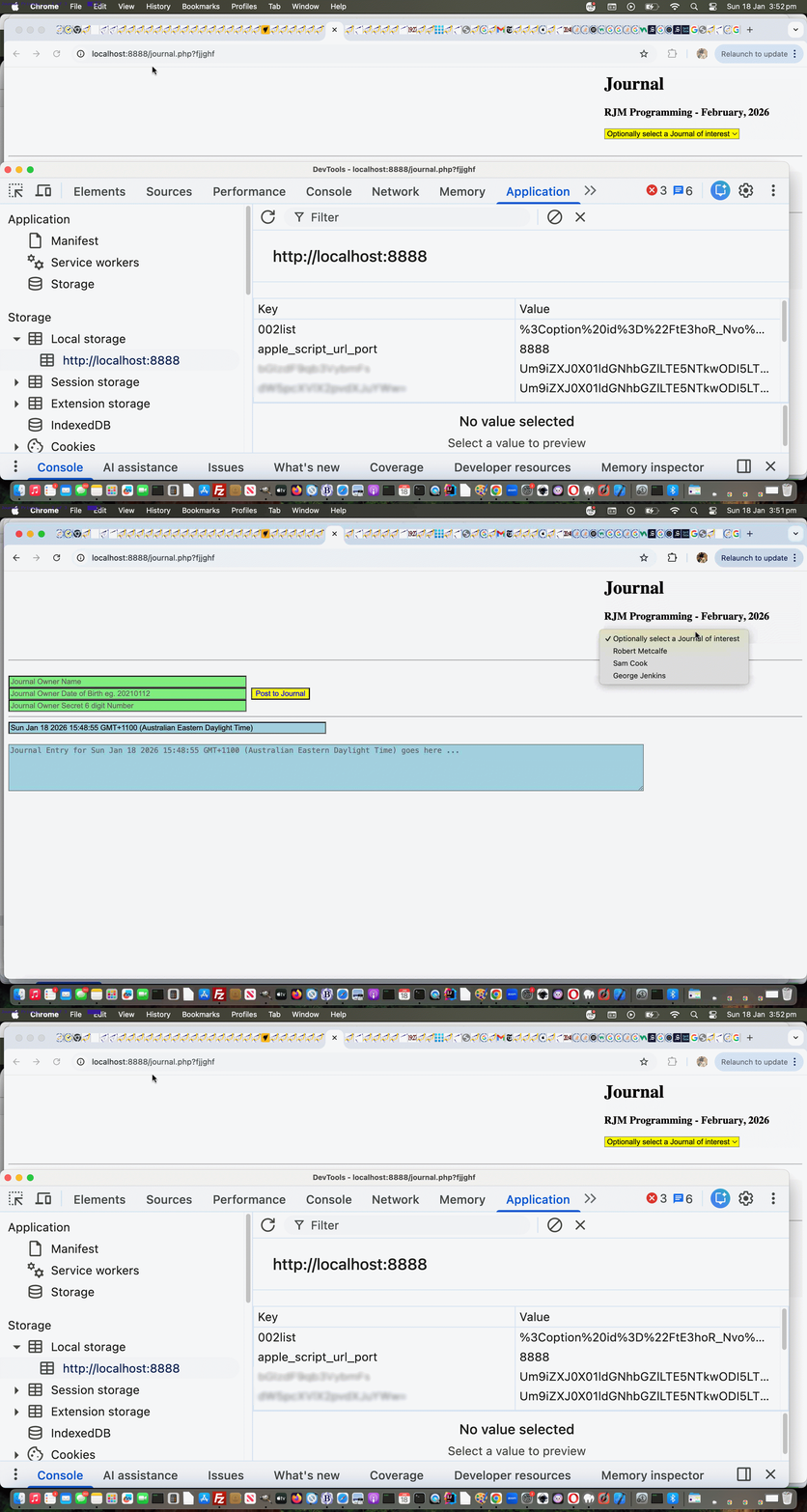
Drilling down on the changed word, to “Privacy”, further to yesterday’s Journal Primer Tutorial more loose privacy, what are we getting at?
-
Privacy is a subjective term
… what goes as “private” for one user can be a completely different set of standards to another user …
- take, on the clientside of the “privacy and security equation” of online considerations, it is really hard as a programmer to arrange “sensible levels” of security to a user using web browser web inspectors to their full functionality … but as programmers …
- we can attempt to make it “beyond the patience of those users” regarding the “privacy and security equation” … and in the case of our Journal web application …
- it interfaces on the clientside to a unique combination of …
- device
- web browser
… with our Journal web application via window.localStorage means to construct those right hand button or dropdown Recalling HTML element “aids” … and those users could get to that information via most modern web browser web inspectors … given, movie style, they quickly sneak onto the computer of the user just having used the Journal web application, presumably before the sleep manager kicks in, and gets to the relevant web browser’s web inspector’s functionality and copies two encrypted strings onto … it is the “wonderful USB” scene … presumably with a progress bar showing as they are just about to be discovered … and go away to decrypt at their leisure … Pina Colada, anyone? … but …
- we can annoy such activity, perhaps, by encrypting both the window.localStorage relevant record content and key … which we’re starting to do today
We could go a stage further, and just work it within PHP but it is pointless to go too far along these lines because once the Journal link becomes like …
https://www.rjmprogramming.com.au/PHP/journal.php?fjname=Robert_Metcalfe-19590829-161454# which can be Bookmarked or be added to Favourites in your web browser
… well, everybody knows everything by then (to which end, as of today, there is less address bar argument usage going on as a user creates their content, because we now POST it rather than GET it, perhaps making it a that wee bit harder for our “USB thief”), and that is why we could share that link with you all. If we went too far regarding privacy and security the whole web application loses all friendliness!
Also regarding Recall thoughts, users who use Name and Date of Birth access to a Journal may also be asked for a Secret Number, as well, as of today, depending on where they are when they access the Journal web application.
What is another privacy thing we had going, even as of yesterday? Would you believe it if we say the Journal data exists on a web server in it’s own non encrypted form in a file, but barring using sftp or some other way to get to the RJM Programming web server in a Terminal session, or such like, the general public can not get to that file, and specify it in some web browser address bar URL, in that we’ve stored it outside that (for Apache web server, up the web server folder tree from public_html “Document Root” folder) public access place. Keen programmers could also encrypt this data within the file, or use a database perhaps, or some other level of privacy/security, but again, we are not going to that level of security with our changed journal.php PHP Journal web application you can try for yourself Journal web application.
Previous relevant Journal Primer Tutorial is shown below.
Journal Primer Tutorial
It’s a new project day …. yay!!!
It’s a candidate for shortest blog posting title hereabouts day …. yay!!!
And so, with the brevity, we must explain that PHP serverside language is needed here, because writing to the RJM Programming web server, into files, is required for this project. If you do not like brevity though, we can toggle the title for you here!?
Am sure our vagueness about any differences between a personal “journal” and a personal “diary” may grate on some … and all because you asked for it!?
Anyway, the concept is …
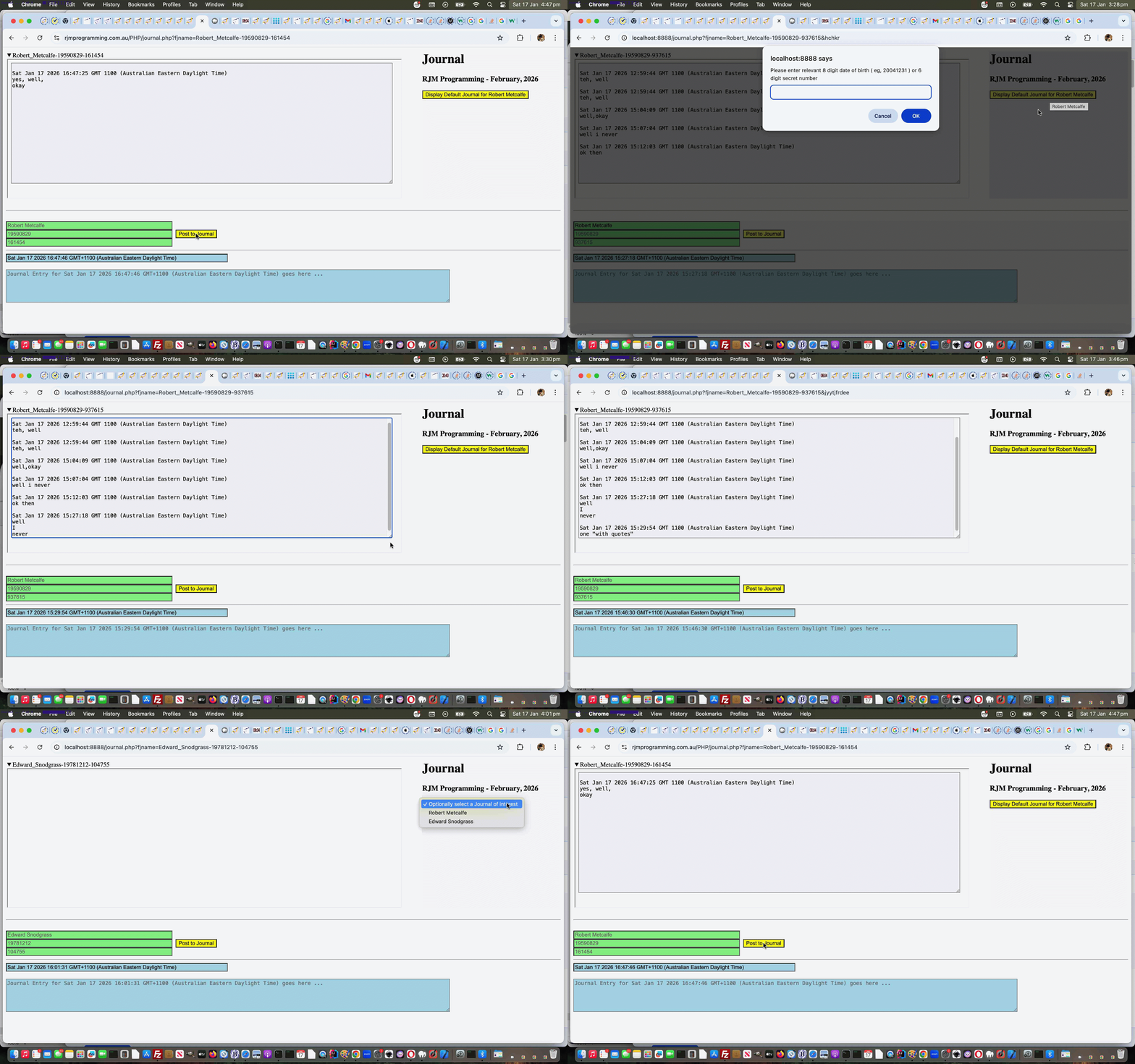
- Identification …
- user enters their name
- user enters their 8 digit date of birth ( eg. 20041231 ) … then to round off on the “identification section” if you will the web application assigns a …
- 6 digit secret number
- Posting …
- web application assigns a default Journal Entry timestamp … you can change along with a textarea means of entering that time snapshot’s …
- journal entry content … so far just text and 5000 character limit on this first draft
- user clicks/taps the “Post to Journal” button to display the latest Journal version to the top left above
- Recounting …
- even just completing an Identification that will be remembered as a button or dropdown displayed to the right for the user refiring up the Journal web application indicates a name of relevance onto which a click/tap/selection brings about …
- a validation of either the 8 digit date of birth or 6 digit secret number … allowing access and display to the relevant Journal at the top left of the web application … or if you know the Journal filename … for example …
- https://www.rjmprogramming.com.au/PHP/journal.php?fjname=Robert_Metcalfe-19590829-161454# which can be Bookmarked or be added to Favourites in your web browser
Pretty straightforward in concept, but the security aspects to protect data privacy, add to the complication somewhat in the journal.php PHP Journal web application you can try yourself.
If this was interesting you may be interested in this too.
If this was interesting you may be interested in this too.

