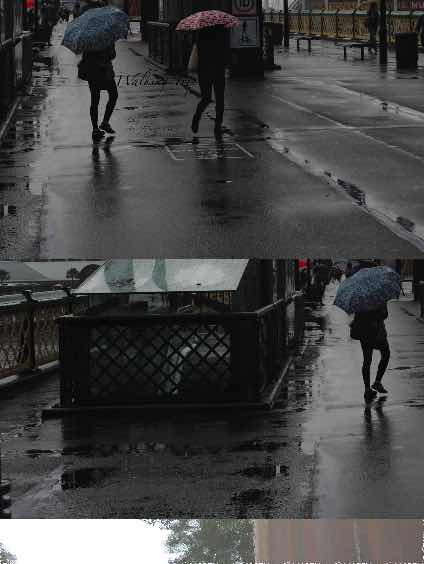
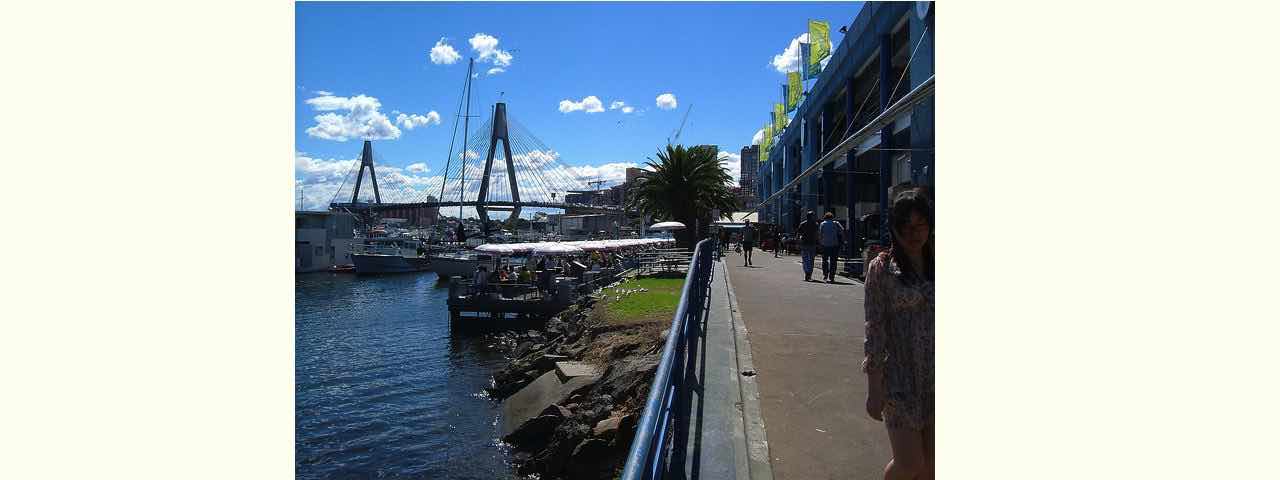
Walking Trip

📅
Called Upon Client Browsing Specifically Onpaste Image Copying Tutorial
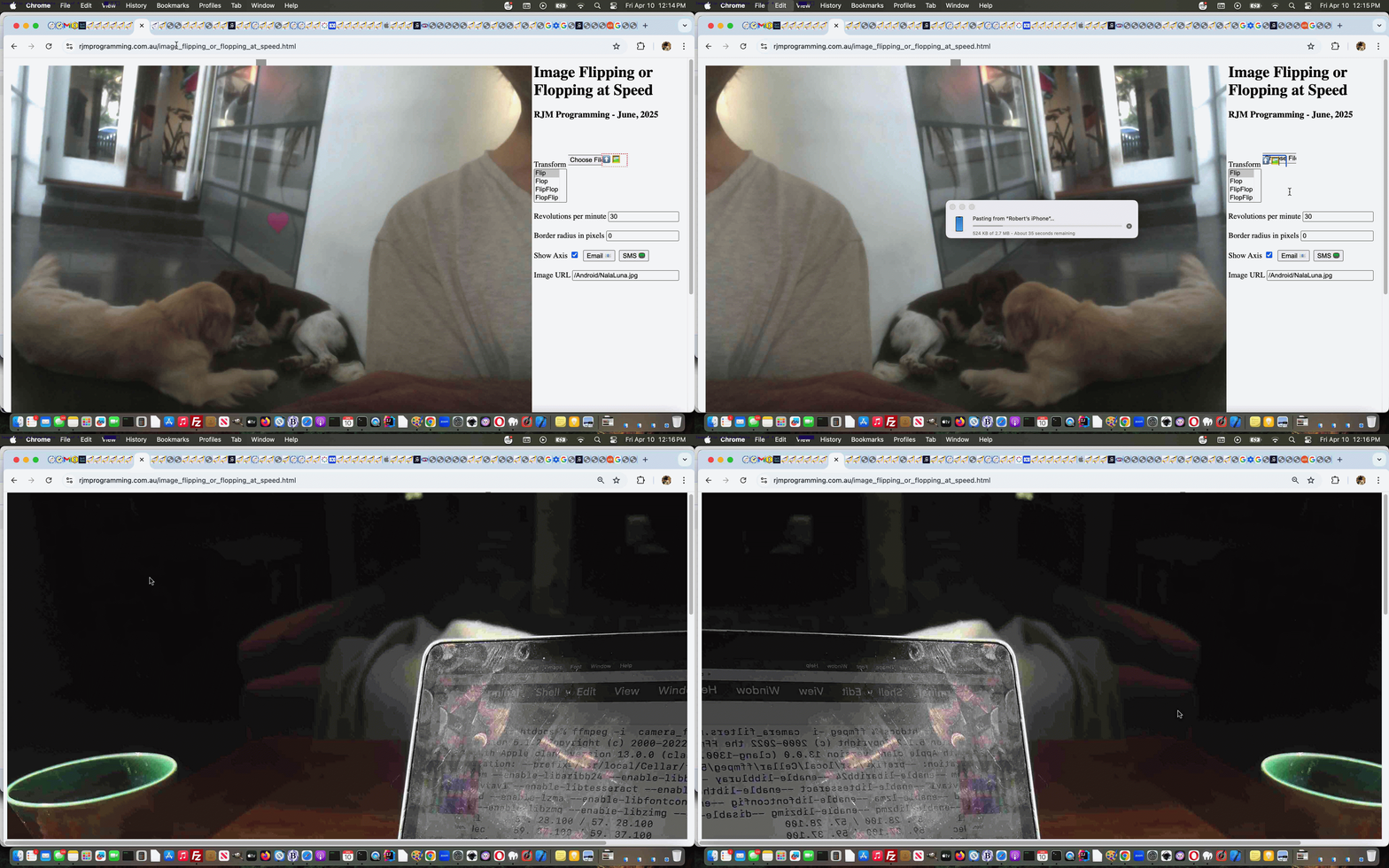
Yesterday’s Called Upon Client Browsing Onpaste Image Copying Tutorial had us adjusting …
… optional, but potential, use of image copying and pasting via the dual purpose (unchanged from yesterday) local file browsing HTML and Javascript inhouse helper …
  var twaconto=null, twacontoiurl=null, twacontojurl=null;


  function lookfor() {

    var uis=document.getElementById('cbi').src.replace('=','=' + Math.floor(Math.random() * 9));

    if (twacontojurl) {

      if ((twacontojurl.innerHTML + twacontojurl.title).indexOf('data:') == 0) {

         twocontocont='data:' + (twacontojurl.innerHTML + twacontojurl.title).split('data:')[1];

         document.getElementById('imgurl').value=twocontocont;

         twacontojurl.innerHTML='';

         twacontojurl.title='';

         document.getElementById('cbi').style.visibility='hidden';

         document.getElementById('cbi').src=uis; //'/HTMLCSS/client_browsing.htm?d=' + Math.floor(Math.random() * 19897865) + '&wording=Allimages%20images%2E%20';

         document.getElementById('cbi').style.visibility='visible';

      }

    }

  }


  function checkit(iois) {

       twaconto = (iois.contentWindow || iois.contentDocument);

       if (twaconto != null) {

       if (twaconto.document) { twaconto = twaconto.document; }

       if (twaconto.getElementById('divcopyspan')) {

       twacontojurl=twaconto.getElementById('divcopyspan');

       }

       if (twacontoiurl || twacontojurl) { setInterval(lookfor, 3000); }

       }

  }
… where the browsing smarts of the inhouse client browser are catered for elsewhere, and so, Javascript global variable twacontoiurl is unused.
Previous relevant Called Upon Client Browsing Onpaste Image Copying Tutorial is shown below.
Called Upon Client Browsing Onpaste Image Copying Tutorial
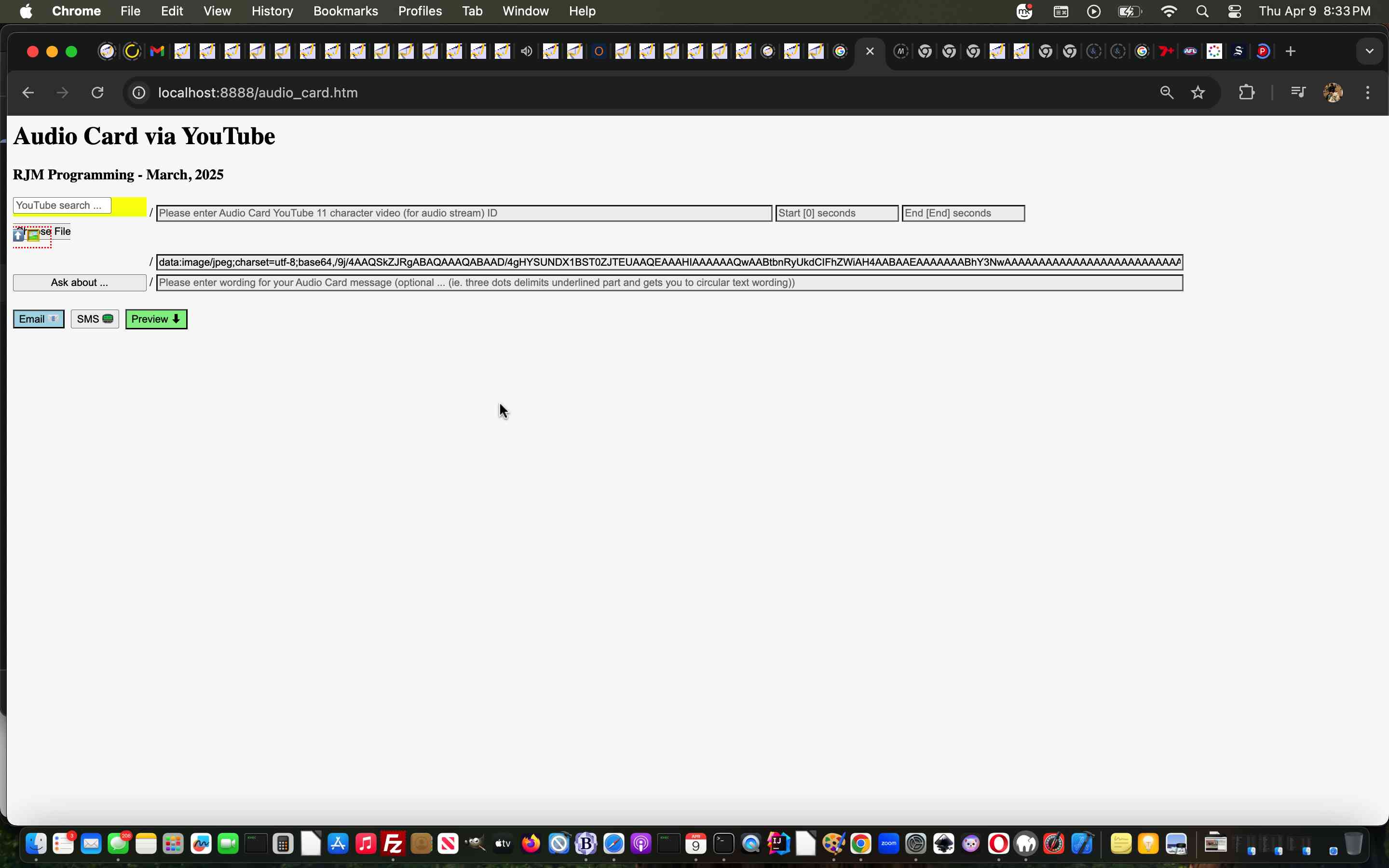
As promised at yesterday’s Client Browsing Onpaste Image Copying Tutorial, today, we start looking further than …
… and, as we suspected, today’s first look was pretty salutary in proving “no one paradigm size fits all” with the number of scenarios a “called upon” incarnation of our inhouse client browsing web application can throw up.
Where we think the inhouse client browsing web application for this new “paste” functionality can flourish can be via what we like to call “client pre-emptive iframe” Javascript logic back at the caller, where we extend the code for that HTML iframe’s onload event …
  var twaconto=null, twacontoiurl=null, twacontojurl=null;


  function lookfor() {

    if (twacontojurl) {

      if ((twacontojurl.innerHTML + twacontojurl.title).indexOf('data:') == 0) {

         twocontocont='data:' + (twacontojurl.innerHTML + twacontojurl.title).split('data:')[1];

         document.getElementById('background').value=twocontocont;

         twacontojurl.innerHTML='';

         twacontojurl.title='';

         if (twocontocont.replace('/gif','.gif') == -1 || (twocontocont.indexOf('data:') == 0 || twocontocont.slice(-5).indexOf('.') != -1)) {

           setTimeout(reduceimsize, 100);

         } else {

           console.log('why? ' + twocontocont.substring(0,200));

         }

         document.getElementById('cbi').style.visibility='hidden';

         document.getElementById('cbi').src='/HTMLCSS/client_browsing.htm?d=' + Math.floor(Math.random() * 19897865) + '&wording=Allimages%20images%2E%20';

         document.getElementById('cbi').style.visibility='visible';

         setTimeout(refocus,1500);

      }

    }

    if (twacontoiurl) {

      if (twacontoiurl.innerHTML.indexOf('data:') == 0) {

         twocontocont=twacontoiurl.innerHTML;

         twacontoiurl.innerHTML='';

         document.getElementById('background').value=twocontocont;

         if (twocontocont.replace('/gif','.gif') == -1 || (twocontocont.indexOf('data:') == 0 || twocontocont.slice(-5).indexOf('.') != -1)) {

           setTimeout(reduceimsize, 100);

         } else {

           console.log('why? ' + twocontocont.substring(0,200));

         }

         document.getElementById('cbi').style.visibility='hidden';

         document.getElementById('cbi').src='/HTMLCSS/client_browsing.htm?d=' + Math.floor(Math.random() * 19897865) + '&wording=Allimages%20images%2E%20';

         document.getElementById('cbi').style.visibility='visible';

         setTimeout(refocus,1500);

      }

    }

  }


  function checkit(iois) {

       twaconto = (iois.contentWindow || iois.contentDocument);

       if (twaconto != null) {

       if (twaconto.document) { twaconto = twaconto.document; }

       twacontoiurl=document.getElementById('result');

       if (twaconto.getElementById('divcopyspan')) {

       twacontojurl=twaconto.getElementById('divcopyspan');

       }

       if (twacontoiurl) { setInterval(lookfor, 3000); }

       }

  }
… featuring in our changed audio_card.htm Audio Card example call of the changed client_browsing.htm client side local file browsing HTML and Javascript inhouse helper.
Previous relevant Client Browsing Onpaste Image Copying Tutorial is shown below.
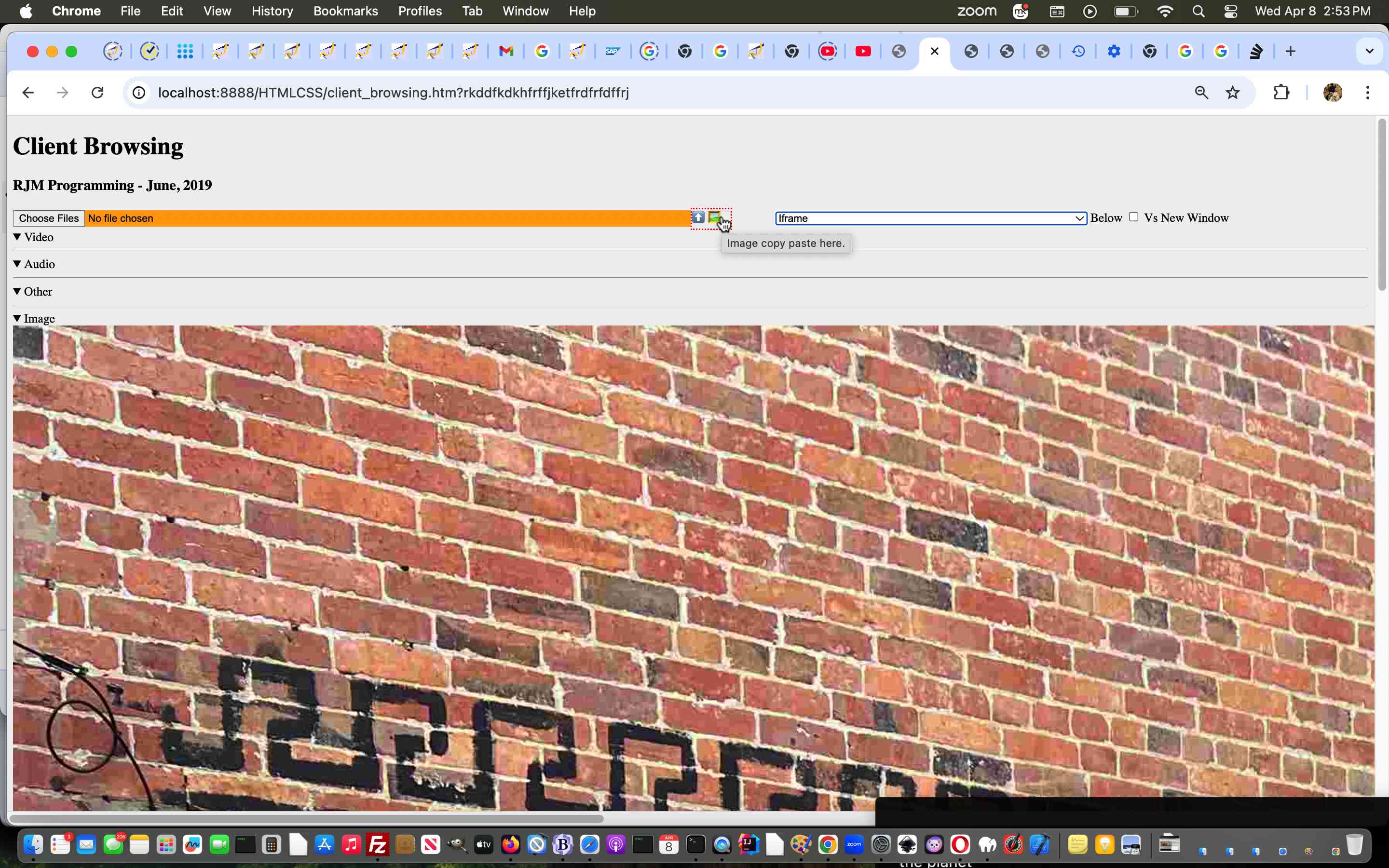
Client Browsing Onpaste Image Copying Tutorial
Don’t mean to sound like a broken record, but the sentiments of …
The recent onpaste event work has other places of “interventional interest”, for us, on top of the day before yesterday’s One Image Website Onpaste Uploading Device Copying Tutorial.
… continue today (building on yesterday’s Universal Clipboard Onpaste Canvas Annotations Tutorial), adding onpaste Image copying and Pasting logic into …
… so that, as far as Image data goes, this inhouse client browsing web application is dual purpose, the user able to …
<span title=""Image copy paste here." onclick="csclick=0; setTimeout(csc,20000); event.stopPropagation();" onblur="youruplit(this,1);" onpaste="youruplit(this,0);" contenteditable="true" id="imgcopycheck" style="border:2px dotted red;width:50px;height:25px;display:inline-block;">⬆️ 🖼️</span>
var yehbutisob=false, xcelem=null, xccontext=null, xcimg=null, within=false, mydivo=null, origh=-1, origw=-1, altdu='', dlm='"', copyspans='', gij=0;
var zcontent=[], zfilename='', zoptions=null, csclick=-1;
function iftoolarge(zimg,zw,zh) {
var zcanvas = document.createElement('canvas');
zcanvas.width = zw;
zcanvas.height = zh;
var zctx = zcanvas.getContext('2d');
zctx.drawImage(zimg, 0, 0);
// Get JPG as Data URL (quality 0.9)
altdu=zcanvas.toDataURL("image/jpeg", 0.1);
setTimeout(function(){
if (document.getElementById('divcopyspan') && document.getElementById('gb')) {
//document.getElementById('divcopyspan').style.background='url(' + document.getElementById('divcopyspan').title + ')';
//document.getElementById('divcopyspan').style.backgroundRepeat='no-repeat';
//document.getElementById('divcopyspan').innerHTML=' <br> ';
//document.getElementById('divcopyspan').style.display='block';
document.getElementById('gb').src=document.getElementById('divcopyspan').title;
document.body.style.cursor='pointer';
}
}, 12000);
setTimeout(function(){ xcimg.src=altdu; }, 2000);
return false;
}
function csc() {
csclick=-2;
}
function youruplit(divo, isonblurnotonpaste) {
var isimg=false;
var divoinnerHTML=divo.innerHTML.replace('data:video/','data:image/').replace('data:audio/','data:image/');
if (csclick == -2) {
csclick=0;
setTimeout(function(){ csclick=-1; }, 4000);
} else {
csclick=-1;
}
dlm='"';
if (isonblurnotonpaste != 0) {
yehbutisob=true;
}
if (divoinnerHTML.indexOf('data:image/') != -1 && divoinnerHTML.indexOf('"data:image/') == -1 && divoinnerHTML.indexOf("'data:image/") == -1) {
mydivo=divo;
if (divo.innerHTML.indexOf('data:image/') != -1 && divo.innerHTML.indexOf('"data:image/') == -1 && divo.innerHTML.indexOf("'data:image/") == -1) {
xcimg=new Image;
isimg=true;
} else if (divo.innerHTML.indexOf('data:video/') != -1 && divo.innerHTML.indexOf('"data:video/') == -1 && divo.innerHTML.indexOf("'data:video/") == -1) {
xcimg=new Video;
} else if (divo.innerHTML.indexOf('data:audio/') != -1 && divo.innerHTML.indexOf('"data:audio/') == -1 && divo.innerHTML.indexOf("'data:audio/") == -1) {
xcimg=new Audio;
}
//console.log('cancontw,canconth=' + cancontw + ',' + canconth + ' cancont=' + cancont);
xcimg.onload = function(){
if (altdu == ' ') {
return iftoolarge(xcimg,xcimg.width,xcimg.height);
} else if (altdu == '') {
if (('' + mydivo.title).indexOf(' Paste') != -1) {
parent.document.getElementById('divcopyspan').innerHTML=xcimg.src; //'data:image/' + mydivo.innerHTML.split('data:image/')[1].split(dlm)[0];
} else {
document.getElementById('divcopyspan').innerHTML=xcimg.src; //'data:image/' + mydivo.innerHTML.split('data:image/')[1].split(dlm)[0];
}
mydivo.innerHTML='⬆️ 🖼️';
simulatenewfile(document.getElementById('divcopyspan').innerHTML);
setTimeout(function(){ altdu=''; }, 4000);
} else {
if (('' + divo.title).indexOf(' Paste') != -1) {
parent.document.getElementById('divcopyspan').innerHTML=altdu;
} else {
document.getElementById('divcopyspan').innerHTML=altdu;
}
mydivo.innerHTML='⬆️ 🖼️';
simulatenewfile(document.getElementById('divcopyspan').innerHTML);
setTimeout(function(){ altdu=''; }, 4000);
}
};
if (!isimg) {
altdu='';
xcimg.src=divo.innerHTML.split('/')[0] + '/' + divo.innerHTML.split(divo.innerHTML.split('/')[0] + '/')[1].split(' ')[0].split("'")[0].split('"')[0].split('>')[0].split('&')[0].split('&#')[0].split(' ')[0].split('<')[0];
} else if (eval('' + ('data:image/' + divo.innerHTML.split('data:image/')[1].split(' ')[0].split("'")[0].split('"')[0].split('>')[0].split('&')[0].split('&#')[0].split(' ')[0].split('<')[0]).length) > 9000000) {
altdu=' ';
xcimg.src='data:image/' + divo.innerHTML.split('data:image/')[1].split(' ')[0].split("'")[0].split('"')[0].split('>')[0].split('&')[0].split('&#')[0].split(' ')[0].split('<')[0];
} else {
altdu='';
xcimg.src='data:image/' + divo.innerHTML.split('data:image/')[1].split(' ')[0].split("'")[0].split('"')[0].split('>')[0].split('&')[0].split('&#')[0].split(' ')[0].split('<')[0];
}
} else if (divoinnerHTML.indexOf('"data:image/') != -1 || divoinnerHTML.indexOf("'data:image/") != -1) {
mydivo=divo;
dlm=divo.innerHTML.split('data:' + divo.innerHTML.split('data:')[1].split('/')[0] + '/')[0].slice(-1);
//alert('dlm=' + dlm + ' ' + divo.innerHTML.substring(0,100));
if (divo.innerHTML.indexOf('data:image/') != -1) {
xcimg=new Image;
isimg=true;
} else if (divo.innerHTML.indexOf('data:video/') != -1) {
xcimg=new Video;
} else if (divo.innerHTML.indexOf('data:audio/') != -1) {
xcimg=new Audio;
}
//console.log('cancontw,canconth=' + cancontw + ',' + canconth + ' cancont=' + cancont);
xcimg.onload = function(){
if (altdu == ' ') {
return iftoolarge(xcimg,xcimg.width,xcimg.height);
} else if (altdu == '') {
if (('' + mydivo.title).indexOf(' Paste') != -1) {
parent.document.getElementById('divcopyspan').innerHTML=xcimg.src; //'data:image/' + mydivo.innerHTML.split('data:image/')[1].split(dlm)[0];
} else {
document.getElementById('divcopyspan').innerHTML=xcimg.src; //'data:image/' + mydivo.innerHTML.split('data:image/')[1].split(dlm)[0];
}
mydivo.innerHTML='⬆️ 🖼️';
simulatenewfile(document.getElementById('divcopyspan').innerHTML);
setTimeout(function(){ altdu=''; }, 4000);
} else {
if (('' + divo.title).indexOf(' Paste') != -1) {
parent.document.getElementById('divcopyspan').innerHTML=altdu;
} else {
document.getElementById('divcopyspan').innerHTML=altdu;
}
mydivo.innerHTML='⬆️ 🖼️';
simulatenewfile(document.getElementById('divcopyspan').innerHTML);
setTimeout(function(){ altdu=''; }, 4000);
}
};
if (!isimg) {
altdu='';
xcimg.src=divo.innerHTML.split('/')[0] + '/' + divo.innerHTML.split(divo.innerHTML.split('/')[0] + '/')[1].split(' ')[0].split("'")[0].split('"')[0].split('>')[0].split('&')[0].split('&#')[0].split(' ')[0].split('<')[0];
} else if (eval('' + divo.innerHTML.length) > 9000000 && isimg) {
altdu=' ';
xcimg.src='data:image/' + divo.innerHTML.split('data:image/')[1].split(dlm)[0];
} else {
altdu='';
xcimg.src='data:image/' + divo.innerHTML.split('data:image/')[1].split(dlm)[0];
}
} else if (eval('' + divo.innerHTML.length) < 30 && isonblurnotonpaste == 0) {
yehbutisob=false;
mydivo=divo;
setTimeout(function(){
if (!yehbutisob) {
if (('' + mydivo.title).indexOf(' Paste') != -1) {
//mydivo.innerHTML='⬆️ 🖼️';
parent.document.getElementById('outthere').focus();
//top.document.title+=('33');
} else {
//mydivo.innerHTML='⬆️ 🖼️';
document.getElementById('outthere').focus();
//top.document.title=('333');
}
yehbutisob=true;
}
}, 8000);
} else {
setTimeout(function(){ within=false; }, 56000);
}
}
… in the changed client_browsing.htm client side local file browsing HTML and Javascript inhouse helper.
Previous relevant Universal Clipboard Onpaste Canvas Annotations Tutorial is shown below.
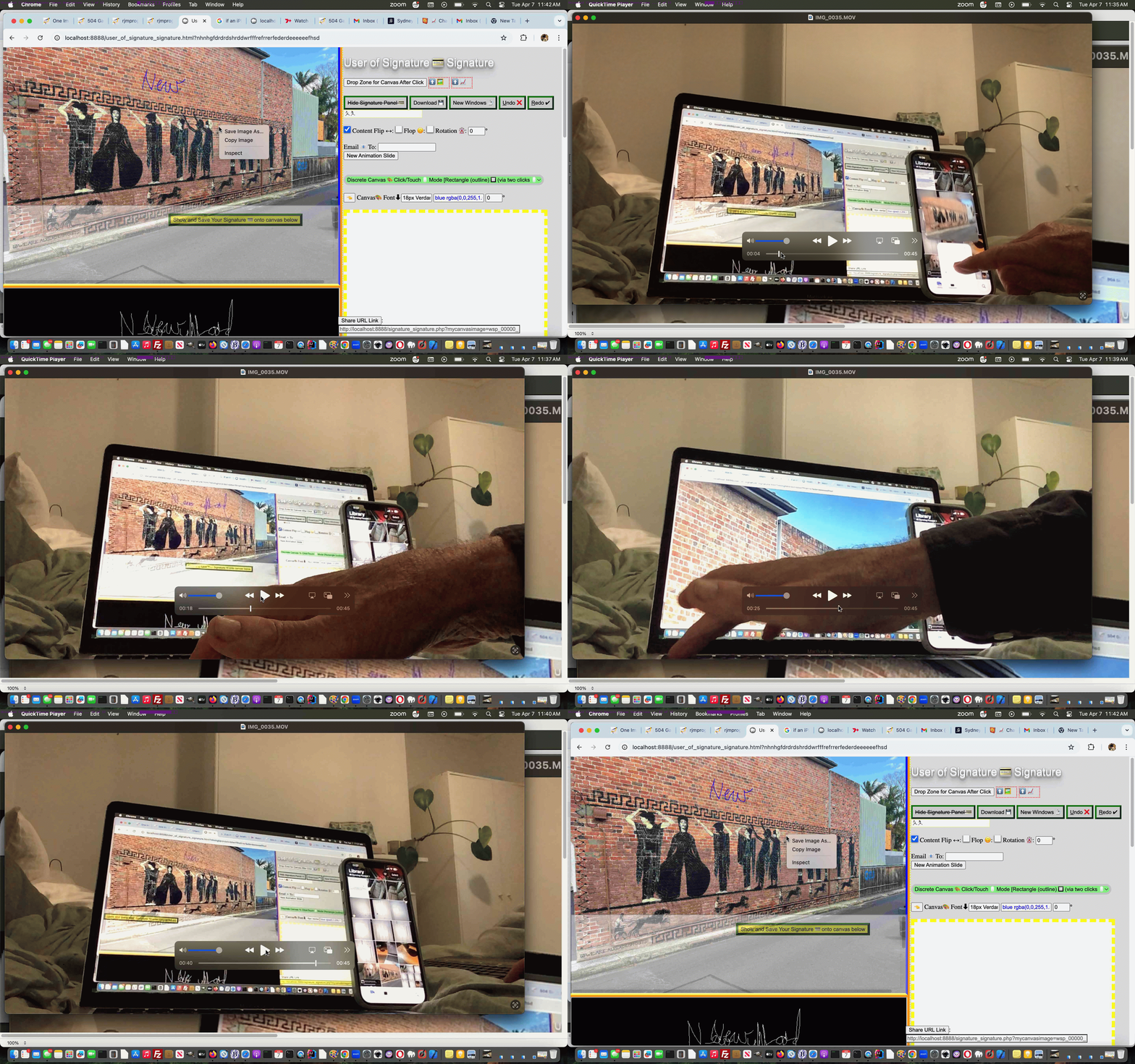
Universal Clipboard Onpaste Canvas Annotations Tutorial
The recent onpaste event work has other places of “interventional interest”, for us, on top of the day before yesterday’s One Image Website Onpaste Uploading Device Copying Tutorial.
How about using it to have …
<span title="Image copy Paste here to populate canvas fitting in." onclick="event.stopPropagation();" onblur="myuplit(this,1);" onpaste="myuplit(this,0);" contenteditable="true" id="imgcopycheck" style="border:2px dotted red;width:50px;height:25px;display:inline-block;">⬆️ 🖼️</span> <span title="Image copy Paste here to populate canvas resizing." onclick="event.stopPropagation();" onblur="myuplit(this,1);" onpaste="myuplit(this,0);" contenteditable="true" id="imgcopychecken" style="border:2px dotted red;width:50px;height:25px;display:inline-block;">⬆️ 📈</span>
var yehbutisob=false, xcelem=null, xccontext=null, xcimg=null, within=false, mydivo=null, origh=-1, origw=-1, altdu='';
function iftoolarge(zimg,zw,zh) {
var zcanvas = document.createElement('canvas');
zcanvas.width = zw;
zcanvas.height = zh;
var zctx = zcanvas.getContext('2d');
zctx.drawImage(zimg, 0, 0);
// Get JPG as Data URL (quality 0.9)
altdu=zcanvas.toDataURL("image/jpeg", 0.1);
setTimeout(function(){ xcimg.src=altdu; altdu=''; }, 2000);
return false;
}
function myuplit(divo, isonblurnotonpaste) {
if (isonblurnotonpaste != 0) {
yehbutisob=true;
}
if (divo.innerHTML.indexOf('data:image/') == 0) {
mydivo=divo;
if (('' + divo.title).indexOf(' Paste') != -1) {
xcelem=parent.document.getElementById('topcanvas');
} else {
xcelem=document.getElementById('topcanvas');
}
xccontext = xcelem.getContext("2d");
xcimg=new Image;
//console.log('cancontw,canconth=' + cancontw + ',' + canconth + ' cancont=' + cancont);
xcimg.onload = function(){
if (altdu == ' ') {
return iftoolarge(xcimg,xcimg.width,xcimg.height);
} else {
if (mydivo.id.indexOf('en') != -1) {
if (origw < 0) {
origw=eval('' + xcelem.width);
origh=eval('' + xcelem.height);
}
xcelem.width=xcimg.width;
xcelem.height=xcimg.height;
xccontext.drawImage(xcimg,0,0);
} else {
if (origw > 0) {
xcelem.width=origw;
xcelem.height=origh;
} else {
xcelem.width=xcelem.width;
xcelem.height=xcelem.height;
}
//setTimeout(function(){
//top.document.title=('1;' + yehbutisob);
xccontext.drawImage(xcimg,0,0,xcimg.width,xcimg.height,0,0,xcelem.width,xcelem.height);
}
if (mydivo.id.indexOf('en') != -1) {
mydivo.innerHTML='⬆️ 📈';
} else {
mydivo.innerHTML='⬆️ 🖼️';
}
//}, 6000);
//alert(1);
}
};
if (eval('' + divo.innerHTML.length) > 9000000) {
altdu=' ';
} else {
altdu='';
}
xcimg.src=divo.innerHTML;
} else if (divo.innerHTML.indexOf('"data:image/') != -1) {
mydivo=divo;
if (('' + divo.title).indexOf(' Paste') != -1) {
xcelem=parent.document.getElementById('topcanvas');
} else {
xcelem=document.getElementById('topcanvas');
}
xccontext = xcelem.getContext("2d");
xcimg=new Image;
//console.log('cancontw,canconth=' + cancontw + ',' + canconth + ' cancont=' + cancont);
xcimg.onload = function(){
if (altdu == ' ') {
return iftoolarge(xcimg,xcimg.width,xcimg.height);
} else {
if (mydivo.id.indexOf('en') != -1) {
if (origw < 0) {
origw=eval('' + xcelem.width);
origh=eval('' + xcelem.height);
}
xcelem.width=xcimg.width;
xcelem.height=xcimg.height;
xccontext.drawImage(xcimg,0,0);
} else {
if (origw > 0) {
xcelem.width=origw;
xcelem.height=origh;
} else {
xcelem.width=xcelem.width;
xcelem.height=xcelem.height;
}
//setTimeout(function(){
//top.document.title=('2;' + yehbutisob);
xccontext.drawImage(xcimg,0,0,xcimg.width,xcimg.height,0,0,xcelem.width,xcelem.height);
}
if (mydivo.id.indexOf('en') != -1) {
mydivo.innerHTML='⬆️ 📈';
} else {
mydivo.innerHTML='⬆️ 🖼️';
}
//}, 6000);
//alert(2);
}
};
if (eval('' + divo.innerHTML.length) > 9000000) {
altdu=' ';
} else {
altdu='';
}
xcimg.src='data:image/' + divo.innerHTML.split('data:image/')[1].split('"')[0];
} else if (eval('' + divo.innerHTML.length) < 30 && isonblurnotonpaste == 0) {
yehbutisob=false;
mydivo=divo;
setTimeout(function(){
if (!yehbutisob) {
if (('' + mydivo.title).indexOf(' Paste') != -1) {
if (mydivo.id.indexOf('en') != -1) {
mydivo.innerHTML='⬆️ 📈';
} else {
mydivo.innerHTML='⬆️ 🖼️';
}
parent.document.getElementById('jsemail').focus();
//top.document.title+=('33');
} else {
if (mydivo.id.indexOf('en') != -1) {
mydivo.innerHTML='⬆️ 📈';
} else {
mydivo.innerHTML='⬆️ 🖼️';
}
document.getElementById('jsemail').focus();
//top.document.title+=('333');
}
yehbutisob=true;
}
}, 8000);
} else {
setTimeout(function(){ within=false; }, 56000);
}
}
function checkoncp() {
if (parent.document.getElementById('mydbut') && parent.document.getElementById('target') && !parent.document.getElementById('imgcopycheck')) {
parent.document.getElementById('target').innerHTML+="<span title=\"Image copy Paste here to populate canvas fitting in.\" onclick=\"event.stopPropagation();\" onblur=\"myuplit(this,1);\" onpaste=\"myuplit(this,0);\" contenteditable=true id=\"imgcopycheck\" style=\"border:2px dotted red;width:50px;height:25px;display:inline-block;\">⬆️ 🖼️</span> <span title=\"Image copy Paste here to populate canvas resizing.\" onclick=\"event.stopPropagation();\" onblur=\"myuplit(this,1);\" onpaste=\"myuplit(this,0);\" contenteditable=true id=\"imgcopychecken\" style=\"border:2px dotted red;width:50px;height:25px;display:inline-block;\">⬆️ 📈</span>";
} else if (document.getElementById('mydbut') && document.getElementById('target') && !document.getElementById('imgcopycheck')) {
document.getElementById('target').innerHTML+="<span title=\"Image Copy paste here to populate canvas fitting in.\" onclick=\"event.stopPropagation();\" onblur=\"myuplit(this,1);\" onpaste=\"myuplit(this,0);\" contenteditable=true id=\"imgcopycheck\" style=\"border:2px dotted red;width:50px;height:25px;display:inline-block;\">⬆️ 🖼️</span> <span title=\"Image Copy paste here to populate canvas resizing.\" onclick=\"event.stopPropagation();\" onblur=\"myuplit(this,1);\" onpaste=\"myuplit(this,0);\" contenteditable=true id=\"imgcopychecken\" style=\"border:2px dotted red;width:50px;height:25px;display:inline-block;\">⬆️ 📈</span>";
} else {
setTimeout(checkoncp, 5000);
}
}
setTimeout(checkoncp, 5000);
… to flesh out what you might be trying to achieve, and facilitated by our changed web_share_api_test.js external Javascript?
Previous relevant One Image Website Onpaste Uploading Device Copying Tutorial is shown below.
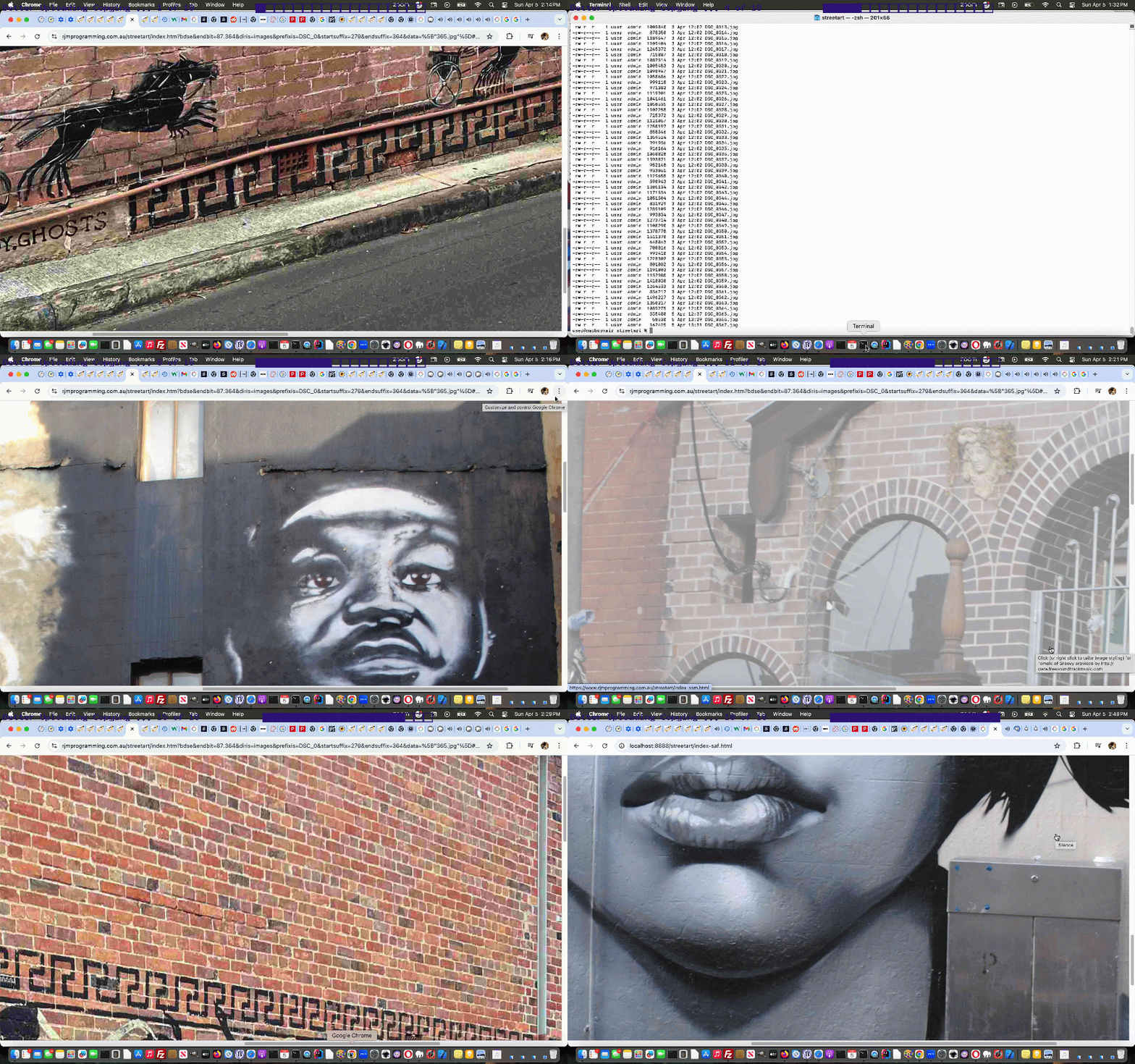
One Image Website Onpaste Uploading Device Copying Tutorial
Further to yesterday’s One Image Website Onpaste Uploading Hashtagging Tutorial you may be wondering about our original gambit statement wondering if regarding …
take a new relevant photograph (on an iPhone, for instance) … and then easily …
… upload? Aren’t we worried about the iPhone device end of …
… will just fall upon deaf ears as far as our MacBook Air web browser use of the “One Image Website” webpage goes?
Well, read this “if an iPhone is connected to a MacBook Air can the copy buffer of the iPhone be transferred to the copy buffer of the MacBook Air?” ask …
Yes, if an iPhone is connected to a MacBook Air—or even just nearby—the copy buffer (clipboard) of the iPhone can be transferred to the copy buffer of the MacBook Air. Apple calls this feature Universal Clipboard.
It allows you to copy text, images, photos, and videos on your iPhone and instantly paste them onto your Mac (or vice versa).
Cute, huh?! If on the same network, and close, the iPhone and MacBook Air do not even need an Apple White Lead connection, necessarily, though we noticed it sped up the process!
Given the “smarts” at this end, today, we turned to …
var myxhr=null, formis=null, iclen=0, icsuffix='', extnew='.png', yehbutisob=true;

var ipuvalid=true, ipis='', lhend='', lhdata='', fourthousand=(document.URL.indexOf('diris=') != -1 ? 10000 : 4000), gencount=0, upcount=(document.URL.indexOf('data=%') != -1 ? eval('' + decodeURIComponent(document.URL.split('data=')[1].split('&')[0].split('#')[0]).split(',').length) : 0);

var fetchcmd="./index.php?diris=images&prefixis=DSC_0&startsuffix=279&endsuffix=364", within=false;


// Thanks to https://www.google.com/search?q=javascript+convert+png+to+jpg&rlz=1C5OZZY_en&oq=javascript+convert+png+to+jpg&gs_lcrp=EgZjaHJvbWUyCggAEEUYFhgeGDkyCAgBEAAYFhgeMggIAhAAGBYYHjINCAMQABiGAxiABBiKBTIHCAQQABjvBdIBCTEyNzIxajBqN6gCALACAA&sourceid=chrome&ie=UTF-8

const convertPngToJpg = (pngDataUrl) => {

  const img = new Image();

  img.onload = () => {

    const canvas = document.createElement('canvas');

    canvas.width = img.width;

    canvas.height = img.height;

    const ctx = canvas.getContext('2d');


    // Optional: Fill white background (JPEGs don't support transparency)

    ctx.fillStyle = "#FFFFFF";

    ctx.fillRect(0, 0, canvas.width, canvas.height);


    ctx.drawImage(img, 0, 0);


    // Get JPG as Data URL (quality 0.9)

    const jpgDataUrl = canvas.toDataURL("image/jpeg", 0.1);

    extnew='.jpg';

    icsuffix=(' 0' + jpgDataUrl.length);

    formis.append('newdurl', jpgDataUrl);

    myxhr.open('POST', './index.php'); //, true);

    myxhr.onreadystatechange=mstateChanged;

    myxhr.send(formis);

    console.log(jpgDataUrl);

  };

  img.src = pngDataUrl;

};
… as a solution to massive image png copy buffers coming off the camera being fed into an HTML5 canvas and out as a reduced size jpeg image to allow PHP $_POST methodologies used for the uploading process not be overwhelmed, as per the adjusted Ajax code …
   function mstateChanged() {

   var ioff=1, thisoff=1;

   var vsoff=0, getridof='YouLlneverFinDtHis';

   //document.title=document.title.substring(0,1) + ' readyState=' + myxhr.readyState + ' and status=' + myxhr.status + ' ' + iclen;

   if (myxhr.readyState == 4) {

    if (myxhr.status == 200) {

       //alert(iclen);

       setTimeout(function(){

    if (document.URL.indexOf('#') != -1 && lhdata == '' && document.URL.indexOf('data=%') != -1) {

     lhdata=(('' + location.search + decodeURIComponent(('' + location.hash).replace(/^undefined/g,'').replace(/^null/g,'').replace(/^\#/g,''))).split('data=')[1] ? decodeURIComponent(('' + location.search + decodeURIComponent(('' + location.hash).replace(/^undefined/g,'').replace(/^null/g,'').replace(/^\#/g,'')))).split('data=')[eval(-1 + decodeURIComponent(('' + location.search + decodeURIComponent(('' + location.hash).replace(/^undefined/g,'').replace(/^null/g,'').replace(/^\#/g,'')))).split('data=').length)].split('&')[0].split('#')[0] : '');

     var coms=lhdata.split(',');

     vsoff=eval('' + fetchcmd.split('endsuffix=')[1].split('&')[0].split('#')[0]);

     getridof=fetchcmd.split('diris=')[1].split('&')[0].split('#')[0] + '/' + fetchcmd.split('prefixis=')[1].split('&')[0].split('#')[0];

     for (var iuyt=0; iuyt<coms.length; iuyt++) {

       //alert(coms[iuyt] + ' ... ' + getridof + ' ... ' + coms[iuyt].replace('[','').replace(']','').replace('"','').replace('"','').replace(getridof,''));

       thisoff=eval(eval(coms[iuyt].replace('[','').replace(']','').replace('"','').replace('"','').replace(getridof,'').split('.')[0]) - vsoff + 1);

       if (thisoff > ioff) { ioff=thisoff; }

     }

    }

    if (document.URL.indexOf('#') == -1) {

    if (lhdata == '' && fetchcmd.indexOf('endsuffix=') != -1) {

    lhdata='["' + fetchcmd.split('diris=')[1].split('&')[0].split('#')[0] + '/' + fetchcmd.split('prefixis=')[1].split('&')[0].split('#')[0] + eval(1 + eval('' + fetchcmd.split('endsuffix=')[1].split('&')[0].split('#')[0])) + extnew + '"]';

    lhend='#' + encodeURIComponent(eval(1 + number_of_image) + '.' + fetchcmd.split('endsuffix=')[1].split('&')[0].split('#')[0]) + '&diris=' + fetchcmd.split('diris=')[1] + '&data=' + encodeURIComponent(lhdata);

    if (document.URL.indexOf(lhend.substring(1)) == -1) {

    if (6 == 6) {

    location.href=(document.URL.indexOf('?') != -1 ? document.URL.split('#')[0] + '&endbit=' + reduced(lhend).substring(1) + lhend : document.URL.split('#')[0] + '?endbit=' + reduced(lhend).substring(1) + lhend);

    } else {

    location.hash=lhend;

    }

    }

    }

    } else if (lhdata.indexOf('[') != -1) {

    lhdata=lhdata.replace('[', '["' + fetchcmd.split('diris=')[1].split('&')[0].split('#')[0] + '/' + fetchcmd.split('prefixis=')[1].split('&')[0].split('#')[0] + eval(ioff + eval('' + fetchcmd.split('endsuffix=')[1].split('&')[0].split('#')[0])) + extnew + '",');

    lhend='#' + encodeURIComponent(eval(1 + number_of_image) + '.' + fetchcmd.split('endsuffix=')[1].split('&')[0].split('#')[0]) + '&diris=' + fetchcmd.split('diris=')[1] + '&data=' + encodeURIComponent(lhdata);

    if (document.URL.indexOf(lhend.substring(1)) == -1) {

    if (6 == 6) {

    location.href=(document.URL.indexOf('?') != -1 ? document.URL.split('&')[0].replace('data=','daWASta=').replace('?diris=','?dirWASis=').replace('?endbit=','?endWASbit=') + '&endbit=' + reduced(lhend).substring(1) + lhend : document.URL.split('#')[0].replace('data=','daWASta=') + '?endbit=' + reduced(lhend).substring(1) + lhend);

    } else {

    location.hash=lhend;

    }

    }

    }

         within=false;

       }, 26000);

    }

   }

   }


  function uplitc(icontis) {

     if (icontis.indexOf('data:image/') == 0) {

       //document.title='A';

       myxhr = new XMLHttpRequest();

       formis = new FormData();

       formis.append('diris', fetchcmd.split('diris=')[1].split('&')[0].split('#')[0]);

       formis.append('prefixis', fetchcmd.split('prefixis=')[1].split('&')[0].split('#')[0]);

       formis.append('startsuffix', fetchcmd.split('startsuffix=')[1].split('&')[0].split('#')[0]);

       formis.append('endsuffix', fetchcmd.split('endsuffix=')[1].split('&')[0].split('#')[0]);

       iclen=eval('' + icontis.length);

       extnew='.' + icontis.split('data:image/')[1].split(',')[0].split(';')[0].replace('jpeg','jpg');

       if (iclen > 9000000) {

       convertPngToJpg(icontis);

       } else {

       formis.append('newdurl', icontis);

       myxhr.open('POST', './index.php'); //, true);

       myxhr.send(formis);

       }

     }

  }


  function uplit(divo, isonblurnotonpaste) {

     var icontis='';

     if (isonblurnotonpaste != 0) {

       yehbutisob=true;

     }

     if (divo.innerHTML.indexOf('data:image/') == 0) {

       icontis=divo.innerHTML;

       divo.innerHTML='';

       divo.title=icontis;

       //document.title='B';

       myxhr = new XMLHttpRequest();

       formis = new FormData();

       formis.append('diris', fetchcmd.split('diris=')[1].split('&')[0].split('#')[0]);

       formis.append('prefixis', fetchcmd.split('prefixis=')[1].split('&')[0].split('#')[0]);

       formis.append('startsuffix', fetchcmd.split('startsuffix=')[1].split('&')[0].split('#')[0]);

       formis.append('endsuffix', fetchcmd.split('endsuffix=')[1].split('&')[0].split('#')[0]);

       iclen=eval('' + icontis.length);

       extnew='.' + icontis.split('data:image/')[1].split(',')[0].split(';')[0].replace('jpeg','jpg');

       if (iclen > 9000000) {

       convertPngToJpg(icontis);

       } else {

       formis.append('newdurl', icontis);

       myxhr.open('POST', './index.php'); //, true);

       myxhr.onreadystatechange=mstateChanged;

       myxhr.send(formis);

       }

       //alert(78);

       //setTimeout(function(){ within=false; }, 6000);

     } else if (divo.innerHTML.indexOf('"data:image/') != -1) {

       icontis='data:image/' + divo.innerHTML.split('data:image/')[1].split('"')[0];

       divo.innerHTML='';

       divo.title=icontis;

       //document.title='C';

       myxhr = new XMLHttpRequest();

       formis = new FormData();

       formis.append('diris', fetchcmd.split('diris=')[1].split('&')[0].split('#')[0]);

       formis.append('prefixis', fetchcmd.split('prefixis=')[1].split('&')[0].split('#')[0]);

       formis.append('startsuffix', fetchcmd.split('startsuffix=')[1].split('&')[0].split('#')[0]);

       formis.append('endsuffix', fetchcmd.split('endsuffix=')[1].split('&')[0].split('#')[0]);

       iclen=eval('' + icontis.length);

       extnew='.' + icontis.split('data:image/')[1].split(',')[0].split(';')[0].replace('jpeg','jpg');

       if (iclen > 9000000) {

       convertPngToJpg(icontis);

       } else {

       formis.append('newdurl', icontis);

       myxhr.open('POST', './index.php'); //, true);

       myxhr.onreadystatechange=mstateChanged;

       myxhr.send(formis);

       }

       //alert(278);

       //setTimeout(function(){ within=false; }, 6000);

     } else if (eval('' + divo.innerHTML.length) < 30 && isonblurnotonpaste == 0) {

       yehbutisob=false;

       setTimeout(function(){

       if (!yehbutisob) {

       document.getElementById('offscreen').focus();

       yehbutisob=true;

       }

       }, 8000);

     } else {

       setTimeout(function(){ within=false; }, 56000);

     }

  }
… helped out by changed onrightclick.js external Javascript.
Previous relevant One Image Website Onpaste Uploading Hashtagging Tutorial is shown below.
One Image Website Onpaste Uploading Hashtagging Tutorial
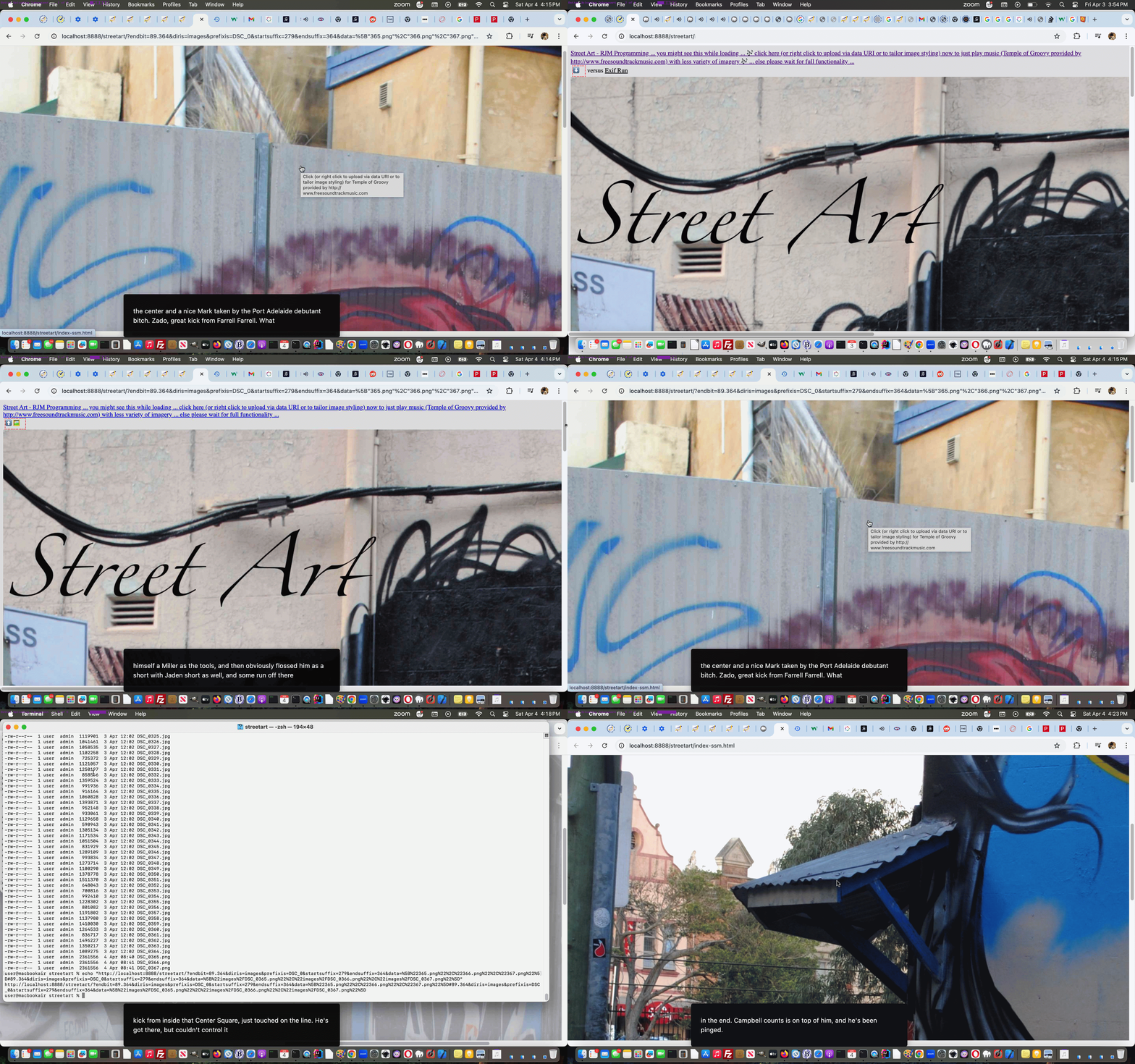
You guessed it! Yesterday’s One Image Website Onpaste Uploading Tutorial‘s work was working just within the realms of those “first webpages” occurring within the “One Image Website” project paradigm, but that we needed to pass onto subsequent webpages this “new image uploaded” list as ….
… the reason being that document.referrer cannot be used to glean hashtagged data. Luckily in this project that second requirement above, which asks for a true document reload, is not the end of the woooorrrrllllddd, as we know it, and means we can get help from the external Javascript we use in these projects, as per …
… featuring a new Javascript function the subsequent webpages can call just after any …
image_list = new Array();
… that being …
initthearr(image_list);
… as per …
    var prefx='';


    function reduced(documentreferrer) {

     if (('' + documentreferrer).indexOf('data=') != -1) {

        if (('' + documentreferrer).indexOf('diris=') != -1) {

          if (prefx == '' && ('' + documentreferrer).indexOf('prefixis=') != -1) {

            prefx=decodeURIComponent(('' + documentreferrer).split('diris=')[1].split('&')[0].split('#')[0]) + '/' + decodeURIComponent(('' + documentreferrer).split('prefixis=')[1].split('&')[0].split('#')[0]);

          }

        }

     }

     if (prefx != '') {

      if (documentreferrer.indexOf(encodeURIComponent(prefx)) != -1) {

       while (documentreferrer.indexOf(encodeURIComponent(prefx)) != -1) {

         documentreferrer=documentreferrer.replace(encodeURIComponent(prefx),'');

       }

      }

     }

     return documentreferrer;

    }


    function initthearr(inarr) {

      var fort=false, jsonstr='', datas=[], inm=0;

      if (('' + location.hash).indexOf('data=') != -1) {

        if (('' + location.hash).indexOf('diris=') != -1) {

          if (prefx == '' && ('' + location.hash).indexOf('prefixis=') != -1) {

            prefx=decodeURIComponent(('' + location.hash).split('diris=')[1].split('&')[0].split('#')[0]) + '/' + decodeURIComponent(('' + location.hash).split('prefixis=')[1].split('&')[0].split('#')[0]);

          }

        }

        jsonstr=decodeURIComponent(('' + location.hash).split('data=')[1].split('&')[0].split('#')[0]);

        datas=jsonstr.split(',');

        for (inm=0; inm<datas.length; inm++) {

           inarr[image_index++] = new imageItem(prefx + datas[inm].replace((prefx == '' ? 'yOuLlneverfindThIs' : prefx),'').replace('[','').replace(']','').replace('"','').replace('"',''));

           console.log('ADDed ' + datas[inm].replace((prefx == '' ? 'yOuLlneverfindThIs' : prefx),'').replace('[','').replace(']','').replace('"','').replace('"',''));

           fort=true;

        }

      } else if (('' + document.referrer).indexOf('data=') != -1) {

        if (('' + document.referrer).indexOf('diris=') != -1) {

          if (prefx == '' && ('' + document.referrer).indexOf('prefixis=') != -1) {

            prefx=decodeURIComponent(('' + document.referrer).split('diris=')[1].split('&')[0].split('#')[0]) + '/' + decodeURIComponent(('' + document.referrer).split('prefixis=')[1].split('&')[0].split('#')[0]);

          }

        }

        jsonstr=decodeURIComponent(('' + document.referrer).split('data=')[1].split('&')[0].split('#')[0]);

        //alert(jsonstr);

        datas=jsonstr.split(',');

        for (inm=0; inm<datas.length; inm++) {

           inarr[image_index++] = new imageItem(prefx + datas[inm].replace((prefx == '' ? 'yOuLlneverfindThIs' : prefx),'').replace('[','').replace(']','').replace('"','').replace('"',''));

           console.log('AddEd ' + prefx + datas[inm].replace((prefx == '' ? 'yOuLlneverfindThIs' : prefx),'').replace('[','').replace(']','').replace('"','').replace('"',''));

           fort=true;

        }

      }

      return fort;

    }
… in order to avoid any Asynchronous concerns in these subsequent webpages. The ordering of external Javascript loading …
<script type=text/javascript src='/onrightclick.js?rand=86475'></script>
… is sensitive here, and for the most part, is moved to above the “inline Javascript” loading within the head webpage element, to help make all this idea function, all the way back from changes to inline Javascript parts to the initialization code of (our Guinea Pig) “first webpage” occurring within the “One Image Website” project paradigm …
var image_index = 0;

var number_of_image = 0;

var myxhr=null, formis=null;

var ipuvalid=true, ipis='', lhend='', lhdata='';

var fetchcmd="./index.php?diris=images&prefixis=DSC_0&startsuffix=279&endsuffix=364";


// Thanks to https://stackoverflow.com/questions/74997800/how-to-code-a-synchronous-wrapper-for-jquery-ajax-functions

(async () => {


  const resip = await fetch("./index.php?getmeip=" + Math.floor(Math.random() * 198978675), {/* options here */});

  const dataip = await resip.json();


  for (var inmip=0; inmip<dataip.length; inmip++) {

    if (inmip == eval(-1 + dataip.length)) {

      ipis='' + dataip[inmip];

      if (inmip != 0) {

        ipuvalid=false;

        setTimeout(nag, 200);

      }

    }

  }


})();


image_list = new Array();


//if (initthearr(image_list)) {

// lhend=lhend;

//

//} else

if (1 == 1) {

// Thanks to https://stackoverflow.com/questions/74997800/how-to-code-a-synchronous-wrapper-for-jquery-ajax-functions

(async () => {


  const res = await fetch(fetchcmd, {/* options here */});

  const data = await res.json();


  for (var inm=0; inm<data.length; inm++) {

    lhend='# ';

    if (lhdata == '') {

      lhdata='["' + data[inm] + '"]';

    } else {

      lhdata=lhdata.replace(']', ',"' + data[inm] + '"]');

    }

    image_list[image_index++] = new imageItem(data[inm]);

    console.log('Added ' + data[inm]);

  }


  console.log(data);

  console.log("Some code after that uses data");


  setTimeout(function(){

  if (lhend == '# ') {

    //lhend='#' + encodeURIComponent(number_of_image + '.364') + '&fetch=' + encodeURIComponent(fetchcmd) + '&data=' + encodeURIComponent(lhdata);

    lhend='#' + encodeURIComponent(number_of_image + '.364') + '&diris=' + fetchcmd.split('diris=')[1] + '&data=' + encodeURIComponent(lhdata);

    if (document.URL.indexOf(lhend.substring(1)) == -1) {

    if (6 == 6) {

    location.href=(document.URL.indexOf('?') != -1 ? document.URL.split('#')[0] + '&endbit=' + reduced(lhend).substring(1) + lhend : document.URL.split('#')[0] + '?endbit=' + reduced(lhend).substring(1) + lhend);

    } else {

    location.hash=lhend;

    }

    }

    console.warn(image_list[0]);

    //lhend=' ';

  }

  }, 2000);


})();

}


 setTimeout(function(){

 image_list[image_index++] = new imageItem('images/DSC_0279.jpg');

 image_list[image_index++] = new imageItem('images/DSC_0280.jpg');

 image_list[image_index++] = new imageItem('images/DSC_0281.jpg');

 image_list[image_index++] = new imageItem('images/DSC_0282.jpg');

 image_list[image_index++] = new imageItem('images/DSC_0283.jpg');

 image_list[image_index++] = new imageItem('images/DSC_0284.jpg');

 image_list[image_index++] = new imageItem('images/DSC_0285.jpg');

 image_list[image_index++] = new imageItem('images/DSC_0286.jpg');

 image_list[image_index++] = new imageItem('images/DSC_0287.jpg');

 image_list[image_index++] = new imageItem('images/DSC_0288.jpg');

 image_list[image_index++] = new imageItem('images/DSC_0289.jpg');

 image_list[image_index++] = new imageItem('images/DSC_0290.jpg');

 image_list[image_index++] = new imageItem('images/DSC_0291.jpg');

 image_list[image_index++] = new imageItem('images/DSC_0292.jpg');

 image_list[image_index++] = new imageItem('images/DSC_0293.jpg');

 image_list[image_index++] = new imageItem('images/DSC_0294.jpg');

 image_list[image_index++] = new imageItem('images/DSC_0295.jpg');

 image_list[image_index++] = new imageItem('images/DSC_0296.jpg');

 image_list[image_index++] = new imageItem('images/DSC_0297.jpg');

 image_list[image_index++] = new imageItem('images/DSC_0298.jpg');

 image_list[image_index++] = new imageItem('images/DSC_0299.jpg');

 image_list[image_index++] = new imageItem('images/DSC_0300.jpg');

 image_list[image_index++] = new imageItem('images/DSC_0301.jpg');

 image_list[image_index++] = new imageItem('images/DSC_0302.jpg');

 image_list[image_index++] = new imageItem('images/DSC_0303.jpg');

 image_list[image_index++] = new imageItem('images/DSC_0304.jpg');

 image_list[image_index++] = new imageItem('images/DSC_0305.jpg');

 image_list[image_index++] = new imageItem('images/DSC_0306.jpg');

 image_list[image_index++] = new imageItem('images/DSC_0307.jpg');

 image_list[image_index++] = new imageItem('images/DSC_0308.jpg');

 image_list[image_index++] = new imageItem('images/DSC_0309.jpg');

 image_list[image_index++] = new imageItem('images/DSC_0310.jpg');

 image_list[image_index++] = new imageItem('images/DSC_0311.jpg');

 image_list[image_index++] = new imageItem('images/DSC_0312.jpg');

 image_list[image_index++] = new imageItem('images/DSC_0313.jpg');

 image_list[image_index++] = new imageItem('images/DSC_0314.jpg');

 image_list[image_index++] = new imageItem('images/DSC_0315.jpg');

 image_list[image_index++] = new imageItem('images/DSC_0316.jpg');

 image_list[image_index++] = new imageItem('images/DSC_0317.jpg');

 image_list[image_index++] = new imageItem('images/DSC_0318.jpg');

 image_list[image_index++] = new imageItem('images/DSC_0319.jpg');

 image_list[image_index++] = new imageItem('images/DSC_0320.jpg');

 image_list[image_index++] = new imageItem('images/DSC_0321.jpg');

 image_list[image_index++] = new imageItem('images/DSC_0322.jpg');

 image_list[image_index++] = new imageItem('images/DSC_0323.jpg');

 image_list[image_index++] = new imageItem('images/DSC_0324.jpg');

 image_list[image_index++] = new imageItem('images/DSC_0325.jpg');

 image_list[image_index++] = new imageItem('images/DSC_0326.jpg');

 image_list[image_index++] = new imageItem('images/DSC_0327.jpg');

 image_list[image_index++] = new imageItem('images/DSC_0328.jpg');

 image_list[image_index++] = new imageItem('images/DSC_0329.jpg');

 image_list[image_index++] = new imageItem('images/DSC_0330.jpg');

 image_list[image_index++] = new imageItem('images/DSC_0331.jpg');

 image_list[image_index++] = new imageItem('images/DSC_0332.jpg');

 image_list[image_index++] = new imageItem('images/DSC_0333.jpg');

 image_list[image_index++] = new imageItem('images/DSC_0334.jpg');

 image_list[image_index++] = new imageItem('images/DSC_0335.jpg');

 image_list[image_index++] = new imageItem('images/DSC_0336.jpg');

 image_list[image_index++] = new imageItem('images/DSC_0337.jpg');

 image_list[image_index++] = new imageItem('images/DSC_0338.jpg');

 image_list[image_index++] = new imageItem('images/DSC_0339.jpg');

 image_list[image_index++] = new imageItem('images/DSC_0340.jpg');

 image_list[image_index++] = new imageItem('images/DSC_0341.jpg');

 image_list[image_index++] = new imageItem('images/DSC_0342.jpg');

 image_list[image_index++] = new imageItem('images/DSC_0343.jpg');

 image_list[image_index++] = new imageItem('images/DSC_0344.jpg');

 image_list[image_index++] = new imageItem('images/DSC_0345.jpg');

 image_list[image_index++] = new imageItem('images/DSC_0346.jpg');

 image_list[image_index++] = new imageItem('images/DSC_0347.jpg');

 image_list[image_index++] = new imageItem('images/DSC_0348.jpg');

 image_list[image_index++] = new imageItem('images/DSC_0349.jpg');

 image_list[image_index++] = new imageItem('images/DSC_0350.jpg');

 image_list[image_index++] = new imageItem('images/DSC_0351.jpg');

 image_list[image_index++] = new imageItem('images/DSC_0352.jpg');

 image_list[image_index++] = new imageItem('images/DSC_0353.jpg');

 image_list[image_index++] = new imageItem('images/DSC_0354.jpg');

 image_list[image_index++] = new imageItem('images/DSC_0355.jpg');

 image_list[image_index++] = new imageItem('images/DSC_0356.jpg');

 image_list[image_index++] = new imageItem('images/DSC_0357.jpg');

 image_list[image_index++] = new imageItem('images/DSC_0358.jpg');

 image_list[image_index++] = new imageItem('images/DSC_0359.jpg');

 image_list[image_index++] = new imageItem('images/DSC_0360.jpg');

 image_list[image_index++] = new imageItem('images/DSC_0361.jpg');

 image_list[image_index++] = new imageItem('images/DSC_0362.jpg');

 image_list[image_index++] = new imageItem('images/DSC_0363.jpg');

 image_list[image_index++] = new imageItem('images/DSC_0364.jpg');


//alert('yay ' + lhend);


number_of_image = image_list.length;

if ((lhend + ' ').substring(0,1) == '#') {

 setTimeout(function(){

  number_of_image = image_list.length;

 }, 2000);

}

if (lhend == '#') { lhend='#' + encodeURIComponent(number_of_image + '.364') + '&fetch=' + encodeURIComponent(fetchcmd) + '&data=' + encodeURIComponent(lhdata); alert(lhend); location.hash=lhend; lhend=''; }

}, 1000);
To most, it is still “undercover” trying out our “still at the Guinea Pig upload functionality thinking stage” Street Art “One Image Website” project.
Previous relevant One Image Website Onpaste Uploading Tutorial is shown below.
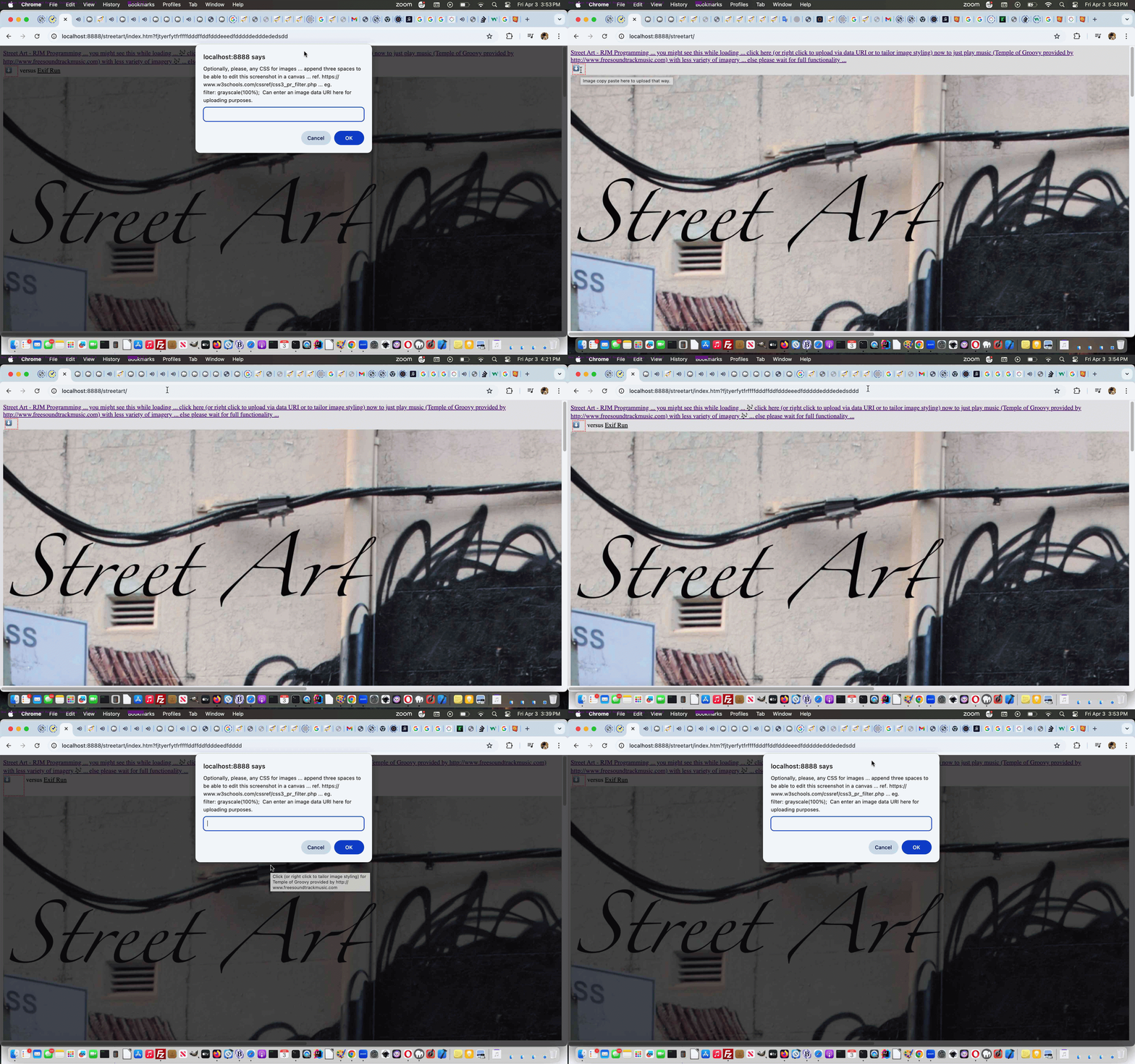
One Image Website Onpaste Uploading Tutorial
The onpaste event referencing work of the recent Using Document Writeln Onpaste Tutorial set us to thinking about the unwieldy nature of our “One Image Website” series of photographic projects ability to, on the fly, these days …
Where’s the security and moderation here? Any upload operation needs to worry about that, huh?! Well, we limit it via IP address at this stage, in our Guinea Pig start to proceedings, and will monitor over time.
Let’s start, codewise with the pretty well self contained PHP block of code that is new for this work …
<?php


  $oklist=['0::1', '1.156.90.221'];


  function server_remote_addr() {

    global $ris;

    $rma = $_SERVER['REMOTE_ADDR'];

    if ($rma != "") {

      $qris = $rma;

    } else if ($rma == "") {

      $rma = $qris;

    }

    $ua = strtolower($_SERVER['HTTP_USER_AGENT']);

    // you can add different browsers with the same way ..

    if(preg_match('/(chromium)[ \/]([\w.]+)/', $ua))

            $rma = '000000'.$rma;

    elseif(preg_match('/(chrome)[ \/]([\w.]+)/', $ua))

            $rma = '00000'.$rma;

    elseif(preg_match('/(safari)[ \/]([\w.]+)/', $ua))

            $rma = '0000'.$rma;

    elseif(preg_match('/(opera)[ \/]([\w.]+)/', $ua))

            $rma = '000'.$rma;

    elseif(preg_match('/(msie)[ \/]([\w.]+)/', $ua))

            $rma = '00'.$rma;

    elseif(preg_match('/(mozilla)[ \/]([\w.]+)/', $ua))

            $rma = '0'.$rma;

    //echo "<p>".$ua.$rma."</p>";

    return $rma;

  }


  if (isset($_GET['getmeip'])) {

    $okipwise=false;

    $visip=server_remote_addr();

    for ($inb=0; $inb<sizeof($oklist); $inb++) {

        if (strpos($visip . '!', $oklist[$inb] . '!') !== false) {

          $okipwise=true;

        }

    }

    if ($okipwise) {

      echo '["' . server_remote_addr() . '"]';

    } else {

      echo '["","' . server_remote_addr() . '"]';

    }

    exit;

  } else if (isset($_GET['diris']) && isset($_GET['prefixis']) && isset($_GET['startsuffix']) && isset($_GET['endsuffix'])) {

    $arrbit='';

    if ($_GET['prefixis'] != '' && $_GET['diris'] != '' && $_GET['startsuffix'] != '' && $_GET['endsuffix'] != '') {

     foreach(glob(str_replace('+',' ',urldecode($_GET['diris'])) . DIRECTORY_SEPARATOR . str_replace('+',' ',urldecode($_GET['prefixis'])) . '*.*g*') as $filename) {

        if (strpos($filename, str_replace('+',' ',urldecode($_GET['diris'])) . DIRECTORY_SEPARATOR . str_replace('+',' ',urldecode($_GET['prefixis']))) !== false) {

          $restfnamebit=explode('.', explode(str_replace('+',' ',urldecode($_GET['diris'])) . DIRECTORY_SEPARATOR . str_replace('+',' ',urldecode($_GET['prefixis'])), $filename)[1])[0];

          if ($restfnamebit < str_replace('+',' ',urldecode($_GET['startsuffix'])) || $restfnamebit > str_replace('+',' ',urldecode($_GET['endsuffix']))) {

           if ($arrbit == '') {

            $arrbit='["' . $filename . '"]';

           } else {

            $arrbit=str_replace(']', ',"' . $filename . '"]', $arrbit);

           }

          }

        }

     }

     if ($arrbit == '') {

       echo "[]";

     } else {

       echo $arrbit;

     }

     exit;

    }

    echo "[]";

    exit;

  } else if (isset($_POST['newdurl']) && isset($_POST['diris']) && isset($_POST['prefixis']) && isset($_POST['startsuffix']) && isset($_POST['endsuffix'])) {

    if (strpos(str_replace(' ','+',urldecode($_POST['newdurl'])), 'data:image/') !== false && $_POST['prefixis'] != '' && $_POST['diris'] != '' && $_POST['startsuffix'] != '' && $_POST['endsuffix'] != '') {

      $okipwise=false;

      $visip=server_remote_addr();

      for ($inb=0; $inb<sizeof($oklist); $inb++) {

        if (strpos($visip . '!', $oklist[$inb] . '!') !== false) {

          $okipwise=true;

        }

      }

      if ($okipwise) {

      $proposedext='.' . str_replace('jpeg','jpg',explode(';',explode(',',explode('data:image/', str_replace(' ','+',urldecode($_POST['newdurl'])))[1])[0])[0]);

      if (strpos($proposedext, 'g') !== false) {

        $fidea=str_replace('+',' ',urldecode($_POST['endsuffix']));

        $isthere=true;

        $fnameproposed='';

        while ($isthere) {

         $isthere=false;

         foreach(glob(str_replace('+',' ',urldecode($_POST['diris'])) . DIRECTORY_SEPARATOR . str_replace('+',' ',urldecode($_POST['prefixis'])) . $fidea . '.*g*') as $filename) {

          $isthere=true;

         }

         if (!$isthere) {

           $fnameproposed=str_replace('+',' ',urldecode($_POST['diris'])) . DIRECTORY_SEPARATOR . str_replace('+',' ',urldecode($_POST['prefixis'])) . $fidea . $proposedext;

         } else {

           $fidea++;

         }

        }

        if ($fnameproposed != '') {

         file_put_contents($fnameproposed, base64_decode(explode(";base64,", str_replace(' ','+',urldecode($_POST['newdurl'])))[1]));

        }

      }

      }

    }

    exit;

  }

?>
… and then there is some new “fetch” and Ajax rich HTML and Javascript as per …
| New Global Variables and Asynchronous section Javascript … |
|---|
|
| New Javascript functions … |
|
| New HTML span element … |
|
… that is “undercover” to most trying out our Street Art “One Image Website” project.
Previous relevant Using Document Writeln Onpaste Tutorial is shown below.
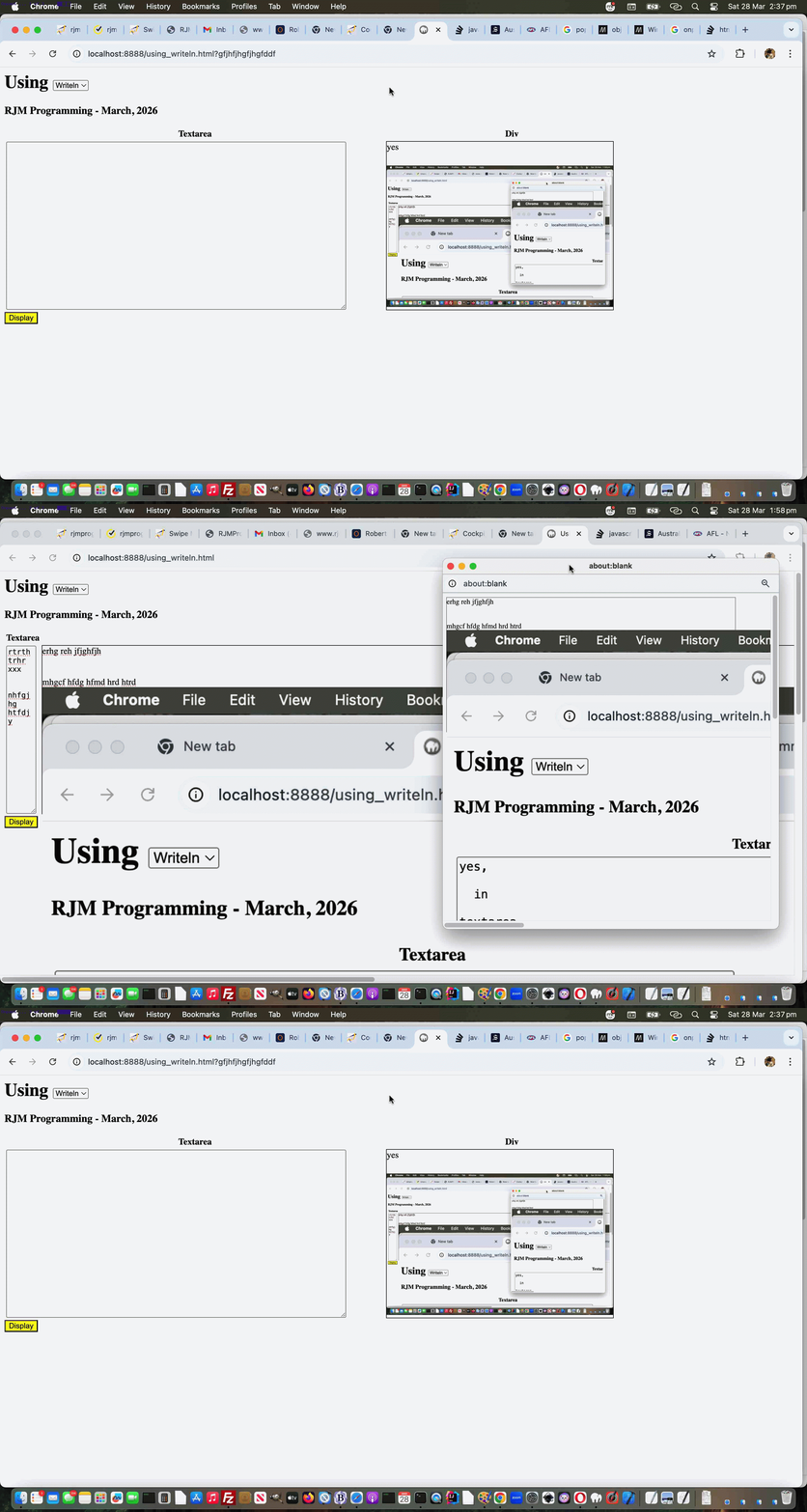
Using Document Writeln Onpaste Tutorial
Regarding yesterday’s Using Document Writeln Primer Tutorial you might wonder …
Why involve either/both textarea and div (contenteditable=true) elements as “containers” of content?
Well, with yesterday’s starting onblur (just) event gambit, it’s a very pertinent question, but, today, we introduce onpaste event work, and involving this event with the div element can have it distinguishing itself, able to accept graphical (eg. image) content. For example, the user can have their cursor placed into the div element and have been in an image editor having Edit->Select Alled and Edit->Copyed graphical content, then that can be Edit->Pasted into the div as graphical content.
As you might imagine, this opens a Pandora’s Box of possibilities regarding image sizing, but we apply inline CSS styling …
style='object-fit:contain;width:100%;height:100%;'
… to the img data URIed element within the div element that happens when graphical content is pasted into it, so that the graphical data is unlikely to spill too far outside the div bounds, assuming only one image is pasted, that is.
So feel free to try a changed using_writeln.html first draft Using (Document) Writeln web application for you to try yourself.
Previous relevant Using Document Writeln Primer Tutorial is shown below.
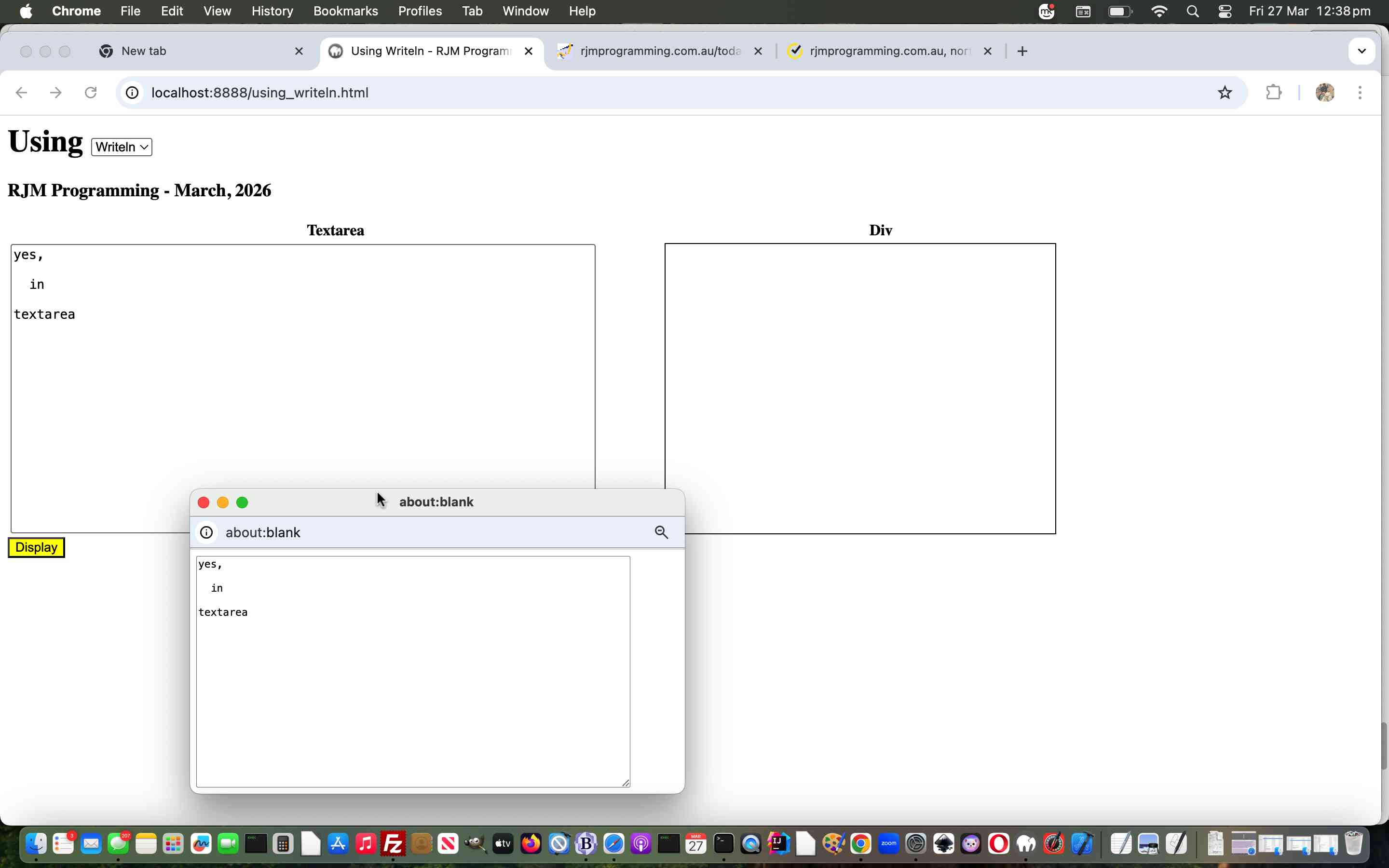
Using Document Writeln Primer Tutorial
The other day we stumbled on some advice leading us to use …
document.writeln([html-content]);
… rather than our usual “go to” …
document.write([html-content]);
And so we wrote a “proof of concept” using_writeln.html first draft Using (Document) Writeln web application for you to try yourself.
If this was interesting you may be interested in this too.
If this was interesting you may be interested in this too.
If this was interesting you may be interested in this too.
If this was interesting you may be interested in this too.
If this was interesting you may be interested in this too.
If this was interesting you may be interested in this too.
If this was interesting you may be interested in this too.
If this was interesting you may be interested in this too.
If this was interesting you may be interested in this too.
Called Upon Client Browsing Onpaste Image Copying Tutorial
As promised at yesterday’s Client Browsing Onpaste Image Copying Tutorial, today, we start looking further than …
… and, as we suspected, today’s first look was pretty salutary in proving “no one paradigm size fits all” with the number of scenarios a “called upon” incarnation of our inhouse client browsing web application can throw up.
Where we think the inhouse client browsing web application for this new “paste” functionality can flourish can be via what we like to call “client pre-emptive iframe” Javascript logic back at the caller, where we extend the code for that HTML iframe’s onload event …
  var twacontoiurl=null, twacontojurl=null;


  function lookfor() {

    if (twacontojurl) {

      if ((twacontojurl.innerHTML + twacontojurl.title).indexOf('data:') == 0) {

         twocontocont='data:' + (twacontojurl.innerHTML + twacontojurl.title).split('data:')[1];

         document.getElementById('background').value=twocontocont;

         twacontojurl.innerHTML='';

         twacontojurl.title='';

         if (twocontocont.replace('/gif','.gif') == -1 || (twocontocont.indexOf('data:') == 0 || twocontocont.slice(-5).indexOf('.') != -1)) {

           setTimeout(reduceimsize, 100);

         } else {

           console.log('why? ' + twocontocont.substring(0,200));

         }

         document.getElementById('cbi').style.visibility='hidden';

         document.getElementById('cbi').src='/HTMLCSS/client_browsing.htm?d=' + Math.floor(Math.random() * 19897865) + '&wording=Allimages%20images%2E%20';

         document.getElementById('cbi').style.visibility='visible';

         setTimeout(refocus,1500);

      }

    }

    if (twacontoiurl) {

      if (twacontoiurl.innerHTML.indexOf('data:') == 0) {

         twocontocont=twacontoiurl.innerHTML;

         twacontoiurl.innerHTML='';

         document.getElementById('background').value=twocontocont;

         if (twocontocont.replace('/gif','.gif') == -1 || (twocontocont.indexOf('data:') == 0 || twocontocont.slice(-5).indexOf('.') != -1)) {

           setTimeout(reduceimsize, 100);

         } else {

           console.log('why? ' + twocontocont.substring(0,200));

         }

         document.getElementById('cbi').style.visibility='hidden';

         document.getElementById('cbi').src='/HTMLCSS/client_browsing.htm?d=' + Math.floor(Math.random() * 19897865) + '&wording=Allimages%20images%2E%20';

         document.getElementById('cbi').style.visibility='visible';

         setTimeout(refocus,1500);

      }

    }

  }


  function checkit(iois) {

       twaconto = (iois.contentWindow || iois.contentDocument);

       if (twaconto != null) {

       if (twaconto.document) { twaconto = twaconto.document; }

       twacontoiurl=document.getElementById('result');

       if (twaconto.getElementById('divcopyspan')) {

       twacontojurl=twaconto.getElementById('divcopyspan');

       }

       if (twacontoiurl) { setInterval(lookfor, 3000); }

       }

  }
… featuring in our changed audio_card.htm Audio Card example call of the changed client_browsing.htm client side local file browsing HTML and Javascript inhouse helper.
Previous relevant Client Browsing Onpaste Image Copying Tutorial is shown below.
Client Browsing Onpaste Image Copying Tutorial
Don’t mean to sound like a broken record, but the sentiments of …
The recent onpaste event work has other places of “interventional interest”, for us, on top of the day before yesterday’s One Image Website Onpaste Uploading Device Copying Tutorial.
… continue today (building on yesterday’s Universal Clipboard Onpaste Canvas Annotations Tutorial), adding onpaste Image copying and Pasting logic into …
… so that, as far as Image data goes, this inhouse client browsing web application is dual purpose, the user able to …
<span title=""Image copy paste here." onclick="csclick=0; setTimeout(csc,20000); event.stopPropagation();" onblur="youruplit(this,1);" onpaste="youruplit(this,0);" contenteditable="true" id="imgcopycheck" style="border:2px dotted red;width:50px;height:25px;display:inline-block;">⬆️ 🖼️</span>
var yehbutisob=false, xcelem=null, xccontext=null, xcimg=null, within=false, mydivo=null, origh=-1, origw=-1, altdu='', dlm='"', copyspans='', gij=0;
var zcontent=[], zfilename='', zoptions=null, csclick=-1;
function iftoolarge(zimg,zw,zh) {
var zcanvas = document.createElement('canvas');
zcanvas.width = zw;
zcanvas.height = zh;
var zctx = zcanvas.getContext('2d');
zctx.drawImage(zimg, 0, 0);
// Get JPG as Data URL (quality 0.9)
altdu=zcanvas.toDataURL("image/jpeg", 0.1);
setTimeout(function(){
if (document.getElementById('divcopyspan') && document.getElementById('gb')) {
//document.getElementById('divcopyspan').style.background='url(' + document.getElementById('divcopyspan').title + ')';
//document.getElementById('divcopyspan').style.backgroundRepeat='no-repeat';
//document.getElementById('divcopyspan').innerHTML=' <br> ';
//document.getElementById('divcopyspan').style.display='block';
document.getElementById('gb').src=document.getElementById('divcopyspan').title;
document.body.style.cursor='pointer';
}
}, 12000);
setTimeout(function(){ xcimg.src=altdu; }, 2000);
return false;
}
function csc() {
csclick=-2;
}
function youruplit(divo, isonblurnotonpaste) {
var isimg=false;
var divoinnerHTML=divo.innerHTML.replace('data:video/','data:image/').replace('data:audio/','data:image/');
if (csclick == -2) {
csclick=0;
setTimeout(function(){ csclick=-1; }, 4000);
} else {
csclick=-1;
}
dlm='"';
if (isonblurnotonpaste != 0) {
yehbutisob=true;
}
if (divoinnerHTML.indexOf('data:image/') != -1 && divoinnerHTML.indexOf('"data:image/') == -1 && divoinnerHTML.indexOf("'data:image/") == -1) {
mydivo=divo;
if (divo.innerHTML.indexOf('data:image/') != -1 && divo.innerHTML.indexOf('"data:image/') == -1 && divo.innerHTML.indexOf("'data:image/") == -1) {
xcimg=new Image;
isimg=true;
} else if (divo.innerHTML.indexOf('data:video/') != -1 && divo.innerHTML.indexOf('"data:video/') == -1 && divo.innerHTML.indexOf("'data:video/") == -1) {
xcimg=new Video;
} else if (divo.innerHTML.indexOf('data:audio/') != -1 && divo.innerHTML.indexOf('"data:audio/') == -1 && divo.innerHTML.indexOf("'data:audio/") == -1) {
xcimg=new Audio;
}
//console.log('cancontw,canconth=' + cancontw + ',' + canconth + ' cancont=' + cancont);
xcimg.onload = function(){
if (altdu == ' ') {
return iftoolarge(xcimg,xcimg.width,xcimg.height);
} else if (altdu == '') {
if (('' + mydivo.title).indexOf(' Paste') != -1) {
parent.document.getElementById('divcopyspan').innerHTML=xcimg.src; //'data:image/' + mydivo.innerHTML.split('data:image/')[1].split(dlm)[0];
} else {
document.getElementById('divcopyspan').innerHTML=xcimg.src; //'data:image/' + mydivo.innerHTML.split('data:image/')[1].split(dlm)[0];
}
mydivo.innerHTML='⬆️ 🖼️';
simulatenewfile(document.getElementById('divcopyspan').innerHTML);
setTimeout(function(){ altdu=''; }, 4000);
} else {
if (('' + divo.title).indexOf(' Paste') != -1) {
parent.document.getElementById('divcopyspan').innerHTML=altdu;
} else {
document.getElementById('divcopyspan').innerHTML=altdu;
}
mydivo.innerHTML='⬆️ 🖼️';
simulatenewfile(document.getElementById('divcopyspan').innerHTML);
setTimeout(function(){ altdu=''; }, 4000);
}
};
if (!isimg) {
altdu='';
xcimg.src=divo.innerHTML.split('/')[0] + '/' + divo.innerHTML.split(divo.innerHTML.split('/')[0] + '/')[1].split(' ')[0].split("'")[0].split('"')[0].split('>')[0].split('&')[0].split('&#')[0].split(' ')[0].split('<')[0];
} else if (eval('' + ('data:image/' + divo.innerHTML.split('data:image/')[1].split(' ')[0].split("'")[0].split('"')[0].split('>')[0].split('&')[0].split('&#')[0].split(' ')[0].split('<')[0]).length) > 9000000) {
altdu=' ';
xcimg.src='data:image/' + divo.innerHTML.split('data:image/')[1].split(' ')[0].split("'")[0].split('"')[0].split('>')[0].split('&')[0].split('&#')[0].split(' ')[0].split('<')[0];
} else {
altdu='';
xcimg.src='data:image/' + divo.innerHTML.split('data:image/')[1].split(' ')[0].split("'")[0].split('"')[0].split('>')[0].split('&')[0].split('&#')[0].split(' ')[0].split('<')[0];
}
} else if (divoinnerHTML.indexOf('"data:image/') != -1 || divoinnerHTML.indexOf("'data:image/") != -1) {
mydivo=divo;
dlm=divo.innerHTML.split('data:' + divo.innerHTML.split('data:')[1].split('/')[0] + '/')[0].slice(-1);
//alert('dlm=' + dlm + ' ' + divo.innerHTML.substring(0,100));
if (divo.innerHTML.indexOf('data:image/') != -1) {
xcimg=new Image;
isimg=true;
} else if (divo.innerHTML.indexOf('data:video/') != -1) {
xcimg=new Video;
} else if (divo.innerHTML.indexOf('data:audio/') != -1) {
xcimg=new Audio;
}
//console.log('cancontw,canconth=' + cancontw + ',' + canconth + ' cancont=' + cancont);
xcimg.onload = function(){
if (altdu == ' ') {
return iftoolarge(xcimg,xcimg.width,xcimg.height);
} else if (altdu == '') {
if (('' + mydivo.title).indexOf(' Paste') != -1) {
parent.document.getElementById('divcopyspan').innerHTML=xcimg.src; //'data:image/' + mydivo.innerHTML.split('data:image/')[1].split(dlm)[0];
} else {
document.getElementById('divcopyspan').innerHTML=xcimg.src; //'data:image/' + mydivo.innerHTML.split('data:image/')[1].split(dlm)[0];
}
mydivo.innerHTML='⬆️ 🖼️';
simulatenewfile(document.getElementById('divcopyspan').innerHTML);
setTimeout(function(){ altdu=''; }, 4000);
} else {
if (('' + divo.title).indexOf(' Paste') != -1) {
parent.document.getElementById('divcopyspan').innerHTML=altdu;
} else {
document.getElementById('divcopyspan').innerHTML=altdu;
}
mydivo.innerHTML='⬆️ 🖼️';
simulatenewfile(document.getElementById('divcopyspan').innerHTML);
setTimeout(function(){ altdu=''; }, 4000);
}
};
if (!isimg) {
altdu='';
xcimg.src=divo.innerHTML.split('/')[0] + '/' + divo.innerHTML.split(divo.innerHTML.split('/')[0] + '/')[1].split(' ')[0].split("'")[0].split('"')[0].split('>')[0].split('&')[0].split('&#')[0].split(' ')[0].split('<')[0];
} else if (eval('' + divo.innerHTML.length) > 9000000 && isimg) {
altdu=' ';
xcimg.src='data:image/' + divo.innerHTML.split('data:image/')[1].split(dlm)[0];
} else {
altdu='';
xcimg.src='data:image/' + divo.innerHTML.split('data:image/')[1].split(dlm)[0];
}
} else if (eval('' + divo.innerHTML.length) < 30 && isonblurnotonpaste == 0) {
yehbutisob=false;
mydivo=divo;
setTimeout(function(){
if (!yehbutisob) {
if (('' + mydivo.title).indexOf(' Paste') != -1) {
//mydivo.innerHTML='⬆️ 🖼️';
parent.document.getElementById('outthere').focus();
//top.document.title+=('33');
} else {
//mydivo.innerHTML='⬆️ 🖼️';
document.getElementById('outthere').focus();
//top.document.title=('333');
}
yehbutisob=true;
}
}, 8000);
} else {
setTimeout(function(){ within=false; }, 56000);
}
}
… in the changed client_browsing.htm client side local file browsing HTML and Javascript inhouse helper.
Previous relevant Universal Clipboard Onpaste Canvas Annotations Tutorial is shown below.
Universal Clipboard Onpaste Canvas Annotations Tutorial
The recent onpaste event work has other places of “interventional interest”, for us, on top of the day before yesterday’s One Image Website Onpaste Uploading Device Copying Tutorial.
How about using it to have …
<span title="Image copy Paste here to populate canvas fitting in." onclick="event.stopPropagation();" onblur="myuplit(this,1);" onpaste="myuplit(this,0);" contenteditable="true" id="imgcopycheck" style="border:2px dotted red;width:50px;height:25px;display:inline-block;">⬆️ 🖼️</span> <span title="Image copy Paste here to populate canvas resizing." onclick="event.stopPropagation();" onblur="myuplit(this,1);" onpaste="myuplit(this,0);" contenteditable="true" id="imgcopychecken" style="border:2px dotted red;width:50px;height:25px;display:inline-block;">⬆️ 📈</span>
var yehbutisob=false, xcelem=null, xccontext=null, xcimg=null, within=false, mydivo=null, origh=-1, origw=-1, altdu='';
function iftoolarge(zimg,zw,zh) {
var zcanvas = document.createElement('canvas');
zcanvas.width = zw;
zcanvas.height = zh;
var zctx = zcanvas.getContext('2d');
zctx.drawImage(zimg, 0, 0);
// Get JPG as Data URL (quality 0.9)
altdu=zcanvas.toDataURL("image/jpeg", 0.1);
setTimeout(function(){ xcimg.src=altdu; altdu=''; }, 2000);
return false;
}
function myuplit(divo, isonblurnotonpaste) {
if (isonblurnotonpaste != 0) {
yehbutisob=true;
}
if (divo.innerHTML.indexOf('data:image/') == 0) {
mydivo=divo;
if (('' + divo.title).indexOf(' Paste') != -1) {
xcelem=parent.document.getElementById('topcanvas');
} else {
xcelem=document.getElementById('topcanvas');
}
xccontext = xcelem.getContext("2d");
xcimg=new Image;
//console.log('cancontw,canconth=' + cancontw + ',' + canconth + ' cancont=' + cancont);
xcimg.onload = function(){
if (altdu == ' ') {
return iftoolarge(xcimg,xcimg.width,xcimg.height);
} else {
if (mydivo.id.indexOf('en') != -1) {
if (origw < 0) {
origw=eval('' + xcelem.width);
origh=eval('' + xcelem.height);
}
xcelem.width=xcimg.width;
xcelem.height=xcimg.height;
xccontext.drawImage(xcimg,0,0);
} else {
if (origw > 0) {
xcelem.width=origw;
xcelem.height=origh;
} else {
xcelem.width=xcelem.width;
xcelem.height=xcelem.height;
}
//setTimeout(function(){
//top.document.title=('1;' + yehbutisob);
xccontext.drawImage(xcimg,0,0,xcimg.width,xcimg.height,0,0,xcelem.width,xcelem.height);
}
if (mydivo.id.indexOf('en') != -1) {
mydivo.innerHTML='⬆️ 📈';
} else {
mydivo.innerHTML='⬆️ 🖼️';
}
//}, 6000);
//alert(1);
}
};
if (eval('' + divo.innerHTML.length) > 9000000) {
altdu=' ';
} else {
altdu='';
}
xcimg.src=divo.innerHTML;
} else if (divo.innerHTML.indexOf('"data:image/') != -1) {
mydivo=divo;
if (('' + divo.title).indexOf(' Paste') != -1) {
xcelem=parent.document.getElementById('topcanvas');
} else {
xcelem=document.getElementById('topcanvas');
}
xccontext = xcelem.getContext("2d");
xcimg=new Image;
//console.log('cancontw,canconth=' + cancontw + ',' + canconth + ' cancont=' + cancont);
xcimg.onload = function(){
if (altdu == ' ') {
return iftoolarge(xcimg,xcimg.width,xcimg.height);
} else {
if (mydivo.id.indexOf('en') != -1) {
if (origw < 0) {
origw=eval('' + xcelem.width);
origh=eval('' + xcelem.height);
}
xcelem.width=xcimg.width;
xcelem.height=xcimg.height;
xccontext.drawImage(xcimg,0,0);
} else {
if (origw > 0) {
xcelem.width=origw;
xcelem.height=origh;
} else {
xcelem.width=xcelem.width;
xcelem.height=xcelem.height;
}
//setTimeout(function(){
//top.document.title=('2;' + yehbutisob);
xccontext.drawImage(xcimg,0,0,xcimg.width,xcimg.height,0,0,xcelem.width,xcelem.height);
}
if (mydivo.id.indexOf('en') != -1) {
mydivo.innerHTML='⬆️ 📈';
} else {
mydivo.innerHTML='⬆️ 🖼️';
}
//}, 6000);
//alert(2);
}
};
if (eval('' + divo.innerHTML.length) > 9000000) {
altdu=' ';
} else {
altdu='';
}
xcimg.src='data:image/' + divo.innerHTML.split('data:image/')[1].split('"')[0];
} else if (eval('' + divo.innerHTML.length) < 30 && isonblurnotonpaste == 0) {
yehbutisob=false;
mydivo=divo;
setTimeout(function(){
if (!yehbutisob) {
if (('' + mydivo.title).indexOf(' Paste') != -1) {
if (mydivo.id.indexOf('en') != -1) {
mydivo.innerHTML='⬆️ 📈';
} else {
mydivo.innerHTML='⬆️ 🖼️';
}
parent.document.getElementById('jsemail').focus();
//top.document.title+=('33');
} else {
if (mydivo.id.indexOf('en') != -1) {
mydivo.innerHTML='⬆️ 📈';
} else {
mydivo.innerHTML='⬆️ 🖼️';
}
document.getElementById('jsemail').focus();
//top.document.title+=('333');
}
yehbutisob=true;
}
}, 8000);
} else {
setTimeout(function(){ within=false; }, 56000);
}
}
function checkoncp() {
if (parent.document.getElementById('mydbut') && parent.document.getElementById('target') && !parent.document.getElementById('imgcopycheck')) {
parent.document.getElementById('target').innerHTML+="<span title=\"Image copy Paste here to populate canvas fitting in.\" onclick=\"event.stopPropagation();\" onblur=\"myuplit(this,1);\" onpaste=\"myuplit(this,0);\" contenteditable=true id=\"imgcopycheck\" style=\"border:2px dotted red;width:50px;height:25px;display:inline-block;\">⬆️ 🖼️</span> <span title=\"Image copy Paste here to populate canvas resizing.\" onclick=\"event.stopPropagation();\" onblur=\"myuplit(this,1);\" onpaste=\"myuplit(this,0);\" contenteditable=true id=\"imgcopychecken\" style=\"border:2px dotted red;width:50px;height:25px;display:inline-block;\">⬆️ 📈</span>";
} else if (document.getElementById('mydbut') && document.getElementById('target') && !document.getElementById('imgcopycheck')) {
document.getElementById('target').innerHTML+="<span title=\"Image Copy paste here to populate canvas fitting in.\" onclick=\"event.stopPropagation();\" onblur=\"myuplit(this,1);\" onpaste=\"myuplit(this,0);\" contenteditable=true id=\"imgcopycheck\" style=\"border:2px dotted red;width:50px;height:25px;display:inline-block;\">⬆️ 🖼️</span> <span title=\"Image Copy paste here to populate canvas resizing.\" onclick=\"event.stopPropagation();\" onblur=\"myuplit(this,1);\" onpaste=\"myuplit(this,0);\" contenteditable=true id=\"imgcopychecken\" style=\"border:2px dotted red;width:50px;height:25px;display:inline-block;\">⬆️ 📈</span>";
} else {
setTimeout(checkoncp, 5000);
}
}
setTimeout(checkoncp, 5000);
… to flesh out what you might be trying to achieve, and facilitated by our changed web_share_api_test.js external Javascript?
Previous relevant One Image Website Onpaste Uploading Device Copying Tutorial is shown below.
One Image Website Onpaste Uploading Device Copying Tutorial
Further to yesterday’s One Image Website Onpaste Uploading Hashtagging Tutorial you may be wondering about our original gambit statement wondering if regarding …
take a new relevant photograph (on an iPhone, for instance) … and then easily …
… upload? Aren’t we worried about the iPhone device end of …
… will just fall upon deaf ears as far as our MacBook Air web browser use of the “One Image Website” webpage goes?
Well, read this “if an iPhone is connected to a MacBook Air can the copy buffer of the iPhone be transferred to the copy buffer of the MacBook Air?” ask …
Yes, if an iPhone is connected to a MacBook Air—or even just nearby—the copy buffer (clipboard) of the iPhone can be transferred to the copy buffer of the MacBook Air. Apple calls this feature Universal Clipboard.
It allows you to copy text, images, photos, and videos on your iPhone and instantly paste them onto your Mac (or vice versa).
Cute, huh?! If on the same network, and close, the iPhone and MacBook Air do not even need an Apple White Lead connection, necessarily, though we noticed it sped up the process!
Given the “smarts” at this end, today, we turned to …
var myxhr=null, formis=null, iclen=0, icsuffix='', extnew='.png', yehbutisob=true;

var ipuvalid=true, ipis='', lhend='', lhdata='', fourthousand=(document.URL.indexOf('diris=') != -1 ? 10000 : 4000), gencount=0, upcount=(document.URL.indexOf('data=%') != -1 ? eval('' + decodeURIComponent(document.URL.split('data=')[1].split('&')[0].split('#')[0]).split(',').length) : 0);

var fetchcmd="./index.php?diris=images&prefixis=DSC_0&startsuffix=279&endsuffix=364", within=false;


// Thanks to https://www.google.com/search?q=javascript+convert+png+to+jpg&rlz=1C5OZZY_en&oq=javascript+convert+png+to+jpg&gs_lcrp=EgZjaHJvbWUyCggAEEUYFhgeGDkyCAgBEAAYFhgeMggIAhAAGBYYHjINCAMQABiGAxiABBiKBTIHCAQQABjvBdIBCTEyNzIxajBqN6gCALACAA&sourceid=chrome&ie=UTF-8

const convertPngToJpg = (pngDataUrl) => {

  const img = new Image();

  img.onload = () => {

    const canvas = document.createElement('canvas');

    canvas.width = img.width;

    canvas.height = img.height;

    const ctx = canvas.getContext('2d');


    // Optional: Fill white background (JPEGs don't support transparency)

    ctx.fillStyle = "#FFFFFF";

    ctx.fillRect(0, 0, canvas.width, canvas.height);


    ctx.drawImage(img, 0, 0);


    // Get JPG as Data URL (quality 0.9)

    const jpgDataUrl = canvas.toDataURL("image/jpeg", 0.1);

    extnew='.jpg';

    icsuffix=(' 0' + jpgDataUrl.length);

    formis.append('newdurl', jpgDataUrl);

    myxhr.open('POST', './index.php'); //, true);

    myxhr.onreadystatechange=mstateChanged;

    myxhr.send(formis);

    console.log(jpgDataUrl);

  };

  img.src = pngDataUrl;

};
… as a solution to massive image png copy buffers coming off the camera being fed into an HTML5 canvas and out as a reduced size jpeg image to allow PHP $_POST methodologies used for the uploading process not be overwhelmed, as per the adjusted Ajax code …
   function mstateChanged() {

   var ioff=1, thisoff=1;

   var vsoff=0, getridof='YouLlneverFinDtHis';

   //document.title=document.title.substring(0,1) + ' readyState=' + myxhr.readyState + ' and status=' + myxhr.status + ' ' + iclen;

   if (myxhr.readyState == 4) {

    if (myxhr.status == 200) {

       //alert(iclen);

       setTimeout(function(){

    if (document.URL.indexOf('#') != -1 && lhdata == '' && document.URL.indexOf('data=%') != -1) {

     lhdata=(('' + location.search + decodeURIComponent(('' + location.hash).replace(/^undefined/g,'').replace(/^null/g,'').replace(/^\#/g,''))).split('data=')[1] ? decodeURIComponent(('' + location.search + decodeURIComponent(('' + location.hash).replace(/^undefined/g,'').replace(/^null/g,'').replace(/^\#/g,'')))).split('data=')[eval(-1 + decodeURIComponent(('' + location.search + decodeURIComponent(('' + location.hash).replace(/^undefined/g,'').replace(/^null/g,'').replace(/^\#/g,'')))).split('data=').length)].split('&')[0].split('#')[0] : '');

     var coms=lhdata.split(',');

     vsoff=eval('' + fetchcmd.split('endsuffix=')[1].split('&')[0].split('#')[0]);

     getridof=fetchcmd.split('diris=')[1].split('&')[0].split('#')[0] + '/' + fetchcmd.split('prefixis=')[1].split('&')[0].split('#')[0];

     for (var iuyt=0; iuyt<coms.length; iuyt++) {

       //alert(coms[iuyt] + ' ... ' + getridof + ' ... ' + coms[iuyt].replace('[','').replace(']','').replace('"','').replace('"','').replace(getridof,''));

       thisoff=eval(eval(coms[iuyt].replace('[','').replace(']','').replace('"','').replace('"','').replace(getridof,'').split('.')[0]) - vsoff + 1);

       if (thisoff > ioff) { ioff=thisoff; }

     }

    }

    if (document.URL.indexOf('#') == -1) {

    if (lhdata == '' && fetchcmd.indexOf('endsuffix=') != -1) {

    lhdata='["' + fetchcmd.split('diris=')[1].split('&')[0].split('#')[0] + '/' + fetchcmd.split('prefixis=')[1].split('&')[0].split('#')[0] + eval(1 + eval('' + fetchcmd.split('endsuffix=')[1].split('&')[0].split('#')[0])) + extnew + '"]';

    lhend='#' + encodeURIComponent(eval(1 + number_of_image) + '.' + fetchcmd.split('endsuffix=')[1].split('&')[0].split('#')[0]) + '&diris=' + fetchcmd.split('diris=')[1] + '&data=' + encodeURIComponent(lhdata);

    if (document.URL.indexOf(lhend.substring(1)) == -1) {

    if (6 == 6) {

    location.href=(document.URL.indexOf('?') != -1 ? document.URL.split('#')[0] + '&endbit=' + reduced(lhend).substring(1) + lhend : document.URL.split('#')[0] + '?endbit=' + reduced(lhend).substring(1) + lhend);

    } else {

    location.hash=lhend;

    }

    }

    }

    } else if (lhdata.indexOf('[') != -1) {

    lhdata=lhdata.replace('[', '["' + fetchcmd.split('diris=')[1].split('&')[0].split('#')[0] + '/' + fetchcmd.split('prefixis=')[1].split('&')[0].split('#')[0] + eval(ioff + eval('' + fetchcmd.split('endsuffix=')[1].split('&')[0].split('#')[0])) + extnew + '",');

    lhend='#' + encodeURIComponent(eval(1 + number_of_image) + '.' + fetchcmd.split('endsuffix=')[1].split('&')[0].split('#')[0]) + '&diris=' + fetchcmd.split('diris=')[1] + '&data=' + encodeURIComponent(lhdata);

    if (document.URL.indexOf(lhend.substring(1)) == -1) {

    if (6 == 6) {

    location.href=(document.URL.indexOf('?') != -1 ? document.URL.split('&')[0].replace('data=','daWASta=').replace('?diris=','?dirWASis=').replace('?endbit=','?endWASbit=') + '&endbit=' + reduced(lhend).substring(1) + lhend : document.URL.split('#')[0].replace('data=','daWASta=') + '?endbit=' + reduced(lhend).substring(1) + lhend);

    } else {

    location.hash=lhend;

    }

    }

    }

         within=false;

       }, 26000);

    }

   }

   }


  function uplitc(icontis) {

     if (icontis.indexOf('data:image/') == 0) {

       //document.title='A';

       myxhr = new XMLHttpRequest();

       formis = new FormData();

       formis.append('diris', fetchcmd.split('diris=')[1].split('&')[0].split('#')[0]);

       formis.append('prefixis', fetchcmd.split('prefixis=')[1].split('&')[0].split('#')[0]);

       formis.append('startsuffix', fetchcmd.split('startsuffix=')[1].split('&')[0].split('#')[0]);

       formis.append('endsuffix', fetchcmd.split('endsuffix=')[1].split('&')[0].split('#')[0]);

       iclen=eval('' + icontis.length);

       extnew='.' + icontis.split('data:image/')[1].split(',')[0].split(';')[0].replace('jpeg','jpg');

       if (iclen > 9000000) {

       convertPngToJpg(icontis);

       } else {

       formis.append('newdurl', icontis);

       myxhr.open('POST', './index.php'); //, true);

       myxhr.send(formis);

       }

     }

  }


  function uplit(divo, isonblurnotonpaste) {

     var icontis='';

     if (isonblurnotonpaste != 0) {

       yehbutisob=true;

     }

     if (divo.innerHTML.indexOf('data:image/') == 0) {

       icontis=divo.innerHTML;

       divo.innerHTML='';

       divo.title=icontis;

       //document.title='B';

       myxhr = new XMLHttpRequest();

       formis = new FormData();

       formis.append('diris', fetchcmd.split('diris=')[1].split('&')[0].split('#')[0]);

       formis.append('prefixis', fetchcmd.split('prefixis=')[1].split('&')[0].split('#')[0]);

       formis.append('startsuffix', fetchcmd.split('startsuffix=')[1].split('&')[0].split('#')[0]);

       formis.append('endsuffix', fetchcmd.split('endsuffix=')[1].split('&')[0].split('#')[0]);

       iclen=eval('' + icontis.length);

       extnew='.' + icontis.split('data:image/')[1].split(',')[0].split(';')[0].replace('jpeg','jpg');

       if (iclen > 9000000) {

       convertPngToJpg(icontis);

       } else {

       formis.append('newdurl', icontis);

       myxhr.open('POST', './index.php'); //, true);

       myxhr.onreadystatechange=mstateChanged;

       myxhr.send(formis);

       }

       //alert(78);

       //setTimeout(function(){ within=false; }, 6000);

     } else if (divo.innerHTML.indexOf('"data:image/') != -1) {

       icontis='data:image/' + divo.innerHTML.split('data:image/')[1].split('"')[0];

       divo.innerHTML='';

       divo.title=icontis;

       //document.title='C';

       myxhr = new XMLHttpRequest();

       formis = new FormData();

       formis.append('diris', fetchcmd.split('diris=')[1].split('&')[0].split('#')[0]);

       formis.append('prefixis', fetchcmd.split('prefixis=')[1].split('&')[0].split('#')[0]);

       formis.append('startsuffix', fetchcmd.split('startsuffix=')[1].split('&')[0].split('#')[0]);

       formis.append('endsuffix', fetchcmd.split('endsuffix=')[1].split('&')[0].split('#')[0]);

       iclen=eval('' + icontis.length);

       extnew='.' + icontis.split('data:image/')[1].split(',')[0].split(';')[0].replace('jpeg','jpg');

       if (iclen > 9000000) {

       convertPngToJpg(icontis);

       } else {

       formis.append('newdurl', icontis);

       myxhr.open('POST', './index.php'); //, true);

       myxhr.onreadystatechange=mstateChanged;

       myxhr.send(formis);

       }

       //alert(278);

       //setTimeout(function(){ within=false; }, 6000);

     } else if (eval('' + divo.innerHTML.length) < 30 && isonblurnotonpaste == 0) {

       yehbutisob=false;

       setTimeout(function(){

       if (!yehbutisob) {

       document.getElementById('offscreen').focus();

       yehbutisob=true;

       }

       }, 8000);

     } else {

       setTimeout(function(){ within=false; }, 56000);

     }

  }
… helped out by changed onrightclick.js external Javascript.
Previous relevant One Image Website Onpaste Uploading Hashtagging Tutorial is shown below.
One Image Website Onpaste Uploading Hashtagging Tutorial
You guessed it! Yesterday’s One Image Website Onpaste Uploading Tutorial‘s work was working just within the realms of those “first webpages” occurring within the “One Image Website” project paradigm, but that we needed to pass onto subsequent webpages this “new image uploaded” list as ….
… the reason being that document.referrer cannot be used to glean hashtagged data. Luckily in this project that second requirement above, which asks for a true document reload, is not the end of the woooorrrrllllddd, as we know it, and means we can get help from the external Javascript we use in these projects, as per …
… featuring a new Javascript function the subsequent webpages can call just after any …
image_list = new Array();
… that being …
initthearr(image_list);
… as per …
    var prefx='';


    function reduced(documentreferrer) {

     if (('' + documentreferrer).indexOf('data=') != -1) {

        if (('' + documentreferrer).indexOf('diris=') != -1) {

          if (prefx == '' && ('' + documentreferrer).indexOf('prefixis=') != -1) {

            prefx=decodeURIComponent(('' + documentreferrer).split('diris=')[1].split('&')[0].split('#')[0]) + '/' + decodeURIComponent(('' + documentreferrer).split('prefixis=')[1].split('&')[0].split('#')[0]);

          }

        }

     }

     if (prefx != '') {

      if (documentreferrer.indexOf(encodeURIComponent(prefx)) != -1) {

       while (documentreferrer.indexOf(encodeURIComponent(prefx)) != -1) {

         documentreferrer=documentreferrer.replace(encodeURIComponent(prefx),'');

       }

      }

     }

     return documentreferrer;

    }


    function initthearr(inarr) {

      var fort=false, jsonstr='', datas=[], inm=0;

      if (('' + location.hash).indexOf('data=') != -1) {

        if (('' + location.hash).indexOf('diris=') != -1) {

          if (prefx == '' && ('' + location.hash).indexOf('prefixis=') != -1) {

            prefx=decodeURIComponent(('' + location.hash).split('diris=')[1].split('&')[0].split('#')[0]) + '/' + decodeURIComponent(('' + location.hash).split('prefixis=')[1].split('&')[0].split('#')[0]);

          }

        }

        jsonstr=decodeURIComponent(('' + location.hash).split('data=')[1].split('&')[0].split('#')[0]);

        datas=jsonstr.split(',');

        for (inm=0; inm<datas.length; inm++) {

           inarr[image_index++] = new imageItem(prefx + datas[inm].replace((prefx == '' ? 'yOuLlneverfindThIs' : prefx),'').replace('[','').replace(']','').replace('"','').replace('"',''));

           console.log('ADDed ' + datas[inm].replace((prefx == '' ? 'yOuLlneverfindThIs' : prefx),'').replace('[','').replace(']','').replace('"','').replace('"',''));

           fort=true;

        }

      } else if (('' + document.referrer).indexOf('data=') != -1) {

        if (('' + document.referrer).indexOf('diris=') != -1) {

          if (prefx == '' && ('' + document.referrer).indexOf('prefixis=') != -1) {

            prefx=decodeURIComponent(('' + document.referrer).split('diris=')[1].split('&')[0].split('#')[0]) + '/' + decodeURIComponent(('' + document.referrer).split('prefixis=')[1].split('&')[0].split('#')[0]);

          }

        }

        jsonstr=decodeURIComponent(('' + document.referrer).split('data=')[1].split('&')[0].split('#')[0]);

        //alert(jsonstr);

        datas=jsonstr.split(',');

        for (inm=0; inm<datas.length; inm++) {

           inarr[image_index++] = new imageItem(prefx + datas[inm].replace((prefx == '' ? 'yOuLlneverfindThIs' : prefx),'').replace('[','').replace(']','').replace('"','').replace('"',''));

           console.log('AddEd ' + prefx + datas[inm].replace((prefx == '' ? 'yOuLlneverfindThIs' : prefx),'').replace('[','').replace(']','').replace('"','').replace('"',''));

           fort=true;

        }

      }

      return fort;

    }
… in order to avoid any Asynchronous concerns in these subsequent webpages. The ordering of external Javascript loading …
<script type=text/javascript src='/onrightclick.js?rand=86475'></script>
… is sensitive here, and for the most part, is moved to above the “inline Javascript” loading within the head webpage element, to help make all this idea function, all the way back from changes to inline Javascript parts to the initialization code of (our Guinea Pig) “first webpage” occurring within the “One Image Website” project paradigm …
var image_index = 0;

var number_of_image = 0;

var myxhr=null, formis=null;

var ipuvalid=true, ipis='', lhend='', lhdata='';

var fetchcmd="./index.php?diris=images&prefixis=DSC_0&startsuffix=279&endsuffix=364";


// Thanks to https://stackoverflow.com/questions/74997800/how-to-code-a-synchronous-wrapper-for-jquery-ajax-functions

(async () => {


  const resip = await fetch("./index.php?getmeip=" + Math.floor(Math.random() * 198978675), {/* options here */});

  const dataip = await resip.json();


  for (var inmip=0; inmip<dataip.length; inmip++) {

    if (inmip == eval(-1 + dataip.length)) {

      ipis='' + dataip[inmip];

      if (inmip != 0) {

        ipuvalid=false;

        setTimeout(nag, 200);

      }

    }

  }


})();


image_list = new Array();


//if (initthearr(image_list)) {

// lhend=lhend;

//

//} else

if (1 == 1) {

// Thanks to https://stackoverflow.com/questions/74997800/how-to-code-a-synchronous-wrapper-for-jquery-ajax-functions

(async () => {


  const res = await fetch(fetchcmd, {/* options here */});

  const data = await res.json();


  for (var inm=0; inm<data.length; inm++) {

    lhend='# ';

    if (lhdata == '') {

      lhdata='["' + data[inm] + '"]';

    } else {

      lhdata=lhdata.replace(']', ',"' + data[inm] + '"]');

    }

    image_list[image_index++] = new imageItem(data[inm]);

    console.log('Added ' + data[inm]);

  }


  console.log(data);

  console.log("Some code after that uses data");


  setTimeout(function(){

  if (lhend == '# ') {

    //lhend='#' + encodeURIComponent(number_of_image + '.364') + '&fetch=' + encodeURIComponent(fetchcmd) + '&data=' + encodeURIComponent(lhdata);

    lhend='#' + encodeURIComponent(number_of_image + '.364') + '&diris=' + fetchcmd.split('diris=')[1] + '&data=' + encodeURIComponent(lhdata);

    if (document.URL.indexOf(lhend.substring(1)) == -1) {

    if (6 == 6) {

    location.href=(document.URL.indexOf('?') != -1 ? document.URL.split('#')[0] + '&endbit=' + reduced(lhend).substring(1) + lhend : document.URL.split('#')[0] + '?endbit=' + reduced(lhend).substring(1) + lhend);

    } else {

    location.hash=lhend;

    }

    }

    console.warn(image_list[0]);

    //lhend=' ';

  }

  }, 2000);


})();

}


 setTimeout(function(){

 image_list[image_index++] = new imageItem('images/DSC_0279.jpg');

 image_list[image_index++] = new imageItem('images/DSC_0280.jpg');

 image_list[image_index++] = new imageItem('images/DSC_0281.jpg');

 image_list[image_index++] = new imageItem('images/DSC_0282.jpg');

 image_list[image_index++] = new imageItem('images/DSC_0283.jpg');

 image_list[image_index++] = new imageItem('images/DSC_0284.jpg');

 image_list[image_index++] = new imageItem('images/DSC_0285.jpg');

 image_list[image_index++] = new imageItem('images/DSC_0286.jpg');

 image_list[image_index++] = new imageItem('images/DSC_0287.jpg');

 image_list[image_index++] = new imageItem('images/DSC_0288.jpg');

 image_list[image_index++] = new imageItem('images/DSC_0289.jpg');

 image_list[image_index++] = new imageItem('images/DSC_0290.jpg');

 image_list[image_index++] = new imageItem('images/DSC_0291.jpg');

 image_list[image_index++] = new imageItem('images/DSC_0292.jpg');

 image_list[image_index++] = new imageItem('images/DSC_0293.jpg');

 image_list[image_index++] = new imageItem('images/DSC_0294.jpg');

 image_list[image_index++] = new imageItem('images/DSC_0295.jpg');

 image_list[image_index++] = new imageItem('images/DSC_0296.jpg');

 image_list[image_index++] = new imageItem('images/DSC_0297.jpg');

 image_list[image_index++] = new imageItem('images/DSC_0298.jpg');

 image_list[image_index++] = new imageItem('images/DSC_0299.jpg');

 image_list[image_index++] = new imageItem('images/DSC_0300.jpg');

 image_list[image_index++] = new imageItem('images/DSC_0301.jpg');

 image_list[image_index++] = new imageItem('images/DSC_0302.jpg');

 image_list[image_index++] = new imageItem('images/DSC_0303.jpg');

 image_list[image_index++] = new imageItem('images/DSC_0304.jpg');

 image_list[image_index++] = new imageItem('images/DSC_0305.jpg');

 image_list[image_index++] = new imageItem('images/DSC_0306.jpg');

 image_list[image_index++] = new imageItem('images/DSC_0307.jpg');

 image_list[image_index++] = new imageItem('images/DSC_0308.jpg');

 image_list[image_index++] = new imageItem('images/DSC_0309.jpg');

 image_list[image_index++] = new imageItem('images/DSC_0310.jpg');

 image_list[image_index++] = new imageItem('images/DSC_0311.jpg');

 image_list[image_index++] = new imageItem('images/DSC_0312.jpg');

 image_list[image_index++] = new imageItem('images/DSC_0313.jpg');

 image_list[image_index++] = new imageItem('images/DSC_0314.jpg');

 image_list[image_index++] = new imageItem('images/DSC_0315.jpg');

 image_list[image_index++] = new imageItem('images/DSC_0316.jpg');

 image_list[image_index++] = new imageItem('images/DSC_0317.jpg');

 image_list[image_index++] = new imageItem('images/DSC_0318.jpg');

 image_list[image_index++] = new imageItem('images/DSC_0319.jpg');

 image_list[image_index++] = new imageItem('images/DSC_0320.jpg');

 image_list[image_index++] = new imageItem('images/DSC_0321.jpg');

 image_list[image_index++] = new imageItem('images/DSC_0322.jpg');

 image_list[image_index++] = new imageItem('images/DSC_0323.jpg');

 image_list[image_index++] = new imageItem('images/DSC_0324.jpg');

 image_list[image_index++] = new imageItem('images/DSC_0325.jpg');

 image_list[image_index++] = new imageItem('images/DSC_0326.jpg');

 image_list[image_index++] = new imageItem('images/DSC_0327.jpg');

 image_list[image_index++] = new imageItem('images/DSC_0328.jpg');

 image_list[image_index++] = new imageItem('images/DSC_0329.jpg');

 image_list[image_index++] = new imageItem('images/DSC_0330.jpg');

 image_list[image_index++] = new imageItem('images/DSC_0331.jpg');

 image_list[image_index++] = new imageItem('images/DSC_0332.jpg');

 image_list[image_index++] = new imageItem('images/DSC_0333.jpg');

 image_list[image_index++] = new imageItem('images/DSC_0334.jpg');

 image_list[image_index++] = new imageItem('images/DSC_0335.jpg');

 image_list[image_index++] = new imageItem('images/DSC_0336.jpg');

 image_list[image_index++] = new imageItem('images/DSC_0337.jpg');

 image_list[image_index++] = new imageItem('images/DSC_0338.jpg');

 image_list[image_index++] = new imageItem('images/DSC_0339.jpg');

 image_list[image_index++] = new imageItem('images/DSC_0340.jpg');

 image_list[image_index++] = new imageItem('images/DSC_0341.jpg');

 image_list[image_index++] = new imageItem('images/DSC_0342.jpg');

 image_list[image_index++] = new imageItem('images/DSC_0343.jpg');

 image_list[image_index++] = new imageItem('images/DSC_0344.jpg');

 image_list[image_index++] = new imageItem('images/DSC_0345.jpg');

 image_list[image_index++] = new imageItem('images/DSC_0346.jpg');

 image_list[image_index++] = new imageItem('images/DSC_0347.jpg');

 image_list[image_index++] = new imageItem('images/DSC_0348.jpg');

 image_list[image_index++] = new imageItem('images/DSC_0349.jpg');

 image_list[image_index++] = new imageItem('images/DSC_0350.jpg');

 image_list[image_index++] = new imageItem('images/DSC_0351.jpg');

 image_list[image_index++] = new imageItem('images/DSC_0352.jpg');

 image_list[image_index++] = new imageItem('images/DSC_0353.jpg');

 image_list[image_index++] = new imageItem('images/DSC_0354.jpg');

 image_list[image_index++] = new imageItem('images/DSC_0355.jpg');

 image_list[image_index++] = new imageItem('images/DSC_0356.jpg');

 image_list[image_index++] = new imageItem('images/DSC_0357.jpg');

 image_list[image_index++] = new imageItem('images/DSC_0358.jpg');

 image_list[image_index++] = new imageItem('images/DSC_0359.jpg');

 image_list[image_index++] = new imageItem('images/DSC_0360.jpg');

 image_list[image_index++] = new imageItem('images/DSC_0361.jpg');

 image_list[image_index++] = new imageItem('images/DSC_0362.jpg');

 image_list[image_index++] = new imageItem('images/DSC_0363.jpg');

 image_list[image_index++] = new imageItem('images/DSC_0364.jpg');


//alert('yay ' + lhend);


number_of_image = image_list.length;

if ((lhend + ' ').substring(0,1) == '#') {

 setTimeout(function(){

  number_of_image = image_list.length;

 }, 2000);

}

if (lhend == '#') { lhend='#' + encodeURIComponent(number_of_image + '.364') + '&fetch=' + encodeURIComponent(fetchcmd) + '&data=' + encodeURIComponent(lhdata); alert(lhend); location.hash=lhend; lhend=''; }

}, 1000);
To most, it is still “undercover” trying out our “still at the Guinea Pig upload functionality thinking stage” Street Art “One Image Website” project.
Previous relevant One Image Website Onpaste Uploading Tutorial is shown below.
One Image Website Onpaste Uploading Tutorial
The onpaste event referencing work of the recent Using Document Writeln Onpaste Tutorial set us to thinking about the unwieldy nature of our “One Image Website” series of photographic projects ability to, on the fly, these days …
Where’s the security and moderation here? Any upload operation needs to worry about that, huh?! Well, we limit it via IP address at this stage, in our Guinea Pig start to proceedings, and will monitor over time.
Let’s start, codewise with the pretty well self contained PHP block of code that is new for this work …
<?php


  $oklist=['0::1', '1.156.90.221'];


  function server_remote_addr() {

    global $ris;

    $rma = $_SERVER['REMOTE_ADDR'];

    if ($rma != "") {

      $qris = $rma;

    } else if ($rma == "") {

      $rma = $qris;

    }

    $ua = strtolower($_SERVER['HTTP_USER_AGENT']);

    // you can add different browsers with the same way ..

    if(preg_match('/(chromium)[ \/]([\w.]+)/', $ua))

            $rma = '000000'.$rma;

    elseif(preg_match('/(chrome)[ \/]([\w.]+)/', $ua))

            $rma = '00000'.$rma;

    elseif(preg_match('/(safari)[ \/]([\w.]+)/', $ua))

            $rma = '0000'.$rma;

    elseif(preg_match('/(opera)[ \/]([\w.]+)/', $ua))

            $rma = '000'.$rma;

    elseif(preg_match('/(msie)[ \/]([\w.]+)/', $ua))

            $rma = '00'.$rma;

    elseif(preg_match('/(mozilla)[ \/]([\w.]+)/', $ua))

            $rma = '0'.$rma;

    //echo "<p>".$ua.$rma."</p>";

    return $rma;

  }


  if (isset($_GET['getmeip'])) {

    $okipwise=false;

    $visip=server_remote_addr();

    for ($inb=0; $inb<sizeof($oklist); $inb++) {

        if (strpos($visip . '!', $oklist[$inb] . '!') !== false) {

          $okipwise=true;

        }

    }

    if ($okipwise) {

      echo '["' . server_remote_addr() . '"]';

    } else {

      echo '["","' . server_remote_addr() . '"]';

    }

    exit;

  } else if (isset($_GET['diris']) && isset($_GET['prefixis']) && isset($_GET['startsuffix']) && isset($_GET['endsuffix'])) {

    $arrbit='';

    if ($_GET['prefixis'] != '' && $_GET['diris'] != '' && $_GET['startsuffix'] != '' && $_GET['endsuffix'] != '') {

     foreach(glob(str_replace('+',' ',urldecode($_GET['diris'])) . DIRECTORY_SEPARATOR . str_replace('+',' ',urldecode($_GET['prefixis'])) . '*.*g*') as $filename) {

        if (strpos($filename, str_replace('+',' ',urldecode($_GET['diris'])) . DIRECTORY_SEPARATOR . str_replace('+',' ',urldecode($_GET['prefixis']))) !== false) {

          $restfnamebit=explode('.', explode(str_replace('+',' ',urldecode($_GET['diris'])) . DIRECTORY_SEPARATOR . str_replace('+',' ',urldecode($_GET['prefixis'])), $filename)[1])[0];

          if ($restfnamebit < str_replace('+',' ',urldecode($_GET['startsuffix'])) || $restfnamebit > str_replace('+',' ',urldecode($_GET['endsuffix']))) {

           if ($arrbit == '') {

            $arrbit='["' . $filename . '"]';

           } else {

            $arrbit=str_replace(']', ',"' . $filename . '"]', $arrbit);

           }

          }

        }

     }

     if ($arrbit == '') {

       echo "[]";

     } else {

       echo $arrbit;

     }

     exit;

    }

    echo "[]";

    exit;

  } else if (isset($_POST['newdurl']) && isset($_POST['diris']) && isset($_POST['prefixis']) && isset($_POST['startsuffix']) && isset($_POST['endsuffix'])) {

    if (strpos(str_replace(' ','+',urldecode($_POST['newdurl'])), 'data:image/') !== false && $_POST['prefixis'] != '' && $_POST['diris'] != '' && $_POST['startsuffix'] != '' && $_POST['endsuffix'] != '') {

      $okipwise=false;

      $visip=server_remote_addr();

      for ($inb=0; $inb<sizeof($oklist); $inb++) {

        if (strpos($visip . '!', $oklist[$inb] . '!') !== false) {

          $okipwise=true;

        }

      }

      if ($okipwise) {

      $proposedext='.' . str_replace('jpeg','jpg',explode(';',explode(',',explode('data:image/', str_replace(' ','+',urldecode($_POST['newdurl'])))[1])[0])[0]);

      if (strpos($proposedext, 'g') !== false) {

        $fidea=str_replace('+',' ',urldecode($_POST['endsuffix']));

        $isthere=true;

        $fnameproposed='';

        while ($isthere) {

         $isthere=false;

         foreach(glob(str_replace('+',' ',urldecode($_POST['diris'])) . DIRECTORY_SEPARATOR . str_replace('+',' ',urldecode($_POST['prefixis'])) . $fidea . '.*g*') as $filename) {

          $isthere=true;

         }

         if (!$isthere) {

           $fnameproposed=str_replace('+',' ',urldecode($_POST['diris'])) . DIRECTORY_SEPARATOR . str_replace('+',' ',urldecode($_POST['prefixis'])) . $fidea . $proposedext;

         } else {

           $fidea++;

         }

        }

        if ($fnameproposed != '') {

         file_put_contents($fnameproposed, base64_decode(explode(";base64,", str_replace(' ','+',urldecode($_POST['newdurl'])))[1]));

        }

      }

      }

    }

    exit;

  }

?>
… and then there is some new “fetch” and Ajax rich HTML and Javascript as per …
| New Global Variables and Asynchronous section Javascript … |
|---|
|
| New Javascript functions … |
|
| New HTML span element … |
|
… that is “undercover” to most trying out our Street Art “One Image Website” project.
Previous relevant Using Document Writeln Onpaste Tutorial is shown below.
Using Document Writeln Onpaste Tutorial
Regarding yesterday’s Using Document Writeln Primer Tutorial you might wonder …
Why involve either/both textarea and div (contenteditable=true) elements as “containers” of content?
Well, with yesterday’s starting onblur (just) event gambit, it’s a very pertinent question, but, today, we introduce onpaste event work, and involving this event with the div element can have it distinguishing itself, able to accept graphical (eg. image) content. For example, the user can have their cursor placed into the div element and have been in an image editor having Edit->Select Alled and Edit->Copyed graphical content, then that can be Edit->Pasted into the div as graphical content.
As you might imagine, this opens a Pandora’s Box of possibilities regarding image sizing, but we apply inline CSS styling …
style='object-fit:contain;width:100%;height:100%;'
… to the img data URIed element within the div element that happens when graphical content is pasted into it, so that the graphical data is unlikely to spill too far outside the div bounds, assuming only one image is pasted, that is.
So feel free to try a changed using_writeln.html first draft Using (Document) Writeln web application for you to try yourself.
Previous relevant Using Document Writeln Primer Tutorial is shown below.
Using Document Writeln Primer Tutorial
The other day we stumbled on some advice leading us to use …
document.writeln([html-content]);
… rather than our usual “go to” …
document.write([html-content]);
And so we wrote a “proof of concept” using_writeln.html first draft Using (Document) Writeln web application for you to try yourself.
If this was interesting you may be interested in this too.
If this was interesting you may be interested in this too.
If this was interesting you may be interested in this too.
If this was interesting you may be interested in this too.
If this was interesting you may be interested in this too.
If this was interesting you may be interested in this too.
If this was interesting you may be interested in this too.
If this was interesting you may be interested in this too.
Client Browsing Onpaste Image Copying Tutorial
Don’t mean to sound like a broken record, but the sentiments of …
The recent onpaste event work has other places of “interventional interest”, for us, on top of the day before yesterday’s One Image Website Onpaste Uploading Device Copying Tutorial.
… continue today (building on yesterday’s Universal Clipboard Onpaste Canvas Annotations Tutorial), adding onpaste Image copying and Pasting logic into …
… so that, as far as Image data goes, this inhouse client browsing web application is dual purpose, the user able to …
<span title=""Image copy paste here." onclick="csclick=0; setTimeout(csc,20000); event.stopPropagation();" onblur="youruplit(this,1);" onpaste="youruplit(this,0);" contenteditable="true" id="imgcopycheck" style="border:2px dotted red;width:50px;height:25px;display:inline-block;">⬆️ 🖼️</span>
var yehbutisob=false, xcelem=null, xccontext=null, xcimg=null, within=false, mydivo=null, origh=-1, origw=-1, altdu='', dlm='"', copyspans='', gij=0;
var zcontent=[], zfilename='', zoptions=null, csclick=-1;
function iftoolarge(zimg,zw,zh) {
var zcanvas = document.createElement('canvas');
zcanvas.width = zw;
zcanvas.height = zh;
var zctx = zcanvas.getContext('2d');
zctx.drawImage(zimg, 0, 0);
// Get JPG as Data URL (quality 0.9)
altdu=zcanvas.toDataURL("image/jpeg", 0.1);
setTimeout(function(){
if (document.getElementById('divcopyspan') && document.getElementById('gb')) {
//document.getElementById('divcopyspan').style.background='url(' + document.getElementById('divcopyspan').title + ')';
//document.getElementById('divcopyspan').style.backgroundRepeat='no-repeat';
//document.getElementById('divcopyspan').innerHTML=' <br> ';
//document.getElementById('divcopyspan').style.display='block';
document.getElementById('gb').src=document.getElementById('divcopyspan').title;
document.body.style.cursor='pointer';
}
}, 12000);
setTimeout(function(){ xcimg.src=altdu; }, 2000);
return false;
}
function csc() {
csclick=-2;
}
function youruplit(divo, isonblurnotonpaste) {
var isimg=false;
var divoinnerHTML=divo.innerHTML.replace('data:video/','data:image/').replace('data:audio/','data:image/');
if (csclick == -2) {
csclick=0;
setTimeout(function(){ csclick=-1; }, 4000);
} else {
csclick=-1;
}
dlm='"';
if (isonblurnotonpaste != 0) {
yehbutisob=true;
}
if (divoinnerHTML.indexOf('data:image/') != -1 && divoinnerHTML.indexOf('"data:image/') == -1 && divoinnerHTML.indexOf("'data:image/") == -1) {
mydivo=divo;
if (divo.innerHTML.indexOf('data:image/') != -1 && divo.innerHTML.indexOf('"data:image/') == -1 && divo.innerHTML.indexOf("'data:image/") == -1) {
xcimg=new Image;
isimg=true;
} else if (divo.innerHTML.indexOf('data:video/') != -1 && divo.innerHTML.indexOf('"data:video/') == -1 && divo.innerHTML.indexOf("'data:video/") == -1) {
xcimg=new Video;
} else if (divo.innerHTML.indexOf('data:audio/') != -1 && divo.innerHTML.indexOf('"data:audio/') == -1 && divo.innerHTML.indexOf("'data:audio/") == -1) {
xcimg=new Audio;
}
//console.log('cancontw,canconth=' + cancontw + ',' + canconth + ' cancont=' + cancont);
xcimg.onload = function(){
if (altdu == ' ') {
return iftoolarge(xcimg,xcimg.width,xcimg.height);
} else if (altdu == '') {
if (('' + mydivo.title).indexOf(' Paste') != -1) {
parent.document.getElementById('divcopyspan').innerHTML=xcimg.src; //'data:image/' + mydivo.innerHTML.split('data:image/')[1].split(dlm)[0];
} else {
document.getElementById('divcopyspan').innerHTML=xcimg.src; //'data:image/' + mydivo.innerHTML.split('data:image/')[1].split(dlm)[0];
}
mydivo.innerHTML='⬆️ 🖼️';
simulatenewfile(document.getElementById('divcopyspan').innerHTML);
setTimeout(function(){ altdu=''; }, 4000);
} else {
if (('' + divo.title).indexOf(' Paste') != -1) {
parent.document.getElementById('divcopyspan').innerHTML=altdu;
} else {
document.getElementById('divcopyspan').innerHTML=altdu;
}
mydivo.innerHTML='⬆️ 🖼️';
simulatenewfile(document.getElementById('divcopyspan').innerHTML);
setTimeout(function(){ altdu=''; }, 4000);
}
};
if (!isimg) {
altdu='';
xcimg.src=divo.innerHTML.split('/')[0] + '/' + divo.innerHTML.split(divo.innerHTML.split('/')[0] + '/')[1].split(' ')[0].split("'")[0].split('"')[0].split('>')[0].split('&')[0].split('&#')[0].split(' ')[0].split('<')[0];
} else if (eval('' + ('data:image/' + divo.innerHTML.split('data:image/')[1].split(' ')[0].split("'")[0].split('"')[0].split('>')[0].split('&')[0].split('&#')[0].split(' ')[0].split('<')[0]).length) > 9000000) {
altdu=' ';
xcimg.src='data:image/' + divo.innerHTML.split('data:image/')[1].split(' ')[0].split("'")[0].split('"')[0].split('>')[0].split('&')[0].split('&#')[0].split(' ')[0].split('<')[0];
} else {
altdu='';
xcimg.src='data:image/' + divo.innerHTML.split('data:image/')[1].split(' ')[0].split("'")[0].split('"')[0].split('>')[0].split('&')[0].split('&#')[0].split(' ')[0].split('<')[0];
}
} else if (divoinnerHTML.indexOf('"data:image/') != -1 || divoinnerHTML.indexOf("'data:image/") != -1) {
mydivo=divo;
dlm=divo.innerHTML.split('data:' + divo.innerHTML.split('data:')[1].split('/')[0] + '/')[0].slice(-1);
//alert('dlm=' + dlm + ' ' + divo.innerHTML.substring(0,100));
if (divo.innerHTML.indexOf('data:image/') != -1) {
xcimg=new Image;
isimg=true;
} else if (divo.innerHTML.indexOf('data:video/') != -1) {
xcimg=new Video;
} else if (divo.innerHTML.indexOf('data:audio/') != -1) {
xcimg=new Audio;
}
//console.log('cancontw,canconth=' + cancontw + ',' + canconth + ' cancont=' + cancont);
xcimg.onload = function(){
if (altdu == ' ') {
return iftoolarge(xcimg,xcimg.width,xcimg.height);
} else if (altdu == '') {
if (('' + mydivo.title).indexOf(' Paste') != -1) {
parent.document.getElementById('divcopyspan').innerHTML=xcimg.src; //'data:image/' + mydivo.innerHTML.split('data:image/')[1].split(dlm)[0];
} else {
document.getElementById('divcopyspan').innerHTML=xcimg.src; //'data:image/' + mydivo.innerHTML.split('data:image/')[1].split(dlm)[0];
}
mydivo.innerHTML='⬆️ 🖼️';
simulatenewfile(document.getElementById('divcopyspan').innerHTML);
setTimeout(function(){ altdu=''; }, 4000);
} else {
if (('' + divo.title).indexOf(' Paste') != -1) {
parent.document.getElementById('divcopyspan').innerHTML=altdu;
} else {
document.getElementById('divcopyspan').innerHTML=altdu;
}
mydivo.innerHTML='⬆️ 🖼️';
simulatenewfile(document.getElementById('divcopyspan').innerHTML);
setTimeout(function(){ altdu=''; }, 4000);
}
};
if (!isimg) {
altdu='';
xcimg.src=divo.innerHTML.split('/')[0] + '/' + divo.innerHTML.split(divo.innerHTML.split('/')[0] + '/')[1].split(' ')[0].split("'")[0].split('"')[0].split('>')[0].split('&')[0].split('&#')[0].split(' ')[0].split('<')[0];
} else if (eval('' + divo.innerHTML.length) > 9000000 && isimg) {
altdu=' ';
xcimg.src='data:image/' + divo.innerHTML.split('data:image/')[1].split(dlm)[0];
} else {
altdu='';
xcimg.src='data:image/' + divo.innerHTML.split('data:image/')[1].split(dlm)[0];
}
} else if (eval('' + divo.innerHTML.length) < 30 && isonblurnotonpaste == 0) {
yehbutisob=false;
mydivo=divo;
setTimeout(function(){
if (!yehbutisob) {
if (('' + mydivo.title).indexOf(' Paste') != -1) {
//mydivo.innerHTML='⬆️ 🖼️';
parent.document.getElementById('outthere').focus();
//top.document.title+=('33');
} else {
//mydivo.innerHTML='⬆️ 🖼️';
document.getElementById('outthere').focus();
//top.document.title=('333');
}
yehbutisob=true;
}
}, 8000);
} else {
setTimeout(function(){ within=false; }, 56000);
}
}
… in the changed client_browsing.htm client side local file browsing HTML and Javascript inhouse helper.
Previous relevant Universal Clipboard Onpaste Canvas Annotations Tutorial is shown below.
Universal Clipboard Onpaste Canvas Annotations Tutorial
The recent onpaste event work has other places of “interventional interest”, for us, on top of the day before yesterday’s One Image Website Onpaste Uploading Device Copying Tutorial.
How about using it to have …
<span title="Image copy Paste here to populate canvas fitting in." onclick="event.stopPropagation();" onblur="myuplit(this,1);" onpaste="myuplit(this,0);" contenteditable="true" id="imgcopycheck" style="border:2px dotted red;width:50px;height:25px;display:inline-block;">⬆️ 🖼️</span> <span title="Image copy Paste here to populate canvas resizing." onclick="event.stopPropagation();" onblur="myuplit(this,1);" onpaste="myuplit(this,0);" contenteditable="true" id="imgcopychecken" style="border:2px dotted red;width:50px;height:25px;display:inline-block;">⬆️ 📈</span>
var yehbutisob=false, xcelem=null, xccontext=null, xcimg=null, within=false, mydivo=null, origh=-1, origw=-1, altdu='';
function iftoolarge(zimg,zw,zh) {
var zcanvas = document.createElement('canvas');
zcanvas.width = zw;
zcanvas.height = zh;
var zctx = zcanvas.getContext('2d');
zctx.drawImage(zimg, 0, 0);
// Get JPG as Data URL (quality 0.9)
altdu=zcanvas.toDataURL("image/jpeg", 0.1);
setTimeout(function(){ xcimg.src=altdu; altdu=''; }, 2000);
return false;
}
function myuplit(divo, isonblurnotonpaste) {
if (isonblurnotonpaste != 0) {
yehbutisob=true;
}
if (divo.innerHTML.indexOf('data:image/') == 0) {
mydivo=divo;
if (('' + divo.title).indexOf(' Paste') != -1) {
xcelem=parent.document.getElementById('topcanvas');
} else {
xcelem=document.getElementById('topcanvas');
}
xccontext = xcelem.getContext("2d");
xcimg=new Image;
//console.log('cancontw,canconth=' + cancontw + ',' + canconth + ' cancont=' + cancont);
xcimg.onload = function(){
if (altdu == ' ') {
return iftoolarge(xcimg,xcimg.width,xcimg.height);
} else {
if (mydivo.id.indexOf('en') != -1) {
if (origw < 0) {
origw=eval('' + xcelem.width);
origh=eval('' + xcelem.height);
}
xcelem.width=xcimg.width;
xcelem.height=xcimg.height;
xccontext.drawImage(xcimg,0,0);
} else {
if (origw > 0) {
xcelem.width=origw;
xcelem.height=origh;
} else {
xcelem.width=xcelem.width;
xcelem.height=xcelem.height;
}
//setTimeout(function(){
//top.document.title=('1;' + yehbutisob);
xccontext.drawImage(xcimg,0,0,xcimg.width,xcimg.height,0,0,xcelem.width,xcelem.height);
}
if (mydivo.id.indexOf('en') != -1) {
mydivo.innerHTML='⬆️ 📈';
} else {
mydivo.innerHTML='⬆️ 🖼️';
}
//}, 6000);
//alert(1);
}
};
if (eval('' + divo.innerHTML.length) > 9000000) {
altdu=' ';
} else {
altdu='';
}
xcimg.src=divo.innerHTML;
} else if (divo.innerHTML.indexOf('"data:image/') != -1) {
mydivo=divo;
if (('' + divo.title).indexOf(' Paste') != -1) {
xcelem=parent.document.getElementById('topcanvas');
} else {
xcelem=document.getElementById('topcanvas');
}
xccontext = xcelem.getContext("2d");
xcimg=new Image;
//console.log('cancontw,canconth=' + cancontw + ',' + canconth + ' cancont=' + cancont);
xcimg.onload = function(){
if (altdu == ' ') {
return iftoolarge(xcimg,xcimg.width,xcimg.height);
} else {
if (mydivo.id.indexOf('en') != -1) {
if (origw < 0) {
origw=eval('' + xcelem.width);
origh=eval('' + xcelem.height);
}
xcelem.width=xcimg.width;
xcelem.height=xcimg.height;
xccontext.drawImage(xcimg,0,0);
} else {
if (origw > 0) {
xcelem.width=origw;
xcelem.height=origh;
} else {
xcelem.width=xcelem.width;
xcelem.height=xcelem.height;
}
//setTimeout(function(){
//top.document.title=('2;' + yehbutisob);
xccontext.drawImage(xcimg,0,0,xcimg.width,xcimg.height,0,0,xcelem.width,xcelem.height);
}
if (mydivo.id.indexOf('en') != -1) {
mydivo.innerHTML='⬆️ 📈';
} else {
mydivo.innerHTML='⬆️ 🖼️';
}
//}, 6000);
//alert(2);
}
};
if (eval('' + divo.innerHTML.length) > 9000000) {
altdu=' ';
} else {
altdu='';
}
xcimg.src='data:image/' + divo.innerHTML.split('data:image/')[1].split('"')[0];
} else if (eval('' + divo.innerHTML.length) < 30 && isonblurnotonpaste == 0) {
yehbutisob=false;
mydivo=divo;
setTimeout(function(){
if (!yehbutisob) {
if (('' + mydivo.title).indexOf(' Paste') != -1) {
if (mydivo.id.indexOf('en') != -1) {
mydivo.innerHTML='⬆️ 📈';
} else {
mydivo.innerHTML='⬆️ 🖼️';
}
parent.document.getElementById('jsemail').focus();
//top.document.title+=('33');
} else {
if (mydivo.id.indexOf('en') != -1) {
mydivo.innerHTML='⬆️ 📈';
} else {
mydivo.innerHTML='⬆️ 🖼️';
}
document.getElementById('jsemail').focus();
//top.document.title+=('333');
}
yehbutisob=true;
}
}, 8000);
} else {
setTimeout(function(){ within=false; }, 56000);
}
}
function checkoncp() {
if (parent.document.getElementById('mydbut') && parent.document.getElementById('target') && !parent.document.getElementById('imgcopycheck')) {
parent.document.getElementById('target').innerHTML+="<span title=\"Image copy Paste here to populate canvas fitting in.\" onclick=\"event.stopPropagation();\" onblur=\"myuplit(this,1);\" onpaste=\"myuplit(this,0);\" contenteditable=true id=\"imgcopycheck\" style=\"border:2px dotted red;width:50px;height:25px;display:inline-block;\">⬆️ 🖼️</span> <span title=\"Image copy Paste here to populate canvas resizing.\" onclick=\"event.stopPropagation();\" onblur=\"myuplit(this,1);\" onpaste=\"myuplit(this,0);\" contenteditable=true id=\"imgcopychecken\" style=\"border:2px dotted red;width:50px;height:25px;display:inline-block;\">⬆️ 📈</span>";
} else if (document.getElementById('mydbut') && document.getElementById('target') && !document.getElementById('imgcopycheck')) {
document.getElementById('target').innerHTML+="<span title=\"Image Copy paste here to populate canvas fitting in.\" onclick=\"event.stopPropagation();\" onblur=\"myuplit(this,1);\" onpaste=\"myuplit(this,0);\" contenteditable=true id=\"imgcopycheck\" style=\"border:2px dotted red;width:50px;height:25px;display:inline-block;\">⬆️ 🖼️</span> <span title=\"Image Copy paste here to populate canvas resizing.\" onclick=\"event.stopPropagation();\" onblur=\"myuplit(this,1);\" onpaste=\"myuplit(this,0);\" contenteditable=true id=\"imgcopychecken\" style=\"border:2px dotted red;width:50px;height:25px;display:inline-block;\">⬆️ 📈</span>";
} else {
setTimeout(checkoncp, 5000);
}
}
setTimeout(checkoncp, 5000);
… to flesh out what you might be trying to achieve, and facilitated by our changed web_share_api_test.js external Javascript?
Previous relevant One Image Website Onpaste Uploading Device Copying Tutorial is shown below.
One Image Website Onpaste Uploading Device Copying Tutorial
Further to yesterday’s One Image Website Onpaste Uploading Hashtagging Tutorial you may be wondering about our original gambit statement wondering if regarding …
take a new relevant photograph (on an iPhone, for instance) … and then easily …
… upload? Aren’t we worried about the iPhone device end of …
… will just fall upon deaf ears as far as our MacBook Air web browser use of the “One Image Website” webpage goes?
Well, read this “if an iPhone is connected to a MacBook Air can the copy buffer of the iPhone be transferred to the copy buffer of the MacBook Air?” ask …
Yes, if an iPhone is connected to a MacBook Air—or even just nearby—the copy buffer (clipboard) of the iPhone can be transferred to the copy buffer of the MacBook Air. Apple calls this feature Universal Clipboard.
It allows you to copy text, images, photos, and videos on your iPhone and instantly paste them onto your Mac (or vice versa).
Cute, huh?! If on the same network, and close, the iPhone and MacBook Air do not even need an Apple White Lead connection, necessarily, though we noticed it sped up the process!
Given the “smarts” at this end, today, we turned to …
var myxhr=null, formis=null, iclen=0, icsuffix='', extnew='.png', yehbutisob=true;

var ipuvalid=true, ipis='', lhend='', lhdata='', fourthousand=(document.URL.indexOf('diris=') != -1 ? 10000 : 4000), gencount=0, upcount=(document.URL.indexOf('data=%') != -1 ? eval('' + decodeURIComponent(document.URL.split('data=')[1].split('&')[0].split('#')[0]).split(',').length) : 0);

var fetchcmd="./index.php?diris=images&prefixis=DSC_0&startsuffix=279&endsuffix=364", within=false;


// Thanks to https://www.google.com/search?q=javascript+convert+png+to+jpg&rlz=1C5OZZY_en&oq=javascript+convert+png+to+jpg&gs_lcrp=EgZjaHJvbWUyCggAEEUYFhgeGDkyCAgBEAAYFhgeMggIAhAAGBYYHjINCAMQABiGAxiABBiKBTIHCAQQABjvBdIBCTEyNzIxajBqN6gCALACAA&sourceid=chrome&ie=UTF-8

const convertPngToJpg = (pngDataUrl) => {

  const img = new Image();

  img.onload = () => {

    const canvas = document.createElement('canvas');

    canvas.width = img.width;

    canvas.height = img.height;

    const ctx = canvas.getContext('2d');


    // Optional: Fill white background (JPEGs don't support transparency)

    ctx.fillStyle = "#FFFFFF";

    ctx.fillRect(0, 0, canvas.width, canvas.height);


    ctx.drawImage(img, 0, 0);


    // Get JPG as Data URL (quality 0.9)

    const jpgDataUrl = canvas.toDataURL("image/jpeg", 0.1);

    extnew='.jpg';

    icsuffix=(' 0' + jpgDataUrl.length);

    formis.append('newdurl', jpgDataUrl);

    myxhr.open('POST', './index.php'); //, true);

    myxhr.onreadystatechange=mstateChanged;

    myxhr.send(formis);

    console.log(jpgDataUrl);

  };

  img.src = pngDataUrl;

};
… as a solution to massive image png copy buffers coming off the camera being fed into an HTML5 canvas and out as a reduced size jpeg image to allow PHP $_POST methodologies used for the uploading process not be overwhelmed, as per the adjusted Ajax code …
   function mstateChanged() {

   var ioff=1, thisoff=1;

   var vsoff=0, getridof='YouLlneverFinDtHis';

   //document.title=document.title.substring(0,1) + ' readyState=' + myxhr.readyState + ' and status=' + myxhr.status + ' ' + iclen;

   if (myxhr.readyState == 4) {

    if (myxhr.status == 200) {

       //alert(iclen);

       setTimeout(function(){

    if (document.URL.indexOf('#') != -1 && lhdata == '' && document.URL.indexOf('data=%') != -1) {

     lhdata=(('' + location.search + decodeURIComponent(('' + location.hash).replace(/^undefined/g,'').replace(/^null/g,'').replace(/^\#/g,''))).split('data=')[1] ? decodeURIComponent(('' + location.search + decodeURIComponent(('' + location.hash).replace(/^undefined/g,'').replace(/^null/g,'').replace(/^\#/g,'')))).split('data=')[eval(-1 + decodeURIComponent(('' + location.search + decodeURIComponent(('' + location.hash).replace(/^undefined/g,'').replace(/^null/g,'').replace(/^\#/g,'')))).split('data=').length)].split('&')[0].split('#')[0] : '');

     var coms=lhdata.split(',');

     vsoff=eval('' + fetchcmd.split('endsuffix=')[1].split('&')[0].split('#')[0]);

     getridof=fetchcmd.split('diris=')[1].split('&')[0].split('#')[0] + '/' + fetchcmd.split('prefixis=')[1].split('&')[0].split('#')[0];

     for (var iuyt=0; iuyt<coms.length; iuyt++) {

       //alert(coms[iuyt] + ' ... ' + getridof + ' ... ' + coms[iuyt].replace('[','').replace(']','').replace('"','').replace('"','').replace(getridof,''));

       thisoff=eval(eval(coms[iuyt].replace('[','').replace(']','').replace('"','').replace('"','').replace(getridof,'').split('.')[0]) - vsoff + 1);

       if (thisoff > ioff) { ioff=thisoff; }

     }

    }

    if (document.URL.indexOf('#') == -1) {

    if (lhdata == '' && fetchcmd.indexOf('endsuffix=') != -1) {

    lhdata='["' + fetchcmd.split('diris=')[1].split('&')[0].split('#')[0] + '/' + fetchcmd.split('prefixis=')[1].split('&')[0].split('#')[0] + eval(1 + eval('' + fetchcmd.split('endsuffix=')[1].split('&')[0].split('#')[0])) + extnew + '"]';

    lhend='#' + encodeURIComponent(eval(1 + number_of_image) + '.' + fetchcmd.split('endsuffix=')[1].split('&')[0].split('#')[0]) + '&diris=' + fetchcmd.split('diris=')[1] + '&data=' + encodeURIComponent(lhdata);

    if (document.URL.indexOf(lhend.substring(1)) == -1) {

    if (6 == 6) {

    location.href=(document.URL.indexOf('?') != -1 ? document.URL.split('#')[0] + '&endbit=' + reduced(lhend).substring(1) + lhend : document.URL.split('#')[0] + '?endbit=' + reduced(lhend).substring(1) + lhend);

    } else {

    location.hash=lhend;

    }

    }

    }

    } else if (lhdata.indexOf('[') != -1) {

    lhdata=lhdata.replace('[', '["' + fetchcmd.split('diris=')[1].split('&')[0].split('#')[0] + '/' + fetchcmd.split('prefixis=')[1].split('&')[0].split('#')[0] + eval(ioff + eval('' + fetchcmd.split('endsuffix=')[1].split('&')[0].split('#')[0])) + extnew + '",');

    lhend='#' + encodeURIComponent(eval(1 + number_of_image) + '.' + fetchcmd.split('endsuffix=')[1].split('&')[0].split('#')[0]) + '&diris=' + fetchcmd.split('diris=')[1] + '&data=' + encodeURIComponent(lhdata);

    if (document.URL.indexOf(lhend.substring(1)) == -1) {

    if (6 == 6) {

    location.href=(document.URL.indexOf('?') != -1 ? document.URL.split('&')[0].replace('data=','daWASta=').replace('?diris=','?dirWASis=').replace('?endbit=','?endWASbit=') + '&endbit=' + reduced(lhend).substring(1) + lhend : document.URL.split('#')[0].replace('data=','daWASta=') + '?endbit=' + reduced(lhend).substring(1) + lhend);

    } else {

    location.hash=lhend;

    }

    }

    }

         within=false;

       }, 26000);

    }

   }

   }


  function uplitc(icontis) {

     if (icontis.indexOf('data:image/') == 0) {

       //document.title='A';

       myxhr = new XMLHttpRequest();

       formis = new FormData();

       formis.append('diris', fetchcmd.split('diris=')[1].split('&')[0].split('#')[0]);

       formis.append('prefixis', fetchcmd.split('prefixis=')[1].split('&')[0].split('#')[0]);

       formis.append('startsuffix', fetchcmd.split('startsuffix=')[1].split('&')[0].split('#')[0]);

       formis.append('endsuffix', fetchcmd.split('endsuffix=')[1].split('&')[0].split('#')[0]);

       iclen=eval('' + icontis.length);

       extnew='.' + icontis.split('data:image/')[1].split(',')[0].split(';')[0].replace('jpeg','jpg');

       if (iclen > 9000000) {

       convertPngToJpg(icontis);

       } else {

       formis.append('newdurl', icontis);

       myxhr.open('POST', './index.php'); //, true);

       myxhr.send(formis);

       }

     }

  }


  function uplit(divo, isonblurnotonpaste) {

     var icontis='';

     if (isonblurnotonpaste != 0) {

       yehbutisob=true;

     }

     if (divo.innerHTML.indexOf('data:image/') == 0) {

       icontis=divo.innerHTML;

       divo.innerHTML='';

       divo.title=icontis;

       //document.title='B';

       myxhr = new XMLHttpRequest();

       formis = new FormData();

       formis.append('diris', fetchcmd.split('diris=')[1].split('&')[0].split('#')[0]);

       formis.append('prefixis', fetchcmd.split('prefixis=')[1].split('&')[0].split('#')[0]);

       formis.append('startsuffix', fetchcmd.split('startsuffix=')[1].split('&')[0].split('#')[0]);

       formis.append('endsuffix', fetchcmd.split('endsuffix=')[1].split('&')[0].split('#')[0]);

       iclen=eval('' + icontis.length);

       extnew='.' + icontis.split('data:image/')[1].split(',')[0].split(';')[0].replace('jpeg','jpg');

       if (iclen > 9000000) {

       convertPngToJpg(icontis);

       } else {

       formis.append('newdurl', icontis);

       myxhr.open('POST', './index.php'); //, true);

       myxhr.onreadystatechange=mstateChanged;

       myxhr.send(formis);

       }

       //alert(78);

       //setTimeout(function(){ within=false; }, 6000);

     } else if (divo.innerHTML.indexOf('"data:image/') != -1) {

       icontis='data:image/' + divo.innerHTML.split('data:image/')[1].split('"')[0];

       divo.innerHTML='';

       divo.title=icontis;

       //document.title='C';

       myxhr = new XMLHttpRequest();

       formis = new FormData();

       formis.append('diris', fetchcmd.split('diris=')[1].split('&')[0].split('#')[0]);

       formis.append('prefixis', fetchcmd.split('prefixis=')[1].split('&')[0].split('#')[0]);

       formis.append('startsuffix', fetchcmd.split('startsuffix=')[1].split('&')[0].split('#')[0]);

       formis.append('endsuffix', fetchcmd.split('endsuffix=')[1].split('&')[0].split('#')[0]);

       iclen=eval('' + icontis.length);

       extnew='.' + icontis.split('data:image/')[1].split(',')[0].split(';')[0].replace('jpeg','jpg');

       if (iclen > 9000000) {

       convertPngToJpg(icontis);

       } else {

       formis.append('newdurl', icontis);

       myxhr.open('POST', './index.php'); //, true);

       myxhr.onreadystatechange=mstateChanged;

       myxhr.send(formis);

       }

       //alert(278);

       //setTimeout(function(){ within=false; }, 6000);

     } else if (eval('' + divo.innerHTML.length) < 30 && isonblurnotonpaste == 0) {

       yehbutisob=false;

       setTimeout(function(){

       if (!yehbutisob) {

       document.getElementById('offscreen').focus();

       yehbutisob=true;

       }

       }, 8000);

     } else {

       setTimeout(function(){ within=false; }, 56000);

     }

  }
… helped out by changed onrightclick.js external Javascript.
Previous relevant One Image Website Onpaste Uploading Hashtagging Tutorial is shown below.
One Image Website Onpaste Uploading Hashtagging Tutorial
You guessed it! Yesterday’s One Image Website Onpaste Uploading Tutorial‘s work was working just within the realms of those “first webpages” occurring within the “One Image Website” project paradigm, but that we needed to pass onto subsequent webpages this “new image uploaded” list as ….
… the reason being that document.referrer cannot be used to glean hashtagged data. Luckily in this project that second requirement above, which asks for a true document reload, is not the end of the woooorrrrllllddd, as we know it, and means we can get help from the external Javascript we use in these projects, as per …
… featuring a new Javascript function the subsequent webpages can call just after any …
image_list = new Array();
… that being …
initthearr(image_list);
… as per …
    var prefx='';


    function reduced(documentreferrer) {

     if (('' + documentreferrer).indexOf('data=') != -1) {

        if (('' + documentreferrer).indexOf('diris=') != -1) {

          if (prefx == '' && ('' + documentreferrer).indexOf('prefixis=') != -1) {

            prefx=decodeURIComponent(('' + documentreferrer).split('diris=')[1].split('&')[0].split('#')[0]) + '/' + decodeURIComponent(('' + documentreferrer).split('prefixis=')[1].split('&')[0].split('#')[0]);

          }

        }

     }

     if (prefx != '') {

      if (documentreferrer.indexOf(encodeURIComponent(prefx)) != -1) {

       while (documentreferrer.indexOf(encodeURIComponent(prefx)) != -1) {

         documentreferrer=documentreferrer.replace(encodeURIComponent(prefx),'');

       }

      }

     }

     return documentreferrer;

    }


    function initthearr(inarr) {

      var fort=false, jsonstr='', datas=[], inm=0;

      if (('' + location.hash).indexOf('data=') != -1) {

        if (('' + location.hash).indexOf('diris=') != -1) {

          if (prefx == '' && ('' + location.hash).indexOf('prefixis=') != -1) {

            prefx=decodeURIComponent(('' + location.hash).split('diris=')[1].split('&')[0].split('#')[0]) + '/' + decodeURIComponent(('' + location.hash).split('prefixis=')[1].split('&')[0].split('#')[0]);

          }

        }

        jsonstr=decodeURIComponent(('' + location.hash).split('data=')[1].split('&')[0].split('#')[0]);

        datas=jsonstr.split(',');

        for (inm=0; inm<datas.length; inm++) {

           inarr[image_index++] = new imageItem(prefx + datas[inm].replace((prefx == '' ? 'yOuLlneverfindThIs' : prefx),'').replace('[','').replace(']','').replace('"','').replace('"',''));

           console.log('ADDed ' + datas[inm].replace((prefx == '' ? 'yOuLlneverfindThIs' : prefx),'').replace('[','').replace(']','').replace('"','').replace('"',''));

           fort=true;

        }

      } else if (('' + document.referrer).indexOf('data=') != -1) {

        if (('' + document.referrer).indexOf('diris=') != -1) {

          if (prefx == '' && ('' + document.referrer).indexOf('prefixis=') != -1) {

            prefx=decodeURIComponent(('' + document.referrer).split('diris=')[1].split('&')[0].split('#')[0]) + '/' + decodeURIComponent(('' + document.referrer).split('prefixis=')[1].split('&')[0].split('#')[0]);

          }

        }

        jsonstr=decodeURIComponent(('' + document.referrer).split('data=')[1].split('&')[0].split('#')[0]);

        //alert(jsonstr);

        datas=jsonstr.split(',');

        for (inm=0; inm<datas.length; inm++) {

           inarr[image_index++] = new imageItem(prefx + datas[inm].replace((prefx == '' ? 'yOuLlneverfindThIs' : prefx),'').replace('[','').replace(']','').replace('"','').replace('"',''));

           console.log('AddEd ' + prefx + datas[inm].replace((prefx == '' ? 'yOuLlneverfindThIs' : prefx),'').replace('[','').replace(']','').replace('"','').replace('"',''));

           fort=true;

        }

      }

      return fort;

    }
… in order to avoid any Asynchronous concerns in these subsequent webpages. The ordering of external Javascript loading …
<script type=text/javascript src='/onrightclick.js?rand=86475'></script>
… is sensitive here, and for the most part, is moved to above the “inline Javascript” loading within the head webpage element, to help make all this idea function, all the way back from changes to inline Javascript parts to the initialization code of (our Guinea Pig) “first webpage” occurring within the “One Image Website” project paradigm …
var image_index = 0;

var number_of_image = 0;

var myxhr=null, formis=null;

var ipuvalid=true, ipis='', lhend='', lhdata='';

var fetchcmd="./index.php?diris=images&prefixis=DSC_0&startsuffix=279&endsuffix=364";


// Thanks to https://stackoverflow.com/questions/74997800/how-to-code-a-synchronous-wrapper-for-jquery-ajax-functions

(async () => {


  const resip = await fetch("./index.php?getmeip=" + Math.floor(Math.random() * 198978675), {/* options here */});

  const dataip = await resip.json();


  for (var inmip=0; inmip<dataip.length; inmip++) {

    if (inmip == eval(-1 + dataip.length)) {

      ipis='' + dataip[inmip];

      if (inmip != 0) {

        ipuvalid=false;

        setTimeout(nag, 200);

      }

    }

  }


})();


image_list = new Array();


//if (initthearr(image_list)) {

// lhend=lhend;

//

//} else

if (1 == 1) {

// Thanks to https://stackoverflow.com/questions/74997800/how-to-code-a-synchronous-wrapper-for-jquery-ajax-functions

(async () => {


  const res = await fetch(fetchcmd, {/* options here */});

  const data = await res.json();


  for (var inm=0; inm<data.length; inm++) {

    lhend='# ';

    if (lhdata == '') {

      lhdata='["' + data[inm] + '"]';

    } else {

      lhdata=lhdata.replace(']', ',"' + data[inm] + '"]');

    }

    image_list[image_index++] = new imageItem(data[inm]);

    console.log('Added ' + data[inm]);

  }


  console.log(data);

  console.log("Some code after that uses data");


  setTimeout(function(){

  if (lhend == '# ') {

    //lhend='#' + encodeURIComponent(number_of_image + '.364') + '&fetch=' + encodeURIComponent(fetchcmd) + '&data=' + encodeURIComponent(lhdata);

    lhend='#' + encodeURIComponent(number_of_image + '.364') + '&diris=' + fetchcmd.split('diris=')[1] + '&data=' + encodeURIComponent(lhdata);

    if (document.URL.indexOf(lhend.substring(1)) == -1) {

    if (6 == 6) {

    location.href=(document.URL.indexOf('?') != -1 ? document.URL.split('#')[0] + '&endbit=' + reduced(lhend).substring(1) + lhend : document.URL.split('#')[0] + '?endbit=' + reduced(lhend).substring(1) + lhend);

    } else {

    location.hash=lhend;

    }

    }

    console.warn(image_list[0]);

    //lhend=' ';

  }

  }, 2000);


})();

}


 setTimeout(function(){

 image_list[image_index++] = new imageItem('images/DSC_0279.jpg');

 image_list[image_index++] = new imageItem('images/DSC_0280.jpg');

 image_list[image_index++] = new imageItem('images/DSC_0281.jpg');

 image_list[image_index++] = new imageItem('images/DSC_0282.jpg');

 image_list[image_index++] = new imageItem('images/DSC_0283.jpg');

 image_list[image_index++] = new imageItem('images/DSC_0284.jpg');

 image_list[image_index++] = new imageItem('images/DSC_0285.jpg');

 image_list[image_index++] = new imageItem('images/DSC_0286.jpg');

 image_list[image_index++] = new imageItem('images/DSC_0287.jpg');

 image_list[image_index++] = new imageItem('images/DSC_0288.jpg');

 image_list[image_index++] = new imageItem('images/DSC_0289.jpg');

 image_list[image_index++] = new imageItem('images/DSC_0290.jpg');

 image_list[image_index++] = new imageItem('images/DSC_0291.jpg');

 image_list[image_index++] = new imageItem('images/DSC_0292.jpg');

 image_list[image_index++] = new imageItem('images/DSC_0293.jpg');

 image_list[image_index++] = new imageItem('images/DSC_0294.jpg');

 image_list[image_index++] = new imageItem('images/DSC_0295.jpg');

 image_list[image_index++] = new imageItem('images/DSC_0296.jpg');

 image_list[image_index++] = new imageItem('images/DSC_0297.jpg');

 image_list[image_index++] = new imageItem('images/DSC_0298.jpg');

 image_list[image_index++] = new imageItem('images/DSC_0299.jpg');

 image_list[image_index++] = new imageItem('images/DSC_0300.jpg');

 image_list[image_index++] = new imageItem('images/DSC_0301.jpg');

 image_list[image_index++] = new imageItem('images/DSC_0302.jpg');

 image_list[image_index++] = new imageItem('images/DSC_0303.jpg');

 image_list[image_index++] = new imageItem('images/DSC_0304.jpg');

 image_list[image_index++] = new imageItem('images/DSC_0305.jpg');

 image_list[image_index++] = new imageItem('images/DSC_0306.jpg');

 image_list[image_index++] = new imageItem('images/DSC_0307.jpg');

 image_list[image_index++] = new imageItem('images/DSC_0308.jpg');

 image_list[image_index++] = new imageItem('images/DSC_0309.jpg');

 image_list[image_index++] = new imageItem('images/DSC_0310.jpg');

 image_list[image_index++] = new imageItem('images/DSC_0311.jpg');

 image_list[image_index++] = new imageItem('images/DSC_0312.jpg');

 image_list[image_index++] = new imageItem('images/DSC_0313.jpg');

 image_list[image_index++] = new imageItem('images/DSC_0314.jpg');

 image_list[image_index++] = new imageItem('images/DSC_0315.jpg');

 image_list[image_index++] = new imageItem('images/DSC_0316.jpg');

 image_list[image_index++] = new imageItem('images/DSC_0317.jpg');

 image_list[image_index++] = new imageItem('images/DSC_0318.jpg');

 image_list[image_index++] = new imageItem('images/DSC_0319.jpg');

 image_list[image_index++] = new imageItem('images/DSC_0320.jpg');

 image_list[image_index++] = new imageItem('images/DSC_0321.jpg');

 image_list[image_index++] = new imageItem('images/DSC_0322.jpg');

 image_list[image_index++] = new imageItem('images/DSC_0323.jpg');

 image_list[image_index++] = new imageItem('images/DSC_0324.jpg');

 image_list[image_index++] = new imageItem('images/DSC_0325.jpg');

 image_list[image_index++] = new imageItem('images/DSC_0326.jpg');

 image_list[image_index++] = new imageItem('images/DSC_0327.jpg');

 image_list[image_index++] = new imageItem('images/DSC_0328.jpg');

 image_list[image_index++] = new imageItem('images/DSC_0329.jpg');

 image_list[image_index++] = new imageItem('images/DSC_0330.jpg');

 image_list[image_index++] = new imageItem('images/DSC_0331.jpg');

 image_list[image_index++] = new imageItem('images/DSC_0332.jpg');

 image_list[image_index++] = new imageItem('images/DSC_0333.jpg');

 image_list[image_index++] = new imageItem('images/DSC_0334.jpg');

 image_list[image_index++] = new imageItem('images/DSC_0335.jpg');

 image_list[image_index++] = new imageItem('images/DSC_0336.jpg');

 image_list[image_index++] = new imageItem('images/DSC_0337.jpg');

 image_list[image_index++] = new imageItem('images/DSC_0338.jpg');

 image_list[image_index++] = new imageItem('images/DSC_0339.jpg');

 image_list[image_index++] = new imageItem('images/DSC_0340.jpg');

 image_list[image_index++] = new imageItem('images/DSC_0341.jpg');

 image_list[image_index++] = new imageItem('images/DSC_0342.jpg');

 image_list[image_index++] = new imageItem('images/DSC_0343.jpg');

 image_list[image_index++] = new imageItem('images/DSC_0344.jpg');

 image_list[image_index++] = new imageItem('images/DSC_0345.jpg');

 image_list[image_index++] = new imageItem('images/DSC_0346.jpg');

 image_list[image_index++] = new imageItem('images/DSC_0347.jpg');

 image_list[image_index++] = new imageItem('images/DSC_0348.jpg');

 image_list[image_index++] = new imageItem('images/DSC_0349.jpg');

 image_list[image_index++] = new imageItem('images/DSC_0350.jpg');

 image_list[image_index++] = new imageItem('images/DSC_0351.jpg');

 image_list[image_index++] = new imageItem('images/DSC_0352.jpg');

 image_list[image_index++] = new imageItem('images/DSC_0353.jpg');

 image_list[image_index++] = new imageItem('images/DSC_0354.jpg');

 image_list[image_index++] = new imageItem('images/DSC_0355.jpg');

 image_list[image_index++] = new imageItem('images/DSC_0356.jpg');

 image_list[image_index++] = new imageItem('images/DSC_0357.jpg');

 image_list[image_index++] = new imageItem('images/DSC_0358.jpg');

 image_list[image_index++] = new imageItem('images/DSC_0359.jpg');

 image_list[image_index++] = new imageItem('images/DSC_0360.jpg');

 image_list[image_index++] = new imageItem('images/DSC_0361.jpg');

 image_list[image_index++] = new imageItem('images/DSC_0362.jpg');

 image_list[image_index++] = new imageItem('images/DSC_0363.jpg');

 image_list[image_index++] = new imageItem('images/DSC_0364.jpg');


//alert('yay ' + lhend);


number_of_image = image_list.length;

if ((lhend + ' ').substring(0,1) == '#') {

 setTimeout(function(){

  number_of_image = image_list.length;

 }, 2000);

}

if (lhend == '#') { lhend='#' + encodeURIComponent(number_of_image + '.364') + '&fetch=' + encodeURIComponent(fetchcmd) + '&data=' + encodeURIComponent(lhdata); alert(lhend); location.hash=lhend; lhend=''; }

}, 1000);
To most, it is still “undercover” trying out our “still at the Guinea Pig upload functionality thinking stage” Street Art “One Image Website” project.
Previous relevant One Image Website Onpaste Uploading Tutorial is shown below.
One Image Website Onpaste Uploading Tutorial
The onpaste event referencing work of the recent Using Document Writeln Onpaste Tutorial set us to thinking about the unwieldy nature of our “One Image Website” series of photographic projects ability to, on the fly, these days …
Where’s the security and moderation here? Any upload operation needs to worry about that, huh?! Well, we limit it via IP address at this stage, in our Guinea Pig start to proceedings, and will monitor over time.
Let’s start, codewise with the pretty well self contained PHP block of code that is new for this work …
<?php


  $oklist=['0::1', '1.156.90.221'];


  function server_remote_addr() {

    global $ris;

    $rma = $_SERVER['REMOTE_ADDR'];

    if ($rma != "") {

      $qris = $rma;

    } else if ($rma == "") {

      $rma = $qris;

    }

    $ua = strtolower($_SERVER['HTTP_USER_AGENT']);

    // you can add different browsers with the same way ..

    if(preg_match('/(chromium)[ \/]([\w.]+)/', $ua))

            $rma = '000000'.$rma;

    elseif(preg_match('/(chrome)[ \/]([\w.]+)/', $ua))

            $rma = '00000'.$rma;

    elseif(preg_match('/(safari)[ \/]([\w.]+)/', $ua))

            $rma = '0000'.$rma;

    elseif(preg_match('/(opera)[ \/]([\w.]+)/', $ua))

            $rma = '000'.$rma;

    elseif(preg_match('/(msie)[ \/]([\w.]+)/', $ua))

            $rma = '00'.$rma;

    elseif(preg_match('/(mozilla)[ \/]([\w.]+)/', $ua))

            $rma = '0'.$rma;

    //echo "<p>".$ua.$rma."</p>";

    return $rma;

  }


  if (isset($_GET['getmeip'])) {

    $okipwise=false;

    $visip=server_remote_addr();

    for ($inb=0; $inb<sizeof($oklist); $inb++) {

        if (strpos($visip . '!', $oklist[$inb] . '!') !== false) {

          $okipwise=true;

        }

    }

    if ($okipwise) {

      echo '["' . server_remote_addr() . '"]';

    } else {

      echo '["","' . server_remote_addr() . '"]';

    }

    exit;

  } else if (isset($_GET['diris']) && isset($_GET['prefixis']) && isset($_GET['startsuffix']) && isset($_GET['endsuffix'])) {

    $arrbit='';

    if ($_GET['prefixis'] != '' && $_GET['diris'] != '' && $_GET['startsuffix'] != '' && $_GET['endsuffix'] != '') {

     foreach(glob(str_replace('+',' ',urldecode($_GET['diris'])) . DIRECTORY_SEPARATOR . str_replace('+',' ',urldecode($_GET['prefixis'])) . '*.*g*') as $filename) {

        if (strpos($filename, str_replace('+',' ',urldecode($_GET['diris'])) . DIRECTORY_SEPARATOR . str_replace('+',' ',urldecode($_GET['prefixis']))) !== false) {

          $restfnamebit=explode('.', explode(str_replace('+',' ',urldecode($_GET['diris'])) . DIRECTORY_SEPARATOR . str_replace('+',' ',urldecode($_GET['prefixis'])), $filename)[1])[0];

          if ($restfnamebit < str_replace('+',' ',urldecode($_GET['startsuffix'])) || $restfnamebit > str_replace('+',' ',urldecode($_GET['endsuffix']))) {

           if ($arrbit == '') {

            $arrbit='["' . $filename . '"]';

           } else {

            $arrbit=str_replace(']', ',"' . $filename . '"]', $arrbit);

           }

          }

        }

     }

     if ($arrbit == '') {

       echo "[]";

     } else {

       echo $arrbit;

     }

     exit;

    }

    echo "[]";

    exit;

  } else if (isset($_POST['newdurl']) && isset($_POST['diris']) && isset($_POST['prefixis']) && isset($_POST['startsuffix']) && isset($_POST['endsuffix'])) {

    if (strpos(str_replace(' ','+',urldecode($_POST['newdurl'])), 'data:image/') !== false && $_POST['prefixis'] != '' && $_POST['diris'] != '' && $_POST['startsuffix'] != '' && $_POST['endsuffix'] != '') {

      $okipwise=false;

      $visip=server_remote_addr();

      for ($inb=0; $inb<sizeof($oklist); $inb++) {

        if (strpos($visip . '!', $oklist[$inb] . '!') !== false) {

          $okipwise=true;

        }

      }

      if ($okipwise) {

      $proposedext='.' . str_replace('jpeg','jpg',explode(';',explode(',',explode('data:image/', str_replace(' ','+',urldecode($_POST['newdurl'])))[1])[0])[0]);

      if (strpos($proposedext, 'g') !== false) {

        $fidea=str_replace('+',' ',urldecode($_POST['endsuffix']));

        $isthere=true;

        $fnameproposed='';

        while ($isthere) {

         $isthere=false;

         foreach(glob(str_replace('+',' ',urldecode($_POST['diris'])) . DIRECTORY_SEPARATOR . str_replace('+',' ',urldecode($_POST['prefixis'])) . $fidea . '.*g*') as $filename) {

          $isthere=true;

         }

         if (!$isthere) {

           $fnameproposed=str_replace('+',' ',urldecode($_POST['diris'])) . DIRECTORY_SEPARATOR . str_replace('+',' ',urldecode($_POST['prefixis'])) . $fidea . $proposedext;

         } else {

           $fidea++;

         }

        }

        if ($fnameproposed != '') {

         file_put_contents($fnameproposed, base64_decode(explode(";base64,", str_replace(' ','+',urldecode($_POST['newdurl'])))[1]));

        }

      }

      }

    }

    exit;

  }

?>
… and then there is some new “fetch” and Ajax rich HTML and Javascript as per …
| New Global Variables and Asynchronous section Javascript … |
|---|
|
| New Javascript functions … |
|
| New HTML span element … |
|
… that is “undercover” to most trying out our Street Art “One Image Website” project.
Previous relevant Using Document Writeln Onpaste Tutorial is shown below.
Using Document Writeln Onpaste Tutorial
Regarding yesterday’s Using Document Writeln Primer Tutorial you might wonder …
Why involve either/both textarea and div (contenteditable=true) elements as “containers” of content?
Well, with yesterday’s starting onblur (just) event gambit, it’s a very pertinent question, but, today, we introduce onpaste event work, and involving this event with the div element can have it distinguishing itself, able to accept graphical (eg. image) content. For example, the user can have their cursor placed into the div element and have been in an image editor having Edit->Select Alled and Edit->Copyed graphical content, then that can be Edit->Pasted into the div as graphical content.
As you might imagine, this opens a Pandora’s Box of possibilities regarding image sizing, but we apply inline CSS styling …
style='object-fit:contain;width:100%;height:100%;'
… to the img data URIed element within the div element that happens when graphical content is pasted into it, so that the graphical data is unlikely to spill too far outside the div bounds, assuming only one image is pasted, that is.
So feel free to try a changed using_writeln.html first draft Using (Document) Writeln web application for you to try yourself.
Previous relevant Using Document Writeln Primer Tutorial is shown below.
Using Document Writeln Primer Tutorial
The other day we stumbled on some advice leading us to use …
document.writeln([html-content]);
… rather than our usual “go to” …
document.write([html-content]);
And so we wrote a “proof of concept” using_writeln.html first draft Using (Document) Writeln web application for you to try yourself.
If this was interesting you may be interested in this too.
If this was interesting you may be interested in this too.
If this was interesting you may be interested in this too.
If this was interesting you may be interested in this too.
If this was interesting you may be interested in this too.
If this was interesting you may be interested in this too.
If this was interesting you may be interested in this too.
Universal Clipboard Onpaste Canvas Annotations Tutorial
The recent onpaste event work has other places of “interventional interest”, for us, on top of the day before yesterday’s One Image Website Onpaste Uploading Device Copying Tutorial.
How about using it to have …
<span title="Image copy Paste here to populate canvas fitting in." onclick="event.stopPropagation();" onblur="myuplit(this,1);" onpaste="myuplit(this,0);" contenteditable="true" id="imgcopycheck" style="border:2px dotted red;width:50px;height:25px;display:inline-block;">⬆️ 🖼️</span> <span title="Image copy Paste here to populate canvas resizing." onclick="event.stopPropagation();" onblur="myuplit(this,1);" onpaste="myuplit(this,0);" contenteditable="true" id="imgcopychecken" style="border:2px dotted red;width:50px;height:25px;display:inline-block;">⬆️ 📈</span>
var yehbutisob=false, xcelem=null, xccontext=null, xcimg=null, within=false, mydivo=null, origh=-1, origw=-1, altdu='';
function iftoolarge(zimg,zw,zh) {
var zcanvas = document.createElement('canvas');
zcanvas.width = zw;
zcanvas.height = zh;
var zctx = zcanvas.getContext('2d');
zctx.drawImage(zimg, 0, 0);
// Get JPG as Data URL (quality 0.9)
altdu=zcanvas.toDataURL("image/jpeg", 0.1);
setTimeout(function(){ xcimg.src=altdu; altdu=''; }, 2000);
return false;
}
function myuplit(divo, isonblurnotonpaste) {
if (isonblurnotonpaste != 0) {
yehbutisob=true;
}
if (divo.innerHTML.indexOf('data:image/') == 0) {
mydivo=divo;
if (('' + divo.title).indexOf(' Paste') != -1) {
xcelem=parent.document.getElementById('topcanvas');
} else {
xcelem=document.getElementById('topcanvas');
}
xccontext = xcelem.getContext("2d");
xcimg=new Image;
//console.log('cancontw,canconth=' + cancontw + ',' + canconth + ' cancont=' + cancont);
xcimg.onload = function(){
if (altdu == ' ') {
return iftoolarge(xcimg,xcimg.width,xcimg.height);
} else {
if (mydivo.id.indexOf('en') != -1) {
if (origw < 0) {
origw=eval('' + xcelem.width);
origh=eval('' + xcelem.height);
}
xcelem.width=xcimg.width;
xcelem.height=xcimg.height;
xccontext.drawImage(xcimg,0,0);
} else {
if (origw > 0) {
xcelem.width=origw;
xcelem.height=origh;
} else {
xcelem.width=xcelem.width;
xcelem.height=xcelem.height;
}
//setTimeout(function(){
//top.document.title=('1;' + yehbutisob);
xccontext.drawImage(xcimg,0,0,xcimg.width,xcimg.height,0,0,xcelem.width,xcelem.height);
}
if (mydivo.id.indexOf('en') != -1) {
mydivo.innerHTML='⬆️ 📈';
} else {
mydivo.innerHTML='⬆️ 🖼️';
}
//}, 6000);
//alert(1);
}
};
if (eval('' + divo.innerHTML.length) > 9000000) {
altdu=' ';
} else {
altdu='';
}
xcimg.src=divo.innerHTML;
} else if (divo.innerHTML.indexOf('"data:image/') != -1) {
mydivo=divo;
if (('' + divo.title).indexOf(' Paste') != -1) {
xcelem=parent.document.getElementById('topcanvas');
} else {
xcelem=document.getElementById('topcanvas');
}
xccontext = xcelem.getContext("2d");
xcimg=new Image;
//console.log('cancontw,canconth=' + cancontw + ',' + canconth + ' cancont=' + cancont);
xcimg.onload = function(){
if (altdu == ' ') {
return iftoolarge(xcimg,xcimg.width,xcimg.height);
} else {
if (mydivo.id.indexOf('en') != -1) {
if (origw < 0) {
origw=eval('' + xcelem.width);
origh=eval('' + xcelem.height);
}
xcelem.width=xcimg.width;
xcelem.height=xcimg.height;
xccontext.drawImage(xcimg,0,0);
} else {
if (origw > 0) {
xcelem.width=origw;
xcelem.height=origh;
} else {
xcelem.width=xcelem.width;
xcelem.height=xcelem.height;
}
//setTimeout(function(){
//top.document.title=('2;' + yehbutisob);
xccontext.drawImage(xcimg,0,0,xcimg.width,xcimg.height,0,0,xcelem.width,xcelem.height);
}
if (mydivo.id.indexOf('en') != -1) {
mydivo.innerHTML='⬆️ 📈';
} else {
mydivo.innerHTML='⬆️ 🖼️';
}
//}, 6000);
//alert(2);
}
};
if (eval('' + divo.innerHTML.length) > 9000000) {
altdu=' ';
} else {
altdu='';
}
xcimg.src='data:image/' + divo.innerHTML.split('data:image/')[1].split('"')[0];
} else if (eval('' + divo.innerHTML.length) < 30 && isonblurnotonpaste == 0) {
yehbutisob=false;
mydivo=divo;
setTimeout(function(){
if (!yehbutisob) {
if (('' + mydivo.title).indexOf(' Paste') != -1) {
if (mydivo.id.indexOf('en') != -1) {
mydivo.innerHTML='⬆️ 📈';
} else {
mydivo.innerHTML='⬆️ 🖼️';
}
parent.document.getElementById('jsemail').focus();
//top.document.title+=('33');
} else {
if (mydivo.id.indexOf('en') != -1) {
mydivo.innerHTML='⬆️ 📈';
} else {
mydivo.innerHTML='⬆️ 🖼️';
}
document.getElementById('jsemail').focus();
//top.document.title+=('333');
}
yehbutisob=true;
}
}, 8000);
} else {
setTimeout(function(){ within=false; }, 56000);
}
}
function checkoncp() {
if (parent.document.getElementById('mydbut') && parent.document.getElementById('target') && !parent.document.getElementById('imgcopycheck')) {
parent.document.getElementById('target').innerHTML+="<span title=\"Image copy Paste here to populate canvas fitting in.\" onclick=\"event.stopPropagation();\" onblur=\"myuplit(this,1);\" onpaste=\"myuplit(this,0);\" contenteditable=true id=\"imgcopycheck\" style=\"border:2px dotted red;width:50px;height:25px;display:inline-block;\">⬆️ 🖼️</span> <span title=\"Image copy Paste here to populate canvas resizing.\" onclick=\"event.stopPropagation();\" onblur=\"myuplit(this,1);\" onpaste=\"myuplit(this,0);\" contenteditable=true id=\"imgcopychecken\" style=\"border:2px dotted red;width:50px;height:25px;display:inline-block;\">⬆️ 📈</span>";
} else if (document.getElementById('mydbut') && document.getElementById('target') && !document.getElementById('imgcopycheck')) {
document.getElementById('target').innerHTML+="<span title=\"Image Copy paste here to populate canvas fitting in.\" onclick=\"event.stopPropagation();\" onblur=\"myuplit(this,1);\" onpaste=\"myuplit(this,0);\" contenteditable=true id=\"imgcopycheck\" style=\"border:2px dotted red;width:50px;height:25px;display:inline-block;\">⬆️ 🖼️</span> <span title=\"Image Copy paste here to populate canvas resizing.\" onclick=\"event.stopPropagation();\" onblur=\"myuplit(this,1);\" onpaste=\"myuplit(this,0);\" contenteditable=true id=\"imgcopychecken\" style=\"border:2px dotted red;width:50px;height:25px;display:inline-block;\">⬆️ 📈</span>";
} else {
setTimeout(checkoncp, 5000);
}
}
setTimeout(checkoncp, 5000);
… to flesh out what you might be trying to achieve, and facilitated by our changed web_share_api_test.js external Javascript?
Previous relevant One Image Website Onpaste Uploading Device Copying Tutorial is shown below.
One Image Website Onpaste Uploading Device Copying Tutorial
Further to yesterday’s One Image Website Onpaste Uploading Hashtagging Tutorial you may be wondering about our original gambit statement wondering if regarding …
take a new relevant photograph (on an iPhone, for instance) … and then easily …
… upload? Aren’t we worried about the iPhone device end of …
… will just fall upon deaf ears as far as our MacBook Air web browser use of the “One Image Website” webpage goes?
Well, read this “if an iPhone is connected to a MacBook Air can the copy buffer of the iPhone be transferred to the copy buffer of the MacBook Air?” ask …
Yes, if an iPhone is connected to a MacBook Air—or even just nearby—the copy buffer (clipboard) of the iPhone can be transferred to the copy buffer of the MacBook Air. Apple calls this feature Universal Clipboard.
It allows you to copy text, images, photos, and videos on your iPhone and instantly paste them onto your Mac (or vice versa).
Cute, huh?! If on the same network, and close, the iPhone and MacBook Air do not even need an Apple White Lead connection, necessarily, though we noticed it sped up the process!
Given the “smarts” at this end, today, we turned to …
var myxhr=null, formis=null, iclen=0, icsuffix='', extnew='.png', yehbutisob=true;

var ipuvalid=true, ipis='', lhend='', lhdata='', fourthousand=(document.URL.indexOf('diris=') != -1 ? 10000 : 4000), gencount=0, upcount=(document.URL.indexOf('data=%') != -1 ? eval('' + decodeURIComponent(document.URL.split('data=')[1].split('&')[0].split('#')[0]).split(',').length) : 0);

var fetchcmd="./index.php?diris=images&prefixis=DSC_0&startsuffix=279&endsuffix=364", within=false;


// Thanks to https://www.google.com/search?q=javascript+convert+png+to+jpg&rlz=1C5OZZY_en&oq=javascript+convert+png+to+jpg&gs_lcrp=EgZjaHJvbWUyCggAEEUYFhgeGDkyCAgBEAAYFhgeMggIAhAAGBYYHjINCAMQABiGAxiABBiKBTIHCAQQABjvBdIBCTEyNzIxajBqN6gCALACAA&sourceid=chrome&ie=UTF-8

const convertPngToJpg = (pngDataUrl) => {

  const img = new Image();

  img.onload = () => {

    const canvas = document.createElement('canvas');

    canvas.width = img.width;

    canvas.height = img.height;

    const ctx = canvas.getContext('2d');


    // Optional: Fill white background (JPEGs don't support transparency)

    ctx.fillStyle = "#FFFFFF";

    ctx.fillRect(0, 0, canvas.width, canvas.height);


    ctx.drawImage(img, 0, 0);


    // Get JPG as Data URL (quality 0.9)

    const jpgDataUrl = canvas.toDataURL("image/jpeg", 0.1);

    extnew='.jpg';

    icsuffix=(' 0' + jpgDataUrl.length);

    formis.append('newdurl', jpgDataUrl);

    myxhr.open('POST', './index.php'); //, true);

    myxhr.onreadystatechange=mstateChanged;

    myxhr.send(formis);

    console.log(jpgDataUrl);

  };

  img.src = pngDataUrl;

};
… as a solution to massive image png copy buffers coming off the camera being fed into an HTML5 canvas and out as a reduced size jpeg image to allow PHP $_POST methodologies used for the uploading process not be overwhelmed, as per the adjusted Ajax code …
   function mstateChanged() {

   var ioff=1, thisoff=1;

   var vsoff=0, getridof='YouLlneverFinDtHis';

   //document.title=document.title.substring(0,1) + ' readyState=' + myxhr.readyState + ' and status=' + myxhr.status + ' ' + iclen;

   if (myxhr.readyState == 4) {

    if (myxhr.status == 200) {

       //alert(iclen);

       setTimeout(function(){

    if (document.URL.indexOf('#') != -1 && lhdata == '' && document.URL.indexOf('data=%') != -1) {

     lhdata=(('' + location.search + decodeURIComponent(('' + location.hash).replace(/^undefined/g,'').replace(/^null/g,'').replace(/^\#/g,''))).split('data=')[1] ? decodeURIComponent(('' + location.search + decodeURIComponent(('' + location.hash).replace(/^undefined/g,'').replace(/^null/g,'').replace(/^\#/g,'')))).split('data=')[eval(-1 + decodeURIComponent(('' + location.search + decodeURIComponent(('' + location.hash).replace(/^undefined/g,'').replace(/^null/g,'').replace(/^\#/g,'')))).split('data=').length)].split('&')[0].split('#')[0] : '');

     var coms=lhdata.split(',');

     vsoff=eval('' + fetchcmd.split('endsuffix=')[1].split('&')[0].split('#')[0]);

     getridof=fetchcmd.split('diris=')[1].split('&')[0].split('#')[0] + '/' + fetchcmd.split('prefixis=')[1].split('&')[0].split('#')[0];

     for (var iuyt=0; iuyt<coms.length; iuyt++) {

       //alert(coms[iuyt] + ' ... ' + getridof + ' ... ' + coms[iuyt].replace('[','').replace(']','').replace('"','').replace('"','').replace(getridof,''));

       thisoff=eval(eval(coms[iuyt].replace('[','').replace(']','').replace('"','').replace('"','').replace(getridof,'').split('.')[0]) - vsoff + 1);

       if (thisoff > ioff) { ioff=thisoff; }

     }

    }

    if (document.URL.indexOf('#') == -1) {

    if (lhdata == '' && fetchcmd.indexOf('endsuffix=') != -1) {

    lhdata='["' + fetchcmd.split('diris=')[1].split('&')[0].split('#')[0] + '/' + fetchcmd.split('prefixis=')[1].split('&')[0].split('#')[0] + eval(1 + eval('' + fetchcmd.split('endsuffix=')[1].split('&')[0].split('#')[0])) + extnew + '"]';

    lhend='#' + encodeURIComponent(eval(1 + number_of_image) + '.' + fetchcmd.split('endsuffix=')[1].split('&')[0].split('#')[0]) + '&diris=' + fetchcmd.split('diris=')[1] + '&data=' + encodeURIComponent(lhdata);

    if (document.URL.indexOf(lhend.substring(1)) == -1) {

    if (6 == 6) {

    location.href=(document.URL.indexOf('?') != -1 ? document.URL.split('#')[0] + '&endbit=' + reduced(lhend).substring(1) + lhend : document.URL.split('#')[0] + '?endbit=' + reduced(lhend).substring(1) + lhend);

    } else {

    location.hash=lhend;

    }

    }

    }

    } else if (lhdata.indexOf('[') != -1) {

    lhdata=lhdata.replace('[', '["' + fetchcmd.split('diris=')[1].split('&')[0].split('#')[0] + '/' + fetchcmd.split('prefixis=')[1].split('&')[0].split('#')[0] + eval(ioff + eval('' + fetchcmd.split('endsuffix=')[1].split('&')[0].split('#')[0])) + extnew + '",');

    lhend='#' + encodeURIComponent(eval(1 + number_of_image) + '.' + fetchcmd.split('endsuffix=')[1].split('&')[0].split('#')[0]) + '&diris=' + fetchcmd.split('diris=')[1] + '&data=' + encodeURIComponent(lhdata);

    if (document.URL.indexOf(lhend.substring(1)) == -1) {

    if (6 == 6) {

    location.href=(document.URL.indexOf('?') != -1 ? document.URL.split('&')[0].replace('data=','daWASta=').replace('?diris=','?dirWASis=').replace('?endbit=','?endWASbit=') + '&endbit=' + reduced(lhend).substring(1) + lhend : document.URL.split('#')[0].replace('data=','daWASta=') + '?endbit=' + reduced(lhend).substring(1) + lhend);

    } else {

    location.hash=lhend;

    }

    }

    }

         within=false;

       }, 26000);

    }

   }

   }


  function uplitc(icontis) {

     if (icontis.indexOf('data:image/') == 0) {

       //document.title='A';

       myxhr = new XMLHttpRequest();

       formis = new FormData();

       formis.append('diris', fetchcmd.split('diris=')[1].split('&')[0].split('#')[0]);

       formis.append('prefixis', fetchcmd.split('prefixis=')[1].split('&')[0].split('#')[0]);

       formis.append('startsuffix', fetchcmd.split('startsuffix=')[1].split('&')[0].split('#')[0]);

       formis.append('endsuffix', fetchcmd.split('endsuffix=')[1].split('&')[0].split('#')[0]);

       iclen=eval('' + icontis.length);

       extnew='.' + icontis.split('data:image/')[1].split(',')[0].split(';')[0].replace('jpeg','jpg');

       if (iclen > 9000000) {

       convertPngToJpg(icontis);

       } else {

       formis.append('newdurl', icontis);

       myxhr.open('POST', './index.php'); //, true);

       myxhr.send(formis);

       }

     }

  }


  function uplit(divo, isonblurnotonpaste) {

     var icontis='';

     if (isonblurnotonpaste != 0) {

       yehbutisob=true;

     }

     if (divo.innerHTML.indexOf('data:image/') == 0) {

       icontis=divo.innerHTML;

       divo.innerHTML='';

       divo.title=icontis;

       //document.title='B';

       myxhr = new XMLHttpRequest();

       formis = new FormData();

       formis.append('diris', fetchcmd.split('diris=')[1].split('&')[0].split('#')[0]);

       formis.append('prefixis', fetchcmd.split('prefixis=')[1].split('&')[0].split('#')[0]);

       formis.append('startsuffix', fetchcmd.split('startsuffix=')[1].split('&')[0].split('#')[0]);

       formis.append('endsuffix', fetchcmd.split('endsuffix=')[1].split('&')[0].split('#')[0]);

       iclen=eval('' + icontis.length);

       extnew='.' + icontis.split('data:image/')[1].split(',')[0].split(';')[0].replace('jpeg','jpg');

       if (iclen > 9000000) {

       convertPngToJpg(icontis);

       } else {

       formis.append('newdurl', icontis);

       myxhr.open('POST', './index.php'); //, true);

       myxhr.onreadystatechange=mstateChanged;

       myxhr.send(formis);

       }

       //alert(78);

       //setTimeout(function(){ within=false; }, 6000);

     } else if (divo.innerHTML.indexOf('"data:image/') != -1) {

       icontis='data:image/' + divo.innerHTML.split('data:image/')[1].split('"')[0];

       divo.innerHTML='';

       divo.title=icontis;

       //document.title='C';

       myxhr = new XMLHttpRequest();

       formis = new FormData();

       formis.append('diris', fetchcmd.split('diris=')[1].split('&')[0].split('#')[0]);

       formis.append('prefixis', fetchcmd.split('prefixis=')[1].split('&')[0].split('#')[0]);

       formis.append('startsuffix', fetchcmd.split('startsuffix=')[1].split('&')[0].split('#')[0]);

       formis.append('endsuffix', fetchcmd.split('endsuffix=')[1].split('&')[0].split('#')[0]);

       iclen=eval('' + icontis.length);

       extnew='.' + icontis.split('data:image/')[1].split(',')[0].split(';')[0].replace('jpeg','jpg');

       if (iclen > 9000000) {

       convertPngToJpg(icontis);

       } else {

       formis.append('newdurl', icontis);

       myxhr.open('POST', './index.php'); //, true);

       myxhr.onreadystatechange=mstateChanged;

       myxhr.send(formis);

       }

       //alert(278);

       //setTimeout(function(){ within=false; }, 6000);

     } else if (eval('' + divo.innerHTML.length) < 30 && isonblurnotonpaste == 0) {

       yehbutisob=false;

       setTimeout(function(){

       if (!yehbutisob) {

       document.getElementById('offscreen').focus();

       yehbutisob=true;

       }

       }, 8000);

     } else {

       setTimeout(function(){ within=false; }, 56000);

     }

  }
… helped out by changed onrightclick.js external Javascript.
Previous relevant One Image Website Onpaste Uploading Hashtagging Tutorial is shown below.
One Image Website Onpaste Uploading Hashtagging Tutorial
You guessed it! Yesterday’s One Image Website Onpaste Uploading Tutorial‘s work was working just within the realms of those “first webpages” occurring within the “One Image Website” project paradigm, but that we needed to pass onto subsequent webpages this “new image uploaded” list as ….
… the reason being that document.referrer cannot be used to glean hashtagged data. Luckily in this project that second requirement above, which asks for a true document reload, is not the end of the woooorrrrllllddd, as we know it, and means we can get help from the external Javascript we use in these projects, as per …
… featuring a new Javascript function the subsequent webpages can call just after any …
image_list = new Array();
… that being …
initthearr(image_list);
… as per …
    var prefx='';


    function reduced(documentreferrer) {

     if (('' + documentreferrer).indexOf('data=') != -1) {

        if (('' + documentreferrer).indexOf('diris=') != -1) {

          if (prefx == '' && ('' + documentreferrer).indexOf('prefixis=') != -1) {

            prefx=decodeURIComponent(('' + documentreferrer).split('diris=')[1].split('&')[0].split('#')[0]) + '/' + decodeURIComponent(('' + documentreferrer).split('prefixis=')[1].split('&')[0].split('#')[0]);

          }

        }

     }

     if (prefx != '') {

      if (documentreferrer.indexOf(encodeURIComponent(prefx)) != -1) {

       while (documentreferrer.indexOf(encodeURIComponent(prefx)) != -1) {

         documentreferrer=documentreferrer.replace(encodeURIComponent(prefx),'');

       }

      }

     }

     return documentreferrer;

    }


    function initthearr(inarr) {

      var fort=false, jsonstr='', datas=[], inm=0;

      if (('' + location.hash).indexOf('data=') != -1) {

        if (('' + location.hash).indexOf('diris=') != -1) {

          if (prefx == '' && ('' + location.hash).indexOf('prefixis=') != -1) {

            prefx=decodeURIComponent(('' + location.hash).split('diris=')[1].split('&')[0].split('#')[0]) + '/' + decodeURIComponent(('' + location.hash).split('prefixis=')[1].split('&')[0].split('#')[0]);

          }

        }

        jsonstr=decodeURIComponent(('' + location.hash).split('data=')[1].split('&')[0].split('#')[0]);

        datas=jsonstr.split(',');

        for (inm=0; inm<datas.length; inm++) {

           inarr[image_index++] = new imageItem(prefx + datas[inm].replace((prefx == '' ? 'yOuLlneverfindThIs' : prefx),'').replace('[','').replace(']','').replace('"','').replace('"',''));

           console.log('ADDed ' + datas[inm].replace((prefx == '' ? 'yOuLlneverfindThIs' : prefx),'').replace('[','').replace(']','').replace('"','').replace('"',''));

           fort=true;

        }

      } else if (('' + document.referrer).indexOf('data=') != -1) {

        if (('' + document.referrer).indexOf('diris=') != -1) {

          if (prefx == '' && ('' + document.referrer).indexOf('prefixis=') != -1) {

            prefx=decodeURIComponent(('' + document.referrer).split('diris=')[1].split('&')[0].split('#')[0]) + '/' + decodeURIComponent(('' + document.referrer).split('prefixis=')[1].split('&')[0].split('#')[0]);

          }

        }

        jsonstr=decodeURIComponent(('' + document.referrer).split('data=')[1].split('&')[0].split('#')[0]);

        //alert(jsonstr);

        datas=jsonstr.split(',');

        for (inm=0; inm<datas.length; inm++) {

           inarr[image_index++] = new imageItem(prefx + datas[inm].replace((prefx == '' ? 'yOuLlneverfindThIs' : prefx),'').replace('[','').replace(']','').replace('"','').replace('"',''));

           console.log('AddEd ' + prefx + datas[inm].replace((prefx == '' ? 'yOuLlneverfindThIs' : prefx),'').replace('[','').replace(']','').replace('"','').replace('"',''));

           fort=true;

        }

      }

      return fort;

    }
… in order to avoid any Asynchronous concerns in these subsequent webpages. The ordering of external Javascript loading …
<script type=text/javascript src='/onrightclick.js?rand=86475'></script>
… is sensitive here, and for the most part, is moved to above the “inline Javascript” loading within the head webpage element, to help make all this idea function, all the way back from changes to inline Javascript parts to the initialization code of (our Guinea Pig) “first webpage” occurring within the “One Image Website” project paradigm …
var image_index = 0;

var number_of_image = 0;

var myxhr=null, formis=null;

var ipuvalid=true, ipis='', lhend='', lhdata='';

var fetchcmd="./index.php?diris=images&prefixis=DSC_0&startsuffix=279&endsuffix=364";


// Thanks to https://stackoverflow.com/questions/74997800/how-to-code-a-synchronous-wrapper-for-jquery-ajax-functions

(async () => {


  const resip = await fetch("./index.php?getmeip=" + Math.floor(Math.random() * 198978675), {/* options here */});

  const dataip = await resip.json();


  for (var inmip=0; inmip<dataip.length; inmip++) {

    if (inmip == eval(-1 + dataip.length)) {

      ipis='' + dataip[inmip];

      if (inmip != 0) {

        ipuvalid=false;

        setTimeout(nag, 200);

      }

    }

  }


})();


image_list = new Array();


//if (initthearr(image_list)) {

// lhend=lhend;

//

//} else

if (1 == 1) {

// Thanks to https://stackoverflow.com/questions/74997800/how-to-code-a-synchronous-wrapper-for-jquery-ajax-functions

(async () => {


  const res = await fetch(fetchcmd, {/* options here */});

  const data = await res.json();


  for (var inm=0; inm<data.length; inm++) {

    lhend='# ';

    if (lhdata == '') {

      lhdata='["' + data[inm] + '"]';

    } else {

      lhdata=lhdata.replace(']', ',"' + data[inm] + '"]');

    }

    image_list[image_index++] = new imageItem(data[inm]);

    console.log('Added ' + data[inm]);

  }


  console.log(data);

  console.log("Some code after that uses data");


  setTimeout(function(){

  if (lhend == '# ') {

    //lhend='#' + encodeURIComponent(number_of_image + '.364') + '&fetch=' + encodeURIComponent(fetchcmd) + '&data=' + encodeURIComponent(lhdata);

    lhend='#' + encodeURIComponent(number_of_image + '.364') + '&diris=' + fetchcmd.split('diris=')[1] + '&data=' + encodeURIComponent(lhdata);

    if (document.URL.indexOf(lhend.substring(1)) == -1) {

    if (6 == 6) {

    location.href=(document.URL.indexOf('?') != -1 ? document.URL.split('#')[0] + '&endbit=' + reduced(lhend).substring(1) + lhend : document.URL.split('#')[0] + '?endbit=' + reduced(lhend).substring(1) + lhend);

    } else {

    location.hash=lhend;

    }

    }

    console.warn(image_list[0]);

    //lhend=' ';

  }

  }, 2000);


})();

}


 setTimeout(function(){

 image_list[image_index++] = new imageItem('images/DSC_0279.jpg');

 image_list[image_index++] = new imageItem('images/DSC_0280.jpg');

 image_list[image_index++] = new imageItem('images/DSC_0281.jpg');

 image_list[image_index++] = new imageItem('images/DSC_0282.jpg');

 image_list[image_index++] = new imageItem('images/DSC_0283.jpg');

 image_list[image_index++] = new imageItem('images/DSC_0284.jpg');

 image_list[image_index++] = new imageItem('images/DSC_0285.jpg');

 image_list[image_index++] = new imageItem('images/DSC_0286.jpg');

 image_list[image_index++] = new imageItem('images/DSC_0287.jpg');

 image_list[image_index++] = new imageItem('images/DSC_0288.jpg');

 image_list[image_index++] = new imageItem('images/DSC_0289.jpg');

 image_list[image_index++] = new imageItem('images/DSC_0290.jpg');

 image_list[image_index++] = new imageItem('images/DSC_0291.jpg');

 image_list[image_index++] = new imageItem('images/DSC_0292.jpg');

 image_list[image_index++] = new imageItem('images/DSC_0293.jpg');

 image_list[image_index++] = new imageItem('images/DSC_0294.jpg');

 image_list[image_index++] = new imageItem('images/DSC_0295.jpg');

 image_list[image_index++] = new imageItem('images/DSC_0296.jpg');

 image_list[image_index++] = new imageItem('images/DSC_0297.jpg');

 image_list[image_index++] = new imageItem('images/DSC_0298.jpg');

 image_list[image_index++] = new imageItem('images/DSC_0299.jpg');

 image_list[image_index++] = new imageItem('images/DSC_0300.jpg');

 image_list[image_index++] = new imageItem('images/DSC_0301.jpg');

 image_list[image_index++] = new imageItem('images/DSC_0302.jpg');

 image_list[image_index++] = new imageItem('images/DSC_0303.jpg');

 image_list[image_index++] = new imageItem('images/DSC_0304.jpg');

 image_list[image_index++] = new imageItem('images/DSC_0305.jpg');

 image_list[image_index++] = new imageItem('images/DSC_0306.jpg');

 image_list[image_index++] = new imageItem('images/DSC_0307.jpg');

 image_list[image_index++] = new imageItem('images/DSC_0308.jpg');

 image_list[image_index++] = new imageItem('images/DSC_0309.jpg');

 image_list[image_index++] = new imageItem('images/DSC_0310.jpg');

 image_list[image_index++] = new imageItem('images/DSC_0311.jpg');

 image_list[image_index++] = new imageItem('images/DSC_0312.jpg');

 image_list[image_index++] = new imageItem('images/DSC_0313.jpg');

 image_list[image_index++] = new imageItem('images/DSC_0314.jpg');

 image_list[image_index++] = new imageItem('images/DSC_0315.jpg');

 image_list[image_index++] = new imageItem('images/DSC_0316.jpg');

 image_list[image_index++] = new imageItem('images/DSC_0317.jpg');

 image_list[image_index++] = new imageItem('images/DSC_0318.jpg');

 image_list[image_index++] = new imageItem('images/DSC_0319.jpg');

 image_list[image_index++] = new imageItem('images/DSC_0320.jpg');

 image_list[image_index++] = new imageItem('images/DSC_0321.jpg');

 image_list[image_index++] = new imageItem('images/DSC_0322.jpg');

 image_list[image_index++] = new imageItem('images/DSC_0323.jpg');

 image_list[image_index++] = new imageItem('images/DSC_0324.jpg');

 image_list[image_index++] = new imageItem('images/DSC_0325.jpg');

 image_list[image_index++] = new imageItem('images/DSC_0326.jpg');

 image_list[image_index++] = new imageItem('images/DSC_0327.jpg');

 image_list[image_index++] = new imageItem('images/DSC_0328.jpg');

 image_list[image_index++] = new imageItem('images/DSC_0329.jpg');

 image_list[image_index++] = new imageItem('images/DSC_0330.jpg');

 image_list[image_index++] = new imageItem('images/DSC_0331.jpg');

 image_list[image_index++] = new imageItem('images/DSC_0332.jpg');

 image_list[image_index++] = new imageItem('images/DSC_0333.jpg');

 image_list[image_index++] = new imageItem('images/DSC_0334.jpg');

 image_list[image_index++] = new imageItem('images/DSC_0335.jpg');

 image_list[image_index++] = new imageItem('images/DSC_0336.jpg');

 image_list[image_index++] = new imageItem('images/DSC_0337.jpg');

 image_list[image_index++] = new imageItem('images/DSC_0338.jpg');

 image_list[image_index++] = new imageItem('images/DSC_0339.jpg');

 image_list[image_index++] = new imageItem('images/DSC_0340.jpg');

 image_list[image_index++] = new imageItem('images/DSC_0341.jpg');

 image_list[image_index++] = new imageItem('images/DSC_0342.jpg');

 image_list[image_index++] = new imageItem('images/DSC_0343.jpg');

 image_list[image_index++] = new imageItem('images/DSC_0344.jpg');

 image_list[image_index++] = new imageItem('images/DSC_0345.jpg');

 image_list[image_index++] = new imageItem('images/DSC_0346.jpg');

 image_list[image_index++] = new imageItem('images/DSC_0347.jpg');

 image_list[image_index++] = new imageItem('images/DSC_0348.jpg');

 image_list[image_index++] = new imageItem('images/DSC_0349.jpg');

 image_list[image_index++] = new imageItem('images/DSC_0350.jpg');

 image_list[image_index++] = new imageItem('images/DSC_0351.jpg');

 image_list[image_index++] = new imageItem('images/DSC_0352.jpg');

 image_list[image_index++] = new imageItem('images/DSC_0353.jpg');

 image_list[image_index++] = new imageItem('images/DSC_0354.jpg');

 image_list[image_index++] = new imageItem('images/DSC_0355.jpg');

 image_list[image_index++] = new imageItem('images/DSC_0356.jpg');

 image_list[image_index++] = new imageItem('images/DSC_0357.jpg');

 image_list[image_index++] = new imageItem('images/DSC_0358.jpg');

 image_list[image_index++] = new imageItem('images/DSC_0359.jpg');

 image_list[image_index++] = new imageItem('images/DSC_0360.jpg');

 image_list[image_index++] = new imageItem('images/DSC_0361.jpg');

 image_list[image_index++] = new imageItem('images/DSC_0362.jpg');

 image_list[image_index++] = new imageItem('images/DSC_0363.jpg');

 image_list[image_index++] = new imageItem('images/DSC_0364.jpg');


//alert('yay ' + lhend);


number_of_image = image_list.length;

if ((lhend + ' ').substring(0,1) == '#') {

 setTimeout(function(){

  number_of_image = image_list.length;

 }, 2000);

}

if (lhend == '#') { lhend='#' + encodeURIComponent(number_of_image + '.364') + '&fetch=' + encodeURIComponent(fetchcmd) + '&data=' + encodeURIComponent(lhdata); alert(lhend); location.hash=lhend; lhend=''; }

}, 1000);
To most, it is still “undercover” trying out our “still at the Guinea Pig upload functionality thinking stage” Street Art “One Image Website” project.
Previous relevant One Image Website Onpaste Uploading Tutorial is shown below.
One Image Website Onpaste Uploading Tutorial
The onpaste event referencing work of the recent Using Document Writeln Onpaste Tutorial set us to thinking about the unwieldy nature of our “One Image Website” series of photographic projects ability to, on the fly, these days …
Where’s the security and moderation here? Any upload operation needs to worry about that, huh?! Well, we limit it via IP address at this stage, in our Guinea Pig start to proceedings, and will monitor over time.
Let’s start, codewise with the pretty well self contained PHP block of code that is new for this work …
<?php


  $oklist=['0::1', '1.156.90.221'];


  function server_remote_addr() {

    global $ris;

    $rma = $_SERVER['REMOTE_ADDR'];

    if ($rma != "") {

      $qris = $rma;

    } else if ($rma == "") {

      $rma = $qris;

    }

    $ua = strtolower($_SERVER['HTTP_USER_AGENT']);

    // you can add different browsers with the same way ..

    if(preg_match('/(chromium)[ \/]([\w.]+)/', $ua))

            $rma = '000000'.$rma;

    elseif(preg_match('/(chrome)[ \/]([\w.]+)/', $ua))

            $rma = '00000'.$rma;

    elseif(preg_match('/(safari)[ \/]([\w.]+)/', $ua))

            $rma = '0000'.$rma;

    elseif(preg_match('/(opera)[ \/]([\w.]+)/', $ua))

            $rma = '000'.$rma;

    elseif(preg_match('/(msie)[ \/]([\w.]+)/', $ua))

            $rma = '00'.$rma;

    elseif(preg_match('/(mozilla)[ \/]([\w.]+)/', $ua))

            $rma = '0'.$rma;

    //echo "<p>".$ua.$rma."</p>";

    return $rma;

  }


  if (isset($_GET['getmeip'])) {

    $okipwise=false;

    $visip=server_remote_addr();

    for ($inb=0; $inb<sizeof($oklist); $inb++) {

        if (strpos($visip . '!', $oklist[$inb] . '!') !== false) {

          $okipwise=true;

        }

    }

    if ($okipwise) {

      echo '["' . server_remote_addr() . '"]';

    } else {

      echo '["","' . server_remote_addr() . '"]';

    }

    exit;

  } else if (isset($_GET['diris']) && isset($_GET['prefixis']) && isset($_GET['startsuffix']) && isset($_GET['endsuffix'])) {

    $arrbit='';

    if ($_GET['prefixis'] != '' && $_GET['diris'] != '' && $_GET['startsuffix'] != '' && $_GET['endsuffix'] != '') {

     foreach(glob(str_replace('+',' ',urldecode($_GET['diris'])) . DIRECTORY_SEPARATOR . str_replace('+',' ',urldecode($_GET['prefixis'])) . '*.*g*') as $filename) {

        if (strpos($filename, str_replace('+',' ',urldecode($_GET['diris'])) . DIRECTORY_SEPARATOR . str_replace('+',' ',urldecode($_GET['prefixis']))) !== false) {

          $restfnamebit=explode('.', explode(str_replace('+',' ',urldecode($_GET['diris'])) . DIRECTORY_SEPARATOR . str_replace('+',' ',urldecode($_GET['prefixis'])), $filename)[1])[0];

          if ($restfnamebit < str_replace('+',' ',urldecode($_GET['startsuffix'])) || $restfnamebit > str_replace('+',' ',urldecode($_GET['endsuffix']))) {

           if ($arrbit == '') {

            $arrbit='["' . $filename . '"]';

           } else {

            $arrbit=str_replace(']', ',"' . $filename . '"]', $arrbit);

           }

          }

        }

     }

     if ($arrbit == '') {

       echo "[]";

     } else {

       echo $arrbit;

     }

     exit;

    }

    echo "[]";

    exit;

  } else if (isset($_POST['newdurl']) && isset($_POST['diris']) && isset($_POST['prefixis']) && isset($_POST['startsuffix']) && isset($_POST['endsuffix'])) {

    if (strpos(str_replace(' ','+',urldecode($_POST['newdurl'])), 'data:image/') !== false && $_POST['prefixis'] != '' && $_POST['diris'] != '' && $_POST['startsuffix'] != '' && $_POST['endsuffix'] != '') {

      $okipwise=false;

      $visip=server_remote_addr();

      for ($inb=0; $inb<sizeof($oklist); $inb++) {

        if (strpos($visip . '!', $oklist[$inb] . '!') !== false) {

          $okipwise=true;

        }

      }

      if ($okipwise) {

      $proposedext='.' . str_replace('jpeg','jpg',explode(';',explode(',',explode('data:image/', str_replace(' ','+',urldecode($_POST['newdurl'])))[1])[0])[0]);

      if (strpos($proposedext, 'g') !== false) {

        $fidea=str_replace('+',' ',urldecode($_POST['endsuffix']));

        $isthere=true;

        $fnameproposed='';

        while ($isthere) {

         $isthere=false;

         foreach(glob(str_replace('+',' ',urldecode($_POST['diris'])) . DIRECTORY_SEPARATOR . str_replace('+',' ',urldecode($_POST['prefixis'])) . $fidea . '.*g*') as $filename) {

          $isthere=true;

         }

         if (!$isthere) {

           $fnameproposed=str_replace('+',' ',urldecode($_POST['diris'])) . DIRECTORY_SEPARATOR . str_replace('+',' ',urldecode($_POST['prefixis'])) . $fidea . $proposedext;

         } else {

           $fidea++;

         }

        }

        if ($fnameproposed != '') {

         file_put_contents($fnameproposed, base64_decode(explode(";base64,", str_replace(' ','+',urldecode($_POST['newdurl'])))[1]));

        }

      }

      }

    }

    exit;

  }

?>
… and then there is some new “fetch” and Ajax rich HTML and Javascript as per …
| New Global Variables and Asynchronous section Javascript … |
|---|
|
| New Javascript functions … |
|
| New HTML span element … |
|
… that is “undercover” to most trying out our Street Art “One Image Website” project.
Previous relevant Using Document Writeln Onpaste Tutorial is shown below.
Using Document Writeln Onpaste Tutorial
Regarding yesterday’s Using Document Writeln Primer Tutorial you might wonder …
Why involve either/both textarea and div (contenteditable=true) elements as “containers” of content?
Well, with yesterday’s starting onblur (just) event gambit, it’s a very pertinent question, but, today, we introduce onpaste event work, and involving this event with the div element can have it distinguishing itself, able to accept graphical (eg. image) content. For example, the user can have their cursor placed into the div element and have been in an image editor having Edit->Select Alled and Edit->Copyed graphical content, then that can be Edit->Pasted into the div as graphical content.
As you might imagine, this opens a Pandora’s Box of possibilities regarding image sizing, but we apply inline CSS styling …
style='object-fit:contain;width:100%;height:100%;'
… to the img data URIed element within the div element that happens when graphical content is pasted into it, so that the graphical data is unlikely to spill too far outside the div bounds, assuming only one image is pasted, that is.
So feel free to try a changed using_writeln.html first draft Using (Document) Writeln web application for you to try yourself.
Previous relevant Using Document Writeln Primer Tutorial is shown below.
Using Document Writeln Primer Tutorial
The other day we stumbled on some advice leading us to use …
document.writeln([html-content]);
… rather than our usual “go to” …
document.write([html-content]);
And so we wrote a “proof of concept” using_writeln.html first draft Using (Document) Writeln web application for you to try yourself.
If this was interesting you may be interested in this too.
If this was interesting you may be interested in this too.
If this was interesting you may be interested in this too.
If this was interesting you may be interested in this too.
If this was interesting you may be interested in this too.
If this was interesting you may be interested in this too.
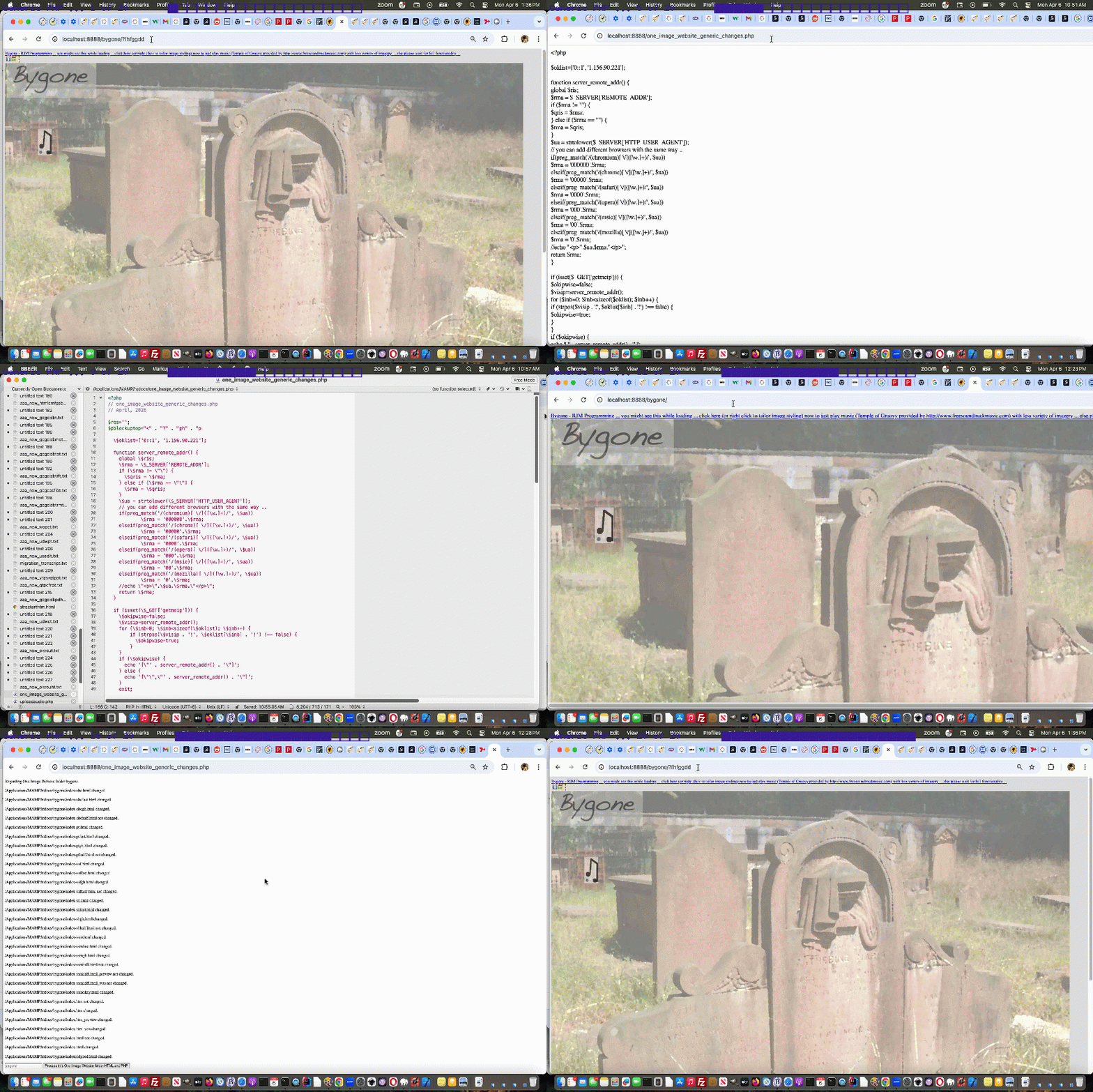
One Image Website Guinea Pig Follow Through Tutorial
Do you believe in …
The power of the Guinea Pig
? Or is it the case that …
… is not proof enough that Guinea Pigs can form part of the solution, to the point where we found it the case that though, personally, we know of manys a “scratch Guinea Pig on the golf course” where they are all too shy to film themselves on YouTube … or perhaps too modest … and so we cannot present the achingly beautiful follow through of some of these creatures for you today, alas?! Still …
follow
throughalong ain’t bad
Which brings us to today’s work, following up on yesterday’s One Image Website Onpaste Uploading Device Copying Tutorial, feeling daunted by the difficulty of the idea of individualized editing sessions to try to encapsulate what we’ve learnt over the last three days regarding “One Image Website” more dynamic (via Copy buffer) photograph uploading functionality, and applying the thinking to the three categories of affected source codes here …
… can be catered for as uploading conduits
… of the “wish we could be the Guinea Pig” gang among our other “One Image Website” project crew …
… we decided, instead, to write some “internal use only” PHP to avoid too many hiccups bringing the non Guinea Pigs along.
We started …
… following today’s animated GIF presentation build up where we get the bygone “One Image Website” project up and running.
Previous relevant One Image Website Onpaste Uploading Device Copying Tutorial is shown below.
One Image Website Onpaste Uploading Device Copying Tutorial
Further to yesterday’s One Image Website Onpaste Uploading Hashtagging Tutorial you may be wondering about our original gambit statement wondering if regarding …
take a new relevant photograph (on an iPhone, for instance) … and then easily …
… upload? Aren’t we worried about the iPhone device end of …
… will just fall upon deaf ears as far as our MacBook Air web browser use of the “One Image Website” webpage goes?
Well, read this “if an iPhone is connected to a MacBook Air can the copy buffer of the iPhone be transferred to the copy buffer of the MacBook Air?” ask …
Yes, if an iPhone is connected to a MacBook Air—or even just nearby—the copy buffer (clipboard) of the iPhone can be transferred to the copy buffer of the MacBook Air. Apple calls this feature Universal Clipboard.
It allows you to copy text, images, photos, and videos on your iPhone and instantly paste them onto your Mac (or vice versa).
Cute, huh?! If on the same network, and close, the iPhone and MacBook Air do not even need an Apple White Lead connection, necessarily, though we noticed it sped up the process!
Given the “smarts” at this end, today, we turned to …
var myxhr=null, formis=null, iclen=0, icsuffix='', extnew='.png', yehbutisob=true;

var ipuvalid=true, ipis='', lhend='', lhdata='', fourthousand=(document.URL.indexOf('diris=') != -1 ? 10000 : 4000), gencount=0, upcount=(document.URL.indexOf('data=%') != -1 ? eval('' + decodeURIComponent(document.URL.split('data=')[1].split('&')[0].split('#')[0]).split(',').length) : 0);

var fetchcmd="./index.php?diris=images&prefixis=DSC_0&startsuffix=279&endsuffix=364", within=false;


// Thanks to https://www.google.com/search?q=javascript+convert+png+to+jpg&rlz=1C5OZZY_en&oq=javascript+convert+png+to+jpg&gs_lcrp=EgZjaHJvbWUyCggAEEUYFhgeGDkyCAgBEAAYFhgeMggIAhAAGBYYHjINCAMQABiGAxiABBiKBTIHCAQQABjvBdIBCTEyNzIxajBqN6gCALACAA&sourceid=chrome&ie=UTF-8

const convertPngToJpg = (pngDataUrl) => {

  const img = new Image();

  img.onload = () => {

    const canvas = document.createElement('canvas');

    canvas.width = img.width;

    canvas.height = img.height;

    const ctx = canvas.getContext('2d');


    // Optional: Fill white background (JPEGs don't support transparency)

    ctx.fillStyle = "#FFFFFF";

    ctx.fillRect(0, 0, canvas.width, canvas.height);


    ctx.drawImage(img, 0, 0);


    // Get JPG as Data URL (quality 0.9)

    const jpgDataUrl = canvas.toDataURL("image/jpeg", 0.1);

    extnew='.jpg';

    icsuffix=(' 0' + jpgDataUrl.length);

    formis.append('newdurl', jpgDataUrl);

    myxhr.open('POST', './index.php'); //, true);

    myxhr.onreadystatechange=mstateChanged;

    myxhr.send(formis);

    console.log(jpgDataUrl);

  };

  img.src = pngDataUrl;

};
… as a solution to massive image png copy buffers coming off the camera being fed into an HTML5 canvas and out as a reduced size jpeg image to allow PHP $_POST methodologies used for the uploading process not be overwhelmed, as per the adjusted Ajax code …
   function mstateChanged() {

   var ioff=1, thisoff=1;

   var vsoff=0, getridof='YouLlneverFinDtHis';

   //document.title=document.title.substring(0,1) + ' readyState=' + myxhr.readyState + ' and status=' + myxhr.status + ' ' + iclen;

   if (myxhr.readyState == 4) {

    if (myxhr.status == 200) {

       //alert(iclen);

       setTimeout(function(){

    if (document.URL.indexOf('#') != -1 && lhdata == '' && document.URL.indexOf('data=%') != -1) {

     lhdata=(('' + location.search + decodeURIComponent(('' + location.hash).replace(/^undefined/g,'').replace(/^null/g,'').replace(/^\#/g,''))).split('data=')[1] ? decodeURIComponent(('' + location.search + decodeURIComponent(('' + location.hash).replace(/^undefined/g,'').replace(/^null/g,'').replace(/^\#/g,'')))).split('data=')[eval(-1 + decodeURIComponent(('' + location.search + decodeURIComponent(('' + location.hash).replace(/^undefined/g,'').replace(/^null/g,'').replace(/^\#/g,'')))).split('data=').length)].split('&')[0].split('#')[0] : '');

     var coms=lhdata.split(',');

     vsoff=eval('' + fetchcmd.split('endsuffix=')[1].split('&')[0].split('#')[0]);

     getridof=fetchcmd.split('diris=')[1].split('&')[0].split('#')[0] + '/' + fetchcmd.split('prefixis=')[1].split('&')[0].split('#')[0];

     for (var iuyt=0; iuyt<coms.length; iuyt++) {

       //alert(coms[iuyt] + ' ... ' + getridof + ' ... ' + coms[iuyt].replace('[','').replace(']','').replace('"','').replace('"','').replace(getridof,''));

       thisoff=eval(eval(coms[iuyt].replace('[','').replace(']','').replace('"','').replace('"','').replace(getridof,'').split('.')[0]) - vsoff + 1);

       if (thisoff > ioff) { ioff=thisoff; }

     }

    }

    if (document.URL.indexOf('#') == -1) {

    if (lhdata == '' && fetchcmd.indexOf('endsuffix=') != -1) {

    lhdata='["' + fetchcmd.split('diris=')[1].split('&')[0].split('#')[0] + '/' + fetchcmd.split('prefixis=')[1].split('&')[0].split('#')[0] + eval(1 + eval('' + fetchcmd.split('endsuffix=')[1].split('&')[0].split('#')[0])) + extnew + '"]';

    lhend='#' + encodeURIComponent(eval(1 + number_of_image) + '.' + fetchcmd.split('endsuffix=')[1].split('&')[0].split('#')[0]) + '&diris=' + fetchcmd.split('diris=')[1] + '&data=' + encodeURIComponent(lhdata);

    if (document.URL.indexOf(lhend.substring(1)) == -1) {

    if (6 == 6) {

    location.href=(document.URL.indexOf('?') != -1 ? document.URL.split('#')[0] + '&endbit=' + reduced(lhend).substring(1) + lhend : document.URL.split('#')[0] + '?endbit=' + reduced(lhend).substring(1) + lhend);

    } else {

    location.hash=lhend;

    }

    }

    }

    } else if (lhdata.indexOf('[') != -1) {

    lhdata=lhdata.replace('[', '["' + fetchcmd.split('diris=')[1].split('&')[0].split('#')[0] + '/' + fetchcmd.split('prefixis=')[1].split('&')[0].split('#')[0] + eval(ioff + eval('' + fetchcmd.split('endsuffix=')[1].split('&')[0].split('#')[0])) + extnew + '",');

    lhend='#' + encodeURIComponent(eval(1 + number_of_image) + '.' + fetchcmd.split('endsuffix=')[1].split('&')[0].split('#')[0]) + '&diris=' + fetchcmd.split('diris=')[1] + '&data=' + encodeURIComponent(lhdata);

    if (document.URL.indexOf(lhend.substring(1)) == -1) {

    if (6 == 6) {

    location.href=(document.URL.indexOf('?') != -1 ? document.URL.split('&')[0].replace('data=','daWASta=').replace('?diris=','?dirWASis=').replace('?endbit=','?endWASbit=') + '&endbit=' + reduced(lhend).substring(1) + lhend : document.URL.split('#')[0].replace('data=','daWASta=') + '?endbit=' + reduced(lhend).substring(1) + lhend);

    } else {

    location.hash=lhend;

    }

    }

    }

         within=false;

       }, 26000);

    }

   }

   }


  function uplitc(icontis) {

     if (icontis.indexOf('data:image/') == 0) {

       //document.title='A';

       myxhr = new XMLHttpRequest();

       formis = new FormData();

       formis.append('diris', fetchcmd.split('diris=')[1].split('&')[0].split('#')[0]);

       formis.append('prefixis', fetchcmd.split('prefixis=')[1].split('&')[0].split('#')[0]);

       formis.append('startsuffix', fetchcmd.split('startsuffix=')[1].split('&')[0].split('#')[0]);

       formis.append('endsuffix', fetchcmd.split('endsuffix=')[1].split('&')[0].split('#')[0]);

       iclen=eval('' + icontis.length);

       extnew='.' + icontis.split('data:image/')[1].split(',')[0].split(';')[0].replace('jpeg','jpg');

       if (iclen > 9000000) {

       convertPngToJpg(icontis);

       } else {

       formis.append('newdurl', icontis);

       myxhr.open('POST', './index.php'); //, true);

       myxhr.send(formis);

       }

     }

  }


  function uplit(divo, isonblurnotonpaste) {

     var icontis='';

     if (isonblurnotonpaste != 0) {

       yehbutisob=true;

     }

     if (divo.innerHTML.indexOf('data:image/') == 0) {

       icontis=divo.innerHTML;

       divo.innerHTML='';

       divo.title=icontis;

       //document.title='B';

       myxhr = new XMLHttpRequest();

       formis = new FormData();

       formis.append('diris', fetchcmd.split('diris=')[1].split('&')[0].split('#')[0]);

       formis.append('prefixis', fetchcmd.split('prefixis=')[1].split('&')[0].split('#')[0]);

       formis.append('startsuffix', fetchcmd.split('startsuffix=')[1].split('&')[0].split('#')[0]);

       formis.append('endsuffix', fetchcmd.split('endsuffix=')[1].split('&')[0].split('#')[0]);

       iclen=eval('' + icontis.length);

       extnew='.' + icontis.split('data:image/')[1].split(',')[0].split(';')[0].replace('jpeg','jpg');

       if (iclen > 9000000) {

       convertPngToJpg(icontis);

       } else {

       formis.append('newdurl', icontis);

       myxhr.open('POST', './index.php'); //, true);

       myxhr.onreadystatechange=mstateChanged;

       myxhr.send(formis);

       }

       //alert(78);

       //setTimeout(function(){ within=false; }, 6000);

     } else if (divo.innerHTML.indexOf('"data:image/') != -1) {

       icontis='data:image/' + divo.innerHTML.split('data:image/')[1].split('"')[0];

       divo.innerHTML='';

       divo.title=icontis;

       //document.title='C';

       myxhr = new XMLHttpRequest();

       formis = new FormData();

       formis.append('diris', fetchcmd.split('diris=')[1].split('&')[0].split('#')[0]);

       formis.append('prefixis', fetchcmd.split('prefixis=')[1].split('&')[0].split('#')[0]);

       formis.append('startsuffix', fetchcmd.split('startsuffix=')[1].split('&')[0].split('#')[0]);

       formis.append('endsuffix', fetchcmd.split('endsuffix=')[1].split('&')[0].split('#')[0]);

       iclen=eval('' + icontis.length);

       extnew='.' + icontis.split('data:image/')[1].split(',')[0].split(';')[0].replace('jpeg','jpg');

       if (iclen > 9000000) {

       convertPngToJpg(icontis);

       } else {

       formis.append('newdurl', icontis);

       myxhr.open('POST', './index.php'); //, true);

       myxhr.onreadystatechange=mstateChanged;

       myxhr.send(formis);

       }

       //alert(278);

       //setTimeout(function(){ within=false; }, 6000);

     } else if (eval('' + divo.innerHTML.length) < 30 && isonblurnotonpaste == 0) {

       yehbutisob=false;

       setTimeout(function(){

       if (!yehbutisob) {

       document.getElementById('offscreen').focus();

       yehbutisob=true;

       }

       }, 8000);

     } else {

       setTimeout(function(){ within=false; }, 56000);

     }

  }
… helped out by changed onrightclick.js external Javascript.
Previous relevant One Image Website Onpaste Uploading Hashtagging Tutorial is shown below.
One Image Website Onpaste Uploading Hashtagging Tutorial
You guessed it! Yesterday’s One Image Website Onpaste Uploading Tutorial‘s work was working just within the realms of those “first webpages” occurring within the “One Image Website” project paradigm, but that we needed to pass onto subsequent webpages this “new image uploaded” list as ….
… the reason being that document.referrer cannot be used to glean hashtagged data. Luckily in this project that second requirement above, which asks for a true document reload, is not the end of the woooorrrrllllddd, as we know it, and means we can get help from the external Javascript we use in these projects, as per …
… featuring a new Javascript function the subsequent webpages can call just after any …
image_list = new Array();
… that being …
initthearr(image_list);
… as per …
    var prefx='';


    function reduced(documentreferrer) {

     if (('' + documentreferrer).indexOf('data=') != -1) {

        if (('' + documentreferrer).indexOf('diris=') != -1) {

          if (prefx == '' && ('' + documentreferrer).indexOf('prefixis=') != -1) {

            prefx=decodeURIComponent(('' + documentreferrer).split('diris=')[1].split('&')[0].split('#')[0]) + '/' + decodeURIComponent(('' + documentreferrer).split('prefixis=')[1].split('&')[0].split('#')[0]);

          }

        }

     }

     if (prefx != '') {

      if (documentreferrer.indexOf(encodeURIComponent(prefx)) != -1) {

       while (documentreferrer.indexOf(encodeURIComponent(prefx)) != -1) {

         documentreferrer=documentreferrer.replace(encodeURIComponent(prefx),'');

       }

      }

     }

     return documentreferrer;

    }


    function initthearr(inarr) {

      var fort=false, jsonstr='', datas=[], inm=0;

      if (('' + location.hash).indexOf('data=') != -1) {

        if (('' + location.hash).indexOf('diris=') != -1) {

          if (prefx == '' && ('' + location.hash).indexOf('prefixis=') != -1) {

            prefx=decodeURIComponent(('' + location.hash).split('diris=')[1].split('&')[0].split('#')[0]) + '/' + decodeURIComponent(('' + location.hash).split('prefixis=')[1].split('&')[0].split('#')[0]);

          }

        }

        jsonstr=decodeURIComponent(('' + location.hash).split('data=')[1].split('&')[0].split('#')[0]);

        datas=jsonstr.split(',');

        for (inm=0; inm<datas.length; inm++) {

           inarr[image_index++] = new imageItem(prefx + datas[inm].replace((prefx == '' ? 'yOuLlneverfindThIs' : prefx),'').replace('[','').replace(']','').replace('"','').replace('"',''));

           console.log('ADDed ' + datas[inm].replace((prefx == '' ? 'yOuLlneverfindThIs' : prefx),'').replace('[','').replace(']','').replace('"','').replace('"',''));

           fort=true;

        }

      } else if (('' + document.referrer).indexOf('data=') != -1) {

        if (('' + document.referrer).indexOf('diris=') != -1) {

          if (prefx == '' && ('' + document.referrer).indexOf('prefixis=') != -1) {

            prefx=decodeURIComponent(('' + document.referrer).split('diris=')[1].split('&')[0].split('#')[0]) + '/' + decodeURIComponent(('' + document.referrer).split('prefixis=')[1].split('&')[0].split('#')[0]);

          }

        }

        jsonstr=decodeURIComponent(('' + document.referrer).split('data=')[1].split('&')[0].split('#')[0]);

        //alert(jsonstr);

        datas=jsonstr.split(',');

        for (inm=0; inm<datas.length; inm++) {

           inarr[image_index++] = new imageItem(prefx + datas[inm].replace((prefx == '' ? 'yOuLlneverfindThIs' : prefx),'').replace('[','').replace(']','').replace('"','').replace('"',''));

           console.log('AddEd ' + prefx + datas[inm].replace((prefx == '' ? 'yOuLlneverfindThIs' : prefx),'').replace('[','').replace(']','').replace('"','').replace('"',''));

           fort=true;

        }

      }

      return fort;

    }
… in order to avoid any Asynchronous concerns in these subsequent webpages. The ordering of external Javascript loading …
<script type=text/javascript src='/onrightclick.js?rand=86475'></script>
… is sensitive here, and for the most part, is moved to above the “inline Javascript” loading within the head webpage element, to help make all this idea function, all the way back from changes to inline Javascript parts to the initialization code of (our Guinea Pig) “first webpage” occurring within the “One Image Website” project paradigm …
var image_index = 0;

var number_of_image = 0;

var myxhr=null, formis=null;

var ipuvalid=true, ipis='', lhend='', lhdata='';

var fetchcmd="./index.php?diris=images&prefixis=DSC_0&startsuffix=279&endsuffix=364";


// Thanks to https://stackoverflow.com/questions/74997800/how-to-code-a-synchronous-wrapper-for-jquery-ajax-functions

(async () => {


  const resip = await fetch("./index.php?getmeip=" + Math.floor(Math.random() * 198978675), {/* options here */});

  const dataip = await resip.json();


  for (var inmip=0; inmip<dataip.length; inmip++) {

    if (inmip == eval(-1 + dataip.length)) {

      ipis='' + dataip[inmip];

      if (inmip != 0) {

        ipuvalid=false;

        setTimeout(nag, 200);

      }

    }

  }


})();


image_list = new Array();


//if (initthearr(image_list)) {

// lhend=lhend;

//

//} else

if (1 == 1) {

// Thanks to https://stackoverflow.com/questions/74997800/how-to-code-a-synchronous-wrapper-for-jquery-ajax-functions

(async () => {


  const res = await fetch(fetchcmd, {/* options here */});

  const data = await res.json();


  for (var inm=0; inm<data.length; inm++) {

    lhend='# ';

    if (lhdata == '') {

      lhdata='["' + data[inm] + '"]';

    } else {

      lhdata=lhdata.replace(']', ',"' + data[inm] + '"]');

    }

    image_list[image_index++] = new imageItem(data[inm]);

    console.log('Added ' + data[inm]);

  }


  console.log(data);

  console.log("Some code after that uses data");


  setTimeout(function(){

  if (lhend == '# ') {

    //lhend='#' + encodeURIComponent(number_of_image + '.364') + '&fetch=' + encodeURIComponent(fetchcmd) + '&data=' + encodeURIComponent(lhdata);

    lhend='#' + encodeURIComponent(number_of_image + '.364') + '&diris=' + fetchcmd.split('diris=')[1] + '&data=' + encodeURIComponent(lhdata);

    if (document.URL.indexOf(lhend.substring(1)) == -1) {

    if (6 == 6) {

    location.href=(document.URL.indexOf('?') != -1 ? document.URL.split('#')[0] + '&endbit=' + reduced(lhend).substring(1) + lhend : document.URL.split('#')[0] + '?endbit=' + reduced(lhend).substring(1) + lhend);

    } else {

    location.hash=lhend;

    }

    }

    console.warn(image_list[0]);

    //lhend=' ';

  }

  }, 2000);


})();

}


 setTimeout(function(){

 image_list[image_index++] = new imageItem('images/DSC_0279.jpg');

 image_list[image_index++] = new imageItem('images/DSC_0280.jpg');

 image_list[image_index++] = new imageItem('images/DSC_0281.jpg');

 image_list[image_index++] = new imageItem('images/DSC_0282.jpg');

 image_list[image_index++] = new imageItem('images/DSC_0283.jpg');

 image_list[image_index++] = new imageItem('images/DSC_0284.jpg');

 image_list[image_index++] = new imageItem('images/DSC_0285.jpg');

 image_list[image_index++] = new imageItem('images/DSC_0286.jpg');

 image_list[image_index++] = new imageItem('images/DSC_0287.jpg');

 image_list[image_index++] = new imageItem('images/DSC_0288.jpg');

 image_list[image_index++] = new imageItem('images/DSC_0289.jpg');

 image_list[image_index++] = new imageItem('images/DSC_0290.jpg');

 image_list[image_index++] = new imageItem('images/DSC_0291.jpg');

 image_list[image_index++] = new imageItem('images/DSC_0292.jpg');

 image_list[image_index++] = new imageItem('images/DSC_0293.jpg');

 image_list[image_index++] = new imageItem('images/DSC_0294.jpg');

 image_list[image_index++] = new imageItem('images/DSC_0295.jpg');

 image_list[image_index++] = new imageItem('images/DSC_0296.jpg');

 image_list[image_index++] = new imageItem('images/DSC_0297.jpg');

 image_list[image_index++] = new imageItem('images/DSC_0298.jpg');

 image_list[image_index++] = new imageItem('images/DSC_0299.jpg');

 image_list[image_index++] = new imageItem('images/DSC_0300.jpg');

 image_list[image_index++] = new imageItem('images/DSC_0301.jpg');

 image_list[image_index++] = new imageItem('images/DSC_0302.jpg');

 image_list[image_index++] = new imageItem('images/DSC_0303.jpg');

 image_list[image_index++] = new imageItem('images/DSC_0304.jpg');

 image_list[image_index++] = new imageItem('images/DSC_0305.jpg');

 image_list[image_index++] = new imageItem('images/DSC_0306.jpg');

 image_list[image_index++] = new imageItem('images/DSC_0307.jpg');

 image_list[image_index++] = new imageItem('images/DSC_0308.jpg');

 image_list[image_index++] = new imageItem('images/DSC_0309.jpg');

 image_list[image_index++] = new imageItem('images/DSC_0310.jpg');

 image_list[image_index++] = new imageItem('images/DSC_0311.jpg');

 image_list[image_index++] = new imageItem('images/DSC_0312.jpg');

 image_list[image_index++] = new imageItem('images/DSC_0313.jpg');

 image_list[image_index++] = new imageItem('images/DSC_0314.jpg');

 image_list[image_index++] = new imageItem('images/DSC_0315.jpg');

 image_list[image_index++] = new imageItem('images/DSC_0316.jpg');

 image_list[image_index++] = new imageItem('images/DSC_0317.jpg');

 image_list[image_index++] = new imageItem('images/DSC_0318.jpg');

 image_list[image_index++] = new imageItem('images/DSC_0319.jpg');

 image_list[image_index++] = new imageItem('images/DSC_0320.jpg');

 image_list[image_index++] = new imageItem('images/DSC_0321.jpg');

 image_list[image_index++] = new imageItem('images/DSC_0322.jpg');

 image_list[image_index++] = new imageItem('images/DSC_0323.jpg');

 image_list[image_index++] = new imageItem('images/DSC_0324.jpg');

 image_list[image_index++] = new imageItem('images/DSC_0325.jpg');

 image_list[image_index++] = new imageItem('images/DSC_0326.jpg');

 image_list[image_index++] = new imageItem('images/DSC_0327.jpg');

 image_list[image_index++] = new imageItem('images/DSC_0328.jpg');

 image_list[image_index++] = new imageItem('images/DSC_0329.jpg');

 image_list[image_index++] = new imageItem('images/DSC_0330.jpg');

 image_list[image_index++] = new imageItem('images/DSC_0331.jpg');

 image_list[image_index++] = new imageItem('images/DSC_0332.jpg');

 image_list[image_index++] = new imageItem('images/DSC_0333.jpg');

 image_list[image_index++] = new imageItem('images/DSC_0334.jpg');

 image_list[image_index++] = new imageItem('images/DSC_0335.jpg');

 image_list[image_index++] = new imageItem('images/DSC_0336.jpg');

 image_list[image_index++] = new imageItem('images/DSC_0337.jpg');

 image_list[image_index++] = new imageItem('images/DSC_0338.jpg');

 image_list[image_index++] = new imageItem('images/DSC_0339.jpg');

 image_list[image_index++] = new imageItem('images/DSC_0340.jpg');

 image_list[image_index++] = new imageItem('images/DSC_0341.jpg');

 image_list[image_index++] = new imageItem('images/DSC_0342.jpg');

 image_list[image_index++] = new imageItem('images/DSC_0343.jpg');

 image_list[image_index++] = new imageItem('images/DSC_0344.jpg');

 image_list[image_index++] = new imageItem('images/DSC_0345.jpg');

 image_list[image_index++] = new imageItem('images/DSC_0346.jpg');

 image_list[image_index++] = new imageItem('images/DSC_0347.jpg');

 image_list[image_index++] = new imageItem('images/DSC_0348.jpg');

 image_list[image_index++] = new imageItem('images/DSC_0349.jpg');

 image_list[image_index++] = new imageItem('images/DSC_0350.jpg');

 image_list[image_index++] = new imageItem('images/DSC_0351.jpg');

 image_list[image_index++] = new imageItem('images/DSC_0352.jpg');

 image_list[image_index++] = new imageItem('images/DSC_0353.jpg');

 image_list[image_index++] = new imageItem('images/DSC_0354.jpg');

 image_list[image_index++] = new imageItem('images/DSC_0355.jpg');

 image_list[image_index++] = new imageItem('images/DSC_0356.jpg');

 image_list[image_index++] = new imageItem('images/DSC_0357.jpg');

 image_list[image_index++] = new imageItem('images/DSC_0358.jpg');

 image_list[image_index++] = new imageItem('images/DSC_0359.jpg');

 image_list[image_index++] = new imageItem('images/DSC_0360.jpg');

 image_list[image_index++] = new imageItem('images/DSC_0361.jpg');

 image_list[image_index++] = new imageItem('images/DSC_0362.jpg');

 image_list[image_index++] = new imageItem('images/DSC_0363.jpg');

 image_list[image_index++] = new imageItem('images/DSC_0364.jpg');


//alert('yay ' + lhend);


number_of_image = image_list.length;

if ((lhend + ' ').substring(0,1) == '#') {

 setTimeout(function(){

  number_of_image = image_list.length;

 }, 2000);

}

if (lhend == '#') { lhend='#' + encodeURIComponent(number_of_image + '.364') + '&fetch=' + encodeURIComponent(fetchcmd) + '&data=' + encodeURIComponent(lhdata); alert(lhend); location.hash=lhend; lhend=''; }

}, 1000);
To most, it is still “undercover” trying out our “still at the Guinea Pig upload functionality thinking stage” Street Art “One Image Website” project.
Previous relevant One Image Website Onpaste Uploading Tutorial is shown below.
One Image Website Onpaste Uploading Tutorial
The onpaste event referencing work of the recent Using Document Writeln Onpaste Tutorial set us to thinking about the unwieldy nature of our “One Image Website” series of photographic projects ability to, on the fly, these days …
Where’s the security and moderation here? Any upload operation needs to worry about that, huh?! Well, we limit it via IP address at this stage, in our Guinea Pig start to proceedings, and will monitor over time.
Let’s start, codewise with the pretty well self contained PHP block of code that is new for this work …
<?php


  $oklist=['0::1', '1.156.90.221'];


  function server_remote_addr() {

    global $ris;

    $rma = $_SERVER['REMOTE_ADDR'];

    if ($rma != "") {

      $qris = $rma;

    } else if ($rma == "") {

      $rma = $qris;

    }

    $ua = strtolower($_SERVER['HTTP_USER_AGENT']);

    // you can add different browsers with the same way ..

    if(preg_match('/(chromium)[ \/]([\w.]+)/', $ua))

            $rma = '000000'.$rma;

    elseif(preg_match('/(chrome)[ \/]([\w.]+)/', $ua))

            $rma = '00000'.$rma;

    elseif(preg_match('/(safari)[ \/]([\w.]+)/', $ua))

            $rma = '0000'.$rma;

    elseif(preg_match('/(opera)[ \/]([\w.]+)/', $ua))

            $rma = '000'.$rma;

    elseif(preg_match('/(msie)[ \/]([\w.]+)/', $ua))

            $rma = '00'.$rma;

    elseif(preg_match('/(mozilla)[ \/]([\w.]+)/', $ua))

            $rma = '0'.$rma;

    //echo "<p>".$ua.$rma."</p>";

    return $rma;

  }


  if (isset($_GET['getmeip'])) {

    $okipwise=false;

    $visip=server_remote_addr();

    for ($inb=0; $inb<sizeof($oklist); $inb++) {

        if (strpos($visip . '!', $oklist[$inb] . '!') !== false) {

          $okipwise=true;

        }

    }

    if ($okipwise) {

      echo '["' . server_remote_addr() . '"]';

    } else {

      echo '["","' . server_remote_addr() . '"]';

    }

    exit;

  } else if (isset($_GET['diris']) && isset($_GET['prefixis']) && isset($_GET['startsuffix']) && isset($_GET['endsuffix'])) {

    $arrbit='';

    if ($_GET['prefixis'] != '' && $_GET['diris'] != '' && $_GET['startsuffix'] != '' && $_GET['endsuffix'] != '') {

     foreach(glob(str_replace('+',' ',urldecode($_GET['diris'])) . DIRECTORY_SEPARATOR . str_replace('+',' ',urldecode($_GET['prefixis'])) . '*.*g*') as $filename) {

        if (strpos($filename, str_replace('+',' ',urldecode($_GET['diris'])) . DIRECTORY_SEPARATOR . str_replace('+',' ',urldecode($_GET['prefixis']))) !== false) {

          $restfnamebit=explode('.', explode(str_replace('+',' ',urldecode($_GET['diris'])) . DIRECTORY_SEPARATOR . str_replace('+',' ',urldecode($_GET['prefixis'])), $filename)[1])[0];

          if ($restfnamebit < str_replace('+',' ',urldecode($_GET['startsuffix'])) || $restfnamebit > str_replace('+',' ',urldecode($_GET['endsuffix']))) {

           if ($arrbit == '') {

            $arrbit='["' . $filename . '"]';

           } else {

            $arrbit=str_replace(']', ',"' . $filename . '"]', $arrbit);

           }

          }

        }

     }

     if ($arrbit == '') {

       echo "[]";

     } else {

       echo $arrbit;

     }

     exit;

    }

    echo "[]";

    exit;

  } else if (isset($_POST['newdurl']) && isset($_POST['diris']) && isset($_POST['prefixis']) && isset($_POST['startsuffix']) && isset($_POST['endsuffix'])) {

    if (strpos(str_replace(' ','+',urldecode($_POST['newdurl'])), 'data:image/') !== false && $_POST['prefixis'] != '' && $_POST['diris'] != '' && $_POST['startsuffix'] != '' && $_POST['endsuffix'] != '') {

      $okipwise=false;

      $visip=server_remote_addr();

      for ($inb=0; $inb<sizeof($oklist); $inb++) {

        if (strpos($visip . '!', $oklist[$inb] . '!') !== false) {

          $okipwise=true;

        }

      }

      if ($okipwise) {

      $proposedext='.' . str_replace('jpeg','jpg',explode(';',explode(',',explode('data:image/', str_replace(' ','+',urldecode($_POST['newdurl'])))[1])[0])[0]);

      if (strpos($proposedext, 'g') !== false) {

        $fidea=str_replace('+',' ',urldecode($_POST['endsuffix']));

        $isthere=true;

        $fnameproposed='';

        while ($isthere) {

         $isthere=false;

         foreach(glob(str_replace('+',' ',urldecode($_POST['diris'])) . DIRECTORY_SEPARATOR . str_replace('+',' ',urldecode($_POST['prefixis'])) . $fidea . '.*g*') as $filename) {

          $isthere=true;

         }

         if (!$isthere) {

           $fnameproposed=str_replace('+',' ',urldecode($_POST['diris'])) . DIRECTORY_SEPARATOR . str_replace('+',' ',urldecode($_POST['prefixis'])) . $fidea . $proposedext;

         } else {

           $fidea++;

         }

        }

        if ($fnameproposed != '') {

         file_put_contents($fnameproposed, base64_decode(explode(";base64,", str_replace(' ','+',urldecode($_POST['newdurl'])))[1]));

        }

      }

      }

    }

    exit;

  }

?>
… and then there is some new “fetch” and Ajax rich HTML and Javascript as per …
| New Global Variables and Asynchronous section Javascript … |
|---|
|
| New Javascript functions … |
|
| New HTML span element … |
|
… that is “undercover” to most trying out our Street Art “One Image Website” project.
Previous relevant Using Document Writeln Onpaste Tutorial is shown below.
Using Document Writeln Onpaste Tutorial
Regarding yesterday’s Using Document Writeln Primer Tutorial you might wonder …
Why involve either/both textarea and div (contenteditable=true) elements as “containers” of content?
Well, with yesterday’s starting onblur (just) event gambit, it’s a very pertinent question, but, today, we introduce onpaste event work, and involving this event with the div element can have it distinguishing itself, able to accept graphical (eg. image) content. For example, the user can have their cursor placed into the div element and have been in an image editor having Edit->Select Alled and Edit->Copyed graphical content, then that can be Edit->Pasted into the div as graphical content.
As you might imagine, this opens a Pandora’s Box of possibilities regarding image sizing, but we apply inline CSS styling …
style='object-fit:contain;width:100%;height:100%;'
… to the img data URIed element within the div element that happens when graphical content is pasted into it, so that the graphical data is unlikely to spill too far outside the div bounds, assuming only one image is pasted, that is.
So feel free to try a changed using_writeln.html first draft Using (Document) Writeln web application for you to try yourself.
Previous relevant Using Document Writeln Primer Tutorial is shown below.
Using Document Writeln Primer Tutorial
The other day we stumbled on some advice leading us to use …
document.writeln([html-content]);
… rather than our usual “go to” …
document.write([html-content]);
And so we wrote a “proof of concept” using_writeln.html first draft Using (Document) Writeln web application for you to try yourself.
If this was interesting you may be interested in this too.
If this was interesting you may be interested in this too.
If this was interesting you may be interested in this too.
If this was interesting you may be interested in this too.
If this was interesting you may be interested in this too.
If this was interesting you may be interested in this too.
One Image Website Onpaste Uploading Device Copying Tutorial
Further to yesterday’s One Image Website Onpaste Uploading Hashtagging Tutorial you may be wondering about our original gambit statement wondering if regarding …
take a new relevant photograph (on an iPhone, for instance) … and then easily …
… upload? Aren’t we worried about the iPhone device end of …
… will just fall upon deaf ears as far as our MacBook Air web browser use of the “One Image Website” webpage goes?
Well, read this “if an iPhone is connected to a MacBook Air can the copy buffer of the iPhone be transferred to the copy buffer of the MacBook Air?” ask …
Yes, if an iPhone is connected to a MacBook Air—or even just nearby—the copy buffer (clipboard) of the iPhone can be transferred to the copy buffer of the MacBook Air. Apple calls this feature Universal Clipboard.
It allows you to copy text, images, photos, and videos on your iPhone and instantly paste them onto your Mac (or vice versa).
Cute, huh?! If on the same network, and close, the iPhone and MacBook Air do not even need an Apple White Lead connection, necessarily, though we noticed it sped up the process!
Given the “smarts” at this end, today, we turned to …
var myxhr=null, formis=null, iclen=0, icsuffix='', extnew='.png', yehbutisob=true;

var ipuvalid=true, ipis='', lhend='', lhdata='', fourthousand=(document.URL.indexOf('diris=') != -1 ? 10000 : 4000), gencount=0, upcount=(document.URL.indexOf('data=%') != -1 ? eval('' + decodeURIComponent(document.URL.split('data=')[1].split('&')[0].split('#')[0]).split(',').length) : 0);

var fetchcmd="./index.php?diris=images&prefixis=DSC_0&startsuffix=279&endsuffix=364", within=false;


// Thanks to https://www.google.com/search?q=javascript+convert+png+to+jpg&rlz=1C5OZZY_en&oq=javascript+convert+png+to+jpg&gs_lcrp=EgZjaHJvbWUyCggAEEUYFhgeGDkyCAgBEAAYFhgeMggIAhAAGBYYHjINCAMQABiGAxiABBiKBTIHCAQQABjvBdIBCTEyNzIxajBqN6gCALACAA&sourceid=chrome&ie=UTF-8

const convertPngToJpg = (pngDataUrl) => {

  const img = new Image();

  img.onload = () => {

    const canvas = document.createElement('canvas');

    canvas.width = img.width;

    canvas.height = img.height;

    const ctx = canvas.getContext('2d');


    // Optional: Fill white background (JPEGs don't support transparency)

    ctx.fillStyle = "#FFFFFF";

    ctx.fillRect(0, 0, canvas.width, canvas.height);


    ctx.drawImage(img, 0, 0);


    // Get JPG as Data URL (quality 0.9)

    const jpgDataUrl = canvas.toDataURL("image/jpeg", 0.1);

    extnew='.jpg';

    icsuffix=(' 0' + jpgDataUrl.length);

    formis.append('newdurl', jpgDataUrl);

    myxhr.open('POST', './index.php'); //, true);

    myxhr.onreadystatechange=mstateChanged;

    myxhr.send(formis);

    console.log(jpgDataUrl);

  };

  img.src = pngDataUrl;

};
… as a solution to massive image png copy buffers coming off the camera being fed into an HTML5 canvas and out as a reduced size jpeg image to allow PHP $_POST methodologies used for the uploading process not be overwhelmed, as per the adjusted Ajax code …
   function mstateChanged() {

   var ioff=1, thisoff=1;

   var vsoff=0, getridof='YouLlneverFinDtHis';

   //document.title=document.title.substring(0,1) + ' readyState=' + myxhr.readyState + ' and status=' + myxhr.status + ' ' + iclen;

   if (myxhr.readyState == 4) {

    if (myxhr.status == 200) {

       //alert(iclen);

       setTimeout(function(){

    if (document.URL.indexOf('#') != -1 && lhdata == '' && document.URL.indexOf('data=%') != -1) {

     lhdata=(('' + location.search + decodeURIComponent(('' + location.hash).replace(/^undefined/g,'').replace(/^null/g,'').replace(/^\#/g,''))).split('data=')[1] ? decodeURIComponent(('' + location.search + decodeURIComponent(('' + location.hash).replace(/^undefined/g,'').replace(/^null/g,'').replace(/^\#/g,'')))).split('data=')[eval(-1 + decodeURIComponent(('' + location.search + decodeURIComponent(('' + location.hash).replace(/^undefined/g,'').replace(/^null/g,'').replace(/^\#/g,'')))).split('data=').length)].split('&')[0].split('#')[0] : '');

     var coms=lhdata.split(',');

     vsoff=eval('' + fetchcmd.split('endsuffix=')[1].split('&')[0].split('#')[0]);

     getridof=fetchcmd.split('diris=')[1].split('&')[0].split('#')[0] + '/' + fetchcmd.split('prefixis=')[1].split('&')[0].split('#')[0];

     for (var iuyt=0; iuyt<coms.length; iuyt++) {

       //alert(coms[iuyt] + ' ... ' + getridof + ' ... ' + coms[iuyt].replace('[','').replace(']','').replace('"','').replace('"','').replace(getridof,''));

       thisoff=eval(eval(coms[iuyt].replace('[','').replace(']','').replace('"','').replace('"','').replace(getridof,'').split('.')[0]) - vsoff + 1);

       if (thisoff > ioff) { ioff=thisoff; }

     }

    }

    if (document.URL.indexOf('#') == -1) {

    if (lhdata == '' && fetchcmd.indexOf('endsuffix=') != -1) {

    lhdata='["' + fetchcmd.split('diris=')[1].split('&')[0].split('#')[0] + '/' + fetchcmd.split('prefixis=')[1].split('&')[0].split('#')[0] + eval(1 + eval('' + fetchcmd.split('endsuffix=')[1].split('&')[0].split('#')[0])) + extnew + '"]';

    lhend='#' + encodeURIComponent(eval(1 + number_of_image) + '.' + fetchcmd.split('endsuffix=')[1].split('&')[0].split('#')[0]) + '&diris=' + fetchcmd.split('diris=')[1] + '&data=' + encodeURIComponent(lhdata);

    if (document.URL.indexOf(lhend.substring(1)) == -1) {

    if (6 == 6) {

    location.href=(document.URL.indexOf('?') != -1 ? document.URL.split('#')[0] + '&endbit=' + reduced(lhend).substring(1) + lhend : document.URL.split('#')[0] + '?endbit=' + reduced(lhend).substring(1) + lhend);

    } else {

    location.hash=lhend;

    }

    }

    }

    } else if (lhdata.indexOf('[') != -1) {

    lhdata=lhdata.replace('[', '["' + fetchcmd.split('diris=')[1].split('&')[0].split('#')[0] + '/' + fetchcmd.split('prefixis=')[1].split('&')[0].split('#')[0] + eval(ioff + eval('' + fetchcmd.split('endsuffix=')[1].split('&')[0].split('#')[0])) + extnew + '",');

    lhend='#' + encodeURIComponent(eval(1 + number_of_image) + '.' + fetchcmd.split('endsuffix=')[1].split('&')[0].split('#')[0]) + '&diris=' + fetchcmd.split('diris=')[1] + '&data=' + encodeURIComponent(lhdata);

    if (document.URL.indexOf(lhend.substring(1)) == -1) {

    if (6 == 6) {

    location.href=(document.URL.indexOf('?') != -1 ? document.URL.split('&')[0].replace('data=','daWASta=').replace('?diris=','?dirWASis=').replace('?endbit=','?endWASbit=') + '&endbit=' + reduced(lhend).substring(1) + lhend : document.URL.split('#')[0].replace('data=','daWASta=') + '?endbit=' + reduced(lhend).substring(1) + lhend);

    } else {

    location.hash=lhend;

    }

    }

    }

         within=false;

       }, 26000);

    }

   }

   }


  function uplitc(icontis) {

     if (icontis.indexOf('data:image/') == 0) {

       //document.title='A';

       myxhr = new XMLHttpRequest();

       formis = new FormData();

       formis.append('diris', fetchcmd.split('diris=')[1].split('&')[0].split('#')[0]);

       formis.append('prefixis', fetchcmd.split('prefixis=')[1].split('&')[0].split('#')[0]);

       formis.append('startsuffix', fetchcmd.split('startsuffix=')[1].split('&')[0].split('#')[0]);

       formis.append('endsuffix', fetchcmd.split('endsuffix=')[1].split('&')[0].split('#')[0]);

       iclen=eval('' + icontis.length);

       extnew='.' + icontis.split('data:image/')[1].split(',')[0].split(';')[0].replace('jpeg','jpg');

       if (iclen > 9000000) {

       convertPngToJpg(icontis);

       } else {

       formis.append('newdurl', icontis);

       myxhr.open('POST', './index.php'); //, true);

       myxhr.send(formis);

       }

     }

  }


  function uplit(divo, isonblurnotonpaste) {

     var icontis='';

     if (isonblurnotonpaste != 0) {

       yehbutisob=true;

     }

     if (divo.innerHTML.indexOf('data:image/') == 0) {

       icontis=divo.innerHTML;

       divo.innerHTML='';

       divo.title=icontis;

       //document.title='B';

       myxhr = new XMLHttpRequest();

       formis = new FormData();

       formis.append('diris', fetchcmd.split('diris=')[1].split('&')[0].split('#')[0]);

       formis.append('prefixis', fetchcmd.split('prefixis=')[1].split('&')[0].split('#')[0]);

       formis.append('startsuffix', fetchcmd.split('startsuffix=')[1].split('&')[0].split('#')[0]);

       formis.append('endsuffix', fetchcmd.split('endsuffix=')[1].split('&')[0].split('#')[0]);

       iclen=eval('' + icontis.length);

       extnew='.' + icontis.split('data:image/')[1].split(',')[0].split(';')[0].replace('jpeg','jpg');

       if (iclen > 9000000) {

       convertPngToJpg(icontis);

       } else {

       formis.append('newdurl', icontis);

       myxhr.open('POST', './index.php'); //, true);

       myxhr.onreadystatechange=mstateChanged;

       myxhr.send(formis);

       }

       //alert(78);

       //setTimeout(function(){ within=false; }, 6000);

     } else if (divo.innerHTML.indexOf('"data:image/') != -1) {

       icontis='data:image/' + divo.innerHTML.split('data:image/')[1].split('"')[0];

       divo.innerHTML='';

       divo.title=icontis;

       //document.title='C';

       myxhr = new XMLHttpRequest();

       formis = new FormData();

       formis.append('diris', fetchcmd.split('diris=')[1].split('&')[0].split('#')[0]);

       formis.append('prefixis', fetchcmd.split('prefixis=')[1].split('&')[0].split('#')[0]);

       formis.append('startsuffix', fetchcmd.split('startsuffix=')[1].split('&')[0].split('#')[0]);

       formis.append('endsuffix', fetchcmd.split('endsuffix=')[1].split('&')[0].split('#')[0]);

       iclen=eval('' + icontis.length);

       extnew='.' + icontis.split('data:image/')[1].split(',')[0].split(';')[0].replace('jpeg','jpg');

       if (iclen > 9000000) {

       convertPngToJpg(icontis);

       } else {

       formis.append('newdurl', icontis);

       myxhr.open('POST', './index.php'); //, true);

       myxhr.onreadystatechange=mstateChanged;

       myxhr.send(formis);

       }

       //alert(278);

       //setTimeout(function(){ within=false; }, 6000);

     } else if (eval('' + divo.innerHTML.length) < 30 && isonblurnotonpaste == 0) {

       yehbutisob=false;

       setTimeout(function(){

       if (!yehbutisob) {

       document.getElementById('offscreen').focus();

       yehbutisob=true;

       }

       }, 8000);

     } else {

       setTimeout(function(){ within=false; }, 56000);

     }

  }
… helped out by changed onrightclick.js external Javascript.
Previous relevant One Image Website Onpaste Uploading Hashtagging Tutorial is shown below.
One Image Website Onpaste Uploading Hashtagging Tutorial
You guessed it! Yesterday’s One Image Website Onpaste Uploading Tutorial‘s work was working just within the realms of those “first webpages” occurring within the “One Image Website” project paradigm, but that we needed to pass onto subsequent webpages this “new image uploaded” list as ….
… the reason being that document.referrer cannot be used to glean hashtagged data. Luckily in this project that second requirement above, which asks for a true document reload, is not the end of the woooorrrrllllddd, as we know it, and means we can get help from the external Javascript we use in these projects, as per …
… featuring a new Javascript function the subsequent webpages can call just after any …
image_list = new Array();
… that being …
initthearr(image_list);
… as per …
    var prefx='';


    function reduced(documentreferrer) {

     if (('' + documentreferrer).indexOf('data=') != -1) {

        if (('' + documentreferrer).indexOf('diris=') != -1) {

          if (prefx == '' && ('' + documentreferrer).indexOf('prefixis=') != -1) {

            prefx=decodeURIComponent(('' + documentreferrer).split('diris=')[1].split('&')[0].split('#')[0]) + '/' + decodeURIComponent(('' + documentreferrer).split('prefixis=')[1].split('&')[0].split('#')[0]);

          }

        }

     }

     if (prefx != '') {

      if (documentreferrer.indexOf(encodeURIComponent(prefx)) != -1) {

       while (documentreferrer.indexOf(encodeURIComponent(prefx)) != -1) {

         documentreferrer=documentreferrer.replace(encodeURIComponent(prefx),'');

       }

      }

     }

     return documentreferrer;

    }


    function initthearr(inarr) {

      var fort=false, jsonstr='', datas=[], inm=0;

      if (('' + location.hash).indexOf('data=') != -1) {

        if (('' + location.hash).indexOf('diris=') != -1) {

          if (prefx == '' && ('' + location.hash).indexOf('prefixis=') != -1) {

            prefx=decodeURIComponent(('' + location.hash).split('diris=')[1].split('&')[0].split('#')[0]) + '/' + decodeURIComponent(('' + location.hash).split('prefixis=')[1].split('&')[0].split('#')[0]);

          }

        }

        jsonstr=decodeURIComponent(('' + location.hash).split('data=')[1].split('&')[0].split('#')[0]);

        datas=jsonstr.split(',');

        for (inm=0; inm<datas.length; inm++) {

           inarr[image_index++] = new imageItem(prefx + datas[inm].replace((prefx == '' ? 'yOuLlneverfindThIs' : prefx),'').replace('[','').replace(']','').replace('"','').replace('"',''));

           console.log('ADDed ' + datas[inm].replace((prefx == '' ? 'yOuLlneverfindThIs' : prefx),'').replace('[','').replace(']','').replace('"','').replace('"',''));

           fort=true;

        }

      } else if (('' + document.referrer).indexOf('data=') != -1) {

        if (('' + document.referrer).indexOf('diris=') != -1) {

          if (prefx == '' && ('' + document.referrer).indexOf('prefixis=') != -1) {

            prefx=decodeURIComponent(('' + document.referrer).split('diris=')[1].split('&')[0].split('#')[0]) + '/' + decodeURIComponent(('' + document.referrer).split('prefixis=')[1].split('&')[0].split('#')[0]);

          }

        }

        jsonstr=decodeURIComponent(('' + document.referrer).split('data=')[1].split('&')[0].split('#')[0]);

        //alert(jsonstr);

        datas=jsonstr.split(',');

        for (inm=0; inm<datas.length; inm++) {

           inarr[image_index++] = new imageItem(prefx + datas[inm].replace((prefx == '' ? 'yOuLlneverfindThIs' : prefx),'').replace('[','').replace(']','').replace('"','').replace('"',''));

           console.log('AddEd ' + prefx + datas[inm].replace((prefx == '' ? 'yOuLlneverfindThIs' : prefx),'').replace('[','').replace(']','').replace('"','').replace('"',''));

           fort=true;

        }

      }

      return fort;

    }
… in order to avoid any Asynchronous concerns in these subsequent webpages. The ordering of external Javascript loading …
<script type=text/javascript src='/onrightclick.js?rand=86475'></script>
… is sensitive here, and for the most part, is moved to above the “inline Javascript” loading within the head webpage element, to help make all this idea function, all the way back from changes to inline Javascript parts to the initialization code of (our Guinea Pig) “first webpage” occurring within the “One Image Website” project paradigm …
var image_index = 0;

var number_of_image = 0;

var myxhr=null, formis=null;

var ipuvalid=true, ipis='', lhend='', lhdata='';

var fetchcmd="./index.php?diris=images&prefixis=DSC_0&startsuffix=279&endsuffix=364";


// Thanks to https://stackoverflow.com/questions/74997800/how-to-code-a-synchronous-wrapper-for-jquery-ajax-functions

(async () => {


  const resip = await fetch("./index.php?getmeip=" + Math.floor(Math.random() * 198978675), {/* options here */});

  const dataip = await resip.json();


  for (var inmip=0; inmip<dataip.length; inmip++) {

    if (inmip == eval(-1 + dataip.length)) {

      ipis='' + dataip[inmip];

      if (inmip != 0) {

        ipuvalid=false;

        setTimeout(nag, 200);

      }

    }

  }


})();


image_list = new Array();


//if (initthearr(image_list)) {

// lhend=lhend;

//

//} else

if (1 == 1) {

// Thanks to https://stackoverflow.com/questions/74997800/how-to-code-a-synchronous-wrapper-for-jquery-ajax-functions

(async () => {


  const res = await fetch(fetchcmd, {/* options here */});

  const data = await res.json();


  for (var inm=0; inm<data.length; inm++) {

    lhend='# ';

    if (lhdata == '') {

      lhdata='["' + data[inm] + '"]';

    } else {

      lhdata=lhdata.replace(']', ',"' + data[inm] + '"]');

    }

    image_list[image_index++] = new imageItem(data[inm]);

    console.log('Added ' + data[inm]);

  }


  console.log(data);

  console.log("Some code after that uses data");


  setTimeout(function(){

  if (lhend == '# ') {

    //lhend='#' + encodeURIComponent(number_of_image + '.364') + '&fetch=' + encodeURIComponent(fetchcmd) + '&data=' + encodeURIComponent(lhdata);

    lhend='#' + encodeURIComponent(number_of_image + '.364') + '&diris=' + fetchcmd.split('diris=')[1] + '&data=' + encodeURIComponent(lhdata);

    if (document.URL.indexOf(lhend.substring(1)) == -1) {

    if (6 == 6) {

    location.href=(document.URL.indexOf('?') != -1 ? document.URL.split('#')[0] + '&endbit=' + reduced(lhend).substring(1) + lhend : document.URL.split('#')[0] + '?endbit=' + reduced(lhend).substring(1) + lhend);

    } else {

    location.hash=lhend;

    }

    }

    console.warn(image_list[0]);

    //lhend=' ';

  }

  }, 2000);


})();

}


 setTimeout(function(){

 image_list[image_index++] = new imageItem('images/DSC_0279.jpg');

 image_list[image_index++] = new imageItem('images/DSC_0280.jpg');

 image_list[image_index++] = new imageItem('images/DSC_0281.jpg');

 image_list[image_index++] = new imageItem('images/DSC_0282.jpg');

 image_list[image_index++] = new imageItem('images/DSC_0283.jpg');

 image_list[image_index++] = new imageItem('images/DSC_0284.jpg');

 image_list[image_index++] = new imageItem('images/DSC_0285.jpg');

 image_list[image_index++] = new imageItem('images/DSC_0286.jpg');

 image_list[image_index++] = new imageItem('images/DSC_0287.jpg');

 image_list[image_index++] = new imageItem('images/DSC_0288.jpg');

 image_list[image_index++] = new imageItem('images/DSC_0289.jpg');

 image_list[image_index++] = new imageItem('images/DSC_0290.jpg');

 image_list[image_index++] = new imageItem('images/DSC_0291.jpg');

 image_list[image_index++] = new imageItem('images/DSC_0292.jpg');

 image_list[image_index++] = new imageItem('images/DSC_0293.jpg');

 image_list[image_index++] = new imageItem('images/DSC_0294.jpg');

 image_list[image_index++] = new imageItem('images/DSC_0295.jpg');

 image_list[image_index++] = new imageItem('images/DSC_0296.jpg');

 image_list[image_index++] = new imageItem('images/DSC_0297.jpg');

 image_list[image_index++] = new imageItem('images/DSC_0298.jpg');

 image_list[image_index++] = new imageItem('images/DSC_0299.jpg');

 image_list[image_index++] = new imageItem('images/DSC_0300.jpg');

 image_list[image_index++] = new imageItem('images/DSC_0301.jpg');

 image_list[image_index++] = new imageItem('images/DSC_0302.jpg');

 image_list[image_index++] = new imageItem('images/DSC_0303.jpg');

 image_list[image_index++] = new imageItem('images/DSC_0304.jpg');

 image_list[image_index++] = new imageItem('images/DSC_0305.jpg');

 image_list[image_index++] = new imageItem('images/DSC_0306.jpg');

 image_list[image_index++] = new imageItem('images/DSC_0307.jpg');

 image_list[image_index++] = new imageItem('images/DSC_0308.jpg');

 image_list[image_index++] = new imageItem('images/DSC_0309.jpg');

 image_list[image_index++] = new imageItem('images/DSC_0310.jpg');

 image_list[image_index++] = new imageItem('images/DSC_0311.jpg');

 image_list[image_index++] = new imageItem('images/DSC_0312.jpg');

 image_list[image_index++] = new imageItem('images/DSC_0313.jpg');

 image_list[image_index++] = new imageItem('images/DSC_0314.jpg');

 image_list[image_index++] = new imageItem('images/DSC_0315.jpg');

 image_list[image_index++] = new imageItem('images/DSC_0316.jpg');

 image_list[image_index++] = new imageItem('images/DSC_0317.jpg');

 image_list[image_index++] = new imageItem('images/DSC_0318.jpg');

 image_list[image_index++] = new imageItem('images/DSC_0319.jpg');

 image_list[image_index++] = new imageItem('images/DSC_0320.jpg');

 image_list[image_index++] = new imageItem('images/DSC_0321.jpg');

 image_list[image_index++] = new imageItem('images/DSC_0322.jpg');

 image_list[image_index++] = new imageItem('images/DSC_0323.jpg');

 image_list[image_index++] = new imageItem('images/DSC_0324.jpg');

 image_list[image_index++] = new imageItem('images/DSC_0325.jpg');

 image_list[image_index++] = new imageItem('images/DSC_0326.jpg');

 image_list[image_index++] = new imageItem('images/DSC_0327.jpg');

 image_list[image_index++] = new imageItem('images/DSC_0328.jpg');

 image_list[image_index++] = new imageItem('images/DSC_0329.jpg');

 image_list[image_index++] = new imageItem('images/DSC_0330.jpg');

 image_list[image_index++] = new imageItem('images/DSC_0331.jpg');

 image_list[image_index++] = new imageItem('images/DSC_0332.jpg');

 image_list[image_index++] = new imageItem('images/DSC_0333.jpg');

 image_list[image_index++] = new imageItem('images/DSC_0334.jpg');

 image_list[image_index++] = new imageItem('images/DSC_0335.jpg');

 image_list[image_index++] = new imageItem('images/DSC_0336.jpg');

 image_list[image_index++] = new imageItem('images/DSC_0337.jpg');

 image_list[image_index++] = new imageItem('images/DSC_0338.jpg');

 image_list[image_index++] = new imageItem('images/DSC_0339.jpg');

 image_list[image_index++] = new imageItem('images/DSC_0340.jpg');

 image_list[image_index++] = new imageItem('images/DSC_0341.jpg');

 image_list[image_index++] = new imageItem('images/DSC_0342.jpg');

 image_list[image_index++] = new imageItem('images/DSC_0343.jpg');

 image_list[image_index++] = new imageItem('images/DSC_0344.jpg');

 image_list[image_index++] = new imageItem('images/DSC_0345.jpg');

 image_list[image_index++] = new imageItem('images/DSC_0346.jpg');

 image_list[image_index++] = new imageItem('images/DSC_0347.jpg');

 image_list[image_index++] = new imageItem('images/DSC_0348.jpg');

 image_list[image_index++] = new imageItem('images/DSC_0349.jpg');

 image_list[image_index++] = new imageItem('images/DSC_0350.jpg');

 image_list[image_index++] = new imageItem('images/DSC_0351.jpg');

 image_list[image_index++] = new imageItem('images/DSC_0352.jpg');

 image_list[image_index++] = new imageItem('images/DSC_0353.jpg');

 image_list[image_index++] = new imageItem('images/DSC_0354.jpg');

 image_list[image_index++] = new imageItem('images/DSC_0355.jpg');

 image_list[image_index++] = new imageItem('images/DSC_0356.jpg');

 image_list[image_index++] = new imageItem('images/DSC_0357.jpg');

 image_list[image_index++] = new imageItem('images/DSC_0358.jpg');

 image_list[image_index++] = new imageItem('images/DSC_0359.jpg');

 image_list[image_index++] = new imageItem('images/DSC_0360.jpg');

 image_list[image_index++] = new imageItem('images/DSC_0361.jpg');

 image_list[image_index++] = new imageItem('images/DSC_0362.jpg');

 image_list[image_index++] = new imageItem('images/DSC_0363.jpg');

 image_list[image_index++] = new imageItem('images/DSC_0364.jpg');


//alert('yay ' + lhend);


number_of_image = image_list.length;

if ((lhend + ' ').substring(0,1) == '#') {

 setTimeout(function(){

  number_of_image = image_list.length;

 }, 2000);

}

if (lhend == '#') { lhend='#' + encodeURIComponent(number_of_image + '.364') + '&fetch=' + encodeURIComponent(fetchcmd) + '&data=' + encodeURIComponent(lhdata); alert(lhend); location.hash=lhend; lhend=''; }

}, 1000);
To most, it is still “undercover” trying out our “still at the Guinea Pig upload functionality thinking stage” Street Art “One Image Website” project.
Previous relevant One Image Website Onpaste Uploading Tutorial is shown below.
One Image Website Onpaste Uploading Tutorial
The onpaste event referencing work of the recent Using Document Writeln Onpaste Tutorial set us to thinking about the unwieldy nature of our “One Image Website” series of photographic projects ability to, on the fly, these days …
Where’s the security and moderation here? Any upload operation needs to worry about that, huh?! Well, we limit it via IP address at this stage, in our Guinea Pig start to proceedings, and will monitor over time.
Let’s start, codewise with the pretty well self contained PHP block of code that is new for this work …
<?php


  $oklist=['0::1', '1.156.90.221'];


  function server_remote_addr() {

    global $ris;

    $rma = $_SERVER['REMOTE_ADDR'];

    if ($rma != "") {

      $qris = $rma;

    } else if ($rma == "") {

      $rma = $qris;

    }

    $ua = strtolower($_SERVER['HTTP_USER_AGENT']);

    // you can add different browsers with the same way ..

    if(preg_match('/(chromium)[ \/]([\w.]+)/', $ua))

            $rma = '000000'.$rma;

    elseif(preg_match('/(chrome)[ \/]([\w.]+)/', $ua))

            $rma = '00000'.$rma;

    elseif(preg_match('/(safari)[ \/]([\w.]+)/', $ua))

            $rma = '0000'.$rma;

    elseif(preg_match('/(opera)[ \/]([\w.]+)/', $ua))

            $rma = '000'.$rma;

    elseif(preg_match('/(msie)[ \/]([\w.]+)/', $ua))

            $rma = '00'.$rma;

    elseif(preg_match('/(mozilla)[ \/]([\w.]+)/', $ua))

            $rma = '0'.$rma;

    //echo "<p>".$ua.$rma."</p>";

    return $rma;

  }


  if (isset($_GET['getmeip'])) {

    $okipwise=false;

    $visip=server_remote_addr();

    for ($inb=0; $inb<sizeof($oklist); $inb++) {

        if (strpos($visip . '!', $oklist[$inb] . '!') !== false) {

          $okipwise=true;

        }

    }

    if ($okipwise) {

      echo '["' . server_remote_addr() . '"]';

    } else {

      echo '["","' . server_remote_addr() . '"]';

    }

    exit;

  } else if (isset($_GET['diris']) && isset($_GET['prefixis']) && isset($_GET['startsuffix']) && isset($_GET['endsuffix'])) {

    $arrbit='';

    if ($_GET['prefixis'] != '' && $_GET['diris'] != '' && $_GET['startsuffix'] != '' && $_GET['endsuffix'] != '') {

     foreach(glob(str_replace('+',' ',urldecode($_GET['diris'])) . DIRECTORY_SEPARATOR . str_replace('+',' ',urldecode($_GET['prefixis'])) . '*.*g*') as $filename) {

        if (strpos($filename, str_replace('+',' ',urldecode($_GET['diris'])) . DIRECTORY_SEPARATOR . str_replace('+',' ',urldecode($_GET['prefixis']))) !== false) {

          $restfnamebit=explode('.', explode(str_replace('+',' ',urldecode($_GET['diris'])) . DIRECTORY_SEPARATOR . str_replace('+',' ',urldecode($_GET['prefixis'])), $filename)[1])[0];

          if ($restfnamebit < str_replace('+',' ',urldecode($_GET['startsuffix'])) || $restfnamebit > str_replace('+',' ',urldecode($_GET['endsuffix']))) {

           if ($arrbit == '') {

            $arrbit='["' . $filename . '"]';

           } else {

            $arrbit=str_replace(']', ',"' . $filename . '"]', $arrbit);

           }

          }

        }

     }

     if ($arrbit == '') {

       echo "[]";

     } else {

       echo $arrbit;

     }

     exit;

    }

    echo "[]";

    exit;

  } else if (isset($_POST['newdurl']) && isset($_POST['diris']) && isset($_POST['prefixis']) && isset($_POST['startsuffix']) && isset($_POST['endsuffix'])) {

    if (strpos(str_replace(' ','+',urldecode($_POST['newdurl'])), 'data:image/') !== false && $_POST['prefixis'] != '' && $_POST['diris'] != '' && $_POST['startsuffix'] != '' && $_POST['endsuffix'] != '') {

      $okipwise=false;

      $visip=server_remote_addr();

      for ($inb=0; $inb<sizeof($oklist); $inb++) {

        if (strpos($visip . '!', $oklist[$inb] . '!') !== false) {

          $okipwise=true;

        }

      }

      if ($okipwise) {

      $proposedext='.' . str_replace('jpeg','jpg',explode(';',explode(',',explode('data:image/', str_replace(' ','+',urldecode($_POST['newdurl'])))[1])[0])[0]);

      if (strpos($proposedext, 'g') !== false) {

        $fidea=str_replace('+',' ',urldecode($_POST['endsuffix']));

        $isthere=true;

        $fnameproposed='';

        while ($isthere) {

         $isthere=false;

         foreach(glob(str_replace('+',' ',urldecode($_POST['diris'])) . DIRECTORY_SEPARATOR . str_replace('+',' ',urldecode($_POST['prefixis'])) . $fidea . '.*g*') as $filename) {

          $isthere=true;

         }

         if (!$isthere) {

           $fnameproposed=str_replace('+',' ',urldecode($_POST['diris'])) . DIRECTORY_SEPARATOR . str_replace('+',' ',urldecode($_POST['prefixis'])) . $fidea . $proposedext;

         } else {

           $fidea++;

         }

        }

        if ($fnameproposed != '') {

         file_put_contents($fnameproposed, base64_decode(explode(";base64,", str_replace(' ','+',urldecode($_POST['newdurl'])))[1]));

        }

      }

      }

    }

    exit;

  }

?>
… and then there is some new “fetch” and Ajax rich HTML and Javascript as per …
| New Global Variables and Asynchronous section Javascript … |
|---|
|
| New Javascript functions … |
|
| New HTML span element … |
|
… that is “undercover” to most trying out our Street Art “One Image Website” project.
Previous relevant Using Document Writeln Onpaste Tutorial is shown below.
Using Document Writeln Onpaste Tutorial
Regarding yesterday’s Using Document Writeln Primer Tutorial you might wonder …
Why involve either/both textarea and div (contenteditable=true) elements as “containers” of content?
Well, with yesterday’s starting onblur (just) event gambit, it’s a very pertinent question, but, today, we introduce onpaste event work, and involving this event with the div element can have it distinguishing itself, able to accept graphical (eg. image) content. For example, the user can have their cursor placed into the div element and have been in an image editor having Edit->Select Alled and Edit->Copyed graphical content, then that can be Edit->Pasted into the div as graphical content.
As you might imagine, this opens a Pandora’s Box of possibilities regarding image sizing, but we apply inline CSS styling …
style='object-fit:contain;width:100%;height:100%;'
… to the img data URIed element within the div element that happens when graphical content is pasted into it, so that the graphical data is unlikely to spill too far outside the div bounds, assuming only one image is pasted, that is.
So feel free to try a changed using_writeln.html first draft Using (Document) Writeln web application for you to try yourself.
Previous relevant Using Document Writeln Primer Tutorial is shown below.
Using Document Writeln Primer Tutorial
The other day we stumbled on some advice leading us to use …
document.writeln([html-content]);
… rather than our usual “go to” …
document.write([html-content]);
And so we wrote a “proof of concept” using_writeln.html first draft Using (Document) Writeln web application for you to try yourself.
If this was interesting you may be interested in this too.
If this was interesting you may be interested in this too.
If this was interesting you may be interested in this too.
If this was interesting you may be interested in this too.
If this was interesting you may be interested in this too.
One Image Website Onpaste Uploading Hashtagging Tutorial
You guessed it! Yesterday’s One Image Website Onpaste Uploading Tutorial‘s work was working just within the realms of those “first webpages” occurring within the “One Image Website” project paradigm, but that we needed to pass onto subsequent webpages this “new image uploaded” list as ….
… the reason being that document.referrer cannot be used to glean hashtagged data. Luckily in this project that second requirement above, which asks for a true document reload, is not the end of the woooorrrrllllddd, as we know it, and means we can get help from the external Javascript we use in these projects, as per …
… featuring a new Javascript function the subsequent webpages can call just after any …
image_list = new Array();
… that being …
initthearr(image_list);
… as per …
    var prefx='';


    function reduced(documentreferrer) {

     if (('' + documentreferrer).indexOf('data=') != -1) {

        if (('' + documentreferrer).indexOf('diris=') != -1) {

          if (prefx == '' && ('' + documentreferrer).indexOf('prefixis=') != -1) {

            prefx=decodeURIComponent(('' + documentreferrer).split('diris=')[1].split('&')[0].split('#')[0]) + '/' + decodeURIComponent(('' + documentreferrer).split('prefixis=')[1].split('&')[0].split('#')[0]);

          }

        }

     }

     if (prefx != '') {

      if (documentreferrer.indexOf(encodeURIComponent(prefx)) != -1) {

       while (documentreferrer.indexOf(encodeURIComponent(prefx)) != -1) {

         documentreferrer=documentreferrer.replace(encodeURIComponent(prefx),'');

       }

      }

     }

     return documentreferrer;

    }


    function initthearr(inarr) {

      var fort=false, jsonstr='', datas=[], inm=0;

      if (('' + location.hash).indexOf('data=') != -1) {

        if (('' + location.hash).indexOf('diris=') != -1) {

          if (prefx == '' && ('' + location.hash).indexOf('prefixis=') != -1) {

            prefx=decodeURIComponent(('' + location.hash).split('diris=')[1].split('&')[0].split('#')[0]) + '/' + decodeURIComponent(('' + location.hash).split('prefixis=')[1].split('&')[0].split('#')[0]);

          }

        }

        jsonstr=decodeURIComponent(('' + location.hash).split('data=')[1].split('&')[0].split('#')[0]);

        datas=jsonstr.split(',');

        for (inm=0; inm<datas.length; inm++) {

           inarr[image_index++] = new imageItem(prefx + datas[inm].replace((prefx == '' ? 'yOuLlneverfindThIs' : prefx),'').replace('[','').replace(']','').replace('"','').replace('"',''));

           console.log('ADDed ' + datas[inm].replace((prefx == '' ? 'yOuLlneverfindThIs' : prefx),'').replace('[','').replace(']','').replace('"','').replace('"',''));

           fort=true;

        }

      } else if (('' + document.referrer).indexOf('data=') != -1) {

        if (('' + document.referrer).indexOf('diris=') != -1) {

          if (prefx == '' && ('' + document.referrer).indexOf('prefixis=') != -1) {

            prefx=decodeURIComponent(('' + document.referrer).split('diris=')[1].split('&')[0].split('#')[0]) + '/' + decodeURIComponent(('' + document.referrer).split('prefixis=')[1].split('&')[0].split('#')[0]);

          }

        }

        jsonstr=decodeURIComponent(('' + document.referrer).split('data=')[1].split('&')[0].split('#')[0]);

        //alert(jsonstr);

        datas=jsonstr.split(',');

        for (inm=0; inm<datas.length; inm++) {

           inarr[image_index++] = new imageItem(prefx + datas[inm].replace((prefx == '' ? 'yOuLlneverfindThIs' : prefx),'').replace('[','').replace(']','').replace('"','').replace('"',''));

           console.log('AddEd ' + prefx + datas[inm].replace((prefx == '' ? 'yOuLlneverfindThIs' : prefx),'').replace('[','').replace(']','').replace('"','').replace('"',''));

           fort=true;

        }

      }

      return fort;

    }
… in order to avoid any Asynchronous concerns in these subsequent webpages. The ordering of external Javascript loading …
<script type=text/javascript src='/onrightclick.js?rand=86475'></script>
… is sensitive here, and for the most part, is moved to above the “inline Javascript” loading within the head webpage element, to help make all this idea function, all the way back from changes to inline Javascript parts to the initialization code of (our Guinea Pig) “first webpage” occurring within the “One Image Website” project paradigm …
var image_index = 0;

var number_of_image = 0;

var myxhr=null, formis=null;

var ipuvalid=true, ipis='', lhend='', lhdata='';

var fetchcmd="./index.php?diris=images&prefixis=DSC_0&startsuffix=279&endsuffix=364";


// Thanks to https://stackoverflow.com/questions/74997800/how-to-code-a-synchronous-wrapper-for-jquery-ajax-functions

(async () => {


  const resip = await fetch("./index.php?getmeip=" + Math.floor(Math.random() * 198978675), {/* options here */});

  const dataip = await resip.json();


  for (var inmip=0; inmip<dataip.length; inmip++) {

    if (inmip == eval(-1 + dataip.length)) {

      ipis='' + dataip[inmip];

      if (inmip != 0) {

        ipuvalid=false;

        setTimeout(nag, 200);

      }

    }

  }


})();


image_list = new Array();


//if (initthearr(image_list)) {

// lhend=lhend;

//

//} else

if (1 == 1) {

// Thanks to https://stackoverflow.com/questions/74997800/how-to-code-a-synchronous-wrapper-for-jquery-ajax-functions

(async () => {


  const res = await fetch(fetchcmd, {/* options here */});

  const data = await res.json();


  for (var inm=0; inm<data.length; inm++) {

    lhend='# ';

    if (lhdata == '') {

      lhdata='["' + data[inm] + '"]';

    } else {

      lhdata=lhdata.replace(']', ',"' + data[inm] + '"]');

    }

    image_list[image_index++] = new imageItem(data[inm]);

    console.log('Added ' + data[inm]);

  }


  console.log(data);

  console.log("Some code after that uses data");


  setTimeout(function(){

  if (lhend == '# ') {

    //lhend='#' + encodeURIComponent(number_of_image + '.364') + '&fetch=' + encodeURIComponent(fetchcmd) + '&data=' + encodeURIComponent(lhdata);

    lhend='#' + encodeURIComponent(number_of_image + '.364') + '&diris=' + fetchcmd.split('diris=')[1] + '&data=' + encodeURIComponent(lhdata);

    if (document.URL.indexOf(lhend.substring(1)) == -1) {

    if (6 == 6) {

    location.href=(document.URL.indexOf('?') != -1 ? document.URL.split('#')[0] + '&endbit=' + reduced(lhend).substring(1) + lhend : document.URL.split('#')[0] + '?endbit=' + reduced(lhend).substring(1) + lhend);

    } else {

    location.hash=lhend;

    }

    }

    console.warn(image_list[0]);

    //lhend=' ';

  }

  }, 2000);


})();

}


 setTimeout(function(){

 image_list[image_index++] = new imageItem('images/DSC_0279.jpg');

 image_list[image_index++] = new imageItem('images/DSC_0280.jpg');

 image_list[image_index++] = new imageItem('images/DSC_0281.jpg');

 image_list[image_index++] = new imageItem('images/DSC_0282.jpg');

 image_list[image_index++] = new imageItem('images/DSC_0283.jpg');

 image_list[image_index++] = new imageItem('images/DSC_0284.jpg');

 image_list[image_index++] = new imageItem('images/DSC_0285.jpg');

 image_list[image_index++] = new imageItem('images/DSC_0286.jpg');

 image_list[image_index++] = new imageItem('images/DSC_0287.jpg');

 image_list[image_index++] = new imageItem('images/DSC_0288.jpg');

 image_list[image_index++] = new imageItem('images/DSC_0289.jpg');

 image_list[image_index++] = new imageItem('images/DSC_0290.jpg');

 image_list[image_index++] = new imageItem('images/DSC_0291.jpg');

 image_list[image_index++] = new imageItem('images/DSC_0292.jpg');

 image_list[image_index++] = new imageItem('images/DSC_0293.jpg');

 image_list[image_index++] = new imageItem('images/DSC_0294.jpg');

 image_list[image_index++] = new imageItem('images/DSC_0295.jpg');

 image_list[image_index++] = new imageItem('images/DSC_0296.jpg');

 image_list[image_index++] = new imageItem('images/DSC_0297.jpg');

 image_list[image_index++] = new imageItem('images/DSC_0298.jpg');

 image_list[image_index++] = new imageItem('images/DSC_0299.jpg');

 image_list[image_index++] = new imageItem('images/DSC_0300.jpg');

 image_list[image_index++] = new imageItem('images/DSC_0301.jpg');

 image_list[image_index++] = new imageItem('images/DSC_0302.jpg');

 image_list[image_index++] = new imageItem('images/DSC_0303.jpg');

 image_list[image_index++] = new imageItem('images/DSC_0304.jpg');

 image_list[image_index++] = new imageItem('images/DSC_0305.jpg');

 image_list[image_index++] = new imageItem('images/DSC_0306.jpg');

 image_list[image_index++] = new imageItem('images/DSC_0307.jpg');

 image_list[image_index++] = new imageItem('images/DSC_0308.jpg');

 image_list[image_index++] = new imageItem('images/DSC_0309.jpg');

 image_list[image_index++] = new imageItem('images/DSC_0310.jpg');

 image_list[image_index++] = new imageItem('images/DSC_0311.jpg');

 image_list[image_index++] = new imageItem('images/DSC_0312.jpg');

 image_list[image_index++] = new imageItem('images/DSC_0313.jpg');

 image_list[image_index++] = new imageItem('images/DSC_0314.jpg');

 image_list[image_index++] = new imageItem('images/DSC_0315.jpg');

 image_list[image_index++] = new imageItem('images/DSC_0316.jpg');

 image_list[image_index++] = new imageItem('images/DSC_0317.jpg');

 image_list[image_index++] = new imageItem('images/DSC_0318.jpg');

 image_list[image_index++] = new imageItem('images/DSC_0319.jpg');

 image_list[image_index++] = new imageItem('images/DSC_0320.jpg');

 image_list[image_index++] = new imageItem('images/DSC_0321.jpg');

 image_list[image_index++] = new imageItem('images/DSC_0322.jpg');

 image_list[image_index++] = new imageItem('images/DSC_0323.jpg');

 image_list[image_index++] = new imageItem('images/DSC_0324.jpg');

 image_list[image_index++] = new imageItem('images/DSC_0325.jpg');

 image_list[image_index++] = new imageItem('images/DSC_0326.jpg');

 image_list[image_index++] = new imageItem('images/DSC_0327.jpg');

 image_list[image_index++] = new imageItem('images/DSC_0328.jpg');

 image_list[image_index++] = new imageItem('images/DSC_0329.jpg');

 image_list[image_index++] = new imageItem('images/DSC_0330.jpg');

 image_list[image_index++] = new imageItem('images/DSC_0331.jpg');

 image_list[image_index++] = new imageItem('images/DSC_0332.jpg');

 image_list[image_index++] = new imageItem('images/DSC_0333.jpg');

 image_list[image_index++] = new imageItem('images/DSC_0334.jpg');

 image_list[image_index++] = new imageItem('images/DSC_0335.jpg');

 image_list[image_index++] = new imageItem('images/DSC_0336.jpg');

 image_list[image_index++] = new imageItem('images/DSC_0337.jpg');

 image_list[image_index++] = new imageItem('images/DSC_0338.jpg');

 image_list[image_index++] = new imageItem('images/DSC_0339.jpg');

 image_list[image_index++] = new imageItem('images/DSC_0340.jpg');

 image_list[image_index++] = new imageItem('images/DSC_0341.jpg');

 image_list[image_index++] = new imageItem('images/DSC_0342.jpg');

 image_list[image_index++] = new imageItem('images/DSC_0343.jpg');

 image_list[image_index++] = new imageItem('images/DSC_0344.jpg');

 image_list[image_index++] = new imageItem('images/DSC_0345.jpg');

 image_list[image_index++] = new imageItem('images/DSC_0346.jpg');

 image_list[image_index++] = new imageItem('images/DSC_0347.jpg');

 image_list[image_index++] = new imageItem('images/DSC_0348.jpg');

 image_list[image_index++] = new imageItem('images/DSC_0349.jpg');

 image_list[image_index++] = new imageItem('images/DSC_0350.jpg');

 image_list[image_index++] = new imageItem('images/DSC_0351.jpg');

 image_list[image_index++] = new imageItem('images/DSC_0352.jpg');

 image_list[image_index++] = new imageItem('images/DSC_0353.jpg');

 image_list[image_index++] = new imageItem('images/DSC_0354.jpg');

 image_list[image_index++] = new imageItem('images/DSC_0355.jpg');

 image_list[image_index++] = new imageItem('images/DSC_0356.jpg');

 image_list[image_index++] = new imageItem('images/DSC_0357.jpg');

 image_list[image_index++] = new imageItem('images/DSC_0358.jpg');

 image_list[image_index++] = new imageItem('images/DSC_0359.jpg');

 image_list[image_index++] = new imageItem('images/DSC_0360.jpg');

 image_list[image_index++] = new imageItem('images/DSC_0361.jpg');

 image_list[image_index++] = new imageItem('images/DSC_0362.jpg');

 image_list[image_index++] = new imageItem('images/DSC_0363.jpg');

 image_list[image_index++] = new imageItem('images/DSC_0364.jpg');


//alert('yay ' + lhend);


number_of_image = image_list.length;

if ((lhend + ' ').substring(0,1) == '#') {

 setTimeout(function(){

  number_of_image = image_list.length;

 }, 2000);

}

if (lhend == '#') { lhend='#' + encodeURIComponent(number_of_image + '.364') + '&fetch=' + encodeURIComponent(fetchcmd) + '&data=' + encodeURIComponent(lhdata); alert(lhend); location.hash=lhend; lhend=''; }

}, 1000);
To most, it is still “undercover” trying out our “still at the Guinea Pig upload functionality thinking stage” Street Art “One Image Website” project.
Previous relevant One Image Website Onpaste Uploading Tutorial is shown below.
One Image Website Onpaste Uploading Tutorial
The onpaste event referencing work of the recent Using Document Writeln Onpaste Tutorial set us to thinking about the unwieldy nature of our “One Image Website” series of photographic projects ability to, on the fly, these days …
Where’s the security and moderation here? Any upload operation needs to worry about that, huh?! Well, we limit it via IP address at this stage, in our Guinea Pig start to proceedings, and will monitor over time.
Let’s start, codewise with the pretty well self contained PHP block of code that is new for this work …
<?php


  $oklist=['0::1', '1.156.90.221'];


  function server_remote_addr() {

    global $ris;

    $rma = $_SERVER['REMOTE_ADDR'];

    if ($rma != "") {

      $qris = $rma;

    } else if ($rma == "") {

      $rma = $qris;

    }

    $ua = strtolower($_SERVER['HTTP_USER_AGENT']);

    // you can add different browsers with the same way ..

    if(preg_match('/(chromium)[ \/]([\w.]+)/', $ua))

            $rma = '000000'.$rma;

    elseif(preg_match('/(chrome)[ \/]([\w.]+)/', $ua))

            $rma = '00000'.$rma;

    elseif(preg_match('/(safari)[ \/]([\w.]+)/', $ua))

            $rma = '0000'.$rma;

    elseif(preg_match('/(opera)[ \/]([\w.]+)/', $ua))

            $rma = '000'.$rma;

    elseif(preg_match('/(msie)[ \/]([\w.]+)/', $ua))

            $rma = '00'.$rma;

    elseif(preg_match('/(mozilla)[ \/]([\w.]+)/', $ua))

            $rma = '0'.$rma;

    //echo "<p>".$ua.$rma."</p>";

    return $rma;

  }


  if (isset($_GET['getmeip'])) {

    $okipwise=false;

    $visip=server_remote_addr();

    for ($inb=0; $inb<sizeof($oklist); $inb++) {

        if (strpos($visip . '!', $oklist[$inb] . '!') !== false) {

          $okipwise=true;

        }

    }

    if ($okipwise) {

      echo '["' . server_remote_addr() . '"]';

    } else {

      echo '["","' . server_remote_addr() . '"]';

    }

    exit;

  } else if (isset($_GET['diris']) && isset($_GET['prefixis']) && isset($_GET['startsuffix']) && isset($_GET['endsuffix'])) {

    $arrbit='';

    if ($_GET['prefixis'] != '' && $_GET['diris'] != '' && $_GET['startsuffix'] != '' && $_GET['endsuffix'] != '') {

     foreach(glob(str_replace('+',' ',urldecode($_GET['diris'])) . DIRECTORY_SEPARATOR . str_replace('+',' ',urldecode($_GET['prefixis'])) . '*.*g*') as $filename) {

        if (strpos($filename, str_replace('+',' ',urldecode($_GET['diris'])) . DIRECTORY_SEPARATOR . str_replace('+',' ',urldecode($_GET['prefixis']))) !== false) {

          $restfnamebit=explode('.', explode(str_replace('+',' ',urldecode($_GET['diris'])) . DIRECTORY_SEPARATOR . str_replace('+',' ',urldecode($_GET['prefixis'])), $filename)[1])[0];

          if ($restfnamebit < str_replace('+',' ',urldecode($_GET['startsuffix'])) || $restfnamebit > str_replace('+',' ',urldecode($_GET['endsuffix']))) {

           if ($arrbit == '') {

            $arrbit='["' . $filename . '"]';

           } else {

            $arrbit=str_replace(']', ',"' . $filename . '"]', $arrbit);

           }

          }

        }

     }

     if ($arrbit == '') {

       echo "[]";

     } else {

       echo $arrbit;

     }

     exit;

    }

    echo "[]";

    exit;

  } else if (isset($_POST['newdurl']) && isset($_POST['diris']) && isset($_POST['prefixis']) && isset($_POST['startsuffix']) && isset($_POST['endsuffix'])) {

    if (strpos(str_replace(' ','+',urldecode($_POST['newdurl'])), 'data:image/') !== false && $_POST['prefixis'] != '' && $_POST['diris'] != '' && $_POST['startsuffix'] != '' && $_POST['endsuffix'] != '') {

      $okipwise=false;

      $visip=server_remote_addr();

      for ($inb=0; $inb<sizeof($oklist); $inb++) {

        if (strpos($visip . '!', $oklist[$inb] . '!') !== false) {

          $okipwise=true;

        }

      }

      if ($okipwise) {

      $proposedext='.' . str_replace('jpeg','jpg',explode(';',explode(',',explode('data:image/', str_replace(' ','+',urldecode($_POST['newdurl'])))[1])[0])[0]);

      if (strpos($proposedext, 'g') !== false) {

        $fidea=str_replace('+',' ',urldecode($_POST['endsuffix']));

        $isthere=true;

        $fnameproposed='';

        while ($isthere) {

         $isthere=false;

         foreach(glob(str_replace('+',' ',urldecode($_POST['diris'])) . DIRECTORY_SEPARATOR . str_replace('+',' ',urldecode($_POST['prefixis'])) . $fidea . '.*g*') as $filename) {

          $isthere=true;

         }

         if (!$isthere) {

           $fnameproposed=str_replace('+',' ',urldecode($_POST['diris'])) . DIRECTORY_SEPARATOR . str_replace('+',' ',urldecode($_POST['prefixis'])) . $fidea . $proposedext;

         } else {

           $fidea++;

         }

        }

        if ($fnameproposed != '') {

         file_put_contents($fnameproposed, base64_decode(explode(";base64,", str_replace(' ','+',urldecode($_POST['newdurl'])))[1]));

        }

      }

      }

    }

    exit;

  }

?>
… and then there is some new “fetch” and Ajax rich HTML and Javascript as per …
| New Global Variables and Asynchronous section Javascript … |
|---|
|
| New Javascript functions … |
|
| New HTML span element … |
|
… that is “undercover” to most trying out our Street Art “One Image Website” project.
Previous relevant Using Document Writeln Onpaste Tutorial is shown below.
Using Document Writeln Onpaste Tutorial
Regarding yesterday’s Using Document Writeln Primer Tutorial you might wonder …
Why involve either/both textarea and div (contenteditable=true) elements as “containers” of content?
Well, with yesterday’s starting onblur (just) event gambit, it’s a very pertinent question, but, today, we introduce onpaste event work, and involving this event with the div element can have it distinguishing itself, able to accept graphical (eg. image) content. For example, the user can have their cursor placed into the div element and have been in an image editor having Edit->Select Alled and Edit->Copyed graphical content, then that can be Edit->Pasted into the div as graphical content.
As you might imagine, this opens a Pandora’s Box of possibilities regarding image sizing, but we apply inline CSS styling …
style='object-fit:contain;width:100%;height:100%;'
… to the img data URIed element within the div element that happens when graphical content is pasted into it, so that the graphical data is unlikely to spill too far outside the div bounds, assuming only one image is pasted, that is.
So feel free to try a changed using_writeln.html first draft Using (Document) Writeln web application for you to try yourself.
Previous relevant Using Document Writeln Primer Tutorial is shown below.
Using Document Writeln Primer Tutorial
The other day we stumbled on some advice leading us to use …
document.writeln([html-content]);
… rather than our usual “go to” …
document.write([html-content]);
And so we wrote a “proof of concept” using_writeln.html first draft Using (Document) Writeln web application for you to try yourself.
If this was interesting you may be interested in this too.
If this was interesting you may be interested in this too.
If this was interesting you may be interested in this too.
If this was interesting you may be interested in this too.
One Image Website Onpaste Uploading Tutorial
The onpaste event referencing work of the recent Using Document Writeln Onpaste Tutorial set us to thinking about the unwieldy nature of our “One Image Website” series of photographic projects ability to, on the fly, these days …
Where’s the security and moderation here? Any upload operation needs to worry about that, huh?! Well, we limit it via IP address at this stage, in our Guinea Pig start to proceedings, and will monitor over time.
Let’s start, codewise with the pretty well self contained PHP block of code that is new for this work …
<?php


  $oklist=['0::1', '1.156.90.221'];


  function server_remote_addr() {

    global $ris;

    $rma = $_SERVER['REMOTE_ADDR'];

    if ($rma != "") {

      $qris = $rma;

    } else if ($rma == "") {

      $rma = $qris;

    }

    $ua = strtolower($_SERVER['HTTP_USER_AGENT']);

    // you can add different browsers with the same way ..

    if(preg_match('/(chromium)[ \/]([\w.]+)/', $ua))

            $rma = '000000'.$rma;

    elseif(preg_match('/(chrome)[ \/]([\w.]+)/', $ua))

            $rma = '00000'.$rma;

    elseif(preg_match('/(safari)[ \/]([\w.]+)/', $ua))

            $rma = '0000'.$rma;

    elseif(preg_match('/(opera)[ \/]([\w.]+)/', $ua))

            $rma = '000'.$rma;

    elseif(preg_match('/(msie)[ \/]([\w.]+)/', $ua))

            $rma = '00'.$rma;

    elseif(preg_match('/(mozilla)[ \/]([\w.]+)/', $ua))

            $rma = '0'.$rma;

    //echo "<p>".$ua.$rma."</p>";

    return $rma;

  }


  if (isset($_GET['getmeip'])) {

    $okipwise=false;

    $visip=server_remote_addr();

    for ($inb=0; $inb<sizeof($oklist); $inb++) {

        if (strpos($visip . '!', $oklist[$inb] . '!') !== false) {

          $okipwise=true;

        }

    }

    if ($okipwise) {

      echo '["' . server_remote_addr() . '"]';

    } else {

      echo '["","' . server_remote_addr() . '"]';

    }

    exit;

  } else if (isset($_GET['diris']) && isset($_GET['prefixis']) && isset($_GET['startsuffix']) && isset($_GET['endsuffix'])) {

    $arrbit='';

    if ($_GET['prefixis'] != '' && $_GET['diris'] != '' && $_GET['startsuffix'] != '' && $_GET['endsuffix'] != '') {

     foreach(glob(str_replace('+',' ',urldecode($_GET['diris'])) . DIRECTORY_SEPARATOR . str_replace('+',' ',urldecode($_GET['prefixis'])) . '*.*g*') as $filename) {

        if (strpos($filename, str_replace('+',' ',urldecode($_GET['diris'])) . DIRECTORY_SEPARATOR . str_replace('+',' ',urldecode($_GET['prefixis']))) !== false) {

          $restfnamebit=explode('.', explode(str_replace('+',' ',urldecode($_GET['diris'])) . DIRECTORY_SEPARATOR . str_replace('+',' ',urldecode($_GET['prefixis'])), $filename)[1])[0];

          if ($restfnamebit < str_replace('+',' ',urldecode($_GET['startsuffix'])) || $restfnamebit > str_replace('+',' ',urldecode($_GET['endsuffix']))) {

           if ($arrbit == '') {

            $arrbit='["' . $filename . '"]';

           } else {

            $arrbit=str_replace(']', ',"' . $filename . '"]', $arrbit);

           }

          }

        }

     }

     if ($arrbit == '') {

       echo "[]";

     } else {

       echo $arrbit;

     }

     exit;

    }

    echo "[]";

    exit;

  } else if (isset($_POST['newdurl']) && isset($_POST['diris']) && isset($_POST['prefixis']) && isset($_POST['startsuffix']) && isset($_POST['endsuffix'])) {

    if (strpos(str_replace(' ','+',urldecode($_POST['newdurl'])), 'data:image/') !== false && $_POST['prefixis'] != '' && $_POST['diris'] != '' && $_POST['startsuffix'] != '' && $_POST['endsuffix'] != '') {

      $okipwise=false;

      $visip=server_remote_addr();

      for ($inb=0; $inb<sizeof($oklist); $inb++) {

        if (strpos($visip . '!', $oklist[$inb] . '!') !== false) {

          $okipwise=true;

        }

      }

      if ($okipwise) {

      $proposedext='.' . str_replace('jpeg','jpg',explode(';',explode(',',explode('data:image/', str_replace(' ','+',urldecode($_POST['newdurl'])))[1])[0])[0]);

      if (strpos($proposedext, 'g') !== false) {

        $fidea=str_replace('+',' ',urldecode($_POST['endsuffix']));

        $isthere=true;

        $fnameproposed='';

        while ($isthere) {

         $isthere=false;

         foreach(glob(str_replace('+',' ',urldecode($_POST['diris'])) . DIRECTORY_SEPARATOR . str_replace('+',' ',urldecode($_POST['prefixis'])) . $fidea . '.*g*') as $filename) {

          $isthere=true;

         }

         if (!$isthere) {

           $fnameproposed=str_replace('+',' ',urldecode($_POST['diris'])) . DIRECTORY_SEPARATOR . str_replace('+',' ',urldecode($_POST['prefixis'])) . $fidea . $proposedext;

         } else {

           $fidea++;

         }

        }

        if ($fnameproposed != '') {

         file_put_contents($fnameproposed, base64_decode(explode(";base64,", str_replace(' ','+',urldecode($_POST['newdurl'])))[1]));

        }

      }

      }

    }

    exit;

  }

?>
… and then there is some new “fetch” and Ajax rich HTML and Javascript as per …
| New Global Variables and Asynchronous section Javascript … |
|---|
|
| New Javascript functions … |
|
| New HTML span element … |
|
… that is “undercover” to most trying out our Street Art “One Image Website” project.
Previous relevant Using Document Writeln Onpaste Tutorial is shown below.
Using Document Writeln Onpaste Tutorial
Regarding yesterday’s Using Document Writeln Primer Tutorial you might wonder …
Why involve either/both textarea and div (contenteditable=true) elements as “containers” of content?
Well, with yesterday’s starting onblur (just) event gambit, it’s a very pertinent question, but, today, we introduce onpaste event work, and involving this event with the div element can have it distinguishing itself, able to accept graphical (eg. image) content. For example, the user can have their cursor placed into the div element and have been in an image editor having Edit->Select Alled and Edit->Copyed graphical content, then that can be Edit->Pasted into the div as graphical content.
As you might imagine, this opens a Pandora’s Box of possibilities regarding image sizing, but we apply inline CSS styling …
style='object-fit:contain;width:100%;height:100%;'
… to the img data URIed element within the div element that happens when graphical content is pasted into it, so that the graphical data is unlikely to spill too far outside the div bounds, assuming only one image is pasted, that is.
So feel free to try a changed using_writeln.html first draft Using (Document) Writeln web application for you to try yourself.
Previous relevant Using Document Writeln Primer Tutorial is shown below.
Using Document Writeln Primer Tutorial
The other day we stumbled on some advice leading us to use …
document.writeln([html-content]);
… rather than our usual “go to” …
document.write([html-content]);
And so we wrote a “proof of concept” using_writeln.html first draft Using (Document) Writeln web application for you to try yourself.
If this was interesting you may be interested in this too.
If this was interesting you may be interested in this too.
If this was interesting you may be interested in this too.

