
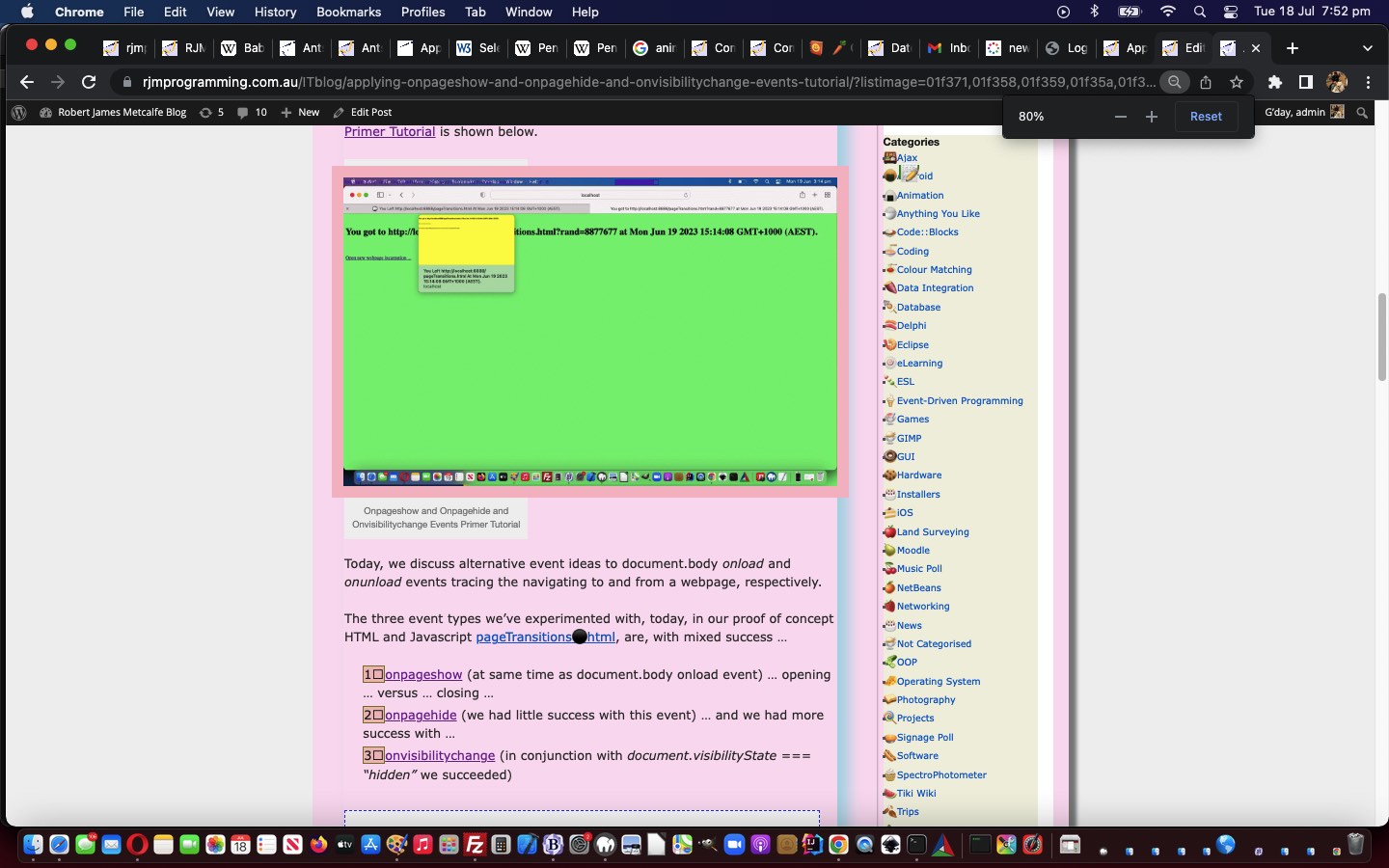
WordPress List Style User Emoji Image List Tutorial

WordPress List Style User Emoji Image List Tutorial

WordPress List Style User Emoji Image List Tutorial

When in yesterday’s WordPress List Style User CSS Middle Pseudo Class Tutorial we said …

(though, come to think of it, there may be another layer of thought before that … we’ll see)

Well, we saw, and did want to allow for four more feature extensions …

  1. allow for a comma separated list (that can correspond, optionally, with a comma separated pseudo-class list) … of …
  2. a mix of “list style” images and/or emojis … all …
  3. rememberable and recallable on a web browser tab via window.sessionStorage … or …
  4. rememberable and recallable on a web browser at any time in any tab via window.localStorage

… as required.

Here are some examples of use (where adding one + to end of URL uses window.sessionStorage and two ++ to end of URL uses window.localStorage) …

… using …

<?php echo ”

function locsess(inldef) {
var outldef=inldef;
if (inldef == '') { // listimage
if (decodeURIComponent(('' + window.localStorage.getItem('listimage')).replace(/^undefined/g,'').replace(/^null/g,'')) != '') {
outldef=decodeURIComponent(window.localStorage.getItem('listimage')).replace(/\%2C/g,',');
if (document.URL.indexOf('listimage=') == -1) {
if (document.URL.indexOf('?') == -1) {
location.href=document.URL.split('#')[0] + '?' + outldef.substring(1);
return inldef;
} else {
location.href=document.URL.split('#')[0] + '' + outldef;
return inldef;
}
}
} else if (decodeURIComponent(('' + window.sessionStorage.getItem('listimage')).replace(/^undefined/g,'').replace(/^null/g,'')) != '') {
outldef=decodeURIComponent(window.sessionStorage.getItem('listimage')).replace(/\%2C/g,',');;
if (document.URL.indexOf('listimage=') == -1) {
if (document.URL.indexOf('?') == -1) {
location.href=document.URL.split('#')[0] + '?' + outldef.substring(1);
return inldef;
} else {
location.href=document.URL.split('#')[0] + '' + outldef;
return inldef;
}
}
}
}
return outldef;
}

function list_style_image_check() {
var hbit=(" height: " + (location.search.split('listhimage=')[1] ? ('' + decodeURIComponent(location.search.split('listhimage=')[1].split('&')[0])) : (location.search.split('listwimage=')[1] ? ('' + Math.round(eval(('' + decodeURIComponent(location.search.split('listwimage=')[1].split('&')[0]))) * 5.0 / 7.0)) : " 25")) + "px; ").replace(' height: 25px; ','');
var wbit=(" width: " + (location.search.split('listwimage=')[1] ? ('' + decodeURIComponent(location.search.split('listwimage=')[1].split('&')[0])) : ' 35') + "px; ").replace(' width: 35px; ','');
var mlit=(" margin-left: " + (location.search.split('listwimage=')[1] ? ('-' + decodeURIComponent(location.search.split('listwimage=')[1].split('&')[0])) : ' -35') + "px; ").replace(' margin-left: -35px; ','');
var listimage='', lsbit='&listimage=', mlbit=('' + wbit + hbit.replace('height','font-size') + hbit + mlit).replace(' width:',' display:inline-block; width:');


if ((document.URL.split('#')[0] + '&').indexOf('listimage=--&') != -1 || (document.URL.split('#')[0] + '&').indexOf('listimage=' + encodeURIComponent('--') + '&') != -1) {
if (decodeURIComponent(('' + window.localStorage.getItem('listimage')).replace(/^undefined/g,'').replace(/^null/g,'')) != '') {
window.localStorage.removeItem('listimage');
}
if (decodeURIComponent(('' + window.sessionStorage.getItem('listimage')).replace(/^undefined/g,'').replace(/^null/g,'')) != '') {
window.sessionStorage.removeItem('listimage');
}
} else if ((document.URL.split('#')[0] + '&').indexOf('listimage=-&') != -1 || (document.URL.split('#')[0] + '&').indexOf('listimage=' + encodeURIComponent('-') + '&') != -1) {
if (decodeURIComponent(('' + window.sessionStorage.getItem('listimage')).replace(/^undefined/g,'').replace(/^null/g,'')) != '') {
window.sessionStorage.removeItem('listimage');
}
}
listimage=location.search.split('listimage=')[1] ? decodeURIComponent(location.search.split('listimage=')[1].split('&')[0]).replace(/\+/g,' ') : locsess("");
if (listimage.replace(/\-/g,'') != '' && (listimage + '@#$').indexOf(' @#$') != -1) {
if (decodeURIComponent(('' + window.localStorage.getItem('listimage')).replace(/^undefined/g,'').replace(/^null/g,'')) != '') {
window.localStorage.removeItem('listimage');
}
lsbit+=encodeURIComponent(listimage.trim());
if ((location.search.split('midpseudoclass=')[1] ? ('' + decodeURIComponent(location.search.split('midpseudoclass=')[1].split('&')[0])) : ":") != ":") {
lsbit+='&midpseudoclass=' + encodeURIComponent((location.search.split('midpseudoclass=')[1] ? ('' + decodeURIComponent(location.search.split('midpseudoclass=')[1].split('&')[0])) : ":"));
}
if ((location.search.split('listwimage=')[1] ? ('' + decodeURIComponent(location.search.split('listwimage=')[1].split('&')[0])) : '') != '') {
lsbit+='&listwimage=' + encodeURIComponent((location.search.split('listwimage=')[1] ? ('' + decodeURIComponent(location.search.split('listwimage=')[1].split('&')[0])) : ''));
}
if ((location.search.split('listhimage=')[1] ? ('' + decodeURIComponent(location.search.split('listhimage=')[1].split('&')[0])) : '') != '') {
lsbit+='&listhimage=' + encodeURIComponent((location.search.split('listhimage=')[1] ? ('' + decodeURIComponent(location.search.split('listhimage=')[1].split('&')[0])) : ''));
}
window.localStorage.setItem('listimage', lsbit);
} else if (listimage.replace(/\-/g,'') != '' && (listimage + '@#$').indexOf(' @#$') != -1) {
if (decodeURIComponent(('' + window.sessionStorage.getItem('listimage')).replace(/^undefined/g,'').replace(/^null/g,'')) != '') {
window.sessionStorage.removeItem('listimage');
}
lsbit+=encodeURIComponent(listimage.trim());
if ((location.search.split('midpseudoclass=')[1] ? ('' + decodeURIComponent(location.search.split('midpseudoclass=')[1].split('&')[0])) : ":") != ":") {
lsbit+='&midpseudoclass=' + encodeURIComponent((location.search.split('midpseudoclass=')[1] ? ('' + decodeURIComponent(location.search.split('midpseudoclass=')[1].split('&')[0])) : ":"));
}
if ((location.search.split('listwimage=')[1] ? ('' + decodeURIComponent(location.search.split('listwimage=')[1].split('&')[0])) : '') != '') {
lsbit+='&listwimage=' + encodeURIComponent((location.search.split('listwimage=')[1] ? ('' + decodeURIComponent(location.search.split('listwimage=')[1].split('&')[0])) : ''));
}
if ((location.search.split('listhimage=')[1] ? ('' + decodeURIComponent(location.search.split('listhimage=')[1].split('&')[0])) : '') != '') {
lsbit+='&listhimage=' + encodeURIComponent((location.search.split('listhimage=')[1] ? ('' + decodeURIComponent(location.search.split('listhimage=')[1].split('&')[0])) : ''));
}
window.sessionStorage.setItem('listimage', lsbit);
}
if (listimage.replace(/\-/g,'') != '') {
var contbit=" content:''; ";
var dbistuff='';
var pclass=(location.search.split('midpseudoclass=')[1] ? ('' + decodeURIComponent(location.search.split('midpseudoclass=')[1].split('&')[0])) : "");
var alistimage=listimage.split(',');
var blistimage=listimage.split('.');
var iblistimage=0, jlistimage=0;
var apclass=pclass.split(',');


if (eval('' + alistimage.length) > 1) {
if (apclass[0].trim() == '') {
if (alistimage[0].toLowerCase().trim().replace(/\./g,'').replace(/0/g,'').replace(/1/g,'').replace(/2/g,'').replace(/3/g,'').replace(/4/g,'').replace(/5/g,'').replace(/6/g,'').replace(/7/g,'').replace(/8/g,'').replace(/9/g,'').replace(/a/g,'').replace(/b/g,'').replace(/c/g,'').replace(/d/g,'').replace(/e/g,'').replace(/f/g,'') != '') {
dbistuff+="<style> ul.noclass li:" + apclass[0] + ":before { content: ''; display: inline-block; height: " + (location.search.split('listhimage=')[1] ? ('' + decodeURIComponent(location.search.split('listhimage=')[1].split('&')[0])) : (location.search.split('listwimage=')[1] ? ('' + Math.round(eval(('' + decodeURIComponent(location.search.split('listwimage=')[1].split('&')[0]))) * 5.0 / 7.0)) : "25")) + "px; width: " + (location.search.split('listwimage=')[1] ? ('' + decodeURIComponent(location.search.split('listwimage=')[1].split('&')[0])) : "35") + "px; background-image: url('" + alistimage[jlistimage] + "'); background-size: contain; background-repeat: no-repeat; margin-left: -" + (location.search.split('listwimage=')[1] ? (':' + decodeURIComponent(location.search.split('listwimage=')[1].split('&')[0])) : "35") + "px; } </style>";
} else {
blistimage=alistimage[0].split('.');
// content:'\000031\0020e3';
contbit=" content:''; ";
contbit=" content:'\\" + ('000000' + blistimage[0]).slice(-6) + "'; ";
for (iblistimage=1; iblistimage<blistimage.length; iblistimage++) {
contbit=contbit.replace("';", "\\" + ('000000' + blistimage[iblistimage]).slice(-6) + "';");
}
dbistuff+="<style> ul.noclass li:" + apclass[0] + ":before { " + contbit + mlbit + " } </style>";
}
apclass[0]='nth-child(1)';
}
for (jlistimage=0; jlistimage<alistimage.length; jlistimage++) {
if (apclass.length <= eval(0 + jlistimage)) {
apclass.push(apclass[0].replace('(1)', '(' + eval(1 + jlistimage) + ')'));
}
if (alistimage[jlistimage].toLowerCase().trim().replace(/\./g,'').replace(/0/g,'').replace(/1/g,'').replace(/2/g,'').replace(/3/g,'').replace(/4/g,'').replace(/5/g,'').replace(/6/g,'').replace(/7/g,'').replace(/8/g,'').replace(/9/g,'').replace(/a/g,'').replace(/b/g,'').replace(/c/g,'').replace(/d/g,'').replace(/e/g,'').replace(/f/g,'') != '') {
dbistuff+="<style> ul.noclass li:" + apclass[jlistimage] + ":before { content: ''; display: inline-block; height: " + (location.search.split('listhimage=')[1] ? ('' + decodeURIComponent(location.search.split('listhimage=')[1].split('&')[0])) : (location.search.split('listwimage=')[1] ? ('' + Math.round(eval(('' + decodeURIComponent(location.search.split('listwimage=')[1].split('&')[0]))) * 5.0 / 7.0)) : "25")) + "px; width: " + (location.search.split('listwimage=')[1] ? ('' + decodeURIComponent(location.search.split('listwimage=')[1].split('&')[0])) : "35") + "px; background-image: url('" + alistimage[jlistimage] + "'); background-size: contain; background-repeat: no-repeat; margin-left: -" + (location.search.split('listwimage=')[1] ? (':' + decodeURIComponent(location.search.split('listwimage=')[1].split('&')[0])) : "35") + "px; } </style>";
} else {
blistimage=alistimage[jlistimage].split('.');
// content:'\000031\0020e3';
contbit=" content:''; ";
contbit=" content:'\\" + ('000000' + blistimage[0]).slice(-6) + "'; ";
for (iblistimage=1; iblistimage<blistimage.length; iblistimage++) {
contbit=contbit.replace("';", "\\" + ('000000' + blistimage[iblistimage]).slice(-6) + "';");
}
dbistuff+="<style> ul.noclass li:" + apclass[jlistimage] + ":before { " + contbit + mlbit + " } </style>";
}
}
document.body.innerHTML+=dbistuff;

} else if (listimage.toLowerCase().trim().replace(/\./g,'').replace(/0/g,'').replace(/1/g,'').replace(/2/g,'').replace(/3/g,'').replace(/4/g,'').replace(/5/g,'').replace(/6/g,'').replace(/7/g,'').replace(/8/g,'').replace(/9/g,'').replace(/a/g,'').replace(/b/g,'').replace(/c/g,'').replace(/d/g,'').replace(/e/g,'').replace(/f/g,'') != '') {
document.body.innerHTML+="<style> ul.noclass li" + (location.search.split('midpseudoclass=')[1] ? (':' + decodeURIComponent(location.search.split('midpseudoclass=')[1].split('&')[0])) : ":") + ":before { content: ''; display: inline-block; height: " + (location.search.split('listhimage=')[1] ? ('' + decodeURIComponent(location.search.split('listhimage=')[1].split('&')[0])) : (location.search.split('listwimage=')[1] ? ('' + Math.round(eval(('' + decodeURIComponent(location.search.split('listwimage=')[1].split('&')[0]))) * 5.0 / 7.0)) : "25")) + "px; width: " + (location.search.split('listwimage=')[1] ? ('' + decodeURIComponent(location.search.split('listwimage=')[1].split('&')[0])) : "35") + "px; background-image: url('" + listimage + "'); background-size: contain; background-repeat: no-repeat; margin-left: -" + (location.search.split('listwimage=')[1] ? (':' + decodeURIComponent(location.search.split('listwimage=')[1].split('&')[0])) : "35") + "px; } </style>";
} else {
// content:'\000031\0020e3';
contbit=" content:'\\" + ('000000' + blistimage[0]).slice(-6) + "'; ";
for (iblistimage=1; iblistimage<blistimage.length; iblistimage++) {
contbit=contbit.replace("';", "\\" + ('000000' + blistimage[iblistimage]).slice(-6) + "';");
}
document.body.innerHTML+="<style> ul.noclass li" + (location.search.split('midpseudoclass=')[1] ? (':' + decodeURIComponent(location.search.split('midpseudoclass=')[1].split('&')[0])) : ":") + ":before { " + contbit + " } </style>";
}
} else if ((location.search.split('midpseudoclass=')[1] ? (':' + decodeURIComponent(location.search.split('midpseudoclass=')[1].split('&')[0])) : ":") != ":") {
var stylestuff='', sparts=document.head.innerHTML.split('ul.noclass li::before {');
if (eval('' + sparts.length) > 1) {
for (var isparts=1; isparts<sparts.length; isparts++) {
stylestuff+=' ' + sparts[isparts].split('}')[0] + ' ';
}
}
if (stylestuff != '') {
document.body.innerHTML+="<style> ul.noclass li" + (location.search.split('midpseudoclass=')[1] ? (':' + decodeURIComponent(location.search.split('midpseudoclass=')[1].split('&')[0])) : ":") + ":before { " + stylestuff + " } </style>";
}
}
}

“; ?>


Previous relevant WordPress List Style User CSS Middle Pseudo Class Tutorial is shown below.
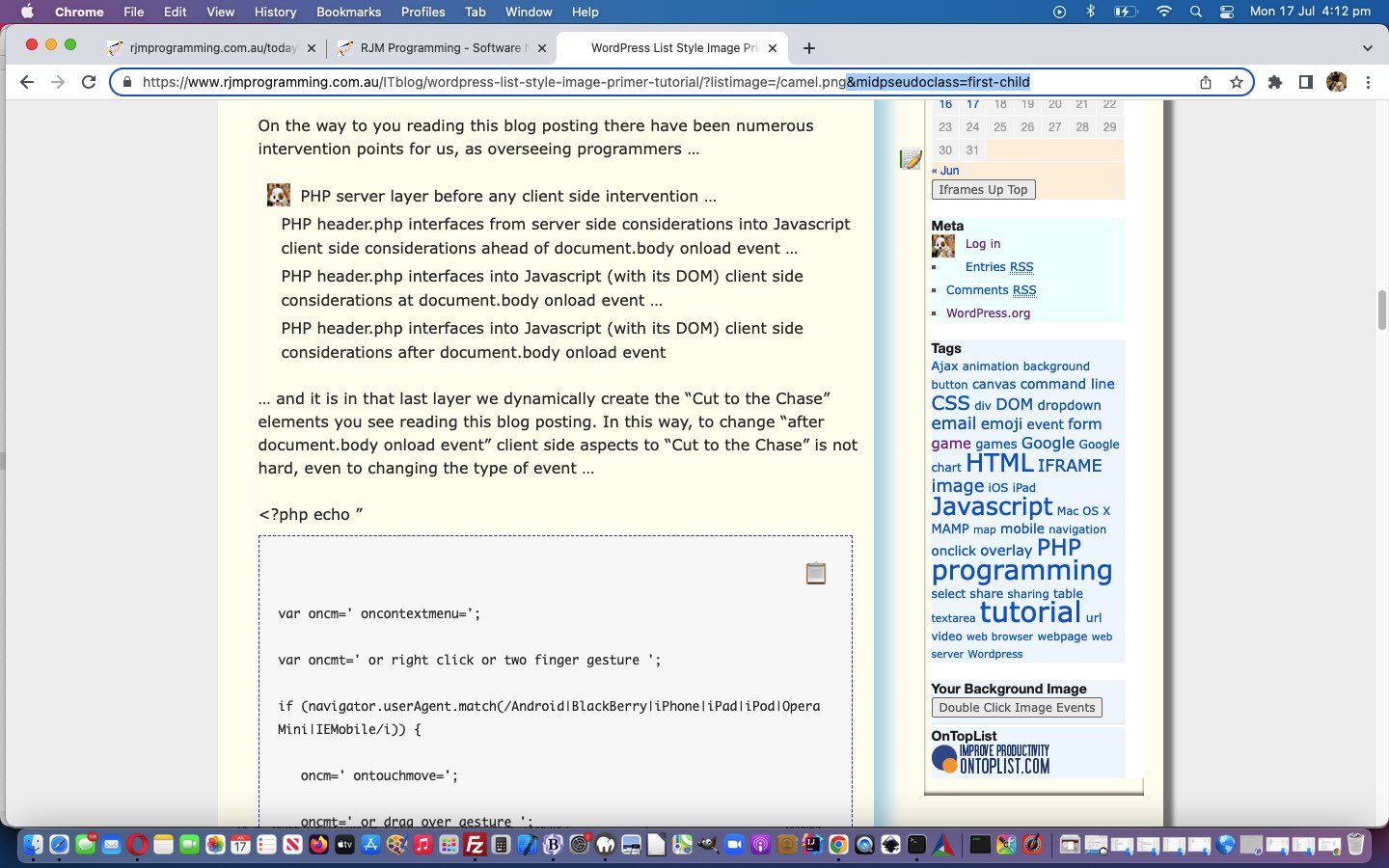
WordPress List Style User CSS Middle Pseudo Class Tutorial

WordPress List Style User CSS Middle Pseudo Class Tutorial

Sorry, but before moving on from yesterday’s WordPress List Style Image Primer Tutorial “ul li” list style image work, we need to add another hard to remember GET argument arrangement, because between the ::


<style> ul li::before { content: ''; display: inline-block; height: 25px; width: 35px; background-image: url('" + listimage + "'); background-size: contain; background-repeat: no-repeat; margin-left: -35px; } </style>

… colons via …

<?php echo ”

function list_style_image_check() {
var listimage=location.search.split('listimage=')[1] ? decodeURIComponent(location.search.split('listimage=')[1].split('&')[0]) : "";
if (listimage != '') {
document.body.innerHTML+="<style> ul.noclass li" + (location.search.split('midpseudoclass=')[1] ? (':' + decodeURIComponent(location.search.split('midpseudoclass=')[1].split('&')[0])) : ":") + ":before { content: ''; display: inline-block; height: 25px; width: 35px; background-image: url('" + listimage + "'); background-size: contain; background-repeat: no-repeat; margin-left: -35px; } </style>";
}
}

“; ?>

… in the CSS styling, the user can now optionally insert, via “&midpseudoclass=[middle pseudo class eg. first-child]” or “?midpseudoclass=[middle pseudo class eg. first-child]” a CSS “ul li” styling additional consideration. For this URL “appendage” you might consider pseudo-class values such as …

And later, we make all this more accessible for user usage (though, come to think of it, there may be another layer of thought before that … we’ll see).

Stop Press

We decided to allow the image dimensions be arguments (probably just 5 minute ones) via …

  • &listwimage=[pixelValue]&listhimage=[pixelValue]
  • &listwimage=[pixelValue]# and listhimage is 5/7 of this

… via …

<?php echo ”

function list_style_image_check() {
var listimage=location.search.split('listimage=')[1] ? decodeURIComponent(location.search.split('listimage=')[1].split('&')[0]) : "";
if (listimage != '') {
document.body.innerHTML+="<style> ul.noclass li" + (location.search.split('midpseudoclass=')[1] ? (':' + decodeURIComponent(location.search.split('midpseudoclass=')[1].split('&')[0])) : ":") + ":before { content: ''; display: inline-block; height: " + (location.search.split('listhimage=')[1] ? ('' + decodeURIComponent(location.search.split('listhimage=')[1].split('&')[0])) : (location.search.split('listwimage=')[1] ? ('' + Math.round(eval(('' + decodeURIComponent(location.search.split('listwimage=')[1].split('&')[0]))) * 5.0 / 7.0)) : "25")) + "px; width: " + (location.search.split('listwimage=')[1] ? ('' + decodeURIComponent(location.search.split('listwimage=')[1].split('&')[0])) : "35") + "px; background-image: url('" + listimage + "'); background-size: contain; background-repeat: no-repeat; margin-left: -" + (location.search.split('listwimage=')[1] ? (':' + decodeURIComponent(location.search.split('listwimage=')[1].split('&')[0])) : "35") + "px; } </style>";
}
}

“; ?>

… so that you can have a “Fifth Fatter Baboon” or “Last Tall Penguin”.


Previous relevant WordPress List Style Image Primer Tutorial is shown below.
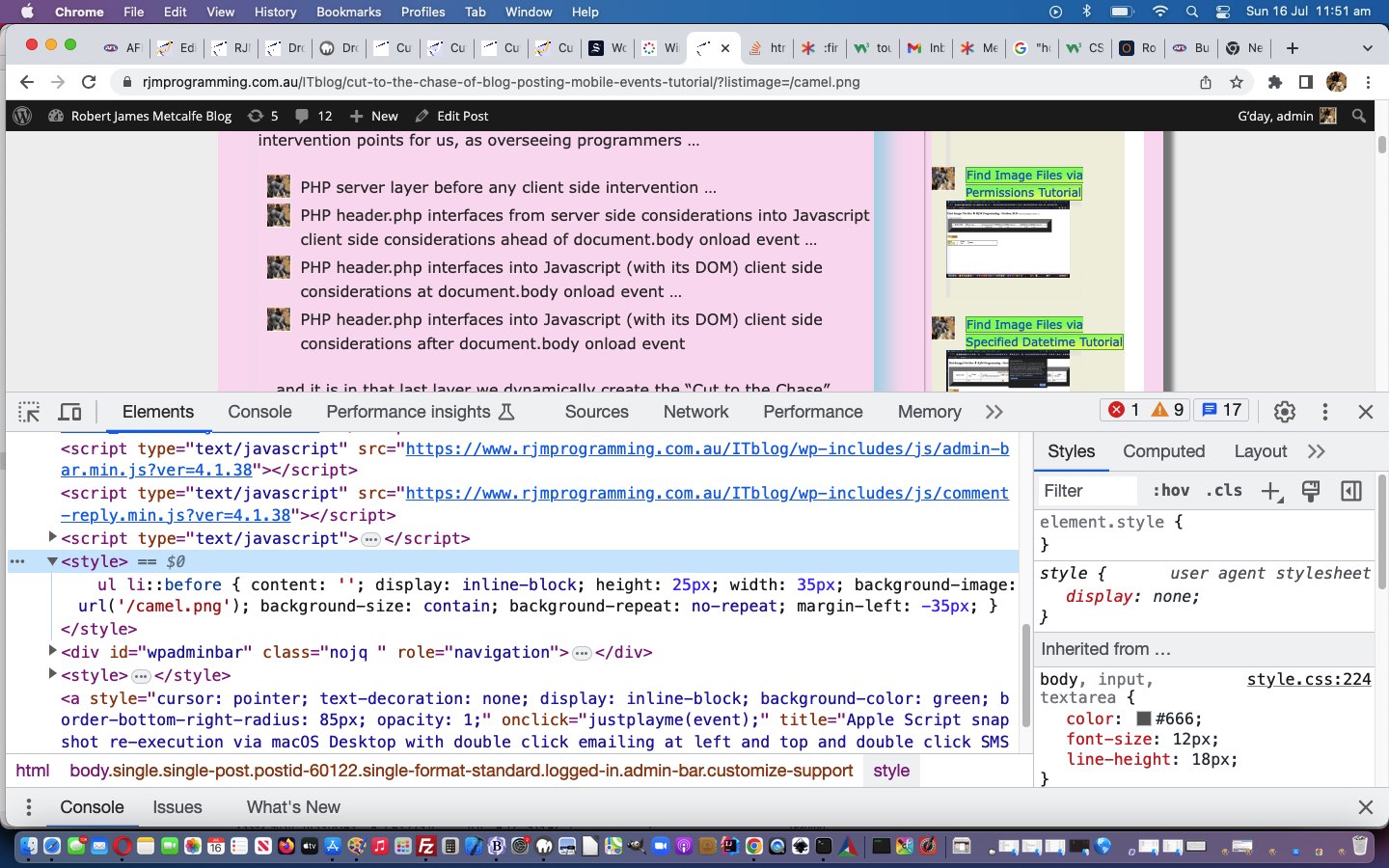
WordPress List Style Image Primer Tutorial

WordPress List Style Image Primer Tutorial

Think it might be part of “the human thaing” to “make associations” or “link things”. As such, our “link” to yesterday’s Cut to the Chase of Blog Posting Mobile Events Tutorial is WordPress blog TwentyTen them’s header.php “thinking”, but quite a different topic, in that today’s “first draft” and “terribly user unfriendly” work today revolves around CSS styling and aesthetics, rather than the event logic discussed yesterday.

In the past we’ve allowed the styling of …


ul li

… ie. “ul” element begets “li” element bullet point “looks” be user controllable … in terms of emoji usage. Well, today, we add onto that possibility, the possibility to use an image rather than an emoji, though you could hardly call our “first draft” of this in any way easily “user controllable” (but appending to a WordPress blog URL ?listimage=[someImageURL] …

<?php echo ”

function list_style_image_check() {
var listimage=location.search.split('listimage=')[1] ? decodeURIComponent(location.search.split('listimage=')[1].split('&')[0]) : "";
if (listimage != '') {
document.body.innerHTML+="<style> ul li::before { content: ''; display: inline-block; height: 25px; width: 35px; background-image: url('" + listimage + "'); background-size: contain; background-repeat: no-repeat; margin-left: -35px; } </style>";
}
}

“; ?>

… is the “behind the scenes approach” called at the document.body onload event header.php is privy to). We thank this enormously useful website for great advice here, and in days to come we improve on that “user unfriendliness”.


Previous relevant Cut to the Chase of Blog Posting Mobile Events Tutorial is shown below.
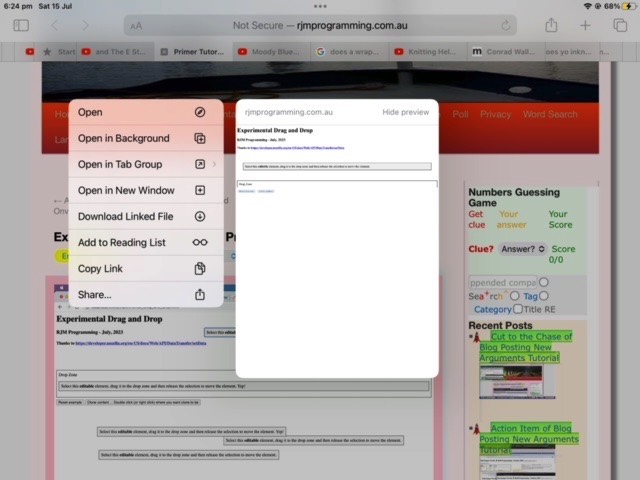
Cut to the Chase of Blog Posting Mobile Events Tutorial

Cut to the Chase of Blog Posting Mobile Events Tutorial

On the way to you reading this blog posting there have been numerous intervention points for us, as overseeing programmers …

  • PHP server layer before any client side intervention …
  • PHP header.php interfaces from server side considerations into Javascript client side considerations ahead of document.body onload event …
  • PHP header.php interfaces into Javascript (with its DOM) client side considerations at document.body onload event …
  • PHP header.php interfaces into Javascript (with its DOM) client side considerations after document.body onload event

… and it is in that last layer we dynamically create the “Cut to the Chase” elements you see reading this blog posting. In this way, to change “after document.body onload event” client side aspects to “Cut to the Chase” is not hard, even to changing the type of event …

<?php echo ”

var oncm=' oncontextmenu=';
var oncmt=' or right click or two finger gesture ';
if (navigator.userAgent.match(/Android|BlackBerry|iPhone|iPad|iPod|Opera Mini|IEMobile/i)) {
oncm=' ontouchmove=';
oncmt=' or drag over gesture ';
}

“; ?>

… some “Cut to the Chase” element Javascript logic points at.

And so, given yesterday’s “wet lettuce” mobile platform response to the “oncontextmenu” intervention yesterday, we’re changing yesterday’s …

<?php echo ”

tworp.innerHTML = tworp.innerHTML.replace("<li>", "<li title='Cut to The Chase ... ... double click " + oncmt + " for blog posting image involvement'" + oncm + "' findthing=\"" + rptdtitle[ieight] + "\"; setTimeout(rcrplater,1000); nothanks=false; ' ondblclick=' findthing=\"" + rptdtitle[ieight] + "\"; setTimeout(dblrplater,1000); nothanks=false; ' onclick=' findthing=\"" + rptdtitle[ieight] + "\"; setTimeout(rplater,1000); nothanks=false; ' class='" + eight[ieight] + "'>");
// ... and ...
xpspana[ximb].innerHTML+=' <div style="display:inline-block;border:3px solid rgba(255,165,0,0.4); background-color:rgba(255,255,0,0.3); " id=cc' + zspare + '><a target=_blank style="cursor:pointer;display:inline-block;text-decoration:none; font-size:12px;" ondblclick="dblrplatern(' + String.fromCharCode(39) + xspare + String.fromCharCode(39) + ');" ' + oncm + '"rcrplatern(' + String.fromCharCode(39) + xspare + String.fromCharCode(39) + ');" href=//www.rjmprogramming.com.au/slideshow.html?title=' + encodeURIComponent(xspare) + ' " title="Cut to the Chase ... double click ' + oncmt + ' for blog posting image involvement ... to (the gist of) ' + (xspare) + '" id=tcc' + zspare + '>&#9986;</a><a target=_blank style="background: rgba(0,255,0,0.3); background: -webkit-linear-gradient(left top, rgba(0,255,0,0.3), rgba(255,255,0,0.3)); background: -o-linear-gradient(bottom right, rgba(0,255,0,0.3), rgba(255,255,0,0.3)); background: -moz-linear-gradient(bottom right, rgba(0,255,0,0.3), rgba(255,255,0,0.3)); background: linear-gradient(to bottom right, rgba(0,255,0,0.3), rgba(255,255,0,0.3)); cursor:pointer;display:inline-block;text-decoration:none;transform: scale(-1, 1); -o-transform: scale(-1, 1); -moz-transform: scale(-1, 1); -ms-transform: scale(-1, 1); -webkit-transform: scale(-1, 1); font-size:12px;" ondblclick="dblrplatern(' + String.fromCharCode(39) + xspare + String.fromCharCode(39) + ');" ' + oncm + '"rcrplatern(' + String.fromCharCode(39) + xspare + String.fromCharCode(39) + ');" href=//www.rjmprogramming.com.au/slideshow.html?title=' + encodeURIComponent(xspare) + ' " title="Cut to the Chase ... double click ' + oncmt + ' for blog posting image involvement ... to (the gist of) ' + (xspare) + '" id=ttcc' + zspare + '>&#127939;&#127998;&#8205;&#9792;&#65039;&#127939;&#127996;&#8205;&#9794;&#65039;</a><iframe style=display:none; id=icc' + zspare + ' src=></iframe></div>';

“; ?>

… to improve on yesterday’s Cut to the Chase of Blog Posting New Arguments Tutorial‘s offerings up at this WordPress blog’s TwentyTen theme’s header.php PHP code.


Previous relevant Cut to the Chase of Blog Posting New Arguments Tutorial is shown below.
Cut to the Chase of Blog Posting New Arguments Tutorial

Cut to the Chase of Blog Posting New Arguments Tutorial

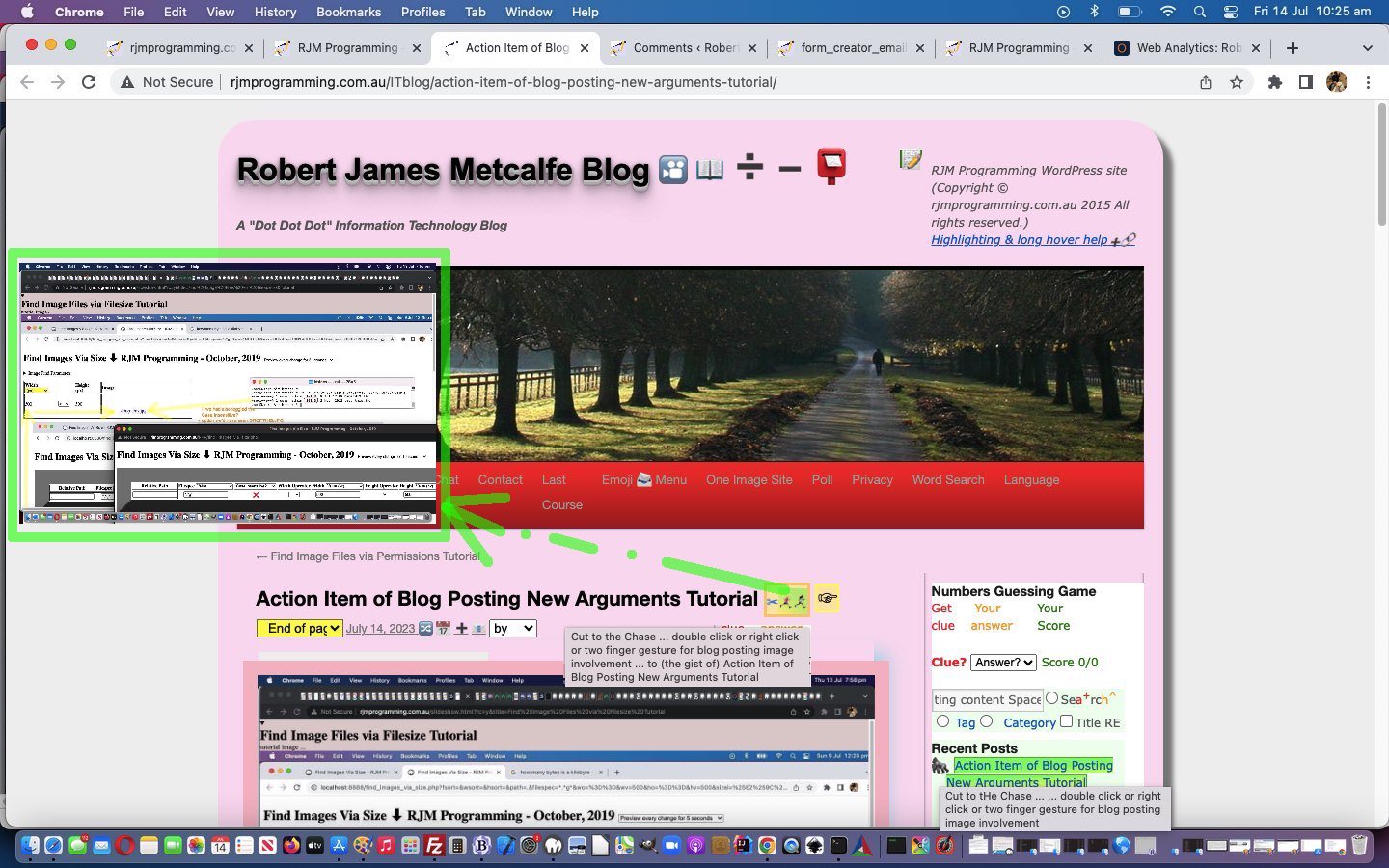
Yes, yesterday’s Action Item of Blog Posting New Arguments Tutorial‘s work was all about extending what our “Cut to the Chase” functionality is capable of, by adding to any existant …

  • onclick event logic … with …
  • ondblclick event showing of the blog posting tutorial image as well as the action item in a new web browser tab
  • oncontextmenu event (ie. right click or two finger gesture) showing of the blog posting tutorial image as well as the action item in a new web browser window

… and as well as yesterday’s slideshow.html preparatory work, we needed to change our good ol’ WordPress TwentyTen themed header.php (in amongst its Javascript) as below to make this idea a reality …

New Javascript functions …
<?php echo ”

function dblrplatern(ft) {
window.open("//www.rjmprogramming.com.au/slideshow.html?dc=y&title=" + encodeURIComponent(ft), "_blank");
}

function rcrplatern(ft) {
window.open("//www.rjmprogramming.com.au/slideshow.html?rc=y&title=" + encodeURIComponent(ft), "_blank");
}


function dblrplater() {
if (findthing != "") {
window.open("//www.rjmprogramming.com.au/slideshow.html?dc=y&title=" + encodeURIComponent(findthing), "_blank");
findthing="";
}
nothanks=false;
}


function rcrplater() {
if (findthing != "") {
window.open("//www.rjmprogramming.com.au/slideshow.html?rc=y&title=" + encodeURIComponent(findthing), "_blank");
findthing="";
}
nothanks=false;
}

“; ?>
… and changes to any “Cut to the Chase” linking elements … for example …
<?php echo ”

tworp.innerHTML = tworp.innerHTML.replace("<li>", "<li title='Cut to The Chase ... ... double click or right click or two finger gesture for blog posting image involvement' oncontextmenu=' findthing=\"" + rptdtitle[ieight] + "\"; setTimeout(rcrplater,1000); nothanks=false; ' ondblclick=' findthing=\"" + rptdtitle[ieight] + "\"; setTimeout(dblrplater,1000); nothanks=false; ' onclick=' findthing=\"" + rptdtitle[ieight] + "\"; setTimeout(rplater,1000); nothanks=false; ' class='" + eight[ieight] + "'>");
// ... and ...
xpspana[ximb].innerHTML+=' <div style="display:inline-block;border:3px solid rgba(255,165,0,0.4); background-color:rgba(255,255,0,0.3); " id=cc' + zspare + '><a target=_blank style="cursor:pointer;display:inline-block;text-decoration:none; font-size:12px;" ondblclick="dblrplatern(' + String.fromCharCode(39) + xspare + String.fromCharCode(39) + ');" oncontextmenu="rcrplatern(' + String.fromCharCode(39) + xspare + String.fromCharCode(39) + ');" href=//www.rjmprogramming.com.au/slideshow.html?title=' + encodeURIComponent(xspare) + ' " title="Cut to the Chase ... double click or right click or two finger gesture for blog posting image involvement ... to (the gist of) ' + (xspare) + '" id=tcc' + zspare + '>&#9986;</a><a target=_blank style="background: rgba(0,255,0,0.3); background: -webkit-linear-gradient(left top, rgba(0,255,0,0.3), rgba(255,255,0,0.3)); background: -o-linear-gradient(bottom right, rgba(0,255,0,0.3), rgba(255,255,0,0.3)); background: -moz-linear-gradient(bottom right, rgba(0,255,0,0.3), rgba(255,255,0,0.3)); background: linear-gradient(to bottom right, rgba(0,255,0,0.3), rgba(255,255,0,0.3)); cursor:pointer;display:inline-block;text-decoration:none;transform: scale(-1, 1); -o-transform: scale(-1, 1); -moz-transform: scale(-1, 1); -ms-transform: scale(-1, 1); -webkit-transform: scale(-1, 1); font-size:12px;" ondblclick="dblrplatern(' + String.fromCharCode(39) + xspare + String.fromCharCode(39) + ');" oncontextmenu="rcrplatern(' + String.fromCharCode(39) + xspare + String.fromCharCode(39) + ');" href=//www.rjmprogramming.com.au/slideshow.html?title=' + encodeURIComponent(xspare) + ' " title="Cut to the Chase ... double click or right click or two finger gesture for blog posting image involvement ... to (the gist of) ' + (xspare) + '" id=ttcc' + zspare + '>&#127939;&#127998;&#8205;&#9792;&#65039;&#127939;&#127996;&#8205;&#9794;&#65039;</a><iframe style=display:none; id=icc' + zspare + ' src=></iframe></div>';

“; ?>


Previous relevant Action Item of Blog Posting New Arguments Tutorial is shown below.
Action Item of Blog Posting New Arguments Tutorial

Action Item of Blog Posting New Arguments Tutorial

Around here, with our WordPress blog postings, we indulge the concepts of …

  • the blog posting title
  • the blog posting text content
  • the blog posting tutorial image
  • the blog posting action item

… that last one sometimes being the same as the penultimate “tutorial image” concept, but more usually some web application URL or URL to some other place of interest.

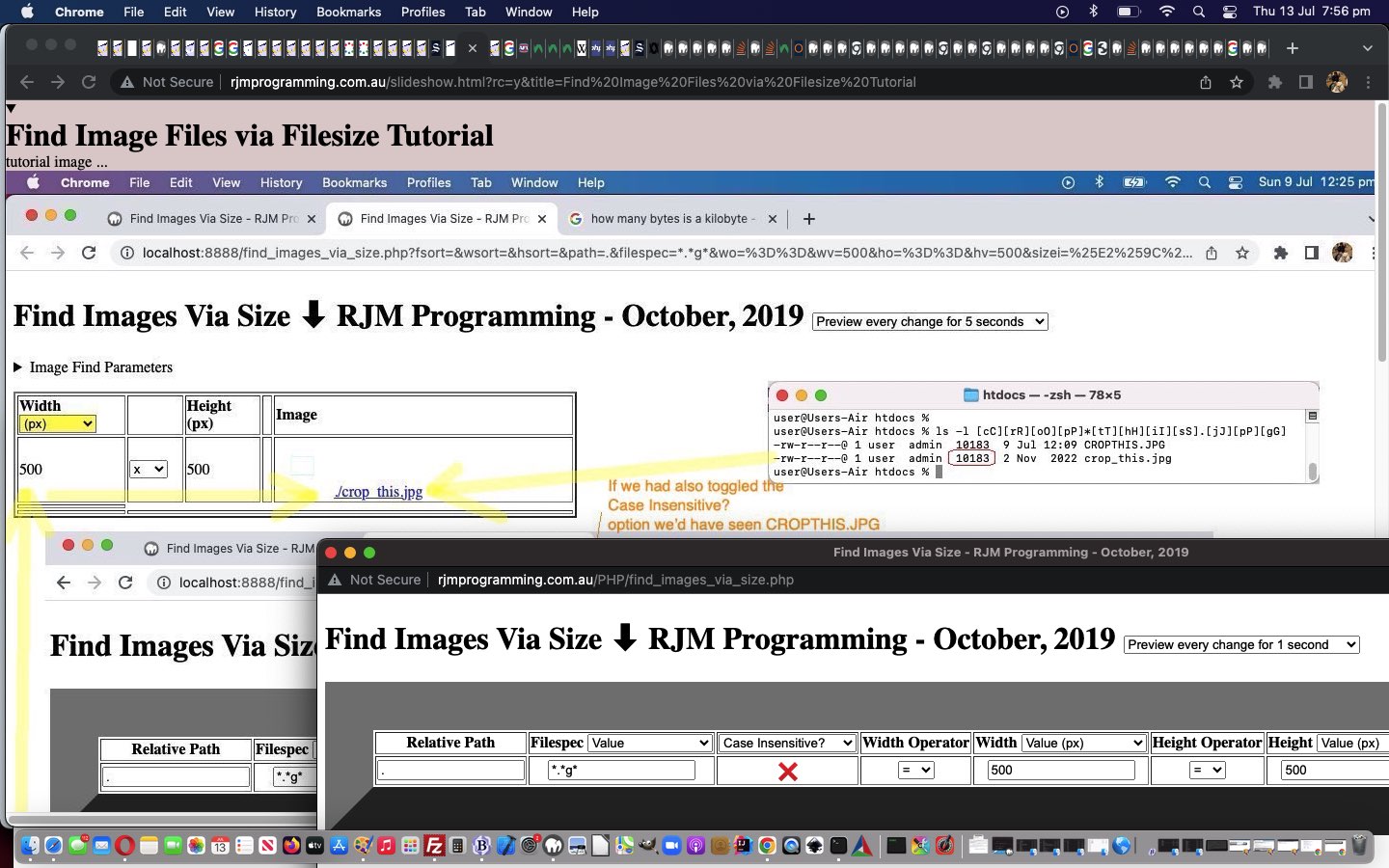
And we have an HTML and Javascript web application that treats that “action item” as the centre of attention, rather than the usual “blog posting” focus. It is called slideshow.html and we have changed it today for some purposes we’ll go further into with tomorrow’s blog posting. We’ve added Javascript logic to accept URL ? (GET) arguments …

  • ?dc=
  • ?rc=

… in readiness to add functionality improvements around here.

Perhaps you can see ahead to tomorrow examining the changed slideshow.html “action item” as the centre of attention web application?

If this was interesting you may be interested in this too.


If this was interesting you may be interested in this too.

If this was interesting you may be interested in this too.

If this was interesting you may be interested in this too.

If this was interesting you may be interested in this too.

If this was interesting you may be interested in this too.
Posted in eLearning, Event-Driven Programming, Tutorials | Tagged , , , , , , , , , , , , , , , , , , , , , , , , , , , , , , , , , , , , , | Leave a comment

WordPress List Style User CSS Middle Pseudo Class Tutorial

WordPress List Style User CSS Middle Pseudo Class Tutorial

WordPress List Style User CSS Middle Pseudo Class Tutorial

Sorry, but before moving on from yesterday’s WordPress List Style Image Primer Tutorial “ul li” list style image work, we need to add another hard to remember GET argument arrangement, because between the ::


<style> ul li::before { content: ''; display: inline-block; height: 25px; width: 35px; background-image: url('" + listimage + "'); background-size: contain; background-repeat: no-repeat; margin-left: -35px; } </style>

… colons via …

<?php echo ”

function list_style_image_check() {
var listimage=location.search.split('listimage=')[1] ? decodeURIComponent(location.search.split('listimage=')[1].split('&')[0]) : "";
if (listimage != '') {
document.body.innerHTML+="<style> ul.noclass li" + (location.search.split('midpseudoclass=')[1] ? (':' + decodeURIComponent(location.search.split('midpseudoclass=')[1].split('&')[0])) : ":") + ":before { content: ''; display: inline-block; height: 25px; width: 35px; background-image: url('" + listimage + "'); background-size: contain; background-repeat: no-repeat; margin-left: -35px; } </style>";
}
}

“; ?>

… in the CSS styling, the user can now optionally insert, via “&midpseudoclass=[middle pseudo class eg. first-child]” or “?midpseudoclass=[middle pseudo class eg. first-child]” a CSS “ul li” styling additional consideration. For this URL “appendage” you might consider pseudo-class values such as …

And later, we make all this more accessible for user usage (though, come to think of it, there may be another layer of thought before that … we’ll see).

Stop Press

We decided to allow the image dimensions be arguments (probably just 5 minute ones) via …

  • &listwimage=[pixelValue]&listhimage=[pixelValue]
  • &listwimage=[pixelValue]# and listhimage is 5/7 of this

… via …

<?php echo ”

function list_style_image_check() {
var listimage=location.search.split('listimage=')[1] ? decodeURIComponent(location.search.split('listimage=')[1].split('&')[0]) : "";
if (listimage != '') {
document.body.innerHTML+="<style> ul.noclass li" + (location.search.split('midpseudoclass=')[1] ? (':' + decodeURIComponent(location.search.split('midpseudoclass=')[1].split('&')[0])) : ":") + ":before { content: ''; display: inline-block; height: " + (location.search.split('listhimage=')[1] ? ('' + decodeURIComponent(location.search.split('listhimage=')[1].split('&')[0])) : (location.search.split('listwimage=')[1] ? ('' + Math.round(eval(('' + decodeURIComponent(location.search.split('listwimage=')[1].split('&')[0]))) * 5.0 / 7.0)) : "25")) + "px; width: " + (location.search.split('listwimage=')[1] ? ('' + decodeURIComponent(location.search.split('listwimage=')[1].split('&')[0])) : "35") + "px; background-image: url('" + listimage + "'); background-size: contain; background-repeat: no-repeat; margin-left: -" + (location.search.split('listwimage=')[1] ? (':' + decodeURIComponent(location.search.split('listwimage=')[1].split('&')[0])) : "35") + "px; } </style>";
}
}

“; ?>

… so that you can have a “Fifth Fatter Baboon” or “Last Tall Penguin”.


Previous relevant WordPress List Style Image Primer Tutorial is shown below.

WordPress List Style Image Primer Tutorial

WordPress List Style Image Primer Tutorial

Think it might be part of “the human thaing” to “make associations” or “link things”. As such, our “link” to yesterday’s Cut to the Chase of Blog Posting Mobile Events Tutorial is WordPress blog TwentyTen them’s header.php “thinking”, but quite a different topic, in that today’s “first draft” and “terribly user unfriendly” work today revolves around CSS styling and aesthetics, rather than the event logic discussed yesterday.

In the past we’ve allowed the styling of …


ul li

… ie. “ul” element begets “li” element bullet point “looks” be user controllable … in terms of emoji usage. Well, today, we add onto that possibility, the possibility to use an image rather than an emoji, though you could hardly call our “first draft” of this in any way easily “user controllable” (but appending to a WordPress blog URL ?listimage=[someImageURL] …

<?php echo ”

function list_style_image_check() {
var listimage=location.search.split('listimage=')[1] ? decodeURIComponent(location.search.split('listimage=')[1].split('&')[0]) : "";
if (listimage != '') {
document.body.innerHTML+="<style> ul li::before { content: ''; display: inline-block; height: 25px; width: 35px; background-image: url('" + listimage + "'); background-size: contain; background-repeat: no-repeat; margin-left: -35px; } </style>";
}
}

“; ?>

… is the “behind the scenes approach” called at the document.body onload event header.php is privy to). We thank this enormously useful website for great advice here, and in days to come we improve on that “user unfriendliness”.


Previous relevant Cut to the Chase of Blog Posting Mobile Events Tutorial is shown below.

Cut to the Chase of Blog Posting Mobile Events Tutorial

Cut to the Chase of Blog Posting Mobile Events Tutorial

On the way to you reading this blog posting there have been numerous intervention points for us, as overseeing programmers …

  • PHP server layer before any client side intervention …
  • PHP header.php interfaces from server side considerations into Javascript client side considerations ahead of document.body onload event …
  • PHP header.php interfaces into Javascript (with its DOM) client side considerations at document.body onload event …
  • PHP header.php interfaces into Javascript (with its DOM) client side considerations after document.body onload event

… and it is in that last layer we dynamically create the “Cut to the Chase” elements you see reading this blog posting. In this way, to change “after document.body onload event” client side aspects to “Cut to the Chase” is not hard, even to changing the type of event …

<?php echo ”

var oncm=' oncontextmenu=';
var oncmt=' or right click or two finger gesture ';
if (navigator.userAgent.match(/Android|BlackBerry|iPhone|iPad|iPod|Opera Mini|IEMobile/i)) {
oncm=' ontouchmove=';
oncmt=' or drag over gesture ';
}

“; ?>

… some “Cut to the Chase” element Javascript logic points at.

And so, given yesterday’s “wet lettuce” mobile platform response to the “oncontextmenu” intervention yesterday, we’re changing yesterday’s …

<?php echo ”

tworp.innerHTML = tworp.innerHTML.replace("<li>", "<li title='Cut to The Chase ... ... double click " + oncmt + " for blog posting image involvement'" + oncm + "' findthing=\"" + rptdtitle[ieight] + "\"; setTimeout(rcrplater,1000); nothanks=false; ' ondblclick=' findthing=\"" + rptdtitle[ieight] + "\"; setTimeout(dblrplater,1000); nothanks=false; ' onclick=' findthing=\"" + rptdtitle[ieight] + "\"; setTimeout(rplater,1000); nothanks=false; ' class='" + eight[ieight] + "'>");
// ... and ...
xpspana[ximb].innerHTML+=' <div style="display:inline-block;border:3px solid rgba(255,165,0,0.4); background-color:rgba(255,255,0,0.3); " id=cc' + zspare + '><a target=_blank style="cursor:pointer;display:inline-block;text-decoration:none; font-size:12px;" ondblclick="dblrplatern(' + String.fromCharCode(39) + xspare + String.fromCharCode(39) + ');" ' + oncm + '"rcrplatern(' + String.fromCharCode(39) + xspare + String.fromCharCode(39) + ');" href=//www.rjmprogramming.com.au/slideshow.html?title=' + encodeURIComponent(xspare) + ' " title="Cut to the Chase ... double click ' + oncmt + ' for blog posting image involvement ... to (the gist of) ' + (xspare) + '" id=tcc' + zspare + '>&#9986;</a><a target=_blank style="background: rgba(0,255,0,0.3); background: -webkit-linear-gradient(left top, rgba(0,255,0,0.3), rgba(255,255,0,0.3)); background: -o-linear-gradient(bottom right, rgba(0,255,0,0.3), rgba(255,255,0,0.3)); background: -moz-linear-gradient(bottom right, rgba(0,255,0,0.3), rgba(255,255,0,0.3)); background: linear-gradient(to bottom right, rgba(0,255,0,0.3), rgba(255,255,0,0.3)); cursor:pointer;display:inline-block;text-decoration:none;transform: scale(-1, 1); -o-transform: scale(-1, 1); -moz-transform: scale(-1, 1); -ms-transform: scale(-1, 1); -webkit-transform: scale(-1, 1); font-size:12px;" ondblclick="dblrplatern(' + String.fromCharCode(39) + xspare + String.fromCharCode(39) + ');" ' + oncm + '"rcrplatern(' + String.fromCharCode(39) + xspare + String.fromCharCode(39) + ');" href=//www.rjmprogramming.com.au/slideshow.html?title=' + encodeURIComponent(xspare) + ' " title="Cut to the Chase ... double click ' + oncmt + ' for blog posting image involvement ... to (the gist of) ' + (xspare) + '" id=ttcc' + zspare + '>&#127939;&#127998;&#8205;&#9792;&#65039;&#127939;&#127996;&#8205;&#9794;&#65039;</a><iframe style=display:none; id=icc' + zspare + ' src=></iframe></div>';

“; ?>

… to improve on yesterday’s Cut to the Chase of Blog Posting New Arguments Tutorial‘s offerings up at this WordPress blog’s TwentyTen theme’s header.php PHP code.


Previous relevant Cut to the Chase of Blog Posting New Arguments Tutorial is shown below.

Cut to the Chase of Blog Posting New Arguments Tutorial

Cut to the Chase of Blog Posting New Arguments Tutorial

Yes, yesterday’s Action Item of Blog Posting New Arguments Tutorial‘s work was all about extending what our “Cut to the Chase” functionality is capable of, by adding to any existant …

  • onclick event logic … with …
  • ondblclick event showing of the blog posting tutorial image as well as the action item in a new web browser tab
  • oncontextmenu event (ie. right click or two finger gesture) showing of the blog posting tutorial image as well as the action item in a new web browser window

… and as well as yesterday’s slideshow.html preparatory work, we needed to change our good ol’ WordPress TwentyTen themed header.php (in amongst its Javascript) as below to make this idea a reality …

New Javascript functions …
<?php echo ”

function dblrplatern(ft) {
window.open("//www.rjmprogramming.com.au/slideshow.html?dc=y&title=" + encodeURIComponent(ft), "_blank");
}

function rcrplatern(ft) {
window.open("//www.rjmprogramming.com.au/slideshow.html?rc=y&title=" + encodeURIComponent(ft), "_blank");
}


function dblrplater() {
if (findthing != "") {
window.open("//www.rjmprogramming.com.au/slideshow.html?dc=y&title=" + encodeURIComponent(findthing), "_blank");
findthing="";
}
nothanks=false;
}


function rcrplater() {
if (findthing != "") {
window.open("//www.rjmprogramming.com.au/slideshow.html?rc=y&title=" + encodeURIComponent(findthing), "_blank");
findthing="";
}
nothanks=false;
}

“; ?>
… and changes to any “Cut to the Chase” linking elements … for example …
<?php echo ”

tworp.innerHTML = tworp.innerHTML.replace("<li>", "<li title='Cut to The Chase ... ... double click or right click or two finger gesture for blog posting image involvement' oncontextmenu=' findthing=\"" + rptdtitle[ieight] + "\"; setTimeout(rcrplater,1000); nothanks=false; ' ondblclick=' findthing=\"" + rptdtitle[ieight] + "\"; setTimeout(dblrplater,1000); nothanks=false; ' onclick=' findthing=\"" + rptdtitle[ieight] + "\"; setTimeout(rplater,1000); nothanks=false; ' class='" + eight[ieight] + "'>");
// ... and ...
xpspana[ximb].innerHTML+=' <div style="display:inline-block;border:3px solid rgba(255,165,0,0.4); background-color:rgba(255,255,0,0.3); " id=cc' + zspare + '><a target=_blank style="cursor:pointer;display:inline-block;text-decoration:none; font-size:12px;" ondblclick="dblrplatern(' + String.fromCharCode(39) + xspare + String.fromCharCode(39) + ');" oncontextmenu="rcrplatern(' + String.fromCharCode(39) + xspare + String.fromCharCode(39) + ');" href=//www.rjmprogramming.com.au/slideshow.html?title=' + encodeURIComponent(xspare) + ' " title="Cut to the Chase ... double click or right click or two finger gesture for blog posting image involvement ... to (the gist of) ' + (xspare) + '" id=tcc' + zspare + '>&#9986;</a><a target=_blank style="background: rgba(0,255,0,0.3); background: -webkit-linear-gradient(left top, rgba(0,255,0,0.3), rgba(255,255,0,0.3)); background: -o-linear-gradient(bottom right, rgba(0,255,0,0.3), rgba(255,255,0,0.3)); background: -moz-linear-gradient(bottom right, rgba(0,255,0,0.3), rgba(255,255,0,0.3)); background: linear-gradient(to bottom right, rgba(0,255,0,0.3), rgba(255,255,0,0.3)); cursor:pointer;display:inline-block;text-decoration:none;transform: scale(-1, 1); -o-transform: scale(-1, 1); -moz-transform: scale(-1, 1); -ms-transform: scale(-1, 1); -webkit-transform: scale(-1, 1); font-size:12px;" ondblclick="dblrplatern(' + String.fromCharCode(39) + xspare + String.fromCharCode(39) + ');" oncontextmenu="rcrplatern(' + String.fromCharCode(39) + xspare + String.fromCharCode(39) + ');" href=//www.rjmprogramming.com.au/slideshow.html?title=' + encodeURIComponent(xspare) + ' " title="Cut to the Chase ... double click or right click or two finger gesture for blog posting image involvement ... to (the gist of) ' + (xspare) + '" id=ttcc' + zspare + '>&#127939;&#127998;&#8205;&#9792;&#65039;&#127939;&#127996;&#8205;&#9794;&#65039;</a><iframe style=display:none; id=icc' + zspare + ' src=></iframe></div>';

“; ?>


Previous relevant Action Item of Blog Posting New Arguments Tutorial is shown below.

Action Item of Blog Posting New Arguments Tutorial

Action Item of Blog Posting New Arguments Tutorial

Around here, with our WordPress blog postings, we indulge the concepts of …

  • the blog posting title
  • the blog posting text content
  • the blog posting tutorial image
  • the blog posting action item

… that last one sometimes being the same as the penultimate “tutorial image” concept, but more usually some web application URL or URL to some other place of interest.

And we have an HTML and Javascript web application that treats that “action item” as the centre of attention, rather than the usual “blog posting” focus. It is called slideshow.html and we have changed it today for some purposes we’ll go further into with tomorrow’s blog posting. We’ve added Javascript logic to accept URL ? (GET) arguments …

  • ?dc=
  • ?rc=

… in readiness to add functionality improvements around here.

Perhaps you can see ahead to tomorrow examining the changed slideshow.html “action item” as the centre of attention web application?

If this was interesting you may be interested in this too.


If this was interesting you may be interested in this too.

If this was interesting you may be interested in this too.


If this was interesting you may be interested in this too.


If this was interesting you may be interested in this too.

Posted in eLearning, Event-Driven Programming, Tutorials | Tagged , , , , , , , , , , , , , , , , , , , , , , , , , , , , , , , | Leave a comment

WordPress List Style Image Primer Tutorial

WordPress List Style Image Primer Tutorial

WordPress List Style Image Primer Tutorial

Think it might be part of “the human thaing” to “make associations” or “link things”. As such, our “link” to yesterday’s Cut to the Chase of Blog Posting Mobile Events Tutorial is WordPress blog TwentyTen them’s header.php “thinking”, but quite a different topic, in that today’s “first draft” and “terribly user unfriendly” work today revolves around CSS styling and aesthetics, rather than the event logic discussed yesterday.

In the past we’ve allowed the styling of …


ul li

… ie. “ul” element begets “li” element bullet point “looks” be user controllable … in terms of emoji usage. Well, today, we add onto that possibility, the possibility to use an image rather than an emoji, though you could hardly call our “first draft” of this in any way easily “user controllable” (but appending to a WordPress blog URL ?listimage=[someImageURL] …

<?php echo ”

function list_style_image_check() {
var listimage=location.search.split('listimage=')[1] ? decodeURIComponent(location.search.split('listimage=')[1].split('&')[0]) : "";
if (listimage != '') {
document.body.innerHTML+="<style> ul li::before { content: ''; display: inline-block; height: 25px; width: 35px; background-image: url('" + listimage + "'); background-size: contain; background-repeat: no-repeat; margin-left: -35px; } </style>";
}
}

“; ?>

… is the “behind the scenes approach” called at the document.body onload event header.php is privy to). We thank this enormously useful website for great advice here, and in days to come we improve on that “user unfriendliness”.


Previous relevant Cut to the Chase of Blog Posting Mobile Events Tutorial is shown below.

Cut to the Chase of Blog Posting Mobile Events Tutorial

Cut to the Chase of Blog Posting Mobile Events Tutorial

On the way to you reading this blog posting there have been numerous intervention points for us, as overseeing programmers …

  • PHP server layer before any client side intervention …
  • PHP header.php interfaces from server side considerations into Javascript client side considerations ahead of document.body onload event …
  • PHP header.php interfaces into Javascript (with its DOM) client side considerations at document.body onload event …
  • PHP header.php interfaces into Javascript (with its DOM) client side considerations after document.body onload event

… and it is in that last layer we dynamically create the “Cut to the Chase” elements you see reading this blog posting. In this way, to change “after document.body onload event” client side aspects to “Cut to the Chase” is not hard, even to changing the type of event …

<?php echo ”

var oncm=' oncontextmenu=';
var oncmt=' or right click or two finger gesture ';
if (navigator.userAgent.match(/Android|BlackBerry|iPhone|iPad|iPod|Opera Mini|IEMobile/i)) {
oncm=' ontouchmove=';
oncmt=' or drag over gesture ';
}

“; ?>

… some “Cut to the Chase” element Javascript logic points at.

And so, given yesterday’s “wet lettuce” mobile platform response to the “oncontextmenu” intervention yesterday, we’re changing yesterday’s …

<?php echo ”

tworp.innerHTML = tworp.innerHTML.replace("<li>", "<li title='Cut to The Chase ... ... double click " + oncmt + " for blog posting image involvement'" + oncm + "' findthing=\"" + rptdtitle[ieight] + "\"; setTimeout(rcrplater,1000); nothanks=false; ' ondblclick=' findthing=\"" + rptdtitle[ieight] + "\"; setTimeout(dblrplater,1000); nothanks=false; ' onclick=' findthing=\"" + rptdtitle[ieight] + "\"; setTimeout(rplater,1000); nothanks=false; ' class='" + eight[ieight] + "'>");
// ... and ...
xpspana[ximb].innerHTML+=' <div style="display:inline-block;border:3px solid rgba(255,165,0,0.4); background-color:rgba(255,255,0,0.3); " id=cc' + zspare + '><a target=_blank style="cursor:pointer;display:inline-block;text-decoration:none; font-size:12px;" ondblclick="dblrplatern(' + String.fromCharCode(39) + xspare + String.fromCharCode(39) + ');" ' + oncm + '"rcrplatern(' + String.fromCharCode(39) + xspare + String.fromCharCode(39) + ');" href=//www.rjmprogramming.com.au/slideshow.html?title=' + encodeURIComponent(xspare) + ' " title="Cut to the Chase ... double click ' + oncmt + ' for blog posting image involvement ... to (the gist of) ' + (xspare) + '" id=tcc' + zspare + '>&#9986;</a><a target=_blank style="background: rgba(0,255,0,0.3); background: -webkit-linear-gradient(left top, rgba(0,255,0,0.3), rgba(255,255,0,0.3)); background: -o-linear-gradient(bottom right, rgba(0,255,0,0.3), rgba(255,255,0,0.3)); background: -moz-linear-gradient(bottom right, rgba(0,255,0,0.3), rgba(255,255,0,0.3)); background: linear-gradient(to bottom right, rgba(0,255,0,0.3), rgba(255,255,0,0.3)); cursor:pointer;display:inline-block;text-decoration:none;transform: scale(-1, 1); -o-transform: scale(-1, 1); -moz-transform: scale(-1, 1); -ms-transform: scale(-1, 1); -webkit-transform: scale(-1, 1); font-size:12px;" ondblclick="dblrplatern(' + String.fromCharCode(39) + xspare + String.fromCharCode(39) + ');" ' + oncm + '"rcrplatern(' + String.fromCharCode(39) + xspare + String.fromCharCode(39) + ');" href=//www.rjmprogramming.com.au/slideshow.html?title=' + encodeURIComponent(xspare) + ' " title="Cut to the Chase ... double click ' + oncmt + ' for blog posting image involvement ... to (the gist of) ' + (xspare) + '" id=ttcc' + zspare + '>&#127939;&#127998;&#8205;&#9792;&#65039;&#127939;&#127996;&#8205;&#9794;&#65039;</a><iframe style=display:none; id=icc' + zspare + ' src=></iframe></div>';

“; ?>

… to improve on yesterday’s Cut to the Chase of Blog Posting New Arguments Tutorial‘s offerings up at this WordPress blog’s TwentyTen theme’s header.php PHP code.


Previous relevant Cut to the Chase of Blog Posting New Arguments Tutorial is shown below.

Cut to the Chase of Blog Posting New Arguments Tutorial

Cut to the Chase of Blog Posting New Arguments Tutorial

Yes, yesterday’s Action Item of Blog Posting New Arguments Tutorial‘s work was all about extending what our “Cut to the Chase” functionality is capable of, by adding to any existant …

  • onclick event logic … with …
  • ondblclick event showing of the blog posting tutorial image as well as the action item in a new web browser tab
  • oncontextmenu event (ie. right click or two finger gesture) showing of the blog posting tutorial image as well as the action item in a new web browser window

… and as well as yesterday’s slideshow.html preparatory work, we needed to change our good ol’ WordPress TwentyTen themed header.php (in amongst its Javascript) as below to make this idea a reality …

New Javascript functions …
<?php echo ”

function dblrplatern(ft) {
window.open("//www.rjmprogramming.com.au/slideshow.html?dc=y&title=" + encodeURIComponent(ft), "_blank");
}

function rcrplatern(ft) {
window.open("//www.rjmprogramming.com.au/slideshow.html?rc=y&title=" + encodeURIComponent(ft), "_blank");
}


function dblrplater() {
if (findthing != "") {
window.open("//www.rjmprogramming.com.au/slideshow.html?dc=y&title=" + encodeURIComponent(findthing), "_blank");
findthing="";
}
nothanks=false;
}


function rcrplater() {
if (findthing != "") {
window.open("//www.rjmprogramming.com.au/slideshow.html?rc=y&title=" + encodeURIComponent(findthing), "_blank");
findthing="";
}
nothanks=false;
}

“; ?>
… and changes to any “Cut to the Chase” linking elements … for example …
<?php echo ”

tworp.innerHTML = tworp.innerHTML.replace("<li>", "<li title='Cut to The Chase ... ... double click or right click or two finger gesture for blog posting image involvement' oncontextmenu=' findthing=\"" + rptdtitle[ieight] + "\"; setTimeout(rcrplater,1000); nothanks=false; ' ondblclick=' findthing=\"" + rptdtitle[ieight] + "\"; setTimeout(dblrplater,1000); nothanks=false; ' onclick=' findthing=\"" + rptdtitle[ieight] + "\"; setTimeout(rplater,1000); nothanks=false; ' class='" + eight[ieight] + "'>");
// ... and ...
xpspana[ximb].innerHTML+=' <div style="display:inline-block;border:3px solid rgba(255,165,0,0.4); background-color:rgba(255,255,0,0.3); " id=cc' + zspare + '><a target=_blank style="cursor:pointer;display:inline-block;text-decoration:none; font-size:12px;" ondblclick="dblrplatern(' + String.fromCharCode(39) + xspare + String.fromCharCode(39) + ');" oncontextmenu="rcrplatern(' + String.fromCharCode(39) + xspare + String.fromCharCode(39) + ');" href=//www.rjmprogramming.com.au/slideshow.html?title=' + encodeURIComponent(xspare) + ' " title="Cut to the Chase ... double click or right click or two finger gesture for blog posting image involvement ... to (the gist of) ' + (xspare) + '" id=tcc' + zspare + '>&#9986;</a><a target=_blank style="background: rgba(0,255,0,0.3); background: -webkit-linear-gradient(left top, rgba(0,255,0,0.3), rgba(255,255,0,0.3)); background: -o-linear-gradient(bottom right, rgba(0,255,0,0.3), rgba(255,255,0,0.3)); background: -moz-linear-gradient(bottom right, rgba(0,255,0,0.3), rgba(255,255,0,0.3)); background: linear-gradient(to bottom right, rgba(0,255,0,0.3), rgba(255,255,0,0.3)); cursor:pointer;display:inline-block;text-decoration:none;transform: scale(-1, 1); -o-transform: scale(-1, 1); -moz-transform: scale(-1, 1); -ms-transform: scale(-1, 1); -webkit-transform: scale(-1, 1); font-size:12px;" ondblclick="dblrplatern(' + String.fromCharCode(39) + xspare + String.fromCharCode(39) + ');" oncontextmenu="rcrplatern(' + String.fromCharCode(39) + xspare + String.fromCharCode(39) + ');" href=//www.rjmprogramming.com.au/slideshow.html?title=' + encodeURIComponent(xspare) + ' " title="Cut to the Chase ... double click or right click or two finger gesture for blog posting image involvement ... to (the gist of) ' + (xspare) + '" id=ttcc' + zspare + '>&#127939;&#127998;&#8205;&#9792;&#65039;&#127939;&#127996;&#8205;&#9794;&#65039;</a><iframe style=display:none; id=icc' + zspare + ' src=></iframe></div>';

“; ?>


Previous relevant Action Item of Blog Posting New Arguments Tutorial is shown below.

Action Item of Blog Posting New Arguments Tutorial

Action Item of Blog Posting New Arguments Tutorial

Around here, with our WordPress blog postings, we indulge the concepts of …

  • the blog posting title
  • the blog posting text content
  • the blog posting tutorial image
  • the blog posting action item

… that last one sometimes being the same as the penultimate “tutorial image” concept, but more usually some web application URL or URL to some other place of interest.

And we have an HTML and Javascript web application that treats that “action item” as the centre of attention, rather than the usual “blog posting” focus. It is called slideshow.html and we have changed it today for some purposes we’ll go further into with tomorrow’s blog posting. We’ve added Javascript logic to accept URL ? (GET) arguments …

  • ?dc=
  • ?rc=

… in readiness to add functionality improvements around here.

Perhaps you can see ahead to tomorrow examining the changed slideshow.html “action item” as the centre of attention web application?

If this was interesting you may be interested in this too.


If this was interesting you may be interested in this too.


If this was interesting you may be interested in this too.


If this was interesting you may be interested in this too.

Posted in eLearning, Tutorials | Tagged , , , , , , , , , , , , , , , , , , , , , , , , , , , , | Leave a comment

Cut to the Chase of Blog Posting Mobile Events Tutorial

Cut to the Chase of Blog Posting Mobile Events Tutorial

Cut to the Chase of Blog Posting Mobile Events Tutorial

On the way to you reading this blog posting there have been numerous intervention points for us, as overseeing programmers …

  • PHP server layer before any client side intervention …
  • PHP header.php interfaces from server side considerations into Javascript client side considerations ahead of document.body onload event …
  • PHP header.php interfaces into Javascript (with its DOM) client side considerations at document.body onload event …
  • PHP header.php interfaces into Javascript (with its DOM) client side considerations after document.body onload event

… and it is in that last layer we dynamically create the “Cut to the Chase” elements you see reading this blog posting. In this way, to change “after document.body onload event” client side aspects to “Cut to the Chase” is not hard, even to changing the type of event …

<?php echo ”

var oncm=' oncontextmenu=';
var oncmt=' or right click or two finger gesture ';
if (navigator.userAgent.match(/Android|BlackBerry|iPhone|iPad|iPod|Opera Mini|IEMobile/i)) {
oncm=' ontouchmove=';
oncmt=' or drag over gesture ';
}

“; ?>

… some “Cut to the Chase” element Javascript logic points at.

And so, given yesterday’s “wet lettuce” mobile platform response to the “oncontextmenu” intervention yesterday, we’re changing yesterday’s …

<?php echo ”

tworp.innerHTML = tworp.innerHTML.replace("<li>", "<li title='Cut to The Chase ... ... double click " + oncmt + " for blog posting image involvement'" + oncm + "' findthing=\"" + rptdtitle[ieight] + "\"; setTimeout(rcrplater,1000); nothanks=false; ' ondblclick=' findthing=\"" + rptdtitle[ieight] + "\"; setTimeout(dblrplater,1000); nothanks=false; ' onclick=' findthing=\"" + rptdtitle[ieight] + "\"; setTimeout(rplater,1000); nothanks=false; ' class='" + eight[ieight] + "'>");
// ... and ...
xpspana[ximb].innerHTML+=' <div style="display:inline-block;border:3px solid rgba(255,165,0,0.4); background-color:rgba(255,255,0,0.3); " id=cc' + zspare + '><a target=_blank style="cursor:pointer;display:inline-block;text-decoration:none; font-size:12px;" ondblclick="dblrplatern(' + String.fromCharCode(39) + xspare + String.fromCharCode(39) + ');" ' + oncm + '"rcrplatern(' + String.fromCharCode(39) + xspare + String.fromCharCode(39) + ');" href=//www.rjmprogramming.com.au/slideshow.html?title=' + encodeURIComponent(xspare) + ' " title="Cut to the Chase ... double click ' + oncmt + ' for blog posting image involvement ... to (the gist of) ' + (xspare) + '" id=tcc' + zspare + '>&#9986;</a><a target=_blank style="background: rgba(0,255,0,0.3); background: -webkit-linear-gradient(left top, rgba(0,255,0,0.3), rgba(255,255,0,0.3)); background: -o-linear-gradient(bottom right, rgba(0,255,0,0.3), rgba(255,255,0,0.3)); background: -moz-linear-gradient(bottom right, rgba(0,255,0,0.3), rgba(255,255,0,0.3)); background: linear-gradient(to bottom right, rgba(0,255,0,0.3), rgba(255,255,0,0.3)); cursor:pointer;display:inline-block;text-decoration:none;transform: scale(-1, 1); -o-transform: scale(-1, 1); -moz-transform: scale(-1, 1); -ms-transform: scale(-1, 1); -webkit-transform: scale(-1, 1); font-size:12px;" ondblclick="dblrplatern(' + String.fromCharCode(39) + xspare + String.fromCharCode(39) + ');" ' + oncm + '"rcrplatern(' + String.fromCharCode(39) + xspare + String.fromCharCode(39) + ');" href=//www.rjmprogramming.com.au/slideshow.html?title=' + encodeURIComponent(xspare) + ' " title="Cut to the Chase ... double click ' + oncmt + ' for blog posting image involvement ... to (the gist of) ' + (xspare) + '" id=ttcc' + zspare + '>&#127939;&#127998;&#8205;&#9792;&#65039;&#127939;&#127996;&#8205;&#9794;&#65039;</a><iframe style=display:none; id=icc' + zspare + ' src=></iframe></div>';

“; ?>

… to improve on yesterday’s Cut to the Chase of Blog Posting New Arguments Tutorial‘s offerings up at this WordPress blog’s TwentyTen theme’s header.php PHP code.


Previous relevant Cut to the Chase of Blog Posting New Arguments Tutorial is shown below.

Cut to the Chase of Blog Posting New Arguments Tutorial

Cut to the Chase of Blog Posting New Arguments Tutorial

Yes, yesterday’s Action Item of Blog Posting New Arguments Tutorial‘s work was all about extending what our “Cut to the Chase” functionality is capable of, by adding to any existant …

  • onclick event logic … with …
  • ondblclick event showing of the blog posting tutorial image as well as the action item in a new web browser tab
  • oncontextmenu event (ie. right click or two finger gesture) showing of the blog posting tutorial image as well as the action item in a new web browser window

… and as well as yesterday’s slideshow.html preparatory work, we needed to change our good ol’ WordPress TwentyTen themed header.php (in amongst its Javascript) as below to make this idea a reality …

New Javascript functions …
<?php echo ”

function dblrplatern(ft) {
window.open("//www.rjmprogramming.com.au/slideshow.html?dc=y&title=" + encodeURIComponent(ft), "_blank");
}

function rcrplatern(ft) {
window.open("//www.rjmprogramming.com.au/slideshow.html?rc=y&title=" + encodeURIComponent(ft), "_blank");
}


function dblrplater() {
if (findthing != "") {
window.open("//www.rjmprogramming.com.au/slideshow.html?dc=y&title=" + encodeURIComponent(findthing), "_blank");
findthing="";
}
nothanks=false;
}


function rcrplater() {
if (findthing != "") {
window.open("//www.rjmprogramming.com.au/slideshow.html?rc=y&title=" + encodeURIComponent(findthing), "_blank");
findthing="";
}
nothanks=false;
}

“; ?>
… and changes to any “Cut to the Chase” linking elements … for example …
<?php echo ”

tworp.innerHTML = tworp.innerHTML.replace("<li>", "<li title='Cut to The Chase ... ... double click or right click or two finger gesture for blog posting image involvement' oncontextmenu=' findthing=\"" + rptdtitle[ieight] + "\"; setTimeout(rcrplater,1000); nothanks=false; ' ondblclick=' findthing=\"" + rptdtitle[ieight] + "\"; setTimeout(dblrplater,1000); nothanks=false; ' onclick=' findthing=\"" + rptdtitle[ieight] + "\"; setTimeout(rplater,1000); nothanks=false; ' class='" + eight[ieight] + "'>");
// ... and ...
xpspana[ximb].innerHTML+=' <div style="display:inline-block;border:3px solid rgba(255,165,0,0.4); background-color:rgba(255,255,0,0.3); " id=cc' + zspare + '><a target=_blank style="cursor:pointer;display:inline-block;text-decoration:none; font-size:12px;" ondblclick="dblrplatern(' + String.fromCharCode(39) + xspare + String.fromCharCode(39) + ');" oncontextmenu="rcrplatern(' + String.fromCharCode(39) + xspare + String.fromCharCode(39) + ');" href=//www.rjmprogramming.com.au/slideshow.html?title=' + encodeURIComponent(xspare) + ' " title="Cut to the Chase ... double click or right click or two finger gesture for blog posting image involvement ... to (the gist of) ' + (xspare) + '" id=tcc' + zspare + '>&#9986;</a><a target=_blank style="background: rgba(0,255,0,0.3); background: -webkit-linear-gradient(left top, rgba(0,255,0,0.3), rgba(255,255,0,0.3)); background: -o-linear-gradient(bottom right, rgba(0,255,0,0.3), rgba(255,255,0,0.3)); background: -moz-linear-gradient(bottom right, rgba(0,255,0,0.3), rgba(255,255,0,0.3)); background: linear-gradient(to bottom right, rgba(0,255,0,0.3), rgba(255,255,0,0.3)); cursor:pointer;display:inline-block;text-decoration:none;transform: scale(-1, 1); -o-transform: scale(-1, 1); -moz-transform: scale(-1, 1); -ms-transform: scale(-1, 1); -webkit-transform: scale(-1, 1); font-size:12px;" ondblclick="dblrplatern(' + String.fromCharCode(39) + xspare + String.fromCharCode(39) + ');" oncontextmenu="rcrplatern(' + String.fromCharCode(39) + xspare + String.fromCharCode(39) + ');" href=//www.rjmprogramming.com.au/slideshow.html?title=' + encodeURIComponent(xspare) + ' " title="Cut to the Chase ... double click or right click or two finger gesture for blog posting image involvement ... to (the gist of) ' + (xspare) + '" id=ttcc' + zspare + '>&#127939;&#127998;&#8205;&#9792;&#65039;&#127939;&#127996;&#8205;&#9794;&#65039;</a><iframe style=display:none; id=icc' + zspare + ' src=></iframe></div>';

“; ?>


Previous relevant Action Item of Blog Posting New Arguments Tutorial is shown below.

Action Item of Blog Posting New Arguments Tutorial

Action Item of Blog Posting New Arguments Tutorial

Around here, with our WordPress blog postings, we indulge the concepts of …

  • the blog posting title
  • the blog posting text content
  • the blog posting tutorial image
  • the blog posting action item

… that last one sometimes being the same as the penultimate “tutorial image” concept, but more usually some web application URL or URL to some other place of interest.

And we have an HTML and Javascript web application that treats that “action item” as the centre of attention, rather than the usual “blog posting” focus. It is called slideshow.html and we have changed it today for some purposes we’ll go further into with tomorrow’s blog posting. We’ve added Javascript logic to accept URL ? (GET) arguments …

  • ?dc=
  • ?rc=

… in readiness to add functionality improvements around here.

Perhaps you can see ahead to tomorrow examining the changed slideshow.html “action item” as the centre of attention web application?

If this was interesting you may be interested in this too.


If this was interesting you may be interested in this too.


If this was interesting you may be interested in this too.

Posted in eLearning, Event-Driven Programming, iOS, Tutorials | Tagged , , , , , , , , , , , , , , , , , , , , , , , , , , , , , | Leave a comment

Cut to the Chase of Blog Posting New Arguments Tutorial

Cut to the Chase of Blog Posting New Arguments Tutorial

Cut to the Chase of Blog Posting New Arguments Tutorial

Yes, yesterday’s Action Item of Blog Posting New Arguments Tutorial‘s work was all about extending what our “Cut to the Chase” functionality is capable of, by adding to any existant …

  • onclick event logic … with …
  • ondblclick event showing of the blog posting tutorial image as well as the action item in a new web browser tab
  • oncontextmenu event (ie. right click or two finger gesture) showing of the blog posting tutorial image as well as the action item in a new web browser window

… and as well as yesterday’s slideshow.html preparatory work, we needed to change our good ol’ WordPress TwentyTen themed header.php (in amongst its Javascript) as below to make this idea a reality …

New Javascript functions …
<?php echo ”

function dblrplatern(ft) {
window.open("//www.rjmprogramming.com.au/slideshow.html?dc=y&title=" + encodeURIComponent(ft), "_blank");
}

function rcrplatern(ft) {
window.open("//www.rjmprogramming.com.au/slideshow.html?rc=y&title=" + encodeURIComponent(ft), "_blank");
}


function dblrplater() {
if (findthing != "") {
window.open("//www.rjmprogramming.com.au/slideshow.html?dc=y&title=" + encodeURIComponent(findthing), "_blank");
findthing="";
}
nothanks=false;
}


function rcrplater() {
if (findthing != "") {
window.open("//www.rjmprogramming.com.au/slideshow.html?rc=y&title=" + encodeURIComponent(findthing), "_blank");
findthing="";
}
nothanks=false;
}

“; ?>
… and changes to any “Cut to the Chase” linking elements … for example …
<?php echo ”

tworp.innerHTML = tworp.innerHTML.replace("<li>", "<li title='Cut to The Chase ... ... double click or right click or two finger gesture for blog posting image involvement' oncontextmenu=' findthing=\"" + rptdtitle[ieight] + "\"; setTimeout(rcrplater,1000); nothanks=false; ' ondblclick=' findthing=\"" + rptdtitle[ieight] + "\"; setTimeout(dblrplater,1000); nothanks=false; ' onclick=' findthing=\"" + rptdtitle[ieight] + "\"; setTimeout(rplater,1000); nothanks=false; ' class='" + eight[ieight] + "'>");
// ... and ...
xpspana[ximb].innerHTML+=' <div style="display:inline-block;border:3px solid rgba(255,165,0,0.4); background-color:rgba(255,255,0,0.3); " id=cc' + zspare + '><a target=_blank style="cursor:pointer;display:inline-block;text-decoration:none; font-size:12px;" ondblclick="dblrplatern(' + String.fromCharCode(39) + xspare + String.fromCharCode(39) + ');" oncontextmenu="rcrplatern(' + String.fromCharCode(39) + xspare + String.fromCharCode(39) + ');" href=//www.rjmprogramming.com.au/slideshow.html?title=' + encodeURIComponent(xspare) + ' " title="Cut to the Chase ... double click or right click or two finger gesture for blog posting image involvement ... to (the gist of) ' + (xspare) + '" id=tcc' + zspare + '>&#9986;</a><a target=_blank style="background: rgba(0,255,0,0.3); background: -webkit-linear-gradient(left top, rgba(0,255,0,0.3), rgba(255,255,0,0.3)); background: -o-linear-gradient(bottom right, rgba(0,255,0,0.3), rgba(255,255,0,0.3)); background: -moz-linear-gradient(bottom right, rgba(0,255,0,0.3), rgba(255,255,0,0.3)); background: linear-gradient(to bottom right, rgba(0,255,0,0.3), rgba(255,255,0,0.3)); cursor:pointer;display:inline-block;text-decoration:none;transform: scale(-1, 1); -o-transform: scale(-1, 1); -moz-transform: scale(-1, 1); -ms-transform: scale(-1, 1); -webkit-transform: scale(-1, 1); font-size:12px;" ondblclick="dblrplatern(' + String.fromCharCode(39) + xspare + String.fromCharCode(39) + ');" oncontextmenu="rcrplatern(' + String.fromCharCode(39) + xspare + String.fromCharCode(39) + ');" href=//www.rjmprogramming.com.au/slideshow.html?title=' + encodeURIComponent(xspare) + ' " title="Cut to the Chase ... double click or right click or two finger gesture for blog posting image involvement ... to (the gist of) ' + (xspare) + '" id=ttcc' + zspare + '>&#127939;&#127998;&#8205;&#9792;&#65039;&#127939;&#127996;&#8205;&#9794;&#65039;</a><iframe style=display:none; id=icc' + zspare + ' src=></iframe></div>';

“; ?>


Previous relevant Action Item of Blog Posting New Arguments Tutorial is shown below.

Action Item of Blog Posting New Arguments Tutorial

Action Item of Blog Posting New Arguments Tutorial

Around here, with our WordPress blog postings, we indulge the concepts of …

  • the blog posting title
  • the blog posting text content
  • the blog posting tutorial image
  • the blog posting action item

… that last one sometimes being the same as the penultimate “tutorial image” concept, but more usually some web application URL or URL to some other place of interest.

And we have an HTML and Javascript web application that treats that “action item” as the centre of attention, rather than the usual “blog posting” focus. It is called slideshow.html and we have changed it today for some purposes we’ll go further into with tomorrow’s blog posting. We’ve added Javascript logic to accept URL ? (GET) arguments …

  • ?dc=
  • ?rc=

… in readiness to add functionality improvements around here.

Perhaps you can see ahead to tomorrow examining the changed slideshow.html “action item” as the centre of attention web application?

If this was interesting you may be interested in this too.


If this was interesting you may be interested in this too.

Posted in Ajax, eLearning, Event-Driven Programming, Tutorials | Tagged , , , , , , , , , , , , , , , , , , , , , , , , | Leave a comment

Action Item of Blog Posting New Arguments Tutorial

Action Item of Blog Posting New Arguments Tutorial

Action Item of Blog Posting New Arguments Tutorial

Around here, with our WordPress blog postings, we indulge the concepts of …

  • the blog posting title
  • the blog posting text content
  • the blog posting tutorial image
  • the blog posting action item

… that last one sometimes being the same as the penultimate “tutorial image” concept, but more usually some web application URL or URL to some other place of interest.

And we have an HTML and Javascript web application that treats that “action item” as the centre of attention, rather than the usual “blog posting” focus. It is called slideshow.html and we have changed it today for some purposes we’ll go further into with tomorrow’s blog posting. We’ve added Javascript logic to accept URL ? (GET) arguments …

  • ?dc=
  • ?rc=

… in readiness to add functionality improvements around here.

Perhaps you can see ahead to tomorrow examining the changed slideshow.html “action item” as the centre of attention web application?

If this was interesting you may be interested in this too.

Posted in eLearning, Event-Driven Programming, Tutorials | Tagged , , , , , , , , , , , , , , , , | Leave a comment

Find Image Files via Permissions Tutorial

Find Image Files via Permissions Tutorial

Find Image Files via Permissions Tutorial

Further to yesterday’s Find Image Files via Specified Datetime Tutorial we have a dual purpose to our endeavours today …

  • allow for a file via permissions new piece of functionality
  • on recall, all/any of these filled in functionality filters should be retained on selection of the relevant dropdown regarding a rerunning of the find image files web application

By now, some readers may be curious about our forays into “new filter file finding logic”. Like, was it inspired by anything? Well, yes is the answer. A recent APC magazine had a great section talking about the talents of the Linux “find” command finding files for you in Linux. And Linux is our RJM Programming web server, and “find” is great on macOS’s command line too. But not Windows, and if you have examined our PHP for this project, you’ll see us …

  • steering clear of (an early days foray into) “find” command line logic … for that very reason that Windows is excluded … in favour of …
  • PHP glob logic “with a little help from its (new inhouse PHP logic) friends” … the “Case Insensitive” one like a wrapper and the others being boolean returning jobs … called like …
    <?php

    foreach (glob(maybecasei($aheadof . $filedelim . str_replace("+"," ",urldecode($_GET['filespec'])))) as $filename) {
    if (maybedatewrong($filename) && maybepermwrong($filename)) {
    try {
    list($width, $height, $type, $attr) = getimagesize($filename);
    if ($width != "" && $height != "" && maybesizewrong($filename)) {
    //
    // lots more PHP code here
    //
    }
    } catch (Exception $ewe) {
    }
    }
    }

    ?>
    … calling PHP …
    <?php

    function maybepermwrong($inspc) { // thanks to https://www.php.net/manual/en/function.fileperms.php
    global $permi;
    if ($permi != "") {
    $perms = fileperms($inspc);

    switch ($perms & 0xF000) {
    case 0xC000: // socket
    $info = 's';
    break;
    case 0xA000: // symbolic link
    $info = 'l';
    break;
    case 0x8000: // regular
    $info = 'r';
    break;
    case 0x6000: // block special
    $info = 'b';
    break;
    case 0x4000: // directory
    $info = 'd';
    break;
    case 0x2000: // character special
    $info = 'c';
    break;
    case 0x1000: // FIFO pipe
    $info = 'p';
    break;
    default: // unknown
    $info = 'u';
    }

    // Owner
    $info .= (($perms & 0x0100) ? 'r' : '-');
    $info .= (($perms & 0x0080) ? 'w' : '-');
    $info .= (($perms & 0x0040) ?
    (($perms & 0x0800) ? 's' : 'x' ) :
    (($perms & 0x0800) ? 'S' : '-'));

    // Group
    $info .= (($perms & 0x0020) ? 'r' : '-');
    $info .= (($perms & 0x0010) ? 'w' : '-');
    $info .= (($perms & 0x0008) ?
    (($perms & 0x0400) ? 's' : 'x' ) :
    (($perms & 0x0400) ? 'S' : '-'));

    // World
    $info .= (($perms & 0x0004) ? 'r' : '-');
    $info .= (($perms & 0x0002) ? 'w' : '-');
    $info .= (($perms & 0x0001) ?
    (($perms & 0x0200) ? 't' : 'x' ) :
    (($perms & 0x0200) ? 'T' : '-'));
    if ($info != $permi) { return false; }
    }
    return true;
    }

    function maybedatewrong($inspc) {
    global $datemode, $datei;
    if (trim($datei) != '') {
    if (strtoupper($datemode) == "M") {
    $vsfdt=filemtime($inspc);
    if (substr($datei, 0, 1) == '+') {
    if ($vsfdt < substr($datei, 1)) { return false; }
    } else if (substr($datei, 0, 1) == '-') {
    if ($vsfdt > substr($datei, 1)) { return false; }
    } else {
    if ($vsfdt != substr($datei, 0)) { return false; }
    }
    } else if (strtoupper($datemode) == "A") {
    $vsfdt=fileatime($inspc);
    if (substr($datei, 0, 1) == '+') {
    if ($vsfdt < substr($datei, 1)) { return false; }
    } else if (substr($datei, 0, 1) == '-') {
    if ($vsfdt > substr($datei, 1)) { return false; }
    } else {
    if ($vsfdt != substr($datei, 0)) { return false; }
    }
    } else { // if (strtoupper($datemode) == "C") {
    $vsfdt=filectime($inspc);
    if (substr($datei, 0, 1) == '+') {
    if ($vsfdt < substr($datei, 1)) { return false; }
    } else if (substr($datei, 0, 1) == '-') {
    if ($vsfdt > substr($datei, 1)) { return false; }
    } else {
    if ($vsfdt != substr($datei, 0)) { return false; }
    }
    }
    }
    return true;
    }

    function maybesizewrong($inspc) {
    global $sizei;
    $ourvv=0;
    if (trim($sizei) != "") {
    $vss=filesize($inspc);
    if (substr($sizei,0,1) == '+') {
    if (strpos($sizei, "G") !== false) {
    $ourvv=(1073741824 * explode("G", substr($sizei,1))[0]);
    } else if (strpos($sizei, "M") !== false) {
    $ourvv=(1048576 * explode("M", substr($sizei,1))[0]);
    } else if (strpos($sizei, "k") !== false) {
    $ourvv=(1024 * explode("k", substr($sizei,1))[0]);
    } else if (strpos($sizei, "c") !== false) {
    $ourvv=(1 * explode("c", substr($sizei,1))[0]);
    } else {
    $ourvv=(1 * explode("c", substr($sizei,1))[0]);
    }
    //echo $ourvv . ' and vss=' . $vss;
    //exit;
    if ($vss <= $ourvv) { return false; }
    } else if (substr($sizei,0,1) == '-') {
    if (strpos($sizei, "G") !== false) {
    $ourvv=(1073741824 * explode("G", substr($sizei,1))[0]);
    } else if (strpos($sizei, "M") !== false) {
    $ourvv=(1048576 * explode("M", substr($sizei,1))[0]);
    } else if (strpos($sizei, "k") !== false) {
    $ourvv=(1024 * explode("k", substr($sizei,1))[0]);
    } else if (strpos($sizei, "c") !== false) {
    $ourvv=(1 * explode("c", substr($sizei,1))[0]);
    } else {
    $ourvv=(1 * explode("c", substr($sizei,1))[0]);
    }
    if ($vss >= $ourvv) { return false; }
    } else {
    if (strpos($sizei, "G") !== false) {
    $ourvv=(1073741824 * explode("G", substr($sizei,0))[0]);
    } else if (strpos($sizei, "M") !== false) {
    $ourvv=(1048576 * explode("M", substr($sizei,0))[0]);
    } else if (strpos($sizei, "k") !== false) {
    $ourvv=(1024 * explode("k", substr($sizei,0))[0]);
    } else if (strpos($sizei, "c") !== false) {
    $ourvv=(1 * explode("c", substr($sizei,0))[0]);
    } else {
    $ourvv=(1 * explode("c", substr($sizei,0))[0]);
    }
    if ($vss != $ourvv) { return false; }
    }
    }
    return true;
    }


    function maybecasei($inspc) {
    global $casei;
    $arrlc = array("a", "b", "c", "d", "e", "f", "g", "h", "i", "j", "k", "l", "m", "n", "o", "p", "q", "r", "s", "t", "u", "v", "w", "x", "y", "z");
    $outspc=$inspc;
    if ($casei) {
    if (strpos($inspc, "[") === false && strpos($inspc, "]") === false) {
    foreach ($arrlc as $value) {
    if (strpos($outspc, strtoupper($value)) !== false) {
    $outspc=str_replace(strtoupper($value), '!@~', $outspc);
    $outspc=str_replace($value, "[" . $value . strtoupper($value) . "]", $outspc);
    $outspc=str_replace('!@~', "[" . strtoupper($value) . $value . "]", $outspc);
    } else {
    $outspc=str_replace($value, "[" . $value . strtoupper($value) . "]", $outspc);
    }
    }
    }
    }
    return $outspc;
    }


    ?>

    … and using Javascript via PHP …
    <?php echo ”

    function maybenotjusttick(indef) {
    var outdef=indef, jin=0, numstart=false, numend=false, thenumis='', thefileis='', daterest='', dateprefix='', ithenumis=0, fauxprefix='';
    if (document.getElementById('svarious').value == 'sizei') {
    outdef=prompt('Matching size value where + (first character) for larger than and - (first character) for smaller than and neither for exact match (to the second). Suffix c is bytes and k is kilobytes and M is megabytes and G is gigabytes.', '+-1c');
    if (outdef == null) { return document.getElementById('tdvarious').innerHTML; } else if (outdef.trim() != '') { return outdef; } else { return indef; }
    } else if (document.getElementById('svarious').value == 'permi') {
    outdef=prompt('Matching permissions value, an example being -rw-r--r--', 'drwxrw-rw-');
    if (outdef == null) { return document.getElementById('tdvarious').innerHTML; } else if (outdef.trim() != '') { return outdef; } else { return indef; }
    } else if (document.getElementById('svarious').value == 'datei') {
    outdef=prompt('Matching datetime value where + (first character) for newer than and - (first character) for older than and neither for exact creation date match of specified relative or absolute filename to follow, and if not a filename then suffix M is modified datetime and A is accessed datetime and C is created datetime for middle value number [0] of suffixing s for seconds and m for minutes and h for hours and d for days, relative to (datetime) now.' + document.getElementById('mzs').title, document.getElementById('mzs').value);
    if (outdef == null) {
    return document.getElementById('tdvarious').innerHTML;
    } else if (outdef.trim() != '') {
    var ournow = new Date()
    var millisecondsSinceEpoch = Math.round(ournow.getTime() / 1);
    if (outdef.indexOf('--') == 0) { dateprefix='-'; fauxprefix='-'; outdef=outdef.substring(1); }
    if (outdef.indexOf('-0') == 0) { dateprefix='-'; fauxprefix='-'; outdef=outdef.substring(1); }
    for (jin=0; jin<eval('' + outdef.replace(/^\+/g,'').trim().length); jin++) {
    if (!numstart && !numend && ((outdef.replace(/^\+/g,'').trim().substring(jin).substring(0,1) == '-' && thenumis == '') || (outdef.replace(/^\+/g,'').trim().substring(jin).substring(0,1) == '.' && 1 == 6) || (outdef.replace(/^\+/g,'').trim().substring(jin).substring(0,1) >= '0' && outdef.replace(/^\+/g,'').trim().substring(jin).substring(0,1) <= '9'))) {
    if (jin <= 1) {
    thenumis+=outdef.replace(/^\+/g,'').trim().substring(jin).substring(0,1);
    dateprefix=outdef.split(thenumis)[0];
    numstart=true;
    }
    } else if (numstart && !numend && ((outdef.replace(/^\+/g,'').trim().substring(jin).substring(0,1) == '-' && thenumis == '') || (outdef.replace(/^\+/g,'').trim().substring(jin).substring(0,1) == '.' && thenumis != '') || (outdef.replace(/^\+/g,'').trim().substring(jin).substring(0,1) >= '0' && outdef.replace(/^\+/g,'').trim().substring(jin).substring(0,1) <= '9'))) {
    thenumis+=outdef.replace(/^\+/g,'').trim().substring(jin).substring(0,1);
    numstart=true;
    } else if (numstart && !numend) {
    daterest=outdef.replace(/^\+/g,'').trim().substring(jin);
    numend=true;
    } else if (jin > 1 && !numstart && !numend) {
    thenumis='';
    }
    }
    if (thenumis == '-' && numstart && numend) {
    outdef=fauxprefix + '-' + Math.round(eval('' + eval(millisecondsSinceEpoch / 1000.0)));
    } else if (thenumis == '' && !numstart && !numend && outdef.substring(0,1) == '+') {
    outdef=fauxprefix + '+' + Math.round(eval('' + eval(millisecondsSinceEpoch / 1000.0)));
    } else if (thenumis == '' && !numstart && !numend) {
    outdef=fauxprefix + Math.round(eval('' + eval(millisecondsSinceEpoch / 1000.0)));
    }
    if (thenumis.replace('-','').trim() != '') {
    if (daterest == '') { daterest='S'; }
    ithenumis=eval('' + thenumis.trim());
    if (daterest.toLowerCase().indexOf('s') != -1) {
    if (dateprefix != '') {
    outdef=outdef.replace('' + thenumis, '' + eval(eval('' + thenumis) + eval('' + eval(millisecondsSinceEpoch / 1000.0))));
    } else {
    outdef=outdef.replace('' + thenumis, '' + Math.round(eval(eval('' + thenumis) + eval('' + eval(millisecondsSinceEpoch / 1000.0)))));
    }
    outdef=outdef.replace('s', '').replace('S', '');
    } else if (daterest.indexOf('m') != -1) {
    if (dateprefix != '') {
    outdef=outdef.replace('' + thenumis, '' + eval(eval(eval('' + thenumis) * 60) + eval('' + eval(millisecondsSinceEpoch / 1000.0))));
    } else {
    outdef=outdef.replace('' + thenumis, '' + Math.round(eval(eval(eval('' + thenumis) * 60) + eval('' + eval(millisecondsSinceEpoch / 1000.0)))));
    }
    outdef=outdef.replace('m', '');
    } else if (daterest.indexOf('h') != -1) {
    if (dateprefix != '') {
    outdef=outdef.replace('' + thenumis, '' + eval(eval(eval('' + thenumis) * 3600) + eval('' + eval(millisecondsSinceEpoch / 1000.0))));
    } else {
    outdef=outdef.replace('' + thenumis, '' + Math.round(eval(eval(eval('' + thenumis) * 3600) + eval('' + eval(millisecondsSinceEpoch / 1000.0)))));
    }
    outdef=outdef.replace('h', '');
    } else if (daterest.indexOf('d') != -1) {
    if (dateprefix != '') {
    outdef=outdef.replace('' + thenumis, '' + eval(eval(eval('' + thenumis) * 24 * 3600) + eval('' + eval(millisecondsSinceEpoch / 1000.0))));
    } else {
    outdef=outdef.replace('' + thenumis, '' + Math.round(eval(eval(eval('' + thenumis) * 24 * 3600) + eval('' + eval(millisecondsSinceEpoch / 1000.0)))));
    }
    outdef=outdef.replace('d', '');
    }
    }
    return '' + fauxprefix + outdef;
    } else {
    return indef;
    }
    }
    return indef;
    }

    “; ?>

    … and some PHP initialization code which uses Javascript global data attribute rearrangements …
    <?php

    $gda="";
    $casei=false;
    $sizei="";
    $permi="";
    $datemode="c";
    $datei="";
    $xdatei="";
    $filevs="";
    $previewif="<br><iframe name=preview id=preview style=display:none;></iframe>";
    $minusname=" -name '";
    $plusname="'";

    if (isset($_GET['casei'])) { if ($_GET['casei'] != '') { $gda.=' data-casei="&#10004; " '; } }
    if (isset($_GET['sizei'])) { if (str_replace('%25E2%259C%2594%2520%2520%2520','',$_GET['sizei']) != '') { $gda.=' data-sizei="' . str_replace('%2B', '+',str_replace('%252B', '+', $_GET['sizei'])) . '" '; } }
    if (isset($_GET['permi'])) { if (strlen($_GET['permi']) != '') { $gda.=' data-permi="' . str_replace('+', ' ', $_GET['permi']) . '" '; } }
    if (isset($_GET['datei'])) { if (str_replace('%25E2%259C%2594%2520%2520%2520','',$_GET['datei']) != '') { $gda.=' data-datei="" '; } }


    $optthbit="<th id=thvarious><select " . str_replace(' data-casei=', ' data-xcasei=',$gda) . " onchange=\"document.getElementById('tdvarious').innerHTML=tvm(this.value,'&#10060;');\" id=svarious><option value=casei>Case Insensitive?</option><option value=sizei>Size Match?</option><option value=datei>Datetime Match?</option><option value=permi>Permissions Match?</option></select><span id=prespanner></span><span id=spanner></span></th>";
    $opttdbit="<th id=tdvarious title='Click to toggle' onclick=\" this.innerHTML=(eval('' + this.innerHTML.length) != 1 ? '&#10060;' : maybenotjusttick('&#10004; ')); if (eval('' + this.innerHTML.length) > 1) { document.getElementById('divmyrform').innerHTML+='<input type=hidden name=' + document.getElementById('svarious').value + ' value=' + encodeURIComponent(this.innerHTML) + '></input>'; } else { document.getElementById('divmyrform').innerHTML=document.getElementById('divmyrform').innerHTML.replace(' name=' + String.fromCharCode(34) + document.getElementById('svarious').value, ' data-name=' + String.fromCharCode(34) + document.getElementById('svarious').value); document.getElementById('divmyrform').innerHTML+='<input type=hidden name=' + document.getElementById('svarious').value + ' value=></input>'; }\">&#10060;</th>";

    if (isset($_GET['casei'])) { if ($_GET['casei'] != '') { $casei=true; $minusname=" -iname '"; $plusname="' "; } }
    if (isset($_GET['sizei'])) { if (str_replace('%25E2%259C%2594%2520%2520%2520','',$_GET['sizei']) != '') {
    $sizei=str_replace('%2B', '+',str_replace('%252B', '+', $_GET['sizei']));
    $plusname="' -size " . str_replace('%2B', '+',str_replace('%252B', '+', $_GET['sizei'])) . " ";
    $optthbit="<th id=thvarious><select " . str_replace(' data-sizei=', ' data-xsizei=',$gda) . " onchange=\"document.getElementById('tdvarious').innerHTML=tvm(this.value,'&#10060;');\" id=svarious><option value=sizei>Size Match?</option><option value=casei>Case Insensitive?</option><option value=datei>Datetime Match?</option><option value=permi>Permissions Match?</option></select><span id=prespanner></span><span id=spanner></span></th>";
    $opttdbit="<th id=tdvarious title='Click to toggle' onclick=\" this.innerHTML=(eval('' + this.innerHTML.length) != 1 ? '&#10060;' : maybenotjusttick('&#10004; ')); if (eval('' + this.innerHTML.length) > 1) { document.getElementById('divmyrform').innerHTML+='<input type=hidden name=' + document.getElementById('svarious').value + ' value=' + encodeURIComponent(this.innerHTML) + '></input>'; } else { document.getElementById('divmyrform').innerHTML=document.getElementById('divmyrform').innerHTML.replace(' name=' + String.fromCharCode(34) + document.getElementById('svarious').value, ' data-name=' + String.fromCharCode(34) + document.getElementById('svarious').value); document.getElementById('divmyrform').innerHTML+='<input type=hidden name=' + document.getElementById('svarious').value + ' value=></input>'; }\">" . $sizei . "</th>";
    }
    }
    if (isset($_GET['permi'])) { if (strlen($_GET['permi']) != '') {
    $permi=str_replace('+', ' ', $_GET['permi']);
    $plusname="' -perm " . str_replace('+', ' ', $_GET['permi']) . " ";
    $optthbit="<th id=thvarious><select " . str_replace(' data-permi=', ' data-xpermi=',$gda) . " onchange=\"document.getElementById('tdvarious').innerHTML=tvm(this.value,'&#10060;');\" id=svarious><option value=permi>Permissions Match?</option><option value=sizei>Size Match?</option><option value=casei>Case Insensitive?</option><option value=datei>Datetime Match?</option></select><span id=prespanner></span><span id=spanner></span></th>";
    $opttdbit="<th id=tdvarious title='Click to toggle' onclick=\" this.innerHTML=(eval('' + this.innerHTML.length) != 1 ? '&#10060;' : maybenotjusttick('&#10004; ')); if (eval('' + this.innerHTML.length) > 1) { document.getElementById('divmyrform').innerHTML+='<input type=hidden name=' + document.getElementById('svarious').value + ' value=' + encodeURIComponent(this.innerHTML) + '></input>'; } else { document.getElementById('divmyrform').innerHTML=document.getElementById('divmyrform').innerHTML.replace(' name=' + String.fromCharCode(34) + document.getElementById('svarious').value, ' data-name=' + String.fromCharCode(34) + document.getElementById('svarious').value); document.getElementById('divmyrform').innerHTML+='<input type=hidden name=' + document.getElementById('svarious').value + ' value=></input>'; }\">" . $permi . "</th>";
    }
    }
    if (isset($_GET['datei'])) { if (str_replace('%25E2%259C%2594%2520%2520%2520','',$_GET['datei']) != '') {
    $xdatei=str_replace('%2B', '+',str_replace('%252B', '+', $_GET['datei']));
    $factoris=0;
    $isfile=false;
    $datei=$xdatei;
    if (substr($xdatei, 0, 1) == '+') {
    $factoris=1;
    if (substr(substr($xdatei, 1), 0, 1) < '0' || substr(substr($xdatei, 1), 0, 1) > '9') { $isfile=ffi(substr($xdatei, 1),true); }
    } else if (substr($xdatei, 0, 1) == '-') {
    $factoris=-1;
    if (substr(substr($xdatei, 1), 0, 1) < '0' || substr(substr($xdatei, 1), 0, 1) > '9') { $isfile=ffi(substr($xdatei, 1),true); }
    } else {
    if (substr(substr($xdatei, 0), 0, 1) < '0' || substr(substr($xdatei, 0), 0, 1) > '9') { $isfile=ffi(substr($xdatei, 0),true); }
    }
    $fdt=0;
    if ($filevs != '') {
    if (strpos($xdatei, "M") !== false) { // RE modified datetime of file
    $fdt=filemtime($filevs);
    $datei=explode($filevs, $datei)[0];
    $datei.='' . $fdt;
    $datemode="M";
    } else if (strpos($xdatei, "A") !== false) { // RE modified datetime of file
    $fdt=fileatime($filevs);
    $datei=explode($filevs, $datei)[0];
    $datei.='' . $fdt;
    $datemode="A";
    } else { //if (strpos($xdatei, "C") !== false) { // RE created datetime of file
    $fdt=filectime($filevs);
    $datei=explode($filevs, $datei)[0];
    $datei.='' . $fdt;
    $datemode="C";
    }
    }
    $gda=str_replace(' data-datei="" ', ' data-datei="' . $datei . '" ', $gda);
    //$plusname="' -size " . str_replace('%2B', '+',str_replace('%252B', '+', $_GET['datei'])) . " ";
    $optthbit="<th id=thvarious><select " . str_replace(' data-datei=', ' data-xdatei=',$gda) . " onchange=\"document.getElementById('tdvarious').innerHTML=tvm(this.value,'&#10060;');\" id=svarious><option value=datei>Datetime Match?</option><option value=sizei>Size Match?</option><option value=casei>Case Insensitive?</option></select><span id=prespanner></span><span id=spanner></span></th>";
    $opttdbit="<th id=tdvarious title='Click to toggle' onclick=\" this.innerHTML=(eval('' + this.innerHTML.length) != 1 ? '&#10060;' : maybenotjusttick('&#10004; ')); if (eval('' + this.innerHTML.length) > 1) { document.getElementById('divmyrform').innerHTML+='<input type=hidden name=' + document.getElementById('svarious').value + ' value=' + encodeURIComponent(this.innerHTML) + '></input>'; } else { document.getElementById('divmyrform').innerHTML=document.getElementById('divmyrform').innerHTML.replace(' name=' + String.fromCharCode(34) + document.getElementById('svarious').value, ' data-name=' + String.fromCharCode(34) + document.getElementById('svarious').value); document.getElementById('divmyrform').innerHTML+='<input type=hidden name=' + document.getElementById('svarious').value + ' value=></input>'; }\">" . $datei . "</th>";
    }
    }

    ?>
    … to call on some new Javascript (written by PHP) function …
    <?php echo ”

    function tvm(tvis, defis) {
    var attis=('' + document.getElementById('svarious').getAttribute('data-' + tvis)).replace(/^undefined$/g,'').replace(/^null$/g,'');
    if (attis != '') {
    document.getElementById('svarious').setAttribute('data-' + tvis, '');
    return attis;
    }

    if (tvis != 'datei') {
    document.getElementById('prespanner').innerHTML='';
    document.getElementById('spanner').innerHTML='';
    } else {
    document.getElementById('spanner').innerHTML='';
    document.getElementById('prespanner').innerHTML='<br><iframe title=\"Fill out here or click x for offset datetimes and file comparisons.\" style=\"width:500px;height:60px;\" id=myifd src=/PHP/away_off.php?juststart=yes></iframe>';
    }
    return defis;
    }

    “; ?>

… in the newly changed find_images_via_size.php web application.


Previous relevant Find Image Files via Specified Datetime Tutorial is shown below.

Find Image Files via Specified Datetime Tutorial

Find Image Files via Specified Datetime Tutorial

Regarding yesterday’s Find Image Files via Datetime Tutorial‘s …

  • versus a nominated file’s creation date
  • versus a nominated file’s last access date
  • versus a nominated file’s last modified date
  • relative to now, an offset (where that be positive or negative) in (numerical) days
  • relative to now, an offset (where that be positive or negative) in (numerical) hours
  • relative to now, an offset (where that be positive or negative) in (numerical) minutes
  • relative to now, an offset (where that be positive or negative) in (numerical) seconds

… we’re pretty sure a fair few readers would have been wondering why there was no …


relative to a fully specified datetime

… functionality component choice in yesterday’s work. The short answer is that this fairly obvious option improvement is a lot of work, and we may never have offered it except for the fact that we had an existing away_off.php web application

… which we could nuance to be an away_off.php tool as well …

… just via a …


?juststart=y

… addition to any usual address bar URL invocation, and used within an HTML iframe element by the newly changed find_images_via_size.php web application.


Previous relevant Find Image Files via Datetime Tutorial is shown below.

Find Image Files via Datetime Tutorial

Find Image Files via Datetime Tutorial

Onto yesterday’s Find Image Files via Filesize Tutorial‘s optional new filtering via …

  • allow case insensitive file specifications
  • allow filesize user control … we add, today …
  • datetime user control

… and we figure, regarding datetime thoughts, you might be interested in newer or older or exact datetime comparisons via …

  • versus a nominated file’s creation date
  • versus a nominated file’s last access date
  • versus a nominated file’s last modified date
  • relative to now, an offset (where that be positive or negative) in (numerical) days
  • relative to now, an offset (where that be positive or negative) in (numerical) hours
  • relative to now, an offset (where that be positive or negative) in (numerical) minutes
  • relative to now, an offset (where that be positive or negative) in (numerical) seconds

… all this explained in today’s datetime functionality new “blurb” …

Matching datetime value where + (first character) for newer than and – (first character) for older than and neither for exact creation date match of specified relative or absolute filename to follow, and if not a filename then suffix M is modified datetime and A is accessed datetime and C is created datetime for middle value number [0] of suffixing s for seconds and m for minutes and h for hours and d for days, relative to (datetime) now.

We needed to use datetimes on either side of the client (Javascript) and server (PHP) side ledger to make this work. Luckily, there is a common integer “seconds since the 1970 epoch” way these two woooooorrrrrrlllllddddssss can come together regarding datetimes. We weren’t sure, regarding timezones, so we wrote some check_1970.php PHP to prove it to ourselves …

<?php

// check_1970.php
// RJM Programming
// July, 2023

$ideaf=sys_get_temp_dir() . DIRECTORY_SEPARATOR . "xyz_" . rand(0,34567892) . '.txt';
file_put_contents($ideaf, '');
$dts=filectime($ideaf);
unlink($ideaf);

echo "<html>
<head>
</head>
<body>
<h1>Client Javascript and Server PHP Datetime Seconds Since 1970 Understanding</h1>
<h3>RJM Programming - July, 2023</h3>
<script type=text/javascript>

document.write('<p>Javascript: var dts=Math.floor(eval(eval(\"\" + (new Date()).getTime()) / 1000.0)); is ' + Math.floor(eval(eval('' + (new Date()).getTime()) / 1000.0)) + '<br>PHP: &nbsp;&nbsp;&nbsp;&nbsp;&nbsp;\$dts=filectime(sys_get_temp_dir() \. \"xyz_\" \. rand(0,34567892) \. \".txt\"); is " . $dts . "</p>');

</script>
</body>
</html>
";

?>

… for newly changed find_images_via_size.php web application.


Previous relevant Find Image Files via Filesize Tutorial is shown below.

Find Image Files via Filesize Tutorial

Find Image Files via Filesize Tutorial

The last time we talked about our inhouse PHP Image File Finder web application (we nickname “Kevin” around here) was with Relative Image URL Data URI Relationship Primer Tutorial and am sure you’d agree with me regarding today’s sentiment …

Kevin … we need to talk

… because we think PHP Image File Finder web application … you need to …

Bring home the Bacon,
Lest we feel inKlined,
Within the Spacey realms twixt …
Rudderless sea and air,
We lose Heart,
Jaime‘s, to thee …
Thy true Love of thine,
In pursuit of Durant in ‘mongst thy throng,
Counting the Costnear of supine …
Pollaxked perfidididity

… because we know you get where we are coming at here.

But just in case, we wanted to offer two new “filtering” functionalities in front of the “image scrutiny via dimensions” paradigm currently happening, that being …

  • allow case insensitive file specifications
  • allow filesize user control

… via new initialization PHP code as per …

<?php

$casei=false;
$sizei="";
$minusname=" -name '";
$plusname="'";
$optthbit="<th id=thvarious><select onchange=\"document.getElementById('tdvarious').innerHTML='&#10060;';\" id=svarious><option value=casei>Case Insensitive?</option><option value=sizei>Size Match?</option></select></th>";
$opttdbit="<th id=tdvarious title='Click to toggle' onclick=\" this.innerHTML=(eval('' + this.innerHTML.length) != 1 ? '&#10060;' : maybenotjusttick('&#10004; ')); if (eval('' + this.innerHTML.length) > 1) { document.getElementById('divmyrform').innerHTML+='<input type=hidden name=' + document.getElementById('svarious').value + ' value=' + encodeURIComponent(this.innerHTML) + '></input>'; } else { document.getElementById('divmyrform').innerHTML=document.getElementById('divmyrform').innerHTML.replace(' name=' + String.fromCharCode(34) + document.getElementById('svarious').value, ' data-name=' + String.fromCharCode(34) + document.getElementById('svarious').value); document.getElementById('divmyrform').innerHTML+='<input type=hidden name=' + document.getElementById('svarious').value + ' value=></input>'; }\">&#10060;</th>";
if (isset($_GET['casei'])) { if ($_GET['casei'] != '') { $casei=true; $minusname=" -iname '"; $plusname="' "; } }
if (isset($_GET['sizei'])) { if (str_replace('%25E2%259C%2594%2520%2520%2520','',$_GET['sizei']) != '') {
$sizei=str_replace('%2B', '+',str_replace('%252B', '+', $_GET['sizei']));
$plusname="' -size " . str_replace('%2B', '+',str_replace('%252B', '+', $_GET['sizei'])) . " ";
$optthbit="<th id=thvarious><select onchange=\"document.getElementById('tdvarious').innerHTML='&#10060;';\" id=svarious><option value=sizei>Size Match?</option><option value=casei>Case Insensitive?</option></select></th>";
$opttdbit="<th id=tdvarious title='Click to toggle' onclick=\" this.innerHTML=(eval('' + this.innerHTML.length) != 1 ? '&#10060;' : maybenotjusttick('&#10004; ')); if (eval('' + this.innerHTML.length) > 1) { document.getElementById('divmyrform').innerHTML+='<input type=hidden name=' + document.getElementById('svarious').value + ' value=' + encodeURIComponent(this.innerHTML) + '></input>'; } else { document.getElementById('divmyrform').innerHTML=document.getElementById('divmyrform').innerHTML.replace(' name=' + String.fromCharCode(34) + document.getElementById('svarious').value, ' data-name=' + String.fromCharCode(34) + document.getElementById('svarious').value); document.getElementById('divmyrform').innerHTML+='<input type=hidden name=' + document.getElementById('svarious').value + ' value=></input>'; }\">" . $sizei . "</th>";
}
}

?>

… augmented by new PHP functions …

<?php

function maybesizewrong($inspc) {
global $sizei;
$ourvv=0;
if (trim($sizei) != "") {
$vss=filesize($inspc);
if (substr($sizei,0,1) == '+') {
if (strpos($sizei, "G") !== false) {
$ourvv=(1073741824 * explode("G", substr($sizei,1))[0]);
} else if (strpos($sizei, "M") !== false) {
$ourvv=(1048576 * explode("M", substr($sizei,1))[0]);
} else if (strpos($sizei, "k") !== false) {
$ourvv=(1024 * explode("k", substr($sizei,1))[0]);
} else if (strpos($sizei, "c") !== false) {
$ourvv=(1 * explode("c", substr($sizei,1))[0]);
} else {
$ourvv=(1 * explode("c", substr($sizei,1))[0]);
}
//echo $ourvv . ' and vss=' . $vss;
//exit;
if ($vss <= $ourvv) { return false; }
} else if (substr($sizei,0,1) == '-') {
if (strpos($sizei, "G") !== false) {
$ourvv=(1073741824 * explode("G", substr($sizei,1))[0]);
} else if (strpos($sizei, "M") !== false) {
$ourvv=(1048576 * explode("M", substr($sizei,1))[0]);
} else if (strpos($sizei, "k") !== false) {
$ourvv=(1024 * explode("k", substr($sizei,1))[0]);
} else if (strpos($sizei, "c") !== false) {
$ourvv=(1 * explode("c", substr($sizei,1))[0]);
} else {
$ourvv=(1 * explode("c", substr($sizei,1))[0]);
}
if ($vss >= $ourvv) { return false; }
} else {
if (strpos($sizei, "G") !== false) {
$ourvv=(1073741824 * explode("G", substr($sizei,0))[0]);
} else if (strpos($sizei, "M") !== false) {
$ourvv=(1048576 * explode("M", substr($sizei,0))[0]);
} else if (strpos($sizei, "k") !== false) {
$ourvv=(1024 * explode("k", substr($sizei,0))[0]);
} else if (strpos($sizei, "c") !== false) {
$ourvv=(1 * explode("c", substr($sizei,0))[0]);
} else {
$ourvv=(1 * explode("c", substr($sizei,0))[0]);
}
if ($vss != $ourvv) { return false; }
}
}
return true;
}

function maybecasei($inspc) { // wrapper for PHP glob file specification
global $casei;
$arrlc = array("a", "b", "c", "d", "e", "f", "g", "h", "i", "j", "k", "l", "m", "n", "o", "p", "q", "r", "s", "t", "u", "v", "w", "x", "y", "z");
$outspc=$inspc;
if ($casei) {
if (strpos($inspc, "[") === false && strpos($inspc, "]") === false) {
foreach ($arrlc as $value) {
if (strpos($outspc, strtoupper($value)) !== false) {
$outspc=str_replace(strtoupper($value), '!@~', $outspc);
$outspc=str_replace($value, "[" . $value . strtoupper($value) . "]", $outspc);
$outspc=str_replace('!@~', "[" . strtoupper($value) . $value . "]", $outspc);
} else {
$outspc=str_replace($value, "[" . $value . strtoupper($value) . "]", $outspc);
}
}
}
}
return $outspc;
}

?>

… and by one new PHP writes Javascript function …

<?php echo ”

function maybenotjusttick(indef) {
var outdef=indef;
if (document.getElementById('svarious').value == 'sizei') {
outdef=prompt('Matching size value where + (first character) for larger than and - (first character) for smaller than and neither for exact match. Suffix c is bytes and k is kilobytes and M is megabytes and G is gigabytes.', '+-1c');
if (outdef == null) { return indef; } else if (outdef.trim() != '') { return outdef; } else { return indef; }
}
return indef;
}

“; ?>

… to add to web browser address bar $_GET form created arguments for “casei” and “savei” respectively in newly changed find_images_via_size.php web application.


Previous relevant Relative Image URL Data URI Relationship Primer Tutorial is shown below.

Relative Image URL Data URI Relationship Primer Tutorial

Relative Image URL Data URI Relationship Primer Tutorial

Yesterday’s Notes PDF Email Attachments Primer Tutorial, “under the hood”, had an interesting piece of HTML regarding that “snippety” mid-posting image (shortened regarding that image’s data URI)

<!–img src=’http://www.rjmprogramming.com.au/Mac/iPhone/bitof.jpg’></img–>
<img src=[data URI of image]></img>

… which reads, to me, that …

  • we initially called a Relative Image URL (presented in an Absolute guise) (ie. a file existed on our RJM Programming web server called bitof.jpg) … methodology undone in favour of …
  • substitute the Relative Image URL with that Relative Image URL’s Data URI for the image you see on this blog posting

… with these implications, where …

  • you save on our Linux web server’s inode count … at the expense of …
  • you further burden the MySql database with a larger blog posting

… and at the moment, for us, the former beats the latter for priority.

But, how did we arrive at the real data for [data URI of image]? We decided to tweak PHP ImageMagick Image Dimensions Primer Tutorial‘s and PDF Image and Text Nodes Windows Files Tutorial‘s newly changed find_images_via_size.php web application, by adding double click event logic on any image hovered over. That double click causes a popup window to open, whereby an image element HTML (featuring a data URI image “src” attribute (ie. decoupled from any web server ties)) is presented ready for any user Select All/Copy/Paste/Cut user arrangements.


Previous relevant Notes PDF Email Attachments Primer Tutorial is shown below.

Notes PDF Email Attachments Primer Tutorial

Notes PDF Email Attachments Primer Tutorial

Have you ever been asked to send PDF document(s), filled in, via email, and you “roll” with iOS (ie. using an iPhone or iPad)? Have you considered the “Notes approach”? It being a “total Apple solution”, it feels like a “planned for” approach that may stick in your mind.

So, first off, you create a note in Notes made up of PDF document(s), filled in, as applicable …


… via the “Scan Documents” input choice option. Then use the Share button’s Mail option to create an Email containing those Notes note PDF attachments, and just Send that off to the relevant recipients. The way the recipient receives this email is bound to please, as PDF(s) separately attached.

By the way, this way of sending sensitive information ticks all the “Document Fidelity” boxes, as PDF does not leave any traceable parts for a hacker to exploit. Good all around, we think!

If this was interesting you may be interested in this too.


If this was interesting you may be interested in this too.


If this was interesting you may be interested in this too.


If this was interesting you may be interested in this too.


If this was interesting you may be interested in this too.


If this was interesting you may be interested in this too.

Posted in eLearning, Event-Driven Programming, Operating System, Tutorials | Tagged , , , , , , , , , , , , , , , , , , , , , , , , , , , , , , , , , , , , , , , , | Leave a comment

Find Image Files via Specified Datetime Tutorial

Find Image Files via Specified Datetime Tutorial

Find Image Files via Specified Datetime Tutorial

Regarding yesterday’s Find Image Files via Datetime Tutorial‘s …

  • versus a nominated file’s creation date
  • versus a nominated file’s last access date
  • versus a nominated file’s last modified date
  • relative to now, an offset (where that be positive or negative) in (numerical) days
  • relative to now, an offset (where that be positive or negative) in (numerical) hours
  • relative to now, an offset (where that be positive or negative) in (numerical) minutes
  • relative to now, an offset (where that be positive or negative) in (numerical) seconds

… we’re pretty sure a fair few readers would have been wondering why there was no …


relative to a fully specified datetime

… functionality component choice in yesterday’s work. The short answer is that this fairly obvious option improvement is a lot of work, and we may never have offered it except for the fact that we had an existing away_off.php web application

… which we could nuance to be an away_off.php tool as well …

… just via a …


?juststart=y

… addition to any usual address bar URL invocation, and used within an HTML iframe element by the newly changed find_images_via_size.php web application.


Previous relevant Find Image Files via Datetime Tutorial is shown below.

Find Image Files via Datetime Tutorial

Find Image Files via Datetime Tutorial

Onto yesterday’s Find Image Files via Filesize Tutorial‘s optional new filtering via …

  • allow case insensitive file specifications
  • allow filesize user control … we add, today …
  • datetime user control

… and we figure, regarding datetime thoughts, you might be interested in newer or older or exact datetime comparisons via …

  • versus a nominated file’s creation date
  • versus a nominated file’s last access date
  • versus a nominated file’s last modified date
  • relative to now, an offset (where that be positive or negative) in (numerical) days
  • relative to now, an offset (where that be positive or negative) in (numerical) hours
  • relative to now, an offset (where that be positive or negative) in (numerical) minutes
  • relative to now, an offset (where that be positive or negative) in (numerical) seconds

… all this explained in today’s datetime functionality new “blurb” …

Matching datetime value where + (first character) for newer than and – (first character) for older than and neither for exact creation date match of specified relative or absolute filename to follow, and if not a filename then suffix M is modified datetime and A is accessed datetime and C is created datetime for middle value number [0] of suffixing s for seconds and m for minutes and h for hours and d for days, relative to (datetime) now.

We needed to use datetimes on either side of the client (Javascript) and server (PHP) side ledger to make this work. Luckily, there is a common integer “seconds since the 1970 epoch” way these two woooooorrrrrrlllllddddssss can come together regarding datetimes. We weren’t sure, regarding timezones, so we wrote some check_1970.php PHP to prove it to ourselves …

<?php

// check_1970.php
// RJM Programming
// July, 2023

$ideaf=sys_get_temp_dir() . DIRECTORY_SEPARATOR . "xyz_" . rand(0,34567892) . '.txt';
file_put_contents($ideaf, '');
$dts=filectime($ideaf);
unlink($ideaf);

echo "<html>
<head>
</head>
<body>
<h1>Client Javascript and Server PHP Datetime Seconds Since 1970 Understanding</h1>
<h3>RJM Programming - July, 2023</h3>
<script type=text/javascript>

document.write('<p>Javascript: var dts=Math.floor(eval(eval(\"\" + (new Date()).getTime()) / 1000.0)); is ' + Math.floor(eval(eval('' + (new Date()).getTime()) / 1000.0)) + '<br>PHP: &nbsp;&nbsp;&nbsp;&nbsp;&nbsp;\$dts=filectime(sys_get_temp_dir() \. \"xyz_\" \. rand(0,34567892) \. \".txt\"); is " . $dts . "</p>');

</script>
</body>
</html>
";

?>

… for newly changed find_images_via_size.php web application.


Previous relevant Find Image Files via Filesize Tutorial is shown below.

Find Image Files via Filesize Tutorial

Find Image Files via Filesize Tutorial

The last time we talked about our inhouse PHP Image File Finder web application (we nickname “Kevin” around here) was with Relative Image URL Data URI Relationship Primer Tutorial and am sure you’d agree with me regarding today’s sentiment …

Kevin … we need to talk

… because we think PHP Image File Finder web application … you need to …

Bring home the Bacon,
Lest we feel inKlined,
Within the Spacey realms twixt …
Rudderless sea and air,
We lose Heart,
Jaime‘s, to thee …
Thy true Love of thine,
In pursuit of Durant in ‘mongst thy throng,
Counting the Costnear of supine …
Pollaxked perfidididity

… because we know you get where we are coming at here.

But just in case, we wanted to offer two new “filtering” functionalities in front of the “image scrutiny via dimensions” paradigm currently happening, that being …

  • allow case insensitive file specifications
  • allow filesize user control

… via new initialization PHP code as per …

<?php

$casei=false;
$sizei="";
$minusname=" -name '";
$plusname="'";
$optthbit="<th id=thvarious><select onchange=\"document.getElementById('tdvarious').innerHTML='&#10060;';\" id=svarious><option value=casei>Case Insensitive?</option><option value=sizei>Size Match?</option></select></th>";
$opttdbit="<th id=tdvarious title='Click to toggle' onclick=\" this.innerHTML=(eval('' + this.innerHTML.length) != 1 ? '&#10060;' : maybenotjusttick('&#10004; ')); if (eval('' + this.innerHTML.length) > 1) { document.getElementById('divmyrform').innerHTML+='<input type=hidden name=' + document.getElementById('svarious').value + ' value=' + encodeURIComponent(this.innerHTML) + '></input>'; } else { document.getElementById('divmyrform').innerHTML=document.getElementById('divmyrform').innerHTML.replace(' name=' + String.fromCharCode(34) + document.getElementById('svarious').value, ' data-name=' + String.fromCharCode(34) + document.getElementById('svarious').value); document.getElementById('divmyrform').innerHTML+='<input type=hidden name=' + document.getElementById('svarious').value + ' value=></input>'; }\">&#10060;</th>";
if (isset($_GET['casei'])) { if ($_GET['casei'] != '') { $casei=true; $minusname=" -iname '"; $plusname="' "; } }
if (isset($_GET['sizei'])) { if (str_replace('%25E2%259C%2594%2520%2520%2520','',$_GET['sizei']) != '') {
$sizei=str_replace('%2B', '+',str_replace('%252B', '+', $_GET['sizei']));
$plusname="' -size " . str_replace('%2B', '+',str_replace('%252B', '+', $_GET['sizei'])) . " ";
$optthbit="<th id=thvarious><select onchange=\"document.getElementById('tdvarious').innerHTML='&#10060;';\" id=svarious><option value=sizei>Size Match?</option><option value=casei>Case Insensitive?</option></select></th>";
$opttdbit="<th id=tdvarious title='Click to toggle' onclick=\" this.innerHTML=(eval('' + this.innerHTML.length) != 1 ? '&#10060;' : maybenotjusttick('&#10004; ')); if (eval('' + this.innerHTML.length) > 1) { document.getElementById('divmyrform').innerHTML+='<input type=hidden name=' + document.getElementById('svarious').value + ' value=' + encodeURIComponent(this.innerHTML) + '></input>'; } else { document.getElementById('divmyrform').innerHTML=document.getElementById('divmyrform').innerHTML.replace(' name=' + String.fromCharCode(34) + document.getElementById('svarious').value, ' data-name=' + String.fromCharCode(34) + document.getElementById('svarious').value); document.getElementById('divmyrform').innerHTML+='<input type=hidden name=' + document.getElementById('svarious').value + ' value=></input>'; }\">" . $sizei . "</th>";
}
}

?>

… augmented by new PHP functions …

<?php

function maybesizewrong($inspc) {
global $sizei;
$ourvv=0;
if (trim($sizei) != "") {
$vss=filesize($inspc);
if (substr($sizei,0,1) == '+') {
if (strpos($sizei, "G") !== false) {
$ourvv=(1073741824 * explode("G", substr($sizei,1))[0]);
} else if (strpos($sizei, "M") !== false) {
$ourvv=(1048576 * explode("M", substr($sizei,1))[0]);
} else if (strpos($sizei, "k") !== false) {
$ourvv=(1024 * explode("k", substr($sizei,1))[0]);
} else if (strpos($sizei, "c") !== false) {
$ourvv=(1 * explode("c", substr($sizei,1))[0]);
} else {
$ourvv=(1 * explode("c", substr($sizei,1))[0]);
}
//echo $ourvv . ' and vss=' . $vss;
//exit;
if ($vss <= $ourvv) { return false; }
} else if (substr($sizei,0,1) == '-') {
if (strpos($sizei, "G") !== false) {
$ourvv=(1073741824 * explode("G", substr($sizei,1))[0]);
} else if (strpos($sizei, "M") !== false) {
$ourvv=(1048576 * explode("M", substr($sizei,1))[0]);
} else if (strpos($sizei, "k") !== false) {
$ourvv=(1024 * explode("k", substr($sizei,1))[0]);
} else if (strpos($sizei, "c") !== false) {
$ourvv=(1 * explode("c", substr($sizei,1))[0]);
} else {
$ourvv=(1 * explode("c", substr($sizei,1))[0]);
}
if ($vss >= $ourvv) { return false; }
} else {
if (strpos($sizei, "G") !== false) {
$ourvv=(1073741824 * explode("G", substr($sizei,0))[0]);
} else if (strpos($sizei, "M") !== false) {
$ourvv=(1048576 * explode("M", substr($sizei,0))[0]);
} else if (strpos($sizei, "k") !== false) {
$ourvv=(1024 * explode("k", substr($sizei,0))[0]);
} else if (strpos($sizei, "c") !== false) {
$ourvv=(1 * explode("c", substr($sizei,0))[0]);
} else {
$ourvv=(1 * explode("c", substr($sizei,0))[0]);
}
if ($vss != $ourvv) { return false; }
}
}
return true;
}

function maybecasei($inspc) { // wrapper for PHP glob file specification
global $casei;
$arrlc = array("a", "b", "c", "d", "e", "f", "g", "h", "i", "j", "k", "l", "m", "n", "o", "p", "q", "r", "s", "t", "u", "v", "w", "x", "y", "z");
$outspc=$inspc;
if ($casei) {
if (strpos($inspc, "[") === false && strpos($inspc, "]") === false) {
foreach ($arrlc as $value) {
if (strpos($outspc, strtoupper($value)) !== false) {
$outspc=str_replace(strtoupper($value), '!@~', $outspc);
$outspc=str_replace($value, "[" . $value . strtoupper($value) . "]", $outspc);
$outspc=str_replace('!@~', "[" . strtoupper($value) . $value . "]", $outspc);
} else {
$outspc=str_replace($value, "[" . $value . strtoupper($value) . "]", $outspc);
}
}
}
}
return $outspc;
}

?>

… and by one new PHP writes Javascript function …

<?php echo ”

function maybenotjusttick(indef) {
var outdef=indef;
if (document.getElementById('svarious').value == 'sizei') {
outdef=prompt('Matching size value where + (first character) for larger than and - (first character) for smaller than and neither for exact match. Suffix c is bytes and k is kilobytes and M is megabytes and G is gigabytes.', '+-1c');
if (outdef == null) { return indef; } else if (outdef.trim() != '') { return outdef; } else { return indef; }
}
return indef;
}

“; ?>

… to add to web browser address bar $_GET form created arguments for “casei” and “savei” respectively in newly changed find_images_via_size.php web application.


Previous relevant Relative Image URL Data URI Relationship Primer Tutorial is shown below.

Relative Image URL Data URI Relationship Primer Tutorial

Relative Image URL Data URI Relationship Primer Tutorial

Yesterday’s Notes PDF Email Attachments Primer Tutorial, “under the hood”, had an interesting piece of HTML regarding that “snippety” mid-posting image (shortened regarding that image’s data URI)

<!–img src=’http://www.rjmprogramming.com.au/Mac/iPhone/bitof.jpg’></img–>
<img src=[data URI of image]></img>

… which reads, to me, that …

  • we initially called a Relative Image URL (presented in an Absolute guise) (ie. a file existed on our RJM Programming web server called bitof.jpg) … methodology undone in favour of …
  • substitute the Relative Image URL with that Relative Image URL’s Data URI for the image you see on this blog posting

… with these implications, where …

  • you save on our Linux web server’s inode count … at the expense of …
  • you further burden the MySql database with a larger blog posting

… and at the moment, for us, the former beats the latter for priority.

But, how did we arrive at the real data for [data URI of image]? We decided to tweak PHP ImageMagick Image Dimensions Primer Tutorial‘s and PDF Image and Text Nodes Windows Files Tutorial‘s newly changed find_images_via_size.php web application, by adding double click event logic on any image hovered over. That double click causes a popup window to open, whereby an image element HTML (featuring a data URI image “src” attribute (ie. decoupled from any web server ties)) is presented ready for any user Select All/Copy/Paste/Cut user arrangements.


Previous relevant Notes PDF Email Attachments Primer Tutorial is shown below.

Notes PDF Email Attachments Primer Tutorial

Notes PDF Email Attachments Primer Tutorial

Have you ever been asked to send PDF document(s), filled in, via email, and you “roll” with iOS (ie. using an iPhone or iPad)? Have you considered the “Notes approach”? It being a “total Apple solution”, it feels like a “planned for” approach that may stick in your mind.

So, first off, you create a note in Notes made up of PDF document(s), filled in, as applicable …


… via the “Scan Documents” input choice option. Then use the Share button’s Mail option to create an Email containing those Notes note PDF attachments, and just Send that off to the relevant recipients. The way the recipient receives this email is bound to please, as PDF(s) separately attached.

By the way, this way of sending sensitive information ticks all the “Document Fidelity” boxes, as PDF does not leave any traceable parts for a hacker to exploit. Good all around, we think!

If this was interesting you may be interested in this too.


If this was interesting you may be interested in this too.


If this was interesting you may be interested in this too.


If this was interesting you may be interested in this too.


If this was interesting you may be interested in this too.

Posted in eLearning, Event-Driven Programming, Operating System, Tutorials | Tagged , , , , , , , , , , , , , , , , , , , , , , , , , , , , , | Leave a comment