Animated GIF Creation Slide Specific Effects Tutorial
With our animated GIF creator, last referenced with Ffmpeg Shelling Peas Tutorial, we wanted to nuance the way the ImageMagick and GD effects could operate …
- they being only applicable to the entire animated GIF output image … before today’s work which makes it so that …
- optionally they can be turned on or off for individual animated GIF slides
… thereby allowing more flexibility for the user, we’re hoping.
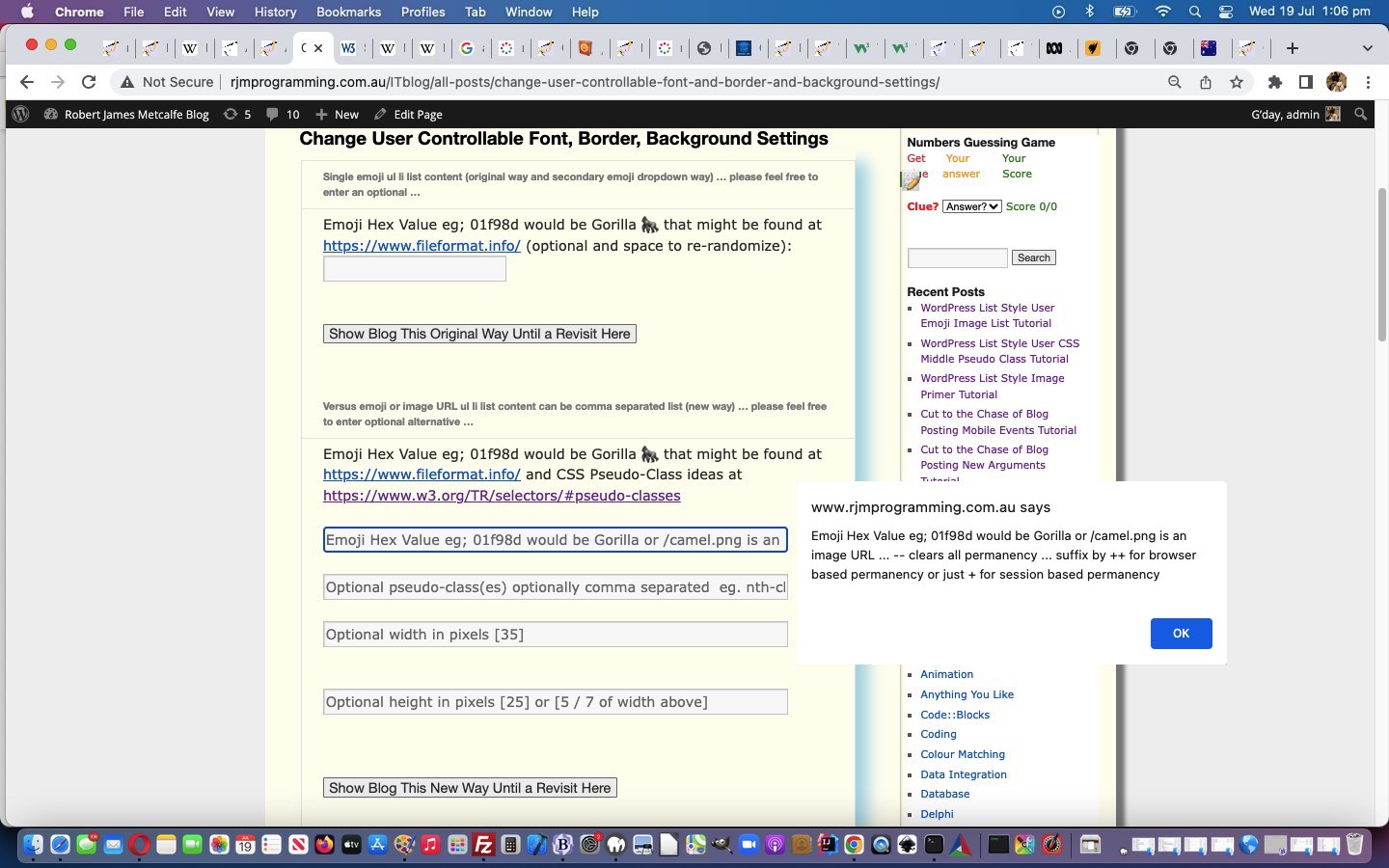
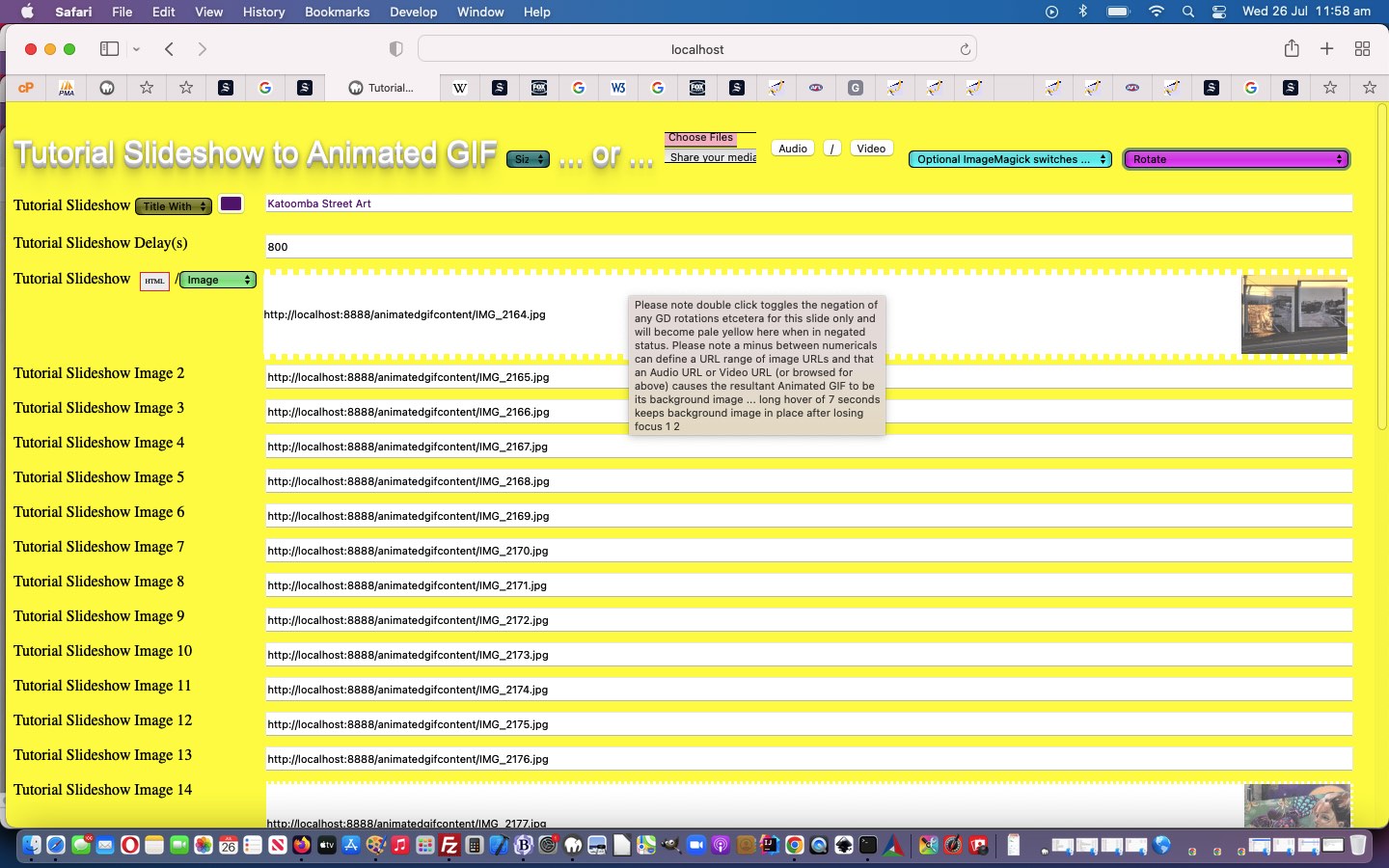
Feel free to try our changed animated GIF creator PHP tutorial_to_animated_gif.php inhouse animated GIF creator web application which now features the additional “slide blurb additional snippet” …
Please note double click toggles the negation of any GD rotations etcetera for this slide only and will become pale yellow here when in negated status, and that a 4x click on first selection reverses logic to be only 2x click selections from then on for a pale orange slide textbox background.
Previous relevant Ffmpeg Shelling Peas Tutorial is shown below.
Ffmpeg Shelling Peas Tutorial
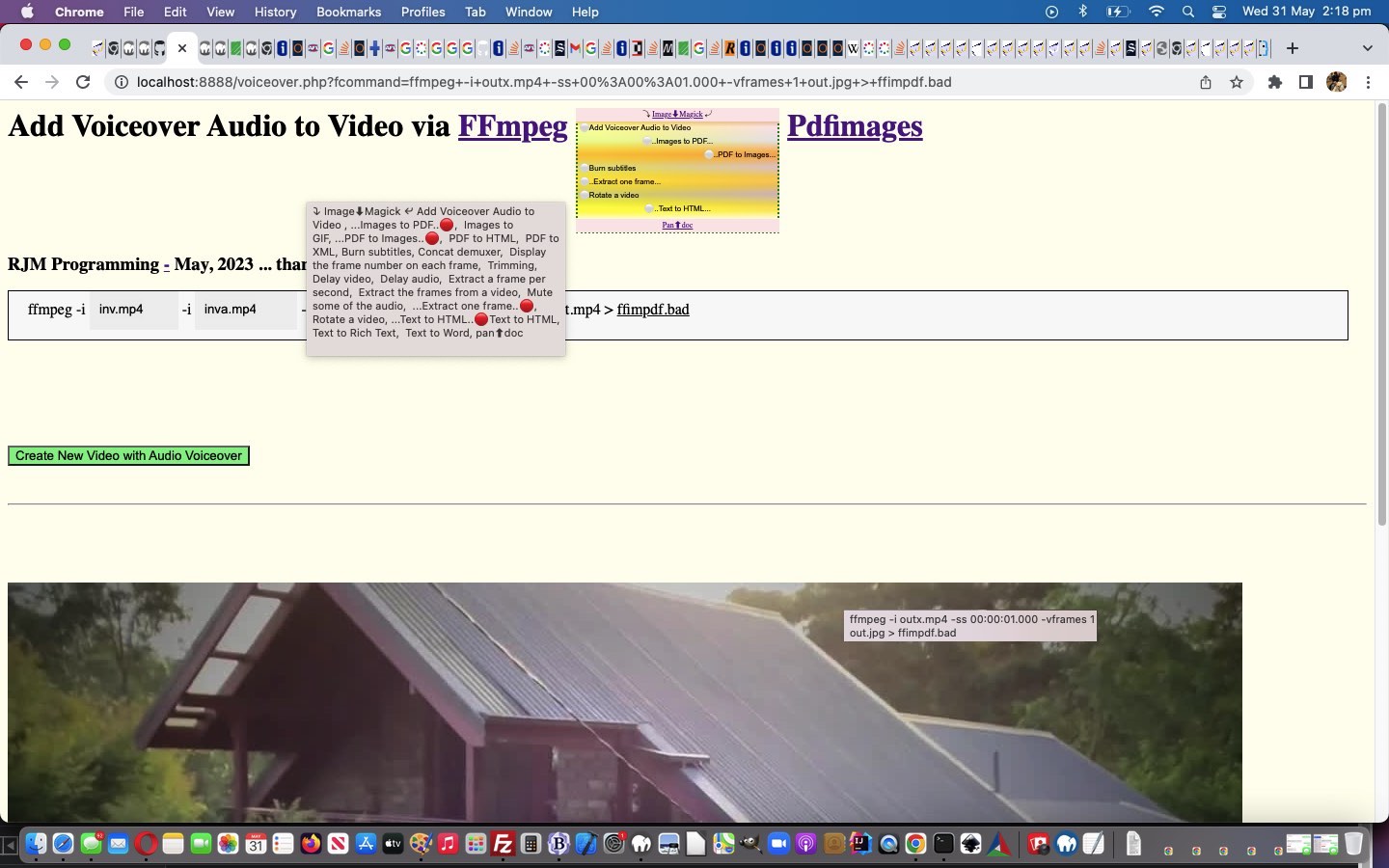
Well, our wish to “shell peas” setting up more ffmpeg media options based on the excellent FFmpeg cheat sheet, thanks, today, had its ups and downs for speed of progress, but, yes, to have a solid “framework” to work within, that you are happy with, barring those tweaks you inevitably discover in projects as they gain complexity, is the best first endeavour you might need to do, to feel more relaxed about the parts of the project requiring that third party expertise, which it is your job to test that you have successfully merged into the project. And so, onto yesterday’s Ffmpeg and Pandoc and ImageMagick and Pdfimages Dropdown Linear Gradient Tutorial, we have included new …
<?php
$vssfi='img%03d.png';

$bn='*';

$bntwo='.*';


foreach (glob('newfolder_*') as $idfilename) {

  if (file_exists($idfilename) && $vssfi == 'img%03d.png') {

    foreach (glob($idfilename . DIRECTORY_SEPARATOR . '*') as $idifilename) {

      if ($vssfi == 'img%03d.png' && strpos($idifilename, '.') !== false) {

        $bnis=basename($idifilename);

        $bn='';

        $bntwo='';

        for ($ibn=0; $ibn<strlen(explode('.', $bnis)[0]); $ibn++) {

           if (substr(substr($bnis, $ibn),0,1) >= '0' && substr(substr($bnis, $ibn),0,1) <= '9') {

             if ($bntwo == '') {

               if (substr(substr($bnis, $ibn),0,1) == '0') {

                 $bntwo='%0' . strlen(substr(explode('.', $bnis)[0], $ibn)) . 'd' . '.' . explode('.', $idifilename)[-1 + sizeof(explode('.', $idifilename))];

               } else {

                 $bntwo='%d' . '.' . explode('.', $idifilename)[-1 + sizeof(explode('.', $idifilename))];

               }

             }

           } else if ($bntwo == '') {

             $bn.=substr(substr($bnis, $ibn),0,1);

           }

        }

        if ($bntwo == '') {

         $bn='*';

         $bntwo='.' . explode('.', $idifilename)[-1 + sizeof(explode('.', $idifilename))];

        }

        $vssfi=$idfilename . substr(DIRECTORY_SEPARATOR . DIRECTORY_SEPARATOR,0,1) . $bn . $bntwo;

      }

    }

  }

}
?>
<?php echo ”
  var ffstr='  Concat demuxer,  Display the frame number on each frame,  Trimming,  Delay video,  Delay audio,  Extract a frame per second,  Extract the frames from a video,  Mute some of the audio,  Extract one frame,  Create a video slideshow from images,', offstr=null, kffstr=0, affstr=[];


    //

    // And then ... later ...

    //

    if (newv == 'Trimming') {


       document.getElementById('moreb').innerHTML=firstdivih;


       document.getElementById('precmds').innerHTML=' ';

       document.getElementById('secondi').innerHTML='';

       document.getElementById('minusi').innerHTML=' -ss 00:00:00.000 -i ';

       document.getElementById('minusi').title='Start time';


       document.getElementById('sswitches').innerHTML='-t 60 -c copy ';

       document.getElementById('sswitches').title='Duration';


       document.getElementById('mysub').value=newv;

    } else if (newv == 'Delay video') {


       document.getElementById('moreb').innerHTML=firstdivih;

       document.getElementById('precmds').innerHTML=' ';


       document.getElementById('betweenis').innerHTML='-itsoffset 1.00';

       document.getElementById('betweenis').title='Delay in seconds';


       document.getElementById('sswitches').innerHTML='-map 1:v -map 0:a <span id=svac contenteditable=false>-vcodec copy -acodec copy </span>';

       document.getElementById('sswitches').title='The 1:v 0:a represents video track else use 0:v 1:a for audio track';


       document.getElementById('mysub').value=newv;

    } else if (newv == 'Delay audio') {


       document.getElementById('moreb').innerHTML=firstdivih;

       document.getElementById('precmds').innerHTML=' ';


       document.getElementById('betweenis').innerHTML='-itsoffset 1.00';

       document.getElementById('betweenis').title='Delay in seconds';


       document.getElementById('sswitches').innerHTML='-map 0:v -map 1:a <span id=svac contenteditable=false>-vcodec copy -acodec copy </span>';

       document.getElementById('sswitches').title='The 0:v 1:a represents audio track else use 1:v 0:a for video track';


       document.getElementById('mysub').value=newv;

    } else if (newv == 'Extract a frame per second') {


       document.getElementById('moreb').innerHTML=firstdivih.replace(' out.mp4',' ');

       document.getElementById('precmds').innerHTML=' ';

       document.getElementById('secondi').innerHTML='-filter:v fps=fps=1 -vsync 0';

       document.getElementById('secondi').title='The 1 represents 1 per second';

       document.getElementById('sswitches').innerHTML=\"<span id=sfolder contenteditable=false>newfolder_" . rand(0,784534) . str_replace("\\","\\\\",$ddn) . "out%d.png\" + '</span>';


       document.getElementById('mysub').value=newv;

    } else if (newv == 'Extract the frames from a video') {


       document.getElementById('moreb').innerHTML=firstdivih.replace(' out.mp4',' ');

       document.getElementById('precmds').innerHTML=' ';

       document.getElementById('secondi').innerHTML=\"-vf \" + String.fromCharCode(34) + \"select='between(t,1,5)+between(t,11,15)'\" + String.fromCharCode(34) + \" -vsync 0\";

       document.getElementById('secondi').title='To extract all frames from between 1 and 5 seconds, and also between 11 and 15 seconds';

       document.getElementById('sswitches').innerHTML=\"<span id=sfolder contenteditable=false>newfolder_" . rand(0,784534) . str_replace("\\","\\\\",$ddn) . "out%d.png\" + '</span>';


       document.getElementById('mysub').value=newv;

    } else if (newv == 'Mute some of the audio') {


       document.getElementById('moreb').innerHTML=firstdivih;

       document.getElementById('secondi').innerHTML='';

       document.getElementById('precmds').innerHTML=' ';


       document.getElementById('sswitches').innerHTML=\"-vcodec copy -af \" + String.fromCharCode(34) + \"volume=enable='between(t,80,90)'<span id=svolume contenteditable=false>:volume=0\" + String.fromCharCode(34) + \" </span>\";

       document.getElementById('sswitches').title='To replace all audio between 1:20 and 1:30 with silence';


       document.getElementById('mysub').value=newv;

    } else if (newv == 'Create a video slideshow from images') {


       document.getElementById('moreb').innerHTML=firstdivih;


       document.getElementById('minusi').innerHTML='-r 1/5 -i ';

       document.getElementById('minusi').title='Parameter -r marks the image framerate (inverse time of each image); -vf fps=25 marks the true framerate of the output';


       document.getElementById('secondi').innerHTML='';

       document.getElementById('precmds').innerHTML=' ';

       document.getElementById('scbi').innerHTML='" . $vssfi . "';


       document.getElementById('sswitches').innerHTML=' -c:v libx264 -vf fps=25<span id=shat contenteditable=false> -pix_fmt yuv420p </span>';


       document.getElementById('mysub').value=newv;

    } else if (newv == 'Extract one frame') {


       document.getElementById('moreb').innerHTML=firstdivih.replace(' out.mp4',' out.jpg');

       document.getElementById('secondi').innerHTML='';

       document.getElementById('precmds').innerHTML=' ';


       document.getElementById('sswitches').innerHTML='-ss 00:00:10.000<span id=svframes contenteditable=false> -vframes 1 </span>';

       document.getElementById('sswitches').title='Extract one frame at 10 second mark';


       document.getElementById('mysub').value=newv;

    }
“; ?>
… ffmpeg media functionality talents for you to try yourself, today, in the changed voiceover.php PHP (we’d want you to download to a local MAMP Apache web server’s Document Root folder and which you can run that PHP there).
Previous relevant Ffmpeg and Pandoc and ImageMagick and Pdfimages Dropdown Linear Gradient Tutorial is shown below.
Ffmpeg and Pandoc and ImageMagick and Pdfimages Dropdown Linear Gradient Tutorial
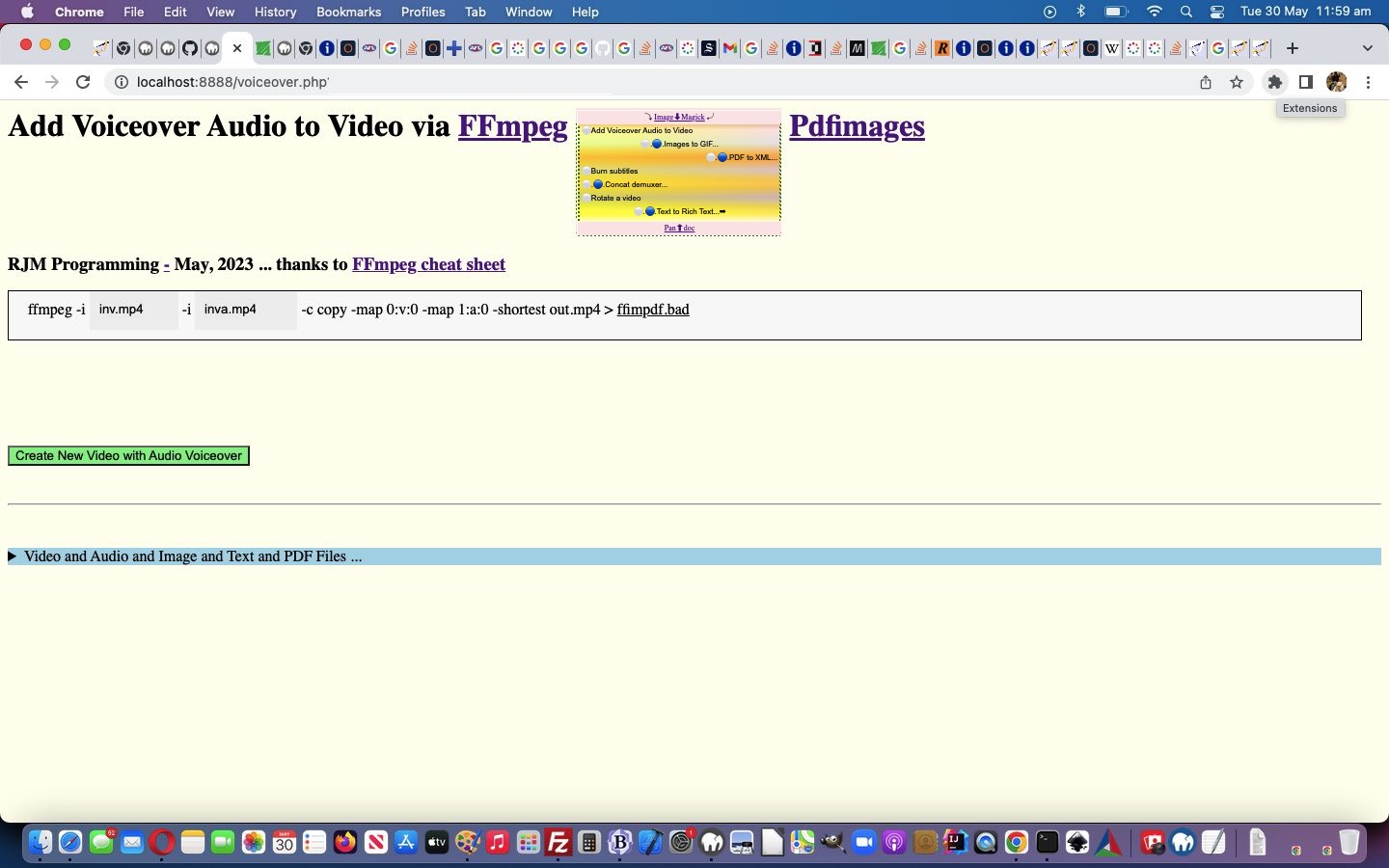
There were two weakness with the logic in yesterday’s Ffmpeg and Pandoc and ImageMagick and Pdfimages Dropdown Hover Swipe Tutorial, we reckon, those being …
- it is hard to “hover swipe” with no linework to show where one option starts and another ends, in Y (or top) co-ordinates … and …
- the user has trouble knowing whether their swipe attempt worked
… for which we supply ideas …
- linear-gradient background, in the form of a colourful “underlay” div element under (now transparent backgrounded) select (ie. dropdown) element (and associated “overlay” div) … and …
- emoji for swipe left ⬅ (⬅) and for swipe right ➡ (➡) shown briefly
… featuring relevant code snippets …
-
<?php echo ”
  function overlay() {

   origval=document.getElementById('schoices').value;

   var rect=document.getElementById('fcommand').getBoundingClientRect();

   document.getElementById('moreb').style.position='absolute';

   document.getElementById('moreb').style.left='' + rect.left + 'px';

   document.getElementById('moreb').style.top='' + rect.top + 'px';

   document.getElementById('moreb').style.width='96%'; //' + rect.width + 'px';

   document.getElementById('moreb').style.height='' + rect.height + 'px';


   document.getElementById('moreb').style.border='1px solid black';

   document.getElementById('moreb').style.paddingLeft='20px';

   document.getElementById('moreb').style.backgroundColor='#f9f9f9';

   document.getElementById('fcommand').style.opacity='0.0';

   document.getElementById('fcommand').style.cursor='pointer';


   document.getElementById('moreb').innerHTML='<span id=precmds></span><span id=verb>ffmpeg" . $ffmpegsuf . "</span> <span id=prescbi></span><span id=minusi> -i </span><span id=scbi><iframe onload=checkif(this,\"inv.mp4\"); scrolling=no frameborder=0 id=cbi data-type=file data-value=inv.mp4 data-accept=\"video/*\" style=\"display:inline-block;height:40px;width:92px;vertical-align:middle;\" src=\"/HTMLCSS/client_browsing.htm?d=69075964842271&left=y\"></iframe></span> <span id=betweenis></span> <span id=secondi>-i <span id=scbix><iframe onload=checkiftwo(this,\"inva.mp4\"); scrolling=no frameborder=0 id=cbix data-type=file data-value=inva.mp4 data-accept=\"video/*\" style=\"display:inline-block;height:40px;width:106px;vertical-align:middle;\" src=\"/HTMLCSS/client_browsing.htm?d=69075964842271&right=y\"></iframe></span></span> <span id=sswitches>-c copy -map 0:v:0 -map 1:a:0 -shortest</span> out.mp4 > <a target=_blank title=ffimpdf.bad onclick=getvb(); style=cursor:pointer;text-decoration:underline; data-href=./ffimpdf.bad>ffimpdf.bad</a>';

   if (firstdivih == '') { firstdivih=document.getElementById('moreb').innerHTML; }

   if (firstbutval == '') { firstbutval=document.getElementById('mysub').value; }

   document.getElementById('schoices').style.display='inline-block';


   rect=document.getElementById('schoices').getBoundingClientRect();


   if (eval('' + rect.height) > 100 || 1 == 1) {


   document.getElementById('schoices').style.backgroundColor='transparent';

   document.getElementById('tf').style.position='absolute'; // using new <div id=tf></div>

   document.getElementById('tf').style.left='' + rect.left + 'px';

   document.getElementById('tf').style.top='' + rect.top + 'px';

   document.getElementById('tf').style.width='' + rect.width + 'px';

   document.getElementById('tf').style.height='' + rect.height + 'px';

   // Thanks to https://stackoverflow.com/questions/49660659/css-gradients-inside-gradients

   document.getElementById('tf').style.background='linear-gradient(0deg, #ffffff 10%, rgba(255,255,0,0.6) 20%, rgba(192,192,192,0.6) 31%, rgba(255,215,0,0.6) 42%, rgba(211,211,211,0.6) 53%, rgba(255,165,0,0.6) 63%, rgba(224,255,255,0.6) 74%, rgba(254,254,254,0.6) 85%, #CC7722 100%), linear-gradient( to right, yellow, pink )'; // #fcfafc #f9f6f8 #f8f1f3

   document.getElementById('tf').style.zIndex='-1';


   document.getElementById('doverlay').style.position='absolute';

   document.getElementById('doverlay').style.left='' + rect.left + 'px';

   document.getElementById('doverlay').style.top='' + rect.top + 'px';

   document.getElementById('doverlay').style.width='' + rect.width + 'px';

   if (eval('' + rect.height) < 30) {

   document.getElementById('doverlay').style.height='' + rect.height + 'px';

   } else {

   document.getElementById('doverlay').style.height='' + eval(eval('' + rect.height) / eval('' + document.getElementById('schoices').size)) + 'px';

   }

   document.getElementById('doverlay').style.zIndex='96';

   document.getElementById('doverlay').style.textAlign='center';

   document.getElementById('doverlay').style.display='block';

   document.getElementById('doverlay').title=document.getElementById('mydefopt').title;

   //document.getElementById('mydefopt').style.fontColor='transparent';

   document.getElementById('mydefopt').innerHTML='';


   document.getElementById('doverlaytwo').style.position='absolute';

   document.getElementById('doverlaytwo').style.left='' + rect.left + 'px';

   //document.getElementById('doverlaytwo').style.top='' + eval(eval('' + rect.height) - eval(2 * eval('' + rect.height) / eval('' + document.getElementById('schoices').size))) + 'px';

   document.getElementById('doverlaytwo').style.top='' + eval(eval('' + rect.height) - eval(0.5 * eval('' + rect.height) / eval('' + document.getElementById('schoices').size))) + 'px';

   //document.getElementById('doverlaytwo').style.bottom='' + rect.bottom + 'px';

   document.getElementById('doverlaytwo').style.width='' + rect.width + 'px';

   if (eval('' + rect.height) < 30) {

   if (1 == 2) { document.getElementById('doverlaytwo').style.height='' + rect.height + 'px'; }

   } else {

   document.getElementById('doverlaytwo').style.height='' + eval(eval('' + rect.height) / eval('' + document.getElementById('schoices').size)) + 'px';

   }

   document.getElementById('doverlaytwo').style.zIndex='96';

   document.getElementById('doverlaytwo').style.textAlign='center';

   document.getElementById('doverlaytwo').style.display='block';

   document.getElementById('mydefopttwo').innerHTML='';


   rect=document.getElementById('mysub').getBoundingClientRect();

   document.getElementById('mysub').style.position='absolute';

   document.getElementById('mysub').style.left='' + rect.left + 'px';

   document.getElementById('mysub').style.top='' + rect.top + 'px';


   setInterval(fhoc, 1000);

   }


  }
“; ?>
… using a multiple linear-gradient element style background for the first time we can remember -
<?php echo ”
var swipel='', swipelcp='', swiper='', swipercp='';
var ra='➡', racp=String.fromCodePoint(10145);
var la='⬅', lacp=String.fromCodePoint(11013);
function isplace(thiso, e) {
var kkk=0;
e = e || window.event;
e.preventDefault();
if (e.touches) {
if (e.touches[0].pageX) {
pos3 = e.touches[0].pageX;
pos4 = e.touches[0].pageY;
} else {
pos3 = e.touches[0].clientX;
pos4 = e.touches[0].clientY;
}
//console.log('pos3=' + pos3 + ',pos4=' + pos4);
} else if (e.clientX || e.clientY) {
pos3 = e.clientX;
pos4 = e.clientY;
} else {
pos3 = e.pageX;
pos4 = e.pageY;
}
if (lasto == e.target) {
if (Math.abs(pos1 - pos3) >= 70) {
if (pos3 > pos1) { // swipe right
swiper=ra;
swipercp=racp;
if (e.target == opastr) {
kkk=eval(1 + eval('' + kpastr));
if (kkk >= eval('' + apastr.length)) {
kpastr=eval('' + kpastr);
} else {
kpastr=kkk;
}
} else if (e.target == opdstr) {
kkk=eval(1 + eval('' + kpdstr));
if (kkk >= eval('' + apdstr.length)) {
kpdstr=eval('' + kpdstr);
} else {
kpdstr=kkk;
}
} else if (e.target == oimstr) {
kkk=eval(1 + eval('' + kimstr));
if (kkk >= eval('' + aimstr.length)) {
kimstr-=eval('' + kimstr);
} else {
kimstr=kkk;
}
} else if (e.target == offstr) {
kkk=eval(1 + eval('' + kffstr));
if (kkk >= eval('' + affstr.length)) {
kffstr-=eval('' + kffstr);
} else {
kffstr=kkk;
}
}
} else { // swipe left
swipel=la;
swipelcp=lacp;
if (e.target == opastr) {
kkk=eval(-1 + eval('' + kpastr));
if (kkk < 0) {
kpastr=eval(-1 + eval('' + apastr.length));
} else {
kpastr=kkk;
}
} else if (e.target == opdstr) {
kkk=eval(-1 + eval('' + kpdstr));
if (kkk < 0) {
kpdstr=eval(-1 + eval('' + apdstr.length));
} else {
kpdstr=kkk;
}
} else if (e.target == oimstr) {
kkk=eval(-1 + eval('' + kimstr));
if (kkk < 0) {
kimstr=eval(-1 + eval('' + aimstr.length));
} else {
kimstr=kkk;
}
} else if (e.target == offstr) {
kkk=eval(-1 + eval('' + kffstr));
if (kkk < 0) {
kffstr=eval(-1 + eval('' + affstr.length));
} else {
kffstr=kkk;
}
}
}
}
//alert('swipe distance = ' + Math.abs(pos1 - pos3));
}
lasto=e.target;
}
function betweeneatatjoes() {
var origt='', origrest='', kkprefix=swipelcp + '...', kksuffix='...' + swipercp;
var origkkprefix='', origkksuffix='', origkprefix='', origksuffix='';
if (kprefix == '' && ksuffix == '') {
kprefix=swipel + '🔵..';
kkprefix=swipelcp + String.fromCodePoint(128309) + '..';
ksuffix='...' + swiper;
//document.getElementById('doverlaytwo').style.marginTop='20px';
} else if (kprefix == swipel + '🔵..') {
kprefix=swipel + '.🔵.';
kkprefix=swipelcp +'.' + String.fromCodePoint(128309) + '.';
ksuffix='...' + swiper;
} else if (kprefix == swipel + '.🔵.') {
kprefix=swipel + '..🔵';
kkprefix=swipelcp + '..' + String.fromCodePoint(128309) + '';
ksuffix='...' + swiper;
} else if (kprefix == swipel + '..🔵') {
ksuffix='🔵..' + swiper;
kksuffix=String.fromCodePoint(128309) + '..' + swipercp;
kprefix=swipel + '...' + swiper;
} else if (ksuffix == '🔵..' + swiper) {
ksuffix='.🔴.' + swiper;
kksuffix='.' + String.fromCodePoint(128308) + '.' + swipercp;
kprefix=swipel + '...';
} else if (ksuffix == '.🔴.' + swiper) {
ksuffix='..🔴' + swiper;
kksuffix='..' + String.fromCodePoint(128308) + '' + swipercp;
kprefix=swipel + '...';
} else {
kprefix=swipel + '󠀠..';
kkprefix=swipelcp + '..' + String.fromCodePoint(917536) + '..';
ksuffix='...' + swiper;
//document.getElementById('doverlaytwo').style.marginTop='0px';
}
origkkprefix=kkprefix;
origkksuffix=kksuffix;
origkprefix=kprefix;
origksuffix=ksuffix;
if (oimstr) {
origt=oimstr.getAttribute('data-title');
if (lasto == oimstr) {
kkprefix=origkkprefix;
kksuffix=origkksuffix;
kprefix=origkprefix;
ksuffix=origksuffix;
} else if (swipel + swiper != '') {
kkprefix=origkkprefix.replace(swipelcp,'');
kksuffix=origkksuffix.replace(swipercp,'');
kprefix=origkprefix.replace(swipel,'');
ksuffix=origksuffix.replace(swiper,'');
}
if (kimstr == 0) {
oimstr.innerHTML=' ' + kprefix + aimstr[kimstr] + ksuffix;
origrest=(origt.split('' + aimstr[kimstr])[1] + ',' + origt.split('' + aimstr[kimstr])[0]).trim().replace(/\,\,/g,'').replace('undefined','');
oimstr.title=kkprefix + aimstr[kimstr] + kksuffix + origrest;
} else {
oimstr.innerHTML=' ' + kprefix + aimstr[eval(-1 + kimstr)] + ksuffix;
origrest=(origt.split('' + aimstr[eval(-1 + kimstr)])[1] + ',' + origt.split('' + aimstr[eval(-1 + kimstr)])[0]).trim().replace(/\,\,/g,'').replace('undefined','');
oimstr.title=kkprefix + aimstr[eval(-1 + kimstr)] + kksuffix + origrest;
}
}
if (opdstr) {
origt=opdstr.getAttribute('data-title');
if (lasto == opdstr) {
kkprefix=origkkprefix;
kksuffix=origkksuffix;
kprefix=origkprefix;
ksuffix=origksuffix;
} else if (swipel + swiper != '') {
kkprefix=origkkprefix.replace(swipelcp,'');
kksuffix=origkksuffix.replace(swipercp,'');
kprefix=origkprefix.replace(swipel,'');
ksuffix=origksuffix.replace(swiper,'');
}
if (kpdstr == 0) {
opdstr.innerHTML=' ' + kprefix + apdstr[kpdstr] + ksuffix;
origrest=(origt.split('' + apdstr[kpdstr])[1] + ',' + origt.split('' + apdstr[kpdstr])[0]).trim().replace(/\,\,/g,'').replace('undefined','');
opdstr.title=kkprefix + apdstr[kpdstr] + kksuffix + origrest;
} else {
opdstr.innerHTML=' ' + kprefix + apdstr[eval(-1 + kpdstr)] + ksuffix;
origrest=(origt.split('' + apdstr[eval(-1 + kpdstr)])[1] + ',' + origt.split('' + apdstr[eval(-1 + kpdstr)])[0]).trim().replace(/\,\,/g,'').replace('undefined','');
opdstr.title=kkprefix + apdstr[eval(-1 + kpdstr)] + kksuffix + origrest;
}
}
if (opastr) {
origt=opastr.getAttribute('data-title');
if (lasto == opastr) {
kkprefix=origkkprefix;
kksuffix=origkksuffix;
kprefix=origkprefix;
ksuffix=origksuffix;
} else if (swipel + swiper != '') {
kkprefix=origkkprefix.replace(swipelcp,'');
kksuffix=origkksuffix.replace(swipercp,'');
kprefix=origkprefix.replace(swipel,'');
ksuffix=origksuffix.replace(swiper,'');
}
if (kpastr == 0) {
opastr.innerHTML=' ' + kprefix + apastr[kpastr] + ksuffix;
origrest=(origt.split('' + apastr[kpastr])[1] + ',' + origt.split('' + apastr[kpastr])[0]).trim().replace(/\,\,/g,'').replace('undefined','');
opastr.title=kkprefix + apastr[kpastr] + kksuffix + origrest;
} else {
opastr.innerHTML=' ' + kprefix + apastr[eval(-1 + kpastr)] + ksuffix;
origrest=(origt.split('' + apastr[eval(-1 + kpastr)])[1] + ',' + origt.split('' + apastr[eval(-1 + kpastr)])[0]).trim().replace(/\,\,/g,'').replace('undefined','');
opastr.title=kkprefix + apastr[eval(-1 + kpastr)] + kksuffix + origrest;
}
}
if (offstr) {
origt=offstr.getAttribute('data-title');
if (lasto == offstr) {
kkprefix=origkkprefix;
kksuffix=origkksuffix;
kprefix=origkprefix;
ksuffix=origksuffix;
} else if (swipel + swiper != '') {
kkprefix=origkkprefix.replace(swipelcp,'');
kksuffix=origkksuffix.replace(swipercp,'');
kprefix=origkprefix.replace(swipel,'');
ksuffix=origksuffix.replace(swiper,'');
}
if (kffstr == 0) {
offstr.innerHTML=' ' + kprefix + affstr[kffstr] + ksuffix;
origrest=(origt.split('' + affstr[kffstr])[1] + ',' + origt.split('' + affstr[kffstr])[0]).trim().replace(/\,\,/g,'').replace('undefined','');
offstr.title=kkprefix + affstr[kffstr] + kksuffix + origrest;
} else {
offstr.innerHTML=' ' + kprefix + affstr[eval(-1 + kffstr)] + ksuffix;
origrest=(origt.split('' + affstr[eval(-1 + kffstr)])[1] + ',' + origt.split('' + affstr[eval(-1 + kffstr)])[0]).trim().replace(/\,\,/g,'').replace('undefined','');
offstr.title=kkprefix + affstr[eval(-1 + kffstr)] + kksuffix + origrest;
}
}
kcnt++;
swipel='';
swipelcp='';
swiper='';
swipercp='';
if (kcnt < 7) { setTimeout(betweeneatatjoes, 1000); }
}
“; ?>
… in the changed voiceover.php PHP (we’d want you to download to a local MAMP Apache web server’s Document Root folder and which you can run that PHP there).
Previous relevant Ffmpeg and Pandoc and ImageMagick and Pdfimages Dropdown Hover Swipe Tutorial is shown below.
Ffmpeg and Pandoc and ImageMagick and Pdfimages Dropdown Hover Swipe Tutorial
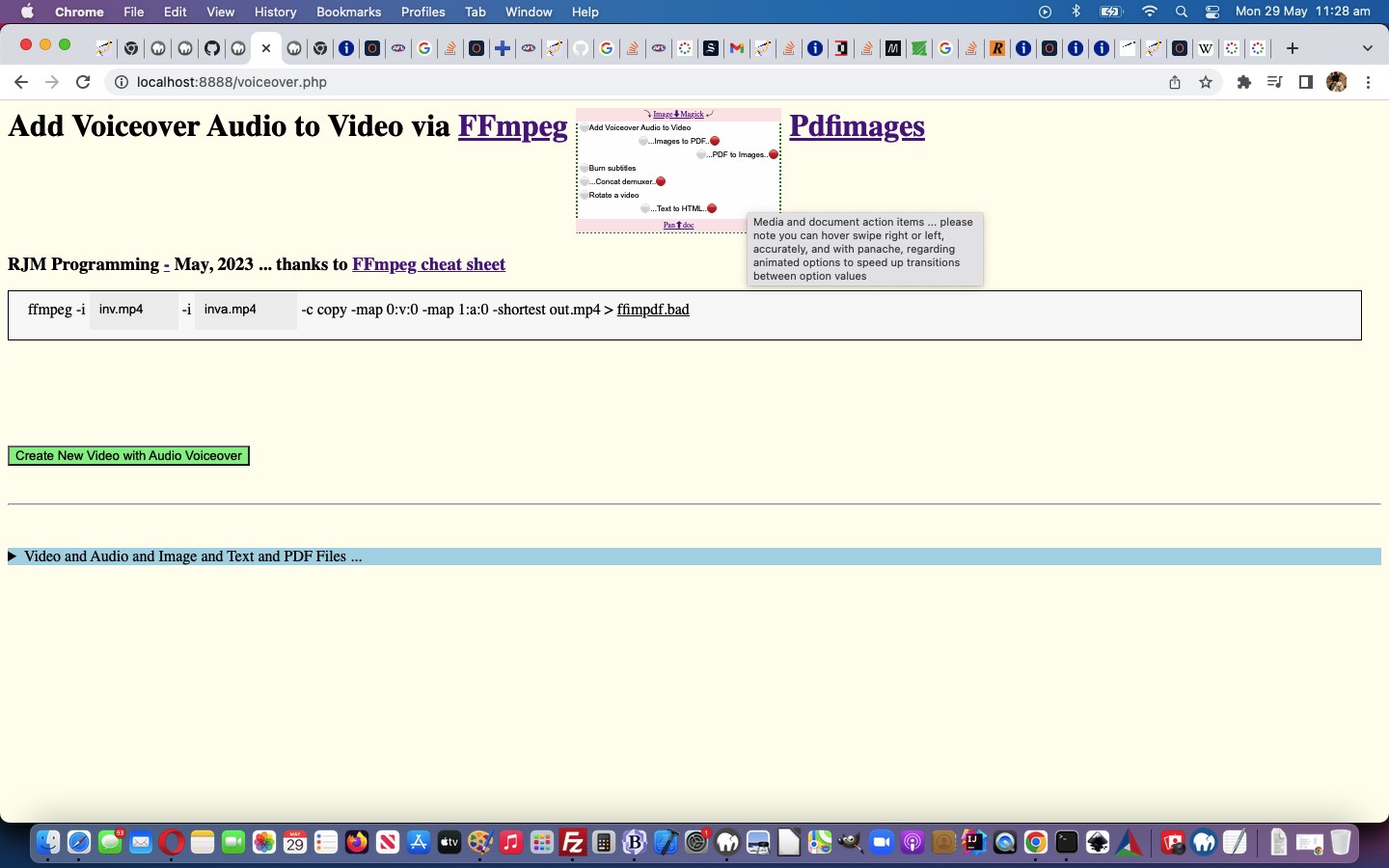
Some users are impatient, we grant you. Maybe some don’t want to wait the whole time of an 8 second “Eat at Joes” rotation. Well, we thought about this, and got an idea to extend yesterday’s Ffmpeg and Pandoc and ImageMagick and Pdfimages Dropdown Onhover Marquee Tutorial‘s non-mobile functionality via …
- dropdown option (with animation) element onmouseover (hover swipe (maybe) in x,y) … call such as oimstr.onmouseover=function(event) { wasplace(oimstr, event); }; … uses …
<?php echo ”
  var pos1=0, pos2=0, pos3=0, pos4=0, lasto=null;


  function wasplace(thiso, e) {

    e = e || window.event;

    e.preventDefault();

       if (e.touches) {

       if (e.touches[0].pageX) {

       pos1 = e.touches[0].pageX;

       pos2 = e.touches[0].pageY;

       } else {

       pos1 = e.touches[0].clientX;

       pos2 = e.touches[0].clientY;

       }

       //console.log('pos3=' + pos3 + ',pos4=' + pos4);

       } else if (e.clientX || e.clientY) {

        pos1 = e.clientX;

        pos2 = e.clientY;

       } else {

        pos1 = e.pageX;

        pos2 = e.pageY;

       }

       lasto=e.target;

  }
“; ?>
…and onmouseout (hover swipe out x,y) events … if deltax >= 70 … call such as oimstr.onmouseout=function(event) { isplace(oimstr, event); }; … uses …
<?php echo ”
  function isplace(thiso, e) {

    var kkk=0;

    e = e || window.event;

    e.preventDefault();

       if (e.touches) {

       if (e.touches[0].pageX) {

       pos3 = e.touches[0].pageX;

       pos4 = e.touches[0].pageY;

       } else {

       pos3 = e.touches[0].clientX;

       pos4 = e.touches[0].clientY;

       }

       //console.log('pos3=' + pos3 + ',pos4=' + pos4);

       } else if (e.clientX || e.clientY) {

        pos3 = e.clientX;

        pos4 = e.clientY;

       } else {

        pos3 = e.pageX;

        pos4 = e.pageY;

       }

       if (lasto == e.target) {

        if (Math.abs(pos1 - pos3) >= 70) {

          if (pos3 > pos1) { // swipe right

            if (e.target == opastr) {

              kkk=eval(1 + eval('' + kpastr));

              if (kkk >= eval('' + apastr.length)) {

                kpastr=0;

              } else {

                kpastr=kkk;

              }

            } else if (e.target == opdstr) {

              kkk=eval(1 + eval('' + kpdstr));

              if (kkk >= eval('' + apdstr.length)) {

                kpdstr=0;

              } else {

                kpdstr=kkk;

              }

            } else if (e.target == oimstr) {

              kkk=eval(1 + eval('' + kimstr));

              if (kkk >= eval('' + aimstr.length)) {

                kimstr=0;

              } else {

                kimstr=kkk;

              }

            } else if (e.target == offstr) {

              kkk=eval(1 + eval('' + kffstr));

              if (kkk >= eval('' + affstr.length)) {

                kffstr=0;

              } else {

                kffstr=kkk;

              }

            }

          } else { // swipe left

            if (e.target == opastr) {

              kkk=eval(-1 + eval('' + kpastr));

              if (kkk < 0) {

                kpastr=eval(-1 + eval('' + apastr.length));

              } else {

                kpastr=kkk;

              }

            } else if (e.target == opdstr) {

              kkk=eval(-1 + eval('' + kpdstr));

              if (kkk < 0) {

                kpdstr=eval(-1 + eval('' + apdstr.length));

              } else {

                kpdstr=kkk;

              }

            } else if (e.target == oimstr) {

              kkk=eval(-1 + eval('' + kimstr));

              if (kkk < 0) {

                kimstr=eval(-1 + eval('' + aimstr.length));

              } else {

                kimstr=kkk;

              }

            } else if (e.target == offstr) {

              kkk=eval(-1 + eval('' + kffstr));

              if (kkk < 0) {

                kffstr=eval(-1 + eval('' + affstr.length));

              } else {

                kffstr=kkk;

              }

            }

          }

        }

        //alert('swipe distance = ' + Math.abs(pos1 - pos3));

       }

       lasto=e.target;

  }
“; ?> - class a swipe right (if deltax > 0) else swipe left … resulting in …
- immediately show next option innerText if swipe right and show previous option innerText if swipe left
… for you to try for yourself …
Media and document action items … please note you can hover swipe right or left, accurately, and with panache, regarding animated options to speed up transitions between option values
… in the changed voiceover.php PHP (we’d want you to download to a local MAMP Apache web server’s Document Root folder and which you can run that PHP there).
Previous relevant Ffmpeg and Pandoc and ImageMagick and Pdfimages Dropdown Onhover Marquee Tutorial is shown below.
Ffmpeg and Pandoc and ImageMagick and Pdfimages Dropdown Onhover Marquee Tutorial
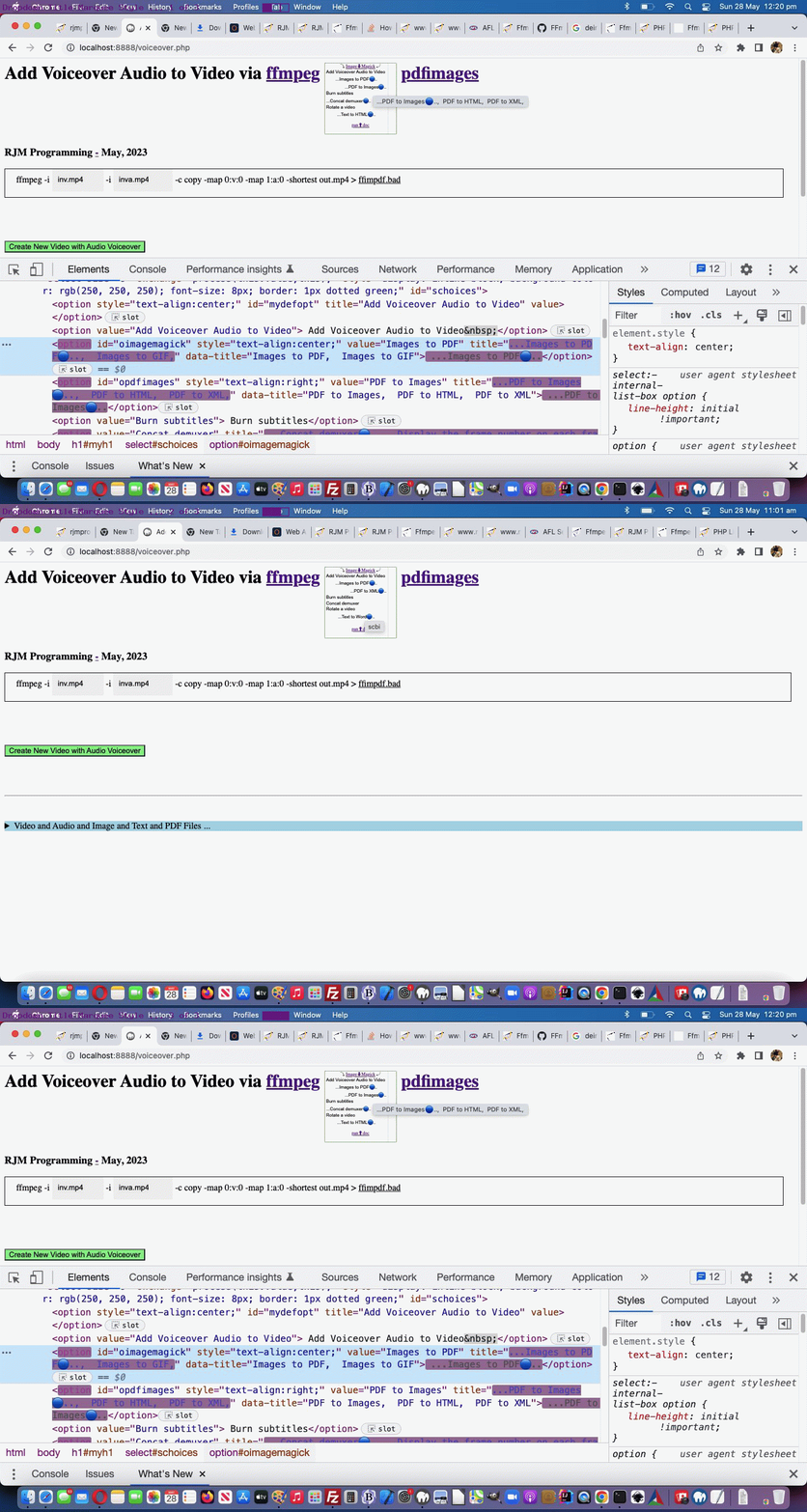
The non-mobile platforms have that useful wooooorrrrllllddd, the “onhover wooooorrrrllllddd” (to be precise) that can be a great partner for Javascript Ajax methodologies. This onhover (actually the “onmouseover”) event is also useful whereby as a user hovers over an HTML element, and that element’s title attribute has a value, then the user can see that value displayed.
And though, with yesterday’s Ffmpeg and Pandoc and ImageMagick and Pdfimages Animated Emoji Tutorial work …
though we’re not going “full marquee Eat at Joes”
… regarding the dropdown option innerText “look”, there is, for non-mobile, this “onhover wooooorrrrllllddd” we can use to try a form of marquee “look” there, as per …
<?php echo ”
  function betweeneatatjoes() {

     var origt='', origrest='', kkprefix='...', kksuffix='...';

     if (kprefix == '' && ksuffix == '') {

       kprefix='🔵..';

       kkprefix=String.fromCodePoint(128309) + '..';

       ksuffix='...';

       //document.getElementById('doverlaytwo').style.marginTop='20px';

     } else if (kprefix == '🔵..') {

       kprefix='.🔵.';

       kkprefix='.' + String.fromCodePoint(128309) + '.';

       ksuffix='...';

     } else if (kprefix == '.🔵.') {

       kprefix='..🔵';

       kkprefix='..' + String.fromCodePoint(128309) + '';

       ksuffix='...';

     } else if (kprefix == '..🔵') {

       ksuffix='🔵..';

       kksuffix=String.fromCodePoint(128309) + '..';

       kprefix='...';

     } else if (ksuffix == '🔵..') {

       ksuffix='.🔴.';

       kksuffix='.' + String.fromCodePoint(128308) + '.';

       kprefix='...';

     } else if (ksuffix == '.🔴.') {

       ksuffix='..🔴';

       kksuffix='..' + String.fromCodePoint(128308) + '';

       kprefix='...';

     } else {

       kprefix='󠀠..';

       kkprefix='..' + String.fromCodePoint(917536) + '..';

       ksuffix='...';

       //document.getElementById('doverlaytwo').style.marginTop='0px';

     }

     if (oimstr) {

       origt=oimstr.getAttribute('data-title');

       if (kimstr == 0) {

         oimstr.innerHTML='  ' + kprefix + aimstr[kimstr] + ksuffix;

         origrest=(origt.split('' + aimstr[kimstr])[1] + ',' + origt.split('' + aimstr[kimstr])[0]).trim().replace(/\,\,/g,'').replace('undefined','');

         oimstr.title=kkprefix + aimstr[kimstr] + kksuffix + origrest;

       } else {

         oimstr.innerHTML='  ' + kprefix + aimstr[eval(-1 + kimstr)] + ksuffix;

         origrest=(origt.split('' + aimstr[eval(-1 + kimstr)])[1] + ',' + origt.split('' + aimstr[eval(-1 + kimstr)])[0]).trim().replace(/\,\,/g,'').replace('undefined','');

         oimstr.title=kkprefix + aimstr[eval(-1 + kimstr)] + kksuffix + origrest;

       }

     }

     if (opdstr) {

       origt=opdstr.getAttribute('data-title');

       if (kpdstr == 0) {

         opdstr.innerHTML='  ' + kprefix + apdstr[kpdstr] + ksuffix;

         origrest=(origt.split('' + apdstr[kpdstr])[1] + ',' + origt.split('' + apdstr[kpdstr])[0]).trim().replace(/\,\,/g,'').replace('undefined','');

         opdstr.title=kkprefix + apdstr[kpdstr] + kksuffix + origrest;

       } else {

         opdstr.innerHTML='  ' + kprefix + apdstr[eval(-1 + kpdstr)] + ksuffix;

         origrest=(origt.split('' + apdstr[eval(-1 + kpdstr)])[1] + ',' + origt.split('' + apdstr[eval(-1 + kpdstr)])[0]).trim().replace(/\,\,/g,'').replace('undefined','');

         opdstr.title=kkprefix + apdstr[eval(-1 + kpdstr)] + kksuffix + origrest;

       }

     }

     if (opastr) {

       origt=opastr.getAttribute('data-title');

       if (kpastr == 0) {

         opastr.innerHTML='  ' + kprefix + apastr[kpastr] + ksuffix;

         origrest=(origt.split('' + apastr[kpastr])[1] + ',' + origt.split('' + apastr[kpastr])[0]).trim().replace(/\,\,/g,'').replace('undefined','');

         opastr.title=kkprefix + apastr[kpastr] + kksuffix + origrest;

       } else {

         opastr.innerHTML='  ' + kprefix + apastr[eval(-1 + kpastr)] + ksuffix;

         origrest=(origt.split('' + apastr[eval(-1 + kpastr)])[1] + ',' + origt.split('' + apastr[eval(-1 + kpastr)])[0]).trim().replace(/\,\,/g,'').replace('undefined','');

         opastr.title=kkprefix + apastr[eval(-1 + kpastr)] + kksuffix + origrest;

       }

     }

     if (offstr) {

       origt=offstr.getAttribute('data-title');

       if (kffstr == 0) {

         offstr.innerHTML='  ' + kprefix + affstr[kffstr] + ksuffix;

         origrest=(origt.split('' + affstr[kffstr])[1] + ',' + origt.split('' + affstr[kffstr])[0]).trim().replace(/\,\,/g,'').replace('undefined','');

         offstr.title=kkprefix + affstr[kffstr] + kksuffix + origrest;

       } else {

         offstr.innerHTML='  ' + kprefix + affstr[eval(-1 + kffstr)] + ksuffix;

         origrest=(origt.split('' + affstr[eval(-1 + kffstr)])[1] + ',' + origt.split('' + affstr[eval(-1 + kffstr)])[0]).trim().replace(/\,\,/g,'').replace('undefined','');

         offstr.title=kkprefix + affstr[eval(-1 + kffstr)] + kksuffix + origrest;

       }

     }

     kcnt++;

     if (kcnt < 7) {  setTimeout(betweeneatatjoes, 1000); }

  }
“; ?>
Proof positive that emojis are text, and can help provide a graphic display interest for a webpage. As well, as a CSS means by which we stop “dropdown Y jitteriness”, we introduce the use of an emoji ⚪ (⚪ or ⚪) for most option element Clayton innerText parts, always …
<style>

  option:not(.nonwhite)::before {

    content: '\0026aa';

  }


  #doverlay {

     background-color: #FFE7E9;

  }


  #doverlaytwo {

     background-color: #FFE7E9;

  }


  body {

    background-color: #FFFFEF;

  }

</style>
“; ?>
… with one more media functionality …
<?php
  var mlook=false, kcnt=0, kprefix='', ksuffix='';

  var imstr='  Images to PDF,  Images to GIF,', oimstr=null, kimstr=0, aimstr=[];

  var pdstr='  PDF to Images,  PDF to HTML,  PDF to XML,', opdstr=null, kpdstr=0, apdstr=[];

  var pastr='  Text to HTML,  Text to Rich Text,  Text to Word,', opastr=null, kpastr=0, apastr=[];

  var ffstr='  Concat demuxer,  Display the frame number on each frame,', offstr=null, kffstr=0, affstr=[];
?>
… in the changed voiceover.php PHP (we’d want you to download to a local MAMP Apache web server’s Document Root folder and which you can run that PHP there).
Previous relevant Ffmpeg and Pandoc and ImageMagick and Pdfimages Animated Emoji Tutorial is shown below.
Ffmpeg and Pandoc and ImageMagick and Pdfimages Animated Emoji Tutorial
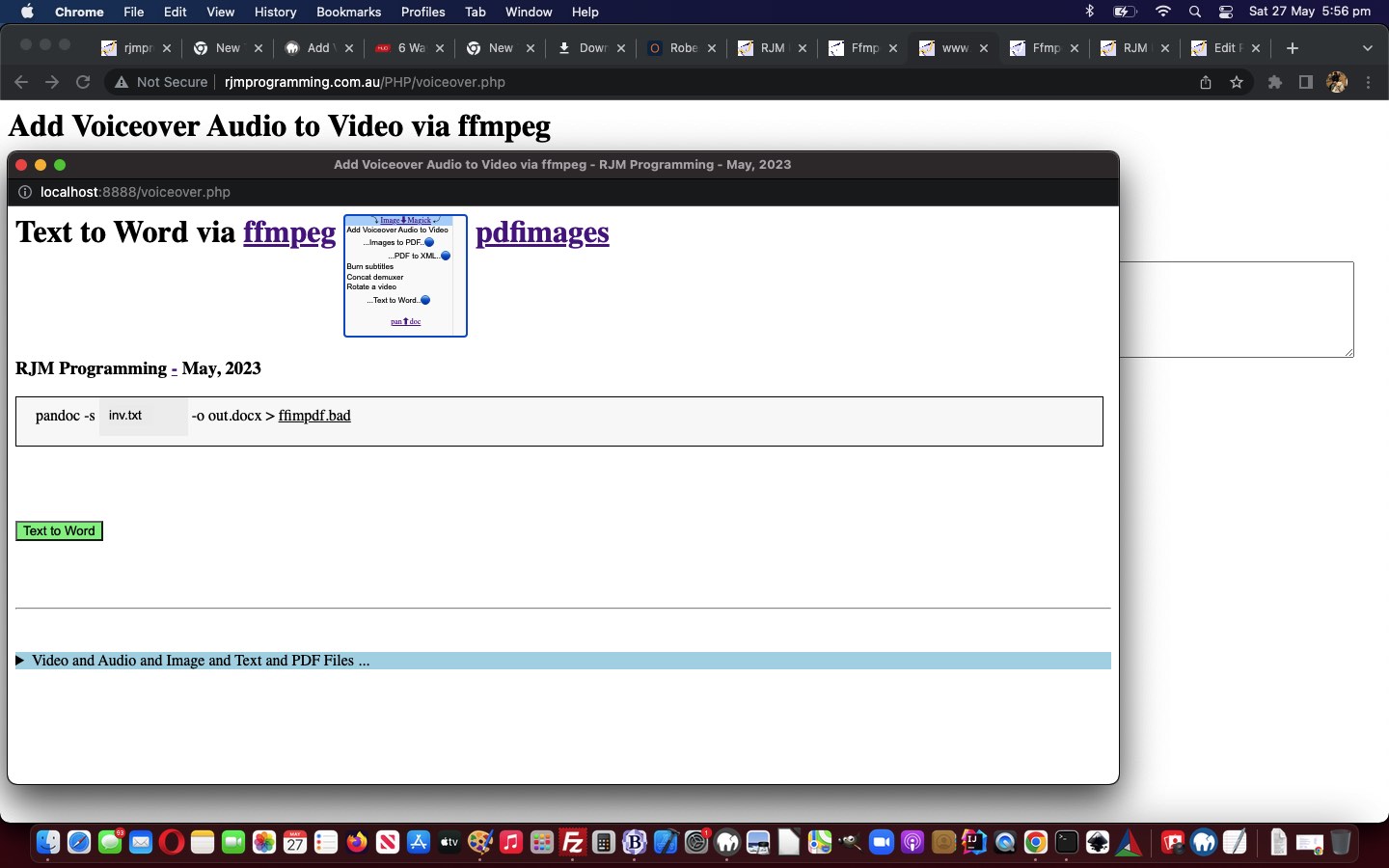
The “dropdown animations” introduced into yesterday’s Ffmpeg and Pandoc and ImageMagick and Pdfimages Animated Dropdown Tutorial were a tad subtle, it only involving …
- the wording of option elements within the dropdown … and though we’re not going “full marquee Eat at Joes” we are accentuating “midway”, today, by …
- adding emoji 🔵 (🔵) movement to the animation for interest sake, as well as being informative (in that the user can anticipate when the new innerText text will arrive, as the emoji moves from left to right)
… that we team with more instances of multiple animation settings …
<?php echo ”
  var mlook=false, kcnt=0, kprefix='', ksuffix='';

  var imstr='  Images to PDF,  Images to GIF,', oimstr=null, kimstr=0, aimstr=[];

  var pdstr='  PDF to Images,  PDF to HTML,  PDF to XML,', opdstr=null, kpdstr=0, apdstr=[];

  var pastr='  Text to HTML,  Text to Rich Text,  Text to Word,', opastr=null, kpastr=0, apastr=[];

  var ffstr='  Concat demuxer,  ', offstr=null, kffstr=0, affstr=[];
“; ?>
… and a new “between the 8 second setInterval wording refreshes” Javascript function …
<?php echo ”
  function betweeneatatjoes() {

     if (kprefix == '' && ksuffix == '') {

       kprefix='🔵..';

       ksuffix='...';

       document.getElementById('doverlaytwo').style.marginTop='20px';

     } else if (kprefix == '🔵..') {

       kprefix='.🔵.';

       ksuffix='...';

     } else if (kprefix == '.🔵.') {

       kprefix='..🔵';

       ksuffix='...';

     } else if (kprefix == '..🔵') {

       ksuffix='🔵..';

       kprefix='...';

     } else if (ksuffix == '🔵..') {

       ksuffix='.🔵.';

       kprefix='...';

     } else if (ksuffix == '.🔵.') {

       ksuffix='..🔵';

       kprefix='...';

     } else {

       kprefix='...';

       ksuffix='...';

       document.getElementById('doverlaytwo').style.marginTop='0px';

     }

     if (oimstr) {

       if (kimstr == 0) {

         oimstr.innerHTML='  ' + kprefix + aimstr[kimstr] + ksuffix;

       } else {

         oimstr.innerHTML='  ' + kprefix + aimstr[eval(-1 + kimstr)] + ksuffix;

       }

     }

     if (opdstr) {

       if (kpdstr == 0) {

         opdstr.innerHTML='  ' + kprefix + apdstr[kpdstr] + ksuffix;

       } else {

         opdstr.innerHTML='  ' + kprefix + apdstr[eval(-1 + kpdstr)] + ksuffix;

       }

     }

     if (opastr) {

       if (kpastr == 0) {

         opastr.innerHTML='  ' + kprefix + apastr[kpastr] + ksuffix;

       } else {

         opastr.innerHTML='  ' + kprefix + apastr[eval(-1 + kpastr)] + ksuffix;

       }

     }

     if (offstr) {

       if (kffstr == 0) {

         offstr.innerHTML='  ' + kprefix + affstr[kffstr] + ksuffix;

       } else {

         offstr.innerHTML='  ' + kprefix + affstr[kffstr] + ksuffix;

       }

     }

     kcnt++;

     if (kcnt < 7) {  setTimeout(betweeneatatjoes, 1000); }

  }


  function eatatjoes() {

     kcnt=0;

     kprefix='';

     ksuffix='';

     document.getElementById('doverlaytwo').style.marginTop='0px';

     if (oimstr) {

       if (kimstr >= eval('' + aimstr.length)) {

         kimstr=0;

         oimstr.innerHTML='  ' + aimstr[kimstr];

       } else {

         oimstr.innerHTML='  ' + aimstr[kimstr];

         kimstr++;

       }

     }

     if (opdstr) {

       if (kpdstr >= eval('' + apdstr.length)) {

         kpdstr=0;

         opdstr.innerHTML='  ' + apdstr[kpdstr];

       } else {

         opdstr.innerHTML='  ' + apdstr[kpdstr];

         kpdstr++;

       }

     }

     if (opastr) {

       //alert(apastr.length);

       if (kpastr >= eval('' + apastr.length)) {

         kpastr=0;

         opastr.innerHTML='  ' + apastr[kpastr];

       } else {

         opastr.innerHTML='  ' + apastr[kpastr];

         kpastr++;

       }

     }

     if (offstr) {

       if (kffstr >= eval('' + affstr.length)) {

         kffstr=0;

         offstr.innerHTML='  ' + affstr[kffstr];

       } else {

         offstr.innerHTML='  ' + affstr[kffstr];

         kffstr++;

       }

     }

     setTimeout(betweeneatatjoes, 1000);

  }


  function andthen(iidea) {

     var outidea=iidea;

     var fndpos=-1;

     var optsare=document.getElementsByTagName('option'), ioptsare=0;

     var iimstr=(imstr.indexOf(',') == -1 ? -1 : outidea.indexOf(imstr.split(',')[0].trim() + ','));

     mlook=false;

     if (iimstr != -1) {

        if ((imstr.split(',')[0].trim() + ',') != imstr.trim()) {

          if (document.getElementById('oimagemagick')) {

             oimstr=document.getElementById('oimagemagick');

             mlook=true;

             aimstr=imstr.trim().replace(/\,\ \ /g,',').replace(/\,\ /g,',').replace(/\,$/g,'').split(',');

          } else {

             for (ioptsare=0; ioptsare<optsare.length; ioptsare++) {

                if (optsare[ioptsare].value == imstr.split(',')[0].trim()) {

                  oimstr=optsare[ioptsare];

                  mlook=true;

                  aimstr=imstr.trim().replace(/\,\ \ /g,',').replace(/\,\ /g,',').replace(/\,$/g,'').split(',');

                }

             }

          }

          outidea=outidea.replace(imstr.split(',')[0].trim(), imstr.split(',')[0].trim() + '' + (imstr.replace(imstr.split(',')[0],'').trim() + ',').replace(',,',',').replace(/\,$/g,''));

        }

     }

     var ipdstr=(pdstr.indexOf(',') == -1 ? -1 : outidea.indexOf(pdstr.split(',')[0].trim() + ','));

     if (ipdstr != -1) {

        if ((pdstr.split(',')[0].trim() + ',') != pdstr.trim()) {

          if (document.getElementById('opdfimages')) {

             opdstr=document.getElementById('opdfimages');

             mlook=true;

             apdstr=pdstr.trim().replace(/\,\ \ /g,',').replace(/\,\ /g,',').replace(/\,$/g,'').split(',');

          } else {

             for (ioptsare=0; ioptsare<optsare.length; ioptsare++) {

                if (optsare[ioptsare].value == pdstr.split(',')[0].trim()) {

                  opdstr=optsare[ioptsare];

                  mlook=true;

                  apdstr=pdstr.trim().replace(/\,\ \ /g,',').replace(/\,\ /g,',').replace(/\,$/g,'').split(',');

                }

             }

          }

          outidea=outidea.replace(pdstr.split(',')[0].trim(), pdstr.split(',')[0].trim() + '' + (pdstr.replace(imstr.split(',')[0],'').trim() + ',').replace(',,',',').replace(/\,$/g,''));

        }

     }

     var ipastr=(pastr.indexOf(',') == -1 ? -1 : outidea.indexOf(pastr.split(',')[0].trim() + ','));

     if (ipastr != -1) {

        if ((pastr.split(',')[0].trim() + ',') != pastr.trim()) {

          if (document.getElementById('opandoc')) {

             opastr=document.getElementById('opandoc');

             mlook=true;

             apastr=pastr.trim().replace(/\,\ \ /g,',').replace(/\,\ /g,',').replace(/\,$/g,'').split(',');

          } else {

             for (ioptsare=0; ioptsare<optsare.length; ioptsare++) {

                if (optsare[ioptsare].value == pastr.split(',')[0].trim()) {

                  opastr=optsare[ioptsare];

                  mlook=true;

                  apastr=pastr.trim().replace(/\,\ \ /g,',').replace(/\,\ /g,',').replace(/\,$/g,'').split(',');

                }

             }

          }

          outidea=outidea.replace(pastr.split(',')[0].trim(), pastr.split(',')[0].trim() + '' + (pastr.replace(imstr.split(',')[0],'').trim() + ',').replace(',,',',').replace(/\,$/g,''));

        }

     }

     var iffstr=(ffstr.indexOf(',') == -1 ? -1 : outidea.indexOf(ffstr.split(',')[0].trim() + ','));

     if (iffstr != -1) {

        if ((ffstr.split(',')[0].trim() + ',') != ffstr.trim()) {

          if (document.getElementById('offmpeg')) {

             offstr=document.getElementById('offmpeg');

             mlook=true;

             affstr=ffstr.trim().replace(/\,\ \ /g,',').replace(/\,\ /g,',').replace(/\,$/g,'').split(',');

          } else {

             for (ioptsare=0; ioptsare<optsare.length; ioptsare++) {

                if (optsare[ioptsare].value == ffstr.split(',')[0].trim()) {

                  offstr=optsare[ioptsare];

                  mlook=true;

                  affstr=ffstr.trim().replace(/\,\ \ /g,',').replace(/\,\ /g,',').replace(/\,$/g,'').split(',');

                }

             }

          }

          outidea=outidea.replace(ffstr.split(',')[0].trim(), ffstr.split(',')[0].trim() + '' + (ffstr.replace(imstr.split(',')[0],'').trim() + ',').replace(',,',',').replace(/\,$/g,''));

        }

     }

     if (mlook) { setInterval(eatatjoes, 8000); }

     return outidea;

  }
“; ?>
… helped out via the original setInterval Javascript “eatatjoes” function (all kicked off via modified document.body onload logic
document.getElementById(‘mainspan’).title = andthen(document.getElementById(‘schoices’).innerText.replace(/\ \;/g,’ ‘).replace(/\ \ /g,’, ‘));
), as modified, above.
You can see this in the changed voiceover.php PHP (we’d want you to download to a local MAMP Apache web server’s Document Root folder and which you can run that PHP there).
Previous relevant Ffmpeg and Pandoc and ImageMagick and Pdfimages Animated Dropdown Tutorial is shown below.
Ffmpeg and Pandoc and ImageMagick and Pdfimages Animated Dropdown Tutorial
Lemon curry?! Animated dropdown?! What gives? Well, it’s not “shelling peas”, yet!
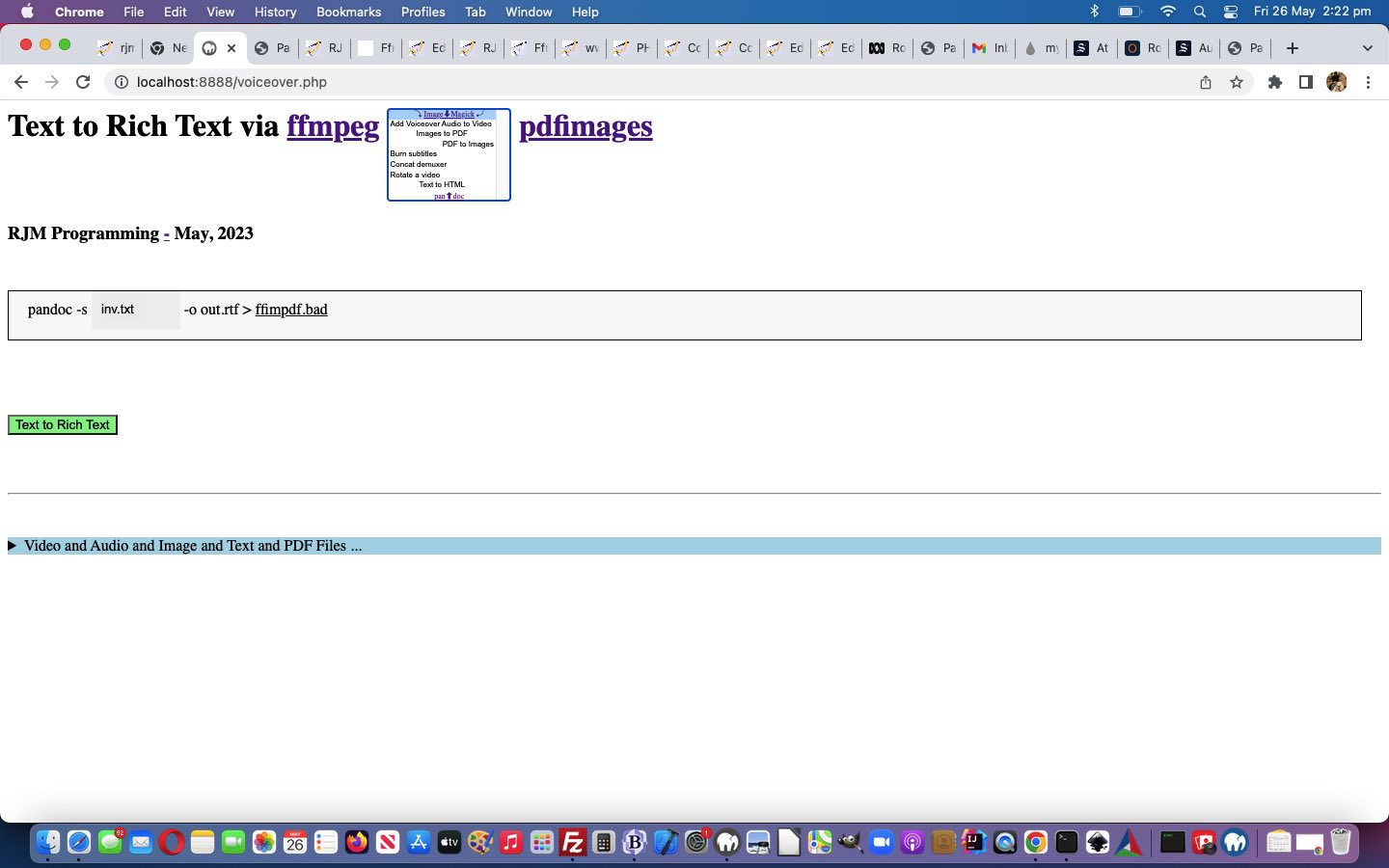
Yes, there is another “framework” step forward we wanted to implement before the peas. And yes, no surprises there, the “framework” work relates to adding functionality to our main dropdown. We’re adding a layer of functionality we’re going to refer to as “animated dropdown”. It amounts to …
- dropdown (ie. select element) … for non-mobile …
- has size attribute equal to the number of option elements it contains
- logic wise, because our non-nothing option innerTexts have equalled option values (if you Javascript trim() the option innerText, that is), we have the opportunity to start taking more notice of the …
<?php echo ”
  function process(tv, tvo) {

    var newval='';

    var ourtv=tvo.value;

    if (tv != '') {

      ourtv=tvo.options[tvo.selectedIndex].innerText.trim();

    }

    if (origval == '') { origval=document.getElementById('mydefopt').title;  }

    if (tv == '') {

      document.getElementById('mainspan').innerHTML=document.getElementById('mydefopt').title;

    } else {

      document.getElementById('mydefopt').title=ourtv; //tv;

      document.getElementById('mainspan').innerHTML=document.getElementById('mydefopt').title;

      document.getElementById('schoices').value='';

    }

    newval=document.getElementById('mydefopt').title;

    //alert('origval,newval=' + origval + ' ' + newval);

    if (newval != origval) {

      origval=newval;

      wentfrom(origval, newval);

    } else {

      origval=newval;

    }

  }
“; ?>
… option innerHTML as above, meaning … - we can set up Javascript code facilitating the animated feel of some option innerHTML looks that are taken notice of as selected via …
Global variables arranged via each “verb” involved … for today’s “proof of concept” we add one extra Pandoc “Text to Rich Text” option, for now, before the flood of peas arrives … <?php echo ”
  var mlook=false;

  var imstr='  Images to PDF,  ', oimstr=null, kimstr=0, aimstr=[];

  var pdstr='  PDF to Images,  ', opdstr=null, kpdstr=0, apdstr=[];

  var pastr='  Text to HTML,  Text to Rich Text,', opastr=null, kpastr=0, apastr=[];

  var ffstr='  Concat demuxer,  ', offstr=null, kffstr=0, affstr=[];
“; ?>As heading title is determined at document.body onload document.getElementById(‘mainspan’).title=andthen(document.getElementById(‘schoices’).innerText.replace(/\ \;/g,’ ‘).replace(/\ \ /g,’, ‘)); … <?php echo ”
  function andthen(iidea) {

     var outidea=iidea;

     var fndpos=-1;

     var optsare=document.getElementsByTagName('option'), ioptsare=0;

     var iimstr=(imstr.indexOf(',') == -1 ? -1 : outidea.indexOf(imstr.split(',')[0].trim() + ','));

     mlook=false;

     if (iimstr != -1) {

        if ((imstr.split(',')[0].trim() + ',') != imstr.trim()) {

          if (document.getElementById('oimagemagick')) {

             oimstr=document.getElementById('oimagemagick');

             mlook=true;

             aimstr=imstr.trim().replace(/\,\ \ /g,',').replace(/\,\ /g,',').replace(/\,$/g,'').split(',');

          } else {

             for (ioptsare=0; ioptsare<optsare.length; ioptsare++) {

                if (optsare[ioptsare].value == imstr.split(',')[0].trim()) {

                  oimstr=optsare[ioptsare];

                  mlook=true;

                  aimstr=imstr.trim().replace(/\,\ \ /g,',').replace(/\,\ /g,',').replace(/\,$/g,'').split(',');

                }

             }

          }

          outidea=outidea.replace(imstr.split(',')[0].trim(), imstr.split(',')[0].trim() + '' + (imstr.replace(imstr.split(',')[0],'').trim() + ',').replace(',,',',').replace(/\,$/g,''));

        }

     }

     var ipdstr=(pdstr.indexOf(',') == -1 ? -1 : outidea.indexOf(pdstr.split(',')[0].trim() + ','));

     if (ipdstr != -1) {

        if ((pdstr.split(',')[0].trim() + ',') != pdstr.trim()) {

          if (document.getElementById('opdfimages')) {

             opdstr=document.getElementById('opdfimages');

             mlook=true;

             aipdtr=pdstr.trim().replace(/\,\ \ /g,',').replace(/\,\ /g,',').replace(/\,$/g,'').split(',');

          } else {

             for (ioptsare=0; ioptsare<optsare.length; ioptsare++) {

                if (optsare[ioptsare].value == pdstr.split(',')[0].trim()) {

                  opdstr=optsare[ioptsare];

                  mlook=true;

                  apdstr=pdstr.trim().replace(/\,\ \ /g,',').replace(/\,\ /g,',').replace(/\,$/g,'').split(',');

                }

             }

          }

          outidea=outidea.replace(pdstr.split(',')[0].trim(), pdstr.split(',')[0].trim() + '' + (pdstr.replace(imstr.split(',')[0],'').trim() + ',').replace(',,',',').replace(/\,$/g,''));

        }

     }

     var ipastr=(pastr.indexOf(',') == -1 ? -1 : outidea.indexOf(pastr.split(',')[0].trim() + ','));

     if (ipastr != -1) {

        if ((pastr.split(',')[0].trim() + ',') != pastr.trim()) {

          if (document.getElementById('opandoc')) {

             opastr=document.getElementById('opandoc');

             mlook=true;

             apastr=pastr.trim().replace(/\,\ \ /g,',').replace(/\,\ /g,',').replace(/\,$/g,'').split(',');

          } else {

             for (ioptsare=0; ioptsare<optsare.length; ioptsare++) {

                if (optsare[ioptsare].value == pastr.split(',')[0].trim()) {

                  opastr=optsare[ioptsare];

                  mlook=true;

                  apastr=pastr.trim().replace(/\,\ \ /g,',').replace(/\,\ /g,',').replace(/\,$/g,'').split(',');

                }

             }

          }

          outidea=outidea.replace(pastr.split(',')[0].trim(), pastr.split(',')[0].trim() + '' + (pastr.replace(imstr.split(',')[0],'').trim() + ',').replace(',,',',').replace(/\,$/g,''));

        }

     }

     var iffstr=(ffstr.indexOf(',') == -1 ? -1 : outidea.indexOf(ffstr.split(',')[0].trim() + ','));

     if (iffstr != -1) {

        if ((ffstr.split(',')[0].trim() + ',') != ffstr.trim()) {

          if (document.getElementById('offmpeg')) {

             offstr=document.getElementById('offmpeg');

             mlook=true;

             affstr=ffstr.trim().replace(/\,\ \ /g,',').replace(/\,\ /g,',').replace(/\,$/g,'').split(',');

          } else {

             for (ioptsare=0; ioptsare<optsare.length; ioptsare++) {

                if (optsare[ioptsare].value == ffstr.split(',')[0].trim()) {

                  offstr=optsare[ioptsare];

                  mlook=true;

                  affstr=ffstr.trim().replace(/\,\ \ /g,',').replace(/\,\ /g,',').replace(/\,$/g,'').split(',');

                }

             }

          }

          outidea=outidea.replace(ffstr.split(',')[0].trim(), ffstr.split(',')[0].trim() + '' + (ffstr.replace(imstr.split(',')[0],'').trim() + ',').replace(',,',',').replace(/\,$/g,''));

        }

     }

     if (mlook) { setInterval(eatatjoes, 8000); }

     return outidea;

  }
“; ?>
… the appeal of all this being that the dropdown height can be controlled by swapping animation for height extension (and user experience downgrades)Animated dropdown setInterval Javascript function (bit like marquee Eat at Joes type of animation (we’ll see if it gets more like it into the future, perhaps?)) … <?php echo ”
  function eatatjoes() {

     if (oimstr) {

       if (kimstr >= eval('' + aimstr.length)) {

         kimstr=0;

         oimstr.innerHTML='  ' + aimstr[kimstr];

       } else {

         oimstr.innerHTML='  ' + aimstr[kimstr];

         kimstr++;

       }

     }

     if (opdstr) {

       if (kpdstr >= eval('' + apdstr.length)) {

         kpdstr=0;

         opdstr.innerHTML='  ' + apdstr[kpdstr];

       } else {

         opdstr.innerHTML='  ' + apdstr[kpdstr];

         kpdstr++;

       }

     }

     if (opastr) {

       if (kpastr >= eval('' + apastr.length)) {

         kpastr=0;

         opastr.innerHTML='  ' + apastr[kpastr];

       } else {

         opastr.innerHTML='  ' + apastr[kpastr];

         kpastr++;

       }

     }

     if (offstr) {

       if (kffstr >= eval('' + affstr.length)) {

         kffstr=0;

         offstr.innerHTML='  ' + affstr[kffstr];

       } else {

         offstr.innerHTML='  ' + affstr[kffstr];

         kffstr++;

       }

     }

  }
“; ?>
… onto yesterday’s Ffmpeg and Pandoc and ImageMagick and Pdfimages Media Tutorial in the changed voiceover.php PHP (we’d want you to download to a local MAMP Apache web server’s Document Root folder and which you can run that PHP there).
Previous relevant Ffmpeg and Pandoc and ImageMagick and Pdfimages Media Tutorial is shown below.
Ffmpeg and Pandoc and ImageMagick and Pdfimages Media Tutorial
Onto yesterday’s Ffmpeg and ImageMagick and Pdfimages Media Tutorial …
- ffmpeg … two more media manipulation “verb” stars today …
- ImageMagick (can help us with new “Images to PDF” option)
- pdfimages (can help us with new “PDF to Images” option) … “verb” collection, today, we wanted to add …
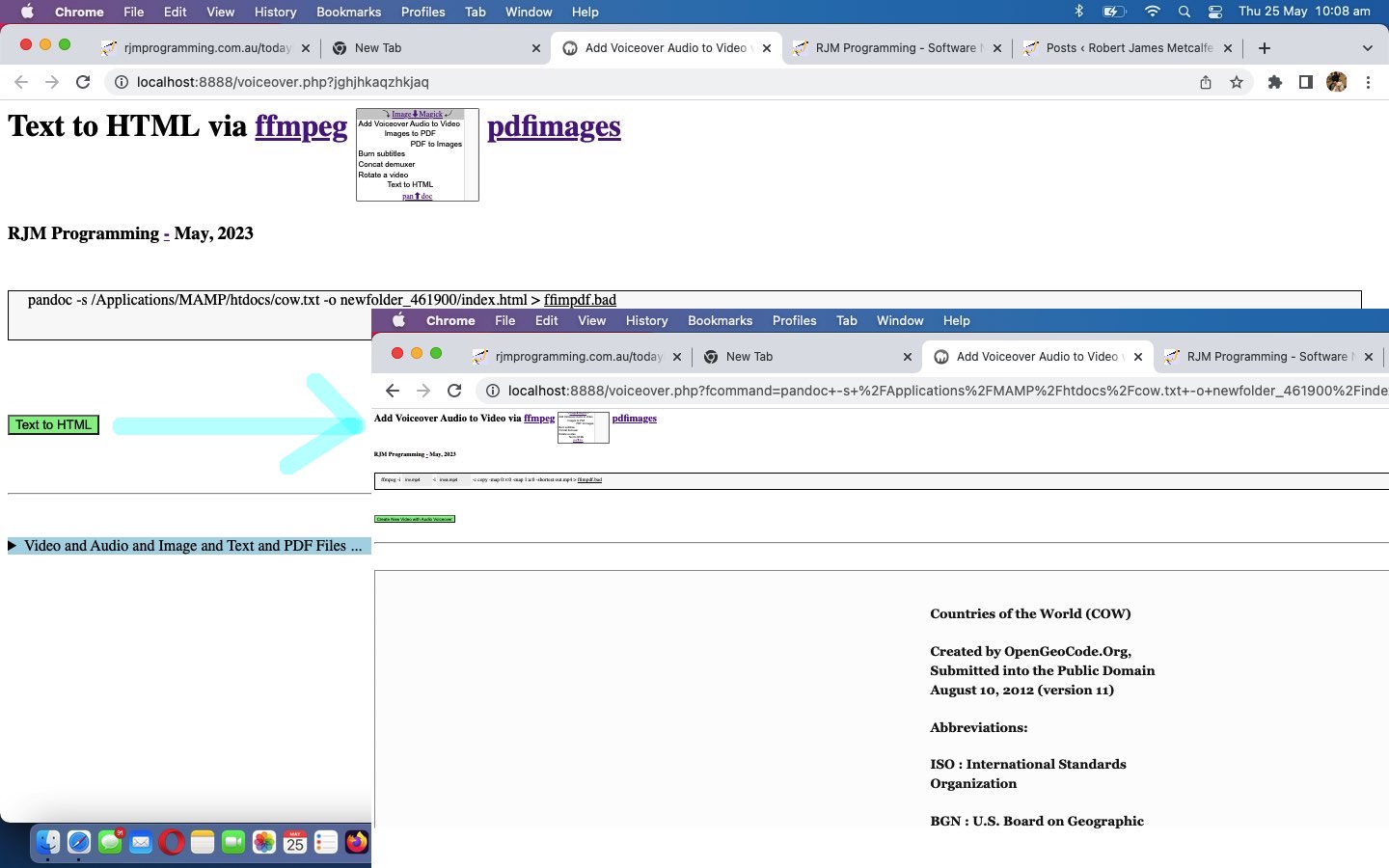
- pandoc (can help us with new “Text to HTML” option) …
If you need to convert files from one markup format into another, pandoc is your swiss-army knife.
… to help improve the “one stop shop” aspects, especially regarding “documents”, to our current Intranet feeling web application in the changed voiceover.php PHP (we’d want you to download to a local MAMP Apache web server’s Document Root folder and which you can run that PHP there).
Previous relevant Ffmpeg and ImageMagick and Pdfimages Media Tutorial is shown below.
Ffmpeg and ImageMagick and Pdfimages Media Tutorial
Yesterday’s Ffmpeg Rotate Video Tutorial left you with …
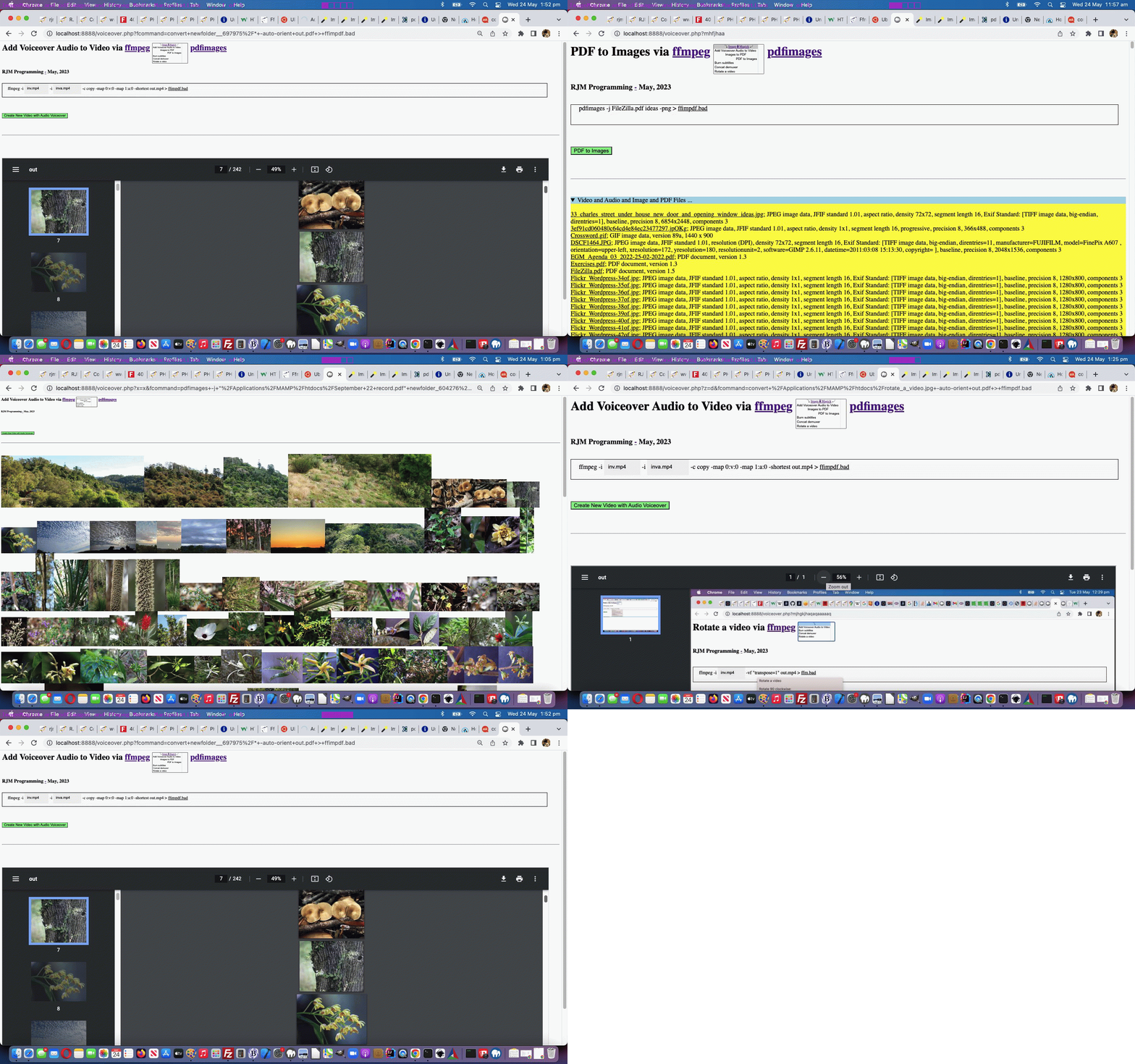
We now present those four in “an expanded out” (at least on non-mobile) dropdown HTML element. Maybe you can guess why?
… and today we are deploying the framework parts and two new media manipulation options regarding PDF that add to our PHP web application’s functionality.
Operating system commands can be thought of to start with …
- an action item (to be precise a desktop software file specification) … and, what we often think is, like …
- the command’s “verb” part (as funny as that is to think of a “noun” sounding desktop software file specification being like a “verb”) … verbs being action items in a sentence … down to being essential in any sentence … to the point a “verb” can be the whole sentence
We want to add functionality by adding to our first “verb” …
- ffmpeg … two more media manipulation “verb” stars today …
- ImageMagick (can help us with new “Images to PDF” option)
- pdfimages (can help us with new “PDF to Images” option)
… and to help the “framework” ahead of “shelling peas” we lean on the experience we got from the Animated GIF Creation on Windows MAMP via PDF Tutorial thread of blog postings to deal with …
- software paths
- presenting two new “verb” ideas … and us being so fond of dropdowns, we decided to try, for our first time …
- start to use three HTML option CSS text-align style choices being left (for ffmpeg), center (for ImageMagick) and right (for pdfimages) … as in …
… within …Add Voiceover Audio to Video via ffmpeg pdfimages
…
<select size=7 onchange=process(this.value,this); style=display:inline-block;font-size:8px; id=schoices><option style=text-align:center; id=mydefopt title='Add Voiceover Audio to Video' value=''>⤵ Image⬇Magick ⤶</option><option value='Add Voiceover Audio to Video'> Add Voiceover Audio to Video </option><option style='text-align:center;' value='Images to PDF'> Images to PDF</option><option style='text-align:right;' value='PDF to Images'> PDF to Images</option><option value='Burn subtitles'> Burn subtitles</option><option value='Concat demuxer'> Concat demuxer</option><option value='Rotate a video'> Rotate a video</option></select>
… and then in order to offer the “center” ImageMagick be a link back to the product we introduce some new overlay code …
<?php echo ”
  function overlay() {

   origval=document.getElementById('schoices').value;

   var rect=document.getElementById('fcommand').getBoundingClientRect();

   document.getElementById('moreb').style.position='absolute';

   document.getElementById('moreb').style.left='' + rect.left + 'px';

   document.getElementById('moreb').style.top='' + rect.top + 'px';

   document.getElementById('moreb').style.width='96%'; //' + rect.width + 'px';

   document.getElementById('moreb').style.height='' + rect.height + 'px';

   document.getElementById('moreb').style.border='1px solid black';

   document.getElementById('moreb').style.paddingLeft='20px';

   document.getElementById('moreb').style.backgroundColor='#f9f9f9';

   document.getElementById('fcommand').style.opacity='0.0';

   document.getElementById('fcommand').style.cursor='pointer';

   document.getElementById('moreb').innerHTML='<span id=precmds></span><span id=verb>ffmpeg" . $ffmpegsuf . "</span> <span id=prescbi></span><span id=minusi> -i </span><span id=scbi><iframe onload=checkif(this,\"inv.mp4\"); scrolling=no frameborder=0 id=cbi data-type=file data-value=inv.mp4 data-accept=\"video/*\" style=\"display:inline-block;height:40px;width:92px;vertical-align:middle;\" src=\"/HTMLCSS/client_browsing.htm?d=69075964842271&left=y\"></iframe></span> <span id=betweenis></span> <span id=secondi>-i <span id=scbix><iframe onload=checkiftwo(this,\"inva.mp4\"); scrolling=no frameborder=0 id=cbix data-type=file data-value=inva.mp4 data-accept=\"video/*\" style=\"display:inline-block;height:40px;width:106px;vertical-align:middle;\" src=\"/HTMLCSS/client_browsing.htm?d=69075964842271&right=y\"></iframe></span></span> <span id=sswitches>-c copy -map 0:v:0 -map 1:a:0 -shortest</span> out.mp4 > <a target=_blank title=ffimpdf.bad onclick=getvb(); style=cursor:pointer;text-decoration:underline; data-href=./ffimpdf.bad>ffimpdf.bad</a>';

   if (firstdivih == '') { firstdivih=document.getElementById('moreb').innerHTML; }

   if (firstbutval == '') { firstbutval=document.getElementById('mysub').value; }

   document.getElementById('schoices').style.display='inline-block';


   rect=document.getElementById('schoices').getBoundingClientRect();


   if (eval('' + rect.height) > 100 || 1 == 1) {

   document.getElementById('doverlay').style.position='absolute';

   document.getElementById('doverlay').style.left='' + rect.left + 'px';

   document.getElementById('doverlay').style.top='' + rect.top + 'px';

   document.getElementById('doverlay').style.width='' + rect.width + 'px';

   if (eval('' + rect.height) < 30) {

   document.getElementById('doverlay').style.height='' + rect.height + 'px';

   } else {

   document.getElementById('doverlay').style.height='' + eval(eval('' + rect.height) / eval('' + document.getElementById('schoices').size)) + 'px';

   }

   document.getElementById('doverlay').style.zIndex='96';

   document.getElementById('doverlay').style.textAlign='center';

   document.getElementById('doverlay').style.display='block';

   document.getElementById('doverlay').title=document.getElementById('mydefopt').title;

   //document.getElementById('mydefopt').style.fontColor='transparent';

   document.getElementById('mydefopt').innerHTML='';

   setInterval(fhoc, 1000);

   }


  }


  function fhoc() {

   var rectx=document.getElementById('schoices').getBoundingClientRect();

   document.getElementById('doverlay').style.left='' + rectx.left + 'px';

   document.getElementById('doverlay').title=document.getElementById('mydefopt').title;

   if (document.getElementById('scbi')) {

     if (document.getElementById('scbi').innerHTML.indexOf('<') == -1) {

      if (document.getElementById('scbi').innerHTML.trim().indexOf(' ') != -1) {

        if (document.getElementById('scbi').innerHTML.trim().indexOf(String.fromCharCode(34)) == -1) {

          document.getElementById('scbi').innerHTML=String.fromCharCode(34) + document.getElementById('scbi').innerHTML.trim() + String.fromCharCode(34);

        }

      }

     }

   }

   if (document.getElementById('scbix')) {

     if (document.getElementById('scbix').innerHTML.indexOf('<') == -1) {

      if (document.getElementById('scbix').innerHTML.trim().indexOf(' ') != -1) {

        if (document.getElementById('scbix').innerHTML.trim().indexOf(String.fromCharCode(34)) == -1) {

          document.getElementById('scbix').innerHTML=String.fromCharCode(34) + document.getElementById('scbix').innerHTML.trim() + String.fromCharCode(34);

        }

      }

     }

   }

  }
“; ?>
- start to use three HTML option CSS text-align style choices being left (for ffmpeg), center (for ImageMagick) and right (for pdfimages) … as in …
- Javascript to set up the HTML div contenteditable=true look for these two new options …
<?php echo ”
    if (newv == 'PDF to Images') {

       document.getElementById('moreb').innerHTML=firstdivih.replace(' out.mp4',' " . $minuspng . "');

       document.getElementById('secondi').innerHTML='';

       document.getElementById('sswitches').innerHTML=\"<span id=sfolder contenteditable=false>newfolder_" . rand(0,784534) . str_replace("\\","\\\\",$ddn) . "\" + '</span>ideas';


       document.getElementById('precmds').innerHTML=' ';

       document.getElementById('verb').innerHTML='" . $pdfimages . $pdfimagessuf . "';

       document.getElementById('scbi').innerHTML=document.getElementById('scbi').innerHTML.replace(/inv\.mp4/g,'inv.pdf      ');

       document.getElementById('minusi').innerHTML=' -j ';


       document.getElementById('mysub').value=newv;

    } else if (newv == 'Images to PDF') {

       document.getElementById('moreb').innerHTML=firstdivih.replace('out.mp4','out.pdf');


       document.getElementById('precmds').innerHTML=' ';

       document.getElementById('secondi').innerHTML='';

       document.getElementById('verb').innerHTML='" . $magickverb . $magicksuf . "';

       document.getElementById('sswitches').innerHTML='-auto-orient';

       document.getElementById('sswitches').title='To perform a folder of images (only, we suggest) right click or two finger guesture to left and enter the folder name only';

       document.getElementById('scbi').innerHTML=document.getElementById('scbi').innerHTML.replace(/inv\.mp4/g,'inv.jpg      ');

       document.getElementById('minusi').innerHTML='';

       document.getElementById('scbi').setAttribute('contenteditable', true);

       document.getElementById('scbi').onblur=function(event) {  if (document.getElementById('mydefopt').title == 'Images to PDF') {  if (event.target.innerHTML.replace(/\ \;/g,' ').trim() == '') { event.target.innerHTML='folder' + \"" . str_replace("\\","\\\\",$ddn) . "*\";  } if (event.target.innerHTML.toLowerCase().indexOf('.txt') == -1) {  if (event.target.innerHTML.indexOf('.') != -1) { document.getElementById('ifs').innerHTML+='<iframe id=voaskfor' + ifile + ' style=display:none; src=\"./voiceover.php?infilegetsize=' + encodeURIComponent(listtxt + ';' + event.target.innerHTML) + '\"></iframe>';  ifile++;    if (document.getElementById('moreb').title.indexOf(\"file '\" + event.target.innerHTML.replace(String.fromCharCode(34),'').replace(String.fromCharCode(34),'') + \"'\") == -1) {     document.getElementById('moreb').title+=String.fromCharCode(10) + \"file '\" + event.target.innerHTML.replace(String.fromCharCode(34),'').replace(String.fromCharCode(34),'') + \"'\"; } } } event.target.innerHTML=listtxt; if (document.getElementById('minusi')) { document.getElementById('minusi').innerHTML='';  }  }  };

       document.getElementById('moreb').onblur=function(event) {  if (document.getElementById('mydefopt').title == 'Images to PDF') { if (document.getElementById('minusi')) { var thingos=document.getElementById('minusi').innerHTML.replace(/\ \;/g,' ').trim().split('-i '); if (thingos.length > 1) { if (thingos[1].trim() != '' && (thingos[1] + '~').toLowerCase().indexOf('.txt~') == -1) { spanfill(thingos[1]); }  } document.getElementById('minusi').innerHTML='';  }  if (!document.getElementById('scbi')) { event.target.innerHTML=event.target.innerHTML.replace('<span id=\"between', '<span id=scbi contenteditable=true>' + listtxt + '</span> <span id=\"between');  putbackonblur(); if (event.target.innerHTML.indexOf('> -i </span><span id=\"scbi\"') == -1) { event.target.innerHTML=event.target.innerHTML.replace('</span>' + event.target.innerHTML.split('<span id=\"scbi\"')[0].split('</span>')[-1 + eval(event.target.innerHTML.split('<span id=\"scbi\"')[0].split('</span>').length)],'</span>');   } } }  };

       document.getElementById('moreb').oncontextmenu=function(event) { document.getElementById('scbi').innerHTML='folder' + \"" . str_replace("\\","\\\\",$ddn) . "*\"; };


       document.getElementById('mysub').value=newv;

    }
“; ?> - the performing of those two new “verb” ideas …
<?php
   $pfolder='';

   $ppdf='';


   // ... later ...

   $cmdis=str_replace('+',' ',urldecode($_GET['fcommand']));

   if (PHP_OS =='WINNT' || PHP_OS =='WIN32' || PHP_OS =='Windows') {

     if ($ffmpegpre != '' && strpos($cmdis, 'ffmpeg.') !== false && strpos($cmdis, $ffmpegpre) === false) {

       $cmdis=str_replace('ffmpeg.', $ffmpegpre . 'ffmpeg.', $cmdis);

     }

     if ($magickpre != '' && strpos($cmdis, $magickverb . '.') !== false && strpos($cmdis, $magickpre) === false) {

       $cmdis=str_replace($magickverb . '.', $magickpre . $magickverb . '.', $cmdis);

     }

     if ($pdfimagespre != '' && strpos($cmdis, 'pdfimages.') !== false && strpos($cmdis, $pdfimagespre) === false) {

       $cmdis=str_replace('pdfimages.', $pdfimagespre . 'pdfimages.', $cmdis);

     }

   }


   $precmd=explode('>', $cmdis);

   if (strpos($cmdis, 'pdfimages') !== false && strpos($cmdis, 'newfolder_') !== false) {

     $pfolder='newfolder_' . explode(DIRECTORY_SEPARATOR, explode('newfolder_', $cmdis)[1])[0];

     $beforep=explode($pfolder, $cmdis)[0];

     $afterp=explode($pfolder, $cmdis)[1];

     while (file_exists($pfolder)) {

       $pfolder='newfolder' . '_' . explode('newfolder', $pfolder)[1];

       $cmdis=$beforep . $pfolder . $afterp;

     }

     if (!file_exists($pfolder)) { mkdir($pfolder); }

   }


   // ... later ...

      $outf=$subcmd[1];

   // ... later ...

      if (strpos(strtolower(trim($outf) . '~'), '.pdf~') !== false) {

        $ppdf=trim($outf);

      }


   // ... later ...

   $rs=shell_exec($cmdis);


   // ... later ...

   if ($pfolder != '') {

     $rs.="<br><br>";

     foreach (glob($pfolder . DIRECTORY_SEPARATOR . '*.*') as $ifilename) {

       $rs.='<img title="' . $ifilename . '" src="' . $ifilename . '?rand=' . rand(0,7654532) . '"></img>';

     }

   }

   if ($ppdf != '') {

     $outf='';

     $rs.="<br><br><iframe style='width:98%;height:800px;' src='" . $ppdf . "?rand=" . rand(0,7654532) . "' title='" . $ppdf . "'></iframe>";

   }
?>
… in the changed voiceover.php PHP (we’d want you to download to a local MAMP Apache web server’s Document Root folder and which you can run that PHP there).
Previous relevant Ffmpeg Rotate Video Tutorial is shown below.
Ffmpeg Rotate Video Tutorial
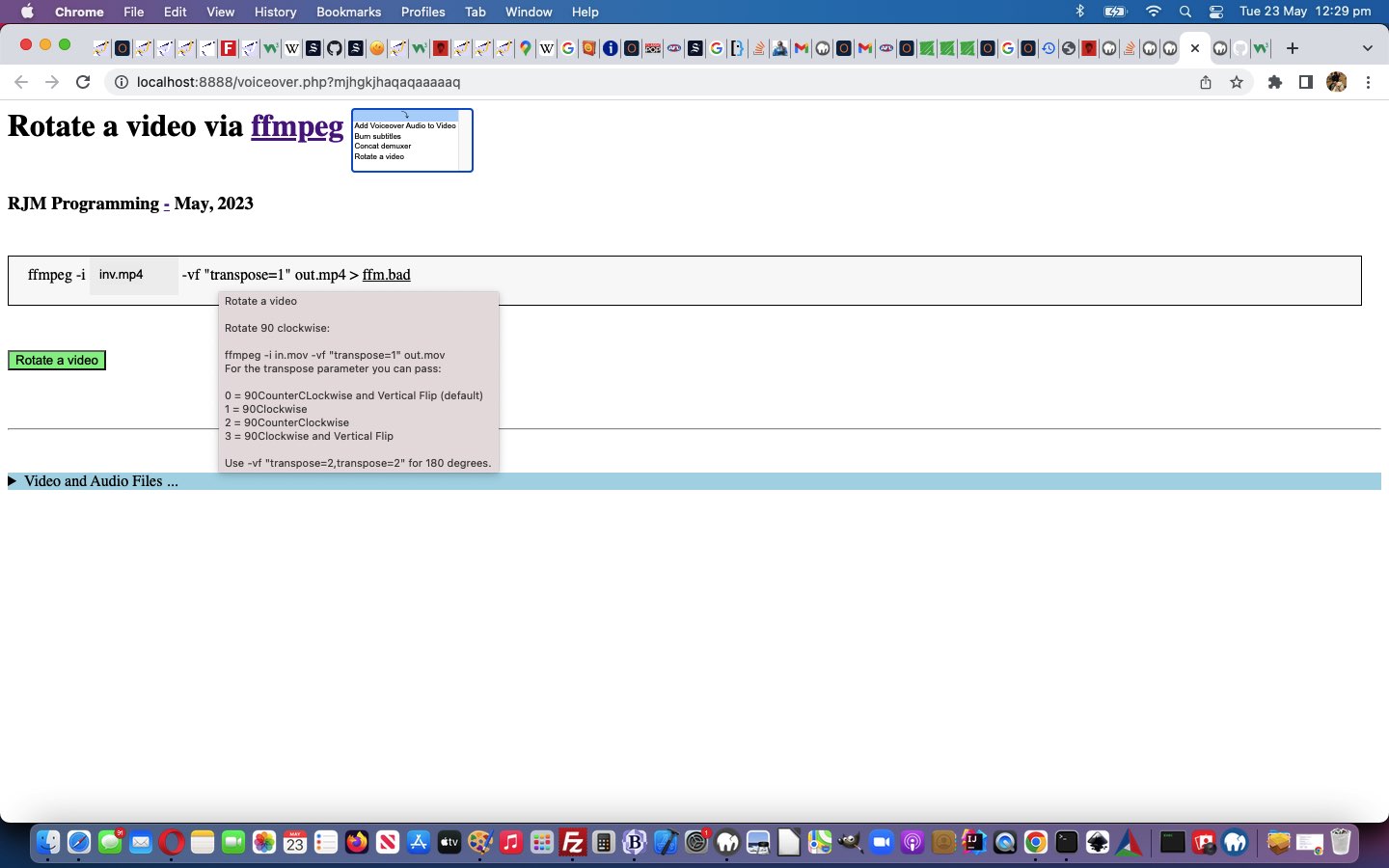
It’s getting closer to “shelling peas”, are today’s “Rotate a video via ffmpeg” changes, but we are not there yet. Yes, most programmers want to be “shelling peas” adding functionality to web applications, once they have set up a framework in which they are happy to work. Yesterday’s Ffmpeg Concat Demuxer Tutorial “defence talk” is getting us closer to that “shelling peas” “homeostasis feel” (with an “Intranet” pike, no doubt?!) as you can see from a Javascript “Rotate a video” code snippet below …
<?php echo ”
if (newv == 'Rotate a video') {

       document.getElementById('moreb').innerHTML=firstdivih;


       document.getElementById('precmds').innerHTML=' ';

       document.getElementById('secondi').innerHTML='';


       document.getElementById('sswitches').innerHTML='<span id=notranspose contenteditable=false>-vf \"transpose=</span><span id=transpose contenteditable=true>1</span><span id=nottranspose contenteditable=false>\" </span>';

       document.getElementById('sswitches').title='" . str_replace("\n", "' + String.fromCharCode(10) + '",$rotateadvice) . "';

       document.getElementById('sswitches').oncontextmenu=function(event) { alert(event.target.title); };


       document.getElementById('mysub').value=newv;

}
“; ?>
… effectively straightjacketing the crucial …
-vf "transpose=1"
… ffmpeg switch definition, by the user, to changing that 1 above as per the hover over advice, to help the user, straight from Mux Video and Audio from another Video, thanks, to advise …
<?php
$rotateadvice="Rotate a video


Rotate 90 clockwise:


ffmpeg -i in.mov -vf \"transpose=1\" out.mov

For the transpose parameter you can pass:


0 = 90CounterCLockwise and Vertical Flip (default)

1 = 90Clockwise

2 = 90CounterClockwise

3 = 90Clockwise and Vertical Flip


Use -vf \"transpose=2,transpose=2\" for 180 degrees.";
?>
Yes, the user can still put a bad entry there, but at least the web application has attempted to point them in the right direction, here.
If you examine the changes the changed voiceover.php PHP (we’d want you to download to a local MAMP Apache web server’s Document Root folder and which you can run that PHP there), am sure that you will concur …
- Concat demuxer concatenation of videos ffmpeg functionality, onto the “as of yesterday” …
- Voiceovers … and …
- Burn subtitles
- Rotate a video
… was the simplest functionality component, yet, of the four. We now present those four in “an expanded out” (at least on non-mobile) dropdown HTML element. Maybe you can guess why?
Previous relevant Ffmpeg Concat Demuxer Tutorial is shown below.
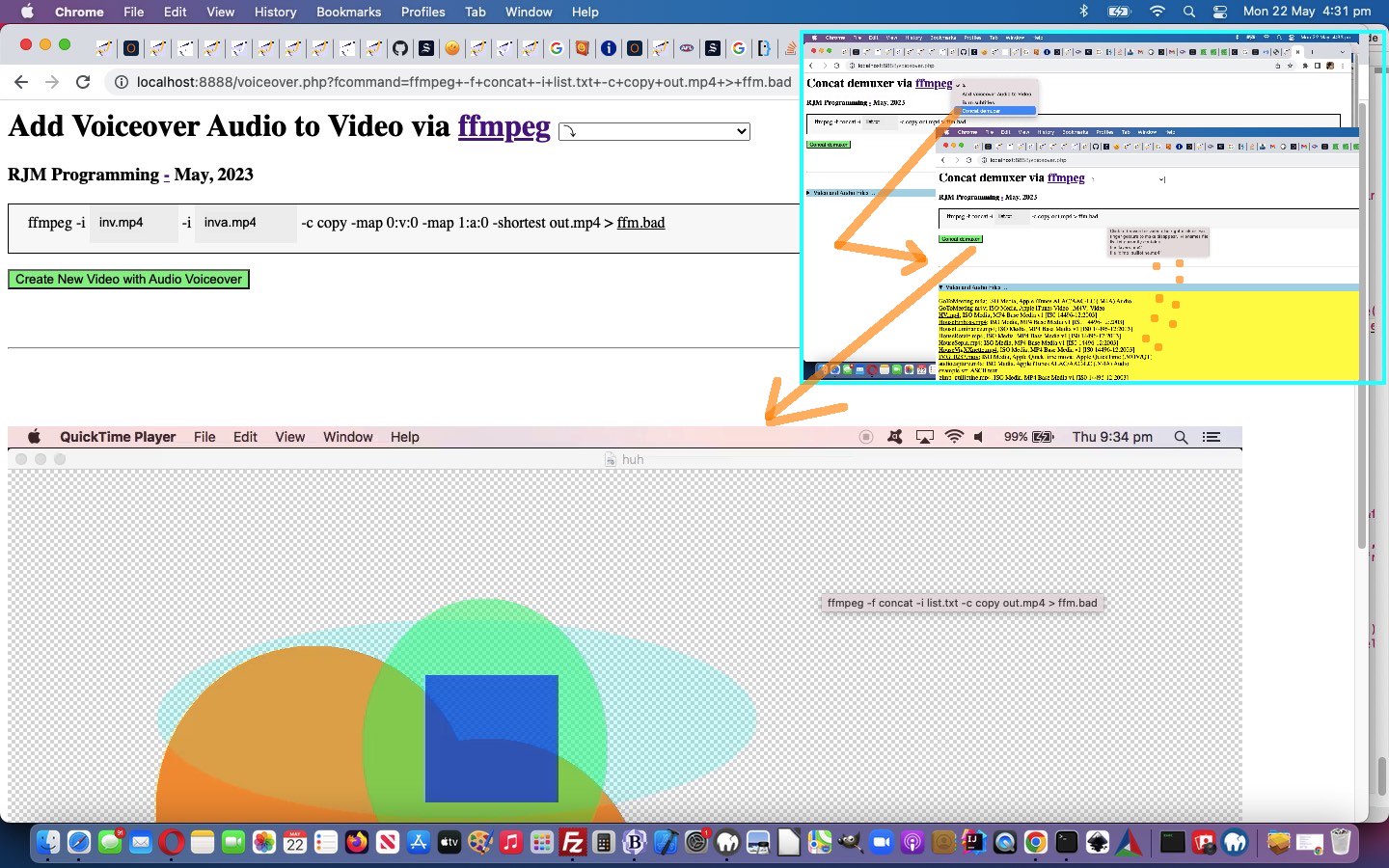
Ffmpeg Concat Demuxer Tutorial
Onto yesterday’s Ffmpeg Burn Subtitles Tutorial work we’re still not up to “shelling any peas” adding in …
- Concat demuxer concatenation of videos ffmpeg functionality, onto the “as of yesterday” …
- Voiceovers … and …
- Burn subtitles
… progress.
What’s different this time? Well, ffmpeg works the command, we again thank Mux Video and Audio from another Video for (regarding “the plan”), using an interim file …
Concat demuxer
First, make a text file.
file ‘in1.mp4’
file ‘in2.mp4’
file ‘in3.mp4’
file ‘in4.mp4’
Then, run ffmpeg :
ffmpeg -f concat -i list.txt -c copy out.mp4
… and for File API browsing (with our, once again, tweaked inhouse client_browsing.htm) there will be a delay, deriving the file path in “second call PHP”. We handle this by writing two new Javascript functions …
<?php echo ”
  var ifile=0, ibfile=0;


  function takeoffone() {

    ibfile--;

    if (ibfile <= 0) {

      document.getElementById('mysub').style.cursor='pointer';

    } else {

      document.getElementById('mysub').style.cursor='progress';

    }

  }


  function organizefilenamesize(fn, fs) {

    document.getElementById('ifs').innerHTML+='<iframe id=voaskfor' + ifile + ' style=display:none; src=\"./voiceover.php?concat=' + encodeURIComponent('list.txt') + '&filename=' + encodeURIComponent(fn) + '&haveasleep=' + eval(3 * eval('' + ifile)) + '&filesize=' + fs + '\"></iframe>';

    if (ibfile == 0) {

      document.getElementById('mysub').style.cursor='progress';

    }

    ifile++;

    ibfile++;

    if (document.getElementById('moreb').title.indexOf(\"file '\" + fn.replace(String.fromCharCode(34),'').replace(String.fromCharCode(34),'') + \"'\") == -1) {

    document.getElementById('moreb').title+=String.fromCharCode(10) + \"file '\" + fn.replace(String.fromCharCode(34),'').replace(String.fromCharCode(34),'') + \"'\";

    }

  }
“; ?>
… available to call from child iframes via parent.takeoneoff(); (from voiceover.php second PHP call) and parent.organizefilenamesize(files[ij].name, files[ij].size); (from client_browsing.htm) respectively, to facilitate a progress cursor on the submit button to remind the user we’d like more time. Along the way, too, we found …
ffmpeg -f concat -safe 0 -i list.txt -c copy out.mp4
… thanks to the excellent advice we found at this webpage.
You can see this work in the changed voiceover.php PHP (we’d want you to download to a local MAMP Apache web server’s Document Root folder and which you can run that PHP there).
Did you know?
Just like the use of …
- div contenteditable=true
- spanizing within that div
- innerText
… are the SpongeBob, Patrick, and Squidward of the online woooorrrrllllddd, in an “offence” line of “piecing together an operating system command” thinking, thinking “defence” regarding this we added one (we were pleasantly surprised to discover worked, so as) to have …
- div contenteditable=true
- spanizing within that div
- innerText
- mask off parts the programmer wants left untouched via span contenteditable=false
… being like the Hall and Oates meets Everything But the Girl (on a yacht, of course) step back into the ’80s!
Take a look at some tweaks …
   if (newv == 'Burn subtitles') {

       document.getElementById('moreb').innerHTML=firstdivih;

       //document.getElementById('precmds').innerHTML=document.getElementById('verb').innerHTML + ' ' + document.getElementById('secondi').innerHTML.replace(/inva\.mp4/g,'sub.srt      ') + ' sub.ass; ';

       document.getElementById('precmds').innerHTML=document.getElementById('verb').innerHTML + ' ' + document.getElementById('secondi').innerHTML.replace(/inva\.mp4/g,'sub.srt      ') + ' <span id=subass contenteditable=false>sub.ass;</span> ';

       document.getElementById('secondi').innerHTML='';

       //document.getElementById('sswitches').innerHTML='-vf ass=sub.ass';

       document.getElementById('sswitches').innerHTML='-vf<span id=asssubass contenteditable=false> ass=sub.ass </span>';

       document.getElementById('mysub').value=newv;

    }
… in a “Burn subtitles” relevant Javascript code snippet.
Previous relevant Ffmpeg Burn Subtitles Tutorial is shown below.
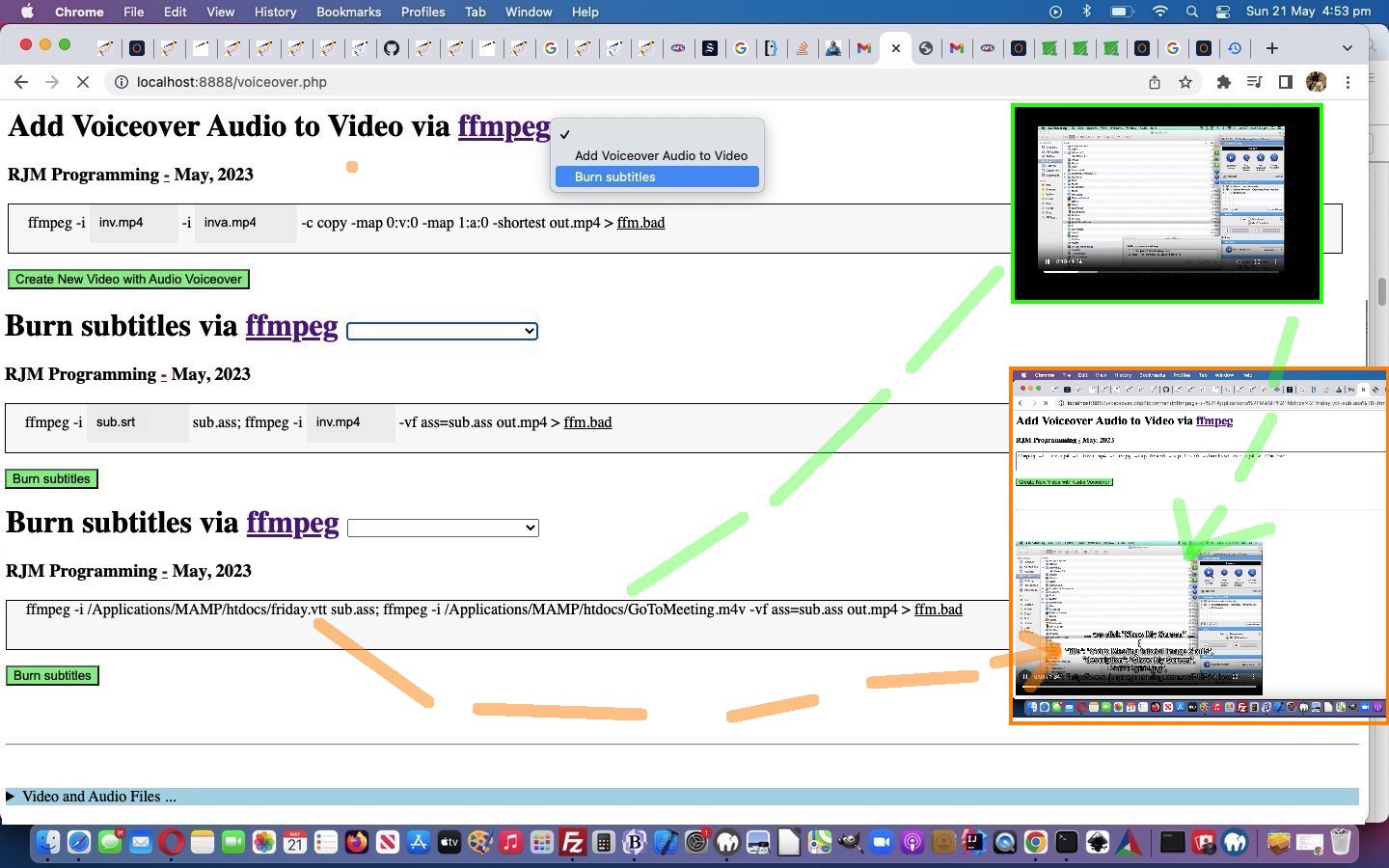
Ffmpeg Burn Subtitles Tutorial
The initial inspiration for this current ffmpeg themed series of blog posting was, and still is, Mux Video and Audio from another Video, thanks. So many great ideas, we found, that today we add onto the …
- first idea of Voiceovers we’ve established to work with MAMP in macOS and Windows over the previous days, allowing us to now think to add a first suboption idea of …
- Burn subtitles … as per our link’s …
Burn subtitles
Use the libass library (make sure your ffmpeg install has the library in the configuration –enable-libass).
First convert the subtitles to .ass format:
ffmpeg -i sub.srt sub.ass
Then add them using a video filter:
ffmpeg -i in.mp4 -vf ass=sub.ass out.mp4
… as a useful video piece of functionality we’d say.
To get this going, easily (from a programming perspective) …
- our textarea element remains as the form conduit to the ffmpeg command via the onsubmit event final analysis of the …
- underlying div contenteditable=true is “spanned” up a lot more as per …
<?php echo ”
document.getElementById('moreb').innerHTML='<span id=precmds></span><span id=verb>ffmpeg" . $ffmpegsuf . "</span> -i <span id=scbi><iframe onload=checkif(this,\"inv.mp4\"); scrolling=no frameborder=0 id=cbi data-type=file data-value=inv.mp4 data-accept=\"video/*\" style=\"display:inline-block;height:40px;width:92px;vertical-align:middle;\" src=\"/HTMLCSS/client_browsing.htm?d=9075964842271&left=y\"></iframe></span> <span id=betweenis></span> <span id=secondi>-i <span id=scbix><iframe onload=checkiftwo(this,\"inva.mp4\"); scrolling=no frameborder=0 id=cbix data-type=file data-value=inva.mp4 data-accept=\"video/*\" style=\"display:inline-block;height:40px;width:106px;vertical-align:middle;\" src=\"/HTMLCSS/client_browsing.htm?d=9075964842271&right=y\"></iframe></span></span> <span id=sswitches>-c copy -map 0:v:0 -map 1:a:0 -shortest</span> out.mp4 > <a target=_blank title=ffm.bad onclick=getvb(); style=cursor:pointer;text-decoration:underline; data-href=./ffm.bad>ffm.bad</a>';
“; ?>
… and at the onsubmit event Javascript the innerText attribute usage makes it fairly easy to say …
<?php echo ”
  function mergechanges() {

     if (document.getElementById('scbi').innerHTML.indexOf('<') == -1) {

       if (document.getElementById('precmds').innerHTML != '') {

       document.getElementById('fcommand').value=document.getElementById('moreb').innerText;

       } else {

       document.getElementById('fcommand').value=document.getElementById('fcommand').value.replace(' inv.mp4 ', ' ' + document.getElementById('scbi').innerHTML + ' ');

       }

       //alert('not oops ' + document.getElementById('fcommand').value);

     } //else {

       //alert('oops');

     //}

     if (document.getElementById('scbix').innerHTML.indexOf('<') == -1) {

       //alert('zoops');

       document.getElementById('fcommand').value=document.getElementById('fcommand').value.replace(' inva.mp4 ', ' ' + document.getElementById('scbix').innerHTML + ' ');

     }

     if (document.getElementById('moreb').innerText.indexOf(' -c ') != -1 && document.getElementById('fcommand').value.indexOf(' -c ') != -1) {

      //alert('azoops');

      if (document.getElementById('moreb').innerText.split(' -c ')[1] != document.getElementById('fcommand').value.split(' -c ')[1]) {

       //alert('bzoops');

       document.getElementById('fcommand').value=document.getElementById('fcommand').value.split(' -c ')[0] + ' -c ' + document.getElementById('moreb').innerText.split(' -c ')[1];

      }

     }

     return true;

  }
“; ?>
… to slice through that “span” complexity like margarine (or butter that’s been left out on a hot day for approximately 7 hours 17 minutes 23 seconds)
And so, onto yesterday’s Ffmpeg Improved Windows Media Browsing Tutorial feel free to see this in the changed voiceover.php PHP (we’d want you to download to a local MAMP Apache web server’s Document Root folder and which you can run that PHP there).
Previous relevant Ffmpeg Improved Windows Media Browsing Tutorial is shown below.
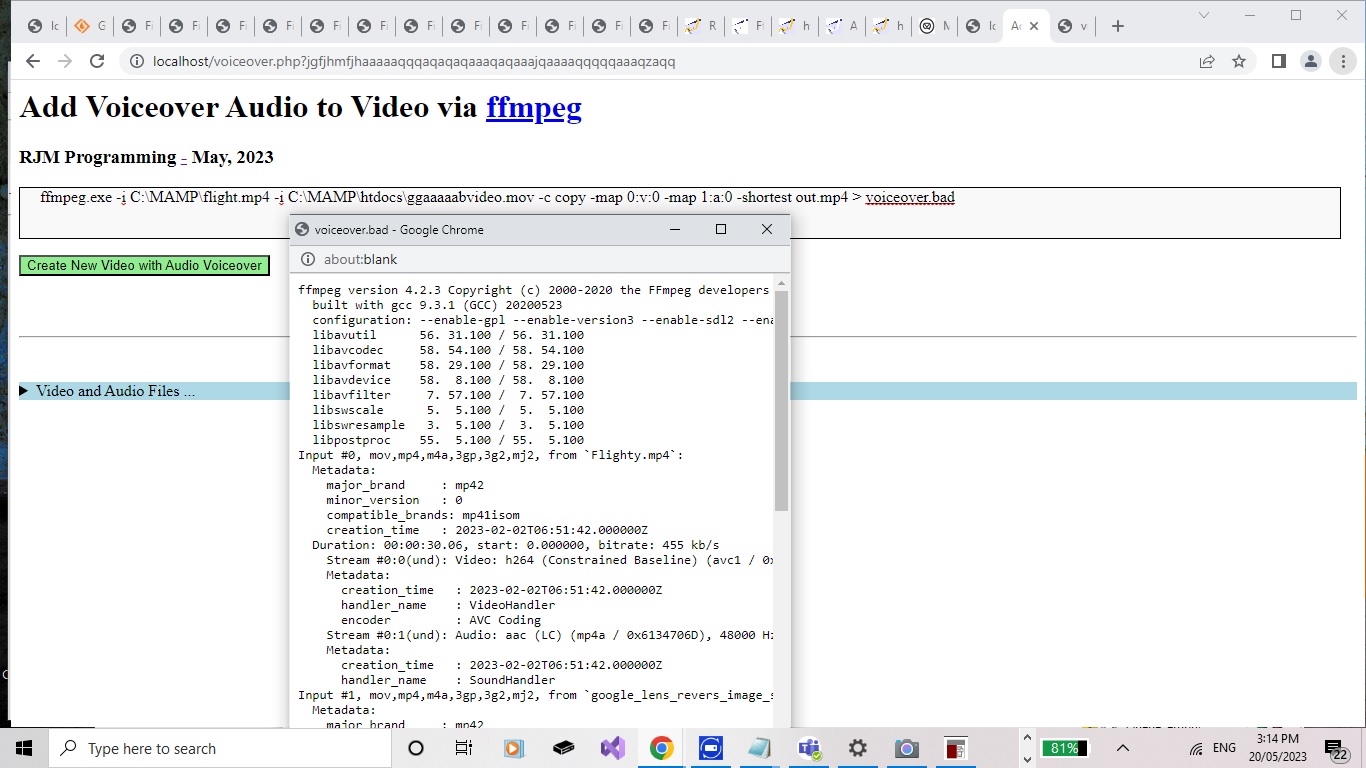
Ffmpeg Improved Windows Media Browsing Tutorial
Yesterday’s Ffmpeg Mux Video and Audio Windows Media Browsing Tutorial taught us a lesson, as a side issue, that what we said when we presented Animated GIF Creation on Windows MAMP via PDF Tutorial …
No matter how we tried, we could not get a Windows command line command like …
forfiles /P "[PathToFileBestGuess]" /S /M "[FileBaseName]" /C "cmd /c echo @path@fsize" | find "[FileSizeInBytes]"
… to work out a file path when supplied a file base name and a file size and you call as above with starting folders. That works well (for deriverability (if that is a word!)) in the “cmd” window but not when called under the auspices of PHP exec or shell_exec. It could be that you lose a lot of a Windows user environment when asking PHP to do some operating system work.
… was “only partially” the story. We found out that that ” | find ” command piping could cause problems on Windows MAMP using shell_exec or exec to do some operating system functionality. But before your enthusiasm oozes over the edges, Windows “forfiles” is still very hard to get working with PHP shell_exec or exec, even using PHP to perform that ” | find ” filtering of results.
However, on revisiting the issue in the changed voiceover.php PHP (we’d want you to download to a local MAMP Apache web server’s Document Root folder and which you can run that PHP there) there were dual purpose motivations going on, for us, because our changed animated GIF creator PHP tutorial_to_animated_gif.php (that if you download to MAMP would best go to Document Root PHP/animegif folder along with the wonderful GIFEncoder.class.php … thanks) inhouse animated GIF creator web application and the changed PDF parts to animated GIF creation helper php_calls_pdfimages.php (also a standalone proposition) PHP code could be fixed up at the same time, with a new PHP ourshell_exec function interventional code snippet up at the top …
<?php
function ourshell_exec($onea, $twoa = NULL, $threea = NULL) {

   $folder='';

   $pattern='';

   $size='';

   $filesa=[];

   if (PHP_OS =='WINNT' || PHP_OS =='WIN32' || PHP_OS =='Windows' || (strpos(('~@!' . $onea), '~@!forfiles /P "') !== false && strpos(('~@!' . $onea), '/M "') !== false && strpos(('~@!' . $onea), 'find "') !== false)) {

     $folder=explode('"', explode('forfiles /P "', $onea)[1])[0]; // . substr(DIRECTORY_SEPARATOR . DIRECTORY_SEPARATOR, 0, 1);

     if (7 == 7) {

       $folder=explode('"', explode('forfiles /P "', $onea)[1])[0]; // . substr(DIRECTORY_SEPARATOR . DIRECTORY_SEPARATOR, 0, 1);

       $pattern=explode('"', explode('/M "', $onea)[1])[0];

       $size=explode('"', explode('find "', $onea)[1])[0];

       $thiscmd=trim(explode(" | find ", $onea)[0]);

       if (strpos($pattern, ' ') === false) {  $thiscmd=str_replace('/M "' . $pattern . '"', '/M ' . $pattern, $thiscmd);  }

       if (strpos($folder, ' ') === false) {  $thiscmd=str_replace('/P "' . $folder . '"', '/P ' . $folder, $thiscmd);  }

       if (strpos($thiscmd, '"cmd /c ') !== false && substr($thiscmd,-1,1) != '"') { $thiscmd.='"'; }

       if (strpos($thiscmd, "/P C:\\ ") !== false) {

            if (strpos($thiscmd, "/P C:\\ ") !== false) {

                     if (strpos($pattern, " ") === false) {

                            $thiscmd="DIR C:\\" . $pattern . " /S /-C";

                     } else {

                            $thiscmd="DIR \"C:\\" . $pattern . "\" /S /-C";

                     }

            }

       }

//file_put_contents('xxx.xxx',file_get_contents('xxx.xxx'). "\n" . '' . $size . ' ' . $thiscmd);

       $nofind=shell_exec($thiscmd . ' 2> nul');


//file_put_contents('xxxx.xxxx',file_get_contents('xxxx.xxxx'). "\n" . '' . $size . ' ' . $nofind);

//exit;

       $findings=explode("\n", $nofind);

       $bitbefore='';

       for ($ifindgs=0; $ifindgs<sizeof($findings); $ifindgs++) {

         if (strpos(str_replace("\r","",$findings[$ifindgs]), 'Directory of ') !== false) {

             $bitbefore=explode('Directory of ', str_replace("\r","",$findings[$ifindgs]))[1] . "\\";

         }

         if (strpos((str_replace("\r","",$findings[$ifindgs]) . '~'), $size . '~') !== false) {

            return str_replace('~','',str_replace($size . '~', '', (str_replace("\r","",$findings[$ifindgs]) . '~')));

         } else if (strpos((str_replace("\r","",$findings[$ifindgs]) . ''), $size . ' ') !== false) {

//file_put_contents('xxxxx.xxxxx',$bitbefore . explode($size . ' ', (str_replace("\r","",$findings[$ifindgs]) . ''))[1]);

           return $bitbefore . explode($size . ' ', (str_replace("\r","",$findings[$ifindgs]) . ''))[1];

         }

       }

       if ($folder == "C:\\") { return ''; }

     }

// more code

// as per usual

// stays here ...

   }

   return shell_exec($onea, $twoa, $threea);

}
?>
… where we substitute in Windows DIR C:\ /S /-C thinking in place of forfiles (via shell_exec minus the ” | find ” piping, that is).
Previous relevant Ffmpeg Mux Video and Audio Windows Media Browsing Tutorial is shown below.
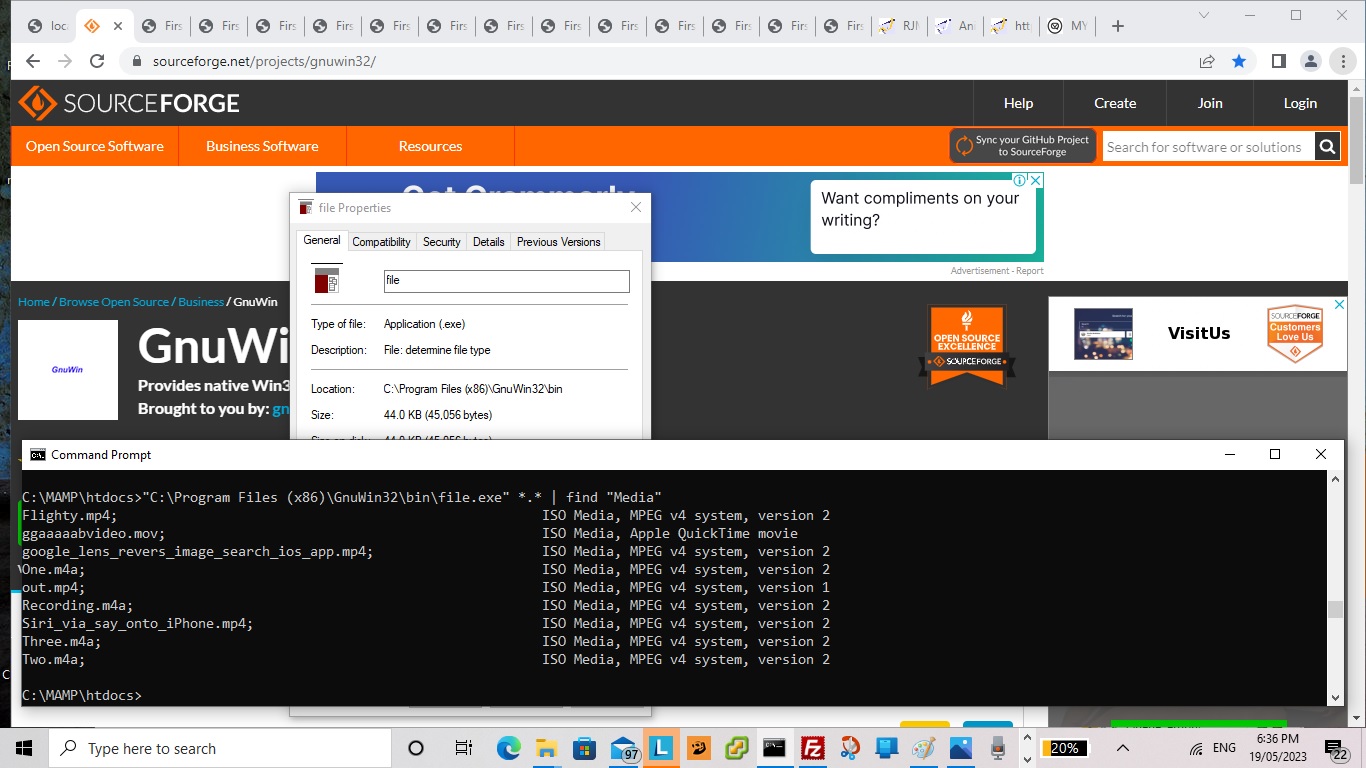
Ffmpeg Mux Video and Audio Windows Media Browsing Tutorial
You know it’s “Intranet feely land”?
You look out the train window (tee hee) and see macOS racing through their usual routine.
Of course you’ll pick the buffet car containing the rice bubbles ahead of the vegemite corn flakes?!
But do we need to reiterate that in “Intranet feely land” you’ve got your macOS typose of work not suiting “arch Windows” methodologies? Take the case of …
At least, with macOS MAMP there is the excellent command line “file” we can use to show information about some potential input files you could use in this, so far, user unfriendly, “first draft” version of the PHP.
… to the beach, would be nice … but we digress. Well, in any case, we asked Google (not via the “arch Window”) does windows have the equivalent of linux file command” and got to the helpful What is the equivalent to the Linux File command for windows? – Super User, thanks, and then ended up at the really useful third party “file.exe” for (non-arch) Windows usage and proceeded with it, working off Ffmpeg Mux Video and Audio Media Browsing Tutorial, to start being able to develop this “reveal” details/summary arrangement in either macOS or Windows MAMP environments, that “ffmpeg” voiceover command, which normally works a lot better than …
I command thee mux, hey you, with audible you, over yonder, by dale and meadow be, yea!
… when it occurred to us we could turn the base filename parts of those “file.exe” reports into links that when clicked mapped those clicked files into place into the “ffmpeg” command being developed above (as alternative input file designator idea to browsing or div contenteditable=true typing ways), in the changed voiceover.php PHP (we’d want you to download to a local MAMP Apache web server’s Document Root folder) and which you can run that PHP there.
And so, we reckon the work day got worth it!
Previous relevant Ffmpeg Mux Video and Audio Media Browsing Tutorial is shown below.
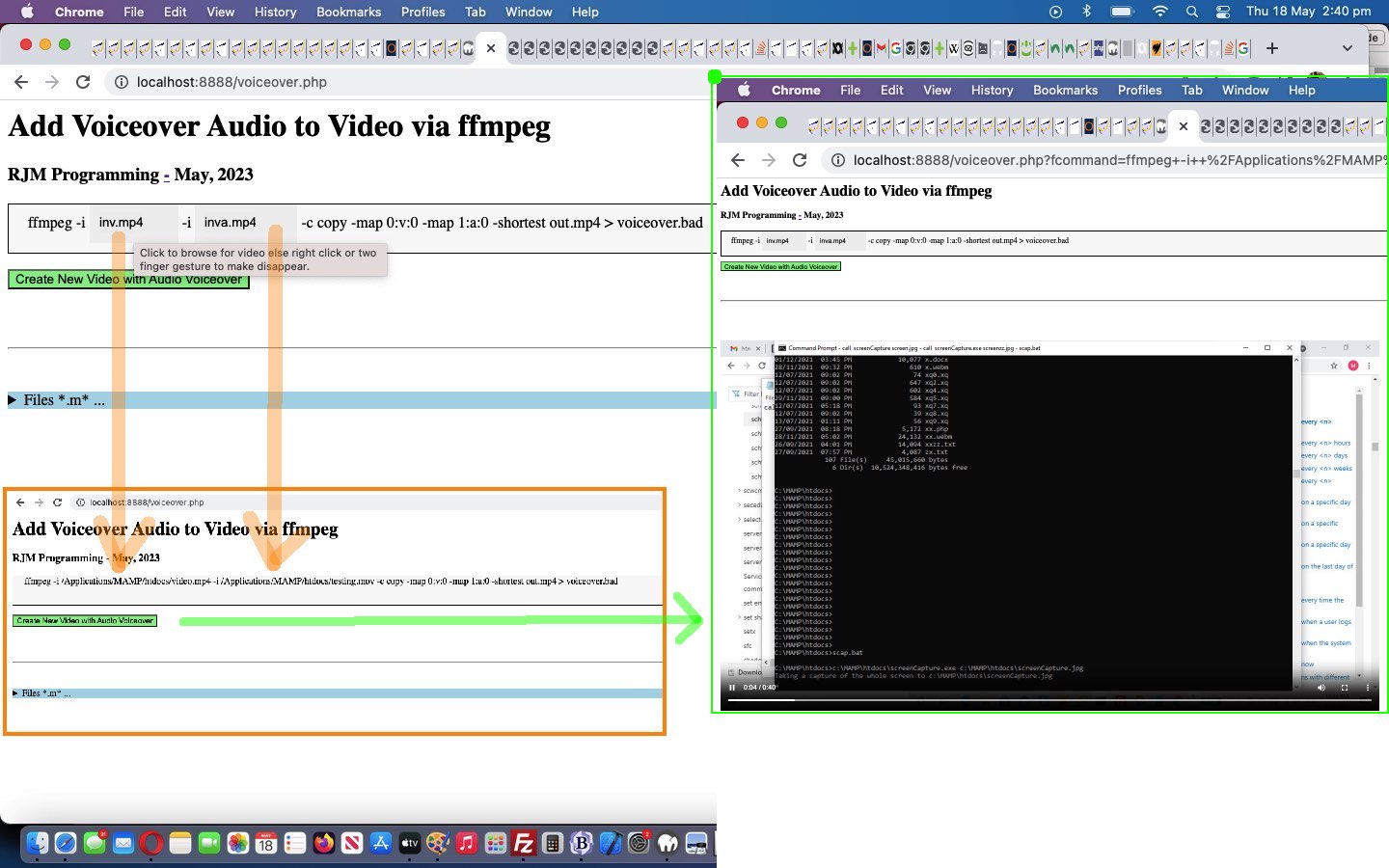
Ffmpeg Mux Video and Audio Media Browsing Tutorial
Onto yesterday’s Ffmpeg Mux Video and Audio Primer Tutorial …
There be a flowerin’ of inner warmth and glo’ towards all our readers, youngins and oldins alike … like!
Yes, we’re involving good ol’ HTML5 File API Object Javascript logic, so our “Intranet” savvy downloaders out there …
Full o’ inner warmth and glo’ towards each other … like!
… can easily browse for their two media input files, and for the first time ever integrating our ever tweaked inhouse client_browsing.htm (also a standalone proposition) (we’d like you to download to MAMP Document Root’s HTMLCSS subfolder) we add “oncontextmenu” event changes to its input type=file browser hosting parent iframe element onload event Javascript function as per …
<?php echo ”
  var voaf='', voaftwo='';


  function checkif(iois, ival) {

    if (iois.src.indexOf('?d=') != -1) {

    var aconto = (iois.contentWindow || iois.contentDocument);

    if (aconto != null) {

       if (aconto.document) { aconto = aconto.document; }

       if (aconto.getElementById('files')) {

         if (voaf == '') {

         voaf=iois.src;

         iois.setAttribute('data-parentspan', 's' + ival.replace('inv.mp4','cbi').replace('inva.mp4','cbix'));

         document.getElementById('myh1').title='s' + ival.replace('inv.mp4','cbi').replace('inva.mp4','cbix');

         document.getElementById('myh1').setAttribute('data-url', iois.src);

         setInterval(voaff, 1000);

         } else if (voaftwo == '') {

         voaftwo=iois.src;

         iois.setAttribute('data-parentspan', 's' + ival.replace('inv.mp4','cbi').replace('inva.mp4','cbix'));

         document.getElementById('myh3').title='s' + ival.replace('inv.mp4','cbi').replace('inva.mp4','cbix');

         document.getElementById('myh3').setAttribute('data-url', iois.src);

         //alert(iois.id + ' data-parentspan=' + iois.getAttribute('data-parentspan'));

         }

         //alert(iois.id + ' data-parentspan=' + iois.getAttribute('data-parentspan'));

         aconto.getElementsByTagName('h1')[0].style.opacity='0.0';

         //alert('here');

         aconto.getElementById('files').style.position='absolute';

         aconto.getElementById('files').style.left='0px';

         aconto.getElementById('files').style.top='0px';

         aconto.getElementById('files').style.zIndex='99';

         aconto.getElementById('files').style.marginLeft='10px';

         aconto.getElementById('files').style.marginTop='8px';

         aconto.getElementById('files').style.visibility='visible';

         aconto.getElementById('files').style.display='block';

         aconto.getElementById('files').style.backgroundColor='#eeeeee';

         aconto.getElementById('files').setAttribute('data-hostcont', ival);

         aconto.getElementById('files').setAttribute('data-hostspan', 's' + ival.replace('inv.mp4','cbi').replace('inva.mp4','cbix'));

         aconto.getElementById('files').oncontextmenu = function(event) { var suf=event.target.getAttribute('data-hostspan');  parent.document.getElementById(suf).innerHTML=\"" . str_replace("\\","\\\\",dirname(__FILE__) . DIRECTORY_SEPARATOR) . "\" + event.target.getAttribute('data-hostcont');  }

         if (ival == 'inv.mp4') {

           aconto.getElementById('files').accept='video/*';

           aconto.getElementById('files').title='Click to browse for video else right click or two finger gesture to make disappear.';

         } else {

           aconto.getElementById('files').accept='video/*,audio/*';

           aconto.getElementById('files').title='Click to browse for video or audio else right click or two finger gesture to make disappear.';

         }

         //alert('there');

         aconto.getElementById('dwstyle').innerHTML+=\"<style> #files::before { content: '\" + ival + \"'; } </style>\";

       }

    }

    }

  }
“; ?>
… to allow a user who prefers the overlayed div contenteditable=true alternative (which speaks back to the HTML form textarea conduit when that form’s “onsubmit” event is called) onto yesterday’s exclusively textarea methodology …
<?php echo ”
  function overlay() {

   var rect=document.getElementById('fcommand').getBoundingClientRect();

   document.getElementById('moreb').style.position='absolute';

   document.getElementById('moreb').style.left='' + rect.left + 'px';

   document.getElementById('moreb').style.top='' + rect.top + 'px';

   document.getElementById('moreb').style.width='96%'; //' + rect.width + 'px';

   document.getElementById('moreb').style.height='' + rect.height + 'px';

   document.getElementById('moreb').style.border='1px solid black';

   document.getElementById('moreb').style.paddingLeft='20px';

   document.getElementById('moreb').style.backgroundColor='#f9f9f9';

   document.getElementById('fcommand').style.opacity='0.0';

   document.getElementById('moreb').innerHTML='ffmpeg" . $ffmpegsuf . " -i <span id=scbi><iframe onload=checkif(this,\"inv.mp4\"); scrolling=no frameborder=0 id=cbi data-type=file data-value=inv.mp4 data-accept=\"video/*\" style=\"display:inline-block;height:40px;width:92px;vertical-align:middle;\" src=\"/HTMLCSS/client_browsing.htm?d=975964842271&left=y\"></iframe></span> -i <span id=scbix><iframe onload=checkiftwo(this,\"inva.mp4\"); scrolling=no frameborder=0 id=cbix data-type=file data-value=inva.mp4 data-accept=\"video/*\" style=\"display:inline-block;height:40px;width:106px;vertical-align:middle;\" src=\"/HTMLCSS/client_browsing.htm?d=975964842271&right=y\"></iframe></span> -c copy -map 0:v:0 -map 1:a:0 -shortest out.mp4 > voiceover.bad';

  }


  function mergechanges() {

     if (document.getElementById('scbi').innerHTML.indexOf('<') == -1) {

       document.getElementById('fcommand').value=document.getElementById('fcommand').value.replace(' inv.mp4 ', ' ' + document.getElementById('scbi').innerHTML + ' ');

       //alert('not oops ' + document.getElementById('fcommand').value);

     } //else {

       //alert('oops');

     //}

     if (document.getElementById('scbix').innerHTML.indexOf('<') == -1) {

       document.getElementById('fcommand').value=document.getElementById('fcommand').value.replace(' inva.mp4 ', ' ' + document.getElementById('scbix').innerHTML + ' ');

     }

     if (document.getElementById('moreb').innerText.indexOf(' -c ') != -1 && document.getElementById('fcommand').value.indexOf(' -c ') != -1) {

      if (document.getElementById('moreb').innerText.split(' -c ')[1] != document.getElementById('fcommand').value.split(' -c ')[1]) {

       document.getElementById('fcommand').value=document.getElementById('fcommand').value.split(' -c ')[0] + ' -c ' + document.getElementById('moreb').innerText.split(' -c ')[1];

      }

     }

     return true;

  }
“; ?>
… reign supreme collecting their media file specification information in the changed voiceover.php PHP (we’d want you to download to a local MAMP Apache web server’s Document Root folder) and which you can run that PHP there.
The previous work of Animated GIF Creation Install Paths Tutorial‘s thread of blog postings has been a great help with this ffmpeg “Intranet feeling” integration work we use, around here, in conjunction with macOS or Windows operating system MAMP Apache local web server environments.
Previous relevant Ffmpeg Mux Video and Audio Primer Tutorial is shown below.
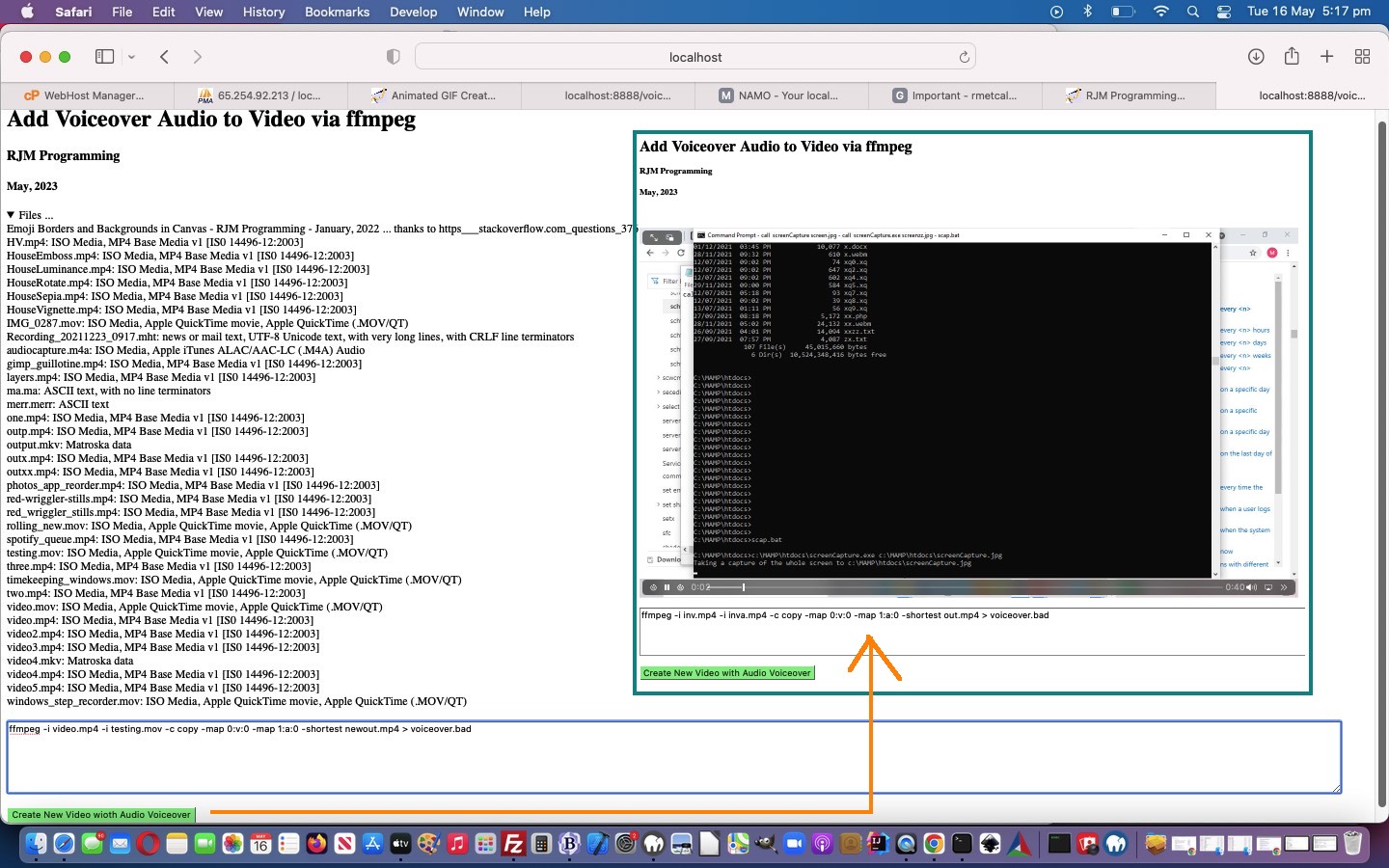
Ffmpeg Mux Video and Audio Primer Tutorial
We’ve got another “Intranet feeling” PHP web application “first draft” for you today. The reason we’re opting for “Intranet feeling” (ie. we’re asking you to download the voiceover.php PHP to a local MAMP Apache web server and run the PHP there from its Document Root folder) is that we want to further explore the brilliant …
ffmpeg -i inv.mp4 -i inva.mp4 -c copy -map 0:v:0 -map 1:a:0 -shortest out.mp4
… we got inspired to try via Mux Video and Audio from another Video and FFMPEG mux video and audio (from another video) – mapping issue … thanks and thanks … to add audio to a video stream from two different sources.
At least, with macOS MAMP there is the excellent command line “file” we can use to show information about some potential input files you could use in this, so far, user unfriendly, “first draft” version of the PHP.
If this was interesting you may be interested in this too.
If this was interesting you may be interested in this too.
If this was interesting you may be interested in this too.
If this was interesting you may be interested in this too.
If this was interesting you may be interested in this too.
If this was interesting you may be interested in this too.
If this was interesting you may be interested in this too.
If this was interesting you may be interested in this too.
If this was interesting you may be interested in this too.
If this was interesting you may be interested in this too.
If this was interesting you may be interested in this too.
If this was interesting you may be interested in this too.
If this was interesting you may be interested in this too.
If this was interesting you may be interested in this too.
If this was interesting you may be interested in this too.
If this was interesting you may be interested in this too.