
Exim Mail Server on AlmaLinux Apache PHP Dedicated Web Server Tutorial
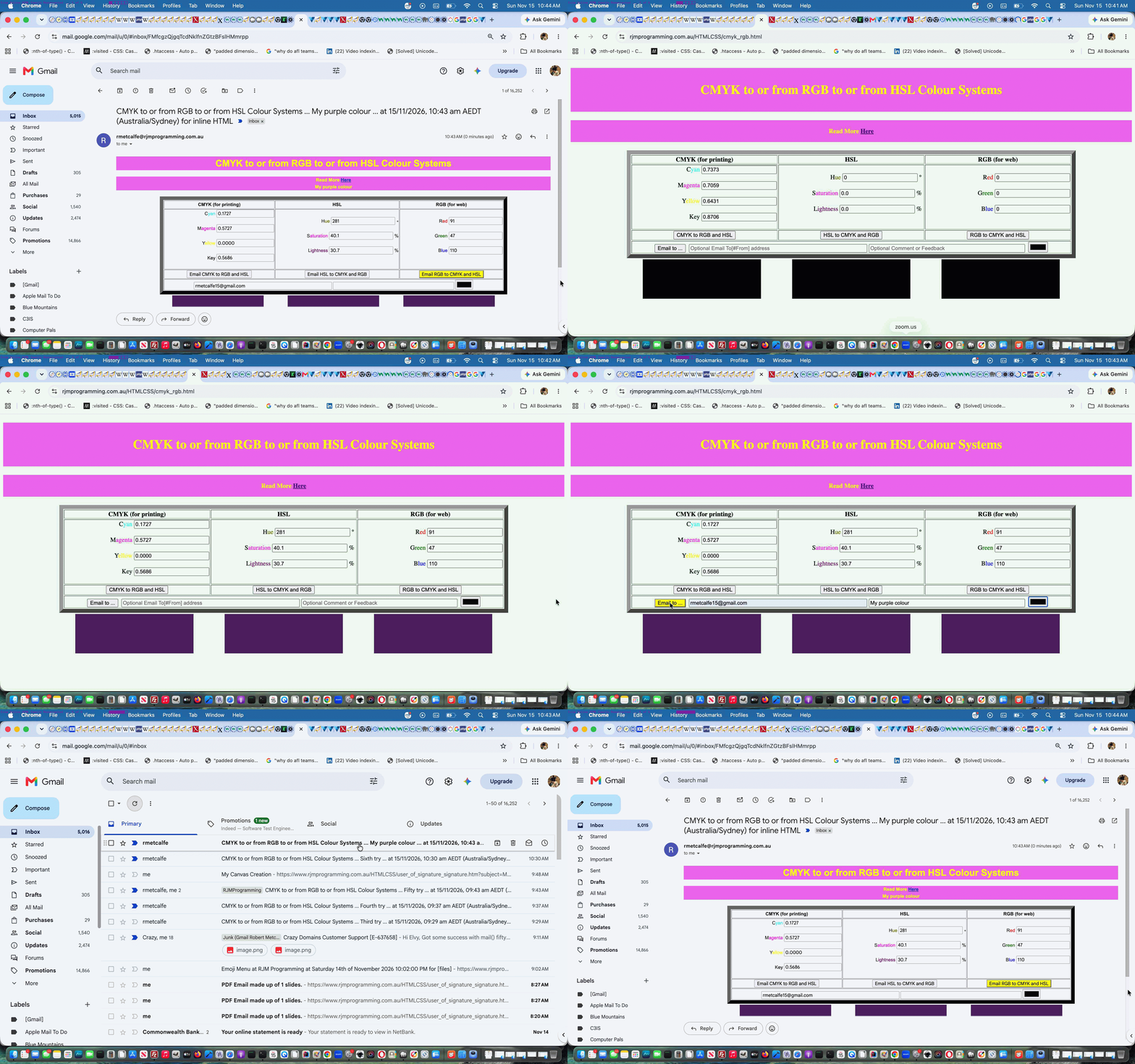
Back in 2020, when we published Colour Systems Inline HTML Email Collaboration Tutorial the setup with the RJM Programming web server IP address teed up with the RJM Programming IP address (ie. to do with shared services) involved with mail to allow …
the sending of emails involving very simple Inline HTML to Gmail recipients
… seemed relatively easy. Since then, for various reasons …
- future RJM Programming VPS web server IP addresses became removed from the RJM Programming IP address (ie. to do with shared services) involved with mail moving on from shared servicing hosting to dedicated virtual server servicing hosting
- Gmail started asking for DMARC (for sure) and (maybe) SPF and DKIM relevant DNS records that teed up with the IP addresses and DNS names involved
- our calls to PHP mail() were lacking a fifth parameter to legitimize the rearrangements our web hosters, Crazy Domains, was able to establish after seeing Exim mail server logs ( in our case that being /var/log/exim_mainlog ) of failures (we’d been bypassing to mailto: mail messages by monitoring Exim logs, in those intervening years (along with our burgeoning regard for hashtag mailto: link communications)
… we gave up on the possibility of sending such emails containing very simple Inline HTML until recently we enlisted the help of our great hosters, Crazy Domains. Their expertise with the DNS involved in DMARC and SPF and DKIM records is beyond me, but we’re hoping the involvement of monitoring …
Exim mail server logs
… while DNS changes go through (sometimes over days) and testing the web applications from my end and tweaking the PHP mailing out web applications at my end, is a collaboration, where hopefully, finally, some of the concepts sink in a bit for yours truly.
As such, you might want to retry CMYK to or from RGB to or from HSL Colour Systems web application also shown below …
Previous relevant Colour Systems Inline HTML Email Collaboration Tutorial is shown below.
Colour Systems Inline HTML Email Collaboration Tutorial
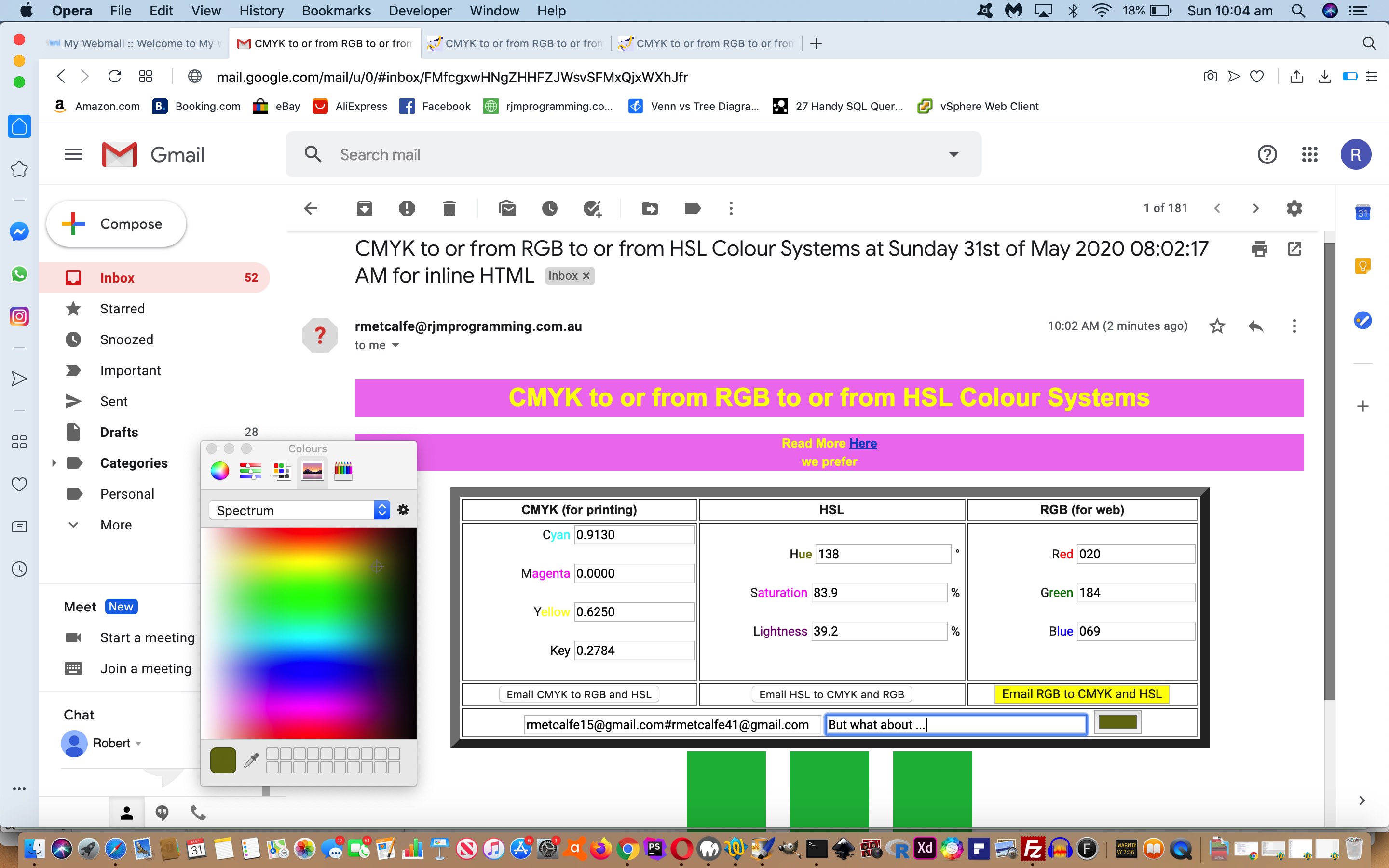
Yesterday’s Colour Systems Inline HTML Email Tutorial featured Inline HTML Email functionality, that we find very useful, but almost denuded of personalization. We think adding personalization aspects to a web application should never be mandatory to its functionality, but on the flipside, if you want a web application with “collaboration” thoughts we figure for …
- the scenario that the rjmprogramming.com.au mail server serves as an “honest broker” between …
- an emailee (as we established yesterday) … and …
- an emailer (we allow the user to define (and so not have to bother the users again regarding email addresses), optionally, starting today) … teamed with …
- a comment or feedback textbox (new today), to add some personalization, into the colour discussion and collaboration and sharing experience (… what’s come over me!)
… meaning, though, that collaboration can occur between collaborators through (straight at your face content) email.
Today, also, we’ve added another HSL (Hue/Saturation/Lightness) Colour System, and would like to thank this useful link regarding the formulae needed to make this happen.
Try collaboration via the changed cmyk_rgb.html live run link yourself, and with a colourful friend!
Previous relevant Colour Systems Inline HTML Email Tutorial is shown below.
Colour Systems Inline HTML Email Tutorial
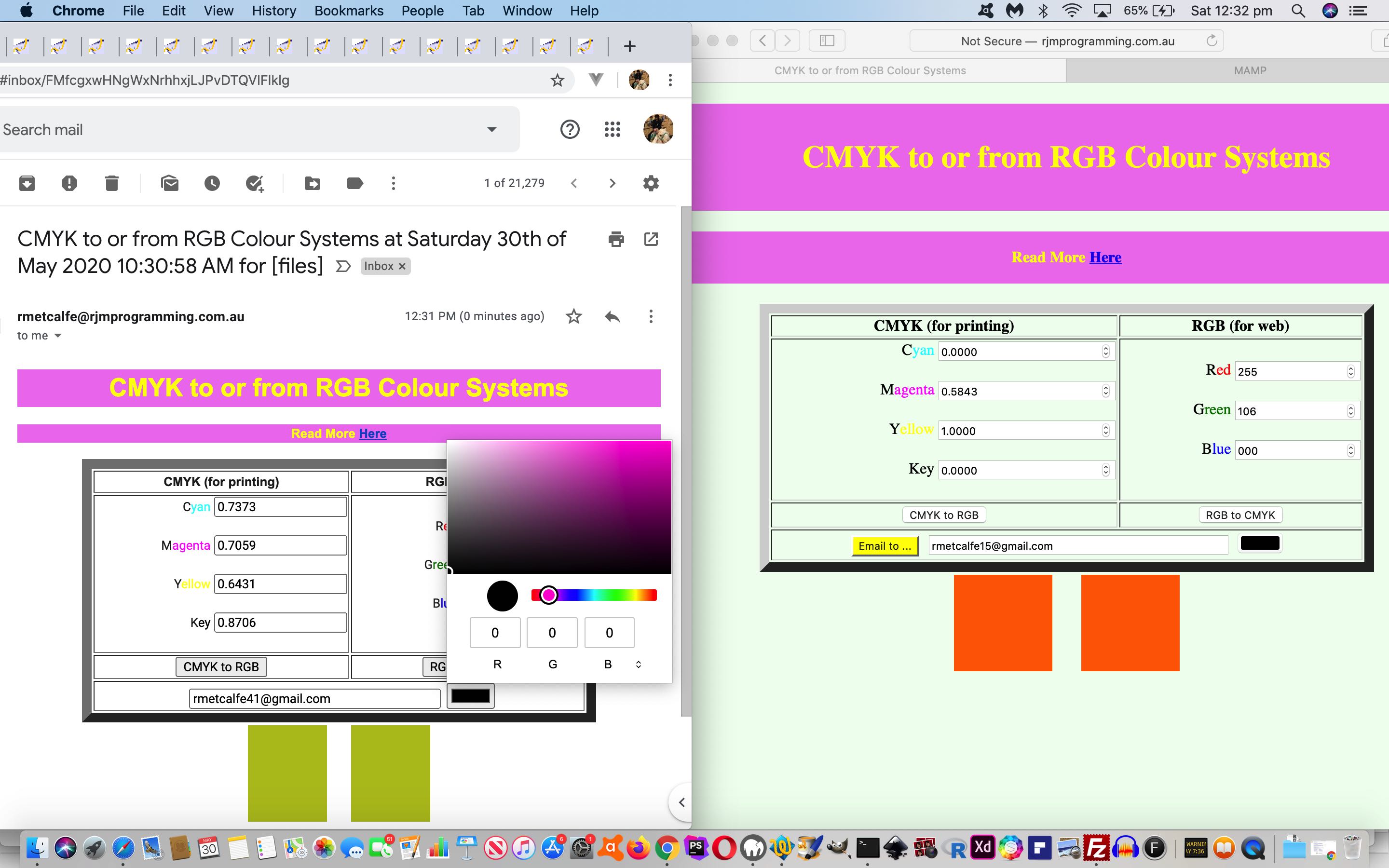
In undertaking the makeover for the Colour Systems web application of Colour Systems Primer Tutorial we were integrating Inline HTML Email functionality via Ajax/FormData techniques (entrenched as a favourite “midair” feeling email conduit approach) when we were surprised trying something that we did not expect to work. We have intimated that as far as email clients go it is touch and go whether much HTML5 works nor CSS3 when you try to get something going, so when we tried integrating …
- inline HTML email … with …
- HTML input type=”color” as per …
<input onchange="findc(this.value);" style='display:INLINE-BLOCK;' type="color" name="cinput" id="cinput" value="#000000"></input>
… we were really expecting “tears before bedtime” rather than an approach using the HTML input type=”color” element above that really made it good at the emailee end, in particular, as we …
- have an emailer start the ball rolling (with the changed cmyk_rgb.html) at this link … then …
- set up a colour of interest via any of the following approaches …
- fill out Red, Green, Blue … 0 to 255 … RGB Colour System numbers
- fill out Cyan, Magenta, Yellow, Key … 0.0000 to 1.0000 … CMYK Colour System numbers
- click our new HTML input type=”color” element and follow your nose
- and then, optionally, collaborate (or just share) with an emailee (textbox) they fill out and press the “Email to …” button … setting off …
- Ajax/FormData functionality sends off the document.body.innerHTML (heavily amended) HTML data directed via our Inline HTML Email “emailhtml.php” (usual PHP) helper …
- email arrives for the emailee who sees a lot of what the emailer last saw … and …
- we highly recommend clicking our new HTML input type=”color” element, then follow your nose (picking a colour , not your … ?) then … click RGB to CMYK button
- fill out Red, Green, Blue … 0 to 255 … RGB Colour System numbers … click RGB to CMYK button
- fill out Cyan, Magenta, Yellow, Key … 0.0000 to 1.0000 … CMYK Colour System numbers … click CMYK to RGB button
… optionally adjusting the return email (as the original emailer’s email address, more than likely) … back out to “the net” with …
- the emailee’s web browser arrives at the same colour systems web application ready to, optionally, send more collaboration or sharing back to the emailer, as required
Colourful discussions can ensue! And don’t we know, lots of people have opinions about colour, even its spelling!
Previous relevant Colour Systems Primer Tutorial is shown below.
Colour Systems Primer Tutorial
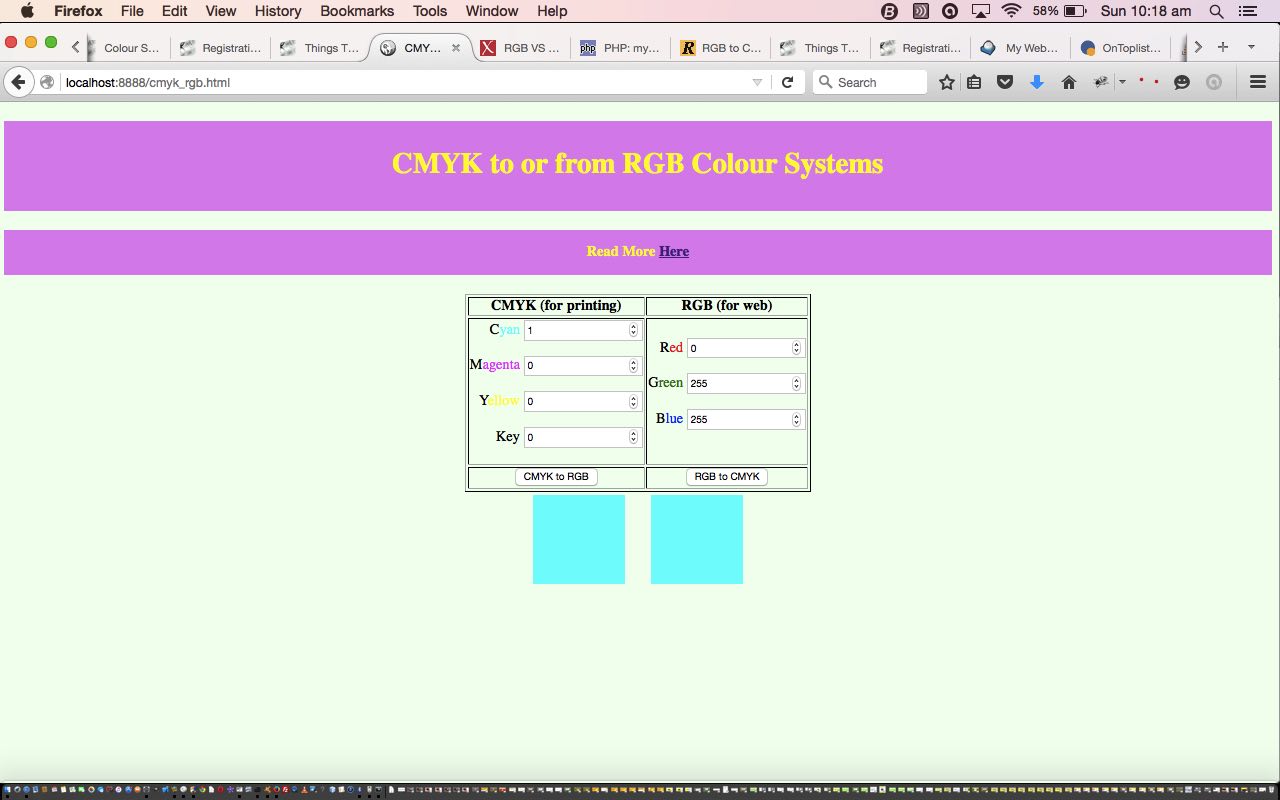
We want to talk, today, about Colour (Space) Systems. There are, at least …
- additive colour systems … used in science … often used to define web colours … red, green and blue are the primary colours
- subtractive colour systems … used by artists (and often the way we learn colours in early school) … often used with regard to printing … red, yellow and blue are the primary colours
- the CMYK colour system … used by printing industry … cyan, magenta, yellow and black are the primary colours
You can read more about the comparisons and a description of these three at Colour Systems – RGB and CYMK.
We’ve got a small HTML and Javascript conversion program we call cmyk_rgb.html (and that you can use as a live run) which you can use today to convert a given colour to and from RGB and CYMK colour systems.
If this was interesting you may be interested in this too.
If this was interesting you may be interested in this too.
If this was interesting you may be interested in this too.
If this was interesting you may be interested in this too.




The Hello World starting point makes it easier to separate project setup from asset problems. A useful follow-up would be importing a small sprite sheet and checking frame dimensions, ordering and padding before adding animation logic. Previewing the individual frames first can help identify whether a problem comes from the artwork or from the engine configuration.