
Health App on iPhone Gait Checking Tutorial
We’re returning to thoughts, with more granularity, regarding an iPhone’s Health (mobile) app as we talked about at Health App on iPhone Primer Tutorial, because all this year we’ve been “having the iPhone on hand” more often, as a monitoring tool, and nothing else (ie. better is to have a health practitioner on board too), via that Health app (free, out of the iOS box).
We’ve been finding useful there, in particular …
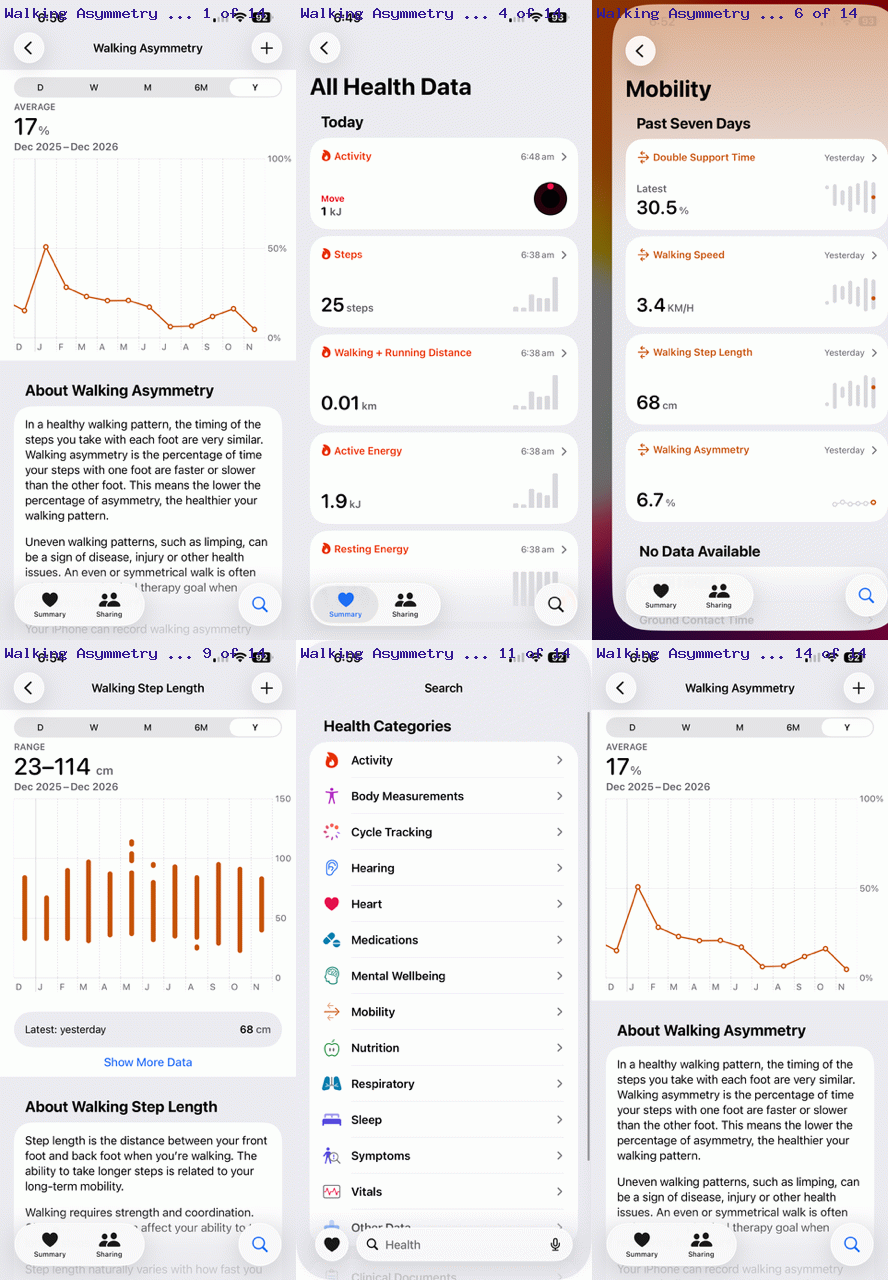
Health app -> Health Categories -> Mobility -> Walking Asymmetry
… as per …
Walking asymmetry is an imbalance in your gait (the way you walk), where one leg or side of your body differs from the other in step length, timing, force, or movement speed.
… to see whether …
- accident in January 2026
- incident back in 2017
… both affecting my gait, is improving. My recent physiotherapy class sessions seem to be helping, just lately, for example.
Previous relevant Health App on iPhone Primer Tutorial is shown below.
Health App on iPhone Primer Tutorial
There’s not much doubt that FitBits, as presented with Fitbit Activity Tracker Bluetooth Primer Tutorial below, are great for purpose, that purpose being to monitor some aspects to our health …
- activity
- sleep
…. at the very least. But did you know that there is an app that comes with an iPhone called “Health” that can help with the concepts above, in addition to …
- mindfulness
- nutrition
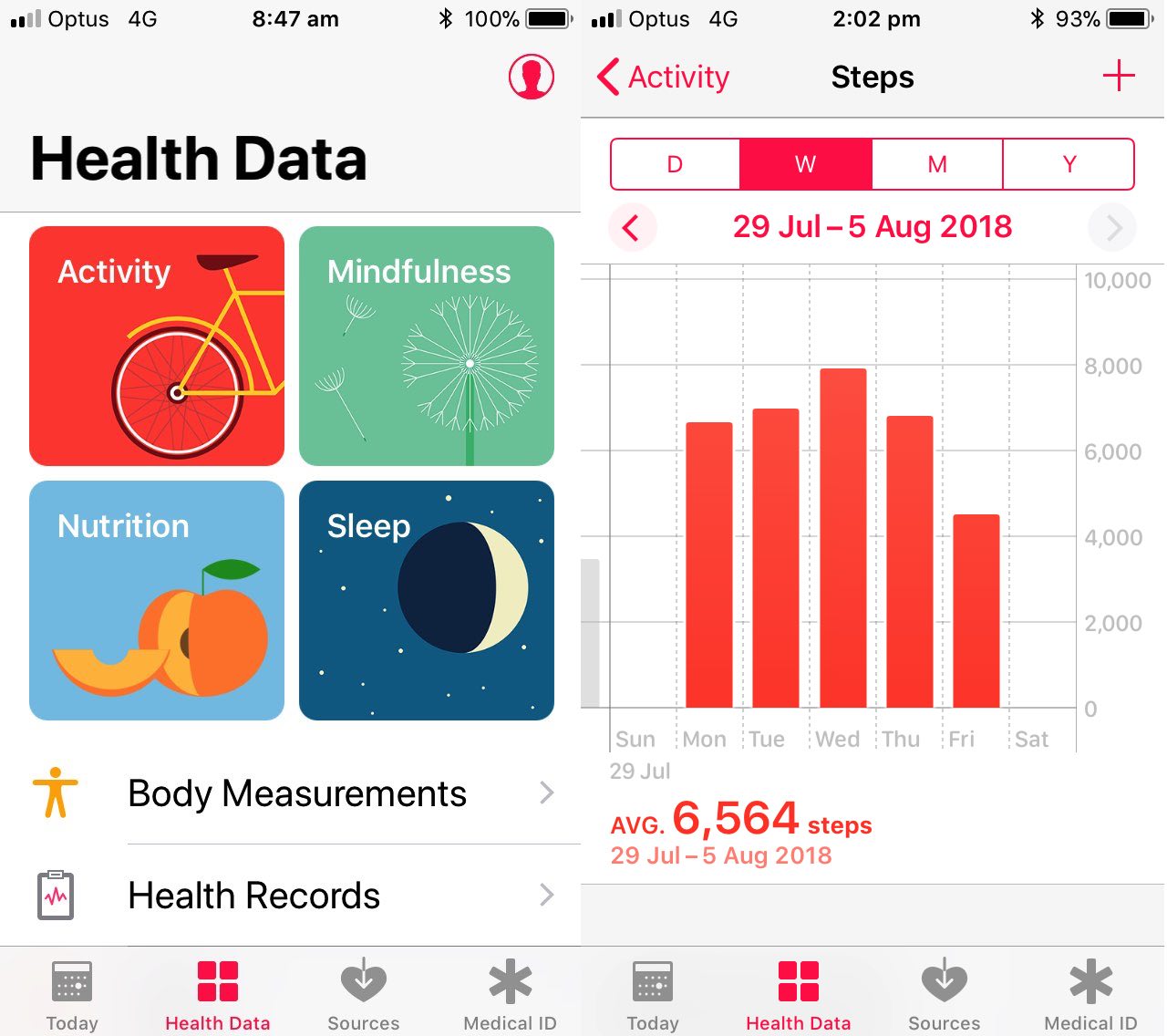
? For instance, in the case of “activity” it can measure the number of steps you take on an hourly, daily or averaged over a week, basis. Useful, huh? Your iPhone could be in your pocket, and have seen people strap them to arms as well, for these purposes. In the iPhone’s Settings app, check on the Privacy settings, and in the Motion and Fitness section make sure the Health subsection switch is turned on, and possibly any FitnessTracking subsection switch you see on the same screen. Can’t remember whether I needed to allow Location Services to help out, but quite obviously if asked, and you need your steps to be counted, allow Location Services to do its thingthang.
Other than that, let the Health app record activity and see the results in Column Chart results, like you can see in today’s PDF slideshow. Maybe it’s your way to getting fit?!
You can also see this play out at WordPress 4.1.1’s Health App on iPhone Primer Tutorial.
Previous relevant Fitbit Activity Tracker Bluetooth Primer Tutorial is shown below.
Fitbit Activity Tracker Bluetooth Primer Tutorial
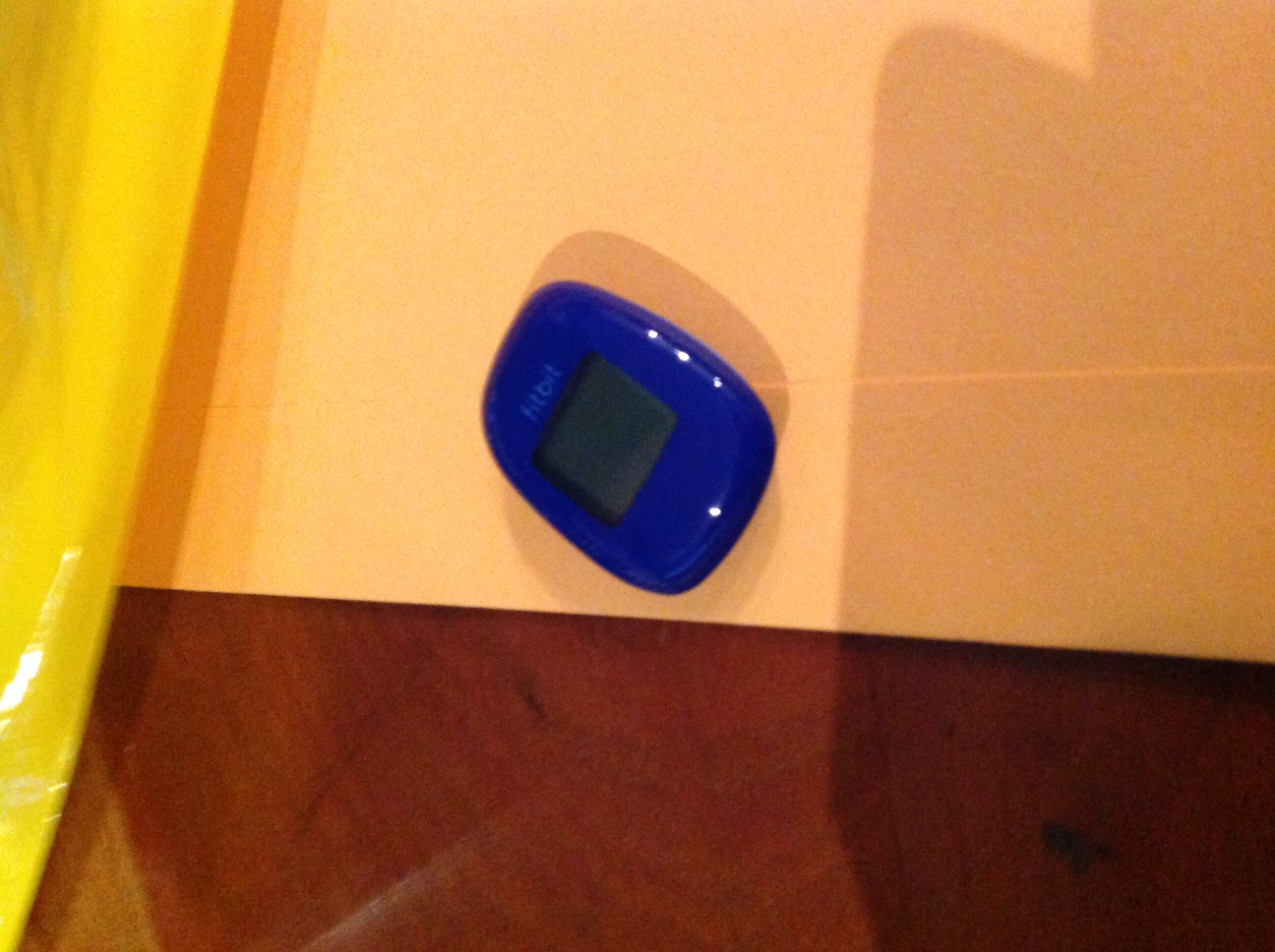
Fitbit devices, in our case an activity tracker, feels, for me at least, like one of the most integrated bits of computer, or perhaps you’d say “leisure”, equipment around. In helping set one up recently, it was really impressive to me the integration among …
- Fitbit device
- iPad Fitbit app
- iOS Notifications
- Bluetooth
- WiFi
- Windows laptop
- Web reporting software
… and though we are so very fond of “ubiquitous” black and while leads around here, dealing with hardware and software not involving a lead of any sort, is quite pleasurable. Mind you, with leads, we feel that …
Nor that idea, with a lot of software, that assumes you will be available almost 24/7, and it giving the impression that this is a boon to your life. Maybe to some, but our motto is … “forget the hype, unless it really has added to your life, rather than just putting on slightly more than it inconveniences” … pretty quirky adage, eh wot … guv’. But seriously, am happy to say the Fitbit experience was so much better than we thought it would be.
And the major reason for this is Bluetooth technology, as well as the great iOS Notifications functionality, which we’ve tried to talk about before … can remember sitting in the VW Golf with a DVD Player experimenting for hours … “good times”. Let’s see a bit of what Wikipedia has to say about this technology …
Bluetooth is a wireless technology standard for exchanging data over short distances (using short-wavelength UHF radio waves in the ISM band from 2.4 to 2.485 GHz[4]) from fixed and mobile devices, and building personal area networks (PANs). Invented by telecom vendor Ericsson in 1994,[5] it was originally conceived as a wireless alternative to RS-232 data cables. It can connect several devices, overcoming problems of synchronization.
Take a look at this image courtesy of Chronology.MD – Project HealthDesign putting a Fitbit device into a health monitoring usage framework …
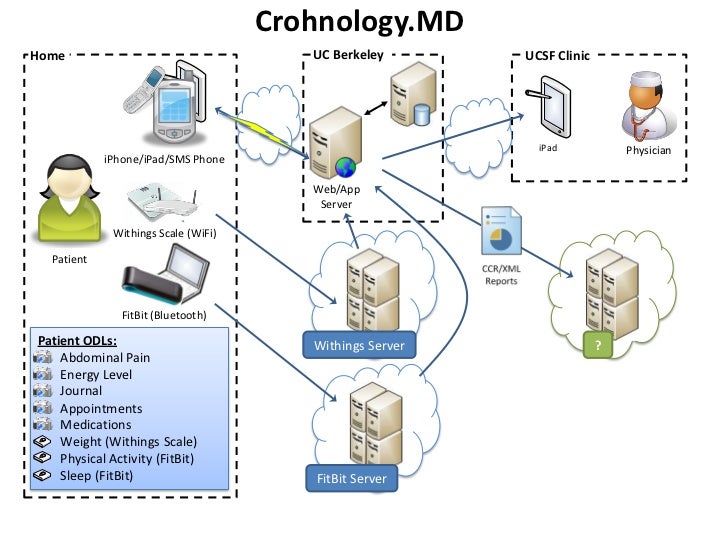
Once heard about the proportion of the world’s data that Fitbit applications represent, and remember being staggered, and so having a feeling you would not be alone if you acquired your own Fitbit.
We’ll leave you today with a “stream of consciousness” PDF “slideshow” view of some of the setup and early integration days of the Fitbit activity device communicating with an iPad and Windows laptop.
If this was interesting you may be interested in this too.
If this was interesting you may be interested in this too.
If this was interesting you may be interested in this too.




The distinction between course-driven and immersion-driven learning is useful. A small extension to the australia.htm exercise would be a set of named map markers and a text filter: first update the visible markers on an input event, then add a collected/uncollected toggle, and finally persist only that toggle state in localStorage. That gives beginners a concrete reason to learn arrays, DOM updates and browser storage without needing PHP or MySQL first. It is also worth testing empty searches, a page reload and disabled storage separately; those are different failure cases. Disclosure: we maintain the GTA 6 interactive map. I am suggesting it as an example of a map-and-progress interface, not claiming that we used the tutorial code. Would you introduce persistence after the first working interaction, or keep the initial exercise entirely stateless?