Walking Trip

📅

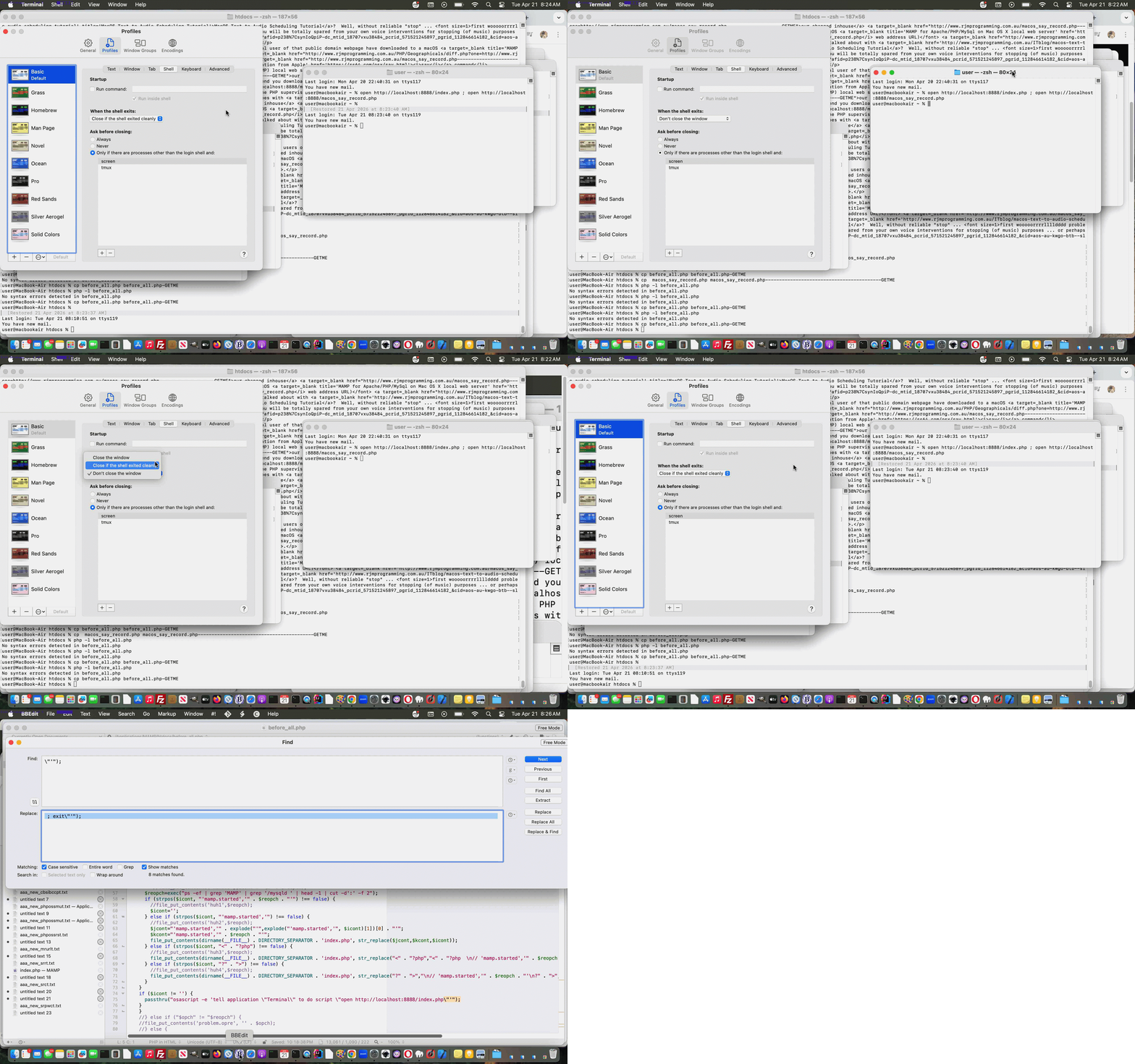
Intranet Feeling MAMP Suite Exit Strategy Tutorial
Today we have a “two sides to the story” tutorial working off the work of yesterday’s Intranet Feeling MAMP Suite Menu Tutorial, the macOS “stars” here being …
… as far as automation is concerned and where the differently incarnated “command” word …
exit
… can be a pest in one case and a help in the other.
The keen eyed will have noticed within before_all.php a PHP command line …
//exit;
Huh?! This command line appeared within the PHP CLI (ie. command line PHP mode of use call) section of the code, but we noticed without the // that exit PHP command would interfere with our crontab “every minute” convert PNG to JPEG regarding macOS desktop application PaintBrush issue schedule …
* * * * * ksh -c "cd /Applications/MAMP/htdocs; /Applications/MAMP/bin/php/php7.4.33/bin/php /Applications/MAMP/htdocs/paintbrush_png_jpg.php; if [ -f '/Applications/MAMP/htdocs/xzz.xzz' ]; then curl `cat /Applications/MAMP/htdocs/xzz.xzz` > /Applications/MAMP/htdocs/xz.xz ; rm -f /Applications/MAMP/htdocs/xzz.xzz ; fi"
… as we learnt that those PHP and MAMP auto-prepend concepts have PHP CLI arrangements in force as well as for PHP and MAMP “Surfing the Net” mode of use.
But, on the other hand, within PHP code, when we had a PHP codeline such as …
<?php
passthru("osascript -e 'tell application \"Terminal\" to do script \"open http://localhost:8888/index.php ; open http://localhost:8888/macos_say_record.php\"'");
?>
… it was functional, but left behind a macOS Terminal desktop application window whose use (of still being open) was debatable, and unnecessarily eating up operating system resources, we have no doubt.
The solution, thanks to excellent links such as this one being a “two parter” …
passthru("osascript -e 'tell application \"Terminal\" to do script \"open http://localhost:8888/index.php ; open http://localhost:8888/macos_say_record.php ; exit\"'");
A tale of two incarnations!
Previous relevant Intranet Feeling MAMP Suite Menu Tutorial is shown below.
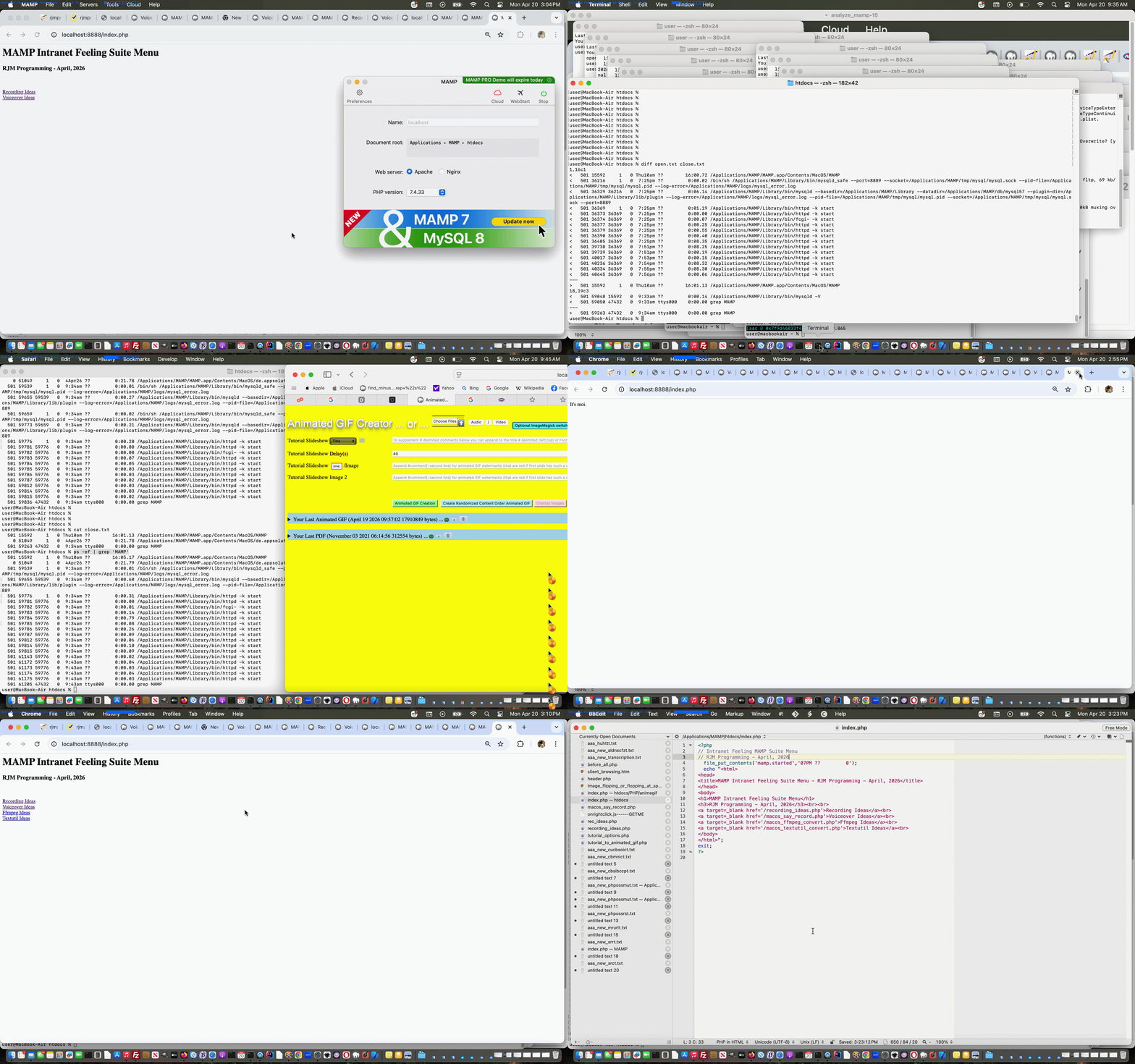
Intranet Feeling MAMP Suite Menu Tutorial
Further to yesterday’s Self Recording Public Website Call Tutorial …
MAMP Intranet Feeling Suite Menu
… accordingly
We think that you could cull a lot of the code of the MAMP Apache local web server Document Root changed before_all.php but we are not game to at this stage?!
It works in the sense that …
<?php

// Intranet Feeling MAMP Suite Menu

// RJM Programming - April, 2026

  file_put_contents('mamp.started','47PM ??         0');

  echo "<html>

<head>

<title>MAMP Intranet Feeling Suite Menu - RJM Programming - April, 2026</title>

</head>

<body>

<h1>MAMP Intranet Feeling Suite Menu</h1>

<h3>RJM Programming - April, 2026</h3><br><br>

<a target=_blank href='/recording_ideas.php'>Recording Ideas</a><br>

<a target=_blank href='/macos_say_record.php'>Voiceover Ideas</a><br>

<a target=_blank href='/macos_ffmpeg_convert.php'>Ffmpeg Ideas</a><br>

<a target=_blank href='/macos_textutil_convert.php'>Textutil Ideas</a><br>

</body>

</html>";

exit;

?>
… in order to remind a local web server user of what is available to them to try, perhaps?! The wooooorrrrlllllddd of MAMP could be your oyyyysssstttteeeerrrr!
Previous relevant Self Recording Public Website Call Tutorial is shown below.
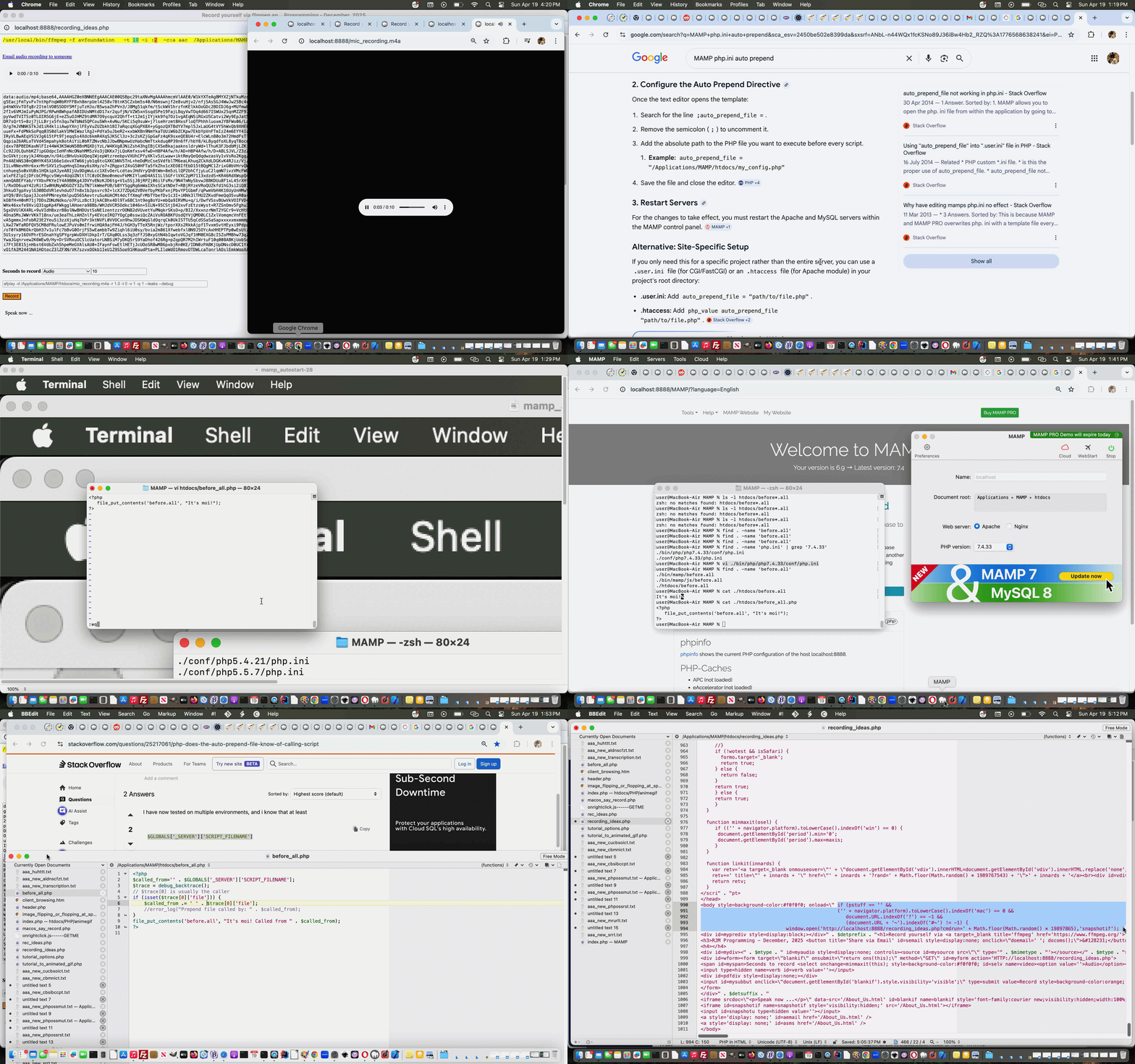
Self Recording Public Website Call Tutorial
Onto yesterday’s Self Recording Channels Tutorial a fair bit of work goes into, potentially, the difference between what happens for the two URLs below …
Huh??! A hashtag with no content itself?
How?
Believe it or not the examination of document.URL …
<?php echo ”
<body style=background-color:#f0f0f0; onload=\" if (pstuff == '' && ('' + navigator.platform).toLowerCase().indexOf('mac') == 0 && document.URL.indexOf('?') == -1 && (document.URL + '~').indexOf('#~') != -1) { window.open('http://localhost:8888/recording_ideas.php?cmdrun=' + Math.floor(Math.random() * 19897865),'snapshotif'); } else if (pstuff == '' && ('' + navigator.platform).toLowerCase().indexOf('win') == 0 && document.URL.indexOf('?') == -1 && (document.URL + '~').indexOf('#~') != -1) { window.open('http://localhost/recording_ideas.php?cmdrun=' + Math.floor(Math.random() * 19897865),'snapshotif'); } " . $wbd . " onl(); rectthree=document.getElementById('blankif').getBoundingClientRect(); wothree='top=340,left=' + rectthree.left + ',height=' + eval(-160 + eval('' + screen.height) - eval('' + rectthree.top)) + ',width=' + rectthree.width; if (('' + navigator.platform).toLowerCase().indexOf('mac') != 0 && ('' + navigator.platform).toLowerCase().indexOf('win') != 0) { document.getElementById('blankif').style.visibility='visible'; document.getElementById('blankif').srcdoc='<p>Sorry, no macOS nor Windows system detected.</p>'; }\">
“; ?>
… can tell the difference in what a lot of web browsers these days will all interpret location.hash as the same (ie. both blank, rather than just the second one being # that is)
What?
To have a user way to say “we want you to try the local web server incarnation anyway”, even if it fails (with no adverse effects).
Where?
At a public webpage iframe named (ie snapshotif) and called via second parameter of a window.open() call.
Why?
At local web server, such as macOS MAMP, as long as no webpage data is output the CORS at the public website will not intervene in an adverse way. The empty hashtag data is so as to differentiate call from the other media and URL redirects that recording_ideas.php PHP is coded to facilitate.
When?
There we use MAMP’s auto-prepend talents, called upon via vi /Applications/MAMP/bin/php/php7.4.33/conf/php.ini for our MAMP 7.4.33 environment … as per …
; Automatically add files before PHP document.

; http://php.net/auto-prepend-file

auto_prepend_file = /Applications/MAMP/htdocs/before_all.php
And we think we’ve cracked the best (with no adverse effects) “Intranet feeling solution” we’ve achieved yet.
The architecture of this solution we like in the compartmentalized way we can describe those “Intranet feeling smarts” which don’t involve writing out webpage data in the local web server Document Root before_all.php …
<?php

// before_all.php

// Prepend PHP for macOS MAMP

// April, 2026


if (isset($argv)) { // command line

  sleep(5); // dirname(__FILE__) .

if (file_exists(dirname(__FILE__) . DIRECTORY_SEPARATOR . "recording_ideas.call")) {

  $cnt=file_get_contents(dirname(__FILE__) . DIRECTORY_SEPARATOR . "recording_ideas.call");

  unlink(dirname(__FILE__) . DIRECTORY_SEPARATOR . "recording_ideas.call");

  if (strpos($cnt, "cmdrun=") !== false) {

   file_put_contents('before.all', "It's moi! Called from recording_ideas.php");

   //passthru("open http://localhost:8888/recording_ideas.php");

   passthru("osascript -e 'tell application \"Terminal\" to do script \"open http://localhost:8888/recording_ideas.php\"'");

  }

}

//exit;

} else {

$called_from=''; // . $GLOBALS['_SERVER']['SCRIPT_FILENAME'];

//$trace = debug_backtrace();

// $trace[0] is usually the caller

//if (isset($trace[0]['file'])) {

//    $called_from .= ' ' . $trace[0]['file'];

//    //error_log("Prepend file called by: " . $called_from);

//}

file_put_contents('before.all', "It's moi! Called from " . $called_from);

if (file_exists($_SERVER['DOCUMENT_ROOT'] . DIRECTORY_SEPARATOR . "recording_ideas.call")) {

  $cnt=file_get_contents($_SERVER['DOCUMENT_ROOT'] . DIRECTORY_SEPARATOR . "recording_ideas.call");

  unlink($_SERVER['DOCUMENT_ROOT'] . DIRECTORY_SEPARATOR . "recording_ideas.call");

  if (strpos($cnt, "cmdrun=") !== false) {

   file_put_contents('before.all', "It's moi! Called from recording_ideas.php");

   //passthru("open http://localhost:8888/recording_ideas.php");

   passthru("osascript -e 'tell application \"Terminal\" to do script \"open http://localhost:8888/recording_ideas.php\"'");

  }

} else {

  exec('php ' . $_SERVER['DOCUMENT_ROOT'] . DIRECTORY_SEPARATOR . 'before_all.php &');

}

}

?>
… working with the changed recording_ideas.php (perhaps already downloaded) normal public call web application and local web server additionally calling web application URL https://www.rjmprogramming.com.au/recording_ideas.php# we improve the (applicable) user possibilities for here.
Previous relevant Self Recording Channels Tutorial is shown below.
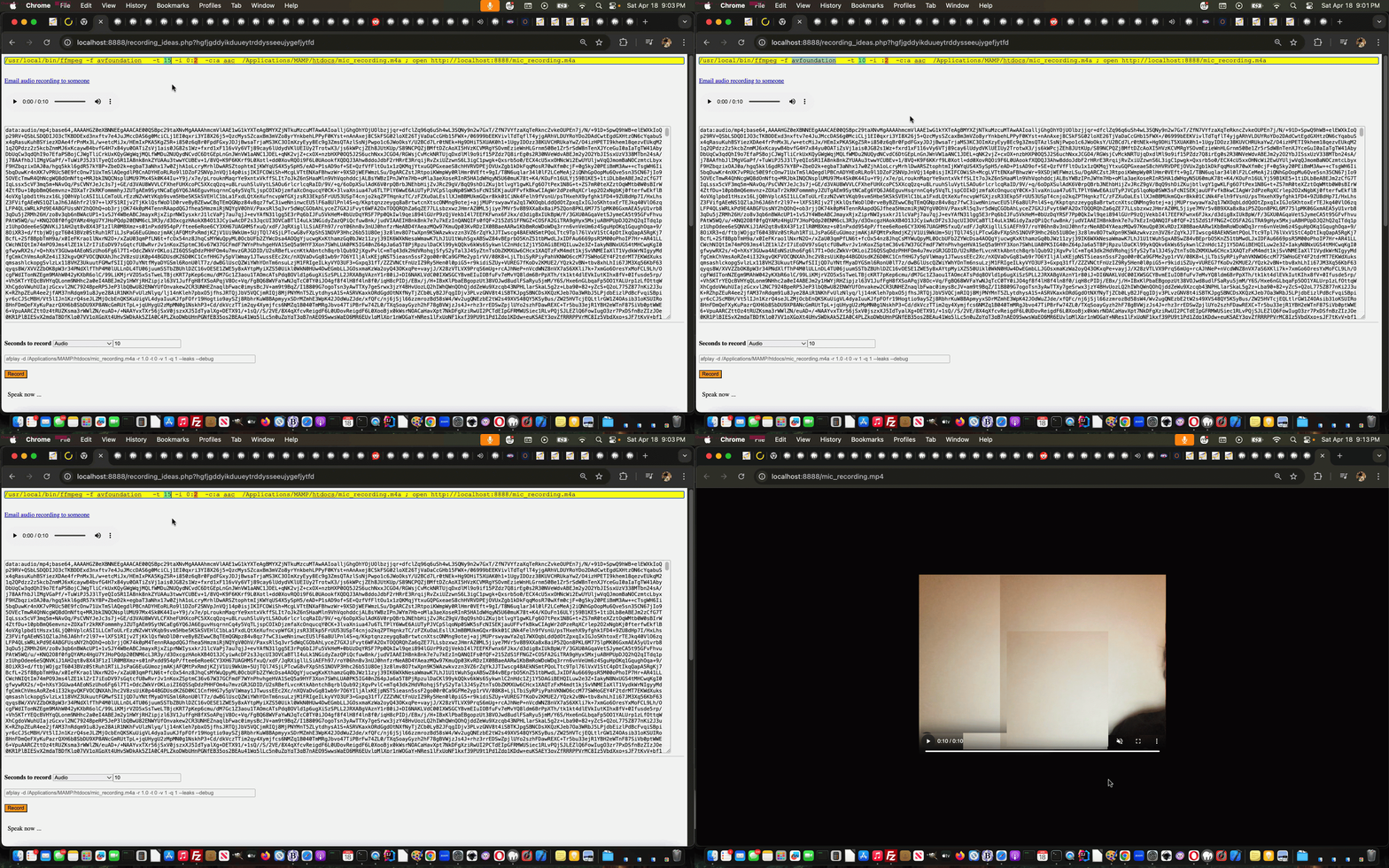
Self Recording Channels Tutorial
As mentioned at yesterday’s Self Recording Revisited Tutorial‘s Stop Press when it comes to using ffmpeg to record Audio and Video …
Channels
… are important.
This excellent link taught us that the macOS command …
ffmpeg -f avfoundation -list_devices 1 -i "" -f null -
… can really help us here.
So that’s one bit of today’s work. The other is to contenteditable=true that ffmpeg command shown up the top such as …
/usr/local/bin/ffmpeg -f avfoundation -t 10 -i :2 -c:a aac /Applications/MAMP/htdocs/mic_recording.m4a ; open http://localhost:8888/mic_recording.m4a
… can be edited in place as another way for a user to tailor recordings in a more “information friendly” way.
And so, again, in amongst the changed recording_ideas.php (perhaps already downloaded) web application we improve the (applicable) user possibilities here.
Previous relevant Self Recording Revisited Tutorial is shown below.
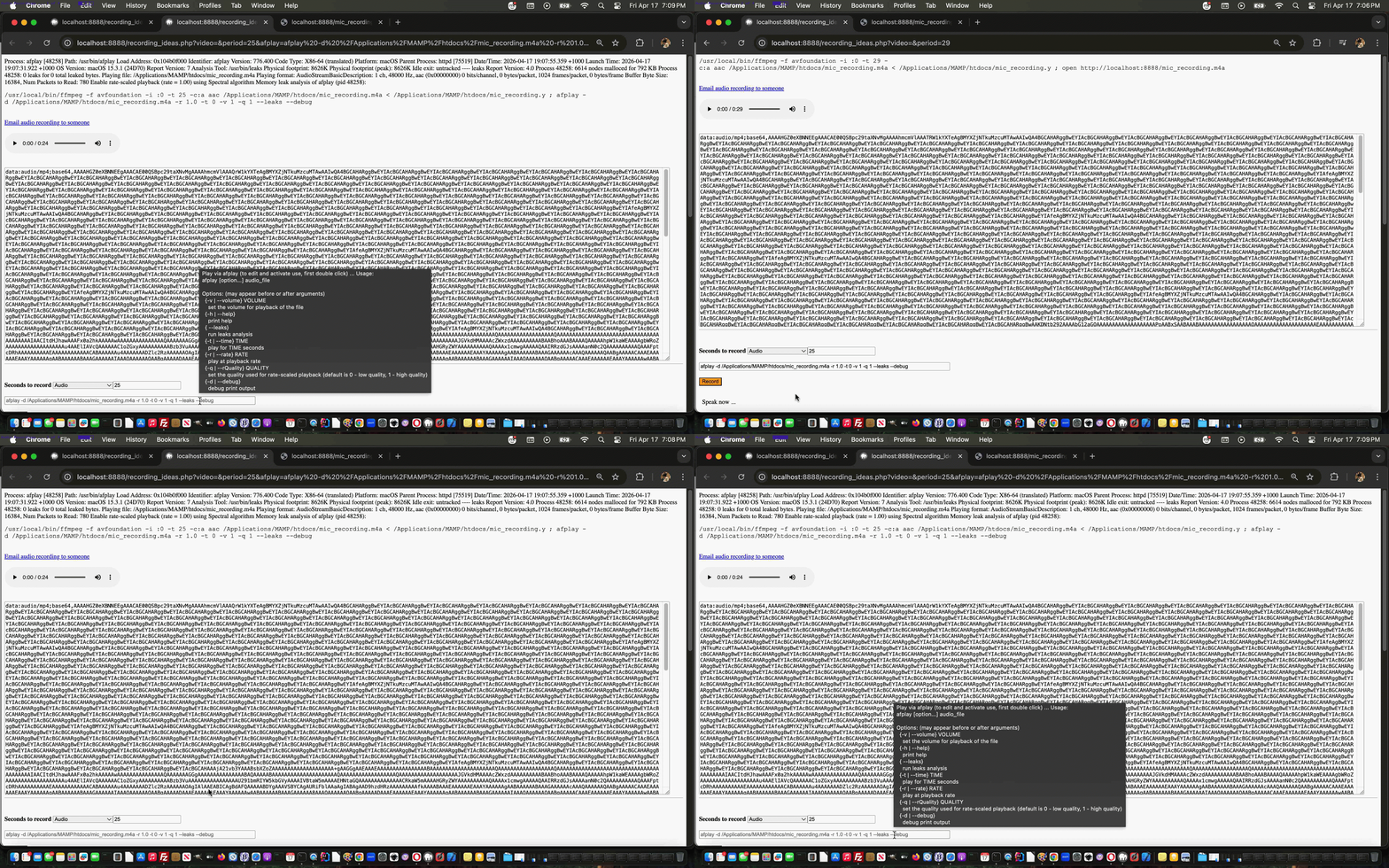
Self Recording Revisited Tutorial
We’re revisiting the web application behind the recent Media Representation of URL Tutorial with regard to it’s original purpose to …
allow some functionality for self recording
… where your underlying operating system has …
downloaded and placed into that Document Root folder
In amongst the changed recording_ideas.php (perhaps already downloaded) web application we …
Stop Press
On this macOS Sequoia perhaps the relevant channels for audio and screenshot have changed. Bear with us, until tomorrow, for a more “scientific approach” determining ffmpeg channel definitions. If this is you too, it may act as though you are recording, but it is recording from an inappropriate microphone channel.
As a sneak peak, and thanks to this excellent link where just this is resolved ahead of some other ideas tomorrow, you can retry with the changed recording_ideas.php web application.
Previous relevant Media Representation of URL Tutorial is shown below.
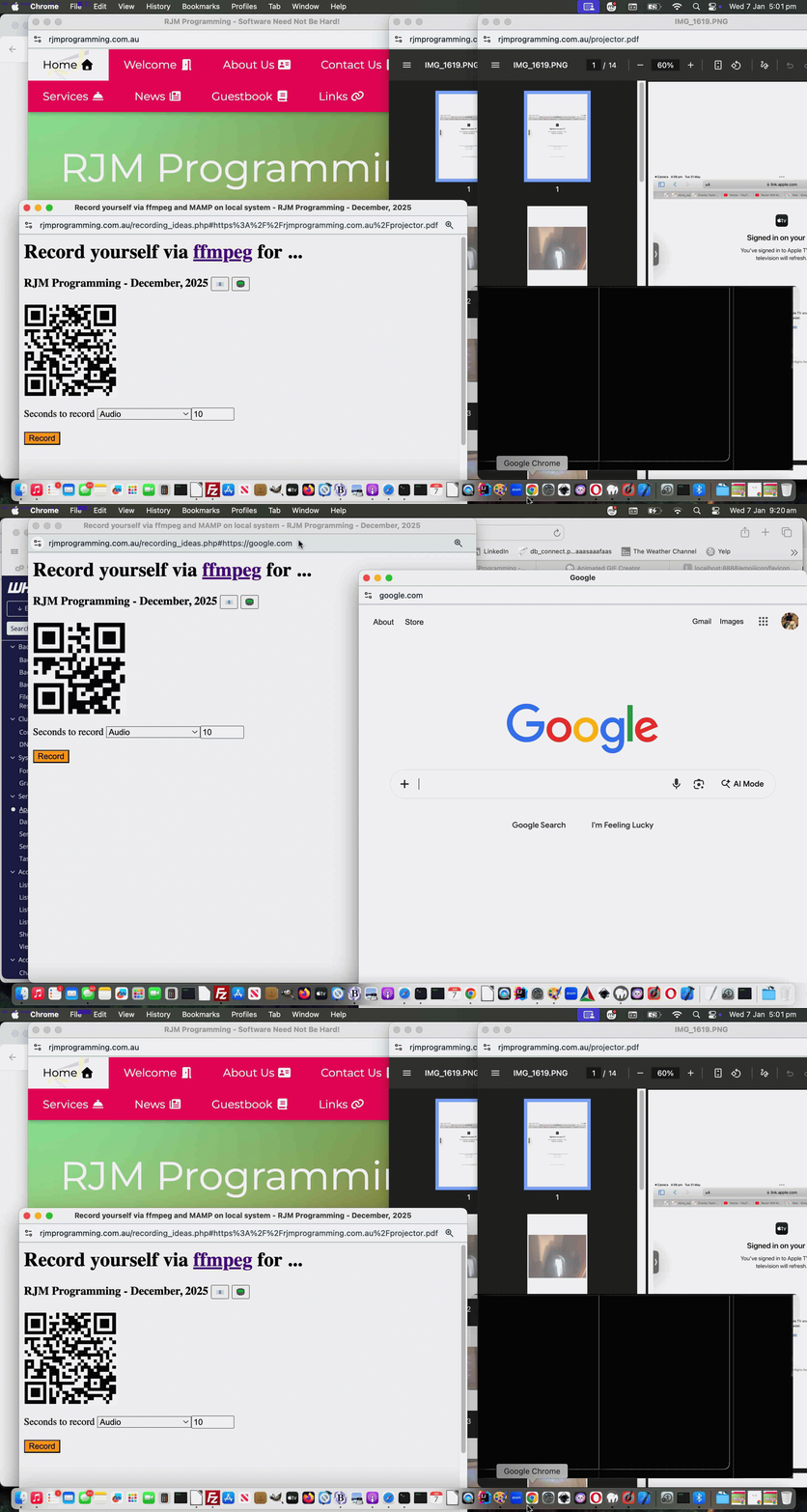
Media Representation of URL Tutorial
After Media Audio Video Email Links Intranet Feeling Tutorial we went on a bit of a “redirection tour” centering around making …
https://www.rjmprogramming.com.au/recording_ideas.php#[data URI of media]
… be our “media middle conduit”. It even got to “[data URI of media]“ absolute URLs coming into play!
But how can a URL be given a “media representation”? There used to be …
… that we have incorporated into the code for this scenario in downloadable latest draft recording_ideas.php placed into it’s Document Root, and so be accessible via URL http://localhost/recording_ideas.php (Windows) or http://localhost:8888/recording_ideas.php (macOS) on a MAMP local Apache web server to make all this be possible.
Previous relevant Media Audio Video Email Links Intranet Feeling Tutorial is shown below.
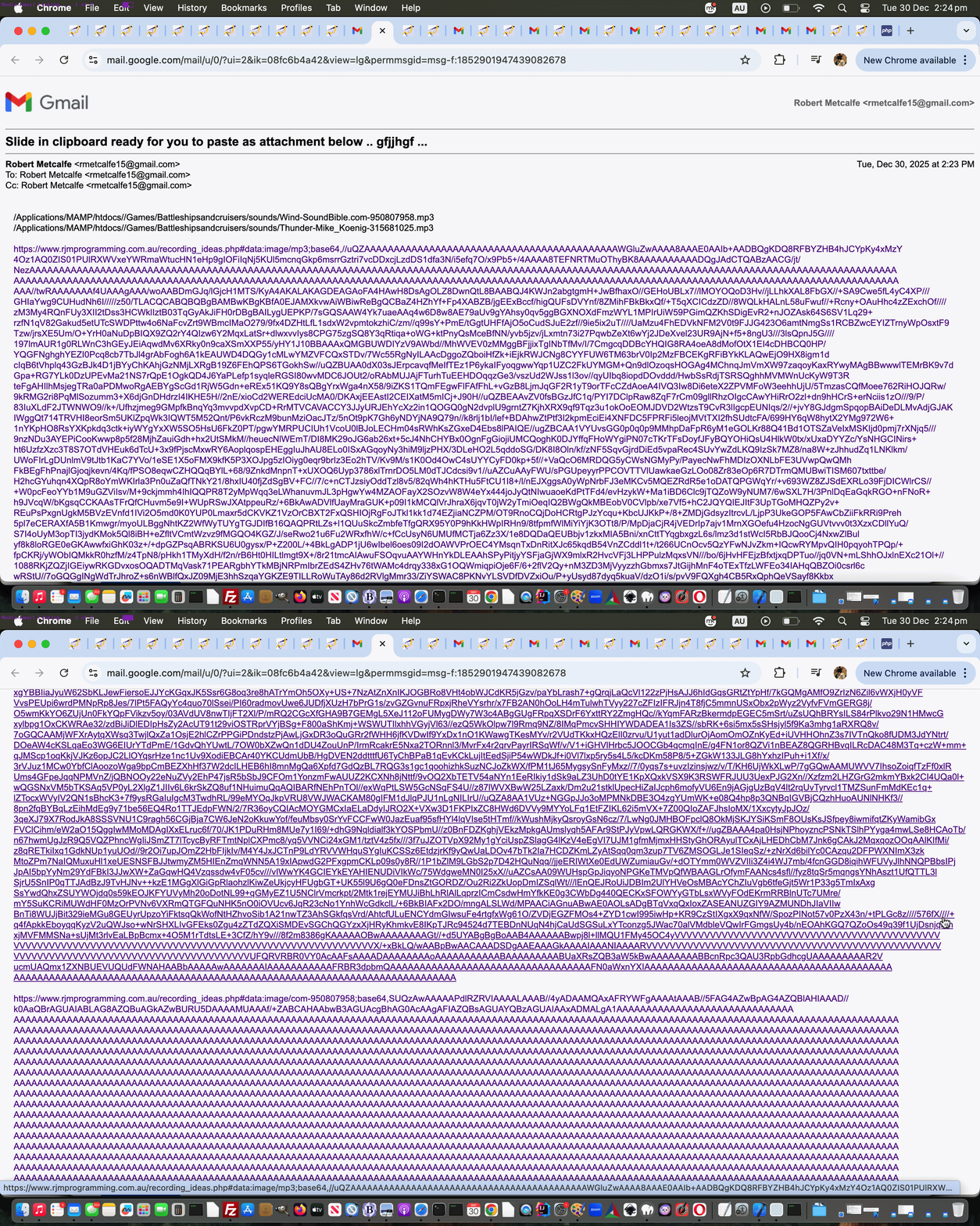
Media Audio Video Email Links Intranet Feeling Tutorial
The day before yesterday’s Media Tidying Intranet Feeling Tutorial, that being Media Copy and Paste Intranet Feeling Tutorial involved …
… email body media attachment logics “less than optimal” … putting it kindly. Today, though, for your shorter audio or video media instances, within that email body content we can offer a new hashtagging URL paradigm that goes …
https://www.rjmprogramming.com.au/recording_ideas.php#[data URI of media]
… style of link now created, and in the case of macOS, perhaps automated, into the email body, not as an attachment, but as a link the email recipient can click to see that media content display … for your smaller media content usages.
See this within a downloadable changed media_via_pb.php media_via_pb.php web application or a public domain webpage incarnation, helped out by downloadable latest draft recording_ideas.php placed into it’s Document Root, and so be accessible via URL http://localhost/recording_ideas.php (Windows) or http://localhost:8888/recording_ideas.php (macOS) on a MAMP local Apache web server to make all this be possible.
The keen eyed will see that recording_ideas.php has gone through extensive changes to “shapen up or fly right” regarding other ambitions we have for it, which Luna has told me is …
Self inflicted punishment … apparently
Previous relevant Media Tidying Intranet Feeling Tutorial is shown below.
Media Tidying Intranet Feeling Tutorial
Further to yesterday’s Media Copy and Paste Intranet Feeling Tutorial what springs to mind about today’s topic goes …
Oops
… and we don’t mean “several sessions of Object Oriented Programming symposiums” here …
Ahhhh! That explains why we “lost contact” with a piece of code.
… as we alluded to in Media Copy and Paste Tutorial …
Here in December, 2025 we have lost touch with the original media_via_pb.php code from back in November 2018 and we are in the process of repiecing a similar but different set of logics in a similar vein. Please stay tuned for interplay with macOS pbcopy and pbpaste and Windows clip commands or some other methodology involvement not existing in this reconstituted first draft.
… as anything that can explain the overnight disappearances of code you’ve worked on, and is not “hacking activity”, tends to be “a relief to one’s system” and “double the relief to a set of twins” (as Nala wanted to point out).
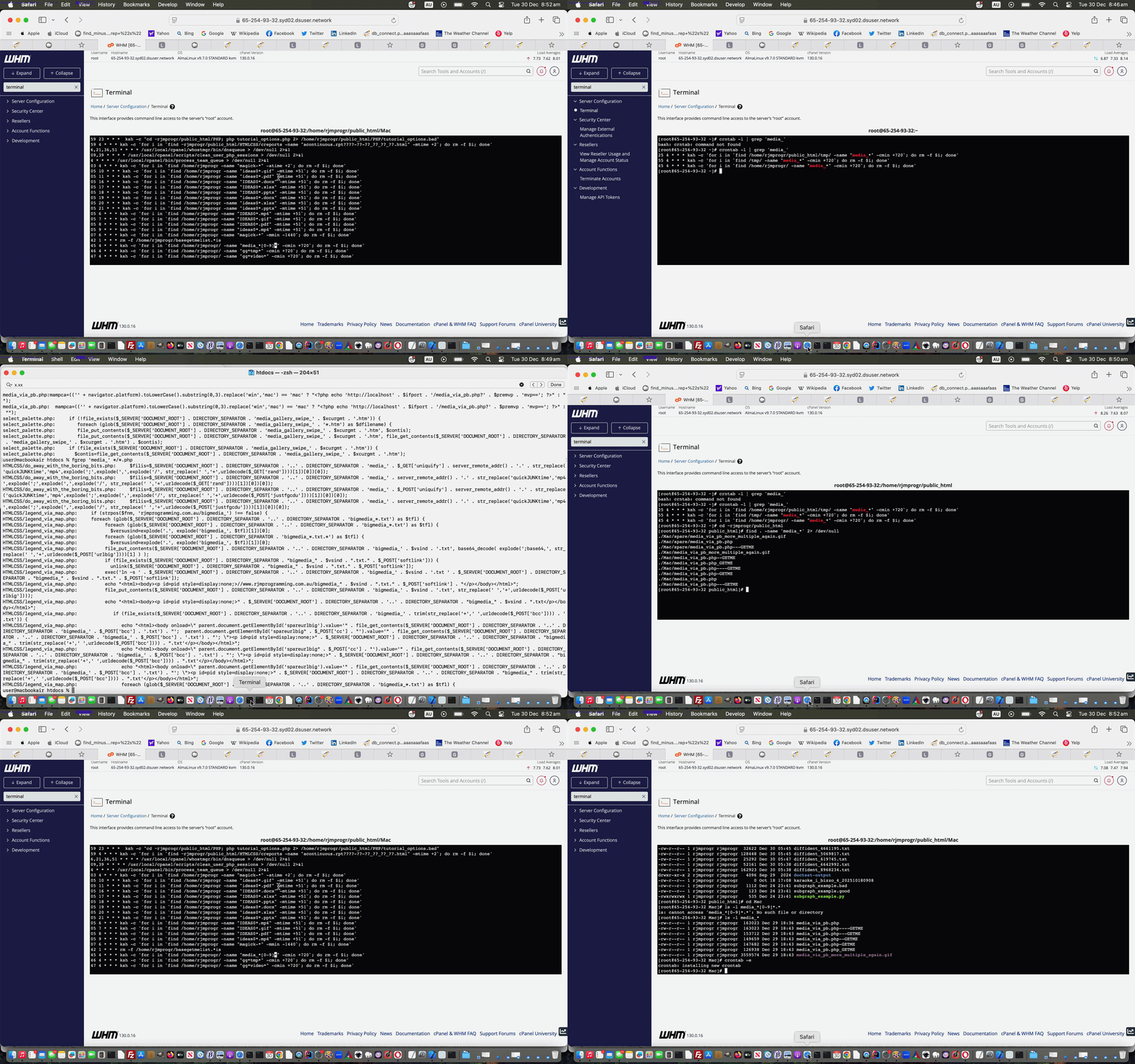
But, it is only occasionally you get this type of problem happening and the scheduled ways of crontab are just so useful, we’re proceeding with the file tidying ways of crontab, but shoring up the wildcarding we apply so that the entry …
45 4 * * * ksh -c 'for i in `find /home/rjmprogr/ -name "media_*" -cmin +720`; do rm -f $i; done'
… becomes …
45 4 * * * ksh -c 'for i in `find /home/rjmprogr/ -name "media_*[0-9]*" -cmin +720`; do rm -f $i; done'
… to solve our current project’s constant need for resurrection surrounding it’s media_via_pb.* naming ways.
Previous relevant Media Audio Video Intranet Feeling Tutorial is shown below.
Media Audio Video Intranet Feeling Tutorial
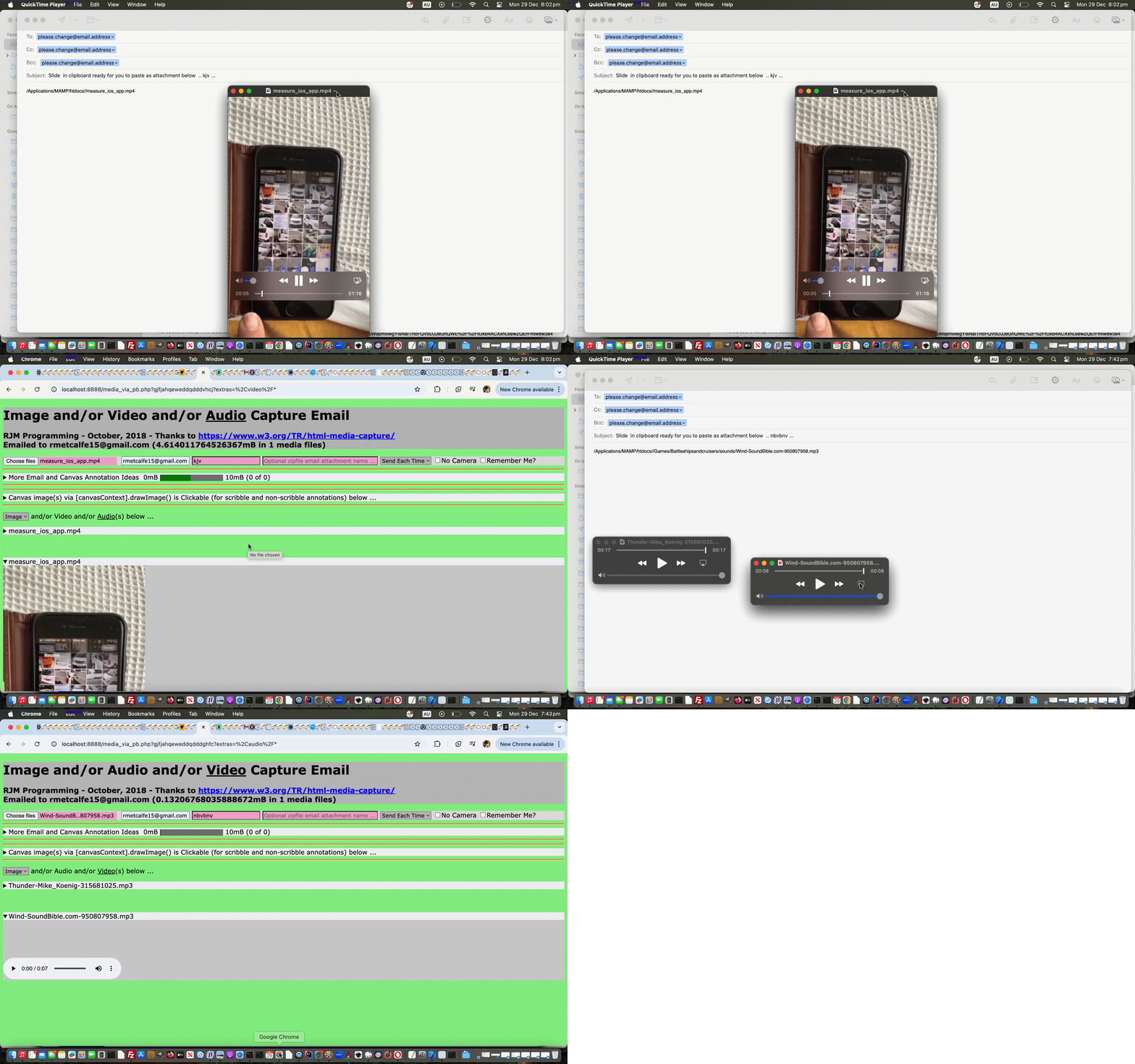
Yesterday’s Media Multiple Copy and Paste Intranet Feeling Tutorial‘s work regarding …
… where we find the macOS Clipboard talents within email body pasting operations, is not as easily available to audio or video media types, alas.
So we settle for typing the macOS file specification pasted into that email body, and opening the audio or video media within QuickTime Player in a downloadable changed media_via_pb.php media_via_pb.php web application or a public domain webpage incarnation, and involving this new PHP code concept …
<?php
 function andthenlater($andmore) {

  global $incopy, $pathbit, $basebit, $mampfilelist, $mampfs;

  $thingos=[''];

  $afters='';

  $rel='x';

  if (PHP_OS == 'Darwin') {

  if (strlen($andmore) > 1) {

  $thingos=explode(',', $andmore);

  }

  for ($iwe=0; $iwe<sizeof($thingos); $iwe++) {

  $thingo=$thingos[$iwe];

  $pbit='';

  if (basename($thingo) == $thingo && $pathbit != '') {

    $pbit=$pathbit;

  }

   //file_put_contents('x.xx', $pathbit . "\n" . $basebit . "\n" . $thingo);

     if (strlen($thingo) > 1) {

    if (strpos(strtolower($thingo), '.png') !== false) {

      exec("osascript -e 'tell application \"Finder\" to set the clipboard to (read (POSIX file \"" . $pbit . $thingo . "\") as «class PNGf»)'");

    } else if (strpos(strtolower($thingo), '.jp') !== false) {

      exec("osascript -e 'tell application \"Finder\" to set the clipboard to (read (POSIX file \"" . $pbit . $thingo . "\") as «class JPEG»)'");

    } else if (strpos(strtolower($thingo), '.gif') !== false) {

      exec("osascript -e 'tell application \"Finder\" to set the clipboard to (read (POSIX file \"" . $pbit . $thingo . "\") as «class GIF»)'");

    } else {

      //file_put_contents('x.xx', $pathbit . "\n" . $basebit . "\n" . $thingo . "\n" . "osascript -e 'tell application \"Finder\" to set the clipboard to (read (POSIX file \"" . $pbit . $thingo . "\") as «class optd»)'");

      exec("echo " . $pbit . $thingo . " | pbcopy");

      $afters=("osascript -e 'tell application \"Finder\"

	set thesong to \"" . $pbit . $thingo . "\" as string

end tell


tell application \"QuickTime Player\"

	activate

	open thesong

	play document 1

end tell'");

    }

    sleep(5);

    }

  // Thanks to https://www.google.com/search?q=macos+osascript+paste+from+clipboard+where+the+cursor+is+in+whatever+window&rlz=1C5OZZY_en&oq=macos+osascript+paste+from+clipboard+where+the+cursor+is+in+whatever+window&gs_lcrp=EgZjaHJvbWUyBggAEEUYOdIBCTQ3NDg4ajBqN6gCALACAA&sourceid=chrome&ie=UTF-8

  $retis=shell_exec("osascript -e 'tell application \"System Events\"

    # Get the name of the current application (which is likely the Script Editor or Automator)

    set currentApp to name of current application


    # Check if the current app is one of the script runners and hide it to allow the target app to become frontmost

    if currentApp is in {\"Script Editor\", \"Automator\", \"Script Debugger\"} then

        set visible of process currentApp to false

        # Wait a moment for the target app to become active

        delay 0.1

    end if


    # Simulate the Command+V keystroke in the now frontmost application

    keystroke \"v\" using command down


    # (Optional) Unhide the script application afterward

    if currentApp is in {\"Script Editor\", \"Automator\", \"Script Debugger\"} then

        set visible of process currentApp to true

    end if

end tell

  '");

    if ($afters != '') { sleep(5); exec($afters); $afters=''; }

  }

  if (strlen($andmore) > 1 && $incopy != '') {

      return exec($incopy);

  }

  }

  if (strlen($andmore) <= 1 && sizeof($mampfs) > 1 && $basebit != '' && $rel != '') {

   $newc='';

   for ($ijk=0; $ijk<sizeof($mampfs); $ijk++) {

     if (strpos(explode('##',$mampfs[$ijk])[0], $basebit) === false) {

       if ($newc == '') {

        $newc=explode('##',$mampfs[$ijk])[0];

       } else {

        $newc=explode('##',$mampfs[$ijk])[0] . ',' . $newc;

       }

     }

   }

   sleep(5);

   //file_put_contents('x.x', $pathbit . "\n" . $basebit . "\n" . $newc);

   andthenlater($newc);

  }

  return '';

 }
?>
Previous relevant Media Multiple Copy and Paste Intranet Feeling Tutorial is shown below.
Media Multiple Copy and Paste Intranet Feeling Tutorial
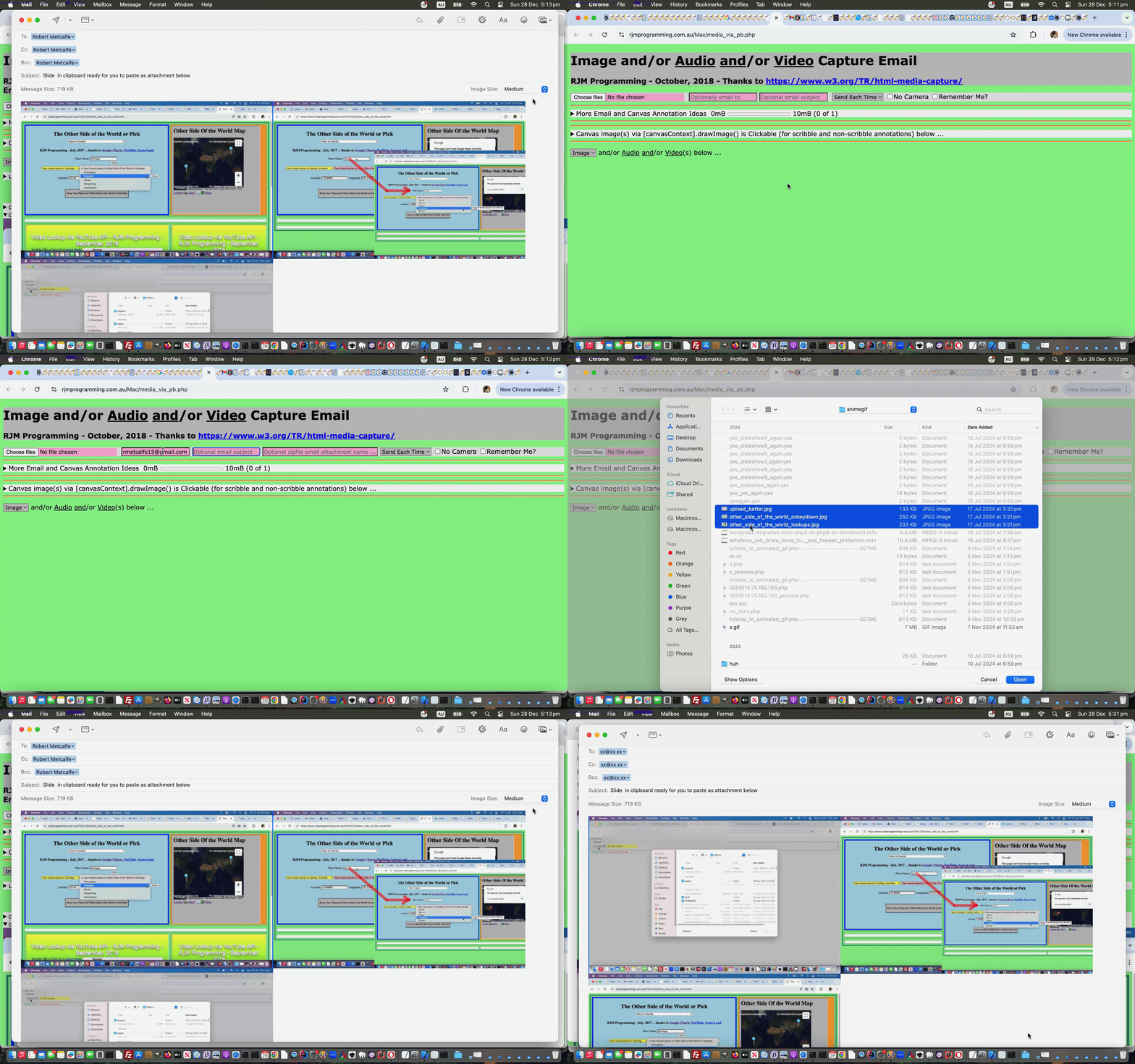
Further to yesterday’s Media Copy and Paste Intranet Feeling Tutorial we wanted to improve on …
… making the top PHP block now look like …
<?php

// media_via_pb.php

// RJM Programming

// December, 2025


 $incopy='';

 $pathbit='';

 $basebit='';

 $mampfilelist='';

 $mampfs=[];


 function ourexec($amore) {

  global $incopy, $pathbit, $basebit, $mampfilelist, $mampfs;

  if ($incopy == '') {

    if (strpos($amore, "POSIX file \"") !== false) {

      $rbfile=explode("\"", explode("POSIX file \"", $amore)[1])[0];

      $basebit=basename($rbfile);

      $pathbit=explode($basebit, $rbfile)[0];

   //file_put_contents('x.xxx', $pathbit . "\n" . $basebit . "\n" . $rbfile);

    }

    $incopy=$amore;

  }

  return exec($amore);

 }


 function andthenlater($andmore) {

  global $incopy, $pathbit, $basebit, $mampfilelist, $mampfs;

  $thingos=[''];

  $rel='x';

  if (PHP_OS == 'Darwin') {

  if (strlen($andmore) > 1) {

  $thingos=explode(',', $andmore);

  }

  for ($iwe=0; $iwe<sizeof($thingos); $iwe++) {

  $thingo=$thingos[$iwe];

  $pbit='';

  if (basename($thingo) == $thingo && $pathbit != '') {

    $pbit=$pathbit;

  }

   //file_put_contents('x.xx', $pathbit . "\n" . $basebit . "\n" . $thingo);

     if (strlen($thingo) > 1) {

    if (strpos(strtolower($thingo), '.png') !== false) {

      exec("osascript -e 'tell application \"Finder\" to set the clipboard to (read (POSIX file \"" . $pbit . $thingo . "\") as «class PNGf»)'");

    } else if (strpos(strtolower($thingo), '.jp') !== false) {

      exec("osascript -e 'tell application \"Finder\" to set the clipboard to (read (POSIX file \"" . $pbit . $thingo . "\") as «class JPEG»)'");

    } else if (strpos(strtolower($thingo), '.gif') !== false) {

      exec("osascript -e 'tell application \"Finder\" to set the clipboard to (read (POSIX file \"" . $pbit . $thingo . "\") as «class GIF»)'");

    }

    sleep(5);

    }

  // Thanks to https://www.google.com/search?q=macos+osascript+paste+from+clipboard+where+the+cursor+is+in+whatever+window&rlz=1C5OZZY_en&oq=macos+osascript+paste+from+clipboard+where+the+cursor+is+in+whatever+window&gs_lcrp=EgZjaHJvbWUyBggAEEUYOdIBCTQ3NDg4ajBqN6gCALACAA&sourceid=chrome&ie=UTF-8

  $retis=shell_exec("osascript -e 'tell application \"System Events\"

    # Get the name of the current application (which is likely the Script Editor or Automator)

    set currentApp to name of current application


    # Check if the current app is one of the script runners and hide it to allow the target app to become frontmost

    if currentApp is in {\"Script Editor\", \"Automator\", \"Script Debugger\"} then

        set visible of process currentApp to false

        # Wait a moment for the target app to become active

        delay 0.1

    end if


    # Simulate the Command+V keystroke in the now frontmost application

    keystroke \"v\" using command down


    # (Optional) Unhide the script application afterward

    if currentApp is in {\"Script Editor\", \"Automator\", \"Script Debugger\"} then

        set visible of process currentApp to true

    end if

end tell

  '");

  }

  if (strlen($andmore) > 1 && $incopy != '') {

      return exec($incopy);

  }

  }

  if (strlen($andmore) <= 1 && sizeof($mampfs) > 1 && $basebit != '' && $rel != '') {

   $newc='';

   for ($ijk=0; $ijk<sizeof($mampfs); $ijk++) {

     if (strpos(explode('##',$mampfs[$ijk])[0], $basebit) === false) {

       if ($newc == '') {

        $newc=explode('##',$mampfs[$ijk])[0];

       } else {

        $newc=explode('##',$mampfs[$ijk])[0] . ',' . $newc;

       }

     }

   }

   sleep(5);

   //file_put_contents('x.x', $pathbit . "\n" . $basebit . "\n" . $newc);

   andthenlater($newc);

  }

  return '';

 }


   $ifmamp="ifmamp";

   $ifport=":8888";

   $premvp='';

   $subjsuff='';

   $thingo='';

   $mampfilelist='';

   $mampfs=[];

   $mto="?";


   if (isset($_GET['subject'])) {

    $subjsuff=urlencode(' ... ') . $_GET['subject'];

   file_put_contents($_SERVER['DOCUMENT_ROOT'] . DIRECTORY_SEPARATOR . 'x.xx', $subjsuff . "\n" . $_SERVER['QUERY_STRING']);

   } else if (isset($_POST['subject'])) {

    $subjsuff=urlencode(' ... ') . $_POST['subject'];

   file_put_contents($_SERVER['DOCUMENT_ROOT'] . DIRECTORY_SEPARATOR . 'x.xx', $subjsuff . "\n" . $_SERVER['QUERY_STRING']);

   }


   //file_put_contents($_SERVER['DOCUMENT_ROOT'] . DIRECTORY_SEPARATOR . 'x.xx', $thingo);

   if (PHP_OS == 'Darwin' || substr(strtolower(('' . PHP_OS)),0,3) == 'win') {

      if (PHP_OS == 'Darwin') {

        $mto="please.change@email.address?cc=please.change@email.address&bcc=please.change@email.address&";

        $premvp='public=Y&';

        $ifmamp=strtoupper($ifmamp); //"_blank";

      } else {

        $ifport="";

      }

   } else {

      //$ifmamp="_blank";

      $ifmamp=strtoupper($ifmamp); //"_blank";

      $premvp='public=y&';

   }


   if (isset($_GET['paste'])) {

    andthenlater(str_replace('+',' ',urldecode($_GET['paste'])));

    exit;

   } else if ($_POST['paste']) {

    andthenlater(str_replace('+',' ',urldecode($_POST['paste'])));

    exit;

   }


   if (isset($_GET['mvp'])) {

   //file_put_contents('x.xxxx', $_GET['mvp']);

     $mampfilelist=str_replace('+',' ',urldecode($_GET['mvp']));

     if ($mampfilelist != '') {

      //file_put_contents('zs1.zs0',$mampfilelist);

       $mampfs=explode(',', $mampfilelist);

       for ($i=0; $i<sizeof($mampfs); $i++) {

         if (strpos($mampfs[$i], '##') !== false) {

           $fn=explode('##', $mampfs[$i])[0];

           $fs=explode('##', $mampfs[$i])[1];

           $fd=false;

      if (PHP_OS == 'Darwin') {

      $onefile=exec("find " . $_SERVER['DOCUMENT_ROOT'] . DIRECTORY_SEPARATOR . " -name '" . $fn . "' -size '" . $fs . "c' 2> /dev/null");

      if ($onefile != '') {

            $thingo=$onefile;

            $fd=true;

      } else {

    $iti = new RecursiveDirectoryIterator($_SERVER['DOCUMENT_ROOT'] . DIRECTORY_SEPARATOR);

    foreach (new RecursiveIteratorIterator($iti) as $file) {

    if (!fd) {

    foreach (glob($file . $fn) as $file) {

    if (!fd) {

         if (strpos($file, $fn) !== false && filesize($file) == $fs) {

            $thingo=$file;

            $fd=true;

         }

     }

     }

     }

     }

     }

      } else if (substr(strtolower(('' . PHP_OS)),0,3) == 'win') {

    $iti = new RecursiveDirectoryIterator(str_replace("/","\\",$_SERVER['DOCUMENT_ROOT'] . DIRECTORY_SEPARATOR));

    foreach (new RecursiveIteratorIterator($iti) as $file) {

    if (!fd) {

    foreach (glob($file . $fn) as $file) {

    if (!fd) {

         if (strpos($file, $fn) !== false && filesize($file) == $fs) {

            $thingo=$file;

            $fd=true;

         }

     }

     }

     }

     }

      }

         }

       }

     }


     if ($thingo != '') {

    if (strpos(strtolower($thingo), '.png') !== false) {

      //file_put_contents($_SERVER['DOCUMENT_ROOT'] . DIRECTORY_SEPARATOR . 'x.x', "osascript -e 'tell application \"Finder\" to set the clipboard to (read (POSIX file \"" . $thingo . "\") as «class PNGf»)'");

      if (PHP_OS == 'Darwin') {

      ourexec("osascript -e 'tell application \"Finder\" to set the clipboard to (read (POSIX file \"" . $thingo . "\") as «class PNGf»)'");

      } else {

      //$fp = fopen($thingo, 'r');

      //$gcont=fread($fp, filesize($thingo));

      //fclose($fp);

      $fp = fopen($_SERVER['DOCUMENT_ROOT'] . DIRECTORY_SEPARATOR . 'stop_extravaganza.bzt', 'x');

      fwrite($fp, "powershell.exe -windowstyle hidden -Command \"Add-Type -AssemblyName System.Windows.Forms; [Windows.Forms.Clipboard]::SetImage([System.Drawing.Image]::Fromfile('" . $thingo . "'))\" & erase " . str_replace("/","\\",$_SERVER['DOCUMENT_ROOT'] . DIRECTORY_SEPARATOR) . 'stop_extravaganza.b*t');

      fclose($fp);

      if (isset($_GET['mailto'])) {

        sleep(65);

      }

      }

      if (isset($_GET['mailto'])) {

         $parstuff='';

         if (strlen($_GET['mailto']) > 1) {

           $mto=str_replace('please.change@email.address',str_replace('+',' ',urldecode($_GET['mailto'])),$mto);

           $parstuff=" parent.document.getElementById('" . str_replace('+',' ',urldecode($_GET['mailto'])) . "').style.textShadow='1px 1px red';  parent.document.getElementById('" . str_replace('+',' ',urldecode($_GET['mailto'])) . "').style.cursor='pointer';  if (parent.document.getElementById('mailtovssms')) { if (parent.document.getElementById('mailtovssms').value.toLowerCase() == parent.document.getElementById('mailtovssms').value) { parent.setlastb('" . str_replace('+',' ',urldecode($_GET['mailto'])) . "'); } } ";

         }

         if (isset($_GET['public'])) {

         andthenlater('');

         } else {

         echo "<html><body onload=\" if (parent.document.getElementById('mailtovssms')) { if (parent.document.getElementById('mailtovssms').value.toUpperCase() == parent.document.getElementById('mailtovssms').value) { document.getElementById('aemail').href=document.getElementById('aemail').href.replace('please.change@email.address?cc=please.change@email.address&bcc=please.change@email.address&','?');  } }  if (parent.document.getElementById('mailtovssms')) { if (parent.document.getElementById('mailtovssms').value.toLowerCase() == 'sms') { if (parent.document.getElementById('mailtovssms').value == 'SMS') { document.getElementById('aemail').href='sms:&body='; } else {  document.getElementById('aemail').href='sms:rmetcalfe15@gmail.com&body='; }  }  }  document.getElementById('aemail').click(); location.href=document.URL.split('?')[0].split('#')[0] + '?paste=y'; " . $parstuff . "\"><a style=display:none; id=aemail target=_top href='mailto:" . $mto . "subject=Slide%20" . urlencode(basename($thingo)) . "%20in%20clipboard%20ready%20for%20you%20to%20paste%20as%20attachment%20below&20" . $subjsuff . "%20...&body='>Email</a></body></html>";

         }

      }

    } else if (strpos(strtolower($thingo), '.jp') !== false) {

      //file_put_contents($_SERVER['DOCUMENT_ROOT'] . DIRECTORY_SEPARATOR . 'x.x', "osascript -e 'tell application \"Finder\" to set the clipboard to (read (POSIX file \"" . $thingo . "\") as «class JPEG»)'");

      if (PHP_OS == 'Darwin') {

      ourexec("osascript -e 'tell application \"Finder\" to set the clipboard to (read (POSIX file \"" . $thingo . "\") as «class JPEG»)'");

      } else {

      //$fp = fopen($thingo, 'r');

      //$gcont=fread($fp, filesize($thingo));

      //fclose($fp);

      $fp = fopen($_SERVER['DOCUMENT_ROOT'] . DIRECTORY_SEPARATOR . 'stop_extravaganza.bzt', 'x');

      fwrite($fp, "powershell.exe -windowstyle hidden -Command \"Add-Type -AssemblyName System.Windows.Forms; [Windows.Forms.Clipboard]::SetImage([System.Drawing.Image]::Fromfile('" . $thingo . "'))\" & erase " . str_replace("/","\\",$_SERVER['DOCUMENT_ROOT'] . DIRECTORY_SEPARATOR) . 'stop_extravaganza.b*t');

      fclose($fp);

      if (isset($_GET['mailto'])) {

        sleep(65);

      }

      }

      if (isset($_GET['mailto'])) {

         $parstuff='';

         if (strlen($_GET['mailto']) > 1) {

           $mto=str_replace('please.change@email.address',str_replace('+',' ',urldecode($_GET['mailto'])),$mto);

           $parstuff=" parent.document.getElementById('" . str_replace('+',' ',urldecode($_GET['mailto'])) . "').style.textShadow='1px 1px red';  parent.document.getElementById('" . str_replace('+',' ',urldecode($_GET['mailto'])) . "').style.cursor='pointer';  if (parent.document.getElementById('mailtovssms')) { if (parent.document.getElementById('mailtovssms').value.toLowerCase() == parent.document.getElementById('mailtovssms').value) { parent.setlastb('" . str_replace('+',' ',urldecode($_GET['mailto'])) . "'); } }  ";

         }

         if (isset($_GET['public'])) {

         andthenlater('');

         } else {

         echo "<html><body onload=\"if (parent.document.getElementById('mailtovssms')) { if (parent.document.getElementById('mailtovssms').value.toUpperCase() == parent.document.getElementById('mailtovssms').value) { document.getElementById('aemail').href=document.getElementById('aemail').href.replace('please.change@email.address?cc=please.change@email.address&bcc=please.change@email.address&','?');  } }  if (parent.document.getElementById('mailtovssms')) { if (parent.document.getElementById('mailtovssms').value.toLowerCase() == 'sms') { if (parent.document.getElementById('mailtovssms').value == 'SMS') { document.getElementById('aemail').href='sms:&body='; } else {  document.getElementById('aemail').href='sms:rmetcalfe15@gmail.com&body='; }  }  }  document.getElementById('aemail').click(); location.href=document.URL.split('?')[0].split('#')[0] + '?paste=y'; " . $parstuff . "\"><a style=display:none; id=aemail target=_top href='mailto:" . $mto . "subject=Slide%20" . urlencode(basename($thingo)) . "%20in%20clipboard%20ready%20for%20you%20to%20paste%20as%20attachment%20below&20" . $subjsuff . "%20...&body='>Email</a></body></html>";

         }

      }

    } else if (strpos(strtolower($thingo), '.gif') !== false) {

      if (PHP_OS == 'Darwin') {

      ourexec("osascript -e 'tell application \"Finder\" to set the clipboard to (read (POSIX file \"" . $thingo . "\") as «class GIF»)'");

      } else {

      //$fp = fopen($thingo, 'r');

      //$gcont=fread($fp, filesize($thingo));

      //fclose($fp);

      $fp = fopen($_SERVER['DOCUMENT_ROOT'] . DIRECTORY_SEPARATOR . 'stop_extravaganza.bzt', 'x');

      fwrite($fp, "powershell.exe -windowstyle hidden -Command \"Add-Type -AssemblyName System.Windows.Forms; [Windows.Forms.Clipboard]::SetImage([System.Drawing.Image]::Fromfile('" . $thingo . "'))\" & erase " . str_replace("/","\\",$_SERVER['DOCUMENT_ROOT'] . DIRECTORY_SEPARATOR) . 'stop_extravaganza.b*t');

      fclose($fp);

      if (isset($_GET['mailto'])) {

        sleep(65);

      }

      }

      if (isset($_GET['mailto'])) {

         $parstuff='';

         if (strlen($_GET['mailto']) > 1) {

           $mto=str_replace('please.change@email.address',str_replace('+',' ',urldecode($_GET['mailto'])),$mto);

           $parstuff=" parent.document.getElementById('" . str_replace('+',' ',urldecode($_GET['mailto'])) . "').style.textShadow='1px 1px red';  parent.document.getElementById('" . str_replace('+',' ',urldecode($_GET['mailto'])) . "').style.cursor='pointer';  if (parent.document.getElementById('mailtovssms')) { if (parent.document.getElementById('mailtovssms').value.toLowerCase() == parent.document.getElementById('mailtovssms').value) { parent.setlastb('" . str_replace('+',' ',urldecode($_GET['mailto'])) . "'); } }  ";

         }

         if (isset($_GET['public'])) {

         andthenlater('');

         } else {

         echo "<html><body onload=\"if (parent.document.getElementById('mailtovssms')) { if (parent.document.getElementById('mailtovssms').value.toUpperCase() == parent.document.getElementById('mailtovssms').value) { document.getElementById('aemail').href=document.getElementById('aemail').href.replace('please.change@email.address?cc=please.change@email.address&bcc=please.change@email.address&','?');  } }  if (parent.document.getElementById('mailtovssms')) { if (parent.document.getElementById('mailtovssms').value.toLowerCase() == 'sms') { if (parent.document.getElementById('mailtovssms').value == 'SMS') { document.getElementById('aemail').href='sms:&body='; } else {  document.getElementById('aemail').href='sms:rmetcalfe15@gmail.com&body='; }  }  }  document.getElementById('aemail').click(); location.href=document.URL.split('?')[0].split('#')[0] + '?paste=y'; " . $parstuff . "\"><a style=display:none; id=aemail target=_top href='mailto:" . $mto . "subject=Slide%20" . urlencode(basename($thingo)) . "%20in%20clipboard%20ready%20for%20you%20to%20paste%20as%20attachment%20below&20" . $subjsuff . "%20...&body='>Email</a></body></html>";

         }

      }

    }

     }


     exit;

   } else if (isset($_POST['mvp'])) {

     $mampfilelist=str_replace('+',' ',urldecode($_POST['mvp']));

     if ($mampfilelist != '') {

       $mampfs=explode(',', $mampfilelist);

       for ($i=0; $i<sizeof($mampfs); $i++) {

         if (strpos($mampfs[$i], '##') !== false) {

           $fn=explode('##', $mampfs[$i])[0];

           $fs=explode('##', $mampfs[$i])[1];

           $fd=false;

    $iti = new RecursiveDirectoryIterator($_SERVER['DOCUMENT_ROOT'] . DIRECTORY_SEPARATOR);

    foreach (new RecursiveIteratorIterator($iti) as $file) {

    if (!fd) {

    foreach (glob($file . $fn) as $file) {

    if (!fd) {

         if (strpos($file, $fn) !== false && filesize($file) == $fs) {

            $thingo=$file;

            $fd=true;

         }

     }

     }

     }

     }

         }

       }

     }


     if ($thingo != '') {

    if (strpos(strtolower($thingo), '.png') !== false) {

      //file_put_contents($_SERVER['DOCUMENT_ROOT'] . DIRECTORY_SEPARATOR . 'x.x', "osascript -e 'tell application \"Finder\" to set the clipboard to (read (POSIX file \"" . $thingo . "\") as «class PNGf»)'");

      if (PHP_OS == 'Darwin') {

      ourexec("osascript -e 'tell application \"Finder\" to set the clipboard to (read (POSIX file \"" . $thingo . "\") as «class PNGf»)'");

      } else {

      //$fp = fopen($thingo, 'r');

      //$gcont=fread($fp, filesize($thingo));

      //fclose($fp);

      $fp = fopen($_SERVER['DOCUMENT_ROOT'] . DIRECTORY_SEPARATOR . 'stop_extravaganza.bzt', 'x');

      fwrite($fp, "powershell.exe -windowstyle hidden -Command \"Add-Type -AssemblyName System.Windows.Forms; [Windows.Forms.Clipboard]::SetImage([System.Drawing.Image]::Fromfile('" . $thingo . "'))\" & erase " . str_replace("/","\\",$_SERVER['DOCUMENT_ROOT'] . DIRECTORY_SEPARATOR) . 'stop_extravaganza.b*t');

      fclose($fp);

      if (isset($_POST['mailto'])) {

        sleep(65);

      }

      }

      if (isset($_POST['mailto'])) {

         $parstuff='';

         if (strlen($_POST['mailto']) > 1) {

           $mto=str_replace('please.change@email.address',str_replace('+',' ',urldecode($_POST['mailto'])),$mto);

           $parstuff=" parent.document.getElementById('" . str_replace('+',' ',urldecode($_POST['mailto'])) . "').style.textShadow='1px 1px red';  parent.document.getElementById('" . str_replace('+',' ',urldecode($_POST['mailto'])) . "').style.cursor='pointer';  if (parent.document.getElementById('mailtovssms')) { if (parent.document.getElementById('mailtovssms').value.toLowerCase() == parent.document.getElementById('mailtovssms').value) { parent.setlastb('" . str_replace('+',' ',urldecode($_POST['mailto'])) . "'); } } ";

         }

         if (isset($_POST['public'])) {

         andthenlater('');

         } else {

         echo "<html><body onload=\" if (parent.document.getElementById('mailtovssms')) { if (parent.document.getElementById('mailtovssms').value.toUpperCase() == parent.document.getElementById('mailtovssms').value) { document.getElementById('aemail').href=document.getElementById('aemail').href.replace('please.change@email.address?cc=please.change@email.address&bcc=please.change@email.address&','?');  } }  if (parent.document.getElementById('mailtovssms')) { if (parent.document.getElementById('mailtovssms').value.toLowerCase() == 'sms') { if (parent.document.getElementById('mailtovssms').value == 'SMS') { document.getElementById('aemail').href='sms:&body='; } else {  document.getElementById('aemail').href='sms:rmetcalfe15@gmail.com&body='; }  }  }  document.getElementById('aemail').click(); location.href=document.URL.split('?')[0].split('#')[0] + '?paste=y'; " . $parstuff . "\"><a style=display:none; id=aemail target=_top href='mailto:" . $mto . "subject=Slide%20" . urlencode(basename($thingo)) . "%20in%20clipboard%20ready%20for%20you%20to%20paste%20as%20attachment%20below&20" . $subjsuff . "%20...&body='>Email</a></body></html>";

         }

      }

    } else if (strpos(strtolower($thingo), '.jp') !== false) {

      //file_put_contents($_SERVER['DOCUMENT_ROOT'] . DIRECTORY_SEPARATOR . 'x.x', "osascript -e 'tell application \"Finder\" to set the clipboard to (read (POSIX file \"" . $thingo . "\") as «class JPEG»)'");

      if (PHP_OS == 'Darwin') {

      ourexec("osascript -e 'tell application \"Finder\" to set the clipboard to (read (POSIX file \"" . $thingo . "\") as «class JPEG»)'");

      } else {

      //$fp = fopen($thingo, 'r');

      //$gcont=fread($fp, filesize($thingo));

      //fclose($fp);

      $fp = fopen($_SERVER['DOCUMENT_ROOT'] . DIRECTORY_SEPARATOR . 'stop_extravaganza.bzt', 'x');

      fwrite($fp, "powershell.exe -windowstyle hidden -Command \"Add-Type -AssemblyName System.Windows.Forms; [Windows.Forms.Clipboard]::SetImage([System.Drawing.Image]::Fromfile('" . $thingo . "'))\" & erase " . str_replace("/","\\",$_SERVER['DOCUMENT_ROOT'] . DIRECTORY_SEPARATOR) . 'stop_extravaganza.b*t');

      fclose($fp);

      if (isset($_POST['mailto'])) {

        sleep(65);

      }

      }

      if (isset($_POST['mailto'])) {

         $parstuff='';

         if (strlen($_POST['mailto']) > 1) {

           $mto=str_replace('please.change@email.address',str_replace('+',' ',urldecode($_POST['mailto'])),$mto);

           $parstuff=" parent.document.getElementById('" . str_replace('+',' ',urldecode($_POST['mailto'])) . "').style.textShadow='1px 1px red';  parent.document.getElementById('" . str_replace('+',' ',urldecode($_POST['mailto'])) . "').style.cursor='pointer';  if (parent.document.getElementById('mailtovssms')) { if (parent.document.getElementById('mailtovssms').value.toLowerCase() == parent.document.getElementById('mailtovssms').value) { parent.setlastb('" . str_replace('+',' ',urldecode($_POST['mailto'])) . "'); } }  ";

         }

         if (isset($_POST['public'])) {

         andthenlater('');

         } else {

         echo "<html><body onload=\"if (parent.document.getElementById('mailtovssms')) { if (parent.document.getElementById('mailtovssms').value.toUpperCase() == parent.document.getElementById('mailtovssms').value) { document.getElementById('aemail').href=document.getElementById('aemail').href.replace('please.change@email.address?cc=please.change@email.address&bcc=please.change@email.address&','?');  } }  if (parent.document.getElementById('mailtovssms')) { if (parent.document.getElementById('mailtovssms').value.toLowerCase() == 'sms') { if (parent.document.getElementById('mailtovssms').value == 'SMS') { document.getElementById('aemail').href='sms:&body='; } else {  document.getElementById('aemail').href='sms:rmetcalfe15@gmail.com&body='; }  }  }  document.getElementById('aemail').click(); location.href=document.URL.split('?')[0].split('#')[0] + '?paste=y'; " . $parstuff . "\"><a style=display:none; id=aemail target=_top href='mailto:" . $mto . "subject=Slide%20" . urlencode(basename($thingo)) . "%20in%20clipboard%20ready%20for%20you%20to%20paste%20as%20attachment%20below&20" . $subjsuff . "%20...&body='>Email</a></body></html>";

         }

      }

    } else if (strpos(strtolower($thingo), '.gif') !== false) {

      if (PHP_OS == 'Darwin') {

      ourexec("osascript -e 'tell application \"Finder\" to set the clipboard to (read (POSIX file \"" . $thingo . "\") as «class GIF»)'");

      } else {

      //$fp = fopen($thingo, 'r');

      //$gcont=fread($fp, filesize($thingo));

      //fclose($fp);

      $fp = fopen($_SERVER['DOCUMENT_ROOT'] . DIRECTORY_SEPARATOR . 'stop_extravaganza.bzt', 'x');

      fwrite($fp, "powershell.exe -windowstyle hidden -Command \"Add-Type -AssemblyName System.Windows.Forms; [Windows.Forms.Clipboard]::SetImage([System.Drawing.Image]::Fromfile('" . $thingo . "'))\" & erase " . str_replace("/","\\",$_SERVER['DOCUMENT_ROOT'] . DIRECTORY_SEPARATOR) . 'stop_extravaganza.b*t');

      fclose($fp);

      if (isset($_POST['mailto'])) {

        sleep(65);

      }

      }

      if (isset($_POST['mailto'])) {

         $parstuff='';

         if (strlen($_POST['mailto']) > 1) {

           $mto=str_replace('please.change@email.address',str_replace('+',' ',urldecode($_POST['mailto'])),$mto);

           $parstuff=" parent.document.getElementById('" . str_replace('+',' ',urldecode($_POST['mailto'])) . "').style.textShadow='1px 1px red';  parent.document.getElementById('" . str_replace('+',' ',urldecode($_POST['mailto'])) . "').style.cursor='pointer';  if (parent.document.getElementById('mailtovssms')) { if (parent.document.getElementById('mailtovssms').value.toLowerCase() == parent.document.getElementById('mailtovssms').value) { parent.setlastb('" . str_replace('+',' ',urldecode($_POST['mailto'])) . "'); } }  ";

         }

         if (isset($_POST['public'])) {

         andthenlater('');

         } else {

         echo "<html><body onload=\"if (parent.document.getElementById('mailtovssms')) { if (parent.document.getElementById('mailtovssms').value.toUpperCase() == parent.document.getElementById('mailtovssms').value) { document.getElementById('aemail').href=document.getElementById('aemail').href.replace('please.change@email.address?cc=please.change@email.address&bcc=please.change@email.address&','?');  } }  if (parent.document.getElementById('mailtovssms')) { if (parent.document.getElementById('mailtovssms').value.toLowerCase() == 'sms') { if (parent.document.getElementById('mailtovssms').value == 'SMS') { document.getElementById('aemail').href='sms:&body='; } else {  document.getElementById('aemail').href='sms:rmetcalfe15@gmail.com&body='; }  }  }  document.getElementById('aemail').click(); location.href=document.URL.split('?')[0].split('#')[0] + '?paste=y'; " . $parstuff . "\"><a style=display:none; id=aemail target=_top href='mailto:" . $mto . "subject=Slide%20" . urlencode(basename($thingo)) . "%20in%20clipboard%20ready%20for%20you%20to%20paste%20as%20attachment%20below&20" . $subjsuff . "%20...&body='>Email</a></body></html>";

         }

      }

    }

     }


     exit;

   }


?>
… in a downloadable changed media_via_pb.php media_via_pb.php web application or a public domain webpage incarnation .
Previous relevant Media Copy and Paste Intranet Feeling Tutorial is shown below.
Media Copy and Paste Intranet Feeling Tutorial
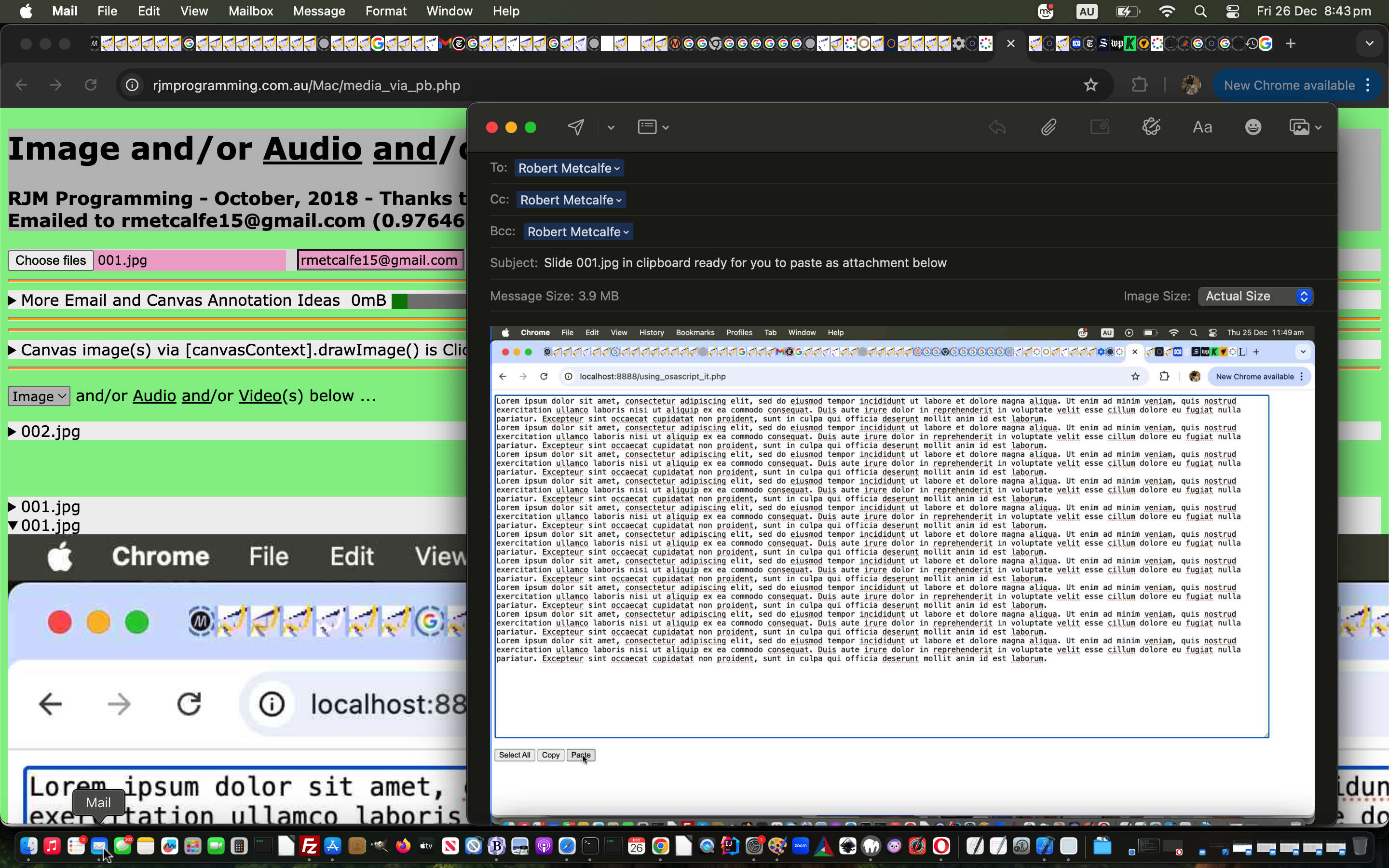
Further to yesterday’s Media Copy and Paste Tutorial, of course, what we’d prefer to be able to do to use it could be …
… but only if, as we’ve verified again today and only for sure on macOS Google Chrome web browser so far, otherwise CORS restrictions come into it, MAMP-get-style-url.php only performs PHP stuff and does not try to write out a webpage of any sort. We can arrange it that way in this project but can easily imagine other projects where this can not be wrangled using a public domain webpage incarnation this “Intranet feeling” way.
Previous relevant Media Copy and Paste Tutorial is shown below.
Media Copy and Paste Tutorial
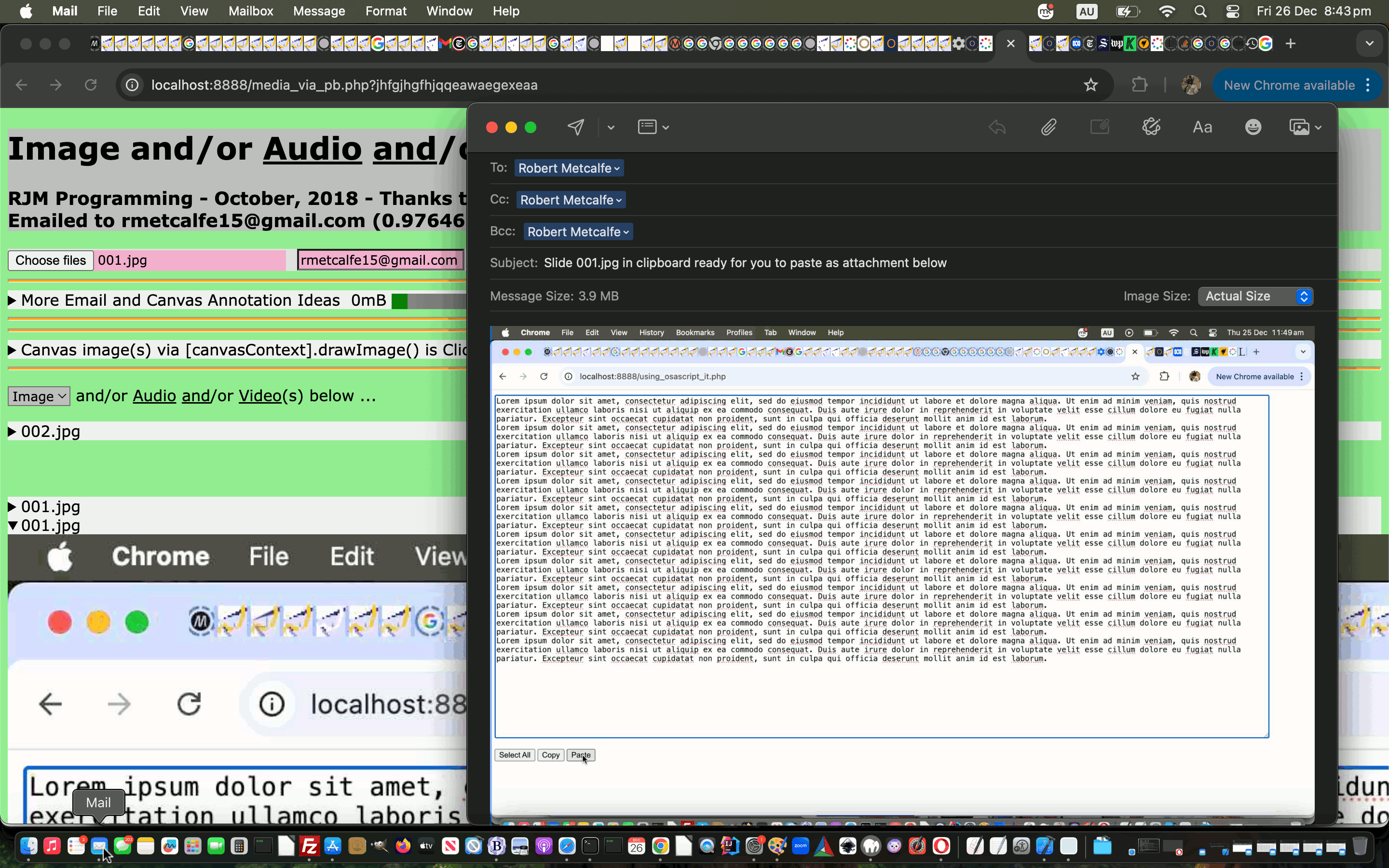
Maybe you recently hovered over the tutorial image idea of Mac OS X Copy to Clipboard and Paste Tutorial below, and read …
Here in December, 2025 we have lost touch with the original media_via_pb.php code from back in November 2018 and we are in the process of repiecing a similar but different set of logics in a similar vein. Please stay tuned for interplay with macOS pbcopy and pbpaste and Windows clip commands or some other methodology involvement not existing in this reconstituted first draft.
Bit sad, but a new opportunity too?!
And so, with that opportunity, we can apply some recent work knowledge, especially regarding a local web server (such as MAMP) underlying operating system environments, to the point that an email attachment piece of automation can be worked from a downloadable changed media_via_pb.php media_via_pb.php web application.
Previous relevant Mac OS X Copy to Clipboard and Paste Tutorial is shown below.

Mac OS X Copy to Clipboard and Paste Tutorial
Were you an interested reader of Mac OS X Clipboard to File to Datauri Primer Tutorial that we wrote some time ago now? It involved the Mac OS X command line …
… command to “provide copying and pasting to the pasteboard (the Clipboard) from command line” (quoting from “man pbcopy”).
And where there is a “copy” there’s a … anyone, anyone? … yes, Smithers, a “paste”. And so, new to today’s work, we start combining that pbpaste with the brilliant passthru …
… to position at the place to “plonk” media data into a webpage, often, and let it display.
You’ll notice in today’s PHP (only really suits localhost local web server hosting code, such as MAMP) “Media via pbcopy and pbpaste” web application’s http://localhost:8888/media_via_pb.php code that we code an exec style …
exec('pbcopy < ' . $ourpath . str_replace("+"," ",urldecode($_GET['filename'])));
… then, obscurely (you may think), (roughly) go (for the $_GET versus $_POST arguments) …
$cont=file_get_contents($ourpath . str_replace("+"," ",urldecode($_GET['filename'])));

if (strpos($cont, "data:") !== false) {

 // "plonk" these in HTML surrounds supporting the relevant (mimetype derived (via file extension array matching)) element's src property contents

if (strpos($cont, "data:image/") !== false) {

echo '<html><body><img src="';

passthru('pbpaste');

echo '"></img></body></html>';

} else if (strpos($cont, "data:video/") !== false) {

if ($ourmimetype == "") {

echo '<html><body><video controls><source src="';

} else {

echo '<html><body><video controls><source type="' . $ourmimetype . '" src="';

}

passthru('pbpaste');

echo '"></source></video></body></html>';

} else if (strpos($cont, "data:audio/") !== false) {

if ($ourmimetype == "") {

echo '<html><body><audio controls><source src="';

} else {

echo '<html><body><audio controls><source type="' . $ourmimetype . '" src="';

}

passthru('pbpaste');

echo '"></source></audio></body></html>';

} else if (strpos($cont, "data:text/") !== false) {

header('Content-type: text/' . str_replace('jpg','jpeg',$ext));

passthru('pbpaste');

} else if ($ourpath == '' && $ourmimetype == '') {

header('Location: ' . str_replace("+"," ",urldecode($_GET['filename'])));

} else if ($ourmimetype != '') {

header('Content-type: ' . $ourmimetype);

passthru('pbpaste');

} else {

header('Location: ' . str_replace("+"," ",urldecode($_GET['filename'])));

}

} else if ($ourmimetype != '') {  // we know mimetype via file extension

 header('Content-type: ' . $ourmimetype);

 passthru('pbpaste');

} else {

 header('Location: ' . str_replace("+"," ",urldecode($_GET['filename'])));

}
… to allow for dataURI file content, as relevant. To get a feel for this, review today’s PDF slideshow that ends with Nala (playing hide and seek) from Zipfiles in PHP Media Gallery MIME Type Tutorial.
Previous relevant Mac OS X Clipboard to File to Datauri Primer Tutorial is shown below.
Mac OS X Clipboard to File to Datauri Primer Tutorial
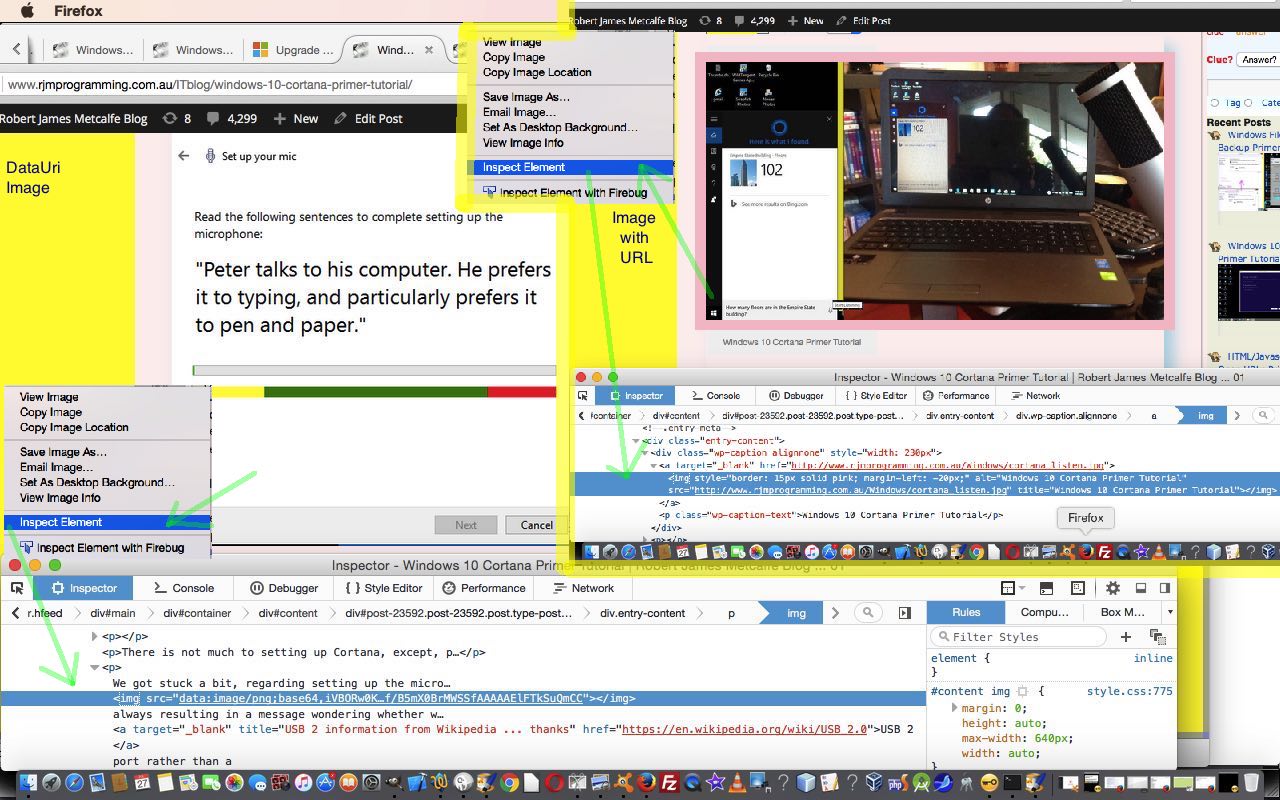
Today’s tutorial is a lot about the image two below the one above. It looks pretty much like any other image on this web page, I’m sure, at first glance, you’d say?! But the fact is, this image does not involve a web server image file of any sort, though its storage does involve a web server database, because all these blog postings exist in a table of a MySql database that WordPress uses to store information. Has this let you down? Hope not, because this is still a pretty big concept, getting bigger and bigger as time goes on, and spurred on by the mobile device revolution, and that is the rise and rise of the use of datauri based media. Let’s see what Wikipedia says …
The data URI scheme is a uniform resource identifier (URI) scheme that provides a way to include data in-line in web pages as if they were external resources. It is a form of file literal or here document. This technique allows normally separate elements such as images and style sheets to be fetched in a single Hypertext Transfer Protocol (HTTP) request, which may be more efficient than multiple HTTP requests.[1] Data URIs are sometimes referred to incorrectly as “data URLs”.[citation needed] As of 2015, data URIs are fully supported by most major browsers, and partially supported in Internet Explorer and Microsoft Edge.[2]
With this image, two down, we didn’t feel like plonking this as a file on our web server, basically because it was that bit smaller than the usual, and so the basic steps of how we constructed it was …
openssl base64 < ./huh.png | tr -d '\n' | pbcopy
Hope this interests you, and perhaps that you try out one of these datauri HTML img elements for yourself.
Previous relevant Windows 10 Cortana Primer Tutorial is shown below.
Windows 10 Cortana Primer Tutorial
In the area of robotics and artificial intelligence, perhaps the best known concept to we “mere mortals” is “voice recognition”. Perhaps because research into it goes back to 1932, before the Second World War … and 66 years before the “Worm Farm Incident of Simmons Street Disaster” … but we digress … and no … “I’m not ready to open up about this at this delicate stage of my life, yet, Brad.”.
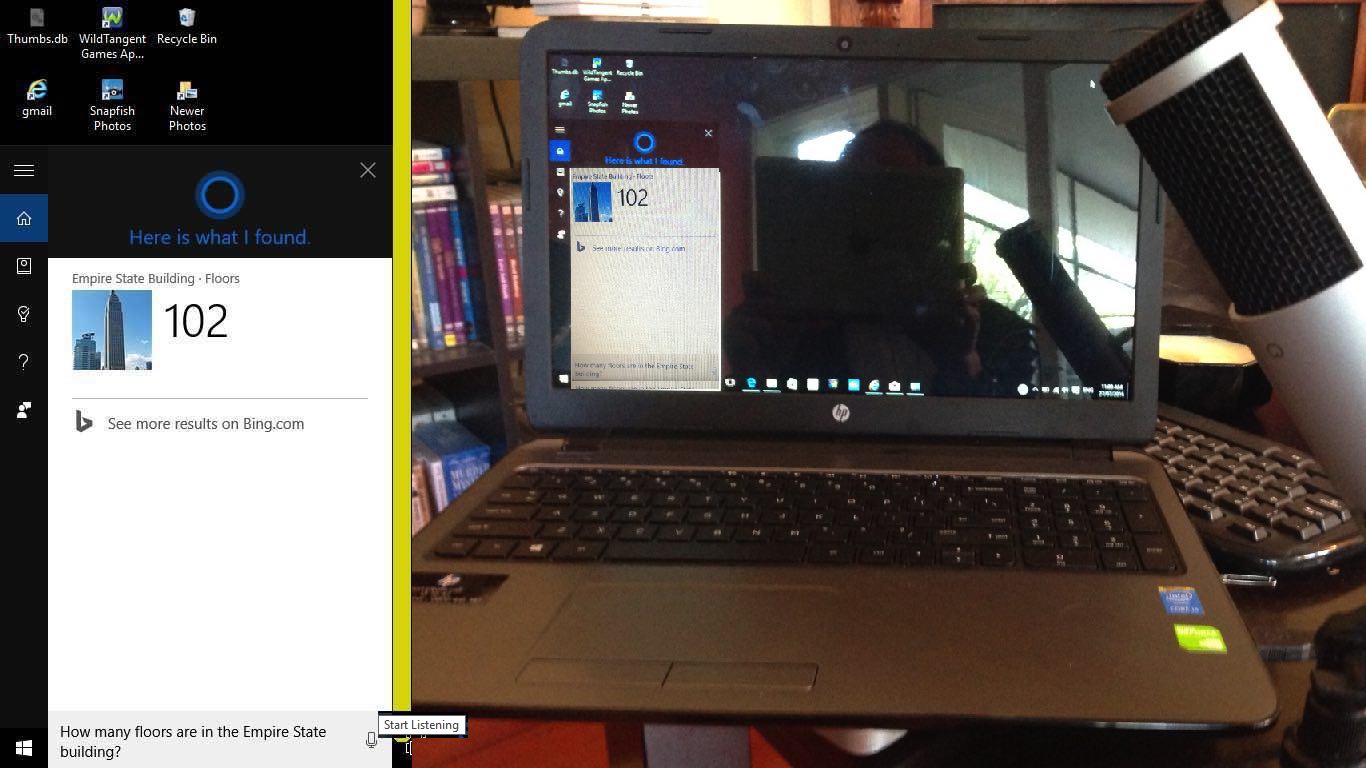
Voice recognition has come a long way from those earliest endeavours when the speech recognition relied on training software for an individual voice. This became apparent to me trying out Cortana in Windows 10. Once working, it didn’t seem to matter who in our house asked the same question of Cortana, the speech recognition software recognized and translated the speech into the same text for all of us. Actually, Microsoft describes Cortana this way …
Cortana is your clever new personal assistant.
Cortana will help you find things on your PC, manage your calendar, track packages, find files, chat with you, and tell jokes. The more you use Cortana, the more personalized your experience will be.
To get started, type a question in the search box on the taskbar. Or select the microphone icon and talk to Cortana. (Typing works for all types of PCs, but you need a mic to talk.)
… and I see what they mean by this, because you can work Cortana without the voice recognition part, if you like, or if you have the urge to run for the nearest cupboard before being caught talking into a computer (microphone). Perhaps Cortana should have a special “Darkroom Edition” for people who …
Anyway, we agree with Microsoft that Cortana is clever, and it’s nice for us to find another use for the microphone (brand called MXL Tempo) we used with WebEx work we talked about with WebEx Presentation with Microphone Tutorial below.
There is not much to setting up Cortana, except, perhaps, for the microphone bit, which we’ll talk more about later. Cortana’s “personal assistant” and interface down next to the Windows icon at the bottom left of the screen guides you well through what you have to do.
We got stuck a bit, regarding setting up the microphone, with a cycle of it presenting this voice recognition test  always resulting in a message wondering whether we had the microphone set to “mute on”, which wasn’t the case. But what was the case, and remedied this problem was to use a USB 2 port rather than a USB 3 port … in case this happens to you.
Other than that, Cortana is pretty cute, and could be a good enough reason on its own to upgrade to Windows 10 from Windows 7, Windows 8.1, Windows Phone 8.1 or Windows 9 operating systems before Friday, 29th July 2016 which is the cut off day for free upgrades. Our experience of the upgrade was talked about at Windows 10 Upgrade Primer Tutorial (and backups were discussed at Windows File History Backup Primer Tutorial).
Did you know?
Sadly, some days ago saw the passing of Frank Dickens, the creator of the Bristow cartoon series, forever etched on my brain regarding The Great Tea Trolley Disaster of ’67. R.I.P.
Previous relevant WebEx Presentation with Microphone Tutorial is shown below.
WebEx Presentation with Microphone Tutorial
We’ve been doing some more WebEx (by Cisco) lately, and realised, at least with using a MacBook Pro laptop, we needed to invest in a microphone, to be heard, as the inbuilt microphone systems were not up to it.
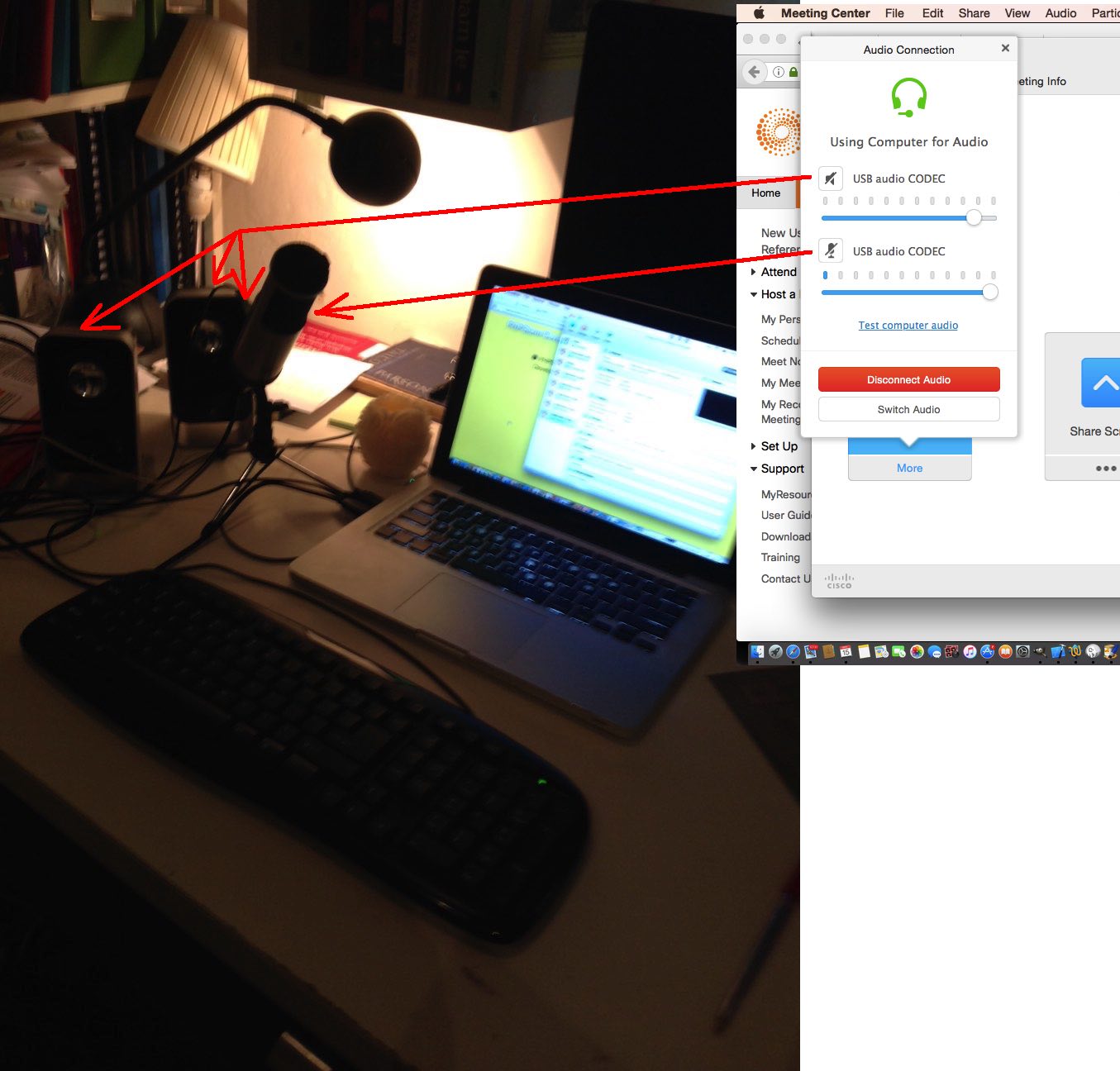
We opted for a USB connected microphone brand called MXL Tempo, sold here in Australia, and have found it to be good, especially mounted on the stand provided … well, no complaints, anyway?! Where it has a 1/8″ (3.5mm) Headphone Jack we plugged in our own speakers, though you could use headphones here as well.
Of course we’ll also be constructing a garage, and buying a guitar, and calling on “tree fellers” karaoke backing track of Peter, Paul and Mary to complete the picture of this week’s project … getting the new microphone to make breakfast in the morning before you even knew you needed breakfast get me on The Voices.
In the WebEx “Audio Connection” menu via “Call Using Computer” option have both input and output audio be handled by “USB audio CODEC” (if they are options … if not, there is a hardware (perhaps configuration) problem with your audio and microphone connection) as you can see at today’s tutorial picture. So long as you succeed and have the USB connected, the audio connection will default to this arrangement for the next time. Cute, huh?!
To make it permanent that the MXL Tempo microphone arrangement is the default device for recordings …
Being heard never seemed so easy!
Previous relevant WebEx Prerecording Primer Tutorial is shown below.

WebEx Prerecording Primer Tutorial
We’ve been trying out WebEx (by Cisco) prerecording as a video conferencing idea as an alternative to …
… regarding video conferencing products we’ve tried at this blog.
Have to say, WebEx is great, even with respect to the “wide eyed and bushy tailed” reaction “this little black duck” has to all these networky communicaty ideas on the net (at least we spelt “net” correctly).
Have to thank my wife, Maree, for her expertise and the facilities her company, Thomson Reuters, supplies for the serving of WebEx recordings … thanks everyone. Have been assured they are periodically deleted, and my lame impersonations of the old “ducks on the wall” can rest in peace shortly.
And so, we have a slideshow starting with a WebEx email link to join a meeting, and we pan down the email to show you other WebEx functionalities, such as adding a Calendar reference to the meeting time, and though we haven’t shown you detail here, rest assured it handles timezone scenarios very well, unless you lie about living in Antarctica, that is … sorry, scientists in Antarctica reading this blog posting … all 237 of you.
During this “earlier than today exploration of WebEx” session the necessary software installs just happened for this MacBook Pro Mac OS X laptop as if we were shelling peas … it’s always good to have some handy when installing any software. So we won’t show you this unless we deem it essential at a later date. You can perhaps do as I did, and ask a real WebEx user invite you to a meeting, to set yourself up. In fact, today’s session meeting creation time you may notice is well in the past from that earlier introductory learning session Maree and I had, and you can bring back up that old email, and resurrect that meeting again and again, if you like … am not sure if there is an expiry date on this too, like with server stored WebEx prerecordings.
So also rest assured, WebEx handles …
Did you know?
A .ics extension file, as you can see being used as an email attachment file extension in 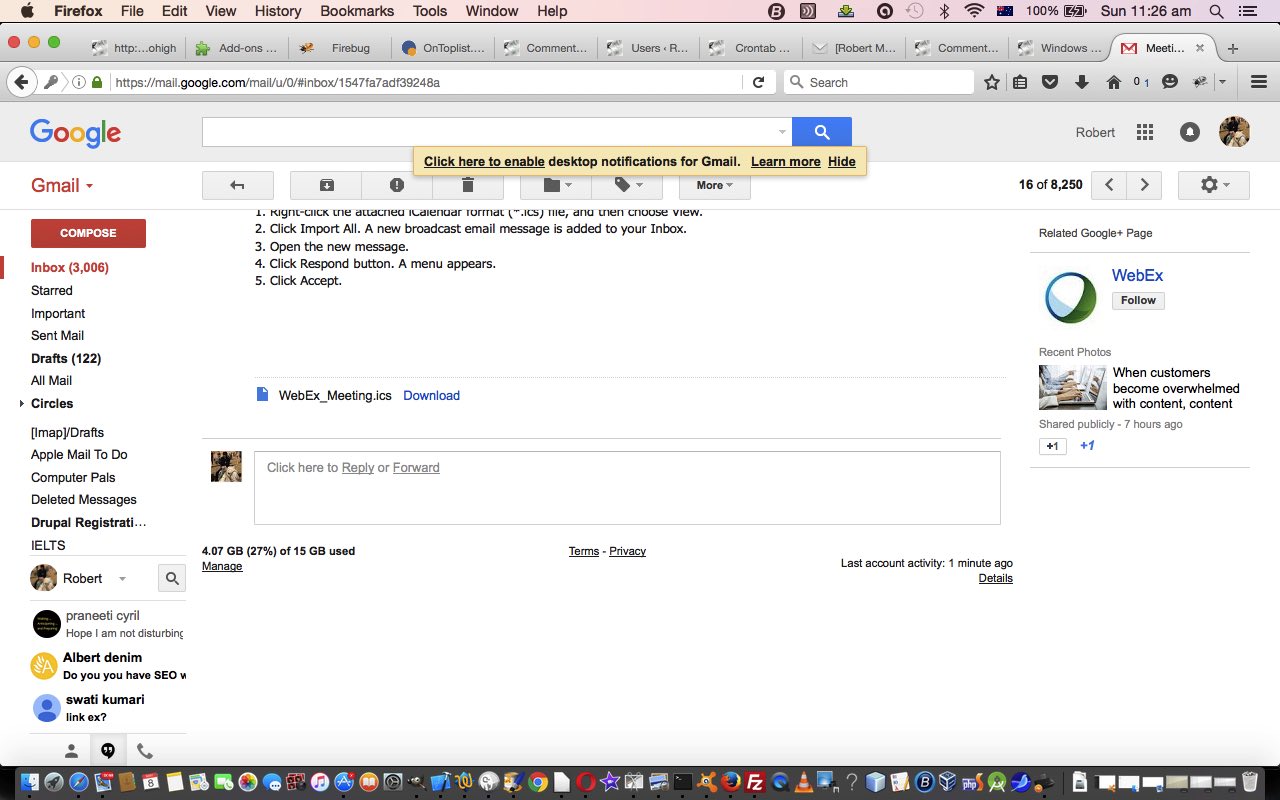 is, as explained in this link‘s sublink …
ICS is a global format for calendar files widely being utilized by various calendar and email programs including Google Calendar, Apple iCal, and Microsoft Outlook. These files enable users to share and publish information directly from their calendars over email or via uploading it to the world wide web.
… as helping interface meetings to online calendar appointments. Cute, huh?!
If this was interesting you may be interested in this too.
If this was interesting you may be interested in this too.
If this was interesting you may be interested in this too.
If this was interesting you may be interested in this too.
If this was interesting you may be interested in this too.
If this was interesting you may be interested in this too.
If this was interesting you may be interested in this too.
If this was interesting you may be interested in this too.
a
If this was interesting you may be interested in this too.
If this was interesting you may be interested in this too.
If this was interesting you may be interested in this too.
If this was interesting you may be interested in this too.
If this was interesting you may be interested in this too.
If this was interesting you may be interested in this too.
If this was interesting you may be interested in this too.
If this was interesting you may be interested in this too.
If this was interesting you may be interested in this too.
Intranet Feeling MAMP Suite Menu Tutorial
Further to yesterday’s Self Recording Public Website Call Tutorial …
MAMP Intranet Feeling Suite Menu
… accordingly
We think that you could cull a lot of the code of the MAMP Apache local web server Document Root changed before_all.php but we are not game to at this stage?!
It works in the sense that …
<?php

// Intranet Feeling MAMP Suite Menu

// RJM Programming - April, 2026

  file_put_contents('mamp.started','47PM ??         0');

  echo "<html>

<head>

<title>MAMP Intranet Feeling Suite Menu - RJM Programming - April, 2026</title>

</head>

<body>

<h1>MAMP Intranet Feeling Suite Menu</h1>

<h3>RJM Programming - April, 2026</h3><br><br>

<a target=_blank href='/recording_ideas.php'>Recording Ideas</a><br>

<a target=_blank href='/macos_say_record.php'>Voiceover Ideas</a><br>

<a target=_blank href='/macos_ffmpeg_convert.php'>Ffmpeg Ideas</a><br>

<a target=_blank href='/macos_textutil_convert.php'>Textutil Ideas</a><br>

</body>

</html>";

exit;

?>
… in order to remind a local web server user of what is available to them to try, perhaps?! The wooooorrrrlllllddd of MAMP could be your oyyyysssstttteeeerrrr!
Previous relevant Self Recording Public Website Call Tutorial is shown below.
Self Recording Public Website Call Tutorial
Onto yesterday’s Self Recording Channels Tutorial a fair bit of work goes into, potentially, the difference between what happens for the two URLs below …
Huh??! A hashtag with no content itself?
How?
Believe it or not the examination of document.URL …
<?php echo ”
<body style=background-color:#f0f0f0; onload=\" if (pstuff == '' && ('' + navigator.platform).toLowerCase().indexOf('mac') == 0 && document.URL.indexOf('?') == -1 && (document.URL + '~').indexOf('#~') != -1) { window.open('http://localhost:8888/recording_ideas.php?cmdrun=' + Math.floor(Math.random() * 19897865),'snapshotif'); } else if (pstuff == '' && ('' + navigator.platform).toLowerCase().indexOf('win') == 0 && document.URL.indexOf('?') == -1 && (document.URL + '~').indexOf('#~') != -1) { window.open('http://localhost/recording_ideas.php?cmdrun=' + Math.floor(Math.random() * 19897865),'snapshotif'); } " . $wbd . " onl(); rectthree=document.getElementById('blankif').getBoundingClientRect(); wothree='top=340,left=' + rectthree.left + ',height=' + eval(-160 + eval('' + screen.height) - eval('' + rectthree.top)) + ',width=' + rectthree.width; if (('' + navigator.platform).toLowerCase().indexOf('mac') != 0 && ('' + navigator.platform).toLowerCase().indexOf('win') != 0) { document.getElementById('blankif').style.visibility='visible'; document.getElementById('blankif').srcdoc='<p>Sorry, no macOS nor Windows system detected.</p>'; }\">
“; ?>
… can tell the difference in what a lot of web browsers these days will all interpret location.hash as the same (ie. both blank, rather than just the second one being # that is)
What?
To have a user way to say “we want you to try the local web server incarnation anyway”, even if it fails (with no adverse effects).
Where?
At a public webpage iframe named (ie snapshotif) and called via second parameter of a window.open() call.
Why?
At local web server, such as macOS MAMP, as long as no webpage data is output the CORS at the public website will not intervene in an adverse way. The empty hashtag data is so as to differentiate call from the other media and URL redirects that recording_ideas.php PHP is coded to facilitate.
When?
There we use MAMP’s auto-prepend talents, called upon via vi /Applications/MAMP/bin/php/php7.4.33/conf/php.ini for our MAMP 7.4.33 environment … as per …
; Automatically add files before PHP document.

; http://php.net/auto-prepend-file

auto_prepend_file = /Applications/MAMP/htdocs/before_all.php
And we think we’ve cracked the best (with no adverse effects) “Intranet feeling solution” we’ve achieved yet.
The architecture of this solution we like in the compartmentalized way we can describe those “Intranet feeling smarts” which don’t involve writing out webpage data in the local web server Document Root before_all.php …
<?php

// before_all.php

// Prepend PHP for macOS MAMP

// April, 2026


if (isset($argv)) { // command line

  sleep(5); // dirname(__FILE__) .

if (file_exists(dirname(__FILE__) . DIRECTORY_SEPARATOR . "recording_ideas.call")) {

  $cnt=file_get_contents(dirname(__FILE__) . DIRECTORY_SEPARATOR . "recording_ideas.call");

  unlink(dirname(__FILE__) . DIRECTORY_SEPARATOR . "recording_ideas.call");

  if (strpos($cnt, "cmdrun=") !== false) {

   file_put_contents('before.all', "It's moi! Called from recording_ideas.php");

   //passthru("open http://localhost:8888/recording_ideas.php");

   passthru("osascript -e 'tell application \"Terminal\" to do script \"open http://localhost:8888/recording_ideas.php\"'");

  }

}

//exit;

} else {

$called_from=''; // . $GLOBALS['_SERVER']['SCRIPT_FILENAME'];

//$trace = debug_backtrace();

// $trace[0] is usually the caller

//if (isset($trace[0]['file'])) {

//    $called_from .= ' ' . $trace[0]['file'];

//    //error_log("Prepend file called by: " . $called_from);

//}

file_put_contents('before.all', "It's moi! Called from " . $called_from);

if (file_exists($_SERVER['DOCUMENT_ROOT'] . DIRECTORY_SEPARATOR . "recording_ideas.call")) {

  $cnt=file_get_contents($_SERVER['DOCUMENT_ROOT'] . DIRECTORY_SEPARATOR . "recording_ideas.call");

  unlink($_SERVER['DOCUMENT_ROOT'] . DIRECTORY_SEPARATOR . "recording_ideas.call");

  if (strpos($cnt, "cmdrun=") !== false) {

   file_put_contents('before.all', "It's moi! Called from recording_ideas.php");

   //passthru("open http://localhost:8888/recording_ideas.php");

   passthru("osascript -e 'tell application \"Terminal\" to do script \"open http://localhost:8888/recording_ideas.php\"'");

  }

} else {

  exec('php ' . $_SERVER['DOCUMENT_ROOT'] . DIRECTORY_SEPARATOR . 'before_all.php &');

}

}

?>
… working with the changed recording_ideas.php (perhaps already downloaded) normal public call web application and local web server additionally calling web application URL https://www.rjmprogramming.com.au/recording_ideas.php# we improve the (applicable) user possibilities for here.
Previous relevant Self Recording Channels Tutorial is shown below.
Self Recording Channels Tutorial
As mentioned at yesterday’s Self Recording Revisited Tutorial‘s Stop Press when it comes to using ffmpeg to record Audio and Video …
Channels
… are important.
This excellent link taught us that the macOS command …
ffmpeg -f avfoundation -list_devices 1 -i "" -f null -
… can really help us here.
So that’s one bit of today’s work. The other is to contenteditable=true that ffmpeg command shown up the top such as …
/usr/local/bin/ffmpeg -f avfoundation -t 10 -i :2 -c:a aac /Applications/MAMP/htdocs/mic_recording.m4a ; open http://localhost:8888/mic_recording.m4a
… can be edited in place as another way for a user to tailor recordings in a more “information friendly” way.
And so, again, in amongst the changed recording_ideas.php (perhaps already downloaded) web application we improve the (applicable) user possibilities here.
Previous relevant Self Recording Revisited Tutorial is shown below.
Self Recording Revisited Tutorial
We’re revisiting the web application behind the recent Media Representation of URL Tutorial with regard to it’s original purpose to …
allow some functionality for self recording
… where your underlying operating system has …
downloaded and placed into that Document Root folder
In amongst the changed recording_ideas.php (perhaps already downloaded) web application we …
Stop Press
On this macOS Sequoia perhaps the relevant channels for audio and screenshot have changed. Bear with us, until tomorrow, for a more “scientific approach” determining ffmpeg channel definitions. If this is you too, it may act as though you are recording, but it is recording from an inappropriate microphone channel.
As a sneak peak, and thanks to this excellent link where just this is resolved ahead of some other ideas tomorrow, you can retry with the changed recording_ideas.php web application.
Previous relevant Media Representation of URL Tutorial is shown below.
Media Representation of URL Tutorial
After Media Audio Video Email Links Intranet Feeling Tutorial we went on a bit of a “redirection tour” centering around making …
https://www.rjmprogramming.com.au/recording_ideas.php#[data URI of media]
… be our “media middle conduit”. It even got to “[data URI of media]“ absolute URLs coming into play!
But how can a URL be given a “media representation”? There used to be …
… that we have incorporated into the code for this scenario in downloadable latest draft recording_ideas.php placed into it’s Document Root, and so be accessible via URL http://localhost/recording_ideas.php (Windows) or http://localhost:8888/recording_ideas.php (macOS) on a MAMP local Apache web server to make all this be possible.
Previous relevant Media Audio Video Email Links Intranet Feeling Tutorial is shown below.
Media Audio Video Email Links Intranet Feeling Tutorial
The day before yesterday’s Media Tidying Intranet Feeling Tutorial, that being Media Copy and Paste Intranet Feeling Tutorial involved …
… email body media attachment logics “less than optimal” … putting it kindly. Today, though, for your shorter audio or video media instances, within that email body content we can offer a new hashtagging URL paradigm that goes …
https://www.rjmprogramming.com.au/recording_ideas.php#[data URI of media]
… style of link now created, and in the case of macOS, perhaps automated, into the email body, not as an attachment, but as a link the email recipient can click to see that media content display … for your smaller media content usages.
See this within a downloadable changed media_via_pb.php media_via_pb.php web application or a public domain webpage incarnation, helped out by downloadable latest draft recording_ideas.php placed into it’s Document Root, and so be accessible via URL http://localhost/recording_ideas.php (Windows) or http://localhost:8888/recording_ideas.php (macOS) on a MAMP local Apache web server to make all this be possible.
The keen eyed will see that recording_ideas.php has gone through extensive changes to “shapen up or fly right” regarding other ambitions we have for it, which Luna has told me is …
Self inflicted punishment … apparently
Previous relevant Media Tidying Intranet Feeling Tutorial is shown below.
Media Tidying Intranet Feeling Tutorial
Further to yesterday’s Media Copy and Paste Intranet Feeling Tutorial what springs to mind about today’s topic goes …
Oops
… and we don’t mean “several sessions of Object Oriented Programming symposiums” here …
Ahhhh! That explains why we “lost contact” with a piece of code.
… as we alluded to in Media Copy and Paste Tutorial …
Here in December, 2025 we have lost touch with the original media_via_pb.php code from back in November 2018 and we are in the process of repiecing a similar but different set of logics in a similar vein. Please stay tuned for interplay with macOS pbcopy and pbpaste and Windows clip commands or some other methodology involvement not existing in this reconstituted first draft.
… as anything that can explain the overnight disappearances of code you’ve worked on, and is not “hacking activity”, tends to be “a relief to one’s system” and “double the relief to a set of twins” (as Nala wanted to point out).
But, it is only occasionally you get this type of problem happening and the scheduled ways of crontab are just so useful, we’re proceeding with the file tidying ways of crontab, but shoring up the wildcarding we apply so that the entry …
45 4 * * * ksh -c 'for i in `find /home/rjmprogr/ -name "media_*" -cmin +720`; do rm -f $i; done'
… becomes …
45 4 * * * ksh -c 'for i in `find /home/rjmprogr/ -name "media_*[0-9]*" -cmin +720`; do rm -f $i; done'
… to solve our current project’s constant need for resurrection surrounding it’s media_via_pb.* naming ways.
Previous relevant Media Audio Video Intranet Feeling Tutorial is shown below.
Media Audio Video Intranet Feeling Tutorial
Yesterday’s Media Multiple Copy and Paste Intranet Feeling Tutorial‘s work regarding …
… where we find the macOS Clipboard talents within email body pasting operations, is not as easily available to audio or video media types, alas.
So we settle for typing the macOS file specification pasted into that email body, and opening the audio or video media within QuickTime Player in a downloadable changed media_via_pb.php media_via_pb.php web application or a public domain webpage incarnation, and involving this new PHP code concept …
<?php
 function andthenlater($andmore) {

  global $incopy, $pathbit, $basebit, $mampfilelist, $mampfs;

  $thingos=[''];

  $afters='';

  $rel='x';

  if (PHP_OS == 'Darwin') {

  if (strlen($andmore) > 1) {

  $thingos=explode(',', $andmore);

  }

  for ($iwe=0; $iwe<sizeof($thingos); $iwe++) {

  $thingo=$thingos[$iwe];

  $pbit='';

  if (basename($thingo) == $thingo && $pathbit != '') {

    $pbit=$pathbit;

  }

   //file_put_contents('x.xx', $pathbit . "\n" . $basebit . "\n" . $thingo);

     if (strlen($thingo) > 1) {

    if (strpos(strtolower($thingo), '.png') !== false) {

      exec("osascript -e 'tell application \"Finder\" to set the clipboard to (read (POSIX file \"" . $pbit . $thingo . "\") as «class PNGf»)'");

    } else if (strpos(strtolower($thingo), '.jp') !== false) {

      exec("osascript -e 'tell application \"Finder\" to set the clipboard to (read (POSIX file \"" . $pbit . $thingo . "\") as «class JPEG»)'");

    } else if (strpos(strtolower($thingo), '.gif') !== false) {

      exec("osascript -e 'tell application \"Finder\" to set the clipboard to (read (POSIX file \"" . $pbit . $thingo . "\") as «class GIF»)'");

    } else {

      //file_put_contents('x.xx', $pathbit . "\n" . $basebit . "\n" . $thingo . "\n" . "osascript -e 'tell application \"Finder\" to set the clipboard to (read (POSIX file \"" . $pbit . $thingo . "\") as «class optd»)'");

      exec("echo " . $pbit . $thingo . " | pbcopy");

      $afters=("osascript -e 'tell application \"Finder\"

	set thesong to \"" . $pbit . $thingo . "\" as string

end tell


tell application \"QuickTime Player\"

	activate

	open thesong

	play document 1

end tell'");

    }

    sleep(5);

    }

  // Thanks to https://www.google.com/search?q=macos+osascript+paste+from+clipboard+where+the+cursor+is+in+whatever+window&rlz=1C5OZZY_en&oq=macos+osascript+paste+from+clipboard+where+the+cursor+is+in+whatever+window&gs_lcrp=EgZjaHJvbWUyBggAEEUYOdIBCTQ3NDg4ajBqN6gCALACAA&sourceid=chrome&ie=UTF-8

  $retis=shell_exec("osascript -e 'tell application \"System Events\"

    # Get the name of the current application (which is likely the Script Editor or Automator)

    set currentApp to name of current application


    # Check if the current app is one of the script runners and hide it to allow the target app to become frontmost

    if currentApp is in {\"Script Editor\", \"Automator\", \"Script Debugger\"} then

        set visible of process currentApp to false

        # Wait a moment for the target app to become active

        delay 0.1

    end if


    # Simulate the Command+V keystroke in the now frontmost application

    keystroke \"v\" using command down


    # (Optional) Unhide the script application afterward

    if currentApp is in {\"Script Editor\", \"Automator\", \"Script Debugger\"} then

        set visible of process currentApp to true

    end if

end tell

  '");

    if ($afters != '') { sleep(5); exec($afters); $afters=''; }

  }

  if (strlen($andmore) > 1 && $incopy != '') {

      return exec($incopy);

  }

  }

  if (strlen($andmore) <= 1 && sizeof($mampfs) > 1 && $basebit != '' && $rel != '') {

   $newc='';

   for ($ijk=0; $ijk<sizeof($mampfs); $ijk++) {

     if (strpos(explode('##',$mampfs[$ijk])[0], $basebit) === false) {

       if ($newc == '') {

        $newc=explode('##',$mampfs[$ijk])[0];

       } else {

        $newc=explode('##',$mampfs[$ijk])[0] . ',' . $newc;

       }

     }

   }

   sleep(5);

   //file_put_contents('x.x', $pathbit . "\n" . $basebit . "\n" . $newc);

   andthenlater($newc);

  }

  return '';

 }
?>
Previous relevant Media Multiple Copy and Paste Intranet Feeling Tutorial is shown below.
Media Multiple Copy and Paste Intranet Feeling Tutorial
Further to yesterday’s Media Copy and Paste Intranet Feeling Tutorial we wanted to improve on …
… making the top PHP block now look like …
<?php

// media_via_pb.php

// RJM Programming

// December, 2025


 $incopy='';

 $pathbit='';

 $basebit='';

 $mampfilelist='';

 $mampfs=[];


 function ourexec($amore) {

  global $incopy, $pathbit, $basebit, $mampfilelist, $mampfs;

  if ($incopy == '') {

    if (strpos($amore, "POSIX file \"") !== false) {

      $rbfile=explode("\"", explode("POSIX file \"", $amore)[1])[0];

      $basebit=basename($rbfile);

      $pathbit=explode($basebit, $rbfile)[0];

   //file_put_contents('x.xxx', $pathbit . "\n" . $basebit . "\n" . $rbfile);

    }

    $incopy=$amore;

  }

  return exec($amore);

 }


 function andthenlater($andmore) {

  global $incopy, $pathbit, $basebit, $mampfilelist, $mampfs;

  $thingos=[''];

  $rel='x';

  if (PHP_OS == 'Darwin') {

  if (strlen($andmore) > 1) {

  $thingos=explode(',', $andmore);

  }

  for ($iwe=0; $iwe<sizeof($thingos); $iwe++) {

  $thingo=$thingos[$iwe];

  $pbit='';

  if (basename($thingo) == $thingo && $pathbit != '') {

    $pbit=$pathbit;

  }

   //file_put_contents('x.xx', $pathbit . "\n" . $basebit . "\n" . $thingo);

     if (strlen($thingo) > 1) {

    if (strpos(strtolower($thingo), '.png') !== false) {

      exec("osascript -e 'tell application \"Finder\" to set the clipboard to (read (POSIX file \"" . $pbit . $thingo . "\") as «class PNGf»)'");

    } else if (strpos(strtolower($thingo), '.jp') !== false) {

      exec("osascript -e 'tell application \"Finder\" to set the clipboard to (read (POSIX file \"" . $pbit . $thingo . "\") as «class JPEG»)'");

    } else if (strpos(strtolower($thingo), '.gif') !== false) {

      exec("osascript -e 'tell application \"Finder\" to set the clipboard to (read (POSIX file \"" . $pbit . $thingo . "\") as «class GIF»)'");

    }

    sleep(5);

    }

  // Thanks to https://www.google.com/search?q=macos+osascript+paste+from+clipboard+where+the+cursor+is+in+whatever+window&rlz=1C5OZZY_en&oq=macos+osascript+paste+from+clipboard+where+the+cursor+is+in+whatever+window&gs_lcrp=EgZjaHJvbWUyBggAEEUYOdIBCTQ3NDg4ajBqN6gCALACAA&sourceid=chrome&ie=UTF-8

  $retis=shell_exec("osascript -e 'tell application \"System Events\"

    # Get the name of the current application (which is likely the Script Editor or Automator)

    set currentApp to name of current application


    # Check if the current app is one of the script runners and hide it to allow the target app to become frontmost

    if currentApp is in {\"Script Editor\", \"Automator\", \"Script Debugger\"} then

        set visible of process currentApp to false

        # Wait a moment for the target app to become active

        delay 0.1

    end if


    # Simulate the Command+V keystroke in the now frontmost application

    keystroke \"v\" using command down


    # (Optional) Unhide the script application afterward

    if currentApp is in {\"Script Editor\", \"Automator\", \"Script Debugger\"} then

        set visible of process currentApp to true

    end if

end tell

  '");

  }

  if (strlen($andmore) > 1 && $incopy != '') {

      return exec($incopy);

  }

  }

  if (strlen($andmore) <= 1 && sizeof($mampfs) > 1 && $basebit != '' && $rel != '') {

   $newc='';

   for ($ijk=0; $ijk<sizeof($mampfs); $ijk++) {

     if (strpos(explode('##',$mampfs[$ijk])[0], $basebit) === false) {

       if ($newc == '') {

        $newc=explode('##',$mampfs[$ijk])[0];

       } else {

        $newc=explode('##',$mampfs[$ijk])[0] . ',' . $newc;

       }

     }

   }

   sleep(5);

   //file_put_contents('x.x', $pathbit . "\n" . $basebit . "\n" . $newc);

   andthenlater($newc);

  }

  return '';

 }


   $ifmamp="ifmamp";

   $ifport=":8888";

   $premvp='';

   $subjsuff='';

   $thingo='';

   $mampfilelist='';

   $mampfs=[];

   $mto="?";


   if (isset($_GET['subject'])) {

    $subjsuff=urlencode(' ... ') . $_GET['subject'];

   file_put_contents($_SERVER['DOCUMENT_ROOT'] . DIRECTORY_SEPARATOR . 'x.xx', $subjsuff . "\n" . $_SERVER['QUERY_STRING']);

   } else if (isset($_POST['subject'])) {

    $subjsuff=urlencode(' ... ') . $_POST['subject'];

   file_put_contents($_SERVER['DOCUMENT_ROOT'] . DIRECTORY_SEPARATOR . 'x.xx', $subjsuff . "\n" . $_SERVER['QUERY_STRING']);

   }


   //file_put_contents($_SERVER['DOCUMENT_ROOT'] . DIRECTORY_SEPARATOR . 'x.xx', $thingo);

   if (PHP_OS == 'Darwin' || substr(strtolower(('' . PHP_OS)),0,3) == 'win') {

      if (PHP_OS == 'Darwin') {

        $mto="please.change@email.address?cc=please.change@email.address&bcc=please.change@email.address&";

        $premvp='public=Y&';

        $ifmamp=strtoupper($ifmamp); //"_blank";

      } else {

        $ifport="";

      }

   } else {

      //$ifmamp="_blank";

      $ifmamp=strtoupper($ifmamp); //"_blank";

      $premvp='public=y&';

   }


   if (isset($_GET['paste'])) {

    andthenlater(str_replace('+',' ',urldecode($_GET['paste'])));

    exit;

   } else if ($_POST['paste']) {

    andthenlater(str_replace('+',' ',urldecode($_POST['paste'])));

    exit;

   }


   if (isset($_GET['mvp'])) {

   //file_put_contents('x.xxxx', $_GET['mvp']);

     $mampfilelist=str_replace('+',' ',urldecode($_GET['mvp']));

     if ($mampfilelist != '') {

      //file_put_contents('zs1.zs0',$mampfilelist);

       $mampfs=explode(',', $mampfilelist);

       for ($i=0; $i<sizeof($mampfs); $i++) {

         if (strpos($mampfs[$i], '##') !== false) {

           $fn=explode('##', $mampfs[$i])[0];

           $fs=explode('##', $mampfs[$i])[1];

           $fd=false;

      if (PHP_OS == 'Darwin') {

      $onefile=exec("find " . $_SERVER['DOCUMENT_ROOT'] . DIRECTORY_SEPARATOR . " -name '" . $fn . "' -size '" . $fs . "c' 2> /dev/null");

      if ($onefile != '') {

            $thingo=$onefile;

            $fd=true;

      } else {

    $iti = new RecursiveDirectoryIterator($_SERVER['DOCUMENT_ROOT'] . DIRECTORY_SEPARATOR);

    foreach (new RecursiveIteratorIterator($iti) as $file) {

    if (!fd) {

    foreach (glob($file . $fn) as $file) {

    if (!fd) {

         if (strpos($file, $fn) !== false && filesize($file) == $fs) {

            $thingo=$file;

            $fd=true;

         }

     }

     }

     }

     }

     }

      } else if (substr(strtolower(('' . PHP_OS)),0,3) == 'win') {

    $iti = new RecursiveDirectoryIterator(str_replace("/","\\",$_SERVER['DOCUMENT_ROOT'] . DIRECTORY_SEPARATOR));

    foreach (new RecursiveIteratorIterator($iti) as $file) {

    if (!fd) {

    foreach (glob($file . $fn) as $file) {

    if (!fd) {

         if (strpos($file, $fn) !== false && filesize($file) == $fs) {

            $thingo=$file;

            $fd=true;

         }

     }

     }

     }

     }

      }

         }

       }

     }


     if ($thingo != '') {

    if (strpos(strtolower($thingo), '.png') !== false) {

      //file_put_contents($_SERVER['DOCUMENT_ROOT'] . DIRECTORY_SEPARATOR . 'x.x', "osascript -e 'tell application \"Finder\" to set the clipboard to (read (POSIX file \"" . $thingo . "\") as «class PNGf»)'");

      if (PHP_OS == 'Darwin') {

      ourexec("osascript -e 'tell application \"Finder\" to set the clipboard to (read (POSIX file \"" . $thingo . "\") as «class PNGf»)'");

      } else {

      //$fp = fopen($thingo, 'r');

      //$gcont=fread($fp, filesize($thingo));

      //fclose($fp);

      $fp = fopen($_SERVER['DOCUMENT_ROOT'] . DIRECTORY_SEPARATOR . 'stop_extravaganza.bzt', 'x');

      fwrite($fp, "powershell.exe -windowstyle hidden -Command \"Add-Type -AssemblyName System.Windows.Forms; [Windows.Forms.Clipboard]::SetImage([System.Drawing.Image]::Fromfile('" . $thingo . "'))\" & erase " . str_replace("/","\\",$_SERVER['DOCUMENT_ROOT'] . DIRECTORY_SEPARATOR) . 'stop_extravaganza.b*t');

      fclose($fp);

      if (isset($_GET['mailto'])) {

        sleep(65);

      }

      }

      if (isset($_GET['mailto'])) {

         $parstuff='';

         if (strlen($_GET['mailto']) > 1) {

           $mto=str_replace('please.change@email.address',str_replace('+',' ',urldecode($_GET['mailto'])),$mto);

           $parstuff=" parent.document.getElementById('" . str_replace('+',' ',urldecode($_GET['mailto'])) . "').style.textShadow='1px 1px red';  parent.document.getElementById('" . str_replace('+',' ',urldecode($_GET['mailto'])) . "').style.cursor='pointer';  if (parent.document.getElementById('mailtovssms')) { if (parent.document.getElementById('mailtovssms').value.toLowerCase() == parent.document.getElementById('mailtovssms').value) { parent.setlastb('" . str_replace('+',' ',urldecode($_GET['mailto'])) . "'); } } ";

         }

         if (isset($_GET['public'])) {

         andthenlater('');

         } else {

         echo "<html><body onload=\" if (parent.document.getElementById('mailtovssms')) { if (parent.document.getElementById('mailtovssms').value.toUpperCase() == parent.document.getElementById('mailtovssms').value) { document.getElementById('aemail').href=document.getElementById('aemail').href.replace('please.change@email.address?cc=please.change@email.address&bcc=please.change@email.address&','?');  } }  if (parent.document.getElementById('mailtovssms')) { if (parent.document.getElementById('mailtovssms').value.toLowerCase() == 'sms') { if (parent.document.getElementById('mailtovssms').value == 'SMS') { document.getElementById('aemail').href='sms:&body='; } else {  document.getElementById('aemail').href='sms:rmetcalfe15@gmail.com&body='; }  }  }  document.getElementById('aemail').click(); location.href=document.URL.split('?')[0].split('#')[0] + '?paste=y'; " . $parstuff . "\"><a style=display:none; id=aemail target=_top href='mailto:" . $mto . "subject=Slide%20" . urlencode(basename($thingo)) . "%20in%20clipboard%20ready%20for%20you%20to%20paste%20as%20attachment%20below&20" . $subjsuff . "%20...&body='>Email</a></body></html>";

         }

      }

    } else if (strpos(strtolower($thingo), '.jp') !== false) {

      //file_put_contents($_SERVER['DOCUMENT_ROOT'] . DIRECTORY_SEPARATOR . 'x.x', "osascript -e 'tell application \"Finder\" to set the clipboard to (read (POSIX file \"" . $thingo . "\") as «class JPEG»)'");

      if (PHP_OS == 'Darwin') {

      ourexec("osascript -e 'tell application \"Finder\" to set the clipboard to (read (POSIX file \"" . $thingo . "\") as «class JPEG»)'");

      } else {

      //$fp = fopen($thingo, 'r');

      //$gcont=fread($fp, filesize($thingo));

      //fclose($fp);

      $fp = fopen($_SERVER['DOCUMENT_ROOT'] . DIRECTORY_SEPARATOR . 'stop_extravaganza.bzt', 'x');

      fwrite($fp, "powershell.exe -windowstyle hidden -Command \"Add-Type -AssemblyName System.Windows.Forms; [Windows.Forms.Clipboard]::SetImage([System.Drawing.Image]::Fromfile('" . $thingo . "'))\" & erase " . str_replace("/","\\",$_SERVER['DOCUMENT_ROOT'] . DIRECTORY_SEPARATOR) . 'stop_extravaganza.b*t');

      fclose($fp);

      if (isset($_GET['mailto'])) {

        sleep(65);

      }

      }

      if (isset($_GET['mailto'])) {

         $parstuff='';

         if (strlen($_GET['mailto']) > 1) {

           $mto=str_replace('please.change@email.address',str_replace('+',' ',urldecode($_GET['mailto'])),$mto);

           $parstuff=" parent.document.getElementById('" . str_replace('+',' ',urldecode($_GET['mailto'])) . "').style.textShadow='1px 1px red';  parent.document.getElementById('" . str_replace('+',' ',urldecode($_GET['mailto'])) . "').style.cursor='pointer';  if (parent.document.getElementById('mailtovssms')) { if (parent.document.getElementById('mailtovssms').value.toLowerCase() == parent.document.getElementById('mailtovssms').value) { parent.setlastb('" . str_replace('+',' ',urldecode($_GET['mailto'])) . "'); } }  ";

         }

         if (isset($_GET['public'])) {

         andthenlater('');

         } else {

         echo "<html><body onload=\"if (parent.document.getElementById('mailtovssms')) { if (parent.document.getElementById('mailtovssms').value.toUpperCase() == parent.document.getElementById('mailtovssms').value) { document.getElementById('aemail').href=document.getElementById('aemail').href.replace('please.change@email.address?cc=please.change@email.address&bcc=please.change@email.address&','?');  } }  if (parent.document.getElementById('mailtovssms')) { if (parent.document.getElementById('mailtovssms').value.toLowerCase() == 'sms') { if (parent.document.getElementById('mailtovssms').value == 'SMS') { document.getElementById('aemail').href='sms:&body='; } else {  document.getElementById('aemail').href='sms:rmetcalfe15@gmail.com&body='; }  }  }  document.getElementById('aemail').click(); location.href=document.URL.split('?')[0].split('#')[0] + '?paste=y'; " . $parstuff . "\"><a style=display:none; id=aemail target=_top href='mailto:" . $mto . "subject=Slide%20" . urlencode(basename($thingo)) . "%20in%20clipboard%20ready%20for%20you%20to%20paste%20as%20attachment%20below&20" . $subjsuff . "%20...&body='>Email</a></body></html>";

         }

      }

    } else if (strpos(strtolower($thingo), '.gif') !== false) {

      if (PHP_OS == 'Darwin') {

      ourexec("osascript -e 'tell application \"Finder\" to set the clipboard to (read (POSIX file \"" . $thingo . "\") as «class GIF»)'");

      } else {

      //$fp = fopen($thingo, 'r');

      //$gcont=fread($fp, filesize($thingo));

      //fclose($fp);

      $fp = fopen($_SERVER['DOCUMENT_ROOT'] . DIRECTORY_SEPARATOR . 'stop_extravaganza.bzt', 'x');

      fwrite($fp, "powershell.exe -windowstyle hidden -Command \"Add-Type -AssemblyName System.Windows.Forms; [Windows.Forms.Clipboard]::SetImage([System.Drawing.Image]::Fromfile('" . $thingo . "'))\" & erase " . str_replace("/","\\",$_SERVER['DOCUMENT_ROOT'] . DIRECTORY_SEPARATOR) . 'stop_extravaganza.b*t');

      fclose($fp);

      if (isset($_GET['mailto'])) {

        sleep(65);

      }

      }

      if (isset($_GET['mailto'])) {

         $parstuff='';

         if (strlen($_GET['mailto']) > 1) {

           $mto=str_replace('please.change@email.address',str_replace('+',' ',urldecode($_GET['mailto'])),$mto);

           $parstuff=" parent.document.getElementById('" . str_replace('+',' ',urldecode($_GET['mailto'])) . "').style.textShadow='1px 1px red';  parent.document.getElementById('" . str_replace('+',' ',urldecode($_GET['mailto'])) . "').style.cursor='pointer';  if (parent.document.getElementById('mailtovssms')) { if (parent.document.getElementById('mailtovssms').value.toLowerCase() == parent.document.getElementById('mailtovssms').value) { parent.setlastb('" . str_replace('+',' ',urldecode($_GET['mailto'])) . "'); } }  ";

         }

         if (isset($_GET['public'])) {

         andthenlater('');

         } else {

         echo "<html><body onload=\"if (parent.document.getElementById('mailtovssms')) { if (parent.document.getElementById('mailtovssms').value.toUpperCase() == parent.document.getElementById('mailtovssms').value) { document.getElementById('aemail').href=document.getElementById('aemail').href.replace('please.change@email.address?cc=please.change@email.address&bcc=please.change@email.address&','?');  } }  if (parent.document.getElementById('mailtovssms')) { if (parent.document.getElementById('mailtovssms').value.toLowerCase() == 'sms') { if (parent.document.getElementById('mailtovssms').value == 'SMS') { document.getElementById('aemail').href='sms:&body='; } else {  document.getElementById('aemail').href='sms:rmetcalfe15@gmail.com&body='; }  }  }  document.getElementById('aemail').click(); location.href=document.URL.split('?')[0].split('#')[0] + '?paste=y'; " . $parstuff . "\"><a style=display:none; id=aemail target=_top href='mailto:" . $mto . "subject=Slide%20" . urlencode(basename($thingo)) . "%20in%20clipboard%20ready%20for%20you%20to%20paste%20as%20attachment%20below&20" . $subjsuff . "%20...&body='>Email</a></body></html>";

         }

      }

    }

     }


     exit;

   } else if (isset($_POST['mvp'])) {

     $mampfilelist=str_replace('+',' ',urldecode($_POST['mvp']));

     if ($mampfilelist != '') {

       $mampfs=explode(',', $mampfilelist);

       for ($i=0; $i<sizeof($mampfs); $i++) {

         if (strpos($mampfs[$i], '##') !== false) {

           $fn=explode('##', $mampfs[$i])[0];

           $fs=explode('##', $mampfs[$i])[1];

           $fd=false;

    $iti = new RecursiveDirectoryIterator($_SERVER['DOCUMENT_ROOT'] . DIRECTORY_SEPARATOR);

    foreach (new RecursiveIteratorIterator($iti) as $file) {

    if (!fd) {

    foreach (glob($file . $fn) as $file) {

    if (!fd) {

         if (strpos($file, $fn) !== false && filesize($file) == $fs) {

            $thingo=$file;

            $fd=true;

         }

     }

     }

     }

     }

         }

       }

     }


     if ($thingo != '') {

    if (strpos(strtolower($thingo), '.png') !== false) {

      //file_put_contents($_SERVER['DOCUMENT_ROOT'] . DIRECTORY_SEPARATOR . 'x.x', "osascript -e 'tell application \"Finder\" to set the clipboard to (read (POSIX file \"" . $thingo . "\") as «class PNGf»)'");

      if (PHP_OS == 'Darwin') {

      ourexec("osascript -e 'tell application \"Finder\" to set the clipboard to (read (POSIX file \"" . $thingo . "\") as «class PNGf»)'");

      } else {

      //$fp = fopen($thingo, 'r');

      //$gcont=fread($fp, filesize($thingo));

      //fclose($fp);

      $fp = fopen($_SERVER['DOCUMENT_ROOT'] . DIRECTORY_SEPARATOR . 'stop_extravaganza.bzt', 'x');

      fwrite($fp, "powershell.exe -windowstyle hidden -Command \"Add-Type -AssemblyName System.Windows.Forms; [Windows.Forms.Clipboard]::SetImage([System.Drawing.Image]::Fromfile('" . $thingo . "'))\" & erase " . str_replace("/","\\",$_SERVER['DOCUMENT_ROOT'] . DIRECTORY_SEPARATOR) . 'stop_extravaganza.b*t');

      fclose($fp);

      if (isset($_POST['mailto'])) {

        sleep(65);

      }

      }

      if (isset($_POST['mailto'])) {

         $parstuff='';

         if (strlen($_POST['mailto']) > 1) {

           $mto=str_replace('please.change@email.address',str_replace('+',' ',urldecode($_POST['mailto'])),$mto);

           $parstuff=" parent.document.getElementById('" . str_replace('+',' ',urldecode($_POST['mailto'])) . "').style.textShadow='1px 1px red';  parent.document.getElementById('" . str_replace('+',' ',urldecode($_POST['mailto'])) . "').style.cursor='pointer';  if (parent.document.getElementById('mailtovssms')) { if (parent.document.getElementById('mailtovssms').value.toLowerCase() == parent.document.getElementById('mailtovssms').value) { parent.setlastb('" . str_replace('+',' ',urldecode($_POST['mailto'])) . "'); } } ";

         }

         if (isset($_POST['public'])) {

         andthenlater('');

         } else {

         echo "<html><body onload=\" if (parent.document.getElementById('mailtovssms')) { if (parent.document.getElementById('mailtovssms').value.toUpperCase() == parent.document.getElementById('mailtovssms').value) { document.getElementById('aemail').href=document.getElementById('aemail').href.replace('please.change@email.address?cc=please.change@email.address&bcc=please.change@email.address&','?');  } }  if (parent.document.getElementById('mailtovssms')) { if (parent.document.getElementById('mailtovssms').value.toLowerCase() == 'sms') { if (parent.document.getElementById('mailtovssms').value == 'SMS') { document.getElementById('aemail').href='sms:&body='; } else {  document.getElementById('aemail').href='sms:rmetcalfe15@gmail.com&body='; }  }  }  document.getElementById('aemail').click(); location.href=document.URL.split('?')[0].split('#')[0] + '?paste=y'; " . $parstuff . "\"><a style=display:none; id=aemail target=_top href='mailto:" . $mto . "subject=Slide%20" . urlencode(basename($thingo)) . "%20in%20clipboard%20ready%20for%20you%20to%20paste%20as%20attachment%20below&20" . $subjsuff . "%20...&body='>Email</a></body></html>";

         }

      }

    } else if (strpos(strtolower($thingo), '.jp') !== false) {

      //file_put_contents($_SERVER['DOCUMENT_ROOT'] . DIRECTORY_SEPARATOR . 'x.x', "osascript -e 'tell application \"Finder\" to set the clipboard to (read (POSIX file \"" . $thingo . "\") as «class JPEG»)'");

      if (PHP_OS == 'Darwin') {

      ourexec("osascript -e 'tell application \"Finder\" to set the clipboard to (read (POSIX file \"" . $thingo . "\") as «class JPEG»)'");

      } else {

      //$fp = fopen($thingo, 'r');

      //$gcont=fread($fp, filesize($thingo));

      //fclose($fp);

      $fp = fopen($_SERVER['DOCUMENT_ROOT'] . DIRECTORY_SEPARATOR . 'stop_extravaganza.bzt', 'x');

      fwrite($fp, "powershell.exe -windowstyle hidden -Command \"Add-Type -AssemblyName System.Windows.Forms; [Windows.Forms.Clipboard]::SetImage([System.Drawing.Image]::Fromfile('" . $thingo . "'))\" & erase " . str_replace("/","\\",$_SERVER['DOCUMENT_ROOT'] . DIRECTORY_SEPARATOR) . 'stop_extravaganza.b*t');

      fclose($fp);

      if (isset($_POST['mailto'])) {

        sleep(65);

      }

      }

      if (isset($_POST['mailto'])) {

         $parstuff='';

         if (strlen($_POST['mailto']) > 1) {

           $mto=str_replace('please.change@email.address',str_replace('+',' ',urldecode($_POST['mailto'])),$mto);

           $parstuff=" parent.document.getElementById('" . str_replace('+',' ',urldecode($_POST['mailto'])) . "').style.textShadow='1px 1px red';  parent.document.getElementById('" . str_replace('+',' ',urldecode($_POST['mailto'])) . "').style.cursor='pointer';  if (parent.document.getElementById('mailtovssms')) { if (parent.document.getElementById('mailtovssms').value.toLowerCase() == parent.document.getElementById('mailtovssms').value) { parent.setlastb('" . str_replace('+',' ',urldecode($_POST['mailto'])) . "'); } }  ";

         }

         if (isset($_POST['public'])) {

         andthenlater('');

         } else {

         echo "<html><body onload=\"if (parent.document.getElementById('mailtovssms')) { if (parent.document.getElementById('mailtovssms').value.toUpperCase() == parent.document.getElementById('mailtovssms').value) { document.getElementById('aemail').href=document.getElementById('aemail').href.replace('please.change@email.address?cc=please.change@email.address&bcc=please.change@email.address&','?');  } }  if (parent.document.getElementById('mailtovssms')) { if (parent.document.getElementById('mailtovssms').value.toLowerCase() == 'sms') { if (parent.document.getElementById('mailtovssms').value == 'SMS') { document.getElementById('aemail').href='sms:&body='; } else {  document.getElementById('aemail').href='sms:rmetcalfe15@gmail.com&body='; }  }  }  document.getElementById('aemail').click(); location.href=document.URL.split('?')[0].split('#')[0] + '?paste=y'; " . $parstuff . "\"><a style=display:none; id=aemail target=_top href='mailto:" . $mto . "subject=Slide%20" . urlencode(basename($thingo)) . "%20in%20clipboard%20ready%20for%20you%20to%20paste%20as%20attachment%20below&20" . $subjsuff . "%20...&body='>Email</a></body></html>";

         }

      }

    } else if (strpos(strtolower($thingo), '.gif') !== false) {

      if (PHP_OS == 'Darwin') {

      ourexec("osascript -e 'tell application \"Finder\" to set the clipboard to (read (POSIX file \"" . $thingo . "\") as «class GIF»)'");

      } else {

      //$fp = fopen($thingo, 'r');

      //$gcont=fread($fp, filesize($thingo));

      //fclose($fp);

      $fp = fopen($_SERVER['DOCUMENT_ROOT'] . DIRECTORY_SEPARATOR . 'stop_extravaganza.bzt', 'x');

      fwrite($fp, "powershell.exe -windowstyle hidden -Command \"Add-Type -AssemblyName System.Windows.Forms; [Windows.Forms.Clipboard]::SetImage([System.Drawing.Image]::Fromfile('" . $thingo . "'))\" & erase " . str_replace("/","\\",$_SERVER['DOCUMENT_ROOT'] . DIRECTORY_SEPARATOR) . 'stop_extravaganza.b*t');

      fclose($fp);

      if (isset($_POST['mailto'])) {

        sleep(65);

      }

      }

      if (isset($_POST['mailto'])) {

         $parstuff='';

         if (strlen($_POST['mailto']) > 1) {

           $mto=str_replace('please.change@email.address',str_replace('+',' ',urldecode($_POST['mailto'])),$mto);

           $parstuff=" parent.document.getElementById('" . str_replace('+',' ',urldecode($_POST['mailto'])) . "').style.textShadow='1px 1px red';  parent.document.getElementById('" . str_replace('+',' ',urldecode($_POST['mailto'])) . "').style.cursor='pointer';  if (parent.document.getElementById('mailtovssms')) { if (parent.document.getElementById('mailtovssms').value.toLowerCase() == parent.document.getElementById('mailtovssms').value) { parent.setlastb('" . str_replace('+',' ',urldecode($_POST['mailto'])) . "'); } }  ";

         }

         if (isset($_POST['public'])) {

         andthenlater('');

         } else {

         echo "<html><body onload=\"if (parent.document.getElementById('mailtovssms')) { if (parent.document.getElementById('mailtovssms').value.toUpperCase() == parent.document.getElementById('mailtovssms').value) { document.getElementById('aemail').href=document.getElementById('aemail').href.replace('please.change@email.address?cc=please.change@email.address&bcc=please.change@email.address&','?');  } }  if (parent.document.getElementById('mailtovssms')) { if (parent.document.getElementById('mailtovssms').value.toLowerCase() == 'sms') { if (parent.document.getElementById('mailtovssms').value == 'SMS') { document.getElementById('aemail').href='sms:&body='; } else {  document.getElementById('aemail').href='sms:rmetcalfe15@gmail.com&body='; }  }  }  document.getElementById('aemail').click(); location.href=document.URL.split('?')[0].split('#')[0] + '?paste=y'; " . $parstuff . "\"><a style=display:none; id=aemail target=_top href='mailto:" . $mto . "subject=Slide%20" . urlencode(basename($thingo)) . "%20in%20clipboard%20ready%20for%20you%20to%20paste%20as%20attachment%20below&20" . $subjsuff . "%20...&body='>Email</a></body></html>";

         }

      }

    }

     }


     exit;

   }


?>
… in a downloadable changed media_via_pb.php media_via_pb.php web application or a public domain webpage incarnation .
Previous relevant Media Copy and Paste Intranet Feeling Tutorial is shown below.
Media Copy and Paste Intranet Feeling Tutorial
Further to yesterday’s Media Copy and Paste Tutorial, of course, what we’d prefer to be able to do to use it could be …
… but only if, as we’ve verified again today and only for sure on macOS Google Chrome web browser so far, otherwise CORS restrictions come into it, MAMP-get-style-url.php only performs PHP stuff and does not try to write out a webpage of any sort. We can arrange it that way in this project but can easily imagine other projects where this can not be wrangled using a public domain webpage incarnation this “Intranet feeling” way.
Previous relevant Media Copy and Paste Tutorial is shown below.
Media Copy and Paste Tutorial
Maybe you recently hovered over the tutorial image idea of Mac OS X Copy to Clipboard and Paste Tutorial below, and read …
Here in December, 2025 we have lost touch with the original media_via_pb.php code from back in November 2018 and we are in the process of repiecing a similar but different set of logics in a similar vein. Please stay tuned for interplay with macOS pbcopy and pbpaste and Windows clip commands or some other methodology involvement not existing in this reconstituted first draft.
Bit sad, but a new opportunity too?!
And so, with that opportunity, we can apply some recent work knowledge, especially regarding a local web server (such as MAMP) underlying operating system environments, to the point that an email attachment piece of automation can be worked from a downloadable changed media_via_pb.php media_via_pb.php web application.
Previous relevant Mac OS X Copy to Clipboard and Paste Tutorial is shown below.
Mac OS X Copy to Clipboard and Paste Tutorial
Were you an interested reader of Mac OS X Clipboard to File to Datauri Primer Tutorial that we wrote some time ago now? It involved the Mac OS X command line …
… command to “provide copying and pasting to the pasteboard (the Clipboard) from command line” (quoting from “man pbcopy”).
And where there is a “copy” there’s a … anyone, anyone? … yes, Smithers, a “paste”. And so, new to today’s work, we start combining that pbpaste with the brilliant passthru …
… to position at the place to “plonk” media data into a webpage, often, and let it display.
You’ll notice in today’s PHP (only really suits localhost local web server hosting code, such as MAMP) “Media via pbcopy and pbpaste” web application’s http://localhost:8888/media_via_pb.php code that we code an exec style …
exec('pbcopy < ' . $ourpath . str_replace("+"," ",urldecode($_GET['filename'])));
… then, obscurely (you may think), (roughly) go (for the $_GET versus $_POST arguments) …
$cont=file_get_contents($ourpath . str_replace("+"," ",urldecode($_GET['filename'])));

if (strpos($cont, "data:") !== false) {

 // "plonk" these in HTML surrounds supporting the relevant (mimetype derived (via file extension array matching)) element's src property contents

if (strpos($cont, "data:image/") !== false) {

echo '<html><body><img src="';

passthru('pbpaste');

echo '"></img></body></html>';

} else if (strpos($cont, "data:video/") !== false) {

if ($ourmimetype == "") {

echo '<html><body><video controls><source src="';

} else {

echo '<html><body><video controls><source type="' . $ourmimetype . '" src="';

}

passthru('pbpaste');

echo '"></source></video></body></html>';

} else if (strpos($cont, "data:audio/") !== false) {

if ($ourmimetype == "") {

echo '<html><body><audio controls><source src="';

} else {

echo '<html><body><audio controls><source type="' . $ourmimetype . '" src="';

}

passthru('pbpaste');

echo '"></source></audio></body></html>';

} else if (strpos($cont, "data:text/") !== false) {

header('Content-type: text/' . str_replace('jpg','jpeg',$ext));

passthru('pbpaste');

} else if ($ourpath == '' && $ourmimetype == '') {

header('Location: ' . str_replace("+"," ",urldecode($_GET['filename'])));

} else if ($ourmimetype != '') {

header('Content-type: ' . $ourmimetype);

passthru('pbpaste');

} else {

header('Location: ' . str_replace("+"," ",urldecode($_GET['filename'])));

}

} else if ($ourmimetype != '') {  // we know mimetype via file extension

 header('Content-type: ' . $ourmimetype);

 passthru('pbpaste');

} else {

 header('Location: ' . str_replace("+"," ",urldecode($_GET['filename'])));

}
… to allow for dataURI file content, as relevant. To get a feel for this, review today’s PDF slideshow that ends with Nala (playing hide and seek) from Zipfiles in PHP Media Gallery MIME Type Tutorial.
Previous relevant Mac OS X Clipboard to File to Datauri Primer Tutorial is shown below.
Mac OS X Clipboard to File to Datauri Primer Tutorial
Today’s tutorial is a lot about the image two below the one above. It looks pretty much like any other image on this web page, I’m sure, at first glance, you’d say?! But the fact is, this image does not involve a web server image file of any sort, though its storage does involve a web server database, because all these blog postings exist in a table of a MySql database that WordPress uses to store information. Has this let you down? Hope not, because this is still a pretty big concept, getting bigger and bigger as time goes on, and spurred on by the mobile device revolution, and that is the rise and rise of the use of datauri based media. Let’s see what Wikipedia says …
The data URI scheme is a uniform resource identifier (URI) scheme that provides a way to include data in-line in web pages as if they were external resources. It is a form of file literal or here document. This technique allows normally separate elements such as images and style sheets to be fetched in a single Hypertext Transfer Protocol (HTTP) request, which may be more efficient than multiple HTTP requests.[1] Data URIs are sometimes referred to incorrectly as “data URLs”.[citation needed] As of 2015, data URIs are fully supported by most major browsers, and partially supported in Internet Explorer and Microsoft Edge.[2]
With this image, two down, we didn’t feel like plonking this as a file on our web server, basically because it was that bit smaller than the usual, and so the basic steps of how we constructed it was …
openssl base64 < ./huh.png | tr -d '\n' | pbcopy
Hope this interests you, and perhaps that you try out one of these datauri HTML img elements for yourself.
Previous relevant Windows 10 Cortana Primer Tutorial is shown below.
Windows 10 Cortana Primer Tutorial
In the area of robotics and artificial intelligence, perhaps the best known concept to we “mere mortals” is “voice recognition”. Perhaps because research into it goes back to 1932, before the Second World War … and 66 years before the “Worm Farm Incident of Simmons Street Disaster” … but we digress … and no … “I’m not ready to open up about this at this delicate stage of my life, yet, Brad.”.
Voice recognition has come a long way from those earliest endeavours when the speech recognition relied on training software for an individual voice. This became apparent to me trying out Cortana in Windows 10. Once working, it didn’t seem to matter who in our house asked the same question of Cortana, the speech recognition software recognized and translated the speech into the same text for all of us. Actually, Microsoft describes Cortana this way …
Cortana is your clever new personal assistant.
Cortana will help you find things on your PC, manage your calendar, track packages, find files, chat with you, and tell jokes. The more you use Cortana, the more personalized your experience will be.
To get started, type a question in the search box on the taskbar. Or select the microphone icon and talk to Cortana. (Typing works for all types of PCs, but you need a mic to talk.)
… and I see what they mean by this, because you can work Cortana without the voice recognition part, if you like, or if you have the urge to run for the nearest cupboard before being caught talking into a computer (microphone). Perhaps Cortana should have a special “Darkroom Edition” for people who …
Anyway, we agree with Microsoft that Cortana is clever, and it’s nice for us to find another use for the microphone (brand called MXL Tempo) we used with WebEx work we talked about with WebEx Presentation with Microphone Tutorial below.
There is not much to setting up Cortana, except, perhaps, for the microphone bit, which we’ll talk more about later. Cortana’s “personal assistant” and interface down next to the Windows icon at the bottom left of the screen guides you well through what you have to do.
We got stuck a bit, regarding setting up the microphone, with a cycle of it presenting this voice recognition test always resulting in a message wondering whether we had the microphone set to “mute on”, which wasn’t the case. But what was the case, and remedied this problem was to use a USB 2 port rather than a USB 3 port … in case this happens to you.
Other than that, Cortana is pretty cute, and could be a good enough reason on its own to upgrade to Windows 10 from Windows 7, Windows 8.1, Windows Phone 8.1 or Windows 9 operating systems before Friday, 29th July 2016 which is the cut off day for free upgrades. Our experience of the upgrade was talked about at Windows 10 Upgrade Primer Tutorial (and backups were discussed at Windows File History Backup Primer Tutorial).
Did you know?
Sadly, some days ago saw the passing of Frank Dickens, the creator of the Bristow cartoon series, forever etched on my brain regarding The Great Tea Trolley Disaster of ’67. R.I.P.
Previous relevant WebEx Presentation with Microphone Tutorial is shown below.
WebEx Presentation with Microphone Tutorial
We’ve been doing some more WebEx (by Cisco) lately, and realised, at least with using a MacBook Pro laptop, we needed to invest in a microphone, to be heard, as the inbuilt microphone systems were not up to it.
We opted for a USB connected microphone brand called MXL Tempo, sold here in Australia, and have found it to be good, especially mounted on the stand provided … well, no complaints, anyway?! Where it has a 1/8″ (3.5mm) Headphone Jack we plugged in our own speakers, though you could use headphones here as well.
Of course we’ll also be constructing a garage, and buying a guitar, and calling on “tree fellers” karaoke backing track of Peter, Paul and Mary to complete the picture of this week’s project … getting the new microphone to make breakfast in the morning before you even knew you needed breakfast get me on The Voices.
In the WebEx “Audio Connection” menu via “Call Using Computer” option have both input and output audio be handled by “USB audio CODEC” (if they are options … if not, there is a hardware (perhaps configuration) problem with your audio and microphone connection) as you can see at today’s tutorial picture. So long as you succeed and have the USB connected, the audio connection will default to this arrangement for the next time. Cute, huh?!
To make it permanent that the MXL Tempo microphone arrangement is the default device for recordings …
Being heard never seemed so easy!
Previous relevant WebEx Prerecording Primer Tutorial is shown below.
WebEx Prerecording Primer Tutorial
We’ve been trying out WebEx (by Cisco) prerecording as a video conferencing idea as an alternative to …
… regarding video conferencing products we’ve tried at this blog.
Have to say, WebEx is great, even with respect to the “wide eyed and bushy tailed” reaction “this little black duck” has to all these networky communicaty ideas on the net (at least we spelt “net” correctly).
Have to thank my wife, Maree, for her expertise and the facilities her company, Thomson Reuters, supplies for the serving of WebEx recordings … thanks everyone. Have been assured they are periodically deleted, and my lame impersonations of the old “ducks on the wall” can rest in peace shortly.
And so, we have a slideshow starting with a WebEx email link to join a meeting, and we pan down the email to show you other WebEx functionalities, such as adding a Calendar reference to the meeting time, and though we haven’t shown you detail here, rest assured it handles timezone scenarios very well, unless you lie about living in Antarctica, that is … sorry, scientists in Antarctica reading this blog posting … all 237 of you.
During this “earlier than today exploration of WebEx” session the necessary software installs just happened for this MacBook Pro Mac OS X laptop as if we were shelling peas … it’s always good to have some handy when installing any software. So we won’t show you this unless we deem it essential at a later date. You can perhaps do as I did, and ask a real WebEx user invite you to a meeting, to set yourself up. In fact, today’s session meeting creation time you may notice is well in the past from that earlier introductory learning session Maree and I had, and you can bring back up that old email, and resurrect that meeting again and again, if you like … am not sure if there is an expiry date on this too, like with server stored WebEx prerecordings.
So also rest assured, WebEx handles …
Did you know?
A .ics extension file, as you can see being used as an email attachment file extension in is, as explained in this link‘s sublink …
ICS is a global format for calendar files widely being utilized by various calendar and email programs including Google Calendar, Apple iCal, and Microsoft Outlook. These files enable users to share and publish information directly from their calendars over email or via uploading it to the world wide web.
… as helping interface meetings to online calendar appointments. Cute, huh?!
If this was interesting you may be interested in this too.
If this was interesting you may be interested in this too.
If this was interesting you may be interested in this too.
If this was interesting you may be interested in this too.
If this was interesting you may be interested in this too.
If this was interesting you may be interested in this too.
If this was interesting you may be interested in this too.
If this was interesting you may be interested in this too.
a
If this was interesting you may be interested in this too.
If this was interesting you may be interested in this too.
If this was interesting you may be interested in this too.
If this was interesting you may be interested in this too.
If this was interesting you may be interested in this too.
If this was interesting you may be interested in this too.
If this was interesting you may be interested in this too.
If this was interesting you may be interested in this too.
Self Recording Public Website Call Tutorial
Onto yesterday’s Self Recording Channels Tutorial a fair bit of work goes into, potentially, the difference between what happens for the two URLs below …
Huh??! A hashtag with no content itself?
How?
Believe it or not the examination of document.URL …
<?php echo ”
<body style=background-color:#f0f0f0; onload=\" if (pstuff == '' && ('' + navigator.platform).toLowerCase().indexOf('mac') == 0 && document.URL.indexOf('?') == -1 && (document.URL + '~').indexOf('#~') != -1) { window.open('http://localhost:8888/recording_ideas.php?cmdrun=' + Math.floor(Math.random() * 19897865),'snapshotif'); } else if (pstuff == '' && ('' + navigator.platform).toLowerCase().indexOf('win') == 0 && document.URL.indexOf('?') == -1 && (document.URL + '~').indexOf('#~') != -1) { window.open('http://localhost/recording_ideas.php?cmdrun=' + Math.floor(Math.random() * 19897865),'snapshotif'); } " . $wbd . " onl(); rectthree=document.getElementById('blankif').getBoundingClientRect(); wothree='top=340,left=' + rectthree.left + ',height=' + eval(-160 + eval('' + screen.height) - eval('' + rectthree.top)) + ',width=' + rectthree.width; if (('' + navigator.platform).toLowerCase().indexOf('mac') != 0 && ('' + navigator.platform).toLowerCase().indexOf('win') != 0) { document.getElementById('blankif').style.visibility='visible'; document.getElementById('blankif').srcdoc='<p>Sorry, no macOS nor Windows system detected.</p>'; }\">
“; ?>
… can tell the difference in what a lot of web browsers these days will all interpret location.hash as the same (ie. both blank, rather than just the second one being # that is)
What?
To have a user way to say “we want you to try the local web server incarnation anyway”, even if it fails (with no adverse effects).
Where?
At a public webpage iframe named (ie snapshotif) and called via second parameter of a window.open() call.
Why?
At local web server, such as macOS MAMP, as long as no webpage data is output the CORS at the public website will not intervene in an adverse way. The empty hashtag data is so as to differentiate call from the other media and URL redirects that recording_ideas.php PHP is coded to facilitate.
When?
There we use MAMP’s auto-prepend talents, called upon via vi /Applications/MAMP/bin/php/php7.4.33/conf/php.ini for our MAMP 7.4.33 environment … as per …
; Automatically add files before PHP document.

; http://php.net/auto-prepend-file

auto_prepend_file = /Applications/MAMP/htdocs/before_all.php
And we think we’ve cracked the best (with no adverse effects) “Intranet feeling solution” we’ve achieved yet.
The architecture of this solution we like in the compartmentalized way we can describe those “Intranet feeling smarts” which don’t involve writing out webpage data in the local web server Document Root before_all.php …
<?php

// before_all.php

// Prepend PHP for macOS MAMP

// April, 2026


if (isset($argv)) { // command line

  sleep(5); // dirname(__FILE__) .

if (file_exists(dirname(__FILE__) . DIRECTORY_SEPARATOR . "recording_ideas.call")) {

  $cnt=file_get_contents(dirname(__FILE__) . DIRECTORY_SEPARATOR . "recording_ideas.call");

  unlink(dirname(__FILE__) . DIRECTORY_SEPARATOR . "recording_ideas.call");

  if (strpos($cnt, "cmdrun=") !== false) {

   file_put_contents('before.all', "It's moi! Called from recording_ideas.php");

   //passthru("open http://localhost:8888/recording_ideas.php");

   passthru("osascript -e 'tell application \"Terminal\" to do script \"open http://localhost:8888/recording_ideas.php\"'");

  }

}

//exit;

} else {

$called_from=''; // . $GLOBALS['_SERVER']['SCRIPT_FILENAME'];

//$trace = debug_backtrace();

// $trace[0] is usually the caller

//if (isset($trace[0]['file'])) {

//    $called_from .= ' ' . $trace[0]['file'];

//    //error_log("Prepend file called by: " . $called_from);

//}

file_put_contents('before.all', "It's moi! Called from " . $called_from);

if (file_exists($_SERVER['DOCUMENT_ROOT'] . DIRECTORY_SEPARATOR . "recording_ideas.call")) {

  $cnt=file_get_contents($_SERVER['DOCUMENT_ROOT'] . DIRECTORY_SEPARATOR . "recording_ideas.call");

  unlink($_SERVER['DOCUMENT_ROOT'] . DIRECTORY_SEPARATOR . "recording_ideas.call");

  if (strpos($cnt, "cmdrun=") !== false) {

   file_put_contents('before.all', "It's moi! Called from recording_ideas.php");

   //passthru("open http://localhost:8888/recording_ideas.php");

   passthru("osascript -e 'tell application \"Terminal\" to do script \"open http://localhost:8888/recording_ideas.php\"'");

  }

} else {

  exec('php ' . $_SERVER['DOCUMENT_ROOT'] . DIRECTORY_SEPARATOR . 'before_all.php &');

}

}

?>
… working with the changed recording_ideas.php (perhaps already downloaded) normal public call web application and local web server additionally calling web application URL https://www.rjmprogramming.com.au/recording_ideas.php# we improve the (applicable) user possibilities for here.
Previous relevant Self Recording Channels Tutorial is shown below.
Self Recording Channels Tutorial
As mentioned at yesterday’s Self Recording Revisited Tutorial‘s Stop Press when it comes to using ffmpeg to record Audio and Video …
Channels
… are important.
This excellent link taught us that the macOS command …
ffmpeg -f avfoundation -list_devices 1 -i "" -f null -
… can really help us here.
So that’s one bit of today’s work. The other is to contenteditable=true that ffmpeg command shown up the top such as …
/usr/local/bin/ffmpeg -f avfoundation -t 10 -i :2 -c:a aac /Applications/MAMP/htdocs/mic_recording.m4a ; open http://localhost:8888/mic_recording.m4a
… can be edited in place as another way for a user to tailor recordings in a more “information friendly” way.
And so, again, in amongst the changed recording_ideas.php (perhaps already downloaded) web application we improve the (applicable) user possibilities here.
Previous relevant Self Recording Revisited Tutorial is shown below.
Self Recording Revisited Tutorial
We’re revisiting the web application behind the recent Media Representation of URL Tutorial with regard to it’s original purpose to …
allow some functionality for self recording
… where your underlying operating system has …
downloaded and placed into that Document Root folder
In amongst the changed recording_ideas.php (perhaps already downloaded) web application we …
Stop Press
On this macOS Sequoia perhaps the relevant channels for audio and screenshot have changed. Bear with us, until tomorrow, for a more “scientific approach” determining ffmpeg channel definitions. If this is you too, it may act as though you are recording, but it is recording from an inappropriate microphone channel.
As a sneak peak, and thanks to this excellent link where just this is resolved ahead of some other ideas tomorrow, you can retry with the changed recording_ideas.php web application.
Previous relevant Media Representation of URL Tutorial is shown below.
Media Representation of URL Tutorial
After Media Audio Video Email Links Intranet Feeling Tutorial we went on a bit of a “redirection tour” centering around making …
https://www.rjmprogramming.com.au/recording_ideas.php#[data URI of media]
… be our “media middle conduit”. It even got to “[data URI of media]“ absolute URLs coming into play!
But how can a URL be given a “media representation”? There used to be …
… that we have incorporated into the code for this scenario in downloadable latest draft recording_ideas.php placed into it’s Document Root, and so be accessible via URL http://localhost/recording_ideas.php (Windows) or http://localhost:8888/recording_ideas.php (macOS) on a MAMP local Apache web server to make all this be possible.
Previous relevant Media Audio Video Email Links Intranet Feeling Tutorial is shown below.
Media Audio Video Email Links Intranet Feeling Tutorial
The day before yesterday’s Media Tidying Intranet Feeling Tutorial, that being Media Copy and Paste Intranet Feeling Tutorial involved …
… email body media attachment logics “less than optimal” … putting it kindly. Today, though, for your shorter audio or video media instances, within that email body content we can offer a new hashtagging URL paradigm that goes …
https://www.rjmprogramming.com.au/recording_ideas.php#[data URI of media]
… style of link now created, and in the case of macOS, perhaps automated, into the email body, not as an attachment, but as a link the email recipient can click to see that media content display … for your smaller media content usages.
See this within a downloadable changed media_via_pb.php media_via_pb.php web application or a public domain webpage incarnation, helped out by downloadable latest draft recording_ideas.php placed into it’s Document Root, and so be accessible via URL http://localhost/recording_ideas.php (Windows) or http://localhost:8888/recording_ideas.php (macOS) on a MAMP local Apache web server to make all this be possible.
The keen eyed will see that recording_ideas.php has gone through extensive changes to “shapen up or fly right” regarding other ambitions we have for it, which Luna has told me is …
Self inflicted punishment … apparently
Previous relevant Media Tidying Intranet Feeling Tutorial is shown below.
Media Tidying Intranet Feeling Tutorial
Further to yesterday’s Media Copy and Paste Intranet Feeling Tutorial what springs to mind about today’s topic goes …
Oops
… and we don’t mean “several sessions of Object Oriented Programming symposiums” here …
Ahhhh! That explains why we “lost contact” with a piece of code.
… as we alluded to in Media Copy and Paste Tutorial …
Here in December, 2025 we have lost touch with the original media_via_pb.php code from back in November 2018 and we are in the process of repiecing a similar but different set of logics in a similar vein. Please stay tuned for interplay with macOS pbcopy and pbpaste and Windows clip commands or some other methodology involvement not existing in this reconstituted first draft.
… as anything that can explain the overnight disappearances of code you’ve worked on, and is not “hacking activity”, tends to be “a relief to one’s system” and “double the relief to a set of twins” (as Nala wanted to point out).
But, it is only occasionally you get this type of problem happening and the scheduled ways of crontab are just so useful, we’re proceeding with the file tidying ways of crontab, but shoring up the wildcarding we apply so that the entry …
45 4 * * * ksh -c 'for i in `find /home/rjmprogr/ -name "media_*" -cmin +720`; do rm -f $i; done'
… becomes …
45 4 * * * ksh -c 'for i in `find /home/rjmprogr/ -name "media_*[0-9]*" -cmin +720`; do rm -f $i; done'
… to solve our current project’s constant need for resurrection surrounding it’s media_via_pb.* naming ways.
Previous relevant Media Audio Video Intranet Feeling Tutorial is shown below.
Media Audio Video Intranet Feeling Tutorial
Yesterday’s Media Multiple Copy and Paste Intranet Feeling Tutorial‘s work regarding …
… where we find the macOS Clipboard talents within email body pasting operations, is not as easily available to audio or video media types, alas.
So we settle for typing the macOS file specification pasted into that email body, and opening the audio or video media within QuickTime Player in a downloadable changed media_via_pb.php media_via_pb.php web application or a public domain webpage incarnation, and involving this new PHP code concept …
<?php
 function andthenlater($andmore) {

  global $incopy, $pathbit, $basebit, $mampfilelist, $mampfs;

  $thingos=[''];

  $afters='';

  $rel='x';

  if (PHP_OS == 'Darwin') {

  if (strlen($andmore) > 1) {

  $thingos=explode(',', $andmore);

  }

  for ($iwe=0; $iwe<sizeof($thingos); $iwe++) {

  $thingo=$thingos[$iwe];

  $pbit='';

  if (basename($thingo) == $thingo && $pathbit != '') {

    $pbit=$pathbit;

  }

   //file_put_contents('x.xx', $pathbit . "\n" . $basebit . "\n" . $thingo);

     if (strlen($thingo) > 1) {

    if (strpos(strtolower($thingo), '.png') !== false) {

      exec("osascript -e 'tell application \"Finder\" to set the clipboard to (read (POSIX file \"" . $pbit . $thingo . "\") as «class PNGf»)'");

    } else if (strpos(strtolower($thingo), '.jp') !== false) {

      exec("osascript -e 'tell application \"Finder\" to set the clipboard to (read (POSIX file \"" . $pbit . $thingo . "\") as «class JPEG»)'");

    } else if (strpos(strtolower($thingo), '.gif') !== false) {

      exec("osascript -e 'tell application \"Finder\" to set the clipboard to (read (POSIX file \"" . $pbit . $thingo . "\") as «class GIF»)'");

    } else {

      //file_put_contents('x.xx', $pathbit . "\n" . $basebit . "\n" . $thingo . "\n" . "osascript -e 'tell application \"Finder\" to set the clipboard to (read (POSIX file \"" . $pbit . $thingo . "\") as «class optd»)'");

      exec("echo " . $pbit . $thingo . " | pbcopy");

      $afters=("osascript -e 'tell application \"Finder\"

	set thesong to \"" . $pbit . $thingo . "\" as string

end tell


tell application \"QuickTime Player\"

	activate

	open thesong

	play document 1

end tell'");

    }

    sleep(5);

    }

  // Thanks to https://www.google.com/search?q=macos+osascript+paste+from+clipboard+where+the+cursor+is+in+whatever+window&rlz=1C5OZZY_en&oq=macos+osascript+paste+from+clipboard+where+the+cursor+is+in+whatever+window&gs_lcrp=EgZjaHJvbWUyBggAEEUYOdIBCTQ3NDg4ajBqN6gCALACAA&sourceid=chrome&ie=UTF-8

  $retis=shell_exec("osascript -e 'tell application \"System Events\"

    # Get the name of the current application (which is likely the Script Editor or Automator)

    set currentApp to name of current application


    # Check if the current app is one of the script runners and hide it to allow the target app to become frontmost

    if currentApp is in {\"Script Editor\", \"Automator\", \"Script Debugger\"} then

        set visible of process currentApp to false

        # Wait a moment for the target app to become active

        delay 0.1

    end if


    # Simulate the Command+V keystroke in the now frontmost application

    keystroke \"v\" using command down


    # (Optional) Unhide the script application afterward

    if currentApp is in {\"Script Editor\", \"Automator\", \"Script Debugger\"} then

        set visible of process currentApp to true

    end if

end tell

  '");

    if ($afters != '') { sleep(5); exec($afters); $afters=''; }

  }

  if (strlen($andmore) > 1 && $incopy != '') {

      return exec($incopy);

  }

  }

  if (strlen($andmore) <= 1 && sizeof($mampfs) > 1 && $basebit != '' && $rel != '') {

   $newc='';

   for ($ijk=0; $ijk<sizeof($mampfs); $ijk++) {

     if (strpos(explode('##',$mampfs[$ijk])[0], $basebit) === false) {

       if ($newc == '') {

        $newc=explode('##',$mampfs[$ijk])[0];

       } else {

        $newc=explode('##',$mampfs[$ijk])[0] . ',' . $newc;

       }

     }

   }

   sleep(5);

   //file_put_contents('x.x', $pathbit . "\n" . $basebit . "\n" . $newc);

   andthenlater($newc);

  }

  return '';

 }
?>
Previous relevant Media Multiple Copy and Paste Intranet Feeling Tutorial is shown below.
Media Multiple Copy and Paste Intranet Feeling Tutorial
Further to yesterday’s Media Copy and Paste Intranet Feeling Tutorial we wanted to improve on …
… making the top PHP block now look like …
<?php

// media_via_pb.php

// RJM Programming

// December, 2025


 $incopy='';

 $pathbit='';

 $basebit='';

 $mampfilelist='';

 $mampfs=[];


 function ourexec($amore) {

  global $incopy, $pathbit, $basebit, $mampfilelist, $mampfs;

  if ($incopy == '') {

    if (strpos($amore, "POSIX file \"") !== false) {

      $rbfile=explode("\"", explode("POSIX file \"", $amore)[1])[0];

      $basebit=basename($rbfile);

      $pathbit=explode($basebit, $rbfile)[0];

   //file_put_contents('x.xxx', $pathbit . "\n" . $basebit . "\n" . $rbfile);

    }

    $incopy=$amore;

  }

  return exec($amore);

 }


 function andthenlater($andmore) {

  global $incopy, $pathbit, $basebit, $mampfilelist, $mampfs;

  $thingos=[''];

  $rel='x';

  if (PHP_OS == 'Darwin') {

  if (strlen($andmore) > 1) {

  $thingos=explode(',', $andmore);

  }

  for ($iwe=0; $iwe<sizeof($thingos); $iwe++) {

  $thingo=$thingos[$iwe];

  $pbit='';

  if (basename($thingo) == $thingo && $pathbit != '') {

    $pbit=$pathbit;

  }

   //file_put_contents('x.xx', $pathbit . "\n" . $basebit . "\n" . $thingo);

     if (strlen($thingo) > 1) {

    if (strpos(strtolower($thingo), '.png') !== false) {

      exec("osascript -e 'tell application \"Finder\" to set the clipboard to (read (POSIX file \"" . $pbit . $thingo . "\") as «class PNGf»)'");

    } else if (strpos(strtolower($thingo), '.jp') !== false) {

      exec("osascript -e 'tell application \"Finder\" to set the clipboard to (read (POSIX file \"" . $pbit . $thingo . "\") as «class JPEG»)'");

    } else if (strpos(strtolower($thingo), '.gif') !== false) {

      exec("osascript -e 'tell application \"Finder\" to set the clipboard to (read (POSIX file \"" . $pbit . $thingo . "\") as «class GIF»)'");

    }

    sleep(5);

    }

  // Thanks to https://www.google.com/search?q=macos+osascript+paste+from+clipboard+where+the+cursor+is+in+whatever+window&rlz=1C5OZZY_en&oq=macos+osascript+paste+from+clipboard+where+the+cursor+is+in+whatever+window&gs_lcrp=EgZjaHJvbWUyBggAEEUYOdIBCTQ3NDg4ajBqN6gCALACAA&sourceid=chrome&ie=UTF-8

  $retis=shell_exec("osascript -e 'tell application \"System Events\"

    # Get the name of the current application (which is likely the Script Editor or Automator)

    set currentApp to name of current application


    # Check if the current app is one of the script runners and hide it to allow the target app to become frontmost

    if currentApp is in {\"Script Editor\", \"Automator\", \"Script Debugger\"} then

        set visible of process currentApp to false

        # Wait a moment for the target app to become active

        delay 0.1

    end if


    # Simulate the Command+V keystroke in the now frontmost application

    keystroke \"v\" using command down


    # (Optional) Unhide the script application afterward

    if currentApp is in {\"Script Editor\", \"Automator\", \"Script Debugger\"} then

        set visible of process currentApp to true

    end if

end tell

  '");

  }

  if (strlen($andmore) > 1 && $incopy != '') {

      return exec($incopy);

  }

  }

  if (strlen($andmore) <= 1 && sizeof($mampfs) > 1 && $basebit != '' && $rel != '') {

   $newc='';

   for ($ijk=0; $ijk<sizeof($mampfs); $ijk++) {

     if (strpos(explode('##',$mampfs[$ijk])[0], $basebit) === false) {

       if ($newc == '') {

        $newc=explode('##',$mampfs[$ijk])[0];

       } else {

        $newc=explode('##',$mampfs[$ijk])[0] . ',' . $newc;

       }

     }

   }

   sleep(5);

   //file_put_contents('x.x', $pathbit . "\n" . $basebit . "\n" . $newc);

   andthenlater($newc);

  }

  return '';

 }


   $ifmamp="ifmamp";

   $ifport=":8888";

   $premvp='';

   $subjsuff='';

   $thingo='';

   $mampfilelist='';

   $mampfs=[];

   $mto="?";


   if (isset($_GET['subject'])) {

    $subjsuff=urlencode(' ... ') . $_GET['subject'];

   file_put_contents($_SERVER['DOCUMENT_ROOT'] . DIRECTORY_SEPARATOR . 'x.xx', $subjsuff . "\n" . $_SERVER['QUERY_STRING']);

   } else if (isset($_POST['subject'])) {

    $subjsuff=urlencode(' ... ') . $_POST['subject'];

   file_put_contents($_SERVER['DOCUMENT_ROOT'] . DIRECTORY_SEPARATOR . 'x.xx', $subjsuff . "\n" . $_SERVER['QUERY_STRING']);

   }


   //file_put_contents($_SERVER['DOCUMENT_ROOT'] . DIRECTORY_SEPARATOR . 'x.xx', $thingo);

   if (PHP_OS == 'Darwin' || substr(strtolower(('' . PHP_OS)),0,3) == 'win') {

      if (PHP_OS == 'Darwin') {

        $mto="please.change@email.address?cc=please.change@email.address&bcc=please.change@email.address&";

        $premvp='public=Y&';

        $ifmamp=strtoupper($ifmamp); //"_blank";

      } else {

        $ifport="";

      }

   } else {

      //$ifmamp="_blank";

      $ifmamp=strtoupper($ifmamp); //"_blank";

      $premvp='public=y&';

   }


   if (isset($_GET['paste'])) {

    andthenlater(str_replace('+',' ',urldecode($_GET['paste'])));

    exit;

   } else if ($_POST['paste']) {

    andthenlater(str_replace('+',' ',urldecode($_POST['paste'])));

    exit;

   }


   if (isset($_GET['mvp'])) {

   //file_put_contents('x.xxxx', $_GET['mvp']);

     $mampfilelist=str_replace('+',' ',urldecode($_GET['mvp']));

     if ($mampfilelist != '') {

      //file_put_contents('zs1.zs0',$mampfilelist);

       $mampfs=explode(',', $mampfilelist);

       for ($i=0; $i<sizeof($mampfs); $i++) {

         if (strpos($mampfs[$i], '##') !== false) {

           $fn=explode('##', $mampfs[$i])[0];

           $fs=explode('##', $mampfs[$i])[1];

           $fd=false;

      if (PHP_OS == 'Darwin') {

      $onefile=exec("find " . $_SERVER['DOCUMENT_ROOT'] . DIRECTORY_SEPARATOR . " -name '" . $fn . "' -size '" . $fs . "c' 2> /dev/null");

      if ($onefile != '') {

            $thingo=$onefile;

            $fd=true;

      } else {

    $iti = new RecursiveDirectoryIterator($_SERVER['DOCUMENT_ROOT'] . DIRECTORY_SEPARATOR);

    foreach (new RecursiveIteratorIterator($iti) as $file) {

    if (!fd) {

    foreach (glob($file . $fn) as $file) {

    if (!fd) {

         if (strpos($file, $fn) !== false && filesize($file) == $fs) {

            $thingo=$file;

            $fd=true;

         }

     }

     }

     }

     }

     }

      } else if (substr(strtolower(('' . PHP_OS)),0,3) == 'win') {

    $iti = new RecursiveDirectoryIterator(str_replace("/","\\",$_SERVER['DOCUMENT_ROOT'] . DIRECTORY_SEPARATOR));

    foreach (new RecursiveIteratorIterator($iti) as $file) {

    if (!fd) {

    foreach (glob($file . $fn) as $file) {

    if (!fd) {

         if (strpos($file, $fn) !== false && filesize($file) == $fs) {

            $thingo=$file;

            $fd=true;

         }

     }

     }

     }

     }

      }

         }

       }

     }


     if ($thingo != '') {

    if (strpos(strtolower($thingo), '.png') !== false) {

      //file_put_contents($_SERVER['DOCUMENT_ROOT'] . DIRECTORY_SEPARATOR . 'x.x', "osascript -e 'tell application \"Finder\" to set the clipboard to (read (POSIX file \"" . $thingo . "\") as «class PNGf»)'");

      if (PHP_OS == 'Darwin') {

      ourexec("osascript -e 'tell application \"Finder\" to set the clipboard to (read (POSIX file \"" . $thingo . "\") as «class PNGf»)'");

      } else {

      //$fp = fopen($thingo, 'r');

      //$gcont=fread($fp, filesize($thingo));

      //fclose($fp);

      $fp = fopen($_SERVER['DOCUMENT_ROOT'] . DIRECTORY_SEPARATOR . 'stop_extravaganza.bzt', 'x');

      fwrite($fp, "powershell.exe -windowstyle hidden -Command \"Add-Type -AssemblyName System.Windows.Forms; [Windows.Forms.Clipboard]::SetImage([System.Drawing.Image]::Fromfile('" . $thingo . "'))\" & erase " . str_replace("/","\\",$_SERVER['DOCUMENT_ROOT'] . DIRECTORY_SEPARATOR) . 'stop_extravaganza.b*t');

      fclose($fp);

      if (isset($_GET['mailto'])) {

        sleep(65);

      }

      }

      if (isset($_GET['mailto'])) {

         $parstuff='';

         if (strlen($_GET['mailto']) > 1) {

           $mto=str_replace('please.change@email.address',str_replace('+',' ',urldecode($_GET['mailto'])),$mto);

           $parstuff=" parent.document.getElementById('" . str_replace('+',' ',urldecode($_GET['mailto'])) . "').style.textShadow='1px 1px red';  parent.document.getElementById('" . str_replace('+',' ',urldecode($_GET['mailto'])) . "').style.cursor='pointer';  if (parent.document.getElementById('mailtovssms')) { if (parent.document.getElementById('mailtovssms').value.toLowerCase() == parent.document.getElementById('mailtovssms').value) { parent.setlastb('" . str_replace('+',' ',urldecode($_GET['mailto'])) . "'); } } ";

         }

         if (isset($_GET['public'])) {

         andthenlater('');

         } else {

         echo "<html><body onload=\" if (parent.document.getElementById('mailtovssms')) { if (parent.document.getElementById('mailtovssms').value.toUpperCase() == parent.document.getElementById('mailtovssms').value) { document.getElementById('aemail').href=document.getElementById('aemail').href.replace('please.change@email.address?cc=please.change@email.address&bcc=please.change@email.address&','?');  } }  if (parent.document.getElementById('mailtovssms')) { if (parent.document.getElementById('mailtovssms').value.toLowerCase() == 'sms') { if (parent.document.getElementById('mailtovssms').value == 'SMS') { document.getElementById('aemail').href='sms:&body='; } else {  document.getElementById('aemail').href='sms:rmetcalfe15@gmail.com&body='; }  }  }  document.getElementById('aemail').click(); location.href=document.URL.split('?')[0].split('#')[0] + '?paste=y'; " . $parstuff . "\"><a style=display:none; id=aemail target=_top href='mailto:" . $mto . "subject=Slide%20" . urlencode(basename($thingo)) . "%20in%20clipboard%20ready%20for%20you%20to%20paste%20as%20attachment%20below&20" . $subjsuff . "%20...&body='>Email</a></body></html>";

         }

      }

    } else if (strpos(strtolower($thingo), '.jp') !== false) {

      //file_put_contents($_SERVER['DOCUMENT_ROOT'] . DIRECTORY_SEPARATOR . 'x.x', "osascript -e 'tell application \"Finder\" to set the clipboard to (read (POSIX file \"" . $thingo . "\") as «class JPEG»)'");

      if (PHP_OS == 'Darwin') {

      ourexec("osascript -e 'tell application \"Finder\" to set the clipboard to (read (POSIX file \"" . $thingo . "\") as «class JPEG»)'");

      } else {

      //$fp = fopen($thingo, 'r');

      //$gcont=fread($fp, filesize($thingo));

      //fclose($fp);

      $fp = fopen($_SERVER['DOCUMENT_ROOT'] . DIRECTORY_SEPARATOR . 'stop_extravaganza.bzt', 'x');

      fwrite($fp, "powershell.exe -windowstyle hidden -Command \"Add-Type -AssemblyName System.Windows.Forms; [Windows.Forms.Clipboard]::SetImage([System.Drawing.Image]::Fromfile('" . $thingo . "'))\" & erase " . str_replace("/","\\",$_SERVER['DOCUMENT_ROOT'] . DIRECTORY_SEPARATOR) . 'stop_extravaganza.b*t');

      fclose($fp);

      if (isset($_GET['mailto'])) {

        sleep(65);

      }

      }

      if (isset($_GET['mailto'])) {

         $parstuff='';

         if (strlen($_GET['mailto']) > 1) {

           $mto=str_replace('please.change@email.address',str_replace('+',' ',urldecode($_GET['mailto'])),$mto);

           $parstuff=" parent.document.getElementById('" . str_replace('+',' ',urldecode($_GET['mailto'])) . "').style.textShadow='1px 1px red';  parent.document.getElementById('" . str_replace('+',' ',urldecode($_GET['mailto'])) . "').style.cursor='pointer';  if (parent.document.getElementById('mailtovssms')) { if (parent.document.getElementById('mailtovssms').value.toLowerCase() == parent.document.getElementById('mailtovssms').value) { parent.setlastb('" . str_replace('+',' ',urldecode($_GET['mailto'])) . "'); } }  ";

         }

         if (isset($_GET['public'])) {

         andthenlater('');

         } else {

         echo "<html><body onload=\"if (parent.document.getElementById('mailtovssms')) { if (parent.document.getElementById('mailtovssms').value.toUpperCase() == parent.document.getElementById('mailtovssms').value) { document.getElementById('aemail').href=document.getElementById('aemail').href.replace('please.change@email.address?cc=please.change@email.address&bcc=please.change@email.address&','?');  } }  if (parent.document.getElementById('mailtovssms')) { if (parent.document.getElementById('mailtovssms').value.toLowerCase() == 'sms') { if (parent.document.getElementById('mailtovssms').value == 'SMS') { document.getElementById('aemail').href='sms:&body='; } else {  document.getElementById('aemail').href='sms:rmetcalfe15@gmail.com&body='; }  }  }  document.getElementById('aemail').click(); location.href=document.URL.split('?')[0].split('#')[0] + '?paste=y'; " . $parstuff . "\"><a style=display:none; id=aemail target=_top href='mailto:" . $mto . "subject=Slide%20" . urlencode(basename($thingo)) . "%20in%20clipboard%20ready%20for%20you%20to%20paste%20as%20attachment%20below&20" . $subjsuff . "%20...&body='>Email</a></body></html>";

         }

      }

    } else if (strpos(strtolower($thingo), '.gif') !== false) {

      if (PHP_OS == 'Darwin') {

      ourexec("osascript -e 'tell application \"Finder\" to set the clipboard to (read (POSIX file \"" . $thingo . "\") as «class GIF»)'");

      } else {

      //$fp = fopen($thingo, 'r');

      //$gcont=fread($fp, filesize($thingo));

      //fclose($fp);

      $fp = fopen($_SERVER['DOCUMENT_ROOT'] . DIRECTORY_SEPARATOR . 'stop_extravaganza.bzt', 'x');

      fwrite($fp, "powershell.exe -windowstyle hidden -Command \"Add-Type -AssemblyName System.Windows.Forms; [Windows.Forms.Clipboard]::SetImage([System.Drawing.Image]::Fromfile('" . $thingo . "'))\" & erase " . str_replace("/","\\",$_SERVER['DOCUMENT_ROOT'] . DIRECTORY_SEPARATOR) . 'stop_extravaganza.b*t');

      fclose($fp);

      if (isset($_GET['mailto'])) {

        sleep(65);

      }

      }

      if (isset($_GET['mailto'])) {

         $parstuff='';

         if (strlen($_GET['mailto']) > 1) {

           $mto=str_replace('please.change@email.address',str_replace('+',' ',urldecode($_GET['mailto'])),$mto);

           $parstuff=" parent.document.getElementById('" . str_replace('+',' ',urldecode($_GET['mailto'])) . "').style.textShadow='1px 1px red';  parent.document.getElementById('" . str_replace('+',' ',urldecode($_GET['mailto'])) . "').style.cursor='pointer';  if (parent.document.getElementById('mailtovssms')) { if (parent.document.getElementById('mailtovssms').value.toLowerCase() == parent.document.getElementById('mailtovssms').value) { parent.setlastb('" . str_replace('+',' ',urldecode($_GET['mailto'])) . "'); } }  ";

         }

         if (isset($_GET['public'])) {

         andthenlater('');

         } else {

         echo "<html><body onload=\"if (parent.document.getElementById('mailtovssms')) { if (parent.document.getElementById('mailtovssms').value.toUpperCase() == parent.document.getElementById('mailtovssms').value) { document.getElementById('aemail').href=document.getElementById('aemail').href.replace('please.change@email.address?cc=please.change@email.address&bcc=please.change@email.address&','?');  } }  if (parent.document.getElementById('mailtovssms')) { if (parent.document.getElementById('mailtovssms').value.toLowerCase() == 'sms') { if (parent.document.getElementById('mailtovssms').value == 'SMS') { document.getElementById('aemail').href='sms:&body='; } else {  document.getElementById('aemail').href='sms:rmetcalfe15@gmail.com&body='; }  }  }  document.getElementById('aemail').click(); location.href=document.URL.split('?')[0].split('#')[0] + '?paste=y'; " . $parstuff . "\"><a style=display:none; id=aemail target=_top href='mailto:" . $mto . "subject=Slide%20" . urlencode(basename($thingo)) . "%20in%20clipboard%20ready%20for%20you%20to%20paste%20as%20attachment%20below&20" . $subjsuff . "%20...&body='>Email</a></body></html>";

         }

      }

    }

     }


     exit;

   } else if (isset($_POST['mvp'])) {

     $mampfilelist=str_replace('+',' ',urldecode($_POST['mvp']));

     if ($mampfilelist != '') {

       $mampfs=explode(',', $mampfilelist);

       for ($i=0; $i<sizeof($mampfs); $i++) {

         if (strpos($mampfs[$i], '##') !== false) {

           $fn=explode('##', $mampfs[$i])[0];

           $fs=explode('##', $mampfs[$i])[1];

           $fd=false;

    $iti = new RecursiveDirectoryIterator($_SERVER['DOCUMENT_ROOT'] . DIRECTORY_SEPARATOR);

    foreach (new RecursiveIteratorIterator($iti) as $file) {

    if (!fd) {

    foreach (glob($file . $fn) as $file) {

    if (!fd) {

         if (strpos($file, $fn) !== false && filesize($file) == $fs) {

            $thingo=$file;

            $fd=true;

         }

     }

     }

     }

     }

         }

       }

     }


     if ($thingo != '') {

    if (strpos(strtolower($thingo), '.png') !== false) {

      //file_put_contents($_SERVER['DOCUMENT_ROOT'] . DIRECTORY_SEPARATOR . 'x.x', "osascript -e 'tell application \"Finder\" to set the clipboard to (read (POSIX file \"" . $thingo . "\") as «class PNGf»)'");

      if (PHP_OS == 'Darwin') {

      ourexec("osascript -e 'tell application \"Finder\" to set the clipboard to (read (POSIX file \"" . $thingo . "\") as «class PNGf»)'");

      } else {

      //$fp = fopen($thingo, 'r');

      //$gcont=fread($fp, filesize($thingo));

      //fclose($fp);

      $fp = fopen($_SERVER['DOCUMENT_ROOT'] . DIRECTORY_SEPARATOR . 'stop_extravaganza.bzt', 'x');

      fwrite($fp, "powershell.exe -windowstyle hidden -Command \"Add-Type -AssemblyName System.Windows.Forms; [Windows.Forms.Clipboard]::SetImage([System.Drawing.Image]::Fromfile('" . $thingo . "'))\" & erase " . str_replace("/","\\",$_SERVER['DOCUMENT_ROOT'] . DIRECTORY_SEPARATOR) . 'stop_extravaganza.b*t');

      fclose($fp);

      if (isset($_POST['mailto'])) {

        sleep(65);

      }

      }

      if (isset($_POST['mailto'])) {

         $parstuff='';

         if (strlen($_POST['mailto']) > 1) {

           $mto=str_replace('please.change@email.address',str_replace('+',' ',urldecode($_POST['mailto'])),$mto);

           $parstuff=" parent.document.getElementById('" . str_replace('+',' ',urldecode($_POST['mailto'])) . "').style.textShadow='1px 1px red';  parent.document.getElementById('" . str_replace('+',' ',urldecode($_POST['mailto'])) . "').style.cursor='pointer';  if (parent.document.getElementById('mailtovssms')) { if (parent.document.getElementById('mailtovssms').value.toLowerCase() == parent.document.getElementById('mailtovssms').value) { parent.setlastb('" . str_replace('+',' ',urldecode($_POST['mailto'])) . "'); } } ";

         }

         if (isset($_POST['public'])) {

         andthenlater('');

         } else {

         echo "<html><body onload=\" if (parent.document.getElementById('mailtovssms')) { if (parent.document.getElementById('mailtovssms').value.toUpperCase() == parent.document.getElementById('mailtovssms').value) { document.getElementById('aemail').href=document.getElementById('aemail').href.replace('please.change@email.address?cc=please.change@email.address&bcc=please.change@email.address&','?');  } }  if (parent.document.getElementById('mailtovssms')) { if (parent.document.getElementById('mailtovssms').value.toLowerCase() == 'sms') { if (parent.document.getElementById('mailtovssms').value == 'SMS') { document.getElementById('aemail').href='sms:&body='; } else {  document.getElementById('aemail').href='sms:rmetcalfe15@gmail.com&body='; }  }  }  document.getElementById('aemail').click(); location.href=document.URL.split('?')[0].split('#')[0] + '?paste=y'; " . $parstuff . "\"><a style=display:none; id=aemail target=_top href='mailto:" . $mto . "subject=Slide%20" . urlencode(basename($thingo)) . "%20in%20clipboard%20ready%20for%20you%20to%20paste%20as%20attachment%20below&20" . $subjsuff . "%20...&body='>Email</a></body></html>";

         }

      }

    } else if (strpos(strtolower($thingo), '.jp') !== false) {

      //file_put_contents($_SERVER['DOCUMENT_ROOT'] . DIRECTORY_SEPARATOR . 'x.x', "osascript -e 'tell application \"Finder\" to set the clipboard to (read (POSIX file \"" . $thingo . "\") as «class JPEG»)'");

      if (PHP_OS == 'Darwin') {

      ourexec("osascript -e 'tell application \"Finder\" to set the clipboard to (read (POSIX file \"" . $thingo . "\") as «class JPEG»)'");

      } else {

      //$fp = fopen($thingo, 'r');

      //$gcont=fread($fp, filesize($thingo));

      //fclose($fp);

      $fp = fopen($_SERVER['DOCUMENT_ROOT'] . DIRECTORY_SEPARATOR . 'stop_extravaganza.bzt', 'x');

      fwrite($fp, "powershell.exe -windowstyle hidden -Command \"Add-Type -AssemblyName System.Windows.Forms; [Windows.Forms.Clipboard]::SetImage([System.Drawing.Image]::Fromfile('" . $thingo . "'))\" & erase " . str_replace("/","\\",$_SERVER['DOCUMENT_ROOT'] . DIRECTORY_SEPARATOR) . 'stop_extravaganza.b*t');

      fclose($fp);

      if (isset($_POST['mailto'])) {

        sleep(65);

      }

      }

      if (isset($_POST['mailto'])) {

         $parstuff='';

         if (strlen($_POST['mailto']) > 1) {

           $mto=str_replace('please.change@email.address',str_replace('+',' ',urldecode($_POST['mailto'])),$mto);

           $parstuff=" parent.document.getElementById('" . str_replace('+',' ',urldecode($_POST['mailto'])) . "').style.textShadow='1px 1px red';  parent.document.getElementById('" . str_replace('+',' ',urldecode($_POST['mailto'])) . "').style.cursor='pointer';  if (parent.document.getElementById('mailtovssms')) { if (parent.document.getElementById('mailtovssms').value.toLowerCase() == parent.document.getElementById('mailtovssms').value) { parent.setlastb('" . str_replace('+',' ',urldecode($_POST['mailto'])) . "'); } }  ";

         }

         if (isset($_POST['public'])) {

         andthenlater('');

         } else {

         echo "<html><body onload=\"if (parent.document.getElementById('mailtovssms')) { if (parent.document.getElementById('mailtovssms').value.toUpperCase() == parent.document.getElementById('mailtovssms').value) { document.getElementById('aemail').href=document.getElementById('aemail').href.replace('please.change@email.address?cc=please.change@email.address&bcc=please.change@email.address&','?');  } }  if (parent.document.getElementById('mailtovssms')) { if (parent.document.getElementById('mailtovssms').value.toLowerCase() == 'sms') { if (parent.document.getElementById('mailtovssms').value == 'SMS') { document.getElementById('aemail').href='sms:&body='; } else {  document.getElementById('aemail').href='sms:rmetcalfe15@gmail.com&body='; }  }  }  document.getElementById('aemail').click(); location.href=document.URL.split('?')[0].split('#')[0] + '?paste=y'; " . $parstuff . "\"><a style=display:none; id=aemail target=_top href='mailto:" . $mto . "subject=Slide%20" . urlencode(basename($thingo)) . "%20in%20clipboard%20ready%20for%20you%20to%20paste%20as%20attachment%20below&20" . $subjsuff . "%20...&body='>Email</a></body></html>";

         }

      }

    } else if (strpos(strtolower($thingo), '.gif') !== false) {

      if (PHP_OS == 'Darwin') {

      ourexec("osascript -e 'tell application \"Finder\" to set the clipboard to (read (POSIX file \"" . $thingo . "\") as «class GIF»)'");

      } else {

      //$fp = fopen($thingo, 'r');

      //$gcont=fread($fp, filesize($thingo));

      //fclose($fp);

      $fp = fopen($_SERVER['DOCUMENT_ROOT'] . DIRECTORY_SEPARATOR . 'stop_extravaganza.bzt', 'x');

      fwrite($fp, "powershell.exe -windowstyle hidden -Command \"Add-Type -AssemblyName System.Windows.Forms; [Windows.Forms.Clipboard]::SetImage([System.Drawing.Image]::Fromfile('" . $thingo . "'))\" & erase " . str_replace("/","\\",$_SERVER['DOCUMENT_ROOT'] . DIRECTORY_SEPARATOR) . 'stop_extravaganza.b*t');

      fclose($fp);

      if (isset($_POST['mailto'])) {

        sleep(65);

      }

      }

      if (isset($_POST['mailto'])) {

         $parstuff='';

         if (strlen($_POST['mailto']) > 1) {

           $mto=str_replace('please.change@email.address',str_replace('+',' ',urldecode($_POST['mailto'])),$mto);

           $parstuff=" parent.document.getElementById('" . str_replace('+',' ',urldecode($_POST['mailto'])) . "').style.textShadow='1px 1px red';  parent.document.getElementById('" . str_replace('+',' ',urldecode($_POST['mailto'])) . "').style.cursor='pointer';  if (parent.document.getElementById('mailtovssms')) { if (parent.document.getElementById('mailtovssms').value.toLowerCase() == parent.document.getElementById('mailtovssms').value) { parent.setlastb('" . str_replace('+',' ',urldecode($_POST['mailto'])) . "'); } }  ";

         }

         if (isset($_POST['public'])) {

         andthenlater('');

         } else {

         echo "<html><body onload=\"if (parent.document.getElementById('mailtovssms')) { if (parent.document.getElementById('mailtovssms').value.toUpperCase() == parent.document.getElementById('mailtovssms').value) { document.getElementById('aemail').href=document.getElementById('aemail').href.replace('please.change@email.address?cc=please.change@email.address&bcc=please.change@email.address&','?');  } }  if (parent.document.getElementById('mailtovssms')) { if (parent.document.getElementById('mailtovssms').value.toLowerCase() == 'sms') { if (parent.document.getElementById('mailtovssms').value == 'SMS') { document.getElementById('aemail').href='sms:&body='; } else {  document.getElementById('aemail').href='sms:rmetcalfe15@gmail.com&body='; }  }  }  document.getElementById('aemail').click(); location.href=document.URL.split('?')[0].split('#')[0] + '?paste=y'; " . $parstuff . "\"><a style=display:none; id=aemail target=_top href='mailto:" . $mto . "subject=Slide%20" . urlencode(basename($thingo)) . "%20in%20clipboard%20ready%20for%20you%20to%20paste%20as%20attachment%20below&20" . $subjsuff . "%20...&body='>Email</a></body></html>";

         }

      }

    }

     }


     exit;

   }


?>
… in a downloadable changed media_via_pb.php media_via_pb.php web application or a public domain webpage incarnation .
Previous relevant Media Copy and Paste Intranet Feeling Tutorial is shown below.
Media Copy and Paste Intranet Feeling Tutorial
Further to yesterday’s Media Copy and Paste Tutorial, of course, what we’d prefer to be able to do to use it could be …
… but only if, as we’ve verified again today and only for sure on macOS Google Chrome web browser so far, otherwise CORS restrictions come into it, MAMP-get-style-url.php only performs PHP stuff and does not try to write out a webpage of any sort. We can arrange it that way in this project but can easily imagine other projects where this can not be wrangled using a public domain webpage incarnation this “Intranet feeling” way.
Previous relevant Media Copy and Paste Tutorial is shown below.
Media Copy and Paste Tutorial
Maybe you recently hovered over the tutorial image idea of Mac OS X Copy to Clipboard and Paste Tutorial below, and read …
Here in December, 2025 we have lost touch with the original media_via_pb.php code from back in November 2018 and we are in the process of repiecing a similar but different set of logics in a similar vein. Please stay tuned for interplay with macOS pbcopy and pbpaste and Windows clip commands or some other methodology involvement not existing in this reconstituted first draft.
Bit sad, but a new opportunity too?!
And so, with that opportunity, we can apply some recent work knowledge, especially regarding a local web server (such as MAMP) underlying operating system environments, to the point that an email attachment piece of automation can be worked from a downloadable changed media_via_pb.php media_via_pb.php web application.
Previous relevant Mac OS X Copy to Clipboard and Paste Tutorial is shown below.
Mac OS X Copy to Clipboard and Paste Tutorial
Were you an interested reader of Mac OS X Clipboard to File to Datauri Primer Tutorial that we wrote some time ago now? It involved the Mac OS X command line …
… command to “provide copying and pasting to the pasteboard (the Clipboard) from command line” (quoting from “man pbcopy”).
And where there is a “copy” there’s a … anyone, anyone? … yes, Smithers, a “paste”. And so, new to today’s work, we start combining that pbpaste with the brilliant passthru …
… to position at the place to “plonk” media data into a webpage, often, and let it display.
You’ll notice in today’s PHP (only really suits localhost local web server hosting code, such as MAMP) “Media via pbcopy and pbpaste” web application’s http://localhost:8888/media_via_pb.php code that we code an exec style …
exec('pbcopy < ' . $ourpath . str_replace("+"," ",urldecode($_GET['filename'])));
… then, obscurely (you may think), (roughly) go (for the $_GET versus $_POST arguments) …
$cont=file_get_contents($ourpath . str_replace("+"," ",urldecode($_GET['filename'])));

if (strpos($cont, "data:") !== false) {

 // "plonk" these in HTML surrounds supporting the relevant (mimetype derived (via file extension array matching)) element's src property contents

if (strpos($cont, "data:image/") !== false) {

echo '<html><body><img src="';

passthru('pbpaste');

echo '"></img></body></html>';

} else if (strpos($cont, "data:video/") !== false) {

if ($ourmimetype == "") {

echo '<html><body><video controls><source src="';

} else {

echo '<html><body><video controls><source type="' . $ourmimetype . '" src="';

}

passthru('pbpaste');

echo '"></source></video></body></html>';

} else if (strpos($cont, "data:audio/") !== false) {

if ($ourmimetype == "") {

echo '<html><body><audio controls><source src="';

} else {

echo '<html><body><audio controls><source type="' . $ourmimetype . '" src="';

}

passthru('pbpaste');

echo '"></source></audio></body></html>';

} else if (strpos($cont, "data:text/") !== false) {

header('Content-type: text/' . str_replace('jpg','jpeg',$ext));

passthru('pbpaste');

} else if ($ourpath == '' && $ourmimetype == '') {

header('Location: ' . str_replace("+"," ",urldecode($_GET['filename'])));

} else if ($ourmimetype != '') {

header('Content-type: ' . $ourmimetype);

passthru('pbpaste');

} else {

header('Location: ' . str_replace("+"," ",urldecode($_GET['filename'])));

}

} else if ($ourmimetype != '') {  // we know mimetype via file extension

 header('Content-type: ' . $ourmimetype);

 passthru('pbpaste');

} else {

 header('Location: ' . str_replace("+"," ",urldecode($_GET['filename'])));

}
… to allow for dataURI file content, as relevant. To get a feel for this, review today’s PDF slideshow that ends with Nala (playing hide and seek) from Zipfiles in PHP Media Gallery MIME Type Tutorial.
Previous relevant Mac OS X Clipboard to File to Datauri Primer Tutorial is shown below.
Mac OS X Clipboard to File to Datauri Primer Tutorial
Today’s tutorial is a lot about the image two below the one above. It looks pretty much like any other image on this web page, I’m sure, at first glance, you’d say?! But the fact is, this image does not involve a web server image file of any sort, though its storage does involve a web server database, because all these blog postings exist in a table of a MySql database that WordPress uses to store information. Has this let you down? Hope not, because this is still a pretty big concept, getting bigger and bigger as time goes on, and spurred on by the mobile device revolution, and that is the rise and rise of the use of datauri based media. Let’s see what Wikipedia says …
The data URI scheme is a uniform resource identifier (URI) scheme that provides a way to include data in-line in web pages as if they were external resources. It is a form of file literal or here document. This technique allows normally separate elements such as images and style sheets to be fetched in a single Hypertext Transfer Protocol (HTTP) request, which may be more efficient than multiple HTTP requests.[1] Data URIs are sometimes referred to incorrectly as “data URLs”.[citation needed] As of 2015, data URIs are fully supported by most major browsers, and partially supported in Internet Explorer and Microsoft Edge.[2]
With this image, two down, we didn’t feel like plonking this as a file on our web server, basically because it was that bit smaller than the usual, and so the basic steps of how we constructed it was …
openssl base64 < ./huh.png | tr -d '\n' | pbcopy
Hope this interests you, and perhaps that you try out one of these datauri HTML img elements for yourself.
Previous relevant Windows 10 Cortana Primer Tutorial is shown below.
Windows 10 Cortana Primer Tutorial
In the area of robotics and artificial intelligence, perhaps the best known concept to we “mere mortals” is “voice recognition”. Perhaps because research into it goes back to 1932, before the Second World War … and 66 years before the “Worm Farm Incident of Simmons Street Disaster” … but we digress … and no … “I’m not ready to open up about this at this delicate stage of my life, yet, Brad.”.
Voice recognition has come a long way from those earliest endeavours when the speech recognition relied on training software for an individual voice. This became apparent to me trying out Cortana in Windows 10. Once working, it didn’t seem to matter who in our house asked the same question of Cortana, the speech recognition software recognized and translated the speech into the same text for all of us. Actually, Microsoft describes Cortana this way …
Cortana is your clever new personal assistant.
Cortana will help you find things on your PC, manage your calendar, track packages, find files, chat with you, and tell jokes. The more you use Cortana, the more personalized your experience will be.
To get started, type a question in the search box on the taskbar. Or select the microphone icon and talk to Cortana. (Typing works for all types of PCs, but you need a mic to talk.)
… and I see what they mean by this, because you can work Cortana without the voice recognition part, if you like, or if you have the urge to run for the nearest cupboard before being caught talking into a computer (microphone). Perhaps Cortana should have a special “Darkroom Edition” for people who …
Anyway, we agree with Microsoft that Cortana is clever, and it’s nice for us to find another use for the microphone (brand called MXL Tempo) we used with WebEx work we talked about with WebEx Presentation with Microphone Tutorial below.
There is not much to setting up Cortana, except, perhaps, for the microphone bit, which we’ll talk more about later. Cortana’s “personal assistant” and interface down next to the Windows icon at the bottom left of the screen guides you well through what you have to do.
We got stuck a bit, regarding setting up the microphone, with a cycle of it presenting this voice recognition test always resulting in a message wondering whether we had the microphone set to “mute on”, which wasn’t the case. But what was the case, and remedied this problem was to use a USB 2 port rather than a USB 3 port … in case this happens to you.
Other than that, Cortana is pretty cute, and could be a good enough reason on its own to upgrade to Windows 10 from Windows 7, Windows 8.1, Windows Phone 8.1 or Windows 9 operating systems before Friday, 29th July 2016 which is the cut off day for free upgrades. Our experience of the upgrade was talked about at Windows 10 Upgrade Primer Tutorial (and backups were discussed at Windows File History Backup Primer Tutorial).
Did you know?
Sadly, some days ago saw the passing of Frank Dickens, the creator of the Bristow cartoon series, forever etched on my brain regarding The Great Tea Trolley Disaster of ’67. R.I.P.
Previous relevant WebEx Presentation with Microphone Tutorial is shown below.
WebEx Presentation with Microphone Tutorial
We’ve been doing some more WebEx (by Cisco) lately, and realised, at least with using a MacBook Pro laptop, we needed to invest in a microphone, to be heard, as the inbuilt microphone systems were not up to it.
We opted for a USB connected microphone brand called MXL Tempo, sold here in Australia, and have found it to be good, especially mounted on the stand provided … well, no complaints, anyway?! Where it has a 1/8″ (3.5mm) Headphone Jack we plugged in our own speakers, though you could use headphones here as well.
Of course we’ll also be constructing a garage, and buying a guitar, and calling on “tree fellers” karaoke backing track of Peter, Paul and Mary to complete the picture of this week’s project … getting the new microphone to make breakfast in the morning before you even knew you needed breakfast get me on The Voices.
In the WebEx “Audio Connection” menu via “Call Using Computer” option have both input and output audio be handled by “USB audio CODEC” (if they are options … if not, there is a hardware (perhaps configuration) problem with your audio and microphone connection) as you can see at today’s tutorial picture. So long as you succeed and have the USB connected, the audio connection will default to this arrangement for the next time. Cute, huh?!
To make it permanent that the MXL Tempo microphone arrangement is the default device for recordings …
Being heard never seemed so easy!
Previous relevant WebEx Prerecording Primer Tutorial is shown below.
WebEx Prerecording Primer Tutorial
We’ve been trying out WebEx (by Cisco) prerecording as a video conferencing idea as an alternative to …
… regarding video conferencing products we’ve tried at this blog.
Have to say, WebEx is great, even with respect to the “wide eyed and bushy tailed” reaction “this little black duck” has to all these networky communicaty ideas on the net (at least we spelt “net” correctly).
Have to thank my wife, Maree, for her expertise and the facilities her company, Thomson Reuters, supplies for the serving of WebEx recordings … thanks everyone. Have been assured they are periodically deleted, and my lame impersonations of the old “ducks on the wall” can rest in peace shortly.
And so, we have a slideshow starting with a WebEx email link to join a meeting, and we pan down the email to show you other WebEx functionalities, such as adding a Calendar reference to the meeting time, and though we haven’t shown you detail here, rest assured it handles timezone scenarios very well, unless you lie about living in Antarctica, that is … sorry, scientists in Antarctica reading this blog posting … all 237 of you.
During this “earlier than today exploration of WebEx” session the necessary software installs just happened for this MacBook Pro Mac OS X laptop as if we were shelling peas … it’s always good to have some handy when installing any software. So we won’t show you this unless we deem it essential at a later date. You can perhaps do as I did, and ask a real WebEx user invite you to a meeting, to set yourself up. In fact, today’s session meeting creation time you may notice is well in the past from that earlier introductory learning session Maree and I had, and you can bring back up that old email, and resurrect that meeting again and again, if you like … am not sure if there is an expiry date on this too, like with server stored WebEx prerecordings.
So also rest assured, WebEx handles …
Did you know?
A .ics extension file, as you can see being used as an email attachment file extension in is, as explained in this link‘s sublink …
ICS is a global format for calendar files widely being utilized by various calendar and email programs including Google Calendar, Apple iCal, and Microsoft Outlook. These files enable users to share and publish information directly from their calendars over email or via uploading it to the world wide web.
… as helping interface meetings to online calendar appointments. Cute, huh?!
If this was interesting you may be interested in this too.
If this was interesting you may be interested in this too.
If this was interesting you may be interested in this too.
If this was interesting you may be interested in this too.
If this was interesting you may be interested in this too.
If this was interesting you may be interested in this too.
If this was interesting you may be interested in this too.
If this was interesting you may be interested in this too.
a
If this was interesting you may be interested in this too.
If this was interesting you may be interested in this too.
If this was interesting you may be interested in this too.
If this was interesting you may be interested in this too.
If this was interesting you may be interested in this too.
If this was interesting you may be interested in this too.
If this was interesting you may be interested in this too.
Self Recording Channels Tutorial
As mentioned at yesterday’s Self Recording Revisited Tutorial‘s Stop Press when it comes to using ffmpeg to record Audio and Video …
Channels
… are important.
This excellent link taught us that the macOS command …
ffmpeg -f avfoundation -list_devices 1 -i "" -f null -
… can really help us here.
So that’s one bit of today’s work. The other is to contenteditable=true that ffmpeg command shown up the top such as …
/usr/local/bin/ffmpeg -f avfoundation -t 10 -i :2 -c:a aac /Applications/MAMP/htdocs/mic_recording.m4a ; open http://localhost:8888/mic_recording.m4a
… can be edited in place as another way for a user to tailor recordings in a more “information friendly” way.
And so, again, in amongst the changed recording_ideas.php (perhaps already downloaded) web application we improve the (applicable) user possibilities here.
Previous relevant Self Recording Revisited Tutorial is shown below.
Self Recording Revisited Tutorial
We’re revisiting the web application behind the recent Media Representation of URL Tutorial with regard to it’s original purpose to …
allow some functionality for self recording
… where your underlying operating system has …
downloaded and placed into that Document Root folder
In amongst the changed recording_ideas.php (perhaps already downloaded) web application we …
Stop Press
On this macOS Sequoia perhaps the relevant channels for audio and screenshot have changed. Bear with us, until tomorrow, for a more “scientific approach” determining ffmpeg channel definitions. If this is you too, it may act as though you are recording, but it is recording from an inappropriate microphone channel.
As a sneak peak, and thanks to this excellent link where just this is resolved ahead of some other ideas tomorrow, you can retry with the changed recording_ideas.php web application.
Previous relevant Media Representation of URL Tutorial is shown below.
Media Representation of URL Tutorial
After Media Audio Video Email Links Intranet Feeling Tutorial we went on a bit of a “redirection tour” centering around making …
https://www.rjmprogramming.com.au/recording_ideas.php#[data URI of media]
… be our “media middle conduit”. It even got to “[data URI of media]“ absolute URLs coming into play!
But how can a URL be given a “media representation”? There used to be …
… that we have incorporated into the code for this scenario in downloadable latest draft recording_ideas.php placed into it’s Document Root, and so be accessible via URL http://localhost/recording_ideas.php (Windows) or http://localhost:8888/recording_ideas.php (macOS) on a MAMP local Apache web server to make all this be possible.
Previous relevant Media Audio Video Email Links Intranet Feeling Tutorial is shown below.
Media Audio Video Email Links Intranet Feeling Tutorial
The day before yesterday’s Media Tidying Intranet Feeling Tutorial, that being Media Copy and Paste Intranet Feeling Tutorial involved …
… email body media attachment logics “less than optimal” … putting it kindly. Today, though, for your shorter audio or video media instances, within that email body content we can offer a new hashtagging URL paradigm that goes …
https://www.rjmprogramming.com.au/recording_ideas.php#[data URI of media]
… style of link now created, and in the case of macOS, perhaps automated, into the email body, not as an attachment, but as a link the email recipient can click to see that media content display … for your smaller media content usages.
See this within a downloadable changed media_via_pb.php media_via_pb.php web application or a public domain webpage incarnation, helped out by downloadable latest draft recording_ideas.php placed into it’s Document Root, and so be accessible via URL http://localhost/recording_ideas.php (Windows) or http://localhost:8888/recording_ideas.php (macOS) on a MAMP local Apache web server to make all this be possible.
The keen eyed will see that recording_ideas.php has gone through extensive changes to “shapen up or fly right” regarding other ambitions we have for it, which Luna has told me is …
Self inflicted punishment … apparently
Previous relevant Media Tidying Intranet Feeling Tutorial is shown below.
Media Tidying Intranet Feeling Tutorial
Further to yesterday’s Media Copy and Paste Intranet Feeling Tutorial what springs to mind about today’s topic goes …
Oops
… and we don’t mean “several sessions of Object Oriented Programming symposiums” here …
Ahhhh! That explains why we “lost contact” with a piece of code.
… as we alluded to in Media Copy and Paste Tutorial …
Here in December, 2025 we have lost touch with the original media_via_pb.php code from back in November 2018 and we are in the process of repiecing a similar but different set of logics in a similar vein. Please stay tuned for interplay with macOS pbcopy and pbpaste and Windows clip commands or some other methodology involvement not existing in this reconstituted first draft.
… as anything that can explain the overnight disappearances of code you’ve worked on, and is not “hacking activity”, tends to be “a relief to one’s system” and “double the relief to a set of twins” (as Nala wanted to point out).
But, it is only occasionally you get this type of problem happening and the scheduled ways of crontab are just so useful, we’re proceeding with the file tidying ways of crontab, but shoring up the wildcarding we apply so that the entry …
45 4 * * * ksh -c 'for i in `find /home/rjmprogr/ -name "media_*" -cmin +720`; do rm -f $i; done'
… becomes …
45 4 * * * ksh -c 'for i in `find /home/rjmprogr/ -name "media_*[0-9]*" -cmin +720`; do rm -f $i; done'
… to solve our current project’s constant need for resurrection surrounding it’s media_via_pb.* naming ways.
Previous relevant Media Audio Video Intranet Feeling Tutorial is shown below.
Media Audio Video Intranet Feeling Tutorial
Yesterday’s Media Multiple Copy and Paste Intranet Feeling Tutorial‘s work regarding …
… where we find the macOS Clipboard talents within email body pasting operations, is not as easily available to audio or video media types, alas.
So we settle for typing the macOS file specification pasted into that email body, and opening the audio or video media within QuickTime Player in a downloadable changed media_via_pb.php media_via_pb.php web application or a public domain webpage incarnation, and involving this new PHP code concept …
<?php
 function andthenlater($andmore) {

  global $incopy, $pathbit, $basebit, $mampfilelist, $mampfs;

  $thingos=[''];

  $afters='';

  $rel='x';

  if (PHP_OS == 'Darwin') {

  if (strlen($andmore) > 1) {

  $thingos=explode(',', $andmore);

  }

  for ($iwe=0; $iwe<sizeof($thingos); $iwe++) {

  $thingo=$thingos[$iwe];

  $pbit='';

  if (basename($thingo) == $thingo && $pathbit != '') {

    $pbit=$pathbit;

  }

   //file_put_contents('x.xx', $pathbit . "\n" . $basebit . "\n" . $thingo);

     if (strlen($thingo) > 1) {

    if (strpos(strtolower($thingo), '.png') !== false) {

      exec("osascript -e 'tell application \"Finder\" to set the clipboard to (read (POSIX file \"" . $pbit . $thingo . "\") as «class PNGf»)'");

    } else if (strpos(strtolower($thingo), '.jp') !== false) {

      exec("osascript -e 'tell application \"Finder\" to set the clipboard to (read (POSIX file \"" . $pbit . $thingo . "\") as «class JPEG»)'");

    } else if (strpos(strtolower($thingo), '.gif') !== false) {

      exec("osascript -e 'tell application \"Finder\" to set the clipboard to (read (POSIX file \"" . $pbit . $thingo . "\") as «class GIF»)'");

    } else {

      //file_put_contents('x.xx', $pathbit . "\n" . $basebit . "\n" . $thingo . "\n" . "osascript -e 'tell application \"Finder\" to set the clipboard to (read (POSIX file \"" . $pbit . $thingo . "\") as «class optd»)'");

      exec("echo " . $pbit . $thingo . " | pbcopy");

      $afters=("osascript -e 'tell application \"Finder\"

	set thesong to \"" . $pbit . $thingo . "\" as string

end tell


tell application \"QuickTime Player\"

	activate

	open thesong

	play document 1

end tell'");

    }

    sleep(5);

    }

  // Thanks to https://www.google.com/search?q=macos+osascript+paste+from+clipboard+where+the+cursor+is+in+whatever+window&rlz=1C5OZZY_en&oq=macos+osascript+paste+from+clipboard+where+the+cursor+is+in+whatever+window&gs_lcrp=EgZjaHJvbWUyBggAEEUYOdIBCTQ3NDg4ajBqN6gCALACAA&sourceid=chrome&ie=UTF-8

  $retis=shell_exec("osascript -e 'tell application \"System Events\"

    # Get the name of the current application (which is likely the Script Editor or Automator)

    set currentApp to name of current application


    # Check if the current app is one of the script runners and hide it to allow the target app to become frontmost

    if currentApp is in {\"Script Editor\", \"Automator\", \"Script Debugger\"} then

        set visible of process currentApp to false

        # Wait a moment for the target app to become active

        delay 0.1

    end if


    # Simulate the Command+V keystroke in the now frontmost application

    keystroke \"v\" using command down


    # (Optional) Unhide the script application afterward

    if currentApp is in {\"Script Editor\", \"Automator\", \"Script Debugger\"} then

        set visible of process currentApp to true

    end if

end tell

  '");

    if ($afters != '') { sleep(5); exec($afters); $afters=''; }

  }

  if (strlen($andmore) > 1 && $incopy != '') {

      return exec($incopy);

  }

  }

  if (strlen($andmore) <= 1 && sizeof($mampfs) > 1 && $basebit != '' && $rel != '') {

   $newc='';

   for ($ijk=0; $ijk<sizeof($mampfs); $ijk++) {

     if (strpos(explode('##',$mampfs[$ijk])[0], $basebit) === false) {

       if ($newc == '') {

        $newc=explode('##',$mampfs[$ijk])[0];

       } else {

        $newc=explode('##',$mampfs[$ijk])[0] . ',' . $newc;

       }

     }

   }

   sleep(5);

   //file_put_contents('x.x', $pathbit . "\n" . $basebit . "\n" . $newc);

   andthenlater($newc);

  }

  return '';

 }
?>
Previous relevant Media Multiple Copy and Paste Intranet Feeling Tutorial is shown below.
Media Multiple Copy and Paste Intranet Feeling Tutorial
Further to yesterday’s Media Copy and Paste Intranet Feeling Tutorial we wanted to improve on …
… making the top PHP block now look like …
<?php

// media_via_pb.php

// RJM Programming

// December, 2025


 $incopy='';

 $pathbit='';

 $basebit='';

 $mampfilelist='';

 $mampfs=[];


 function ourexec($amore) {

  global $incopy, $pathbit, $basebit, $mampfilelist, $mampfs;

  if ($incopy == '') {

    if (strpos($amore, "POSIX file \"") !== false) {

      $rbfile=explode("\"", explode("POSIX file \"", $amore)[1])[0];

      $basebit=basename($rbfile);

      $pathbit=explode($basebit, $rbfile)[0];

   //file_put_contents('x.xxx', $pathbit . "\n" . $basebit . "\n" . $rbfile);

    }

    $incopy=$amore;

  }

  return exec($amore);

 }


 function andthenlater($andmore) {

  global $incopy, $pathbit, $basebit, $mampfilelist, $mampfs;

  $thingos=[''];

  $rel='x';

  if (PHP_OS == 'Darwin') {

  if (strlen($andmore) > 1) {

  $thingos=explode(',', $andmore);

  }

  for ($iwe=0; $iwe<sizeof($thingos); $iwe++) {

  $thingo=$thingos[$iwe];

  $pbit='';

  if (basename($thingo) == $thingo && $pathbit != '') {

    $pbit=$pathbit;

  }

   //file_put_contents('x.xx', $pathbit . "\n" . $basebit . "\n" . $thingo);

     if (strlen($thingo) > 1) {

    if (strpos(strtolower($thingo), '.png') !== false) {

      exec("osascript -e 'tell application \"Finder\" to set the clipboard to (read (POSIX file \"" . $pbit . $thingo . "\") as «class PNGf»)'");

    } else if (strpos(strtolower($thingo), '.jp') !== false) {

      exec("osascript -e 'tell application \"Finder\" to set the clipboard to (read (POSIX file \"" . $pbit . $thingo . "\") as «class JPEG»)'");

    } else if (strpos(strtolower($thingo), '.gif') !== false) {

      exec("osascript -e 'tell application \"Finder\" to set the clipboard to (read (POSIX file \"" . $pbit . $thingo . "\") as «class GIF»)'");

    }

    sleep(5);

    }

  // Thanks to https://www.google.com/search?q=macos+osascript+paste+from+clipboard+where+the+cursor+is+in+whatever+window&rlz=1C5OZZY_en&oq=macos+osascript+paste+from+clipboard+where+the+cursor+is+in+whatever+window&gs_lcrp=EgZjaHJvbWUyBggAEEUYOdIBCTQ3NDg4ajBqN6gCALACAA&sourceid=chrome&ie=UTF-8

  $retis=shell_exec("osascript -e 'tell application \"System Events\"

    # Get the name of the current application (which is likely the Script Editor or Automator)

    set currentApp to name of current application


    # Check if the current app is one of the script runners and hide it to allow the target app to become frontmost

    if currentApp is in {\"Script Editor\", \"Automator\", \"Script Debugger\"} then

        set visible of process currentApp to false

        # Wait a moment for the target app to become active

        delay 0.1

    end if


    # Simulate the Command+V keystroke in the now frontmost application

    keystroke \"v\" using command down


    # (Optional) Unhide the script application afterward

    if currentApp is in {\"Script Editor\", \"Automator\", \"Script Debugger\"} then

        set visible of process currentApp to true

    end if

end tell

  '");

  }

  if (strlen($andmore) > 1 && $incopy != '') {

      return exec($incopy);

  }

  }

  if (strlen($andmore) <= 1 && sizeof($mampfs) > 1 && $basebit != '' && $rel != '') {

   $newc='';

   for ($ijk=0; $ijk<sizeof($mampfs); $ijk++) {

     if (strpos(explode('##',$mampfs[$ijk])[0], $basebit) === false) {

       if ($newc == '') {

        $newc=explode('##',$mampfs[$ijk])[0];

       } else {

        $newc=explode('##',$mampfs[$ijk])[0] . ',' . $newc;

       }

     }

   }

   sleep(5);

   //file_put_contents('x.x', $pathbit . "\n" . $basebit . "\n" . $newc);

   andthenlater($newc);

  }

  return '';

 }


   $ifmamp="ifmamp";

   $ifport=":8888";

   $premvp='';

   $subjsuff='';

   $thingo='';

   $mampfilelist='';

   $mampfs=[];

   $mto="?";


   if (isset($_GET['subject'])) {

    $subjsuff=urlencode(' ... ') . $_GET['subject'];

   file_put_contents($_SERVER['DOCUMENT_ROOT'] . DIRECTORY_SEPARATOR . 'x.xx', $subjsuff . "\n" . $_SERVER['QUERY_STRING']);

   } else if (isset($_POST['subject'])) {

    $subjsuff=urlencode(' ... ') . $_POST['subject'];

   file_put_contents($_SERVER['DOCUMENT_ROOT'] . DIRECTORY_SEPARATOR . 'x.xx', $subjsuff . "\n" . $_SERVER['QUERY_STRING']);

   }


   //file_put_contents($_SERVER['DOCUMENT_ROOT'] . DIRECTORY_SEPARATOR . 'x.xx', $thingo);

   if (PHP_OS == 'Darwin' || substr(strtolower(('' . PHP_OS)),0,3) == 'win') {

      if (PHP_OS == 'Darwin') {

        $mto="please.change@email.address?cc=please.change@email.address&bcc=please.change@email.address&";

        $premvp='public=Y&';

        $ifmamp=strtoupper($ifmamp); //"_blank";

      } else {

        $ifport="";

      }

   } else {

      //$ifmamp="_blank";

      $ifmamp=strtoupper($ifmamp); //"_blank";

      $premvp='public=y&';

   }


   if (isset($_GET['paste'])) {

    andthenlater(str_replace('+',' ',urldecode($_GET['paste'])));

    exit;

   } else if ($_POST['paste']) {

    andthenlater(str_replace('+',' ',urldecode($_POST['paste'])));

    exit;

   }


   if (isset($_GET['mvp'])) {

   //file_put_contents('x.xxxx', $_GET['mvp']);

     $mampfilelist=str_replace('+',' ',urldecode($_GET['mvp']));

     if ($mampfilelist != '') {

      //file_put_contents('zs1.zs0',$mampfilelist);

       $mampfs=explode(',', $mampfilelist);

       for ($i=0; $i<sizeof($mampfs); $i++) {

         if (strpos($mampfs[$i], '##') !== false) {

           $fn=explode('##', $mampfs[$i])[0];

           $fs=explode('##', $mampfs[$i])[1];

           $fd=false;

      if (PHP_OS == 'Darwin') {

      $onefile=exec("find " . $_SERVER['DOCUMENT_ROOT'] . DIRECTORY_SEPARATOR . " -name '" . $fn . "' -size '" . $fs . "c' 2> /dev/null");

      if ($onefile != '') {

            $thingo=$onefile;

            $fd=true;

      } else {

    $iti = new RecursiveDirectoryIterator($_SERVER['DOCUMENT_ROOT'] . DIRECTORY_SEPARATOR);

    foreach (new RecursiveIteratorIterator($iti) as $file) {

    if (!fd) {

    foreach (glob($file . $fn) as $file) {

    if (!fd) {

         if (strpos($file, $fn) !== false && filesize($file) == $fs) {

            $thingo=$file;

            $fd=true;

         }

     }

     }

     }

     }

     }

      } else if (substr(strtolower(('' . PHP_OS)),0,3) == 'win') {

    $iti = new RecursiveDirectoryIterator(str_replace("/","\\",$_SERVER['DOCUMENT_ROOT'] . DIRECTORY_SEPARATOR));

    foreach (new RecursiveIteratorIterator($iti) as $file) {

    if (!fd) {

    foreach (glob($file . $fn) as $file) {

    if (!fd) {

         if (strpos($file, $fn) !== false && filesize($file) == $fs) {

            $thingo=$file;

            $fd=true;

         }

     }

     }

     }

     }

      }

         }

       }

     }


     if ($thingo != '') {

    if (strpos(strtolower($thingo), '.png') !== false) {

      //file_put_contents($_SERVER['DOCUMENT_ROOT'] . DIRECTORY_SEPARATOR . 'x.x', "osascript -e 'tell application \"Finder\" to set the clipboard to (read (POSIX file \"" . $thingo . "\") as «class PNGf»)'");

      if (PHP_OS == 'Darwin') {

      ourexec("osascript -e 'tell application \"Finder\" to set the clipboard to (read (POSIX file \"" . $thingo . "\") as «class PNGf»)'");

      } else {

      //$fp = fopen($thingo, 'r');

      //$gcont=fread($fp, filesize($thingo));

      //fclose($fp);

      $fp = fopen($_SERVER['DOCUMENT_ROOT'] . DIRECTORY_SEPARATOR . 'stop_extravaganza.bzt', 'x');

      fwrite($fp, "powershell.exe -windowstyle hidden -Command \"Add-Type -AssemblyName System.Windows.Forms; [Windows.Forms.Clipboard]::SetImage([System.Drawing.Image]::Fromfile('" . $thingo . "'))\" & erase " . str_replace("/","\\",$_SERVER['DOCUMENT_ROOT'] . DIRECTORY_SEPARATOR) . 'stop_extravaganza.b*t');

      fclose($fp);

      if (isset($_GET['mailto'])) {

        sleep(65);

      }

      }

      if (isset($_GET['mailto'])) {

         $parstuff='';

         if (strlen($_GET['mailto']) > 1) {

           $mto=str_replace('please.change@email.address',str_replace('+',' ',urldecode($_GET['mailto'])),$mto);

           $parstuff=" parent.document.getElementById('" . str_replace('+',' ',urldecode($_GET['mailto'])) . "').style.textShadow='1px 1px red';  parent.document.getElementById('" . str_replace('+',' ',urldecode($_GET['mailto'])) . "').style.cursor='pointer';  if (parent.document.getElementById('mailtovssms')) { if (parent.document.getElementById('mailtovssms').value.toLowerCase() == parent.document.getElementById('mailtovssms').value) { parent.setlastb('" . str_replace('+',' ',urldecode($_GET['mailto'])) . "'); } } ";

         }

         if (isset($_GET['public'])) {

         andthenlater('');

         } else {

         echo "<html><body onload=\" if (parent.document.getElementById('mailtovssms')) { if (parent.document.getElementById('mailtovssms').value.toUpperCase() == parent.document.getElementById('mailtovssms').value) { document.getElementById('aemail').href=document.getElementById('aemail').href.replace('please.change@email.address?cc=please.change@email.address&bcc=please.change@email.address&','?');  } }  if (parent.document.getElementById('mailtovssms')) { if (parent.document.getElementById('mailtovssms').value.toLowerCase() == 'sms') { if (parent.document.getElementById('mailtovssms').value == 'SMS') { document.getElementById('aemail').href='sms:&body='; } else {  document.getElementById('aemail').href='sms:rmetcalfe15@gmail.com&body='; }  }  }  document.getElementById('aemail').click(); location.href=document.URL.split('?')[0].split('#')[0] + '?paste=y'; " . $parstuff . "\"><a style=display:none; id=aemail target=_top href='mailto:" . $mto . "subject=Slide%20" . urlencode(basename($thingo)) . "%20in%20clipboard%20ready%20for%20you%20to%20paste%20as%20attachment%20below&20" . $subjsuff . "%20...&body='>Email</a></body></html>";

         }

      }

    } else if (strpos(strtolower($thingo), '.jp') !== false) {

      //file_put_contents($_SERVER['DOCUMENT_ROOT'] . DIRECTORY_SEPARATOR . 'x.x', "osascript -e 'tell application \"Finder\" to set the clipboard to (read (POSIX file \"" . $thingo . "\") as «class JPEG»)'");

      if (PHP_OS == 'Darwin') {

      ourexec("osascript -e 'tell application \"Finder\" to set the clipboard to (read (POSIX file \"" . $thingo . "\") as «class JPEG»)'");

      } else {

      //$fp = fopen($thingo, 'r');

      //$gcont=fread($fp, filesize($thingo));

      //fclose($fp);

      $fp = fopen($_SERVER['DOCUMENT_ROOT'] . DIRECTORY_SEPARATOR . 'stop_extravaganza.bzt', 'x');

      fwrite($fp, "powershell.exe -windowstyle hidden -Command \"Add-Type -AssemblyName System.Windows.Forms; [Windows.Forms.Clipboard]::SetImage([System.Drawing.Image]::Fromfile('" . $thingo . "'))\" & erase " . str_replace("/","\\",$_SERVER['DOCUMENT_ROOT'] . DIRECTORY_SEPARATOR) . 'stop_extravaganza.b*t');

      fclose($fp);

      if (isset($_GET['mailto'])) {

        sleep(65);

      }

      }

      if (isset($_GET['mailto'])) {

         $parstuff='';

         if (strlen($_GET['mailto']) > 1) {

           $mto=str_replace('please.change@email.address',str_replace('+',' ',urldecode($_GET['mailto'])),$mto);

           $parstuff=" parent.document.getElementById('" . str_replace('+',' ',urldecode($_GET['mailto'])) . "').style.textShadow='1px 1px red';  parent.document.getElementById('" . str_replace('+',' ',urldecode($_GET['mailto'])) . "').style.cursor='pointer';  if (parent.document.getElementById('mailtovssms')) { if (parent.document.getElementById('mailtovssms').value.toLowerCase() == parent.document.getElementById('mailtovssms').value) { parent.setlastb('" . str_replace('+',' ',urldecode($_GET['mailto'])) . "'); } }  ";

         }

         if (isset($_GET['public'])) {

         andthenlater('');

         } else {

         echo "<html><body onload=\"if (parent.document.getElementById('mailtovssms')) { if (parent.document.getElementById('mailtovssms').value.toUpperCase() == parent.document.getElementById('mailtovssms').value) { document.getElementById('aemail').href=document.getElementById('aemail').href.replace('please.change@email.address?cc=please.change@email.address&bcc=please.change@email.address&','?');  } }  if (parent.document.getElementById('mailtovssms')) { if (parent.document.getElementById('mailtovssms').value.toLowerCase() == 'sms') { if (parent.document.getElementById('mailtovssms').value == 'SMS') { document.getElementById('aemail').href='sms:&body='; } else {  document.getElementById('aemail').href='sms:rmetcalfe15@gmail.com&body='; }  }  }  document.getElementById('aemail').click(); location.href=document.URL.split('?')[0].split('#')[0] + '?paste=y'; " . $parstuff . "\"><a style=display:none; id=aemail target=_top href='mailto:" . $mto . "subject=Slide%20" . urlencode(basename($thingo)) . "%20in%20clipboard%20ready%20for%20you%20to%20paste%20as%20attachment%20below&20" . $subjsuff . "%20...&body='>Email</a></body></html>";

         }

      }

    } else if (strpos(strtolower($thingo), '.gif') !== false) {

      if (PHP_OS == 'Darwin') {

      ourexec("osascript -e 'tell application \"Finder\" to set the clipboard to (read (POSIX file \"" . $thingo . "\") as «class GIF»)'");

      } else {

      //$fp = fopen($thingo, 'r');

      //$gcont=fread($fp, filesize($thingo));

      //fclose($fp);

      $fp = fopen($_SERVER['DOCUMENT_ROOT'] . DIRECTORY_SEPARATOR . 'stop_extravaganza.bzt', 'x');

      fwrite($fp, "powershell.exe -windowstyle hidden -Command \"Add-Type -AssemblyName System.Windows.Forms; [Windows.Forms.Clipboard]::SetImage([System.Drawing.Image]::Fromfile('" . $thingo . "'))\" & erase " . str_replace("/","\\",$_SERVER['DOCUMENT_ROOT'] . DIRECTORY_SEPARATOR) . 'stop_extravaganza.b*t');

      fclose($fp);

      if (isset($_GET['mailto'])) {

        sleep(65);

      }

      }

      if (isset($_GET['mailto'])) {

         $parstuff='';

         if (strlen($_GET['mailto']) > 1) {

           $mto=str_replace('please.change@email.address',str_replace('+',' ',urldecode($_GET['mailto'])),$mto);

           $parstuff=" parent.document.getElementById('" . str_replace('+',' ',urldecode($_GET['mailto'])) . "').style.textShadow='1px 1px red';  parent.document.getElementById('" . str_replace('+',' ',urldecode($_GET['mailto'])) . "').style.cursor='pointer';  if (parent.document.getElementById('mailtovssms')) { if (parent.document.getElementById('mailtovssms').value.toLowerCase() == parent.document.getElementById('mailtovssms').value) { parent.setlastb('" . str_replace('+',' ',urldecode($_GET['mailto'])) . "'); } }  ";

         }

         if (isset($_GET['public'])) {

         andthenlater('');

         } else {

         echo "<html><body onload=\"if (parent.document.getElementById('mailtovssms')) { if (parent.document.getElementById('mailtovssms').value.toUpperCase() == parent.document.getElementById('mailtovssms').value) { document.getElementById('aemail').href=document.getElementById('aemail').href.replace('please.change@email.address?cc=please.change@email.address&bcc=please.change@email.address&','?');  } }  if (parent.document.getElementById('mailtovssms')) { if (parent.document.getElementById('mailtovssms').value.toLowerCase() == 'sms') { if (parent.document.getElementById('mailtovssms').value == 'SMS') { document.getElementById('aemail').href='sms:&body='; } else {  document.getElementById('aemail').href='sms:rmetcalfe15@gmail.com&body='; }  }  }  document.getElementById('aemail').click(); location.href=document.URL.split('?')[0].split('#')[0] + '?paste=y'; " . $parstuff . "\"><a style=display:none; id=aemail target=_top href='mailto:" . $mto . "subject=Slide%20" . urlencode(basename($thingo)) . "%20in%20clipboard%20ready%20for%20you%20to%20paste%20as%20attachment%20below&20" . $subjsuff . "%20...&body='>Email</a></body></html>";

         }

      }

    }

     }


     exit;

   } else if (isset($_POST['mvp'])) {

     $mampfilelist=str_replace('+',' ',urldecode($_POST['mvp']));

     if ($mampfilelist != '') {

       $mampfs=explode(',', $mampfilelist);

       for ($i=0; $i<sizeof($mampfs); $i++) {

         if (strpos($mampfs[$i], '##') !== false) {

           $fn=explode('##', $mampfs[$i])[0];

           $fs=explode('##', $mampfs[$i])[1];

           $fd=false;

    $iti = new RecursiveDirectoryIterator($_SERVER['DOCUMENT_ROOT'] . DIRECTORY_SEPARATOR);

    foreach (new RecursiveIteratorIterator($iti) as $file) {

    if (!fd) {

    foreach (glob($file . $fn) as $file) {

    if (!fd) {

         if (strpos($file, $fn) !== false && filesize($file) == $fs) {

            $thingo=$file;

            $fd=true;

         }

     }

     }

     }

     }

         }

       }

     }


     if ($thingo != '') {

    if (strpos(strtolower($thingo), '.png') !== false) {

      //file_put_contents($_SERVER['DOCUMENT_ROOT'] . DIRECTORY_SEPARATOR . 'x.x', "osascript -e 'tell application \"Finder\" to set the clipboard to (read (POSIX file \"" . $thingo . "\") as «class PNGf»)'");

      if (PHP_OS == 'Darwin') {

      ourexec("osascript -e 'tell application \"Finder\" to set the clipboard to (read (POSIX file \"" . $thingo . "\") as «class PNGf»)'");

      } else {

      //$fp = fopen($thingo, 'r');

      //$gcont=fread($fp, filesize($thingo));

      //fclose($fp);

      $fp = fopen($_SERVER['DOCUMENT_ROOT'] . DIRECTORY_SEPARATOR . 'stop_extravaganza.bzt', 'x');

      fwrite($fp, "powershell.exe -windowstyle hidden -Command \"Add-Type -AssemblyName System.Windows.Forms; [Windows.Forms.Clipboard]::SetImage([System.Drawing.Image]::Fromfile('" . $thingo . "'))\" & erase " . str_replace("/","\\",$_SERVER['DOCUMENT_ROOT'] . DIRECTORY_SEPARATOR) . 'stop_extravaganza.b*t');

      fclose($fp);

      if (isset($_POST['mailto'])) {

        sleep(65);

      }

      }

      if (isset($_POST['mailto'])) {

         $parstuff='';

         if (strlen($_POST['mailto']) > 1) {

           $mto=str_replace('please.change@email.address',str_replace('+',' ',urldecode($_POST['mailto'])),$mto);

           $parstuff=" parent.document.getElementById('" . str_replace('+',' ',urldecode($_POST['mailto'])) . "').style.textShadow='1px 1px red';  parent.document.getElementById('" . str_replace('+',' ',urldecode($_POST['mailto'])) . "').style.cursor='pointer';  if (parent.document.getElementById('mailtovssms')) { if (parent.document.getElementById('mailtovssms').value.toLowerCase() == parent.document.getElementById('mailtovssms').value) { parent.setlastb('" . str_replace('+',' ',urldecode($_POST['mailto'])) . "'); } } ";

         }

         if (isset($_POST['public'])) {

         andthenlater('');

         } else {

         echo "<html><body onload=\" if (parent.document.getElementById('mailtovssms')) { if (parent.document.getElementById('mailtovssms').value.toUpperCase() == parent.document.getElementById('mailtovssms').value) { document.getElementById('aemail').href=document.getElementById('aemail').href.replace('please.change@email.address?cc=please.change@email.address&bcc=please.change@email.address&','?');  } }  if (parent.document.getElementById('mailtovssms')) { if (parent.document.getElementById('mailtovssms').value.toLowerCase() == 'sms') { if (parent.document.getElementById('mailtovssms').value == 'SMS') { document.getElementById('aemail').href='sms:&body='; } else {  document.getElementById('aemail').href='sms:rmetcalfe15@gmail.com&body='; }  }  }  document.getElementById('aemail').click(); location.href=document.URL.split('?')[0].split('#')[0] + '?paste=y'; " . $parstuff . "\"><a style=display:none; id=aemail target=_top href='mailto:" . $mto . "subject=Slide%20" . urlencode(basename($thingo)) . "%20in%20clipboard%20ready%20for%20you%20to%20paste%20as%20attachment%20below&20" . $subjsuff . "%20...&body='>Email</a></body></html>";

         }

      }

    } else if (strpos(strtolower($thingo), '.jp') !== false) {

      //file_put_contents($_SERVER['DOCUMENT_ROOT'] . DIRECTORY_SEPARATOR . 'x.x', "osascript -e 'tell application \"Finder\" to set the clipboard to (read (POSIX file \"" . $thingo . "\") as «class JPEG»)'");

      if (PHP_OS == 'Darwin') {

      ourexec("osascript -e 'tell application \"Finder\" to set the clipboard to (read (POSIX file \"" . $thingo . "\") as «class JPEG»)'");

      } else {

      //$fp = fopen($thingo, 'r');

      //$gcont=fread($fp, filesize($thingo));

      //fclose($fp);

      $fp = fopen($_SERVER['DOCUMENT_ROOT'] . DIRECTORY_SEPARATOR . 'stop_extravaganza.bzt', 'x');

      fwrite($fp, "powershell.exe -windowstyle hidden -Command \"Add-Type -AssemblyName System.Windows.Forms; [Windows.Forms.Clipboard]::SetImage([System.Drawing.Image]::Fromfile('" . $thingo . "'))\" & erase " . str_replace("/","\\",$_SERVER['DOCUMENT_ROOT'] . DIRECTORY_SEPARATOR) . 'stop_extravaganza.b*t');

      fclose($fp);

      if (isset($_POST['mailto'])) {

        sleep(65);

      }

      }

      if (isset($_POST['mailto'])) {

         $parstuff='';

         if (strlen($_POST['mailto']) > 1) {

           $mto=str_replace('please.change@email.address',str_replace('+',' ',urldecode($_POST['mailto'])),$mto);

           $parstuff=" parent.document.getElementById('" . str_replace('+',' ',urldecode($_POST['mailto'])) . "').style.textShadow='1px 1px red';  parent.document.getElementById('" . str_replace('+',' ',urldecode($_POST['mailto'])) . "').style.cursor='pointer';  if (parent.document.getElementById('mailtovssms')) { if (parent.document.getElementById('mailtovssms').value.toLowerCase() == parent.document.getElementById('mailtovssms').value) { parent.setlastb('" . str_replace('+',' ',urldecode($_POST['mailto'])) . "'); } }  ";

         }

         if (isset($_POST['public'])) {

         andthenlater('');

         } else {

         echo "<html><body onload=\"if (parent.document.getElementById('mailtovssms')) { if (parent.document.getElementById('mailtovssms').value.toUpperCase() == parent.document.getElementById('mailtovssms').value) { document.getElementById('aemail').href=document.getElementById('aemail').href.replace('please.change@email.address?cc=please.change@email.address&bcc=please.change@email.address&','?');  } }  if (parent.document.getElementById('mailtovssms')) { if (parent.document.getElementById('mailtovssms').value.toLowerCase() == 'sms') { if (parent.document.getElementById('mailtovssms').value == 'SMS') { document.getElementById('aemail').href='sms:&body='; } else {  document.getElementById('aemail').href='sms:rmetcalfe15@gmail.com&body='; }  }  }  document.getElementById('aemail').click(); location.href=document.URL.split('?')[0].split('#')[0] + '?paste=y'; " . $parstuff . "\"><a style=display:none; id=aemail target=_top href='mailto:" . $mto . "subject=Slide%20" . urlencode(basename($thingo)) . "%20in%20clipboard%20ready%20for%20you%20to%20paste%20as%20attachment%20below&20" . $subjsuff . "%20...&body='>Email</a></body></html>";

         }

      }

    } else if (strpos(strtolower($thingo), '.gif') !== false) {

      if (PHP_OS == 'Darwin') {

      ourexec("osascript -e 'tell application \"Finder\" to set the clipboard to (read (POSIX file \"" . $thingo . "\") as «class GIF»)'");

      } else {

      //$fp = fopen($thingo, 'r');

      //$gcont=fread($fp, filesize($thingo));

      //fclose($fp);

      $fp = fopen($_SERVER['DOCUMENT_ROOT'] . DIRECTORY_SEPARATOR . 'stop_extravaganza.bzt', 'x');

      fwrite($fp, "powershell.exe -windowstyle hidden -Command \"Add-Type -AssemblyName System.Windows.Forms; [Windows.Forms.Clipboard]::SetImage([System.Drawing.Image]::Fromfile('" . $thingo . "'))\" & erase " . str_replace("/","\\",$_SERVER['DOCUMENT_ROOT'] . DIRECTORY_SEPARATOR) . 'stop_extravaganza.b*t');

      fclose($fp);

      if (isset($_POST['mailto'])) {

        sleep(65);

      }

      }

      if (isset($_POST['mailto'])) {

         $parstuff='';

         if (strlen($_POST['mailto']) > 1) {

           $mto=str_replace('please.change@email.address',str_replace('+',' ',urldecode($_POST['mailto'])),$mto);

           $parstuff=" parent.document.getElementById('" . str_replace('+',' ',urldecode($_POST['mailto'])) . "').style.textShadow='1px 1px red';  parent.document.getElementById('" . str_replace('+',' ',urldecode($_POST['mailto'])) . "').style.cursor='pointer';  if (parent.document.getElementById('mailtovssms')) { if (parent.document.getElementById('mailtovssms').value.toLowerCase() == parent.document.getElementById('mailtovssms').value) { parent.setlastb('" . str_replace('+',' ',urldecode($_POST['mailto'])) . "'); } }  ";

         }

         if (isset($_POST['public'])) {

         andthenlater('');

         } else {

         echo "<html><body onload=\"if (parent.document.getElementById('mailtovssms')) { if (parent.document.getElementById('mailtovssms').value.toUpperCase() == parent.document.getElementById('mailtovssms').value) { document.getElementById('aemail').href=document.getElementById('aemail').href.replace('please.change@email.address?cc=please.change@email.address&bcc=please.change@email.address&','?');  } }  if (parent.document.getElementById('mailtovssms')) { if (parent.document.getElementById('mailtovssms').value.toLowerCase() == 'sms') { if (parent.document.getElementById('mailtovssms').value == 'SMS') { document.getElementById('aemail').href='sms:&body='; } else {  document.getElementById('aemail').href='sms:rmetcalfe15@gmail.com&body='; }  }  }  document.getElementById('aemail').click(); location.href=document.URL.split('?')[0].split('#')[0] + '?paste=y'; " . $parstuff . "\"><a style=display:none; id=aemail target=_top href='mailto:" . $mto . "subject=Slide%20" . urlencode(basename($thingo)) . "%20in%20clipboard%20ready%20for%20you%20to%20paste%20as%20attachment%20below&20" . $subjsuff . "%20...&body='>Email</a></body></html>";

         }

      }

    }

     }


     exit;

   }


?>
… in a downloadable changed media_via_pb.php media_via_pb.php web application or a public domain webpage incarnation .
Previous relevant Media Copy and Paste Intranet Feeling Tutorial is shown below.
Media Copy and Paste Intranet Feeling Tutorial
Further to yesterday’s Media Copy and Paste Tutorial, of course, what we’d prefer to be able to do to use it could be …
… but only if, as we’ve verified again today and only for sure on macOS Google Chrome web browser so far, otherwise CORS restrictions come into it, MAMP-get-style-url.php only performs PHP stuff and does not try to write out a webpage of any sort. We can arrange it that way in this project but can easily imagine other projects where this can not be wrangled using a public domain webpage incarnation this “Intranet feeling” way.
Previous relevant Media Copy and Paste Tutorial is shown below.
Media Copy and Paste Tutorial
Maybe you recently hovered over the tutorial image idea of Mac OS X Copy to Clipboard and Paste Tutorial below, and read …
Here in December, 2025 we have lost touch with the original media_via_pb.php code from back in November 2018 and we are in the process of repiecing a similar but different set of logics in a similar vein. Please stay tuned for interplay with macOS pbcopy and pbpaste and Windows clip commands or some other methodology involvement not existing in this reconstituted first draft.
Bit sad, but a new opportunity too?!
And so, with that opportunity, we can apply some recent work knowledge, especially regarding a local web server (such as MAMP) underlying operating system environments, to the point that an email attachment piece of automation can be worked from a downloadable changed media_via_pb.php media_via_pb.php web application.
Previous relevant Mac OS X Copy to Clipboard and Paste Tutorial is shown below.
Mac OS X Copy to Clipboard and Paste Tutorial
Were you an interested reader of Mac OS X Clipboard to File to Datauri Primer Tutorial that we wrote some time ago now? It involved the Mac OS X command line …
… command to “provide copying and pasting to the pasteboard (the Clipboard) from command line” (quoting from “man pbcopy”).
And where there is a “copy” there’s a … anyone, anyone? … yes, Smithers, a “paste”. And so, new to today’s work, we start combining that pbpaste with the brilliant passthru …
… to position at the place to “plonk” media data into a webpage, often, and let it display.
You’ll notice in today’s PHP (only really suits localhost local web server hosting code, such as MAMP) “Media via pbcopy and pbpaste” web application’s http://localhost:8888/media_via_pb.php code that we code an exec style …
exec('pbcopy < ' . $ourpath . str_replace("+"," ",urldecode($_GET['filename'])));
… then, obscurely (you may think), (roughly) go (for the $_GET versus $_POST arguments) …
$cont=file_get_contents($ourpath . str_replace("+"," ",urldecode($_GET['filename'])));

if (strpos($cont, "data:") !== false) {

 // "plonk" these in HTML surrounds supporting the relevant (mimetype derived (via file extension array matching)) element's src property contents

if (strpos($cont, "data:image/") !== false) {

echo '<html><body><img src="';

passthru('pbpaste');

echo '"></img></body></html>';

} else if (strpos($cont, "data:video/") !== false) {

if ($ourmimetype == "") {

echo '<html><body><video controls><source src="';

} else {

echo '<html><body><video controls><source type="' . $ourmimetype . '" src="';

}

passthru('pbpaste');

echo '"></source></video></body></html>';

} else if (strpos($cont, "data:audio/") !== false) {

if ($ourmimetype == "") {

echo '<html><body><audio controls><source src="';

} else {

echo '<html><body><audio controls><source type="' . $ourmimetype . '" src="';

}

passthru('pbpaste');

echo '"></source></audio></body></html>';

} else if (strpos($cont, "data:text/") !== false) {

header('Content-type: text/' . str_replace('jpg','jpeg',$ext));

passthru('pbpaste');

} else if ($ourpath == '' && $ourmimetype == '') {

header('Location: ' . str_replace("+"," ",urldecode($_GET['filename'])));

} else if ($ourmimetype != '') {

header('Content-type: ' . $ourmimetype);

passthru('pbpaste');

} else {

header('Location: ' . str_replace("+"," ",urldecode($_GET['filename'])));

}

} else if ($ourmimetype != '') {  // we know mimetype via file extension

 header('Content-type: ' . $ourmimetype);

 passthru('pbpaste');

} else {

 header('Location: ' . str_replace("+"," ",urldecode($_GET['filename'])));

}
… to allow for dataURI file content, as relevant. To get a feel for this, review today’s PDF slideshow that ends with Nala (playing hide and seek) from Zipfiles in PHP Media Gallery MIME Type Tutorial.
Previous relevant Mac OS X Clipboard to File to Datauri Primer Tutorial is shown below.
Mac OS X Clipboard to File to Datauri Primer Tutorial
Today’s tutorial is a lot about the image two below the one above. It looks pretty much like any other image on this web page, I’m sure, at first glance, you’d say?! But the fact is, this image does not involve a web server image file of any sort, though its storage does involve a web server database, because all these blog postings exist in a table of a MySql database that WordPress uses to store information. Has this let you down? Hope not, because this is still a pretty big concept, getting bigger and bigger as time goes on, and spurred on by the mobile device revolution, and that is the rise and rise of the use of datauri based media. Let’s see what Wikipedia says …
The data URI scheme is a uniform resource identifier (URI) scheme that provides a way to include data in-line in web pages as if they were external resources. It is a form of file literal or here document. This technique allows normally separate elements such as images and style sheets to be fetched in a single Hypertext Transfer Protocol (HTTP) request, which may be more efficient than multiple HTTP requests.[1] Data URIs are sometimes referred to incorrectly as “data URLs”.[citation needed] As of 2015, data URIs are fully supported by most major browsers, and partially supported in Internet Explorer and Microsoft Edge.[2]
With this image, two down, we didn’t feel like plonking this as a file on our web server, basically because it was that bit smaller than the usual, and so the basic steps of how we constructed it was …
openssl base64 < ./huh.png | tr -d '\n' | pbcopy
Hope this interests you, and perhaps that you try out one of these datauri HTML img elements for yourself.
Previous relevant Windows 10 Cortana Primer Tutorial is shown below.
Windows 10 Cortana Primer Tutorial
In the area of robotics and artificial intelligence, perhaps the best known concept to we “mere mortals” is “voice recognition”. Perhaps because research into it goes back to 1932, before the Second World War … and 66 years before the “Worm Farm Incident of Simmons Street Disaster” … but we digress … and no … “I’m not ready to open up about this at this delicate stage of my life, yet, Brad.”.
Voice recognition has come a long way from those earliest endeavours when the speech recognition relied on training software for an individual voice. This became apparent to me trying out Cortana in Windows 10. Once working, it didn’t seem to matter who in our house asked the same question of Cortana, the speech recognition software recognized and translated the speech into the same text for all of us. Actually, Microsoft describes Cortana this way …
Cortana is your clever new personal assistant.
Cortana will help you find things on your PC, manage your calendar, track packages, find files, chat with you, and tell jokes. The more you use Cortana, the more personalized your experience will be.
To get started, type a question in the search box on the taskbar. Or select the microphone icon and talk to Cortana. (Typing works for all types of PCs, but you need a mic to talk.)
… and I see what they mean by this, because you can work Cortana without the voice recognition part, if you like, or if you have the urge to run for the nearest cupboard before being caught talking into a computer (microphone). Perhaps Cortana should have a special “Darkroom Edition” for people who …
Anyway, we agree with Microsoft that Cortana is clever, and it’s nice for us to find another use for the microphone (brand called MXL Tempo) we used with WebEx work we talked about with WebEx Presentation with Microphone Tutorial below.
There is not much to setting up Cortana, except, perhaps, for the microphone bit, which we’ll talk more about later. Cortana’s “personal assistant” and interface down next to the Windows icon at the bottom left of the screen guides you well through what you have to do.
We got stuck a bit, regarding setting up the microphone, with a cycle of it presenting this voice recognition test always resulting in a message wondering whether we had the microphone set to “mute on”, which wasn’t the case. But what was the case, and remedied this problem was to use a USB 2 port rather than a USB 3 port … in case this happens to you.
Other than that, Cortana is pretty cute, and could be a good enough reason on its own to upgrade to Windows 10 from Windows 7, Windows 8.1, Windows Phone 8.1 or Windows 9 operating systems before Friday, 29th July 2016 which is the cut off day for free upgrades. Our experience of the upgrade was talked about at Windows 10 Upgrade Primer Tutorial (and backups were discussed at Windows File History Backup Primer Tutorial).
Did you know?
Sadly, some days ago saw the passing of Frank Dickens, the creator of the Bristow cartoon series, forever etched on my brain regarding The Great Tea Trolley Disaster of ’67. R.I.P.
Previous relevant WebEx Presentation with Microphone Tutorial is shown below.
WebEx Presentation with Microphone Tutorial
We’ve been doing some more WebEx (by Cisco) lately, and realised, at least with using a MacBook Pro laptop, we needed to invest in a microphone, to be heard, as the inbuilt microphone systems were not up to it.
We opted for a USB connected microphone brand called MXL Tempo, sold here in Australia, and have found it to be good, especially mounted on the stand provided … well, no complaints, anyway?! Where it has a 1/8″ (3.5mm) Headphone Jack we plugged in our own speakers, though you could use headphones here as well.
Of course we’ll also be constructing a garage, and buying a guitar, and calling on “tree fellers” karaoke backing track of Peter, Paul and Mary to complete the picture of this week’s project … getting the new microphone to make breakfast in the morning before you even knew you needed breakfast get me on The Voices.
In the WebEx “Audio Connection” menu via “Call Using Computer” option have both input and output audio be handled by “USB audio CODEC” (if they are options … if not, there is a hardware (perhaps configuration) problem with your audio and microphone connection) as you can see at today’s tutorial picture. So long as you succeed and have the USB connected, the audio connection will default to this arrangement for the next time. Cute, huh?!
To make it permanent that the MXL Tempo microphone arrangement is the default device for recordings …
Being heard never seemed so easy!
Previous relevant WebEx Prerecording Primer Tutorial is shown below.
WebEx Prerecording Primer Tutorial
We’ve been trying out WebEx (by Cisco) prerecording as a video conferencing idea as an alternative to …
… regarding video conferencing products we’ve tried at this blog.
Have to say, WebEx is great, even with respect to the “wide eyed and bushy tailed” reaction “this little black duck” has to all these networky communicaty ideas on the net (at least we spelt “net” correctly).
Have to thank my wife, Maree, for her expertise and the facilities her company, Thomson Reuters, supplies for the serving of WebEx recordings … thanks everyone. Have been assured they are periodically deleted, and my lame impersonations of the old “ducks on the wall” can rest in peace shortly.
And so, we have a slideshow starting with a WebEx email link to join a meeting, and we pan down the email to show you other WebEx functionalities, such as adding a Calendar reference to the meeting time, and though we haven’t shown you detail here, rest assured it handles timezone scenarios very well, unless you lie about living in Antarctica, that is … sorry, scientists in Antarctica reading this blog posting … all 237 of you.
During this “earlier than today exploration of WebEx” session the necessary software installs just happened for this MacBook Pro Mac OS X laptop as if we were shelling peas … it’s always good to have some handy when installing any software. So we won’t show you this unless we deem it essential at a later date. You can perhaps do as I did, and ask a real WebEx user invite you to a meeting, to set yourself up. In fact, today’s session meeting creation time you may notice is well in the past from that earlier introductory learning session Maree and I had, and you can bring back up that old email, and resurrect that meeting again and again, if you like … am not sure if there is an expiry date on this too, like with server stored WebEx prerecordings.
So also rest assured, WebEx handles …
Did you know?
A .ics extension file, as you can see being used as an email attachment file extension in is, as explained in this link‘s sublink …
ICS is a global format for calendar files widely being utilized by various calendar and email programs including Google Calendar, Apple iCal, and Microsoft Outlook. These files enable users to share and publish information directly from their calendars over email or via uploading it to the world wide web.
… as helping interface meetings to online calendar appointments. Cute, huh?!
If this was interesting you may be interested in this too.
If this was interesting you may be interested in this too.
If this was interesting you may be interested in this too.
If this was interesting you may be interested in this too.
If this was interesting you may be interested in this too.
If this was interesting you may be interested in this too.
If this was interesting you may be interested in this too.
If this was interesting you may be interested in this too.
a
If this was interesting you may be interested in this too.
If this was interesting you may be interested in this too.
If this was interesting you may be interested in this too.
If this was interesting you may be interested in this too.
If this was interesting you may be interested in this too.
If this was interesting you may be interested in this too.
Self Recording Revisited Tutorial
We’re revisiting the web application behind the recent Media Representation of URL Tutorial with regard to it’s original purpose to …
allow some functionality for self recording
… where your underlying operating system has …
downloaded and placed into that Document Root folder
In amongst the changed recording_ideas.php (perhaps already downloaded) web application we …
Stop Press
On this macOS Sequoia perhaps the relevant channels for audio and screenshot have changed. Bear with us, until tomorrow, for a more “scientific approach” determining ffmpeg channel definitions. If this is you too, it may act as though you are recording, but it is recording from an inappropriate microphone channel.
As a sneak peak, and thanks to this excellent link where just this is resolved ahead of some other ideas tomorrow, you can retry with the changed recording_ideas.php web application.
Previous relevant Media Representation of URL Tutorial is shown below.
Media Representation of URL Tutorial
After Media Audio Video Email Links Intranet Feeling Tutorial we went on a bit of a “redirection tour” centering around making …
https://www.rjmprogramming.com.au/recording_ideas.php#[data URI of media]
… be our “media middle conduit”. It even got to “[data URI of media]“ absolute URLs coming into play!
But how can a URL be given a “media representation”? There used to be …
… that we have incorporated into the code for this scenario in downloadable latest draft recording_ideas.php placed into it’s Document Root, and so be accessible via URL http://localhost/recording_ideas.php (Windows) or http://localhost:8888/recording_ideas.php (macOS) on a MAMP local Apache web server to make all this be possible.
Previous relevant Media Audio Video Email Links Intranet Feeling Tutorial is shown below.
Media Audio Video Email Links Intranet Feeling Tutorial
The day before yesterday’s Media Tidying Intranet Feeling Tutorial, that being Media Copy and Paste Intranet Feeling Tutorial involved …
… email body media attachment logics “less than optimal” … putting it kindly. Today, though, for your shorter audio or video media instances, within that email body content we can offer a new hashtagging URL paradigm that goes …
https://www.rjmprogramming.com.au/recording_ideas.php#[data URI of media]
… style of link now created, and in the case of macOS, perhaps automated, into the email body, not as an attachment, but as a link the email recipient can click to see that media content display … for your smaller media content usages.
See this within a downloadable changed media_via_pb.php media_via_pb.php web application or a public domain webpage incarnation, helped out by downloadable latest draft recording_ideas.php placed into it’s Document Root, and so be accessible via URL http://localhost/recording_ideas.php (Windows) or http://localhost:8888/recording_ideas.php (macOS) on a MAMP local Apache web server to make all this be possible.
The keen eyed will see that recording_ideas.php has gone through extensive changes to “shapen up or fly right” regarding other ambitions we have for it, which Luna has told me is …
Self inflicted punishment … apparently
Previous relevant Media Tidying Intranet Feeling Tutorial is shown below.
Media Tidying Intranet Feeling Tutorial
Further to yesterday’s Media Copy and Paste Intranet Feeling Tutorial what springs to mind about today’s topic goes …
Oops
… and we don’t mean “several sessions of Object Oriented Programming symposiums” here …
Ahhhh! That explains why we “lost contact” with a piece of code.
… as we alluded to in Media Copy and Paste Tutorial …
Here in December, 2025 we have lost touch with the original media_via_pb.php code from back in November 2018 and we are in the process of repiecing a similar but different set of logics in a similar vein. Please stay tuned for interplay with macOS pbcopy and pbpaste and Windows clip commands or some other methodology involvement not existing in this reconstituted first draft.
… as anything that can explain the overnight disappearances of code you’ve worked on, and is not “hacking activity”, tends to be “a relief to one’s system” and “double the relief to a set of twins” (as Nala wanted to point out).
But, it is only occasionally you get this type of problem happening and the scheduled ways of crontab are just so useful, we’re proceeding with the file tidying ways of crontab, but shoring up the wildcarding we apply so that the entry …
45 4 * * * ksh -c 'for i in `find /home/rjmprogr/ -name "media_*" -cmin +720`; do rm -f $i; done'
… becomes …
45 4 * * * ksh -c 'for i in `find /home/rjmprogr/ -name "media_*[0-9]*" -cmin +720`; do rm -f $i; done'
… to solve our current project’s constant need for resurrection surrounding it’s media_via_pb.* naming ways.
Previous relevant Media Audio Video Intranet Feeling Tutorial is shown below.
Media Audio Video Intranet Feeling Tutorial
Yesterday’s Media Multiple Copy and Paste Intranet Feeling Tutorial‘s work regarding …
… where we find the macOS Clipboard talents within email body pasting operations, is not as easily available to audio or video media types, alas.
So we settle for typing the macOS file specification pasted into that email body, and opening the audio or video media within QuickTime Player in a downloadable changed media_via_pb.php media_via_pb.php web application or a public domain webpage incarnation, and involving this new PHP code concept …
<?php
 function andthenlater($andmore) {

  global $incopy, $pathbit, $basebit, $mampfilelist, $mampfs;

  $thingos=[''];

  $afters='';

  $rel='x';

  if (PHP_OS == 'Darwin') {

  if (strlen($andmore) > 1) {

  $thingos=explode(',', $andmore);

  }

  for ($iwe=0; $iwe<sizeof($thingos); $iwe++) {

  $thingo=$thingos[$iwe];

  $pbit='';

  if (basename($thingo) == $thingo && $pathbit != '') {

    $pbit=$pathbit;

  }

   //file_put_contents('x.xx', $pathbit . "\n" . $basebit . "\n" . $thingo);

     if (strlen($thingo) > 1) {

    if (strpos(strtolower($thingo), '.png') !== false) {

      exec("osascript -e 'tell application \"Finder\" to set the clipboard to (read (POSIX file \"" . $pbit . $thingo . "\") as «class PNGf»)'");

    } else if (strpos(strtolower($thingo), '.jp') !== false) {

      exec("osascript -e 'tell application \"Finder\" to set the clipboard to (read (POSIX file \"" . $pbit . $thingo . "\") as «class JPEG»)'");

    } else if (strpos(strtolower($thingo), '.gif') !== false) {

      exec("osascript -e 'tell application \"Finder\" to set the clipboard to (read (POSIX file \"" . $pbit . $thingo . "\") as «class GIF»)'");

    } else {

      //file_put_contents('x.xx', $pathbit . "\n" . $basebit . "\n" . $thingo . "\n" . "osascript -e 'tell application \"Finder\" to set the clipboard to (read (POSIX file \"" . $pbit . $thingo . "\") as «class optd»)'");

      exec("echo " . $pbit . $thingo . " | pbcopy");

      $afters=("osascript -e 'tell application \"Finder\"

	set thesong to \"" . $pbit . $thingo . "\" as string

end tell


tell application \"QuickTime Player\"

	activate

	open thesong

	play document 1

end tell'");

    }

    sleep(5);

    }

  // Thanks to https://www.google.com/search?q=macos+osascript+paste+from+clipboard+where+the+cursor+is+in+whatever+window&rlz=1C5OZZY_en&oq=macos+osascript+paste+from+clipboard+where+the+cursor+is+in+whatever+window&gs_lcrp=EgZjaHJvbWUyBggAEEUYOdIBCTQ3NDg4ajBqN6gCALACAA&sourceid=chrome&ie=UTF-8

  $retis=shell_exec("osascript -e 'tell application \"System Events\"

    # Get the name of the current application (which is likely the Script Editor or Automator)

    set currentApp to name of current application


    # Check if the current app is one of the script runners and hide it to allow the target app to become frontmost

    if currentApp is in {\"Script Editor\", \"Automator\", \"Script Debugger\"} then

        set visible of process currentApp to false

        # Wait a moment for the target app to become active

        delay 0.1

    end if


    # Simulate the Command+V keystroke in the now frontmost application

    keystroke \"v\" using command down


    # (Optional) Unhide the script application afterward

    if currentApp is in {\"Script Editor\", \"Automator\", \"Script Debugger\"} then

        set visible of process currentApp to true

    end if

end tell

  '");

    if ($afters != '') { sleep(5); exec($afters); $afters=''; }

  }

  if (strlen($andmore) > 1 && $incopy != '') {

      return exec($incopy);

  }

  }

  if (strlen($andmore) <= 1 && sizeof($mampfs) > 1 && $basebit != '' && $rel != '') {

   $newc='';

   for ($ijk=0; $ijk<sizeof($mampfs); $ijk++) {

     if (strpos(explode('##',$mampfs[$ijk])[0], $basebit) === false) {

       if ($newc == '') {

        $newc=explode('##',$mampfs[$ijk])[0];

       } else {

        $newc=explode('##',$mampfs[$ijk])[0] . ',' . $newc;

       }

     }

   }

   sleep(5);

   //file_put_contents('x.x', $pathbit . "\n" . $basebit . "\n" . $newc);

   andthenlater($newc);

  }

  return '';

 }
?>
Previous relevant Media Multiple Copy and Paste Intranet Feeling Tutorial is shown below.
Media Multiple Copy and Paste Intranet Feeling Tutorial
Further to yesterday’s Media Copy and Paste Intranet Feeling Tutorial we wanted to improve on …
… making the top PHP block now look like …
<?php

// media_via_pb.php

// RJM Programming

// December, 2025


 $incopy='';

 $pathbit='';

 $basebit='';

 $mampfilelist='';

 $mampfs=[];


 function ourexec($amore) {

  global $incopy, $pathbit, $basebit, $mampfilelist, $mampfs;

  if ($incopy == '') {

    if (strpos($amore, "POSIX file \"") !== false) {

      $rbfile=explode("\"", explode("POSIX file \"", $amore)[1])[0];

      $basebit=basename($rbfile);

      $pathbit=explode($basebit, $rbfile)[0];

   //file_put_contents('x.xxx', $pathbit . "\n" . $basebit . "\n" . $rbfile);

    }

    $incopy=$amore;

  }

  return exec($amore);

 }


 function andthenlater($andmore) {

  global $incopy, $pathbit, $basebit, $mampfilelist, $mampfs;

  $thingos=[''];

  $rel='x';

  if (PHP_OS == 'Darwin') {

  if (strlen($andmore) > 1) {

  $thingos=explode(',', $andmore);

  }

  for ($iwe=0; $iwe<sizeof($thingos); $iwe++) {

  $thingo=$thingos[$iwe];

  $pbit='';

  if (basename($thingo) == $thingo && $pathbit != '') {

    $pbit=$pathbit;

  }

   //file_put_contents('x.xx', $pathbit . "\n" . $basebit . "\n" . $thingo);

     if (strlen($thingo) > 1) {

    if (strpos(strtolower($thingo), '.png') !== false) {

      exec("osascript -e 'tell application \"Finder\" to set the clipboard to (read (POSIX file \"" . $pbit . $thingo . "\") as «class PNGf»)'");

    } else if (strpos(strtolower($thingo), '.jp') !== false) {

      exec("osascript -e 'tell application \"Finder\" to set the clipboard to (read (POSIX file \"" . $pbit . $thingo . "\") as «class JPEG»)'");

    } else if (strpos(strtolower($thingo), '.gif') !== false) {

      exec("osascript -e 'tell application \"Finder\" to set the clipboard to (read (POSIX file \"" . $pbit . $thingo . "\") as «class GIF»)'");

    }

    sleep(5);

    }

  // Thanks to https://www.google.com/search?q=macos+osascript+paste+from+clipboard+where+the+cursor+is+in+whatever+window&rlz=1C5OZZY_en&oq=macos+osascript+paste+from+clipboard+where+the+cursor+is+in+whatever+window&gs_lcrp=EgZjaHJvbWUyBggAEEUYOdIBCTQ3NDg4ajBqN6gCALACAA&sourceid=chrome&ie=UTF-8

  $retis=shell_exec("osascript -e 'tell application \"System Events\"

    # Get the name of the current application (which is likely the Script Editor or Automator)

    set currentApp to name of current application


    # Check if the current app is one of the script runners and hide it to allow the target app to become frontmost

    if currentApp is in {\"Script Editor\", \"Automator\", \"Script Debugger\"} then

        set visible of process currentApp to false

        # Wait a moment for the target app to become active

        delay 0.1

    end if


    # Simulate the Command+V keystroke in the now frontmost application

    keystroke \"v\" using command down


    # (Optional) Unhide the script application afterward

    if currentApp is in {\"Script Editor\", \"Automator\", \"Script Debugger\"} then

        set visible of process currentApp to true

    end if

end tell

  '");

  }

  if (strlen($andmore) > 1 && $incopy != '') {

      return exec($incopy);

  }

  }

  if (strlen($andmore) <= 1 && sizeof($mampfs) > 1 && $basebit != '' && $rel != '') {

   $newc='';

   for ($ijk=0; $ijk<sizeof($mampfs); $ijk++) {

     if (strpos(explode('##',$mampfs[$ijk])[0], $basebit) === false) {

       if ($newc == '') {

        $newc=explode('##',$mampfs[$ijk])[0];

       } else {

        $newc=explode('##',$mampfs[$ijk])[0] . ',' . $newc;

       }

     }

   }

   sleep(5);

   //file_put_contents('x.x', $pathbit . "\n" . $basebit . "\n" . $newc);

   andthenlater($newc);

  }

  return '';

 }


   $ifmamp="ifmamp";

   $ifport=":8888";

   $premvp='';

   $subjsuff='';

   $thingo='';

   $mampfilelist='';

   $mampfs=[];

   $mto="?";


   if (isset($_GET['subject'])) {

    $subjsuff=urlencode(' ... ') . $_GET['subject'];

   file_put_contents($_SERVER['DOCUMENT_ROOT'] . DIRECTORY_SEPARATOR . 'x.xx', $subjsuff . "\n" . $_SERVER['QUERY_STRING']);

   } else if (isset($_POST['subject'])) {

    $subjsuff=urlencode(' ... ') . $_POST['subject'];

   file_put_contents($_SERVER['DOCUMENT_ROOT'] . DIRECTORY_SEPARATOR . 'x.xx', $subjsuff . "\n" . $_SERVER['QUERY_STRING']);

   }


   //file_put_contents($_SERVER['DOCUMENT_ROOT'] . DIRECTORY_SEPARATOR . 'x.xx', $thingo);

   if (PHP_OS == 'Darwin' || substr(strtolower(('' . PHP_OS)),0,3) == 'win') {

      if (PHP_OS == 'Darwin') {

        $mto="please.change@email.address?cc=please.change@email.address&bcc=please.change@email.address&";

        $premvp='public=Y&';

        $ifmamp=strtoupper($ifmamp); //"_blank";

      } else {

        $ifport="";

      }

   } else {

      //$ifmamp="_blank";

      $ifmamp=strtoupper($ifmamp); //"_blank";

      $premvp='public=y&';

   }


   if (isset($_GET['paste'])) {

    andthenlater(str_replace('+',' ',urldecode($_GET['paste'])));

    exit;

   } else if ($_POST['paste']) {

    andthenlater(str_replace('+',' ',urldecode($_POST['paste'])));

    exit;

   }


   if (isset($_GET['mvp'])) {

   //file_put_contents('x.xxxx', $_GET['mvp']);

     $mampfilelist=str_replace('+',' ',urldecode($_GET['mvp']));

     if ($mampfilelist != '') {

      //file_put_contents('zs1.zs0',$mampfilelist);

       $mampfs=explode(',', $mampfilelist);

       for ($i=0; $i<sizeof($mampfs); $i++) {

         if (strpos($mampfs[$i], '##') !== false) {

           $fn=explode('##', $mampfs[$i])[0];

           $fs=explode('##', $mampfs[$i])[1];

           $fd=false;

      if (PHP_OS == 'Darwin') {

      $onefile=exec("find " . $_SERVER['DOCUMENT_ROOT'] . DIRECTORY_SEPARATOR . " -name '" . $fn . "' -size '" . $fs . "c' 2> /dev/null");

      if ($onefile != '') {

            $thingo=$onefile;

            $fd=true;

      } else {

    $iti = new RecursiveDirectoryIterator($_SERVER['DOCUMENT_ROOT'] . DIRECTORY_SEPARATOR);

    foreach (new RecursiveIteratorIterator($iti) as $file) {

    if (!fd) {

    foreach (glob($file . $fn) as $file) {

    if (!fd) {

         if (strpos($file, $fn) !== false && filesize($file) == $fs) {

            $thingo=$file;

            $fd=true;

         }

     }

     }

     }

     }

     }

      } else if (substr(strtolower(('' . PHP_OS)),0,3) == 'win') {

    $iti = new RecursiveDirectoryIterator(str_replace("/","\\",$_SERVER['DOCUMENT_ROOT'] . DIRECTORY_SEPARATOR));

    foreach (new RecursiveIteratorIterator($iti) as $file) {

    if (!fd) {

    foreach (glob($file . $fn) as $file) {

    if (!fd) {

         if (strpos($file, $fn) !== false && filesize($file) == $fs) {

            $thingo=$file;

            $fd=true;

         }

     }

     }

     }

     }

      }

         }

       }

     }


     if ($thingo != '') {

    if (strpos(strtolower($thingo), '.png') !== false) {

      //file_put_contents($_SERVER['DOCUMENT_ROOT'] . DIRECTORY_SEPARATOR . 'x.x', "osascript -e 'tell application \"Finder\" to set the clipboard to (read (POSIX file \"" . $thingo . "\") as «class PNGf»)'");

      if (PHP_OS == 'Darwin') {

      ourexec("osascript -e 'tell application \"Finder\" to set the clipboard to (read (POSIX file \"" . $thingo . "\") as «class PNGf»)'");

      } else {

      //$fp = fopen($thingo, 'r');

      //$gcont=fread($fp, filesize($thingo));

      //fclose($fp);

      $fp = fopen($_SERVER['DOCUMENT_ROOT'] . DIRECTORY_SEPARATOR . 'stop_extravaganza.bzt', 'x');

      fwrite($fp, "powershell.exe -windowstyle hidden -Command \"Add-Type -AssemblyName System.Windows.Forms; [Windows.Forms.Clipboard]::SetImage([System.Drawing.Image]::Fromfile('" . $thingo . "'))\" & erase " . str_replace("/","\\",$_SERVER['DOCUMENT_ROOT'] . DIRECTORY_SEPARATOR) . 'stop_extravaganza.b*t');

      fclose($fp);

      if (isset($_GET['mailto'])) {

        sleep(65);

      }

      }

      if (isset($_GET['mailto'])) {

         $parstuff='';

         if (strlen($_GET['mailto']) > 1) {

           $mto=str_replace('please.change@email.address',str_replace('+',' ',urldecode($_GET['mailto'])),$mto);

           $parstuff=" parent.document.getElementById('" . str_replace('+',' ',urldecode($_GET['mailto'])) . "').style.textShadow='1px 1px red';  parent.document.getElementById('" . str_replace('+',' ',urldecode($_GET['mailto'])) . "').style.cursor='pointer';  if (parent.document.getElementById('mailtovssms')) { if (parent.document.getElementById('mailtovssms').value.toLowerCase() == parent.document.getElementById('mailtovssms').value) { parent.setlastb('" . str_replace('+',' ',urldecode($_GET['mailto'])) . "'); } } ";

         }

         if (isset($_GET['public'])) {

         andthenlater('');

         } else {

         echo "<html><body onload=\" if (parent.document.getElementById('mailtovssms')) { if (parent.document.getElementById('mailtovssms').value.toUpperCase() == parent.document.getElementById('mailtovssms').value) { document.getElementById('aemail').href=document.getElementById('aemail').href.replace('please.change@email.address?cc=please.change@email.address&bcc=please.change@email.address&','?');  } }  if (parent.document.getElementById('mailtovssms')) { if (parent.document.getElementById('mailtovssms').value.toLowerCase() == 'sms') { if (parent.document.getElementById('mailtovssms').value == 'SMS') { document.getElementById('aemail').href='sms:&body='; } else {  document.getElementById('aemail').href='sms:rmetcalfe15@gmail.com&body='; }  }  }  document.getElementById('aemail').click(); location.href=document.URL.split('?')[0].split('#')[0] + '?paste=y'; " . $parstuff . "\"><a style=display:none; id=aemail target=_top href='mailto:" . $mto . "subject=Slide%20" . urlencode(basename($thingo)) . "%20in%20clipboard%20ready%20for%20you%20to%20paste%20as%20attachment%20below&20" . $subjsuff . "%20...&body='>Email</a></body></html>";

         }

      }

    } else if (strpos(strtolower($thingo), '.jp') !== false) {

      //file_put_contents($_SERVER['DOCUMENT_ROOT'] . DIRECTORY_SEPARATOR . 'x.x', "osascript -e 'tell application \"Finder\" to set the clipboard to (read (POSIX file \"" . $thingo . "\") as «class JPEG»)'");

      if (PHP_OS == 'Darwin') {

      ourexec("osascript -e 'tell application \"Finder\" to set the clipboard to (read (POSIX file \"" . $thingo . "\") as «class JPEG»)'");

      } else {

      //$fp = fopen($thingo, 'r');

      //$gcont=fread($fp, filesize($thingo));

      //fclose($fp);

      $fp = fopen($_SERVER['DOCUMENT_ROOT'] . DIRECTORY_SEPARATOR . 'stop_extravaganza.bzt', 'x');

      fwrite($fp, "powershell.exe -windowstyle hidden -Command \"Add-Type -AssemblyName System.Windows.Forms; [Windows.Forms.Clipboard]::SetImage([System.Drawing.Image]::Fromfile('" . $thingo . "'))\" & erase " . str_replace("/","\\",$_SERVER['DOCUMENT_ROOT'] . DIRECTORY_SEPARATOR) . 'stop_extravaganza.b*t');

      fclose($fp);

      if (isset($_GET['mailto'])) {

        sleep(65);

      }

      }

      if (isset($_GET['mailto'])) {

         $parstuff='';

         if (strlen($_GET['mailto']) > 1) {

           $mto=str_replace('please.change@email.address',str_replace('+',' ',urldecode($_GET['mailto'])),$mto);

           $parstuff=" parent.document.getElementById('" . str_replace('+',' ',urldecode($_GET['mailto'])) . "').style.textShadow='1px 1px red';  parent.document.getElementById('" . str_replace('+',' ',urldecode($_GET['mailto'])) . "').style.cursor='pointer';  if (parent.document.getElementById('mailtovssms')) { if (parent.document.getElementById('mailtovssms').value.toLowerCase() == parent.document.getElementById('mailtovssms').value) { parent.setlastb('" . str_replace('+',' ',urldecode($_GET['mailto'])) . "'); } }  ";

         }

         if (isset($_GET['public'])) {

         andthenlater('');

         } else {

         echo "<html><body onload=\"if (parent.document.getElementById('mailtovssms')) { if (parent.document.getElementById('mailtovssms').value.toUpperCase() == parent.document.getElementById('mailtovssms').value) { document.getElementById('aemail').href=document.getElementById('aemail').href.replace('please.change@email.address?cc=please.change@email.address&bcc=please.change@email.address&','?');  } }  if (parent.document.getElementById('mailtovssms')) { if (parent.document.getElementById('mailtovssms').value.toLowerCase() == 'sms') { if (parent.document.getElementById('mailtovssms').value == 'SMS') { document.getElementById('aemail').href='sms:&body='; } else {  document.getElementById('aemail').href='sms:rmetcalfe15@gmail.com&body='; }  }  }  document.getElementById('aemail').click(); location.href=document.URL.split('?')[0].split('#')[0] + '?paste=y'; " . $parstuff . "\"><a style=display:none; id=aemail target=_top href='mailto:" . $mto . "subject=Slide%20" . urlencode(basename($thingo)) . "%20in%20clipboard%20ready%20for%20you%20to%20paste%20as%20attachment%20below&20" . $subjsuff . "%20...&body='>Email</a></body></html>";

         }

      }

    } else if (strpos(strtolower($thingo), '.gif') !== false) {

      if (PHP_OS == 'Darwin') {

      ourexec("osascript -e 'tell application \"Finder\" to set the clipboard to (read (POSIX file \"" . $thingo . "\") as «class GIF»)'");

      } else {

      //$fp = fopen($thingo, 'r');

      //$gcont=fread($fp, filesize($thingo));

      //fclose($fp);

      $fp = fopen($_SERVER['DOCUMENT_ROOT'] . DIRECTORY_SEPARATOR . 'stop_extravaganza.bzt', 'x');

      fwrite($fp, "powershell.exe -windowstyle hidden -Command \"Add-Type -AssemblyName System.Windows.Forms; [Windows.Forms.Clipboard]::SetImage([System.Drawing.Image]::Fromfile('" . $thingo . "'))\" & erase " . str_replace("/","\\",$_SERVER['DOCUMENT_ROOT'] . DIRECTORY_SEPARATOR) . 'stop_extravaganza.b*t');

      fclose($fp);

      if (isset($_GET['mailto'])) {

        sleep(65);

      }

      }

      if (isset($_GET['mailto'])) {

         $parstuff='';

         if (strlen($_GET['mailto']) > 1) {

           $mto=str_replace('please.change@email.address',str_replace('+',' ',urldecode($_GET['mailto'])),$mto);

           $parstuff=" parent.document.getElementById('" . str_replace('+',' ',urldecode($_GET['mailto'])) . "').style.textShadow='1px 1px red';  parent.document.getElementById('" . str_replace('+',' ',urldecode($_GET['mailto'])) . "').style.cursor='pointer';  if (parent.document.getElementById('mailtovssms')) { if (parent.document.getElementById('mailtovssms').value.toLowerCase() == parent.document.getElementById('mailtovssms').value) { parent.setlastb('" . str_replace('+',' ',urldecode($_GET['mailto'])) . "'); } }  ";

         }

         if (isset($_GET['public'])) {

         andthenlater('');

         } else {

         echo "<html><body onload=\"if (parent.document.getElementById('mailtovssms')) { if (parent.document.getElementById('mailtovssms').value.toUpperCase() == parent.document.getElementById('mailtovssms').value) { document.getElementById('aemail').href=document.getElementById('aemail').href.replace('please.change@email.address?cc=please.change@email.address&bcc=please.change@email.address&','?');  } }  if (parent.document.getElementById('mailtovssms')) { if (parent.document.getElementById('mailtovssms').value.toLowerCase() == 'sms') { if (parent.document.getElementById('mailtovssms').value == 'SMS') { document.getElementById('aemail').href='sms:&body='; } else {  document.getElementById('aemail').href='sms:rmetcalfe15@gmail.com&body='; }  }  }  document.getElementById('aemail').click(); location.href=document.URL.split('?')[0].split('#')[0] + '?paste=y'; " . $parstuff . "\"><a style=display:none; id=aemail target=_top href='mailto:" . $mto . "subject=Slide%20" . urlencode(basename($thingo)) . "%20in%20clipboard%20ready%20for%20you%20to%20paste%20as%20attachment%20below&20" . $subjsuff . "%20...&body='>Email</a></body></html>";

         }

      }

    }

     }


     exit;

   } else if (isset($_POST['mvp'])) {

     $mampfilelist=str_replace('+',' ',urldecode($_POST['mvp']));

     if ($mampfilelist != '') {

       $mampfs=explode(',', $mampfilelist);

       for ($i=0; $i<sizeof($mampfs); $i++) {

         if (strpos($mampfs[$i], '##') !== false) {

           $fn=explode('##', $mampfs[$i])[0];

           $fs=explode('##', $mampfs[$i])[1];

           $fd=false;

    $iti = new RecursiveDirectoryIterator($_SERVER['DOCUMENT_ROOT'] . DIRECTORY_SEPARATOR);

    foreach (new RecursiveIteratorIterator($iti) as $file) {

    if (!fd) {

    foreach (glob($file . $fn) as $file) {

    if (!fd) {

         if (strpos($file, $fn) !== false && filesize($file) == $fs) {

            $thingo=$file;

            $fd=true;

         }

     }

     }

     }

     }

         }

       }

     }


     if ($thingo != '') {

    if (strpos(strtolower($thingo), '.png') !== false) {

      //file_put_contents($_SERVER['DOCUMENT_ROOT'] . DIRECTORY_SEPARATOR . 'x.x', "osascript -e 'tell application \"Finder\" to set the clipboard to (read (POSIX file \"" . $thingo . "\") as «class PNGf»)'");

      if (PHP_OS == 'Darwin') {

      ourexec("osascript -e 'tell application \"Finder\" to set the clipboard to (read (POSIX file \"" . $thingo . "\") as «class PNGf»)'");

      } else {

      //$fp = fopen($thingo, 'r');

      //$gcont=fread($fp, filesize($thingo));

      //fclose($fp);

      $fp = fopen($_SERVER['DOCUMENT_ROOT'] . DIRECTORY_SEPARATOR . 'stop_extravaganza.bzt', 'x');

      fwrite($fp, "powershell.exe -windowstyle hidden -Command \"Add-Type -AssemblyName System.Windows.Forms; [Windows.Forms.Clipboard]::SetImage([System.Drawing.Image]::Fromfile('" . $thingo . "'))\" & erase " . str_replace("/","\\",$_SERVER['DOCUMENT_ROOT'] . DIRECTORY_SEPARATOR) . 'stop_extravaganza.b*t');

      fclose($fp);

      if (isset($_POST['mailto'])) {

        sleep(65);

      }

      }

      if (isset($_POST['mailto'])) {

         $parstuff='';

         if (strlen($_POST['mailto']) > 1) {

           $mto=str_replace('please.change@email.address',str_replace('+',' ',urldecode($_POST['mailto'])),$mto);

           $parstuff=" parent.document.getElementById('" . str_replace('+',' ',urldecode($_POST['mailto'])) . "').style.textShadow='1px 1px red';  parent.document.getElementById('" . str_replace('+',' ',urldecode($_POST['mailto'])) . "').style.cursor='pointer';  if (parent.document.getElementById('mailtovssms')) { if (parent.document.getElementById('mailtovssms').value.toLowerCase() == parent.document.getElementById('mailtovssms').value) { parent.setlastb('" . str_replace('+',' ',urldecode($_POST['mailto'])) . "'); } } ";

         }

         if (isset($_POST['public'])) {

         andthenlater('');

         } else {

         echo "<html><body onload=\" if (parent.document.getElementById('mailtovssms')) { if (parent.document.getElementById('mailtovssms').value.toUpperCase() == parent.document.getElementById('mailtovssms').value) { document.getElementById('aemail').href=document.getElementById('aemail').href.replace('please.change@email.address?cc=please.change@email.address&bcc=please.change@email.address&','?');  } }  if (parent.document.getElementById('mailtovssms')) { if (parent.document.getElementById('mailtovssms').value.toLowerCase() == 'sms') { if (parent.document.getElementById('mailtovssms').value == 'SMS') { document.getElementById('aemail').href='sms:&body='; } else {  document.getElementById('aemail').href='sms:rmetcalfe15@gmail.com&body='; }  }  }  document.getElementById('aemail').click(); location.href=document.URL.split('?')[0].split('#')[0] + '?paste=y'; " . $parstuff . "\"><a style=display:none; id=aemail target=_top href='mailto:" . $mto . "subject=Slide%20" . urlencode(basename($thingo)) . "%20in%20clipboard%20ready%20for%20you%20to%20paste%20as%20attachment%20below&20" . $subjsuff . "%20...&body='>Email</a></body></html>";

         }

      }

    } else if (strpos(strtolower($thingo), '.jp') !== false) {

      //file_put_contents($_SERVER['DOCUMENT_ROOT'] . DIRECTORY_SEPARATOR . 'x.x', "osascript -e 'tell application \"Finder\" to set the clipboard to (read (POSIX file \"" . $thingo . "\") as «class JPEG»)'");

      if (PHP_OS == 'Darwin') {

      ourexec("osascript -e 'tell application \"Finder\" to set the clipboard to (read (POSIX file \"" . $thingo . "\") as «class JPEG»)'");

      } else {

      //$fp = fopen($thingo, 'r');

      //$gcont=fread($fp, filesize($thingo));

      //fclose($fp);

      $fp = fopen($_SERVER['DOCUMENT_ROOT'] . DIRECTORY_SEPARATOR . 'stop_extravaganza.bzt', 'x');

      fwrite($fp, "powershell.exe -windowstyle hidden -Command \"Add-Type -AssemblyName System.Windows.Forms; [Windows.Forms.Clipboard]::SetImage([System.Drawing.Image]::Fromfile('" . $thingo . "'))\" & erase " . str_replace("/","\\",$_SERVER['DOCUMENT_ROOT'] . DIRECTORY_SEPARATOR) . 'stop_extravaganza.b*t');

      fclose($fp);

      if (isset($_POST['mailto'])) {

        sleep(65);

      }

      }

      if (isset($_POST['mailto'])) {

         $parstuff='';

         if (strlen($_POST['mailto']) > 1) {

           $mto=str_replace('please.change@email.address',str_replace('+',' ',urldecode($_POST['mailto'])),$mto);

           $parstuff=" parent.document.getElementById('" . str_replace('+',' ',urldecode($_POST['mailto'])) . "').style.textShadow='1px 1px red';  parent.document.getElementById('" . str_replace('+',' ',urldecode($_POST['mailto'])) . "').style.cursor='pointer';  if (parent.document.getElementById('mailtovssms')) { if (parent.document.getElementById('mailtovssms').value.toLowerCase() == parent.document.getElementById('mailtovssms').value) { parent.setlastb('" . str_replace('+',' ',urldecode($_POST['mailto'])) . "'); } }  ";

         }

         if (isset($_POST['public'])) {

         andthenlater('');

         } else {

         echo "<html><body onload=\"if (parent.document.getElementById('mailtovssms')) { if (parent.document.getElementById('mailtovssms').value.toUpperCase() == parent.document.getElementById('mailtovssms').value) { document.getElementById('aemail').href=document.getElementById('aemail').href.replace('please.change@email.address?cc=please.change@email.address&bcc=please.change@email.address&','?');  } }  if (parent.document.getElementById('mailtovssms')) { if (parent.document.getElementById('mailtovssms').value.toLowerCase() == 'sms') { if (parent.document.getElementById('mailtovssms').value == 'SMS') { document.getElementById('aemail').href='sms:&body='; } else {  document.getElementById('aemail').href='sms:rmetcalfe15@gmail.com&body='; }  }  }  document.getElementById('aemail').click(); location.href=document.URL.split('?')[0].split('#')[0] + '?paste=y'; " . $parstuff . "\"><a style=display:none; id=aemail target=_top href='mailto:" . $mto . "subject=Slide%20" . urlencode(basename($thingo)) . "%20in%20clipboard%20ready%20for%20you%20to%20paste%20as%20attachment%20below&20" . $subjsuff . "%20...&body='>Email</a></body></html>";

         }

      }

    } else if (strpos(strtolower($thingo), '.gif') !== false) {

      if (PHP_OS == 'Darwin') {

      ourexec("osascript -e 'tell application \"Finder\" to set the clipboard to (read (POSIX file \"" . $thingo . "\") as «class GIF»)'");

      } else {

      //$fp = fopen($thingo, 'r');

      //$gcont=fread($fp, filesize($thingo));

      //fclose($fp);

      $fp = fopen($_SERVER['DOCUMENT_ROOT'] . DIRECTORY_SEPARATOR . 'stop_extravaganza.bzt', 'x');

      fwrite($fp, "powershell.exe -windowstyle hidden -Command \"Add-Type -AssemblyName System.Windows.Forms; [Windows.Forms.Clipboard]::SetImage([System.Drawing.Image]::Fromfile('" . $thingo . "'))\" & erase " . str_replace("/","\\",$_SERVER['DOCUMENT_ROOT'] . DIRECTORY_SEPARATOR) . 'stop_extravaganza.b*t');

      fclose($fp);

      if (isset($_POST['mailto'])) {

        sleep(65);

      }

      }

      if (isset($_POST['mailto'])) {

         $parstuff='';

         if (strlen($_POST['mailto']) > 1) {

           $mto=str_replace('please.change@email.address',str_replace('+',' ',urldecode($_POST['mailto'])),$mto);

           $parstuff=" parent.document.getElementById('" . str_replace('+',' ',urldecode($_POST['mailto'])) . "').style.textShadow='1px 1px red';  parent.document.getElementById('" . str_replace('+',' ',urldecode($_POST['mailto'])) . "').style.cursor='pointer';  if (parent.document.getElementById('mailtovssms')) { if (parent.document.getElementById('mailtovssms').value.toLowerCase() == parent.document.getElementById('mailtovssms').value) { parent.setlastb('" . str_replace('+',' ',urldecode($_POST['mailto'])) . "'); } }  ";

         }

         if (isset($_POST['public'])) {

         andthenlater('');

         } else {

         echo "<html><body onload=\"if (parent.document.getElementById('mailtovssms')) { if (parent.document.getElementById('mailtovssms').value.toUpperCase() == parent.document.getElementById('mailtovssms').value) { document.getElementById('aemail').href=document.getElementById('aemail').href.replace('please.change@email.address?cc=please.change@email.address&bcc=please.change@email.address&','?');  } }  if (parent.document.getElementById('mailtovssms')) { if (parent.document.getElementById('mailtovssms').value.toLowerCase() == 'sms') { if (parent.document.getElementById('mailtovssms').value == 'SMS') { document.getElementById('aemail').href='sms:&body='; } else {  document.getElementById('aemail').href='sms:rmetcalfe15@gmail.com&body='; }  }  }  document.getElementById('aemail').click(); location.href=document.URL.split('?')[0].split('#')[0] + '?paste=y'; " . $parstuff . "\"><a style=display:none; id=aemail target=_top href='mailto:" . $mto . "subject=Slide%20" . urlencode(basename($thingo)) . "%20in%20clipboard%20ready%20for%20you%20to%20paste%20as%20attachment%20below&20" . $subjsuff . "%20...&body='>Email</a></body></html>";

         }

      }

    }

     }


     exit;

   }


?>
… in a downloadable changed media_via_pb.php media_via_pb.php web application or a public domain webpage incarnation .
Previous relevant Media Copy and Paste Intranet Feeling Tutorial is shown below.
Media Copy and Paste Intranet Feeling Tutorial
Further to yesterday’s Media Copy and Paste Tutorial, of course, what we’d prefer to be able to do to use it could be …
… but only if, as we’ve verified again today and only for sure on macOS Google Chrome web browser so far, otherwise CORS restrictions come into it, MAMP-get-style-url.php only performs PHP stuff and does not try to write out a webpage of any sort. We can arrange it that way in this project but can easily imagine other projects where this can not be wrangled using a public domain webpage incarnation this “Intranet feeling” way.
Previous relevant Media Copy and Paste Tutorial is shown below.
Media Copy and Paste Tutorial
Maybe you recently hovered over the tutorial image idea of Mac OS X Copy to Clipboard and Paste Tutorial below, and read …
Here in December, 2025 we have lost touch with the original media_via_pb.php code from back in November 2018 and we are in the process of repiecing a similar but different set of logics in a similar vein. Please stay tuned for interplay with macOS pbcopy and pbpaste and Windows clip commands or some other methodology involvement not existing in this reconstituted first draft.
Bit sad, but a new opportunity too?!
And so, with that opportunity, we can apply some recent work knowledge, especially regarding a local web server (such as MAMP) underlying operating system environments, to the point that an email attachment piece of automation can be worked from a downloadable changed media_via_pb.php media_via_pb.php web application.
Previous relevant Mac OS X Copy to Clipboard and Paste Tutorial is shown below.
Mac OS X Copy to Clipboard and Paste Tutorial
Were you an interested reader of Mac OS X Clipboard to File to Datauri Primer Tutorial that we wrote some time ago now? It involved the Mac OS X command line …
… command to “provide copying and pasting to the pasteboard (the Clipboard) from command line” (quoting from “man pbcopy”).
And where there is a “copy” there’s a … anyone, anyone? … yes, Smithers, a “paste”. And so, new to today’s work, we start combining that pbpaste with the brilliant passthru …
… to position at the place to “plonk” media data into a webpage, often, and let it display.
You’ll notice in today’s PHP (only really suits localhost local web server hosting code, such as MAMP) “Media via pbcopy and pbpaste” web application’s http://localhost:8888/media_via_pb.php code that we code an exec style …
exec('pbcopy < ' . $ourpath . str_replace("+"," ",urldecode($_GET['filename'])));
… then, obscurely (you may think), (roughly) go (for the $_GET versus $_POST arguments) …
$cont=file_get_contents($ourpath . str_replace("+"," ",urldecode($_GET['filename'])));

if (strpos($cont, "data:") !== false) {

 // "plonk" these in HTML surrounds supporting the relevant (mimetype derived (via file extension array matching)) element's src property contents

if (strpos($cont, "data:image/") !== false) {

echo '<html><body><img src="';

passthru('pbpaste');

echo '"></img></body></html>';

} else if (strpos($cont, "data:video/") !== false) {

if ($ourmimetype == "") {

echo '<html><body><video controls><source src="';

} else {

echo '<html><body><video controls><source type="' . $ourmimetype . '" src="';

}

passthru('pbpaste');

echo '"></source></video></body></html>';

} else if (strpos($cont, "data:audio/") !== false) {

if ($ourmimetype == "") {

echo '<html><body><audio controls><source src="';

} else {

echo '<html><body><audio controls><source type="' . $ourmimetype . '" src="';

}

passthru('pbpaste');

echo '"></source></audio></body></html>';

} else if (strpos($cont, "data:text/") !== false) {

header('Content-type: text/' . str_replace('jpg','jpeg',$ext));

passthru('pbpaste');

} else if ($ourpath == '' && $ourmimetype == '') {

header('Location: ' . str_replace("+"," ",urldecode($_GET['filename'])));

} else if ($ourmimetype != '') {

header('Content-type: ' . $ourmimetype);

passthru('pbpaste');

} else {

header('Location: ' . str_replace("+"," ",urldecode($_GET['filename'])));

}

} else if ($ourmimetype != '') {  // we know mimetype via file extension

 header('Content-type: ' . $ourmimetype);

 passthru('pbpaste');

} else {

 header('Location: ' . str_replace("+"," ",urldecode($_GET['filename'])));

}
… to allow for dataURI file content, as relevant. To get a feel for this, review today’s PDF slideshow that ends with Nala (playing hide and seek) from Zipfiles in PHP Media Gallery MIME Type Tutorial.
Previous relevant Mac OS X Clipboard to File to Datauri Primer Tutorial is shown below.
Mac OS X Clipboard to File to Datauri Primer Tutorial
Today’s tutorial is a lot about the image two below the one above. It looks pretty much like any other image on this web page, I’m sure, at first glance, you’d say?! But the fact is, this image does not involve a web server image file of any sort, though its storage does involve a web server database, because all these blog postings exist in a table of a MySql database that WordPress uses to store information. Has this let you down? Hope not, because this is still a pretty big concept, getting bigger and bigger as time goes on, and spurred on by the mobile device revolution, and that is the rise and rise of the use of datauri based media. Let’s see what Wikipedia says …
The data URI scheme is a uniform resource identifier (URI) scheme that provides a way to include data in-line in web pages as if they were external resources. It is a form of file literal or here document. This technique allows normally separate elements such as images and style sheets to be fetched in a single Hypertext Transfer Protocol (HTTP) request, which may be more efficient than multiple HTTP requests.[1] Data URIs are sometimes referred to incorrectly as “data URLs”.[citation needed] As of 2015, data URIs are fully supported by most major browsers, and partially supported in Internet Explorer and Microsoft Edge.[2]
With this image, two down, we didn’t feel like plonking this as a file on our web server, basically because it was that bit smaller than the usual, and so the basic steps of how we constructed it was …
openssl base64 < ./huh.png | tr -d '\n' | pbcopy
Hope this interests you, and perhaps that you try out one of these datauri HTML img elements for yourself.
Previous relevant Windows 10 Cortana Primer Tutorial is shown below.
Windows 10 Cortana Primer Tutorial
In the area of robotics and artificial intelligence, perhaps the best known concept to we “mere mortals” is “voice recognition”. Perhaps because research into it goes back to 1932, before the Second World War … and 66 years before the “Worm Farm Incident of Simmons Street Disaster” … but we digress … and no … “I’m not ready to open up about this at this delicate stage of my life, yet, Brad.”.
Voice recognition has come a long way from those earliest endeavours when the speech recognition relied on training software for an individual voice. This became apparent to me trying out Cortana in Windows 10. Once working, it didn’t seem to matter who in our house asked the same question of Cortana, the speech recognition software recognized and translated the speech into the same text for all of us. Actually, Microsoft describes Cortana this way …
Cortana is your clever new personal assistant.
Cortana will help you find things on your PC, manage your calendar, track packages, find files, chat with you, and tell jokes. The more you use Cortana, the more personalized your experience will be.
To get started, type a question in the search box on the taskbar. Or select the microphone icon and talk to Cortana. (Typing works for all types of PCs, but you need a mic to talk.)
… and I see what they mean by this, because you can work Cortana without the voice recognition part, if you like, or if you have the urge to run for the nearest cupboard before being caught talking into a computer (microphone). Perhaps Cortana should have a special “Darkroom Edition” for people who …
Anyway, we agree with Microsoft that Cortana is clever, and it’s nice for us to find another use for the microphone (brand called MXL Tempo) we used with WebEx work we talked about with WebEx Presentation with Microphone Tutorial below.
There is not much to setting up Cortana, except, perhaps, for the microphone bit, which we’ll talk more about later. Cortana’s “personal assistant” and interface down next to the Windows icon at the bottom left of the screen guides you well through what you have to do.
We got stuck a bit, regarding setting up the microphone, with a cycle of it presenting this voice recognition test always resulting in a message wondering whether we had the microphone set to “mute on”, which wasn’t the case. But what was the case, and remedied this problem was to use a USB 2 port rather than a USB 3 port … in case this happens to you.
Other than that, Cortana is pretty cute, and could be a good enough reason on its own to upgrade to Windows 10 from Windows 7, Windows 8.1, Windows Phone 8.1 or Windows 9 operating systems before Friday, 29th July 2016 which is the cut off day for free upgrades. Our experience of the upgrade was talked about at Windows 10 Upgrade Primer Tutorial (and backups were discussed at Windows File History Backup Primer Tutorial).
Did you know?
Sadly, some days ago saw the passing of Frank Dickens, the creator of the Bristow cartoon series, forever etched on my brain regarding The Great Tea Trolley Disaster of ’67. R.I.P.
Previous relevant WebEx Presentation with Microphone Tutorial is shown below.
WebEx Presentation with Microphone Tutorial
We’ve been doing some more WebEx (by Cisco) lately, and realised, at least with using a MacBook Pro laptop, we needed to invest in a microphone, to be heard, as the inbuilt microphone systems were not up to it.
We opted for a USB connected microphone brand called MXL Tempo, sold here in Australia, and have found it to be good, especially mounted on the stand provided … well, no complaints, anyway?! Where it has a 1/8″ (3.5mm) Headphone Jack we plugged in our own speakers, though you could use headphones here as well.
Of course we’ll also be constructing a garage, and buying a guitar, and calling on “tree fellers” karaoke backing track of Peter, Paul and Mary to complete the picture of this week’s project … getting the new microphone to make breakfast in the morning before you even knew you needed breakfast get me on The Voices.
In the WebEx “Audio Connection” menu via “Call Using Computer” option have both input and output audio be handled by “USB audio CODEC” (if they are options … if not, there is a hardware (perhaps configuration) problem with your audio and microphone connection) as you can see at today’s tutorial picture. So long as you succeed and have the USB connected, the audio connection will default to this arrangement for the next time. Cute, huh?!
To make it permanent that the MXL Tempo microphone arrangement is the default device for recordings …
Being heard never seemed so easy!
Previous relevant WebEx Prerecording Primer Tutorial is shown below.
WebEx Prerecording Primer Tutorial
We’ve been trying out WebEx (by Cisco) prerecording as a video conferencing idea as an alternative to …
… regarding video conferencing products we’ve tried at this blog.
Have to say, WebEx is great, even with respect to the “wide eyed and bushy tailed” reaction “this little black duck” has to all these networky communicaty ideas on the net (at least we spelt “net” correctly).
Have to thank my wife, Maree, for her expertise and the facilities her company, Thomson Reuters, supplies for the serving of WebEx recordings … thanks everyone. Have been assured they are periodically deleted, and my lame impersonations of the old “ducks on the wall” can rest in peace shortly.
And so, we have a slideshow starting with a WebEx email link to join a meeting, and we pan down the email to show you other WebEx functionalities, such as adding a Calendar reference to the meeting time, and though we haven’t shown you detail here, rest assured it handles timezone scenarios very well, unless you lie about living in Antarctica, that is … sorry, scientists in Antarctica reading this blog posting … all 237 of you.
During this “earlier than today exploration of WebEx” session the necessary software installs just happened for this MacBook Pro Mac OS X laptop as if we were shelling peas … it’s always good to have some handy when installing any software. So we won’t show you this unless we deem it essential at a later date. You can perhaps do as I did, and ask a real WebEx user invite you to a meeting, to set yourself up. In fact, today’s session meeting creation time you may notice is well in the past from that earlier introductory learning session Maree and I had, and you can bring back up that old email, and resurrect that meeting again and again, if you like … am not sure if there is an expiry date on this too, like with server stored WebEx prerecordings.
So also rest assured, WebEx handles …
Did you know?
A .ics extension file, as you can see being used as an email attachment file extension in is, as explained in this link‘s sublink …
ICS is a global format for calendar files widely being utilized by various calendar and email programs including Google Calendar, Apple iCal, and Microsoft Outlook. These files enable users to share and publish information directly from their calendars over email or via uploading it to the world wide web.
… as helping interface meetings to online calendar appointments. Cute, huh?!
If this was interesting you may be interested in this too.
If this was interesting you may be interested in this too.
If this was interesting you may be interested in this too.
If this was interesting you may be interested in this too.
If this was interesting you may be interested in this too.
If this was interesting you may be interested in this too.
If this was interesting you may be interested in this too.
If this was interesting you may be interested in this too.
a
If this was interesting you may be interested in this too.
If this was interesting you may be interested in this too.
If this was interesting you may be interested in this too.
If this was interesting you may be interested in this too.
If this was interesting you may be interested in this too.
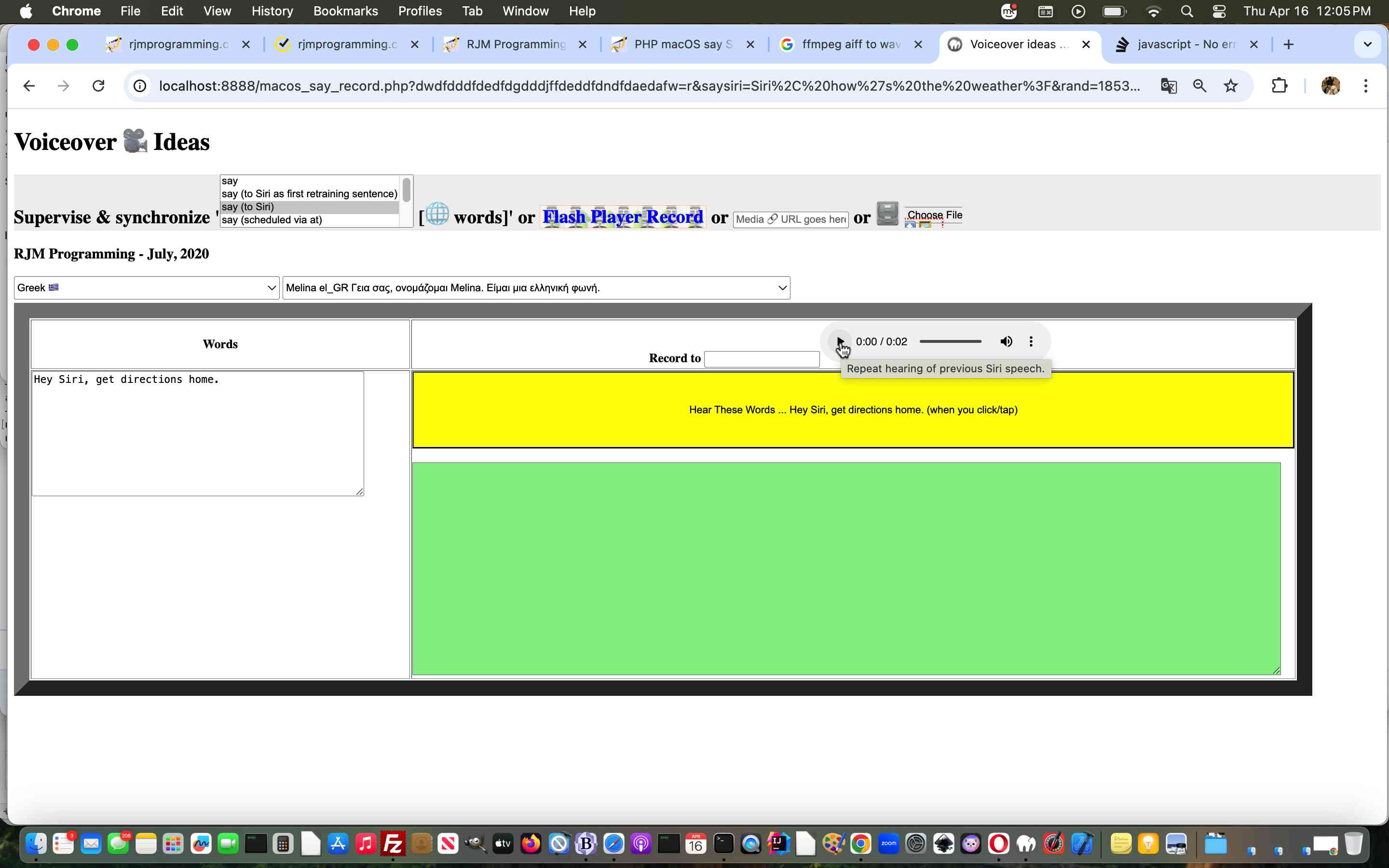
PHP macOS say Supervising a Retrained Siri Nuance Tutorial
It’s Nuance Day!!!!
Complacency alert!!! Sometimes nuances take longer to resolve than the 90%ers.
We found the Siri retraining procedures we tried to help out with, on a first day’s worth of effort, regarding PHP macOS say Supervising a Retrained Siri Tutorial, were lacking …
That third one is the most interesting. You see, macOS say likes to output any audio output asked of it to an audio/aiff format, which browsers like Google Chrome will not play. To overcome this, we start with …
<div style=display:inline-block; id=spaudio>

<audio title='Repeat hearing of previous Siri speech.' onclick='if (oopsa) { trywav(this); }' controls id=mysiriaudio style=display:none;>

<source onerror='oopsa=true; ' id=mysirisource type=audio/aiff src=/lastaudiosiri.aiff></source>

<source onerror='oopsb=true; ' id=mysirisourcetwo type=audio/wav src=/lastaudiosiri.wav></source>

</audio>

</div>
… and then form method=POSTing to thyself to invoke …
<?php
// ffmpeg work via PHP exec conduit to command line ...

$ffmpegcommand="";

$ffmpegselect="";

$ffmpegform="";

if (file_exists("/usr/local/bin/ffmpeg")) {

  $ffmpegcommand="/usr/local/bin/ffmpeg ";

} else if (file_exists("/usr/bin/ffmpeg")) {

  $ffmpegcommand="/usr/bin/ffmpeg ";

} else {

shell_exec("ffmpeg -codecs > " . dirname(__FILE__) . DIRECTORY_SEPARATOR . "ffmhuhpeg.huh");

if (file_exists(dirname(__FILE__) . DIRECTORY_SEPARATOR . "ffmhuhpeg.huh")) {

  $retblurb=file_get_contents(dirname(__FILE__) . DIRECTORY_SEPARATOR . "ffmhuhpeg.huh");

  unlink(dirname(__FILE__) . DIRECTORY_SEPARATOR . "ffmhuhpeg.huh");

  if (strpos($retblurb, "odecs") !== false) {

    $ffmpegcommand="ffmpeg ";

  }

} else if (file_exists("/usr/local/bin/ffmpeg")) {

  $ffmpegcommand="/usr/local/bin/ffmpeg ";

} else if (file_exists("/usr/bin/ffmpeg")) {

  $ffmpegcommand="/usr/bin/ffmpeg ";

}

}


  if (isset($_POST['sirisay'])) {

  passthru("say" . $sayprefix . " " . str_replace("\n",",,,,,,",$thewords) . " > " . dirname(__FILE__) . "/sayout.out" . " 2> " . dirname(__FILE__) . "/sayerr.err");

  if (file_exists($_SERVER['DOCUMENT_ROOT'] . DIRECTORY_SEPARATOR . "lastaudiosiri.wav")) {

    unlink($_SERVER['DOCUMENT_ROOT'] . DIRECTORY_SEPARATOR . "lastaudiosiri.wav");

  }

  exec("say" . $sayprefix . " -o " . $_SERVER['DOCUMENT_ROOT'] . DIRECTORY_SEPARATOR . "lastaudiosiri.aiff" . " " . str_replace("\n",",,,,,,",$thewords) . " > " . dirname(__FILE__) . "/sayout.out" . " 2> " . dirname(__FILE__) . "/sayerr.err ; " . $ffmpegcommand . " -i " . $_SERVER['DOCUMENT_ROOT'] . DIRECTORY_SEPARATOR . "lastaudiosiri.aiff" . " " .  $_SERVER['DOCUMENT_ROOT'] . DIRECTORY_SEPARATOR . "lastaudiosiri.wav");

  if (file_exists($_SERVER['DOCUMENT_ROOT'] . DIRECTORY_SEPARATOR . "lastaudiosiri.wav")) {

    unlink($_SERVER['DOCUMENT_ROOT'] . DIRECTORY_SEPARATOR . "lastaudiosiri.aiff");

    echo "<html><body onload=\"if (parent.document.getElementById('mysirisourcetwo')) { parent.document.getElementById('mysirisourcetwo').type='audio/wav'; parent.document.getElementById('mysirisourcetwo').src=parent.document.getElementById('mysirisourcetwo').src.replace('.aiff','.wav'); }\"></body></html>";

  }

  } else {

  passthru("say" . $sayprefix . " " . str_replace("\n",",,,,,,",$thewords) . " > " . dirname(__FILE__) . "/sayout.out" . " 2> " . dirname(__FILE__) . "/sayerr.err");

  }
?>
Yes, ideally we’d like you, on your macOS system, to have installed the amazing, the stupendous, the good ol’ ffmpeg command line tool, as an “optional” here.
And then, back at the “client side ranch” …
 function getthenextone() {

  if (retridx > 0) {

     if (document.getElementById('mysiriaudio')) {

     document.getElementById('mysiriaudio').style.display='inline-block';

     if (document.getElementById('mysirisource').src.indexOf('?') == -1) {

     document.getElementById('mysirisource').src+='?rand=' + Math.floor(Math.random() * 167564);

     } else {

     document.getElementById('mysirisource').src+=('' + Math.floor(Math.random() * 9))

     }

     if (document.getElementById('mysirisourcetwo').src.indexOf('?') == -1) {

     document.getElementById('mysirisourcetwo').src+='?rand=' + Math.floor(Math.random() * 167564);

     } else {

     document.getElementById('mysirisourcetwo').src+=('' + Math.floor(Math.random() * 9))

     }

     if (document.getElementById('spaudio')) {

     document.getElementById('spaudio').innerHTML=document.getElementById('spaudio').innerHTML;

     }

     }

   if (retridx < eval('' + retrainings.length)) {

     document.getElementById('saysub').disabled=false;

     document.getElementById('saysub').style.cursor='pointer';

     document.getElementById('saysub').value='Hear These Words ... ' + retrainings[retridx] + ' (when you click/tap)';

     document.getElementById('thewords').value=retrainings[retridx];

     retridx++;

   }

  }

 }
Nuance is just so nuancey!!
Previous relevant PHP macOS say Supervising a Retrained Siri Tutorial is shown below.
PHP macOS say Supervising a Retrained Siri Tutorial
|
|
Why retrain Siri? Well, let me ask (not you Siri) …
Do you cringe at the sound of your own voice? Even in a cupboard? Especially in a cupboard?!
… and then …
And yet, you can see the advantages of Siri if it did not involve the sound of your own voice? Even in a cupboard? Especially in a cupboard?!
Yes? Well …
… phew!!! Have we got news for you?!!!
Yes, it might be worthwhile for people still reading to force a retraining of Siri in favour of a macOS Voice of Choice.
Assuming you’re ready for Siri retraining class (further to PHP macOS say Supervisor Modes of Use Tutorial below), and you have cancelled your own voice settings and being asked by the Siri setup, below are what we as that ever so fluid a concept were asked to “Say” “Hey” …
… and then all being well, what can then be the case is …
… but please be aware …
… regarding our changed inhouse macos_say_record.php (we recommend you download to macOS MAMP local web server and startup via HTTP://localhost:8888/macos_say_record.php web address URL) MacOS Text to Audio online PHP supervisor.
Previous relevant PHP macOS say Supervisor Modes of Use Tutorial is shown below.
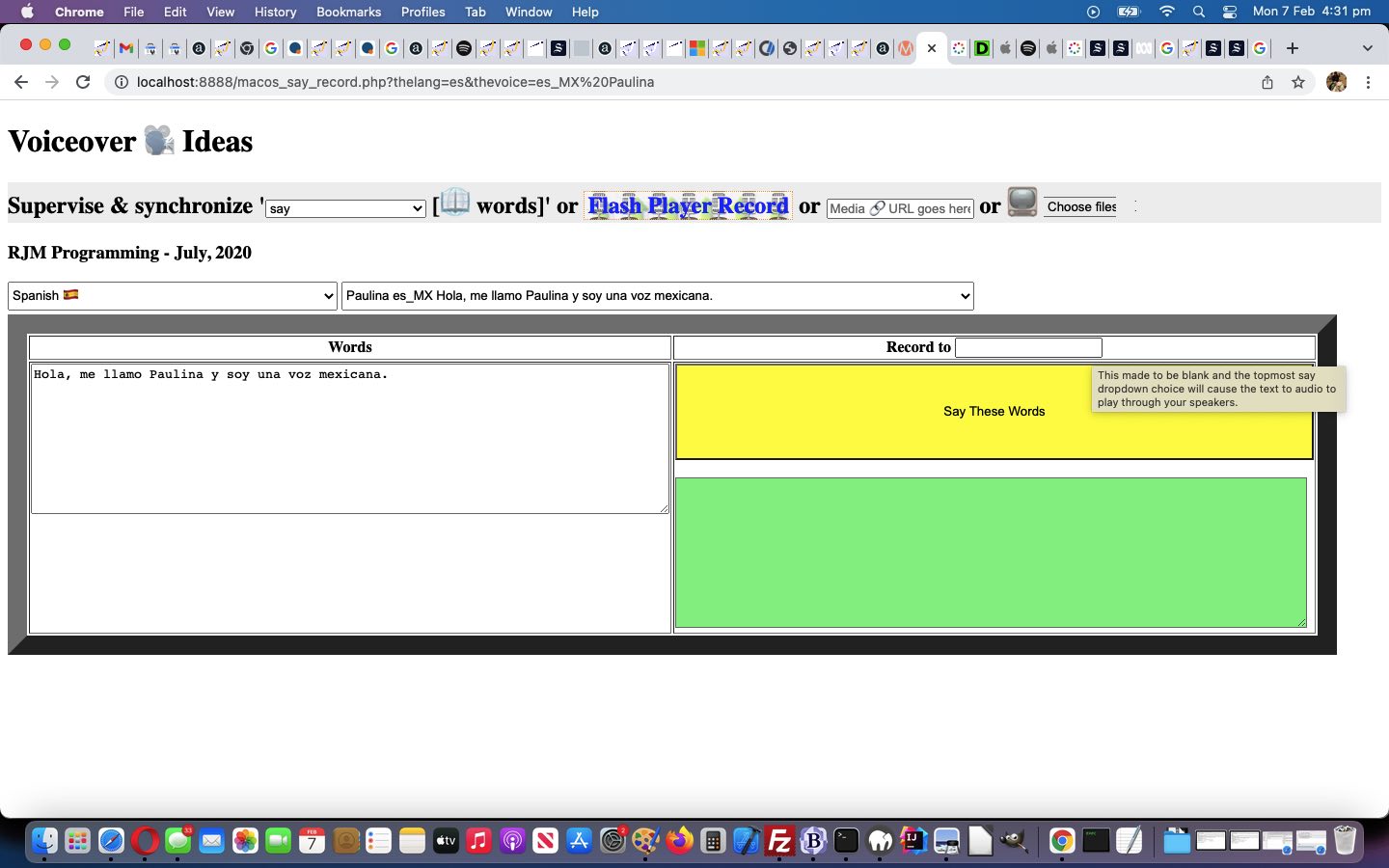
PHP macOS say Supervisor Modes of Use Tutorial
After yesterday’s Making of Siri on iPhone Plays Spotify Song via macOS say Tutorial, today we turn back to the PHP code that started our foray into “Siri meets say” thought patterns.
It seems a bit strange to be talking about macOS and command line “say” commands, and not, on top of its …
… to its talents so that “say” on the macOS command line can have equivalencies with …
<?php
 if (isset($argv)) { // command line

  $commandsofar="say ";

  $numargs = sizeof($argv);

  if ($numargs > 1) {

   if (PHP_OS == "Darwin") {

     for ($ii=1; $ii<$numargs; $ii++) {

      if ($ii == 1 && strtolower($argv[$ii]) == 'say') {

       $commandsofar="say ";

      } else {

       $commandsofar.=' ' . $argv[$ii];

      }

     }

     passthru($commandsofar);

     exit;

   }

  } else {

   if (PHP_OS == "Darwin") {

     passthru("info say");

     exit;

   }

  }

 } else if (isset($_GET['curlit'])) {   // curl

  $commandsofar="say ";

  if (PHP_OS == "Darwin") {

    passthru(str_replace("say say ","say ","say " . str_replace('+',' ',urldecode($_GET['curlit']))));

    exit;

  }

 }
?>
We also increased “say” functionality by not forcing …
  if (str_replace("+"," ",urldecode($_GET['audioname'])) == "") {

  passthru("say" . $sayprefix . " " . str_replace("\n",",,,,,,",$thewords) . " > " . dirname(__FILE__) . "/sayout.out" . " 2> " . dirname(__FILE__) . "/sayerr.err");

  exit;

  } else {

  exec("say" . $sayprefix . " -o " . dirname(__FILE__) . "/" . str_replace("+"," ",urldecode($_GET['audioname'])) . " " . str_replace("\n",",,,,,,",$thewords) . " > " . dirname(__FILE__) . "/sayout.out" . " 2> " . dirname(__FILE__) . "/sayerr.err");

  }
$audioft="";

if (PHP_OS == "Darwin") {

  $audioft=' title="This made to be blank and the topmost say dropdown choice will cause the text to audio to play through your speakers." onblur="if (this.value.trim().length == 0 && document.getElementById(' . "'" . 'saymode' . "'" . ').value.length == 0) {  document.getElementById(' . "'" . 'saysub' . "'" . ').value=document.getElementById(' . "'" . 'saysub' . "'" . ').value.replace(' . "'" . 'Record ' . "'" . ',' . "'" . 'Say ' . "'" . ');  } else if (this.value.trim().length != 0 && document.getElementById(' . "'" . 'saymode' . "'" . ').value.length == 0) {  document.getElementById(' . "'" . 'saysub' . "'" . ').value=document.getElementById(' . "'" . 'saysub' . "'" . ').value.replace(' . "'" . 'Say ' . "'" . ',' . "'" . 'Record ' . "'" . ');  }"';

}
<input type=text name=audioname id=audioname value='audiocapture." . $bestext . "'" . $audioft . "></input>
… to improve the user experience for those curious macOS (perhaps MAMP) local web server users of our changed inhouse macos_say_record.php (we recommend you download to macOS MAMP local web server and startup via HTTP://localhost:8888/macos_say_record.php web address URL) MacOS Text to Audio online PHP supervisor.
Previous relevant Making of Siri on iPhone Plays Spotify Song via macOS say Tutorial is shown below.
Making of Siri on iPhone Plays Spotify Song via macOS say Tutorial
Making yesterday’s Siri on iPhone Plays Spotify Song via macOS say Tutorial‘s video involved three devices …
… use of …
… some steps of which you can see with today’s animated GIF tutorial picture.
Previous relevant Siri on iPhone Plays Spotify Song via macOS say Tutorial is shown below.
Siri on iPhone Plays Spotify Song via macOS say Tutorial
Yesterday’s Siri on iPad Plays Apple Music Song Tutorial represented to us, regarding the …
Don’t be concerned, it will not harm you
It’s only me pursuing somethin’ I’m not sure of
Across my dreams with nets of wonder
I chase the bright elusive butterfly of love
… ilk of things, a creeping up on our interest in a programmable link between …
| iOS music playing (Apple Music or Spotify etcetera) | … and Siri … | … along with … | macOS say (via crontab or at (macOS command scheduling functionality), eventually) control |
|---|
And our verdict, after today’s iPhone Siri setup (which gets you to “say”, modelling …
| say “Hey Siri” |
| say “Hey Siri, send a message” |
| say “Hey Siri, how’s the weather today” |
| say “Hey Siri, set a timer for three minutes” |
| say “Hey Siri, play some music” |
… sentences above to configure the relevant voice) along with a macOS command line “say” arrangement, is … da, da da da da da, da, da da we could go on with the whole lion bit, but we’ll spare you … yes, we can get “say” command on macOS work a …
|
say “Hey Siri, Play U2” |
|---|
… type of Siri dictation command onto (our) iPhone’s (default Spotify) music app to play a song. It’s just that … first wooooorrrrlllldddd problem alert … the “say” command was not that flash at …
|
say “Hey Siri, Stop” |
|---|
… to stop the music, as well as our own … yoo hoo … voice is. And so, our recommendation is to setup Siri for multiple voices. How? Hard to believe, but it seems, in iPhone’s Settings -> Siri & Search screen, turning the top green (Listen for “Hey Siri”) switch in the settings to off and then back on is the go?! The resultant procedure is where you can “train” Siri to recognize a macOS “say” voice, as well as your own voice, or a bunch of other “Siri Voice” (menu) choices offered “out of the box” with the iPhone iOS installed. It may be that you should explore macOS “say” -v [VoiceName] choices, as well, here.
How does this work sit with macOS crontab “say” command thinking that goes with our changed inhouse macos_say_record.php (we recommend you download to macOS MAMP local web server and startup via HTTP://localhost:8888/macos_say_record.php web address URL) MacOS Text to Audio online PHP supervisor talked about with MacOS Text to Audio Scheduling Tutorial? Well, without reliable “stop” … first wooooorrrrlllldddd problem or not … we are going to continue research, but we’re not sure that you will be totally spared from your own voice interventions for stopping (of music) purposes … or perhaps get yourselves an Apple HomePod mini …
… as a hardware style of thinking solution. Anyway, take a look at today’s iPhone Siri meets macOS “say” control of iPhone Spotify learning curve hereabouts …
Previous relevant Siri on iPad Plays Apple Music Song Tutorial is shown below.
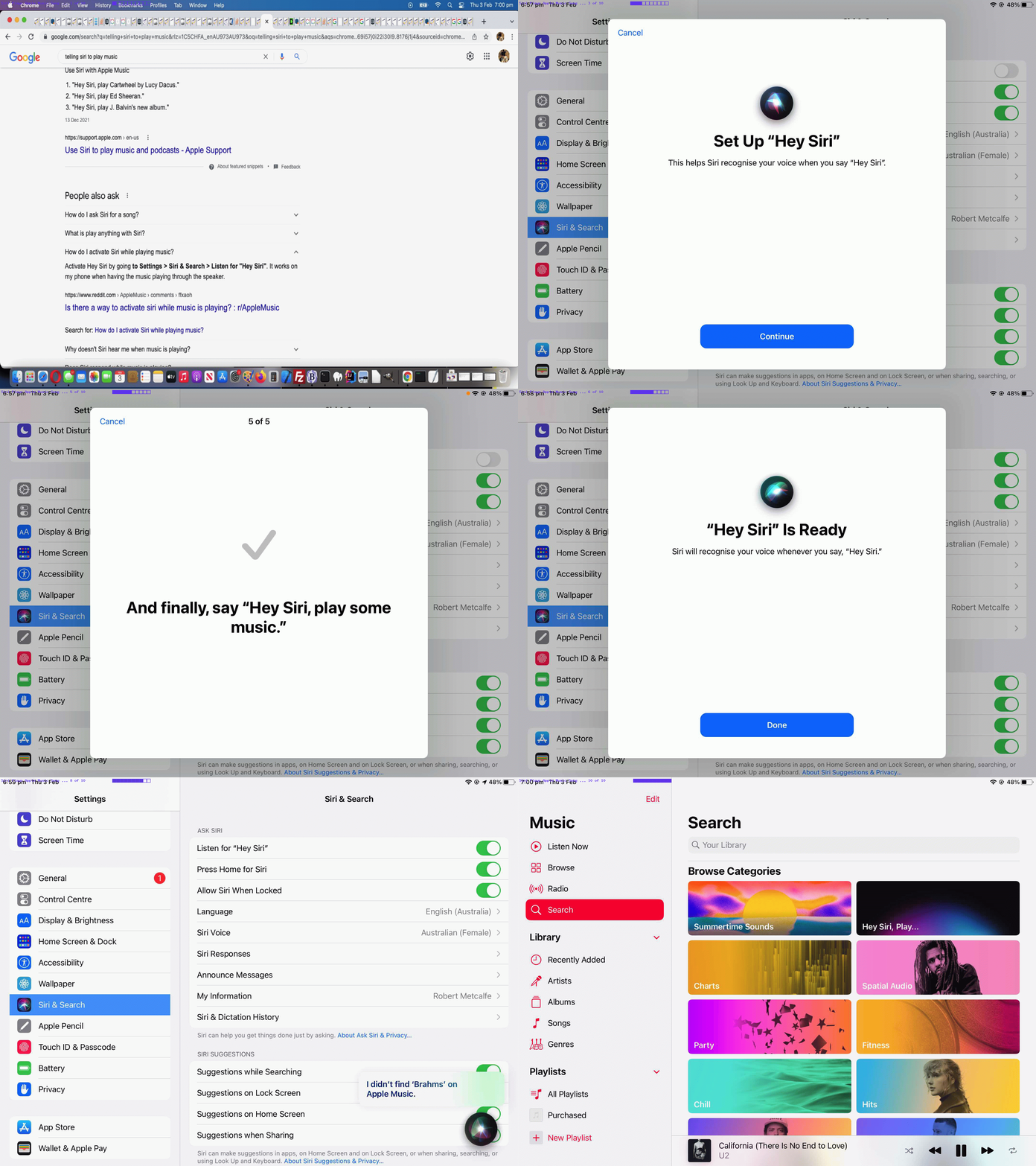
Siri on iPad Plays Apple Music Song Tutorial
We’re resetting the iOS Siri app mentioned in Siri on iPad Mail Dictate Tutorial on another iPad today. We wanted to set it up (via Settings -> Siri & Search) to play songs on Apple Music with spoken words (directed to Siri) such as …
… but as you can see from today’s tutorial animated GIF picture (also showing Siri’s setup) we had no Brahms in our Apple Music collection, and so tried …
Hey Siri, Play U2
… with more success!
Previous relevant Siri on iPad Mail Dictate Tutorial is shown below.
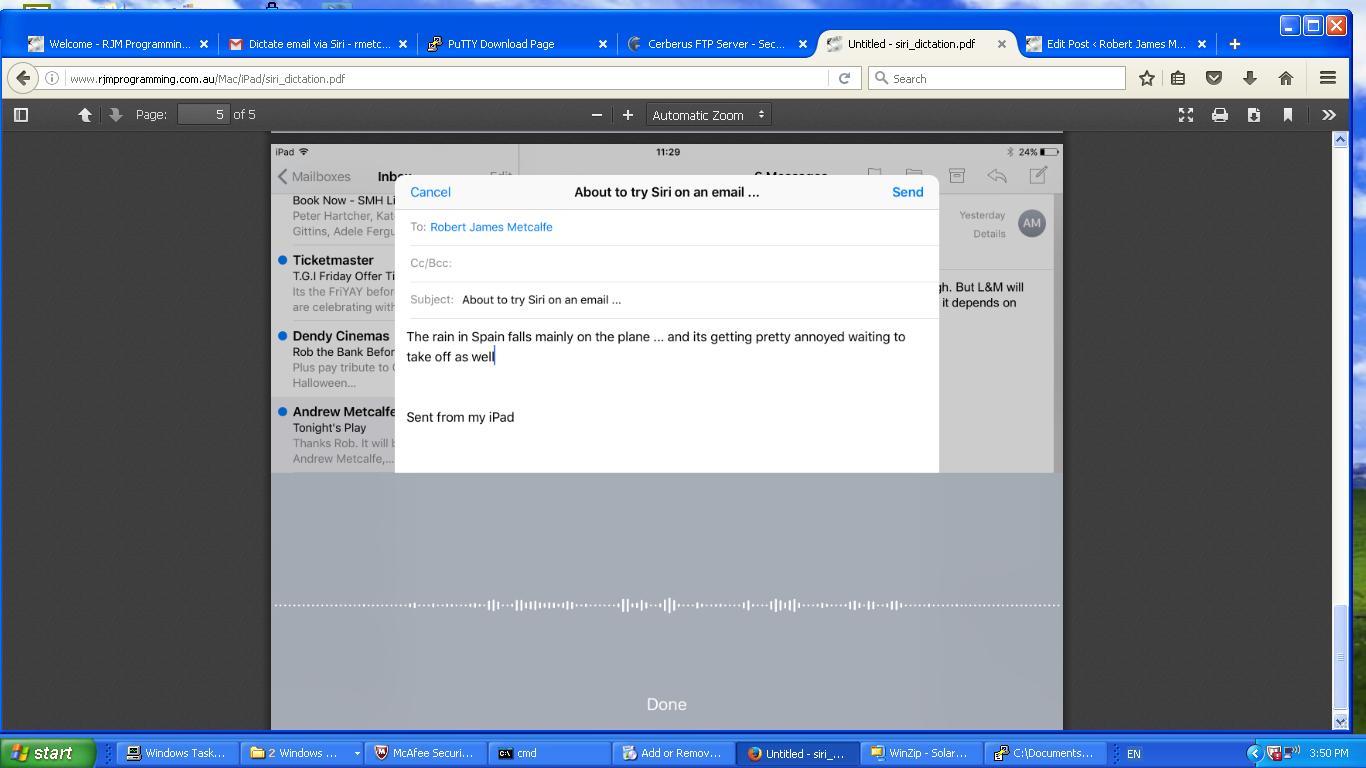
Siri on iPad Mail Dictate Tutorial
Hope you are not like me and feel like going into a cupboard to use a microphone on a mobile device. If this is not you, and you have a half recent version of iOS on an iPad or iPhone, and you have Siri available as an app, then today’s tutorial may be of interest.
Siri can be like a personal assistant, and the way we best think of it as such, is as a tool to help dictate an email, using the Mail app on our iPad. To get to that, though, if you’ve never used Siri before, you should consult this Apple webpage, or our previous Apple iOS Siri Audio Commentary Tutorial to get started. Once you’re setup for Siri in this way it is very easy to start using Siri when composing emails.
But a word of caution here, is to check about homonyms like today’s “in all innocence” …
The rain in Spain falls mainly on the plane
… Siri faux pas. This is a small concern compared to how much it can do that is correct. Hands free dictation can be very useful for those users on the go, or those kinaesthetic thinkers, perhaps.
On the iPad latest iOS, which we’ll have to talk about soon, there are other good suggestions for Siri use to add to …
Hope this is food for thought, and we’ll leave you with today’s PDF presentation of a Mail app session using Siri to help build up the body section email content, here.
Previous relevant Apple iOS Siri Audio Commentary Tutorial is shown below.
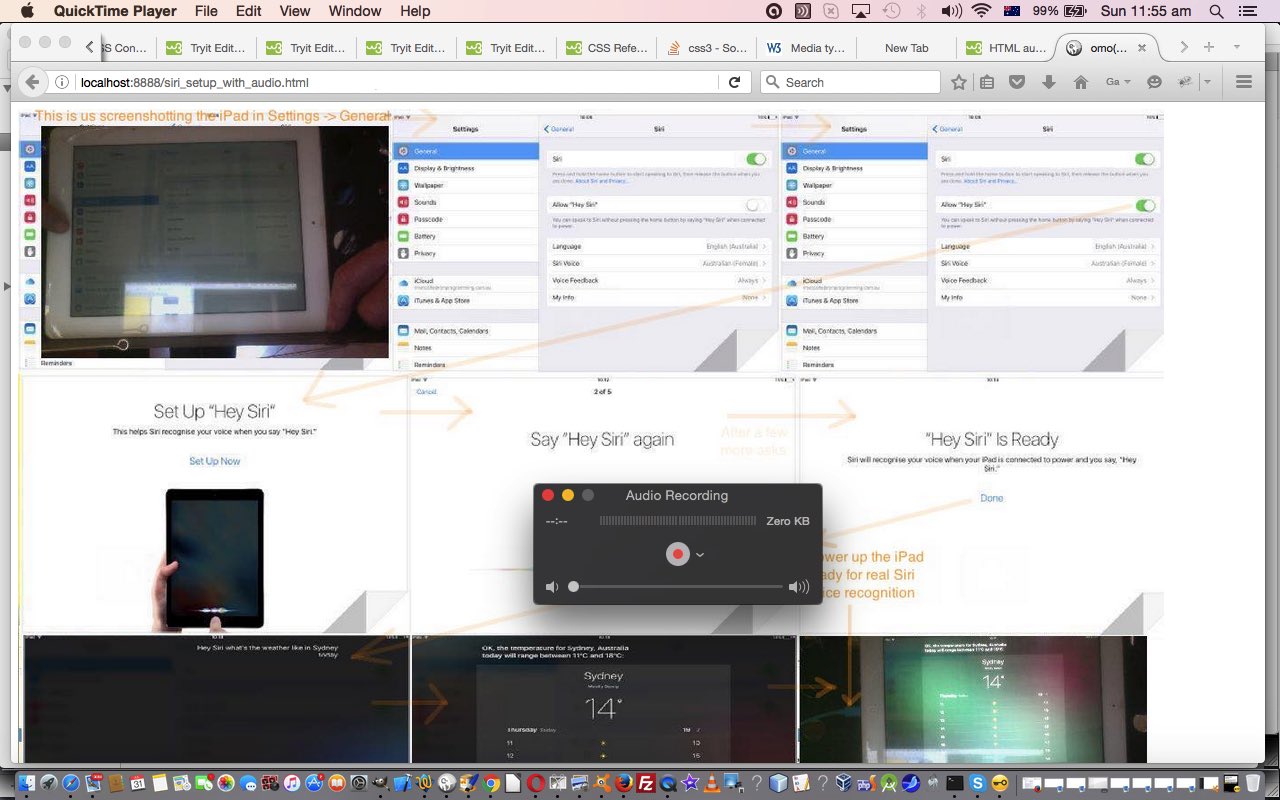
Apple iOS Siri Audio Commentary Tutorial (click/touch to open and then hover, click/touch will have audio commentary)
Today we wanted to show you an idea inspired by our own previous Apple iOS Siri Primer Tutorial that combines …
… especially as Siri so much relates to audio and “voice recognition”.
Now that idea’s first, second and everything aside from ‘HTML audio elements that allow for an audio commentary of the 9 “subimages”‘ of the third parts we’ve been consistent on, but the idea to do this in the first place was secondly inspired by reading this interesting link referring to the CSS selectors :before and :after use of the content property, especially where it says …
url(url) Sets the content to be some kind of media (an image, a sound, a video, etc.)
… not quite believing it could be true … yes, an image, but “a sound, a video“? No way! Well, alas, as of this date, yes … no way … yet. Then seeing this CSS approach wasn’t working … lo and behold … this link explains more … thanks.
But this setback is not the end of the world, and the other backup plan of …
… involves this Javascript DOM code to make the audio commentary be controlled by a hover (but not on mobile devices) and/or click/touch of a “subimage” of interest from the main image …
<script type='text/javascript'>


var lastomo='';

var lastoc='';

var e, prebits, bits, i;


function omo(ois) {

  if (lastomo != ("" + ois.title)) {

   if (ois.alt.indexOf('.') != -1) {

    prebits=ois.alt.split(',');

    for (i=1; i<=prebits.length; i++) {

    bits=prebits[i - 1].split('.');

    document.getElementById('iaudio' + i).type="audio/" + bits[1].replace('mp3','mpeg');

    document.getElementById('iaudio' + i).src=prebits[i - 1];

    try {

    document.getElementById('iaudio' + i).play();

    } catch (e) {

    document.title=('problem');

    }

    }

   }

  }

  lastomo="" + ois.title;

}


function oc(ois) {

  if (lastoc != ("" + ois.title)) {

   if (ois.alt.indexOf('.') != -1) {

    prebits=ois.alt.split(',');

    for (i=1; i<=prebits.length; i++) {

    bits=prebits[i - 1].split('.');

    document.getElementById('iaudio' + i).type="audio/" + bits[1].replace('mp3','mpeg');

    document.getElementById('iaudio' + i).src=prebits[i - 1];

    try {

    document.getElementById('iaudio' + i).play();

    } catch (e) {

    document.title=('problem');

    }

    }

   }

  }

  lastoc="" + ois.title;

}


</script>
You’ll see a reminder of the first CSS plan where we have …
<style>

.screenshot_1::before {

  content: url('slide1.m4a');

}

</style>
… because you never know what the future holds?!
Please try our live run and/or peruse or download the HTML and Javascript and “not now” CSS you could call siri_setup_with_audio.html
Previous relevant Apple iOS Siri Primer Tutorial is shown below.
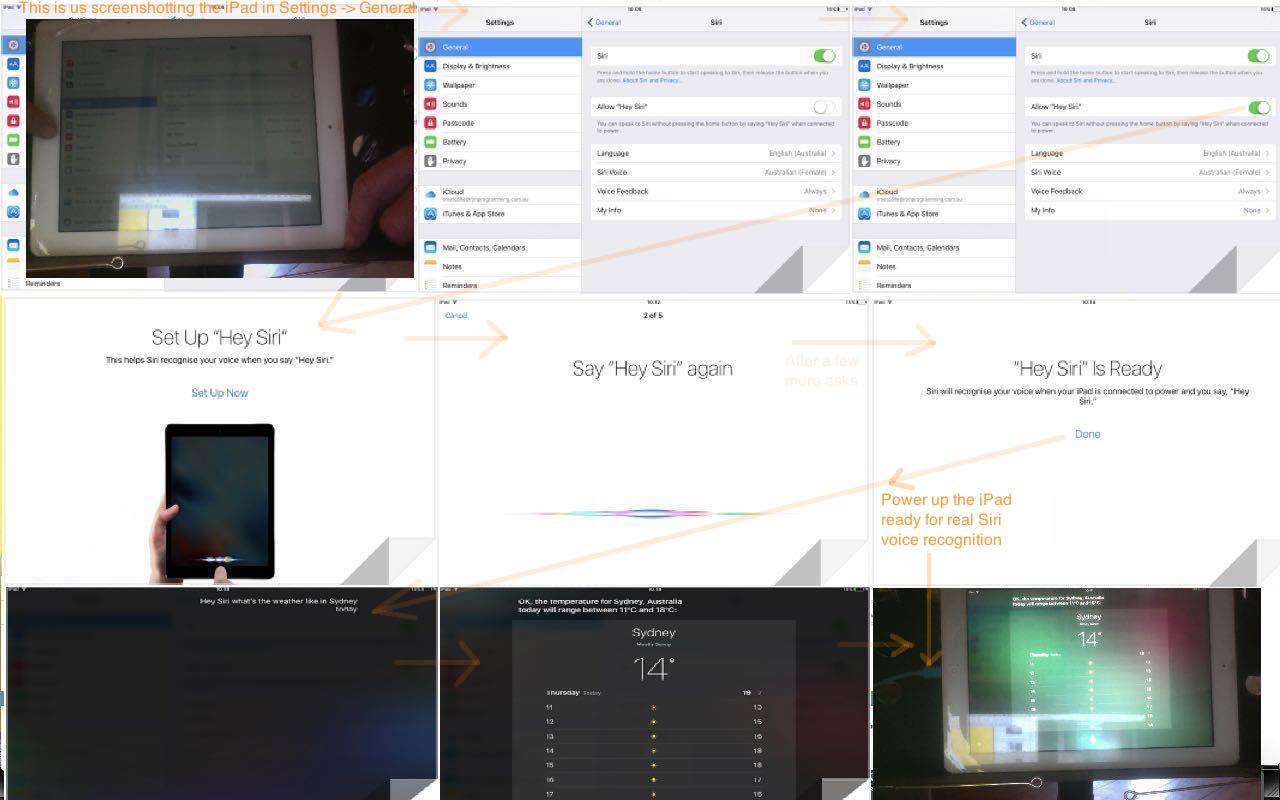
Apple iOS Siri Primer Tutorial
After the tutorial two days back, with Windows 10 and its Cortana voice recognition “personal assistant” (that we tested out with Windows 10 Cortana Primer Tutorial below) you’d be wondering if Apple has an equivalent, and yes, for iOS, which we are going to show today on an iPad, and there are “kind of” ways for Mac OS X El Capitan you can read about here.
Let’s see how Apple describes Siri this way …
Siri lets you use your voice to send messages, schedule meetings, place phone calls and more. Ask Siri to do things just by talking the way you talk. Siri understands what you say, knows what you mean and even talks back. Siri is so easy to use and does so much, you’ll keep finding more and more ways to use it.
This being an iPad, and this being iOS, we had no issues with microphones setting up Siri. The microphone is well integrated into iPad normal usage, and the main job for today’s iPad Siri setup that you get to via …
Settings -> General -> Siri
… relates to “voice recognition” … and which we feature some of the steps involved, with today’s tutorial picture.
Previous relevant Windows 10 Cortana Primer Tutorial is shown below.
Windows 10 Cortana Primer Tutorial
In the area of robotics and artificial intelligence, perhaps the best known concept to we “mere mortals” is “voice recognition”. Perhaps because research into it goes back to 1932, before the Second World War … and 66 years before the “Worm Farm Incident of Simmons Street Disaster” … but we digress … and no … “I’m not ready to open up about this at this delicate stage of my life, yet, Brad.”.
Voice recognition has come a long way from those earliest endeavours when the speech recognition relied on training software for an individual voice. This became apparent to me trying out Cortana in Windows 10. Once working, it didn’t seem to matter who in our house asked the same question of Cortana, the speech recognition software recognized and translated the speech into the same text for all of us. Actually, Microsoft describes Cortana this way …
Cortana is your clever new personal assistant.
Cortana will help you find things on your PC, manage your calendar, track packages, find files, chat with you, and tell jokes. The more you use Cortana, the more personalized your experience will be.
To get started, type a question in the search box on the taskbar. Or select the microphone icon and talk to Cortana. (Typing works for all types of PCs, but you need a mic to talk.)
… and I see what they mean by this, because you can work Cortana without the voice recognition part, if you like, or if you have the urge to run for the nearest cupboard before being caught talking into a computer (microphone). Perhaps Cortana should have a special “Darkroom Edition” for people who …
Anyway, we agree with Microsoft that Cortana is clever, and it’s nice for us to find another use for the microphone (brand called MXL Tempo) we used with WebEx work we talked about with WebEx Presentation with Microphone Tutorial below.
There is not much to setting up Cortana, except, perhaps, for the microphone bit, which we’ll talk more about later. Cortana’s “personal assistant” and interface down next to the Windows icon at the bottom left of the screen guides you well through what you have to do.
We got stuck a bit, regarding setting up the microphone, with a cycle of it presenting this voice recognition test always resulting in a message wondering whether we had the microphone set to “mute on”, which wasn’t the case. But what was the case, and remedied this problem was to use a USB 2 port rather than a USB 3 port … in case this happens to you.
Other than that, Cortana is pretty cute, and could be a good enough reason on its own to upgrade to Windows 10 from Windows 7, Windows 8.1, Windows Phone 8.1 or Windows 9 operating systems before Friday, 29th July 2016 which is the cut off day for free upgrades. Our experience of the upgrade was talked about at Windows 10 Upgrade Primer Tutorial (and backups were discussed at Windows File History Backup Primer Tutorial).
Did you know?
Sadly, some days ago saw the passing of Frank Dickens, the creator of the Bristow cartoon series, forever etched on my brain regarding The Great Tea Trolley Disaster of ’67. R.I.P.
Previous relevant WebEx Presentation with Microphone Tutorial is shown below.
WebEx Presentation with Microphone Tutorial
We’ve been doing some more WebEx (by Cisco) lately, and realised, at least with using a MacBook Pro laptop, we needed to invest in a microphone, to be heard, as the inbuilt microphone systems were not up to it.
We opted for a USB connected microphone brand called MXL Tempo, sold here in Australia, and have found it to be good, especially mounted on the stand provided … well, no complaints, anyway?! Where it has a 1/8″ (3.5mm) Headphone Jack we plugged in our own speakers, though you could use headphones here as well.
Of course we’ll also be constructing a garage, and buying a guitar, and calling on “tree fellers” karaoke backing track of Peter, Paul and Mary to complete the picture of this week’s project … getting the new microphone to make breakfast in the morning before you even knew you needed breakfast get me on The Voices.
In the WebEx “Audio Connection” menu via “Call Using Computer” option have both input and output audio be handled by “USB audio CODEC” (if they are options … if not, there is a hardware (perhaps configuration) problem with your audio and microphone connection) as you can see at today’s tutorial picture. So long as you succeed and have the USB connected, the audio connection will default to this arrangement for the next time. Cute, huh?!
To make it permanent that the MXL Tempo microphone arrangement is the default device for recordings …
Being heard never seemed so easy!
Previous relevant WebEx Prerecording Primer Tutorial is shown below.
WebEx Prerecording Primer Tutorial
We’ve been trying out WebEx (by Cisco) prerecording as a video conferencing idea as an alternative to …
… regarding video conferencing products we’ve tried at this blog.
Have to say, WebEx is great, even with respect to the “wide eyed and bushy tailed” reaction “this little black duck” has to all these networky communicaty ideas on the net (at least we spelt “net” correctly).
Have to thank my wife, Maree, for her expertise and the facilities her company, Thomson Reuters, supplies for the serving of WebEx recordings … thanks everyone. Have been assured they are periodically deleted, and my lame impersonations of the old “ducks on the wall” can rest in peace shortly.
And so, we have a slideshow starting with a WebEx email link to join a meeting, and we pan down the email to show you other WebEx functionalities, such as adding a Calendar reference to the meeting time, and though we haven’t shown you detail here, rest assured it handles timezone scenarios very well, unless you lie about living in Antarctica, that is … sorry, scientists in Antarctica reading this blog posting … all 237 of you.
During this “earlier than today exploration of WebEx” session the necessary software installs just happened for this MacBook Pro Mac OS X laptop as if we were shelling peas … it’s always good to have some handy when installing any software. So we won’t show you this unless we deem it essential at a later date. You can perhaps do as I did, and ask a real WebEx user invite you to a meeting, to set yourself up. In fact, today’s session meeting creation time you may notice is well in the past from that earlier introductory learning session Maree and I had, and you can bring back up that old email, and resurrect that meeting again and again, if you like … am not sure if there is an expiry date on this too, like with server stored WebEx prerecordings.
So also rest assured, WebEx handles …
Did you know?
A .ics extension file, as you can see being used as an email attachment file extension in is, as explained in this link‘s sublink …
ICS is a global format for calendar files widely being utilized by various calendar and email programs including Google Calendar, Apple iCal, and Microsoft Outlook. These files enable users to share and publish information directly from their calendars over email or via uploading it to the world wide web.
… as helping interface meetings to online calendar appointments. Cute, huh?!
If this was interesting you may be interested in this too.
If this was interesting you may be interested in this too.
If this was interesting you may be interested in this too.
If this was interesting you may be interested in this too.
If this was interesting you may be interested in this too.
If this was interesting you may be interested in this too.
If this was interesting you may be interested in this too.
If this was interesting you may be interested in this too.
If this was interesting you may be interested in this too.
If this was interesting you may be interested in this too.
If this was interesting you may be interested in this too.
If this was interesting you may be interested in this too.
PHP macOS say Supervising a Retrained Siri Tutorial
|
|
Why retrain Siri? Well, let me ask (not you Siri) …
Do you cringe at the sound of your own voice? Even in a cupboard? Especially in a cupboard?!
… and then …
And yet, you can see the advantages of Siri if it did not involve the sound of your own voice? Even in a cupboard? Especially in a cupboard?!
Yes? Well …
… phew!!! Have we got news for you?!!!
Yes, it might be worthwhile for people still reading to force a retraining of Siri in favour of a macOS Voice of Choice.
Assuming you’re ready for Siri retraining class (further to PHP macOS say Supervisor Modes of Use Tutorial below), and you have cancelled your own voice settings and being asked by the Siri setup, below are what we as that ever so fluid a concept were asked to “Say” “Hey” …
… and then all being well, what can then be the case is …
… but please be aware …
… regarding our changed inhouse macos_say_record.php (we recommend you download to macOS MAMP local web server and startup via HTTP://localhost:8888/macos_say_record.php web address URL) MacOS Text to Audio online PHP supervisor.
Previous relevant PHP macOS say Supervisor Modes of Use Tutorial is shown below.
PHP macOS say Supervisor Modes of Use Tutorial
After yesterday’s Making of Siri on iPhone Plays Spotify Song via macOS say Tutorial, today we turn back to the PHP code that started our foray into “Siri meets say” thought patterns.
It seems a bit strange to be talking about macOS and command line “say” commands, and not, on top of its …
… to its talents so that “say” on the macOS command line can have equivalencies with …
<?php
 if (isset($argv)) { // command line

  $commandsofar="say ";

  $numargs = sizeof($argv);

  if ($numargs > 1) {

   if (PHP_OS == "Darwin") {

     for ($ii=1; $ii<$numargs; $ii++) {

      if ($ii == 1 && strtolower($argv[$ii]) == 'say') {

       $commandsofar="say ";

      } else {

       $commandsofar.=' ' . $argv[$ii];

      }

     }

     passthru($commandsofar);

     exit;

   }

  } else {

   if (PHP_OS == "Darwin") {

     passthru("info say");

     exit;

   }

  }

 } else if (isset($_GET['curlit'])) {   // curl

  $commandsofar="say ";

  if (PHP_OS == "Darwin") {

    passthru(str_replace("say say ","say ","say " . str_replace('+',' ',urldecode($_GET['curlit']))));

    exit;

  }

 }
?>
We also increased “say” functionality by not forcing …
  if (str_replace("+"," ",urldecode($_GET['audioname'])) == "") {

  passthru("say" . $sayprefix . " " . str_replace("\n",",,,,,,",$thewords) . " > " . dirname(__FILE__) . "/sayout.out" . " 2> " . dirname(__FILE__) . "/sayerr.err");

  exit;

  } else {

  exec("say" . $sayprefix . " -o " . dirname(__FILE__) . "/" . str_replace("+"," ",urldecode($_GET['audioname'])) . " " . str_replace("\n",",,,,,,",$thewords) . " > " . dirname(__FILE__) . "/sayout.out" . " 2> " . dirname(__FILE__) . "/sayerr.err");

  }
$audioft="";

if (PHP_OS == "Darwin") {

  $audioft=' title="This made to be blank and the topmost say dropdown choice will cause the text to audio to play through your speakers." onblur="if (this.value.trim().length == 0 && document.getElementById(' . "'" . 'saymode' . "'" . ').value.length == 0) {  document.getElementById(' . "'" . 'saysub' . "'" . ').value=document.getElementById(' . "'" . 'saysub' . "'" . ').value.replace(' . "'" . 'Record ' . "'" . ',' . "'" . 'Say ' . "'" . ');  } else if (this.value.trim().length != 0 && document.getElementById(' . "'" . 'saymode' . "'" . ').value.length == 0) {  document.getElementById(' . "'" . 'saysub' . "'" . ').value=document.getElementById(' . "'" . 'saysub' . "'" . ').value.replace(' . "'" . 'Say ' . "'" . ',' . "'" . 'Record ' . "'" . ');  }"';

}
<input type=text name=audioname id=audioname value='audiocapture." . $bestext . "'" . $audioft . "></input>
… to improve the user experience for those curious macOS (perhaps MAMP) local web server users of our changed inhouse macos_say_record.php (we recommend you download to macOS MAMP local web server and startup via HTTP://localhost:8888/macos_say_record.php web address URL) MacOS Text to Audio online PHP supervisor.
Previous relevant Making of Siri on iPhone Plays Spotify Song via macOS say Tutorial is shown below.
Making of Siri on iPhone Plays Spotify Song via macOS say Tutorial
Making yesterday’s Siri on iPhone Plays Spotify Song via macOS say Tutorial‘s video involved three devices …
… use of …
… some steps of which you can see with today’s animated GIF tutorial picture.
Previous relevant Siri on iPhone Plays Spotify Song via macOS say Tutorial is shown below.
Siri on iPhone Plays Spotify Song via macOS say Tutorial
Yesterday’s Siri on iPad Plays Apple Music Song Tutorial represented to us, regarding the …
Don’t be concerned, it will not harm you
It’s only me pursuing somethin’ I’m not sure of
Across my dreams with nets of wonder
I chase the bright elusive butterfly of love
… ilk of things, a creeping up on our interest in a programmable link between …
| iOS music playing (Apple Music or Spotify etcetera) | … and Siri … | … along with … | macOS say (via crontab or at (macOS command scheduling functionality), eventually) control |
|---|
And our verdict, after today’s iPhone Siri setup (which gets you to “say”, modelling …
| say “Hey Siri” |
| say “Hey Siri, send a message” |
| say “Hey Siri, how’s the weather today” |
| say “Hey Siri, set a timer for three minutes” |
| say “Hey Siri, play some music” |
… sentences above to configure the relevant voice) along with a macOS command line “say” arrangement, is … da, da da da da da, da, da da we could go on with the whole lion bit, but we’ll spare you … yes, we can get “say” command on macOS work a …
|
say “Hey Siri, Play U2” |
|---|
… type of Siri dictation command onto (our) iPhone’s (default Spotify) music app to play a song. It’s just that … first wooooorrrrlllldddd problem alert … the “say” command was not that flash at …
|
say “Hey Siri, Stop” |
|---|
… to stop the music, as well as our own … yoo hoo … voice is. And so, our recommendation is to setup Siri for multiple voices. How? Hard to believe, but it seems, in iPhone’s Settings -> Siri & Search screen, turning the top green (Listen for “Hey Siri”) switch in the settings to off and then back on is the go?! The resultant procedure is where you can “train” Siri to recognize a macOS “say” voice, as well as your own voice, or a bunch of other “Siri Voice” (menu) choices offered “out of the box” with the iPhone iOS installed. It may be that you should explore macOS “say” -v [VoiceName] choices, as well, here.
How does this work sit with macOS crontab “say” command thinking that goes with our changed inhouse macos_say_record.php (we recommend you download to macOS MAMP local web server and startup via HTTP://localhost:8888/macos_say_record.php web address URL) MacOS Text to Audio online PHP supervisor talked about with MacOS Text to Audio Scheduling Tutorial? Well, without reliable “stop” … first wooooorrrrlllldddd problem or not … we are going to continue research, but we’re not sure that you will be totally spared from your own voice interventions for stopping (of music) purposes … or perhaps get yourselves an Apple HomePod mini …
… as a hardware style of thinking solution. Anyway, take a look at today’s iPhone Siri meets macOS “say” control of iPhone Spotify learning curve hereabouts …
Previous relevant Siri on iPad Plays Apple Music Song Tutorial is shown below.
Siri on iPad Plays Apple Music Song Tutorial
We’re resetting the iOS Siri app mentioned in Siri on iPad Mail Dictate Tutorial on another iPad today. We wanted to set it up (via Settings -> Siri & Search) to play songs on Apple Music with spoken words (directed to Siri) such as …
… but as you can see from today’s tutorial animated GIF picture (also showing Siri’s setup) we had no Brahms in our Apple Music collection, and so tried …
Hey Siri, Play U2
… with more success!
Previous relevant Siri on iPad Mail Dictate Tutorial is shown below.
Siri on iPad Mail Dictate Tutorial
Hope you are not like me and feel like going into a cupboard to use a microphone on a mobile device. If this is not you, and you have a half recent version of iOS on an iPad or iPhone, and you have Siri available as an app, then today’s tutorial may be of interest.
Siri can be like a personal assistant, and the way we best think of it as such, is as a tool to help dictate an email, using the Mail app on our iPad. To get to that, though, if you’ve never used Siri before, you should consult this Apple webpage, or our previous Apple iOS Siri Audio Commentary Tutorial to get started. Once you’re setup for Siri in this way it is very easy to start using Siri when composing emails.
But a word of caution here, is to check about homonyms like today’s “in all innocence” …
The rain in Spain falls mainly on the plane
… Siri faux pas. This is a small concern compared to how much it can do that is correct. Hands free dictation can be very useful for those users on the go, or those kinaesthetic thinkers, perhaps.
On the iPad latest iOS, which we’ll have to talk about soon, there are other good suggestions for Siri use to add to …
Hope this is food for thought, and we’ll leave you with today’s PDF presentation of a Mail app session using Siri to help build up the body section email content, here.
Previous relevant Apple iOS Siri Audio Commentary Tutorial is shown below.
Apple iOS Siri Audio Commentary Tutorial (click/touch to open and then hover, click/touch will have audio commentary)
Today we wanted to show you an idea inspired by our own previous Apple iOS Siri Primer Tutorial that combines …
… especially as Siri so much relates to audio and “voice recognition”.
Now that idea’s first, second and everything aside from ‘HTML audio elements that allow for an audio commentary of the 9 “subimages”‘ of the third parts we’ve been consistent on, but the idea to do this in the first place was secondly inspired by reading this interesting link referring to the CSS selectors :before and :after use of the content property, especially where it says …
url(url) Sets the content to be some kind of media (an image, a sound, a video, etc.)
… not quite believing it could be true … yes, an image, but “a sound, a video“? No way! Well, alas, as of this date, yes … no way … yet. Then seeing this CSS approach wasn’t working … lo and behold … this link explains more … thanks.
But this setback is not the end of the world, and the other backup plan of …
… involves this Javascript DOM code to make the audio commentary be controlled by a hover (but not on mobile devices) and/or click/touch of a “subimage” of interest from the main image …
<script type='text/javascript'>


var lastomo='';

var lastoc='';

var e, prebits, bits, i;


function omo(ois) {

  if (lastomo != ("" + ois.title)) {

   if (ois.alt.indexOf('.') != -1) {

    prebits=ois.alt.split(',');

    for (i=1; i<=prebits.length; i++) {

    bits=prebits[i - 1].split('.');

    document.getElementById('iaudio' + i).type="audio/" + bits[1].replace('mp3','mpeg');

    document.getElementById('iaudio' + i).src=prebits[i - 1];

    try {

    document.getElementById('iaudio' + i).play();

    } catch (e) {

    document.title=('problem');

    }

    }

   }

  }

  lastomo="" + ois.title;

}


function oc(ois) {

  if (lastoc != ("" + ois.title)) {

   if (ois.alt.indexOf('.') != -1) {

    prebits=ois.alt.split(',');

    for (i=1; i<=prebits.length; i++) {

    bits=prebits[i - 1].split('.');

    document.getElementById('iaudio' + i).type="audio/" + bits[1].replace('mp3','mpeg');

    document.getElementById('iaudio' + i).src=prebits[i - 1];

    try {

    document.getElementById('iaudio' + i).play();

    } catch (e) {

    document.title=('problem');

    }

    }

   }

  }

  lastoc="" + ois.title;

}


</script>
You’ll see a reminder of the first CSS plan where we have …
<style>

.screenshot_1::before {

  content: url('slide1.m4a');

}

</style>
… because you never know what the future holds?!
Please try our live run and/or peruse or download the HTML and Javascript and “not now” CSS you could call siri_setup_with_audio.html
Previous relevant Apple iOS Siri Primer Tutorial is shown below.
Apple iOS Siri Primer Tutorial
After the tutorial two days back, with Windows 10 and its Cortana voice recognition “personal assistant” (that we tested out with Windows 10 Cortana Primer Tutorial below) you’d be wondering if Apple has an equivalent, and yes, for iOS, which we are going to show today on an iPad, and there are “kind of” ways for Mac OS X El Capitan you can read about here.
Let’s see how Apple describes Siri this way …
Siri lets you use your voice to send messages, schedule meetings, place phone calls and more. Ask Siri to do things just by talking the way you talk. Siri understands what you say, knows what you mean and even talks back. Siri is so easy to use and does so much, you’ll keep finding more and more ways to use it.
This being an iPad, and this being iOS, we had no issues with microphones setting up Siri. The microphone is well integrated into iPad normal usage, and the main job for today’s iPad Siri setup that you get to via …
Settings -> General -> Siri
… relates to “voice recognition” … and which we feature some of the steps involved, with today’s tutorial picture.
Previous relevant Windows 10 Cortana Primer Tutorial is shown below.
Windows 10 Cortana Primer Tutorial
In the area of robotics and artificial intelligence, perhaps the best known concept to we “mere mortals” is “voice recognition”. Perhaps because research into it goes back to 1932, before the Second World War … and 66 years before the “Worm Farm Incident of Simmons Street Disaster” … but we digress … and no … “I’m not ready to open up about this at this delicate stage of my life, yet, Brad.”.
Voice recognition has come a long way from those earliest endeavours when the speech recognition relied on training software for an individual voice. This became apparent to me trying out Cortana in Windows 10. Once working, it didn’t seem to matter who in our house asked the same question of Cortana, the speech recognition software recognized and translated the speech into the same text for all of us. Actually, Microsoft describes Cortana this way …
Cortana is your clever new personal assistant.
Cortana will help you find things on your PC, manage your calendar, track packages, find files, chat with you, and tell jokes. The more you use Cortana, the more personalized your experience will be.
To get started, type a question in the search box on the taskbar. Or select the microphone icon and talk to Cortana. (Typing works for all types of PCs, but you need a mic to talk.)
… and I see what they mean by this, because you can work Cortana without the voice recognition part, if you like, or if you have the urge to run for the nearest cupboard before being caught talking into a computer (microphone). Perhaps Cortana should have a special “Darkroom Edition” for people who …
Anyway, we agree with Microsoft that Cortana is clever, and it’s nice for us to find another use for the microphone (brand called MXL Tempo) we used with WebEx work we talked about with WebEx Presentation with Microphone Tutorial below.
There is not much to setting up Cortana, except, perhaps, for the microphone bit, which we’ll talk more about later. Cortana’s “personal assistant” and interface down next to the Windows icon at the bottom left of the screen guides you well through what you have to do.
We got stuck a bit, regarding setting up the microphone, with a cycle of it presenting this voice recognition test always resulting in a message wondering whether we had the microphone set to “mute on”, which wasn’t the case. But what was the case, and remedied this problem was to use a USB 2 port rather than a USB 3 port … in case this happens to you.
Other than that, Cortana is pretty cute, and could be a good enough reason on its own to upgrade to Windows 10 from Windows 7, Windows 8.1, Windows Phone 8.1 or Windows 9 operating systems before Friday, 29th July 2016 which is the cut off day for free upgrades. Our experience of the upgrade was talked about at Windows 10 Upgrade Primer Tutorial (and backups were discussed at Windows File History Backup Primer Tutorial).
Did you know?
Sadly, some days ago saw the passing of Frank Dickens, the creator of the Bristow cartoon series, forever etched on my brain regarding The Great Tea Trolley Disaster of ’67. R.I.P.
Previous relevant WebEx Presentation with Microphone Tutorial is shown below.
WebEx Presentation with Microphone Tutorial
We’ve been doing some more WebEx (by Cisco) lately, and realised, at least with using a MacBook Pro laptop, we needed to invest in a microphone, to be heard, as the inbuilt microphone systems were not up to it.
We opted for a USB connected microphone brand called MXL Tempo, sold here in Australia, and have found it to be good, especially mounted on the stand provided … well, no complaints, anyway?! Where it has a 1/8″ (3.5mm) Headphone Jack we plugged in our own speakers, though you could use headphones here as well.
Of course we’ll also be constructing a garage, and buying a guitar, and calling on “tree fellers” karaoke backing track of Peter, Paul and Mary to complete the picture of this week’s project … getting the new microphone to make breakfast in the morning before you even knew you needed breakfast get me on The Voices.
In the WebEx “Audio Connection” menu via “Call Using Computer” option have both input and output audio be handled by “USB audio CODEC” (if they are options … if not, there is a hardware (perhaps configuration) problem with your audio and microphone connection) as you can see at today’s tutorial picture. So long as you succeed and have the USB connected, the audio connection will default to this arrangement for the next time. Cute, huh?!
To make it permanent that the MXL Tempo microphone arrangement is the default device for recordings …
Being heard never seemed so easy!
Previous relevant WebEx Prerecording Primer Tutorial is shown below.
WebEx Prerecording Primer Tutorial
We’ve been trying out WebEx (by Cisco) prerecording as a video conferencing idea as an alternative to …
… regarding video conferencing products we’ve tried at this blog.
Have to say, WebEx is great, even with respect to the “wide eyed and bushy tailed” reaction “this little black duck” has to all these networky communicaty ideas on the net (at least we spelt “net” correctly).
Have to thank my wife, Maree, for her expertise and the facilities her company, Thomson Reuters, supplies for the serving of WebEx recordings … thanks everyone. Have been assured they are periodically deleted, and my lame impersonations of the old “ducks on the wall” can rest in peace shortly.
And so, we have a slideshow starting with a WebEx email link to join a meeting, and we pan down the email to show you other WebEx functionalities, such as adding a Calendar reference to the meeting time, and though we haven’t shown you detail here, rest assured it handles timezone scenarios very well, unless you lie about living in Antarctica, that is … sorry, scientists in Antarctica reading this blog posting … all 237 of you.
During this “earlier than today exploration of WebEx” session the necessary software installs just happened for this MacBook Pro Mac OS X laptop as if we were shelling peas … it’s always good to have some handy when installing any software. So we won’t show you this unless we deem it essential at a later date. You can perhaps do as I did, and ask a real WebEx user invite you to a meeting, to set yourself up. In fact, today’s session meeting creation time you may notice is well in the past from that earlier introductory learning session Maree and I had, and you can bring back up that old email, and resurrect that meeting again and again, if you like … am not sure if there is an expiry date on this too, like with server stored WebEx prerecordings.
So also rest assured, WebEx handles …
Did you know?
A .ics extension file, as you can see being used as an email attachment file extension in is, as explained in this link‘s sublink …
ICS is a global format for calendar files widely being utilized by various calendar and email programs including Google Calendar, Apple iCal, and Microsoft Outlook. These files enable users to share and publish information directly from their calendars over email or via uploading it to the world wide web.
… as helping interface meetings to online calendar appointments. Cute, huh?!
If this was interesting you may be interested in this too.
If this was interesting you may be interested in this too.
If this was interesting you may be interested in this too.
If this was interesting you may be interested in this too.
If this was interesting you may be interested in this too.
If this was interesting you may be interested in this too.
If this was interesting you may be interested in this too.
If this was interesting you may be interested in this too.
If this was interesting you may be interested in this too.
If this was interesting you may be interested in this too.
If this was interesting you may be interested in this too.

Animated GIF Creator Client Browsing and Pasting Tutorial
Today’s presentation combines …
… that being the inhouse Animated GIF Creator and its interfacings, in turn, to the inhouse Client Browsing (and now “Pasting”) web application, so that as far as slideshow image defining goes you can …
We reserve the right to tweak, but, feel free to try it out, if you like with …
Previous relevant Client Browsing Safari Image Blob Copy Canvas Paste Tutorial is shown below.
Client Browsing Safari Image Blob Copy Canvas Paste Tutorial
Yes, yesterday’s Client Browsing Mimetypes Not Image Copying Tutorial‘s issue …
where, with images, we noticed Safari needs more consideration as it output “blob” URLs within the copied buffer
… ended up, for us, involving HTML5 …
canvas
… element as the “go between” …
… via new …
  if (isSafari) { // thanks to https://www.google.com/search?q=safari+returns+image+paste+as+blob+reader.result%3D%27%27&sca_esv=75e6d7a8c6f57b91&rlz=1C5OZZY_en&sxsrf=ANbL-n7aIEShTuNr1B3m9mwDmxo6Y6DyLg%3A1775970178074&ei=gifbaeiUBIj61e8PjM31sQ4&biw=1440&bih=741&ved=0ahUKEwjo3eG8xOeTAxUIffUHHYxmPeYQ4dUDCBE&uact=5&oq=safari+returns+image+paste+as+blob+reader.result%3D%27%27&gs_lp=Egxnd3Mtd2l6LXNlcnAiM3NhZmFyaSByZXR1cm5zIGltYWdlIHBhc3RlIGFzIGJsb2IgcmVhZGVyLnJlc3VsdD0nJzIFECEYoAFIoS5QggdYuSlwAXgAkAEAmAHhAaAB2geqAQUwLjMuMrgBA8gBAPgBAfgBApgCBqAChAjCAg4QABiABBiwAxiGAxiKBcICCBAAGLADGO8FwgIEECMYJ8ICBRAAGO8FmAMAiAYBkAYFkgcFMS4zLjKgB50OsgcFMC4zLjK4B_gHwgcHMC4yLjMuMcgHF4AIAA&sclient=gws-wiz-serp and https://stackoverflow.com/questions/38004917/how-to-render-a-blob-on-a-canvas-element

document.addEventListener('paste', (event) => {

    const items = (event.clipboardData || event.originalEvent.clipboardData).items;

    for (const item of items) {

        if (item.type.indexOf('image') !== -1) {

            itype='' + item.type;

            const blob = item.getAsFile();

            // Create a temporary URL for the blob

            const url = URL.createObjectURL(blob);


            // Set as image source

            const imgf = new Image();


  imgf.onload = function(){

    //document.title=';';

    var zcanvas = document.createElement('canvas');

    zcanvas.width = imgf.width;

    zcanvas.height = imgf.height;

    var zctx = zcanvas.getContext('2d');

    zctx.drawImage(imgf, 0, 0);

    xaltdu=zcanvas.toDataURL("image/jpeg", 0.1);

    itype='image/jpeg';

    imgf.src=xaltdu;


    // Get JPG as Data URL (quality 0.9)


            //document.getElementById('ssimgis').innerHTML='Image';

            //document.getElementById('dsimgis').appendChild(imgf);

            //document.getElementById('dsimgis').open=true;


        //xaltdu=document.getElementById('dsimgis').innerHTML.split(' src="')[1].split('"')[0];

        setTimeout(function(){  xaltdu='';  }, 24100); //xaltdu='';

        document.getElementById('divcopyspan').innerHTML='';

        document.getElementById('divcopyspan').title=xaltdu;

        mydivo.innerHTML='⬆️ 🖼️';

        othertypes();


  }


            imgf.src = url;


            // Optional: Revoke to free memory

            // img.onload = () => URL.revokeObjectURL(url);

        }

    }

});

  }
… in the changed client_browsing.htm client side local file browsing HTML and Javascript inhouse helper.
Previous relevant Client Browsing Mimetypes Not Image Copying Tutorial is shown below.

Client Browsing Mimetypes Not Image Copying Tutorial
Extending yesterday’s Called Upon Client Browsing Specifically Onpaste Image Copying Tutorial …
… interfacing functionality
In amongst the text work we saw some categories of input data, as per …
… via modes of input …
… regarding the standalone mode of use of the changed client_browsing.htm client side local file browsing HTML and Javascript inhouse helper.
Previous relevant Called Upon Client Browsing Specifically Onpaste Image Copying Tutorial is shown below.
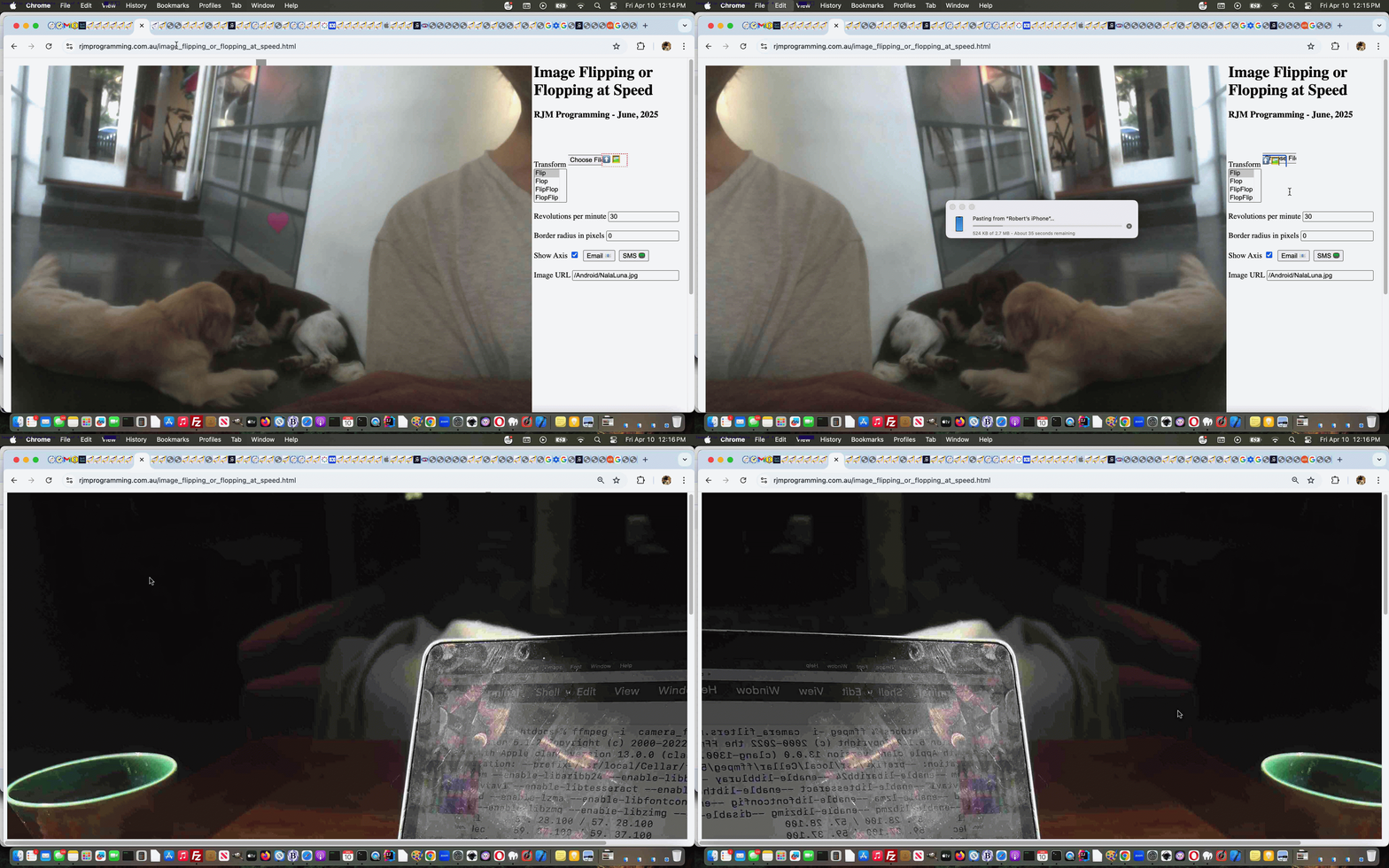
Called Upon Client Browsing Specifically Onpaste Image Copying Tutorial
Yesterday’s Called Upon Client Browsing Onpaste Image Copying Tutorial had us adjusting …
… optional, but potential, use of image copying and pasting via the dual purpose (unchanged from yesterday) local file browsing HTML and Javascript inhouse helper …
  var twaconto=null, twacontoiurl=null, twacontojurl=null;


  function lookfor() {

    var uis=document.getElementById('cbi').src.replace('=','=' + Math.floor(Math.random() * 9));

    if (twacontojurl) {

      if ((twacontojurl.innerHTML + twacontojurl.title).indexOf('data:') == 0) {

         twocontocont='data:' + (twacontojurl.innerHTML + twacontojurl.title).split('data:')[1];

         document.getElementById('imgurl').value=twocontocont;

         twacontojurl.innerHTML='';

         twacontojurl.title='';

         document.getElementById('cbi').style.visibility='hidden';

         document.getElementById('cbi').src=uis; //'/HTMLCSS/client_browsing.htm?d=' + Math.floor(Math.random() * 19897865) + '&wording=Allimages%20images%2E%20';

         document.getElementById('cbi').style.visibility='visible';

      }

    }

  }


  function checkit(iois) {

       twaconto = (iois.contentWindow || iois.contentDocument);

       if (twaconto != null) {

       if (twaconto.document) { twaconto = twaconto.document; }

       if (twaconto.getElementById('divcopyspan')) {

       twacontojurl=twaconto.getElementById('divcopyspan');

       }

       if (twacontoiurl || twacontojurl) { setInterval(lookfor, 3000); }

       }

  }
… where the browsing smarts of the inhouse client browser are catered for elsewhere, and so, Javascript global variable twacontoiurl is unused.
Previous relevant Called Upon Client Browsing Onpaste Image Copying Tutorial is shown below.
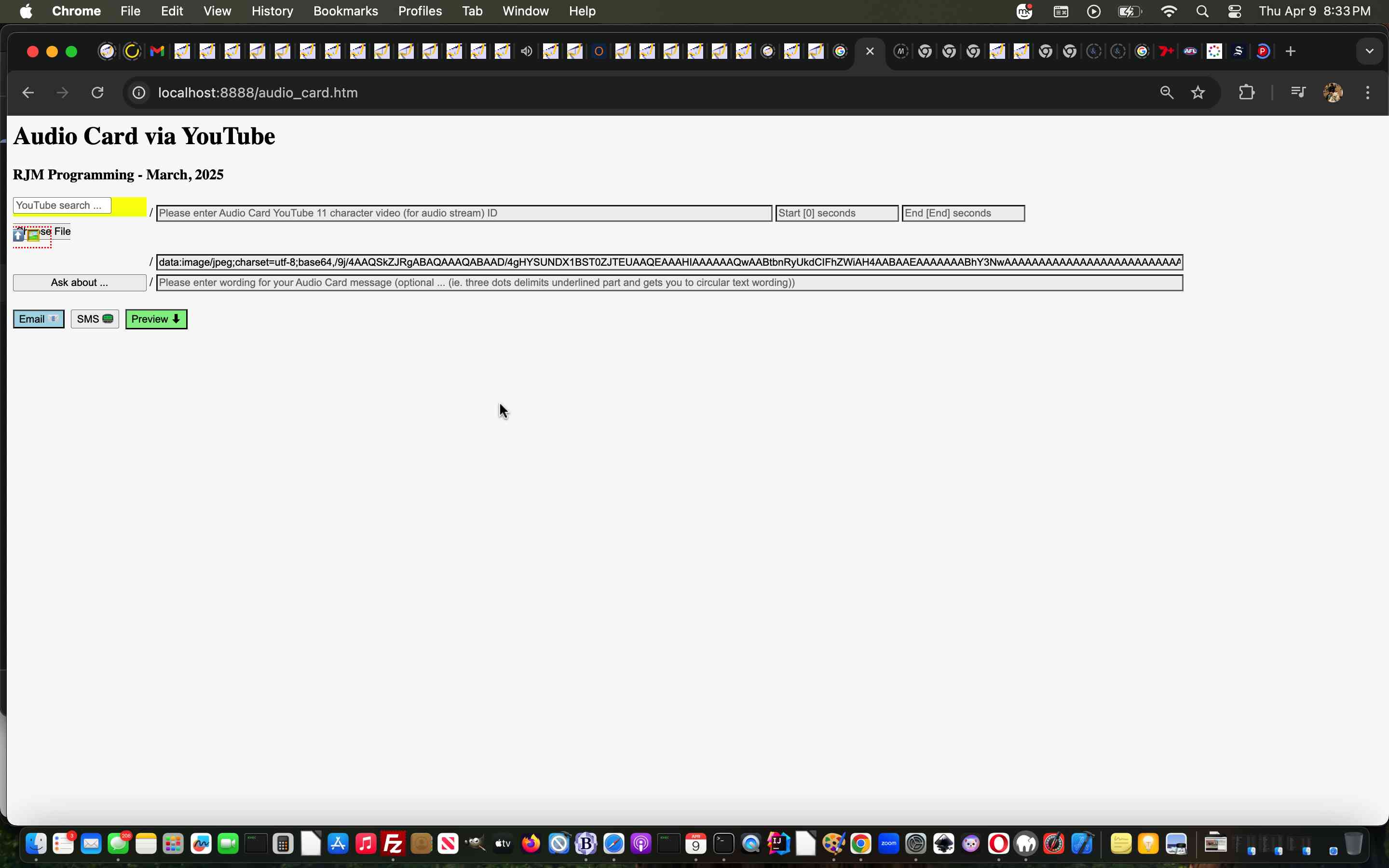
Called Upon Client Browsing Onpaste Image Copying Tutorial
As promised at yesterday’s Client Browsing Onpaste Image Copying Tutorial, today, we start looking further than …
… and, as we suspected, today’s first look was pretty salutary in proving “no one paradigm size fits all” with the number of scenarios a “called upon” incarnation of our inhouse client browsing web application can throw up.
Where we think the inhouse client browsing web application for this new “paste” functionality can flourish can be via what we like to call “client pre-emptive iframe” Javascript logic back at the caller, where we extend the code for that HTML iframe’s onload event …
  var twaconto=null, twacontoiurl=null, twacontojurl=null;


  function lookfor() {

    if (twacontojurl) {

      if ((twacontojurl.innerHTML + twacontojurl.title).indexOf('data:') == 0) {

         twocontocont='data:' + (twacontojurl.innerHTML + twacontojurl.title).split('data:')[1];

         document.getElementById('background').value=twocontocont;

         twacontojurl.innerHTML='';

         twacontojurl.title='';

         if (twocontocont.replace('/gif','.gif') == -1 || (twocontocont.indexOf('data:') == 0 || twocontocont.slice(-5).indexOf('.') != -1)) {

           setTimeout(reduceimsize, 100);

         } else {

           console.log('why? ' + twocontocont.substring(0,200));

         }

         document.getElementById('cbi').style.visibility='hidden';

         document.getElementById('cbi').src='/HTMLCSS/client_browsing.htm?d=' + Math.floor(Math.random() * 19897865) + '&wording=Allimages%20images%2E%20';

         document.getElementById('cbi').style.visibility='visible';

         setTimeout(refocus,1500);

      }

    }

    if (twacontoiurl) {

      if (twacontoiurl.innerHTML.indexOf('data:') == 0) {

         twocontocont=twacontoiurl.innerHTML;

         twacontoiurl.innerHTML='';

         document.getElementById('background').value=twocontocont;

         if (twocontocont.replace('/gif','.gif') == -1 || (twocontocont.indexOf('data:') == 0 || twocontocont.slice(-5).indexOf('.') != -1)) {

           setTimeout(reduceimsize, 100);

         } else {

           console.log('why? ' + twocontocont.substring(0,200));

         }

         document.getElementById('cbi').style.visibility='hidden';

         document.getElementById('cbi').src='/HTMLCSS/client_browsing.htm?d=' + Math.floor(Math.random() * 19897865) + '&wording=Allimages%20images%2E%20';

         document.getElementById('cbi').style.visibility='visible';

         setTimeout(refocus,1500);

      }

    }

  }


  function checkit(iois) {

       twaconto = (iois.contentWindow || iois.contentDocument);

       if (twaconto != null) {

       if (twaconto.document) { twaconto = twaconto.document; }

       twacontoiurl=document.getElementById('result');

       if (twaconto.getElementById('divcopyspan')) {

       twacontojurl=twaconto.getElementById('divcopyspan');

       }

       if (twacontoiurl) { setInterval(lookfor, 3000); }

       }

  }
… featuring in our changed audio_card.htm Audio Card example call of the changed client_browsing.htm client side local file browsing HTML and Javascript inhouse helper.
Previous relevant Client Browsing Onpaste Image Copying Tutorial is shown below.
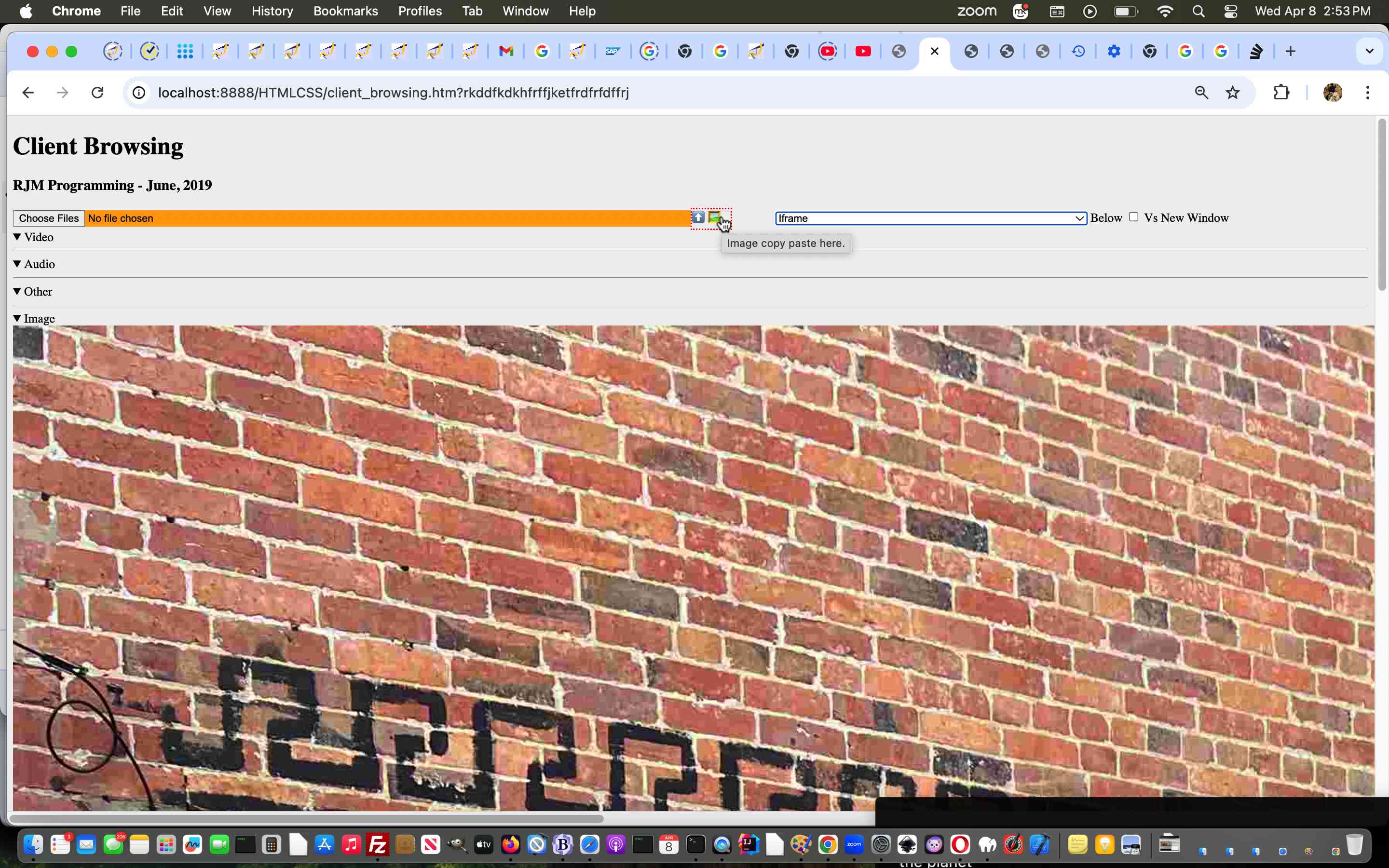
Client Browsing Onpaste Image Copying Tutorial
Don’t mean to sound like a broken record, but the sentiments of …
The recent onpaste event work has other places of “interventional interest”, for us, on top of the day before yesterday’s One Image Website Onpaste Uploading Device Copying Tutorial.
… continue today (building on yesterday’s Universal Clipboard Onpaste Canvas Annotations Tutorial), adding onpaste Image copying and Pasting logic into …
… so that, as far as Image data goes, this inhouse client browsing web application is dual purpose, the user able to …
<span title=""Image copy paste here." onclick="csclick=0; setTimeout(csc,20000); event.stopPropagation();" onblur="youruplit(this,1);" onpaste="youruplit(this,0);" contenteditable="true" id="imgcopycheck" style="border:2px dotted red;width:50px;height:25px;display:inline-block;">⬆️ 🖼️</span>
var yehbutisob=false, xcelem=null, xccontext=null, xcimg=null, within=false, mydivo=null, origh=-1, origw=-1, altdu='', dlm='"', copyspans='', gij=0;
var zcontent=[], zfilename='', zoptions=null, csclick=-1;
function iftoolarge(zimg,zw,zh) {
var zcanvas = document.createElement('canvas');
zcanvas.width = zw;
zcanvas.height = zh;
var zctx = zcanvas.getContext('2d');
zctx.drawImage(zimg, 0, 0);
// Get JPG as Data URL (quality 0.9)
altdu=zcanvas.toDataURL("image/jpeg", 0.1);
setTimeout(function(){
if (document.getElementById('divcopyspan') && document.getElementById('gb')) {
//document.getElementById('divcopyspan').style.background='url(' + document.getElementById('divcopyspan').title + ')';
//document.getElementById('divcopyspan').style.backgroundRepeat='no-repeat';
//document.getElementById('divcopyspan').innerHTML=' <br> ';
//document.getElementById('divcopyspan').style.display='block';
document.getElementById('gb').src=document.getElementById('divcopyspan').title;
document.body.style.cursor='pointer';
}
}, 12000);
setTimeout(function(){ xcimg.src=altdu; }, 2000);
return false;
}
function csc() {
csclick=-2;
}
function youruplit(divo, isonblurnotonpaste) {
var isimg=false;
var divoinnerHTML=divo.innerHTML.replace('data:video/','data:image/').replace('data:audio/','data:image/');
if (csclick == -2) {
csclick=0;
setTimeout(function(){ csclick=-1; }, 4000);
} else {
csclick=-1;
}
dlm='"';
if (isonblurnotonpaste != 0) {
yehbutisob=true;
}
if (divoinnerHTML.indexOf('data:image/') != -1 && divoinnerHTML.indexOf('"data:image/') == -1 && divoinnerHTML.indexOf("'data:image/") == -1) {
mydivo=divo;
if (divo.innerHTML.indexOf('data:image/') != -1 && divo.innerHTML.indexOf('"data:image/') == -1 && divo.innerHTML.indexOf("'data:image/") == -1) {
xcimg=new Image;
isimg=true;
} else if (divo.innerHTML.indexOf('data:video/') != -1 && divo.innerHTML.indexOf('"data:video/') == -1 && divo.innerHTML.indexOf("'data:video/") == -1) {
xcimg=new Video;
} else if (divo.innerHTML.indexOf('data:audio/') != -1 && divo.innerHTML.indexOf('"data:audio/') == -1 && divo.innerHTML.indexOf("'data:audio/") == -1) {
xcimg=new Audio;
}
//console.log('cancontw,canconth=' + cancontw + ',' + canconth + ' cancont=' + cancont);
xcimg.onload = function(){
if (altdu == ' ') {
return iftoolarge(xcimg,xcimg.width,xcimg.height);
} else if (altdu == '') {
if (('' + mydivo.title).indexOf(' Paste') != -1) {
parent.document.getElementById('divcopyspan').innerHTML=xcimg.src; //'data:image/' + mydivo.innerHTML.split('data:image/')[1].split(dlm)[0];
} else {
document.getElementById('divcopyspan').innerHTML=xcimg.src; //'data:image/' + mydivo.innerHTML.split('data:image/')[1].split(dlm)[0];
}
mydivo.innerHTML='⬆️ 🖼️';
simulatenewfile(document.getElementById('divcopyspan').innerHTML);
setTimeout(function(){ altdu=''; }, 4000);
} else {
if (('' + divo.title).indexOf(' Paste') != -1) {
parent.document.getElementById('divcopyspan').innerHTML=altdu;
} else {
document.getElementById('divcopyspan').innerHTML=altdu;
}
mydivo.innerHTML='⬆️ 🖼️';
simulatenewfile(document.getElementById('divcopyspan').innerHTML);
setTimeout(function(){ altdu=''; }, 4000);
}
};
if (!isimg) {
altdu='';
xcimg.src=divo.innerHTML.split('/')[0] + '/' + divo.innerHTML.split(divo.innerHTML.split('/')[0] + '/')[1].split(' ')[0].split("'")[0].split('"')[0].split('>')[0].split('&')[0].split('&#')[0].split(' ')[0].split('<')[0];
} else if (eval('' + ('data:image/' + divo.innerHTML.split('data:image/')[1].split(' ')[0].split("'")[0].split('"')[0].split('>')[0].split('&')[0].split('&#')[0].split(' ')[0].split('<')[0]).length) > 9000000) {
altdu=' ';
xcimg.src='data:image/' + divo.innerHTML.split('data:image/')[1].split(' ')[0].split("'")[0].split('"')[0].split('>')[0].split('&')[0].split('&#')[0].split(' ')[0].split('<')[0];
} else {
altdu='';
xcimg.src='data:image/' + divo.innerHTML.split('data:image/')[1].split(' ')[0].split("'")[0].split('"')[0].split('>')[0].split('&')[0].split('&#')[0].split(' ')[0].split('<')[0];
}
} else if (divoinnerHTML.indexOf('"data:image/') != -1 || divoinnerHTML.indexOf("'data:image/") != -1) {
mydivo=divo;
dlm=divo.innerHTML.split('data:' + divo.innerHTML.split('data:')[1].split('/')[0] + '/')[0].slice(-1);
//alert('dlm=' + dlm + ' ' + divo.innerHTML.substring(0,100));
if (divo.innerHTML.indexOf('data:image/') != -1) {
xcimg=new Image;
isimg=true;
} else if (divo.innerHTML.indexOf('data:video/') != -1) {
xcimg=new Video;
} else if (divo.innerHTML.indexOf('data:audio/') != -1) {
xcimg=new Audio;
}
//console.log('cancontw,canconth=' + cancontw + ',' + canconth + ' cancont=' + cancont);
xcimg.onload = function(){
if (altdu == ' ') {
return iftoolarge(xcimg,xcimg.width,xcimg.height);
} else if (altdu == '') {
if (('' + mydivo.title).indexOf(' Paste') != -1) {
parent.document.getElementById('divcopyspan').innerHTML=xcimg.src; //'data:image/' + mydivo.innerHTML.split('data:image/')[1].split(dlm)[0];
} else {
document.getElementById('divcopyspan').innerHTML=xcimg.src; //'data:image/' + mydivo.innerHTML.split('data:image/')[1].split(dlm)[0];
}
mydivo.innerHTML='⬆️ 🖼️';
simulatenewfile(document.getElementById('divcopyspan').innerHTML);
setTimeout(function(){ altdu=''; }, 4000);
} else {
if (('' + divo.title).indexOf(' Paste') != -1) {
parent.document.getElementById('divcopyspan').innerHTML=altdu;
} else {
document.getElementById('divcopyspan').innerHTML=altdu;
}
mydivo.innerHTML='⬆️ 🖼️';
simulatenewfile(document.getElementById('divcopyspan').innerHTML);
setTimeout(function(){ altdu=''; }, 4000);
}
};
if (!isimg) {
altdu='';
xcimg.src=divo.innerHTML.split('/')[0] + '/' + divo.innerHTML.split(divo.innerHTML.split('/')[0] + '/')[1].split(' ')[0].split("'")[0].split('"')[0].split('>')[0].split('&')[0].split('&#')[0].split(' ')[0].split('<')[0];
} else if (eval('' + divo.innerHTML.length) > 9000000 && isimg) {
altdu=' ';
xcimg.src='data:image/' + divo.innerHTML.split('data:image/')[1].split(dlm)[0];
} else {
altdu='';
xcimg.src='data:image/' + divo.innerHTML.split('data:image/')[1].split(dlm)[0];
}
} else if (eval('' + divo.innerHTML.length) < 30 && isonblurnotonpaste == 0) {
yehbutisob=false;
mydivo=divo;
setTimeout(function(){
if (!yehbutisob) {
if (('' + mydivo.title).indexOf(' Paste') != -1) {
//mydivo.innerHTML='⬆️ 🖼️';
parent.document.getElementById('outthere').focus();
//top.document.title+=('33');
} else {
//mydivo.innerHTML='⬆️ 🖼️';
document.getElementById('outthere').focus();
//top.document.title=('333');
}
yehbutisob=true;
}
}, 8000);
} else {
setTimeout(function(){ within=false; }, 56000);
}
}
… in the changed client_browsing.htm client side local file browsing HTML and Javascript inhouse helper.
Previous relevant Universal Clipboard Onpaste Canvas Annotations Tutorial is shown below.
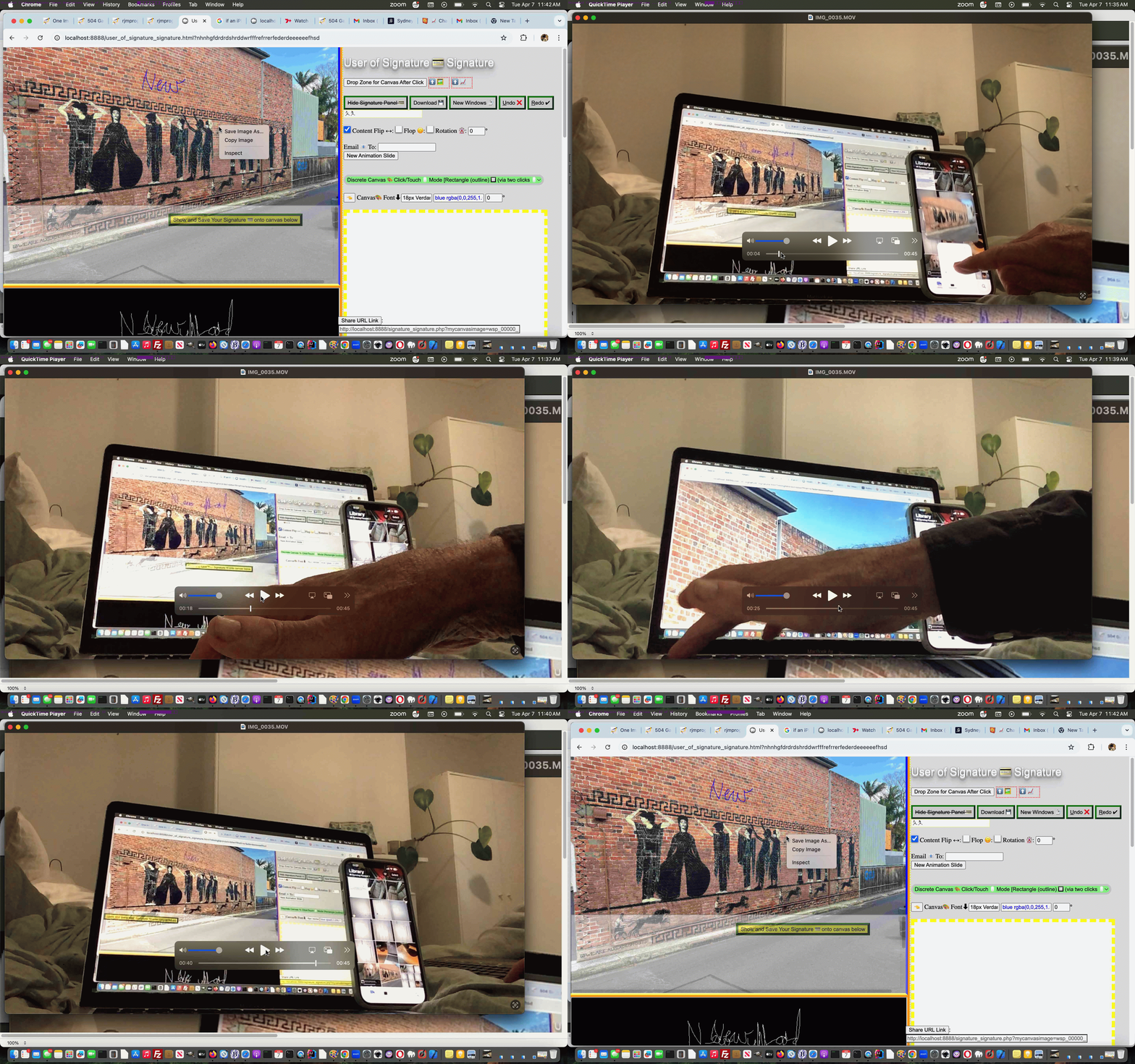
Universal Clipboard Onpaste Canvas Annotations Tutorial
The recent onpaste event work has other places of “interventional interest”, for us, on top of the day before yesterday’s One Image Website Onpaste Uploading Device Copying Tutorial.
How about using it to have …
<span title="Image copy Paste here to populate canvas fitting in." onclick="event.stopPropagation();" onblur="myuplit(this,1);" onpaste="myuplit(this,0);" contenteditable="true" id="imgcopycheck" style="border:2px dotted red;width:50px;height:25px;display:inline-block;">⬆️ 🖼️</span> <span title="Image copy Paste here to populate canvas resizing." onclick="event.stopPropagation();" onblur="myuplit(this,1);" onpaste="myuplit(this,0);" contenteditable="true" id="imgcopychecken" style="border:2px dotted red;width:50px;height:25px;display:inline-block;">⬆️ 📈</span>
var yehbutisob=false, xcelem=null, xccontext=null, xcimg=null, within=false, mydivo=null, origh=-1, origw=-1, altdu='';
function iftoolarge(zimg,zw,zh) {
var zcanvas = document.createElement('canvas');
zcanvas.width = zw;
zcanvas.height = zh;
var zctx = zcanvas.getContext('2d');
zctx.drawImage(zimg, 0, 0);
// Get JPG as Data URL (quality 0.9)
altdu=zcanvas.toDataURL("image/jpeg", 0.1);
setTimeout(function(){ xcimg.src=altdu; altdu=''; }, 2000);
return false;
}
function myuplit(divo, isonblurnotonpaste) {
if (isonblurnotonpaste != 0) {
yehbutisob=true;
}
if (divo.innerHTML.indexOf('data:image/') == 0) {
mydivo=divo;
if (('' + divo.title).indexOf(' Paste') != -1) {
xcelem=parent.document.getElementById('topcanvas');
} else {
xcelem=document.getElementById('topcanvas');
}
xccontext = xcelem.getContext("2d");
xcimg=new Image;
//console.log('cancontw,canconth=' + cancontw + ',' + canconth + ' cancont=' + cancont);
xcimg.onload = function(){
if (altdu == ' ') {
return iftoolarge(xcimg,xcimg.width,xcimg.height);
} else {
if (mydivo.id.indexOf('en') != -1) {
if (origw < 0) {
origw=eval('' + xcelem.width);
origh=eval('' + xcelem.height);
}
xcelem.width=xcimg.width;
xcelem.height=xcimg.height;
xccontext.drawImage(xcimg,0,0);
} else {
if (origw > 0) {
xcelem.width=origw;
xcelem.height=origh;
} else {
xcelem.width=xcelem.width;
xcelem.height=xcelem.height;
}
//setTimeout(function(){
//top.document.title=('1;' + yehbutisob);
xccontext.drawImage(xcimg,0,0,xcimg.width,xcimg.height,0,0,xcelem.width,xcelem.height);
}
if (mydivo.id.indexOf('en') != -1) {
mydivo.innerHTML='⬆️ 📈';
} else {
mydivo.innerHTML='⬆️ 🖼️';
}
//}, 6000);
//alert(1);
}
};
if (eval('' + divo.innerHTML.length) > 9000000) {
altdu=' ';
} else {
altdu='';
}
xcimg.src=divo.innerHTML;
} else if (divo.innerHTML.indexOf('"data:image/') != -1) {
mydivo=divo;
if (('' + divo.title).indexOf(' Paste') != -1) {
xcelem=parent.document.getElementById('topcanvas');
} else {
xcelem=document.getElementById('topcanvas');
}
xccontext = xcelem.getContext("2d");
xcimg=new Image;
//console.log('cancontw,canconth=' + cancontw + ',' + canconth + ' cancont=' + cancont);
xcimg.onload = function(){
if (altdu == ' ') {
return iftoolarge(xcimg,xcimg.width,xcimg.height);
} else {
if (mydivo.id.indexOf('en') != -1) {
if (origw < 0) {
origw=eval('' + xcelem.width);
origh=eval('' + xcelem.height);
}
xcelem.width=xcimg.width;
xcelem.height=xcimg.height;
xccontext.drawImage(xcimg,0,0);
} else {
if (origw > 0) {
xcelem.width=origw;
xcelem.height=origh;
} else {
xcelem.width=xcelem.width;
xcelem.height=xcelem.height;
}
//setTimeout(function(){
//top.document.title=('2;' + yehbutisob);
xccontext.drawImage(xcimg,0,0,xcimg.width,xcimg.height,0,0,xcelem.width,xcelem.height);
}
if (mydivo.id.indexOf('en') != -1) {
mydivo.innerHTML='⬆️ 📈';
} else {
mydivo.innerHTML='⬆️ 🖼️';
}
//}, 6000);
//alert(2);
}
};
if (eval('' + divo.innerHTML.length) > 9000000) {
altdu=' ';
} else {
altdu='';
}
xcimg.src='data:image/' + divo.innerHTML.split('data:image/')[1].split('"')[0];
} else if (eval('' + divo.innerHTML.length) < 30 && isonblurnotonpaste == 0) {
yehbutisob=false;
mydivo=divo;
setTimeout(function(){
if (!yehbutisob) {
if (('' + mydivo.title).indexOf(' Paste') != -1) {
if (mydivo.id.indexOf('en') != -1) {
mydivo.innerHTML='⬆️ 📈';
} else {
mydivo.innerHTML='⬆️ 🖼️';
}
parent.document.getElementById('jsemail').focus();
//top.document.title+=('33');
} else {
if (mydivo.id.indexOf('en') != -1) {
mydivo.innerHTML='⬆️ 📈';
} else {
mydivo.innerHTML='⬆️ 🖼️';
}
document.getElementById('jsemail').focus();
//top.document.title+=('333');
}
yehbutisob=true;
}
}, 8000);
} else {
setTimeout(function(){ within=false; }, 56000);
}
}
function checkoncp() {
if (parent.document.getElementById('mydbut') && parent.document.getElementById('target') && !parent.document.getElementById('imgcopycheck')) {
parent.document.getElementById('target').innerHTML+="<span title=\"Image copy Paste here to populate canvas fitting in.\" onclick=\"event.stopPropagation();\" onblur=\"myuplit(this,1);\" onpaste=\"myuplit(this,0);\" contenteditable=true id=\"imgcopycheck\" style=\"border:2px dotted red;width:50px;height:25px;display:inline-block;\">⬆️ 🖼️</span> <span title=\"Image copy Paste here to populate canvas resizing.\" onclick=\"event.stopPropagation();\" onblur=\"myuplit(this,1);\" onpaste=\"myuplit(this,0);\" contenteditable=true id=\"imgcopychecken\" style=\"border:2px dotted red;width:50px;height:25px;display:inline-block;\">⬆️ 📈</span>";
} else if (document.getElementById('mydbut') && document.getElementById('target') && !document.getElementById('imgcopycheck')) {
document.getElementById('target').innerHTML+="<span title=\"Image Copy paste here to populate canvas fitting in.\" onclick=\"event.stopPropagation();\" onblur=\"myuplit(this,1);\" onpaste=\"myuplit(this,0);\" contenteditable=true id=\"imgcopycheck\" style=\"border:2px dotted red;width:50px;height:25px;display:inline-block;\">⬆️ 🖼️</span> <span title=\"Image Copy paste here to populate canvas resizing.\" onclick=\"event.stopPropagation();\" onblur=\"myuplit(this,1);\" onpaste=\"myuplit(this,0);\" contenteditable=true id=\"imgcopychecken\" style=\"border:2px dotted red;width:50px;height:25px;display:inline-block;\">⬆️ 📈</span>";
} else {
setTimeout(checkoncp, 5000);
}
}
setTimeout(checkoncp, 5000);
… to flesh out what you might be trying to achieve, and facilitated by our changed web_share_api_test.js external Javascript?
Previous relevant One Image Website Onpaste Uploading Device Copying Tutorial is shown below.
One Image Website Onpaste Uploading Device Copying Tutorial
Further to yesterday’s One Image Website Onpaste Uploading Hashtagging Tutorial you may be wondering about our original gambit statement wondering if regarding …
take a new relevant photograph (on an iPhone, for instance) … and then easily …
… upload? Aren’t we worried about the iPhone device end of …
… will just fall upon deaf ears as far as our MacBook Air web browser use of the “One Image Website” webpage goes?
Well, read this “if an iPhone is connected to a MacBook Air can the copy buffer of the iPhone be transferred to the copy buffer of the MacBook Air?” ask …
Yes, if an iPhone is connected to a MacBook Air—or even just nearby—the copy buffer (clipboard) of the iPhone can be transferred to the copy buffer of the MacBook Air. Apple calls this feature Universal Clipboard.
It allows you to copy text, images, photos, and videos on your iPhone and instantly paste them onto your Mac (or vice versa).
Cute, huh?! If on the same network, and close, the iPhone and MacBook Air do not even need an Apple White Lead connection, necessarily, though we noticed it sped up the process!
Given the “smarts” at this end, today, we turned to …
var myxhr=null, formis=null, iclen=0, icsuffix='', extnew='.png', yehbutisob=true;

var ipuvalid=true, ipis='', lhend='', lhdata='', fourthousand=(document.URL.indexOf('diris=') != -1 ? 10000 : 4000), gencount=0, upcount=(document.URL.indexOf('data=%') != -1 ? eval('' + decodeURIComponent(document.URL.split('data=')[1].split('&')[0].split('#')[0]).split(',').length) : 0);

var fetchcmd="./index.php?diris=images&prefixis=DSC_0&startsuffix=279&endsuffix=364", within=false;


// Thanks to https://www.google.com/search?q=javascript+convert+png+to+jpg&rlz=1C5OZZY_en&oq=javascript+convert+png+to+jpg&gs_lcrp=EgZjaHJvbWUyCggAEEUYFhgeGDkyCAgBEAAYFhgeMggIAhAAGBYYHjINCAMQABiGAxiABBiKBTIHCAQQABjvBdIBCTEyNzIxajBqN6gCALACAA&sourceid=chrome&ie=UTF-8

const convertPngToJpg = (pngDataUrl) => {

  const img = new Image();

  img.onload = () => {

    const canvas = document.createElement('canvas');

    canvas.width = img.width;

    canvas.height = img.height;

    const ctx = canvas.getContext('2d');


    // Optional: Fill white background (JPEGs don't support transparency)

    ctx.fillStyle = "#FFFFFF";

    ctx.fillRect(0, 0, canvas.width, canvas.height);


    ctx.drawImage(img, 0, 0);


    // Get JPG as Data URL (quality 0.9)

    const jpgDataUrl = canvas.toDataURL("image/jpeg", 0.1);

    extnew='.jpg';

    icsuffix=(' 0' + jpgDataUrl.length);

    formis.append('newdurl', jpgDataUrl);

    myxhr.open('POST', './index.php'); //, true);

    myxhr.onreadystatechange=mstateChanged;

    myxhr.send(formis);

    console.log(jpgDataUrl);

  };

  img.src = pngDataUrl;

};
… as a solution to massive image png copy buffers coming off the camera being fed into an HTML5 canvas and out as a reduced size jpeg image to allow PHP $_POST methodologies used for the uploading process not be overwhelmed, as per the adjusted Ajax code …
   function mstateChanged() {

   var ioff=1, thisoff=1;

   var vsoff=0, getridof='YouLlneverFinDtHis';

   //document.title=document.title.substring(0,1) + ' readyState=' + myxhr.readyState + ' and status=' + myxhr.status + ' ' + iclen;

   if (myxhr.readyState == 4) {

    if (myxhr.status == 200) {

       //alert(iclen);

       setTimeout(function(){

    if (document.URL.indexOf('#') != -1 && lhdata == '' && document.URL.indexOf('data=%') != -1) {

     lhdata=(('' + location.search + decodeURIComponent(('' + location.hash).replace(/^undefined/g,'').replace(/^null/g,'').replace(/^\#/g,''))).split('data=')[1] ? decodeURIComponent(('' + location.search + decodeURIComponent(('' + location.hash).replace(/^undefined/g,'').replace(/^null/g,'').replace(/^\#/g,'')))).split('data=')[eval(-1 + decodeURIComponent(('' + location.search + decodeURIComponent(('' + location.hash).replace(/^undefined/g,'').replace(/^null/g,'').replace(/^\#/g,'')))).split('data=').length)].split('&')[0].split('#')[0] : '');

     var coms=lhdata.split(',');

     vsoff=eval('' + fetchcmd.split('endsuffix=')[1].split('&')[0].split('#')[0]);

     getridof=fetchcmd.split('diris=')[1].split('&')[0].split('#')[0] + '/' + fetchcmd.split('prefixis=')[1].split('&')[0].split('#')[0];

     for (var iuyt=0; iuyt<coms.length; iuyt++) {

       //alert(coms[iuyt] + ' ... ' + getridof + ' ... ' + coms[iuyt].replace('[','').replace(']','').replace('"','').replace('"','').replace(getridof,''));

       thisoff=eval(eval(coms[iuyt].replace('[','').replace(']','').replace('"','').replace('"','').replace(getridof,'').split('.')[0]) - vsoff + 1);

       if (thisoff > ioff) { ioff=thisoff; }

     }

    }

    if (document.URL.indexOf('#') == -1) {

    if (lhdata == '' && fetchcmd.indexOf('endsuffix=') != -1) {

    lhdata='["' + fetchcmd.split('diris=')[1].split('&')[0].split('#')[0] + '/' + fetchcmd.split('prefixis=')[1].split('&')[0].split('#')[0] + eval(1 + eval('' + fetchcmd.split('endsuffix=')[1].split('&')[0].split('#')[0])) + extnew + '"]';

    lhend='#' + encodeURIComponent(eval(1 + number_of_image) + '.' + fetchcmd.split('endsuffix=')[1].split('&')[0].split('#')[0]) + '&diris=' + fetchcmd.split('diris=')[1] + '&data=' + encodeURIComponent(lhdata);

    if (document.URL.indexOf(lhend.substring(1)) == -1) {

    if (6 == 6) {

    location.href=(document.URL.indexOf('?') != -1 ? document.URL.split('#')[0] + '&endbit=' + reduced(lhend).substring(1) + lhend : document.URL.split('#')[0] + '?endbit=' + reduced(lhend).substring(1) + lhend);

    } else {

    location.hash=lhend;

    }

    }

    }

    } else if (lhdata.indexOf('[') != -1) {

    lhdata=lhdata.replace('[', '["' + fetchcmd.split('diris=')[1].split('&')[0].split('#')[0] + '/' + fetchcmd.split('prefixis=')[1].split('&')[0].split('#')[0] + eval(ioff + eval('' + fetchcmd.split('endsuffix=')[1].split('&')[0].split('#')[0])) + extnew + '",');

    lhend='#' + encodeURIComponent(eval(1 + number_of_image) + '.' + fetchcmd.split('endsuffix=')[1].split('&')[0].split('#')[0]) + '&diris=' + fetchcmd.split('diris=')[1] + '&data=' + encodeURIComponent(lhdata);

    if (document.URL.indexOf(lhend.substring(1)) == -1) {

    if (6 == 6) {

    location.href=(document.URL.indexOf('?') != -1 ? document.URL.split('&')[0].replace('data=','daWASta=').replace('?diris=','?dirWASis=').replace('?endbit=','?endWASbit=') + '&endbit=' + reduced(lhend).substring(1) + lhend : document.URL.split('#')[0].replace('data=','daWASta=') + '?endbit=' + reduced(lhend).substring(1) + lhend);

    } else {

    location.hash=lhend;

    }

    }

    }

         within=false;

       }, 26000);

    }

   }

   }


  function uplitc(icontis) {

     if (icontis.indexOf('data:image/') == 0) {

       //document.title='A';

       myxhr = new XMLHttpRequest();

       formis = new FormData();

       formis.append('diris', fetchcmd.split('diris=')[1].split('&')[0].split('#')[0]);

       formis.append('prefixis', fetchcmd.split('prefixis=')[1].split('&')[0].split('#')[0]);

       formis.append('startsuffix', fetchcmd.split('startsuffix=')[1].split('&')[0].split('#')[0]);

       formis.append('endsuffix', fetchcmd.split('endsuffix=')[1].split('&')[0].split('#')[0]);

       iclen=eval('' + icontis.length);

       extnew='.' + icontis.split('data:image/')[1].split(',')[0].split(';')[0].replace('jpeg','jpg');

       if (iclen > 9000000) {

       convertPngToJpg(icontis);

       } else {

       formis.append('newdurl', icontis);

       myxhr.open('POST', './index.php'); //, true);

       myxhr.send(formis);

       }

     }

  }


  function uplit(divo, isonblurnotonpaste) {

     var icontis='';

     if (isonblurnotonpaste != 0) {

       yehbutisob=true;

     }

     if (divo.innerHTML.indexOf('data:image/') == 0) {

       icontis=divo.innerHTML;

       divo.innerHTML='';

       divo.title=icontis;

       //document.title='B';

       myxhr = new XMLHttpRequest();

       formis = new FormData();

       formis.append('diris', fetchcmd.split('diris=')[1].split('&')[0].split('#')[0]);

       formis.append('prefixis', fetchcmd.split('prefixis=')[1].split('&')[0].split('#')[0]);

       formis.append('startsuffix', fetchcmd.split('startsuffix=')[1].split('&')[0].split('#')[0]);

       formis.append('endsuffix', fetchcmd.split('endsuffix=')[1].split('&')[0].split('#')[0]);

       iclen=eval('' + icontis.length);

       extnew='.' + icontis.split('data:image/')[1].split(',')[0].split(';')[0].replace('jpeg','jpg');

       if (iclen > 9000000) {

       convertPngToJpg(icontis);

       } else {

       formis.append('newdurl', icontis);

       myxhr.open('POST', './index.php'); //, true);

       myxhr.onreadystatechange=mstateChanged;

       myxhr.send(formis);

       }

       //alert(78);

       //setTimeout(function(){ within=false; }, 6000);

     } else if (divo.innerHTML.indexOf('"data:image/') != -1) {

       icontis='data:image/' + divo.innerHTML.split('data:image/')[1].split('"')[0];

       divo.innerHTML='';

       divo.title=icontis;

       //document.title='C';

       myxhr = new XMLHttpRequest();

       formis = new FormData();

       formis.append('diris', fetchcmd.split('diris=')[1].split('&')[0].split('#')[0]);

       formis.append('prefixis', fetchcmd.split('prefixis=')[1].split('&')[0].split('#')[0]);

       formis.append('startsuffix', fetchcmd.split('startsuffix=')[1].split('&')[0].split('#')[0]);

       formis.append('endsuffix', fetchcmd.split('endsuffix=')[1].split('&')[0].split('#')[0]);

       iclen=eval('' + icontis.length);

       extnew='.' + icontis.split('data:image/')[1].split(',')[0].split(';')[0].replace('jpeg','jpg');

       if (iclen > 9000000) {

       convertPngToJpg(icontis);

       } else {

       formis.append('newdurl', icontis);

       myxhr.open('POST', './index.php'); //, true);

       myxhr.onreadystatechange=mstateChanged;

       myxhr.send(formis);

       }

       //alert(278);

       //setTimeout(function(){ within=false; }, 6000);

     } else if (eval('' + divo.innerHTML.length) < 30 && isonblurnotonpaste == 0) {

       yehbutisob=false;

       setTimeout(function(){

       if (!yehbutisob) {

       document.getElementById('offscreen').focus();

       yehbutisob=true;

       }

       }, 8000);

     } else {

       setTimeout(function(){ within=false; }, 56000);

     }

  }
… helped out by changed onrightclick.js external Javascript.
Previous relevant One Image Website Onpaste Uploading Hashtagging Tutorial is shown below.
One Image Website Onpaste Uploading Hashtagging Tutorial
You guessed it! Yesterday’s One Image Website Onpaste Uploading Tutorial‘s work was working just within the realms of those “first webpages” occurring within the “One Image Website” project paradigm, but that we needed to pass onto subsequent webpages this “new image uploaded” list as ….
… the reason being that document.referrer cannot be used to glean hashtagged data. Luckily in this project that second requirement above, which asks for a true document reload, is not the end of the woooorrrrllllddd, as we know it, and means we can get help from the external Javascript we use in these projects, as per …
… featuring a new Javascript function the subsequent webpages can call just after any …
image_list = new Array();
… that being …
initthearr(image_list);
… as per …
    var prefx='';


    function reduced(documentreferrer) {

     if (('' + documentreferrer).indexOf('data=') != -1) {

        if (('' + documentreferrer).indexOf('diris=') != -1) {

          if (prefx == '' && ('' + documentreferrer).indexOf('prefixis=') != -1) {

            prefx=decodeURIComponent(('' + documentreferrer).split('diris=')[1].split('&')[0].split('#')[0]) + '/' + decodeURIComponent(('' + documentreferrer).split('prefixis=')[1].split('&')[0].split('#')[0]);

          }

        }

     }

     if (prefx != '') {

      if (documentreferrer.indexOf(encodeURIComponent(prefx)) != -1) {

       while (documentreferrer.indexOf(encodeURIComponent(prefx)) != -1) {

         documentreferrer=documentreferrer.replace(encodeURIComponent(prefx),'');

       }

      }

     }

     return documentreferrer;

    }


    function initthearr(inarr) {

      var fort=false, jsonstr='', datas=[], inm=0;

      if (('' + location.hash).indexOf('data=') != -1) {

        if (('' + location.hash).indexOf('diris=') != -1) {

          if (prefx == '' && ('' + location.hash).indexOf('prefixis=') != -1) {

            prefx=decodeURIComponent(('' + location.hash).split('diris=')[1].split('&')[0].split('#')[0]) + '/' + decodeURIComponent(('' + location.hash).split('prefixis=')[1].split('&')[0].split('#')[0]);

          }

        }

        jsonstr=decodeURIComponent(('' + location.hash).split('data=')[1].split('&')[0].split('#')[0]);

        datas=jsonstr.split(',');

        for (inm=0; inm<datas.length; inm++) {

           inarr[image_index++] = new imageItem(prefx + datas[inm].replace((prefx == '' ? 'yOuLlneverfindThIs' : prefx),'').replace('[','').replace(']','').replace('"','').replace('"',''));

           console.log('ADDed ' + datas[inm].replace((prefx == '' ? 'yOuLlneverfindThIs' : prefx),'').replace('[','').replace(']','').replace('"','').replace('"',''));

           fort=true;

        }

      } else if (('' + document.referrer).indexOf('data=') != -1) {

        if (('' + document.referrer).indexOf('diris=') != -1) {

          if (prefx == '' && ('' + document.referrer).indexOf('prefixis=') != -1) {

            prefx=decodeURIComponent(('' + document.referrer).split('diris=')[1].split('&')[0].split('#')[0]) + '/' + decodeURIComponent(('' + document.referrer).split('prefixis=')[1].split('&')[0].split('#')[0]);

          }

        }

        jsonstr=decodeURIComponent(('' + document.referrer).split('data=')[1].split('&')[0].split('#')[0]);

        //alert(jsonstr);

        datas=jsonstr.split(',');

        for (inm=0; inm<datas.length; inm++) {

           inarr[image_index++] = new imageItem(prefx + datas[inm].replace((prefx == '' ? 'yOuLlneverfindThIs' : prefx),'').replace('[','').replace(']','').replace('"','').replace('"',''));

           console.log('AddEd ' + prefx + datas[inm].replace((prefx == '' ? 'yOuLlneverfindThIs' : prefx),'').replace('[','').replace(']','').replace('"','').replace('"',''));

           fort=true;

        }

      }

      return fort;

    }
… in order to avoid any Asynchronous concerns in these subsequent webpages. The ordering of external Javascript loading …
<script type=text/javascript src='/onrightclick.js?rand=86475'></script>
… is sensitive here, and for the most part, is moved to above the “inline Javascript” loading within the head webpage element, to help make all this idea function, all the way back from changes to inline Javascript parts to the initialization code of (our Guinea Pig) “first webpage” occurring within the “One Image Website” project paradigm …
var image_index = 0;

var number_of_image = 0;

var myxhr=null, formis=null;

var ipuvalid=true, ipis='', lhend='', lhdata='';

var fetchcmd="./index.php?diris=images&prefixis=DSC_0&startsuffix=279&endsuffix=364";


// Thanks to https://stackoverflow.com/questions/74997800/how-to-code-a-synchronous-wrapper-for-jquery-ajax-functions

(async () => {


  const resip = await fetch("./index.php?getmeip=" + Math.floor(Math.random() * 198978675), {/* options here */});

  const dataip = await resip.json();


  for (var inmip=0; inmip<dataip.length; inmip++) {

    if (inmip == eval(-1 + dataip.length)) {

      ipis='' + dataip[inmip];

      if (inmip != 0) {

        ipuvalid=false;

        setTimeout(nag, 200);

      }

    }

  }


})();


image_list = new Array();


//if (initthearr(image_list)) {

// lhend=lhend;

//

//} else

if (1 == 1) {

// Thanks to https://stackoverflow.com/questions/74997800/how-to-code-a-synchronous-wrapper-for-jquery-ajax-functions

(async () => {


  const res = await fetch(fetchcmd, {/* options here */});

  const data = await res.json();


  for (var inm=0; inm<data.length; inm++) {

    lhend='# ';

    if (lhdata == '') {

      lhdata='["' + data[inm] + '"]';

    } else {

      lhdata=lhdata.replace(']', ',"' + data[inm] + '"]');

    }

    image_list[image_index++] = new imageItem(data[inm]);

    console.log('Added ' + data[inm]);

  }


  console.log(data);

  console.log("Some code after that uses data");


  setTimeout(function(){

  if (lhend == '# ') {

    //lhend='#' + encodeURIComponent(number_of_image + '.364') + '&fetch=' + encodeURIComponent(fetchcmd) + '&data=' + encodeURIComponent(lhdata);

    lhend='#' + encodeURIComponent(number_of_image + '.364') + '&diris=' + fetchcmd.split('diris=')[1] + '&data=' + encodeURIComponent(lhdata);

    if (document.URL.indexOf(lhend.substring(1)) == -1) {

    if (6 == 6) {

    location.href=(document.URL.indexOf('?') != -1 ? document.URL.split('#')[0] + '&endbit=' + reduced(lhend).substring(1) + lhend : document.URL.split('#')[0] + '?endbit=' + reduced(lhend).substring(1) + lhend);

    } else {

    location.hash=lhend;

    }

    }

    console.warn(image_list[0]);

    //lhend=' ';

  }

  }, 2000);


})();

}


 setTimeout(function(){

 image_list[image_index++] = new imageItem('images/DSC_0279.jpg');

 image_list[image_index++] = new imageItem('images/DSC_0280.jpg');

 image_list[image_index++] = new imageItem('images/DSC_0281.jpg');

 image_list[image_index++] = new imageItem('images/DSC_0282.jpg');

 image_list[image_index++] = new imageItem('images/DSC_0283.jpg');

 image_list[image_index++] = new imageItem('images/DSC_0284.jpg');

 image_list[image_index++] = new imageItem('images/DSC_0285.jpg');

 image_list[image_index++] = new imageItem('images/DSC_0286.jpg');

 image_list[image_index++] = new imageItem('images/DSC_0287.jpg');

 image_list[image_index++] = new imageItem('images/DSC_0288.jpg');

 image_list[image_index++] = new imageItem('images/DSC_0289.jpg');

 image_list[image_index++] = new imageItem('images/DSC_0290.jpg');

 image_list[image_index++] = new imageItem('images/DSC_0291.jpg');

 image_list[image_index++] = new imageItem('images/DSC_0292.jpg');

 image_list[image_index++] = new imageItem('images/DSC_0293.jpg');

 image_list[image_index++] = new imageItem('images/DSC_0294.jpg');

 image_list[image_index++] = new imageItem('images/DSC_0295.jpg');

 image_list[image_index++] = new imageItem('images/DSC_0296.jpg');

 image_list[image_index++] = new imageItem('images/DSC_0297.jpg');

 image_list[image_index++] = new imageItem('images/DSC_0298.jpg');

 image_list[image_index++] = new imageItem('images/DSC_0299.jpg');

 image_list[image_index++] = new imageItem('images/DSC_0300.jpg');

 image_list[image_index++] = new imageItem('images/DSC_0301.jpg');

 image_list[image_index++] = new imageItem('images/DSC_0302.jpg');

 image_list[image_index++] = new imageItem('images/DSC_0303.jpg');

 image_list[image_index++] = new imageItem('images/DSC_0304.jpg');

 image_list[image_index++] = new imageItem('images/DSC_0305.jpg');

 image_list[image_index++] = new imageItem('images/DSC_0306.jpg');

 image_list[image_index++] = new imageItem('images/DSC_0307.jpg');

 image_list[image_index++] = new imageItem('images/DSC_0308.jpg');

 image_list[image_index++] = new imageItem('images/DSC_0309.jpg');

 image_list[image_index++] = new imageItem('images/DSC_0310.jpg');

 image_list[image_index++] = new imageItem('images/DSC_0311.jpg');

 image_list[image_index++] = new imageItem('images/DSC_0312.jpg');

 image_list[image_index++] = new imageItem('images/DSC_0313.jpg');

 image_list[image_index++] = new imageItem('images/DSC_0314.jpg');

 image_list[image_index++] = new imageItem('images/DSC_0315.jpg');

 image_list[image_index++] = new imageItem('images/DSC_0316.jpg');

 image_list[image_index++] = new imageItem('images/DSC_0317.jpg');

 image_list[image_index++] = new imageItem('images/DSC_0318.jpg');

 image_list[image_index++] = new imageItem('images/DSC_0319.jpg');

 image_list[image_index++] = new imageItem('images/DSC_0320.jpg');

 image_list[image_index++] = new imageItem('images/DSC_0321.jpg');

 image_list[image_index++] = new imageItem('images/DSC_0322.jpg');

 image_list[image_index++] = new imageItem('images/DSC_0323.jpg');

 image_list[image_index++] = new imageItem('images/DSC_0324.jpg');

 image_list[image_index++] = new imageItem('images/DSC_0325.jpg');

 image_list[image_index++] = new imageItem('images/DSC_0326.jpg');

 image_list[image_index++] = new imageItem('images/DSC_0327.jpg');

 image_list[image_index++] = new imageItem('images/DSC_0328.jpg');

 image_list[image_index++] = new imageItem('images/DSC_0329.jpg');

 image_list[image_index++] = new imageItem('images/DSC_0330.jpg');

 image_list[image_index++] = new imageItem('images/DSC_0331.jpg');

 image_list[image_index++] = new imageItem('images/DSC_0332.jpg');

 image_list[image_index++] = new imageItem('images/DSC_0333.jpg');

 image_list[image_index++] = new imageItem('images/DSC_0334.jpg');

 image_list[image_index++] = new imageItem('images/DSC_0335.jpg');

 image_list[image_index++] = new imageItem('images/DSC_0336.jpg');

 image_list[image_index++] = new imageItem('images/DSC_0337.jpg');

 image_list[image_index++] = new imageItem('images/DSC_0338.jpg');

 image_list[image_index++] = new imageItem('images/DSC_0339.jpg');

 image_list[image_index++] = new imageItem('images/DSC_0340.jpg');

 image_list[image_index++] = new imageItem('images/DSC_0341.jpg');

 image_list[image_index++] = new imageItem('images/DSC_0342.jpg');

 image_list[image_index++] = new imageItem('images/DSC_0343.jpg');

 image_list[image_index++] = new imageItem('images/DSC_0344.jpg');

 image_list[image_index++] = new imageItem('images/DSC_0345.jpg');

 image_list[image_index++] = new imageItem('images/DSC_0346.jpg');

 image_list[image_index++] = new imageItem('images/DSC_0347.jpg');

 image_list[image_index++] = new imageItem('images/DSC_0348.jpg');

 image_list[image_index++] = new imageItem('images/DSC_0349.jpg');

 image_list[image_index++] = new imageItem('images/DSC_0350.jpg');

 image_list[image_index++] = new imageItem('images/DSC_0351.jpg');

 image_list[image_index++] = new imageItem('images/DSC_0352.jpg');

 image_list[image_index++] = new imageItem('images/DSC_0353.jpg');

 image_list[image_index++] = new imageItem('images/DSC_0354.jpg');

 image_list[image_index++] = new imageItem('images/DSC_0355.jpg');

 image_list[image_index++] = new imageItem('images/DSC_0356.jpg');

 image_list[image_index++] = new imageItem('images/DSC_0357.jpg');

 image_list[image_index++] = new imageItem('images/DSC_0358.jpg');

 image_list[image_index++] = new imageItem('images/DSC_0359.jpg');

 image_list[image_index++] = new imageItem('images/DSC_0360.jpg');

 image_list[image_index++] = new imageItem('images/DSC_0361.jpg');

 image_list[image_index++] = new imageItem('images/DSC_0362.jpg');

 image_list[image_index++] = new imageItem('images/DSC_0363.jpg');

 image_list[image_index++] = new imageItem('images/DSC_0364.jpg');


//alert('yay ' + lhend);


number_of_image = image_list.length;

if ((lhend + ' ').substring(0,1) == '#') {

 setTimeout(function(){

  number_of_image = image_list.length;

 }, 2000);

}

if (lhend == '#') { lhend='#' + encodeURIComponent(number_of_image + '.364') + '&fetch=' + encodeURIComponent(fetchcmd) + '&data=' + encodeURIComponent(lhdata); alert(lhend); location.hash=lhend; lhend=''; }

}, 1000);
To most, it is still “undercover” trying out our “still at the Guinea Pig upload functionality thinking stage” Street Art “One Image Website” project.
Previous relevant One Image Website Onpaste Uploading Tutorial is shown below.
One Image Website Onpaste Uploading Tutorial
The onpaste event referencing work of the recent Using Document Writeln Onpaste Tutorial set us to thinking about the unwieldy nature of our “One Image Website” series of photographic projects ability to, on the fly, these days …
Where’s the security and moderation here? Any upload operation needs to worry about that, huh?! Well, we limit it via IP address at this stage, in our Guinea Pig start to proceedings, and will monitor over time.
Let’s start, codewise with the pretty well self contained PHP block of code that is new for this work …
<?php


  $oklist=['0::1', '1.156.90.221'];


  function server_remote_addr() {

    global $ris;

    $rma = $_SERVER['REMOTE_ADDR'];

    if ($rma != "") {

      $qris = $rma;

    } else if ($rma == "") {

      $rma = $qris;

    }

    $ua = strtolower($_SERVER['HTTP_USER_AGENT']);

    // you can add different browsers with the same way ..

    if(preg_match('/(chromium)[ \/]([\w.]+)/', $ua))

            $rma = '000000'.$rma;

    elseif(preg_match('/(chrome)[ \/]([\w.]+)/', $ua))

            $rma = '00000'.$rma;

    elseif(preg_match('/(safari)[ \/]([\w.]+)/', $ua))

            $rma = '0000'.$rma;

    elseif(preg_match('/(opera)[ \/]([\w.]+)/', $ua))

            $rma = '000'.$rma;

    elseif(preg_match('/(msie)[ \/]([\w.]+)/', $ua))

            $rma = '00'.$rma;

    elseif(preg_match('/(mozilla)[ \/]([\w.]+)/', $ua))

            $rma = '0'.$rma;

    //echo "<p>".$ua.$rma."</p>";

    return $rma;

  }


  if (isset($_GET['getmeip'])) {

    $okipwise=false;

    $visip=server_remote_addr();

    for ($inb=0; $inb<sizeof($oklist); $inb++) {

        if (strpos($visip . '!', $oklist[$inb] . '!') !== false) {

          $okipwise=true;

        }

    }

    if ($okipwise) {

      echo '["' . server_remote_addr() . '"]';

    } else {

      echo '["","' . server_remote_addr() . '"]';

    }

    exit;

  } else if (isset($_GET['diris']) && isset($_GET['prefixis']) && isset($_GET['startsuffix']) && isset($_GET['endsuffix'])) {

    $arrbit='';

    if ($_GET['prefixis'] != '' && $_GET['diris'] != '' && $_GET['startsuffix'] != '' && $_GET['endsuffix'] != '') {

     foreach(glob(str_replace('+',' ',urldecode($_GET['diris'])) . DIRECTORY_SEPARATOR . str_replace('+',' ',urldecode($_GET['prefixis'])) . '*.*g*') as $filename) {

        if (strpos($filename, str_replace('+',' ',urldecode($_GET['diris'])) . DIRECTORY_SEPARATOR . str_replace('+',' ',urldecode($_GET['prefixis']))) !== false) {

          $restfnamebit=explode('.', explode(str_replace('+',' ',urldecode($_GET['diris'])) . DIRECTORY_SEPARATOR . str_replace('+',' ',urldecode($_GET['prefixis'])), $filename)[1])[0];

          if ($restfnamebit < str_replace('+',' ',urldecode($_GET['startsuffix'])) || $restfnamebit > str_replace('+',' ',urldecode($_GET['endsuffix']))) {

           if ($arrbit == '') {

            $arrbit='["' . $filename . '"]';

           } else {

            $arrbit=str_replace(']', ',"' . $filename . '"]', $arrbit);

           }

          }

        }

     }

     if ($arrbit == '') {

       echo "[]";

     } else {

       echo $arrbit;

     }

     exit;

    }

    echo "[]";

    exit;

  } else if (isset($_POST['newdurl']) && isset($_POST['diris']) && isset($_POST['prefixis']) && isset($_POST['startsuffix']) && isset($_POST['endsuffix'])) {

    if (strpos(str_replace(' ','+',urldecode($_POST['newdurl'])), 'data:image/') !== false && $_POST['prefixis'] != '' && $_POST['diris'] != '' && $_POST['startsuffix'] != '' && $_POST['endsuffix'] != '') {

      $okipwise=false;

      $visip=server_remote_addr();

      for ($inb=0; $inb<sizeof($oklist); $inb++) {

        if (strpos($visip . '!', $oklist[$inb] . '!') !== false) {

          $okipwise=true;

        }

      }

      if ($okipwise) {

      $proposedext='.' . str_replace('jpeg','jpg',explode(';',explode(',',explode('data:image/', str_replace(' ','+',urldecode($_POST['newdurl'])))[1])[0])[0]);

      if (strpos($proposedext, 'g') !== false) {

        $fidea=str_replace('+',' ',urldecode($_POST['endsuffix']));

        $isthere=true;

        $fnameproposed='';

        while ($isthere) {

         $isthere=false;

         foreach(glob(str_replace('+',' ',urldecode($_POST['diris'])) . DIRECTORY_SEPARATOR . str_replace('+',' ',urldecode($_POST['prefixis'])) . $fidea . '.*g*') as $filename) {

          $isthere=true;

         }

         if (!$isthere) {

           $fnameproposed=str_replace('+',' ',urldecode($_POST['diris'])) . DIRECTORY_SEPARATOR . str_replace('+',' ',urldecode($_POST['prefixis'])) . $fidea . $proposedext;

         } else {

           $fidea++;

         }

        }

        if ($fnameproposed != '') {

         file_put_contents($fnameproposed, base64_decode(explode(";base64,", str_replace(' ','+',urldecode($_POST['newdurl'])))[1]));

        }

      }

      }

    }

    exit;

  }

?>
… and then there is some new “fetch” and Ajax rich HTML and Javascript as per …
| New Global Variables and Asynchronous section Javascript … |
|---|
|
| New Javascript functions … |
|
| New HTML span element … |
|
… that is “undercover” to most trying out our Street Art “One Image Website” project.
Previous relevant Using Document Writeln Onpaste Tutorial is shown below.
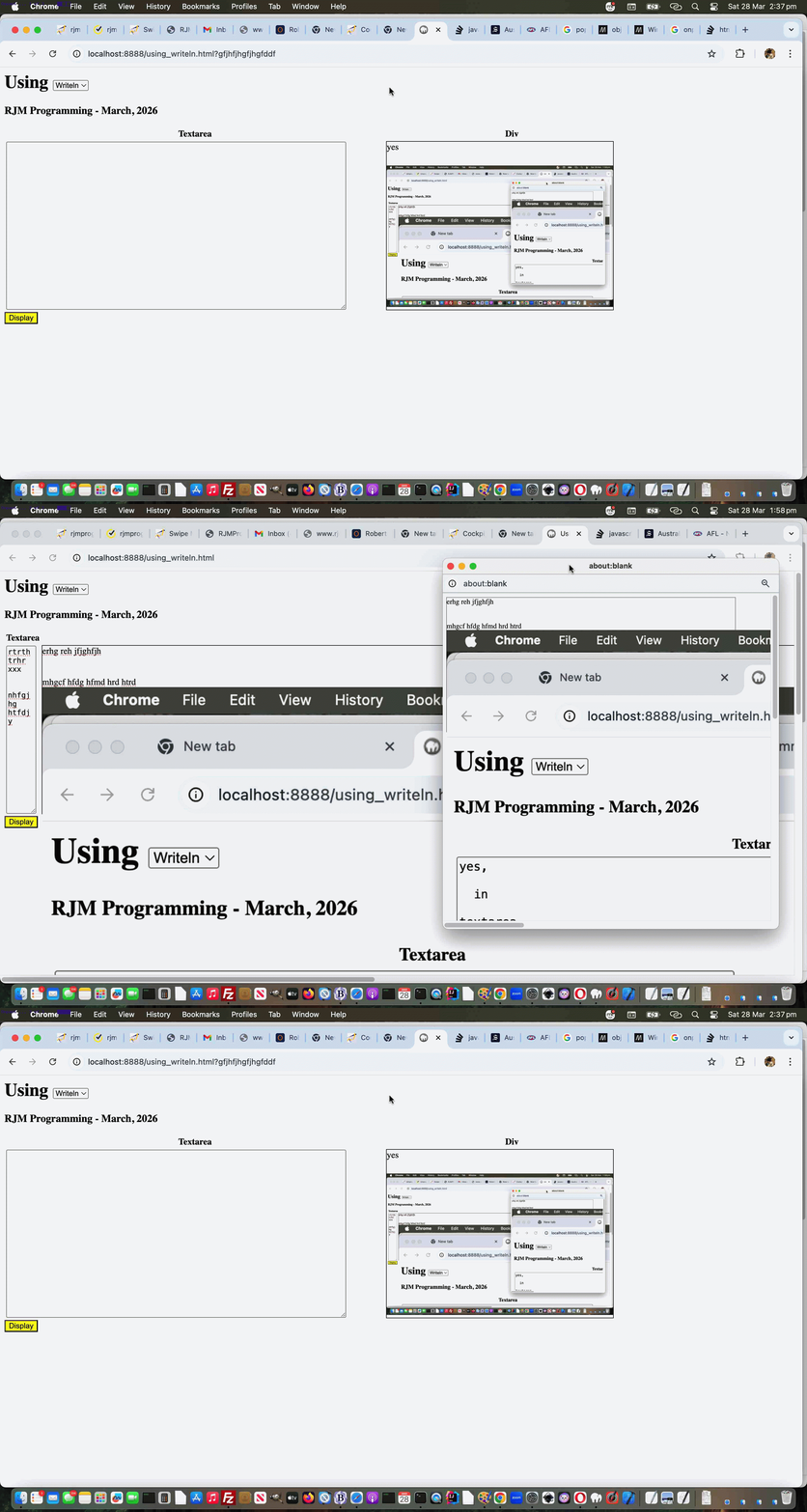
Using Document Writeln Onpaste Tutorial
Regarding yesterday’s Using Document Writeln Primer Tutorial you might wonder …
Why involve either/both textarea and div (contenteditable=true) elements as “containers” of content?
Well, with yesterday’s starting onblur (just) event gambit, it’s a very pertinent question, but, today, we introduce onpaste event work, and involving this event with the div element can have it distinguishing itself, able to accept graphical (eg. image) content. For example, the user can have their cursor placed into the div element and have been in an image editor having Edit->Select Alled and Edit->Copyed graphical content, then that can be Edit->Pasted into the div as graphical content.
As you might imagine, this opens a Pandora’s Box of possibilities regarding image sizing, but we apply inline CSS styling …
style='object-fit:contain;width:100%;height:100%;'
… to the img data URIed element within the div element that happens when graphical content is pasted into it, so that the graphical data is unlikely to spill too far outside the div bounds, assuming only one image is pasted, that is.
So feel free to try a changed using_writeln.html first draft Using (Document) Writeln web application for you to try yourself.
Previous relevant Using Document Writeln Primer Tutorial is shown below.
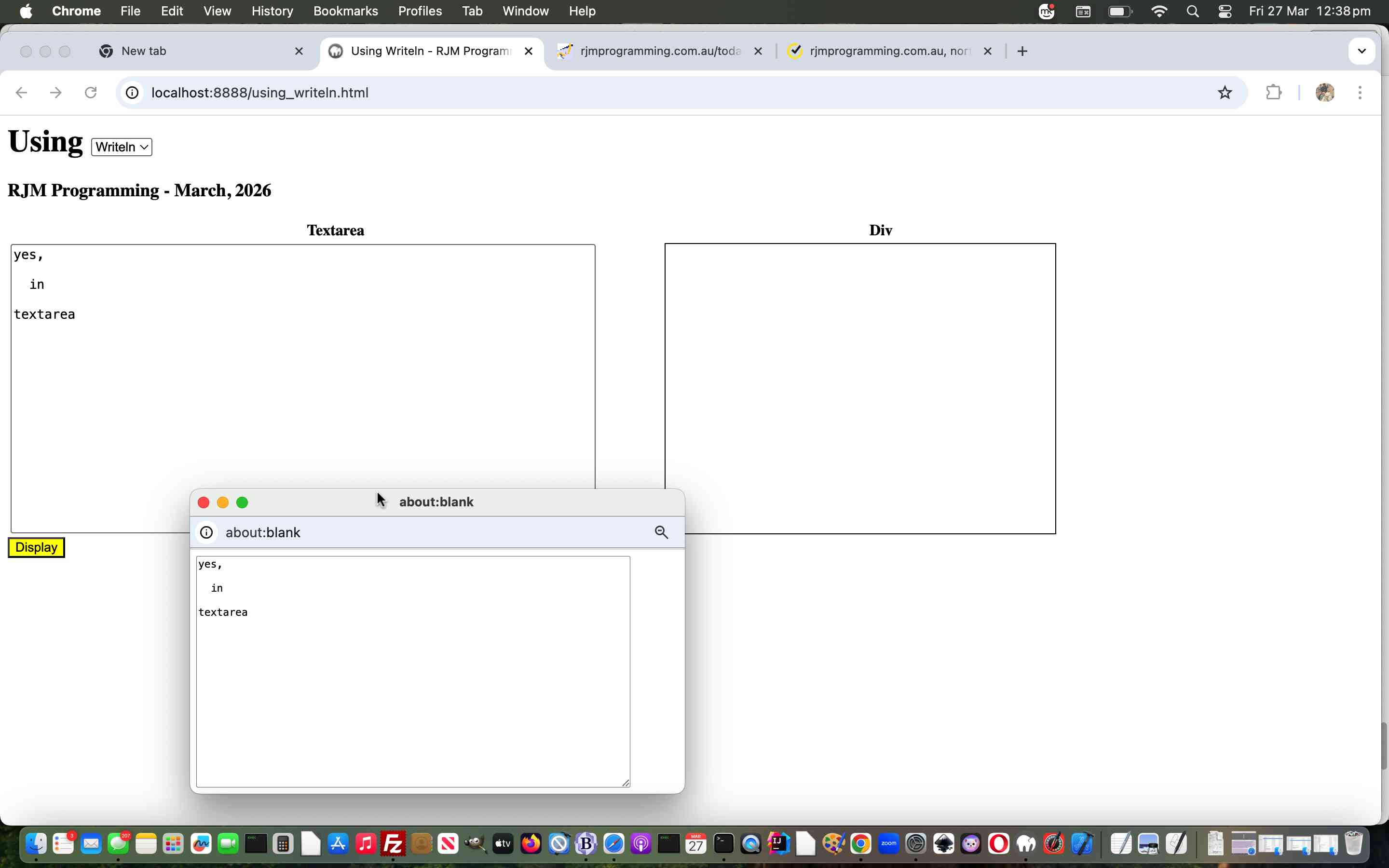
Using Document Writeln Primer Tutorial
The other day we stumbled on some advice leading us to use …
document.writeln([html-content]);
… rather than our usual “go to” …
document.write([html-content]);
And so we wrote a “proof of concept” using_writeln.html first draft Using (Document) Writeln web application for you to try yourself.
If this was interesting you may be interested in this too.
If this was interesting you may be interested in this too.
If this was interesting you may be interested in this too.
If this was interesting you may be interested in this too.
If this was interesting you may be interested in this too.
If this was interesting you may be interested in this too.
If this was interesting you may be interested in this too.
If this was interesting you may be interested in this too.
If this was interesting you may be interested in this too.
If this was interesting you may be interested in this too.
If this was interesting you may be interested in this too.
If this was interesting you may be interested in this too.

