
Tcl/Tk macOS and Xcode Revisit Tutorial
Rather than trying to get the GUI side of Tcl, called Tk, working on our AlmaLinux public web server, we settled for a Tcl only web application there when we presented Tcl and Javascript and PHP Calculator AlmaLinux Tutorial.
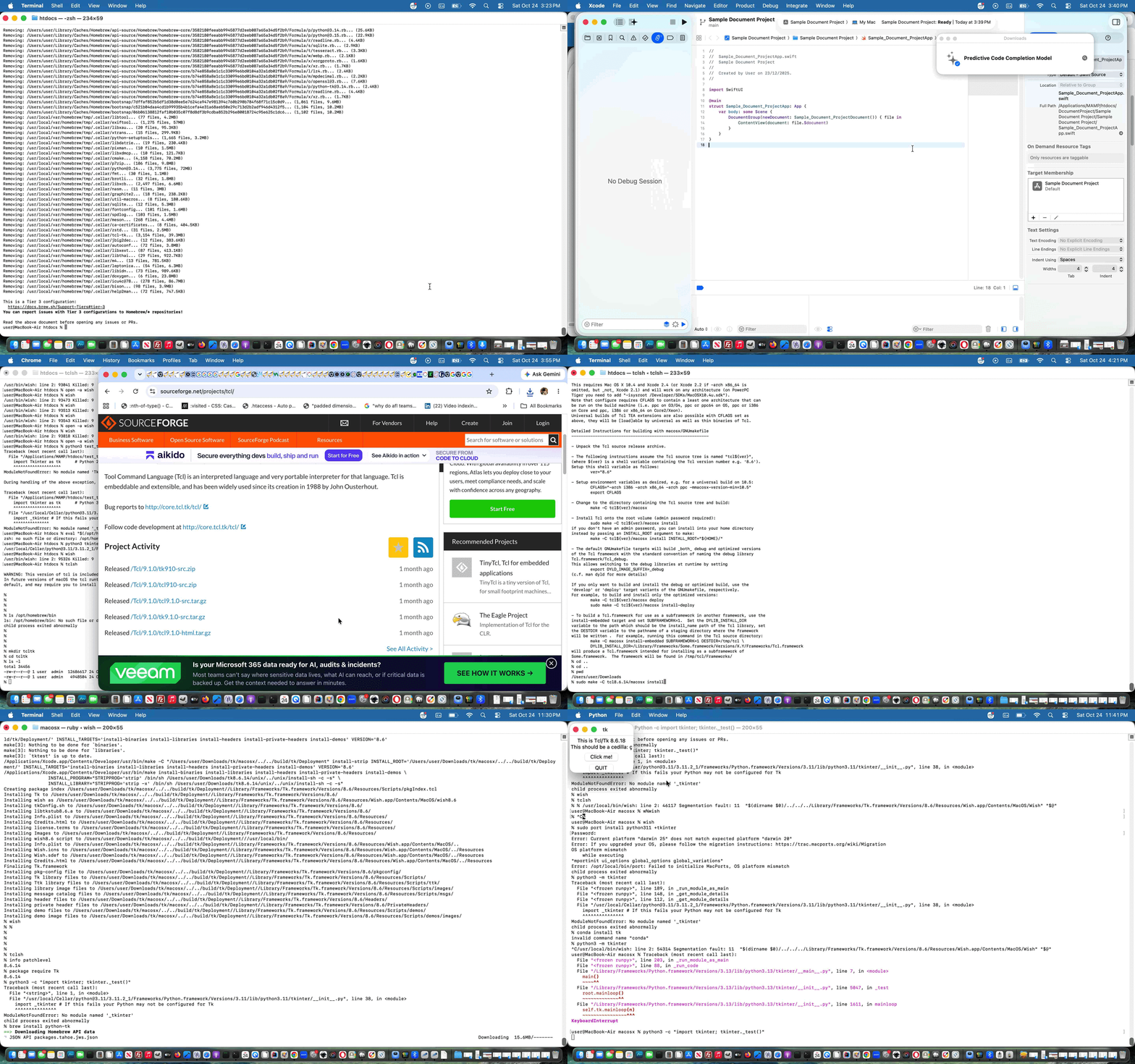
But here, on our local macOS, only using Mac Intel chips, and this is important these days here in October 2026 with macOS Tahoe 26.6.1 Apple M1 chip, revisiting Tcl/Tk thoughts as we did yesterday, we wanted to reach at the end of our first day’s foray, as kilometermilestones …
- be able to go …
clang --version
… on command line (ie. in Terminal) as a C compiler … and associated with that are that Xcode projects with make become viable … as, then, after more installing, could … - be able to go …
tclsh
… on command line with your ideal version of Tcl - be able to go …
wish
… on command line with your ideal version of Tk (ie. GUI affect your local “DISPLAY defined” macOS is capable of) … another Tk test being …
info patchlevel     # coming back 8.6.14 for us ... but read on

package require Tk  # coming back 8.6.14 for us ... but read on
- be able to go …
python3 -c "import tkinter; tkinter._test()"
… on command line via going to Python website and installing via this installing link (ie. not using Homebrew and not using pip just installing off Python links)
For us, here, with our macOS Mac Intel chip scenario, after online research, we settled for version …
8.6.14
… ie. tcl8.6.14 and tk8.6.14 to be the ones of interest (ie. our ideal version is 8.6.14), and to avoid Homebrew as your installer. Wish may work with open -a Wish ahead of any installs, out of the box, but if it is not using your ideal version, that is not going to cut it to go onto your own future development work. Perhaps, here, we should say, in all likelihood, along your install path to that first day’s mission statement achievement …
You’ll run into command line errors (and Xcode IDE errors, as applicable).
But what we’d say to that, as a general good idea, is to pick out whole relevant (don’t start with /) error message individual lines (from command line work and/or from Xcode Version 26.6 (17F113) IDE work) and feed all that relevant error line into a Google search box to see what advice you get, and below, we’ve collected some of the ones we got to …
-
Tk.xcodeproj:1:1 Unable to open base configuration reference file ‘/Users/user/Downloads/tk8.6.14/macosx/macosx/Tk-Debug.xcconfig’.
is there a way other than wish to see whether tk and tcl are working on macos?
can tkinter be installed to python3 on macos not using homebrew?
Error: Current platform “darwin 25” does not match expected platform “darwin 20”
… on our quest highlighted by, getting right, commands …
-
xcode-select --install
-
sudo xcodebuild -runFirstLaunch
-
cd ~/Downloads   # having downloaded tcl8.66.14 and tk8.6.14 from SourceForge webpages

# extracted in their ~/Downloads place both tcl8.6.14-src.tar.gz and tk8.6.14-src.tar.gz creating tcl8.6.14 and tk8.6.14 subfolders

# mv tcl8.6.14 tcl

# mv tk8.6.14 tk

# extracted in their ~/Downloads place both tcl8.6.14-src.tar.gz and tk8.6.14-src.tar.gz again, creating tcl8.6.14 and tk8.6.14 subfolders to end up with four subfolders to work with

make -C tcl8.6.14/macosx

sudo make -C tcl8.6.14/macosx install

make -C tk8.6.14/macosx

sudo make -C tk8.6.14/macosx install
… and maybe there’ll be file permission issues and there may be reasons to create macosx subfolders off macosx subfolders that may happen involving Xcode IDE but we ended up with more joy back at Terminal command line work just using make it seemed to us.
So, our own tailored Tcl/Tk development work? That awaits!
Previous relevant Tcl and Javascript and PHP Calculator AlmaLinux Tutorial is shown below.
Tcl and Javascript and PHP Calculator AlmaLinux Tutorial
We want to research the wonderful …
- tcl … programming language often accessed via the “tclsh” shell … and accompanying …
- tk … via “wish” and/or tkinter GUI side
… on the AlmaLinux environment of the Apache/PHP/MySql web server we’re using here to host the RJM Programming domain.
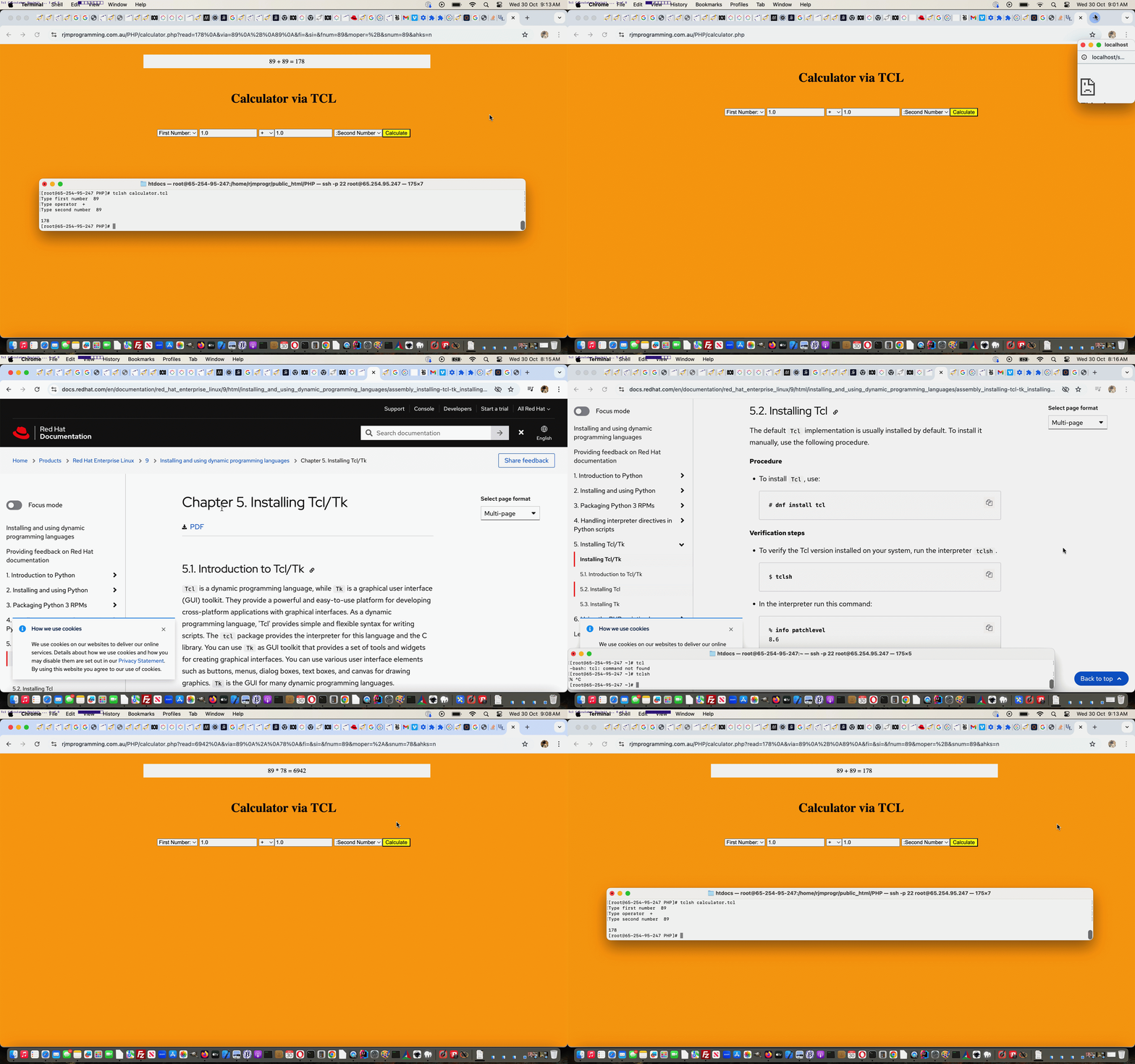
We’re just touching on tcl ideas today, revisiting Tcl and Javascript and PHP Calculator Tutorial‘s calculator web application. We had in there some code scouring any local web server systems you may have, and getting the localhost:8888 port arrangements wrong for our local MAMP Apache/PHP/MySql web server, and this was causing unnecessary issues, especially because “tclsh” works, for us, up at AlmaLinux. How can we tell? We took on the excellent advice of Installing Tcl/Tk, and tried …
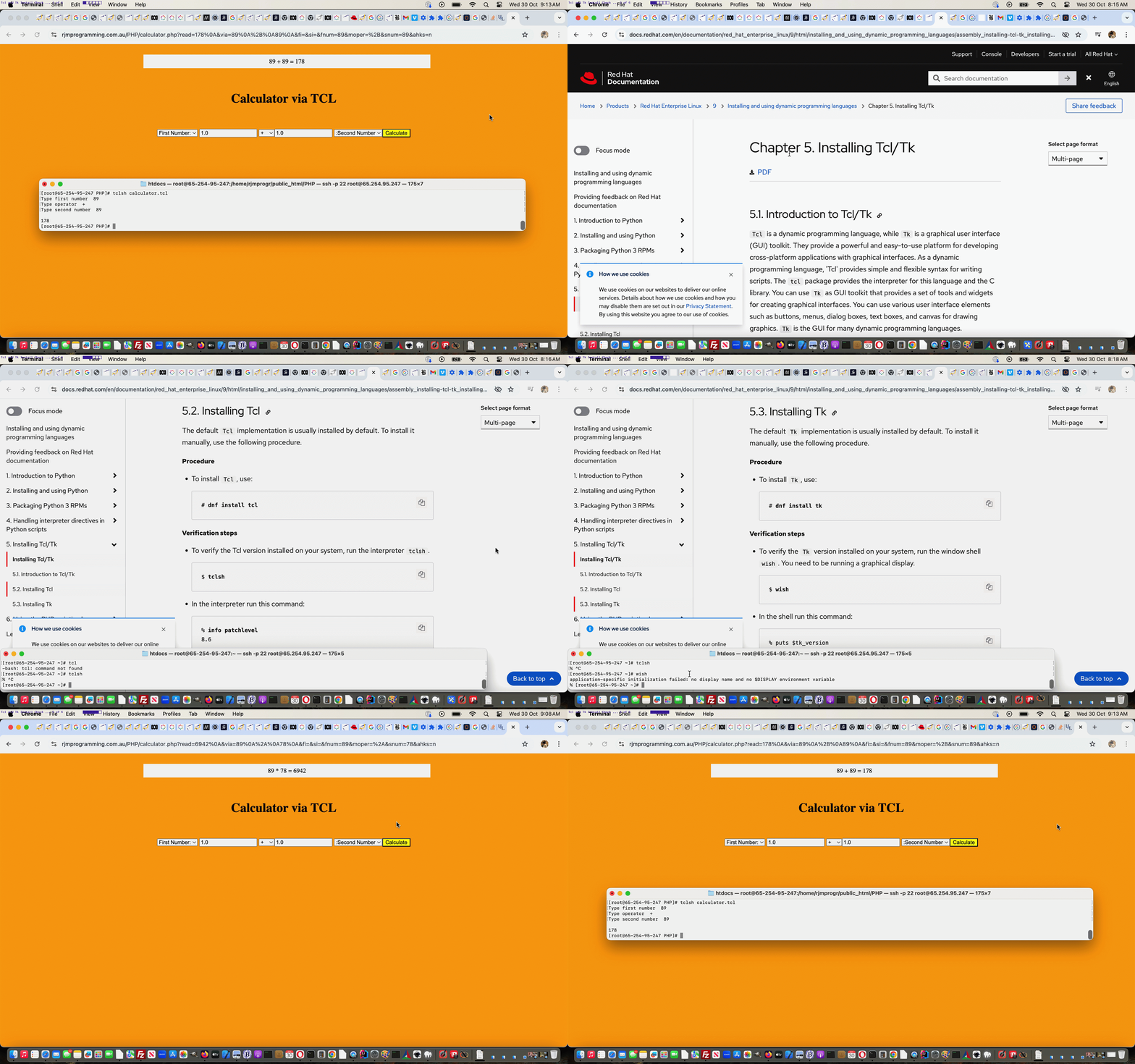
tclsh
… on the command line (and “exit” gets you out of it) with success. Yayyyyy!!! That’s tcl installed already, else we’d have gone dnf install tcl
That’s enough installing for today’s purposes, as we do not call on the tk GUI side of things for our calculator. But, to check on the install part to this, try …
wish
… on the command line, and check that there is a wishful response whether that be erroneous (as we were, so far, with AlmaLinux command line) or not, else we’d have gone dnf install tk
All that sorted, and we’re “good to go” with the changed calculator.php Calculator web application calling on our unchanged calculator.tcl TCL source code, as below …
Another woooorrrrlllldddd, perhaps?!
Previous relevant Tcl and Javascript and PHP Calculator Tutorial is shown below.
Tcl and Javascript and PHP Calculator Tutorial
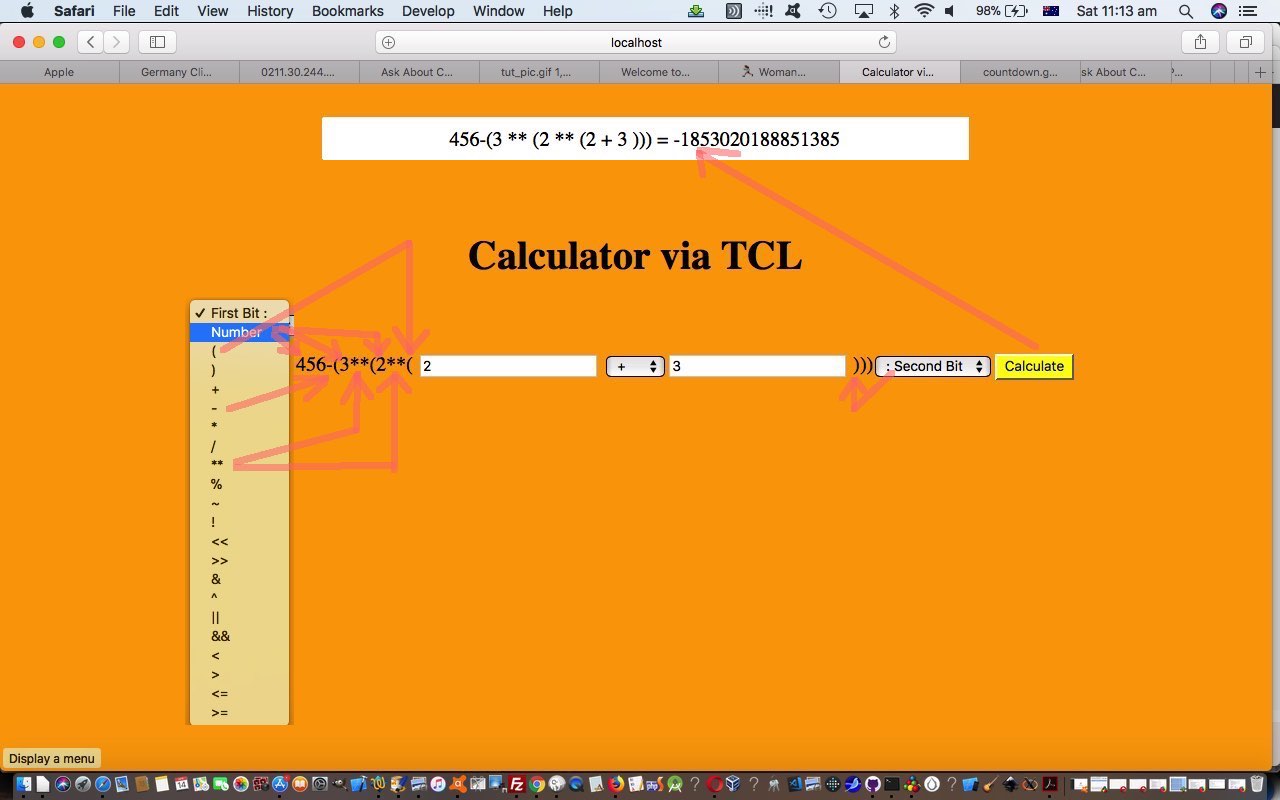
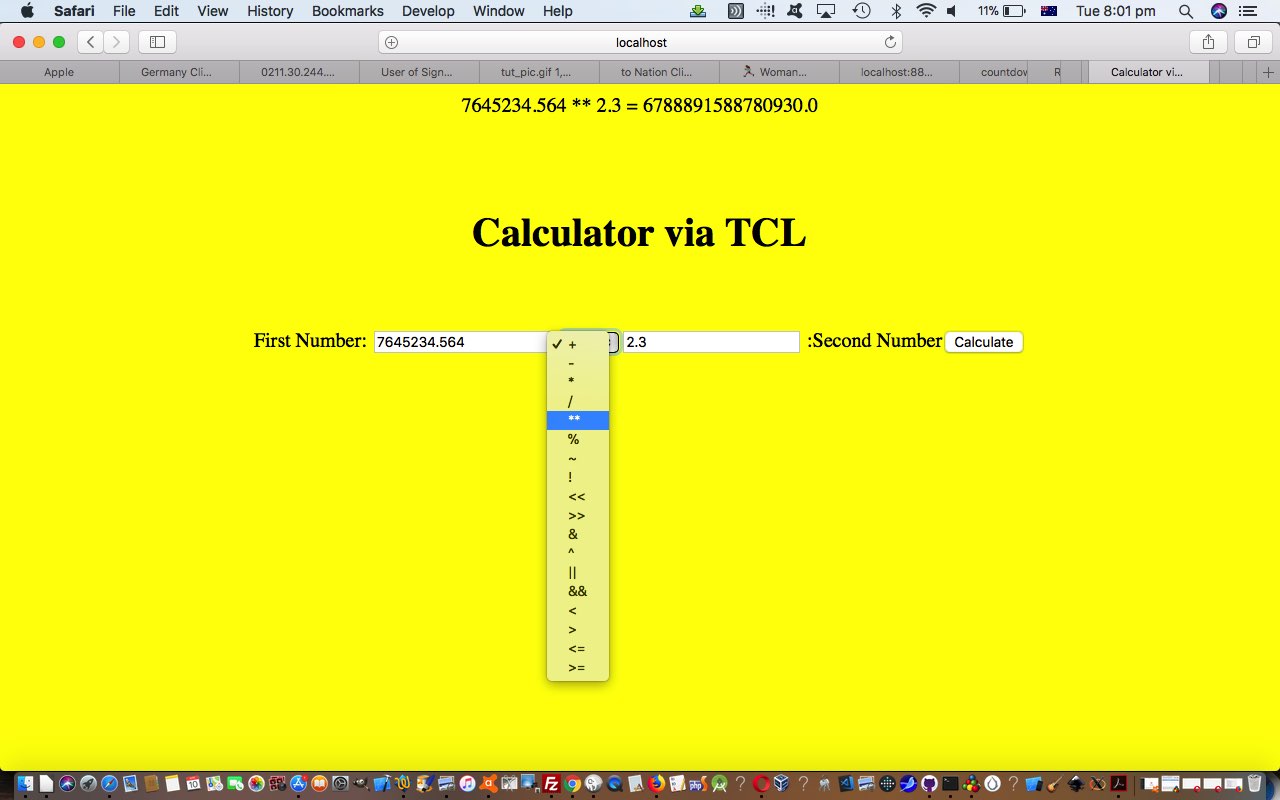
It’s a “blown mind” that has led me to involve Javascript to make the incarnation of our calculator of Tcl and PHP Calculator Tutorial allow for some round bracket functionality around the TCL (expr) “kernel” (sorry, Unix … my apologies LinusLinux). The nexus between what a user may enter, versus the hierarchy needs of TCL’s expr command just blew my mind, manperson!
So what did we turn to? Modernizing one’s thinking? We’re onto it? But we digress. Well, well.
We turned to Javascript’s eval function, not PHP’s eval, nor TCL’s eval version, thanks, but no thanks. Nevertheless … and didn’t you just know that “but” would be insulted by the paragraph above?! … use of Javascript eval (for round bracketing scenarios or operator hierarchy scenarios) is not the “cakewalk” that you may imagine. That is because …
6 ** 2 // in TCL "to the power of" operator syntax (which remains our web application display choice for the user) has ...

Math.pow(6, 2)  // Javascript equivalent (behind the scenes)
… so we need to cater for that possibility. The Javascript logic is called at the document.body onload event.
As we often do here, the “progression” of logic was to convert some “hardcoded” HTML text (specifically “First Number:” and “:Second Number”) into HTML select (dropdown) elements to the left and to the right (respectively) of the “TCL kernel”, with additional options for the round bracketing the user may want. These dropdowns move out to the edges of the webpage as they make room for user entered additions to the calculation complexity of what they want to calculate. The “Math.pow()” logic needed benefits from the event timing thoughts on the dropdown’s onchange event logic, otherwise you’d be doing that dreaded of all dreadeds, in many programmers’ worlds methinks, tracking back through entered “calculator equation” texts to discover when a numerical value becomes an operator, a horrible job when a minus sign can be either, for example. These same “horrible” programming tasks would have been at the fore to making a “TCL only backend solution” come to pass, we are sure, too.
Can you see from all this how well (clientside) Javascript works with (serverside) PHP? They are a very potent duo, because it is like two bites at the cherry, every time, with their different timings of the application of their logics.
The downloadable PHP source code calculator.php changed this way to achieve this extension of functionality still supervising an unchanged calculator.tcl TCL source code script, and here is a live run link for you to try this calculator for yourself.
Previous relevant Tcl and PHP Calculator Tutorial is shown below.
Tcl and PHP Calculator Tutorial
The Tcl and PHP Primer Tutorial was a foretaste to today’s calculator web application that …
- uses PHP as a frontend and (HTML) form navigation destination …
- connects to backend via PHP exec …
- uses TCL as backend … via …
exec("tclsh calculator.tcl < calculator.txt | tail -1 > calculator.out");
Crucial to the TCL’s backend role is TCL’s expr command, as a determinant regarding what today’s calculator is capable of.
Here is a link to some downloadable PHP source code calculator.php supervising calculator.tcl TCL source code, and here is a live run link.
Previous relevant Tcl and PHP Primer Tutorial … http://www.tcl.tk/software/tcltk/ is shown below.
Tcl and PHP Primer Tutorial ... http://www.tcl.tk/software/tcltk/
Have you heard of Tcl/Tk? Think maybe you could introduce yourself to it with Tcl/Tk So Brilliant (but where do you start?) Primer Tutorial as shown below.
The Tcl in Tcl/Tk refers to the scripting side of things, while the Tk is a GUI framework. On some (maybe lots) of Linux or unix web servers, such as the one for this domain here at www.rjmprogramming.com.au Tcl scripting is available and that means Tcl could be used by PHP, as a server side language to use the exec method to ask something of Tcl and get something back, half of which is the arrangement we’d like to have when feeding our babies.
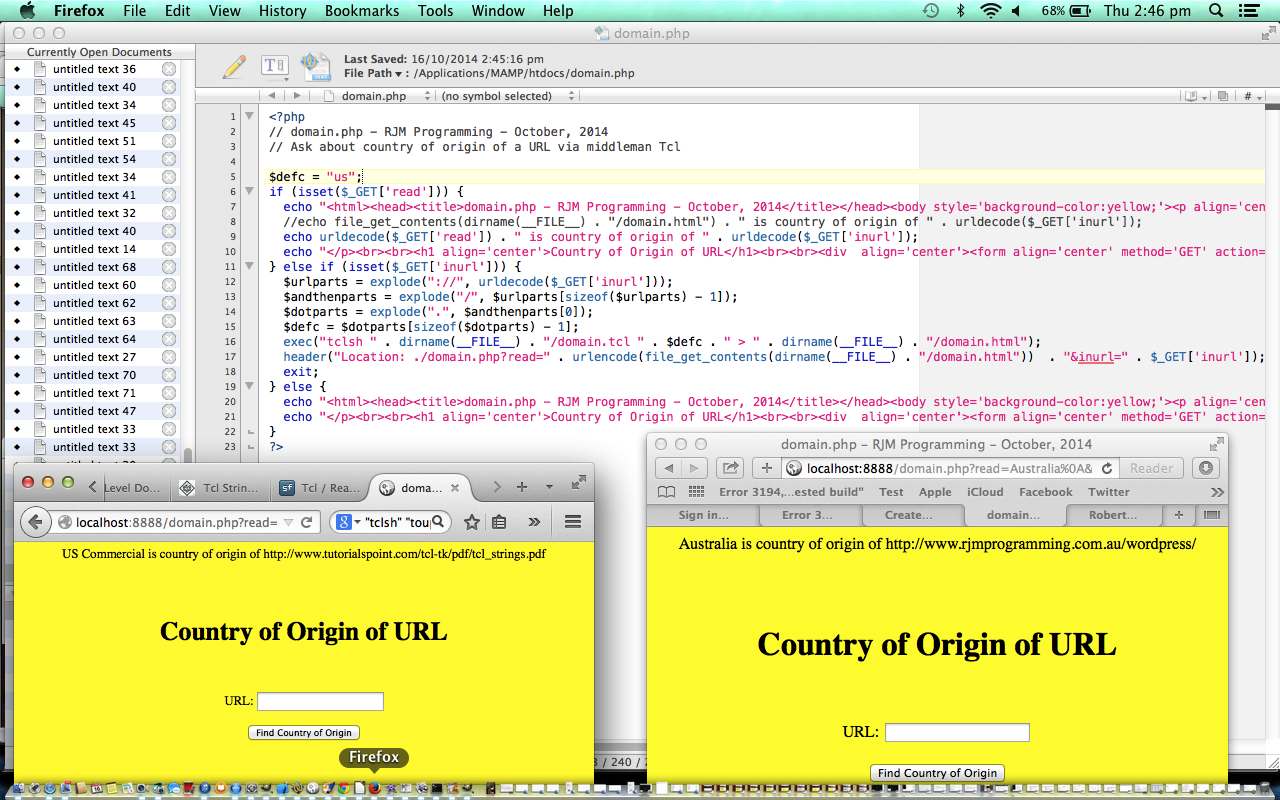
Today we write a webpage for finding the Country of Origin of a designated URL where PHP supervises Tcl:
- ask for a URL in PHP,
- send that to the same PHP with a different call …
- and use PHP exec method to send a Tcl commend line command to Tclsh and output this to a file known by the PHP,
- get the PHP to read the file of step 3. and send that information in a modified call of this same PHP,
- write out the Tcl based findings to the webpage in PHP,
- ask for a URL in PHP
Here is a link to some downloadable PHP source code domain.php supervising domain.tcl TCL source code, and here is a live run link.
Thanks to:
- Flow control in Tcl
- [tcsh] $argv loses quotes, messes argument grouping up
- Using Variables in Associative Arrays
- Quoting and Command-Line Parameters
- Exploring Expect: A Tcl-based Toolkit for Automating Interactive Programs
- Split a string into a proper Tcl list
- Country code top-level domain
- Top Level Domain Names and Country Codes
- Tcl – Strings
Previous relevant Tcl/Tk So Brilliant (but where do you start?) Primer Tutorial is shown below.
Tcl/Tk So Brilliant (but where do you start?) Primer Tutorial ... http://www.tcl.tk/software/tcltk/
Have you heard of Tcl/Tk?
Tcl/Tk is open source (based on a BSD-style license), so you can use it and modify it virtually any way you want, including for commercial uses.
With Tcl/Tk have used in conjunction with C++ and Python (look out for Tkinter).
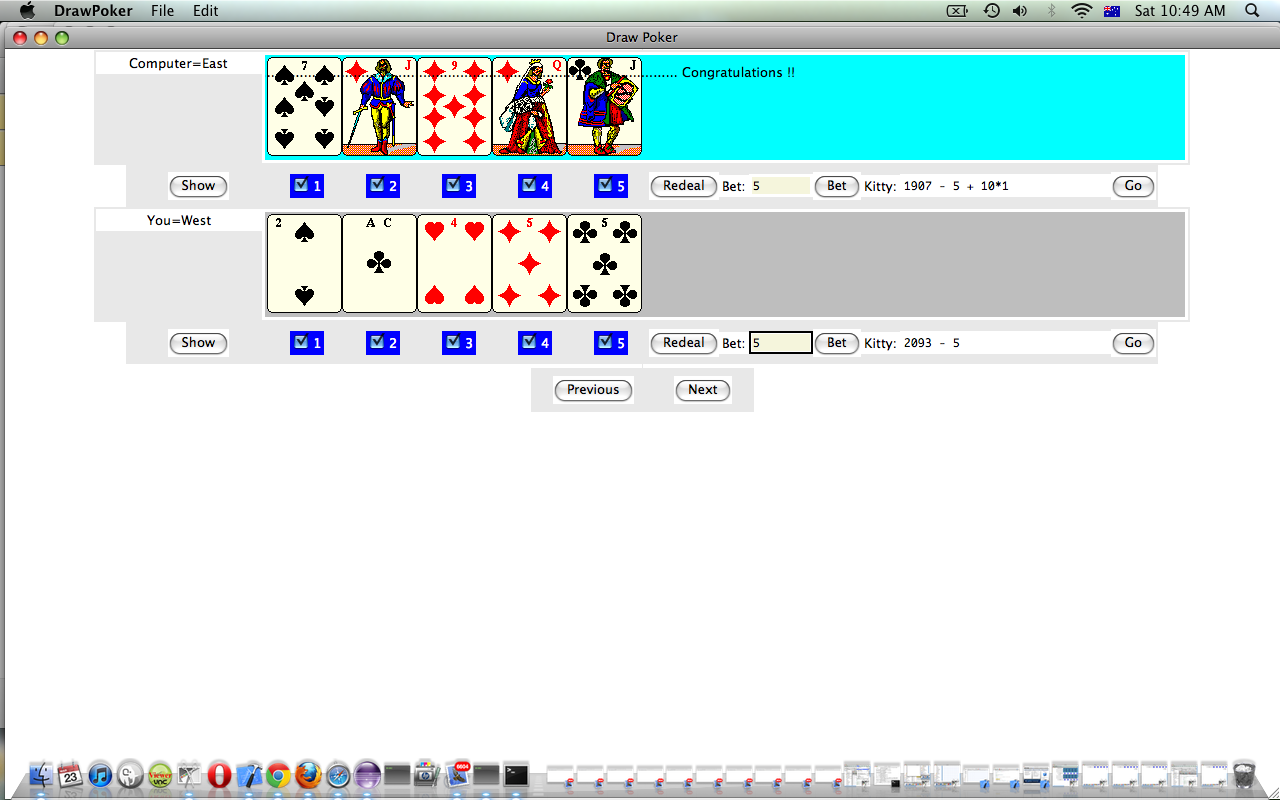
Use it for Games Programming (it makes pretty cute GUIs … you may disagree?!) and it used to work back at Mac OS X 10.5.8/XCode 3.0 (am going to try Mac OS X 10.7.5 … any advice anywhere?) and had it going on Windows XP with Visual Studio Express as well. It has a lot of cross-platform strengths.
Think Tcl/Tk is really really good.
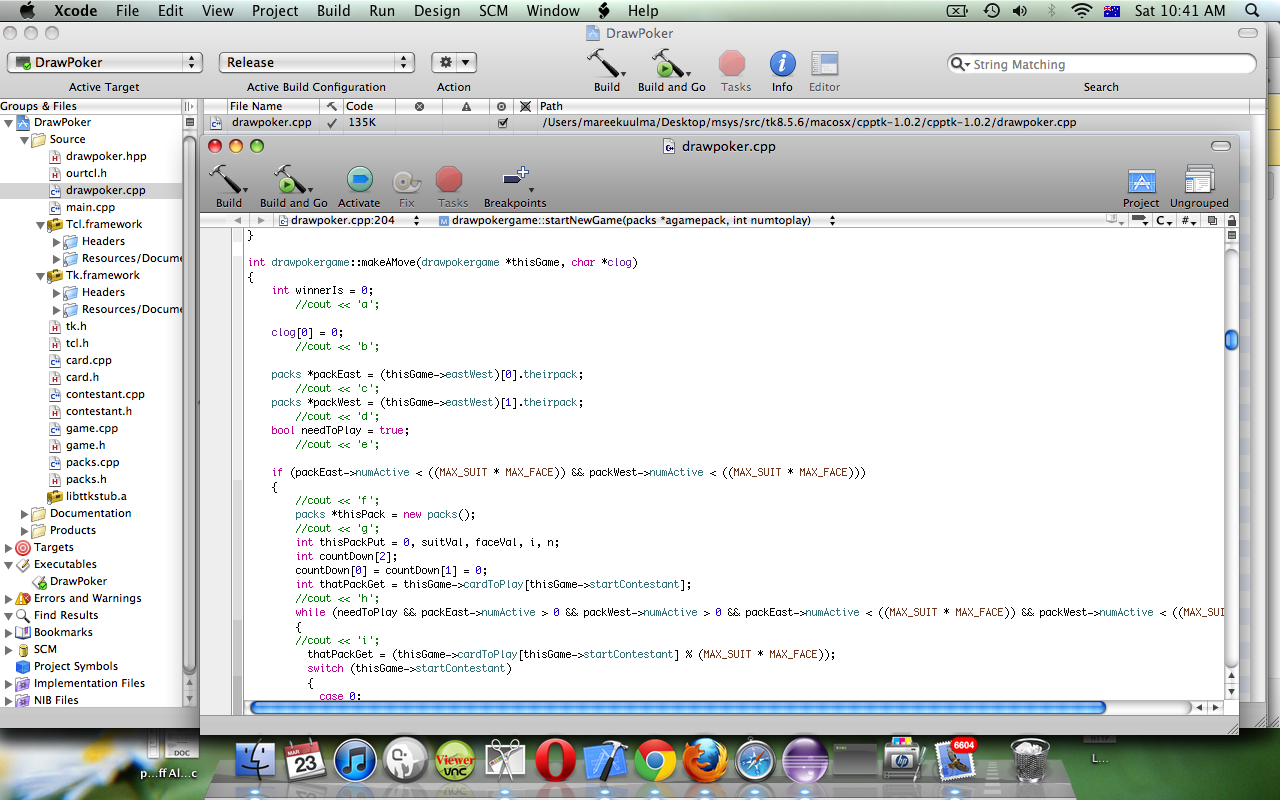
In this primer tutorial you can see a Draw Poker game as an XCode project, see it Build and in action, then see how to arrange for *.dmg Package Distribution via Package Manager.
Link to Tcl/Tk website … Home of Tcl/Tk … where quote up the top resides
Link to Tcl/Tk jobs done … Tcl/Tk jobs done … personal experience
If this was interesting you may be interested in this too.
If this was interesting you may be interested in this too.
If this was interesting you may be interested in this too.
If this was interesting you may be interested in this too.
If this was interesting you may be interested in this too.
If this was interesting you may be interested in this too.




I like the single-row radio-play approach for keeping the controls compact while still making each selection clear. When I’m checking a calculation alongside a tutorial, I use StepStat to see the intermediate steps; how do you handle the layout when the playlist gets much longer?