
Journal Primer Tutorial
It’s a new project day …. yay!!!
It’s a candidate for shortest blog posting title hereabouts day …. yay!!!
And so, with the brevity, we must explain that PHP serverside language is needed here, because writing to the RJM Programming web server, into files, is required for this project. If you do not like brevity though, we can toggle the title for you here!?
Am sure our vagueness about any differences between a personal “journal” and a personal “diary” may grate on some … and all because you asked for it!?
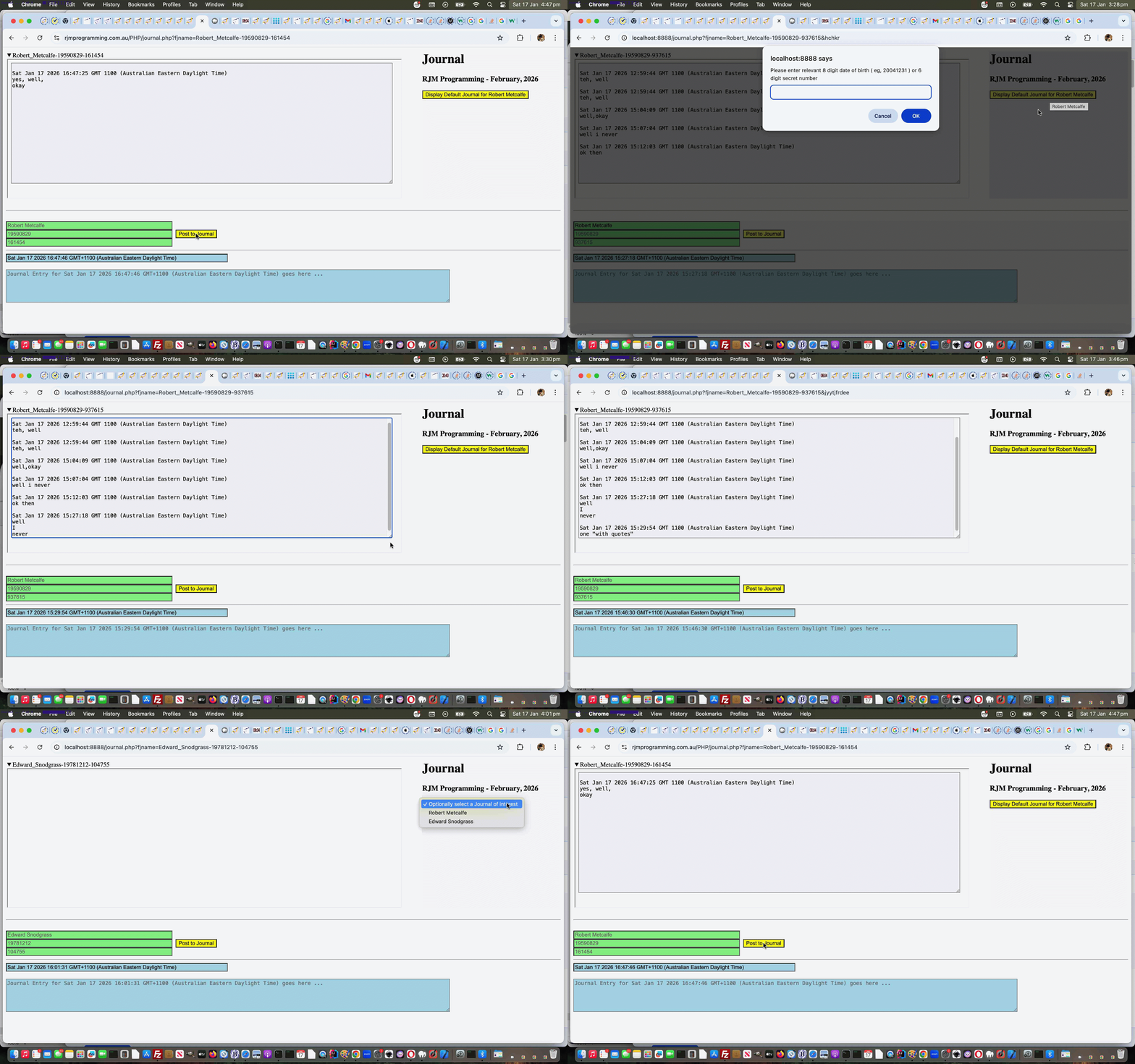
Anyway, the concept is …
- Identification …
- user enters their name
- user enters their 8 digit date of birth ( eg. 20041231 ) … then to round off on the “identification section” if you will the web application assigns a …
- 6 digit secret number
- Posting …
- web application assigns a default Journal Entry timestamp … you can change along with a textarea means of entering that time snapshot’s …
- journal entry content … so far just text and 5000 character limit on this first draft
- user clicks/taps the “Post to Journal” button to display the latest Journal version to the top left above
- Recounting …
- even just completing an Identification that will be remembered as a button or dropdown displayed to the right for the user refiring up the Journal web application indicates a name of relevance onto which a click/tap/selection brings about …
- a validation of either the 8 digit date of birth or 6 digit secret number … allowing access and display to the relevant Journal at the top left of the web application … or if you know the Journal filename … for example …
- https://www.rjmprogramming.com.au/PHP/journal.php?fjname=Robert_Metcalfe-19590829-161454# which can be Bookmarked or be added to Favourites in your web browser
Pretty straightforward in concept, but the security aspects to protect data privacy, add to the complication somewhat in the journal.php PHP Journal web application you can try yourself.
If this was interesting you may be interested in this too.

