
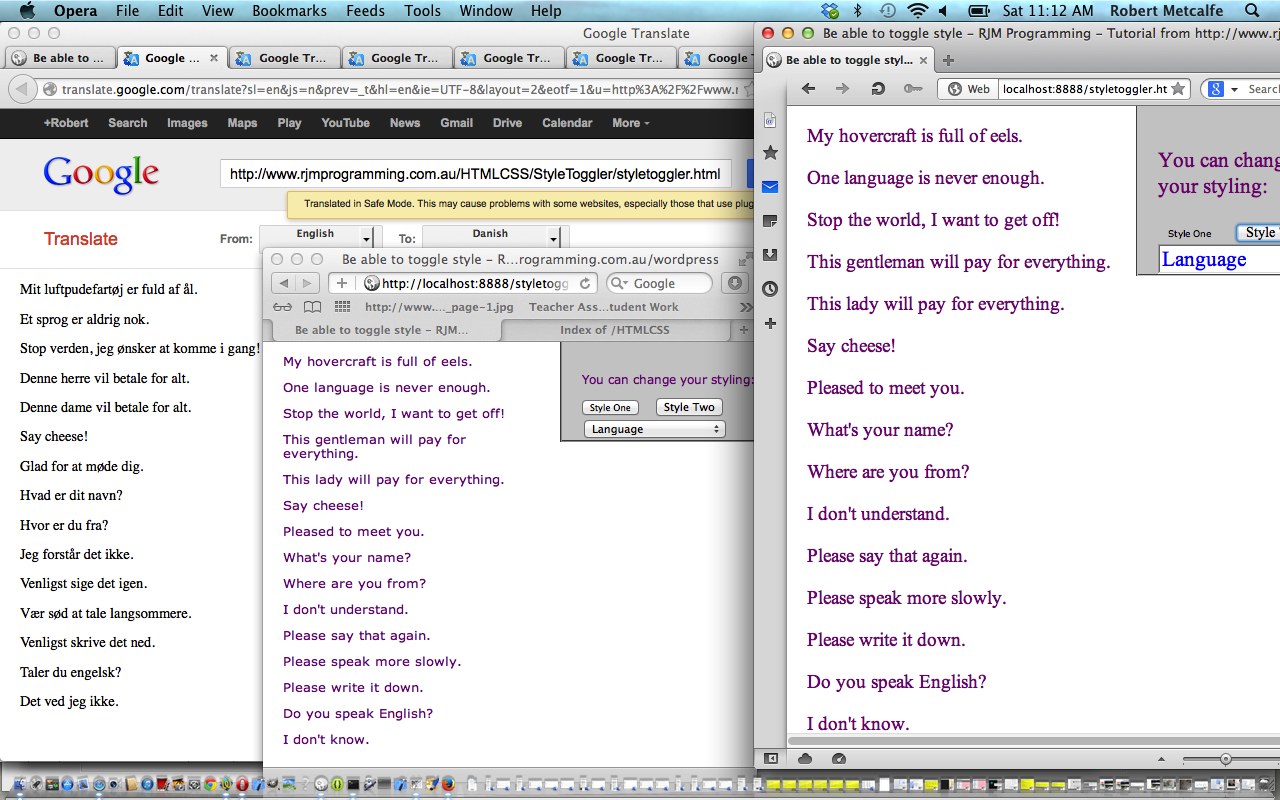
JavaScript Stylesheet Toggler Tutorial
JavaScript DOM programming is very useful, and today it is used to toggle the CSS stylesheet styling without leaving the webpage you are on by using a <form action=”#”> type of arrangement (though we don’t reach the action with this tutorial, we just respond to an HTML button onclick event, which never causes us to leave the webpage we are on … bit like Ajax … JavaScript DOM can do a lot of Ajaxy feeling things minus the server side bits PHP, for example, can enhance your table with, when using Ajax).
This tutorial touches on cross-browser issues, and this can get quite complex sometimes. It is not only the number of browsers but their versions that sometimes come into play in HTML/JavaScript/CSS work. Sometimes it is best if there are two choices in ways to do it that end with the same result, to pick the one that is less likely to be testing the boundaries of cross-browser functionality thoughts. This may involve thinking dumb … something moi has mastered over a very loooooong time … sun go up, sun go down many many many many many times kemosabi.
One of the most everchanging cross-browser issues involves the handling of the onclick event of an HTML button, and for this tutorial we liked the advice of this other tutorial (especially the advice of John … thanks). Other than that, which is like liquid gold, the solid gold advice came from “JavaScript & Ajax” seventh edition by Tom Negrino and Dori Smith.
Here is a link to some downloadable HTML/JavaScript programming source code that you could rename to styletoggler.html
Here is a link to some downloadable CSS stylesheet (one) code that you could rename to styleone.css
Here is a link to some downloadable CSS stylesheet (two) code that you could rename to styletwo.css
Yes … well.
Did you know …
JavaScript makes a great easy-access Calculator?
Try typing the lines below into the address bar of your favourite browser:
Javascript: eval(512 / 380);
Javascript: eval(512 * 380);
Javascript: eval(512 – 380);
Javascript: eval(512 + 380);
Javascript: eval(512 % 380);
These days we spend so much time on the Internet it is a much quicker way to get to a calculator!
If this was interesting you may be interested in this too.




The distinction between course-driven and immersion-driven learning is useful. A small extension to the australia.htm exercise would be a set of named map markers and a text filter: first update the visible markers on an input event, then add a collected/uncollected toggle, and finally persist only that toggle state in localStorage. That gives beginners a concrete reason to learn arrays, DOM updates and browser storage without needing PHP or MySQL first. It is also worth testing empty searches, a page reload and disabled storage separately; those are different failure cases. Disclosure: we maintain the GTA 6 interactive map. I am suggesting it as an example of a map-and-progress interface, not claiming that we used the tutorial code. Would you introduce persistence after the first working interaction, or keep the initial exercise entirely stateless?