
Emulating Android on macOS Revisit Tutorial
Yes, we did once own an Android mobile device as Voicemail Disabling on Android Primer Tutorial can attest to below. But we haven’t had one, physically like this, functional, for some time now.
We primarily work on macOS with this MacBook Air and with an iOS iPhone and/or iPad. We know from mobile work in the past, that does not mean you do not have available to you options to …
Emulate an Android mobile device
… via two macOS IDE ideas we can think of, those being …
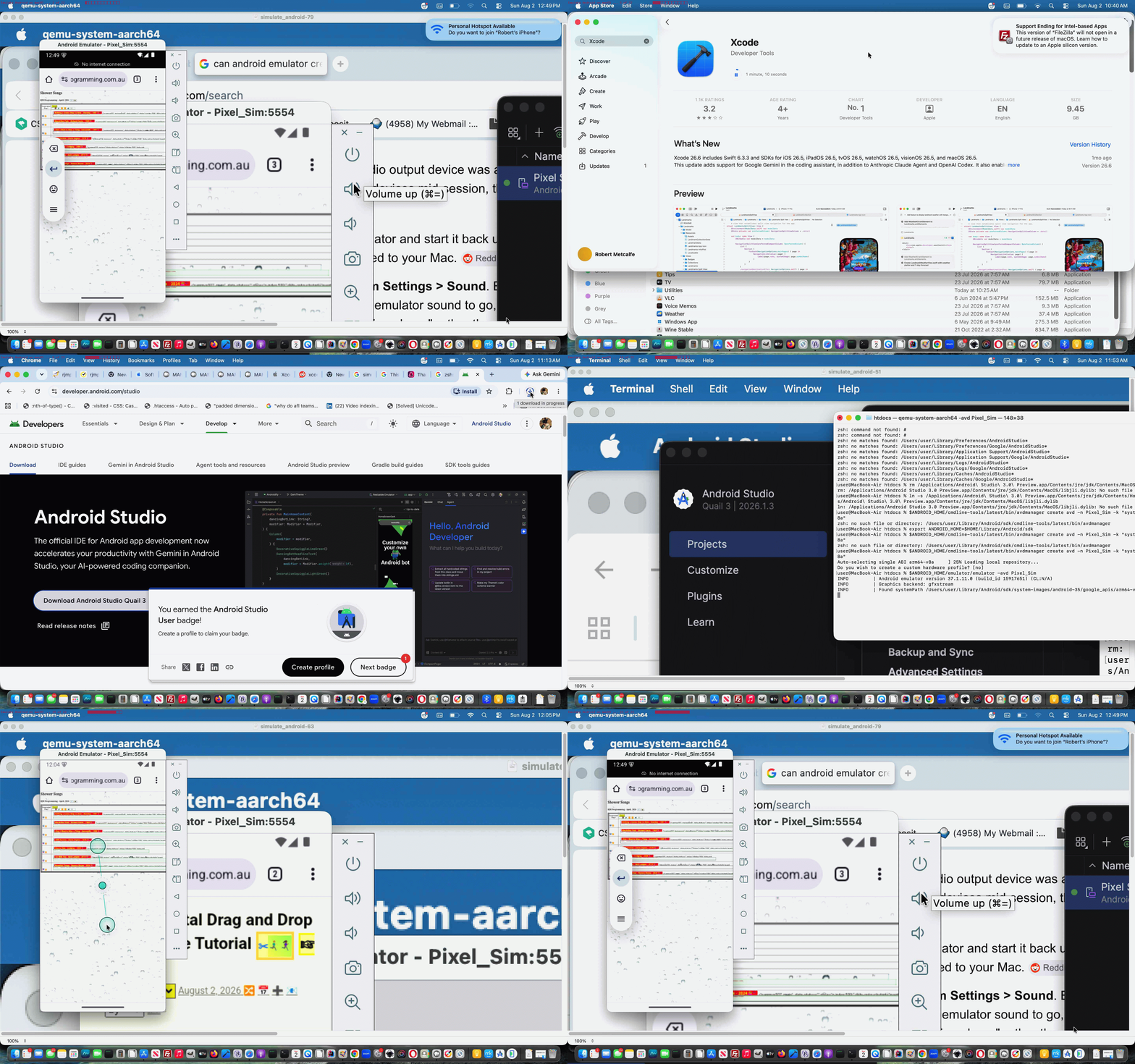
… and, we’re sure, there’d be others out there. We ended up, regarding today’s resurrection of such emulations, a successful Android Studio (Java basis) -> Device Manager -> Pixel Sim emulation, curious to catch up on what needed tweaking “aesthetics wise”.
And so, warts and all, we show you via today’s animated GIF presentation a catch up, involving an upgrade from macOS Sequoia 15 to macOS Tahoe 26.6 to allow Xcode 26.? be installed (and the Xcode 26.6 we installed may need a relook here, regarding it’s “curbing of enthusiasm” stance so far).
This simulate android phone on macos without xcode simulators great link, thanks, was the basis for our hope, and though it didn’t all go smoothly, persevering with it’s excellent basis was worth it …
AI Overview
You can run an official Android emulator on macOS without Android Studio by installing the standalone command-line tools and Java via Homebrew.Install PrerequisitesOpen your terminal and install a Java JDK and the minimal command-line tools usingHomebrew:
bash
brew install –cask temurin
brew install –cask android-commandlinetools
brew install –cask android-platform-toolsUse code with caution.
Setup and Run the EmulatorDownload Components: Use sdkmanager to download the emulator, platform tools, and a system image (e.g., ARM64 for Apple Silicon):
bash
mkdir -p ~/Library/Android/sdk
yes | sdkmanager –sdk_root=$HOME/Library/Android/sdk –licenses
sdkmanager –sdk_root=$HOME/Library/Android/sdk “emulator” “platform-tools” “system-images;android-35;google_apis;arm64-v8a”Use code with caution.
Create & Launch AVD:
Create the virtual device and start it via the terminal:
bash
export ANDROID_HOME=$HOME/Library/Android/sdk
$ANDROID_HOME/cmdline-tools/latest/bin/avdmanager create avd -n Pixel_Sim -k “system-images;android-35;google_apis;arm64-v8a”
$ANDROID_HOME/emulator/emulator -avd Pixel_Sim
Use code with caution.
… as many battles with installs are, especially with the “not nearly so scary” online advice you can get out there these days.
Previous relevant Voicemail Disabling on Android Primer Tutorial is shown below.
Voicemail Disabling on Android Primer Tutorial
Was shocked the other day hearing of the prediction that eventually Voicemail will fadeaway as a communication tool. Nevertheless, it can irk, and know a student who feels like this with Voicemail on their Android mobile phone.
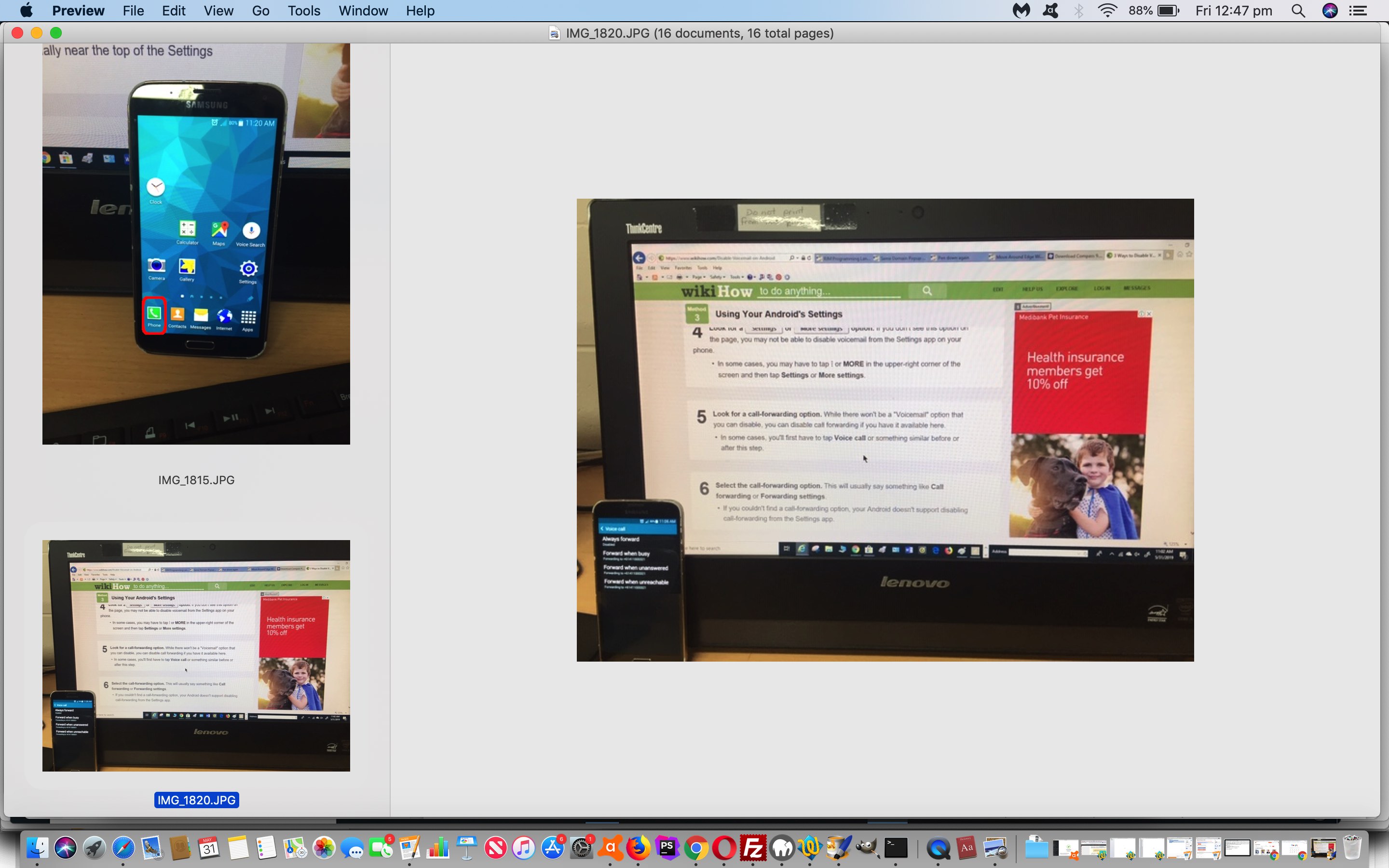
So we looked into disabling it, and found the third suggestion of three on How to Disable Voicemail on Android‘s “Method 3: Using your Android’s Settings” just the ticket.
For the curious, other methods here involved third-party software, but we’ve always preferred bare bones suggestions when they sound just as good (“the best things in life are free”), if not better … so … we did the suggested steps of this procedure successfully on the student’s Android mobile phone. Along the way we photographed the steps involved (on my iPhone) to make today’s stream of consciousness PDF presentation for your viewing, appraisal, filtering, mulling, obfuscating, “what Hamlet did”, reading and perhaps even applying?! In a single sentence we could advise “tap the Phone app” and “look for Settings option off the three dots menu” and proceed deep into the menu system looking for “Call Forwarding settings” and once there, “disabling” (a lot, and everywhere).
Did you know?
For all those horrified at the prospect (of disabling Voicemail) … you still end up with notifications of missed calls in the sense that the look of the Phone app icon on the desktop of your Android phone, even doing away with Voicemail. It will show up the top right of its icon as a ringed number (of, now, only, missed calls).
If this was interesting you may be interested in this too.
If this was interesting you may be interested in this too.




I like the single-row radio-play approach for keeping the controls compact while still making each selection clear. When I’m checking a calculation alongside a tutorial, I use StepStat to see the intermediate steps; how do you handle the layout when the playlist gets much longer?