
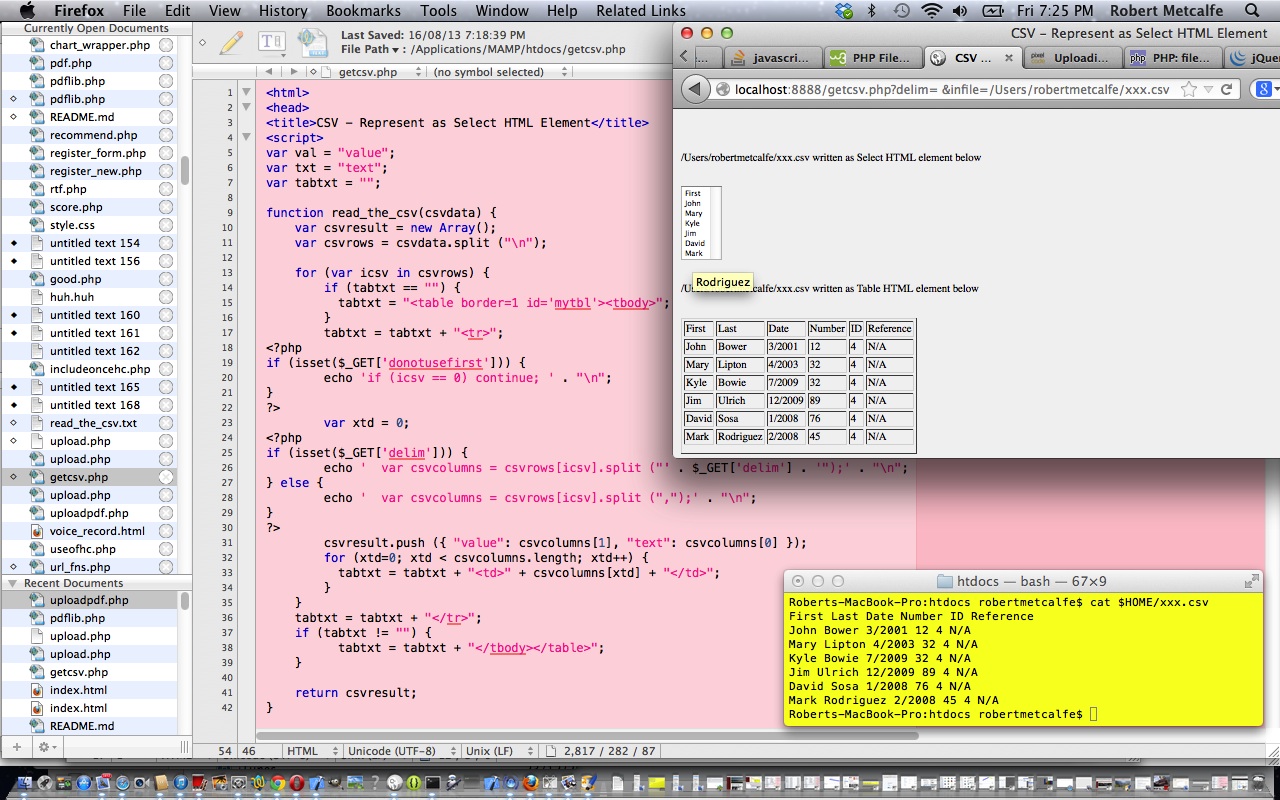
CSV Read to HTML via PHP Primer Tutorial
Welcome to the CSV Read to HTML via PHP Primer Tutorial.
Here is a link to some downloadable PHP programming source code which you might like to rename to getcsv.php
A related topic which could extend or augment this tutorial is about uploading files, which we will discuss at another time.
Here we take the first two columns as data to create an HTML Select tag. At the same time we collect into a global Javascript variable all the column data into the HTML required to create a Table element.
The CSV import technique is to use PHP’s file_get_contents() function, which you can read about here.
This other tutorial was inspirational for the construction of this posting, so, thanks.
If this was interesting you may be interested in this too.




I like the single-row radio-play approach for keeping the controls compact while still making each selection clear. When I’m checking a calculation alongside a tutorial, I use StepStat to see the intermediate steps; how do you handle the layout when the playlist gets much longer?