C# TreeView Primer Tutorial
C# using Visual Studio is a great language to learn. If you like C# you may eventually like VB.Net, and vice versa. It has sophisticated data structures, can be Object Oriented and makes great Windows desktop applications or can be the code behind an ASP.Net website or web application.
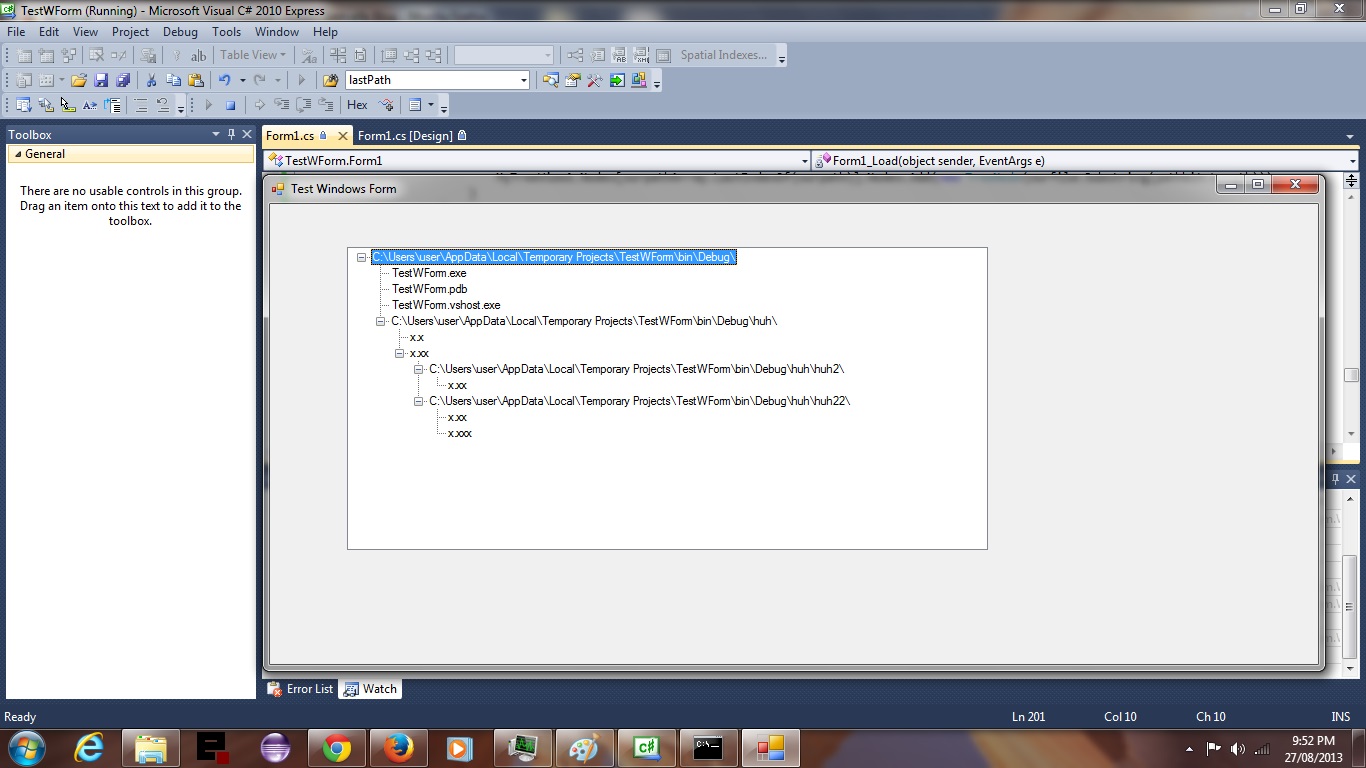
C# and VB.Net have great GUI support of many interesting Windows Form ToolBox components, and for this tutorial we examine a TreeView ToolBox component. When thinking of a tree we often think of the root system and end with thoughts of the branches, and so it is here we think of the applications current Operating System directory as the “root” directory and work our way out to the branches and populate the TreeView as we go.
Hope you enjoy the tutorial.
Here is some downloadable C# programming source code which you might want to rename to Form1.cs
If this was interesting you may be interested in this too.




A fascinating technical exploration of video commentary timing and SubRip subtitle synchronization. In modern video pipelines, harmonizing visual frame duration with voiceover cadence is often where most editing effort goes. Seeing the programmatic breakdown of timestamped collaboration adds wonderful depth to media preparation tutorials. Excellent technical insight.