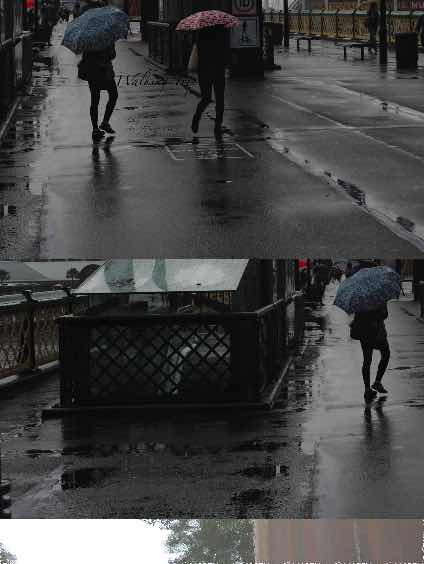

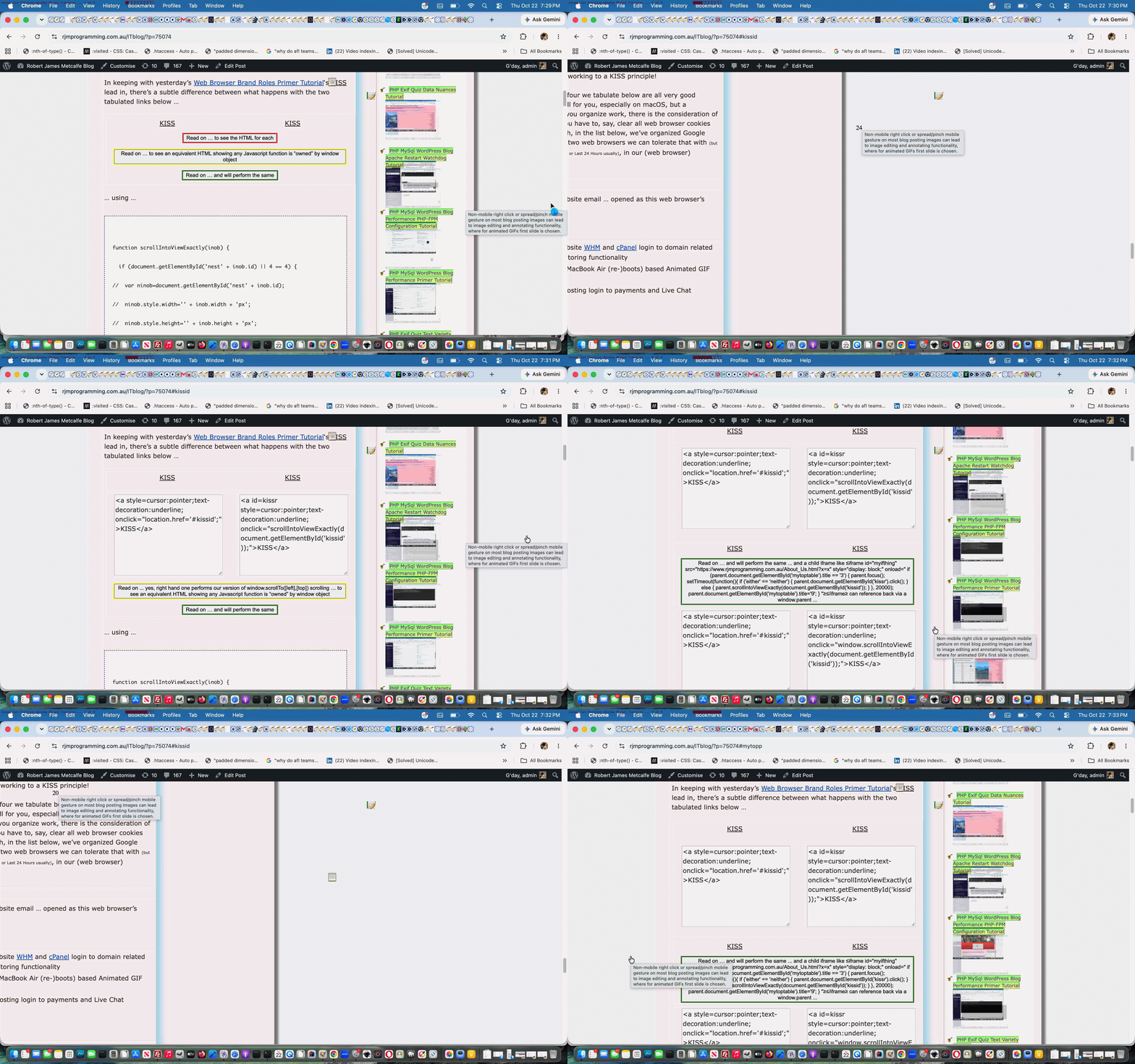
Walking Trip …

Walking Trip

Walking Trip

Offenbach's Suite ... Warts 'n All

Offenbach's Suite ... Warts 'n All

 📅  

If this was interesting you may be interested in this too.
Posted in Photography, Trips | Tagged , , | 34 Comments

Image Found Javascript Animation via PHP Tutorial

Image Found Javascript Animation via PHP Tutorial

Image Found Javascript Animation via PHP Tutorial

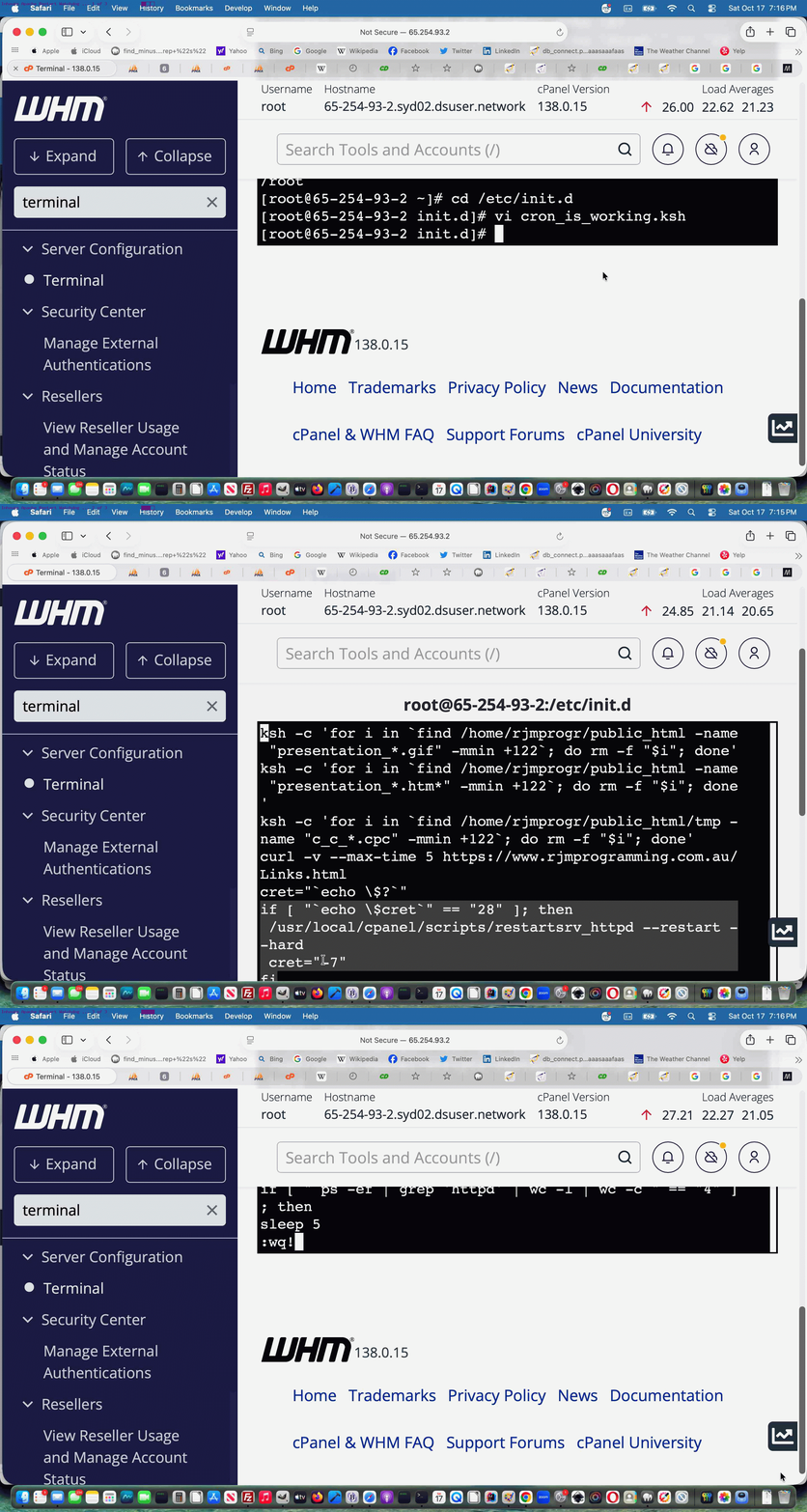
Yesterday’s Image Found Javascript Animation Tutorial‘s …

  • “first draft” effort at Image Found Javascript Animation was unhinged, in the sense that a popup window open via window.open had a nothing first parameter value … and though we cannot resist using this methodology on occasions … onewe should expect the worst in the “flaky” stakes … where we found the Javascript DOM sort of “petering out” on occasions … but …
  • never mind, some of that “first draft” logic becomes useful to form a PHP coded first parameter to window.open scenario … begging the question …

    Why PHP?

    … rather than HTML/Javascript/CSS … so please believe us when we say “we’re not being obtuse” and “we’re not just complicating things and would just use HTML/Javascript/CSS if totally apt” but actually allowing for future expansion of the project, because you see, PHP, only (at least at our web server), can handle all three navigation input conduits …

    1. get arguments on address bar URL via ? and & … and/or …
    2. location.hash hashtagging data (a lot of which can be handled, more so than the get arguments can handle) … and/or, finally, and only a serverside language like PHP can handle (MAMP anyone?) (but we are not accessing … yet) …
    3. post arguments via an HTML form method=POST or some Ajax FormData object means (where a lot of data can be handled, a lot more than the get arguments can handle)

Popup windows with a defined first parameter on the same domain should work with …

  • window.opener back references … including using window.opener function calls … while if it is HTML iframe elements you’re using (possible with a tailored iframe name window.open second parameter) …
  • window.parent back references … including using window.parent function calls

… and the DOM work is definitely less “flaky” using this new architecture to our solution new via a “first draft” images_fpund.php now called by the WordPress Blog TwentyTen theme’s good ol’ header.php …

<?php echo ”

function altan(spano) {
var jsis='', spval='', duris=0;;
var alcont='Future animation work will animate list to follow ... ', coma='';
if (altanima.length > 0) {
for (var ibn=0; ibn<altanima.length; ibn++) {
alcont+=coma + altanima[ibn];
coma=',';
spval+=' ';
duris+=8;
}
// Thanks to https://stackoverflow.com/questions/15945288/animating-progress-bars-with-css

var htbit='<img id=icursl style=object-fit:contain; src=' + altanima[0] + '></img><div class="meter"><span style="width:95%;"><span class="progress"></span></span></div>';
var stbit=" .meter { margin-top:95px; " + String.fromCharCode(10) + " height: 5px; " + String.fromCharCode(10) + " position: relative; " + String.fromCharCode(10) + " background: #f3efe6; " + String.fromCharCode(10) + " overflow: hidden; " + String.fromCharCode(10) + " } " + String.fromCharCode(10) + " " + String.fromCharCode(10) + " .meter span { " + String.fromCharCode(10) + " display: block; " + String.fromCharCode(10) + " height: 100%; " + String.fromCharCode(10) + " } " + String.fromCharCode(10) + " " + String.fromCharCode(10) + " .progress { " + String.fromCharCode(10) + " background-color: #e4c465; " + String.fromCharCode(10) + " animation: progressBar " + duris + "s ease-in-out infinite; " + String.fromCharCode(10) + " animation-fill-mode:both; " + String.fromCharCode(10) + " } " + String.fromCharCode(10) + " " + String.fromCharCode(10) + " @keyframes progressBar { " + String.fromCharCode(10) + " 0% { width: 0; } " + String.fromCharCode(10) + " 100% { width: 100%; } " + String.fromCharCode(10) + "} ";
if (6 == 6) {
jsis=" var initval='" + spval + "'; " + String.fromCharCode(10) + " var ial=1; " + String.fromCharCode(10) + " var alcont='" + alcont.split(' to follow ... ')[1] + "'; " + String.fromCharCode(10) + " var alconta=alcont.split(','); " + String.fromCharCode(10) + " var jal=" + alcont.split(' to follow ... ')[1].split(',').length + '; ' + String.fromCharCode(10);
jsis+=String.fromCharCode(10) + " function animateit() { if (ial < jal) { document.getElementById('icursl').src=alconta[ial]; document.getElementById('xbody').style.background='url(' + alconta[ial] + ')'; } else { ial=0; window.location.reload(); document.getElementById('icursl').src=alconta[ial]; document.getElementById('xbody').style.background='url(' + alconta[ial] + ')'; } ial++; setTimeout(animateit,8000); } ";
if (4 == 4) {
wooow=window.open('/PHP/images_found.php?duration=0&ftitle=' + encodeURIComponent(altanimtitlea[0] + ' ' + altanimdura[0] + ' ' + altanimpida[0] + ' ' + altanimcttca[0]) + '&rand=' + Math.floor(Math.random() * 1989767) + '#' + encodeURIComponent(alcont.split('Future animation work will animate list to follow ... ')[1]),'_blank','top=' + eval(-800 + screen.height) + ',left=' + eval(-900 + screen.width) + ',width=900,height=800');
wooow.document.title='Showing images of ' + altanimtitlea[0] + ' thread ... click for blog, double click for web application ...'; // 1 of ' + alcont.split(' to follow ... ')[1].split(',').length;
} else {

wooow=window.open('','_blank','top=50,left=50,width=800,height=800');
wooow.document.write('<html><head><style> ' + stbit + ' #xbody { background:URL(' + altanima[0] + '); background-repeat:no-repeat; background-size:contain; } </style><scr' + 'ipt type=text/javascript> ' + jsis + ' </scr' + 'ipt></head><body onload=setTimeout(animateit,8000); id=xbody style=width:100%;height:100%>' + htbit + '</body></html>');
wooow.document.title='Showing images of tutorial thread ...'; // 1 of ' + alcont.split(' to follow ... ')[1].split(',').length;
}
} else {
alert(alcont);
}
}
}

“; ?>

It’s not all “moving sideways” here. We now get past “flakiness” enough to start mentioning thread blog posting titles and add onclick (back to blog posting) and ondblclick (back to relevant web application related to blog posting) additional functionalities, as well as better progress bar work.


Previous relevant Image Found Javascript Animation Tutorial is shown below.

Image Found Javascript Animation Tutorial

Image Found Javascript Animation Tutorial

Huh?! What’s the big deal now finding the relevant WordPress Blog (that you are reading) blog posting tutorial picture?

How about a “glass half full” blast of thinking?

Still not convinced?

How about an intervention point for the loading of all blog posting tutorial pictures?

Still not convinced?

Because we say so.

Still not convinced?

Simon says so. And he’s no Silly Alec. More your Smart Alec … really. Besides Simon and Alec have formed a syndicate that says “yes” … like … definitely.

But the thing is, with the work the other day with it centred around HTML img element onerror event thinking when we presented Image Not Found Crontab Curl Issue Tutorial, while the “other side of the coin” (both showing “Alec”) is to also add to all blog posting tutorial picture HTML elements a new …


onload

… event set of logics, via good ol’ TwentyTen theme’s header.php’s

<?php

$post->post_content=str_replace(' style="border: 1' . '5px solid pink', ' onload="altanimation(this,this.id,this.src);" onerror="altunzipit(this,this.id,this.src);" style="border: 1' . '5px solid pink', $post->post_content);

?>

… calling into play the new Javascript (via PHP) …

<?php echo ”

var altanima=[];

function altanimation(imgo, imgoid, imgosrc) {
if (altanima.indexOf(imgosrc.replace('https:','').replace('http:','')) == -1) {
altanima.push(imgosrc.replace('https:','').replace('http:',''));
}

function storyimgreorder(spanthis) {
altan(spanthis);
}

function storyimgmember(inoh) {
if (inoh.indexOf('<span data-w=') == 0) { return true; }
if (inoh.indexOf('<details') == 0) { return true; }
if (inoh.indexOf('<div class="entry-content"') == 0) { return true; }
return false;
}

function altan(spano) {
var jsis='', spval='', duris=0;;
var alcont='Future animation work will animate list to follow ... ', coma='';
if (altanima.length > 0) {
for (var ibn=0; ibn<altanima.length; ibn++) {
alcont+=coma + altanima[ibn];
coma=',';
spval+=' ';
duris+=8;
}
// Thanks to https://stackoverflow.com/questions/15945288/animating-progress-bars-with-css
var htbit='<div class="meter"><span style="width:95%;"><span class="progress"></span></span></div>';
var stbit=" .meter { margin-top:95%; " + String.fromCharCode(10) + " height: 5px; " + String.fromCharCode(10) + " position: relative; " + String.fromCharCode(10) + " background: #f3efe6; " + String.fromCharCode(10) + " overflow: hidden; " + String.fromCharCode(10) + " } " + String.fromCharCode(10) + " " + String.fromCharCode(10) + " .meter span { " + String.fromCharCode(10) + " display: block; " + String.fromCharCode(10) + " height: 100%; " + String.fromCharCode(10) + " } " + String.fromCharCode(10) + " " + String.fromCharCode(10) + " .progress { " + String.fromCharCode(10) + " background-color: #e4c465; " + String.fromCharCode(10) + " animation: progressBar " + duris + "s ease-in-out infinite; " + String.fromCharCode(10) + " animation-fill-mode:both; " + String.fromCharCode(10) + " } " + String.fromCharCode(10) + " " + String.fromCharCode(10) + " @keyframes progressBar { " + String.fromCharCode(10) + " 0% { width: 0; } " + String.fromCharCode(10) + " 100% { width: 100%; } " + String.fromCharCode(10) + "} ";
if (6 == 6) {
jsis=" var initval='" + spval + "', ial=1, alcont='" + alcont.split(' to follow ... ')[1] + "', alconta=alcont.split(','), jal=" + alcont.split(' to follow ... ')[1].split(',').length + '; ' + String.fromCharCode(10);
jsis+=" function animateit() { if (ial < jal) { document.getElementById('xbody').style.background='url(' + alconta[ial] + ')'; } else { ial=0; window.location.reload(); document.getElementById('xbody').style.background='url(' + alconta[ial] + ')'; } ial++; setTimeout(animateit,8000); } ";
wooow=window.open('','_blank','top=50,left=50,width=800,height=800');
wooow.document.write('<html><head><style> ' + stbit + ' #xbody { background:URL(' + altanima[0] + '); background-repeat:no-repeat; background-size:contain; } </style><scr' + 'ipt type=text/javascript> ' + jsis + ' </scr' + 'ipt></head><body onload=setTimeout(animateit,8000); id=xbody style=width:100%;height:100%>' + htbit + '</body></html>');
wooow.document.title='Showing images of tutorial thread ...'; // 1 of ' + alcont.split(' to follow ... ')[1].split(',').length;
} else {
alert(alcont);
}
}
}


function is_mentioned_by() {
//rppspana=docgetclass("widget-title", "h3");
var altanm='';
var zspare,xspare,xxspare,ximb,xpspana=docgetclass("entry-title", "h2"); // search URL returns
var mbitis='';
for (ximb=0; ximb<xpspana.length; ximb++) {
xxspare=xpspana[ximb].innerHTML.replace('</a>','').split('>');
xspare=xxspare[eval(-1 + xxspare.length)];
zspare=xspare.toLowerCase().replace(String.fromCharCode(35), "").replace(".", "").replace(".", "").replace(".", "").replace("+", "").replace("+", "").replace("'", "").replace('%27','').replace(/\//g, "-").replace(/,/g, "").replace("---","-").replace("---","-").replace(/--/g,"-").replace(" ","-").replace(" ","-").replace(" ","-").replace(" ","-").replace(" ","-").replace(" ","-").replace(" ","-").replace(" ","-").replace(" ","-").replace(" ","-").replace(" ","-").replace(" ","-").replace(" ","-").replace(" ","-").replace('-apachephp','-apache-php-');
if (altanima.length > 0) {
mbitis=' data-w="0" data-h="0" data-st="0" data-style="-webkit-overflow-scrolling:touch;overflow:scroll;" data-done="" onclick=" if ((' + "''" + ' + event.target.id) == this.id || 1 == 1) { if (this.getAttribute(' + "'data-done'" + ').length == 0) { storyimgreorder(this); } else if (storyimgmember(event.target.outerHTML)) { this.style.zoom=1.0; storyimgresize(this).innerHTML=String.fromCodePoint(0x1F39E,0xFE0F); this.setAttribute(' + "'data-done',''" + '); window.scrollTo(0,this.getAttribute(' + "'data-st'" + ')); } } " data-title="Animate tutorial images to be ordered like a story ..." style="display:inline-block; text-decoration:none; cursor:pointer; background-color:rgba(255,155,55,0.3);" id="x' + zspare + '" ';
altanm='  <span ' + mbitis + ' title="Future animation tutorial image as slide functionality" data-onmousedown=altan(this); style=cursor:pointer;display:inline-block;>' + String.fromCodePoint(0x1F39E,0xFE0F) + '</span>';
}

if (document.body.innerHTML.indexOf('d' + zspare) == -1) {
xpspana[ximb].innerHTML+=' <div style="display:inline-block;border:3px solid rgba(255,165,0,0.4); background-color:rgba(255,255,0,0.3); " id=cc' + zspare + '><a target=_blank style="cursor:pointer;display:inline-block;text-decoration:none; font-size:12px;" ondblclick="dblrplatern(' + String.fromCharCode(39) + xspare + String.fromCharCode(39) + ');" ' + oncm + '"rcrplatern(' + String.fromCharCode(39) + xspare + String.fromCharCode(39) + ');" href=//www.rjmprogramming.com.au/slideshow.html?title=' + encodeURIComponent(xspare) + ' " title="Cut to the Chase ... double click ' + oncmt + ' for blog posting image involvement ... to (the gist of) ' + (xspare) + '" id=tcc' + zspare + '>✂</a><a target=_blank style="background: rgba(0,255,0,0.3); background: -webkit-linear-gradient(left top, rgba(0,255,0,0.3), rgba(255,255,0,0.3)); background: -o-linear-gradient(bottom right, rgba(0,255,0,0.3), rgba(255,255,0,0.3)); background: -moz-linear-gradient(bottom right, rgba(0,255,0,0.3), rgba(255,255,0,0.3)); background: linear-gradient(to bottom right, rgba(0,255,0,0.3), rgba(255,255,0,0.3)); cursor:pointer;display:inline-block;text-decoration:none;transform: scale(-1, 1); -o-transform: scale(-1, 1); -moz-transform: scale(-1, 1); -ms-transform: scale(-1, 1); -webkit-transform: scale(-1, 1); font-size:12px;" ondblclick="dblrplatern(' + String.fromCharCode(39) + xspare + String.fromCharCode(39) + ');" ' + oncm + '"rcrplatern(' + String.fromCharCode(39) + xspare + String.fromCharCode(39) + ');" href=//www.rjmprogramming.com.au/slideshow.html?title=' + encodeURIComponent(xspare) + ' " title="Cut to the Chase ... double click ' + oncmt + ' for blog posting image involvement ... to (the gist of) ' + (xspare) + '" id=ttcc' + zspare + '>🏃🏾‍♀️🏃🏼‍♂️</a><iframe style=display:none; id=icc' + zspare + ' src=></iframe></div>';
xpspana[ximb].innerHTML+=' <div style="display:inline; background-color:rgba(255,255,0,0.3);" id=d' + zspare + '><a style="cursor:pointer;display:inline;text-decoration:none; border:2px solid yellow;" onclick=" preresize_font(this); document.getElementById(this.id.replace(String.fromCharCode(116),String.fromCharCode(105))).src=' + "'" + '//www.rjmprogramming.com.au/PHP/is_mentioned_by.php?title=' + encodeURIComponent(xspare) + "'" + '; setTimeout(precheckclass,3000); " title="' + (xspare) + ' is mentioned by ..." id=t' + zspare + '>☞</a><iframe style=display:none; id=i' + zspare + ' src=></iframe></div>';
xpspana[ximb].innerHTML+=' <div data-w="0" data-h="0" data-st="0" data-style="-webkit-overflow-scrolling:touch;overflow:scroll;" data-done="" onclick=" if (' + "('' + " + 'event.target.id) == this.id || 1 == 1) { if (this.getAttribute(' + "'data-done'" + ').length == 0) { storyreorder(this); } else if (storymember(event.target.outerHTML)) { this.style.zoom=1.0; storyresize(this).innerHTML=' + "'📖'" + '; this.setAttribute(' + "'data-done',''" + '); window.scrollTo(0,this.getAttribute(' + "'data-st'" + ')); } } " title="Reorder thread blog postings to read like a story ..." style="display:inline-block; text-decoration:none; cursor:pointer; background-color:rgba(255,155,55,0.3);" id=r' + zspare + '>📖</div>' + altanm;
}
}
xpspana=docgetclass("entry-title", "h1"); // real blog postings
for (ximb=0; ximb<xpspana.length; ximb++) {
xxspare=xpspana[ximb].innerHTML.replace('</a>','').split('>');
xspare=xxspare[eval(-1 + xxspare.length)];
zspare=xspare.toLowerCase().replace(String.fromCharCode(35), "").replace(".", "").replace(".", "").replace(".", "").replace("+", "").replace("+", "").replace("'", "").replace('%27','').replace(/\//g, "-").replace(/,/g, "").replace("---","-").replace("---","-").replace(/--/g,"-").replace(" ","-").replace(" ","-").replace(" ","-").replace(" ","-").replace(" ","-").replace(" ","-").replace(" ","-").replace(" ","-").replace(" ","-").replace(" ","-").replace(" ","-").replace(" ","-").replace(" ","-").replace(" ","-");
if (document.body.innerHTML.indexOf('d' + zspare) == -1) {
xpspana[ximb].innerHTML+=' <div style="display:inline-block;border:3px solid rgba(255,165,0,0.4); background-color:rgba(255,255,0,0.3); " id=cc' + zspare + '><a target=_blank style="cursor:pointer;display:inline-block;text-decoration:none; font-size:12px;" ondblclick="dblrplatern(' + String.fromCharCode(39) + xspare + String.fromCharCode(39) + ');" ' + oncm + '"rcrplatern(' + String.fromCharCode(39) + xspare + String.fromCharCode(39) + ');" href=//www.rjmprogramming.com.au/slideshow.html?title=' + encodeURIComponent(xspare) + ' " title="Cut to the Chase ... double click ' + oncmt + ' for blog posting image involvement ... to (the gist of) ' + (xspare) + '" id=tcc' + zspare + '>✂</a><a target=_blank style="background: rgba(0,255,0,0.3); background: -webkit-linear-gradient(left top, rgba(0,255,0,0.3), rgba(255,255,0,0.3)); background: -o-linear-gradient(bottom right, rgba(0,255,0,0.3), rgba(255,255,0,0.3)); background: -moz-linear-gradient(bottom right, rgba(0,255,0,0.3), rgba(255,255,0,0.3)); background: linear-gradient(to bottom right, rgba(0,255,0,0.3), rgba(255,255,0,0.3)); cursor:pointer;display:inline-block;text-decoration:none;transform: scale(-1, 1); -o-transform: scale(-1, 1); -moz-transform: scale(-1, 1); -ms-transform: scale(-1, 1); -webkit-transform: scale(-1, 1); font-size:12px;" ondblclick="dblrplatern(' + String.fromCharCode(39) + xspare + String.fromCharCode(39) + ');" ' + oncm + '"rcrplatern(' + String.fromCharCode(39) + xspare + String.fromCharCode(39) + ');" href=//www.rjmprogramming.com.au/slideshow.html?title=' + encodeURIComponent(xspare) + ' " title="Cut to the Chase ... double click ' + oncmt + ' for blog posting image involvement ... to (the gist of) ' + (xspare) + '" id=ttcc' + zspare + '>🏃🏾‍♀️🏃🏼‍♂️</a><iframe style=display:none; id=icc' + zspare + ' src=></iframe></div>';
xpspana[ximb].innerHTML+=' <div style="display:inline; background-color:rgba(255,255,0,0.3);" id=d' + zspare + '><a style="cursor:pointer;display:inline;text-decoration:none; border:2px solid yellow;" onclick=" preresize_font(this); document.getElementById(this.id.replace(String.fromCharCode(164),String.fromCharCode(151))).src=' + "'" + '//www.rjmprogramming.com.au/PHP/is_mentioned_by.php?title=' + encodeURIComponent(xspare) + "'" + '; " setTimeout(precheckclass,3000); title="' + (xspare) + ' is mentioned by ..." id=t' + zspare + '>☞</a><iframe style=display:none; id=i' + zspare + ' src=></iframe></div>';
xpspana[ximb].innerHTML+=' <div data-w="0" data-h="0" data-st="0" data-style="-webkit-overflow-scrolling:touch;overflow:scroll;" data-done="" onclick=" if (' + "('' + " + 'event.target.id) == this.id || 1 == 1) { if (this.getAttribute(' + "'data-done'" + ').length == 0) { storyreorder(this); } else if (storymember(event.target.outerHTML)) { this.style.zoom=1.0; storyresize(this).innerHTML=' + "'📖'" + '; this.setAttribute(' + "'data-done',''" + '); window.scrollTo(0,this.getAttribute(' + "'data-st'" + ')); } } " title="Reorder thread blog postings to read like a story ..." style="display:inline-block; text-decoration:none; cursor:pointer; background-color:rgba(255,155,55,0.3);" id=r' + zspare + '>📖</div>' + altanm;
}
}
storyizecollect();
}

“; “?>

… to make a “first draft” attempt at this new image and animation presentation idea.


Previous relevant Image Not Found Crontab Curl Issue Tutorial is shown below.

Image Not Found Crontab Curl Issue Tutorial

Image Not Found Crontab Curl Issue Tutorial

The recent Image Not Found Onerror Event Workaround Tutorial talked about …

  • live access to the WordPress Blog here in the scenario where the tutorial image of a blog posting does not exist … but there’s another aspect to this issue so that …
  • similar reasoning on the overnight crontab/curl functionality helping create those Recent Posts widget imagery and Landing Page imagery

… needs our attention to close off on this issue, at least for now.

This involved PHP code and adding wrapper thinking to where a PHP copy command is made as per

The call …

if (strpos($thisimg, 'rjmprogramming.com.au/') !== false) {
if (!file_exists(str_replace(DIRECTORY_SEPARATOR . DIRECTORY_SEPARATOR,DIRECTORY_SEPARATOR,$_SERVER['DOCUMENT_ROOT'] . DIRECTORY_SEPARATOR) . explode('rjmprogramming.com.au/', $thisimg)[1])) {
ourcopy($thisimg, dirname(__FILE__) . "/" . $narray[$thisij] . ".jpg");
} else {

copy(str_replace(DIRECTORY_SEPARATOR . DIRECTORY_SEPARATOR,DIRECTORY_SEPARATOR,$_SERVER['DOCUMENT_ROOT'] . DIRECTORY_SEPARATOR) . explode('rjmprogramming.com.au/', $thisimg)[1], dirname(__FILE__) . "/" . $narray[$thisij] . ".jpg");
}
}
The new wrapper PHP function …

function ourcopy($fromi, $toi) {
$altnf=$fromi;
if (strpos($fromi,'rjmprogramming.com.au/') !== false) {
$altnf=str_replace(DIRECTORY_SEPARATOR . DIRECTORY_SEPARATOR,DIRECTORY_SEPARATOR,$_SERVER['DOCUMENT_ROOT'] . DIRECTORY_SEPARATOR . explode('#',explode('?',explode('rjmprogramming.com.au/',$fromi)[1])[0])[0]);
//file_put_contents('xz.xz', $altnf . "\n" . $fromi . "\n" . $toi);
if (!file_exists($altnf)) {
//file_put_contents('xzz.xzz', $altnf . "\n" . $fromi . "\n" . $toi);
$winfnmis=basename($altnf);
$windiris=str_replace($winfnmis,'',$altnf);
//file_put_contents('xzzz.xzzz', str_replace(basename($altnf),'',$altnf) . 'slideshow_0.zip');
if (file_exists(str_replace(basename($altnf),'',$altnf) . 'slideshow_0.zip')) {
//file_put_contents('xzzzy.xzzzy', str_replace(basename($altnf),'',$altnf) . 'slideshow_0.zip');
$retv=shell_exec("unzip -l " . $windiris . "slideshow_0.zip " . $winfnmis);
if (strpos($retv, $winfnmis) !== false) {
//file_put_contents('xzzzyy.xzzzyy', str_replace(basename($altnf),'',$altnf) . 'slideshow_0.zip');
if (!file_exists(str_replace(DIRECTORY_SEPARATOR . DIRECTORY_SEPARATOR,DIRECTORY_SEPARATOR,$_SERVER['DOCUMENT_ROOT'] . DIRECTORY_SEPARATOR) . '..' . DIRECTORY_SEPARATOR . $winfnmis)) {
//file_put_contents('xzzzyyy.xzzzyyy', str_replace(basename($altnf),'',$altnf) . 'slideshow_0.zip');
$rt="unzip " . $windiris . "slideshow_0.zip " . $winfnmis . " -d " . str_replace(DIRECTORY_SEPARATOR . DIRECTORY_SEPARATOR,DIRECTORY_SEPARATOR,$_SERVER['DOCUMENT_ROOT'] . DIRECTORY_SEPARATOR) . '..' . DIRECTORY_SEPARATOR;
$rt.=shell_exec("unzip " . $windiris . "slideshow_0.zip " . $winfnmis . " -d " . str_replace(DIRECTORY_SEPARATOR . DIRECTORY_SEPARATOR,DIRECTORY_SEPARATOR,$_SERVER['DOCUMENT_ROOT'] . DIRECTORY_SEPARATOR) . '..' . DIRECTORY_SEPARATOR);
//file_put_contents('xzzzyyyc.xzzzyyyc', str_replace(DIRECTORY_SEPARATOR . DIRECTORY_SEPARATOR,DIRECTORY_SEPARATOR,$_SERVER['DOCUMENT_ROOT'] . DIRECTORY_SEPARATOR) . '..' . DIRECTORY_SEPARATOR . $winfnmis);
copy(str_replace(DIRECTORY_SEPARATOR . DIRECTORY_SEPARATOR,DIRECTORY_SEPARATOR,$_SERVER['DOCUMENT_ROOT'] . DIRECTORY_SEPARATOR) . '..' . DIRECTORY_SEPARATOR . $winfnmis, $toi);
if (file_exists(str_replace(DIRECTORY_SEPARATOR . DIRECTORY_SEPARATOR,DIRECTORY_SEPARATOR,$_SERVER['DOCUMENT_ROOT'] . DIRECTORY_SEPARATOR) . '..' . DIRECTORY_SEPARATOR . $winfnmis)) {
//file_put_contents('xzzzyyycx.xzzzyyycx', str_replace(DIRECTORY_SEPARATOR . DIRECTORY_SEPARATOR,DIRECTORY_SEPARATOR,$_SERVER['DOCUMENT_ROOT'] . DIRECTORY_SEPARATOR) . '..' . DIRECTORY_SEPARATOR . $winfnmis);
unlink(str_replace(DIRECTORY_SEPARATOR . DIRECTORY_SEPARATOR,DIRECTORY_SEPARATOR,$_SERVER['DOCUMENT_ROOT'] . DIRECTORY_SEPARATOR) . '..' . DIRECTORY_SEPARATOR . $winfnmis);
return true;
}
}
}
}
}
}
return copy($fromi, $toi);
}

… in the changed recent-posts-2.php PHP called via curl within the RJM Programming crontab scheduling workflows.


Previous relevant Image Not Found Onerror Event Workaround Tutorial is shown below.

Image Not Found Onerror Event Workaround Tutorial

Image Not Found Onerror Event Workaround Tutorial

Yesterday’s HTML/Javascript Cockpit of Web Applications Feeling Lucky Tutorial has brought into focus, for us, those days when we were really wary of …

  • Linux web hosting web server’s …
  • inode count … whose limit towards which we used to get a bit too close for comfort (and as distinct from diskspace issues which were less critical but also needed attention)

… was it, a few years back now, when our CentOS web server inode count limit had us rethinking the idea that image slides of an animated presentation of some sort should all sit as individual files on the web server, and as a result we set up a system …

  • for new presentations to more use animated GIFs and/or videos and/or PDF … and for those older multi-image presentations …
  • zip them up during dormant times into a zip file and off the disk, and if called upon, unzip all for a short period of time until the next time they are called upon again

Nowadays, on the current crop of AlmaLinux web servers there are less stringent inode limits to worry about, but, nonetheless, we think the strategy above should still hold. But that means, occasionally, we run up against a tutorial image file not existing on the web server disk at a time of a user calling upon it.

And then we thought on this …

can an onerror event for an img element trap a 404 not found scenario … resulted in …

Yes, an onerror event handler for an element can be used to trap a 404 Not Found scenario [1, 2].
When the browser attempts to fetch the image source (src attribute) and the server responds with a 404 status code (or any other status indicating a failure to fetch or load the resource), the error event is fired on the element [1, 2].

… as the encouragement we needed to launch into today’s idea to …

  1. add an onerror event to all relevant tutorial images on our WordPress Blog via good ol’ TwentyTen theme’s header.php change
    <?php

    if (isset($post->post_content)) { // img contextmenu functionality and img onerror idea
    $post->post_content=str_replace('<i' . 'mg' . ' i' . 'd=', '<i' . 'mg' . ' tabindex=0 oncon' . 'textmenu=imgedit(event); ontou' . 'chend=imgedit(event); i' . 'd=', str_replace('<i' . 'mg' . ' s' . 'rc=', '<i' . 'mg' . ' tabindex=0 oncon' . 'textmenu=imgedit(event); ontou' . 'chend=imgedit(event); s' . 'rc=', str_replace('<i' . 'mg' . ' st' . 'yle="border', '<i' . 'mg' . ' tabindex=0 oncon' . 'textmenu=imgedit(event); ontou' . 'chend=imgedit(event); st' . 'yle="border', str_replace('<i' . 'mg' . ' st' . 'yle="float', '<i' . 'mg' . ' tabindex=0 oncon' . 'textmenu=imgedit(event); ontou' . 'chend=imgedit(event); st' . 'yle="float', str_replace('<i' . 'mg' . ' deco' . 'ding=', '<i' . 'mg' . ' tabindex=0 onconte' . 'xtmenu=imgedit(event); ontou' . 'chend=imgedit(event); deco' . 'ding=', $post->post_content)))));
    $thendel="";
    $checksrcs=explode(' Tutorial" src="', $post->post_content);
    for ($ich=1; $ich<sizeof($checksrcs); $ich++) {
    $urlim=explode('"', $checksrcs[$ich])[0];
    if (strpos($urlim, "//") !== false) {
    $urlim="//" . explode("//", $urlim)[1];
    }
    $urlim=str_replace("//www.rjmprogramming.com.au/", "../", $urlim);
    $smallurlim=$urlim;
    if (strpos($urlim, "/") !== false) {
    $smallurlim=explode("/", $urlim)[-1 + sizeof(explode("/", $urlim))];
    }
    //if (strpos($post->post_content, "Ansible ") !== false) { file_put_contents("013.013", $smallurlim); }
    if (!file_exists($urlim) && file_exists(str_replace($smallurlim, "slideshow_0.zip", $urlim))) {
    //if (strpos($post->post_content, "Ansible ") !== false) { file_put_contents("014.014", "unzip " . str_replace($smallurlim, "slideshow_0.zip", $urlim) . " -d " . str_replace($smallurlim, " " . $smallurlim, $urlim)); }
    exec("unzip " . str_replace($smallurlim, "slideshow_0.zip", $urlim) . " -d " . str_replace($smallurlim, " " . $smallurlim, $urlim));
    if ($thendel == "") {
    $thendel="sleep 5; rm -f " . $urlim . " > /dev/null 2> /dev/null ";
    } else {
    $thendel.="; sleep 10; rm -f " . $urlim . " > /dev/null 2> /dev/null ";
    }
    //if (strpos($post->post_content, "Ansible ") !== false) { file_put_contents("015.015", $thendel); }
    }
    }

    $p_one=' style="border: 1' . '5px solid pink';
    $p_two=' onerror="altunzipit(this,this.id,this.src);" style="border: 1' . '5px solid pink';
    $post->post_content=str_replace($p_one,$p_two,$post->post_content);

    if ($thendel != "") {
    //sleep(5);
    shell_exec("/usr/bin/nohup ksh -c \"" . $thendel . "\" > /dev/null 2> /dev/null &");
    }
    }

    ?>
    … and then later
    <?php echo ”

    var ifixn=0;

    function altunzipit(imgo, imgoid, imgosrc) {
    imgo.src='/hang_on_a_minute.jpg';
    document.getElementById('ifimgfix' + eval(ifixn % 5)).src='/look_to_unzip.php?parid=' + encodeURIComponent(imgoid) + '&parimgsrc=' + encodeURIComponent(imgosrc);
    ifixn++;
    }


    setTimeout(donow,2000);


    </script>

    </div><!-- #masthead -->
    </div><!-- #header -->

    <div id='hfloater'></div>
    <iframe style=display:none; srcdoc='<html><body></body></html>' id='ifimgfix0'></iframe>
    <iframe style=display:none; srcdoc='<html><body></body></html>' id='ifimgfix1'></iframe>
    <iframe style=display:none; srcdoc='<html><body></body></html>' id='ifimgfix2'></iframe>
    <iframe style=display:none; srcdoc='<html><body></body></html>' id='ifimgfix3'></iframe>
    <iframe style=display:none; srcdoc='<html><body></body></html>' id='ifimgfix4'></iframe>


    “; ?>
  2. create an interim “splash image” and upload into place …
  3. create the unzipping look_to_unzip.php PHP helper code that uses Linux command line accessing exec and shell_exec to work it …

    <?php
    // look_to_unzip.php
    // Look to fix WordPress Blog top content image Not Found (error 404) looking to see if slideshow_0.zip exists and can help
    // February, 2026

    $pimgid='';
    $pimgsrc='';
    $pimgunusrc='';
    $andbackagain='';
    $last_access_time=-1;
    if (isset($_GET['parimgsrc']) && isset($_GET['parid'])) {
    $pimgid=str_replace('+',' ',urldecode($_GET['parid']));
    $pimgsrc=str_replace('+',' ',urldecode($_GET['parimgsrc']));
    if (strpos($pimgsrc, 'rjmprogramming.com.au/') === false) {
    $pimgid='';
    $pimgsrc='';
    } else {
    $pimgunusrc=$_SERVER['DOCUMENT_ROOT'] . DIRECTORY_SEPARATOR . explode('rjmprogramming.com.au/', explode('#',explode('?',$pimgsrc)[0])[0])[1];
    if ($pimgid == '') {
    try {
    $last_access_time=fileatime($pimgunusrc);
    } catch (Exception $eonee) { }
    }
    if (file_exists($pimgunusrc)) {
    if ($pimgid == '') {
    $windiris=str_replace(DIRECTORY_SEPARATOR . DIRECTORY_SEPARATOR, DIRECTORY_SEPARATOR, realpath($pimgunusrc) . DIRECTORY_SEPARATOR);
    $winfnmis=basename($pimgunusrc);
    if ($last_access_time < 0) {
    $last_access_time=fileatime($pimgunusrc);
    }
    $seconds_since_access=(time() - $last_access_time);
    if ($seconds_since_access < 85) {
    if (file_exists($windiris . 'slideshow_0.zip')) { // might be in here
    $retv=shell_exec("unzip -l " . $windiris . "slideshow_0.zip " . $winfnmis);
    if (strpos($retv, $winfnmis) !== false) {
    unlink($pimgunusrc); // cache version should be enough to show
    if (!file_exists($_SERVER['DOCUMENT_ROOT'] . DIRECTORY_SEPARATOR . 'img_not_found_on_wp.log')) {
    file_put_contents($_SERVER['DOCUMENT_ROOT'] . DIRECTORY_SEPARATOR . 'img_not_found_on_wp.log', '');
    }
    file_put_contents($_SERVER['DOCUMENT_ROOT'] . DIRECTORY_SEPARATOR . 'img_not_found_on_wp.log', file_get_contents($_SERVER['DOCUMENT_ROOT'] . DIRECTORY_SEPARATOR . 'img_not_found_on_wp.log') . "\n" . $pimgsrc . " rezipped at " . date('l jS \of F Y h:i:s A') . "\n");
    }
    }
    }
    exit;
    } else {
    echo "<html><body onload=\" parent.document.getElementById('" . $pimgid . "').src='" . explode('#',explode('?',$pimgsrc)[0])[0] . "?rand=" . rand(0,564678) . "';\"></body></html>";
    $pimgid='';
    $pimgsrc='';
    }
    } else { // here we have the Not Found img issue
    $windiris=str_replace(DIRECTORY_SEPARATOR . DIRECTORY_SEPARATOR, DIRECTORY_SEPARATOR, realpath($pimgunusrc) . DIRECTORY_SEPARATOR);
    $winfnmis=basename($pimgunusrc);
    if (file_exists($windiris . 'slideshow_0.zip')) { // might be in here
    exec("unzip " . $windiris . "slideshow_0.zip " . $winfnmis . " -d " . $windiris);
    if (!file_exists($pimgunusrc)) {
    $pimgid='';
    $pimgsrc='';
    } else if ($pimgid != '') {
    if (!file_exists($_SERVER['DOCUMENT_ROOT'] . DIRECTORY_SEPARATOR . 'img_not_found_on_wp.log')) {
    file_put_contents($_SERVER['DOCUMENT_ROOT'] . DIRECTORY_SEPARATOR . 'img_not_found_on_wp.log', '');
    }
    file_put_contents($_SERVER['DOCUMENT_ROOT'] . DIRECTORY_SEPARATOR . 'img_not_found_on_wp.log', file_get_contents($_SERVER['DOCUMENT_ROOT'] . DIRECTORY_SEPARATOR . 'img_not_found_on_wp.log') . "\n" . $pimgsrc . " unzipped at " . date('l jS \of F Y h:i:s A') . "\n");
    $andbackagain=" setTimeout(function(){ location.href=document.URL.split('?')[0].split('#')[0] + '?parid=&parimgsrc=" . $_GET['parimgsrc'] . "'; }, 45000); ";
    }
    } else {
    $pimgid='';
    $pimgsrc='';
    }
    }
    }
    }
    if ($pimgid != '') {
    echo "<html><body onload=\" parent.document.getElementById('" . $pimgid . "').src='" . explode('#',explode('?',$pimgsrc)[0])[0] . "?rand=" . rand(0,564678) . "'; " . $andbackagain . "\"></body></html>";
    }
    ?>

As a result, we hope you see less “broken images”!


Previous relevant HTML/Javascript Cockpit of Web Applications Feeling Lucky Tutorial is shown below.

HTML/Javascript Cockpit of Web Applications Feeling Lucky Tutorial

HTML/Javascript Cockpit of Web Applications Feeling Lucky Tutorial

Further to yesterday’s HTML/Javascript Cockpit of Web Applications Dropdown Cells Tutorial

we’ve been restewing on cockpit_feel.html feeling lucky option in the light of yesterday’s cockpit_feel.html whole new cell content idea of blog posting dropdowns in multiple entry mode

… and, yes, a little more curry paste is required?! And doesn’t it hold up well the next day? But we digress …

We’ve come around to …

  1. not only including new “feeling lucky” logic where the web application selects nine random blog posting cell content iframes … but (and this is an advantage regarding a “revisited stewing” in “Paprika Place” perhaps)
  2. we worked out that the PHP web application helper featuring in the recent WordPress Blog Search Title and Posting Date Expressions Tutorial could fairly easily …
    <?php

    $firstnine=false;

    if (isset($_GET['otherpm'])) { // recall scenario
    $firstnine=true;
    $pmval=@file_get_contents("http://www.rjmprogramming.com.au/Welcome.html");
    $bits=explode("id='tuts'", $pmval);
    if (sizeof($bits) > 1) {
    $ssomeof=someof(explode('</select>', $bits[1])[0], str_replace('+',' ',urldecode($_GET['otherpm'])));
    if (1 == 1) {
    echo '<html><body onload="if (window.parent) { if (parent.document.getElementById(' . "'blogp'" . ')) { parent.document.getElementById(' . "'blogp'" . ').value=' . "'" . $ssomeof . "'" . '; } }' . '"><p id=res>' . $ssomeof . '</p></body></html>';
    } else {
    $allselbits="<select" . $onclick . "'if (this.value.trim().length > 0) { if (2 == 2 || navigator.userAgent.match(/Android|BlackBerry|iPhone|iPad|iPod|Opera Mini|IEMobile/i)) { location.href=this.value; } else { document.getElementById(\"myi\").src=this.value; } } else { var huh=prompt(\"Tutorials regarding?\",\"" . urldecode($_GET['pm']) . "\"); if (huh != null) { if (huh != \"\") { if (huh.indexOf(\".\") == 0) { huh=String.fromCharCode(92) + huh; } location.href=\"http://www.rjmprogramming.com.au/itnewblog/match/\" + encodeURIComponent(huh); } } } ' size=1 id='tuts'" . $ssomeof . '</select><br><iframe name="myi" id="myi" style="width:100%;height:1400px;" src="//www.rjmprogramming.com.au/ITblog" title="Robert James Metcalfe Blog"></iframe>';
    echo '<!doctype html><html><head><title>Robert James Metcalfe Blog - Match Blog Title via RegExp</title></head><body>' . $allselbits . '</body></html>';
    }
    }
    exit;
    } else if (isset($_POST['otherpm'])) { // recall scenario
    $firstnine=true;
    $pmval=@file_get_contents("http://www.rjmprogramming.com.au/Welcome.html");
    $bits=explode("id='tuts'", $pmval);
    if (sizeof($bits) > 1) {
    $ssomeof=someof(explode('</select>', $bits[1])[0], str_replace('+',' ',urldecode($_POST['otherpm'])));
    if (1 == 1) {
    echo '<html><body onload="if (window.parent) { if (parent.document.getElementById(' . "'blogp'" . ')) { parent.document.getElementById(' . "'blogp'" . ').value=' . "'" . $ssomeof . "'" . '; } }' . '"><p id=res>' . $ssomeof . '</p></body></html>';
    } else {
    $allselbits="<select" . $onclick . "'if (this.value.trim().length > 0) { if (2 == 2 || navigator.userAgent.match(/Android|BlackBerry|iPhone|iPad|iPod|Opera Mini|IEMobile/i)) { location.href=this.value; } else { document.getElementById(\"myi\").src=this.value; } } else { var huh=prompt(\"Tutorials regarding?\",\"" . urldecode($_POST['pm']) . "\"); if (huh != null) { if (huh != \"\") { if (huh.indexOf(\".\") == 0) { huh=String.fromCharCode(92) + huh; } location.href=\"http://www.rjmprogramming.com.au/itnewblog/match/\" + encodeURIComponent(huh); } } } ' size=1 id='tuts'" . $ssomeof . '</select><br><iframe name="myi" id="myi" style="width:100%;height:1400px;" src="//www.rjmprogramming.com.au/ITblog" title="Robert James Metcalfe Blog"></iframe>';
    echo '<!doctype html><html><head><title>Robert James Metcalfe Blog - Match Blog Title via RegExp</title></head><body>' . $allselbits . '</body></html>';
    }
    }
    exit;
    }

    ?>
    … be repurposed in a changed mapper.php so that the logic of that new “Post RE” WordPress Blog search textbox area checkbox could also help out here by supplying a comma separated list …

    … of WordPress Blog posting IDs it sends back up to our hosting Cockpit of Web Applications web application

… as today’s “value adding” proposition in our Cockpit Feel of web applications changed cockpit_feel.html


var sofarblogp=',';
var today=new Date();
var yyyy = today.getFullYear();
var feeling_lucky=false, doing_preg=false, minrange=20140101, maxrange=eval(eval(1 + yyyy) * 10000 + 101);
var pval=0, ourhuh='';


function setCookie(thisg, tn) { // thanks to JavaScript and Ajax by Tom Negrino and Dori Smith
if (nomore != 'y') {
var expireDate = new Date();
expireDate.setMonth(expireDate.getMonth()+6);
var huh='';
if (urls[eval(-1 + tn)] != "#nomore") {
//alert("urls[" + eval(-1 + tn) + "]=" + urls[eval(-1 + tn)]);
if (prefix != '') {
if (('' + tn) == '1') {
huh=prompt(prefix + "What is your URL (" + tn + " of up to 9) of interest ... append by #iframe if you want it to be tried in an iframe ... append by #nomore if you want this one to be last considered of up to 9 ... use Cancel for just using dropdown multiple selections or OK to blank for no more now or to Feeling Lucky or some other posting criteria search string with same rules as Post RE blog checkbox (and which is not a URL)", urls[eval(-1 + tn)]);
if (huh == null || ('' + huh).toLowerCase() == 'feeling lucky' || ( ('' + huh).replace(/^null/g,'').replace(/^undefined/g,'').trim() != '' && (('' + huh).replace(/^null/g,'').replace(/^undefined/g,'').trim().indexOf(' ') != -1 || ('' + huh).replace(/^null/g,'').replace(/^undefined/g,'').trim().indexOf('.') == -1))) {
if (('' + huh).toLowerCase() == 'feeling lucky') {
feeling_lucky=true;
huh=null;
} else if (huh != null) {
doing_preg=true;
ourhuh=huh;
setTimeout(function(){
document.getElementById('ifbppop').src='//www.rjmprogramming.com.au/itnewblog/match/mapper.php?otherpm=' + encodeURIComponent(ourhuh);
}, 2000);
huh=null;
}

cancelps=true;
nomore='y';
document.body.style.cursor='progress';
setInterval(function(){
if (amready) {
document.getElementById('dtbl').style.width='100%';
document.getElementById('dtbl').style.height='75%';
for (var ijh=0; ijh<mapping.length; ijh++) {
document.getElementById('td' + mapping[ijh]).style.width='33%';
document.getElementById('td' + mapping[ijh]).style.height='33%';
if (feeling_lucky) {
pval='';
while ((sofarblogp + ',').indexOf(',' + pval + ',') != -1 || pval == '') {
pval=eval('' + minrange) + Math.floor(Math.random() * eval(maxrange - minrange));
if (mapping[ijh] == '22') { pval=20260204; }
while (document.getElementById('dopt').innerHTML.indexOf('(' + pval + ')') == -1 || (sofarblogp + ',').indexOf(',' + pval + ',') != -1) {
pval=eval('' + minrange) + Math.floor(Math.random() * eval(maxrange - minrange));
}
if (sofarblogp != ',') { sofarblogp+=','; }
sofarblogp+='' + pval;
//alert('2:' + pval + ' ' + document.getElementById('dopt').innerHTML.split('(' + pval + ')')[0].split('?p=')[eval(-1 + document.getElementById('dopt').innerHTML.split('(' + pval + ')')[0].split('?p=').length)].split('&')[0].split('#')[0]);
pval=document.getElementById('dopt').innerHTML.split('(' + pval + ')')[0].split('?p=')[eval(-1 + document.getElementById('dopt').innerHTML.split('(' + pval + ')')[0].split('?p=').length)].split('&')[0].split('#')[0];
}
if (sofarblogp != ',') { sofarblogp+=','; }
sofarblogp+='' + pval;
if (navigator.userAgent.match(/Android|BlackBerry|iPhone|iPad|iPod|Opera Mini|IEMobile/i)) {
//setTimeout(function(){
document.getElementById('td' + mapping[ijh]).innerHTML='<iframe id=iftd' + mapping[ijh] + ' onload="if (this.src.indexOf(' + "'About_Us'" + ') != -1) { setTimeout(function(event){ document.getElementById(' + "'iftd' + '" + mapping[ijh] + "'" + ').src=document.getElementById(' + "'iftd' + '" + mapping[ijh] + "'" + ').getAttribute(' + "'data-src'" + '); }, ' + eval(eval(2 + ijh) * 12000) + '); }" data-src="//www.rjmprogramming.com.au/ITblog/?p=' + pval + '&openappin=30#content" src=/About_Us.html style=width:100%;height:100%;></iframe>';
//}, eval(eval('' + mapping[ijh]) * 1000));
} else {
document.getElementById('td' + mapping[ijh]).innerHTML='<iframe src="//www.rjmprogramming.com.au/ITblog/?p=' + pval + '&openappin=30#content" style=width:100%;height:100%;></iframe>';
}
} else {

document.getElementById('td' + mapping[ijh]).innerHTML+=document.getElementById('dopt').innerHTML.replace(' multiple', ' size=9 multiple').replace(' selected=', ' id=selfirstopt selected=');
}
}
if (!doing_preg) { document.body.style.cursor='pointer'; }
if (!feeling_lucky) { setInterval(blogpandtmonitor, 15000); }
amready=false;
}
}, 5000);
}
} else {
huh=prompt(prefix + "What is your URL (" + tn + " of up to 9) of interest ... append by #iframe if you want it to be tried in an iframe ... append by #nomore if you want this one to be last considered of up to 9 ... use Cancel for no more now", urls[eval(-1 + tn)]);
}
} else {
if (('' + tn) == '1') {
huh=prompt(prefix + "What is your URL (" + tn + " of up to 9) of interest ... append by #iframe if you want it to be tried in an iframe ... append by #nomore if you want this one to be last considered of up to 9 ... use Cancel for just using dropdown multiple selections or OK to blank for no more now or to Feeling Lucky or some other posting criteria search string with same rules as Post RE blog checkbox (and which is not a URL)", urls[eval(-1 + tn)]);
if (huh == null || ('' + huh).toLowerCase() == 'feeling lucky' || ( ('' + huh).replace(/^null/g,'').replace(/^undefined/g,'').trim() != '' && (('' + huh).replace(/^null/g,'').replace(/^undefined/g,'').trim().indexOf(' ') != -1 || ('' + huh).replace(/^null/g,'').replace(/^undefined/g,'').trim().indexOf('.') == -1))) {
if (('' + huh).toLowerCase() == 'feeling lucky') {
feeling_lucky=true;
huh=null;
} else if (huh != null) {
doing_preg=true;
ourhuh=huh;
setTimeout(function(){
document.getElementById('ifbppop').src='//www.rjmprogramming.com.au/itnewblog/match/mapper.php?otherpm=' + encodeURIComponent(ourhuh);
}, 2000);
huh=null;
}

cancelps=true;
nomore='y';
document.body.style.cursor='progress';
setInterval(function(){
if (amready) {
document.getElementById('dtbl').style.width='100%';
document.getElementById('dtbl').style.height='75%';
for (var ijh=0; ijh<mapping.length; ijh++) {
document.getElementById('td' + mapping[ijh]).style.width='33%';
document.getElementById('td' + mapping[ijh]).style.height='33%';
if (feeling_lucky) {
pval='';
while ((sofarblogp + ',').indexOf(',' + pval + ',') != -1 || pval == '') {
pval=eval('' + minrange) + Math.floor(Math.random() * eval(maxrange - minrange));
if (mapping[ijh] == '22') { pval=20260204; }
while (document.getElementById('dopt').innerHTML.indexOf('(' + pval + ')') == -1 || (sofarblogp + ',').indexOf(',' + pval + ',') != -1) {
pval=eval('' + minrange) + Math.floor(Math.random() * eval(maxrange - minrange));
}
if (sofarblogp != ',') { sofarblogp+=','; }
sofarblogp+='' + pval;
//alert('2:' + pval + ' ' + document.getElementById('dopt').innerHTML.split('(' + pval + ')')[0].split('?p=')[eval(-1 + document.getElementById('dopt').innerHTML.split('(' + pval + ')')[0].split('?p=').length)].split('&')[0].split('#')[0]);
pval=document.getElementById('dopt').innerHTML.split('(' + pval + ')')[0].split('?p=')[eval(-1 + document.getElementById('dopt').innerHTML.split('(' + pval + ')')[0].split('?p=').length)].split('&')[0].split('#')[0];
}
if (sofarblogp != ',') { sofarblogp+=','; }
sofarblogp+='' + pval;
if (navigator.userAgent.match(/Android|BlackBerry|iPhone|iPad|iPod|Opera Mini|IEMobile/i)) {
//setTimeout(function(){
document.getElementById('td' + mapping[ijh]).innerHTML='<iframe id=iftd' + mapping[ijh] + ' onload="if (this.src.indexOf(' + "'About_Us'" + ') != -1) { setTimeout(function(event){ document.getElementById(' + "'iftd' + '" + mapping[ijh] + "'" + ').src=document.getElementById(' + "'iftd' + '" + mapping[ijh] + "'" + ').getAttribute(' + "'data-src'" + '); }, ' + eval(eval(2 + ijh) * 12000) + '); }" data-src="//www.rjmprogramming.com.au/ITblog/?p=' + pval + '&openappin=30#content" src=/About_Us.html style=width:100%;height:100%;></iframe>';
//}, eval(eval('' + mapping[ijh]) * 1000));
} else {
document.getElementById('td' + mapping[ijh]).innerHTML='<iframe src="//www.rjmprogramming.com.au/ITblog/?p=' + pval + '&openappin=30#content" style=width:100%;height:100%;></iframe>';
}
} else {

document.getElementById('td' + mapping[ijh]).innerHTML+=document.getElementById('dopt').innerHTML.replace(' multiple', ' size=9 multiple').replace(' selected=', ' id=selfirstopt selected=');
}
}
if (!doing_preg) { document.body.style.cursor='pointer'; }
if (!feeling_lucky) { setInterval(blogpandtmonitor, 15000); }
amready=false;
}
}, 5000);
}
} else {
huh=prompt(prefix + "What is your URL (" + tn + " of up to 9) of interest ... append by #iframe if you want it to be tried in an iframe ... append by #nomore if you want this one to be last considered of up to 9 ... use Cancel for no more now", urls[eval(-1 + tn)]);
}
}
} else {
//alert("Urls[" + eval(-1 + tn) + "]=" + urls[eval(-1 + tn)]);
huh='#nomore';
}
prefix="";
if (huh == null) {
huh='';
nomore='y';
} else {
if (huh.indexOf("#iframe") != -1) {
goodmodeofshowofurl="iframe";
} else {
goodmodeofshowofurl="";
}
if (huh.indexOf("#form") != -1 && urls[0] != '') {
location.href='./cockpit_feel.html?form=y';
return;
}
document.cookie = thisg + "=" + huh.replace("#form","") + ";expires=" + expireDate.toGMTString();
if (huh.indexOf("#nomore") != -1) {
nomore='y';
fixstuff(tn);
}
if (huh.indexOf("#form") != -1) {
location.href='./cockpit_feel.html?form=y';
}
}
}
}

using the new HTML iframe …


<iframe id=ifbppop src='//www.rjmprogramming.com.au/About_Us.html' style='display:none;'></iframe>


Previous relevant HTML/Javascript Cockpit of Web Applications Dropdown Cells Tutorial is shown below.

HTML/Javascript Cockpit of Web Applications Dropdown Cells  Tutorial

HTML/Javascript Cockpit of Web Applications Dropdown Cells Tutorial

We had occasion to revisit the Cockpit of Web Applications web application mentioned in HTML/Javascript Cockpit of Web Applications Home Tutorial the other day, and made the “note to self” …

cockpit_feel.html feeling lucky option

Over a few days we stewed on this, and today, came up with a better idea, we think, that goes …

cockpit_feel.html whole new cell content idea of blog posting dropdowns in multiple entry mode

Not as snappy as the first thought, but doable, and we think the quickest methodology to glean up to 9 URLs of Cut to the Chase web application with relationships to postings of this blog, in that on our Landing Page overnight crontab/curl processing ensures it has an up to date list of Blog Posting data in a dropdown. To be frank, that is a great basis to move on from that, because this is “most of the move” to our eyes!

And so, to get this achieved relied on changes to two code sources, they being …

  1. header.php of the TwentyTen WordPress theme used at this blog, with a new document.body onload event spawned Javascript function …
    <?php echo ”

    function oain() {
    var oind=30000, divsarrr=[], dfnd=false;
    if (document.URL.indexOf('openappin=') != -1) {
    var coind=decodeURIComponent(document.URL.split('openappin=')[1].split('&')[0].split('#')[0]).trim();
    if (coind != '') {
    if (coind.substring(0,1) >= '0' && coind.substring(0,1) <= '9') {
    oind=Math.round(eval(eval('' + coind) * 1000));
    }
    }
    divsarrr=document.getElementsByTagName('div');
    for (var idc=0; idc<divsarrr.length; idc++) {
    if (('' + divsarrr[idc].className) == 'entry-content' && !dfnd) {
    if (divsarrr[idc].innerHTML.indexOf(' href="') != -1 && !dfnd) {
    dfnd=true;
    defappurl=divsarrr[idc].innerHTML.split(' href="')[1].split('"')[0].replace(/^http\:/g,'').replace(/^https\:/g,'').replace(/^\/\//g,document.URL.split(':')[0] + '://');
    document.getElementById('content').setAttribute('data-donetsry', '' + eval(30 + Math.max(700,eval('' + document.getElementById('content').getBoundingClientRect().top))));
    document.getElementById('content').setAttribute('data-donet', '' + document.getElementById('content').title);
    document.getElementById('content').title='Scroll down to stay reading this blog posting else within ' + eval(oind / 1000) + ' seconds from ' + ('' + new Date()) + ' we will navigate to ' + defappurl.replace(/^\/\//g,document.URL.split(':')[0] + '://') + ' ...';
    document.body.style.cursor='progress';
    setInterval(function(){
    if (eval('0' + window.scrollY) > eval('' + document.getElementById('content').getAttribute('data-donetsry'))) {
    document.body.style.cursor='pointer';
    document.getElementById('content').setAttribute('data-donec', 'y');
    document.getElementById('content').title='' + document.getElementById('content').getAttribute('data-donet');
    }
    }, 1000);
    setTimeout(function(){ if (eval('0' + window.scrollY) <= eval('' + document.getElementById('content').getAttribute('data-donetsry'))) { location.href=defappurl.replace(/^http\:/g,'').replace(/^https\:/g,''); } }, oind);
    }
    }
    }
    }
    }

    “; ?>
  2. Cockpit Feel of web applications changed cockpit_feel.html

    function checkw(iois) {
    if (iois != null) {
    var aconto = (iois.contentWindow || iois.contentDocument);
    if (aconto != null) {
    if (aconto.document) { aconto = aconto.document; }
    if (aconto.getElementById('tuts') != null) {
    document.getElementById('dopt').innerHTML='Blog Posting(s): ' + aconto.getElementById('tuts').outerHTML.replace(' onchange=', ' multiple onchange="document.getElementById(' + "'" + 'blogp' + "'" + ').value=andlater(this); " data-onchange=').replace(/\(show\ blog\,\ toggle\ sort\ order\)/g,'').replace(/\(show\ blog\,\ toggle\ sort\ order\,\ click\ for\ keyboard\ autocompletion\)/g,'').replace(/\(show\ blog\,\ toggle\ sort\ order\,\ click\ for\ autocompletion\ keyboard\)/g,'').replace(/\(toggle\ sort\ order\)/g,'') + '<br><br>';
    amready=true;
    }
    }
    }
    }

    function blogpandtmonitor() {
    var bpt=[], ib=0, jb=0;
    if (lastblogp != document.getElementById('blogp').value && document.getElementById('blogp').value != '') {
    lastblogp=document.getElementById('blogp').value;
    bpt=document.getElementById('blogp').value.split(',');
    document.getElementById('blogp').value='';
    for (ib=0; ib<bpt.length; ib++) {
    if (sofarblogp.indexOf(',' + bpt[ib] + ',') == -1) {
    for (jb=0; jb<mapping.length; jb++) {
    if (document.getElementById('td' + mapping[jb]).innerHTML.indexOf('<select ') != -1 && sofarblogp.indexOf(',' + bpt[ib] + ',') == -1) {
    sofarblogp+=bpt[ib] + ',';
    document.getElementById('td' + mapping[jb]).innerHTML='<iframe src="//www.rjmprogramming.com.au/ITblog/?p=' + bpt[ib] + '&openappin=30#content" style=width:100%;height:100%;></iframe>';
    }
    }
    }
    }
    }
    }

    … Javascript set into play via new HTML iframe as per …

    <iframe src='//www.rjmprogramming.com.au/Welcome.html' onload='checkw(this);' style='display:none;'></iframe>

… the user can make happen by a first prompt answer of Cancel …


if (('' + tn) == '1') {
huh=prompt(prefix + "What is your URL (" + tn + " of up to 9) of interest ... append by #iframe if you want it to be tried in an iframe ... append by #nomore if you want this one to be last considered of up to 9 ... use Cancel for just using dropdown multiple selections or OK to blank for no more now", urls[eval(-1 + tn)]);
if (huh == null) {
cancelps=true;
nomore='y';
document.body.style.cursor='progress';
setInterval(function(){
if (amready) {
document.getElementById('dtbl').style.width='100%';
document.getElementById('dtbl').style.height='75%';
for (var ijh=0; ijh<mapping.length; ijh++) {
document.getElementById('td' + mapping[ijh]).style.width='33%';
document.getElementById('td' + mapping[ijh]).style.height='33%';
document.getElementById('td' + mapping[ijh]).innerHTML+=document.getElementById('dopt').innerHTML.replace(' multiple', ' size=9 multiple').replace(' selected=', ' id=selfirstopt selected=');
}
document.body.style.cursor='pointer';
setInterval(blogpandtmonitor, 15000);
amready=false;
}
}, 5000);
}
} else {

huh=prompt(prefix + "What is your URL (" + tn + " of up to 9) of interest ... append by #iframe if you want it to be tried in an iframe ... append by #nomore if you want this one to be last considered of up to 9 ... use Cancel for no more now", urls[eval(-1 + tn)]);
}
}
// rest of "as it used to be code here" follows

… separated off from an OK answer of blank (or some other non-blank answer) still accessing the old workflow methodologies. A cute feature (well, you had to be there) of this might be, for some users, that scrolling in Y at the blog posting cell within 30 seconds means a user can stay reading the blog posting instead (of navigating to the relevant Cut to the Chase web application), regarding the relevant one of 3×3 table cells.


Previous relevant HTML/Javascript Cockpit of Web Applications Home Tutorial is shown below.

HTML/Javascript Cockpit of Web Applications Home Tutorial

HTML/Javascript Cockpit of Web Applications Home Tutorial

Yesterday ticked all the boxes with our Cockpit Feel web application to suggest that it is now an excellent candidate to be the designated Home Page for a web browser, as it could be the tailorable “web application central” as you enter the web browser for the first time. The Home Page of a web browser can have that important reminder functionality for how you communicate, or do your work and/or collaborate, or perform tasks, or monitor goings-on.

Yesterday’s work meant that you can send a …

  • web browser address bar URL with an established list of web applications you want to open … and/or …
  • cut down web browser address URL ( ie. just http://www.rjmprogramming.com.au/HTMLCSS/cockpit_feel.html ) … and let the cookies you have previously set, or not, determine what happens … thing about this is that Safari could have a different set of web applications to Internet Explorer to Firefox to Opera to Google Chrome etcetera etcetera etcetera

The thing is, we often put our favourite Search Engine URL as our web browser’s Home Page, and am not suggesting otherwise, except that these days there are so many shortcut or menu methods of getting to your favourite Search Engine that maybe what is better to put as your web browser Home Page is something more tailored to your actual use, and in any case, one of those web applications could be that favourite Search Engine, anyway.

Today’s tutorial picture URL, for example, is http://www.rjmprogramming.com.au/HTMLCSS/cockpit_feel.html?url1=http%3A%2F%2Fwww.rjmprogramming.com.au%2FPHP%2FSunAngle%2Fsun_angle_now_at.php%3Fdone%3Dy%26nowo%3Dy%26latd%3D-33%26latm%3D52%26lats%3D0%26longd%3D151%26longm%3D12%26longs%3D0%26from%3Dfrom%26country%3DAUSTRALIA%26place%3DSydney%23iframe&url2=http%3A%2F%2Fwww.rjmprogramming.com.au%2FPHP%2FMoonAngle%2Fmoon_angle_now_at.php%3Fdone%3Dy%26nowo%3Dy%26latd%3D-33%26latm%3D52%26lats%3D0%26longd%3D151%26longm%3D12%26longs%3D0%26from%3Dfrom%26country%3DAUSTRALIA%26place%3DSydney%23nomore%23iframe&url3=&url4=&url5=&url6=&url7=&url8=&url9= … representing a look at Sun Angle and Moon Angle for Sydney, Australia … and you can see that if you pick a web application from this www.rjmprogramming.com.au domain, you can use the suffix #iframe to say that the web application should “live” in an HTML iframe element.


Previous relevant HTML/Javascript Cockpit of Web Applications Form Tutorial is shown below.

HTML/Javascript Cockpit of Web Applications Form Tutorial

HTML/Javascript Cockpit of Web Applications Form Tutorial

Today’s Cockpit Feel web application adds functionality along with yesterday’s pre-existing …

  • Javascript DOM document.write() method nesting …
  • Javascript prompt() window method

… way that asks for input from the user in that old interactive desktop command line application feeling kind of way, an …

… method, the more usual web application way of asking for user input.

Most websites present interactive input in an HTML form for a few reasons (we can think of) …

  • everything that will be asked can be there on the webpage (so that you know what is coming)
  • HTML form elements can direct the web traffic from one web page to the next via HTML input type=’submit’ buttons teamed with HTML form action=[Url] arrangements
  • validation of this user entered data can be validated at the one place (via the HTML form onsubmit event we’ve talked about before), and the HTML5 input element type has several self-validating types (like type=’url’ that we make use of today)
  • huge amounts of user entered data can make use of the HTML form method=’POST’ as necessary, though today we use method=’GET’ for the amounts of data we have and in order to remain with client side programming (method=’POST’ needs server side programming intervention)
  • uploading of files is possible via HTML form element

The concept today remains simple …

  1. take the same 3×3 grid (to the beach this time, because yesterday they enjoyed the zoo so much (they’d like you to know))
  2. check for cookie data and $_GET[] parameters for any/all of the 3×3 and if found get (up to 9) URLs from this data, else document.write(prompt()) for the information interactively, storing good ideas in cookies for either of the two modes of display … that being …

… so that the next time the user runs the same web application, and they have not cleared their cookies out in the meantime, this same configuration of use, personalized to them and the web browser they’re using, will happen.

Again, regarding research and development we’d like to thank “JavaScript & Ajax” seventh edition by Tom Negrino and Dori Smith for the great code regarding cookies.

The HTML and Javascript source code you could call cockpit_feel.html (changed for HTML form functionality in this way) for which you can use this live run link. If you want to simulate the tutorial picture “Cockpit” today try this link. We hope some/all/grid-maintenance information helps today.


If this was interesting you may be interested in this too.
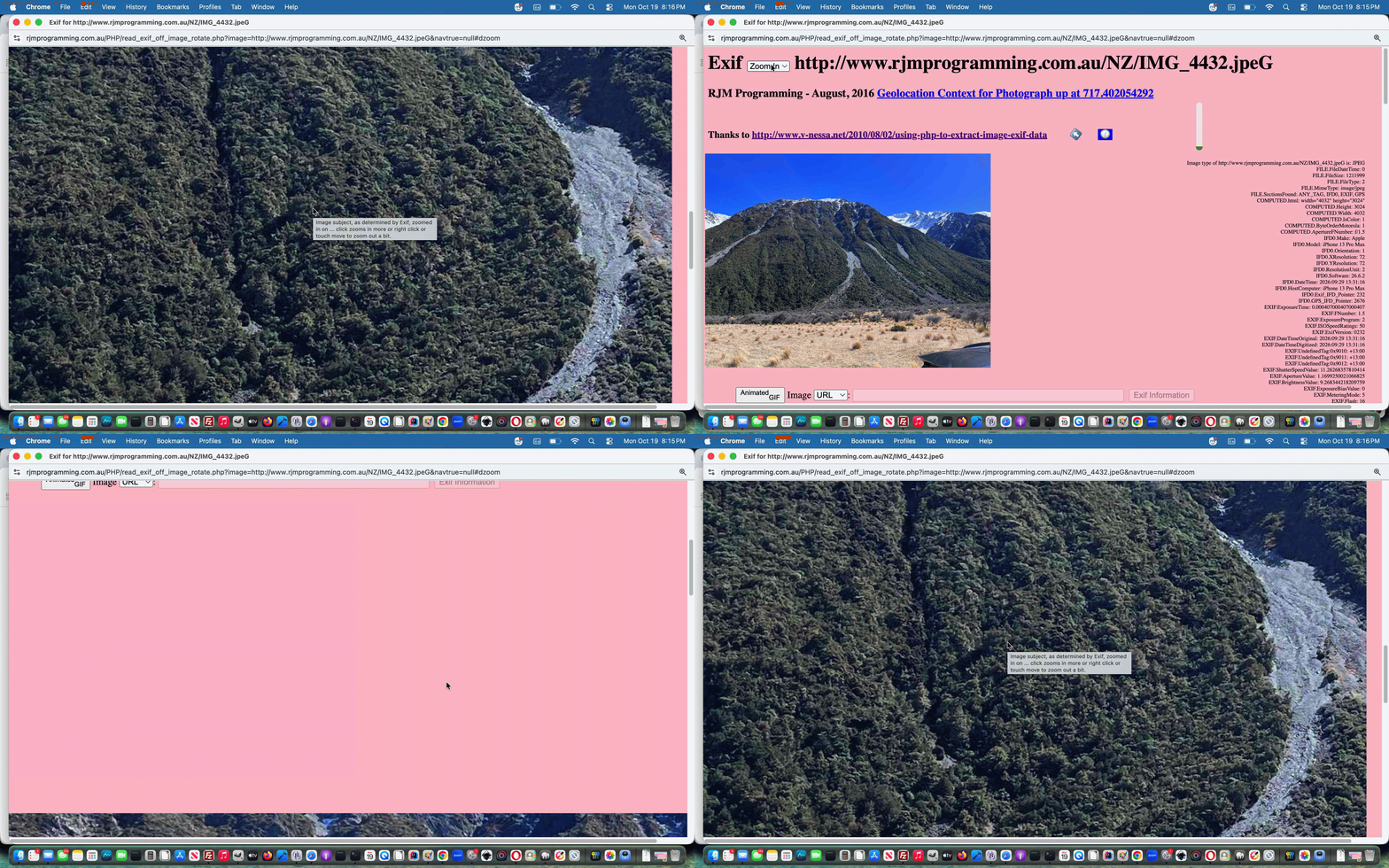

Previous relevant HTML/Javascript Cockpit of Web Applications Primer Tutorial is shown below.

HTML/Javascript Cockpit of Web Applications Primer Tutorial

HTML/Javascript Cockpit of Web Applications Primer Tutorial

Today’s web application continues our interest in …

  • Javascript DOM document.write() method nesting …
  • Javascript prompt() window method

… to give that old interactive desktop command line application feel that many of the “senior citizens” (should we diplomatically say) of the web world, may still secretly gravitate towards?!

Okay … who are the closet interactive desktop command line application lovers out there? … Come on … you know who you are?!

But we digress … so today, we have a web application a bit like a dashboard, a bit like a cockpit (we’ve called it) … though the looks aren’t as good at this stage. Nevertheless, maybe it has a feel of a widget to it as well, because today we only use HTML, making use of cookies to do away with the need for a serverside language like PHP, which could have done the job as well. But not everybody has PHP? Right …

… left …

Damn! Those pesky psychological tests!

The concept today is very simple …

  1. take a 3×3 grid (to the zoo would be nice)
  2. check for cookie data for any/all of the 3×3 and if found get (up to 9) URLs from this data, else document.write(prompt()) for the information interactively, storing good ideas in cookies for either of the two modes of display … that being …

… so that the next time the user runs the same web application, and they have not cleared their cookies out in the meantime, this same configuration of use, personalized to them and the web browser they’re using, will happen.

Regarding research and development we’d like to thank “JavaScript & Ajax” seventh edition by Tom Negrino and Dori Smith for the invaluable code regarding cookies, and an interesting sideline, which we ended up not perusing, but is active in your *._GETME file today, to show you what is possible comes from this useful website … thanks.

The (purely) HTML and Javascript source code you could call cockpit_feel.html for which you can use this live run link. If this helps then we’re happy.

If this was interesting you may be interested in this too.


If this was interesting you may be interested in this too.

If this was interesting you may be interested in this too.


If this was interesting you may be interested in this too.


If this was interesting you may be interested in this too.


If this was interesting you may be interested in this too.


If this was interesting you may be interested in this too.


If this was interesting you may be interested in this too.


If this was interesting you may be interested in this too.

Posted in Animation, eLearning, Event-Driven Programming, Tutorials | Tagged , , , , , , , , , , , , , , , , , , , , | Leave a comment

Image Found Javascript Animation Tutorial

Image Found Javascript Animation Tutorial

Image Found Javascript Animation Tutorial

Huh?! What’s the big deal now finding the relevant WordPress Blog (that you are reading) blog posting tutorial picture?

How about a “glass half full” blast of thinking?

Still not convinced?

How about an intervention point for the loading of all blog posting tutorial pictures?

Still not convinced?

Because we say so.

Still not convinced?

Simon says so. And he’s no Silly Alec. More your Smart Alec … really. Besides Simon and Alec have formed a syndicate that says “yes” … like … definitely.

But the thing is, with the work the other day with it centred around HTML img element onerror event thinking when we presented Image Not Found Crontab Curl Issue Tutorial, while the “other side of the coin” (both showing “Alec”) is to also add to all blog posting tutorial picture HTML elements a new …


onload

… event set of logics, via good ol’ TwentyTen theme’s header.php’s

<?php

$post->post_content=str_replace(' style="border: 1' . '5px solid pink', ' onload="altanimation(this,this.id,this.src);" onerror="altunzipit(this,this.id,this.src);" style="border: 1' . '5px solid pink', $post->post_content);

?>

… calling into play the new Javascript (via PHP) …

<?php echo ”

var altanima=[];

function altanimation(imgo, imgoid, imgosrc) {
if (altanima.indexOf(imgosrc.replace('https:','').replace('http:','')) == -1) {
altanima.push(imgosrc.replace('https:','').replace('http:',''));
}

function storyimgreorder(spanthis) {
altan(spanthis);
}

function storyimgmember(inoh) {
if (inoh.indexOf('<span data-w=') == 0) { return true; }
if (inoh.indexOf('<details') == 0) { return true; }
if (inoh.indexOf('<div class="entry-content"') == 0) { return true; }
return false;
}

function altan(spano) {
var jsis='', spval='', duris=0;;
var alcont='Future animation work will animate list to follow ... ', coma='';
if (altanima.length > 0) {
for (var ibn=0; ibn<altanima.length; ibn++) {
alcont+=coma + altanima[ibn];
coma=',';
spval+=' ';
duris+=8;
}
// Thanks to https://stackoverflow.com/questions/15945288/animating-progress-bars-with-css
var htbit='<div class="meter"><span style="width:95%;"><span class="progress"></span></span></div>';
var stbit=" .meter { margin-top:95%; " + String.fromCharCode(10) + " height: 5px; " + String.fromCharCode(10) + " position: relative; " + String.fromCharCode(10) + " background: #f3efe6; " + String.fromCharCode(10) + " overflow: hidden; " + String.fromCharCode(10) + " } " + String.fromCharCode(10) + " " + String.fromCharCode(10) + " .meter span { " + String.fromCharCode(10) + " display: block; " + String.fromCharCode(10) + " height: 100%; " + String.fromCharCode(10) + " } " + String.fromCharCode(10) + " " + String.fromCharCode(10) + " .progress { " + String.fromCharCode(10) + " background-color: #e4c465; " + String.fromCharCode(10) + " animation: progressBar " + duris + "s ease-in-out infinite; " + String.fromCharCode(10) + " animation-fill-mode:both; " + String.fromCharCode(10) + " } " + String.fromCharCode(10) + " " + String.fromCharCode(10) + " @keyframes progressBar { " + String.fromCharCode(10) + " 0% { width: 0; } " + String.fromCharCode(10) + " 100% { width: 100%; } " + String.fromCharCode(10) + "} ";
if (6 == 6) {
jsis=" var initval='" + spval + "', ial=1, alcont='" + alcont.split(' to follow ... ')[1] + "', alconta=alcont.split(','), jal=" + alcont.split(' to follow ... ')[1].split(',').length + '; ' + String.fromCharCode(10);
jsis+=" function animateit() { if (ial < jal) { document.getElementById('xbody').style.background='url(' + alconta[ial] + ')'; } else { ial=0; window.location.reload(); document.getElementById('xbody').style.background='url(' + alconta[ial] + ')'; } ial++; setTimeout(animateit,8000); } ";
wooow=window.open('','_blank','top=50,left=50,width=800,height=800');
wooow.document.write('<html><head><style> ' + stbit + ' #xbody { background:URL(' + altanima[0] + '); background-repeat:no-repeat; background-size:contain; } </style><scr' + 'ipt type=text/javascript> ' + jsis + ' </scr' + 'ipt></head><body onload=setTimeout(animateit,8000); id=xbody style=width:100%;height:100%>' + htbit + '</body></html>');
wooow.document.title='Showing images of tutorial thread ...'; // 1 of ' + alcont.split(' to follow ... ')[1].split(',').length;
} else {
alert(alcont);
}
}
}


function is_mentioned_by() {
//rppspana=docgetclass("widget-title", "h3");
var altanm='';
var zspare,xspare,xxspare,ximb,xpspana=docgetclass("entry-title", "h2"); // search URL returns
var mbitis='';
for (ximb=0; ximb<xpspana.length; ximb++) {
xxspare=xpspana[ximb].innerHTML.replace('</a>','').split('>');
xspare=xxspare[eval(-1 + xxspare.length)];
zspare=xspare.toLowerCase().replace(String.fromCharCode(35), "").replace(".", "").replace(".", "").replace(".", "").replace("+", "").replace("+", "").replace("'", "").replace('%27','').replace(/\//g, "-").replace(/,/g, "").replace("---","-").replace("---","-").replace(/--/g,"-").replace(" ","-").replace(" ","-").replace(" ","-").replace(" ","-").replace(" ","-").replace(" ","-").replace(" ","-").replace(" ","-").replace(" ","-").replace(" ","-").replace(" ","-").replace(" ","-").replace(" ","-").replace(" ","-").replace('-apachephp','-apache-php-');
if (altanima.length > 0) {
mbitis=' data-w="0" data-h="0" data-st="0" data-style="-webkit-overflow-scrolling:touch;overflow:scroll;" data-done="" onclick=" if ((' + "''" + ' + event.target.id) == this.id || 1 == 1) { if (this.getAttribute(' + "'data-done'" + ').length == 0) { storyimgreorder(this); } else if (storyimgmember(event.target.outerHTML)) { this.style.zoom=1.0; storyimgresize(this).innerHTML=String.fromCodePoint(0x1F39E,0xFE0F); this.setAttribute(' + "'data-done',''" + '); window.scrollTo(0,this.getAttribute(' + "'data-st'" + ')); } } " data-title="Animate tutorial images to be ordered like a story ..." style="display:inline-block; text-decoration:none; cursor:pointer; background-color:rgba(255,155,55,0.3);" id="x' + zspare + '" ';
altanm='  <span ' + mbitis + ' title="Future animation tutorial image as slide functionality" data-onmousedown=altan(this); style=cursor:pointer;display:inline-block;>' + String.fromCodePoint(0x1F39E,0xFE0F) + '</span>';
}

if (document.body.innerHTML.indexOf('d' + zspare) == -1) {
xpspana[ximb].innerHTML+=' <div style="display:inline-block;border:3px solid rgba(255,165,0,0.4); background-color:rgba(255,255,0,0.3); " id=cc' + zspare + '><a target=_blank style="cursor:pointer;display:inline-block;text-decoration:none; font-size:12px;" ondblclick="dblrplatern(' + String.fromCharCode(39) + xspare + String.fromCharCode(39) + ');" ' + oncm + '"rcrplatern(' + String.fromCharCode(39) + xspare + String.fromCharCode(39) + ');" href=//www.rjmprogramming.com.au/slideshow.html?title=' + encodeURIComponent(xspare) + ' " title="Cut to the Chase ... double click ' + oncmt + ' for blog posting image involvement ... to (the gist of) ' + (xspare) + '" id=tcc' + zspare + '>✂</a><a target=_blank style="background: rgba(0,255,0,0.3); background: -webkit-linear-gradient(left top, rgba(0,255,0,0.3), rgba(255,255,0,0.3)); background: -o-linear-gradient(bottom right, rgba(0,255,0,0.3), rgba(255,255,0,0.3)); background: -moz-linear-gradient(bottom right, rgba(0,255,0,0.3), rgba(255,255,0,0.3)); background: linear-gradient(to bottom right, rgba(0,255,0,0.3), rgba(255,255,0,0.3)); cursor:pointer;display:inline-block;text-decoration:none;transform: scale(-1, 1); -o-transform: scale(-1, 1); -moz-transform: scale(-1, 1); -ms-transform: scale(-1, 1); -webkit-transform: scale(-1, 1); font-size:12px;" ondblclick="dblrplatern(' + String.fromCharCode(39) + xspare + String.fromCharCode(39) + ');" ' + oncm + '"rcrplatern(' + String.fromCharCode(39) + xspare + String.fromCharCode(39) + ');" href=//www.rjmprogramming.com.au/slideshow.html?title=' + encodeURIComponent(xspare) + ' " title="Cut to the Chase ... double click ' + oncmt + ' for blog posting image involvement ... to (the gist of) ' + (xspare) + '" id=ttcc' + zspare + '>🏃🏾‍♀️🏃🏼‍♂️</a><iframe style=display:none; id=icc' + zspare + ' src=></iframe></div>';
xpspana[ximb].innerHTML+=' <div style="display:inline; background-color:rgba(255,255,0,0.3);" id=d' + zspare + '><a style="cursor:pointer;display:inline;text-decoration:none; border:2px solid yellow;" onclick=" preresize_font(this); document.getElementById(this.id.replace(String.fromCharCode(116),String.fromCharCode(105))).src=' + "'" + '//www.rjmprogramming.com.au/PHP/is_mentioned_by.php?title=' + encodeURIComponent(xspare) + "'" + '; setTimeout(precheckclass,3000); " title="' + (xspare) + ' is mentioned by ..." id=t' + zspare + '>☞</a><iframe style=display:none; id=i' + zspare + ' src=></iframe></div>';
xpspana[ximb].innerHTML+=' <div data-w="0" data-h="0" data-st="0" data-style="-webkit-overflow-scrolling:touch;overflow:scroll;" data-done="" onclick=" if (' + "('' + " + 'event.target.id) == this.id || 1 == 1) { if (this.getAttribute(' + "'data-done'" + ').length == 0) { storyreorder(this); } else if (storymember(event.target.outerHTML)) { this.style.zoom=1.0; storyresize(this).innerHTML=' + "'📖'" + '; this.setAttribute(' + "'data-done',''" + '); window.scrollTo(0,this.getAttribute(' + "'data-st'" + ')); } } " title="Reorder thread blog postings to read like a story ..." style="display:inline-block; text-decoration:none; cursor:pointer; background-color:rgba(255,155,55,0.3);" id=r' + zspare + '>📖</div>' + altanm;
}
}
xpspana=docgetclass("entry-title", "h1"); // real blog postings
for (ximb=0; ximb<xpspana.length; ximb++) {
xxspare=xpspana[ximb].innerHTML.replace('</a>','').split('>');
xspare=xxspare[eval(-1 + xxspare.length)];
zspare=xspare.toLowerCase().replace(String.fromCharCode(35), "").replace(".", "").replace(".", "").replace(".", "").replace("+", "").replace("+", "").replace("'", "").replace('%27','').replace(/\//g, "-").replace(/,/g, "").replace("---","-").replace("---","-").replace(/--/g,"-").replace(" ","-").replace(" ","-").replace(" ","-").replace(" ","-").replace(" ","-").replace(" ","-").replace(" ","-").replace(" ","-").replace(" ","-").replace(" ","-").replace(" ","-").replace(" ","-").replace(" ","-").replace(" ","-");
if (document.body.innerHTML.indexOf('d' + zspare) == -1) {
xpspana[ximb].innerHTML+=' <div style="display:inline-block;border:3px solid rgba(255,165,0,0.4); background-color:rgba(255,255,0,0.3); " id=cc' + zspare + '><a target=_blank style="cursor:pointer;display:inline-block;text-decoration:none; font-size:12px;" ondblclick="dblrplatern(' + String.fromCharCode(39) + xspare + String.fromCharCode(39) + ');" ' + oncm + '"rcrplatern(' + String.fromCharCode(39) + xspare + String.fromCharCode(39) + ');" href=//www.rjmprogramming.com.au/slideshow.html?title=' + encodeURIComponent(xspare) + ' " title="Cut to the Chase ... double click ' + oncmt + ' for blog posting image involvement ... to (the gist of) ' + (xspare) + '" id=tcc' + zspare + '>✂</a><a target=_blank style="background: rgba(0,255,0,0.3); background: -webkit-linear-gradient(left top, rgba(0,255,0,0.3), rgba(255,255,0,0.3)); background: -o-linear-gradient(bottom right, rgba(0,255,0,0.3), rgba(255,255,0,0.3)); background: -moz-linear-gradient(bottom right, rgba(0,255,0,0.3), rgba(255,255,0,0.3)); background: linear-gradient(to bottom right, rgba(0,255,0,0.3), rgba(255,255,0,0.3)); cursor:pointer;display:inline-block;text-decoration:none;transform: scale(-1, 1); -o-transform: scale(-1, 1); -moz-transform: scale(-1, 1); -ms-transform: scale(-1, 1); -webkit-transform: scale(-1, 1); font-size:12px;" ondblclick="dblrplatern(' + String.fromCharCode(39) + xspare + String.fromCharCode(39) + ');" ' + oncm + '"rcrplatern(' + String.fromCharCode(39) + xspare + String.fromCharCode(39) + ');" href=//www.rjmprogramming.com.au/slideshow.html?title=' + encodeURIComponent(xspare) + ' " title="Cut to the Chase ... double click ' + oncmt + ' for blog posting image involvement ... to (the gist of) ' + (xspare) + '" id=ttcc' + zspare + '>🏃🏾‍♀️🏃🏼‍♂️</a><iframe style=display:none; id=icc' + zspare + ' src=></iframe></div>';
xpspana[ximb].innerHTML+=' <div style="display:inline; background-color:rgba(255,255,0,0.3);" id=d' + zspare + '><a style="cursor:pointer;display:inline;text-decoration:none; border:2px solid yellow;" onclick=" preresize_font(this); document.getElementById(this.id.replace(String.fromCharCode(164),String.fromCharCode(151))).src=' + "'" + '//www.rjmprogramming.com.au/PHP/is_mentioned_by.php?title=' + encodeURIComponent(xspare) + "'" + '; " setTimeout(precheckclass,3000); title="' + (xspare) + ' is mentioned by ..." id=t' + zspare + '>☞</a><iframe style=display:none; id=i' + zspare + ' src=></iframe></div>';
xpspana[ximb].innerHTML+=' <div data-w="0" data-h="0" data-st="0" data-style="-webkit-overflow-scrolling:touch;overflow:scroll;" data-done="" onclick=" if (' + "('' + " + 'event.target.id) == this.id || 1 == 1) { if (this.getAttribute(' + "'data-done'" + ').length == 0) { storyreorder(this); } else if (storymember(event.target.outerHTML)) { this.style.zoom=1.0; storyresize(this).innerHTML=' + "'📖'" + '; this.setAttribute(' + "'data-done',''" + '); window.scrollTo(0,this.getAttribute(' + "'data-st'" + ')); } } " title="Reorder thread blog postings to read like a story ..." style="display:inline-block; text-decoration:none; cursor:pointer; background-color:rgba(255,155,55,0.3);" id=r' + zspare + '>📖</div>' + altanm;
}
}
storyizecollect();
}

“; “?>

… to make a “first draft” attempt at this new image and animation presentation idea.


Previous relevant Image Not Found Crontab Curl Issue Tutorial is shown below.

Image Not Found Crontab Curl Issue Tutorial

Image Not Found Crontab Curl Issue Tutorial

The recent Image Not Found Onerror Event Workaround Tutorial talked about …

  • live access to the WordPress Blog here in the scenario where the tutorial image of a blog posting does not exist … but there’s another aspect to this issue so that …
  • similar reasoning on the overnight crontab/curl functionality helping create those Recent Posts widget imagery and Landing Page imagery

… needs our attention to close off on this issue, at least for now.

This involved PHP code and adding wrapper thinking to where a PHP copy command is made as per

The call …

if (strpos($thisimg, 'rjmprogramming.com.au/') !== false) {
if (!file_exists(str_replace(DIRECTORY_SEPARATOR . DIRECTORY_SEPARATOR,DIRECTORY_SEPARATOR,$_SERVER['DOCUMENT_ROOT'] . DIRECTORY_SEPARATOR) . explode('rjmprogramming.com.au/', $thisimg)[1])) {
ourcopy($thisimg, dirname(__FILE__) . "/" . $narray[$thisij] . ".jpg");
} else {

copy(str_replace(DIRECTORY_SEPARATOR . DIRECTORY_SEPARATOR,DIRECTORY_SEPARATOR,$_SERVER['DOCUMENT_ROOT'] . DIRECTORY_SEPARATOR) . explode('rjmprogramming.com.au/', $thisimg)[1], dirname(__FILE__) . "/" . $narray[$thisij] . ".jpg");
}
}
The new wrapper PHP function …

function ourcopy($fromi, $toi) {
$altnf=$fromi;
if (strpos($fromi,'rjmprogramming.com.au/') !== false) {
$altnf=str_replace(DIRECTORY_SEPARATOR . DIRECTORY_SEPARATOR,DIRECTORY_SEPARATOR,$_SERVER['DOCUMENT_ROOT'] . DIRECTORY_SEPARATOR . explode('#',explode('?',explode('rjmprogramming.com.au/',$fromi)[1])[0])[0]);
//file_put_contents('xz.xz', $altnf . "\n" . $fromi . "\n" . $toi);
if (!file_exists($altnf)) {
//file_put_contents('xzz.xzz', $altnf . "\n" . $fromi . "\n" . $toi);
$winfnmis=basename($altnf);
$windiris=str_replace($winfnmis,'',$altnf);
//file_put_contents('xzzz.xzzz', str_replace(basename($altnf),'',$altnf) . 'slideshow_0.zip');
if (file_exists(str_replace(basename($altnf),'',$altnf) . 'slideshow_0.zip')) {
//file_put_contents('xzzzy.xzzzy', str_replace(basename($altnf),'',$altnf) . 'slideshow_0.zip');
$retv=shell_exec("unzip -l " . $windiris . "slideshow_0.zip " . $winfnmis);
if (strpos($retv, $winfnmis) !== false) {
//file_put_contents('xzzzyy.xzzzyy', str_replace(basename($altnf),'',$altnf) . 'slideshow_0.zip');
if (!file_exists(str_replace(DIRECTORY_SEPARATOR . DIRECTORY_SEPARATOR,DIRECTORY_SEPARATOR,$_SERVER['DOCUMENT_ROOT'] . DIRECTORY_SEPARATOR) . '..' . DIRECTORY_SEPARATOR . $winfnmis)) {
//file_put_contents('xzzzyyy.xzzzyyy', str_replace(basename($altnf),'',$altnf) . 'slideshow_0.zip');
$rt="unzip " . $windiris . "slideshow_0.zip " . $winfnmis . " -d " . str_replace(DIRECTORY_SEPARATOR . DIRECTORY_SEPARATOR,DIRECTORY_SEPARATOR,$_SERVER['DOCUMENT_ROOT'] . DIRECTORY_SEPARATOR) . '..' . DIRECTORY_SEPARATOR;
$rt.=shell_exec("unzip " . $windiris . "slideshow_0.zip " . $winfnmis . " -d " . str_replace(DIRECTORY_SEPARATOR . DIRECTORY_SEPARATOR,DIRECTORY_SEPARATOR,$_SERVER['DOCUMENT_ROOT'] . DIRECTORY_SEPARATOR) . '..' . DIRECTORY_SEPARATOR);
//file_put_contents('xzzzyyyc.xzzzyyyc', str_replace(DIRECTORY_SEPARATOR . DIRECTORY_SEPARATOR,DIRECTORY_SEPARATOR,$_SERVER['DOCUMENT_ROOT'] . DIRECTORY_SEPARATOR) . '..' . DIRECTORY_SEPARATOR . $winfnmis);
copy(str_replace(DIRECTORY_SEPARATOR . DIRECTORY_SEPARATOR,DIRECTORY_SEPARATOR,$_SERVER['DOCUMENT_ROOT'] . DIRECTORY_SEPARATOR) . '..' . DIRECTORY_SEPARATOR . $winfnmis, $toi);
if (file_exists(str_replace(DIRECTORY_SEPARATOR . DIRECTORY_SEPARATOR,DIRECTORY_SEPARATOR,$_SERVER['DOCUMENT_ROOT'] . DIRECTORY_SEPARATOR) . '..' . DIRECTORY_SEPARATOR . $winfnmis)) {
//file_put_contents('xzzzyyycx.xzzzyyycx', str_replace(DIRECTORY_SEPARATOR . DIRECTORY_SEPARATOR,DIRECTORY_SEPARATOR,$_SERVER['DOCUMENT_ROOT'] . DIRECTORY_SEPARATOR) . '..' . DIRECTORY_SEPARATOR . $winfnmis);
unlink(str_replace(DIRECTORY_SEPARATOR . DIRECTORY_SEPARATOR,DIRECTORY_SEPARATOR,$_SERVER['DOCUMENT_ROOT'] . DIRECTORY_SEPARATOR) . '..' . DIRECTORY_SEPARATOR . $winfnmis);
return true;
}
}
}
}
}
}
return copy($fromi, $toi);
}

… in the changed recent-posts-2.php PHP called via curl within the RJM Programming crontab scheduling workflows.


Previous relevant Image Not Found Onerror Event Workaround Tutorial is shown below.

Image Not Found Onerror Event Workaround Tutorial

Image Not Found Onerror Event Workaround Tutorial

Yesterday’s HTML/Javascript Cockpit of Web Applications Feeling Lucky Tutorial has brought into focus, for us, those days when we were really wary of …

  • Linux web hosting web server’s …
  • inode count … whose limit towards which we used to get a bit too close for comfort (and as distinct from diskspace issues which were less critical but also needed attention)

… was it, a few years back now, when our CentOS web server inode count limit had us rethinking the idea that image slides of an animated presentation of some sort should all sit as individual files on the web server, and as a result we set up a system …

  • for new presentations to more use animated GIFs and/or videos and/or PDF … and for those older multi-image presentations …
  • zip them up during dormant times into a zip file and off the disk, and if called upon, unzip all for a short period of time until the next time they are called upon again

Nowadays, on the current crop of AlmaLinux web servers there are less stringent inode limits to worry about, but, nonetheless, we think the strategy above should still hold. But that means, occasionally, we run up against a tutorial image file not existing on the web server disk at a time of a user calling upon it.

And then we thought on this …

can an onerror event for an img element trap a 404 not found scenario … resulted in …

Yes, an onerror event handler for an element can be used to trap a 404 Not Found scenario [1, 2].
When the browser attempts to fetch the image source (src attribute) and the server responds with a 404 status code (or any other status indicating a failure to fetch or load the resource), the error event is fired on the element [1, 2].

… as the encouragement we needed to launch into today’s idea to …

  1. add an onerror event to all relevant tutorial images on our WordPress Blog via good ol’ TwentyTen theme’s header.php change
    <?php

    if (isset($post->post_content)) { // img contextmenu functionality and img onerror idea
    $post->post_content=str_replace('<i' . 'mg' . ' i' . 'd=', '<i' . 'mg' . ' tabindex=0 oncon' . 'textmenu=imgedit(event); ontou' . 'chend=imgedit(event); i' . 'd=', str_replace('<i' . 'mg' . ' s' . 'rc=', '<i' . 'mg' . ' tabindex=0 oncon' . 'textmenu=imgedit(event); ontou' . 'chend=imgedit(event); s' . 'rc=', str_replace('<i' . 'mg' . ' st' . 'yle="border', '<i' . 'mg' . ' tabindex=0 oncon' . 'textmenu=imgedit(event); ontou' . 'chend=imgedit(event); st' . 'yle="border', str_replace('<i' . 'mg' . ' st' . 'yle="float', '<i' . 'mg' . ' tabindex=0 oncon' . 'textmenu=imgedit(event); ontou' . 'chend=imgedit(event); st' . 'yle="float', str_replace('<i' . 'mg' . ' deco' . 'ding=', '<i' . 'mg' . ' tabindex=0 onconte' . 'xtmenu=imgedit(event); ontou' . 'chend=imgedit(event); deco' . 'ding=', $post->post_content)))));
    $thendel="";
    $checksrcs=explode(' Tutorial" src="', $post->post_content);
    for ($ich=1; $ich<sizeof($checksrcs); $ich++) {
    $urlim=explode('"', $checksrcs[$ich])[0];
    if (strpos($urlim, "//") !== false) {
    $urlim="//" . explode("//", $urlim)[1];
    }
    $urlim=str_replace("//www.rjmprogramming.com.au/", "../", $urlim);
    $smallurlim=$urlim;
    if (strpos($urlim, "/") !== false) {
    $smallurlim=explode("/", $urlim)[-1 + sizeof(explode("/", $urlim))];
    }
    //if (strpos($post->post_content, "Ansible ") !== false) { file_put_contents("013.013", $smallurlim); }
    if (!file_exists($urlim) && file_exists(str_replace($smallurlim, "slideshow_0.zip", $urlim))) {
    //if (strpos($post->post_content, "Ansible ") !== false) { file_put_contents("014.014", "unzip " . str_replace($smallurlim, "slideshow_0.zip", $urlim) . " -d " . str_replace($smallurlim, " " . $smallurlim, $urlim)); }
    exec("unzip " . str_replace($smallurlim, "slideshow_0.zip", $urlim) . " -d " . str_replace($smallurlim, " " . $smallurlim, $urlim));
    if ($thendel == "") {
    $thendel="sleep 5; rm -f " . $urlim . " > /dev/null 2> /dev/null ";
    } else {
    $thendel.="; sleep 10; rm -f " . $urlim . " > /dev/null 2> /dev/null ";
    }
    //if (strpos($post->post_content, "Ansible ") !== false) { file_put_contents("015.015", $thendel); }
    }
    }

    $p_one=' style="border: 1' . '5px solid pink';
    $p_two=' onerror="altunzipit(this,this.id,this.src);" style="border: 1' . '5px solid pink';
    $post->post_content=str_replace($p_one,$p_two,$post->post_content);

    if ($thendel != "") {
    //sleep(5);
    shell_exec("/usr/bin/nohup ksh -c \"" . $thendel . "\" > /dev/null 2> /dev/null &");
    }
    }

    ?>
    … and then later
    <?php echo ”

    var ifixn=0;

    function altunzipit(imgo, imgoid, imgosrc) {
    imgo.src='/hang_on_a_minute.jpg';
    document.getElementById('ifimgfix' + eval(ifixn % 5)).src='/look_to_unzip.php?parid=' + encodeURIComponent(imgoid) + '&parimgsrc=' + encodeURIComponent(imgosrc);
    ifixn++;
    }


    setTimeout(donow,2000);


    </script>

    </div><!-- #masthead -->
    </div><!-- #header -->

    <div id='hfloater'></div>
    <iframe style=display:none; srcdoc='<html><body></body></html>' id='ifimgfix0'></iframe>
    <iframe style=display:none; srcdoc='<html><body></body></html>' id='ifimgfix1'></iframe>
    <iframe style=display:none; srcdoc='<html><body></body></html>' id='ifimgfix2'></iframe>
    <iframe style=display:none; srcdoc='<html><body></body></html>' id='ifimgfix3'></iframe>
    <iframe style=display:none; srcdoc='<html><body></body></html>' id='ifimgfix4'></iframe>


    “; ?>
  2. create an interim “splash image” and upload into place …
  3. create the unzipping look_to_unzip.php PHP helper code that uses Linux command line accessing exec and shell_exec to work it …

    <?php
    // look_to_unzip.php
    // Look to fix WordPress Blog top content image Not Found (error 404) looking to see if slideshow_0.zip exists and can help
    // February, 2026

    $pimgid='';
    $pimgsrc='';
    $pimgunusrc='';
    $andbackagain='';
    $last_access_time=-1;
    if (isset($_GET['parimgsrc']) && isset($_GET['parid'])) {
    $pimgid=str_replace('+',' ',urldecode($_GET['parid']));
    $pimgsrc=str_replace('+',' ',urldecode($_GET['parimgsrc']));
    if (strpos($pimgsrc, 'rjmprogramming.com.au/') === false) {
    $pimgid='';
    $pimgsrc='';
    } else {
    $pimgunusrc=$_SERVER['DOCUMENT_ROOT'] . DIRECTORY_SEPARATOR . explode('rjmprogramming.com.au/', explode('#',explode('?',$pimgsrc)[0])[0])[1];
    if ($pimgid == '') {
    try {
    $last_access_time=fileatime($pimgunusrc);
    } catch (Exception $eonee) { }
    }
    if (file_exists($pimgunusrc)) {
    if ($pimgid == '') {
    $windiris=str_replace(DIRECTORY_SEPARATOR . DIRECTORY_SEPARATOR, DIRECTORY_SEPARATOR, realpath($pimgunusrc) . DIRECTORY_SEPARATOR);
    $winfnmis=basename($pimgunusrc);
    if ($last_access_time < 0) {
    $last_access_time=fileatime($pimgunusrc);
    }
    $seconds_since_access=(time() - $last_access_time);
    if ($seconds_since_access < 85) {
    if (file_exists($windiris . 'slideshow_0.zip')) { // might be in here
    $retv=shell_exec("unzip -l " . $windiris . "slideshow_0.zip " . $winfnmis);
    if (strpos($retv, $winfnmis) !== false) {
    unlink($pimgunusrc); // cache version should be enough to show
    if (!file_exists($_SERVER['DOCUMENT_ROOT'] . DIRECTORY_SEPARATOR . 'img_not_found_on_wp.log')) {
    file_put_contents($_SERVER['DOCUMENT_ROOT'] . DIRECTORY_SEPARATOR . 'img_not_found_on_wp.log', '');
    }
    file_put_contents($_SERVER['DOCUMENT_ROOT'] . DIRECTORY_SEPARATOR . 'img_not_found_on_wp.log', file_get_contents($_SERVER['DOCUMENT_ROOT'] . DIRECTORY_SEPARATOR . 'img_not_found_on_wp.log') . "\n" . $pimgsrc . " rezipped at " . date('l jS \of F Y h:i:s A') . "\n");
    }
    }
    }
    exit;
    } else {
    echo "<html><body onload=\" parent.document.getElementById('" . $pimgid . "').src='" . explode('#',explode('?',$pimgsrc)[0])[0] . "?rand=" . rand(0,564678) . "';\"></body></html>";
    $pimgid='';
    $pimgsrc='';
    }
    } else { // here we have the Not Found img issue
    $windiris=str_replace(DIRECTORY_SEPARATOR . DIRECTORY_SEPARATOR, DIRECTORY_SEPARATOR, realpath($pimgunusrc) . DIRECTORY_SEPARATOR);
    $winfnmis=basename($pimgunusrc);
    if (file_exists($windiris . 'slideshow_0.zip')) { // might be in here
    exec("unzip " . $windiris . "slideshow_0.zip " . $winfnmis . " -d " . $windiris);
    if (!file_exists($pimgunusrc)) {
    $pimgid='';
    $pimgsrc='';
    } else if ($pimgid != '') {
    if (!file_exists($_SERVER['DOCUMENT_ROOT'] . DIRECTORY_SEPARATOR . 'img_not_found_on_wp.log')) {
    file_put_contents($_SERVER['DOCUMENT_ROOT'] . DIRECTORY_SEPARATOR . 'img_not_found_on_wp.log', '');
    }
    file_put_contents($_SERVER['DOCUMENT_ROOT'] . DIRECTORY_SEPARATOR . 'img_not_found_on_wp.log', file_get_contents($_SERVER['DOCUMENT_ROOT'] . DIRECTORY_SEPARATOR . 'img_not_found_on_wp.log') . "\n" . $pimgsrc . " unzipped at " . date('l jS \of F Y h:i:s A') . "\n");
    $andbackagain=" setTimeout(function(){ location.href=document.URL.split('?')[0].split('#')[0] + '?parid=&parimgsrc=" . $_GET['parimgsrc'] . "'; }, 45000); ";
    }
    } else {
    $pimgid='';
    $pimgsrc='';
    }
    }
    }
    }
    if ($pimgid != '') {
    echo "<html><body onload=\" parent.document.getElementById('" . $pimgid . "').src='" . explode('#',explode('?',$pimgsrc)[0])[0] . "?rand=" . rand(0,564678) . "'; " . $andbackagain . "\"></body></html>";
    }
    ?>

As a result, we hope you see less “broken images”!


Previous relevant HTML/Javascript Cockpit of Web Applications Feeling Lucky Tutorial is shown below.

HTML/Javascript Cockpit of Web Applications Feeling Lucky Tutorial

HTML/Javascript Cockpit of Web Applications Feeling Lucky Tutorial

Further to yesterday’s HTML/Javascript Cockpit of Web Applications Dropdown Cells Tutorial

we’ve been restewing on cockpit_feel.html feeling lucky option in the light of yesterday’s cockpit_feel.html whole new cell content idea of blog posting dropdowns in multiple entry mode

… and, yes, a little more curry paste is required?! And doesn’t it hold up well the next day? But we digress …

We’ve come around to …

  1. not only including new “feeling lucky” logic where the web application selects nine random blog posting cell content iframes … but (and this is an advantage regarding a “revisited stewing” in “Paprika Place” perhaps)
  2. we worked out that the PHP web application helper featuring in the recent WordPress Blog Search Title and Posting Date Expressions Tutorial could fairly easily …
    <?php

    $firstnine=false;

    if (isset($_GET['otherpm'])) { // recall scenario
    $firstnine=true;
    $pmval=@file_get_contents("http://www.rjmprogramming.com.au/Welcome.html");
    $bits=explode("id='tuts'", $pmval);
    if (sizeof($bits) > 1) {
    $ssomeof=someof(explode('</select>', $bits[1])[0], str_replace('+',' ',urldecode($_GET['otherpm'])));
    if (1 == 1) {
    echo '<html><body onload="if (window.parent) { if (parent.document.getElementById(' . "'blogp'" . ')) { parent.document.getElementById(' . "'blogp'" . ').value=' . "'" . $ssomeof . "'" . '; } }' . '"><p id=res>' . $ssomeof . '</p></body></html>';
    } else {
    $allselbits="<select" . $onclick . "'if (this.value.trim().length > 0) { if (2 == 2 || navigator.userAgent.match(/Android|BlackBerry|iPhone|iPad|iPod|Opera Mini|IEMobile/i)) { location.href=this.value; } else { document.getElementById(\"myi\").src=this.value; } } else { var huh=prompt(\"Tutorials regarding?\",\"" . urldecode($_GET['pm']) . "\"); if (huh != null) { if (huh != \"\") { if (huh.indexOf(\".\") == 0) { huh=String.fromCharCode(92) + huh; } location.href=\"http://www.rjmprogramming.com.au/itnewblog/match/\" + encodeURIComponent(huh); } } } ' size=1 id='tuts'" . $ssomeof . '</select><br><iframe name="myi" id="myi" style="width:100%;height:1400px;" src="//www.rjmprogramming.com.au/ITblog" title="Robert James Metcalfe Blog"></iframe>';
    echo '<!doctype html><html><head><title>Robert James Metcalfe Blog - Match Blog Title via RegExp</title></head><body>' . $allselbits . '</body></html>';
    }
    }
    exit;
    } else if (isset($_POST['otherpm'])) { // recall scenario
    $firstnine=true;
    $pmval=@file_get_contents("http://www.rjmprogramming.com.au/Welcome.html");
    $bits=explode("id='tuts'", $pmval);
    if (sizeof($bits) > 1) {
    $ssomeof=someof(explode('</select>', $bits[1])[0], str_replace('+',' ',urldecode($_POST['otherpm'])));
    if (1 == 1) {
    echo '<html><body onload="if (window.parent) { if (parent.document.getElementById(' . "'blogp'" . ')) { parent.document.getElementById(' . "'blogp'" . ').value=' . "'" . $ssomeof . "'" . '; } }' . '"><p id=res>' . $ssomeof . '</p></body></html>';
    } else {
    $allselbits="<select" . $onclick . "'if (this.value.trim().length > 0) { if (2 == 2 || navigator.userAgent.match(/Android|BlackBerry|iPhone|iPad|iPod|Opera Mini|IEMobile/i)) { location.href=this.value; } else { document.getElementById(\"myi\").src=this.value; } } else { var huh=prompt(\"Tutorials regarding?\",\"" . urldecode($_POST['pm']) . "\"); if (huh != null) { if (huh != \"\") { if (huh.indexOf(\".\") == 0) { huh=String.fromCharCode(92) + huh; } location.href=\"http://www.rjmprogramming.com.au/itnewblog/match/\" + encodeURIComponent(huh); } } } ' size=1 id='tuts'" . $ssomeof . '</select><br><iframe name="myi" id="myi" style="width:100%;height:1400px;" src="//www.rjmprogramming.com.au/ITblog" title="Robert James Metcalfe Blog"></iframe>';
    echo '<!doctype html><html><head><title>Robert James Metcalfe Blog - Match Blog Title via RegExp</title></head><body>' . $allselbits . '</body></html>';
    }
    }
    exit;
    }

    ?>
    … be repurposed in a changed mapper.php so that the logic of that new “Post RE” WordPress Blog search textbox area checkbox could also help out here by supplying a comma separated list …

    … of WordPress Blog posting IDs it sends back up to our hosting Cockpit of Web Applications web application

… as today’s “value adding” proposition in our Cockpit Feel of web applications changed cockpit_feel.html


var sofarblogp=',';
var today=new Date();
var yyyy = today.getFullYear();
var feeling_lucky=false, doing_preg=false, minrange=20140101, maxrange=eval(eval(1 + yyyy) * 10000 + 101);
var pval=0, ourhuh='';


function setCookie(thisg, tn) { // thanks to JavaScript and Ajax by Tom Negrino and Dori Smith
if (nomore != 'y') {
var expireDate = new Date();
expireDate.setMonth(expireDate.getMonth()+6);
var huh='';
if (urls[eval(-1 + tn)] != "#nomore") {
//alert("urls[" + eval(-1 + tn) + "]=" + urls[eval(-1 + tn)]);
if (prefix != '') {
if (('' + tn) == '1') {
huh=prompt(prefix + "What is your URL (" + tn + " of up to 9) of interest ... append by #iframe if you want it to be tried in an iframe ... append by #nomore if you want this one to be last considered of up to 9 ... use Cancel for just using dropdown multiple selections or OK to blank for no more now or to Feeling Lucky or some other posting criteria search string with same rules as Post RE blog checkbox (and which is not a URL)", urls[eval(-1 + tn)]);
if (huh == null || ('' + huh).toLowerCase() == 'feeling lucky' || ( ('' + huh).replace(/^null/g,'').replace(/^undefined/g,'').trim() != '' && (('' + huh).replace(/^null/g,'').replace(/^undefined/g,'').trim().indexOf(' ') != -1 || ('' + huh).replace(/^null/g,'').replace(/^undefined/g,'').trim().indexOf('.') == -1))) {
if (('' + huh).toLowerCase() == 'feeling lucky') {
feeling_lucky=true;
huh=null;
} else if (huh != null) {
doing_preg=true;
ourhuh=huh;
setTimeout(function(){
document.getElementById('ifbppop').src='//www.rjmprogramming.com.au/itnewblog/match/mapper.php?otherpm=' + encodeURIComponent(ourhuh);
}, 2000);
huh=null;
}

cancelps=true;
nomore='y';
document.body.style.cursor='progress';
setInterval(function(){
if (amready) {
document.getElementById('dtbl').style.width='100%';
document.getElementById('dtbl').style.height='75%';
for (var ijh=0; ijh<mapping.length; ijh++) {
document.getElementById('td' + mapping[ijh]).style.width='33%';
document.getElementById('td' + mapping[ijh]).style.height='33%';
if (feeling_lucky) {
pval='';
while ((sofarblogp + ',').indexOf(',' + pval + ',') != -1 || pval == '') {
pval=eval('' + minrange) + Math.floor(Math.random() * eval(maxrange - minrange));
if (mapping[ijh] == '22') { pval=20260204; }
while (document.getElementById('dopt').innerHTML.indexOf('(' + pval + ')') == -1 || (sofarblogp + ',').indexOf(',' + pval + ',') != -1) {
pval=eval('' + minrange) + Math.floor(Math.random() * eval(maxrange - minrange));
}
if (sofarblogp != ',') { sofarblogp+=','; }
sofarblogp+='' + pval;
//alert('2:' + pval + ' ' + document.getElementById('dopt').innerHTML.split('(' + pval + ')')[0].split('?p=')[eval(-1 + document.getElementById('dopt').innerHTML.split('(' + pval + ')')[0].split('?p=').length)].split('&')[0].split('#')[0]);
pval=document.getElementById('dopt').innerHTML.split('(' + pval + ')')[0].split('?p=')[eval(-1 + document.getElementById('dopt').innerHTML.split('(' + pval + ')')[0].split('?p=').length)].split('&')[0].split('#')[0];
}
if (sofarblogp != ',') { sofarblogp+=','; }
sofarblogp+='' + pval;
if (navigator.userAgent.match(/Android|BlackBerry|iPhone|iPad|iPod|Opera Mini|IEMobile/i)) {
//setTimeout(function(){
document.getElementById('td' + mapping[ijh]).innerHTML='<iframe id=iftd' + mapping[ijh] + ' onload="if (this.src.indexOf(' + "'About_Us'" + ') != -1) { setTimeout(function(event){ document.getElementById(' + "'iftd' + '" + mapping[ijh] + "'" + ').src=document.getElementById(' + "'iftd' + '" + mapping[ijh] + "'" + ').getAttribute(' + "'data-src'" + '); }, ' + eval(eval(2 + ijh) * 12000) + '); }" data-src="//www.rjmprogramming.com.au/ITblog/?p=' + pval + '&openappin=30#content" src=/About_Us.html style=width:100%;height:100%;></iframe>';
//}, eval(eval('' + mapping[ijh]) * 1000));
} else {
document.getElementById('td' + mapping[ijh]).innerHTML='<iframe src="//www.rjmprogramming.com.au/ITblog/?p=' + pval + '&openappin=30#content" style=width:100%;height:100%;></iframe>';
}
} else {

document.getElementById('td' + mapping[ijh]).innerHTML+=document.getElementById('dopt').innerHTML.replace(' multiple', ' size=9 multiple').replace(' selected=', ' id=selfirstopt selected=');
}
}
if (!doing_preg) { document.body.style.cursor='pointer'; }
if (!feeling_lucky) { setInterval(blogpandtmonitor, 15000); }
amready=false;
}
}, 5000);
}
} else {
huh=prompt(prefix + "What is your URL (" + tn + " of up to 9) of interest ... append by #iframe if you want it to be tried in an iframe ... append by #nomore if you want this one to be last considered of up to 9 ... use Cancel for no more now", urls[eval(-1 + tn)]);
}
} else {
if (('' + tn) == '1') {
huh=prompt(prefix + "What is your URL (" + tn + " of up to 9) of interest ... append by #iframe if you want it to be tried in an iframe ... append by #nomore if you want this one to be last considered of up to 9 ... use Cancel for just using dropdown multiple selections or OK to blank for no more now or to Feeling Lucky or some other posting criteria search string with same rules as Post RE blog checkbox (and which is not a URL)", urls[eval(-1 + tn)]);
if (huh == null || ('' + huh).toLowerCase() == 'feeling lucky' || ( ('' + huh).replace(/^null/g,'').replace(/^undefined/g,'').trim() != '' && (('' + huh).replace(/^null/g,'').replace(/^undefined/g,'').trim().indexOf(' ') != -1 || ('' + huh).replace(/^null/g,'').replace(/^undefined/g,'').trim().indexOf('.') == -1))) {
if (('' + huh).toLowerCase() == 'feeling lucky') {
feeling_lucky=true;
huh=null;
} else if (huh != null) {
doing_preg=true;
ourhuh=huh;
setTimeout(function(){
document.getElementById('ifbppop').src='//www.rjmprogramming.com.au/itnewblog/match/mapper.php?otherpm=' + encodeURIComponent(ourhuh);
}, 2000);
huh=null;
}

cancelps=true;
nomore='y';
document.body.style.cursor='progress';
setInterval(function(){
if (amready) {
document.getElementById('dtbl').style.width='100%';
document.getElementById('dtbl').style.height='75%';
for (var ijh=0; ijh<mapping.length; ijh++) {
document.getElementById('td' + mapping[ijh]).style.width='33%';
document.getElementById('td' + mapping[ijh]).style.height='33%';
if (feeling_lucky) {
pval='';
while ((sofarblogp + ',').indexOf(',' + pval + ',') != -1 || pval == '') {
pval=eval('' + minrange) + Math.floor(Math.random() * eval(maxrange - minrange));
if (mapping[ijh] == '22') { pval=20260204; }
while (document.getElementById('dopt').innerHTML.indexOf('(' + pval + ')') == -1 || (sofarblogp + ',').indexOf(',' + pval + ',') != -1) {
pval=eval('' + minrange) + Math.floor(Math.random() * eval(maxrange - minrange));
}
if (sofarblogp != ',') { sofarblogp+=','; }
sofarblogp+='' + pval;
//alert('2:' + pval + ' ' + document.getElementById('dopt').innerHTML.split('(' + pval + ')')[0].split('?p=')[eval(-1 + document.getElementById('dopt').innerHTML.split('(' + pval + ')')[0].split('?p=').length)].split('&')[0].split('#')[0]);
pval=document.getElementById('dopt').innerHTML.split('(' + pval + ')')[0].split('?p=')[eval(-1 + document.getElementById('dopt').innerHTML.split('(' + pval + ')')[0].split('?p=').length)].split('&')[0].split('#')[0];
}
if (sofarblogp != ',') { sofarblogp+=','; }
sofarblogp+='' + pval;
if (navigator.userAgent.match(/Android|BlackBerry|iPhone|iPad|iPod|Opera Mini|IEMobile/i)) {
//setTimeout(function(){
document.getElementById('td' + mapping[ijh]).innerHTML='<iframe id=iftd' + mapping[ijh] + ' onload="if (this.src.indexOf(' + "'About_Us'" + ') != -1) { setTimeout(function(event){ document.getElementById(' + "'iftd' + '" + mapping[ijh] + "'" + ').src=document.getElementById(' + "'iftd' + '" + mapping[ijh] + "'" + ').getAttribute(' + "'data-src'" + '); }, ' + eval(eval(2 + ijh) * 12000) + '); }" data-src="//www.rjmprogramming.com.au/ITblog/?p=' + pval + '&openappin=30#content" src=/About_Us.html style=width:100%;height:100%;></iframe>';
//}, eval(eval('' + mapping[ijh]) * 1000));
} else {
document.getElementById('td' + mapping[ijh]).innerHTML='<iframe src="//www.rjmprogramming.com.au/ITblog/?p=' + pval + '&openappin=30#content" style=width:100%;height:100%;></iframe>';
}
} else {

document.getElementById('td' + mapping[ijh]).innerHTML+=document.getElementById('dopt').innerHTML.replace(' multiple', ' size=9 multiple').replace(' selected=', ' id=selfirstopt selected=');
}
}
if (!doing_preg) { document.body.style.cursor='pointer'; }
if (!feeling_lucky) { setInterval(blogpandtmonitor, 15000); }
amready=false;
}
}, 5000);
}
} else {
huh=prompt(prefix + "What is your URL (" + tn + " of up to 9) of interest ... append by #iframe if you want it to be tried in an iframe ... append by #nomore if you want this one to be last considered of up to 9 ... use Cancel for no more now", urls[eval(-1 + tn)]);
}
}
} else {
//alert("Urls[" + eval(-1 + tn) + "]=" + urls[eval(-1 + tn)]);
huh='#nomore';
}
prefix="";
if (huh == null) {
huh='';
nomore='y';
} else {
if (huh.indexOf("#iframe") != -1) {
goodmodeofshowofurl="iframe";
} else {
goodmodeofshowofurl="";
}
if (huh.indexOf("#form") != -1 && urls[0] != '') {
location.href='./cockpit_feel.html?form=y';
return;
}
document.cookie = thisg + "=" + huh.replace("#form","") + ";expires=" + expireDate.toGMTString();
if (huh.indexOf("#nomore") != -1) {
nomore='y';
fixstuff(tn);
}
if (huh.indexOf("#form") != -1) {
location.href='./cockpit_feel.html?form=y';
}
}
}
}

using the new HTML iframe …


<iframe id=ifbppop src='//www.rjmprogramming.com.au/About_Us.html' style='display:none;'></iframe>


Previous relevant HTML/Javascript Cockpit of Web Applications Dropdown Cells Tutorial is shown below.

HTML/Javascript Cockpit of Web Applications Dropdown Cells  Tutorial

HTML/Javascript Cockpit of Web Applications Dropdown Cells Tutorial

We had occasion to revisit the Cockpit of Web Applications web application mentioned in HTML/Javascript Cockpit of Web Applications Home Tutorial the other day, and made the “note to self” …

cockpit_feel.html feeling lucky option

Over a few days we stewed on this, and today, came up with a better idea, we think, that goes …

cockpit_feel.html whole new cell content idea of blog posting dropdowns in multiple entry mode

Not as snappy as the first thought, but doable, and we think the quickest methodology to glean up to 9 URLs of Cut to the Chase web application with relationships to postings of this blog, in that on our Landing Page overnight crontab/curl processing ensures it has an up to date list of Blog Posting data in a dropdown. To be frank, that is a great basis to move on from that, because this is “most of the move” to our eyes!

And so, to get this achieved relied on changes to two code sources, they being …

  1. header.php of the TwentyTen WordPress theme used at this blog, with a new document.body onload event spawned Javascript function …
    <?php echo ”

    function oain() {
    var oind=30000, divsarrr=[], dfnd=false;
    if (document.URL.indexOf('openappin=') != -1) {
    var coind=decodeURIComponent(document.URL.split('openappin=')[1].split('&')[0].split('#')[0]).trim();
    if (coind != '') {
    if (coind.substring(0,1) >= '0' && coind.substring(0,1) <= '9') {
    oind=Math.round(eval(eval('' + coind) * 1000));
    }
    }
    divsarrr=document.getElementsByTagName('div');
    for (var idc=0; idc<divsarrr.length; idc++) {
    if (('' + divsarrr[idc].className) == 'entry-content' && !dfnd) {
    if (divsarrr[idc].innerHTML.indexOf(' href="') != -1 && !dfnd) {
    dfnd=true;
    defappurl=divsarrr[idc].innerHTML.split(' href="')[1].split('"')[0].replace(/^http\:/g,'').replace(/^https\:/g,'').replace(/^\/\//g,document.URL.split(':')[0] + '://');
    document.getElementById('content').setAttribute('data-donetsry', '' + eval(30 + Math.max(700,eval('' + document.getElementById('content').getBoundingClientRect().top))));
    document.getElementById('content').setAttribute('data-donet', '' + document.getElementById('content').title);
    document.getElementById('content').title='Scroll down to stay reading this blog posting else within ' + eval(oind / 1000) + ' seconds from ' + ('' + new Date()) + ' we will navigate to ' + defappurl.replace(/^\/\//g,document.URL.split(':')[0] + '://') + ' ...';
    document.body.style.cursor='progress';
    setInterval(function(){
    if (eval('0' + window.scrollY) > eval('' + document.getElementById('content').getAttribute('data-donetsry'))) {
    document.body.style.cursor='pointer';
    document.getElementById('content').setAttribute('data-donec', 'y');
    document.getElementById('content').title='' + document.getElementById('content').getAttribute('data-donet');
    }
    }, 1000);
    setTimeout(function(){ if (eval('0' + window.scrollY) <= eval('' + document.getElementById('content').getAttribute('data-donetsry'))) { location.href=defappurl.replace(/^http\:/g,'').replace(/^https\:/g,''); } }, oind);
    }
    }
    }
    }
    }

    “; ?>
  2. Cockpit Feel of web applications changed cockpit_feel.html

    function checkw(iois) {
    if (iois != null) {
    var aconto = (iois.contentWindow || iois.contentDocument);
    if (aconto != null) {
    if (aconto.document) { aconto = aconto.document; }
    if (aconto.getElementById('tuts') != null) {
    document.getElementById('dopt').innerHTML='Blog Posting(s): ' + aconto.getElementById('tuts').outerHTML.replace(' onchange=', ' multiple onchange="document.getElementById(' + "'" + 'blogp' + "'" + ').value=andlater(this); " data-onchange=').replace(/\(show\ blog\,\ toggle\ sort\ order\)/g,'').replace(/\(show\ blog\,\ toggle\ sort\ order\,\ click\ for\ keyboard\ autocompletion\)/g,'').replace(/\(show\ blog\,\ toggle\ sort\ order\,\ click\ for\ autocompletion\ keyboard\)/g,'').replace(/\(toggle\ sort\ order\)/g,'') + '<br><br>';
    amready=true;
    }
    }
    }
    }

    function blogpandtmonitor() {
    var bpt=[], ib=0, jb=0;
    if (lastblogp != document.getElementById('blogp').value && document.getElementById('blogp').value != '') {
    lastblogp=document.getElementById('blogp').value;
    bpt=document.getElementById('blogp').value.split(',');
    document.getElementById('blogp').value='';
    for (ib=0; ib<bpt.length; ib++) {
    if (sofarblogp.indexOf(',' + bpt[ib] + ',') == -1) {
    for (jb=0; jb<mapping.length; jb++) {
    if (document.getElementById('td' + mapping[jb]).innerHTML.indexOf('<select ') != -1 && sofarblogp.indexOf(',' + bpt[ib] + ',') == -1) {
    sofarblogp+=bpt[ib] + ',';
    document.getElementById('td' + mapping[jb]).innerHTML='<iframe src="//www.rjmprogramming.com.au/ITblog/?p=' + bpt[ib] + '&openappin=30#content" style=width:100%;height:100%;></iframe>';
    }
    }
    }
    }
    }
    }

    … Javascript set into play via new HTML iframe as per …

    <iframe src='//www.rjmprogramming.com.au/Welcome.html' onload='checkw(this);' style='display:none;'></iframe>

… the user can make happen by a first prompt answer of Cancel …


if (('' + tn) == '1') {
huh=prompt(prefix + "What is your URL (" + tn + " of up to 9) of interest ... append by #iframe if you want it to be tried in an iframe ... append by #nomore if you want this one to be last considered of up to 9 ... use Cancel for just using dropdown multiple selections or OK to blank for no more now", urls[eval(-1 + tn)]);
if (huh == null) {
cancelps=true;
nomore='y';
document.body.style.cursor='progress';
setInterval(function(){
if (amready) {
document.getElementById('dtbl').style.width='100%';
document.getElementById('dtbl').style.height='75%';
for (var ijh=0; ijh<mapping.length; ijh++) {
document.getElementById('td' + mapping[ijh]).style.width='33%';
document.getElementById('td' + mapping[ijh]).style.height='33%';
document.getElementById('td' + mapping[ijh]).innerHTML+=document.getElementById('dopt').innerHTML.replace(' multiple', ' size=9 multiple').replace(' selected=', ' id=selfirstopt selected=');
}
document.body.style.cursor='pointer';
setInterval(blogpandtmonitor, 15000);
amready=false;
}
}, 5000);
}
} else {

huh=prompt(prefix + "What is your URL (" + tn + " of up to 9) of interest ... append by #iframe if you want it to be tried in an iframe ... append by #nomore if you want this one to be last considered of up to 9 ... use Cancel for no more now", urls[eval(-1 + tn)]);
}
}
// rest of "as it used to be code here" follows

… separated off from an OK answer of blank (or some other non-blank answer) still accessing the old workflow methodologies. A cute feature (well, you had to be there) of this might be, for some users, that scrolling in Y at the blog posting cell within 30 seconds means a user can stay reading the blog posting instead (of navigating to the relevant Cut to the Chase web application), regarding the relevant one of 3×3 table cells.


Previous relevant HTML/Javascript Cockpit of Web Applications Home Tutorial is shown below.

HTML/Javascript Cockpit of Web Applications Home Tutorial

HTML/Javascript Cockpit of Web Applications Home Tutorial

Yesterday ticked all the boxes with our Cockpit Feel web application to suggest that it is now an excellent candidate to be the designated Home Page for a web browser, as it could be the tailorable “web application central” as you enter the web browser for the first time. The Home Page of a web browser can have that important reminder functionality for how you communicate, or do your work and/or collaborate, or perform tasks, or monitor goings-on.

Yesterday’s work meant that you can send a …

  • web browser address bar URL with an established list of web applications you want to open … and/or …
  • cut down web browser address URL ( ie. just http://www.rjmprogramming.com.au/HTMLCSS/cockpit_feel.html ) … and let the cookies you have previously set, or not, determine what happens … thing about this is that Safari could have a different set of web applications to Internet Explorer to Firefox to Opera to Google Chrome etcetera etcetera etcetera

The thing is, we often put our favourite Search Engine URL as our web browser’s Home Page, and am not suggesting otherwise, except that these days there are so many shortcut or menu methods of getting to your favourite Search Engine that maybe what is better to put as your web browser Home Page is something more tailored to your actual use, and in any case, one of those web applications could be that favourite Search Engine, anyway.

Today’s tutorial picture URL, for example, is http://www.rjmprogramming.com.au/HTMLCSS/cockpit_feel.html?url1=http%3A%2F%2Fwww.rjmprogramming.com.au%2FPHP%2FSunAngle%2Fsun_angle_now_at.php%3Fdone%3Dy%26nowo%3Dy%26latd%3D-33%26latm%3D52%26lats%3D0%26longd%3D151%26longm%3D12%26longs%3D0%26from%3Dfrom%26country%3DAUSTRALIA%26place%3DSydney%23iframe&url2=http%3A%2F%2Fwww.rjmprogramming.com.au%2FPHP%2FMoonAngle%2Fmoon_angle_now_at.php%3Fdone%3Dy%26nowo%3Dy%26latd%3D-33%26latm%3D52%26lats%3D0%26longd%3D151%26longm%3D12%26longs%3D0%26from%3Dfrom%26country%3DAUSTRALIA%26place%3DSydney%23nomore%23iframe&url3=&url4=&url5=&url6=&url7=&url8=&url9= … representing a look at Sun Angle and Moon Angle for Sydney, Australia … and you can see that if you pick a web application from this www.rjmprogramming.com.au domain, you can use the suffix #iframe to say that the web application should “live” in an HTML iframe element.


Previous relevant HTML/Javascript Cockpit of Web Applications Form Tutorial is shown below.

HTML/Javascript Cockpit of Web Applications Form Tutorial

HTML/Javascript Cockpit of Web Applications Form Tutorial

Today’s Cockpit Feel web application adds functionality along with yesterday’s pre-existing …

  • Javascript DOM document.write() method nesting …
  • Javascript prompt() window method

… way that asks for input from the user in that old interactive desktop command line application feeling kind of way, an …

… method, the more usual web application way of asking for user input.

Most websites present interactive input in an HTML form for a few reasons (we can think of) …

  • everything that will be asked can be there on the webpage (so that you know what is coming)
  • HTML form elements can direct the web traffic from one web page to the next via HTML input type=’submit’ buttons teamed with HTML form action=[Url] arrangements
  • validation of this user entered data can be validated at the one place (via the HTML form onsubmit event we’ve talked about before), and the HTML5 input element type has several self-validating types (like type=’url’ that we make use of today)
  • huge amounts of user entered data can make use of the HTML form method=’POST’ as necessary, though today we use method=’GET’ for the amounts of data we have and in order to remain with client side programming (method=’POST’ needs server side programming intervention)
  • uploading of files is possible via HTML form element

The concept today remains simple …

  1. take the same 3×3 grid (to the beach this time, because yesterday they enjoyed the zoo so much (they’d like you to know))
  2. check for cookie data and $_GET[] parameters for any/all of the 3×3 and if found get (up to 9) URLs from this data, else document.write(prompt()) for the information interactively, storing good ideas in cookies for either of the two modes of display … that being …

… so that the next time the user runs the same web application, and they have not cleared their cookies out in the meantime, this same configuration of use, personalized to them and the web browser they’re using, will happen.

Again, regarding research and development we’d like to thank “JavaScript & Ajax” seventh edition by Tom Negrino and Dori Smith for the great code regarding cookies.

The HTML and Javascript source code you could call cockpit_feel.html (changed for HTML form functionality in this way) for which you can use this live run link. If you want to simulate the tutorial picture “Cockpit” today try this link. We hope some/all/grid-maintenance information helps today.


If this was interesting you may be interested in this too.


Previous relevant HTML/Javascript Cockpit of Web Applications Primer Tutorial is shown below.

HTML/Javascript Cockpit of Web Applications Primer Tutorial

HTML/Javascript Cockpit of Web Applications Primer Tutorial

Today’s web application continues our interest in …

  • Javascript DOM document.write() method nesting …
  • Javascript prompt() window method

… to give that old interactive desktop command line application feel that many of the “senior citizens” (should we diplomatically say) of the web world, may still secretly gravitate towards?!

Okay … who are the closet interactive desktop command line application lovers out there? … Come on … you know who you are?!

But we digress … so today, we have a web application a bit like a dashboard, a bit like a cockpit (we’ve called it) … though the looks aren’t as good at this stage. Nevertheless, maybe it has a feel of a widget to it as well, because today we only use HTML, making use of cookies to do away with the need for a serverside language like PHP, which could have done the job as well. But not everybody has PHP? Right …

… left …

Damn! Those pesky psychological tests!

The concept today is very simple …

  1. take a 3×3 grid (to the zoo would be nice)
  2. check for cookie data for any/all of the 3×3 and if found get (up to 9) URLs from this data, else document.write(prompt()) for the information interactively, storing good ideas in cookies for either of the two modes of display … that being …

… so that the next time the user runs the same web application, and they have not cleared their cookies out in the meantime, this same configuration of use, personalized to them and the web browser they’re using, will happen.

Regarding research and development we’d like to thank “JavaScript & Ajax” seventh edition by Tom Negrino and Dori Smith for the invaluable code regarding cookies, and an interesting sideline, which we ended up not perusing, but is active in your *._GETME file today, to show you what is possible comes from this useful website … thanks.

The (purely) HTML and Javascript source code you could call cockpit_feel.html for which you can use this live run link. If this helps then we’re happy.

If this was interesting you may be interested in this too.


If this was interesting you may be interested in this too.


If this was interesting you may be interested in this too.


If this was interesting you may be interested in this too.


If this was interesting you may be interested in this too.


If this was interesting you may be interested in this too.


If this was interesting you may be interested in this too.


If this was interesting you may be interested in this too.

Posted in Animation, eLearning, Event-Driven Programming, Tutorials | Tagged , , , , , , , , , , , , , , , , , , , | Leave a comment

Windows and macOS Hanging Useful Keyboard Shortcuts Tutorial

Windows and macOS Hanging Useful Keyboard Shortcuts Tutorial

Windows and macOS Hanging Useful Keyboard Shortcuts Tutorial

Revisiting the Dots and Boxes game of Dots and Boxes Game Parameterization Tutorial today, on this macOS MacBook Air …

Shock, Horror, Tragedy

… it gave us that very annoying “hanging experience” to the extent that our MacBook Air rebooted itself. And so, given this, we hereby apologize if a previous version of the Dots and Boxes game has caused you any grief.

But the fix to our dots_and_boxes_game.html Dots and Boxes game was a “one number different” fix, and rather than short change our readers … heaven forbid … we’re going to focus, today, more on what keyboard shortcuts on macOS or Windows might help you out in the bad scenario described above …

keyboard shortcut for force quit current application

For Mac, press Option + Command + Esc to open the Force Quit window, or hold Option + Command + Shift + Esc for three seconds to force quit the active app directly. For Windows, press Alt + F4 to close the active app, or Ctrl + Shift + Esc to open Task Manager to kill processes.

Mac Force Quit Shortcuts:
Force Quit Dialog: Option + Command + Esc
Force Quit Focused App: Option + Command + Shift + Esc (hold for 3 seconds)
Standard Quit: Command + Q

Windows Force Quit Shortcuts:
Close Active App: Alt + F4
Open Task Manager (to terminate app): Ctrl + Shift + Esc
Alternative Task Manager: Ctrl + Alt + Delete then select Task Manager

Linux/Other:
Xkill: Ctrl + Alt + Esc (often used to click and destroy a window)

These may or may not help depending on the severity of the memory issue you are facing, in which case …

keyboard shortcut for rebooting on operating system

For Windows, use Win + X then U then R for a fast restart. Alternatively, Alt + F4 on the desktop opens a shutdown menu. For Mac, use Control + Command + Power Button to force a restart. These methods allow full system control without a mouse.

Windows Restart Shortcuts
Power User Menu (Fastest): Press Win + X, then U, then R.
Desktop Shutdown: Press Alt + F4 while on the desktop to open the shutdown dialog, then select “Restart”.
Ctrl+Alt+Del: Press Ctrl + Alt + Del, use arrow keys to reach the power icon, press Enter, and select “Restart”.
Run Command: Press Win + R, type shutdown -r -t 0, and hit Enter.

macOS Restart Shortcuts
Force Restart: Control + Command + Power button (or Touch ID button).
Standard Restart: Control + Option + Command + Power button (closes apps, then restarts).

Linux/Other
Alt+SysRq+B: Forcibly reboots the system immediately.

We hope, one day, but not too soon, you find this useful?!


Previous relevant Dots and Boxes Game Parameterization Tutorial is shown below.

Dots and Boxes Game Parameterization Tutorial

Dots and Boxes Game Parameterization Tutorial

We quite like …

  • substitutional approaches to coding
  • interpretive approaches to coding
  • take a hardcoded string and either …
    1. parameterize it
    2. repurpose it

… and with the “Dots and Boxes Game” web application of yesterday’s Dots and Boxes Game Primer Tutorial it’s a case of parameterizing the table …

  • number of “span” cells across (used to be 100)
  • number of “span” cells down (used to be 20)

… as per the device width dependant …


var xacross=Math.min(100,Math.round(eval('' + screen.width) / 14.40)); //100;
var ydown=Math.round(eval(xacross / 5)); //20;

… teamed with changes to 100 and 20 and “near to” Javascript code hardcodings changed into forms of “xacross” and “ydown” variables above.

And then there is the hardcoding “Score” we wanted to repurpose so as to allow the user control of whether …

  • notifications
  • “say” audio
  • “toast” message box

… are persisted with, via “toggling code” as per …


var snotifications_on=true;
var osay_on=((('' + navigator.platform.toUpperCase()).indexOf('MAC') >= 0) ? true : false);
var etoast_on=(navigator.userAgent.match(/Android|BlackBerry|iPhone|iPod|Opera Mini|IEMobile/i) ? true : false);

function pse(insc, istoast) { // insc is "Score "
var outsc=insc;
if (outsc.indexOf('Score') == 0) {
outsc=outsc.replace('e', '<a title="Toggle toast show status ' + ('' + etoast_on) + '" onclick="etoast_on=!etoast_on; this.title+=String.fromCharCode(32) + etoast_on;" style="cursor:pointer;text-decoration:none;color:' + (istoast ? 'magenta' : 'magenta') + ';">e</a>');
outsc=outsc.replace('o', '<a title="Toggle say try status ' + ('' + osay_on) + '" onclick="osay_on=!osay_on; this.title+=String.fromCharCode(32) + osay_on;" style="cursor:pointer;text-decoration:none;color:' + (istoast ? 'white' : 'purple') + ';">o</a>');
outsc=outsc.replace('S', '<a title="Toggle notifications try status ' + ('' + osay_on) + '" onclick="snotifications_on=!snotifications_on; this.title+=String.fromCharCode(32) + snotifications_on;" style="cursor:pointer;text-decoration:none;color:' + (istoast ? 'white' : 'blue') + ';">S</a>');
}
return outsc;
}

… in all of the recent …


Previous relevant Dots and Boxes Game Primer Tutorial is shown below.

Dots and Boxes Game Primer Tutorial

Dots and Boxes Game Primer Tutorial

Today, do you fancy …

Morphing a clone

… or should that be …

Cloning a morph

… onto yesterday’s SOS Game Primer Tutorial with our new “Dots and Boxes” game?

Yes, that’s it for us today, simply because the “morphed into” is a lot like “the end result”, our new Dots and Boxes Game. After all, both are …

  • online games
  • on a board
  • with span cells
  • containing onclick logic
  • ideally for 2 or more players

And as for the onclick logic Javascript logic? We can’t remember relying on the outerHTML (ie. the entire HTML element expressed as HTML) of an HTML (span) element for the (onclick event) logic basis, as per (the plug in code different to (and the same as) yesterday’s code)


if (document.getElementById('names')) {
if (document.getElementById('names').value == '' && document.getElementById('names').placeholder.indexOf(',') != -1) {
document.getElementById('names').value=document.getElementById('names').placeholder;
//alert(1);
document.getElementById('numsel').value='' + document.getElementById('names').value.split(',').length;
//alert(document.getElementById('numsel').value);
nparrange(document.getElementById('numsel'));
//alert(11);
document.getElementById('smore').innerHTML=notify('Your go ' + anames[curplayer]);
}
}
console.log('1');
if (spano.innerHTML.toLowerCase() == 's' || spano.innerHTML.toLowerCase() == 'o') { return true; }
console.log('2');
var rtis=spano.getBoundingClientRect();
console.log('3');
e = e || window.event;
e.preventDefault();

if (e.touches) {
if (e.touches[0].pageX) {
xx = e.touches[0].pageX;
yy = e.touches[0].pageY;
} else {
xx = e.touches[0].clientX;
yy = e.touches[0].clientY;
}
//console.log('pos3=' + pos3 + ',pos4=' + pos4);
} else if (e.clientX || e.clientY) {
xx = e.clientX;
yy = e.clientY;
} else {
xx = e.pageX;
yy = e.pageY;
}


var topm=eval(yy - rtis.top);
var bottomm=eval(rtis.bottom - yy);
var leftm=eval(xx - rtis.left);
var rightm=eval(rtis.right - xx);


var sbl=eval('' + noc(spano.outerHTML).split('border-').length);
var sbc=eval('' + spano.outerHTML.split('background-color').length);


var thislet=' ';
var locsubscore=0;
var thisi=eval(spano.id.replace('span',''));
if (Math.min(topm, bottomm,leftm,rightm) == leftm || Math.min(topm, bottomm,leftm,rightm) == rightm) { // s
if (Math.min(topm, bottomm,leftm,rightm) == leftm) { // s
thislet='border-left:2px solid ' + bcols[curplayer]; //alert(56);
spano.style.borderLeft=thislet.split(':')[1];
//document.getElementById('myh4').style.fontSize='6px';
//document.getElementById('myh4').innerHTML='thisi=' + thisi + ' border-left and ' + eval(-1 + thisi) + ' is border-right ' + spano.outerHTML.replace(/\>/g,'>').replace(/\</g,'<');
if ((sbl == 4 && noc(spano.outerHTML).split('border-').length >= 4) && sbc == 1) {
//if (navigator.userAgent.match(/Android|BlackBerry|iPhone|iPad|iPod|Opera Mini|IEMobile/i)) {
//alert('' + sbl + ' 1:' + noc(spano.outerHTML).split('border-').length + ' ' + spano.outerHTML);
//}
spano.style.backgroundColor=bcols[curplayer];
//alert(1);
locsubscore++;
} //else if (navigator.userAgent.match(/Android|BlackBerry|iPhone|iPad|iPod|Opera Mini|IEMobile/i) && sbl == 4 && sbc == 1) {
//alert('1:' + spano.outerHTML.split('border-').length + ' ' + spano.outerHTML);
//}
if (eval(thisi % 100) >= 1) {
sbl=eval('' + noc(document.getElementById('span' + eval(-1 + thisi)).outerHTML).split('border-').length);
sbc=eval('' + document.getElementById('span' + eval(-1 + thisi)).outerHTML.split('background-color').length);
document.getElementById('span' + eval(-1 + thisi)).style.borderRight=thislet.split(':')[1];
if ((sbl == 4 && noc(document.getElementById('span' + eval(-1 + thisi)).outerHTML).split('border-').length >= 4) && sbc == 1) { //if (document.getElementById('span' + eval(-1 + thisi)).outerHTML.split('border-').length == 5 && document.getElementById('span' + eval(-1 + thisi)).outerHTML.split('background-color').length == 1) {
document.getElementById('span' + eval(-1 + thisi)).style.backgroundColor=bcols[curplayer];
locsubscore++;
}
}
} else {
thislet='border-right:2px solid ' + bcols[curplayer]; //alert(56);
spano.style.borderRight=thislet.split(':')[1];
//document.getElementById('myh4').style.fontSize='6px';
//document.getElementById('myh4').innerHTML='thisi=' + thisi + ' border-right and ' + eval(1 + thisi) + ' is border-left ' + spano.outerHTML.replace(/\>/g,'>').replace(/\</g,'<');
if ((sbl == 4 && noc(spano.outerHTML).split('border-').length >= 4) && sbc == 1) {
spano.style.backgroundColor=bcols[curplayer];
//alert(2);
//if (navigator.userAgent.match(/Android|BlackBerry|iPhone|iPad|iPod|Opera Mini|IEMobile/i)) {
//alert('' + sbl + ' 2:' + noc(spano.outerHTML).split('border-').length + ' ' + spano.outerHTML);
//}
locsubscore++;
} //else if (navigator.userAgent.match(/Android|BlackBerry|iPhone|iPad|iPod|Opera Mini|IEMobile/i) && sbl == 4 && sbc == 1) {
//alert('2:' + spano.outerHTML.split('border-').length + ' ' + spano.outerHTML);
//}
if (eval(thisi % 100) <= 98) {
sbl=eval('' + noc(document.getElementById('span' + eval(1 + thisi)).outerHTML).split('border-').length);
sbc=eval('' + document.getElementById('span' + eval(1 + thisi)).outerHTML.split('background-color').length);
document.getElementById('span' + eval(1 + thisi)).style.borderLeft=thislet.split(':')[1];
if ((sbl == 4 && noc(document.getElementById('span' + eval(1 + thisi)).outerHTML).split('border-').length >= 4) && sbc == 1) { //if (document.getElementById('span' + eval(1 + thisi)).outerHTML.split('border-').length == 5 && document.getElementById('span' + eval(1 + thisi)).outerHTML.split('background-color').length == 1) {
document.getElementById('span' + eval(1 + thisi)).style.backgroundColor=bcols[curplayer];
locsubscore++;
}
}
}
thislet='&nbsp;'; //'S';
spano.innerHTML=thislet;
spano.style.color='rgb(128,0,128)'; //'#000000';
} else {
if (Math.min(topm, bottomm,leftm,rightm) == bottomm) { // s
thislet='border-bottom:2px solid ' + bcols[curplayer]; //alert(56);
spano.style.borderBottom=thislet.split(':')[1];
//document.getElementById('myh4').style.fontSize='6px';
//document.getElementById('myh4').innerHTML='thisi=' + thisi + ' border-bottom and ' + eval(100 + thisi) + ' is border-top ' + spano.outerHTML.replace(/\>/g,'>').replace(/\</g,'<');
if ((sbl == 4 && spano.outerHTML.split('border-').length >= 4) && sbc == 1) {
spano.style.backgroundColor=bcols[curplayer];
//alert(3);
//if (navigator.userAgent.match(/Android|BlackBerry|iPhone|iPad|iPod|Opera Mini|IEMobile/i)) {
//alert('' + sbl + ' 3:' + spano.outerHTML.split('border-').length + ' ' + spano.outerHTML);
//}
locsubscore++;
} //else if (navigator.userAgent.match(/Android|BlackBerry|iPhone|iPad|iPod|Opera Mini|IEMobile/i) && sbl == 4 && sbc == 1) {
//alert('3:' + spano.outerHTML.split('border-').length + ' ' + spano.outerHTML);
//}
if (eval(thisi / 100) <= 18) {
sbl=eval('' + noc(document.getElementById('span' + eval(100 + thisi)).outerHTML).split('border-').length);
sbc=eval('' + document.getElementById('span' + eval(100 + thisi)).outerHTML.split('background-color').length);
document.getElementById('span' + eval(100 + thisi)).style.borderTop=thislet.split(':')[1];
if ((sbl == 4 && noc(document.getElementById('span' + eval(100 + thisi)).outerHTML).split('border-').length >= 4) && sbc == 1) { //if (document.getElementById('span' + eval(100 + thisi)).outerHTML.split('border-').length == 5 && document.getElementById('span' + eval(100 + thisi)).outerHTML.split('background-color').length == 1) {
document.getElementById('span' + eval(100 + thisi)).style.backgroundColor=bcols[curplayer];
locsubscore++;
}
}
} else {
thislet='border-top:2px solid ' + bcols[curplayer]; //alert(56);
spano.style.borderTop=thislet.split(':')[1];
//document.getElementById('myh4').style.fontSize='6px';
//document.getElementById('myh4').innerHTML='thisi=' + thisi + ' border-top and ' + eval(-100 + thisi) + ' is border-bottom ' + spano.outerHTML.replace(/\>/g,'>').replace(/\</g,'<');
if ((sbl == 4 && noc(spano.outerHTML).split('border-').length >= 4) && sbc == 1) {
spano.style.backgroundColor=bcols[curplayer];
//alert(4);
//if (navigator.userAgent.match(/Android|BlackBerry|iPhone|iPad|iPod|Opera Mini|IEMobile/i)) {
//alert('' + sbl + ' 4:' + spano.outerHTML.split('border-').length + ' ' + spano.outerHTML);
//}
locsubscore++;
} //else if (navigator.userAgent.match(/Android|BlackBerry|iPhone|iPad|iPod|Opera Mini|IEMobile/i) && sbl == 4 && sbc == 1) {
//alert('4:' + spano.outerHTML.split('border-').length + ' ' + spano.outerHTML);
//}
if (eval(thisi / 100) >= 1) {
sbl=eval('' + noc(document.getElementById('span' + eval(-100 + thisi)).outerHTML).split('border-').length);
sbc=eval('' + document.getElementById('span' + eval(-100 + thisi)).outerHTML.split('background-color').length);
document.getElementById('span' + eval(-100 + thisi)).style.borderBottom=thislet.split(':')[1];
if ((sbl == 4 && noc(document.getElementById('span' + eval(-100 + thisi)).outerHTML).split('border-').length >= 4) && sbc == 1) { //if (document.getElementById('span' + eval(-100 + thisi)).outerHTML.split('border-').length == 5 && document.getElementById('span' + eval(-100 + thisi)).outerHTML.split('background-color').length == 1) {
document.getElementById('span' + eval(-100 + thisi)).style.backgroundColor=bcols[curplayer];
locsubscore++;
}
}
}
thislet='&nbsp;'; //'O';
spano.innerHTML=thislet;
spano.style.color='#0000ff';
}

if (locsubscore > 0) {
//alert('locsubscore=' + locsubscore + ' yy=' + yy + ' rtis.top=' + rtis.top + ' rtis.y=' + rtis.y + ' rtis.bottom=' + rtis.bottom);
changeu=false;
subscore=locsubscore;
return cscore('pointer', locsubscore);
} else {
subscore=0;
changeu=true;
//alert('change');
return cscore('pointer', 0);
}

… in the “how we got there” dots_and_boxes_game.html Dots and Boxes Game you can also try below …


Previous relevant SOS Game Primer Tutorial is shown below.

SOS Game Primer Tutorial

SOS Game Primer Tutorial

Even though it took too long to get to yesterday’s Word Find Game Viewport Tutorial‘s Word Find Game’s level of satisfaction, for us, it was always going to be worth it, because when you overengineer it can mean cloning off that into another useful web application is a “paring down” exercise, more than anything, and this is infinitely easier than “a reinvention of the wheel” scenario, especially where it comes to “cross platform” game usage “user experience” issues.

The fun bit of such an approach, in thinking about what we end up with today is the thought that a …

  • Word Find Game … could be cloned or morphed into a …
  • SOS Game

… we remember from our days at high school, in less than a day. The memory of the SOS Game did not extend to the detail, and so we thank How to Play – SOS for reminders about the status of diagonality, while up versus down and forwards versus backwards concerns were a bit “per se” regarding “SOS”!

It was the confluence of one “onclick” type event to cover, regarding span elements set out in a grid initialized to a non-breaking space ( ie. &nbsp; ) …

  • fill in contents as “S”
  • fill in contents as “O”

… that set us to determining for the span “cell” click, was it positioned …

  • in the top half means “S” … or …
  • in the bottom half means “O”

? This had us converging on changes to the “clicks” mode onclick event Javascript logic …


function didclick(e, spano) {
if (document.getElementById('names')) {
if (document.getElementById('names').value == '' && document.getElementById('names').placeholder.indexOf(',') != -1) {
document.getElementById('names').value=document.getElementById('names').placeholder;
//alert(1);
document.getElementById('numsel').value='' + document.getElementById('names').value.split(',').length;
//alert(document.getElementById('numsel').value);
nparrange(document.getElementById('numsel'));
//alert(11);
document.getElementById('smore').innerHTML=notify('Your go ' + anames[curplayer]);
}
}
console.log('1');
if (spano.innerHTML.toLowerCase() == 's' || spano.innerHTML.toLowerCase() == 'o') { return true; }
console.log('2');
var rtis=spano.getBoundingClientRect();
console.log('3');
e = e || window.event;
e.preventDefault();

if (e.touches) {
if (e.touches[0].pageX) {
xx = e.touches[0].pageX;
yy = e.touches[0].pageY;
} else {
xx = e.touches[0].clientX;
yy = e.touches[0].clientY;
}
//console.log('pos3=' + pos3 + ',pos4=' + pos4);
} else if (e.clientX || e.clientY) {
xx = e.clientX;
yy = e.clientY;
} else {
xx = e.pageX;
yy = e.pageY;
}


var thislet=' ';
var locsubscore=0;
var thisi=eval(spano.id.replace('span',''));
if (eval(yy - rtis.top) <= eval(rtis.bottom - yy)) { // s
thislet='S';
spano.innerHTML=thislet;
spano.style.color='rgb(128,0,128)'; //'#000000';
} else {
thislet='O';
spano.innerHTML=thislet;
spano.style.color='#0000ff';
}
sbs=[];
if (eval(thisi % 100) >= 2) { // forwards we are at end
if ((sb(document.getElementById('span' + eval(-2 + thisi))).innerHTML + sb(document.getElementById('span' + eval(-1 + thisi))).innerHTML + sb(document.getElementById('span' + eval(thisi))).innerHTML) == 'SOS') {
sbord();
locsubscore++;
}
}
sbs=[];
if (eval(thisi % 100) >= 1 && eval(thisi % 100) <= 98) { // forwards we are in the middle
if ((sb(document.getElementById('span' + eval(-1 + thisi))).innerHTML + sb(document.getElementById('span' + eval(thisi))).innerHTML + sb(document.getElementById('span' + eval(1 + thisi))).innerHTML) == 'SOS') {
sbord();
locsubscore++;
}
}
sbs=[];
if (eval(thisi % 100) <= 97) { // forwards we are at start
if ((sb(document.getElementById('span' + eval(thisi))).innerHTML + sb(document.getElementById('span' + eval(1 + thisi))).innerHTML + sb(document.getElementById('span' + eval(2 + thisi))).innerHTML) == 'SOS') {
sbord();
locsubscore++;
}
}


if (updownallowed) {
sbs=[];
if (eval(thisi / 100) >= 2) { // down we are at end
if ((sb(document.getElementById('span' + eval(-200 + thisi))).innerHTML + sb(document.getElementById('span' + eval(-100 + thisi))).innerHTML + sb(document.getElementById('span' + eval(thisi))).innerHTML) == 'SOS') {
sbord();
locsubscore++;
}
}
sbs=[];
if (eval(thisi / 100) >= 1 && eval(thisi / 100) <= 18) { // down we are in the middle
if ((sb(document.getElementById('span' + eval(-100 + thisi))).innerHTML + sb(document.getElementById('span' + eval(thisi))).innerHTML + sb(document.getElementById('span' + eval(100 + thisi))).innerHTML) == 'SOS') {
sbord();
locsubscore++;
}
}
sbs=[];
if (eval(thisi / 100) <= 17) { // down we are at start
if ((sb(document.getElementById('span' + eval(thisi))).innerHTML + sb(document.getElementById('span' + eval(100 + thisi))).innerHTML + sb(document.getElementById('span' + eval(200 + thisi))).innerHTML) == 'SOS') {
sbord();
locsubscore++;
}
}
}

if (diagonalsallowed) {
sbs=[];
if (eval(thisi / 100) >= 2 && eval(thisi % 100) >= 2) { // diagonally we are at end
if ((sb(document.getElementById('span' + eval(-202 + thisi))).innerHTML + sb(document.getElementById('span' + eval(-101 + thisi))).innerHTML + sb(document.getElementById('span' + eval(thisi))).innerHTML) == 'SOS') {
sbord();
locsubscore++;
}
sbs=[];
if ((sb(document.getElementById('span' + eval(-198 + thisi))).innerHTML + sb(document.getElementById('span' + eval(-99 + thisi))).innerHTML + sb(document.getElementById('span' + eval(thisi))).innerHTML) == 'SOS') {
sbord();
locsubscore++;
}
}
sbs=[];
if (eval(thisi / 100) >= 1 && eval(thisi / 100) <= 18 && eval(thisi % 100) >= 1 && eval(thisi % 100) <= 98) { // diagonally we are in the middle
if ((sb(document.getElementById('span' + eval(-101 + thisi))).innerHTML + sb(document.getElementById('span' + eval(thisi))).innerHTML + sb(document.getElementById('span' + eval(101 + thisi))).innerHTML) == 'SOS') {
sbord();
locsubscore++;
}
sbs=[];
if ((sb(document.getElementById('span' + eval(-99 + thisi))).innerHTML + sb(document.getElementById('span' + eval(thisi))).innerHTML + sb(document.getElementById('span' + eval(99 + thisi))).innerHTML) == 'SOS') {
sbord();
locsubscore++;
}
}
sbs=[];
if (eval(thisi / 100) <= 17 && eval(thisi % 100) <= 97) { // diagonally we are at start
if ((sb(document.getElementById('span' + eval(thisi))).innerHTML + sb(document.getElementById('span' + eval(101 + thisi))).innerHTML + sb(document.getElementById('span' + eval(202 + thisi))).innerHTML) == 'SOS') {
sbord();
locsubscore++;
}
sbs=[];
if ((sb(document.getElementById('span' + eval(thisi))).innerHTML + sb(document.getElementById('span' + eval(99 + thisi))).innerHTML + sb(document.getElementById('span' + eval(198 + thisi))).innerHTML) == 'SOS') {
sbord();
locsubscore++;
}
}
}
sbs=[];

if (locsubscore > 0) {
//alert('locsubscore=' + locsubscore + ' yy=' + yy + ' rtis.top=' + rtis.top + ' rtis.y=' + rtis.y + ' rtis.bottom=' + rtis.bottom);
changeu=false;
subscore=locsubscore;
return cscore('pointer', locsubscore);
} else {
subscore=0;
changeu=true;
//alert('change');
return cscore('pointer', 0);
}


var newi=eval(spano.id.replace('span',''));
var documentgetSelectiontoString='', revsis='';
var wlen=0, ijh=0;
if (setsoftwo.length == 0) {
setsoftwo.push(newi);
document.getElementById('span' + newi).style.backgroundColor='yellow';
} else {
console.log('Newi=' + newi + ' and down=' + Math.abs(eval(newi % 100) - eval(setsoftwo[0] % 100)) + ' and across=' + Math.abs(Math.floor(newi / 100) - Math.floor(setsoftwo[0] / 100)) + ' via setsoftwo[0]=' + setsoftwo[0]);
if (Math.floor(newi / 100) == Math.floor(setsoftwo[0] / 100)) {
wlen=eval(1 + Math.abs(eval(setsoftwo[0] - newi)));
if (wlen == 3) { // >= 4) {
for (ijh=Math.min(setsoftwo[0], newi); ijh<=Math.max(setsoftwo[0], newi); ijh++) {
documentgetSelectiontoString+=document.getElementById('span' + ijh).innerHTML;
revsis=document.getElementById('span' + ijh).innerHTML + revsis;
document.getElementById('span' + ijh).style.backgroundColor='orange';
document.getElementById('span' + ijh).title=document.getElementById('span' + ijh).innerHTML;
document.getElementById('span' + ijh).style.cursor='progress';
}
subscore=eval(0 - eval('' + documentgetSelectiontoString.length));
findingnemo='';
if (!backwardsallowed) {
setTimeout(retry, 2000);
document.getElementById('nameif').title='';
} else {
setTimeout(retry, 8000);
document.getElementById('mytao').style.cursor='progress';
document.getElementById('nameif').title='../PHP/surprise.php?miZn=' + eval(1 + eval('' + documentgetSelectiontoString.length)) + '&maZx=' + eval(1 + eval('' + documentgetSelectiontoString.length)) + '&firstJUNKname=y&youllneverfindthis=y' + '&second=y&iswordthere=' + encodeURIComponent(revsis);
}
document.getElementById('nameif').src='../PHP/surprise.php?miZn=' + eval(1 + eval('' + documentgetSelectiontoString.length)) + '&maZx=' + eval(1 + eval('' + documentgetSelectiontoString.length)) + '&firstJUNKname=y&youllneverfindthis=y' + '&iswordthere=' + encodeURIComponent(documentgetSelectiontoString.toLowerCase());
setsoftwo=[];
} else {
document.getElementById('span' + ('' + setsoftwo[0]).replace('span','')).style.backgroundColor='#f0f0f0';
setsoftwo=[];
setsoftwo.push(newi);
document.getElementById('span' + newi).style.backgroundColor='yellow';
console.log('newi=' + newi + ' and down=' + Math.abs(eval(newi % 100) - eval(setsoftwo[0] % 100)) + ' and across=' + Math.abs(Math.floor(newi / 100) - Math.floor(setsoftwo[0] / 100)) + ' via setsoftwo[0]=' + setsoftwo[0]);
notify('Sorry, but too short.');
}

} else if (eval(newi % 100) == eval(setsoftwo[0] % 100)) {
if (updownallowed) {
console.log('up down');
wlen=eval(1 + Math.abs(eval(Math.floor(setsoftwo[0] / 100) - Math.floor(newi / 100))));
console.log('newi=' + newi + ' and wlen=' + wlen + ' via setsoftwo[0]=' + setsoftwo[0]);
if (wlen == 3) { // >= 4) {
for (ijh=Math.min(setsoftwo[0], newi); ijh<=Math.max(setsoftwo[0], newi); ijh+=100) {
documentgetSelectiontoString+=document.getElementById('span' + ijh).innerHTML;
revsis=document.getElementById('span' + ijh).innerHTML + revsis;
document.getElementById('span' + ijh).style.backgroundColor='orange';
document.getElementById('span' + ijh).title=document.getElementById('span' + ijh).innerHTML;
document.getElementById('span' + ijh).style.cursor='progress';
}
subscore=eval(0 - eval('' + documentgetSelectiontoString.length));
findingnemo='';
if (!backwardsallowed) {
setTimeout(retry, 2000);
document.getElementById('nameif').title='';
} else {
setTimeout(retry, 8000);
document.getElementById('mytao').style.cursor='progress';
document.getElementById('nameif').title='../PHP/surprise.php?miZn=' + eval(1 + eval('' + documentgetSelectiontoString.length)) + '&maZx=' + eval(1 + eval('' + documentgetSelectiontoString.length)) + '&firstJUNKname=y&youllneverfindthis=y' + '&second=y&iswordthere=' + encodeURIComponent(revsis);
}
document.getElementById('nameif').src='../PHP/surprise.php?miZn=' + eval(1 + eval('' + documentgetSelectiontoString.length)) + '&maZx=' + eval(1 + eval('' + documentgetSelectiontoString.length)) + '&firstJUNKname=y&youllneverfindthis=y' + '&iswordthere=' + encodeURIComponent(documentgetSelectiontoString.toLowerCase());
setsoftwo=[];
} else {
document.getElementById('span' + ('' + setsoftwo[0]).replace('span','')).style.backgroundColor='#f0f0f0';
setsoftwo=[];
setsoftwo.push(newi);
document.getElementById('span' + newi).style.backgroundColor='yellow';
console.log('newi=' + newi + ' and down=' + Math.abs(eval(newi % 100) - eval(setsoftwo[0] % 100)) + ' and across=' + Math.abs(Math.floor(newi / 100) - Math.floor(setsoftwo[0] / 100)) + ' via setsoftwo[0]=' + setsoftwo[0]);
notify('Sorry, need four or more letters.');
}

} else {
document.getElementById('span' + ('' + setsoftwo[0]).replace('span','')).style.backgroundColor='#f0f0f0';
setsoftwo=[];
setsoftwo.push(newi);
document.getElementById('span' + newi).style.backgroundColor='yellow';
console.log('newi=' + newi + ' and down=' + Math.abs(eval(newi % 100) - eval(setsoftwo[0] % 100)) + ' and across=' + Math.abs(Math.floor(newi / 100) - Math.floor(setsoftwo[0] / 100)) + ' via setsoftwo[0]=' + setsoftwo[0]);
notify('Sorry, no up or downs allowed.');
}

} else if (Math.abs(Math.floor(eval(newi / 100)) - Math.floor(eval(setsoftwo[0] / 100))) == Math.abs(eval(newi % 100) - eval(setsoftwo[0] % 100))) {
if (diagonalsallowed) {
console.log('diagonal');

wlen=eval(1 + Math.abs(eval(Math.floor(setsoftwo[0] / 100) - Math.floor(newi / 100))));
console.log('newi=' + newi + ' and wlen=' + wlen + ' via setsoftwo[0]=' + setsoftwo[0]);
if (wlen == 3) { // >= 4) {
for (ijh=Math.min(setsoftwo[0], newi); ijh<=Math.max(setsoftwo[0], newi); ijh+=eval(eval(Math.max(setsoftwo[0], newi) - Math.min(setsoftwo[0], newi)) / eval(-1 + wlen))) {
documentgetSelectiontoString+=document.getElementById('span' + ijh).innerHTML;
revsis=document.getElementById('span' + ijh).innerHTML + revsis;
document.getElementById('span' + ijh).style.backgroundColor='orange';
document.getElementById('span' + ijh).title=document.getElementById('span' + ijh).innerHTML;
document.getElementById('span' + ijh).style.cursor='progress';
}
subscore=eval(0 - eval('' + documentgetSelectiontoString.length));
findingnemo='';
if (!backwardsallowed) {
setTimeout(retry, 2000);
document.getElementById('nameif').title='';
} else {
setTimeout(retry, 8000);
document.getElementById('mytao').style.cursor='progress';
document.getElementById('nameif').title='../PHP/surprise.php?miZn=' + eval(1 + eval('' + documentgetSelectiontoString.length)) + '&maZx=' + eval(1 + eval('' + documentgetSelectiontoString.length)) + '&firstJUNKname=y&youllneverfindthis=y' + '&second=y&iswordthere=' + encodeURIComponent(revsis);
}
document.getElementById('nameif').src='../PHP/surprise.php?miZn=' + eval(1 + eval('' + documentgetSelectiontoString.length)) + '&maZx=' + eval(1 + eval('' + documentgetSelectiontoString.length)) + '&firstJUNKname=y&youllneverfindthis=y' + '&iswordthere=' + encodeURIComponent(documentgetSelectiontoString.toLowerCase());
setsoftwo=[];
} else {
document.getElementById('span' + ('' + setsoftwo[0]).replace('span','')).style.backgroundColor='#f0f0f0';
setsoftwo=[];
setsoftwo.push(newi);
document.getElementById('span' + newi).style.backgroundColor='yellow';
console.log('newi=' + newi + ' and down=' + Math.abs(eval(newi % 100) - eval(setsoftwo[0] % 100)) + ' and across=' + Math.abs(Math.floor(newi / 100) - Math.floor(setsoftwo[0] / 100)) + ' via setsoftwo[0]=' + setsoftwo[0]);
notify('Too short, sorry.');
}

} else {
document.getElementById('span' + ('' + setsoftwo[0]).replace('span','')).style.backgroundColor='#f0f0f0';
setsoftwo=[];
setsoftwo.push(newi);
document.getElementById('span' + newi).style.backgroundColor='yellow';
console.log('newi=' + newi + ' and down=' + Math.abs(eval(newi % 100) - eval(setsoftwo[0] % 100)) + ' and across=' + Math.abs(Math.floor(newi / 100) - Math.floor(setsoftwo[0] / 100)) + ' via setsoftwo[0]=' + setsoftwo[0]);
notify('Sorry, no diagonals allowed.');
}

} else {
document.getElementById('span' + ('' + setsoftwo[0]).replace('span','')).style.backgroundColor='#f0f0f0';
setsoftwo=[];
setsoftwo.push(newi);
document.getElementById('span' + newi).style.backgroundColor='yellow';
console.log('newi=' + newi + ' and down=' + Math.abs(eval(newi % 100) - eval(setsoftwo[0] % 100)) + ' and across=' + Math.abs(Math.floor(newi / 100) - Math.floor(setsoftwo[0] / 100)) + ' via setsoftwo[0]=' + setsoftwo[0]);
}
}
//alert('id=' + spano.id + ' ' + spano.innerHTML);
}

… which on non-mobile platforms compliments the CSS styling …

<style>

span.wunderlay:hover {
background-image: linear-gradient(to bottom, rgba(128,0,128,0.5) , rgba(0,0,255,0.5));
}

</style>

… quite nicely, in a colour coded sense, in the “how we got there” sos_game.html SOS Game you can also try below …


Previous relevant Word Find Game Aesthetics Tutorial is shown below.

Word Find Game Aesthetics Tutorial

Word Find Game Aesthetics Tutorial

CSS styling keeps getting better for webpages, with extended functionality, as proven when CSS3 came to being. Two styling features we find quite impactive are …

  • CSS animation … and …
  • CSS linear gradients

… we use, respectively, regarding …

  • “selection” textarea and “click” div of span elements … helping create a colour coded border “glow” 3D effect …

    <style>

    /* Thanks to https://www.w3schools.com/howto/tryit.asp?filename=tryhow_css_glowing_text */

    @-webkit-keyframes glow {
    from {
    box-shadow: 0 0 3px #fff, 0 0 5px #fff, 0 0 37px #e60073, 0 0 9px #e60073, 0 0 11px #e60073, 0 0 13px #e60073, 0 0 15px #e60073;
    }

    to {
    box-shadow: 0 0 24px #fff, 0 0 6px #ff4da6, 0 0 8px #ff4da6, 0 0 10px #ff4da6, 0 0 12px #ff4da6, 0 0 14px #ff4da6, 0 0 16px #ff4da6;
    }
    }

    @-webkit-keyframes wglow {
    from {
    box-shadow: 0 0 3px #fff, 0 0 5px #fff, 0 0 37px #7300e6, 0 0 9px #7300e6, 0 0 11px #7300e6, 0 0 13px #7300e6, 0 0 15px #7300e6;
    }

    to {
    box-shadow: 0 0 24px #fff, 0 0 6px #ff4da6, 0 0 8px #a64dff, 0 0 10px #a64dff, 0 0 12px #a64dff, 0 0 14px #a64dff, 0 0 16px #a64dff;
    }
    }


    textarea {
    font-family: Courier New;
    font-size: 20px;
    opacity: 0.9;
    z-index: 9;
    padding: 0 0 0 0;
    margin: 0 0 0 0;
    text-shadow: -1px 1px 1px #952dff;
    -webkit-animation: glow 1s linear infinite alternate;
    -moz-animation: glow 1s linear infinite alternate;
    animation: glow 1s linear infinite alternate;

    }


    #wunderlay {
    font-family: Courier New;
    font-size: 20px;
    opacity: 0.3;
    z-index: 11;
    padding: 0 0 0 0;
    margin: 0 0 0 0;
    -webkit-animation: glow 1s linear infinite alternate;
    -moz-animation: glow 1s linear infinite alternate;
    animation: glow 1s linear infinite alternate;

    }
    </style>

    … that is dynamically changed to “wglow” (and font-family Courier) should the user select “click” mode of interactive entry
  • background-image CSS property linear gradient background to dropdown and textbox element effect …

    <style>
    /* Thanks to https://medium.com/thirty-9/3-tips-for-using-subtle-css-gradients-f5691e453602 */

    body {
    background-image: linear-gradient(to right bottom, #ffffff, #fcfafc, #f9f6f8, #f8f1f3, #f6ecec);
    }


    #names {
    background-image: linear-gradient(to right bottom, #eeeeee, #ebe9eb, #e8e5e7, #e7e0e2, #e5dbdb);
    }


    select {
    background-image: linear-gradient(to right bottom, white, yellow, pink, silver, lightgray);
    }
    </style>

And so, improving on yesterday’s Word Find Game Mobile Tutorial we have in our changed word_find_game.html Word Find Game you can also try, yes, yet again, below.


Previous relevant Word Find Game Mobile Tutorial is shown below.

Word Find Game Mobile Tutorial

Word Find Game Mobile Tutorial

Yesterday’s Word Find Game Personalization Tutorial, and the Word Find Game from versions before all had an unwieldy relationship with mobile platforms. The …

  • selection, via Selection API, using HTML textarea, suits non-mobile well … but we think today’s newly coded for …
  • click, via HTML span element onclick logics, work better on mobile platforms

… and so we’ve coded for a new dropdown to offer both modus operandi as options, with new “click” modus operandi Javascript …


function didclick(spano) {
var newi=eval(spano.id.replace('span',''));
var documentgetSelectiontoString='', revsis='';
var wlen=0, ijh=0;
if (setsoftwo.length == 0) {
setsoftwo.push(newi);
document.getElementById('span' + newi).style.backgroundColor='yellow';
} else {
console.log('Newi=' + newi + ' and down=' + Math.abs(eval(newi % 100) - eval(setsoftwo[0] % 100)) + ' and across=' + Math.abs(Math.floor(newi / 100) - Math.floor(setsoftwo[0] / 100)) + ' via setsoftwo[0]=' + setsoftwo[0]);
if (Math.floor(newi / 100) == Math.floor(setsoftwo[0] / 100)) {
wlen=eval(1 + Math.abs(eval(setsoftwo[0] - newi)));
if (wlen >= 4) {
for (ijh=Math.min(setsoftwo[0], newi); ijh<=Math.max(setsoftwo[0], newi); ijh++) {
documentgetSelectiontoString+=document.getElementById('span' + ijh).innerHTML;
revsis=document.getElementById('span' + ijh).innerHTML + revsis;
document.getElementById('span' + ijh).style.backgroundColor='orange';
document.getElementById('span' + ijh).title=document.getElementById('span' + ijh).innerHTML;
document.getElementById('span' + ijh).style.cursor='progress';
}
subscore=eval(0 - eval('' + documentgetSelectiontoString.length));
findingnemo='';
if (!backwardsallowed) {
setTimeout(retry, 2000);
document.getElementById('nameif').title='';
} else {
setTimeout(retry, 8000);
document.getElementById('mytao').style.cursor='progress';
document.getElementById('nameif').title='../PHP/surprise.php?miZn=' + eval(1 + eval('' + documentgetSelectiontoString.length)) + '&maZx=' + eval(1 + eval('' + documentgetSelectiontoString.length)) + '&firstJUNKname=y&youllneverfindthis=y' + '&second=y&iswordthere=' + encodeURIComponent(revsis);
}
document.getElementById('nameif').src='../PHP/surprise.php?miZn=' + eval(1 + eval('' + documentgetSelectiontoString.length)) + '&maZx=' + eval(1 + eval('' + documentgetSelectiontoString.length)) + '&firstJUNKname=y&youllneverfindthis=y' + '&iswordthere=' + encodeURIComponent(documentgetSelectiontoString.toLowerCase());
setsoftwo=[];
}
} else if (eval(newi % 100) == eval(setsoftwo[0] % 100)) {
if (updownallowed) {
console.log('up down');
wlen=eval(1 + Math.abs(eval(Math.floor(setsoftwo[0] / 100) - Math.floor(newi / 100))));
console.log('newi=' + newi + ' and wlen=' + wlen + ' via setsoftwo[0]=' + setsoftwo[0]);
if (wlen >= 4) {
for (ijh=Math.min(setsoftwo[0], newi); ijh<=Math.max(setsoftwo[0], newi); ijh+=100) {
documentgetSelectiontoString+=document.getElementById('span' + ijh).innerHTML;
revsis=document.getElementById('span' + ijh).innerHTML + revsis;
document.getElementById('span' + ijh).style.backgroundColor='orange';
document.getElementById('span' + ijh).title=document.getElementById('span' + ijh).innerHTML;
document.getElementById('span' + ijh).style.cursor='progress';
}
subscore=eval(0 - eval('' + documentgetSelectiontoString.length));
findingnemo='';
if (!backwardsallowed) {
setTimeout(retry, 2000);
document.getElementById('nameif').title='';
} else {
setTimeout(retry, 8000);
document.getElementById('mytao').style.cursor='progress';
document.getElementById('nameif').title='../PHP/surprise.php?miZn=' + eval(1 + eval('' + documentgetSelectiontoString.length)) + '&maZx=' + eval(1 + eval('' + documentgetSelectiontoString.length)) + '&firstJUNKname=y&youllneverfindthis=y' + '&second=y&iswordthere=' + encodeURIComponent(revsis);
}
document.getElementById('nameif').src='../PHP/surprise.php?miZn=' + eval(1 + eval('' + documentgetSelectiontoString.length)) + '&maZx=' + eval(1 + eval('' + documentgetSelectiontoString.length)) + '&firstJUNKname=y&youllneverfindthis=y' + '&iswordthere=' + encodeURIComponent(documentgetSelectiontoString.toLowerCase());
setsoftwo=[];
}
}
} else if (Math.abs(Math.floor(eval(newi / 100)) - Math.floor(eval(setsoftwo[0] / 100))) == Math.abs(eval(newi % 100) - eval(setsoftwo[0] % 100))) {
if (diagonalsallowed) {
console.log('diagonal');

wlen=eval(1 + Math.abs(eval(Math.floor(setsoftwo[0] / 100) - Math.floor(newi / 100))));
console.log('newi=' + newi + ' and wlen=' + wlen + ' via setsoftwo[0]=' + setsoftwo[0]);
if (wlen >= 4) {
for (ijh=Math.min(setsoftwo[0], newi); ijh<=Math.max(setsoftwo[0], newi); ijh+=eval(eval(Math.max(setsoftwo[0], newi) - Math.min(setsoftwo[0], newi)) / eval(-1 + wlen))) {
documentgetSelectiontoString+=document.getElementById('span' + ijh).innerHTML;
revsis=document.getElementById('span' + ijh).innerHTML + revsis;
document.getElementById('span' + ijh).style.backgroundColor='orange';
document.getElementById('span' + ijh).title=document.getElementById('span' + ijh).innerHTML;
document.getElementById('span' + ijh).style.cursor='progress';
}
subscore=eval(0 - eval('' + documentgetSelectiontoString.length));
findingnemo='';
if (!backwardsallowed) {
setTimeout(retry, 2000);
document.getElementById('nameif').title='';
} else {
setTimeout(retry, 8000);
document.getElementById('mytao').style.cursor='progress';
document.getElementById('nameif').title='../PHP/surprise.php?miZn=' + eval(1 + eval('' + documentgetSelectiontoString.length)) + '&maZx=' + eval(1 + eval('' + documentgetSelectiontoString.length)) + '&firstJUNKname=y&youllneverfindthis=y' + '&second=y&iswordthere=' + encodeURIComponent(revsis);
}
document.getElementById('nameif').src='../PHP/surprise.php?miZn=' + eval(1 + eval('' + documentgetSelectiontoString.length)) + '&maZx=' + eval(1 + eval('' + documentgetSelectiontoString.length)) + '&firstJUNKname=y&youllneverfindthis=y' + '&iswordthere=' + encodeURIComponent(documentgetSelectiontoString.toLowerCase());
setsoftwo=[];
}
}
} else {
console.log('newi=' + newi + ' and down=' + Math.abs(eval(newi % 100) - eval(setsoftwo[0] % 100)) + ' and across=' + Math.abs(Math.floor(newi / 100) - Math.floor(setsoftwo[0] / 100)) + ' via setsoftwo[0]=' + setsoftwo[0]);
}
}
//alert('id=' + spano.id + ' ' + spano.innerHTML);
}

… in our changed word_find_game.html Word Find Game you can also try, yes, again, below.


Previous relevant Word Find Game Personalization Tutorial is shown below.

Word Find Game Underlay Tutorial

Word Find Game Personalization Tutorial

Yesterday’s Word Find Game Modes of Use Tutorial gave us the means by which we could have multiple players in our “Finding the Word” game, as a number. But many users prefer “names” to “numbers”. And so …

  • we start asking for an optional (comma separated) user name list … that if used …
  • starts looking for Notifications API functionality to keep the players informed about proceedings … and …
  • if underlying Navigator API navigator.platform points at an underlying macOS operating system, also offer the user the chance to turn notification wording to audio commentary, as well

… as per Javascript …


function notify(what) {
if (what.trim() != '' && anames[0].replace('Player 1','').trim() != '') {
if (what != lastwhat) {
lastwhat=what;
setTimeout(lwn, 8000);
document.getElementById('notif').src='./notifications_ideas.php?scheduledblurb=' + encodeURIComponent(what);
if (trysay) { //alert('HTTP://localhost:8888/macos_say_record.php?andsoonclose=y&docronwork=say%20' + encodeURIComponent(what));
window.open('HTTP://localhost:8888/macos_say_record.php?andsoonclose=y&docronwork=say%20' + encodeURIComponent(what), 'sayif', 'top=50,left=50,width=500,height=500');
}
}
}
return what;
}

… showing two different uses of two different invisible HTML iframe elements …


<iframe id=notif style='display:none;' src=></iframe>
<iframe id=sayif name=sayif style='display:none;' src=></iframe>

… in our changed word_find_game.html Word Find Game you can also try, yet again, below.


Previous relevant Word Find Game Modes of Use Tutorial is shown below.

Word Find Game Underlay Tutorial

Word Find Game Modes of Use Tutorial

Online games often feature …

  • degree of difficulty
  • number of player(s)

… modes of use that the user(s) can control. And so, with this in mind, to improve on yesterday’s Word Find Game Underlay Tutorial we’ve set out providing ways the users can control these two concepts via two new dropdowns …


<h1>Word Find Game <select onchange="restart(this);"><option value="hard">Hard</option><option value="easy">Easy</option><option value="easier">Easier</option><option value="easiest">Easiest</option></select> <span id=curbit>for</span> <select id=numsel onchange='nparrange(this);'><option value=1>1 player</option><option value=2>2 players</option><option value=3>3 players</option><option value=4>4 players</option><option value=5>5 players</option></select></h1>

… along with a span element showing the current player number all within that topmost h1 element, and helped out by two new dropdown (ie. select element) onchange event Javascript logics …


var numplayers=1;
var curplayer=0;
var ascores=[0], agoes=[0];
var backwardsallowed=true;
var updownallowed=true;
var diagonalsallowed=true;

var zdebye='';
var zzdebye='';
var lastzdebye='';
var goutstris='';
var delayis=0;
var sofar=';';
var score=0, goes=0, subscore=0;

function nparrange(sio) {
if (eval('' + sio.value) > eval('' + ascores.length)) {
while (eval('' + sio.value) > eval('' + ascores.length)) {
ascores.push(0);
agoes.push(0);
}
numplayers=eval('' + ascores.length);
document.getElementById('curbit').innerHTML='for <font color=green>' + eval(1 + eval('' + curplayer)) + '</font> of';
if (eval('' + ascores.length) > 1) {
var cscores='';
var cgoes='';
var betw='';
//if (eval(0 + eval('' + curplayer)) == 0) { betw='<font color=red>'; }
if (eval(1 + eval('' + curplayer)) >= eval('' + ascores.length)) { betw='<font color=red>'; }
for (var inp=0; inp<eval('' + ascores.length); inp++) {
if (eval('' + curplayer) == inp) {
cscores+=betw + '<font color=green>' + ascores[inp] + '</font>';
cgoes+=betw + '<font color=green>' + agoes[inp] + '</font>';
betw=':<font color=red>';
} else {
cscores+=betw + ascores[inp] + betw.replace(':','').replace('<font color=red>', '</font>').replace('<font color=green>', '</font>');
cgoes+=betw + agoes[inp] + betw.replace(':','').replace('<font color=red>', '</font>').replace('<font color=green>', '</font>');
//betw=':';
betw=(':' + betw.replace(':','')).replace('<font color=red>','').replace('<font color=green>','<font color=red>');
}
console.log('numplayers=' + numplayers + ' at ' + inp + ' vs curplayer=' + curplayer + ' ' + cscores + '/' + cgoes);
}
document.getElementById('score').innerHTML='' + cscores + '/' + cgoes;
//curplayer++;
//if (curplayer >= eval('' + ascores.length)) { curplayer=0; }
//scores=ascores[curplayer];
//goes=agoes[curplayer];
}
}
}

function restart(sio) {
var myblurb=document.getElementById('blurb').innerHTML; // Forwards, backwards, up, down, diagonal 4 letters or more highlight below
var setn=[8,1,1,3,11,1,2,1,8,0,0,3,1,5,7,1,0,5,3,5,3,1,1,0,1,0];
if (sio.value == 'hard') { location.href=document.URL; }
if (sio.value != 'hard' && eval('' + letters.length) == 26) {
myblurb=myblurb.replace(' letters ', ' more common set of letters ');
// A-9, B-2, C-2, D-4, E-12, F-2, G-3, H-2, I-9, J-1, K-1, L-4, M-2, N-6, O-8, P-2, Q-1, R-6, S-4, T-6, U-4, V-2, W-2, X-1, Y-2, Z-1
var kbye=eval('' + letters.length);
for (ibye=0; ibye<kbye; ibye++) {
for (jbye=1; jbye<=setn[ibye]; jbye++) {
letters.push(letters[ibye]);
}
}
}
if (sio.value == 'easiest') {
myblurb=myblurb.replace(', diagonal', '');
myblurb=myblurb.replace(', up, down', '');
myblurb=myblurb.replace(', backwards', '');
backwardsallowed=false;
updownallowed=false;
diagonalsallowed=false;
}
if (sio.value == 'easier') {
myblurb=myblurb.replace(', diagonal', '');
myblurb=myblurb.replace(', up, down', '');
myblurb=myblurb.replace('Forwards 4', 'Forwards, backwards 4');
backwardsallowed=true;
updownallowed=false;
diagonalsallowed=false;
}
if (sio.value == 'easy') {
myblurb=myblurb.replace('Forwards 4', 'Forwards, backwards, up, down, diagonal 4');
myblurb=myblurb.replace('Forwards, backwards 4', 'Forwards, backwards, up, down, diagonal 4');
backwardsallowed=true;
updownallowed=true;
diagonalsallowed=true;
}
document.getElementById('blurb').innerHTML=myblurb;
ebye='';
ibye=0;
jbye=0;
debye='';
aletter=' ';
for (ibye=0; ibye<20; ibye++) {
for (jbye=0; jbye<100; jbye++) {
aletter=letters[Math.floor(Math.random() * letters.length)];
ebye+=aletter;
debye+=aletter;
}
ebye+=String.fromCharCode(10);
debye+='<br>';
}
zdebye='';
zzdebye='';
lastzdebye='';
goutstris='';
delayis=0;
sofar=';';
document.getElementById('mytao').value=ebye;
var divs=document.getElementsByTagName('div');
for (kdivs=0; kdivs<divs.length; kdivs++) {
divs[kdivs].innerHTML='';
}
document.getElementById('underlay').innerHTML=debye;

}

… to help encourage some optional collaboration aspects to our changed word_find_game.html Word Find Game you can also try, again, below.


Previous relevant Word Find Game Underlay Tutorial is shown below.

Word Find Game Underlay Tutorial

Word Find Game Underlay Tutorial

If you are a regular reader at this blog, you will know we discuss the CSS styling idea of …

… but there is essentially only the difference in the control of “z-index” (and maybe “opacity”) property different about the concepts, and to deploy to improve on for the start we made with yesterday’s Word Find Game Primer Tutorial.

“Underlay” usefulness, to us, goes like this …

  • what you “underlay” … for us within the new CSS styling …

    <style>
    textarea {
    font-family: Courier New;
    font-size: 20px;
    opacity: 0.9;
    z-index: 9;
    padding: 0 0 0 0;
    margin: 0 0 0 0;

    }

    #underlay {
    font-family: Courier New;
    font-size: 20px;
    opacity: 0.3;
    z-index: 1;
    padding: 0 0 0 0;
    margin: 0 0 0 0;
    }

    div.underlay {
    font-family: Courier New;
    font-size: 20px;
    opacity: 0.3;
    z-index: 2;
    padding: 0 0 0 0;
    margin: 0 0 0 0;
    }

    </style>

    … regimen …
  • has nothing to do with interactive entry, which should be more in your “overlay” thinking, else the user is stumped … but …
  • can help with dynamically enhanced markup jobs that value add to the aesthetics of the webpage

… specifically showing the user “where they’ve been” amongst the “sea of letters” of our changed word_find_game.html Word Find Game you can also try below.


Previous relevant Word Find Game Primer Tutorial is shown below.

Word Find Game Primer Tutorial

Word Find Game Primer Tutorial

Today’s “Word Find Game” gets its inspirations from two sources …

Today we just do the “proof of concept” first draft word_find_game.html, because the Selection API highlighting really suits …

  • horizontal forwards
  • horizontal backwards

… word finding in the game, but we also want to allow for …

  • vertical down
  • vertical up
  • diagonal right down
  • diagonal right up
  • diagonal left down
  • diagonal left up

… which can be handled, but in a pretty kludgy way …


function retry() {
if (('' + document.getElementById('nameif').title).trim() != '') {
document.getElementById('nameif').src=document.getElementById('nameif').title;
document.getElementById('nameif').title='';
} else {
document.getElementById('mytao').style.cursor=cscore('pointer', subscore);
}
}


function cscore(cursortype, ssc) {
if (ssc != 0) { goes++; }
if (ssc > 0) { score+=ssc; }
document.getElementById('score').innerHTML='' + score + '/' + goes;
subscore=0;
return cursortype;
}


function checkname(iois, iserror) {
var ifnd=-1, newname='';
var revsisc='', jrev=0;
console.log('checkname1');
if (iserror) {
if (iois.src.indexOf('second=') == -1 && iois.src.indexOf('iswordthere=') != -1) {
if (('' + iois.title).trim() != '') {
//document.getElementById('mytao').style.cursor='pointer';
document.body.title='';
iois.src=iois.title;
iois.title='';
} else {
//alert(1);
for (jrev=eval(-1 + eval('' + decodeURIComponent(iois.src.split('iswordthere=')[1].split('&')[0].split('#')[0]).length)); jrev>=0; jrev--) {
revsisc+=decodeURIComponent(iois.src.split('iswordthere=')[1].split('&')[0].split('#')[0]).substring(jrev, eval(1 + jrev));
}
//alert('Newname=' + revsisc);
document.body.title='';
iois.title='';
iois.src=iois.src.split('iswordthere=')[0] + 'second=y&iswordthere=' + encodeURIComponent(revsisc);
}
} else {
document.getElementById('mytao').style.cursor=cscore('pointer', subscore);
}
} else {
if (iois != null) {
ifnd=iois.src.indexOf('iswordthere=');
console.log('checkname2 ' + ifnd);
var aconto = (iois.contentWindow || iois.contentDocument);
if (aconto != null && ifnd != -1) {
console.log('checkname3 ' + ifnd);
if (aconto.document) { aconto = aconto.document; }
if (aconto.body != null) {
console.log('checkname4 ' + ifnd);
if (aconto.body.innerHTML.indexOf('</p>') != -1 && aconto.body.innerHTML.indexOf('></p>') == -1) {
document.body.title='';
iois.title='';
document.getElementById('mytao').style.cursor=cscore('pointer', Math.abs(subscore));
console.log('Found name ' + aconto.body.innerHTML.split('</p>')[0].split('>')[eval(-1 + aconto.body.innerHTML.indexOf('</p>')[0].split('>').length)]);
} else if (aconto.body.innerHTML.indexOf('<') == -1 && aconto.body.innerHTML.trim() != '') {
document.body.title='';
iois.title='';
document.getElementById('mytao').style.cursor=cscore('pointer', Math.abs(subscore));
console.log('Found name ' + aconto.body.innerHTML);
} else if (iois.src.indexOf('second=') == -1 && iois.src.indexOf('iswordthere=') != -1) {
if (('' + iois.title).trim() != '') {
//document.getElementById('mytao').style.cursor='pointer';
document.body.title='';
iois.src=iois.title;
iois.title='';
} else {
//alert(1);
for (jrev=eval(-1 + eval('' + decodeURIComponent(iois.src.split('iswordthere=')[1].split('&')[0].split('#')[0]).length)); jrev>=0; jrev--) {
revsisc+=decodeURIComponent(iois.src.split('iswordthere=')[1].split('&')[0].split('#')[0]).substring(jrev, eval(1 + jrev));
}
//alert('Newname=' + revsisc);
document.body.title='';
iois.title='';
iois.src=iois.src.split('iswordthere=')[0] + 'second=y&iswordthere=' + encodeURIComponent(revsisc);
}
} else {
document.getElementById('mytao').style.cursor=cscore('pointer', subscore);
}
} else {
console.log('checkname5 ' + ifnd);
//alert('WhY?');
document.getElementById('mytao').style.cursor=cscore('pointer', subscore);
}
} else if (ifnd != -1) {
console.log('checkname6 ' + ifnd);
ifnd=ifnd;
if (iois.src.indexOf('second=') == -1 && iois.src.indexOf('iswordthere=') != -1) {
//alert(11);
for (jrev=eval(-1 + eval('' + decodeURIComponent(iois.src.split('iswordthere=')[1].split('&')[0].split('#')[0]).length)); jrev>=0; jrev--) {
revsisc+=decodeURIComponent(iois.src.split('iswordthere=')[1].split('&')[0].split('#')[0]).substring(jrev, eval(1 + jrev));
}
//alert('newname=' + revsisc);
iois.src=iois.src.split('iswordthere=')[0] + 'second=y&iswordthere=' + encodeURIComponent(revsisc);
} else {
document.getElementById('mytao').style.cursor=cscore('pointer', subscore);
}
}
}
}
}


function getmltrans(instris) {
goutstris='';
outstris=instris;
var ebay=ebye, jb=0, kb=2;
while (outstris.indexOf(String.fromCharCode(10)) != -1) {
outstris=outstris.replace(/\ /g,'').replace(String.fromCharCode(10),'');
}
while (ebay.indexOf(String.fromCharCode(10)) != -1) {
ebay=ebay.replace(/\ /g,'').replace(String.fromCharCode(10),'');
}
var linesare=instris.split(String.fromCharCode(10));
var xlinesare=ebye.split(String.fromCharCode(10));
if (eval('' + linesare.length) == 1) { return outstris; }
if (eval('' + linesare.length) > 3) {
var onepos=ebay.indexOf(outstris);
var startpos=eval(onepos % 100);
var endpos=eval(eval(onepos + eval('' + outstris.length)) % 100);
var izero=Math.floor(onepos / 100);
if (startpos > endpos) {
if (eval(startpos - eval(-2 + eval('' + linesare.length))) == endpos) {
outstris=xlinesare[izero].substring(startpos, eval(1 + startpos));
//alert('first character is ' + outstris + ' is startpos=' + startpos + ' in xlinesare[' + izero + ']=' + xlinesare[izero]);
izero++;
for (jb=izero; jb<xlinesare.length; jb++) {
if (kb <= eval('' + linesare.length)) {
startpos--;
outstris+=xlinesare[jb].substring(startpos, eval(1 + startpos));
}
kb++;
}
goutstris=outstris;
delayis=500;
setTimeout(afterbit, delayis);
//alert('izero=' + izero + ' ' + outstris + ' left diagonal string potentially ' + linesare.length + ' long starting at ' + eval(onepos % 100) + ' and ending at ' + endpos);
} else {
outstris='';
}
} else {
if (eval(endpos - eval(-2 + eval('' + linesare.length))) == startpos) {
outstris=xlinesare[izero].substring(startpos, eval(1 + startpos));
izero++;
for (jb=izero; jb<xlinesare.length; jb++) {
if (kb <= eval('' + linesare.length)) {
startpos++;
outstris+=xlinesare[jb].substring(startpos, eval(1 + startpos));
}
kb++;
}
goutstris=outstris;
delayis=500;
setTimeout(afterbit, delayis);
//alert(outstris + ' right diagonal string potentially ' + linesare.length + ' long starting at ' + eval(onepos % 100) + ' and ending at ' + endpos);
} else if (eval(-1 + endpos) == startpos) {
outstris=xlinesare[izero].substring(startpos, eval(1 + startpos));
izero++;
for (jb=izero; jb<xlinesare.length; jb++) {
if (kb <= eval('' + linesare.length)) {
outstris+=xlinesare[jb].substring(startpos, eval(1 + startpos));
}
kb++;
}
goutstris=outstris;
delayis=500;
setTimeout(afterbit, delayis);
//alert('izero=' + izero + ' ' + outstris + ' up or down');
} else {
outstris='';
}
}
//alert('string potentially ' + linesare.length + ' long starting at ' + eval(onepos % 100) + ' and ending at ' + eval(eval(onepos + eval('' + outstris.length)) % 100));
}


return outstris;
}


function afterbit() {
if (goutstris == '') { return ''; }
var revsis='';
var documentgetSelectiontoString=goutstris;
if (eval('' + documentgetSelectiontoString.length) >= 4) {
goutstris='';
//document.getElementById('emailsms').style.display='table-cell';
document.getElementById('mytao').title=documentgetSelectiontoString;
aemailurl=origemailurl + encodeURIComponent(documentgetSelectiontoString);
document.getElementById('aemail').href=aemailurl;
asmsurl=origsmsurl + encodeURIComponent(String.fromCharCode(10) + documentgetSelectiontoString);
document.getElementById('asms').href=asmsurl;
for (var irev=eval(-1 + eval('' + documentgetSelectiontoString.length)); irev>=0; irev--) {
revsis+=documentgetSelectiontoString.substring(irev, eval(1 + irev));
}
console.log(documentgetSelectiontoString);
subscore=eval(0 - eval('' + documentgetSelectiontoString.length));
console.log('../PHP/surprise.php?min=' + eval(1 + eval('' + documentgetSelectiontoString.length)) + '&max=' + eval(1 + eval('' + documentgetSelectiontoString.length)) + '&firstJUNKname=y&youllneverfindthis=y' + '&iswordthere=' + documentgetSelectiontoString.toLowerCase());
setTimeout(retry, 8000);
document.getElementById('mytao').style.cursor='progress';
document.getElementById('nameif').title='../PHP/surprise.php?miZn=' + eval(1 + eval('' + documentgetSelectiontoString.length)) + '&maZx=' + eval(1 + eval('' + documentgetSelectiontoString.length)) + '&firstJUNKname=y&youllneverfindthis=y' + '&second=y&iswordthere=' + encodeURIComponent(revsis);
document.getElementById('nameif').src='../PHP/surprise.php?miZn=' + eval(1 + eval('' + documentgetSelectiontoString.length)) + '&maZx=' + eval(1 + eval('' + documentgetSelectiontoString.length)) + '&firstJUNKname=y&youllneverfindthis=y' + '&iswordthere=' + encodeURIComponent(documentgetSelectiontoString.toLowerCase());
} else {
document.getElementById('mytao').style.cursor='not-allowed';
document.body.title='Already tried.';
}
return goutstris;
}


// addEventListener version
document.addEventListener('selectionchange', () => {
var revsis='';
var documentgetSelectiontoString=getmltrans(document.getSelection().toString());
if (eval('' + documentgetSelectiontoString.length) >= 4) {
if (sofar.indexOf(';' + documentgetSelectiontoString + ';') == -1) {
sofar+=documentgetSelectiontoString + ';';
if (goutstris == '') {
//document.getElementById('emailsms').style.display='table-cell';
document.getElementById('mytao').title=documentgetSelectiontoString;
aemailurl=origemailurl + encodeURIComponent(documentgetSelectiontoString);
document.getElementById('aemail').href=aemailurl;
asmsurl=origsmsurl + encodeURIComponent(String.fromCharCode(10) + documentgetSelectiontoString);
document.getElementById('asms').href=asmsurl;
for (var irev=eval(-1 + eval('' + documentgetSelectiontoString.length)); irev>=0; irev--) {
revsis+=documentgetSelectiontoString.substring(irev, eval(1 + irev));
}
console.log(documentgetSelectiontoString);
subscore=eval(0 - eval('' + documentgetSelectiontoString.length));
console.log('../PHP/surprise.php?min=' + eval(1 + eval('' + documentgetSelectiontoString.length)) + '&max=' + eval(1 + eval('' + documentgetSelectiontoString.length)) + '&firstJUNKname=y&youllneverfindthis=y' + '&iswordthere=' + documentgetSelectiontoString.toLowerCase());
setTimeout(retry, 8000);
document.getElementById('mytao').style.cursor='progress';
document.getElementById('nameif').title='../PHP/surprise.php?miZn=' + eval(1 + eval('' + documentgetSelectiontoString.length)) + '&maZx=' + eval(1 + eval('' + documentgetSelectiontoString.length)) + '&firstJUNKname=y&youllneverfindthis=y' + '&second=y&iswordthere=' + encodeURIComponent(revsis);
document.getElementById('nameif').src='../PHP/surprise.php?miZn=' + eval(1 + eval('' + documentgetSelectiontoString.length)) + '&maZx=' + eval(1 + eval('' + documentgetSelectiontoString.length)) + '&firstJUNKname=y&youllneverfindthis=y' + '&iswordthere=' + encodeURIComponent(documentgetSelectiontoString.toLowerCase());
}
} else {
goutstris='';
document.getElementById('mytao').style.cursor='not-allowed';
document.body.title='Already tried.';
}
}
});


// addEventListener version
document.addEventListener('selectstart', () => {
document.getElementById('mytao').title='';
aemailurl=origemailurl;
asmsurl=origsmsurl;
document.getElementById('mytao').style.cursor=cscore('pointer', subscore);
document.body.title='';
console.log('Selection started');
});

… just relying on Selection API text highlighting in an HTML textarea element. Other ideas to improve await for follow up versions!


Previous relevant Selection API and Clipboard API Tutorial is shown below.

Selection API and Clipboard API Tutorial

Selection API and Clipboard API Tutorial

There’s the …

  • clipboard, the “cut and copy and paste ideas”, for text, as we showed you with Clipboard API Image Tutorial and Clipboard API Primer Tutorial … but there’s also the bit before you reach the clipboard using the …
  • text selection (ie. the bit of text you highlight using your mouse or touchpad) … accessible, today, via our introduction to the Selection API

… using HTML changed code


<table><tr><td><textarea id=mytao class=editor rows=7 cols=120 onmousedown="mustnot=true; setTimeout(mnoff, 2000);" ontouchstart="mustnot=true; setTimeout(mnoff, 2000);"></textarea></td></TR><TR><td id=emailsms style=display:none;vertical-align:top;> <a target=_blank href='mailto:?subject=My%20Selection%20...&body=' id=aemail title=Email>&#128231;</a> <a target=_blank onmouseover="if (smsee.length == 0 && origsmsurl.indexOf('sms:&') != -1) { smsee=prompt('Please enter SMS number to send to.', ''); if (smsee == null) { smsee=''; } else { origsmsurl=origsmsurl.replace('sms:&','sms:' + smsee + '&'); asmsurl=asmsurl.replace('sms:&','sms:' + smsee + '&'); this.href=asmsurl; } }" ontouchstart="if (smsee.length == 0 && origsmsurl.indexOf('sms:&') != -1) { smsee=prompt('Please enter SMS number to send to.', ''); if (smsee == null) { smsee=''; } else { origsmsurl=origsmsurl.replace('sms:&','sms:' + smsee + '&'); asmsurl=asmsurl.replace('sms:&','sms:' + smsee + '&'); this.href=asmsurl; } }" href='sms:&body=My%20Selection%20...' id=asms title=SMS>&#128223;</a></td></tr></table><br><br>

… supported by new Javascript event interventional code …


var origemailurl='mailto:?subject=My%20Selection%20...&body=';
var origsmsurl='sms:&body=My%20Selection%20...';
var smsee='';

// addEventListener version
document.addEventListener('selectionchange', () => {
document.getElementById('emailsms').style.display='table-cell';
document.getElementById('mytao').title=document.getSelection().toString();
aemailurl=origemailurl + encodeURIComponent(document.getSelection().toString());
document.getElementById('aemail').href=aemailurl;
asmsurl=origsmsurl + encodeURIComponent(String.fromCharCode(10) + document.getSelection().toString());
document.getElementById('asms').href=asmsurl;
console.log(document.getSelection().toString());
});

// addEventListener version
document.addEventListener('selectstart', () => {
document.getElementById('mytao').title='';
aemailurl=origemailurl;
asmsurl=origsmsurl;
console.log('Selection started');
});

… to be able to share your highlighted text snippets via email or SMS in the changed clipboard_api_test.html Selection API usage web application you can also try below.


Previous relevant Clipboard API Image Tutorial is shown below.

Clipboard API Image Tutorial

Clipboard API Image Tutorial

Yes, yesterday’s Clipboard API Primer Tutorial‘s Clipboard API usages just involved …

  • text based data … and today we turn our attention to …
  • image based data

… to extend the functionality and interest of our changed clipboard_api_test.htm proof of concept
text and image clipboard using webpage.

It’s lucky for us that there are so many good resources out there to help, one link of real interest, for us, being this excellent link, thanks, getting us to use this new Javascript function …


async function pasteImage() {
//event.stopPropagation();
try {
const permission = await navigator.permissions.query({ name: 'clipboard-read' });
if (permission.state === 'denied') {
throw new Error('Not allowed to read clipboard.');
}
const clipboardContents = await navigator.clipboard.read();
for (const item of clipboardContents) {
if (!item.types.includes('image/png')) {
throw new Error('Clipboard contains non-image data.');
}
const blob = await item.getType('image/png');
imgz = new Image();
anothercell();
imgz.onload = () => {
destinationImage.style.width='' + imgz.width + 'px';
destinationImage.style.height='' + imgz.height + 'px';
prevw=eval('' + ('' + cnv.style.width).replace('px',''));
prevh=eval('' + ('' + cnv.style.height).replace('px',''));
console.log('canvas width becomes ' + eval('' + cnv.width) + ' + ' + eval('' + imgz.width) + ' = ' + '' + eval(eval('' + cnv.width) + eval('' + imgz.width)) + 'px');
cnv.style.width='' + eval(eval('' + ('' + cnv.style.width).replace('px','')) + eval('' + imgz.width)) + 'px';
cnv.style.height='' + eval(eval('' + ('' + cnv.style.height).replace('px','')) + eval('' + imgz.height)) + 'px';
cnv.width='' + ('' + cnv.style.width).replace('px','') + 'px';
cnv.height='' + ('' + cnv.style.height).replace('px','') + 'px';
if (mmode == 'mbefore' || 1 == 1) {
ctx.drawImage(imgz, prevw, prevh);
if (wo) {
wo.close();
wo=null;
}
cnv.style.display='block';
//wo=window.open('','_blank','top=50,left=50,height=600,width=600');
//wo.document.write(cnv.toDataURL('image/png'));
}
};
imgz.src = URL.createObjectURL(blob);
destinationImage.src = URL.createObjectURL(blob);
//cnv.style.backgroundRepeat=(('' + cnv.style.backgroundRepeat) + ',no-repeat').replace(/^\,/g,'');
//if (('' + cnv.style.background + ' ').trim() != '') { document.getElementById('mysummary').innerHTML='Conglomerated Images below ...'; }
cnv.style.background=(('' + cnv.style.background) + ',url(' + destinationImage.src + ') no-repeat').replace(/^\,/g,'');
//document.querySelector(".editor").style.display='block';
//destinationImage.style.display='none';
setTimeout(anothercellz, 6000);
}
}
catch (error) {
console.error(error.message);
}
}

… to achieve a lot of this image data use of the Clipboard API functionality.


Previous relevant Clipboard API Primer Tutorial is shown below.

Clipboard API Primer Tutorial

Clipboard API Primer Tutorial

Here’s another day of testing a Javascript API today, which has that “desktop feel”, that being the Clipboard API

The Clipboard API provides the ability to respond to clipboard commands (cut, copy, and paste) as well as to asynchronously read from and write to the system clipboard.

… our clipboard_api_test.html proof of concept version offering “text clipboard data” functionality from the text based clipboard into an HTML textarea element via …

  • append
  • prepend
  • at cursor

… modes of use, you can also try below (or get a sneak peak at tomorrow’s ideas) …

If this was interesting you may be interested in this too.


If this was interesting you may be interested in this too.


If this was interesting you may be interested in this too.


If this was interesting you may be interested in this too.


If this was interesting you may be interested in this too.


If this was interesting you may be interested in this too.


If this was interesting you may be interested in this too.


If this was interesting you may be interested in this too.


If this was interesting you may be interested in this too.


If this was interesting you may be interested in this too.


If this was interesting you may be interested in this too.


If this was interesting you may be interested in this too.


If this was interesting you may be interested in this too.


If this was interesting you may be interested in this too.

Posted in eLearning, Operating System, Tutorials | Tagged , , , , , , , , , , , , , , , , , | Leave a comment

Local Operating System Menu macOS System Sounds Tutorial

Local Operating System Menu macOS System Sounds Tutorial

Local Operating System Menu macOS System Sounds Tutorial

Onto Local Operating System Menu Ffmpeg Windows Recordings Tutorial‘s “Intranet Feeling” underlying operating system menu functionality …

  • deviating a little from the usual macOS “open” command modus operandi … today’s new …
  • macOS System Sounds interfacing new option instead calls on the paradigm so that …
    1. if the optional mamp_beep.php is placed in local Apache (eg. MAMP) web server Document Root … instead of “open” “curl” is used … and if no mamp_beep.php …
    2. if beep …

      osascript -e beep


      … else …

    3. afplay /System/Library/Sounds/.aiff

via

<?php

if (strpos($preret, 'http://localhost:8888/mamp_beep.php') !== false) {
if (file_exists($_SERVER['DOCUMENT_ROOT'] . DIRECTORY_SEPARATOR . 'mamp_beep.php')) {
$preret=str_replace('open ', 'curl "', $preret . '"');
} else if (strpos($preret, 'ht
tp://localhost:8888/mamp_beep.php?') === false) {
$preret="osascript -e beep";
} else if (strpos($preret, 'ht
tp://localhost:8888/mamp_beep.php?sound=beep') !== false) {
$preret="osascript -e " . str_replace('+',' ',urldecode(explode('ht
tp://localhost:8888/mamp_beep.php?sound=',$preret)[1]));
} else if (strpos($preret, 'ht
tp://localhost:8888/mamp_beep.php?sound=') !== false) {
$preret=("afplay /System/Library/Sounds/" . strtoupper(substr(explode('ht
tp://localhost:8888/mamp_beep.php?sound=',$preret)[1],0,1)) . strtolower(substr(explode('http://localhost:8888/mamp_beep.php?sound=',$preret)[1],1)) . ".aiff");
}
}

$ret=shell_exec($preret);

?>

… for download as open_extravaganza.php filename (changed this way).

Stop Press

In order to add potential intelligence to the “beep” and dropdown above we tweaked the downloadable as open_extravaganza.php filename (changed this way) as well as the optional use mamp_beep.php changed this way.


Previous relevant Local Operating System Menu Ffmpeg Windows Recordings Tutorial is shown below.

Local Operating System Menu Ffmpeg Windows Recordings Tutorial

Local Operating System Menu Ffmpeg Windows Recordings Tutorial

We’re back to yesterday’s Local Operating System Menu Ffmpeg macOS Recordings Tutorial‘s day before’s Local Operating System Menu Clip Windows Clipboard Tutorial‘s …

  • Windows local system “Intranet feeling” integrations …
  • depending on a local (Windows or macOS) Apache web server (eg. MAMP) install …
  • along with downloading of RJM Programming PHP code files (with another new one to do today as explained below), as directed, into that Apache web server’s Document Root folder … and for today’s work …
  • the great, the stupendous ffmpeg installed in that local operating system environment … and for today, we’re finding, because of (what we are seeing regarding Windows) MAMP, and it’s PHP version security restrictions …
  • we reused the ideas as explained in Local Operating System Menu Intranet Feel Windows Tutorial

    … and so, what we ended up with was an “as you login it starts” lookfor_extravaganza.bat we wrote that has less qualms with all these security matters happening in PHP, looking like lookfor_extravaganza.bat (where you could consider the timeout command rather than our ping means to introduce a sleep/wait) …


    rem lookfor_extravaganza.bat
    rem RJM Programming
    rem November, 2025
    rem Help out open_extravaganza.php on local Windows MAMP incarnation regarding no file_put_contents nor exec nor shell_exec allowed
    rem Installed via ...
    rem Win + R
    rem shell:startup
    rem ... copied into place via advice of ...
    rem https://www.google.com/search?q=continuousnning+in+background+at+login&rlz=1C5OZZY_en&oq=continuousnning+in+background++at+login&gs_lcrp=EgZjaHJvbWUyBggAEEUYOTIJCAEQIRgKGKABMgkIAhAhGAoYoAEyCQgDECEYChigAdIBCjc1MjA1ajBqMTWoAgCwAgA&sourceid=chrome&ie=UTF-8
    @echo off
    cd C:\MAMP\htdocs
    echo y > c:\MAMP\htdocs\open_extravaganza.y
    :top
    if exist c:\MAMP\htdocs\open_extravaganza.bxt rename c:\MAMP\htdocs\open_extravaganza.bxt open_extravaganza.bat
    if exist c:\MAMP\htdocs\open_extravaganza.bat call c:\MAMP\htdocs\open_extravaganza.bat
    if exist c:\MAMP\htdocs\open_extravaganza.bat erase c:\MAMP\htdocs\open_extravaganza.bat < c:\MAMP\htdocs\open_extravaganza.y ping /w 5000 127.0.0.1 > NUL
    goto top

    … leaving the PHP to just arrange that c:\MAMP\htdocs\open_extravaganza.bxt gets written via fopen means. Did you read above about where to “plonk” a DOS *.bat so that it starts up on logging in, as per …


    Win + R
    shell:startup
    ... copied into place via advice of ...

    this great advice, thanks … being, perhaps, simpler than Task Schedular thoughts?!

  • facilitating another idea, around here, of media (ie. screenshot) recording

… Windows local underlying operating system PHP functionality happening.

As we explained yesterday, ever since the demise of Flash as a practical option for these media capture ideas, we’ve been keen to get something going, and after stumbling onto this great advice, it got us enthused enough to write onto an installed MAMP Apache web server on Windows, with our downloadable latest draft recording_ideas.php placed into it’s Document Root, and so be accessible via URL http://localhost/recording_ideas.php (Windows) to make all this be possible as a new dropdown menu item for download as open_extravaganza.php filename (changed this way) in this public web application called by this public supervising web application‘s …

Record yourself

… new dropdown option.


Previous relevant Local Operating System Menu Ffmpeg macOS Recordings Tutorial is shown below.

Local Operating System Menu Ffmpeg macOS Recordings Tutorial

Local Operating System Menu Ffmpeg macOS Recordings Tutorial

We’re back to yesterday’s Local Operating System Menu Clip Windows Clipboard Tutorial‘s day before’s Local Operating System Menu Pbcopy macOS Clipboard Tutorial‘s …

  • macOS local system “Intranet feeling” integrations …
  • depending on a local (macOS or Windows) Apache web server (eg. MAMP) install …
  • along with downloading of RJM Programming PHP code files (with another new one to do today as explained below), as directed, into that Apache web server’s Document Root folder … and for today’s work …
  • the great, the stupendous ffmpeg installed in that local operating system environment …
  • facilitating another idea, around here, of media (ie. audio or screenshot/audio) recording

… PHP functionality happening. Ever since the demise of Flash as a practical option for these media capture ideas, we’ve been keen to get something going, and after stumbling onto this great advice, it got us enthused enough to write onto an installed MAMP Apache web server, with our downloadable latest draft recording_ideas.php placed into it’s Document Root, and so be accessible via URL http://localhost:8888/recording_ideas.php (macOS) to make all this be possible as a new dropdown menu item for download as open_extravaganza.php filename (changed this way) in this public web application called by this public supervising web application‘s …

Record yourself

… new dropdown option.


Previous relevant Local Operating System Menu Clip Windows Clipboard Tutorial is shown below.

Local Operating System Menu Clip Windows Clipboard Tutorial

Local Operating System Menu Clip Windows Clipboard Tutorial

Onto yesterday’s Local Operating System Menu Pbcopy macOS Clipboard Tutorial

macOS pbcopy # to clipboard ; is command separator … in Windows there are equivalents as below …
Windows clip # to clipboard & is command separator

… thank goodness, and so Windows ideas can be incorporated into yesterday’s just macOS work.

And yes, we still ask that you have a macOS or Windows MAMP Apache web server installed, with our downloadable second draft pbcopy_ideas.php placed into it’s Document Root, and so be accessible via URL http://localhost:8888/pbcopy_ideas.php (macOS) or http://localhost/pbcopy_ideas.php (Windows) to make all this be possible as a new dropdown menu item for download as open_extravaganza.php filename (changed this way) in this public web application called by this public supervising web application.


Previous relevant Local Operating System Menu Pbcopy macOS Clipboard Tutorial is shown below.

Local Operating System Menu Pbcopy macOS Clipboard Tutorial

Local Operating System Menu Pbcopy macOS Clipboard Tutorial

Specific to macOS, and further to the recent Text to Speech Hashtagging Tutorial, today we’re adding a new local operating system (accessed in an “Intranet feeling” way) involving the great …


pbcopy and pbpaste

… dynamic (very Fred and Ginger … if you don’t mind … and how’s your father) duo to respectively “copy to your local operating macOS system clipboard” and “paste from your local operating macOS system clipboard”, effectively bringing one of the favourite desktop system “things to do” into the realms of the web browser wooooorrrrrrllllldddd.

For this functionality, we ask of the user …

What is your macOS command to pipe pbcopy from?

Reg flag! Red flag! Defcon twenty zillion whatevvvveeeerrrr whatevvvveeeerrrr! Yes, of course, making the operating system command a variable in all this could be dangerous, and we flag that “on hover”, but really, catastrophizing here is a bit rich, when it is you (in your “Intranet feeling” woooooorrrrddd) that will be hurt via malicious goings on, and we’re hoping the number of masochists out there consider “Match Is SOS” so sageso sage instead?! Anyway, we default to a very mild mannered


ls -clt ~/Documents ~/Desktop ~/Downloads

… scenario here. Yes, we still ask that you have a macOS MAMP Apache web server installed, with our downloadable first draft “proof of concept” pbcopy_ideas.php placed into it’s Document Root, and so be accessible via URL http://localhost:8888/pbcopy_ideas.php to make all this be possible as a new dropdown menu item for download as open_extravaganza.php filename (changed this way) in this public web application called by this public supervising web application‘s …

Clipboard paste and copy D folder listings

… new macOS dropdown option.


Previous relevant Text to Speech Hashtagging Tutorial is shown below.

Text to Speech Hashtagging Tutorial

Text to Speech Hashtagging Tutorial

Around here … it’s official …

we’re having a morph!

Please … please … no congratulations yet?! And thanks for the tomatoes … very ripe?!

Anyway, yesterday’s Local Operating System Menu Intranet Feel Commentary Tutorial has struck a chord in that for …


macOS

… users we think there is a different aspect to ideas revolving around …

  • speech … and …
  • text

… we want to pursue. We’ve already forewarned above, of exclusions, but for full functionality with these ideas there probably will be more to follow.

Around here there is no adage “let perfection be the enemy of the good” and so “on we go”, but, a precursor is to introduce …

  • our inhouse macOS “say” interfacing PHP … to …
  • more independent hashtagging smarts

… hashtagging (as we’ve been harping on about more and more recently) being …

  • able to support a lot of data up at any URL (eg. of a web browser address bar, and so can help interface a public domain “Internet” URL talking to a local (eg. MAMP Apache web server based) web server “Intranet” feeling URL) …
  • can support dynamic scenarios with web application webpages (especially PHP ones) where the webpage can achieve things dynamically without navigating to another webpage

But aren’t we going to confront CORS restrictions here?

Well … shhhhhh … but a named HTML iframe child and a window.open

<?php

$issayable='';
$vcb="Alex";
$vvcb="";
if (PHP_OS == "Darwin") {
$issayable='y';
if (isset($_GET['saythis']) && $vvcb == "") {
$vvcb=str_replace(' ',' +',str_replace('+',' ',urldecode($_GET['saythis'])));
}
if (isset($_GET['voice'])) {
$vcb=explode(' ',str_replace('+',' ',urldecode($_GET['voice'])))[0];
}
if (isset($_GET['justsayingforafriend']) && $vvcb != "") {
exec('say -v ' . $vcb . ' ' . $vvcb);
exit;
}
}

<?php echo ”

var saymode='" . $dsm . "';
var issayable='" . $issayable . "';
var lastlhis='', lastlhthingo='',lhlook=false;


function lastlhex() {
if (lastlhis != document.getElementById('theproofif').src) {
lastlhis=document.getElementById('theproofif').src;
} else if (lastlhthingo != ('' + location.hash)) {
lastlhthingo=('' + location.hash);
if ((issayable == 'y' || ('' + navigator.platform).toLowerCase().indexOf('mac') == 0) && ('' + document.URL + '#' + decodeURIComponent(('' + location.hash))).indexOf('saythis=') != -1 && ('' + document.URL + '#' + decodeURIComponent(('' + location.hash))).indexOf('media=') == -1) {
if ((issayable == 'y' || ('' + navigator.platform).toLowerCase().indexOf('mac') == 0) && ('' + document.URL + '#' + decodeURIComponent(('' + location.hash))).indexOf('voice=') != -1 && ('' + document.URL + '#' + decodeURIComponent(('' + location.hash))).indexOf('media=') == -1) {
if (document.getElementById('svoicecode').innerHTML.indexOf(decodeURIComponent(document.URL.split('voice=')[1].split('&')[0].split('#')[0]).replace(/\+/g,' ').replace(/\ \ /g,' +') + '\"') != -1) {
document.getElementById('svoicecode').value=document.getElementById('svoicecode').innerHTML.split(decodeURIComponent(document.URL.split('voice=')[1].split('&')[0].split('#')[0]).replace(/\\+/g,' ').replace(/\\ \\ /g,' +') + '\"')[0].split('\"')[eval(-1 + document.getElementById('svoicecode').innerHTML.split(decodeURIComponent(document.URL.split('voice=')[1].split('&')[0].split('#')[0]).replace(/\\+/g,' ').replace(/\\ \\ /g,' +') + '\"')[0].split('\"').length)] + decodeURIComponent(document.URL.split('voice=')[1].split('&')[0].split('#')[0]).replace(/\\+/g,' ').replace(/\\ \\ /g,' +');
}
}
document.getElementById('thewords').value=decodeURIComponent(document.URL.split('saythis=')[1].split('&')[0].split('#')[0]).replace(/\+/g,' ').replace(/\ \ /g,' +');
if (56 == 56) {
if (issayable == 'y') {
document.getElementById('theproofif').src='HTTP://localhost:8888/macos_say_record.php?justsayingforafriend=y&voice=' + document.getElementById('svoicecode').value.split(' ')[eval(-1 + document.getElementById('svoicecode').value.split(' ').length)] + '&saythis=' + encodeURIComponent(document.getElementById('thewords').value);
} else {
window.open('HTTP://localhost:8888/macos_say_record.php?justsayingforafriend=y&voice=' + document.getElementById('svoicecode').value.split(' ')[eval(-1 + document.getElementById('svoicecode').value.split(' ').length)] + '&saythis=' + encodeURIComponent(document.getElementById('thewords').value), 'theproofif');
}
} else {
zhr = new XMLHttpRequest();
zform=new FormData();
zform.append('justsayingforafriend', 'y');
zform.append('saythis', document.getElementById('thewords').value);
zform.append('voice', document.getElementById('svoicecode').value.split(' ')[eval(-1 + document.getElementById('svoicecode').value.split(' ').length)]);
zhr.open('get', 'HTTP://localhost:8888/macos_say_record.php', true);
zhr.send(zform);
}
}
}
}

“; ?>
<?php echo ”

<iframe data-onerror=alert(564); onload=resproof(this); name=theproofif id=theproofif style=display:none; src='/About_Us.html'></iframe>

“; ?>

… can be that “Fred and Ginger” pairing to make this “Internet and Intranet” interplay seamless … shhhhhhh!

That being said, if you are a macOS user with a local web server like MAMP installed we’d ask you to download to a macOS MAMP port 8888 Document Root folder the changed PHP macos_say_record.php (where macOS users who have downloaded to an 8888 port MAMP local Apacahe web server can click/try the user editable HtTp://localhost:8888/macos_say_record.php?justsayingforafriend=y&saythis=Welcome+one+and+all&voice=Karen) and try at the public RJM Programming website via this link or below …


Previous relevant Local Operating System Menu Intranet Feel Commentary Tutorial is shown below.

Local Operating System Menu Intranet Feel Commentary Tutorial

Local Operating System Menu Intranet Feel Commentary Tutorial

Further to yesterday’s Local Operating System Menu Intranet Feel Operator Tutorial there are a couple of macOS specific additional pieces of functionality we’d like to offer users, they being …

  1. the macOS open command has the ability to try to open any windows it creates in the background via it’s …

    -g

    … switch
  2. as we are on macOS why not offer a Text to Speech means of adding commentary as macOS open commands are issued via its …

    say

    … command

? And closing arguments against this will be accepted up until the end of Black Friday sales, whenever that is?!

We decided to pass these over as your usual get arguments on the address bar URL, being as we are always using PHP $_GET[] data, now, so far, in this project.

And so, yet again, perhaps, you may want to (re-)try download as open_extravaganza.php filename (changed this way) to MAMP’s Document Root folder/directory), and we think it is now less boring for macOS or Windows users to begin with interfacing to our public RJM Programming website (though if you have no Apache/PHP/MySql local web server, and want to install one, a right click on the dropdown below, for your non-mobile platform is a possibility for port 8888 on macOS and port 80 (ie. the default) on Windows) or try it below


Previous relevant Local Operating System Menu Intranet Feel Operator Tutorial is shown below.

Local Operating System Menu Intranet Feel Operator Tutorial

Local Operating System Menu Intranet Feel Operator Tutorial

Further to yesterday’s Local Operating System Menu Intranet Feel Options Tutorial we broach the issue …

What happens when a delimiter character is the same as an operator character in amongst data sent via HTML form from one webpage to the next webpage?

We’re talking about the + character which can be …

  • a space encryption character used a lot when PHP is the receiving webpage’s language
  • an operator in mathematics, for addition

If the latter is the meaning of a + plus character within that form data sent out, how can we know it is not just a space character encrypted?

Excellent question, that we grapple with in different ways around here, all the time!

Today, as far as this goes, take a look at the value attribute of a new macOS dropdown option we introduced today …

<?php

$selstuff="<br><br><form onsubmit=\"formclickmode=0; document.body.style.cursor='pointer'; if (lastselo) { lastselo.style.cursor='pointer'; lastselo=null; } if (document.getElementById('opsel')) { if (document.getElementById('opsel').value.length > 0) { this.action=document.getElementById('opsel').value; } } return perhaps(true,this);\" id=myform method=GET action='./open_extravaganza.php'><select title='Right click can modify dropdown choices' style=background-color:yellow; size=18 id=mysel multiple name=afteropen onchange=\"if (this.value.length != 0) { if (1 == 1) { formclickmode=prg(1,event.target); } else { document.getElementById('sbutmac').click(); } } \"><option oncontextmenu=ocmopt(this); value=''>Select macOS open command type(s) below ...</option><option oncontextmenu=ocmopt(this); value=' -a Finder'>Finder</option><option oncontextmenu=ocmopt(this); value=' -a Preview'>Preview</option><option oncontextmenu=ocmopt(this); value=' -a TextEdit'>TextEdit</option><option oncontextmenu=ocmopt(this); value=' -b com.apple.VoiceMemos'>Voice Memo</option><option oncontextmenu=ocmopt(this); value=' -b com.apple.QuickTimePlayerX https://www.rjmprogramming.com.au/Windows/windows_step_recorder.mov'>QuickTime Player</option><option oncontextmenu=ocmopt(this); value=' -b com.apple.VoiceOverUtility'>VoiceOver Utility</option><option oncontextmenu=ocmopt(this); value=' ~/Desktop/Screen\\ Shot\\ *.png'>Preview all screenshot files</option><option oncontextmenu=ocmopt(this); value=' -a Firefox https://www.rjmprogramming.com.au'>Firefox</option><option oncontextmenu=ocmopt(this); value=' -a Safari http://localhost:8888/macos_say_record.php?saythis=Welcome\\&voice=Karen\\&audioname=;open -a Safari http://localhost:8888/macos_say_record.php'>Safari interface attempt to say</option><option oncontextmenu=ocmopt(this); value=' -b com.apple.ScriptEditor2 ~/Desktop/test_gvp.scpt'>AppleScript example ready to Script->Run</option><option oncontextmenu=ocmopt(this); value=\"IGVjaG8gJzU2NCs5ODc2NScgfCBiYw==\">Add 564 to 98765</option><option oncontextmenu=ocmopt(this); value=' ~/Documents ~/Desktop ~/Downloads'>Open the D folders</option><option oncontextmenu=ocmopt(this); value=' https://google.com'>Google</option><option oncontextmenu=ocmopt(this); value=' https://wikipedia.org'>Wikipedia</option><option oncontextmenu=ocmopt(this); value=' https://www.rjmprogramming.com.au'>RJM Programming</option><option oncontextmenu=ocmopt(this); value='ls -l . | open -f'>Pipe folder listing into TextEdit</option><option oncontextmenu=ocmopt(this); value='x-man-page://open'>Show man page in Terminal</option></select><br><br><input id=sbutmac type=submit value='Execute'></input></form>";

?>

Do you recognize any new encryption pattern with this option’s value? Yes, it is the …

base64 encoded

… version of …


echo '564+98765' | bc

… as a macOS Terminal application command line way to add 564 + 98765 via the macOS bc command, we got wind of via …


<html>
<body>
<script type=text/javascript>
var x=prompt('' + window.btoa(" echo '564+98765' | bc"), '' + window.btoa(" echo '564+98765' | bc"));
</script>
</body>
</html>

… and please be assured if one of your own dropdown option entry values contains a + character you do not have to do the work above (unless you are a masochist, that is), rather the web application can help you out.

Which begs the question …

If window.btoa is the “Fred” of the Javascript side of the work, what is the PHP receiving side’s “Ginger”?

Well, yes, would that be base64_decode pray tell?!

<?php

$plusin='+';
$plusout=' ';

$fromsc='~/Desktop/test_gvp.scpt';
$tosc='~/Desktop/test_gvp.scpt';

function oururldecode($ofwhat) {
global $plusin, $plusout, $fromsc, $tosc;
$interim=str_replace($fromsc,$tosc,urldecode($ofwhat));
if (strpos($interim, ' ') === false || substr(($interim . 'x'),0,1) == '+') {
$plusin=' ';
$plusout=' ';
return str_replace($fromsc,$tosc,base64_decode($ofwhat));
} else {
$plusin='+';
$plusout=' ';
}
return $interim;
}


if (isset($_GET['afteropen'])) {
if (sizeof(explode('afteropen=', '?' . $_SERVER['QUERY_STRING'])) > 2) {
for ($thisone=1; $thisone<sizeof(explode('afteropen=', '?' . $_SERVER['QUERY_STRING'])); $thisone++) {
array_push($afteropens, str_replace(' ',' ' . $plusin,str_replace($plusin,$plusout,oururldecode(explode('#',explode('&',explode('afteropen=', $_SERVER['QUERY_STRING'])[$thisone])[0])[0]))));
}
} else {
$afteropen=(trim(str_replace(' ',' ' . $plusin,str_replace($plusin,$plusout,oururldecode($_GET['afteropen'])))) == '' ? '' : ' ' . trim(str_replace(' ',' ' . $plusin,str_replace($plusin,$plusout,oururldecode($_GET['afteropen'])))));
$afteropens=[$afteropen];
}
}

?>

This offers a dynamic way to swap between the concepts, whose logic depends a bit on that first value character always being a space in this project. But that is so, and so this thinking helps a lot, and allows for that differentiation of + character meaning between (the rare) + operator (in mathematics) meaning and the + character PHP space character encryption meaning.

Today we’re also introducing an AppleScript interfacing option, and with the “say” option we now allow for command conjoining with the dropdown option value as long as the open directly follows on from the semicolon conjoining think it’s an operator!

And so, again, perhaps, you may want to (re-)try download as open_extravaganza.php filename (changed this way) to MAMP’s Document Root folder/directory), and we think it is now less boring for macOS or Windows users to begin with interfacing to our public RJM Programming website (though if you have no Apache/PHP/MySql local web server, and want to install one, a right click on the dropdown below, for your non-mobile platform is a possibility for port 8888 on macOS and port 80 (ie. the default) on Windows) or try it below

Did you know?

Have you noticed in amongst the macOS open command values lots of ones starting with the switch …


-b

? Well, The macOS open command, thanks, told us …

You can specify just the name of an application or the full path, i.e. /Applications/Preview.app. If you need to be specific, you can also specify an application’s bundle identifier with -b com.apple.Preview.

… found out, we’ve been finding, successfully, via …

  1. in Finder right click the application of interest
  2. click Show Package Contents
  3. open the info.plist file in your favourite Text Editor
  4. look for …

    CFBundleIdentifier

    … within, for example, AppleScript’s info.plist …

    <key>CFBundleIdentifier</key>
    <string>com.apple.ScriptEditor2</string>

    … to come up with, for example …

    open -b com.apple.ScriptEditor2

    … as a way to open macOS application AppleScript (or Script Editor)


Previous relevant Local Operating System Menu Intranet Feel Options Tutorial is shown below.

Local Operating System Menu Intranet Feel Options Tutorial

Local Operating System Menu Intranet Feel Options Tutorial

A static list of options in the functional dropdown, as with yesterday’s Local Operating System Menu Intranet Feel Windows Tutorial does not sound as much fun as …

  • dropdown (ie. select element) options that if you right click bring up a means by which …
    1. existant option can be modified
    2. a new option can be added
    3. the option pointed at effectively nullified
    4. an option to remember for next time on that web browser when the web application is re-opened
    5. an option to forget the previous option’s work … it works! … we’ve already forgotten! … chortle, chortle

    … and we decided also, now that the user has some control over functionality, then …

  • offer email and/or SMS sharing including or excluding any option tinkering as described above
  • offer more Windows explorer.exe options thanks to https://www.geoffchappell.com/studies/windows/shell/explorer/cmdline.htm
  • offer the chance off an RJM Programming incarnation’s top MAMP/macOS/Windows dropdown (ie. select element, now showing with size attribute 3) right click chances to adjust Apache (eg. MAMP) port setting assumptions

And so, perhaps, you may want to (re-)try download as open_extravaganza.php filename (changed this way) to MAMP’s Document Root folder/directory), and we think it is now less boring for macOS or Windows users to begin with interfacing to our public RJM Programming website (though if you have no Apache/PHP/MySql local web server, and want to install one, a right click on the dropdown below, for your non-mobile platform is a possibility for port 8888 on macOS and port 80 (ie. the default) on Windows) or try it below


Previous relevant Local Operating System Menu Intranet Feel Windows Tutorial is shown below.

Local Operating System Menu Intranet Feel Windows Tutorial

Local Operating System Menu Intranet Feel Windows Tutorial

Yesterday’s Local Operating System Menu Intranet Feel Multiple Tutorial‘s smarts regarding dropdown multiple selections gets passed through to today’s …

Windows MAMP PHP 7.4.16

oh, oh “They’re mentioning version numbers … that can’t be good” … interfacing work.

And yes, it was a struggle, with this PHP version on MAMP disallowing …

  • file_put_contents … and, we would guess, file_get_contents …
  • exec or shell_exec or passthru or system
  • fopen writing to any *.bat

… and so, what we ended up with was an “as you login it starts” lookfor_extravaganza.bat we wrote that has less qualms with all these security matters happening in PHP, looking like lookfor_extravaganza.bat (where you could consider the timeout command rather than our ping means to introduce a sleep/wait) …


rem lookfor_extravaganza.bat
rem RJM Programming
rem November, 2025
rem Help out open_extravaganza.php on local Windows MAMP incarnation regarding no file_put_contents nor exec nor shell_exec allowed
rem Installed via ...
rem Win + R
rem shell:startup
rem ... copied into place via advice of ...
rem https://www.google.com/search?q=continuousnning+in+background+at+login&rlz=1C5OZZY_en&oq=continuousnning+in+background++at+login&gs_lcrp=EgZjaHJvbWUyBggAEEUYOTIJCAEQIRgKGKABMgkIAhAhGAoYoAEyCQgDECEYChigAdIBCjc1MjA1ajBqMTWoAgCwAgA&sourceid=chrome&ie=UTF-8
@echo off
cd C:\MAMP\htdocs
echo y > c:\MAMP\htdocs\open_extravaganza.y
:top
if exist c:\MAMP\htdocs\open_extravaganza.bxt rename c:\MAMP\htdocs\open_extravaganza.bxt open_extravaganza.bat
if exist c:\MAMP\htdocs\open_extravaganza.bat call c:\MAMP\htdocs\open_extravaganza.bat
if exist c:\MAMP\htdocs\open_extravaganza.bat erase c:\MAMP\htdocs\open_extravaganza.bat < c:\MAMP\htdocs\open_extravaganza.y ping /w 5000 127.0.0.1 > NUL
goto top

… leaving the PHP to just arrange that c:\MAMP\htdocs\open_extravaganza.bxt gets written via fopen means. Did you read above about where to “plonk” a DOS *.bat so that it starts up on logging in, as per …

Win + R
shell:startup
… copied into place via advice of …

this great advice, thanks … being, perhaps, simpler than Task Schedular thoughts?!

No time to see what else explorer.exe File Explorer is capable of … that is for another day we’re thinking?!

Anyway, you may want to (re-)try download as open_extravaganza.php filename (changed this way) to MAMP’s Document Root folder/directory), and we think it is now less boring for macOS or Windows users to begin with interfacing to our public RJM Programming website (though if you have no Apache/PHP/MySql local web server, and want to install one, a right click on the dropdown below, for your non-mobile platform is a possibility for port 8888 on macOS and port 80 (ie. the default) on Windows) or try it below


Previous relevant Local Operating System Menu Intranet Feel Multiple Tutorial is shown below.

Local Operating System Menu Intranet Feel Multiple Tutorial

Local Operating System Menu Intranet Feel Multiple Tutorial

Our normal tack regarding the method attribute to use on an HTML form element when the recipient webpage is written in PHP is …

  • preferably use method=POST … because so much more data can be handled that way … but today we’re …
  • preferring to use method=GET … for several reasons …
    1. we cannot see that the data will get too long for method=GET
    2. we’re allowing dropdown (ie. select element) multiple selection mode and we found it easier to handle data wise for the recipient to use method=GET with a PHP recipient $_SERVER[‘QUERY_STRING’] able to help better parse a method=GET MAMP style URL like …

      http://localhost:8888/open_extravaganza.php?afteropen=+https%3A%2F%2Fgoogle.com&afteropen=+https%3A%2F%2Fwikipedia.org&afteropen=+https%3A%2F%2Fwww.rjmprogramming.com.au

      … as per …
      <?php

      $afteropens=[];
      $thisone=1;

      if (isset($_GET['afteropen'])) {
      if (sizeof(explode('afteropen=', '?' . $_SERVER['QUERY_STRING'])) > 2) {
      for ($thisone=1; $thisone<sizeof(explode('afteropen=', '?' . $_SERVER['QUERY_STRING'])); $thisone++) {
      array_push($afteropens, str_replace('+',' ',urldecode(explode('#',explode('&',explode('afteropen=', $_SERVER['QUERY_STRING'])[$thisone])[0])[0])));
      }
      } else {
      $afteropen=(trim(str_replace('+',' ',urldecode($_GET['afteropen']))) == '' ? '' : ' ' . trim(str_replace('+',' ',urldecode($_GET['afteropen']))));
      $afteropens=[$afteropen];
      }
      }

      ?>
      … whereas method=POST loses those $_SERVER[‘QUERY_STRING’] possibilities
    3. there will be method=GET URLs anyway coming from the newly arranged RJM Programming origin form elements presented now if navigator.platform indicates your underlying operating system is either macOS or Windows (ie. it takes a punt on the form action localhost attribute defined pointing at a local web server (eg. MAMP) … where there is no harm done just trying)

And so, improving on yesterday’s Local Operating System Menu Intranet Feel Tutorial

  • the Execute button now means something … ie. you click it ahead of a 10 second allowance before the web application clicks it … allowing for …
  • multiple operating system actions off that dropdown list can be attempted in any one foray
  • the RJM Programming incarnation of it may show more functionality possibilities than it used to … all within the limitation of non-mobile platforms only

The advice, then, becomes download as open_extravaganza.php filename (changed this way) to MAMP’s Document Root folder/directory), and we think it is now less boring for macOS or Windows users to begin with interfacing to our public RJM Programming website (though if you have no Apache/PHP/MySql local web server, and want to install one, a right click on the dropdown below, for your non-mobile platform is a possibility for port 8888 on macOS and port 80 (ie. the default) on Windows) or try it below


Previous relevant Local Operating System Menu Intranet Feel Tutorial is shown below.

Local Operating System Menu Intranet Feel Tutorial

Local Operating System Menu Intranet Feel Tutorial

Because we are fortunate enough to have the great MAMP local Apache/PHP/MySql web server in our macOS MacBook Air programming life …

  • we have a great testing platform to go to before uploading any software to the public RJM Programming domain (quite often as a web application) there
  • it can be an “Intranet feeling” partner to our public RJM Programming domain

So, what do we mean by “Intranet feeling”? Well, have you ever been involved at a workplace that combined …

  • a public facing website on the Internet … but which had a …
  • members area for “office use only” that if you logged into would take you into a woooorrrrllllddd of procedures and advice and documentation and health and safety rules etcetera etcetera etcetera related to that company, the data of which is “not public” … well, that “not public” bit can sometimes be referred to as an Intranet

? Well … … … … (four holes in the ground)(make that 5 or 6) … we did/have. And we are awwwwwffffuuuulllllyyy fond of the concept. The thing is though, we are using that “non public” …

Intranet “feeling”

… interfacing to, by and large, offer new web application (quite often PHP) ideas because back at the MAMP local Apache/PHP/MySql local web server we have the freedom to install software not allowed when you host a public website (as well as macOS having some brilliantly unique command line commands such as “open” and “say” (for which we’d ask you to download to a macOS MAMP port 8888 Document Root folder the PHP macos_say_record.php) to offer) perhaps that little bit different to the usual Intranet usage (hence Nala‘s use of the word fillingsfeelings), unless you run the hosting company, that is … and that isn’t us … though if Nala wants to entertain a gentleman caller one of these days … well … what are we going to say?! Hmmmmm?!

Now, when we presented YouTube API Caller Radio Play Playlist Windows Local System Tutorial we threw down the gauntlet, Luna would say, venturing …

… as your starting gambit, here, where the equivalent of macOS’s “open” is “explorer.exe” on Windows (ie. the File Explorer) … almost as cute!

The audacity, Nala?!

Well, we don’t want to involve ourselves in a “software war” here, but the “bedside better scrutiny” of the great https://scriptingosx.com/2017/02/the-macos-open-command/ advice has only enhanced respect for the macOS open command’s talents, which go far beyond just being able to open a URL from the macOS “Terminal application” command line in your default web browser.

How do we count the ways … Luna?!!!! See the compartmentalization and modularization at play (not the command) here, Dumboweb masterbugalugs?!

Anyway, we’re off and running on a new project with these themes. The first draft concentrates on ..

  1. macOS .. open … MAMP … but …
  2. Windows … explorer.exe … MAMP

… is there for the popcorn and beer nuts (best in that order) and as you can see below this new web application (best downloaded as open_extravaganza.php filename to MAMP’s Document Root folder/directory) is kind of boring to begin with interfacing to our public RJM Programming website (though if you have no Apache/PHP/MySql local web server, and want to install one, a right click on the dropdown below, for your non-mobile platform is a possibility for port 8888 on macOS and port 80 (ie. the default) on Windows)

If this was interesting you may be interested in this too.


If this was interesting you may be interested in this too.


If this was interesting you may be interested in this too.


If this was interesting you may be interested in this too.


If this was interesting you may be interested in this too.


If this was interesting you may be interested in this too.


If this was interesting you may be interested in this too.


If this was interesting you may be interested in this too.


If this was interesting you may be interested in this too.


If this was interesting you may be interested in this too.


If this was interesting you may be interested in this too.


If this was interesting you may be interested in this too.

Posted in eLearning, Event-Driven Programming, Operating System, Tutorials | Tagged , , , , , , , , , , , , , , , , , , , , , , , , , , , , , , , , , , , , , , , , , , , , , , , , , , , , , , , , , , , , , , , , , , , , , , , , , , , , , , , , , , , , , , , , , , , , , , , | Leave a comment

Image Not Found Crontab Curl Issue Tutorial

Image Not Found Crontab Curl Issue Tutorial

Image Not Found Crontab Curl Issue Tutorial

The recent Image Not Found Onerror Event Workaround Tutorial talked about …

  • live access to the WordPress Blog here in the scenario where the tutorial image of a blog posting does not exist … but there’s another aspect to this issue so that …
  • similar reasoning on the overnight crontab/curl functionality helping create those Recent Posts widget imagery and Landing Page imagery

… needs our attention to close off on this issue, at least for now.

This involved PHP code and adding wrapper thinking to where a PHP copy command is made as per

The call …

if (strpos($thisimg, 'rjmprogramming.com.au/') !== false) {
if (!file_exists(str_replace(DIRECTORY_SEPARATOR . DIRECTORY_SEPARATOR,DIRECTORY_SEPARATOR,$_SERVER['DOCUMENT_ROOT'] . DIRECTORY_SEPARATOR) . explode('rjmprogramming.com.au/', $thisimg)[1])) {
ourcopy($thisimg, dirname(__FILE__) . "/" . $narray[$thisij] . ".jpg");
} else {

copy(str_replace(DIRECTORY_SEPARATOR . DIRECTORY_SEPARATOR,DIRECTORY_SEPARATOR,$_SERVER['DOCUMENT_ROOT'] . DIRECTORY_SEPARATOR) . explode('rjmprogramming.com.au/', $thisimg)[1], dirname(__FILE__) . "/" . $narray[$thisij] . ".jpg");
}
}
The new wrapper PHP function …

function ourcopy($fromi, $toi) {
$altnf=$fromi;
if (strpos($fromi,'rjmprogramming.com.au/') !== false) {
$altnf=str_replace(DIRECTORY_SEPARATOR . DIRECTORY_SEPARATOR,DIRECTORY_SEPARATOR,$_SERVER['DOCUMENT_ROOT'] . DIRECTORY_SEPARATOR . explode('#',explode('?',explode('rjmprogramming.com.au/',$fromi)[1])[0])[0]);
//file_put_contents('xz.xz', $altnf . "\n" . $fromi . "\n" . $toi);
if (!file_exists($altnf)) {
//file_put_contents('xzz.xzz', $altnf . "\n" . $fromi . "\n" . $toi);
$winfnmis=basename($altnf);
$windiris=str_replace($winfnmis,'',$altnf);
//file_put_contents('xzzz.xzzz', str_replace(basename($altnf),'',$altnf) . 'slideshow_0.zip');
if (file_exists(str_replace(basename($altnf),'',$altnf) . 'slideshow_0.zip')) {
//file_put_contents('xzzzy.xzzzy', str_replace(basename($altnf),'',$altnf) . 'slideshow_0.zip');
$retv=shell_exec("unzip -l " . $windiris . "slideshow_0.zip " . $winfnmis);
if (strpos($retv, $winfnmis) !== false) {
//file_put_contents('xzzzyy.xzzzyy', str_replace(basename($altnf),'',$altnf) . 'slideshow_0.zip');
if (!file_exists(str_replace(DIRECTORY_SEPARATOR . DIRECTORY_SEPARATOR,DIRECTORY_SEPARATOR,$_SERVER['DOCUMENT_ROOT'] . DIRECTORY_SEPARATOR) . '..' . DIRECTORY_SEPARATOR . $winfnmis)) {
//file_put_contents('xzzzyyy.xzzzyyy', str_replace(basename($altnf),'',$altnf) . 'slideshow_0.zip');
$rt="unzip " . $windiris . "slideshow_0.zip " . $winfnmis . " -d " . str_replace(DIRECTORY_SEPARATOR . DIRECTORY_SEPARATOR,DIRECTORY_SEPARATOR,$_SERVER['DOCUMENT_ROOT'] . DIRECTORY_SEPARATOR) . '..' . DIRECTORY_SEPARATOR;
$rt.=shell_exec("unzip " . $windiris . "slideshow_0.zip " . $winfnmis . " -d " . str_replace(DIRECTORY_SEPARATOR . DIRECTORY_SEPARATOR,DIRECTORY_SEPARATOR,$_SERVER['DOCUMENT_ROOT'] . DIRECTORY_SEPARATOR) . '..' . DIRECTORY_SEPARATOR);
//file_put_contents('xzzzyyyc.xzzzyyyc', str_replace(DIRECTORY_SEPARATOR . DIRECTORY_SEPARATOR,DIRECTORY_SEPARATOR,$_SERVER['DOCUMENT_ROOT'] . DIRECTORY_SEPARATOR) . '..' . DIRECTORY_SEPARATOR . $winfnmis);
copy(str_replace(DIRECTORY_SEPARATOR . DIRECTORY_SEPARATOR,DIRECTORY_SEPARATOR,$_SERVER['DOCUMENT_ROOT'] . DIRECTORY_SEPARATOR) . '..' . DIRECTORY_SEPARATOR . $winfnmis, $toi);
if (file_exists(str_replace(DIRECTORY_SEPARATOR . DIRECTORY_SEPARATOR,DIRECTORY_SEPARATOR,$_SERVER['DOCUMENT_ROOT'] . DIRECTORY_SEPARATOR) . '..' . DIRECTORY_SEPARATOR . $winfnmis)) {
//file_put_contents('xzzzyyycx.xzzzyyycx', str_replace(DIRECTORY_SEPARATOR . DIRECTORY_SEPARATOR,DIRECTORY_SEPARATOR,$_SERVER['DOCUMENT_ROOT'] . DIRECTORY_SEPARATOR) . '..' . DIRECTORY_SEPARATOR . $winfnmis);
unlink(str_replace(DIRECTORY_SEPARATOR . DIRECTORY_SEPARATOR,DIRECTORY_SEPARATOR,$_SERVER['DOCUMENT_ROOT'] . DIRECTORY_SEPARATOR) . '..' . DIRECTORY_SEPARATOR . $winfnmis);
return true;
}
}
}
}
}
}
return copy($fromi, $toi);
}

… in the changed recent-posts-2.php PHP called via curl within the RJM Programming crontab scheduling workflows.


Previous relevant Image Not Found Onerror Event Workaround Tutorial is shown below.

Image Not Found Onerror Event Workaround Tutorial

Image Not Found Onerror Event Workaround Tutorial

Yesterday’s HTML/Javascript Cockpit of Web Applications Feeling Lucky Tutorial has brought into focus, for us, those days when we were really wary of …

  • Linux web hosting web server’s …
  • inode count … whose limit towards which we used to get a bit too close for comfort (and as distinct from diskspace issues which were less critical but also needed attention)

… was it, a few years back now, when our CentOS web server inode count limit had us rethinking the idea that image slides of an animated presentation of some sort should all sit as individual files on the web server, and as a result we set up a system …

  • for new presentations to more use animated GIFs and/or videos and/or PDF … and for those older multi-image presentations …
  • zip them up during dormant times into a zip file and off the disk, and if called upon, unzip all for a short period of time until the next time they are called upon again

Nowadays, on the current crop of AlmaLinux web servers there are less stringent inode limits to worry about, but, nonetheless, we think the strategy above should still hold. But that means, occasionally, we run up against a tutorial image file not existing on the web server disk at a time of a user calling upon it.

And then we thought on this …

can an onerror event for an img element trap a 404 not found scenario … resulted in …

Yes, an onerror event handler for an element can be used to trap a 404 Not Found scenario [1, 2].
When the browser attempts to fetch the image source (src attribute) and the server responds with a 404 status code (or any other status indicating a failure to fetch or load the resource), the error event is fired on the element [1, 2].

… as the encouragement we needed to launch into today’s idea to …

  1. add an onerror event to all relevant tutorial images on our WordPress Blog via good ol’ TwentyTen theme’s header.php change
    <?php

    if (isset($post->post_content)) { // img contextmenu functionality and img onerror idea
    $post->post_content=str_replace('<i' . 'mg' . ' i' . 'd=', '<i' . 'mg' . ' tabindex=0 oncon' . 'textmenu=imgedit(event); ontou' . 'chend=imgedit(event); i' . 'd=', str_replace('<i' . 'mg' . ' s' . 'rc=', '<i' . 'mg' . ' tabindex=0 oncon' . 'textmenu=imgedit(event); ontou' . 'chend=imgedit(event); s' . 'rc=', str_replace('<i' . 'mg' . ' st' . 'yle="border', '<i' . 'mg' . ' tabindex=0 oncon' . 'textmenu=imgedit(event); ontou' . 'chend=imgedit(event); st' . 'yle="border', str_replace('<i' . 'mg' . ' st' . 'yle="float', '<i' . 'mg' . ' tabindex=0 oncon' . 'textmenu=imgedit(event); ontou' . 'chend=imgedit(event); st' . 'yle="float', str_replace('<i' . 'mg' . ' deco' . 'ding=', '<i' . 'mg' . ' tabindex=0 onconte' . 'xtmenu=imgedit(event); ontou' . 'chend=imgedit(event); deco' . 'ding=', $post->post_content)))));
    $thendel="";
    $checksrcs=explode(' Tutorial" src="', $post->post_content);
    for ($ich=1; $ich<sizeof($checksrcs); $ich++) {
    $urlim=explode('"', $checksrcs[$ich])[0];
    if (strpos($urlim, "//") !== false) {
    $urlim="//" . explode("//", $urlim)[1];
    }
    $urlim=str_replace("//www.rjmprogramming.com.au/", "../", $urlim);
    $smallurlim=$urlim;
    if (strpos($urlim, "/") !== false) {
    $smallurlim=explode("/", $urlim)[-1 + sizeof(explode("/", $urlim))];
    }
    //if (strpos($post->post_content, "Ansible ") !== false) { file_put_contents("013.013", $smallurlim); }
    if (!file_exists($urlim) && file_exists(str_replace($smallurlim, "slideshow_0.zip", $urlim))) {
    //if (strpos($post->post_content, "Ansible ") !== false) { file_put_contents("014.014", "unzip " . str_replace($smallurlim, "slideshow_0.zip", $urlim) . " -d " . str_replace($smallurlim, " " . $smallurlim, $urlim)); }
    exec("unzip " . str_replace($smallurlim, "slideshow_0.zip", $urlim) . " -d " . str_replace($smallurlim, " " . $smallurlim, $urlim));
    if ($thendel == "") {
    $thendel="sleep 5; rm -f " . $urlim . " > /dev/null 2> /dev/null ";
    } else {
    $thendel.="; sleep 10; rm -f " . $urlim . " > /dev/null 2> /dev/null ";
    }
    //if (strpos($post->post_content, "Ansible ") !== false) { file_put_contents("015.015", $thendel); }
    }
    }

    $p_one=' style="border: 1' . '5px solid pink';
    $p_two=' onerror="altunzipit(this,this.id,this.src);" style="border: 1' . '5px solid pink';
    $post->post_content=str_replace($p_one,$p_two,$post->post_content);

    if ($thendel != "") {
    //sleep(5);
    shell_exec("/usr/bin/nohup ksh -c \"" . $thendel . "\" > /dev/null 2> /dev/null &");
    }
    }

    ?>
    … and then later
    <?php echo ”

    var ifixn=0;

    function altunzipit(imgo, imgoid, imgosrc) {
    imgo.src='/hang_on_a_minute.jpg';
    document.getElementById('ifimgfix' + eval(ifixn % 5)).src='/look_to_unzip.php?parid=' + encodeURIComponent(imgoid) + '&parimgsrc=' + encodeURIComponent(imgosrc);
    ifixn++;
    }


    setTimeout(donow,2000);


    </script>

    </div><!-- #masthead -->
    </div><!-- #header -->

    <div id='hfloater'></div>
    <iframe style=display:none; srcdoc='<html><body></body></html>' id='ifimgfix0'></iframe>
    <iframe style=display:none; srcdoc='<html><body></body></html>' id='ifimgfix1'></iframe>
    <iframe style=display:none; srcdoc='<html><body></body></html>' id='ifimgfix2'></iframe>
    <iframe style=display:none; srcdoc='<html><body></body></html>' id='ifimgfix3'></iframe>
    <iframe style=display:none; srcdoc='<html><body></body></html>' id='ifimgfix4'></iframe>


    “; ?>
  2. create an interim “splash image” and upload into place …
  3. create the unzipping look_to_unzip.php PHP helper code that uses Linux command line accessing exec and shell_exec to work it …

    <?php
    // look_to_unzip.php
    // Look to fix WordPress Blog top content image Not Found (error 404) looking to see if slideshow_0.zip exists and can help
    // February, 2026

    $pimgid='';
    $pimgsrc='';
    $pimgunusrc='';
    $andbackagain='';
    $last_access_time=-1;
    if (isset($_GET['parimgsrc']) && isset($_GET['parid'])) {
    $pimgid=str_replace('+',' ',urldecode($_GET['parid']));
    $pimgsrc=str_replace('+',' ',urldecode($_GET['parimgsrc']));
    if (strpos($pimgsrc, 'rjmprogramming.com.au/') === false) {
    $pimgid='';
    $pimgsrc='';
    } else {
    $pimgunusrc=$_SERVER['DOCUMENT_ROOT'] . DIRECTORY_SEPARATOR . explode('rjmprogramming.com.au/', explode('#',explode('?',$pimgsrc)[0])[0])[1];
    if ($pimgid == '') {
    try {
    $last_access_time=fileatime($pimgunusrc);
    } catch (Exception $eonee) { }
    }
    if (file_exists($pimgunusrc)) {
    if ($pimgid == '') {
    $windiris=str_replace(DIRECTORY_SEPARATOR . DIRECTORY_SEPARATOR, DIRECTORY_SEPARATOR, realpath($pimgunusrc) . DIRECTORY_SEPARATOR);
    $winfnmis=basename($pimgunusrc);
    if ($last_access_time < 0) {
    $last_access_time=fileatime($pimgunusrc);
    }
    $seconds_since_access=(time() - $last_access_time);
    if ($seconds_since_access < 85) {
    if (file_exists($windiris . 'slideshow_0.zip')) { // might be in here
    $retv=shell_exec("unzip -l " . $windiris . "slideshow_0.zip " . $winfnmis);
    if (strpos($retv, $winfnmis) !== false) {
    unlink($pimgunusrc); // cache version should be enough to show
    if (!file_exists($_SERVER['DOCUMENT_ROOT'] . DIRECTORY_SEPARATOR . 'img_not_found_on_wp.log')) {
    file_put_contents($_SERVER['DOCUMENT_ROOT'] . DIRECTORY_SEPARATOR . 'img_not_found_on_wp.log', '');
    }
    file_put_contents($_SERVER['DOCUMENT_ROOT'] . DIRECTORY_SEPARATOR . 'img_not_found_on_wp.log', file_get_contents($_SERVER['DOCUMENT_ROOT'] . DIRECTORY_SEPARATOR . 'img_not_found_on_wp.log') . "\n" . $pimgsrc . " rezipped at " . date('l jS \of F Y h:i:s A') . "\n");
    }
    }
    }
    exit;
    } else {
    echo "<html><body onload=\" parent.document.getElementById('" . $pimgid . "').src='" . explode('#',explode('?',$pimgsrc)[0])[0] . "?rand=" . rand(0,564678) . "';\"></body></html>";
    $pimgid='';
    $pimgsrc='';
    }
    } else { // here we have the Not Found img issue
    $windiris=str_replace(DIRECTORY_SEPARATOR . DIRECTORY_SEPARATOR, DIRECTORY_SEPARATOR, realpath($pimgunusrc) . DIRECTORY_SEPARATOR);
    $winfnmis=basename($pimgunusrc);
    if (file_exists($windiris . 'slideshow_0.zip')) { // might be in here
    exec("unzip " . $windiris . "slideshow_0.zip " . $winfnmis . " -d " . $windiris);
    if (!file_exists($pimgunusrc)) {
    $pimgid='';
    $pimgsrc='';
    } else if ($pimgid != '') {
    if (!file_exists($_SERVER['DOCUMENT_ROOT'] . DIRECTORY_SEPARATOR . 'img_not_found_on_wp.log')) {
    file_put_contents($_SERVER['DOCUMENT_ROOT'] . DIRECTORY_SEPARATOR . 'img_not_found_on_wp.log', '');
    }
    file_put_contents($_SERVER['DOCUMENT_ROOT'] . DIRECTORY_SEPARATOR . 'img_not_found_on_wp.log', file_get_contents($_SERVER['DOCUMENT_ROOT'] . DIRECTORY_SEPARATOR . 'img_not_found_on_wp.log') . "\n" . $pimgsrc . " unzipped at " . date('l jS \of F Y h:i:s A') . "\n");
    $andbackagain=" setTimeout(function(){ location.href=document.URL.split('?')[0].split('#')[0] + '?parid=&parimgsrc=" . $_GET['parimgsrc'] . "'; }, 45000); ";
    }
    } else {
    $pimgid='';
    $pimgsrc='';
    }
    }
    }
    }
    if ($pimgid != '') {
    echo "<html><body onload=\" parent.document.getElementById('" . $pimgid . "').src='" . explode('#',explode('?',$pimgsrc)[0])[0] . "?rand=" . rand(0,564678) . "'; " . $andbackagain . "\"></body></html>";
    }
    ?>

As a result, we hope you see less “broken images”!


Previous relevant HTML/Javascript Cockpit of Web Applications Feeling Lucky Tutorial is shown below.

HTML/Javascript Cockpit of Web Applications Feeling Lucky Tutorial

HTML/Javascript Cockpit of Web Applications Feeling Lucky Tutorial

Further to yesterday’s HTML/Javascript Cockpit of Web Applications Dropdown Cells Tutorial

we’ve been restewing on cockpit_feel.html feeling lucky option in the light of yesterday’s cockpit_feel.html whole new cell content idea of blog posting dropdowns in multiple entry mode

… and, yes, a little more curry paste is required?! And doesn’t it hold up well the next day? But we digress …

We’ve come around to …

  1. not only including new “feeling lucky” logic where the web application selects nine random blog posting cell content iframes … but (and this is an advantage regarding a “revisited stewing” in “Paprika Place” perhaps)
  2. we worked out that the PHP web application helper featuring in the recent WordPress Blog Search Title and Posting Date Expressions Tutorial could fairly easily …
    <?php

    $firstnine=false;

    if (isset($_GET['otherpm'])) { // recall scenario
    $firstnine=true;
    $pmval=@file_get_contents("http://www.rjmprogramming.com.au/Welcome.html");
    $bits=explode("id='tuts'", $pmval);
    if (sizeof($bits) > 1) {
    $ssomeof=someof(explode('</select>', $bits[1])[0], str_replace('+',' ',urldecode($_GET['otherpm'])));
    if (1 == 1) {
    echo '<html><body onload="if (window.parent) { if (parent.document.getElementById(' . "'blogp'" . ')) { parent.document.getElementById(' . "'blogp'" . ').value=' . "'" . $ssomeof . "'" . '; } }' . '"><p id=res>' . $ssomeof . '</p></body></html>';
    } else {
    $allselbits="<select" . $onclick . "'if (this.value.trim().length > 0) { if (2 == 2 || navigator.userAgent.match(/Android|BlackBerry|iPhone|iPad|iPod|Opera Mini|IEMobile/i)) { location.href=this.value; } else { document.getElementById(\"myi\").src=this.value; } } else { var huh=prompt(\"Tutorials regarding?\",\"" . urldecode($_GET['pm']) . "\"); if (huh != null) { if (huh != \"\") { if (huh.indexOf(\".\") == 0) { huh=String.fromCharCode(92) + huh; } location.href=\"http://www.rjmprogramming.com.au/itnewblog/match/\" + encodeURIComponent(huh); } } } ' size=1 id='tuts'" . $ssomeof . '</select><br><iframe name="myi" id="myi" style="width:100%;height:1400px;" src="//www.rjmprogramming.com.au/ITblog" title="Robert James Metcalfe Blog"></iframe>';
    echo '<!doctype html><html><head><title>Robert James Metcalfe Blog - Match Blog Title via RegExp</title></head><body>' . $allselbits . '</body></html>';
    }
    }
    exit;
    } else if (isset($_POST['otherpm'])) { // recall scenario
    $firstnine=true;
    $pmval=@file_get_contents("http://www.rjmprogramming.com.au/Welcome.html");
    $bits=explode("id='tuts'", $pmval);
    if (sizeof($bits) > 1) {
    $ssomeof=someof(explode('</select>', $bits[1])[0], str_replace('+',' ',urldecode($_POST['otherpm'])));
    if (1 == 1) {
    echo '<html><body onload="if (window.parent) { if (parent.document.getElementById(' . "'blogp'" . ')) { parent.document.getElementById(' . "'blogp'" . ').value=' . "'" . $ssomeof . "'" . '; } }' . '"><p id=res>' . $ssomeof . '</p></body></html>';
    } else {
    $allselbits="<select" . $onclick . "'if (this.value.trim().length > 0) { if (2 == 2 || navigator.userAgent.match(/Android|BlackBerry|iPhone|iPad|iPod|Opera Mini|IEMobile/i)) { location.href=this.value; } else { document.getElementById(\"myi\").src=this.value; } } else { var huh=prompt(\"Tutorials regarding?\",\"" . urldecode($_POST['pm']) . "\"); if (huh != null) { if (huh != \"\") { if (huh.indexOf(\".\") == 0) { huh=String.fromCharCode(92) + huh; } location.href=\"http://www.rjmprogramming.com.au/itnewblog/match/\" + encodeURIComponent(huh); } } } ' size=1 id='tuts'" . $ssomeof . '</select><br><iframe name="myi" id="myi" style="width:100%;height:1400px;" src="//www.rjmprogramming.com.au/ITblog" title="Robert James Metcalfe Blog"></iframe>';
    echo '<!doctype html><html><head><title>Robert James Metcalfe Blog - Match Blog Title via RegExp</title></head><body>' . $allselbits . '</body></html>';
    }
    }
    exit;
    }

    ?>
    … be repurposed in a changed mapper.php so that the logic of that new “Post RE” WordPress Blog search textbox area checkbox could also help out here by supplying a comma separated list …

    … of WordPress Blog posting IDs it sends back up to our hosting Cockpit of Web Applications web application

… as today’s “value adding” proposition in our Cockpit Feel of web applications changed cockpit_feel.html


var sofarblogp=',';
var today=new Date();
var yyyy = today.getFullYear();
var feeling_lucky=false, doing_preg=false, minrange=20140101, maxrange=eval(eval(1 + yyyy) * 10000 + 101);
var pval=0, ourhuh='';


function setCookie(thisg, tn) { // thanks to JavaScript and Ajax by Tom Negrino and Dori Smith
if (nomore != 'y') {
var expireDate = new Date();
expireDate.setMonth(expireDate.getMonth()+6);
var huh='';
if (urls[eval(-1 + tn)] != "#nomore") {
//alert("urls[" + eval(-1 + tn) + "]=" + urls[eval(-1 + tn)]);
if (prefix != '') {
if (('' + tn) == '1') {
huh=prompt(prefix + "What is your URL (" + tn + " of up to 9) of interest ... append by #iframe if you want it to be tried in an iframe ... append by #nomore if you want this one to be last considered of up to 9 ... use Cancel for just using dropdown multiple selections or OK to blank for no more now or to Feeling Lucky or some other posting criteria search string with same rules as Post RE blog checkbox (and which is not a URL)", urls[eval(-1 + tn)]);
if (huh == null || ('' + huh).toLowerCase() == 'feeling lucky' || ( ('' + huh).replace(/^null/g,'').replace(/^undefined/g,'').trim() != '' && (('' + huh).replace(/^null/g,'').replace(/^undefined/g,'').trim().indexOf(' ') != -1 || ('' + huh).replace(/^null/g,'').replace(/^undefined/g,'').trim().indexOf('.') == -1))) {
if (('' + huh).toLowerCase() == 'feeling lucky') {
feeling_lucky=true;
huh=null;
} else if (huh != null) {
doing_preg=true;
ourhuh=huh;
setTimeout(function(){
document.getElementById('ifbppop').src='//www.rjmprogramming.com.au/itnewblog/match/mapper.php?otherpm=' + encodeURIComponent(ourhuh);
}, 2000);
huh=null;
}

cancelps=true;
nomore='y';
document.body.style.cursor='progress';
setInterval(function(){
if (amready) {
document.getElementById('dtbl').style.width='100%';
document.getElementById('dtbl').style.height='75%';
for (var ijh=0; ijh<mapping.length; ijh++) {
document.getElementById('td' + mapping[ijh]).style.width='33%';
document.getElementById('td' + mapping[ijh]).style.height='33%';
if (feeling_lucky) {
pval='';
while ((sofarblogp + ',').indexOf(',' + pval + ',') != -1 || pval == '') {
pval=eval('' + minrange) + Math.floor(Math.random() * eval(maxrange - minrange));
if (mapping[ijh] == '22') { pval=20260204; }
while (document.getElementById('dopt').innerHTML.indexOf('(' + pval + ')') == -1 || (sofarblogp + ',').indexOf(',' + pval + ',') != -1) {
pval=eval('' + minrange) + Math.floor(Math.random() * eval(maxrange - minrange));
}
if (sofarblogp != ',') { sofarblogp+=','; }
sofarblogp+='' + pval;
//alert('2:' + pval + ' ' + document.getElementById('dopt').innerHTML.split('(' + pval + ')')[0].split('?p=')[eval(-1 + document.getElementById('dopt').innerHTML.split('(' + pval + ')')[0].split('?p=').length)].split('&')[0].split('#')[0]);
pval=document.getElementById('dopt').innerHTML.split('(' + pval + ')')[0].split('?p=')[eval(-1 + document.getElementById('dopt').innerHTML.split('(' + pval + ')')[0].split('?p=').length)].split('&')[0].split('#')[0];
}
if (sofarblogp != ',') { sofarblogp+=','; }
sofarblogp+='' + pval;
if (navigator.userAgent.match(/Android|BlackBerry|iPhone|iPad|iPod|Opera Mini|IEMobile/i)) {
//setTimeout(function(){
document.getElementById('td' + mapping[ijh]).innerHTML='<iframe id=iftd' + mapping[ijh] + ' onload="if (this.src.indexOf(' + "'About_Us'" + ') != -1) { setTimeout(function(event){ document.getElementById(' + "'iftd' + '" + mapping[ijh] + "'" + ').src=document.getElementById(' + "'iftd' + '" + mapping[ijh] + "'" + ').getAttribute(' + "'data-src'" + '); }, ' + eval(eval(2 + ijh) * 12000) + '); }" data-src="//www.rjmprogramming.com.au/ITblog/?p=' + pval + '&openappin=30#content" src=/About_Us.html style=width:100%;height:100%;></iframe>';
//}, eval(eval('' + mapping[ijh]) * 1000));
} else {
document.getElementById('td' + mapping[ijh]).innerHTML='<iframe src="//www.rjmprogramming.com.au/ITblog/?p=' + pval + '&openappin=30#content" style=width:100%;height:100%;></iframe>';
}
} else {

document.getElementById('td' + mapping[ijh]).innerHTML+=document.getElementById('dopt').innerHTML.replace(' multiple', ' size=9 multiple').replace(' selected=', ' id=selfirstopt selected=');
}
}
if (!doing_preg) { document.body.style.cursor='pointer'; }
if (!feeling_lucky) { setInterval(blogpandtmonitor, 15000); }
amready=false;
}
}, 5000);
}
} else {
huh=prompt(prefix + "What is your URL (" + tn + " of up to 9) of interest ... append by #iframe if you want it to be tried in an iframe ... append by #nomore if you want this one to be last considered of up to 9 ... use Cancel for no more now", urls[eval(-1 + tn)]);
}
} else {
if (('' + tn) == '1') {
huh=prompt(prefix + "What is your URL (" + tn + " of up to 9) of interest ... append by #iframe if you want it to be tried in an iframe ... append by #nomore if you want this one to be last considered of up to 9 ... use Cancel for just using dropdown multiple selections or OK to blank for no more now or to Feeling Lucky or some other posting criteria search string with same rules as Post RE blog checkbox (and which is not a URL)", urls[eval(-1 + tn)]);
if (huh == null || ('' + huh).toLowerCase() == 'feeling lucky' || ( ('' + huh).replace(/^null/g,'').replace(/^undefined/g,'').trim() != '' && (('' + huh).replace(/^null/g,'').replace(/^undefined/g,'').trim().indexOf(' ') != -1 || ('' + huh).replace(/^null/g,'').replace(/^undefined/g,'').trim().indexOf('.') == -1))) {
if (('' + huh).toLowerCase() == 'feeling lucky') {
feeling_lucky=true;
huh=null;
} else if (huh != null) {
doing_preg=true;
ourhuh=huh;
setTimeout(function(){
document.getElementById('ifbppop').src='//www.rjmprogramming.com.au/itnewblog/match/mapper.php?otherpm=' + encodeURIComponent(ourhuh);
}, 2000);
huh=null;
}

cancelps=true;
nomore='y';
document.body.style.cursor='progress';
setInterval(function(){
if (amready) {
document.getElementById('dtbl').style.width='100%';
document.getElementById('dtbl').style.height='75%';
for (var ijh=0; ijh<mapping.length; ijh++) {
document.getElementById('td' + mapping[ijh]).style.width='33%';
document.getElementById('td' + mapping[ijh]).style.height='33%';
if (feeling_lucky) {
pval='';
while ((sofarblogp + ',').indexOf(',' + pval + ',') != -1 || pval == '') {
pval=eval('' + minrange) + Math.floor(Math.random() * eval(maxrange - minrange));
if (mapping[ijh] == '22') { pval=20260204; }
while (document.getElementById('dopt').innerHTML.indexOf('(' + pval + ')') == -1 || (sofarblogp + ',').indexOf(',' + pval + ',') != -1) {
pval=eval('' + minrange) + Math.floor(Math.random() * eval(maxrange - minrange));
}
if (sofarblogp != ',') { sofarblogp+=','; }
sofarblogp+='' + pval;
//alert('2:' + pval + ' ' + document.getElementById('dopt').innerHTML.split('(' + pval + ')')[0].split('?p=')[eval(-1 + document.getElementById('dopt').innerHTML.split('(' + pval + ')')[0].split('?p=').length)].split('&')[0].split('#')[0]);
pval=document.getElementById('dopt').innerHTML.split('(' + pval + ')')[0].split('?p=')[eval(-1 + document.getElementById('dopt').innerHTML.split('(' + pval + ')')[0].split('?p=').length)].split('&')[0].split('#')[0];
}
if (sofarblogp != ',') { sofarblogp+=','; }
sofarblogp+='' + pval;
if (navigator.userAgent.match(/Android|BlackBerry|iPhone|iPad|iPod|Opera Mini|IEMobile/i)) {
//setTimeout(function(){
document.getElementById('td' + mapping[ijh]).innerHTML='<iframe id=iftd' + mapping[ijh] + ' onload="if (this.src.indexOf(' + "'About_Us'" + ') != -1) { setTimeout(function(event){ document.getElementById(' + "'iftd' + '" + mapping[ijh] + "'" + ').src=document.getElementById(' + "'iftd' + '" + mapping[ijh] + "'" + ').getAttribute(' + "'data-src'" + '); }, ' + eval(eval(2 + ijh) * 12000) + '); }" data-src="//www.rjmprogramming.com.au/ITblog/?p=' + pval + '&openappin=30#content" src=/About_Us.html style=width:100%;height:100%;></iframe>';
//}, eval(eval('' + mapping[ijh]) * 1000));
} else {
document.getElementById('td' + mapping[ijh]).innerHTML='<iframe src="//www.rjmprogramming.com.au/ITblog/?p=' + pval + '&openappin=30#content" style=width:100%;height:100%;></iframe>';
}
} else {

document.getElementById('td' + mapping[ijh]).innerHTML+=document.getElementById('dopt').innerHTML.replace(' multiple', ' size=9 multiple').replace(' selected=', ' id=selfirstopt selected=');
}
}
if (!doing_preg) { document.body.style.cursor='pointer'; }
if (!feeling_lucky) { setInterval(blogpandtmonitor, 15000); }
amready=false;
}
}, 5000);
}
} else {
huh=prompt(prefix + "What is your URL (" + tn + " of up to 9) of interest ... append by #iframe if you want it to be tried in an iframe ... append by #nomore if you want this one to be last considered of up to 9 ... use Cancel for no more now", urls[eval(-1 + tn)]);
}
}
} else {
//alert("Urls[" + eval(-1 + tn) + "]=" + urls[eval(-1 + tn)]);
huh='#nomore';
}
prefix="";
if (huh == null) {
huh='';
nomore='y';
} else {
if (huh.indexOf("#iframe") != -1) {
goodmodeofshowofurl="iframe";
} else {
goodmodeofshowofurl="";
}
if (huh.indexOf("#form") != -1 && urls[0] != '') {
location.href='./cockpit_feel.html?form=y';
return;
}
document.cookie = thisg + "=" + huh.replace("#form","") + ";expires=" + expireDate.toGMTString();
if (huh.indexOf("#nomore") != -1) {
nomore='y';
fixstuff(tn);
}
if (huh.indexOf("#form") != -1) {
location.href='./cockpit_feel.html?form=y';
}
}
}
}

using the new HTML iframe …


<iframe id=ifbppop src='//www.rjmprogramming.com.au/About_Us.html' style='display:none;'></iframe>


Previous relevant HTML/Javascript Cockpit of Web Applications Dropdown Cells Tutorial is shown below.

HTML/Javascript Cockpit of Web Applications Dropdown Cells  Tutorial

HTML/Javascript Cockpit of Web Applications Dropdown Cells Tutorial

We had occasion to revisit the Cockpit of Web Applications web application mentioned in HTML/Javascript Cockpit of Web Applications Home Tutorial the other day, and made the “note to self” …

cockpit_feel.html feeling lucky option

Over a few days we stewed on this, and today, came up with a better idea, we think, that goes …

cockpit_feel.html whole new cell content idea of blog posting dropdowns in multiple entry mode

Not as snappy as the first thought, but doable, and we think the quickest methodology to glean up to 9 URLs of Cut to the Chase web application with relationships to postings of this blog, in that on our Landing Page overnight crontab/curl processing ensures it has an up to date list of Blog Posting data in a dropdown. To be frank, that is a great basis to move on from that, because this is “most of the move” to our eyes!

And so, to get this achieved relied on changes to two code sources, they being …

  1. header.php of the TwentyTen WordPress theme used at this blog, with a new document.body onload event spawned Javascript function …
    <?php echo ”

    function oain() {
    var oind=30000, divsarrr=[], dfnd=false;
    if (document.URL.indexOf('openappin=') != -1) {
    var coind=decodeURIComponent(document.URL.split('openappin=')[1].split('&')[0].split('#')[0]).trim();
    if (coind != '') {
    if (coind.substring(0,1) >= '0' && coind.substring(0,1) <= '9') {
    oind=Math.round(eval(eval('' + coind) * 1000));
    }
    }
    divsarrr=document.getElementsByTagName('div');
    for (var idc=0; idc<divsarrr.length; idc++) {
    if (('' + divsarrr[idc].className) == 'entry-content' && !dfnd) {
    if (divsarrr[idc].innerHTML.indexOf(' href="') != -1 && !dfnd) {
    dfnd=true;
    defappurl=divsarrr[idc].innerHTML.split(' href="')[1].split('"')[0].replace(/^http\:/g,'').replace(/^https\:/g,'').replace(/^\/\//g,document.URL.split(':')[0] + '://');
    document.getElementById('content').setAttribute('data-donetsry', '' + eval(30 + Math.max(700,eval('' + document.getElementById('content').getBoundingClientRect().top))));
    document.getElementById('content').setAttribute('data-donet', '' + document.getElementById('content').title);
    document.getElementById('content').title='Scroll down to stay reading this blog posting else within ' + eval(oind / 1000) + ' seconds from ' + ('' + new Date()) + ' we will navigate to ' + defappurl.replace(/^\/\//g,document.URL.split(':')[0] + '://') + ' ...';
    document.body.style.cursor='progress';
    setInterval(function(){
    if (eval('0' + window.scrollY) > eval('' + document.getElementById('content').getAttribute('data-donetsry'))) {
    document.body.style.cursor='pointer';
    document.getElementById('content').setAttribute('data-donec', 'y');
    document.getElementById('content').title='' + document.getElementById('content').getAttribute('data-donet');
    }
    }, 1000);
    setTimeout(function(){ if (eval('0' + window.scrollY) <= eval('' + document.getElementById('content').getAttribute('data-donetsry'))) { location.href=defappurl.replace(/^http\:/g,'').replace(/^https\:/g,''); } }, oind);
    }
    }
    }
    }
    }

    “; ?>
  2. Cockpit Feel of web applications changed cockpit_feel.html

    function checkw(iois) {
    if (iois != null) {
    var aconto = (iois.contentWindow || iois.contentDocument);
    if (aconto != null) {
    if (aconto.document) { aconto = aconto.document; }
    if (aconto.getElementById('tuts') != null) {
    document.getElementById('dopt').innerHTML='Blog Posting(s): ' + aconto.getElementById('tuts').outerHTML.replace(' onchange=', ' multiple onchange="document.getElementById(' + "'" + 'blogp' + "'" + ').value=andlater(this); " data-onchange=').replace(/\(show\ blog\,\ toggle\ sort\ order\)/g,'').replace(/\(show\ blog\,\ toggle\ sort\ order\,\ click\ for\ keyboard\ autocompletion\)/g,'').replace(/\(show\ blog\,\ toggle\ sort\ order\,\ click\ for\ autocompletion\ keyboard\)/g,'').replace(/\(toggle\ sort\ order\)/g,'') + '<br><br>';
    amready=true;
    }
    }
    }
    }

    function blogpandtmonitor() {
    var bpt=[], ib=0, jb=0;
    if (lastblogp != document.getElementById('blogp').value && document.getElementById('blogp').value != '') {
    lastblogp=document.getElementById('blogp').value;
    bpt=document.getElementById('blogp').value.split(',');
    document.getElementById('blogp').value='';
    for (ib=0; ib<bpt.length; ib++) {
    if (sofarblogp.indexOf(',' + bpt[ib] + ',') == -1) {
    for (jb=0; jb<mapping.length; jb++) {
    if (document.getElementById('td' + mapping[jb]).innerHTML.indexOf('<select ') != -1 && sofarblogp.indexOf(',' + bpt[ib] + ',') == -1) {
    sofarblogp+=bpt[ib] + ',';
    document.getElementById('td' + mapping[jb]).innerHTML='<iframe src="//www.rjmprogramming.com.au/ITblog/?p=' + bpt[ib] + '&openappin=30#content" style=width:100%;height:100%;></iframe>';
    }
    }
    }
    }
    }
    }

    … Javascript set into play via new HTML iframe as per …

    <iframe src='//www.rjmprogramming.com.au/Welcome.html' onload='checkw(this);' style='display:none;'></iframe>

… the user can make happen by a first prompt answer of Cancel …


if (('' + tn) == '1') {
huh=prompt(prefix + "What is your URL (" + tn + " of up to 9) of interest ... append by #iframe if you want it to be tried in an iframe ... append by #nomore if you want this one to be last considered of up to 9 ... use Cancel for just using dropdown multiple selections or OK to blank for no more now", urls[eval(-1 + tn)]);
if (huh == null) {
cancelps=true;
nomore='y';
document.body.style.cursor='progress';
setInterval(function(){
if (amready) {
document.getElementById('dtbl').style.width='100%';
document.getElementById('dtbl').style.height='75%';
for (var ijh=0; ijh<mapping.length; ijh++) {
document.getElementById('td' + mapping[ijh]).style.width='33%';
document.getElementById('td' + mapping[ijh]).style.height='33%';
document.getElementById('td' + mapping[ijh]).innerHTML+=document.getElementById('dopt').innerHTML.replace(' multiple', ' size=9 multiple').replace(' selected=', ' id=selfirstopt selected=');
}
document.body.style.cursor='pointer';
setInterval(blogpandtmonitor, 15000);
amready=false;
}
}, 5000);
}
} else {

huh=prompt(prefix + "What is your URL (" + tn + " of up to 9) of interest ... append by #iframe if you want it to be tried in an iframe ... append by #nomore if you want this one to be last considered of up to 9 ... use Cancel for no more now", urls[eval(-1 + tn)]);
}
}
// rest of "as it used to be code here" follows

… separated off from an OK answer of blank (or some other non-blank answer) still accessing the old workflow methodologies. A cute feature (well, you had to be there) of this might be, for some users, that scrolling in Y at the blog posting cell within 30 seconds means a user can stay reading the blog posting instead (of navigating to the relevant Cut to the Chase web application), regarding the relevant one of 3×3 table cells.


Previous relevant HTML/Javascript Cockpit of Web Applications Home Tutorial is shown below.

HTML/Javascript Cockpit of Web Applications Home Tutorial

HTML/Javascript Cockpit of Web Applications Home Tutorial

Yesterday ticked all the boxes with our Cockpit Feel web application to suggest that it is now an excellent candidate to be the designated Home Page for a web browser, as it could be the tailorable “web application central” as you enter the web browser for the first time. The Home Page of a web browser can have that important reminder functionality for how you communicate, or do your work and/or collaborate, or perform tasks, or monitor goings-on.

Yesterday’s work meant that you can send a …

  • web browser address bar URL with an established list of web applications you want to open … and/or …
  • cut down web browser address URL ( ie. just http://www.rjmprogramming.com.au/HTMLCSS/cockpit_feel.html ) … and let the cookies you have previously set, or not, determine what happens … thing about this is that Safari could have a different set of web applications to Internet Explorer to Firefox to Opera to Google Chrome etcetera etcetera etcetera

The thing is, we often put our favourite Search Engine URL as our web browser’s Home Page, and am not suggesting otherwise, except that these days there are so many shortcut or menu methods of getting to your favourite Search Engine that maybe what is better to put as your web browser Home Page is something more tailored to your actual use, and in any case, one of those web applications could be that favourite Search Engine, anyway.

Today’s tutorial picture URL, for example, is http://www.rjmprogramming.com.au/HTMLCSS/cockpit_feel.html?url1=http%3A%2F%2Fwww.rjmprogramming.com.au%2FPHP%2FSunAngle%2Fsun_angle_now_at.php%3Fdone%3Dy%26nowo%3Dy%26latd%3D-33%26latm%3D52%26lats%3D0%26longd%3D151%26longm%3D12%26longs%3D0%26from%3Dfrom%26country%3DAUSTRALIA%26place%3DSydney%23iframe&url2=http%3A%2F%2Fwww.rjmprogramming.com.au%2FPHP%2FMoonAngle%2Fmoon_angle_now_at.php%3Fdone%3Dy%26nowo%3Dy%26latd%3D-33%26latm%3D52%26lats%3D0%26longd%3D151%26longm%3D12%26longs%3D0%26from%3Dfrom%26country%3DAUSTRALIA%26place%3DSydney%23nomore%23iframe&url3=&url4=&url5=&url6=&url7=&url8=&url9= … representing a look at Sun Angle and Moon Angle for Sydney, Australia … and you can see that if you pick a web application from this www.rjmprogramming.com.au domain, you can use the suffix #iframe to say that the web application should “live” in an HTML iframe element.


Previous relevant HTML/Javascript Cockpit of Web Applications Form Tutorial is shown below.

HTML/Javascript Cockpit of Web Applications Form Tutorial

HTML/Javascript Cockpit of Web Applications Form Tutorial

Today’s Cockpit Feel web application adds functionality along with yesterday’s pre-existing …

  • Javascript DOM document.write() method nesting …
  • Javascript prompt() window method

… way that asks for input from the user in that old interactive desktop command line application feeling kind of way, an …

… method, the more usual web application way of asking for user input.

Most websites present interactive input in an HTML form for a few reasons (we can think of) …

  • everything that will be asked can be there on the webpage (so that you know what is coming)
  • HTML form elements can direct the web traffic from one web page to the next via HTML input type=’submit’ buttons teamed with HTML form action=[Url] arrangements
  • validation of this user entered data can be validated at the one place (via the HTML form onsubmit event we’ve talked about before), and the HTML5 input element type has several self-validating types (like type=’url’ that we make use of today)
  • huge amounts of user entered data can make use of the HTML form method=’POST’ as necessary, though today we use method=’GET’ for the amounts of data we have and in order to remain with client side programming (method=’POST’ needs server side programming intervention)
  • uploading of files is possible via HTML form element

The concept today remains simple …

  1. take the same 3×3 grid (to the beach this time, because yesterday they enjoyed the zoo so much (they’d like you to know))
  2. check for cookie data and $_GET[] parameters for any/all of the 3×3 and if found get (up to 9) URLs from this data, else document.write(prompt()) for the information interactively, storing good ideas in cookies for either of the two modes of display … that being …

… so that the next time the user runs the same web application, and they have not cleared their cookies out in the meantime, this same configuration of use, personalized to them and the web browser they’re using, will happen.

Again, regarding research and development we’d like to thank “JavaScript & Ajax” seventh edition by Tom Negrino and Dori Smith for the great code regarding cookies.

The HTML and Javascript source code you could call cockpit_feel.html (changed for HTML form functionality in this way) for which you can use this live run link. If you want to simulate the tutorial picture “Cockpit” today try this link. We hope some/all/grid-maintenance information helps today.


If this was interesting you may be interested in this too.


Previous relevant HTML/Javascript Cockpit of Web Applications Primer Tutorial is shown below.

HTML/Javascript Cockpit of Web Applications Primer Tutorial

HTML/Javascript Cockpit of Web Applications Primer Tutorial

Today’s web application continues our interest in …

  • Javascript DOM document.write() method nesting …
  • Javascript prompt() window method

… to give that old interactive desktop command line application feel that many of the “senior citizens” (should we diplomatically say) of the web world, may still secretly gravitate towards?!

Okay … who are the closet interactive desktop command line application lovers out there? … Come on … you know who you are?!

But we digress … so today, we have a web application a bit like a dashboard, a bit like a cockpit (we’ve called it) … though the looks aren’t as good at this stage. Nevertheless, maybe it has a feel of a widget to it as well, because today we only use HTML, making use of cookies to do away with the need for a serverside language like PHP, which could have done the job as well. But not everybody has PHP? Right …

… left …

Damn! Those pesky psychological tests!

The concept today is very simple …

  1. take a 3×3 grid (to the zoo would be nice)
  2. check for cookie data for any/all of the 3×3 and if found get (up to 9) URLs from this data, else document.write(prompt()) for the information interactively, storing good ideas in cookies for either of the two modes of display … that being …

… so that the next time the user runs the same web application, and they have not cleared their cookies out in the meantime, this same configuration of use, personalized to them and the web browser they’re using, will happen.

Regarding research and development we’d like to thank “JavaScript & Ajax” seventh edition by Tom Negrino and Dori Smith for the invaluable code regarding cookies, and an interesting sideline, which we ended up not perusing, but is active in your *._GETME file today, to show you what is possible comes from this useful website … thanks.

The (purely) HTML and Javascript source code you could call cockpit_feel.html for which you can use this live run link. If this helps then we’re happy.

If this was interesting you may be interested in this too.


If this was interesting you may be interested in this too.


If this was interesting you may be interested in this too.


If this was interesting you may be interested in this too.


If this was interesting you may be interested in this too.


If this was interesting you may be interested in this too.


If this was interesting you may be interested in this too.

Posted in eLearning, Operating System, Tutorials | Tagged , , , , , , , , , , , , , , , , , , , , , , , , , | Leave a comment

Upgrade to iOS Diskspace Issue Tutorial

Upgrade to iOS Diskspace Issue Tutorial

Upgrade to iOS Diskspace Issue Tutorial

For those of us Apple iOS users not so keen on iCloud to store data, when it comes to iOS upgrades on your iPhone or iPad, it could be that you run into the issue (like us, twice now, on two different iOS devices), that no matter how many files you cull you cannot come in over the requirement for free disk space that the default iOS Upgrade workflow asks for.

End of story …

So sad

… unless …

If you have access to an Apple MacBook Air or MacBook Pro with some diskspace on it, and you have the necessary Apple white leadages, and you have a good power supply, and you are allowed to wrestle the Apple MacBook Air or MacBook Pro away from it’s gatekeeper/user/lord/lady/mná/fir (and please, if you are a male foreigner at a hurling match needing the loo, do not head for the ablution block labelled “mná” … that being said … if you are a female foreigner at a hurling match needing the loo, do not head for the ablution block labelled “fir”).

We will give you this useful link from Apple for formal guidance here, and/or you could view our experience with today’s tutorial animated GIF “stream of consciousness” iPad iOS Upgrade presentation.

If this was interesting you may be interested in this too.

Posted in eLearning, Hardware, Installers, iOS, Networking, Operating System, Software, Tutorials | Tagged , , , , , , , , , , , , , , , | Leave a comment

Image Not Found Onerror Event Workaround Tutorial

Image Not Found Onerror Event Workaround Tutorial

Image Not Found Onerror Event Workaround Tutorial

Yesterday’s HTML/Javascript Cockpit of Web Applications Feeling Lucky Tutorial has brought into focus, for us, those days when we were really wary of …

  • Linux web hosting web server’s …
  • inode count … whose limit towards which we used to get a bit too close for comfort (and as distinct from diskspace issues which were less critical but also needed attention)

… was it, a few years back now, when our CentOS web server inode count limit had us rethinking the idea that image slides of an animated presentation of some sort should all sit as individual files on the web server, and as a result we set up a system …

  • for new presentations to more use animated GIFs and/or videos and/or PDF … and for those older multi-image presentations …
  • zip them up during dormant times into a zip file and off the disk, and if called upon, unzip all for a short period of time until the next time they are called upon again

Nowadays, on the current crop of AlmaLinux web servers there are less stringent inode limits to worry about, but, nonetheless, we think the strategy above should still hold. But that means, occasionally, we run up against a tutorial image file not existing on the web server disk at a time of a user calling upon it.

And then we thought on this …

can an onerror event for an img element trap a 404 not found scenario … resulted in …

Yes, an onerror event handler for an element can be used to trap a 404 Not Found scenario [1, 2].
When the browser attempts to fetch the image source (src attribute) and the server responds with a 404 status code (or any other status indicating a failure to fetch or load the resource), the error event is fired on the element [1, 2].

… as the encouragement we needed to launch into today’s idea to …

  1. add an onerror event to all relevant tutorial images on our WordPress Blog via good ol’ TwentyTen theme’s header.php change
    <?php

    if (isset($post->post_content)) { // img contextmenu functionality and img onerror idea
    $post->post_content=str_replace('<i' . 'mg' . ' i' . 'd=', '<i' . 'mg' . ' tabindex=0 oncon' . 'textmenu=imgedit(event); ontou' . 'chend=imgedit(event); i' . 'd=', str_replace('<i' . 'mg' . ' s' . 'rc=', '<i' . 'mg' . ' tabindex=0 oncon' . 'textmenu=imgedit(event); ontou' . 'chend=imgedit(event); s' . 'rc=', str_replace('<i' . 'mg' . ' st' . 'yle="border', '<i' . 'mg' . ' tabindex=0 oncon' . 'textmenu=imgedit(event); ontou' . 'chend=imgedit(event); st' . 'yle="border', str_replace('<i' . 'mg' . ' st' . 'yle="float', '<i' . 'mg' . ' tabindex=0 oncon' . 'textmenu=imgedit(event); ontou' . 'chend=imgedit(event); st' . 'yle="float', str_replace('<i' . 'mg' . ' deco' . 'ding=', '<i' . 'mg' . ' tabindex=0 onconte' . 'xtmenu=imgedit(event); ontou' . 'chend=imgedit(event); deco' . 'ding=', $post->post_content)))));
    $thendel="";
    $checksrcs=explode(' Tutorial" src="', $post->post_content);
    for ($ich=1; $ich<sizeof($checksrcs); $ich++) {
    $urlim=explode('"', $checksrcs[$ich])[0];
    if (strpos($urlim, "//") !== false) {
    $urlim="//" . explode("//", $urlim)[1];
    }
    $urlim=str_replace("//www.rjmprogramming.com.au/", "../", $urlim);
    $smallurlim=$urlim;
    if (strpos($urlim, "/") !== false) {
    $smallurlim=explode("/", $urlim)[-1 + sizeof(explode("/", $urlim))];
    }
    //if (strpos($post->post_content, "Ansible ") !== false) { file_put_contents("013.013", $smallurlim); }
    if (!file_exists($urlim) && file_exists(str_replace($smallurlim, "slideshow_0.zip", $urlim))) {
    //if (strpos($post->post_content, "Ansible ") !== false) { file_put_contents("014.014", "unzip " . str_replace($smallurlim, "slideshow_0.zip", $urlim) . " -d " . str_replace($smallurlim, " " . $smallurlim, $urlim)); }
    exec("unzip " . str_replace($smallurlim, "slideshow_0.zip", $urlim) . " -d " . str_replace($smallurlim, " " . $smallurlim, $urlim));
    if ($thendel == "") {
    $thendel="sleep 5; rm -f " . $urlim . " > /dev/null 2> /dev/null ";
    } else {
    $thendel.="; sleep 10; rm -f " . $urlim . " > /dev/null 2> /dev/null ";
    }
    //if (strpos($post->post_content, "Ansible ") !== false) { file_put_contents("015.015", $thendel); }
    }
    }

    $p_one=' style="border: 1' . '5px solid pink';
    $p_two=' onerror="altunzipit(this,this.id,this.src);" style="border: 1' . '5px solid pink';
    $post->post_content=str_replace($p_one,$p_two,$post->post_content);

    if ($thendel != "") {
    //sleep(5);
    shell_exec("/usr/bin/nohup ksh -c \"" . $thendel . "\" > /dev/null 2> /dev/null &");
    }
    }

    ?>
    … and then later
    <?php echo ”

    var ifixn=0;

    function altunzipit(imgo, imgoid, imgosrc) {
    imgo.src='/hang_on_a_minute.jpg';
    document.getElementById('ifimgfix' + eval(ifixn % 5)).src='/look_to_unzip.php?parid=' + encodeURIComponent(imgoid) + '&parimgsrc=' + encodeURIComponent(imgosrc);
    ifixn++;
    }


    setTimeout(donow,2000);


    </script>

    </div><!-- #masthead -->
    </div><!-- #header -->

    <div id='hfloater'></div>
    <iframe style=display:none; srcdoc='<html><body></body></html>' id='ifimgfix0'></iframe>
    <iframe style=display:none; srcdoc='<html><body></body></html>' id='ifimgfix1'></iframe>
    <iframe style=display:none; srcdoc='<html><body></body></html>' id='ifimgfix2'></iframe>
    <iframe style=display:none; srcdoc='<html><body></body></html>' id='ifimgfix3'></iframe>
    <iframe style=display:none; srcdoc='<html><body></body></html>' id='ifimgfix4'></iframe>


    “; ?>
  2. create an interim “splash image” and upload into place …
  3. create the unzipping look_to_unzip.php PHP helper code that uses Linux command line accessing exec and shell_exec to work it …

    <?php
    // look_to_unzip.php
    // Look to fix WordPress Blog top content image Not Found (error 404) looking to see if slideshow_0.zip exists and can help
    // February, 2026

    $pimgid='';
    $pimgsrc='';
    $pimgunusrc='';
    $andbackagain='';
    $last_access_time=-1;
    if (isset($_GET['parimgsrc']) && isset($_GET['parid'])) {
    $pimgid=str_replace('+',' ',urldecode($_GET['parid']));
    $pimgsrc=str_replace('+',' ',urldecode($_GET['parimgsrc']));
    if (strpos($pimgsrc, 'rjmprogramming.com.au/') === false) {
    $pimgid='';
    $pimgsrc='';
    } else {
    $pimgunusrc=$_SERVER['DOCUMENT_ROOT'] . DIRECTORY_SEPARATOR . explode('rjmprogramming.com.au/', explode('#',explode('?',$pimgsrc)[0])[0])[1];
    if ($pimgid == '') {
    try {
    $last_access_time=fileatime($pimgunusrc);
    } catch (Exception $eonee) { }
    }
    if (file_exists($pimgunusrc)) {
    if ($pimgid == '') {
    $windiris=str_replace(DIRECTORY_SEPARATOR . DIRECTORY_SEPARATOR, DIRECTORY_SEPARATOR, realpath($pimgunusrc) . DIRECTORY_SEPARATOR);
    $winfnmis=basename($pimgunusrc);
    if ($last_access_time < 0) {
    $last_access_time=fileatime($pimgunusrc);
    }
    $seconds_since_access=(time() - $last_access_time);
    if ($seconds_since_access < 85) {
    if (file_exists($windiris . 'slideshow_0.zip')) { // might be in here
    $retv=shell_exec("unzip -l " . $windiris . "slideshow_0.zip " . $winfnmis);
    if (strpos($retv, $winfnmis) !== false) {
    unlink($pimgunusrc); // cache version should be enough to show
    if (!file_exists($_SERVER['DOCUMENT_ROOT'] . DIRECTORY_SEPARATOR . 'img_not_found_on_wp.log')) {
    file_put_contents($_SERVER['DOCUMENT_ROOT'] . DIRECTORY_SEPARATOR . 'img_not_found_on_wp.log', '');
    }
    file_put_contents($_SERVER['DOCUMENT_ROOT'] . DIRECTORY_SEPARATOR . 'img_not_found_on_wp.log', file_get_contents($_SERVER['DOCUMENT_ROOT'] . DIRECTORY_SEPARATOR . 'img_not_found_on_wp.log') . "\n" . $pimgsrc . " rezipped at " . date('l jS \of F Y h:i:s A') . "\n");
    }
    }
    }
    exit;
    } else {
    echo "<html><body onload=\" parent.document.getElementById('" . $pimgid . "').src='" . explode('#',explode('?',$pimgsrc)[0])[0] . "?rand=" . rand(0,564678) . "';\"></body></html>";
    $pimgid='';
    $pimgsrc='';
    }
    } else { // here we have the Not Found img issue
    $windiris=str_replace(DIRECTORY_SEPARATOR . DIRECTORY_SEPARATOR, DIRECTORY_SEPARATOR, realpath($pimgunusrc) . DIRECTORY_SEPARATOR);
    $winfnmis=basename($pimgunusrc);
    if (file_exists($windiris . 'slideshow_0.zip')) { // might be in here
    exec("unzip " . $windiris . "slideshow_0.zip " . $winfnmis . " -d " . $windiris);
    if (!file_exists($pimgunusrc)) {
    $pimgid='';
    $pimgsrc='';
    } else if ($pimgid != '') {
    if (!file_exists($_SERVER['DOCUMENT_ROOT'] . DIRECTORY_SEPARATOR . 'img_not_found_on_wp.log')) {
    file_put_contents($_SERVER['DOCUMENT_ROOT'] . DIRECTORY_SEPARATOR . 'img_not_found_on_wp.log', '');
    }
    file_put_contents($_SERVER['DOCUMENT_ROOT'] . DIRECTORY_SEPARATOR . 'img_not_found_on_wp.log', file_get_contents($_SERVER['DOCUMENT_ROOT'] . DIRECTORY_SEPARATOR . 'img_not_found_on_wp.log') . "\n" . $pimgsrc . " unzipped at " . date('l jS \of F Y h:i:s A') . "\n");
    $andbackagain=" setTimeout(function(){ location.href=document.URL.split('?')[0].split('#')[0] + '?parid=&parimgsrc=" . $_GET['parimgsrc'] . "'; }, 45000); ";
    }
    } else {
    $pimgid='';
    $pimgsrc='';
    }
    }
    }
    }
    if ($pimgid != '') {
    echo "<html><body onload=\" parent.document.getElementById('" . $pimgid . "').src='" . explode('#',explode('?',$pimgsrc)[0])[0] . "?rand=" . rand(0,564678) . "'; " . $andbackagain . "\"></body></html>";
    }
    ?>

As a result, we hope you see less “broken images”!


Previous relevant HTML/Javascript Cockpit of Web Applications Feeling Lucky Tutorial is shown below.

HTML/Javascript Cockpit of Web Applications Feeling Lucky Tutorial

HTML/Javascript Cockpit of Web Applications Feeling Lucky Tutorial

Further to yesterday’s HTML/Javascript Cockpit of Web Applications Dropdown Cells Tutorial

we’ve been restewing on cockpit_feel.html feeling lucky option in the light of yesterday’s cockpit_feel.html whole new cell content idea of blog posting dropdowns in multiple entry mode

… and, yes, a little more curry paste is required?! And doesn’t it hold up well the next day? But we digress …

We’ve come around to …

  1. not only including new “feeling lucky” logic where the web application selects nine random blog posting cell content iframes … but (and this is an advantage regarding a “revisited stewing” in “Paprika Place” perhaps)
  2. we worked out that the PHP web application helper featuring in the recent WordPress Blog Search Title and Posting Date Expressions Tutorial could fairly easily …
    <?php

    $firstnine=false;

    if (isset($_GET['otherpm'])) { // recall scenario
    $firstnine=true;
    $pmval=@file_get_contents("http://www.rjmprogramming.com.au/Welcome.html");
    $bits=explode("id='tuts'", $pmval);
    if (sizeof($bits) > 1) {
    $ssomeof=someof(explode('</select>', $bits[1])[0], str_replace('+',' ',urldecode($_GET['otherpm'])));
    if (1 == 1) {
    echo '<html><body onload="if (window.parent) { if (parent.document.getElementById(' . "'blogp'" . ')) { parent.document.getElementById(' . "'blogp'" . ').value=' . "'" . $ssomeof . "'" . '; } }' . '"><p id=res>' . $ssomeof . '</p></body></html>';
    } else {
    $allselbits="<select" . $onclick . "'if (this.value.trim().length > 0) { if (2 == 2 || navigator.userAgent.match(/Android|BlackBerry|iPhone|iPad|iPod|Opera Mini|IEMobile/i)) { location.href=this.value; } else { document.getElementById(\"myi\").src=this.value; } } else { var huh=prompt(\"Tutorials regarding?\",\"" . urldecode($_GET['pm']) . "\"); if (huh != null) { if (huh != \"\") { if (huh.indexOf(\".\") == 0) { huh=String.fromCharCode(92) + huh; } location.href=\"http://www.rjmprogramming.com.au/itnewblog/match/\" + encodeURIComponent(huh); } } } ' size=1 id='tuts'" . $ssomeof . '</select><br><iframe name="myi" id="myi" style="width:100%;height:1400px;" src="//www.rjmprogramming.com.au/ITblog" title="Robert James Metcalfe Blog"></iframe>';
    echo '<!doctype html><html><head><title>Robert James Metcalfe Blog - Match Blog Title via RegExp</title></head><body>' . $allselbits . '</body></html>';
    }
    }
    exit;
    } else if (isset($_POST['otherpm'])) { // recall scenario
    $firstnine=true;
    $pmval=@file_get_contents("http://www.rjmprogramming.com.au/Welcome.html");
    $bits=explode("id='tuts'", $pmval);
    if (sizeof($bits) > 1) {
    $ssomeof=someof(explode('</select>', $bits[1])[0], str_replace('+',' ',urldecode($_POST['otherpm'])));
    if (1 == 1) {
    echo '<html><body onload="if (window.parent) { if (parent.document.getElementById(' . "'blogp'" . ')) { parent.document.getElementById(' . "'blogp'" . ').value=' . "'" . $ssomeof . "'" . '; } }' . '"><p id=res>' . $ssomeof . '</p></body></html>';
    } else {
    $allselbits="<select" . $onclick . "'if (this.value.trim().length > 0) { if (2 == 2 || navigator.userAgent.match(/Android|BlackBerry|iPhone|iPad|iPod|Opera Mini|IEMobile/i)) { location.href=this.value; } else { document.getElementById(\"myi\").src=this.value; } } else { var huh=prompt(\"Tutorials regarding?\",\"" . urldecode($_POST['pm']) . "\"); if (huh != null) { if (huh != \"\") { if (huh.indexOf(\".\") == 0) { huh=String.fromCharCode(92) + huh; } location.href=\"http://www.rjmprogramming.com.au/itnewblog/match/\" + encodeURIComponent(huh); } } } ' size=1 id='tuts'" . $ssomeof . '</select><br><iframe name="myi" id="myi" style="width:100%;height:1400px;" src="//www.rjmprogramming.com.au/ITblog" title="Robert James Metcalfe Blog"></iframe>';
    echo '<!doctype html><html><head><title>Robert James Metcalfe Blog - Match Blog Title via RegExp</title></head><body>' . $allselbits . '</body></html>';
    }
    }
    exit;
    }

    ?>
    … be repurposed in a changed mapper.php so that the logic of that new “Post RE” WordPress Blog search textbox area checkbox could also help out here by supplying a comma separated list …

    … of WordPress Blog posting IDs it sends back up to our hosting Cockpit of Web Applications web application

… as today’s “value adding” proposition in our Cockpit Feel of web applications changed cockpit_feel.html


var sofarblogp=',';
var today=new Date();
var yyyy = today.getFullYear();
var feeling_lucky=false, doing_preg=false, minrange=20140101, maxrange=eval(eval(1 + yyyy) * 10000 + 101);
var pval=0, ourhuh='';


function setCookie(thisg, tn) { // thanks to JavaScript and Ajax by Tom Negrino and Dori Smith
if (nomore != 'y') {
var expireDate = new Date();
expireDate.setMonth(expireDate.getMonth()+6);
var huh='';
if (urls[eval(-1 + tn)] != "#nomore") {
//alert("urls[" + eval(-1 + tn) + "]=" + urls[eval(-1 + tn)]);
if (prefix != '') {
if (('' + tn) == '1') {
huh=prompt(prefix + "What is your URL (" + tn + " of up to 9) of interest ... append by #iframe if you want it to be tried in an iframe ... append by #nomore if you want this one to be last considered of up to 9 ... use Cancel for just using dropdown multiple selections or OK to blank for no more now or to Feeling Lucky or some other posting criteria search string with same rules as Post RE blog checkbox (and which is not a URL)", urls[eval(-1 + tn)]);
if (huh == null || ('' + huh).toLowerCase() == 'feeling lucky' || ( ('' + huh).replace(/^null/g,'').replace(/^undefined/g,'').trim() != '' && (('' + huh).replace(/^null/g,'').replace(/^undefined/g,'').trim().indexOf(' ') != -1 || ('' + huh).replace(/^null/g,'').replace(/^undefined/g,'').trim().indexOf('.') == -1))) {
if (('' + huh).toLowerCase() == 'feeling lucky') {
feeling_lucky=true;
huh=null;
} else if (huh != null) {
doing_preg=true;
ourhuh=huh;
setTimeout(function(){
document.getElementById('ifbppop').src='//www.rjmprogramming.com.au/itnewblog/match/mapper.php?otherpm=' + encodeURIComponent(ourhuh);
}, 2000);
huh=null;
}

cancelps=true;
nomore='y';
document.body.style.cursor='progress';
setInterval(function(){
if (amready) {
document.getElementById('dtbl').style.width='100%';
document.getElementById('dtbl').style.height='75%';
for (var ijh=0; ijh<mapping.length; ijh++) {
document.getElementById('td' + mapping[ijh]).style.width='33%';
document.getElementById('td' + mapping[ijh]).style.height='33%';
if (feeling_lucky) {
pval='';
while ((sofarblogp + ',').indexOf(',' + pval + ',') != -1 || pval == '') {
pval=eval('' + minrange) + Math.floor(Math.random() * eval(maxrange - minrange));
if (mapping[ijh] == '22') { pval=20260204; }
while (document.getElementById('dopt').innerHTML.indexOf('(' + pval + ')') == -1 || (sofarblogp + ',').indexOf(',' + pval + ',') != -1) {
pval=eval('' + minrange) + Math.floor(Math.random() * eval(maxrange - minrange));
}
if (sofarblogp != ',') { sofarblogp+=','; }
sofarblogp+='' + pval;
//alert('2:' + pval + ' ' + document.getElementById('dopt').innerHTML.split('(' + pval + ')')[0].split('?p=')[eval(-1 + document.getElementById('dopt').innerHTML.split('(' + pval + ')')[0].split('?p=').length)].split('&')[0].split('#')[0]);
pval=document.getElementById('dopt').innerHTML.split('(' + pval + ')')[0].split('?p=')[eval(-1 + document.getElementById('dopt').innerHTML.split('(' + pval + ')')[0].split('?p=').length)].split('&')[0].split('#')[0];
}
if (sofarblogp != ',') { sofarblogp+=','; }
sofarblogp+='' + pval;
if (navigator.userAgent.match(/Android|BlackBerry|iPhone|iPad|iPod|Opera Mini|IEMobile/i)) {
//setTimeout(function(){
document.getElementById('td' + mapping[ijh]).innerHTML='<iframe id=iftd' + mapping[ijh] + ' onload="if (this.src.indexOf(' + "'About_Us'" + ') != -1) { setTimeout(function(event){ document.getElementById(' + "'iftd' + '" + mapping[ijh] + "'" + ').src=document.getElementById(' + "'iftd' + '" + mapping[ijh] + "'" + ').getAttribute(' + "'data-src'" + '); }, ' + eval(eval(2 + ijh) * 12000) + '); }" data-src="//www.rjmprogramming.com.au/ITblog/?p=' + pval + '&openappin=30#content" src=/About_Us.html style=width:100%;height:100%;></iframe>';
//}, eval(eval('' + mapping[ijh]) * 1000));
} else {
document.getElementById('td' + mapping[ijh]).innerHTML='<iframe src="//www.rjmprogramming.com.au/ITblog/?p=' + pval + '&openappin=30#content" style=width:100%;height:100%;></iframe>';
}
} else {

document.getElementById('td' + mapping[ijh]).innerHTML+=document.getElementById('dopt').innerHTML.replace(' multiple', ' size=9 multiple').replace(' selected=', ' id=selfirstopt selected=');
}
}
if (!doing_preg) { document.body.style.cursor='pointer'; }
if (!feeling_lucky) { setInterval(blogpandtmonitor, 15000); }
amready=false;
}
}, 5000);
}
} else {
huh=prompt(prefix + "What is your URL (" + tn + " of up to 9) of interest ... append by #iframe if you want it to be tried in an iframe ... append by #nomore if you want this one to be last considered of up to 9 ... use Cancel for no more now", urls[eval(-1 + tn)]);
}
} else {
if (('' + tn) == '1') {
huh=prompt(prefix + "What is your URL (" + tn + " of up to 9) of interest ... append by #iframe if you want it to be tried in an iframe ... append by #nomore if you want this one to be last considered of up to 9 ... use Cancel for just using dropdown multiple selections or OK to blank for no more now or to Feeling Lucky or some other posting criteria search string with same rules as Post RE blog checkbox (and which is not a URL)", urls[eval(-1 + tn)]);
if (huh == null || ('' + huh).toLowerCase() == 'feeling lucky' || ( ('' + huh).replace(/^null/g,'').replace(/^undefined/g,'').trim() != '' && (('' + huh).replace(/^null/g,'').replace(/^undefined/g,'').trim().indexOf(' ') != -1 || ('' + huh).replace(/^null/g,'').replace(/^undefined/g,'').trim().indexOf('.') == -1))) {
if (('' + huh).toLowerCase() == 'feeling lucky') {
feeling_lucky=true;
huh=null;
} else if (huh != null) {
doing_preg=true;
ourhuh=huh;
setTimeout(function(){
document.getElementById('ifbppop').src='//www.rjmprogramming.com.au/itnewblog/match/mapper.php?otherpm=' + encodeURIComponent(ourhuh);
}, 2000);
huh=null;
}

cancelps=true;
nomore='y';
document.body.style.cursor='progress';
setInterval(function(){
if (amready) {
document.getElementById('dtbl').style.width='100%';
document.getElementById('dtbl').style.height='75%';
for (var ijh=0; ijh<mapping.length; ijh++) {
document.getElementById('td' + mapping[ijh]).style.width='33%';
document.getElementById('td' + mapping[ijh]).style.height='33%';
if (feeling_lucky) {
pval='';
while ((sofarblogp + ',').indexOf(',' + pval + ',') != -1 || pval == '') {
pval=eval('' + minrange) + Math.floor(Math.random() * eval(maxrange - minrange));
if (mapping[ijh] == '22') { pval=20260204; }
while (document.getElementById('dopt').innerHTML.indexOf('(' + pval + ')') == -1 || (sofarblogp + ',').indexOf(',' + pval + ',') != -1) {
pval=eval('' + minrange) + Math.floor(Math.random() * eval(maxrange - minrange));
}
if (sofarblogp != ',') { sofarblogp+=','; }
sofarblogp+='' + pval;
//alert('2:' + pval + ' ' + document.getElementById('dopt').innerHTML.split('(' + pval + ')')[0].split('?p=')[eval(-1 + document.getElementById('dopt').innerHTML.split('(' + pval + ')')[0].split('?p=').length)].split('&')[0].split('#')[0]);
pval=document.getElementById('dopt').innerHTML.split('(' + pval + ')')[0].split('?p=')[eval(-1 + document.getElementById('dopt').innerHTML.split('(' + pval + ')')[0].split('?p=').length)].split('&')[0].split('#')[0];
}
if (sofarblogp != ',') { sofarblogp+=','; }
sofarblogp+='' + pval;
if (navigator.userAgent.match(/Android|BlackBerry|iPhone|iPad|iPod|Opera Mini|IEMobile/i)) {
//setTimeout(function(){
document.getElementById('td' + mapping[ijh]).innerHTML='<iframe id=iftd' + mapping[ijh] + ' onload="if (this.src.indexOf(' + "'About_Us'" + ') != -1) { setTimeout(function(event){ document.getElementById(' + "'iftd' + '" + mapping[ijh] + "'" + ').src=document.getElementById(' + "'iftd' + '" + mapping[ijh] + "'" + ').getAttribute(' + "'data-src'" + '); }, ' + eval(eval(2 + ijh) * 12000) + '); }" data-src="//www.rjmprogramming.com.au/ITblog/?p=' + pval + '&openappin=30#content" src=/About_Us.html style=width:100%;height:100%;></iframe>';
//}, eval(eval('' + mapping[ijh]) * 1000));
} else {
document.getElementById('td' + mapping[ijh]).innerHTML='<iframe src="//www.rjmprogramming.com.au/ITblog/?p=' + pval + '&openappin=30#content" style=width:100%;height:100%;></iframe>';
}
} else {

document.getElementById('td' + mapping[ijh]).innerHTML+=document.getElementById('dopt').innerHTML.replace(' multiple', ' size=9 multiple').replace(' selected=', ' id=selfirstopt selected=');
}
}
if (!doing_preg) { document.body.style.cursor='pointer'; }
if (!feeling_lucky) { setInterval(blogpandtmonitor, 15000); }
amready=false;
}
}, 5000);
}
} else {
huh=prompt(prefix + "What is your URL (" + tn + " of up to 9) of interest ... append by #iframe if you want it to be tried in an iframe ... append by #nomore if you want this one to be last considered of up to 9 ... use Cancel for no more now", urls[eval(-1 + tn)]);
}
}
} else {
//alert("Urls[" + eval(-1 + tn) + "]=" + urls[eval(-1 + tn)]);
huh='#nomore';
}
prefix="";
if (huh == null) {
huh='';
nomore='y';
} else {
if (huh.indexOf("#iframe") != -1) {
goodmodeofshowofurl="iframe";
} else {
goodmodeofshowofurl="";
}
if (huh.indexOf("#form") != -1 && urls[0] != '') {
location.href='./cockpit_feel.html?form=y';
return;
}
document.cookie = thisg + "=" + huh.replace("#form","") + ";expires=" + expireDate.toGMTString();
if (huh.indexOf("#nomore") != -1) {
nomore='y';
fixstuff(tn);
}
if (huh.indexOf("#form") != -1) {
location.href='./cockpit_feel.html?form=y';
}
}
}
}

using the new HTML iframe …


<iframe id=ifbppop src='//www.rjmprogramming.com.au/About_Us.html' style='display:none;'></iframe>


Previous relevant HTML/Javascript Cockpit of Web Applications Dropdown Cells Tutorial is shown below.

HTML/Javascript Cockpit of Web Applications Dropdown Cells  Tutorial

HTML/Javascript Cockpit of Web Applications Dropdown Cells Tutorial

We had occasion to revisit the Cockpit of Web Applications web application mentioned in HTML/Javascript Cockpit of Web Applications Home Tutorial the other day, and made the “note to self” …

cockpit_feel.html feeling lucky option

Over a few days we stewed on this, and today, came up with a better idea, we think, that goes …

cockpit_feel.html whole new cell content idea of blog posting dropdowns in multiple entry mode

Not as snappy as the first thought, but doable, and we think the quickest methodology to glean up to 9 URLs of Cut to the Chase web application with relationships to postings of this blog, in that on our Landing Page overnight crontab/curl processing ensures it has an up to date list of Blog Posting data in a dropdown. To be frank, that is a great basis to move on from that, because this is “most of the move” to our eyes!

And so, to get this achieved relied on changes to two code sources, they being …

  1. header.php of the TwentyTen WordPress theme used at this blog, with a new document.body onload event spawned Javascript function …
    <?php echo ”

    function oain() {
    var oind=30000, divsarrr=[], dfnd=false;
    if (document.URL.indexOf('openappin=') != -1) {
    var coind=decodeURIComponent(document.URL.split('openappin=')[1].split('&')[0].split('#')[0]).trim();
    if (coind != '') {
    if (coind.substring(0,1) >= '0' && coind.substring(0,1) <= '9') {
    oind=Math.round(eval(eval('' + coind) * 1000));
    }
    }
    divsarrr=document.getElementsByTagName('div');
    for (var idc=0; idc<divsarrr.length; idc++) {
    if (('' + divsarrr[idc].className) == 'entry-content' && !dfnd) {
    if (divsarrr[idc].innerHTML.indexOf(' href="') != -1 && !dfnd) {
    dfnd=true;
    defappurl=divsarrr[idc].innerHTML.split(' href="')[1].split('"')[0].replace(/^http\:/g,'').replace(/^https\:/g,'').replace(/^\/\//g,document.URL.split(':')[0] + '://');
    document.getElementById('content').setAttribute('data-donetsry', '' + eval(30 + Math.max(700,eval('' + document.getElementById('content').getBoundingClientRect().top))));
    document.getElementById('content').setAttribute('data-donet', '' + document.getElementById('content').title);
    document.getElementById('content').title='Scroll down to stay reading this blog posting else within ' + eval(oind / 1000) + ' seconds from ' + ('' + new Date()) + ' we will navigate to ' + defappurl.replace(/^\/\//g,document.URL.split(':')[0] + '://') + ' ...';
    document.body.style.cursor='progress';
    setInterval(function(){
    if (eval('0' + window.scrollY) > eval('' + document.getElementById('content').getAttribute('data-donetsry'))) {
    document.body.style.cursor='pointer';
    document.getElementById('content').setAttribute('data-donec', 'y');
    document.getElementById('content').title='' + document.getElementById('content').getAttribute('data-donet');
    }
    }, 1000);
    setTimeout(function(){ if (eval('0' + window.scrollY) <= eval('' + document.getElementById('content').getAttribute('data-donetsry'))) { location.href=defappurl.replace(/^http\:/g,'').replace(/^https\:/g,''); } }, oind);
    }
    }
    }
    }
    }

    “; ?>
  2. Cockpit Feel of web applications changed cockpit_feel.html

    function checkw(iois) {
    if (iois != null) {
    var aconto = (iois.contentWindow || iois.contentDocument);
    if (aconto != null) {
    if (aconto.document) { aconto = aconto.document; }
    if (aconto.getElementById('tuts') != null) {
    document.getElementById('dopt').innerHTML='Blog Posting(s): ' + aconto.getElementById('tuts').outerHTML.replace(' onchange=', ' multiple onchange="document.getElementById(' + "'" + 'blogp' + "'" + ').value=andlater(this); " data-onchange=').replace(/\(show\ blog\,\ toggle\ sort\ order\)/g,'').replace(/\(show\ blog\,\ toggle\ sort\ order\,\ click\ for\ keyboard\ autocompletion\)/g,'').replace(/\(show\ blog\,\ toggle\ sort\ order\,\ click\ for\ autocompletion\ keyboard\)/g,'').replace(/\(toggle\ sort\ order\)/g,'') + '<br><br>';
    amready=true;
    }
    }
    }
    }

    function blogpandtmonitor() {
    var bpt=[], ib=0, jb=0;
    if (lastblogp != document.getElementById('blogp').value && document.getElementById('blogp').value != '') {
    lastblogp=document.getElementById('blogp').value;
    bpt=document.getElementById('blogp').value.split(',');
    document.getElementById('blogp').value='';
    for (ib=0; ib<bpt.length; ib++) {
    if (sofarblogp.indexOf(',' + bpt[ib] + ',') == -1) {
    for (jb=0; jb<mapping.length; jb++) {
    if (document.getElementById('td' + mapping[jb]).innerHTML.indexOf('<select ') != -1 && sofarblogp.indexOf(',' + bpt[ib] + ',') == -1) {
    sofarblogp+=bpt[ib] + ',';
    document.getElementById('td' + mapping[jb]).innerHTML='<iframe src="//www.rjmprogramming.com.au/ITblog/?p=' + bpt[ib] + '&openappin=30#content" style=width:100%;height:100%;></iframe>';
    }
    }
    }
    }
    }
    }

    … Javascript set into play via new HTML iframe as per …

    <iframe src='//www.rjmprogramming.com.au/Welcome.html' onload='checkw(this);' style='display:none;'></iframe>

… the user can make happen by a first prompt answer of Cancel …


if (('' + tn) == '1') {
huh=prompt(prefix + "What is your URL (" + tn + " of up to 9) of interest ... append by #iframe if you want it to be tried in an iframe ... append by #nomore if you want this one to be last considered of up to 9 ... use Cancel for just using dropdown multiple selections or OK to blank for no more now", urls[eval(-1 + tn)]);
if (huh == null) {
cancelps=true;
nomore='y';
document.body.style.cursor='progress';
setInterval(function(){
if (amready) {
document.getElementById('dtbl').style.width='100%';
document.getElementById('dtbl').style.height='75%';
for (var ijh=0; ijh<mapping.length; ijh++) {
document.getElementById('td' + mapping[ijh]).style.width='33%';
document.getElementById('td' + mapping[ijh]).style.height='33%';
document.getElementById('td' + mapping[ijh]).innerHTML+=document.getElementById('dopt').innerHTML.replace(' multiple', ' size=9 multiple').replace(' selected=', ' id=selfirstopt selected=');
}
document.body.style.cursor='pointer';
setInterval(blogpandtmonitor, 15000);
amready=false;
}
}, 5000);
}
} else {

huh=prompt(prefix + "What is your URL (" + tn + " of up to 9) of interest ... append by #iframe if you want it to be tried in an iframe ... append by #nomore if you want this one to be last considered of up to 9 ... use Cancel for no more now", urls[eval(-1 + tn)]);
}
}
// rest of "as it used to be code here" follows

… separated off from an OK answer of blank (or some other non-blank answer) still accessing the old workflow methodologies. A cute feature (well, you had to be there) of this might be, for some users, that scrolling in Y at the blog posting cell within 30 seconds means a user can stay reading the blog posting instead (of navigating to the relevant Cut to the Chase web application), regarding the relevant one of 3×3 table cells.


Previous relevant HTML/Javascript Cockpit of Web Applications Home Tutorial is shown below.

HTML/Javascript Cockpit of Web Applications Home Tutorial

HTML/Javascript Cockpit of Web Applications Home Tutorial

Yesterday ticked all the boxes with our Cockpit Feel web application to suggest that it is now an excellent candidate to be the designated Home Page for a web browser, as it could be the tailorable “web application central” as you enter the web browser for the first time. The Home Page of a web browser can have that important reminder functionality for how you communicate, or do your work and/or collaborate, or perform tasks, or monitor goings-on.

Yesterday’s work meant that you can send a …

  • web browser address bar URL with an established list of web applications you want to open … and/or …
  • cut down web browser address URL ( ie. just http://www.rjmprogramming.com.au/HTMLCSS/cockpit_feel.html ) … and let the cookies you have previously set, or not, determine what happens … thing about this is that Safari could have a different set of web applications to Internet Explorer to Firefox to Opera to Google Chrome etcetera etcetera etcetera

The thing is, we often put our favourite Search Engine URL as our web browser’s Home Page, and am not suggesting otherwise, except that these days there are so many shortcut or menu methods of getting to your favourite Search Engine that maybe what is better to put as your web browser Home Page is something more tailored to your actual use, and in any case, one of those web applications could be that favourite Search Engine, anyway.

Today’s tutorial picture URL, for example, is http://www.rjmprogramming.com.au/HTMLCSS/cockpit_feel.html?url1=http%3A%2F%2Fwww.rjmprogramming.com.au%2FPHP%2FSunAngle%2Fsun_angle_now_at.php%3Fdone%3Dy%26nowo%3Dy%26latd%3D-33%26latm%3D52%26lats%3D0%26longd%3D151%26longm%3D12%26longs%3D0%26from%3Dfrom%26country%3DAUSTRALIA%26place%3DSydney%23iframe&url2=http%3A%2F%2Fwww.rjmprogramming.com.au%2FPHP%2FMoonAngle%2Fmoon_angle_now_at.php%3Fdone%3Dy%26nowo%3Dy%26latd%3D-33%26latm%3D52%26lats%3D0%26longd%3D151%26longm%3D12%26longs%3D0%26from%3Dfrom%26country%3DAUSTRALIA%26place%3DSydney%23nomore%23iframe&url3=&url4=&url5=&url6=&url7=&url8=&url9= … representing a look at Sun Angle and Moon Angle for Sydney, Australia … and you can see that if you pick a web application from this www.rjmprogramming.com.au domain, you can use the suffix #iframe to say that the web application should “live” in an HTML iframe element.


Previous relevant HTML/Javascript Cockpit of Web Applications Form Tutorial is shown below.

HTML/Javascript Cockpit of Web Applications Form Tutorial

HTML/Javascript Cockpit of Web Applications Form Tutorial

Today’s Cockpit Feel web application adds functionality along with yesterday’s pre-existing …

  • Javascript DOM document.write() method nesting …
  • Javascript prompt() window method

… way that asks for input from the user in that old interactive desktop command line application feeling kind of way, an …

… method, the more usual web application way of asking for user input.

Most websites present interactive input in an HTML form for a few reasons (we can think of) …

  • everything that will be asked can be there on the webpage (so that you know what is coming)
  • HTML form elements can direct the web traffic from one web page to the next via HTML input type=’submit’ buttons teamed with HTML form action=[Url] arrangements
  • validation of this user entered data can be validated at the one place (via the HTML form onsubmit event we’ve talked about before), and the HTML5 input element type has several self-validating types (like type=’url’ that we make use of today)
  • huge amounts of user entered data can make use of the HTML form method=’POST’ as necessary, though today we use method=’GET’ for the amounts of data we have and in order to remain with client side programming (method=’POST’ needs server side programming intervention)
  • uploading of files is possible via HTML form element

The concept today remains simple …

  1. take the same 3×3 grid (to the beach this time, because yesterday they enjoyed the zoo so much (they’d like you to know))
  2. check for cookie data and $_GET[] parameters for any/all of the 3×3 and if found get (up to 9) URLs from this data, else document.write(prompt()) for the information interactively, storing good ideas in cookies for either of the two modes of display … that being …

… so that the next time the user runs the same web application, and they have not cleared their cookies out in the meantime, this same configuration of use, personalized to them and the web browser they’re using, will happen.

Again, regarding research and development we’d like to thank “JavaScript & Ajax” seventh edition by Tom Negrino and Dori Smith for the great code regarding cookies.

The HTML and Javascript source code you could call cockpit_feel.html (changed for HTML form functionality in this way) for which you can use this live run link. If you want to simulate the tutorial picture “Cockpit” today try this link. We hope some/all/grid-maintenance information helps today.


If this was interesting you may be interested in this too.


Previous relevant HTML/Javascript Cockpit of Web Applications Primer Tutorial is shown below.

HTML/Javascript Cockpit of Web Applications Primer Tutorial

HTML/Javascript Cockpit of Web Applications Primer Tutorial

Today’s web application continues our interest in …

  • Javascript DOM document.write() method nesting …
  • Javascript prompt() window method

… to give that old interactive desktop command line application feel that many of the “senior citizens” (should we diplomatically say) of the web world, may still secretly gravitate towards?!

Okay … who are the closet interactive desktop command line application lovers out there? … Come on … you know who you are?!

But we digress … so today, we have a web application a bit like a dashboard, a bit like a cockpit (we’ve called it) … though the looks aren’t as good at this stage. Nevertheless, maybe it has a feel of a widget to it as well, because today we only use HTML, making use of cookies to do away with the need for a serverside language like PHP, which could have done the job as well. But not everybody has PHP? Right …

… left …

Damn! Those pesky psychological tests!

The concept today is very simple …

  1. take a 3×3 grid (to the zoo would be nice)
  2. check for cookie data for any/all of the 3×3 and if found get (up to 9) URLs from this data, else document.write(prompt()) for the information interactively, storing good ideas in cookies for either of the two modes of display … that being …

… so that the next time the user runs the same web application, and they have not cleared their cookies out in the meantime, this same configuration of use, personalized to them and the web browser they’re using, will happen.

Regarding research and development we’d like to thank “JavaScript & Ajax” seventh edition by Tom Negrino and Dori Smith for the invaluable code regarding cookies, and an interesting sideline, which we ended up not perusing, but is active in your *._GETME file today, to show you what is possible comes from this useful website … thanks.

The (purely) HTML and Javascript source code you could call cockpit_feel.html for which you can use this live run link. If this helps then we’re happy.

If this was interesting you may be interested in this too.


If this was interesting you may be interested in this too.


If this was interesting you may be interested in this too.


If this was interesting you may be interested in this too.


If this was interesting you may be interested in this too.


If this was interesting you may be interested in this too.

Posted in eLearning, Event-Driven Programming, Operating System, Tutorials | Tagged , , , , , , , , , , , , , , , , , , , , , , , | Leave a comment