
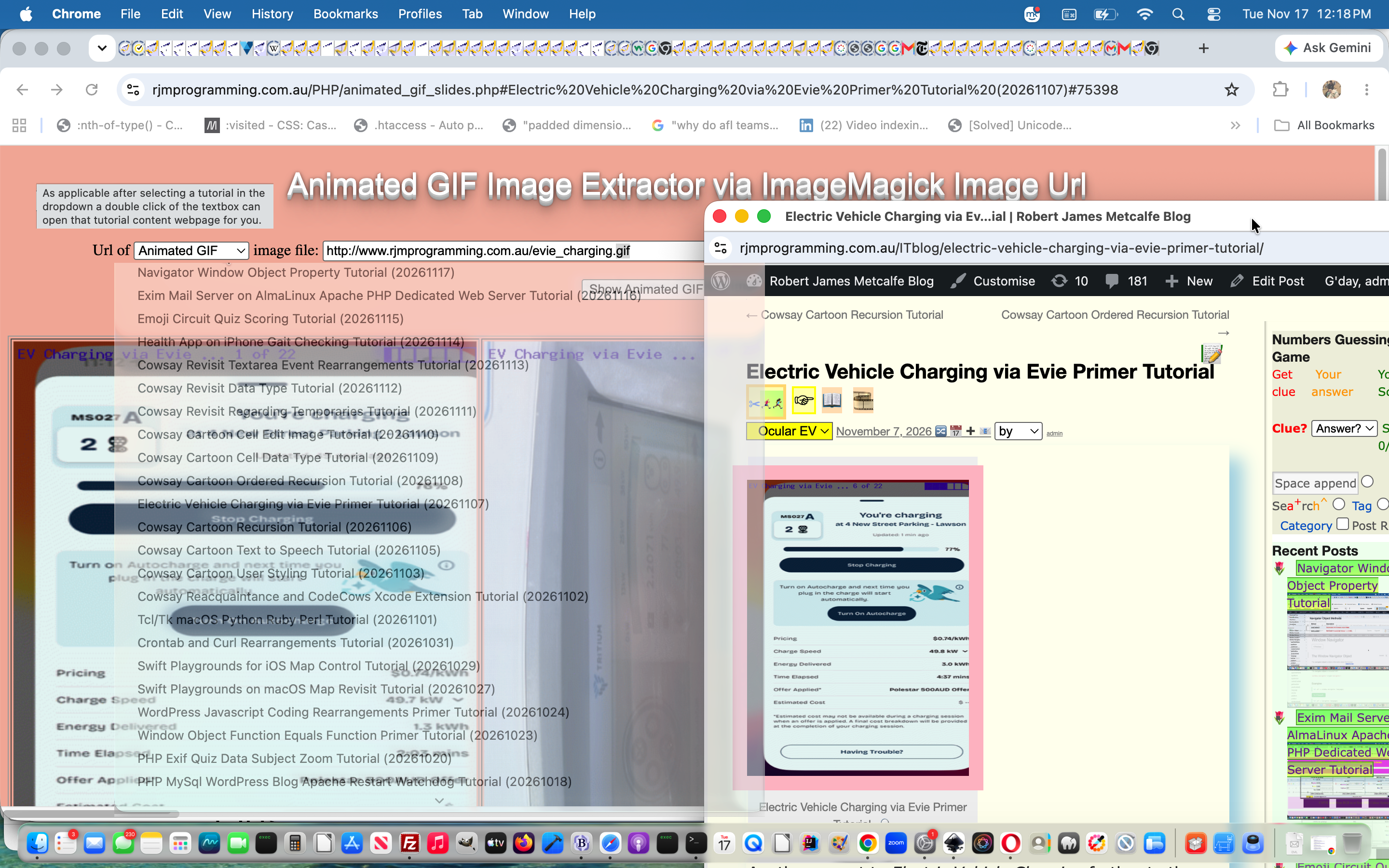
Animated GIF Slides via Landing Page Dropdown Tutorial
Some of the reason we are so keen on blog animated GIF forms of presentation at this blog you can read about with Animated GIF versus PDF Presentation Considerations Tutorial.
But, on occasions, when you see a slide of interest zip past you when looking at an animated GIF presentation image at this blog, do you ever want to see the slides presented that went to make up that animated GIF, perhaps presented in a single horizontal row of still image slides you can scroll among, from left to right, in order?
Sorry, that’s rhetorical. Anyway, revisiting the PHP web application of Animated GIF Slides via ImageMagick Primer Tutorial we’ve found scope for including new …
- dropdown suggestions for animated GIFs (as a tutorial picture for a blog posting here at this blog) to try, as gleaned from the dropdown among the Landing Page suite of webpages, and now so much easier since the work of Crontab and Curl Rearrangements Tutorial started placing URL references to tutorial pictures within a data-img global data attribute of the option subelements of the dropdown (ie. select) element referencing blog postings here on this blog
- method=POST and hashtag (via dynamically hashtagged form action attribute) we mentioned with Cowsay Cartoon Ordered Recursion Tutorial
… usage, and it that way associating …
- animated GIF presentations … to …
- WordPress Blog postings
… the user can double click the textbox to open, and/or share via email or SMS with other recipients who “see what you see” with the changed animated_gif_slides.php‘s live run.
Previous relevant Animated GIF Slides via ImageMagick Primer Tutorial is shown below.

Animated GIF Slides via ImageMagick Primer Tutorial
Animated GIFs are a means to store a slideshow or visual performance of some kind, that consists of several photograph stills, into the one image GIF file, which displays as an animation.
The last time we talked about Animated GIFs at this blog we wrote a web application to construct Animated GIFs from its constituent parts, when we presented Animated GIF via PHP Writing PHP Primer Tutorial as shown below.
If you guessed that today, instead, we were going to “take a walk in the Black Forest” or “catch an Ordon Catfish in a fish hole” … well, no … but … yes … well.
Today, we are going to use the PHP ImageMagick class (as we did yesterday with ImageMagick and Three Ps Affine Transformation Tutorial) to deconstruct an Animated GIF to show you its constituent photograph still parts, presented in one row of table cell elements, any/all of which you could right click and use a “Save Image As” option on your web browser to download these images, as necessary.
ImageMagick knows no bounds, and we continue to find good uses for it, though if you expect it to make you breakfast in bed before you ordered it, or even know that you wanted it, please think again would recommend the eggs benedict.
Two websites spring to my mind when you talk about Animated GIFs …
We have PHP serverside code to show you today with animated_gif_slides.php and we have a live run link too. And yes.
Previous relevant Animated GIF via PHP Writing PHP Primer Tutorial is shown below.
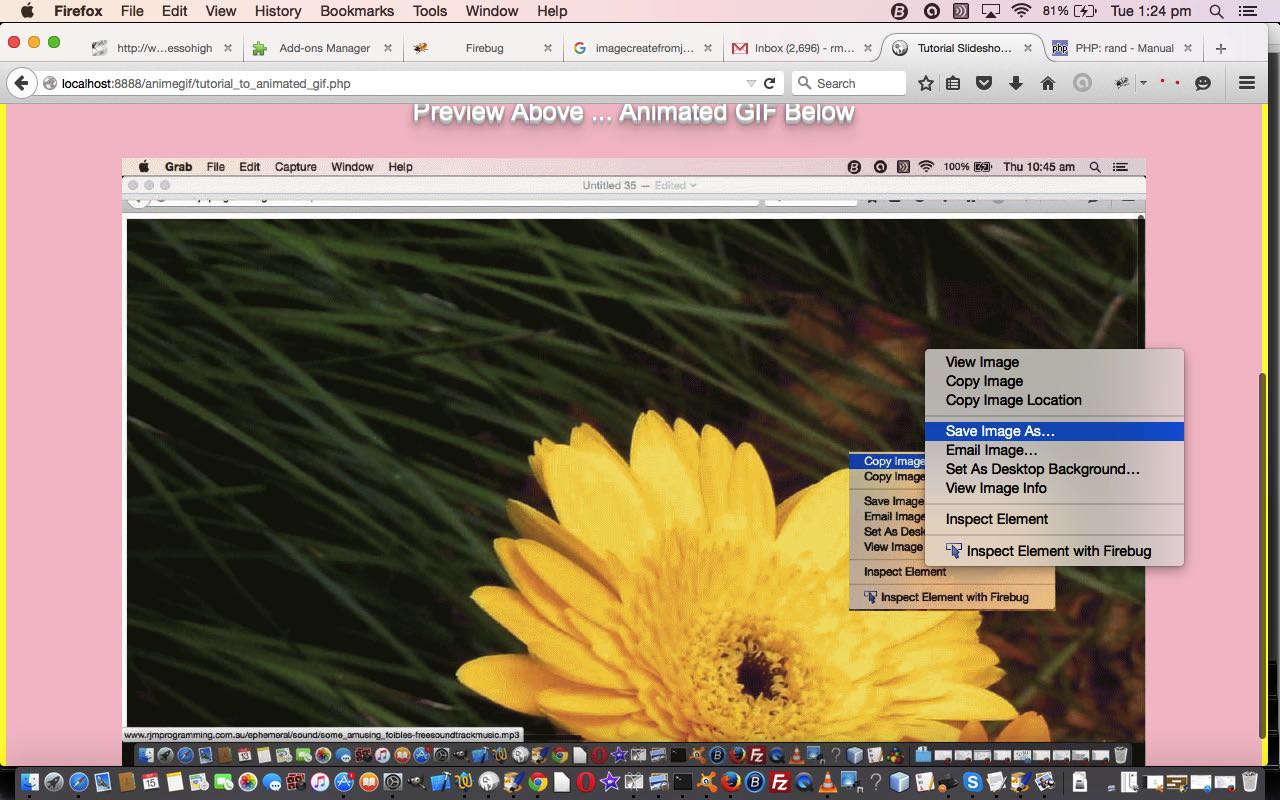
Animated GIF via PHP Writing PHP Primer Tutorial
We find another very useful reason for PHP to write PHP. Today we establish a PHP web application to dynamically create Animated GIF images via some still images, like Gifpal would do.
We have some great open source PHP code to thank for the basis of the functionality we found at Jeroen van Wissen’s very useful link, thanks.
Then we added a more user friendly interface to get the information off the user we need. We present this in an HTML form, which navigates to the same PHP to do the actual assembly of the Animated GIF via techniques where PHP writes PHP … and really needs to, to be useful.
Do you remember, last, when we did some PHP writing PHP functionality … PHP Writes PHP Vertical TextBoxes Primer Tutorial?
And inside the PHP it makes big use of the GD and Image Functions to read and write the image data we assemble via the user information.
This Animated GIF form of animation is the easiest to implement, as it consists of just the one GIF image file, but the user has very little control over the animation settings, such as the delay between stills, one of the settings we ask about in our web application.
Our PHP source code today you could call tutorial_to_animated_gif.php and we redirect you to some live run ideas …
- normal run with HTML form which posts back to itself … live run
- example GET parameters run (like our tutorial picture)
Hope you find this tutorial useful.
If this was interesting you may be interested in this too.
If this was interesting you may be interested in this too.
If this was interesting you may be interested in this too.




A fascinating technical exploration of video commentary timing and SubRip subtitle synchronization. In modern video pipelines, harmonizing visual frame duration with voiceover cadence is often where most editing effort goes. Seeing the programmatic breakdown of timestamped collaboration adds wonderful depth to media preparation tutorials. Excellent technical insight.