
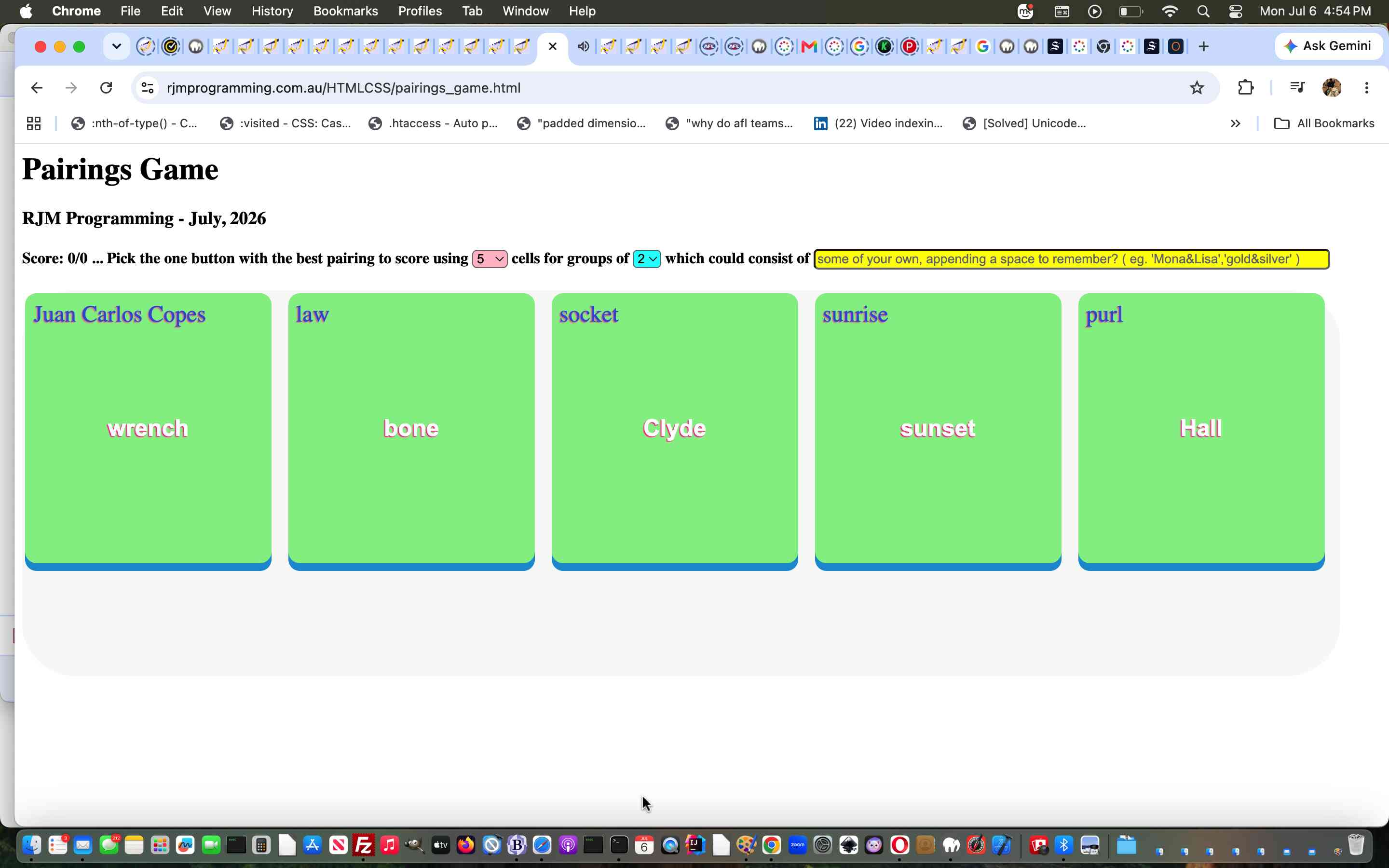
Pairings Game Aesthetics Tutorial
We find with small projects like yesterday’s Pairings Game Makeover Tutorial‘s Pairings++ Game with such projects we often leave it to later to try to improve the aesthetics of the web application. As you can surmise surfing the net it is not always this way around with content creators, because to attract attention with anything, it is often the aesthetics that mean most. Even so, we prioritise the …
- how it works … rather than …
- what it looks like
… because we find the how a lot more interesting than the what but grant you it is pretty exciting when a touch of aesthetics really does improve a web application. In either case, the online world of online advice is great for either priority, and today, with the …
CSS styling
… phase of our project a make html button look 3d offered great ideas, thanks, for us to end up with this CSS …
<style>

  button {  height: 280px; width:95%; background-color: yellow; font-size:24px; overflow-wrap: anywhere; }

  div { overflow-wrap: anywhere;  color: blue;  text-shadow:-1px 1px 1px #ff2d95;  }


  #iown { background-color: yellow; border-radius: 5px;  }

  #scells {  background-color: pink; border-radius: 5px;    }

  #sdim {  background-color: cyan; border-radius: 5px;    }

  #mytable {  background-color: #f9f9f9; border-radius: 55px;    }


  /* Thanks to https://www.google.com/search?q=make+html+button+look+3d&rlz=1C5OZZY_en&oq=make+html+button+look+3d&gs_lcrp=EgZjaHJvbWUyBggAEEUYOTIHCAEQIRigATIHCAIQIRigATIHCAMQIRigATIHCAQQIRifBTIHCAUQIRifBTIHCAYQIRifBdIBCDk4MDBqMGo0qAIAsAIB&sourceid=chrome&ie=UTF-8   */


 .btn-3d {

  /* Core Structure */

  position: relative;

  display: inline-block;

  padding: 15px 30px;

  /* font-size: 18px; */

  text-shadow:-1px 1px 1px #ff2d95;

  font-weight: bold;

  cursor: pointer;


  /* Remove Default Styling */

  border: none;

  outline: none;


  /* Colors and Shape */

  color: #ffffff;

  background-color: lightgreen; /* Bright top surface */

  border-radius: 12px;


  /* 3D Edge Effect (No blur, offset downwards) */

  box-shadow: 0 8px 0 #1899d6;


  /* Smooth animation back to position */

  transition: all 0.1s ease;

 }


 /* Hover State: Makes the button feel tactile */

 .btn-3d:hover {

  background-color: #24baff;

 }


 /* Clicked State: Moves the button down and shrinks the shadow */

 .btn-3d:active {

  box-shadow: 0 2px 0 #1899d6; /* Thinner side edge */

  transform: translateY(6px);  /* Pushes down to match shadow reduction */

 }

</style>
… to include the changed and more complete CSS styling code into a “third draft” Pairings++ Game below more palatable.
Previous relevant Pairings Game Makeover Tutorial is shown below.
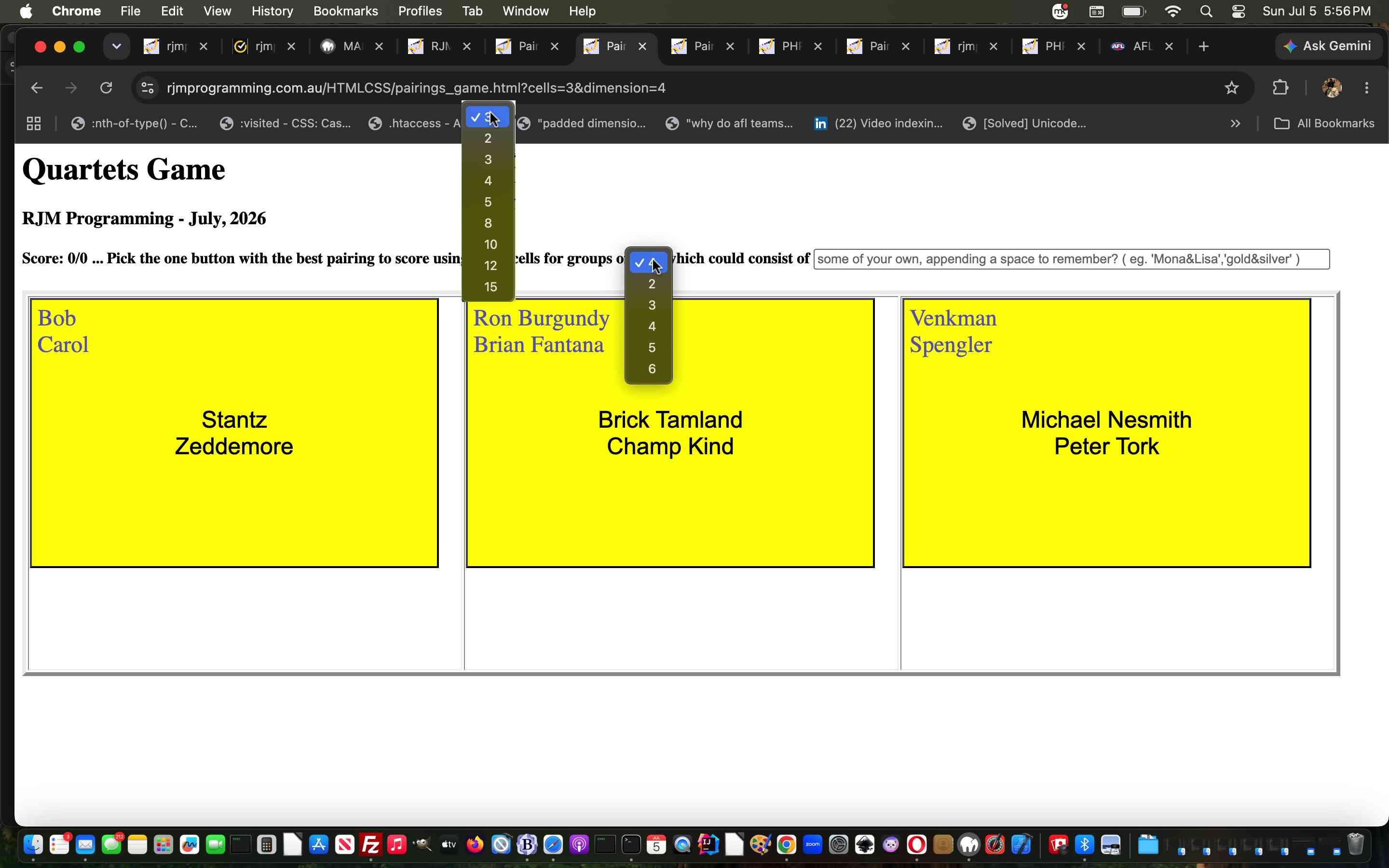
Pairings Game Makeover Tutorial
We often find that the “second draft” of a web application that represents a game or quiz can be a rewarding experience. The “first draft” of such web applications is often a “scurrying to represent those initial ideas before they are forgotten exercise”.
But a “second draft” can be done under less pressure, where ideas to extend the initial premise of the game or quiz, come far easier on revisiting and retesting. In that way, we extended into a “second draft” quite a few tinkerings …
- make number of table cells a selectable setting (within reason)
- make number of components within each synergy set a selectable setting (within reason)
- allow the user to add their own rememberable synergy set(s)
- allow the user to share their own rememberable synergy set(s) with an email or SMS recipient
- add emoji tick or cross to score to indicate answer correctness
- add seconds elapsed for those competitive players
… that, though minor by nature, and “optional”, of course, yet, can make the project, we had as of the day before yesterday’s Pairings Game Tutorial, far more interesting, we feel.
You can try the Pairings++ Game below, if you like.
Previous relevant Pairings Game Tutorial is shown below.
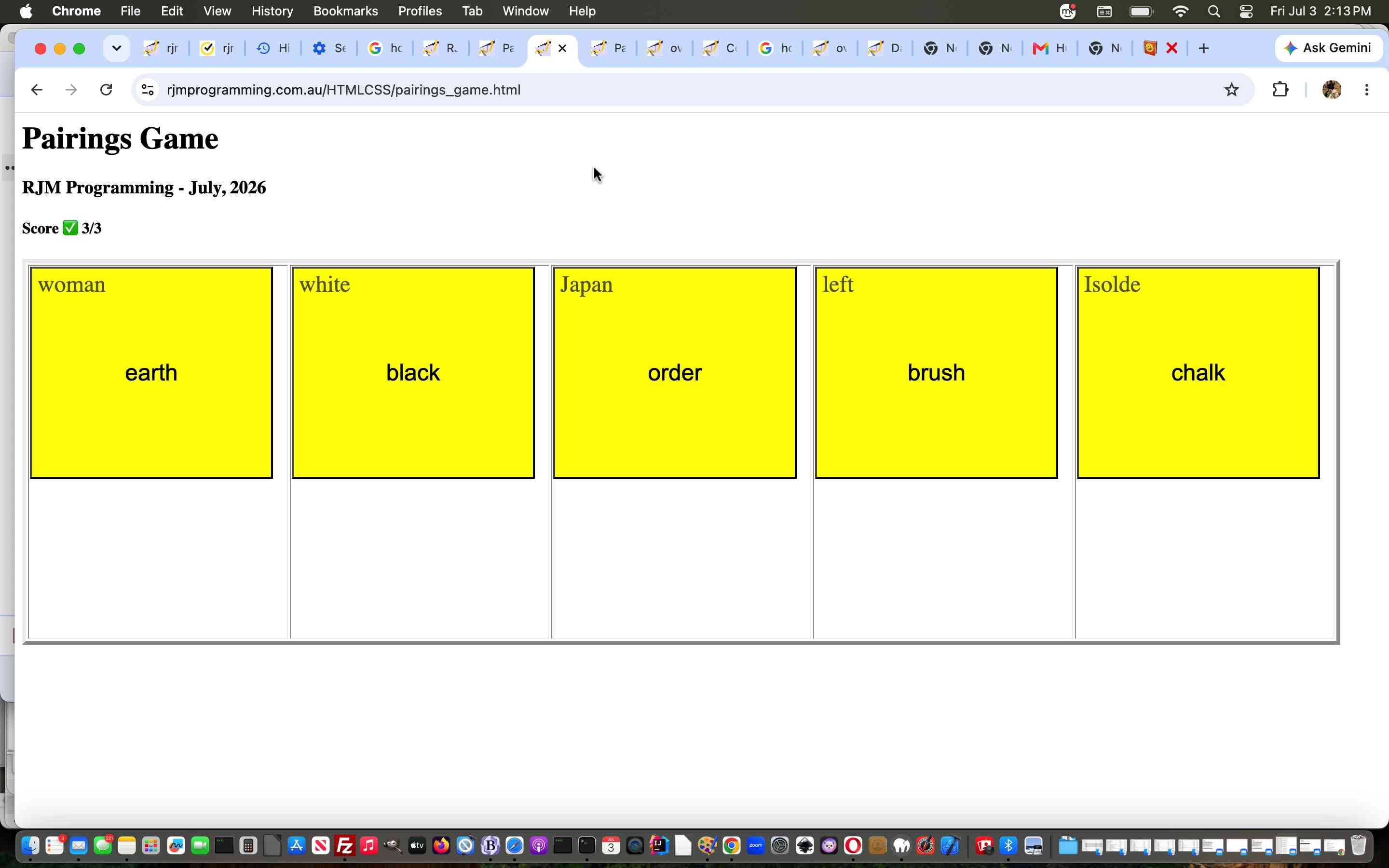
Pairings Game Tutorial
In this programming world, it is comforting to think of the “pairings” that go on. But it’s everywhere, the comfort a “pairing” can represent for people.
With this in mind, we designed a simple game …
- the player is presented with 5 ideas of a “pairing” … it’s subjective, but …
- we believe only one of these will score you a point by clicking on
… in this first draft Pairings Game whose tabular cell innards consist of 5 buttons and 5 overlaying …
   var rectos=[];


   function prepopulate() { // called at document.body onload

      for (var icell=0; icell<5; icell++) {

       rectos.push(document.getElementById('td' + eval(1 + icell)).getBoundingClientRect());

      }

   }


   function populate() {  // called whenever question changes

     var fivebuts=[], fiveoverlays=[];

     var makecorrect=Math.floor(Math.random() * 5), recto=null;

     var interestg=-1, tg=-1;

     sofarb=',';

     sofaro=',';


     for (var icell=0; icell<5; icell++) {

       recto=rectos[icell]; //document.getElementById('td' + eval(1 + icell)).getBoundingClientRect();

       interestg=Math.floor(Math.random() * eval('' + pairingsa.length));

       if (makecorrect == icell) {

         while ((sofarb + sofaro).indexOf(',' + interestg + ',') != -1) {

           interestg=Math.floor(Math.random() * eval('' + pairingsa.length));

         }

         fivebuts.push(interestg);

         fiveoverlays.push(interestg);

         sofarb+='' + interestg + ',';

         sofaro+='' + interestg + ',';

         if (eval(Math.floor(Math.random() * 19876754) % 2) == 0) {

         document.getElementById('td' + eval(1 + icell)).innerHTML='<button onclick=scoreit(1);>' + pairingsa[interestg].split('&')[1] + '</button><div style="margin-left:10px;margin-top:10px;font-size:24px;position:absolute;top:' + ('' + recto.top).split('.')[0] + 'px;' + 'left:' + ('' + recto.left).split('.')[0] + 'px;width:' + ('' + recto.width).split('.')[0] + 'px;height:' + ('' + recto.height).split('.')[0] + 'px;z-index:2345;opacity:0.6;pointer-events:none;">' + pairingsa[interestg].split('&')[0] + '</div>';

         } else {

         document.getElementById('td' + eval(1 + icell)).innerHTML='<button onclick=scoreit(1);>' + pairingsa[interestg].split('&')[0] + '</button><div style="margin-left:10px;margin-top:10px;font-size:24px;position:absolute;top:' + ('' + recto.top).split('.')[0] + 'px;' + 'left:' + ('' + recto.left).split('.')[0] + 'px;width:' + ('' + recto.width).split('.')[0] + 'px;height:' + ('' + recto.height).split('.')[0] + 'px;z-index:2345;opacity:0.6;pointer-events:none;">' + pairingsa[interestg].split('&')[1] + '</div>';

         }

       } else {

         while (sofarb.indexOf(',' + interestg + ',') != -1) {

           interestg=Math.floor(Math.random() * eval('' + pairingsa.length));

         }

         sofarb+='' + interestg + ',';

         tg=interestg;

         interestg=Math.floor(Math.random() * eval('' + pairingsa.length));

         while ((sofarb + sofaro).indexOf(',' + interestg + ',') != -1 || tg == interestg) {

           interestg=Math.floor(Math.random() * eval('' + pairingsa.length));

         }

         sofaro+='' + interestg + ',';

         if (eval(Math.floor(Math.random() * 19876754) % 2) == 0) {

         document.getElementById('td' + eval(1 + icell)).innerHTML='<button onclick=scoreit(0);>' + pairingsa[interestg].split('&')[1] + '</button><div style="margin-left:10px;margin-top:10px;font-size:24px;position:absolute;top:' + ('' + recto.top).split('.')[0] + 'px;' + 'left:' + ('' + recto.left).split('.')[0] + 'px;width:' + ('' + recto.width).split('.')[0] + 'px;height:' + ('' + recto.height).split('.')[0] + 'px;z-index:2345;opacity:0.6;pointer-events:none;">' + pairingsa[tg].split('&')[0] + '</div>';

         } else {

         document.getElementById('td' + eval(1 + icell)).innerHTML='<button onclick=scoreit(0);>' + pairingsa[tg].split('&')[0] + '</button><div style="margin-left:10px;margin-top:10px;font-size:24px;position:absolute;top:' + ('' + recto.top).split('.')[0] + 'px;' + 'left:' + ('' + recto.left).split('.')[0] + 'px;width:' + ('' + recto.width).split('.')[0] + 'px;height:' + ('' + recto.height).split('.')[0] + 'px;z-index:2345;opacity:0.6;pointer-events:none;">' + pairingsa[interestg].split('&')[1] + '</div>';

         }

       }

     }


   }
… div elements (optionally we’ve decided to apply pointer-events:none; to, per game question.
Pretty, simple, huh?!
If this was interesting you may be interested in this too.
If this was interesting you may be interested in this too.
If this was interesting you may be interested in this too.

