
Source Control in Xcode Tutorial
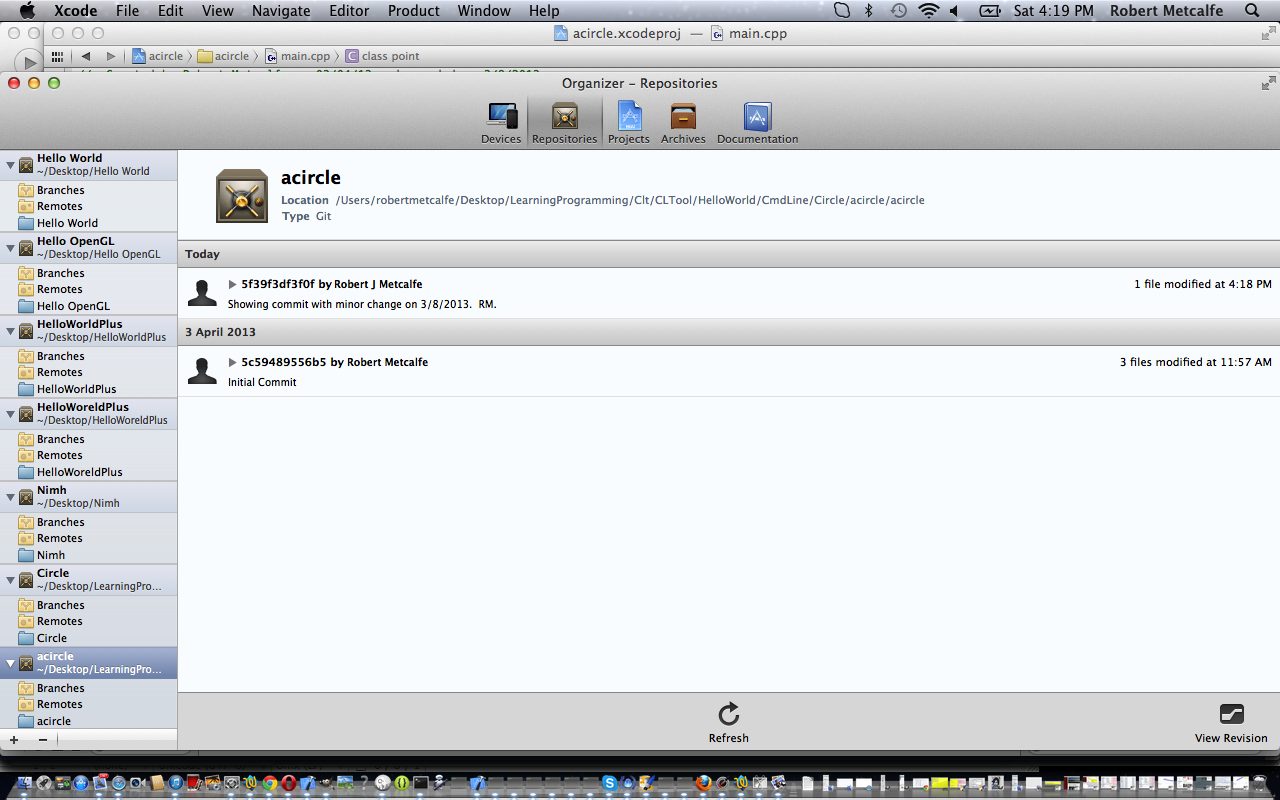
This tutorial about Source Control in Xcode, on a Mac laptop, builds upon the previous C++ XCode OOP Composite Objects Tutorial as shown below. Source Control concepts (also known as Revision Control) are not just a Software Coding idea, as it can apply to data as well, so anything that has a snapshot over time can benefit from Source (or Revision) Control to see how the project has developed, or, as is hopefully not the case, but can happen, you have to backtrack to a better working revision (or version).
Specifically we use the supported functionality within Xcode for Git Repositories which are discussed below from a Wikipedia source.
In software development, Git /ɡɪt/ is a distributed version control and source code management (SCM) system with an emphasis on speed.[4] Initially designed and developed by Linus Torvalds for Linux kernel development, Git has since been adopted by many other projects.
Every Git working directory is a full-fledged repository with complete history and full version tracking capabilities, not dependent on network access or a central server.
Git is free software distributed under the terms of the GNU General Public License version 2.
Here are some good topics for your research and development, all source being from Wikipedia:
- Source Control
- commit
- merge
- branch
- trunk
- revision
- push (or export from local repository)
- pull (or import into local repository)
Enjoy this tutorial about Source Control in Xcode where some code written some time ago is modified and a Commit operation is applied in the local git Source Control repository.
Previous C++ XCode OOP Composite Objects Tutorial is shown below.
C++ XCode OOP Composite Objects Tutorial
Here is a tutorial that introduces you to some aspects of OOP … oops, forgot to say what OOP stands for … Object Oriented Programming.
Object-oriented programming (OOP) is a programming paradigm that represents concepts as “objects” that have data fields (attributes that describe the object) and associated procedures known as methods. Objects, which are usually instances of classes, are used to interact with one another to design applications and computer programs.
To me, the beauty of OOP is that it can relate to the nouns in our life. Think of an object that you can touch, like a wristwatch … it has features like its type of design, its size, its weight (ie. its properties), and it has objects that go to make it up, like cogs and wheels (ie. its components), and it has its related classes of objects like clock, alarm clock, oven timer etcetera (ie. its characteristics), and its more fundamental essence, the class of watch (ie. its inheritance).
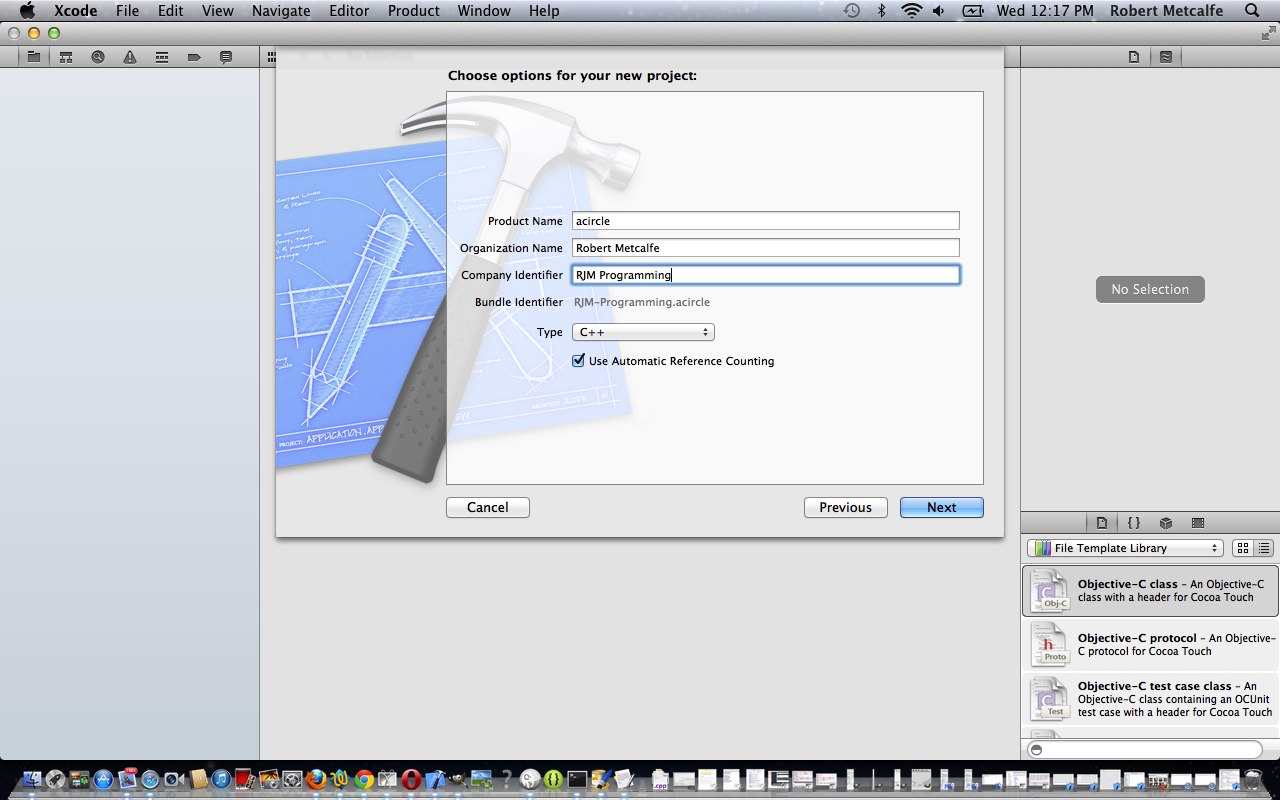
In this tutorial we touch on the “components” aspect of an object circle, whose class we are going to call acircle, and we will introduce a component class of point as a component of a circle. This is the tip of the iceberg of discussing objects and OOP, but is, perhaps, the easiest concept to start getting your head around how good OOP techniques can be for imagining what your programming should achieve.
By the way, do as I say rather than I do … when you have a classname give it a capital letter. You’ll see why when you program a lot … was a bad male human and didn’t do that in this tutorial. Non-snap. Non-snap. Non-snap. Somehow, don’t think non-snap will catch on quite as well!
Let’s see some C++ using XCode for this …
Link to Object Oriented Programming information … from Wikipedia from which quote above comes.
Link to Object Oriented Programming inventor information … Kristen Nygaard.
Link to some downloadable programming code … rename to main.cpp for use.
If this was interesting you may be interested in this too.
If this was interesting you may be interested in this too.




Naming the things in a bathroom is a smarter vocabulary exercise than it first looks, because every learner already knows the room, so the words attach to objects they can see and touch instead of floating on a flashcard. Asking how many things can you name turns it into a game rather than a test, and the counting itself becomes the motivation: one more word than last time is a visible win. I like the way this kind of lesson uses a photograph as the prompt, since a picture gives every student the same starting point regardless of level, and the stronger students can move on to describing what each thing is for while beginners are still collecting nouns. The bathroom is a good choice of room too, because it is full of everyday words that textbooks often skip, the small objects people actually say out loud every morning. A daily habit of naming five new things around the house would build a working vocabulary faster than memorising lists, and this post is a good template for it.