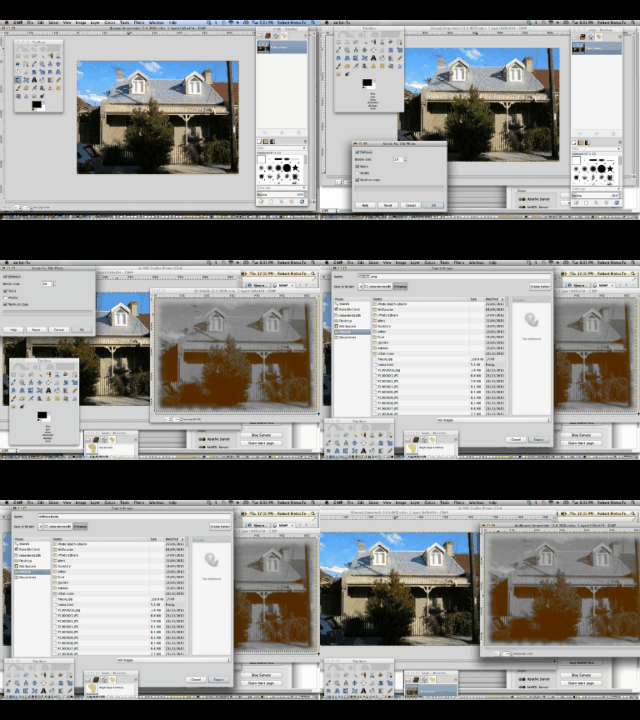
Gimp Old Photo Tutorial - Gimp download from http://www.gimp.org
Gimp is great!
Gimp is open source.
What is Gimp? It edits image files. It has loads of filters and tools. One really good one that we show today is the Filter->Decor->Old Photo… which uses sepia toning (if you are into photography in darkrooms, you may remember some chemicals to do this) to create the effect of an ordinary photograph with apt subject matter, turning into an old photograph that has been in a photograph album for a looooooooong time.
The tutorial today was created using the brilliant Gifpal, a web application making it pretty easy to create an animated GIF.
If this was interesting you may be interested in this too.




I like the single-row radio-play approach for keeping the controls compact while still making each selection clear. When I’m checking a calculation alongside a tutorial, I use StepStat to see the intermediate steps; how do you handle the layout when the playlist gets much longer?