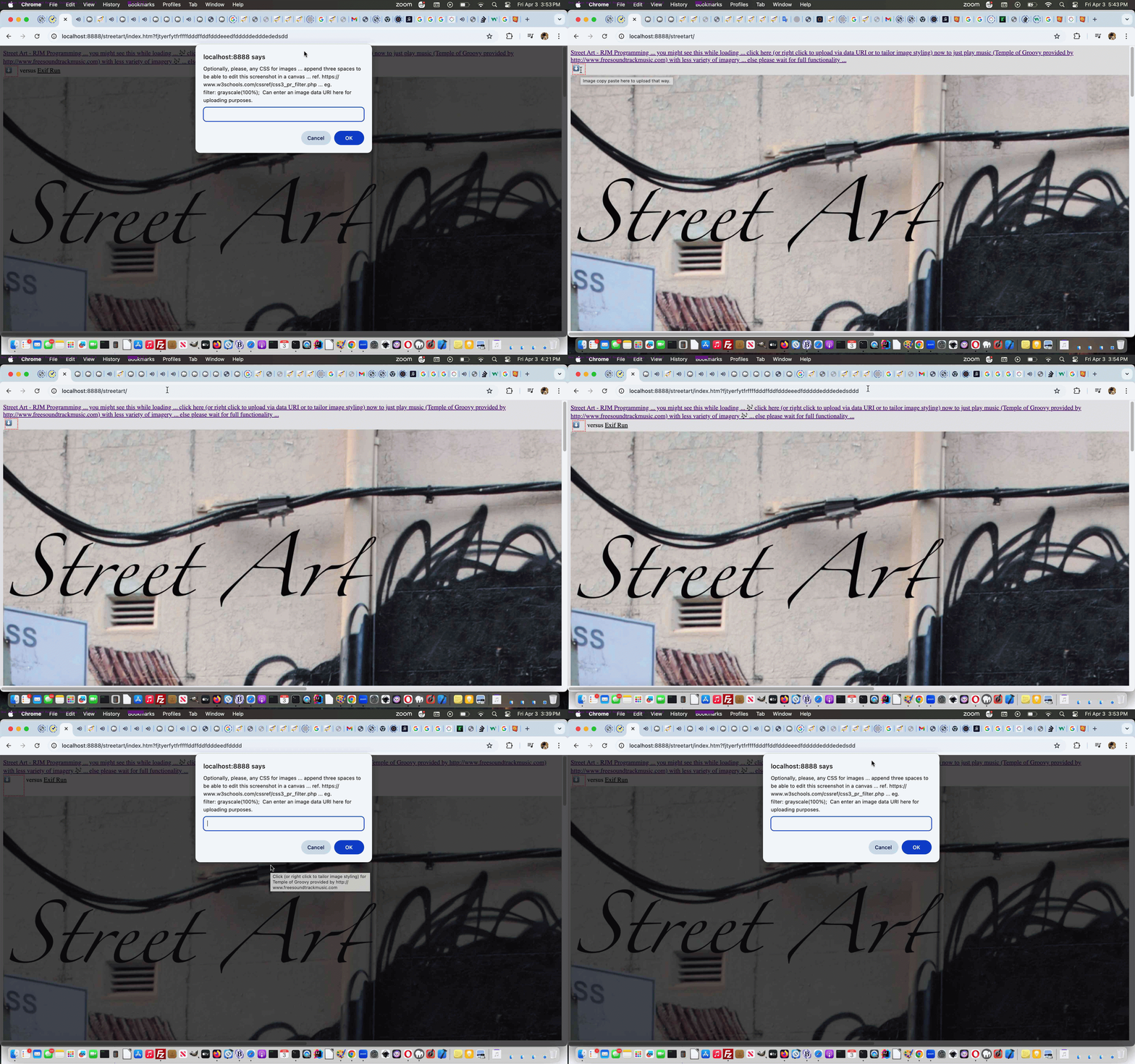
One Image Website Onpaste Uploading Tutorial
The onpaste event referencing work of the recent Using Document Writeln Onpaste Tutorial set us to thinking about the unwieldy nature of our “One Image Website” series of photographic projects ability to, on the fly, these days …
- take a new relevant photograph (on an iPhone, for instance) … and then easily …
- get some functionality on the “One Image Websites” (our Guinea Pig, here, being our Street Art project) to accept either …
- graphical image Copy into buffer via some Edit->Select All, Edit->Copy (eg. within an Image Editor desktop application) (combination) option Edit->Pasted into a new HTML span contenteditable=true onpaste and onblur savvy events “uploading” helper … or …
- right click at first webpage (of one of these “One Image Website” projects) to get to a prompt window that can accept a data URI the likes of which Google Image Search (say, of “clipart”)->right click->Copy Image Address could glean for you as a representation of an image
Where’s the security and moderation here? Any upload operation needs to worry about that, huh?! Well, we limit it via IP address at this stage, in our Guinea Pig start to proceedings, and will monitor over time.
Let’s start, codewise with the pretty well self contained PHP block of code that is new for this work …
<?php


  $oklist=['0::1', '1.156.90.221'];


  function server_remote_addr() {

    global $ris;

    $rma = $_SERVER['REMOTE_ADDR'];

    if ($rma != "") {

      $qris = $rma;

    } else if ($rma == "") {

      $rma = $qris;

    }

    $ua = strtolower($_SERVER['HTTP_USER_AGENT']);

    // you can add different browsers with the same way ..

    if(preg_match('/(chromium)[ \/]([\w.]+)/', $ua))

            $rma = '000000'.$rma;

    elseif(preg_match('/(chrome)[ \/]([\w.]+)/', $ua))

            $rma = '00000'.$rma;

    elseif(preg_match('/(safari)[ \/]([\w.]+)/', $ua))

            $rma = '0000'.$rma;

    elseif(preg_match('/(opera)[ \/]([\w.]+)/', $ua))

            $rma = '000'.$rma;

    elseif(preg_match('/(msie)[ \/]([\w.]+)/', $ua))

            $rma = '00'.$rma;

    elseif(preg_match('/(mozilla)[ \/]([\w.]+)/', $ua))

            $rma = '0'.$rma;

    //echo "<p>".$ua.$rma."</p>";

    return $rma;

  }


  if (isset($_GET['getmeip'])) {

    $okipwise=false;

    $visip=server_remote_addr();

    for ($inb=0; $inb<sizeof($oklist); $inb++) {

        if (strpos($visip . '!', $oklist[$inb] . '!') !== false) {

          $okipwise=true;

        }

    }

    if ($okipwise) {

      echo '["' . server_remote_addr() . '"]';

    } else {

      echo '["","' . server_remote_addr() . '"]';

    }

    exit;

  } else if (isset($_GET['diris']) && isset($_GET['prefixis']) && isset($_GET['startsuffix']) && isset($_GET['endsuffix'])) {

    $arrbit='';

    if ($_GET['prefixis'] != '' && $_GET['diris'] != '' && $_GET['startsuffix'] != '' && $_GET['endsuffix'] != '') {

     foreach(glob(str_replace('+',' ',urldecode($_GET['diris'])) . DIRECTORY_SEPARATOR . str_replace('+',' ',urldecode($_GET['prefixis'])) . '*.*g*') as $filename) {

        if (strpos($filename, str_replace('+',' ',urldecode($_GET['diris'])) . DIRECTORY_SEPARATOR . str_replace('+',' ',urldecode($_GET['prefixis']))) !== false) {

          $restfnamebit=explode('.', explode(str_replace('+',' ',urldecode($_GET['diris'])) . DIRECTORY_SEPARATOR . str_replace('+',' ',urldecode($_GET['prefixis'])), $filename)[1])[0];

          if ($restfnamebit < str_replace('+',' ',urldecode($_GET['startsuffix'])) || $restfnamebit > str_replace('+',' ',urldecode($_GET['endsuffix']))) {

           if ($arrbit == '') {

            $arrbit='["' . $filename . '"]';

           } else {

            $arrbit=str_replace(']', ',"' . $filename . '"]', $arrbit);

           }

          }

        }

     }

     if ($arrbit == '') {

       echo "[]";

     } else {

       echo $arrbit;

     }

     exit;

    }

    echo "[]";

    exit;

  } else if (isset($_POST['newdurl']) && isset($_POST['diris']) && isset($_POST['prefixis']) && isset($_POST['startsuffix']) && isset($_POST['endsuffix'])) {

    if (strpos(str_replace(' ','+',urldecode($_POST['newdurl'])), 'data:image/') !== false && $_POST['prefixis'] != '' && $_POST['diris'] != '' && $_POST['startsuffix'] != '' && $_POST['endsuffix'] != '') {

      $okipwise=false;

      $visip=server_remote_addr();

      for ($inb=0; $inb<sizeof($oklist); $inb++) {

        if (strpos($visip . '!', $oklist[$inb] . '!') !== false) {

          $okipwise=true;

        }

      }

      if ($okipwise) {

      $proposedext='.' . str_replace('jpeg','jpg',explode(';',explode(',',explode('data:image/', str_replace(' ','+',urldecode($_POST['newdurl'])))[1])[0])[0]);

      if (strpos($proposedext, 'g') !== false) {

        $fidea=str_replace('+',' ',urldecode($_POST['endsuffix']));

        $isthere=true;

        $fnameproposed='';

        while ($isthere) {

         $isthere=false;

         foreach(glob(str_replace('+',' ',urldecode($_POST['diris'])) . DIRECTORY_SEPARATOR . str_replace('+',' ',urldecode($_POST['prefixis'])) . $fidea . '.*g*') as $filename) {

          $isthere=true;

         }

         if (!$isthere) {

           $fnameproposed=str_replace('+',' ',urldecode($_POST['diris'])) . DIRECTORY_SEPARATOR . str_replace('+',' ',urldecode($_POST['prefixis'])) . $fidea . $proposedext;

         } else {

           $fidea++;

         }

        }

        if ($fnameproposed != '') {

         file_put_contents($fnameproposed, base64_decode(explode(";base64,", str_replace(' ','+',urldecode($_POST['newdurl'])))[1]));

        }

      }

      }

    }

    exit;

  }

?>
… and then there is some new “fetch” and Ajax rich HTML and Javascript as per …
| New Global Variables and Asynchronous section Javascript … |
|---|
|
| New Javascript functions … |
|
| New HTML span element … |
|
… that is “undercover” to most trying out our Street Art “One Image Website” project.
Previous relevant Using Document Writeln Onpaste Tutorial is shown below.
Using Document Writeln Onpaste Tutorial
Regarding yesterday’s Using Document Writeln Primer Tutorial you might wonder …
Why involve either/both textarea and div (contenteditable=true) elements as “containers” of content?
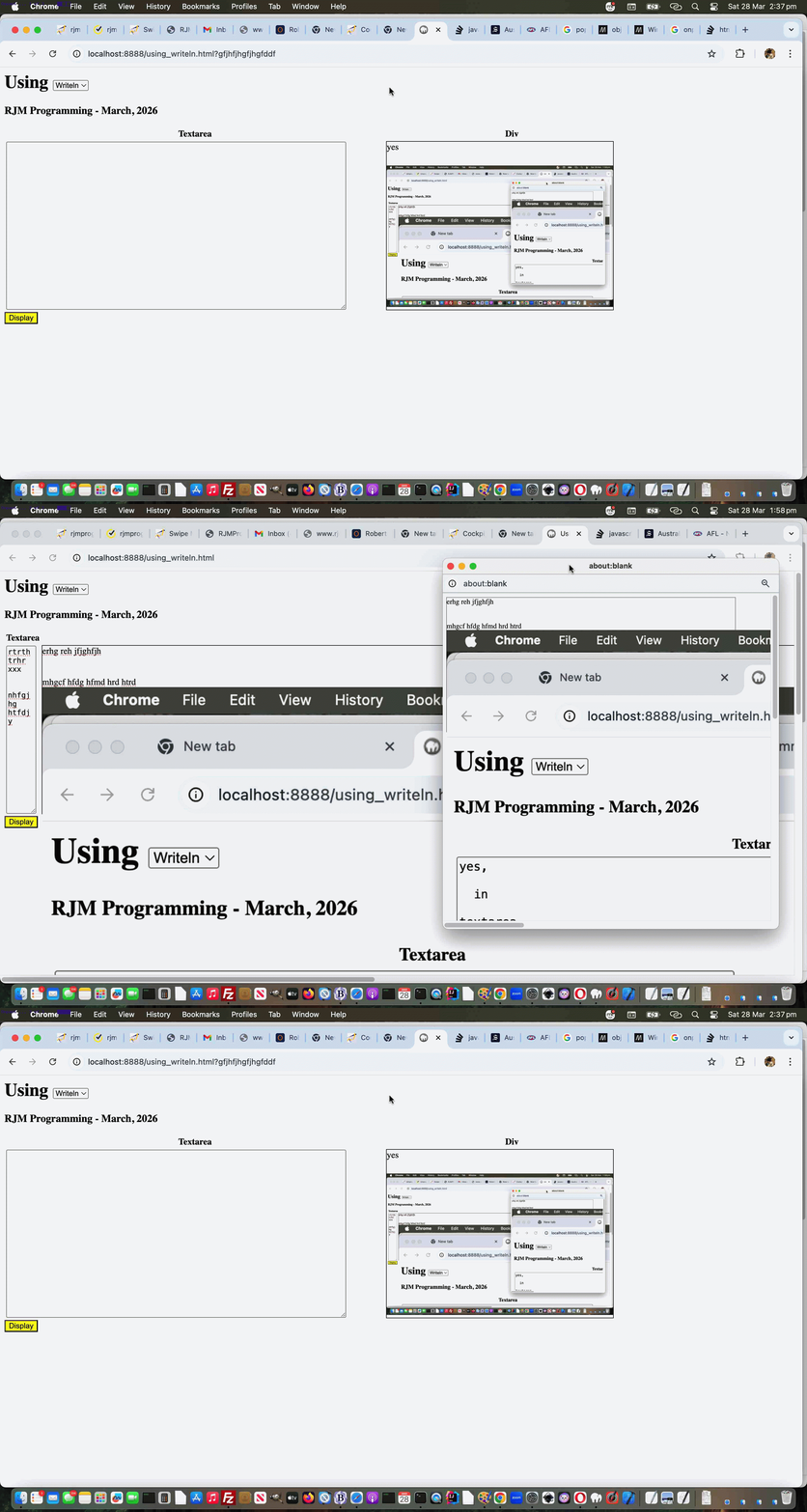
Well, with yesterday’s starting onblur (just) event gambit, it’s a very pertinent question, but, today, we introduce onpaste event work, and involving this event with the div element can have it distinguishing itself, able to accept graphical (eg. image) content. For example, the user can have their cursor placed into the div element and have been in an image editor having Edit->Select Alled and Edit->Copyed graphical content, then that can be Edit->Pasted into the div as graphical content.
As you might imagine, this opens a Pandora’s Box of possibilities regarding image sizing, but we apply inline CSS styling …
style='object-fit:contain;width:100%;height:100%;'
… to the img data URIed element within the div element that happens when graphical content is pasted into it, so that the graphical data is unlikely to spill too far outside the div bounds, assuming only one image is pasted, that is.
So feel free to try a changed using_writeln.html first draft Using (Document) Writeln web application for you to try yourself.
Previous relevant Using Document Writeln Primer Tutorial is shown below.
Using Document Writeln Primer Tutorial
The other day we stumbled on some advice leading us to use …
document.writeln([html-content]);
… rather than our usual “go to” …
document.write([html-content]);
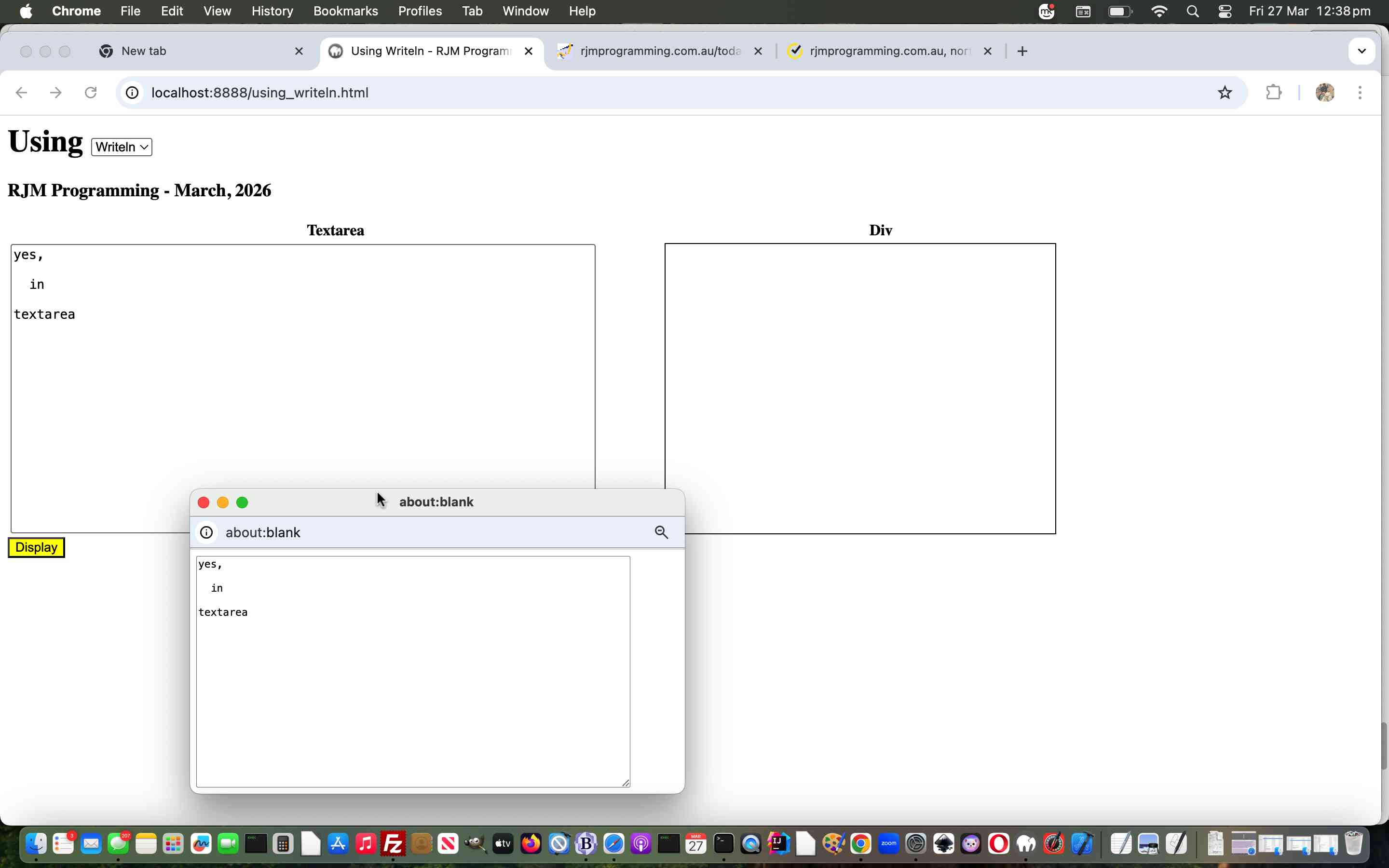
And so we wrote a “proof of concept” using_writeln.html first draft Using (Document) Writeln web application for you to try yourself.
If this was interesting you may be interested in this too.
If this was interesting you may be interested in this too.
If this was interesting you may be interested in this too.

