
CSS Sass Precompiler on macOS Intel via Rosetta Primer Tutorial
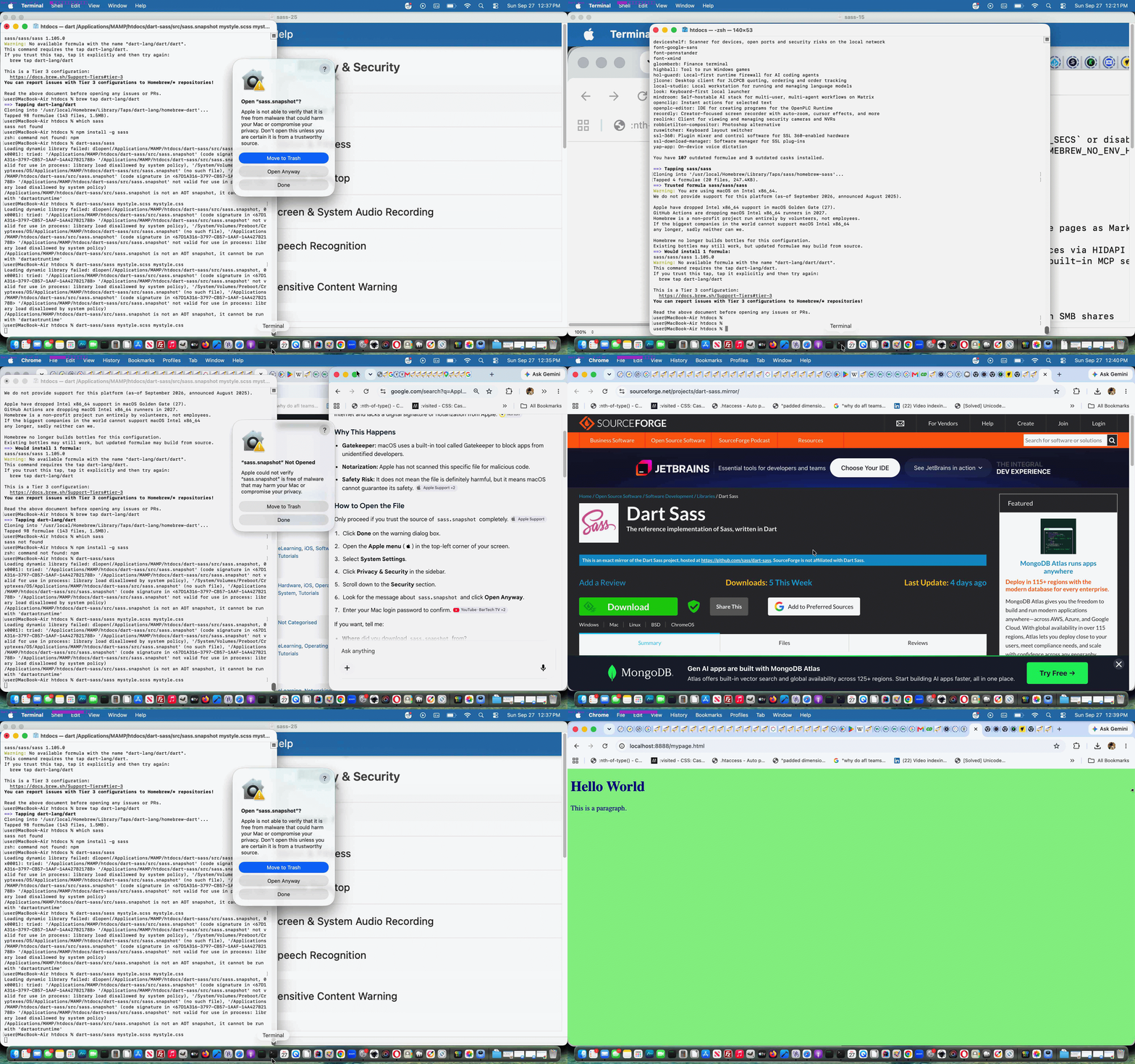
We were looking into the CSS Sass pre-compiler functionality here in September, 2026, trying an install via brew install sass/sass/sass on an Intel based MacBook Air, and along the way got told, with words to the effect …
The “Support Ending for Intel-based Apps” error message means you are running an older app built for Intel processors on an Apple Silicon (M1/M2/M3/M4) Mac.This notification appears because the app uses Rosetta—the Apple translation tool that lets Intel apps run on newer Apple Silicon chips. Apple plans to completely remove Rosetta in macOS 28 (releasing in late 2027), meaning these older apps will stop working then. Sometimes this warning pops up even for newer apps if they still open an old Intel helper tool or plugin in the background.How to Fix ItUpdate the app: Check the Mac App Store or the developer’s website for an updated “Universal” or “Apple Silicon native” version of the software.Check app settings: Right-click the app in your Applications folder, select Get Info, and see if “Open using Rosetta” is checked. Unchecking it (if a native version is installed) may stop the warning.Delete old apps: If you no longer use the app, drag it to the Trash.Ignore for now: The warning is just a heads-up. Your app will still open and run normally on your current version of macOS.If you want, tell me the name of the app showing this message so I can check if an update is available for you.TidBITS Talk”Support Ending for Intel-based Apps” — Spurious Warning?May 1, 2026 — Rosetta 2 Usage on Apple Silicon: Apple Silicon Macs can execute Intel versions of applications through Rosetta 2, Apple’s automat…YouTube·APPLE 1-TO-1 TRAININGIntel Apps Are Going Away on Mac: What You Need to Know3 June 2026 — Intel Apps Are Going Away on Mac: What You Need to Know starting with Mac OS 28 Rosetta will no longer be functional except for ce…3mMozilla SupportFix “Support ending for Intel-based Apps” warning in Mozilla VPN on macOSYou might see a message about Intel-based apps or Rosetta when opening Mozilla VPN on your Mac.
This notification appears because the app uses Rosetta—the Apple translation tool that lets Intel apps run on newer Apple Silicon chips. Apple plans to completely remove Rosetta in macOS 28 (releasing in late 2027), meaning these older apps will stop working then. Sometimes this warning pops up even for newer apps if they still open an old Intel helper tool or plugin in the background.
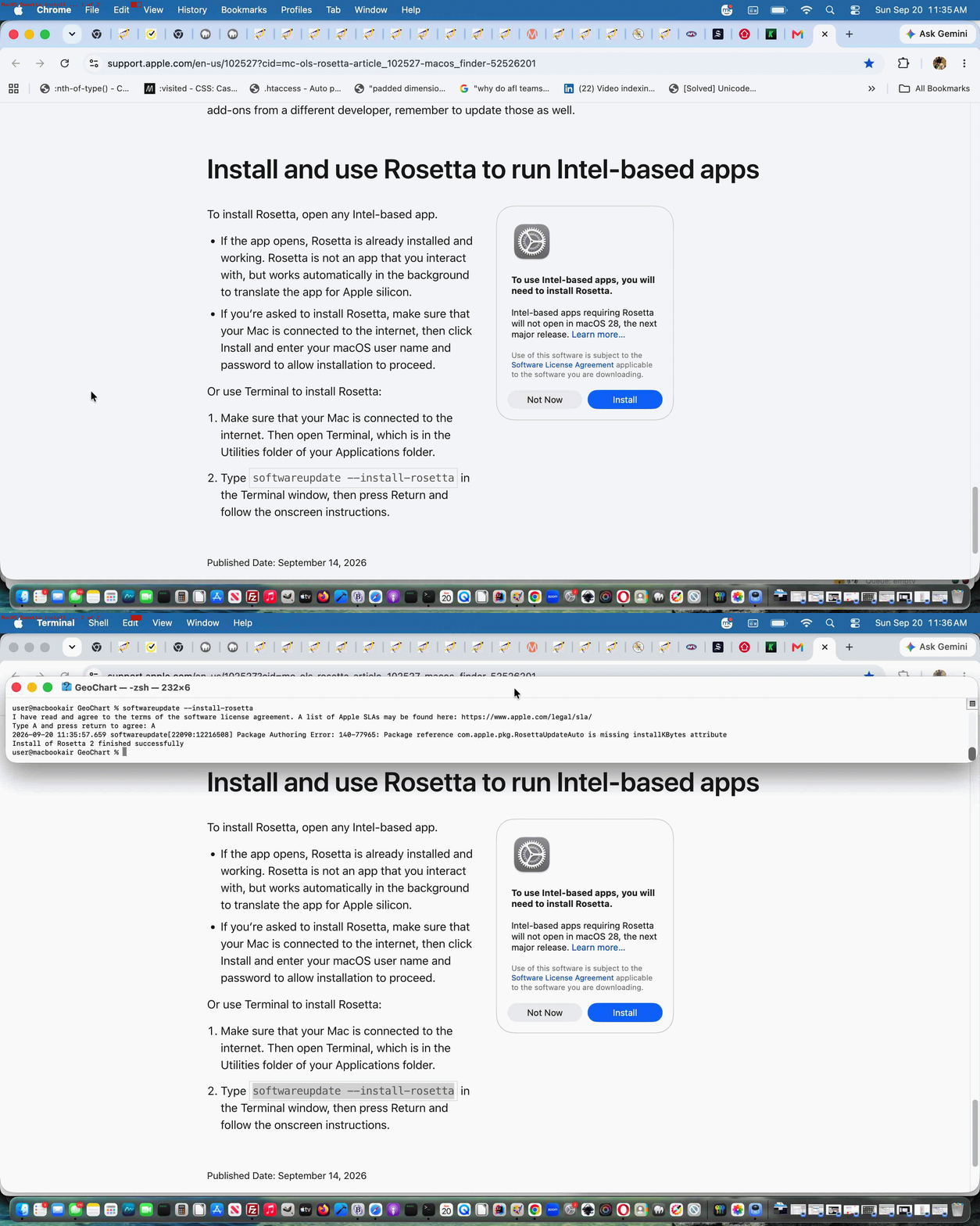
… signifying “no go”. But we’d installed Rosetta via …
softwareupdate --install-rosetta
… about a week earlier …
… so persevered in our efforts … but cannot categorically rule out concern here if you encounter the same issue.
Anyway, our further research got us to this SourceForge download of tar link we followed through on and deployed but when it came to command line trying …
dart-sass/sass mystyle.scss mystyle.css
… means of massaging the lightblue …
… mention in mystyle.css over to the lightgreen mystyle.scss setting, as directly mimicking the excellent W3school’s advice, thanks, it complained about security.
Maybe you want to stop at this point, but we were told elsewhere the macOS Intel (with Rosetta) tar install could work, and so worked it via System Preferences work to run the Sass precompiler under system priviledge means, and it worked in the hosting HTML, now referencing (Dart) Sass changed mystyle.css below …
… turning green!
If this was interesting you may be interested in this too.

