
PHP MySql WordPress Blog Performance Primer Tutorial
To our minds, when thinking about the performance of this blog, which we think could do with some attention given more traffic lately, it being an AlmaLinux Apache/PHP/MySql WordPress.org one, we know of four avenues of research we’d say are …
- MySql slow queries
- PHP slow processing
- caching ideas
- PHP-FPM (Multi PHP Manager) settings
… the last of which we’ll leave to last, but some of that can be got to via WHM cPanel options.
With the first two, you will probably need to consider the information web server logging can provide you. By default, we’re finding, AlmaLinux Apache/PHP/MySql web servers of any recent times do not by default log for either of the first two above.
And so, today’s start down our road examining “performance”, we’ll outline how to set up logging to start investigating whether slow MySql database (further to PHP MySql Select Query UTF-8 Return Values Tutorial) queries are “too adversely” affecting your Apache/PHP/MySql web server’s creation of your (perhaps WordPress blog) webpage(s).
Here we got great advice from on almalinux where is a log that would detect slow mysql queries? … thanks … gleaning …
By default, MySQL’s slow query log is turned off on AlmaLinux. If it has been enabled, you can find the file path by running a quick SQL command, or you can configure it manually.
… leading us to …
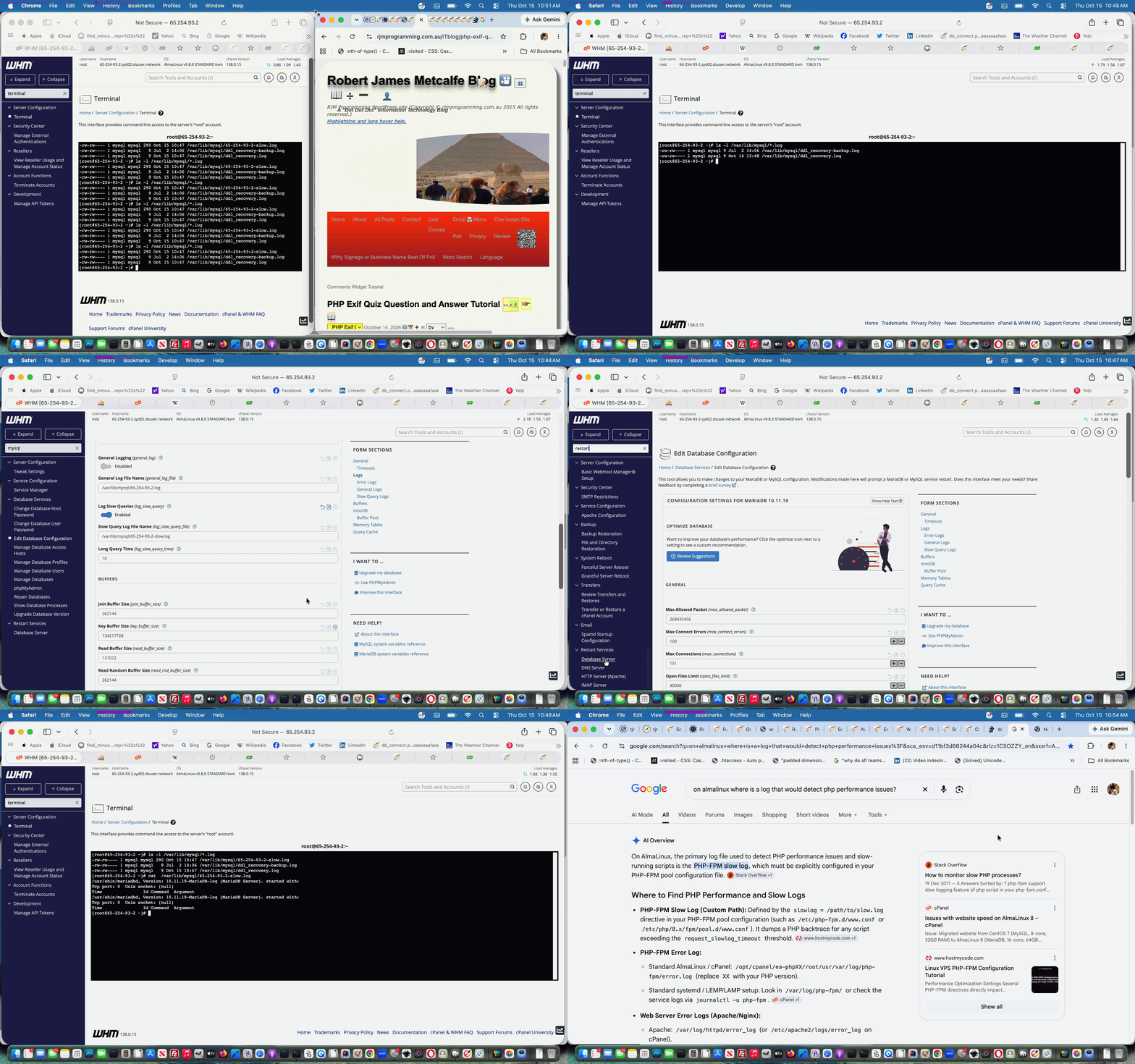
- accessed WHM cPanel -> Edit Database Configuration
- set the Slow Query logging to enabled
- Saved that change
- accessed WHM cPanel -> Restart Services -> Database Server
- click Restart button
- then, accessing WHM cPanel -> Terminal, from then on, at it’s command line …
ls -l /var/lib/mysql/*.log

cat  /var/lib/mysql/65-254-93-2-slow.log  # as relevant, in our RJM Programming domain's case, if above not showing zero length log
… were our means of knowing if slow MySql queries are a major issue
… and after a day of logging? We think this is not the major “performance” concern for our RJM Programming domain, that slow log still showing no issues. And so, tomorrow, the quest continues.
Previous relevant PHP MySql Select Query UTF-8 Return Values Tutorial is shown below.
PHP MySql Select Query UTF-8 Return Values Tutorial
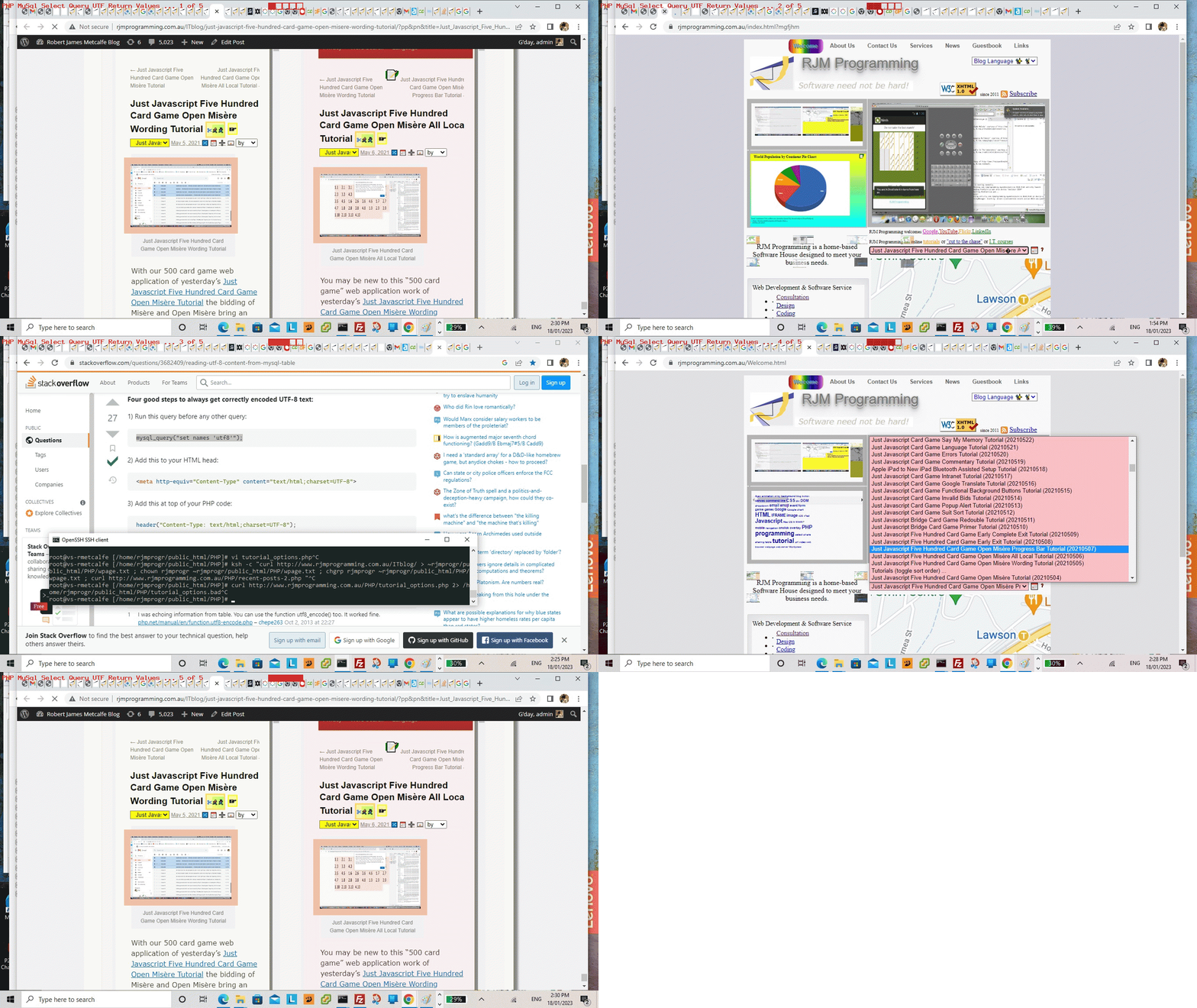
Yes, ever since embracing emojis, we’re on the lookout for gobbledegook. And yes, a lot of the strategies we found on the “stumbled upon” Reading UTF-8 Content from MySql Table we were familiar with, but one we weren’t, which was the one we discovered as gobbledegook in our Landing Page’s major dropdown outlining all the blog posts we’ve written at the RJM Programming WordPress Blog Website we’re running here, and you are reading now.
The, was …
Just Javascript Five Hundred Card Game Open Mis�re Progress Bar Tutorial (20210507)
… anti gobbledegook initiative scenario, with our changed tutorial_options.php cronatb/curl morning scheduled Landing Page modifier, becomes …
Just Javascript Five Hundred Card Game Open Misère Progress Bar Tutorial (20210507)
… improvement, came about from a consideration we have not thought about before … what about if MySql data contains UTF-8 data, and is part of a WordPress blog title, which ends up on the Landing Page big dropdown, already covered by a …
<meta http-equiv="Content-Type" content="text/html; charset=UTF-8">
… was inspired by checking off the excellent “already catered for” anti gobbledegook (emoji) checklist measures, leaving the PHP …
<?php
$res = mysql_query("set names 'utf8'");
?>
… initiative, before any SQL SELECT type queries, idea, presented at Reading UTF-8 Content from MySql Table, which fixed our issue very nicely, thanks, in our changed tutorial_options.php PHP crontab/curl PHP helper.
If this was interesting you may be interested in this too.
If this was interesting you may be interested in this too.




This is a helpful introduction to mind mapping, especially the explanation of how an unfamiliar .mm file can lead to discovering a practical visual-thinking tool. Mind maps are also useful for planning creative projects: I often map out a video’s key scenes, mood, pacing, and audio needs before production. Once that structure is clear, tools such as Flow Music can create AI background music for videos from a prompt, making it easier to match the soundtrack to each part of the visual plan. Thanks for sharing this accessible primer.