
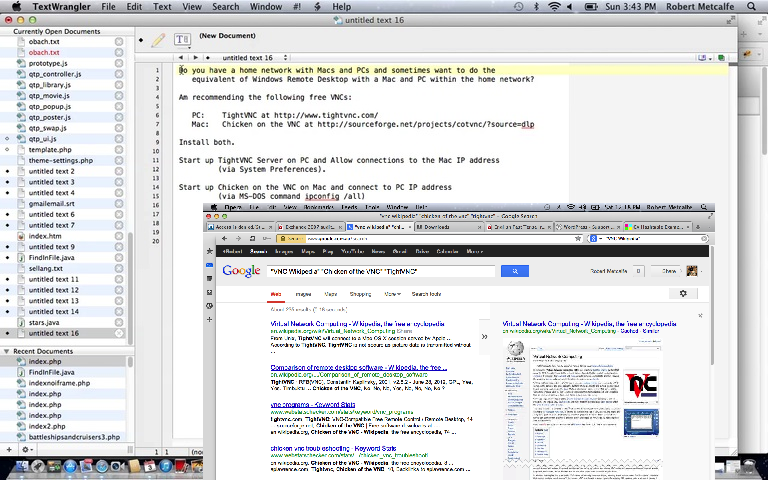
VNC Mac to PC Tutorial - Chicken of the VNC download for Mac from http://sourceforge.net/projects/cotvnc/?source=dlp and TightVNC download for PC from http://www.tightvnc.com/
Tutorial …
Transcript:
Do you have a home network with Macs and PCs and sometimes want to do the
equivalent of Windows Remote Desktop with a Mac and PC within the home network?
Am recommending the following free VNCs:
PC: TightVNC at http://www.tightvnc.com/
Mac: Chicken on the VNC at http://sourceforge.net/projects/cotvnc/?source=dlp
Install both.
Start up TightVNC Server on PC and Allow connections to the Mac IP address
(via System Preferences) … done now.
Start up Chicken on the VNC on Mac and connect to PC IP address
(via MS-DOS command ipconfig /all) … done.
Let’s see what Chicken on the Run Mac screen shows …
If this was interesting you may be interested in this too.




Naming the things in a bathroom is a smarter vocabulary exercise than it first looks, because every learner already knows the room, so the words attach to objects they can see and touch instead of floating on a flashcard. Asking how many things can you name turns it into a game rather than a test, and the counting itself becomes the motivation: one more word than last time is a visible win. I like the way this kind of lesson uses a photograph as the prompt, since a picture gives every student the same starting point regardless of level, and the stronger students can move on to describing what each thing is for while beginners are still collecting nouns. The bathroom is a good choice of room too, because it is full of everyday words that textbooks often skip, the small objects people actually say out loud every morning. A daily habit of naming five new things around the house would build a working vocabulary faster than memorising lists, and this post is a good template for it.