
Javascript Array Method Primer Tutorial
If you are interested in writing your own web applications, on the “client” side of the work, there are three major categories of skills, those being …
- HTML (design)
- CSS (style)
- Javascript (workings)
… and a subcategory of “Javascript (workings)” skills would definitely be …
- the use of arrays … and …
- array “methods”
… “methods” being an object oriented idea of “actions applied to objects” (that is that slightly bit of a different result to “functions” overseeing and changing web application “workings” ignoring “objects” as such). Maybe think of “methods” as an “adjectival way” to change a “noun” whereas “functions” are like “verbs” acting on the “webpage content”.
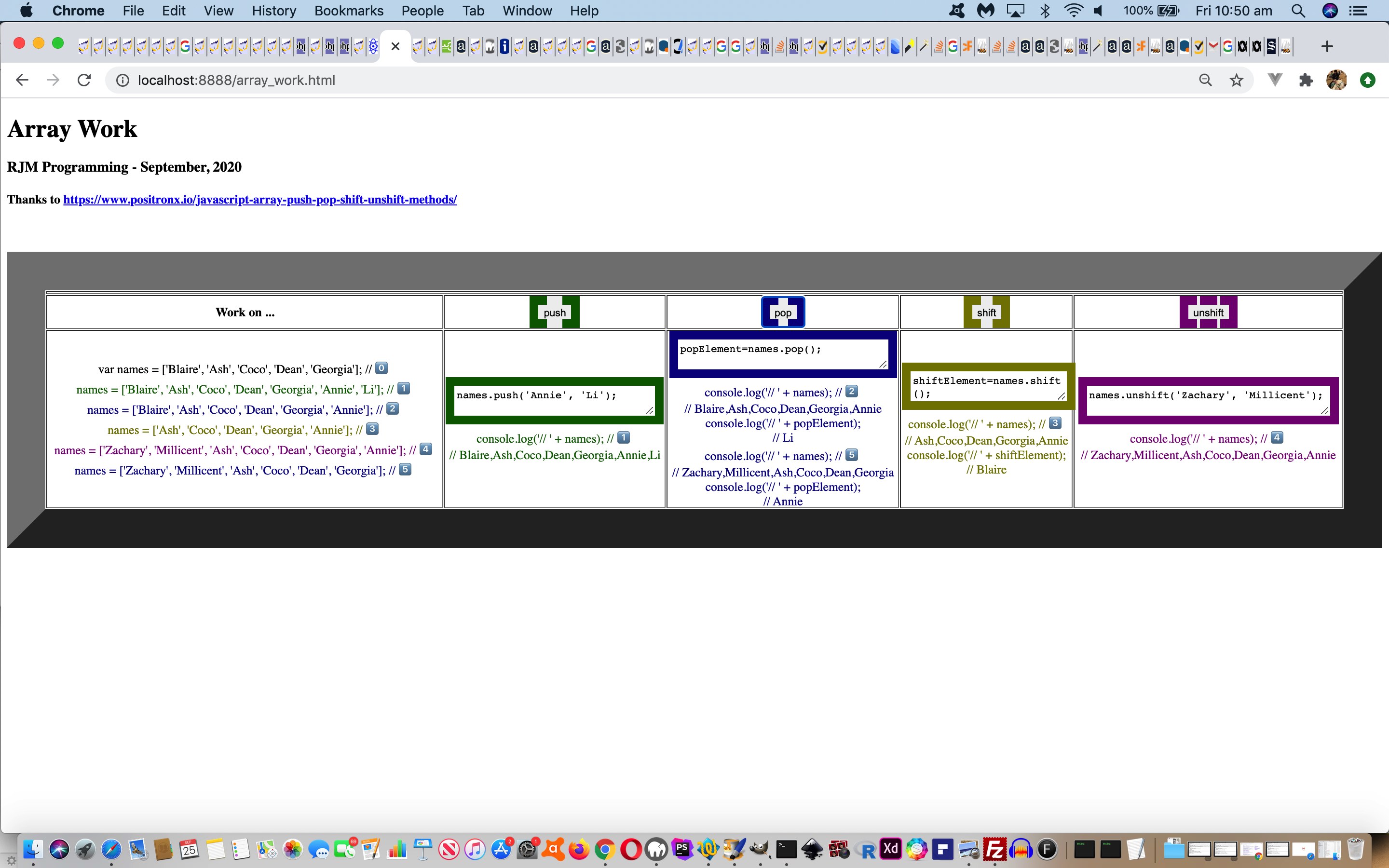
In this context, we stumbled upon a great link called JavaScript Array Push, Pop, Shift and Unshift Methods with Examples that inspired me to construct a proof of concept web application to help a user who likes “hands on” approaches to learning, learn about array (object) “methods” …
… in our inhouse HTML/CSS/Javascipt client side array_work.html live run link you can try, also, below …
If this was interesting you may be interested in this too.




What I find most interesting here is how honestly the post names the hard part: getting focus to work with [element].click() and [element].blur() is the kind of detail that looks trivial until you actually try to drive a page this way. The single-row table that deliberately overflows to the right also makes sense as a design choice, since a radio playlist needs to be scrolled through rather than squeezed into one screen. And the payoff — clicking one song link and having the songs play in sequence and loop back through the list — is a neat reward for all that plumbing with the audio-only YouTube player.