
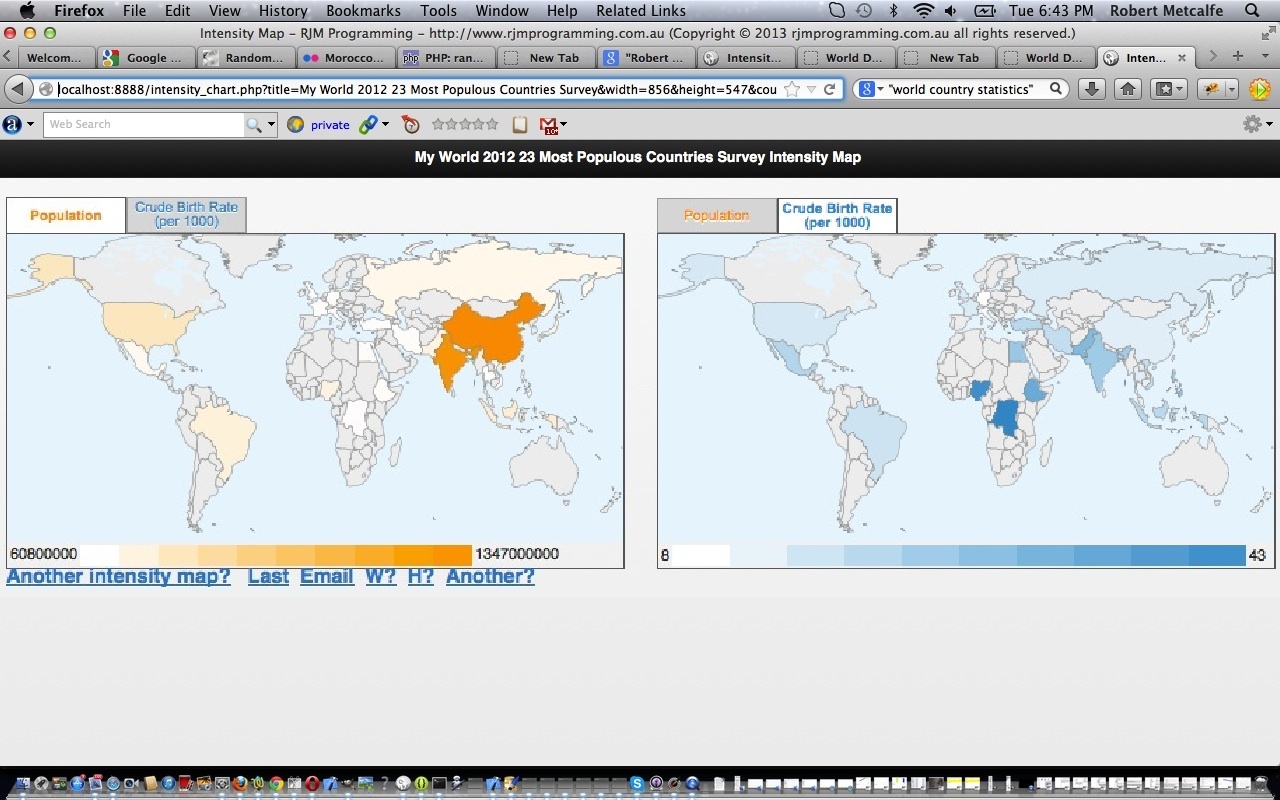
PHP/Javascript/HTML Google Chart Intensity Map Tutorial
Here is a tutorial that introduces you to Google Graphs API, or Google Chart Tools, and its Intensity Map functionality.
Google Chart Tools provide a perfect way to visualize data on your website. From simple line charts to complex hierarchical tree maps, the chart galley provides a large number of well-designed chart types. Populating your data is easy using the provided client- and server-side tools.
Thanks to the World Bank for some statistics which helped a lot.
Let’s see some PHP code in live action for this tutorial where you define your intensity map characteristics and data.
Now part of an Android App called Geo Chart++ in July 2013.
Link to Google Chart Tools “spiritual home” … via Google.
Link to Google Chart Tools Intensity Map information … via Google.
Link to some downloadable PHP programming code … rename to intensity_chart.php.
If this was interesting you may be interested in this too.




What I find most interesting here is how honestly the post names the hard part: getting focus to work with [element].click() and [element].blur() is the kind of detail that looks trivial until you actually try to drive a page this way. The single-row table that deliberately overflows to the right also makes sense as a design choice, since a radio playlist needs to be scrolled through rather than squeezed into one screen. And the payoff — clicking one song link and having the songs play in sequence and loop back through the list — is a neat reward for all that plumbing with the audio-only YouTube player.