
Command Line ImageMagick HEIC to JPEG Image Creation Tutorial
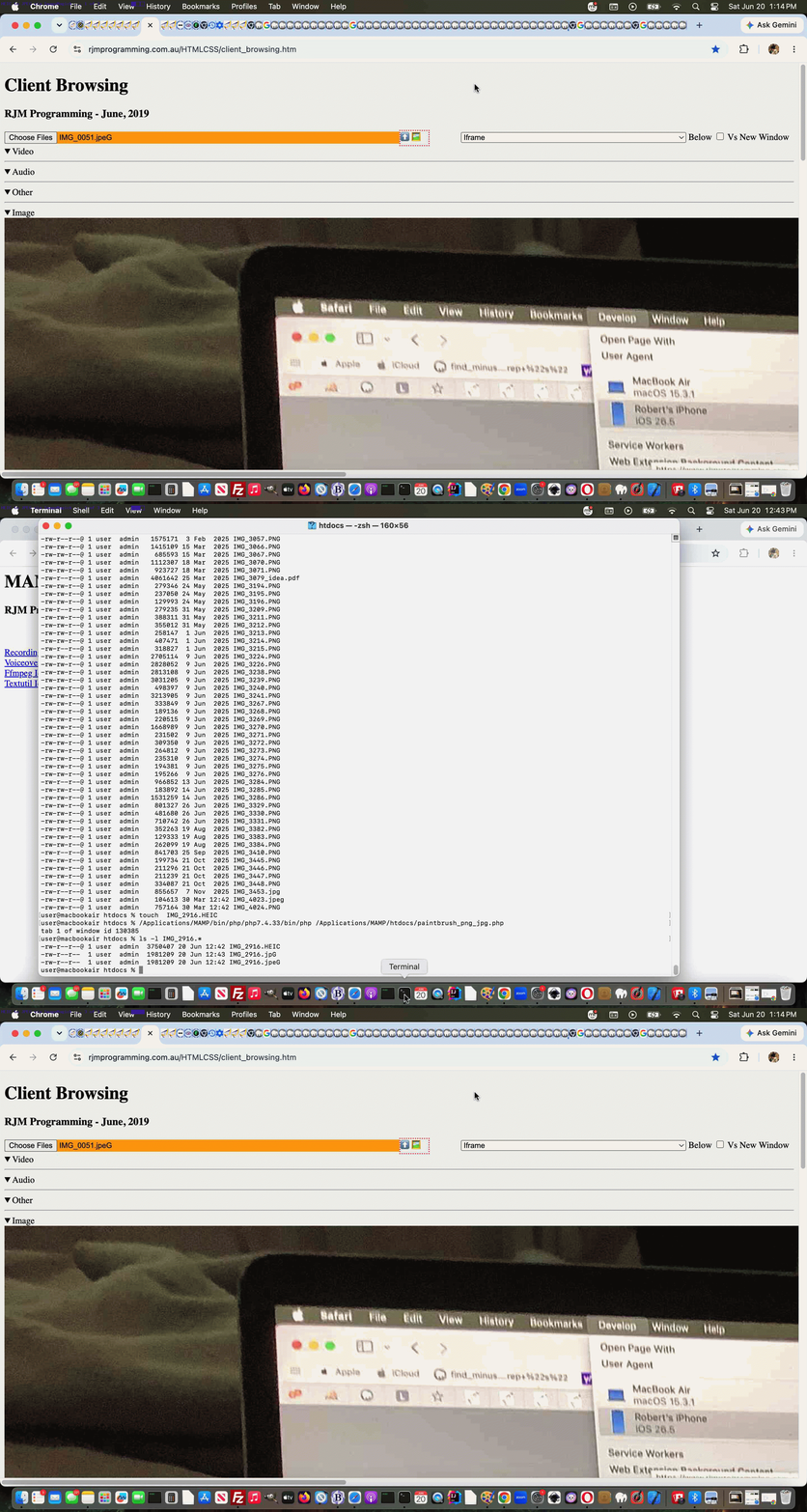
Lately, we’ve been finding that the image format of photographs taken by our iPad’s Camera mobile application come out in …
IMG_9999.HEIC
… HEIC format (and file naming style of convention) back downloaded into this MacBook Air’s “realm of interest” (and we base a lot of work, here, in MAMP‘s Document Root folder, as a place to base ourselves in). When browsing for these image/heic such files there are known issues, which we do not feel like addressing directly, just now at least.
But we do have a workaround for it, for now … and just maybe forevvvvvvvvvvvveeeeeerrrrr?! Who knows?
And that solution adds another “layer” to the way the recent crontab/curl scheduled macOS PHP command line approach last talked about with Command Line ImageMagick JPEG Image Creation Tutorial set up it’s solution, so that …
- on top of it’s existant “PaintBrush macOS can’t do *.jpeg” so we’ll get the PHP to ImageMagick convert *.png (recent) to *.jpeg and *.jpg … today “this other layer” goes …
- “Local File Browsing’s FileReader fails, natively, regarding File type image/heic files” so then we’ll get the PHP to ImageMagick convert *.HEIC (recent) to *.jpeG and *.jpG
Kludge ☇alert☇ for Windows! Sorry, Windows, macOS has case sensitivity, but last time we looked Windows cannot differentiate this way?!
And what do we do up at the local file browsing FileReader File object created interception point, in the Javascript? Code like …
    // Globally ...

    var lastreject='';


    // ... then, near the top of it's function readBlob(opt_startByte, opt_stopByte) { } ...

    if (files[0].type.indexOf("image/") != -1 && files[0].name.indexOf(".HEIC") != -1) {

        if (lastreject != files[0].name.replace(".HEIC", ".jpeG")) {

            lastreject=files[0].name.replace(".HEIC", ".jpeG");

            alert('Please reselect using ' + files[0].name.replace(".HEIC", ".jpeG") + ' assuming you have PHP paintbrush_png_jpg.php active in your scheduling');

        }

        return;

    }
The kludges keep coming?! But we’re pretty happy for now and might see about a better solution down the line. Meanwhile the changed paintbrush_png_jpg.php saves our bacon, for now!
Stop Press
Since, we’ve realized out of the iOS Camera app Photos app downloading, you can end up with *.heic (ie. lowercase) files, which we cater for with a further changed paintbrush_png_jpg.php PHP macOS (via Terminal app) command line application.
Previous relevant Command Line ImageMagick JPEG Image Creation Tutorial is shown below.
Command Line ImageMagick JPEG Image Creation Tutorial
For a while now, on macOS, we’ve been putting up with a scenario with our beloved macOS Paintbrush desktop application version whereby it will not save images in …
- JPEG format … any more, so we have been saving in …
- PNG format
… for some time now. Is this a big deal? Well, that is the question? We got a bit of a surprise in aspects of the solution we came up with.
With that, pretty obvious to us, first aim of smaller sized output image media files to start producing, we decided to involve …
- macOS command line …
- PHP usage ( ending up with paintbrush_png_jpg.php ) … in a …
- crontab scheduled …
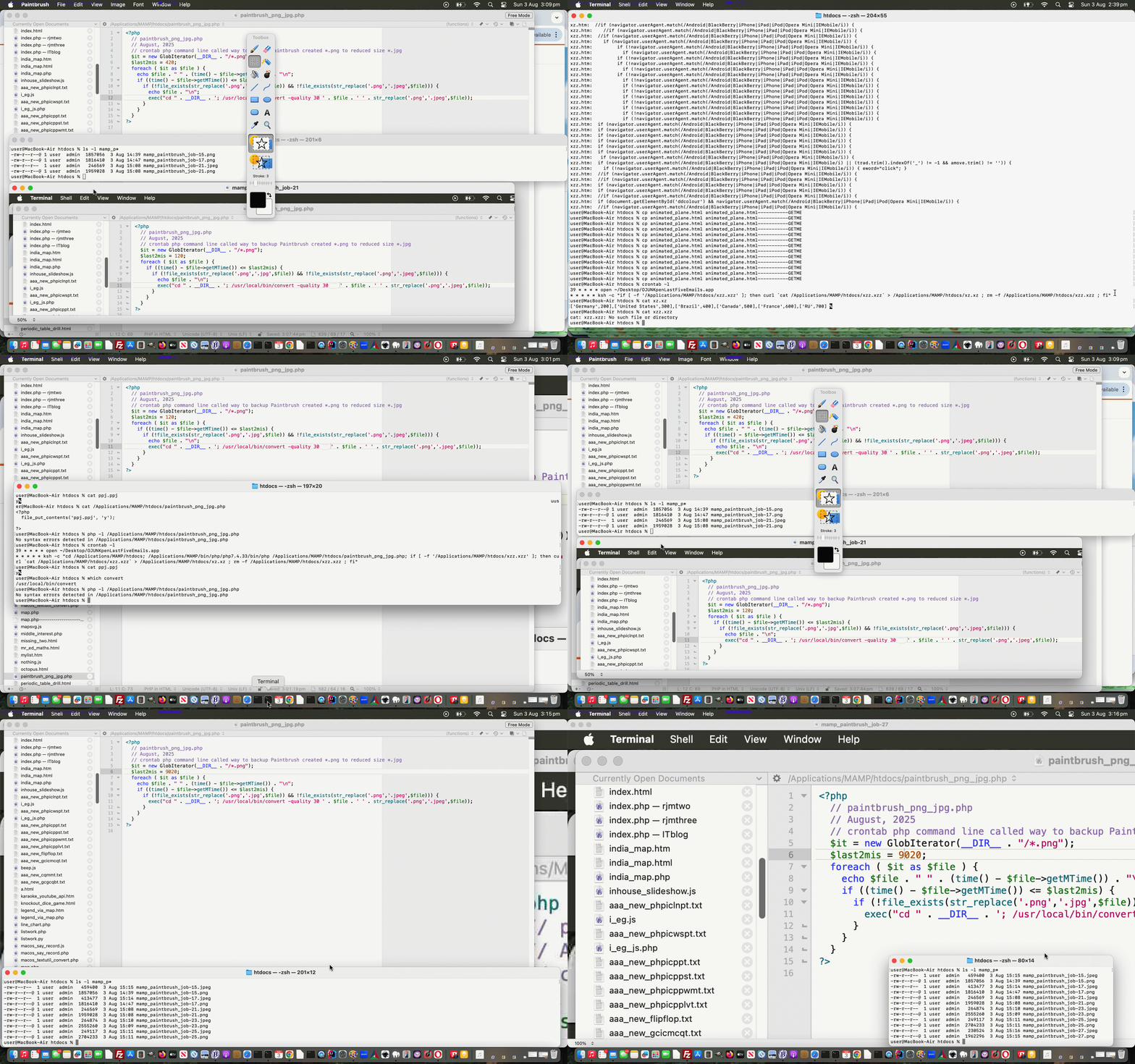
* * * * * ksh -c "cd /Applications/MAMP/htdocs; /Applications/MAMP/bin/php/php7.4.33/bin/php /Applications/MAMP/htdocs/paintbrush_png_jpg.php"
… procedure, running each minute here on this MacBook Air using a command line command exemplified for a PNG called my_image.png …
convert -quality 30 my_image.png my_image.jpeg
… via this PHP ( where we thank this useful link for great help ) …
<?php

  // paintbrush_png_jpg.php

  // August, 2025

  // crontab php command line called way to backup Paintbrush created *.png to reduced size *.jpg

  $it = new GlobIterator(__DIR__ . "/*.png");

  $last2mis = 9020;

  foreach ( $it as $file ) {

    if ((time() - $file->getMTime()) <= $last2mis) {

      if (!file_exists(str_replace('.png','.jpg',$file)) && !file_exists(str_replace('.png','.jpeg',$file))) {

        exec("cd " . __DIR__ . '; /usr/local/bin/convert -quality 30 ' . $file . ' ' . str_replace('.png','.jpeg',$file));

      }

    }

  }

?>
… which achieves it’s objective, for the most part, because we are always saving these PNG files to MAMP‘s Document Root ( ie. /Applications/MAMP/htdocs for us ).
All good, smaller image JPEG files do result, but the twist for us came when we assembled our first JPEG vs PNG sets …
$ ls -l mamp_p*.*g*

-rw-r--r--  1 user  admin   459400  3 Aug 15:15 mamp_paintbrush_job-15.jpeg

-rw-r--r--@ 1 user  admin  1857056  3 Aug 14:39 mamp_paintbrush_job-15.png

-rw-r--r--  1 user  admin   413477  3 Aug 15:14 mamp_paintbrush_job-17.jpeg

-rw-r--r--@ 1 user  admin  1816410  3 Aug 14:47 mamp_paintbrush_job-17.png

-rw-r--r--@ 1 user  admin   246569  3 Aug 15:08 mamp_paintbrush_job-21.jpeg

-rw-r--r--@ 1 user  admin  1959028  3 Aug 15:08 mamp_paintbrush_job-21.png

-rw-r--r--  1 user  admin   264874  3 Aug 15:10 mamp_paintbrush_job-23.jpeg

-rw-r--r--@ 1 user  admin  2555260  3 Aug 15:09 mamp_paintbrush_job-23.png

-rw-r--r--  1 user  admin   249117  3 Aug 15:11 mamp_paintbrush_job-25.jpeg

-rw-r--r--@ 1 user  admin  2704233  3 Aug 15:11 mamp_paintbrush_job-25.png

-rw-r--r--  1 user  admin   230524  3 Aug 15:16 mamp_paintbrush_job-27.jpeg

-rw-r--r--@ 1 user  admin  1962296  3 Aug 15:15 mamp_paintbrush_job-27.png

-rw-r--r--  1 user  admin   280417  3 Aug 15:17 mamp_paintbrush_job-29.jpeg

-rw-r--r--@ 1 user  admin  2677561  3 Aug 15:16 mamp_paintbrush_job-29.png

$
… into two animated GIF images ( with PNG based one called paintbrush_crontab_png_to_jpeg.gif ) …
$ ls -l paintbrush_*.gif

-rw-r--r--@ 1 user  staff  5100166  3 Aug 19:11 paintbrush_crontab_png_to_jpeg.gif

-rw-r--r--@ 1 user  staff  6485830  3 Aug 19:14 paintbrush_png_to_jpeg_crontab.gif

$
… via our inhouse animated GIF creator helper web application.
Huh?! Read a bit more about it here!
If this was interesting you may be interested in this too.
If this was interesting you may be interested in this too.

