

Camera Pinch Tutorial
Further to the recent New Temporary Folder Arrangements PHP Primer Tutorial we think, perhaps, we can explain …
Nala! Luna! Is there something going on with summer grasses?!
We saw our first stink bug of the summer season! Yayyyyy! Now, we know we may have offended some gardeners out there, but we find it comforting seeing any of …
- Stink Bugs … the sighting was of a Bronze Orange Bug sulciventris
- Christmas Beetles … Anoplognathus pallidicollis
- Bogong Moths … Agrotis infusa
… as a reminder of our eastern Australian summers and that they are still around! Yayyyyy! Because it is a little concerning how little happens on the car windscreen these days insect wise compared to the nineties and into the noughties.
Huh?! Thanks, Nala, Luna! You’ve finished in the summer grasses?! And yes, you want to get to the point? Yes, and you’ve been watching Skippy …
… summer reruns, perhaps?! Huh?!
Yes … well … there you go. Yes, we wanted to … um … point out … in terms of photographic technique … in terms of the digital realm … shall we say …
Okay, Skip … getting there
… let’s just say …
Isn’t the pinch gesture on the Camera app just “the bee’s knees”?
And yes, Skip, bees have knees … before you complain! Sheeesshhh!
Photographing insects …
- has to have gotten more convenient being out and about with a Camera app, whether that be iOS or Android or whattevvvvvvvveeeerrrr … with the ease of pinch gesture usage when shaping to take the photo … and yet …
- in the Single Lens Reflex dominance days (of Photography) we’d have had …
- much much longer telephoto and/or zoom lenses
- tripods
- shutter clickers (from a distance)
- perhaps more patience
- perhaps darkroom enlargement opportunities
… counteracting that convenience … but yes, you can accessorize?!
One thing is for sure, and that is that you should not feel alone delving into the Citizen Science scene. It is growing … and practising fiercely .
Previous relevant New Temporary Folder Arrangements PHP Primer Tutorial is shown below.
New Temporary Folder Arrangements PHP Primer Tutorial
Things around here have come to a “pretty pass” …
- primer tutorials that are not first in the thread
- presenting the tidying arrangements first
Nala! Luna! Is there something going on with summer grasses?!
Yes, this transitioning from /tmp to /home/rjmprogr has us trying not to rush, because rushing can be associated with places where you assume …
… rather than prepare and study. Besides, Akela said no!
Why choose /home/rjmprogr ?
- it can be read and written to by the RJM Programming web server username … and yet …
- cannot be referenced by users surfing the net … being lower down the directory tree than the /home/rjmprogr/public_html which corresponds to our Apache Document Root folder
- it can be read and written to by the cPanel username … meaning …
- our web server’s main functioning crontab scheduling can reference it, like with yesterday’s New Temporary Folder Arrangements Tidying Tutorial
And so, today, building on the themes of yesterday’s New Temporary Folder Arrangements Tidying Tutorial we …
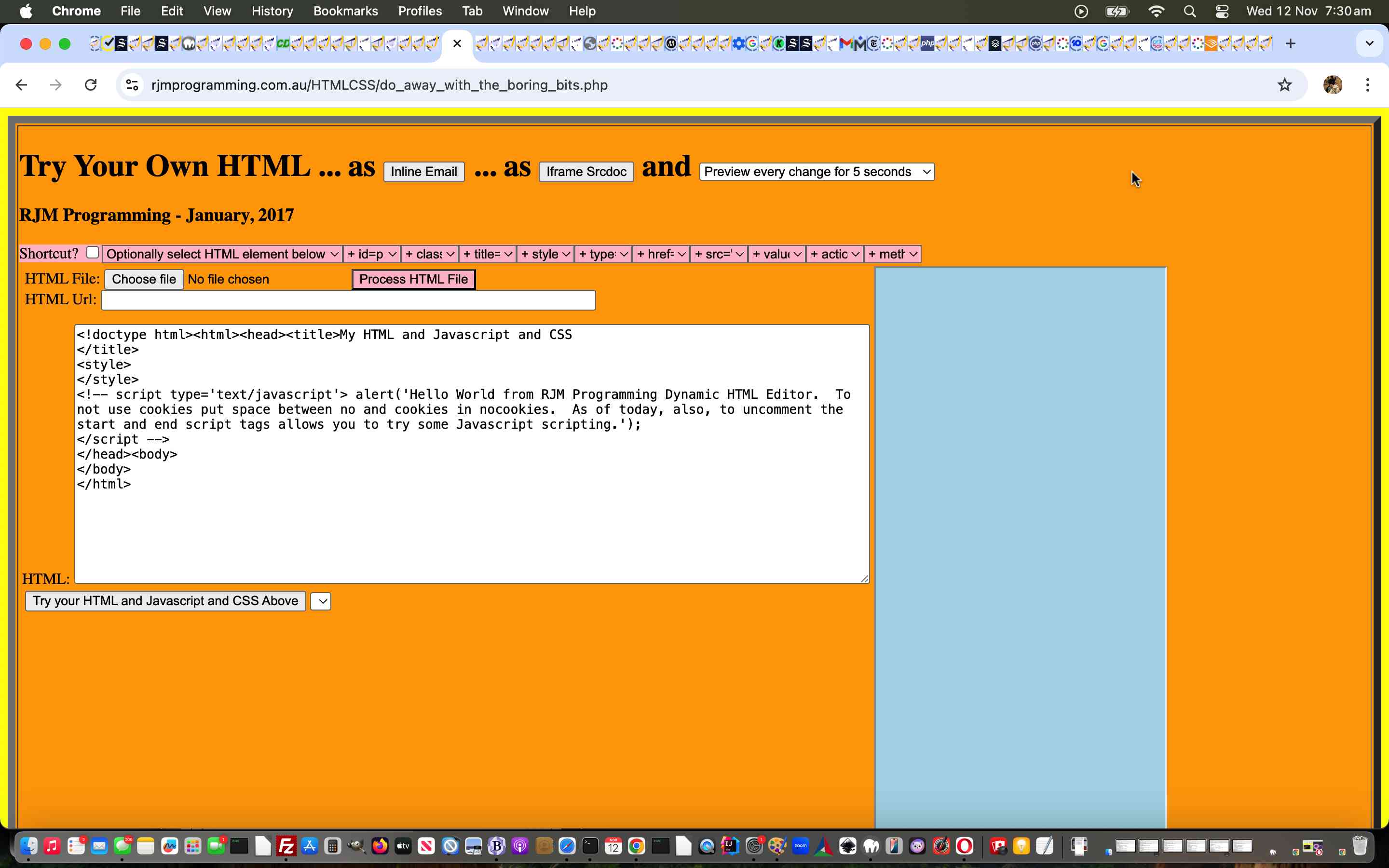
- changed do_away_with_the_boring_bits.php web application … and …
- changed legend_via_map.php web application
… as our first PHP foray into this work.
More to come regarding /home/rjmprogr as our new “temporary file place of preference” for sure.
Previous relevant New Temporary Folder Arrangements Tidying Tutorial is shown below.

New Temporary Folder Arrangements Tidying Tutorial
We’ve had one public and three private dedicated virtual servers running our Apache/PHP/MySql web server here at RJM Programming. The last two have us transitioning from one AlmaLinux web server to another. What could be different? Well (readers who resist reading blog posting titles) security measures move on with a lot of upgrades and migrations in web server “land” these days. On ours, the use of …
/tmp
… as per …
# df -k /

Filesystem     1K-blocks     Used Available Use% Mounted on

/dev/vda1      103019024 58818836  38940980  61% /

# df -k /tmp

Filesystem     1K-blocks  Used Available Use% Mounted on

/dev/loop0       4054752  1108   3843932   1% /tmp

#
… have in the last AlmaLinux web server incarnation become more contentious in that the RJM Programming web server username (as distinct from the administrator of cPanel username) is unable to write to this /tmp for the first time. This is a little bit of a peeve for us, as we have written quite a bit of PHP that uses it to read and write from, as it’s temporary storage “place of choice”.
There’s no way we are going to rush to remedy this, but, today, after self-ruling out, after discussion with our web hosters, Crazy Domains, the thought of changing any file permissions here, we’re starting, sort of at the back end of the issue, fixing for the future …
- crontab # ie. scheduled …
- file tidying (after PHP action) processes
You can glean what we did via watching today’s tutorial animated GIF presentation, but the gist of it involved …
- in RJM Programming cPanel’s Terminal window …
crontab -l | grep '/tmp'
… and copy into a text buffer … - back in the macOS MacBook Air desktop application woooorrrrllllddd paste into a TextWrangler editor new file … and then …
- for relevant records substitute /tmp for /home/rjmprogr (as our new choice of place to act as the temporary storage “place of choice” and which we successfully road tested when we presented the Message Board One Liners Aesthetics Tutorial (with it’s, early days, changed prepend.php) thread of blog postings)
- change the minutes field 10 less for all such records
- copy this into a buffer
- back at RJM Programming cPanel’s Terminal window …
crontab -e
… ours uses the great vi editor where we get to the end character and type “i” for insert in order to Paste (via top menu) into the crontab file … followed by “wq” to save (with all being well will result in …crontab: installing new crontab
)
- readying ourselves for either “tidying up” requirement into the future
Over to you … PHP!
If this was interesting you may be interested in this too.
If this was interesting you may be interested in this too.
If this was interesting you may be interested in this too.

