
PHP Desktop Command Line Primer Tutorial
Sometimes you have desktop program requirements involving files and the operating system. If the job is quite large you’d probably want to involve one of the well known IDEs like Xcode for Mac or Visual Studio for Windows or perhaps NetBeans or Code:Block and they could provide solutions in a whole gamut of compilable programming languages such as C++, C#, VB.Net, C or Java, just to name a few.
To avoid some of this bother for smaller jobs we recommend, in Windows, Digital Mars C (or D), and we’ve talked about that here.
Today we start on a short journey to show you that PHP at the command line, with command line curl, or as a web application (especially with a local MAMP web server on Mac or EasyPHP web server on Windows) can be another option. Do you remember PHP Modes of Use File Traverse Tutorial?
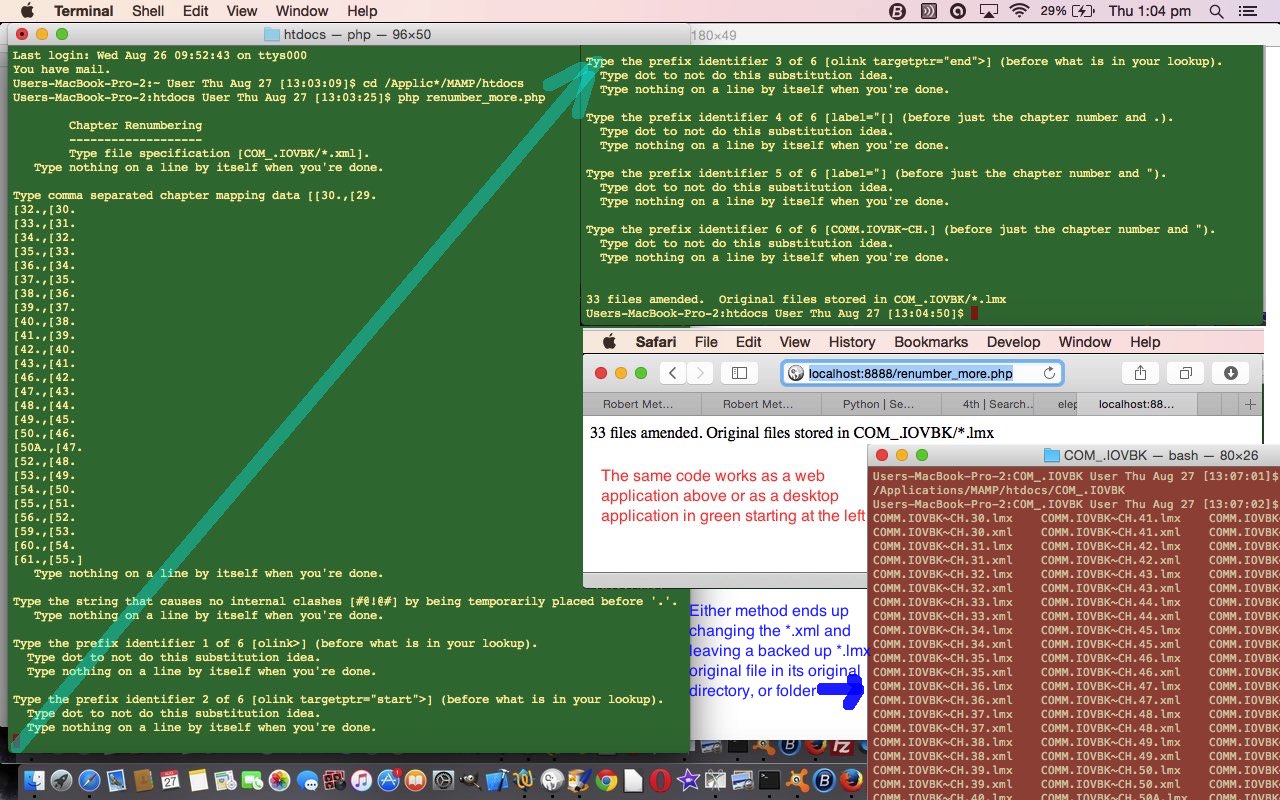
The job we show today is an XML Chapter Changes via the Substitution of Strings desktop job. In this job we have …
- a filespec, on the desktop (or USB) of input data files
- a mapping string file (or the data of) to map the chapter information, only, that is of interest
… from that we start with a quick MAMP web application solution … we’ll show you here as renumber_more.php_GETME full of hardcodings and assumptions.
We rid the code of many hardcodings to genericize it considerably, and we show you some of that journey via renumber_more.php-GETME where we introduced some PHP command line interactive usage where we got help from this link (thanks). This interactivity only happens in the PHP usage from the command line, and to test for that we …
 if (isset($argv[0])) {  // PHP command line specific interactive input code below ...

  //

  // PHP command line specific interactive input code

  //

 }  // ... end of PHP command line specific interactive input code
Here is that PHP code …
- renumber_more.php-GETME … for desktop prompted interactive use and/or web application (defaults only) usage
- renumber_more.php_GETME … web application (defaults only, and “hardcoded”) usage
- Changes
If this was interesting you may be interested in this too.




Naming the things in a bathroom is a smarter vocabulary exercise than it first looks, because every learner already knows the room, so the words attach to objects they can see and touch instead of floating on a flashcard. Asking how many things can you name turns it into a game rather than a test, and the counting itself becomes the motivation: one more word than last time is a visible win. I like the way this kind of lesson uses a photograph as the prompt, since a picture gives every student the same starting point regardless of level, and the stronger students can move on to describing what each thing is for while beginners are still collecting nouns. The bathroom is a good choice of room too, because it is full of everyday words that textbooks often skip, the small objects people actually say out loud every morning. A daily habit of naming five new things around the house would build a working vocabulary faster than memorising lists, and this post is a good template for it.