Task Schedular in Windows Primer Tutorial
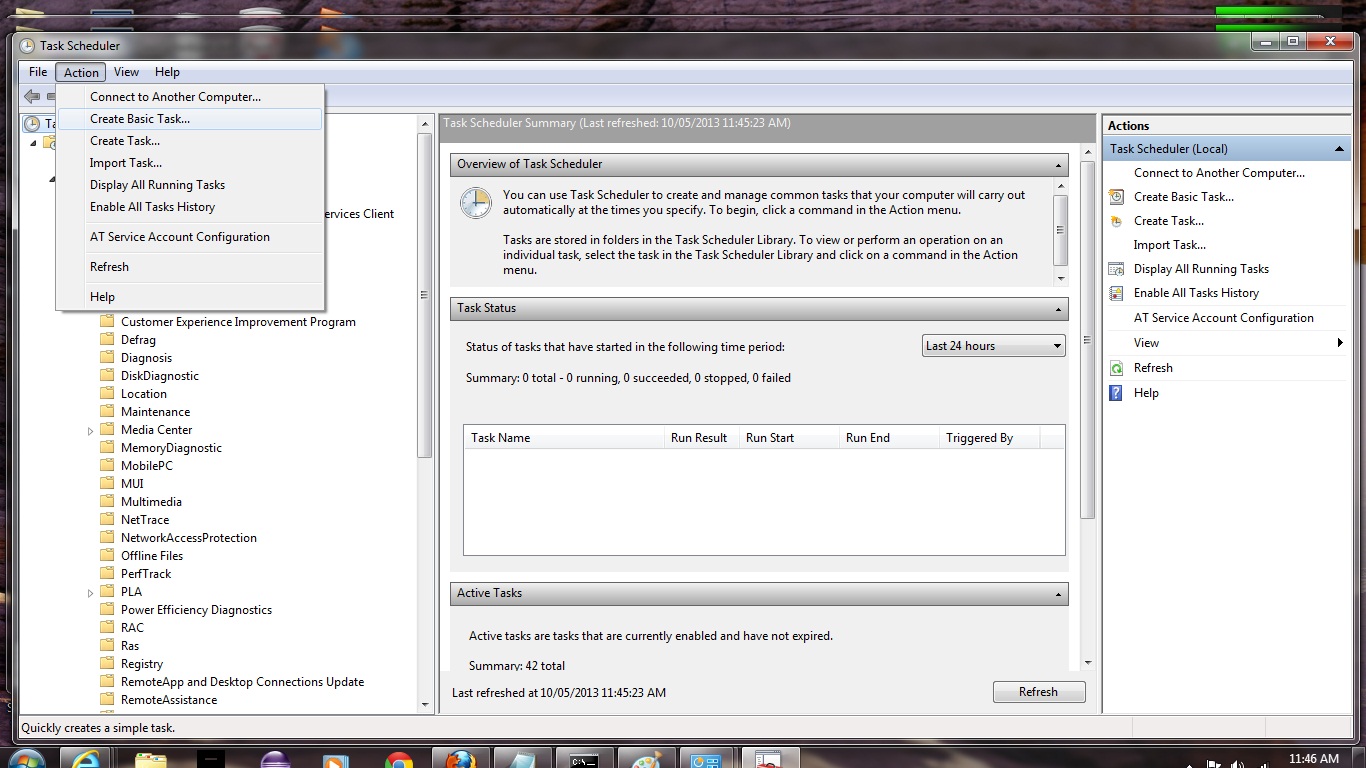
Here is a tutorial that introduces you to some aspects of the Task Schedular in Windows, which is a tool to organize the running of your Windows applications interactively or unattended, at specified times. Our tutorial shows an interactive task, but Task Schedular can handle unattended tasks as well, and ones that run at specified regular (or not) times on a Daily, Weekly or Monthly basis, repeated or not, as applicable.
Task Scheduler (taskschd.msc) is a component of Microsoft Windows that provides the ability to schedule the launch of programs or scripts at pre-defined times or after specified time intervals. It was first introduced in the Windows 95 Plus! pack as System Agent[1] but was renamed to Task Scheduler in Windows 98. The Windows Event Log service must be running before the Task Scheduler starts up.
This service should not be confused with the scheduler that allocates CPU resources to processes already in memory.
Let’s see some simple Task Schedular tasking in Windows in action for a simple interactive Batch task that sorts three entries …
Am sure you can imagine how powerful this functionality is, and what a great tool it can be for practical aspects of getting jobs (tasks) done in an automated way. Combine it with Batch files and tools like AutoHotKey and all the programming languages and am sure you can see it can be a supervisor and/or a supervisor of a supervisor to be a very useful tool. Maybe we could say it would be a supervisor of a supervisor of a supervisor, and then we can call it Major Major Major Major … gaffer/best boy? … cue the video.
Link to Windows Task Schedular information … from Wikipedia from which quote above comes.
Link to Windows Task Schedular tutorials … from Microsoft (the company of Windows and so the company of Task Schedular).
Link to some downloadable Batch script code … rename to sort_three.bat used in the tutorial and usable in a Windows desktop environment, just to test how Task Schedular works for interactive usage.
If this was interesting you may be interested in this too.




The distinction between course-driven and immersion-driven learning is useful. A small extension to the australia.htm exercise would be a set of named map markers and a text filter: first update the visible markers on an input event, then add a collected/uncollected toggle, and finally persist only that toggle state in localStorage. That gives beginners a concrete reason to learn arrays, DOM updates and browser storage without needing PHP or MySQL first. It is also worth testing empty searches, a page reload and disabled storage separately; those are different failure cases. Disclosure: we maintain the GTA 6 interactive map. I am suggesting it as an example of a map-and-progress interface, not claiming that we used the tutorial code. Would you introduce persistence after the first working interaction, or keep the initial exercise entirely stateless?