
LibreOffice Math Formula Primer Tutorial
Over the last few weeks we’ve talked a fair bit about the LibreOffice suite of office programs and its big links with the OpenOffice suite of programs, and today we explore its Math Formula functionality.
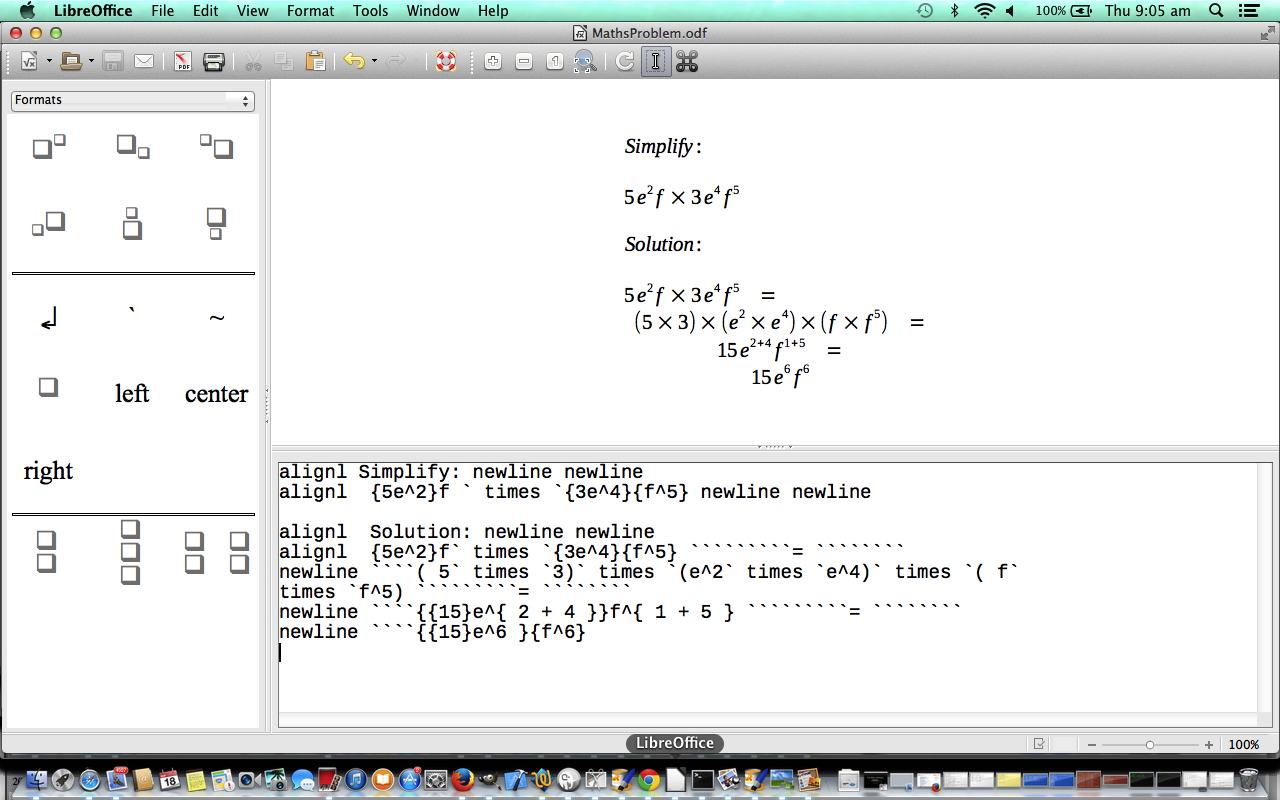
Today we took a mathematics problem from a school text book called New Century Maths Stages 5.2/5.3 page 225, and imagine a teacher explaining the solution to a “Law 1: Multiplying terms with the same base” problem.
LibreOffice makes this task end up with a very professional presentation, and maybe, for a desktop solution to something you want to do yourself, you will be interested in a demonstration of how it works.
Link to input data file representing what was added into LibreOffice’s Math Formula for this tutorial MathsProblem.txt
Link to output .odf LibreOffice file of tutorial MathsProblem.odf
Link to LibreOffice information … from Wikipedia.
Link to LibreOffice “spiritual home” … LibreOffice via the Document Foundation.
If this was interesting you may be interested in this too.




I like the single-row radio-play approach for keeping the controls compact while still making each selection clear. When I’m checking a calculation alongside a tutorial, I use StepStat to see the intermediate steps; how do you handle the layout when the playlist gets much longer?