
Linux Diskutil Primer Tutorial
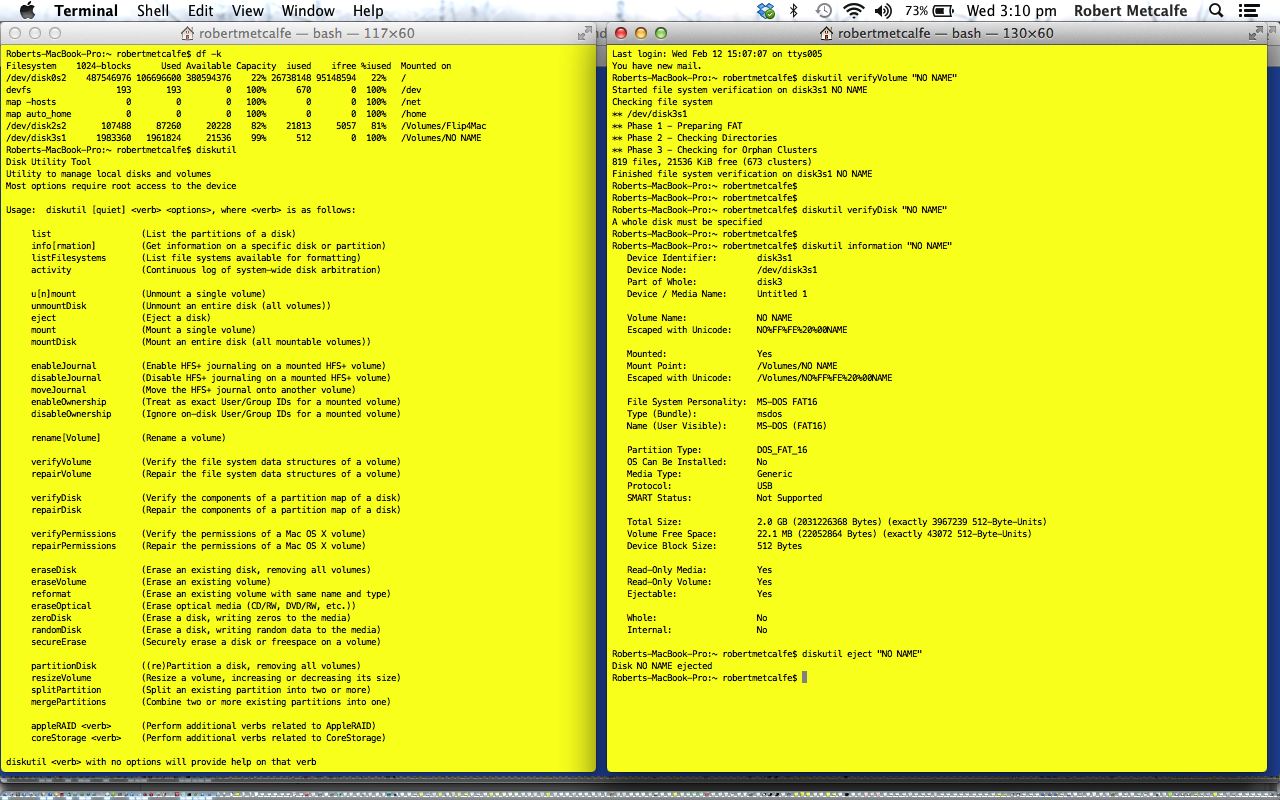
Linux (or Unix) is an operating system whose very essence revolves around files. Files are stored on Disks and Volumes and you see this in play when we analyze the diskutil command that we access in a Linux environment on a Mac laptop via the Terminal application (in Utilities). My hope for you is that you never need to know about diskutil for any other purpose than to check on a disk’s file space, name, or to partition a disk (perhaps for a dual operating system environment). My hope for you is that you never need it to repair a disk or volume, though have used it successfully myself to do this, but it is just that things have come “to a pretty pass” if you have arrived at this point, but whether you end up calling this point “Pretty Nirvana Hill” or “Pretty Death Valley” will depend on how diskutil performs.
Linux commands of interest here are:
In Windows, with command line, chkdsk has several bits of overlapping functionality.
If this was interesting you may be interested in this too.



I like the single-row radio-play approach for keeping the controls compact while still making each selection clear. When I’m checking a calculation alongside a tutorial, I use StepStat to see the intermediate steps; how do you handle the layout when the playlist gets much longer?