
CSS Countdown Primer Tutorial
It’s not normally a talent you associate with CSS, the ability to do any maths, but you can count (or increment/decrement) with it, with styling like …
<style>

#myspan {

  counter-reset: the-final-countdown var(--tooltip-string);

  line-height: 2;

}


div::before {

  counter-increment: the-final-countdown -1;

  content: "~" counter(the-final-countdown) "~";

  background: yellow;

  display: inline-block;

  width: 20rem;

  margin-right: 0.5rem;

  text-align: center;

}


div::after {

  content: var(--tooltip-string);

}

</style>
… and did you see above it can work with variables as another Javascript type talent?
As a Javascript coder knows, once you have variables to play with, they can represent other useful things.
Let’s establish a CSS variable via (HTML like) …
<span id=myspan style="--tooltip-string:12;"></span>
… then that “12” gets substituted so that …
<style>

#myspan {

  counter-reset: the-final-countdown 12;

  line-height: 2;

}

</style>
… and more adventurously we can use Javascript such as …
  function thisdecodeURIComponent(inname, inval) {

   var outval=decodeURIComponent(inval), dwiurl='';

   if (inval != '') {

     icnt=eval(inname.replace('dw',''));

     dwiurl=(location.search.split(inname.replace('dw', 'di') + '=')[1] ? decodeURIComponent(location.search.split(inname.replace('dw', 'di') + '=')[1].split('&')[0]) : '');

     if (dwiurl != '') {

       outval='<div style="--tooltip-string:url(' + dwiurl + ');">' + inval + '</div>';

     } else {

       outval='<div>' + inval + '</div>';

     }

     spanstr="<span id=myspan style='--tooltip-string:" + icnt + ";'><h1>CSS counter via var</h1><h3>RJM Programming - February, 2021</h3><h4>Thanks to <a target=_blank title='https://css-tricks.com/valid-css-content/' href='https://css-tricks.com/valid-css-content/'>https://css-tricks.com/valid-css-content/</a></h4></span>";

     icnt++;

     while (inval != '') {

        inval=(location.search.split('dw' + icnt + '=')[1] ? decodeURIComponent(location.search.split('dw' + icnt + '=')[1].split('&')[0]) : '');

        if (inval != '') {

          spanstr="<span id=myspan style='--tooltip-string:" + icnt + ";'><h1>CSS counter via var</h1><h3>RJM Programming - February, 2021</h3><h4>Thanks to <a target=_blank title='https://css-tricks.com/valid-css-content/' href='https://css-tricks.com/valid-css-content/'>https://css-tricks.com/valid-css-content/</a></h4></span>";

          inname='dw' + icnt;

     dwiurl=(location.search.split(inname.replace('dw', 'di') + '=')[1] ? decodeURIComponent(location.search.split(inname.replace('dw', 'di') + '=')[1].split('&')[0]) : '');

     if (dwiurl != '') {

       outval+='<div style="--tooltip-string:url(' + dwiurl + ');">' + inval + '</div>';

     } else {

       outval+='<div>' + inval + '</div>';

     }

        }

        icnt++;

     }

   }

   return outval;

  }
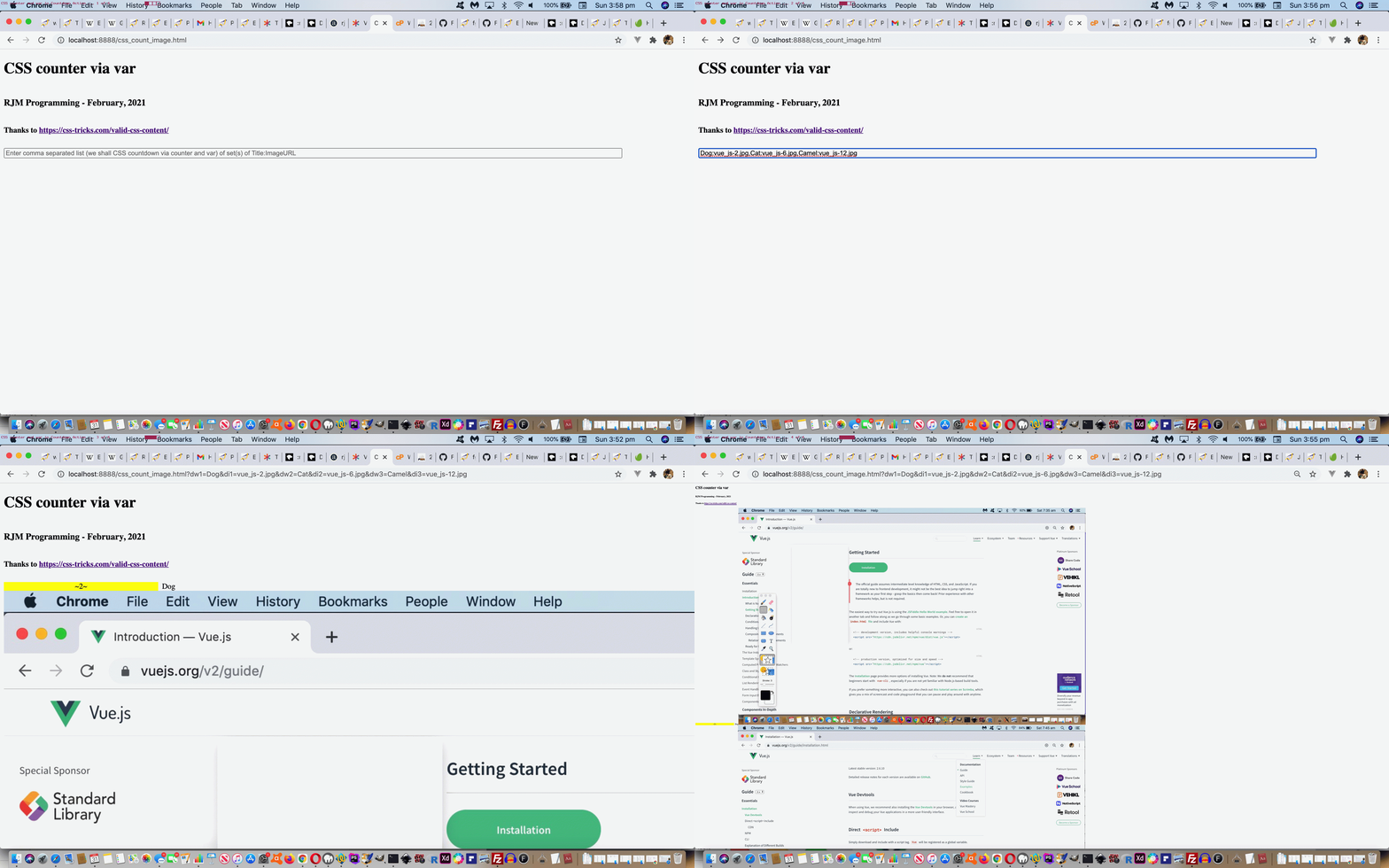
… to get CSS to display an image via a CSS variable associated with a particular “CSS “counter” instance (if you will). Cute, huh?!
Thanks to https://css-tricks.com/valid-css-content/, see how this can work in practice with today’s “proof of concept” css_count_image.html‘s live run …
If this was interesting you may be interested in this too.




The idea of mapping a video's key scenes, mood, pacing, and audio before production resonates with me — it's a lot like working out an anagrampuzzle, where the same pieces only make sense once you rearrange them into the right order. Do you usually sketch the mind map before or after the script is locked?