HTML/Javascript Probability Game Tutorial
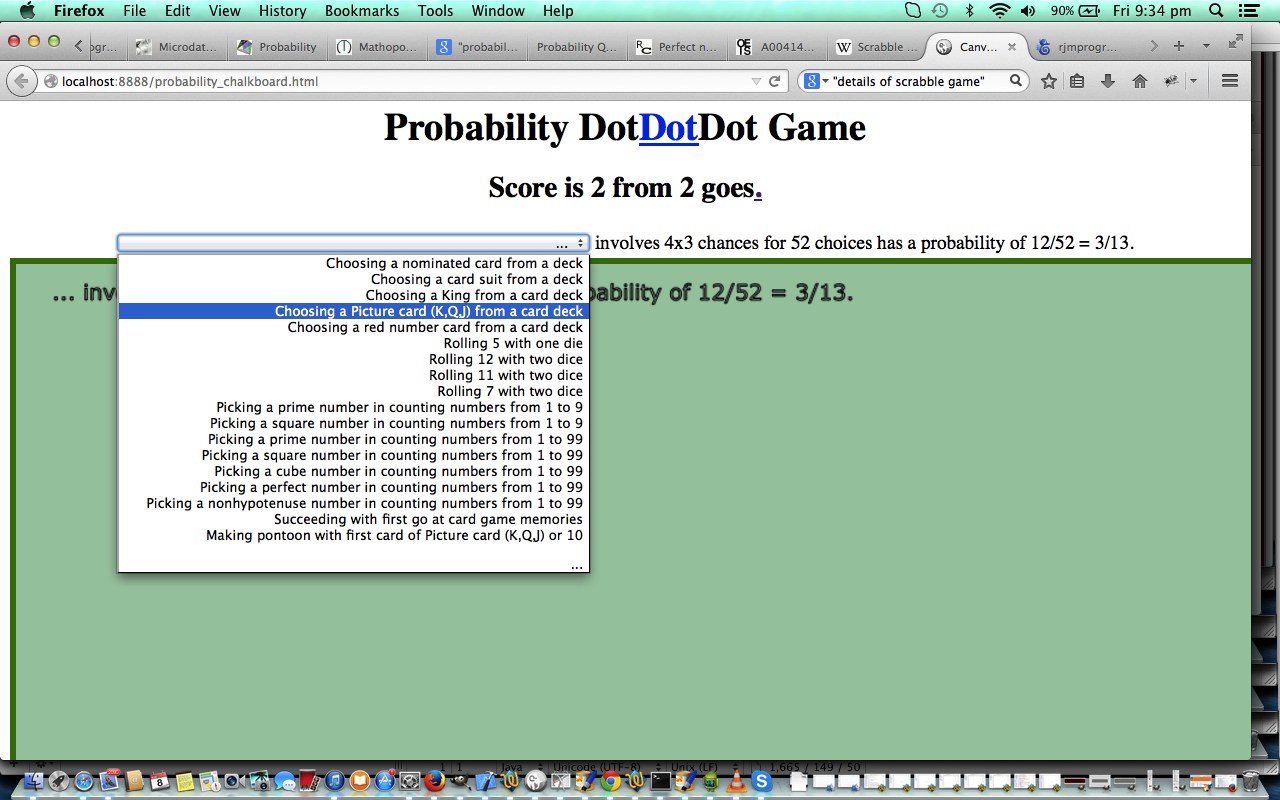
Here is a tutorial showing some client-side basics in HTML and Javascript that can verify your calculation of the roots of a quadratic equation (if you believe in the tooth fairy) get you solving some mathematical probability questions, by filling in a missing bit of information in a three-part “probability sentence”, and today we use an HTML5 canvas element in our methodology. The inspiration for this came from the tutorial here, and we invite you to play with another player, and add your own, maybe while they aren’t looking?! (Hint: Try the middle Dot).
This HTML/Javascript solution uses three HTML select tags, one incomplete, to piece together a “probability sentence” to score points in our mathematical game.
Link to some downloadable HTML programming code … rename to probability_chalkboard.html
Hope you add to your ideas from today’s mathematical tutorial.
If this was interesting you may be interested in this too.




The distinction between course-driven and immersion-driven learning is useful. A small extension to the australia.htm exercise would be a set of named map markers and a text filter: first update the visible markers on an input event, then add a collected/uncollected toggle, and finally persist only that toggle state in localStorage. That gives beginners a concrete reason to learn arrays, DOM updates and browser storage without needing PHP or MySQL first. It is also worth testing empty searches, a page reload and disabled storage separately; those are different failure cases. Disclosure: we maintain the GTA 6 interactive map. I am suggesting it as an example of a map-and-progress interface, not claiming that we used the tutorial code. Would you introduce persistence after the first working interaction, or keep the initial exercise entirely stateless?